Upgrade to Pro
— share decks privately, control downloads, hide ads and more …
Speaker Deck
Sign up for free
Menu
Search
Features
All features
Private URLs
Password Protection
Custom URLS
Scheduled publishing
Remove Branding
Restrict embedding
Deck Collections
Notes
Features
All features
Private URLs
Password Protection
Custom URLS
Scheduled publishing
Remove Branding
Restrict embedding
Deck Collections
Notes
Explore
Featured decks
Featured speakers
Programming
Technology
Storyboards
Explore
Featured decks
Featured speakers
Programming
Technology
Storyboards
Pricing
Search
Sign in
Sign up for free
How to Stylus 20251031
Search
Sponsored
·
Your Podcast. Everywhere. Effortlessly.
Share. Educate. Inspire. Entertain. You do you. We'll handle the rest.
→
hareyaka
February 10, 2026
How-to & DIY
190
0
Share
Embed
Copy iframe code
Copy JS code
Copy link
Start on current slide
How to Stylus 20251031
hareyaka
February 10, 2026
More Decks by hareyaka
See All by hareyaka
Bookmark Long Review 3 20251224
hareyakayuruyaka
0
32
Bookmark Long Review 4 20260121
hareyakayuruyaka
0
160
Raku Raku Notion 20260128
hareyakayuruyaka
1
720
Other Decks in How-to & DIY
See All in How-to & DIY
LT#9 非線形な物理現象に基づく真性乱数生成器の構築と、暗号学的エントロピー密度の定量的評価について
sakopon
0
150
artisoc Cloudレシピブック_14. ひとつのモデルを複数回実行するモデルを作ろう
artisoc_sns
0
110
2026.6.27 お誕生日会で配布された透明シェルを交換する際の注意点について
mongonta0716
0
260
ネガティブをねじ伏せ、n=1のキャリアに変える技術
subroh0508
1
1.2k
ドローンをAWSで制御してみた
nagi900
0
210
M5StickS3触ってXiaoZhiAI触ってみた #にぼし香 #iotlt
n0bisuke2
0
320
フィールドエンジニア at 多摩川 / Field Engineer at Tamagawa
aokiplayer
0
450
JAWS-UG/AWS Community Update - 2026/6/13 JAWS-UG TOHOKU 仙台
awsjcpm
0
1.3k
社会人9年目の僕が贈る処世術
coco_se
1
390
AWS Community/JAWS-UG Update - JAWS-UG 上越妙高支部リブート
awsjcpm
2
170
JAWS SONIC & MIDNIGHT JAWS 2026 - GenAIが実現したAWS環境でのコミュニティデータ取得
awsjcpm
1
110
Goカードゲームを 作ってみた!
senoue
0
330
Featured
See All Featured
CSS Pre-Processors: Stylus, Less & Sass
bermonpainter
360
31k
Discover your Explorer Soul
emna__ayadi
2
1.3k
WCS-LA-2024
lcolladotor
0
890
Connecting the Dots Between Site Speed, User Experience & Your Business [WebExpo 2025]
tammyeverts
11
1.1k
Leveraging LLMs for student feedback in introductory data science courses - posit::conf(2025)
minecr
1
440
Templates, Plugins, & Blocks: Oh My! Creating the theme that thinks of everything
marktimemedia
31
2.9k
Product Roadmaps are Hard
iamctodd
55
13k
Getting science done with accelerated Python computing platforms
jacobtomlinson
2
540
[RailsConf 2023 Opening Keynote] The Magic of Rails
eileencodes
31
10k
The Illustrated Children's Guide to Kubernetes
chrisshort
51
53k
Highjacked: Video Game Concept Design
rkendrick25
PRO
1
480
The Myth of the Modular Monolith - Day 2 Keynote - Rails World 2024
eileencodes
28
3.7k
Transcript
Stylusの導入~Notionの画面を整理するまでの手順 チーム:ブックマーク(仮)
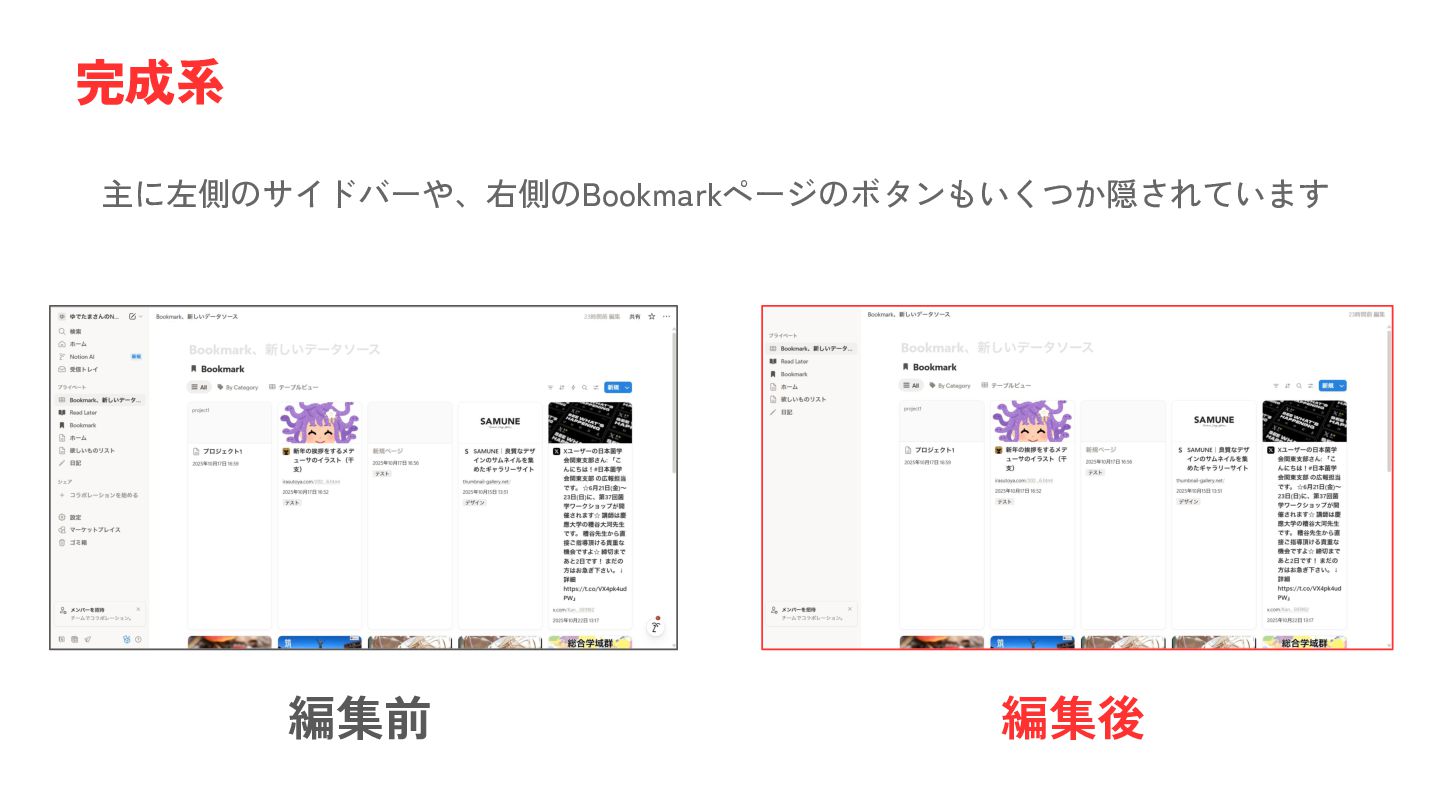
主に左側のサイドバーや、右側のBookmarkページのボタンもいくつか隠されています 完成系 編集前 編集後
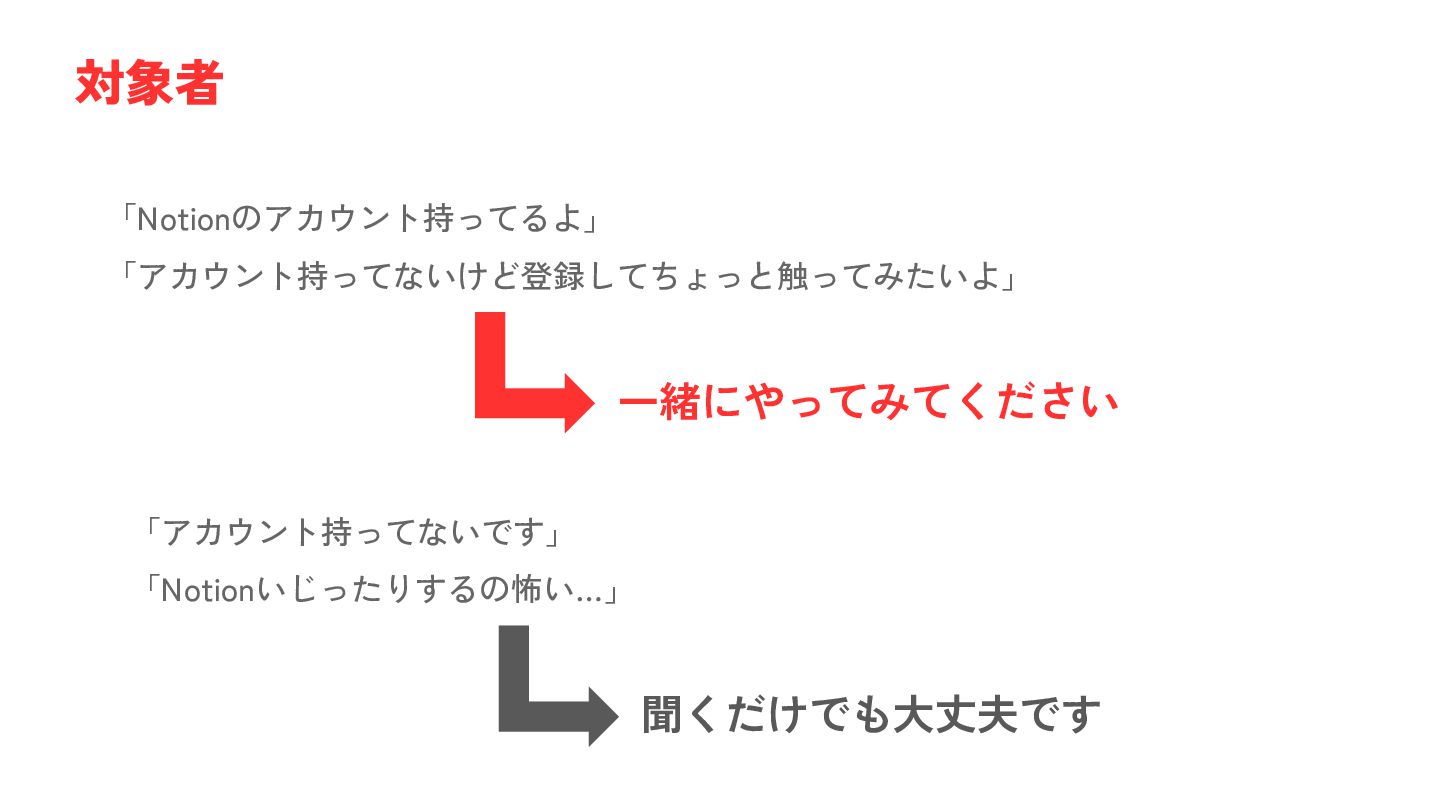
「Notionのアカウント持ってるよ」 「アカウント持ってないけど登録してちょっと触ってみたいよ」 対象者 一緒にやってみてください 「アカウント持ってないです」 「Notionいじったりするの怖い…」 聞くだけでも大丈夫です
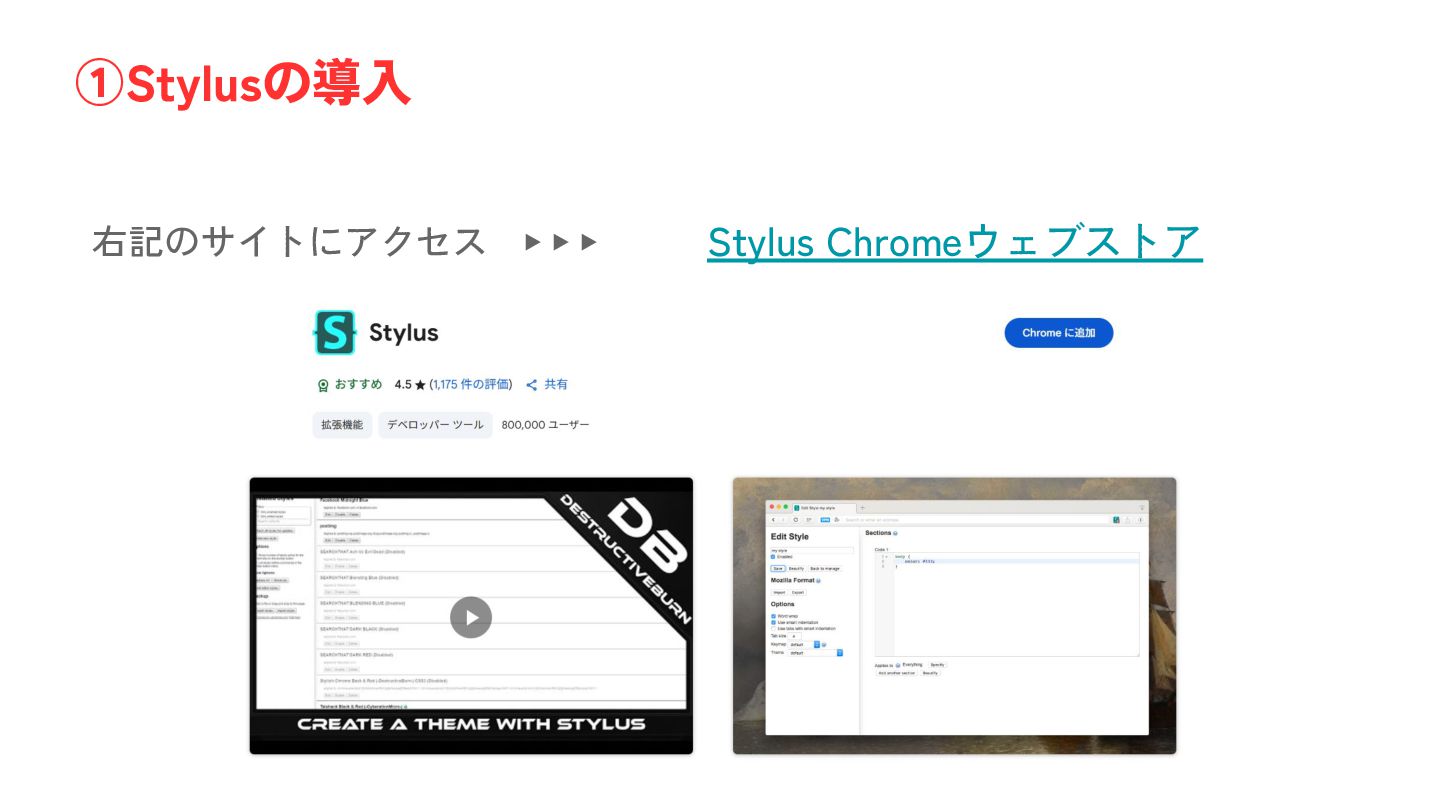
右記のサイトにアクセス ▶ ▶ ▶ Stylus Chromeウェブストア ①Stylusの導入
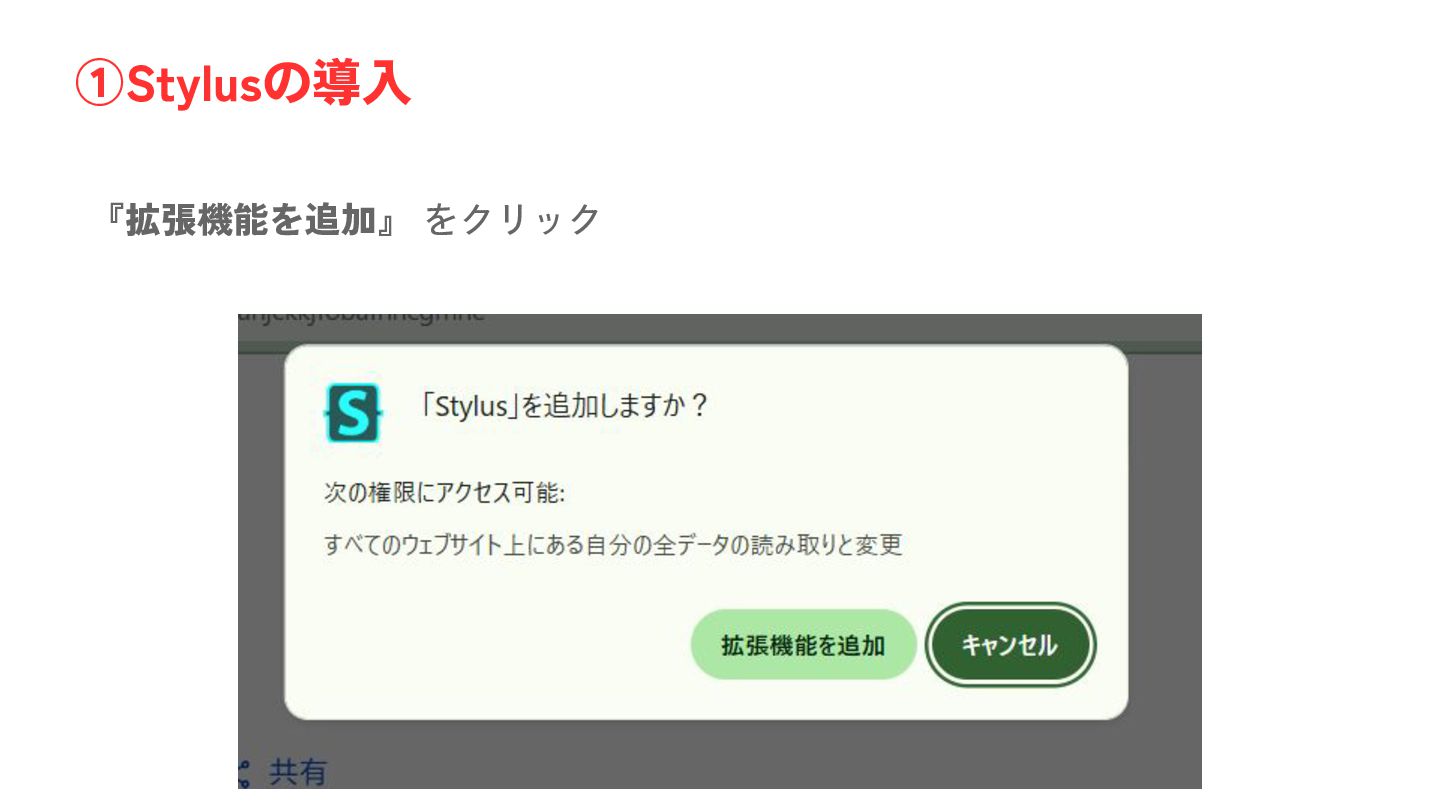
『拡張機能を追加』 をクリック ①Stylusの導入
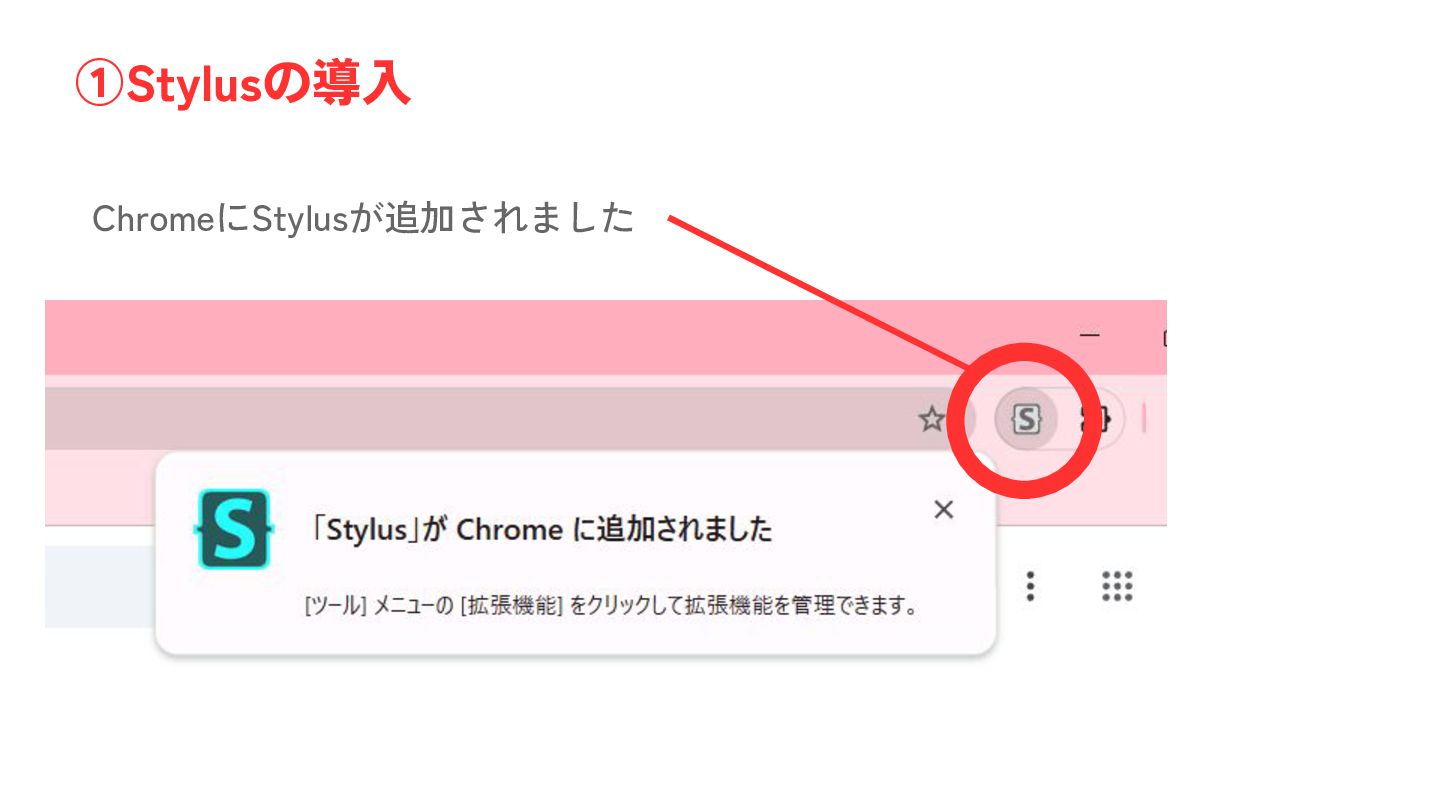
ChromeにStylusが追加されました ①Stylusの導入
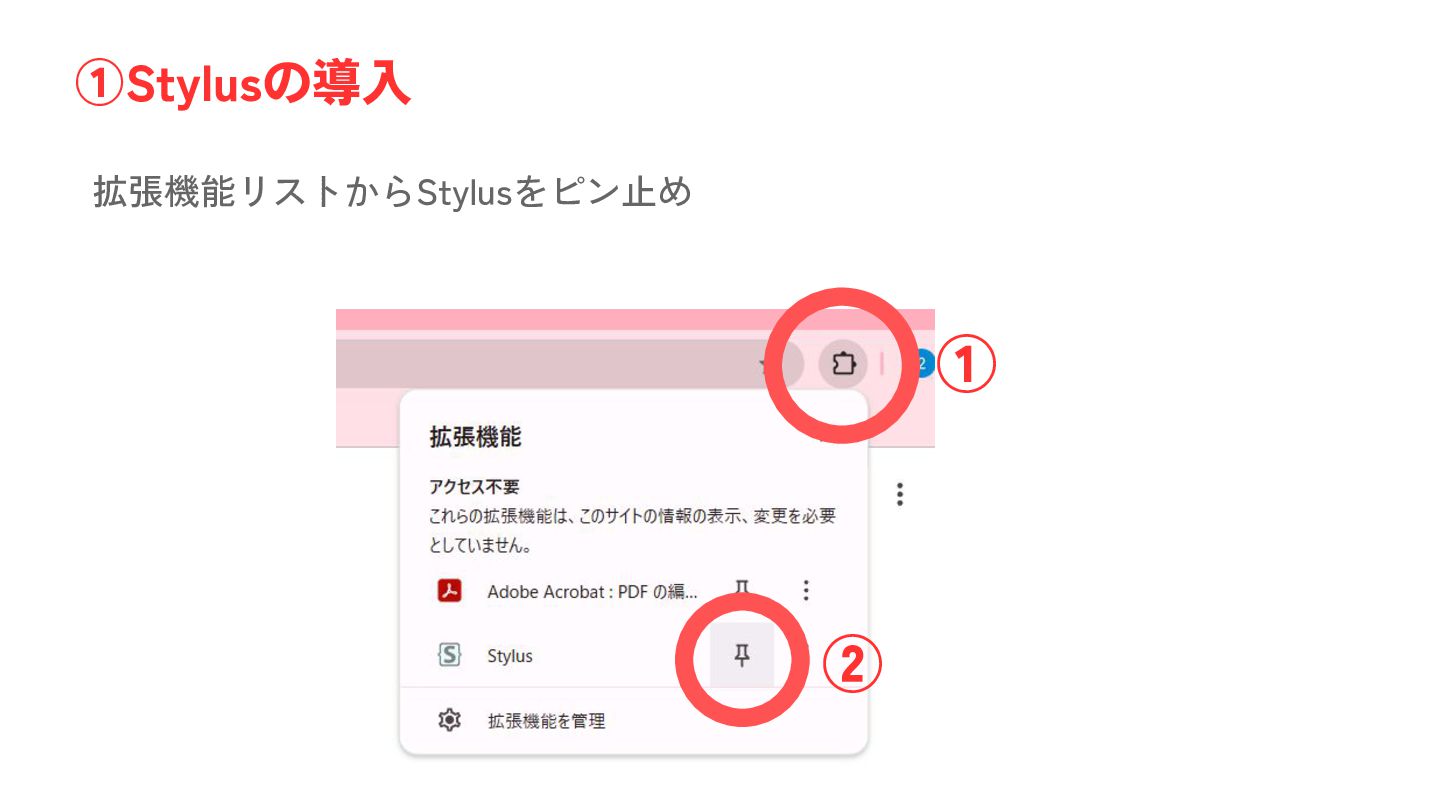
拡張機能リストからStylusをピン止め ①Stylusの導入 ① ②
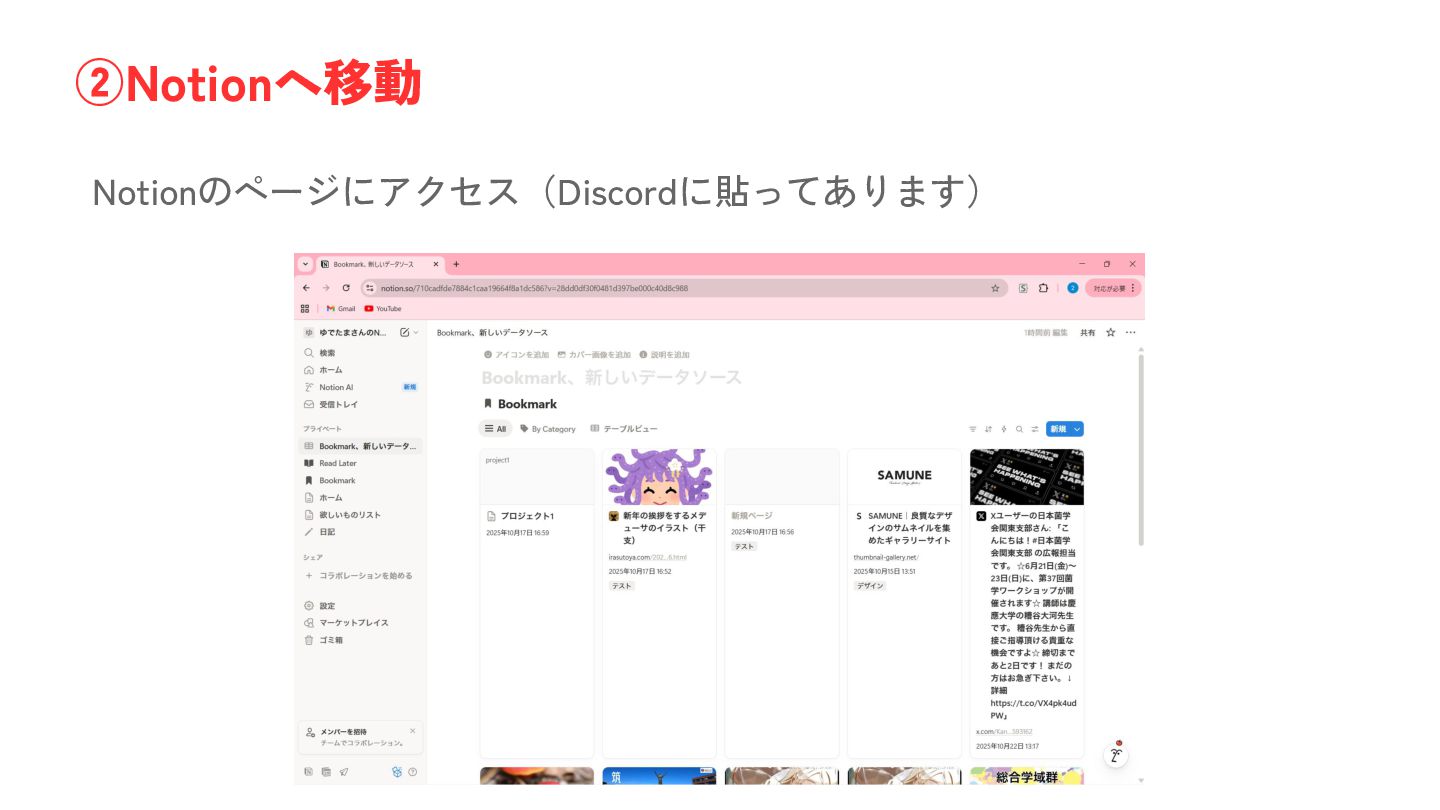
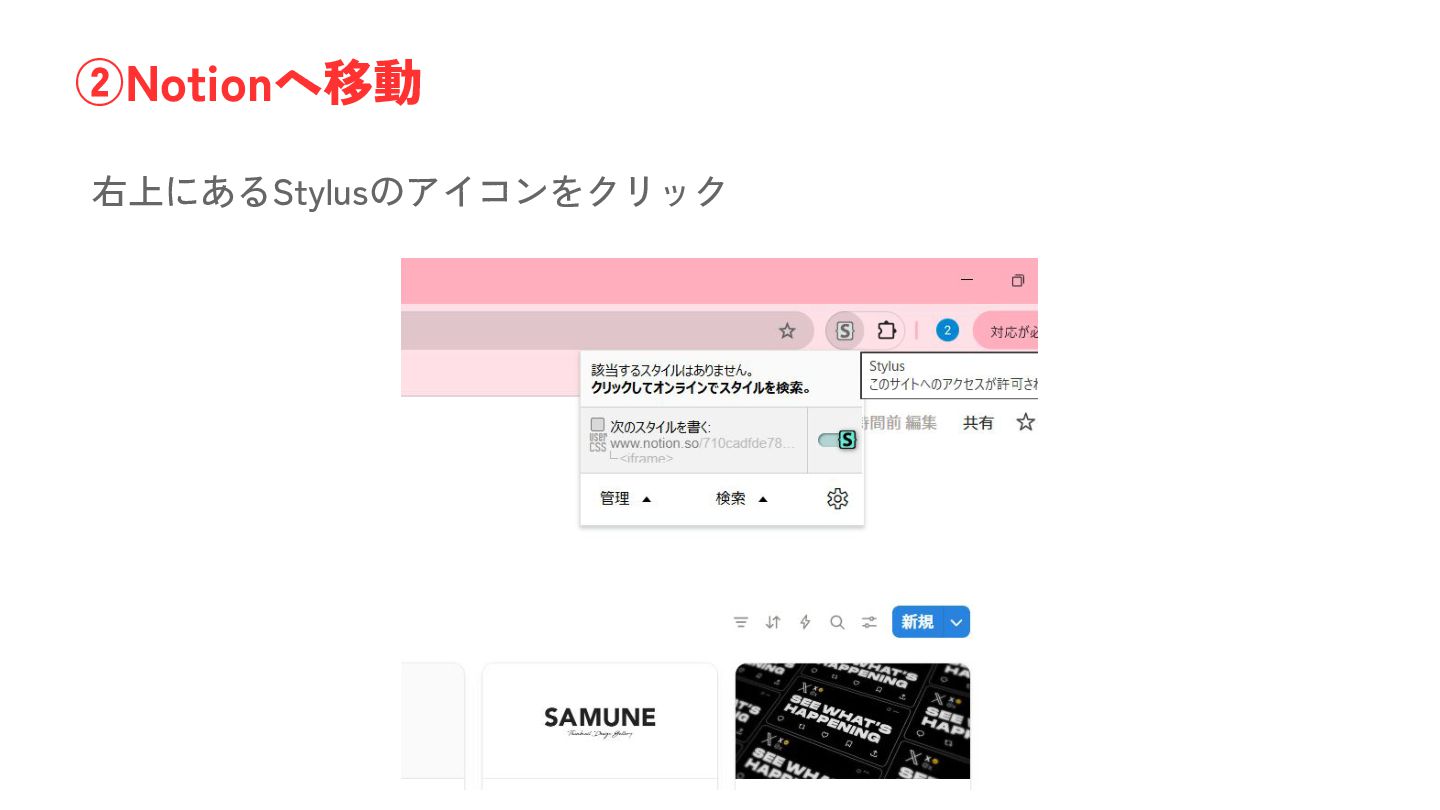
Notionのページにアクセス(Discordに貼ってあります) ②Notionへ移動
右上にあるStylusのアイコンをクリック ②Notionへ移動
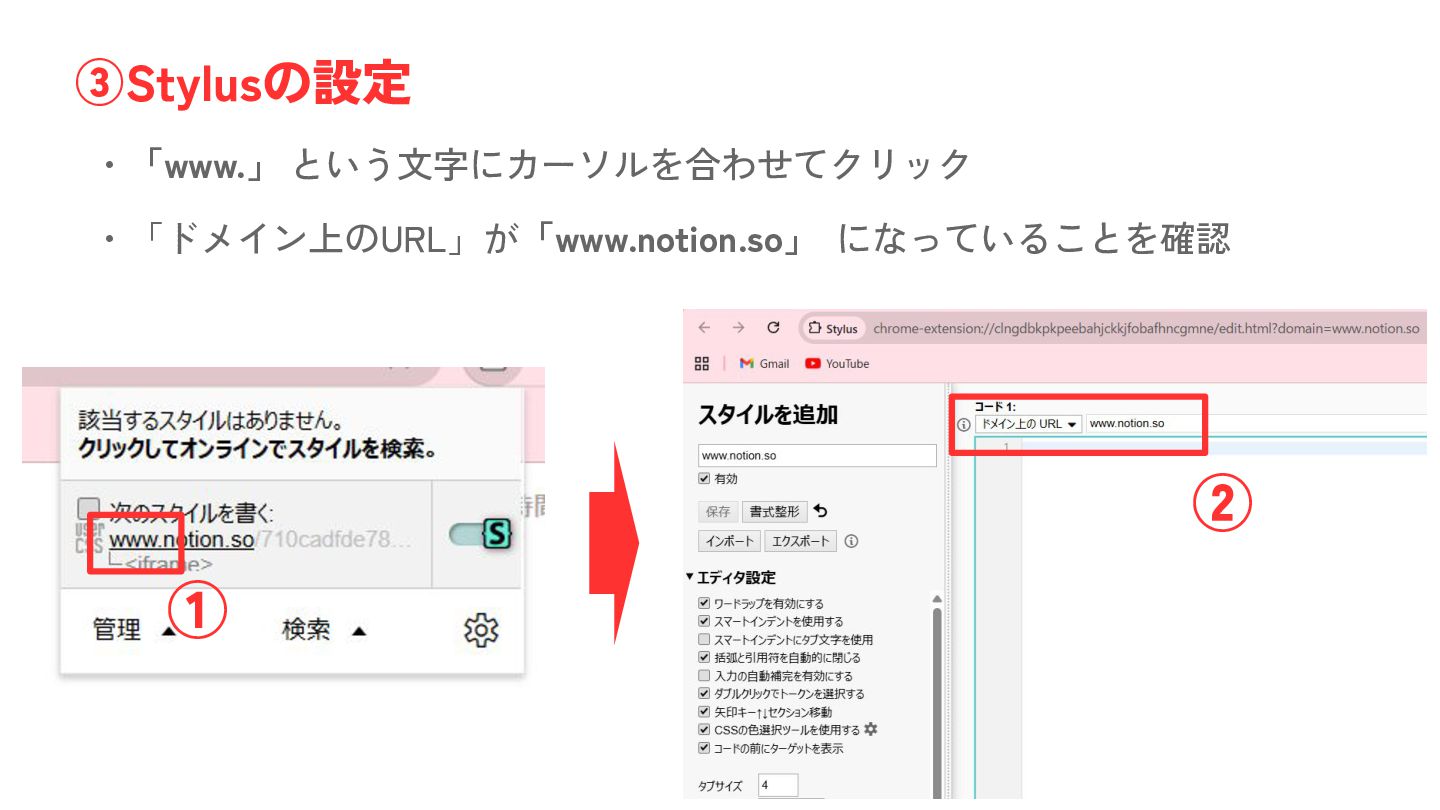
・「www.」 という文字にカーソルを合わせてクリック ③Stylusの設定 ・「ドメイン上のURL」が「www.notion.so」 になっていることを確認 ① ②
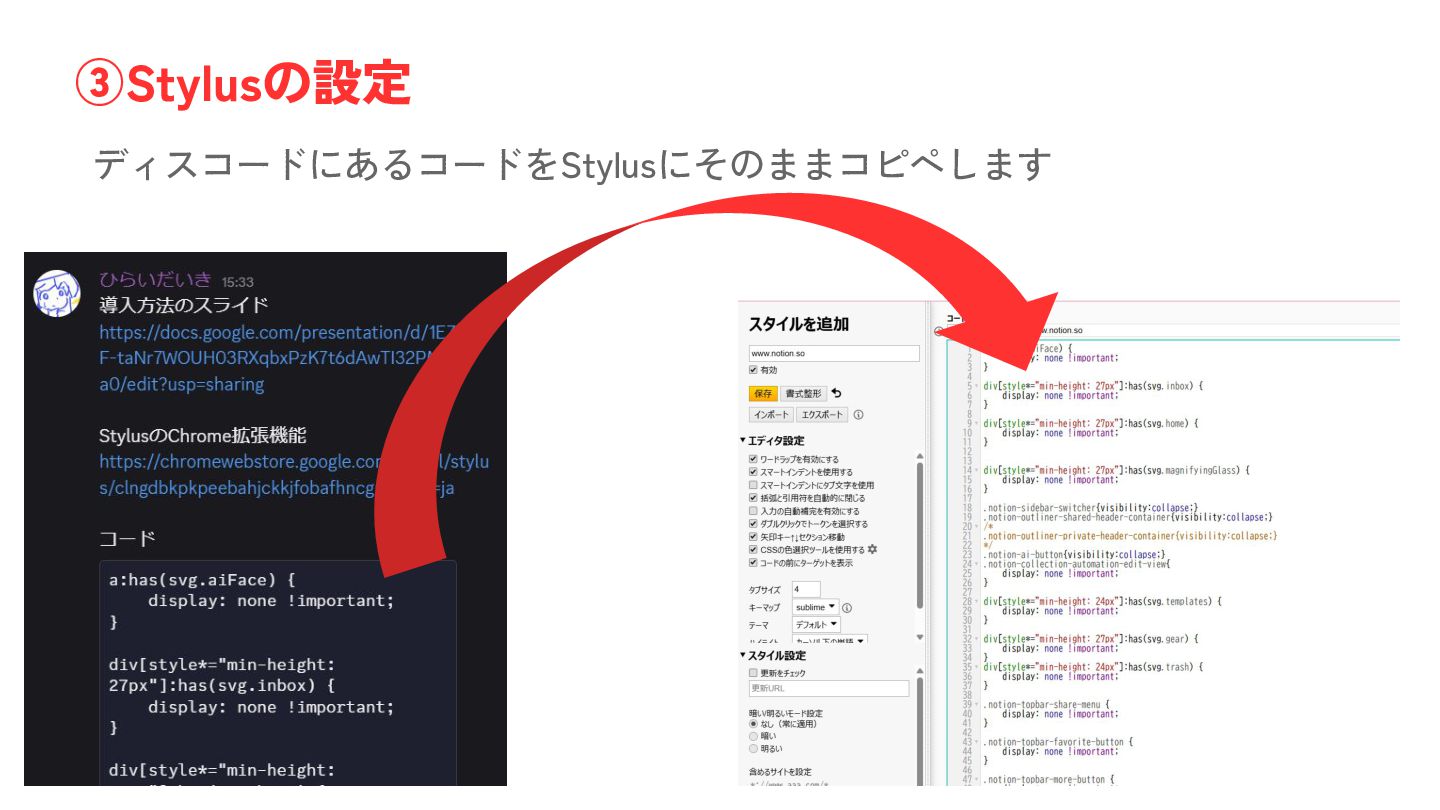
ディスコードにあるコードをStylusにそのままコピペします ③Stylusの設定
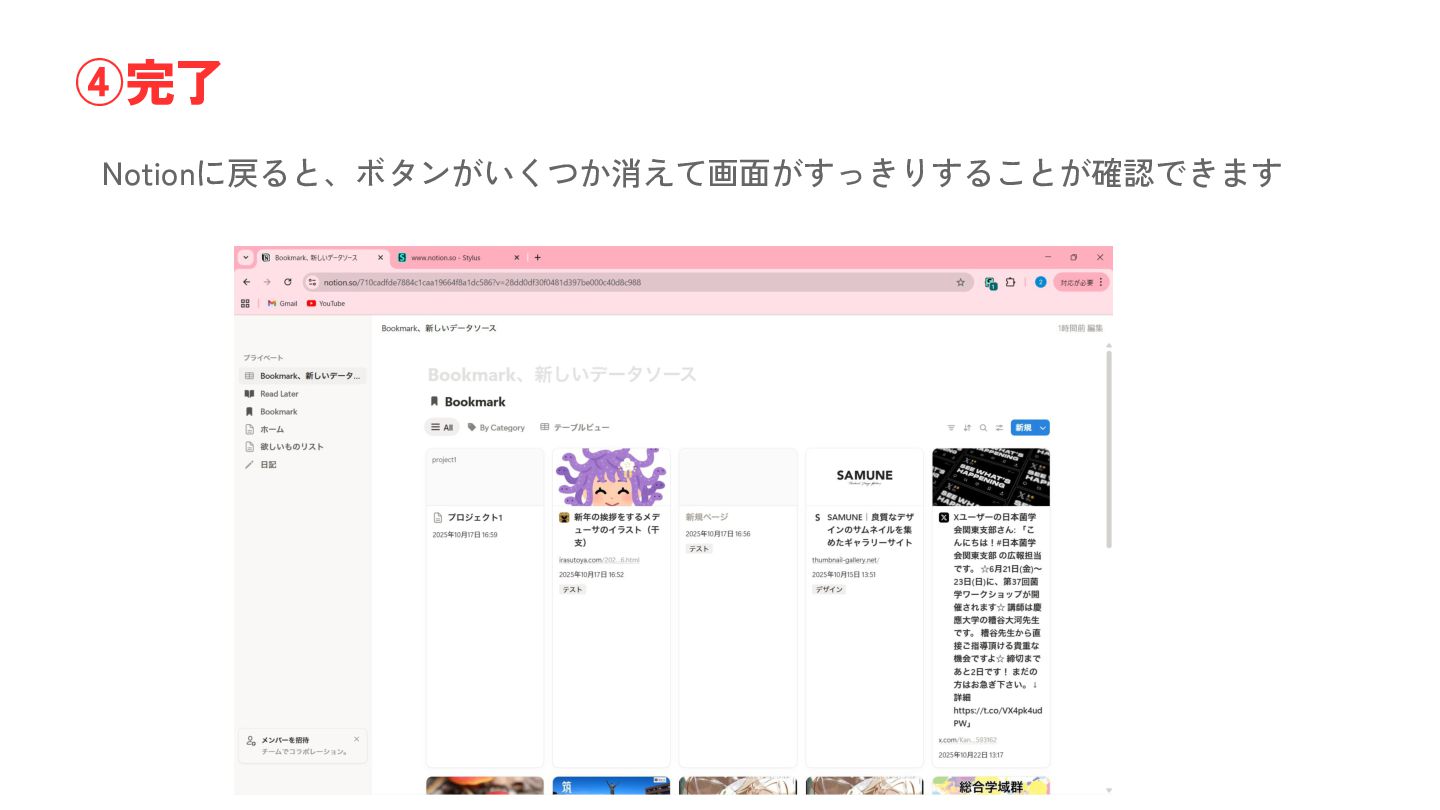
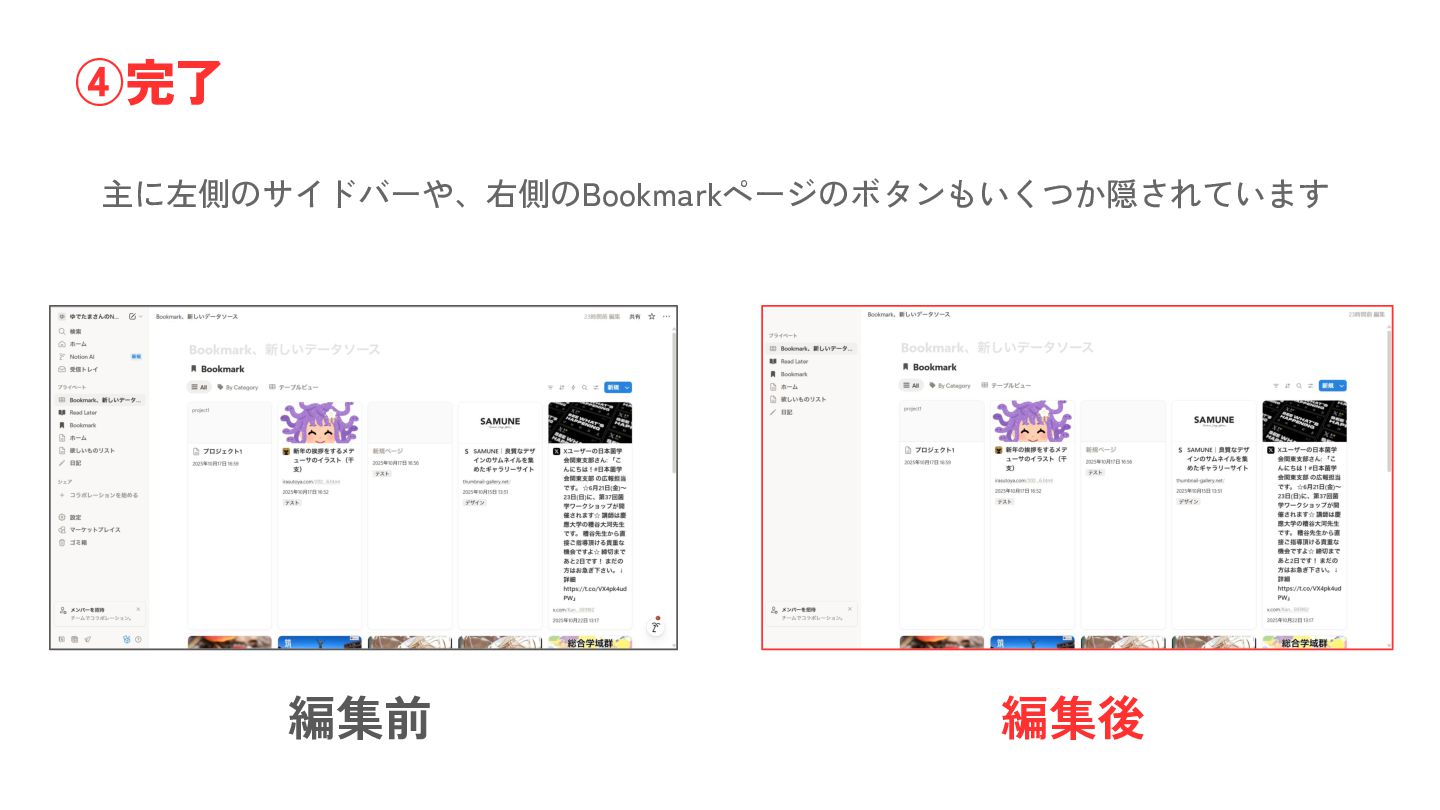
Notionに戻ると、ボタンがいくつか消えて画面がすっきりすることが確認できます ④完了
主に左側のサイドバーや、右側のBookmarkページのボタンもいくつか隠されています ④完了 編集前 編集後
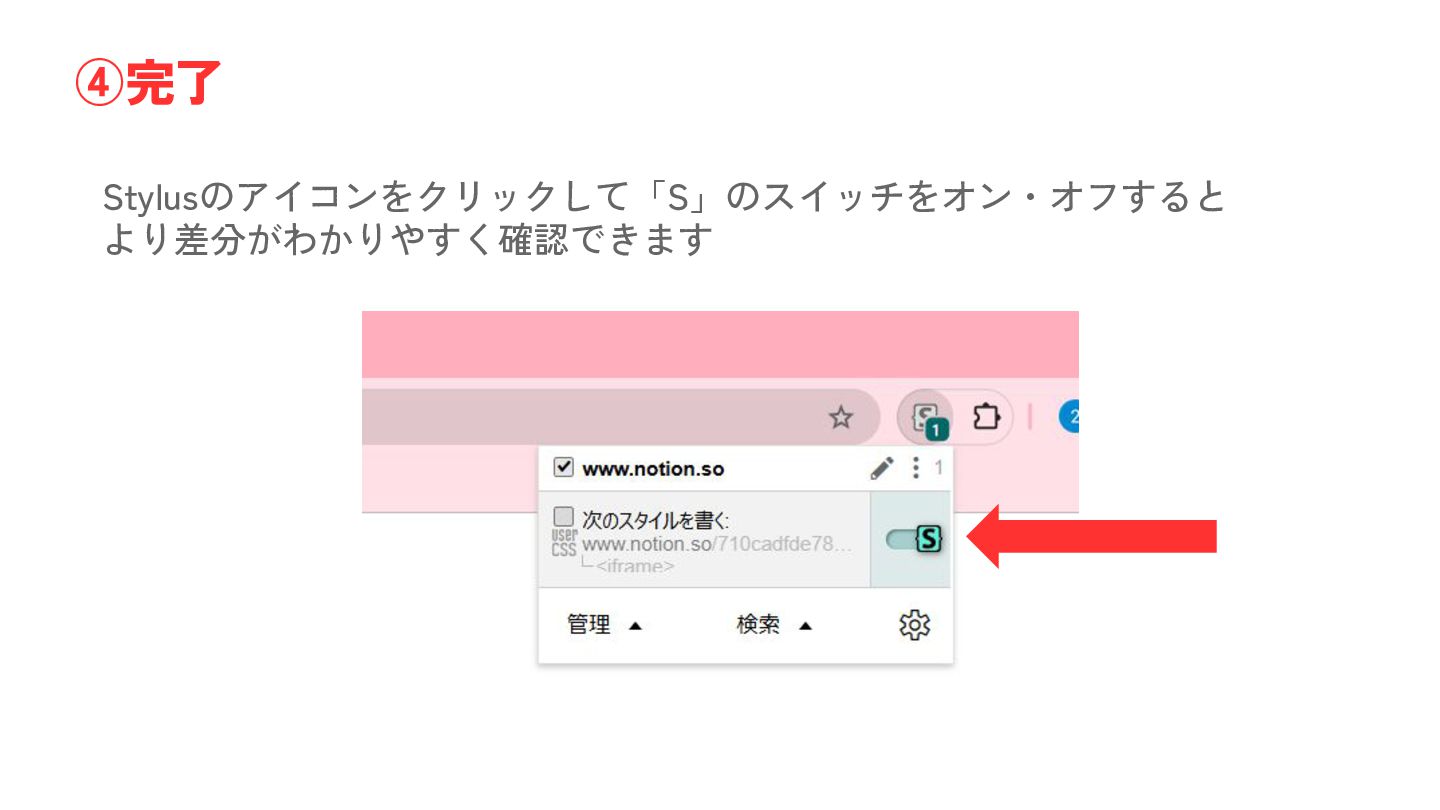
Stylusのアイコンをクリックして「S」のスイッチをオン・オフすると より差分がわかりやすく確認できます ④完了
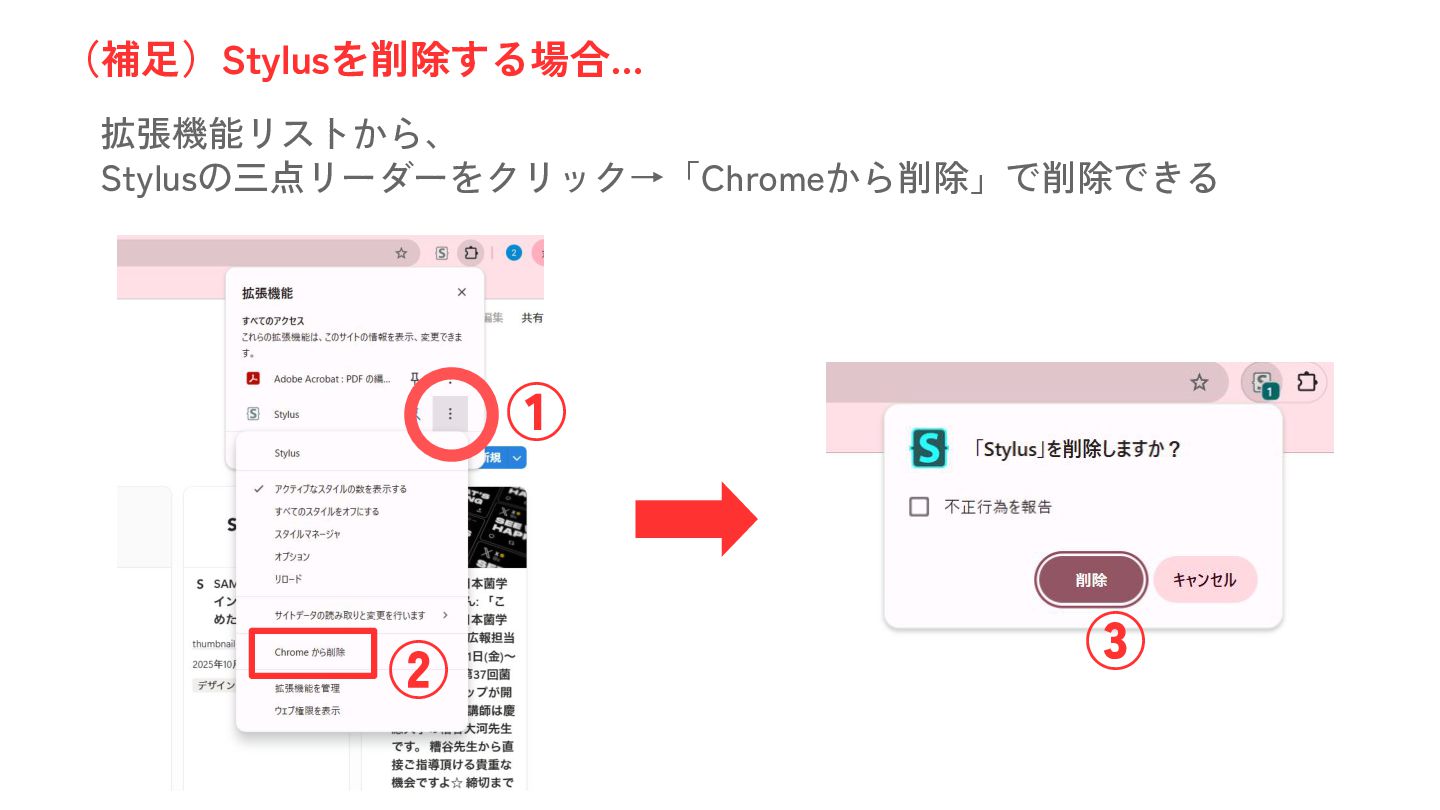
拡張機能リストから、 Stylusの三点リーダーをクリック→「Chromeから削除」で削除できる (補足)Stylusを削除する場合… ① ② ③


 hareyakayuruyaka
 sakopon
 artisoc_sns
 mongonta0716
 subroh0508
 nagi900
 n0bisuke2
 aokiplayer
 awsjcpm
 coco_se
 senoue
 bermonpainter
 emna__ayadi
 lcolladotor
 tammyeverts
 minecr
 marktimemedia
 iamctodd
 jacobtomlinson
 eileencodes
 chrisshort
 rkendrick25