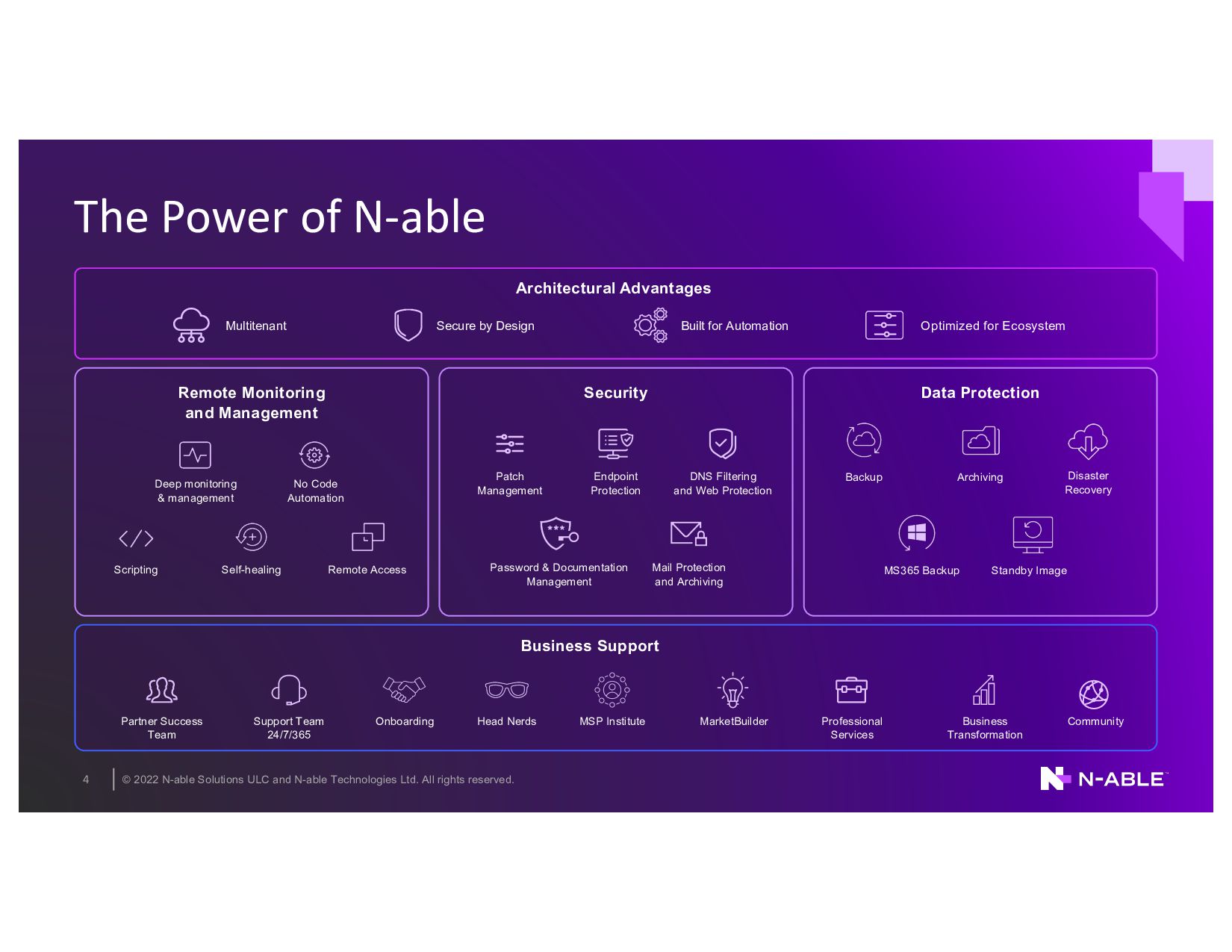
rights reserved. 4 The Power of N-able Deep monitoring & management No Code Automation Remote Monitoring and Management Patch Management Security Data Protection Support Team 24/7/365 Professional Services Onboarding Business Support Partner Success Team Head Nerds MarketBuilder MSP Institute Business Transformation Community Architectural Advantages Optimized for Ecosystem Multitenant Secure by Design Built for Automation Password & Documentation Management Endpoint Protection Mail Protection and Archiving DNS Filtering and Web Protection Disaster Recovery Archiving Backup Self-healing Scripting Remote Access Standby Image MS365 Backup
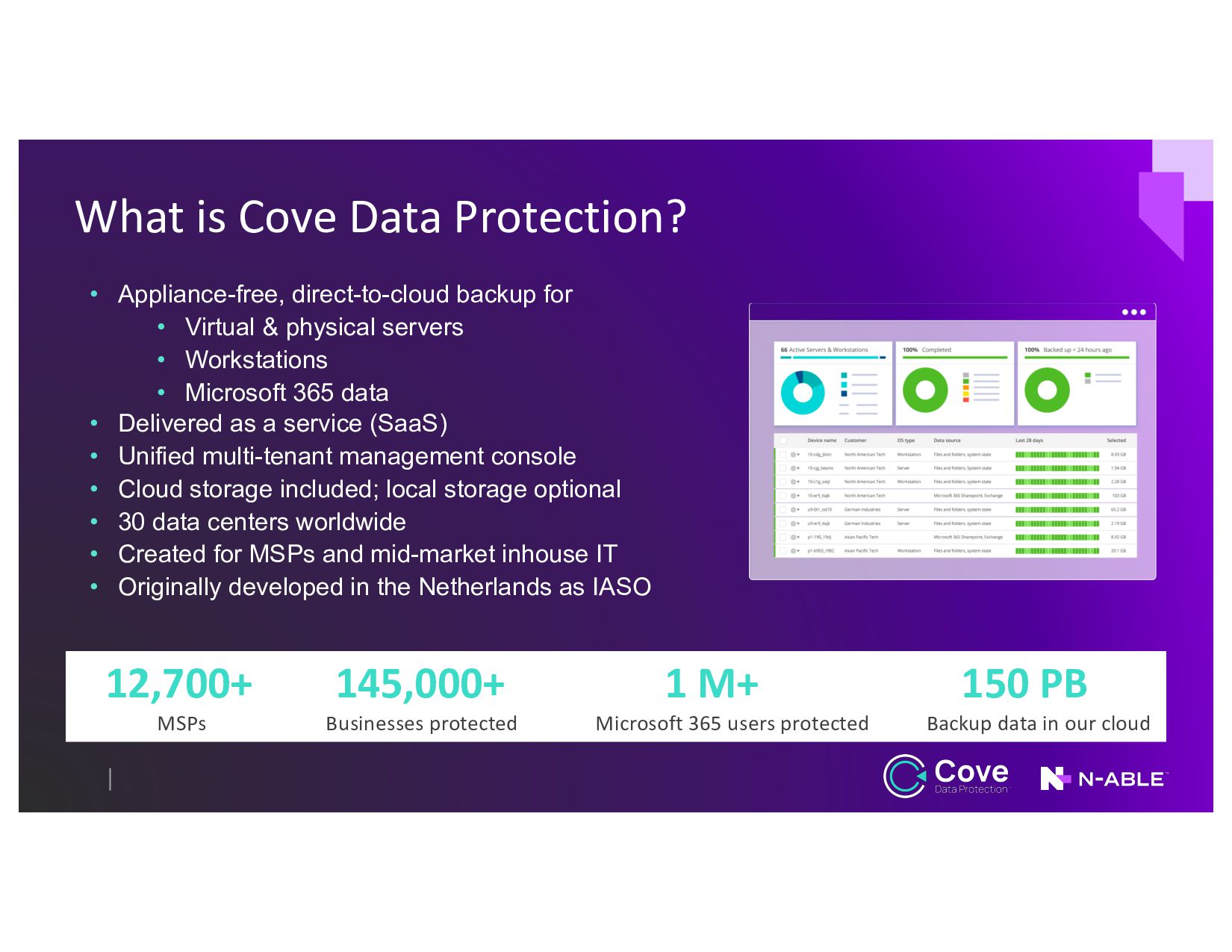
• Virtual & physical servers • Workstations • Microsoft 365 data • Delivered as a service (SaaS) • Unified multi-tenant management console • Cloud storage included; local storage optional • 30 data centers worldwide • Created for MSPs and mid-market inhouse IT • Originally developed in the Netherlands as IASO 12,700+ 145,000+ 1 M+ 150 PB MSPs Businesses protected Microsoft 365 users protected Backup data in our cloud
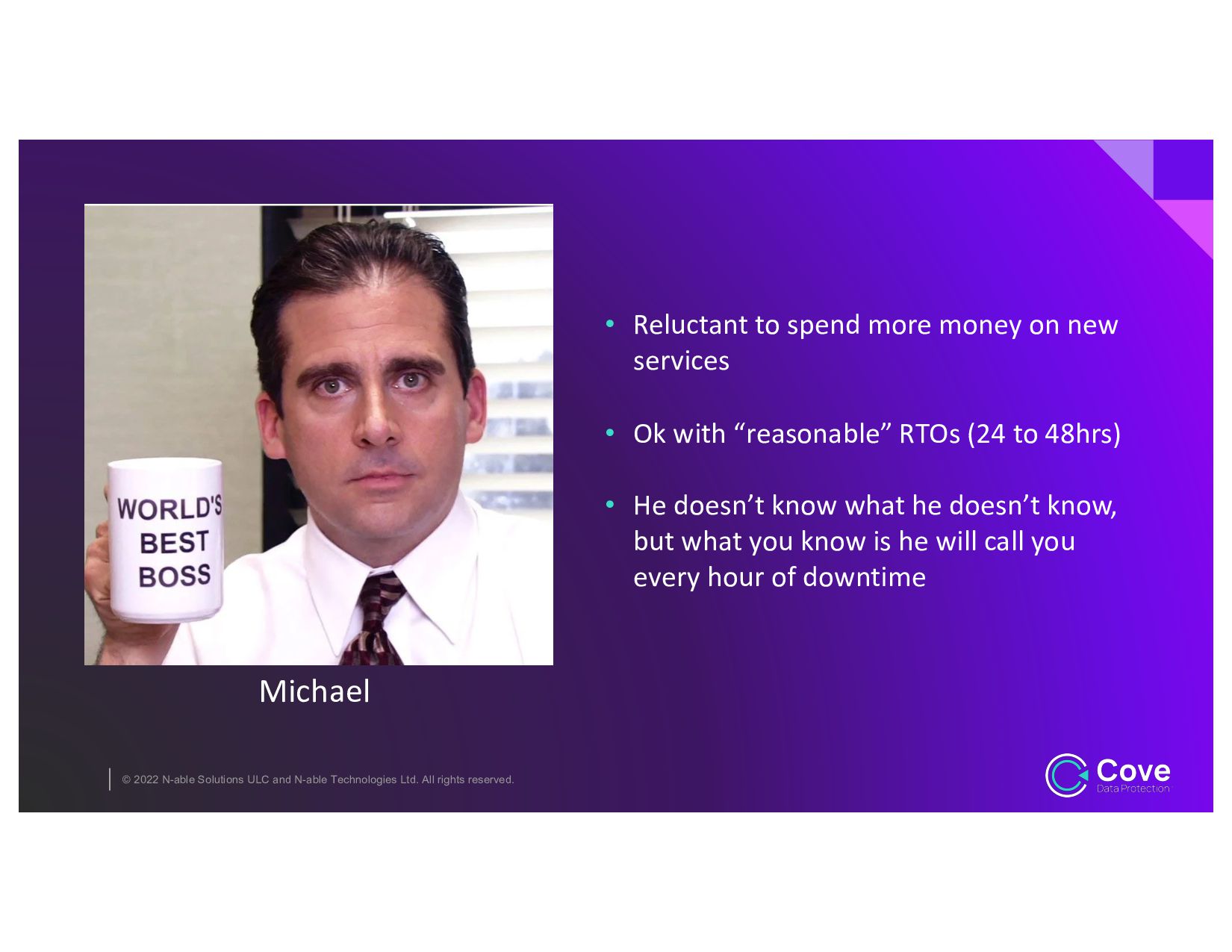
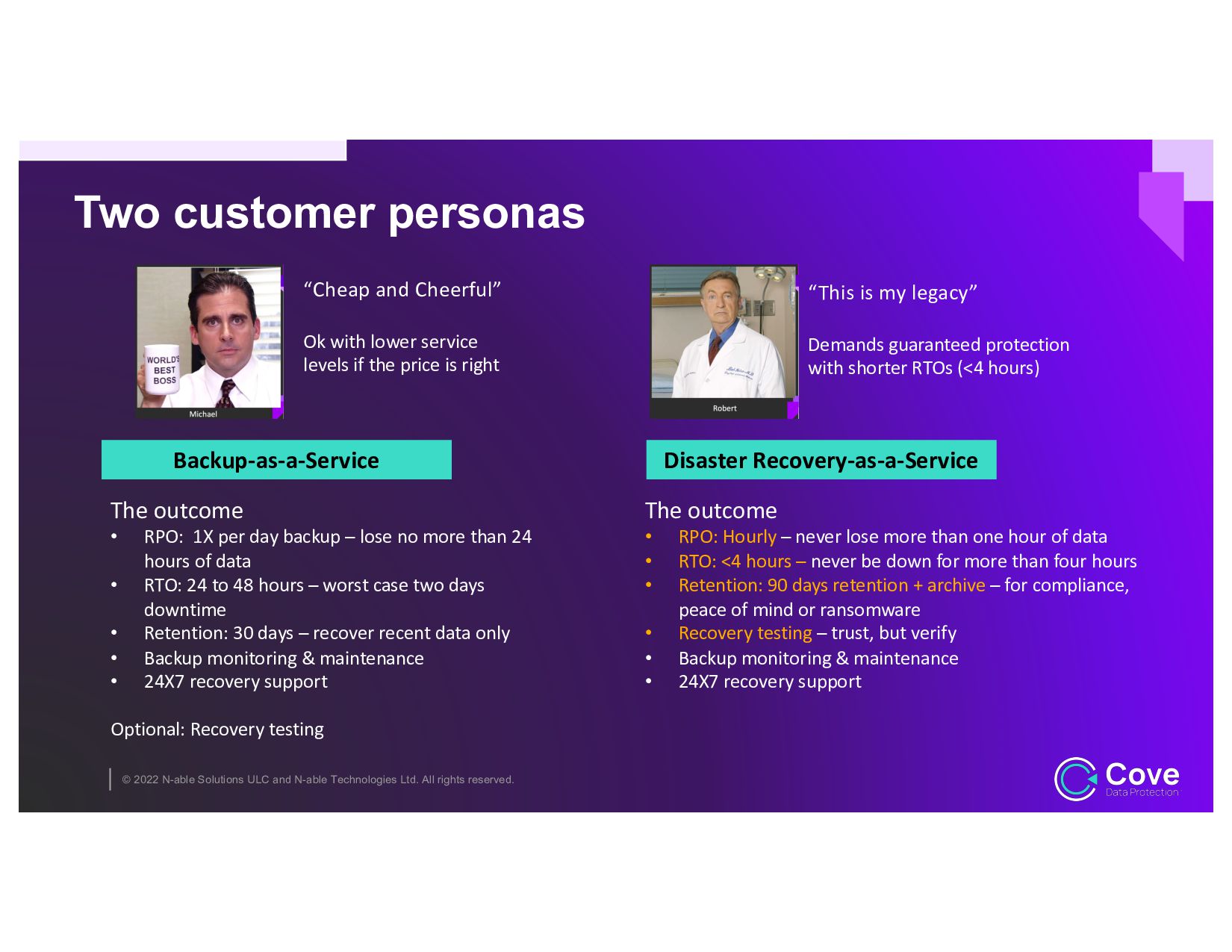
rights reserved. • Reluctant to spend more money on new services • Ok with “reasonable” RTOs (24 to 48hrs) • He doesn’t know what he doesn’t know, but what you know is he will call you every hour of downtime Michael
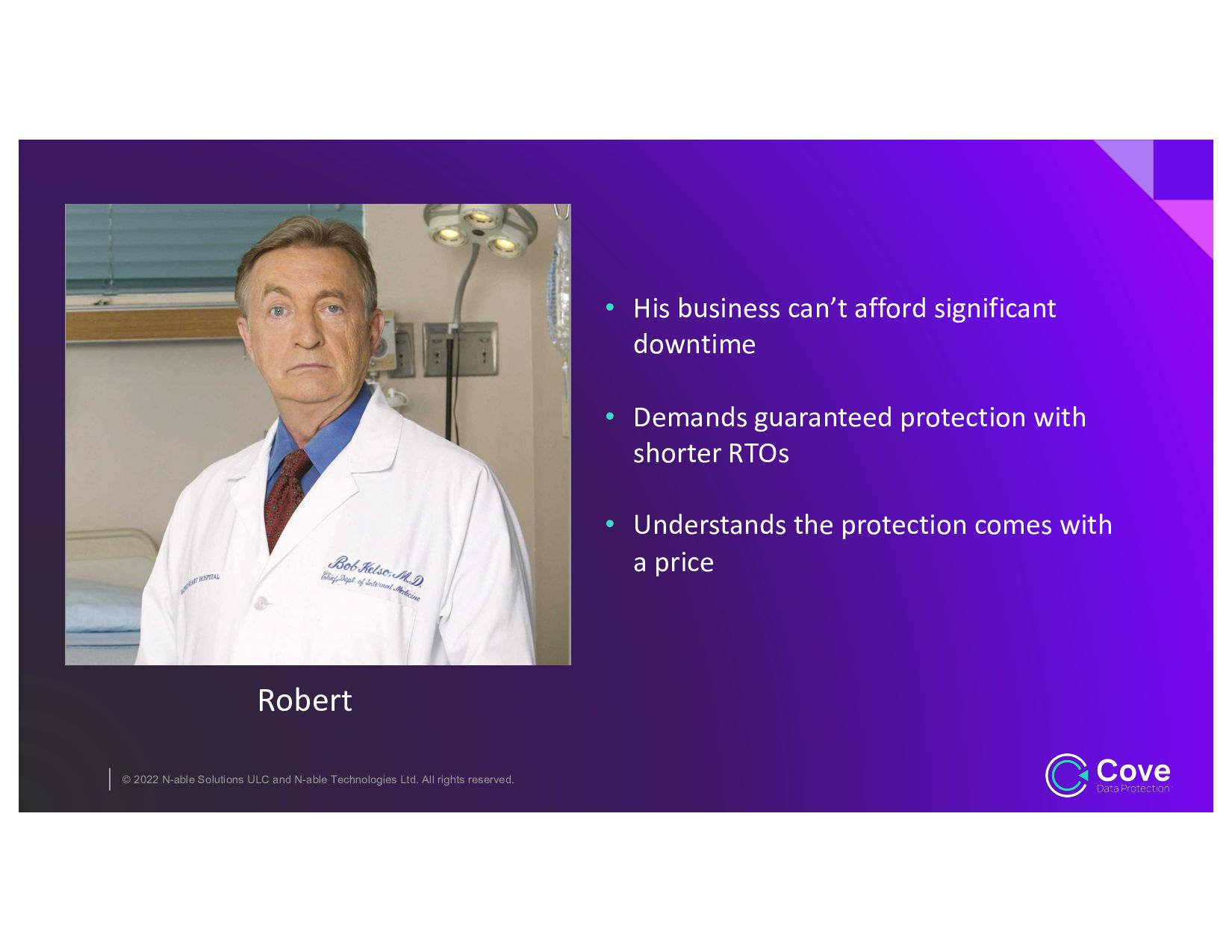
rights reserved. • His business can’t afford significant downtime • Demands guaranteed protection with shorter RTOs • Understands the protection comes with a price Robert
rights reserved. Two customer personas “Cheap and Cheerful” Ok with lower service levels if the price is right “This is my legacy” Demands guaranteed protection with shorter RTOs (<4 hours) The outcome • RPO: 1X per day backup – lose no more than 24 hours of data • RTO: 24 to 48 hours – worst case two days downtime • Retention: 30 days – recover recent data only • Backup monitoring & maintenance • 24X7 recovery support Optional: Recovery testing Backup-as-a-Service The outcome • RPO: Hourly – never lose more than one hour of data • RTO: <4 hours – never be down for more than four hours • Retention: 90 days retention + archive – for compliance, peace of mind or ransomware • Recovery testing – trust, but verify • Backup monitoring & maintenance • 24X7 recovery support Disaster Recovery-as-a-Service
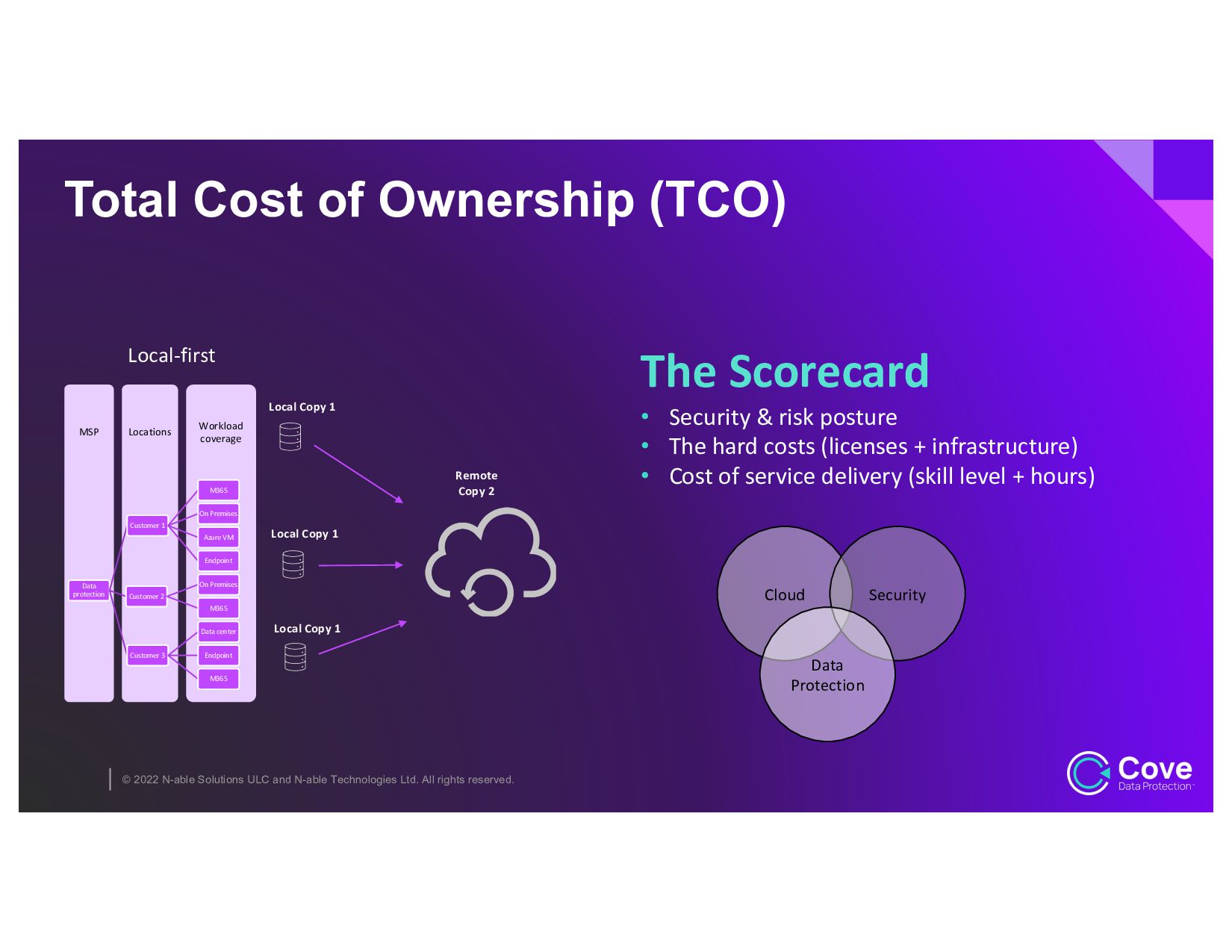
rights reserved. Workload coverage Locations MSP Data protection Customer 1 M365 On Premises Azure VM Endpoint Customer 2 On Premises M365 Customer 3 Data center Endpoint M365 Local Copy 1 Remote Copy 2 Local Copy 1 Local Copy 1 Total Cost of Ownership (TCO) The Scorecard • Security & risk posture • The hard costs (licenses + infrastructure) • Cost of service delivery (skill level + hours) Local-first Cloud Security Data Protection
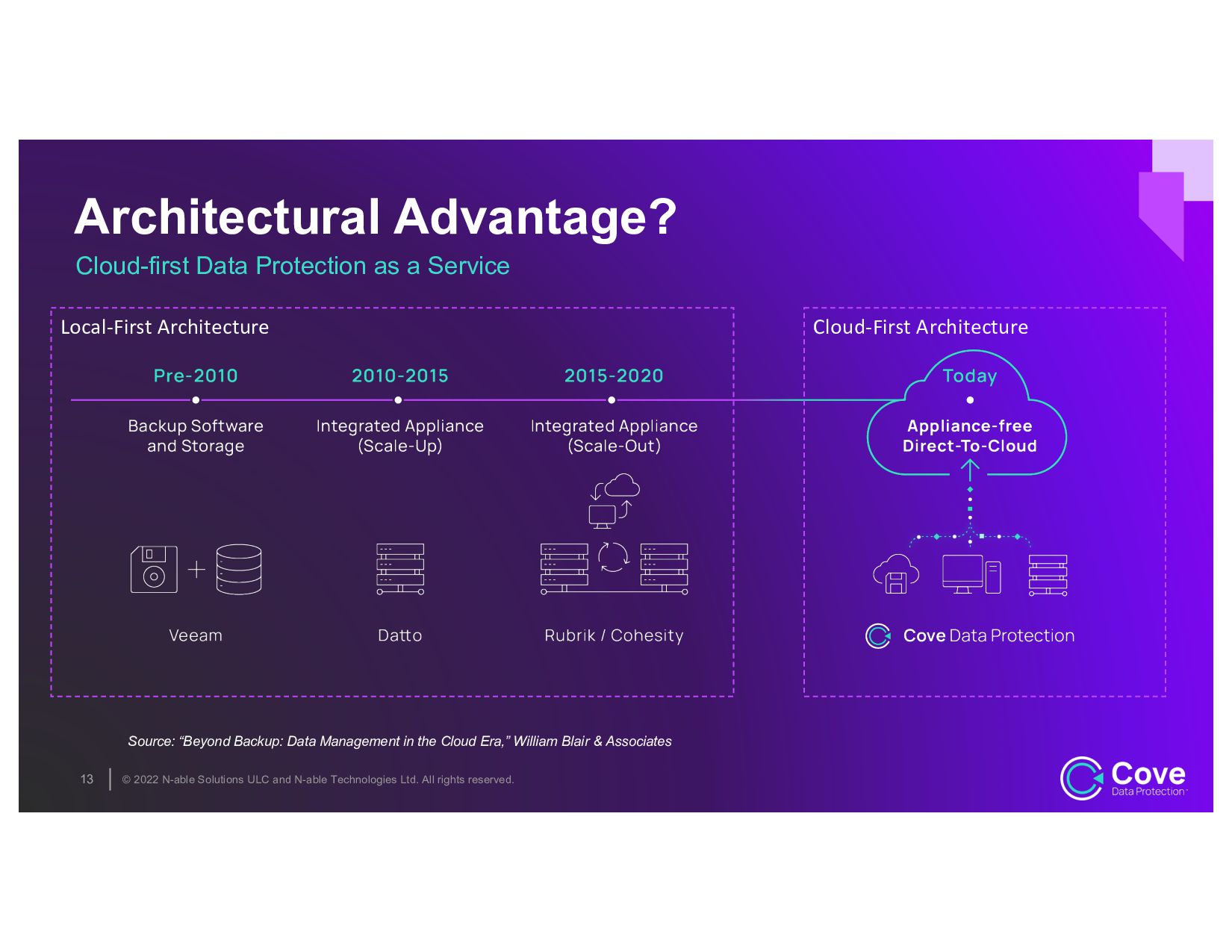
rights reserved. Local-First Architecture Architectural Advantage? Cloud-first Data Protection as a Service 13 Source: “Beyond Backup: Data Management in the Cloud Era,” William Blair & Associates Cloud-First Architecture
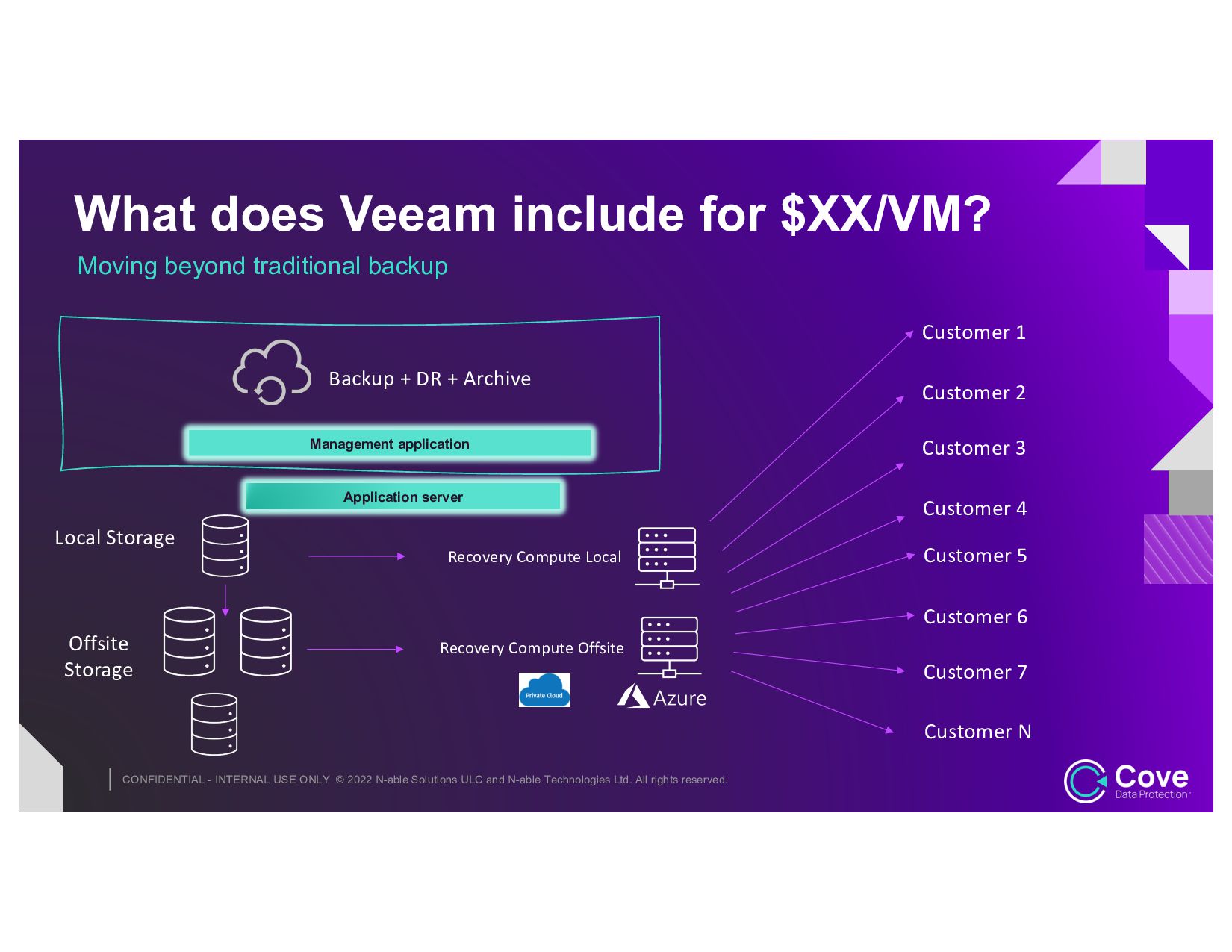
and N-able Technologies Ltd. All rights reserved. Moving beyond traditional backup What does Veeam include for $XX/VM? Local Storage Offsite Storage Recovery Compute Local Recovery Compute Offsite Management application Application server Backup + DR + Archive Customer 1 Customer 2 Customer 3 Customer 4 Customer 5 Customer 6 Customer 7 Customer N
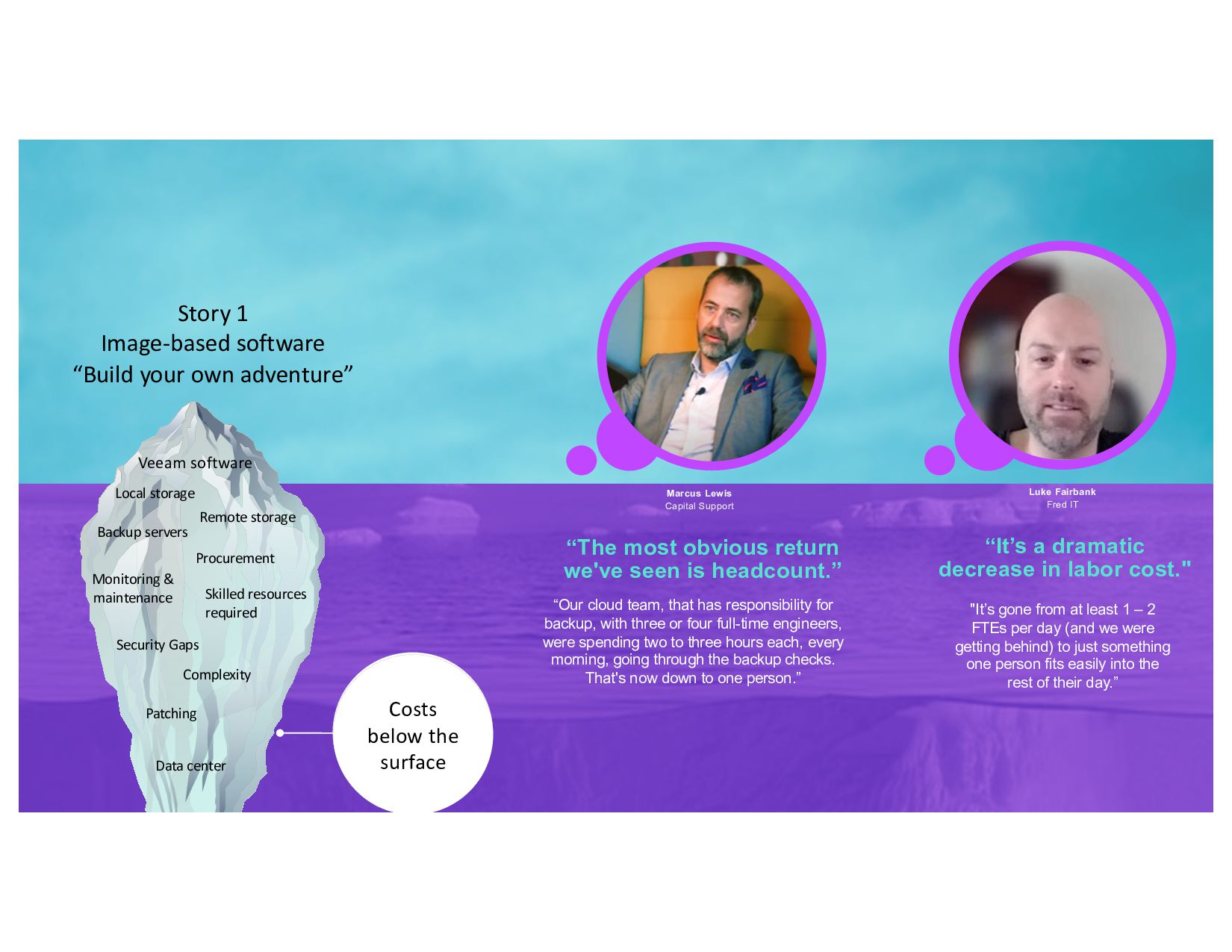
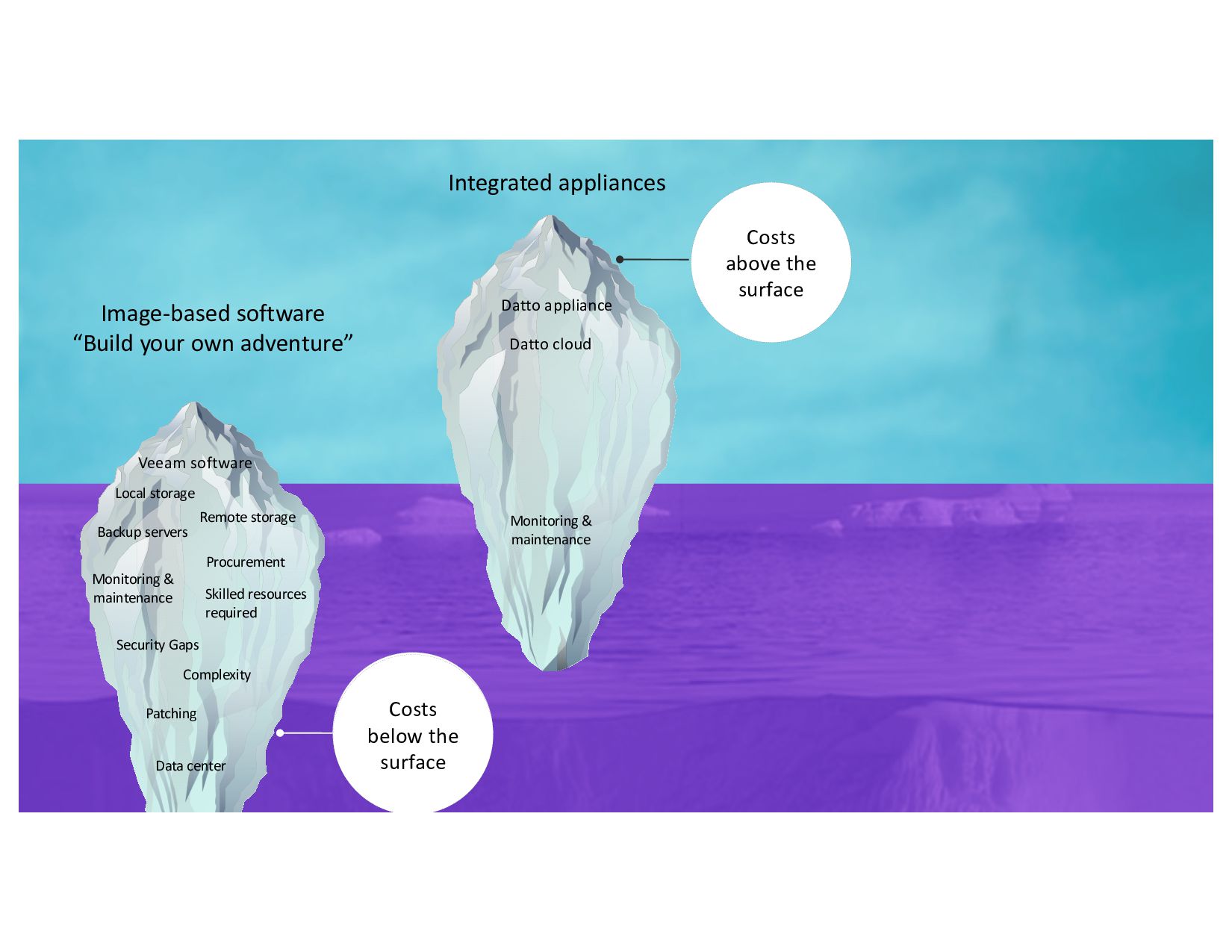
rights reserved. Story 1 Image-based software “Build your own adventure” Costs below the surface Skilled resources required Procurement Security Gaps Complexity Patching Data center Veeam software Local storage Remote storage Backup servers Monitoring & maintenance “The most obvious return we've seen is headcount.” “It’s a dramatic decrease in labor cost." “Our cloud team, that has responsibility for backup, with three or four full-time engineers, were spending two to three hours each, every morning, going through the backup checks. That's now down to one person.” "It’s gone from at least 1 – 2 FTEs per day (and we were getting behind) to just something one person fits easily into the rest of their day.” Marcus Lewis Capital Support Luke Fairbank Fred IT
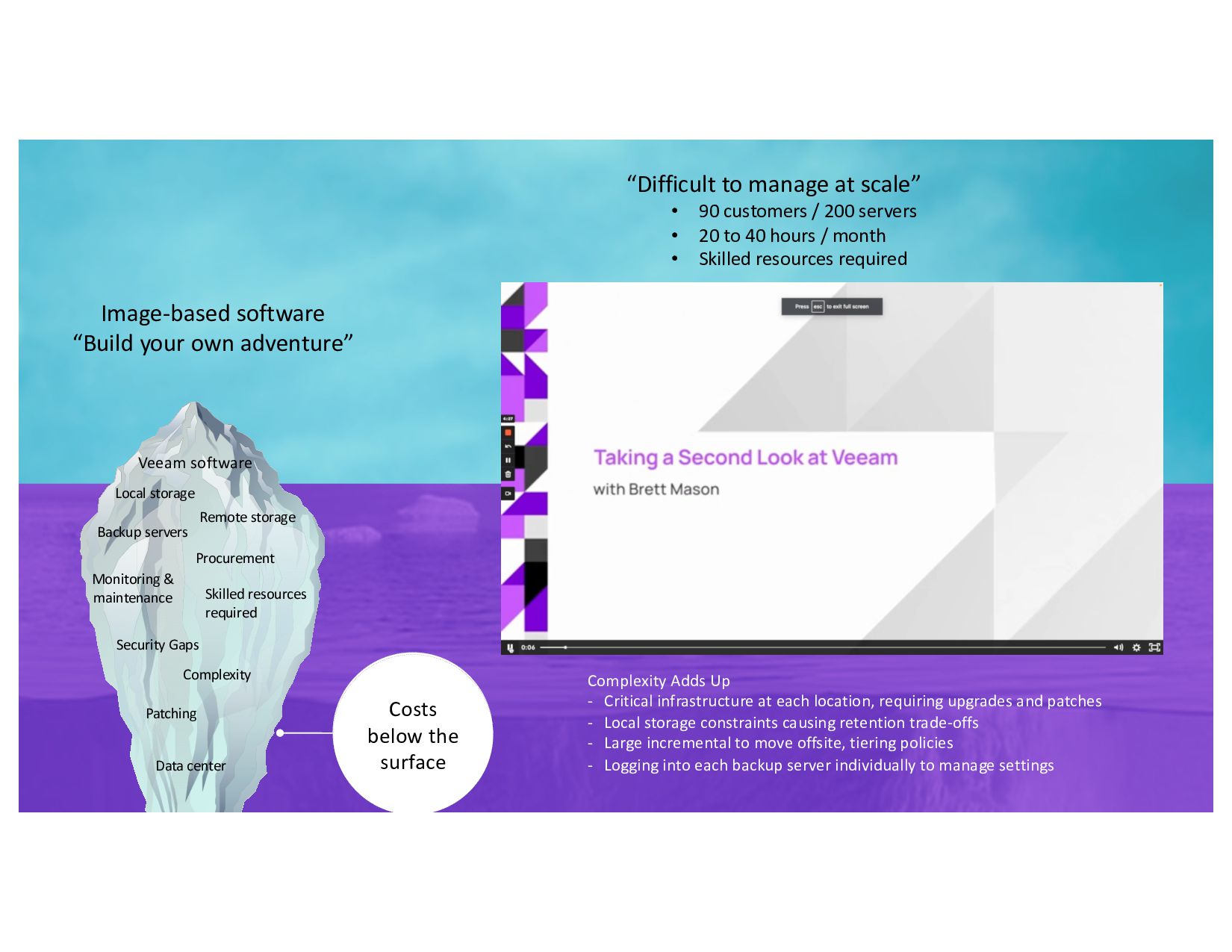
rights reserved. Image-based software “Build your own adventure” Costs below the surface Skilled resources required Security Gaps Complexity Patching Data center Veeam software Local storage Remote storage Backup servers Monitoring & maintenance “Difficult to manage at scale” • 90 customers / 200 servers • 20 to 40 hours / month • Skilled resources required Complexity Adds Up - Critical infrastructure at each location, requiring upgrades and patches - Local storage constraints causing retention trade-offs - Large incremental to move offsite, tiering policies - Logging into each backup server individually to manage settings Procurement
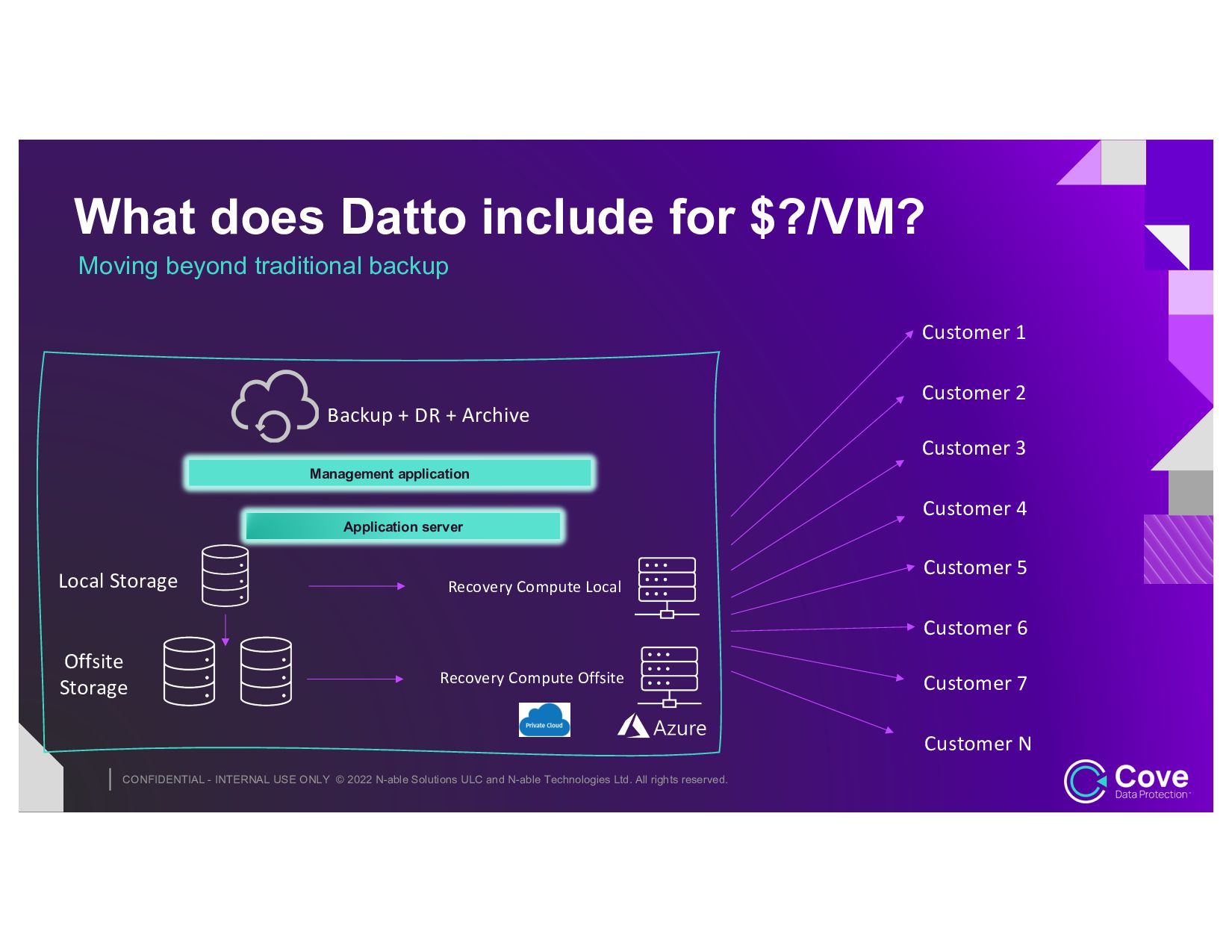
and N-able Technologies Ltd. All rights reserved. Moving beyond traditional backup What does Datto include for $?/VM? Local Storage Offsite Storage Recovery Compute Local Recovery Compute Offsite Management application Application server Customer 1 Customer 2 Customer 3 Customer 4 Customer 5 Customer 6 Customer 7 Customer N Backup + DR + Archive
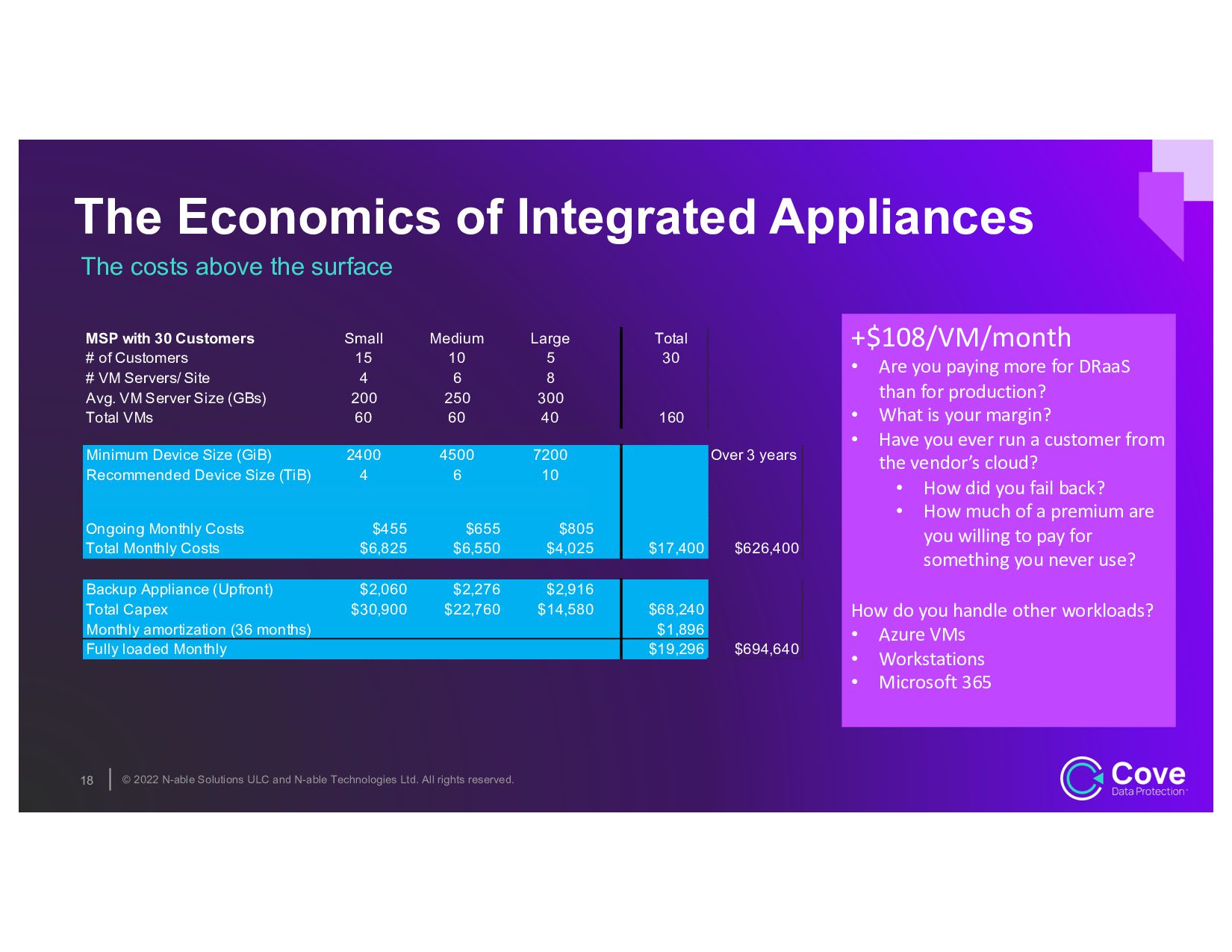
rights reserved. 18 The Economics of Integrated Appliances The costs above the surface MSP with 30 Customers Small Medium Large Total # of Customers 15 10 5 30 # VM Servers/ Site 4 6 8 Avg. VM Server Size (GBs) 200 250 300 Total VMs 60 60 40 160 Minimum Device Size (GiB) 2400 4500 7200 Over 3 years Recommended Device Size (TiB) 4 6 10 Backup Appliance SKU S4-P4 S4-P6 S4-P10 Ongoing Monthly Costs $455 $655 $805 Total Monthly Costs $6,825 $6,550 $4,025 $17,400 $626,400 Backup Appliance (Upfront) $2,060 $2,276 $2,916 Total Capex $30,900 $22,760 $14,580 $68,240 Monthly amortization (36 months) $1,896 Fully loaded Monthly $19,296 $694,640 +$108/VM/month • Are you paying more for DRaaS than for production? • What is your margin? • Have you ever run a customer from the vendor’s cloud? • How did you fail back? • How much of a premium are you willing to pay for something you never use? How do you handle other workloads? • Azure VMs • Workstations • Microsoft 365
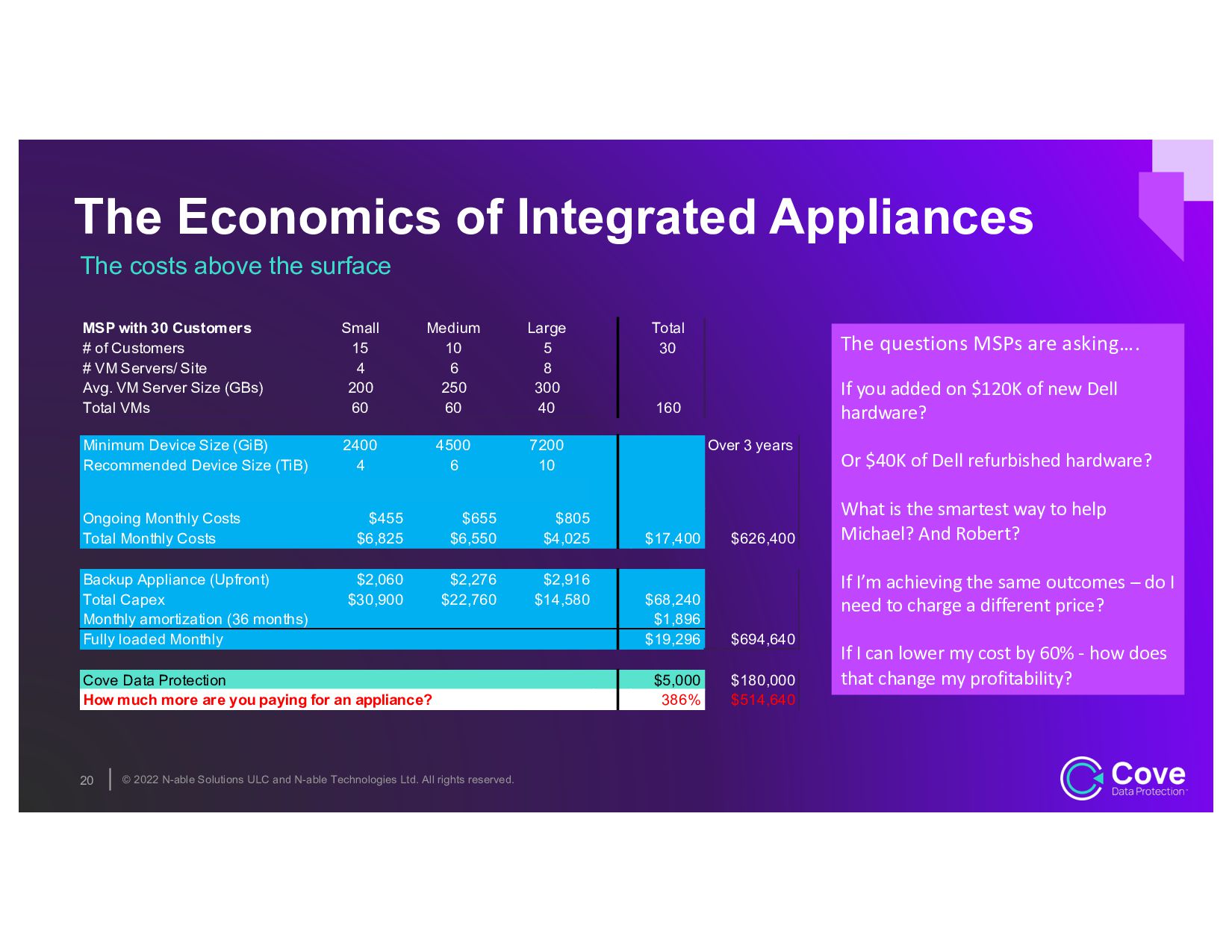
rights reserved. 20 The Economics of Integrated Appliances The costs above the surface MSP with 30 Customers Small Medium Large Total # of Customers 15 10 5 30 # VM Servers/ Site 4 6 8 Avg. VM Server Size (GBs) 200 250 300 Total VMs 60 60 40 160 Minimum Device Size (GiB) 2400 4500 7200 Over 3 years Recommended Device Size (TiB) 4 6 10 Backup Appliance SKU S4-P4 S4-P6 S4-P10 Ongoing Monthly Costs $455 $655 $805 Total Monthly Costs $6,825 $6,550 $4,025 $17,400 $626,400 Backup Appliance (Upfront) $2,060 $2,276 $2,916 Total Capex $30,900 $22,760 $14,580 $68,240 Monthly amortization (36 months) $1,896 Fully loaded Monthly $19,296 $694,640 Cove Data Protection $5,000 $180,000 How much more are you paying for an appliance? 386% $514,640 The questions MSPs are asking…. If you added on $120K of new Dell hardware? Or $40K of Dell refurbished hardware? What is the smartest way to help Michael? And Robert? If I’m achieving the same outcomes – do I need to charge a different price? If I can lower my cost by 60% - how does that change my profitability?
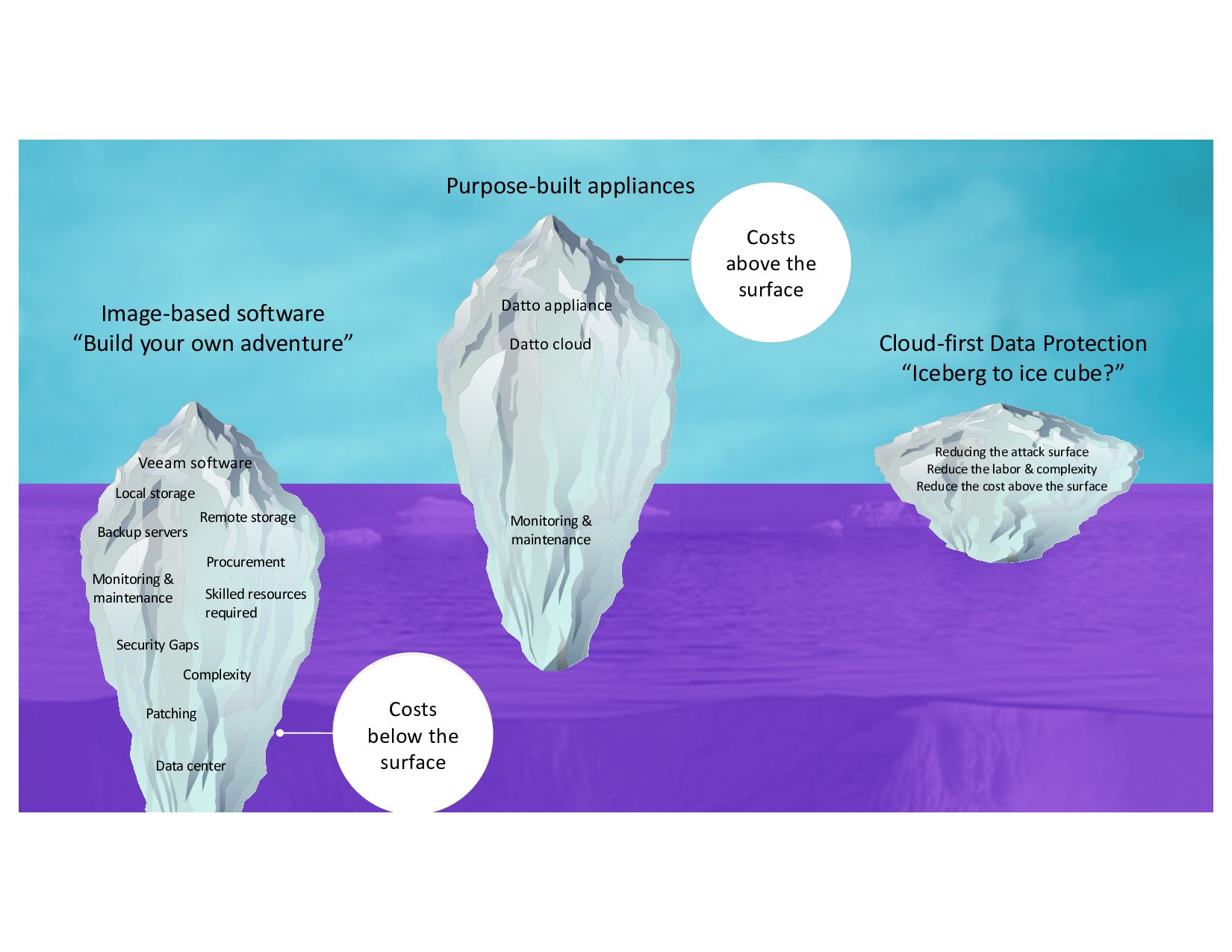
rights reserved. Costs above the surface Image-based software “Build your own adventure” Purpose-built appliances Datto appliance Datto cloud Costs below the surface Skilled resources required Procurement Security Gaps Complexity Patching Data center Veeam software Local storage Remote storage Backup servers Monitoring & maintenance Cloud-first Data Protection “Iceberg to ice cube?” Monitoring & maintenance Reducing the attack surface Reduce the labor & complexity Reduce the cost above the surface
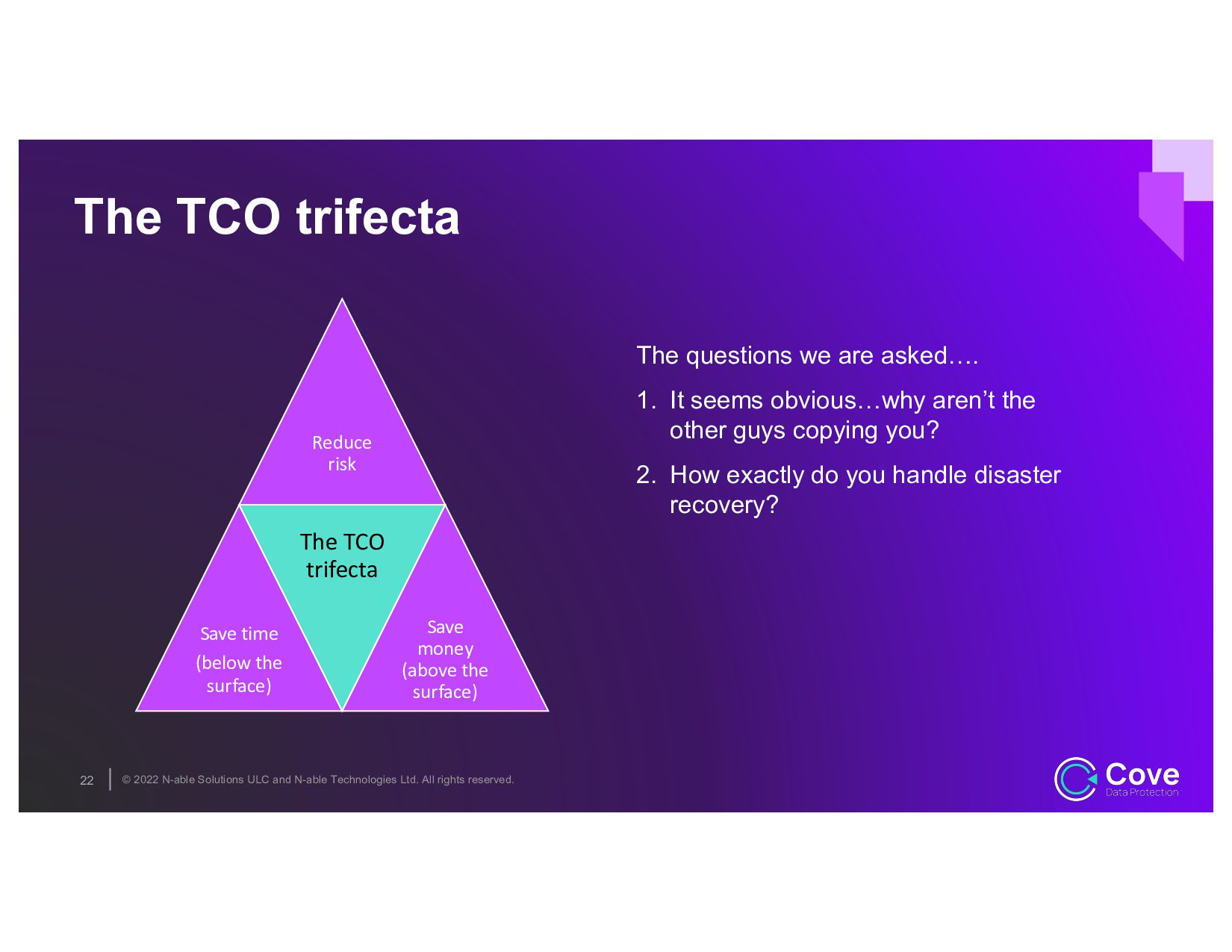
rights reserved. Reduce risk Save time (below the surface) The TCO trifecta Save money (above the surface) The TCO trifecta 22 The questions we are asked…. 1. It seems obvious…why aren’t the other guys copying you? 2. How exactly do you handle disaster recovery?
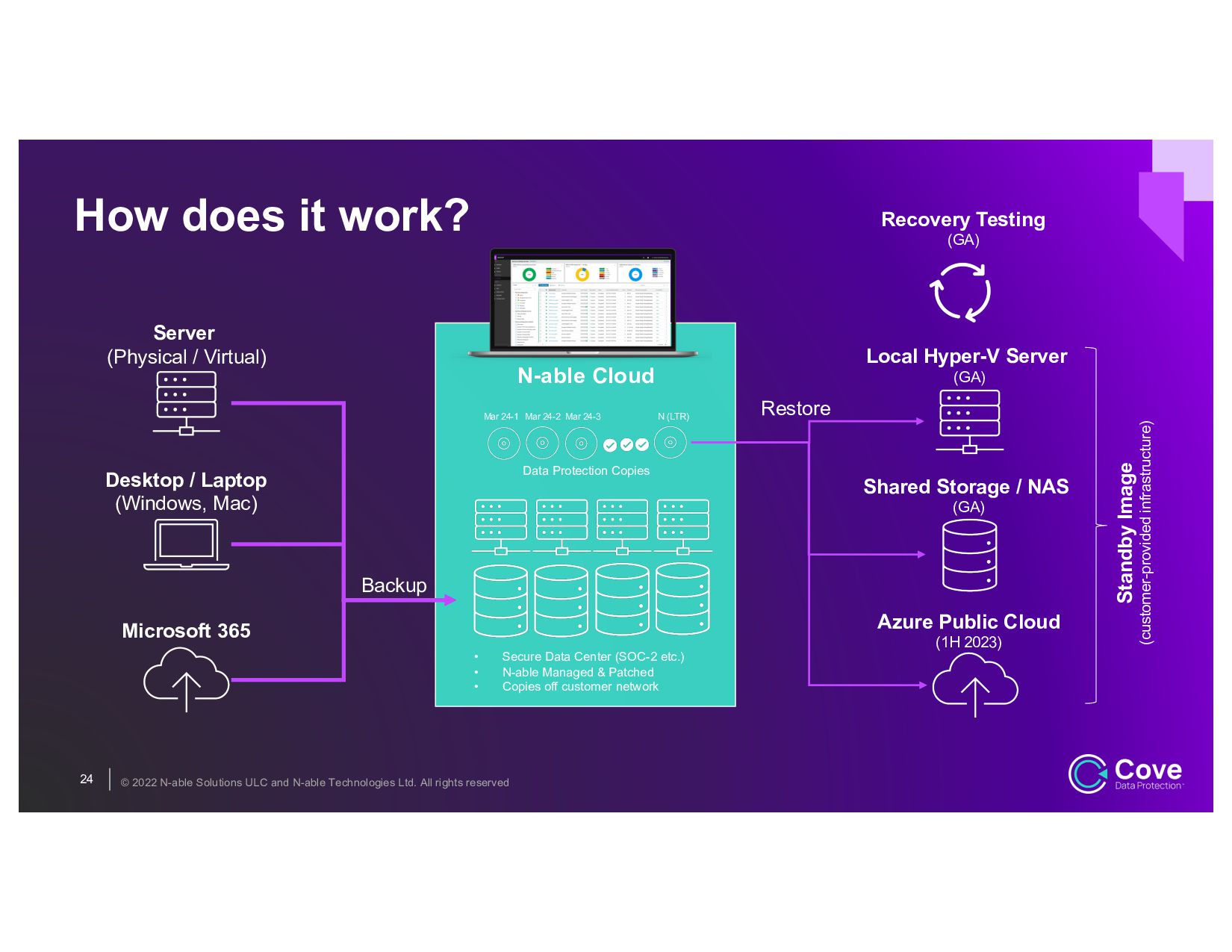
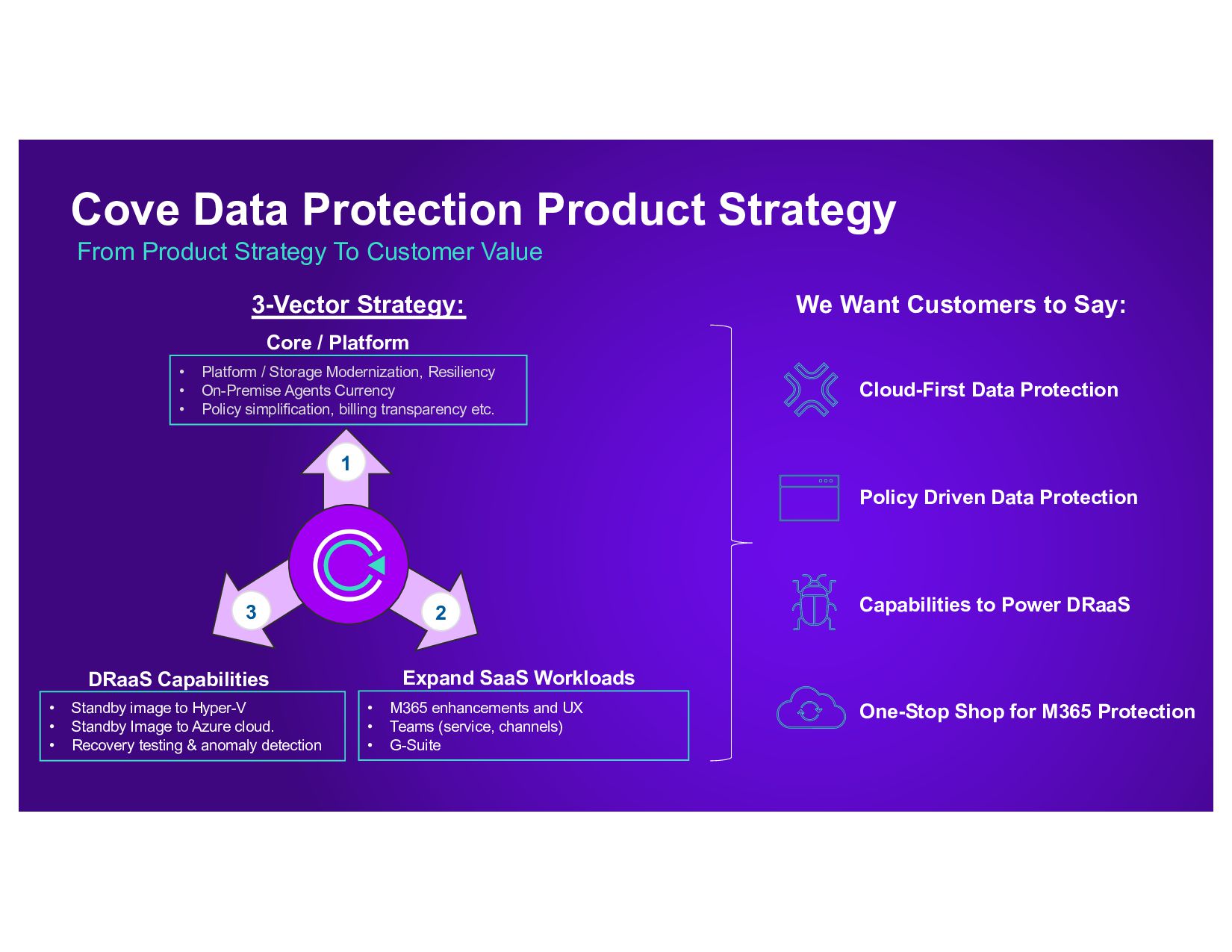
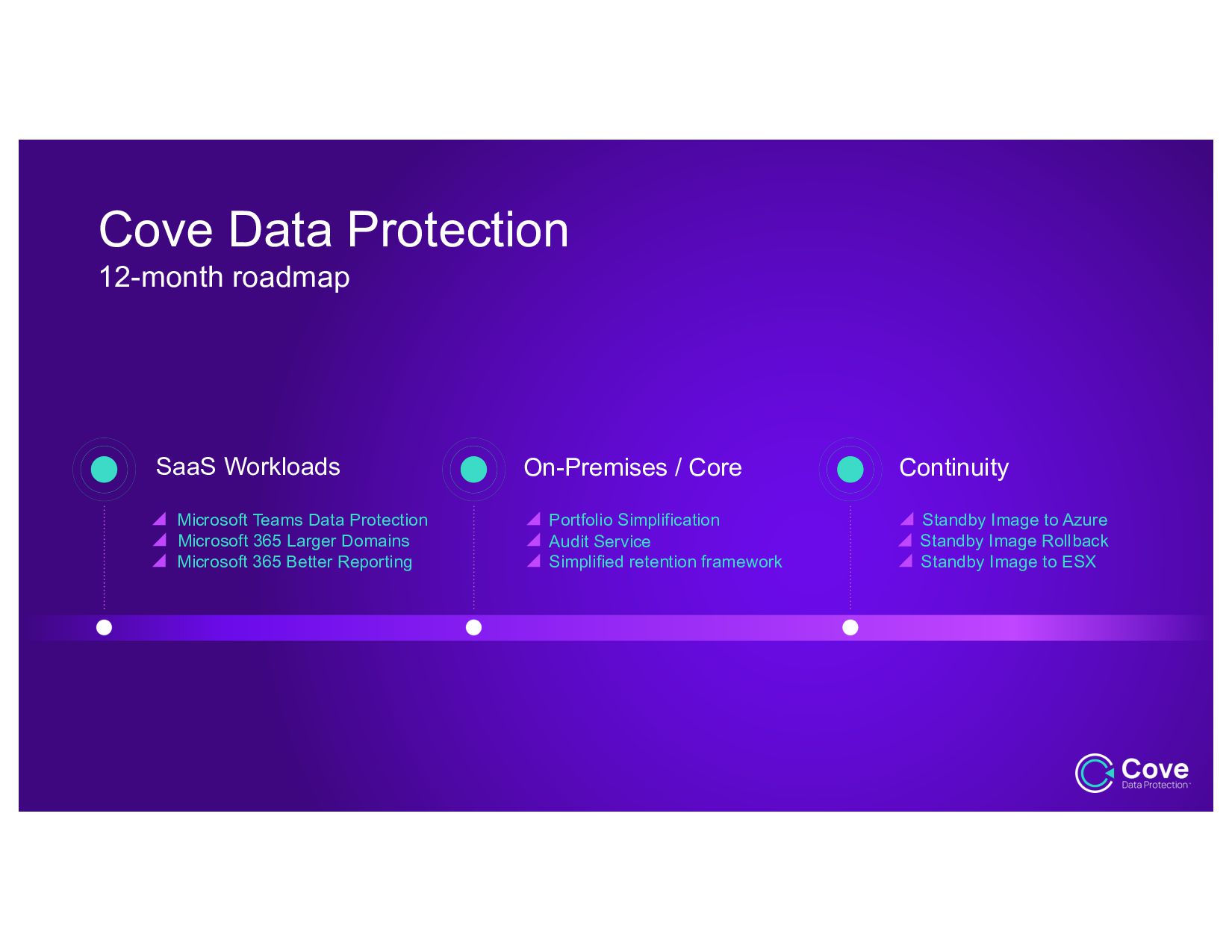
rights reserved How does it work? 24 N-able Cloud Server (Physical / Virtual) Desktop / Laptop (Windows, Mac) Microsoft 365 • Secure Data Center (SOC-2 etc.) • N-able Managed & Patched • Copies off customer network Data Protection Copies Mar 24-1 Mar 24-2 Mar 24-3 N (LTR) Local Hyper-V Server (GA) Shared Storage / NAS (GA) Azure Public Cloud (1H 2023) Restore Recovery Testing (GA) Standby Image (customer-provided infrastructure) Backup
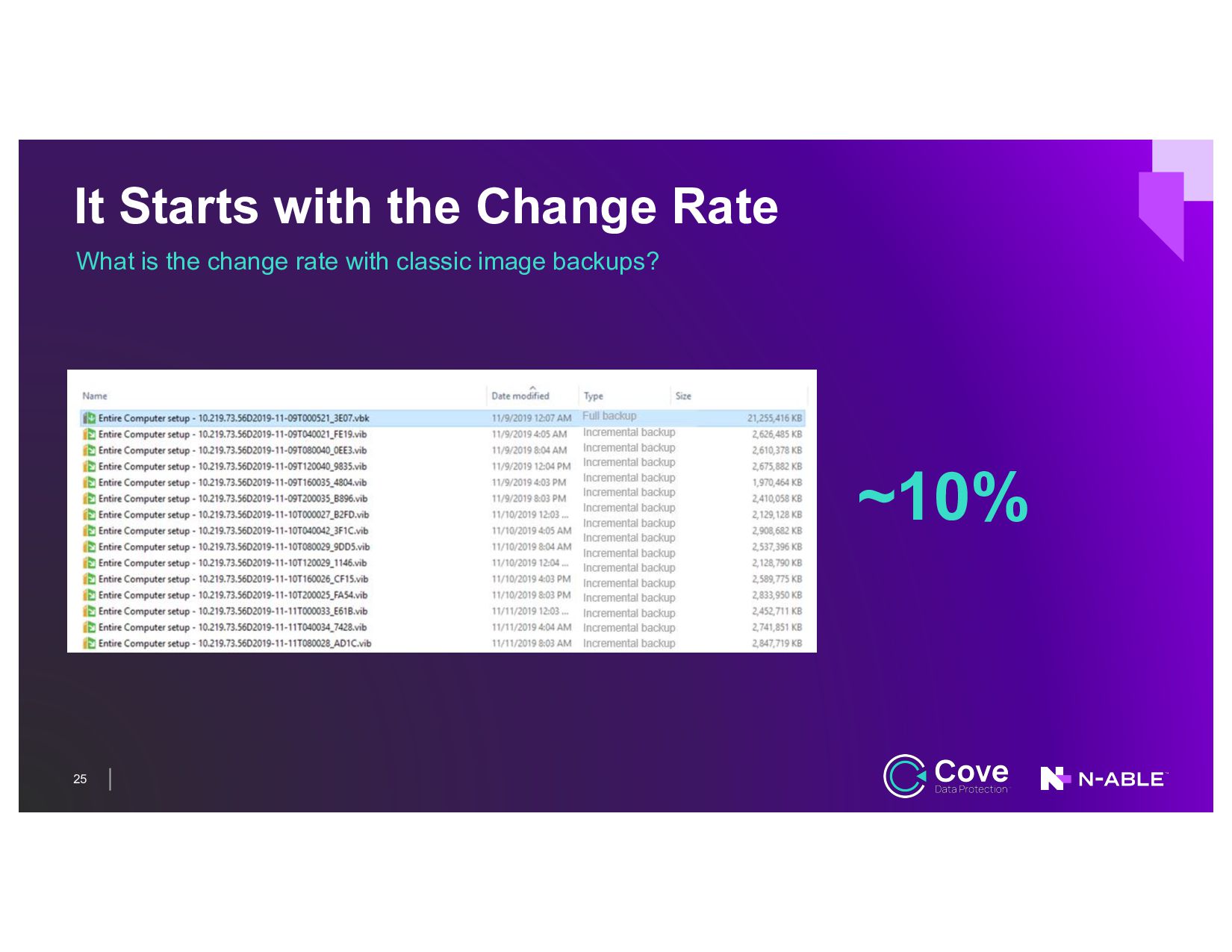
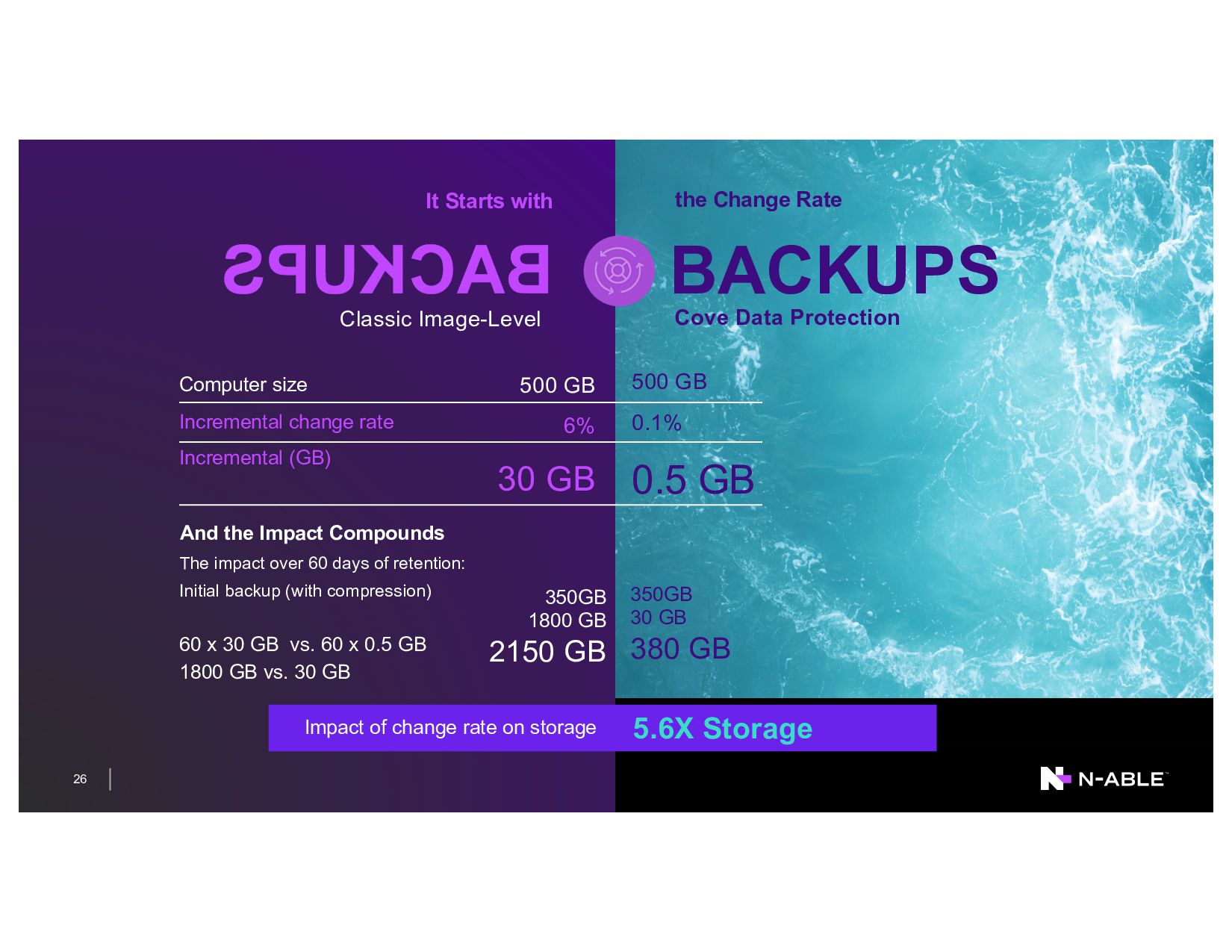
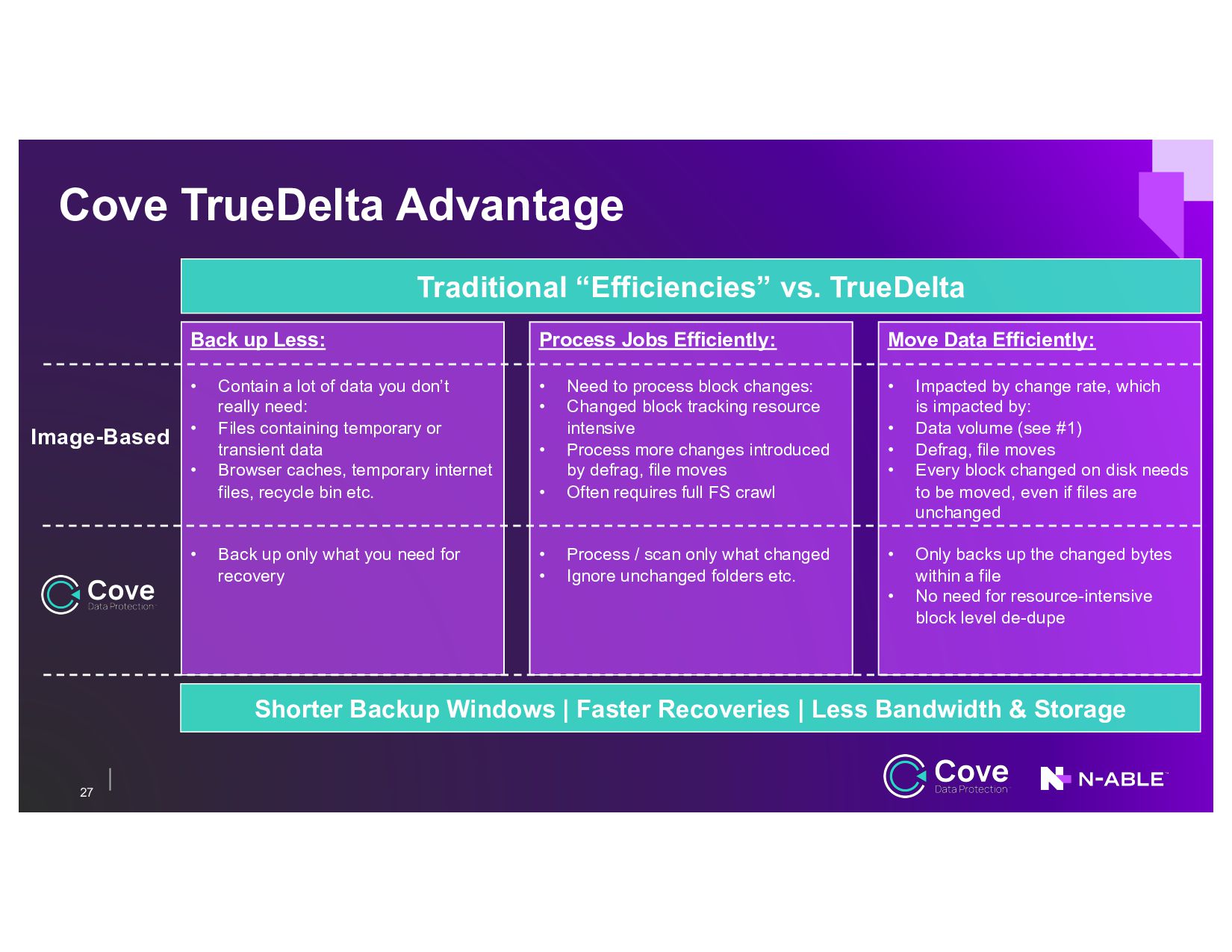
Less: • Contain a lot of data you don’t really need: • Files containing temporary or transient data • Browser caches, temporary internet files, recycle bin etc. • Back up only what you need for recovery Move Data Efficiently: • Impacted by change rate, which is impacted by: • Data volume (see #1) • Defrag, file moves • Every block changed on disk needs to be moved, even if files are unchanged • Only backs up the changed bytes within a file • No need for resource-intensive block level de-dupe Process Jobs Efficiently: • Need to process block changes: • Changed block tracking resource intensive • Process more changes introduced by defrag, file moves • Often requires full FS crawl • Process / scan only what changed • Ignore unchanged folders etc. Shorter Backup Windows | Faster Recoveries | Less Bandwidth & Storage Image-Based
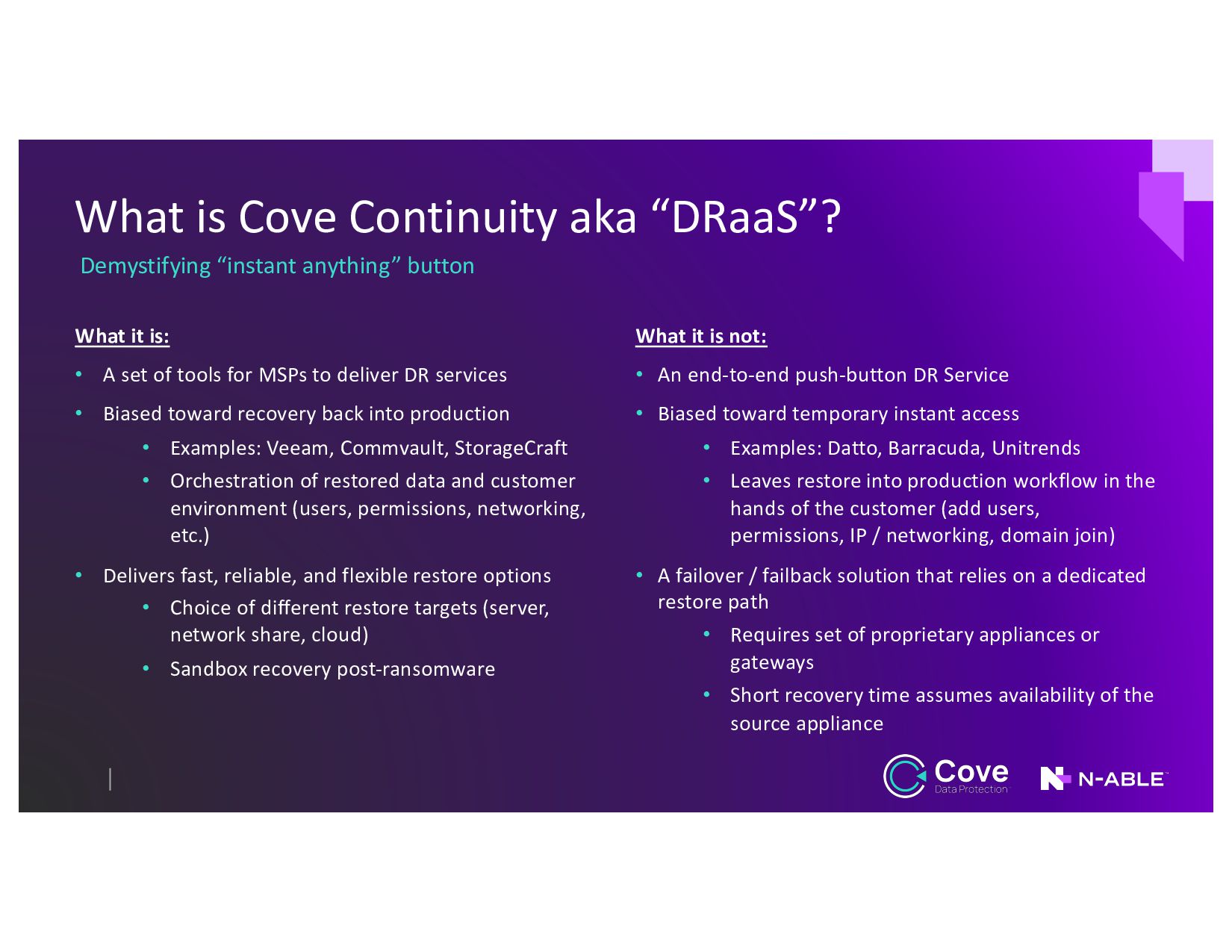
What it is: • A set of tools for MSPs to deliver DR services • Biased toward recovery back into production • Examples: Veeam, Commvault, StorageCraft • Orchestration of restored data and customer environment (users, permissions, networking, etc.) • Delivers fast, reliable, and flexible restore options • Choice of different restore targets (server, network share, cloud) • Sandbox recovery post-ransomware What it is not: • An end-to-end push-button DR Service • Biased toward temporary instant access • Examples: Datto, Barracuda, Unitrends • Leaves restore into production workflow in the hands of the customer (add users, permissions, IP / networking, domain join) • A failover / failback solution that relies on a dedicated restore path • Requires set of proprietary appliances or gateways • Short recovery time assumes availability of the source appliance


 itpresstour
 moznion
 codmoninc
 harutiro
 kizawa2020
 iotengineer22
 bgpat
bgpat
 ufried
 carta_engineering
 pauli
pauli
 kakakakakku
 htan
htan
 yakumo
 lemiorhan
 marktimemedia
 bluesmoon
 yeseniaperezcruz
 cassininazir
 bkeepers
 wayneb77
 addyosmani
 mfonobong
 reverentgeek
 honzajavorek