Upgrade to Pro
— share decks privately, control downloads, hide ads and more …
Speaker Deck
Sign up for free
Menu
Search
Features
All features
Private URLs
Password Protection
Custom URLS
Scheduled publishing
Remove Branding
Restrict embedding
Deck Collections
Notes
Features
All features
Private URLs
Password Protection
Custom URLS
Scheduled publishing
Remove Branding
Restrict embedding
Deck Collections
Notes
Explore
Featured decks
Featured speakers
Programming
Technology
Storyboards
Explore
Featured decks
Featured speakers
Programming
Technology
Storyboards
Pricing
Search
Sign in
Sign up for free
Kill the mutants, test your tests
Search
Sponsored
·
Ship Features Fearlessly
Turn features on and off without deploys. Used by thousands of Ruby developers.
→
Joy of Coding
May 29, 2015
Programming
130
0
Share
Embed
Copy iframe code
Copy JS code
Copy link
Start on current slide
Kill the mutants, test your tests
Joy of Coding
May 29, 2015
Transcript
55 slides
KILL THE MUTANTS a better way to test your tests
ABOUT ME • Roy van Rijn • Mutants: • Nora
• Lucas • Works for
SHOW OF HANDS let's do a
WHO DOES • Unit testing • Test-driven development (TDD) •
Continuous integration • Measure code coverage • Mutation testing
UNIT TESTING • Prove your code works • Instant regression
tests • Improve code design • Has become a mainstream practise over the last 10 years
CONTINUOUS INTEGRATION • Automate testing • Maintain a single source
repository • Collect statistics
CODE COVERAGE • Measure the lines (or branches) that are
executed during testing
CODE COVERAGE • How did they test your car?
CODE COVERAGE • Who has seen (or written?) tests •
without verifications or assertions? • just to fake and boost coverage? • 100% branch coverage proves nothing
QUIS CUSTODIET IPSOS CUSTODES? Who watches the watchmen?
MUTATION TESTING • Proposed by Richard J. Lipton in 1971
(winner of 2014 Knuth Prize) • A better way to measure the quality of your tests • Surge of interest in the 1980s • Time to revive this interest!
TERMINOLOGY: MUTATION • A mutation is a (small) change in
your codebase, for example:
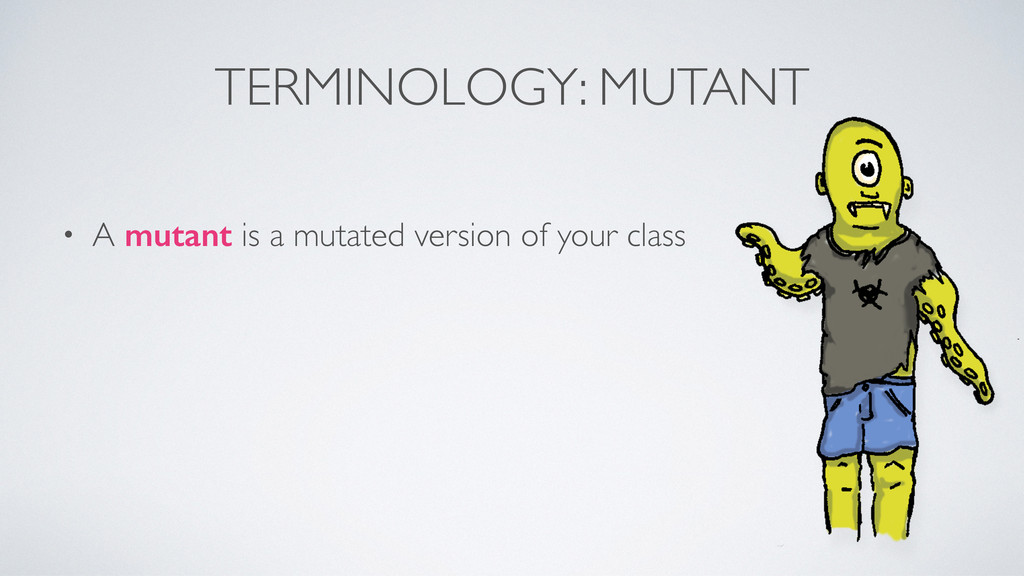
TERMINOLOGY: MUTANT • A mutant is a mutated version of
your class
MUTATION TESTING • Generate (a lot of) mutants of your
codebase • Run (some of) your unit tests • Check the outcome!
OUTCOME #1: KILLED • A mutant is killed if a
test fails (detecting the mutated code) • This proves the mutated code is properly tested
OUTCOME #2: LIVED • A mutant didn’t trigger a failing
test…
OUTCOME #3: TIMED OUT • The mutant caused the program
loop, get stuck
OTHER OUTCOMES • NON-VIABLE • JVM could not load the
mutant bytecode • MEMORY ERROR • JVM ran out of memory during test • RUN ERROR • An error but none of the above.
FAULT INJECTION? • With fault injection you test code •
Inject faults/mutations and see how the system reacts • With mutation testing you test your tests • Inject faults/mutations and see how the tests react
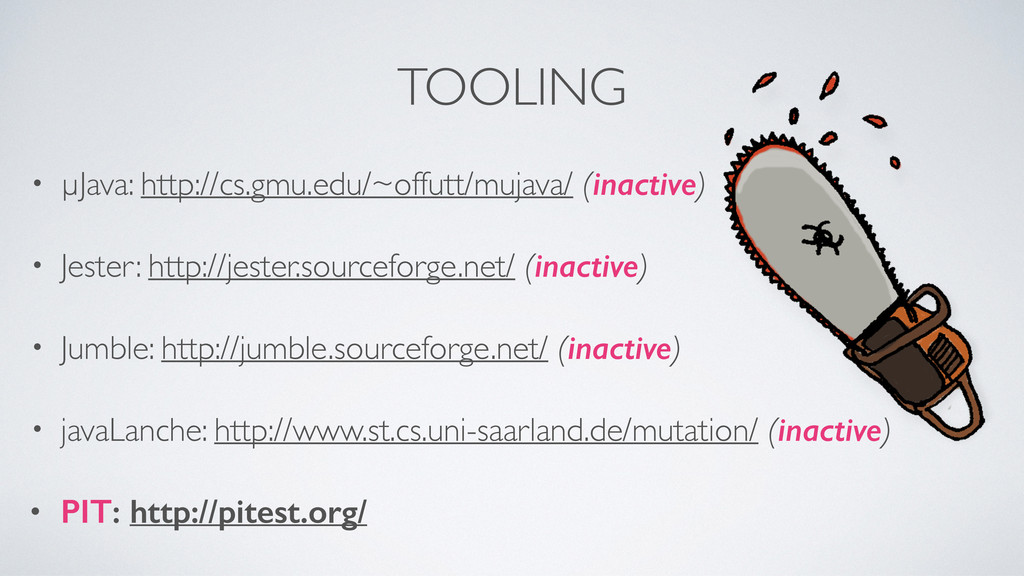
TOOLING • µJava: http://cs.gmu.edu/~offutt/mujava/ (inactive) • Jester: http://jester.sourceforge.net/ (inactive) •
Jumble: http://jumble.sourceforge.net/ (inactive) • javaLanche: http://www.st.cs.uni-saarland.de/mutation/ (inactive) • PIT: http://pitest.org/
USING PIT • PIT uses configurable ‘mutators' • ASM (bytecode
manipulation) is used to mutate your code • No mutated code is stored, it can't interfere with your code • Generates reports with test results
MUTATORS: CONDITION BOUNDARY > into >= < into <= >=
into > <= into <
MUTATORS: NEGATE CONDITIONALS == into != != into == <=
into > >= into < < into >= > into <=
MUTATORS: REMOVE CONDITIONALS into if(true) { //something } if(a ==
b) { //something }
MUTATORS: MATH + into - - into + * into
/ / into * % into * & into | << into >> >> into << >>> into <<< a++ into a-- a-- into a++
MUTATORS: MANY MORE • Replacing return values (return a; becomes
return 0;) • Removal of void invocations (doSomething(); is removed) • Some enabled by default, others are optional/configurable
MUTATION TESTING IS SLOW? • Speed was unacceptable in the
80's • Mutation testing is still CPU intensive • But PIT has a lot of methods to speed it up!
WHICH TESTS TO RUN? • PIT uses code coverage to
decide which tests to run: • A mutation is on a line covered by 3 tests? Only run those.
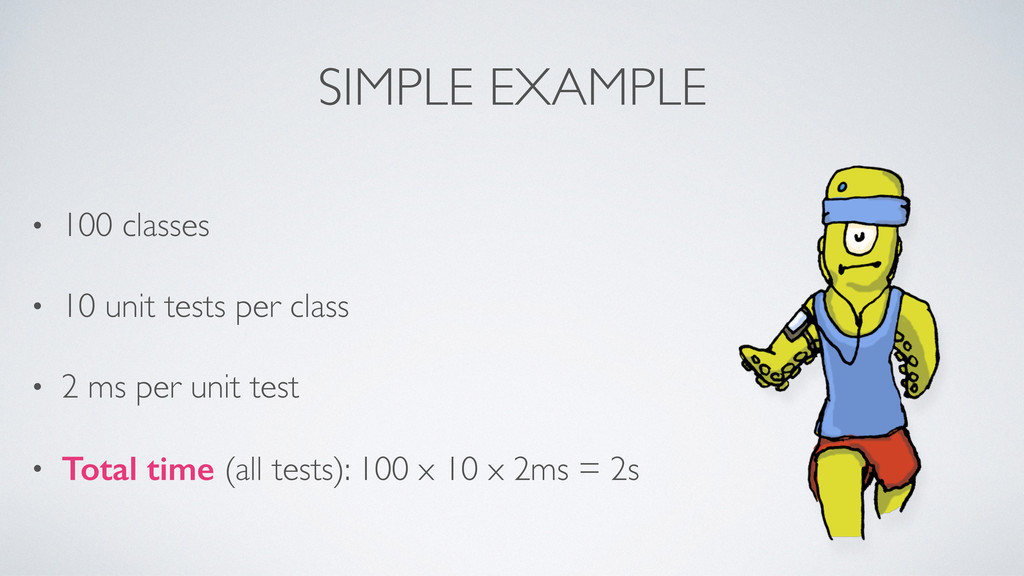
SIMPLE EXAMPLE • 100 classes • 10 unit tests per
class • 2 ms per unit test • Total time (all tests): 100 x 10 x 2ms = 2s
SIMPLE EXAMPLE • Total time (all tests): 100 x 10
x 2ms = 2s • 8 mutants per class, 100 classes x 8 = 800 mutants • Brute force: 800 x 2s = 26m40s • Smart testing: 800 x 10 x 2ms = 16s
LONGER EXAMPLE • Total time (all tests): 1000 x 10
x 2ms = 20s • 8 mutants per class, 1000 classes x 8 = 8000 mutants • Brute force: 8000 x 20s = 1d20h26m40s…!!! • Smart testing: 8000 x 10 x 2ms = 2m40s
PERFORMANCE TIPS • Write fast tests • Good separation or
concerns • Use small classes, keep amount of unit tests per class low
INCREMENTAL ANALYSIS • Experimental feature • Incremental analysis keeps track
of: • Changes in the codebase • Previous results
HOW ABOUT MOCKING? • PIT has support for: • Mockito,
EasyMock, JMock, PowerMock and JMockit
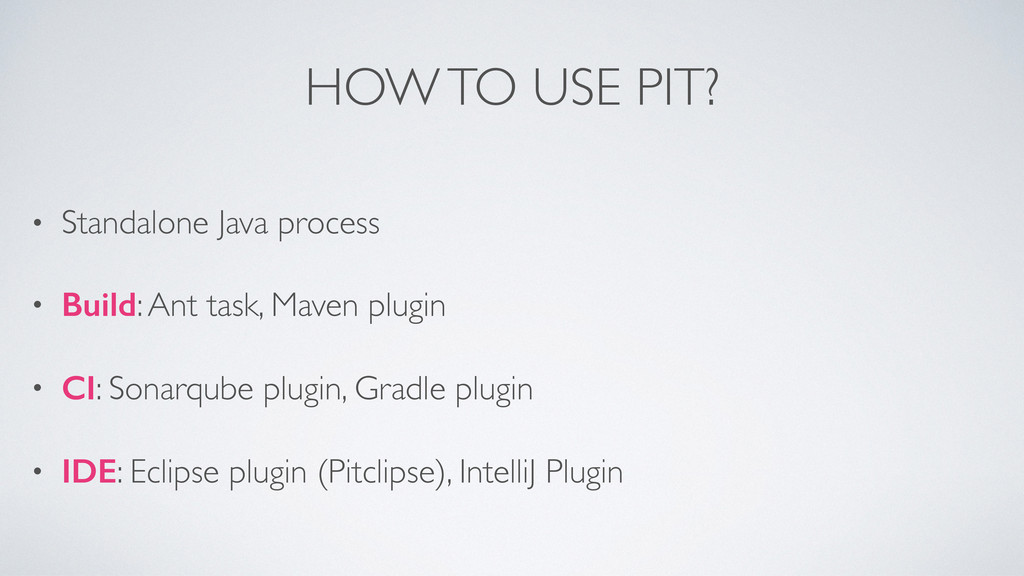
HOW TO USE PIT? • Standalone Java process • Build:
Ant task, Maven plugin • CI: Sonarqube plugin, Gradle plugin • IDE: Eclipse plugin (Pitclipse), IntelliJ Plugin
STANDALONE JAVA java -cp <your classpath including pit jar and
dependencies> org.pitest.mutationtest.commandline.MutationCoverageReport --reportDir /somePath/ --targetClasses com.your.package.tobemutated* --targetTests com.your.package.* --sourceDirs /sourcePath/
MAVEN PLUGIN Run as: mvn clean package org.pitest:pitest-maven:mutationCoverage <plugin> <groupId>org.pitest</groupId>
<artifactId>pitest-maven</artifactId> <version>1.0.0</version> <configuration> <targetClasses> <param>com.your.package.tobemutated*</param> </targetClasses> <jvmArgs>…</jvmArgs> </configuration> </plugin>
EXAMPLE Let’s kill some mutants… or be killed.
USE CASE The price of an item is 17 euro
If you buy 20 or more, all items cost 15 euro If you have a coupon, all items cost 15 euro
CODE public int getPrice(int amountOfThings, boolean coupon) { if (amountOfThings
>= 20 || coupon) { return amountOfThings * 15; } return amountOfThings * 17; }
TEST #1 @Test public void testNormalPricing() { //Not enough for
discount: int amount = 1; Assert.assertEquals(17, businessLogic.getPrice(amount, false)); }
BRANCH COVERAGE public int getPrice(int amountOfThings, boolean coupon) { if
(amountOfThings >= 20 || coupon) { return amountOfThings * 15; } return amountOfThings * 17; }
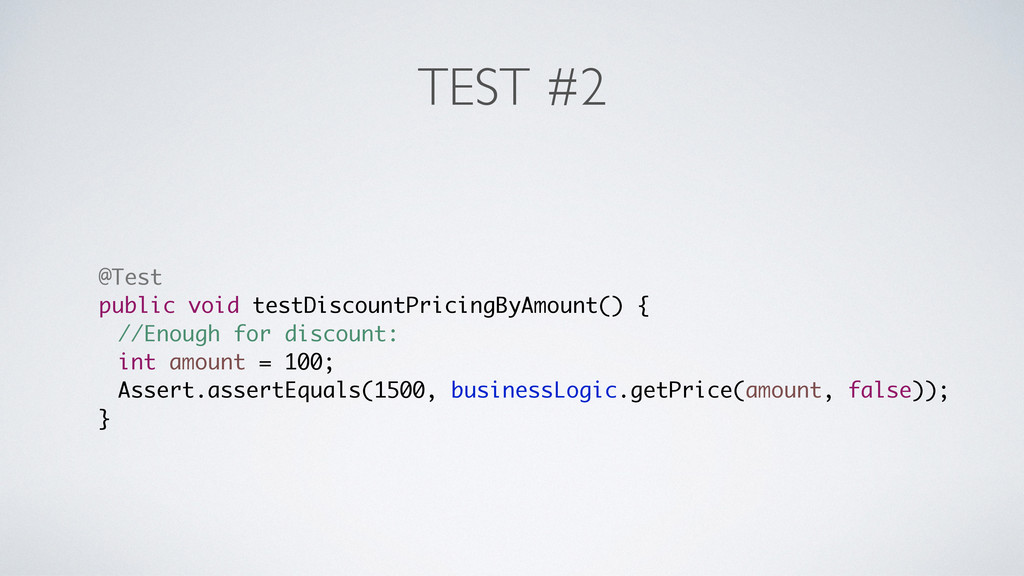
TEST #2 @Test public void testDiscountPricingByAmount() { //Enough for discount:
int amount = 100; Assert.assertEquals(1500, businessLogic.getPrice(amount, false)); }
BRANCH COVERAGE public int getPrice(int amountOfThings, boolean coupon) { if
(amountOfThings >= 20 || coupon) { return amountOfThings * 15; } return amountOfThings * 17; }
TEST #3 @Test public void testDiscountWithCoupon() { //Not enough for
discount, but coupon: int amount = 1; Assert.assertEquals(15, businessLogic.getPrice(amount, true)); }
BRANCH COVERAGE public int getPrice(int amountOfThings, boolean coupon) { if
(amountOfThings >= 20 || coupon) { return amountOfThings * 15; } return amountOfThings * 17; }
PIT RESULT
PIT RESULT > org.pitest.mutationtest…ConditionalsBoundaryMutator >> Generated 1 Killed 0 (0%)
> KILLED 0 SURVIVED 1 TIMED_OUT 0 NON_VIABLE 0 > MEMORY_ERROR 0 NOT_STARTED 0 STARTED 0 RUN_ERROR 0 > NO_COVERAGE 0 PIT tells us: Changing >= into > doesn’t trigger a failing test
TEST #4 @Test public void testDiscountAmountCornerCase() { //Just enough for
discount, mutation into > should fail this test int amount = 20; Assert.assertEquals(300, businessLogic.getPrice(amount, true)); }
BRANCH COVERAGE public int getPrice(int amountOfThings, boolean coupon) { if
(amountOfThings >= 20 || coupon) { return amountOfThings * 15; } return amountOfThings * 17; }
PIT RESULT
PIT RESULT > org.pitest.mutationtest…ConditionalsBoundaryMutator >> Generated 1 Killed 0 (0%)
> KILLED 0 SURVIVED 1 TIMED_OUT 0 NON_VIABLE 0 > MEMORY_ERROR 0 NOT_STARTED 0 STARTED 0 RUN_ERROR 0 > NO_COVERAGE 0 STILL WRONG!?
DID YOU SPOT THE BUG? @Test public void testDiscountAmountCornerCase() {
//Just enough for discount, mutation into > should fail this test int amount = 20; Assert.assertEquals(300, businessLogic.getPrice(amount, true)); }
SUMMARY • Mutation testing automatically tests your tests • Mutation
testing can find bugs in your tests • Code coverage is wrong, gives a false sense of security • Mutation testing with PIT is easy to implement
QUESTIONS?
More Decks by Joy of Coding
See All by Joy of Coding
Cool Code - Kevlin Henney
joyofcoding
0
360
Chris Granger - PROGRAMMING AS DISTRIBUTED COGNITION: DEFINING A SUPER POWER
joyofcoding
0
260
Cristina Lopes - Exercises in Programming Style
joyofcoding
0
530
Laurent Bossavit - The Joy of Debugging Ourselves
joyofcoding
0
290
Let Me Graph That For You: An Introduction to Neo4j - Ian Robinson
joyofcoding
1
210
Who’s afraid of Object Algebras? - Tijs van der Storm
joyofcoding
0
950
The Scientific Programmer - Eric Bouwers
joyofcoding
0
240
Building a web app in an hour - Trisha Gee
joyofcoding
0
300
Accelerating Agile - Dan North
joyofcoding
0
230
Other Decks in Programming
See All in Programming
SFCで実現する病院・医療システムの動的組み立て式UI
koukimiura
1
180
AI時代のTerminal環境を UNIX哲学で設計・運用する
yasunori0418
1
350
疎結合とは何か?ソフトウェア設計における結合バランスについて考える #phpcon_niigata
kajitack
0
150
そのデザイントークン、Flutterでも同じ見た目になりますか?
nakamizu
0
350
まずはコードより業務と向き合う:テーブル解体のためにPdMを呼んだ話
sakawe_ee
0
230
Engineering Biometric UX Across Android Versions | DroidKnights 2026
ryunen344
1
210
AIが生成したコードは読むべきか?抽象化設計とコードの品質保証 / abstraction-design-and-quality
minodriven
16
9.2k
protojson における文字化けの扱い
kazuki1023
0
430
Secure Your Coding Agent Like It’s Malware (v1.5) 🇬🇧 @Code.talks 2026
richargh
0
150
Apple Intelligenceとオンデバイス時代の到来
yahir0
0
240
複数ドメインを一つのアプリに統合するFlutterの設計と運用_FlutterKaigi2026登壇資料(須永高弘)
takahirosunaga
0
180
Snowflake Openflow Connector利用の勘所 / 20261024developersio2026tokyo-snowflake-openflow
kasacchiful
PRO
0
340
Featured
See All Featured
What the history of the web can teach us about the future of AI
inesmontani
PRO
3
810
How People are Using Generative and Agentic AI to Supercharge Their Products, Projects, Services and Value Streams Today
helenjbeal
2
400
Creating an realtime collaboration tool: Agile Flush - .NET Oxford
marcduiker
35
2.6k
Product Roadmaps are Hard
iamctodd
55
13k
First, design no harm
axbom
PRO
2
1.4k
コードの90%をAIが書く世界で何が待っているのか / What awaits us in a world where 90% of the code is written by AI
rkaga
63
48k
Facilitating Awesome Meetings
lara
57
7.2k
From π to Pie charts
rasagy
1
450
Getting science done with accelerated Python computing platforms
jacobtomlinson
2
570
Imperfection Machines: The Place of Print at Facebook
scottboms
270
14k
How to build a perfect <img>
jonoalderson
1
6.2k
We Analyzed 250 Million AI Search Results: Here's What I Found
joshbly
2
2.1k


 joyofcoding
 koukimiura
 yasunori0418
 kajitack
 nakamizu
 sakawe_ee
 ryunen344
 minodriven
 kazuki1023
 richargh
 yahir0
 takahirosunaga
 kasacchiful
 inesmontani
 helenjbeal
 marcduiker
 iamctodd
 axbom
 rkaga
 lara
 rasagy
 jacobtomlinson
 scottboms
 jonoalderson
 joshbly