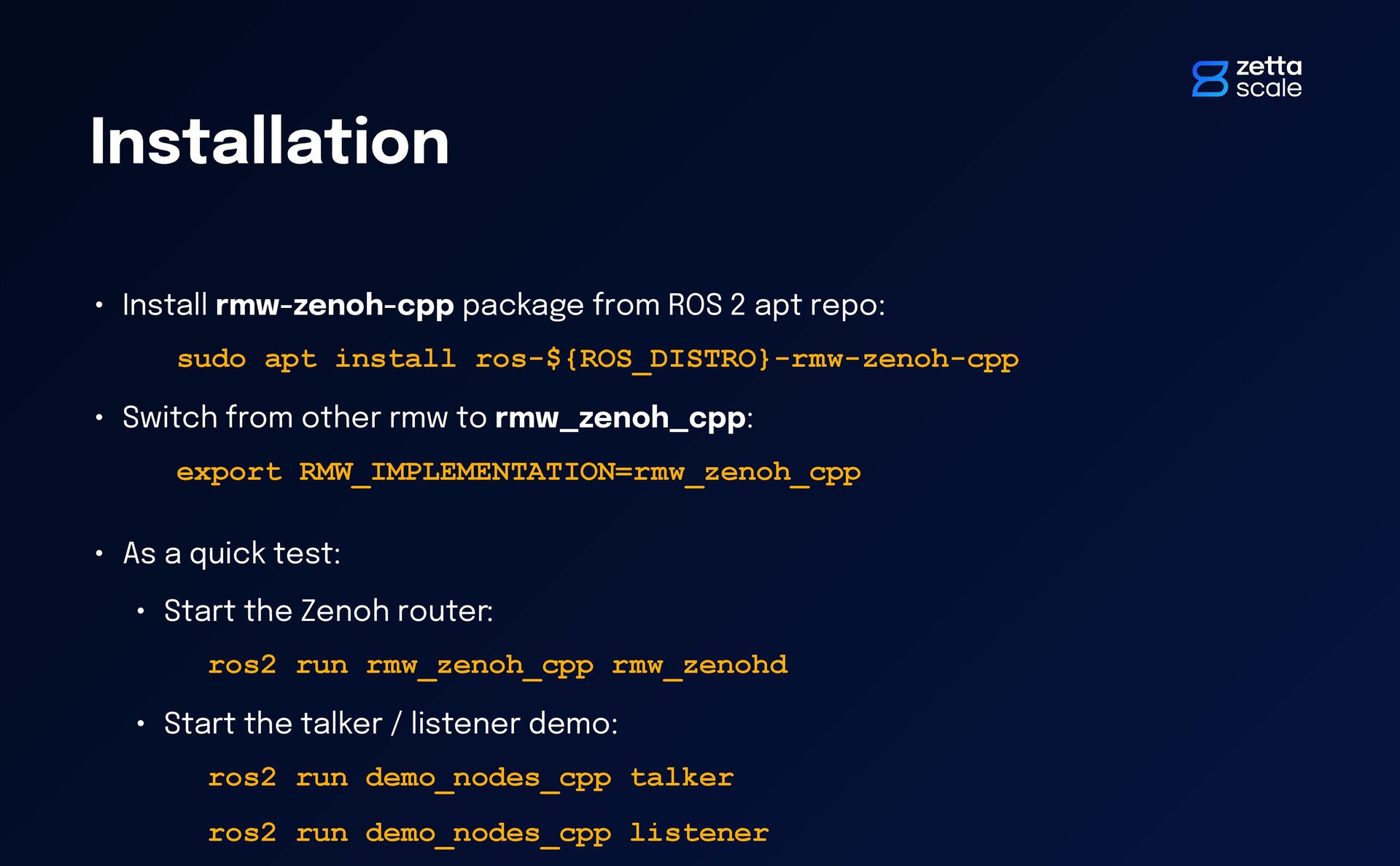
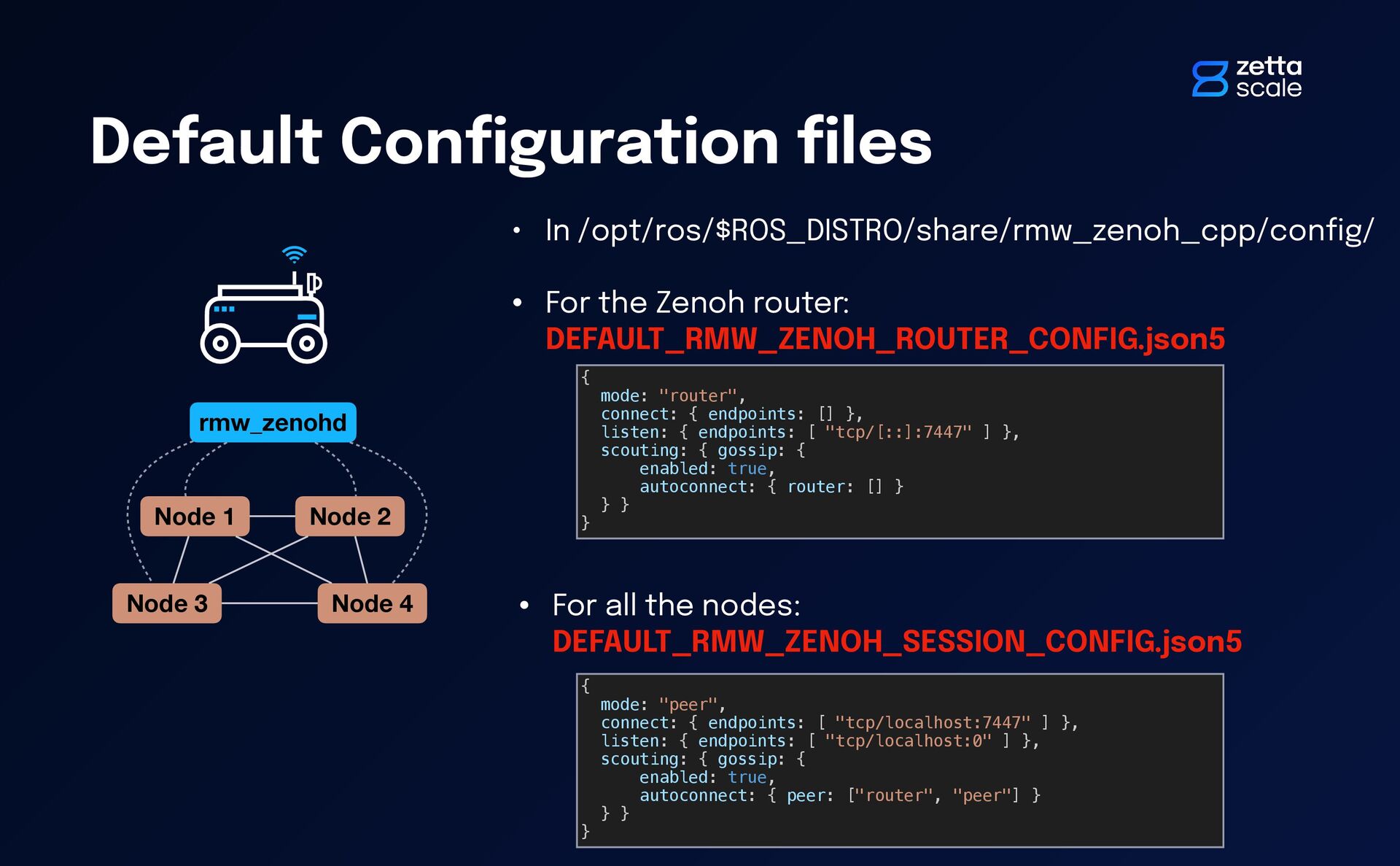
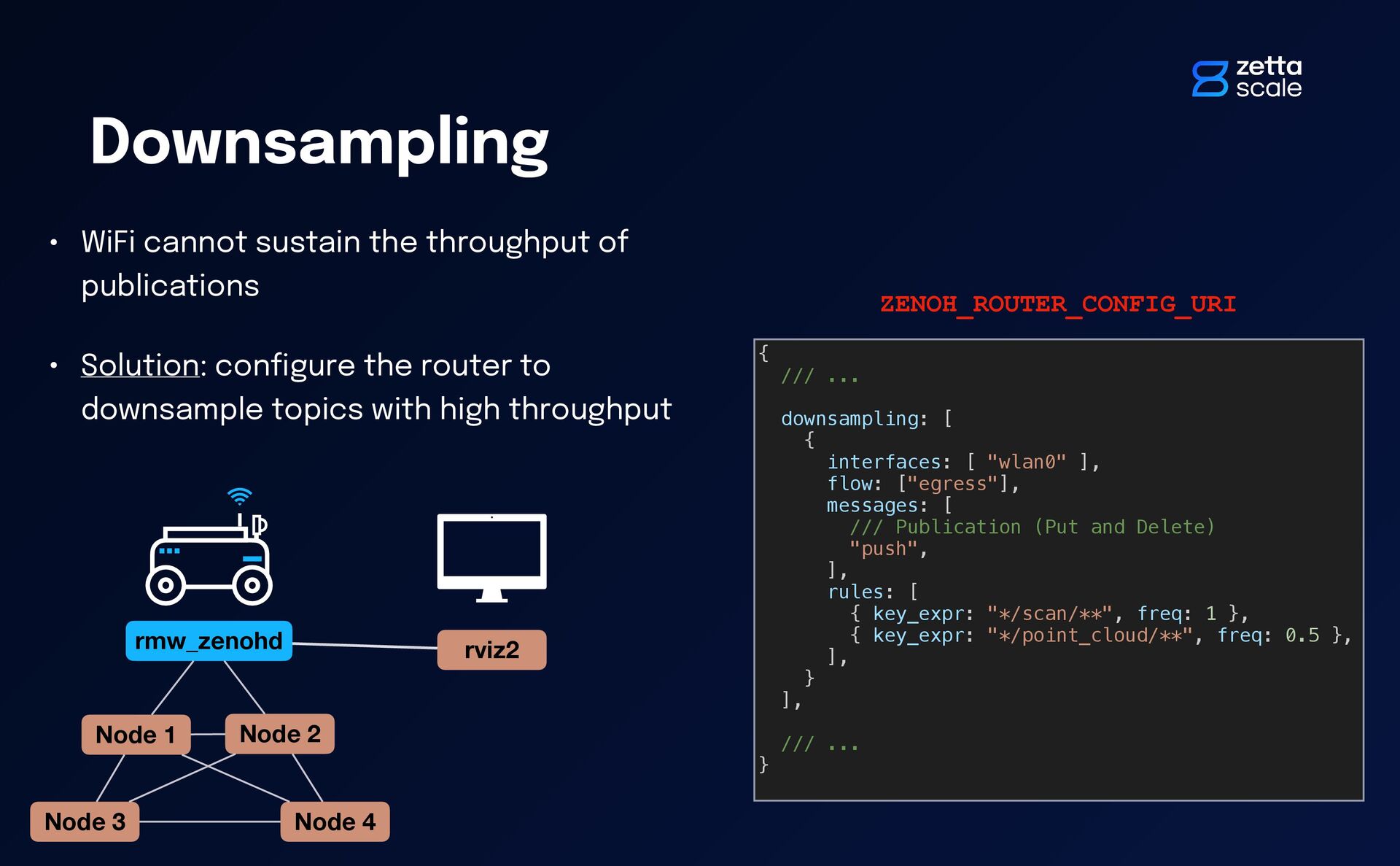
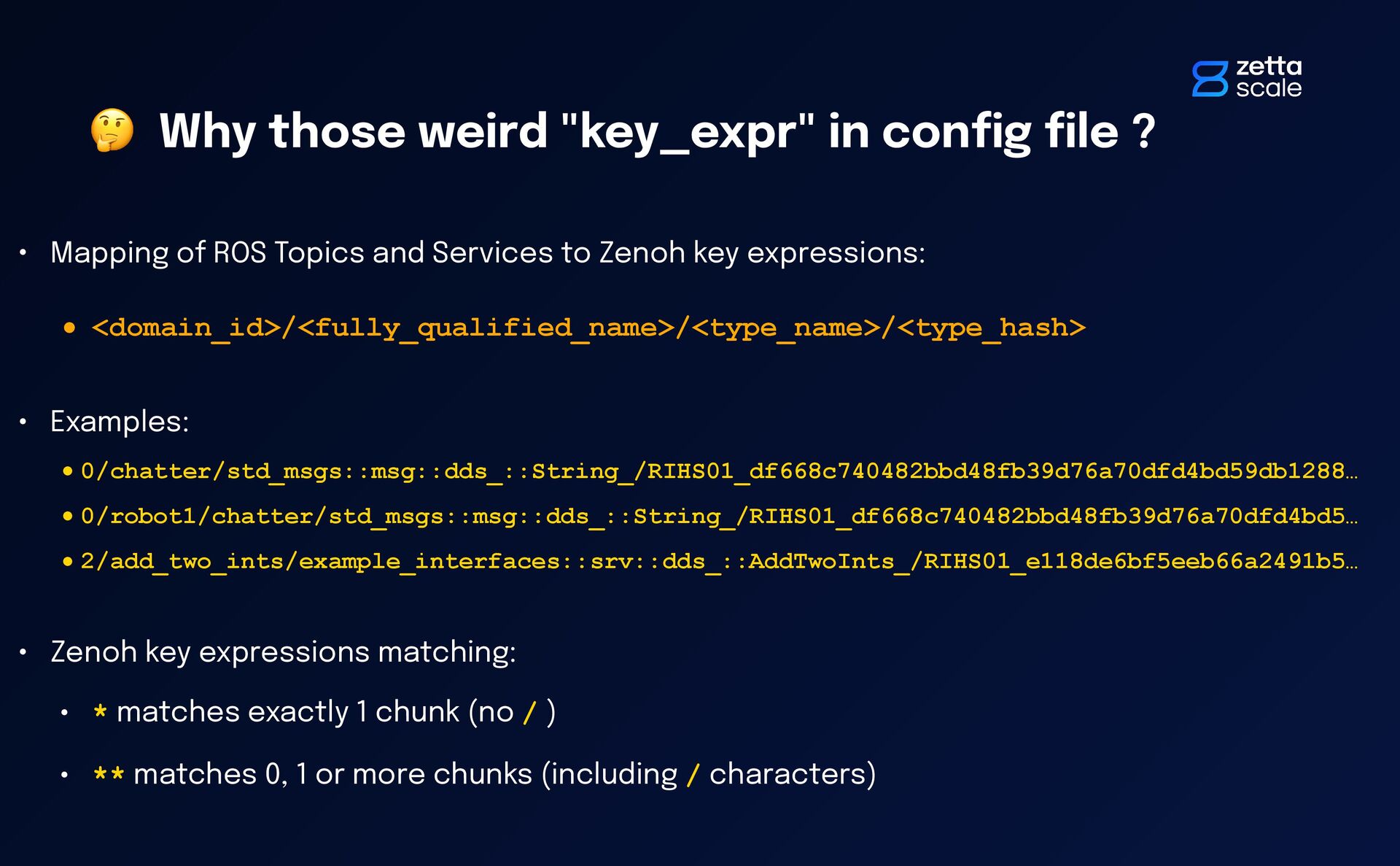
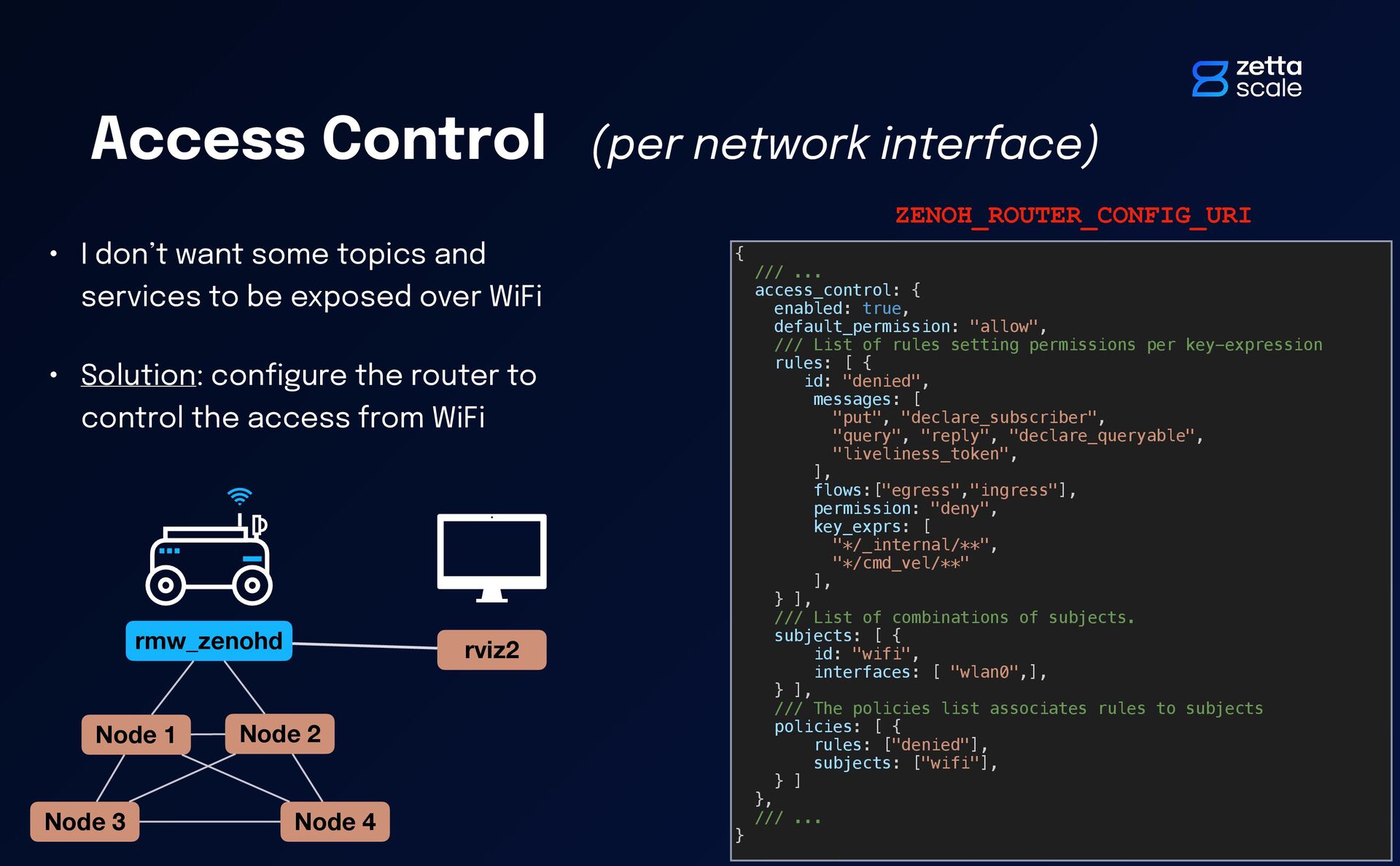
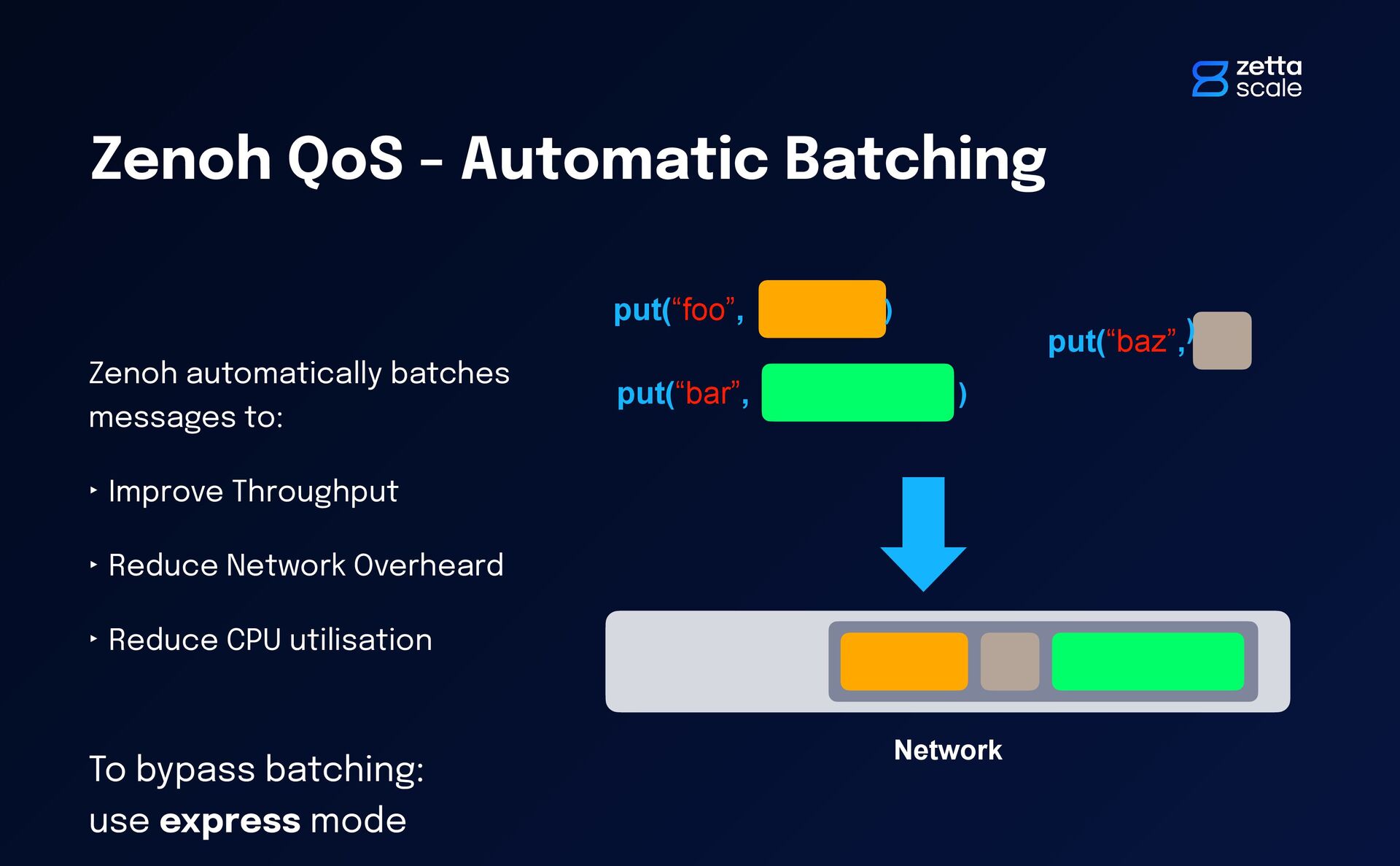
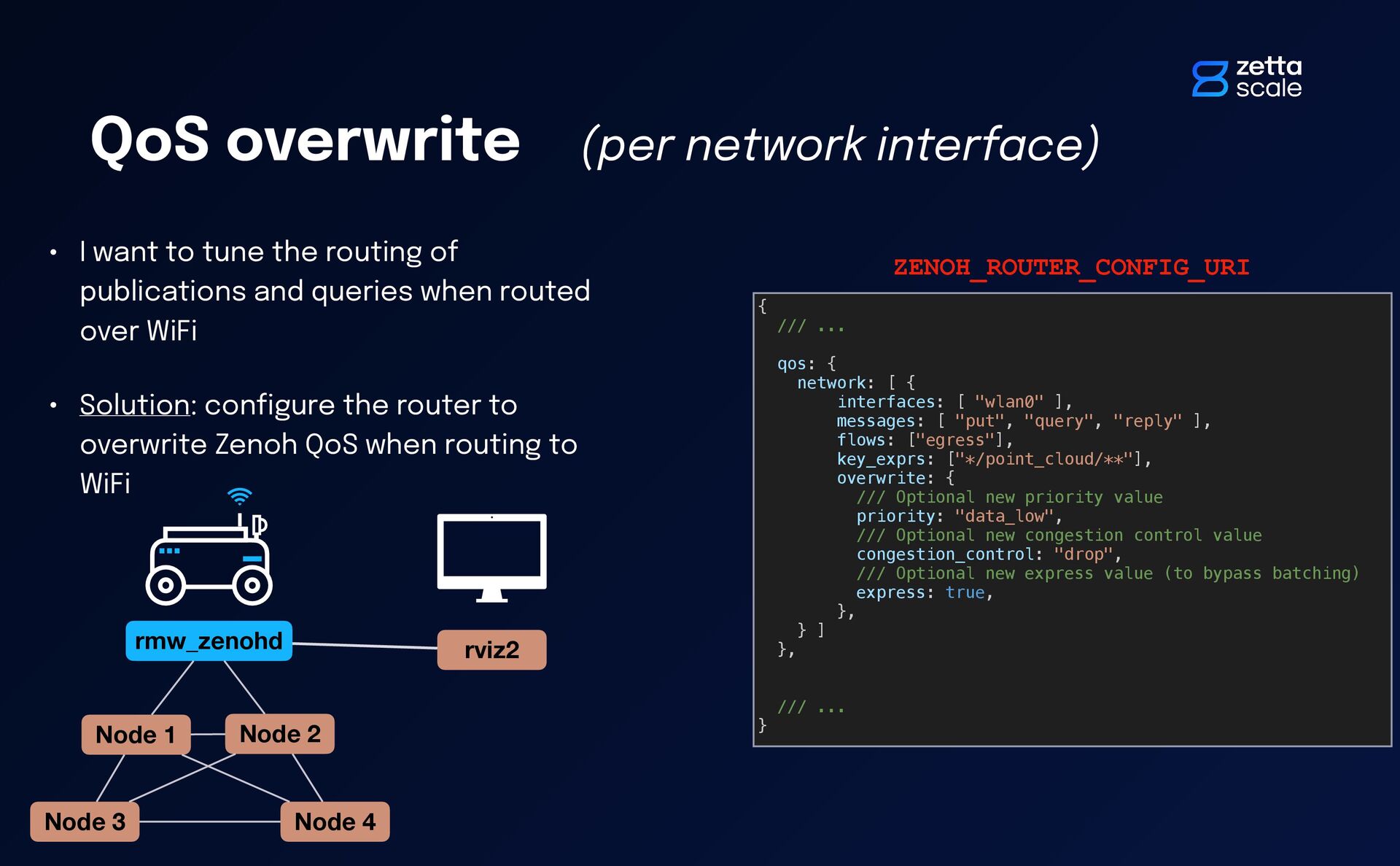
sudo apt install ros-${ROS_DISTRO}-rmw-zenoh-cpp • Switch from other rmw to rmw_zenoh_cpp: export RMW_IMPLEMENTATION=rmw_zenoh_cpp • As a quick test: • Start the Zenoh router: ros2 run rmw_zenoh_cpp rmw_zenohd • Start the talker / listener demo: ros2 run demo_nodes_cpp talker ros2 run demo_nodes_cpp listener
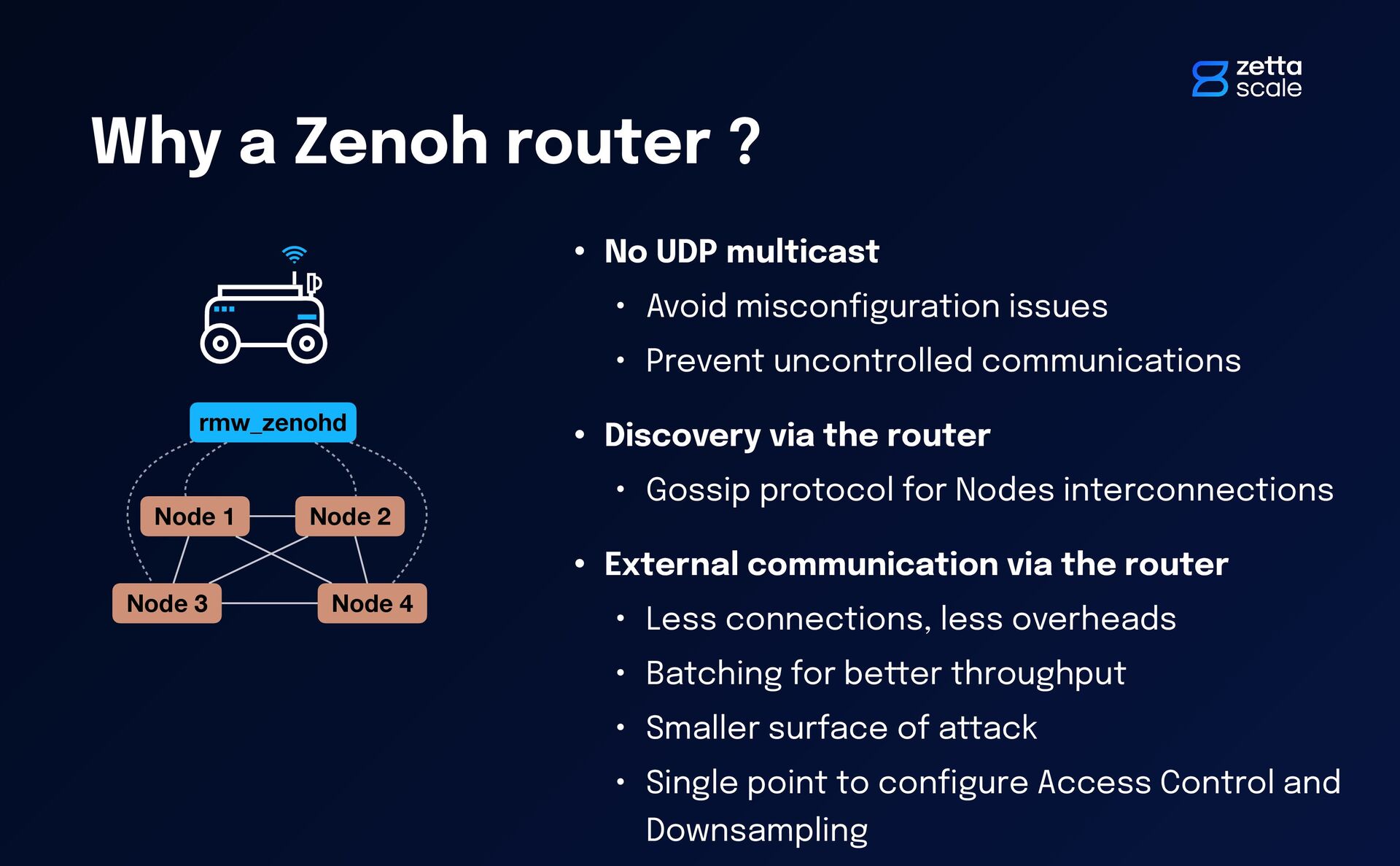
Avoid miscon fi guration issues • Prevent uncontrolled communications • Discovery via the router • Gossip protocol for Nodes interconnections • External communication via the router • Less connections, less overheads • Batching for better throughput • Smaller surface of attack • Single point to con fi gure Access Control and Downsampling Node 1 Node 2 Node 3 Node 4 rmw_zenohd
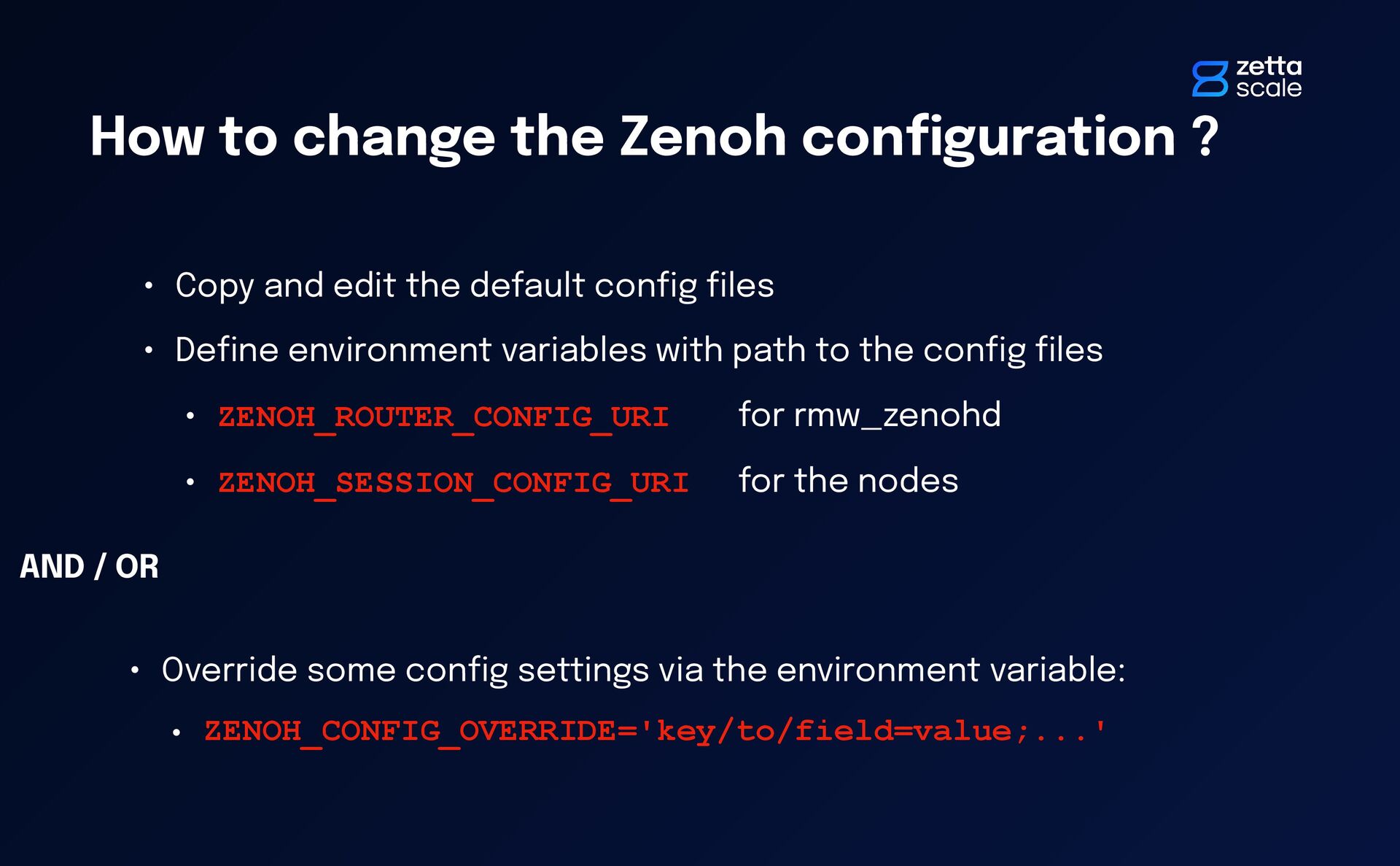
Copy and edit the default con fi g fi les • De fi ne environment variables with path to the con fi g fi les • ZENOH_ROUTER_CONFIG_URI for rmw_zenohd • ZENOH_SESSION_CONFIG_URI for the nodes • Override some con fi g settings via the environment variable: • ZENOH_CONFIG_OVERRIDE='key/to/field=value;...' AND / OR
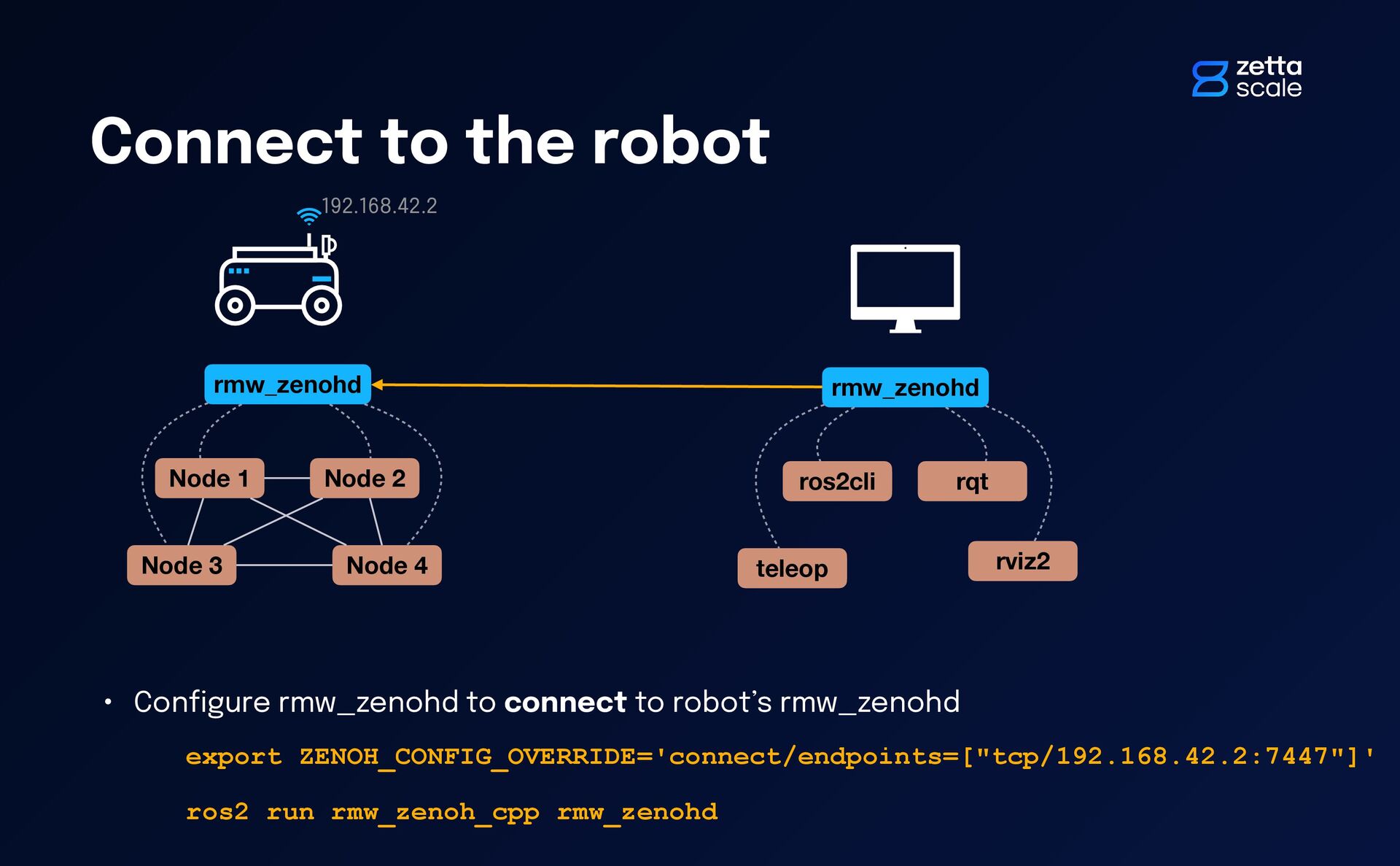
Node 4 rmw_zenohd rmw_zenohd ros2cli rqt teleop rviz2 192.168.42.2 • Con fi gure rmw_zenohd to connect to robot’s rmw_zenohd export ZENOH_CONFIG_OVERRIDE='connect/endpoints=["tcp/192.168.42.2:7447"]' ros2 run rmw_zenoh_cpp rmw_zenohd
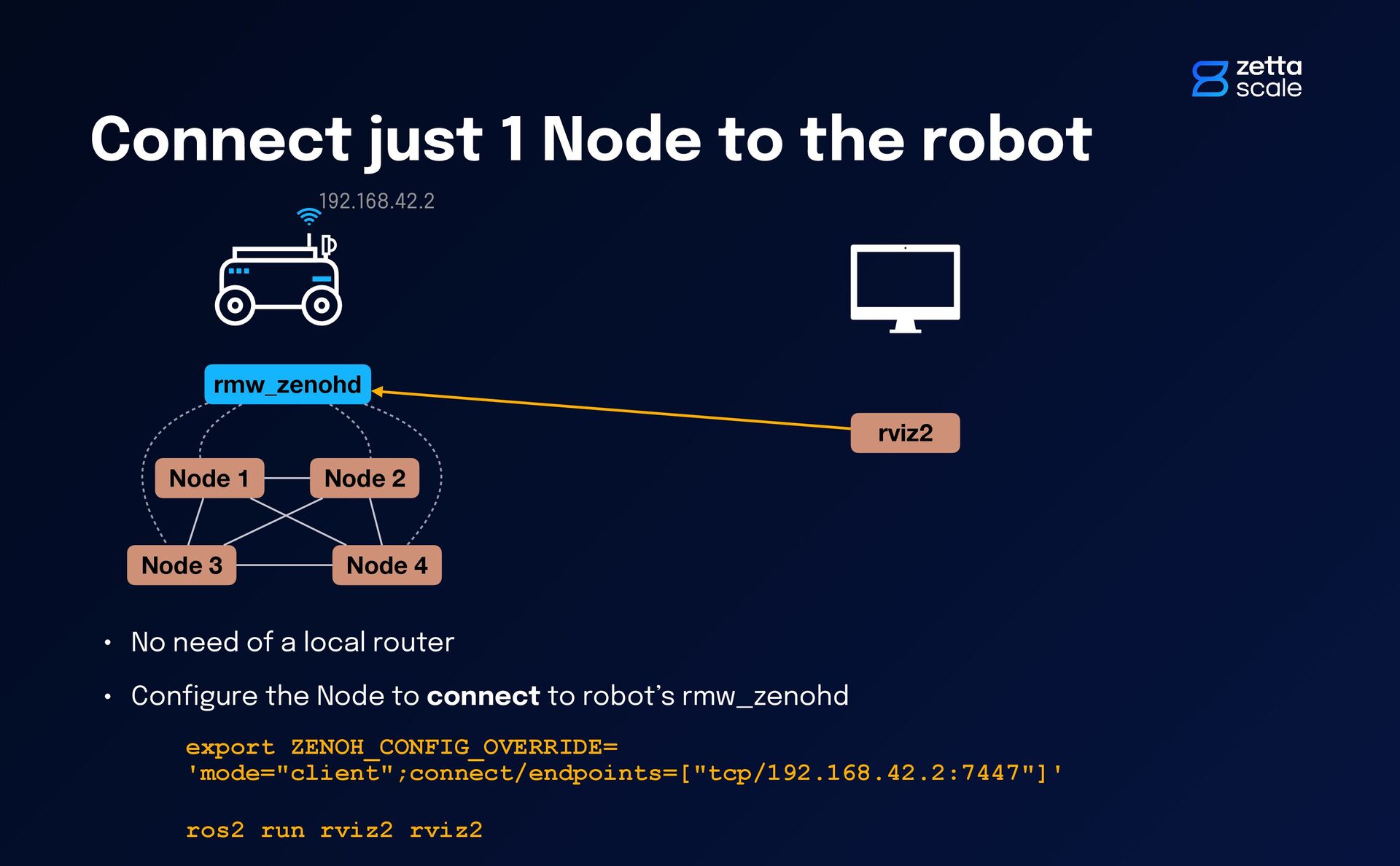
2 Node 3 Node 4 rmw_zenohd rviz2 192.168.42.2 • No need of a local router • Con fi gure the Node to connect to robot’s rmw_zenohd export ZENOH_CONFIG_OVERRIDE= 'mode="client";connect/endpoints=["tcp/192.168.42.2:7447"]' ros2 run rviz2 rviz2
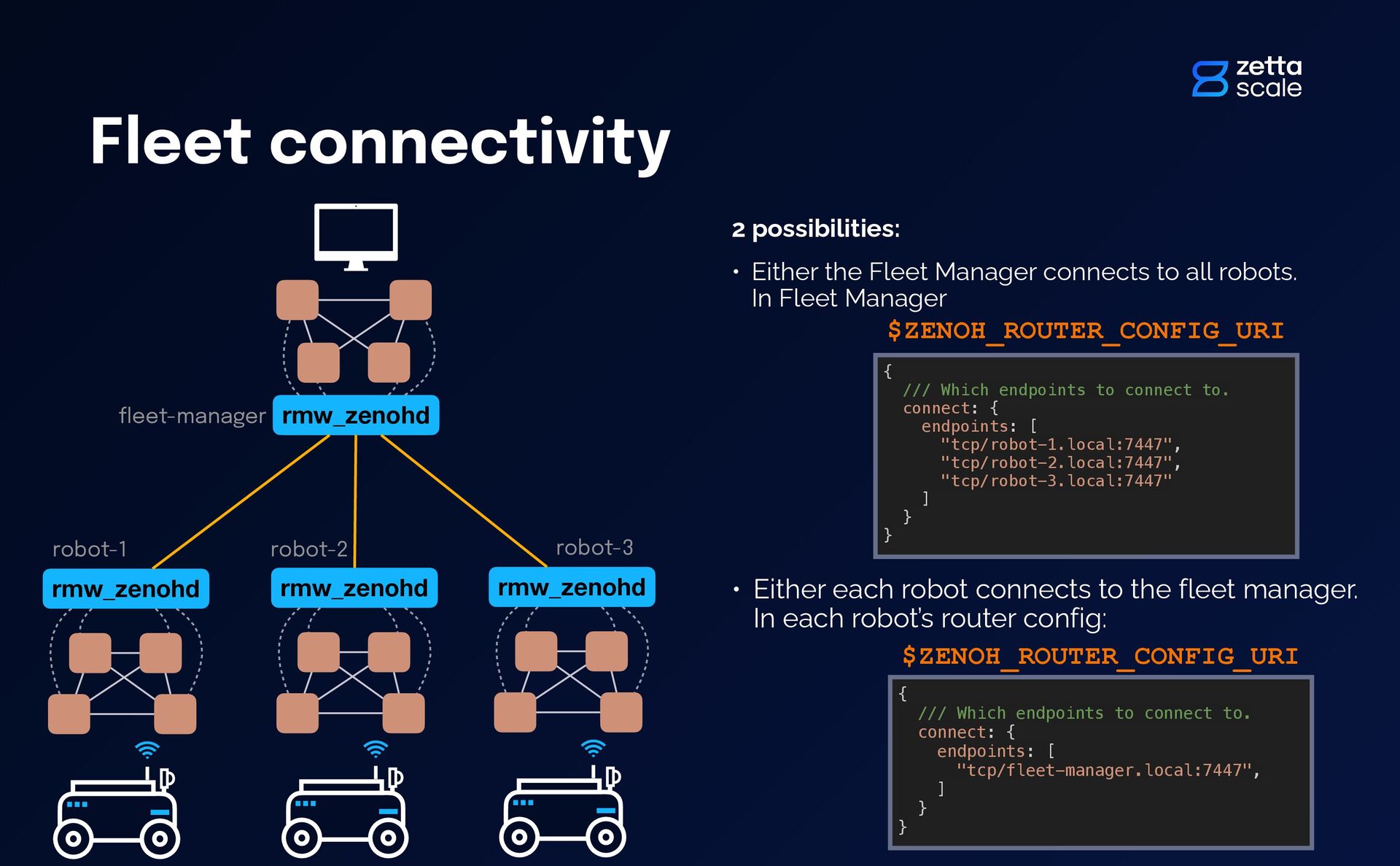
Either the Fleet Manager connects to all robots. In Fleet Manager • Either each robot connects to the fleet manager. In each robot’s router config: { /// Which endpoints to connect to. connect: { endpoints: [ "tcp/robot-1.local:7447", "tcp/robot-2.local:7447", "tcp/robot-3.local:7447" ] } } $ZENOH_ROUTER_CONFIG_URI { /// Which endpoints to connect to. connect: { endpoints: [ "tcp/fleet-manager.local:7447", ] } } $ZENOH_ROUTER_CONFIG_URI robot-2 robot-3 fl eet-manager
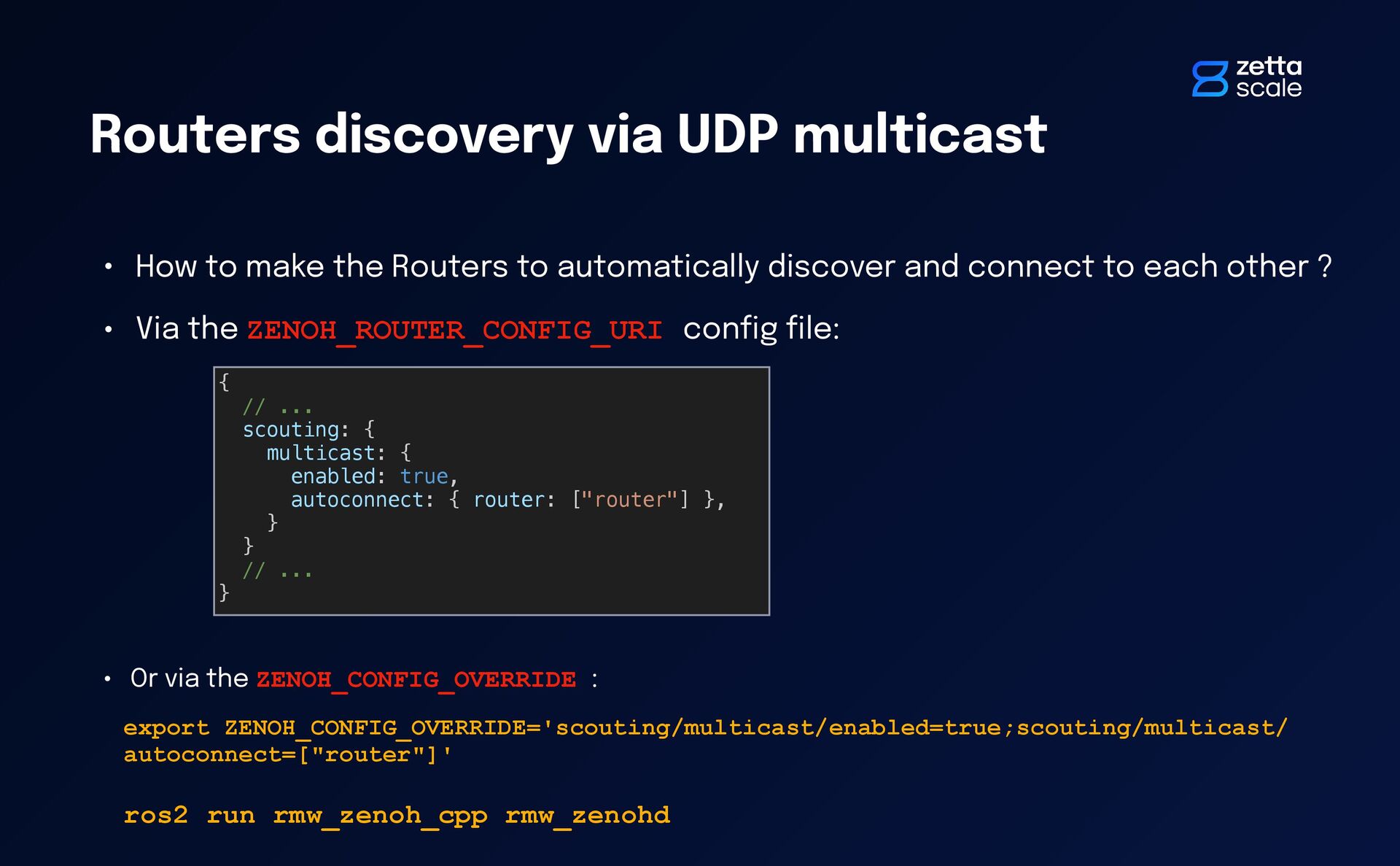
Routers to automatically discover and connect to each other ? • Via the ZENOH_ROUTER_CONFIG_URI con fi g fi le: { // ... scouting: { multicast: { enabled: true, autoconnect: { router: ["router"] }, } } // ... } • Or via the ZENOH_CONFIG_OVERRIDE : export ZENOH_CONFIG_OVERRIDE='scouting/multicast/enabled=true;scouting/multicast/ autoconnect=["router"]' ros2 run rmw_zenoh_cpp rmw_zenohd
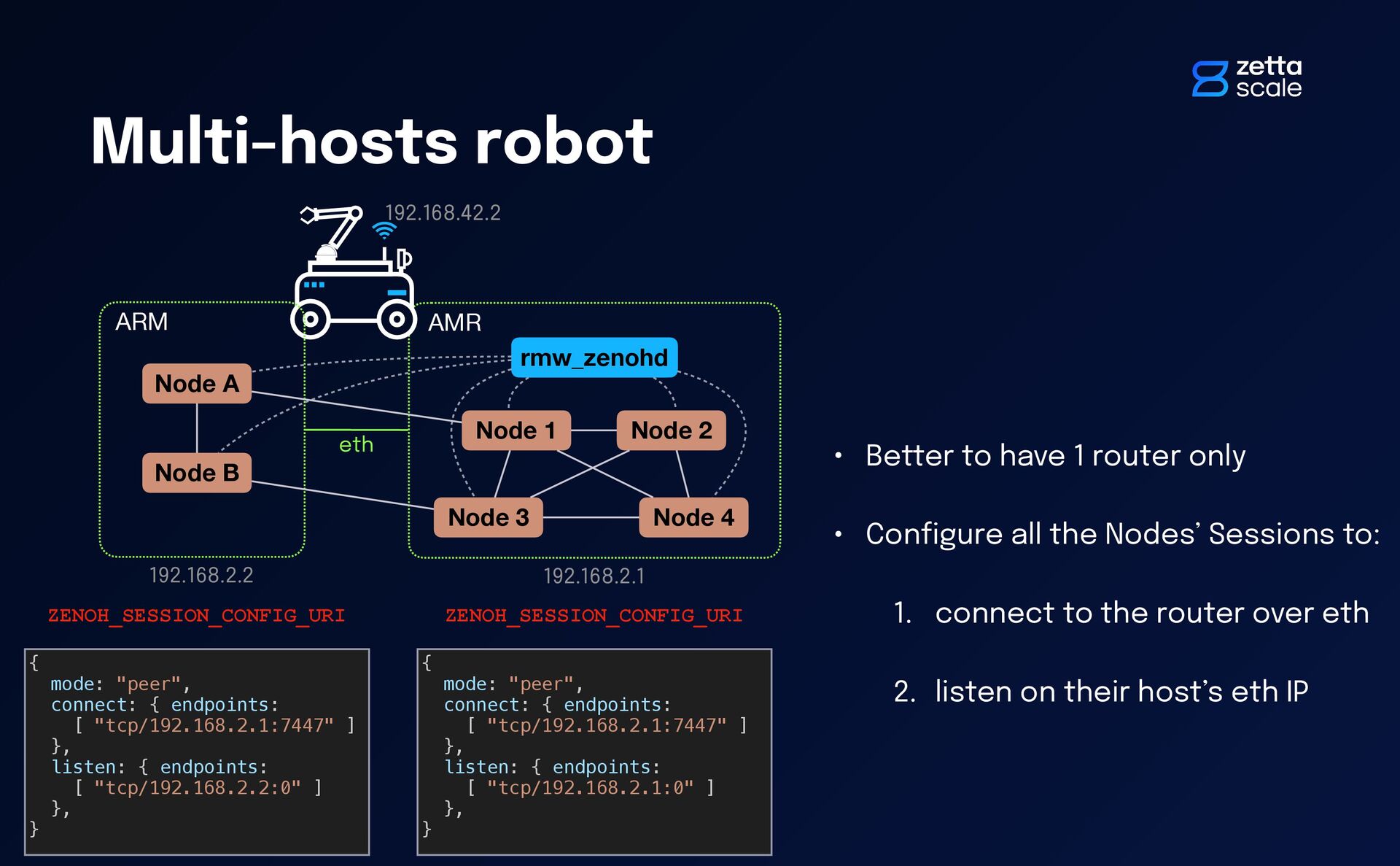
4 rmw_zenohd ARM eth Node A Node B • Better to have 1 router only • Con fi gure all the Nodes’ Sessions to: 1. connect to the router over eth 2. listen on their host’s eth IP 192.168.42.2 192.168.2.1 192.168.2.2 { mode: "peer", connect: { endpoints: [ "tcp/192.168.2.1:7447" ] }, listen: { endpoints: [ "tcp/192.168.2.2:0" ] }, } { mode: "peer", connect: { endpoints: [ "tcp/192.168.2.1:7447" ] }, listen: { endpoints: [ "tcp/192.168.2.1:0" ] }, } ZENOH_SESSION_CONFIG_URI ZENOH_SESSION_CONFIG_URI
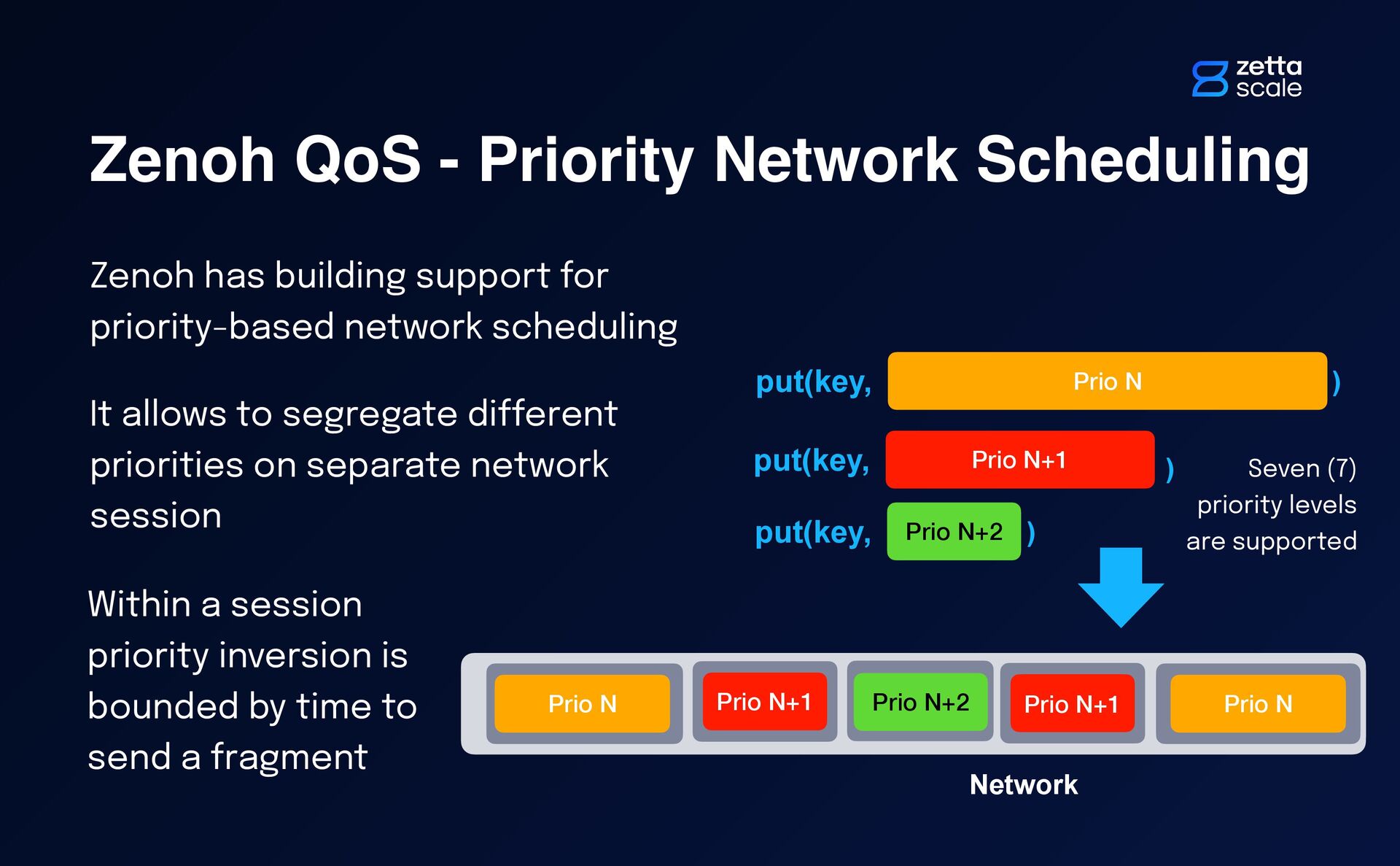
for priority-based network scheduling It allows to segregate di ff erent priorities on separate network session put(key, Prio N ) put(key, Prio N+1 ) Network … Prio N Prio N put(key, Prio N+2 ) Prio N+2 Prio N+1 Prio N+1 Seven (7) priority levels are supported Within a session priority inversion is bounded by time to send a fragment
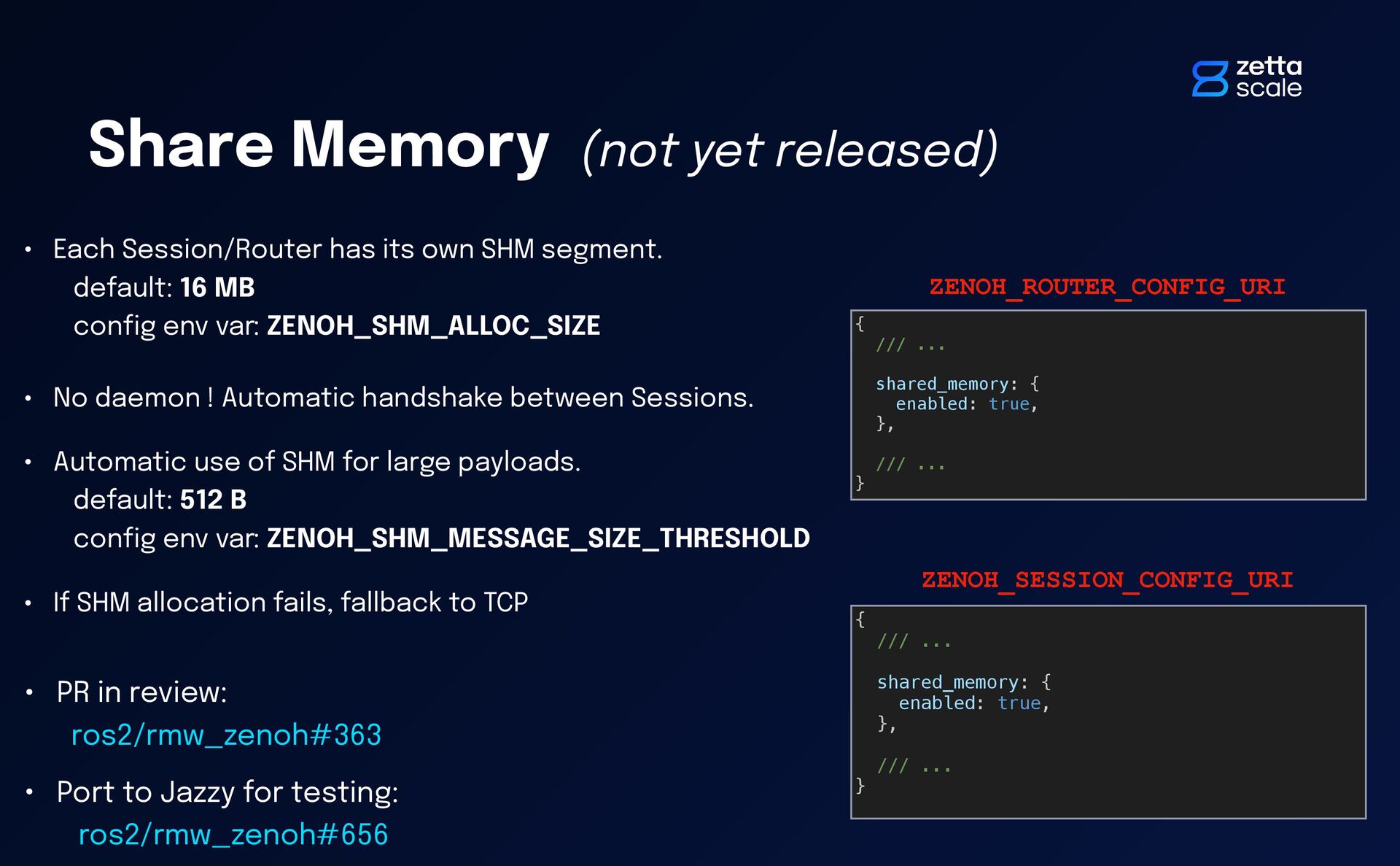
testing: ros2/rmw_zenoh#656 Share Memory (not yet released) { /// ... shared_memory: { enabled: true, }, /// ... } ZENOH_ROUTER_CONFIG_URI { /// ... shared_memory: { enabled: true, }, /// ... } ZENOH_SESSION_CONFIG_URI • Each Session/Router has its own SHM segment. default: 16 MB con fi g env var: ZENOH_SHM_ALLOC_SIZE • No daemon ! Automatic handshake between Sessions. • Automatic use of SHM for large payloads. default: 512 B con fi g env var: ZENOH_SHM_MESSAGE_SIZE_THRESHOLD • If SHM allocation fails, fallback to TCP


 julienenoch
 genda
genda
 tomokusaba
 pfn
pfn
 koukihosaka
 gogutan
 terapyon
 kakehashi
 mohab1
 satomasahiro2005
 prog893
 gionn
gionn
 moznion
 tammyeverts
 takai
takai
 livdayseo
 aleyda
 kevinliebholz
 aarron
 raygrieselhuber
 bkeepers
 cassininazir
 akademiya2063
 ivargrimstad
 axbom
axbom