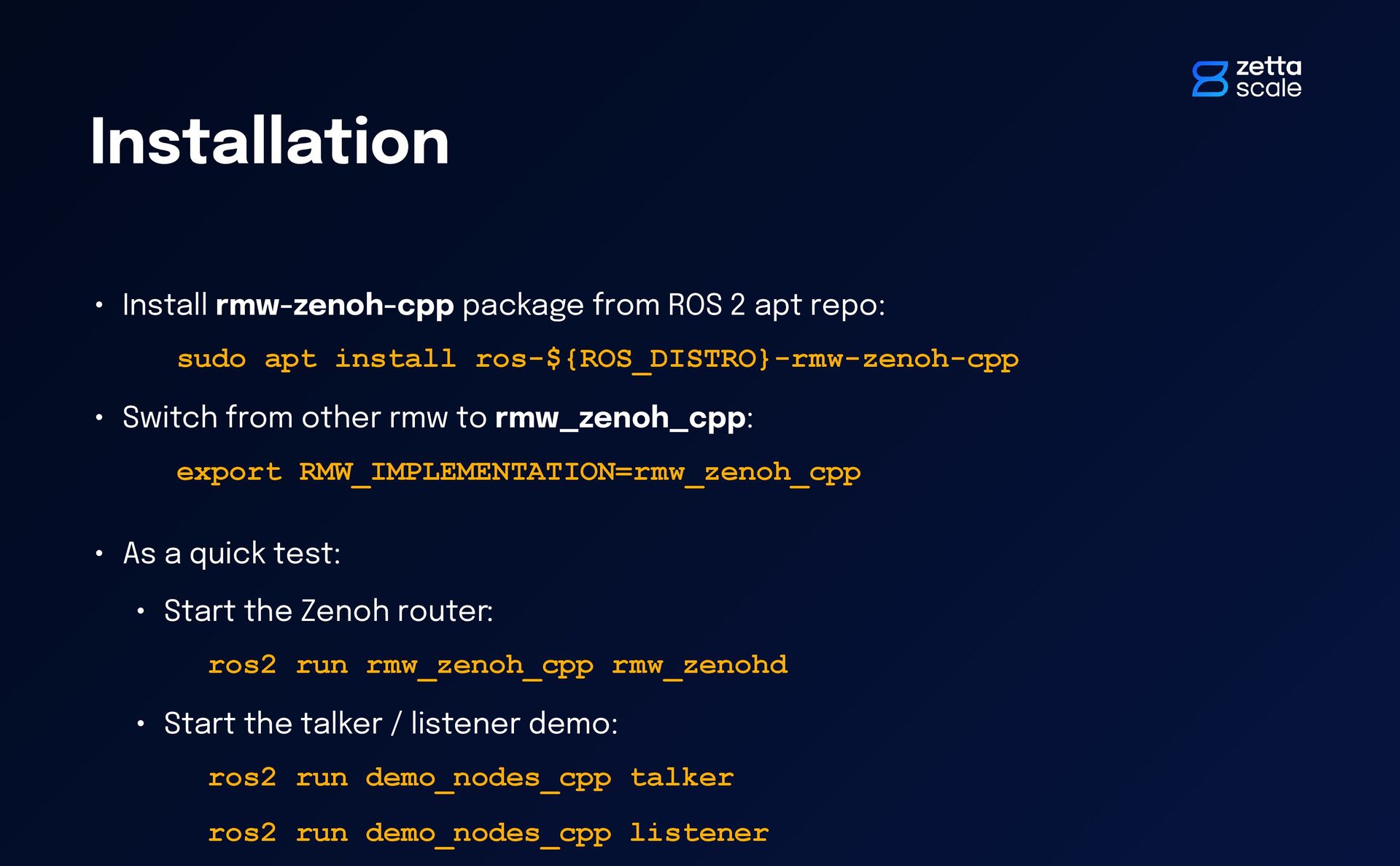
sudo apt install ros-${ROS_DISTRO}-rmw-zenoh-cpp • Switch from other rmw to rmw_zenoh_cpp: export RMW_IMPLEMENTATION=rmw_zenoh_cpp • As a quick test: • Start the Zenoh router: ros2 run rmw_zenoh_cpp rmw_zenohd • Start the talker / listener demo: ros2 run demo_nodes_cpp talker ros2 run demo_nodes_cpp listener
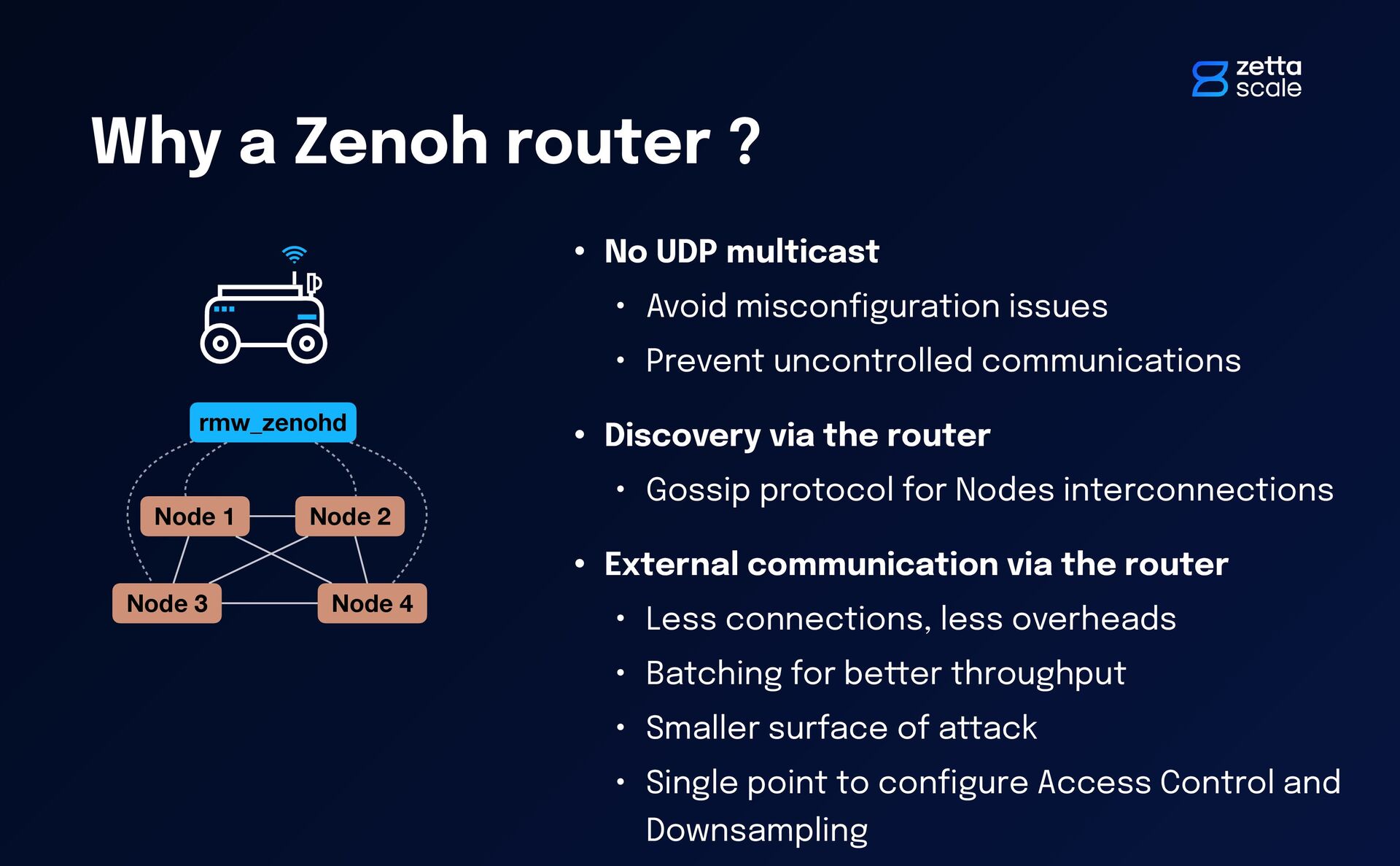
Avoid miscon fi guration issues • Prevent uncontrolled communications • Discovery via the router • Gossip protocol for Nodes interconnections • External communication via the router • Less connections, less overheads • Batching for better throughput • Smaller surface of attack • Single point to con fi gure Access Control and Downsampling Node 1 Node 2 Node 3 Node 4 rmw_zenohd
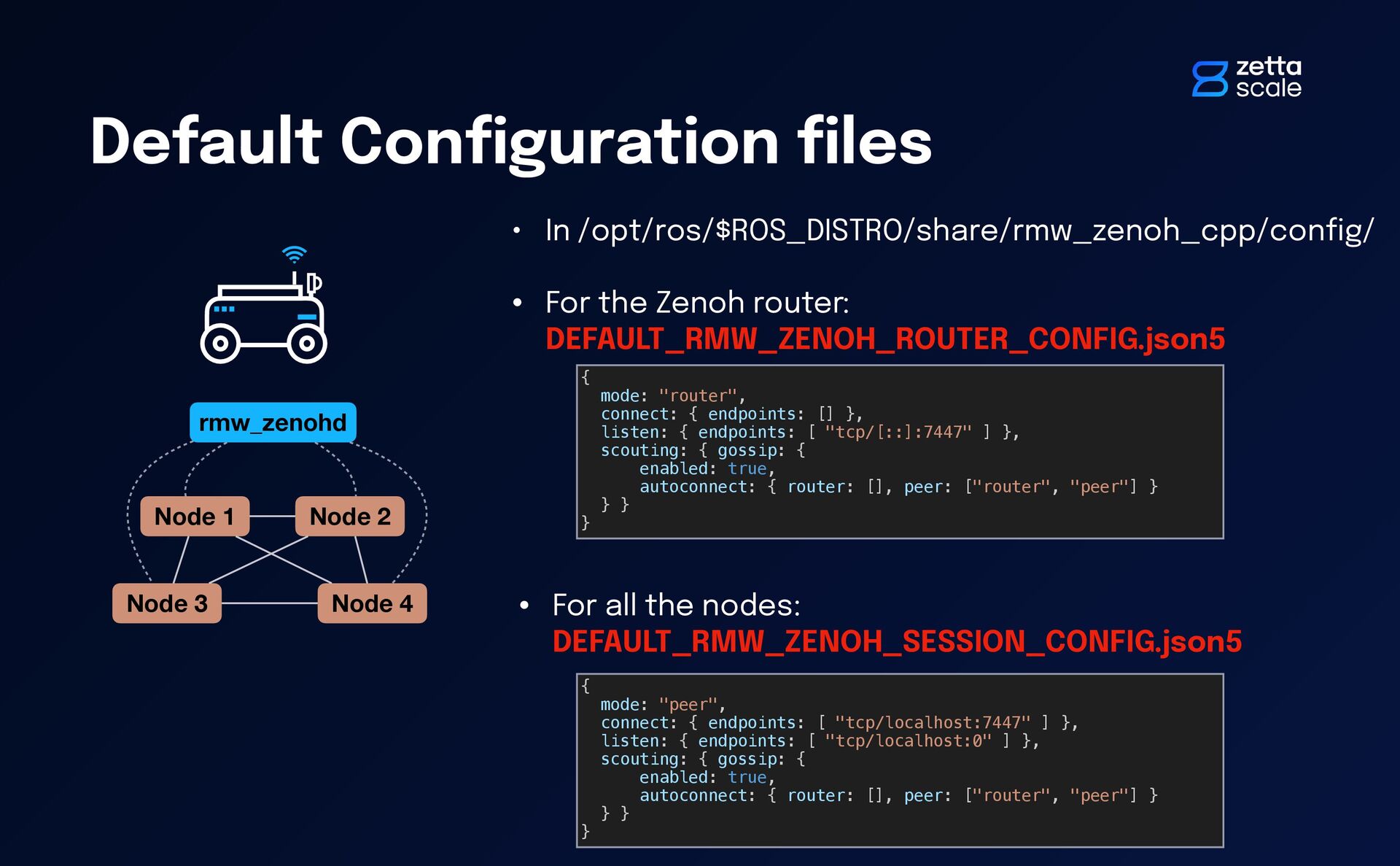
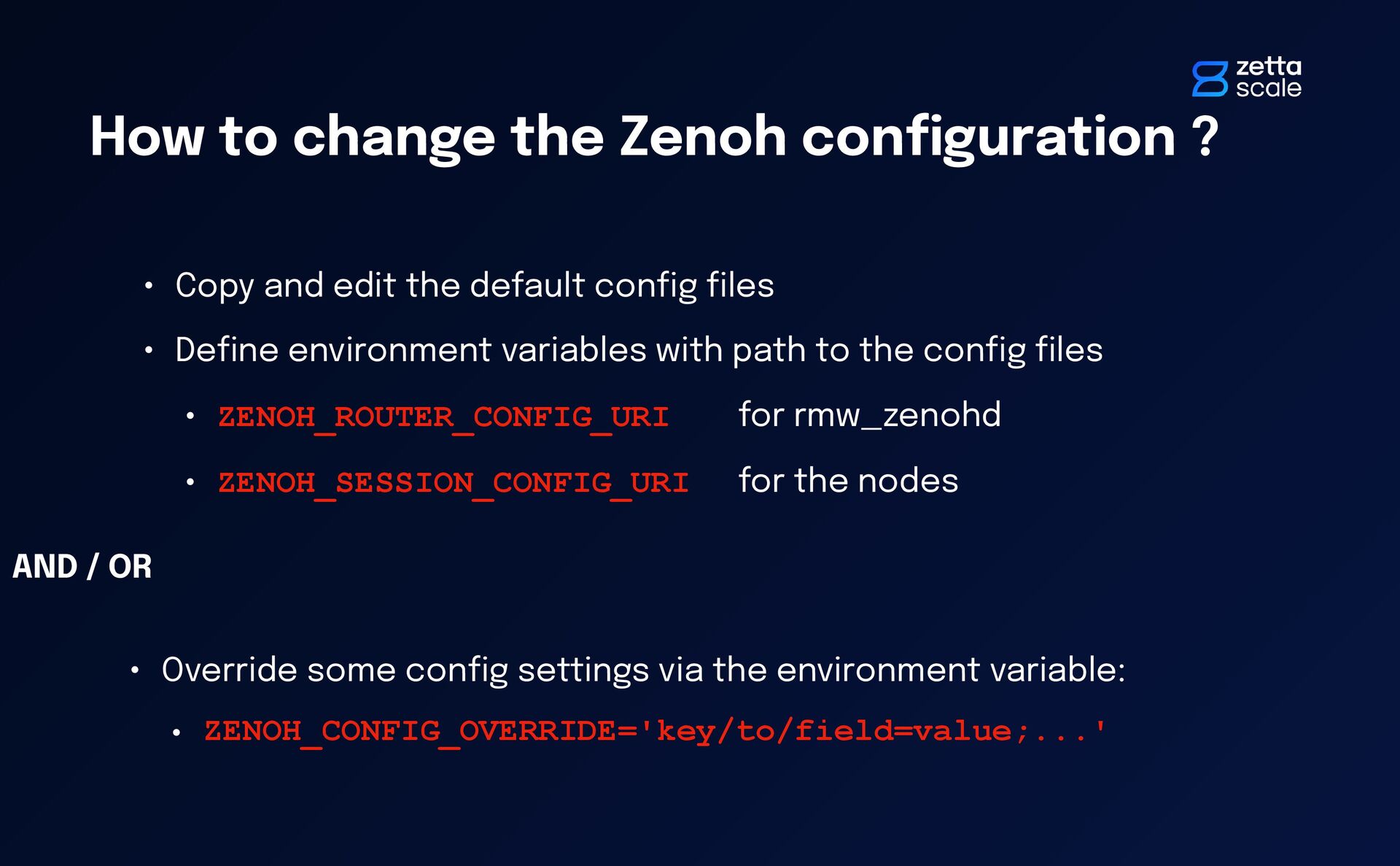
Copy and edit the default con fi g fi les • De fi ne environment variables with path to the con fi g fi les • ZENOH_ROUTER_CONFIG_URI for rmw_zenohd • ZENOH_SESSION_CONFIG_URI for the nodes • Override some con fi g settings via the environment variable: • ZENOH_CONFIG_OVERRIDE='key/to/field=value;...' AND / OR
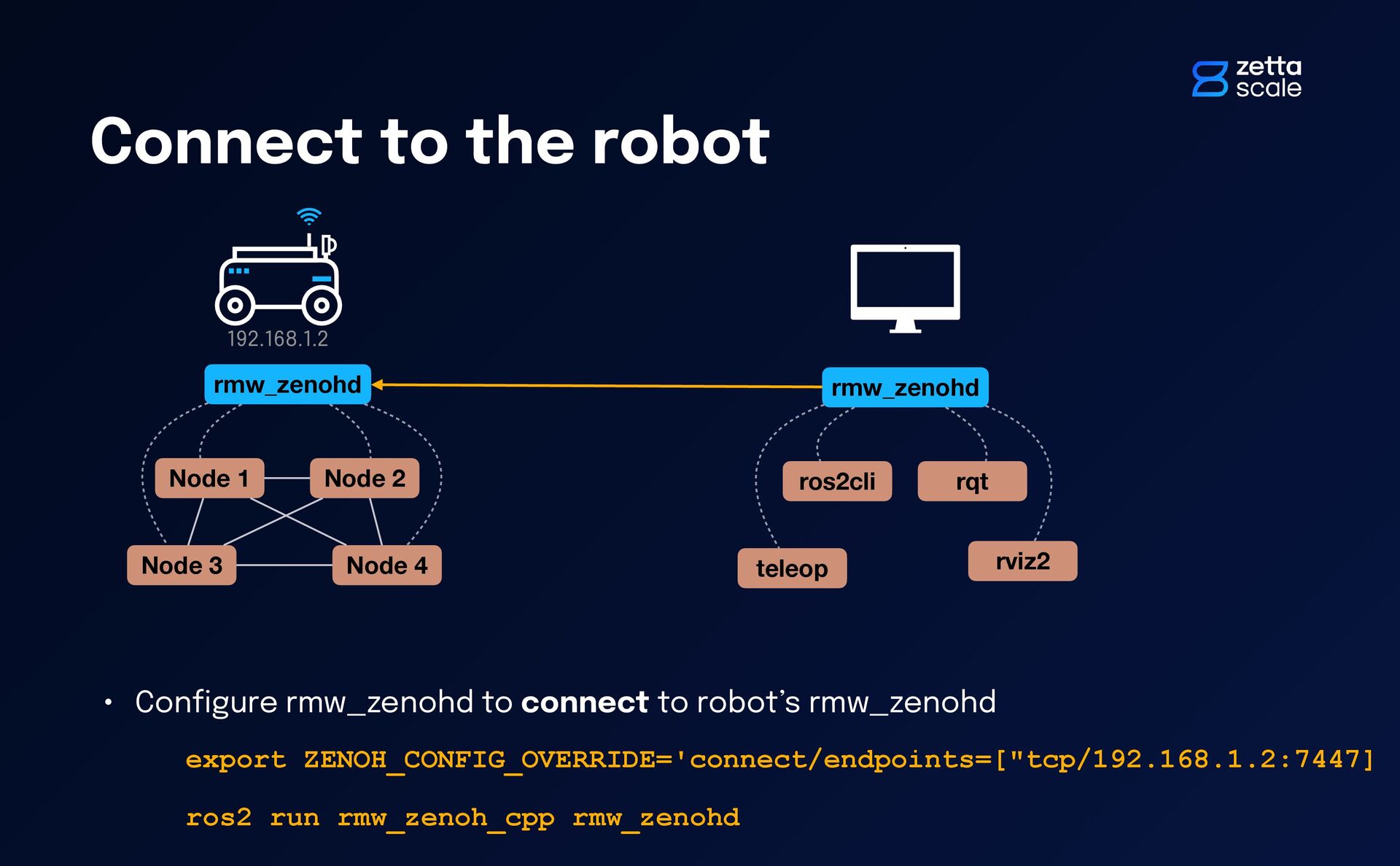
Node 4 rmw_zenohd rmw_zenohd ros2cli rqt teleop rviz2 192.168.1.2 • Con fi gure rmw_zenohd to connect to robot’s rmw_zenohd export ZENOH_CONFIG_OVERRIDE='connect/endpoints=["tcp/192.168.1.2:7447] ros2 run rmw_zenoh_cpp rmw_zenohd
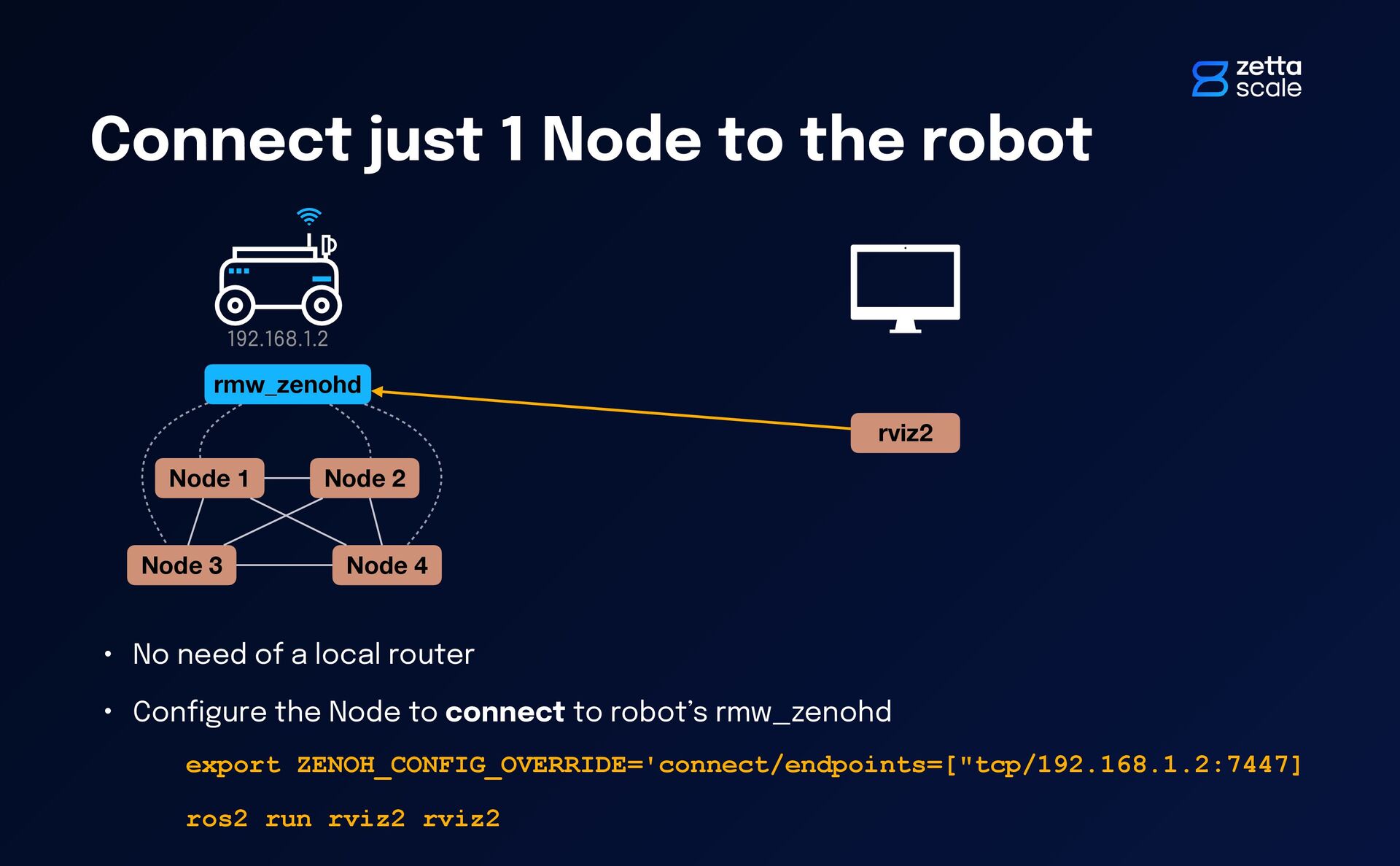
2 Node 3 Node 4 rmw_zenohd rviz2 192.168.1.2 • No need of a local router • Con fi gure the Node to connect to robot’s rmw_zenohd export ZENOH_CONFIG_OVERRIDE='connect/endpoints=["tcp/192.168.1.2:7447] ros2 run rviz2 rviz2
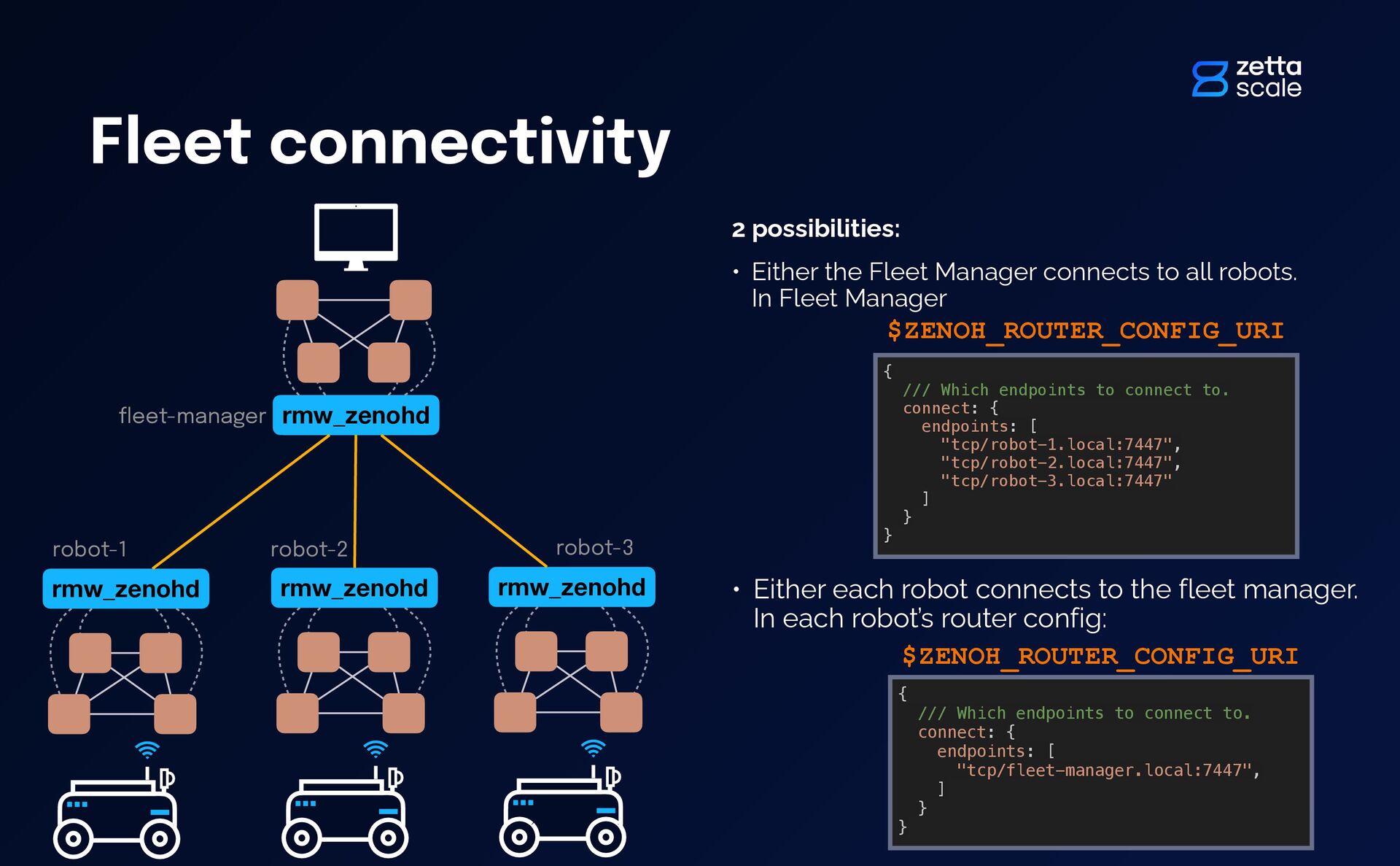
Either the Fleet Manager connects to all robots. In Fleet Manager • Either each robot connects to the fleet manager. In each robot’s router config: { /// Which endpoints to connect to. connect: { endpoints: [ "tcp/robot-1.local:7447", "tcp/robot-2.local:7447", "tcp/robot-3.local:7447" ] } } $ZENOH_ROUTER_CONFIG_URI { /// Which endpoints to connect to. connect: { endpoints: [ "tcp/fleet-manager.local:7447", ] } } $ZENOH_ROUTER_CONFIG_URI robot-2 robot-3 fl eet-manager
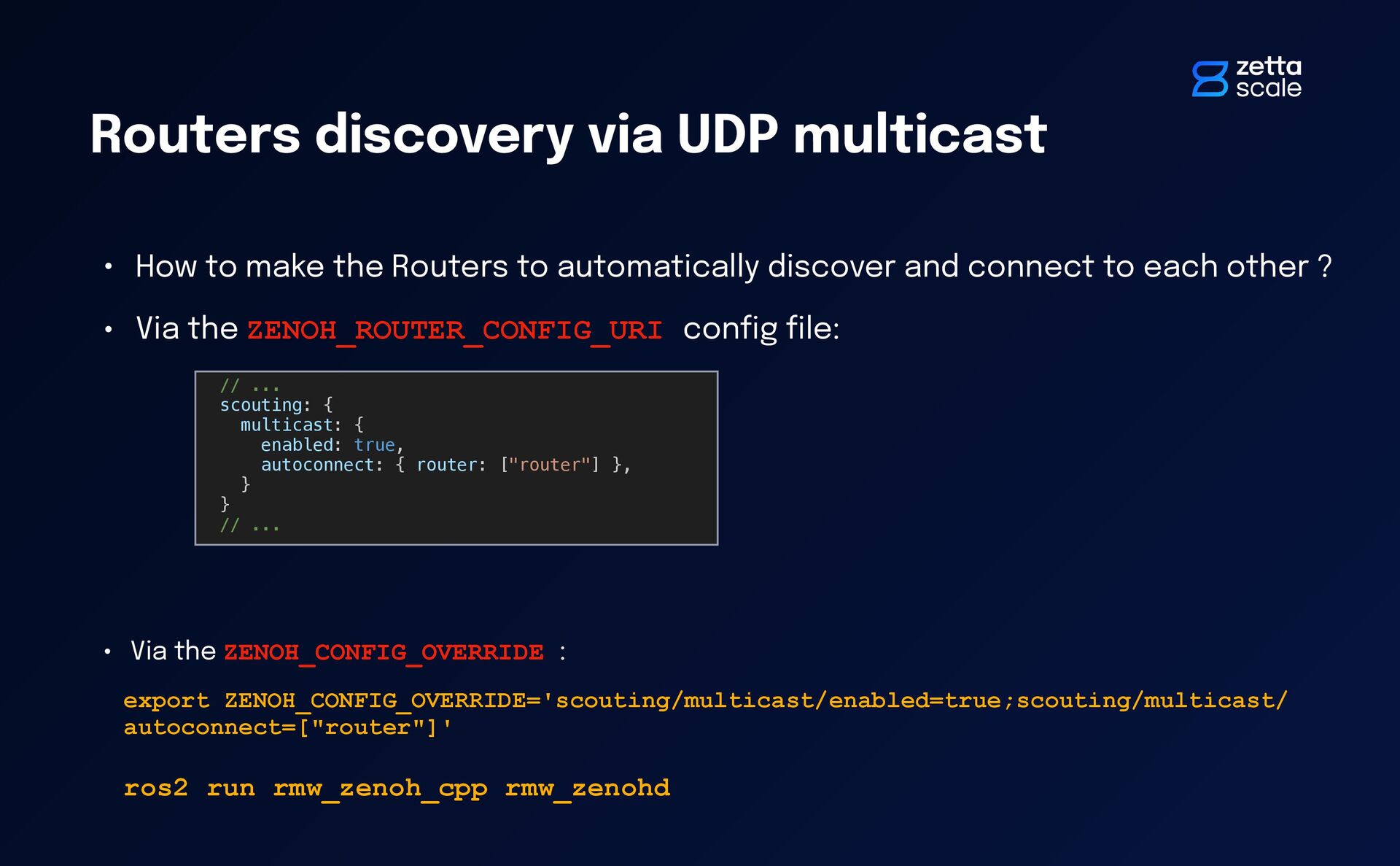
Routers to automatically discover and connect to each other ? • Via the ZENOH_ROUTER_CONFIG_URI con fi g fi le: // ... scouting: { multicast: { enabled: true, autoconnect: { router: ["router"] }, } } // ... • Via the ZENOH_CONFIG_OVERRIDE : export ZENOH_CONFIG_OVERRIDE='scouting/multicast/enabled=true;scouting/multicast/ autoconnect=["router"]' ros2 run rmw_zenoh_cpp rmw_zenohd
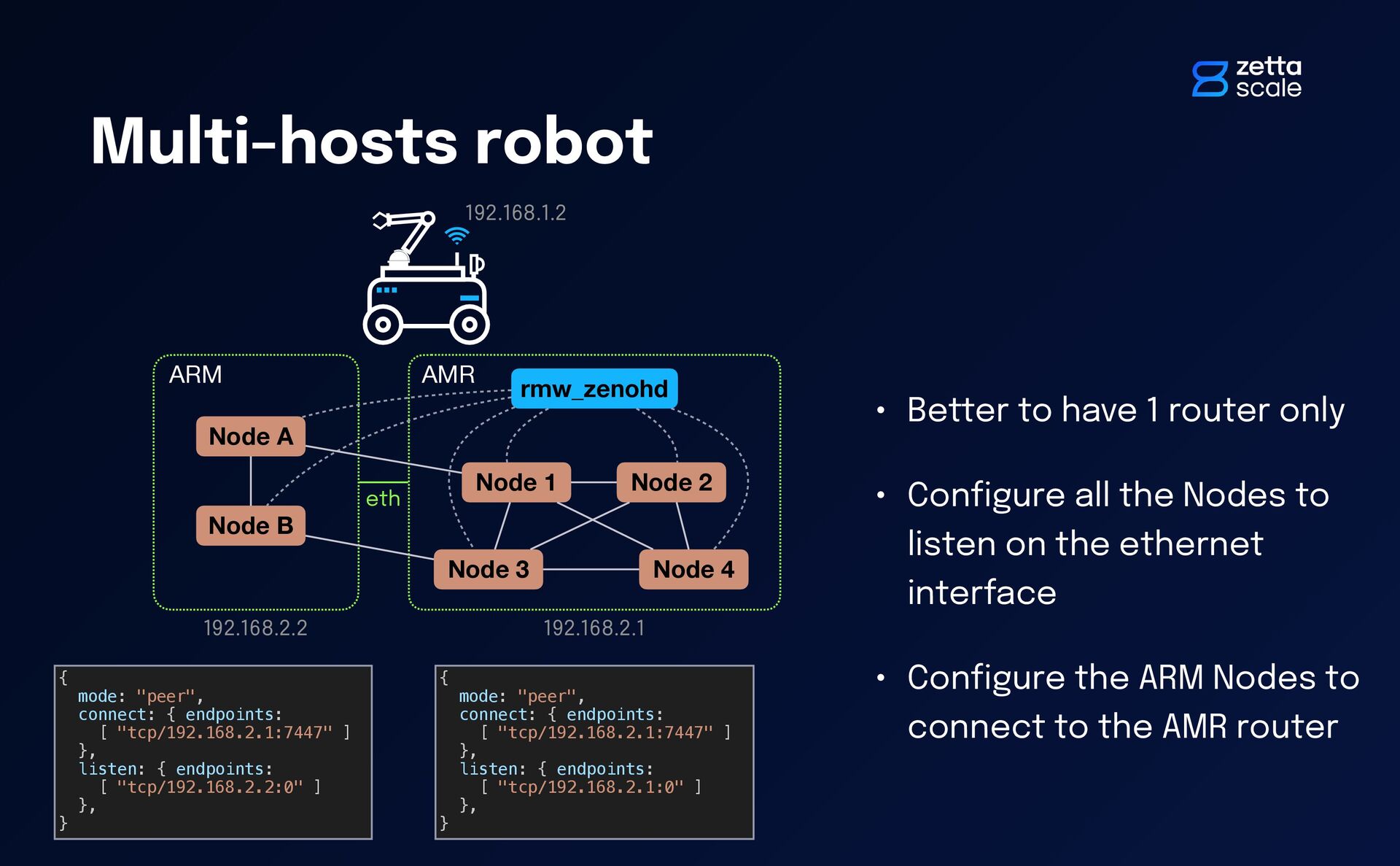
4 rmw_zenohd ARM eth Node A Node B • Better to have 1 router only • Con fi gure all the Nodes to listen on the ethernet interface • Con fi gure the ARM Nodes to connect to the AMR router 192.168.1.2 192.168.2.1 192.168.2.2 { mode: "peer", connect: { endpoints: [ "tcp/192.168.2.1:7447" ] }, listen: { endpoints: [ "tcp/192.168.2.2:0" ] }, } { mode: "peer", connect: { endpoints: [ "tcp/192.168.2.1:7447" ] }, listen: { endpoints: [ "tcp/192.168.2.1:0" ] }, }


 julienenoch
 pfn
pfn
 camiha
 ivry_presentationmaterials
 kenichiodo
 endonanana
 jtakeda
 recruitengineers
 ezaki
ezaki
 codmoninc
 rfdnxbro
 yu23ki14
 kizawa2020
 portentint
 wayneb77
 mza
mza
 chriscoyier
 rkendrick25
 mclloyd
 pedronauck
 tammyeverts
 bethany
 aleyda
 frankvandijk
 eileencodes