Upgrade to Pro
— share decks privately, control downloads, hide ads and more …
Speaker Deck
Sign up for free
Menu
Search
Features
All features
Private URLs
Password Protection
Custom URLS
Scheduled publishing
Remove Branding
Restrict embedding
Deck Collections
Notes
Features
All features
Private URLs
Password Protection
Custom URLS
Scheduled publishing
Remove Branding
Restrict embedding
Deck Collections
Notes
Explore
Featured decks
Featured speakers
Programming
Technology
Storyboards
Explore
Featured decks
Featured speakers
Programming
Technology
Storyboards
Pricing
Search
Sign in
Sign up for free
Firebase ML Kit for iOS Developer
Search
Kajornsak Peerapathananont
October 07, 2018
Technology
96
0
Share
Embed
Copy iframe code
Copy JS code
Copy link
Start on current slide
Firebase ML Kit for iOS Developer
Firebase Dev Day 2018 @Bangkok, Thailand
Kajornsak Peerapathananont
October 07, 2018
More Decks by Kajornsak Peerapathananont
See All by Kajornsak Peerapathananont
Full-Stack Development with FlutterFire
kajornsakp
0
38
How to build native-experience with cross-platform
kajornsakp
0
46
Understanding your Android build
kajornsakp
0
68
iOSDevTH #21
kajornsakp
0
65
What's new in Flutter (Google I/O Extended Bangkok 22)
kajornsakp
0
100
Mobile Design System at scale
kajornsakp
0
160
What's new in Flutter 2020
kajornsakp
0
94
Mobile Machine Learning for All Skill Levels
kajornsakp
0
54
What's new in Flutter 1.9
kajornsakp
0
72
Other Decks in Technology
See All in Technology
ハードウェアコンペでもAI駆動開発が進んでいる話
iotengineer22
1
640
[AWS 秋のクラウドオペレーション祭り 2026]AWS DevOps Agentで変わる リリースと運用対応 ~リリース管理機能と Directed actions のご紹介~
furuton
4
1.1k
AI駆動開発の時代になったのでトヨタ生産方式から見直す
terurou
6
5.5k
AI駆動開発、viviONの1年 ── うまくいったこと・いかなかったこと
vivion
0
280
実践! SRE × AI - ABEMA における AIOps -
tetsuya28
7
2.5k
おそらく日本で唯一のDevRelインターン生として
husengs7
0
170
購入ドメインでの課題と取り組み
ykagano
0
150
しろおびから始める!ログ活用の第一歩
shumei_ito
0
800
Kiro Crewをはじめよう
kizawa2020
1
110
Deep Data Security 機能解説
oracle4engineer
PRO
2
740
契約書画像からの情報抽出に特化した視覚接地モデルを育てる話
sansantech
PRO
1
160
AI時代だからこそ推したい!Gitコマンド再入門
munakata
0
160
Featured
See All Featured
GraphQLとの向き合い方2022年版
quramy
50
15k
Information Architects: The Missing Link in Design Systems
soysaucechin
1
1.2k
CSS Pre-Processors: Stylus, Less & Sass
bermonpainter
360
31k
Practical Tips for Bootstrapping Information Extraction Pipelines
honnibal
25
2.1k
Fight the Zombie Pattern Library - RWD Summit 2016
marcelosomers
234
18k
Let's Do A Bunch of Simple Stuff to Make Websites Faster
chriscoyier
508
140k
Build your cross-platform service in a week with App Engine
jlugia
234
19k
[SF Ruby Conf 2025] Rails X
palkan
3
1.4k
Kristin Tynski - Automating Marketing Tasks With AI
techseoconnect
PRO
0
540
Bioeconomy Workshop: Dr. Julius Ecuru, Opportunities for a Bioeconomy in West Africa
akademiya2063
PRO
1
400
RailsConf & Balkan Ruby 2019: The Past, Present, and Future of Rails at GitHub
eileencodes
141
35k
Building Flexible Design Systems
yeseniaperezcruz
330
41k
Transcript
ML Kit for iOS developers Kajornsak Peerapathananont Agoda
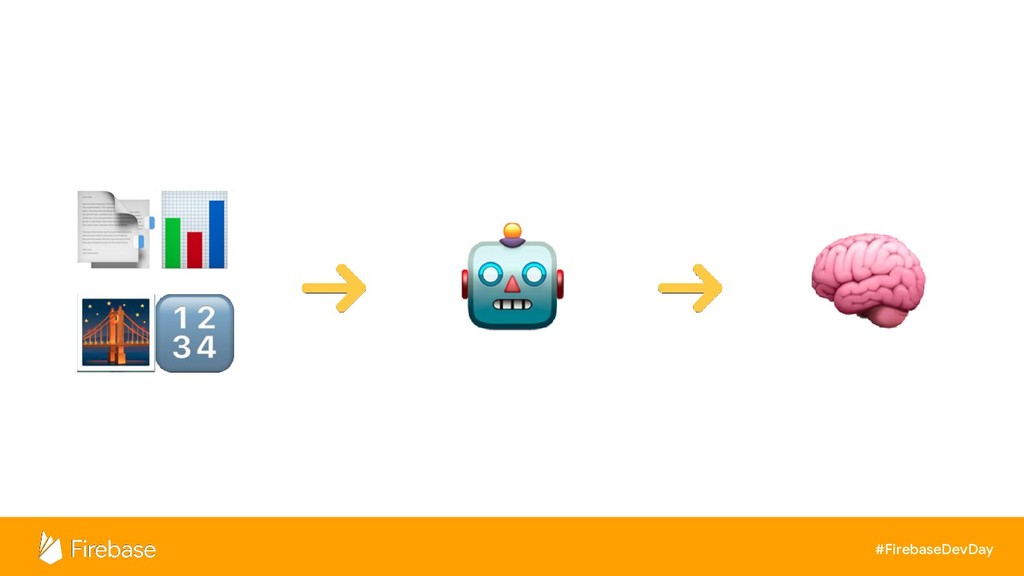
Machine Learning
#FirebaseDevDay
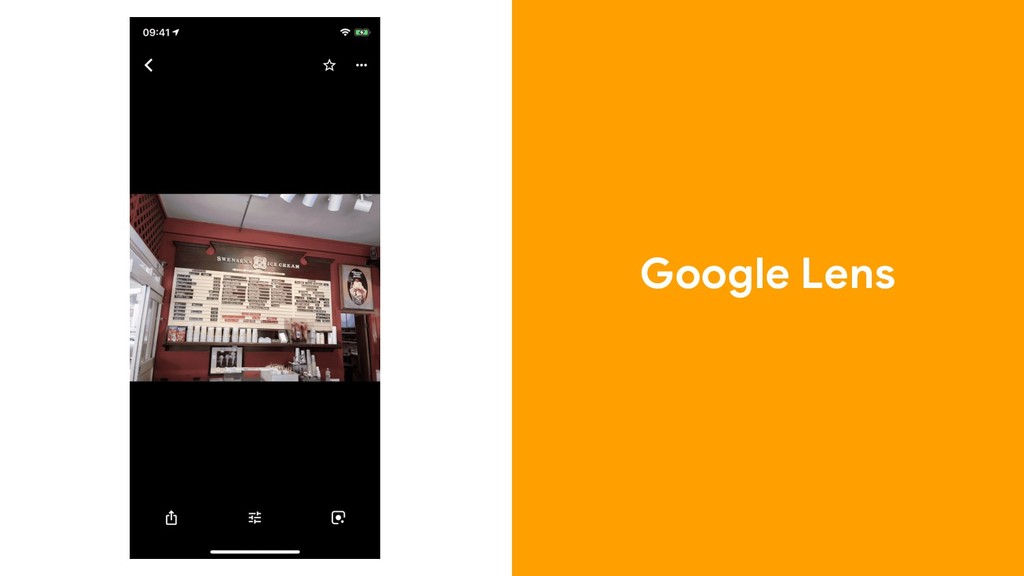
Google Lens
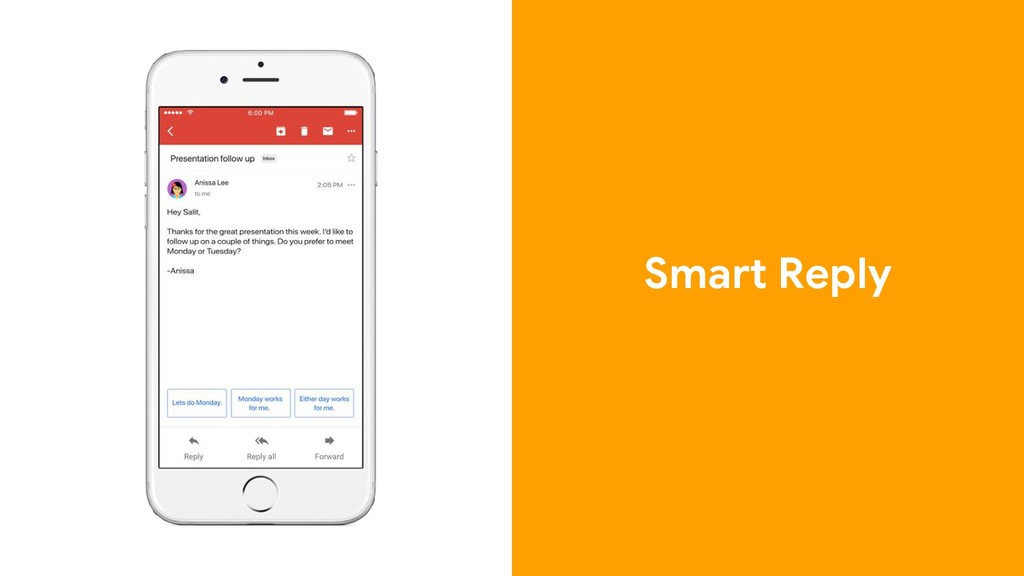
Smart Reply
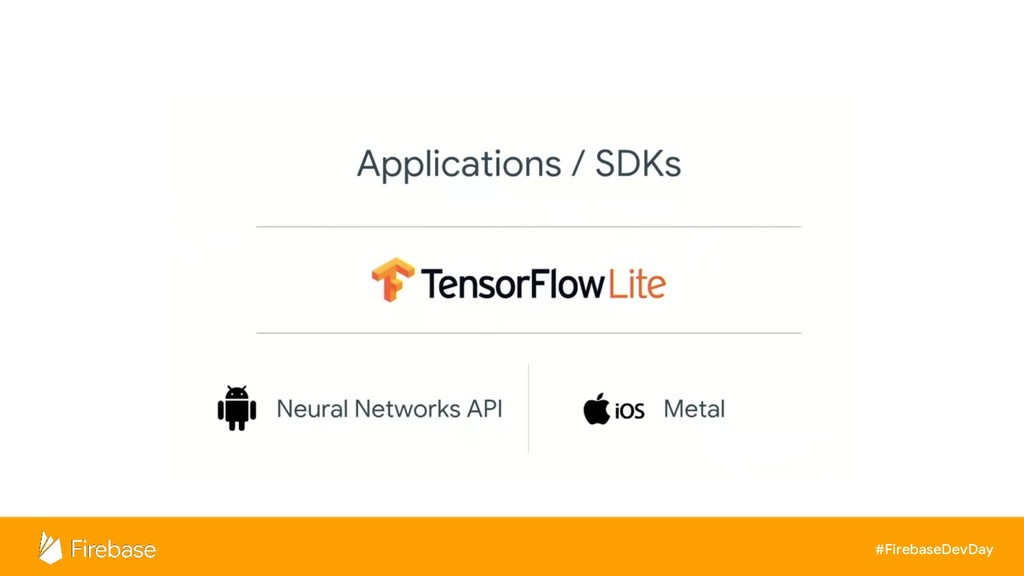
On-device Machine Learning
#FirebaseDevDay Doable, but hard.
#FirebaseDevDay
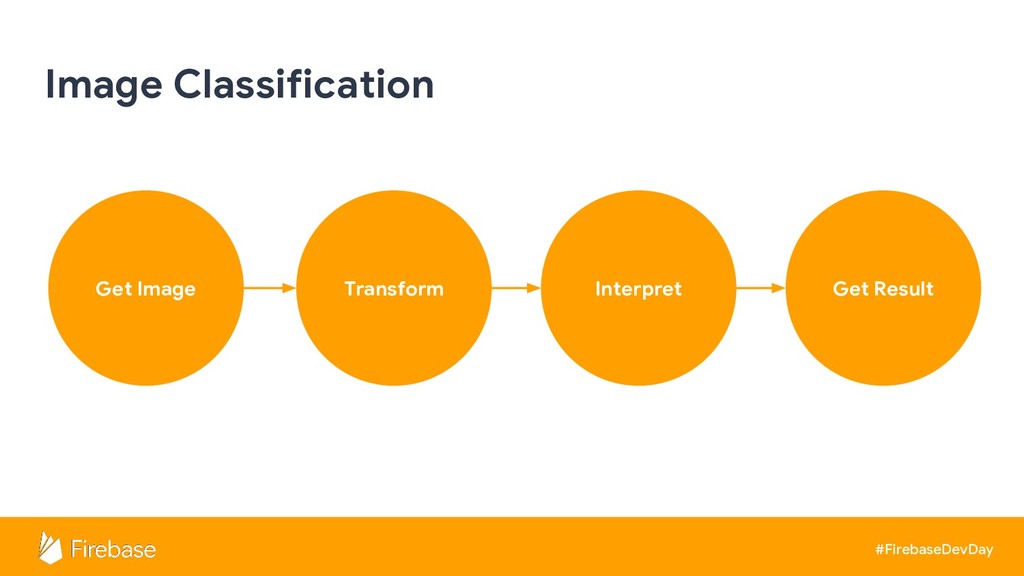
#FirebaseDevDay Get Image Image Classification Transform Interpret Get Result
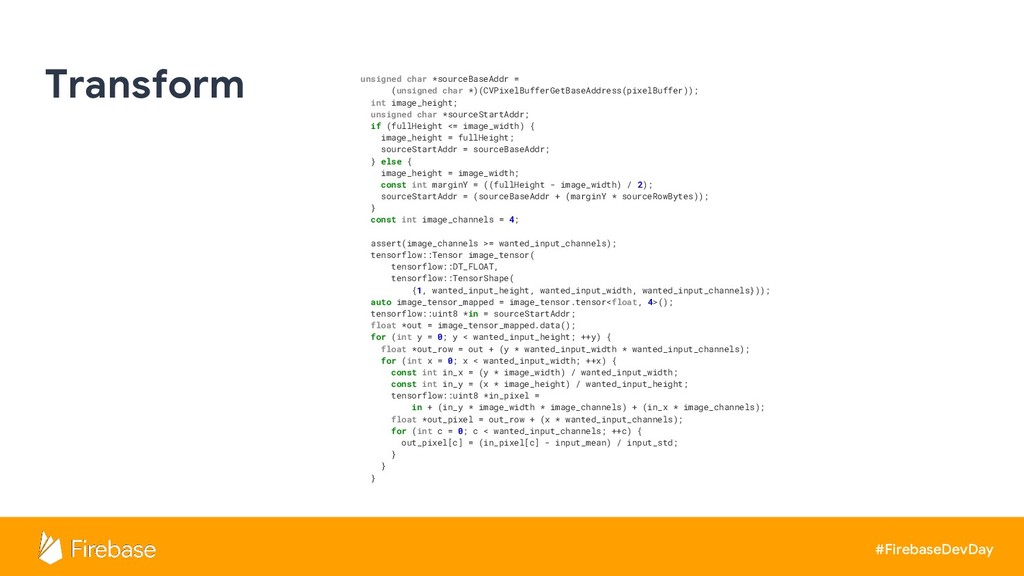
#FirebaseDevDay Transform unsigned char *sourceBaseAddr = (unsigned char *)(CVPixelBufferGetBaseAddress(pixelBuffer)); int
image_height; unsigned char *sourceStartAddr; if (fullHeight <= image_width) { image_height = fullHeight; sourceStartAddr = sourceBaseAddr; } else { image_height = image_width; const int marginY = ((fullHeight - image_width) / 2); sourceStartAddr = (sourceBaseAddr + (marginY * sourceRowBytes)); } const int image_channels = 4; assert(image_channels >= wanted_input_channels); tensorflow::Tensor image_tensor( tensorflow::DT_FLOAT, tensorflow::TensorShape( {1, wanted_input_height, wanted_input_width, wanted_input_channels})); auto image_tensor_mapped = image_tensor.tensor<float, 4>(); tensorflow::uint8 *in = sourceStartAddr; float *out = image_tensor_mapped.data(); for (int y = 0; y < wanted_input_height; ++y) { float *out_row = out + (y * wanted_input_width * wanted_input_channels); for (int x = 0; x < wanted_input_width; ++x) { const int in_x = (y * image_width) / wanted_input_width; const int in_y = (x * image_height) / wanted_input_height; tensorflow::uint8 *in_pixel = in + (in_y * image_width * image_channels) + (in_x * image_channels); float *out_pixel = out_row + (x * wanted_input_channels); for (int c = 0; c < wanted_input_channels; ++c) { out_pixel[c] = (in_pixel[c] - input_mean) / input_std; } } }
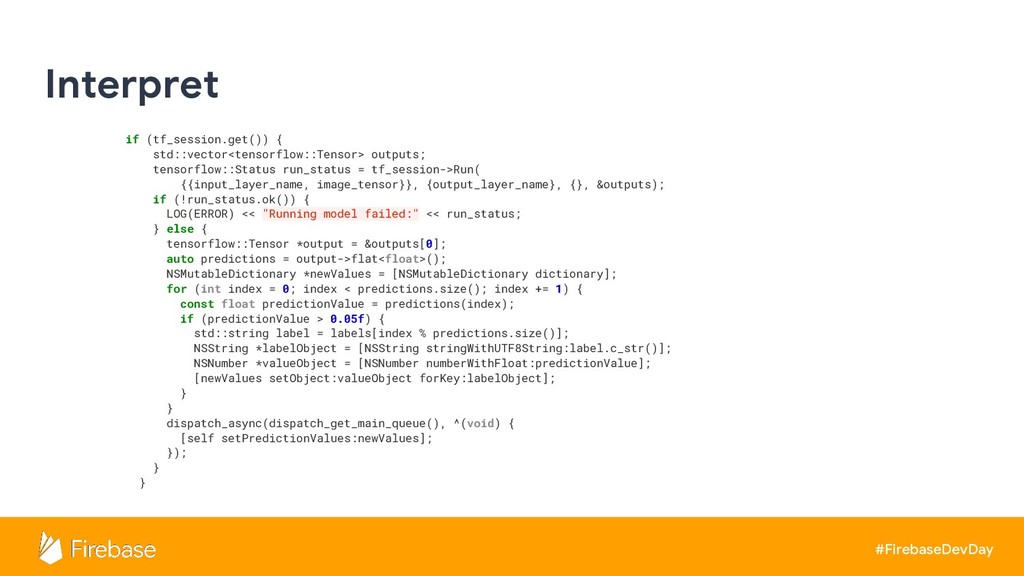
#FirebaseDevDay Interpret if (tf_session.get()) { std::vector<tensorflow::Tensor> outputs; tensorflow::Status run_status =
tf_session->Run( {{input_layer_name, image_tensor}}, {output_layer_name}, {}, &outputs); if (!run_status.ok()) { LOG(ERROR) << "Running model failed:" << run_status; } else { tensorflow::Tensor *output = &outputs[0]; auto predictions = output->flat<float>(); NSMutableDictionary *newValues = [NSMutableDictionary dictionary]; for (int index = 0; index < predictions.size(); index += 1) { const float predictionValue = predictions(index); if (predictionValue > 0.05f) { std::string label = labels[index % predictions.size()]; NSString *labelObject = [NSString stringWithUTF8String:label.c_str()]; NSNumber *valueObject = [NSNumber numberWithFloat:predictionValue]; [newValues setObject:valueObject forKey:labelObject]; } } dispatch_async(dispatch_get_main_queue(), ^(void) { [self setPredictionValues:newValues]; }); } }
None
#FirebaseDevDay
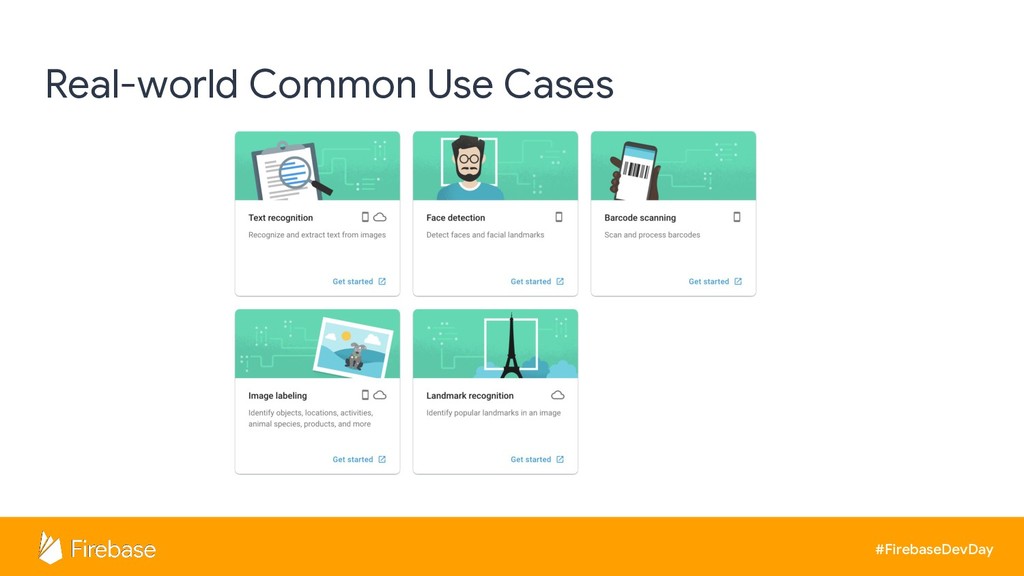
#FirebaseDevDay Real-world Common Use Cases
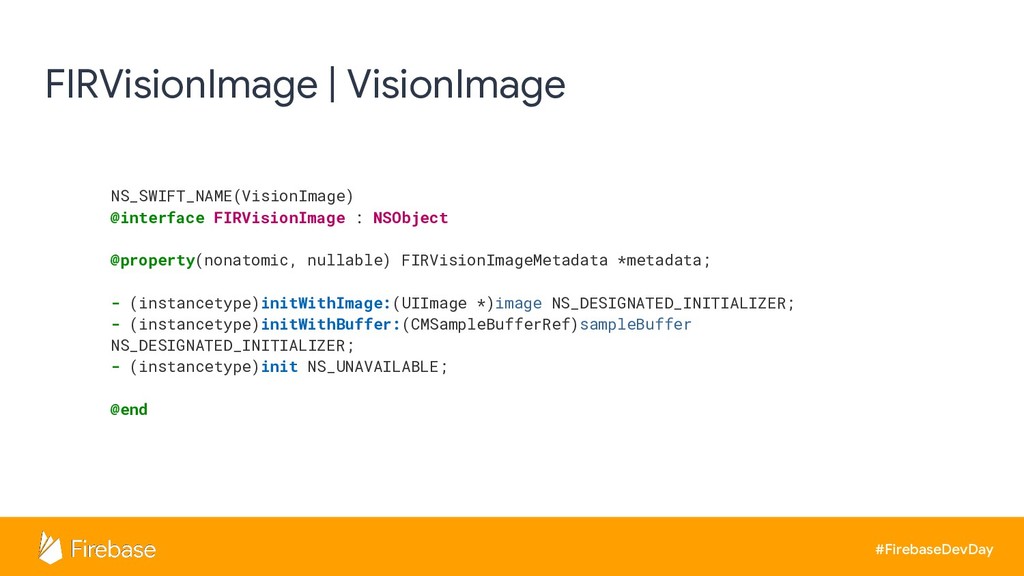
#FirebaseDevDay FIRVisionImage | VisionImage NS_SWIFT_NAME(VisionImage) @interface FIRVisionImage : NSObject @property(nonatomic,
nullable) FIRVisionImageMetadata *metadata; - (instancetype)initWithImage:(UIImage *)image NS_DESIGNATED_INITIALIZER; - (instancetype)initWithBuffer:(CMSampleBufferRef)sampleBuffer NS_DESIGNATED_INITIALIZER; - (instancetype)init NS_UNAVAILABLE; @end
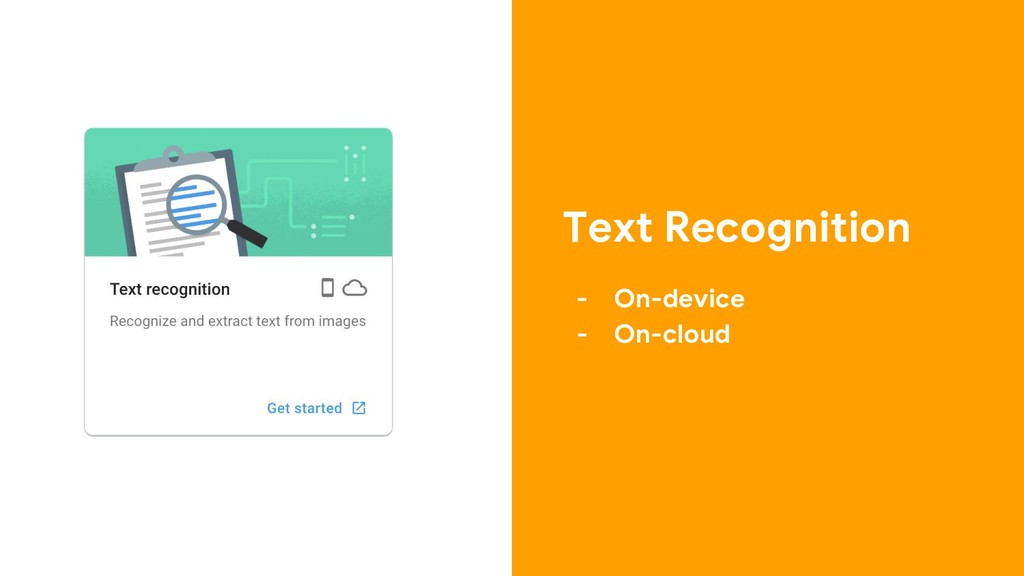
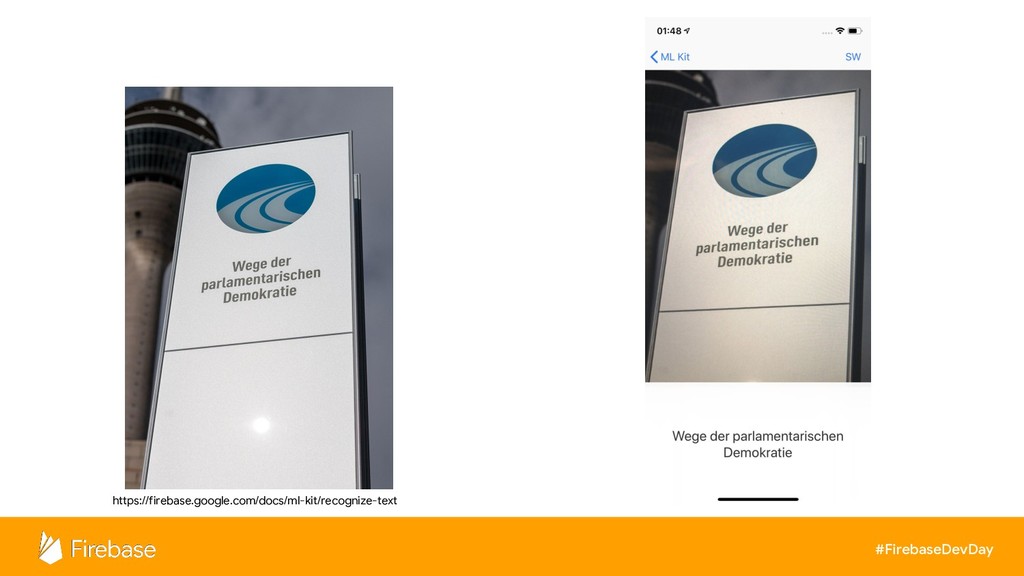
Text Recognition - On-device - On-cloud
#FirebaseDevDay https://firebase.google.com/docs/ml-kit/recognize-text
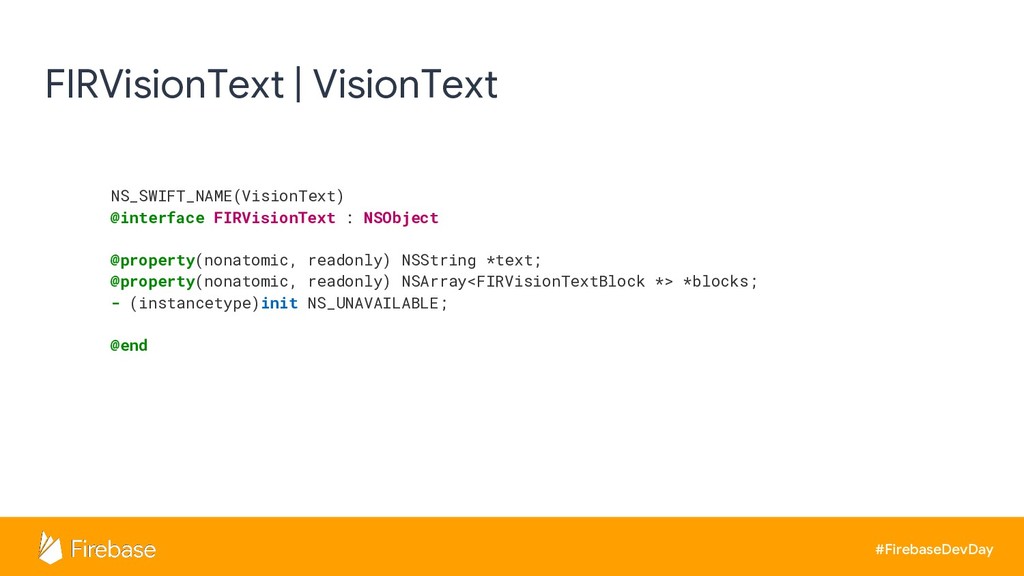
#FirebaseDevDay FIRVisionText | VisionText NS_SWIFT_NAME(VisionText) @interface FIRVisionText : NSObject @property(nonatomic,
readonly) NSString *text; @property(nonatomic, readonly) NSArray<FIRVisionTextBlock *> *blocks; - (instancetype)init NS_UNAVAILABLE; @end
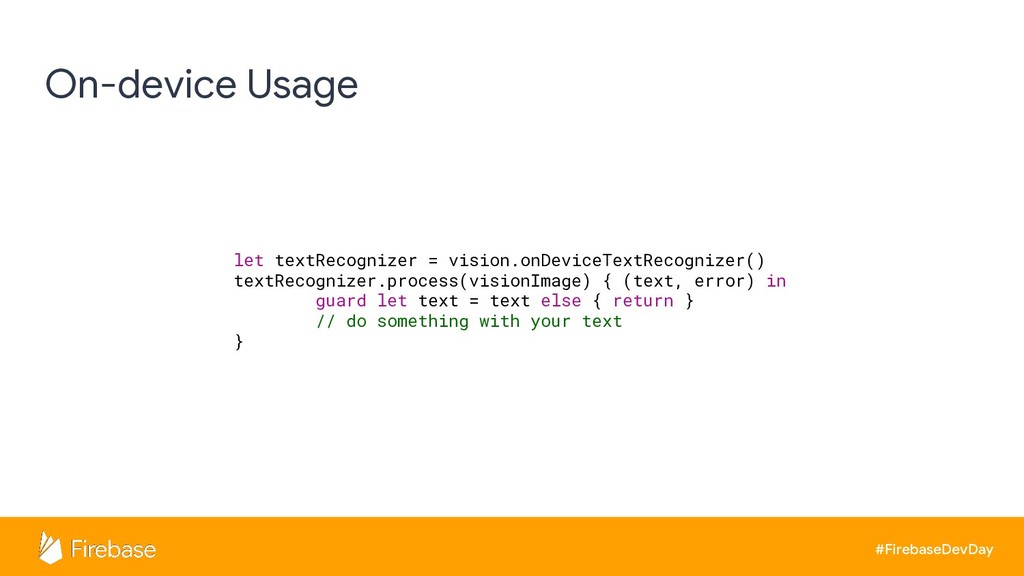
#FirebaseDevDay On-device Usage let textRecognizer = vision.onDeviceTextRecognizer() textRecognizer.process(visionImage) { (text,
error) in guard let text = text else { return } // do something with your text }
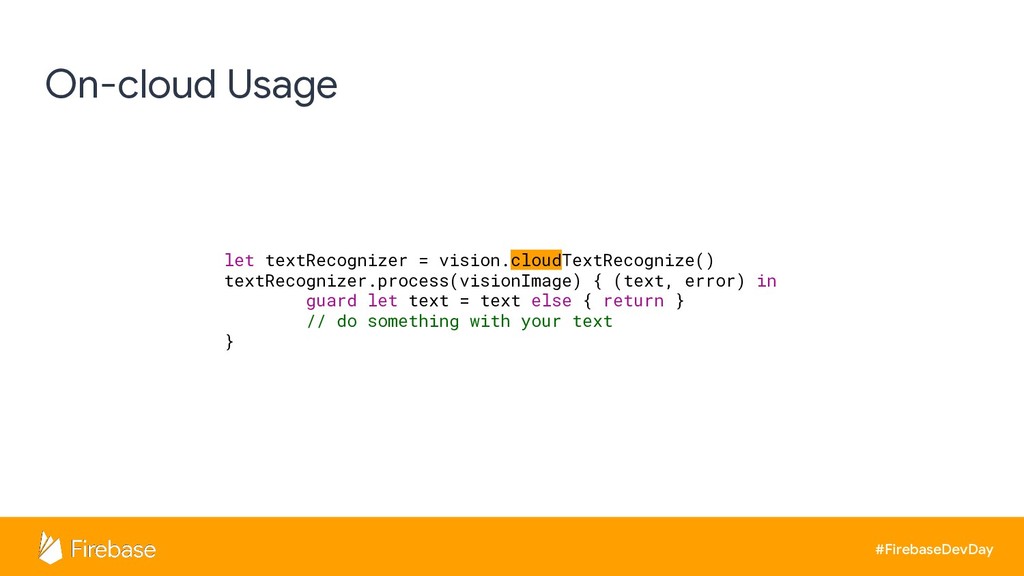
#FirebaseDevDay On-cloud Usage let textRecognizer = vision.cloudTextRecognize() textRecognizer.process(visionImage) { (text,
error) in guard let text = text else { return } // do something with your text }
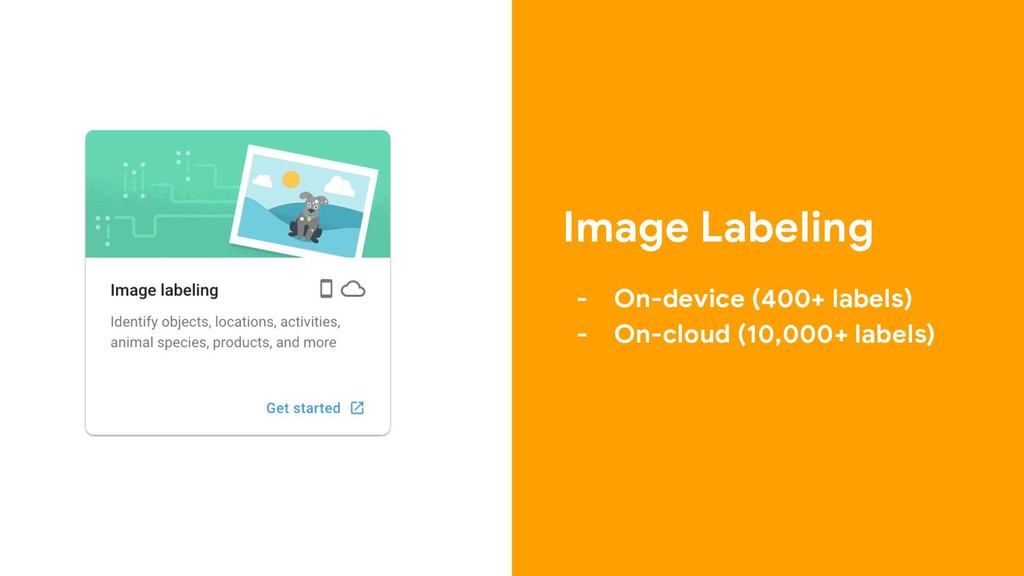
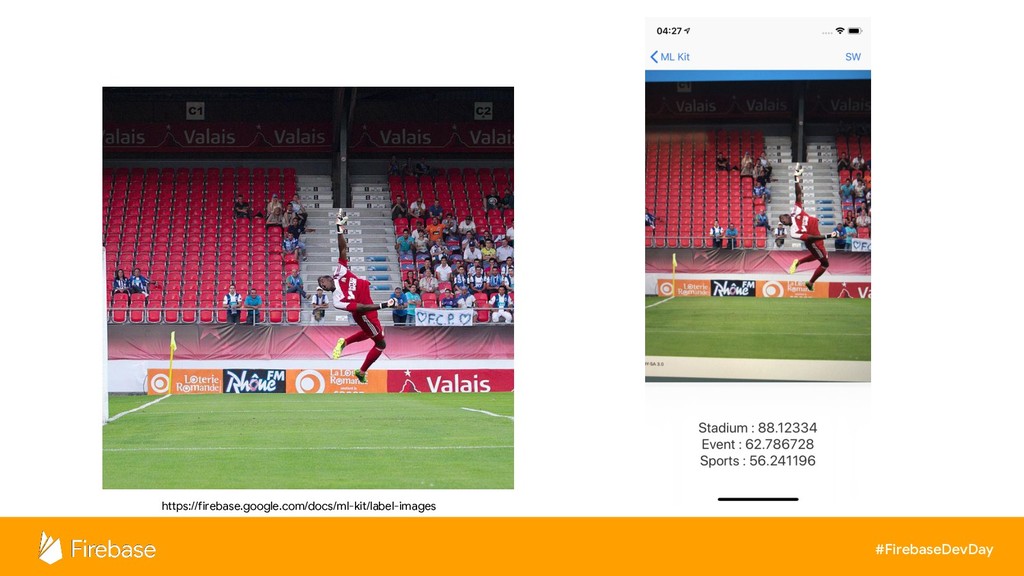
Image Labeling - On-device (400+ labels) - On-cloud (10,000+ labels)
#FirebaseDevDay https://firebase.google.com/docs/ml-kit/label-images
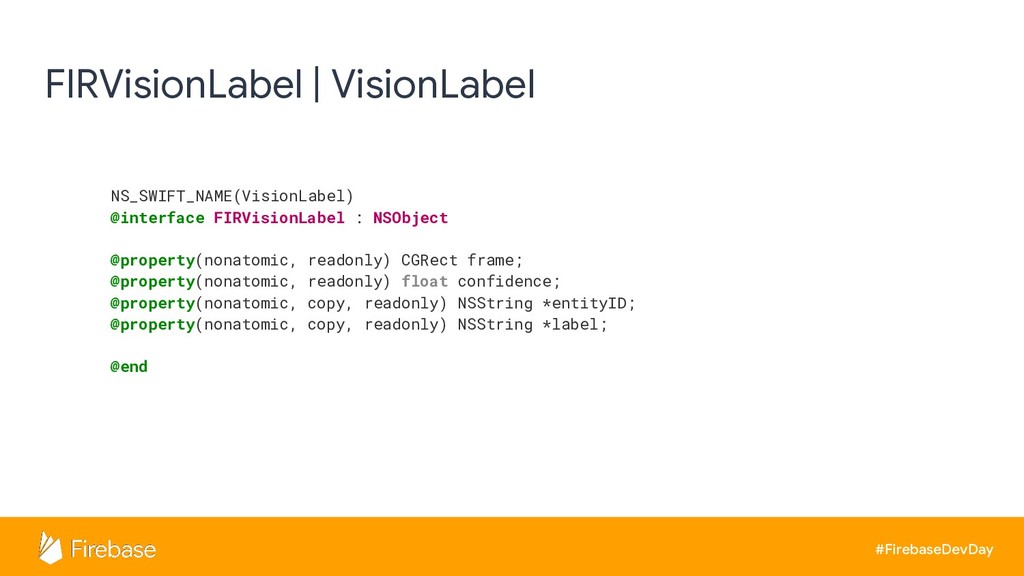
#FirebaseDevDay FIRVisionLabel | VisionLabel NS_SWIFT_NAME(VisionLabel) @interface FIRVisionLabel : NSObject @property(nonatomic,
readonly) CGRect frame; @property(nonatomic, readonly) float confidence; @property(nonatomic, copy, readonly) NSString *entityID; @property(nonatomic, copy, readonly) NSString *label; @end
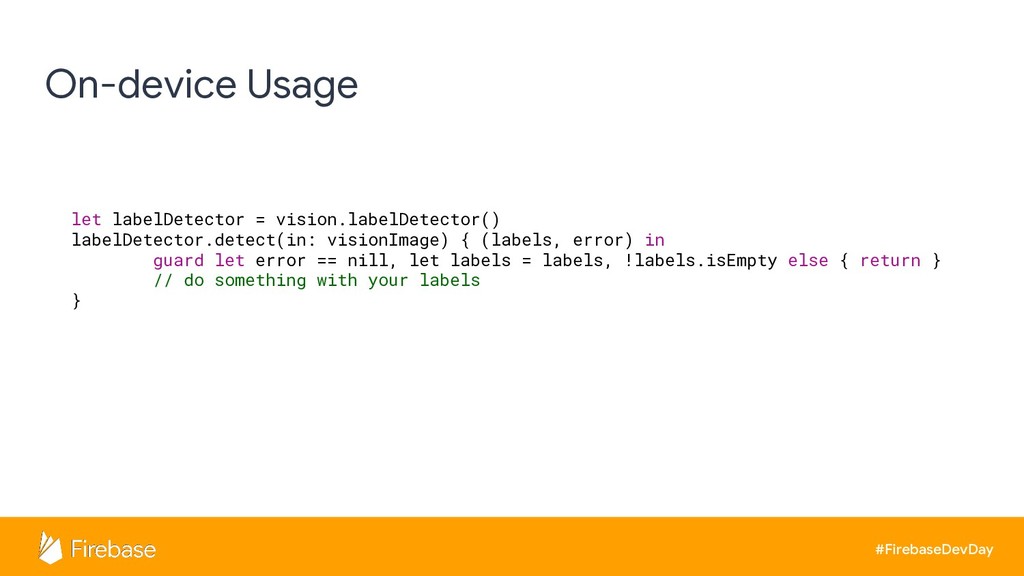
#FirebaseDevDay On-device Usage let labelDetector = vision.labelDetector() labelDetector.detect(in: visionImage) {
(labels, error) in guard let error == nill, let labels = labels, !labels.isEmpty else { return } // do something with your labels }
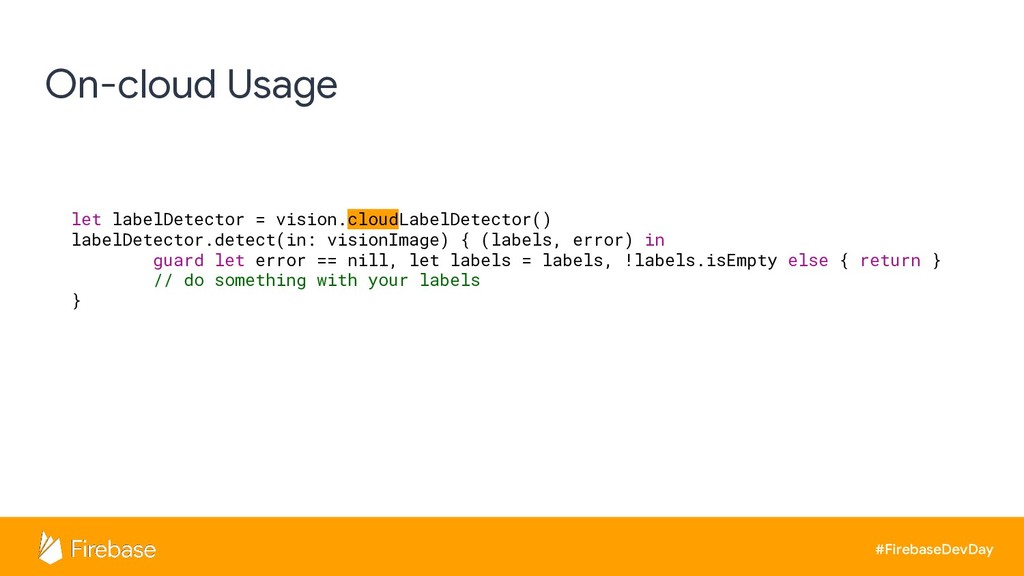
#FirebaseDevDay On-cloud Usage let labelDetector = vision.cloudLabelDetector() labelDetector.detect(in: visionImage) {
(labels, error) in guard let error == nill, let labels = labels, !labels.isEmpty else { return } // do something with your labels }
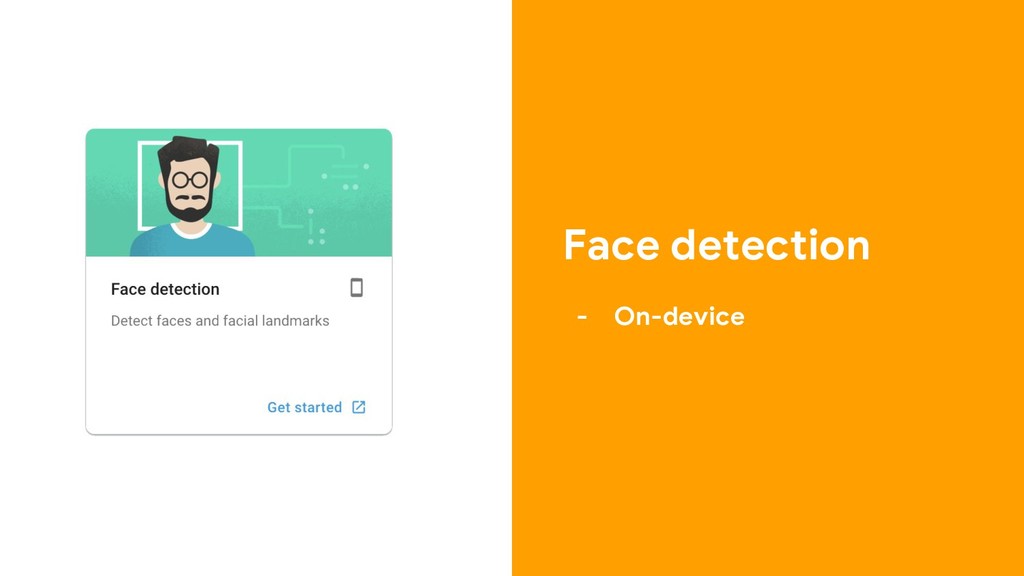
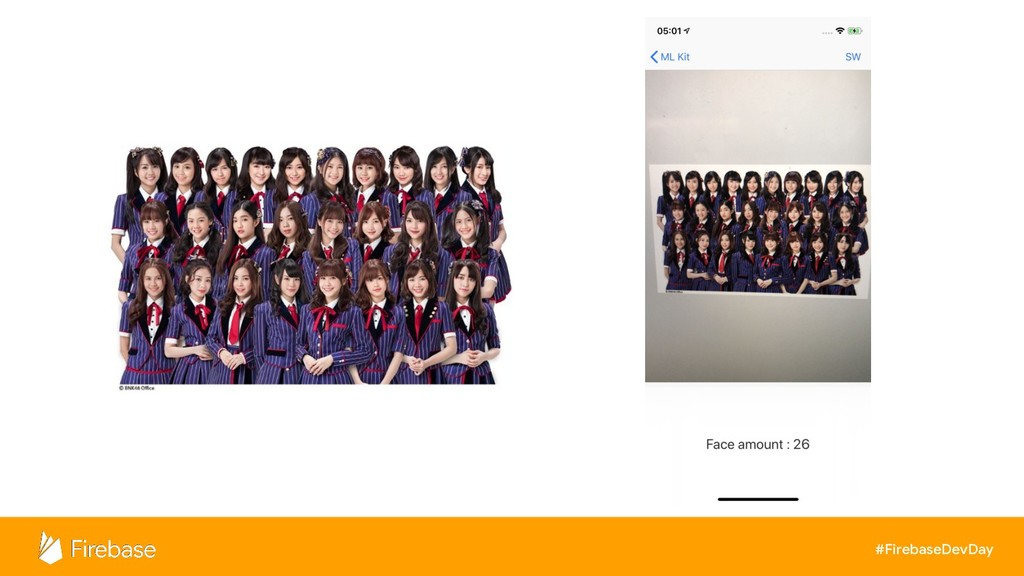
Face detection - On-device
#FirebaseDevDay
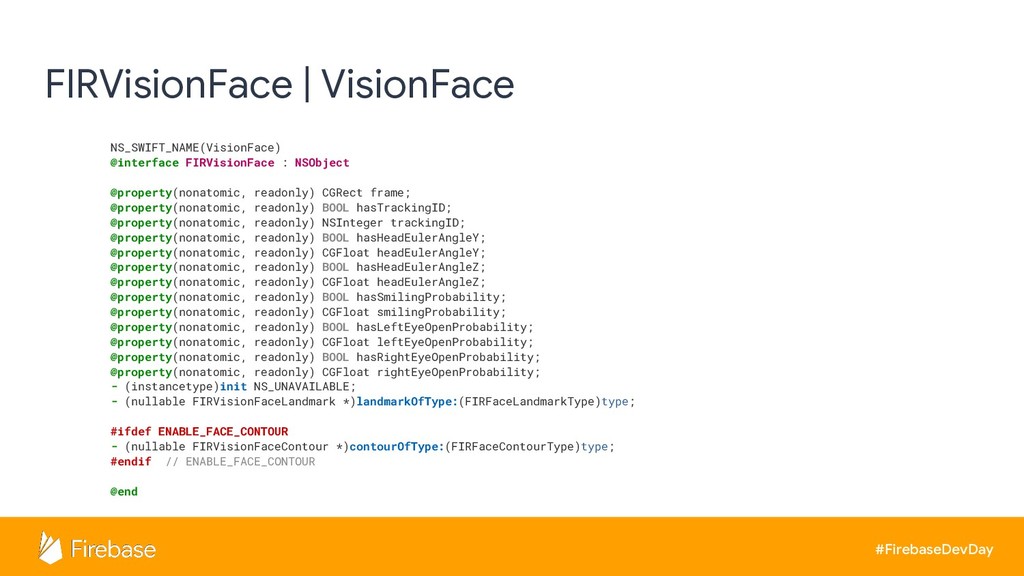
#FirebaseDevDay FIRVisionFace | VisionFace NS_SWIFT_NAME(VisionFace) @interface FIRVisionFace : NSObject @property(nonatomic,
readonly) CGRect frame; @property(nonatomic, readonly) BOOL hasTrackingID; @property(nonatomic, readonly) NSInteger trackingID; @property(nonatomic, readonly) BOOL hasHeadEulerAngleY; @property(nonatomic, readonly) CGFloat headEulerAngleY; @property(nonatomic, readonly) BOOL hasHeadEulerAngleZ; @property(nonatomic, readonly) CGFloat headEulerAngleZ; @property(nonatomic, readonly) BOOL hasSmilingProbability; @property(nonatomic, readonly) CGFloat smilingProbability; @property(nonatomic, readonly) BOOL hasLeftEyeOpenProbability; @property(nonatomic, readonly) CGFloat leftEyeOpenProbability; @property(nonatomic, readonly) BOOL hasRightEyeOpenProbability; @property(nonatomic, readonly) CGFloat rightEyeOpenProbability; - (instancetype)init NS_UNAVAILABLE; - (nullable FIRVisionFaceLandmark *)landmarkOfType:(FIRFaceLandmarkType)type; #ifdef ENABLE_FACE_CONTOUR - (nullable FIRVisionFaceContour *)contourOfType:(FIRFaceContourType)type; #endif // ENABLE_FACE_CONTOUR @end
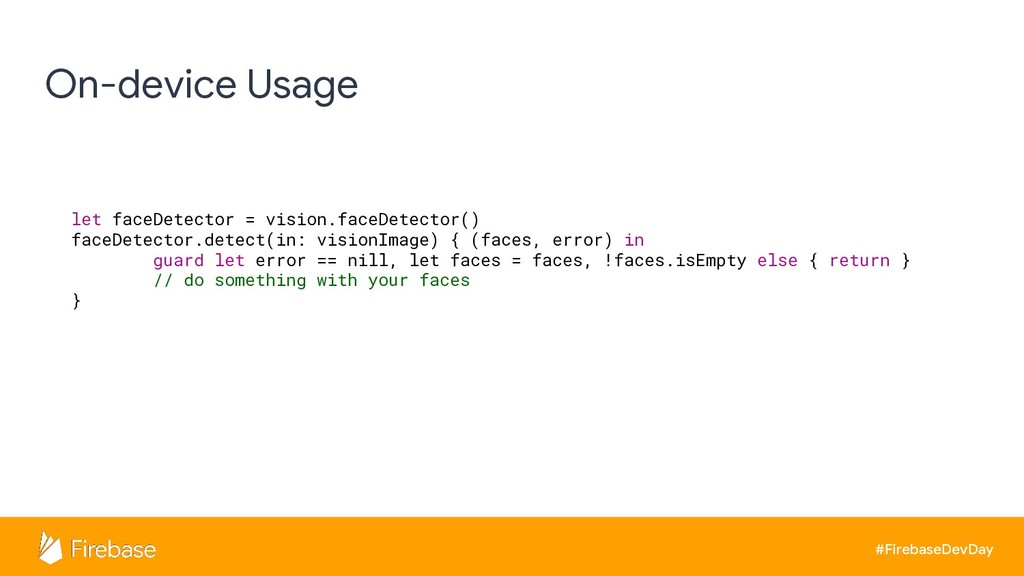
#FirebaseDevDay On-device Usage let faceDetector = vision.faceDetector() faceDetector.detect(in: visionImage) {
(faces, error) in guard let error == nill, let faces = faces, !faces.isEmpty else { return } // do something with your faces }
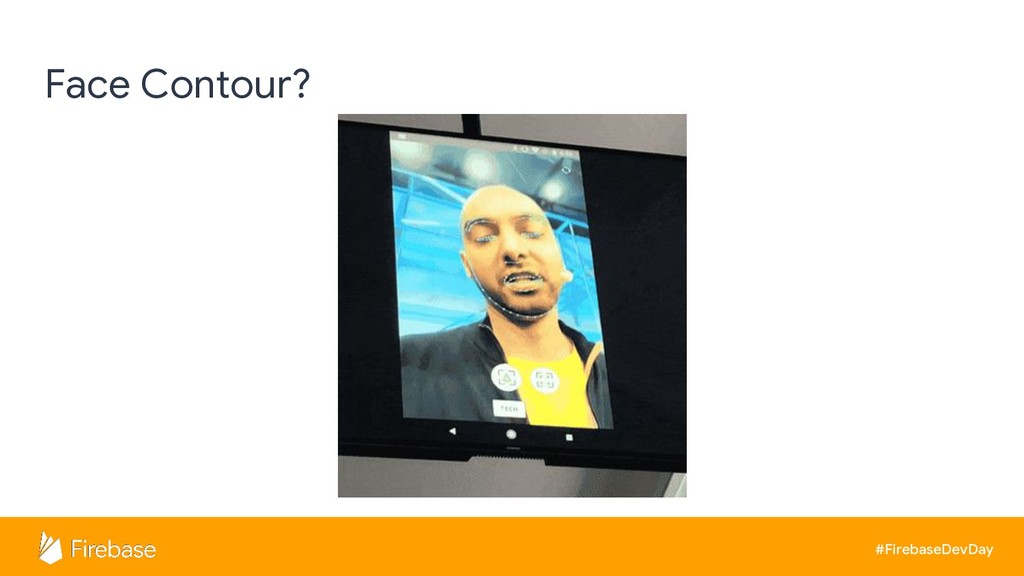
#FirebaseDevDay Face Contour?
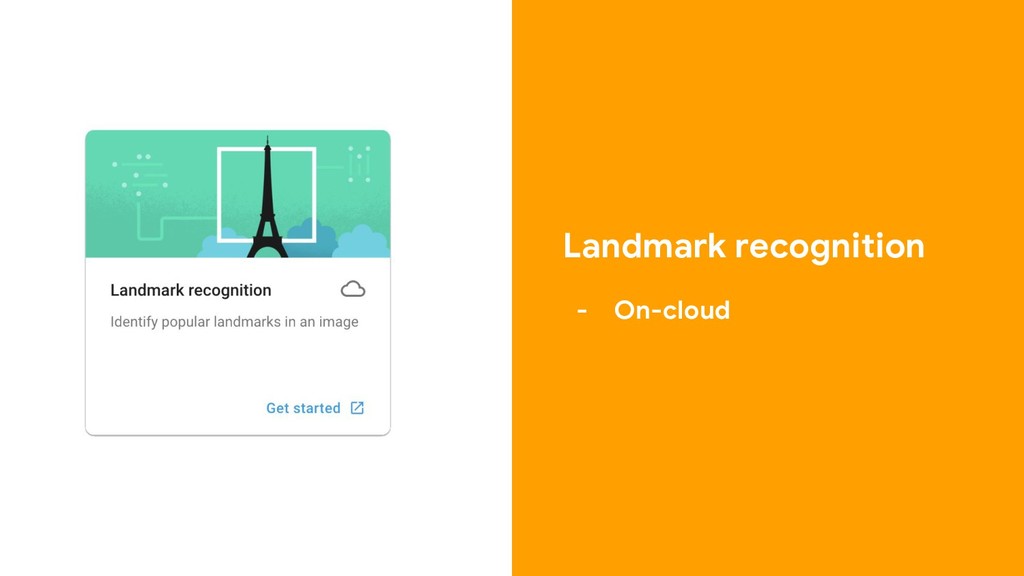
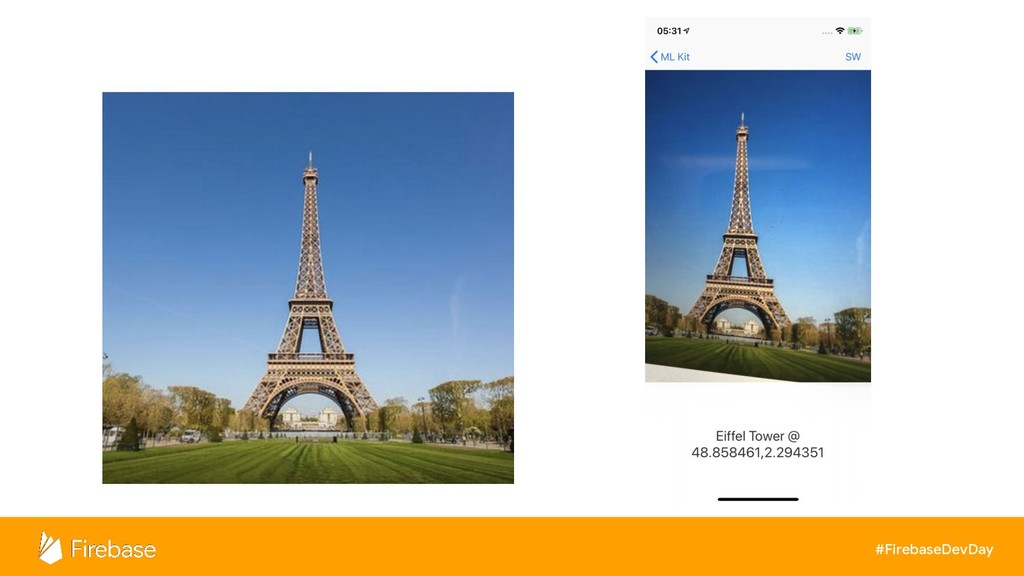
Landmark recognition - On-cloud
#FirebaseDevDay
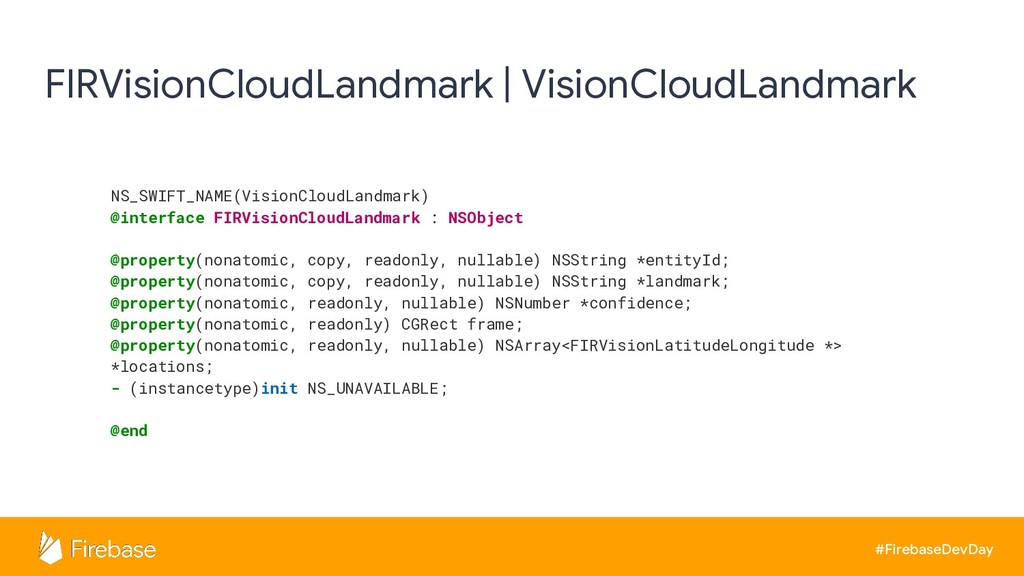
#FirebaseDevDay FIRVisionCloudLandmark | VisionCloudLandmark NS_SWIFT_NAME(VisionCloudLandmark) @interface FIRVisionCloudLandmark : NSObject @property(nonatomic,
copy, readonly, nullable) NSString *entityId; @property(nonatomic, copy, readonly, nullable) NSString *landmark; @property(nonatomic, readonly, nullable) NSNumber *confidence; @property(nonatomic, readonly) CGRect frame; @property(nonatomic, readonly, nullable) NSArray<FIRVisionLatitudeLongitude *> *locations; - (instancetype)init NS_UNAVAILABLE; @end
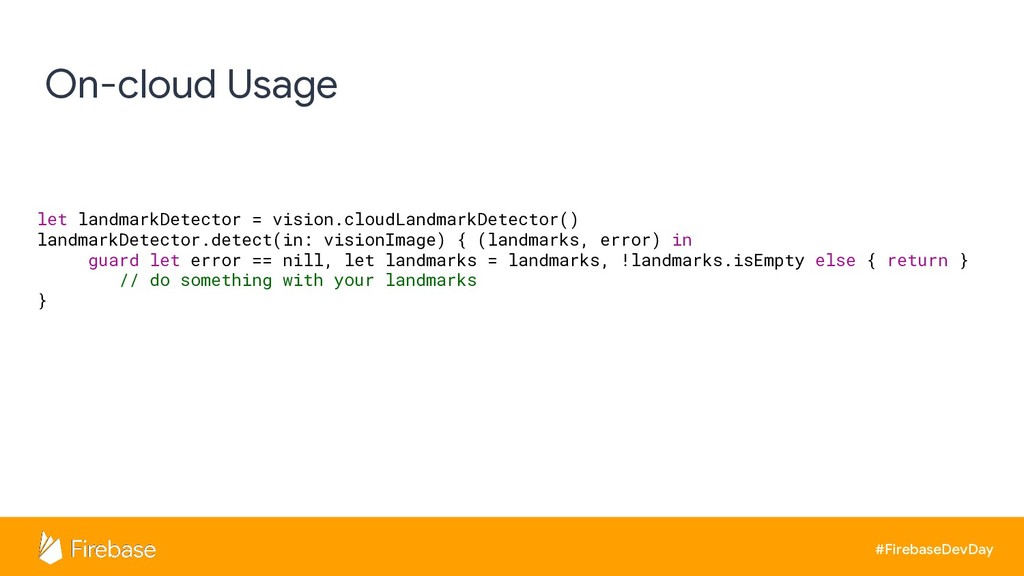
#FirebaseDevDay On-cloud Usage let landmarkDetector = vision.cloudLandmarkDetector() landmarkDetector.detect(in: visionImage) {
(landmarks, error) in guard let error == nill, let landmarks = landmarks, !landmarks.isEmpty else { return } // do something with your landmarks }
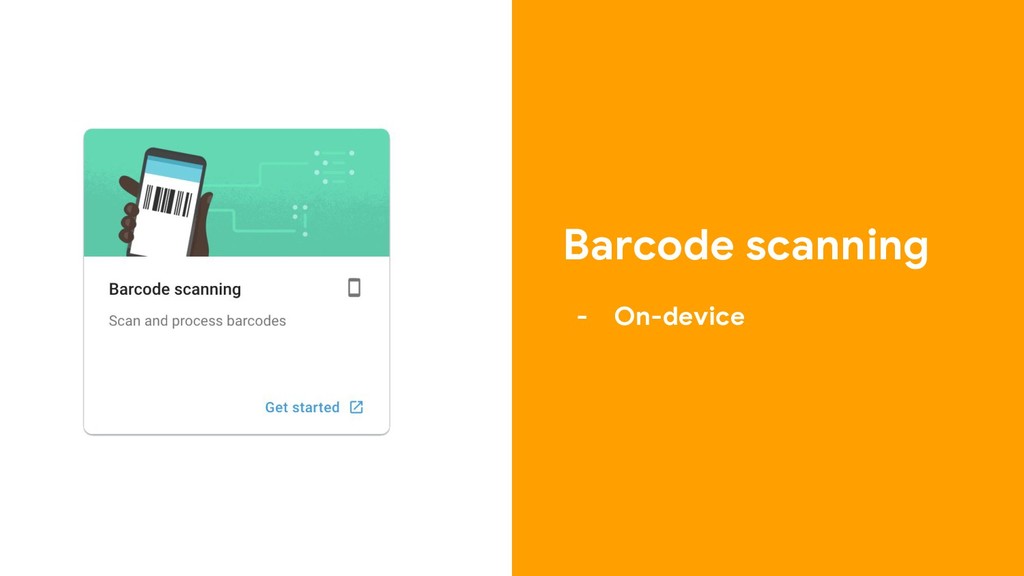
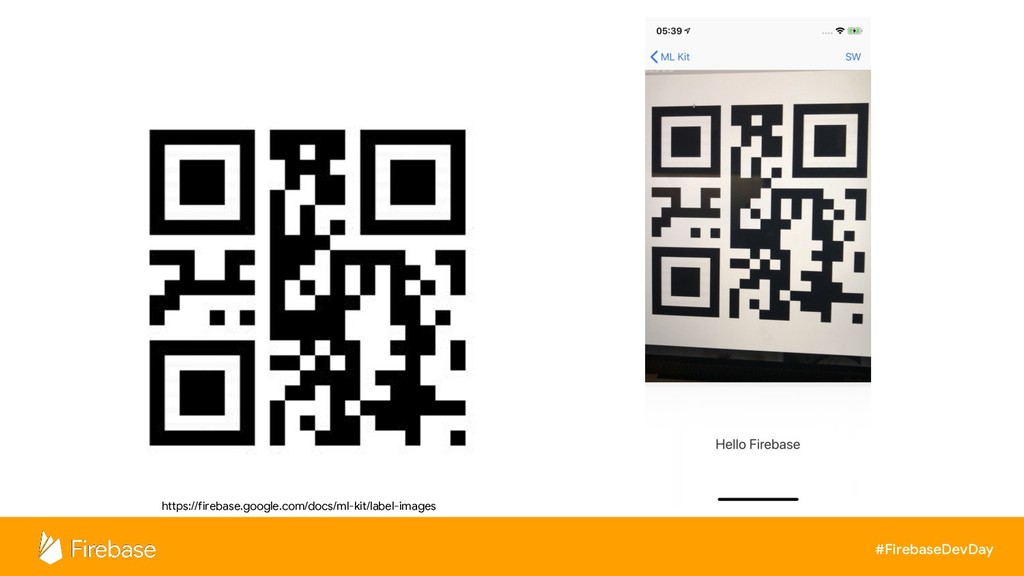
Barcode scanning - On-device
#FirebaseDevDay https://firebase.google.com/docs/ml-kit/label-images
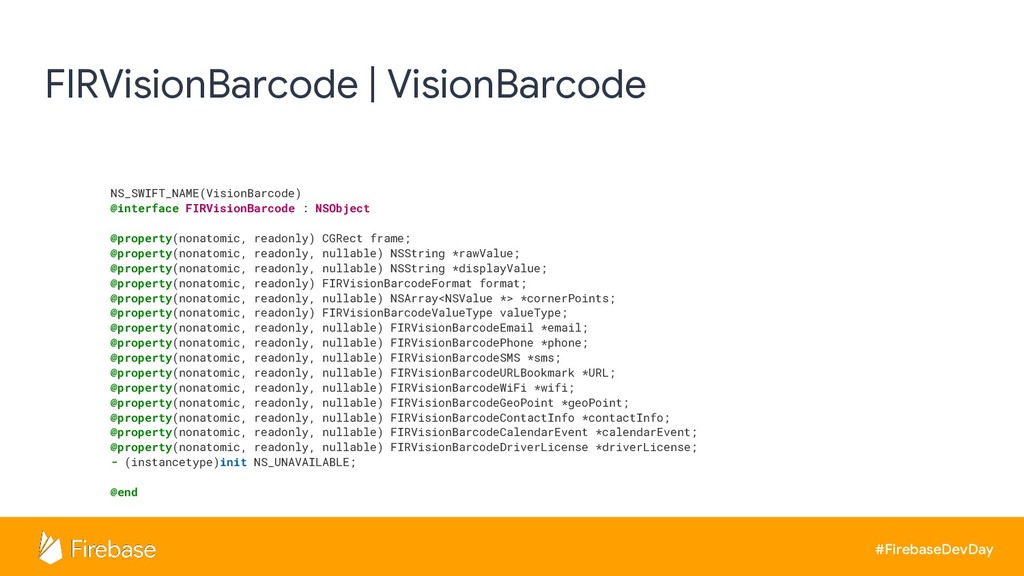
#FirebaseDevDay FIRVisionBarcode | VisionBarcode NS_SWIFT_NAME(VisionBarcode) @interface FIRVisionBarcode : NSObject @property(nonatomic,
readonly) CGRect frame; @property(nonatomic, readonly, nullable) NSString *rawValue; @property(nonatomic, readonly, nullable) NSString *displayValue; @property(nonatomic, readonly) FIRVisionBarcodeFormat format; @property(nonatomic, readonly, nullable) NSArray<NSValue *> *cornerPoints; @property(nonatomic, readonly) FIRVisionBarcodeValueType valueType; @property(nonatomic, readonly, nullable) FIRVisionBarcodeEmail *email; @property(nonatomic, readonly, nullable) FIRVisionBarcodePhone *phone; @property(nonatomic, readonly, nullable) FIRVisionBarcodeSMS *sms; @property(nonatomic, readonly, nullable) FIRVisionBarcodeURLBookmark *URL; @property(nonatomic, readonly, nullable) FIRVisionBarcodeWiFi *wifi; @property(nonatomic, readonly, nullable) FIRVisionBarcodeGeoPoint *geoPoint; @property(nonatomic, readonly, nullable) FIRVisionBarcodeContactInfo *contactInfo; @property(nonatomic, readonly, nullable) FIRVisionBarcodeCalendarEvent *calendarEvent; @property(nonatomic, readonly, nullable) FIRVisionBarcodeDriverLicense *driverLicense; - (instancetype)init NS_UNAVAILABLE; @end
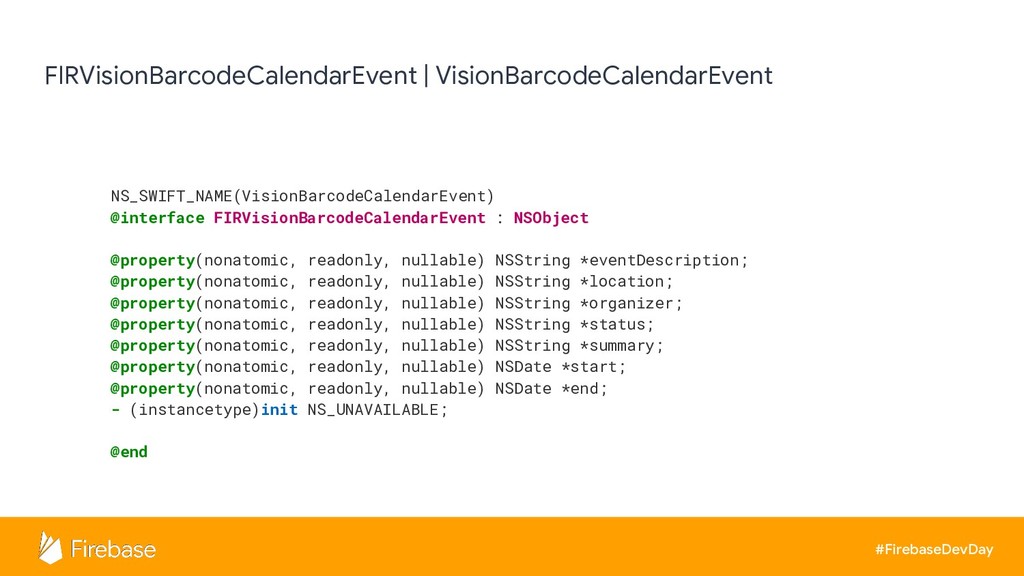
#FirebaseDevDay FIRVisionBarcodeCalendarEvent | VisionBarcodeCalendarEvent NS_SWIFT_NAME(VisionBarcodeCalendarEvent) @interface FIRVisionBarcodeCalendarEvent : NSObject @property(nonatomic,
readonly, nullable) NSString *eventDescription; @property(nonatomic, readonly, nullable) NSString *location; @property(nonatomic, readonly, nullable) NSString *organizer; @property(nonatomic, readonly, nullable) NSString *status; @property(nonatomic, readonly, nullable) NSString *summary; @property(nonatomic, readonly, nullable) NSDate *start; @property(nonatomic, readonly, nullable) NSDate *end; - (instancetype)init NS_UNAVAILABLE; @end
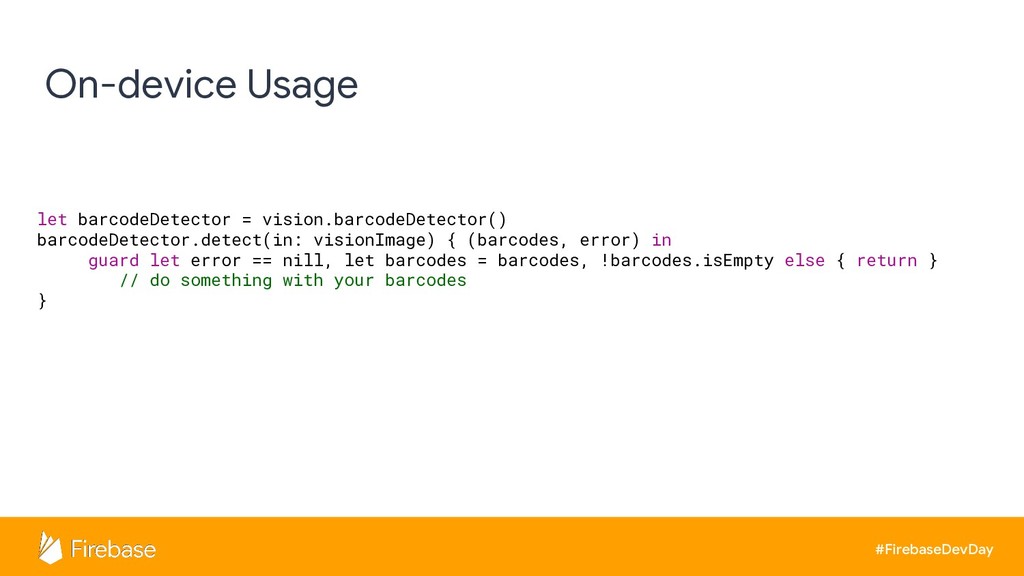
#FirebaseDevDay On-device Usage let barcodeDetector = vision.barcodeDetector() barcodeDetector.detect(in: visionImage) {
(barcodes, error) in guard let error == nill, let barcodes = barcodes, !barcodes.isEmpty else { return } // do something with your barcodes }
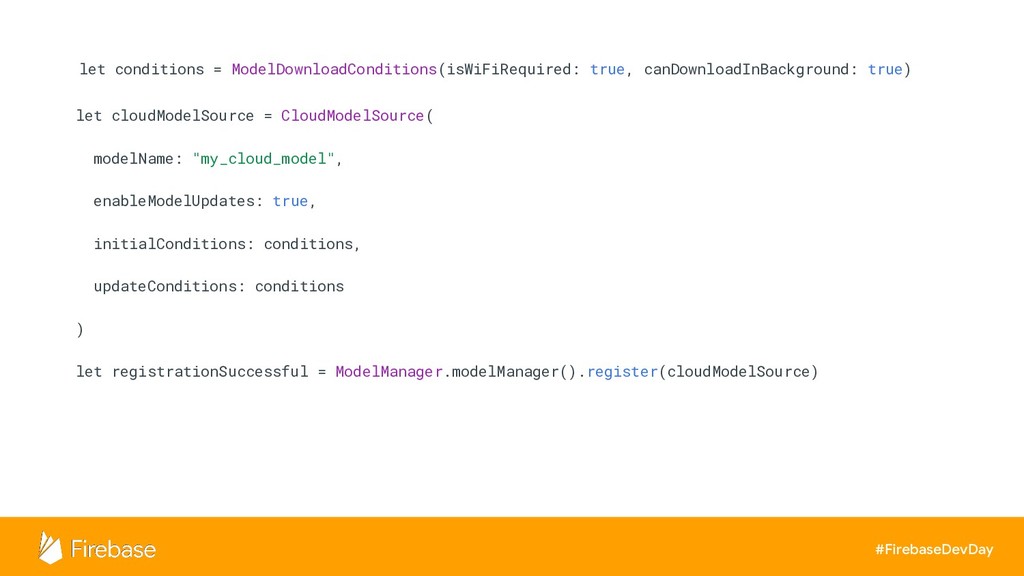
Custom model - Tensorflow Lite
#FirebaseDevDay let conditions = ModelDownloadConditions(isWiFiRequired: true, canDownloadInBackground: true) let cloudModelSource
= CloudModelSource( modelName: "my_cloud_model", enableModelUpdates: true, initialConditions: conditions, updateConditions: conditions ) let registrationSuccessful = ModelManager.modelManager().register(cloudModelSource)
Demo
Thank You! #FirebaseDevDay Helpful resources fb.com/FirebaseThailand fb.com/groups/FirebaseDevTH medium.com/FirebaseThailand Kajornsak Peerapathananont


 kajornsakp
 iotengineer22
 furuton
 terurou
 vivion
 tetsuya28
 husengs7
 ykagano
 shumei_ito
 kizawa2020
 oracle4engineer
 sansantech
 munakata
 quramy
 soysaucechin
 bermonpainter
 honnibal
 marcelosomers
 chriscoyier
 jlugia
 palkan
 techseoconnect
 akademiya2063
 eileencodes
 yeseniaperezcruz