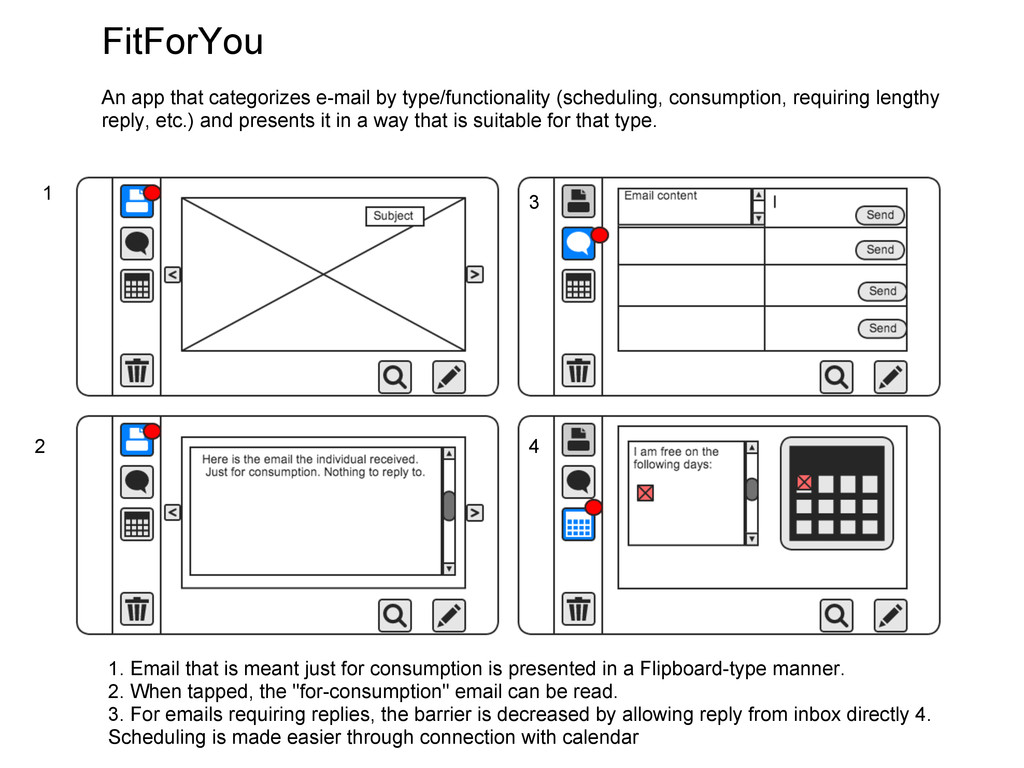
requiring lengthy reply, etc.) and presents it in a way that is suitable for that type. 1 2 3 4 1. Email that is meant just for consumption is presented in a Flipboard-type manner. 2. When tapped, the "for-consumption" email can be read. 3. For emails requiring replies, the barrier is decreased by allowing reply from inbox directly 4. Scheduling is made easier through connection with calendar
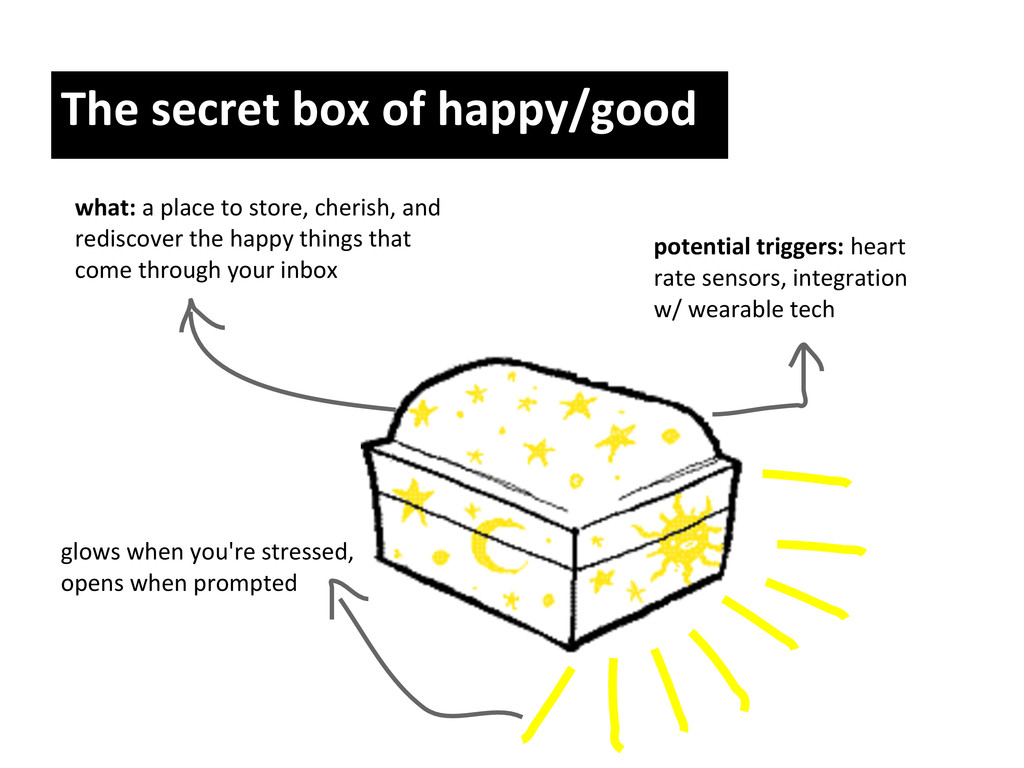
cherish, and rediscover the happy things that come through your inbox potential triggers: heart rate sensors, integration w/ wearable tech glows when you're stressed, opens when prompted
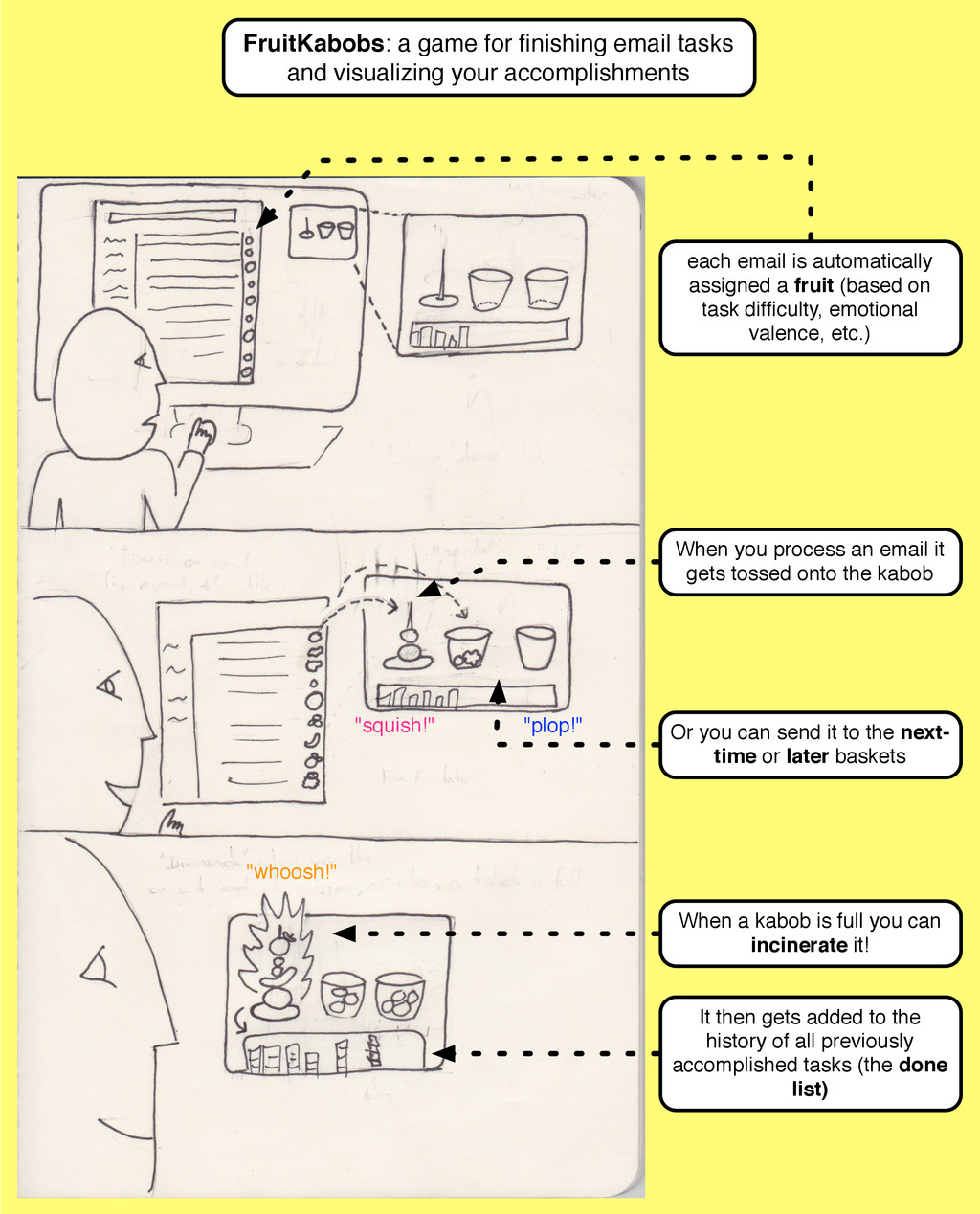
accomplishments each email is automatically assigned a fruit (based on task difficulty, emotional valence, etc.) When you process an email it gets tossed onto the kabob Or you can send it to the next- time or later baskets When a kabob is full you can incinerate it! It then gets added to the history of all previously accomplished tasks (the done list) "plop!" "squish!" "whoosh!"


 kduvvuru
 nealle
 yu23ki14
 keeg
keeg
 endonanana
 kentarofujii
 satomasahiro2005
 ymotongpoo
.png) yamad
yamad
 koukihosaka
 akhino
 gionn
gionn
 shuta13
 jacobtomlinson
 destraynor
 greggifford
 brettharned
 davidcarrasco
 garrettdimon
 inesmontani
 eileencodes
 tmiket
 stephaniewalter
 addyosmani