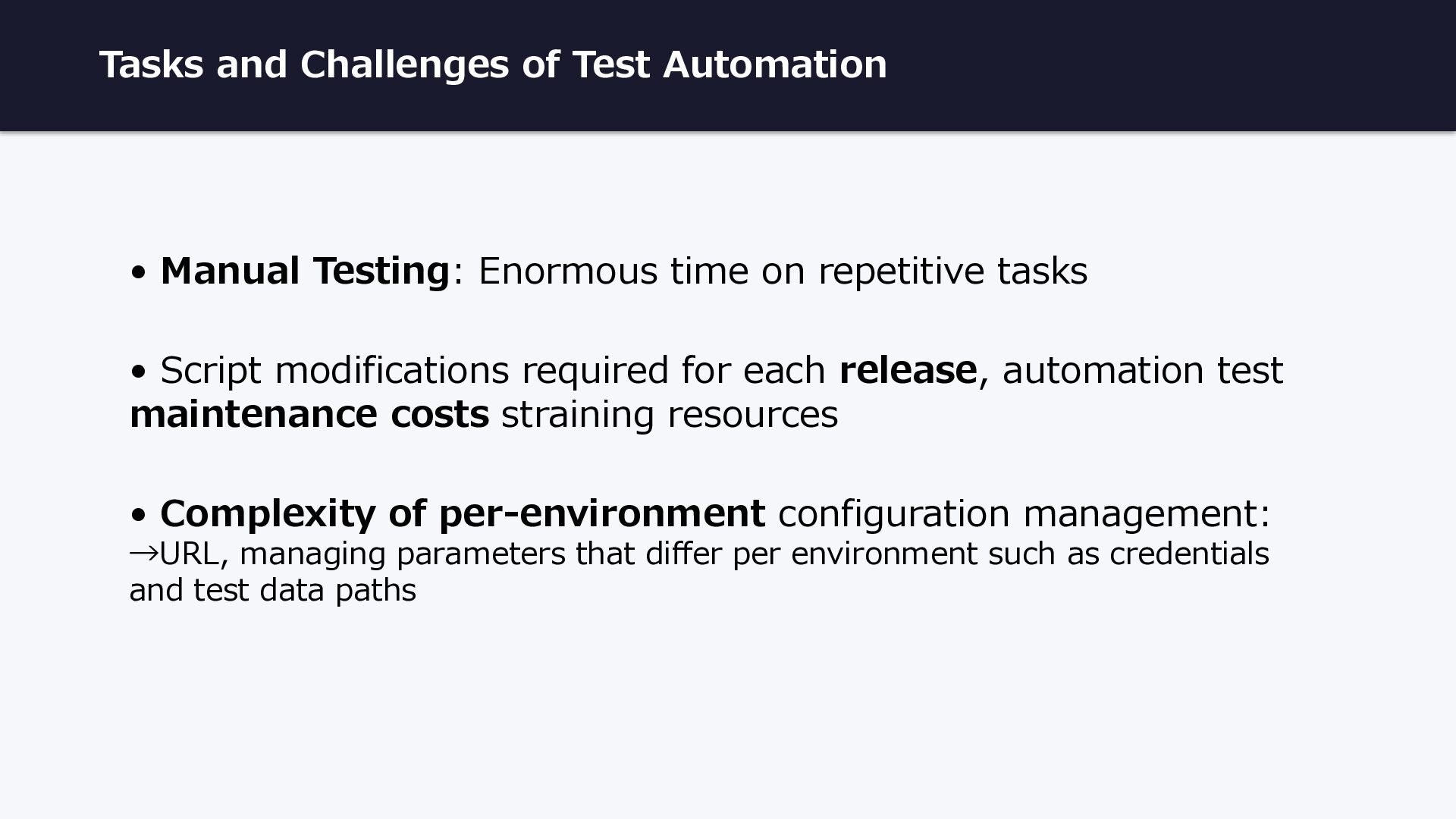
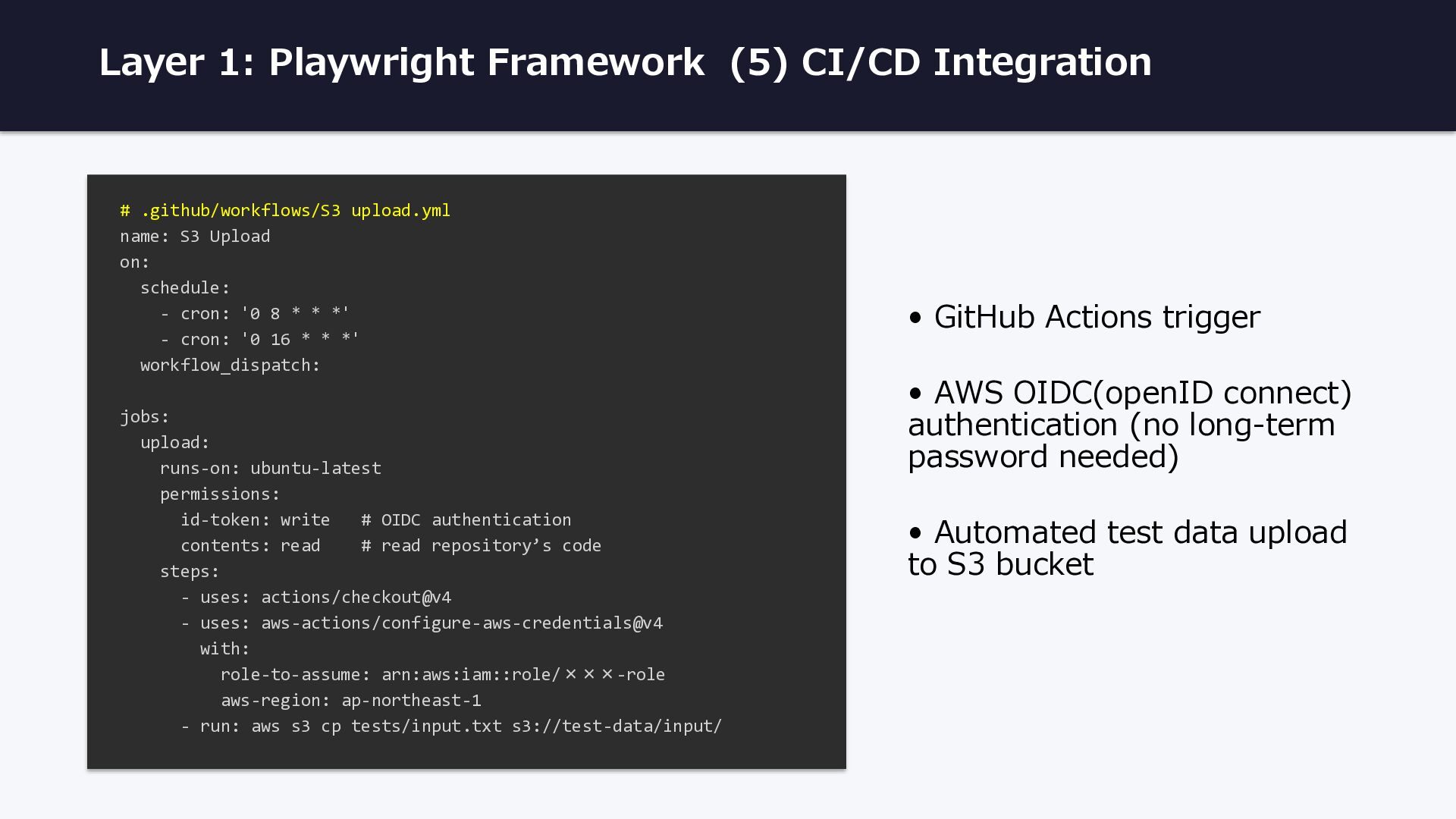
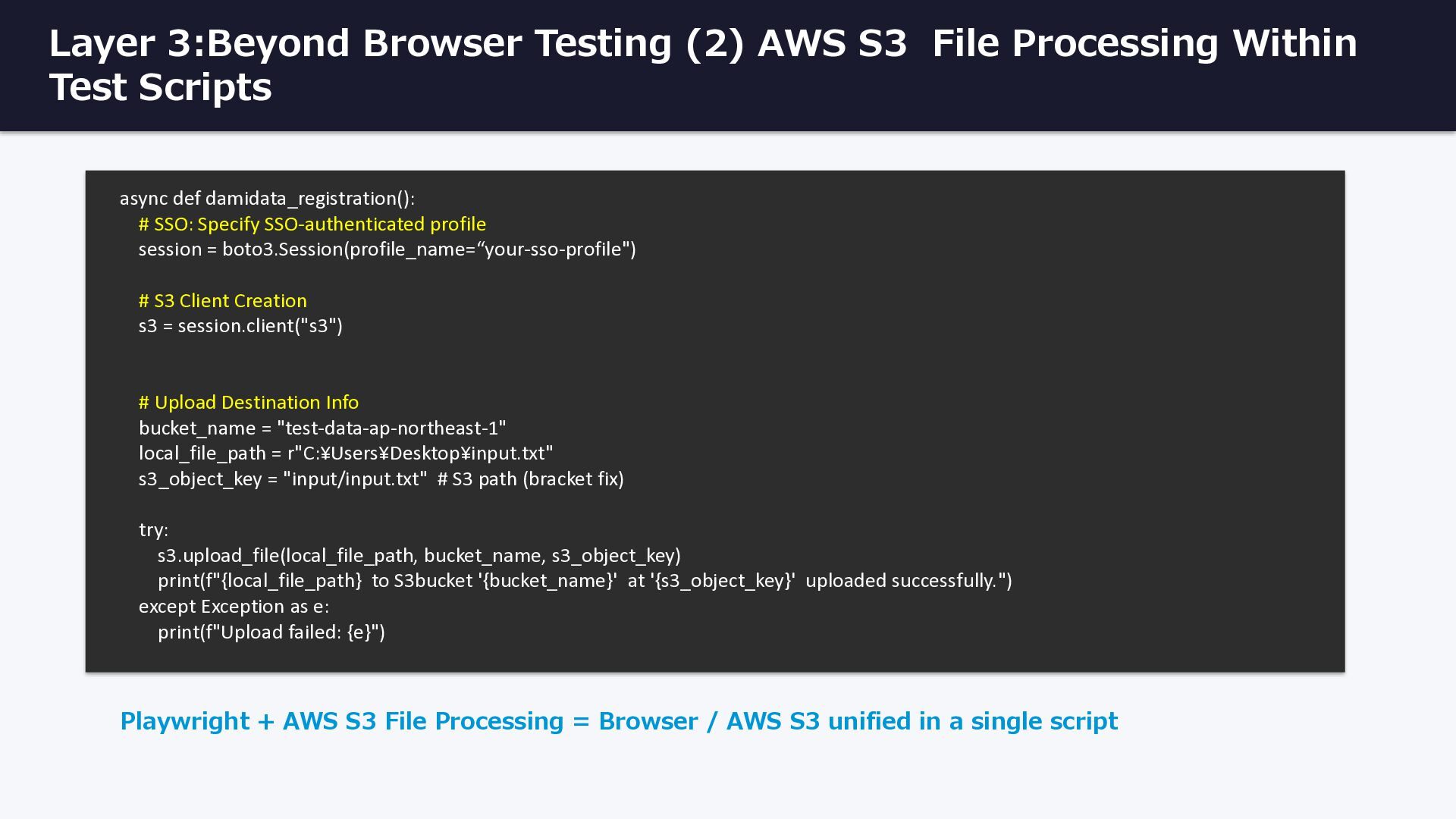
time on repetitive tasks • Script modifications required for each release, automation test maintenance costs straining resources • Complexity of per-environment configuration management: →URL, managing parameters that differ per environment such as credentials and test data paths
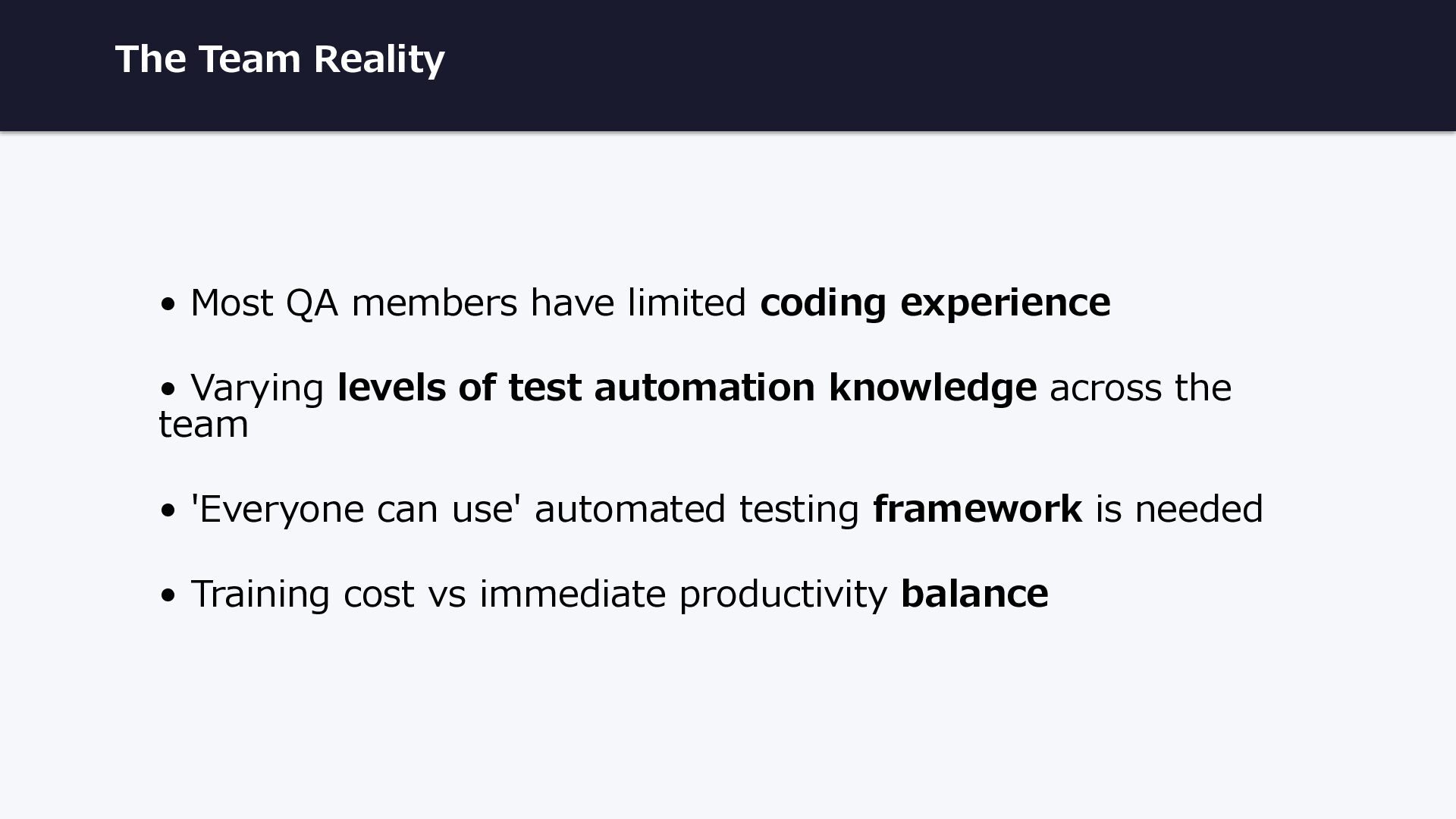
experience • Varying levels of test automation knowledge across the team • 'Everyone can use' automated testing framework is needed • Training cost vs immediate productivity balance
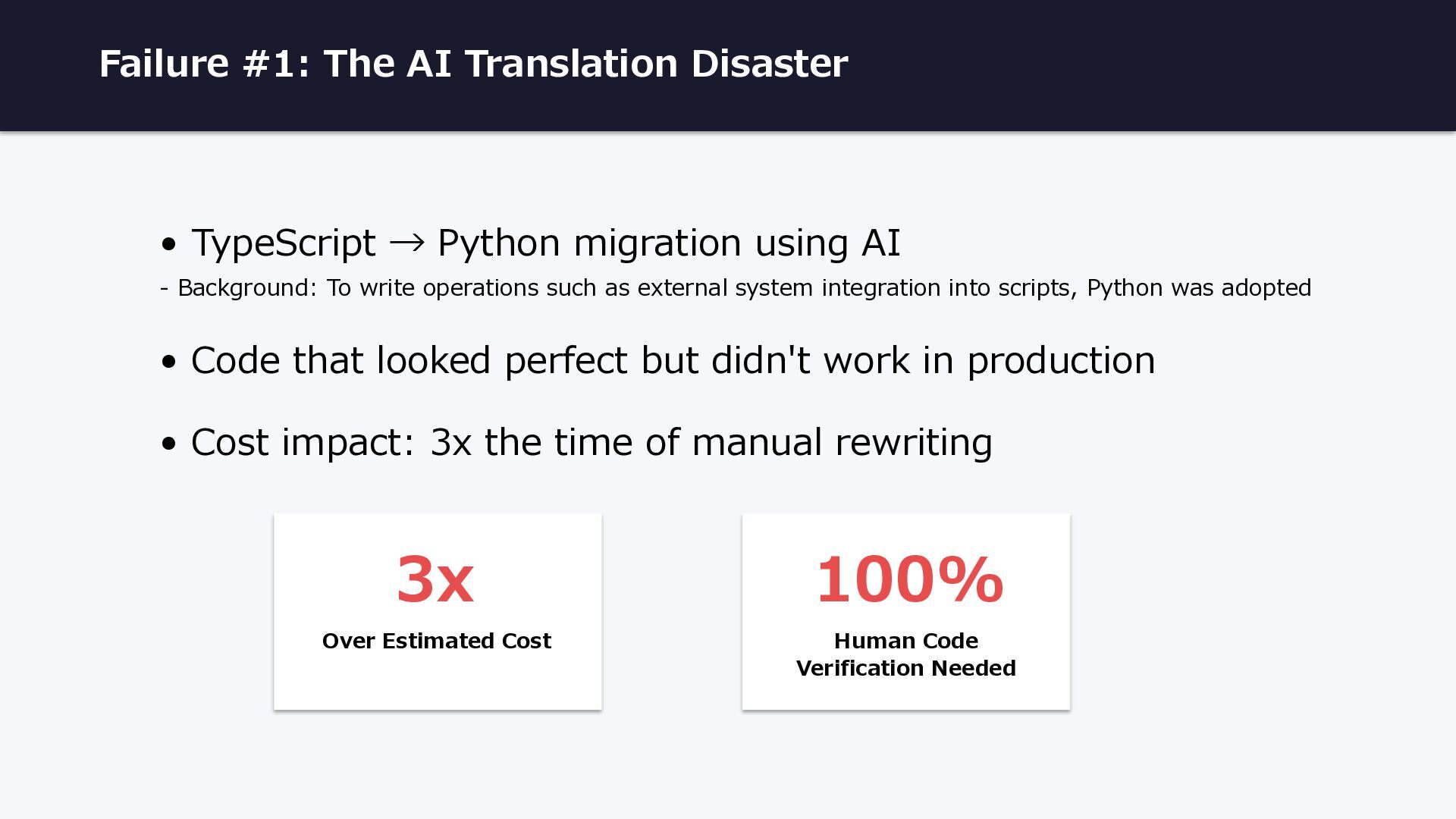
migration using AI - Background: To write operations such as external system integration into scripts, Python was adopted • Code that looked perfect but didn't work in production • Cost impact: 3x the time of manual rewriting 3x Over Estimated Cost 100% Human Code Verification Needed
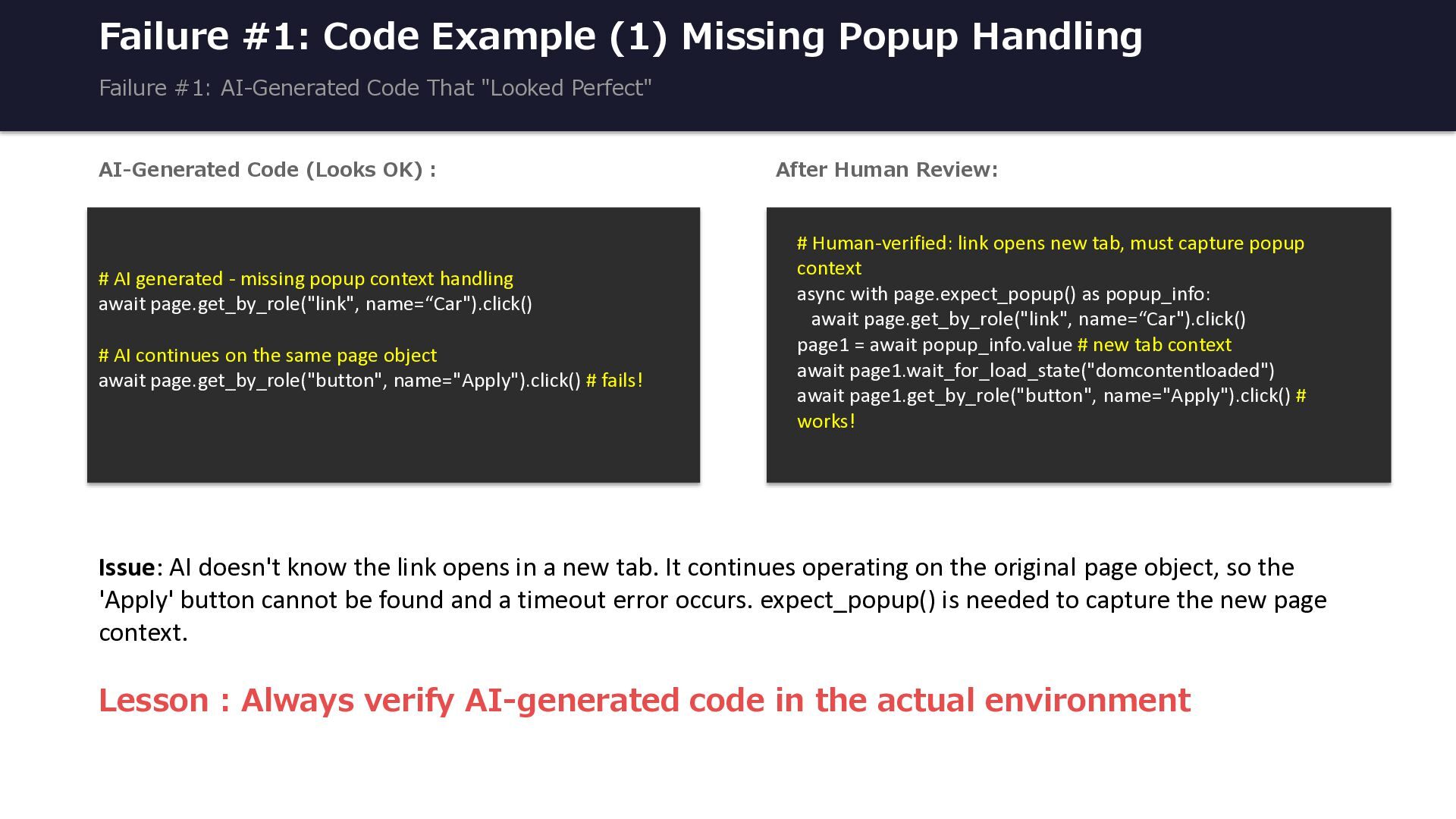
AI-Generated Code That "Looked Perfect" AI-Generated Code (Looks OK) : # AI generated - missing popup context handling await page.get_by_role("link", name=“Car").click() # AI continues on the same page object await page.get_by_role("button", name="Apply").click() # fails! After Human Review: # Human-verified: link opens new tab, must capture popup context async with page.expect_popup() as popup_info: await page.get_by_role("link", name=“Car").click() page1 = await popup_info.value # new tab context await page1.wait_for_load_state("domcontentloaded") await page1.get_by_role("button", name="Apply").click() # works! Issue: AI doesn't know the link opens in a new tab. It continues operating on the original page object, so the 'Apply' button cannot be found and a timeout error occurs. expect_popup() is needed to capture the new page context. Lesson : Always verify AI-generated code in the actual environment
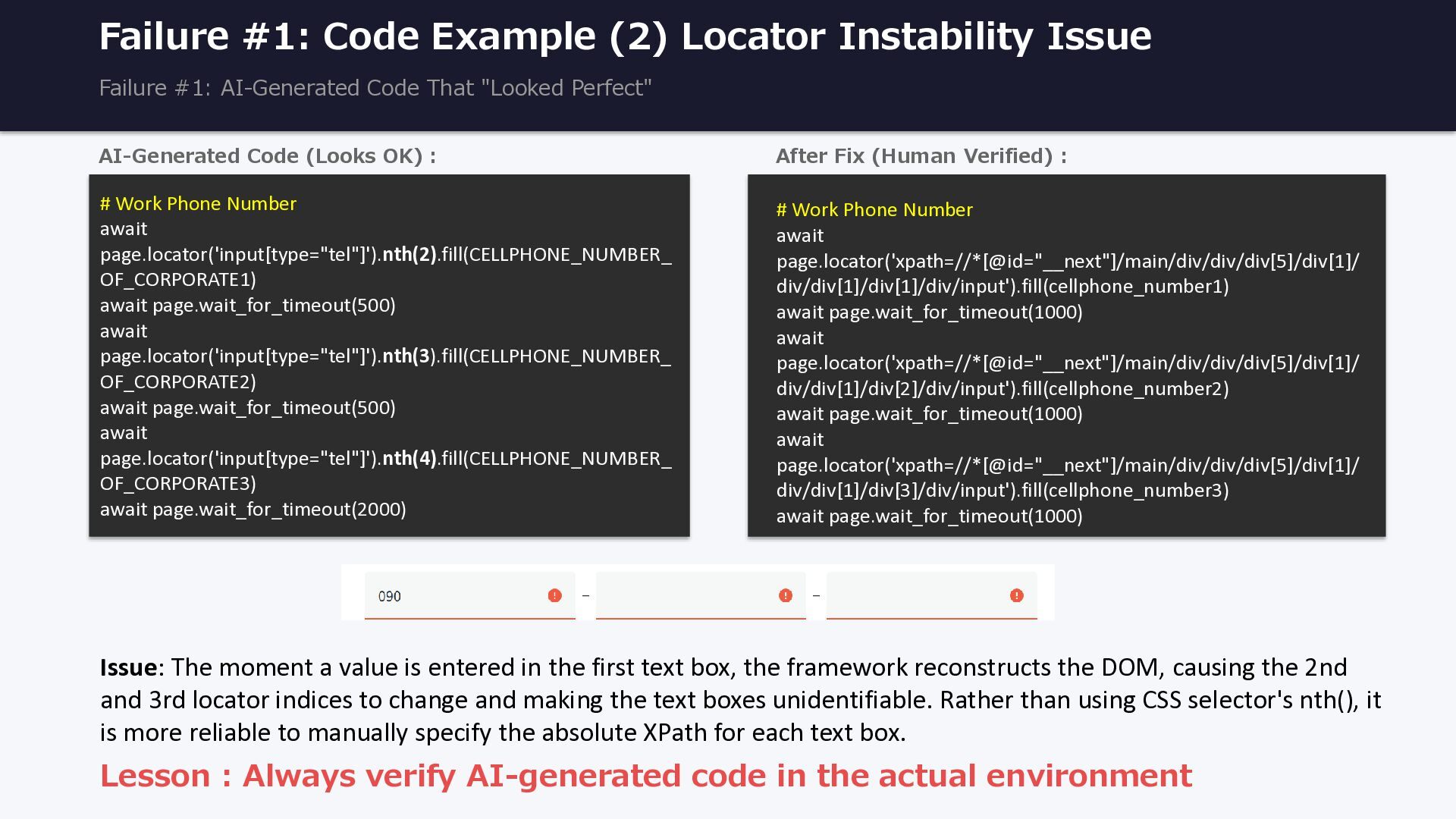
AI-Generated Code That "Looked Perfect" AI-Generated Code (Looks OK) : # Work Phone Number await page.locator('input[type="tel"]').nth(2).fill(CELLPHONE_NUMBER_ OF_CORPORATE1) await page.wait_for_timeout(500) await page.locator('input[type="tel"]').nth(3).fill(CELLPHONE_NUMBER_ OF_CORPORATE2) await page.wait_for_timeout(500) await page.locator('input[type="tel"]').nth(4).fill(CELLPHONE_NUMBER_ OF_CORPORATE3) await page.wait_for_timeout(2000) After Fix (Human Verified) : # Work Phone Number await page.locator('xpath=//*[@id="__next"]/main/div/div/div[5]/div[1]/ div/div[1]/div[1]/div/input').fill(cellphone_number1) await page.wait_for_timeout(1000) await page.locator('xpath=//*[@id="__next"]/main/div/div/div[5]/div[1]/ div/div[1]/div[2]/div/input').fill(cellphone_number2) await page.wait_for_timeout(1000) await page.locator('xpath=//*[@id="__next"]/main/div/div/div[5]/div[1]/ div/div[1]/div[3]/div/input').fill(cellphone_number3) await page.wait_for_timeout(1000) Lesson : Always verify AI-generated code in the actual environment Issue: The moment a value is entered in the first text box, the framework reconstructs the DOM, causing the 2nd and 3rd locator indices to change and making the text boxes unidentifiable. Rather than using CSS selector's nth(), it is more reliable to manually specify the absolute XPath for each text box.
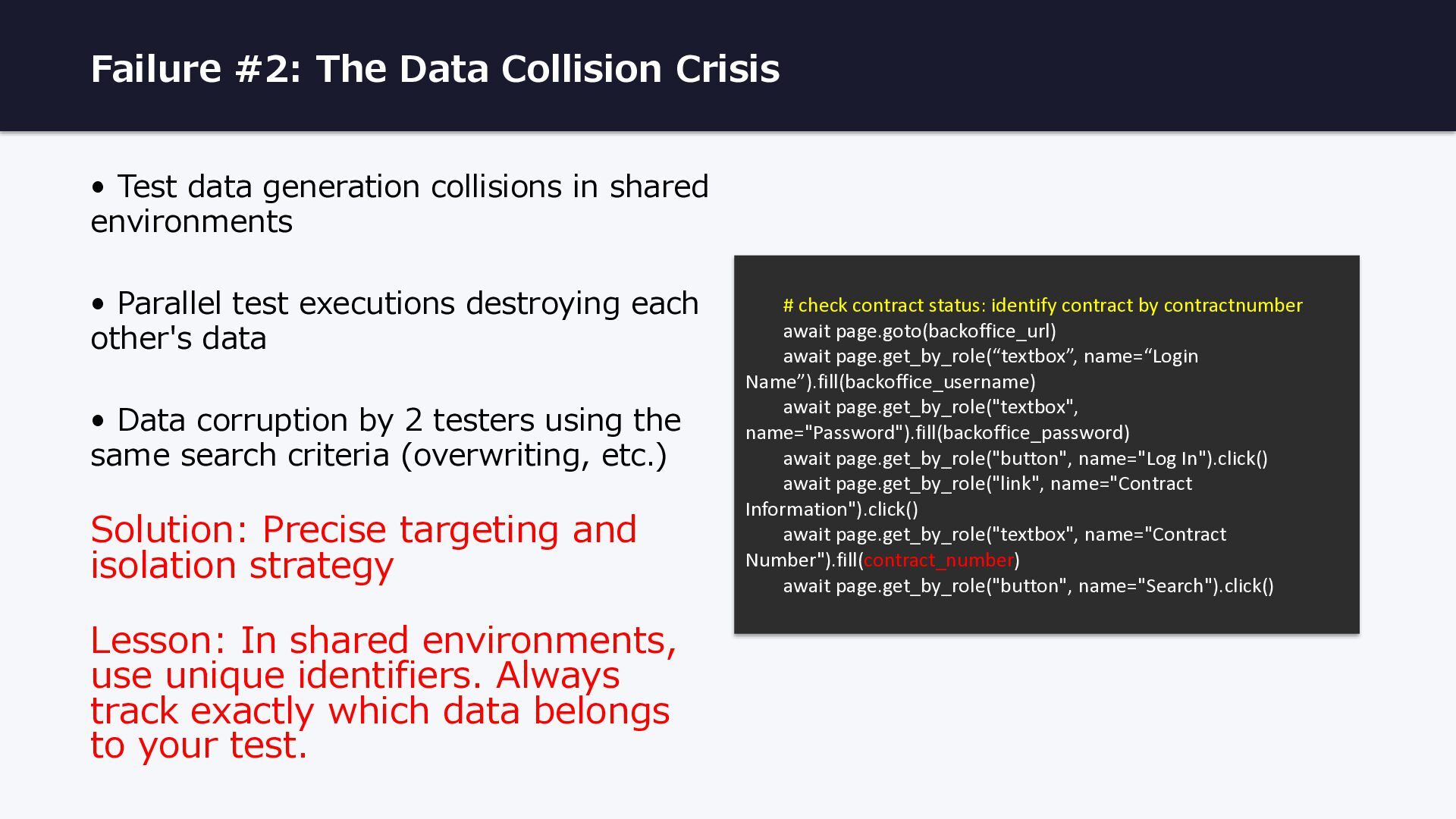
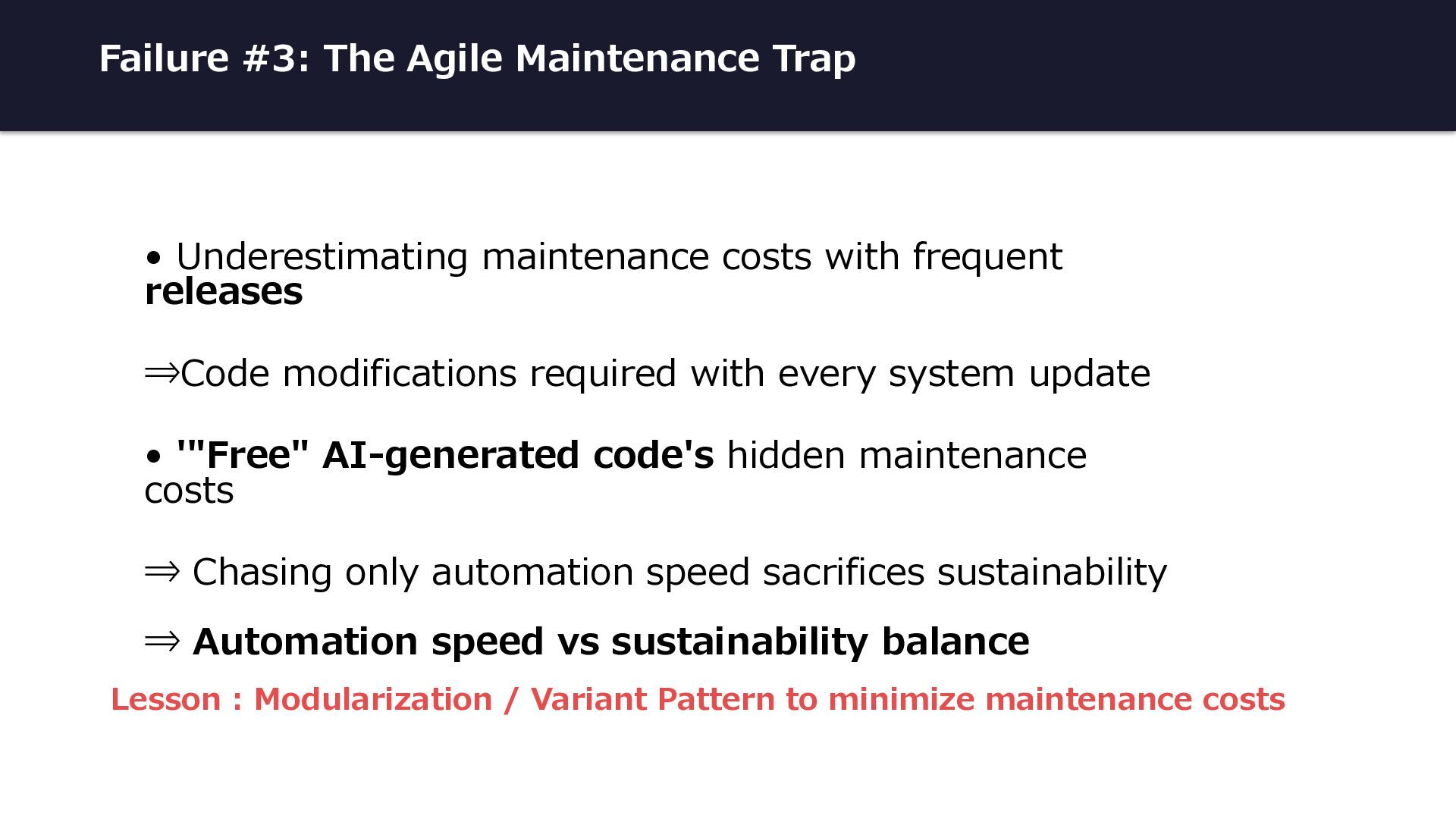
collisions in shared environments • Parallel test executions destroying each other's data • Data corruption by 2 testers using the same search criteria (overwriting, etc.) Solution: Precise targeting and isolation strategy Lesson: In shared environments, use unique identifiers. Always track exactly which data belongs to your test. # check contract status: identify contract by contractnumber await page.goto(backoffice_url) await page.get_by_role(“textbox”, name=“Login Name”).fill(backoffice_username) await page.get_by_role("textbox", name="Password").fill(backoffice_password) await page.get_by_role("button", name="Log In").click() await page.get_by_role("link", name="Contract Information").click() await page.get_by_role("textbox", name="Contract Number").fill(contract_number) await page.get_by_role("button", name="Search").click()
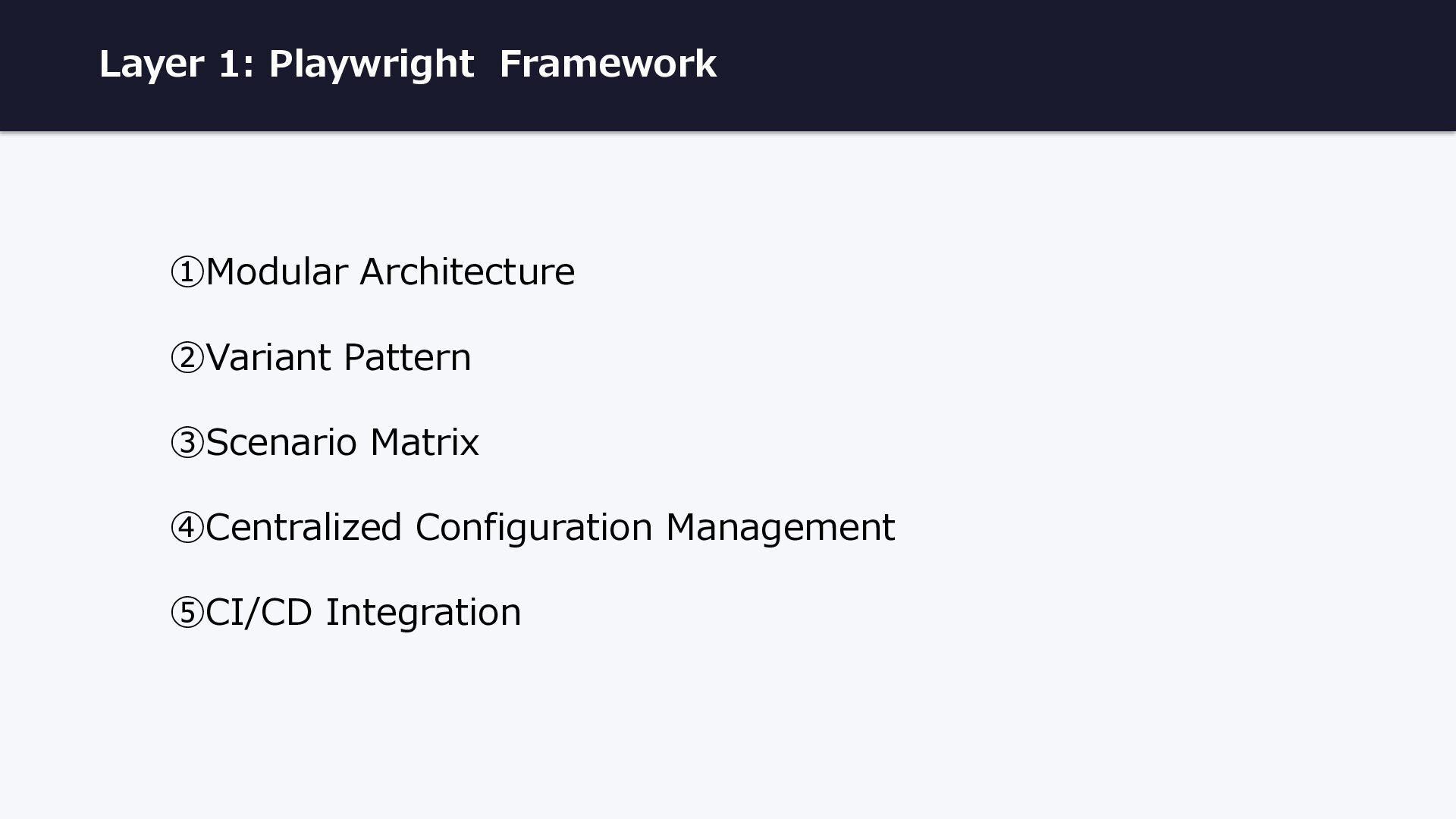
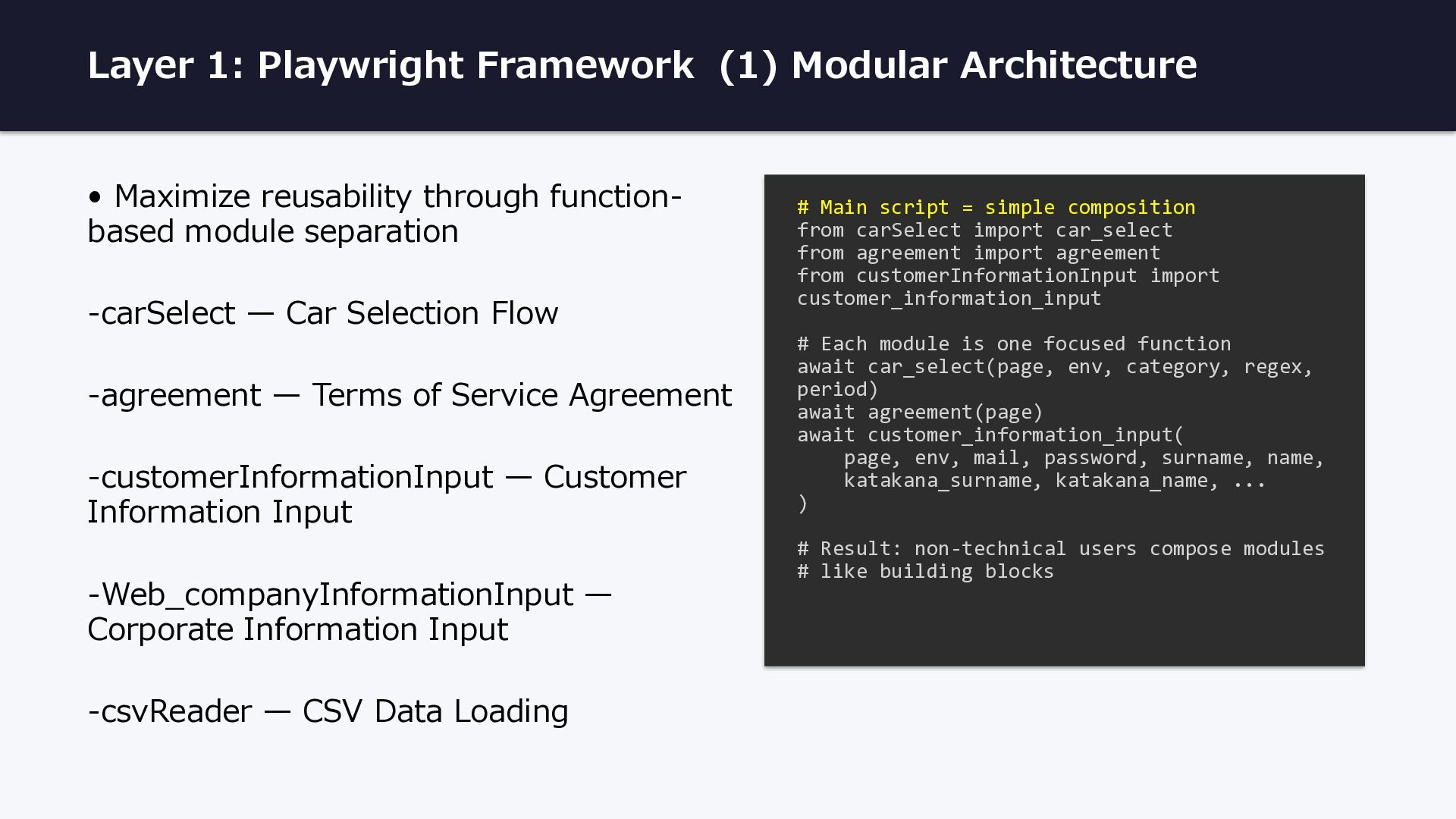
through function- based module separation -carSelect — Car Selection Flow -agreement — Terms of Service Agreement -customerInformationInput — Customer Information Input -Web_companyInformationInput — Corporate Information Input -csvReader — CSV Data Loading # Main script = simple composition from carSelect import car_select from agreement import agreement from customerInformationInput import customer_information_input # Each module is one focused function await car_select(page, env, category, regex, period) await agreement(page) await customer_information_input( page, env, mail, password, surname, name, katakana_surname, katakana_name, ... ) # Result: non-technical users compose modules # like building blocks
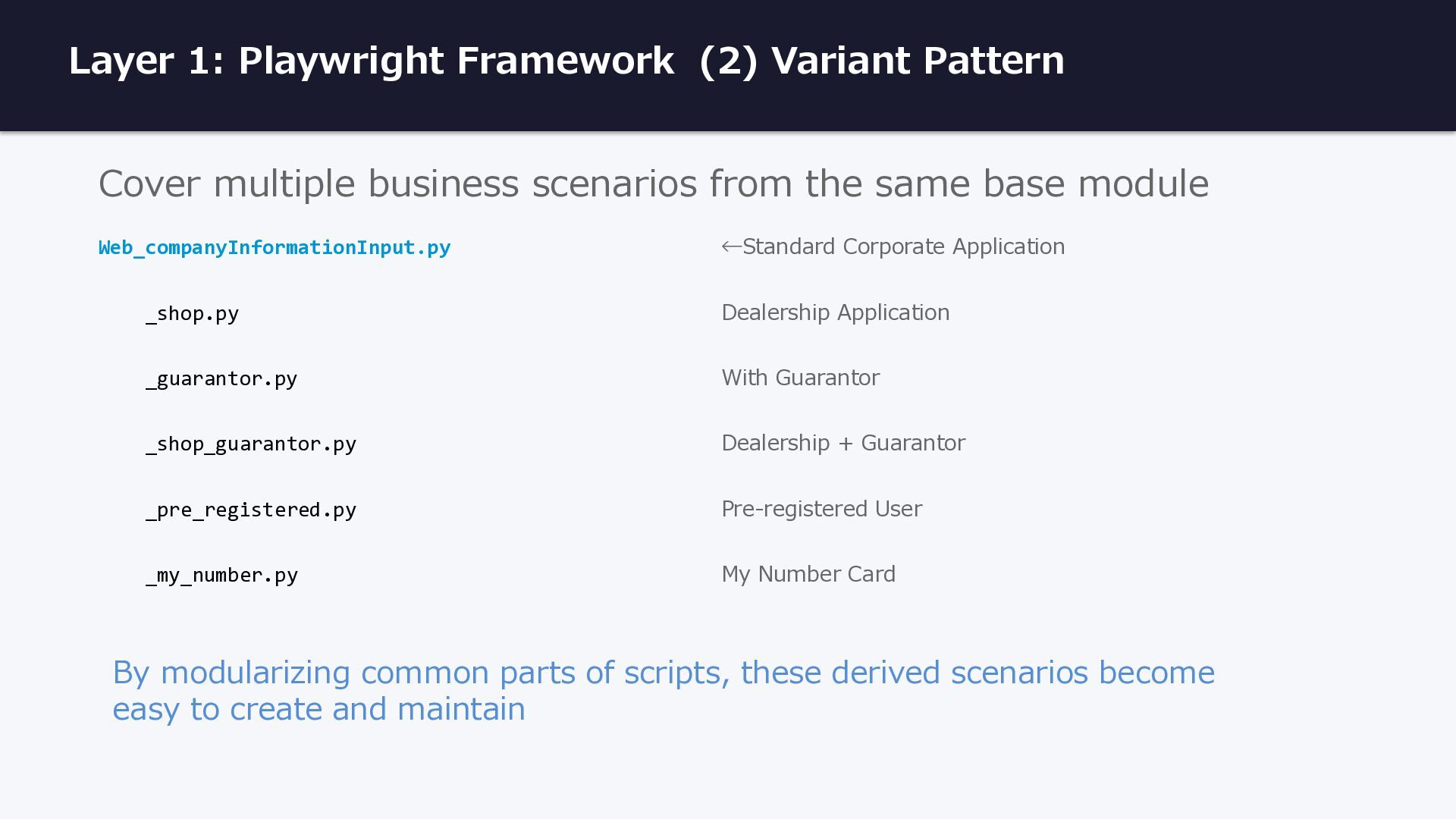
scenarios from the same base module Web_companyInformationInput.py ←Standard Corporate Application _shop.py Dealership Application _guarantor.py With Guarantor _shop_guarantor.py Dealership + Guarantor _pre_registered.py Pre-registered User _my_number.py My Number Card By modularizing common parts of scripts, these derived scenarios become easy to create and maintain
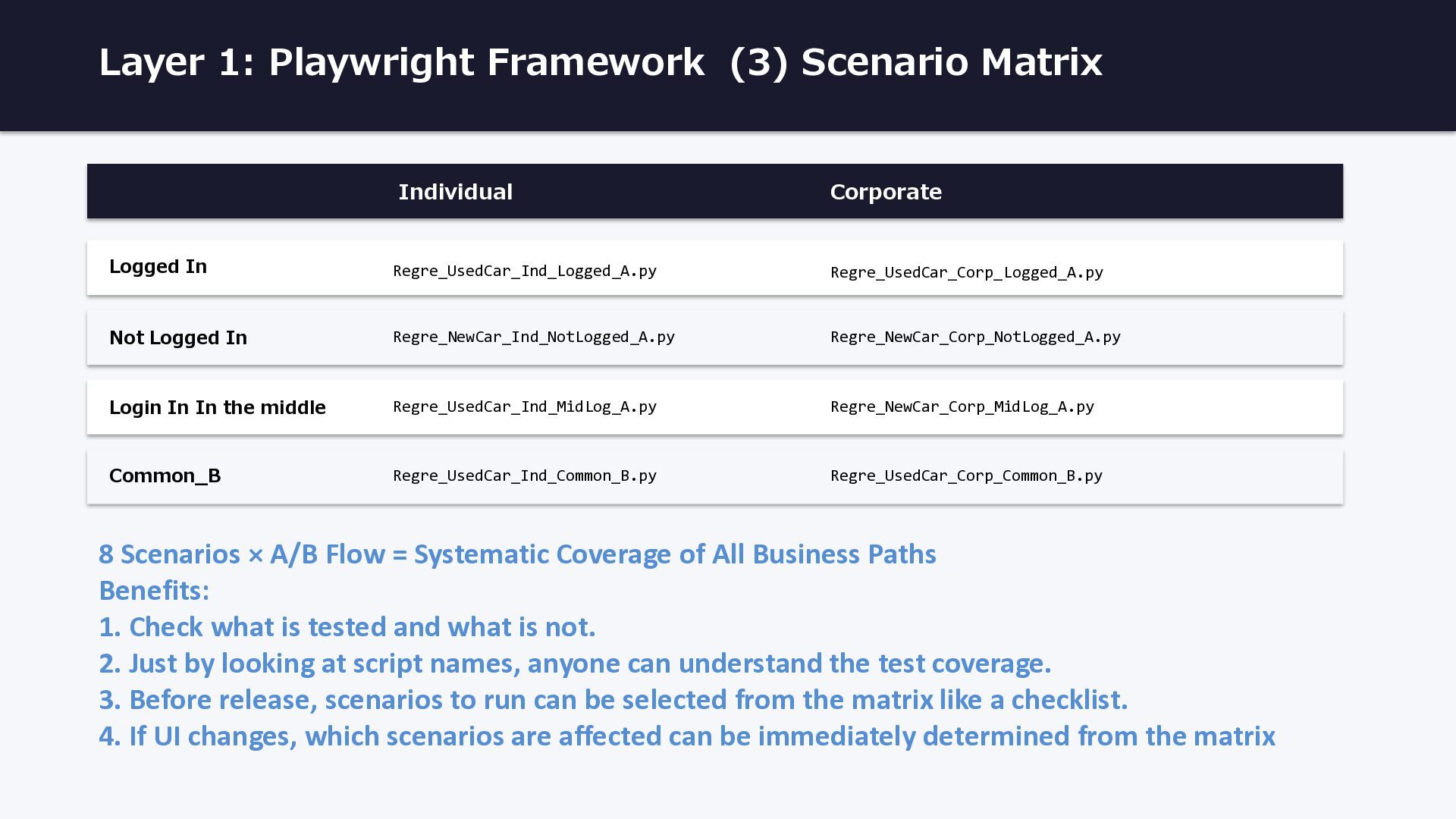
In Regre_UsedCar_Ind_Logged_A.py Regre_UsedCar_Corp_Logged_A.py Not Logged In Regre_NewCar_Ind_NotLogged_A.py Regre_NewCar_Corp_NotLogged_A.py Login In In the middle Regre_UsedCar_Ind_MidLog_A.py Regre_NewCar_Corp_MidLog_A.py Common_B Regre_UsedCar_Ind_Common_B.py Regre_UsedCar_Corp_Common_B.py 8 Scenarios × A/B Flow = Systematic Coverage of All Business Paths Benefits: 1. Check what is tested and what is not. 2. Just by looking at script names, anyone can understand the test coverage. 3. Before release, scenarios to run can be selected from the matrix like a checklist. 4. If UI changes, which scenarios are affected can be immediately determined from the matrix
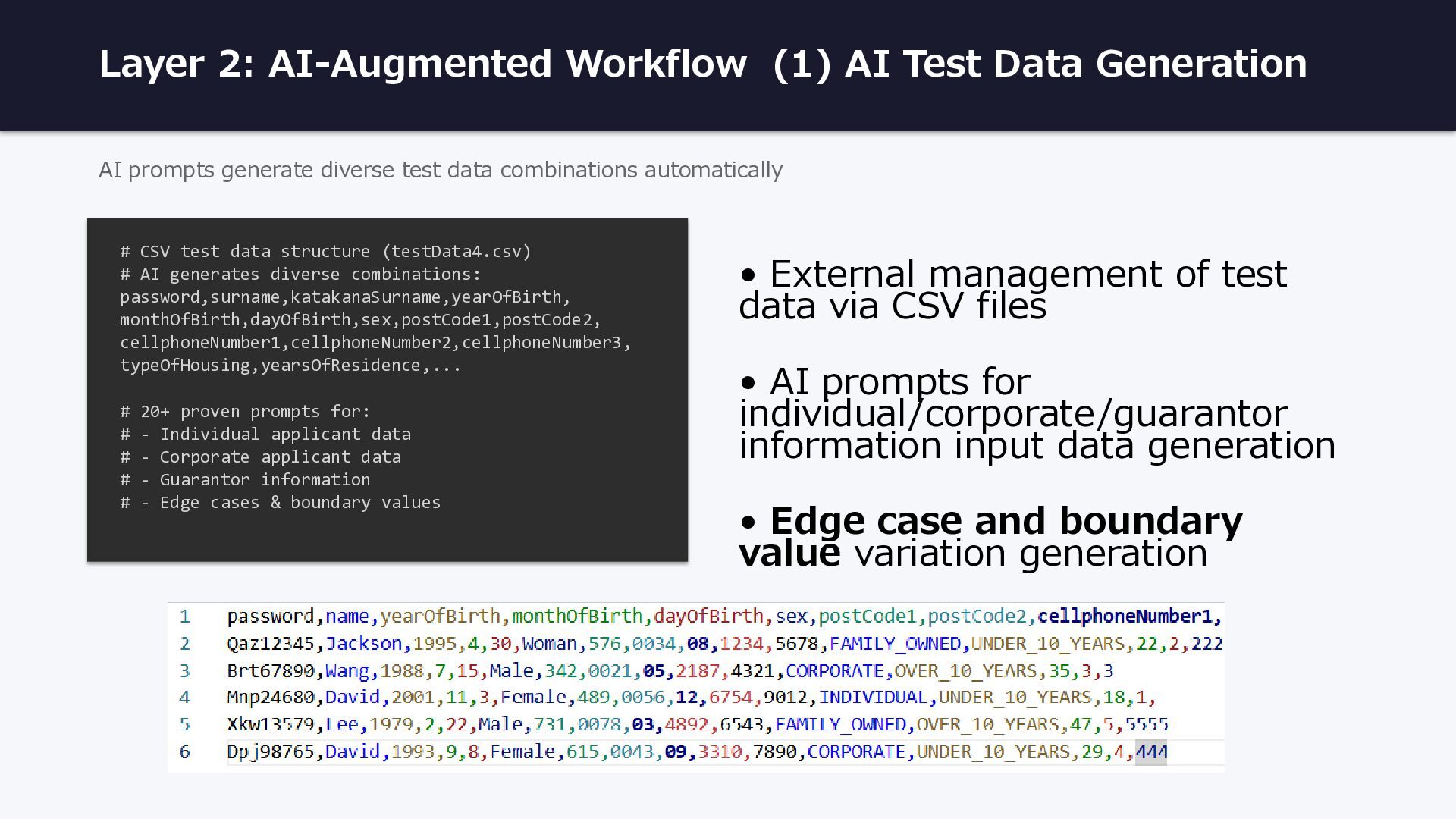
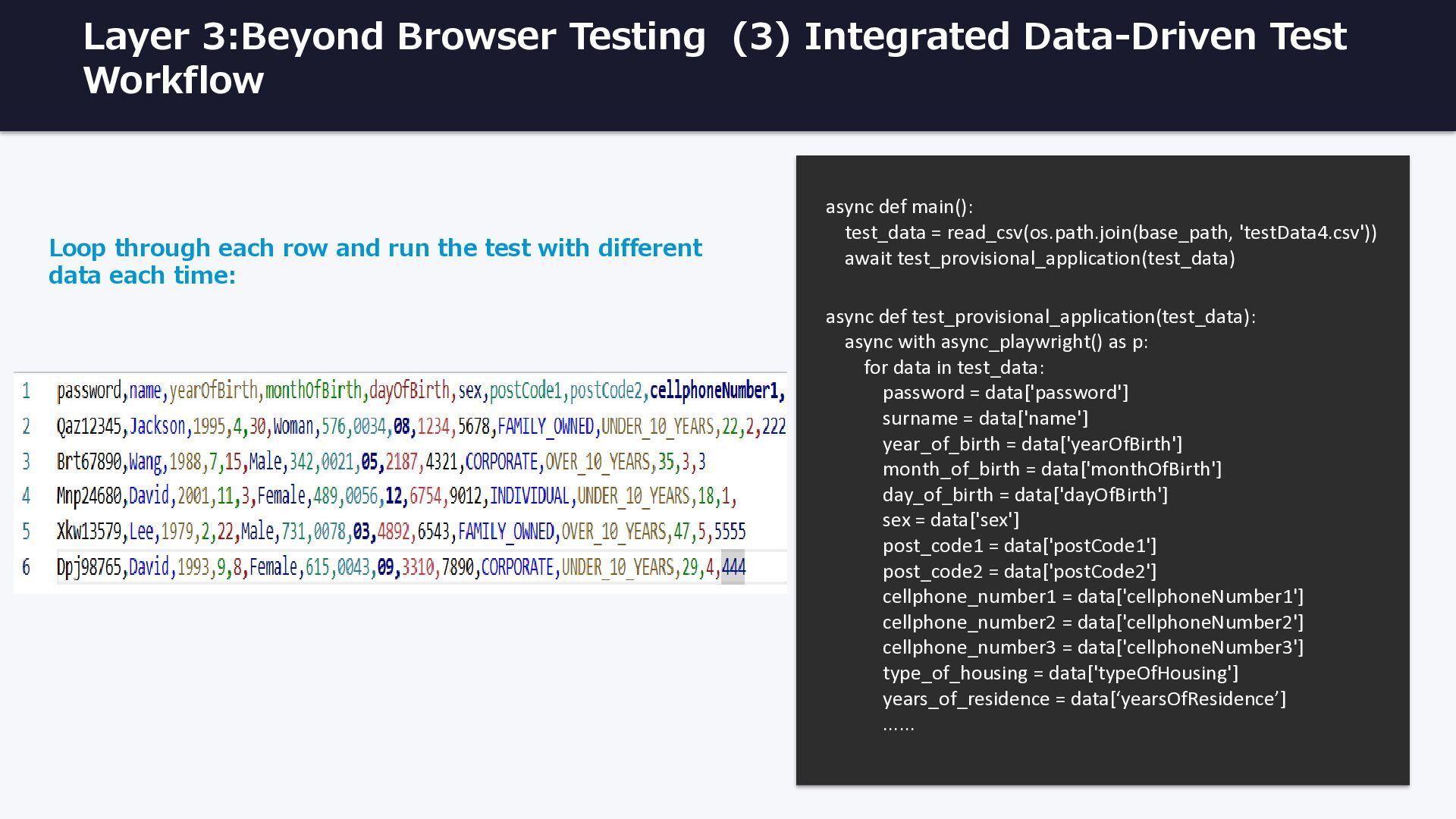
prompts generate diverse test data combinations automatically # CSV test data structure (testData4.csv) # AI generates diverse combinations: password,surname,katakanaSurname,yearOfBirth, monthOfBirth,dayOfBirth,sex,postCode1,postCode2, cellphoneNumber1,cellphoneNumber2,cellphoneNumber3, typeOfHousing,yearsOfResidence,... # 20+ proven prompts for: # - Individual applicant data # - Corporate applicant data # - Guarantor information # - Edge cases & boundary values • External management of test data via CSV files • AI prompts for individual/corporate/guarantor information input data generation • Edge case and boundary value variation generation
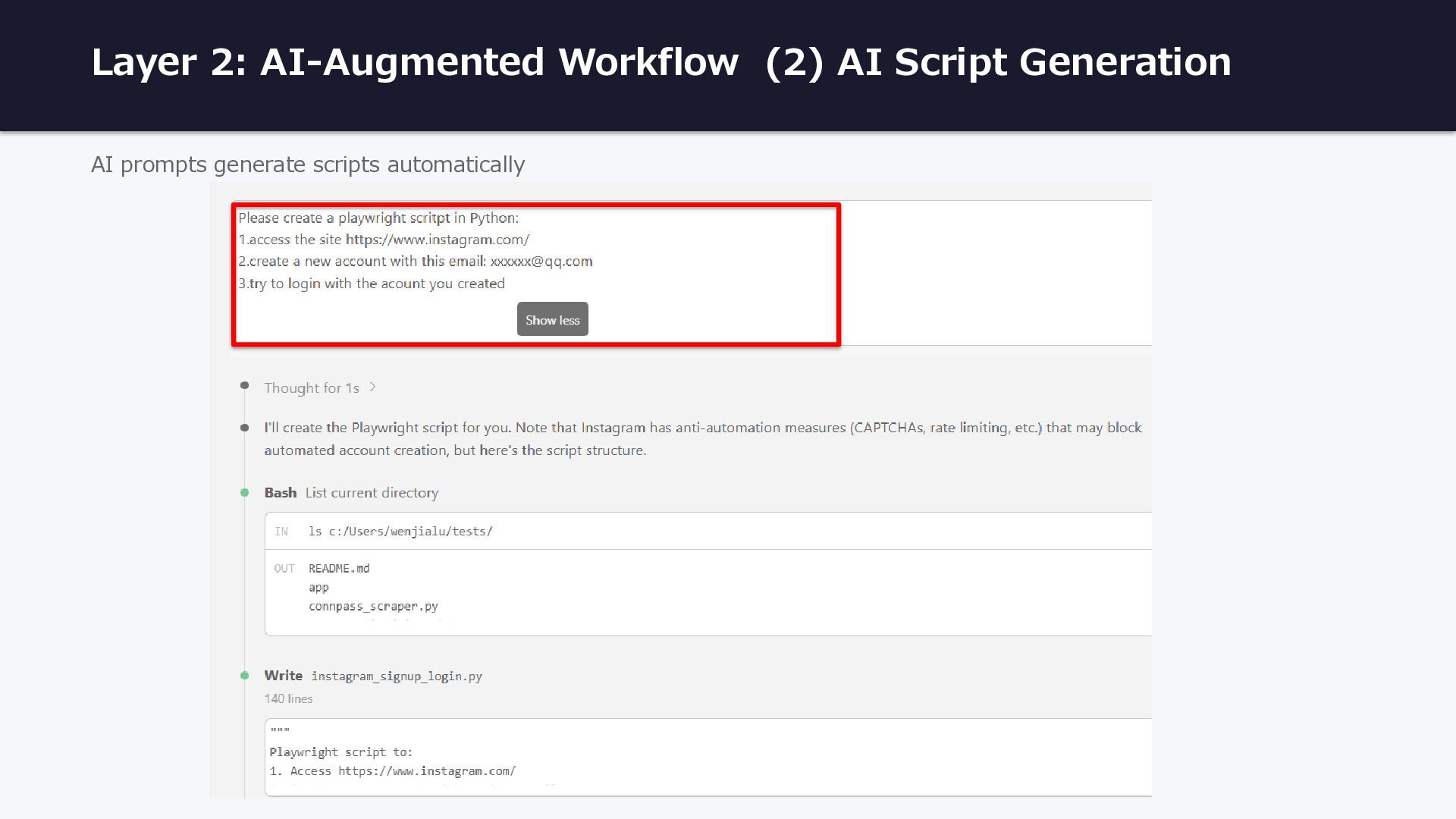
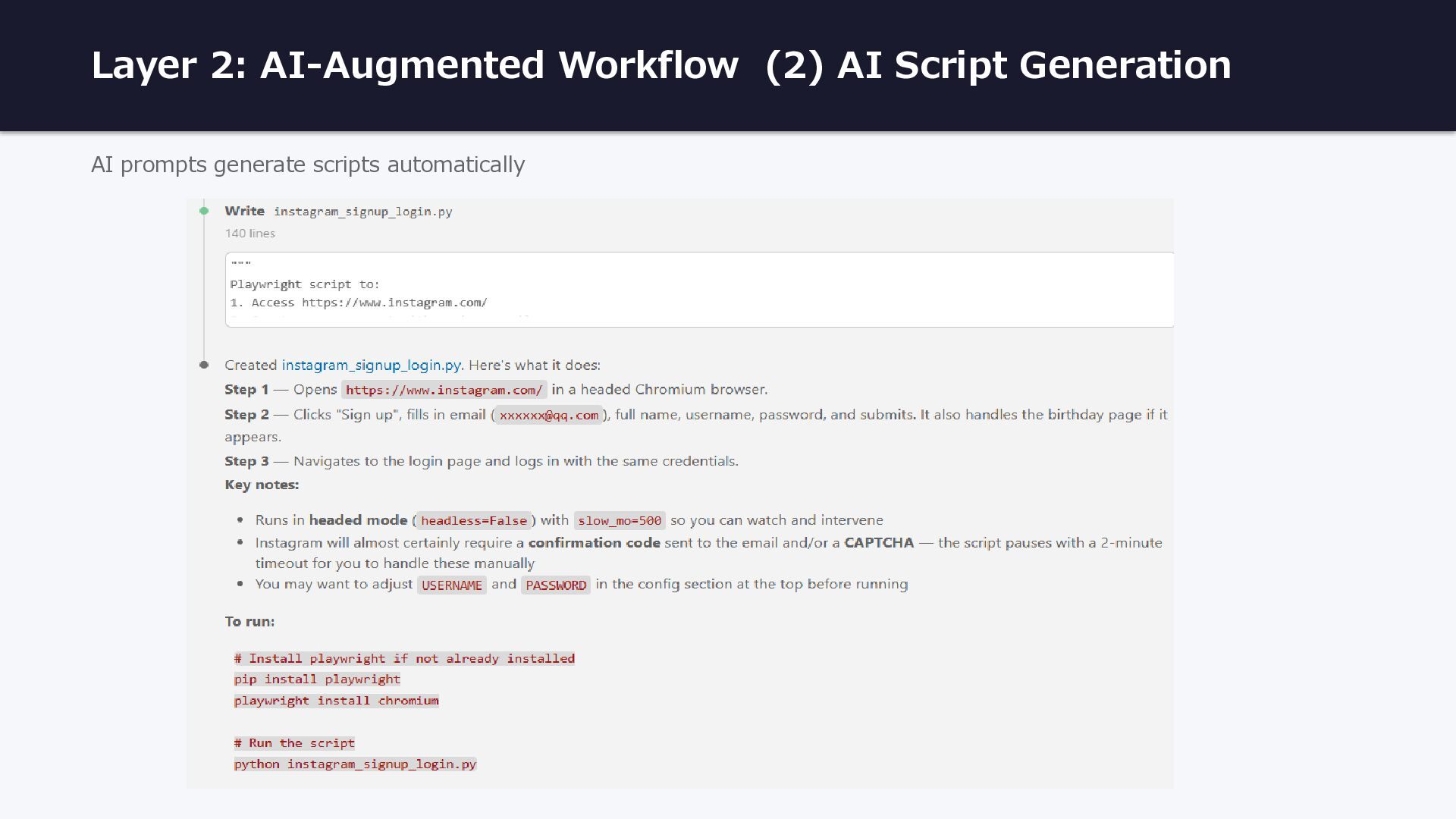
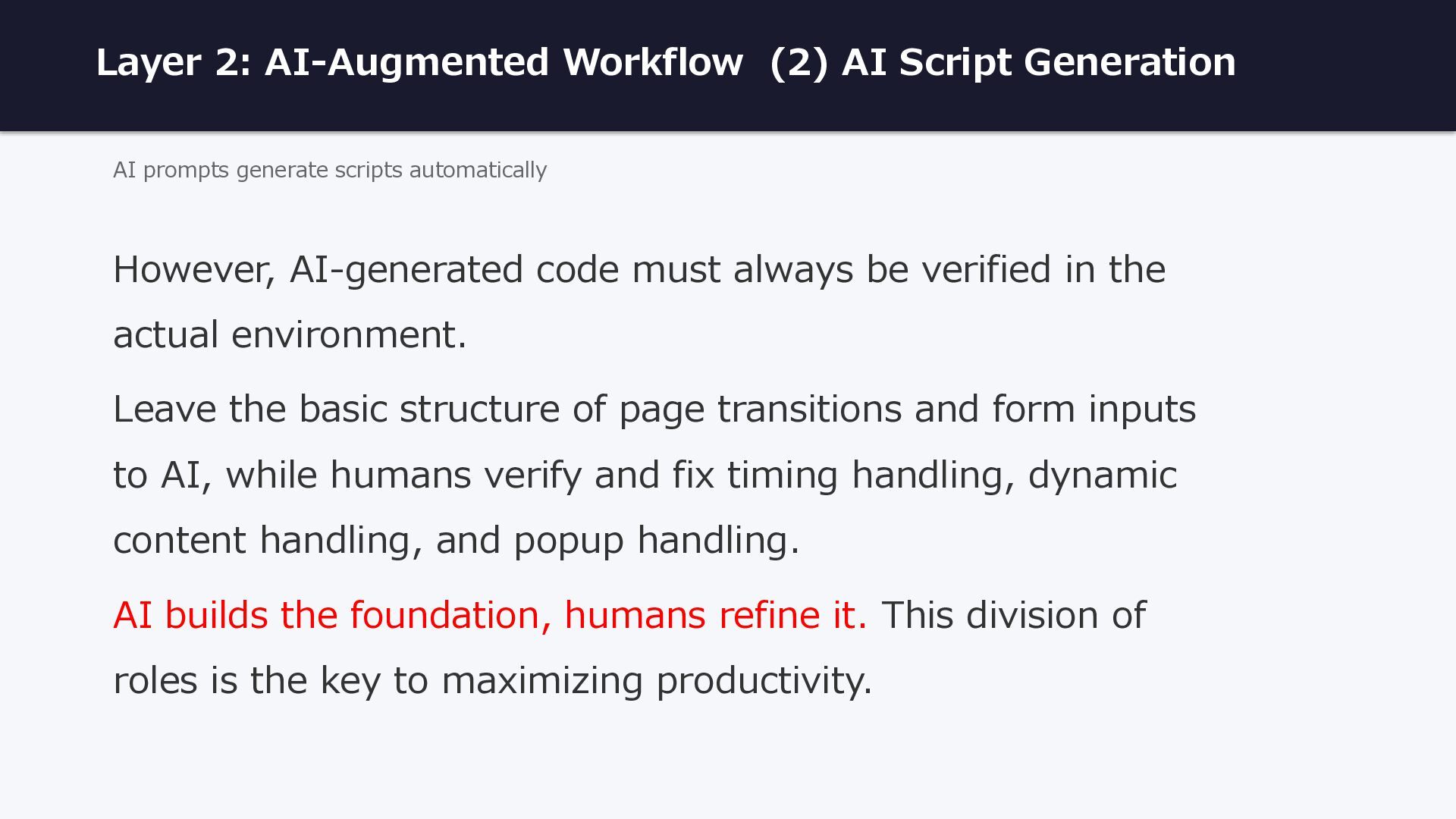
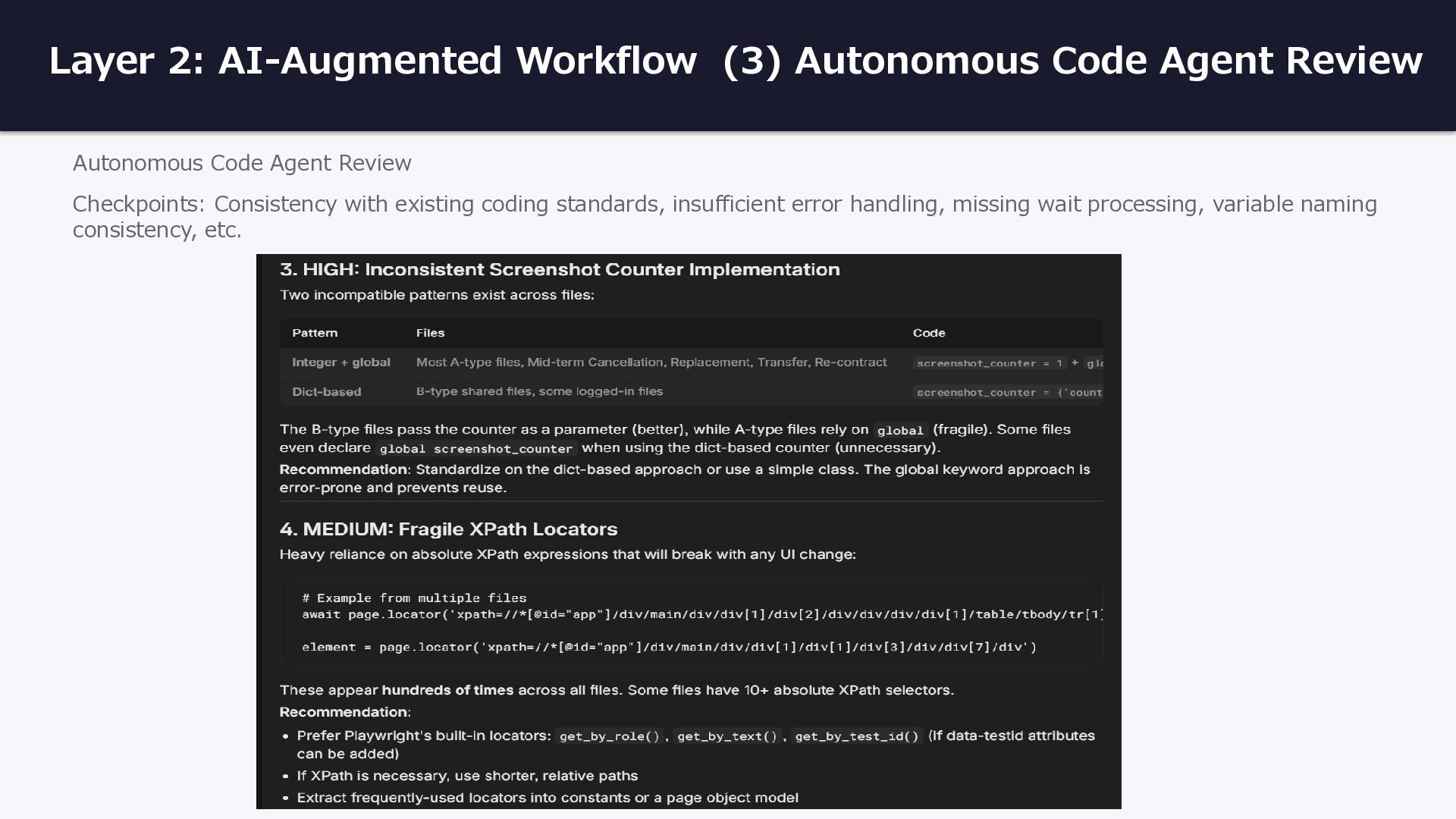
generate scripts automatically However, AI-generated code must always be verified in the actual environment. Leave the basic structure of page transitions and form inputs to AI, while humans verify and fix timing handling, dynamic content handling, and popup handling. AI builds the foundation, humans refine it. This division of roles is the key to maximizing productivity.
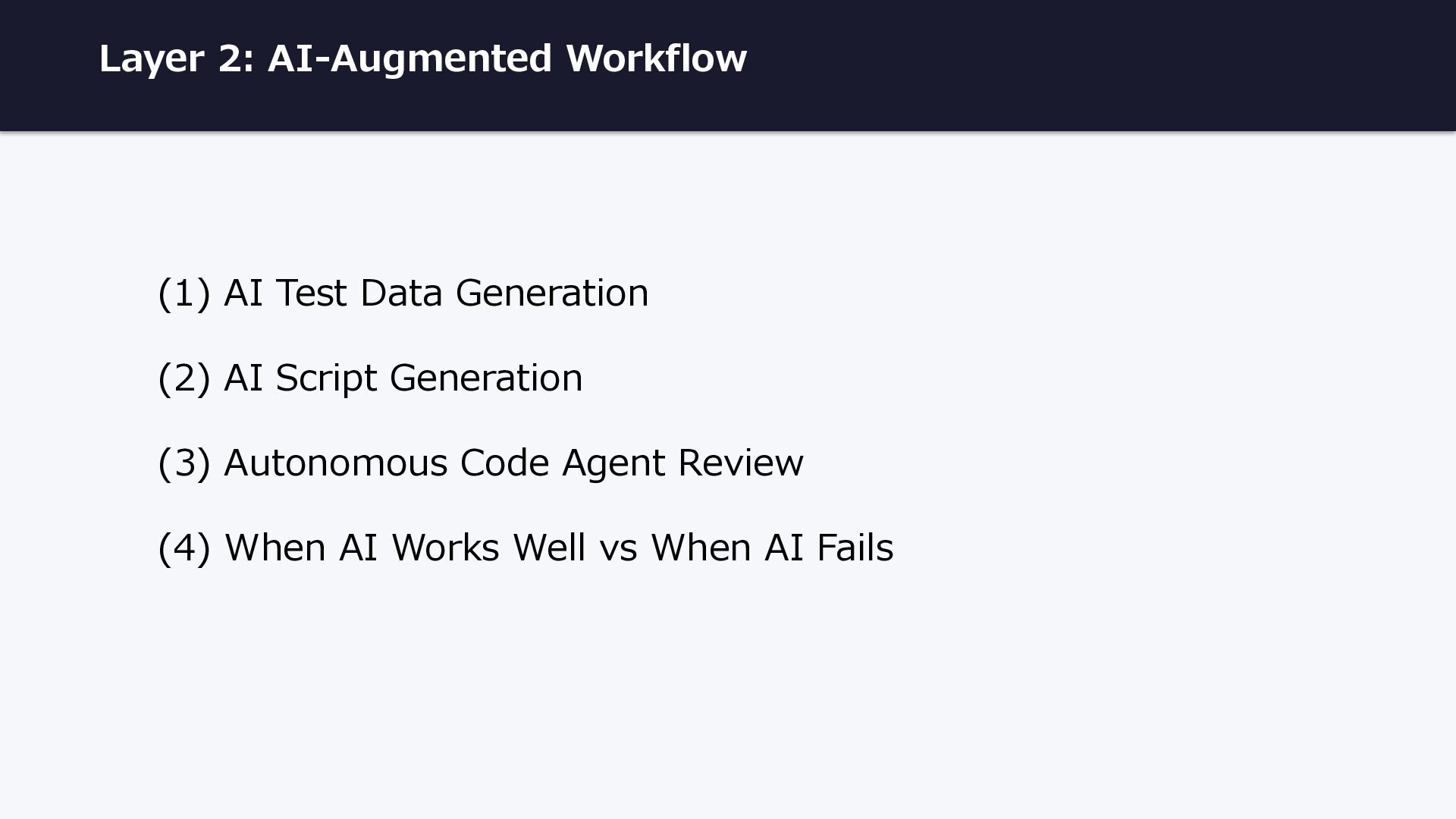
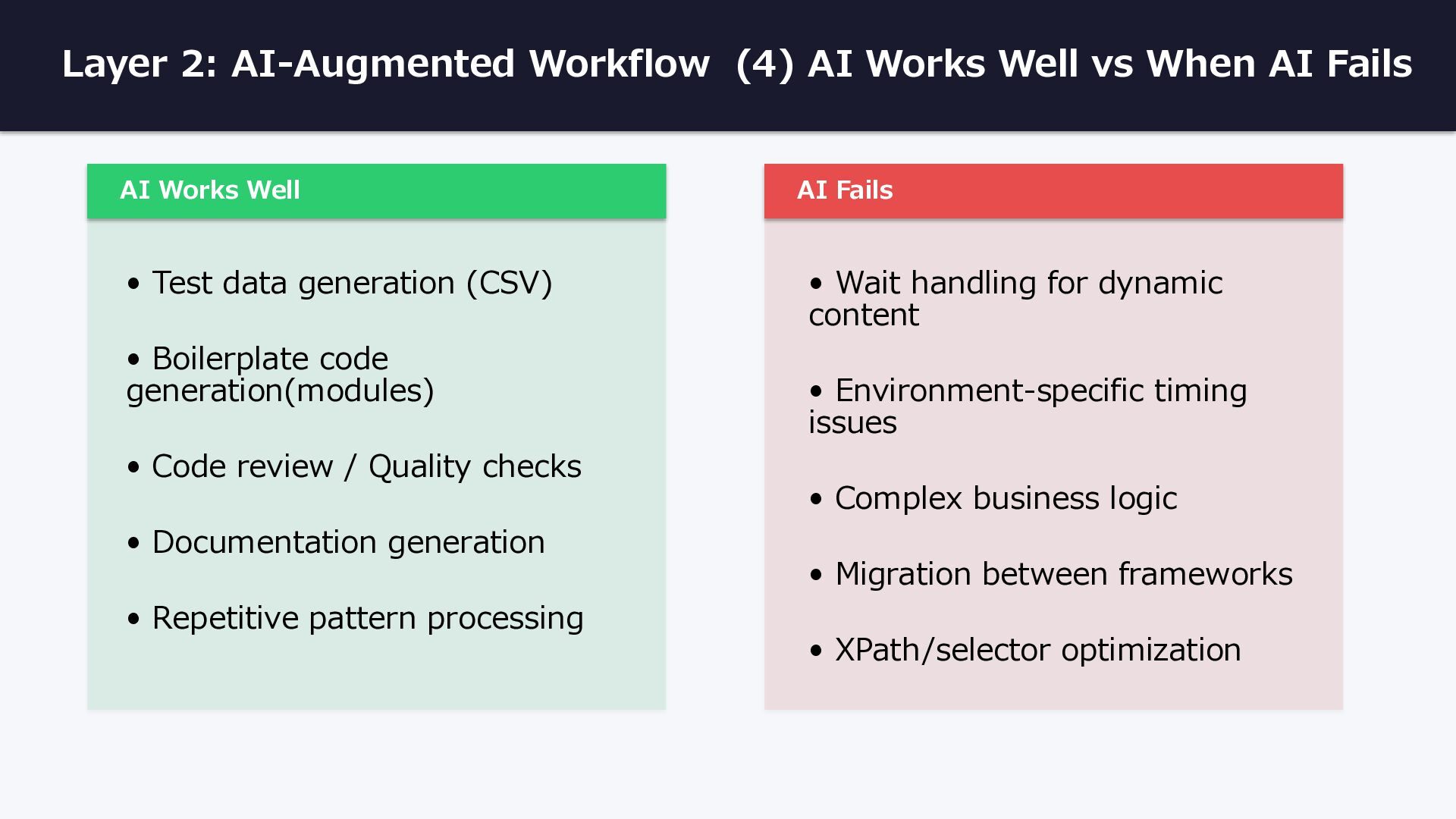
AI Fails AI Works Well • Test data generation (CSV) • Boilerplate code generation(modules) • Code review / Quality checks • Documentation generation • Repetitive pattern processing AI Fails • Wait handling for dynamic content • Environment-specific timing issues • Complex business logic • Migration between frameworks • XPath/selector optimization
def main(): test_data = read_csv(os.path.join(base_path, 'testData4.csv')) await test_provisional_application(test_data) async def test_provisional_application(test_data): async with async_playwright() as p: for data in test_data: password = data['password'] surname = data['name'] year_of_birth = data['yearOfBirth'] month_of_birth = data['monthOfBirth'] day_of_birth = data['dayOfBirth'] sex = data['sex'] post_code1 = data['postCode1'] post_code2 = data['postCode2'] cellphone_number1 = data['cellphoneNumber1'] cellphone_number2 = data['cellphoneNumber2'] cellphone_number3 = data['cellphoneNumber3'] type_of_housing = data['typeOfHousing'] years_of_residence = data[‘yearsOfResidence’] ...... Loop through each row and run the test with different data each time:
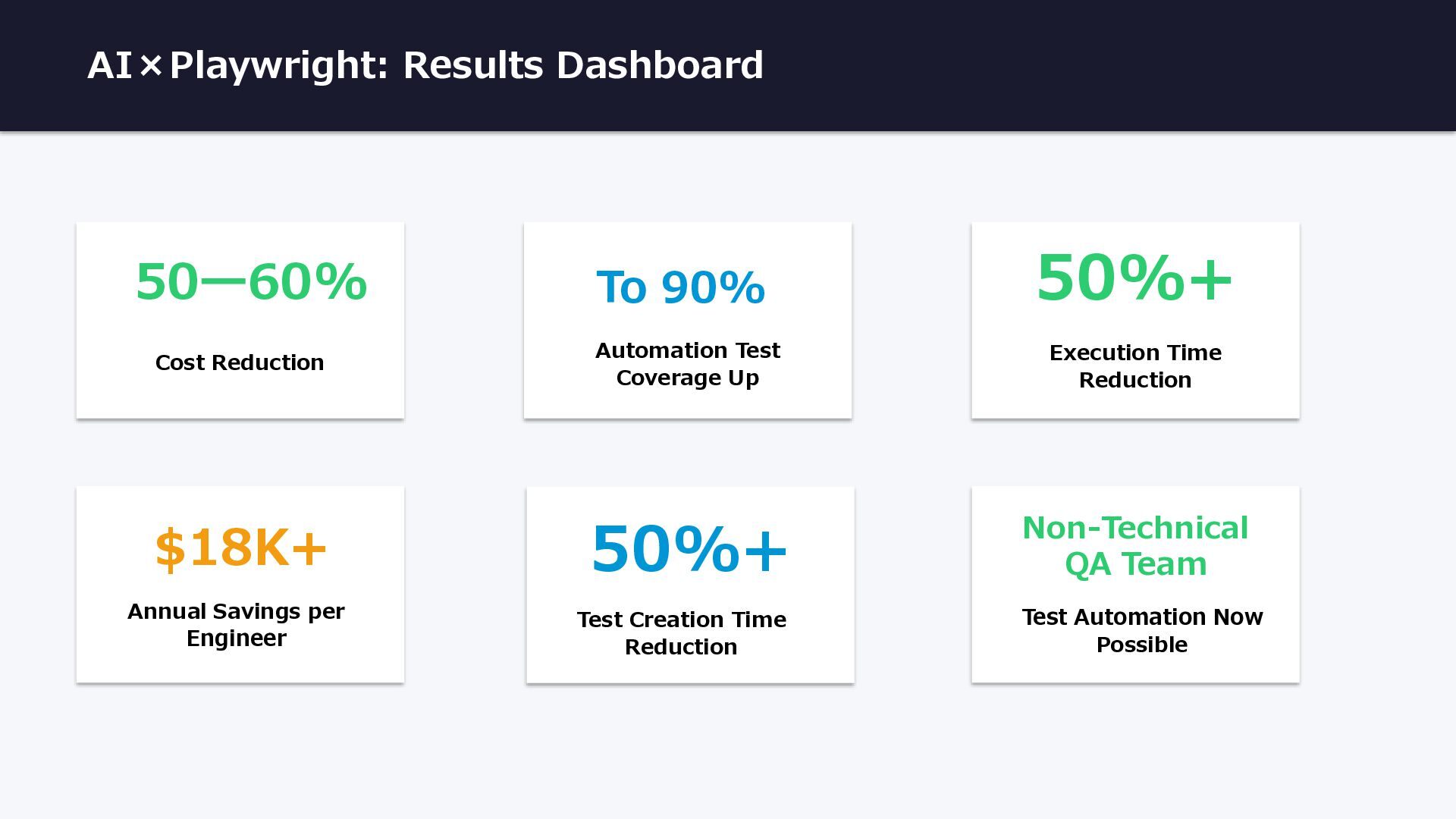
Coverage Up 50%+ Execution Time Reduction 50%+ Test Creation Time Reduction Non-Technical QA Team Test Automation Now Possible Annual Savings per Engineer $18K+
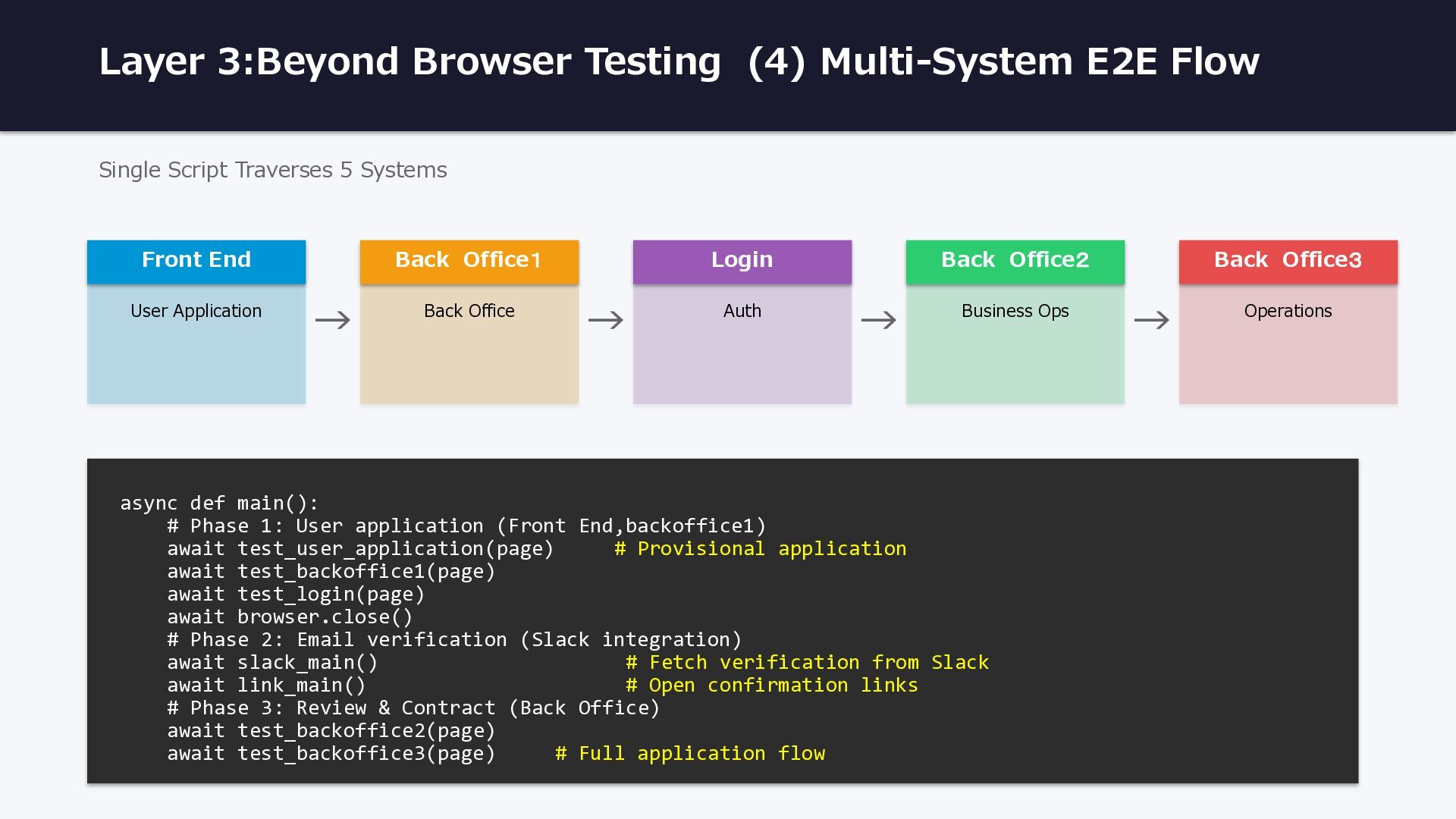
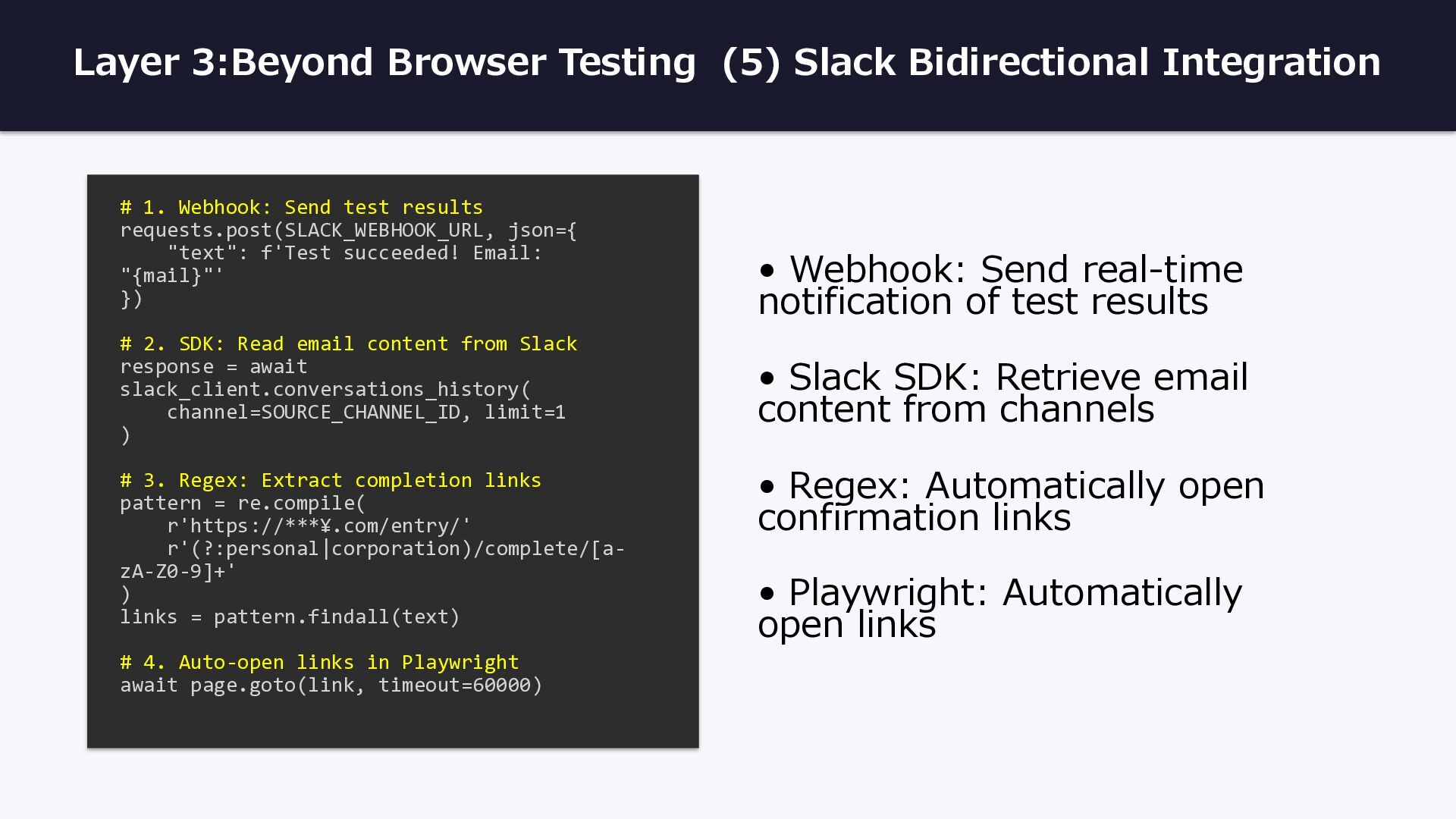
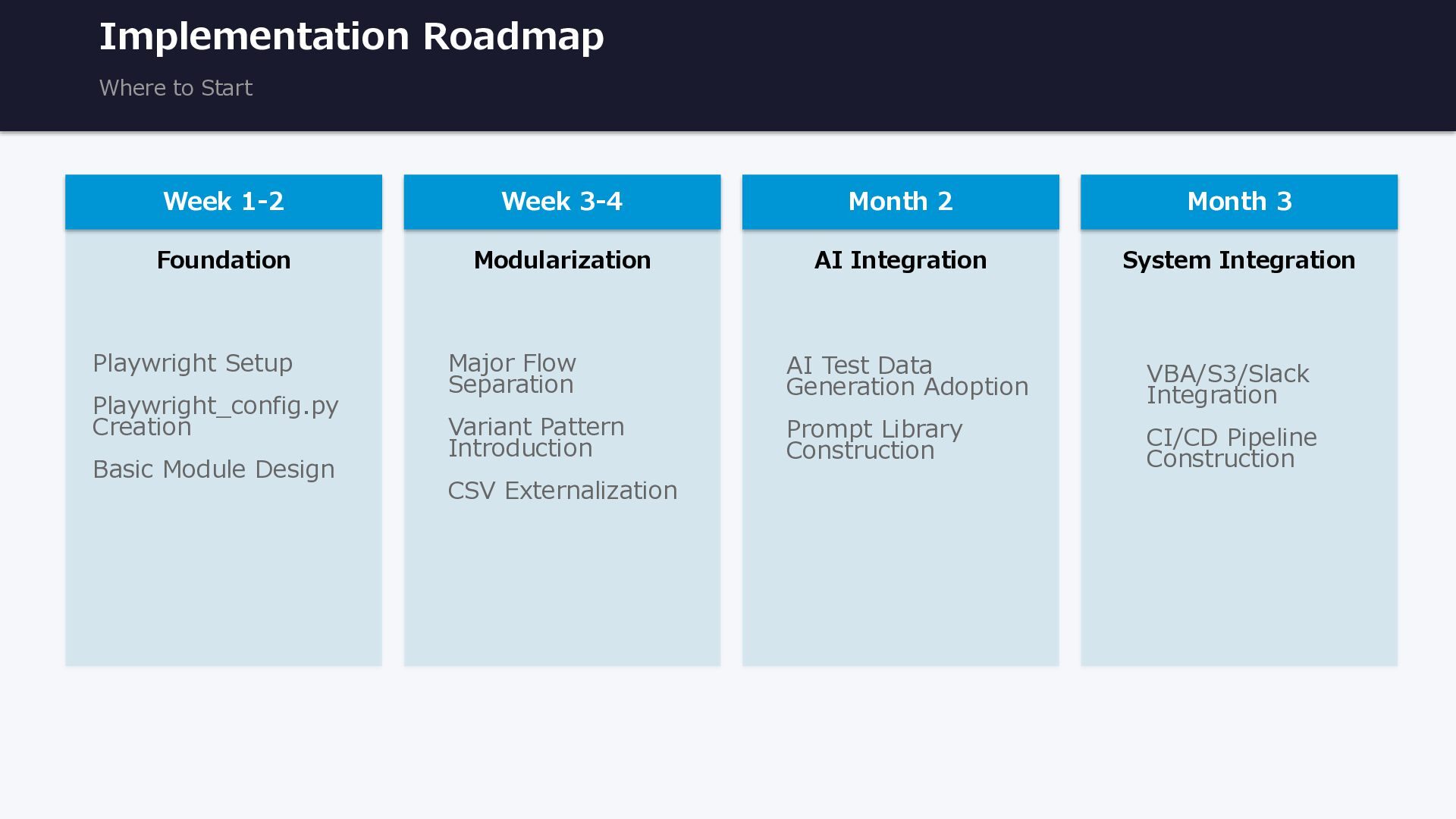
Playwright_config.py Creation Basic Module Design Week 3-4 Modularization Major Flow Separation Variant Pattern Introduction CSV Externalization Month 2 AI Integration AI Test Data Generation Adoption Prompt Library Construction Month 3 System Integration VBA/S3/Slack Integration CI/CD Pipeline Construction
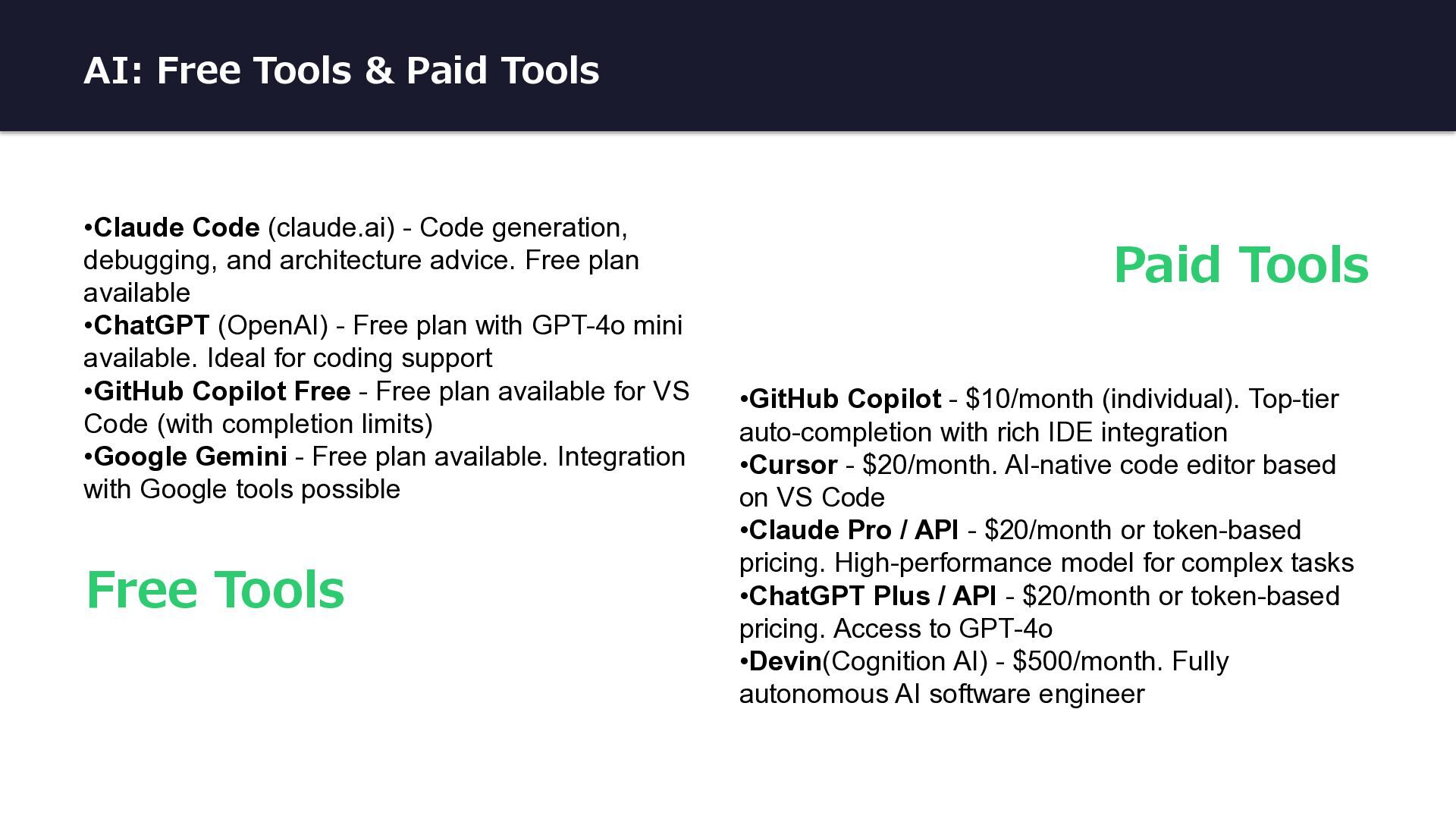
Code generation, debugging, and architecture advice. Free plan available •ChatGPT (OpenAI) - Free plan with GPT-4o mini available. Ideal for coding support •GitHub Copilot Free - Free plan available for VS Code (with completion limits) •Google Gemini - Free plan available. Integration with Google tools possible •GitHub Copilot - $10/month (individual). Top-tier auto-completion with rich IDE integration •Cursor - $20/month. AI-native code editor based on VS Code •Claude Pro / API - $20/month or token-based pricing. High-performance model for complex tasks •ChatGPT Plus / API - $20/month or token-based pricing. Access to GPT-4o •Devin(Cognition AI) - $500/month. Fully autonomous AI software engineer Free Tools Paid Tools


 kintotechdev
 jozono
 oikon48
 teamlab
 tokuty
 jyouryuusui
 kizawa2020
 yamanoku
 tomokusaba
 grimoh
 akitoshiga
 terapyon
 persolserverworks
 marketingsoph
 raygrieselhuber
 twada
twada
 ipullrank
 destraynor
 denniskardys
 marktimemedia
 gurzu
gurzu
 kimpetersen
 kastner
 soudai
 aleyda