of evolution 90 days release cycles of TensorFlow in 2018-2019 1.5 years gap between the NVIDIA GPU generations BigData-like scale requirements + HPC-like performance requirements Batch jobs + Interactive jobs • HPC challenges Sensitivity to resource mapping and hardware layouts All the latest hardware acceleration technologies (GPU, NVLink, RDMA, ...) Heterogeneity of the infrastructure • AI challenges Fast cycles of experimentation & deployments Complexity of managing software stacks ML/AIOps System Requirements 4
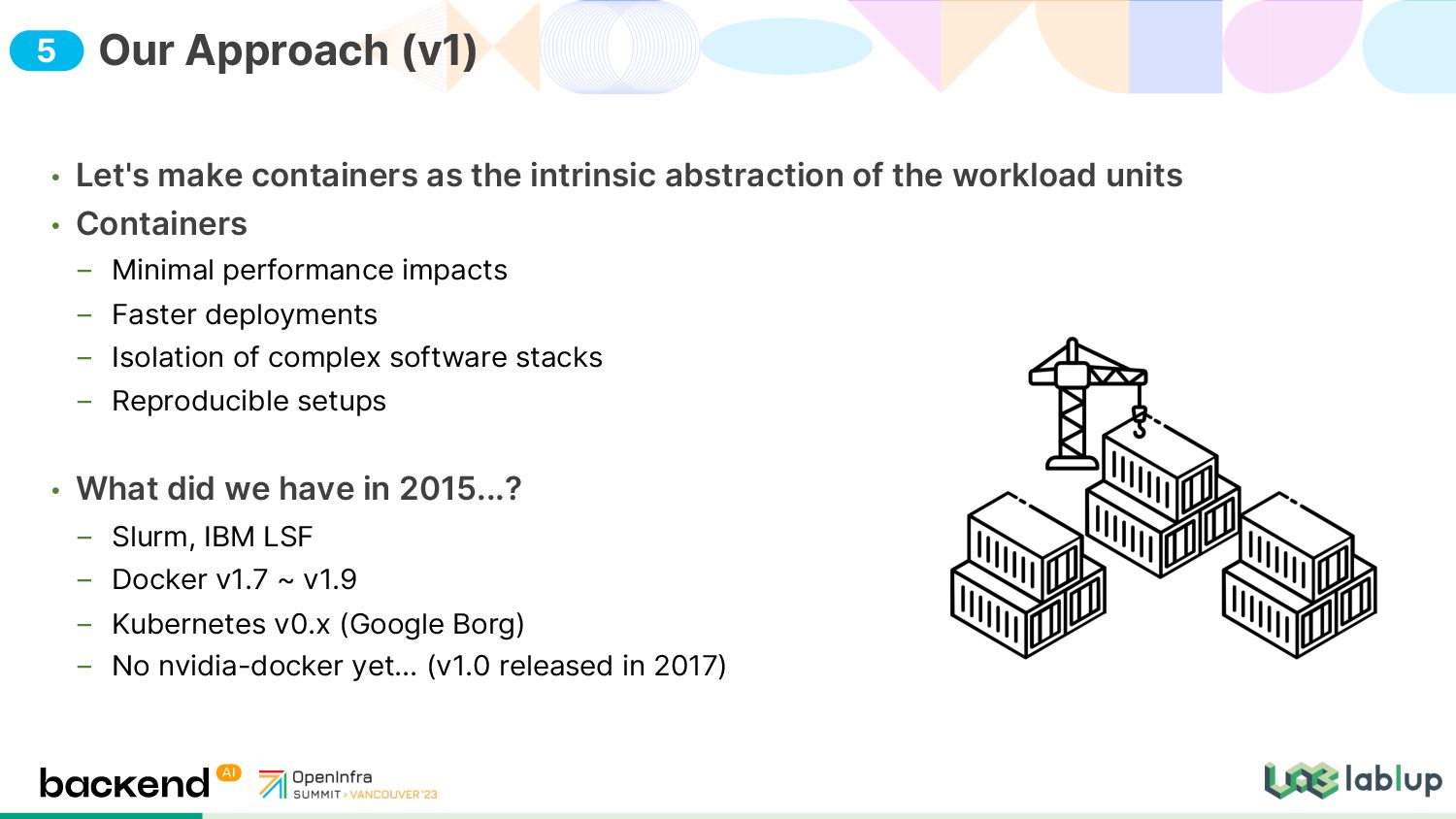
workload units • Containers Minimal performance impacts Faster deployments Isolation of complex software stacks Reproducible setups • What did we have in 2015...? Slurm, IBM LSF Docker v1.7 ~ v1.9 Kubernetes v0.x (Google Borg) No nvidia-docker yet... (v1.0 released in 2017) Our Approach (v1) 5
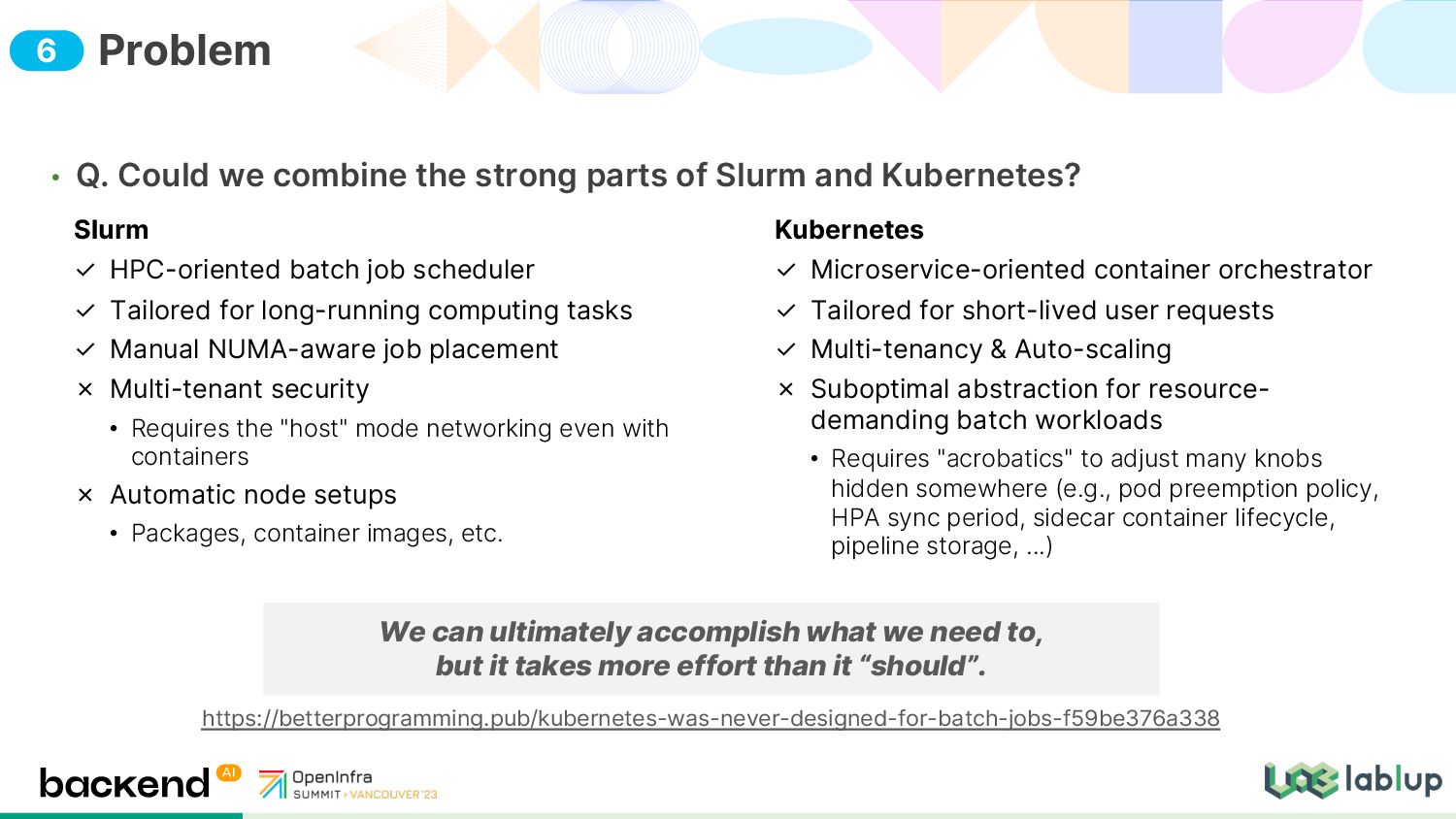
and Kubernetes? Problem Slurm ✓ HPC-oriented batch job scheduler ✓ Tailored for long-running computing tasks ✓ Manual NUMA-aware job placement ✗ Multi-tenant security • Requires the "host" mode networking even with containers ✗ Automatic node setups • Packages, container images, etc. Kubernetes ✓ Microservice-oriented container orchestrator ✓ Tailored for short-lived user requests ✓ Multi-tenancy & Auto-scaling ✗ Suboptimal abstraction for resource- demanding batch workloads • Requires "acrobatics" to adjust many knobs hidden somewhere (e.g., pod preemption policy, HPA sync period, sidecar container lifecycle, pipeline storage, ...) We can ultimately accomplish what we need to, but it takes more effort than it “should”. https://betterprogramming.pub/kubernetes-was-never-designed-for-batch-jobs-f59be376a338 6
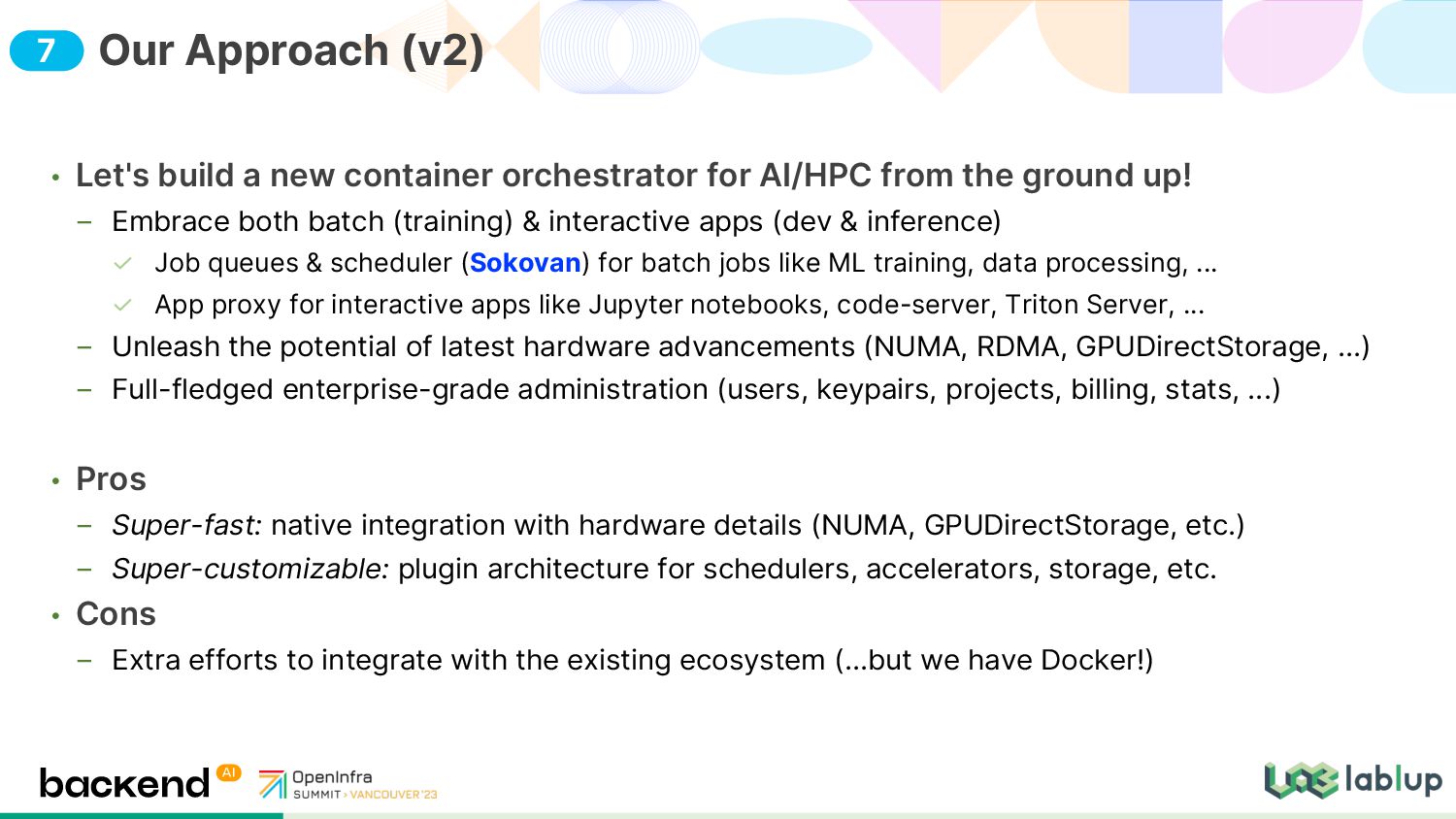
the ground up! Embrace both batch (training) & interactive apps (dev & inference) Job queues & scheduler (Sokovan) for batch jobs like ML training, data processing, ... App proxy for interactive apps like Jupyter notebooks, code-server, Triton Server, ... Unleash the potential of latest hardware advancements (NUMA, RDMA, GPUDirectStorage, ...) Full-fledged enterprise-grade administration (users, keypairs, projects, billing, stats, ...) • Pros Super-fast: native integration with hardware details (NUMA, GPUDirectStorage, etc.) Super-customizable: plugin architecture for schedulers, accelerators, storage, etc. • Cons Extra efforts to integrate with the existing ecosystem (...but we have Docker!) Our Approach (v2) 7
containers created on the fly (no pre-occupation) Containers are more like volatile processes with an overlay filesystem attached. Implements persistent storage via volume mounts • Customizable scheduler Heuristic FIFO, DRF (dominant resource fairness), user-written algorithms • Multi-tenancy first Goal: serve as a public SaaS Dynamic namespacing & partitioning instead (resource groups, scoped configuration) Decouples user/project from Linux user/group (e.g., for sharing data volumes) e.g., SSO plugins, Keystone integration Sokovan: Design Principle 11
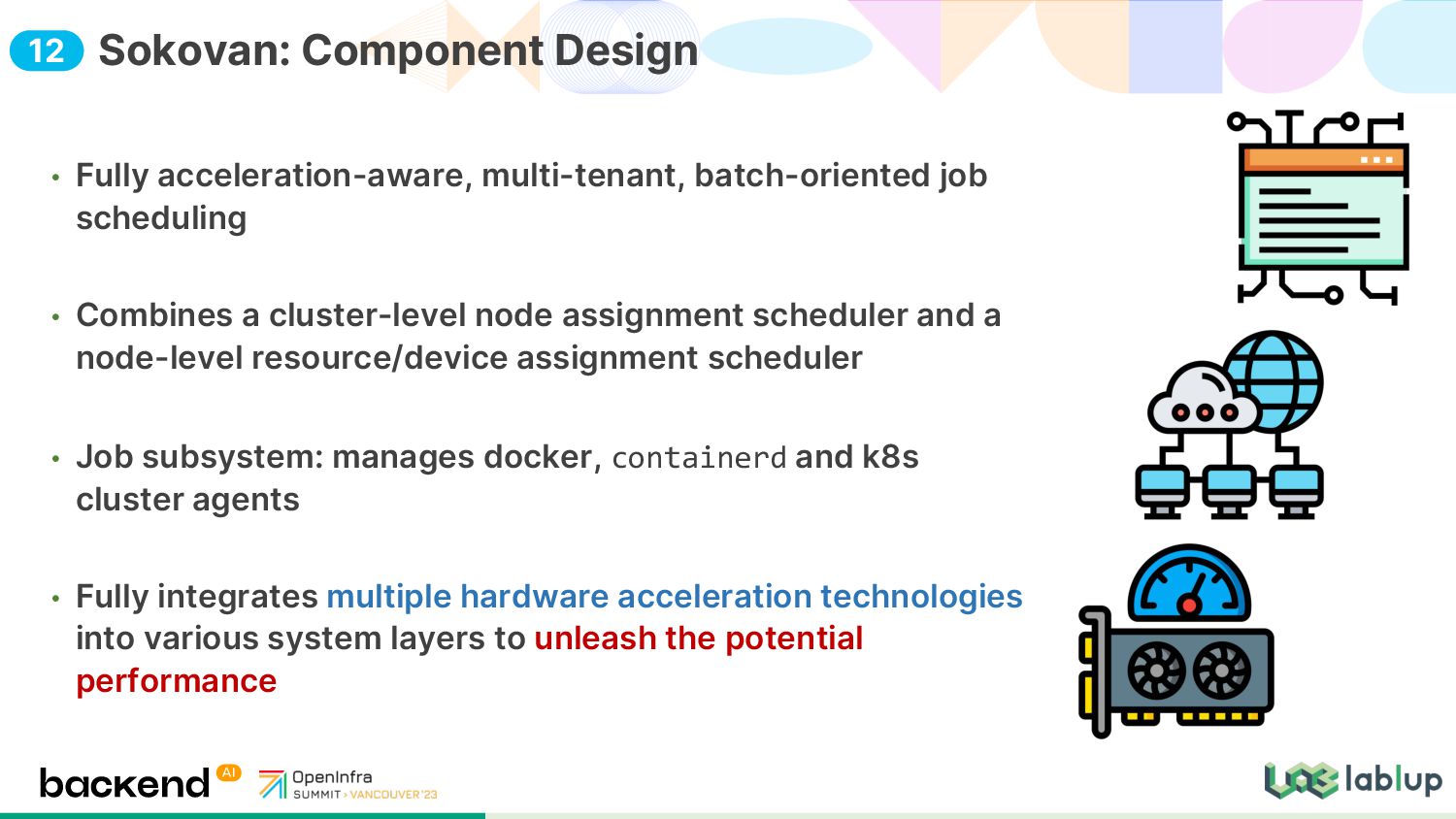
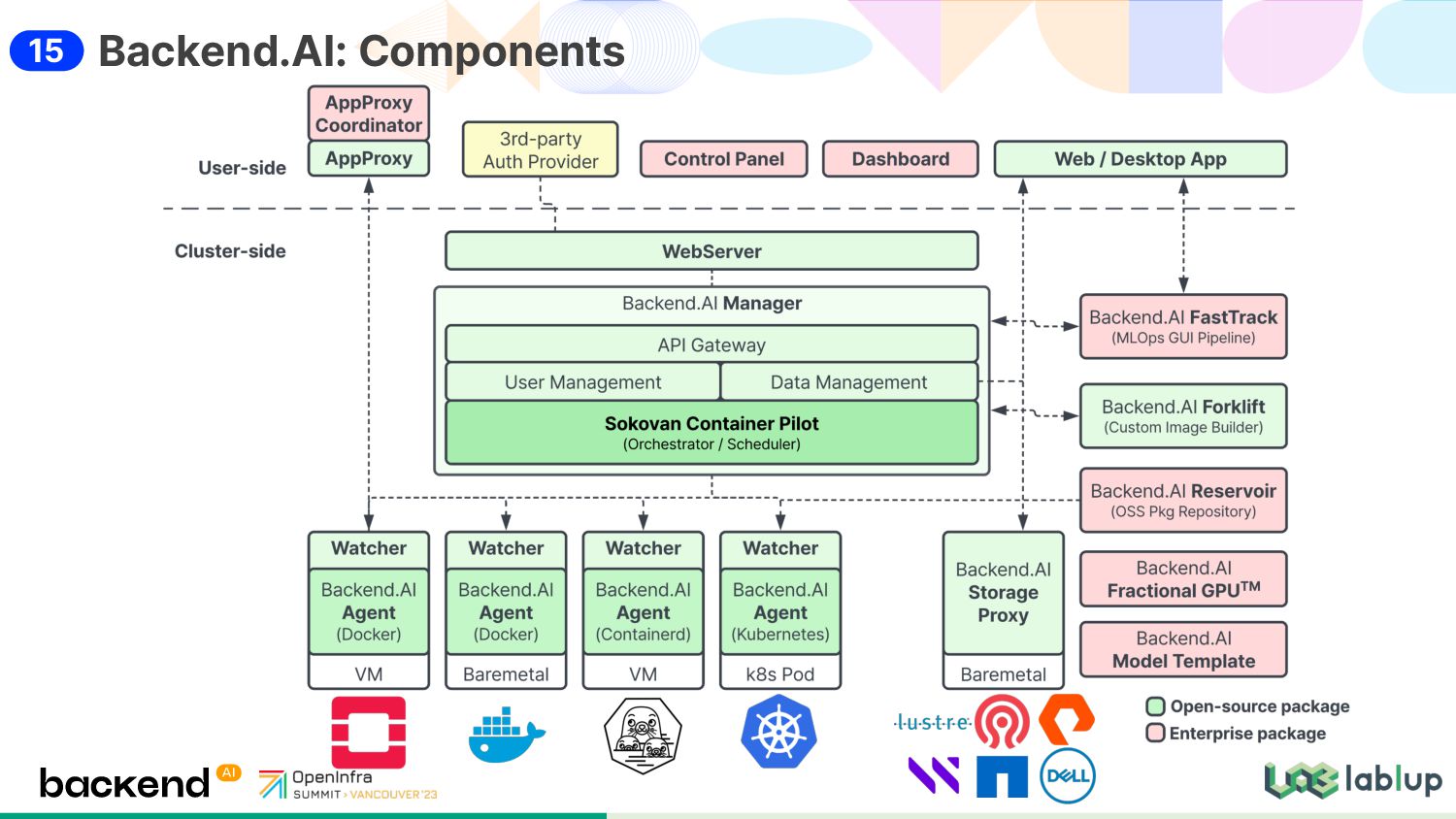
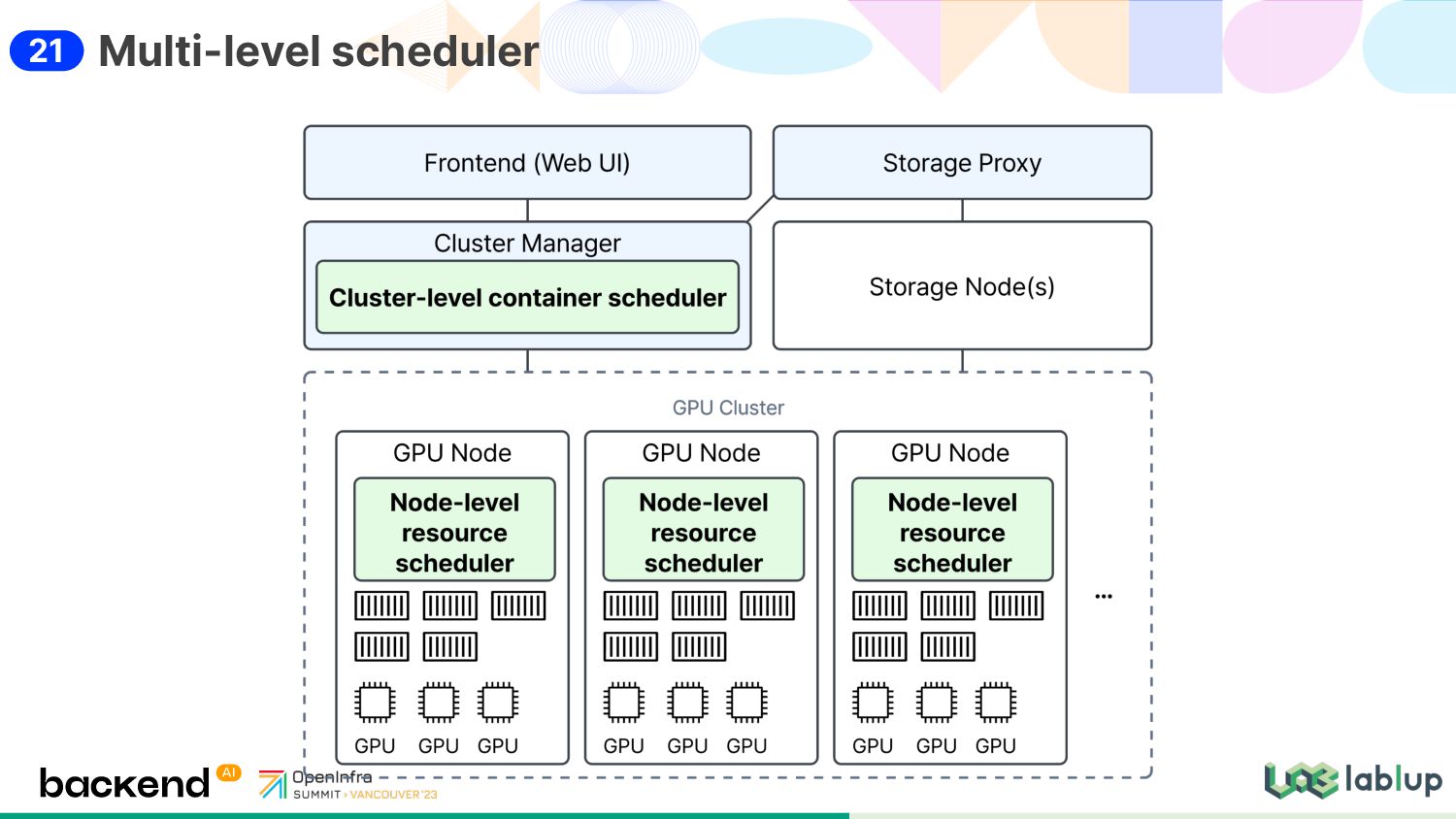
cluster-level node assignment scheduler and a node-level resource/device assignment scheduler • Job subsystem: manages docker, containerd and k8s cluster agents • Fully integrates multiple hardware acceleration technologies into various system layers to unleash the potential performance Sokovan: Component Design 12
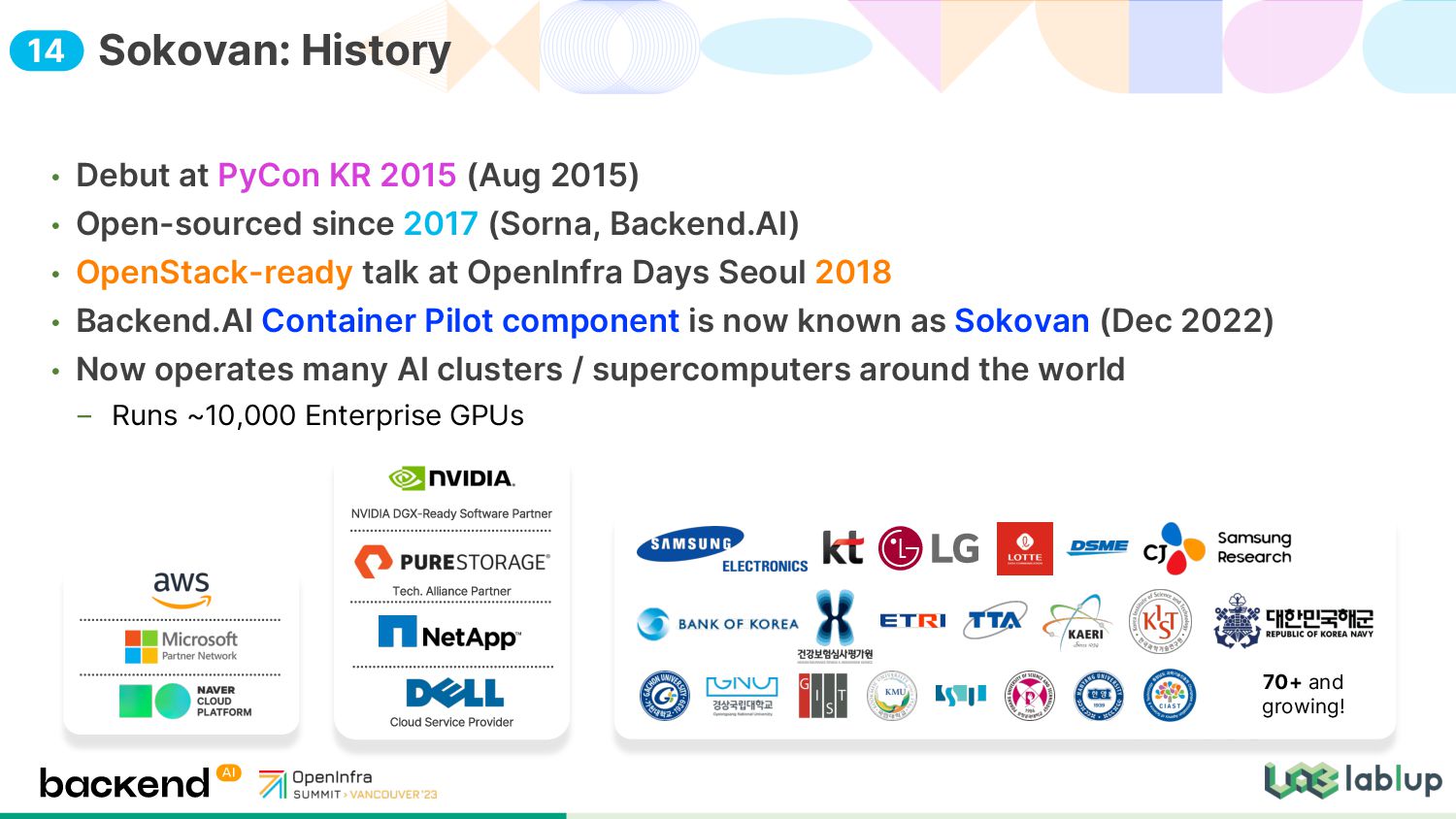
since 2017 (Sorna, Backend.AI) • OpenStack-ready talk at OpenInfra Days Seoul 2018 • Backend.AI Container Pilot component is now known as Sokovan (Dec 2022) • Now operates many AI clusters / supercomputers around the world Runs ~10,000 Enterprise GPUs Sokovan: History 70+ and growing! 14
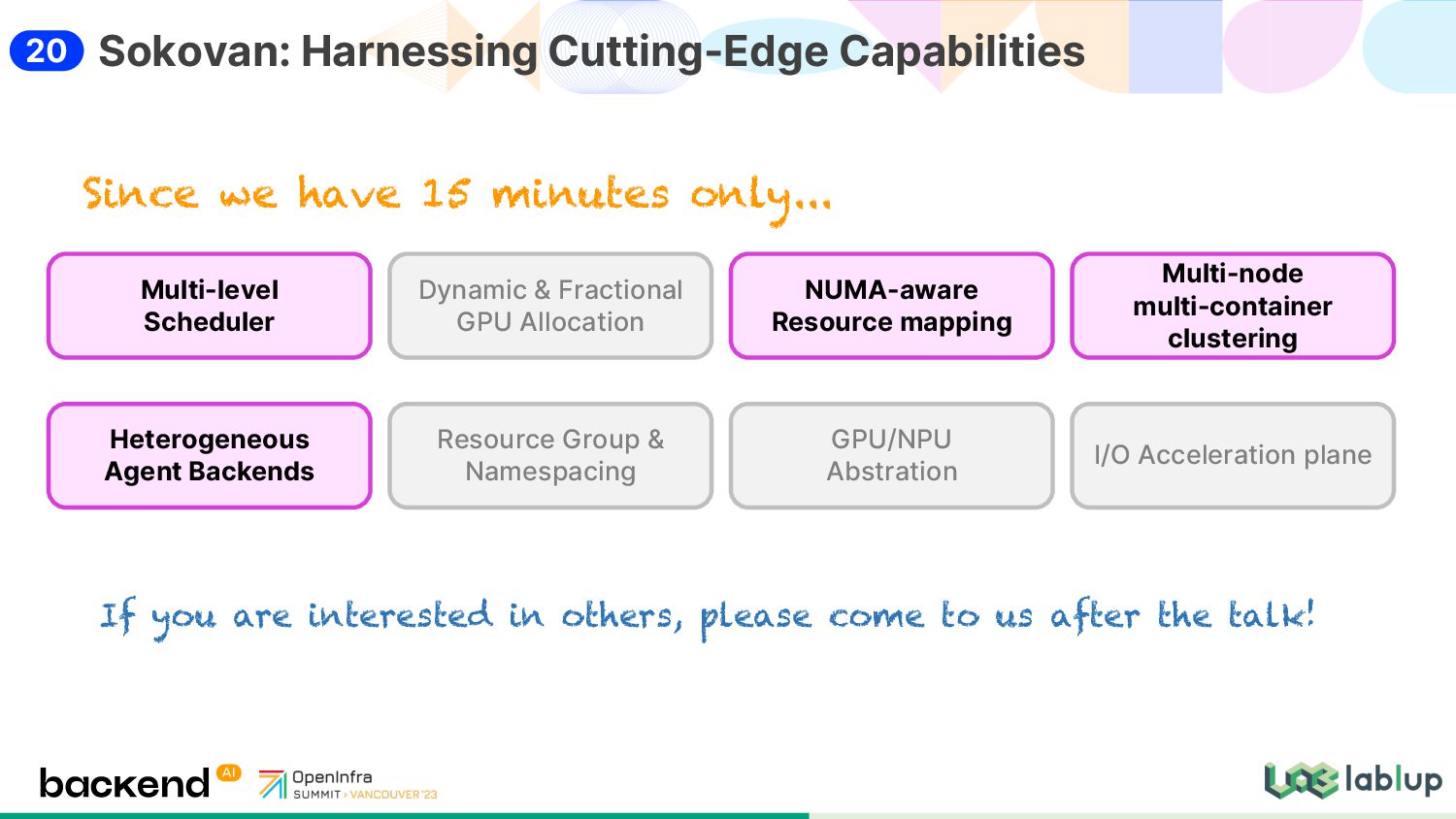
GPU Allocation Multi-level Scheduler NUMA-aware Resource mapping Multi-node multi-container clustering Resource Group & Namespacing GPU/NPU Abstration I/O Acceleration plane Since we have 15 minutes only... If you are interested in others, please come to us after the talk! 20
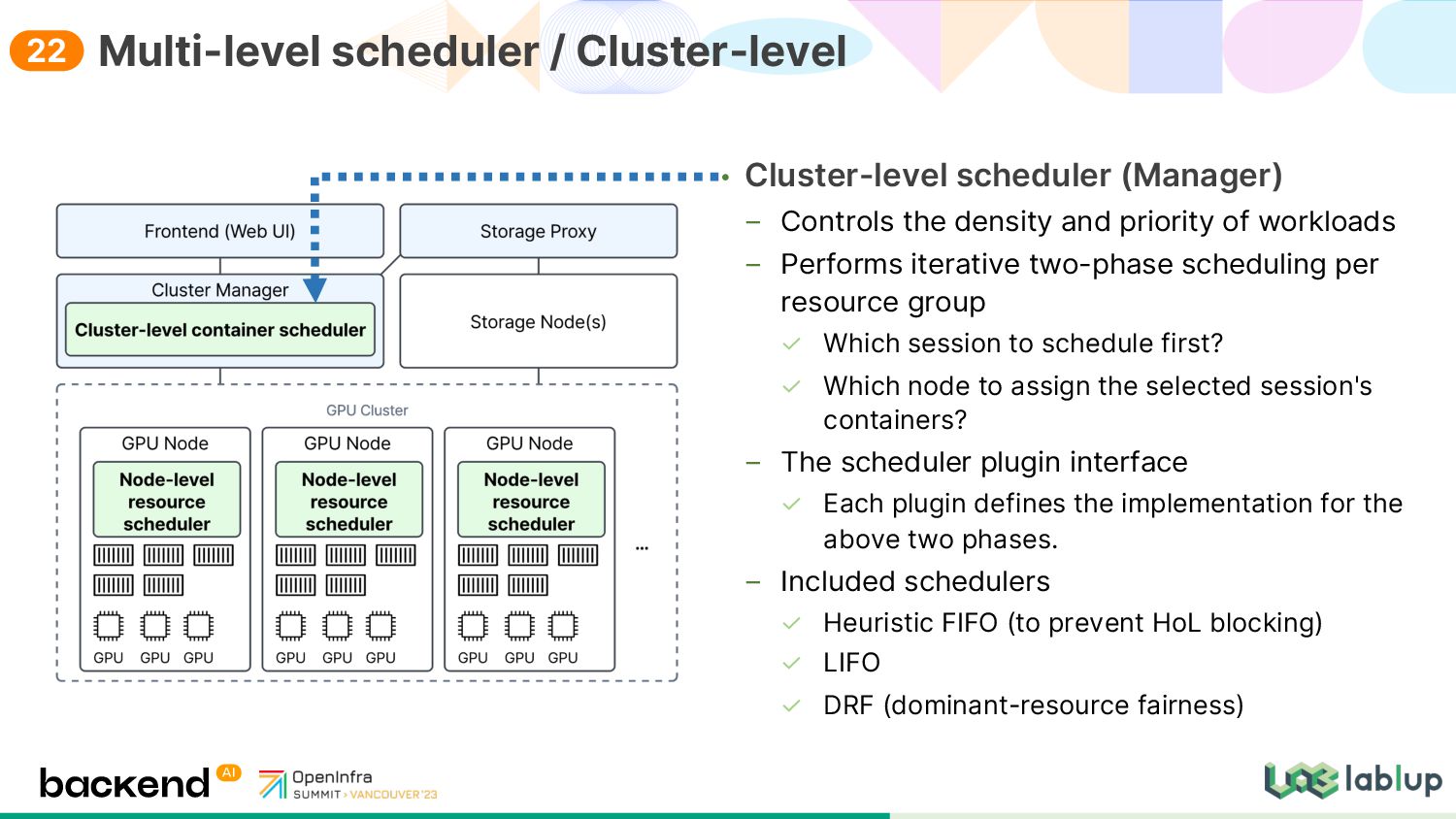
workloads Performs iterative two-phase scheduling per resource group Which session to schedule first? Which node to assign the selected session's containers? The scheduler plugin interface Each plugin defines the implementation for the above two phases. Included schedulers Heuristic FIFO (to prevent HoL blocking) LIFO DRF (dominant-resource fairness) Multi-level scheduler / Cluster-level 22
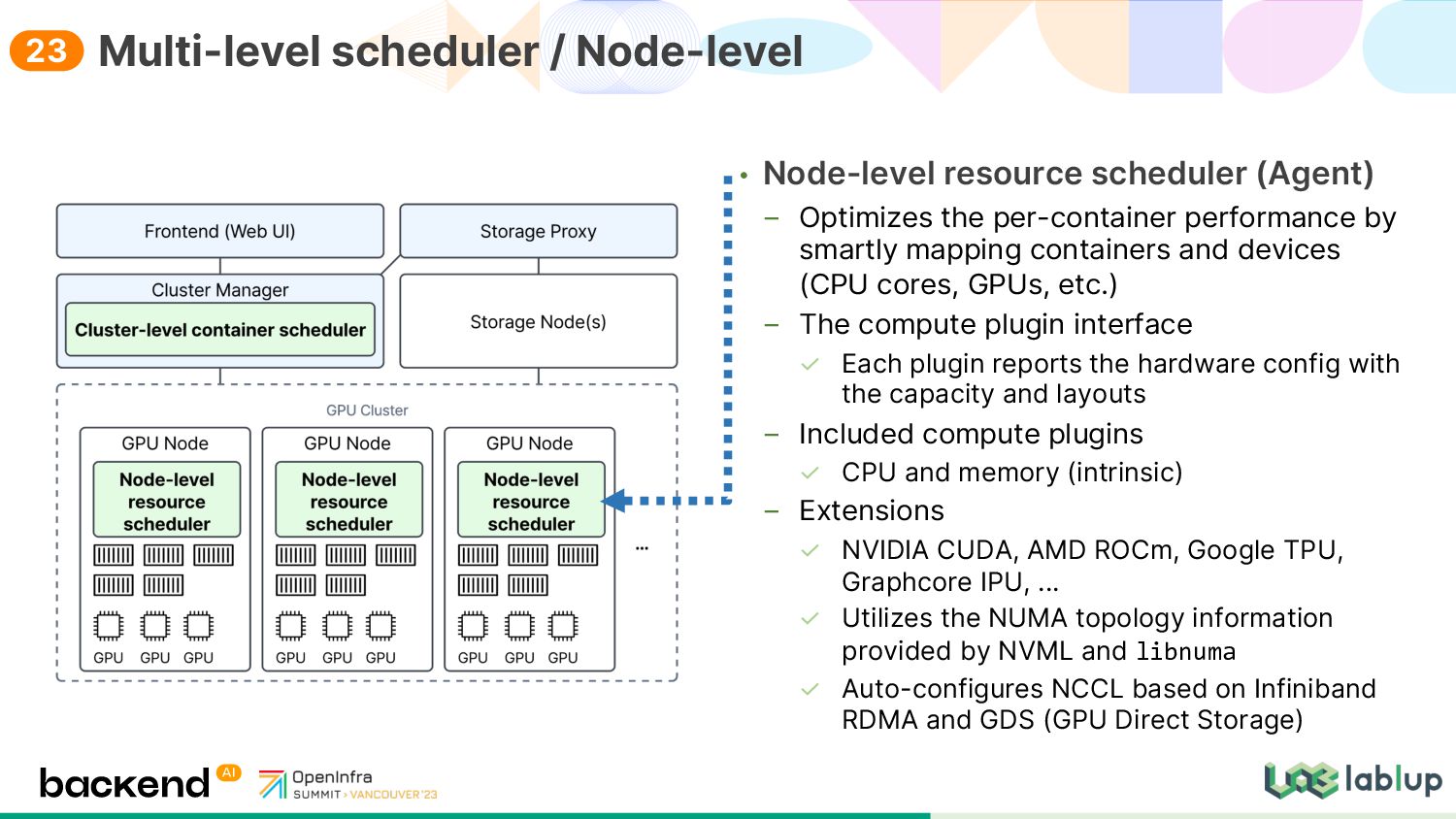
smartly mapping containers and devices (CPU cores, GPUs, etc.) The compute plugin interface Each plugin reports the hardware config with the capacity and layouts Included compute plugins CPU and memory (intrinsic) Extensions NVIDIA CUDA, AMD ROCm, Google TPU, Graphcore IPU, ... Utilizes the NUMA topology information provided by NVML and libnuma Auto-configures NCCL based on Infiniband RDMA and GDS (GPU Direct Storage) Multi-level scheduler / Node-level 23
prefer-single-node Auto-configures the CPU affinity mapping of containers based on GPU assignments Fully compatible with Weka.io Agents configured for GPU Direct Storage which requires every NUMA node that has assigned GPUs to be activated in containers Supports an arbitrary number of NUMA nodes (1/2/4/8/...) NUMA-aware resource mapping 24
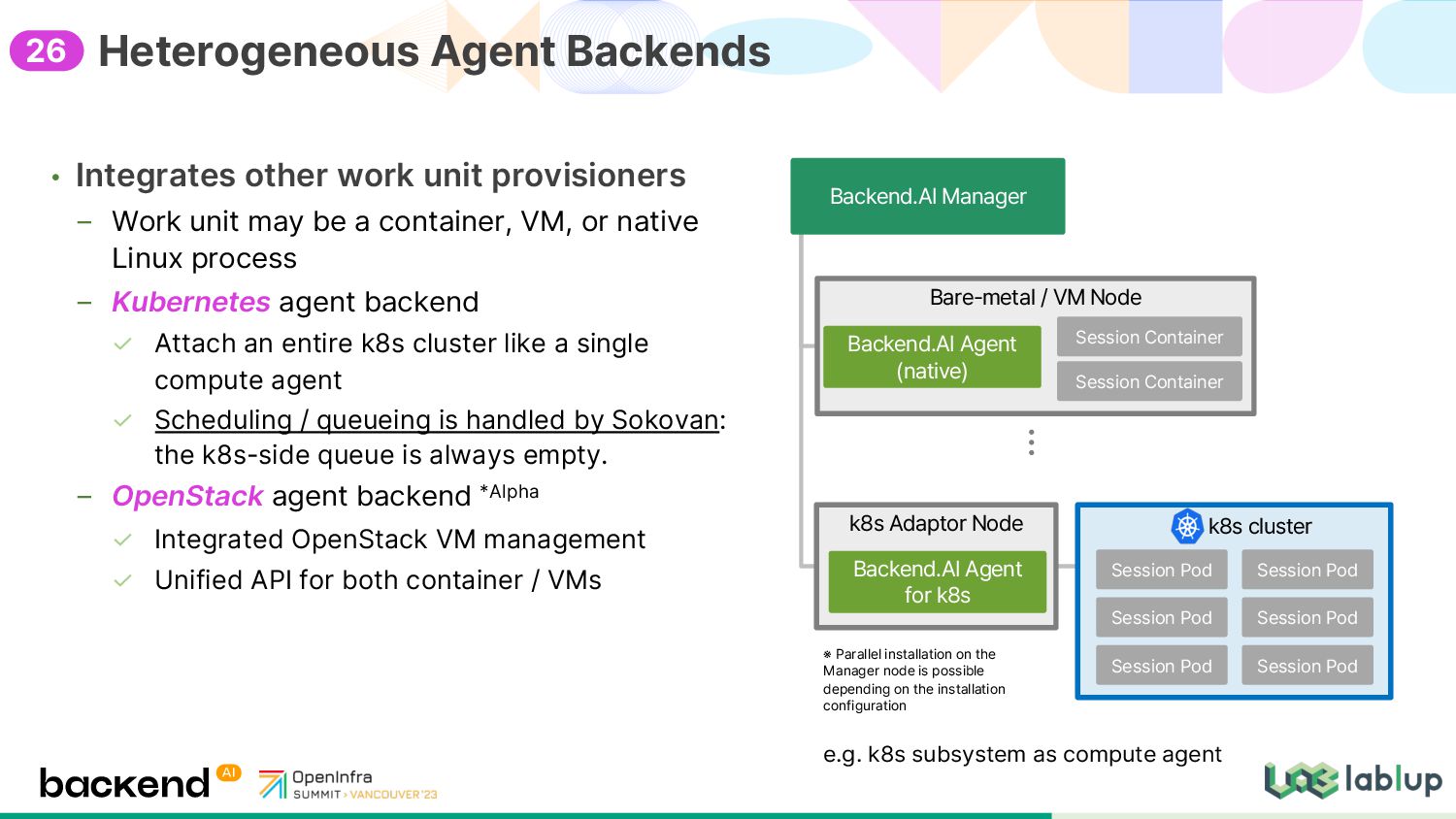
a container, VM, or native Linux process Kubernetes agent backend Attach an entire k8s cluster like a single compute agent Scheduling / queueing is handled by Sokovan: the k8s-side queue is always empty. OpenStack agent backend *Alpha Integrated OpenStack VM management Unified API for both container / VMs Heterogeneous Agent Backends k8s Adaptor Node Backend.AI Manager Backend.AI Agent for k8s k8s cluster Session Pod Bare metal / VM Node Backend.AI Agent native Session Container Session Container Session Pod Session Pod Session Pod Session Pod Session Pod ※ Parallel installation on the Manager node is possible depending on the installation configuration e.g. k8s subsystem as compute agent 26
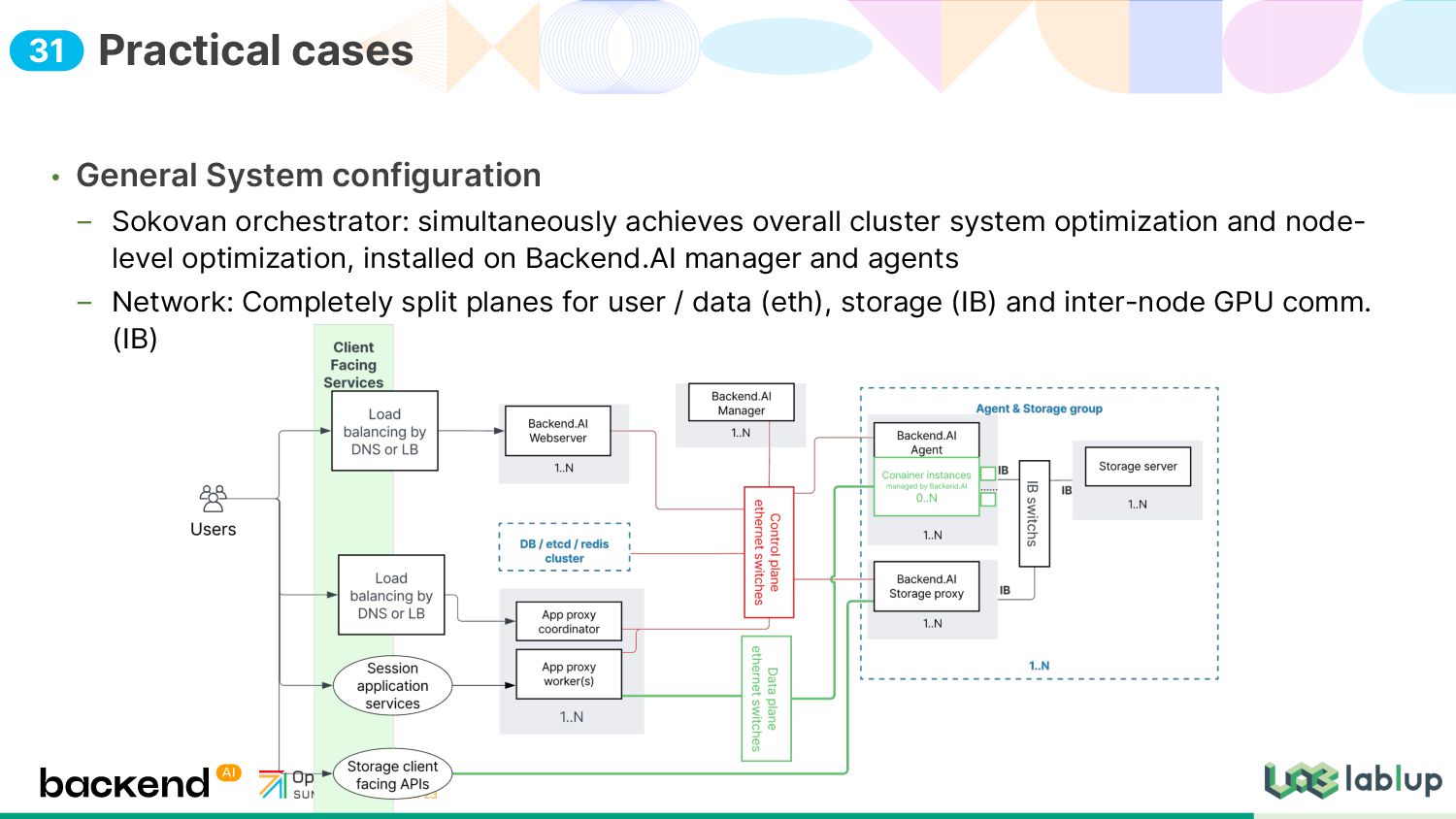
system optimization and node- level optimization, installed on Backend.AI manager and agents Network: Completely split planes for user / data (eth), storage (IB) and inter-node GPU comm. (IB) Practical cases 31
Automatic GPU-GPU network configuration GPUDirect storage for training data I/O • Achievements Approached the maximum theoretically achievable GPU performance Less than 1% difference from that achieved in bare-metal workloads based on Slurm Training large language models to the theoretically maximum performance Test specification 16 node cluster GPU: NVIDIA A100 80GB x 8 Max. FLOPS per GPU: 150 TFLOPS Clustering platform: Backend.AI 22.03.8 Cluster CPU RAM GPU Per node AMD EPYC 7742 64 core x 2 1024GB 640GB GPU NVIDIA A100 80GB x 8 Total AMD EPYC 7742 64 core x 32 16384GB 10240GB GPU NVIDIA A100 80GB x 128 Test condition World size 128 Data parallel size 128 Model parallel size 1 Batch size 64 Parameter size 7.66B 7661.3M Tested 2022/12/05 08:20:28 Summary Trial GPU# # of param. FLOPS per GPU Total FLOPS #1 128 7.66B 145.39 TFLOPS 18.60 PFLOPS #2 128 7.66B 145.50 TFLOPS 18.62 PFLOPS 32
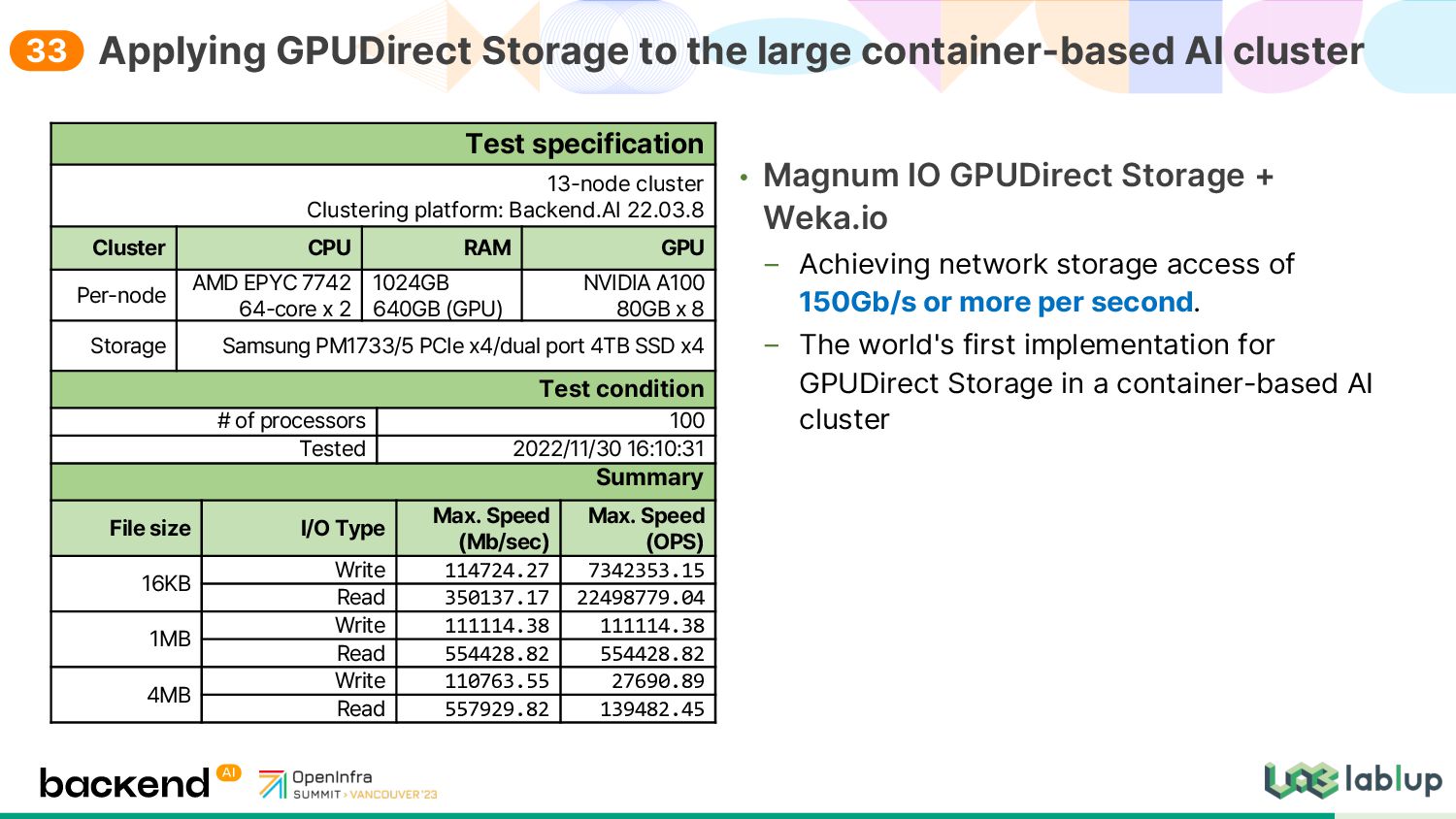
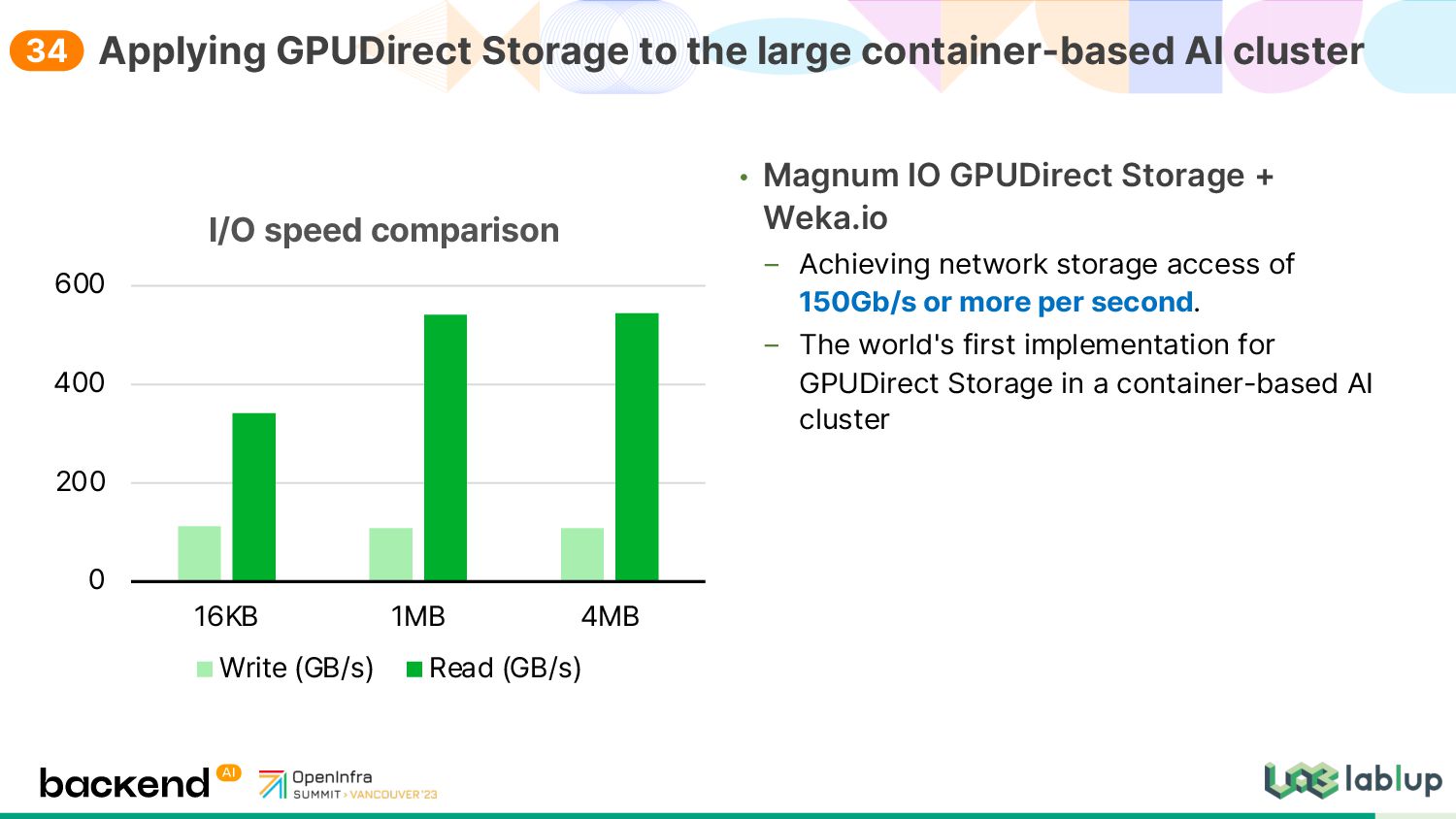
access of 150Gb/s or more per second. The world's first implementation for GPUDirect Storage in a container-based AI cluster Applying GPUDirect Storage to the large container-based AI cluster Test specification 13 node cluster Clustering platform: Backend.AI 22.03.8 Cluster CPU RAM GPU Per node AMD EPYC 7742 64 core x 2 1024GB 640GB GPU NVIDIA A100 80GB x 8 Storage Samsung PM1733/5 PCIe x4/dual port 4TB SSD x4 Test condition # of processors 100 Tested 2022/11/30 16:10:31 Summary File size I/O Type Max. Speed Mb/sec Max. Speed OPS 16KB Write 114724.27 7342353.15 Read 350137.17 22498779.04 1MB Write 111114.38 111114.38 Read 554428.82 554428.82 4MB Write 110763.55 27690.89 Read 557929.82 139482.45 33
access of 150Gb/s or more per second. The world's first implementation for GPUDirect Storage in a container-based AI cluster Applying GPUDirect Storage to the large container-based AI cluster 0 200 400 600 16KB 1MB 4MB I/O speed comparison Write GB/s Read GB/s 34
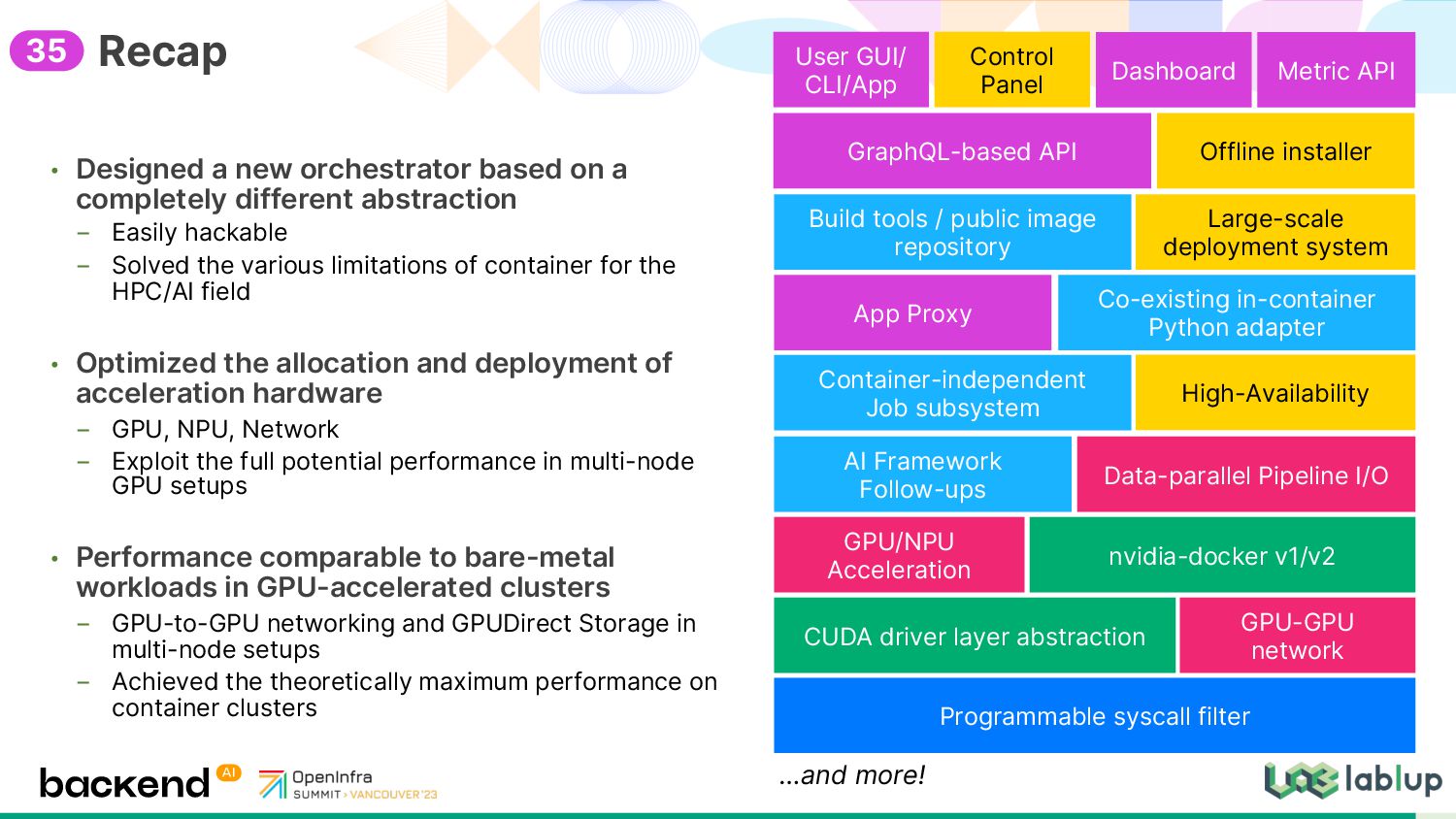
abstraction _ Easily hackable _ Solved the various limitations of container for the HPC/AI field • Optimized the allocation and deployment of acceleration hardware _ GPU, NPU, Network _ Exploit the full potential performance in multi-node GPU setups • Performance comparable to bare-metal workloads in GPU-accelerated clusters _ GPU-to-GPU networking and GPUDirect Storage in multi-node setups _ Achieved the theoretically maximum performance on container clusters Recap App Proxy GPU/NPU Acceleration GPU-GPU network Build tools / public image repository nvidia-docker v1/v2 AI Framework Follow-ups Data-parallel Pipeline I/O Co-existing in-container Python adapter Container-independent Job subsystem GraphQL-based API Offline installer Large-scale deployment system User GUI/ CLI/App High-Availability CUDA driver layer abstraction Programmable syscall filter Control Panel Dashboard Metric API …and more! 35
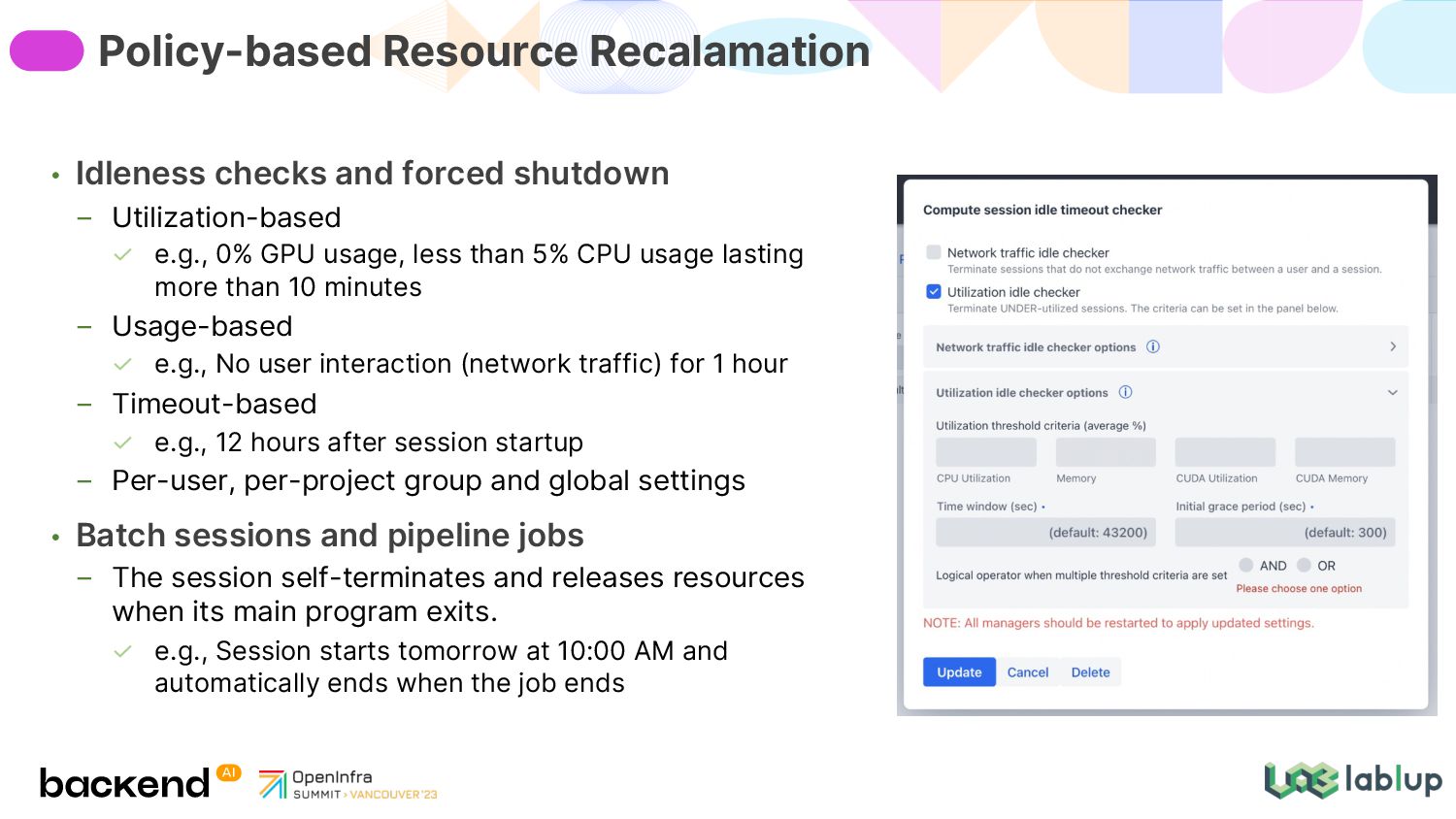
usage, less than 5% CPU usage lasting more than 10 minutes Usage-based e.g., No user interaction (network traffic) for 1 hour Timeout-based e.g., 12 hours after session startup Per-user, per-project group and global settings • Batch sessions and pipeline jobs The session self-terminates and releases resources when its main program exits. e.g., Session starts tomorrow at 10:00 AM and automatically ends when the job ends Policy-based Resource Recalamation
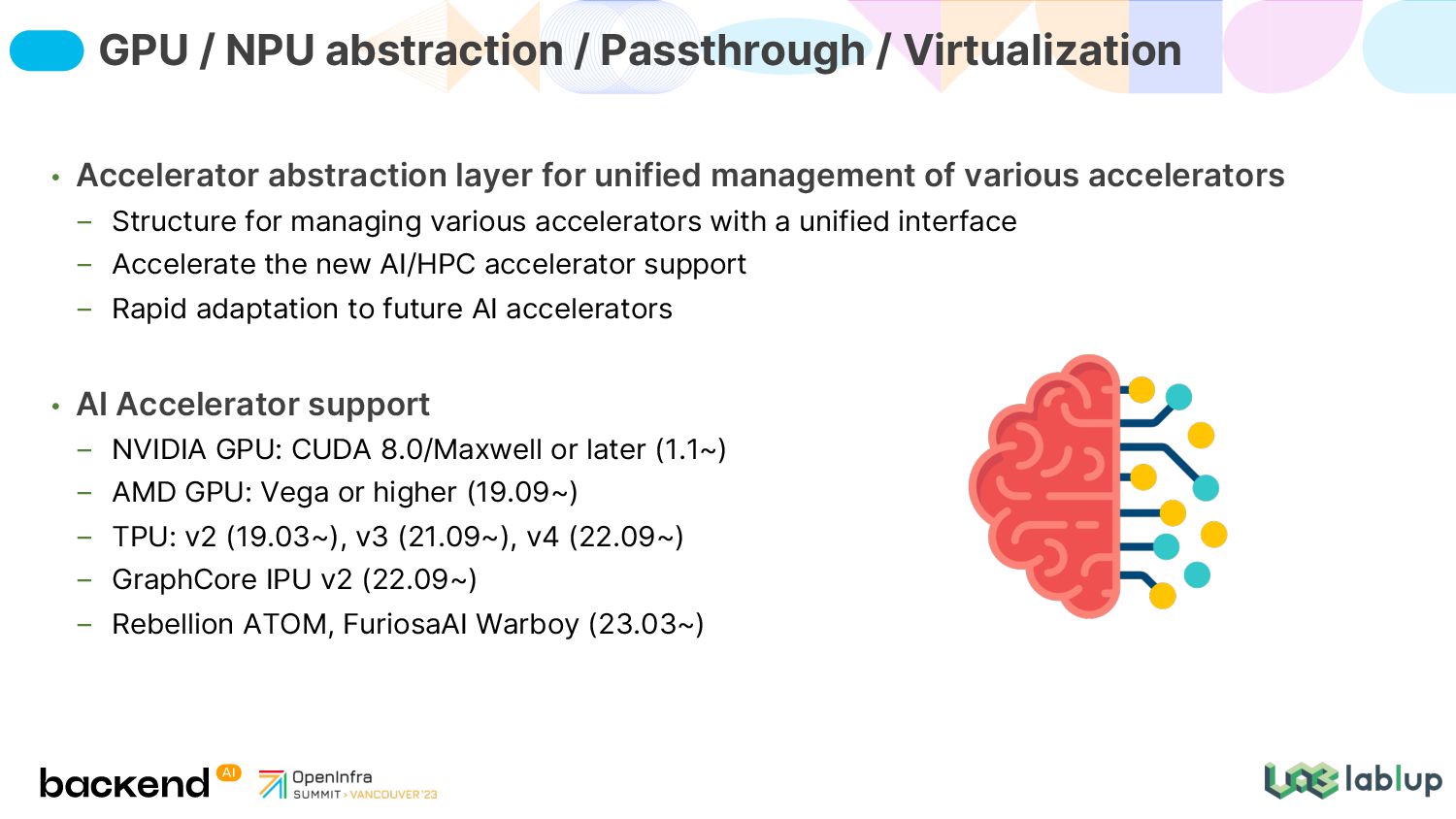
Structure for managing various accelerators with a unified interface Accelerate the new AI/HPC accelerator support Rapid adaptation to future AI accelerators • AI Accelerator support NVIDIA GPU: CUDA 8.0/Maxwell or later (1.1~) AMD GPU: Vega or higher (19.09~) TPU: v2 (19.03~), v3 (21.09~), v4 (22.09~) GraphCore IPU v2 (22.09~) Rebellion ATOM, FuriosaAI Warboy (23.03~) GPU / NPU abstraction / Passthrough / Virtualization
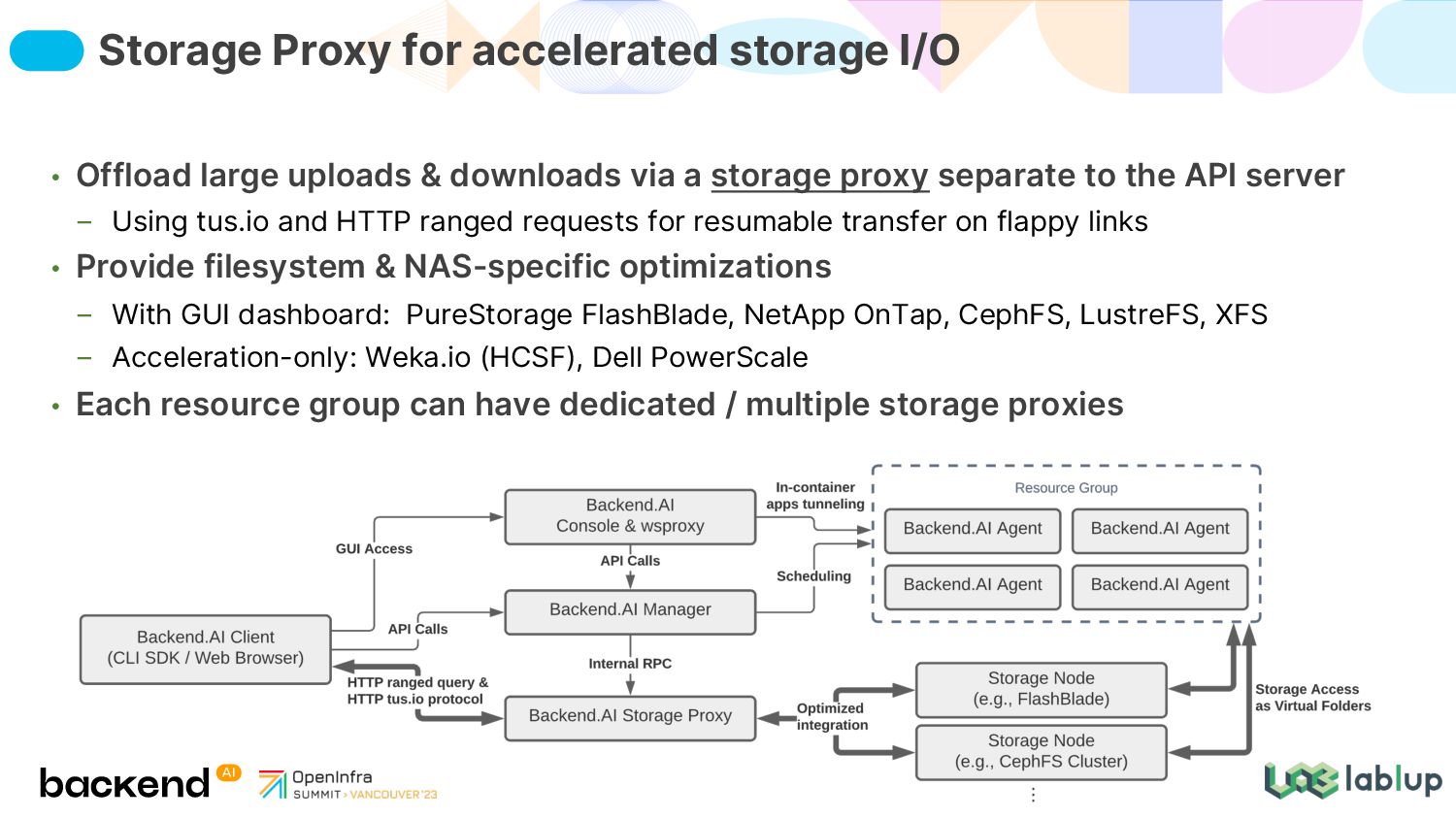
separate to the API server Using tus.io and HTTP ranged requests for resumable transfer on flappy links • Provide filesystem & NAS-specific optimizations With GUI dashboard: PureStorage FlashBlade, NetApp OnTap, CephFS, LustreFS, XFS Acceleration-only: Weka.io (HCSF), Dell PowerScale • Each resource group can have dedicated / multiple storage proxies Storage Proxy for accelerated storage I/O
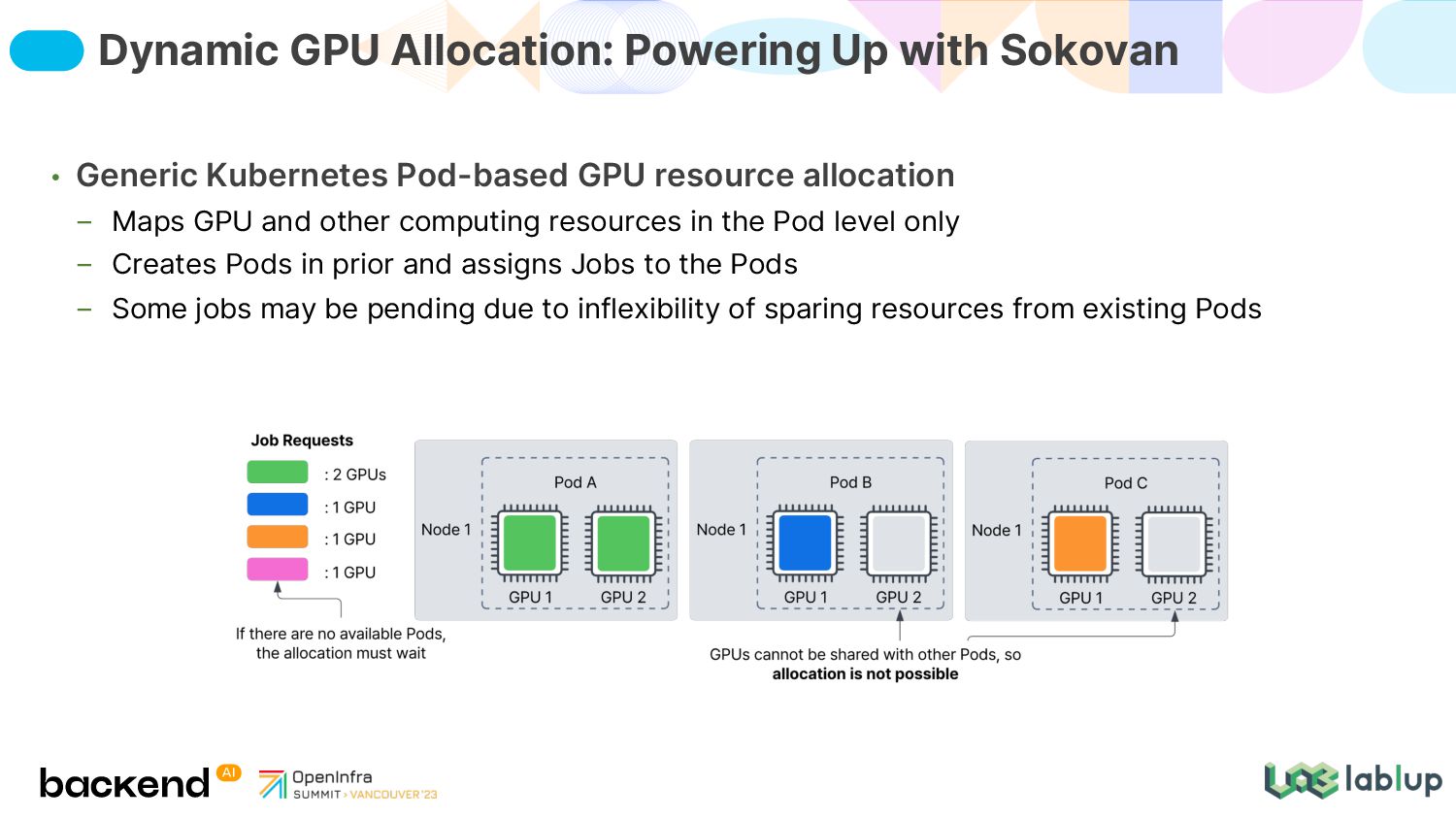
other computing resources in the Pod level only Creates Pods in prior and assigns Jobs to the Pods Some jobs may be pending due to inflexibility of sparing resources from existing Pods Dynamic GPU Allocation: Powering Up with Sokovan
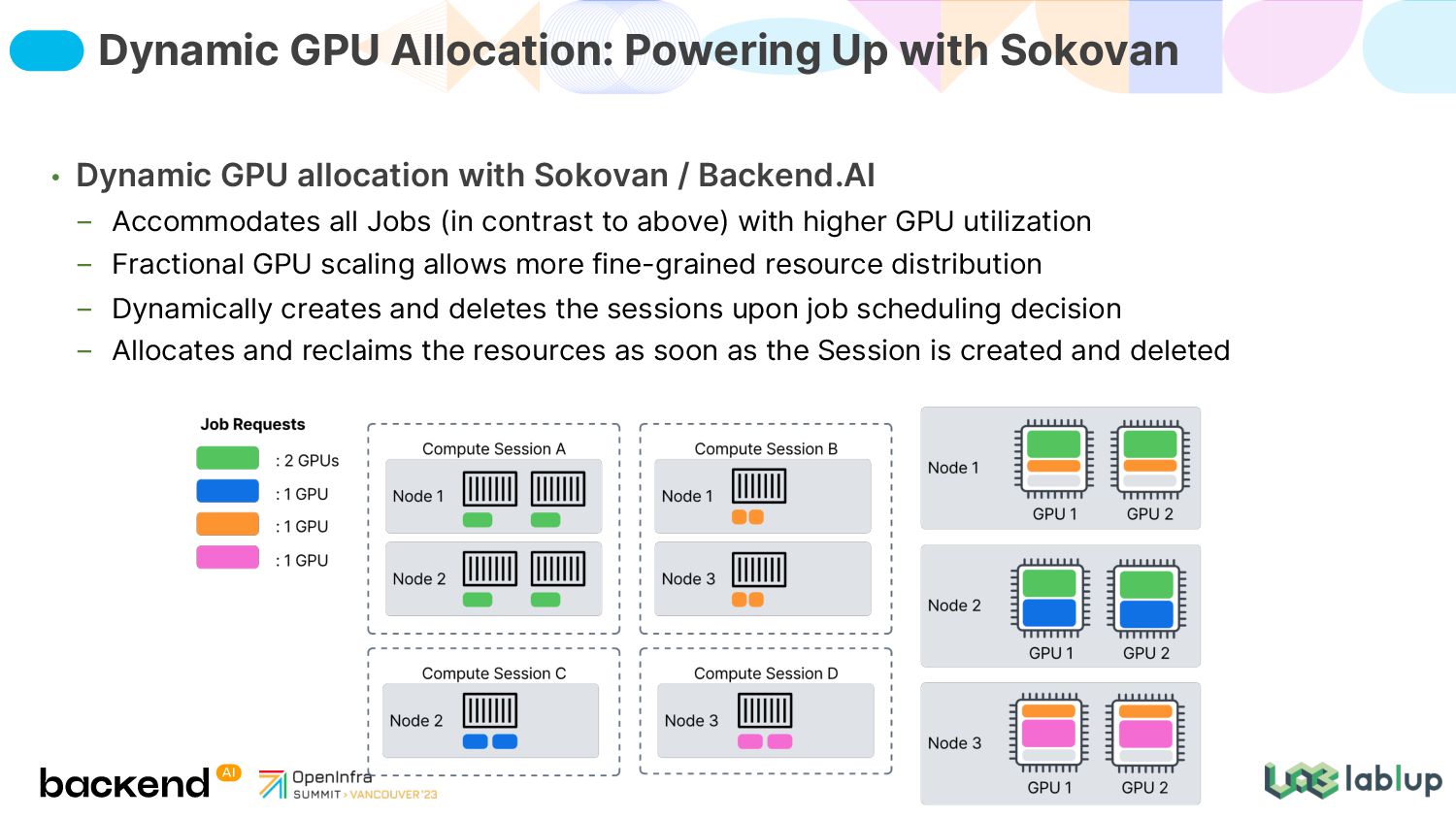
Jobs (in contrast to above) with higher GPU utilization Fractional GPU scaling allows more fine-grained resource distribution Dynamically creates and deletes the sessions upon job scheduling decision Allocates and reclaims the resources as soon as the Session is created and deleted Dynamic GPU Allocation: Powering Up with Sokovan
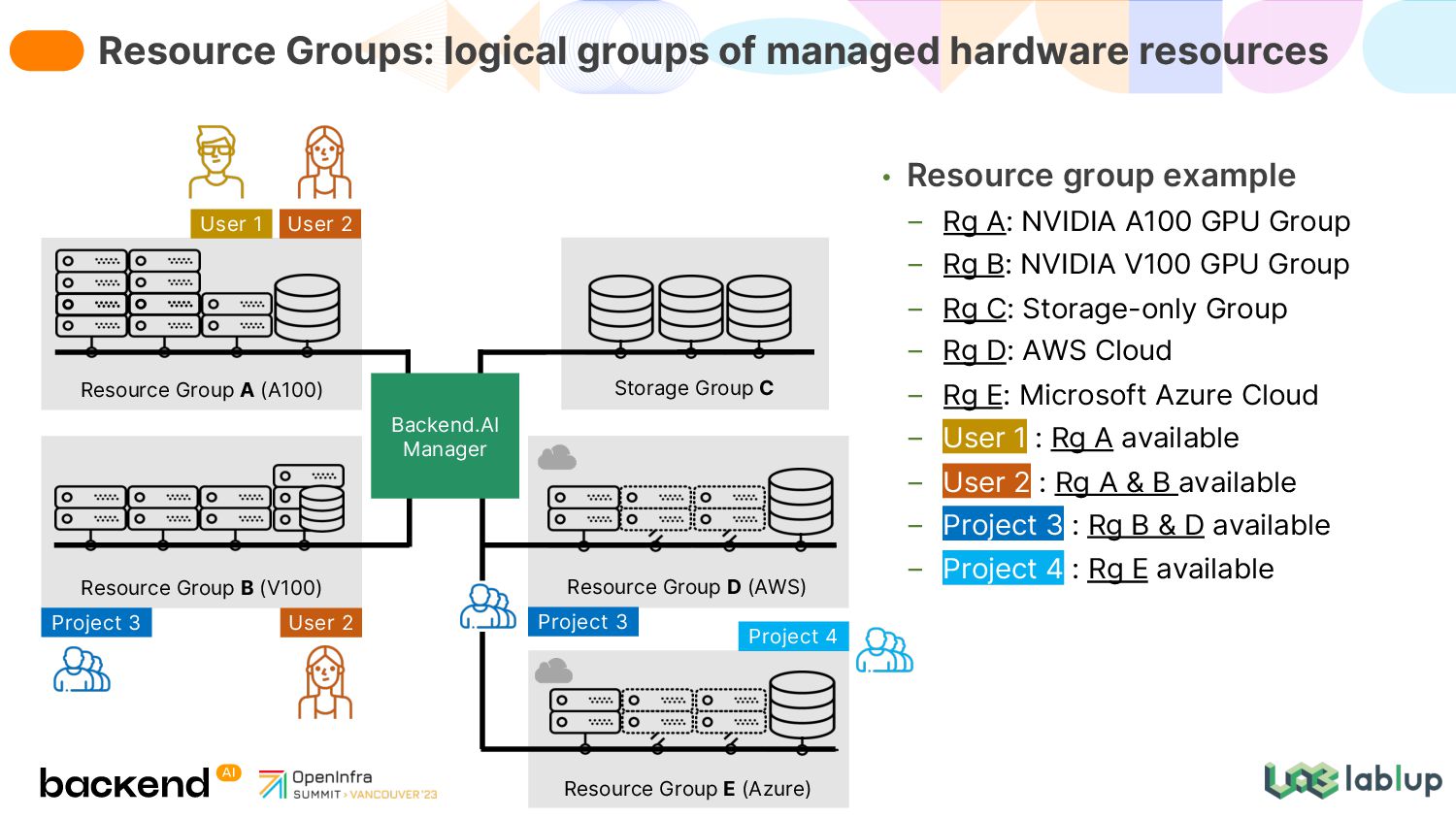
Rg B: NVIDIA V100 GPU Group Rg C: Storage-only Group Rg D: AWS Cloud Rg E: Microsoft Azure Cloud User 1 : Rg A available User 2 : Rg A & B available Project 3 : Rg B & D available Project 4 : Rg E available Resource Groups: logical groups of managed hardware resources Resource Group A (A100) Resource Group D (AWS) Resource Group B (V100) Storage Group C Backend.AI Manager Project 3 Project 3 Project 4 User 1 User 2 User 2 Resource Group E (Azure)


 lablup
 prota
prota
 eed3si9n
 drumath2237
 ivargrimstad
 florets1
 kawashimo0
 j341nono
 iwatsukayura
 minodriven
 yutobara
 mpyw
mpyw
 kishida
 akademiya2063
 chrisshort
 inesmontani
 nikkihalliwell
 akosma
 sugarenia
 yeseniaperezcruz
 emna__ayadi
 lara
lara
 rasagy
 hannesfritz
 honzajavorek









![Thank You! [email protected] [email protected] lablup/backend.ai Question? 36](https://files.speakerdeck.com/presentations/5e614dcdc6e6494e953d686f9e2e7a3b/slide_35.jpg)