Share
Embed

Transcript
146 slides
-
©2016 AKAMAI | FASTER FORWARDTM Schedule Morning session: • The
image problem • Resizing • Break for coffee • Image formats • Image compression Afternoon Session: • Resizing/Formats Revisited • Image Resolution • Break for coffee • Art Direction • Designing an image strategy -
©2016 AKAMAI | FASTER FORWARDTM Michael Gooding: Performance Evangelist 1.
Why we need Images 2. The images problem 3. Implementing Images 4. Designing an image strategy -
©2016 AKAMAI | FASTER FORWARDTM Boris Johnson’s relationship with the
capital’s black cab trade has become further troubled after the Sun and Daily Mail newspapers released a video showing the mayor of London on his bicycle telling a taxi driver “to **** *** *** ***! and not in that order”.The exchange in Islington, north London, was caught on camera by a passerby. The driver, one of many black cab operators furious at the way Transport for London, overseen by the mayor, has allowed Uber drivers to undermine their trade shouted at Johnson: “You’re one of them mate. That’s what you are. One of them.” The footage shows Johnson replying: “Why don’t you **** *** *** ***! and not in that order.” The cabbie then drives away yelling: “Yeah ********, I hope you ***.” Johnson is easily identifiable wearing a distinctive yellow helmet with his trademark blonde hair poking out at the sides and a charcoal suit. A source close to the mayor said: “Boris has dozens of chance conversations with Londoners every week. Many are productive and friendly, some are colourful, I know most end happily. I believe this particular cabbie however is a serial heckler.” It is difficult to know if the exchange will confirm Johnson’s admired status as someone apart from mainstream politics or instead the sight of him hurling abuse in public will make voters think he lacks the gravitas and restraint to be prime minister. Johnson, now an MP, is clearly waiting to challenge for the leadership against the chancellor, George Osborne, when David Cameron resigns. The general secretary of LTDA (Licenced Taxi Drivers Association) laughed off news of the heated exchange that took place as Johnson was cycling down St John Street in Islington, north London, at just after 12.20am on Friday 5 June. Behind the row is a serious dispute between the black cabs and the Conservative party over the extent to which they are willing to let Uber take over the business of black cabs by undercutting their fares. The black cab trade claims Uber does not pay taxes and uses unlicensed drivers who come to London from outside the capital for three days and lack any knowledge of London’s streets, relying instead on satnavs to get them around the city. By contrast the black cab drivers say they have learned the knowledge over four years and provide a superior service. The black cab trade also says that the strategy of Uber is to undercut the prices of the licensed trade and then after destroying that trade raise its prices, with a monopoly and a lower level of service. The mayor was told last month that London’s black cab trade would die “on his watch” if he didn’t change the laws to block the smartphone app. At recent industry meeting he was accused of lacking “the guts” to stand up to Uber, which is blamed for putting hundreds of cabbies out of work in recent months. Boris Johnson’s relationship with the capital’s black cab trade has become further troubled after the Sun and Daily Mail newspapers released a video showing the mayor of London on his bicycle telling a taxi driver “to **** *** *** ***! and not in that order”.The exchange in Islington, north London, was caught on camera by a passerby. The driver, one of many black cab operators furious at the way Transport for London, overseen by the mayor, has allowed Uber drivers to undermine their trade shouted at Johnson: “You’re one of them mate. That’s what you are. One of them.” The footage shows Johnson replying: “Why don’t you **** *** *** ***! and not in that order.” The cabbie then drives away yelling: “Yeah ********, I hope you ***.” Johnson is easily identifiable wearing a distinctive yellow helmet with his trademark blonde hair poking out at the sides and a charcoal suit. A source close to the mayor said: “Boris has dozens of chance conversations with Londoners every week. Many are productive and friendly, some are colourful, I know most end happily. I believe this particular cabbie however is a serial heckler.” It is difficult to know if the exchange will confirm Johnson’s admired status as someone apart from mainstream politics or instead the sight of him hurling abuse in public will make voters think he lacks the gravitas and restraint to be prime minister. Johnson, now an MP, is clearly waiting to challenge for the leadership against the chancellor, George Osborne, when David Cameron resigns. The general secretary of LTDA (Licenced Taxi Drivers Association) laughed off news of the heated exchange that took place as Johnson was cycling down St John Street in Islington, north London, at just after 12.20am on Friday 5 June. Behind the row is a serious dispute between the black cabs and the Conservative party over the extent to which they are willing to let Uber take over the business of black cabs by undercutting their fares. The black cab trade claims Uber does not pay taxes and uses unlicensed drivers who come to London from outside the capital for three days and lack any knowledge of London’s streets, relying instead on satnavs to get them around the city. By contrast the black cab drivers say they have learned the knowledge over four years and provide a superior service. The black cab trade also says that the strategy of Uber is to undercut the prices of the licensed trade and then after destroying that trade raise its prices, with a monopoly and a lower level of service. The mayor was told last month that London’s black cab trade would die “on his watch” if he didn’t change the laws to block the smartphone app. At recent industry meeting he was accused of lacking “the guts” to stand up to Uber, which is blamed for putting hundreds of cabbies out of work in recent months. Boris Johnson’s relationship with the capital’s black cab trade has become further troubled after the Sun and Daily Mail newspapers released a video showing the mayor of London on his bicycle telling a taxi driver “to **** *** *** ***! and not in that order”.The exchange in Islington, north London, was caught on camera by a passerby. The driver, one of many black cab operators furious at the way Transport for London, overseen by the mayor, has allowed Uber drivers to undermine their trade shouted at Johnson: “You’re one of them mate. That’s what you are. One of them.” The footage shows Johnson replying: “Why don’t you **** *** *** ***! and not in that order.” The cabbie then drives away yelling: “Yeah ********, I hope you ***.” A picture speaks a thousand words 116KB = 3.6M words OR Story repeated x 6866 A picture speaks 3.6 million words -
©2016 AKAMAI | FASTER FORWARDTM 63% OF MOBILE & TABLET
SHOPPERS RANK PRODUCT IMAGES FIRST OVER OTHER CONTENT ON THE PAGE 94% ARTICLES WITH IMAGES GET M O R E TOTAL VIEWS A picture is worth a thousand words… & better engagement -
©2016 AKAMAI | FASTER FORWARDTM 1. Why we need images
Summary: Images make our site more engaging -
©2016 AKAMAI | FASTER FORWARDTM 1. Why we need Images
2. The images problem 3. Implementing Images 4. Designing an image strategy -
©2016 AKAMAI | FASTER FORWARDTM High Quality Images Lead to
Overweight Pages • Images makeup on average 53% of page weight • Avg. page weight surpassed 2MB in 2015 • Images alone in 2016 comprise 2.3 x more page weight than an entire page 2010! -
©2016 AKAMAI | FASTER FORWARDTM The big images got bigger
fast! ~3.5x Increase in JPG Size -
©2016 AKAMAI | FASTER FORWARDTM #2 - Popularity of Responsive
Design RWD SOLVES THE CHALLENGE OF DELIVERING THE SITE TO DIFFERENT DEVICES BUT PERFORMANCE CAN SUFFER -
©2016 AKAMAI | FASTER FORWARDTM #3 - Explosion of devices
Serve the correct sized image to stop over downloading -
©2016 AKAMAI | FASTER FORWARDTM #5 - Not all devices
are created equal 1.0s 2.0s 2.6s 334ms 1003ms 1180ms 222ms 494ms Decode times 0.7s 103ms -
©2016 AKAMAI | FASTER FORWARDTM #6 - Browsers helped on
one hand Supported by: …but took away with the other!!! -
©2016 AKAMAI | FASTER FORWARDTM #7 - Browsers helped again!
<img src=“small.jpg” alt=“” srcset=“…” sizes=“…”/> AND <picture> <source media=“…” srcset=“…” sizes=“” /> <img src=“small.jpg” alt=“” /> </picture> -
©2016 AKAMAI | FASTER FORWARDTM #7 - Browsers helped again!
#7 COMPLEX CODING TO DETERMINE WHEN TO DELIVER THE RIGHT IMAGE, SIZE, VERSION, FORMAT, RESOLUTION TO EACH AND EVERY END USER … ACROSS ALL DEVICES -
©2016 AKAMAI | FASTER FORWARDTM #8 - When do you
create the images? 108 variants per image! 3 sizes x 4 formats x 3 resolutions x 3 layouts -
©2016 AKAMAI | FASTER FORWARDTM #9 - Where do you
store them securely? /productimages /productimages/mobile /productimages/tablet £ $ € -
©2016 AKAMAI | FASTER FORWARDTM #10 - How long does
it take to modify? -
©2016 AKAMAI | FASTER FORWARDTM #11 - What about the
network Faster mobile speeds 6.5 2 Mbps Average 4G Bandwidth UK 10 18 Mbps 2015 2020 2013 2014 -
©2016 AKAMAI | FASTER FORWARDTM • Photoshop or Fireworks •
PNG or JPG? Image Creation Image Delivery Challenges to Image Delivery on the Web 2005 -
©2016 AKAMAI | FASTER FORWARDTM • Complex to decide which
image you serve when • Demand by marketing / design for high quality images • Many different devices - needing different image sizes • Different browsers supporting different image formats • Choosing the best compression & format to get the best optimised image • Challenges with the different network conditions Image Creation Image Delivery • Mobiles are not PCs and RWD has inhibited performance • Cost to create, manage and store different derivatives Challenges to Image Delivery on the Web Today • HD/Retina Screens • Picture or Srcset? -
©2016 AKAMAI | FASTER FORWARDTM 2. The images problem Summary:
Mobile has made delivering fast images hard -
©2016 AKAMAI | FASTER FORWARDTM 1. Why we need Images
2. The images problem 3. Implementing Images 4. Designing an image strategy -
©2016 AKAMAI | FASTER FORWARDTM 1. Resizing Create : The
Right Sized Image Deliver : Srcset, Sizes, Client Hints 2. Image Formats Create : Automated image creation, Formats Deliver : Picture element 3. Image Compression Create : Compression, Perceptual Quality Deliver : Automated Delivery using Image Manager 4. Resizing/formats revisited Demo/Testing 5. Resolutions Create : Resolution/pixel density Deliver : picture & srcset 6. Art Direction Create : Automated Deliver : Picture element & Image Manager custom policies 3. Implementing Images -
©2016 AKAMAI | FASTER FORWARDTM 1. Resizing Create: The right
sized image Deliver: Srcset, Sizes & Client Hints -
©2016 AKAMAI | FASTER FORWARDTM Grow revenue opportunities with fast,
personalized web experiences and manage complexity from peak demand, mobile devices and data collection. Create: The right sized image -
©2016 AKAMAI | FASTER FORWARDTM Mobile Data Plans Less is
More Don’t deliver more than you need Device Constraints Mobile devices Network Performance Cellular Wi-Fi Why Serve the right sized image? £ $ ¥ € -
©2016 AKAMAI | FASTER FORWARDTM Serve the correct size image
for the device Tim Kadlec: Why do we need Responsive Images? 72% less image weight -
©2016 AKAMAI | FASTER FORWARDTM Case study: Watch this! Example:
http://www.watches-of-switzerland.co.uk/17380894 -
©2016 AKAMAI | FASTER FORWARDTM Size matters Size on screen:
315 x 420 900 x 1200 PNG 1.2MB Resized: 185KB 85% saving -
©2016 AKAMAI | FASTER FORWARDTM How do you paint an
image Request Decode Copy to GPU Display Store in memory -
©2016 AKAMAI | FASTER FORWARDTM 520 1280 What does an
image REALLY look like? -
©2016 AKAMAI | FASTER FORWARDTM 1280 x 520 x 4
= 2.5 MB Images contain A LOT of information -
©2016 AKAMAI | FASTER FORWARDTM “...25% of new Android phones
have only 512MB of RAM.” Jen Fitzpatrick VP of Product Management Google Maps -
©2016 AKAMAI | FASTER FORWARDTM Not all devices are created
equal 1.0s 2.0s 2.6s 334ms 1003ms 1180ms 222ms 494ms Decode times 0.7s 103ms -
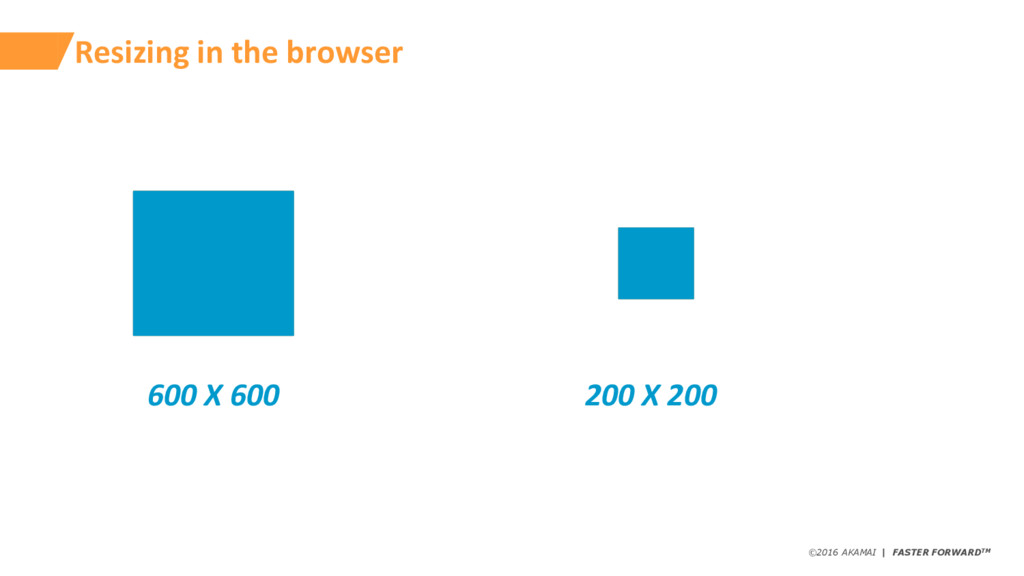
©2016 AKAMAI | FASTER FORWARDTM Resizing in the browser 600
X 600 200 X 200 -
©2016 AKAMAI | FASTER FORWARDTM Reduce each image by 50px
550 X 550 150 X 150 -
©2016 AKAMAI | FASTER FORWARDTM What break points? 550px X
550px (600 X 600 – 550 X 550) X 4 = 230,000 wasted bytes 150px X 150px (200 X 200 – 150 X 150) X 4 = 70,000 wasted bytes 200px 700px 1200px -
©2016 AKAMAI | FASTER FORWARDTM Delivery 1. Browser Solutions –
Responsive images 2. Client side - JavaScript 3. Server side – Cookies & Headers 4. 3rd Party tools -
©2015 AKAMAI | FASTER FORWARDTM Browser Decides - Why not
use Media Queries? Known by the developer when writing code Known by the browser when rendering Viewport dimension no yes image size relative to the viewport yes no screen density no yes source file dimensions yes no -
©2015 AKAMAI | FASTER FORWARDTM Srcset - let the browser
choose <img src=”small.jpg” srcset=”small.jpg 300w, large.jpg 500w” sizes=”(max-width:400px) 300px, 500px” alt=”selfie picture”> ALTERNATIVELY USE RELATIVE WIDTHS <img src=”small.jpg” srcset=”small.jpg 300w, large.jpg 500w” sizes=”(max-width:400px) 100vw, 50vw” alt=”selfie picture”> src for fall back comma-separated list of available versions of the image; each image’s width is specified using the w descriptor Sizes help tell the browser when to select each image Sizes can also use viewport percentage to inform the decision -
©2015 AKAMAI | FASTER FORWARDTM <img src=”small.jpg” srcset=”small.jpg 300w, large.jpg
500w” sizes=”(max-width:400px) 300px, 500px” alt=”selfie picture”> ALTERNATIVELY USE RELATIVE WIDTHS <img src=”small.jpg” srcset=”small.jpg 300w, large.jpg 500w” sizes=”(max-width:400px) 100vw, 50vw” alt=”selfie picture”> What the browser now knows Known by the developer when writing code Known by the browser when rendering Viewport dimension no yes image size relative to the viewport yes yes (sizes) screen density no yes source file dimensions yes Yes (srscet) -
©2015 AKAMAI | FASTER FORWARDTM What if the browser told
the server? Client Hints <meta http-equiv=”Accept-CH” content=”DPR, Viewport-Width, Width”> -
©2016 AKAMAI | FASTER FORWARDTM Exercise 1: Resizing Create: The
Right Sized Image Deliver: Srcset, Sizes & Client Hints -
©2016 AKAMAI | FASTER FORWARDTM Our Newspaper demo site Desktop
Screen breakpoint: +800px Image displayed: 460 x 276px Suggested size: 460 x 276px iPad Screen breakpoint: 401 - 800px Image displayed: 340 x 204px Suggested size: 340 x 204px iPhone 5 Screen breakpoint: -400px Image displayed: 300 x 180px Suggested size: 300 x 180px -
©2016 AKAMAI | FASTER FORWARDTM Wrap Up 1. Manually creating
provides control 2. Manually creating requires time/people 3. Client hints good for server side solutions 4. Srcset OK for simple switching, what about my other 10 problems? -
©2016 AKAMAI | FASTER FORWARDTM 2. Image Formats Create: Automated
image creation Formats Deliver: Picture element -
©2016 AKAMAI | FASTER FORWARDTM Most used images on the
web today Alexa top 1000 August 2016 -
©2016 AKAMAI | FASTER FORWARDTM GIF Name: Graphical Interchange Format
Transparency: Yes Number of Colours: 256 Compression: Lossy Supports Animation: Yes Chroma Subsampling: No Use: Simple animation JPG Name: Joint Photographic Experts Group Transparency: No Number of Colours: 16.8 million Compression: Lossy Supports Animation: No Chroma Subsampling: Yes Use: Photos PNG Name: Portable Network Graphics Transparency: Yes Number of Colours: 16.8 million Compression: Lossless Supports Animation: Yes Chroma Subsampling: No Use: images using effects such as drop shadows, glows, transparency SVG Name: Scalable Vector Graphics Transparency: Yes Number of Colours: 16.8 million Compression: Lossless Supports Animation: Yes Chroma Subsampling: No Use: Icons -
©2016 AKAMAI | FASTER FORWARDTM New Flavours of JPEG Format
Size vs JPEG Progressive Transparency Support Hardware Decoding Encoder Browser Support JPEG N/A N/A No No jpegtran Everybody WebP -35% -35% Yes No cwebp JPEG XR -30% N/A In Spec, not Browsers Maybe jxrlib JPEG 2000 -30% N/A In Spec, not Browsers Maybe OpenJPEG 10+ 12.1+ 4+ 23+ 6+ 6+ -
©2016 AKAMAI | FASTER FORWARDTM Grow revenue opportunities with fast,
personalized web experiences and manage complexity from peak demand, mobile devices and data collection. Create: The right format image -
©2016 AKAMAI | FASTER FORWARDTM Right format Zoom image is
on a transparent overlay Resized PNG : 185KB JPG Version: 81KB 56% saving But JPEG isn’t transparent? WebP Version: 42KB 77% saving Source: https://developers.google.com/speed/webp/gallery2 -
©2016 AKAMAI | FASTER FORWARDTM We can detect approximately 10
million unique colours. The Eye can be tricked We notices changes to light more than changes to colour -
©2016 AKAMAI | FASTER FORWARDTM Chroma Subsampling: 4:4:4 4 4
4 Chroma Luma + -
©2016 AKAMAI | FASTER FORWARDTM Chroma Subsampling: 4:2:2 2 2
4 Luma + Chroma 4 Samples 50% Saving over 4:4:4 -
©2016 AKAMAI | FASTER FORWARDTM Chroma Subsampling: 4:2:0 2 0
4 Luma + 2 Samples 75% Saving over 4:4:4 Chroma -
©2016 AKAMAI | FASTER FORWARDTM Chroma Subsampling - The result
- And why you should care! Formula to calculate the memory needed for an image (W x H x 3) - (W x H x Subsample_level x 2) 1300px x 1024px RGBA 5,324,800 4:4:4 3,993,600 4:2:2 2,662,400 4:2:0 1,996,800 62.5% memory saving -
©2016 AKAMAI | FASTER FORWARDTM Need to automate creation =
12 variant images 3 sizes x 4 formats -
©2016 AKAMAI | FASTER FORWARDTM The Picture Element Part I
Recreating what we had before <picture> <source media="(max-width : 400px)" srcset="uploads/ex2_hotel_400.jpg"> <source media="(max-width : 800px)" srcset="uploads/ex2_hotel_500.jpg"> <source media="(min-width : 801px)" srcset="uploads/ex2_hotel_800.jpg"> <img src="uploads/ex2_hotel_400.jpg" /> </picture> New element <img> for fall back Multiple sources -
©2016 AKAMAI | FASTER FORWARDTM The Picture Element Part II
Adding format selection <picture> <source type="image/webp" and media="(max-width : 400px)" srcset="uploads/ex2_hotel_400.webp"> <source type="image/webp" and media="(max-width : 800px)" type="image/webp" and srcset="uploads/ex2_hotel_500.webp"> <source type="image/webp" and media="(min-width : 801px)" srcset="uploads/ex2_hotel_800.webp"> <source media="(max-width : 400px)" srcset="uploads/ex2_hotel_400.jpg"> <source media="(max-width : 800px)" srcset="uploads/ex2_hotel_500.jpg"> <source media="(min-width : 801px)" srcset="uploads/ex2_hotel_800.jpg"> <img src="uploads/ex2_hotel_400.jpg" /> </picture> Additional Check for type -
©2016 AKAMAI | FASTER FORWARDTM Exercise 2: Image Formats Create:
Automated image creation Formats Deliver: Picture element -
©2016 AKAMAI | FASTER FORWARDTM Our Hotel demo site Desktop
Screen breakpoint: +1000px Image displayed: 773 x 550px Suggested width: 800px iPad Screen breakpoint: 401 - 1000px Image displayed: 491 x 365px Suggested width: 500px Galaxy s5 Screen breakpoint: -400px Image displayed: 360 x 270px Suggested width: 400px -
©2016 AKAMAI | FASTER FORWARDTM Wrap Up 1. Auto creating
is fast 2. Still have to store somewhere 3. Not so easy to go back and modify/add new variants 4. Some easy to use plugins & tools to manipulate images 5. Poor version support for j2k and jxr 6. Picture Element provides more functionality 7. Code is starting to get complex -
©2016 AKAMAI | FASTER FORWARDTM 3. Image Compression Create: Compression
Deliver: Standard Image delivery -
©2016 AKAMAI | FASTER FORWARDTM Lossy v Lossless “lossy” images
can never be uncompressed to an exact 1:1 copy of the original source image -
©2016 AKAMAI | FASTER FORWARDTM We’re Marketing and we can
tell the difference! Quality: 80 Size: 21KB Quality: 90 Size: 29KB Quality: 70 Size: 18KB Quality: 60 Size: 15KB Quality: 100 Size: 78KB http://bit.ly/1d67Zpq -
©2016 AKAMAI | FASTER FORWARDTM What is image quality? Q5:
5KB Q10: 9KB Q15: 13KB Q50: 31KB Q75: 46KB Q90: 99KB -
©2016 AKAMAI | FASTER FORWARDTM Quality by size and scale
0 50 100 150 200 250 300 350 400 450 10 20 30 40 50 60 70 80 90 100 File size in KB JPEG Quality Rating File size v’s Jpeg Quality Ratings 300x400 450x600 600x800 750x1000 900x1200 Large reduction between 100-90 After 60 limited returns -
©2016 AKAMAI | FASTER FORWARDTM Quality by user experience 0
50 100 150 200 250 300 350 400 450 10 20 30 40 50 60 70 80 90 100 File size in KB JPEG Quality Rating File size v’s Jpeg Quality Ratings 300x400 450x600 600x800 750x1000 900x1200 • Poor Engagement • Good Performance • Un-engaged users • Quality • Poor Performance • Annoyed users • Happy users -
©2016 AKAMAI | FASTER FORWARDTM Exercise 3: Image Compression Create:
Compression Deliver: Standard Image Delivery -
©2016 AKAMAI | FASTER FORWARDTM Our Retail demo site Desktop
Screen breakpoint: +1024px Image displayed: 580 x 387px Suggested width: 600px iPad Screen breakpoint: 481 - 1024px Image displayed: 349 x 233px Suggested width: 350px iPhone 5 Screen breakpoint: -480px Image displayed: 290 x 195px Suggested width: 300px -
©2016 AKAMAI | FASTER FORWARDTM Wrap Up 1. Creation is
automatic and no time required 2. q85 can reduce visual quality (for some images) 3. q85 does improve performance -
©2016 AKAMAI | FASTER FORWARDTM Exercise 4: Size/Format/Compression (again!!) Create:
Automatic Creation Deliver: Automatic Delivery -
©2016 AKAMAI | FASTER FORWARDTM Perceptual Quality & Structural Similarity
Zhou Wang, Alan C. Bovik, Hamid R. Sheikh, and Eero P. Simoncelli -
©2016 AKAMAI | FASTER FORWARDTM What is Structural Similarity? An
algorithm that uses Brightness, Contrast, and Structure to compare images. -
©2016 AKAMAI | FASTER FORWARDTM How do we use Structural
Similarity for optimization? Structural Similarity gives us a human benchmark to compare images of different qualities to an original. -
©2016 AKAMAI | FASTER FORWARDTM How do we use Structural
Similarity for optimization? Q10 DSSIM: 0.0566 Q50 DSSIM: 0.0251 Q80 DSSIM: 0.0179 -
©2016 AKAMAI | FASTER FORWARDTM Exercise 4: Size/Format/Compression (again!!) Create:
Automatic Creation Deliver: Automatic Delivery -
©2016 AKAMAI | FASTER FORWARDTM Wrap Up 1. Only create
the image sizes/formats we need 2. Image size is linked to device size, lose control 3. Support for ALL image formats 4. Code complexity is MASSIVELY reduced 5. Time to implement is fast 6. Balance between Performance & Quality -
©2016 AKAMAI | FASTER FORWARDTM 5. Resolutions Create: Resolution /
Pixel Density Deliver: Picture & Srcset -
©2016 AKAMAI | FASTER FORWARDTM iPhone 4 gave us the
Retina display 960 x 640 pixel resolution at 326 ppi (pixels per inch) -
©2016 AKAMAI | FASTER FORWARDTM What does higher resolution mean?
more pixels = smoother-looking curves https://developer.apple.com/library/mac/documentation/GraphicsAnimation/Conceptual/HighResolutionOSX/Introduction/Introduction.html • Curves look curvier • Fonts look cleaner • Pictures look sharper • "Jaggies" are reduced -
©2016 AKAMAI | FASTER FORWARDTM Srcset and Picture density <img
src=”frog.jpg” alt=”frog using a camera” srcset=”frog.jpg, frog-2X.jpg 2x”> Screen density -
©2016 AKAMAI | FASTER FORWARDTM Problem #1: Mobile actually has
bigger images…. -
©2016 AKAMAI | FASTER FORWARDTM 1x and 2x – Twice
as many pixels/inch Width CSS: 320px Physical: 320px DPR: 1x Width CSS: 320px Physical: 640px DPR: 2x -
©2016 AKAMAI | FASTER FORWARDTM <img src="retail_files/accessories.jpg" srcset="retail_files/accessories.jpg?imwidth=300 1x, retail_files/accessories.jpg?imwidth=600
2x, retail_files/accessories.jpg?imwidth=900 3x" width="95%“ /> Resolution switching with srcset Simple density descriptor -
©2016 AKAMAI | FASTER FORWARDTM Adding resolution to the <picture>
<picture> <source media="(max-width : 480px)" srcset="retail_files/mens_accessories.jpg?imwidth=300 1x, retail_files/mens_accessories.jpg?imwidth=600 2x, retail_files/mens_accessories.jpg?imwidth=900 3x"> <source media="(max-width : 1024px)" srcset="retail_files/mens_accessories.jpg?imwidth=350 350w, retail_files/mens_accessories.jpg?imwidth=700 700w, retail_files/mens_accessories.jpg?imwidth=1050 1050w" sizes="50vw"> <source media="(min-width : 1025px)" srcset="retail_files/mens_accessories.jpg?imwidth=600 1x, retail_files/mens_accessories.jpg?imwidth=1200 2x"> <img src="retail_files/mens_accessories.jpg?imwidth=400" width="95%" /> </picture> Simple multipliers Or, tell the browser for screens under 1024px, the image will take up 50% of the viewport and there are 3 sizes available -
©2016 AKAMAI | FASTER FORWARDTM Exercise 5: Resolutions Create: Resolution
/ Pixel Density Deliver: Picture & IM Width Hints Bonus: Srcset -
©2016 AKAMAI | FASTER FORWARDTM Wrap Up 1. Srcset is
simple 2. Srcset cannot be combined with other operations 3. <picture> gives us some good flexibility 4. <picture> can start to get complex 5. Most 2x/3x screens are mobile, what about the network? -
©2016 AKAMAI | FASTER FORWARDTM 6. Art Direction Create: Automated
Deliver: Picture & IM Custom Policy -
©2016 AKAMAI | FASTER FORWARDTM What happens if you don’t
bother? Original Image Didn’t Bother Art Direction -
©2016 AKAMAI | FASTER FORWARDTM Grow revenue opportunities with fast,
personalized web experiences and manage complexity from peak demand, mobile devices and data collection. Create: Variants using IM -
©2016 AKAMAI | FASTER FORWARDTM Art direction & the Picture
Element <picture> <source media="(max-width : 480px)" srcset="retail_files/leather_jacket.jpg?imwidth=300&impolicy=cropped 1x, retail_files/leather_jacket.jpg?imwidth=600&impolicy=cropped 2x, retail_files/leather_jacket.jpg?imwidth=900&impolicy=cropped 3x"> <source media="(max-width : 1024px)" srcset="retail_files/leather_jacket.jpg?imwidth=350&impolicy=cropped 1x, retail_files/leather_jacket.jpg?imwidth=700&impolicy=cropped 2x, retail_files/leather_jacket.jpg?imwidth=1050&impolicy=cropped 3x"> <source media="(min-width : 1025px)" srcset="retail_files/leather_jacket.jpg?imwidth=600 1x, retail_files/leather_jacket.jpg?imwidth=1200 2x"> <img src="retail_files/leather_jacket.jpg?imwidth=300" width="95%" /> </picture> Cropped image for mobile & tablet Non cropped for desktop -
©2016 AKAMAI | FASTER FORWARDTM Exercise 6: Art Direction Create:
Automated Deliver: Picture & IM Custom Policy -
©2016 AKAMAI | FASTER FORWARDTM Wrap Up 1. <picture> in
this use case gives great control 2. Less pinch zooming = better user experience 3. More time to create variants 4. <picture> can start to get complex -
©2016 AKAMAI | FASTER FORWARDTM 3. Implementing Images Summary: Lots
of tools, lots of challenges -
©2016 AKAMAI | FASTER FORWARDTM 1. Why we need Images
2. The images problem 3. Implementing Images 4. Designing an image strategy -
©2016 AKAMAI | FASTER FORWARDTM Image Strategy 101 1. Create
lots of images 2. Deliver lots of images -
©2016 AKAMAI | FASTER FORWARDTM Image Creation OR 1. Need
to store them somewhere 2. Faster delivery 3. New versions a pain (watermarks, breakpoints etc) 4. Delay in go live process 1. Don’t generate/store what you don’t need 2. Slower delivery 3. Easy to add new versions -
©2016 AKAMAI | FASTER FORWARDTM Extra Performance considerations 1. Lazy
Loading 2. HTTP/2 3. Network awareness 4. Caching 5. Monitoring -
©2016 AKAMAI | FASTER FORWARDTM Lazy loading 3 types 1.
Delay non critical images until after onLoad(); 2. As you scroll 3. User event -
©2016 AKAMAI | FASTER FORWARDTM Below the fold Above the
fold Viewport Above and Below the Fold -
©2016 AKAMAI | FASTER FORWARDTM Avoid data theft and downtime
by extending the security perimeter outside the data-center and protect from increasing frequency, scale and sophistication of web attacks. H2 Performance – Images Visual experience of loading the page h1 h2 # of files Render start (s) 0 5 10 0 250 500 750 1000 Rendering range in h1 is large -
©2016 AKAMAI | FASTER FORWARDTM Avoid data theft and downtime
by extending the security perimeter outside the data-center and protect from increasing frequency, scale and sophistication of web attacks. H2 Performance – Rendering: DIY prioritisation <img onload="addImages();" src="tshirt12_thumb.jpg"> <script> function addImages() {; var img = document.createElement("img"); img.src = "tshirt2.jpg"; document.getElementById("imgholder").appendChild(img); } </script> Different order and loaded with dependency -
©2016 AKAMAI | FASTER FORWARDTM Avoid data theft and downtime
by extending the security perimeter outside the data-center and protect from increasing frequency, scale and sophistication of web attacks. H2 Performance – Rendering: Progressive jpegs h2 normal jpeg progressive Normal jpegs just 60% loaded -
©2016 AKAMAI | FASTER FORWARDTM Network awareness Original Image Quality:
100% Size: 60KB Network Conditions Average Adapted Image Throughput: High Size: 54KB (90%) Throughput: Med Size: 40KB (67%) Throughput: Low Size: 24KB (40%) -
©2016 AKAMAI | FASTER FORWARDTM Warnings 1. Don’t dilute the
cache 2. Think about Image SEO & sharing -
©2016 AKAMAI | FASTER FORWARDTM How do I know if
I’m doing a good job? -
©2016 AKAMAI | FASTER FORWARDTM Image Strategy Wrap Up 1.
Decide how advanced you want to be 2. Remember user experience when deciding 3. Know you users 4. Review image workflow 5. Automate where possible 6. Balance quality and performance 7. Constantly measure performance -
©2016 AKAMAI | FASTER FORWARDTM 4. Designing an image strategy
Summary: simplify where you can but don’t compromise on quality or performance
 mgooding1981
 iwamot
 inariku
 goyoki
 akuwano
 regionbbs
 oidfj
 ryudai
 pospome
 masu_mi
 kintotechdev
 kazzpapa3
 jmmastey
 geshan
 holman
 ryanjones
 varn
 samlambert
 twada
 cassininazir
 takai
 helenjbeal
 kimpetersen
 lauravandoore