Upgrade to Pro — share decks privately, control downloads, hide ads and more …

Distributed percolator in elasticsearch

Sponsored · Ship Features Fearlessly Turn features on and off without deploys. Used by thousands of Ruby developers.

Distributed percolator in elasticsearch

Talk at Amsterdam meetup about the redesigned distributed percolator in Elasticsearch .

Avatar for Martijn van Groningen

Martijn van Groningen

September 04, 2013

More Decks by Martijn van Groningen

Other Decks in Technology

Transcript

  1. Topics • What is percolator? • Redesigned percolator • New

    percolator features • How does the percolator work? Thursday, September 5, 13
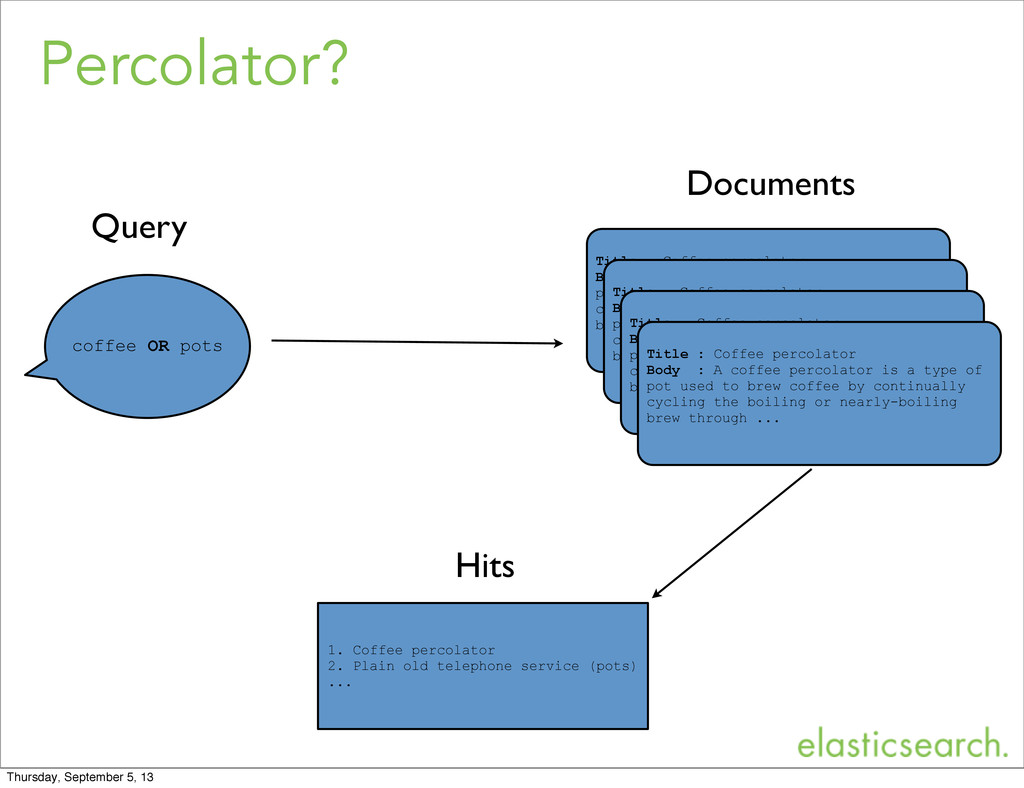
  2. Percolator? coffee OR pots Title : Coffee percolator Body :

    A coffee percolator is a type of pot used to brew coffee by continually cycling the boiling or nearly-boiling brew through ... Title : Coffee percolator Body : A coffee percolator is a type of pot used to brew coffee by continually cycling the boiling or nearly-boiling brew through ... Title : Coffee percolator Body : A coffee percolator is a type of pot used to brew coffee by continually cycling the boiling or nearly-boiling brew through ... Title : Coffee percolator Body : A coffee percolator is a type of pot used to brew coffee by continually cycling the boiling or nearly-boiling brew through ... 1. Coffee percolator 2. Plain old telephone service (pots) ... Hits Query Documents Thursday, September 5, 13
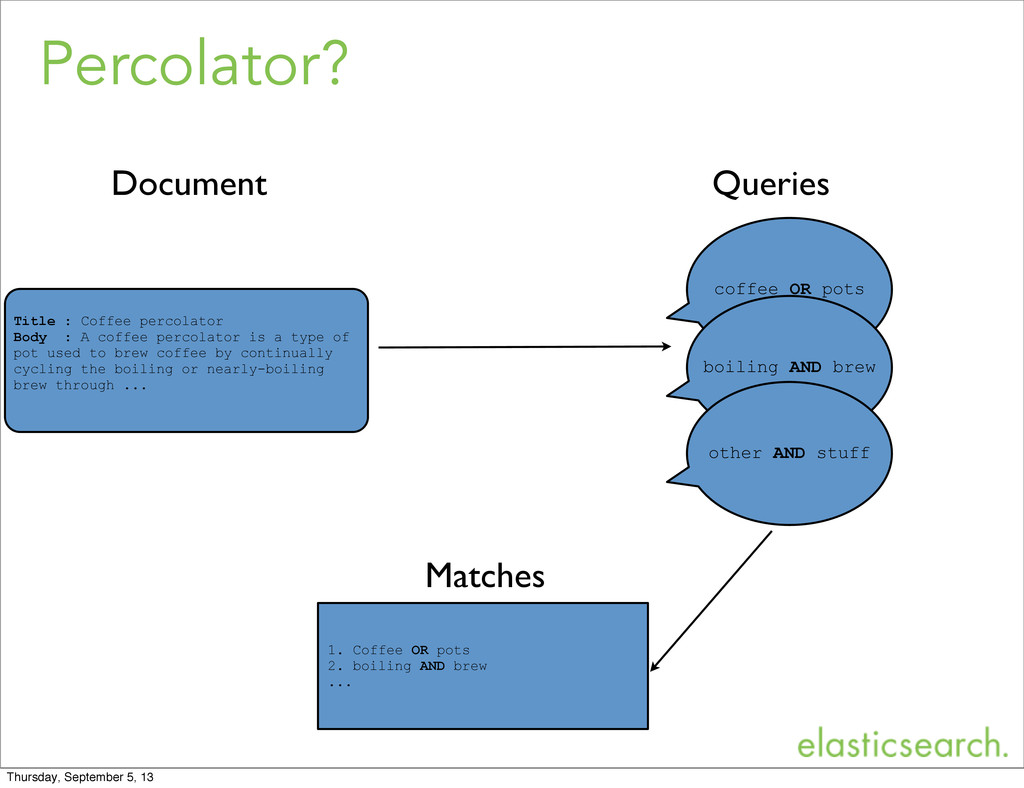
  3. Percolator? coffee OR pots Title : Coffee percolator Body :

    A coffee percolator is a type of pot used to brew coffee by continually cycling the boiling or nearly-boiling brew through ... 1. Coffee OR pots 2. boiling AND brew ... Matches Document Queries boiling AND brew other AND stuff Thursday, September 5, 13
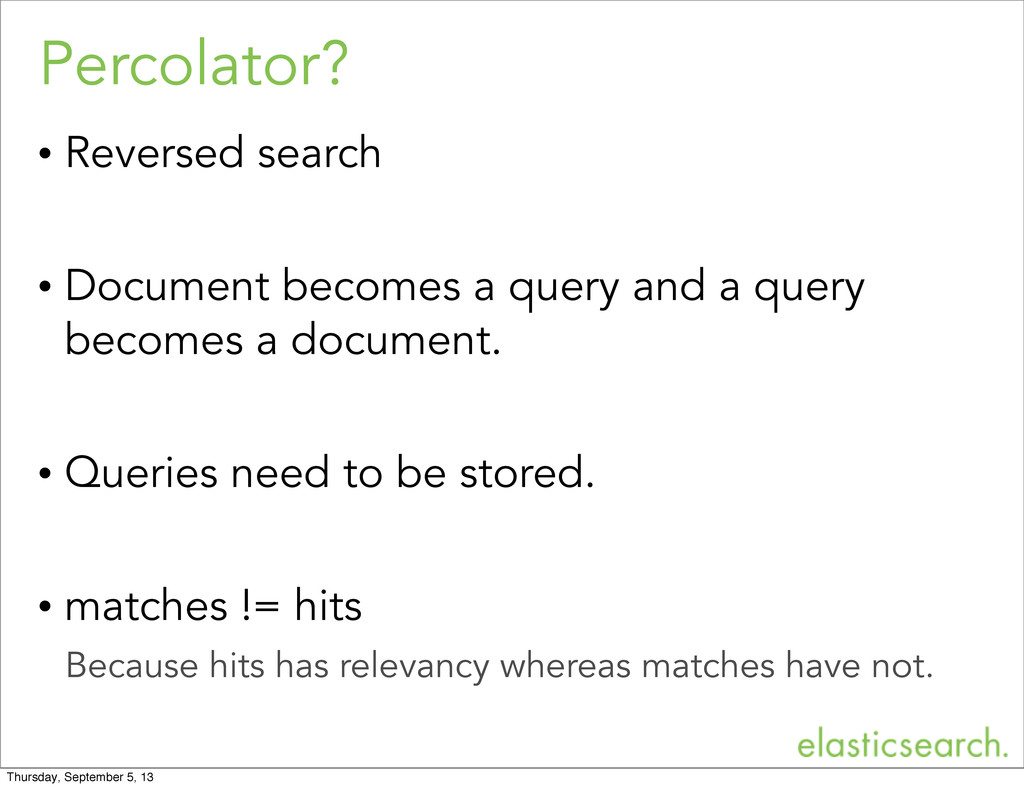
  4. Percolator? • Reversed search • Document becomes a query and

    a query becomes a document. • Queries need to be stored. • matches != hits Because hits has relevancy whereas matches have not. Thursday, September 5, 13
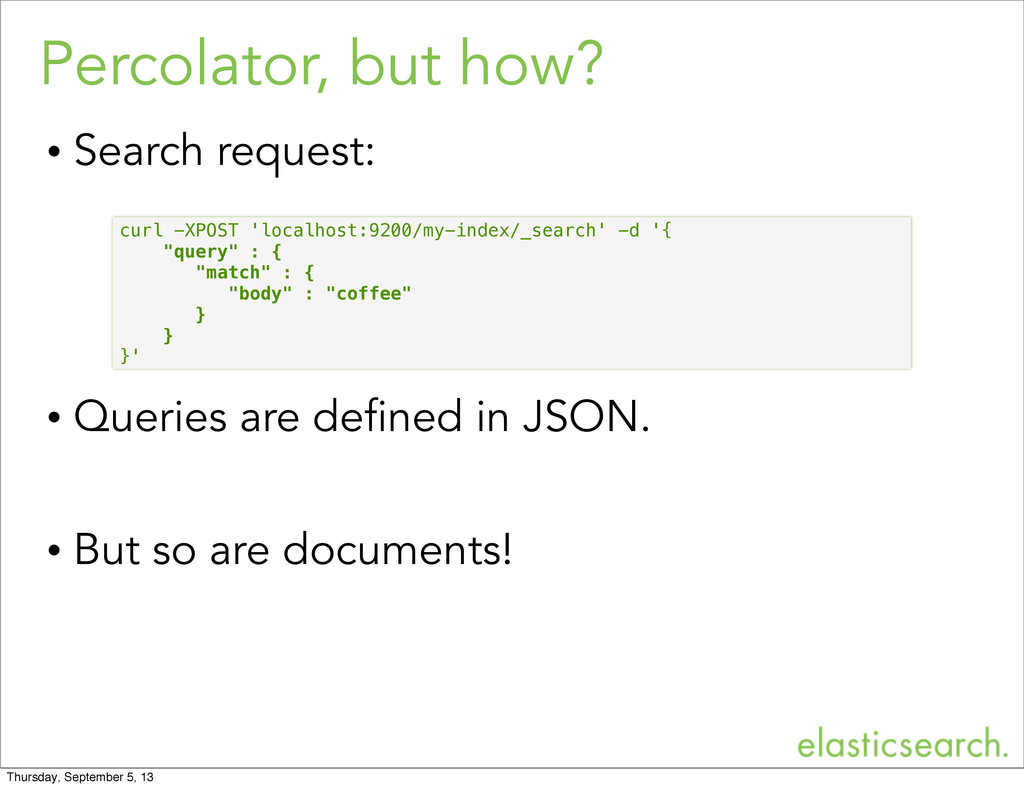
  5. Percolator, but how? • Search request: • Queries are defined

    in JSON. • But so are documents! curl -XPOST 'localhost:9200/my-index/_search' -d '{ "query" : { "match" : { "body" : "coffee" } } }' Thursday, September 5, 13
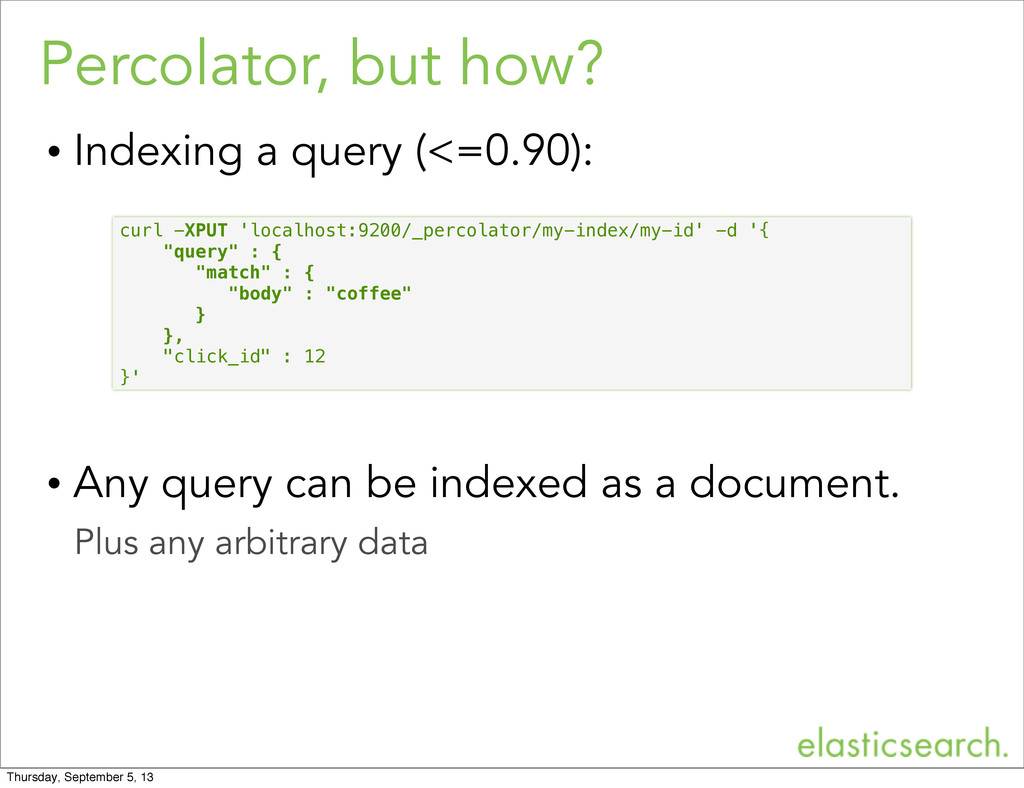
  6. Percolator, but how? • Indexing a query (<=0.90): • Any

    query can be indexed as a document. Plus any arbitrary data curl -XPUT 'localhost:9200/_percolator/my-index/my-id' -d '{ "query" : { "match" : { "body" : "coffee" } }, "click_id" : 12 }' Thursday, September 5, 13
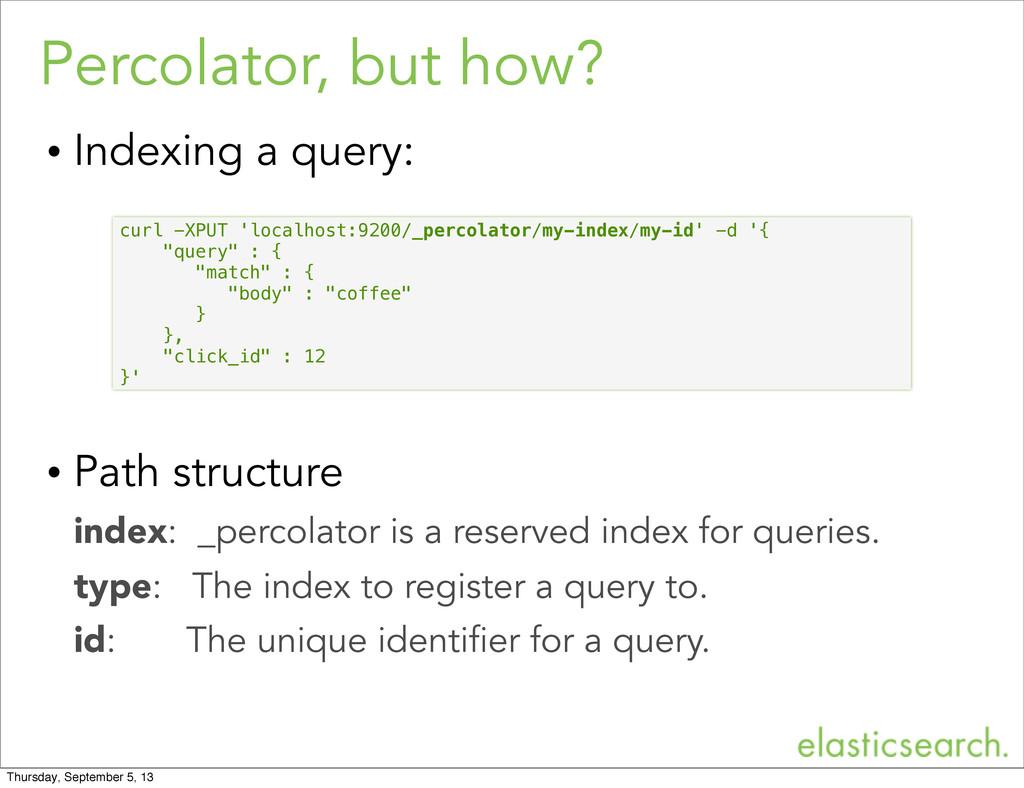
  7. Percolator, but how? • Indexing a query: • Path structure

    index: _percolator is a reserved index for queries. type: The index to register a query to. id: The unique identifier for a query. curl -XPUT 'localhost:9200/_percolator/my-index/my-id' -d '{ "query" : { "match" : { "body" : "coffee" } }, "click_id" : 12 }' Thursday, September 5, 13
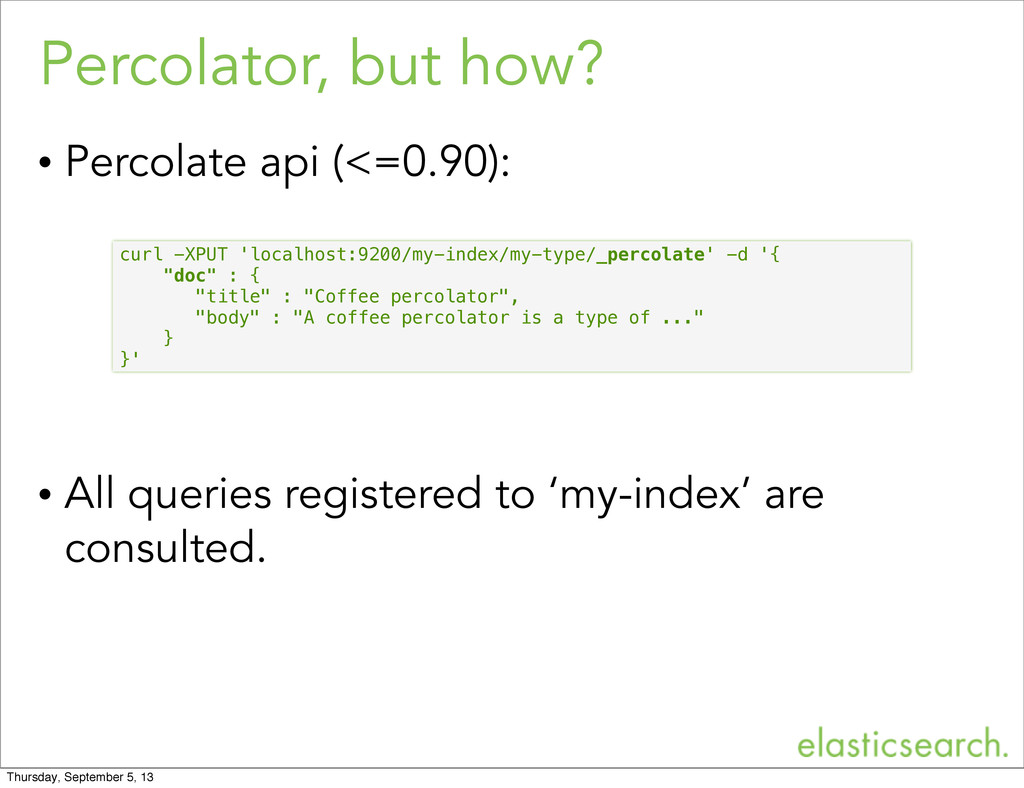
  8. Percolator, but how? • Percolate api (<=0.90): • All queries

    registered to ‘my-index’ are consulted. curl -XPUT 'localhost:9200/my-index/my-type/_percolate' -d '{ "doc" : { "title" : "Coffee percolator", "body" : "A coffee percolator is a type of ..." } }' Thursday, September 5, 13
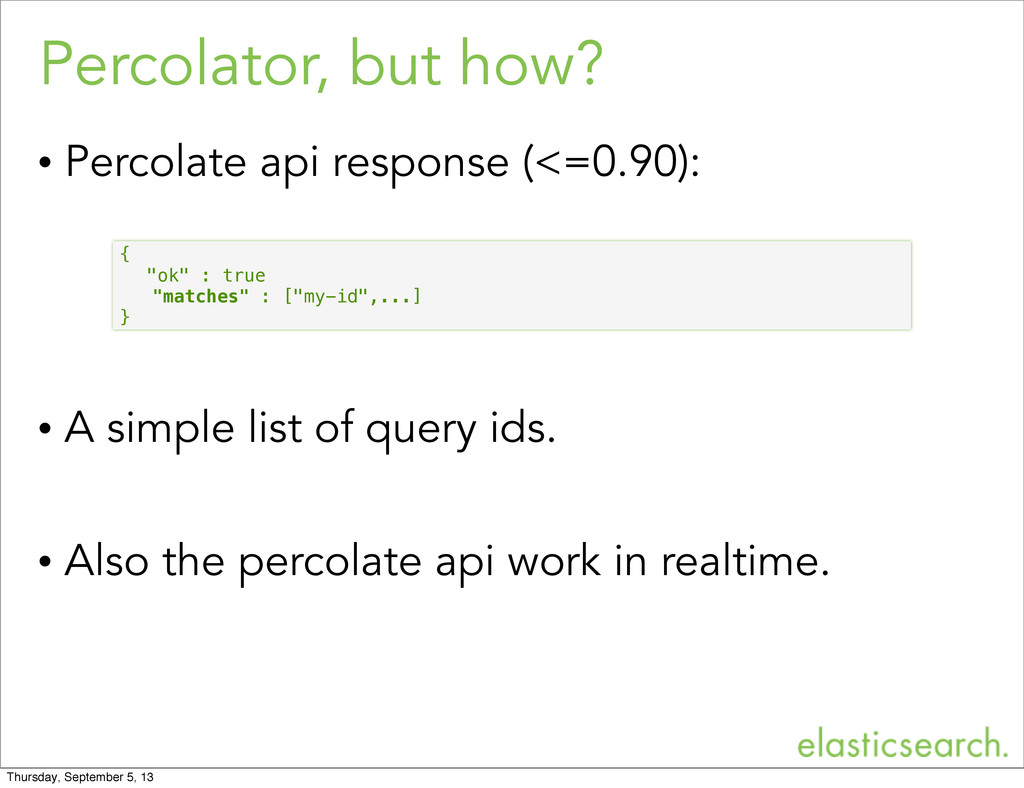
  9. Percolator, but how? • Percolate api response (<=0.90): • A

    simple list of query ids. • Also the percolate api work in realtime. { "ok" : true "matches" : ["my-id",...] } Thursday, September 5, 13
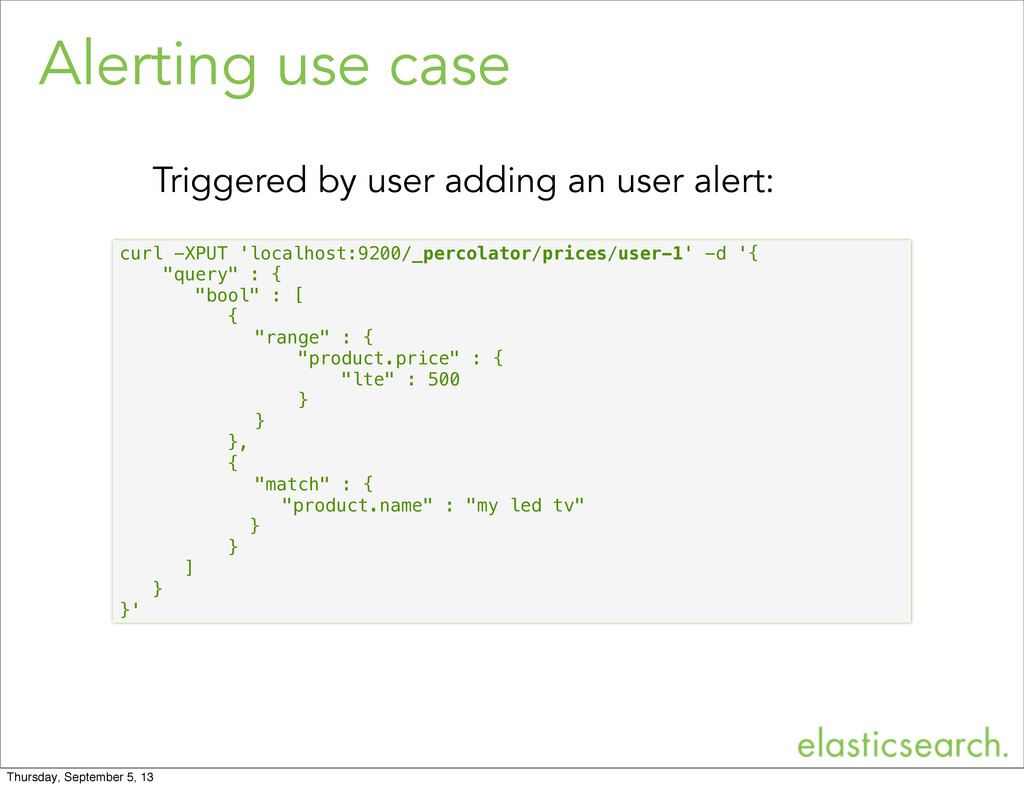
  10. Alerting use case • Store and register queries that monitor

    data. End users can define their alerts via application. • Execute the percolate api right after indexing. No need to wait - percolator works in realtime. • Examples: Price monitor, News alerts, Stock alerts, Weather alerts Thursday, September 5, 13
  11. Alerting use case curl -XPUT 'localhost:9200/_percolator/prices/user-1' -d '{ "query" :

    { "bool" : [ { "range" : { "product.price" : { "lte" : 500 } } }, { "match" : { "product.name" : "my led tv" } } ] } }' Triggered by user adding an user alert: Thursday, September 5, 13
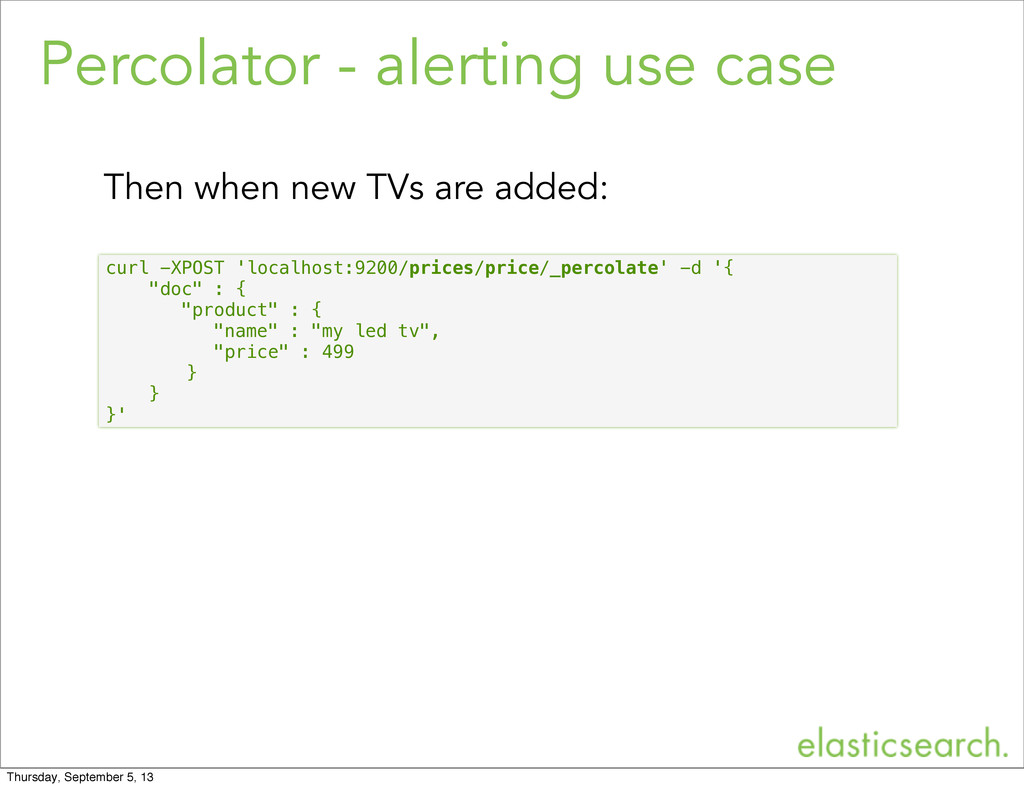
  12. Percolator - alerting use case curl -XPOST 'localhost:9200/prices/price/_percolate' -d '{

    "doc" : { "product" : { "name" : "my led tv", "price" : 499 } } }' Then when new TVs are added: Thursday, September 5, 13
  13. Pricing use case • Store all users’ queries of a

    specific time frame Last week’s, last month’s queries. • Provide feedback to advertisement owner. Execute percolate api while editing the ad. • Examples: Real estate, car sales or any other market place. Thursday, September 5, 13
  14. Contextual ads use case • Store advertisement as queries. •

    On page display percolate document against the stored advertisements. • Examples: Gmail Thursday, September 5, 13
  15. Classification use case • Store queries that can identify patterns

    in your documents. • Percolate a document before indexing it. Enrich the document with the queries it matches with. • Examples: Automatically tag documents, geo tag documents and ways to automatically categorize documents. Thursday, September 5, 13
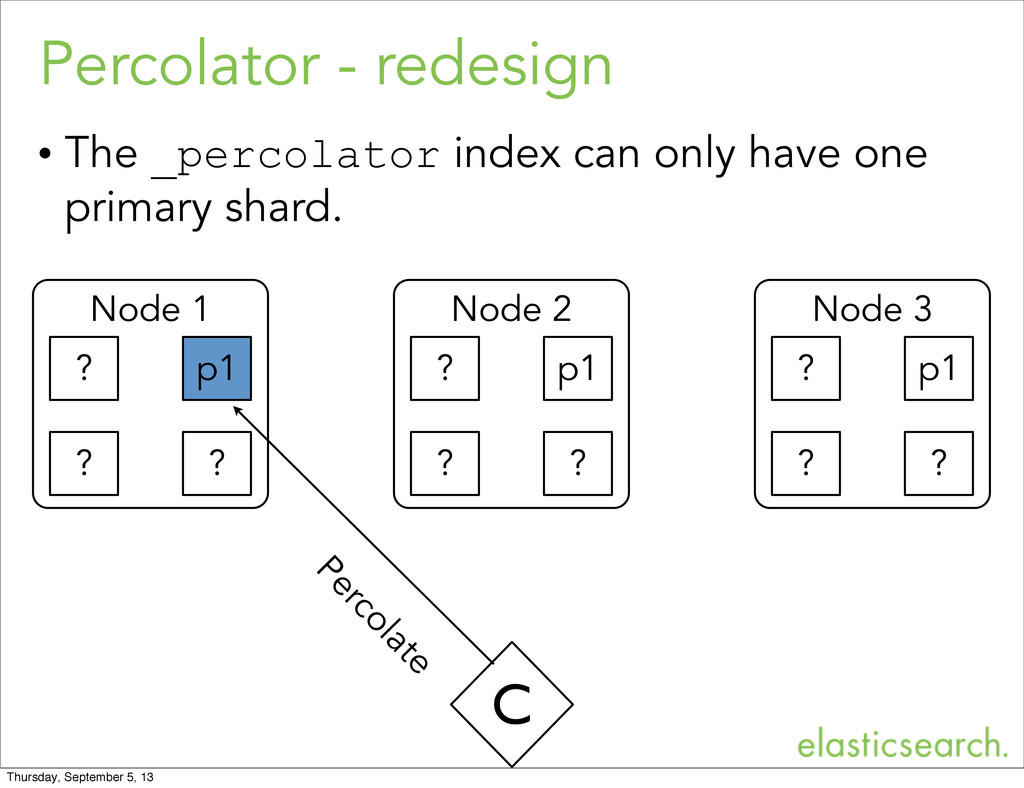
  16. Percolator - redesign • The _percolator index can only have

    one primary shard. Node 1 p1 Node 2 p1 Node 3 p1 C Percolate ? ? ? ? ? ? ? ? ? Thursday, September 5, 13
  17. Percolator - redesign • The redesigned percolator has no dedicated

    reserved _percolator index. • Instead the redesigned percolator has a _percolator type / mapping. • Any index can become a percolator index. Without any restrictions on (sharding) settings. Thursday, September 5, 13
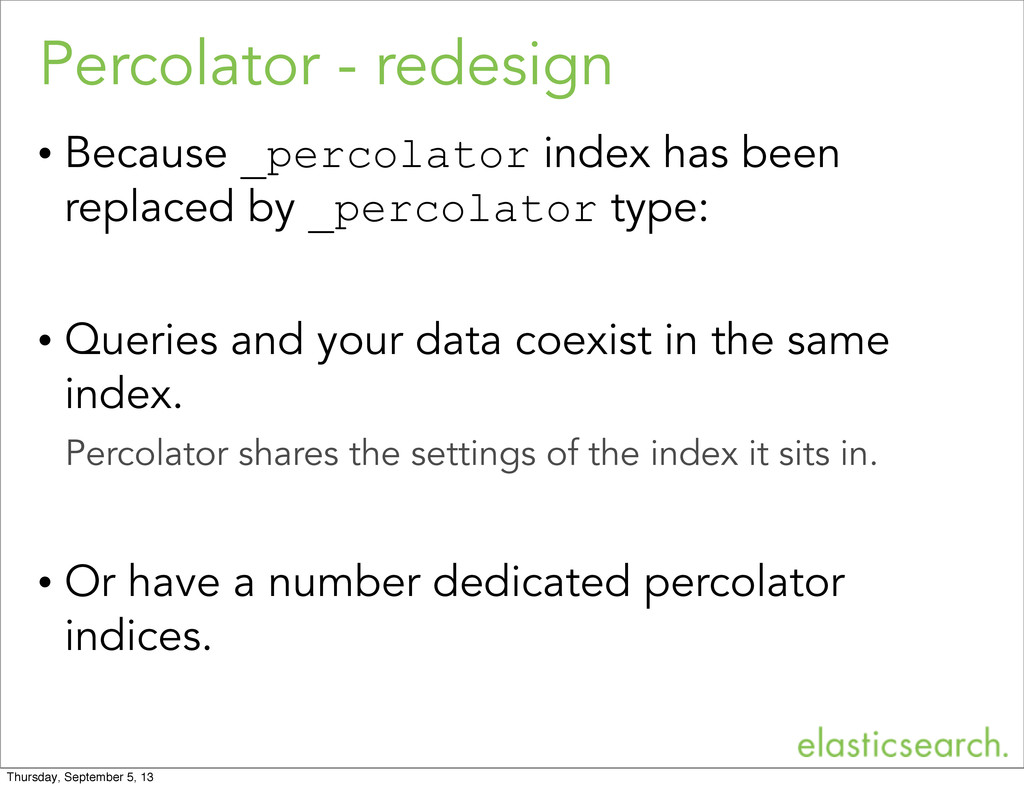
  18. Percolator - redesign • Because _percolator index has been replaced

    by _percolator type: • Queries and your data coexist in the same index. Percolator shares the settings of the index it sits in. • Or have a number dedicated percolator indices. Thursday, September 5, 13
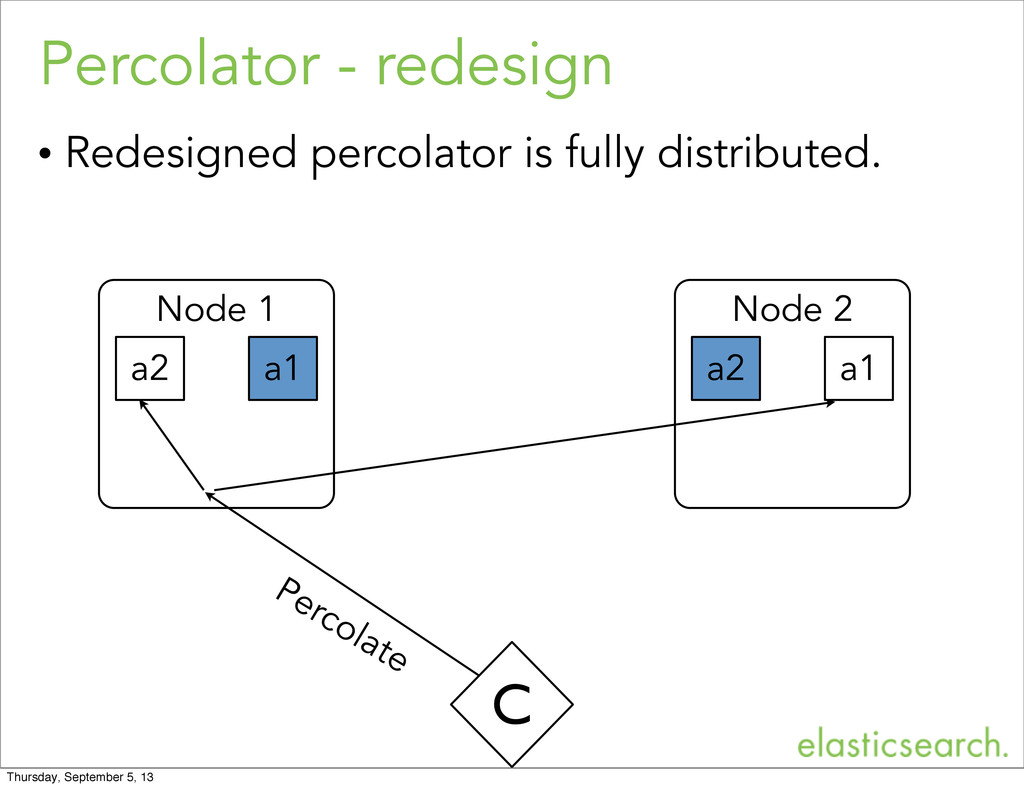
  19. Percolator - redesign • Redesigned percolator is fully distributed. Node

    1 a1 Node 2 a1 C Percolate a2 a2 Thursday, September 5, 13
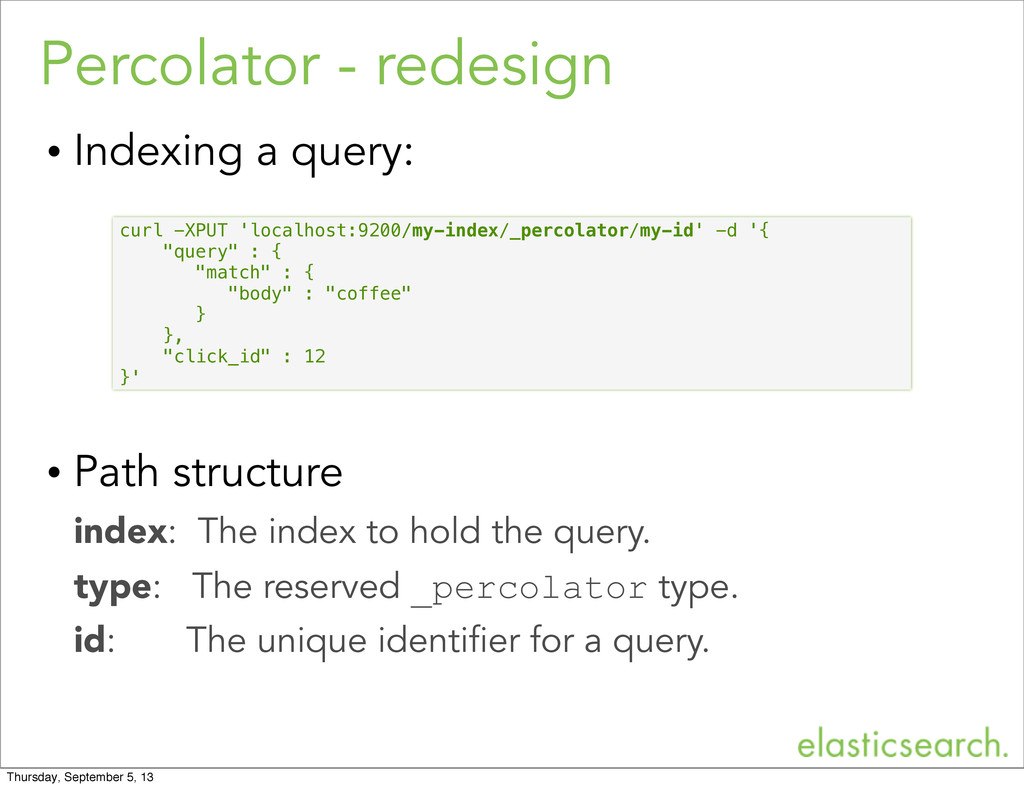
  20. Percolator - redesign • Indexing a query: • Path structure

    index: The index to hold the query. type: The reserved _percolator type. id: The unique identifier for a query. curl -XPUT 'localhost:9200/my-index/_percolator/my-id' -d '{ "query" : { "match" : { "body" : "coffee" } }, "click_id" : 12 }' Thursday, September 5, 13
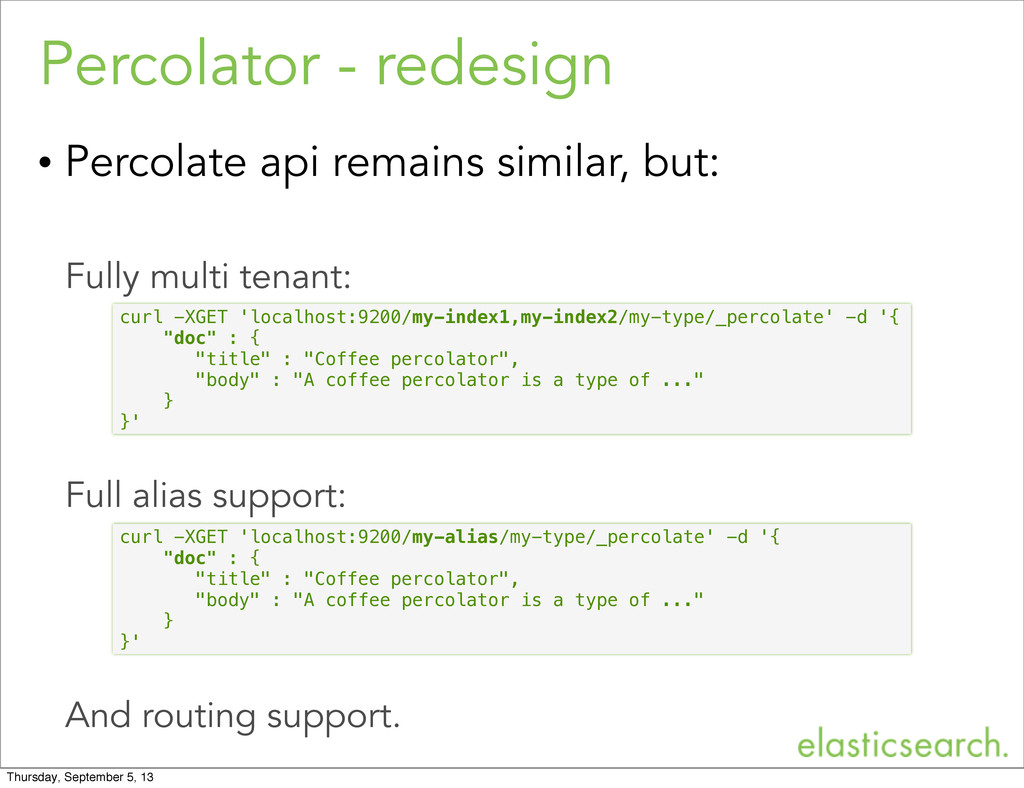
  21. • Percolate api remains similar, but: Fully multi tenant: Full

    alias support: And routing support. Percolator - redesign curl -XGET 'localhost:9200/my-index1,my-index2/my-type/_percolate' -d '{ "doc" : { "title" : "Coffee percolator", "body" : "A coffee percolator is a type of ..." } }' curl -XGET 'localhost:9200/my-alias/my-type/_percolate' -d '{ "doc" : { "title" : "Coffee percolator", "body" : "A coffee percolator is a type of ..." } }' Thursday, September 5, 13
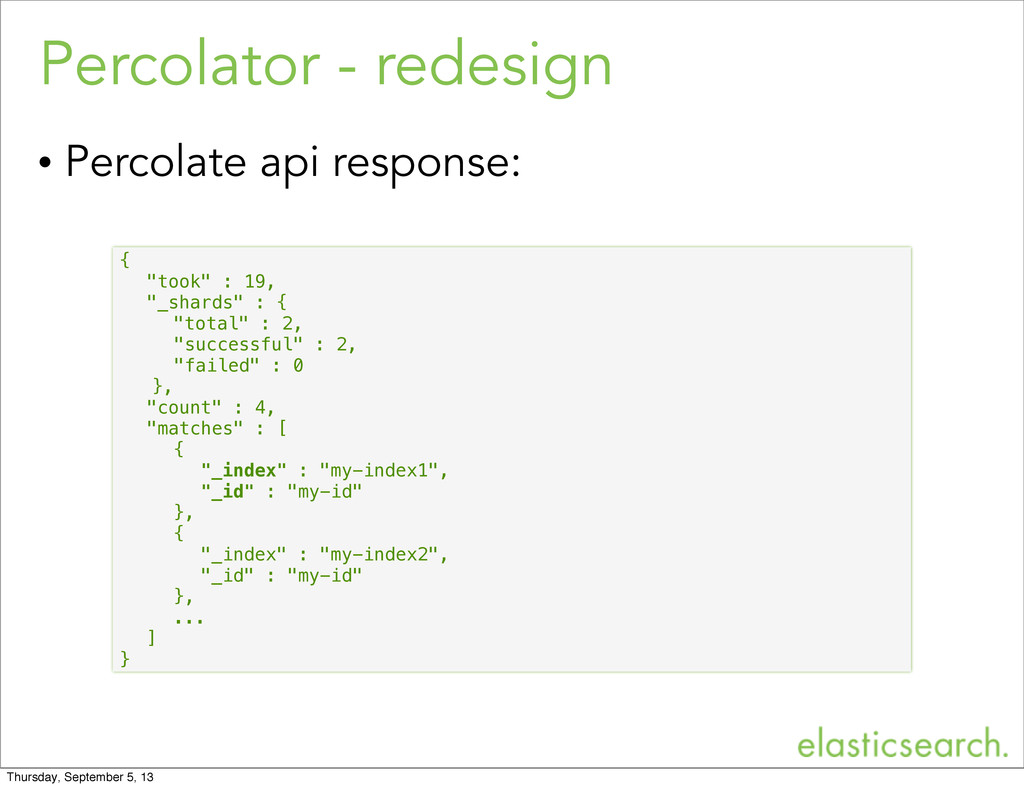
  22. Percolator - redesign • Percolate api response: { "took" :

    19, "_shards" : { "total" : 2, "successful" : 2, "failed" : 0 }, "count" : 4, "matches" : [ { "_index" : "my-index1", "_id" : "my-id" }, { "_index" : "my-index2", "_id" : "my-id" }, ... ] } Thursday, September 5, 13
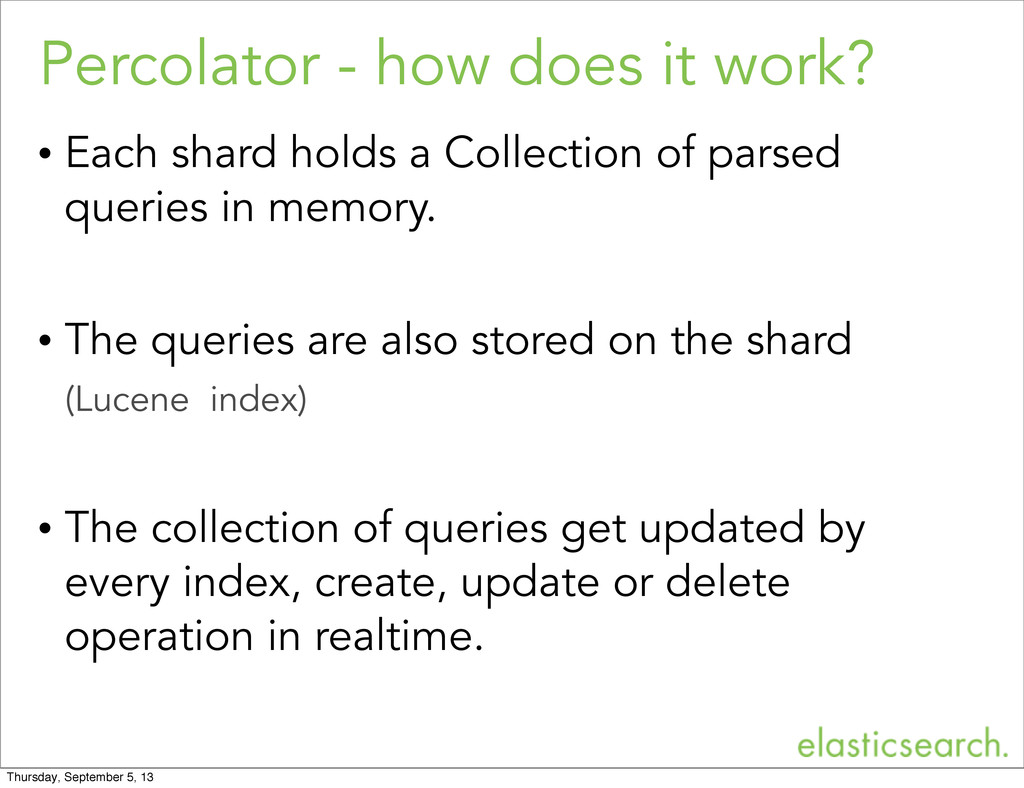
  23. Percolator - how does it work? • Each shard holds

    a Collection of parsed queries in memory. • The queries are also stored on the shard (Lucene index) • The collection of queries get updated by every index, create, update or delete operation in realtime. Thursday, September 5, 13
  24. Percolator - how does it work? • During percolating the

    document to be percolated gets indexed into an in memory index. • All shard queries are executed against this one document in memory index. Shard level execution time is linear to the amount queries to evaluate. • After all queries have been evaluated the in memory index gets cleaned up. Thursday, September 5, 13
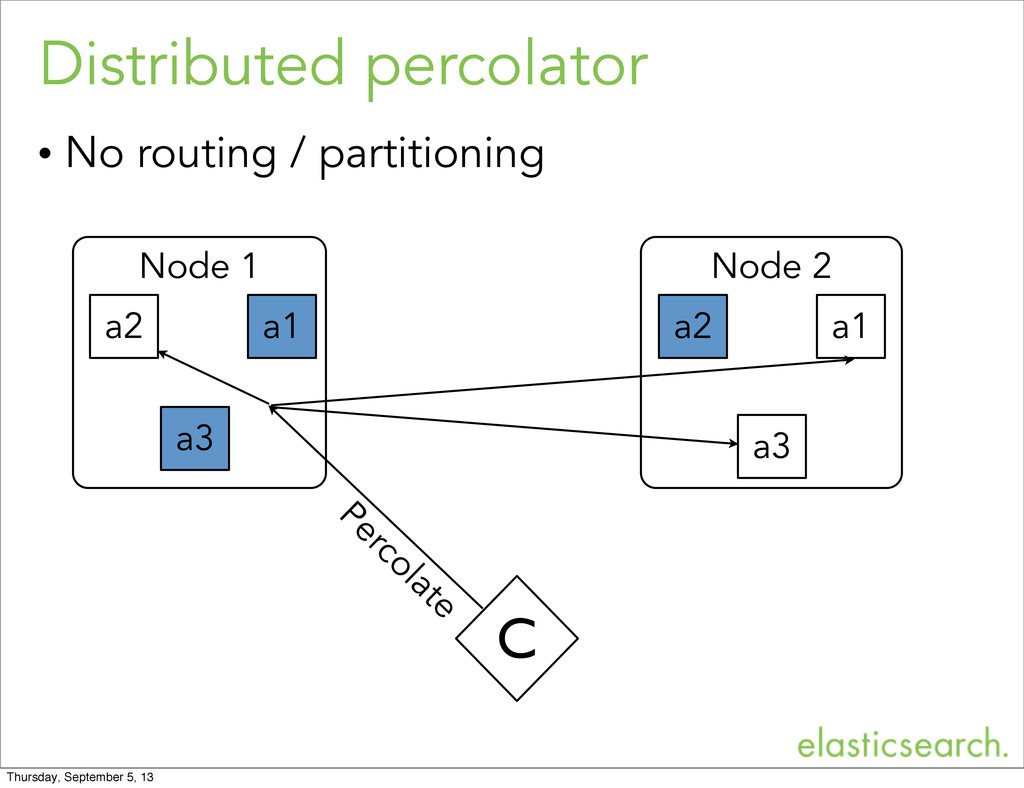
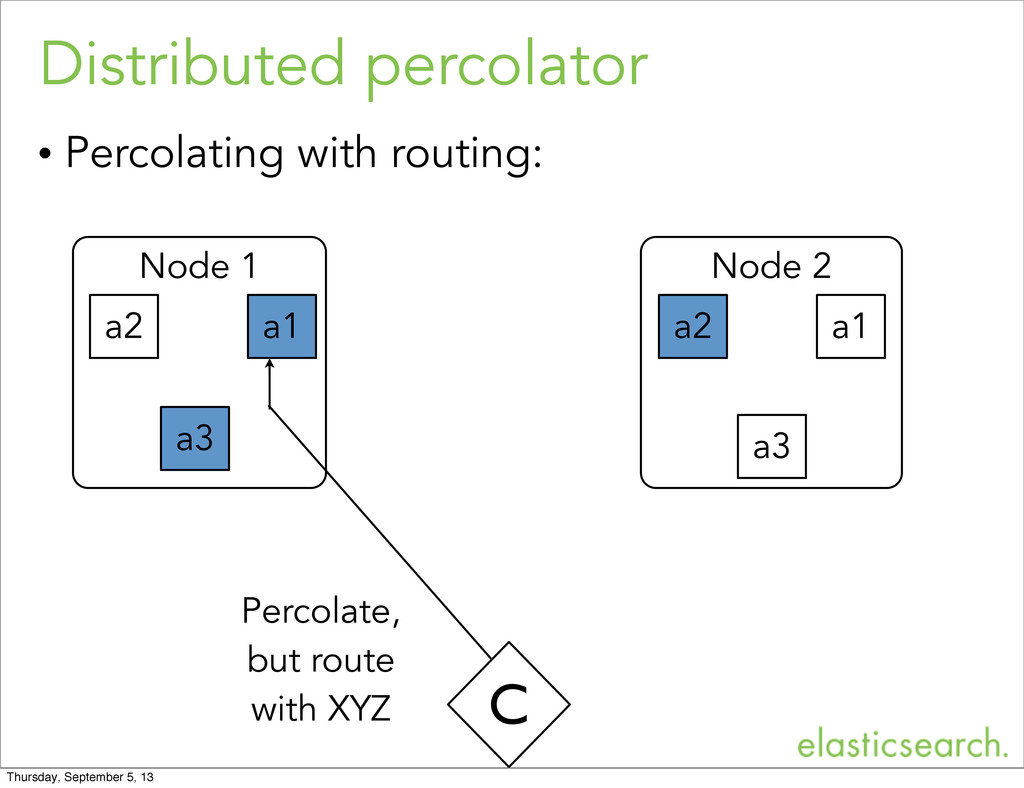
  25. Distributed percolator • Percolate api executes the request in parallel

    on all shards. • Use routing and multi tenancy to reduce the amount of queries to evaluate. - Routing will reduce the amount of shards. - More indices (and therefore more shards) reduces the amount of queries per shard. Thursday, September 5, 13
  26. Distributed percolator • No routing / partitioning Node 1 a1

    Node 2 a1 C Percolate a2 a2 a3 a3 Thursday, September 5, 13
  27. Distributed percolator • Percolating with routing: Node 1 a1 Node

    2 a1 C Percolate, but route with XYZ a2 a2 a3 a3 Thursday, September 5, 13
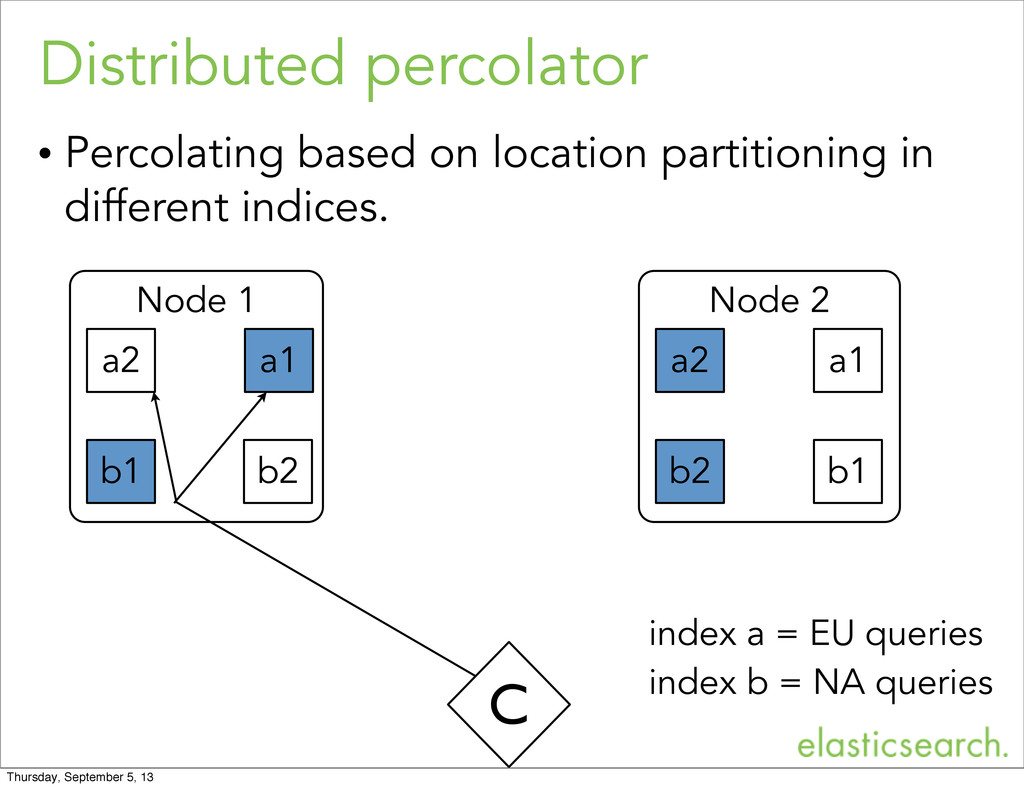
  28. Node 1 Distributed percolator • Percolating based on location partitioning

    in different indices. a1 Node 2 a1 C a2 a2 b1 b1 b2 index a = EU queries index b = NA queries b2 Thursday, September 5, 13
  29. Feature - percolate existing doc • Percolating a newly indexed

    document is very common pattern. curl -XGET 'localhost:9200/my-index1/my-type/1/_percolate' curl -XGET 'localhost:9200/my-index1/my-type/1/_percolate?percolate_index=my-index2' my-index1 is both percolate and source index: my-index2 contains the queries to evaluate: and my-index1 contains the document to percolate Thursday, September 5, 13
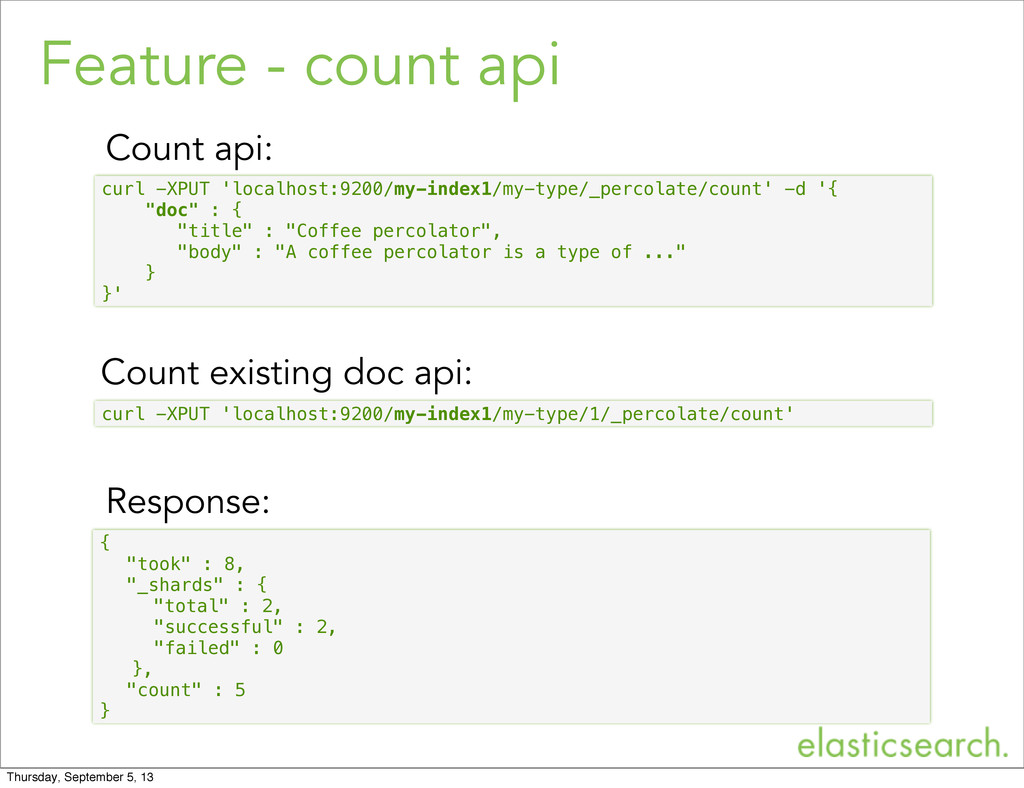
  30. Feature - count api curl -XPUT 'localhost:9200/my-index1/my-type/_percolate/count' -d '{ "doc"

    : { "title" : "Coffee percolator", "body" : "A coffee percolator is a type of ..." } }' { "took" : 8, "_shards" : { "total" : 2, "successful" : 2, "failed" : 0 }, "count" : 5 } Response: Count api: curl -XPUT 'localhost:9200/my-index1/my-type/1/_percolate/count' Count existing doc api: Thursday, September 5, 13
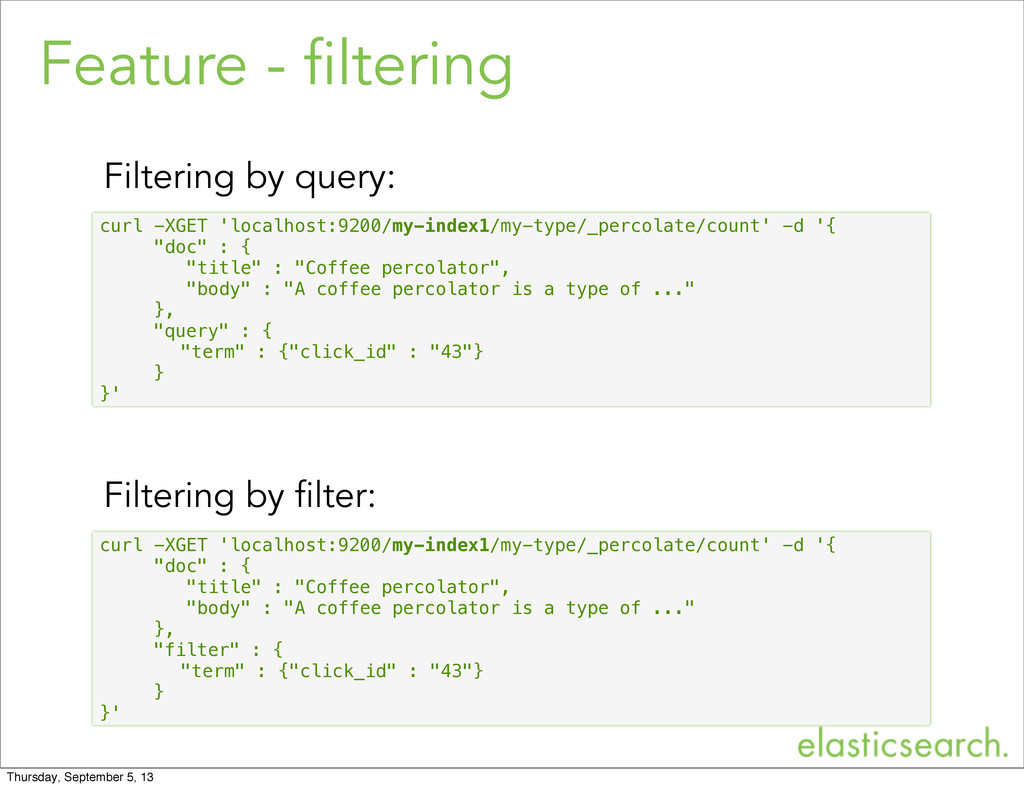
  31. Feature - filtering curl -XGET 'localhost:9200/my-index1/my-type/_percolate/count' -d '{ "doc" :

    { "title" : "Coffee percolator", "body" : "A coffee percolator is a type of ..." }, "query" : { "term" : {"click_id" : "43"} } }' Filtering by query: curl -XGET 'localhost:9200/my-index1/my-type/_percolate/count' -d '{ "doc" : { "title" : "Coffee percolator", "body" : "A coffee percolator is a type of ..." }, "filter" : { "term" : {"click_id" : "43"} } }' Filtering by filter: Thursday, September 5, 13
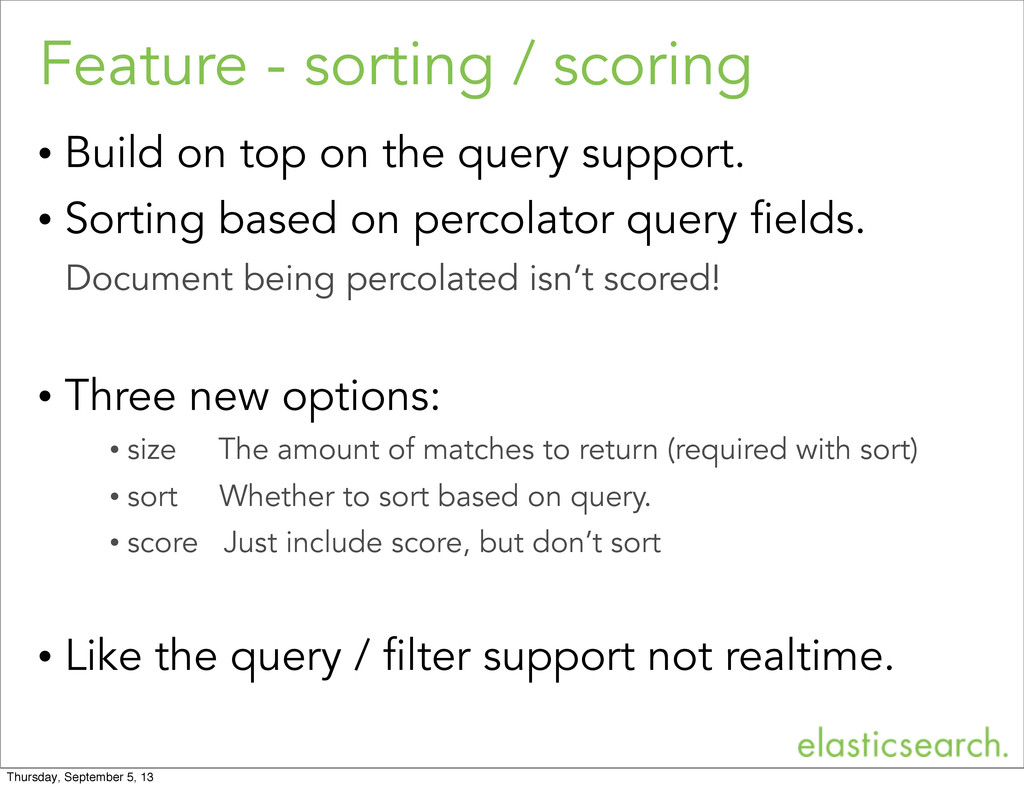
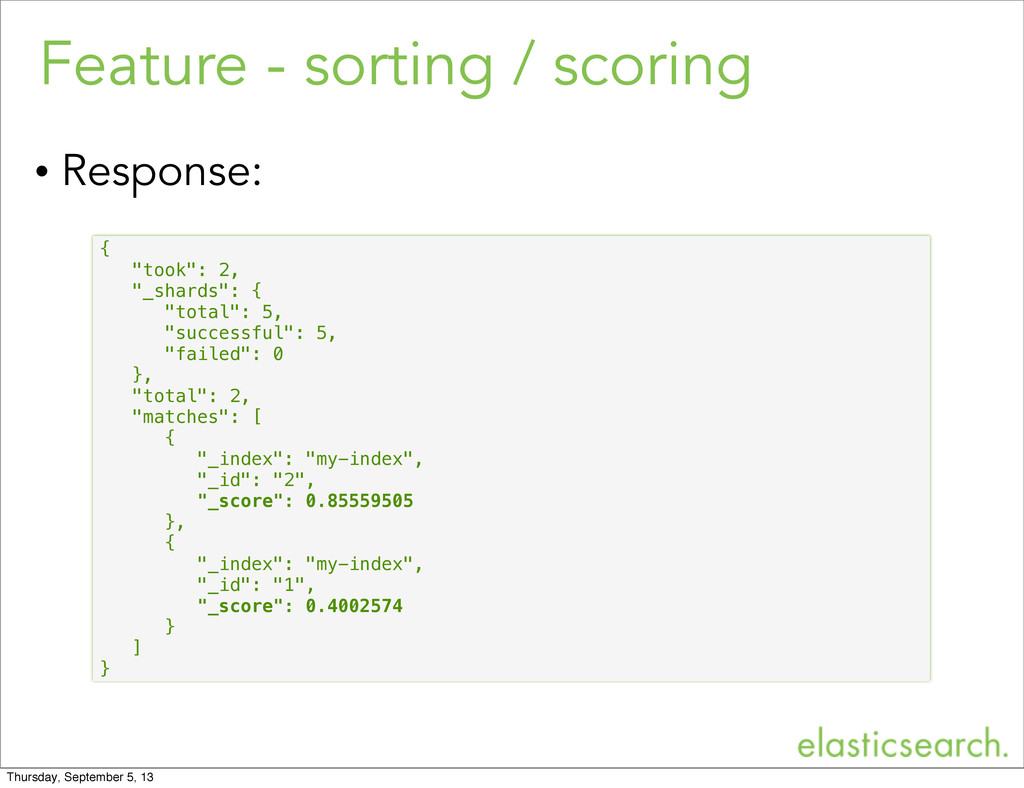
  32. Feature - sorting / scoring • Build on top on

    the query support. • Sorting based on percolator query fields. Document being percolated isn’t scored! • Three new options: • size The amount of matches to return (required with sort) • sort Whether to sort based on query. • score Just include score, but don’t sort • Like the query / filter support not realtime. Thursday, September 5, 13
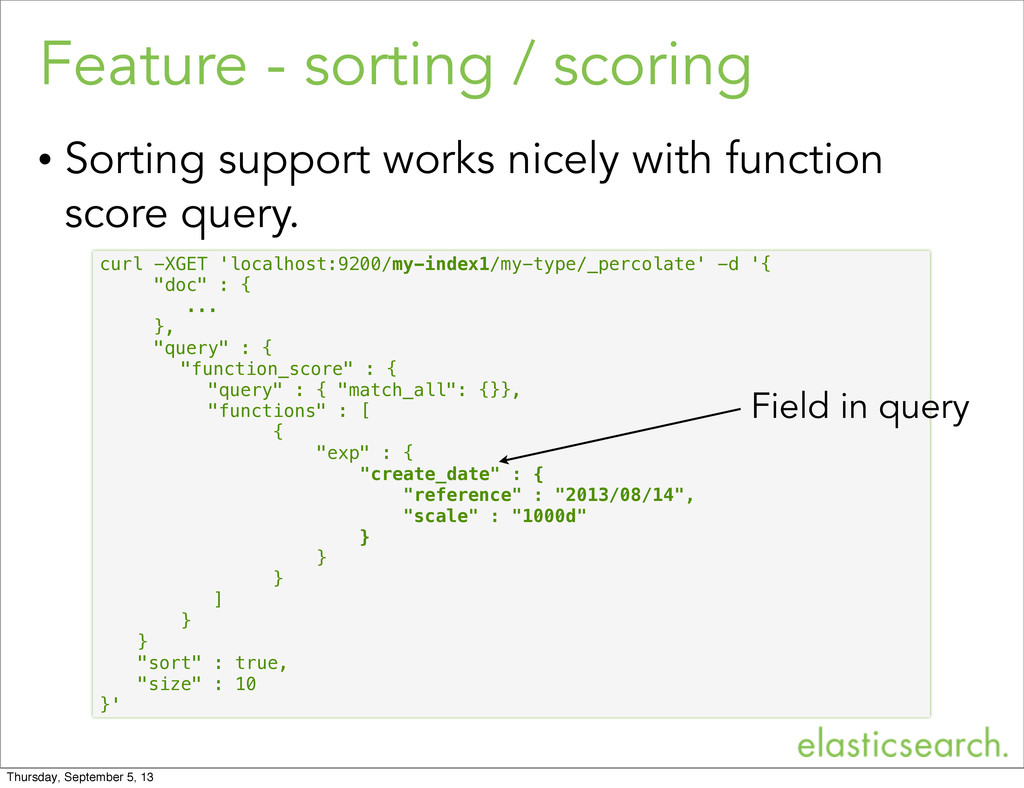
  33. Feature - sorting / scoring • Sorting support works nicely
    with function score query. curl -XGET 'localhost:9200/my-index1/my-type/_percolate' -d '{ "doc" : { ... }, "query" : { "function_score" : { "query" : { "match_all": {}}, "functions" : [ { "exp" : { "create_date" : { "reference" : "2013/08/14", "scale" : "1000d" } } } ] } } "sort" : true, "size" : 10 }' Field in query Thursday, September 5, 13
  34. Feature - sorting / scoring { "took": 2, "_shards": {

    "total": 5, "successful": 5, "failed": 0 }, "total": 2, "matches": [ { "_index": "my-index", "_id": "2", "_score": 0.85559505 }, { "_index": "my-index", "_id": "1", "_score": 0.4002574 } ] } • Response: Thursday, September 5, 13
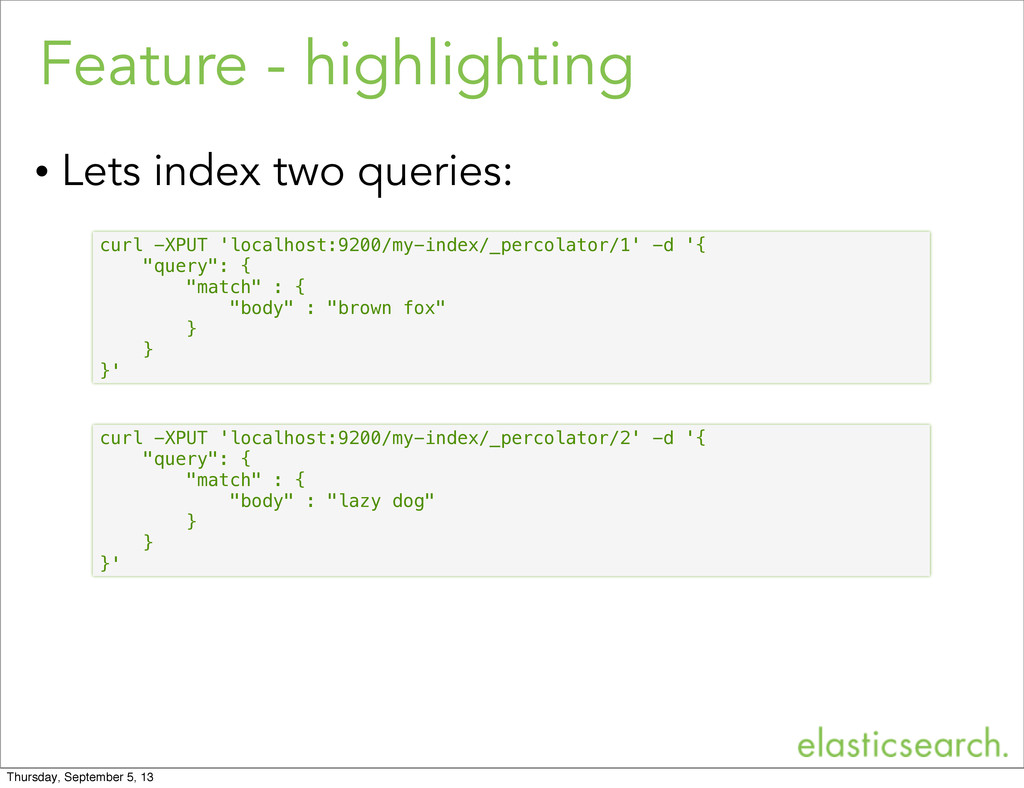
  35. Feature - highlighting curl -XPUT 'localhost:9200/my-index/_percolator/1' -d '{ "query": {

    "match" : { "body" : "brown fox" } } }' curl -XPUT 'localhost:9200/my-index/_percolator/2' -d '{ "query": { "match" : { "body" : "lazy dog" } } }' • Lets index two queries: Thursday, September 5, 13
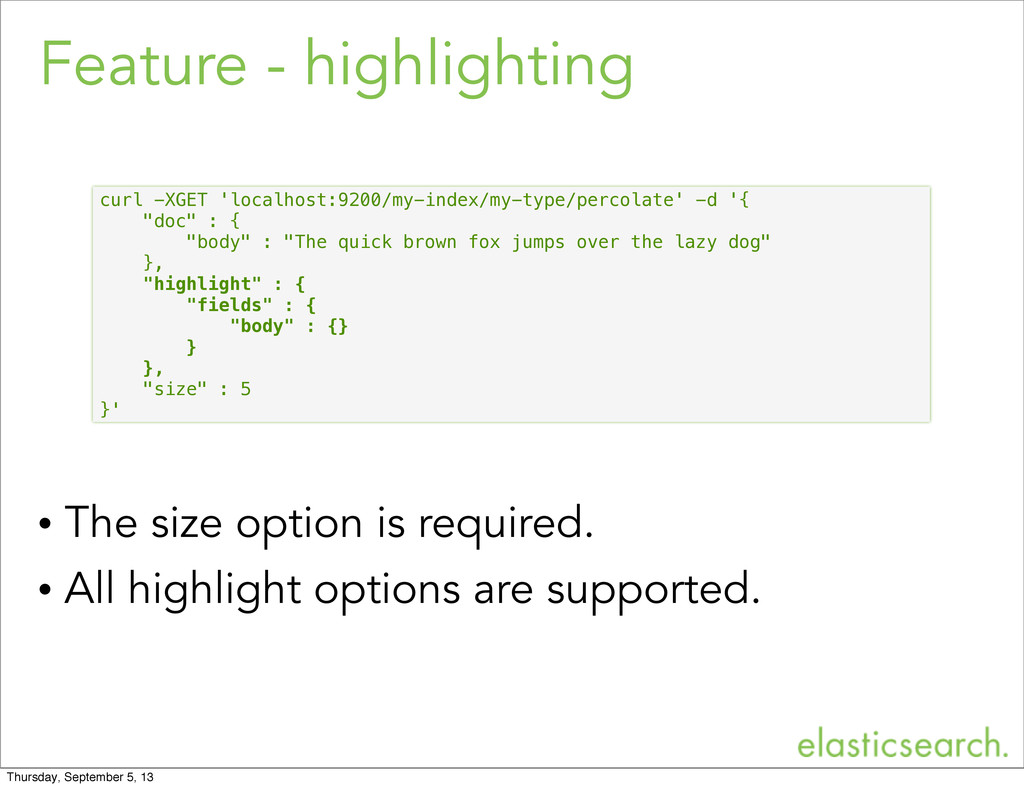
  36. Feature - highlighting • The size option is required. •

    All highlight options are supported. curl -XGET 'localhost:9200/my-index/my-type/percolate' -d '{ "doc" : { "body" : "The quick brown fox jumps over the lazy dog" }, "highlight" : { "fields" : { "body" : {} } }, "size" : 5 }' Thursday, September 5, 13
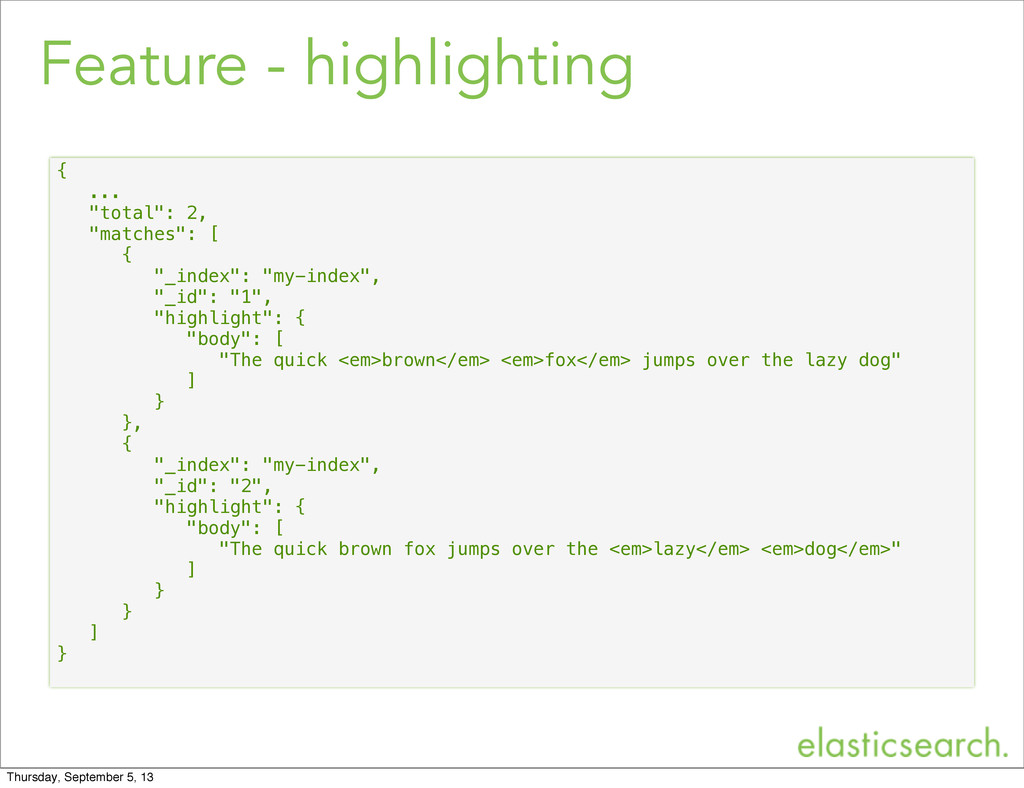
  37. Feature - highlighting { ... "total": 2, "matches": [ {

    "_index": "my-index", "_id": "1", "highlight": { "body": [ "The quick <em>brown</em> <em>fox</em> jumps over the lazy dog" ] } }, { "_index": "my-index", "_id": "2", "highlight": { "body": [ "The quick brown fox jumps over the <em>lazy</em> <em>dog</em>" ] } } ] } Thursday, September 5, 13
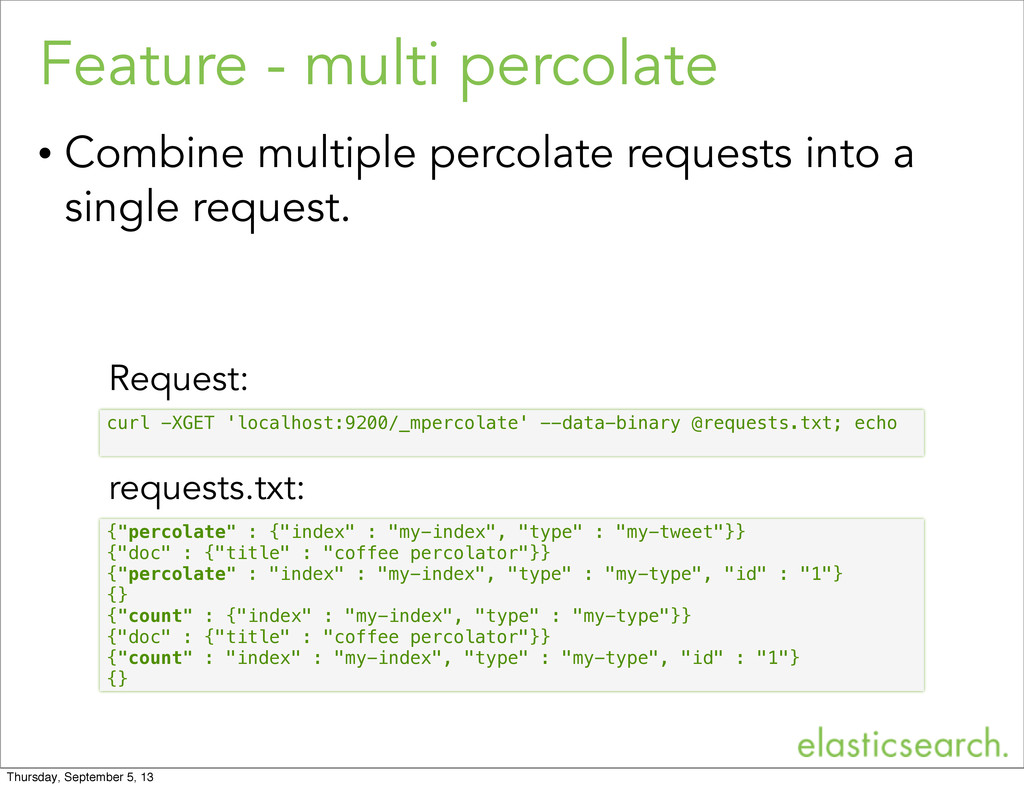
  38. Feature - multi percolate • Combine multiple percolate requests into

    a single request. {"percolate" : {"index" : "my-index", "type" : "my-tweet"}} {"doc" : {"title" : "coffee percolator"}} {"percolate" : "index" : "my-index", "type" : "my-type", "id" : "1"} {} {"count" : {"index" : "my-index", "type" : "my-type"}} {"doc" : {"title" : "coffee percolator"}} {"count" : "index" : "my-index", "type" : "my-type", "id" : "1"} {} curl -XGET 'localhost:9200/_mpercolate' --data-binary @requests.txt; echo requests.txt: Request: Thursday, September 5, 13