Upgrade to Pro
— share decks privately, control downloads, hide ads and more …
Speaker Deck
Sign up for free
Menu
Search
Features
All features
Private URLs
Password Protection
Custom URLS
Scheduled publishing
Remove Branding
Restrict embedding
Deck Collections
Notes
Features
All features
Private URLs
Password Protection
Custom URLS
Scheduled publishing
Remove Branding
Restrict embedding
Deck Collections
Notes
Explore
Featured decks
Featured speakers
Programming
Technology
Storyboards
Explore
Featured decks
Featured speakers
Programming
Technology
Storyboards
Pricing
Search
Sign in
Sign up for free
Rustは厳しいが役に立つ Part3「Rustでデータべース(MongoDB編)」
Search
NearMeの技術発表資料です
PRO
September 30, 2022
Programming
680
0
Share
Embed
Copy iframe code
Copy JS code
Copy link
Start on current slide
Rustは厳しいが役に立つ Part3「Rustでデータべース(MongoDB編)」
NearMeの技術発表資料です
PRO
September 30, 2022
More Decks by NearMeの技術発表資料です
See All by NearMeの技術発表資料です
Claude Code × git worktree で並列開発 (続き) -差分のサービスだけを併設する-
nearme_tech
PRO
1
61
Claude Code × git worktree で並列開発 — サブモジュール構成のリポジトリで成立させる —
nearme_tech
PRO
0
75
LLM + 強化学習
nearme_tech
PRO
0
34
PosthogのA/Bテスト機能の紹介
nearme_tech
PRO
1
98
AIフレンドリーなプロダクトに向けて
nearme_tech
PRO
2
67
初めてのLean言語
nearme_tech
PRO
0
110
Apache Airflow Workflow orchestration without turning cron into spaghetti
nearme_tech
PRO
2
42
実務で役立つ幾何学 ボロノイ図の基礎から グラフ・ネットワーク応用まで
nearme_tech
PRO
1
82
SQL/ID抽出タスクから考える 実践的なハルシネーション対策
nearme_tech
PRO
1
93
Other Decks in Programming
See All in Programming
iOSDC2026登壇資料.pdf
riofujimon
0
200
Are APIs Still Relevant in the AI Era?
soyuka
0
380
設計次第でAIコードの読む量は減らせる / designing-for-code-reading
minodriven
30
13k
市販E-Readerを乗っ取れ 〜Embedded Swiftで電子ペーパーガジェットを制御する〜
trickart
0
220
AWSに止められる覚悟してますか?
morizo_1984
2
490
テストを司るデーモンに会いに行く 〜隔離した仮想マシンでテストを通すまで〜
h1d3mun3
1
600
アクセシビリティから考える情報設計
high_g_engineer
0
430
難しいけど、読めた。- OSSの入口に立った話。
sts11142
0
130
20260914 AIエージェント時代のPlatform Engineering LLM基盤とプロダクトの責務境界線
kanfab1
7
2.3k
MVNOの申込からeSIM開通までをiOSアプリでつなぐ- 本人確認・MNP・通信事業者基盤をまたぐ実装
satotakeshi
0
510
Intent as Code
shoppingjaws
6
1.1k
Heart of Swift Concurrency
koher
0
1.1k
Featured
See All Featured
Ethics towards AI in product and experience design
skipperchong
2
400
Distributed Sagas: A Protocol for Coordinating Microservices
caitiem20
333
23k
Side Projects
sachag
456
43k
Save Time (by Creating Custom Rails Generators)
garrettdimon
PRO
33
5k
Odyssey Design
rkendrick25
PRO
2
850
So, you think you're a good person
axbom
PRO
2
2.2k
Cheating the UX When There Is Nothing More to Optimize - PixelPioneers
stephaniewalter
287
14k
Automating Front-end Workflow
addyosmani
1369
210k
ReactJS: Keep Simple. Everything can be a component!
pedronauck
666
130k
Designing Experiences People Love
moore
143
24k
Lightning Talk: Beautiful Slides for Beginners
inesmontani
PRO
2
710
Bioeconomy Workshop: Dr. Julius Ecuru, Opportunities for a Bioeconomy in West Africa
akademiya2063
PRO
1
380
Transcript
0 Rustは厳しいが役に立つ Part3「Rustでデータべース(MongoDB編)」 2022-09-30 第15回NearMe技術勉強会 Kaito Asahi
1 目次 RustとMongoDB MongoDBについて ハンズオン!! 実際に簡単なアプリケーションをつくります
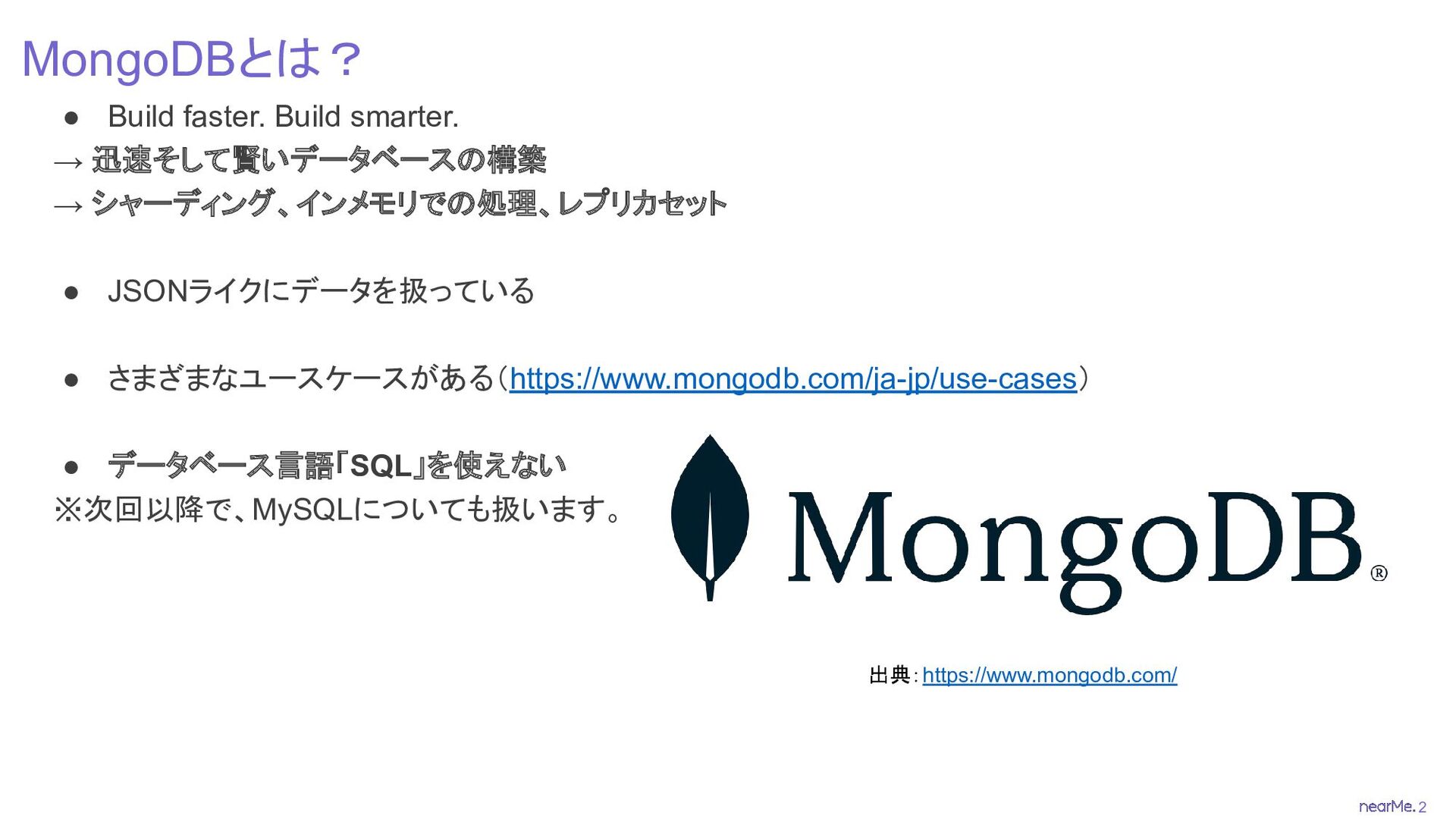
2 MongoDBとは? • Build faster. Build smarter. → 迅速そして賢いデータベースの構築 →
シャーディング、インメモリでの処理、レプリカセット • JSONライクにデータを扱っている • さまざまなユースケースがある(https://www.mongodb.com/ja-jp/use-cases) • データベース言語「SQL」を使えない ※次回以降で、MySQLについても扱います。 出典:https://www.mongodb.com/
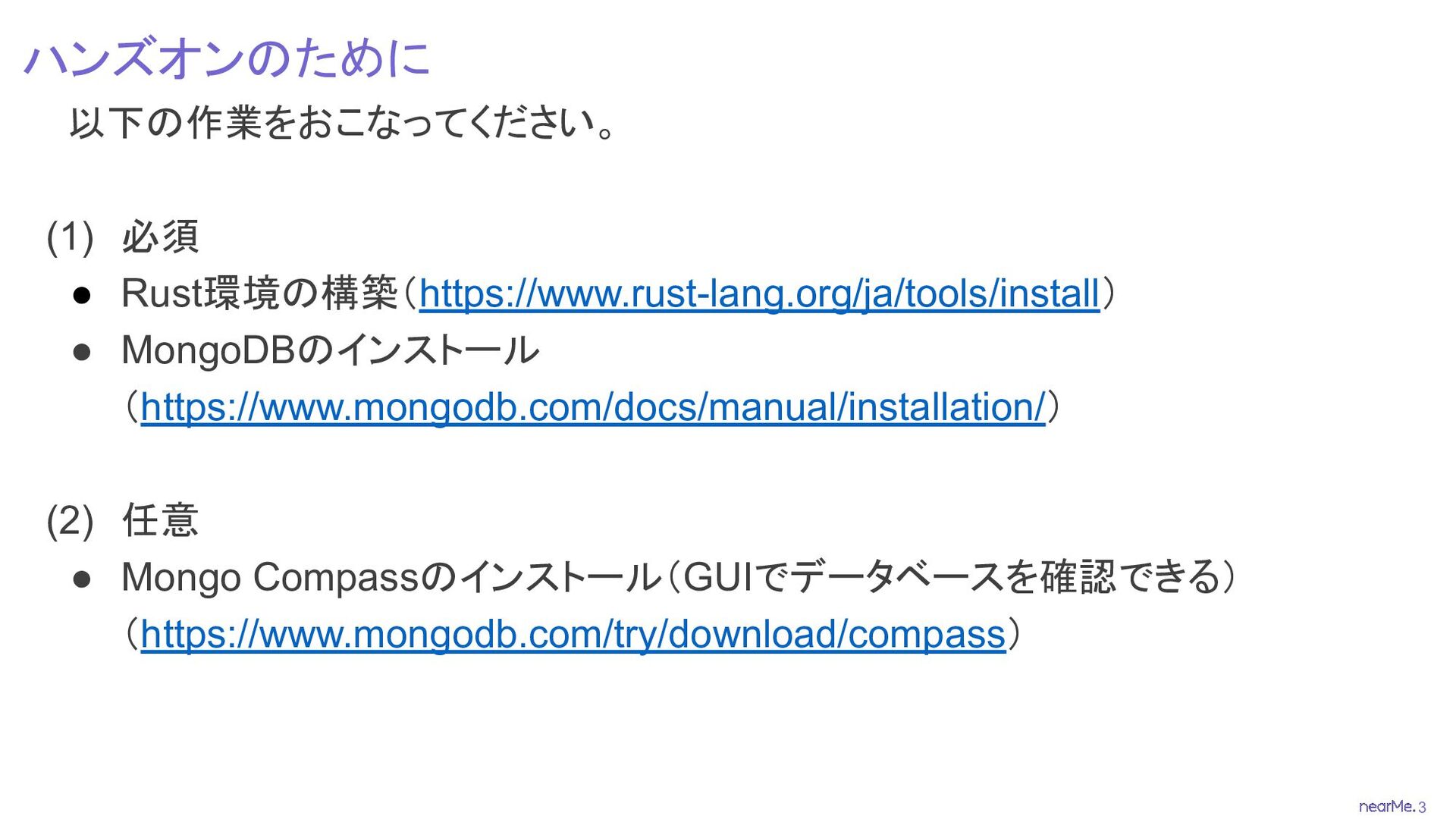
3 ハンズオンのために 以下の作業をおこなってください。 (1) 必須 • Rust環境の構築(https://www.rust-lang.org/ja/tools/install) • MongoDBのインストール (https://www.mongodb.com/docs/manual/installation/)
(2) 任意 • Mongo Compassのインストール(GUIでデータベースを確認できる) (https://www.mongodb.com/try/download/compass)
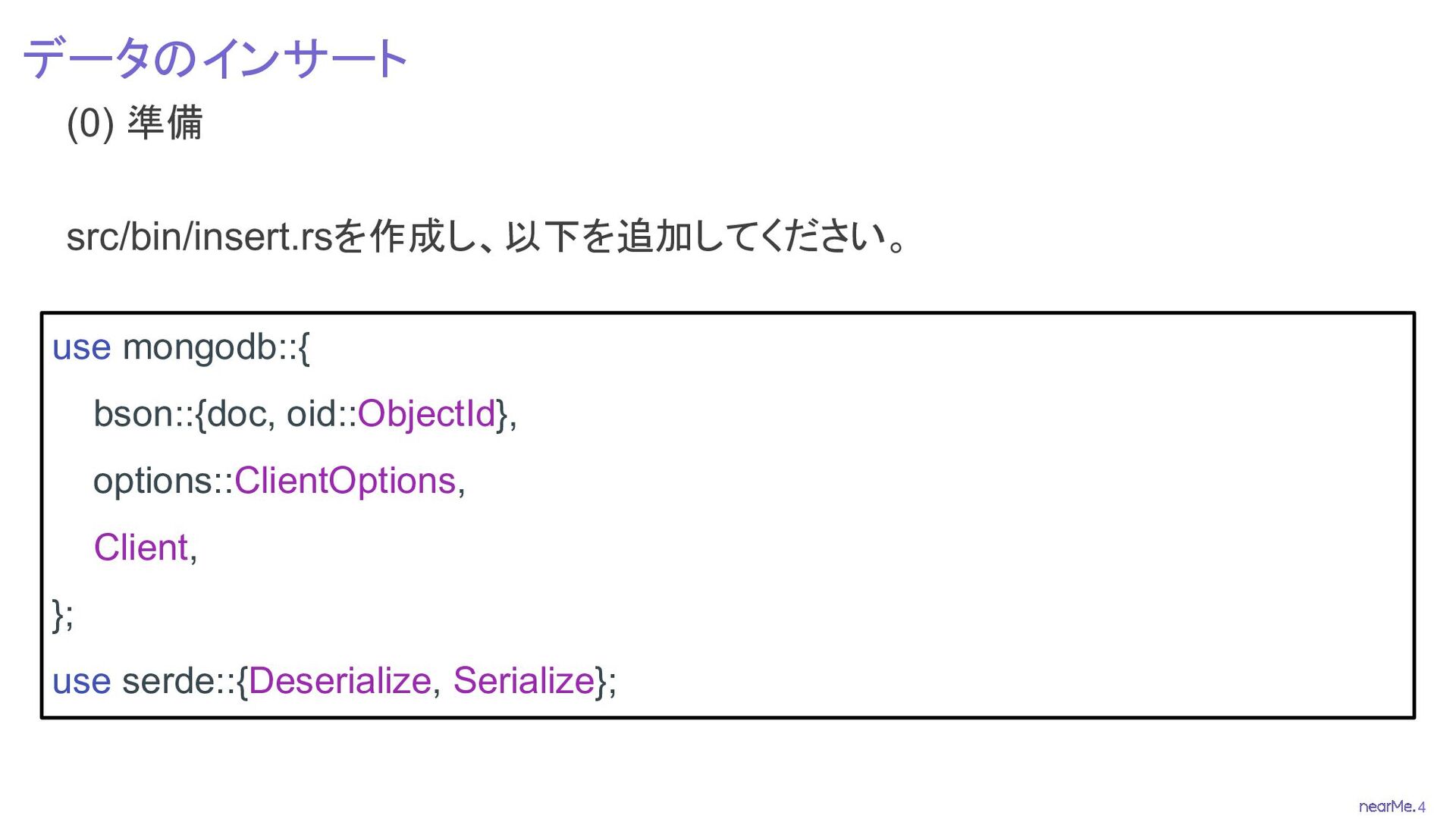
4 データのインサート (0) 準備 src/bin/insert.rsを作成し、以下を追加してください。 use mongodb::{ bson::{doc, oid::ObjectId}, options::ClientOptions,
Client, }; use serde::{Deserialize, Serialize};
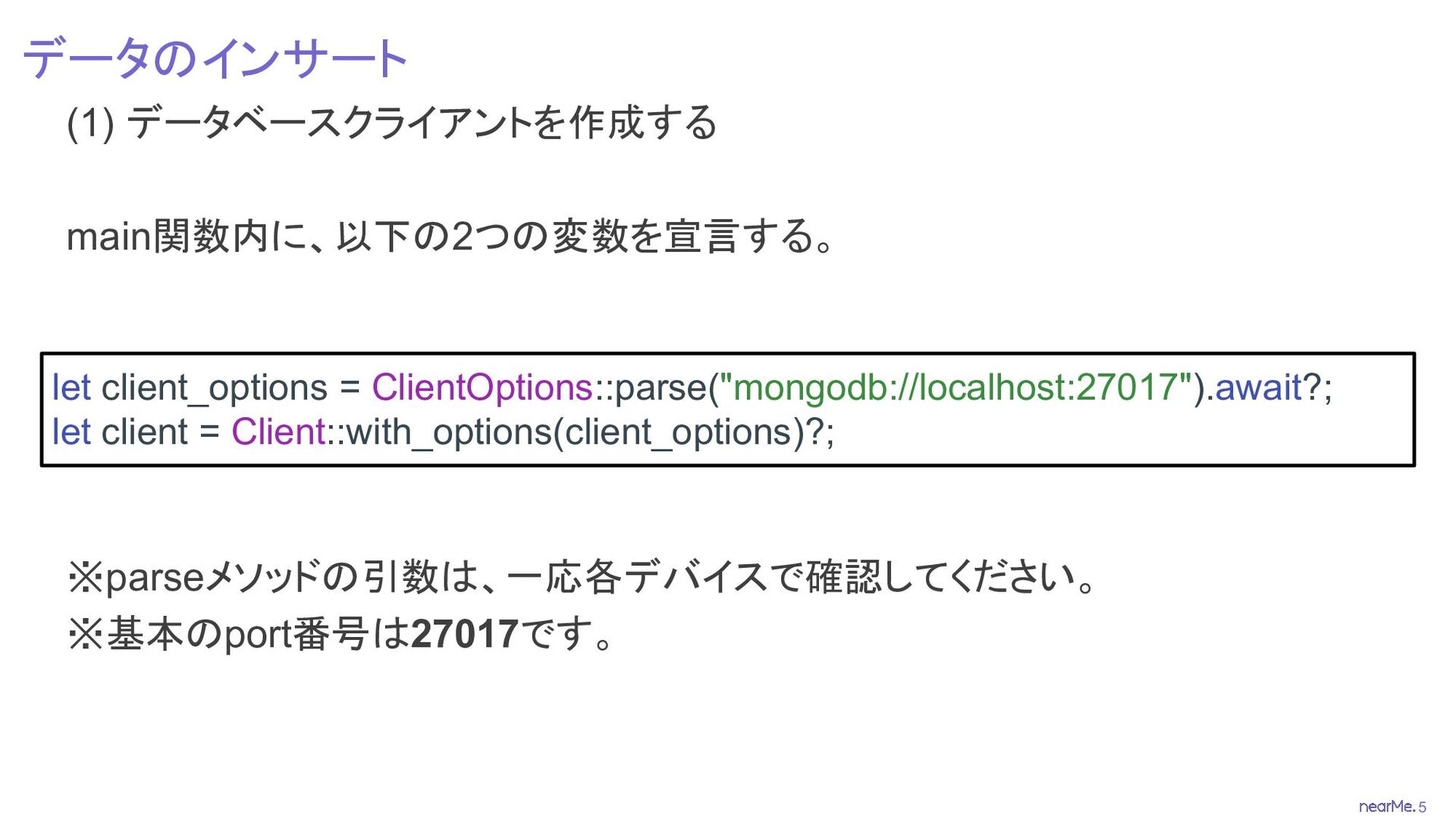
5 データのインサート (1) データベースクライアントを作成する main関数内に、以下の2つの変数を宣言する。 ※parseメソッドの引数は、一応各デバイスで確認してください。 ※基本のport番号は27017です。 let client_options =
ClientOptions::parse("mongodb://localhost:27017").await?; let client = Client::with_options(client_options)?;
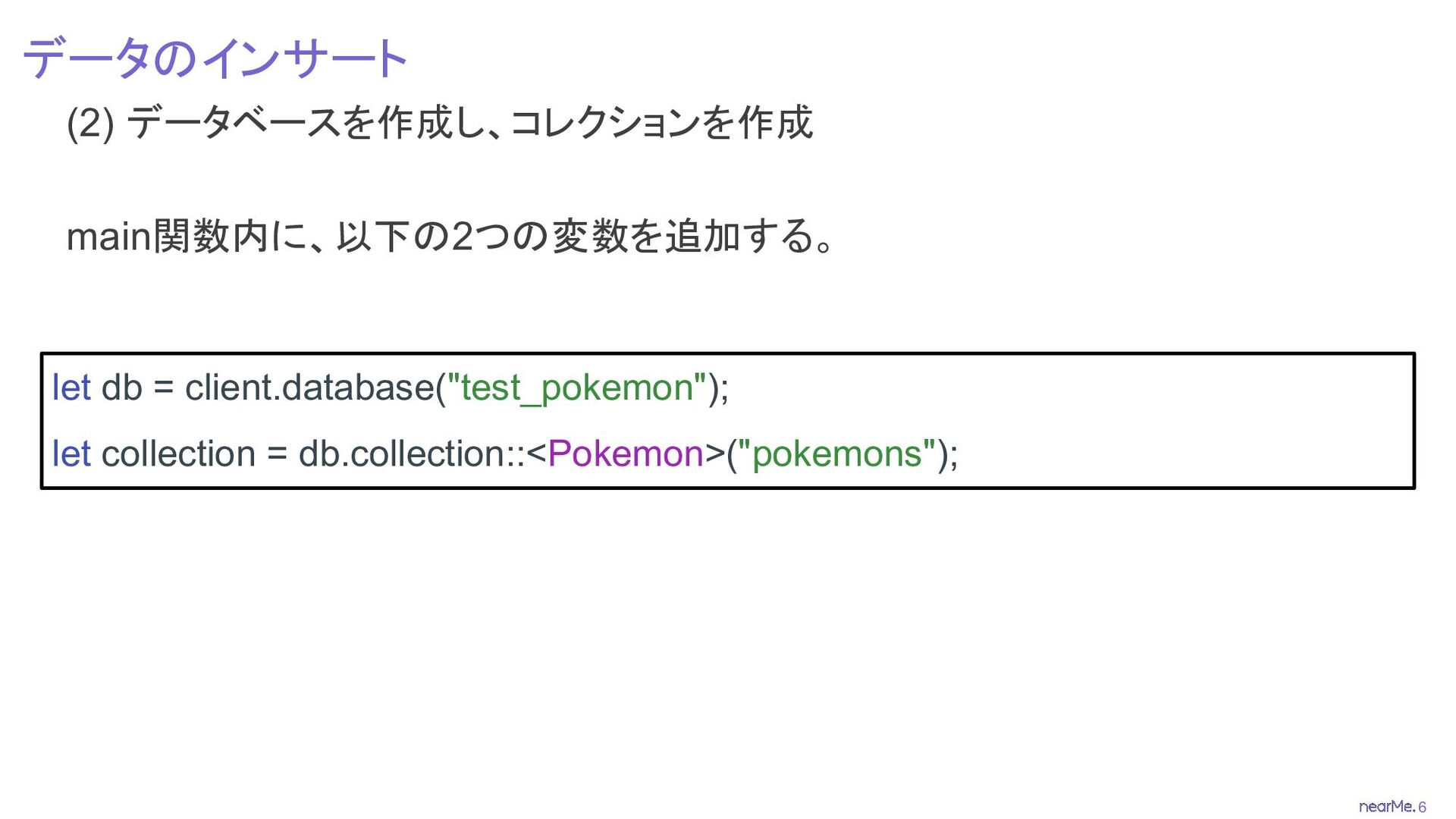
6 データのインサート (2) データベースを作成し、コレクションを作成 main関数内に、以下の2つの変数を追加する。 let db = client.database("test_pokemon"); let
collection = db.collection::<Pokemon>("pokemons");
7 データのインサート (3) データの準備 3-1. main関数の外にPokemon構造体を作成する #[derive(Serialize, Deserialize)] struct Pokemon
{ #[serde(rename = "_id", skip_serializing)] id: Option<ObjectId>, name: String, where_from: String, }
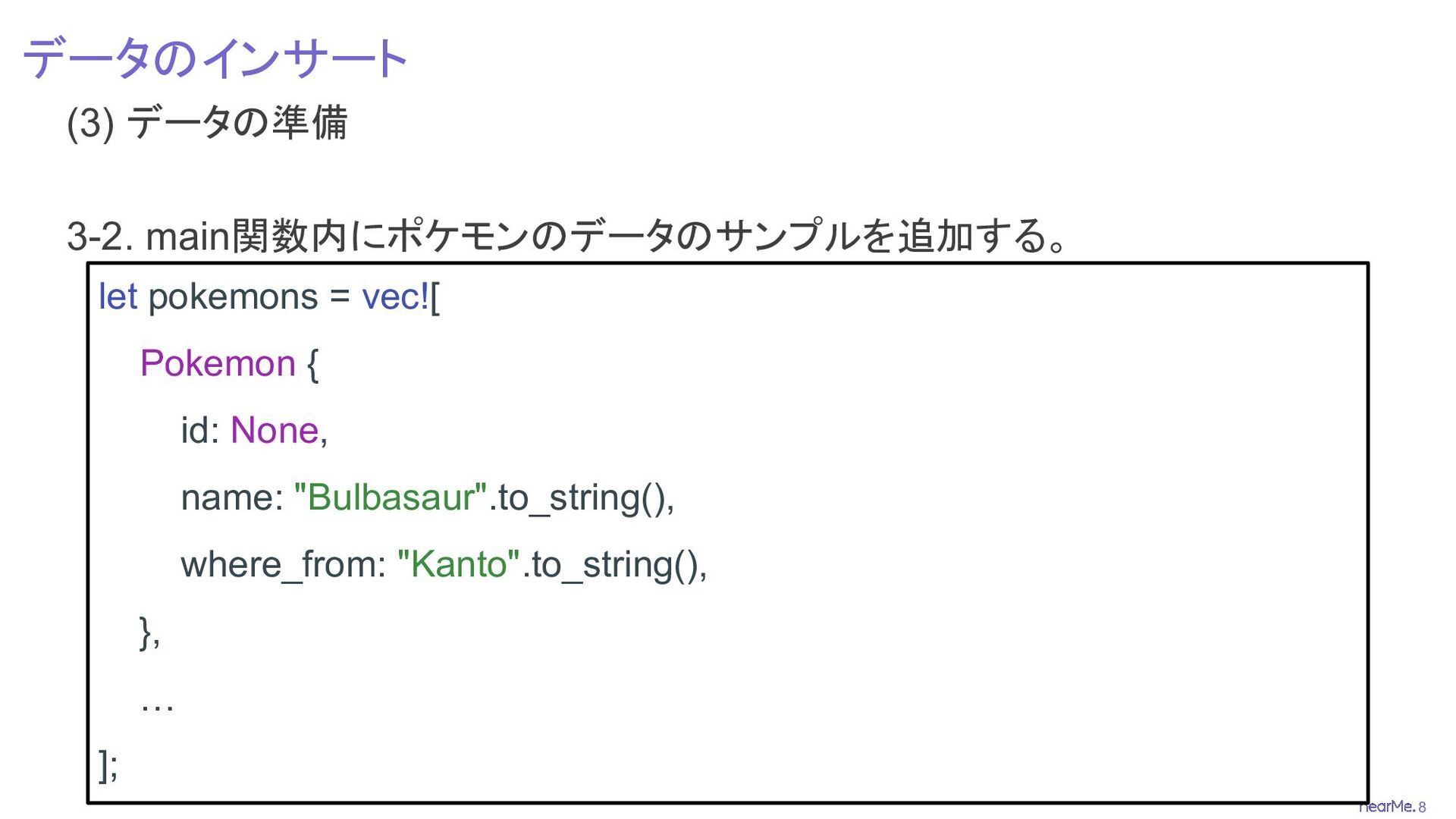
8 データのインサート (3) データの準備 3-2. main関数内にポケモンのデータのサンプルを追加する。 let pokemons = vec![
Pokemon { id: None, name: "Bulbasaur".to_string(), where_from: "Kanto".to_string(), }, … ];
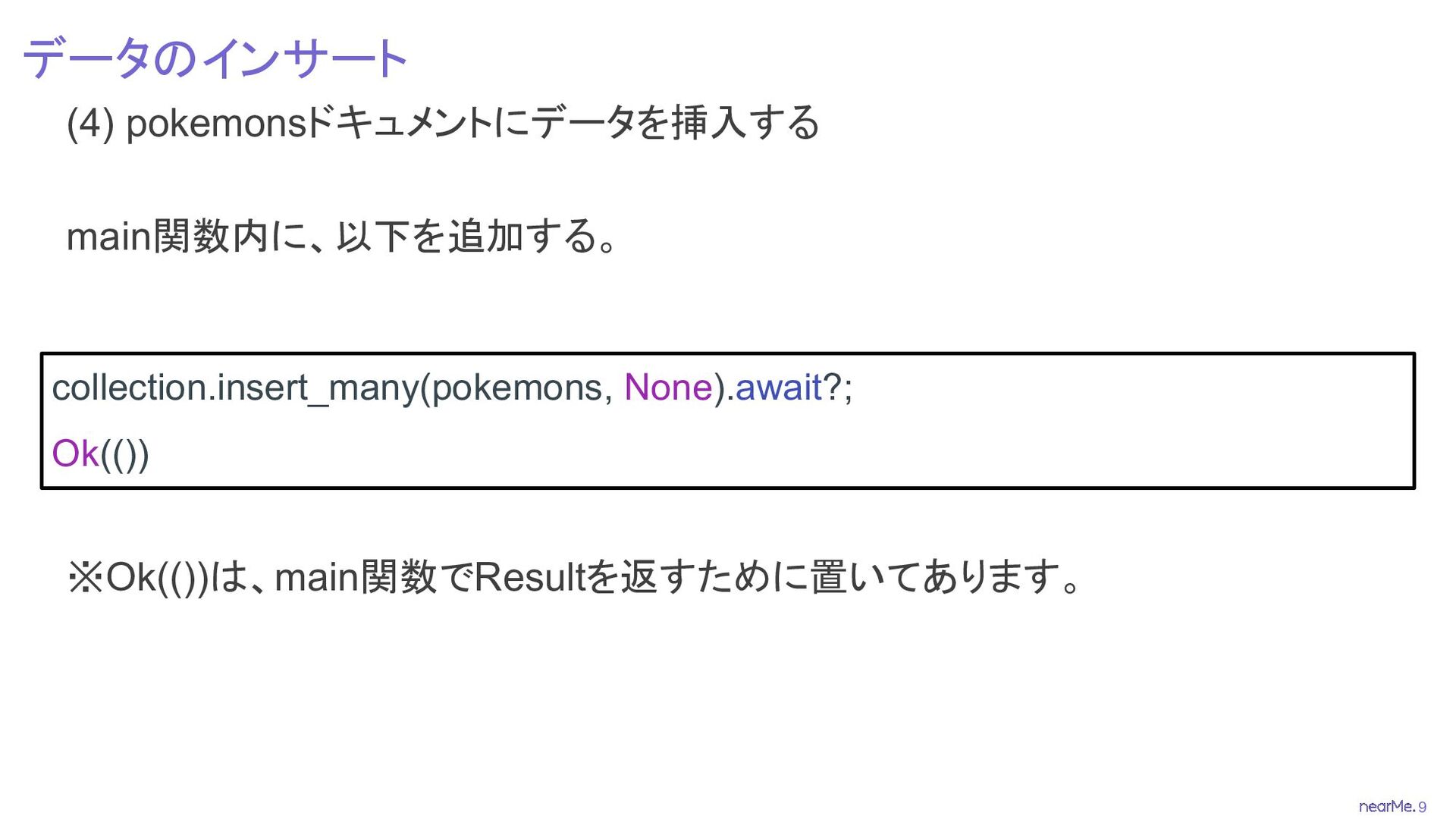
9 データのインサート (4) pokemonsドキュメントにデータを挿入する main関数内に、以下を追加する。 ※Ok(())は、main関数でResultを返すために置いてあります。 collection.insert_many(pokemons, None).await?; Ok(())
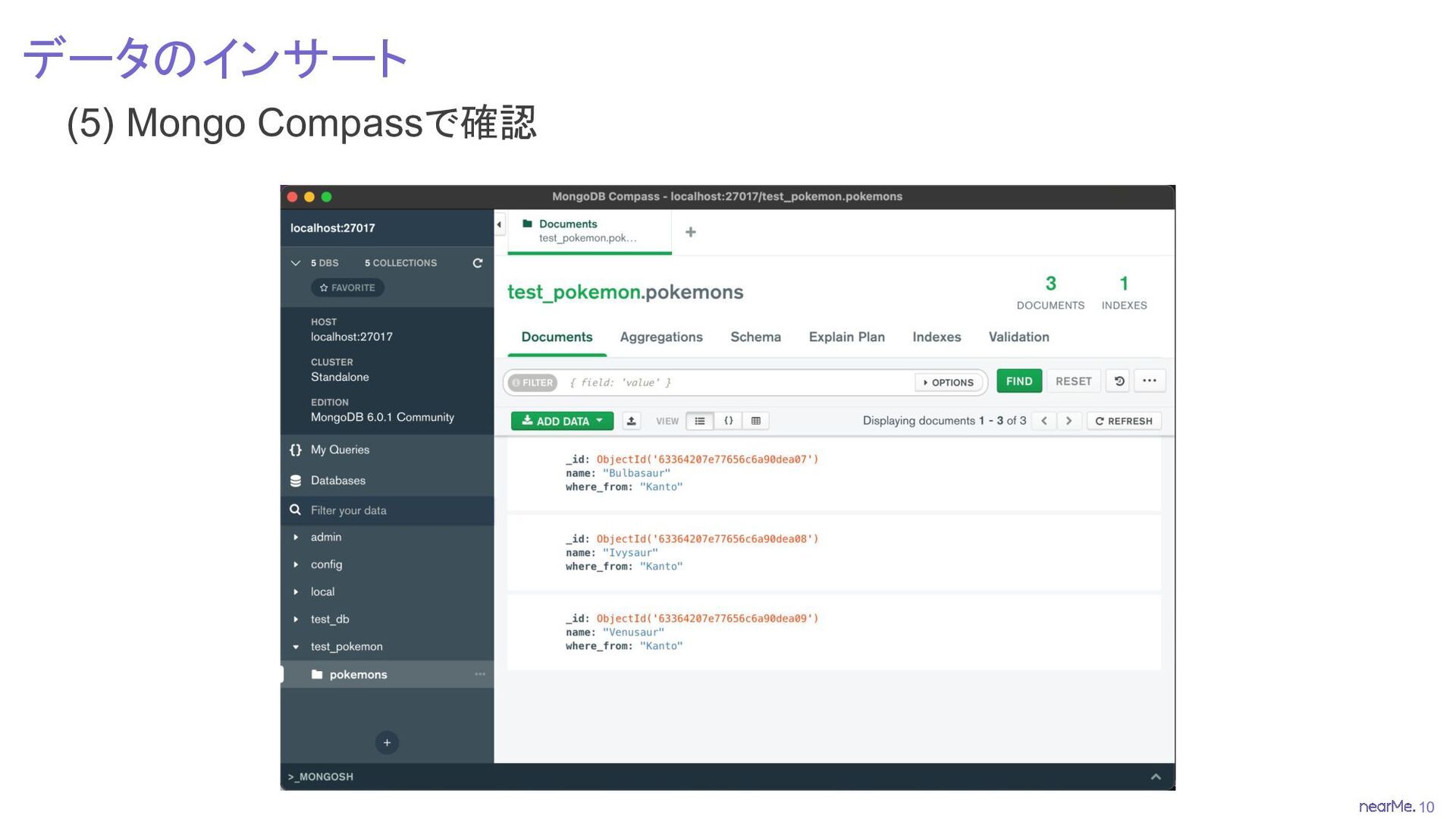
10 データのインサート (5) Mongo Compassで確認
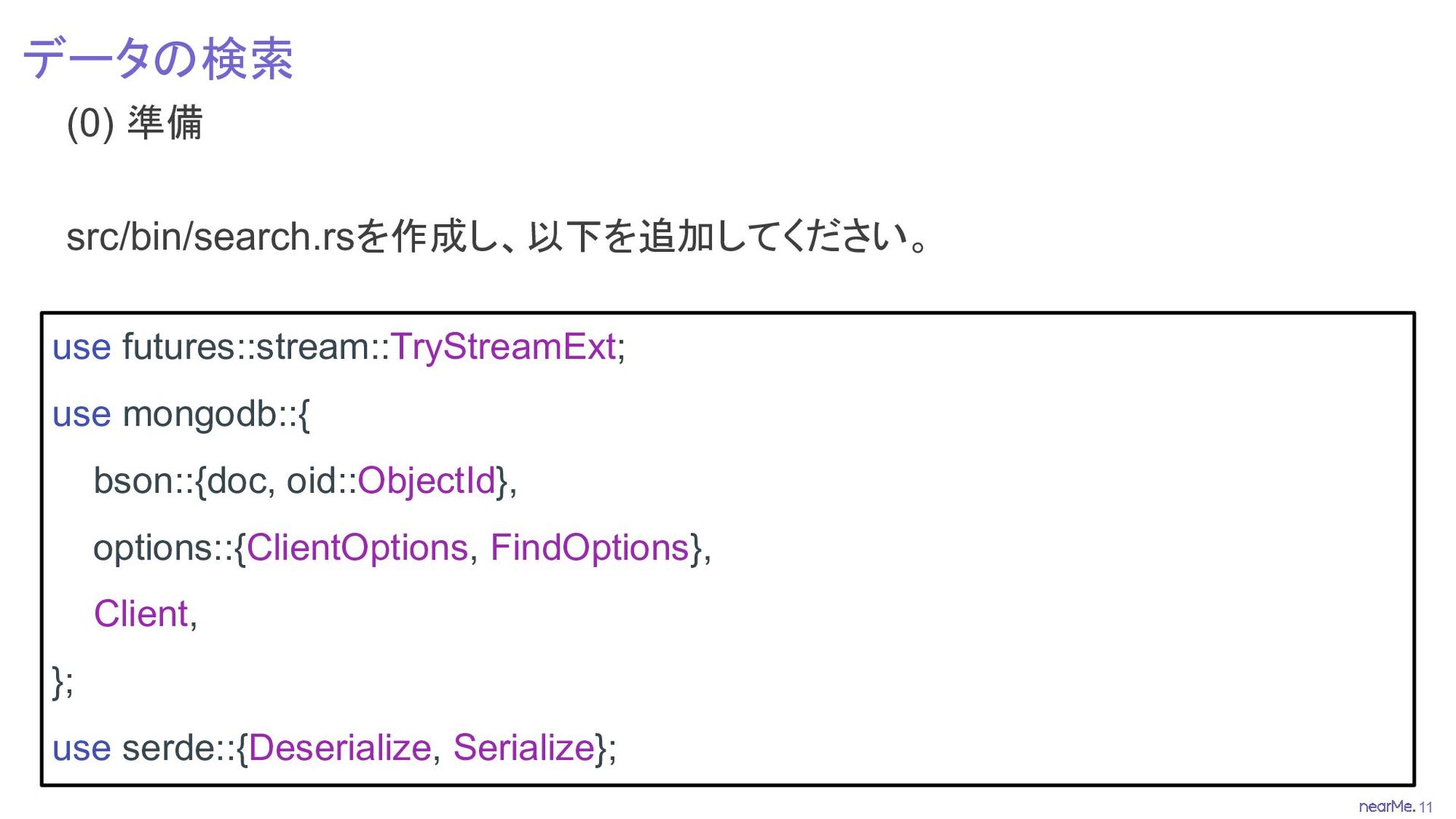
11 データの検索 (0) 準備 src/bin/search.rsを作成し、以下を追加してください。 use futures::stream::TryStreamExt; use mongodb::{ bson::{doc,
oid::ObjectId}, options::{ClientOptions, FindOptions}, Client, }; use serde::{Deserialize, Serialize};
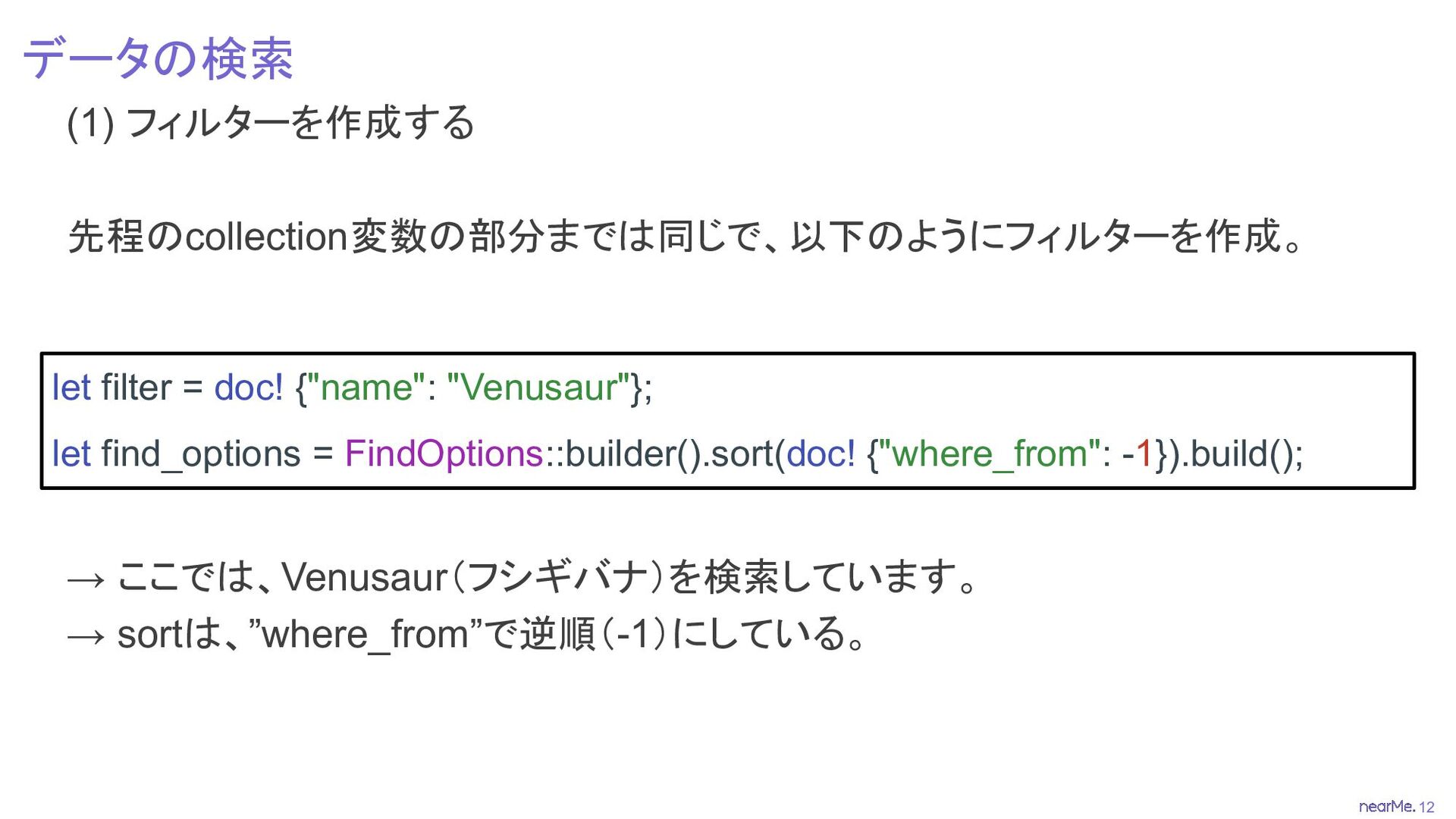
12 データの検索 (1) フィルターを作成する 先程のcollection変数の部分までは同じで、以下のようにフィルターを作成。 → ここでは、Venusaur(フシギバナ)を検索しています。 → sortは、”where_from”で逆順(-1)にしている。 let
filter = doc! {"name": "Venusaur"}; let find_options = FindOptions::builder().sort(doc! {"where_from": -1}).build();
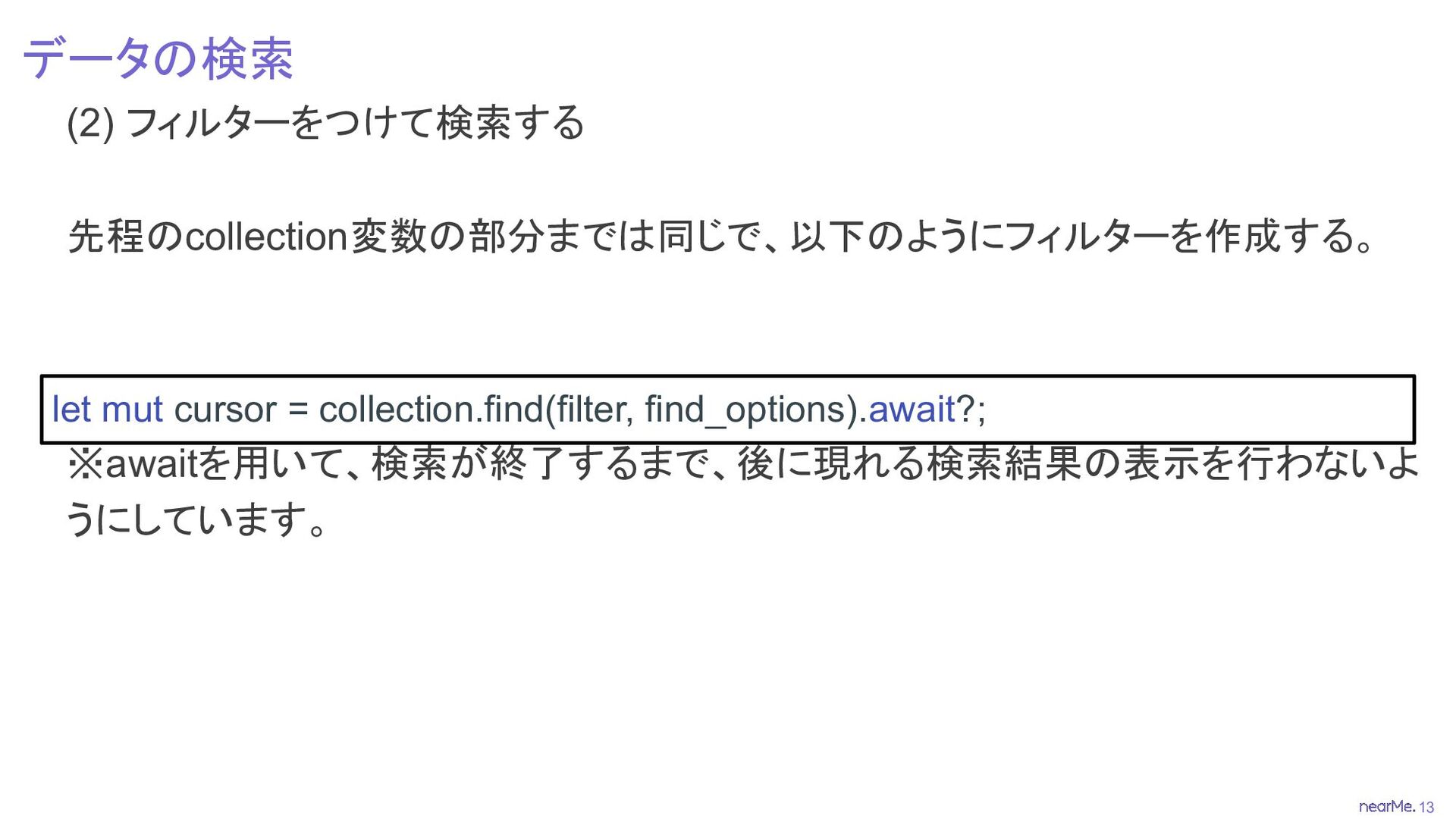
13 データの検索 (2) フィルターをつけて検索する 先程のcollection変数の部分までは同じで、以下のようにフィルターを作成する。 ※awaitを用いて、検索が終了するまで、後に現れる検索結果の表示を行わないよ うにしています。 let mut cursor
= collection.find(filter, find_options).await?;
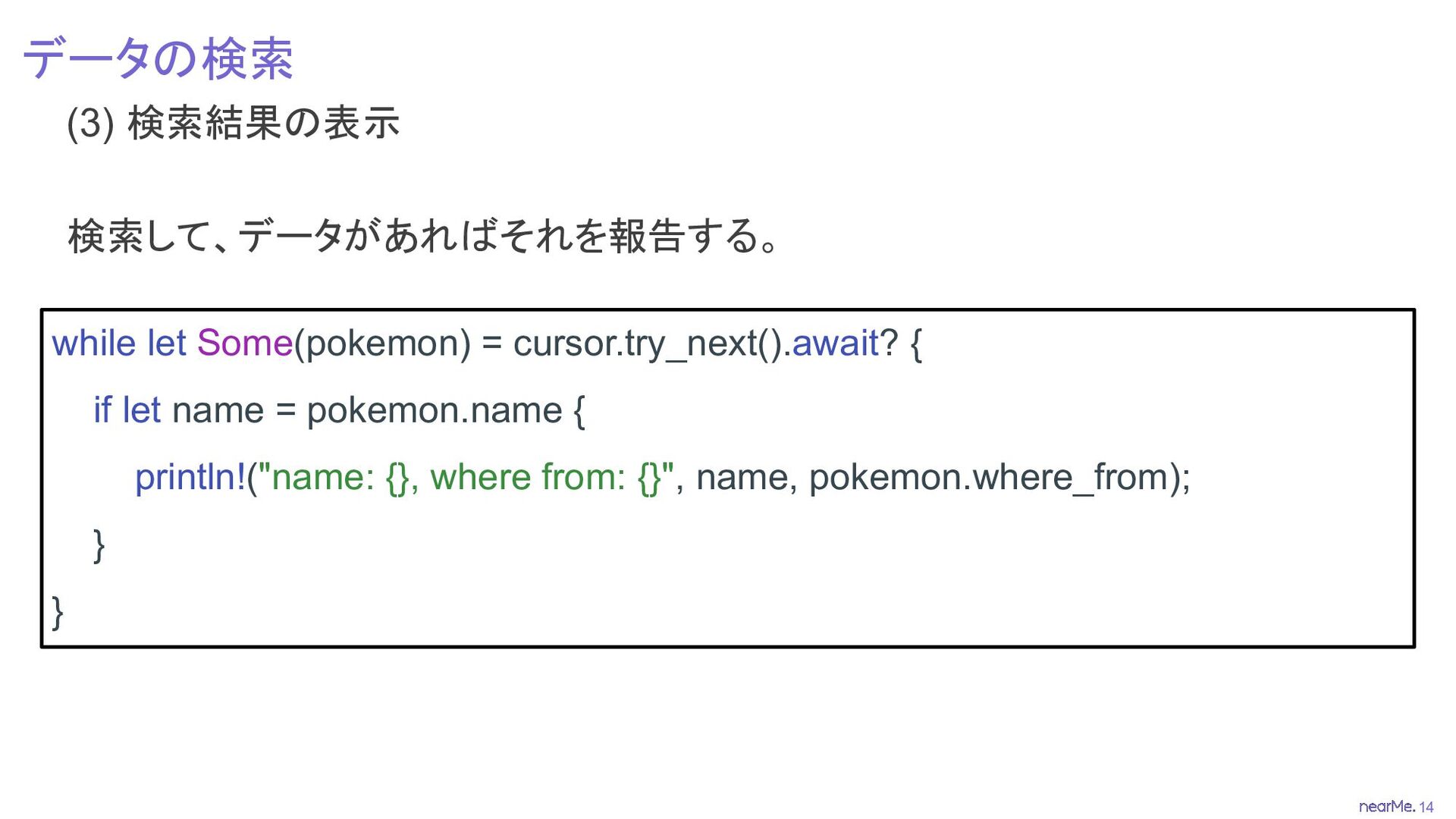
14 データの検索 (3) 検索結果の表示 検索して、データがあればそれを報告する。 while let Some(pokemon) = cursor.try_next().await?
{ if let name = pokemon.name { println!("name: {}, where from: {}", name, pokemon.where_from); } }
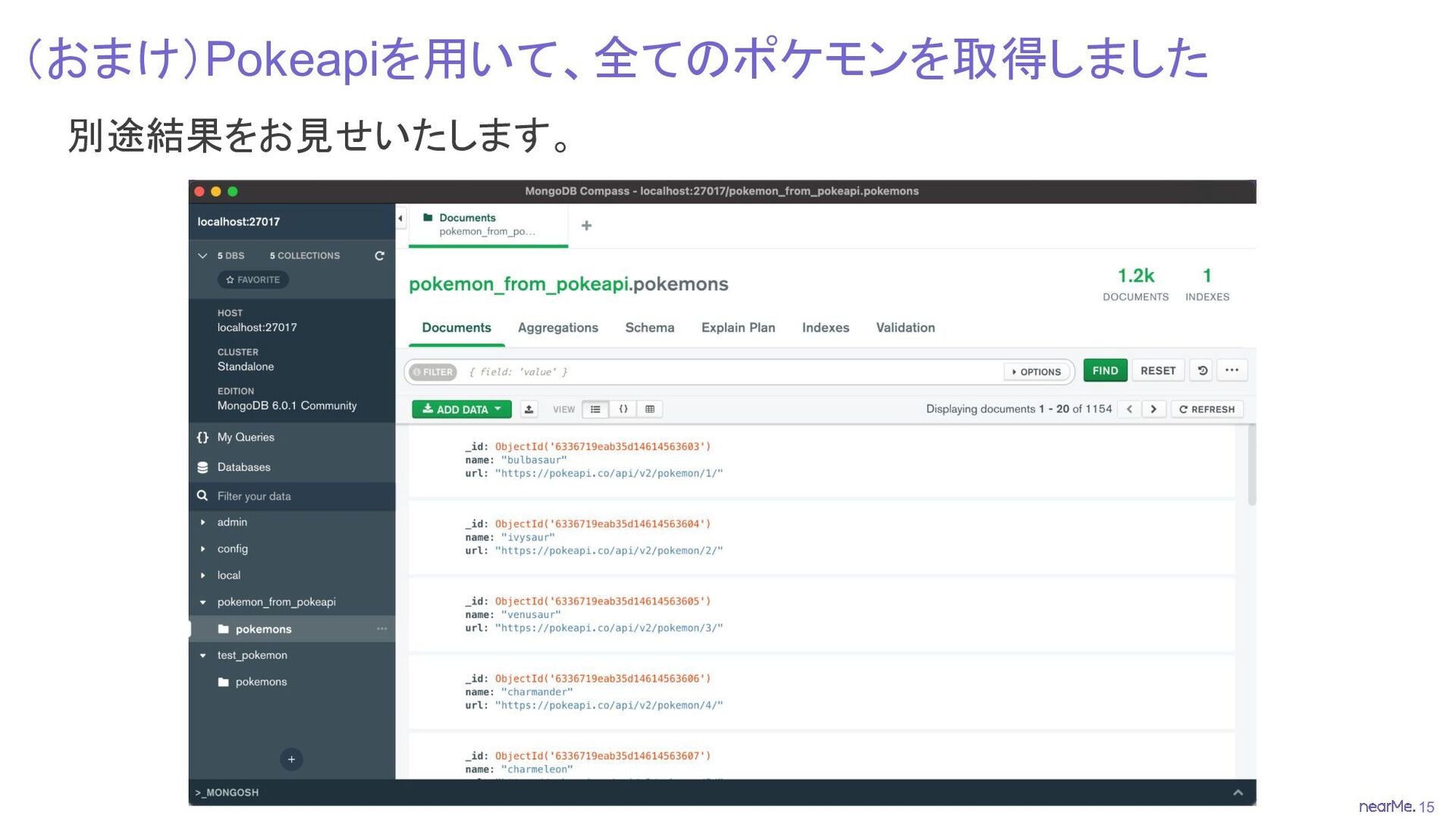
15 (おまけ)Pokeapiを用いて、全てのポケモンを取得しました 別途結果をお見せいたします。
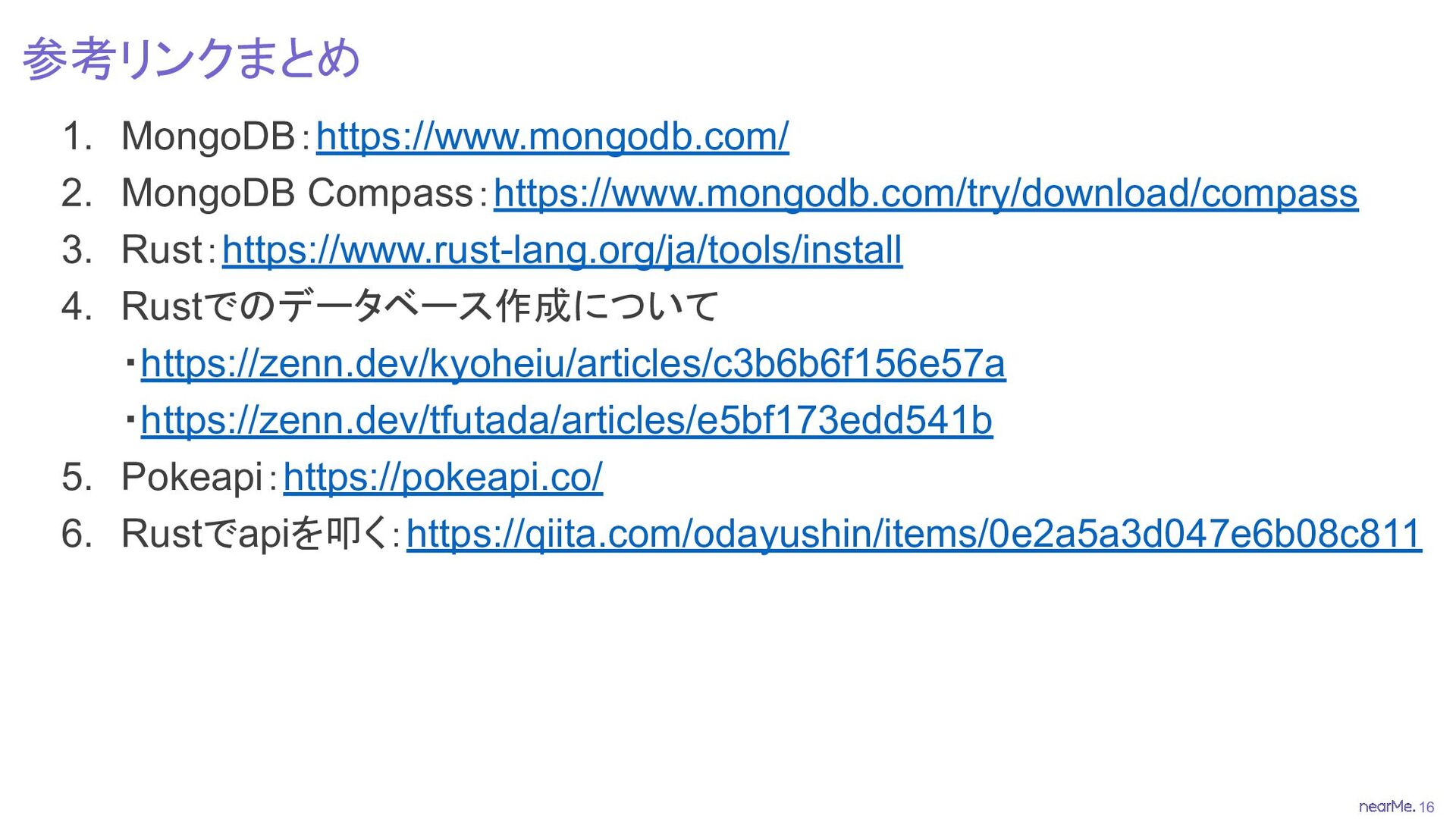
16 参考リンクまとめ 1. MongoDB:https://www.mongodb.com/ 2. MongoDB Compass:https://www.mongodb.com/try/download/compass 3. Rust:https://www.rust-lang.org/ja/tools/install 4.
Rustでのデータベース作成について ・https://zenn.dev/kyoheiu/articles/c3b6b6f156e57a ・https://zenn.dev/tfutada/articles/e5bf173edd541b 5. Pokeapi:https://pokeapi.co/ 6. Rustでapiを叩く:https://qiita.com/odayushin/items/0e2a5a3d047e6b08c811
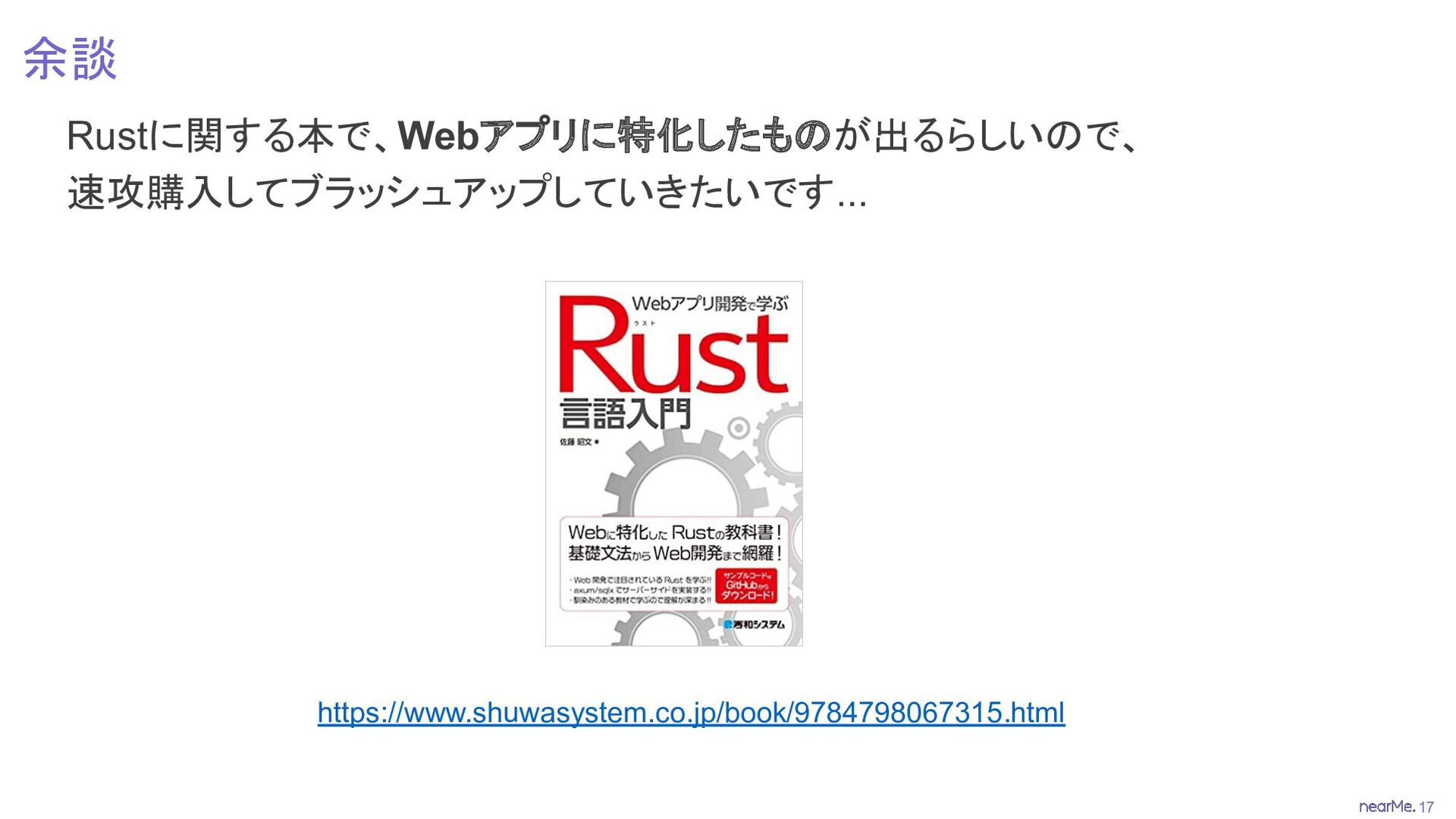
17 余談 Rustに関する本で、Webアプリに特化したものが出るらしいので、 速攻購入してブラッシュアップしていきたいです... https://www.shuwasystem.co.jp/book/9784798067315.html
18 Thank you


 nearme_tech
 riofujimon
 soyuka
 minodriven
 trickart
 morizo_1984
 h1d3mun3
 high_g_engineer
 sts11142
 kanfab1
 satotakeshi
 shoppingjaws
 koher
koher
 skipperchong
 caitiem20
 sachag
 garrettdimon
 rkendrick25
 axbom
axbom
 stephaniewalter
 addyosmani
 pedronauck
 moore
moore
 inesmontani
 akademiya2063
![7 データのインサート (3) データの準備 3-1. main関数の外にPokemon構造体を作成する #[derive(Serialize, Deserialize)] struct Pokemon](https://files.speakerdeck.com/presentations/4872d8bfb0f14f088ebc989455a9cab2/slide_7.jpg)