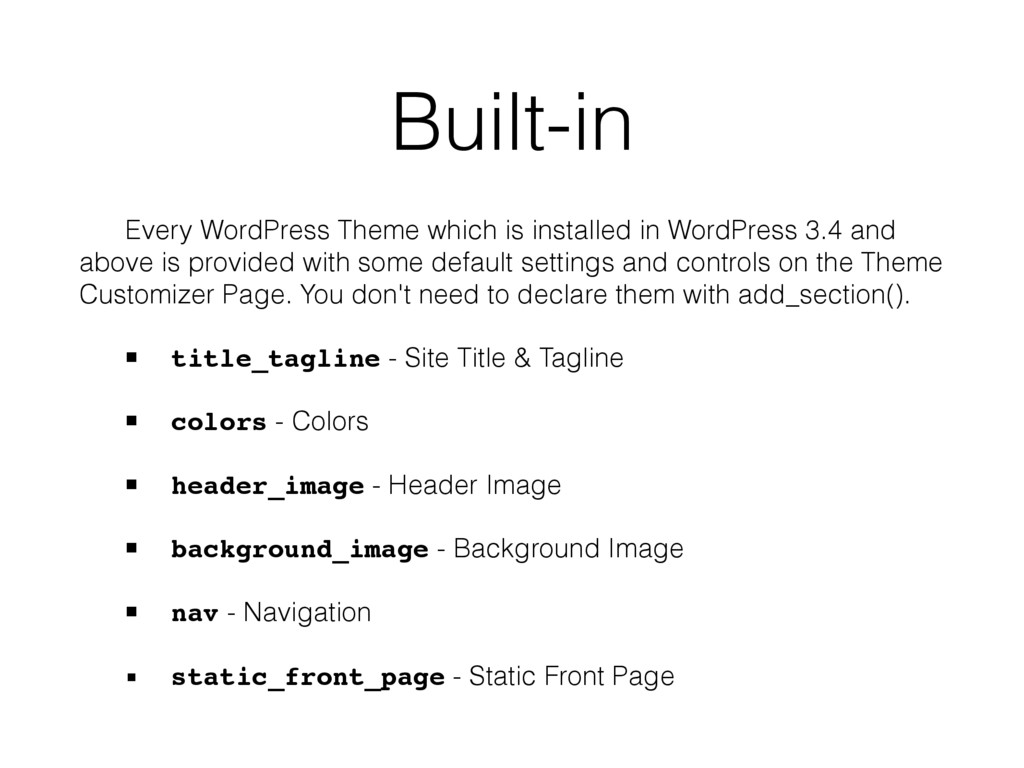
and above is provided with some default settings and controls on the Theme Customizer Page. You don't need to declare them with add_section(). ▪ title_tagline - Site Title & Tagline ▪ colors - Colors ▪ header_image - Header Image ▪ background_image - Background Image ▪ nav - Navigation ▪ static_front_page - Static Front Page
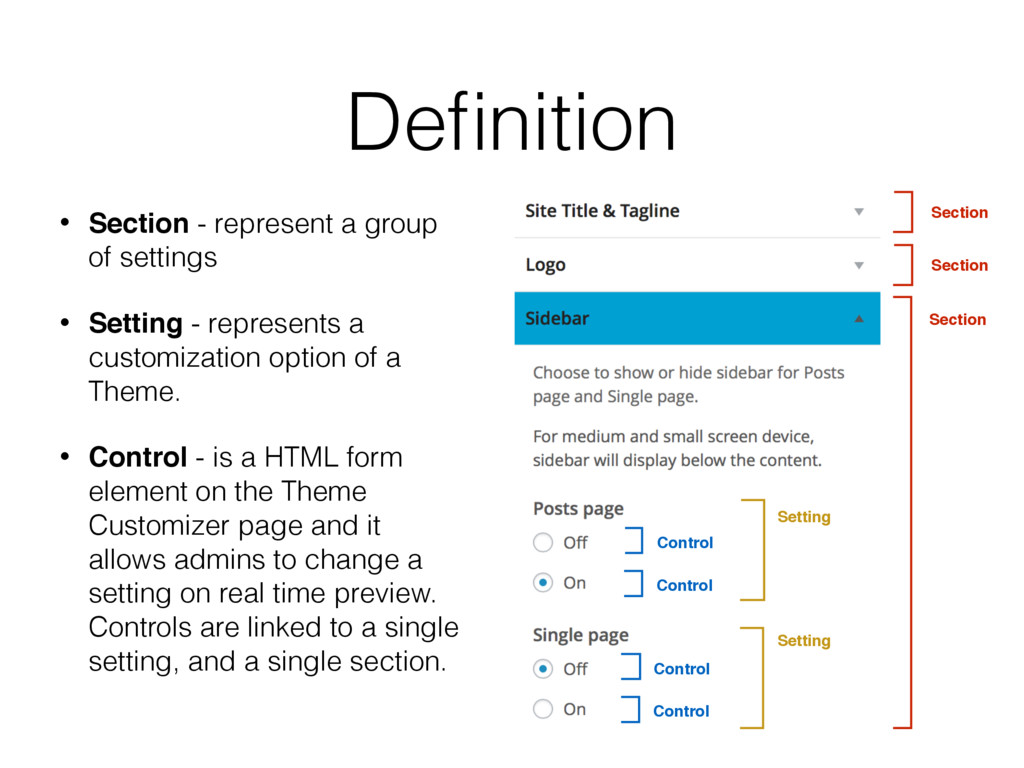
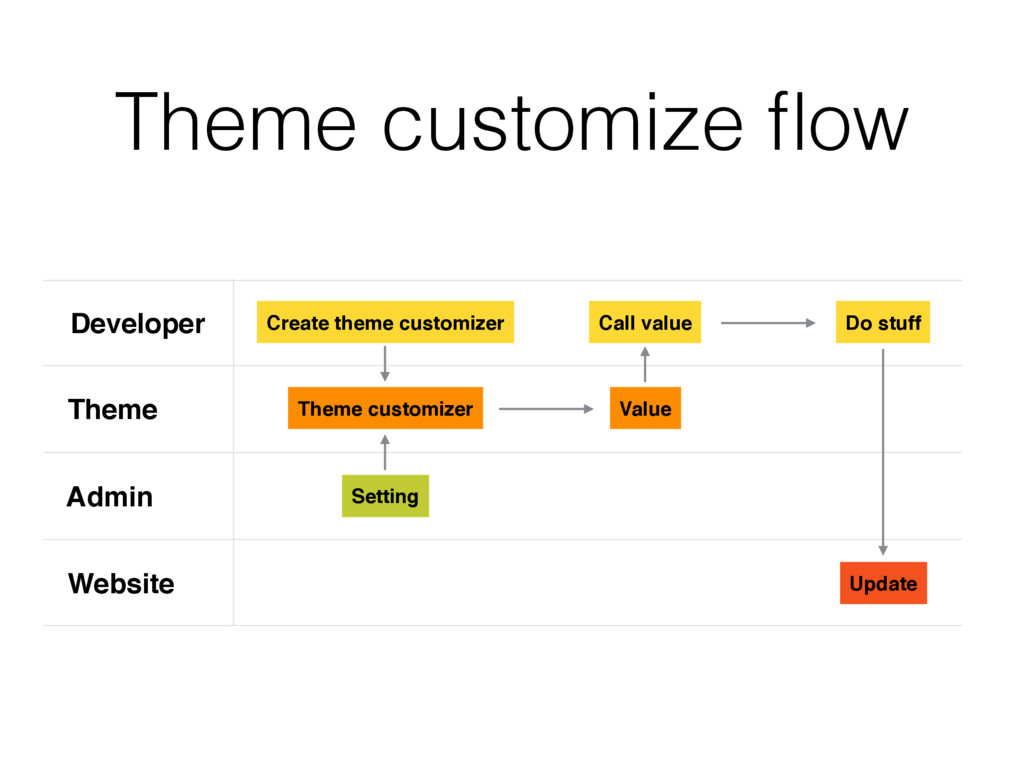
- represents a customization option of a Theme. • Control - is a HTML form element on the Theme Customizer page and it allows admins to change a setting on real time preview. Controls are linked to a single setting, and a single section. Control Control Control Control Section Section Section Definition Setting Setting
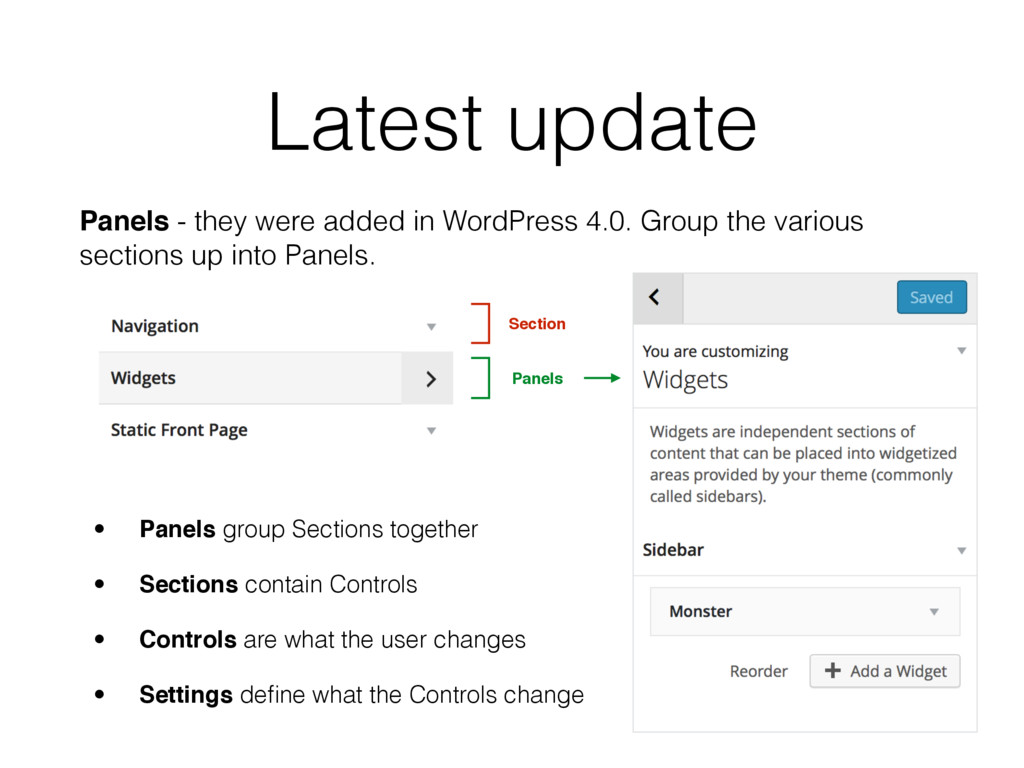
Group the various sections up into Panels. Section Panels • Panels group Sections together • Sections contain Controls • Controls are what the user changes • Settings define what the Controls change
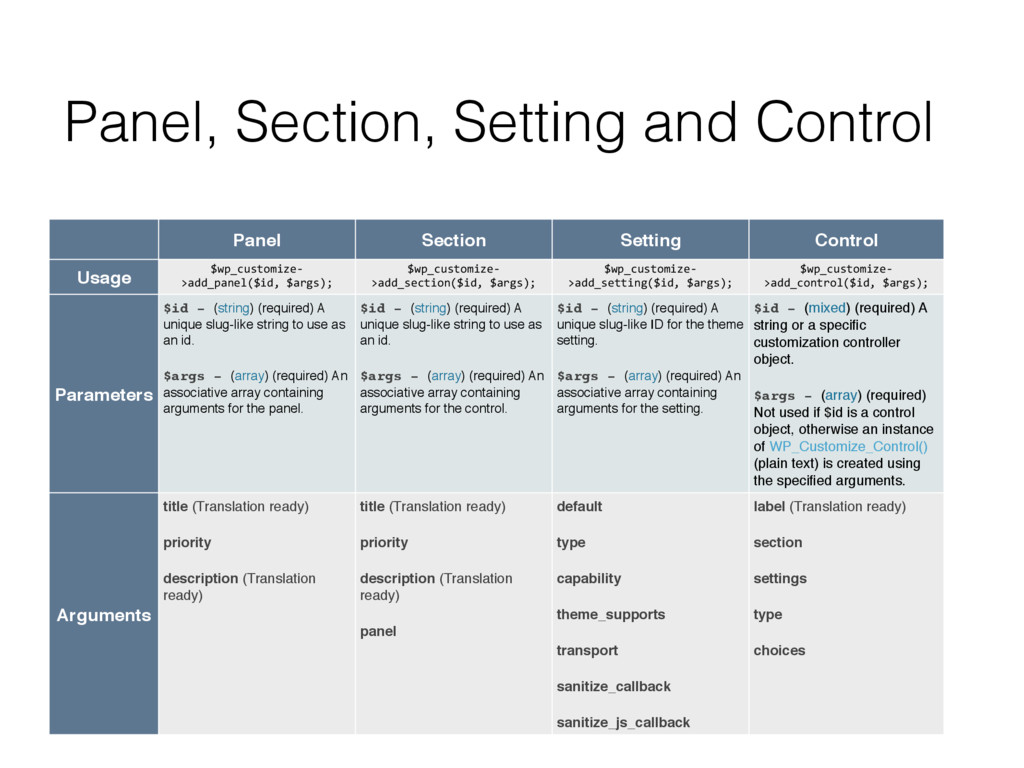
$wp_customize. >add_panel($id,6$args); $wp_customize. >add_section($id,6$args); $wp_customize. >add_setting($id,6$args); $wp_customize. >add_control($id,6$args); Parameters $id - (string) (required) A unique slug-like string to use as an id. $args - (array) (required) An associative array containing arguments for the panel. $id - (string) (required) A unique slug-like string to use as an id. $args - (array) (required) An associative array containing arguments for the control. $id - (string) (required) A unique slug-like ID for the theme setting. $args - (array) (required) An associative array containing arguments for the setting. $id - (mixed) (required) A string or a specific customization controller object. $args - (array) (required) Not used if $id is a control object, otherwise an instance of WP_Customize_Control() (plain text) is created using the specified arguments. Arguments title (Translation ready) priority description (Translation ready) title (Translation ready) priority description (Translation ready) panel default type capability theme_supports transport sanitize_callback sanitize_js_callback label (Translation ready) section settings type choices
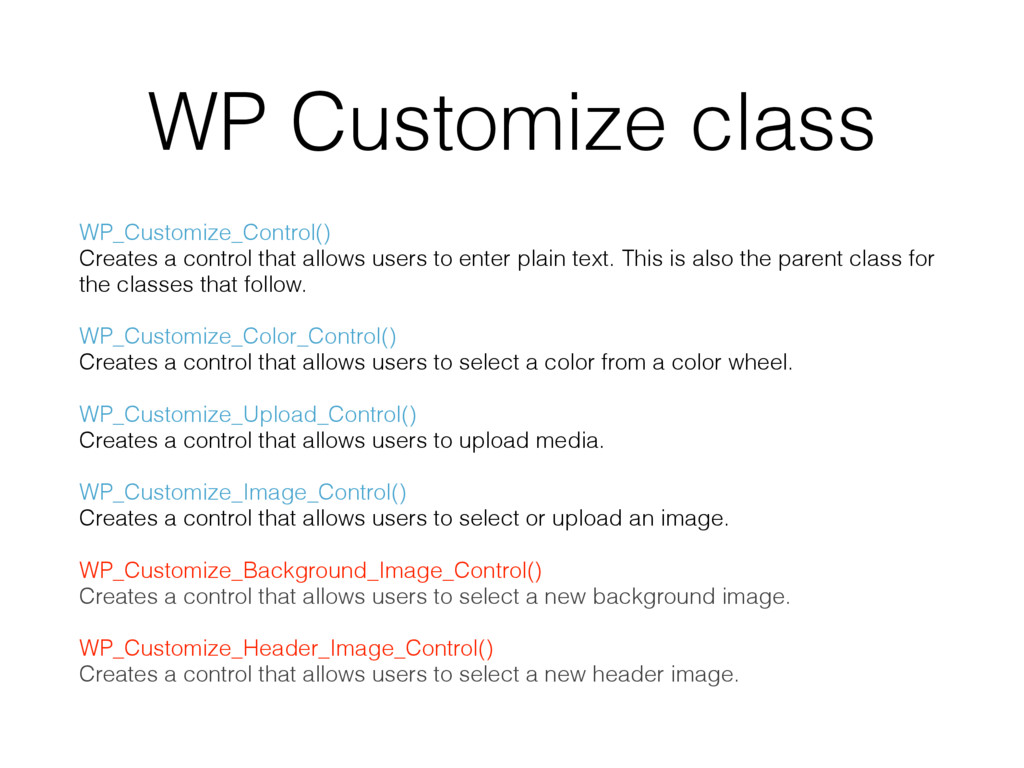
to enter plain text. This is also the parent class for the classes that follow. WP_Customize_Color_Control() Creates a control that allows users to select a color from a color wheel. WP_Customize_Upload_Control() Creates a control that allows users to upload media. WP_Customize_Image_Control() Creates a control that allows users to select or upload an image. WP_Customize_Background_Image_Control() Creates a control that allows users to select a new background image. WP_Customize_Header_Image_Control() Creates a control that allows users to select a new header image.


 nok
nok
 persolserverworks
 puhitaku
 satomasahiro2005
 gogutan
 ezaki
ezaki
 keeg
keeg
 taketakekaho
 ykanoh
 raspython3
 yahonda
.png) codatum
codatum
 satoshi7
 danielanewman
 afnizarnur
 thirion
 tamaranovitovic
 cromwellryan
 inesmontani
 mojombo
 wayneb77
 addyosmani
 trishagee
 axbom
axbom