Upgrade to Pro — share decks privately, control downloads, hide ads and more …

Web security for DevOps: the glory is in the headers by Jonathan Marcil

Web security for DevOps: the glory is in the headers by Jonathan Marcil

OWASP Montreal - July 24th - Web security for DevOps: the glory is in the headers

MAIN PRESENTER: Jonathan Marcil

ABSTRACT: DevOps is a buzzword which can be easily demystified: in essence it is a process which aims to combine the development and system administration process into one; Operations. As developers become responsible for server setup, security counter measures are evolving as well. The line between server configuration and application behaviour has been blurred. In this talk we will cover some HTTP headers in regards to security such as CORS, CSP and HSTS. We will demonstrate several forms of attack, and how they can (should) be countered.

BIO: Jonathan is devoted to security and specialized in Web application security. His main occupation is consulting in Web security, but deep down he is a developer with a agnostic vision of programming languages. He has a diploma in Software Engineering from Ecole de Technologie Superieure and more than 10 years of experience in Information Technology and Security.

WHEN: At noon on July 24th 2014

WEBCAST: http://www.youtube.com/watch?v=6bp1NCLT-YQ

OWASP Montréal

July 24, 2014
Tweet

More Decks by OWASP Montréal

Other Decks in Programming

Transcript

  1. Web security for DevOps:
    the glory is in the headers
    Jonathan Marcil
    [email protected]
    @jonathanmarcil

    View Slide

  2. What is DevOps?
    DevOps is a buzzword which can be easily demystified: in essence it is a process which aims
    to combine the development and system administration process into one; Operations.
    Developers are now responsible and have to touch server configuration.
    As a result, the line between server configuration and application behaviour has been
    blurred.
    Security configuration has always been a huge impact on server and application
    functionalities and the DevOps movement enable us to go further without less trouble.

    View Slide

  3. HTML and Browsers
    Everyone knows and expect browsers to render HTML.
    However, some features can cause security issues such as:
    Executing JavaScript with the tag<br/>•<br/>Embedding content with the <iframe> tag<br/>•<br/>Getting and posting content with XHR request or <form> tag<br/>•<br/>

    View Slide

  4. HTTP and Browsers
    We sure know as well that HTTP header are very useful.
    But it's not common to think that these headers can actually mitigate security issues.
    In this session we will see how headers can be used to:
    Confine the way JavaScript is interpreted

    Avoid a site being use in a frame

    Limit cross-site requests

    View Slide

  5. Let's go back to the past
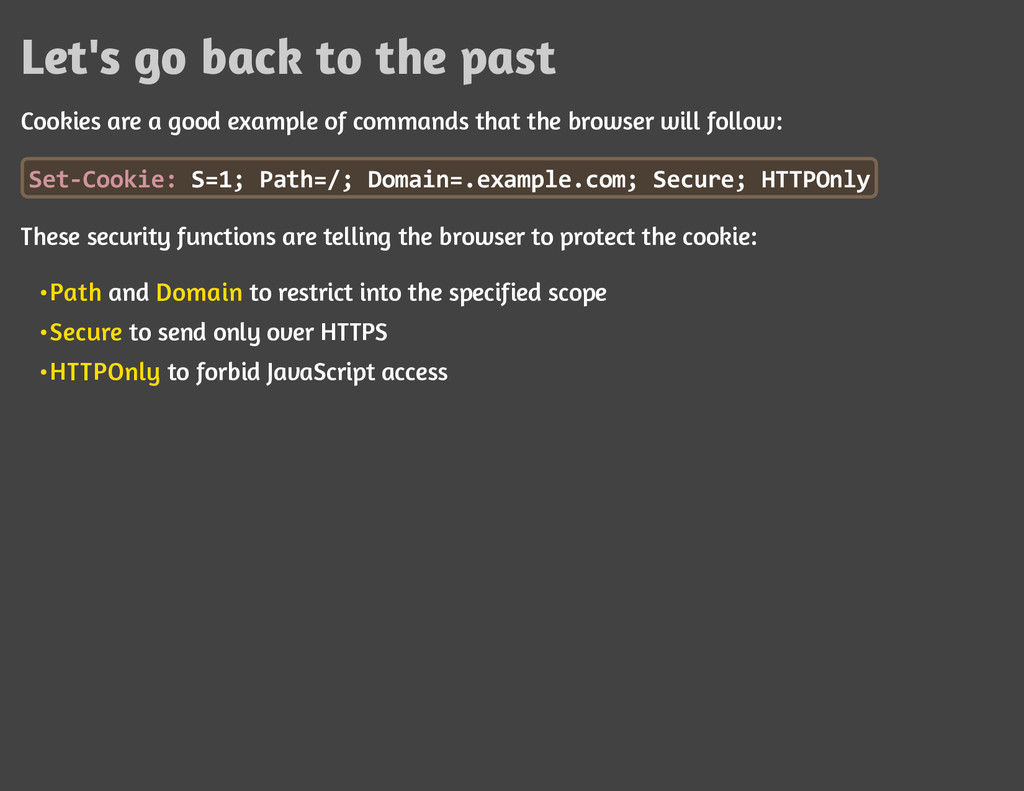
    Cookies are a good example of commands that the browser will follow:
    S
    e
    t
    -
    C
    o
    o
    k
    i
    e
    : S
    =
    1
    ; P
    a
    t
    h
    =
    /
    ; D
    o
    m
    a
    i
    n
    =
    .
    e
    x
    a
    m
    p
    l
    e
    .
    c
    o
    m
    ; S
    e
    c
    u
    r
    e
    ; H
    T
    T
    P
    O
    n
    l
    y
    These security functions are telling the browser to protect the cookie:
    Path and Domain to restrict into the specified scope

    Secure to send only over HTTPS

    HTTPOnly to forbid JavaScript access

    View Slide

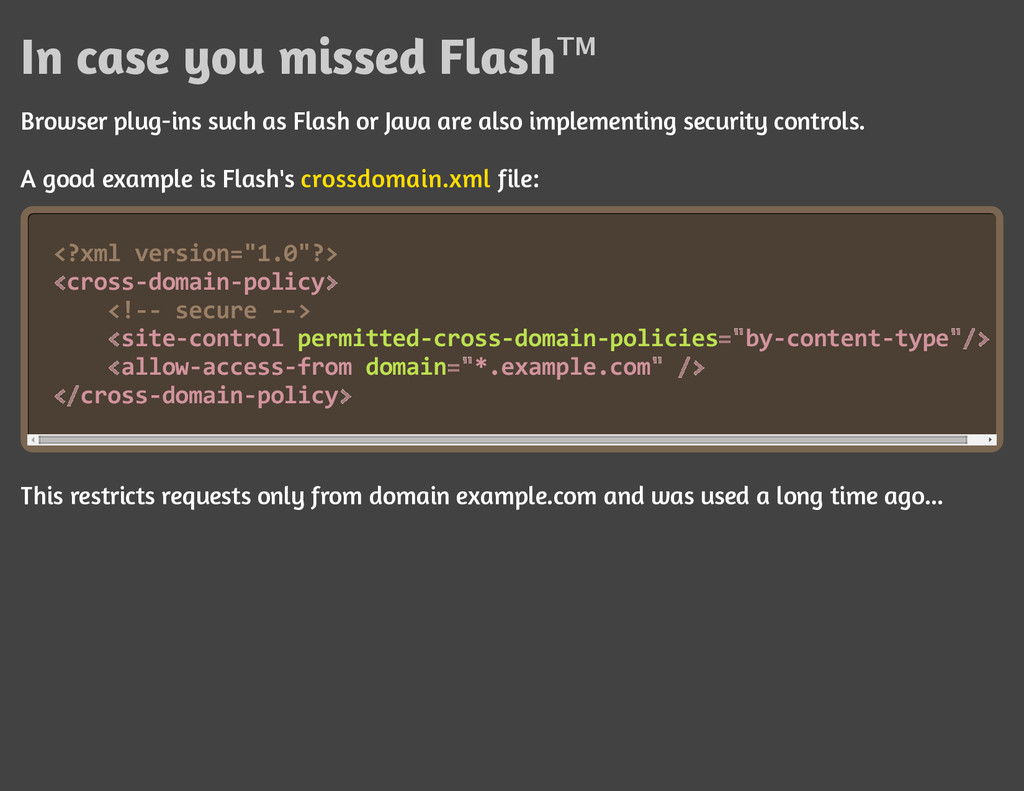
  6. In case you missed Flash™
    Browser plug-ins such as Flash or Java are also implementing security controls.
    A good example is Flash's crossdomain.xml file:
    <
    ?
    x
    m
    l v
    e
    r
    s
    i
    o
    n
    =
    "
    1
    .
    0
    "
    ?
    >
    c
    r
    o
    s
    s
    -
    d
    o
    m
    a
    i
    n
    -
    p
    o
    l
    i
    c
    y
    <
    !
    -
    - s
    e
    c
    u
    r
    e -
    -
    >
    s
    i
    t
    e
    -
    c
    o
    n
    t
    r
    o
    l p
    e
    r
    m
    i
    t
    t
    e
    d
    -
    c
    r
    o
    s
    s
    -
    d
    o
    m
    a
    i
    n
    -
    p
    o
    l
    i
    c
    i
    e
    s b
    y
    -
    c
    o
    n
    t
    e
    n
    t
    -
    t
    y
    p
    e
    a
    l
    l
    o
    w
    -
    a
    c
    c
    e
    s
    s
    -
    f
    r
    o
    m d
    o
    m
    a
    i
    n *
    .
    e
    x
    a
    m
    p
    l
    e
    .
    c
    o
    m
    c
    r
    o
    s
    s
    -
    d
    o
    m
    a
    i
    n
    -
    p
    o
    l
    i
    c
    y
    This restricts requests only from domain example.com and was used a long time ago...
    < >
    < =
    " "
    /
    >
    < =
    " "/
    >
    <
    / >

    View Slide

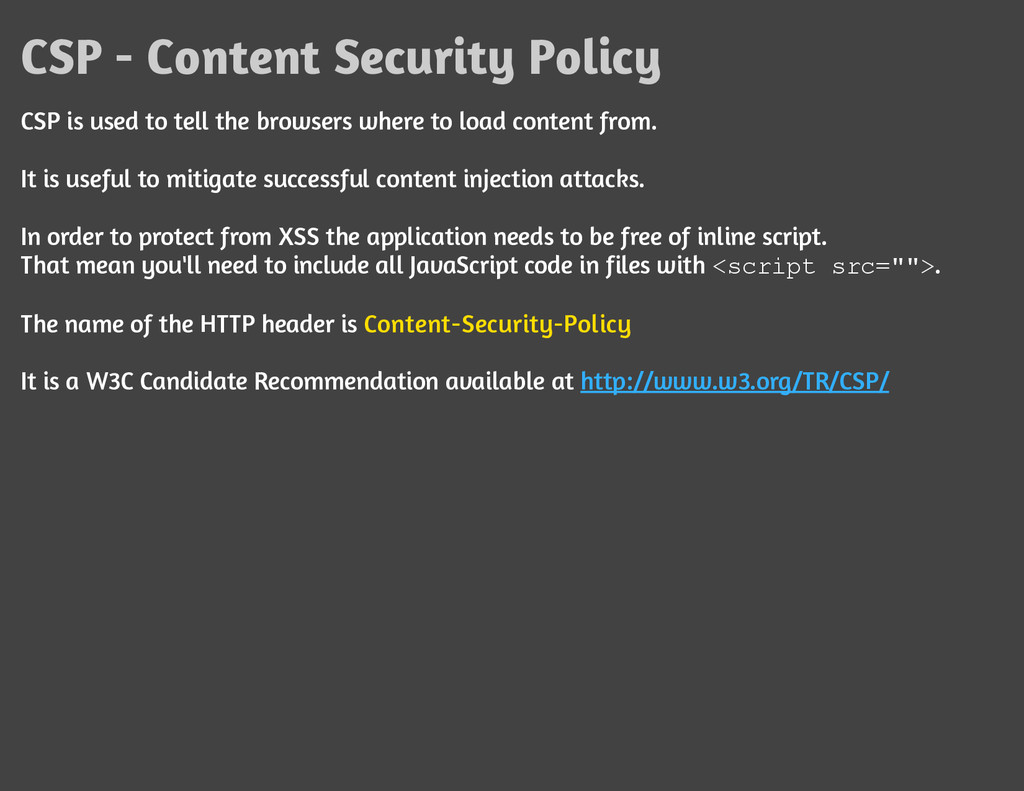
  7. CSP - Content Security Policy
    CSP is used to tell the browsers where to load content from.
    It is useful to mitigate successful content injection attacks.
    In order to protect from XSS the application needs to be free of inline script.
    That mean you'll need to include all JavaScript code in files with <
    s
    c
    r
    i
    p
    t s
    r
    c
    =
    "
    "
    >
    .
    The name of the HTTP header is Content-Security-Policy
    It is a W3C Candidate Recommendation available at http://www.w3.org/TR/CSP/

    View Slide

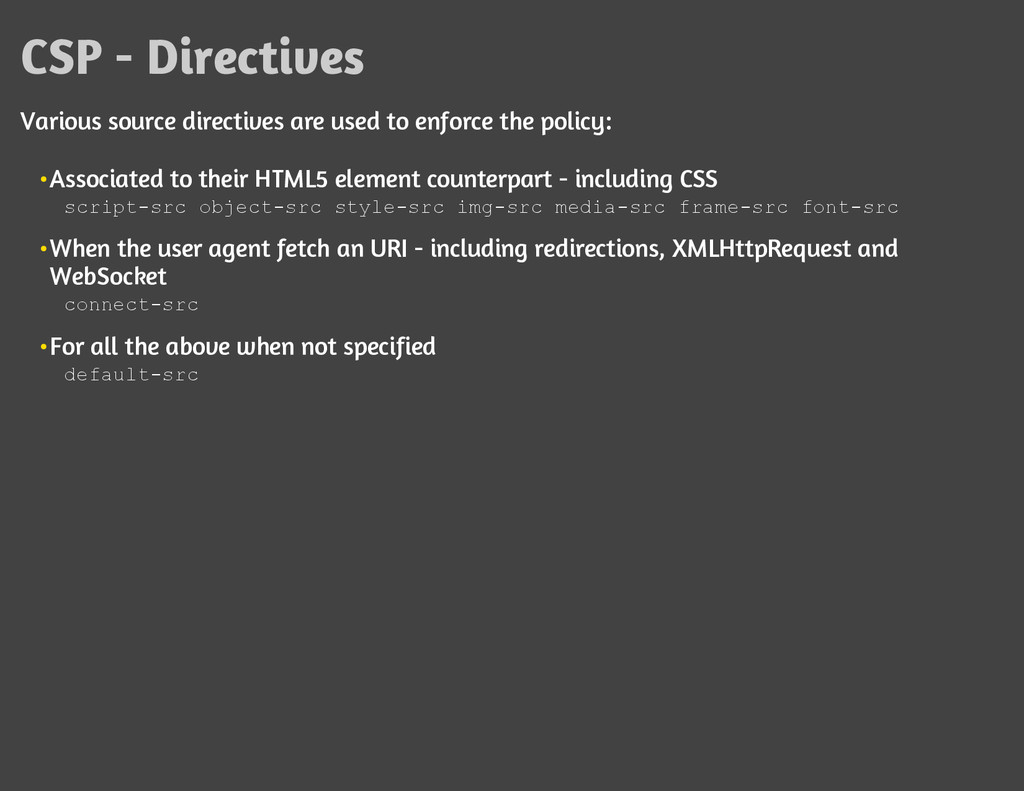
  8. CSP - Directives
    Various source directives are used to enforce the policy:
    Associated to their HTML5 element counterpart - including CSS

    s
    c
    r
    i
    p
    t
    -
    s
    r
    c o
    b
    j
    e
    c
    t
    -
    s
    r
    c s
    t
    y
    l
    e
    -
    s
    r
    c i
    m
    g
    -
    s
    r
    c m
    e
    d
    i
    a
    -
    s
    r
    c f
    r
    a
    m
    e
    -
    s
    r
    c f
    o
    n
    t
    -
    s
    r
    c
    When the user agent fetch an URI - including redirections, XMLHttpRequest and
    WebSocket

    c
    o
    n
    n
    e
    c
    t
    -
    s
    r
    c
    For all the above when not specified

    d
    e
    f
    a
    u
    l
    t
    -
    s
    r
    c

    View Slide

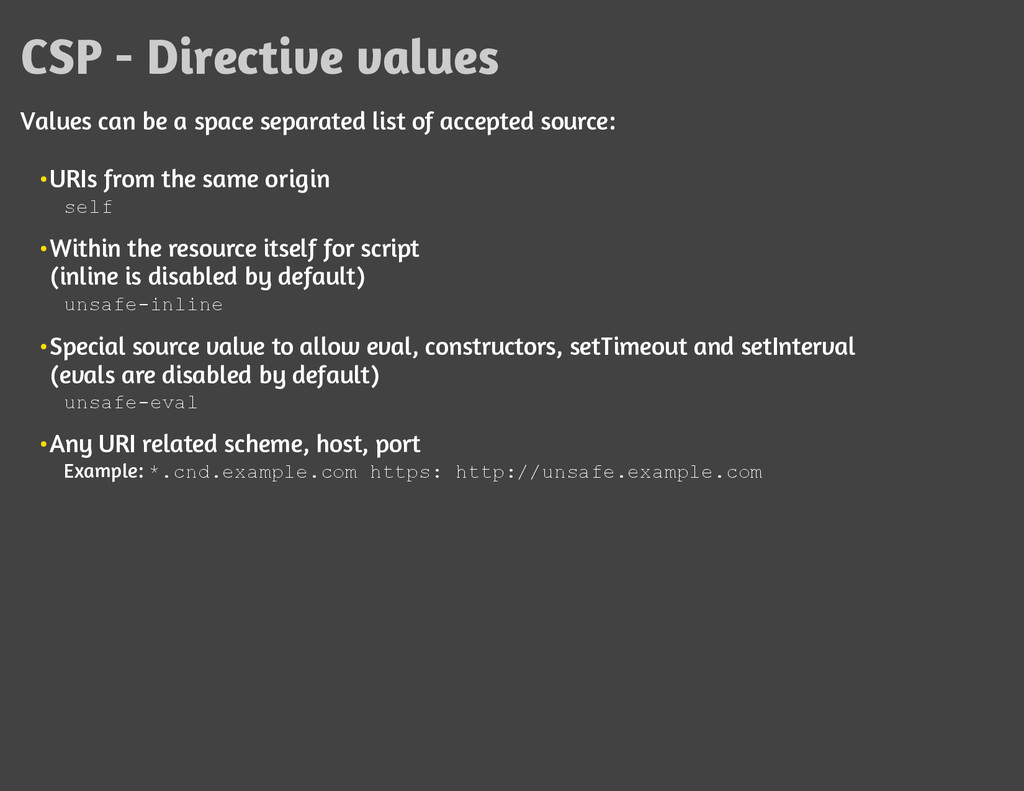
  9. CSP - Directive values
    Values can be a space separated list of accepted source:
    URIs from the same origin

    s
    e
    l
    f
    Within the resource itself for script
    (inline is disabled by default)

    u
    n
    s
    a
    f
    e
    -
    i
    n
    l
    i
    n
    e
    Special source value to allow eval, constructors, setTimeout and setInterval
    (evals are disabled by default)

    u
    n
    s
    a
    f
    e
    -
    e
    v
    a
    l
    Any URI related scheme, host, port

    Example: *
    .
    c
    n
    d
    .
    e
    x
    a
    m
    p
    l
    e
    .
    c
    o
    m h
    t
    t
    p
    s
    : h
    t
    t
    p
    :
    /
    /
    u
    n
    s
    a
    f
    e
    .
    e
    x
    a
    m
    p
    l
    e
    .
    c
    o
    m

    View Slide

  10. CSP - Protection
    W3C states:
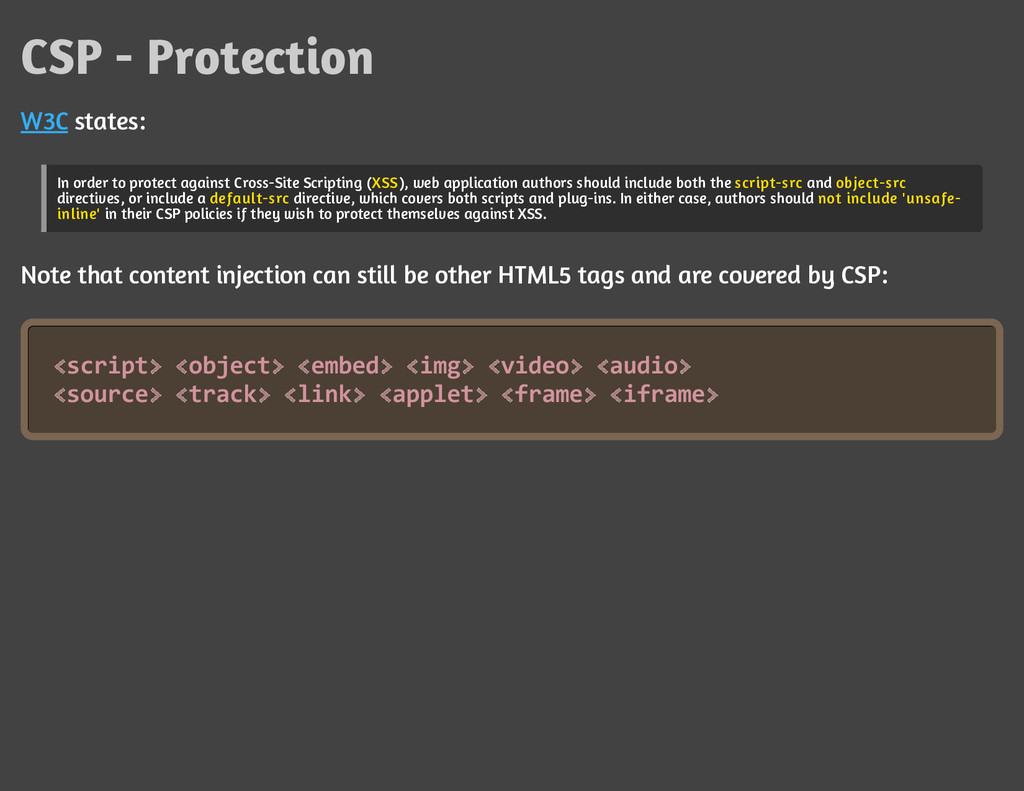
    In order to protect against Cross-Site Scripting (XSS), web application authors should include both the script-src and object-src
    directives, or include a default-src directive, which covers both scripts and plug-ins. In either case, authors should not include 'unsafe-
    inline' in their CSP policies if they wish to protect themselves against XSS.
    Note that content injection can still be other HTML5 tags and are covered by CSP:
    s
    c
    r
    i
    p
    t o
    b
    j
    e
    c
    t e
    m
    b
    e
    d i
    m
    g v
    i
    d
    e
    o a
    u
    d
    i
    o
    s
    o
    u
    r
    c
    e t
    r
    a
    c
    k l
    i
    n
    k a
    p
    p
    l
    e
    t f
    r
    a
    m
    e i
    f
    r
    a
    m
    e
    < >< >< >< >< >< >
    < >< >< >< >< >< >

    View Slide

  11. CSP - Reporting
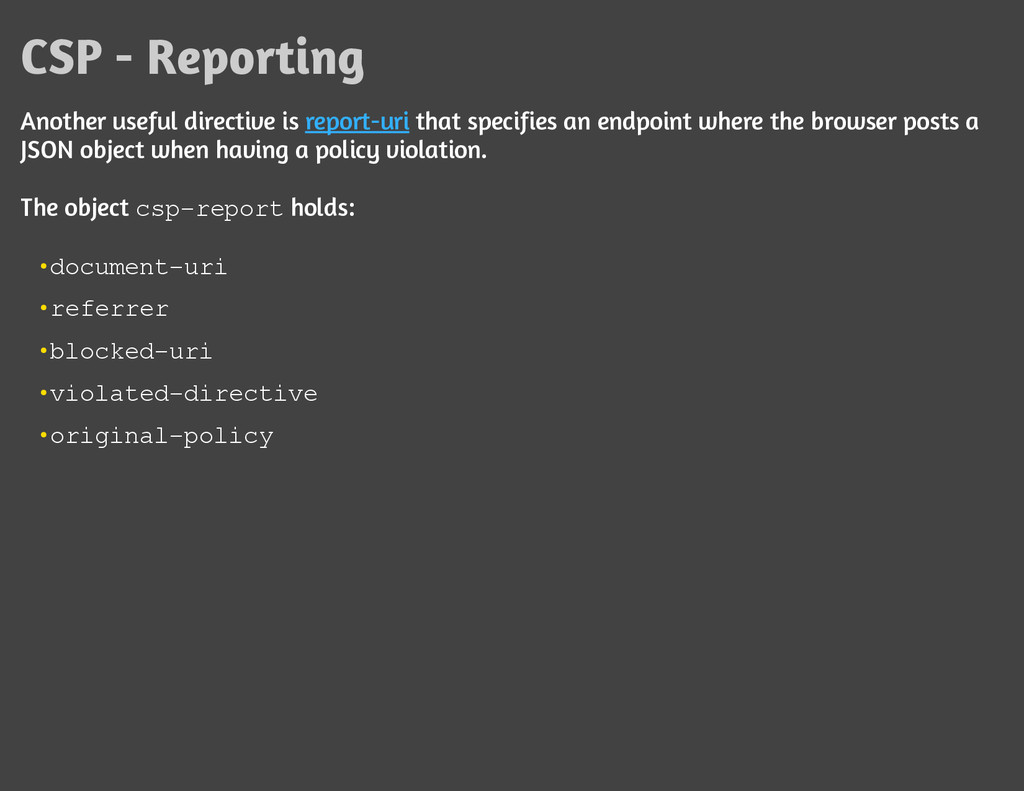
    Another useful directive is report-uri that specifies an endpoint where the browser posts a
    JSON object when having a policy violation.
    The object c
    s
    p
    -
    r
    e
    p
    o
    r
    t holds:
    d
    o
    c
    u
    m
    e
    n
    t
    -
    u
    r
    i

    r
    e
    f
    e
    r
    r
    e
    r

    b
    l
    o
    c
    k
    e
    d
    -
    u
    r
    i

    v
    i
    o
    l
    a
    t
    e
    d
    -
    d
    i
    r
    e
    c
    t
    i
    v
    e

    o
    r
    i
    g
    i
    n
    a
    l
    -
    p
    o
    l
    i
    c
    y

    View Slide

  12. CSP - Report Only
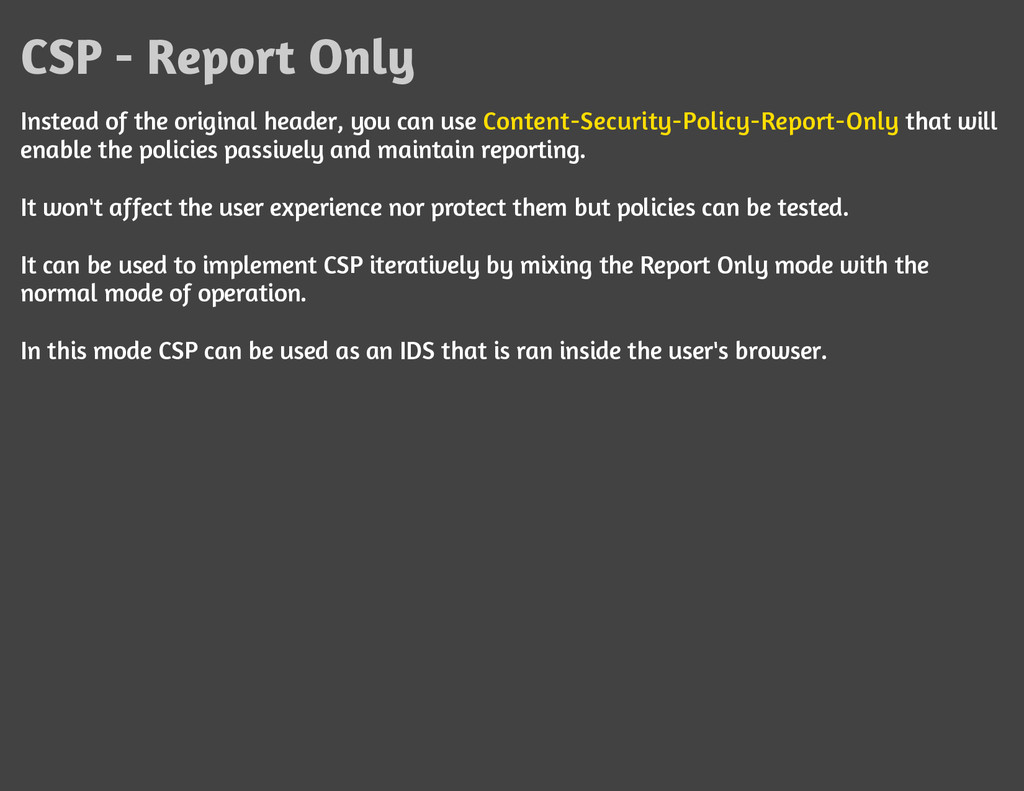
    Instead of the original header, you can use Content-Security-Policy-Report-Only that will
    enable the policies passively and maintain reporting.
    It won't affect the user experience nor protect them but policies can be tested.
    It can be used to implement CSP iteratively by mixing the Report Only mode with the
    normal mode of operation.
    In this mode CSP can be used as an IDS that is ran inside the user's browser.

    View Slide

  13. CSP - Example
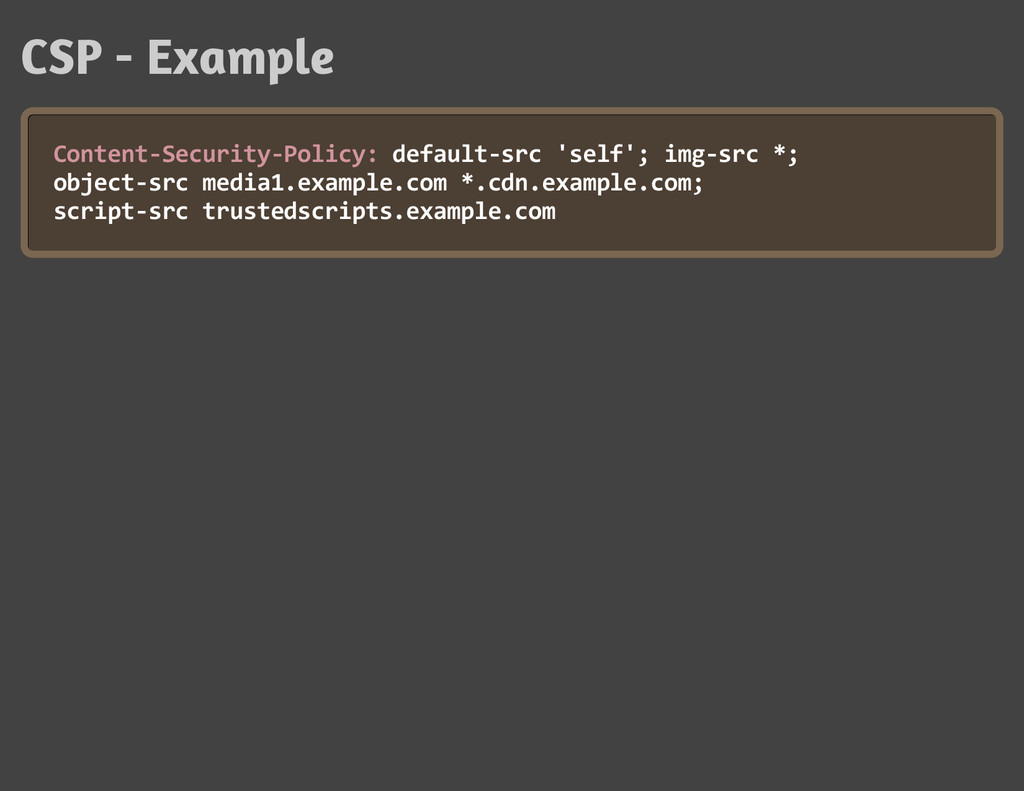
    C
    o
    n
    t
    e
    n
    t
    -
    S
    e
    c
    u
    r
    i
    t
    y
    -
    P
    o
    l
    i
    c
    y
    : d
    e
    f
    a
    u
    l
    t
    -
    s
    r
    c '
    s
    e
    l
    f
    '
    ; i
    m
    g
    -
    s
    r
    c *
    ;
    o
    b
    j
    e
    c
    t
    -
    s
    r
    c m
    e
    d
    i
    a
    1
    .
    e
    x
    a
    m
    p
    l
    e
    .
    c
    o
    m *
    .
    c
    d
    n
    .
    e
    x
    a
    m
    p
    l
    e
    .
    c
    o
    m
    ;
    s
    c
    r
    i
    p
    t
    -
    s
    r
    c t
    r
    u
    s
    t
    e
    d
    s
    c
    r
    i
    p
    t
    s
    .
    e
    x
    a
    m
    p
    l
    e
    .
    c
    o
    m

    View Slide

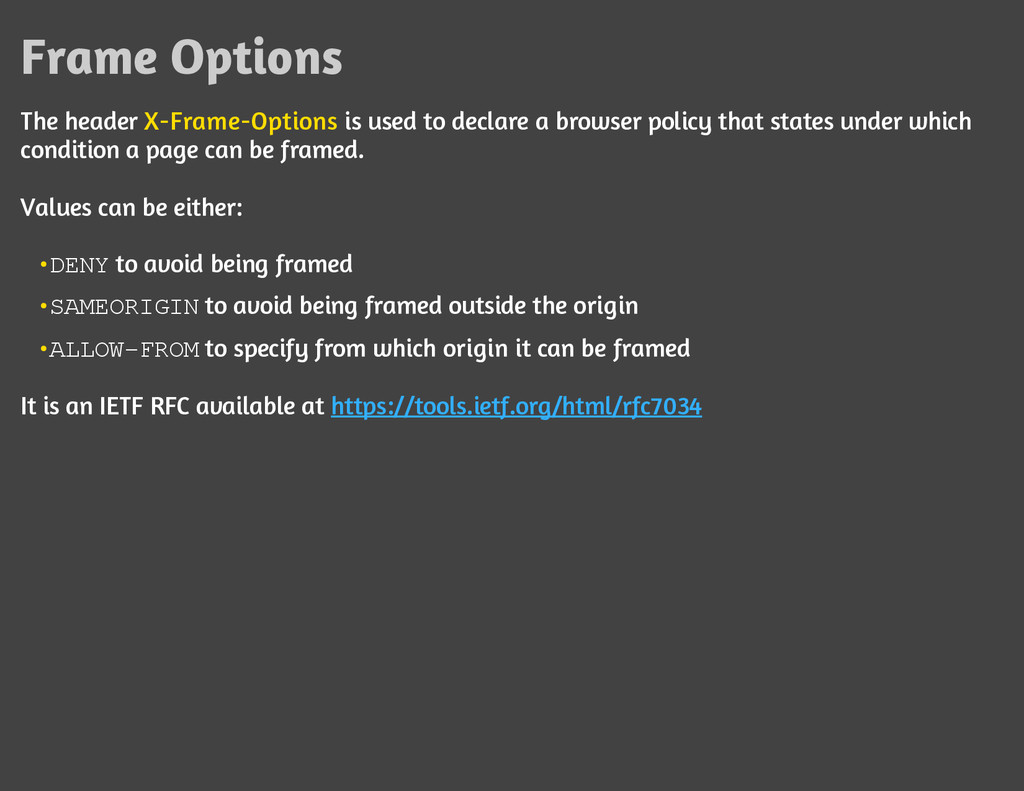
  14. Frame Options
    The header X-Frame-Options is used to declare a browser policy that states under which
    condition a page can be framed.
    Values can be either:
    It is an IETF RFC available at https://tools.ietf.org/html/rfc7034
    D
    E
    N
    Y to avoid being framed

    S
    A
    M
    E
    O
    R
    I
    G
    I
    N to avoid being framed outside the origin

    A
    L
    L
    O
    W
    -
    F
    R
    O
    M to specify from which origin it can be framed

    View Slide

  15. What is wrong with being framed?
    It can lead to Clickjacking when the frame is under another element.
    Clickjacking are one of the few problem left with frames as with modern browsers you can't
    access with scripting if you're not from the same origin.

    View Slide

  16. Same-Origin Policy
    The concept of what is an origin and Same-Origin Policy can be found in RFC6454 but
    basically the concept is really a sandbox on which the Web application runs and is limited
    to actions on its own site.
    Browsers implements Same-origin policy by default such as:
    DOM access by JavaScript is limited to same origin, so manipulating an external
    iframe is blocked

    XMLHttpRequest are limited to same origin, so making custom requests and sniffing
    response from external sites are blocked

    View Slide

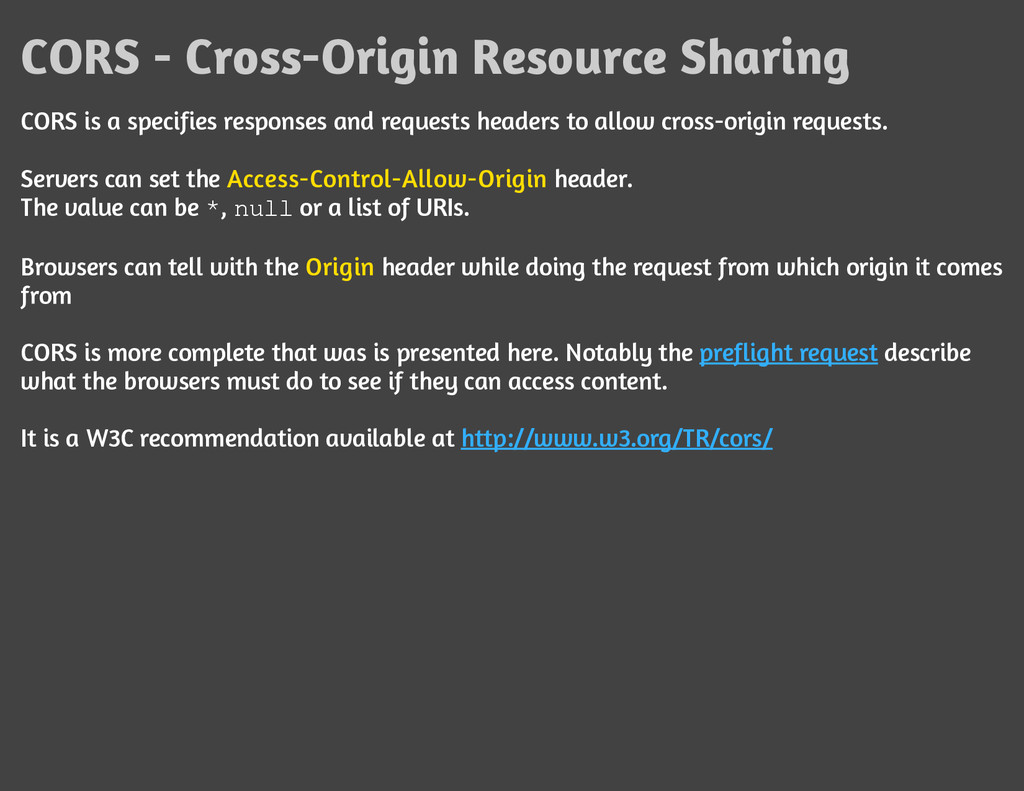
  17. CORS - Cross-Origin Resource Sharing
    CORS is a specifies responses and requests headers to allow cross-origin requests.
    Servers can set the Access-Control-Allow-Origin header.
    The value can be *
    , n
    u
    l
    l or a list of URIs.
    Browsers can tell with the Origin header while doing the request from which origin it comes
    from
    CORS is more complete that was is presented here. Notably the preflight request describe
    what the browsers must do to see if they can access content.
    It is a W3C recommendation available at http://www.w3.org/TR/cors/

    View Slide

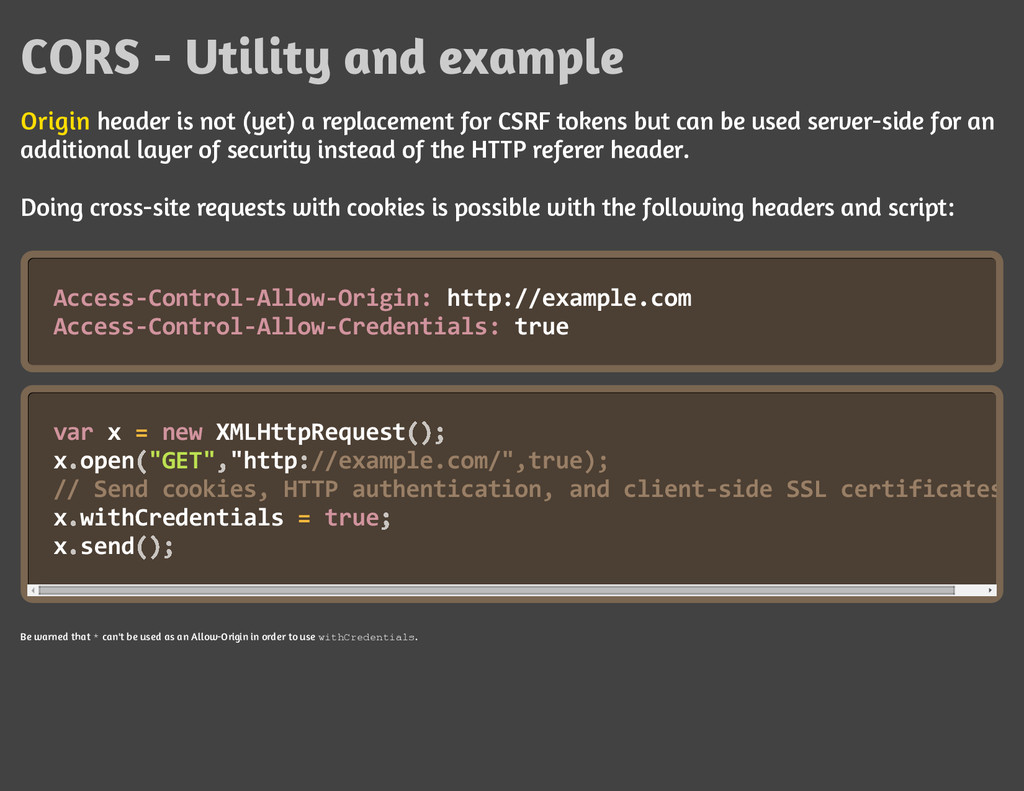
  18. CORS - Utility and example
    Origin header is not (yet) a replacement for CSRF tokens but can be used server-side for an
    additional layer of security instead of the HTTP referer header.
    Doing cross-site requests with cookies is possible with the following headers and script:
    A
    c
    c
    e
    s
    s
    -
    C
    o
    n
    t
    r
    o
    l
    -
    A
    l
    l
    o
    w
    -
    O
    r
    i
    g
    i
    n
    : h
    t
    t
    p
    :
    /
    /
    e
    x
    a
    m
    p
    l
    e
    .
    c
    o
    m
    A
    c
    c
    e
    s
    s
    -
    C
    o
    n
    t
    r
    o
    l
    -
    A
    l
    l
    o
    w
    -
    C
    r
    e
    d
    e
    n
    t
    i
    a
    l
    s
    : t
    r
    u
    e
    v
    a
    r x = n
    e
    w X
    M
    L
    H
    t
    t
    p
    R
    e
    q
    u
    e
    s
    t
    xo
    p
    e
    n"
    G
    E
    T
    ""
    h
    t
    t
    p/
    /
    e
    x
    a
    m
    p
    l
    e
    .
    c
    o
    m
    /
    "
    ,
    t
    r
    u
    e
    )
    ;
    /
    / S
    e
    n
    d c
    o
    o
    k
    i
    e
    s
    , H
    T
    T
    P a
    u
    t
    h
    e
    n
    t
    i
    c
    a
    t
    i
    o
    n
    , a
    n
    d c
    l
    i
    e
    n
    t
    -
    s
    i
    d
    e S
    S
    L c
    e
    r
    t
    i
    f
    i
    c
    a
    t
    e
    s
    xw
    i
    t
    h
    C
    r
    e
    d
    e
    n
    t
    i
    a
    l
    s = t
    r
    u
    e
    xs
    e
    n
    d
    Be warned that * can't be used as an Allow-Origin in order to use w
    i
    t
    h
    C
    r
    e
    d
    e
    n
    t
    i
    a
    l
    s
    .
    (
    )
    ;
    . ( , :
    . ;
    . (
    )
    ;

    View Slide

  19. View Slide

  20. View Slide

  21. View Slide

  22. View Slide

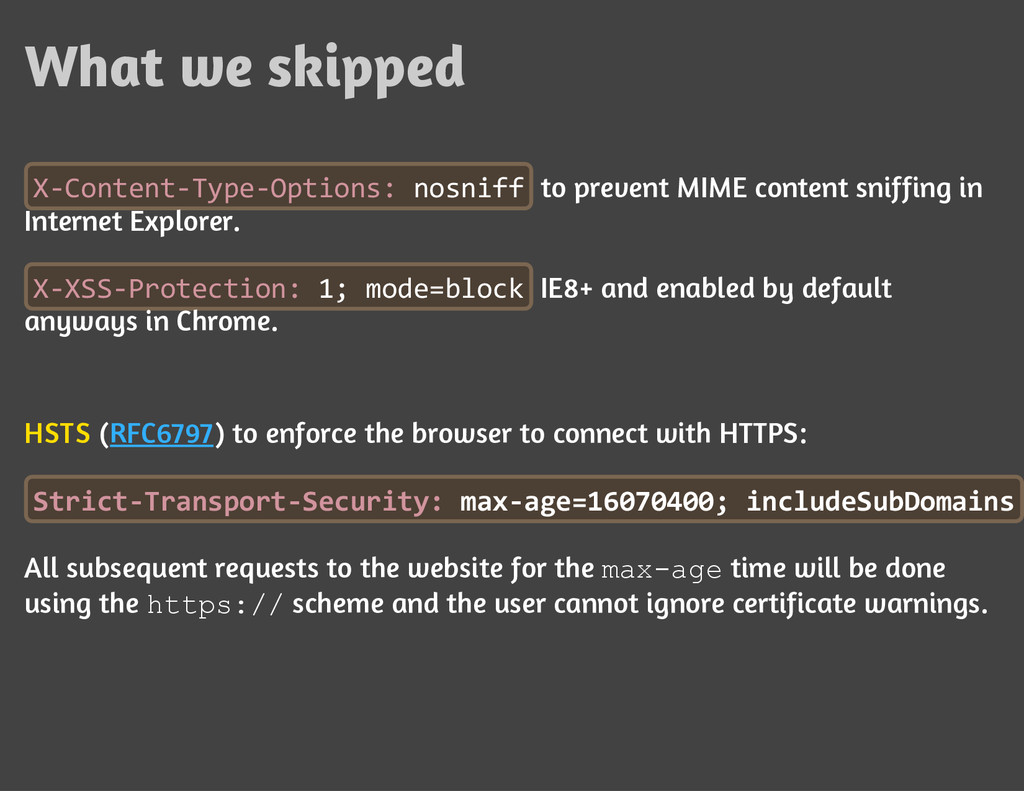
  23. What we skipped
    X
    -
    C
    o
    n
    t
    e
    n
    t
    -
    T
    y
    p
    e
    -
    O
    p
    t
    i
    o
    n
    s
    : n
    o
    s
    n
    i
    f
    f to prevent MIME content sniffing in
    Internet Explorer.
    X
    -
    X
    S
    S
    -
    P
    r
    o
    t
    e
    c
    t
    i
    o
    n
    : 1
    ; m
    o
    d
    e
    =
    b
    l
    o
    c
    k IE8+ and enabled by default
    anyways in Chrome.
    HSTS (RFC6797) to enforce the browser to connect with HTTPS:
    S
    t
    r
    i
    c
    t
    -
    T
    r
    a
    n
    s
    p
    o
    r
    t
    -
    S
    e
    c
    u
    r
    i
    t
    y
    : m
    a
    x
    -
    a
    g
    e
    =
    1
    6
    0
    7
    0
    4
    0
    0
    ; i
    n
    c
    l
    u
    d
    e
    S
    u
    b
    D
    o
    m
    a
    i
    n
    s
    All subsequent requests to the website for the m
    a
    x
    -
    a
    g
    e time will be done
    using the h
    t
    t
    p
    s
    :
    /
    / scheme and the user cannot ignore certificate warnings.

    View Slide

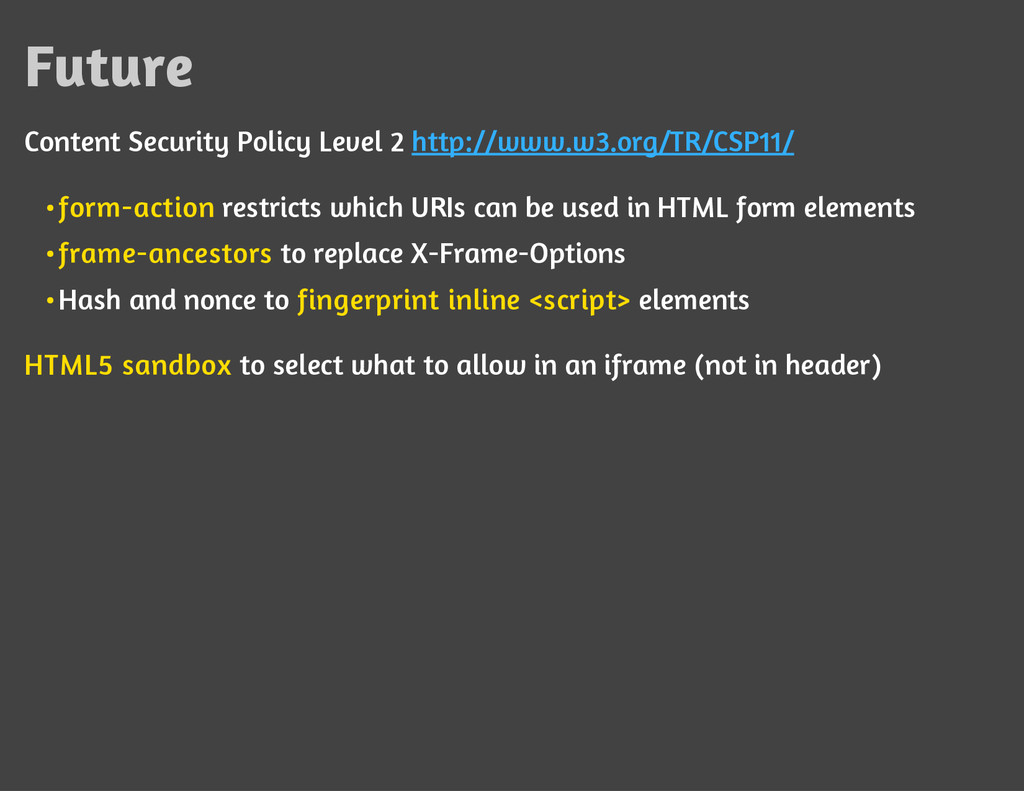
  24. Future
    Content Security Policy Level 2 http://www.w3.org/TR/CSP11/
    HTML5 sandbox to select what to allow in an iframe (not in header)
    form-action restricts which URIs can be used in HTML form elements

    frame-ancestors to replace X-Frame-Options

    Hash and nonce to fingerprint inline elements<br/>•<br/>

    View Slide

  25. Conclusion
    As you can see, a whole world of security settings now exists trough HTTP
    headers.
    DevOps is the right mindset to find a way to implement them while
    considering many factors such as the implications on frameworks, CMS,
    server setup, proxy and caching mechanisms.
    Thanks for your time!

    View Slide

  26. Contact
    [email protected]
    Twitter: @jonathanmarcil
    https://www.owasp.org/index.php/Montreal
    References
    Browser Security Handbook & The Tangled Web, Michal Zalewski

    List of useful HTTP headers, OWASP

    HTML5 Security Cheat Sheet, OWASP

    Testing for Clickjacking (OWASP-CS-004), OWASP Testing Guide v4

    View Slide