Upgrade to Pro — share decks privately, control downloads, hide ads and more …

Agent Skills 入門

Sponsored · Ship Features Fearlessly Turn features on and off without deploys. Used by thousands of Ruby developers.
Avatar for puku0x puku0x
February 18, 2026

Agent Skills 入門

Findy AI Meetup in Fukuoka #4

Avatar for puku0x

puku0x

February 18, 2026
Tweet

More Decks by puku0x

Other Decks in Technology

Transcript

  1. Agent Skills ⼊⾨ 1 2026/02/18 Findy AI Meetup #4 ファインディ株式会社

    フロントエンド テックリード 新福 宜侑 @puku0x
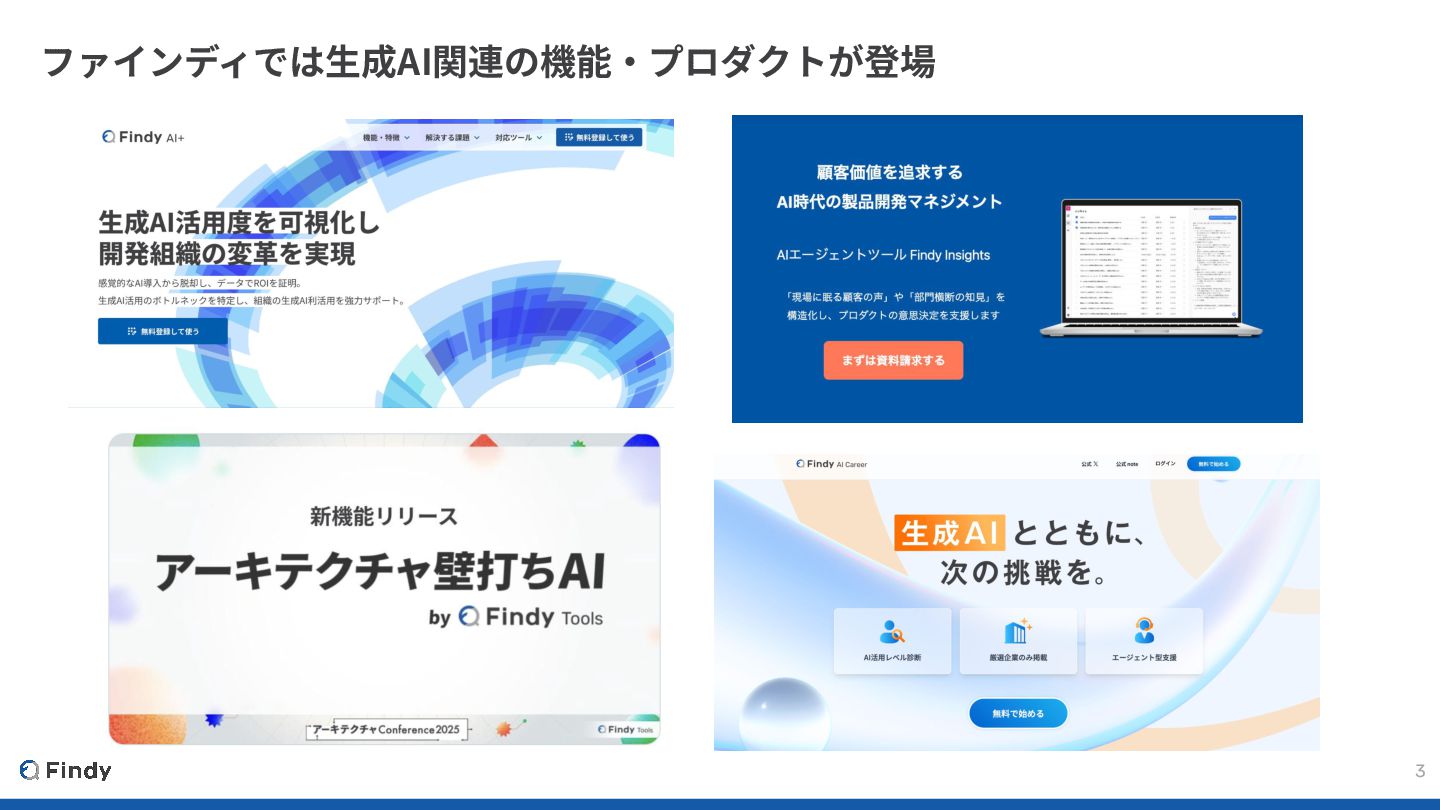
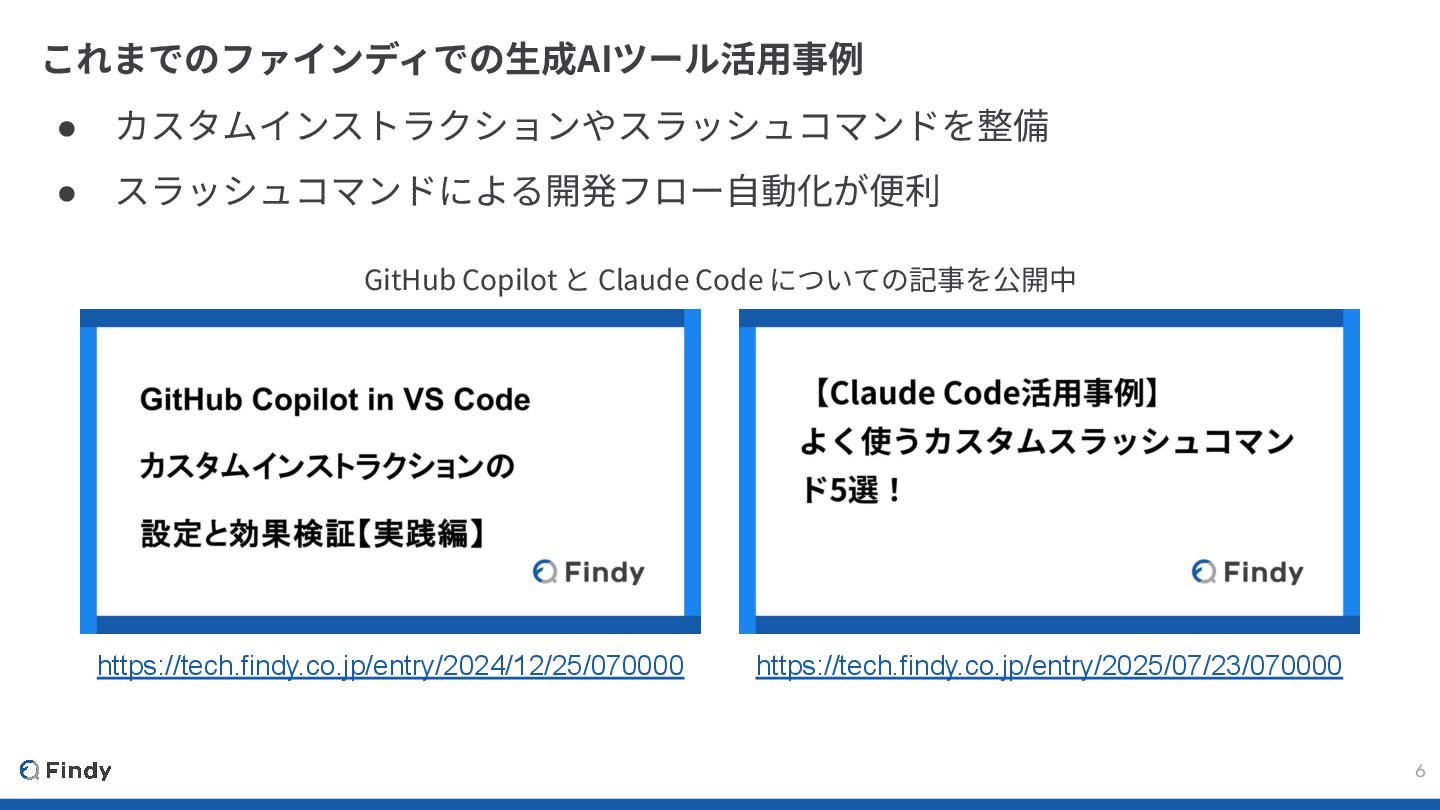
  2. 6 これまでのファインディでの⽣成AIツール活⽤事例 GitHub Copilot と Claude Code についての記事を公開中 https://tech.findy.co.jp/entry/2025/07/23/070000 https://tech.findy.co.jp/entry/2024/12/25/070000

    • カスタムインストラクションやスラッシュコマンドを整備 • スラッシュコマンドによる開発フロー⾃動化が便利
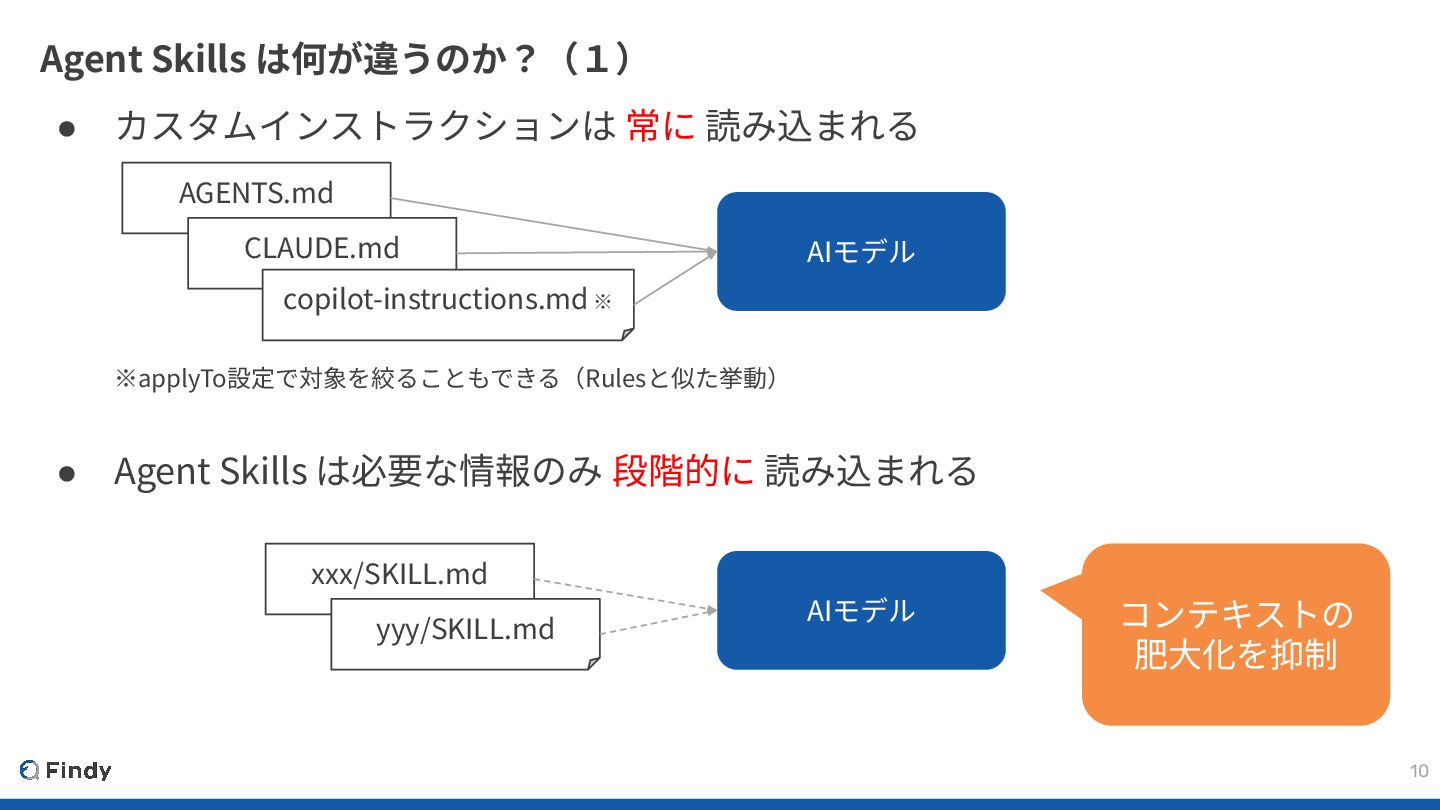
  3. 10 Agent Skills は何が違うのか?(1) • カスタムインストラクションは 常に 読み込まれる ※applyTo設定で対象を絞ることもできる(Rulesと似た挙動) •

    Agent Skills は必要な情報のみ 段階的に 読み込まれる AGENTS.md CLAUDE.md copilot-instructions.md ※ AIモデル xxx/SKILL.md yyy/SKILL.md AIモデル コンテキストの 肥⼤化を抑制
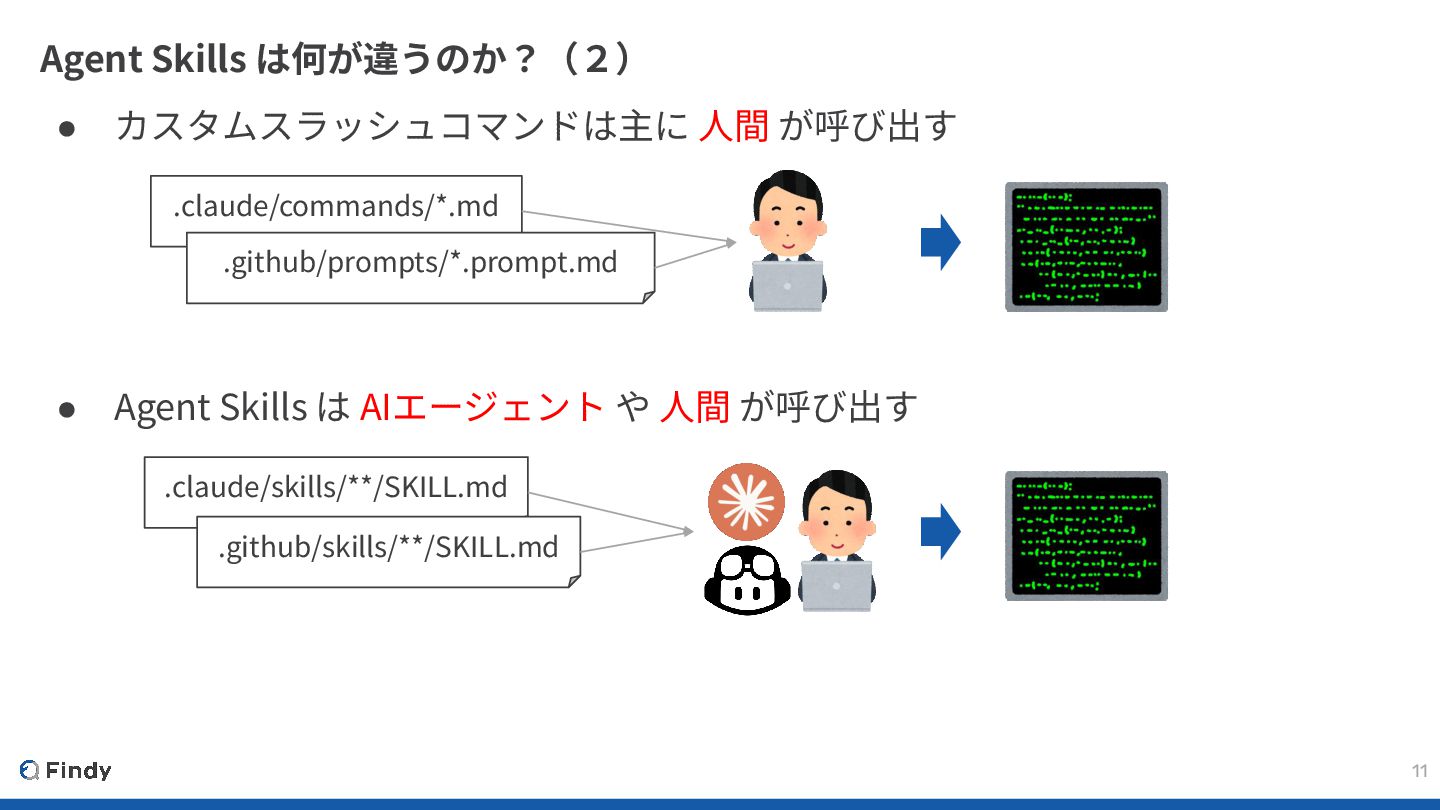
  4. 11 Agent Skills は何が違うのか?(2) • カスタムスラッシュコマンドは主に ⼈間 が呼び出す • Agent

    Skills は AIエージェント や ⼈間 が呼び出す .claude/commands/*.md .github/prompts/*.prompt.md .claude/skills/**/SKILL.md .github/skills/**/SKILL.md
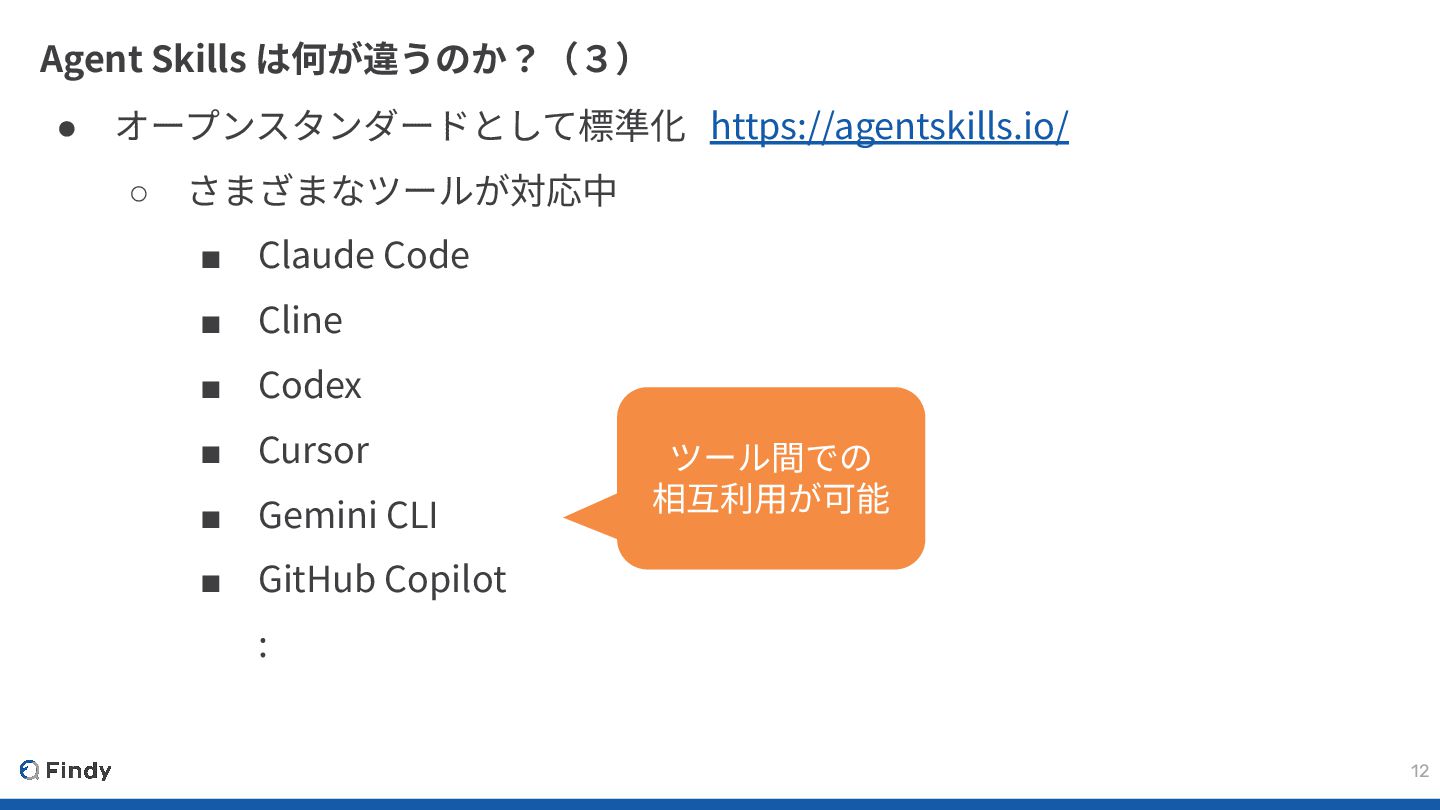
  5. 12 Agent Skills は何が違うのか?(3) • オープンスタンダードとして標準化 https://agentskills.io/ ◦ さまざまなツールが対応中 ▪

    Claude Code ▪ Cline ▪ Codex ▪ Cursor ▪ Gemini CLI ▪ GitHub Copilot : ツール間での 相互利⽤が可能
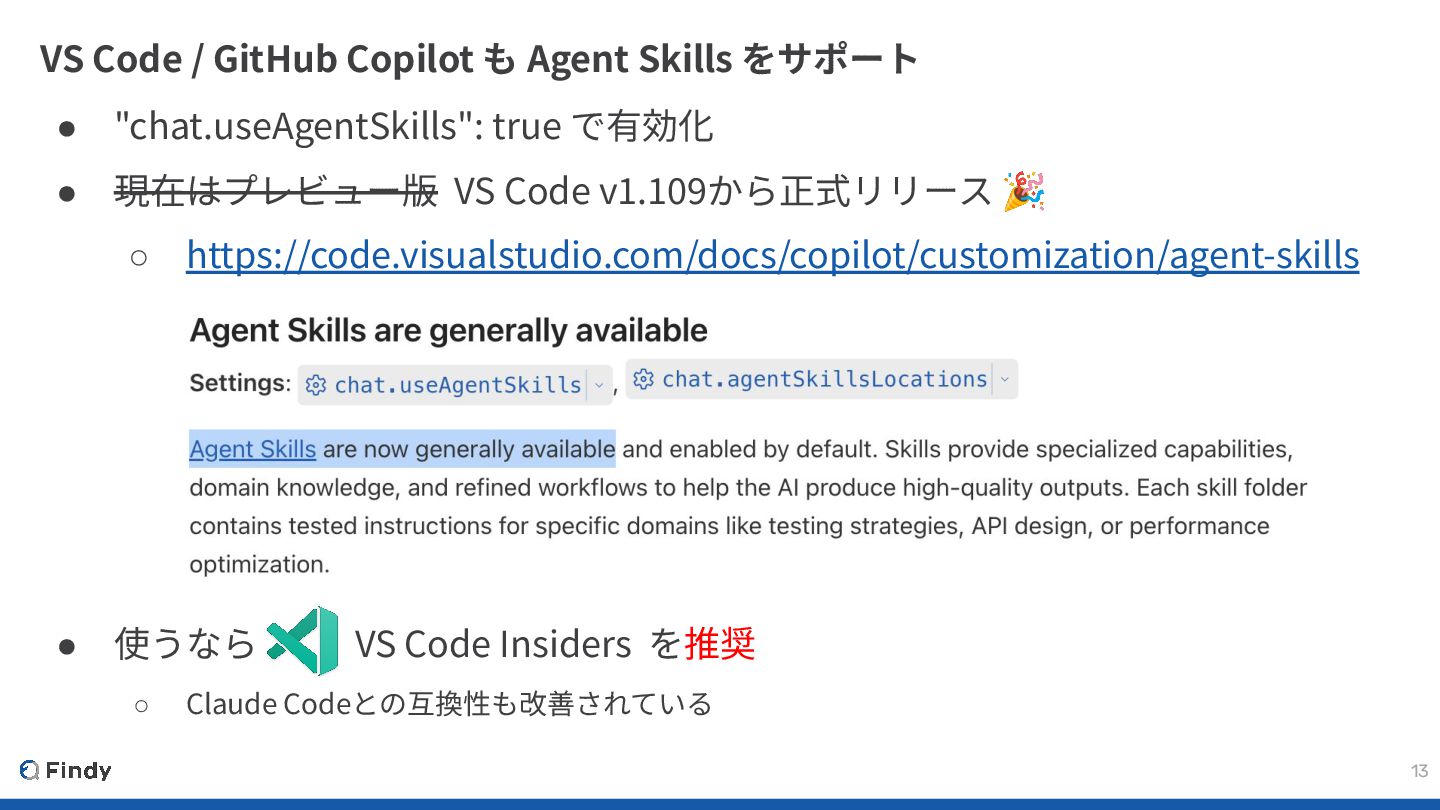
  6. 13 VS Code / GitHub Copilot も Agent Skills をサポート

    • "chat.useAgentSkills": true で有効化 • 現在はプレビュー版 VS Code v1.109から正式リリース 🎉 ◦ https://code.visualstudio.com/docs/copilot/customization/agent-skills • 使うなら VS Code Insiders を推奨 ◦ Claude Codeとの互換性も改善されている
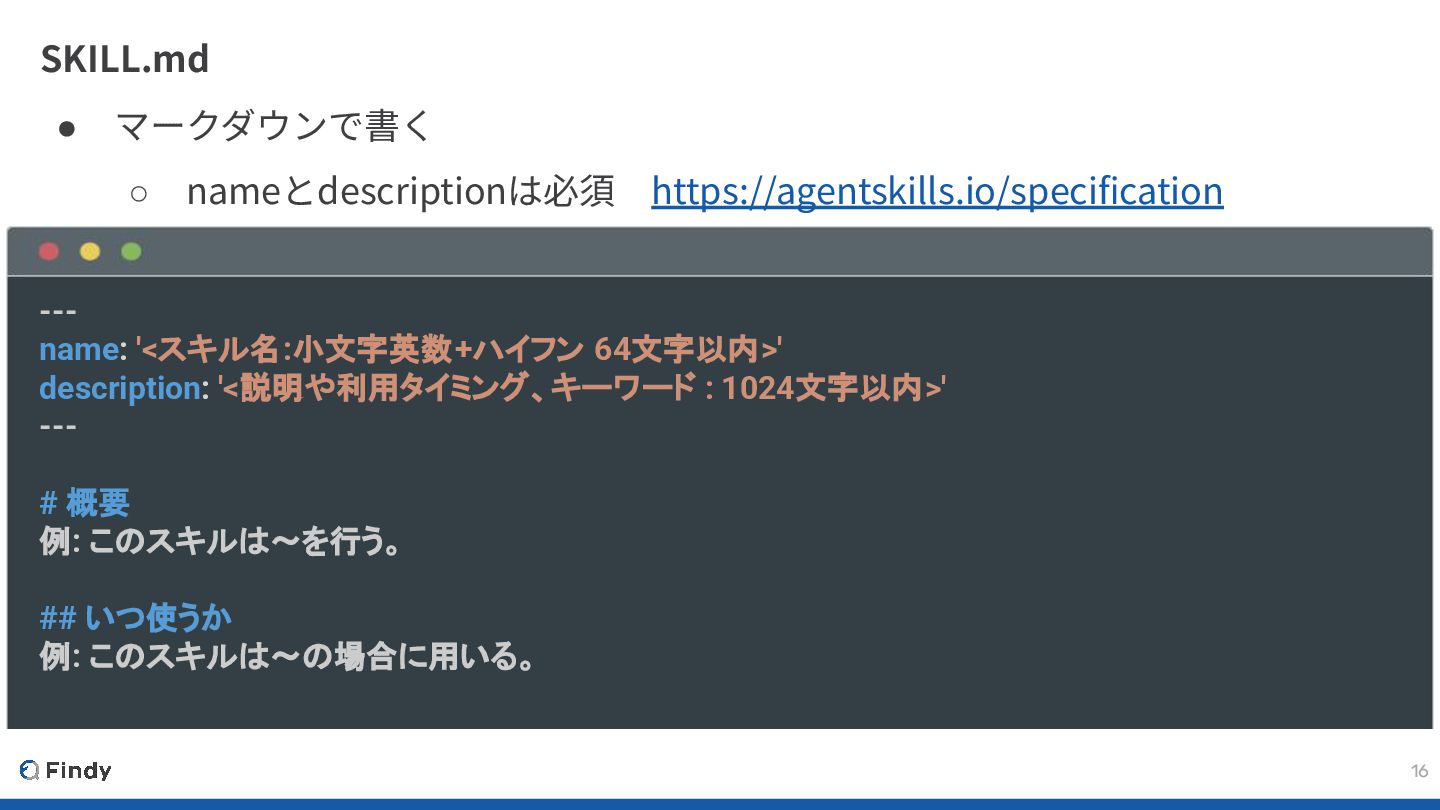
  7. 16 SKILL.md • マークダウンで書く ◦ nameとdescriptionは必須 https://agentskills.io/specification --- name: '<スキル名:小文字英数+ハイフン 64文字以内>'

    description: '<説明や利用タイミング、キーワード : 1024文字以内>' --- # 概要 例: このスキルは〜を行う。 ## いつ使うか 例: このスキルは〜の場合に用いる。
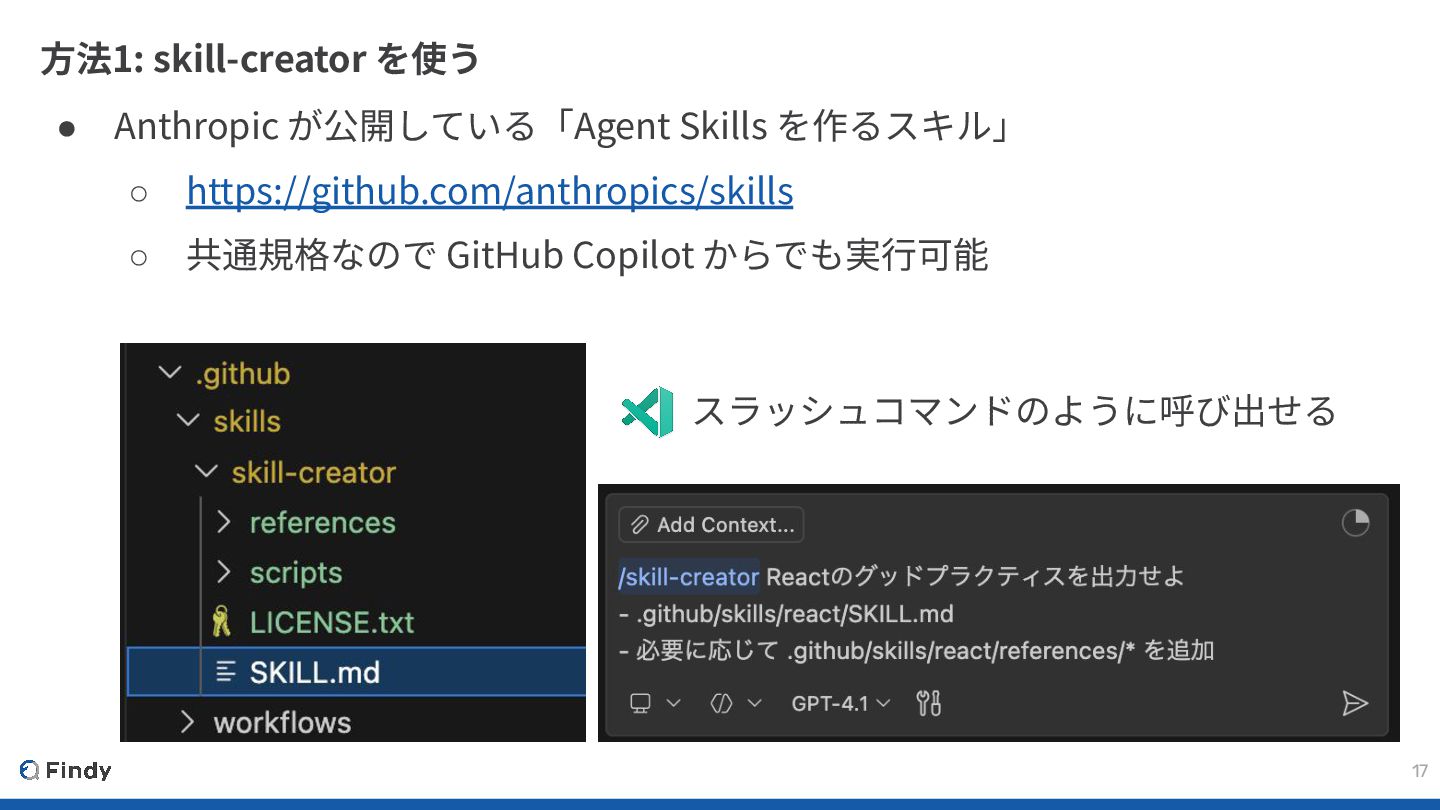
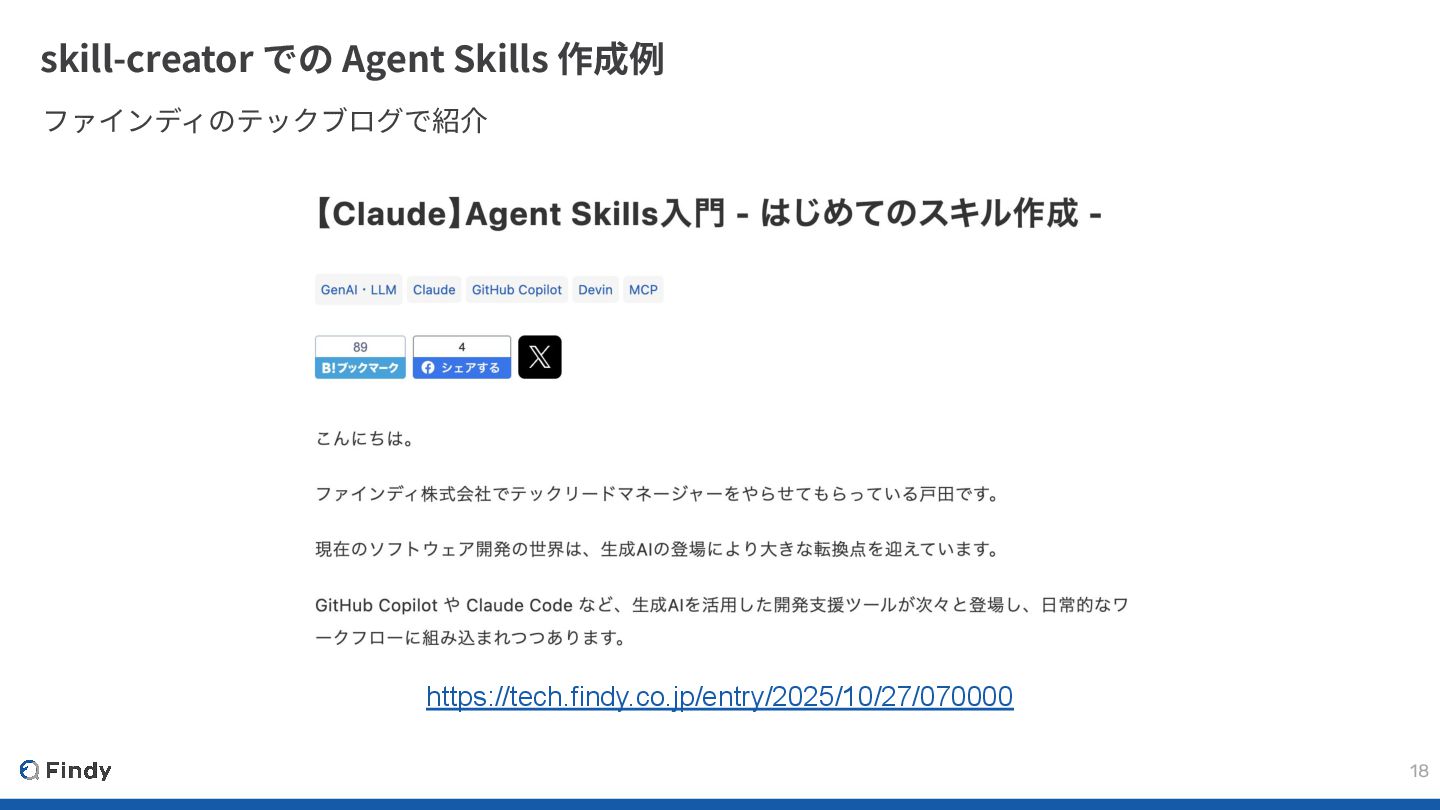
  8. 17 ⽅法1: skill-creator を使う • Anthropic が公開している「Agent Skills を作るスキル」 ◦

    https://github.com/anthropics/skills ◦ 共通規格なので GitHub Copilot からでも実⾏可能 スラッシュコマンドのように呼び出せる
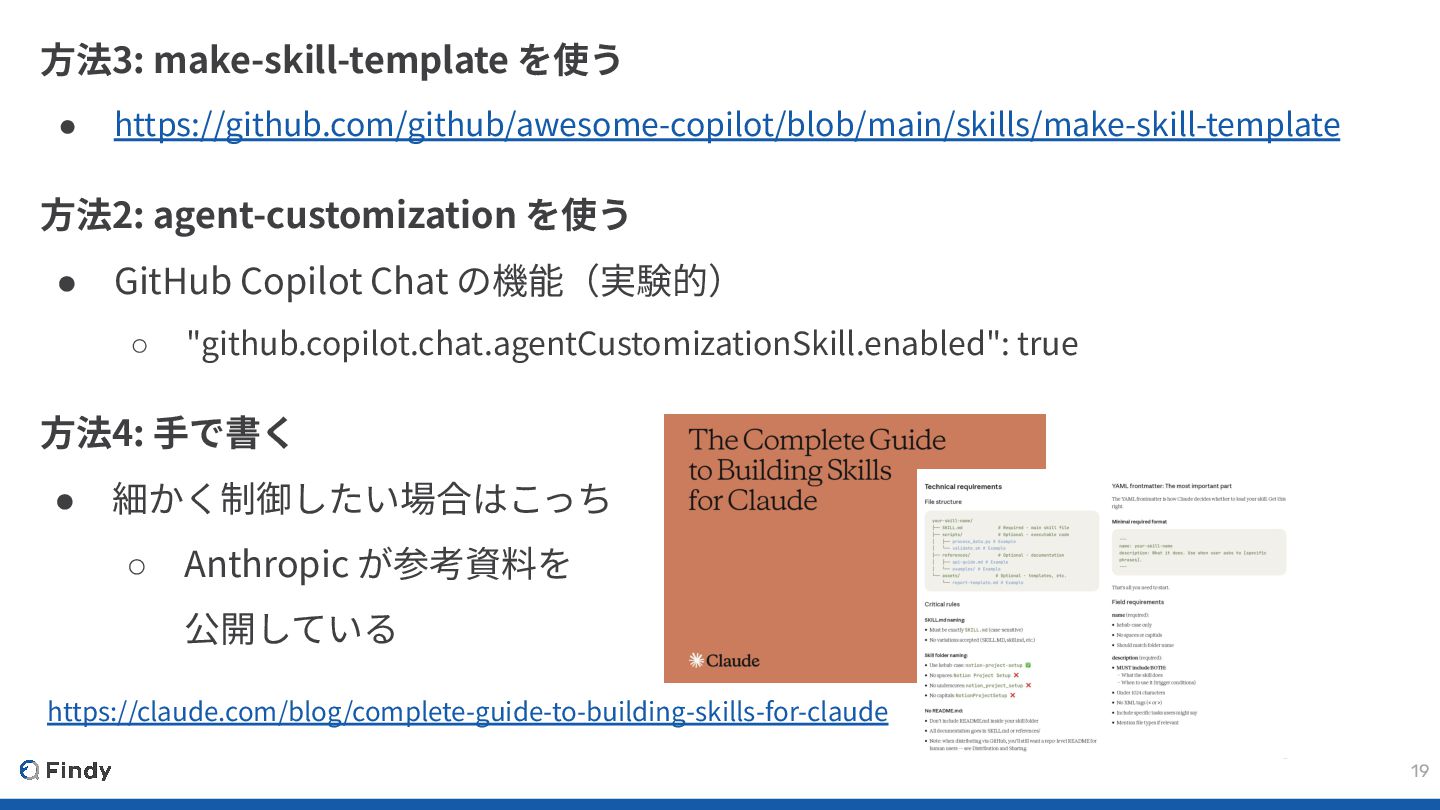
  9. 19 ⽅法3: make-skill-template を使う • https://github.com/github/awesome-copilot/blob/main/skills/make-skill-template ⽅法4: ⼿で書く • 細かく制御したい場合はこっち

    ◦ Anthropic が参考資料を 公開している https://claude.com/blog/complete-guide-to-building-skills-for-claude ⽅法2: agent-customization を使う • GitHub Copilot Chat の機能(実験的) ◦ "github.copilot.chat.agentCustomizationSkill.enabled": true
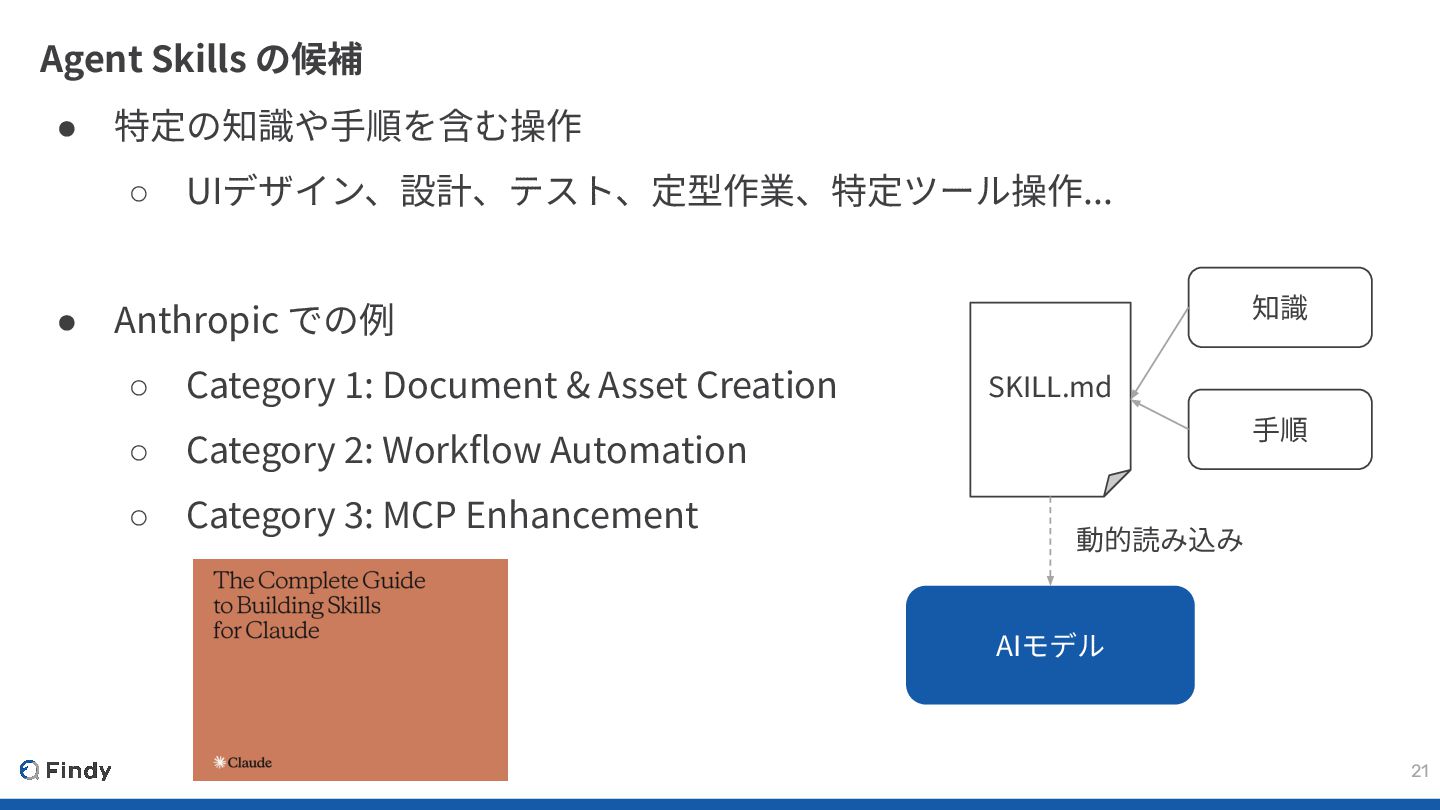
  10. 21 Agent Skills の候補 • 特定の知識や⼿順を含む操作 ◦ UIデザイン、設計、テスト、定型作業、特定ツール操作... • Anthropic

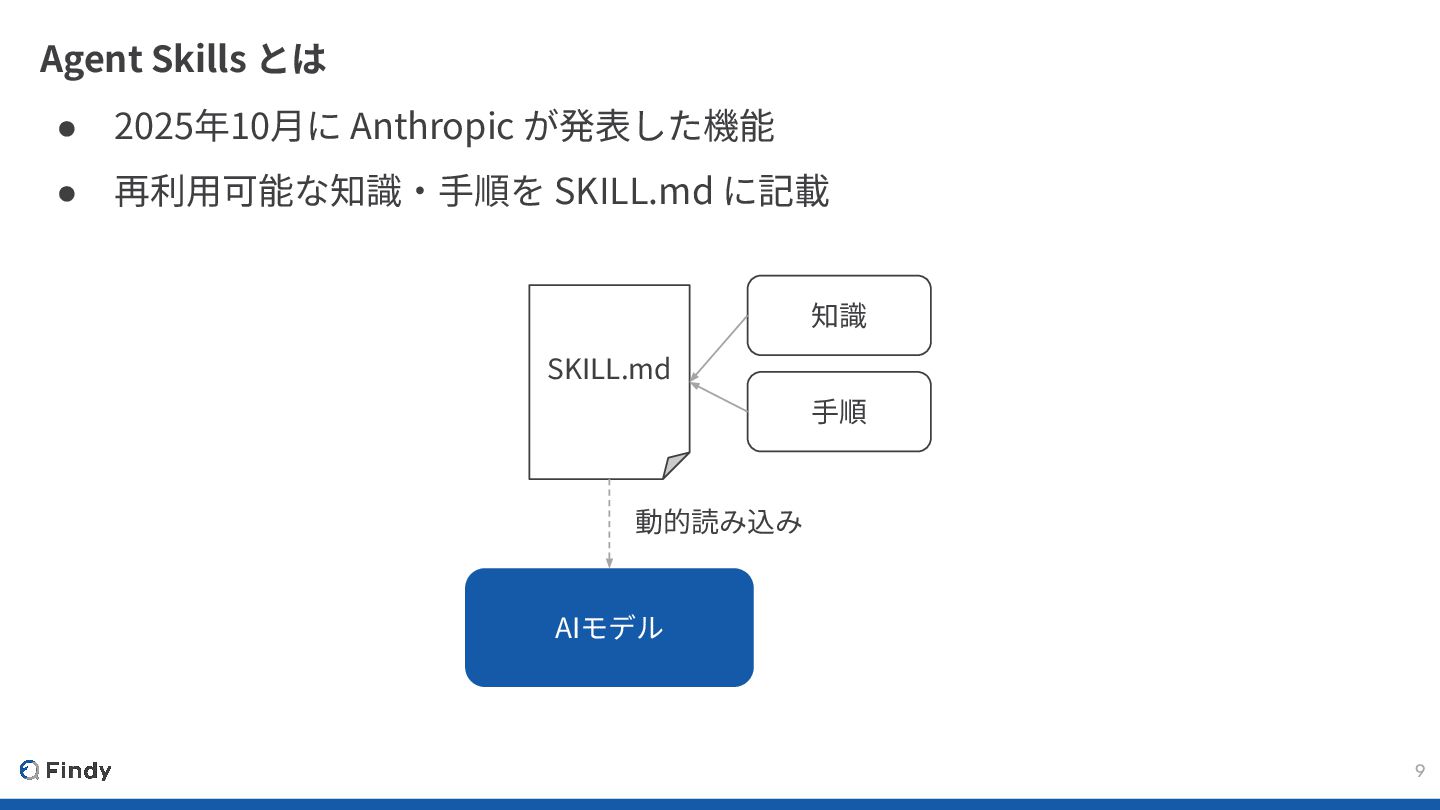
    での例 ◦ Category 1: Document & Asset Creation ◦ Category 2: Workflow Automation ◦ Category 3: MCP Enhancement 知識 AIモデル ⼿順 SKILL.md 動的読み込み
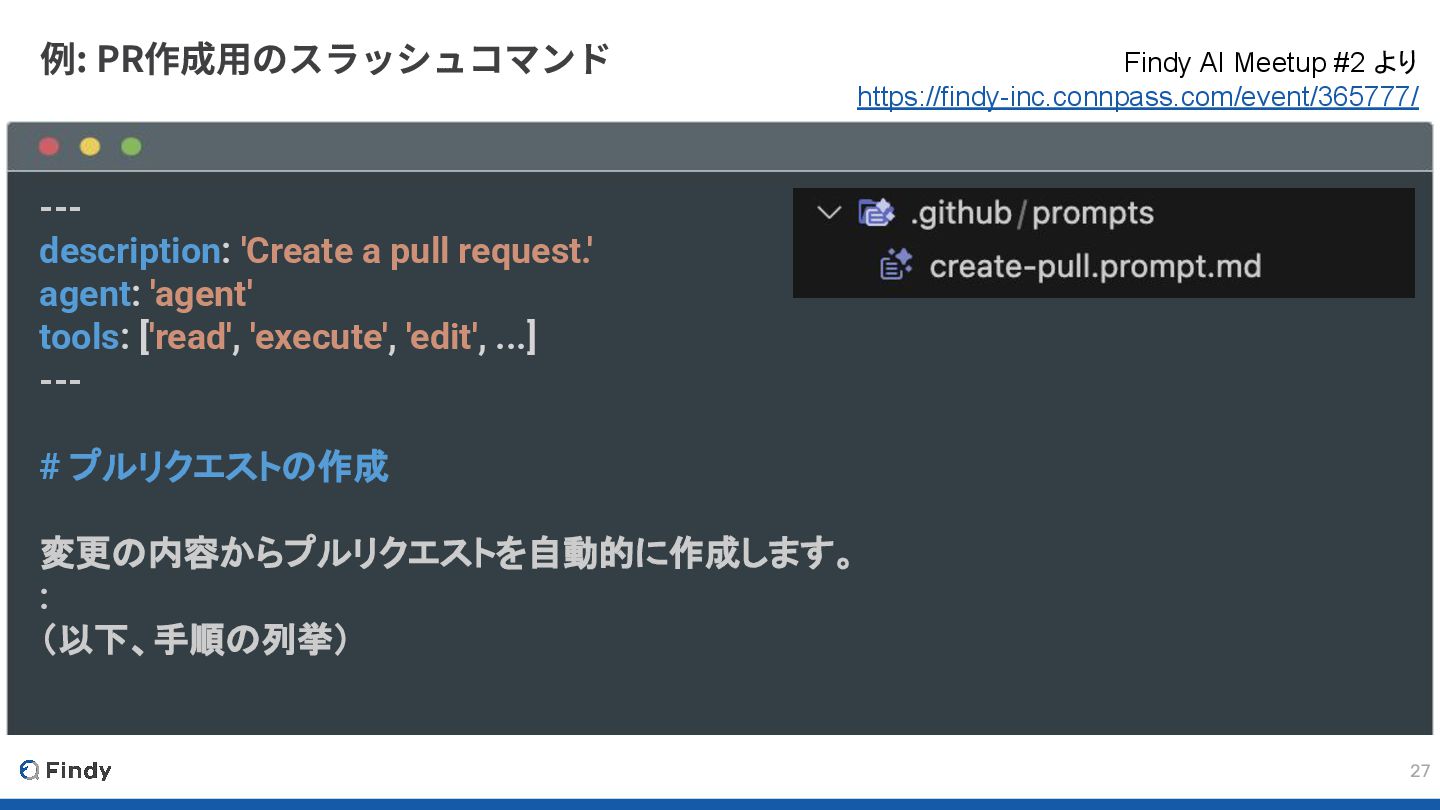
  11. 27 例: PR作成⽤のスラッシュコマンド --- description: 'Create a pull request.' agent:

    'agent' tools: ['read', 'execute', 'edit', ...] --- # プルリクエストの作成 変更の内容からプルリクエストを自動的に作成します。 : (以下、手順の列挙) Findy AI Meetup #2 より https://findy-inc.connpass.com/event/365777/
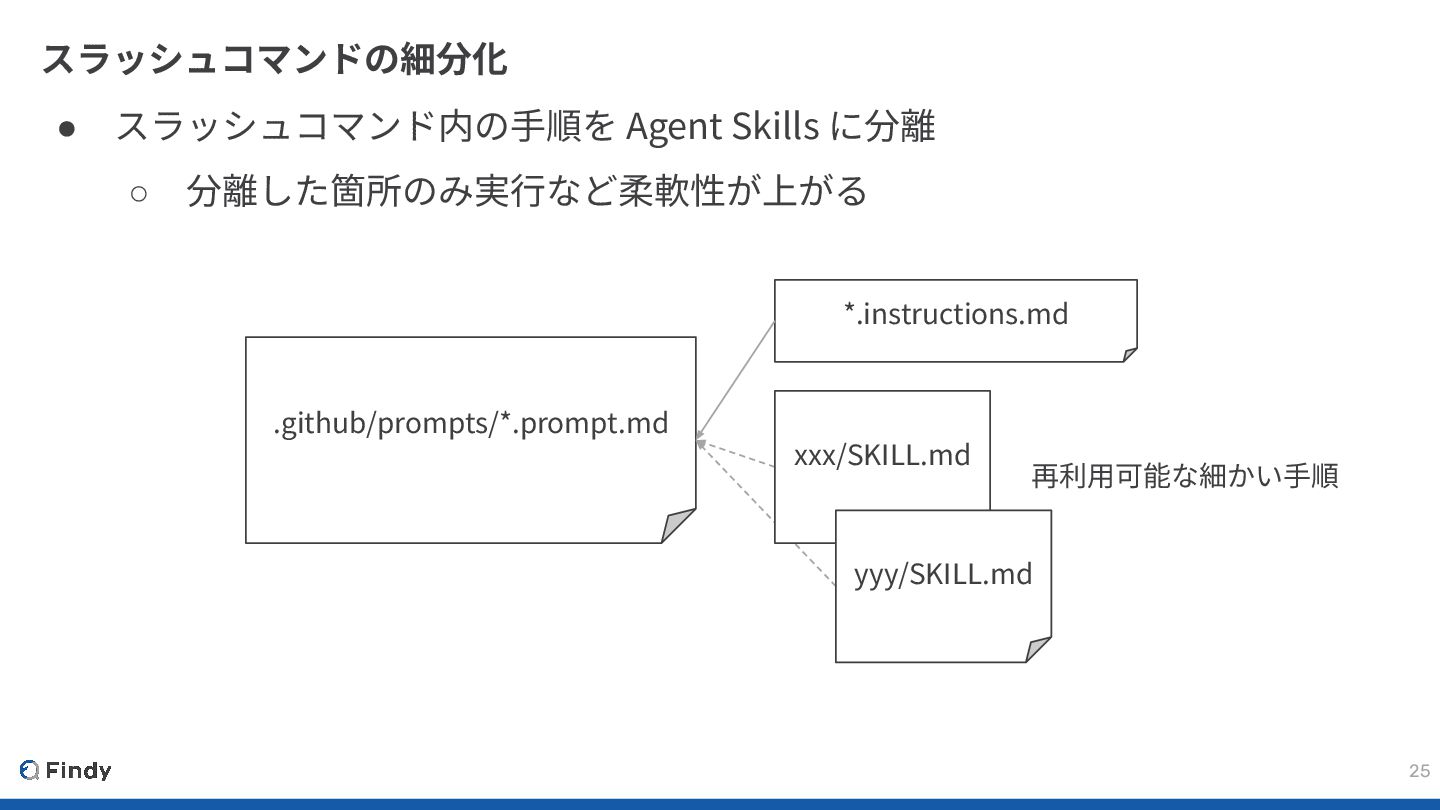
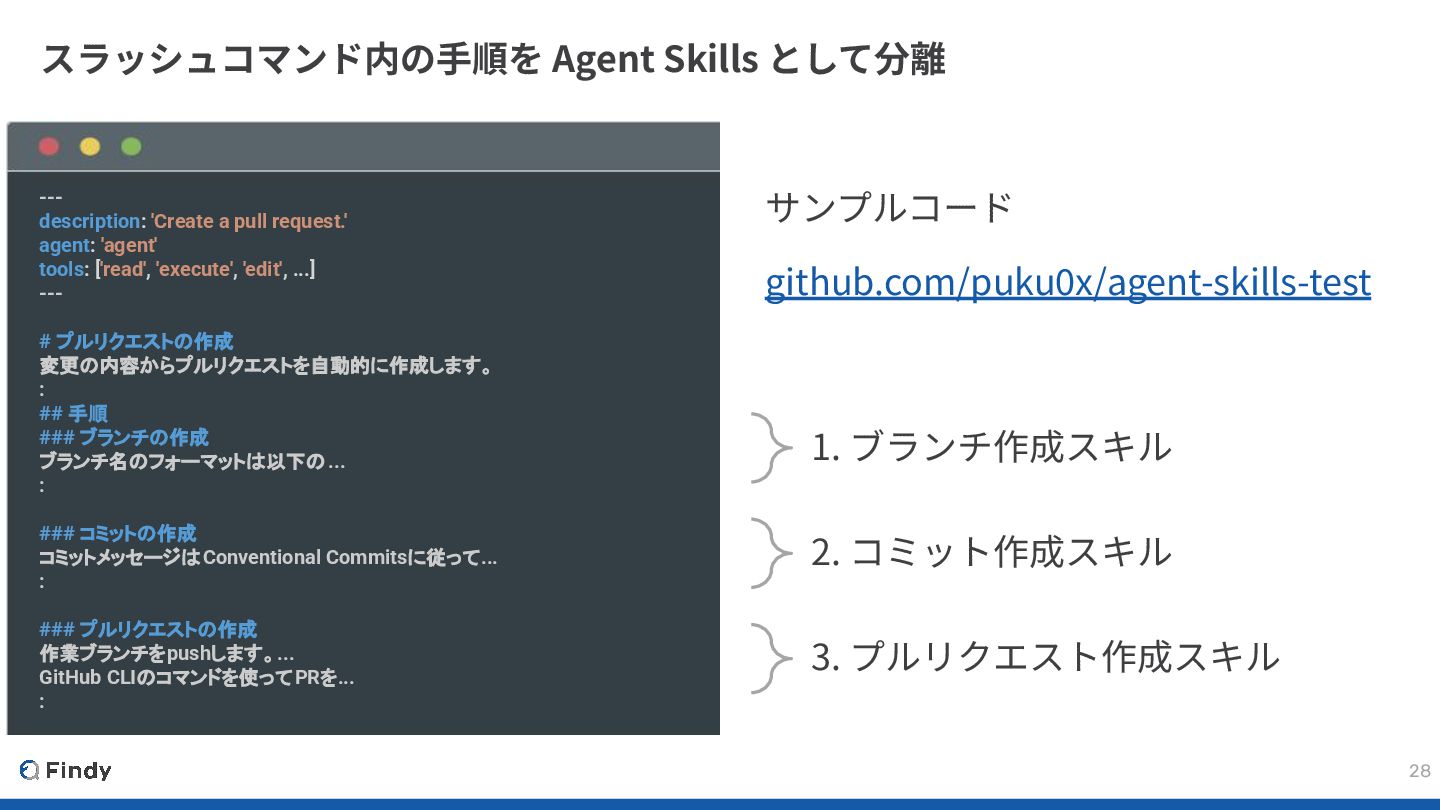
  12. 28 スラッシュコマンド内の⼿順を Agent Skills として分離 --- description: 'Create a pull

    request.' agent: 'agent' tools: ['read', 'execute', 'edit', ...] --- # プルリクエストの作成 変更の内容からプルリクエストを自動的に作成します。 : ## 手順 ### ブランチの作成 ブランチ名のフォーマットは以下の... : ### コミットの作成 コミットメッセージはConventional Commitsに従って... : ### プルリクエストの作成 作業ブランチをpushします。... GitHub CLIのコマンドを使ってPRを... : 1. ブランチ作成スキル 2. コミット作成スキル 3. プルリクエスト作成スキル サンプルコード github.com/puku0x/agent-skills-test
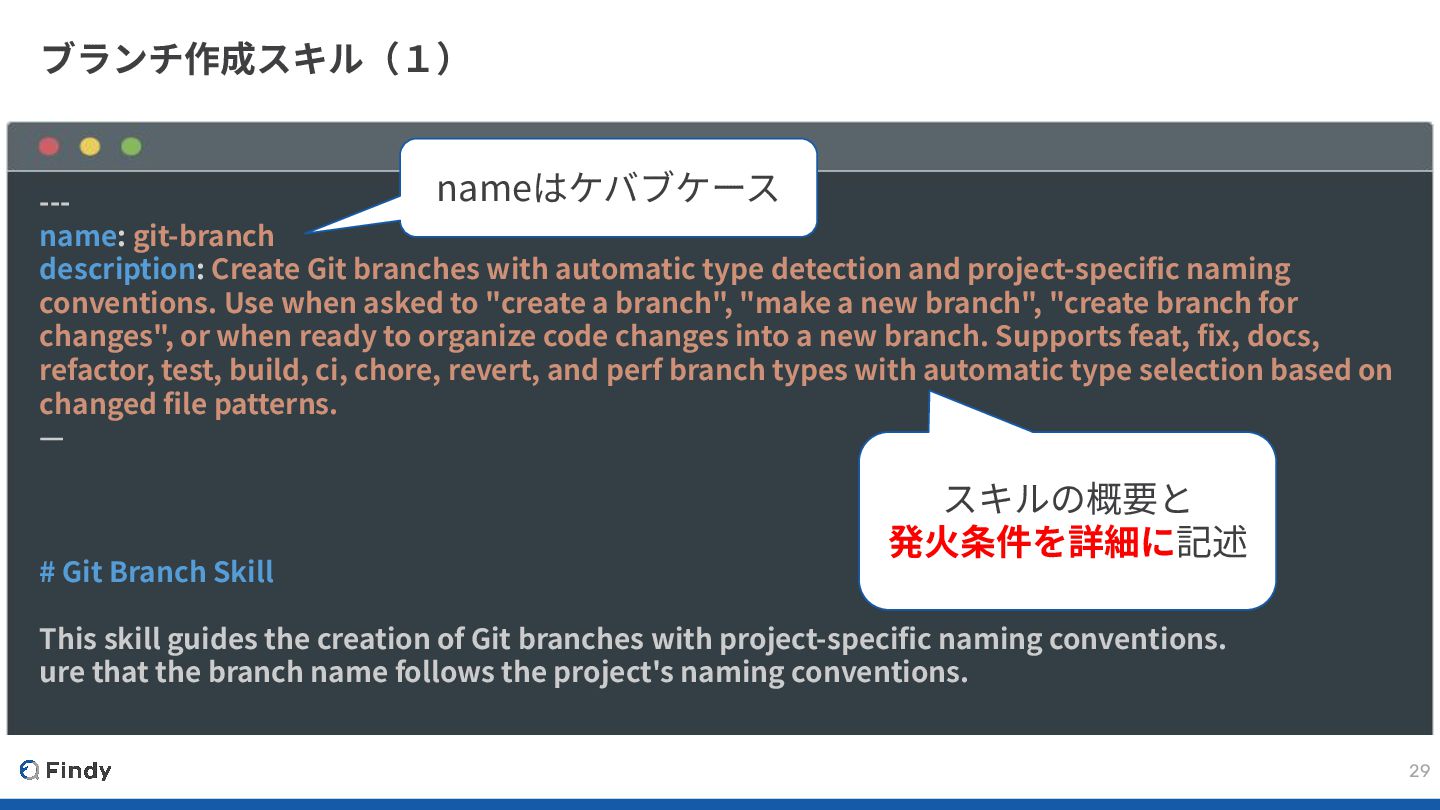
  13. 29 ブランチ作成スキル(1) --- name: git-branch description: Create Git branches with

    automatic type detection and project-specific naming conventions. Use when asked to "create a branch", "make a new branch", "create branch for changes", or when ready to organize code changes into a new branch. Supports feat, fix, docs, refactor, test, build, ci, chore, revert, and perf branch types with automatic type selection based on changed file patterns. — # Git Branch Skill This skill guides the creation of Git branches with project-specific naming conventions. ure that the branch name follows the project's naming conventions. スキルの概要と 発⽕条件を詳細に記述 nameはケバブケース
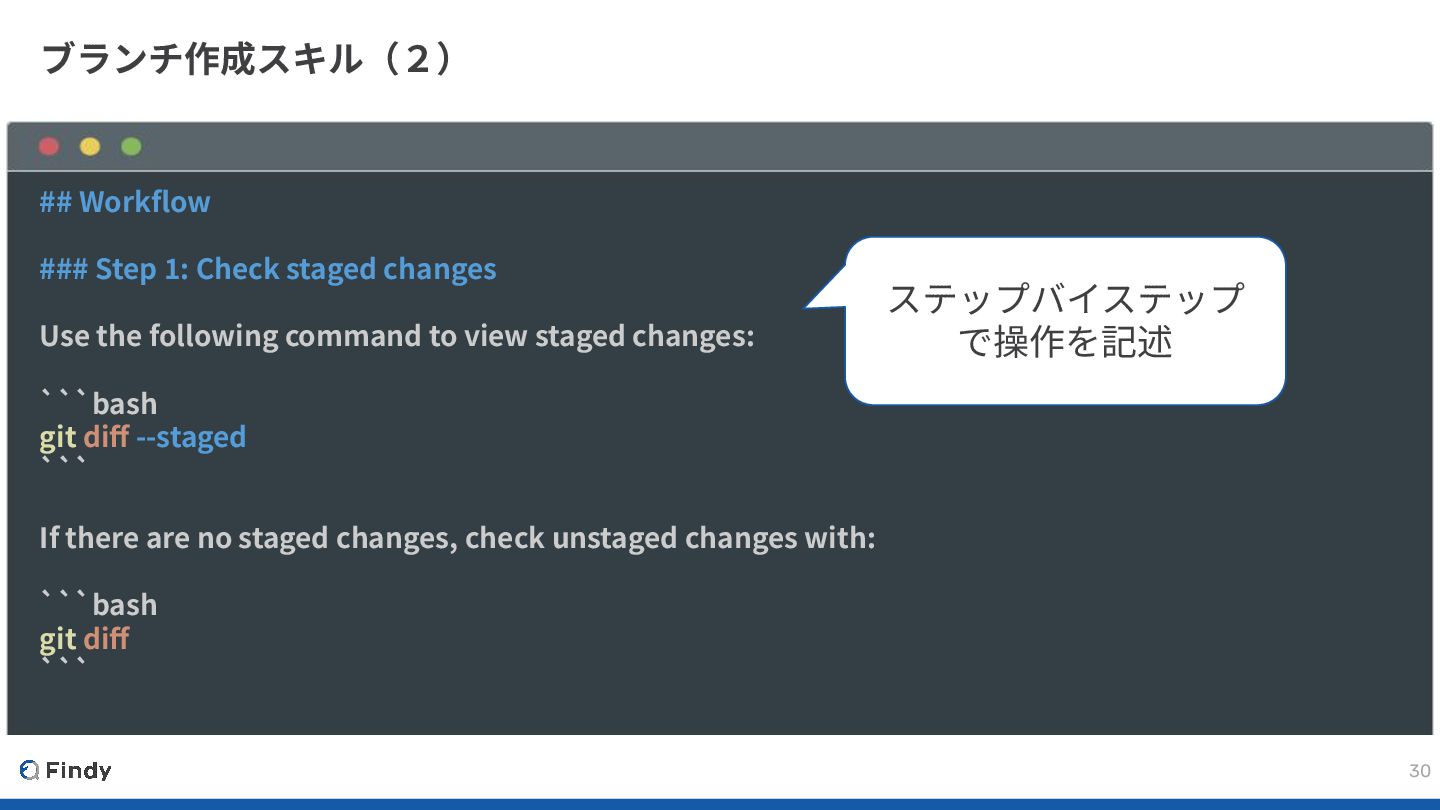
  14. 30 ブランチ作成スキル(2) ## Workflow ### Step 1: Check staged changes

    Use the following command to view staged changes: ```bash git diff --staged ``` If there are no staged changes, check unstaged changes with: ```bash git diff ``` ステップバイステップ で操作を記述
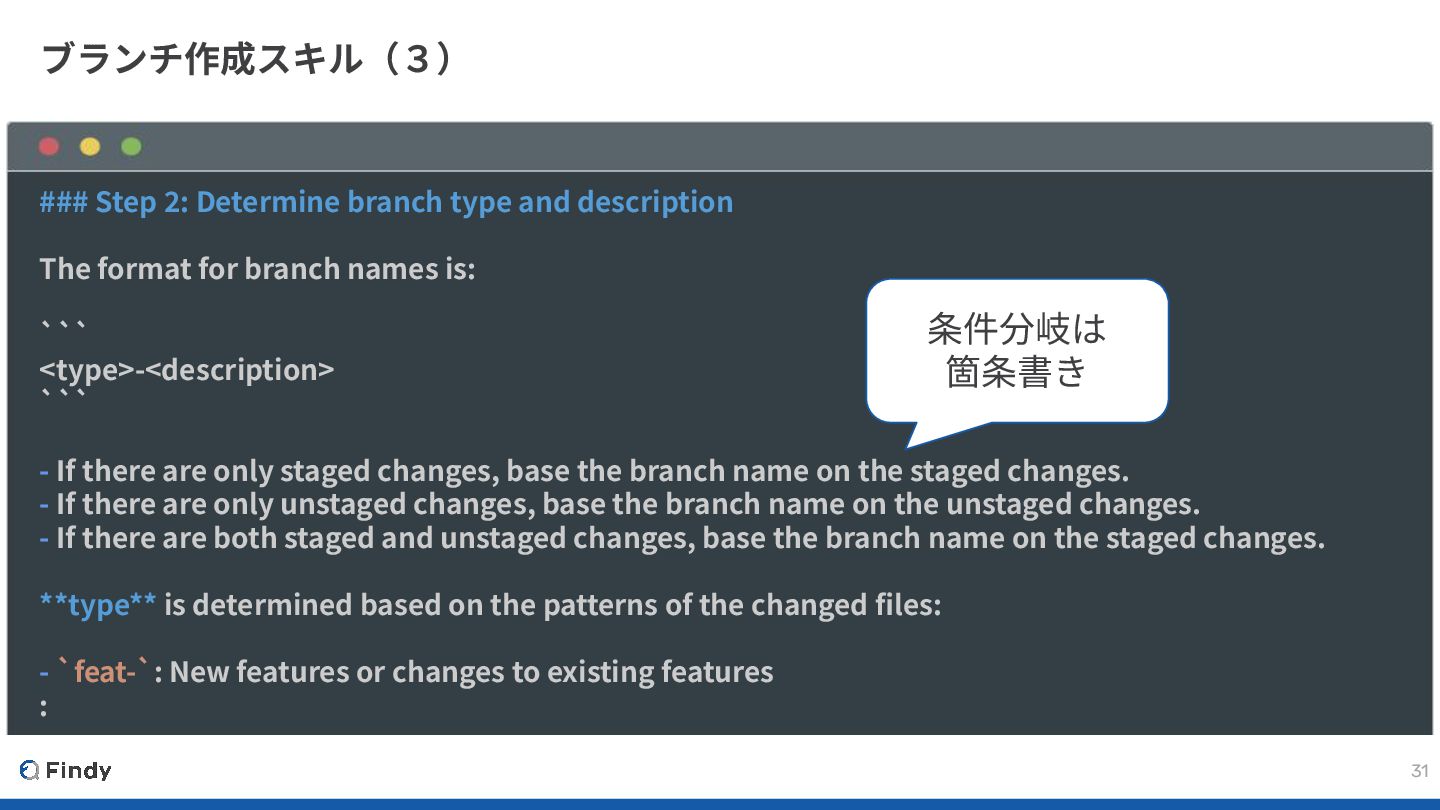
  15. 31 ブランチ作成スキル(3) ### Step 2: Determine branch type and description

    The format for branch names is: ``` <type>-<description> ``` - If there are only staged changes, base the branch name on the staged changes. - If there are only unstaged changes, base the branch name on the unstaged changes. - If there are both staged and unstaged changes, base the branch name on the staged changes. **type** is determined based on the patterns of the changed files: - `feat-`: New features or changes to existing features : 条件分岐は 箇条書き
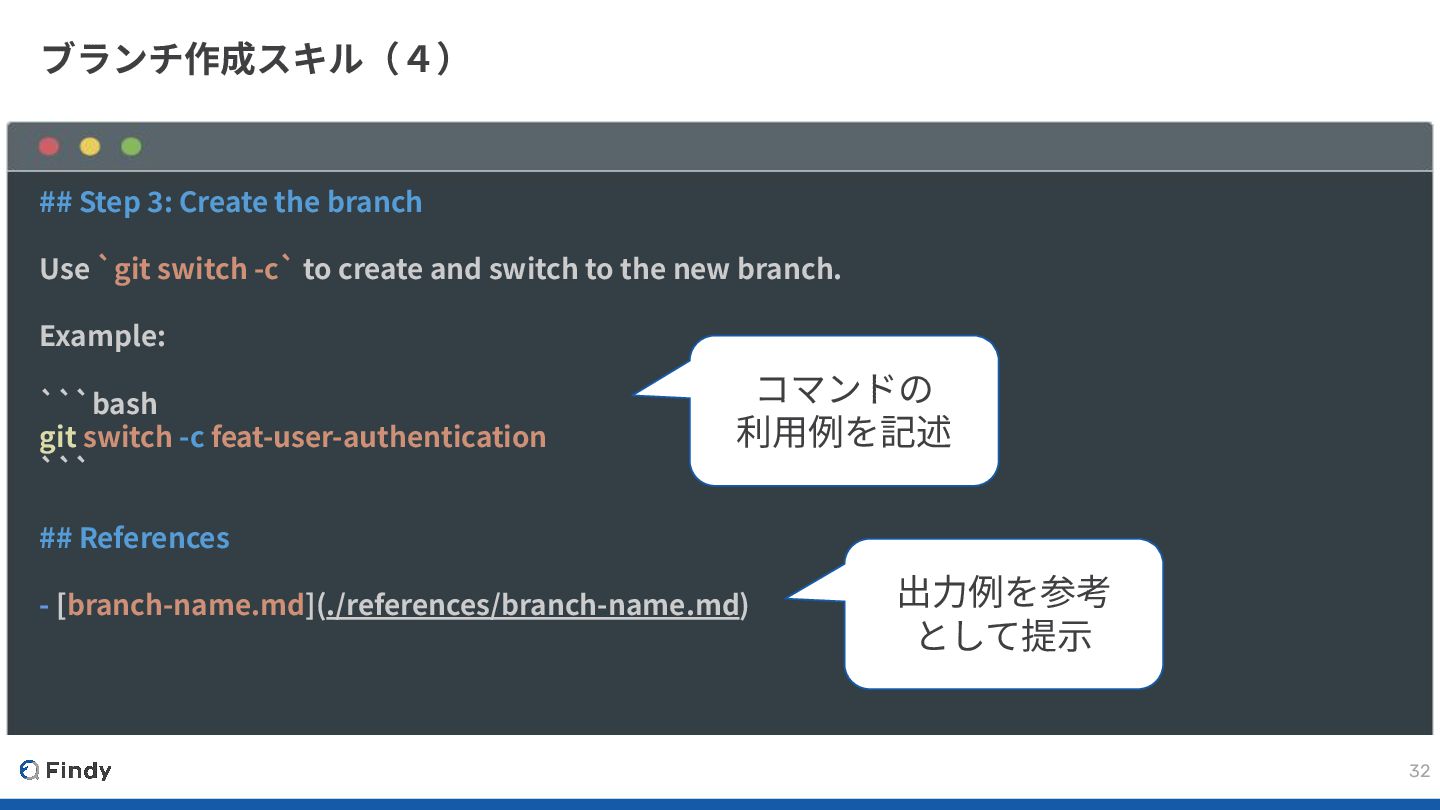
  16. 32 ブランチ作成スキル(4) ## Step 3: Create the branch Use `git

    switch -c` to create and switch to the new branch. Example: ```bash git switch -c feat-user-authentication ``` ## References - [branch-name.md](./references/branch-name.md) コマンドの 利⽤例を記述 出⼒例を参考 として提⽰
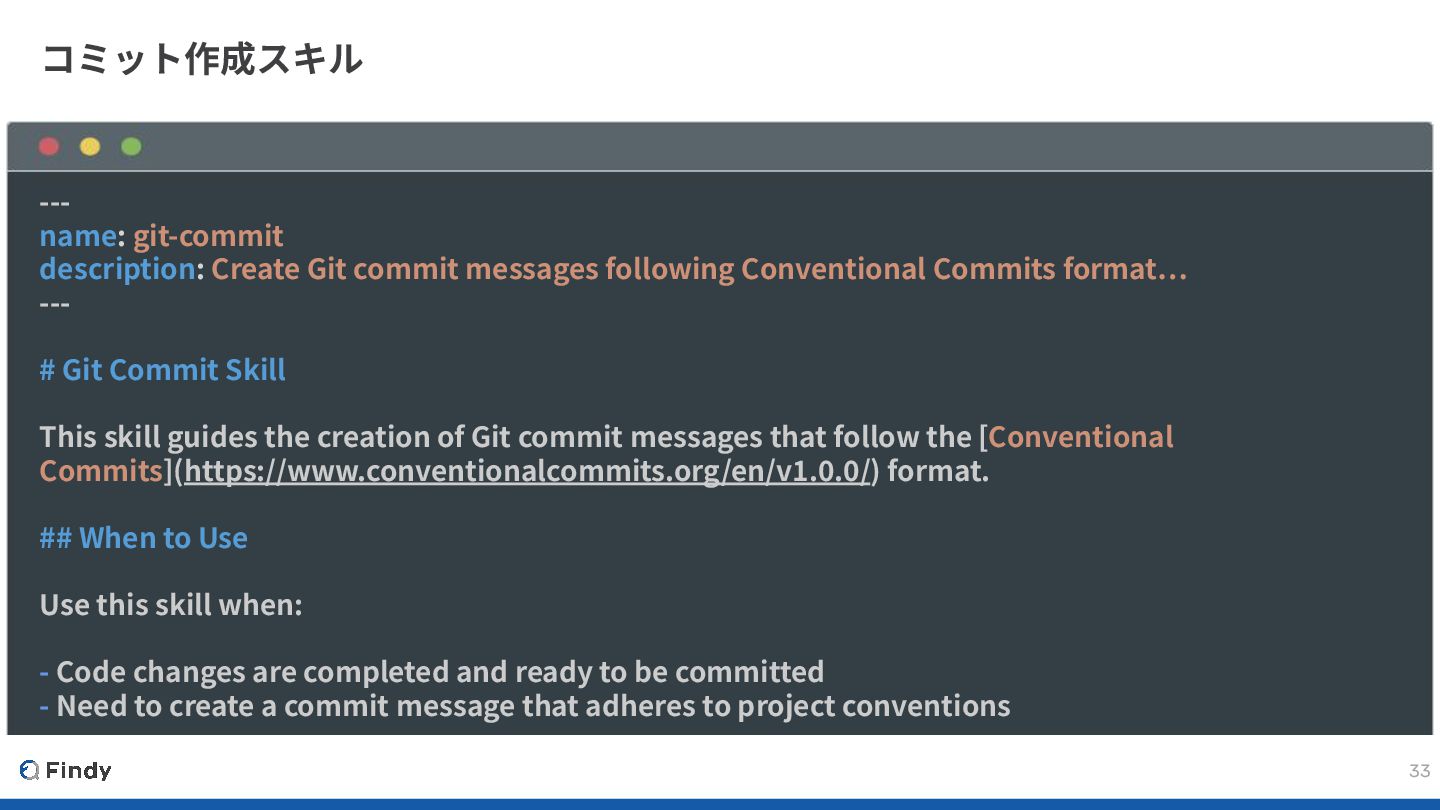
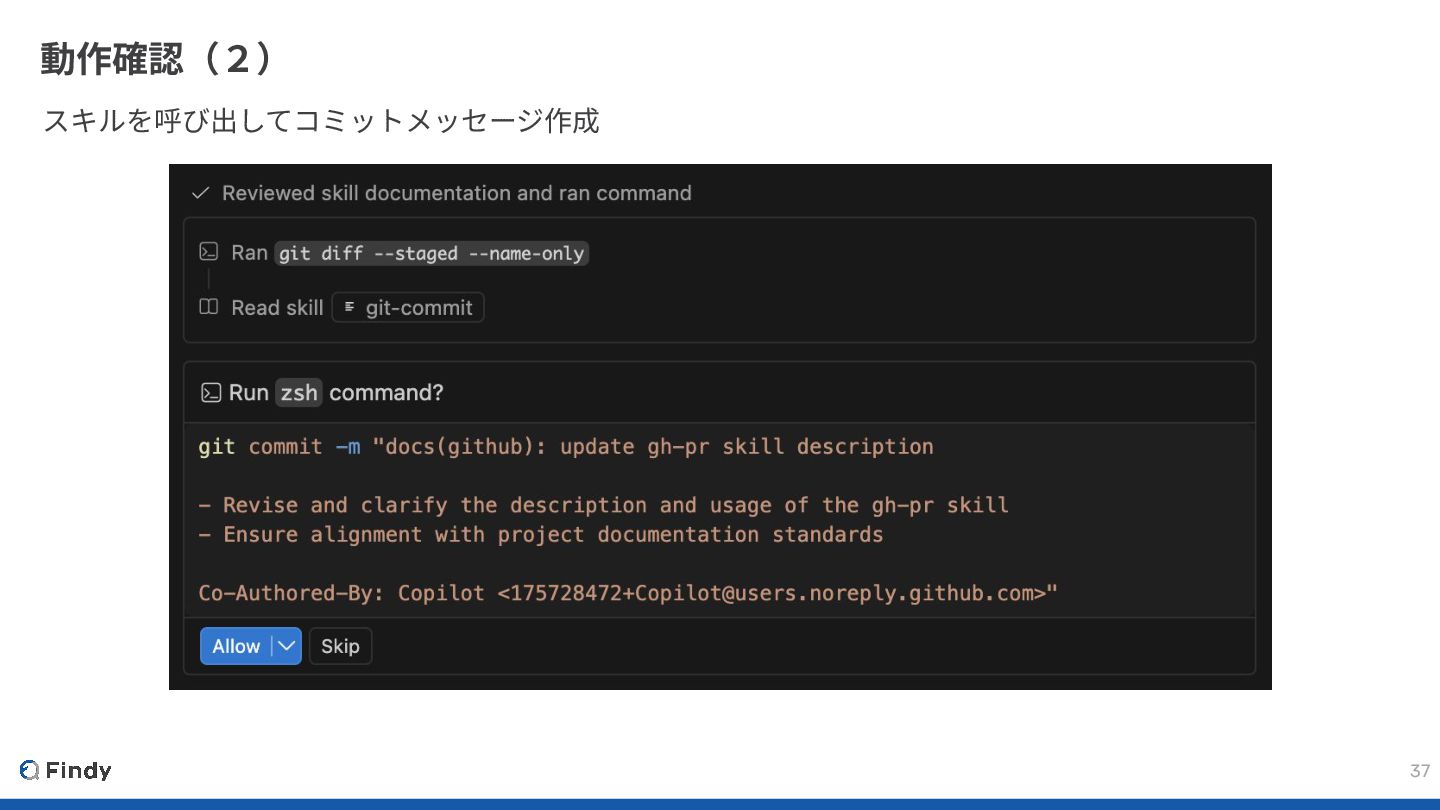
  17. 33 コミット作成スキル --- name: git-commit description: Create Git commit messages

    following Conventional Commits format… --- # Git Commit Skill This skill guides the creation of Git commit messages that follow the [Conventional Commits](https://www.conventionalcommits.org/en/v1.0.0/) format. ## When to Use Use this skill when: - Code changes are completed and ready to be committed - Need to create a commit message that adheres to project conventions
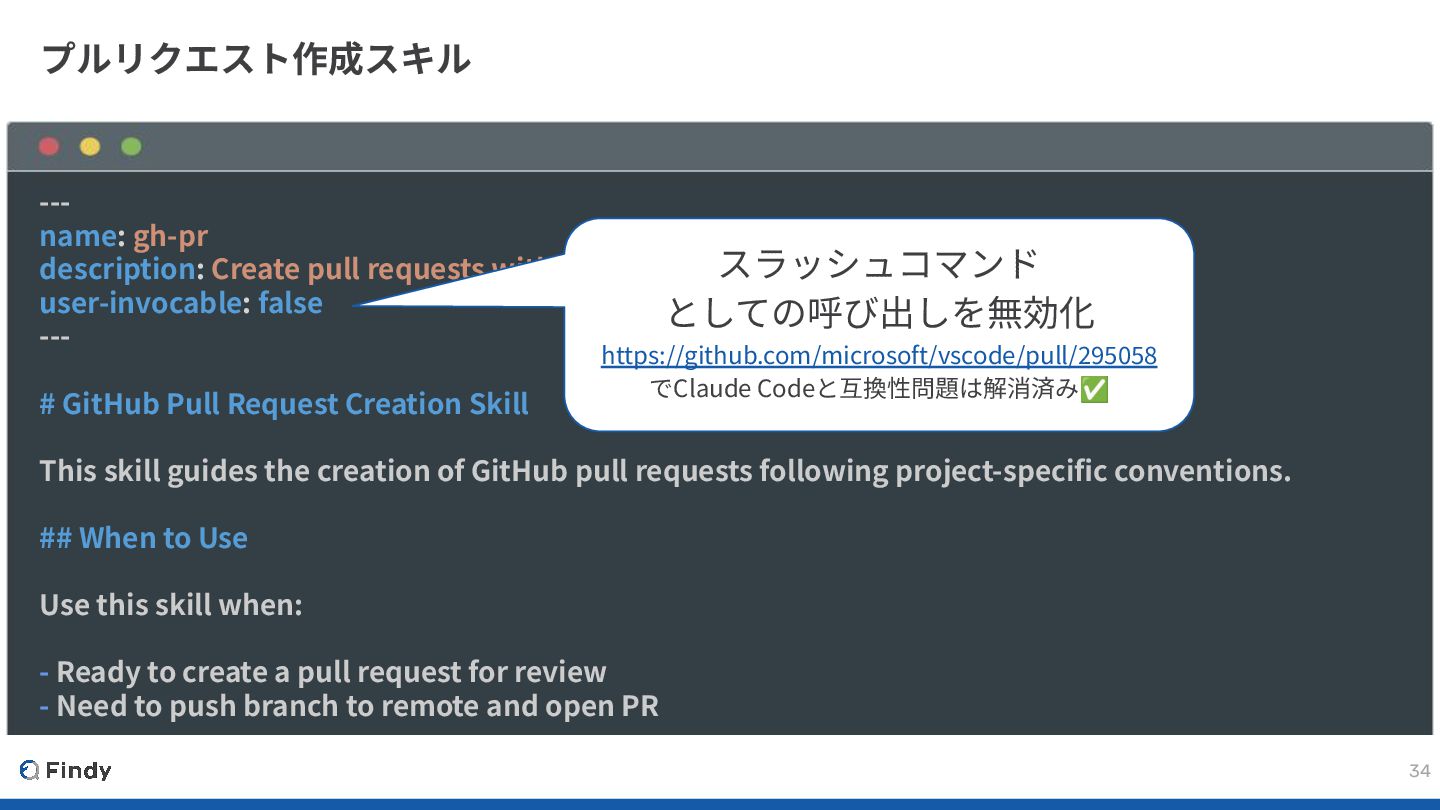
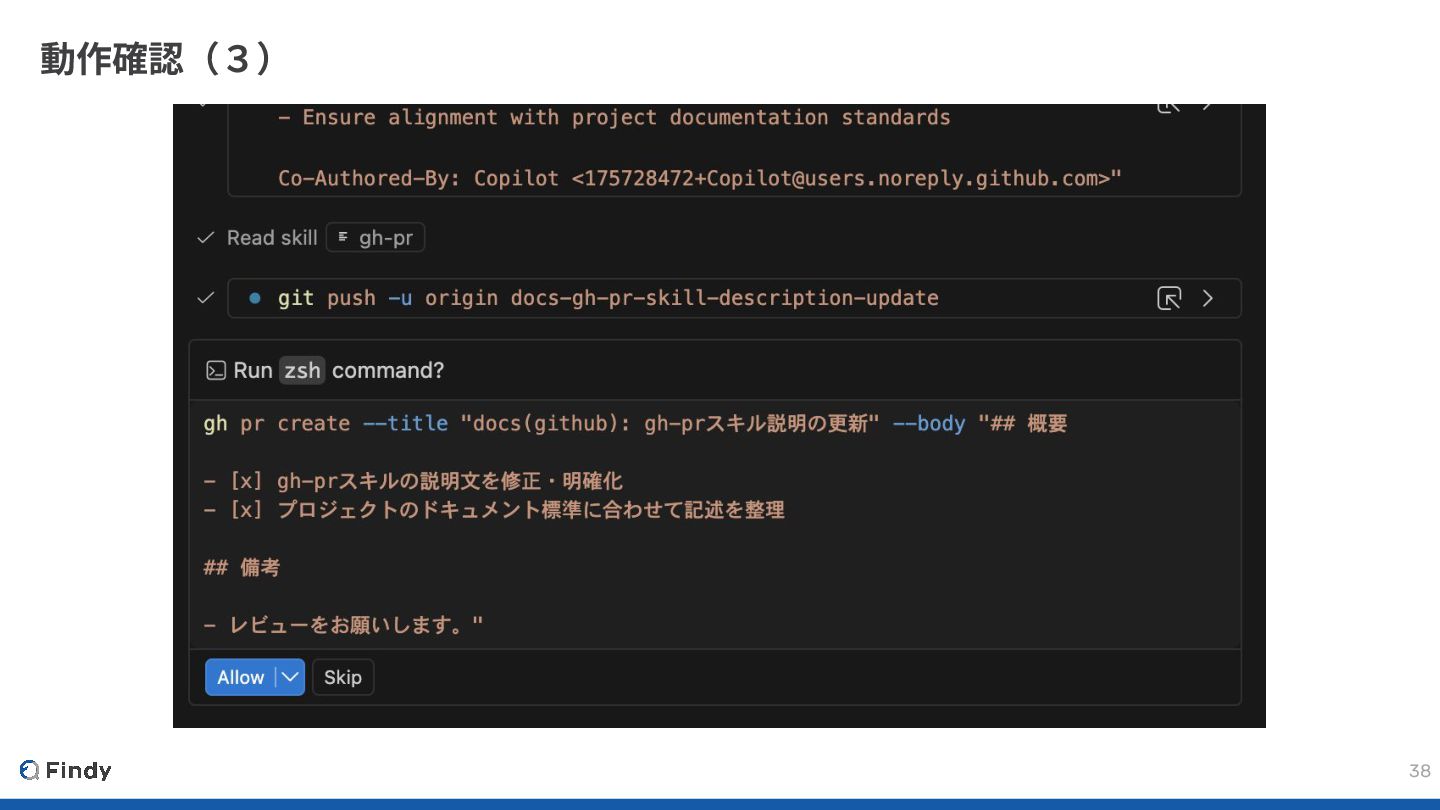
  18. 34 プルリクエスト作成スキル --- name: gh-pr description: Create pull requests with

    proper title format… user-invocable: false --- # GitHub Pull Request Creation Skill This skill guides the creation of GitHub pull requests following project-specific conventions. ## When to Use Use this skill when: - Ready to create a pull request for review - Need to push branch to remote and open PR スラッシュコマンド としての呼び出しを無効化 https://github.com/microsoft/vscode/pull/295058 でClaude Codeと互換性問題は解消済み✅
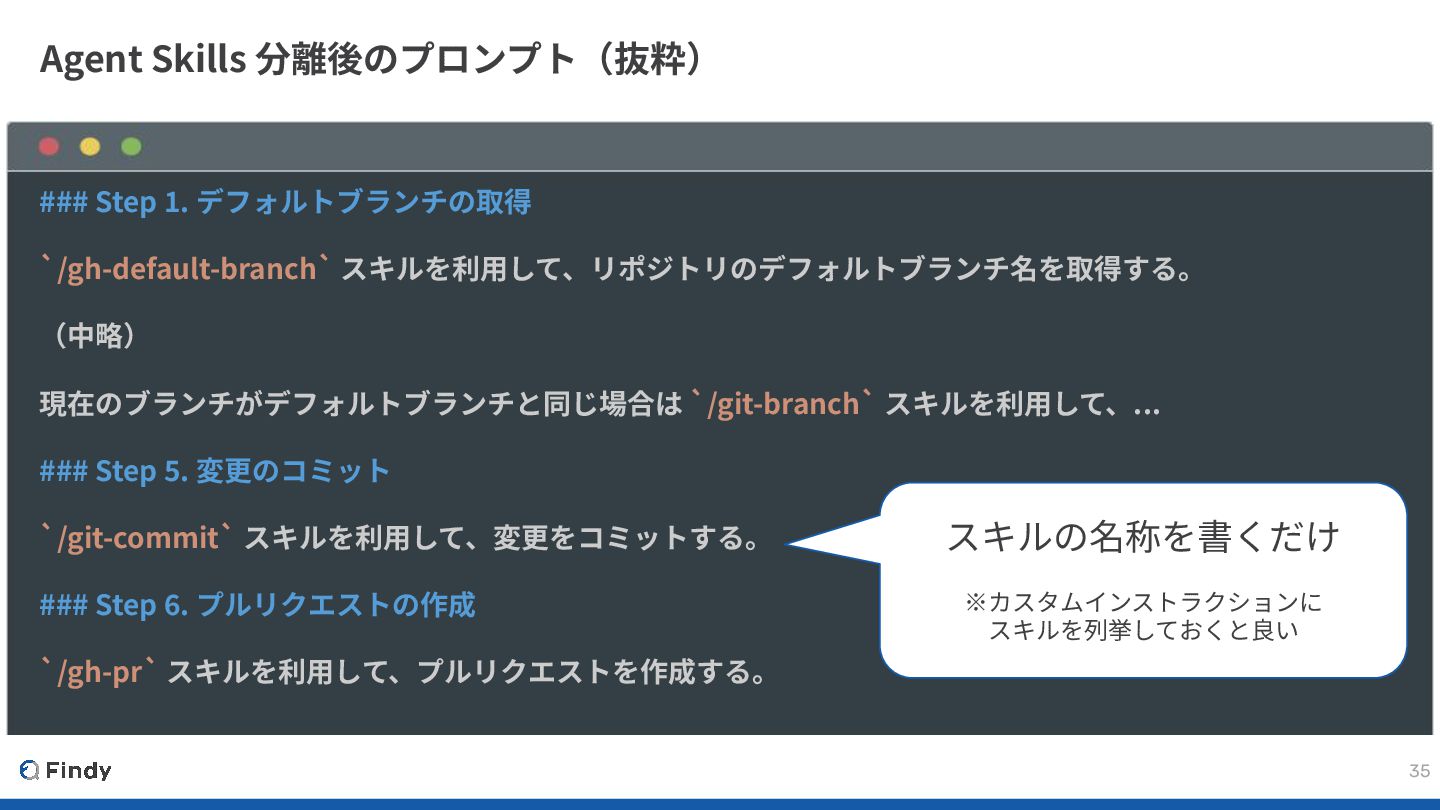
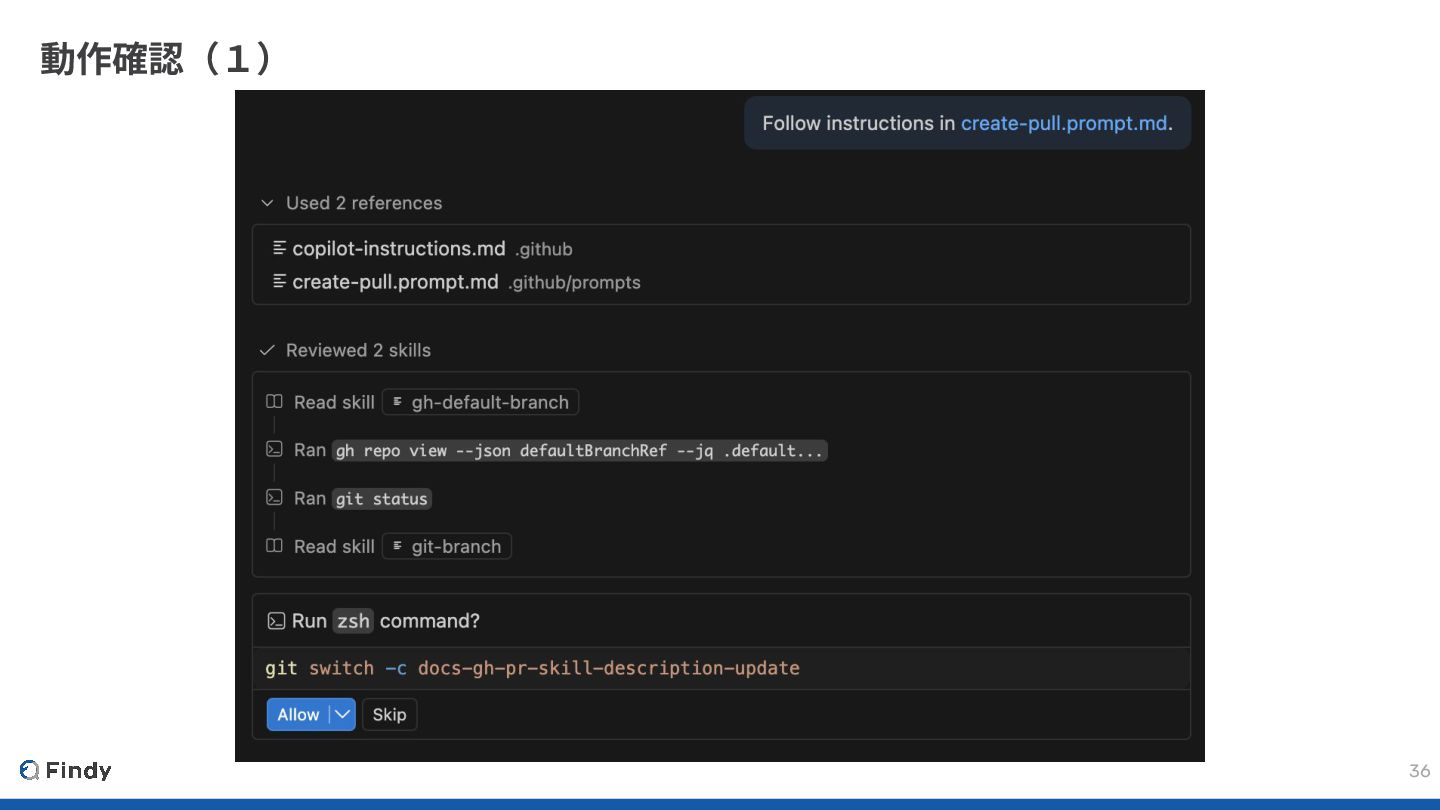
  19. 35 Agent Skills 分離後のプロンプト(抜粋) ### Step 1. デフォルトブランチの取得 `/gh-default-branch` スキルを利⽤して、リポジトリのデフォルトブランチ名を取得する。

    (中略) 現在のブランチがデフォルトブランチと同じ場合は `/git-branch` スキルを利⽤して、... ### Step 5. 変更のコミット `/git-commit` スキルを利⽤して、変更をコミットする。 ### Step 6. プルリクエストの作成 `/gh-pr` スキルを利⽤して、プルリクエストを作成する。 スキルの名称を書くだけ ※カスタムインストラクションに スキルを列挙しておくと良い
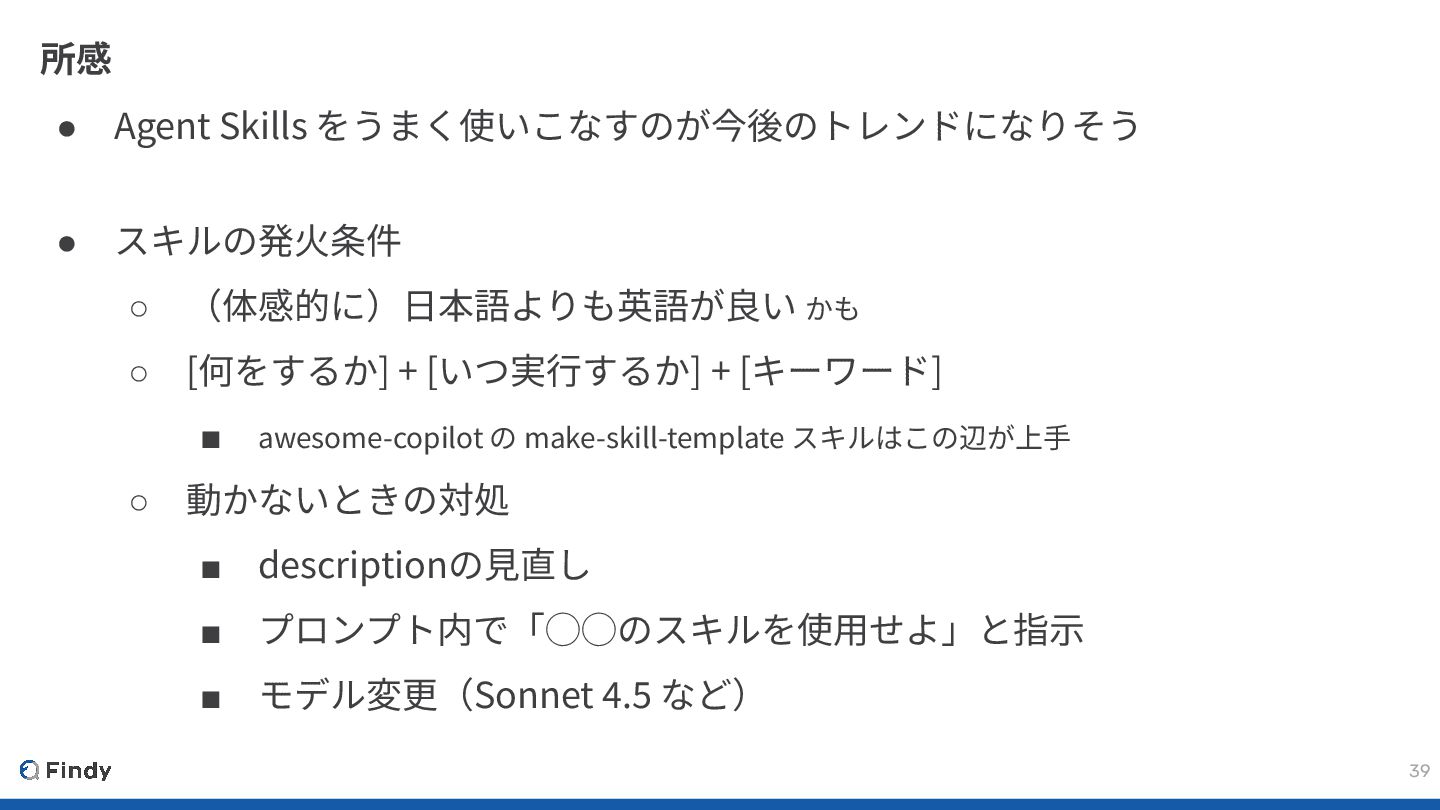
  20. 39 所感 • Agent Skills をうまく使いこなすのが今後のトレンドになりそう • スキルの発⽕条件 ◦ (体感的に)⽇本語よりも英語が良い

    かも ◦ [何をするか] + [いつ実⾏するか] + [キーワード] ▪ awesome-copilot の make-skill-template スキルはこの辺が上⼿ ◦ 動かないときの対処 ▪ descriptionの⾒直し ▪ プロンプト内で「◯◯のスキルを使⽤せよ」と指⽰ ▪ モデル変更(Sonnet 4.5 など)
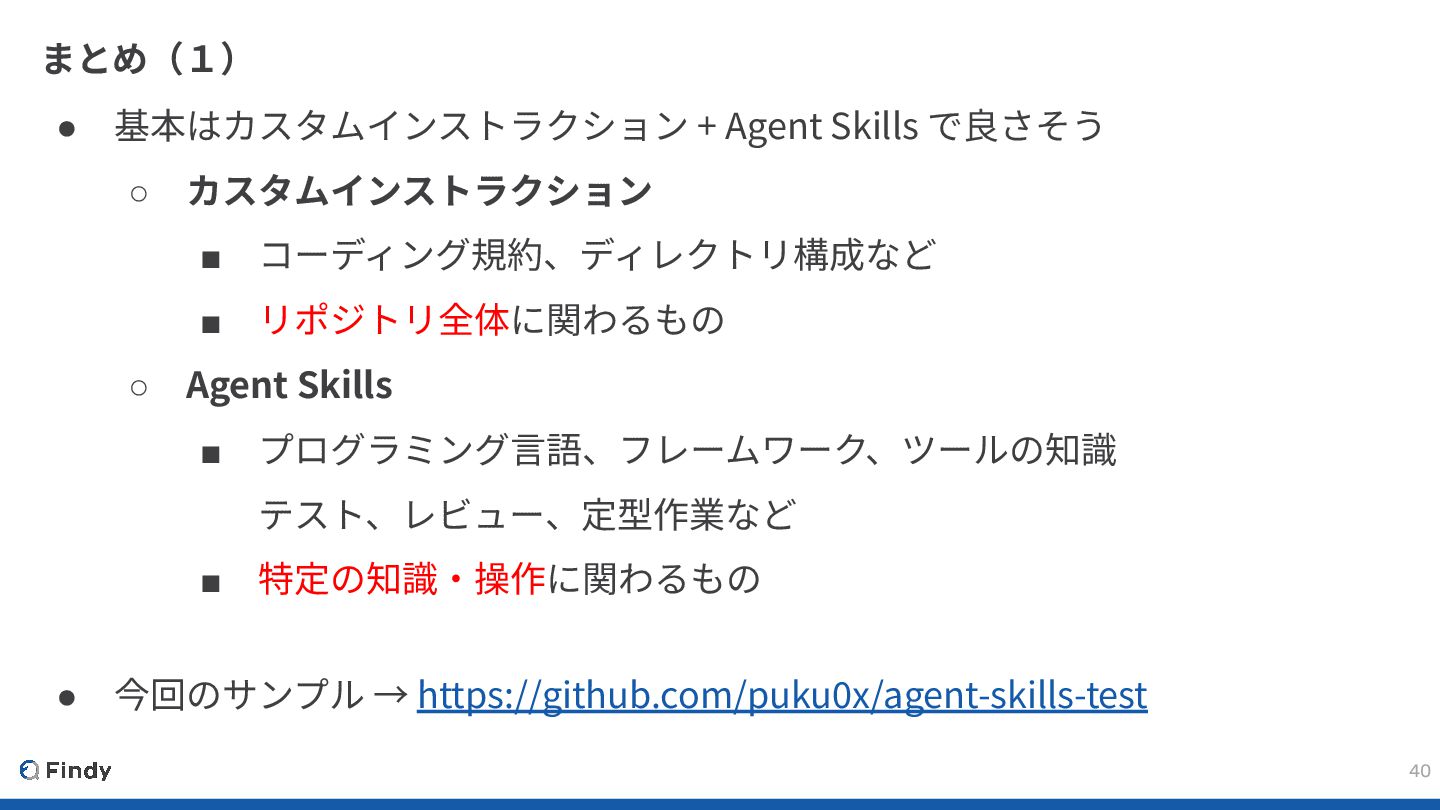
  21. 40 まとめ(1) • 基本はカスタムインストラクション + Agent Skills で良さそう ◦ カスタムインストラクション

    ▪ コーディング規約、ディレクトリ構成など ▪ リポジトリ全体に関わるもの ◦ Agent Skills ▪ プログラミング⾔語、フレームワーク、ツールの知識 テスト、レビュー、定型作業など ▪ 特定の知識‧操作に関わるもの • 今回のサンプル → https://github.com/puku0x/agent-skills-test
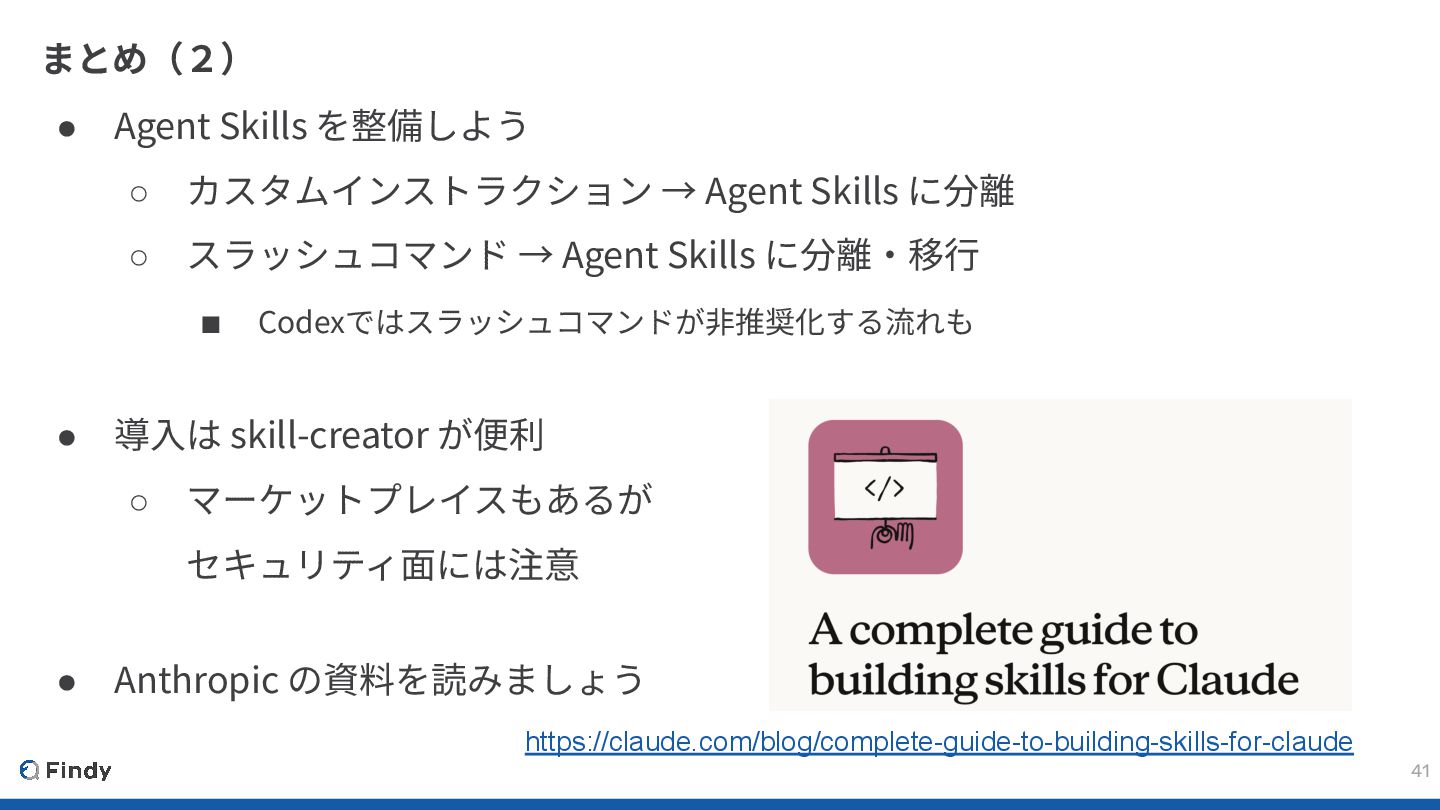
  22. 41 まとめ(2) • Agent Skills を整備しよう ◦ カスタムインストラクション → Agent
    Skills に分離 ◦ スラッシュコマンド → Agent Skills に分離‧移⾏ ▪ Codexではスラッシュコマンドが⾮推奨化する流れも • 導⼊は skill-creator が便利 ◦ マーケットプレイスもあるが セキュリティ⾯には注意 • Anthropic の資料を読みましょう https://claude.com/blog/complete-guide-to-building-skills-for-claude