Upgrade to Pro — share decks privately, control downloads, hide ads and more …

weather charts and patterns

Sponsored · Your Podcast. Everywhere. Effortlessly. Share. Educate. Inspire. Entertain. You do you. We'll handle the rest.
Avatar for rachel rachel
November 17, 2018

weather charts and patterns

4th grade- earth science

Avatar for rachel

rachel

November 17, 2018
Tweet

Other Decks in Education

Transcript

  1. Weather charts and patterns 4th grade- earth science TDPA 1.

    2. TDPA- technology demonstration presentation assignment 1-16
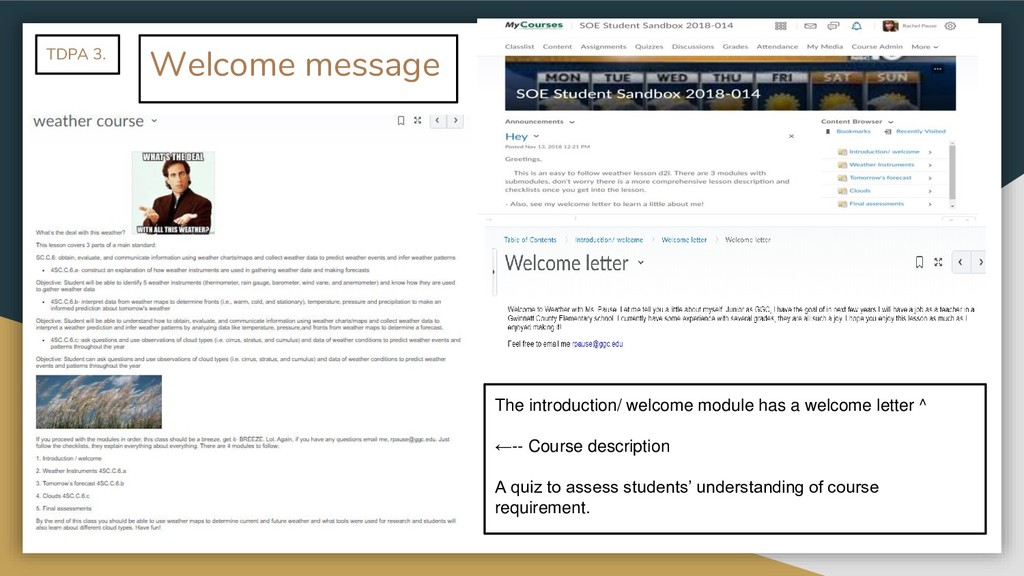
  2. Welcome message The introduction/ welcome module has a welcome letter

    ^ ←-- Course description A quiz to assess students’ understanding of course requirement. TDPA 3.
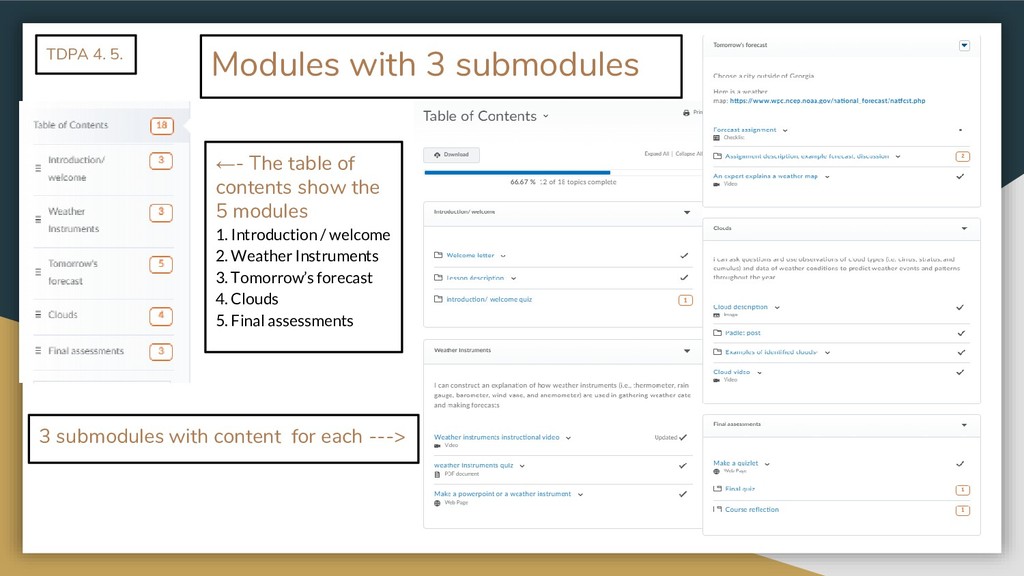
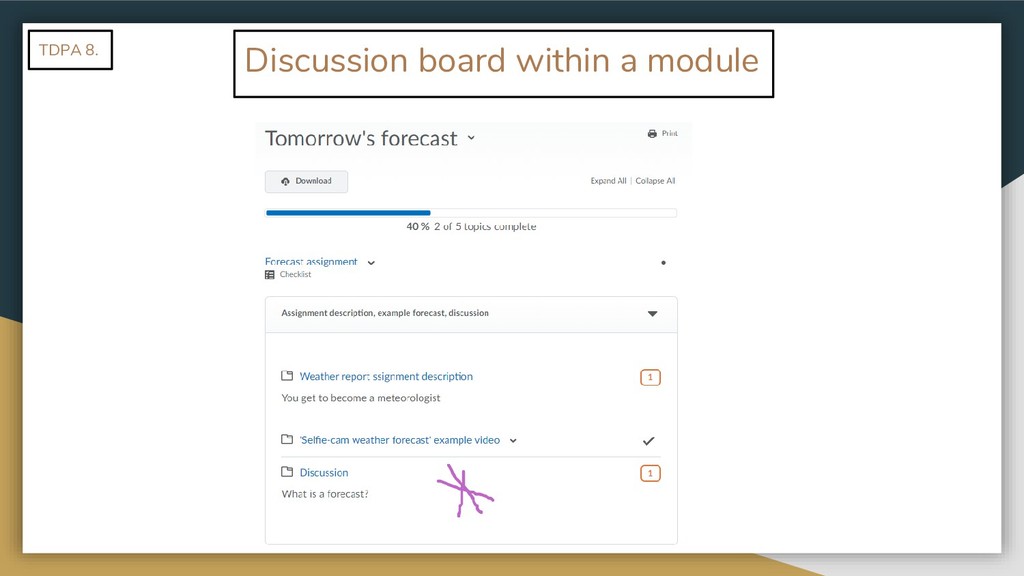
  3. Modules with 3 submodules TDPA 4. 5. 3 submodules with

    content for each ---> ←- The table of contents show the 5 modules 1. Introduction / welcome 2. Weather Instruments 3. Tomorrow’s forecast 4. Clouds 5. Final assessments
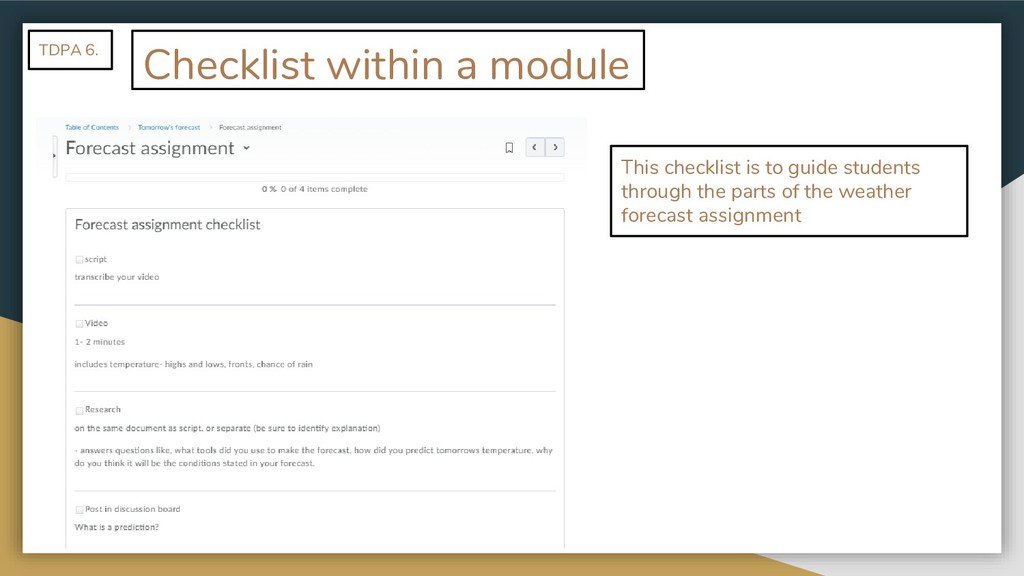
  4. Checklist within a module TDPA 6. This checklist is to

    guide students through the parts of the weather forecast assignment
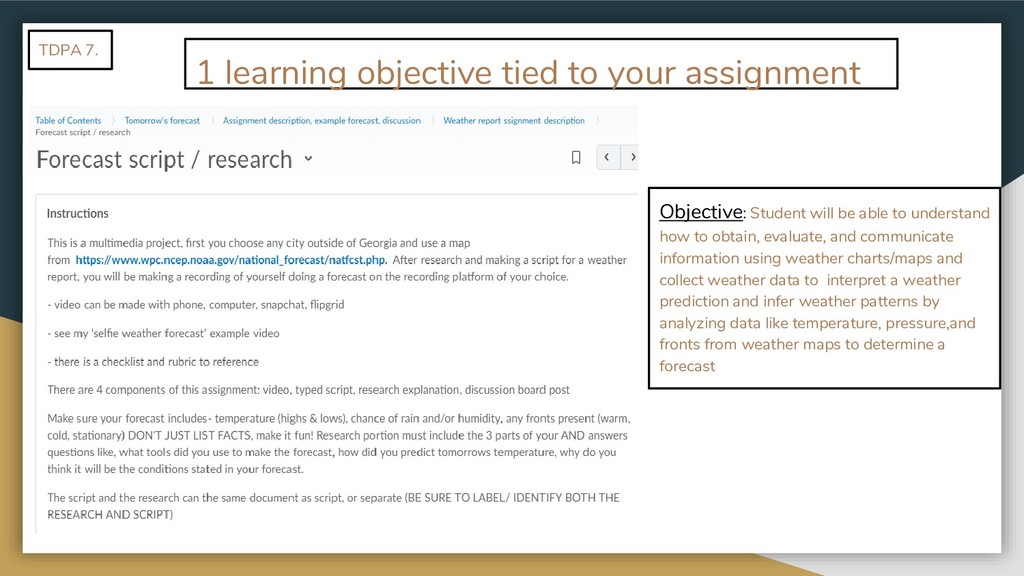
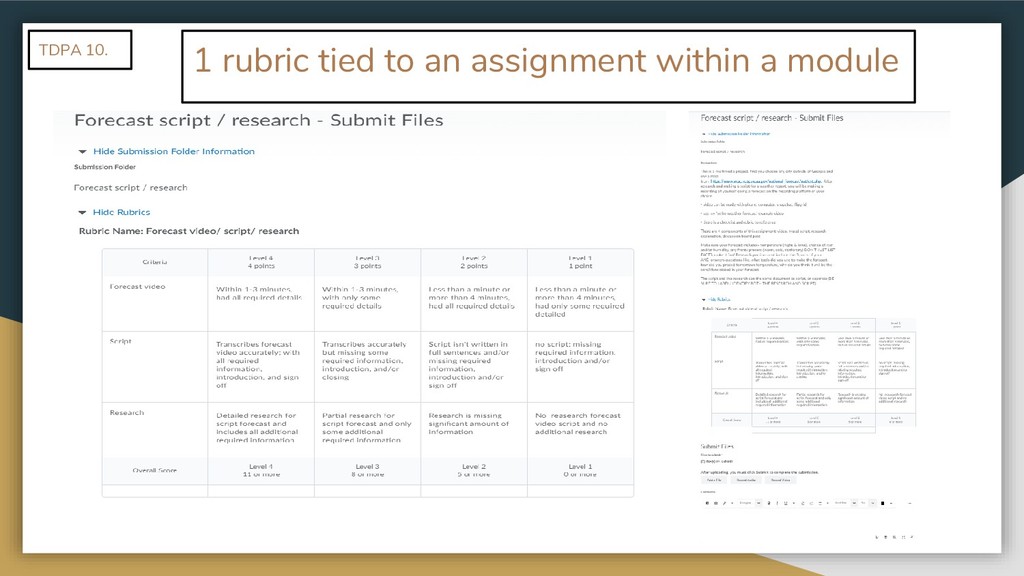
  5. 1 learning objective tied to your assignment Objective: Student will

    be able to understand how to obtain, evaluate, and communicate information using weather charts/maps and collect weather data to interpret a weather prediction and infer weather patterns by analyzing data like temperature, pressure,and fronts from weather maps to determine a forecast TDPA 7.
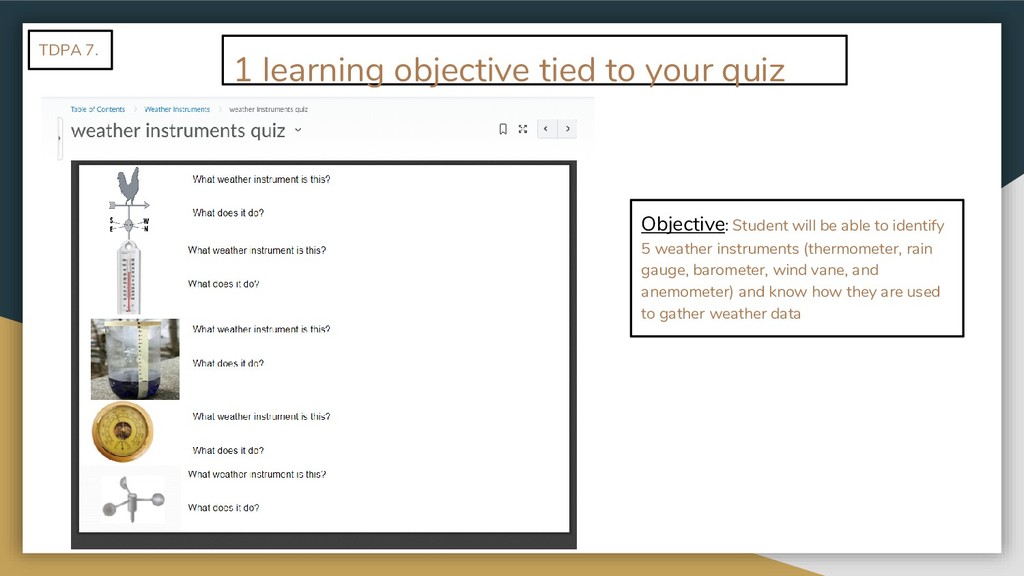
  6. Objective: Student will be able to identify 5 weather instruments

    (thermometer, rain gauge, barometer, wind vane, and anemometer) and know how they are used to gather weather data TDPA 7. 1 learning objective tied to your quiz
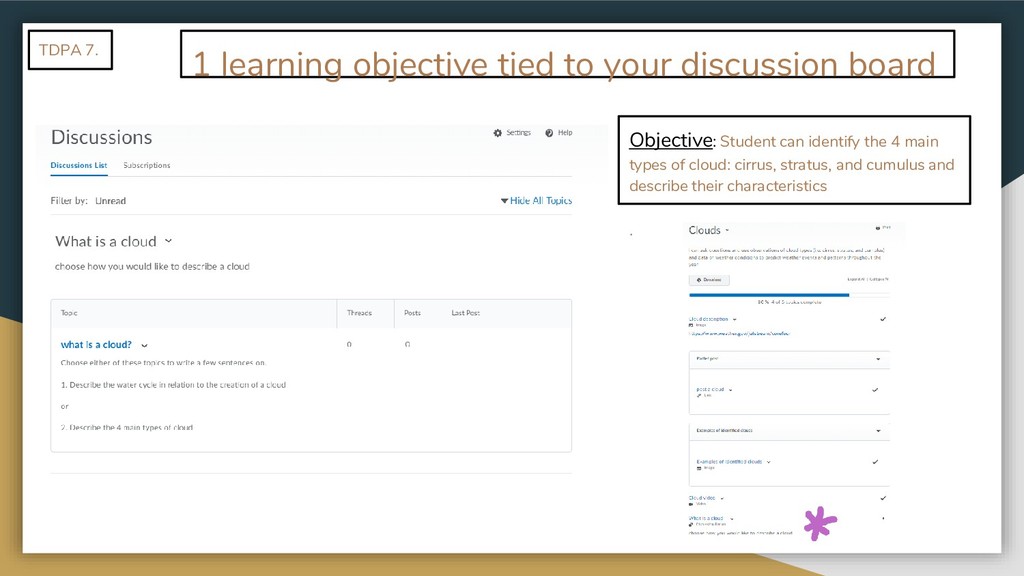
  7. Objective: Student can identify the 4 main types of cloud:

    cirrus, stratus, and cumulus and describe their characteristics . TDPA 7. 1 learning objective tied to your discussion board
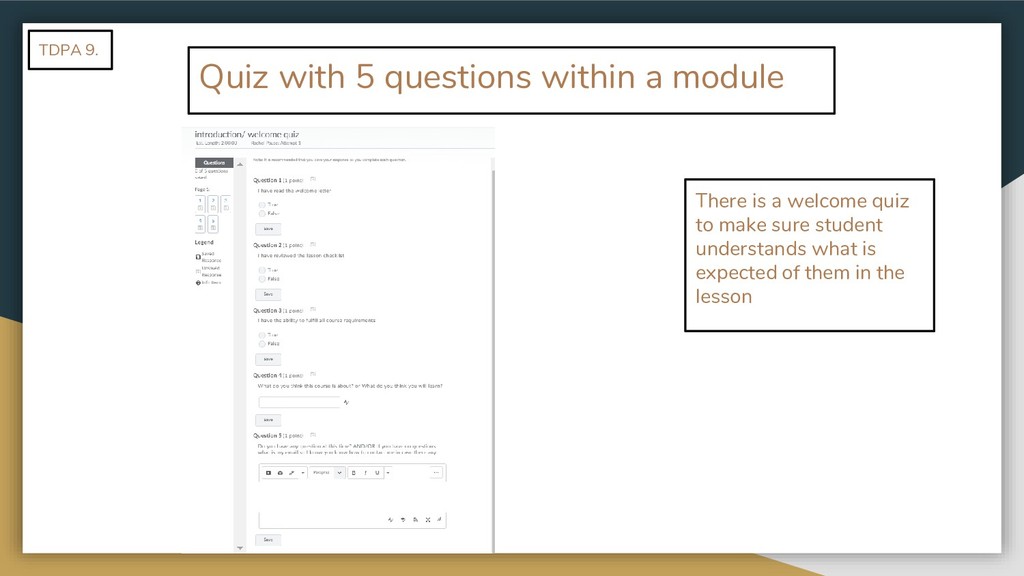
  8. Quiz with 5 questions within a module TDPA 9. There

    is a welcome quiz to make sure student understands what is expected of them in the lesson
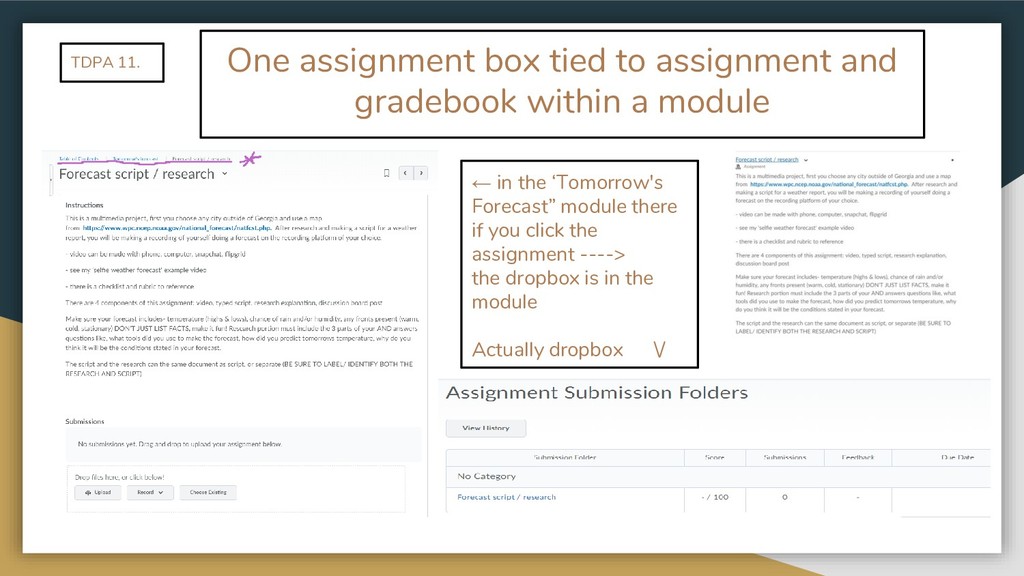
  9. One assignment box tied to assignment and gradebook within a

    module TDPA 11. ← in the ‘Tomorrow's Forecast” module there if you click the assignment ----> the dropbox is in the module Actually dropbox \/
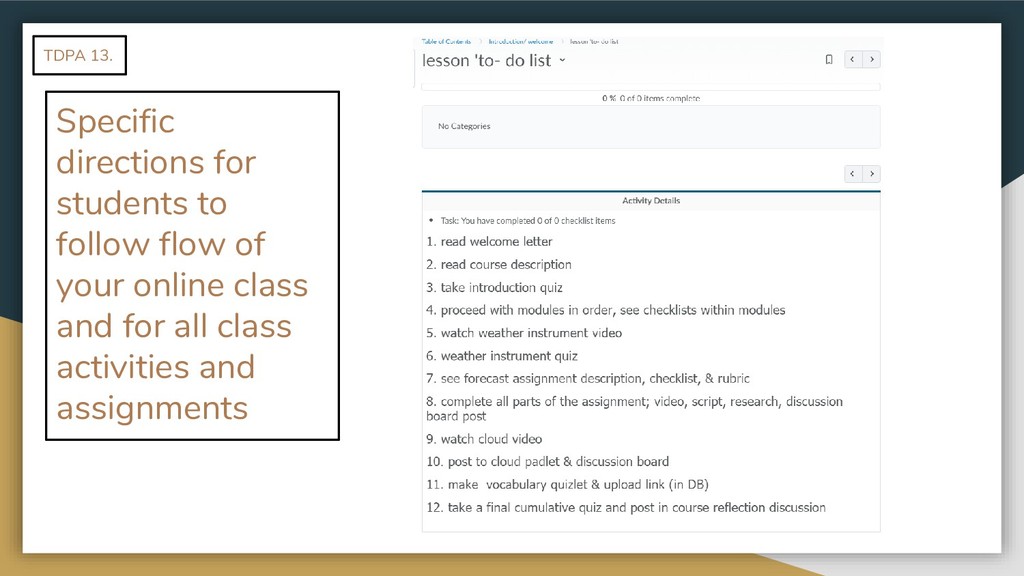
  10. Specific directions for students to follow flow of your online

    class and for all class activities and assignments TDPA 13.
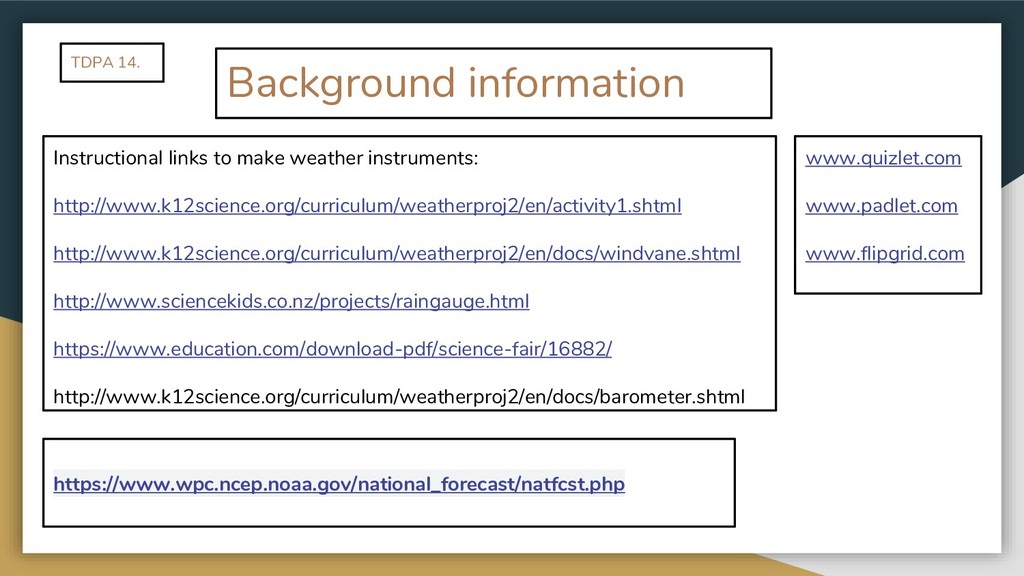
  11. Background information Instructional links to make weather instruments: http://www.k12science.org/curriculum/weatherproj2/en/activity1.shtml http://www.k12science.org/curriculum/weatherproj2/en/docs/windvane.shtml

    http://www.sciencekids.co.nz/projects/raingauge.html https://www.education.com/download-pdf/science-fair/16882/ http://www.k12science.org/curriculum/weatherproj2/en/docs/barometer.shtml www.quizlet.com www.padlet.com www.flipgrid.com https://www.wpc.ncep.noaa.gov/national_forecast/natfcst.php TDPA 14.
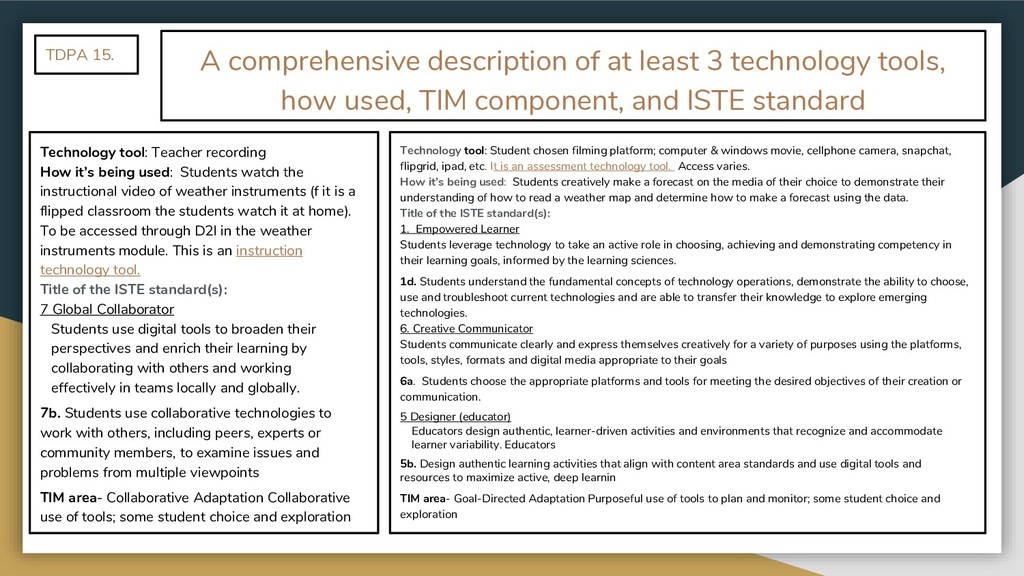
  12. A comprehensive description of at least 3 technology tools, how

    used, TIM component, and ISTE standard Technology tool: Teacher recording How it’s being used: Students watch the instructional video of weather instruments (f it is a flipped classroom the students watch it at home). To be accessed through D2l in the weather instruments module. This is an instruction technology tool. Title of the ISTE standard(s): 7 Global Collaborator Students use digital tools to broaden their perspectives and enrich their learning by collaborating with others and working effectively in teams locally and globally. 7b. Students use collaborative technologies to work with others, including peers, experts or community members, to examine issues and problems from multiple viewpoints TIM area- Collaborative Adaptation Collaborative use of tools; some student choice and exploration TDPA 15. Technology tool: Student chosen filming platform; computer & windows movie, cellphone camera, snapchat, flipgrid, ipad, etc. It is an assessment technology tool. Access varies. How it’s being used: Students creatively make a forecast on the media of their choice to demonstrate their understanding of how to read a weather map and determine how to make a forecast using the data. Title of the ISTE standard(s): 1. Empowered Learner Students leverage technology to take an active role in choosing, achieving and demonstrating competency in their learning goals, informed by the learning sciences. 1d. Students understand the fundamental concepts of technology operations, demonstrate the ability to choose, use and troubleshoot current technologies and are able to transfer their knowledge to explore emerging technologies. 6. Creative Communicator Students communicate clearly and express themselves creatively for a variety of purposes using the platforms, tools, styles, formats and digital media appropriate to their goals 6a. Students choose the appropriate platforms and tools for meeting the desired objectives of their creation or communication. 5 Designer (educator) Educators design authentic, learner-driven activities and environments that recognize and accommodate learner variability. Educators 5b. Design authentic learning activities that align with content area standards and use digital tools and resources to maximize active, deep learnin TIM area- Goal-Directed Adaptation Purposeful use of tools to plan and monitor; some student choice and exploration
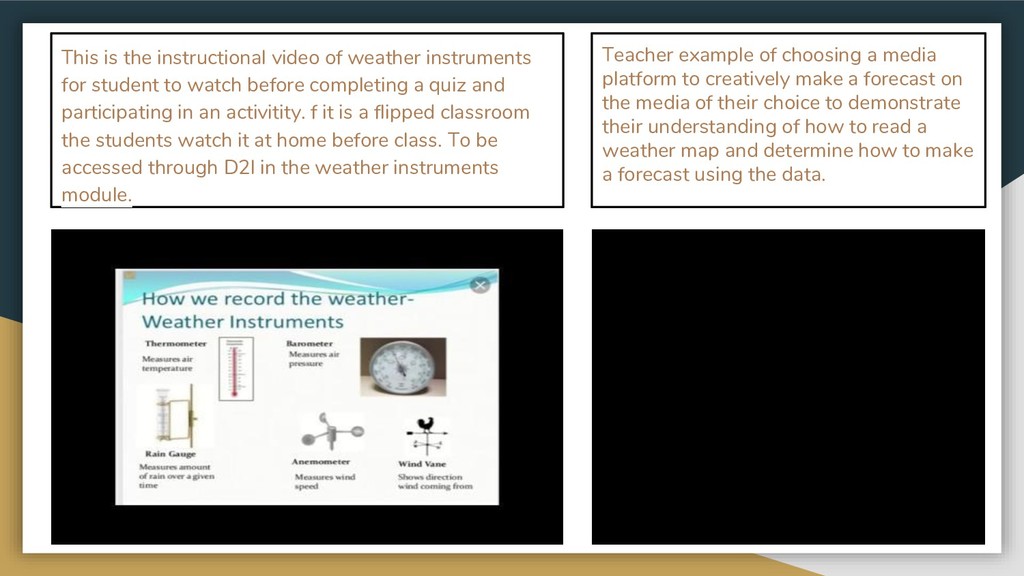
  13. Teacher example of choosing a media platform to creatively make

    a forecast on the media of their choice to demonstrate their understanding of how to read a weather map and determine how to make a forecast using the data. This is the instructional video of weather instruments for student to watch before completing a quiz and participating in an activitity. f it is a flipped classroom the students watch it at home before class. To be accessed through D2l in the weather instruments module.
  14. A comprehensive description of at least 3 technology tools, how

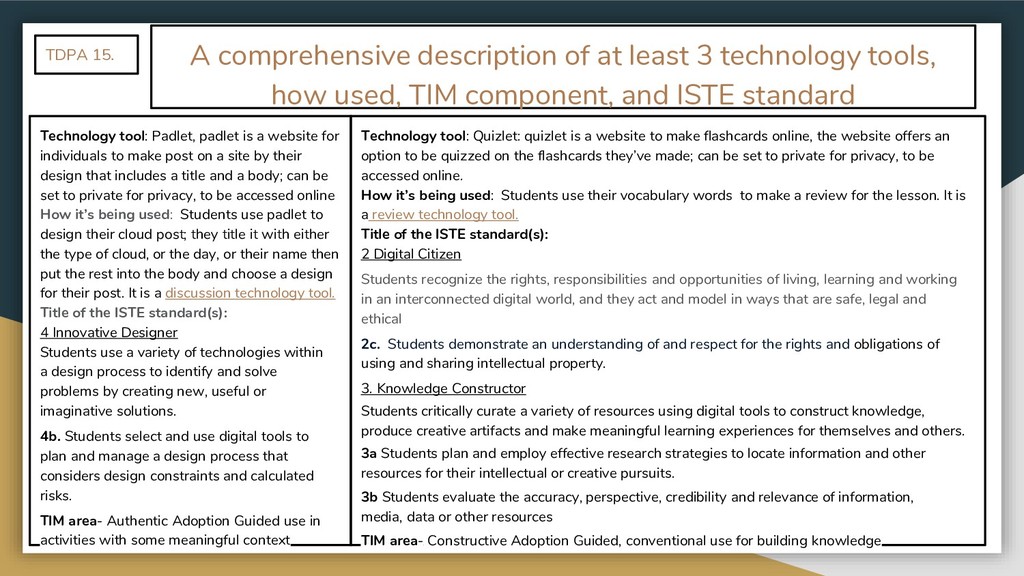
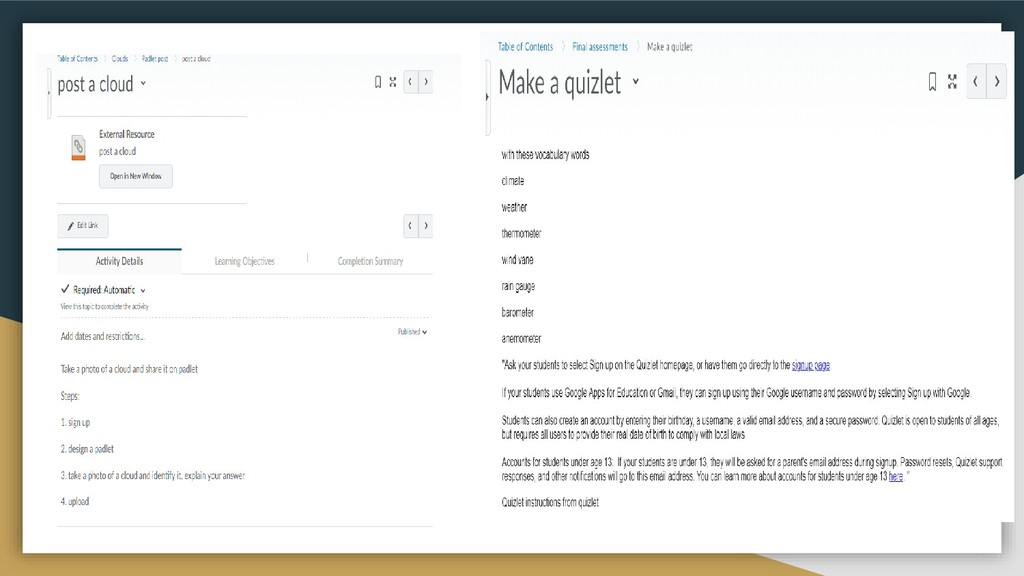
    used, TIM component, and ISTE standard Technology tool: Padlet, padlet is a website for individuals to make post on a site by their design that includes a title and a body; can be set to private for privacy, to be accessed online How it’s being used: Students use padlet to design their cloud post; they title it with either the type of cloud, or the day, or their name then put the rest into the body and choose a design for their post. It is a discussion technology tool. Title of the ISTE standard(s): 4 Innovative Designer Students use a variety of technologies within a design process to identify and solve problems by creating new, useful or imaginative solutions. 4b. Students select and use digital tools to plan and manage a design process that considers design constraints and calculated risks. TIM area- Authentic Adoption Guided use in activities with some meaningful context TDPA 15. Technology tool: Quizlet: quizlet is a website to make flashcards online, the website offers an option to be quizzed on the flashcards they’ve made; can be set to private for privacy, to be accessed online. How it’s being used: Students use their vocabulary words to make a review for the lesson. It is a review technology tool. Title of the ISTE standard(s): 2 Digital Citizen Students recognize the rights, responsibilities and opportunities of living, learning and working in an interconnected digital world, and they act and model in ways that are safe, legal and ethical 2c. Students demonstrate an understanding of and respect for the rights and obligations of using and sharing intellectual property. 3. Knowledge Constructor Students critically curate a variety of resources using digital tools to construct knowledge, produce creative artifacts and make meaningful learning experiences for themselves and others. 3a Students plan and employ effective research strategies to locate information and other resources for their intellectual or creative pursuits. 3b Students evaluate the accuracy, perspective, credibility and relevance of information, media, data or other resources TIM area- Constructive Adoption Guided, conventional use for building knowledge
  15. How I would use my D2l for flipped classroom &

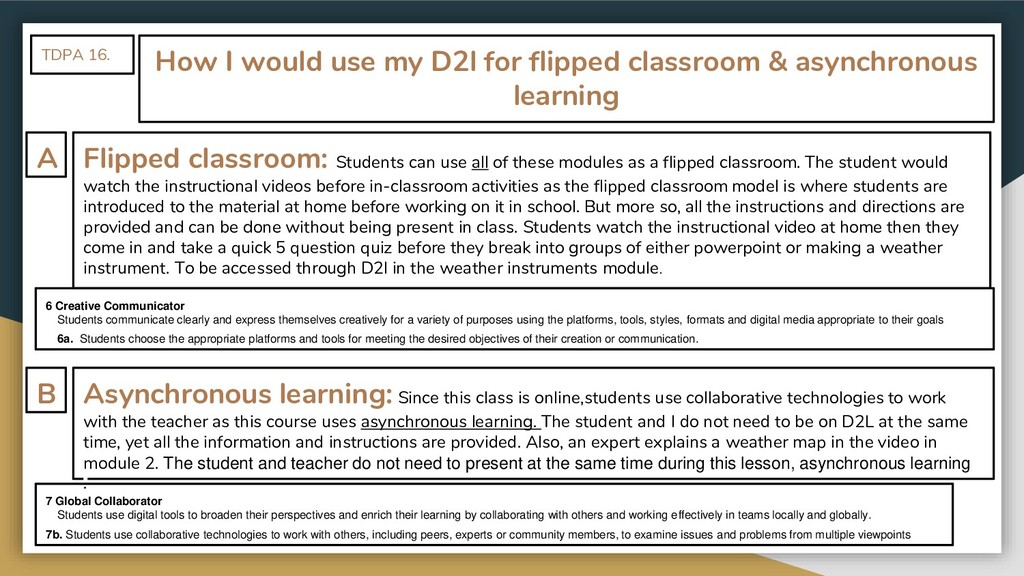
    asynchronous learning Flipped classroom: Students can use all of these modules as a flipped classroom. The student would watch the instructional videos before in-classroom activities as the flipped classroom model is where students are introduced to the material at home before working on it in school. But more so, all the instructions and directions are provided and can be done without being present in class. Students watch the instructional video at home then they come in and take a quick 5 question quiz before they break into groups of either powerpoint or making a weather instrument. To be accessed through D2l in the weather instruments module. TDPA 16. Asynchronous learning: Since this class is online,students use collaborative technologies to work with the teacher as this course uses asynchronous learning. The student and I do not need to be on D2L at the same time, yet all the information and instructions are provided. Also, an expert explains a weather map in the video in module 2. The student and teacher do not need to present at the same time during this lesson, asynchronous learning . A B 6 Creative Communicator Students communicate clearly and express themselves creatively for a variety of purposes using the platforms, tools, styles, formats and digital media appropriate to their goals 6a. Students choose the appropriate platforms and tools for meeting the desired objectives of their creation or communication. 7 Global Collaborator Students use digital tools to broaden their perspectives and enrich their learning by collaborating with others and working effectively in teams locally and globally. 7b. Students use collaborative technologies to work with others, including peers, experts or community members, to examine issues and problems from multiple viewpoints
  16. How I would use my D2l for flipped classroom &

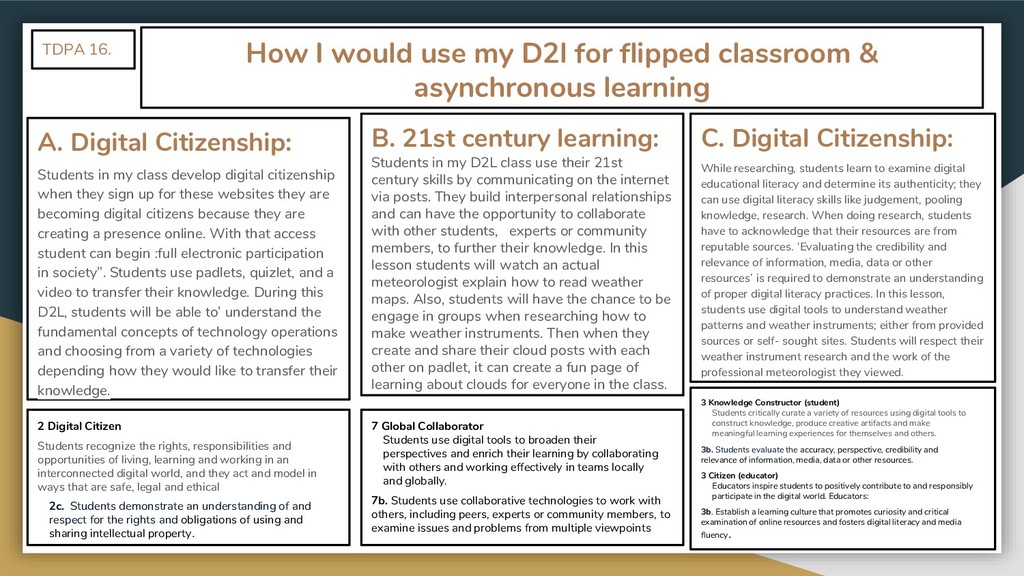
    asynchronous learning A. Digital Citizenship: Students in my class develop digital citizenship when they sign up for these websites they are becoming digital citizens because they are creating a presence online. With that access student can begin :full electronic participation in society”. Students use padlets, quizlet, and a video to transfer their knowledge. During this D2L, students will be able to’ understand the fundamental concepts of technology operations and choosing from a variety of technologies depending how they would like to transfer their knowledge. TDPA 16. B. 21st century learning: Students in my D2L class use their 21st century skills by communicating on the internet via posts. They build interpersonal relationships and can have the opportunity to collaborate with other students, experts or community members, to further their knowledge. In this lesson students will watch an actual meteorologist explain how to read weather maps. Also, students will have the chance to be engage in groups when researching how to make weather instruments. Then when they create and share their cloud posts with each other on padlet, it can create a fun page of learning about clouds for everyone in the class. 2 Digital Citizen Students recognize the rights, responsibilities and opportunities of living, learning and working in an interconnected digital world, and they act and model in ways that are safe, legal and ethical 2c. Students demonstrate an understanding of and respect for the rights and obligations of using and sharing intellectual property. 7 Global Collaborator Students use digital tools to broaden their perspectives and enrich their learning by collaborating with others and working effectively in teams locally and globally. 7b. Students use collaborative technologies to work with others, including peers, experts or community members, to examine issues and problems from multiple viewpoints C. Digital Citizenship: While researching, students learn to examine digital educational literacy and determine its authenticity; they can use digital literacy skills like judgement, pooling knowledge, research. When doing research, students have to acknowledge that their resources are from reputable sources. ‘Evaluating the credibility and relevance of information, media, data or other resources’ is required to demonstrate an understanding of proper digital literacy practices. In this lesson, students use digital tools to understand weather patterns and weather instruments; either from provided sources or self- sought sites. Students will respect their weather instrument research and the work of the professional meteorologist they viewed. 3 Knowledge Constructor (student) Students critically curate a variety of resources using digital tools to construct knowledge, produce creative artifacts and make meaningful learning experiences for themselves and others. 3b. Students evaluate the accuracy, perspective, credibility and relevance of information, media, data or other resources. 3 Citizen (educator) Educators inspire students to positively contribute to and responsibly participate in the digital world. Educators: 3b. Establish a learning culture that promotes curiosity and critical examination of online resources and fosters digital literacy and media fluency.
  17. Do you think you could explain how to read a

    weather map & describe clouds? yes no