Upgrade to Pro — share decks privately, control downloads, hide ads and more …

Solving the hard problems of single-page apps i...

Solving the hard problems of single-page apps incrementally with Vue.js

Vue.js distils many of the most useful ideas from frameworks such as React, Ember, Angular, and Polymer to provide a simple, cohesive, and incrementally adoptable toolset which you can use to solve many of the challenges that arise when building SPAs. Standing on the shoulders of Webpack, it is also at the forefront of the latest innovations in code-splitting and server-side rendering.

Avatar for Raphael Saunier

Raphael Saunier

November 16, 2017
Tweet

Other Decks in Programming

Transcript

  1. Solving the hard problems of single-page apps incrementally with Vue.js

    JS Romandie, Liip Lausanne Raphaël Saunier 16/11/17 Hosted by: Sponsored by:
  2. Goals • Introduce Vue without spending too much time on

    the fundamentals; instead rely on familiar concepts • Highlight the cross-pollination of ideas between Vue and other frameworks • Explain the hype without selling Vue as a panacea
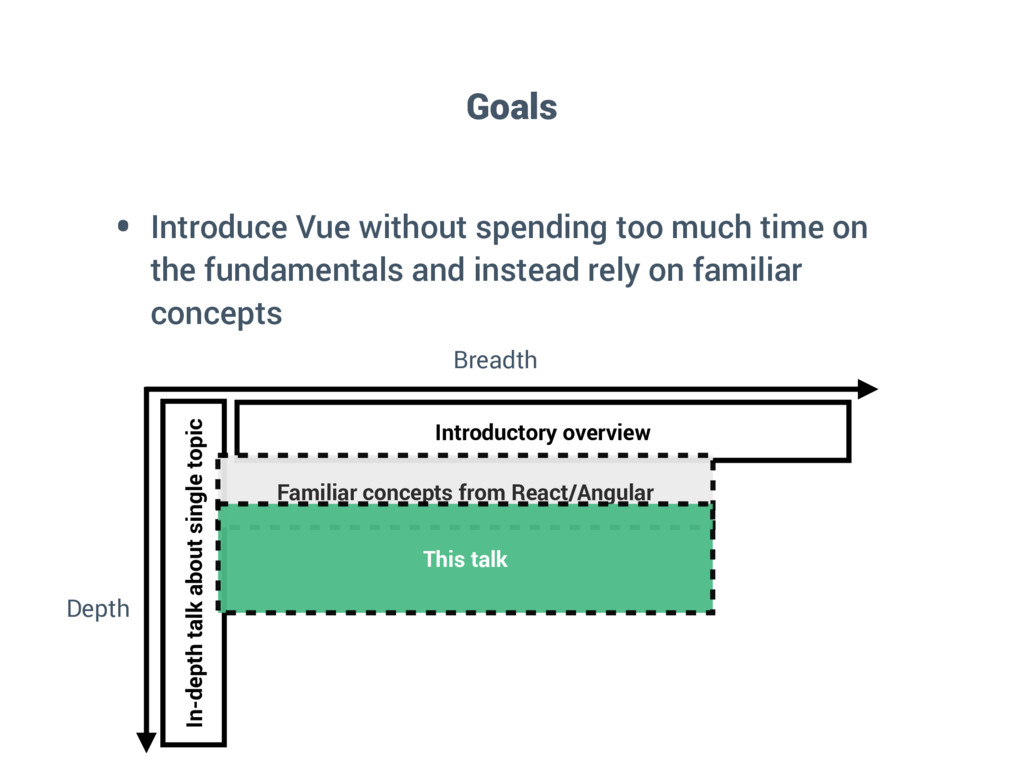
  3. Breadth Depth Introductory overview In-depth talk about single topic Familiar

    concepts from React/Angular This talk Goals • Introduce Vue without spending too much time on the fundamentals and instead rely on familiar concepts
  4. Goals • Introduce Vue without spending too much time on

    the fundamentals; instead rely on familiar concepts • Highlight the cross-pollination of ideas between Vue and other frameworks • Explain the hype without selling Vue as a panacea
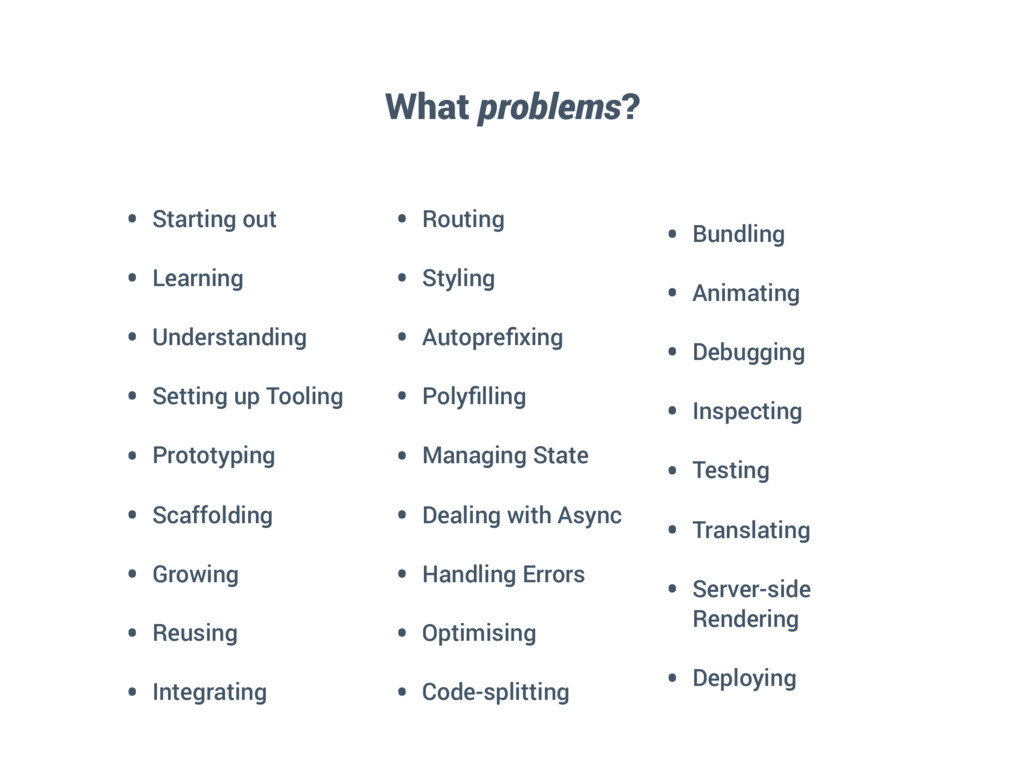
  5. What problems? • Starting out • Learning • Understanding •

    Setting up Tooling • Prototyping • Scaffolding • Growing • Reusing • Integrating • Routing • Styling • Autoprefixing • Polyfilling • Managing State • Dealing with Async • Handling Errors • Optimising • Code-splitting • Bundling • Animating • Debugging • Inspecting • Testing • Translating • Server-side Rendering • Deploying
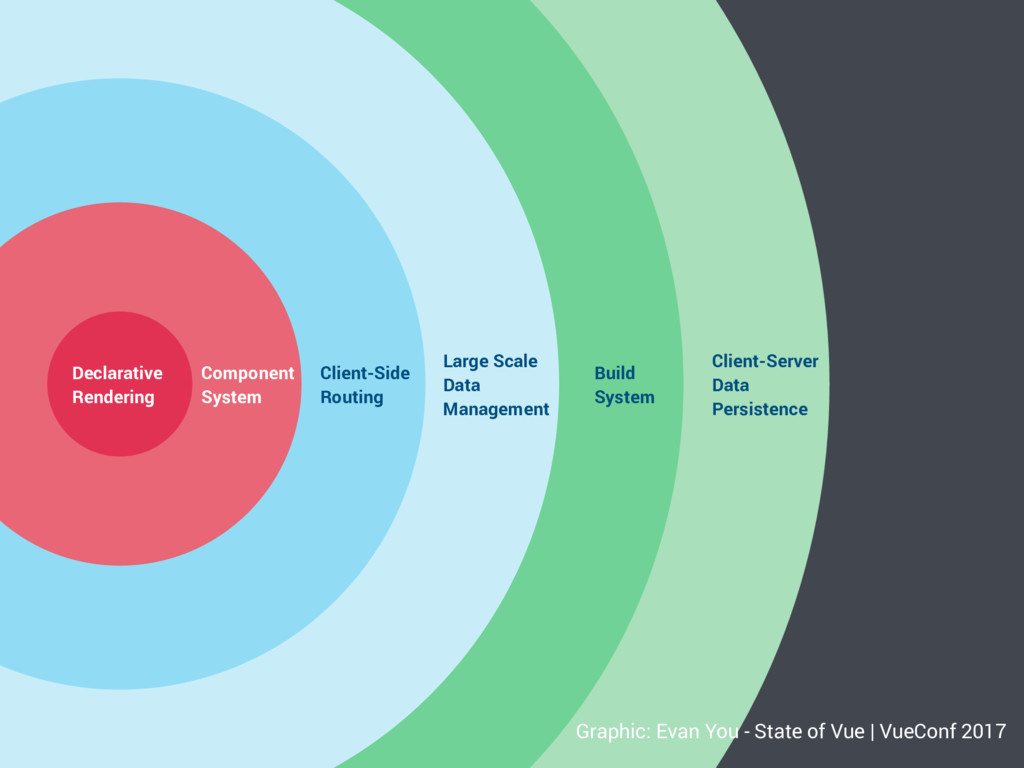
  6. Client-Server Data Persistence Build System Large Scale Data Management Client-Side

    Routing Component System Declarative Rendering Graphic: Evan You - State of Vue | VueConf 2017
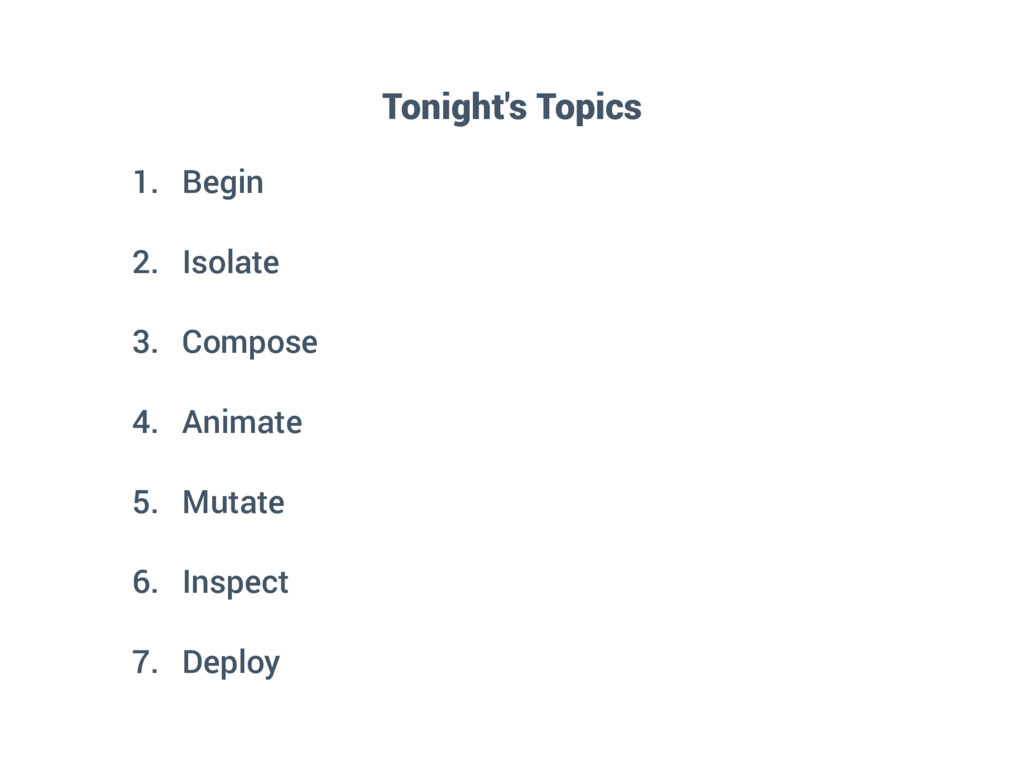
  7. 1. Begin 2. Isolate 3. Compose 4. Animate 5. Mutate
    6. Inspect 7. Deploy Tonight's Topics
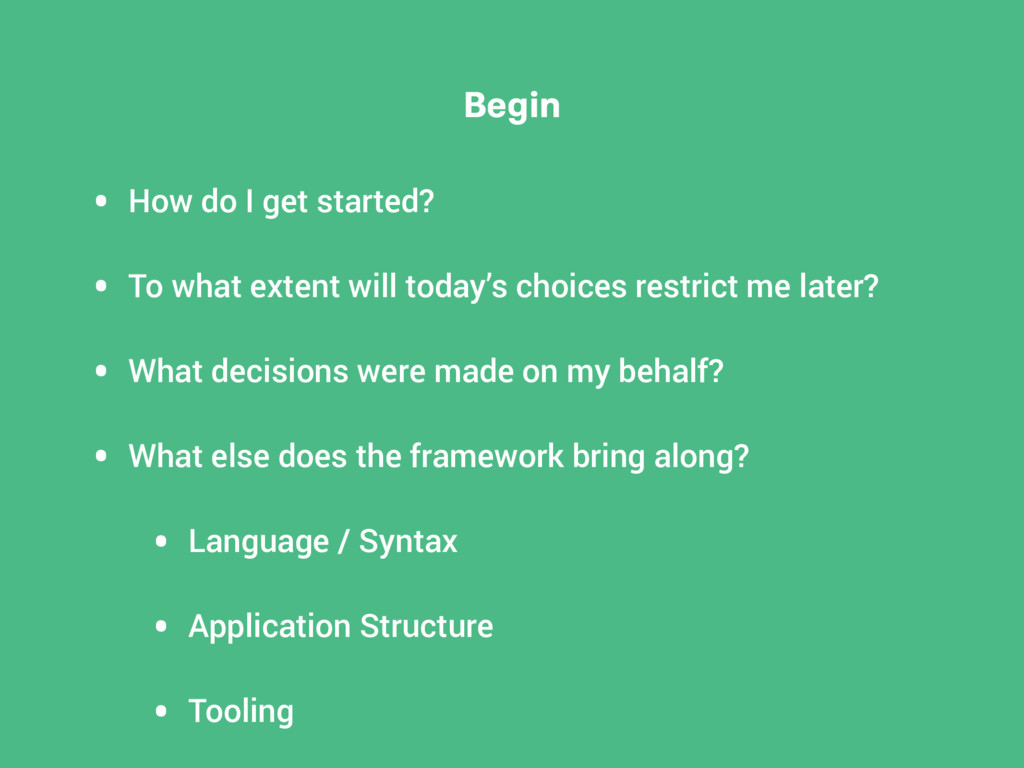
  8. Begin • How do I get started? • To what

    extent will today’s choices restrict me later? • What decisions were made on my behalf? • What else does the framework bring along? • Language / Syntax • Application Structure • Tooling
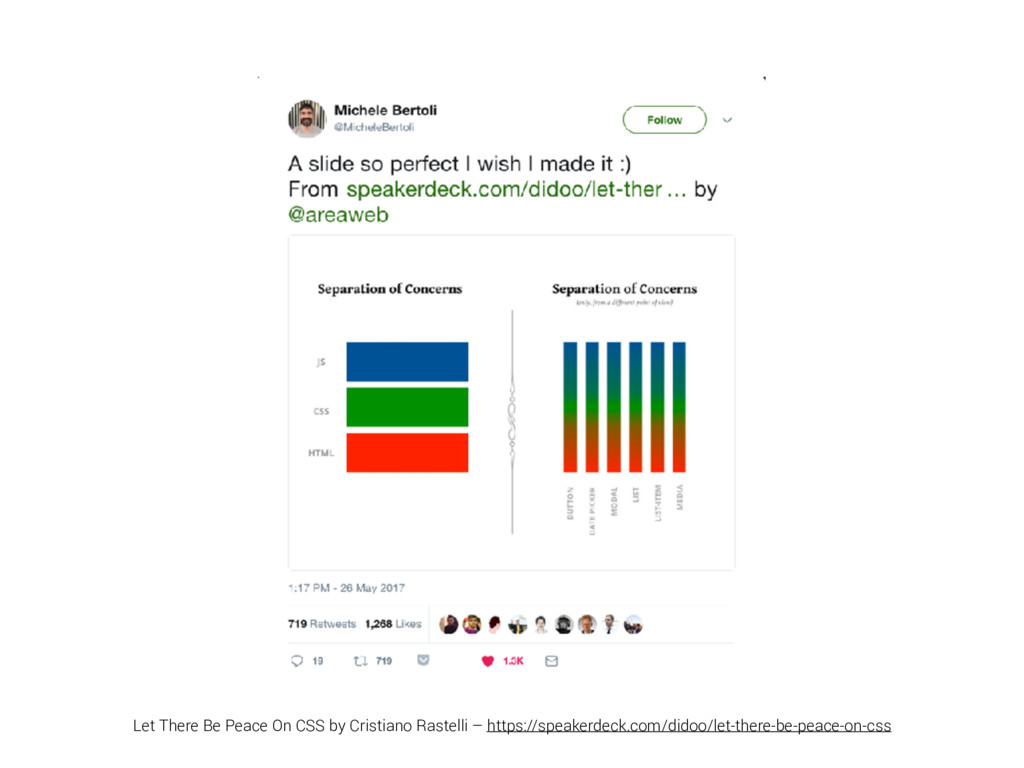
  9. “In my opinion jQuery's dominance over the last years has

    one very simple reason: its accessibility. Not as in a11y, but as in developer accessibility” – Bastian Allgeier, Kirby 3 Development Journal
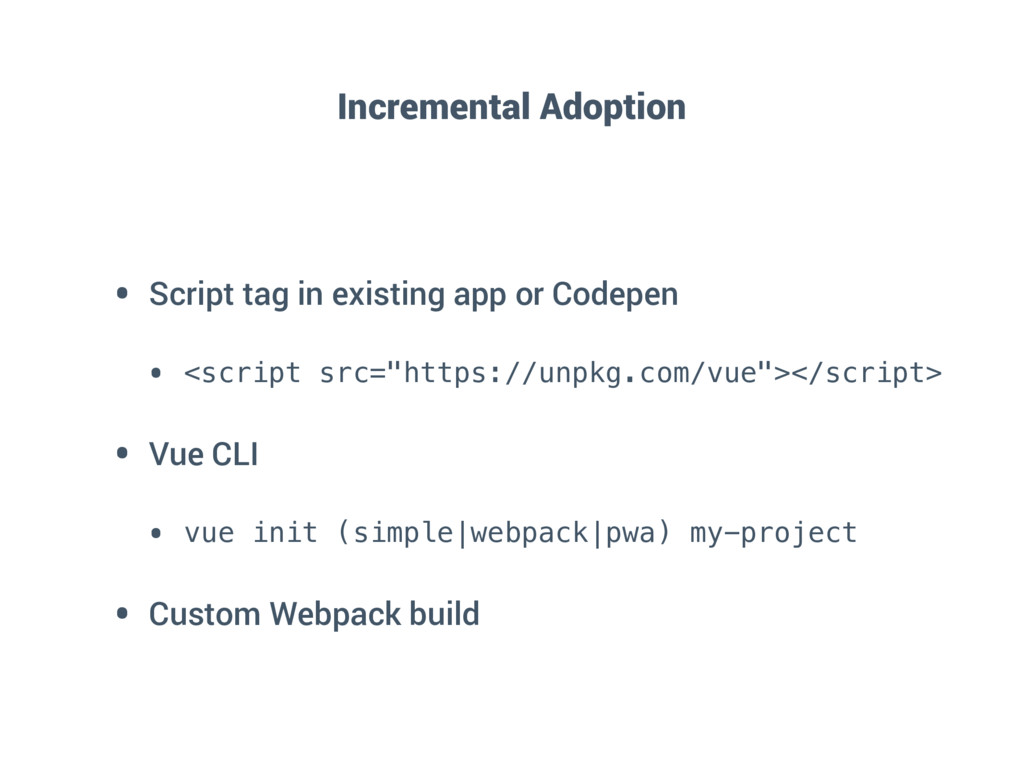
  10. Incremental Adoption • Script tag in existing app or Codepen

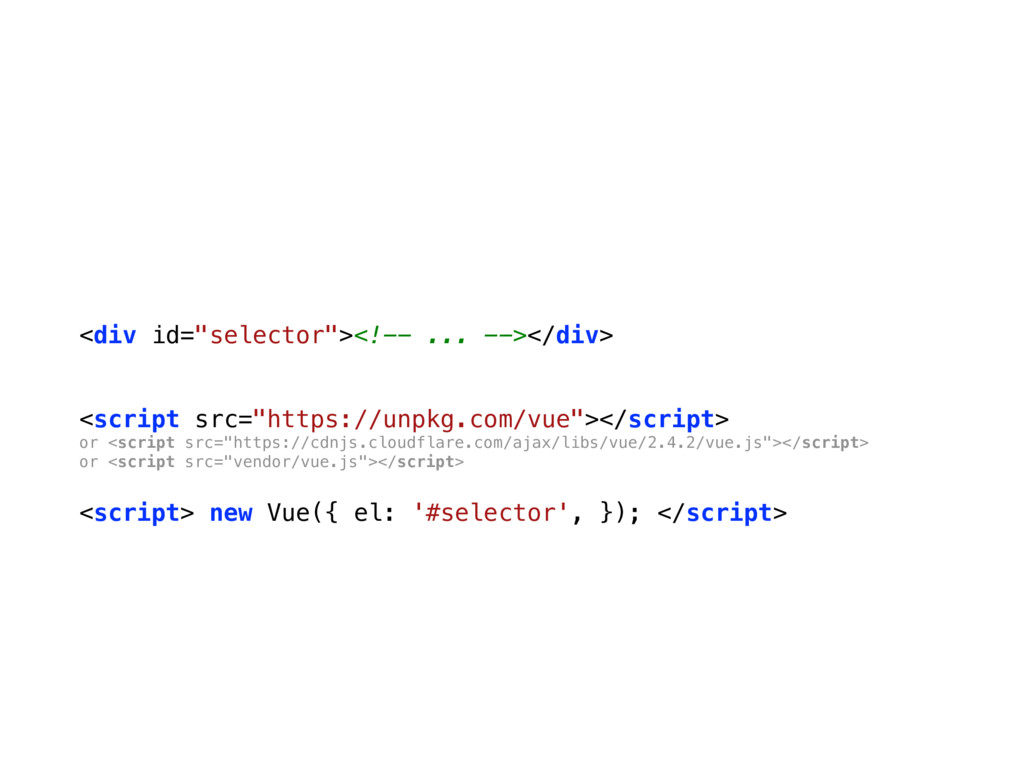
    • <script src="https://unpkg.com/vue"></script> • Vue CLI • vue init (simple|webpack|pwa) my-project • Custom Webpack build
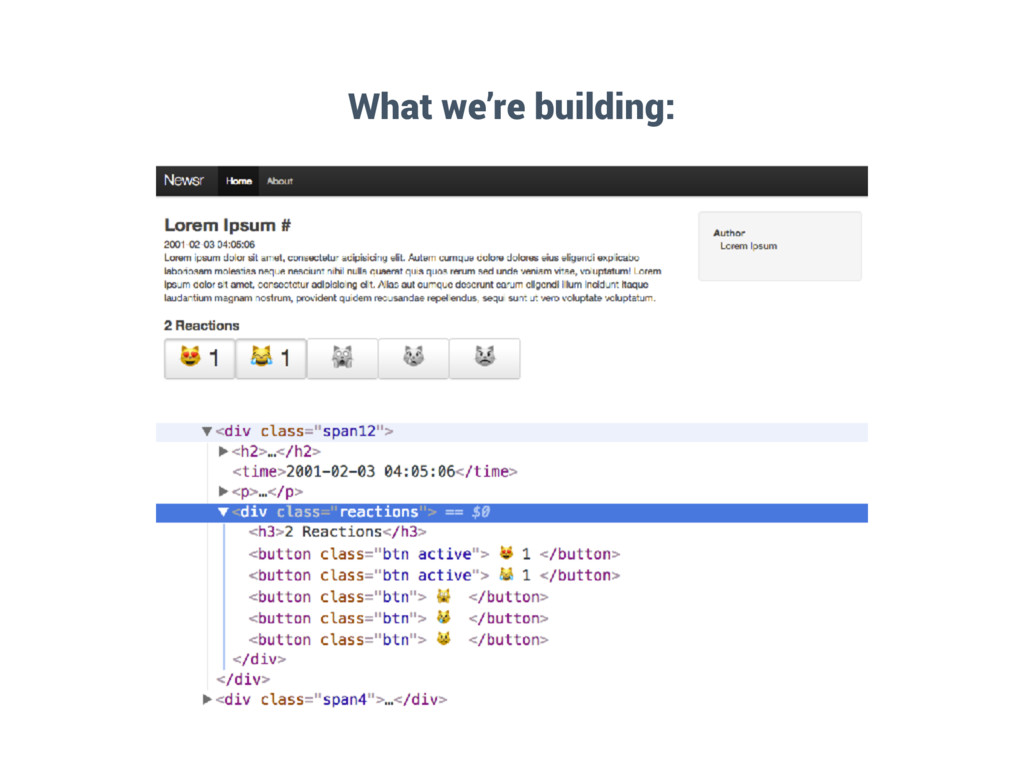
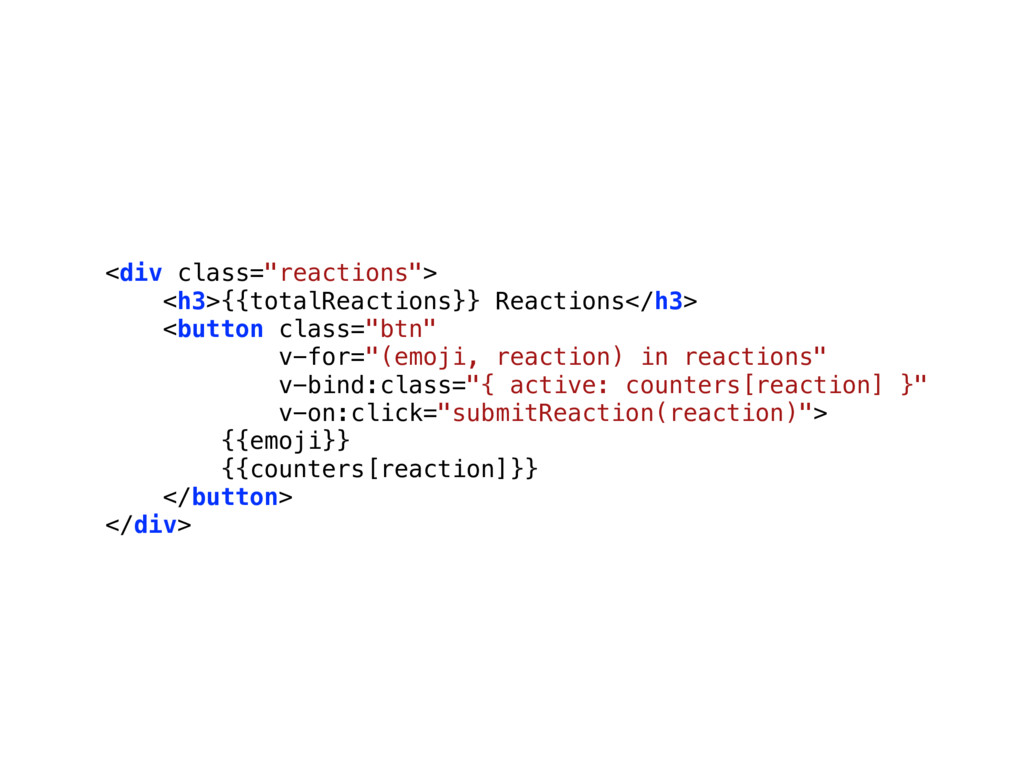
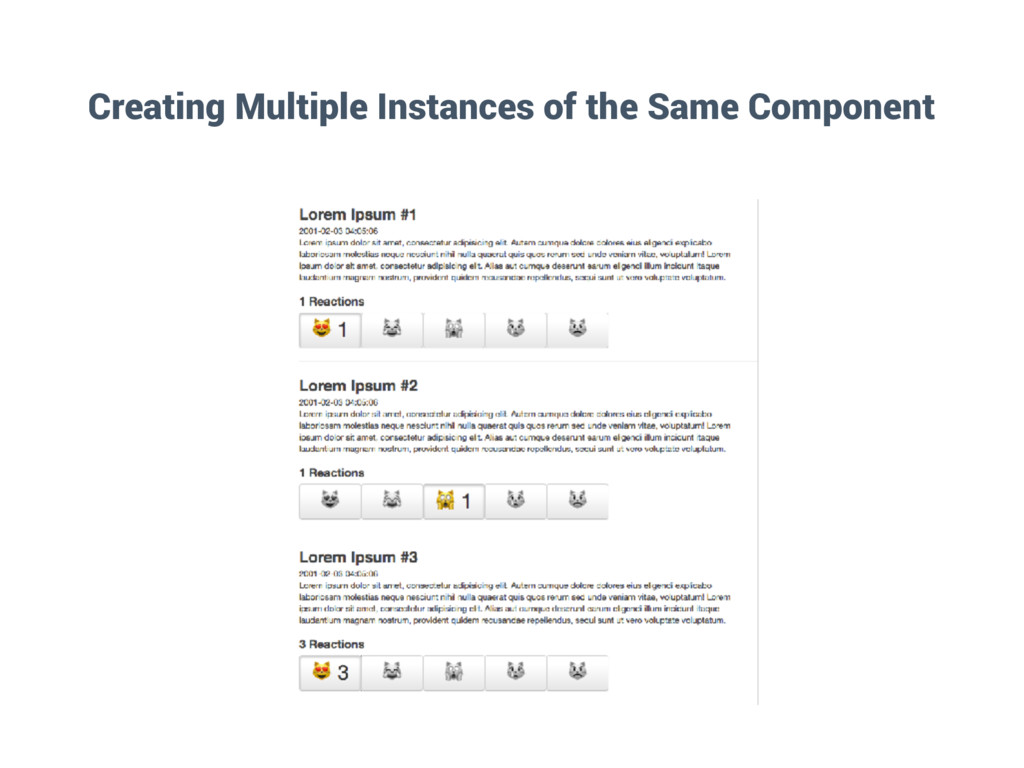
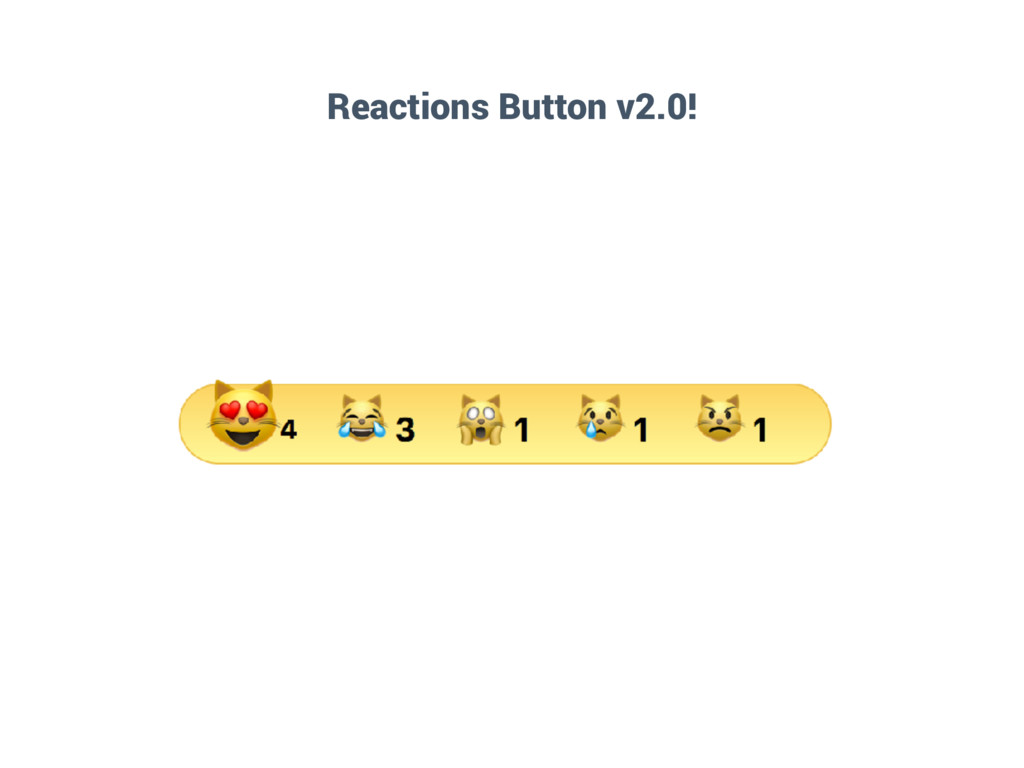
  11. <div class="reactions"> <h3>{{totalReactions}} Reactions</h3> <button class="btn" v-for="(emoji, reaction) in reactions"

    v-bind:class="{ active: counters[reaction] }" v-on:click="submitReaction(reaction)"> {{emoji}} {{counters[reaction]}} </button> </div>
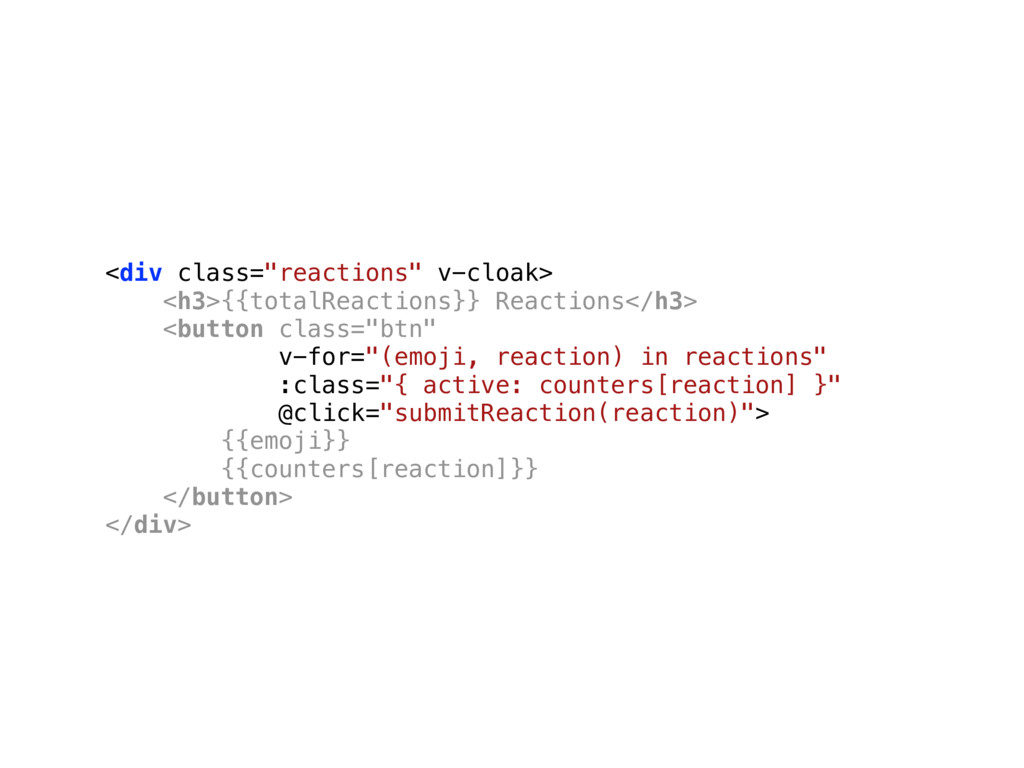
  12. <div class="reactions" v-cloak> <h3>{{totalReactions}} Reactions</h3> <button class="btn" v-for="(emoji, reaction) in

    reactions" :class="{ active: counters[reaction] }" @click="submitReaction(reaction)"> {{emoji}} {{counters[reaction]}} </button> </div>
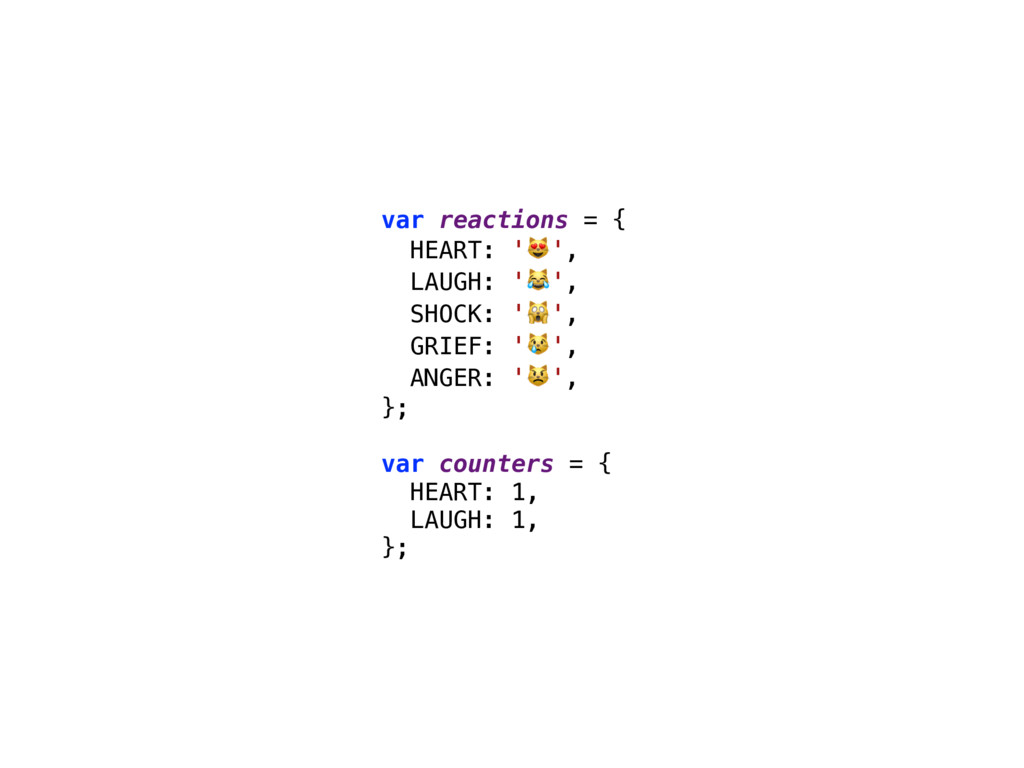
  13. var reactions = { HEART: '', LAUGH: '', SHOCK: '',

    GRIEF: '', ANGER: '', }; var counters = { HEART: 1, LAUGH: 1, };
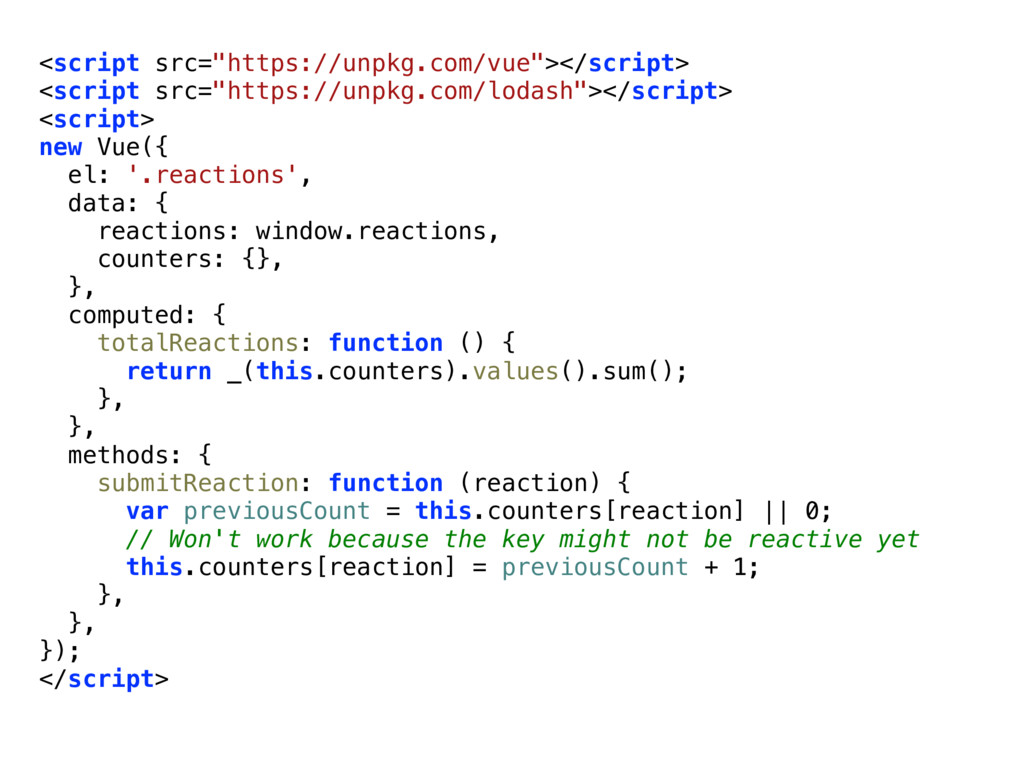
  14. <script src="https://unpkg.com/vue"></script> <script src="https://unpkg.com/lodash"></script> <script> new Vue({ el: '.reactions', data:

    { reactions: window.reactions, counters: {}, }, computed: { totalReactions: function () { return _(this.counters).values().sum(); }, }, methods: { submitReaction: function (reaction) { var previousCount = this.counters[reaction] || 0; // Won't work because the key might not be reactive yet this.counters[reaction] = previousCount + 1; }, }, }); </script>
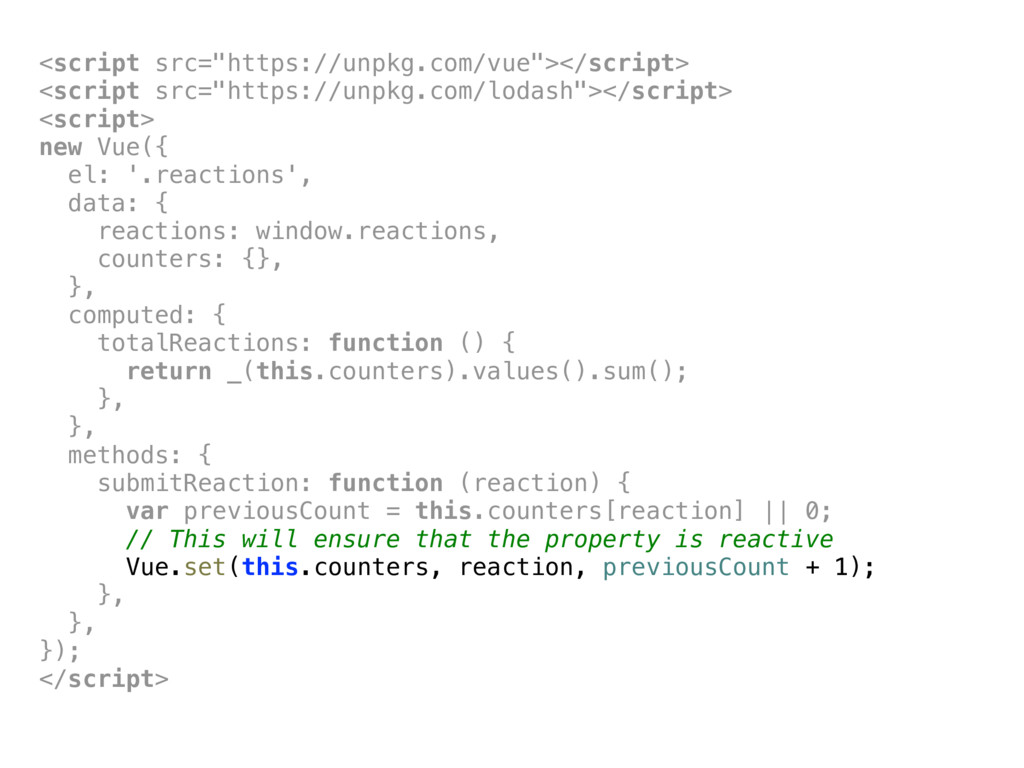
  15. <script src="https://unpkg.com/vue"></script> <script src="https://unpkg.com/lodash"></script> <script> new Vue({ el: '.reactions', data:

    { reactions: window.reactions, counters: {}, }, computed: { totalReactions: function () { return _(this.counters).values().sum(); }, }, methods: { submitReaction: function (reaction) { var previousCount = this.counters[reaction] || 0; // This will ensure that the property is reactive Vue.set(this.counters, reaction, previousCount + 1); }, }, }); </script>
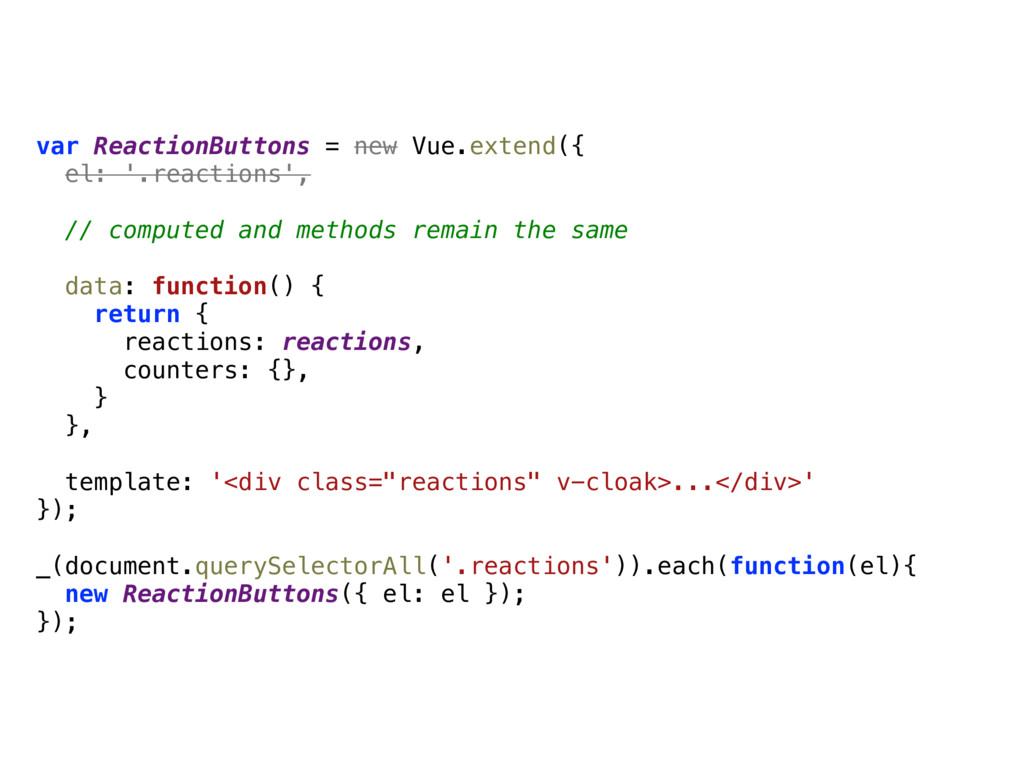
  16. var ReactionButtons = new Vue.extend({ el: '.reactions', // computed and

    methods remain the same data: function() { return { reactions: reactions, counters: {}, } }, template: '<div class="reactions" v-cloak>...</div>' }); _(document.querySelectorAll('.reactions')).each(function(el){ new ReactionButtons({ el: el }); });
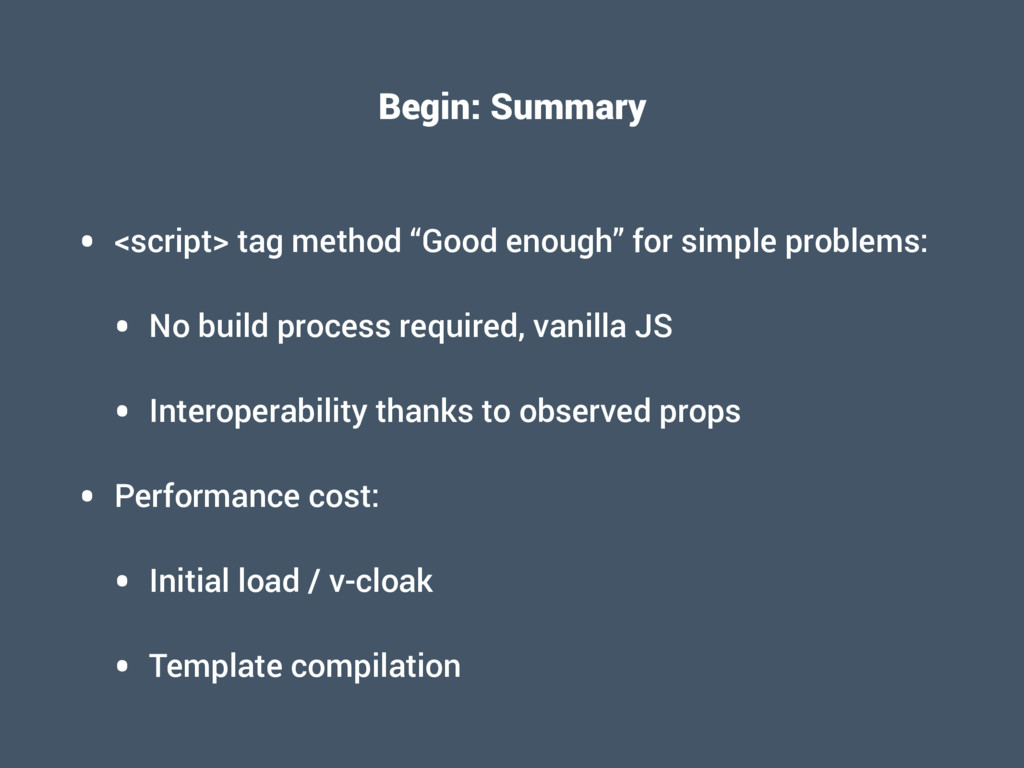
  17. Begin: Summary • <script> tag method “Good enough” for simple

    problems: • No build process required, vanilla JS • Interoperability thanks to observed props • Performance cost: • Initial load / v-cloak • Template compilation
  18. Isolate • How can I encapsulate UI elements? • How

    do I guarantee the separation of concerns? • How do I ensure that my elements including their styles are self-contained?
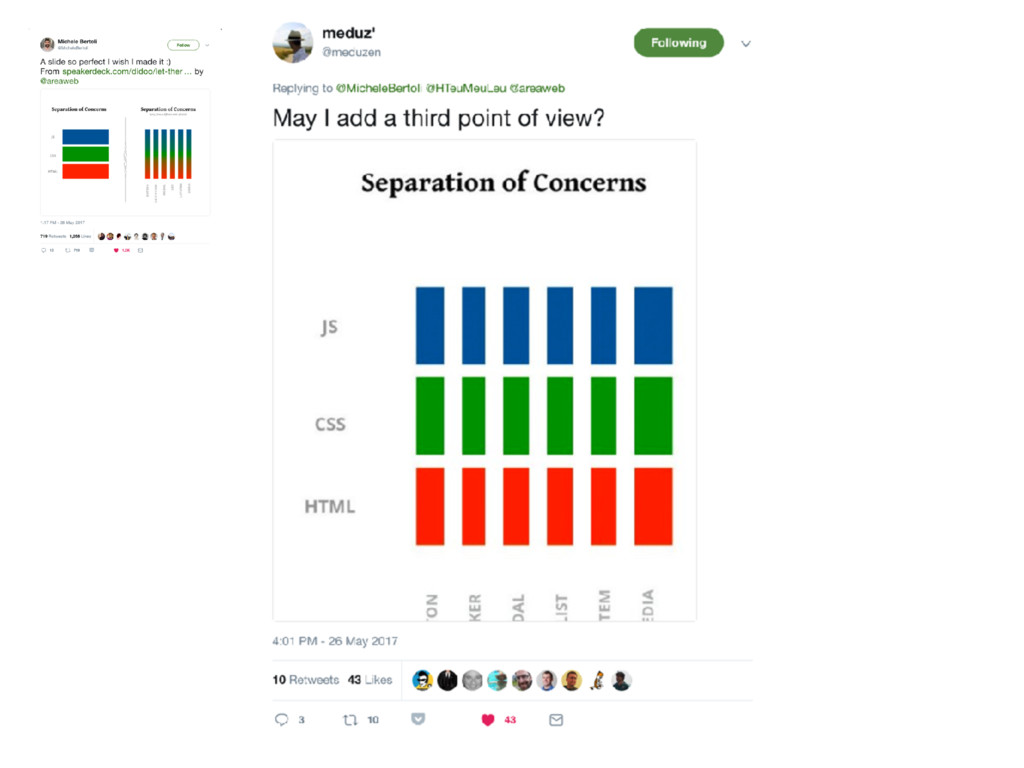
  19. “One important thing to note is that separation of concerns

    is not equal to separation of file types. […]. Inside a component, its template, logic and styles are inherently coupled, and collocating them actually makes the component more cohesive and maintainable.” – Vue.js Docs, Single File Components
  20. Let There Be Peace On CSS by Cristiano Rastelli –

    https://speakerdeck.com/didoo/let-there-be-peace-on-css
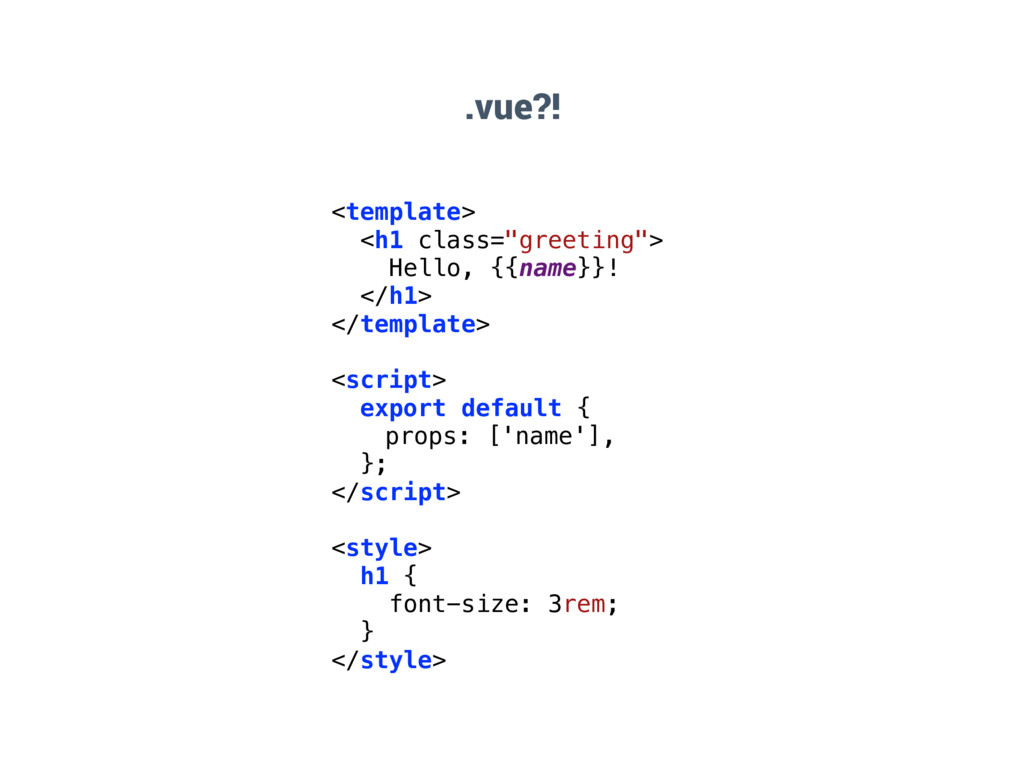
  21. .vue?! <template> <h1 class="greeting"> Hello, {{name}}! </h1> </template> <script> export

    default { props: ['name'], }; </script> <style> h1 { font-size: 3rem; } </style>
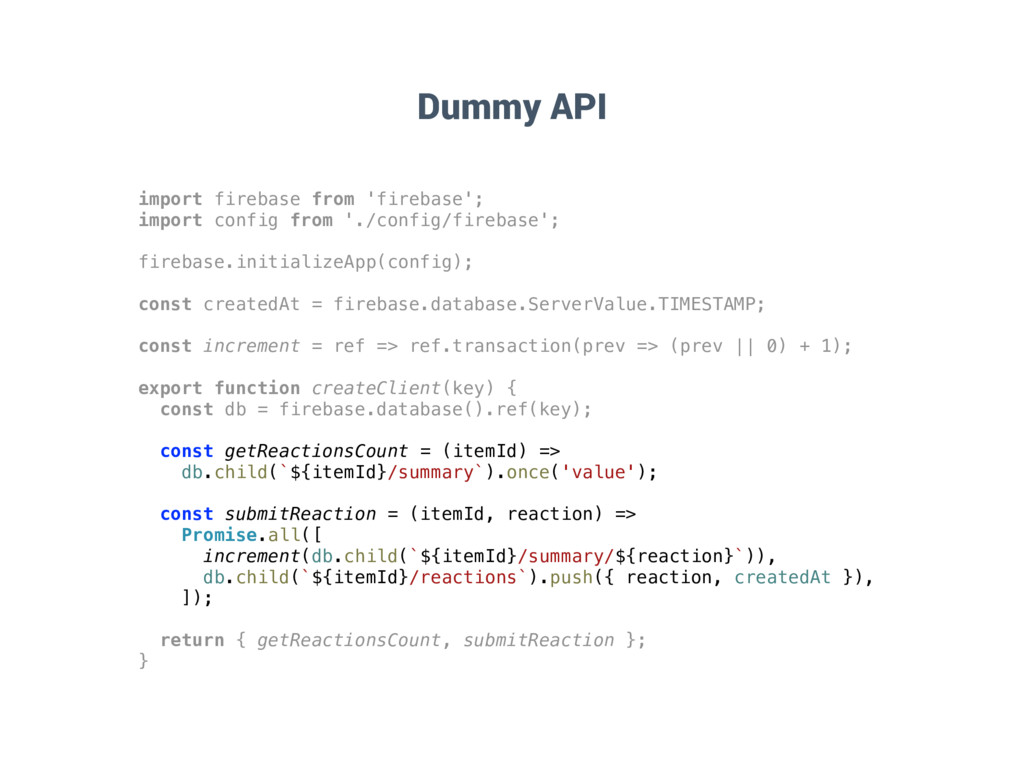
  22. Dummy API import firebase from 'firebase'; import config from './config/firebase';

    firebase.initializeApp(config); const createdAt = firebase.database.ServerValue.TIMESTAMP; const increment = ref => ref.transaction(prev => (prev || 0) + 1); export function createClient(key) { const db = firebase.database().ref(key); const getReactionsCount = (itemId) => db.child(`${itemId}/summary`).once('value'); const submitReaction = (itemId, reaction) => Promise.all([ increment(db.child(`${itemId}/summary/${reaction}`)), db.child(`${itemId}/reactions`).push({ reaction, createdAt }), ]); return { getReactionsCount, submitReaction }; }
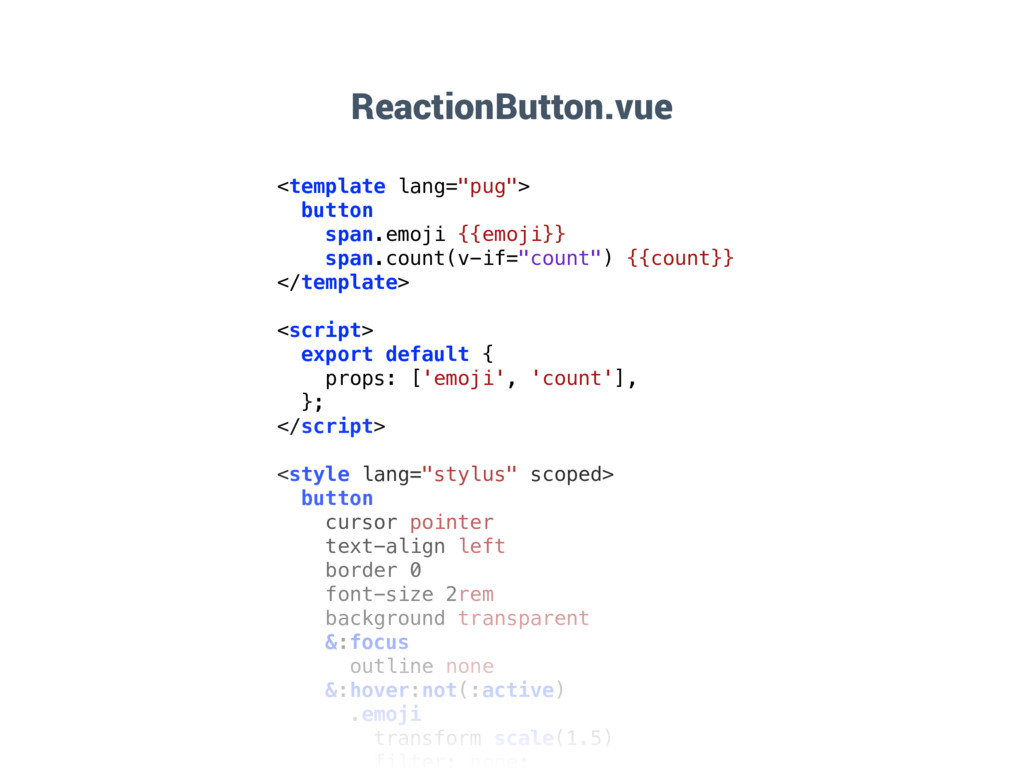
  23. ReactionButton.vue <template lang="pug"> button span.emoji {{emoji}} span.count(v-if="count") {{count}} </template> <script>

    export default { props: ['emoji', 'count'], }; </script> <style lang="stylus" scoped> button cursor pointer text-align left border 0 font-size 2rem background transparent &:focus outline none &:hover:not(:active) .emoji transform scale(1.5)
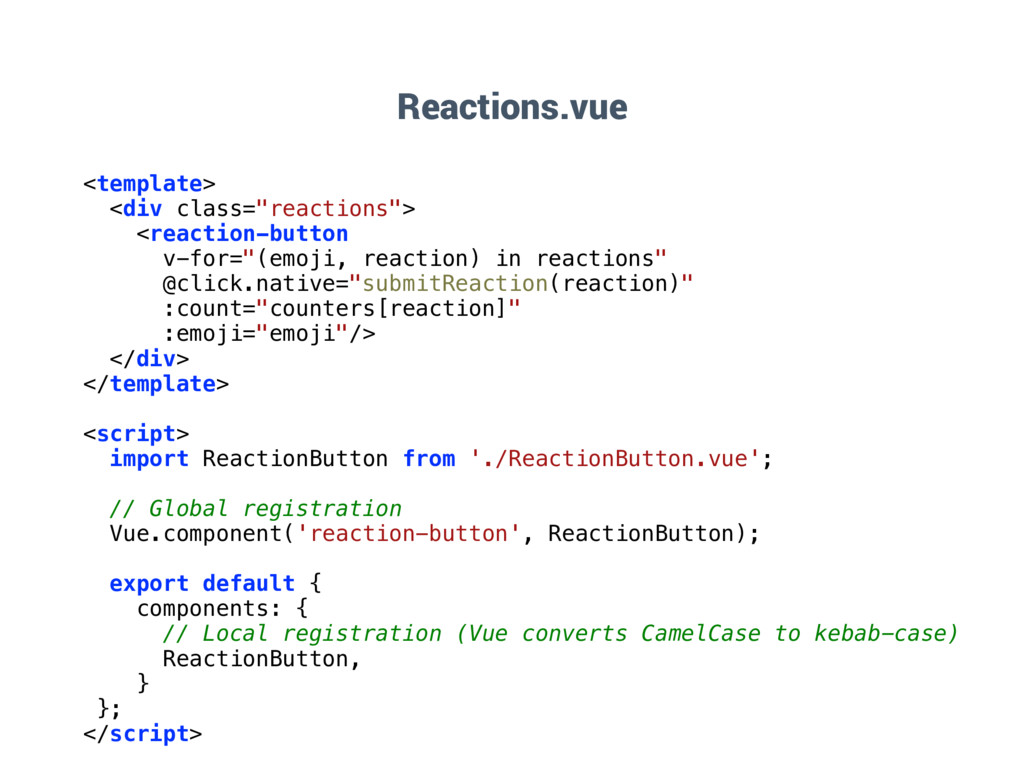
  24. Reactions.vue <template> <div class="reactions"> <reaction-button v-for="(emoji, reaction) in reactions" @click.native="submitReaction(reaction)"

    :count="counters[reaction]" :emoji="emoji"/> </div> </template> <script> import ReactionButton from './ReactionButton.vue'; // Global registration Vue.component('reaction-button', ReactionButton); export default { components: { // Local registration (Vue converts CamelCase to kebab-case) ReactionButton, } }; </script>
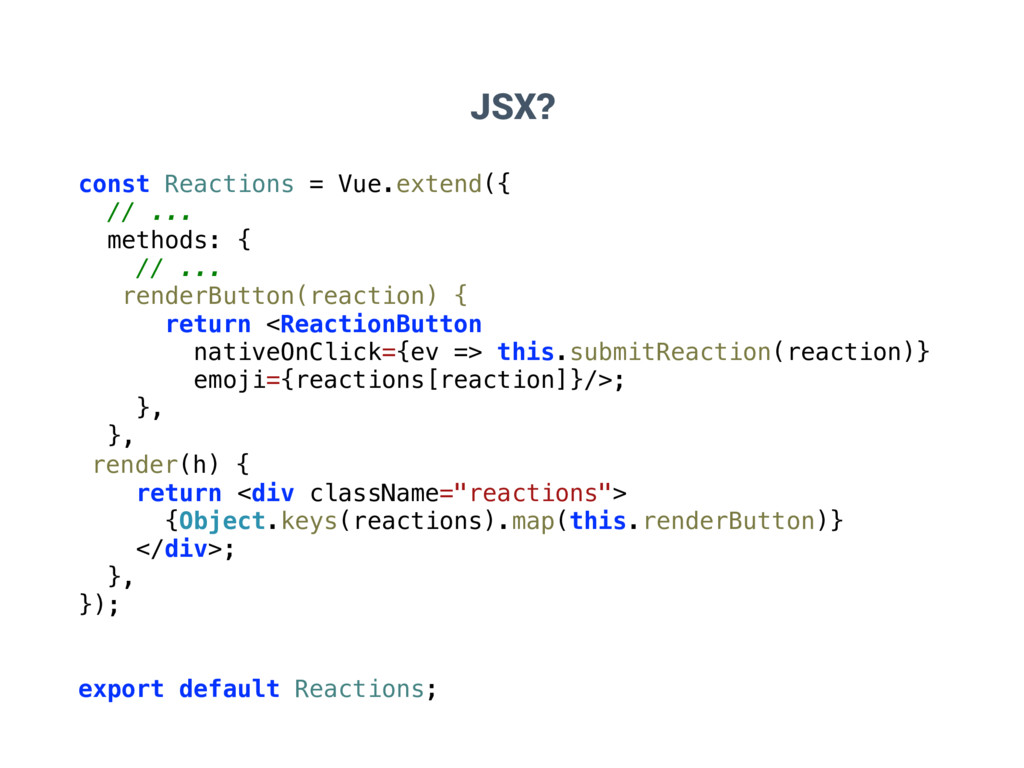
  25. JSX? const Reactions = Vue.extend({ // ... methods: { //

    ... renderButton(reaction) { return <ReactionButton nativeOnClick={ev => this.submitReaction(reaction)} emoji={reactions[reaction]}/>; }, }, render(h) { return <div className="reactions"> {Object.keys(reactions).map(this.renderButton)} </div>; }, }); export default Reactions;
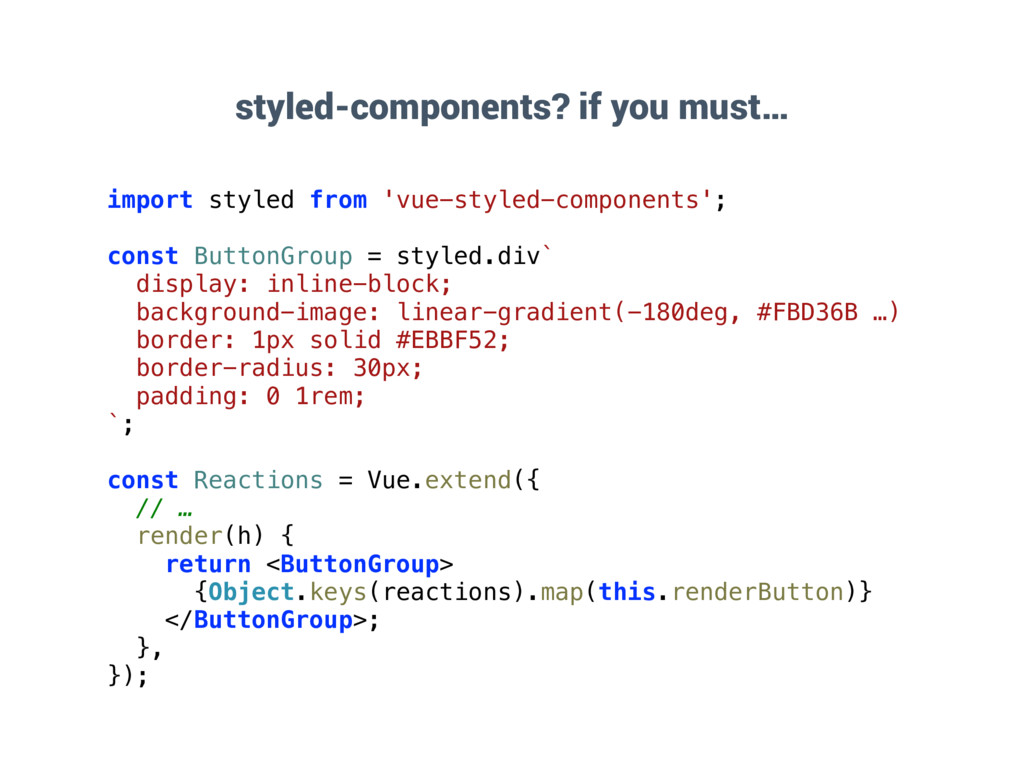
  26. styled-components? if you must… import styled from 'vue-styled-components'; const ButtonGroup

    = styled.div` display: inline-block; background-image: linear-gradient(-180deg, #FBD36B …) border: 1px solid #EBBF52; border-radius: 30px; padding: 0 1rem; `; const Reactions = Vue.extend({ // … render(h) { return <ButtonGroup> {Object.keys(reactions).map(this.renderButton)} </ButtonGroup>; }, });
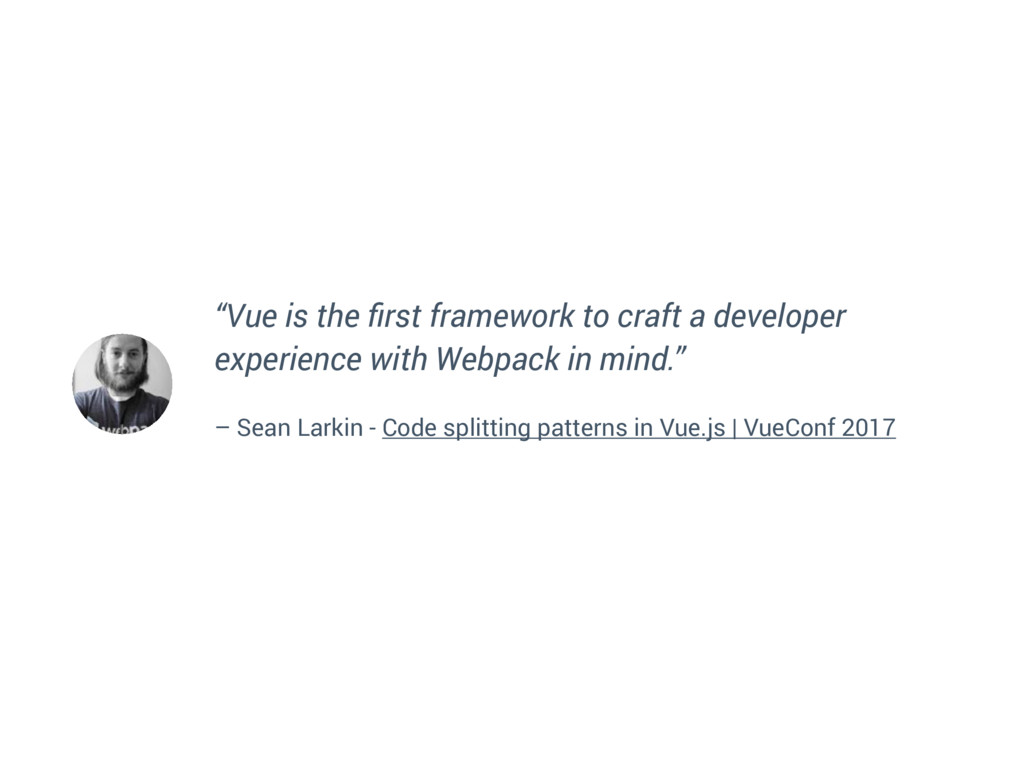
  27. “Vue is the first framework to craft a developer experience

    with Webpack in mind.” – Sean Larkin - Code splitting patterns in Vue.js | VueConf 2017
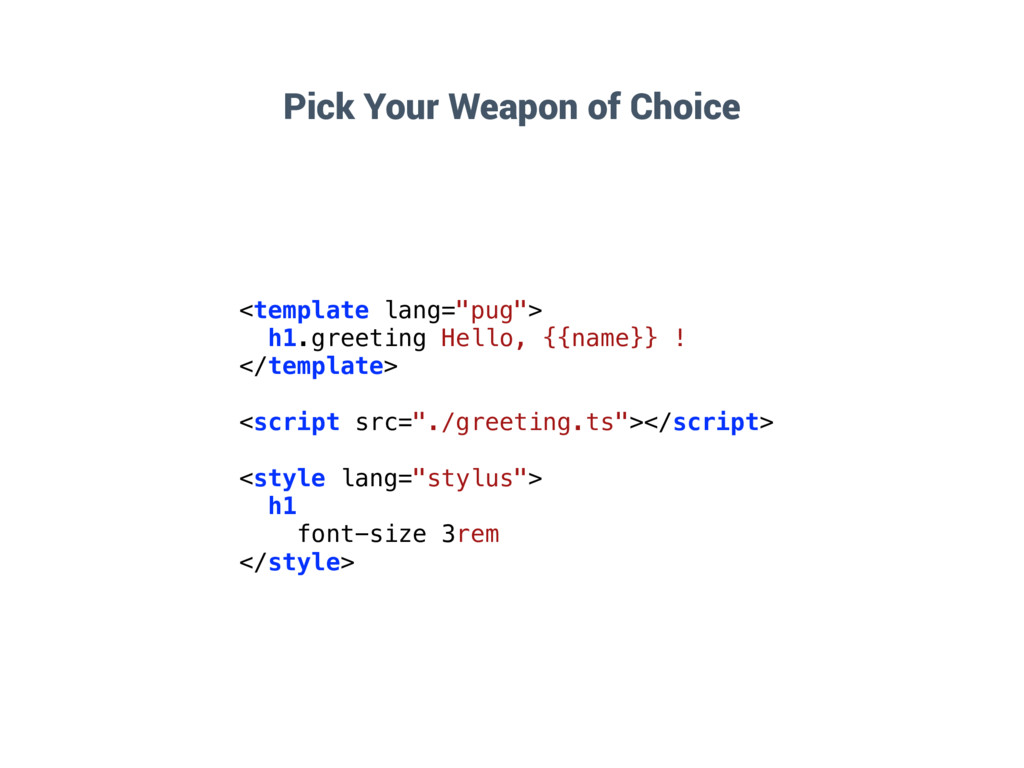
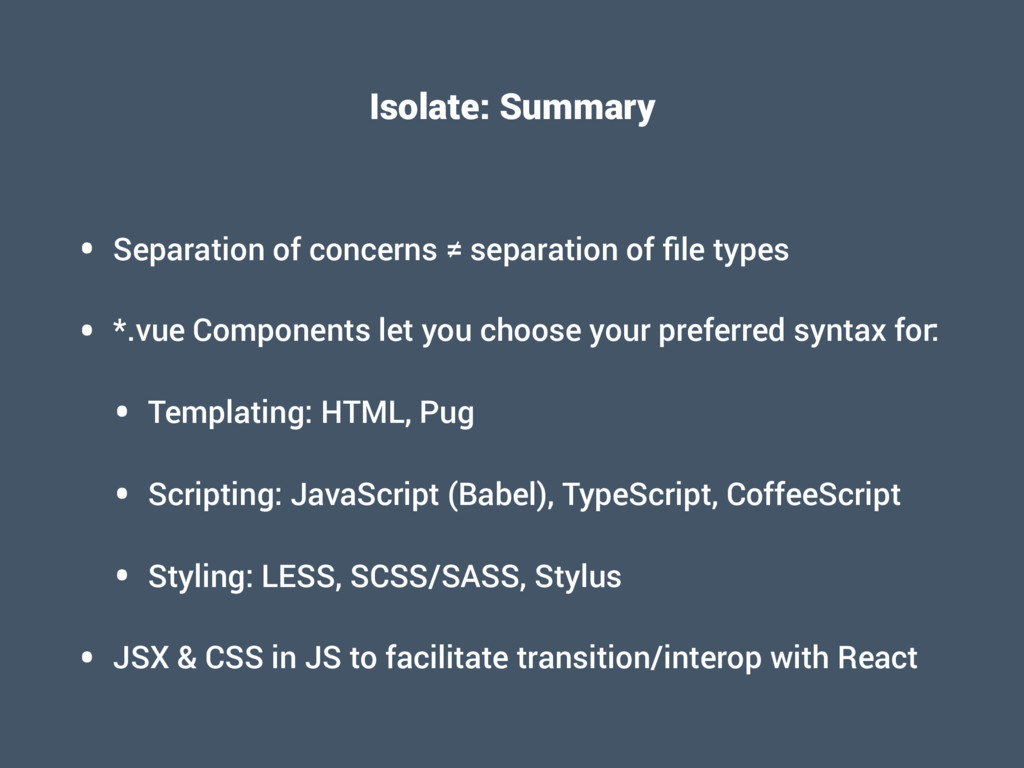
  28. Isolate: Summary • Separation of concerns ≠ separation of file

    types • *.vue Components let you choose your preferred syntax for: • Templating: HTML, Pug • Scripting: JavaScript (Babel), TypeScript, CoffeeScript • Styling: LESS, SCSS/SASS, Stylus • JSX & CSS in JS to facilitate transition/interop with React
  29. Compose • How can I reuse, combine, parametrise my components?

    • How can I share common functionality across different components? • How do nesting and wrapping work with routes?
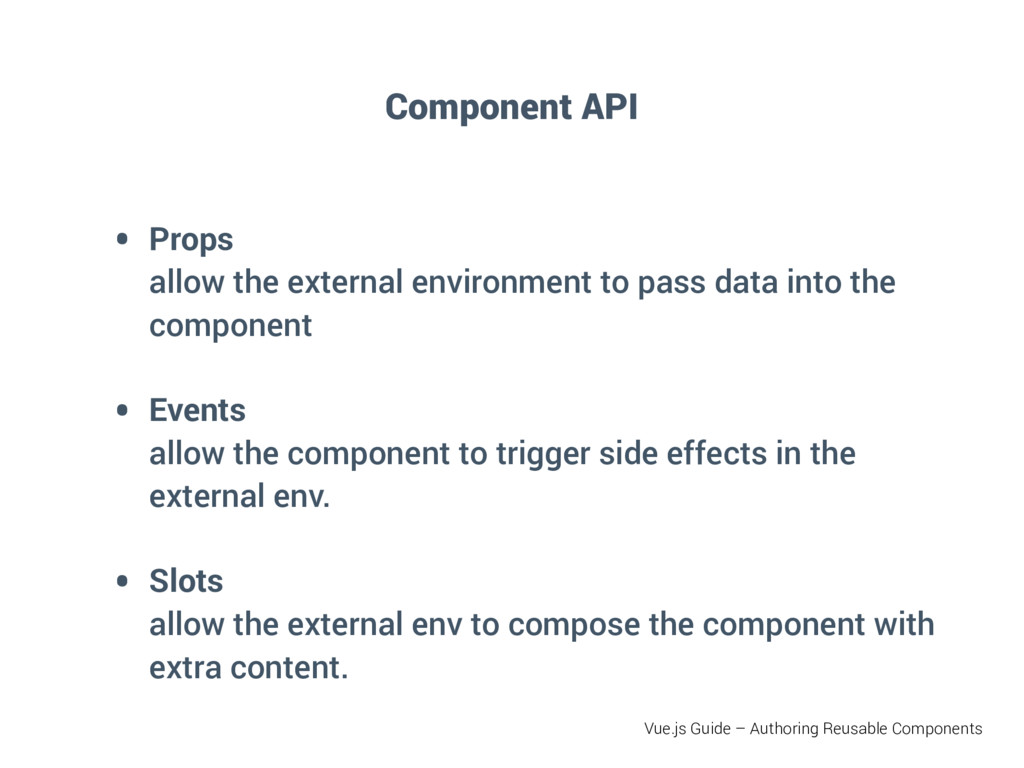
  30. Component API • Props
 allow the external environment to pass

    data into the component • Events 
 allow the component to trigger side effects in the external env. • Slots 
 allow the external env to compose the component with extra content. Vue.js Guide – Authoring Reusable Components
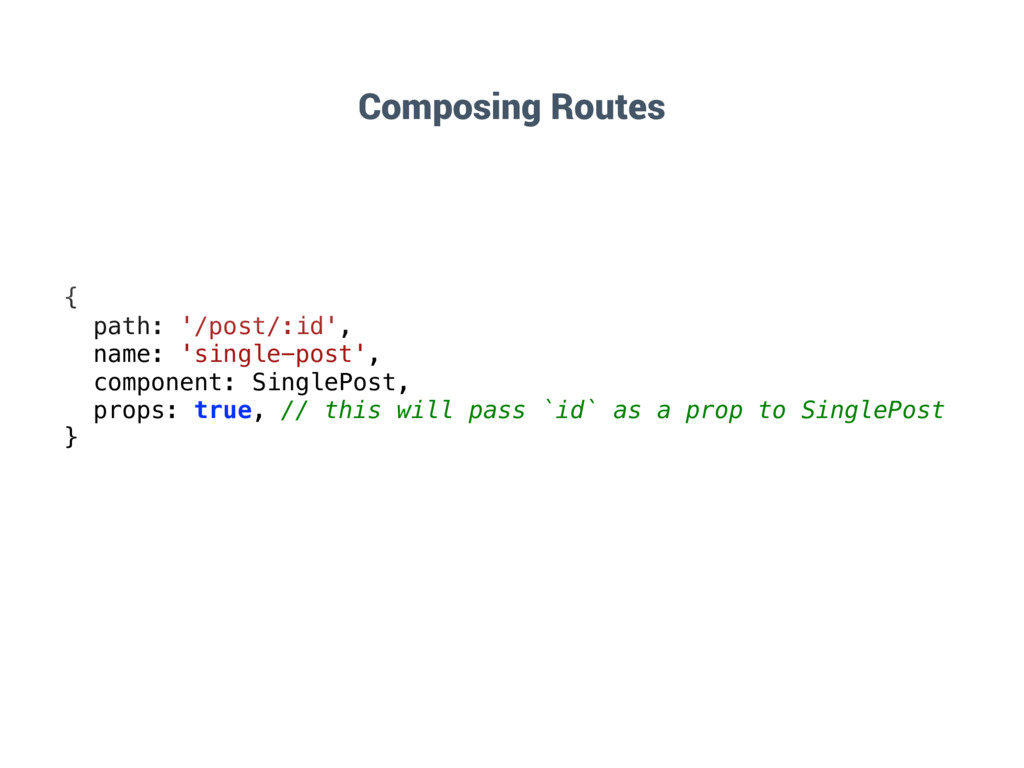
  31. { path: '/post/:id', name: 'single-post', component: SinglePost, props: true, //

    this will pass `id` as a prop to SinglePost } Composing Routes
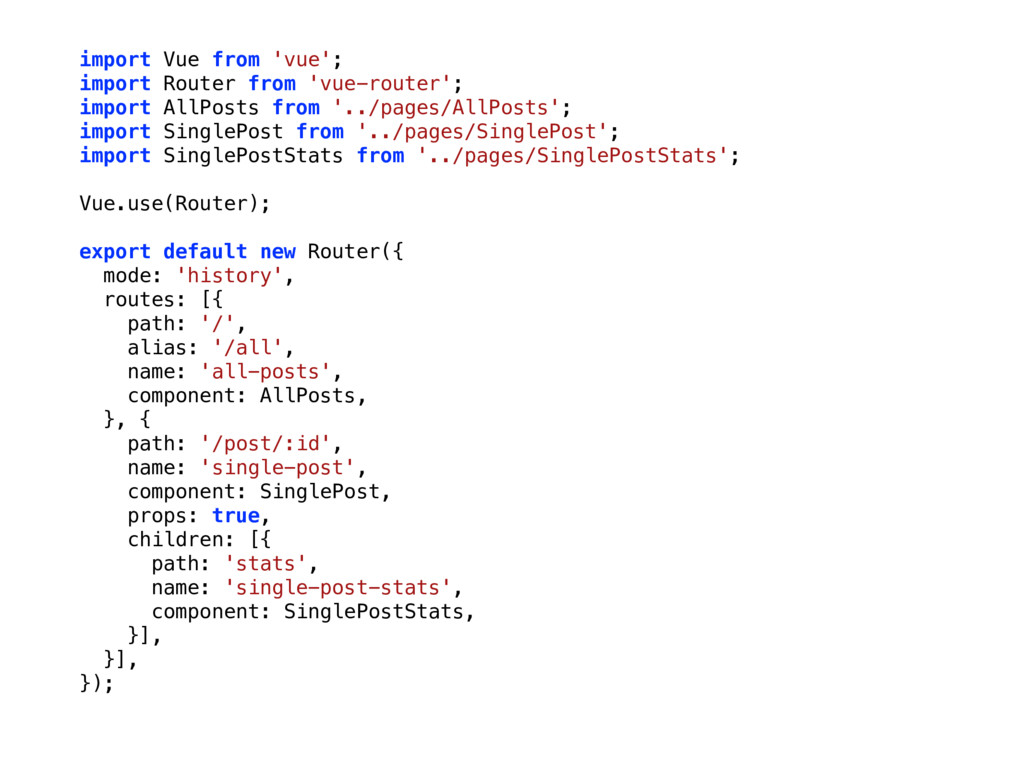
  32. import Vue from 'vue'; import Router from 'vue-router'; import AllPosts

    from '../pages/AllPosts'; import SinglePost from '../pages/SinglePost'; import SinglePostStats from '../pages/SinglePostStats'; Vue.use(Router); export default new Router({ mode: 'history', routes: [{ path: '/', alias: '/all', name: 'all-posts', component: AllPosts, }, { path: '/post/:id', name: 'single-post', component: SinglePost, props: true, children: [{ path: 'stats', name: 'single-post-stats', component: SinglePostStats, }], }], }); { path: '/post/:id', name: 'single-post', component: SinglePost, props: true, // this will pass `id` as a prop to SinglePost }
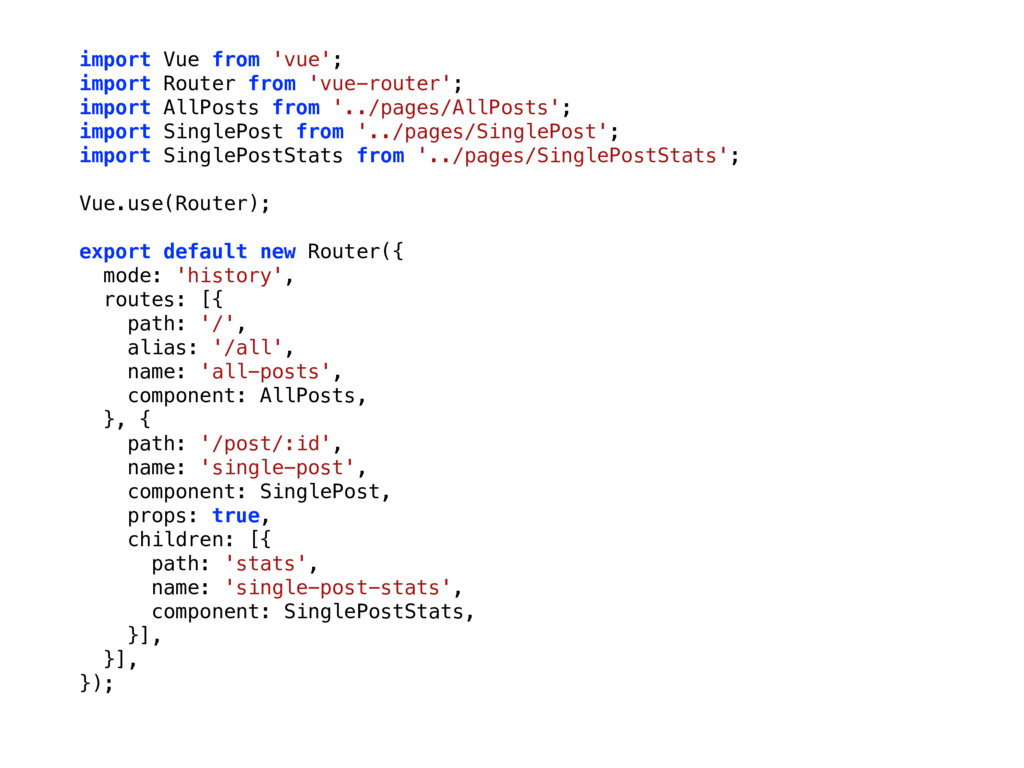
  33. import Vue from 'vue'; import Router from 'vue-router'; import AllPosts

    from '../pages/AllPosts'; import SinglePost from '../pages/SinglePost'; import SinglePostStats from '../pages/SinglePostStats'; Vue.use(Router); export default new Router({ mode: 'history', routes: [{ path: '/', alias: '/all', name: 'all-posts', component: AllPosts, }, { path: '/post/:id', name: 'single-post', component: SinglePost, props: true, children: [{ path: 'stats', name: 'single-post-stats', component: SinglePostStats, }], }], });
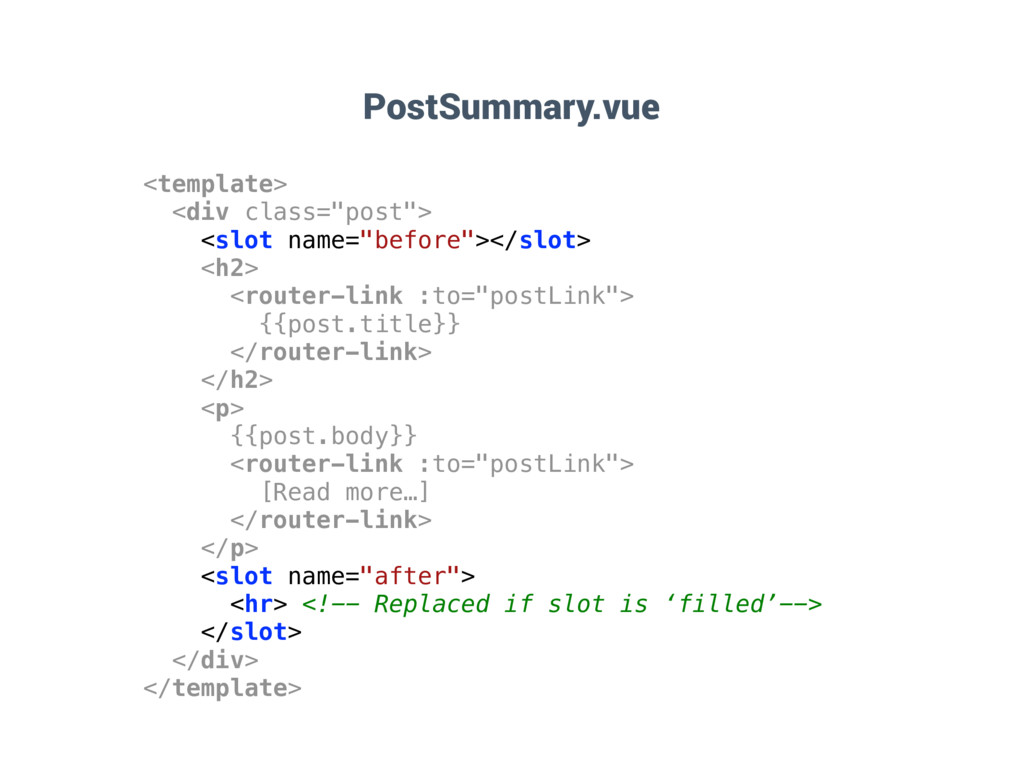
  34. <template> <div class="post"> <slot name="before"></slot> <h2> <router-link :to="postLink"> {{post.title}} </router-link>

    </h2> <p> {{post.body}} <router-link :to="postLink"> [Read more…] </router-link> </p> <slot name="after"> <hr> <!-- Replaced if slot is ‘filled’--> </slot> </div> </template> PostSummary.vue
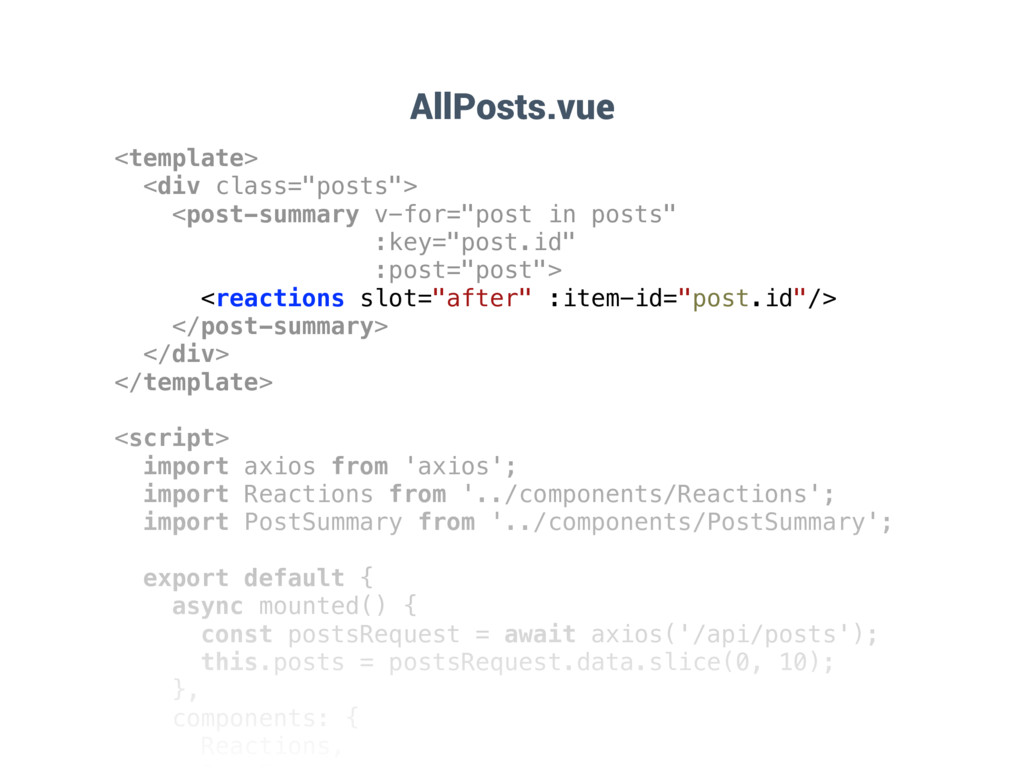
  35. <template> <div class="posts"> <post-summary v-for="post in posts" :key="post.id" :post="post"> <reactions

    slot="after" :item-id="post.id"/> </post-summary> </div> </template> <script> import axios from 'axios'; import Reactions from '../components/Reactions'; import PostSummary from '../components/PostSummary'; export default { async mounted() { const postsRequest = await axios('/api/posts'); this.posts = postsRequest.data.slice(0, 10); }, components: { Reactions, AllPosts.vue
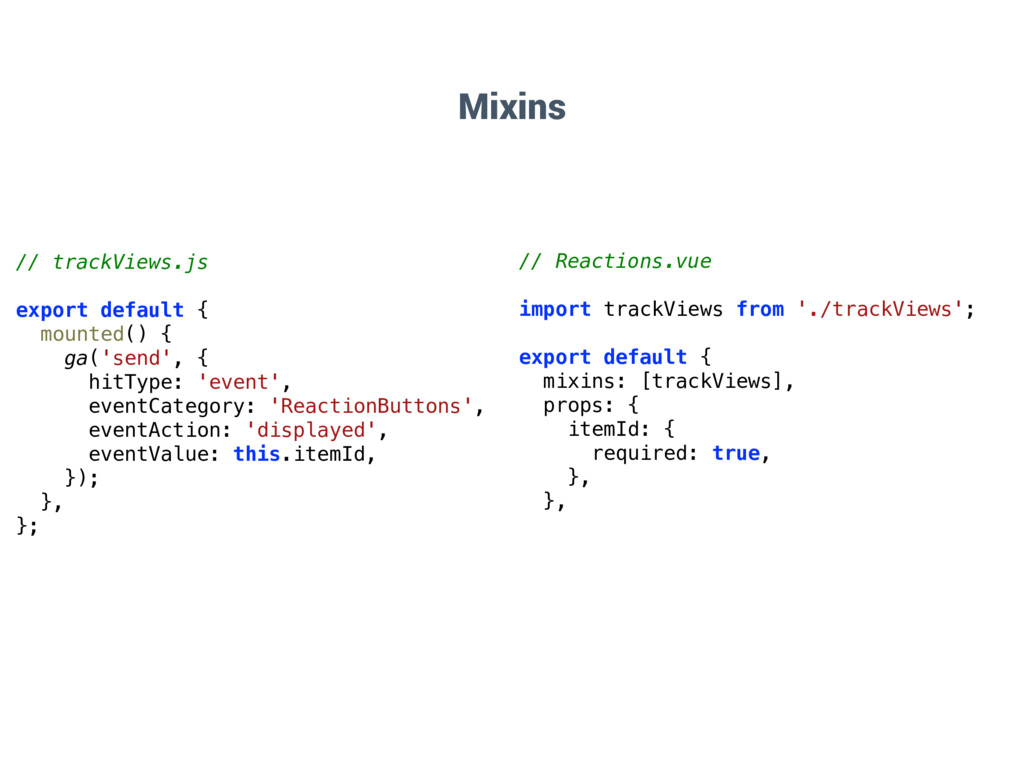
  36. Mixins // trackViews.js export default { mounted() { ga('send', {

    hitType: 'event', eventCategory: 'ReactionButtons', eventAction: 'displayed', eventValue: this.itemId, }); }, }; // Reactions.vue import trackViews from './trackViews'; export default { mixins: [trackViews], props: { itemId: { required: true, }, },
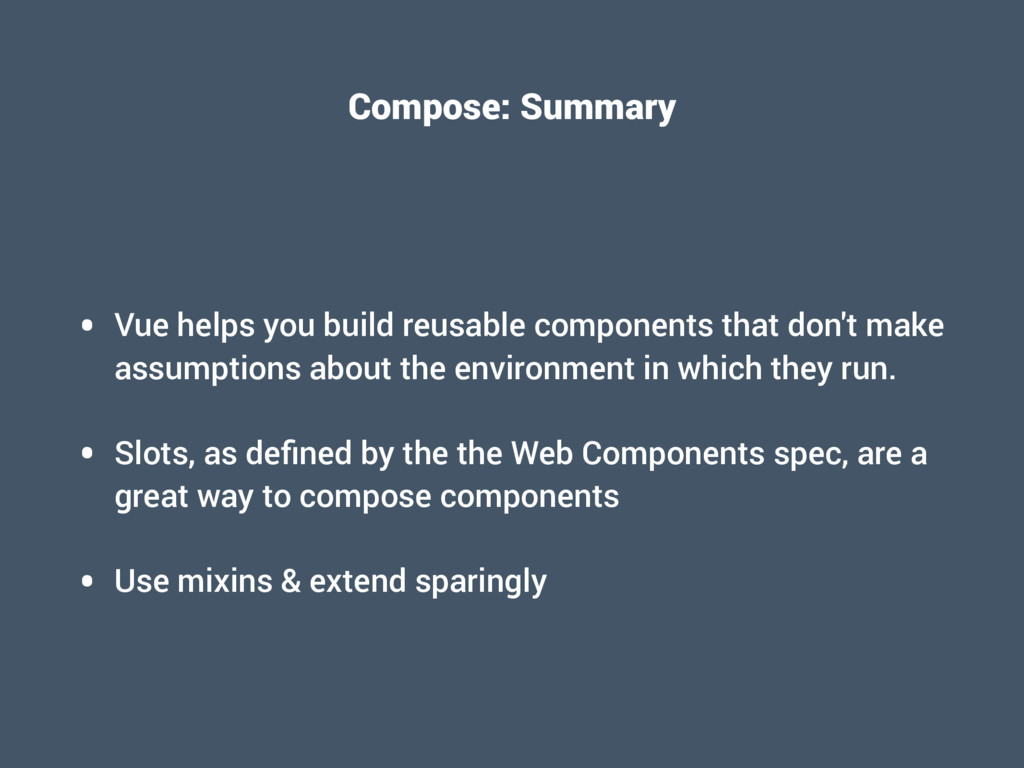
  37. Compose: Summary • Vue helps you build reusable components that

    don't make assumptions about the environment in which they run. • Slots, as defined by the the Web Components spec, are a great way to compose components • Use mixins & extend sparingly
  38. Animate • How can I animate the insertion/deletion of one

    or many elements in my application? • How can I bind events at various stages of a transition?
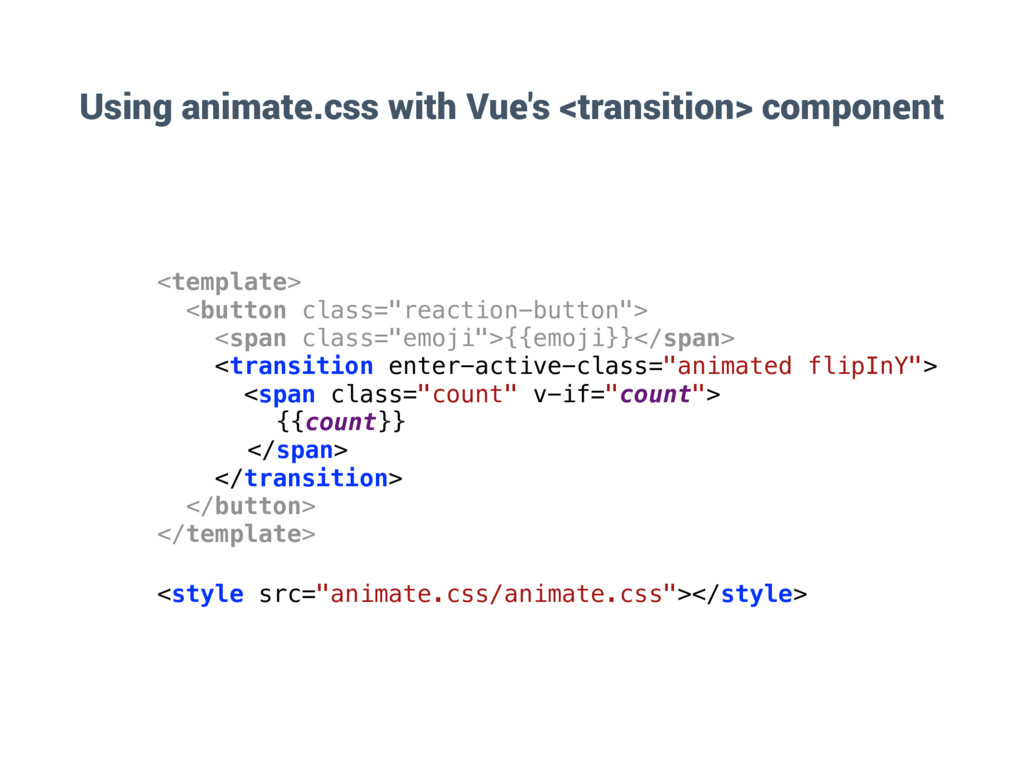
  39. Using animate.css with Vue's <transition> component <template> <button class="reaction-button"> <span

    class="emoji">{{emoji}}</span> <transition enter-active-class="animated flipInY"> <span class="count" v-if="count"> {{count}} </span> </transition> </button> </template> <style src="animate.css/animate.css"></style>
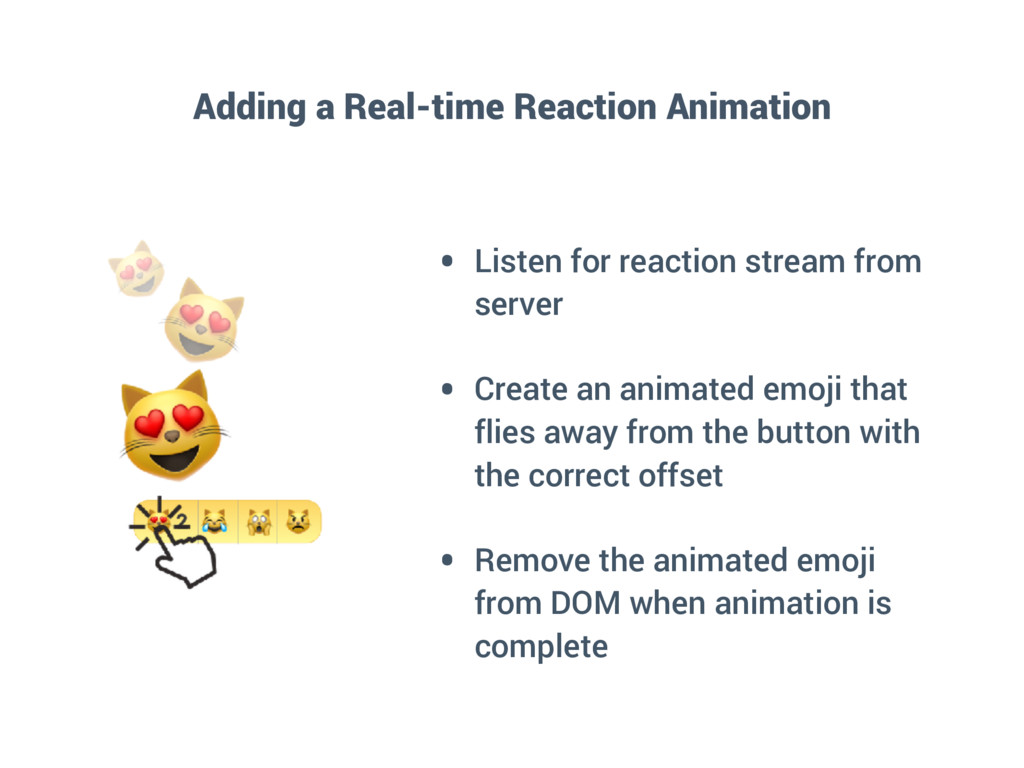
  40. Adding a Real-time Reaction Animation • Listen for reaction stream

    from server • Create an animated emoji that flies away from the button with the correct offset • Remove the animated emoji from DOM when animation is complete
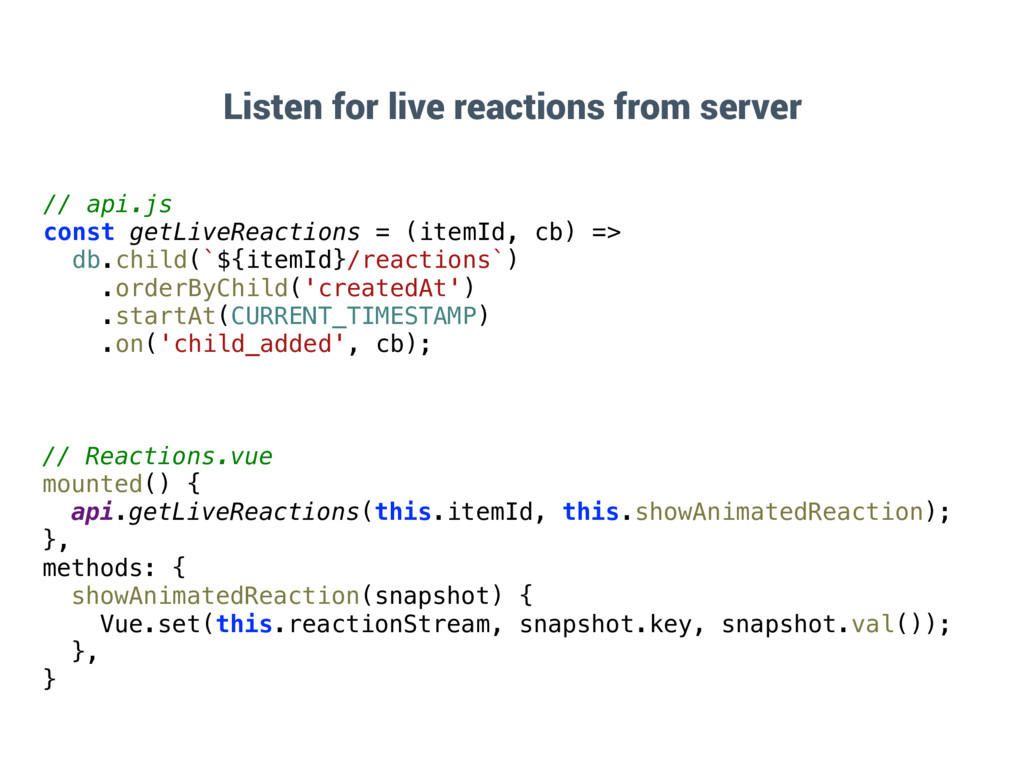
  41. // Reactions.vue mounted() { api.getLiveReactions(this.itemId, this.showAnimatedReaction); }, methods: { showAnimatedReaction(snapshot)

    { Vue.set(this.reactionStream, snapshot.key, snapshot.val()); }, } Listen for live reactions from server // api.js const getLiveReactions = (itemId, cb) => db.child(`${itemId}/reactions`) .orderByChild('createdAt') .startAt(CURRENT_TIMESTAMP) .on('child_added', cb);
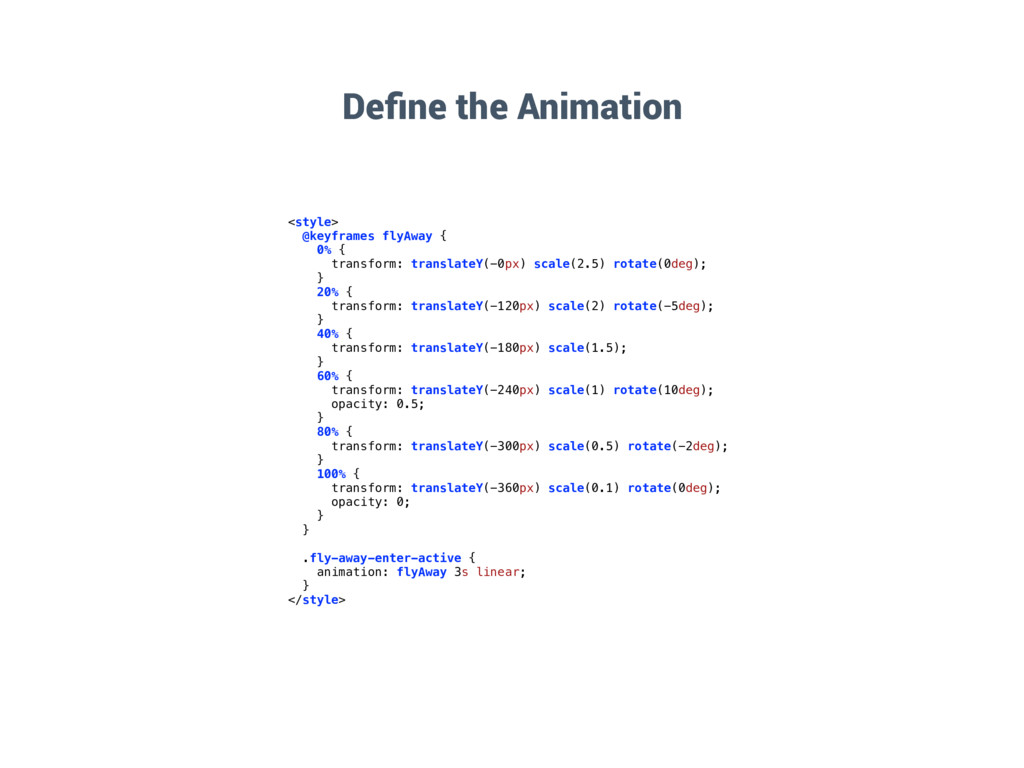
  42. Define the Animation <style> @keyframes flyAway { 0% { transform:

    translateY(-0px) scale(2.5) rotate(0deg); } 20% { transform: translateY(-120px) scale(2) rotate(-5deg); } 40% { transform: translateY(-180px) scale(1.5); } 60% { transform: translateY(-240px) scale(1) rotate(10deg); opacity: 0.5; } 80% { transform: translateY(-300px) scale(0.5) rotate(-2deg); } 100% { transform: translateY(-360px) scale(0.1) rotate(0deg); opacity: 0; } } .fly-away-enter-active { animation: flyAway 3s linear; } </style>
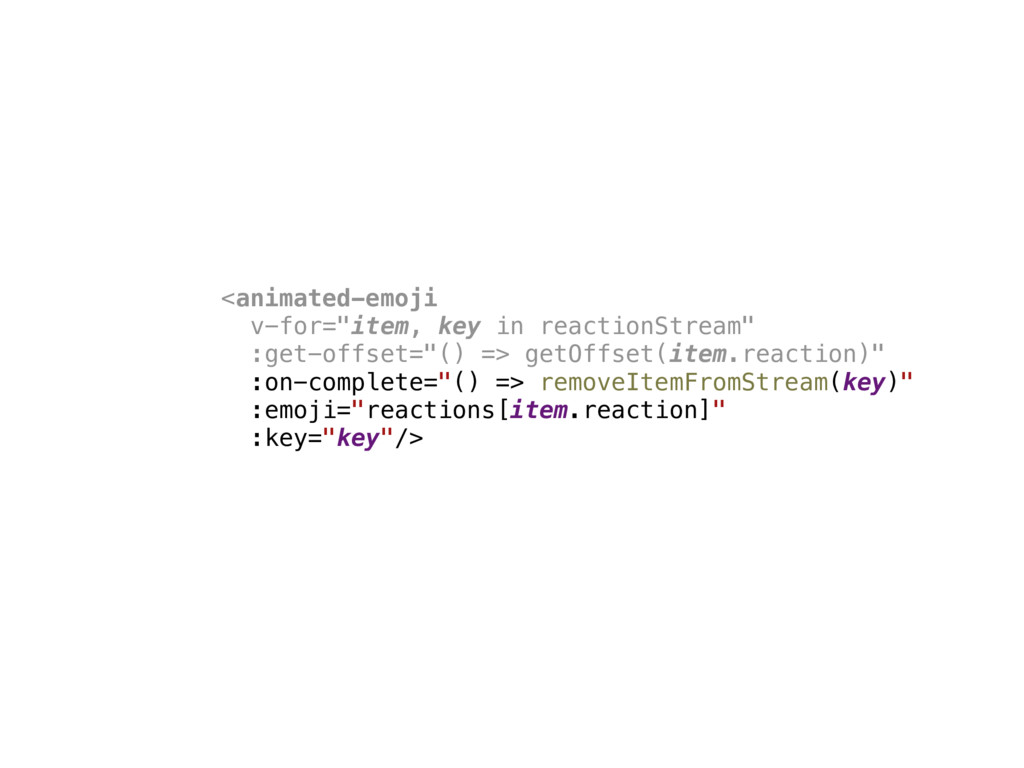
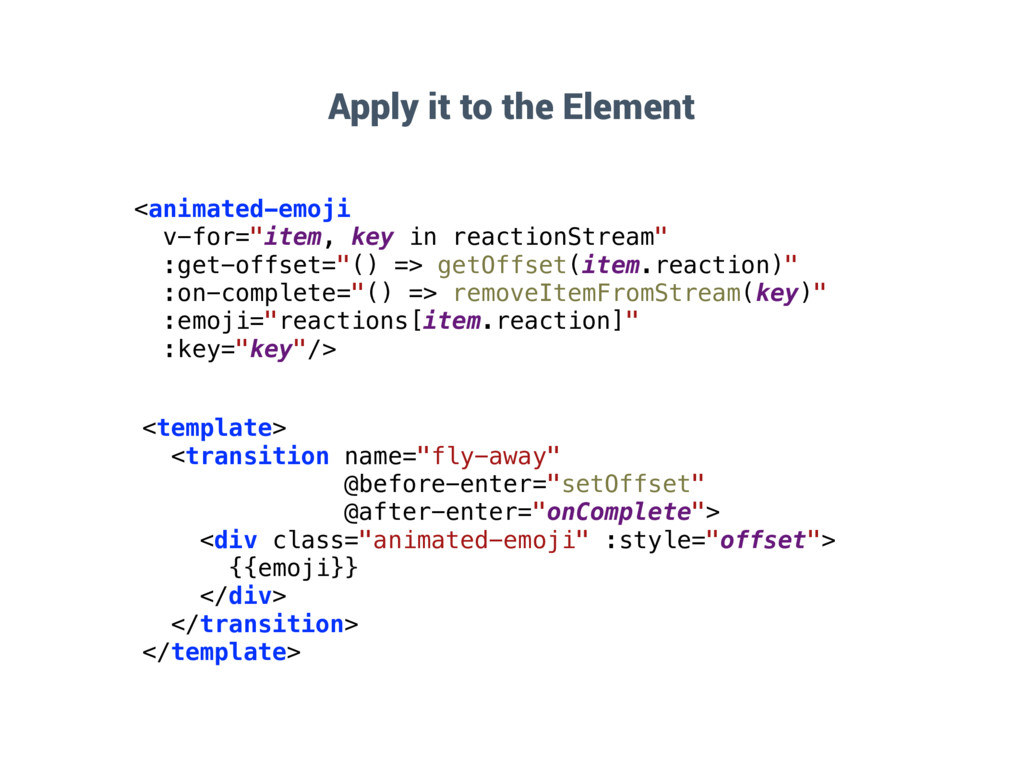
  43. <animated-emoji v-for="item, key in reactionStream" :get-offset="() => getOffset(item.reaction)" :on-complete="() =>

    removeItemFromStream(key)" :emoji="reactions[item.reaction]" :key="key"/> <template> <transition name="fly-away" @before-enter="setOffset" @after-enter="onComplete"> <div class="animated-emoji" :style="offset"> {{emoji}} </div> </transition> </template> Apply it to the Element
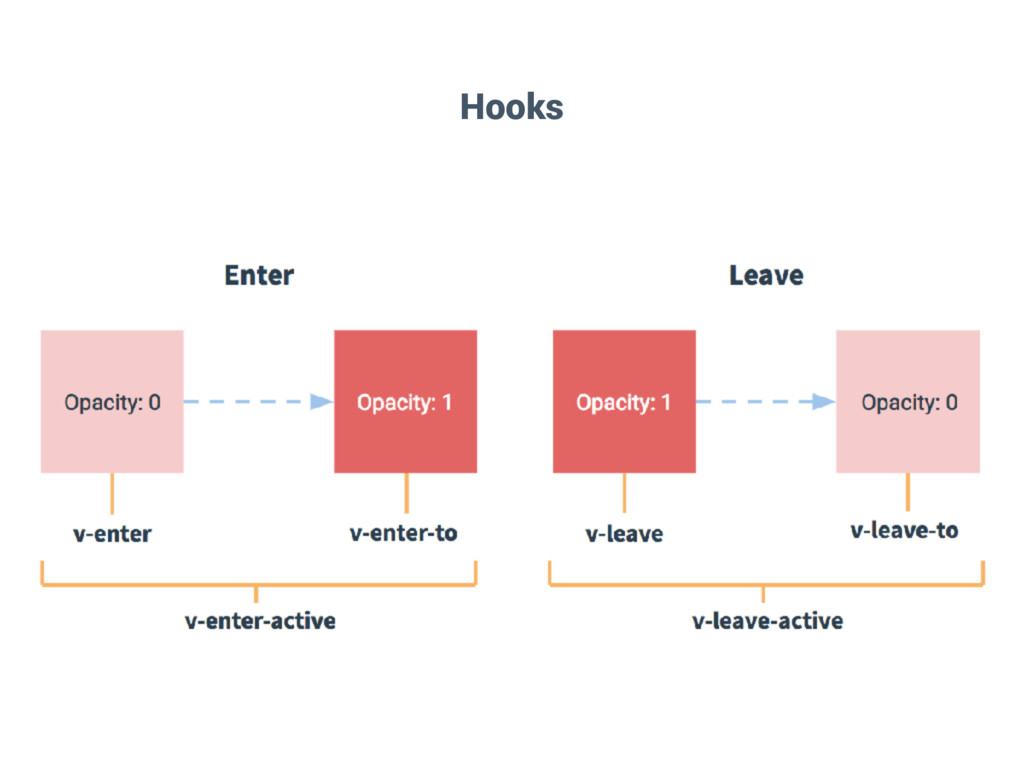
  44. Animate: Summary • Vue's powerful transition system lets you apply

    animations & transitions during the: • insertion • modification • and removal of single & multiple elements • …as well as lifecycle hooks at all stages of the animation
  45. Mutate • How can I capture state mutations in my

    application? • How can I propagate state changes to all components? • How can I do this optimistically & asynchronously?
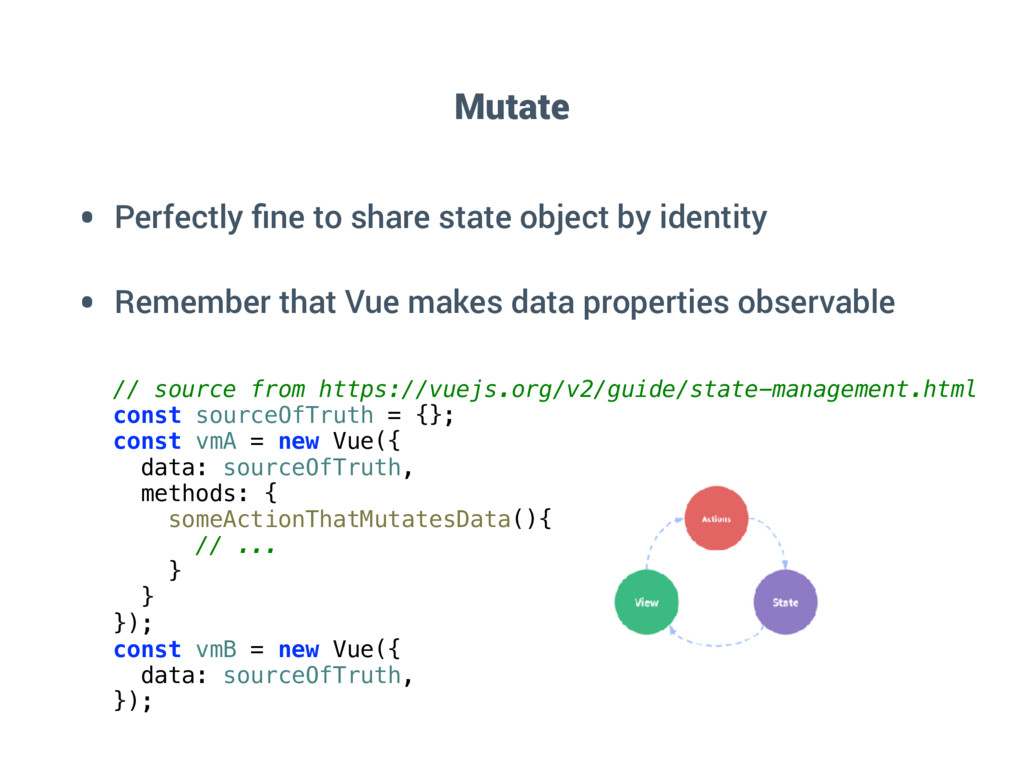
  46. Mutate • Perfectly fine to share state object by identity

    • Remember that Vue makes data properties observable // source from https://vuejs.org/v2/guide/state-management.html const sourceOfTruth = {}; const vmA = new Vue({ data: sourceOfTruth, methods: { someActionThatMutatesData(){ // ... } } }); const vmB = new Vue({ data: sourceOfTruth, });
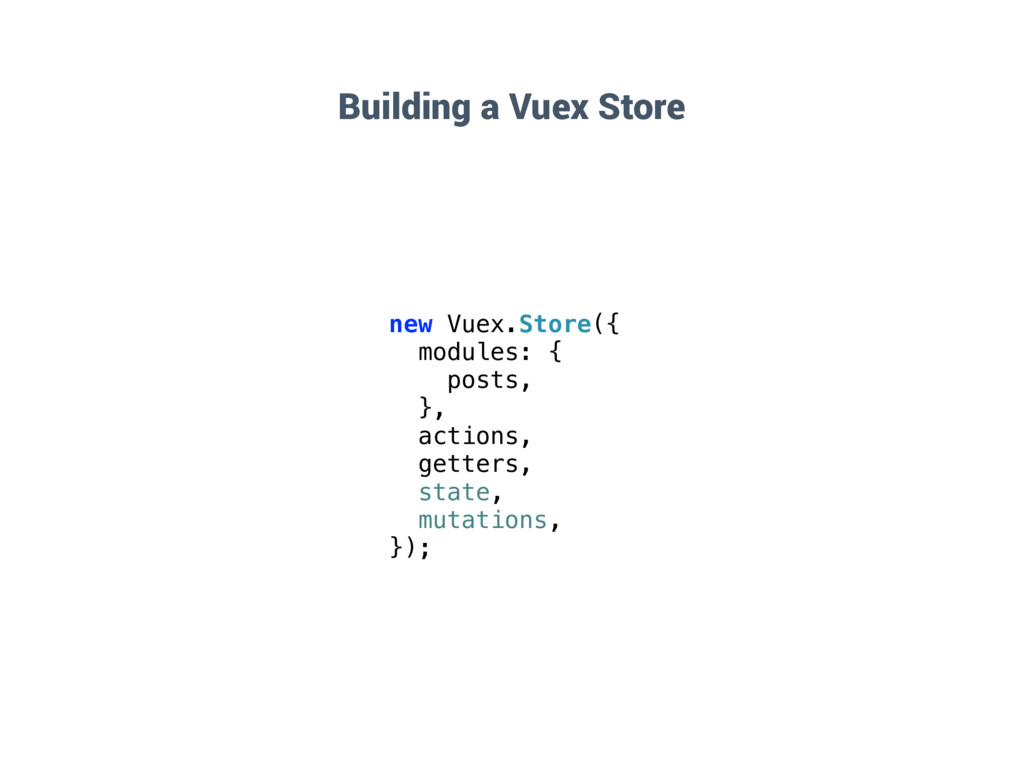
  47. Building a Vuex Store new Vuex.Store({ modules: { posts, },

    actions, getters, state, mutations, });
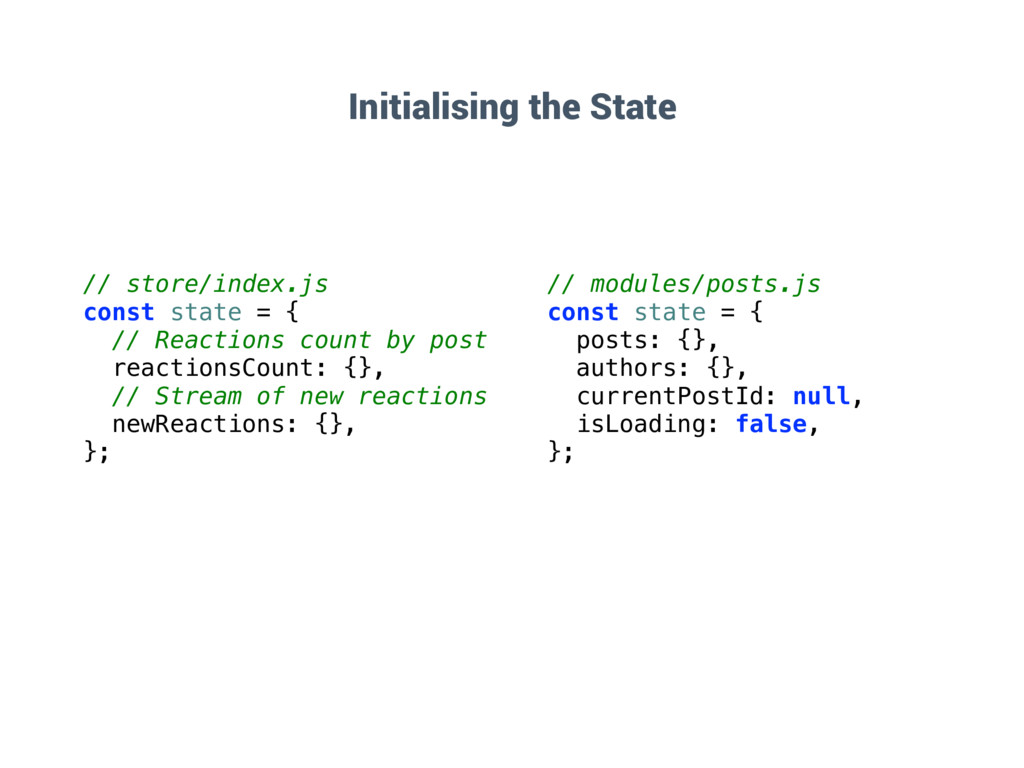
  48. Initialising the State // store/index.js const state = { //

    Reactions count by post reactionsCount: {}, // Stream of new reactions newReactions: {}, }; // modules/posts.js const state = { posts: {}, authors: {}, currentPostId: null, isLoading: false, };
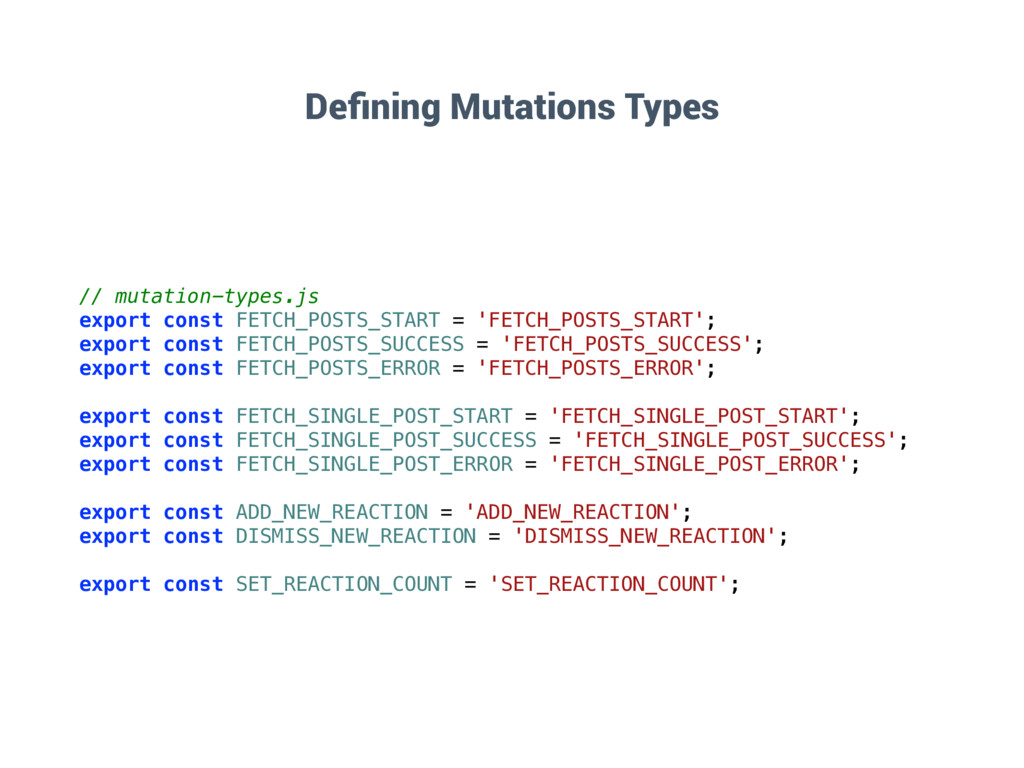
  49. Defining Mutations Types // mutation-types.js export const FETCH_POSTS_START = 'FETCH_POSTS_START';

    export const FETCH_POSTS_SUCCESS = 'FETCH_POSTS_SUCCESS'; export const FETCH_POSTS_ERROR = 'FETCH_POSTS_ERROR'; export const FETCH_SINGLE_POST_START = 'FETCH_SINGLE_POST_START'; export const FETCH_SINGLE_POST_SUCCESS = 'FETCH_SINGLE_POST_SUCCESS'; export const FETCH_SINGLE_POST_ERROR = 'FETCH_SINGLE_POST_ERROR'; export const ADD_NEW_REACTION = 'ADD_NEW_REACTION'; export const DISMISS_NEW_REACTION = 'DISMISS_NEW_REACTION'; export const SET_REACTION_COUNT = 'SET_REACTION_COUNT';
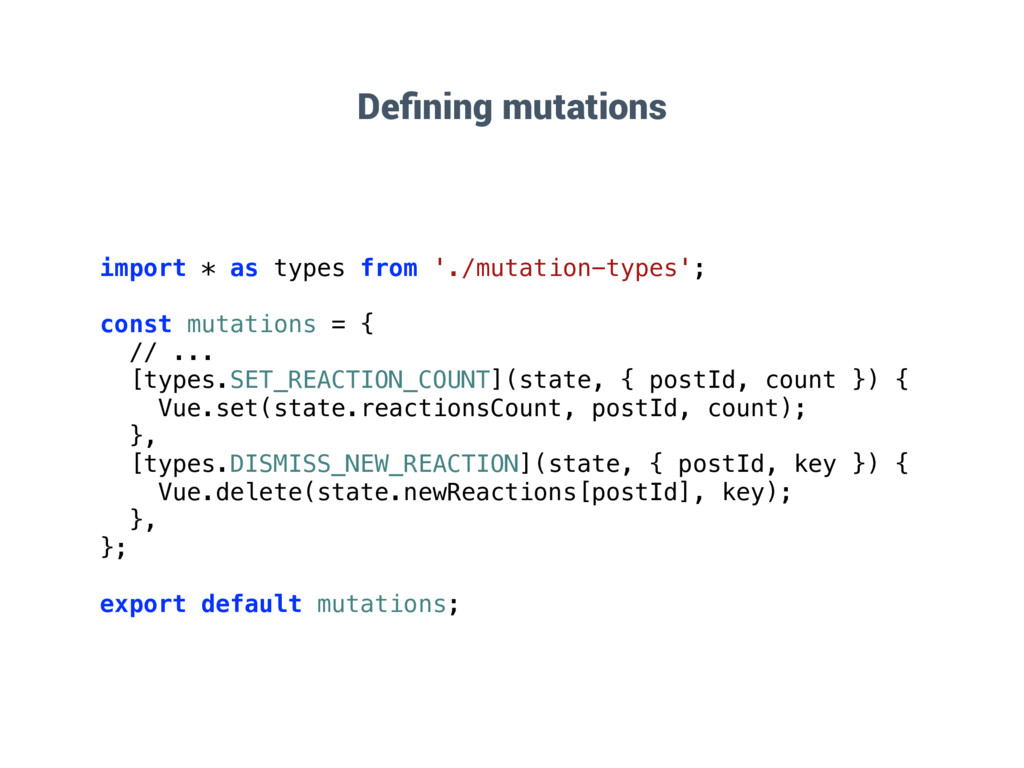
  50. Defining mutations import * as types from './mutation-types'; const mutations

    = { // ... [types.SET_REACTION_COUNT](state, { postId, count }) { Vue.set(state.reactionsCount, postId, count); }, [types.DISMISS_NEW_REACTION](state, { postId, key }) { Vue.delete(state.newReactions[postId], key); }, }; export default mutations;
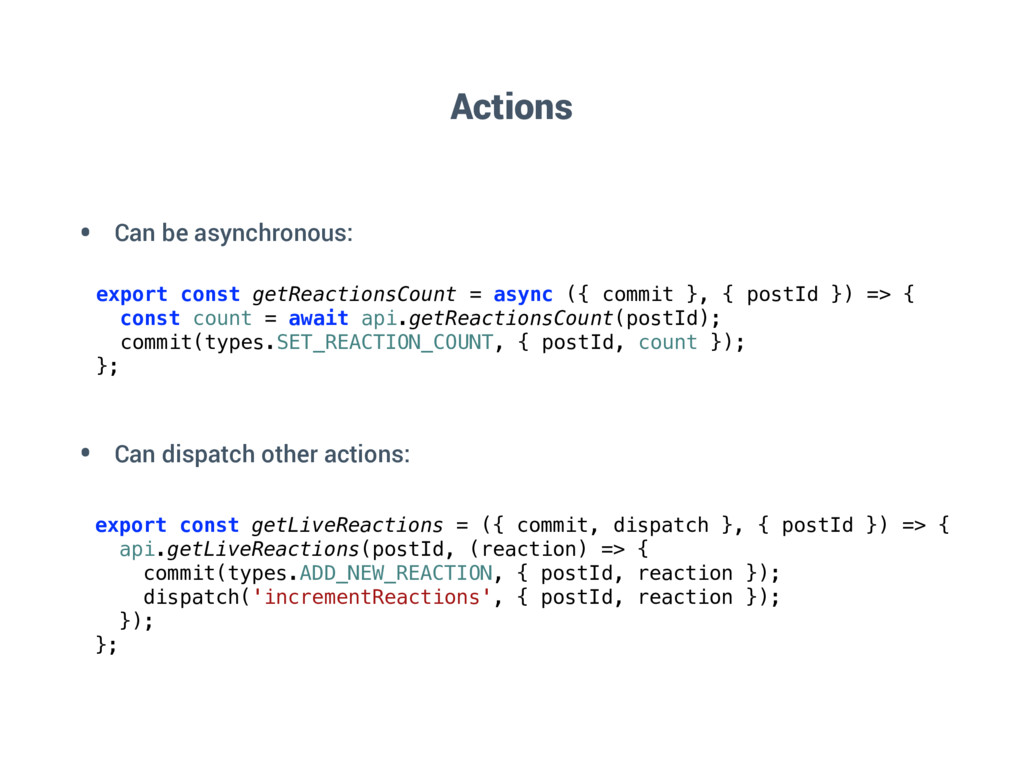
  51. Actions export const getReactionsCount = async ({ commit }, {

    postId }) => { const count = await api.getReactionsCount(postId); commit(types.SET_REACTION_COUNT, { postId, count }); }; export const getLiveReactions = ({ commit, dispatch }, { postId }) => { api.getLiveReactions(postId, (reaction) => { commit(types.ADD_NEW_REACTION, { postId, reaction }); dispatch('incrementReactions', { postId, reaction }); }); }; • Can be asynchronous: • Can dispatch other actions:
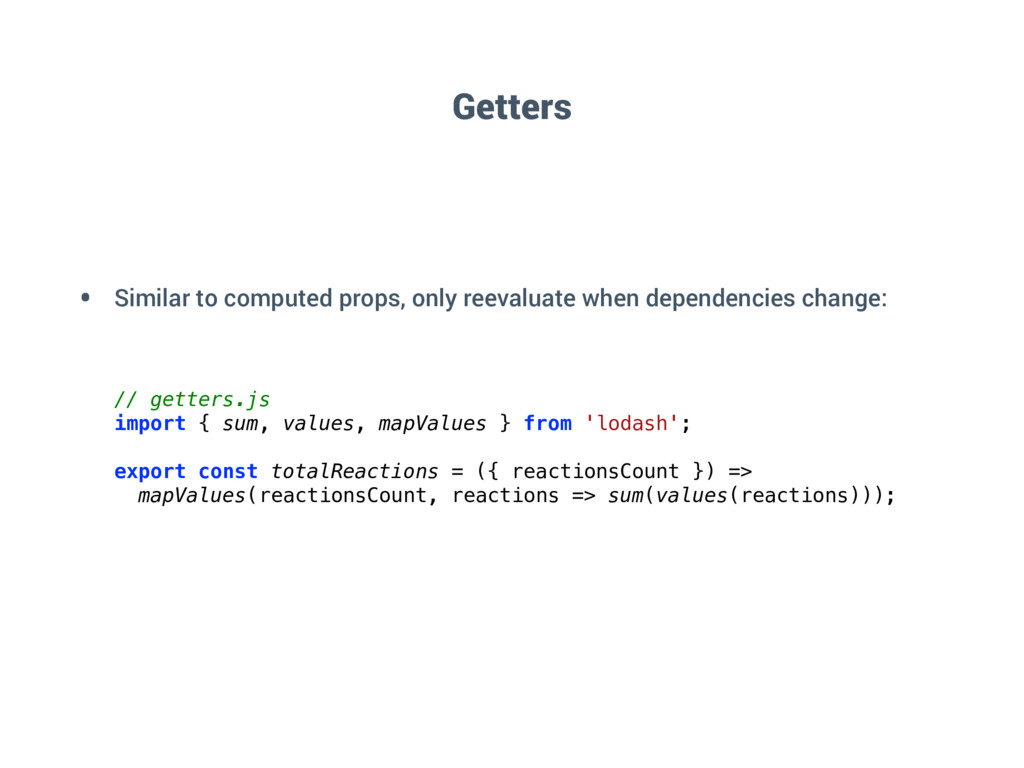
  52. • Similar to computed props, only reevaluate when dependencies change:

    // getters.js import { sum, values, mapValues } from 'lodash'; export const totalReactions = ({ reactionsCount }) => mapValues(reactionsCount, reactions => sum(values(reactions))); Getters
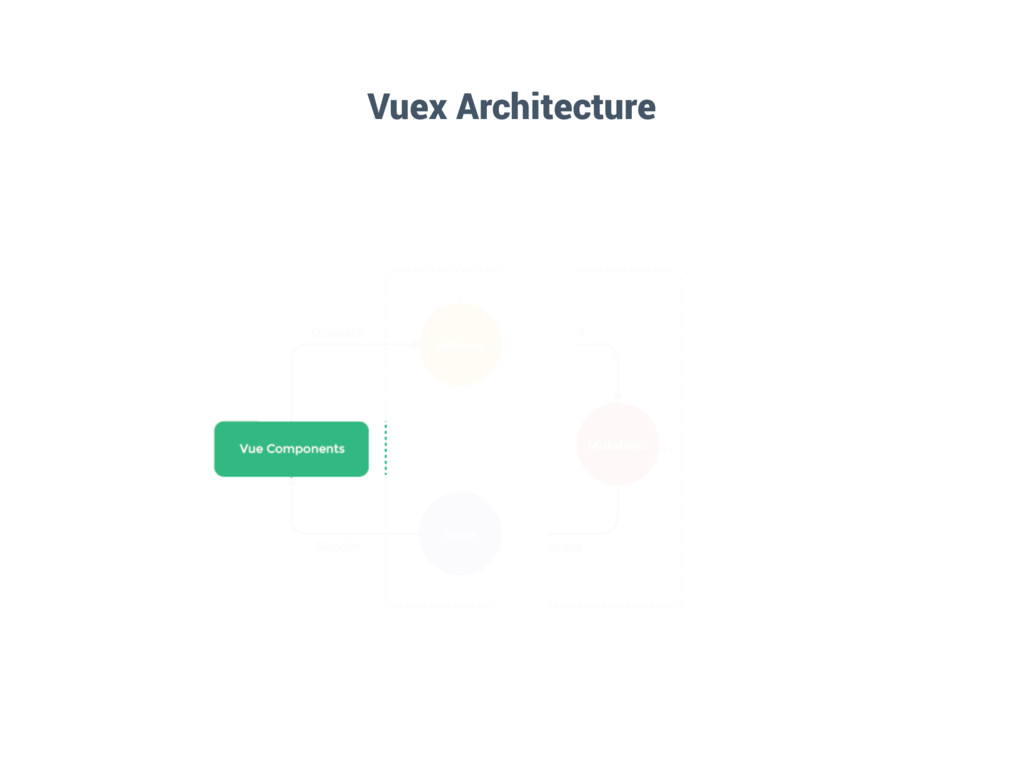
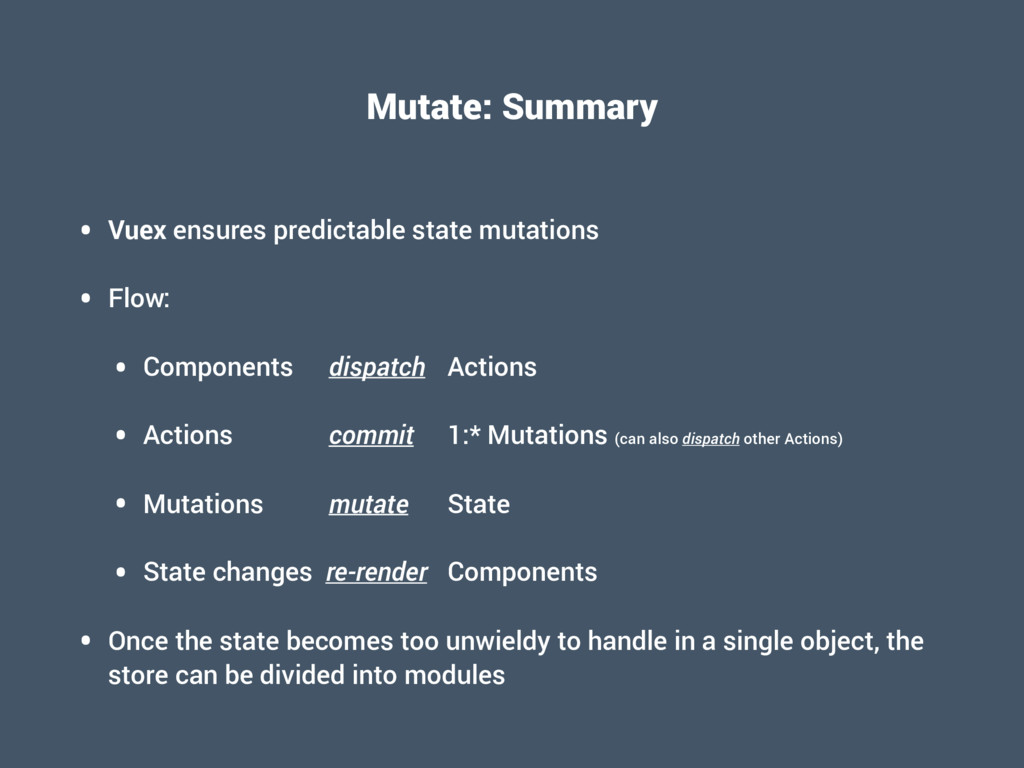
  53. Mutate: Summary • Vuex ensures predictable state mutations • Flow:

    • Components dispatch Actions • Actions commit 1:* Mutations (can also dispatch other Actions) • Mutations mutate State • State changes re-render Components • Once the state becomes too unwieldy to handle in a single object, the store can be divided into modules
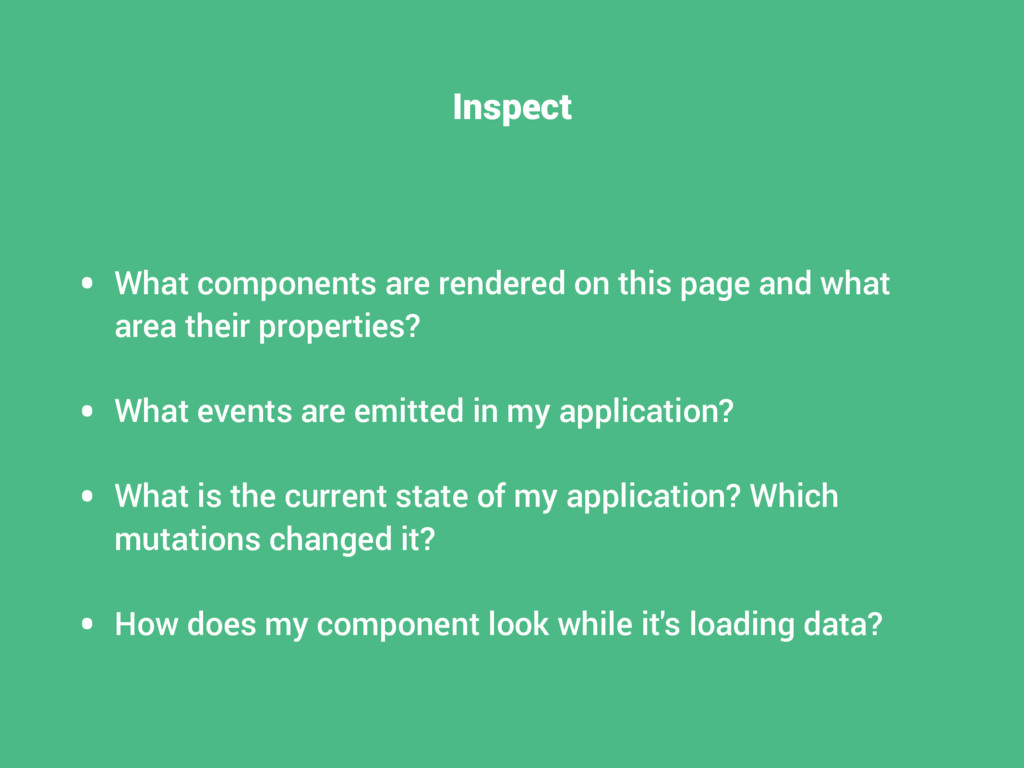
  54. Inspect • What components are rendered on this page and

    what area their properties? • What events are emitted in my application? • What is the current state of my application? Which mutations changed it? • How does my component look while it's loading data?
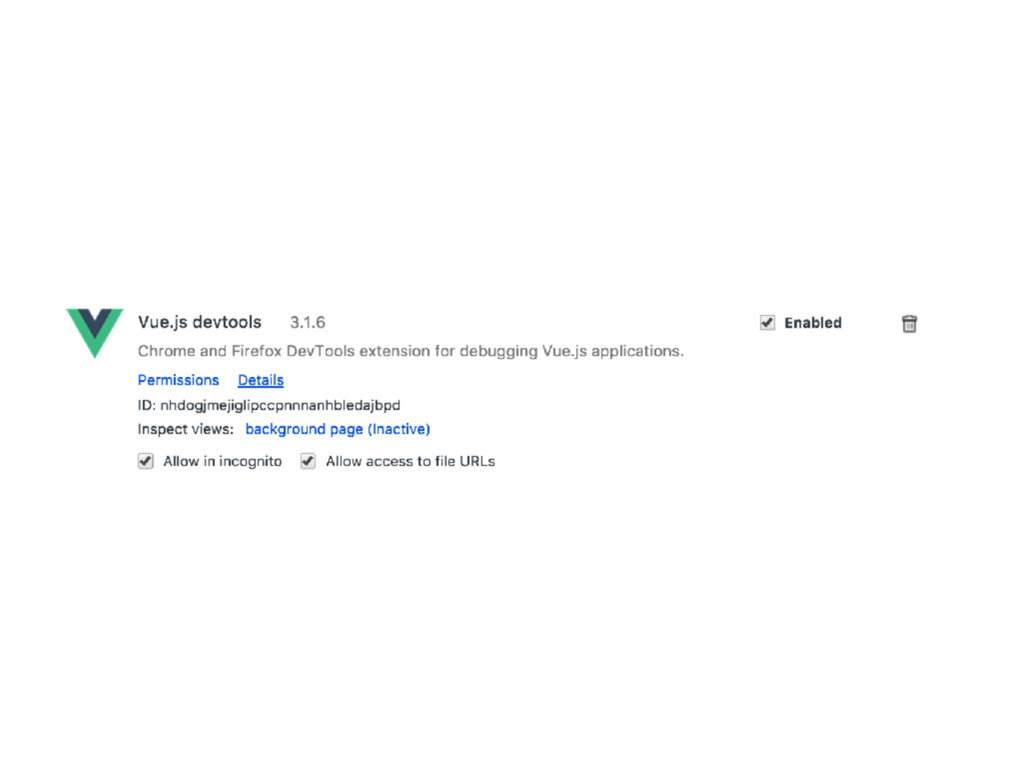
  55. Inspect: Summary • Vue provides a devtools extension for Chrome

    and Firefox • You can use it to inspect the components in a page • When using Vuex, you can also inspect the state of the application and travel back in time
  56. Deploy • How can I prepare my application for deployment?

    • How can I split up my application code to only load certain chunks when they're needed? • How can I render my application on the server?
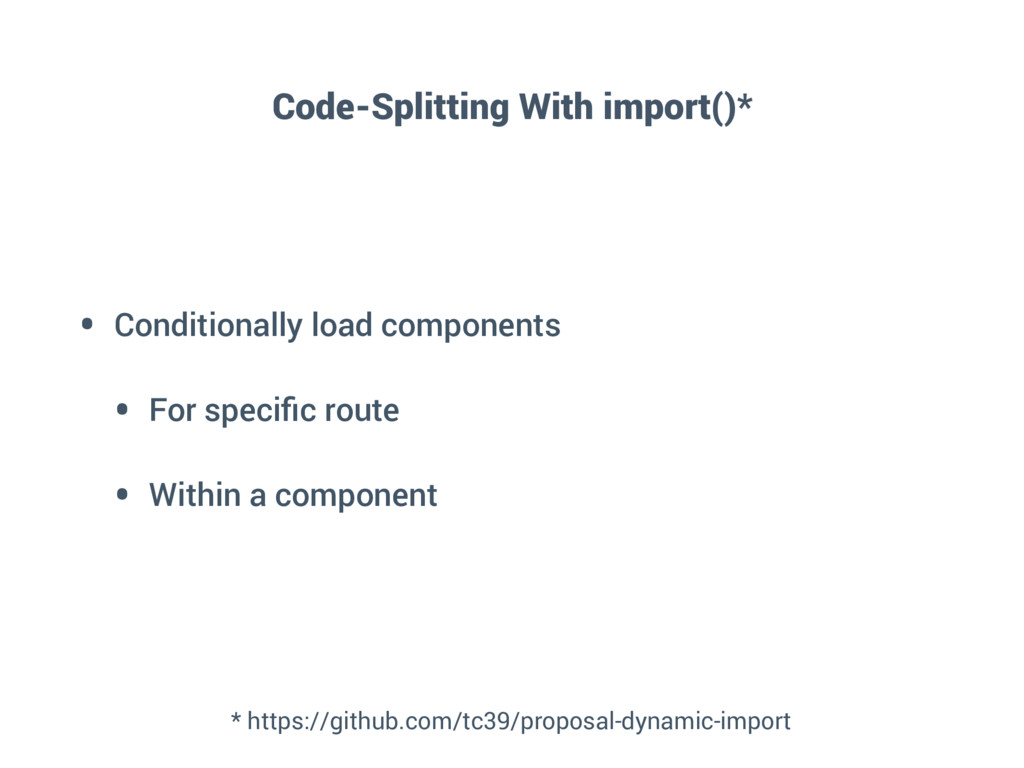
  57. Code-Splitting With import()* • Conditionally load components • For specific

    route • Within a component * https://github.com/tc39/proposal-dynamic-import
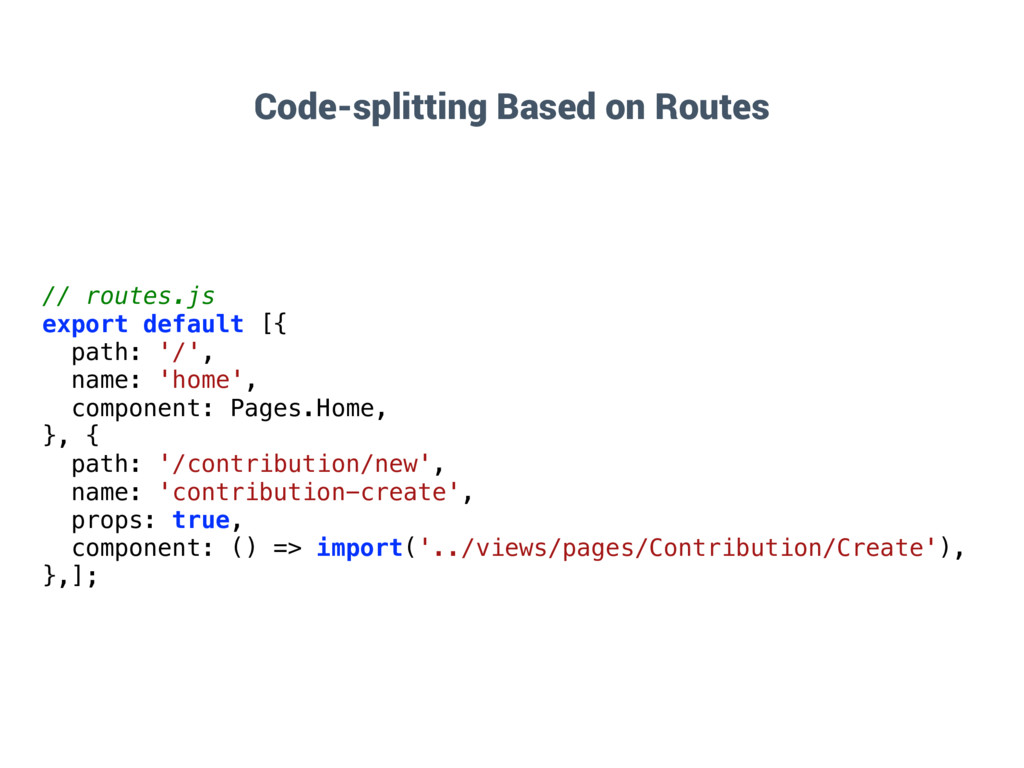
  58. Code-splitting Based on Routes // routes.js export default [{ path:

    '/', name: 'home', component: Pages.Home, }, { path: '/contribution/new', name: 'contribution-create', props: true, component: () => import('../views/pages/Contribution/Create'), },];
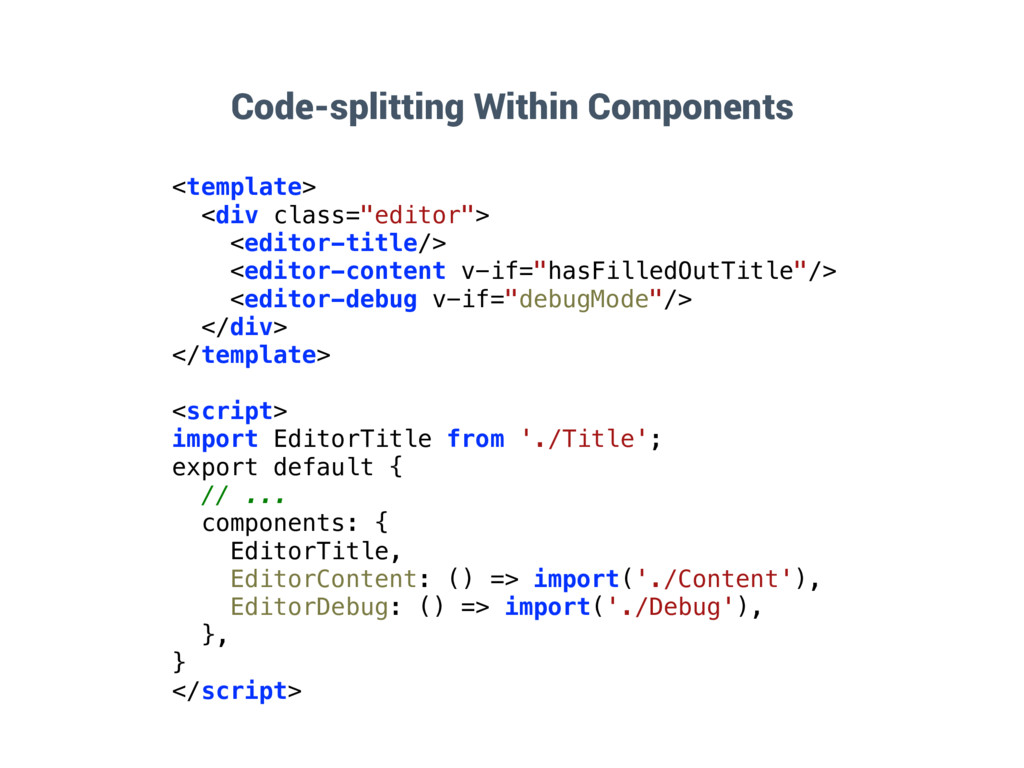
  59. Code-splitting Within Components <template> <div class="editor"> <editor-title/> <editor-content v-if="hasFilledOutTitle"/> <editor-debug

    v-if="debugMode"/> </div> </template> <script> import EditorTitle from './Title'; export default { // ... components: { EditorTitle, EditorContent: () => import('./Content'), EditorDebug: () => import('./Debug'), }, } </script>
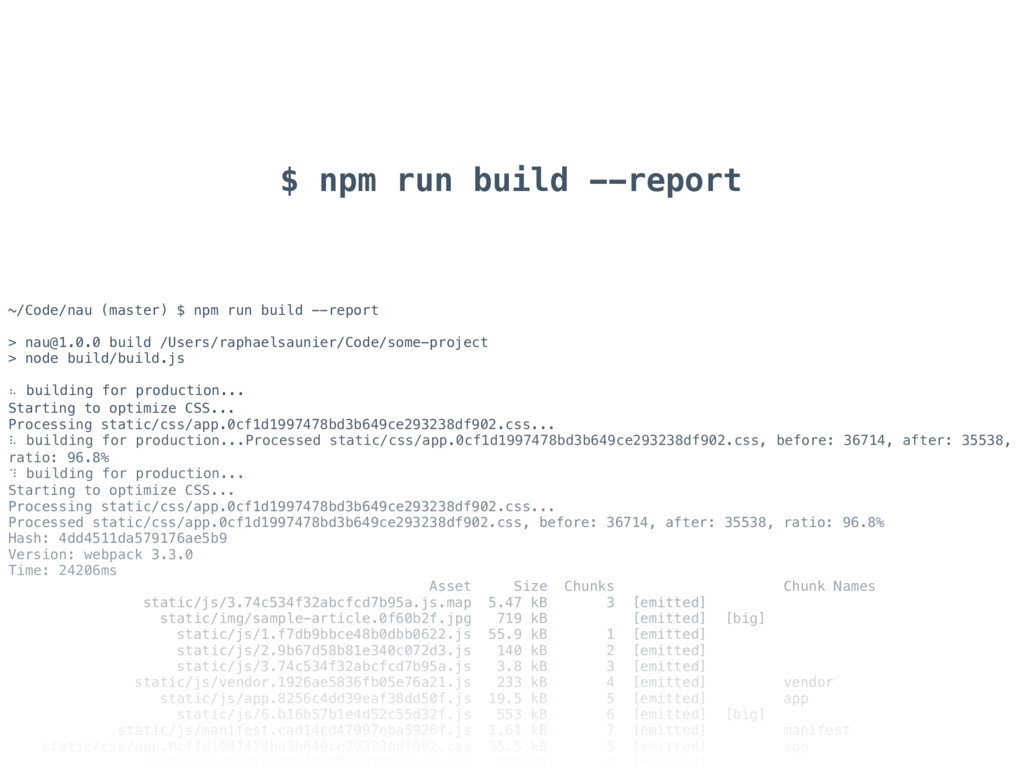
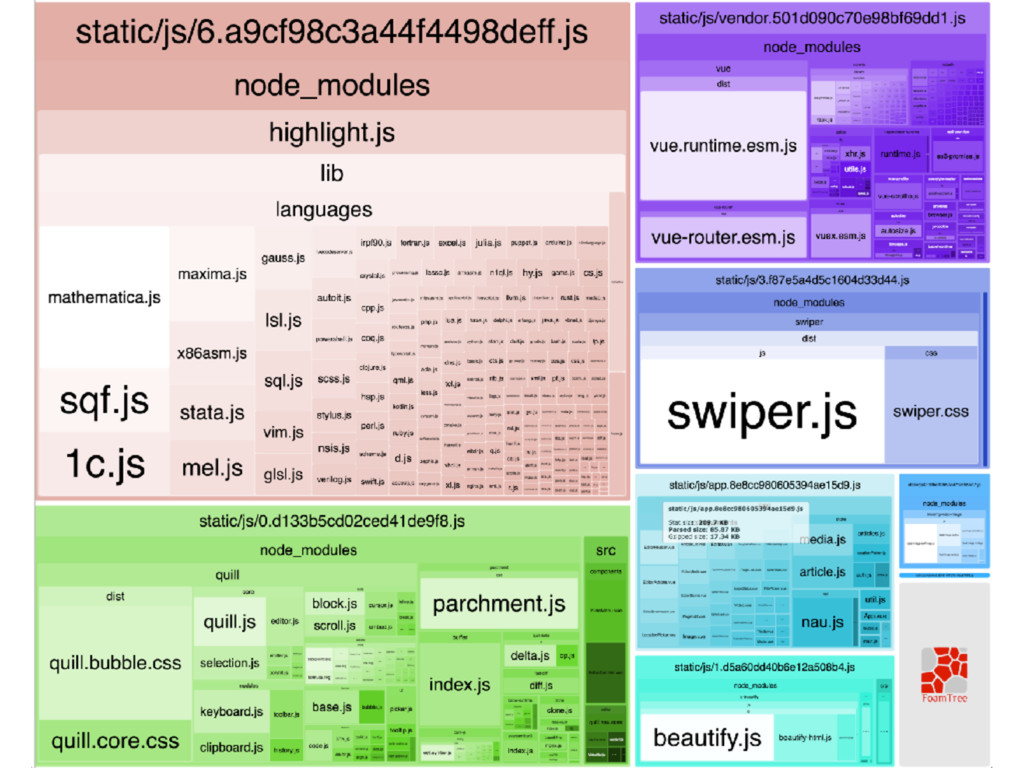
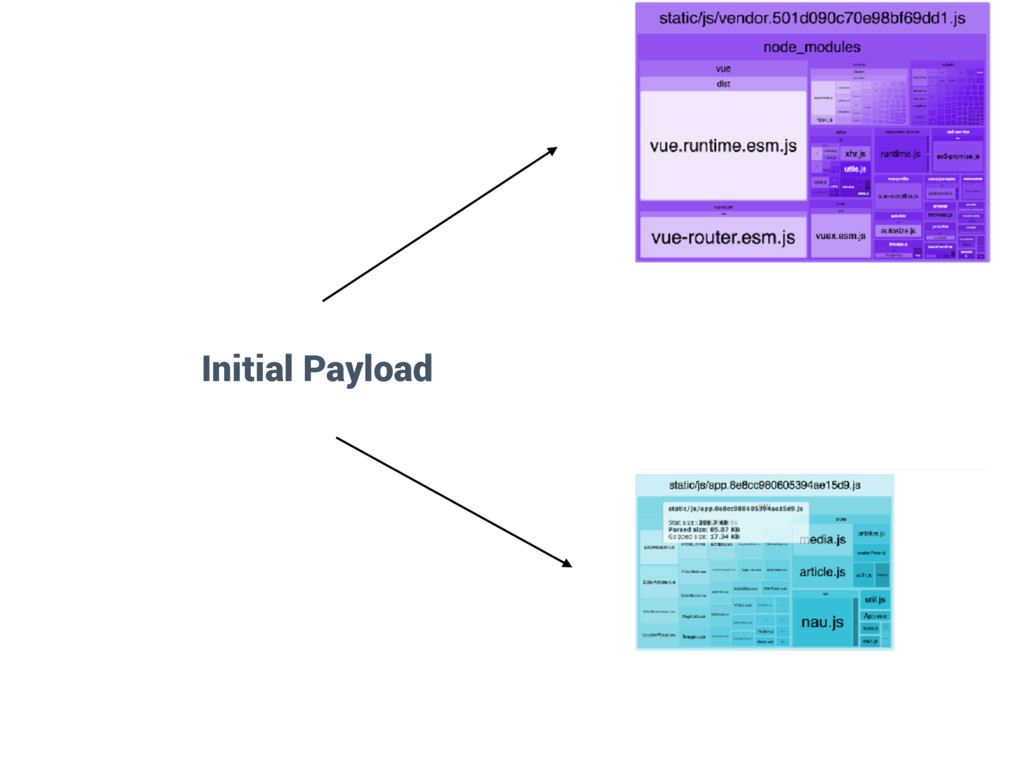
  60. $ npm run build --report ~/Code/nau (master) $ npm run

    build --report > [email protected] build /Users/raphaelsaunier/Code/some-project > node build/build.js ⠦ building for production... Starting to optimize CSS... Processing static/css/app.0cf1d1997478bd3b649ce293238df902.css... ⠧ building for production...Processed static/css/app.0cf1d1997478bd3b649ce293238df902.css, before: 36714, after: 35538, ratio: 96.8% ⠹ building for production... Starting to optimize CSS... Processing static/css/app.0cf1d1997478bd3b649ce293238df902.css... Processed static/css/app.0cf1d1997478bd3b649ce293238df902.css, before: 36714, after: 35538, ratio: 96.8% Hash: 4dd4511da579176ae5b9 Version: webpack 3.3.0 Time: 24206ms Asset Size Chunks Chunk Names static/js/3.74c534f32abcfcd7b95a.js.map 5.47 kB 3 [emitted] static/img/sample-article.0f60b2f.jpg 719 kB [emitted] [big] static/js/1.f7db9bbce48b0dbb0622.js 55.9 kB 1 [emitted] static/js/2.9b67d58b81e340c072d3.js 140 kB 2 [emitted] static/js/3.74c534f32abcfcd7b95a.js 3.8 kB 3 [emitted] static/js/vendor.1926ae5836fb05e76a21.js 233 kB 4 [emitted] vendor static/js/app.8256c4dd39eaf38dd50f.js 19.5 kB 5 [emitted] app static/js/6.b16b57b1e4d52c55d32f.js 553 kB 6 [emitted] [big] static/js/manifest.cad14cd47997eba5926f.js 1.61 kB 7 [emitted] manifest static/css/app.0cf1d1997478bd3b649ce293238df902.css 35.5 kB 5 [emitted] app static/js/0.0fac20c40a79bdd739e1.js.map 708 kB 0 [emitted]
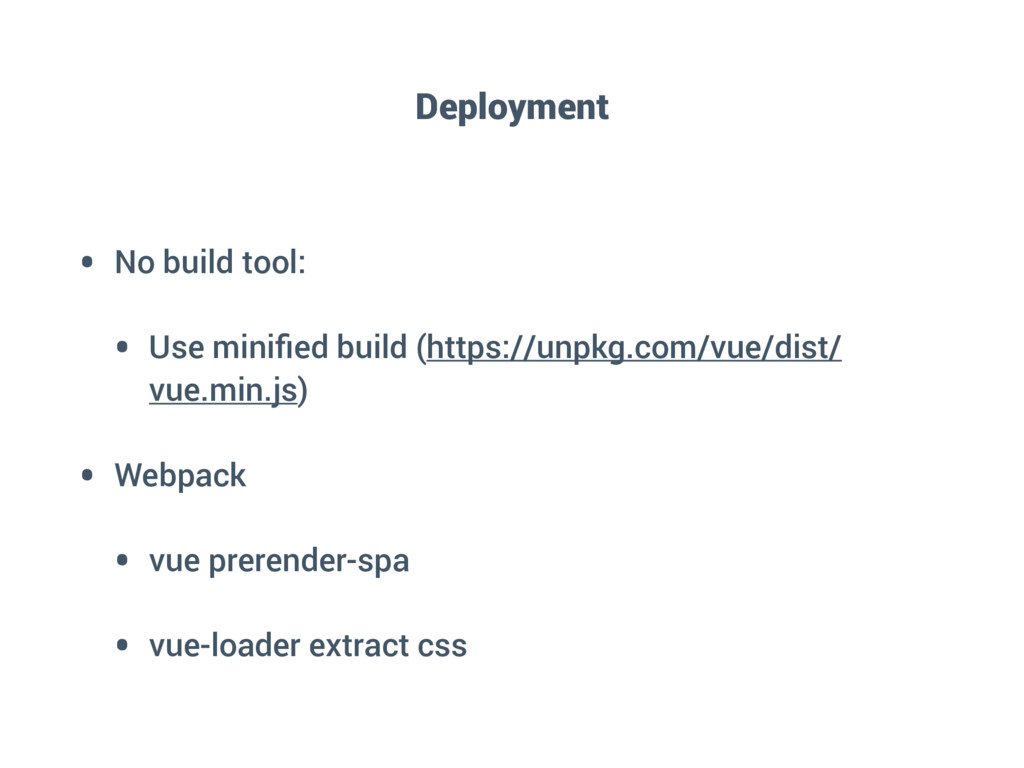
  61. Deployment • No build tool: • Use minified build (https://unpkg.com/vue/dist/

    vue.min.js) • Webpack • vue prerender-spa • vue-loader extract css
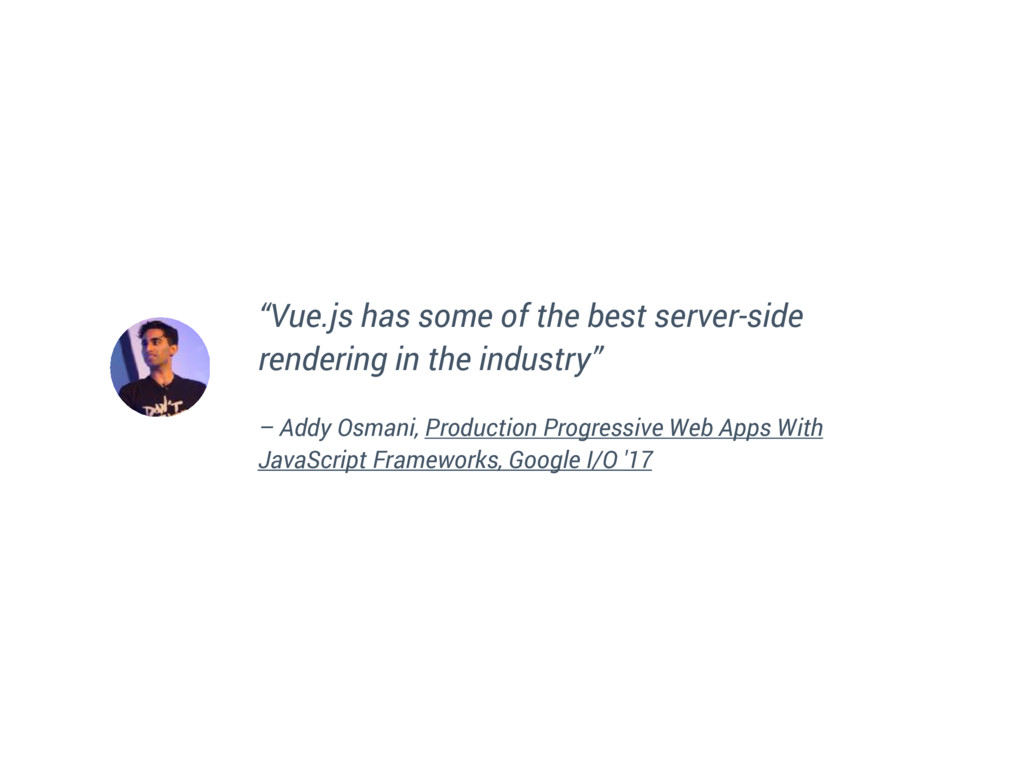
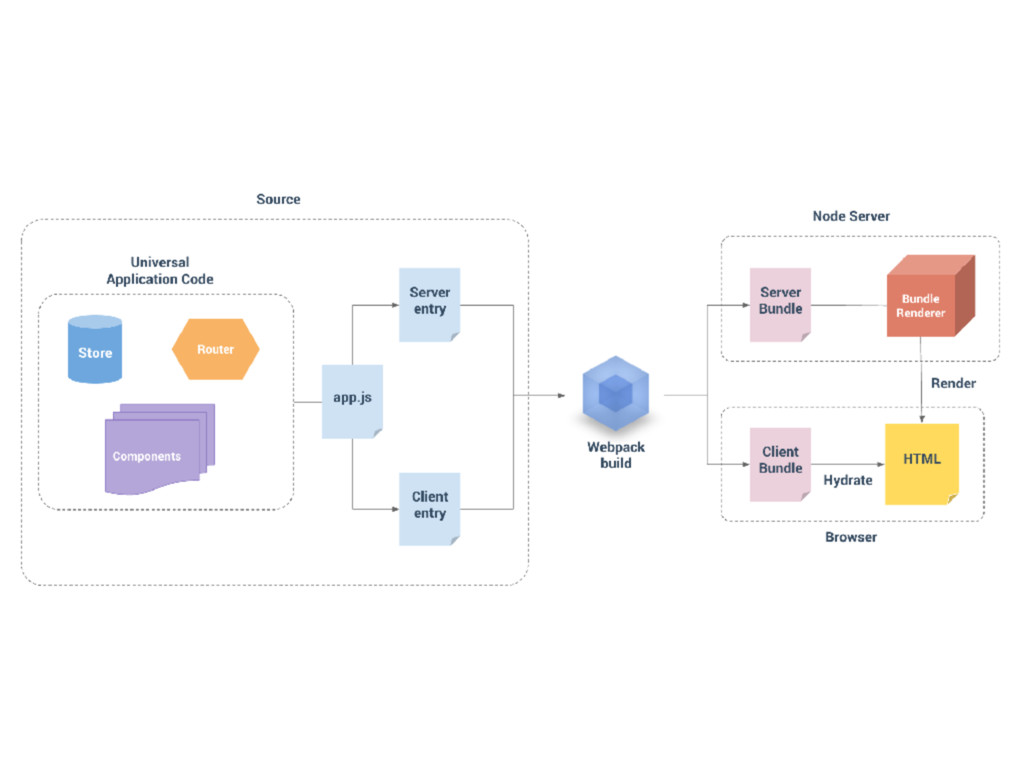
  62. “Vue.js has some of the best server-side rendering in the

    industry” – Addy Osmani, Production Progressive Web Apps With JavaScript Frameworks, Google I/O '17
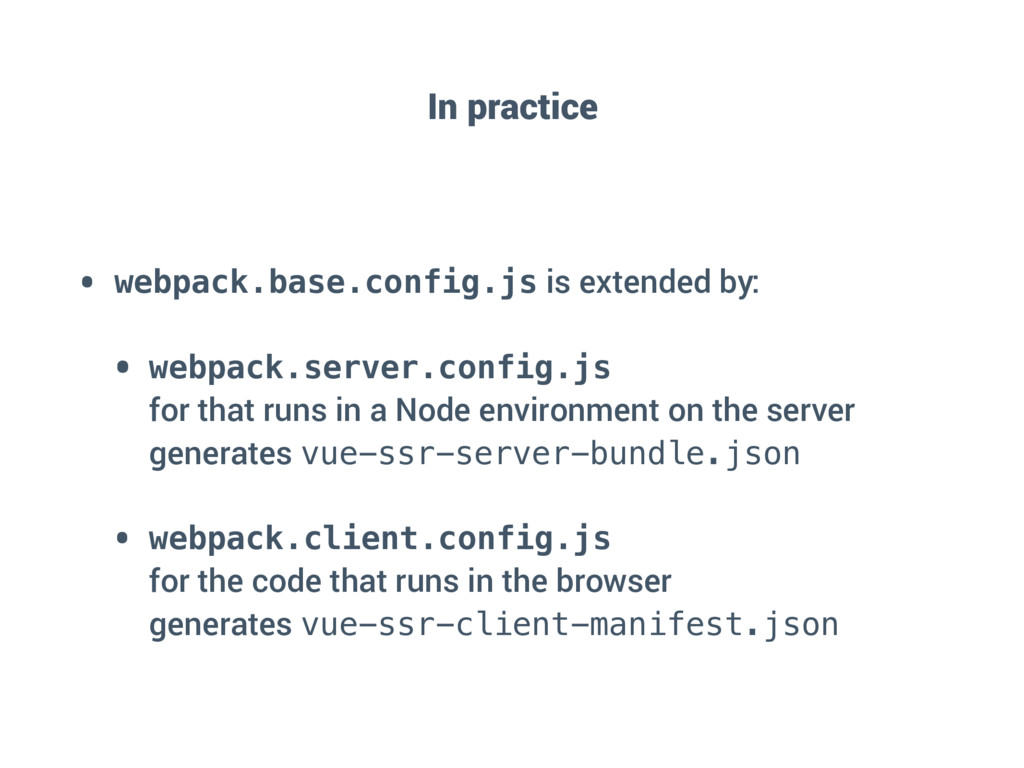
  63. In practice • webpack.base.config.js is extended by: • webpack.server.config.js 


    for that runs in a Node environment on the server
 generates vue-ssr-server-bundle.json • webpack.client.config.js 
 for the code that runs in the browser
 generates vue-ssr-client-manifest.json
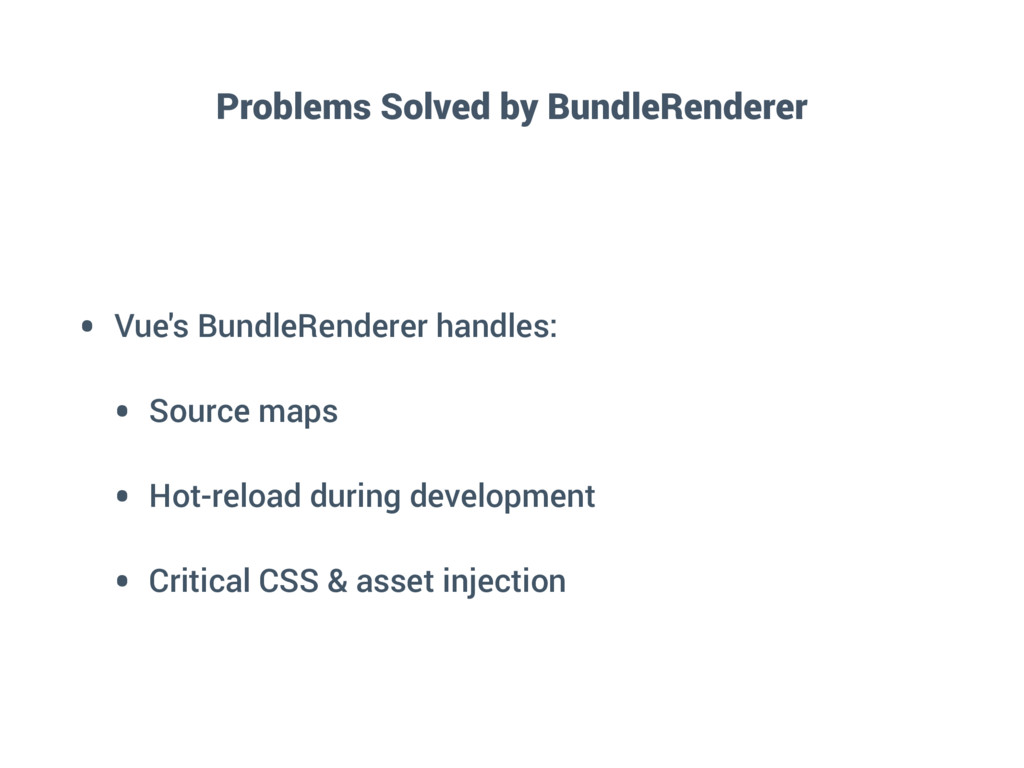
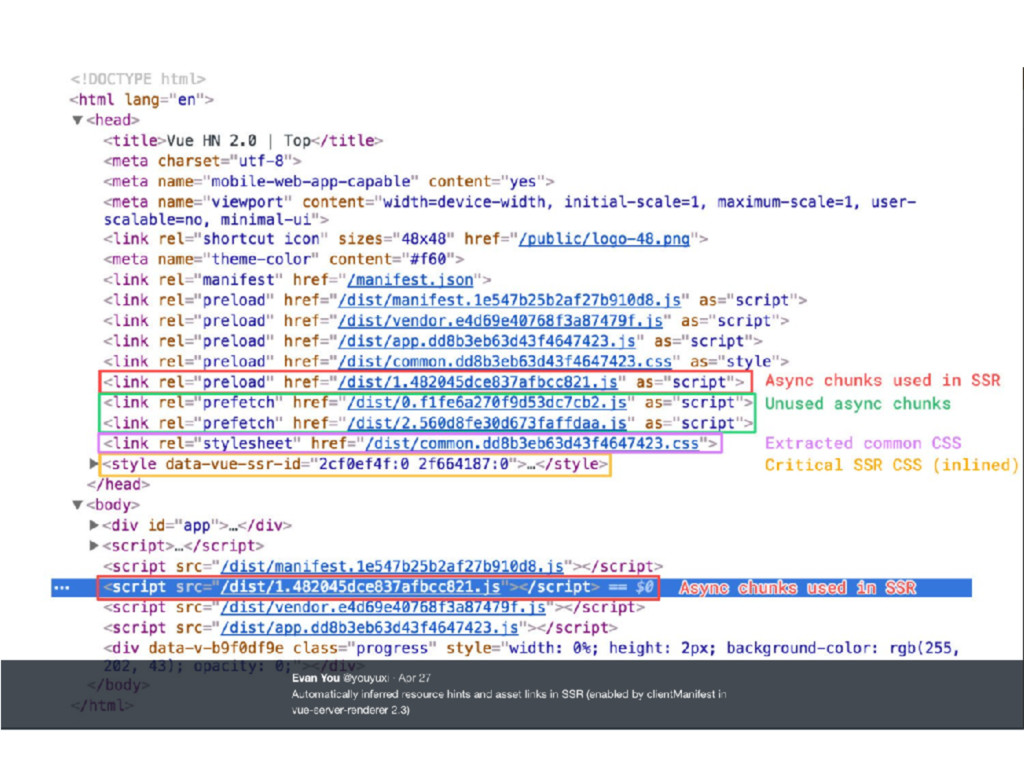
  64. Problems Solved by BundleRenderer • Vue's BundleRenderer handles: • Source

    maps • Hot-reload during development • Critical CSS & asset injection
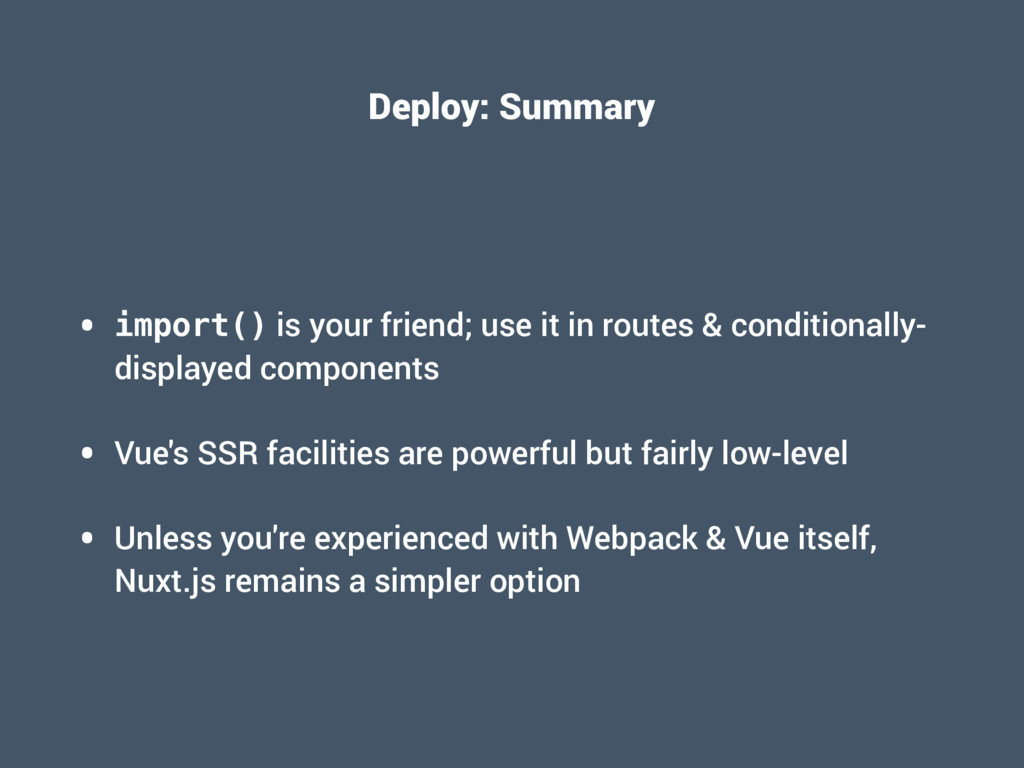
  65. Deploy: Summary • import() is your friend; use it in

    routes & conditionally- displayed components • Vue's SSR facilities are powerful but fairly low-level • Unless you're experienced with Webpack & Vue itself, Nuxt.js remains a simpler option
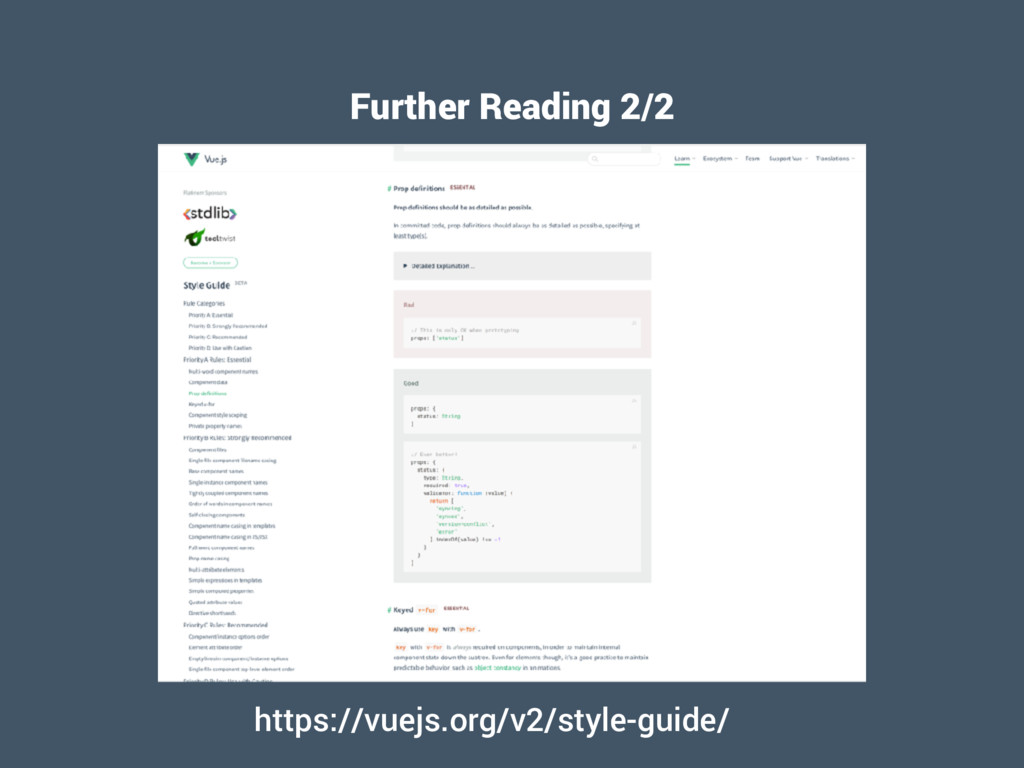
  66. Further Reading 1/2 • Official Guides • Core: https://vuejs.org/v2/guide/ •

    Vue Loader: https://vue-loader.vuejs.org/en/ • Router: https://router.vuejs.org/en/ • Vuex: https://vuex.vuejs.org/ • SSR: https://ssr.vuejs.org/en/ • Awesome Vue: https://github.com/vuejs/awesome-vue