Upgrade to Pro — share decks privately, control downloads, hide ads and more …

Digital Forensics and Incident Response in The ...

Avatar for Michael Cohen Michael Cohen
September 26, 2018

Digital Forensics and Incident Response in The Cloud Pt 2

Cloud technologies have made it easier for organizations to adapt rapidly to changing IT needs. Teams may acquire (and destroy) new computing resources at a press of a button providing for very flexible deployment environment. While this capability is generally useful, it does come at the cost of increasing management overheads and particularly degraded security posture. Traditionally, IT managers have provided visibility into organizational inventories and could use this information to enforce org wide standard operating environments (SOEs), institute patching regimes etc. However, with the advent of cloud computing, every team can create new VMs and containers on a whim for both production and development use, typically consisting of the cloud service provider's SOE offering.

In this tutorial we explore open source tools available for managing cloud deployments. In particular we look at the endpoint monitoring solutions provided by Google's Rekall Agent and Facebook's OSQuery and how these can be integrated into typical cloud deployments. Delegates should be able to walk away from this tutorial being able to install and manage a cloud deployment of Rekall Agent and OSQuery on their VM endpoints.

These solutions allow the administrators to gain insight into their enterprise wide deployment. For example, one could ask questions such as:

What is the current patch level of all my cloud VM's and containers for each software package? Which VM's are in need of patching? Which VMs have been created recently, and do they comply with minimum security hardening standards?
Who has remote access to my VM's? E.g. via ssh authorized_keys? Via cloud IAM's security policy?
Do any VM's contain a particular indicator of compromise? E.g. Run a YARA signature over all executables on my virtual machines and tell me which ones match.

Avatar for Michael Cohen

Michael Cohen

September 26, 2018

More Decks by Michael Cohen

Other Decks in Technology

Transcript

  1. Digital Forensics and Incident Response in the Cloud Dr. Michael

    Cohen Velocidex Innovations. https://www.velocidex.com/
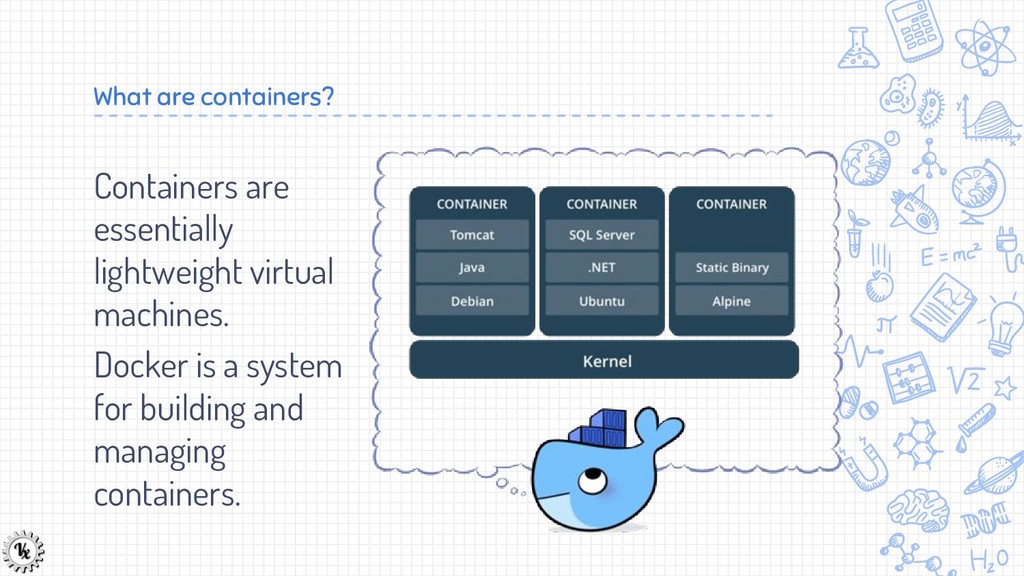
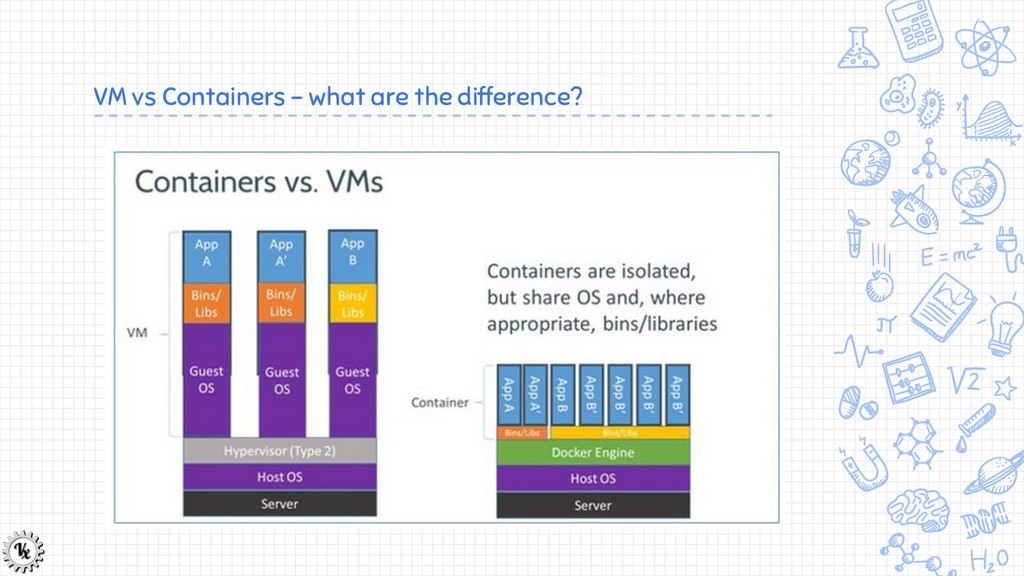
  2. Containers are essentially lightweight virtual machines. Docker is a system

    for building and managing containers. What are containers?
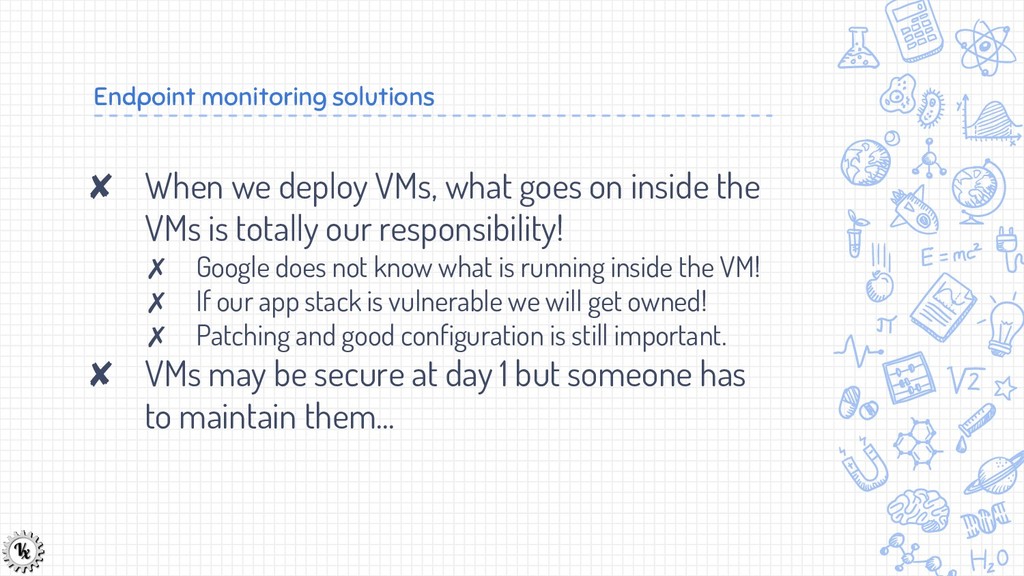
  3. Endpoint monitoring solutions ✘ When we deploy VMs, what goes

    on inside the VMs is totally our responsibility! ✗ Google does not know what is running inside the VM! ✗ If our app stack is vulnerable we will get owned! ✗ Patching and good configuration is still important. ✘ VMs may be secure at day 1 but someone has to maintain them...
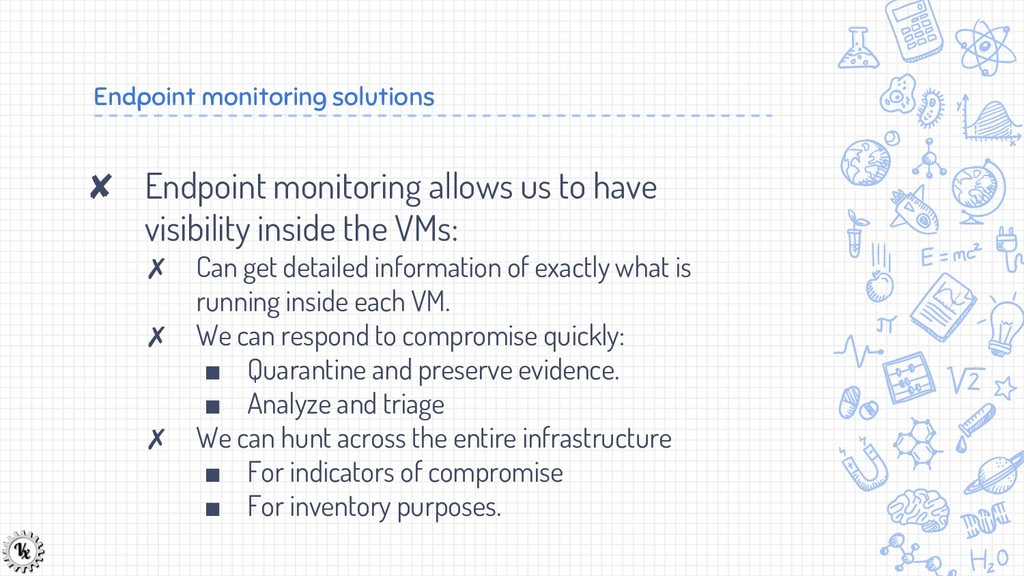
  4. Endpoint monitoring solutions ✘ Endpoint monitoring allows us to have

    visibility inside the VMs: ✗ Can get detailed information of exactly what is running inside each VM. ✗ We can respond to compromise quickly: ▪ Quarantine and preserve evidence. ▪ Analyze and triage ✗ We can hunt across the entire infrastructure ▪ For indicators of compromise ▪ For inventory purposes.
  5. Velocidex and Velociraptor ✘ At Velocidex we specialize in packaging

    and distributing tools for cloud deployments. ✘ Velociraptor is a very thin endpoint client which is compatible with GRR. ✗ We also package GRR for cloud deployment ✗ We include Facebook’s OSQuery In one convenient package!
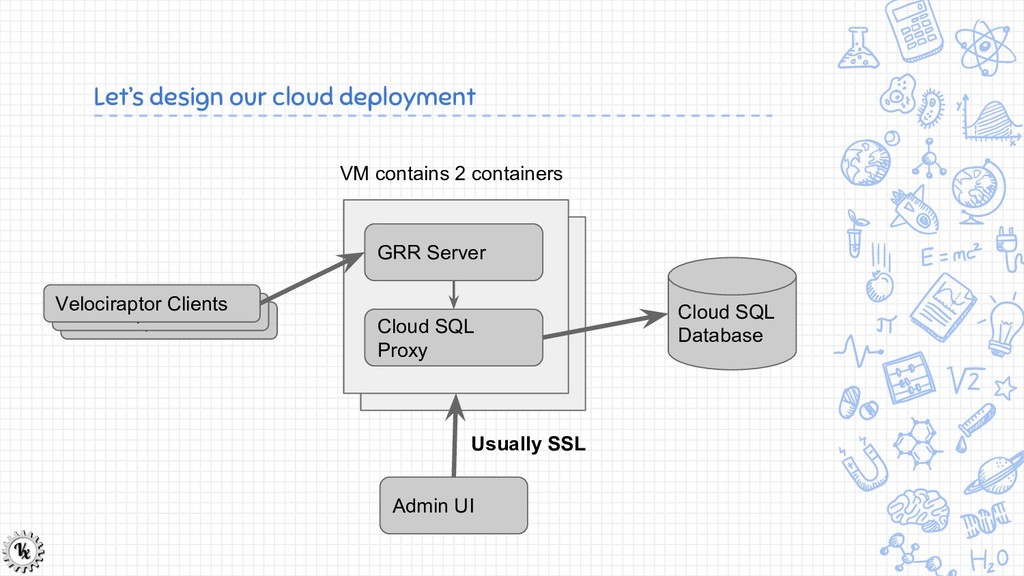
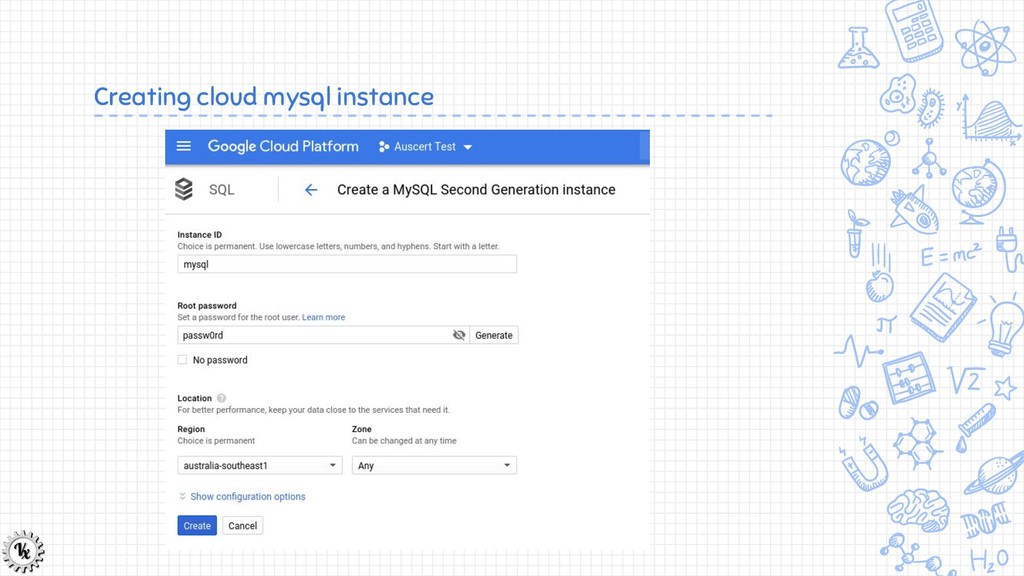
  6. Let’s design our cloud deployment Cloud SQL Database Cloud SQL

    Proxy GRR Server Velociraptor Clients Velociraptor Clients Velociraptor Clients VM contains 2 containers Admin UI Usually SSL
  7. Differences between this Workshop and Reality ✘ We will use

    a static IP and HTTP ✘ In reality you should always use SSL for the admin UI - Let’s encrypt is easy! ✗ GRR implements its own encryption so client connections can happen over http. ✘ In practice you should use a DNS name for front end ✗ Makes it easier to move clients between servers. ✗ You can configure multiple endpoints for clients.
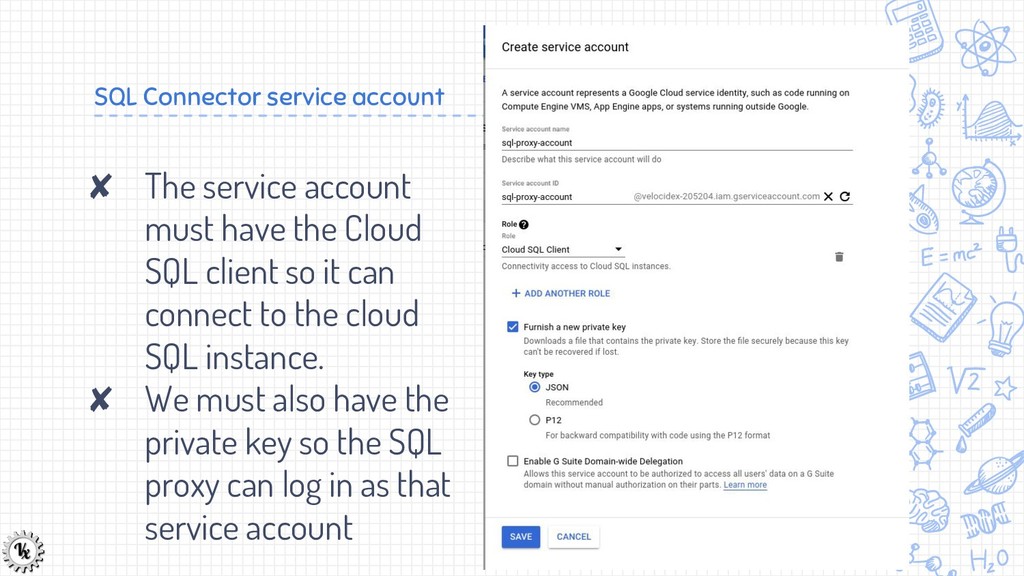
  8. SQL Connector service account ✘ The service account must have

    the Cloud SQL client so it can connect to the cloud SQL instance. ✘ We must also have the private key so the SQL proxy can log in as that service account
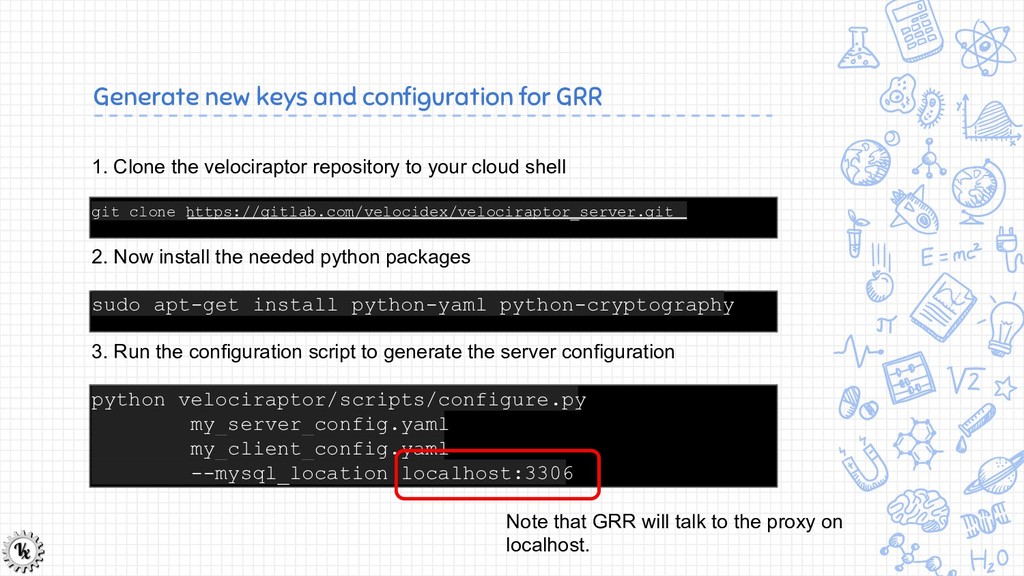
  9. Generate new keys and configuration for GRR 1. Clone the

    velociraptor repository to your cloud shell git clone https://gitlab.com/velocidex/velociraptor_server.git 2. Now install the needed python packages sudo apt-get install python-yaml python-cryptography 3. Run the configuration script to generate the server configuration python velociraptor/scripts/configure.py my_server_config.yaml my_client_config.yaml --mysql_location localhost:3306 Note that GRR will talk to the proxy on localhost.
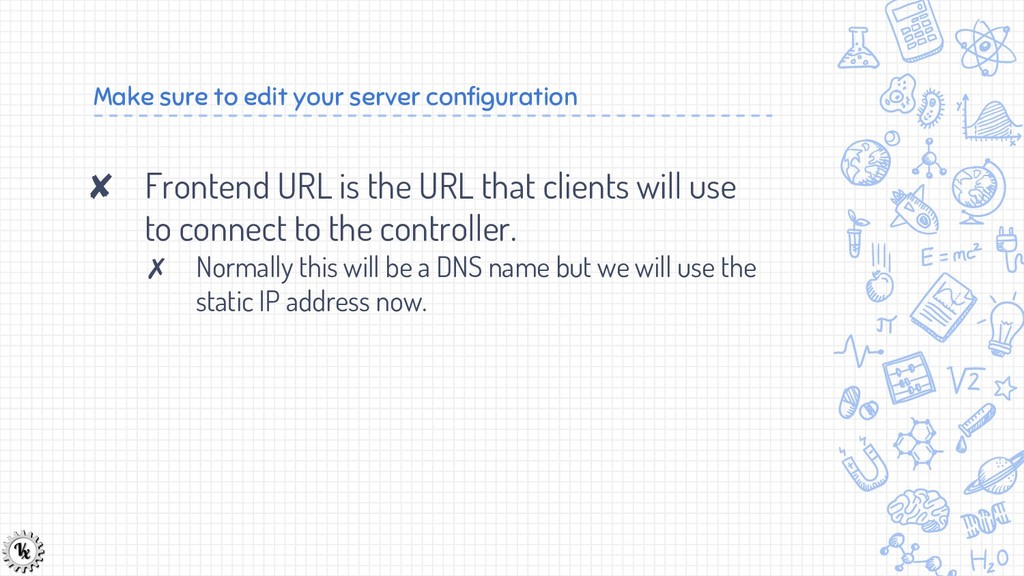
  10. Make sure to edit your server configuration ✘ Frontend URL

    is the URL that clients will use to connect to the controller. ✗ Normally this will be a DNS name but we will use the static IP address now.
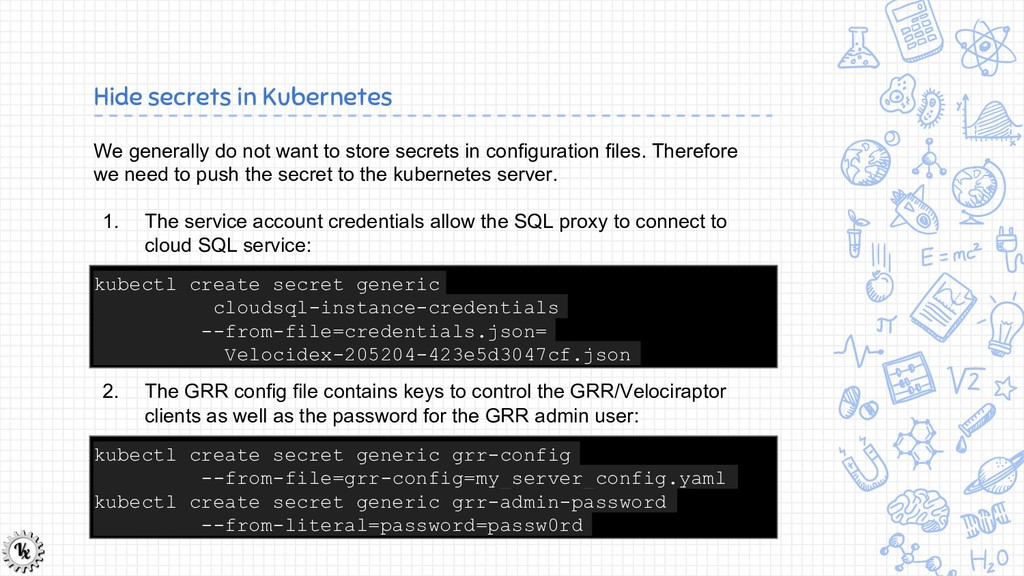
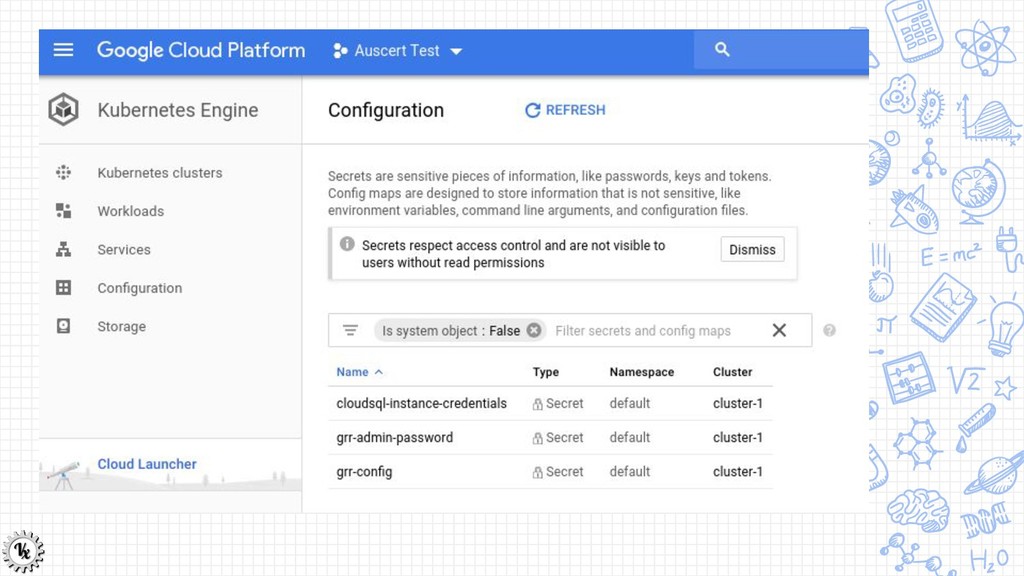
  11. Hide secrets in Kubernetes We generally do not want to

    store secrets in configuration files. Therefore we need to push the secret to the kubernetes server. 1. The service account credentials allow the SQL proxy to connect to cloud SQL service: kubectl create secret generic cloudsql-instance-credentials --from-file=credentials.json= Velocidex-205204-423e5d3047cf.json 2. The GRR config file contains keys to control the GRR/Velociraptor clients as well as the password for the GRR admin user: kubectl create secret generic grr-config --from-file=grr-config=my_server_config.yaml kubectl create secret generic grr-admin-password --from-literal=password=passw0rd
  12. Kubernetes secret management There are 2 main ways to pass

    secrets to the containers: 1. Via environment variables 2. Via a mounted filesystem. We will do both here.
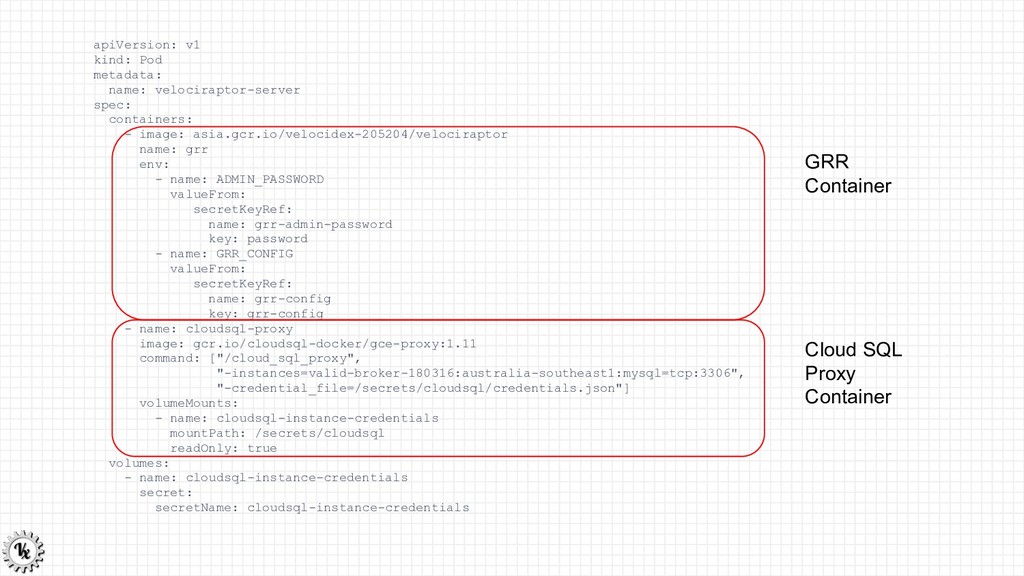
  13. apiVersion: v1 kind: Pod metadata: name: velociraptor-server spec: containers: -

    image: asia.gcr.io/velocidex-205204/velociraptor name: grr env: - name: ADMIN_PASSWORD valueFrom: secretKeyRef: name: grr-admin-password key: password - name: GRR_CONFIG valueFrom: secretKeyRef: name: grr-config key: grr-config - name: cloudsql-proxy image: gcr.io/cloudsql-docker/gce-proxy:1.11 command: ["/cloud_sql_proxy", "-instances=valid-broker-180316:australia-southeast1:mysql=tcp:3306", "-credential_file=/secrets/cloudsql/credentials.json"] volumeMounts: - name: cloudsql-instance-credentials mountPath: /secrets/cloudsql readOnly: true volumes: - name: cloudsql-instance-credentials secret: secretName: cloudsql-instance-credentials GRR Container Cloud SQL Proxy Container
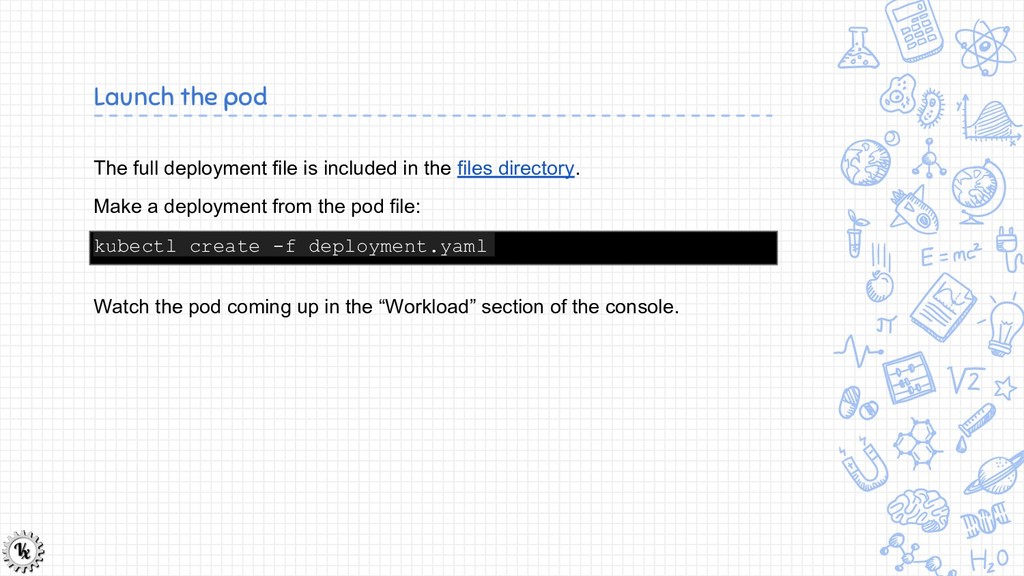
  14. Launch the pod The full deployment file is included in

    the files directory. Make a deployment from the pod file: kubectl create -f deployment.yaml Watch the pod coming up in the “Workload” section of the console.
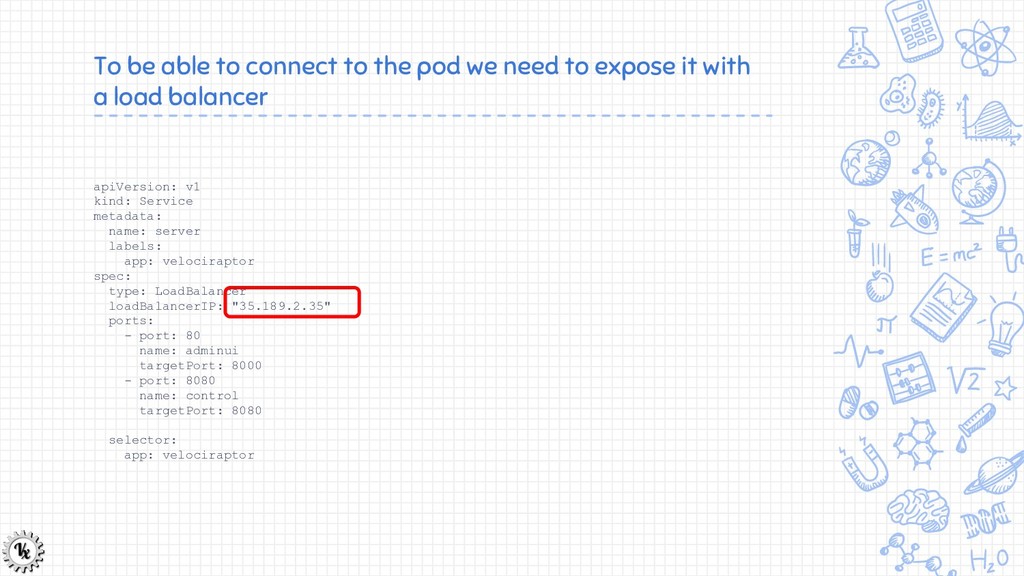
  15. To be able to connect to the pod we need
    to expose it with a load balancer apiVersion: v1 kind: Service metadata: name: server labels: app: velociraptor spec: type: LoadBalancer loadBalancerIP: "35.189.2.35" ports: - port: 80 name: adminui targetPort: 8000 - port: 8080 name: control targetPort: 8080 selector: app: velociraptor
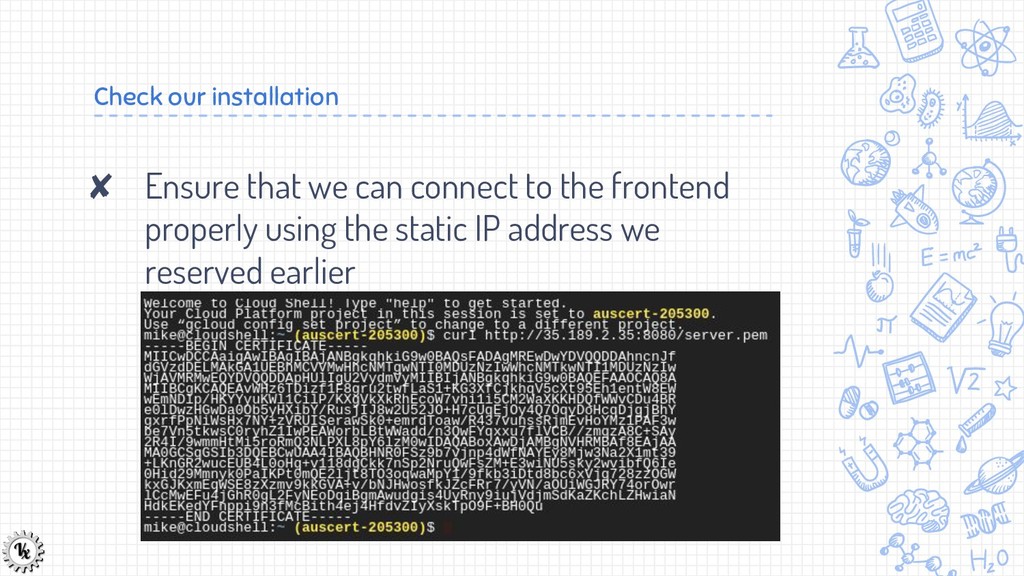
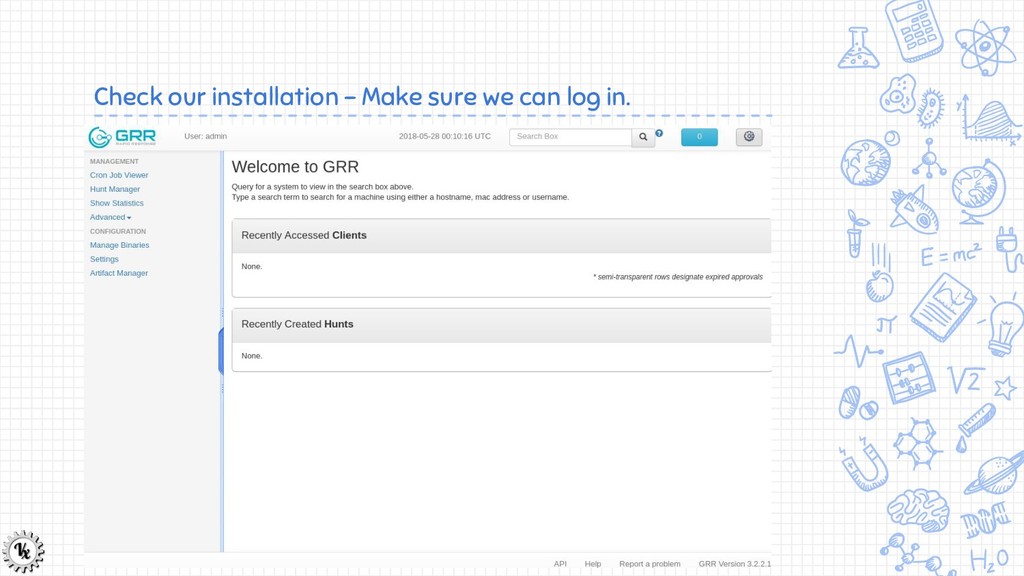
  16. Check our installation ✘ Ensure that we can connect to

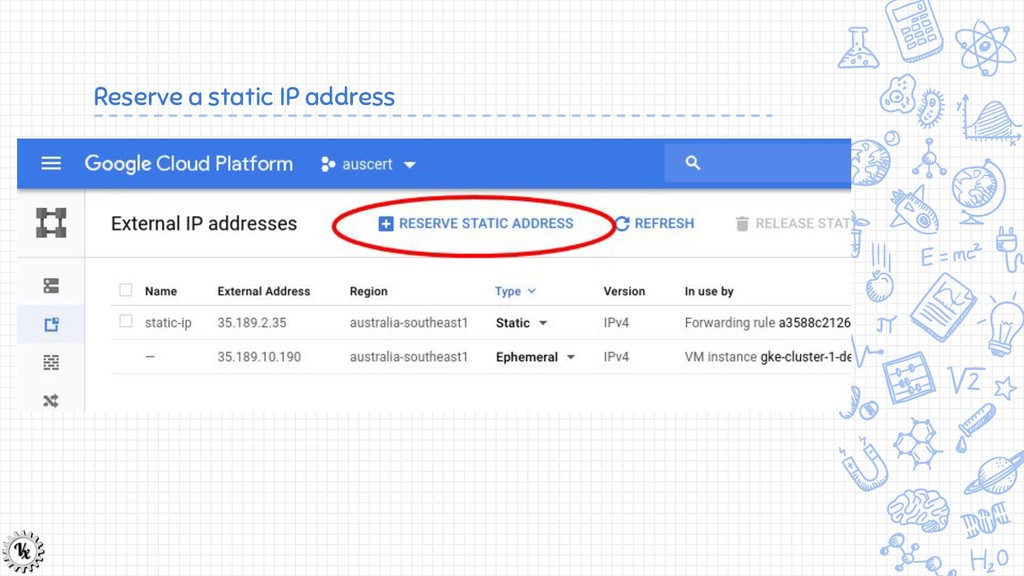
    the frontend properly using the static IP address we reserved earlier
  17. Investigating a typical cloud deployment ✘ For the next part

    of the workshop we will play around with our cloud deployment. ✘ Imagine we need to respond to a compromise in such a setup: ✗ What evidence do we look for? ✗ How do we preserve it? ✗ What could have happened?
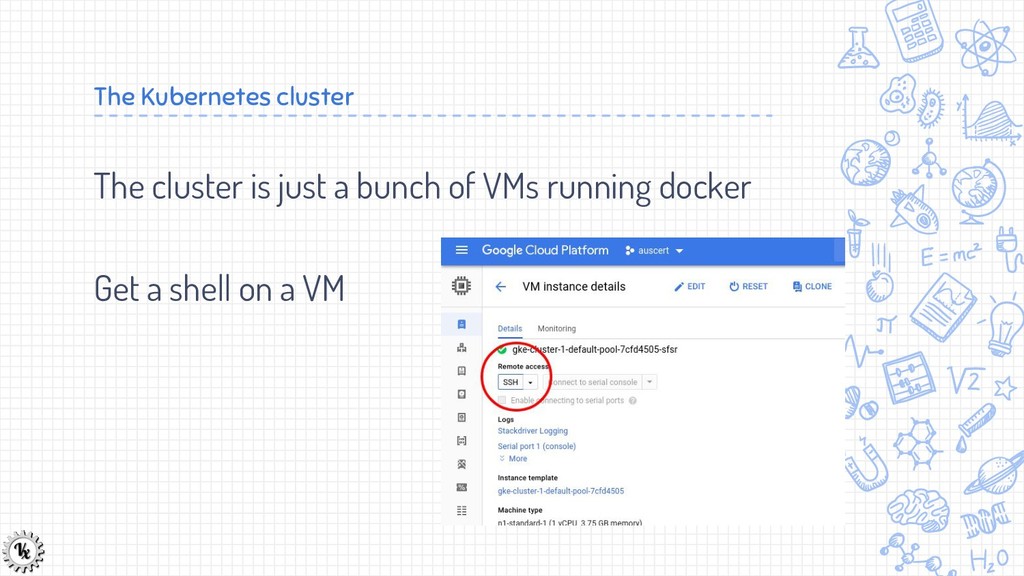
  18. The Kubernetes cluster The cluster is just a bunch of

    VMs running docker Get a shell on a VM
  19. Lets forensically analyze one of the VMs. ✘ I said

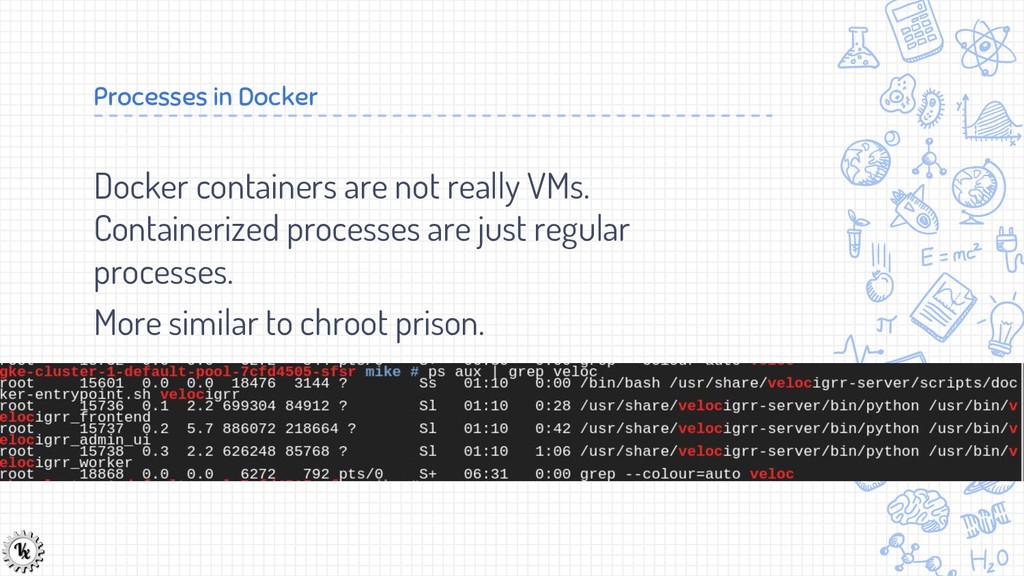
    before that containers are like lightweight virtual machines …. I kind of lied ….
  20. Processes in Docker Docker containers are not really VMs. Containerized

    processes are just regular processes. More similar to chroot prison.
  21. Docker layered filesystem ✘ Docker uses a layered filesystem model.

    ✘ Each layer introduces changes (add/delete) to the previous layer. ✘ The files we see in the container are the union of all the files in each layer.
  22. Ramifications of layered filesystems Changing a file in the running
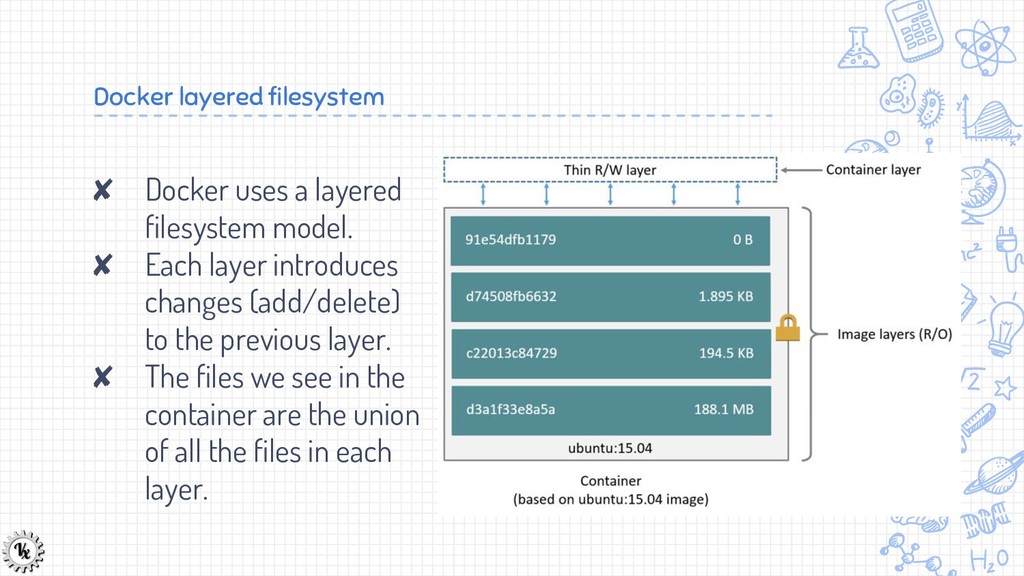
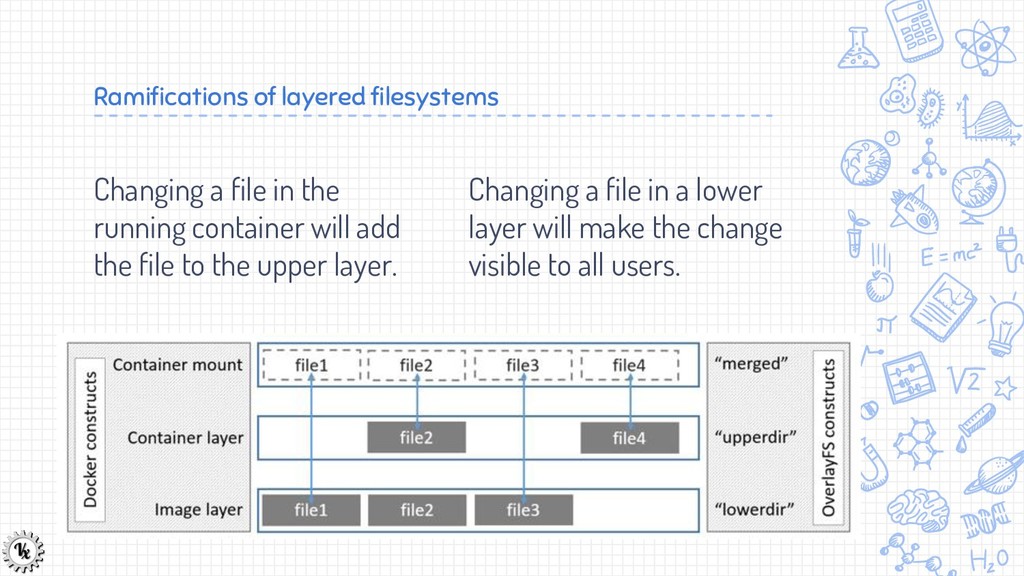
    container will add the file to the upper layer. Changing a file in a lower layer will make the change visible to all users.
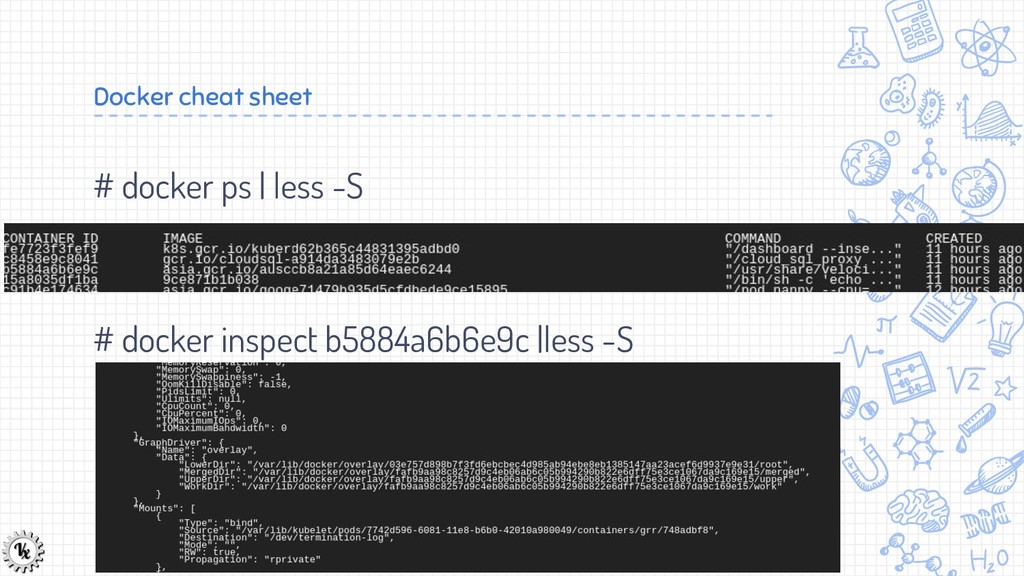
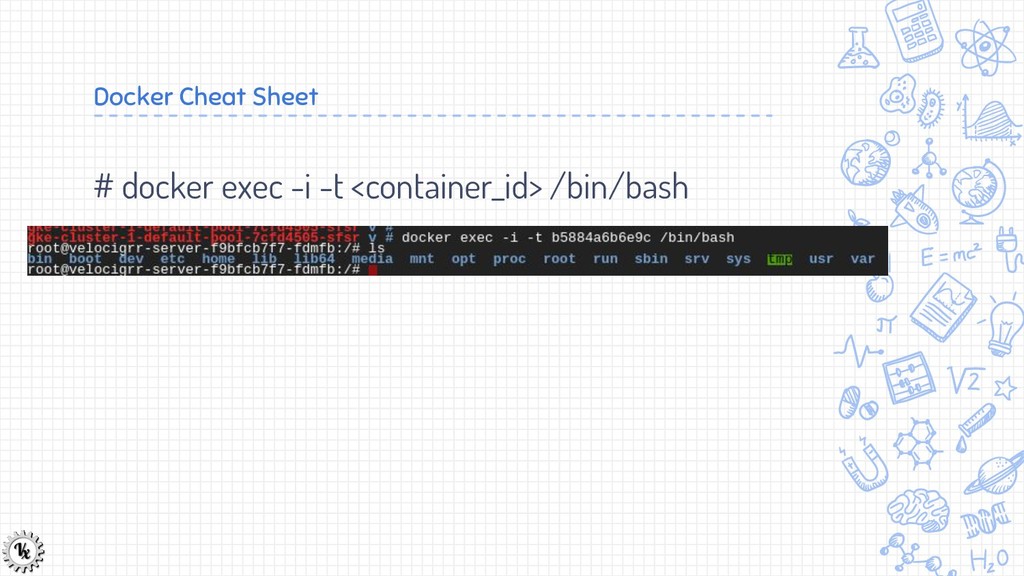
  23. Docker cheat sheet # docker ps | less -S #

    docker inspect b5884a6b6e9c |less -S
  24. Exercises Can you figure out what changes Velociraptor makes to

    the running container? Can you explain these changes? Is it possible for attackers to change lower level layers? What does this mean for forensic acquisition?
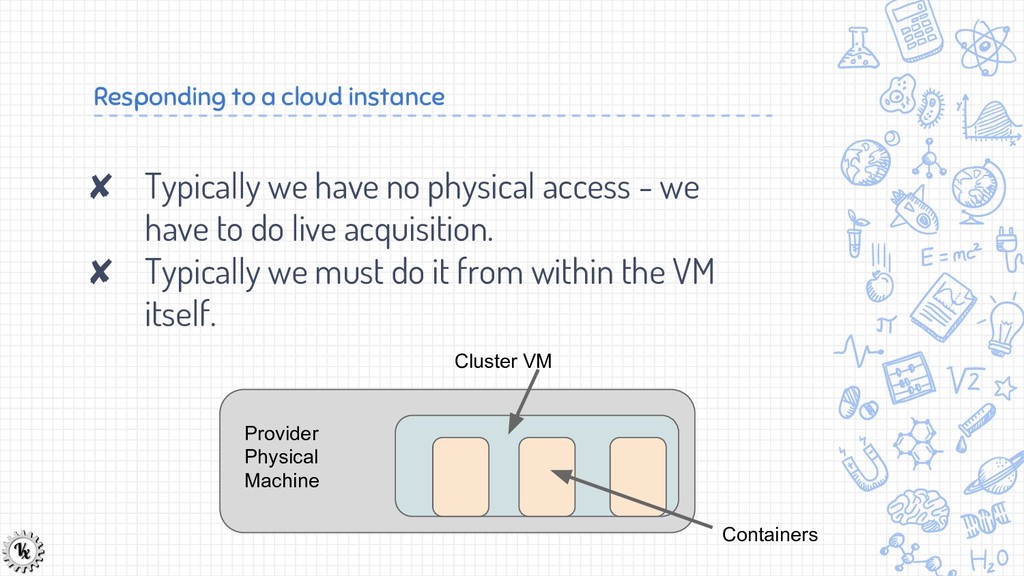
  25. Responding to a cloud instance ✘ Typically we have no

    physical access - we have to do live acquisition. ✘ Typically we must do it from within the VM itself. Provider Physical Machine Cluster VM Containers
  26. More Challenges ✘ Typically container host has limited disk space

    so we need to stream the data off the instance as we image.
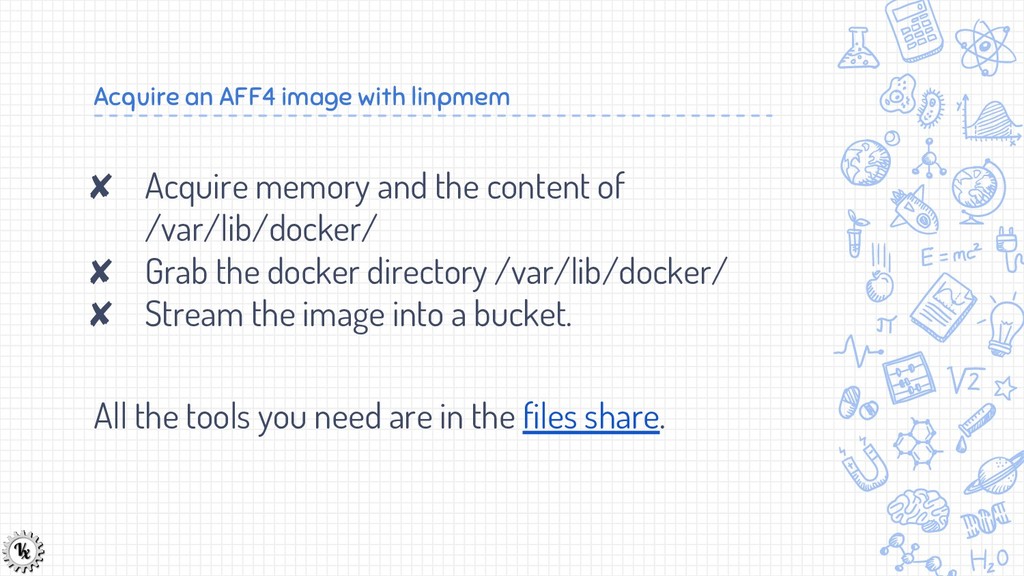
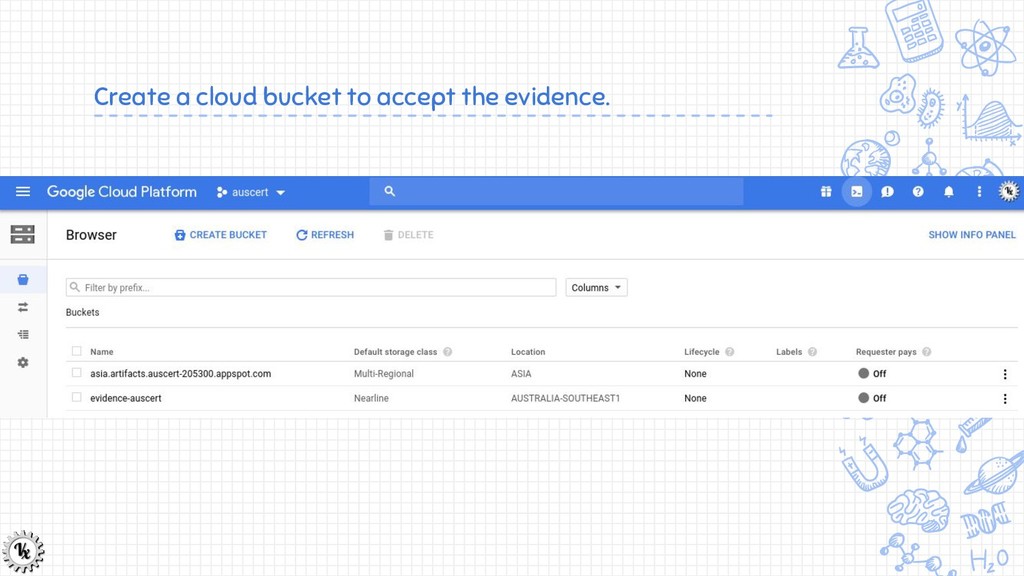
  27. Acquire an AFF4 image with linpmem ✘ Acquire memory and

    the content of /var/lib/docker/ ✘ Grab the docker directory /var/lib/docker/ ✘ Stream the image into a bucket. All the tools you need are in the files share.
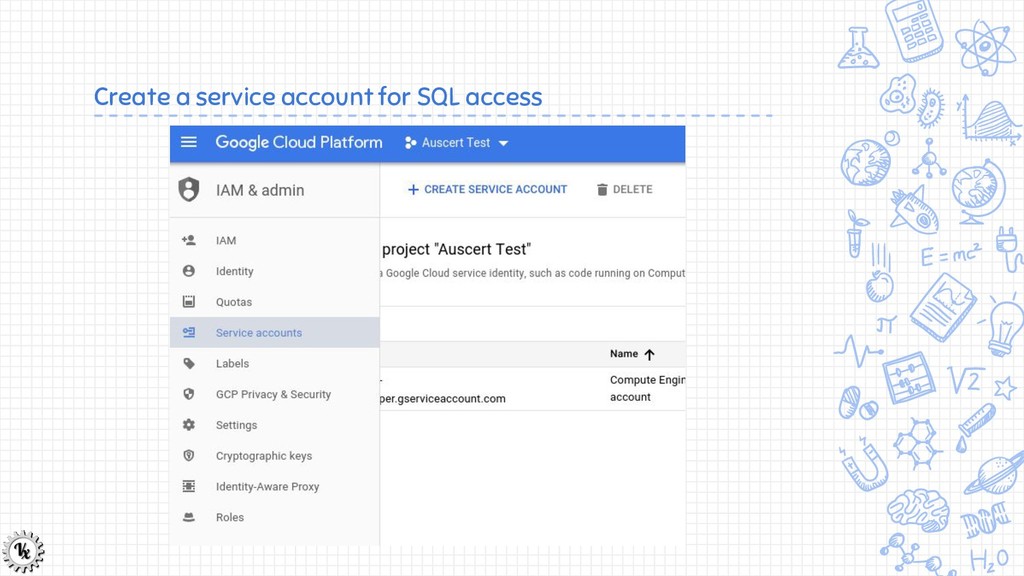
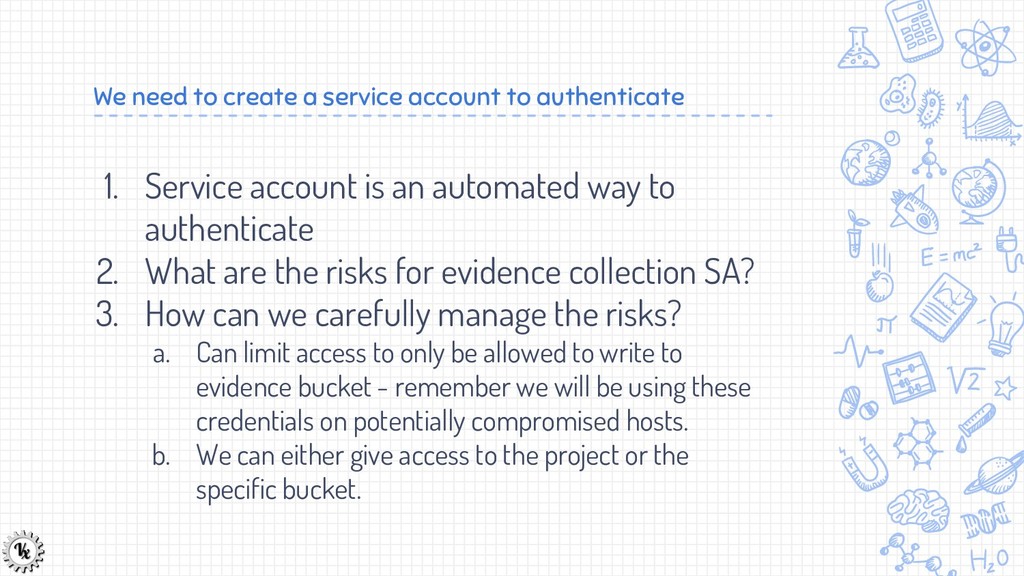
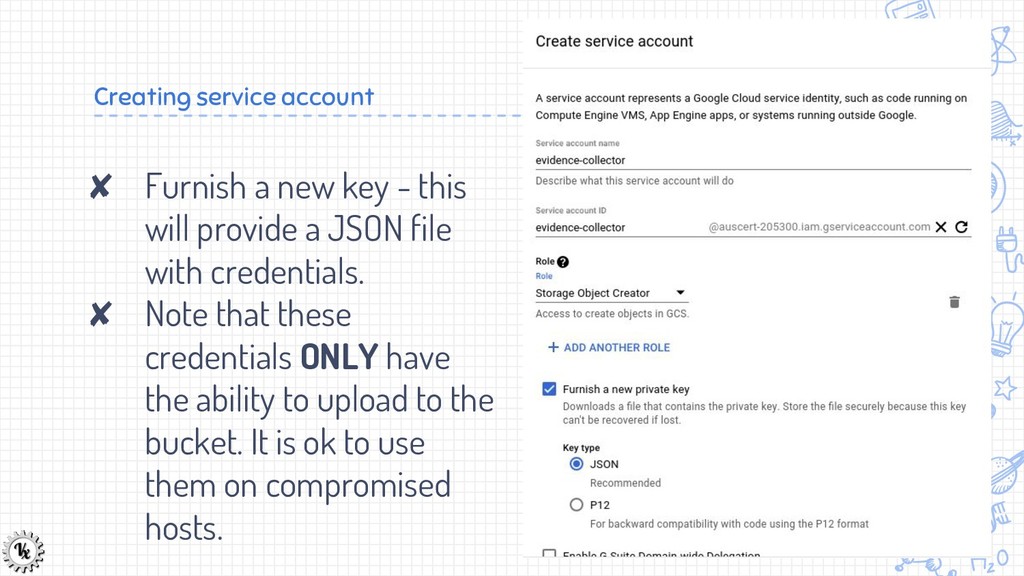
  28. We need to create a service account to authenticate 1.

    Service account is an automated way to authenticate 2. What are the risks for evidence collection SA? 3. How can we carefully manage the risks? a. Can limit access to only be allowed to write to evidence bucket - remember we will be using these credentials on potentially compromised hosts. b. We can either give access to the project or the specific bucket.
  29. Creating service account ✘ Furnish a new key - this

    will provide a JSON file with credentials. ✘ Note that these credentials ONLY have the ability to upload to the bucket. It is ok to use them on compromised hosts.
  30. Add our tools to the bucket ✘ I typically have:

    ✗ Linpmem https://github.com/Velocidex/c-aff4/releases ✗ Gcsuploader https://gitlab.com/velocidex/tools/tags/v0.1 You can find these here.
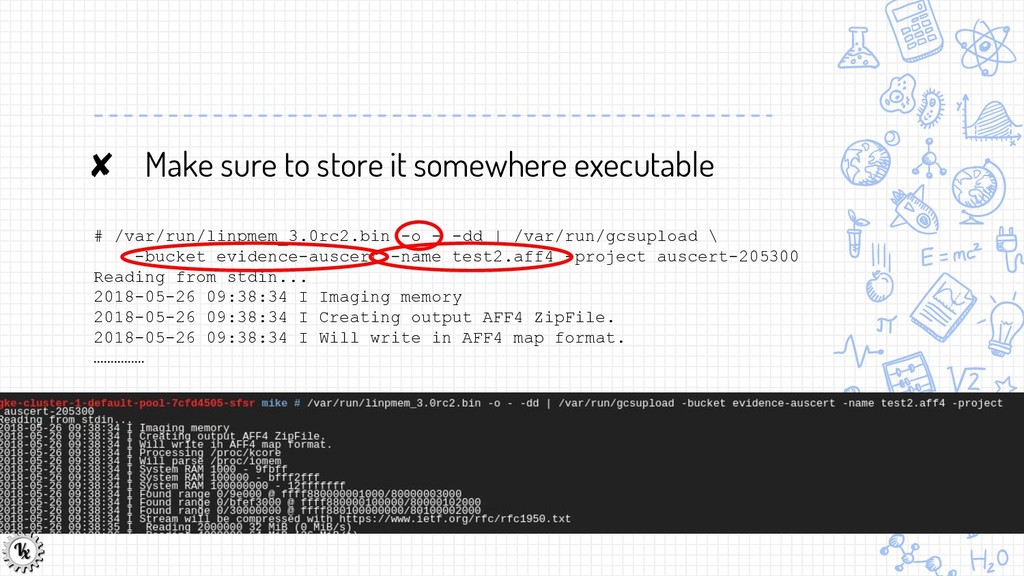
  31. ✘ Make sure to store it somewhere executable # /var/run/linpmem_3.0rc2.bin

    -o - -dd | /var/run/gcsupload \ -bucket evidence-auscert -name test2.aff4 -project auscert-205300 Reading from stdin... 2018-05-26 09:38:34 I Imaging memory 2018-05-26 09:38:34 I Creating output AFF4 ZipFile. 2018-05-26 09:38:34 I Will write in AFF4 map format. ……………
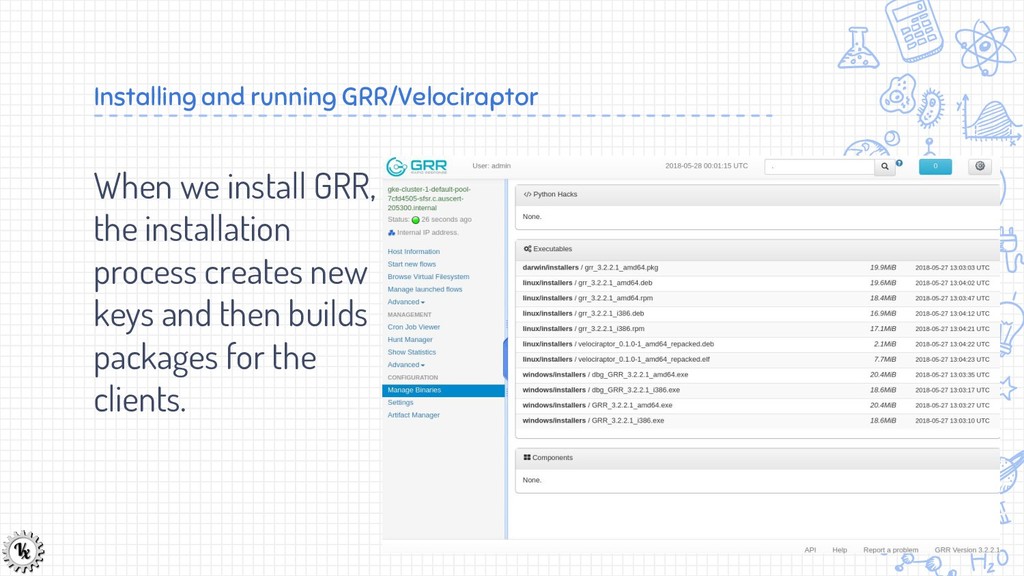
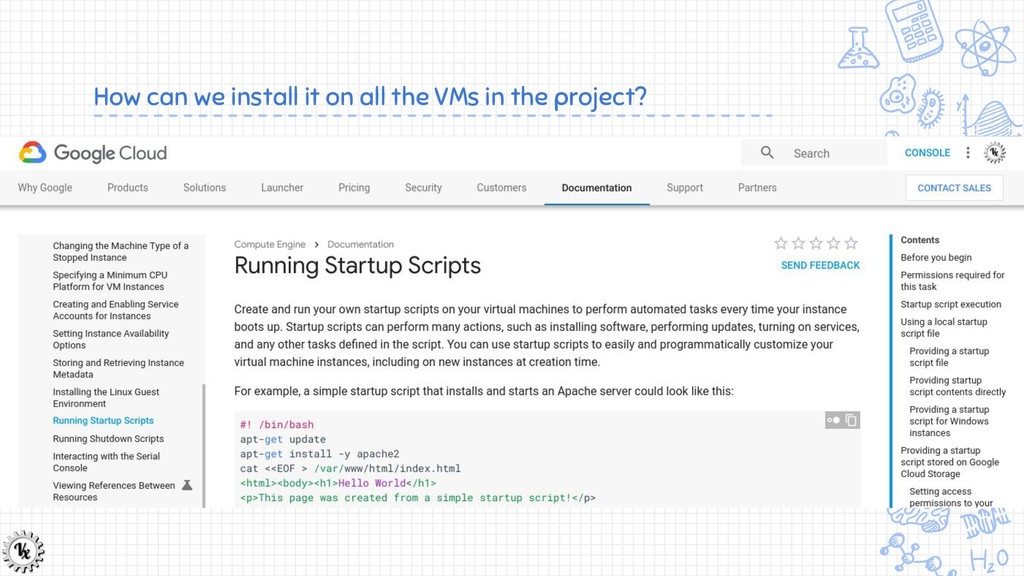
  32. Installing and running GRR/Velociraptor When we install GRR, the installation

    process creates new keys and then builds packages for the clients.
  33. Installing GRR/Velociraptor on clients. ✘ GRR clients come as debian

    packages or RPM ✘ They are typically quite large and contain many files (written in python and contain many DLLs). ✘ You won’t be able to install on unsupported OS’s - e.g. Kubernetes clusters are running Chrome OS.
  34. Velociraptor - an alternative GRR client ✘ Velociraptor is a

    new GRR client which is designed to be very lightweight: ✗ Shipped as a single static executable - in most cases there is no need to package it. ✗ Very fast ✗ Supports Velocidex Query Language (VQL) queries. ▪ More on this later!
  35. Exercise ✘ In your groups, spin up a new Ubuntu

    machine and install the GRR client on it. ✘ Now try to run velociraptor on the ChromeOS machine. ✗ We will worry about installation later. In each case verify the installation worked by checking in the admin ui.
  36. Now we need to configure the velociraptor client ✘ Velociraptor

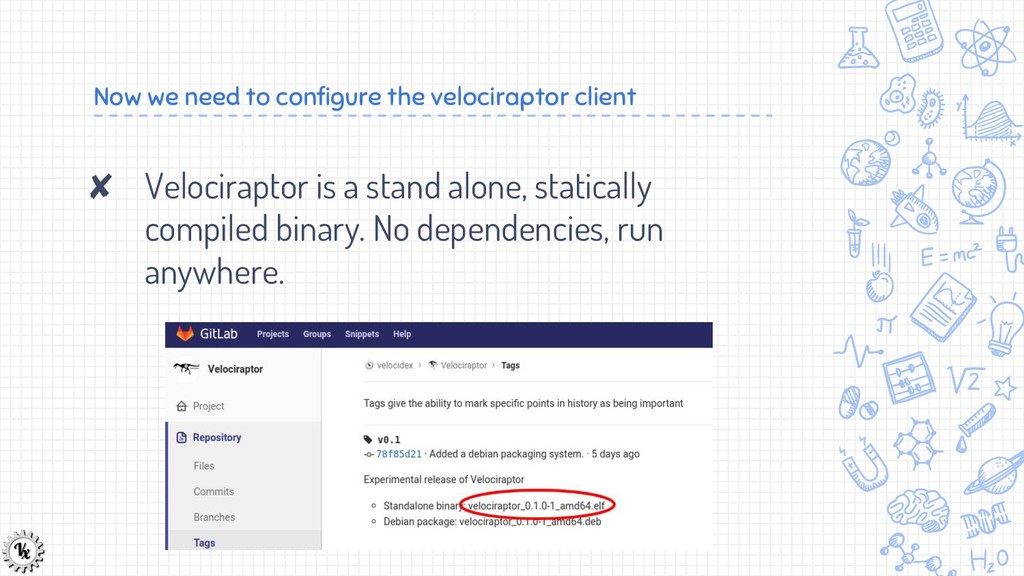
    is a stand alone, statically compiled binary. No dependencies, run anywhere.
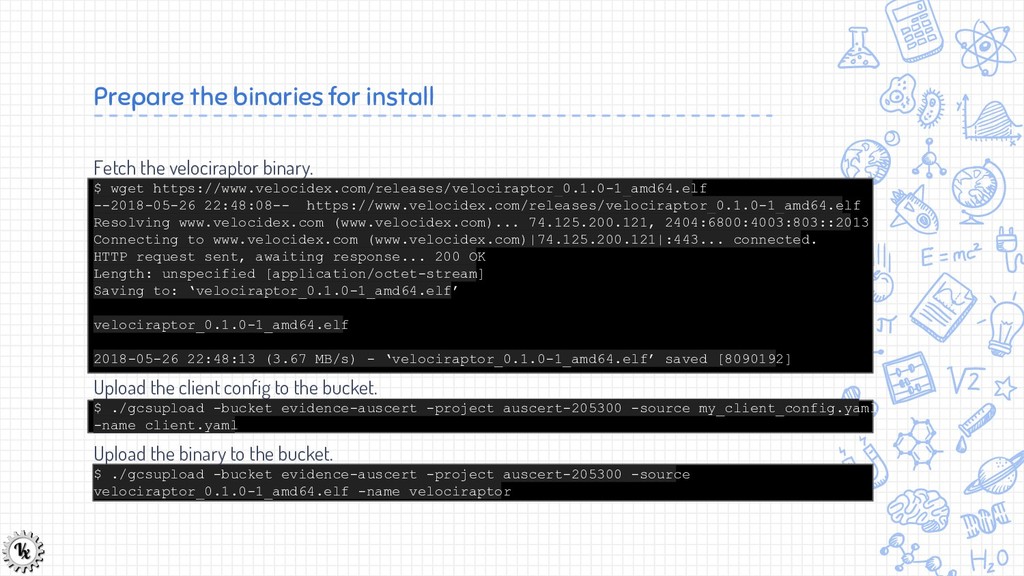
  37. Fetch the velociraptor binary. $ wget https://www.velocidex.com/releases/velociraptor_0.1.0-1_amd64.elf --2018-05-26 22:48:08-- https://www.velocidex.com/releases/velociraptor_0.1.0-1_amd64.elf

    Resolving www.velocidex.com (www.velocidex.com)... 74.125.200.121, 2404:6800:4003:803::2013 Connecting to www.velocidex.com (www.velocidex.com)|74.125.200.121|:443... connected. HTTP request sent, awaiting response... 200 OK Length: unspecified [application/octet-stream] Saving to: ‘velociraptor_0.1.0-1_amd64.elf’ velociraptor_0.1.0-1_amd64.elf 2018-05-26 22:48:13 (3.67 MB/s) - ‘velociraptor_0.1.0-1_amd64.elf’ saved [8090192] Upload the client config to the bucket. $ ./gcsupload -bucket evidence-auscert -project auscert-205300 -source my_client_config.yaml -name client.yaml Upload the binary to the bucket. $ ./gcsupload -bucket evidence-auscert -project auscert-205300 -source velociraptor_0.1.0-1_amd64.elf -name velociraptor Prepare the binaries for install
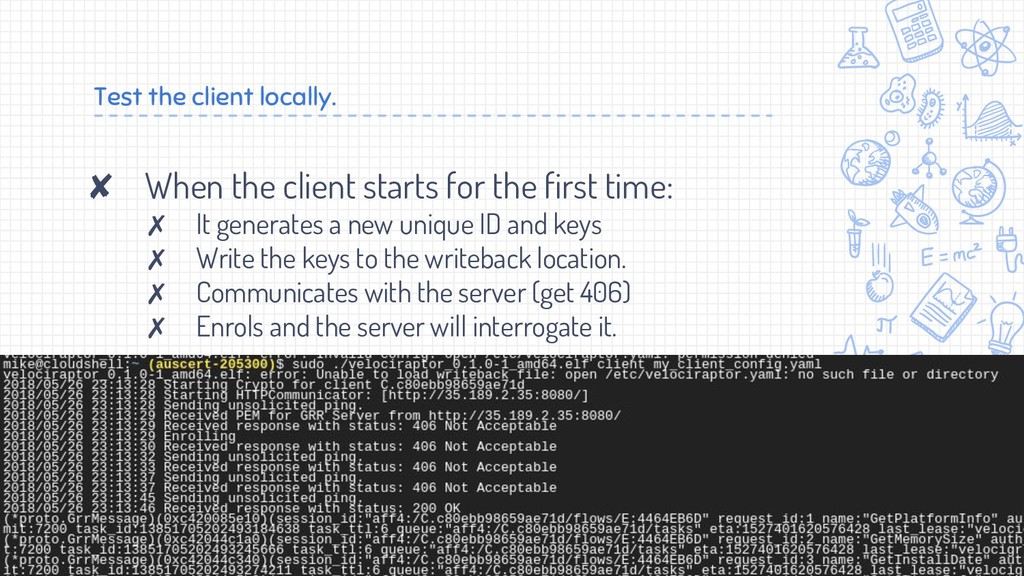
  38. Test the client locally. ✘ When the client starts for

    the first time: ✗ It generates a new unique ID and keys ✗ Write the keys to the writeback location. ✗ Communicates with the server (get 406) ✗ Enrols and the server will interrogate it.
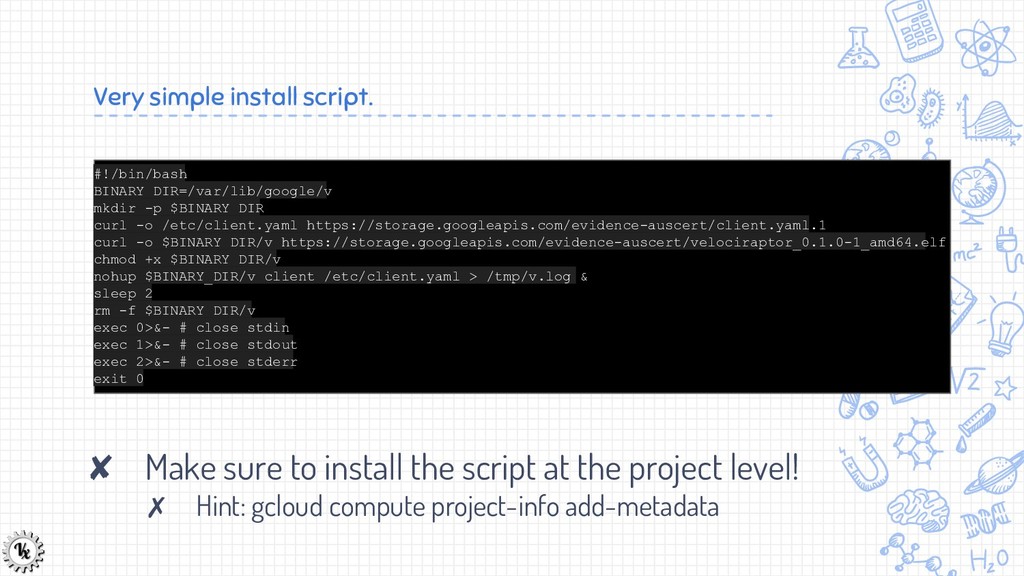
  39. Very simple install script. #!/bin/bash BINARY_DIR=/var/lib/google/v mkdir -p $BINARY_DIR curl

    -o /etc/client.yaml https://storage.googleapis.com/evidence-auscert/client.yaml.1 curl -o $BINARY_DIR/v https://storage.googleapis.com/evidence-auscert/velociraptor_0.1.0-1_amd64.elf chmod +x $BINARY_DIR/v nohup $BINARY_DIR/v client /etc/client.yaml > /tmp/v.log & sleep 2 rm -f $BINARY_DIR/v exec 0>&- # close stdin exec 1>&- # close stdout exec 2>&- # close stderr exit 0 ✘ Make sure to install the script at the project level! ✗ Hint: gcloud compute project-info add-metadata
  40. Test and make sure the install works. ✘ Run different

    machine types: ✗ Chrome OS ✗ Ubuntu ✗ Redhat ✘ What issues do you encounter? ✗ Hint: GCS buckets set caching for public objects!