A single change can screw up the layout. Overwriting, specificity war. (I’m looking at you, bootstrap) Further reading: http://blog.trifork.com/2013/06/04/twitter-bootstrap-why-you- should-not-use-it/
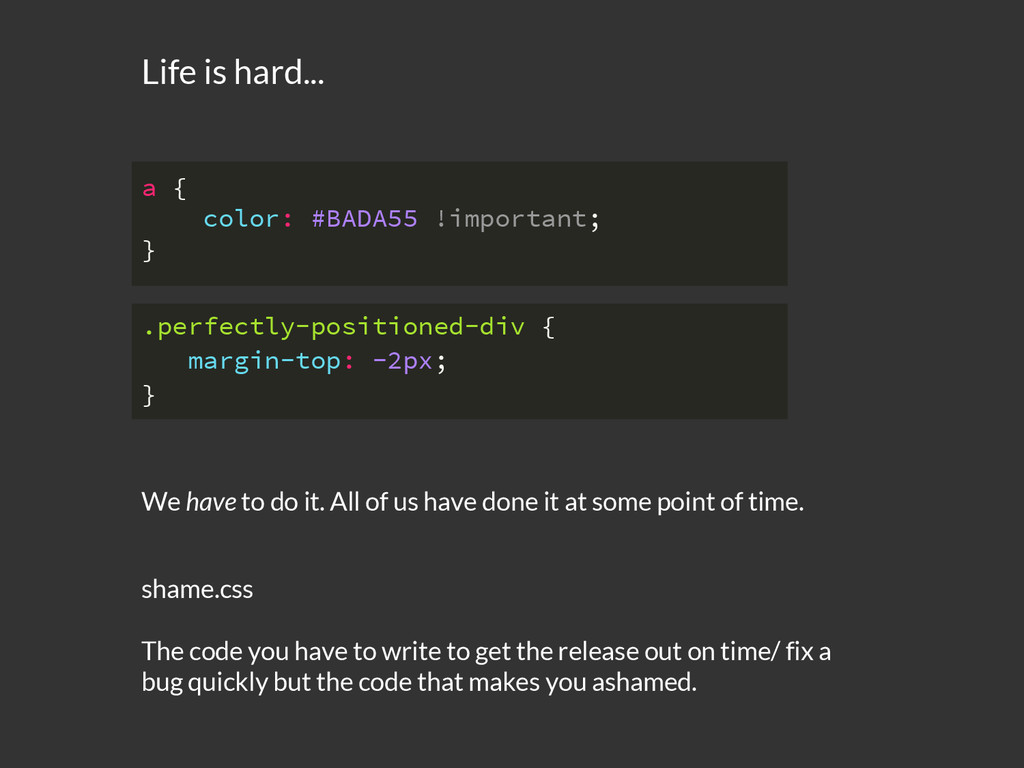
it at some point of time. .perfectly-positioned-div { margin-top: -2px; } a { color: #BADA55 !important; } Life is hard... shame.css The code you have to write to get the release out on time/ fix a bug quickly but the code that makes you ashamed.
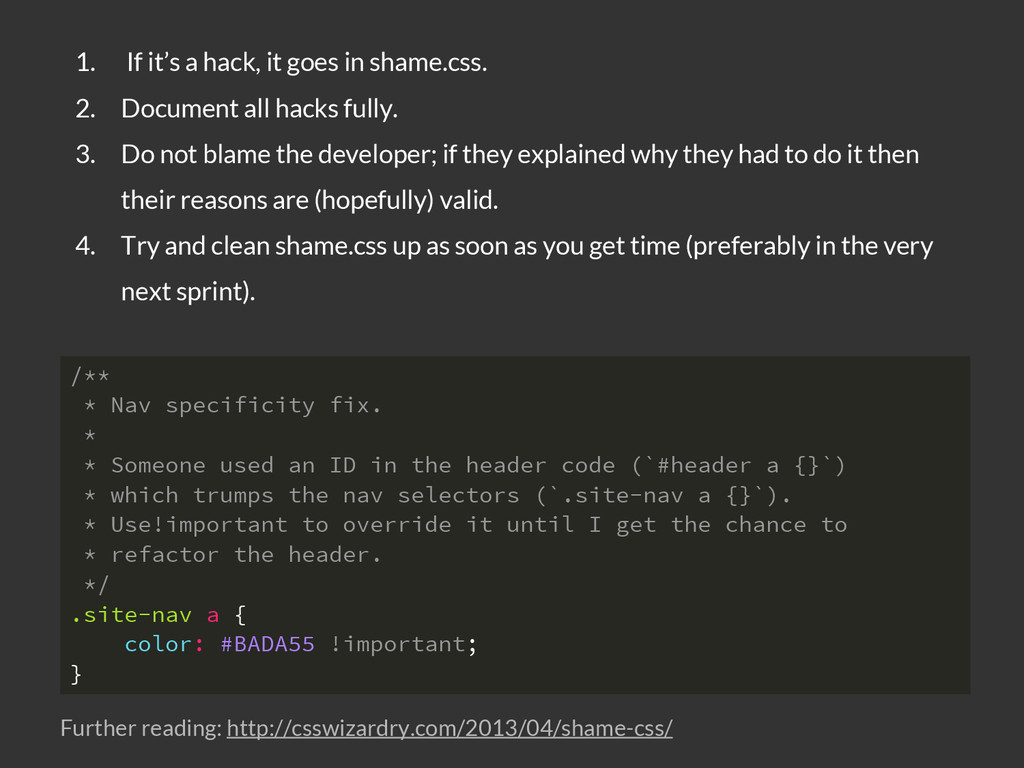
ID in the header code (`#header a {}`) * which trumps the nav selectors (`.site-nav a {}`). * Use!important to override it until I get the chance to * refactor the header. */ .site-nav a { color: #BADA55 !important; } 1. If it’s a hack, it goes in shame.css. 2. Document all hacks fully. 3. Do not blame the developer; if they explained why they had to do it then their reasons are (hopefully) valid. 4. Try and clean shame.css up as soon as you get time (preferably in the very next sprint). Further reading: http://csswizardry.com/2013/04/shame-css/
set of rules to the code that look for problematic patterns or signs of inefficiency. Linting .selector { property: value; } div { width: 100px; padding:0 10px; } 1: warning at line 3, col 2 Using width with padding can sometimes make elements larger than you expect.


 siddharthkp
 kgsi
kgsi
 hiromimaeo
 hiro0218
 ryu1013
 vivion
 uto
uto
 keita_yoshikawa
 garyuten
 terencebasart
 muture
 nikkei_engineer_recruiting
 irinanazarova
 mlcsv
mlcsv
 helmedeiros
 rakko
rakko
.png) helenjbeal
helenjbeal
 addyosmani
 jonrohan
 jcasabona
 caitiem20
 ammeep
 sergeychernyshev
 chriscoyier







![[email protected] Thanks](https://files.speakerdeck.com/presentations/4c1af5c05e47013240417a4cc13cc250/slide_23.jpg)