off or share your maps with others? Traditional Methods Post screenshots on social media You can only show a small portion Write a development blog Time-consuming to write Upload videos Even more time-consuming to produce Distribute save files High barrier to entry for people to download and run 5
accept visitors for map viewing, but there’s still a high barrier to entry: 1. Find a Discord invite link 2. Join a Discord server full of strangers 3. Download the client and pakset When I opened my own multiplayer server and accepted visitors, it seemed like no one actually got to the point of running it locally. 6
a VNC server that you could connect to via noVNC from a browser[1]. However, this approach has some problems: Significant input lag Terrible compatibility with right-drag camera movement These issues severely impact the user experience. I also tried other VNC clients and remote desktop software like RustDesk, but ran into the same problems. 7
website in their browser Smooth, responsive controls thanks to web mapping libraries Low server load during access since map tiles are pre-generated The tradeoff: tile generation is quite heavy and time-consuming Can host multiple maps Switch between different time periods of the same map Watch how locations develop over time! Supports Standard, Extended, and OTRP 8
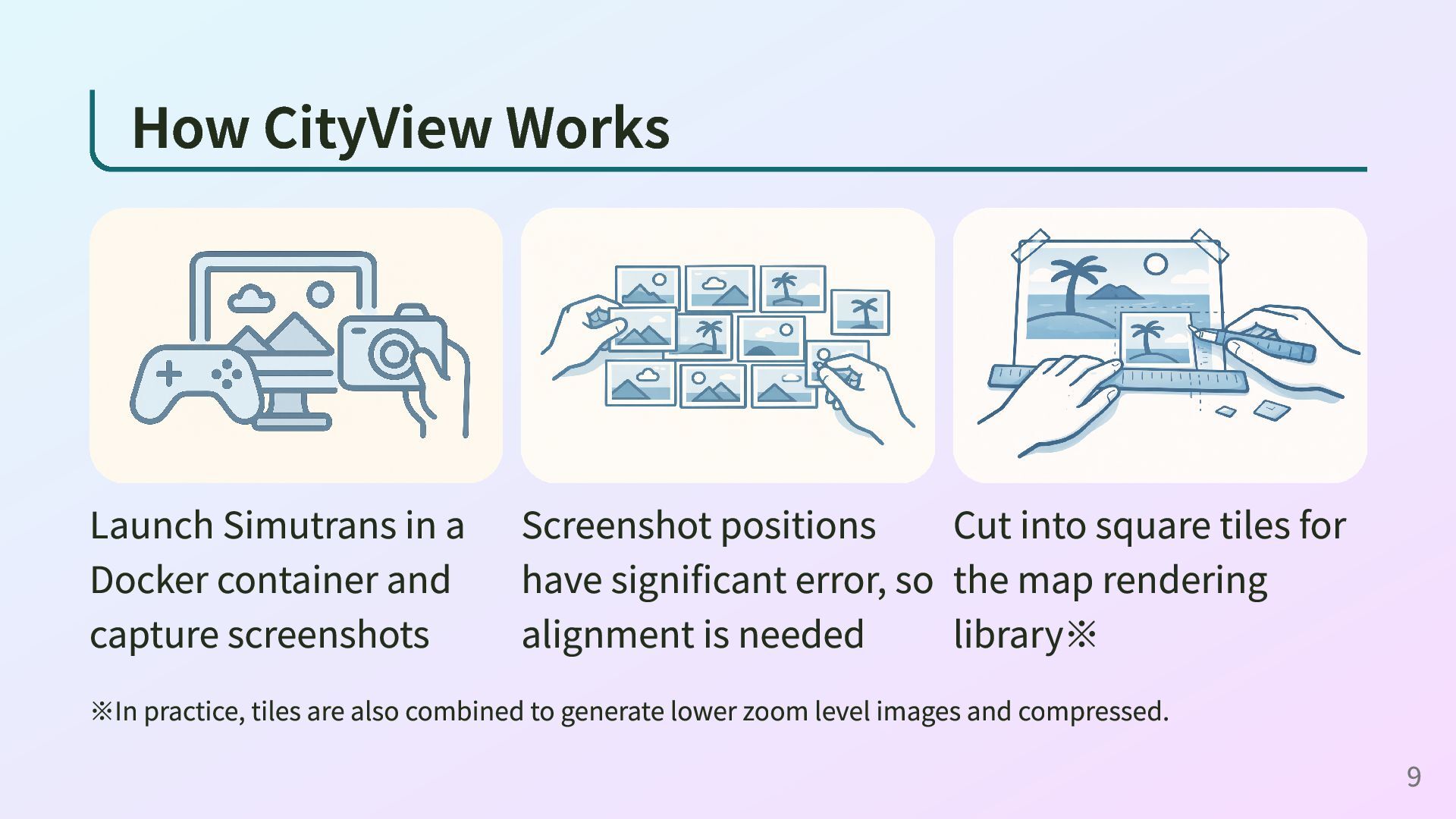
capture screenshots Screenshot positions have significant error, so alignment is needed Cut into square tiles for the map rendering library※ ※In practice, tiles are also combined to generate lower zoom level images and compressed. 9
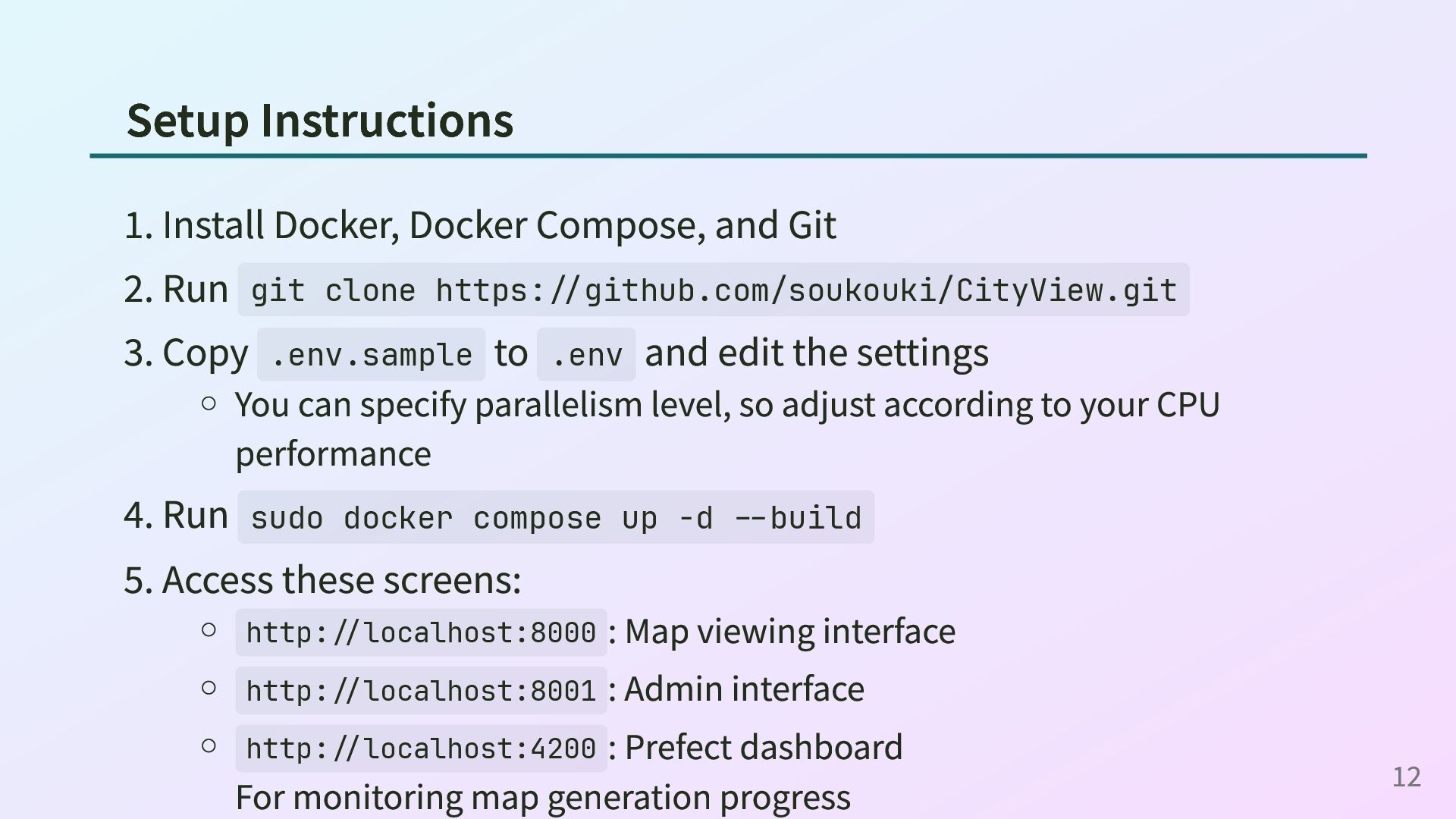
runs Docker should work, but tile generation (which is already heavy) will be even slower on other systems. Memory requirements depend on settings, but I think 8GB minimum will work. 16GB is better, 32GB gives peace of mind. CPU-intensive processing, so more cores is better. Even with a 6-core 12- thread machine, capturing the Kumagaya map (1280x640) at 1x zoom took about 40 minutes. SSD recommended. 11
Run git clone https://github.com/soukouki/CityView.git 3. Copy .env.sample to .env and edit the settings You can specify parallelism level, so adjust according to your CPU performance 4. Run sudo docker compose up -d --build 5. Access these screens: http://localhost:8000 : Map viewing interface http://localhost:8001 : Admin interface http://localhost:4200 : Prefect dashboard For monitoring map generation progress 12
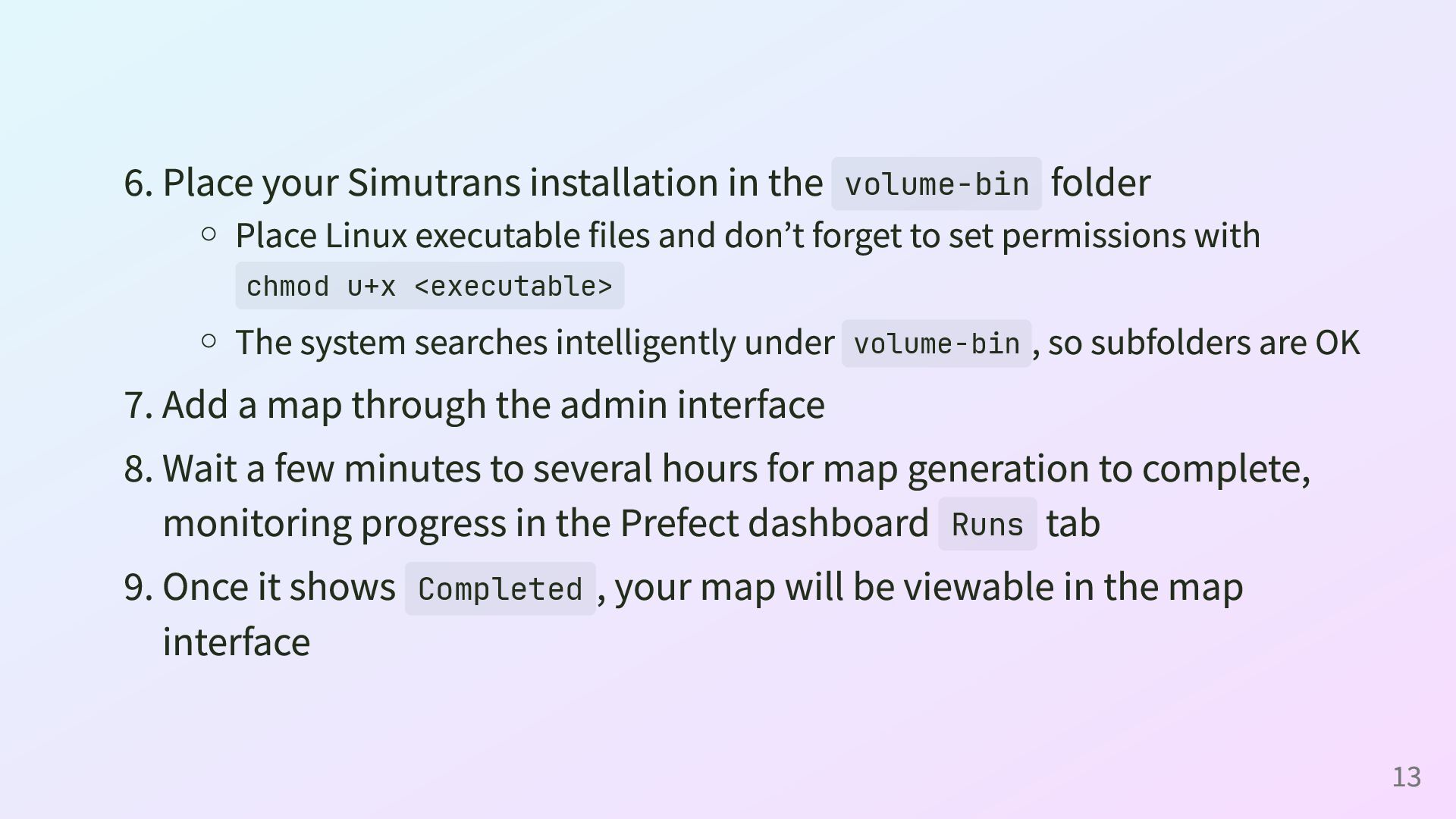
Linux executable files and don’t forget to set permissions with chmod u+x <executable> The system searches intelligently under volume-bin , so subfolders are OK 7. Add a map through the admin interface 8. Wait a few minutes to several hours for map generation to complete, monitoring progress in the Prefect dashboard Runs tab 9. Once it shows Completed , your map will be viewable in the map interface 13
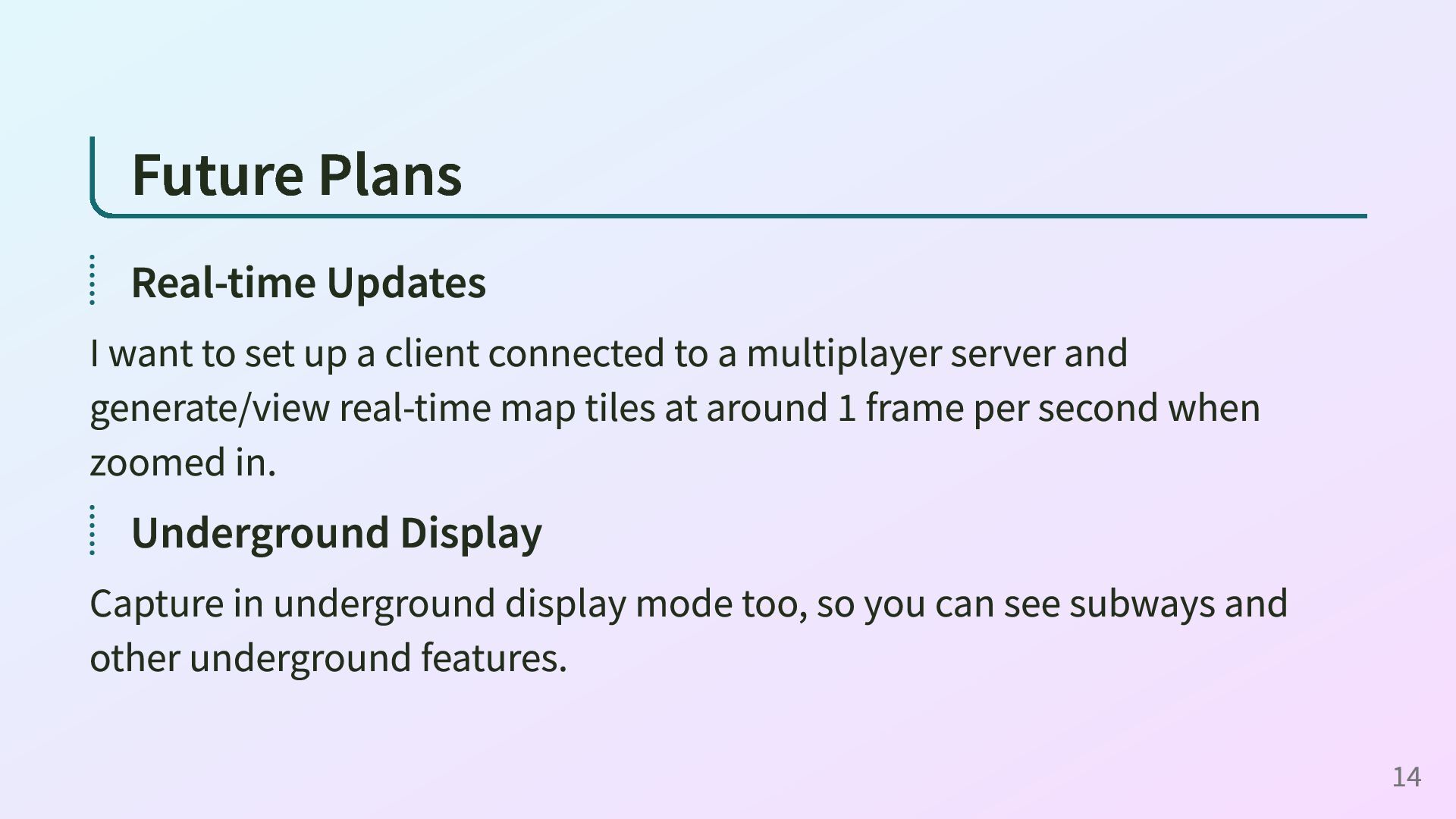
client connected to a multiplayer server and generate/view real-time map tiles at around 1 frame per second when zoomed in. Underground Display Capture in underground display mode too, so you can see subways and other underground features. 14
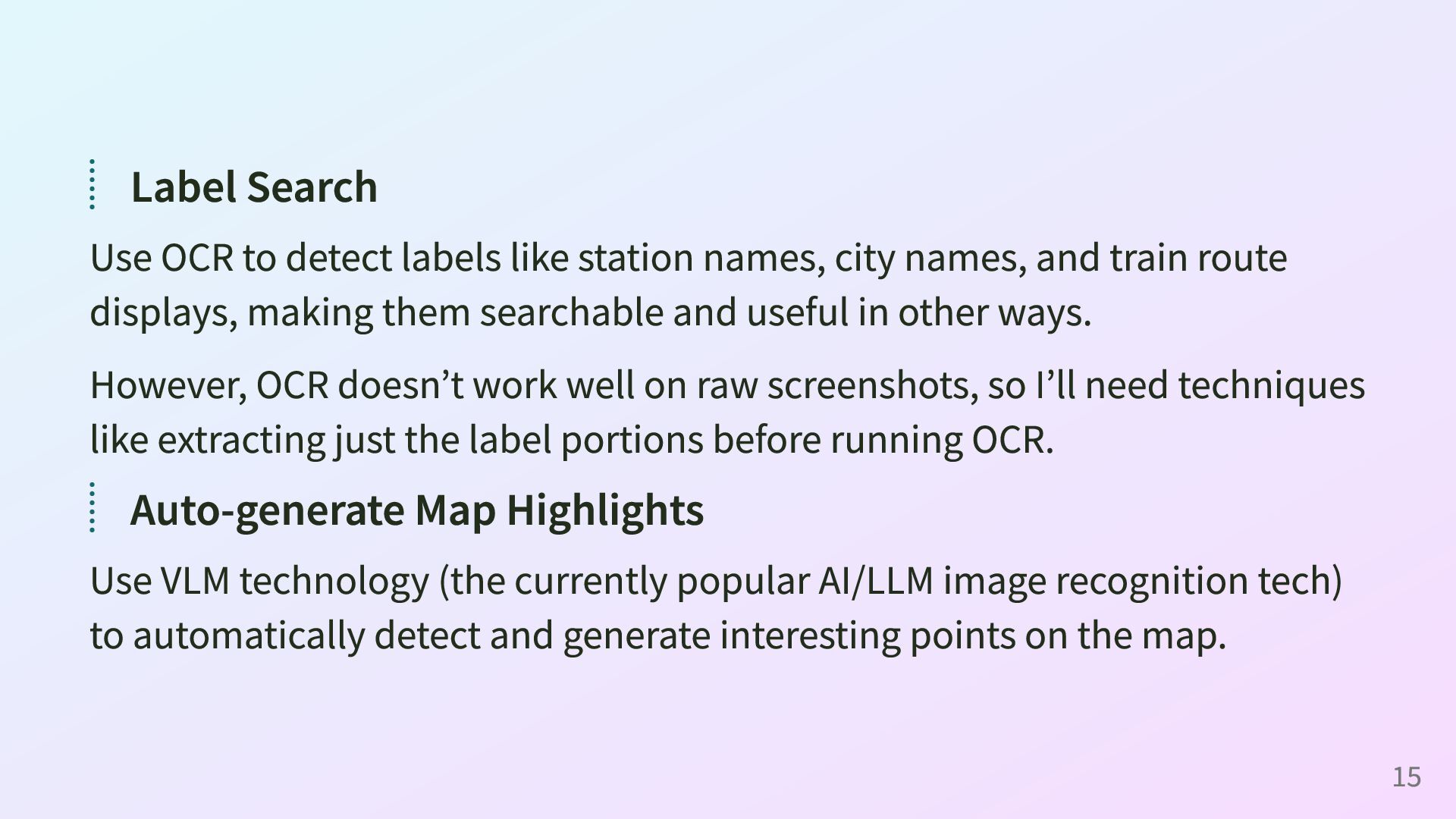
city names, and train route displays, making them searchable and useful in other ways. However, OCR doesn’t work well on raw screenshots, so I’ll need techniques like extracting just the label portions before running OCR. Auto-generate Map Highlights Use VLM technology (the currently popular AI/LLM image recognition tech) to automatically detect and generate interesting points on the map. 15
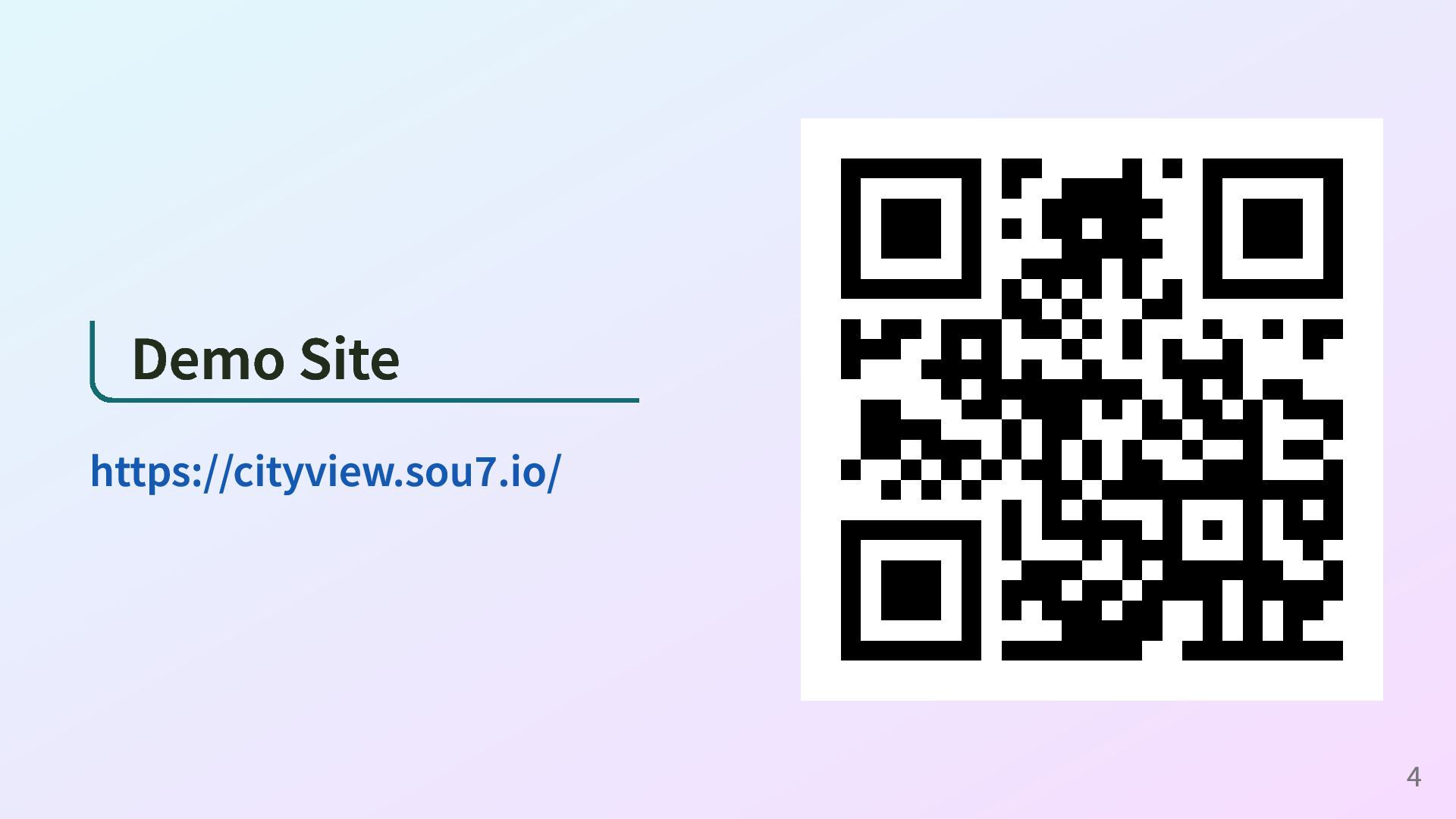
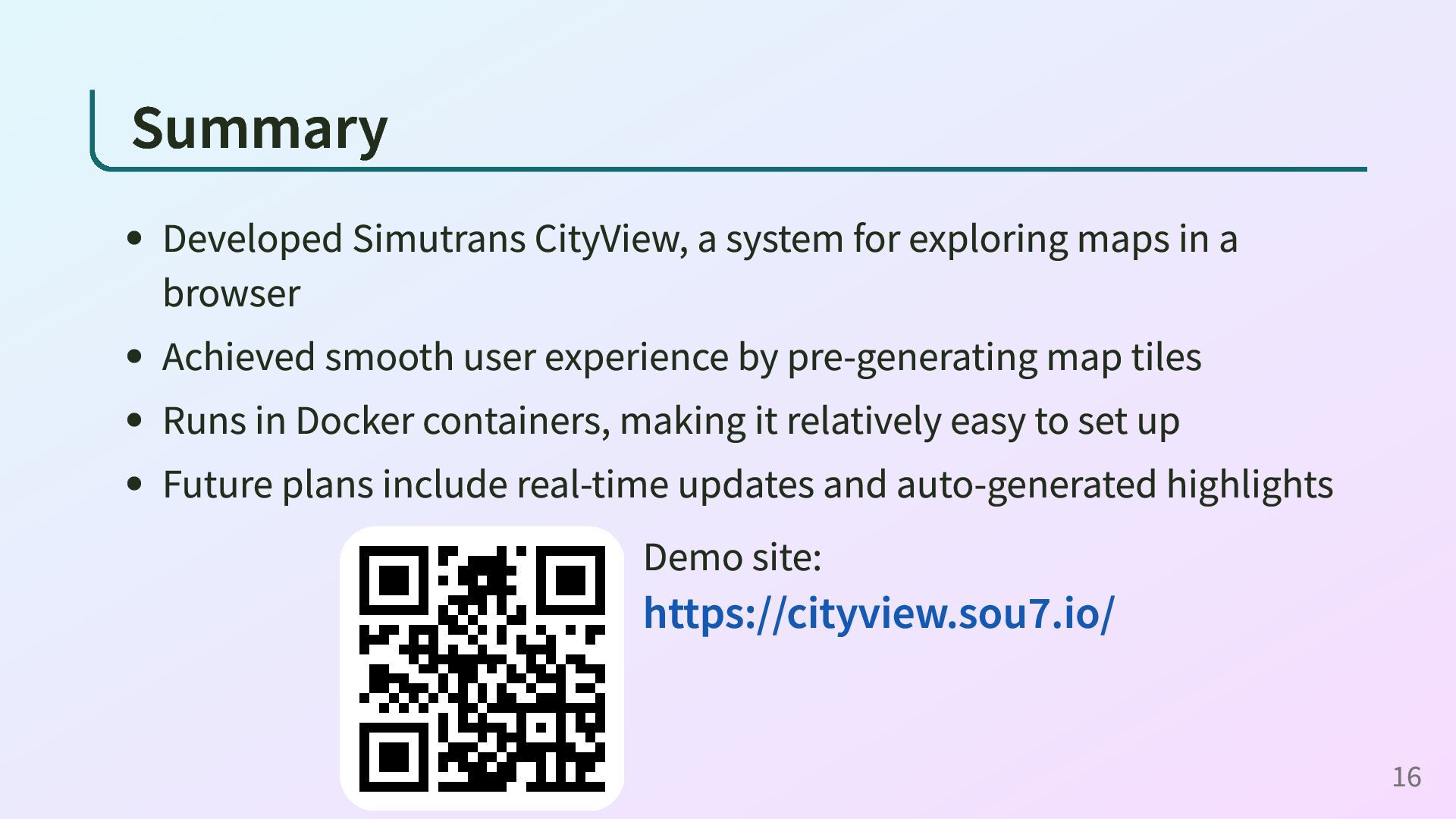
a browser Achieved smooth user experience by pre-generating map tiles Runs in Docker containers, making it relatively easy to set up Future plans include real-time updates and auto-generated highlights Demo site: https://cityview.sou7.io/ 16
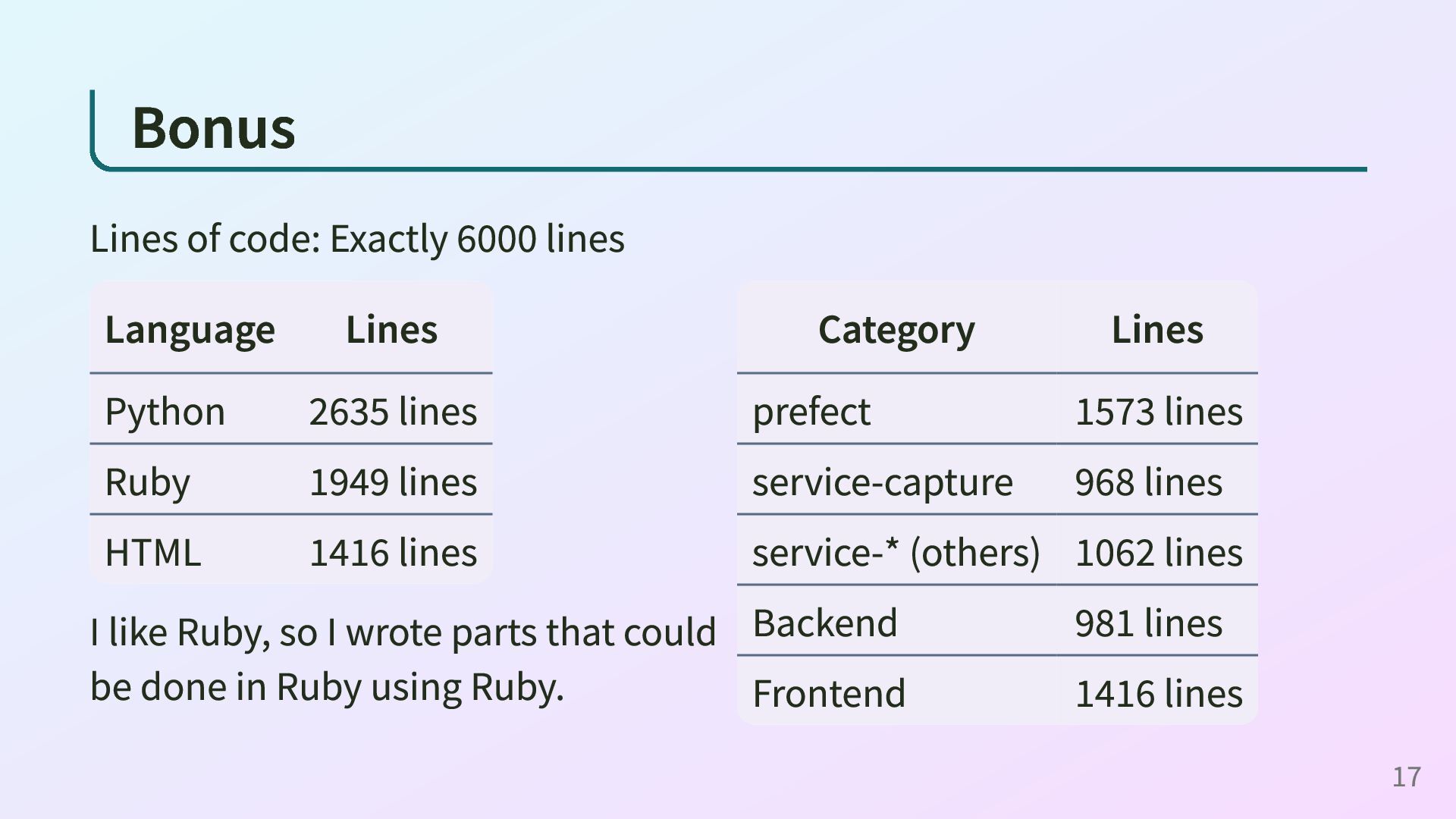
2635 lines Ruby 1949 lines HTML 1416 lines I like Ruby, so I wrote parts that could be done in Ruby using Ruby. Category Lines prefect 1573 lines service-capture 968 lines service-* (others) 1062 lines Backend 981 lines Frontend 1416 lines 17


 soukouki
 kameitomohiro
 kairim0
 ymrl
ymrl
 mkdev10
 camiha
 ufried
 terurou
 ueponx
 colopl
 tsukuboshi
 kizawa2020
 sansantech
 soudai
 kimpetersen
 katarinadahlin
 chriscoyier
 signer
 lara
lara
 irinanazarova
 inesmontani
 mraible
 marcelosomers
 axbom
axbom
 thekraken
![Contact ActivityPub/Misskey: @[email protected] → Twitter: @sou7_ _ _ GitHub: @soukouki](https://files.speakerdeck.com/presentations/4e2432368b844936845f667cd604025e/slide_2.jpg)