Automating Technical SEO with Screaming Frog CLI and n8n
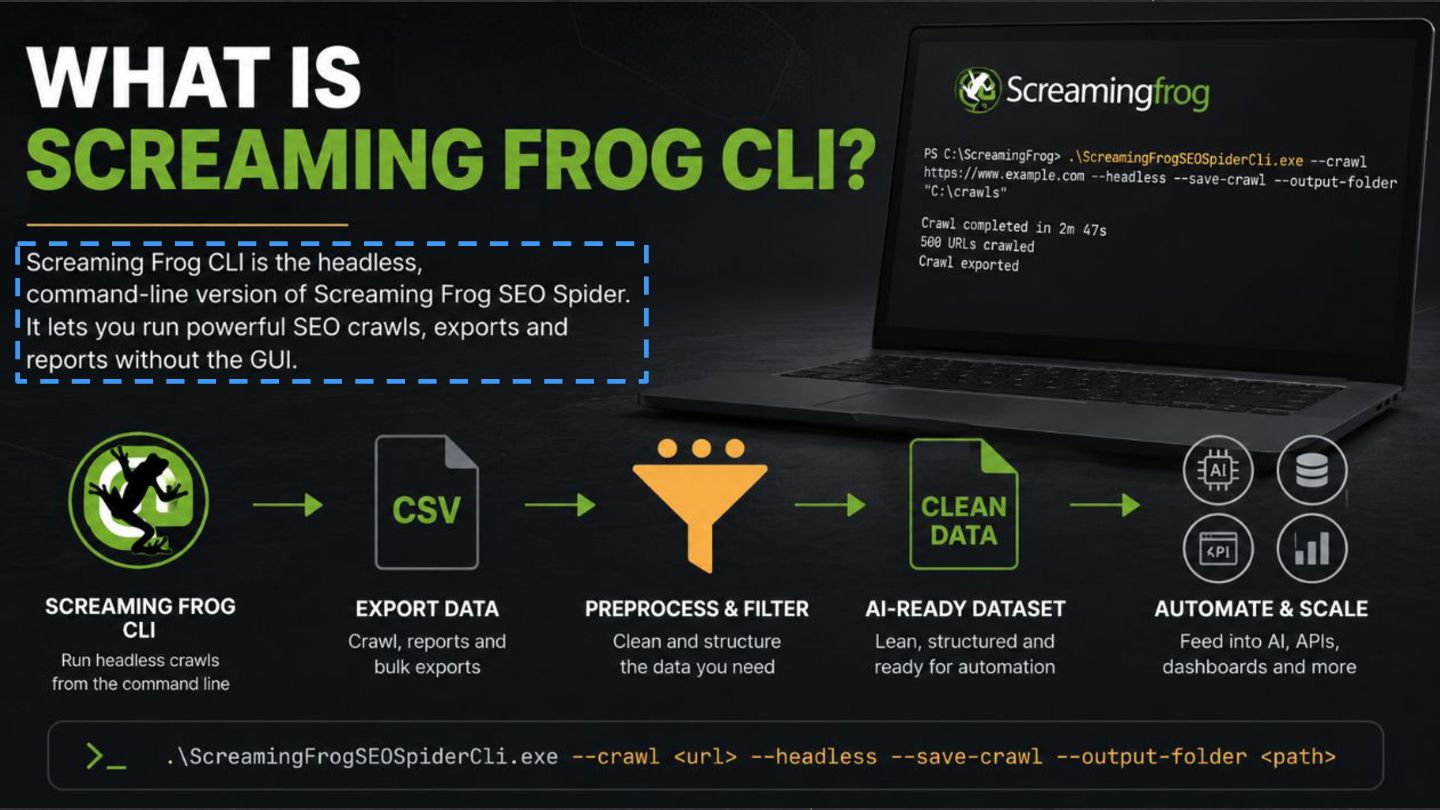
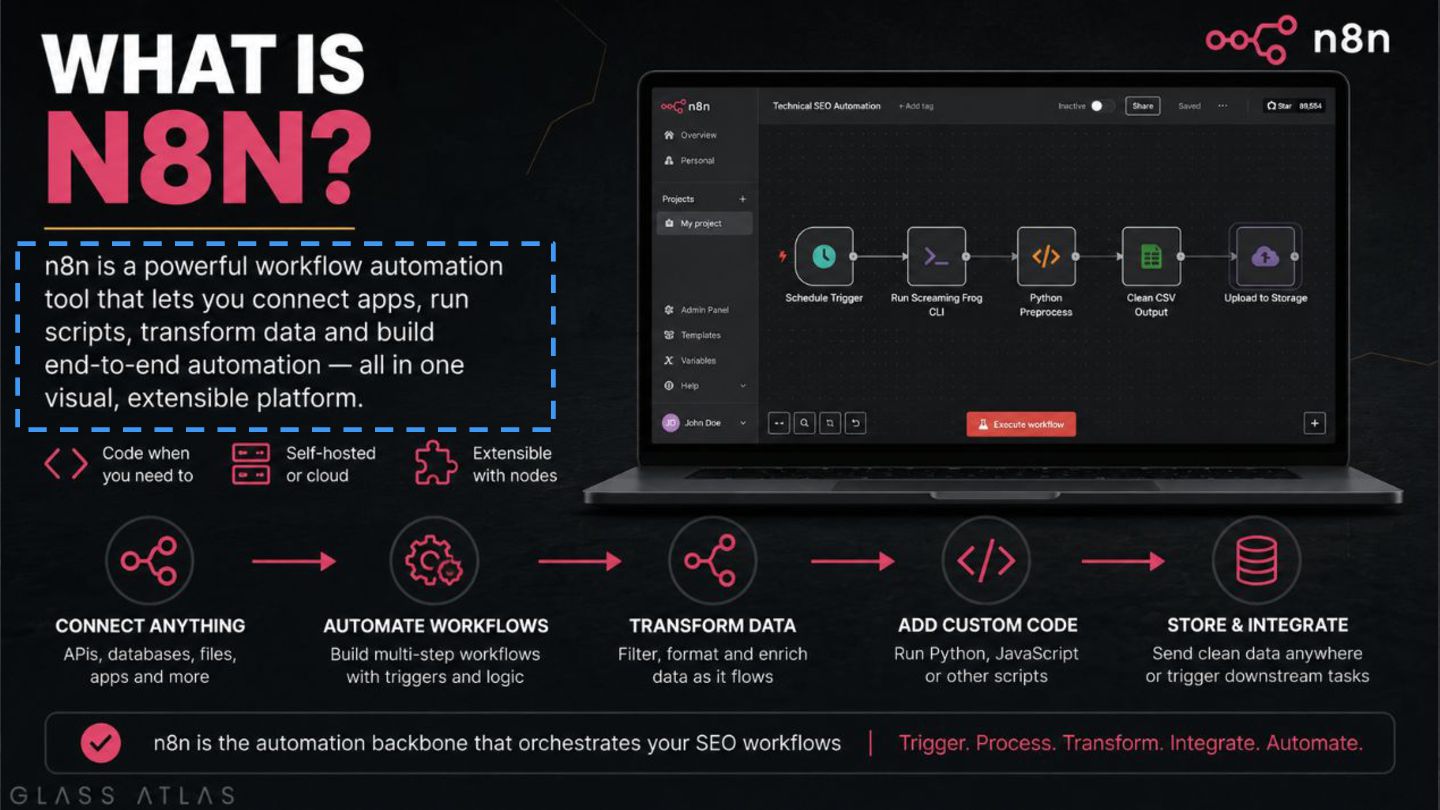
This session shows how Screaming Frog CLI and n8n can automate areas of technical SEO that are still widely handled manually, unlocking automation that would otherwise just be a tool expense.
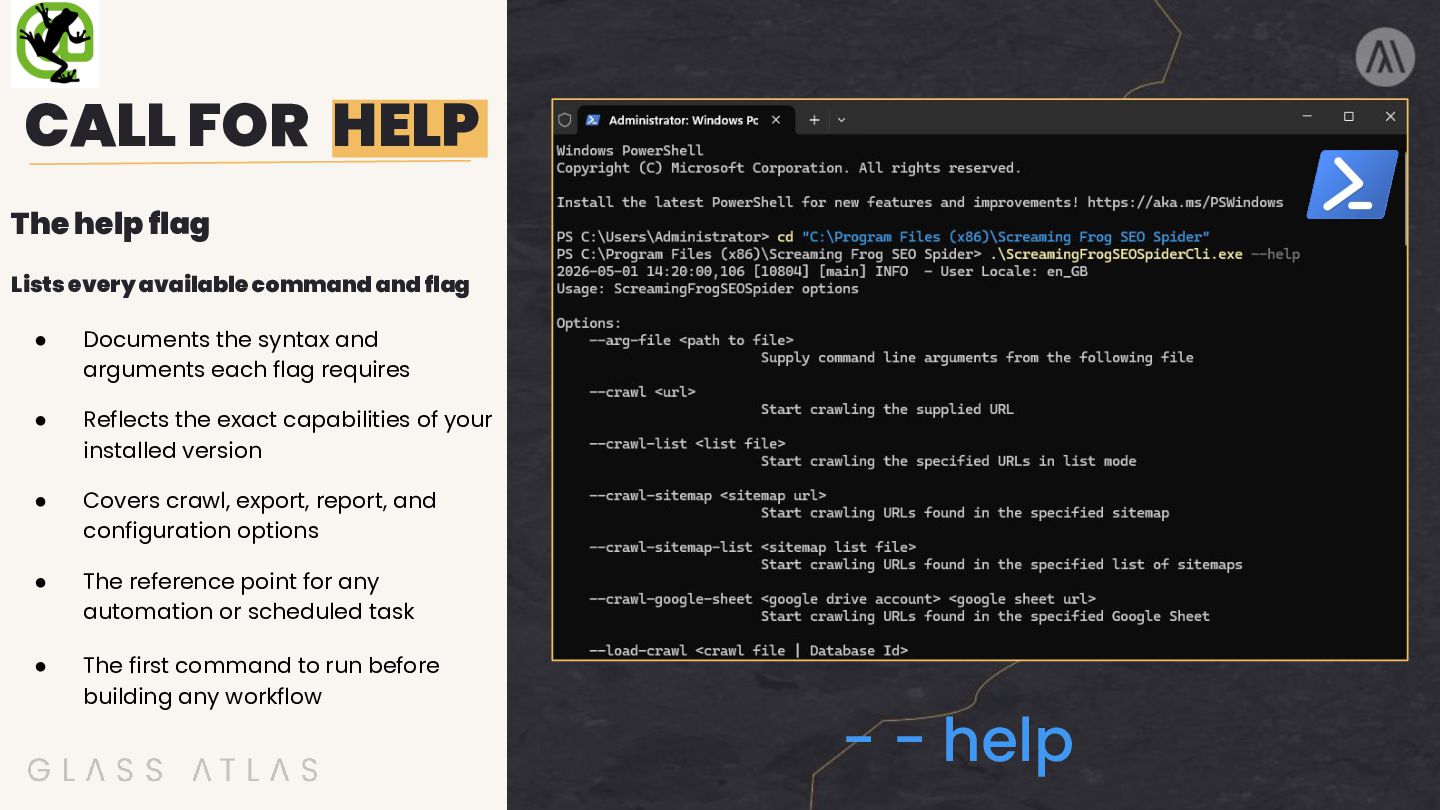
and flag • Documents the syntax and arguments each flag requires • Reflects the exact capabilities of your installed version • Covers crawl, export, report, and configuration options • The reference point for any automation or scheduled task • The first command to run before building any workflow - - help
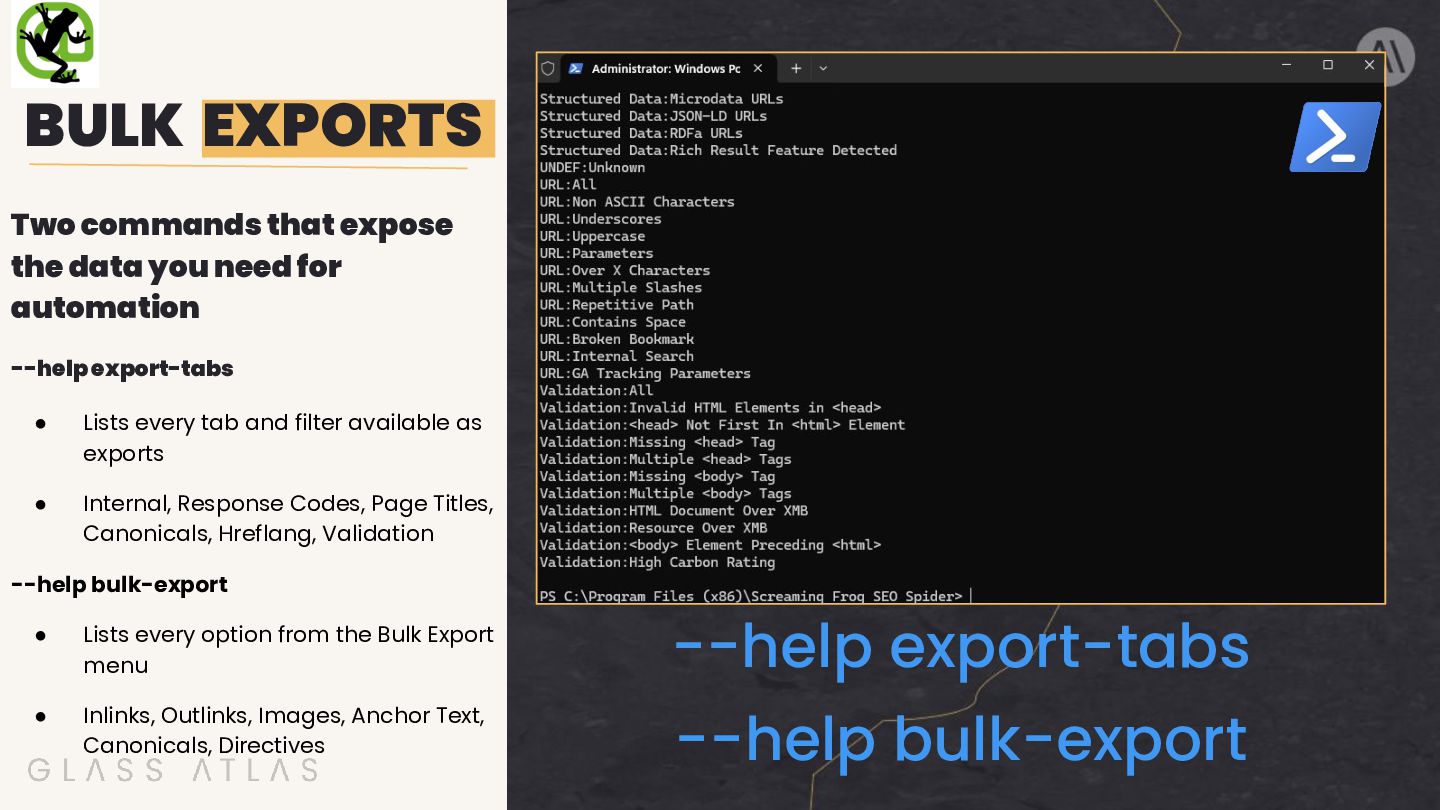
for automation --help export-tabs • Lists every tab and filter available as exports • Internal, Response Codes, Page Titles, Canonicals, Hreflang, Validation --help bulk-export • Lists every option from the Bulk Export menu • Inlinks, Outlinks, Images, Anchor Text, Canonicals, Directives --help export-tabs --help bulk-export
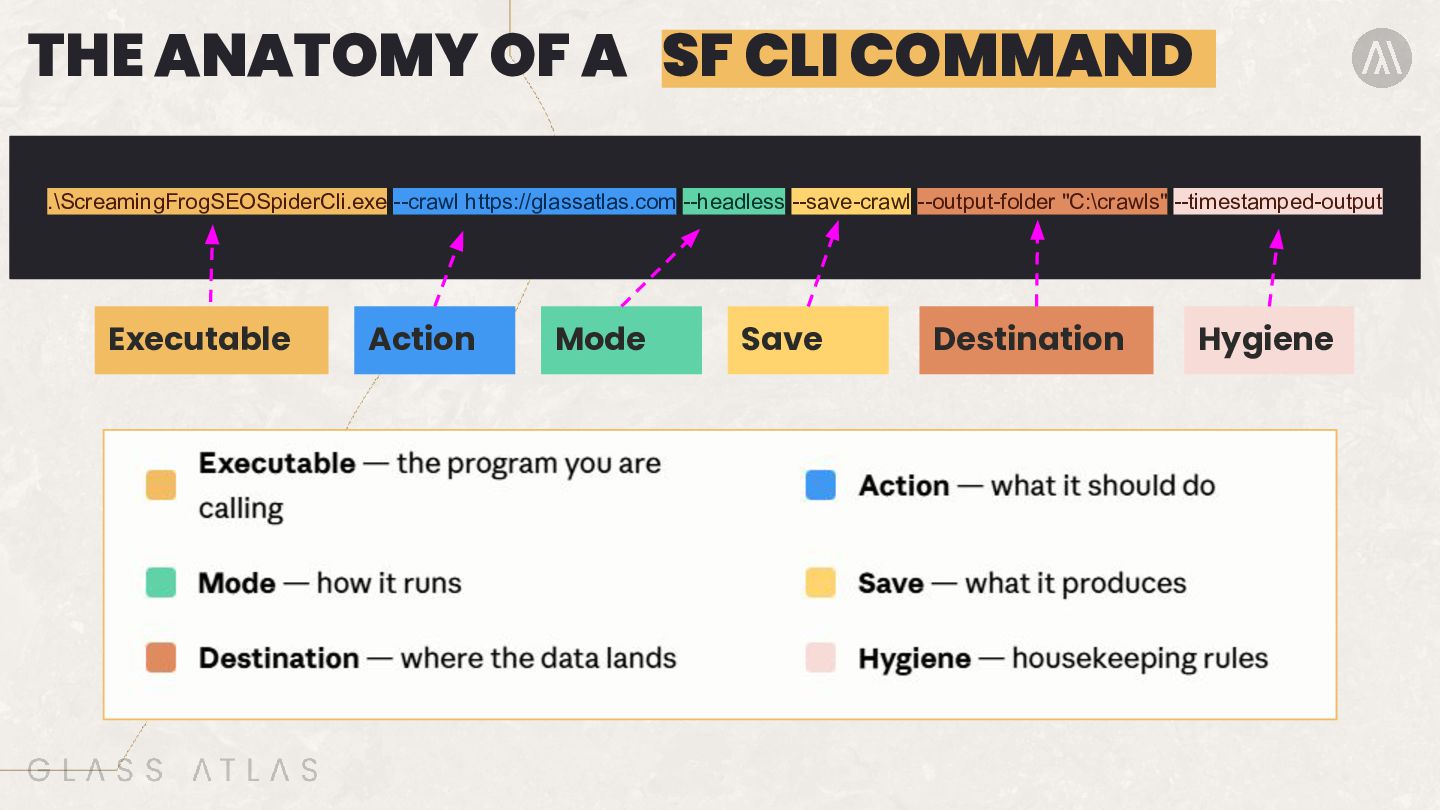
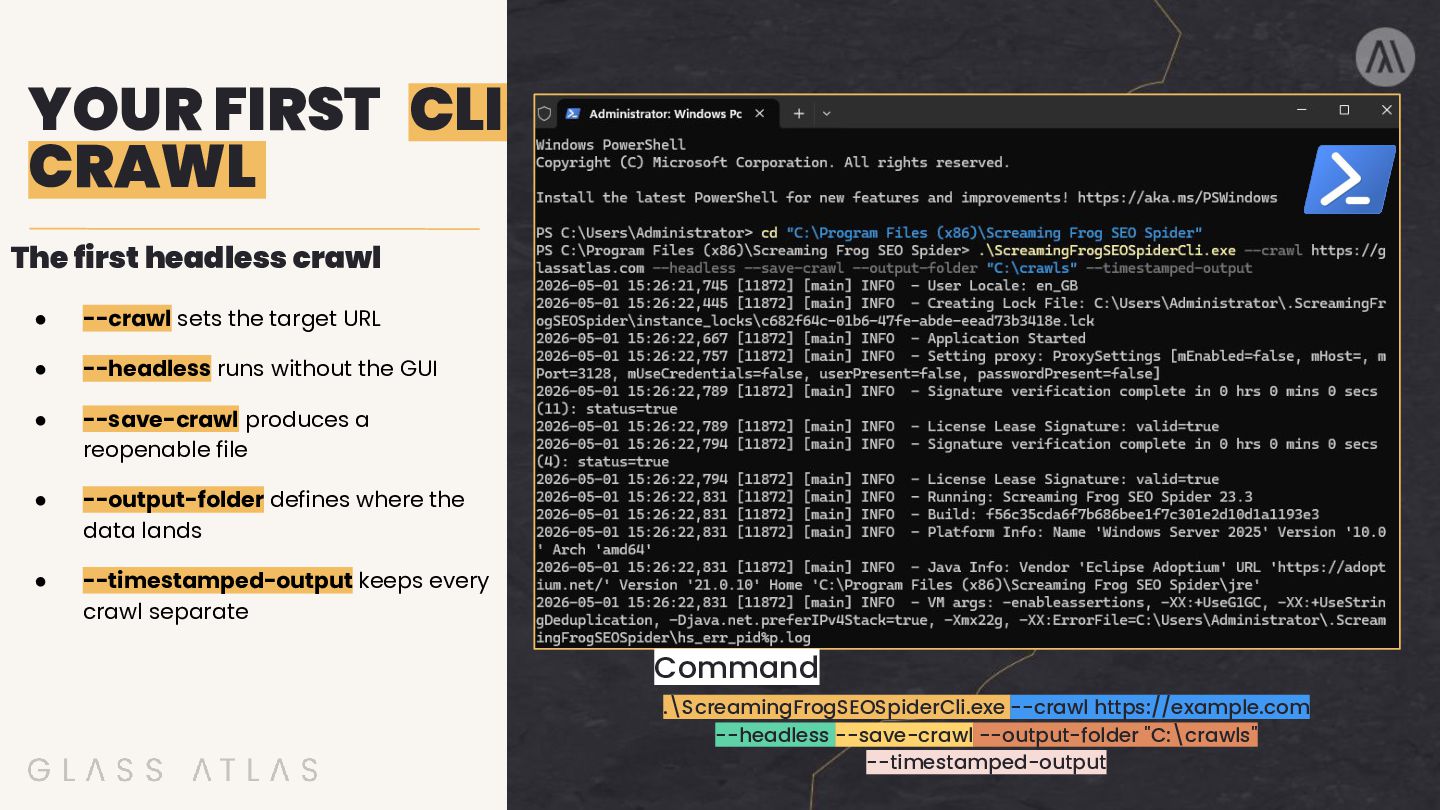
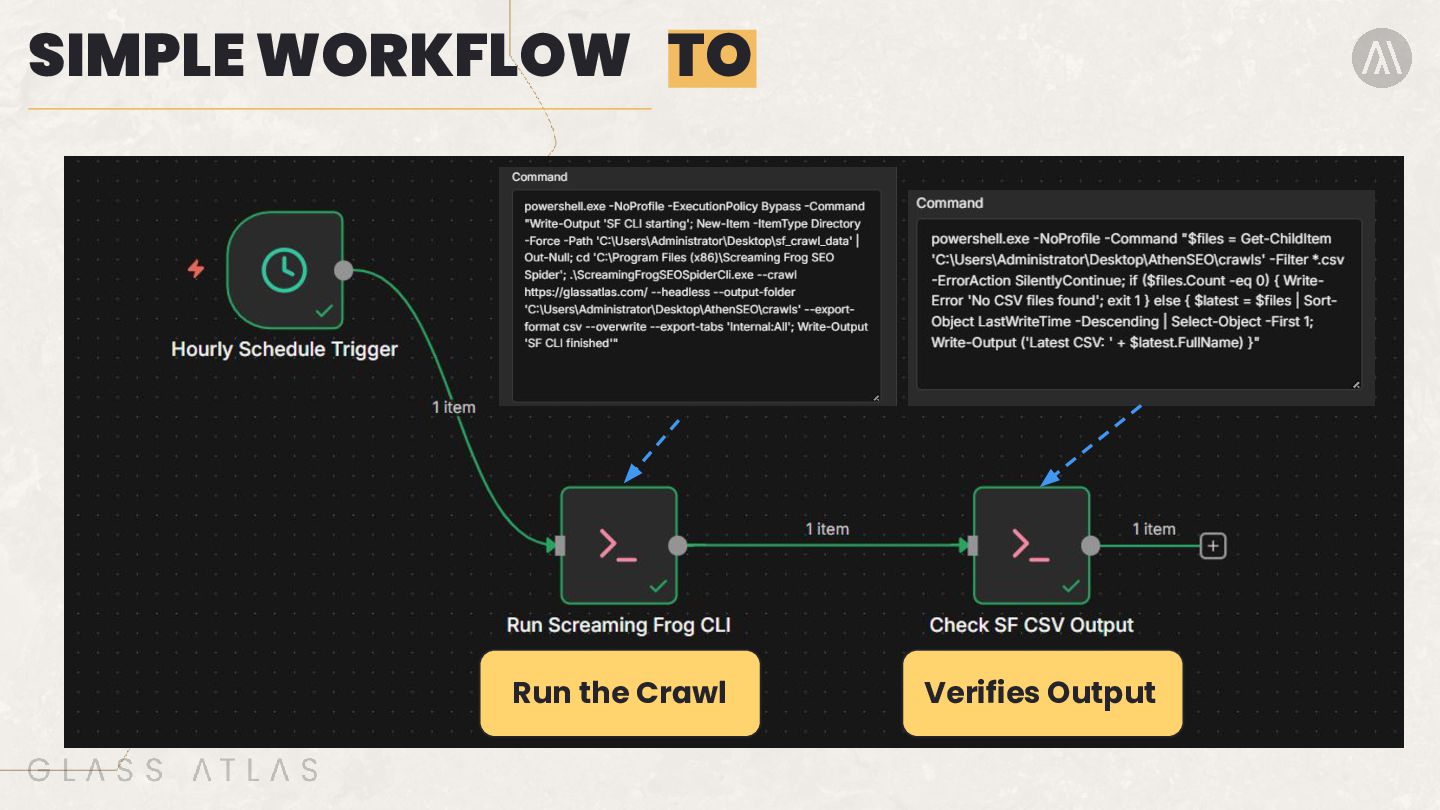
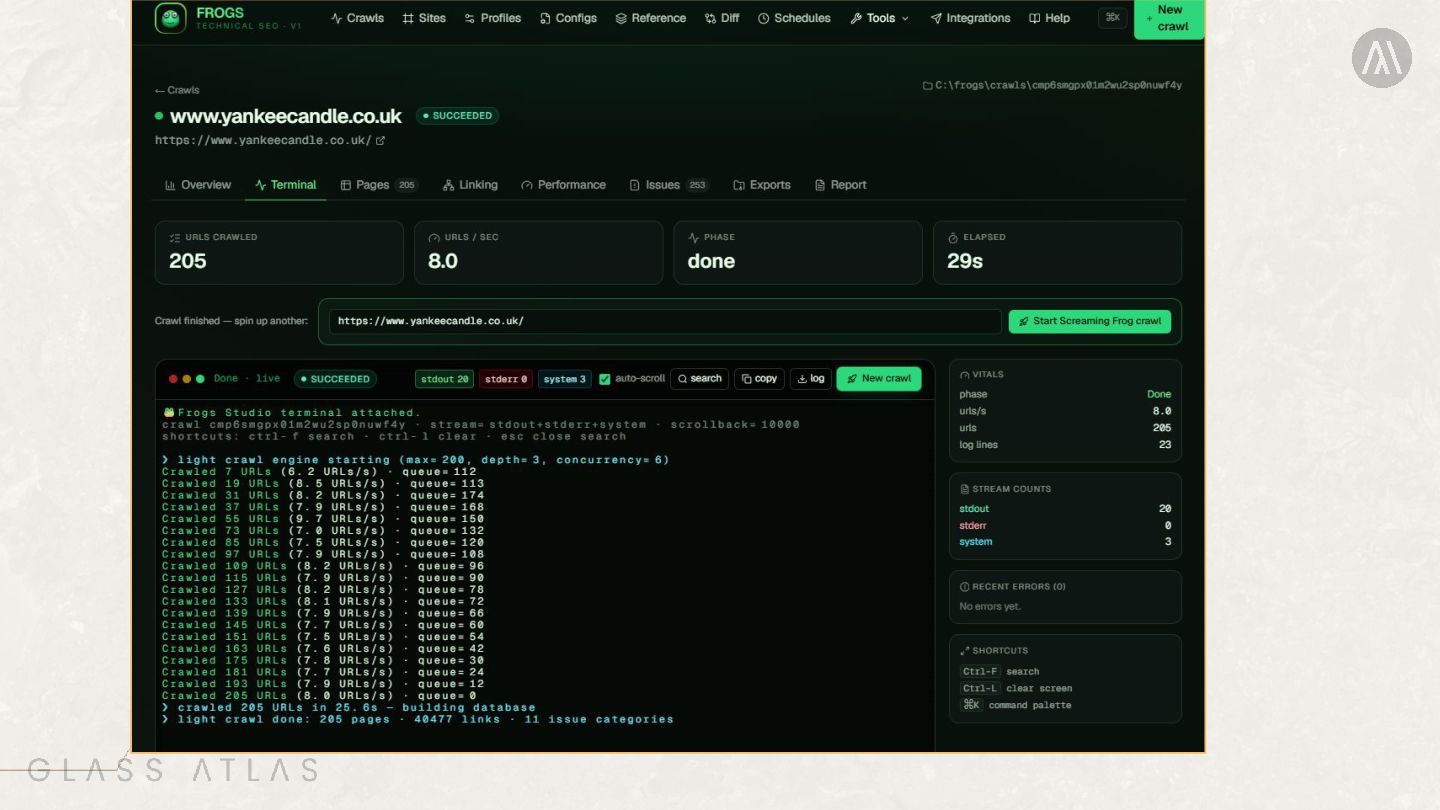
sets the target URL • --headless runs without the GUI • --save-crawl produces a reopenable file • --output-folder defines where the data lands • --timestamped-output keeps every crawl separate Command .\ScreamingFrogSEOSpiderCli.exe --crawl https://example.com --headless --save-crawl --output-folder "C:\crawls" --timestamped-output
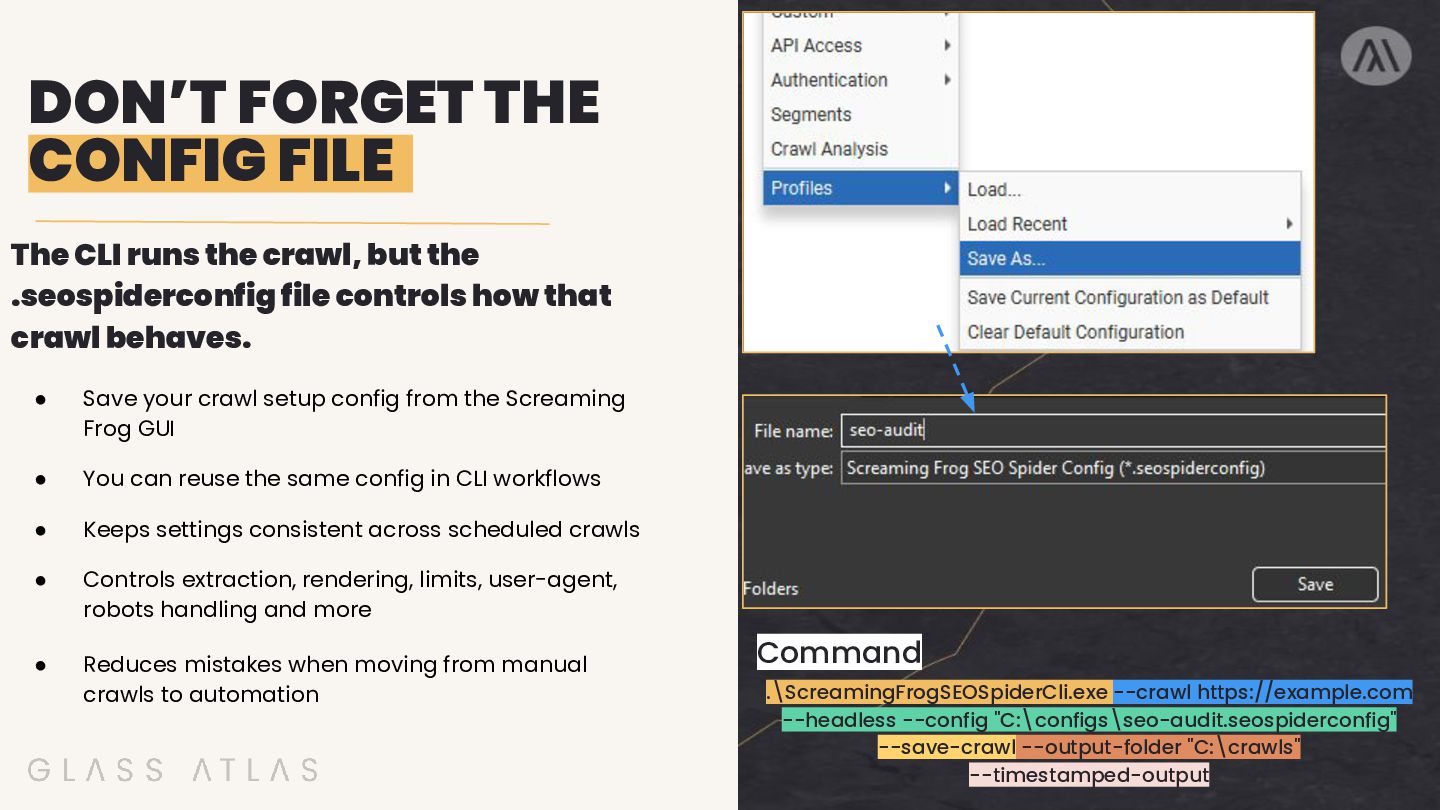
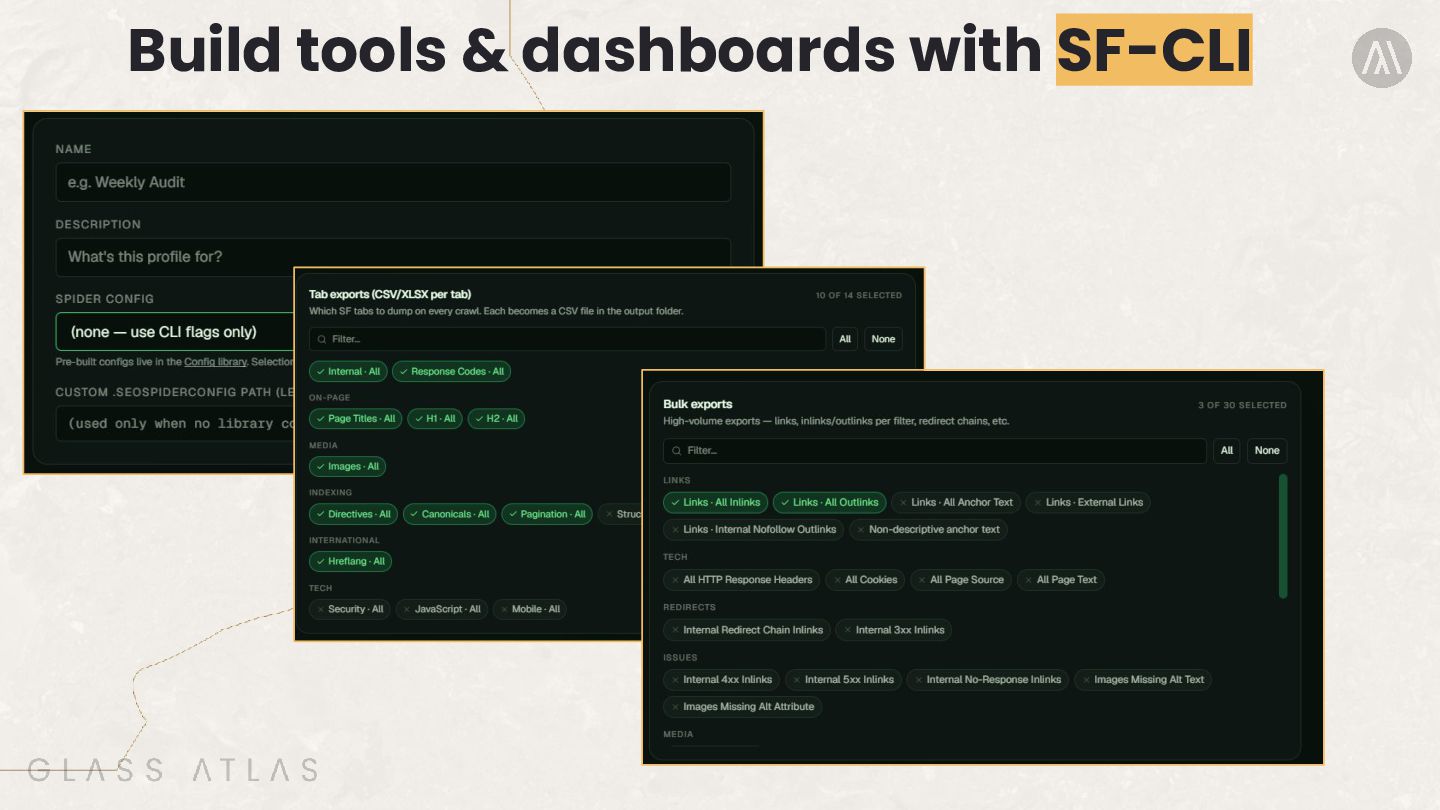
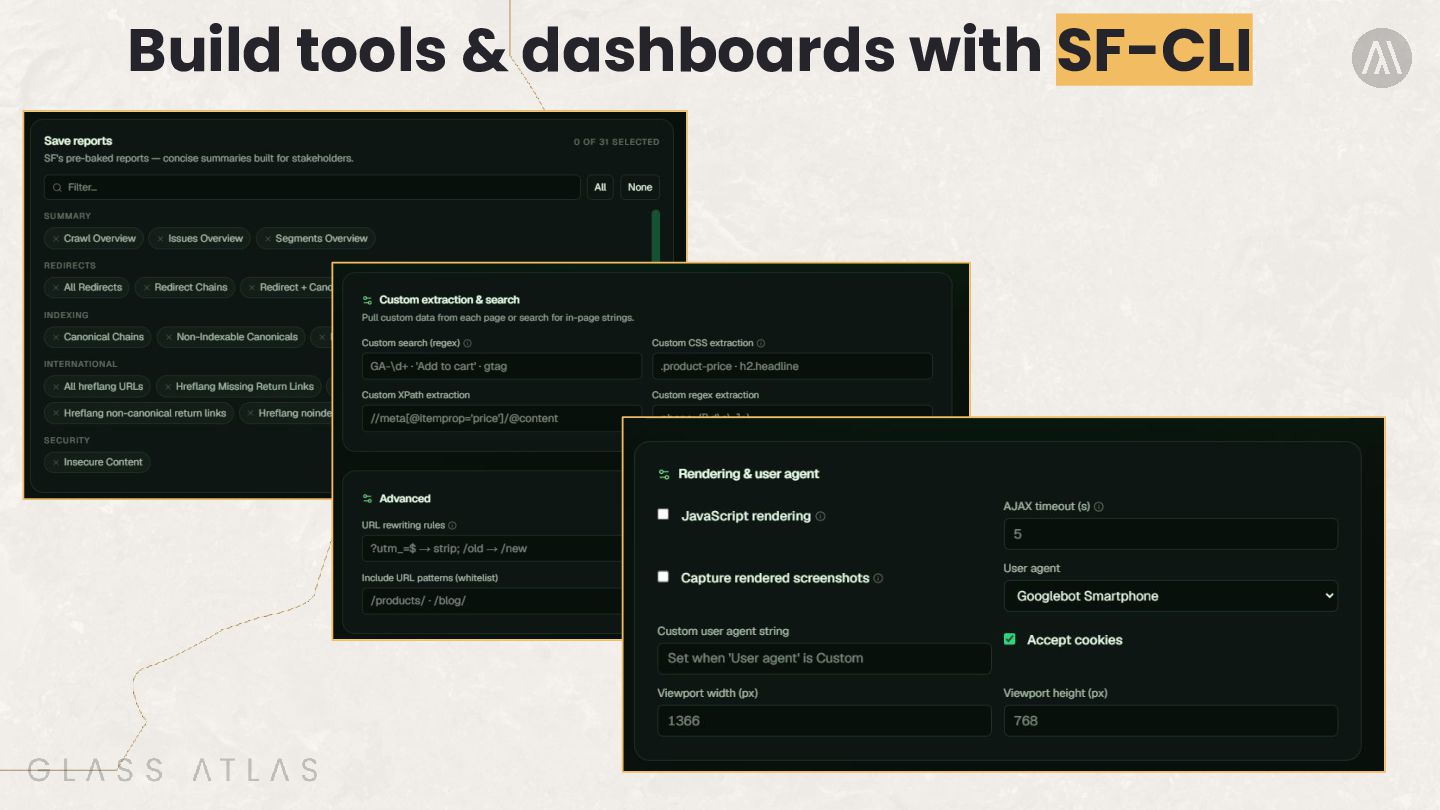
but the .seospiderconfig file controls how that crawl behaves. • Save your crawl setup config from the Screaming Frog GUI • You can reuse the same config in CLI workflows • Keeps settings consistent across scheduled crawls • Controls extraction, rendering, limits, user-agent, robots handling and more • Reduces mistakes when moving from manual crawls to automation Command .\ScreamingFrogSEOSpiderCli.exe --crawl https://example.com --headless --config "C:\configs\seo-audit.seospiderconfig" --save-crawl --output-folder "C:\crawls" --timestamped-output
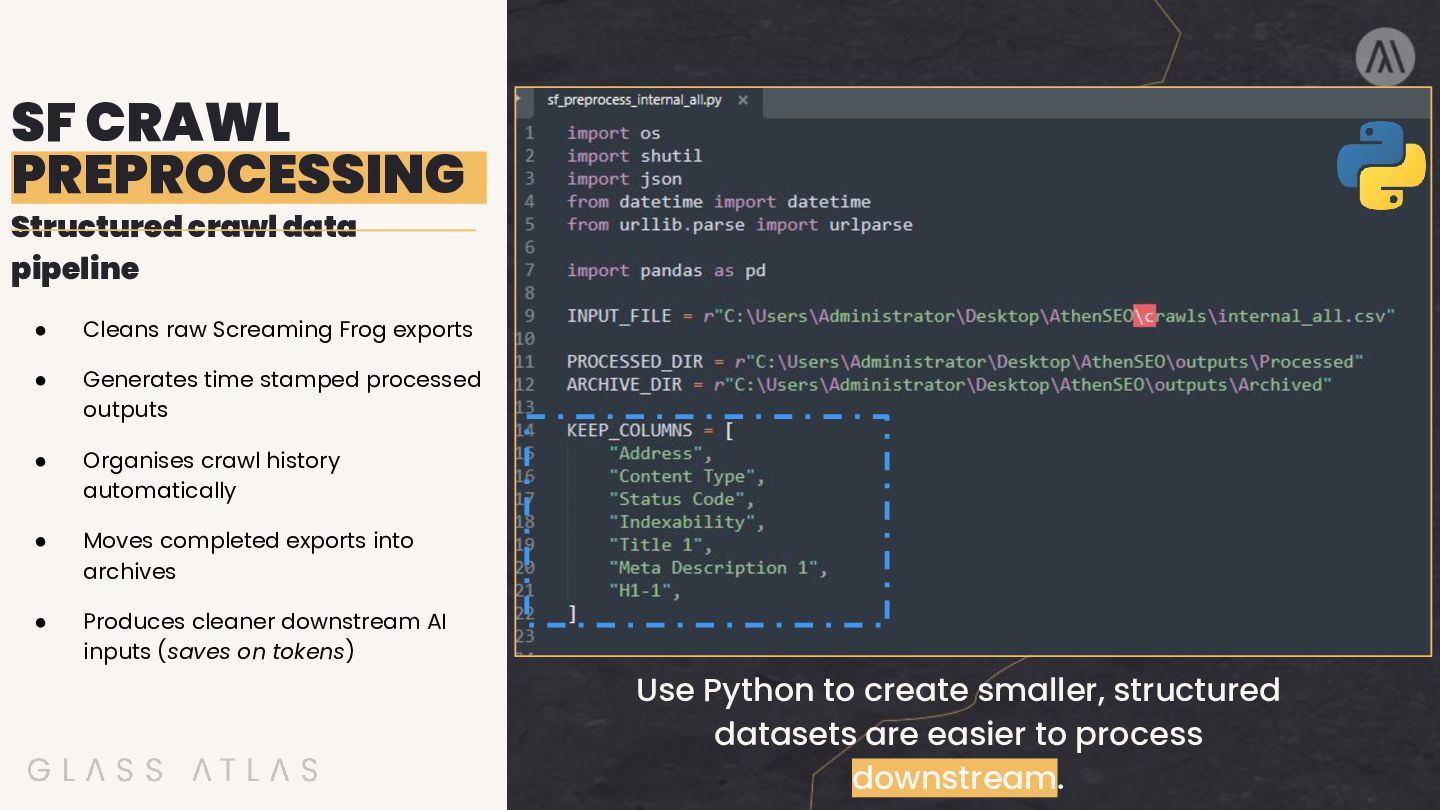
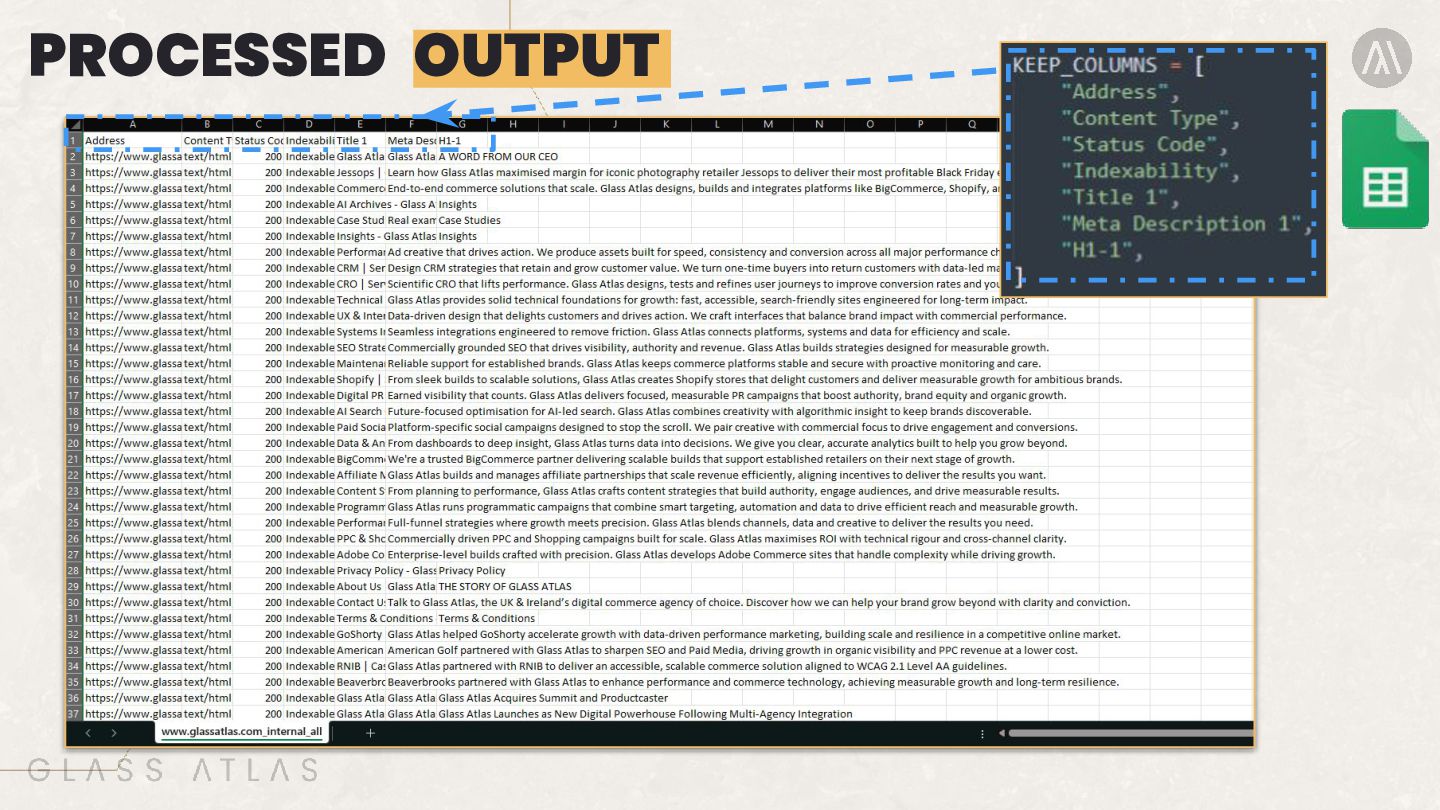
Screaming Frog exports • Generates time stamped processed outputs • Organises crawl history automatically • Moves completed exports into archives • Produces cleaner downstream AI inputs (saves on tokens) Use Python to create smaller, structured datasets are easier to process downstream.
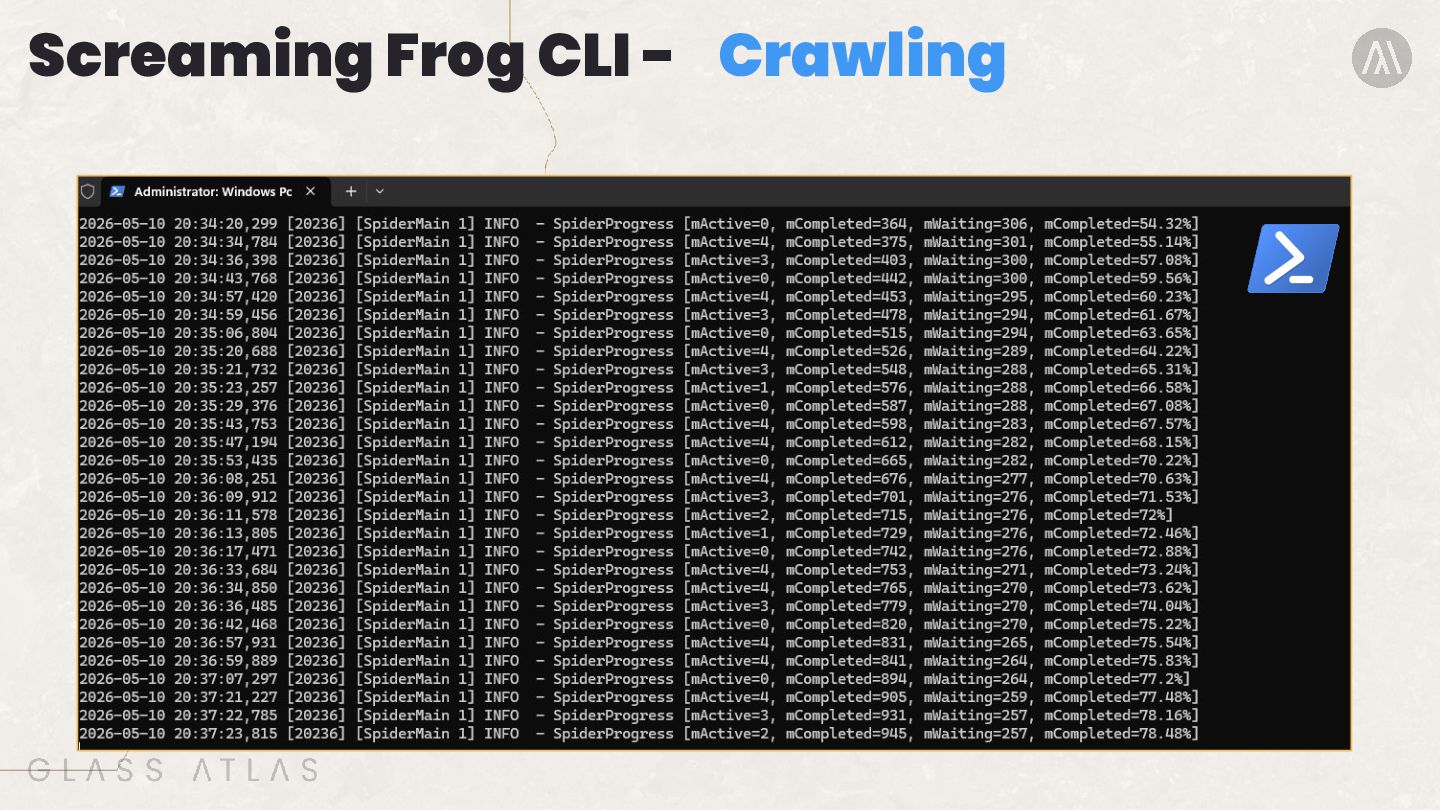
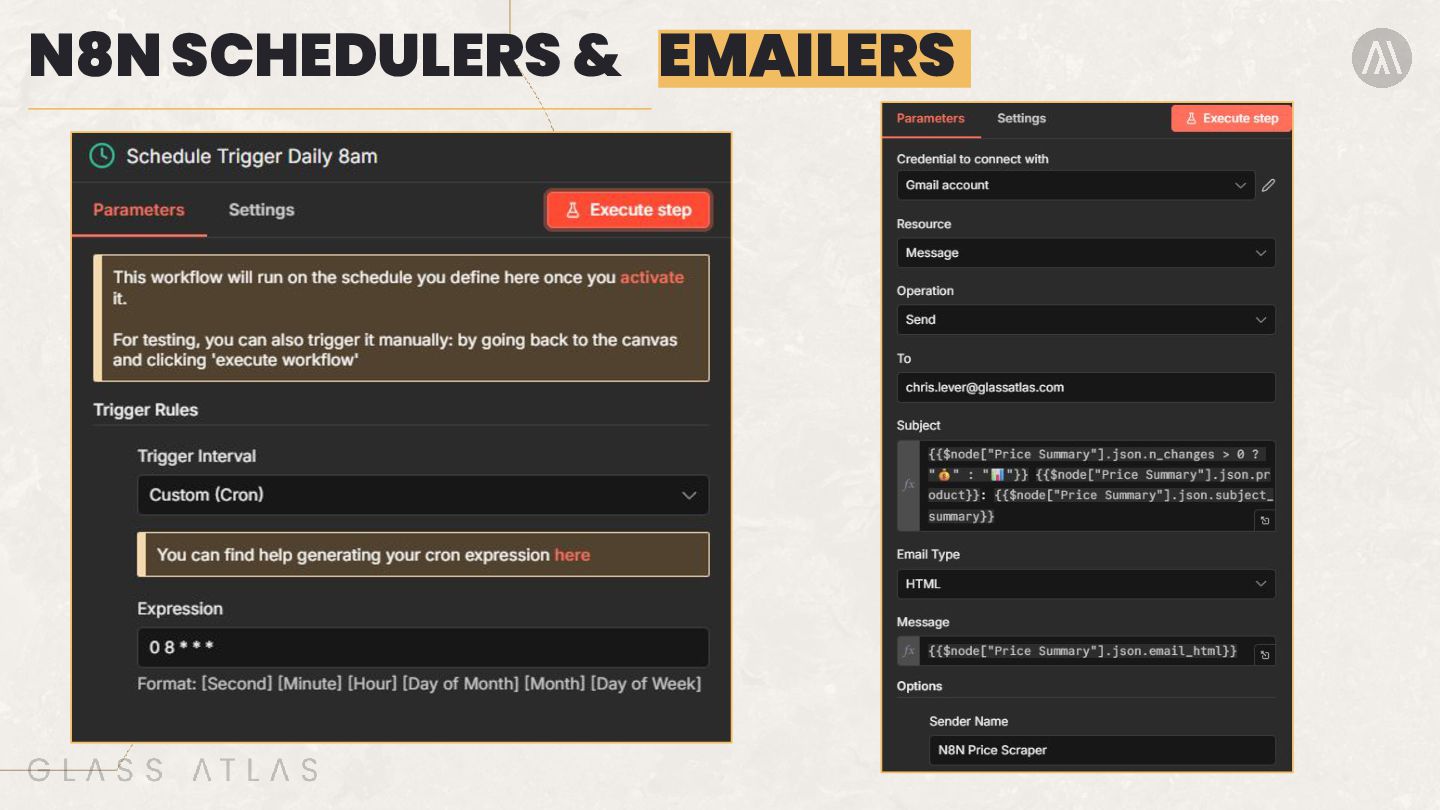
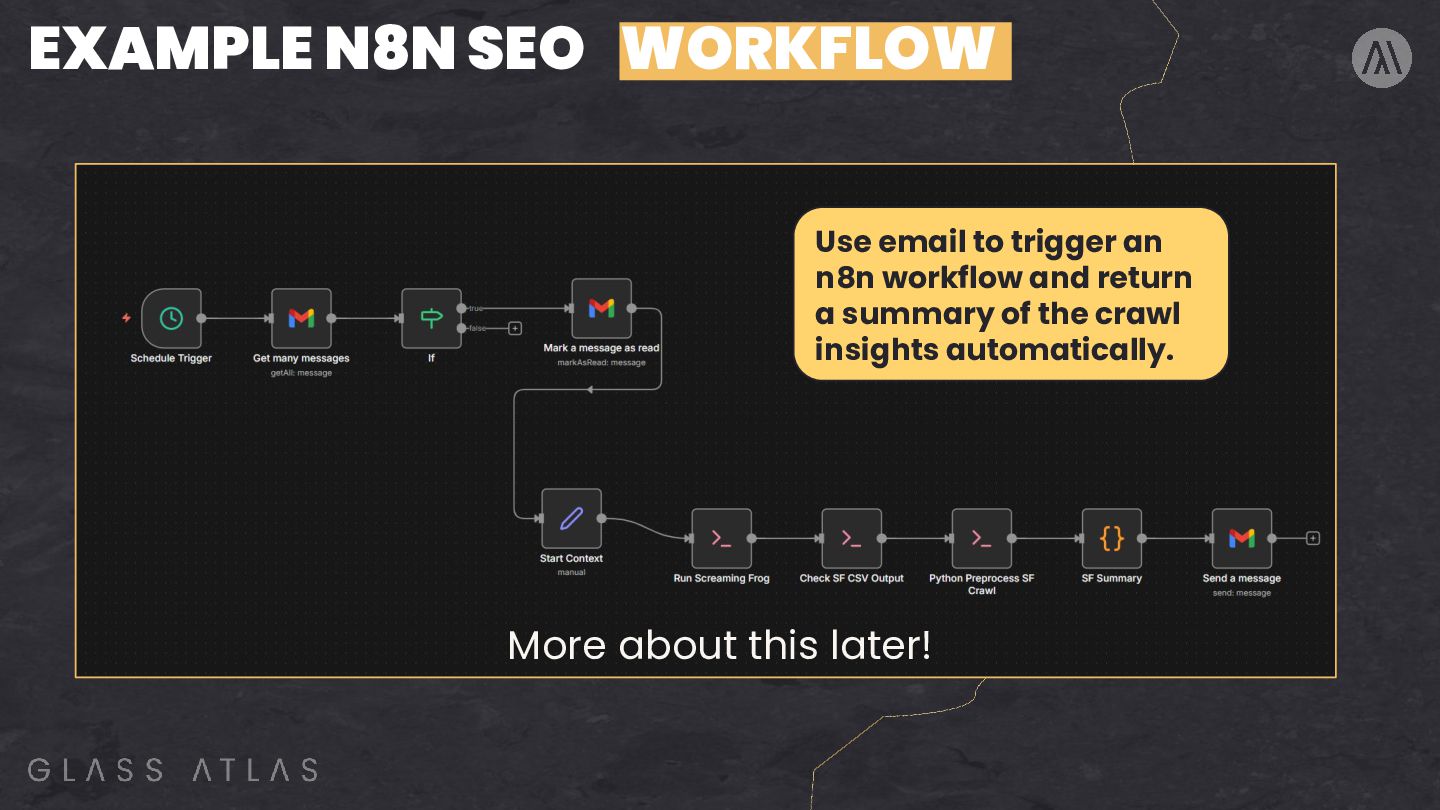
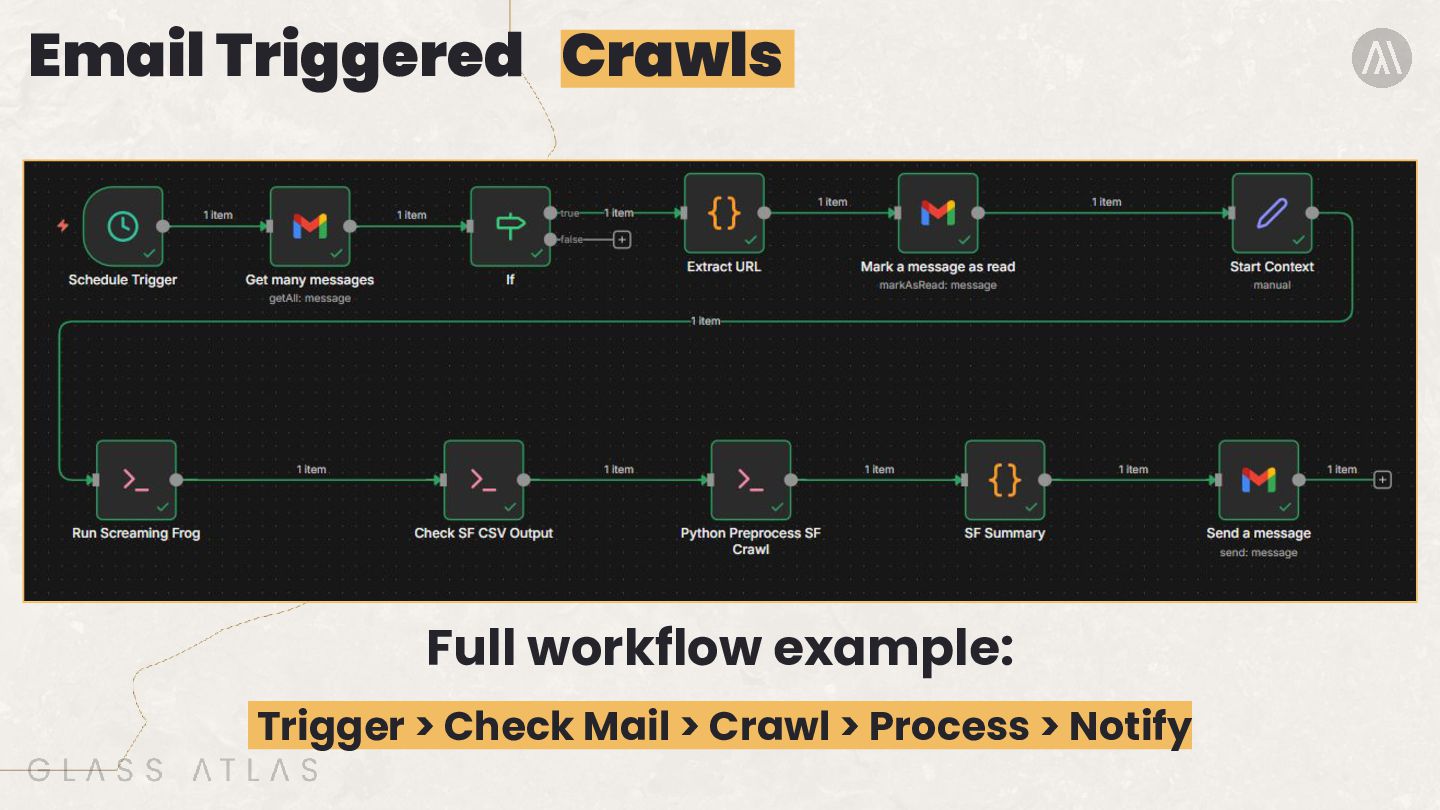
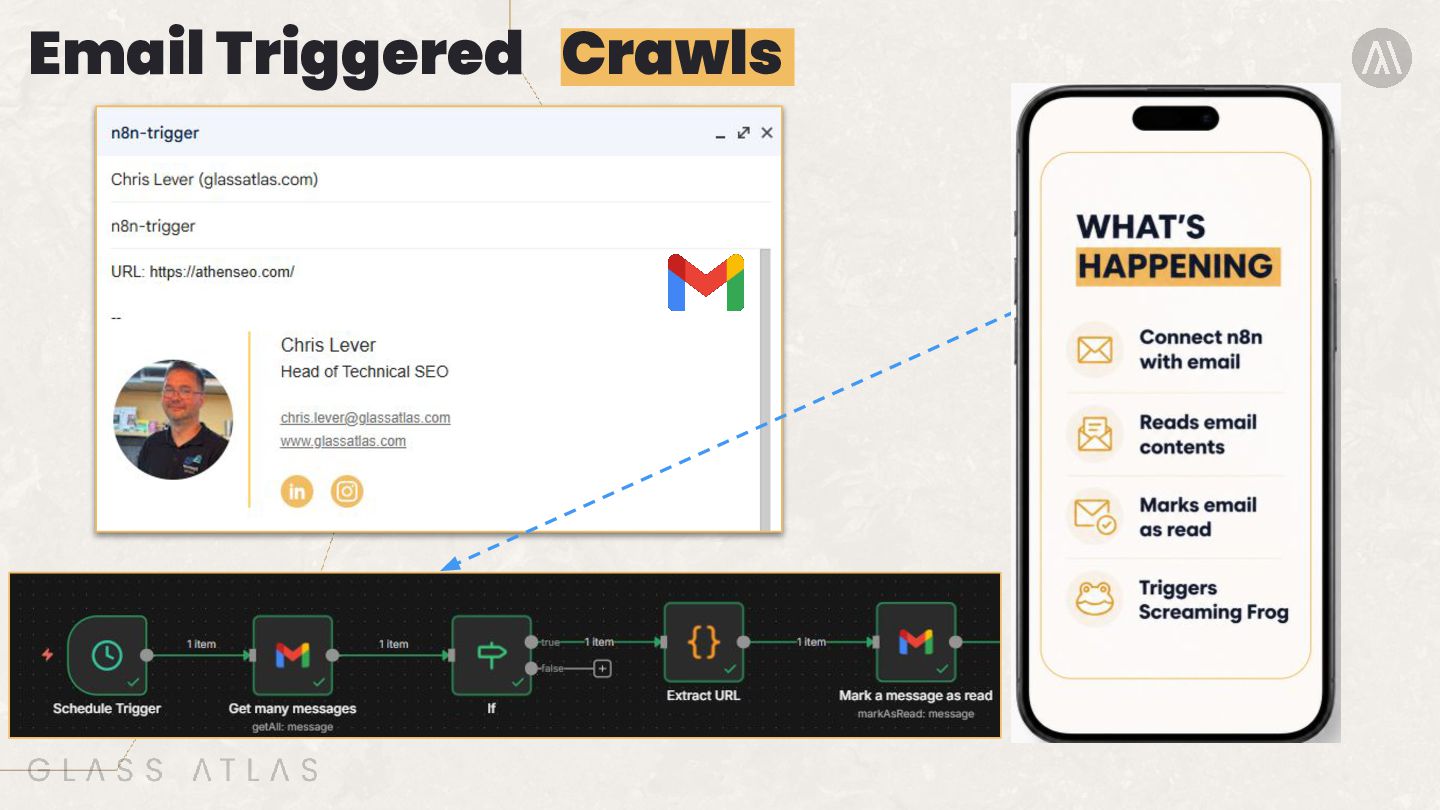
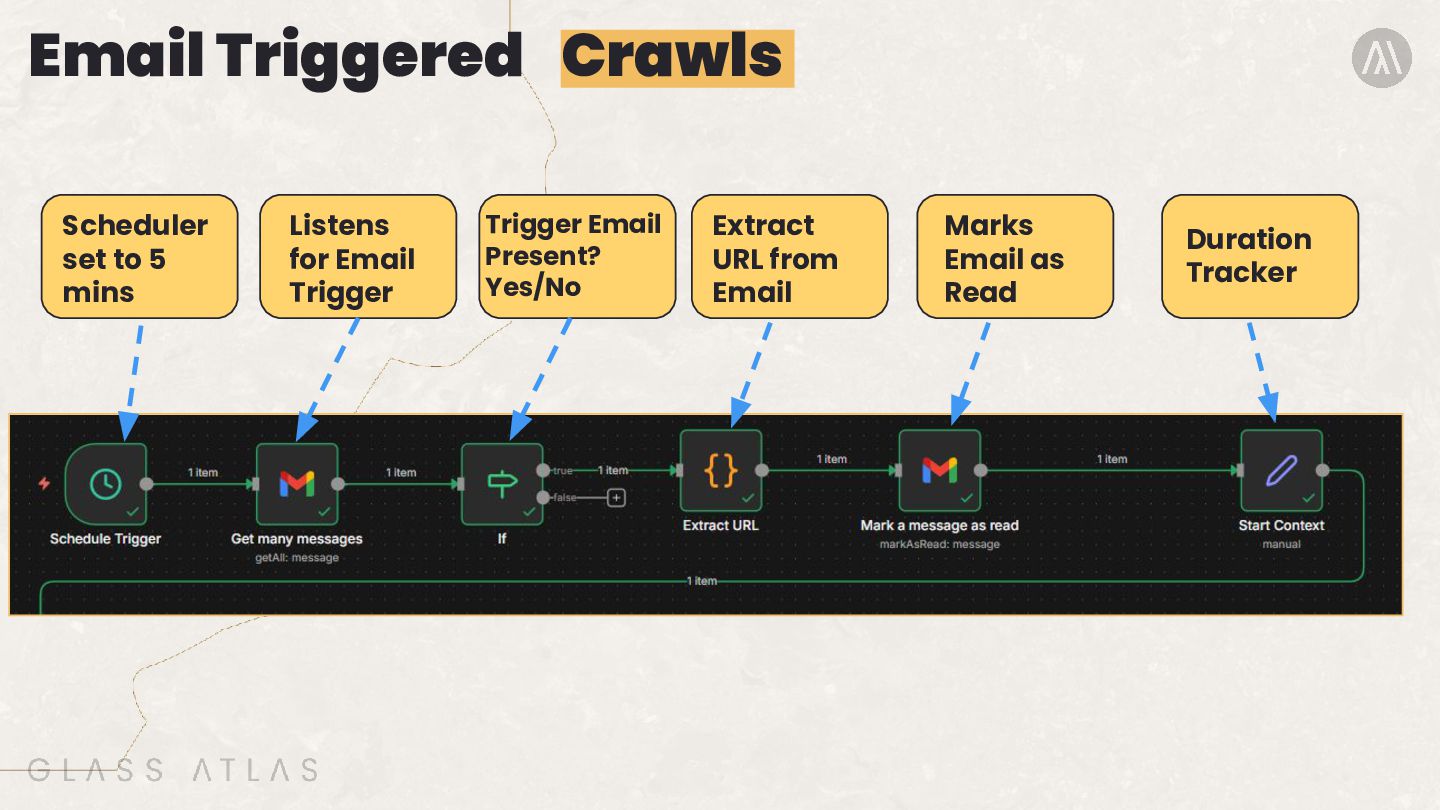
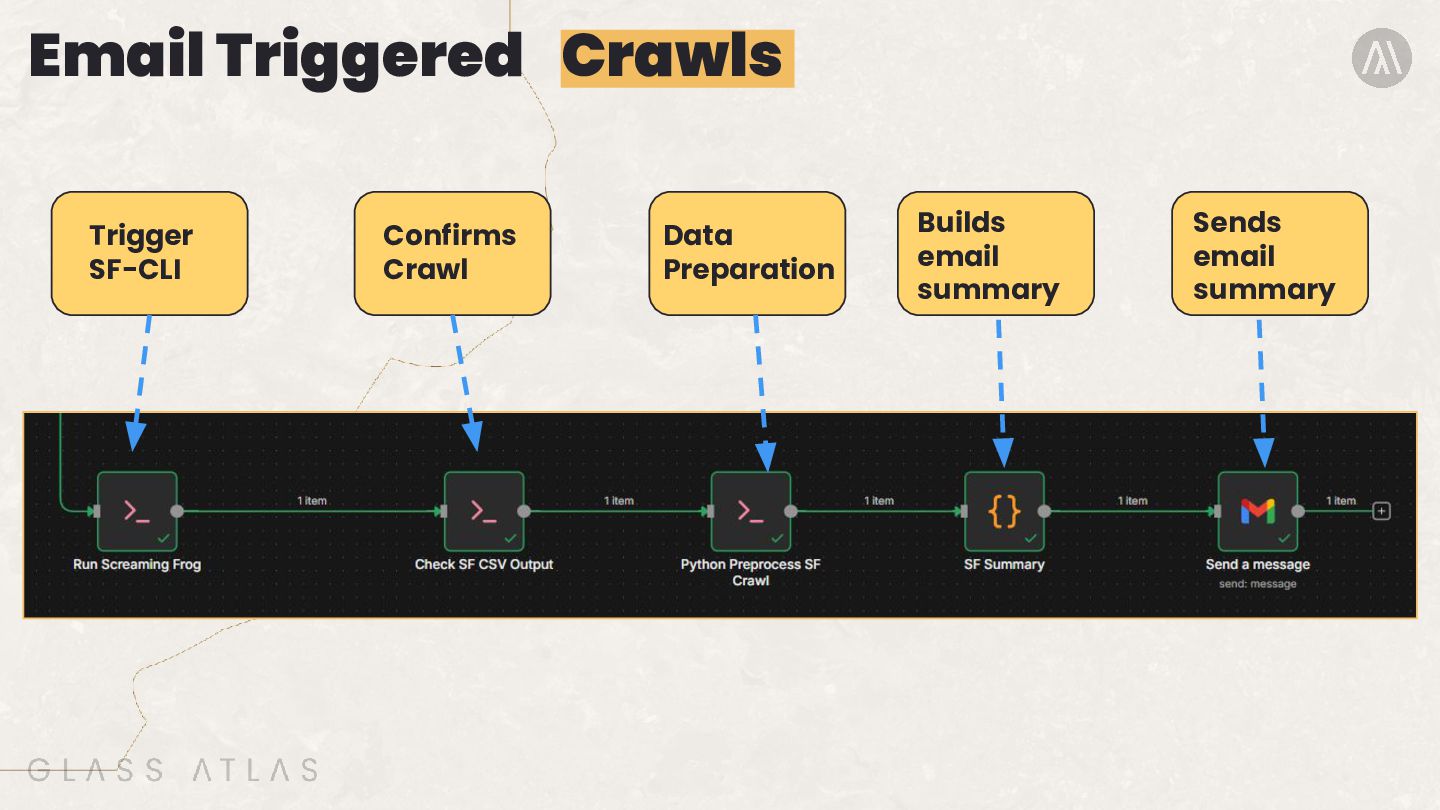
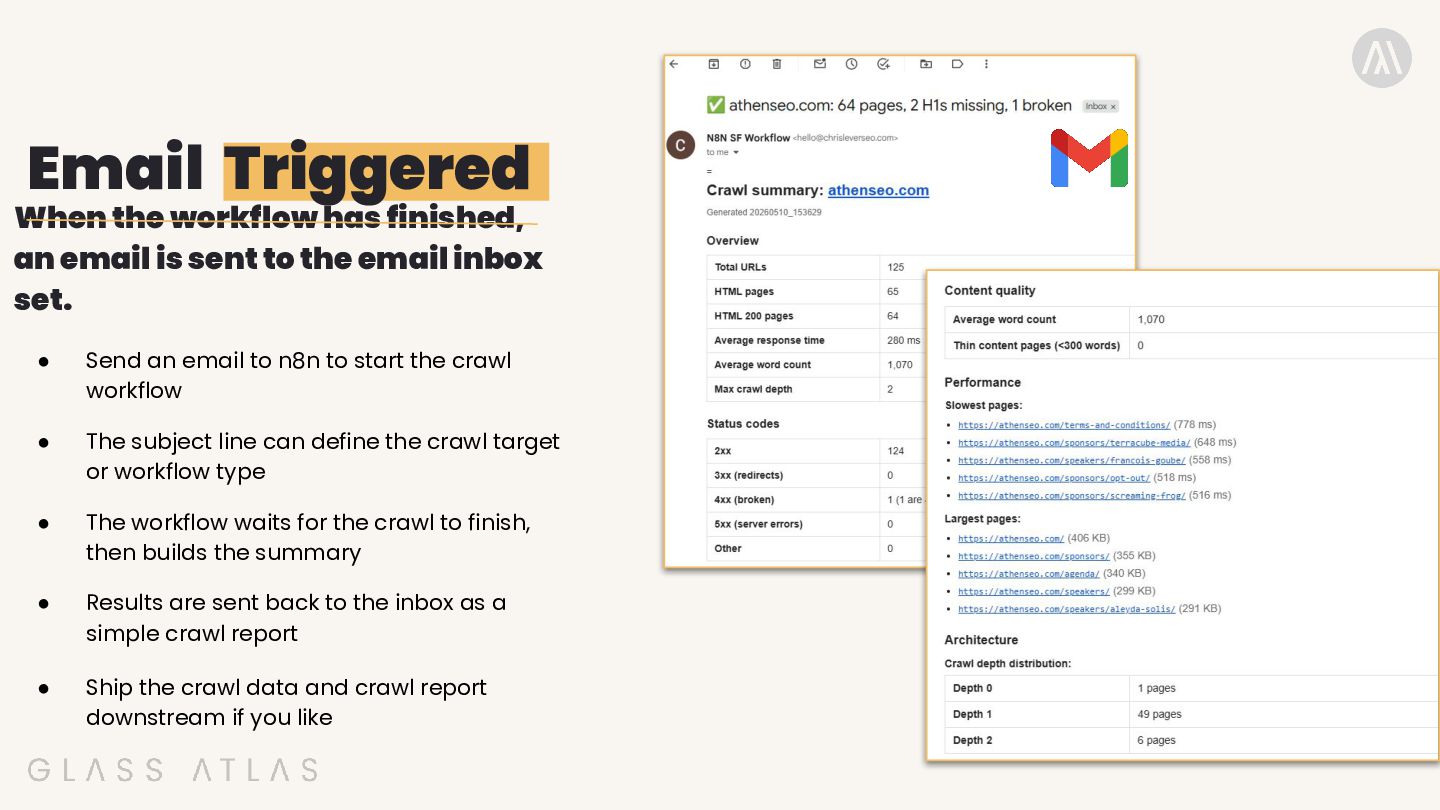
sent to the email inbox set. • Send an email to n8n to start the crawl workflow • The subject line can define the crawl target or workflow type • The workflow waits for the crawl to finish, then builds the summary • Results are sent back to the inbox as a simple crawl report • Ship the crawl data and crawl report downstream if you like
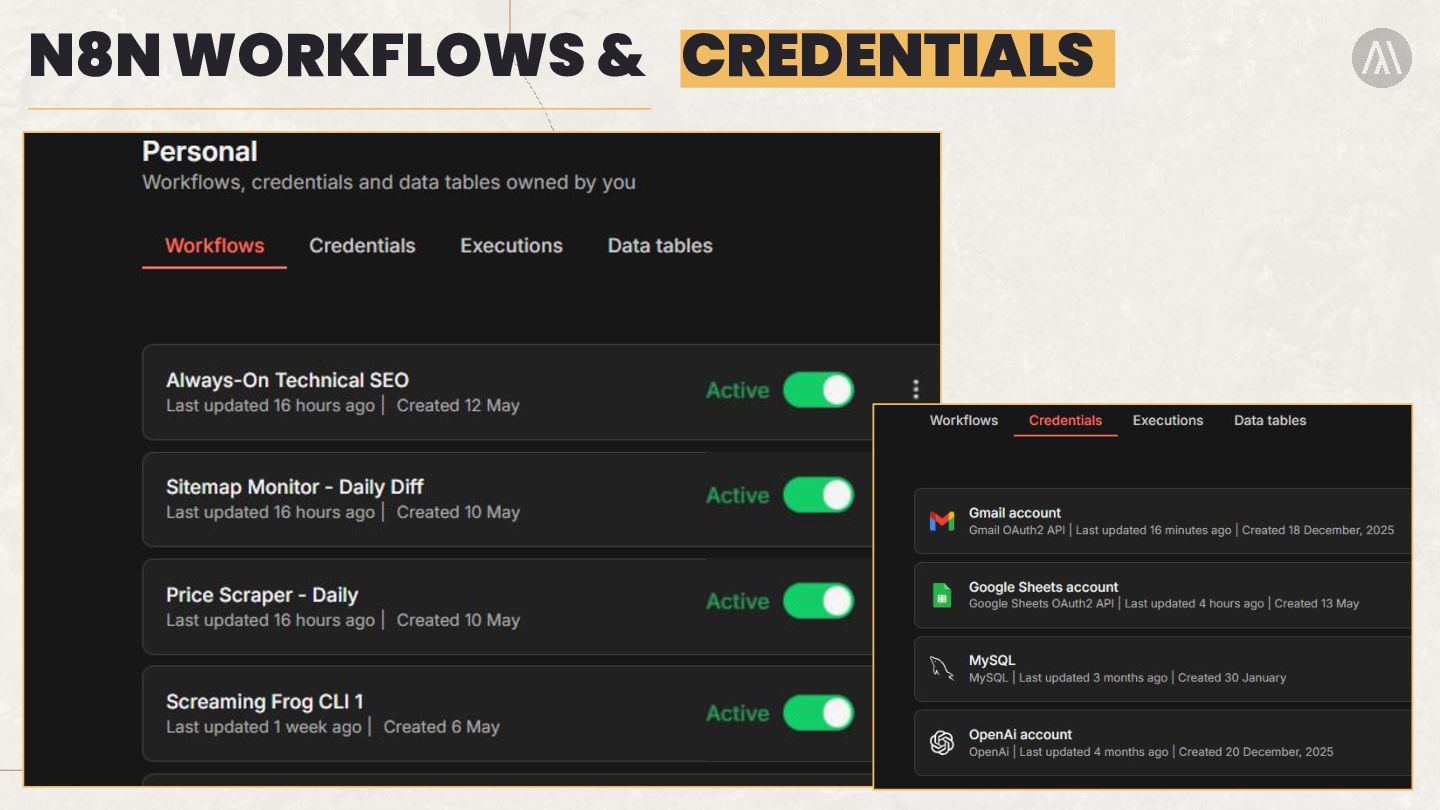
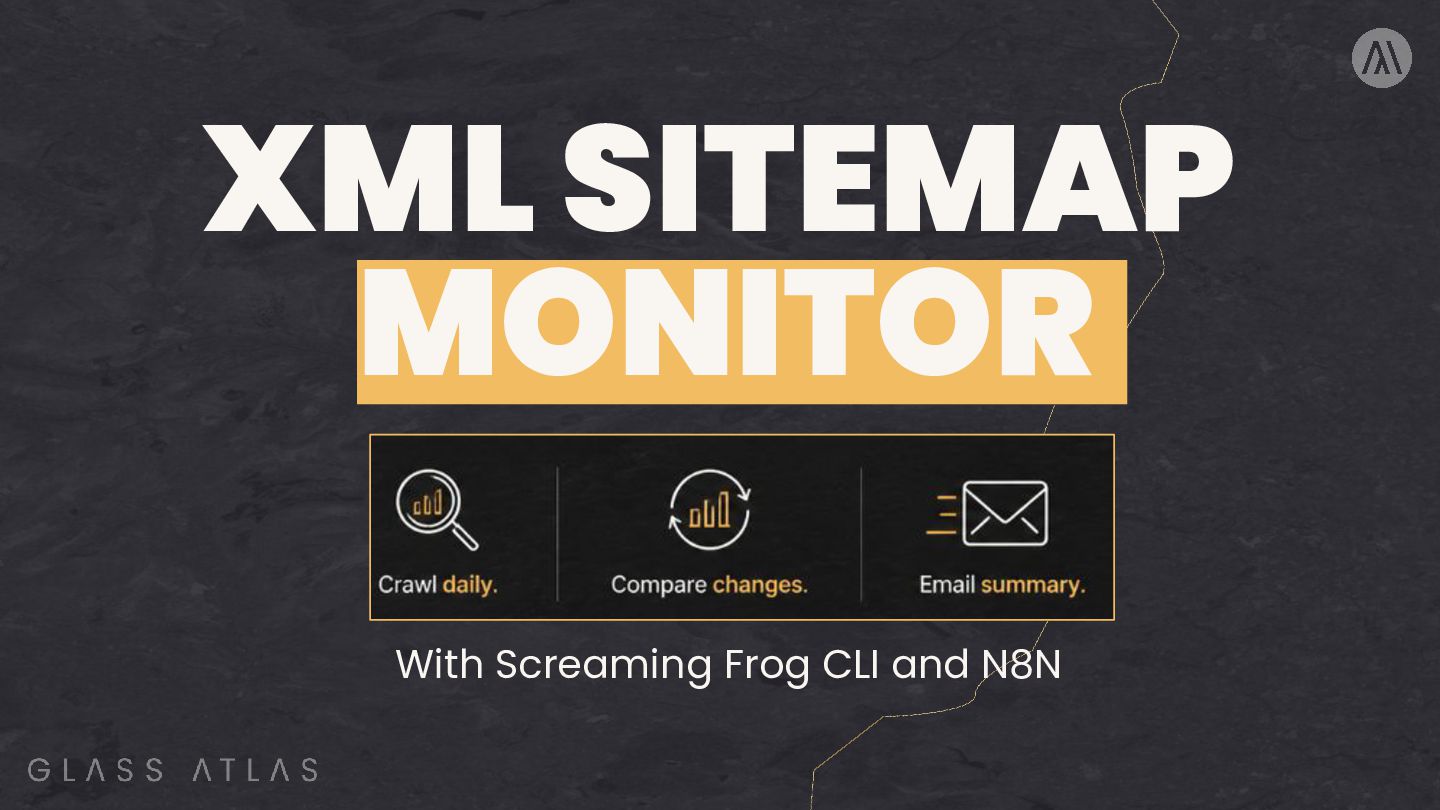
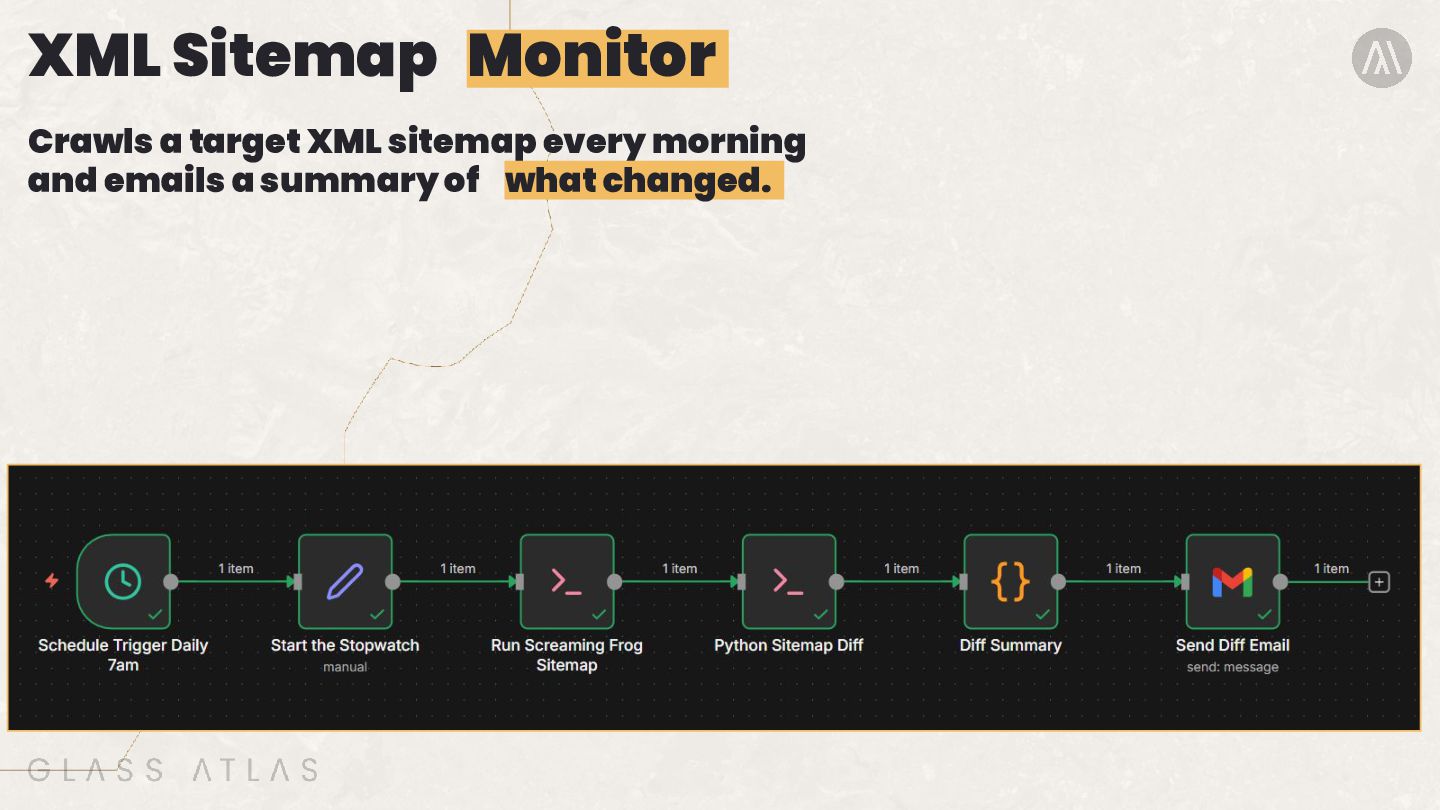
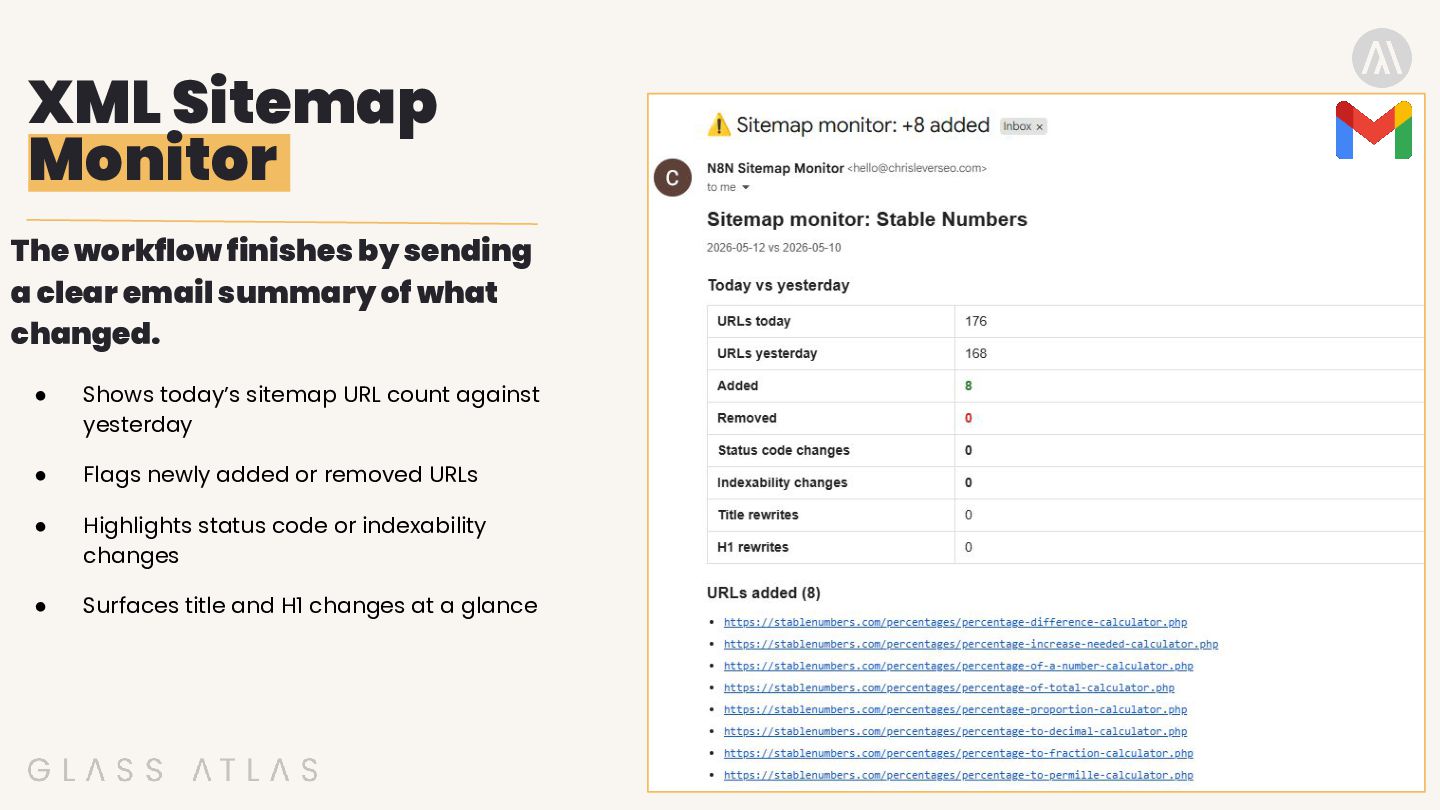
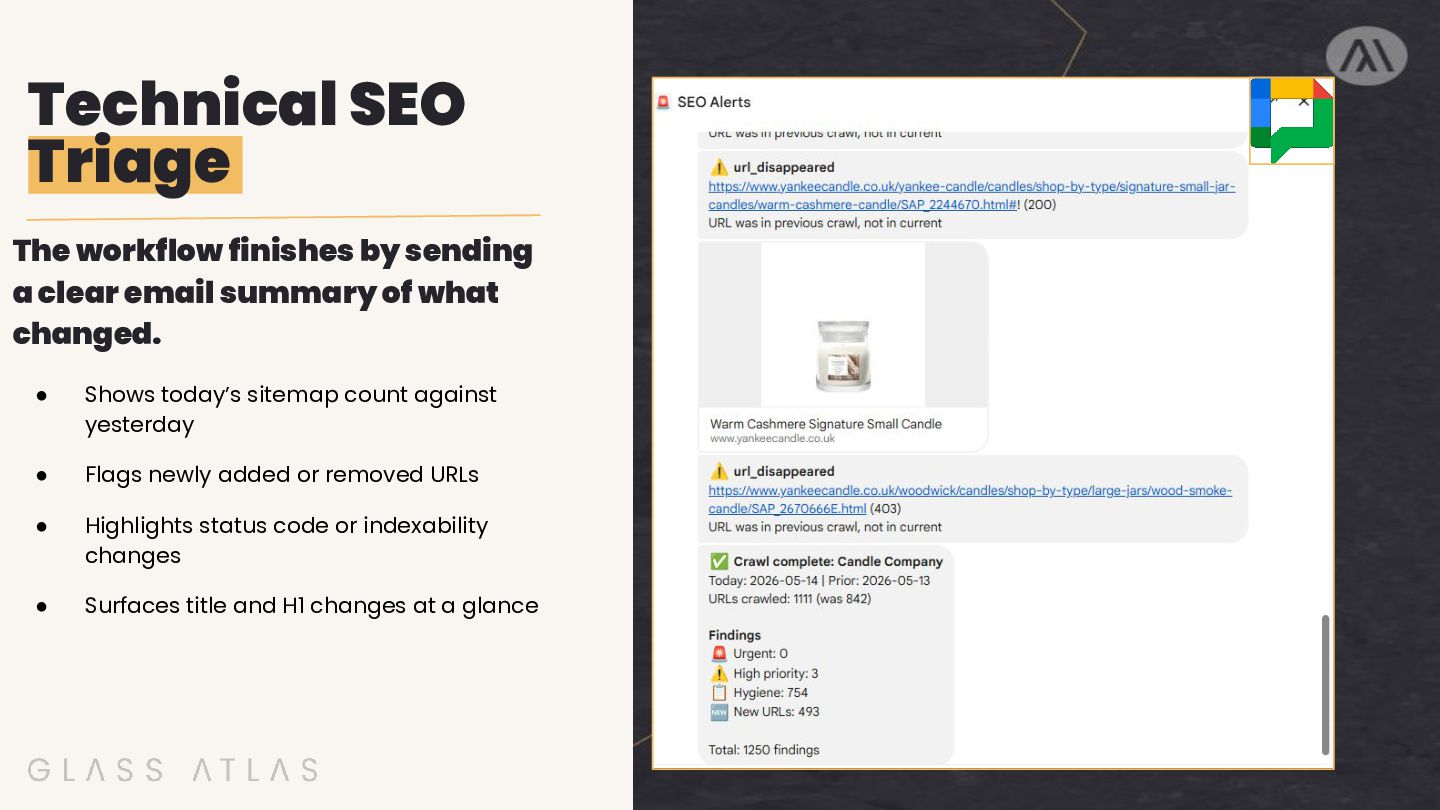
email summary of what changed. • Shows today’s sitemap URL count against yesterday • Flags newly added or removed URLs • Highlights status code or indexability changes • Surfaces title and H1 changes at a glance
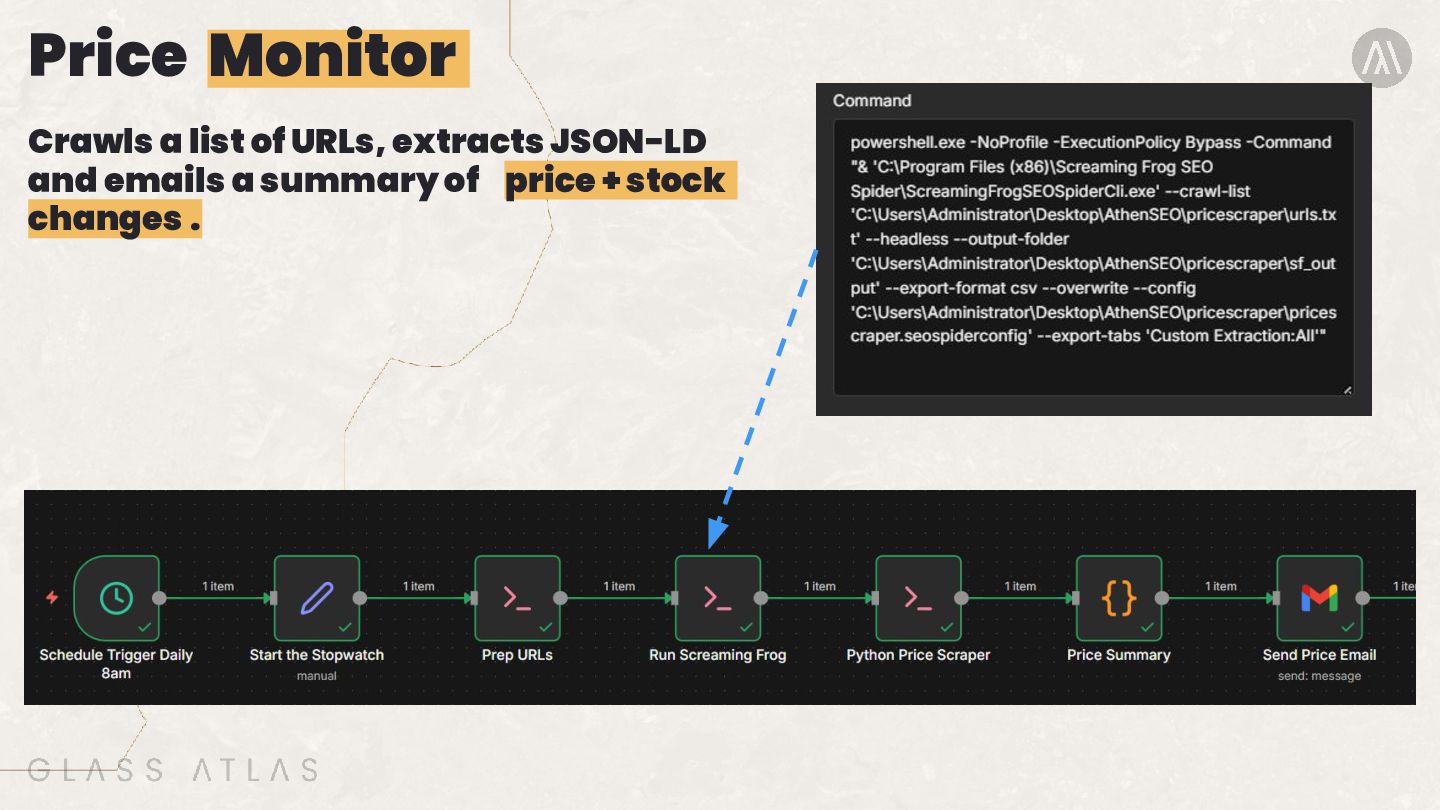
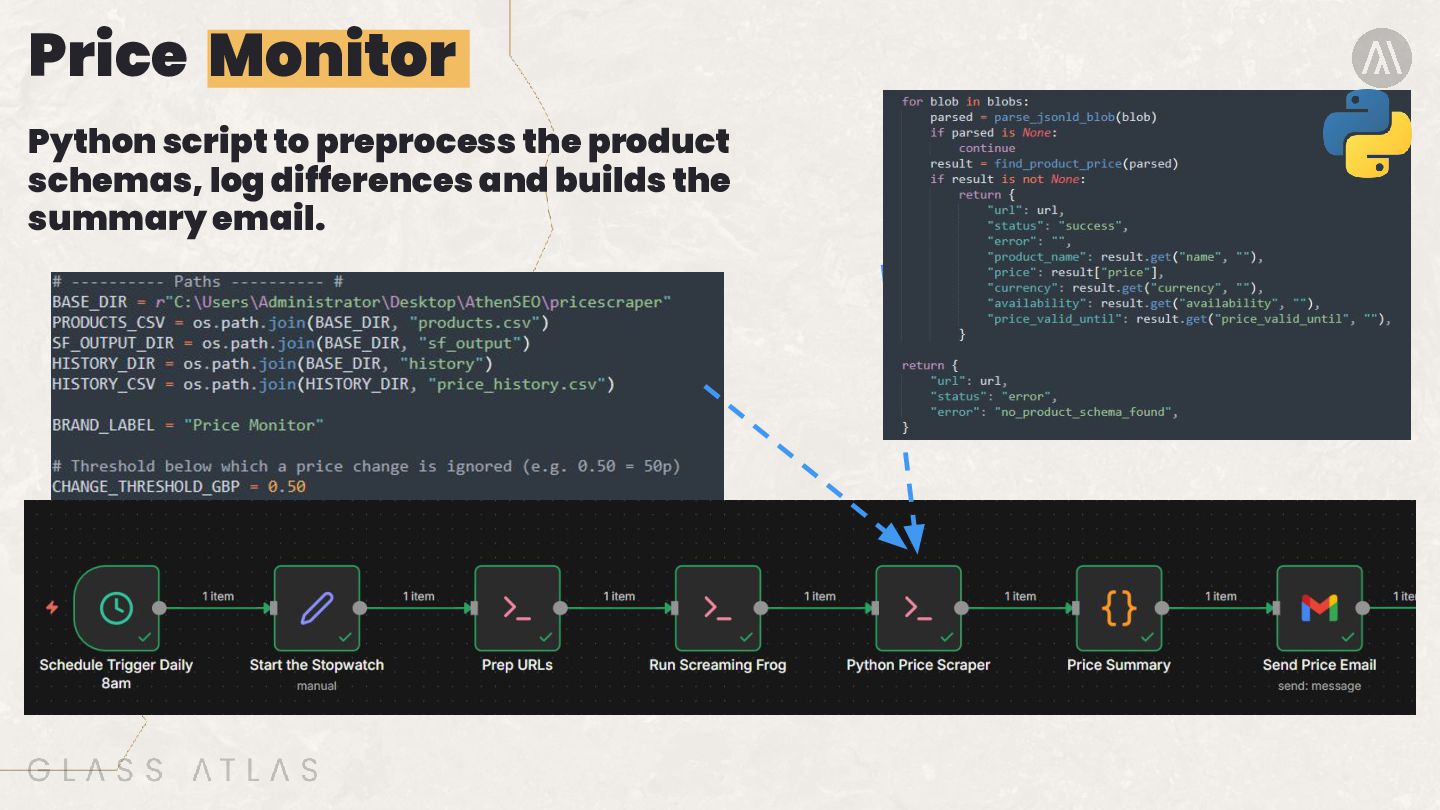
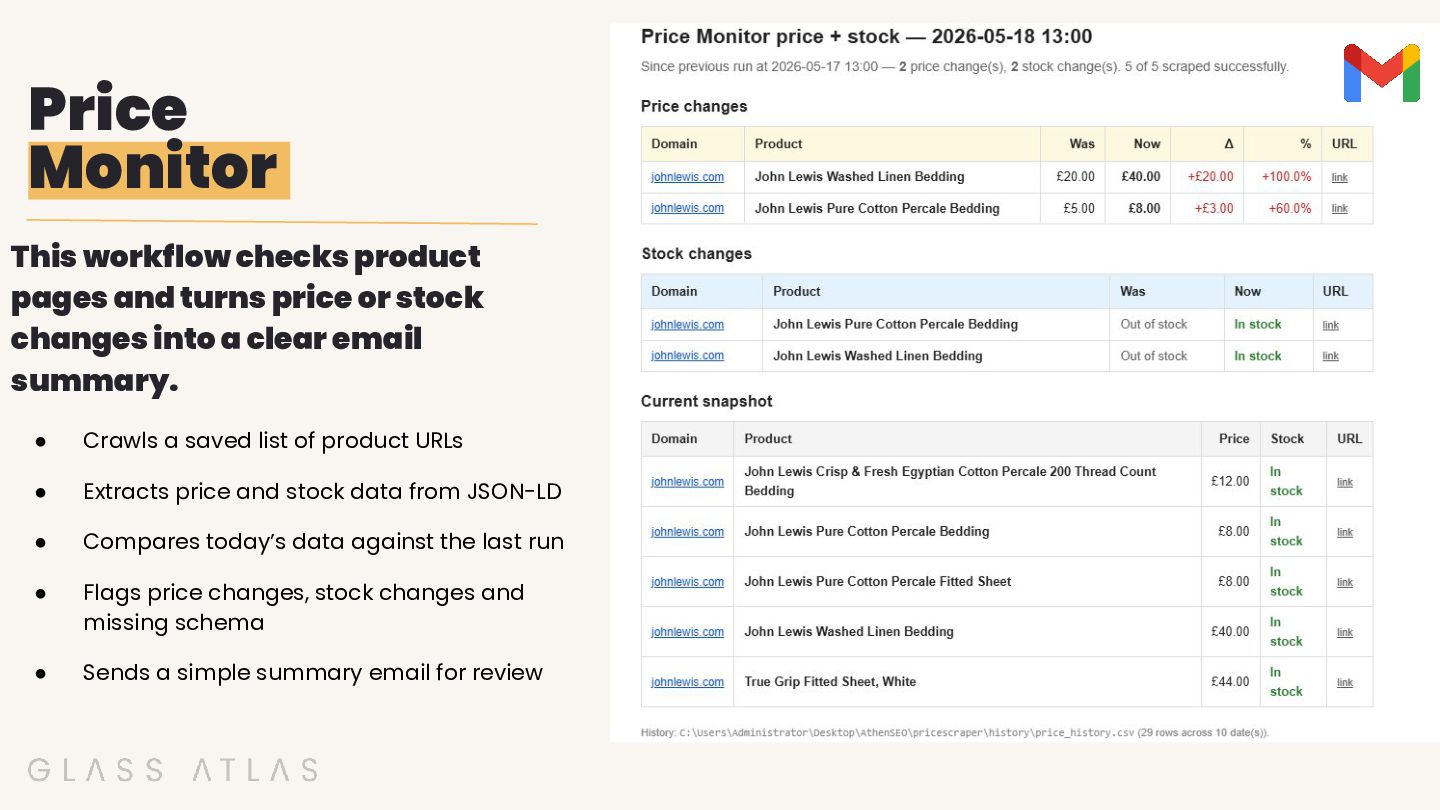
or stock changes into a clear email summary. • Crawls a saved list of product URLs • Extracts price and stock data from JSON-LD • Compares today’s data against the last run • Flags price changes, stock changes and missing schema • Sends a simple summary email for review
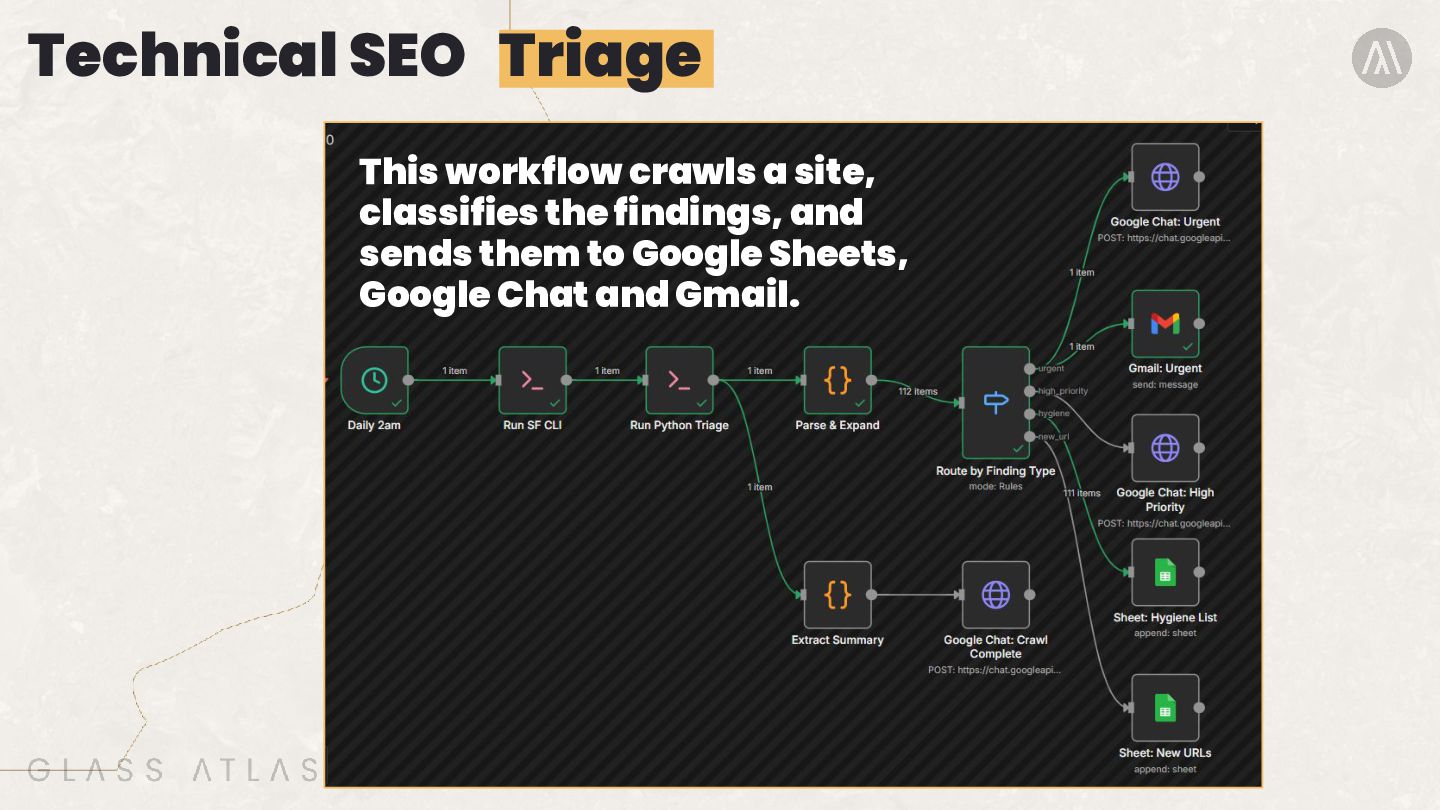
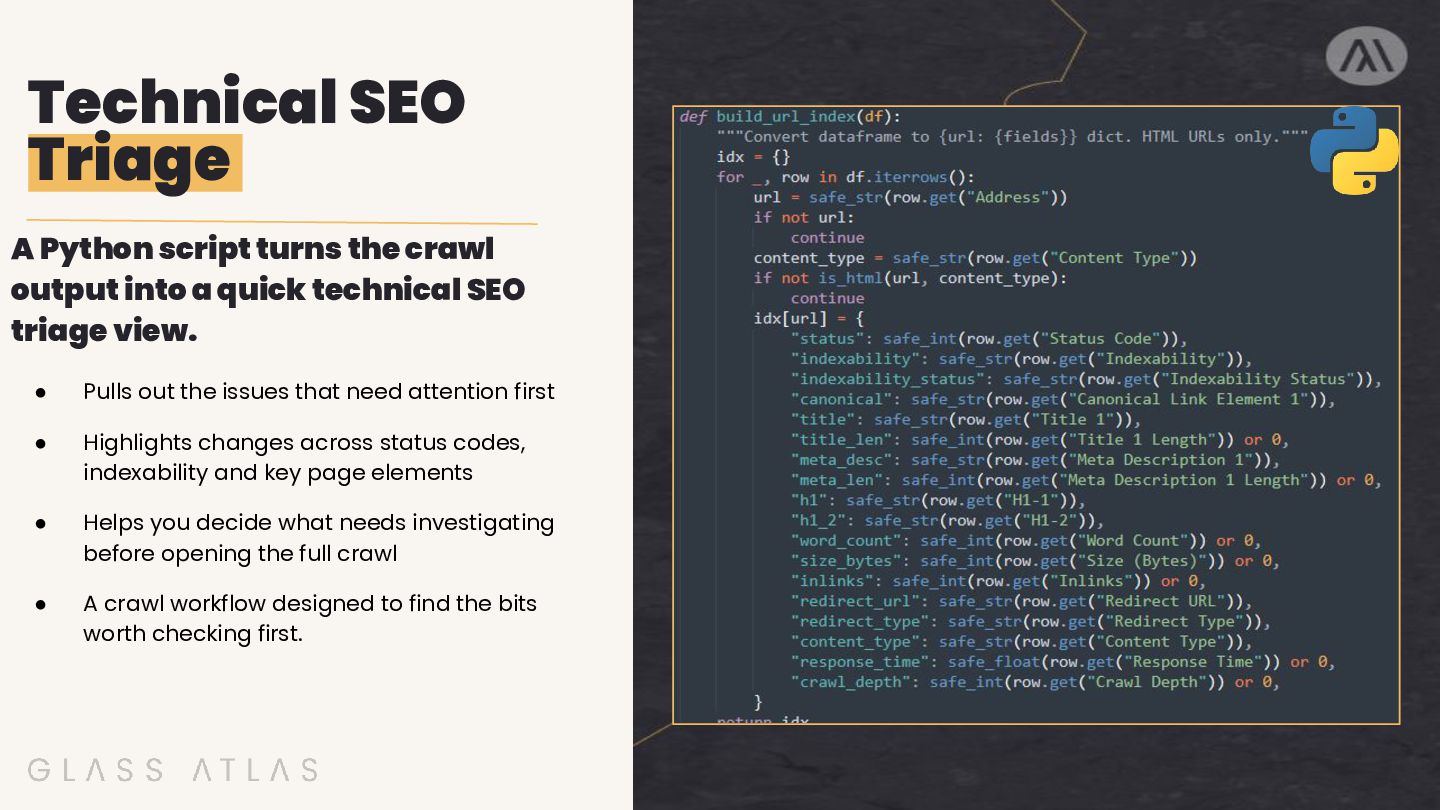
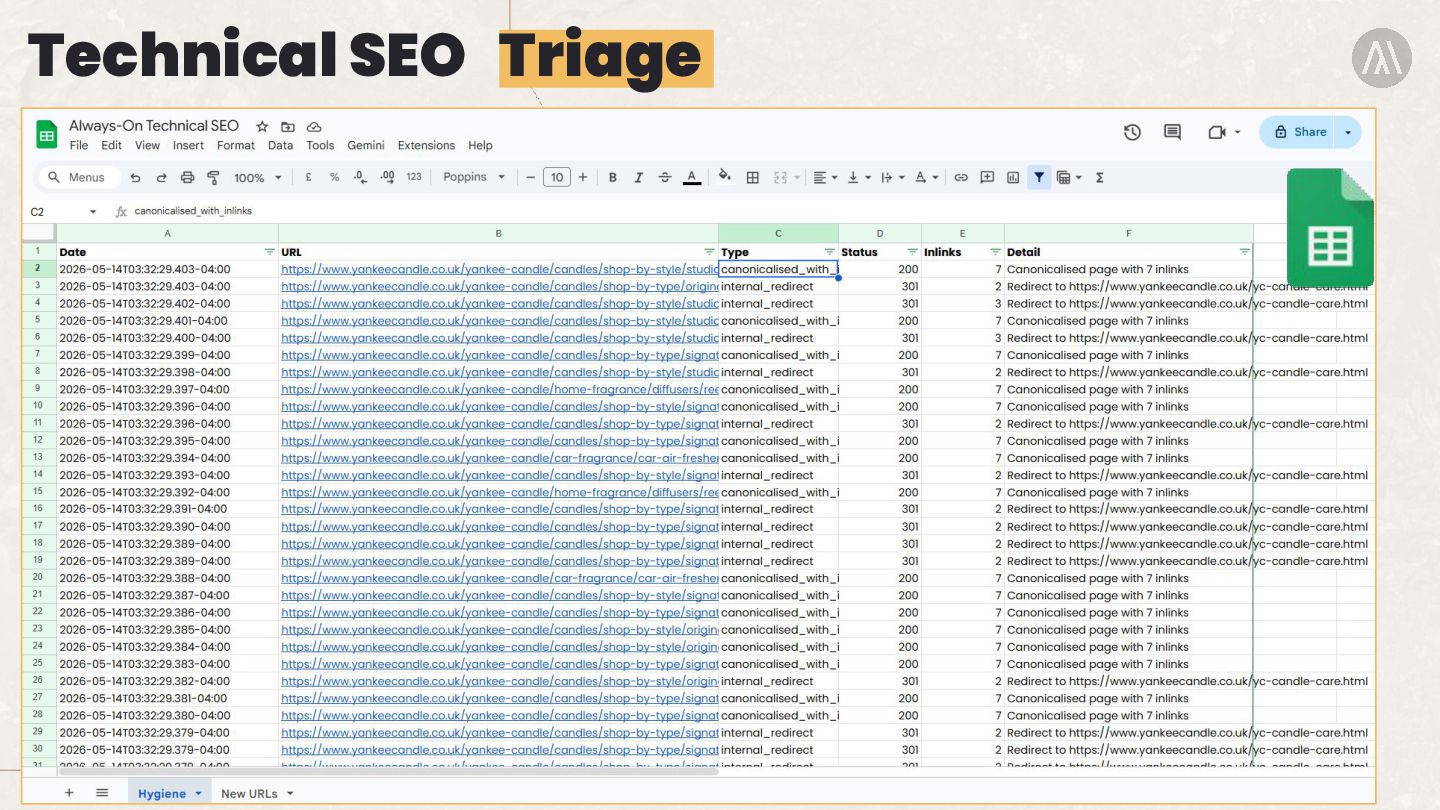
into a quick technical SEO triage view. • Pulls out the issues that need attention first • Highlights changes across status codes, indexability and key page elements • Helps you decide what needs investigating before opening the full crawl • A crawl workflow designed to find the bits worth checking first.
email summary of what changed. • Shows today’s sitemap count against yesterday • Flags newly added or removed URLs • Highlights status code or indexability changes • Surfaces title and H1 changes at a glance
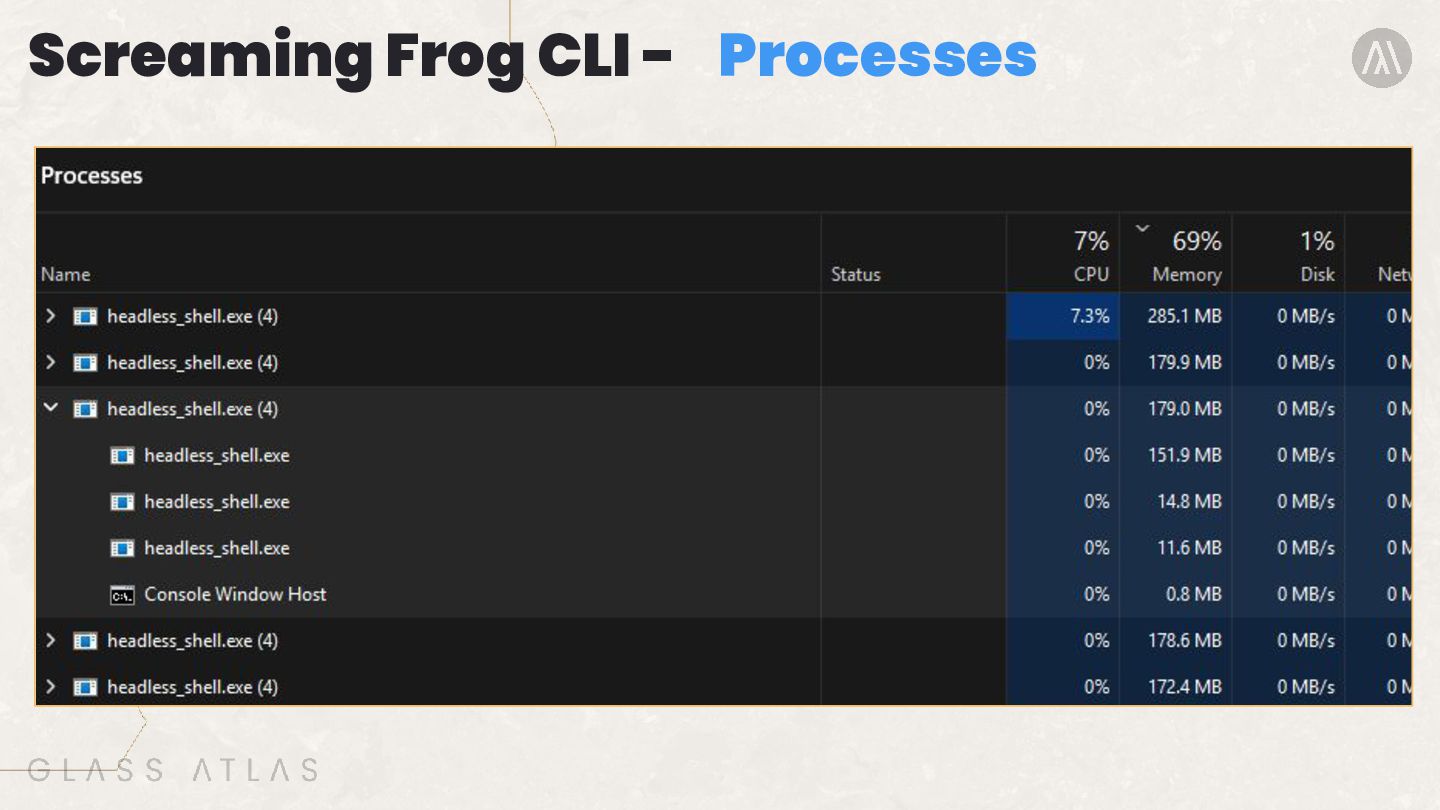
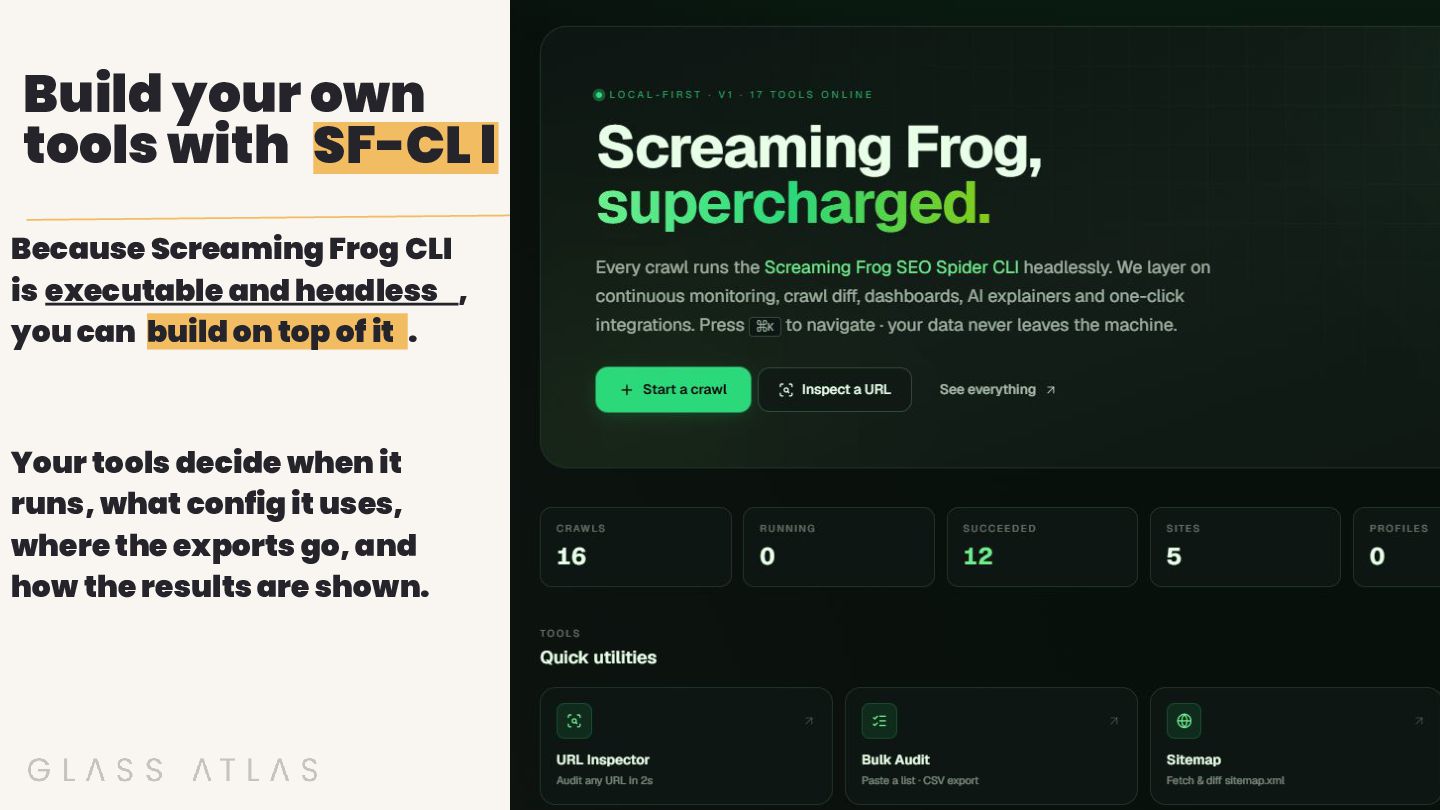
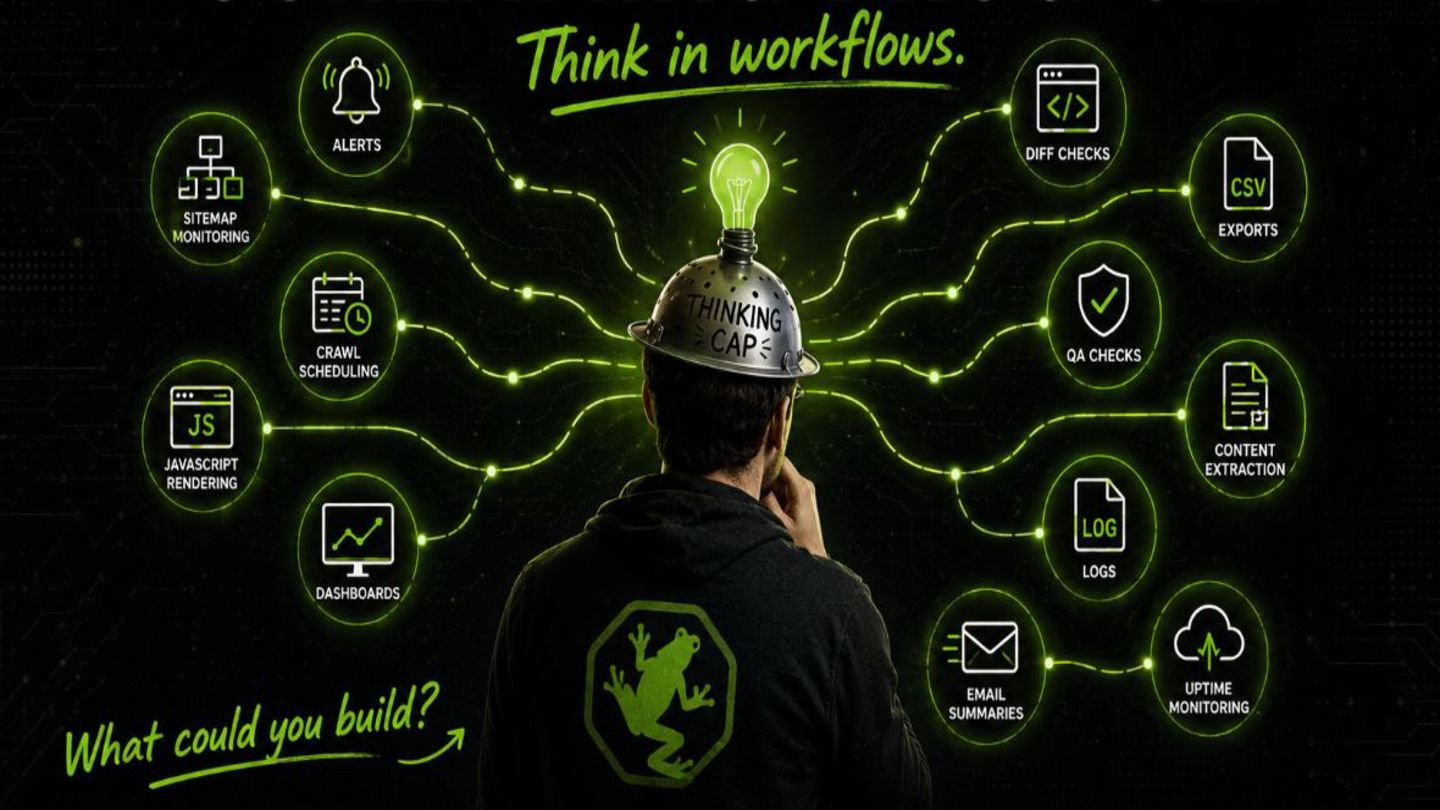
CLI is executable and headless , you can build on top of it . Your tools decide when it runs, what config it uses, where the exports go, and how the results are shown.


 chrisleverseo
 ktkn1129
 vdol
vdol
 amanaut
 awsjcpm
 owainlw
.jpg) cargoodrich
cargoodrich
 yunheechoi
 athenseo
 aleyda
 tenshoku_draft
 eminadw
 sophiebrannon
 danielanewman
 coloredviolet
 palkan
 morganepeng
 keathley
 inesmontani
 raygrieselhuber
 jonoalderson
 davetheseo
 tanoku
 malarkey