Upgrade to Pro — share decks privately, control downloads, hide ads and more …

Getting Under the Hood of Screaming Frog CLI fo...

Sponsored · SiteGround - Reliable hosting with speed, security, and support you can count on. →

Getting Under the Hood of Screaming Frog CLI for Automating Technical SEO | brightonSEO 2026

Presented at brightonSEO, October 2026

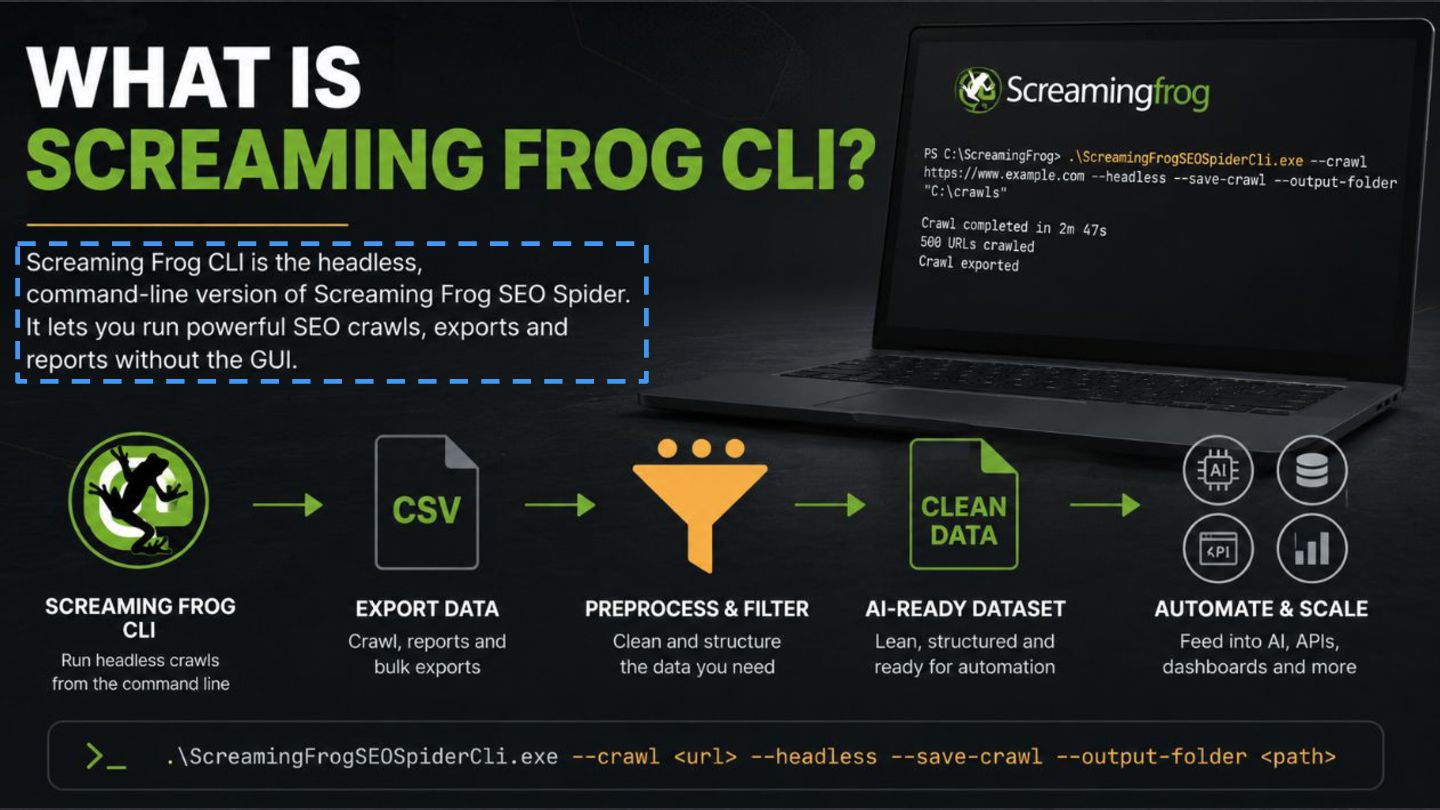
Most SEOs know Screaming Frog as a desktop crawler, but there's a lot more you can do with it once you start exploring the command line.

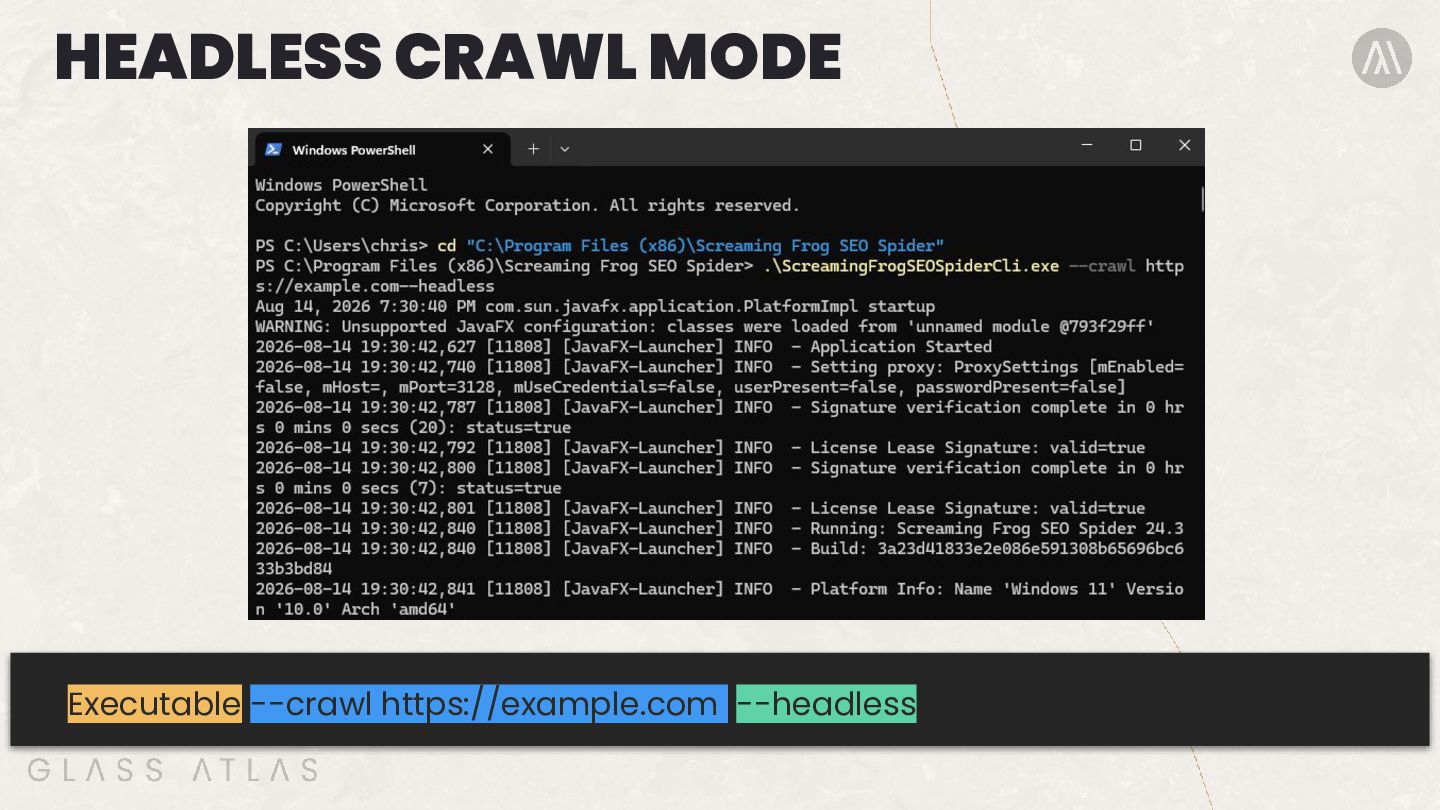
In this session, I get under the hood of Screaming Frog CLI covering the commands needed to run headless crawls, automate exports and move repetitive technical SEO tasks away from your laptop.

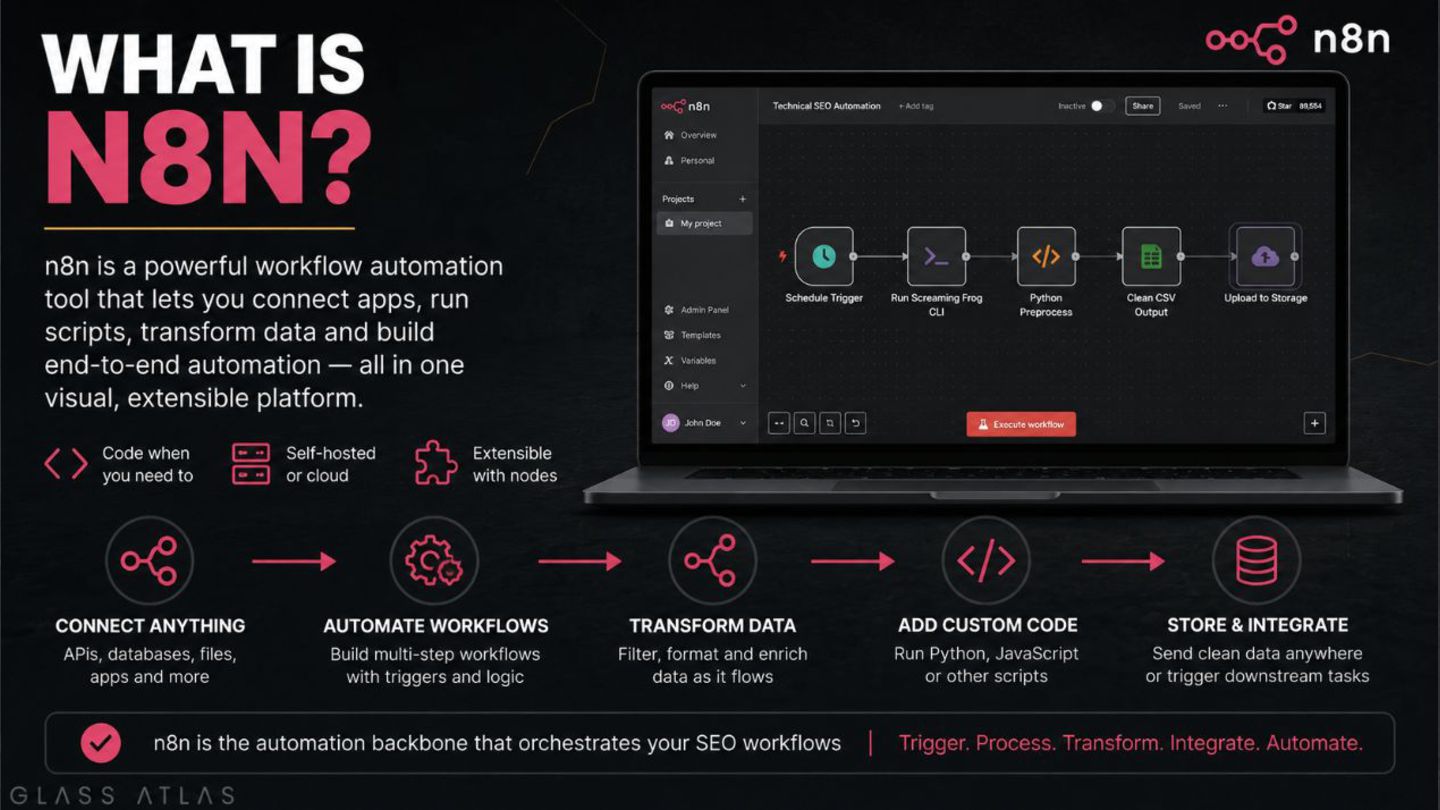
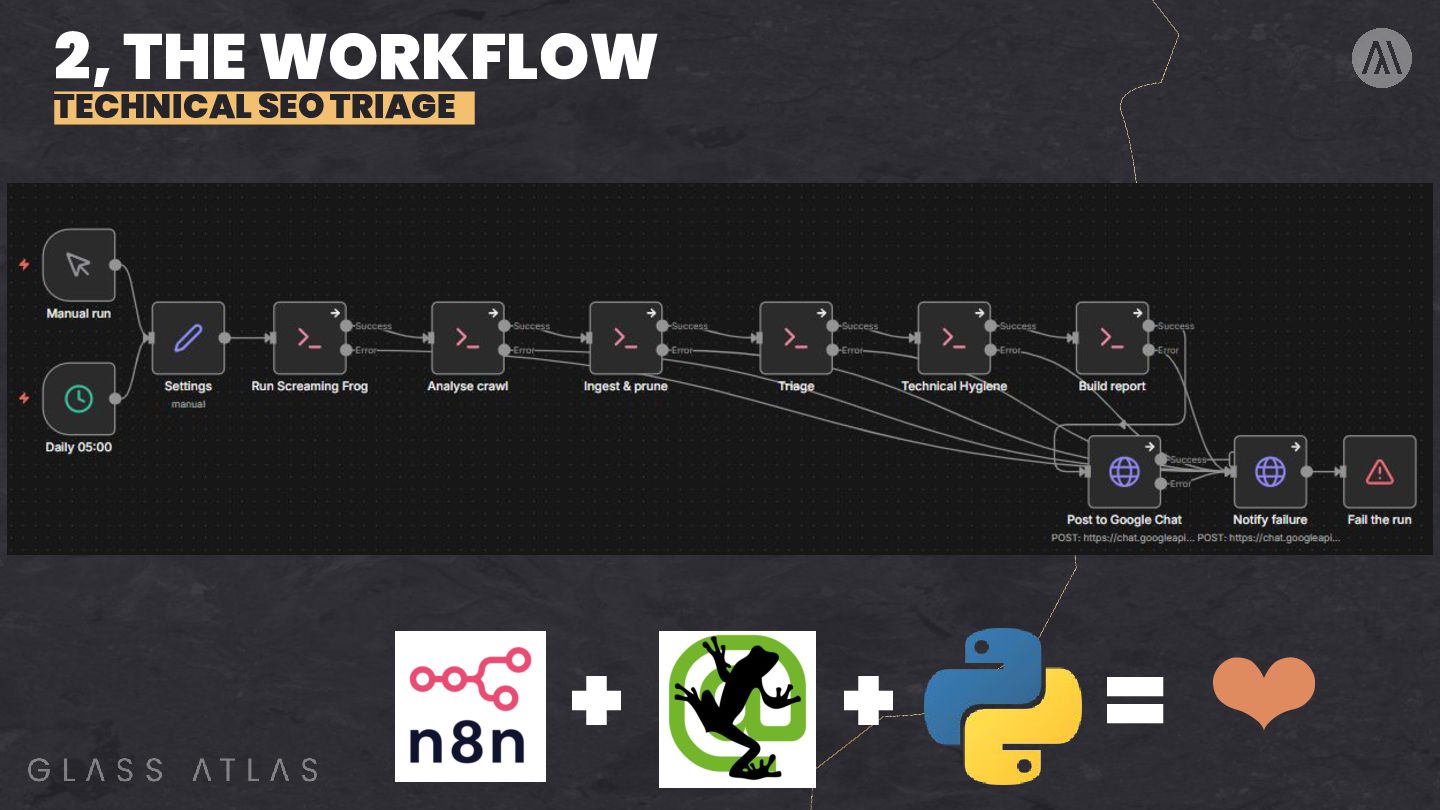
I also explore how Screaming Frog can work alongside n8n and Python to build automated workflows, with practical examples including XML sitemap change monitoring, technical SEO triaging and competitor price tracking.

The aim is simple: spend less time running the same crawls and pulling reports, and more time investigating the issues that actually matter.

Avatar for Chris Lever

Chris Lever

October 08, 2026

More Decks by Chris Lever

Other Decks in Marketing & SEO

Transcript

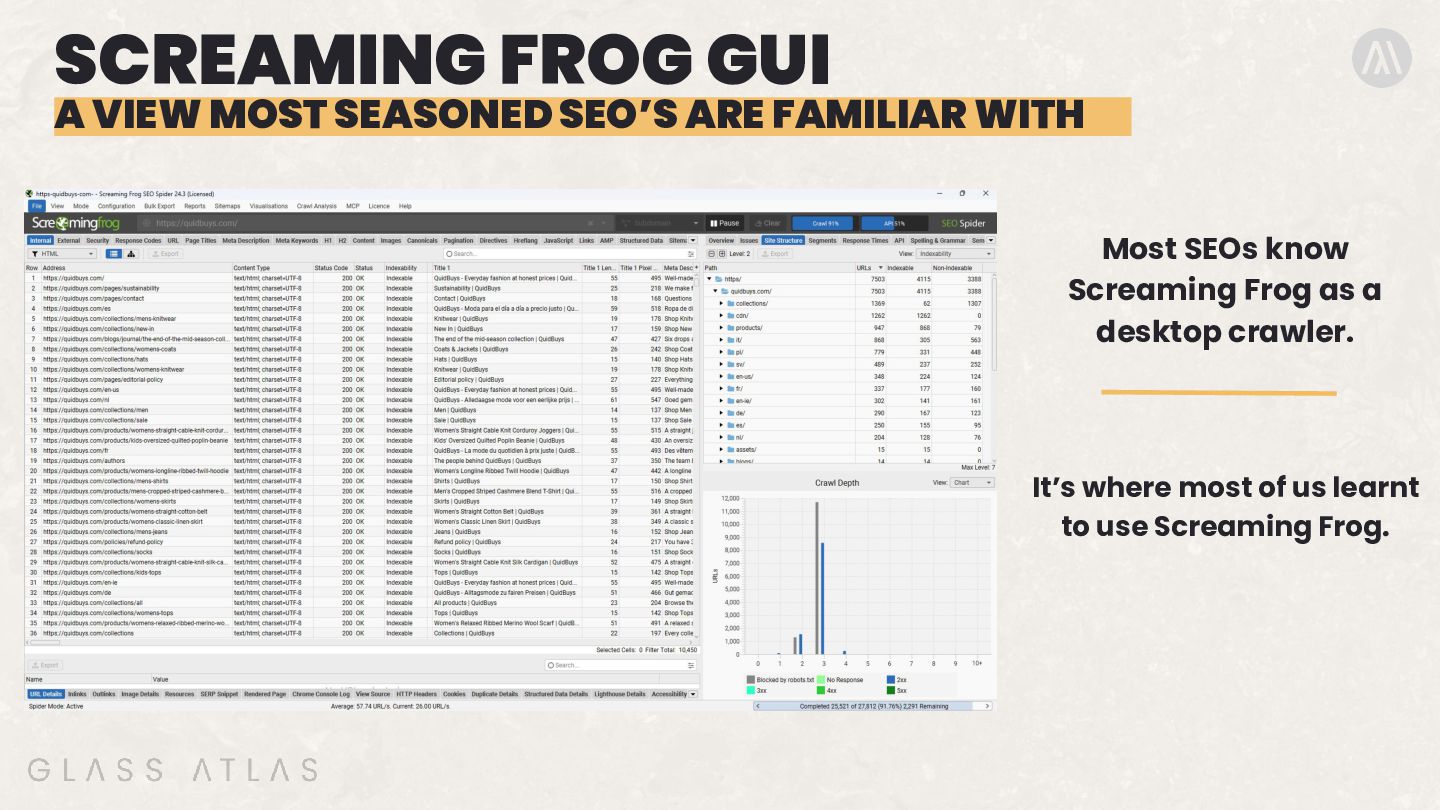
  1. SCREAMING FROG GUI A VIEW MOST SEASONED SEO’S ARE FAMILIAR

    WITH Most SEOs know Screaming Frog as a desktop crawler. It’s where most of us learnt to use Screaming Frog.
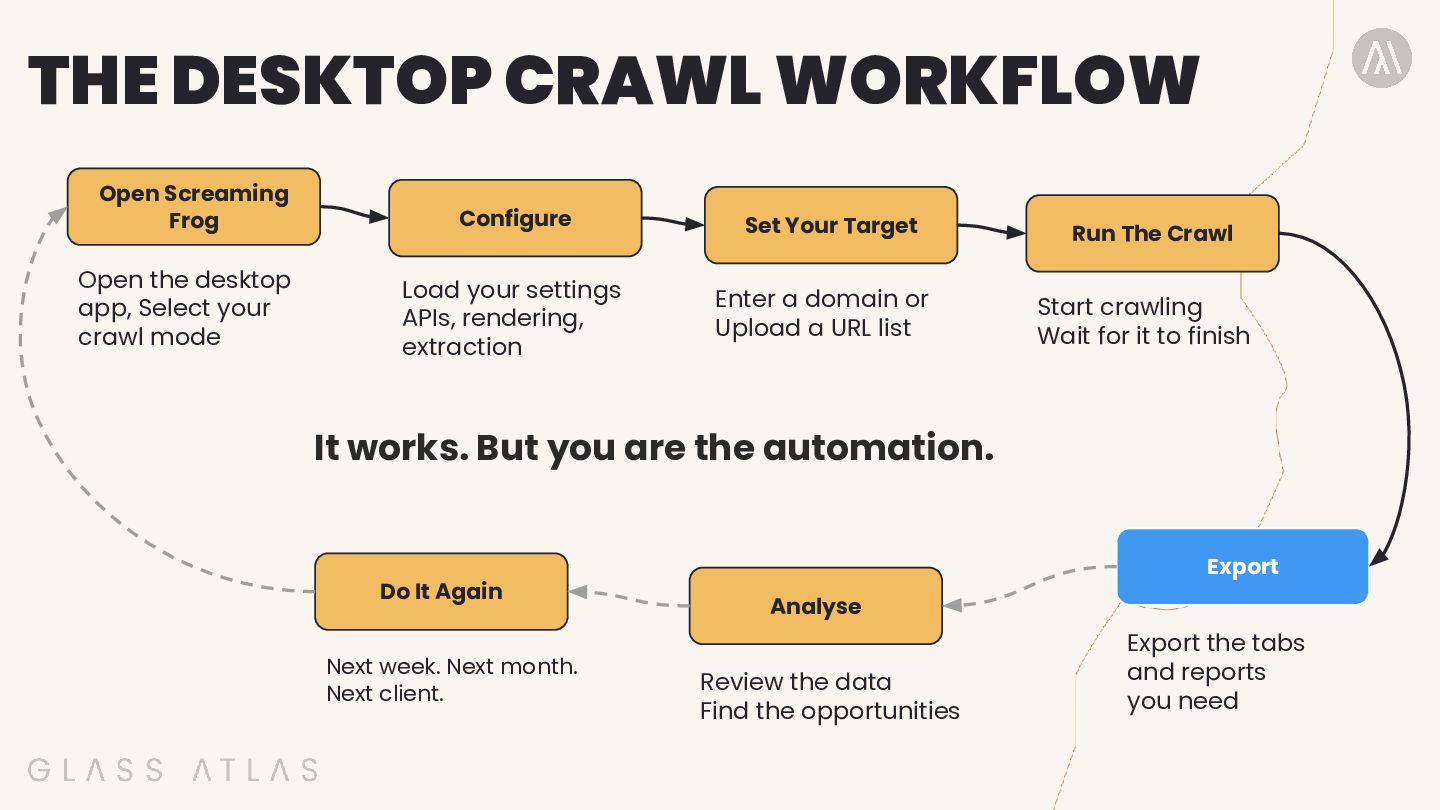
  2. THE DESKTOP CRAWL WORKFLOW Open Screaming Frog Configure Set Your

    Target Run The Crawl Open the desktop app, Select your crawl mode Load your settings APIs, rendering, extraction Enter a domain or Upload a URL list Start crawling Wait for it to finish It works. But you are the automation. Do It Again Next week. Next month. Next client. Export Analyse Review the data Find the opportunities Export the tabs and reports you need
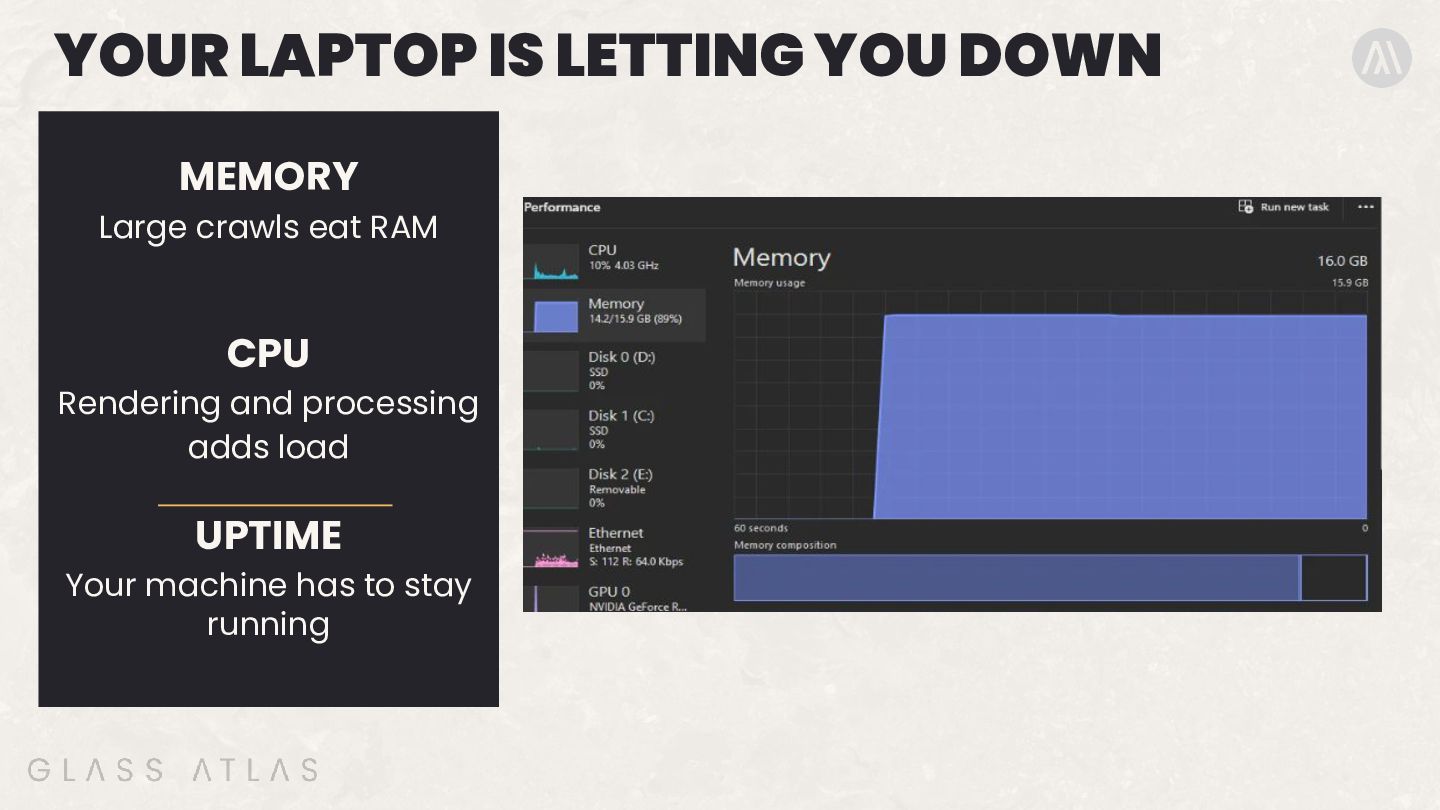
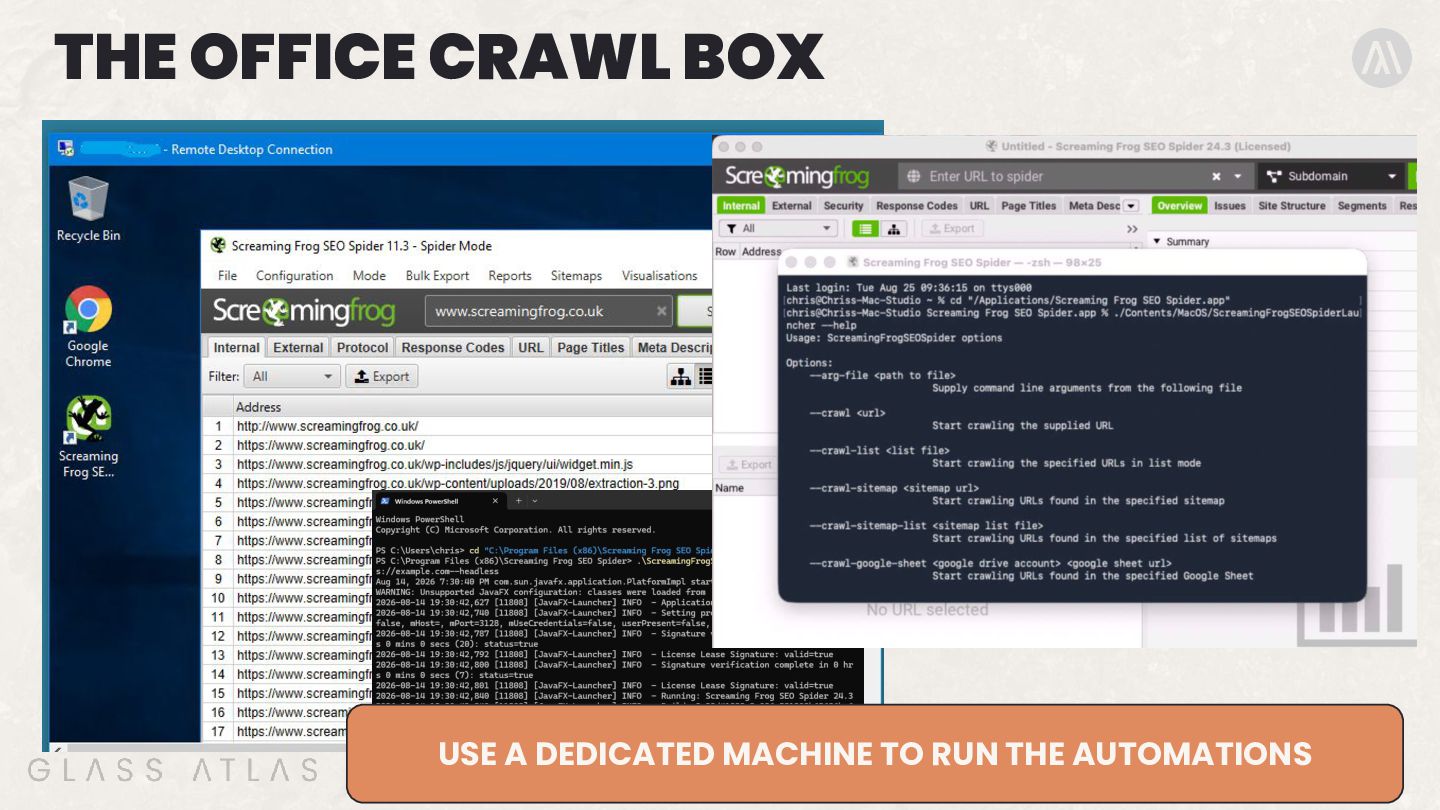
  3. YOUR LAPTOP IS LETTING YOU DOWN MEMORY Large crawls eat

    RAM CPU Rendering and processing adds load UPTIME Your machine has to stay running
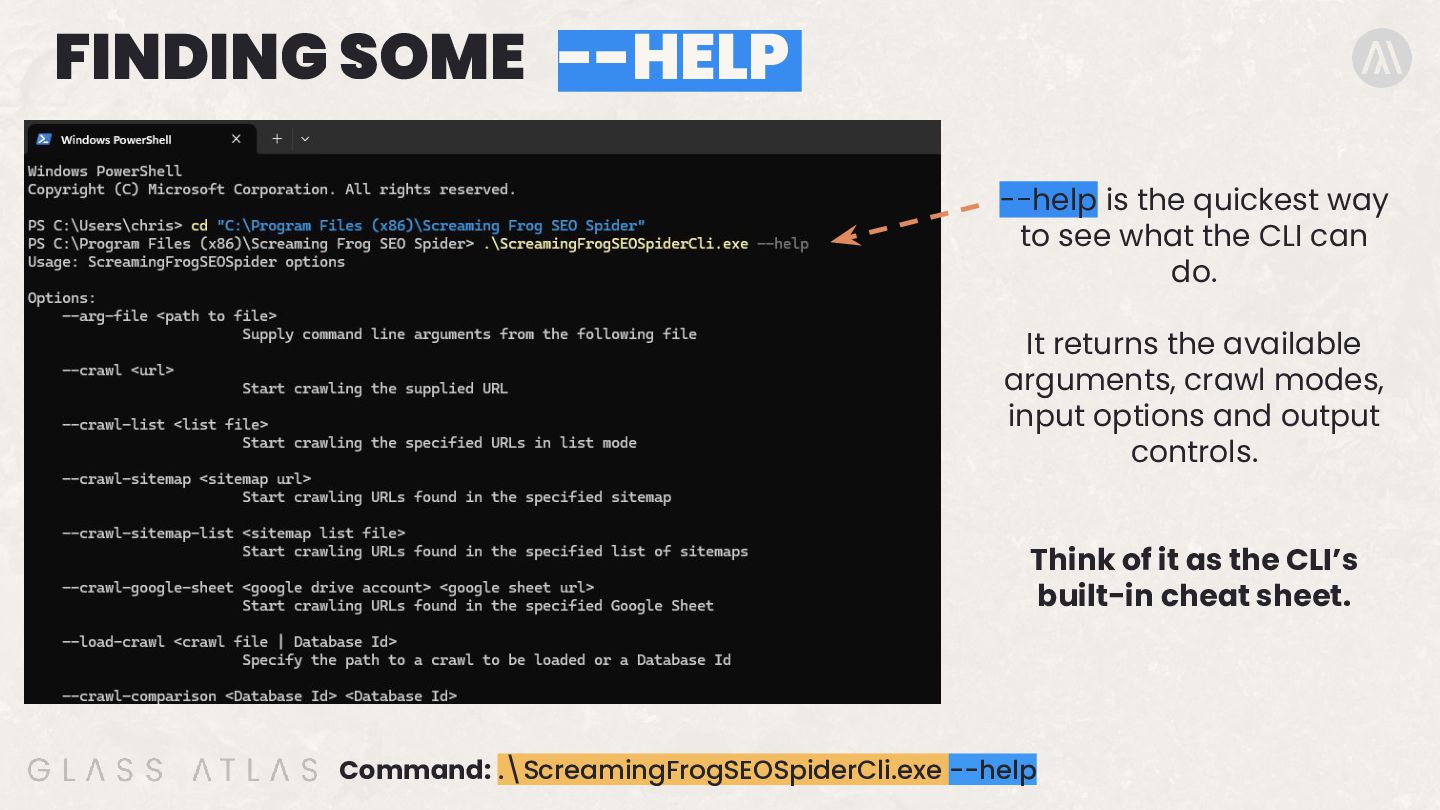
  4. FINDING SOME --HELP --help is the quickest way to see

    what the CLI can do. It returns the available arguments, crawl modes, input options and output controls. Think of it as the CLI’s built-in cheat sheet. Command: .\ScreamingFrogSEOSpiderCli.exe --help
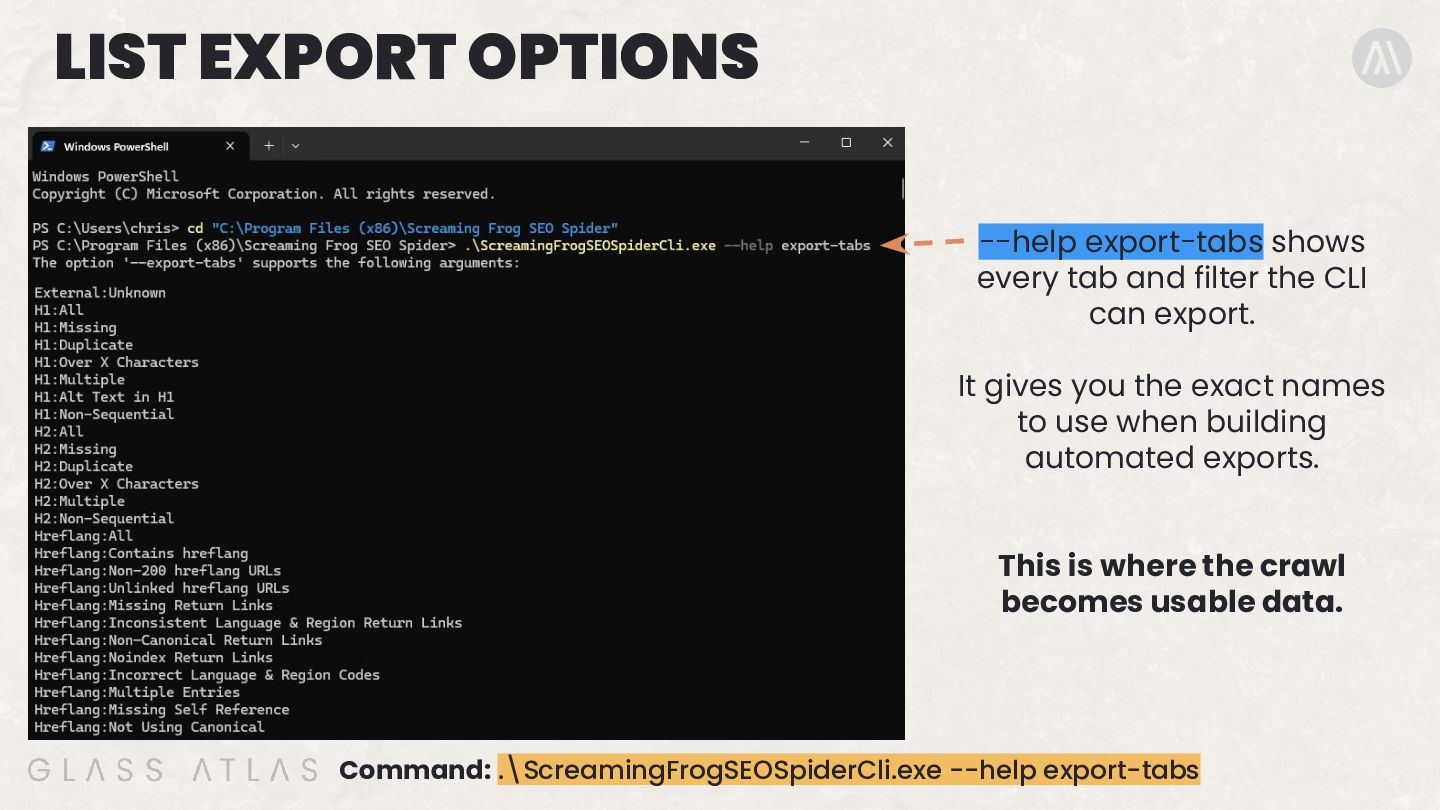
  5. LIST EXPORT OPTIONS --help export-tabs shows every tab and filter

    the CLI can export. It gives you the exact names to use when building automated exports. This is where the crawl becomes usable data. Command: .\ScreamingFrogSEOSpiderCli.exe --help export-tabs
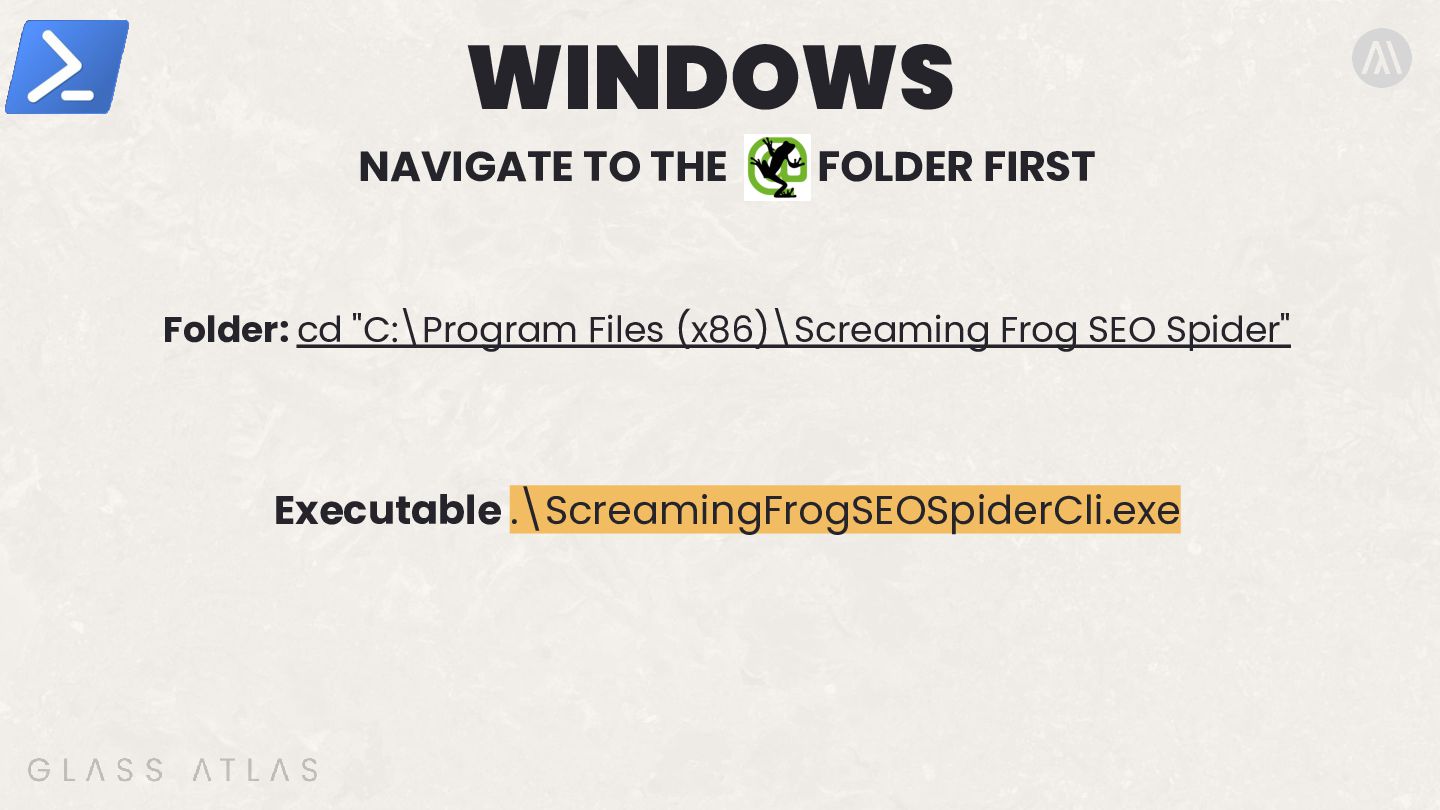
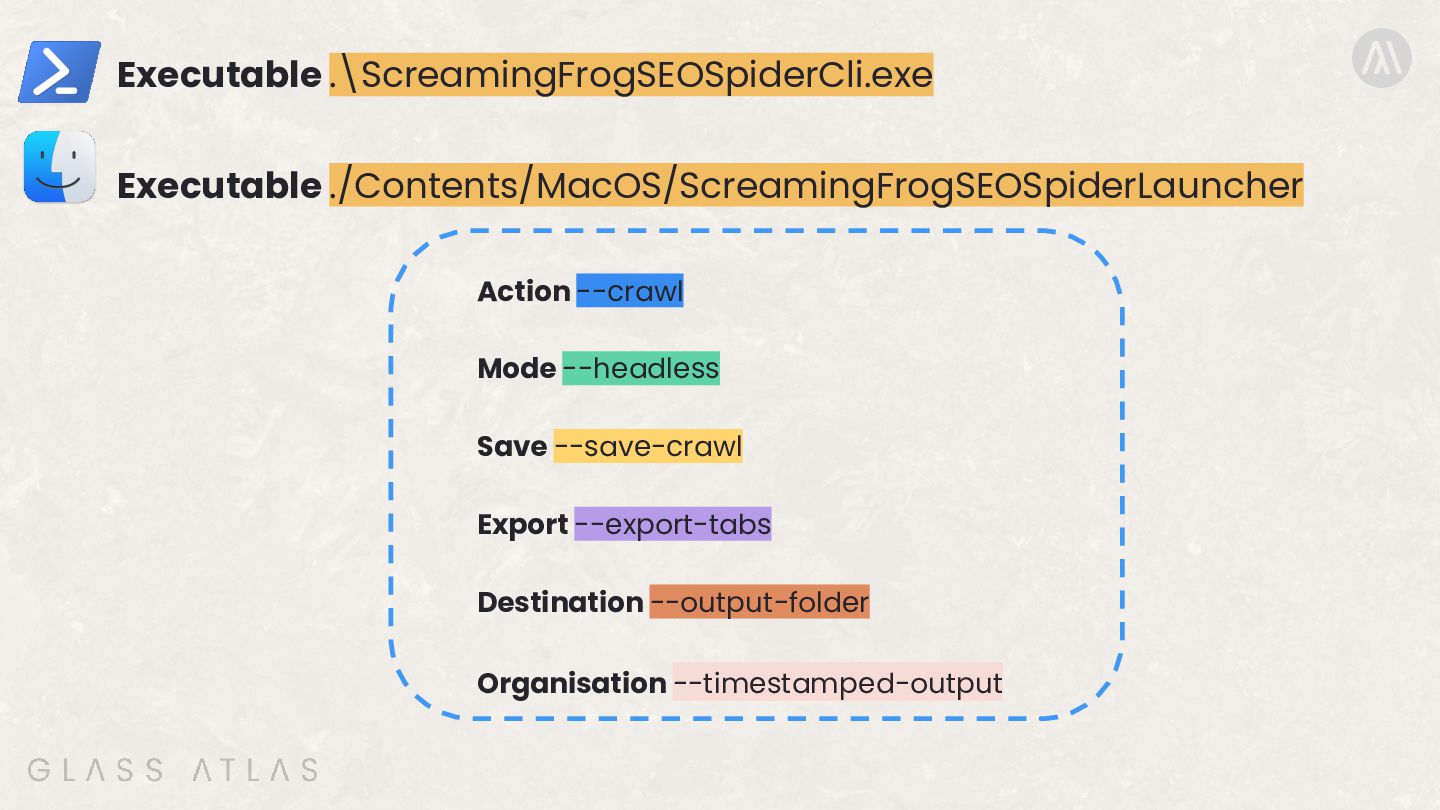
  6. WINDOWS NAVIGATE TO THE FOLDER FIRST Folder: cd "C:\Program Files

    (x86)\Screaming Frog SEO Spider" Executable .\ScreamingFrogSEOSpiderCli.exe
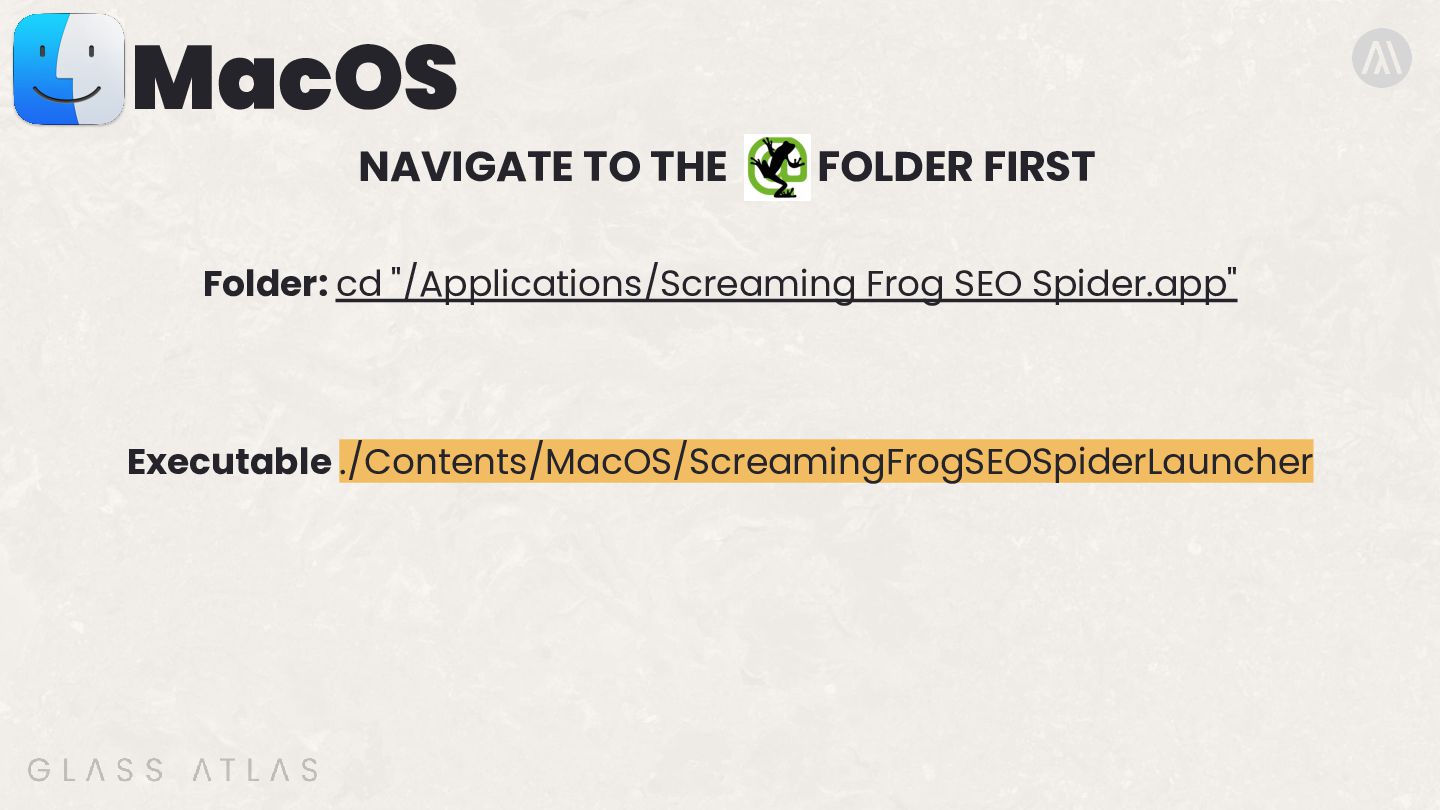
  7. MacOS NAVIGATE TO THE FOLDER FIRST Folder: cd "/Applications/Screaming Frog

    SEO Spider.app" Executable ./Contents/MacOS/ScreamingFrogSEOSpiderLauncher
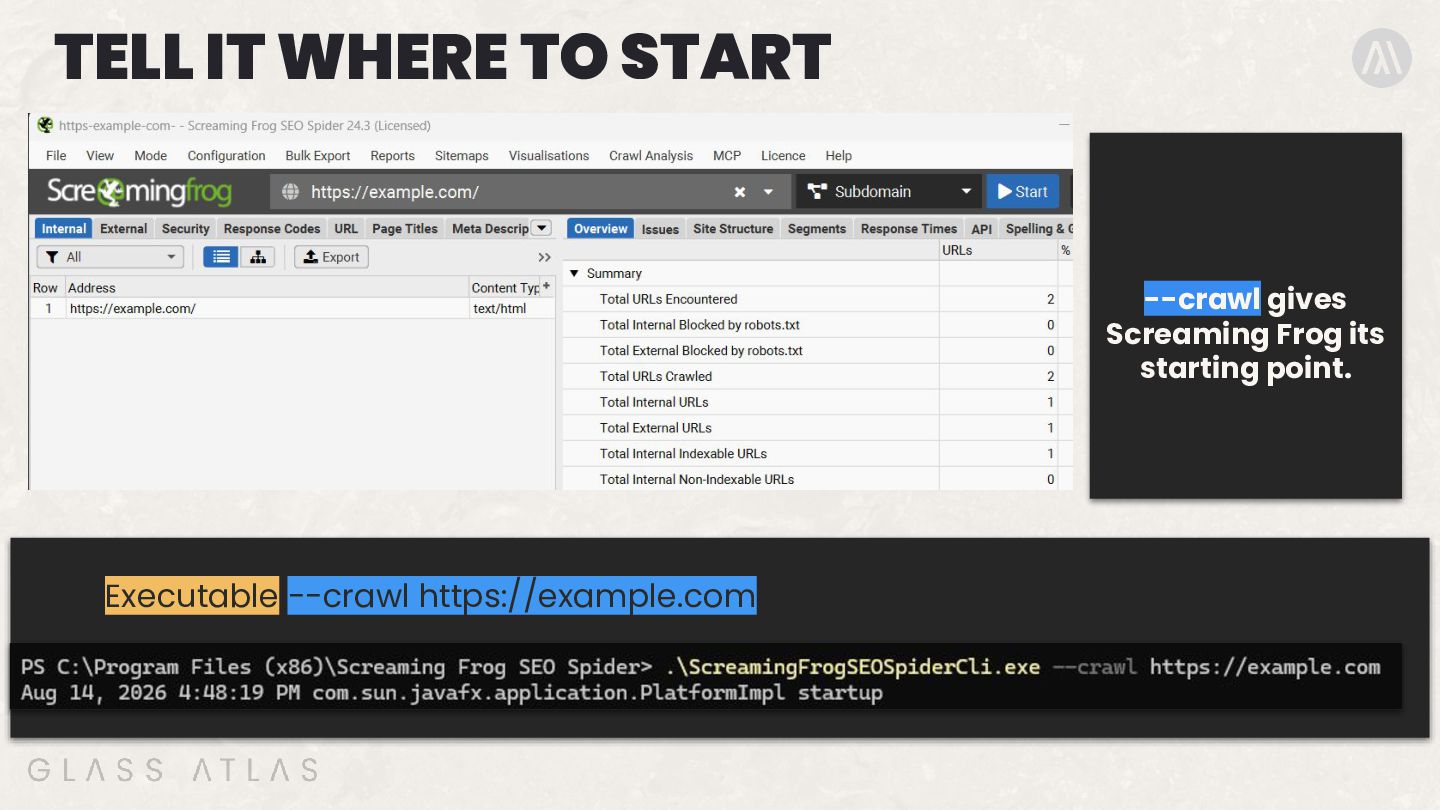
  8. TELL IT WHERE TO START --crawl gives Screaming Frog its

    starting point. Executable --crawl https://example.com
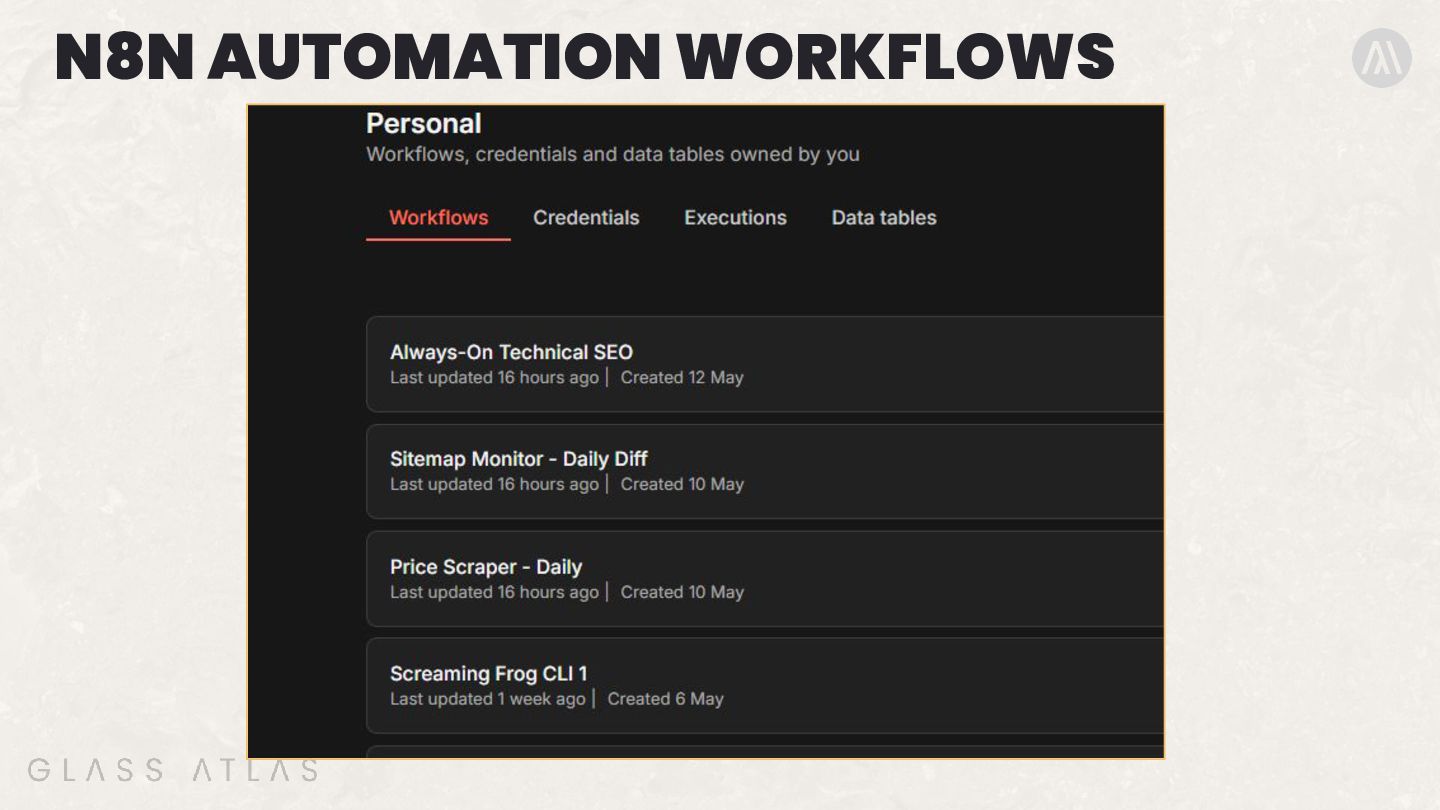
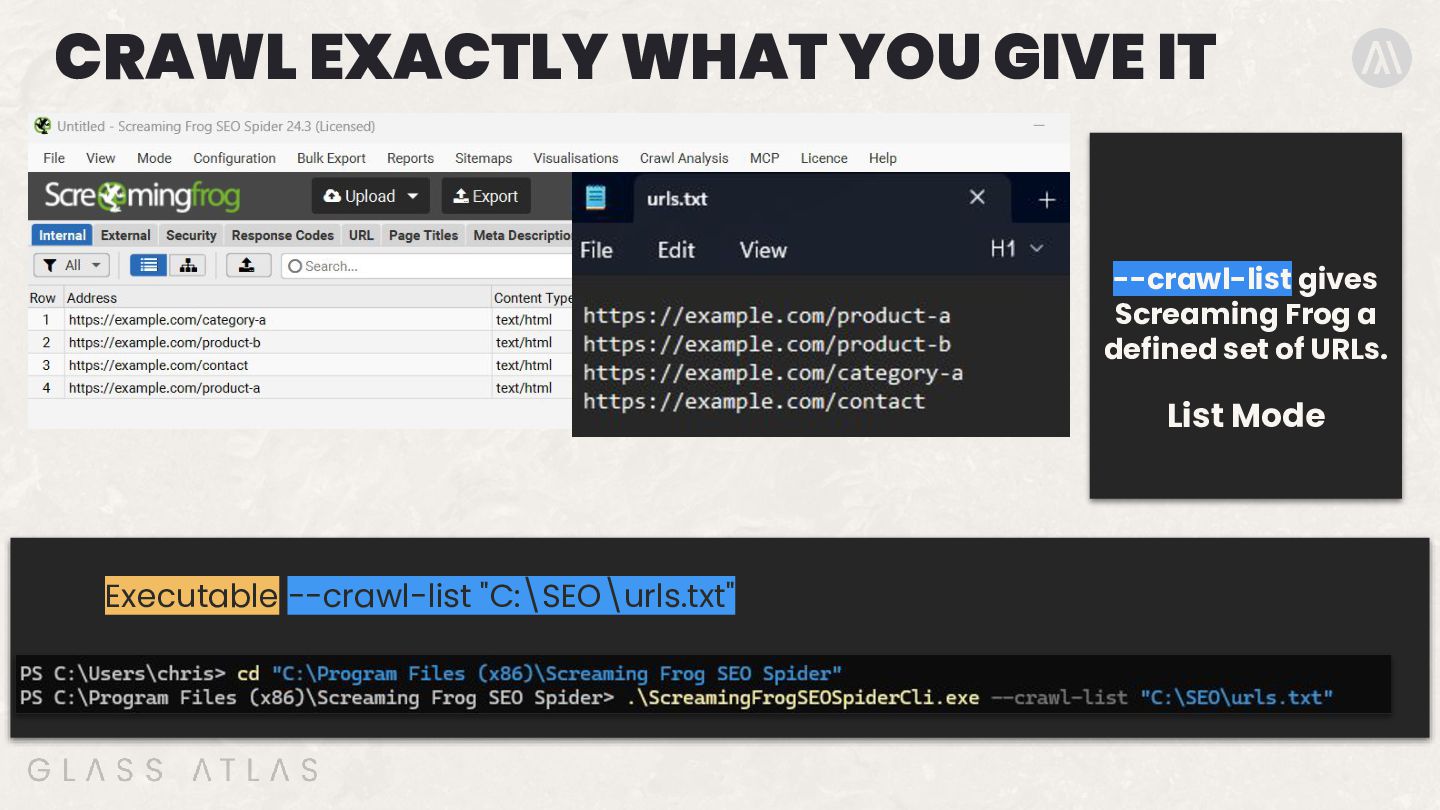
  9. CRAWL EXACTLY WHAT YOU GIVE IT --crawl-list gives Screaming Frog
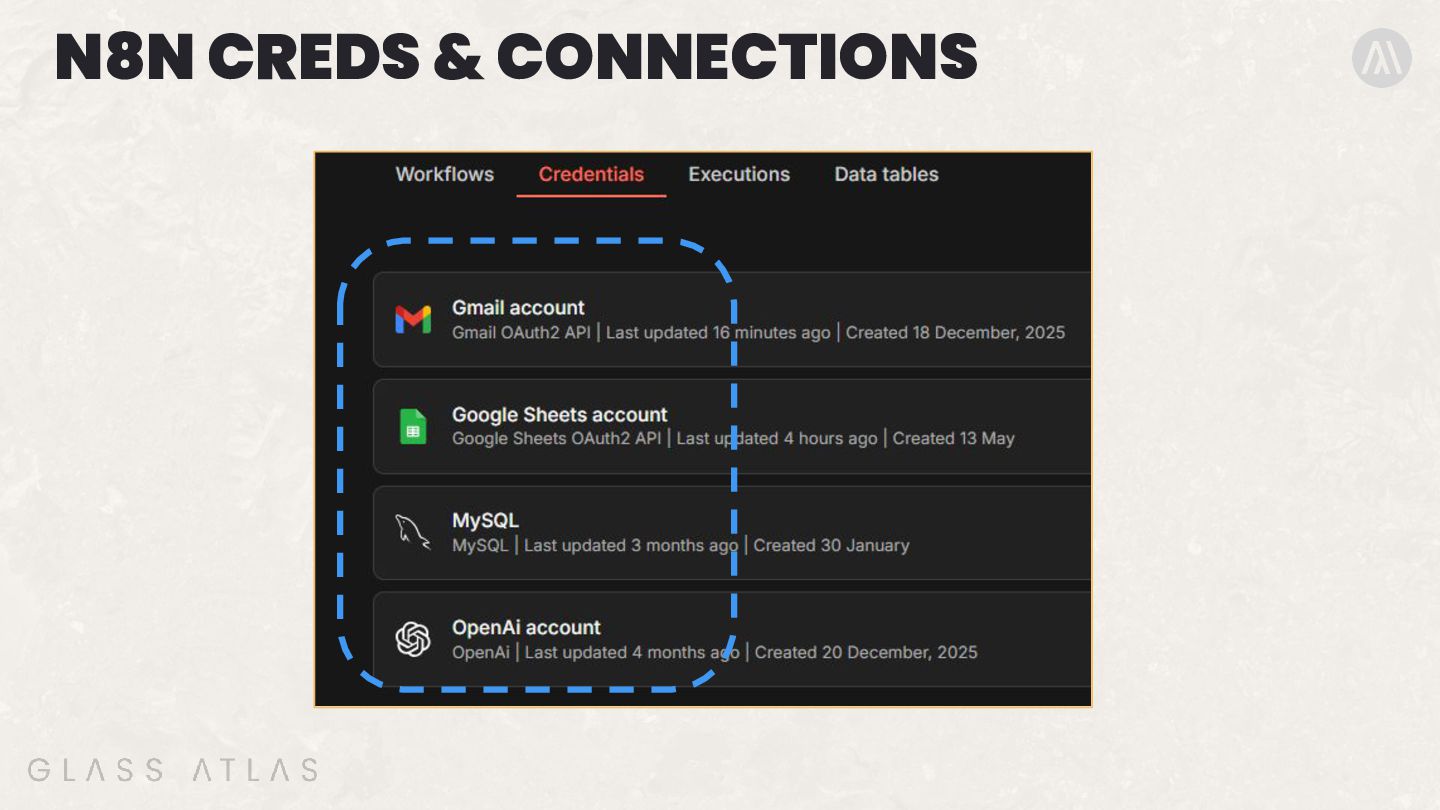
    a defined set of URLs. List Mode Executable --crawl-list "C:\SEO\urls.txt"
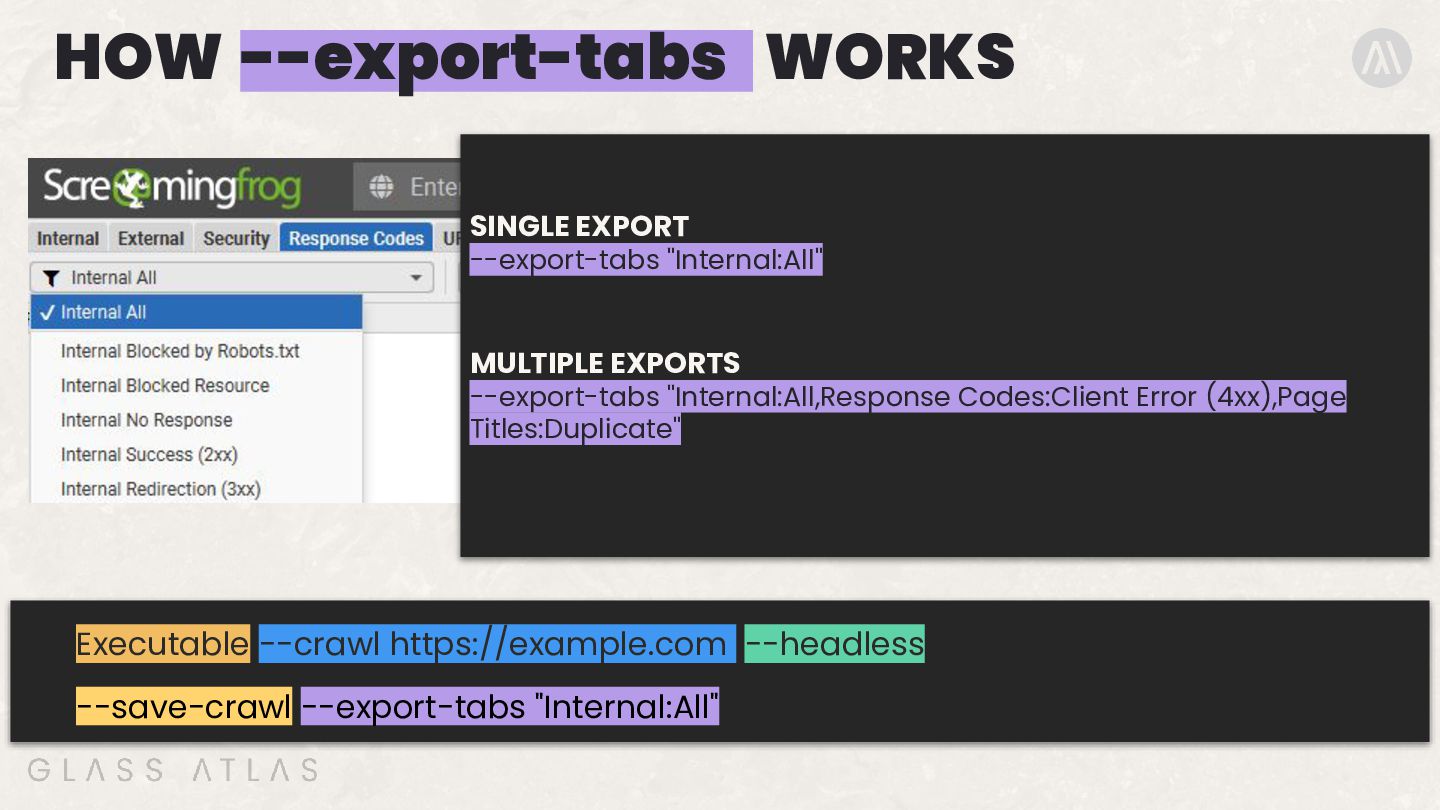
  10. HOW --export-tabs WORKS SINGLE EXPORT --export-tabs "Internal:All" MULTIPLE EXPORTS --export-tabs

    "Internal:All,Response Codes:Client Error (4xx),Page Titles:Duplicate" Executable --crawl https://example.com --headless --save-crawl --export-tabs "Internal:All"
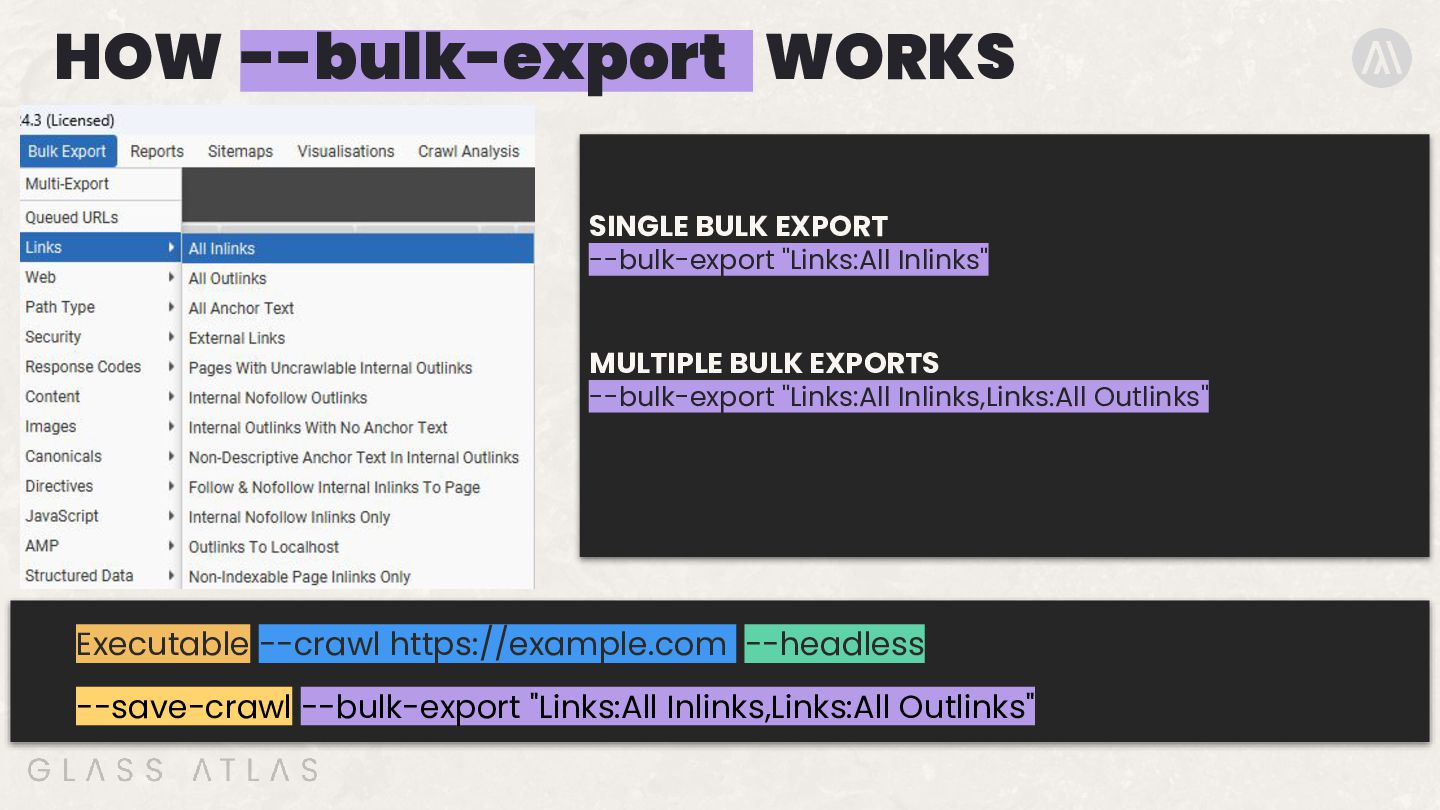
  11. HOW --bulk-export WORKS SINGLE BULK EXPORT --bulk-export "Links:All Inlinks" MULTIPLE

    BULK EXPORTS --bulk-export "Links:All Inlinks,Links:All Outlinks" Executable --crawl https://example.com --headless --save-crawl --bulk-export "Links:All Inlinks,Links:All Outlinks"
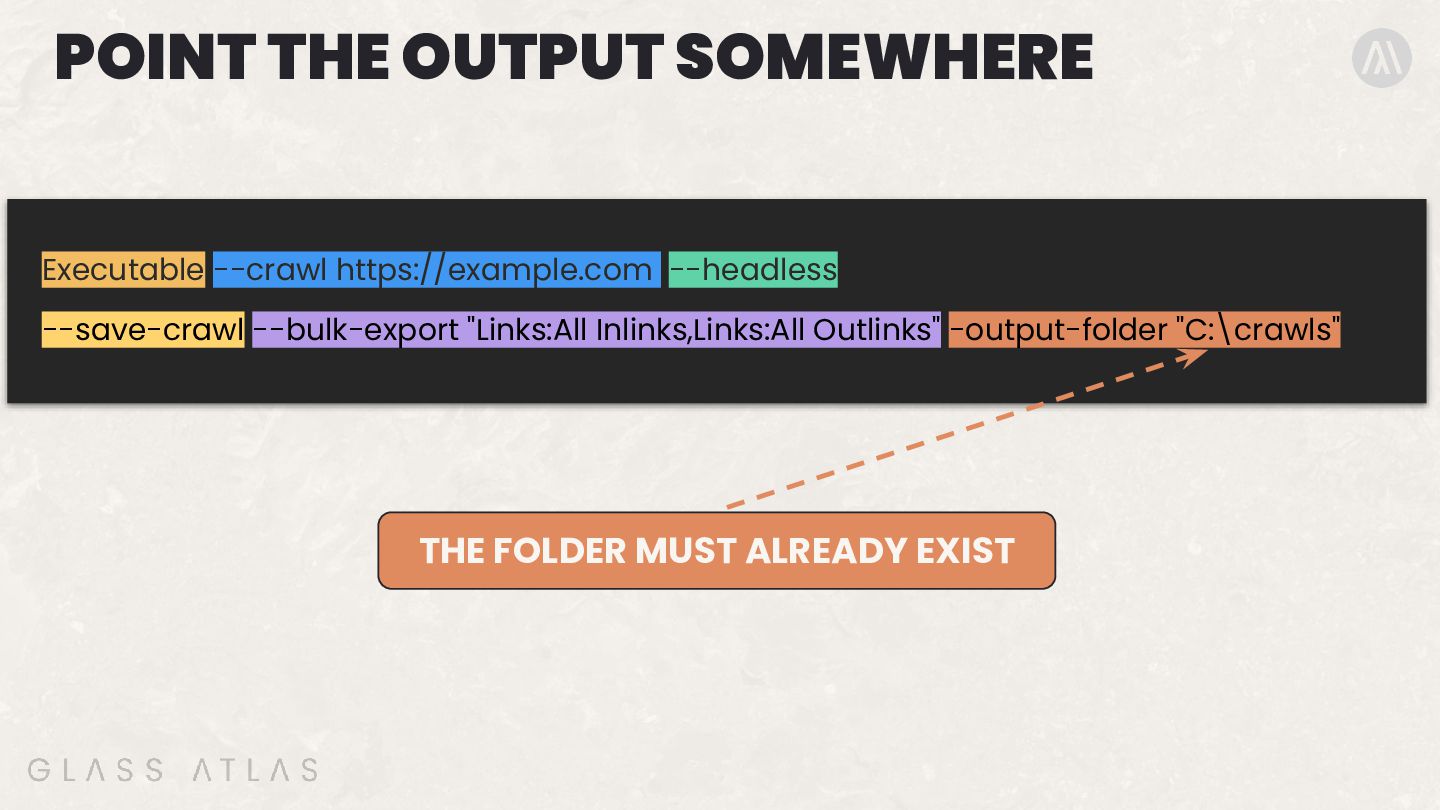
  12. POINT THE OUTPUT SOMEWHERE Executable --crawl https://example.com --headless --save-crawl --bulk-export

    "Links:All Inlinks,Links:All Outlinks" -output-folder "C:\crawls" THE FOLDER MUST ALREADY EXIST
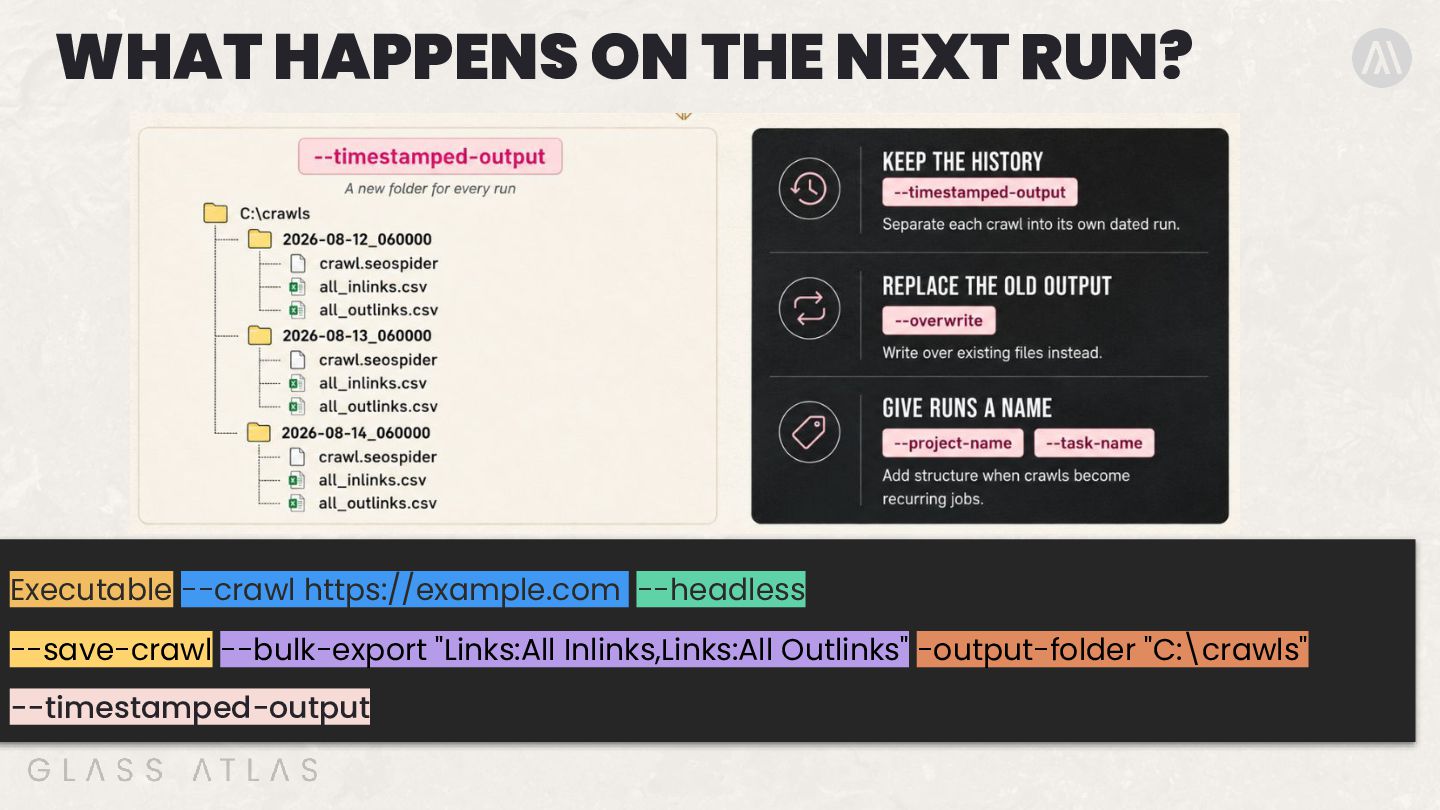
  13. WHAT HAPPENS ON THE NEXT RUN? Executable --crawl https://example.com --headless

    --save-crawl --bulk-export "Links:All Inlinks,Links:All Outlinks" -output-folder "C:\crawls" --timestamped-output
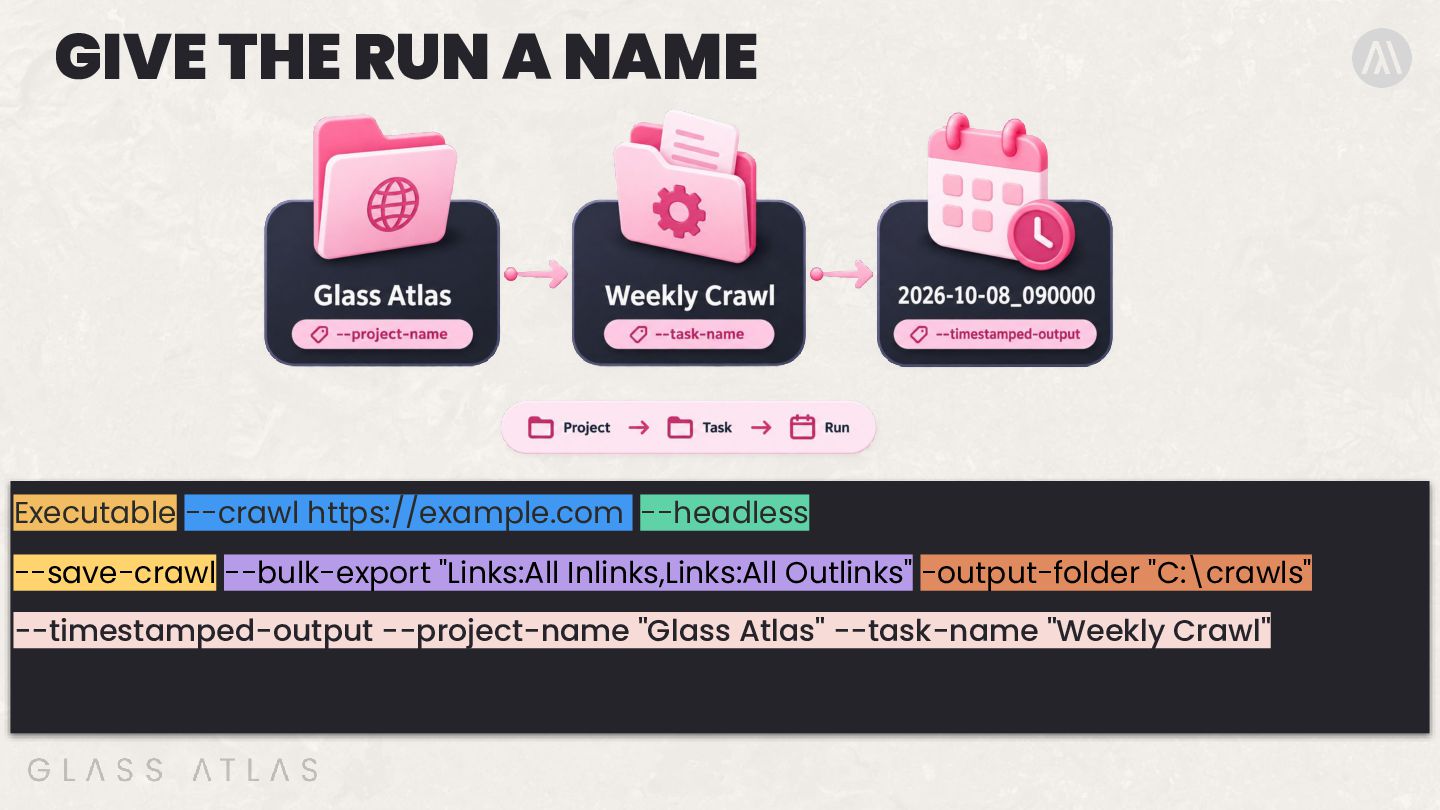
  14. GIVE THE RUN A NAME Executable --crawl https://example.com --headless --save-crawl

    --bulk-export "Links:All Inlinks,Links:All Outlinks" -output-folder "C:\crawls" --timestamped-output --project-name "Glass Atlas" --task-name "Weekly Crawl"
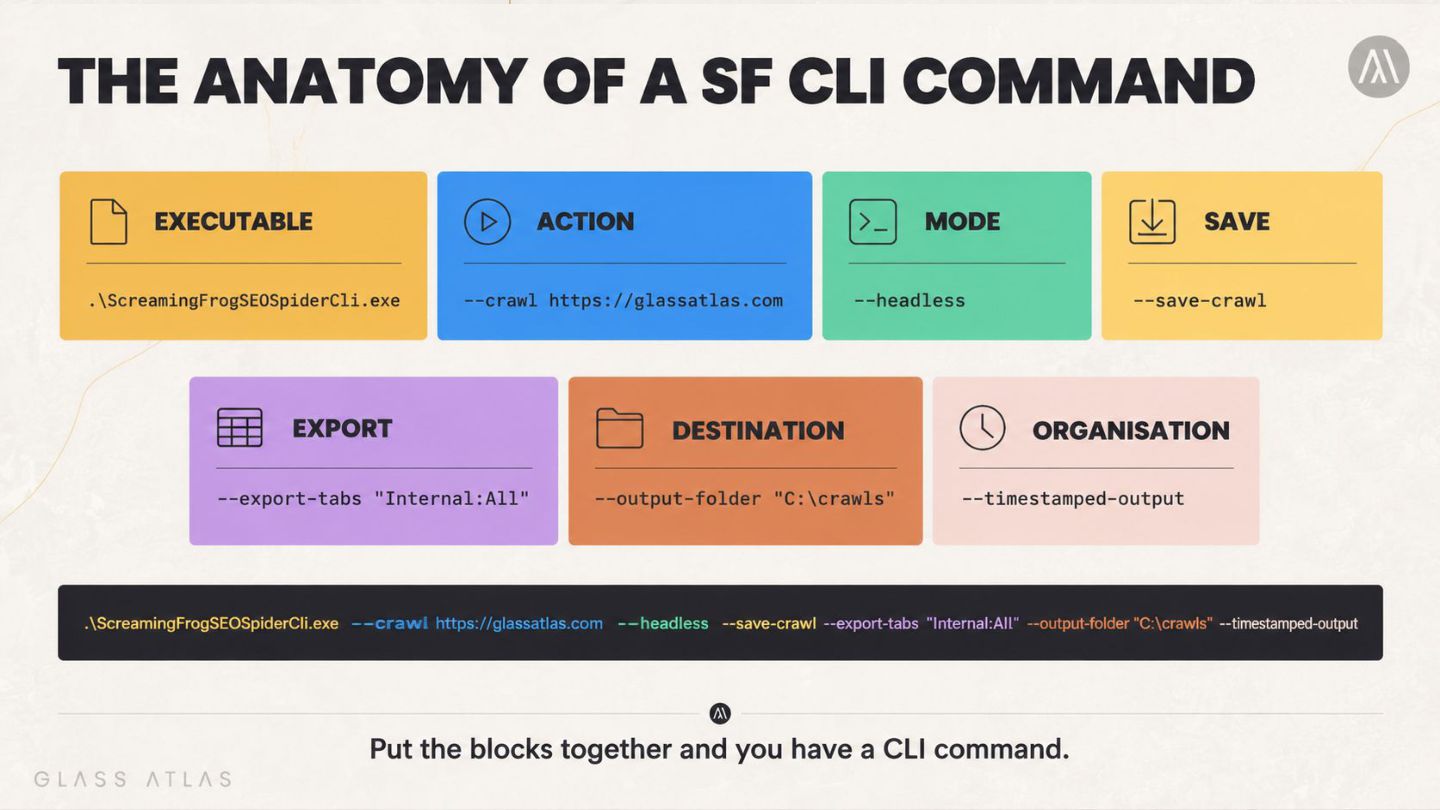
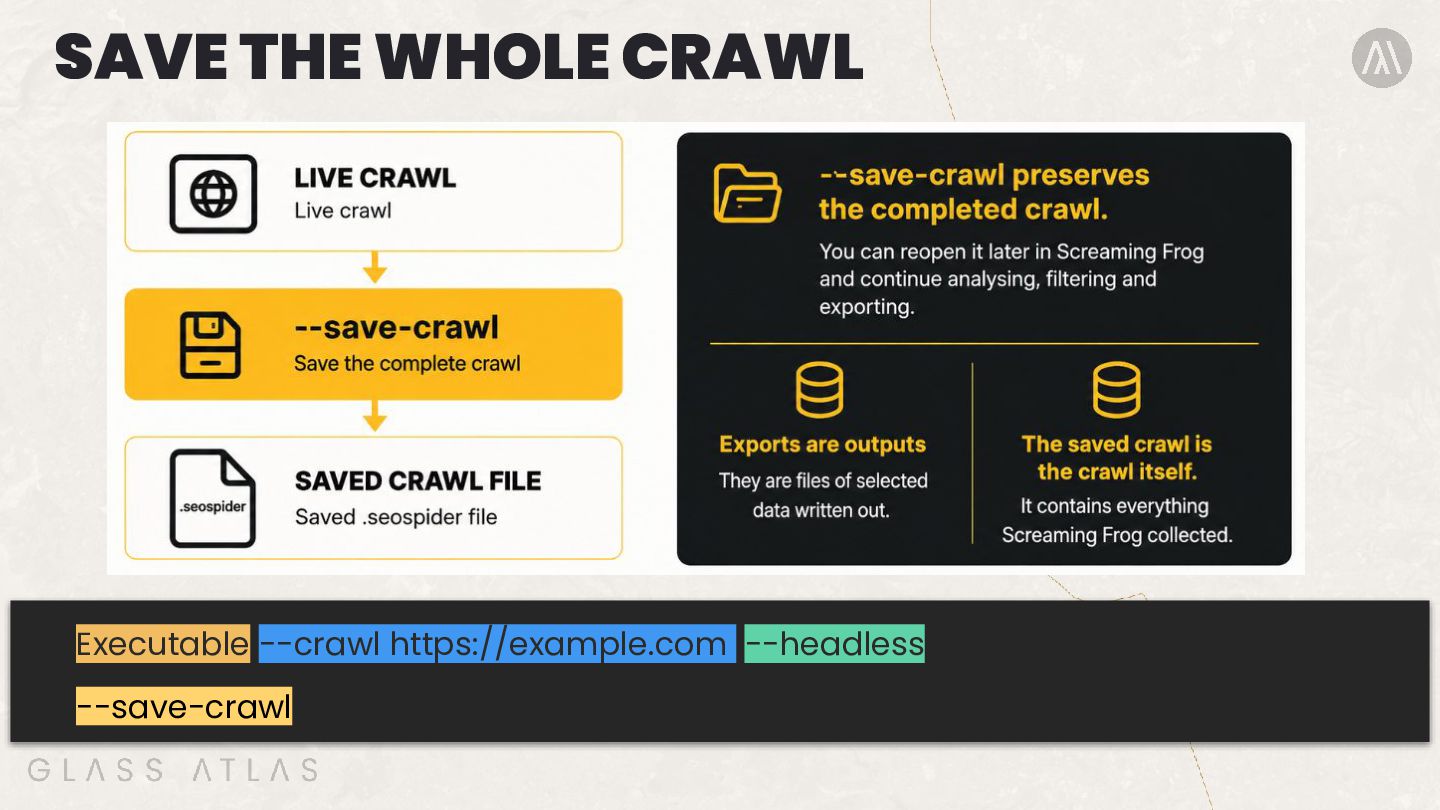
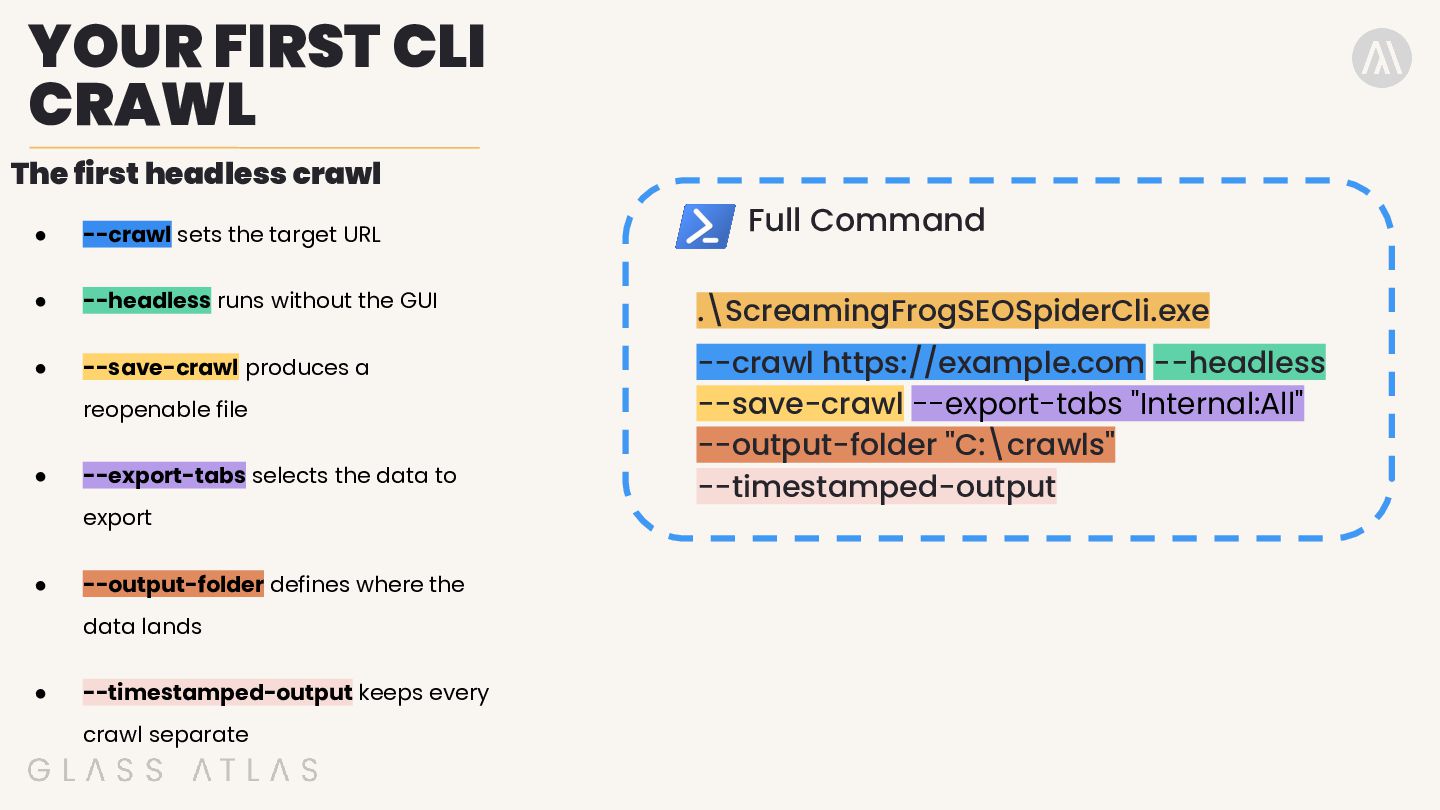
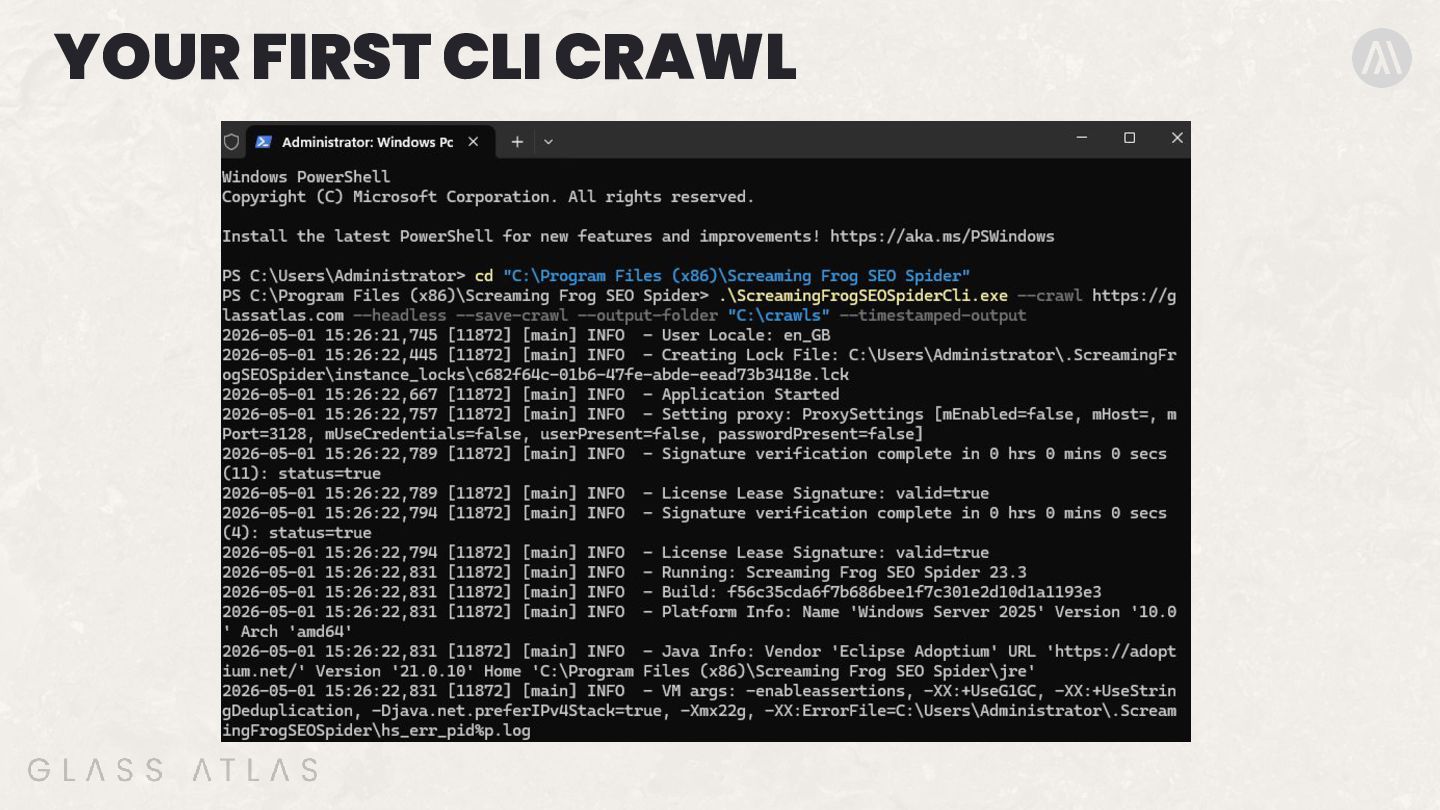
  15. YOUR FIRST CLI CRAWL The first headless crawl Full Command

    • --crawl sets the target URL • --headless runs without the GUI .\ScreamingFrogSEOSpiderCli.exe • --save-crawl produces a --crawl https://example.com --headless --save-crawl --export-tabs "Internal:All" --output-folder "C:\crawls" --timestamped-output reopenable file • --export-tabs selects the data to export • --output-folder defines where the data lands • --timestamped-output keeps every crawl separate
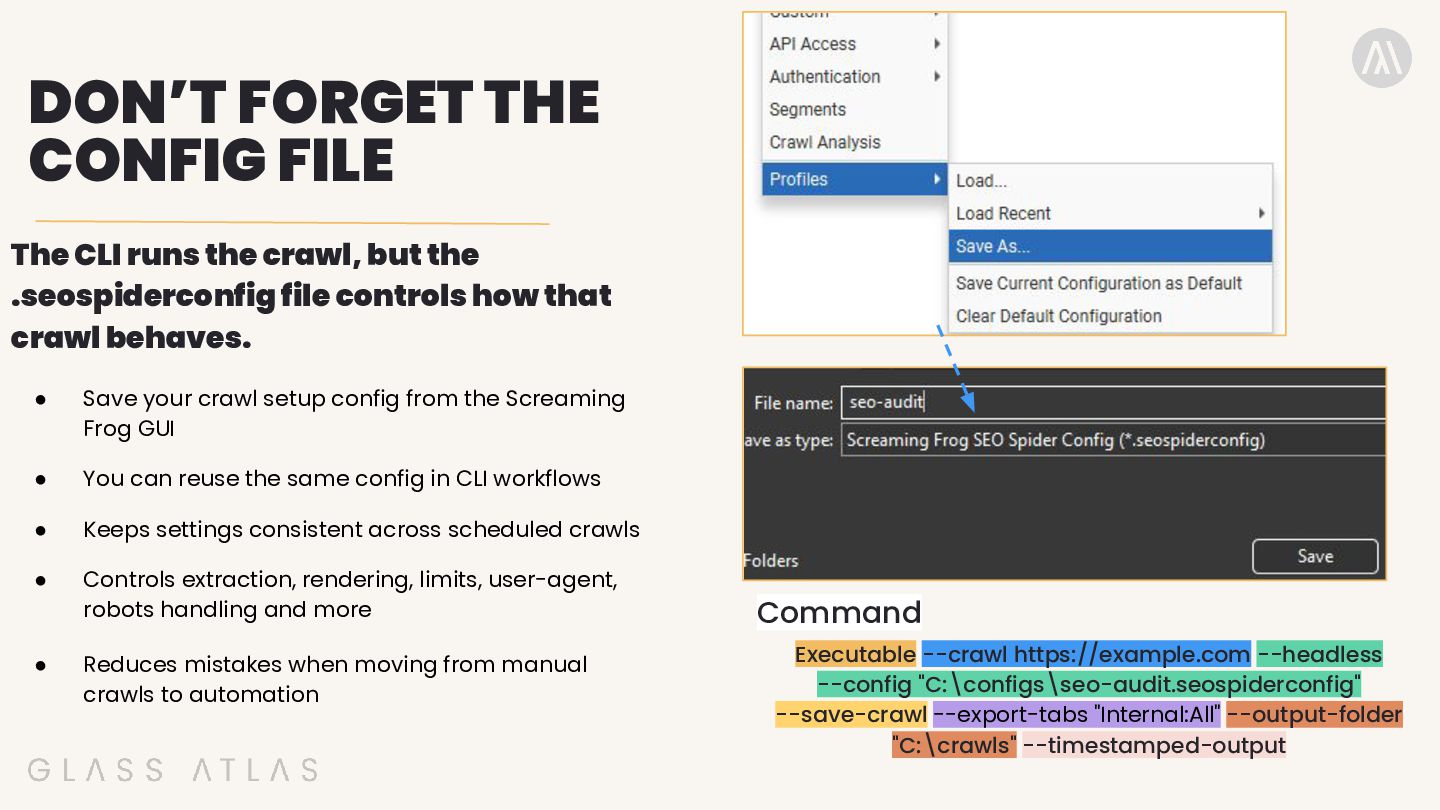
  16. DON’T FORGET THE CONFIG FILE The CLI runs the crawl,

    but the .seospiderconfig file controls how that crawl behaves. • Save your crawl setup config from the Screaming Frog GUI • You can reuse the same config in CLI workflows • Keeps settings consistent across scheduled crawls • Controls extraction, rendering, limits, user-agent, robots handling and more • Reduces mistakes when moving from manual crawls to automation Command Executable --crawl https://example.com --headless --config "C:\configs\seo-audit.seospiderconfig" --save-crawl --export-tabs "Internal:All" --output-folder "C:\crawls" --timestamped-output
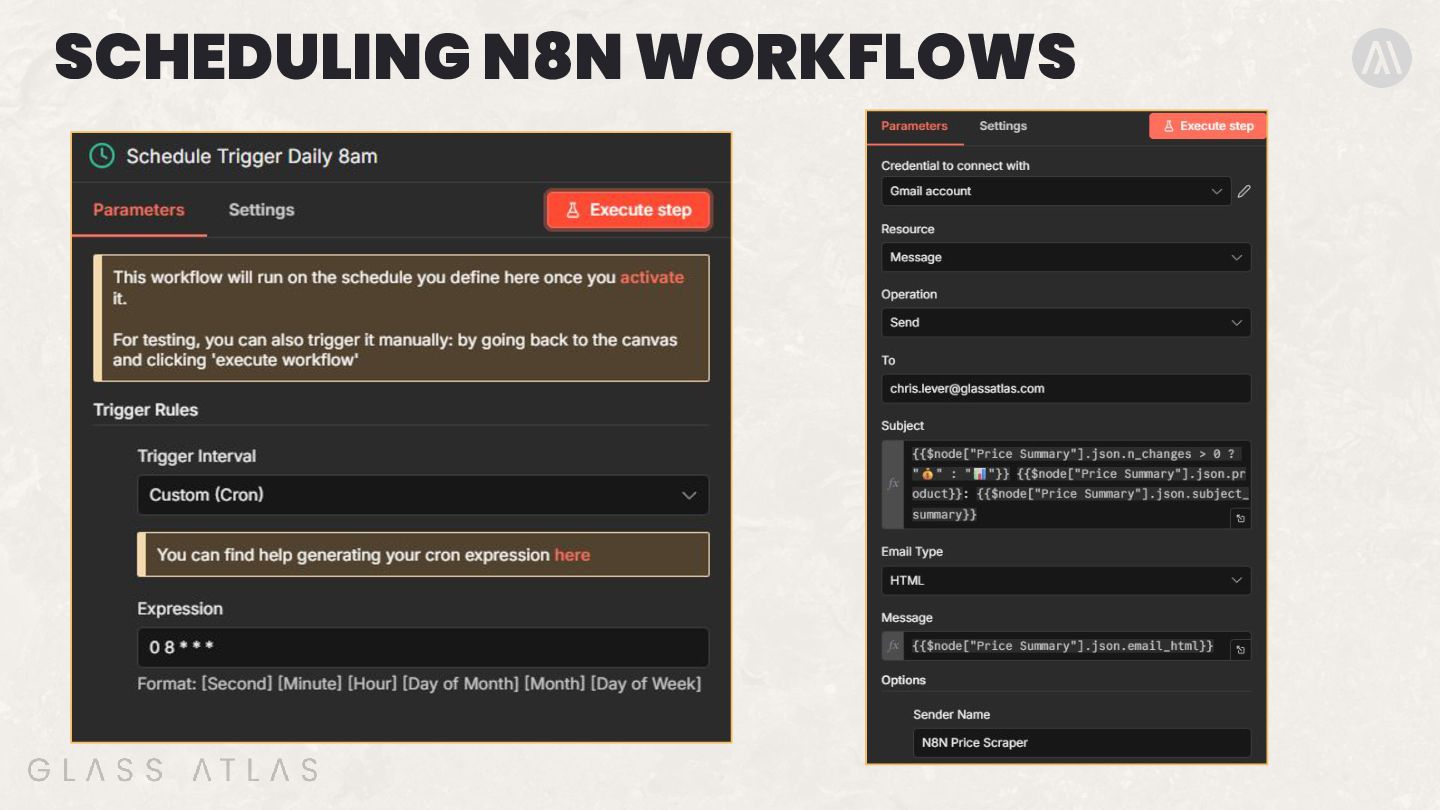
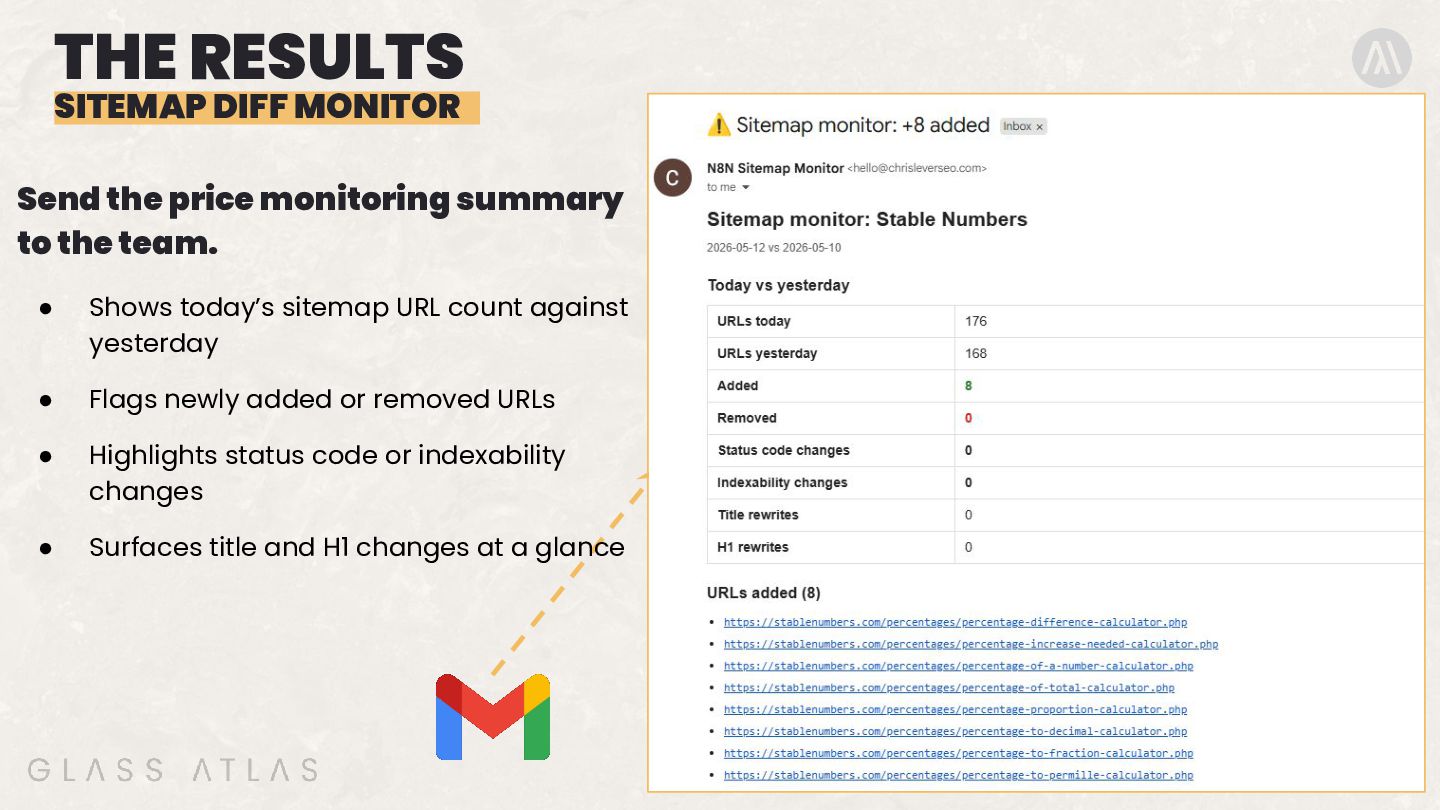
  17. THE RESULTS SITEMAP DIFF MONITOR Send the price monitoring summary

    to the team. • Shows today’s sitemap URL count against yesterday • Flags newly added or removed URLs • Highlights status code or indexability changes • Surfaces title and H1 changes at a glance
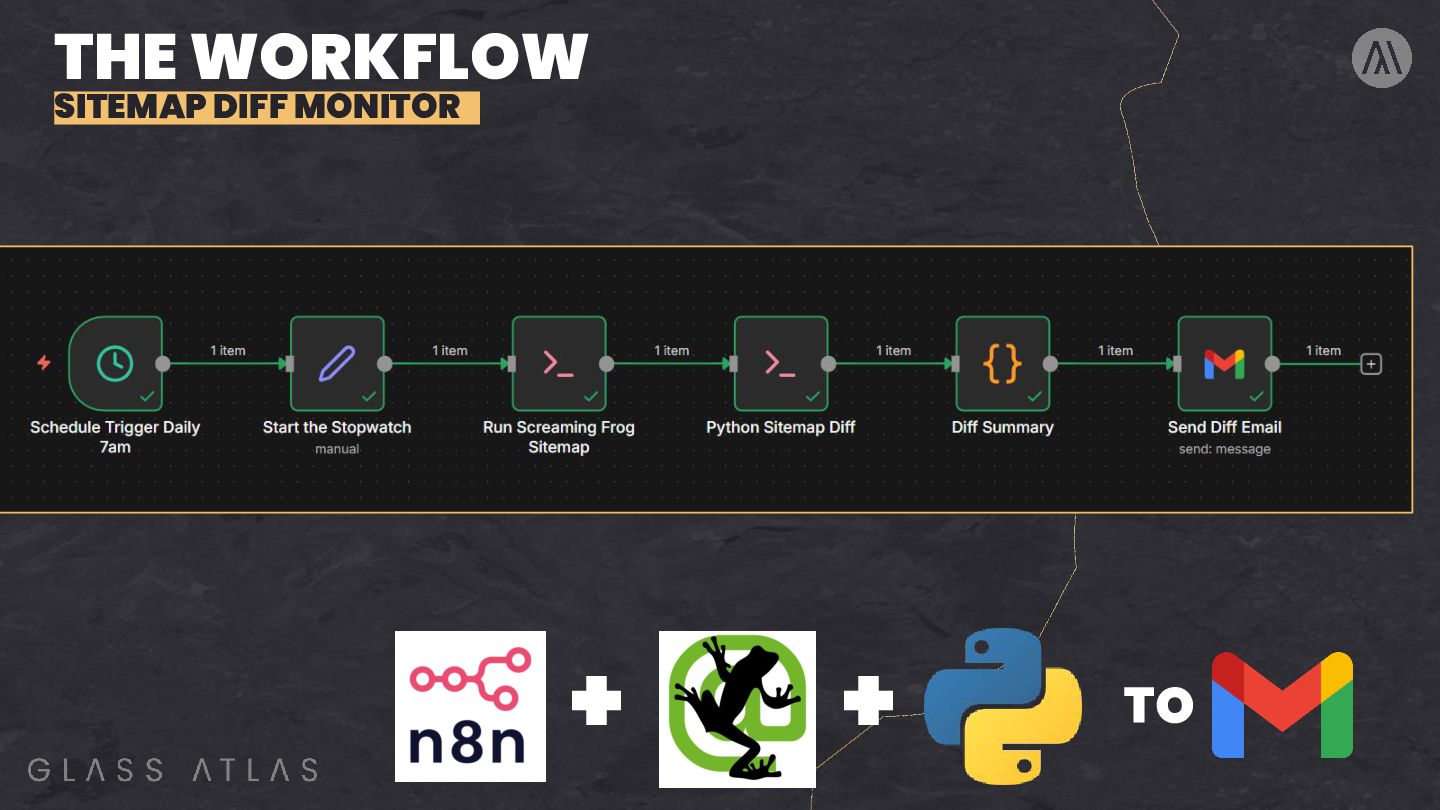
  18. THE WORKFLOW EXPLAINED Start / decide when to crawl Manual

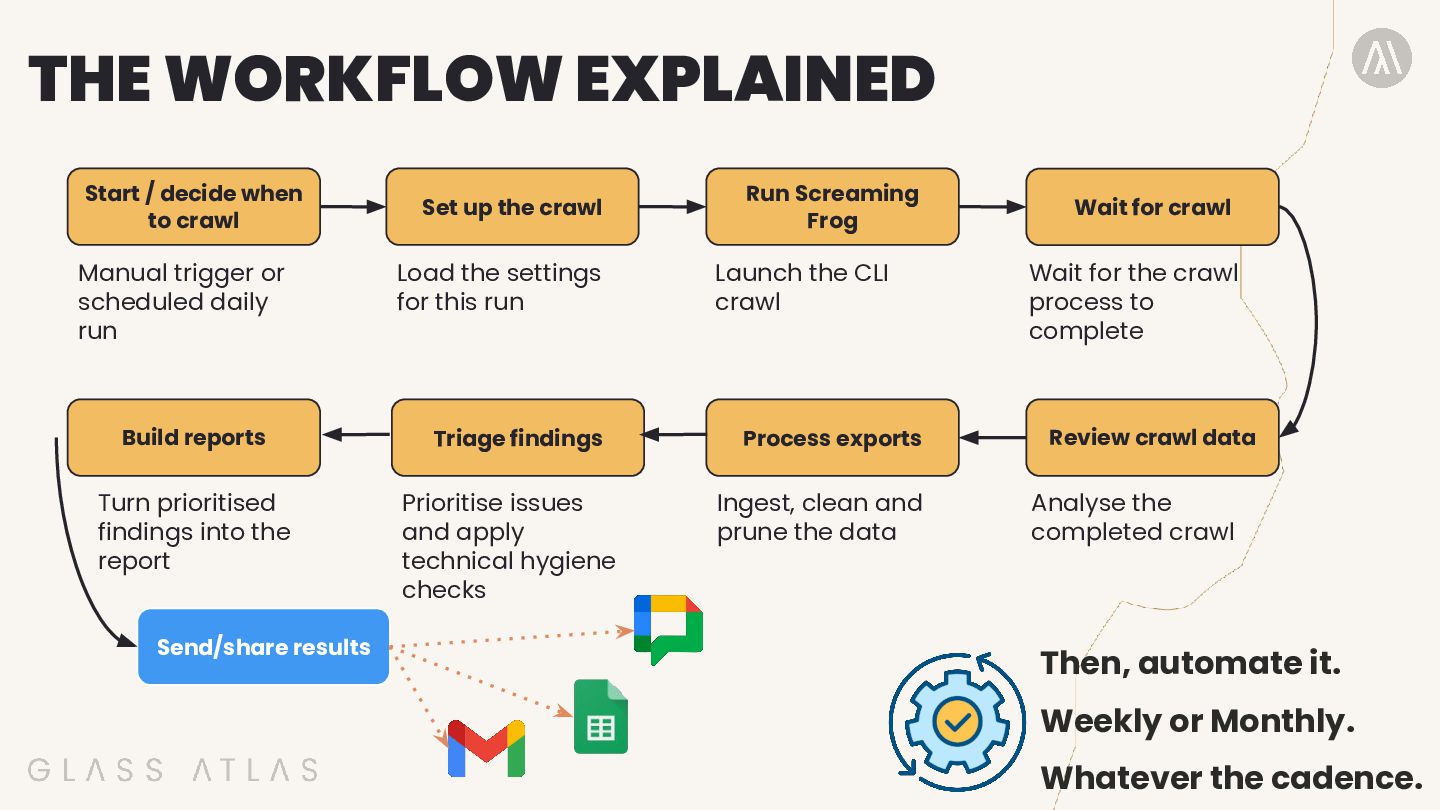
    trigger or scheduled daily run Set up the crawl Load the settings for this run Run Screaming Frog Launch the CLI crawl Build reports Triage findings Process exports Turn prioritised findings into the report Prioritise issues and apply technical hygiene checks Ingest, clean and prune the data Send/share results Wait for crawl Wait for the crawl process to complete Review crawl data Analyse the completed crawl Then, automate it. Weekly or Monthly. Whatever the cadence.
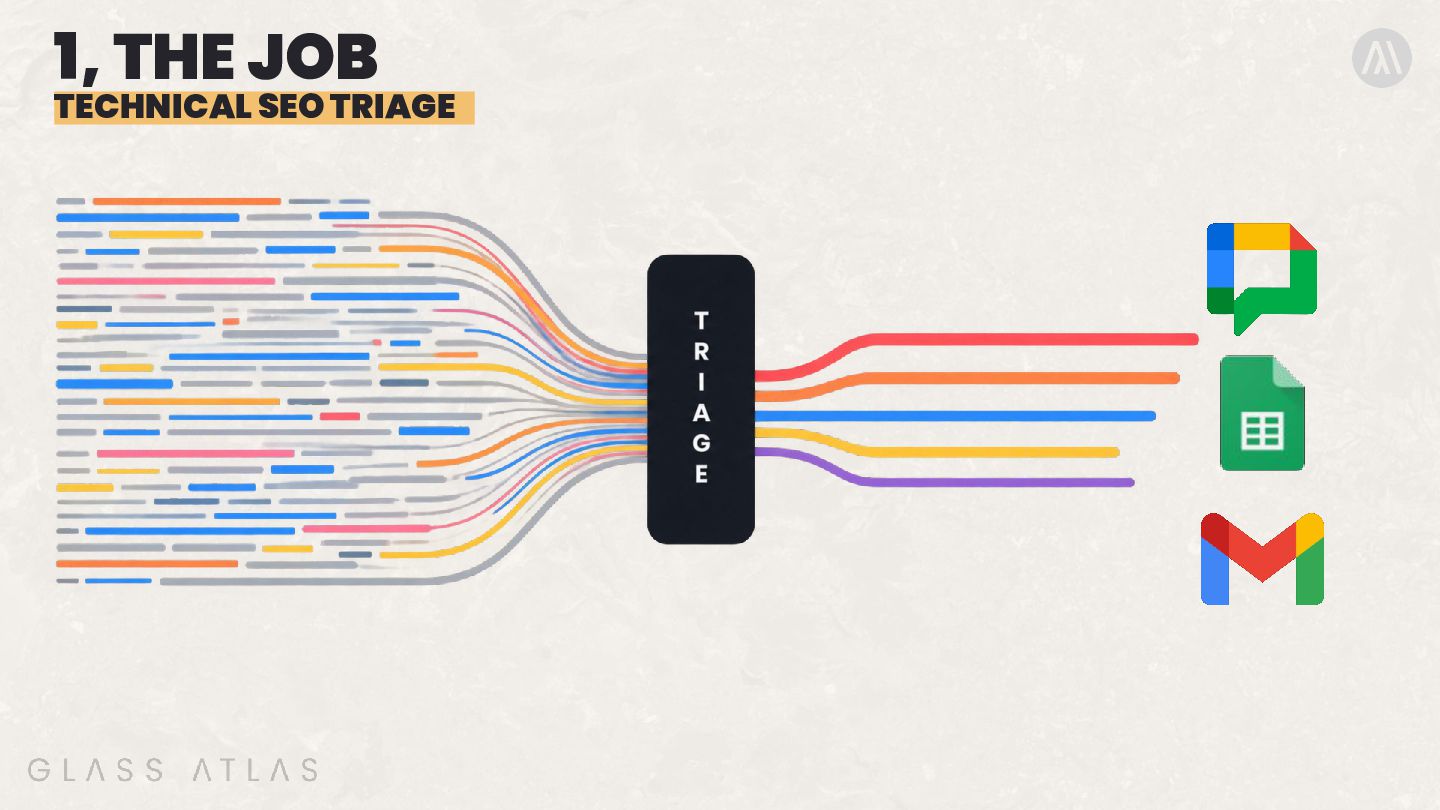
  19. 3, UNDER THE HOOD TECHNICAL SEO TRIAGE A set of

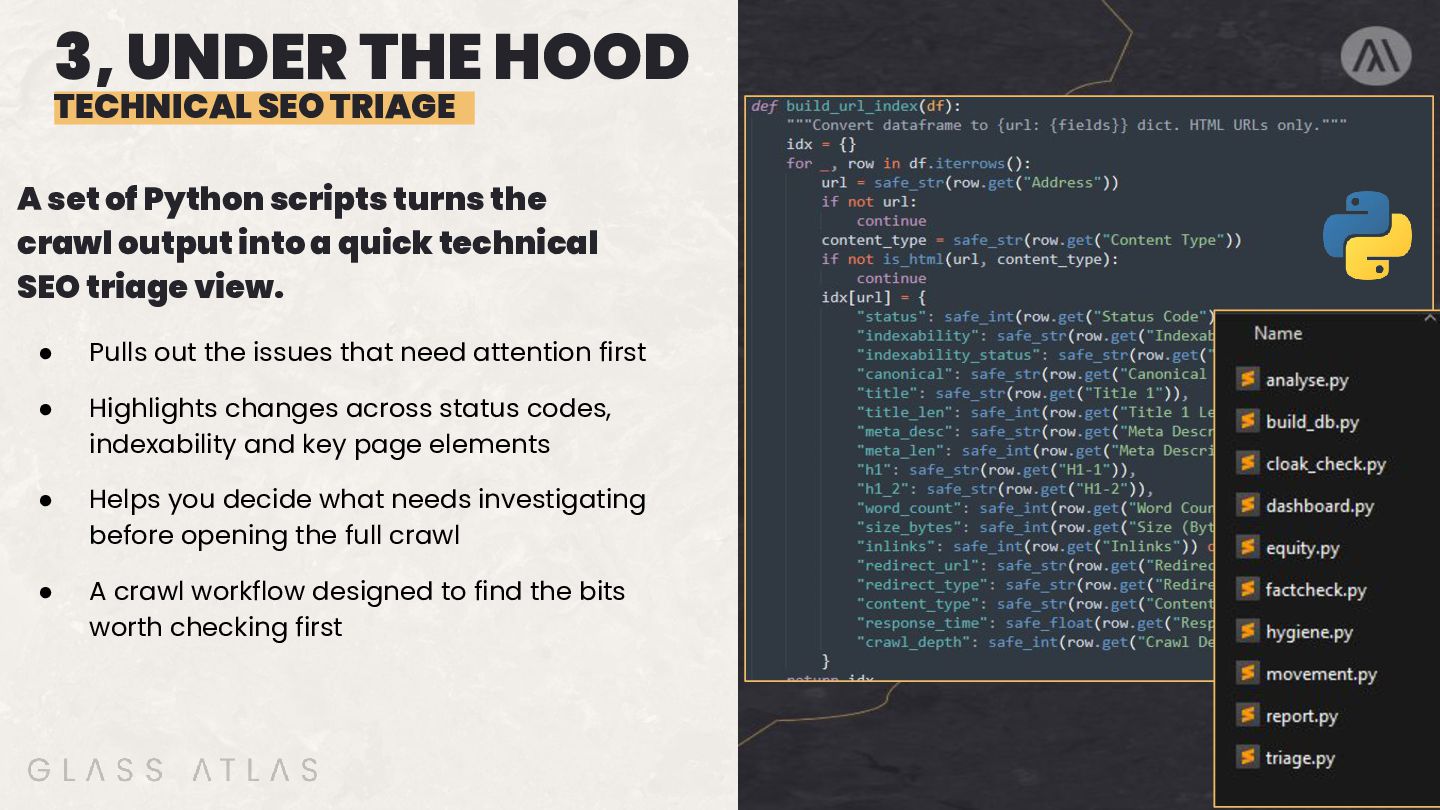
    Python scripts turns the crawl output into a quick technical SEO triage view. • Pulls out the issues that need attention first • Highlights changes across status codes, indexability and key page elements • Helps you decide what needs investigating before opening the full crawl • A crawl workflow designed to find the bits worth checking first
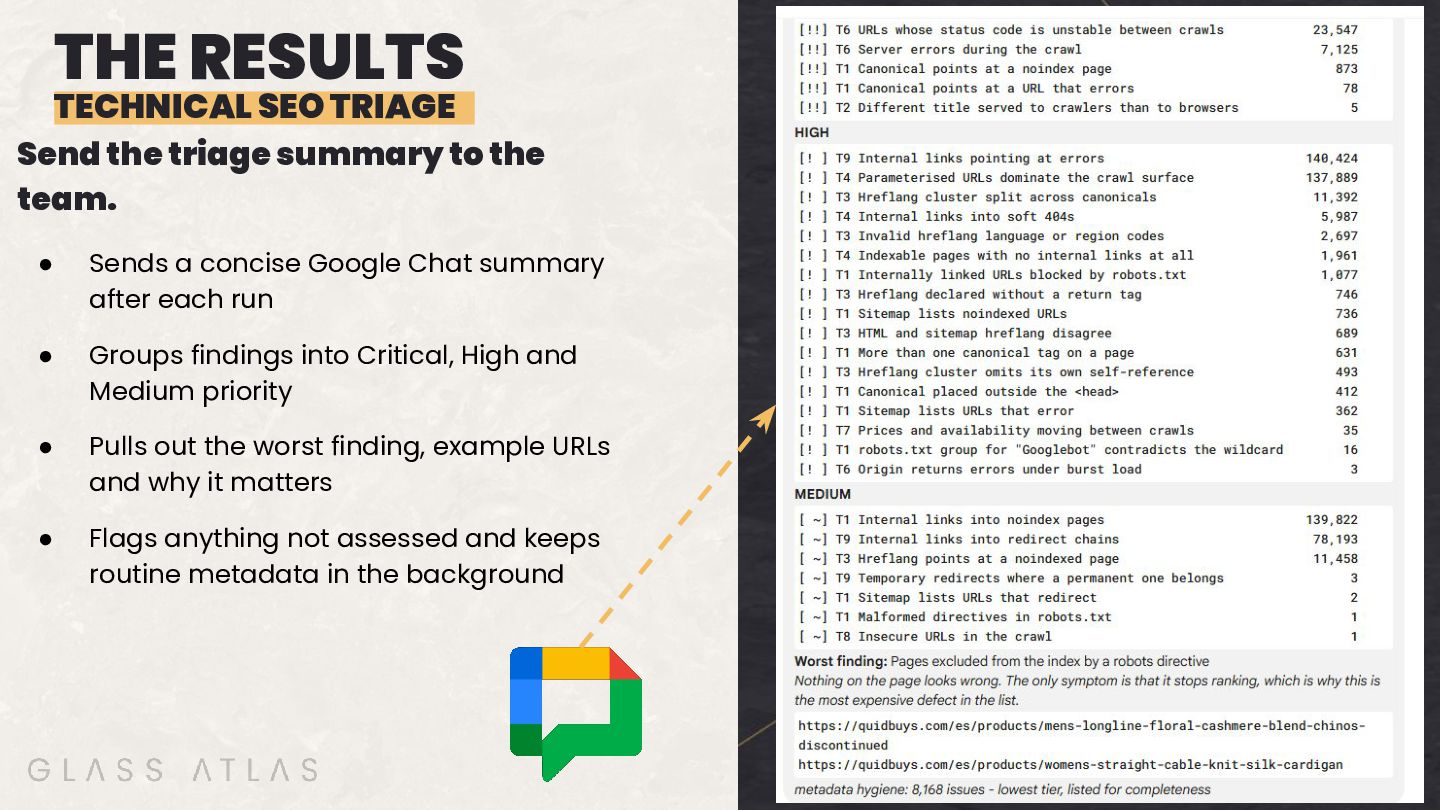
  20. THE RESULTS TECHNICAL SEO TRIAGE Send the triage summary to

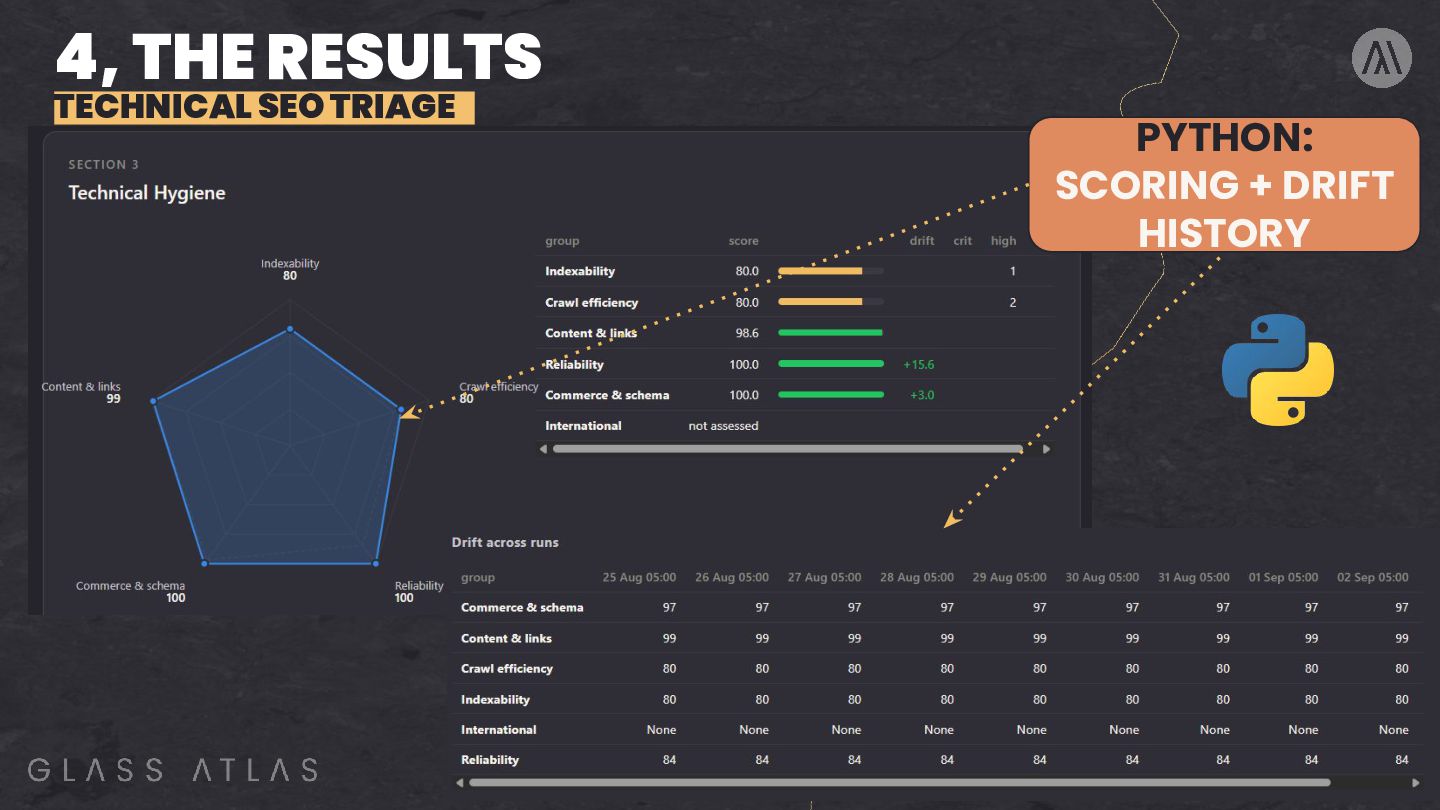
    the team. • Sends a concise Google Chat summary after each run • Groups findings into Critical, High and Medium priority • Pulls out the worst finding, example URLs and why it matters • Flags anything not assessed and keeps routine metadata in the background
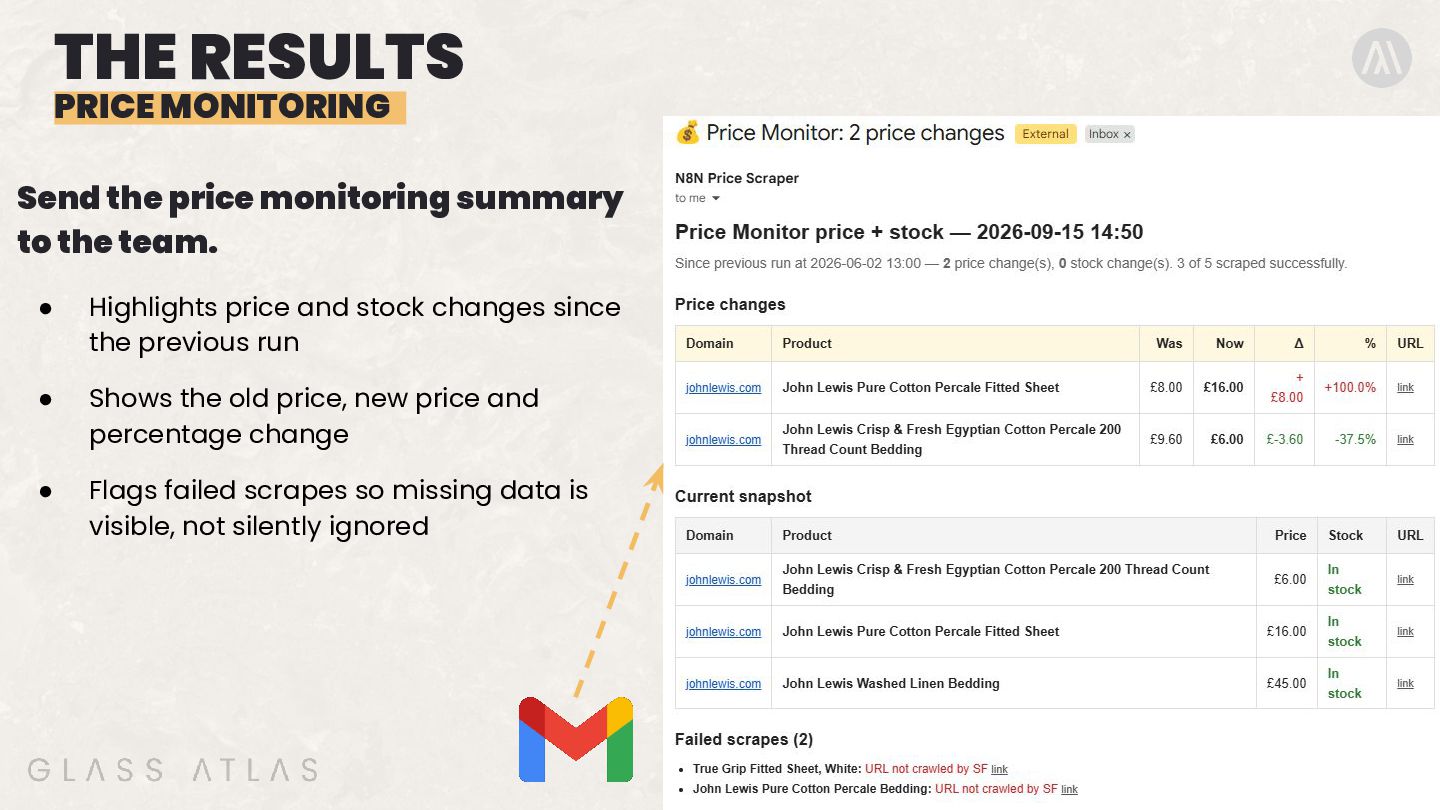
  21. THE RESULTS PRICE MONITORING Send the price monitoring summary to

    the team. • Highlights price and stock changes since the previous run • Shows the old price, new price and percentage change • Flags failed scrapes so missing data is visible, not silently ignored
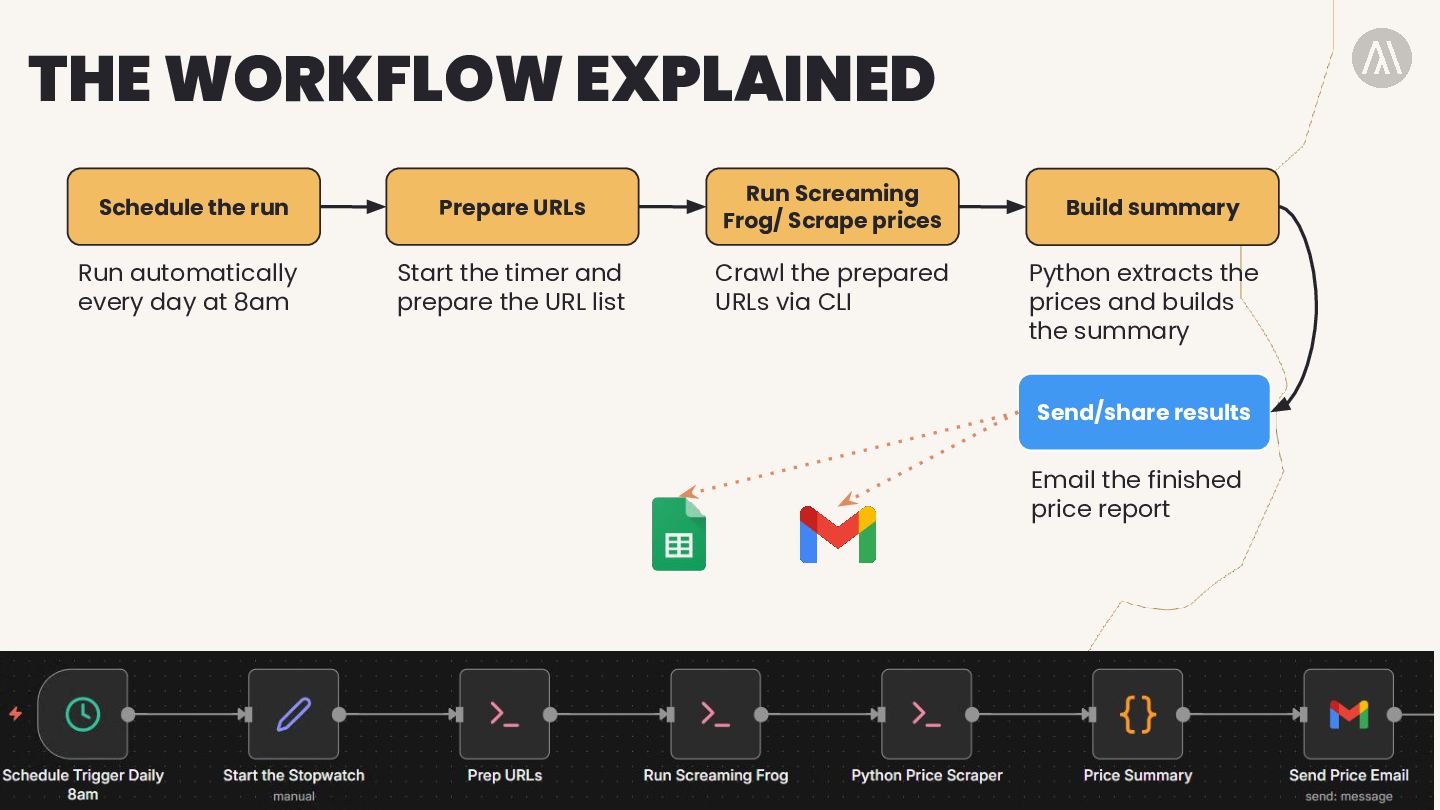
  22. THE WORKFLOW EXPLAINED Schedule the run Prepare URLs Run Screaming

    Frog/ Scrape prices Run automatically every day at 8am Start the timer and prepare the URL list Crawl the prepared URLs via CLI Build summary Python extracts the prices and builds the summary Send/share results Email the finished price report
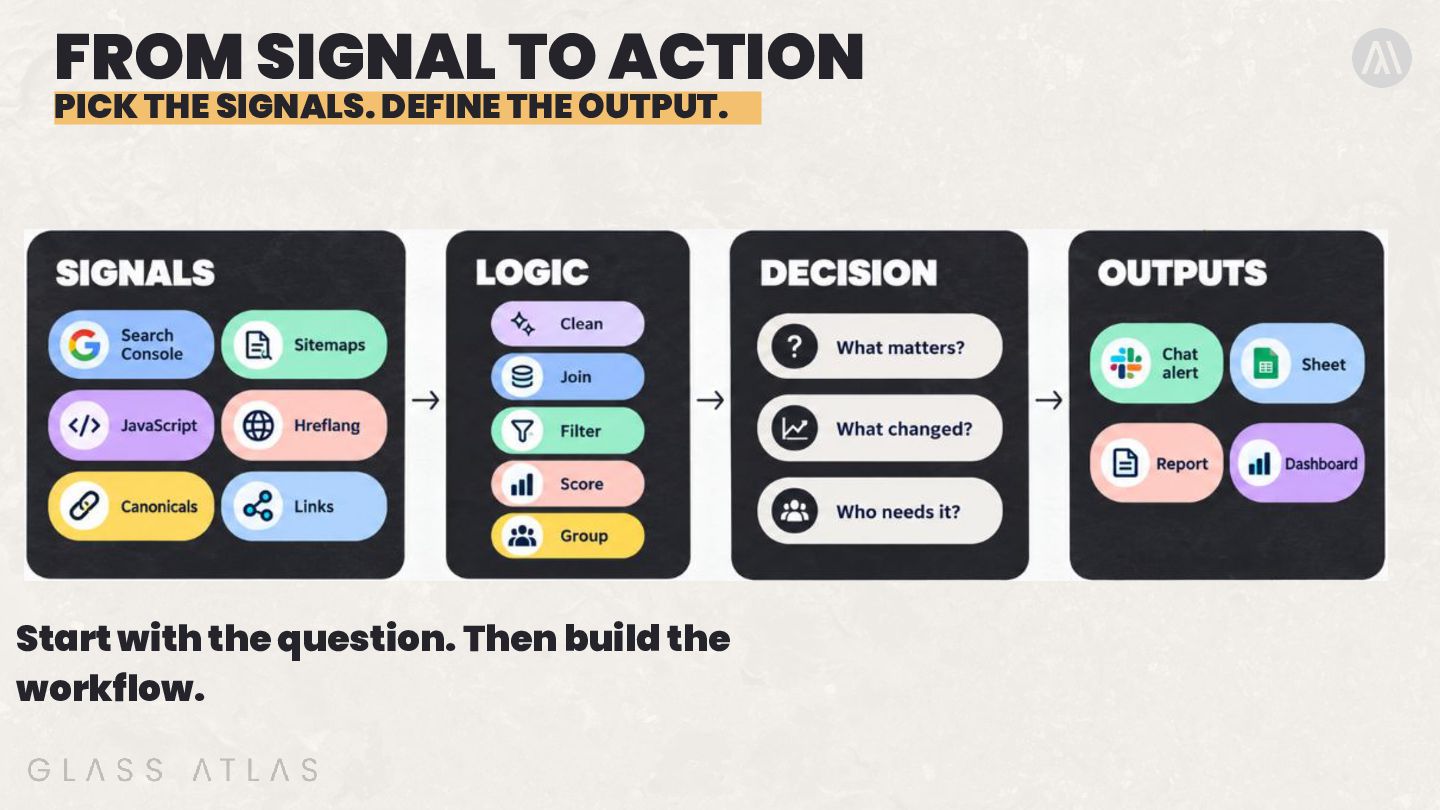
  23. FROM SIGNAL TO ACTION PICK THE SIGNALS. DEFINE THE OUTPUT.

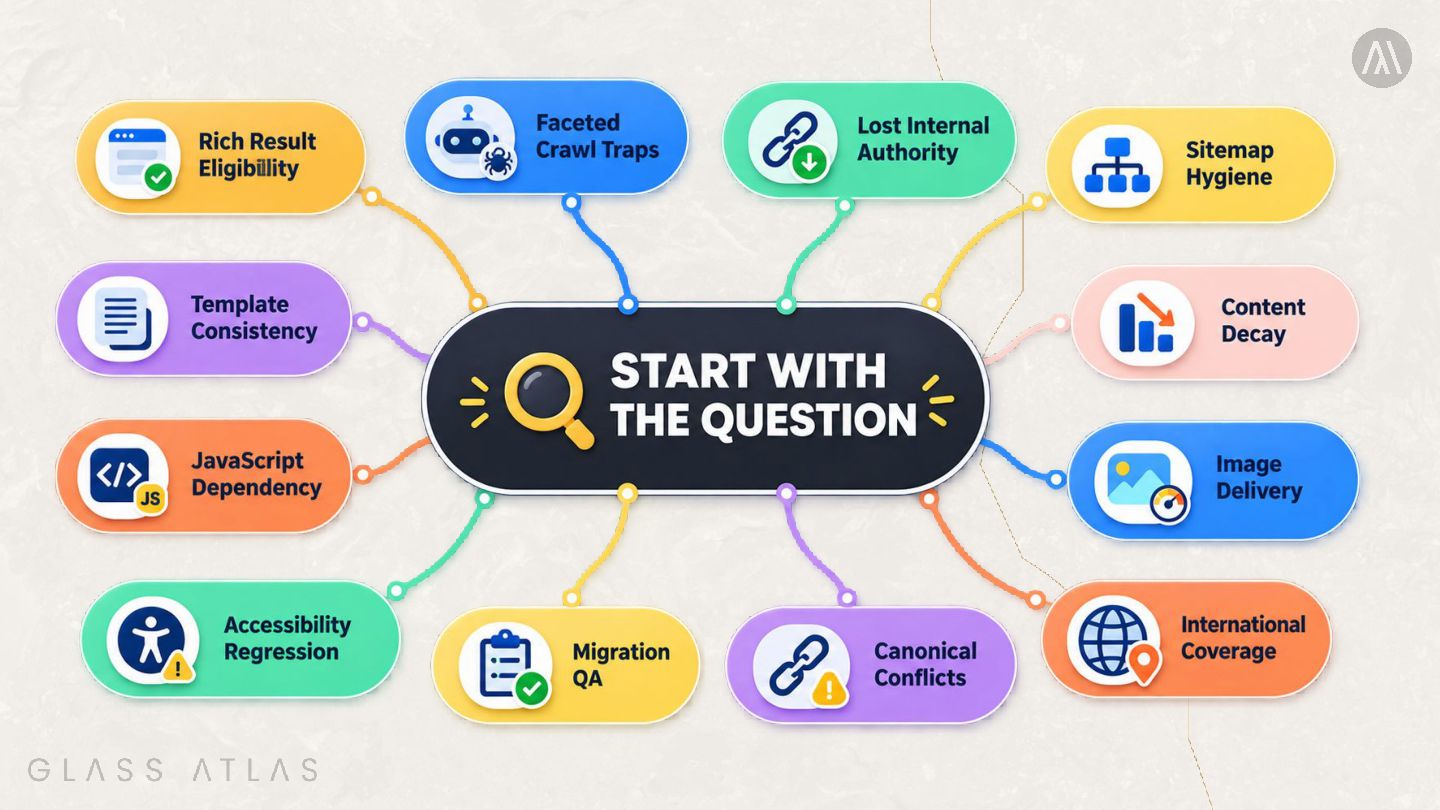
    Start with the question. Then build the workflow.
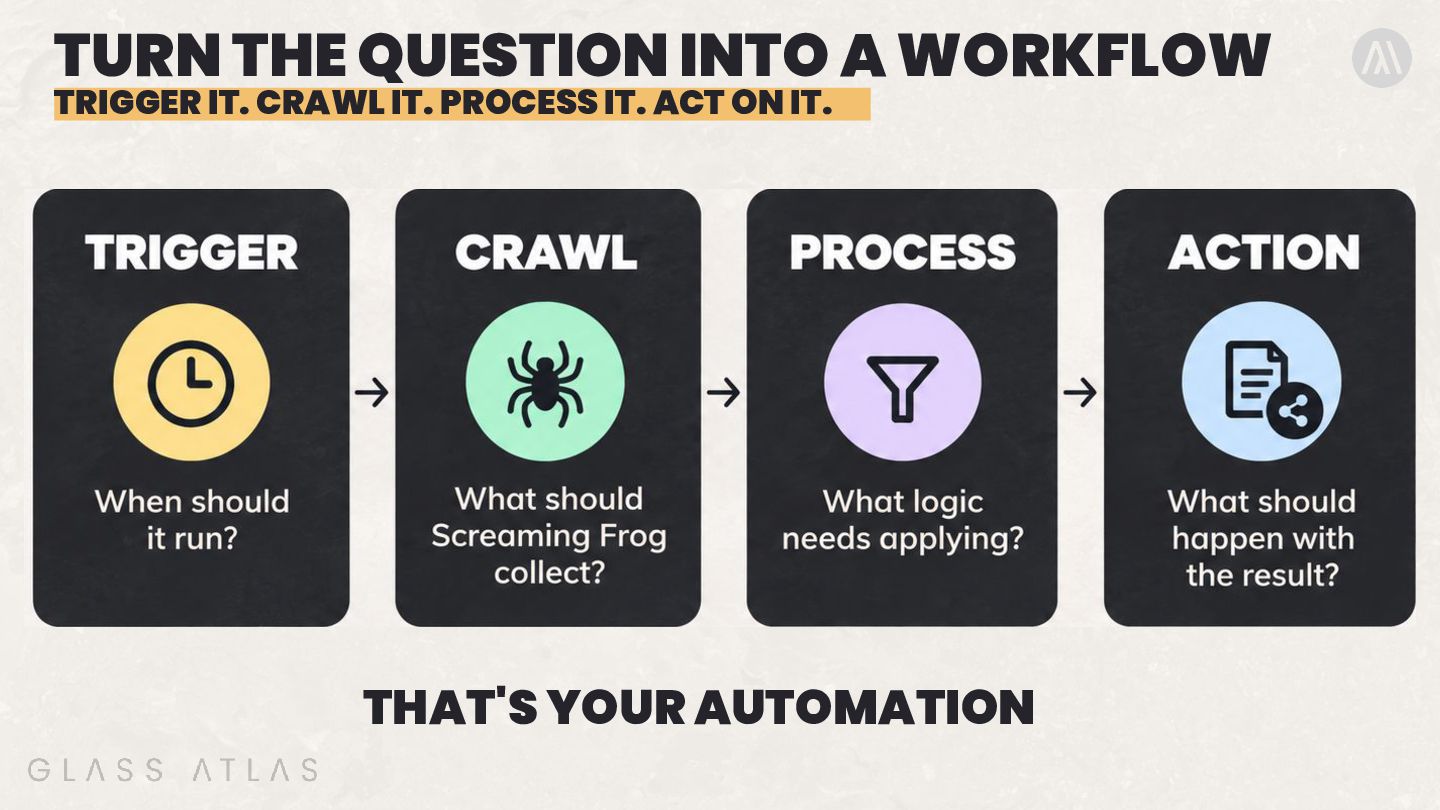
  24. TURN THE QUESTION INTO A WORKFLOW TRIGGER IT. CRAWL IT.

    PROCESS IT. ACT ON IT. THAT'S YOUR AUTOMATION
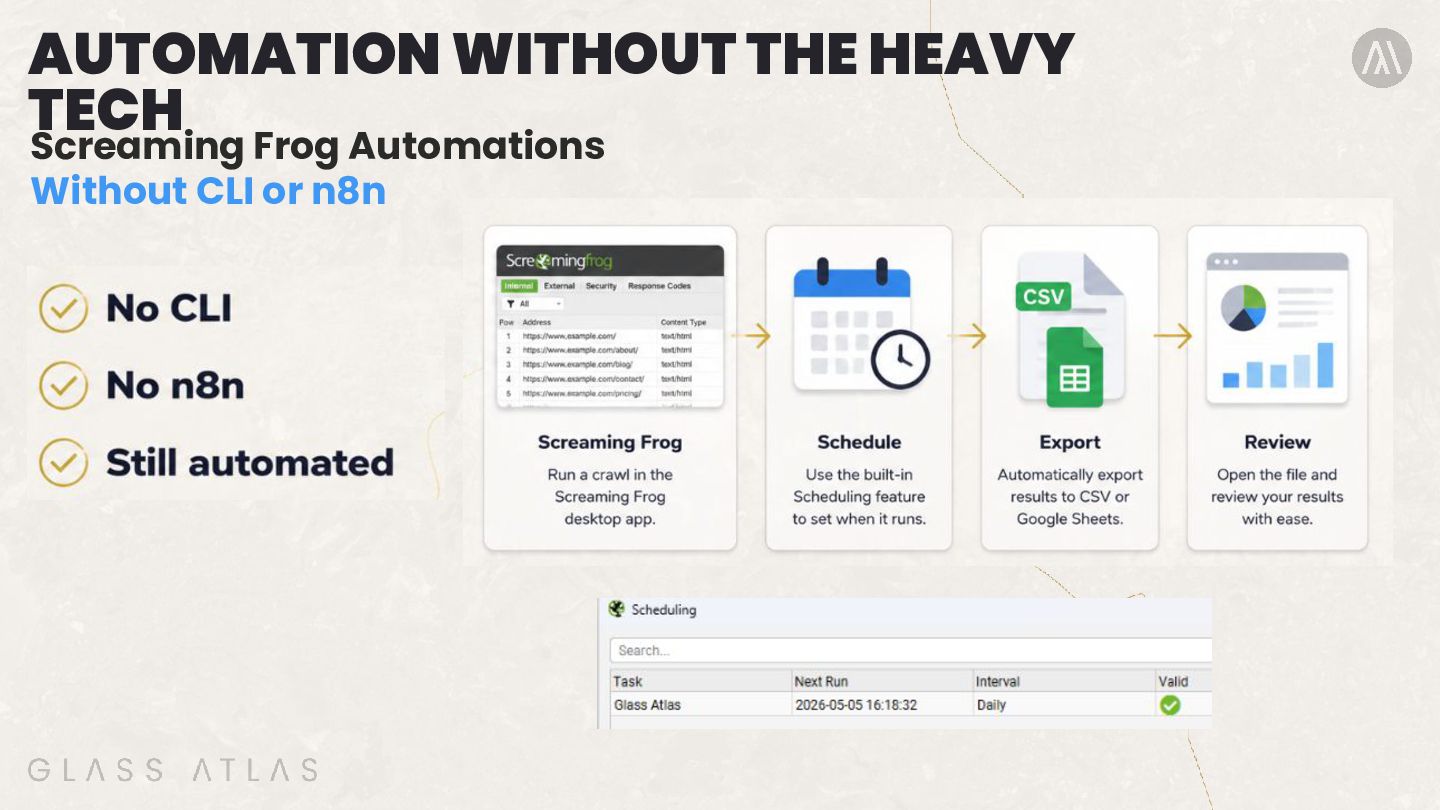
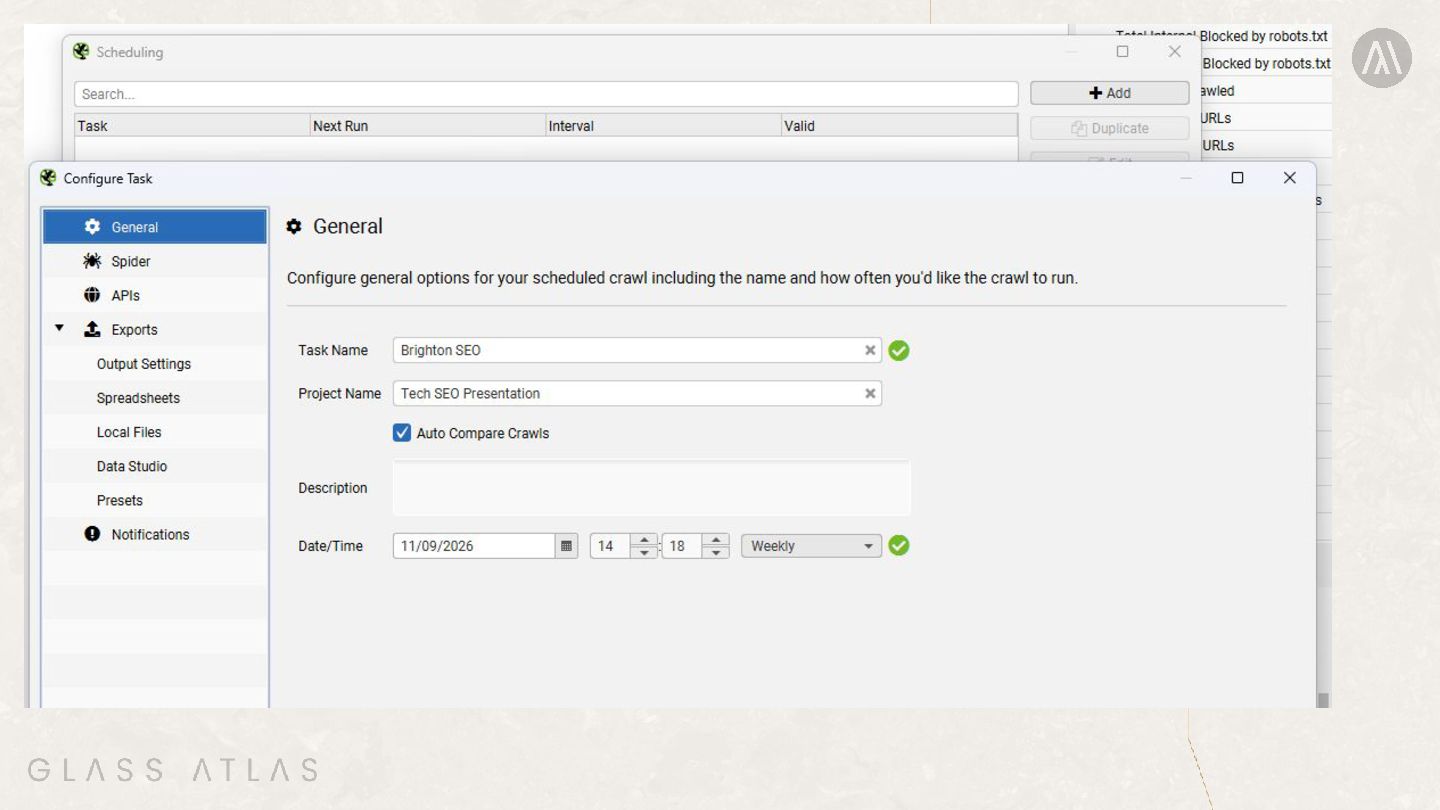
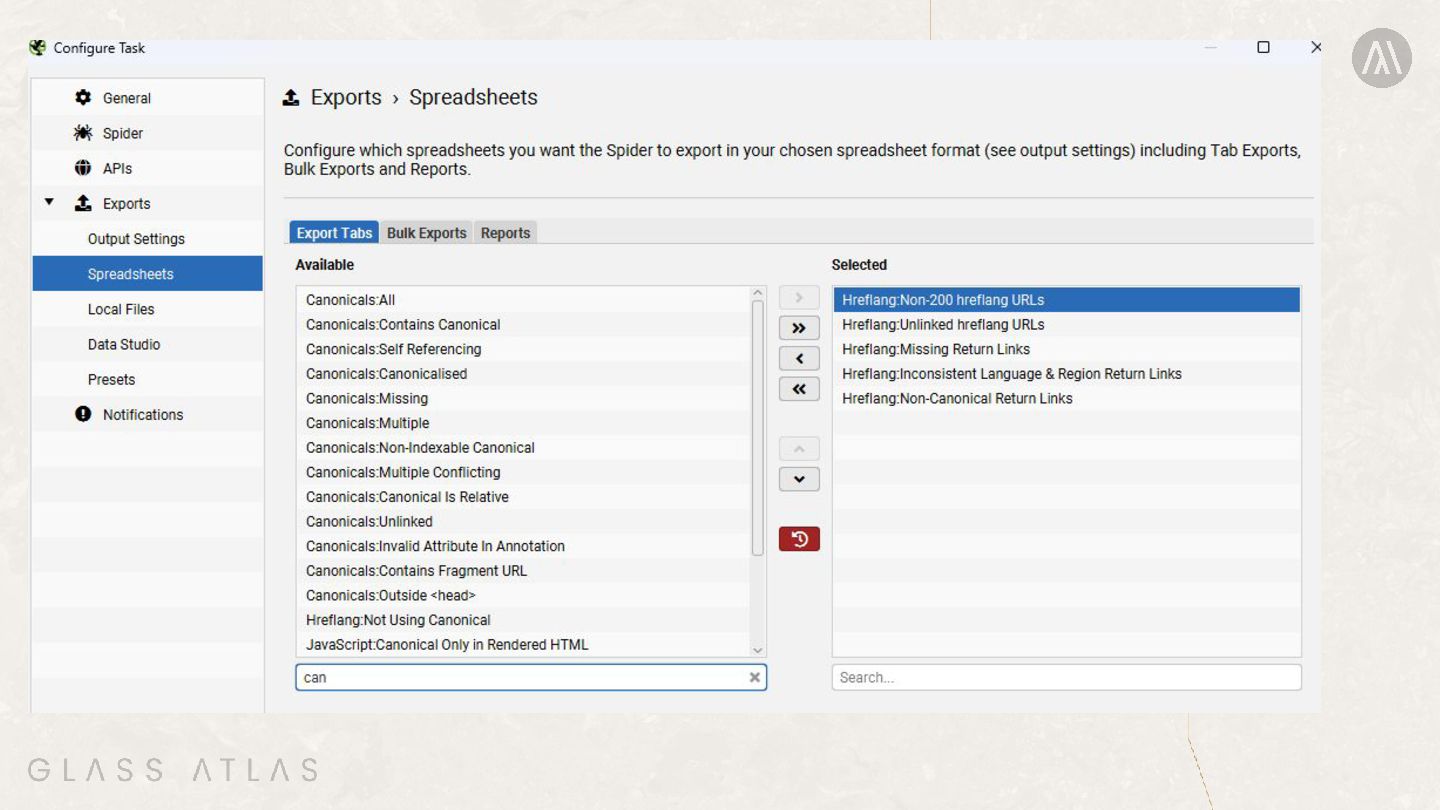
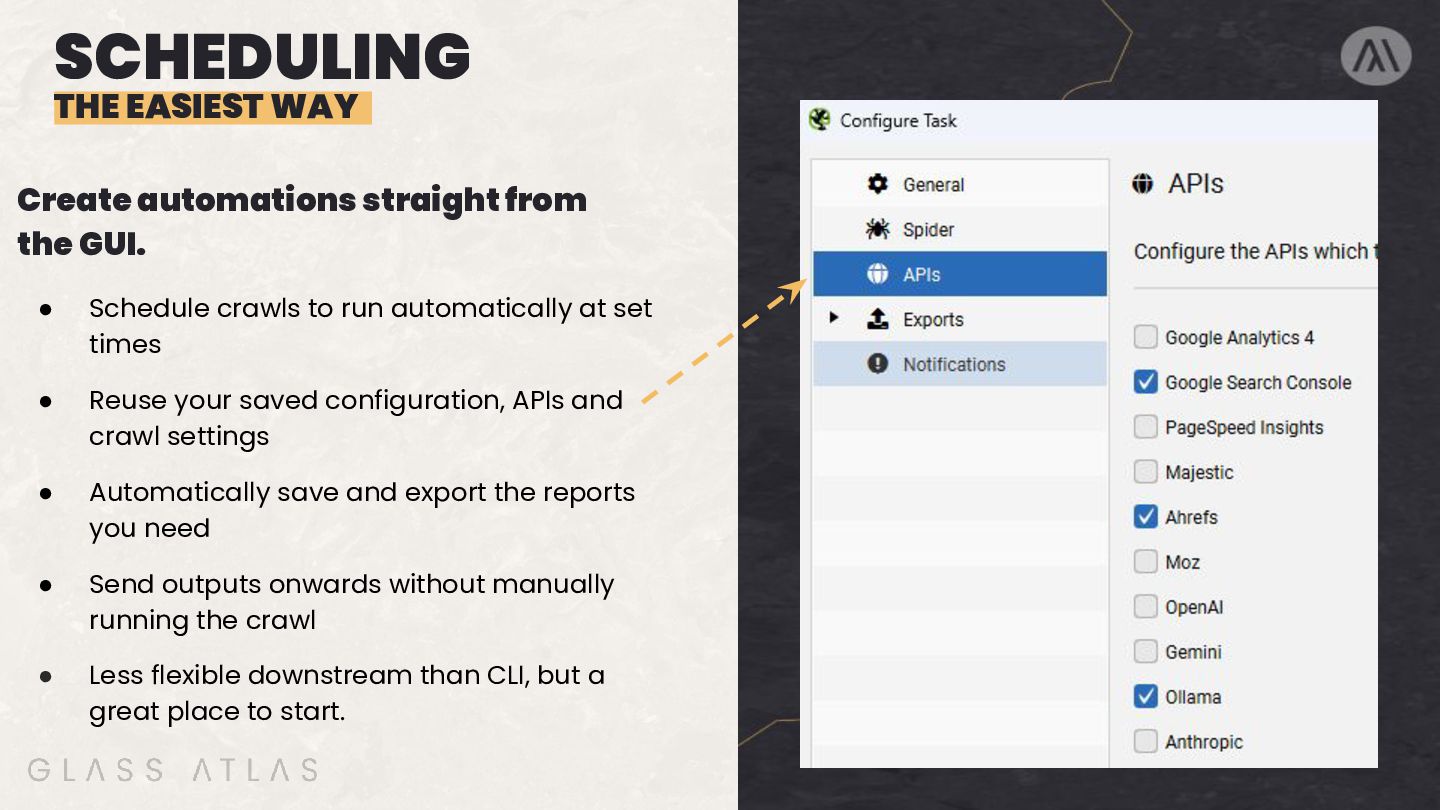
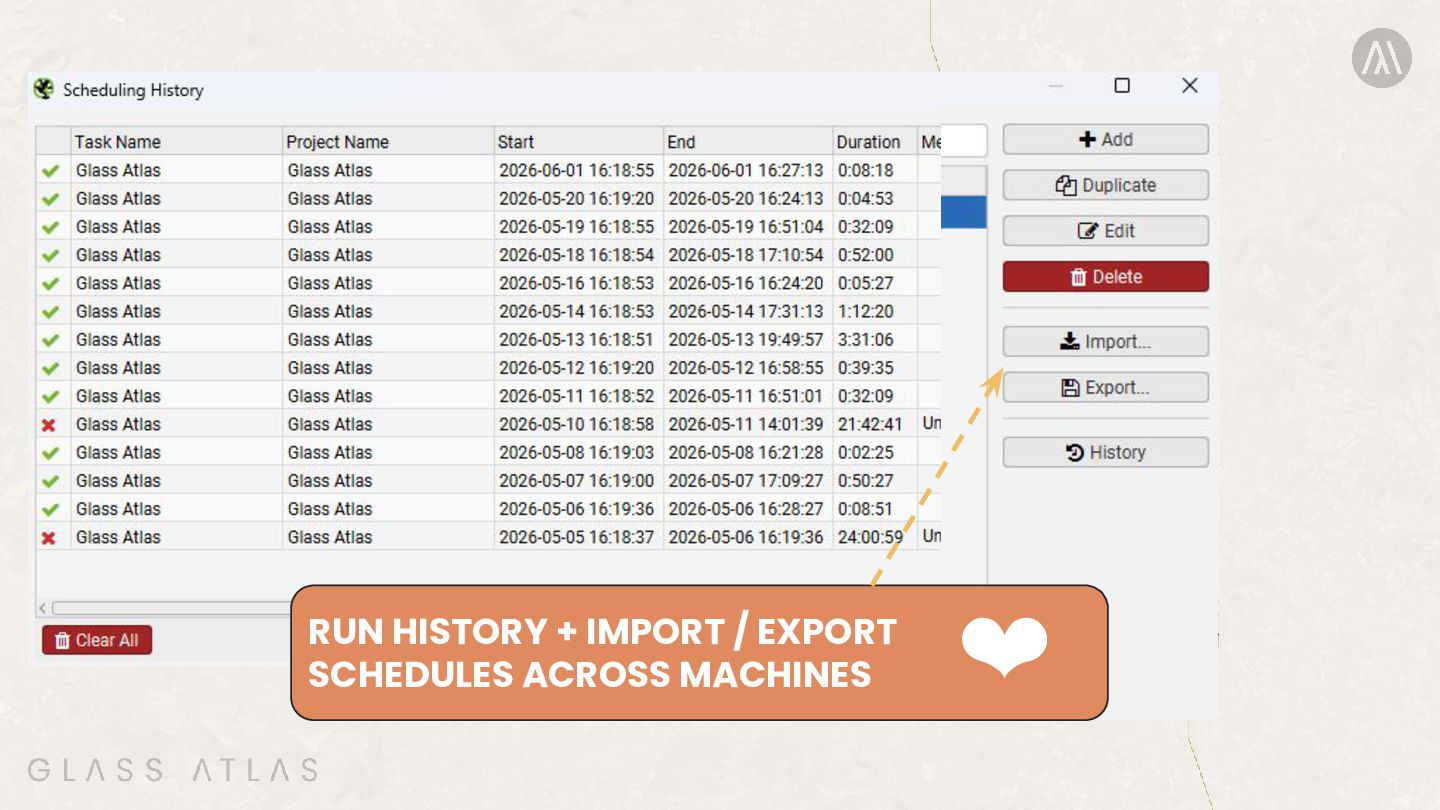
  25. SCHEDULING THE EASIEST WAY Create automations straight from the GUI.

    • Schedule crawls to run automatically at set times • Reuse your saved configuration, APIs and crawl settings • Automatically save and export the reports you need • Send outputs onwards without manually running the crawl • Less flexible downstream than CLI, but a great place to start.