Upgrade to Pro — share decks privately, control downloads, hide ads and more …

Release anytime: Mastering feature flags in .NE...

Avatar for .NET Day .NET Day
August 27, 2026

Release anytime: Mastering feature flags in .NET and Azure

Avatar for .NET Day

.NET Day

August 27, 2026

More Decks by .NET Day

Other Decks in Technology

Transcript

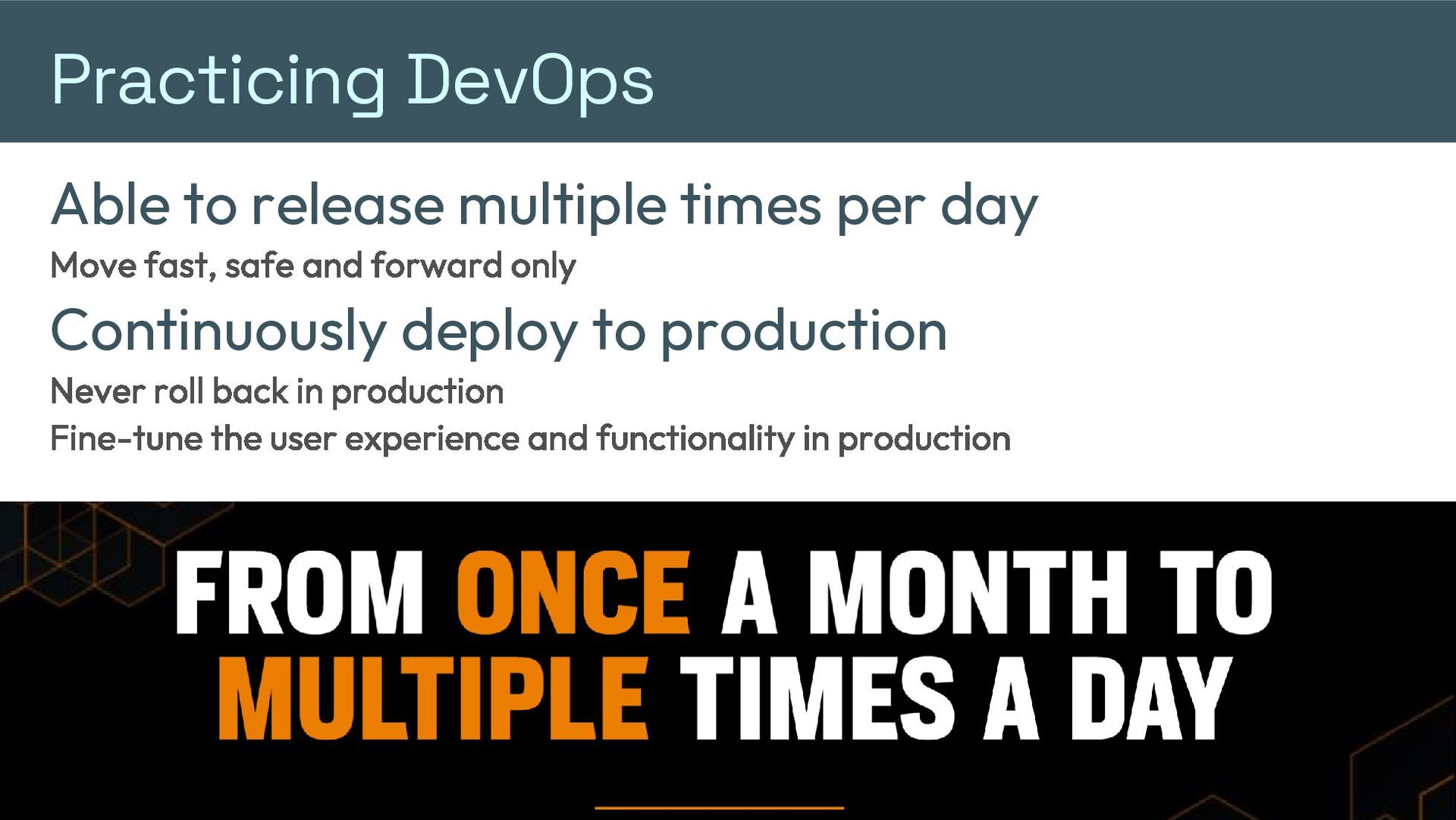
  1. Practicing DevOps Able to release multiple times per day Move

    fast, safe and forward only Continuously deploy to production Never roll back in production Fine-tune the user experience and functionality in production
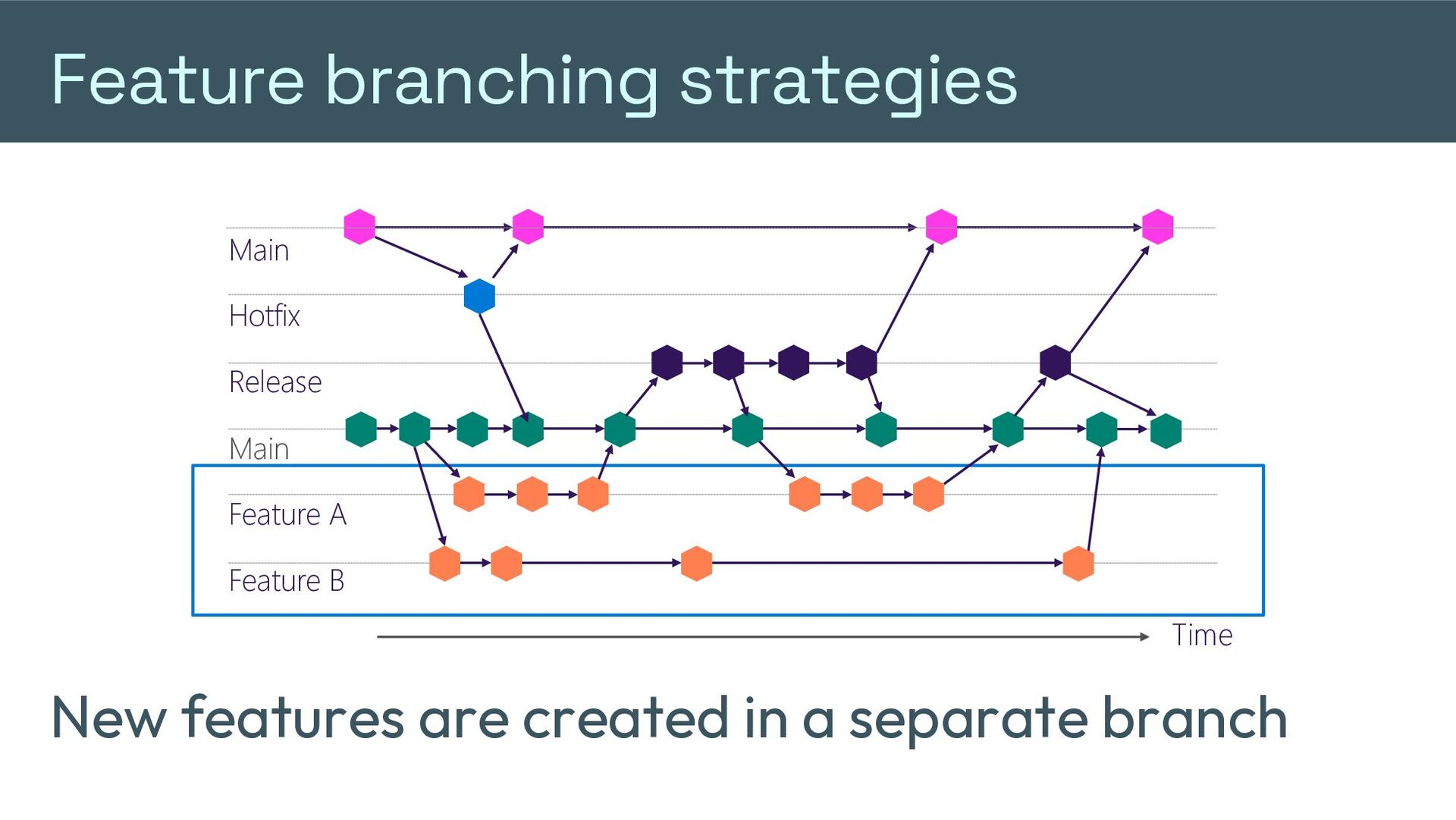
  2. Feature branching strategies Main Hotfix Release Dev Main Feature A

    Feature B Time New features are created in a separate branch
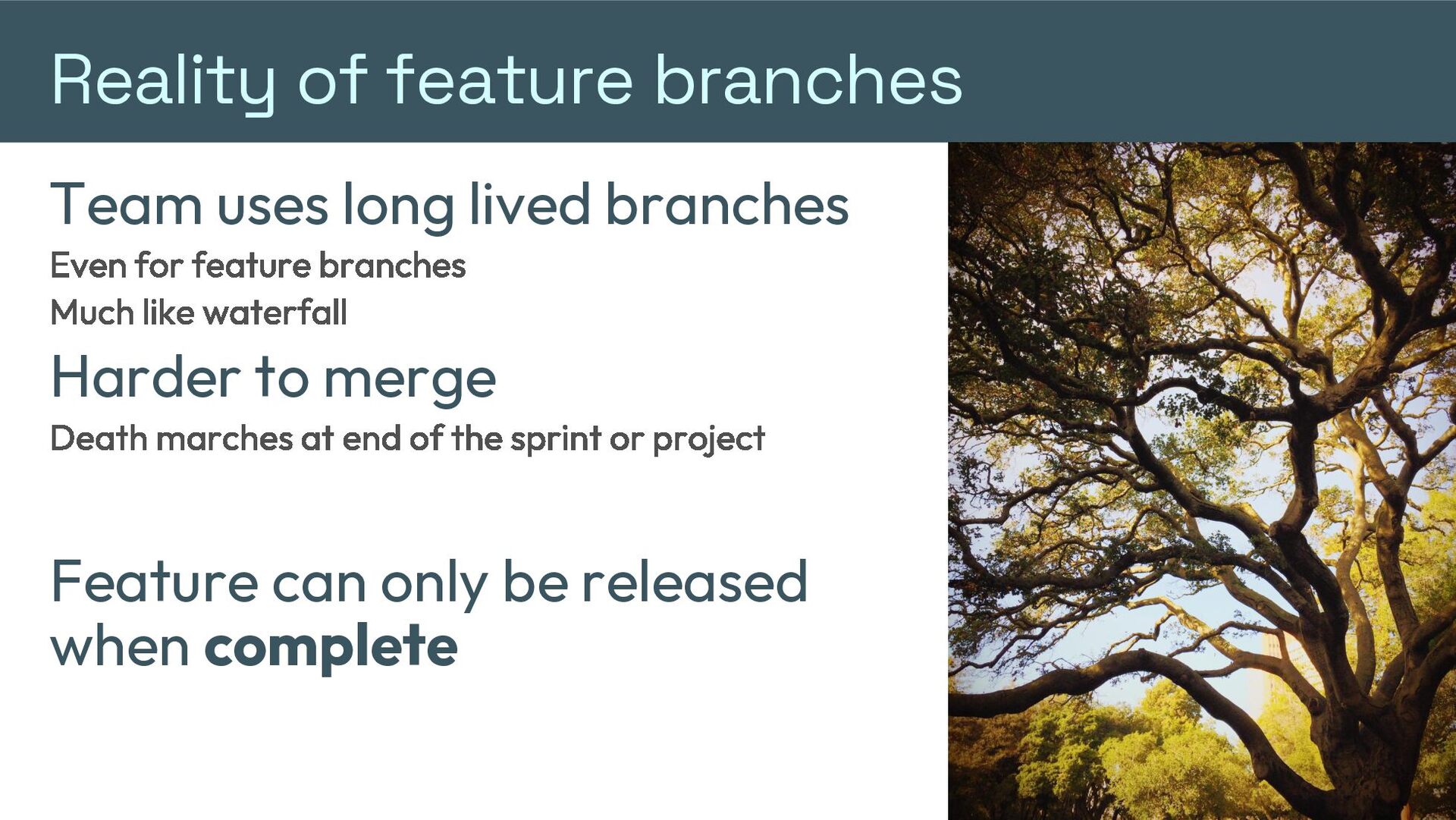
  3. Reality of feature branches Team uses long lived branches Even

    for feature branches Much like waterfall Harder to merge Death marches at end of the sprint or project Feature can only be released when complete
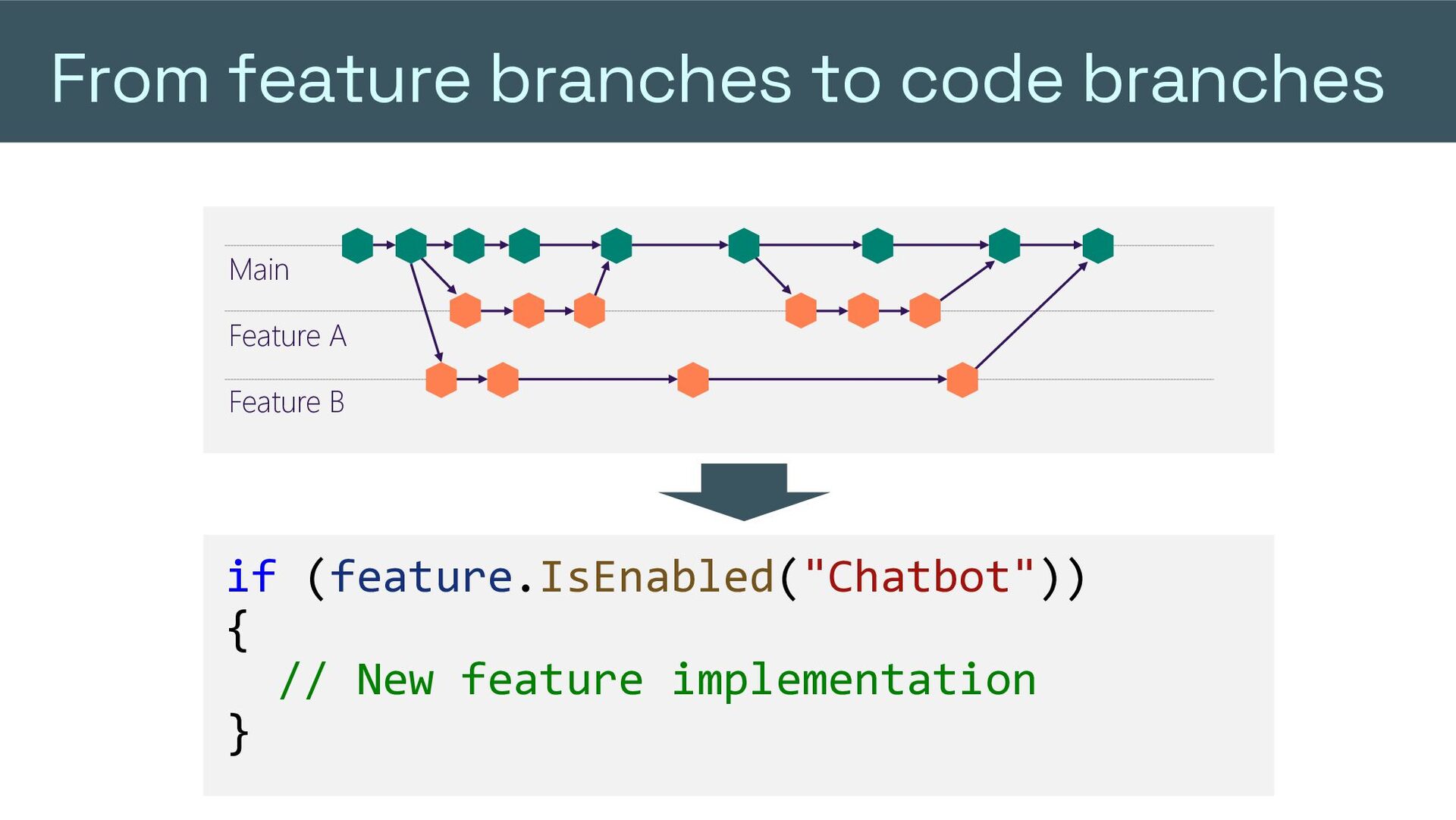
  4. From feature branches to code branches Main Feature A Feature

    B if (feature.IsEnabled("Chatbot")) { // New feature implementation }
  5. Features in a different way Back to “trunk based development”

    Push functionality when and to whom you want Be able to expand or “rollback“ without redeployment
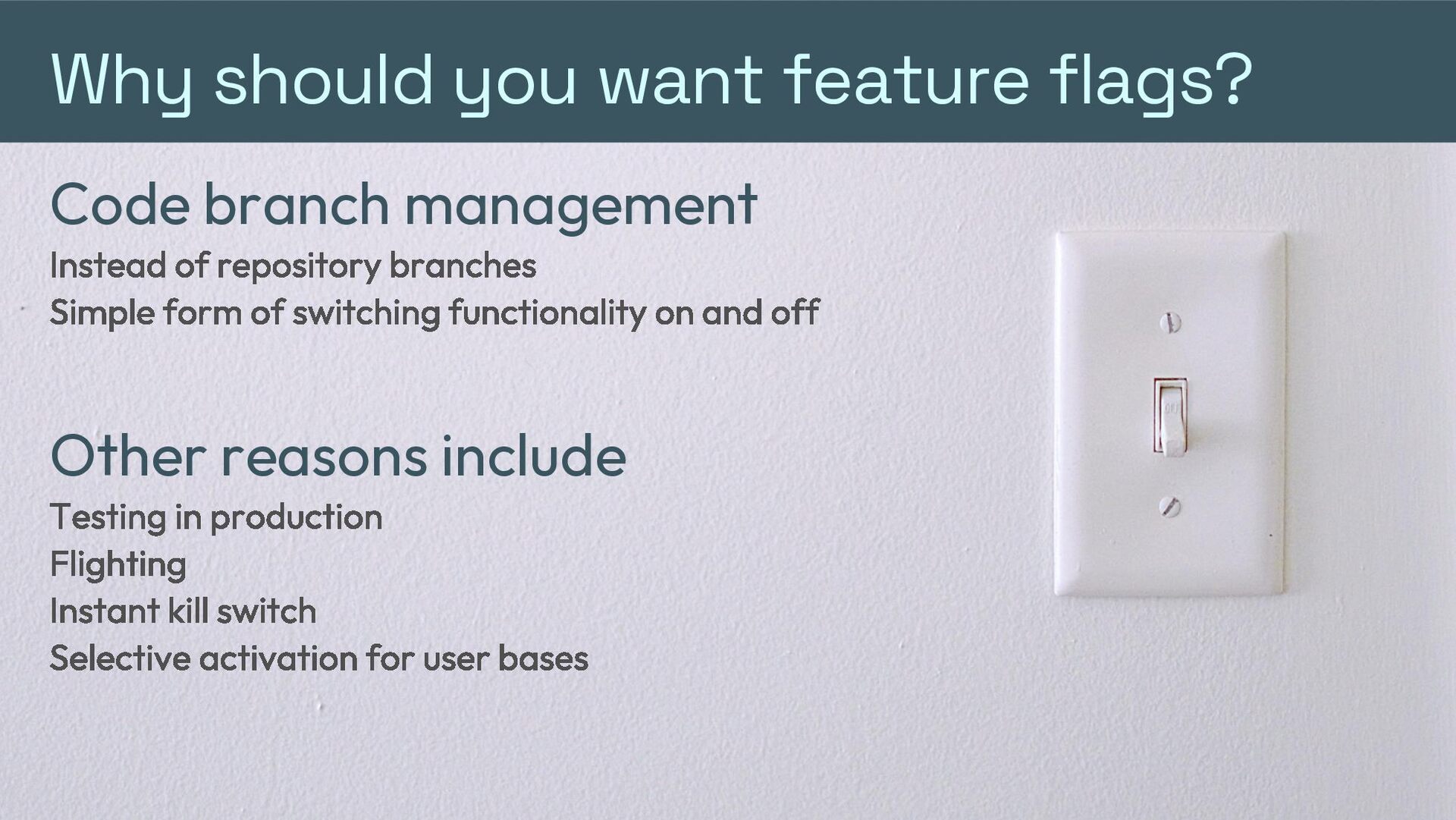
  6. Why should you want feature flags? Code branch management Instead

    of repository branches Simple form of switching functionality on and off Other reasons include Testing in production Flighting Instant kill switch Selective activation for user bases
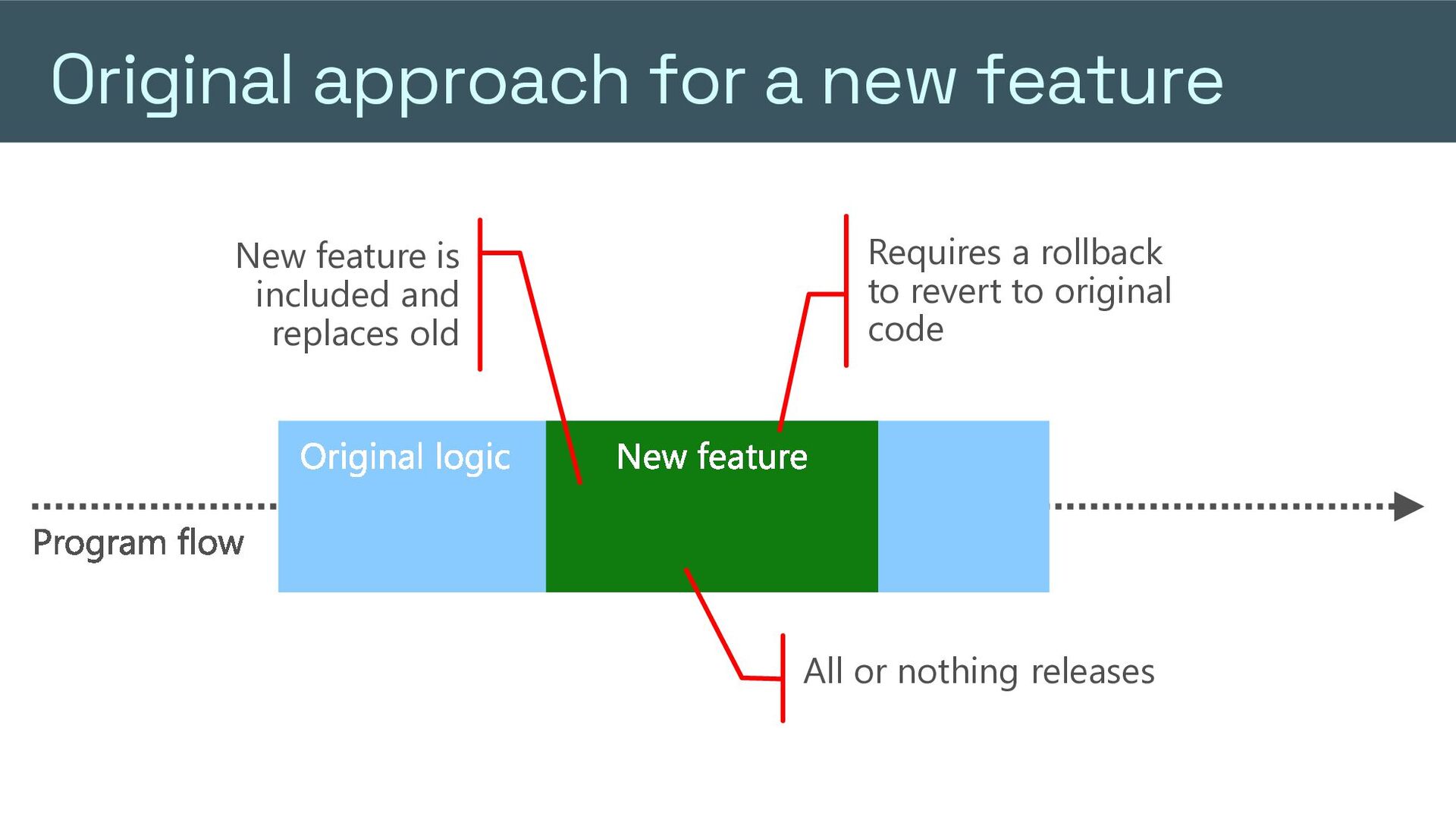
  7. Original approach for a new feature Requires a rollback to

    revert to original code New feature is included and replaces old Original logic New feature Program flow All or nothing releases
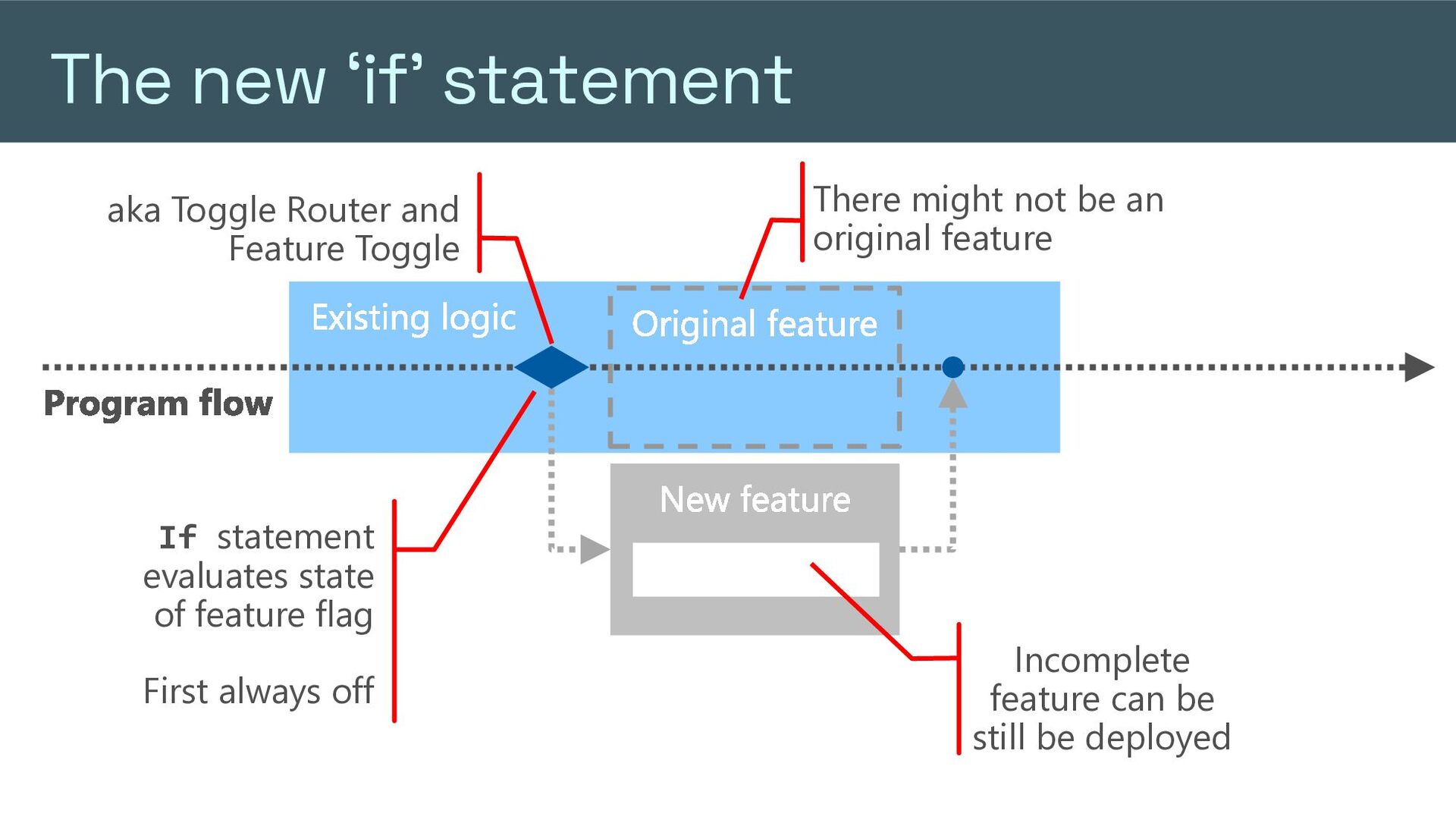
  8. The new ‘if’ statement aka Toggle Router and Feature Toggle

    Existing logic There might not be an original feature Original feature Program flow If statement evaluates state of feature flag First always off New feature Incomplete feature can be still be deployed
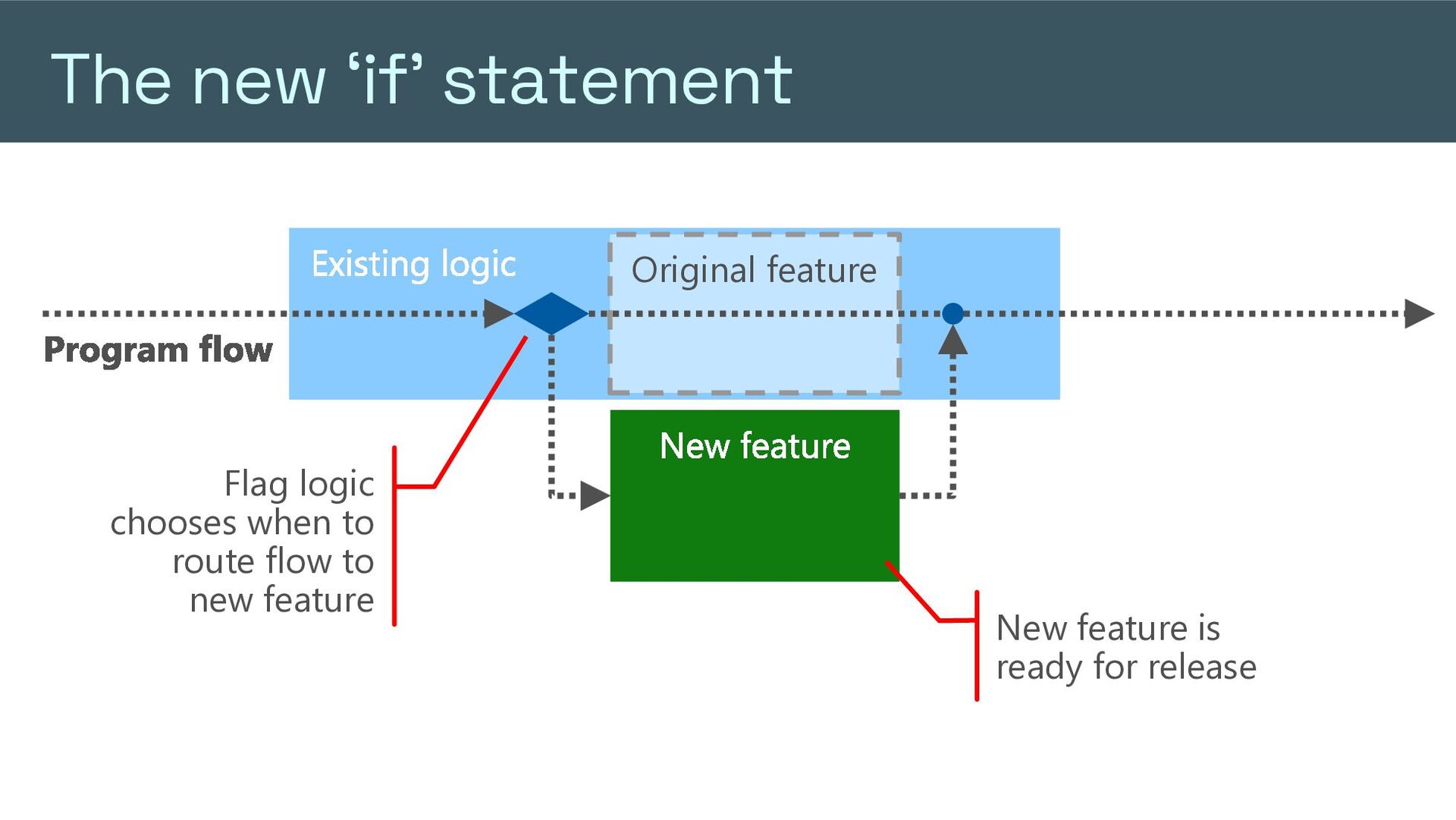
  9. The new ‘if’ statement Existing logic Original feature Program flow

    Flag logic chooses when to route flow to new feature New feature New feature is ready for release
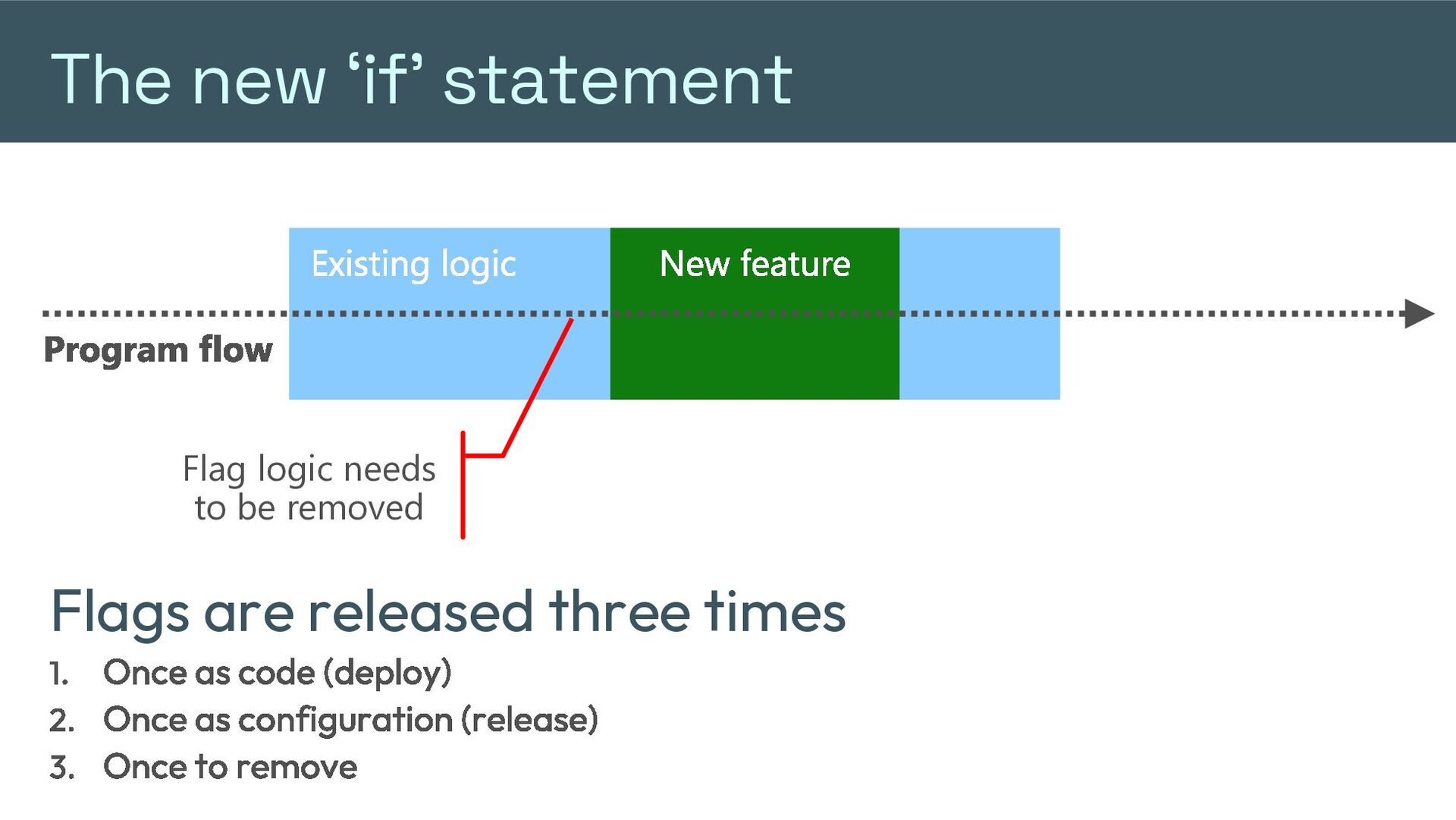
  10. The new ‘if’ statement Existing logic New feature Program flow

    Flag logic needs to be removed Flags are released three times Once as code (deploy) Once as configuration (release) Once to remove
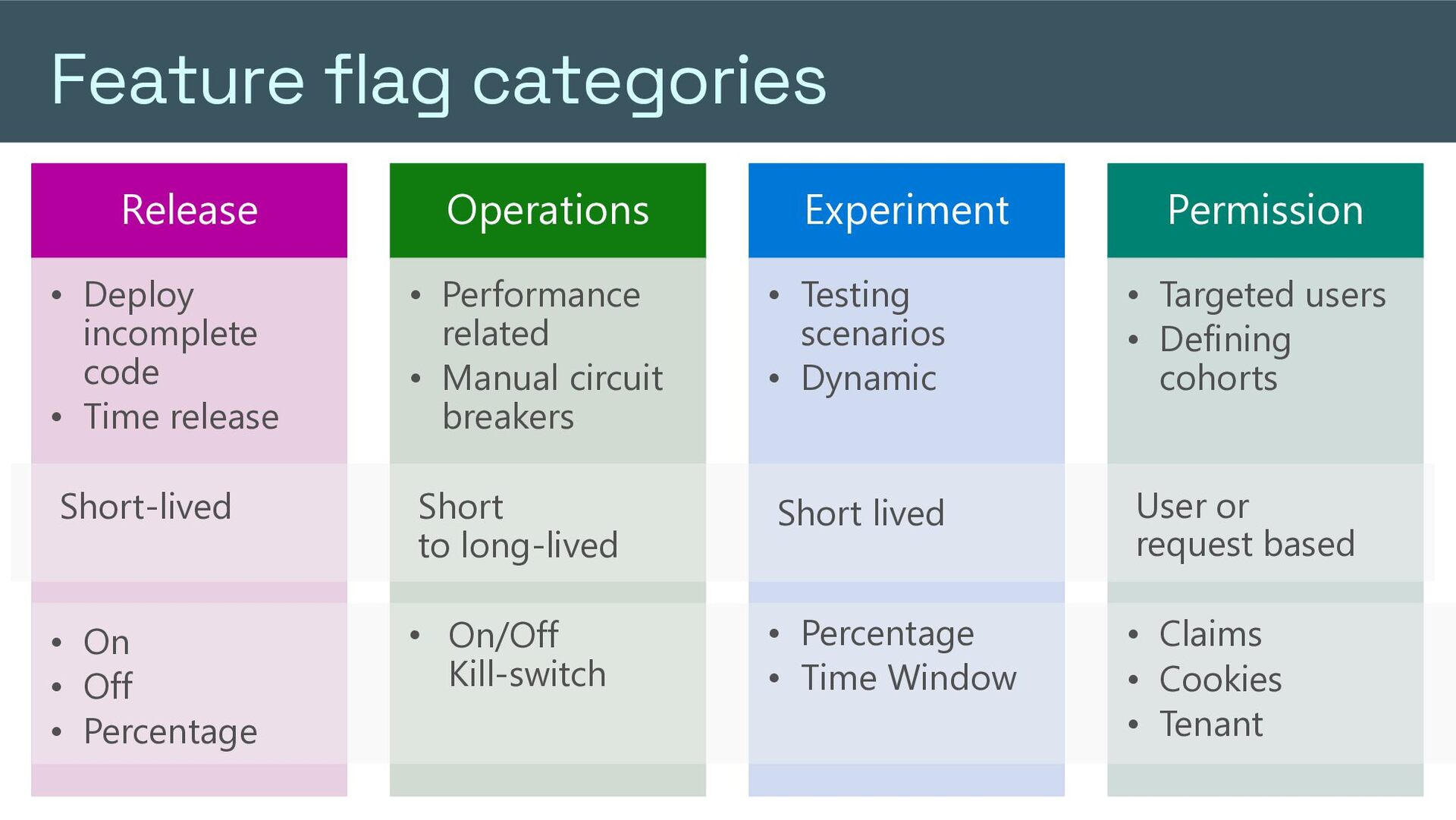
  11. Feature flag categories Release Operations Experiment Permission • Deploy incomplete

    code • Time release • Performance related • Manual circuit breakers • Testing scenarios • Dynamic • Targeted users • Defining cohorts Short-lived Short to long-lived Short lived User or request based • On • Off • Percentage • On/Off Kill-switch • Percentage • Time Window • Claims • Cookies • Tenant
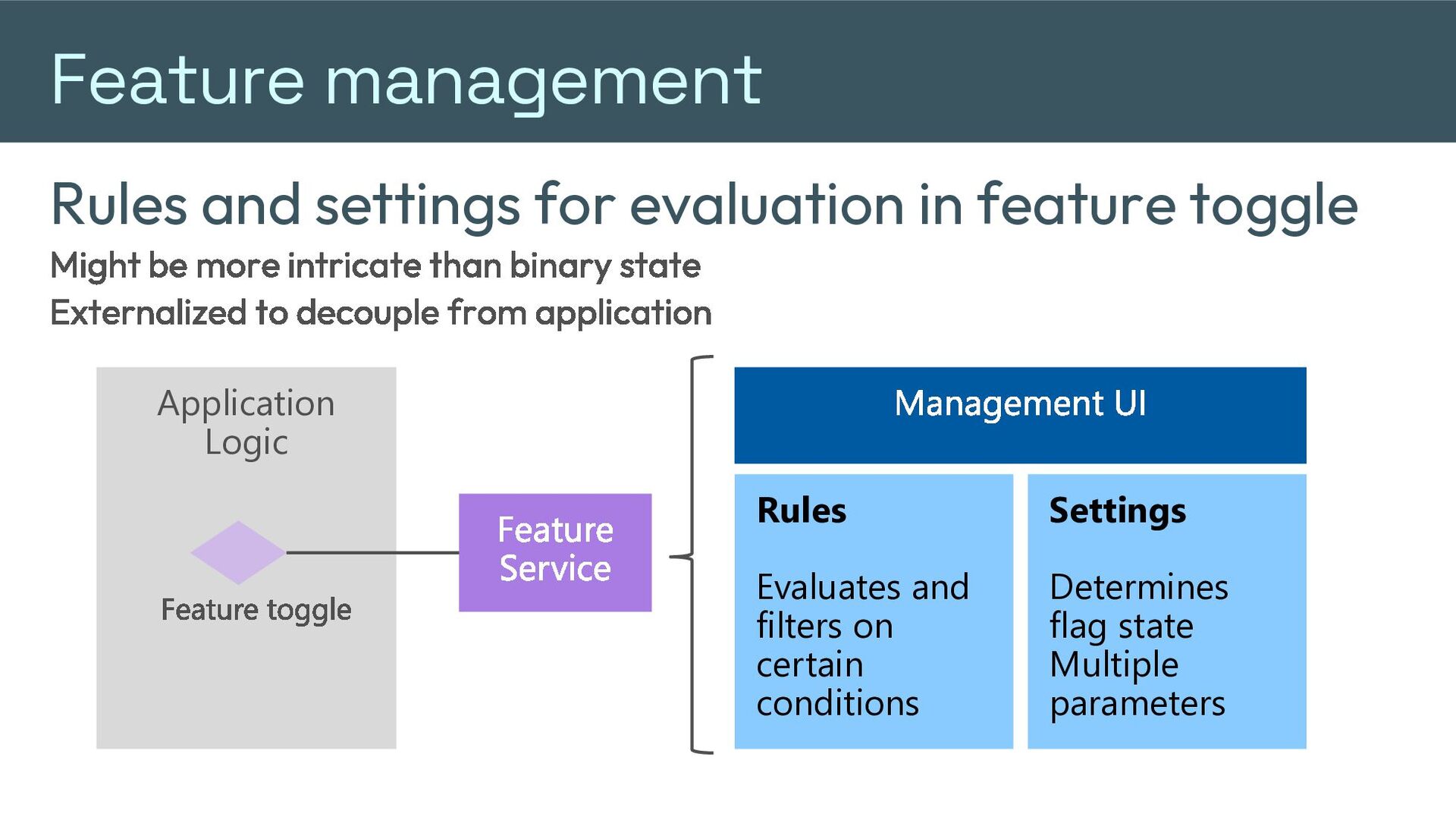
  12. Feature management Rules and settings for evaluation in feature toggle

    Might be more intricate than binary state Externalized to decouple from application Application Logic Feature toggle Management UI Feature Service Rules Settings Evaluates and filters on certain conditions Determines flag state Multiple parameters
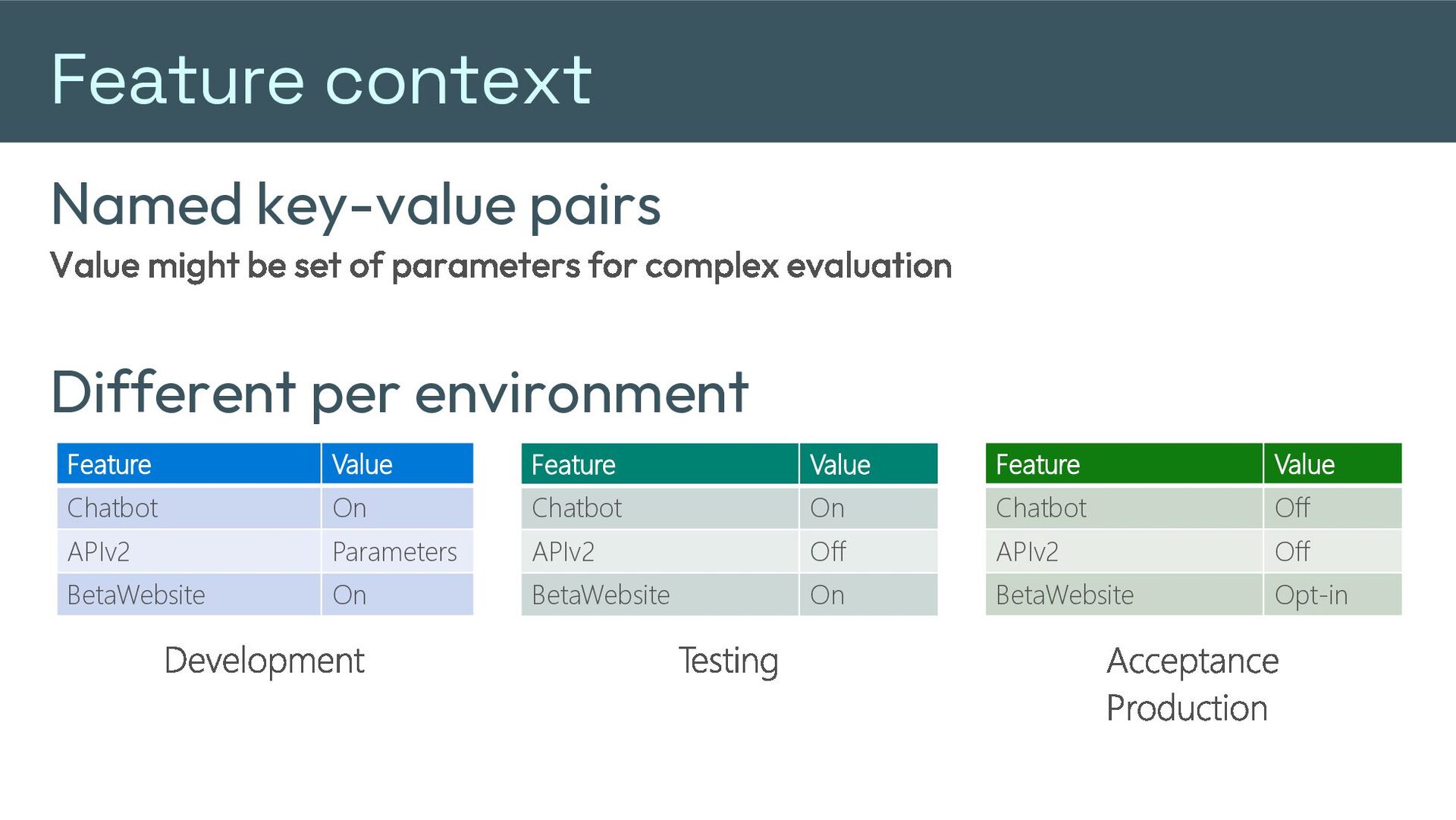
  13. Feature context Named key-value pairs Value might be set of

    parameters for complex evaluation Different per environment Feature Value Feature Value Feature Value Chatbot On Chatbot On Chatbot Off APIv2 Parameters APIv2 Off APIv2 Off BetaWebsite On BetaWebsite On BetaWebsite Opt-in Development Testing Acceptance Production
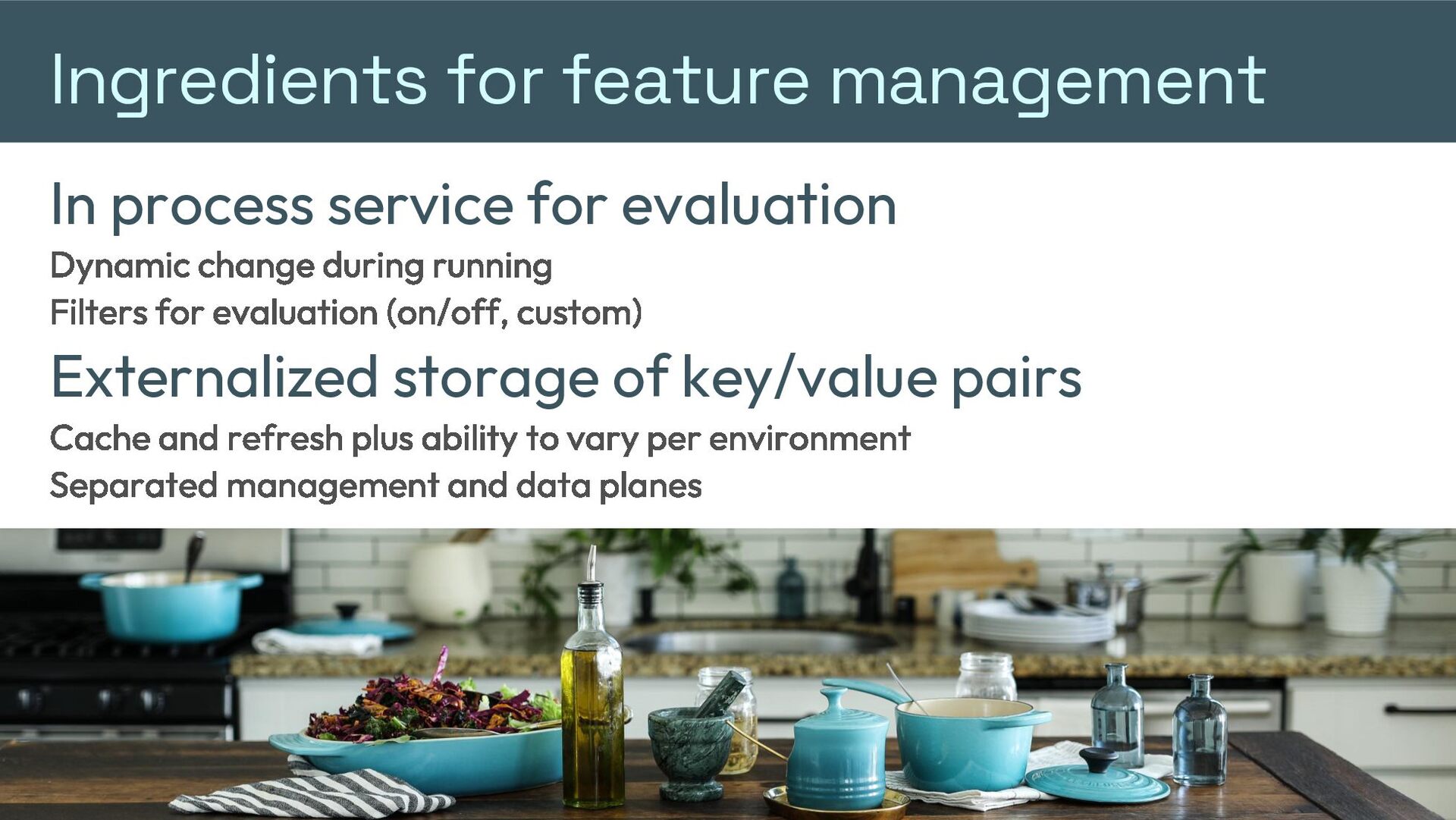
  14. Ingredients for feature management In process service for evaluation Dynamic

    change during running Filters for evaluation (on/off, custom) Externalized storage of key/value pairs Cache and refresh plus ability to vary per environment Separated management and data planes
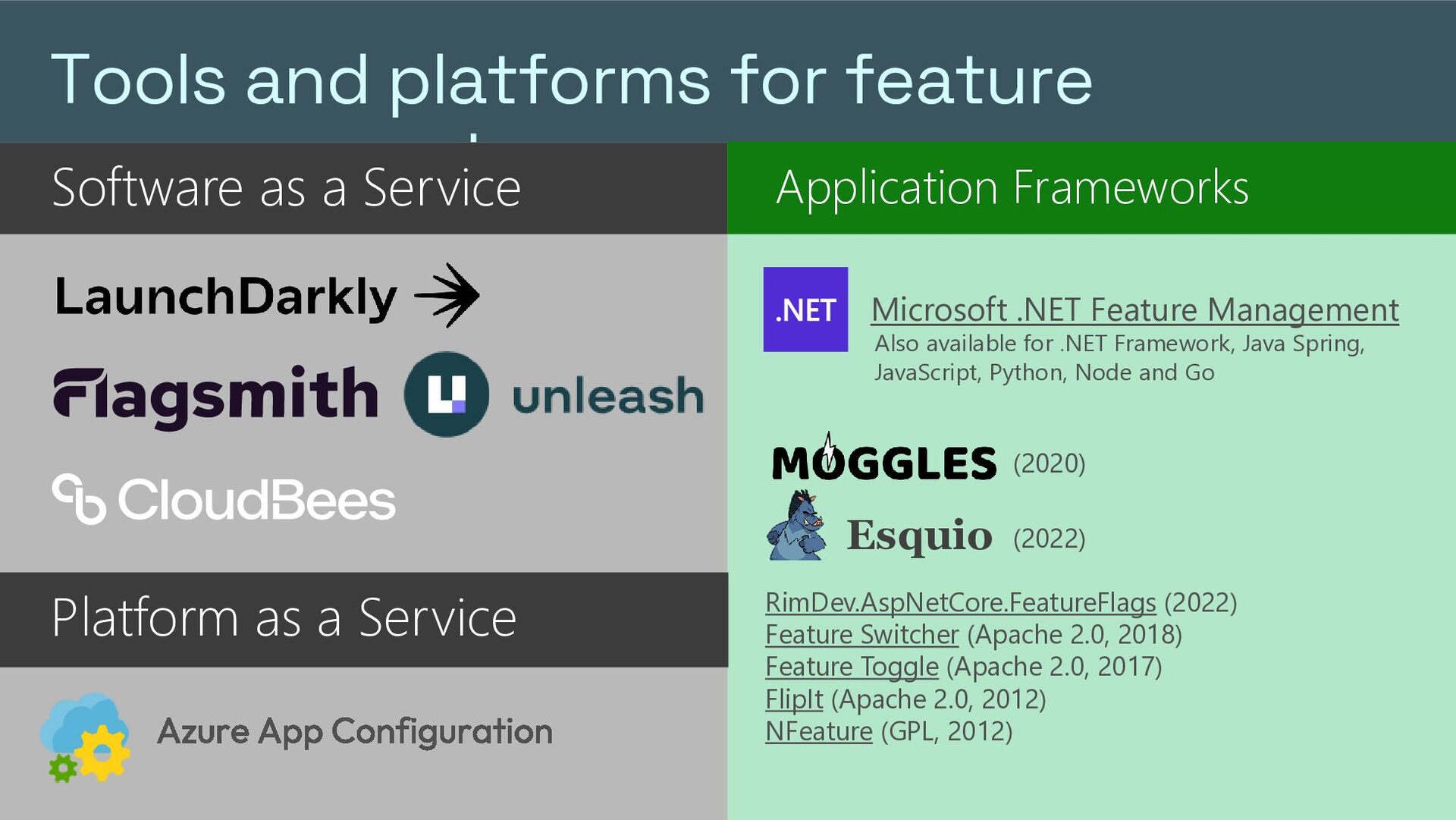
  15. Tools and platforms for feature management Application Frameworks Software as

    a Service Microsoft .NET Feature Management Also available for .NET Framework, Java Spring, JavaScript, Python, Node and Go (2020) Esquio (2022) Platform as a Service Azure App Configuration RimDev.AspNetCore.FeatureFlags (2022) Feature Switcher (Apache 2.0, 2018) Feature Toggle (Apache 2.0, 2017) FlipIt (Apache 2.0, 2012) NFeature (GPL, 2012)
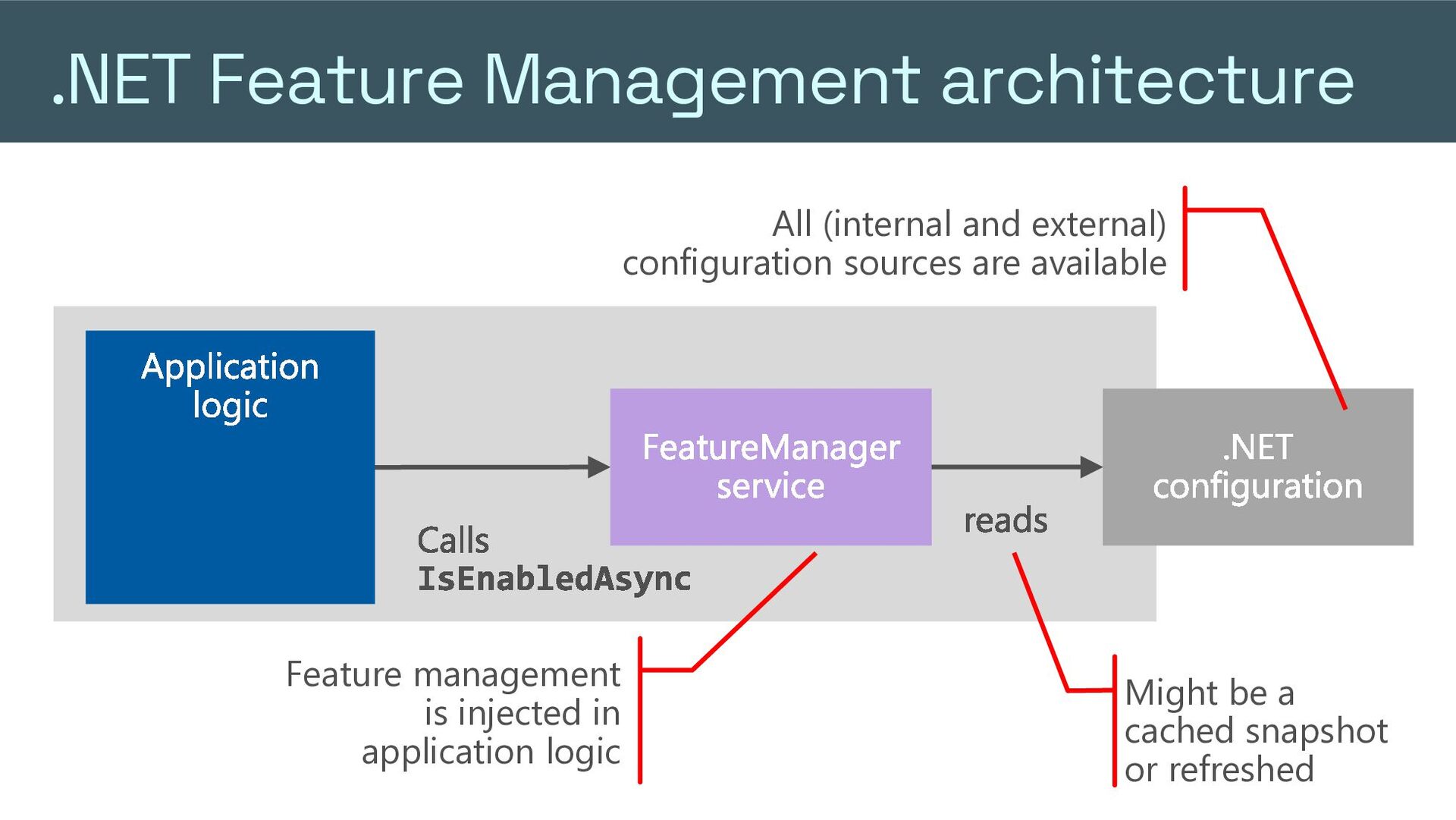
  16. .NET Feature Management architecture All (internal and external) configuration sources

    are available Application logic FeatureManager service Calls IsEnabledAsync Feature management is injected in application logic reads .NET configuration Might be a cached snapshot or refreshed
  17. Using .NET to implement feature flags Register service services.AddFeatureManagement(); Configure

    as needed Evaluate flags Inject IFeatureManager where needed Evaluate with manager.IsEnabledAsync(); Uses available .NET configuration values Choose evaluation styles Dynamic by refreshing values after changes Snapshot evaluation: IFeatureManagerSnapshot Sessions to maintain values across interactions: ISessionManager " feature_management ":{ " feature_flags ": [ { "id" : "Chatbot" , "enabled" : true , "conditions" :{ " client_filters ":[ { "name" : " RingDeployment " , "parameters" : { "ReleaseRing" : " EarlyAdopters "Regions" : [ " WestEurope " ] } }] } } ] } ",
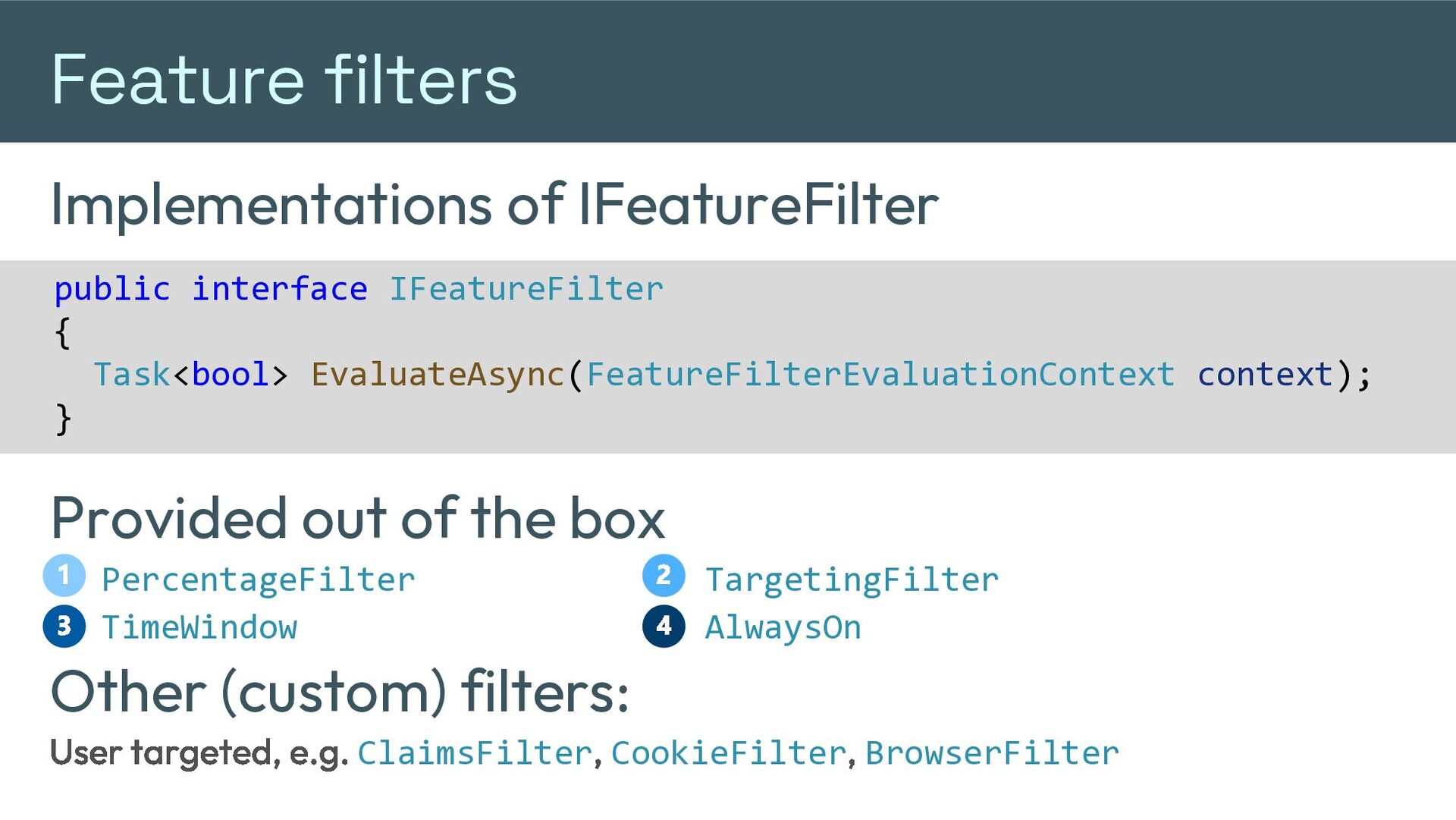
  18. Feature filters Implementations of IFeatureFilter public interface IFeatureFilter { Task<bool>

    EvaluateAsync(FeatureFilterEvaluationContext context); } Provided out of the box 1 3 PercentageFilter TimeWindow 2 4 TargetingFilter AlwaysOn Other (custom) filters: User targeted, e.g. ClaimsFilter, CookieFilter, BrowserFilter
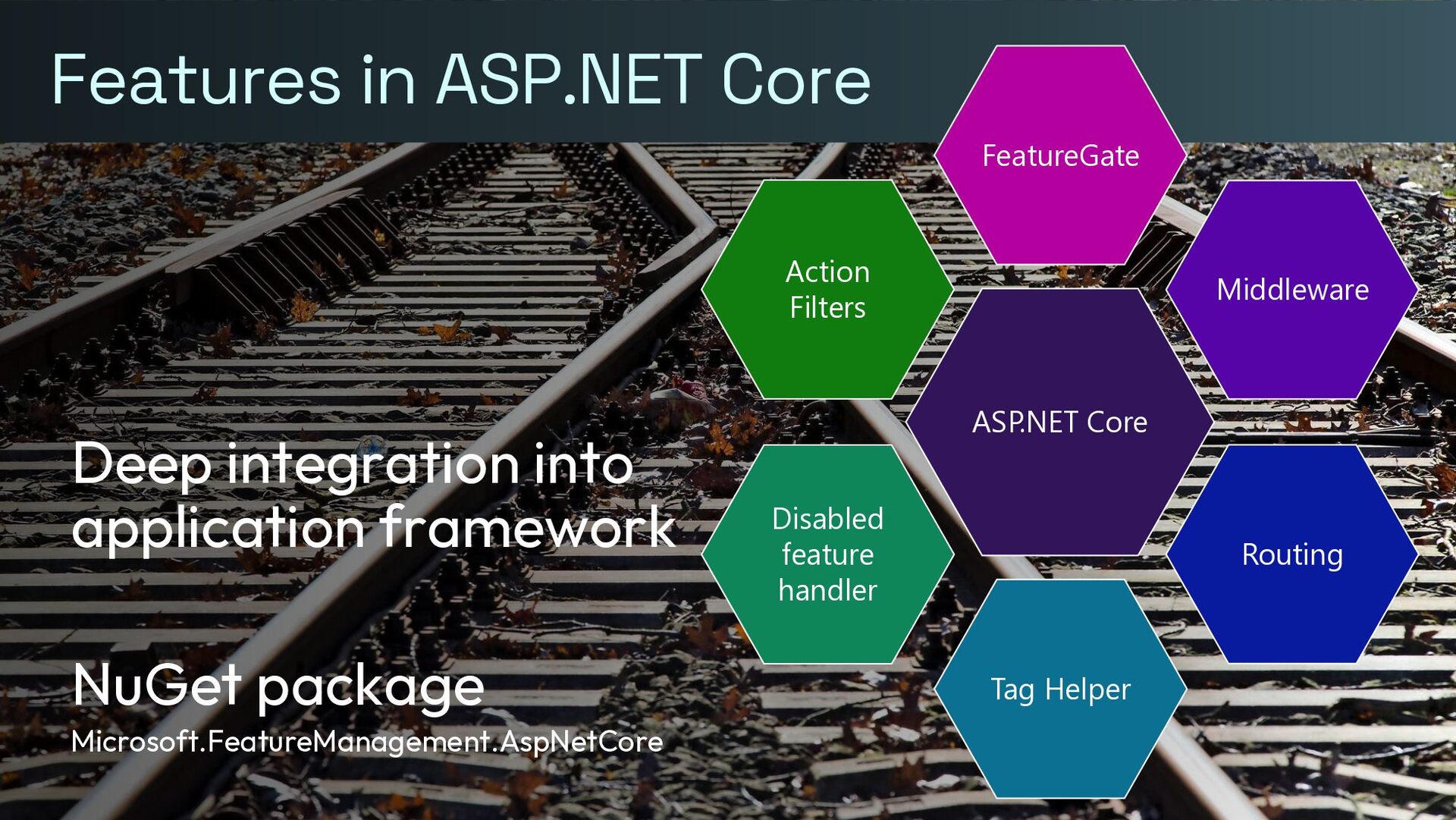
  19. Features in ASP.NET Core FeatureGate Action Filters Deep integration into

    application framework NuGet package Microsoft.FeatureManagement.AspNetCore Middleware ASP.NET Core Disabled feature handler Routing Tag Helper
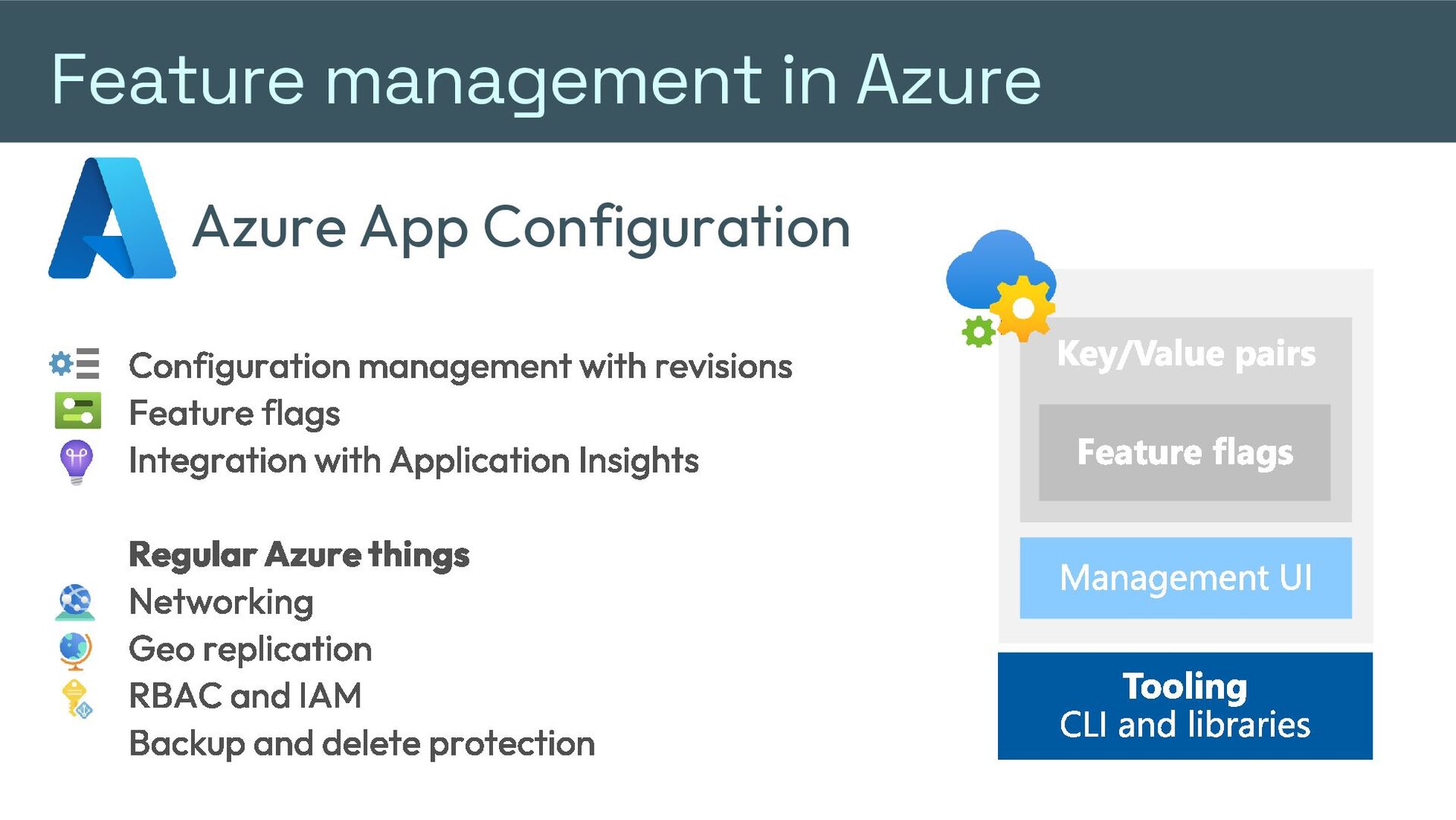
  20. Feature management in Azure Azure App Configuration Configuration management with

    revisions Feature flags Integration with Application Insights Regular Azure things Networking Geo replication RBAC and IAM Backup and delete protection Key/Value pairs Feature flags Management UI Tooling CLI and libraries
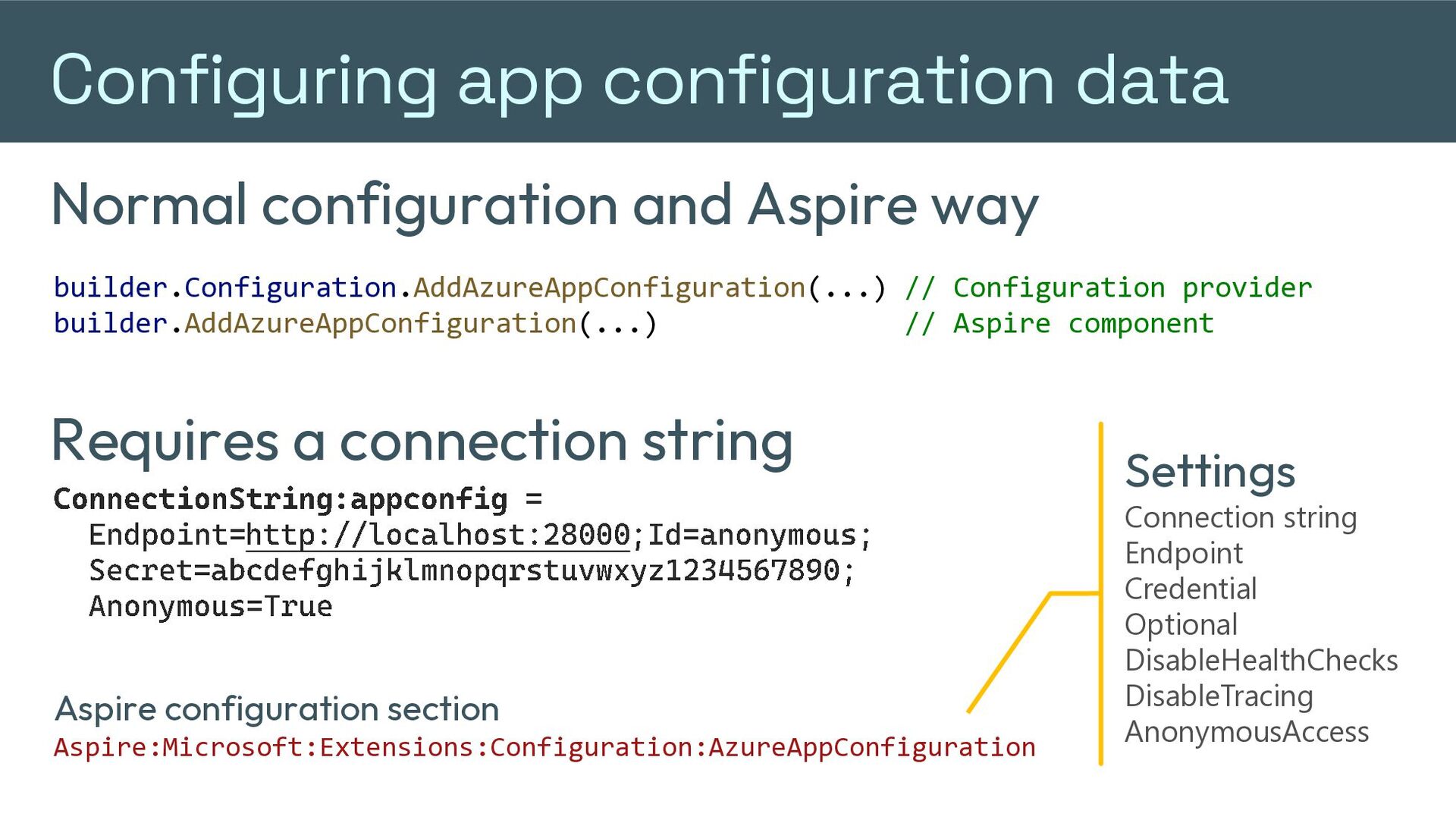
  21. Configuring app configuration data Normal configuration and Aspire way builder.Configuration.AddAzureAppConfiguration(...)

    // Configuration provider builder.AddAzureAppConfiguration(...) // Aspire component Requires a connection string ConnectionString : appconfig = Endpoint= http://localhost:28000 ;Id=anonymous; Secret=abcdefghijklmnopqrstuvwxyz1234567890; Anonymous=True Aspire configuration section Aspire:Microsoft:Extensions:Configuration:AzureAppConfiguration Settings Connection string Endpoint Credential Optional DisableHealthChecks DisableTracing AnonymousAccess
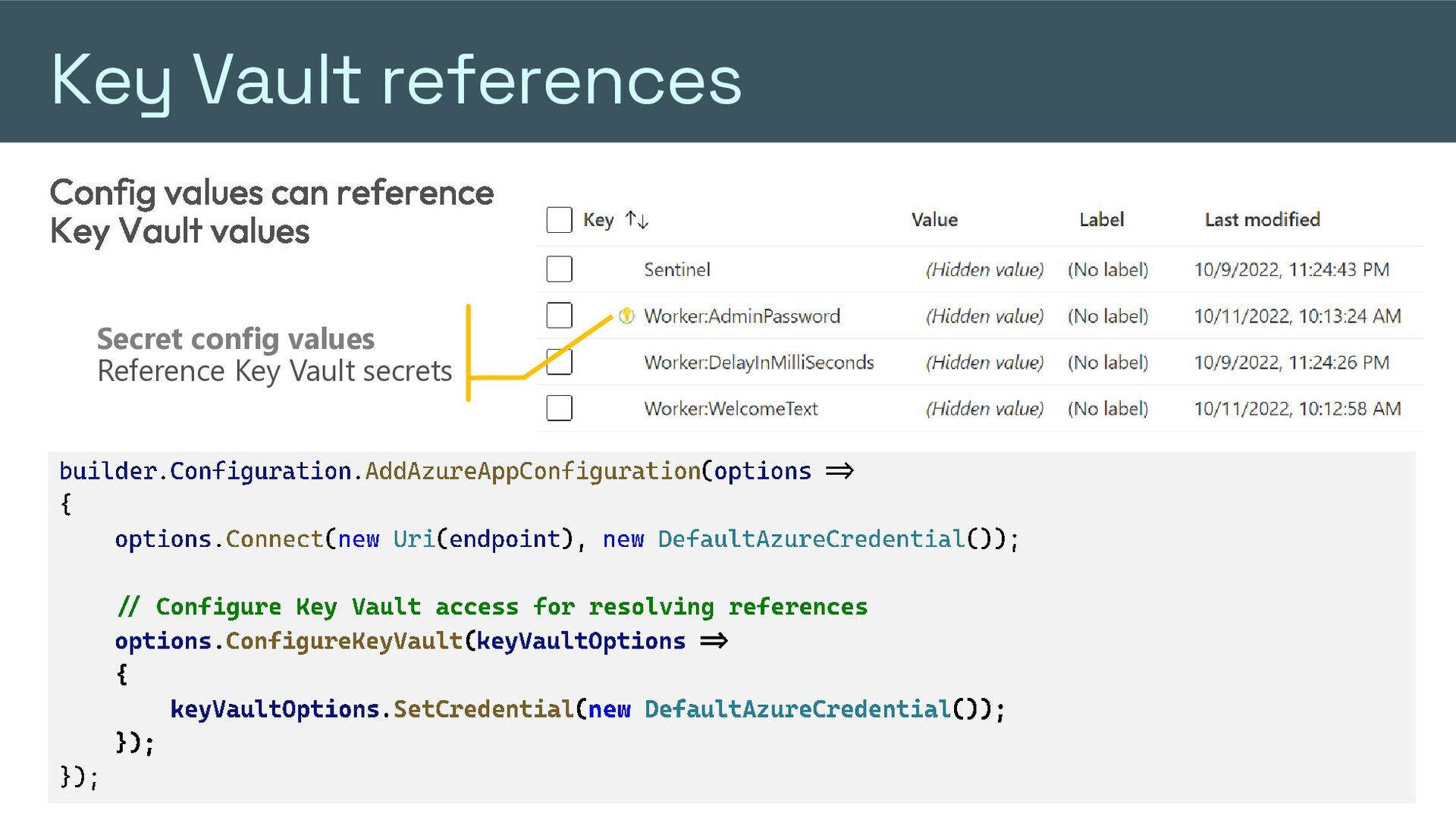
  22. Key Vault references Config values can reference Key Vault values

    Secret config values Reference Key Vault secrets builder . Configuration . AddAzureAppConfiguration ( options => { Keyvault references are special content type options . Connect ( new Uri ( endpoint ), new DefaultAzureCredential application/ vnd.microsoft.appconfig.keyvaultref+json;charset ()); =utf - 8 Value storedKey for app config is URI // Configure Vault access for resolving references . ConfigureKeyVault ( keyVaultOptions => // options Specific version "uri": "https://myvault.vault.azure.net/secrets/mysecret" { "https://myvault.vault.azure.net/secrets/mysecret/ec96f02080254f109c51a1f14cdb1931" } keyVaultOptions . SetCredential ( new DefaultAzureCredential ()); }); }); {
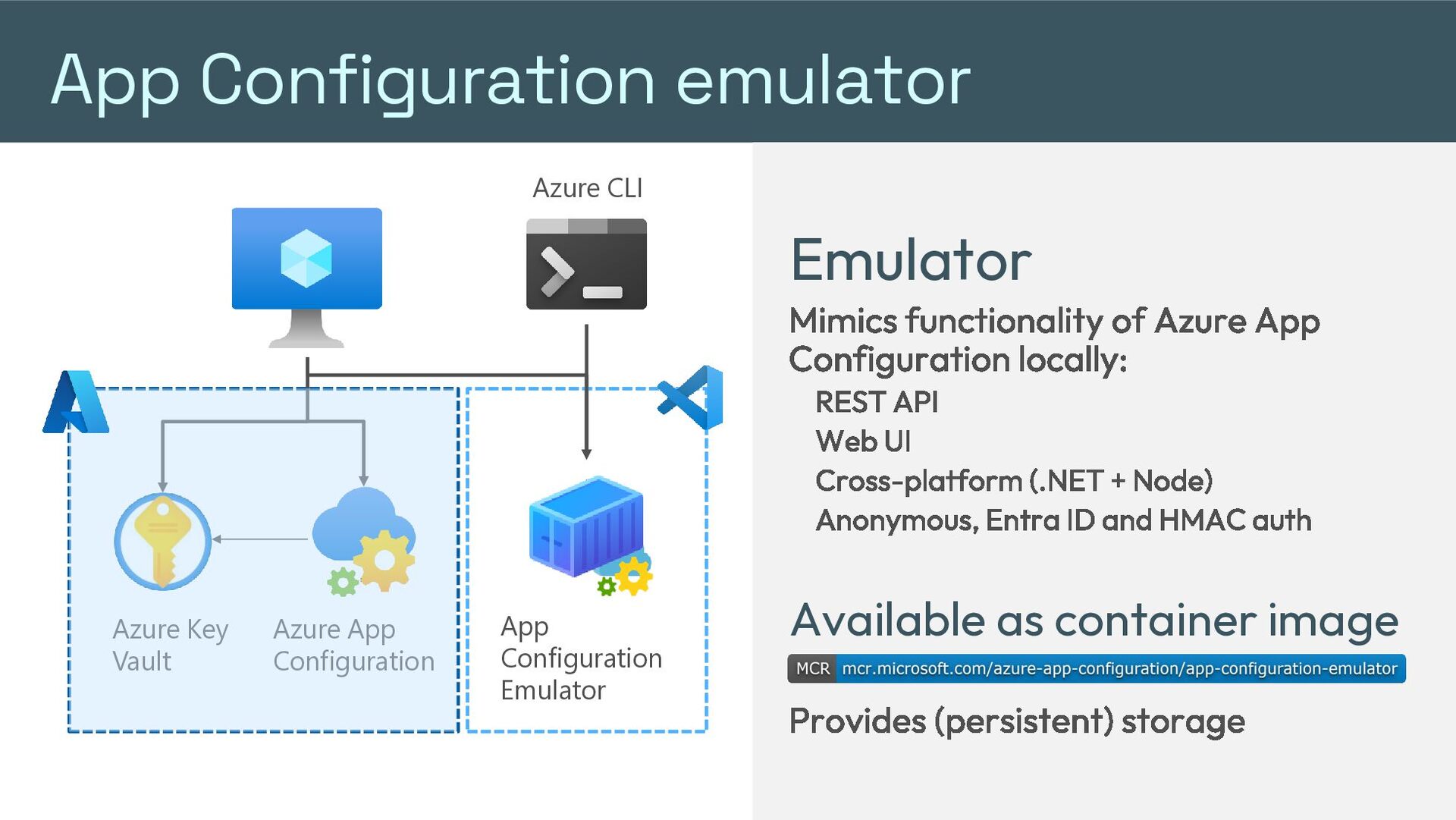
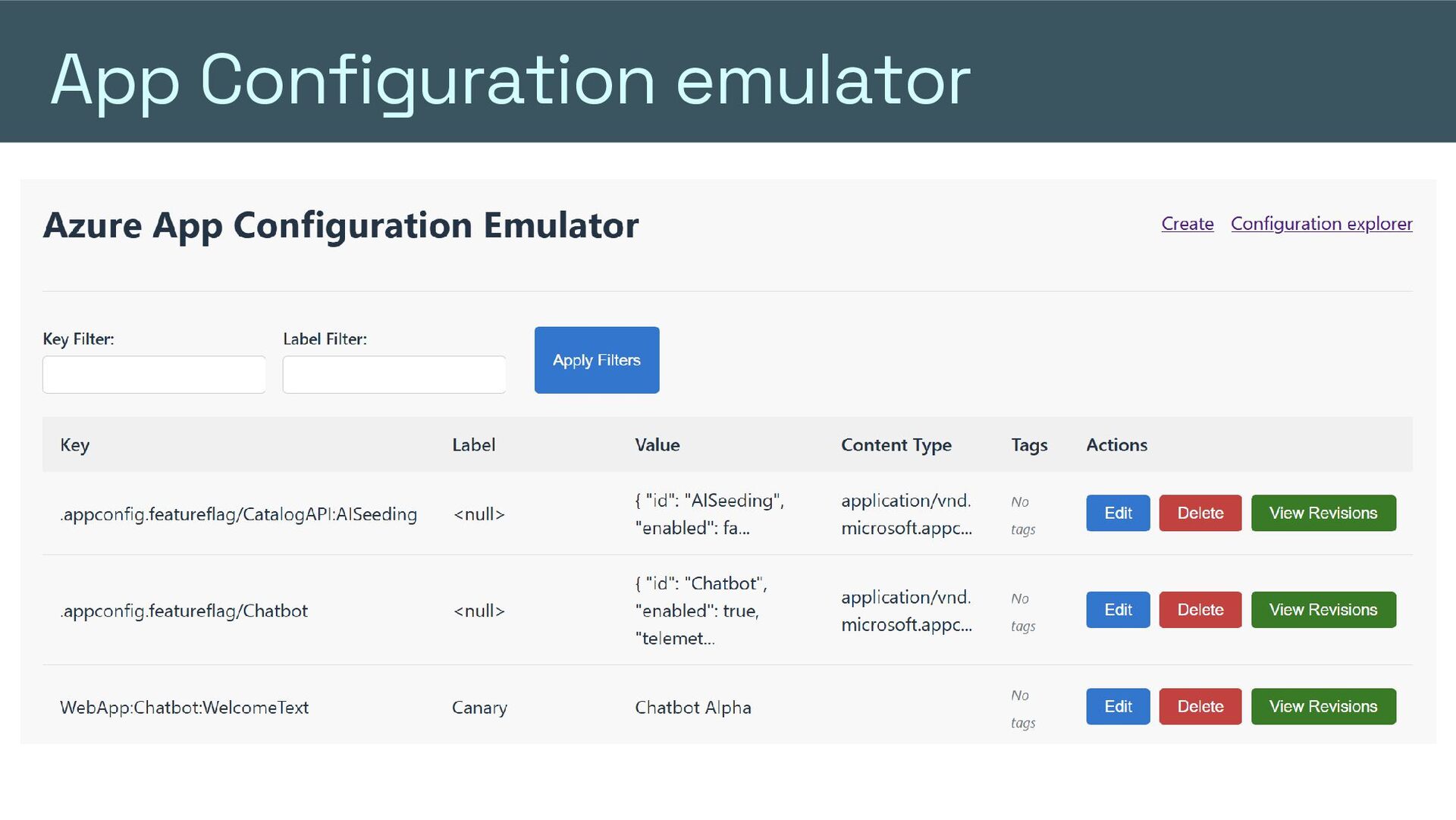
  23. App Configuration emulator Azure CLI Emulator Mimics functionality of Azure

    App Configuration locally: REST API Web UI Cross-platform (.NET + Node) Anonymous, Entra ID and HMAC auth Azure Key Vault Azure App Configuration App Configuration Emulator Available as container image Provides (persistent) storage
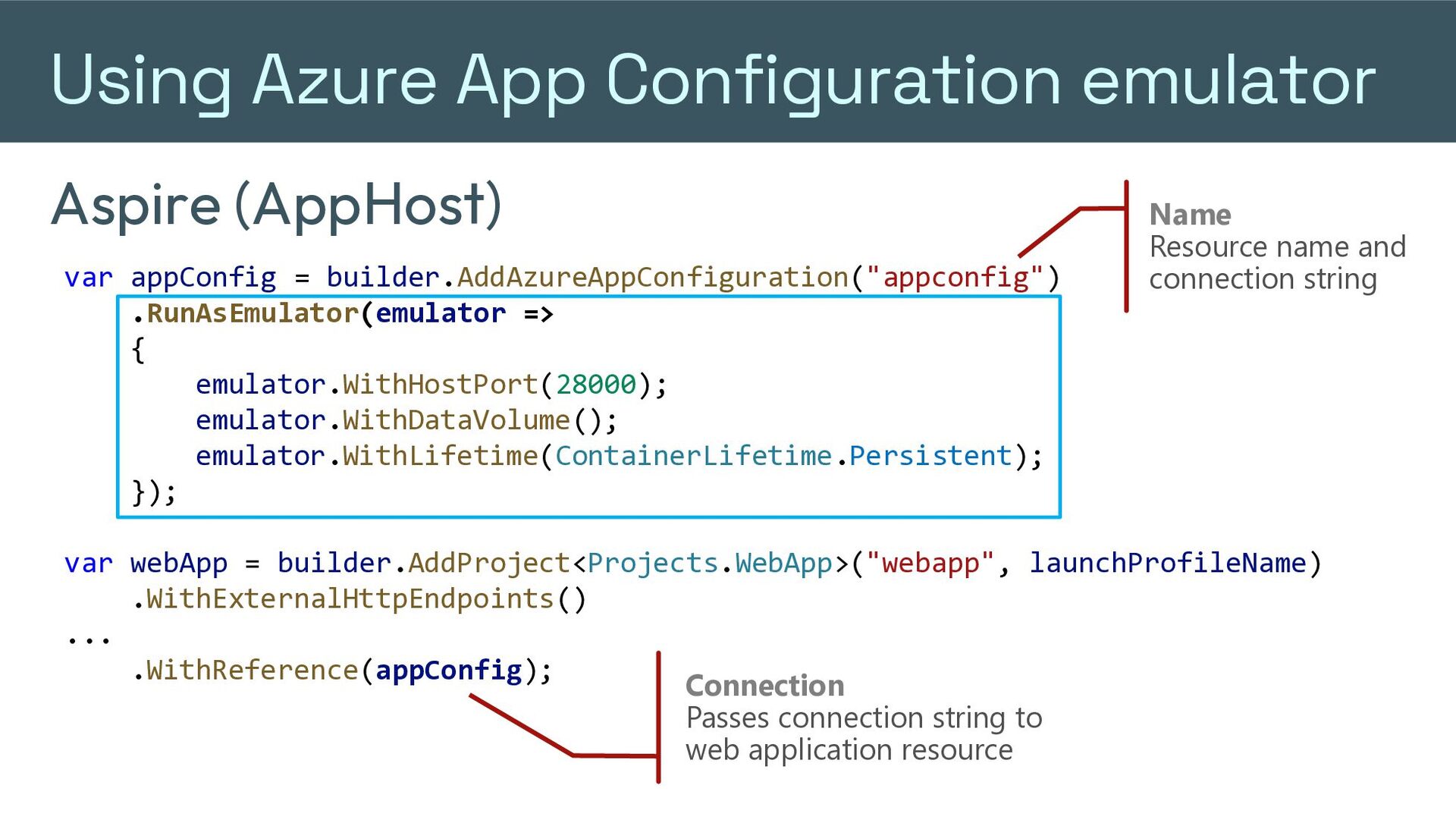
  24. Using Azure App Configuration emulator Aspire (AppHost) var appConfig =

    builder.AddAzureAppConfiguration("appconfig") .RunAsEmulator(emulator => { emulator.WithHostPort(28000); emulator.WithDataVolume(); emulator.WithLifetime(ContainerLifetime.Persistent); }); Name Resource name and connection string var webApp = builder.AddProject<Projects.WebApp>("webapp", launchProfileName) .WithExternalHttpEndpoints() ... .WithReference(appConfig); Connection Passes connection string to web application resource
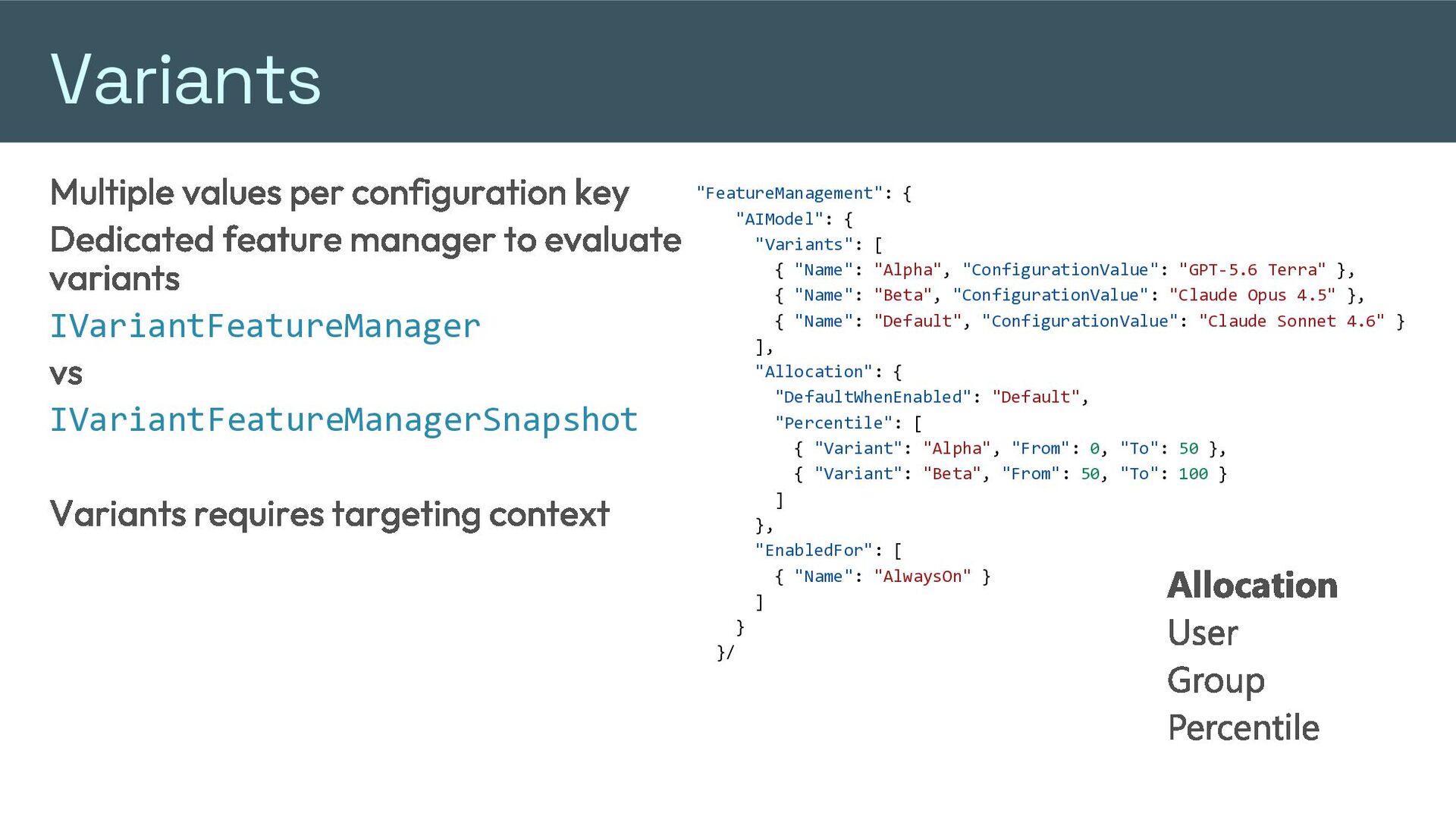
  25. Variants "FeatureManagement": { Multiple values per configuration key "AIModel": {

    "Variants": [ Dedicated feature manager to evaluate { "Name": "Alpha", "ConfigurationValue": "GPT-5.6 Terra" }, variants { "Name": "Beta", "ConfigurationValue": "Claude Opus 4.5" }, { "Name": "Default", "ConfigurationValue": "Claude Sonnet 4.6" } IVariantFeatureManager ], "Allocation": { vs "DefaultWhenEnabled": "Default", "Percentile": [ IVariantFeatureManagerSnapshot { "Variant": "Alpha", "From": 0, "To": 50 }, { "Variant": "Beta", "From": 50, "To": 100 } Variants requires targeting context ] }, "EnabledFor": [ { "Name": "AlwaysOn" } ] } }/ Allocation User Group Percentile
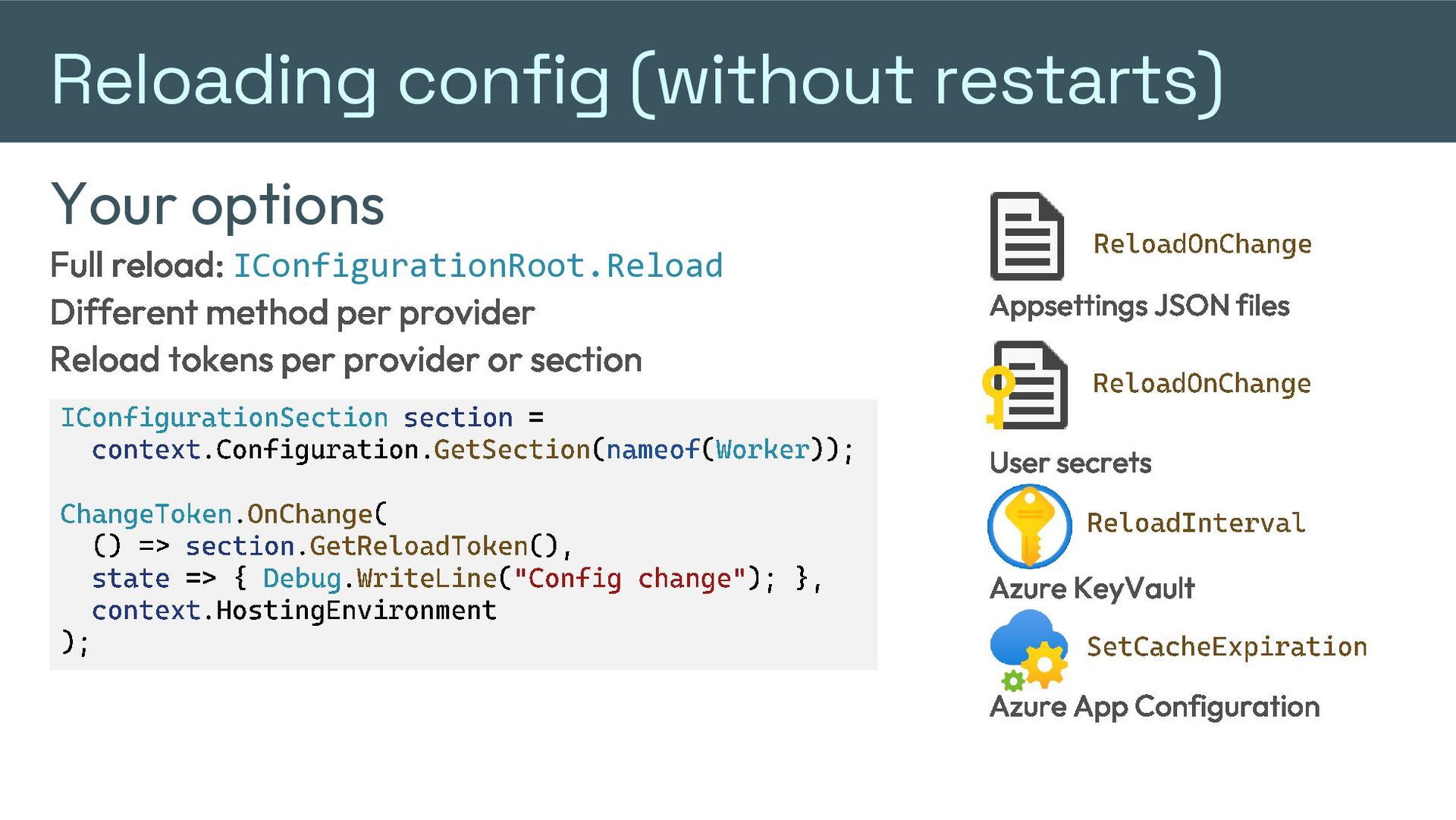
  26. Reloading config (without restarts) Your options ReloadOnChange Full reload: IConfigurationRoot.Reload

    Different method per provider Reload tokens per provider or section IConfigurationSection context .Configuration. section = GetSection Appsettings JSON files ReloadOnChange ( nameof ( Worker )); ChangeToken . OnChange ( () => section . GetReloadToken (), state => { Debug . WriteLine ( "Config change" context .HostingEnvironment ); User secrets ReloadInterval ); }, Azure KeyVault SetCacheExpiration Azure App Configuration
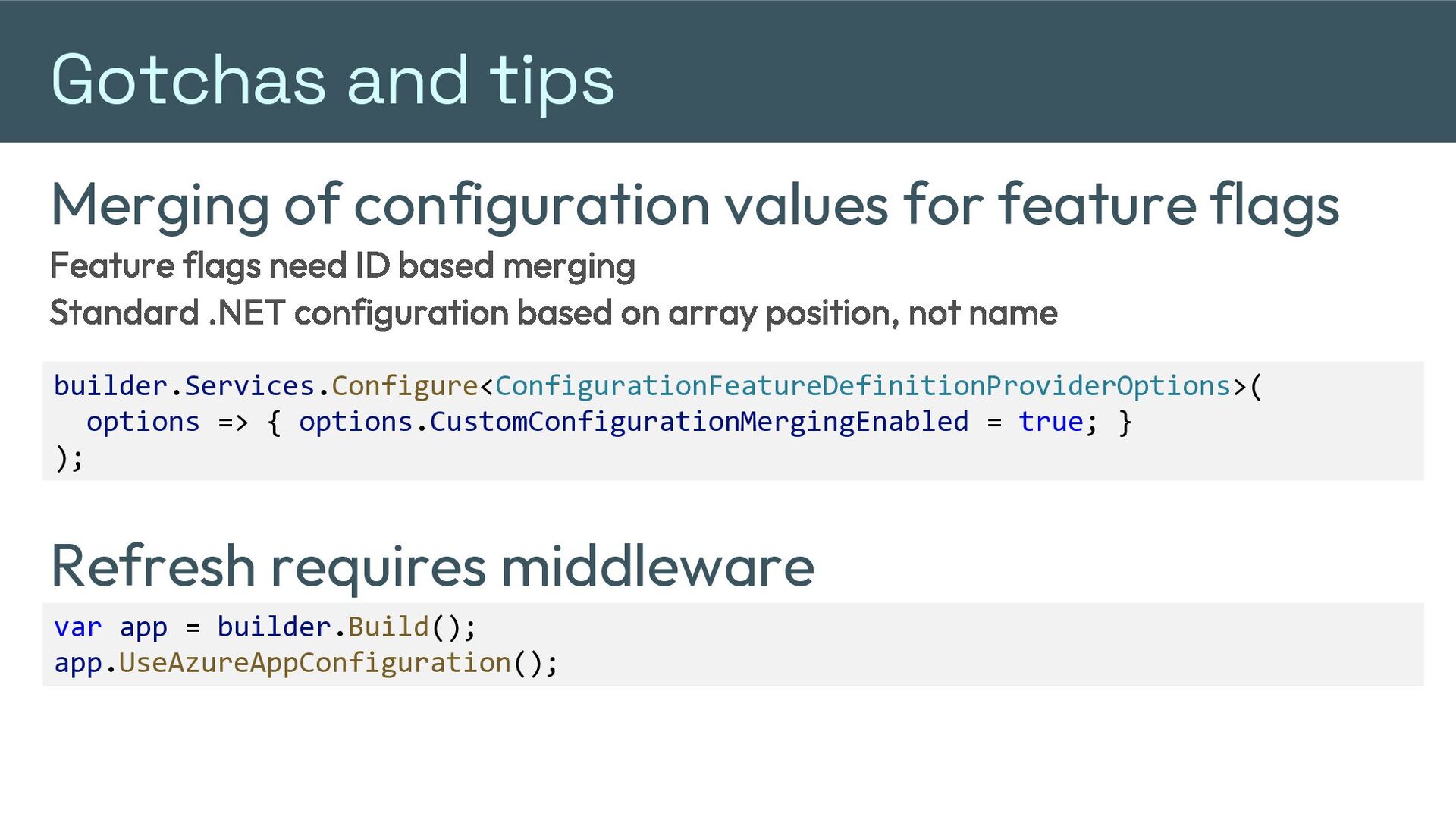
  27. Gotchas and tips Merging of configuration values for feature flags

    Feature flags need ID based merging Standard .NET configuration based on array position, not name builder.Services.Configure<ConfigurationFeatureDefinitionProviderOptions>( options => { options.CustomConfigurationMergingEnabled = true; } ); Refresh requires middleware var app = builder.Build(); app.UseAzureAppConfiguration();
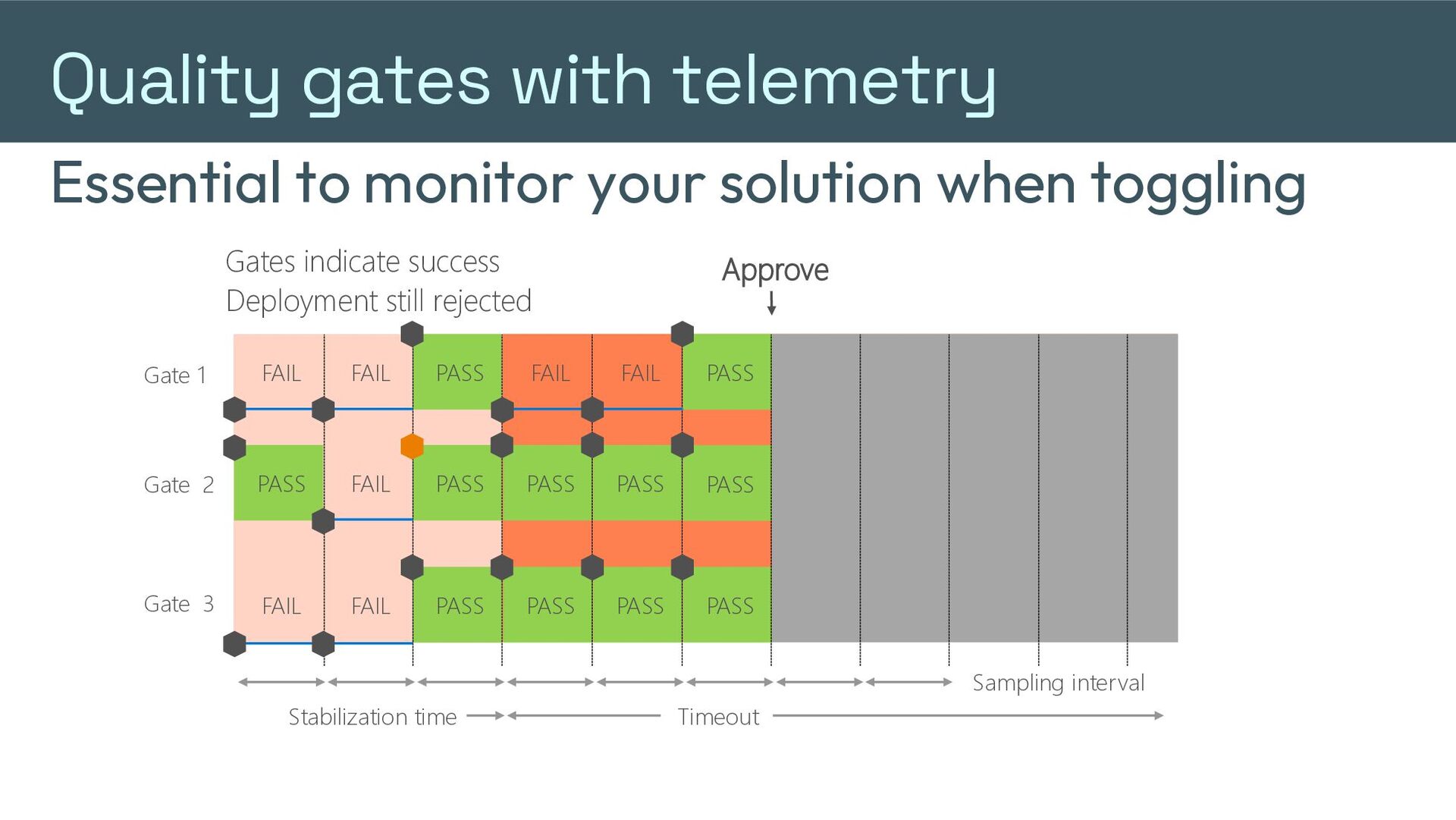
  28. Quality gates with telemetry Essential to monitor your solution when

    toggling Gates indicate success Deployment still rejected Approve Gate 1 FAIL FAIL PASS FAIL FAIL PASS Gate 2 PASS FAIL PASS PASS PASS FAIL PASS Gate 3 FAIL FAIL PASS PASS PASS PASS Sampling interval Stabilization time Timeout
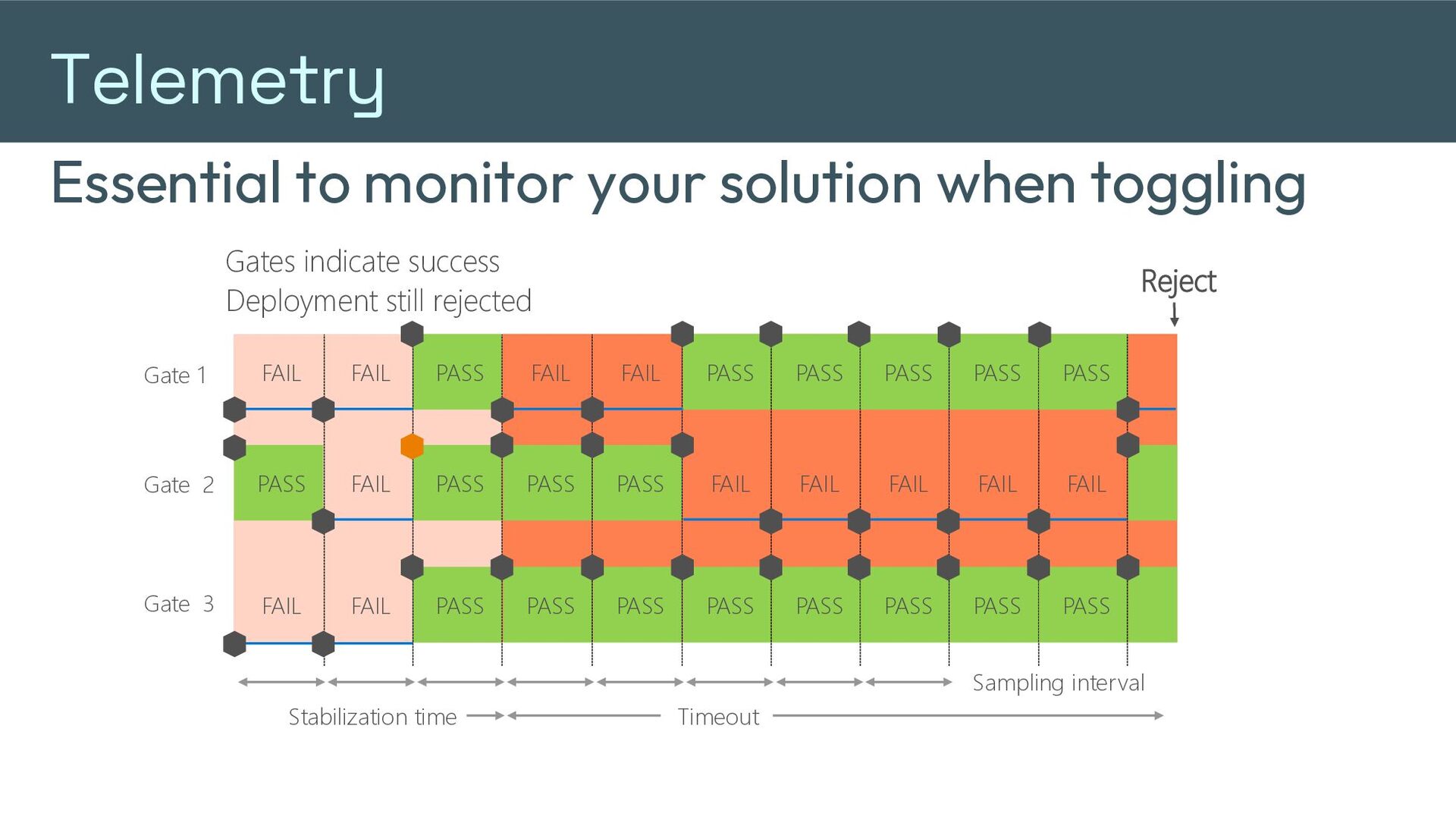
  29. Telemetry Essential to monitor your solution when toggling Gates indicate

    success Deployment still rejected Reject Gate 1 FAIL FAIL PASS FAIL FAIL PASS PASS PASS PASS PASS Gate 2 PASS FAIL PASS PASS PASS FAIL FAIL FAIL FAIL FAIL Gate 3 FAIL FAIL PASS PASS PASS PASS PASS PASS PASS PASS Sampling interval Stabilization time Timeout
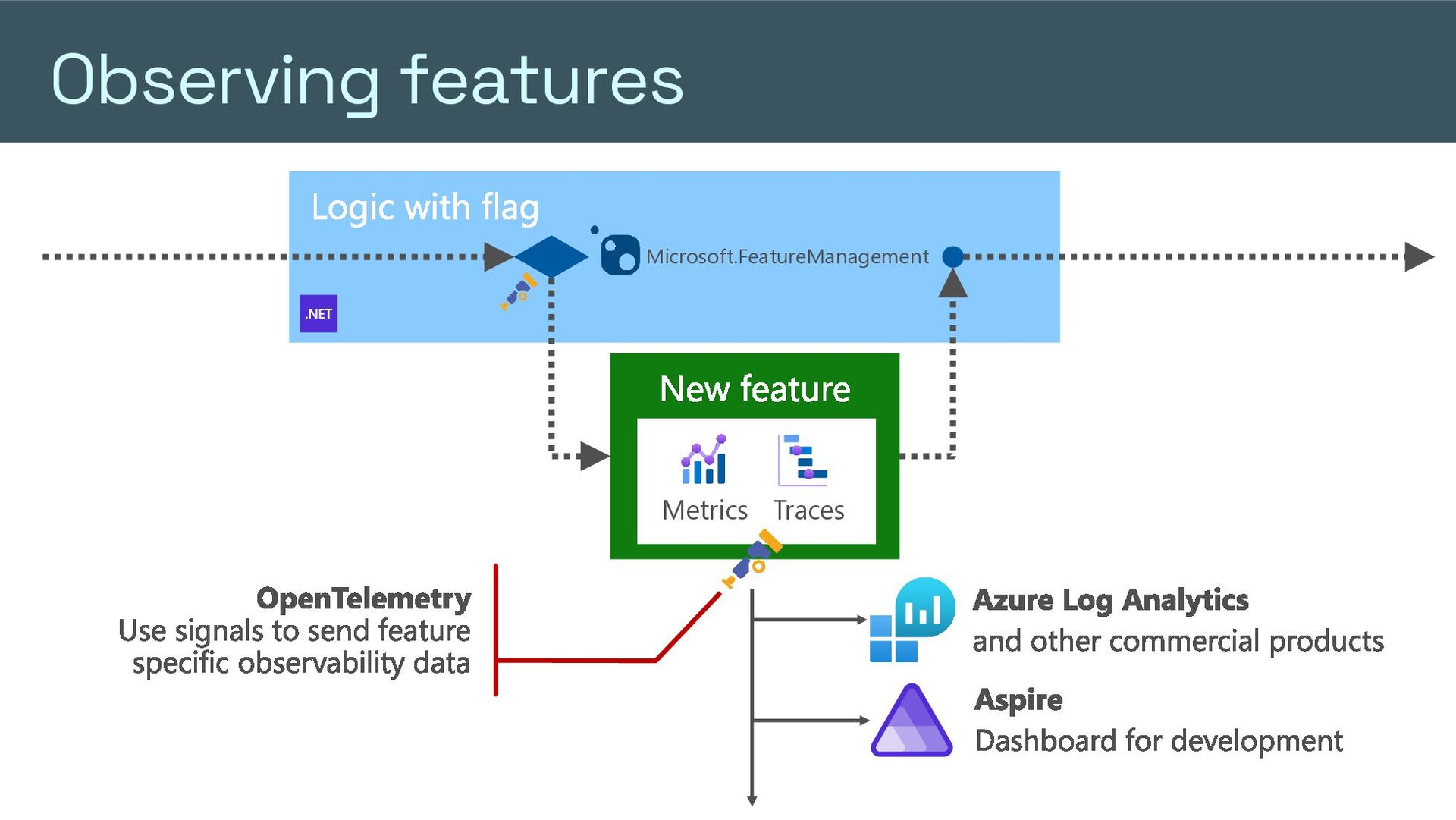
  30. Observing features Logic with flag Microsoft.FeatureManagement New feature Metrics Traces

    OpenTelemetry Use signals to send feature specific observability data Azure Log Analytics and other commercial products Aspire Dashboard for development
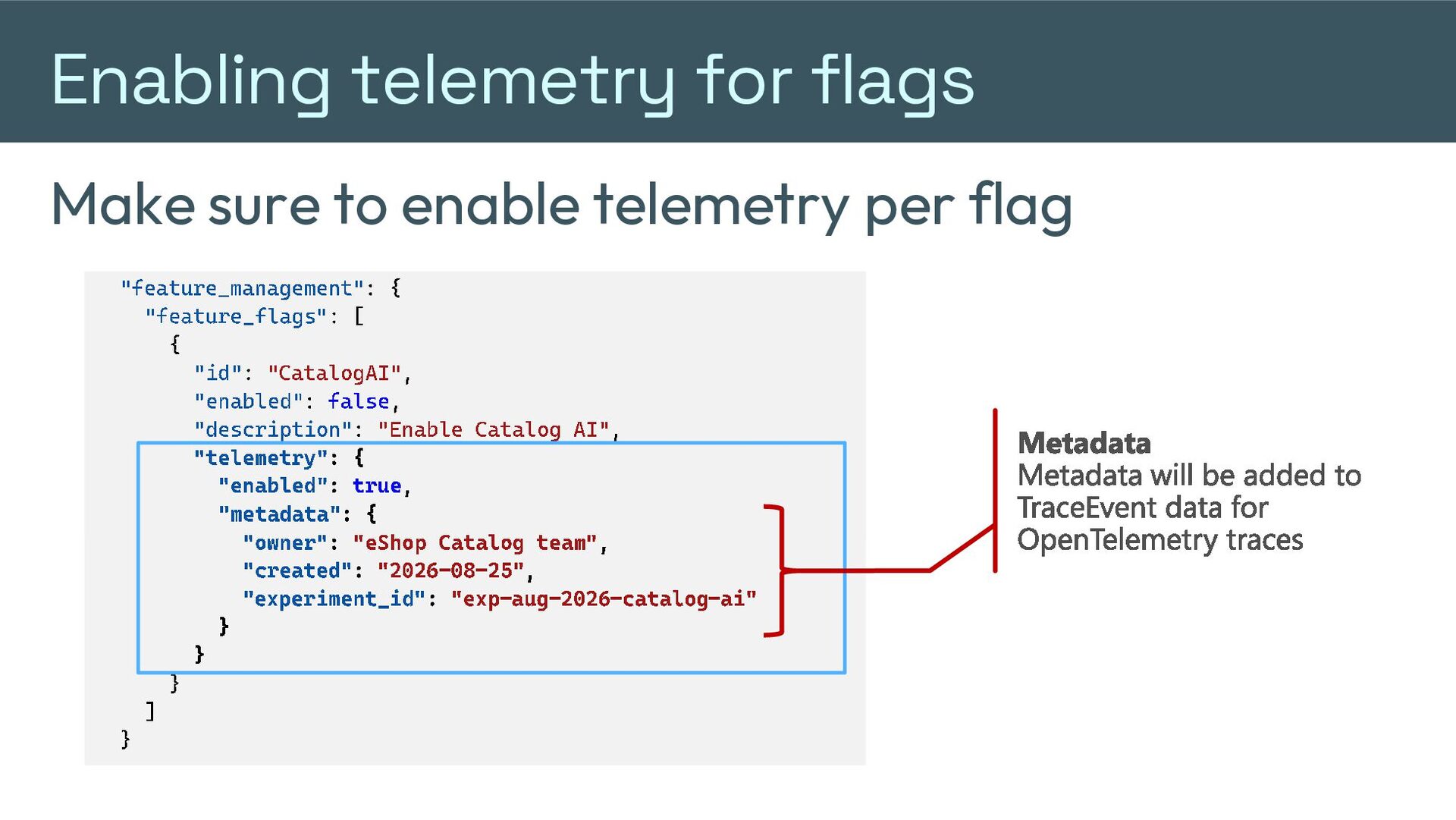
  31. Enabling telemetry for flags Make sure to enable telemetry per

    flag " feature_management ":{ " feature_flags ":[ { "id" : " CatalogAI " , "enabled" : false , "description" : "Enable Catalog AI " , AI" } "telemetry" : { ] "enabled" : true , } "metadata" : { "owner" : "eShop Catalog t eam" , "created" : "202 6- 08- 25 " , " experiment_id " : "exp - aug - 2026 - catalog } } } ] } Metadata Metadata will be added to TraceEvent data for OpenTelemetry traces - ai"
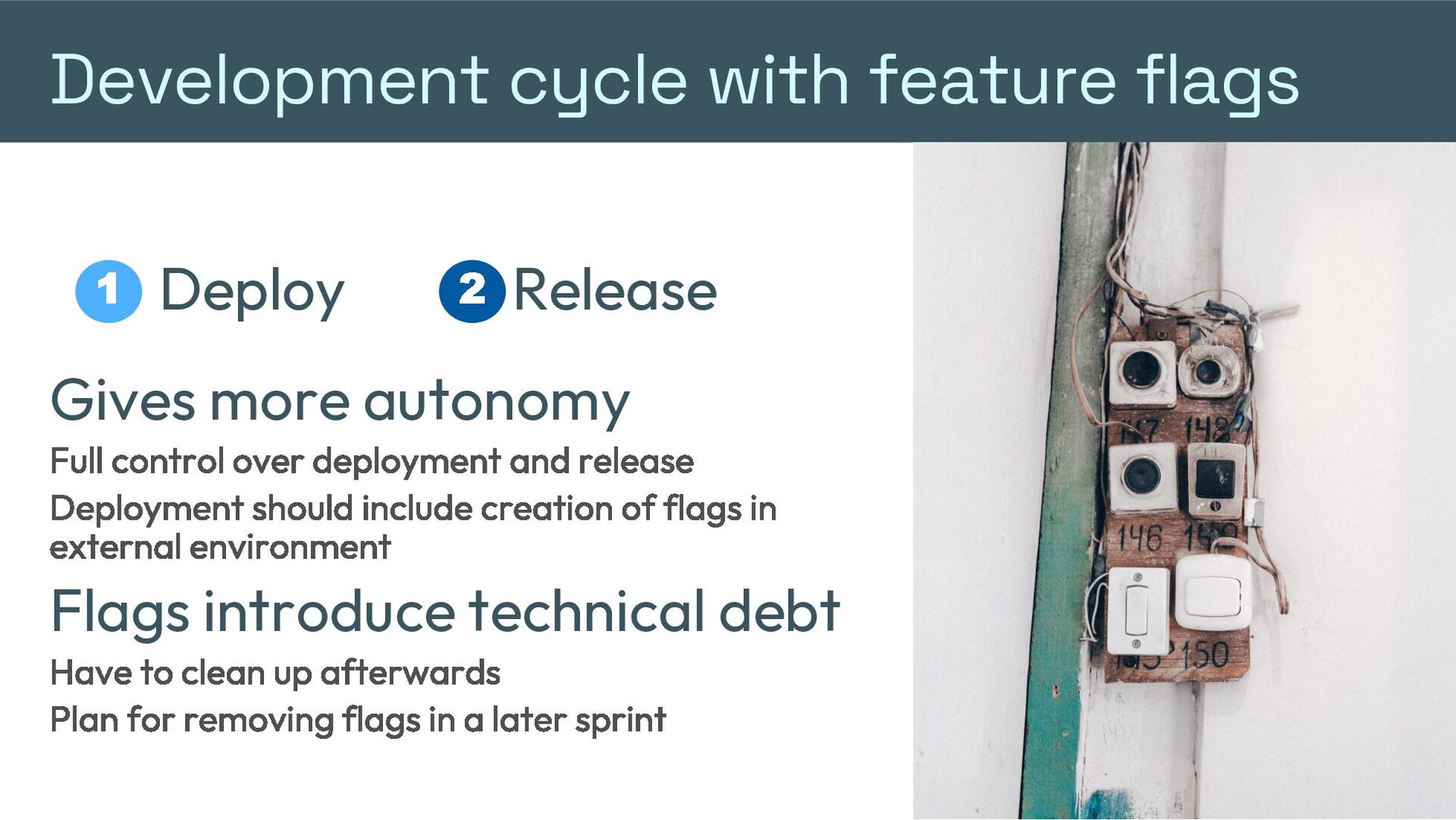
  32. Development cycle with feature flags 1 Deploy 2 Release Gives

    more autonomy Full control over deployment and release Deployment should include creation of flags in external environment Flags introduce technical debt Have to clean up afterwards Plan for removing flags in a later sprint
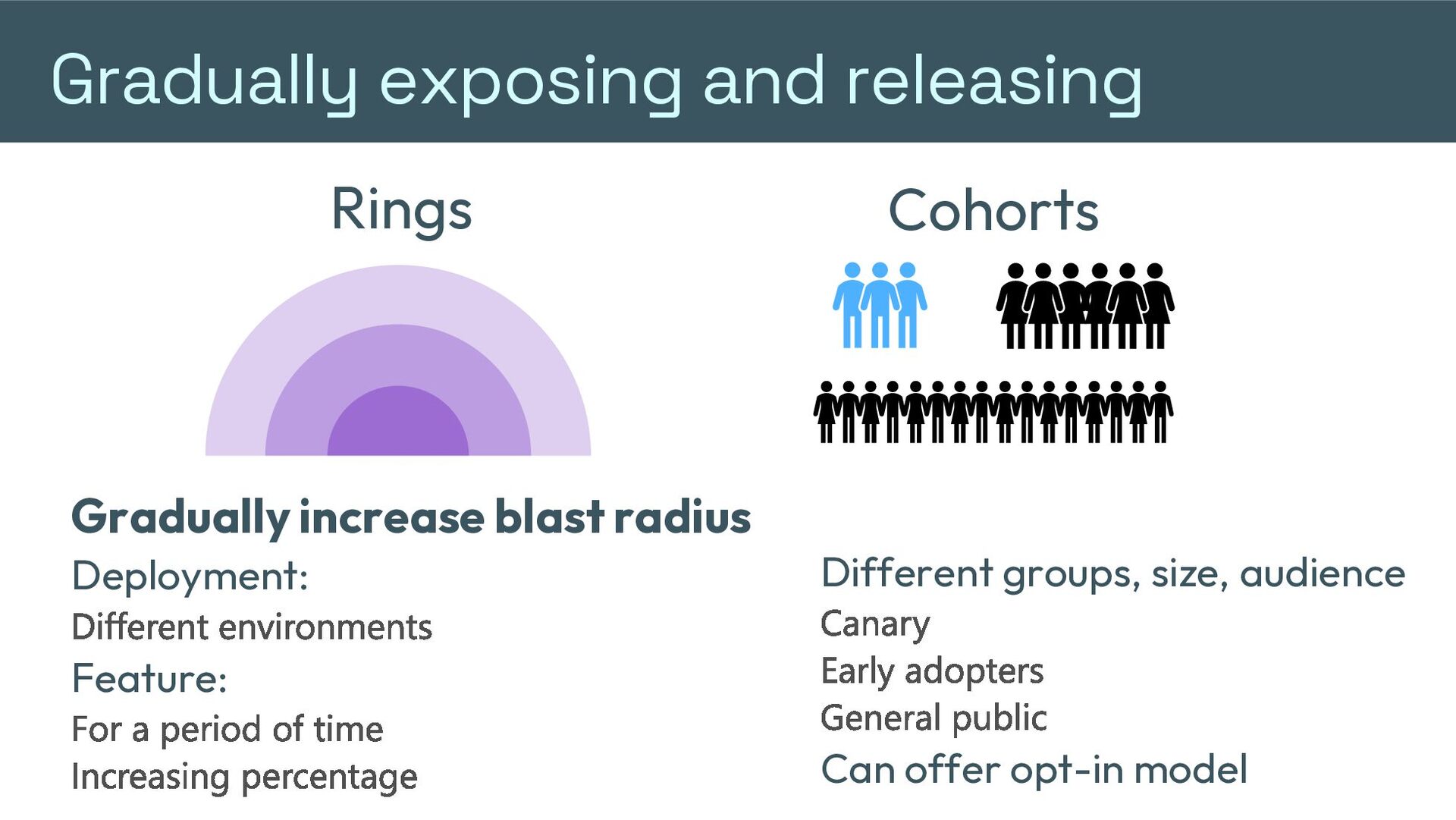
  33. Gradually exposing and releasing Rings Gradually increase blast radius Deployment:

    Different environments Feature: For a period of time Increasing percentage Cohorts Different groups, size, audience Canary Early adopters General public Can offer opt-in model
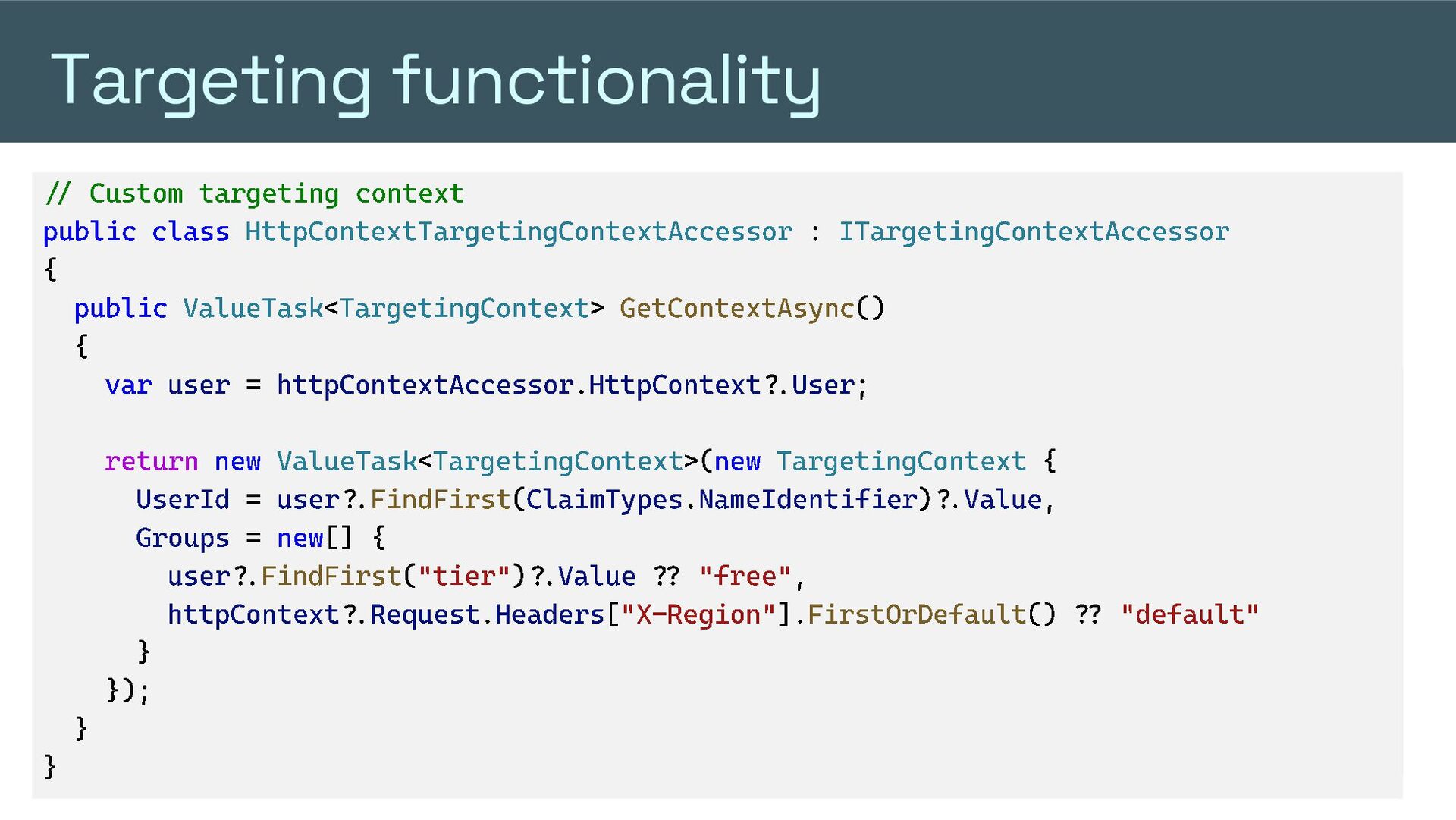
  34. Targeting functionality Target your features to users or groups //

    Custom targeting context public class HttpContextTargetingContextAccessor : ITargetingContextAccessor // { Enable percentage/user targeting builder.Services.AddFeatureManagement() public ValueTask <TargetingContext > GetContextAsync () .WithTargeting(); { var user = httpContextAccessor . "EnabledFor": HttpContext [?.{ User ; "Name": "Microsoft.Targeting", "Parameters": { return new ValueTask <TargetingContext "Audience": >( new TargetingContext { { UserId = user ?. FindFirst ( ClaimTypes "Users": . NameIdentifier )?. Value , ["[email protected]"], Groups = new[] { "Groups": [ "Name": user ?. FindFirst ( "tier" )?. Value ?? {"free" , "alphatesters", "RolloutPercentage": 100 }, { "Name": "betatesters", "RolloutPercentage": 50 }, httpContext ?. Request . Headers [ "X - Region" ]. FirstOrDefault () ?? "default" { "Name": "regular", "RolloutPercentage": 0 } } ], }); } } "DefaultRolloutPercentage": 0 } ...
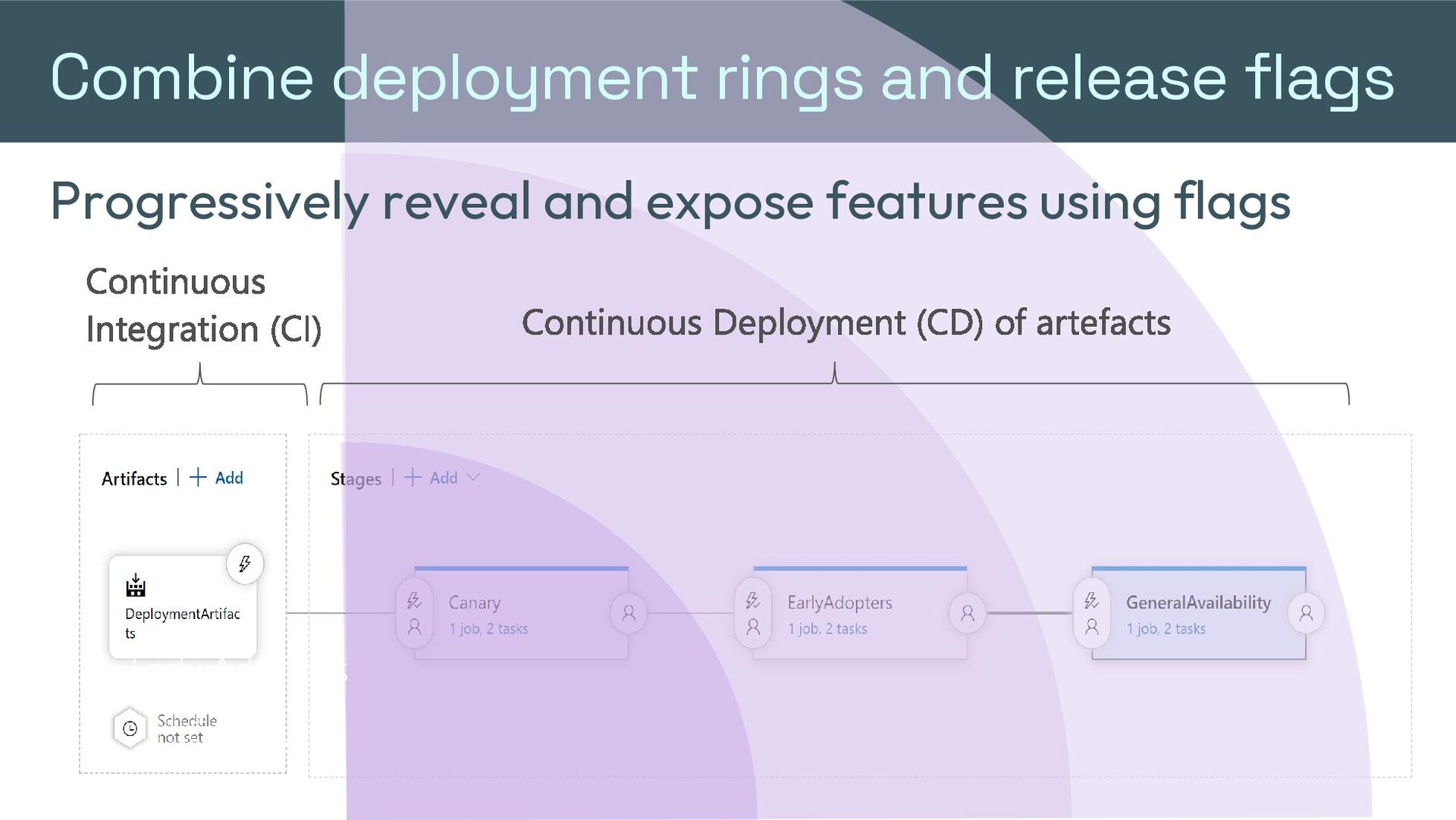
  35. Combine deployment rings and release flags Progressively reveal and expose

    features using flags Continuous Integration (CI) Early Adopters Canary Continuous Deployment (CD) of artefacts
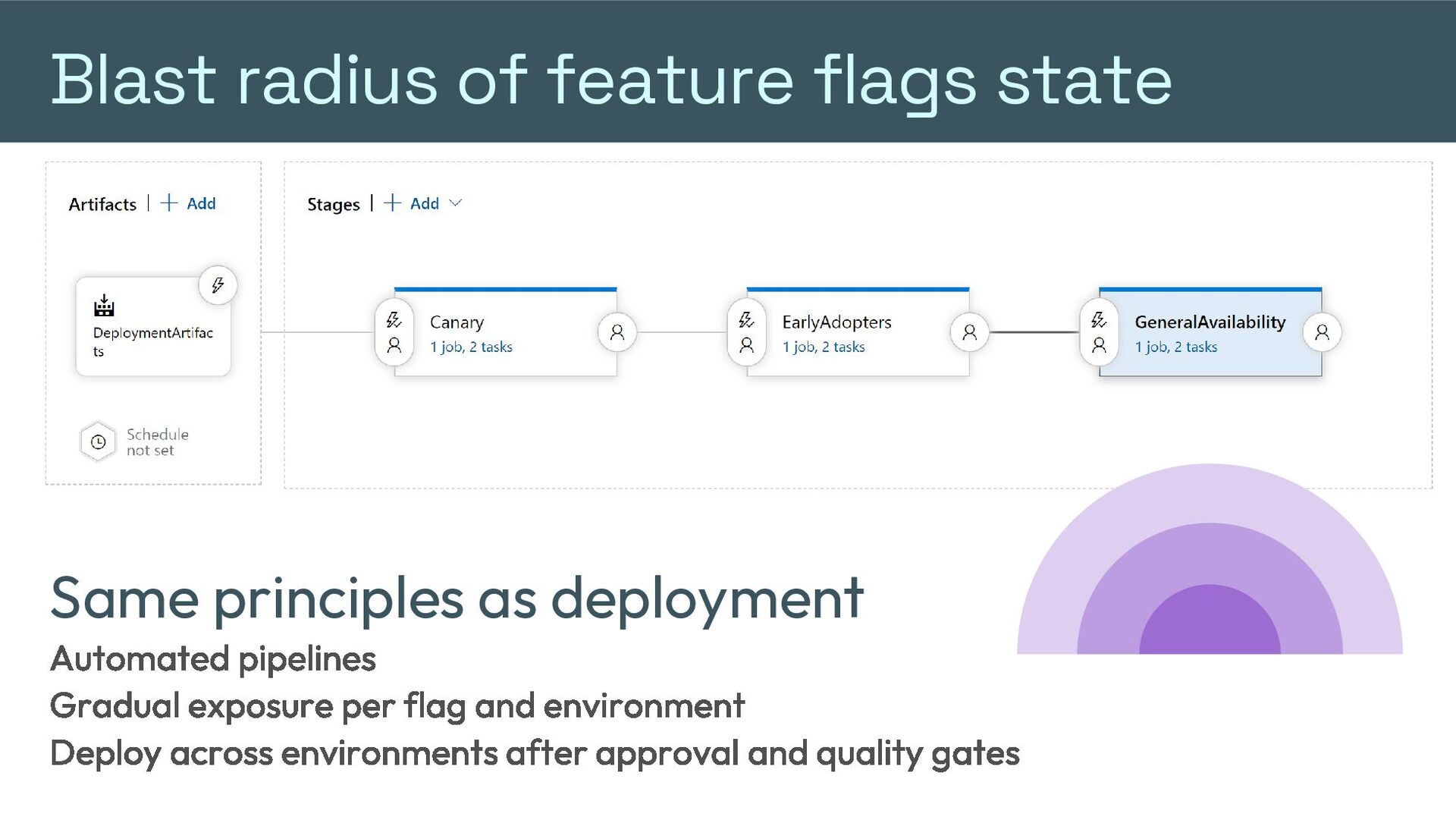
  36. Blast radius of feature flags state Same principles as deployment

    Automated pipelines Gradual exposure per flag and environment Deploy across environments after approval and quality gates
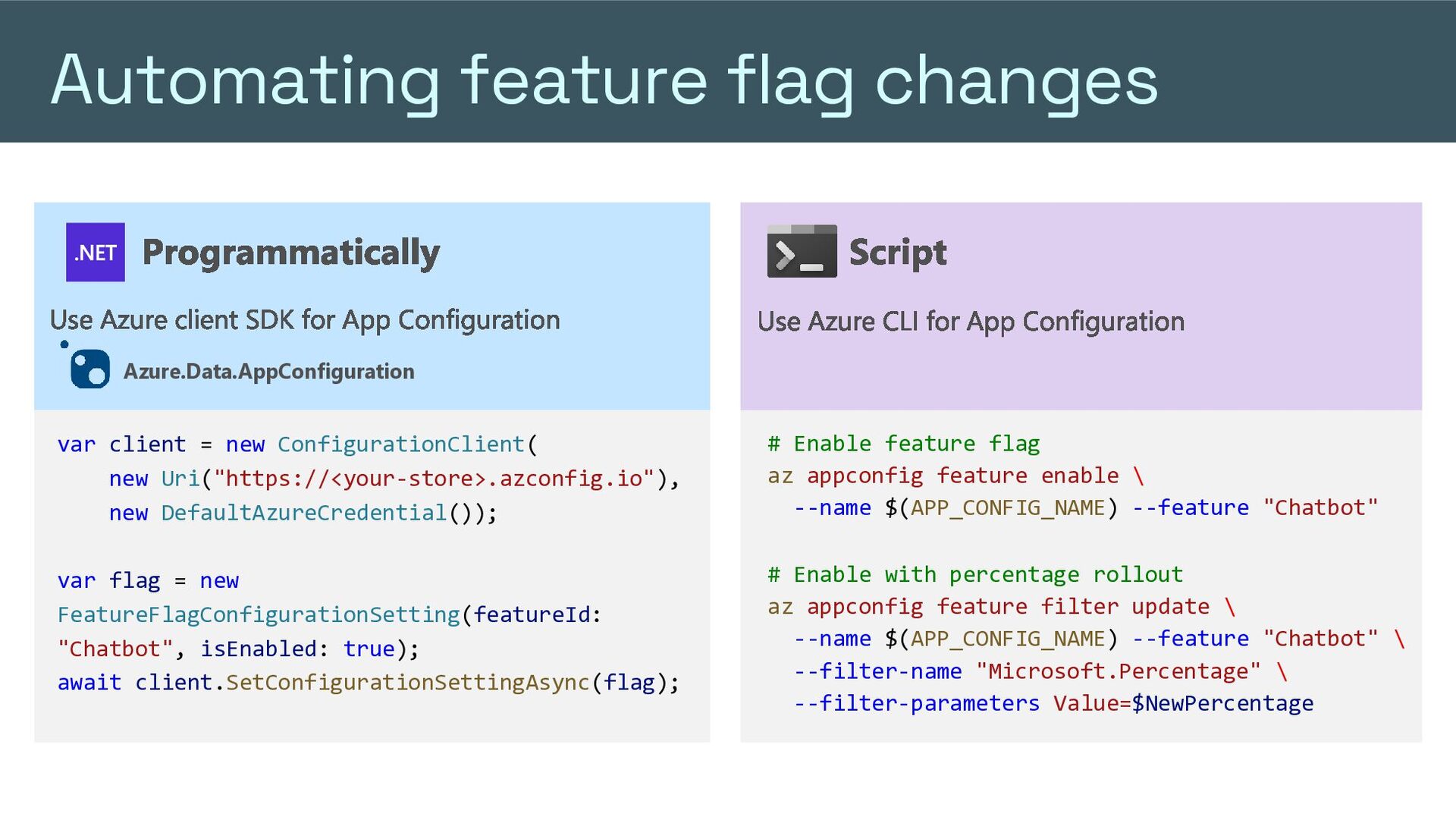
  37. Automating feature flag changes Programmatically Use Azure client SDK for

    App Configuration Script Use Azure CLI for App Configuration Azure.Data.AppConfiguration var client = new ConfigurationClient( new Uri("https://<your-store>.azconfig.io"), new DefaultAzureCredential()); # Enable feature flag az appconfig feature enable \ --name $(APP_CONFIG_NAME) --feature "Chatbot" var flag = new FeatureFlagConfigurationSetting(featureId: "Chatbot", isEnabled: true); await client.SetConfigurationSettingAsync(flag); # Enable with percentage rollout az appconfig feature filter update \ --name $(APP_CONFIG_NAME) --feature "Chatbot" \ --filter-name "Microsoft.Percentage" \ --filter-parameters Value=$NewPercentage
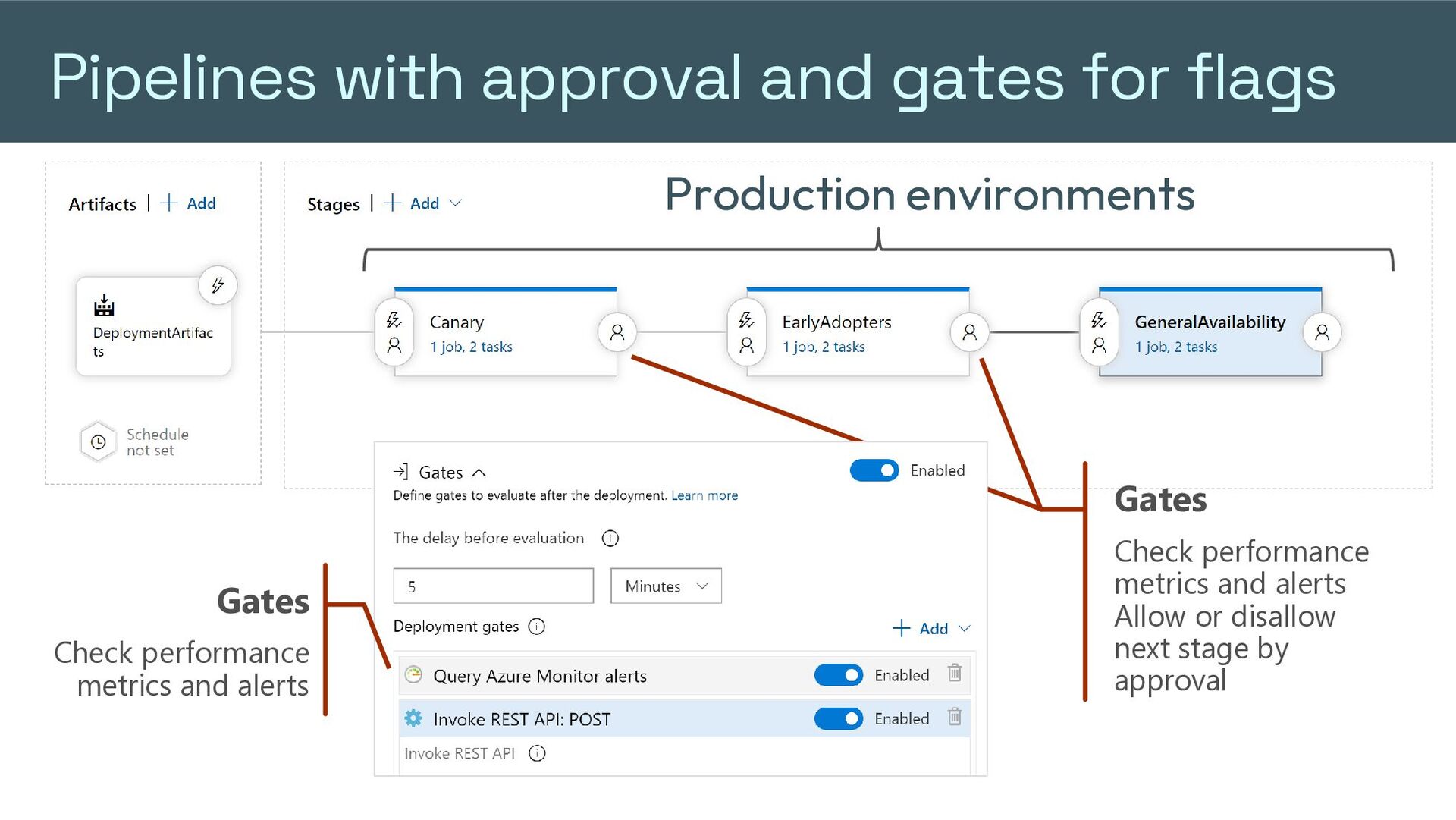
  38. Pipelines with approval and gates for flags Production environments Gates

    Gates Check performance metrics and alerts Check performance metrics and alerts Allow or disallow next stage by approval
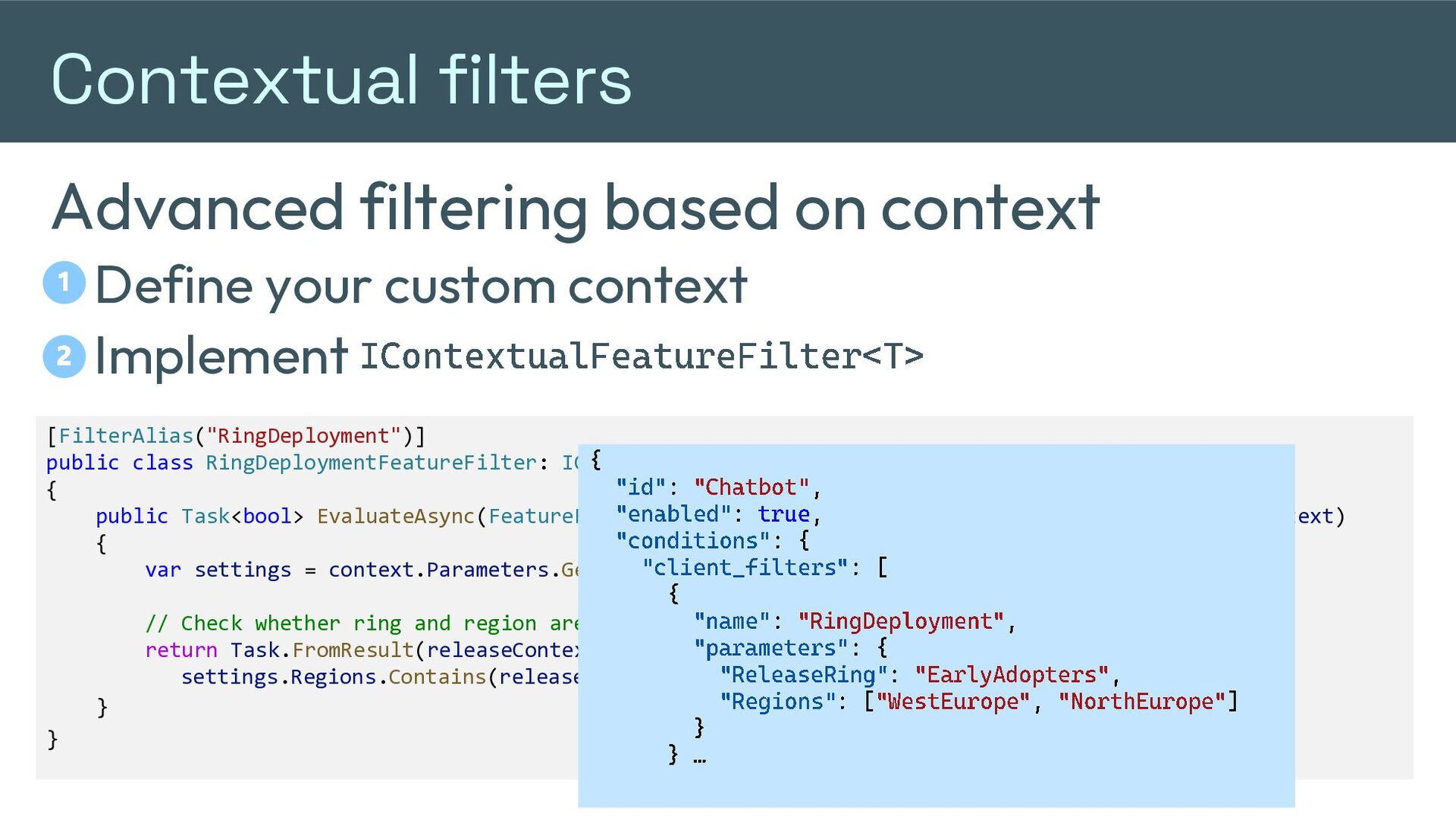
  39. Contextual filters Advanced filtering based on context Define your custom

    context 2 Implement IContextualFeatureFilter 1 <T> [FilterAlias("RingDeployment")] public class RingDeploymentFeatureFilter: IContextualFeatureFilter<ReleaseContext> { { " id" : " Chatbot" , public Task<bool> EvaluateAsync(FeatureFilterEvaluationContext featureContext, ReleaseContext context) " enabled" : true , { " conditions" :{ var settings = context.Parameters.Get<RingDeploymentSettings>() " client_filters ": [ { // Check whether ring and region are enabled "based name" on : "settings RingDeployment " , return Task.FromResult(releaseContext.Ring <=" parameters" settings.ReleaseRing && :{ settings.Regions.Contains(releaseContext.Region)); " ReleaseRing" : " EarlyAdopters ", " Regions" : [ " WestEurope " , " NorthEurope " ] } } } } …
  40. Testing in production Making it real Real features Real data

    Real environment Real users QA and UAT where it matters
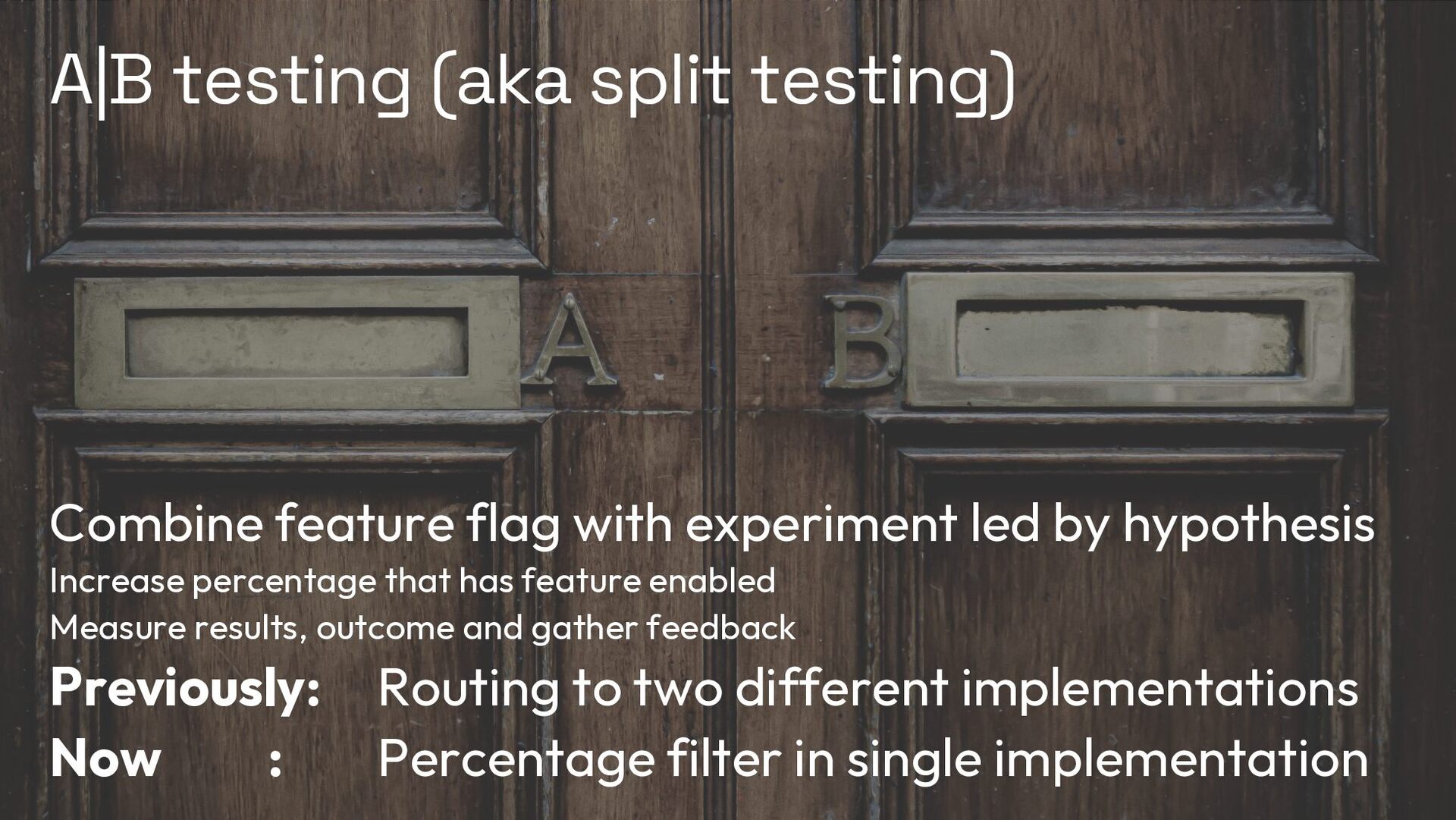
  41. A|B testing (aka split testing) Combine feature flag with experiment

    led by hypothesis Increase percentage that has feature enabled Measure results, outcome and gather feedback Previously: Now : Routing to two different implementations Percentage filter in single implementation
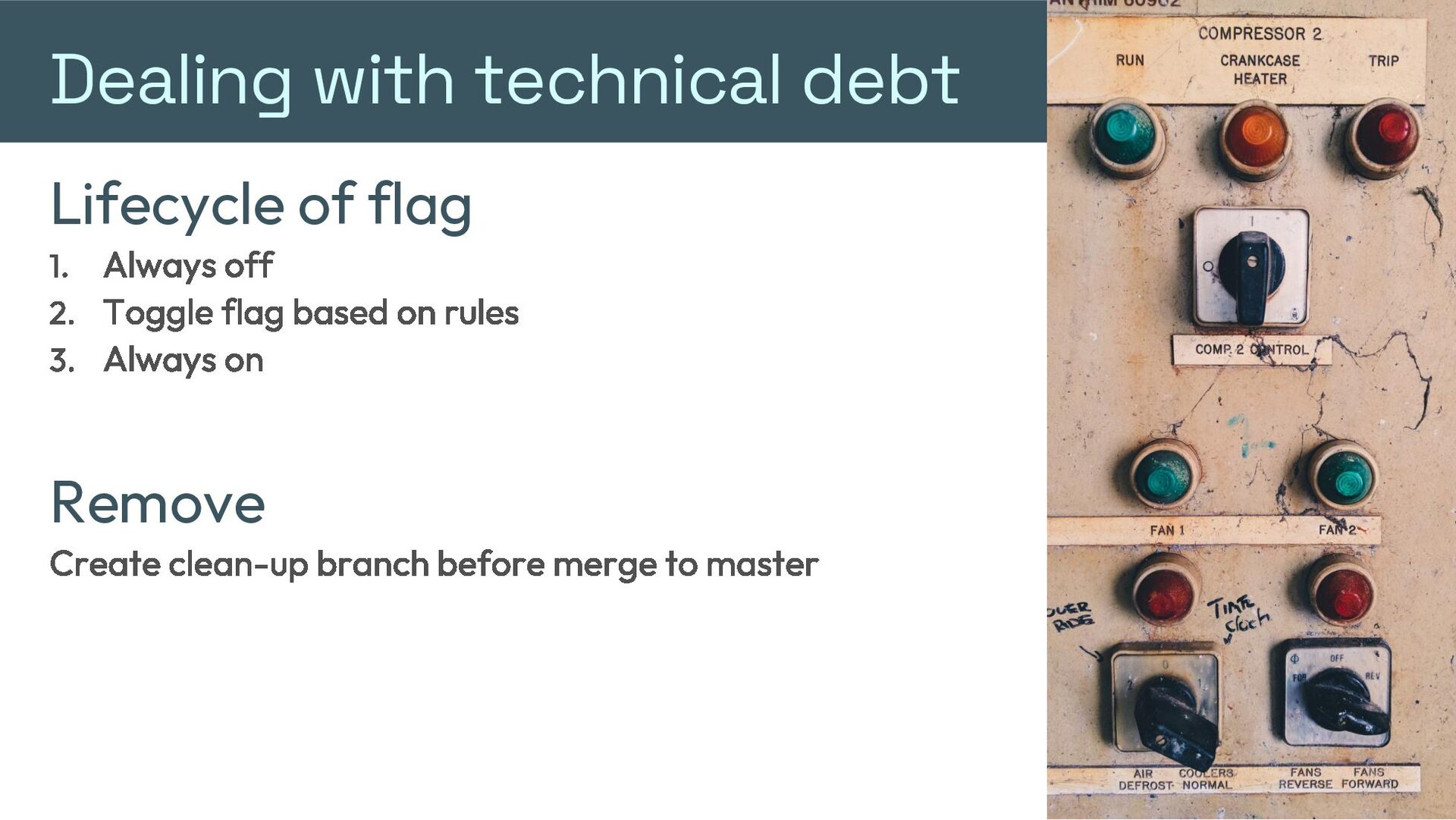
  42. Dealing with technical debt Lifecycle of flag Always off Toggle

    flag based on rules Always on Remove Create clean-up branch before merge to master
  43. Smells Too many flags Flags used in multiple places Strategy

    pattern needed? Duplicate code vs if statements Fine grained toggles Toggling business value vs technical capabilities
  44. Pitfalls Combine feature toggles Complexity Dependent flags (one flag depends

    on other one) Long lived Launching in the blind (no monitoring) Unseparated control Don’t describe what toggle does Repurposing feature flags
  45. Best practices Avoid flags as long-lived functionality Application management code

    is not same as a feature under a toggle Separate flag management from app In case app becomes unresponsive for managing flags Monitor usage of flags New, not used yet Not used (remove from config) Being used Everyone uses one variation (remove from code) Enable just one toggle at a time Measure outcome and give time to stabilize
  46. Tips and recommendations Add hardcoded fallback Make it a business

    decision Circuit breaker as a safeguard feature toggle Start with master flags and add smaller flags later Define naming convention for flags
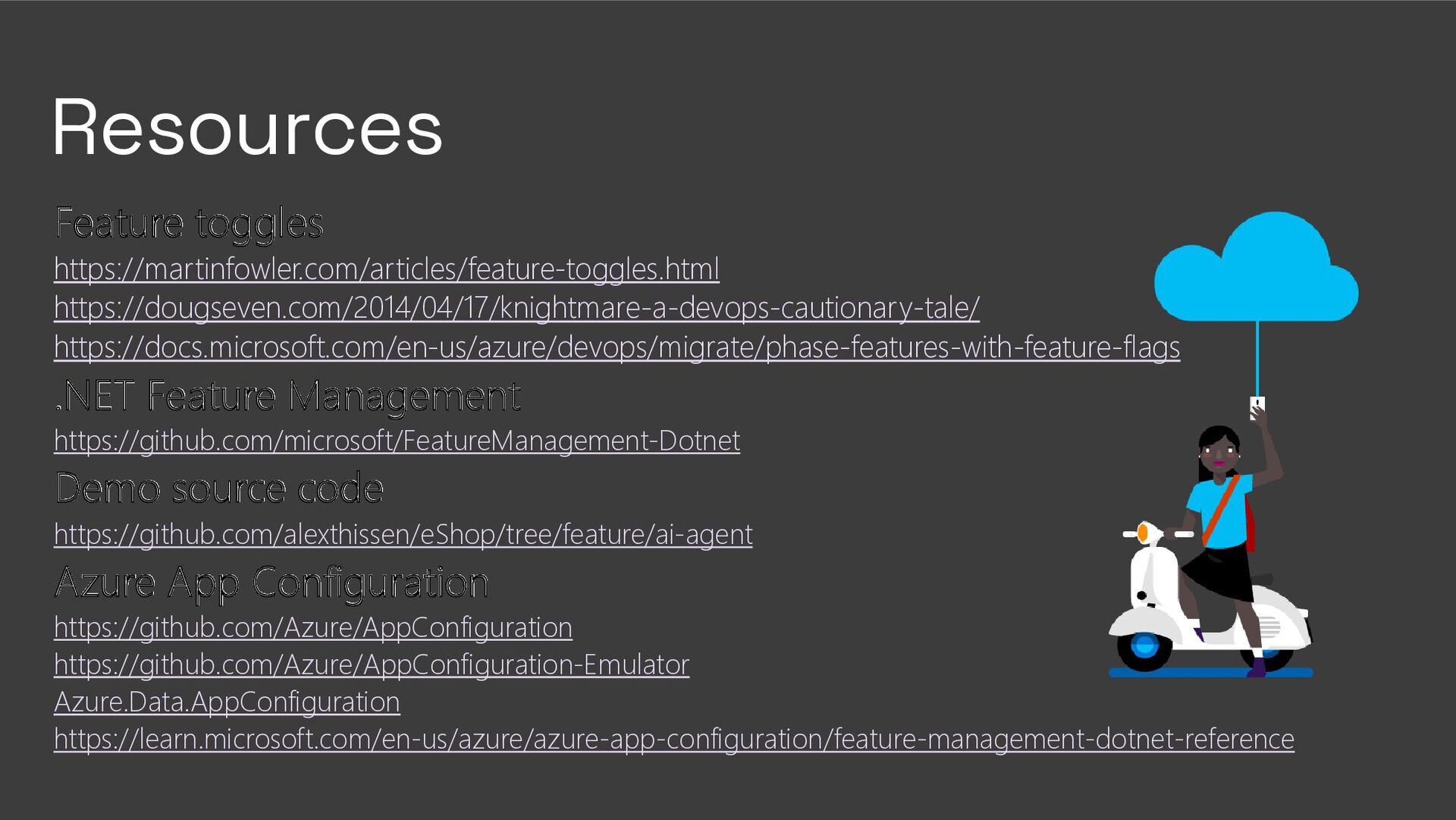
  47. Resources Feature toggles https://martinfowler.com/articles/feature-toggles.html https://dougseven.com/2014/04/17/knightmare-a-devops-cautionary-tale/ https://docs.microsoft.com/en-us/azure/devops/migrate/phase-features-with-feature-flags .NET Feature Management https://github.com/microsoft/FeatureManagement-Dotnet

    Demo source code https://github.com/alexthissen/eShop/tree/feature/ai-agent Azure App Configuration https://github.com/Azure/AppConfiguration https://github.com/Azure/AppConfiguration-Emulator Azure.Data.AppConfiguration https://learn.microsoft.com/en-us/azure/azure-app-configuration/feature-management-dotnet-reference