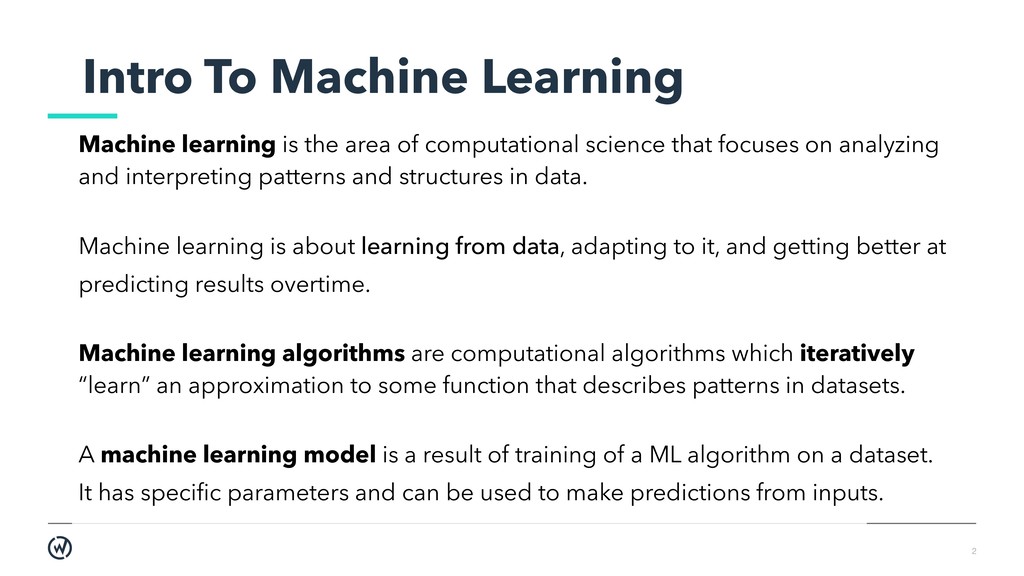
of computational science that focuses on analyzing and interpreting patterns and structures in data. Machine learning is about learning from data, adapting to it, and getting better at predicting results overtime. Machine learning algorithms are computational algorithms which iteratively “learn” an approximation to some function that describes patterns in datasets. A machine learning model is a result of training of a ML algorithm on a dataset. It has specific parameters and can be used to make predictions from inputs.
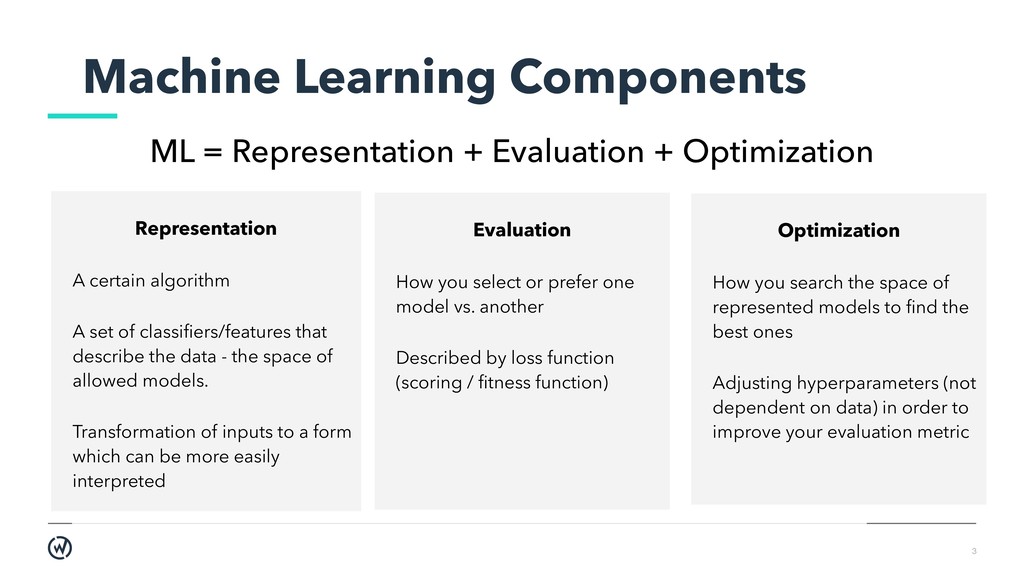
Optimization Representation A certain algorithm A set of classifiers/features that describe the data - the space of allowed models. Transformation of inputs to a form which can be more easily interpreted Evaluation How you select or prefer one model vs. another Described by loss function (scoring / fitness function) Optimization How you search the space of represented models to find the best ones Adjusting hyperparameters (not dependent on data) in order to improve your evaluation metric
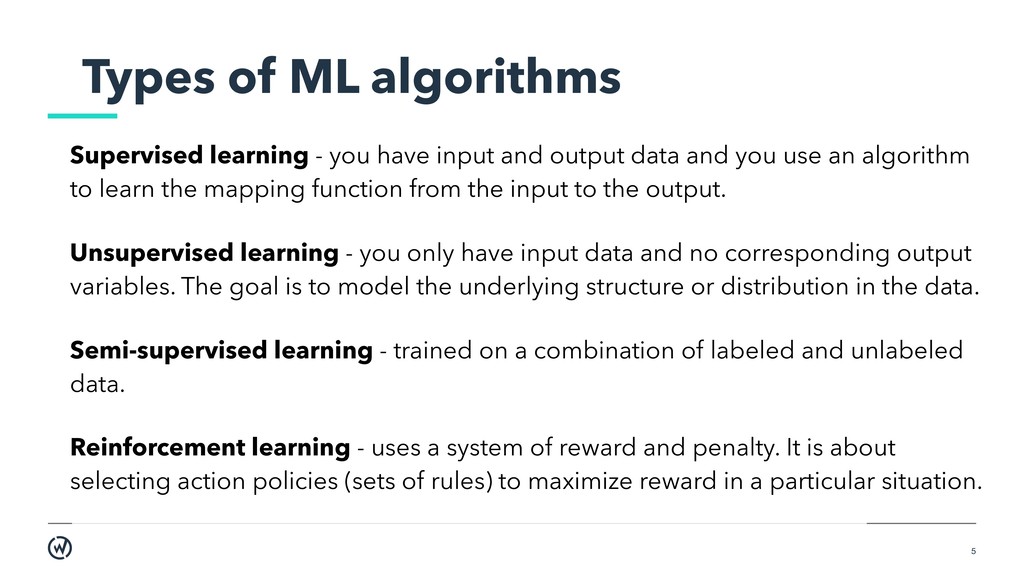
input and output data and you use an algorithm to learn the mapping function from the input to the output. Unsupervised learning - you only have input data and no corresponding output variables. The goal is to model the underlying structure or distribution in the data. Semi-supervised learning - trained on a combination of labeled and unlabeled data. Reinforcement learning - uses a system of reward and penalty. It is about selecting action policies (sets of rules) to maximize reward in a particular situation.
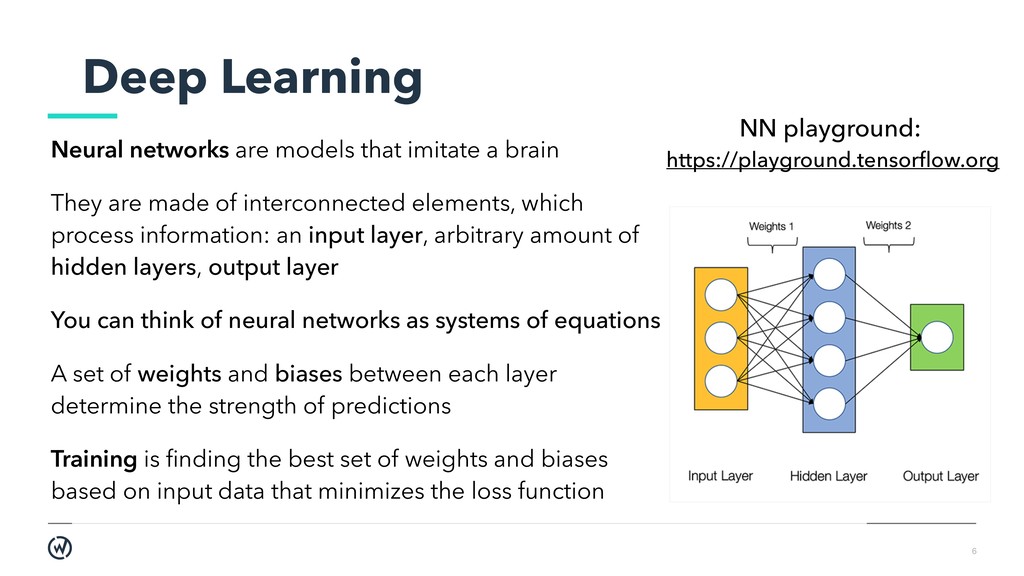
brain They are made of interconnected elements, which process information: an input layer, arbitrary amount of hidden layers, output layer You can think of neural networks as systems of equations A set of weights and biases between each layer determine the strength of predictions Training is finding the best set of weights and biases based on input data that minimizes the loss function NN playground: https://playground.tensorflow.org
dependent on data (garbage in - garbage out) Also beware of bias in training sets and not having enough data ML methods cannot access any knowledge outside of the data you provide Think about edge cases. Do thorough user research Overfitting: model performs well on training data, but much worse on unseen data. If it is working with a simple example, it doesn’t mean that it will work just as well with a more sophisticated one
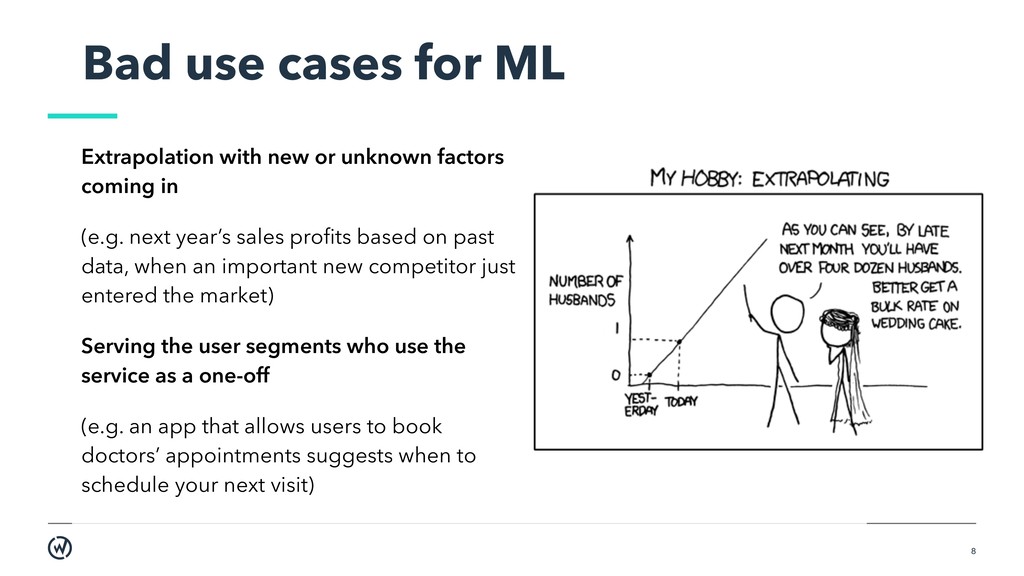
unknown factors coming in (e.g. next year’s sales profits based on past data, when an important new competitor just entered the market) Serving the user segments who use the service as a one-off (e.g. an app that allows users to book doctors’ appointments suggests when to schedule your next visit)
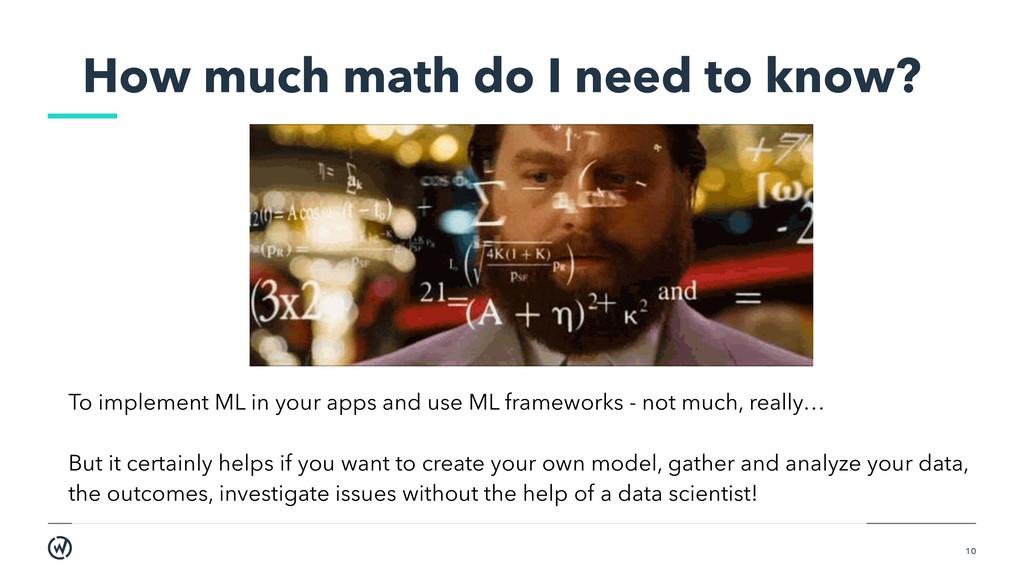
implement ML in your apps and use ML frameworks - not much, really… But it certainly helps if you want to create your own model, gather and analyze your data, the outcomes, investigate issues without the help of a data scientist!
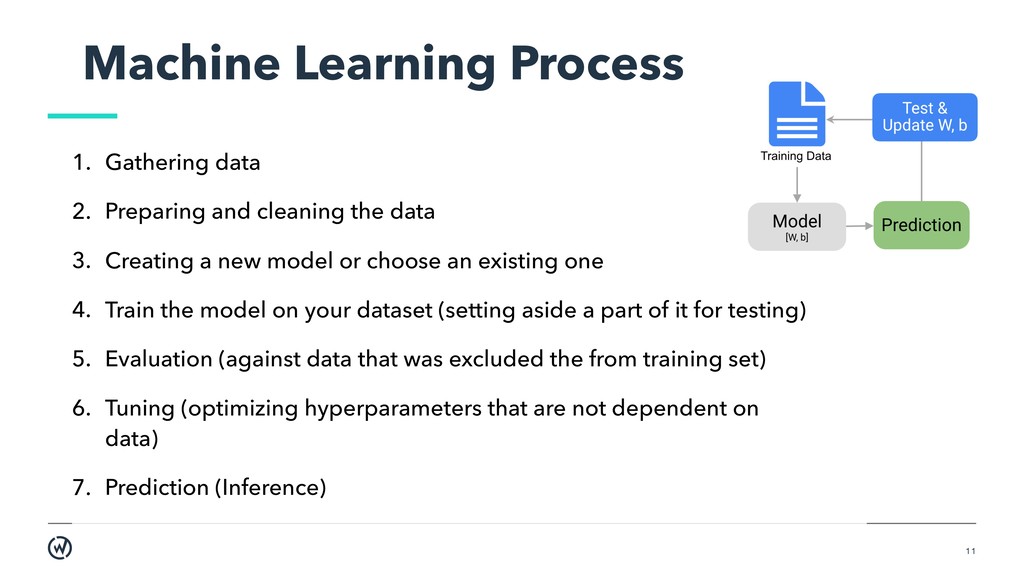
cleaning the data 3. Creating a new model or choose an existing one 4. Train the model on your dataset (setting aside a part of it for testing) 5. Evaluation (against data that was excluded the from training set) 6. Tuning (optimizing hyperparameters that are not dependent on data) 7. Prediction (Inference)
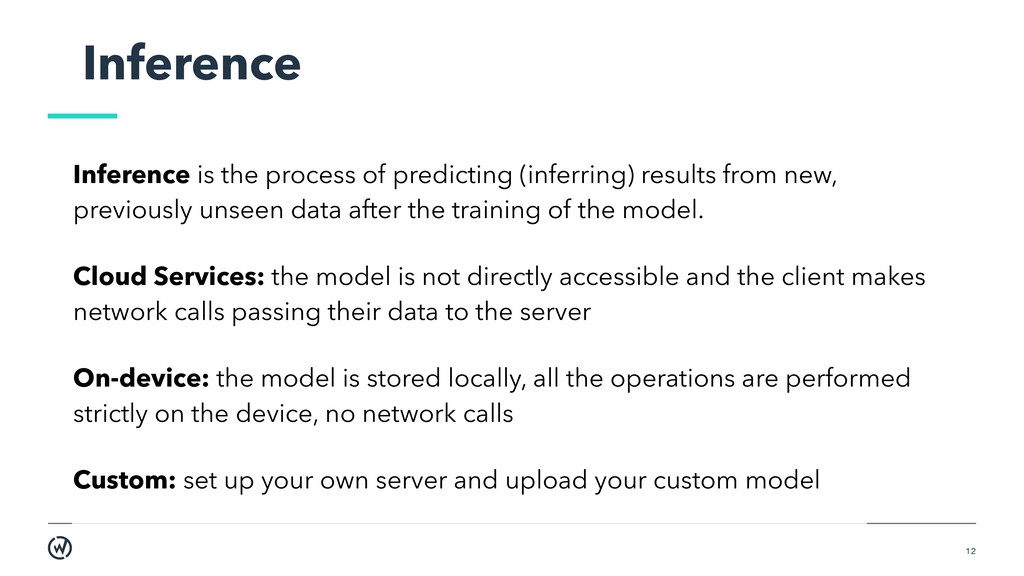
from new, previously unseen data after the training of the model. Cloud Services: the model is not directly accessible and the client makes network calls passing their data to the server On-device: the model is stored locally, all the operations are performed strictly on the device, no network calls Custom: set up your own server and upload your custom model
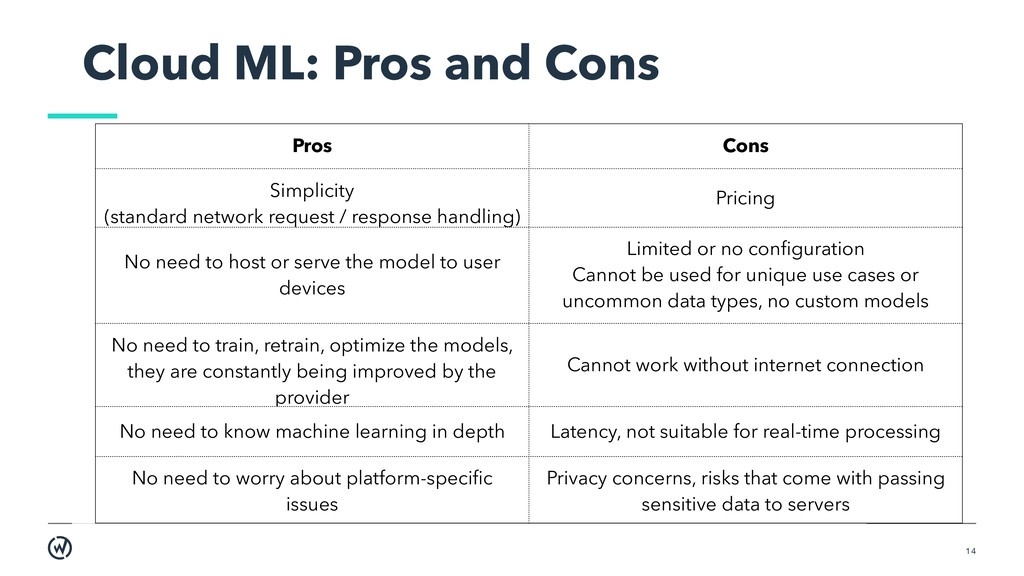
network request / response handling) Pricing No need to host or serve the model to user devices Limited or no configuration Cannot be used for unique use cases or uncommon data types, no custom models No need to train, retrain, optimize the models, they are constantly being improved by the provider Cannot work without internet connection No need to know machine learning in depth Latency, not suitable for real-time processing No need to worry about platform-specific issues Privacy concerns, risks that come with passing sensitive data to servers
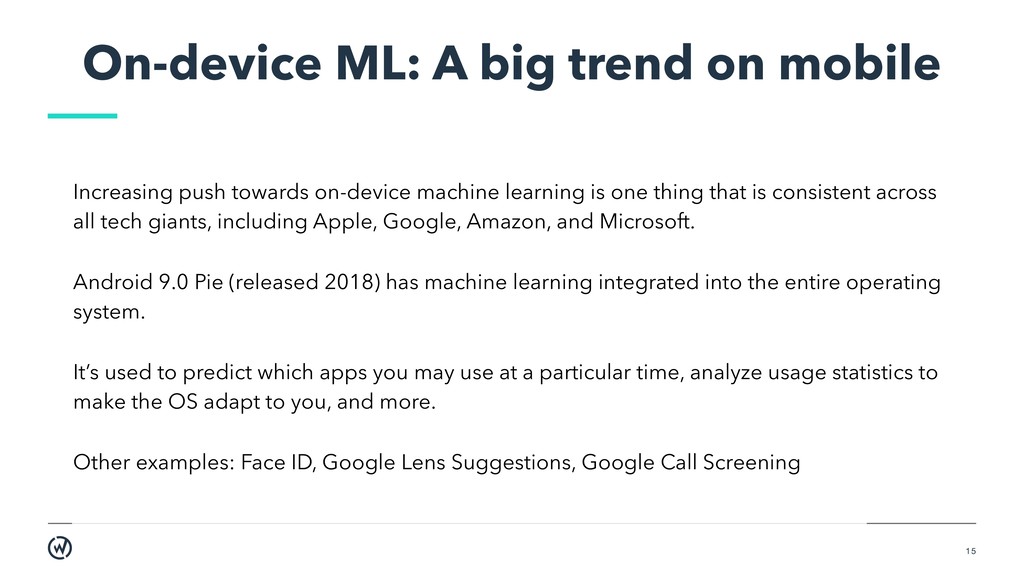
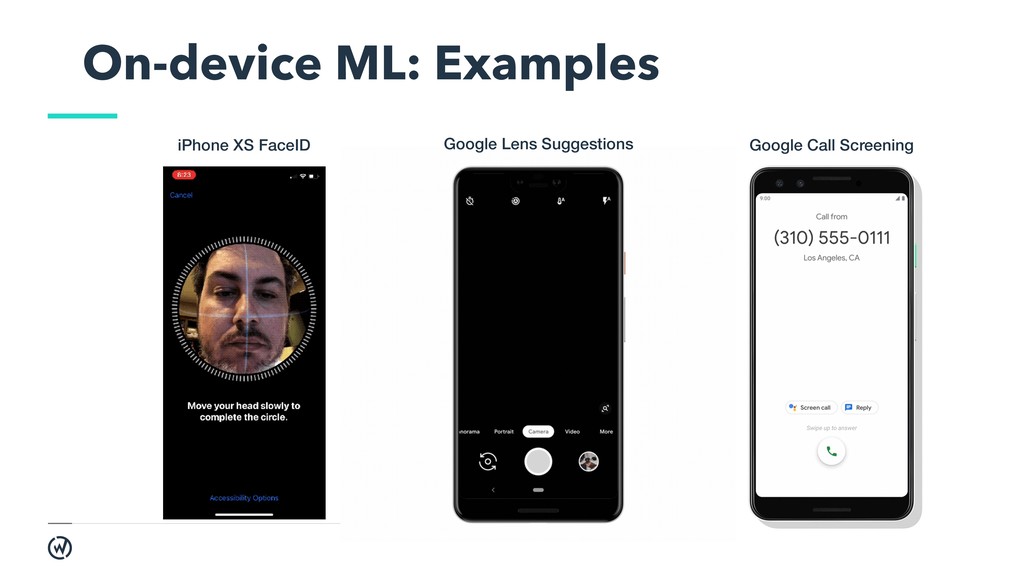
towards on-device machine learning is one thing that is consistent across all tech giants, including Apple, Google, Amazon, and Microsoft. Android 9.0 Pie (released 2018) has machine learning integrated into the entire operating system. It’s used to predict which apps you may use at a particular time, analyze usage statistics to make the OS adapt to you, and more. Other examples: Face ID, Google Lens Suggestions, Google Call Screening
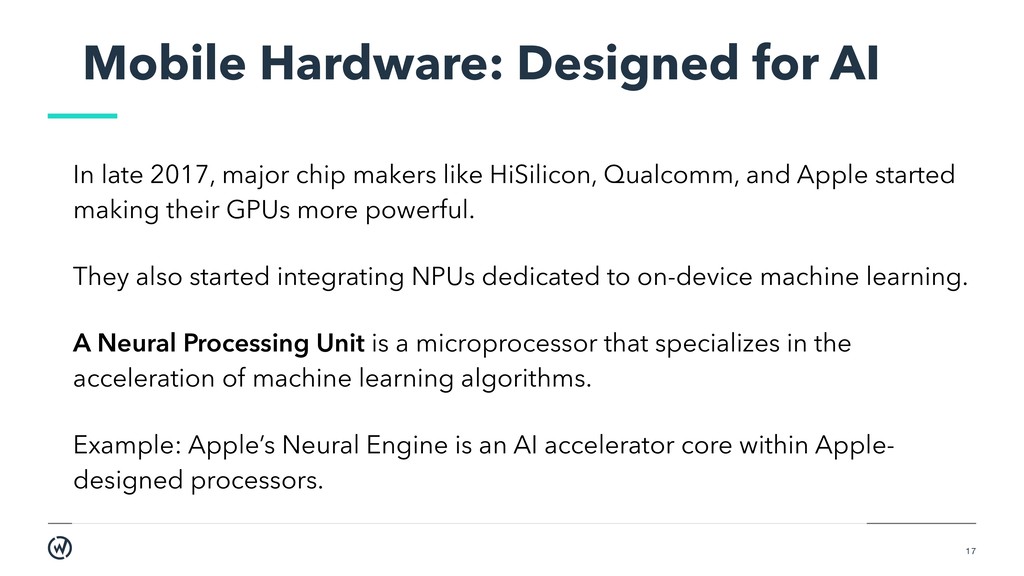
chip makers like HiSilicon, Qualcomm, and Apple started making their GPUs more powerful. They also started integrating NPUs dedicated to on-device machine learning. A Neural Processing Unit is a microprocessor that specializes in the acceleration of machine learning algorithms. Example: Apple’s Neural Engine is an AI accelerator core within Apple- designed processors.
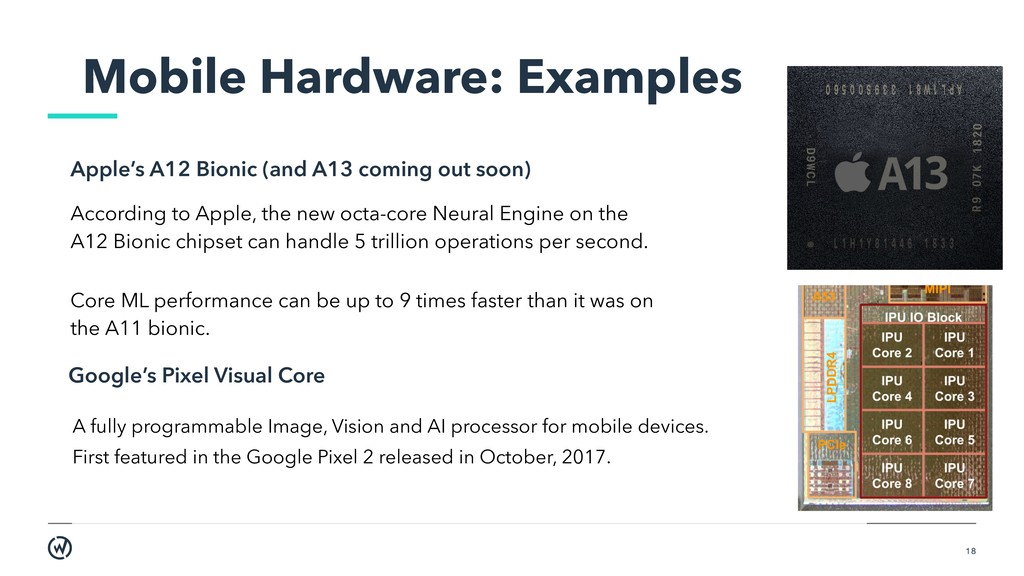
the A12 Bionic chipset can handle 5 trillion operations per second. Core ML performance can be up to 9 times faster than it was on the A11 bionic. A fully programmable Image, Vision and AI processor for mobile devices. First featured in the Google Pixel 2 released in October, 2017. Google’s Pixel Visual Core Apple’s A12 Bionic (and A13 coming out soon) Mobile Hardware: Examples
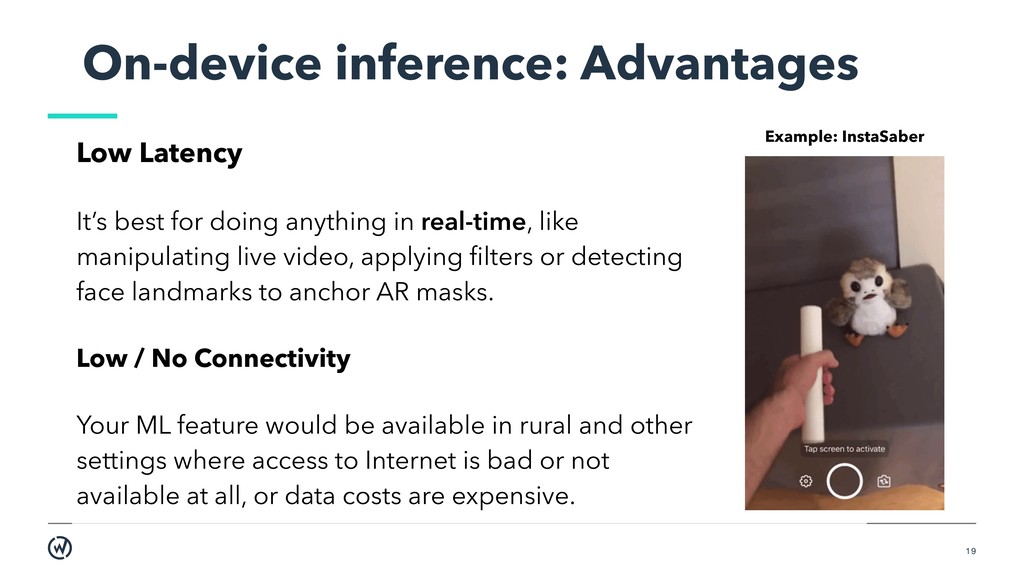
anything in real-time, like manipulating live video, applying filters or detecting face landmarks to anchor AR masks. Low / No Connectivity Your ML feature would be available in rural and other settings where access to Internet is bad or not available at all, or data costs are expensive. Example: InstaSaber
user’s device. Users would not be comfortable with certain kinds of personal data (face scans, health data) sent to the servers. Lower costs Running models on-device means you don’t need to pay for hosting your models in the cloud or maintaining a backend. ML workloads often demand GPUs and lots of memory, even just for inference. This can get expensive really fast. On-device inference: Advantages
computational process, so it may increase battery power usage. Consider monitoring the battery health, especially for long-running computations. Trade-off between performance and accuracy Smaller models tend to be faster and more energy efficient, but less accurate.
may take up multiple megabytes of memory if bundled with the app. Consider downloading the models after app installation or using smaller models. Model updating Developers need to devise a strategy for updating models and delivering them to users. Model security Your app can be reverse engineered and your machine learning model may be stolen.
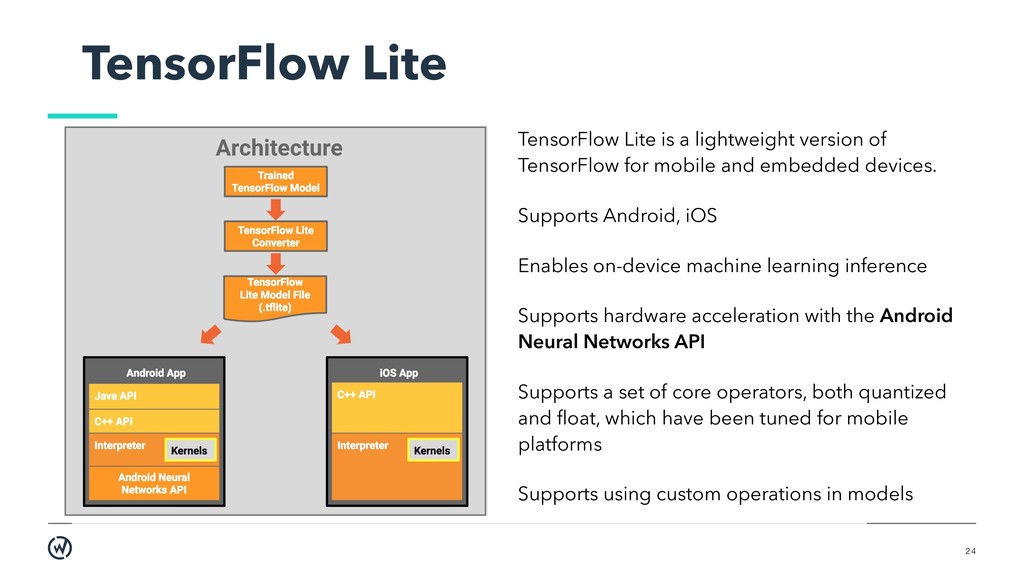
TensorFlow for mobile and embedded devices. Supports Android, iOS Enables on-device machine learning inference Supports hardware acceleration with the Android Neural Networks API Supports a set of core operators, both quantized and float, which have been tuned for mobile platforms Supports using custom operations in models
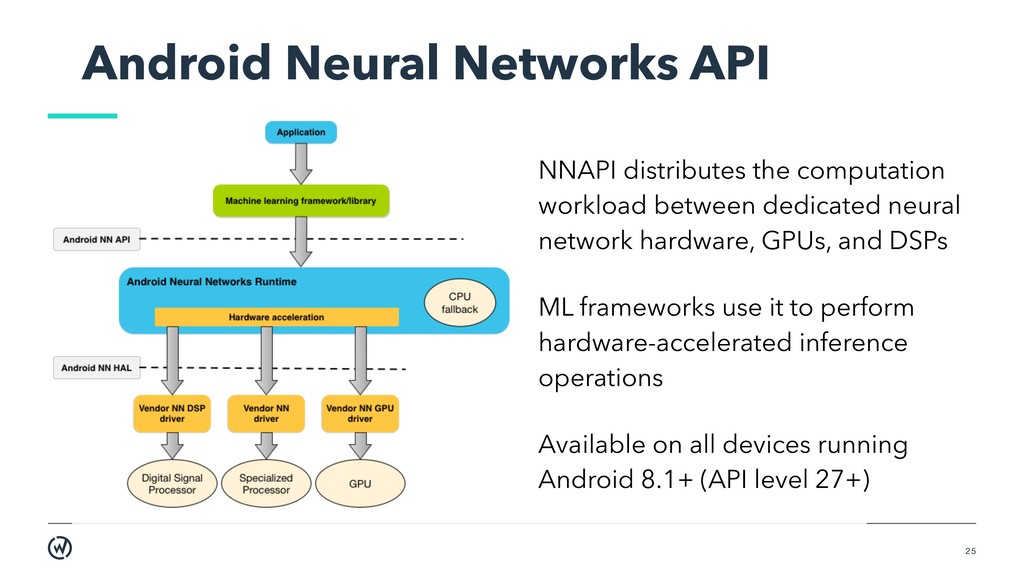
between dedicated neural network hardware, GPUs, and DSPs ML frameworks use it to perform hardware-accelerated inference operations Available on all devices running Android 8.1+ (API level 27+)
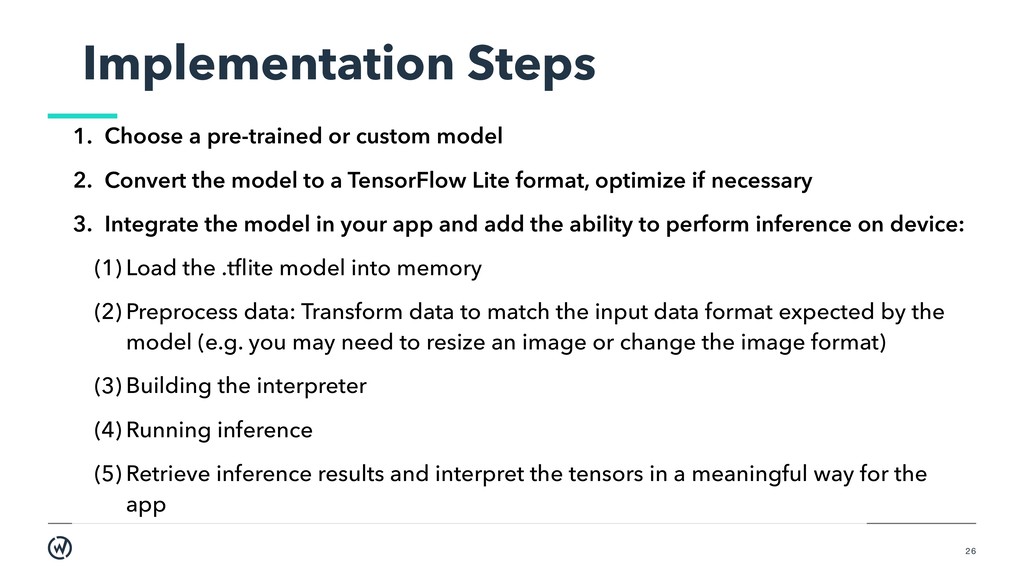
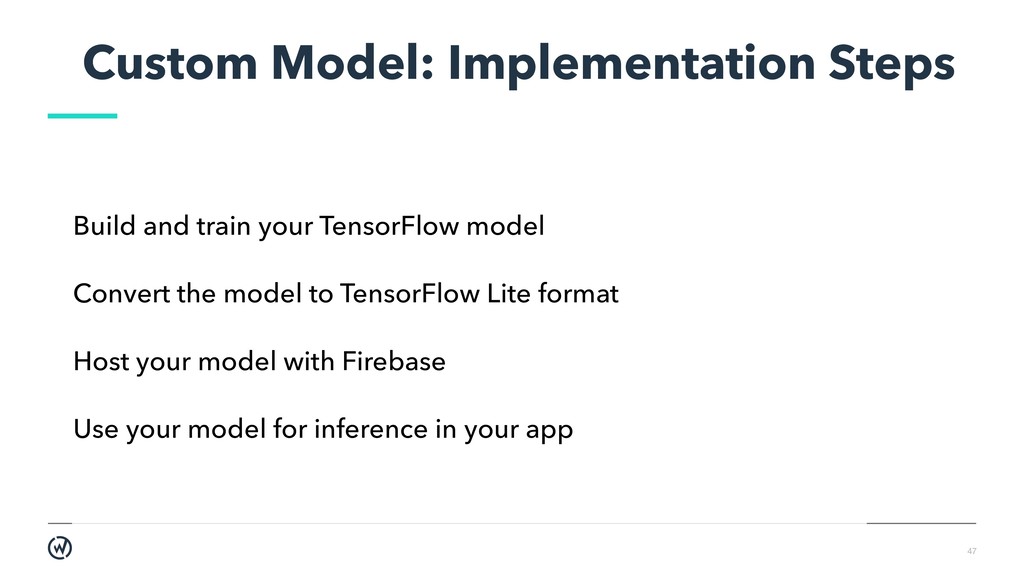
2. Convert the model to a TensorFlow Lite format, optimize if necessary 3. Integrate the model in your app and add the ability to perform inference on device: (1) Load the .tflite model into memory (2) Preprocess data: Transform data to match the input data format expected by the model (e.g. you may need to resize an image or change the image format) (3) Building the interpreter (4) Running inference (5) Retrieve inference results and interpret the tensors in a meaningful way for the app
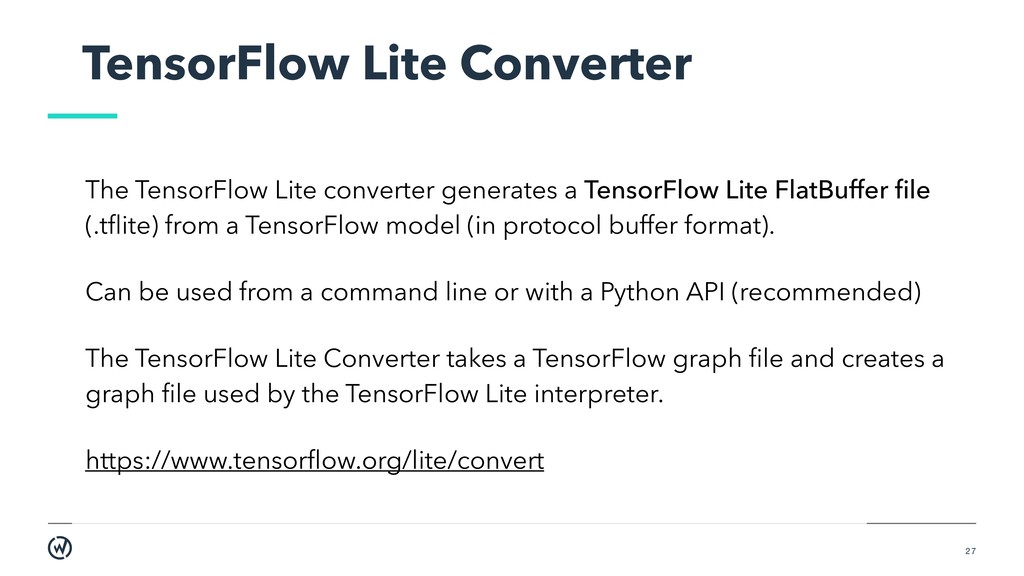
TensorFlow Lite FlatBuffer file (.tflite) from a TensorFlow model (in protocol buffer format). Can be used from a command line or with a Python API (recommended) The TensorFlow Lite Converter takes a TensorFlow graph file and creates a graph file used by the TensorFlow Lite interpreter. https://www.tensorflow.org/lite/convert
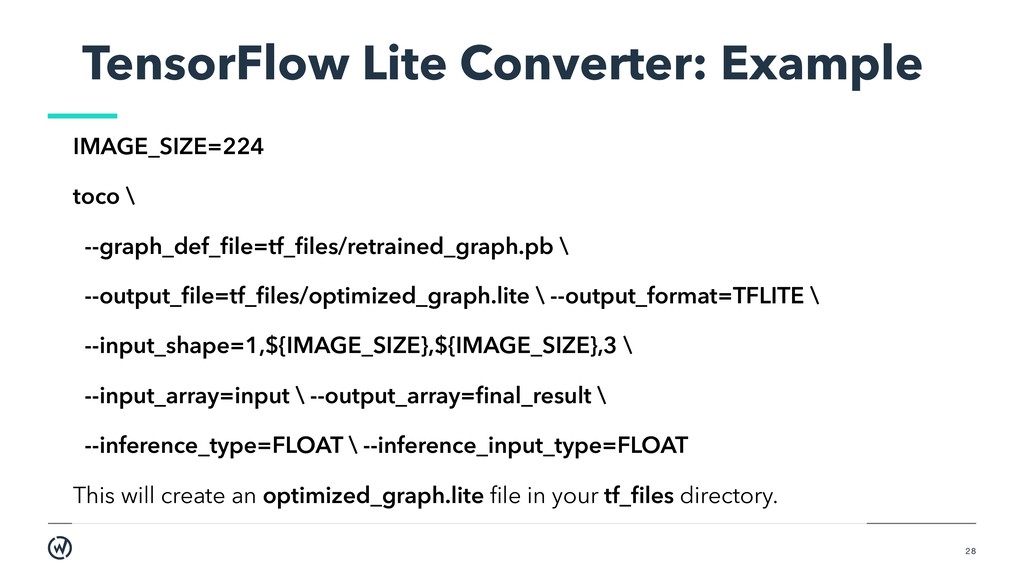
--output_file=tf_files/optimized_graph.lite \ --output_format=TFLITE \ --input_shape=1,${IMAGE_SIZE},${IMAGE_SIZE},3 \ --input_array=input \ --output_array=final_result \ --inference_type=FLOAT \ --inference_input_type=FLOAT This will create an optimized_graph.lite file in your tf_files directory.
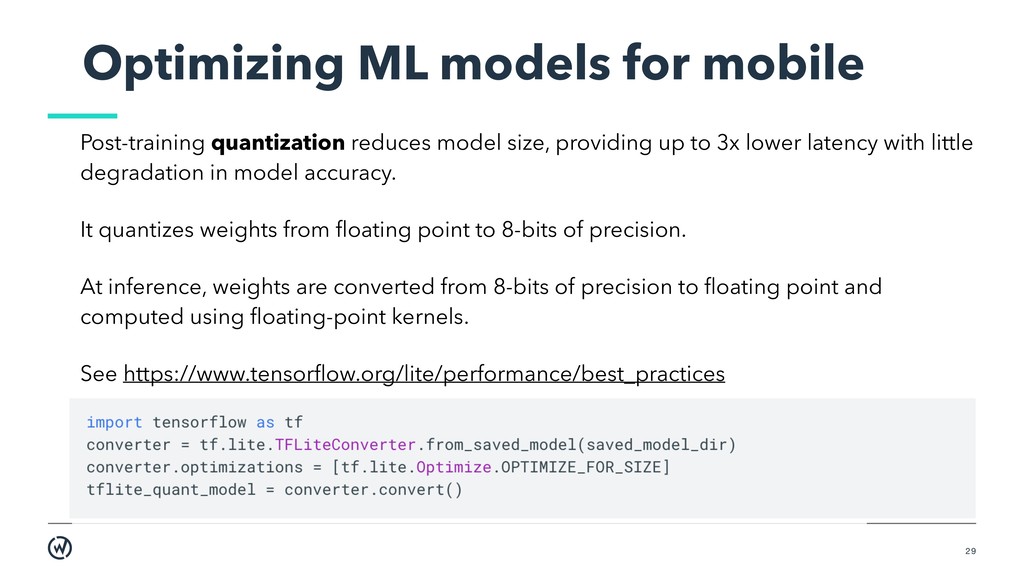
size, providing up to 3x lower latency with little degradation in model accuracy. It quantizes weights from floating point to 8-bits of precision. At inference, weights are converted from 8-bits of precision to floating point and computed using floating-point kernels. See https://www.tensorflow.org/lite/performance/best_practices
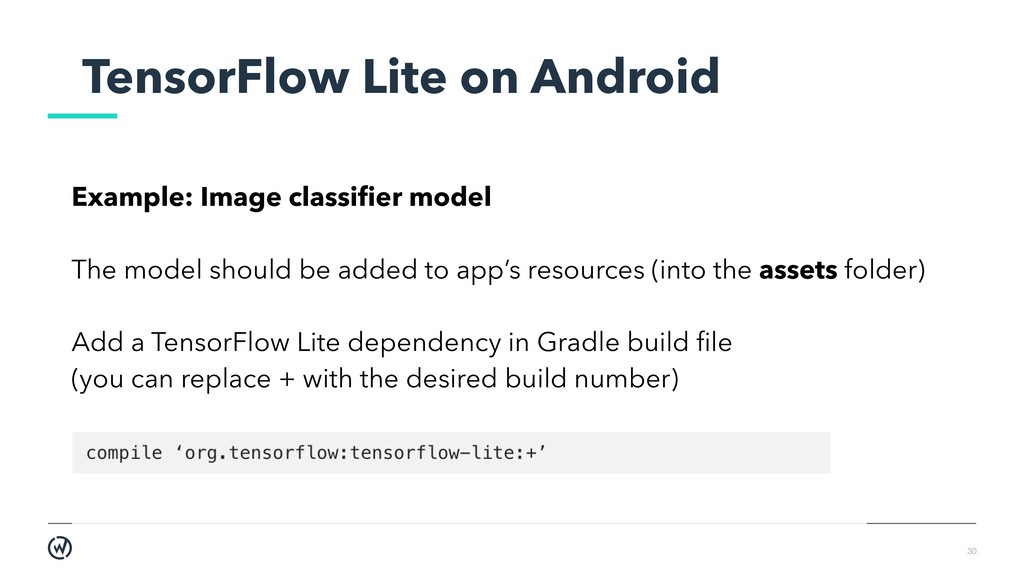
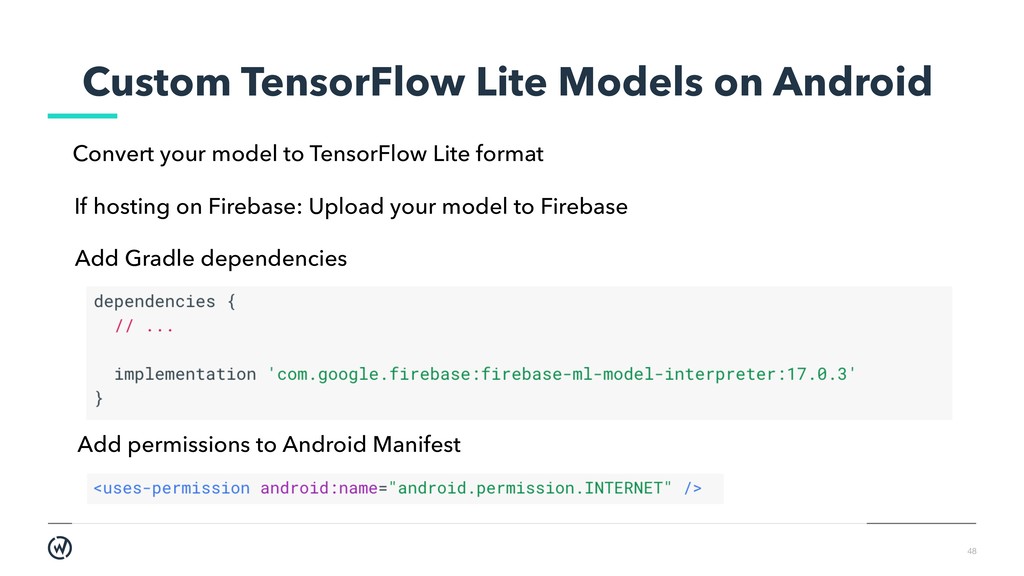
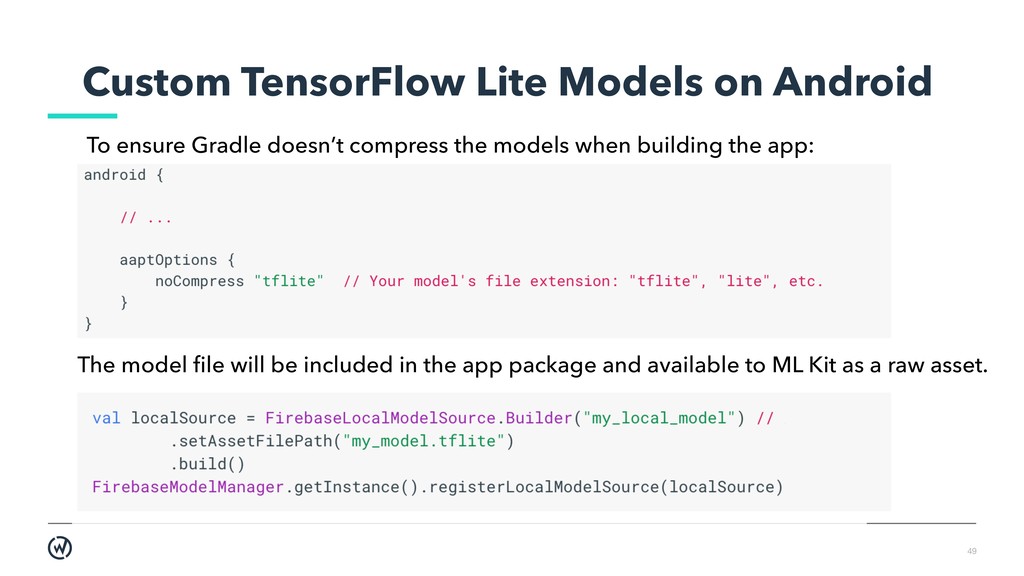
model should be added to app’s resources (into the assets folder) Add a TensorFlow Lite dependency in Gradle build file (you can replace + with the desired build number)
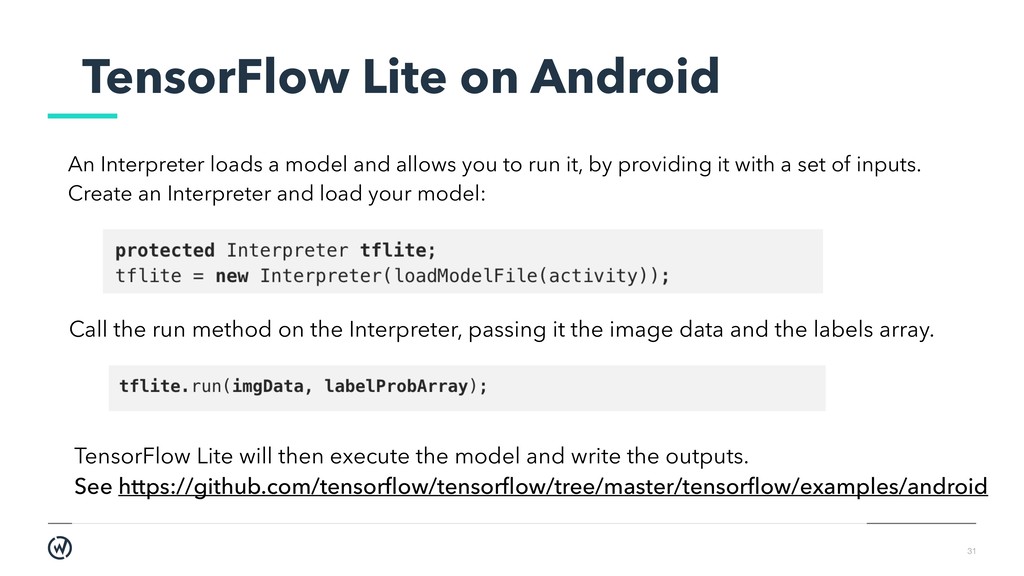
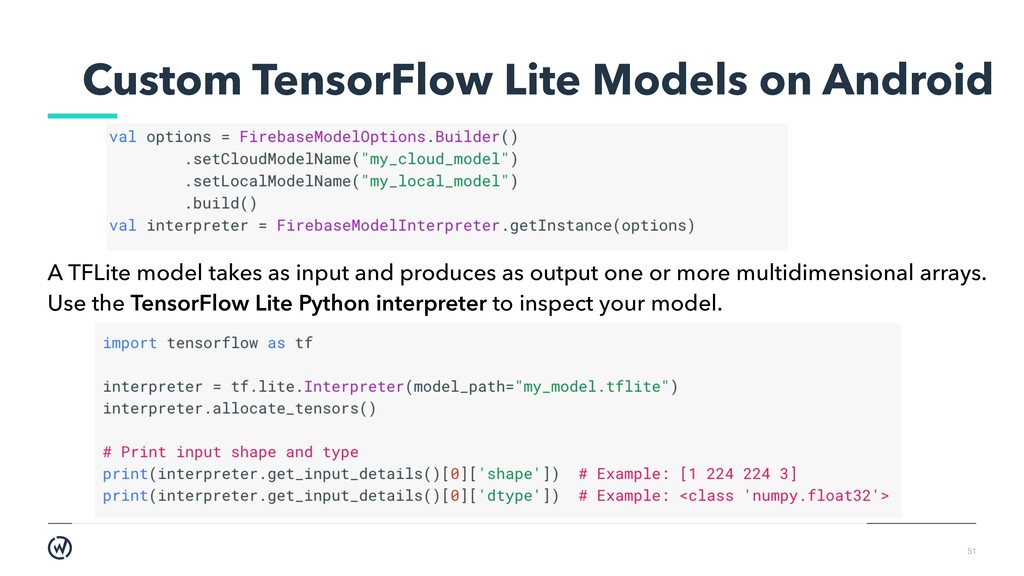
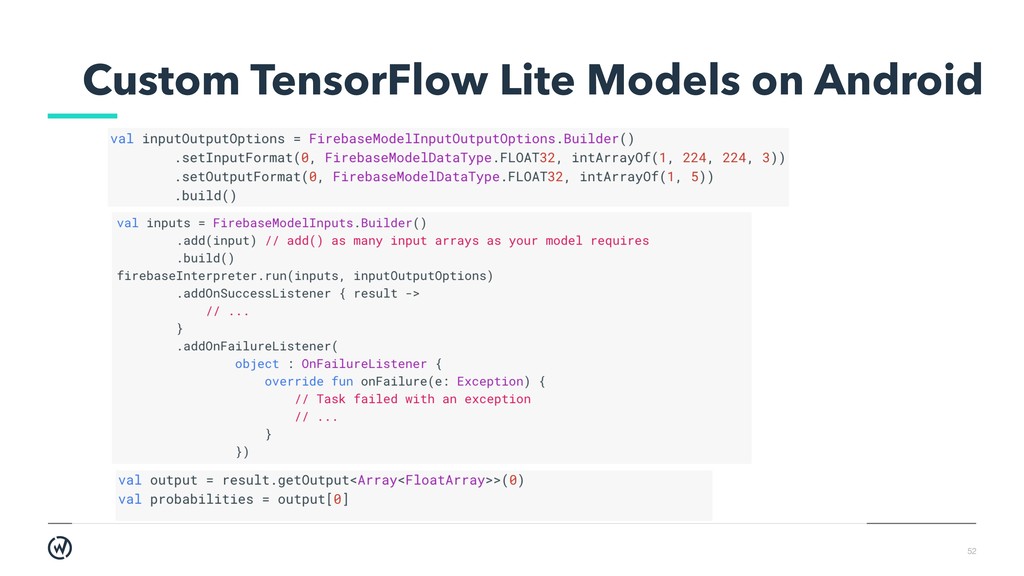
the Interpreter, passing it the image data and the labels array. TensorFlow Lite will then execute the model and write the outputs. See https://github.com/tensorflow/tensorflow/tree/master/tensorflow/examples/android An Interpreter loads a model and allows you to run it, by providing it with a set of inputs. Create an Interpreter and load your model:
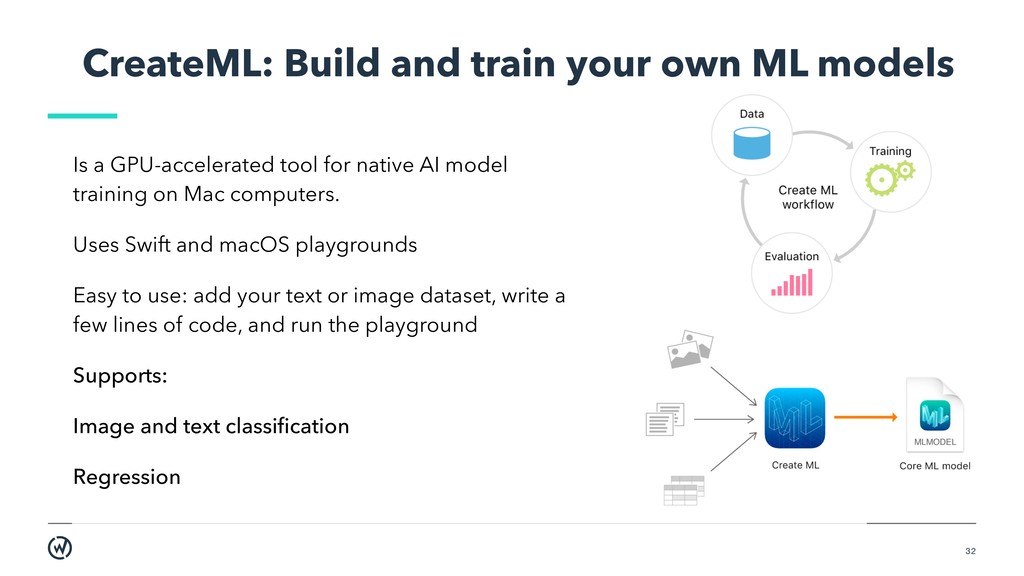
a GPU-accelerated tool for native AI model training on Mac computers. Uses Swift and macOS playgrounds Easy to use: add your text or image dataset, write a few lines of code, and run the playground Supports: Image and text classification Regression
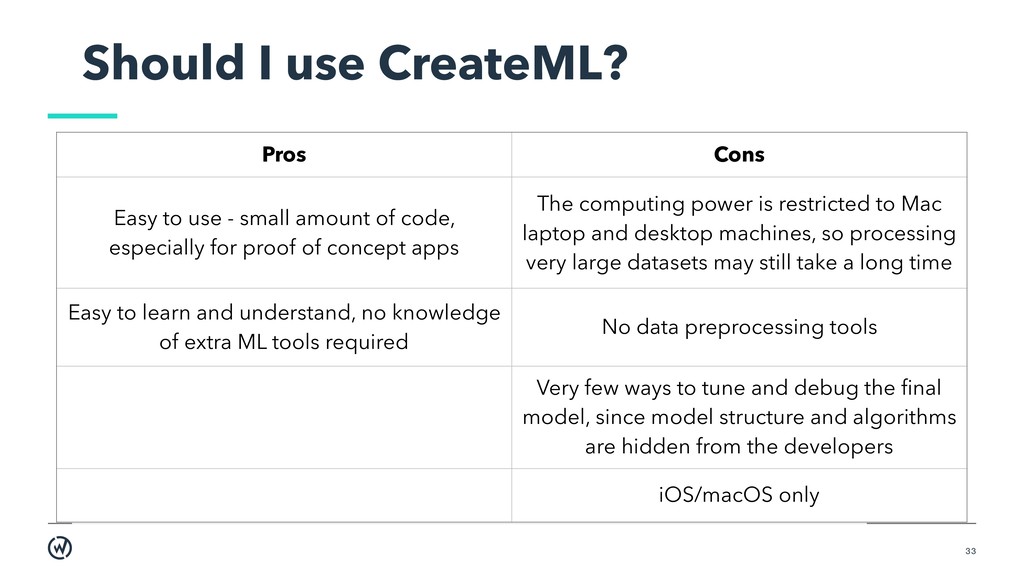
- small amount of code, especially for proof of concept apps The computing power is restricted to Mac laptop and desktop machines, so processing very large datasets may still take a long time Easy to learn and understand, no knowledge of extra ML tools required No data preprocessing tools Very few ways to tune and debug the final model, since model structure and algorithms are hidden from the developers iOS/macOS only
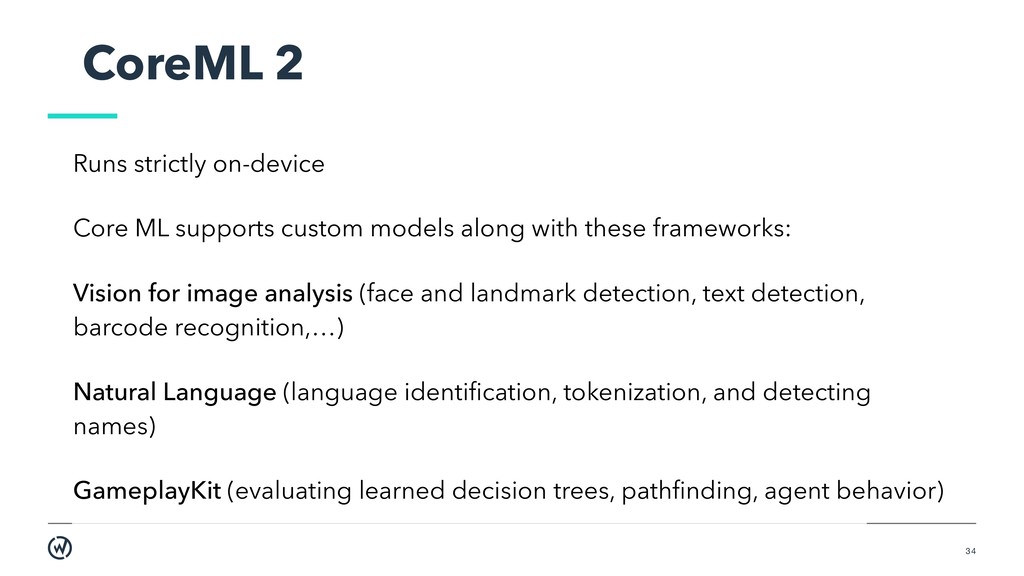
models along with these frameworks: Vision for image analysis (face and landmark detection, text detection, barcode recognition,…) Natural Language (language identification, tokenization, and detecting names) GameplayKit (evaluating learned decision trees, pathfinding, agent behavior)
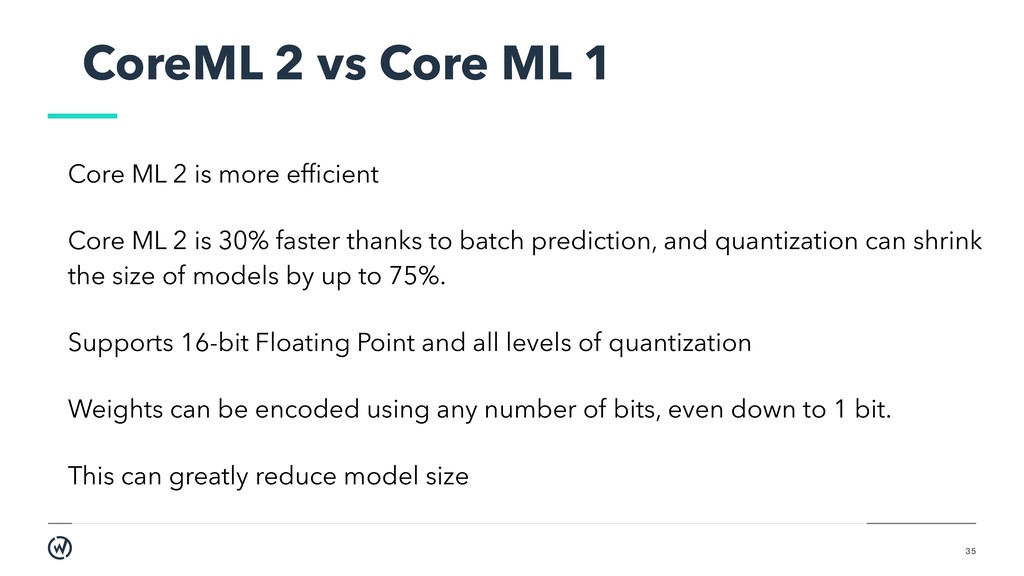
is more efficient Core ML 2 is 30% faster thanks to batch prediction, and quantization can shrink the size of models by up to 75%. Supports 16-bit Floating Point and all levels of quantization Weights can be encoded using any number of bits, even down to 1 bit. This can greatly reduce model size
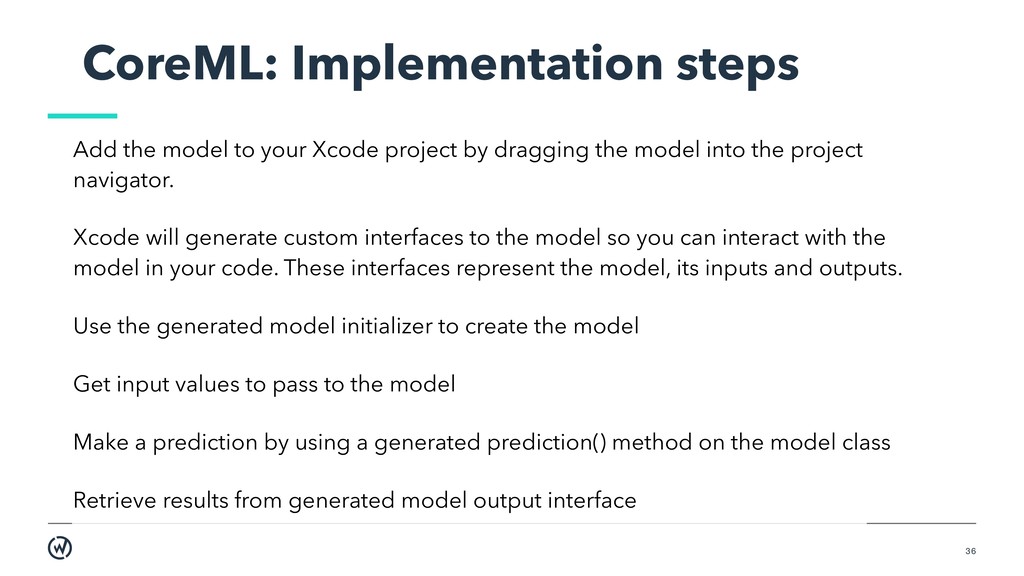
project by dragging the model into the project navigator. Xcode will generate custom interfaces to the model so you can interact with the model in your code. These interfaces represent the model, its inputs and outputs. Use the generated model initializer to create the model Get input values to pass to the model Make a prediction by using a generated prediction() method on the model class Retrieve results from generated model output interface
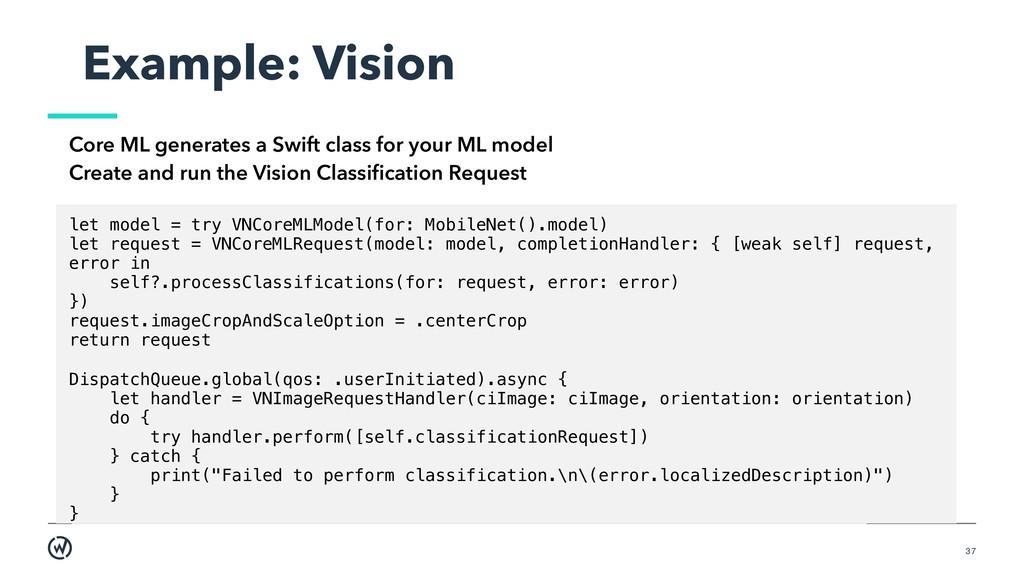
your ML model Create and run the Vision Classification Request let model = try VNCoreMLModel(for: MobileNet().model) let request = VNCoreMLRequest(model: model, completionHandler: { [weak self] request, error in self?.processClassifications(for: request, error: error) }) request.imageCropAndScaleOption = .centerCrop return request DispatchQueue.global(qos: .userInitiated).async { let handler = VNImageRequestHandler(ciImage: ciImage, orientation: orientation) do { try handler.perform([self.classificationRequest]) } catch { print("Failed to perform classification.\n\(error.localizedDescription)") } }
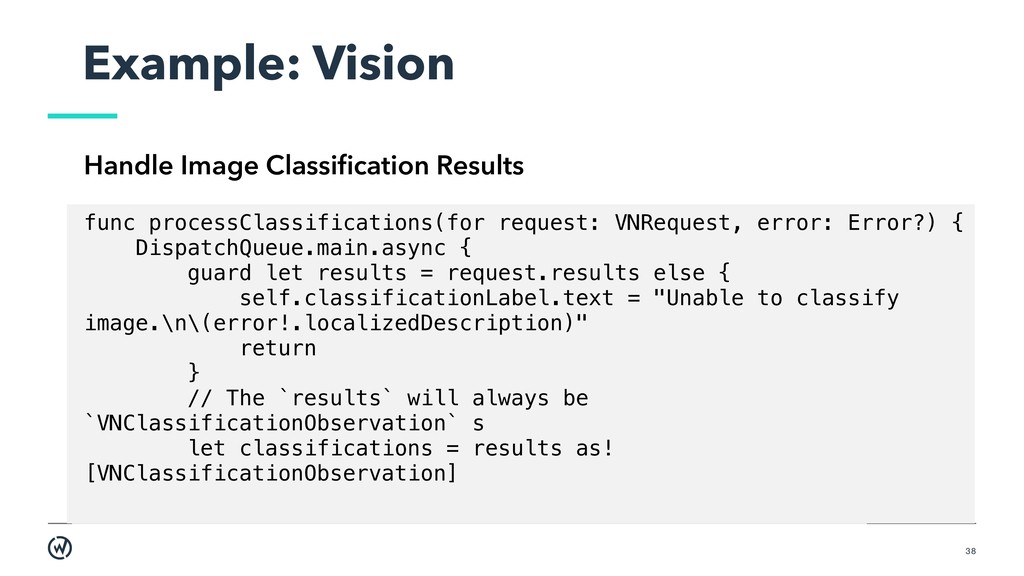
VNRequest, error: Error?) { DispatchQueue.main.async { guard let results = request.results else { self.classificationLabel.text = "Unable to classify image.\n\(error!.localizedDescription)" return } // The `results` will always be `VNClassificationObservation` s let classifications = results as! [VNClassificationObservation]
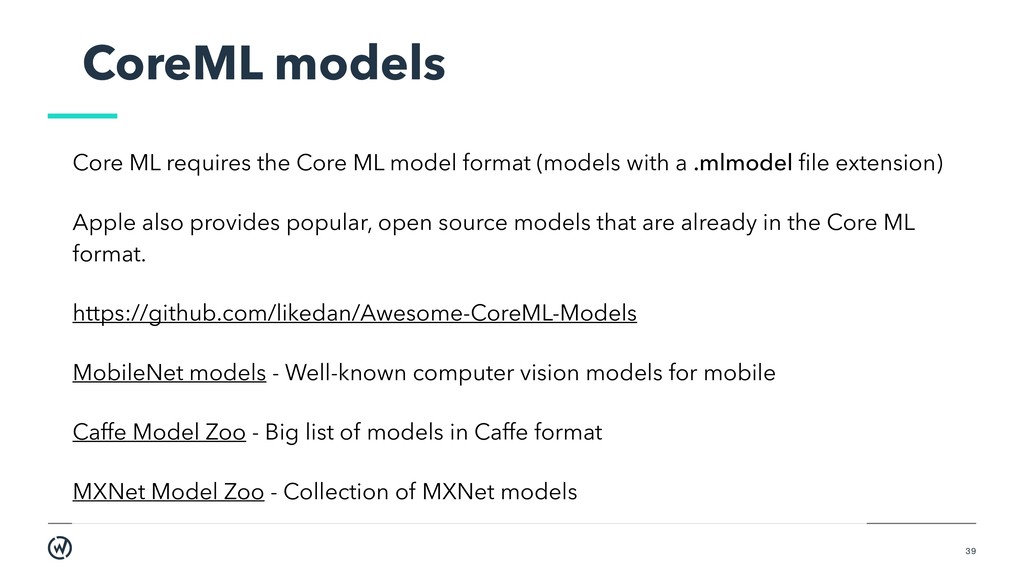
format (models with a .mlmodel file extension) Apple also provides popular, open source models that are already in the Core ML format. https://github.com/likedan/Awesome-CoreML-Models MobileNet models - Well-known computer vision models for mobile Caffe Model Zoo - Big list of models in Caffe format MXNet Model Zoo - Collection of MXNet models
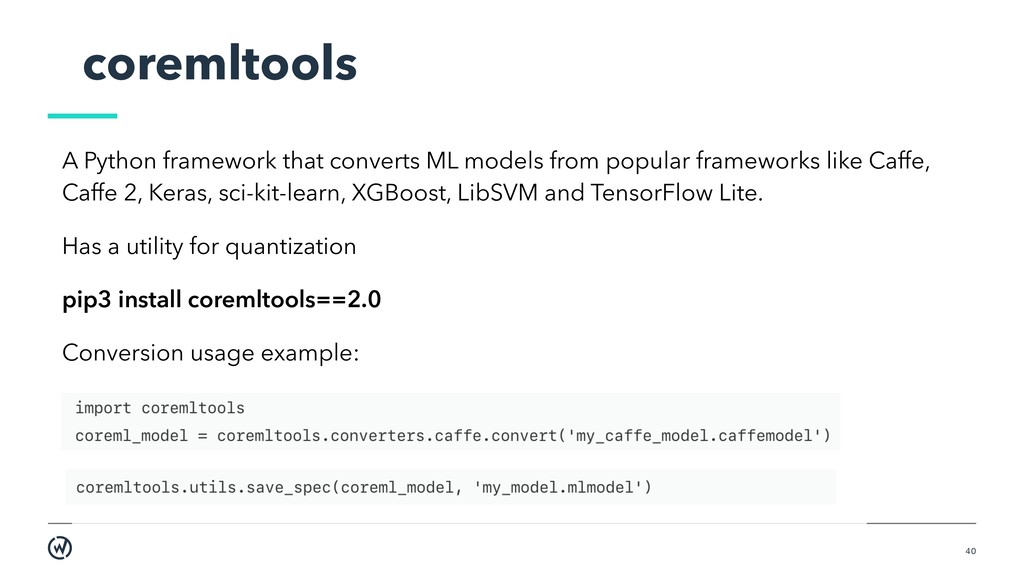
popular frameworks like Caffe, Caffe 2, Keras, sci-kit-learn, XGBoost, LibSVM and TensorFlow Lite. Has a utility for quantization pip3 install coremltools==2.0 Conversion usage example:
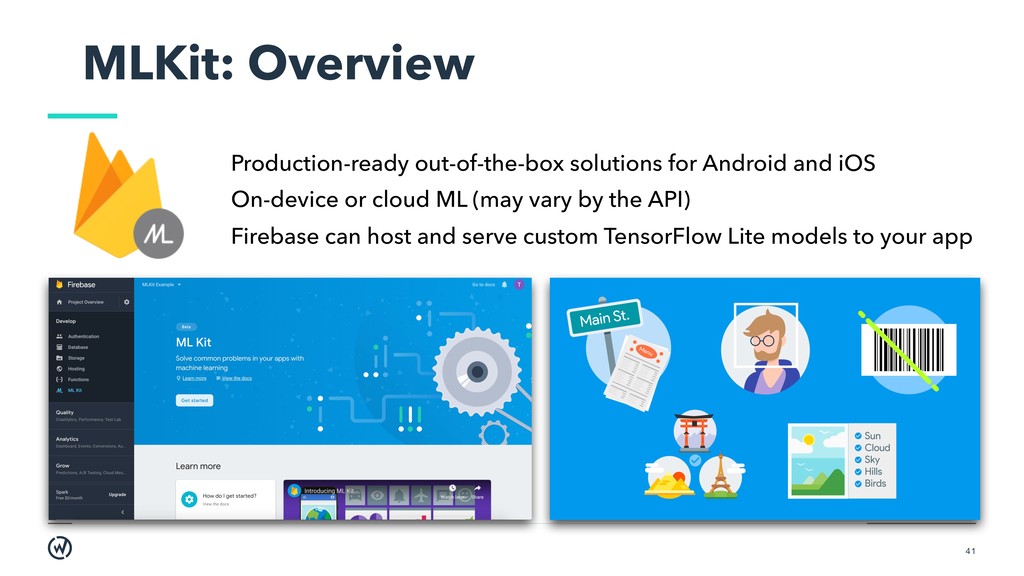
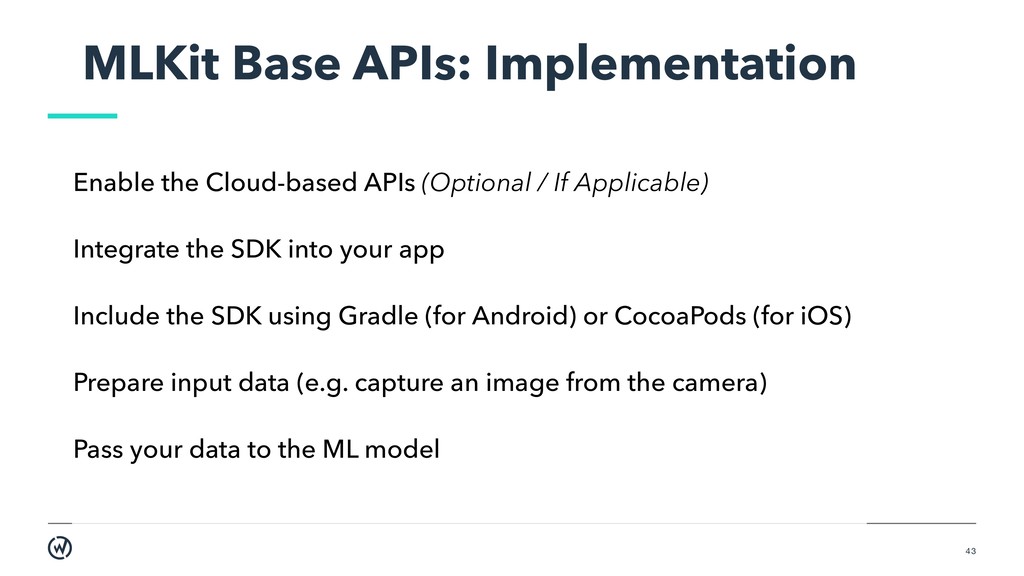
/ If Applicable) Integrate the SDK into your app Include the SDK using Gradle (for Android) or CocoaPods (for iOS) Prepare input data (e.g. capture an image from the camera) Pass your data to the ML model
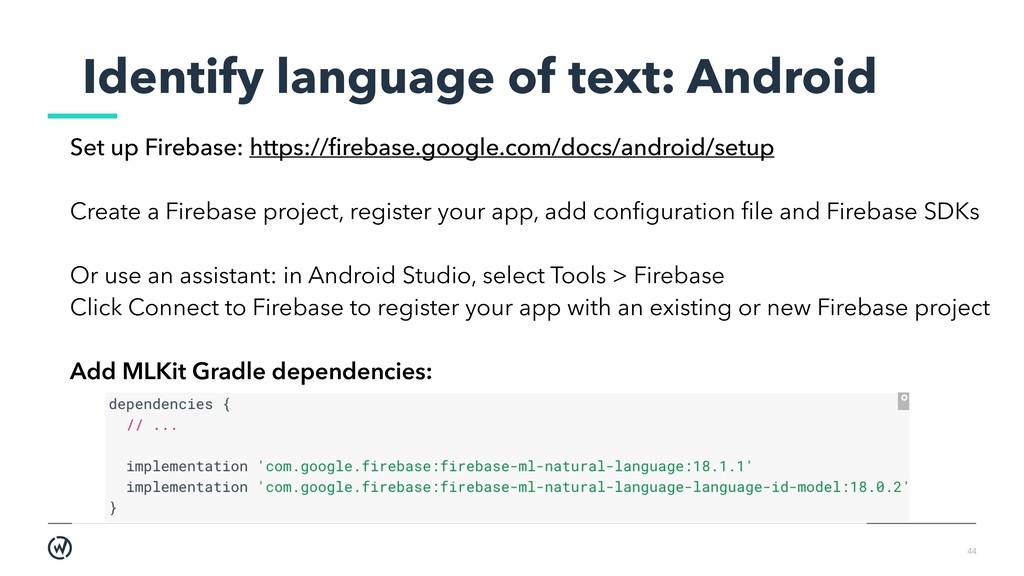
Create a Firebase project, register your app, add configuration file and Firebase SDKs Or use an assistant: in Android Studio, select Tools > Firebase Click Connect to Firebase to register your app with an existing or new Firebase project Add MLKit Gradle dependencies:
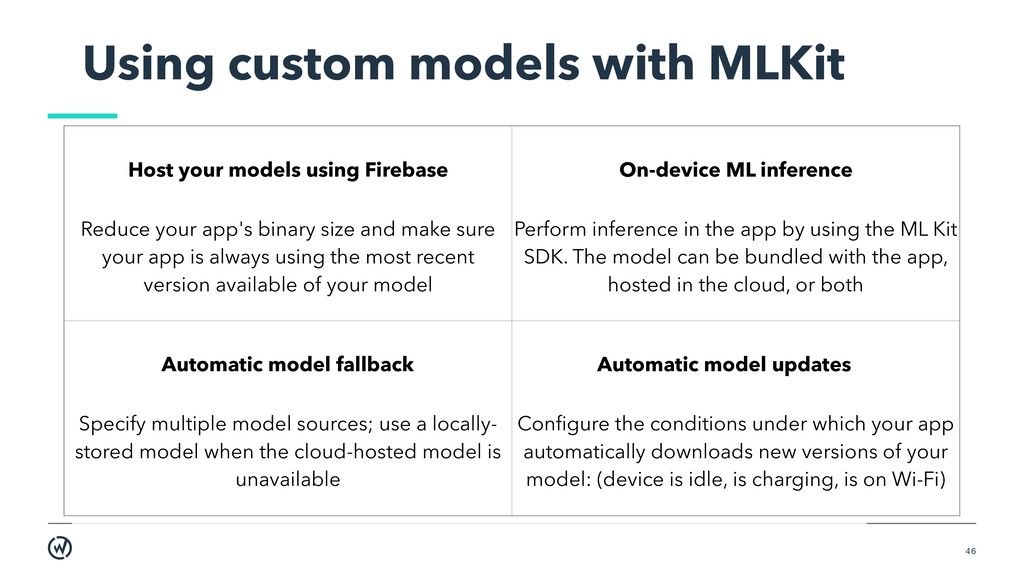
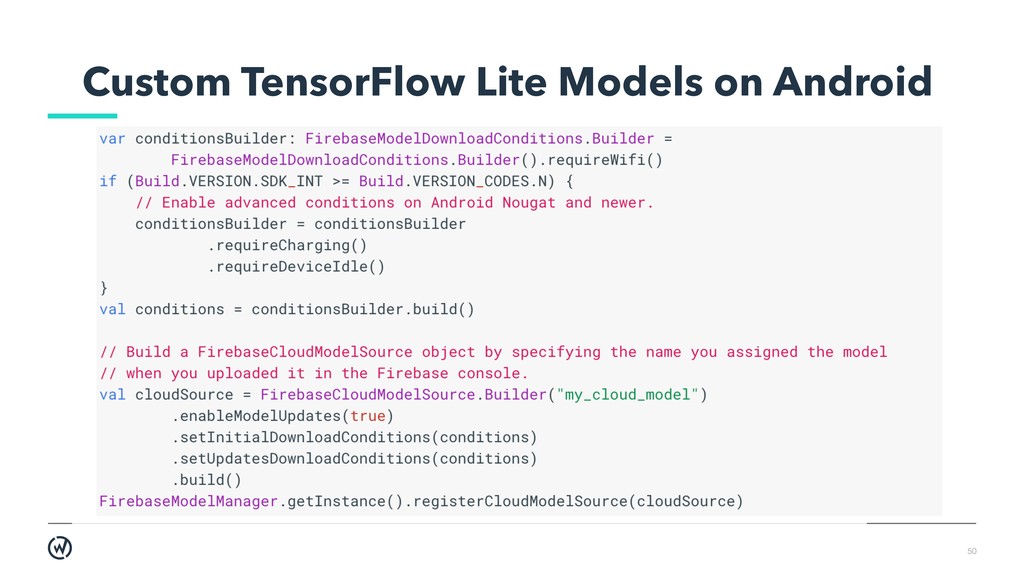
Firebase Reduce your app's binary size and make sure your app is always using the most recent version available of your model On-device ML inference Perform inference in the app by using the ML Kit SDK. The model can be bundled with the app, hosted in the cloud, or both Automatic model fallback Specify multiple model sources; use a locally- stored model when the cloud-hosted model is unavailable Automatic model updates Configure the conditions under which your app automatically downloads new versions of your model: (device is idle, is charging, is on Wi-Fi)
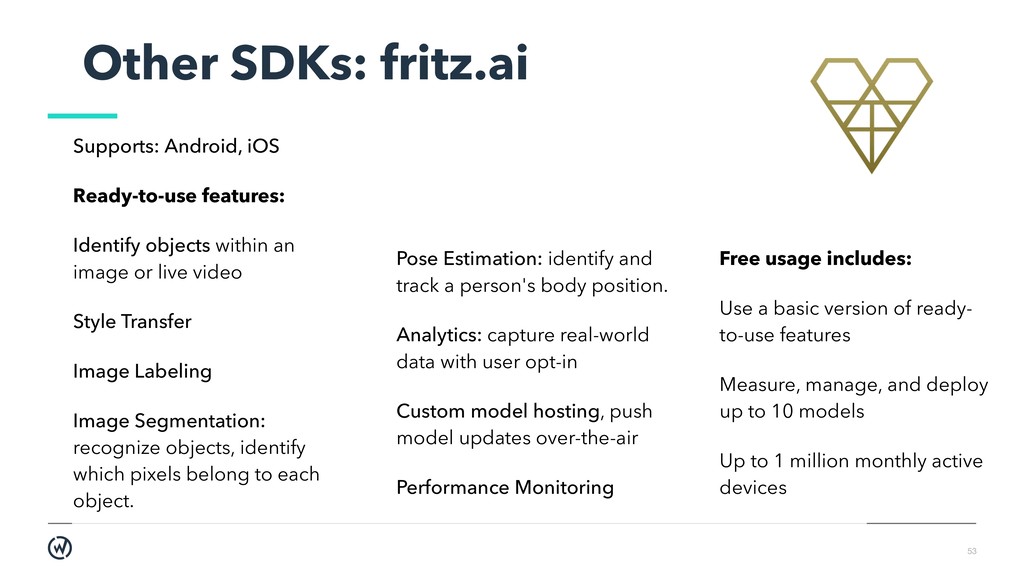
objects within an image or live video Style Transfer Image Labeling Image Segmentation: recognize objects, identify which pixels belong to each object. Pose Estimation: identify and track a person's body position. Analytics: capture real-world data with user opt-in Custom model hosting, push model updates over-the-air Performance Monitoring Free usage includes: Use a basic version of ready- to-use features Measure, manage, and deploy up to 10 models Up to 1 million monthly active devices
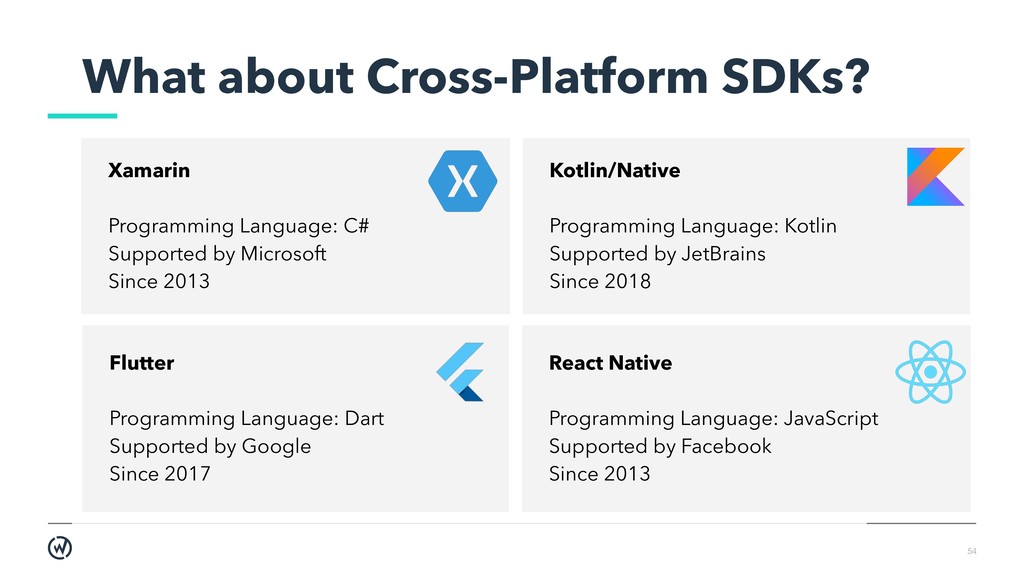
by Microsoft Since 2013 Kotlin/Native Programming Language: Kotlin Supported by JetBrains Since 2018 Flutter Programming Language: Dart Supported by Google Since 2017 React Native Programming Language: JavaScript Supported by Facebook Since 2013
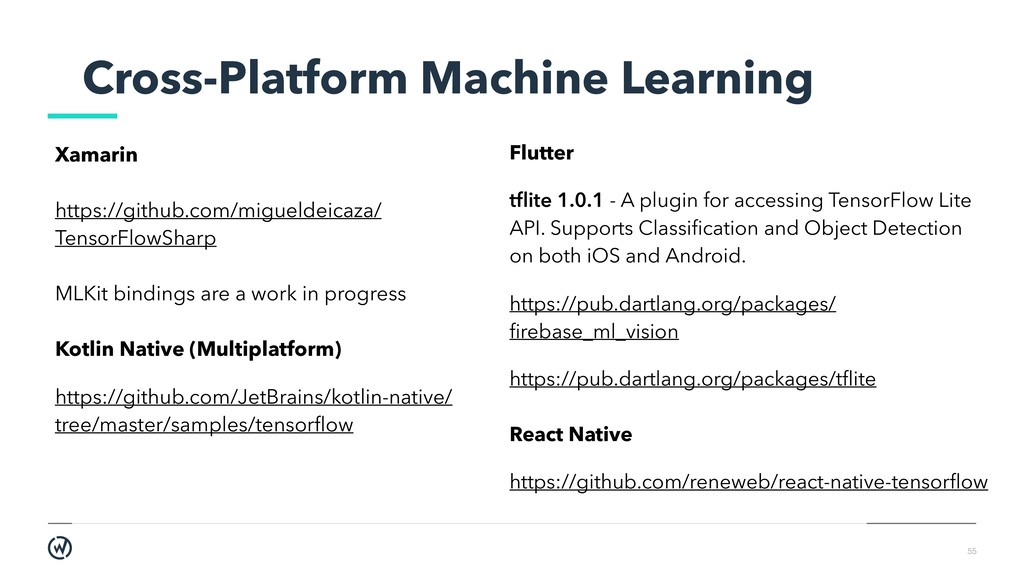
a work in progress Kotlin Native (Multiplatform) https://github.com/JetBrains/kotlin-native/ tree/master/samples/tensorflow Flutter tflite 1.0.1 - A plugin for accessing TensorFlow Lite API. Supports Classification and Object Detection on both iOS and Android. https://pub.dartlang.org/packages/ firebase_ml_vision https://pub.dartlang.org/packages/tflite React Native https://github.com/reneweb/react-native-tensorflow
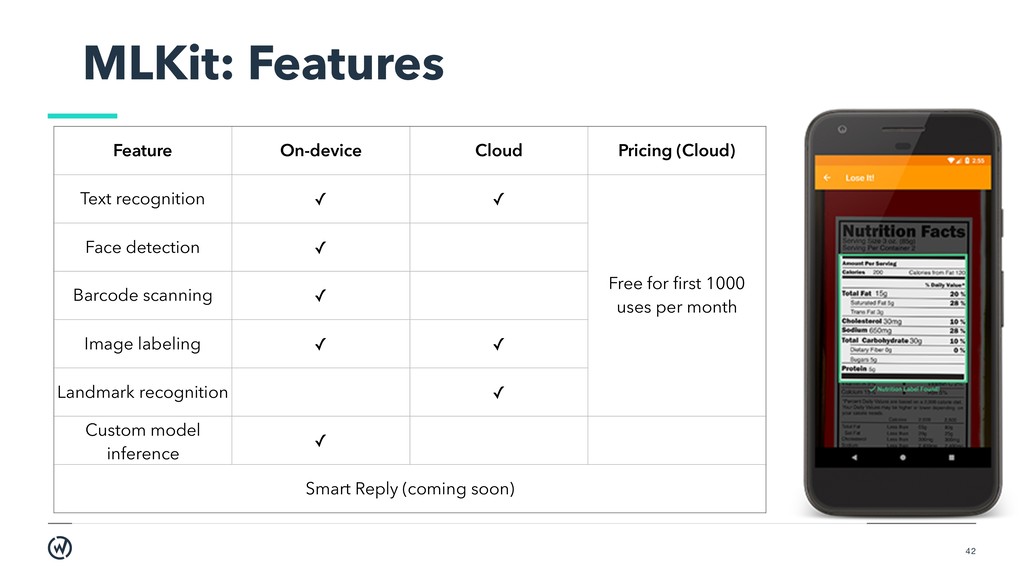
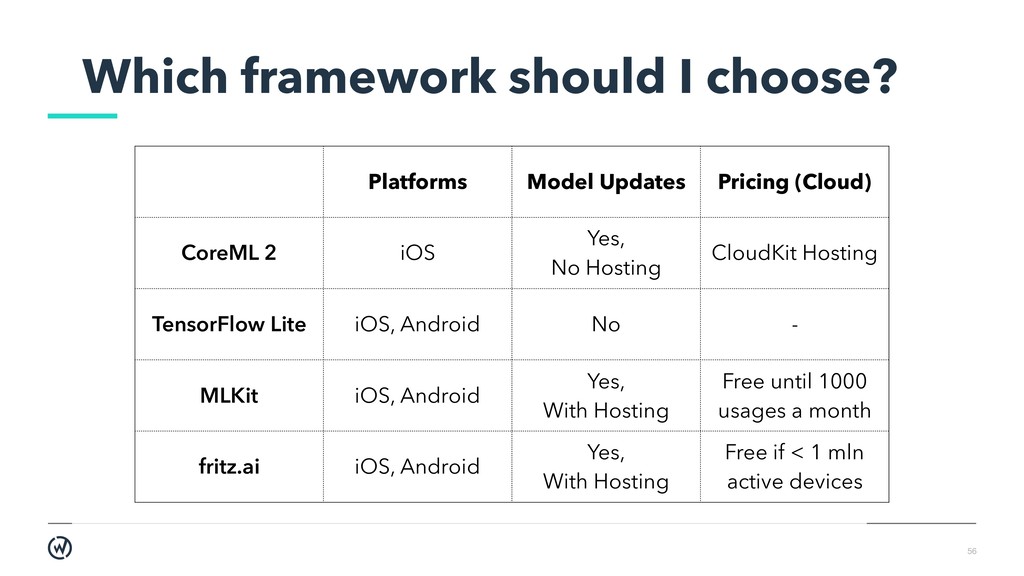
(Cloud) CoreML 2 iOS Yes, No Hosting CloudKit Hosting TensorFlow Lite iOS, Android No - MLKit iOS, Android Yes, With Hosting Free until 1000 usages a month fritz.ai iOS, Android Yes, With Hosting Free if < 1 mln active devices
a lot of advantages. In order to be used strictly on a mobile device, ML models require optimization, careful resource management, updating strategy. Adding the model to the app and interacting with it is not the hardest part. The real challenge lies (as always) in preparing the dataset and optimizing the model.


 droidrockgirl
 shuta13
 kizawa2020
 kairim0
 satoshi7
 teamlab
 occhi
occhi
 yut0naga1_fa
 persolserverworks
 takonda
 kakehashi
 ueponx
 chriscoyier
 gurzu
gurzu
 stephenakadiri
 panda_program
 wayneb77
 axbom
axbom
 marktimemedia
 eileencodes
 kristinabergwall1
 sergeychernyshev
 reverentgeek
 addyosmani
![Charlottesville, VA / Durham, NC willowtreeapps.com | [email protected] | +1-888-329-9875](https://files.speakerdeck.com/presentations/ab6c75010b0f40a0a1f97208790a9863/slide_0.jpg)