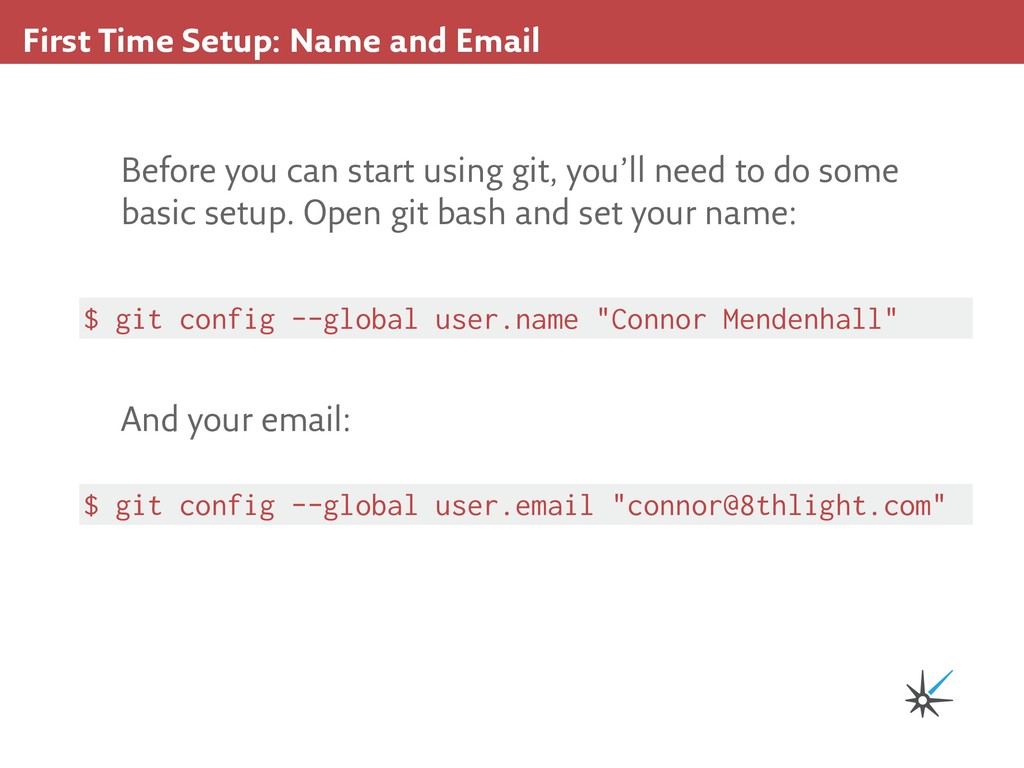
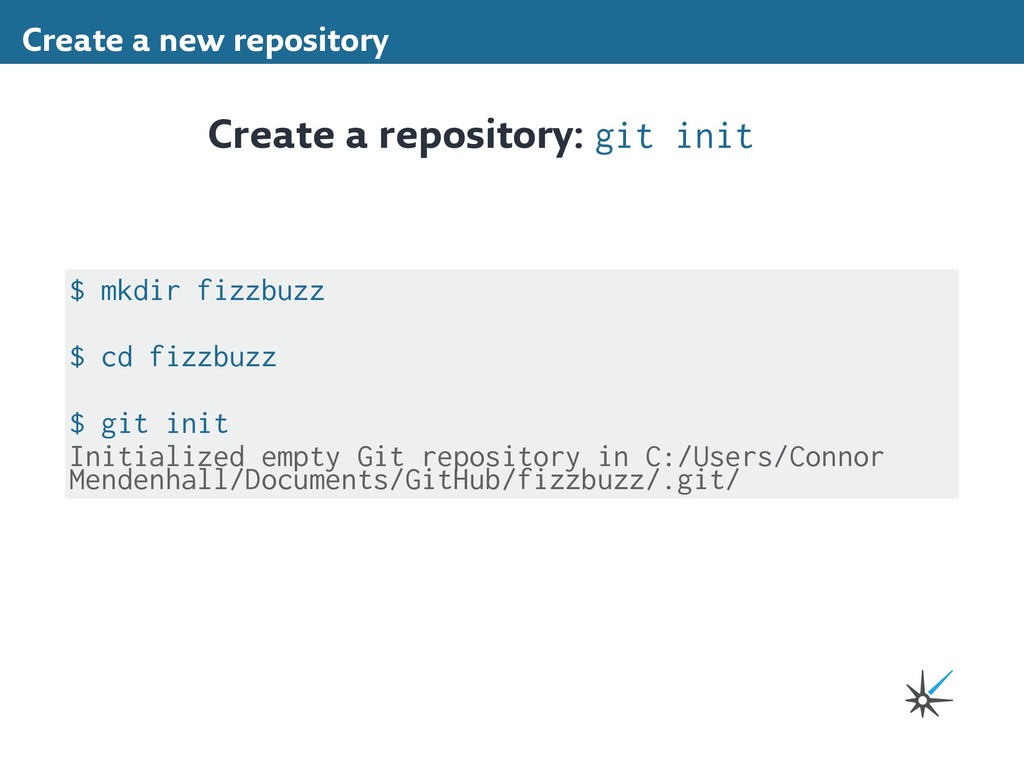
using git, you’ll need to do some basic setup. Open git bash and set your name: $ git config --global user.name "Connor Mendenhall" $ git config --global user.email "[email protected]" And your email:
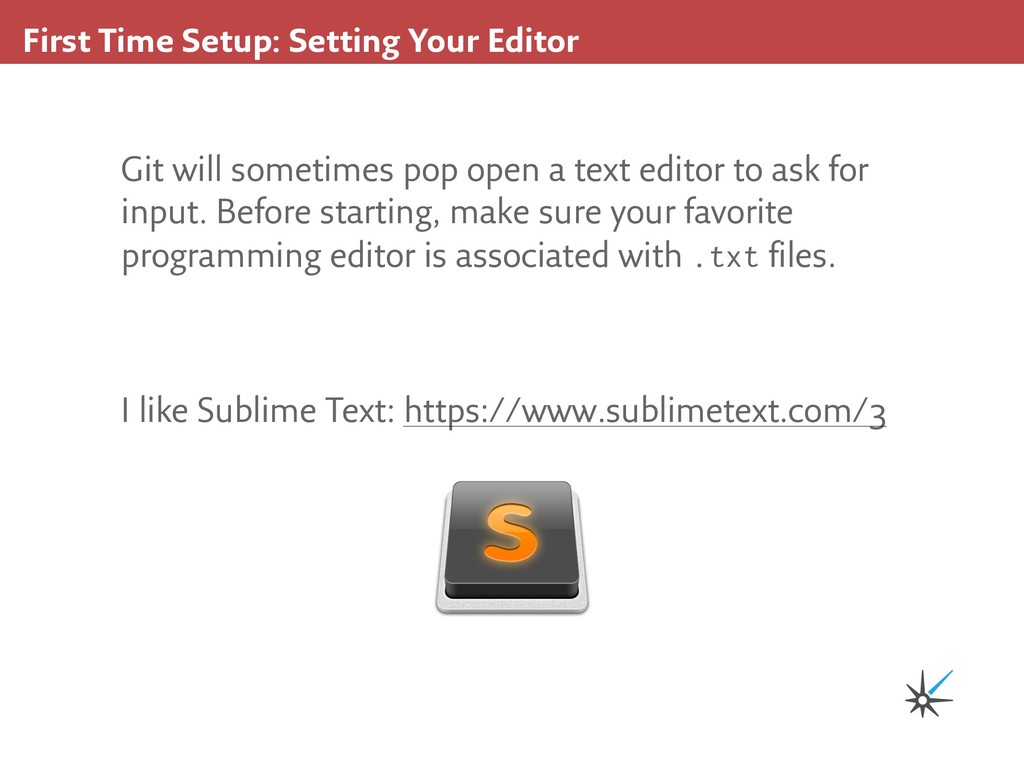
open a text editor to ask for input. Before starting, make sure your favorite programming editor is associated with .txt files. I like Sublime Text: https://www.sublimetext.com/3
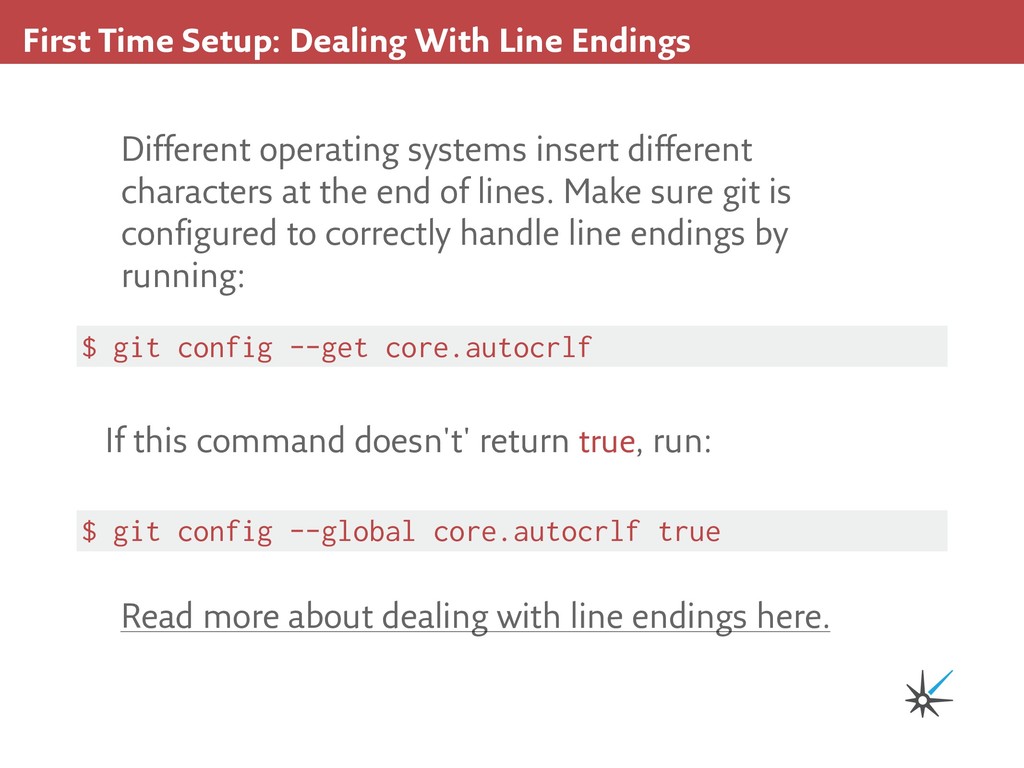
insert different characters at the end of lines. Make sure git is configured to correctly handle line endings by running: Read more about dealing with line endings here. $ git config --get core.autocrlf If this command doesn't' return true, run: $ git config --global core.autocrlf true
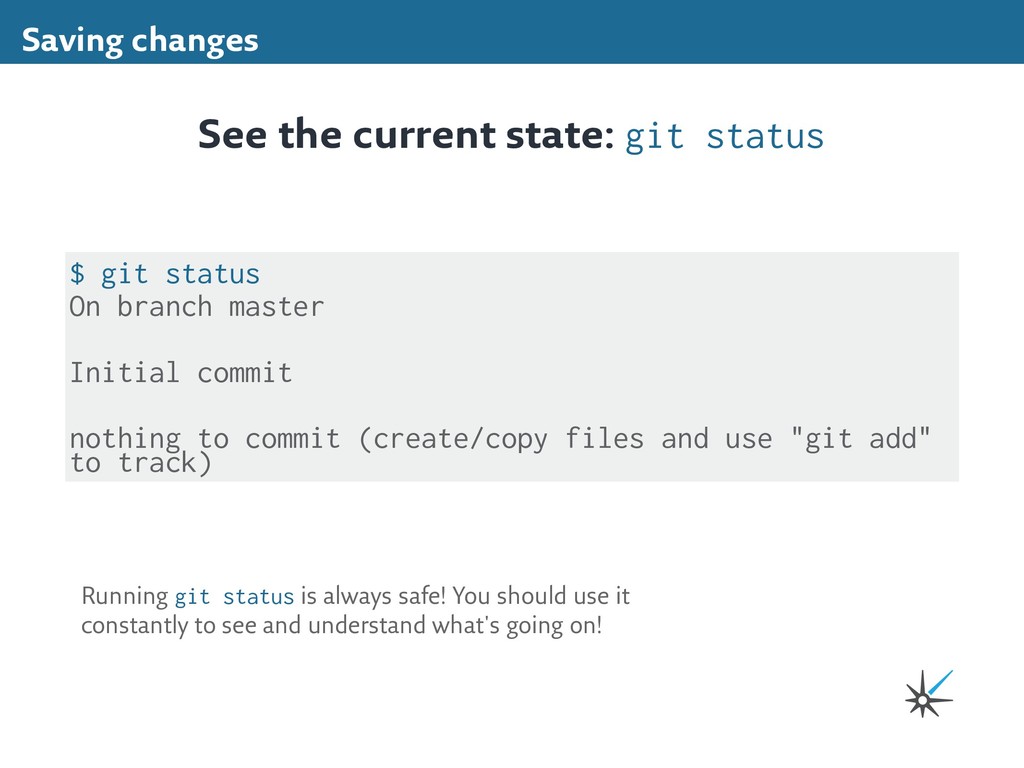
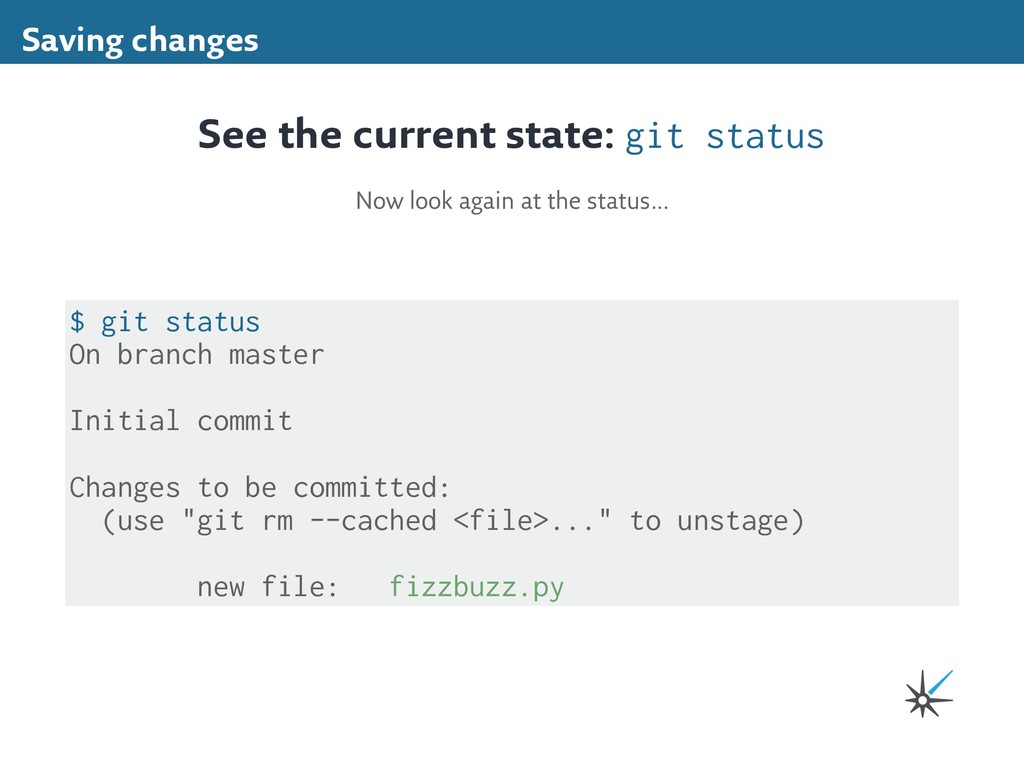
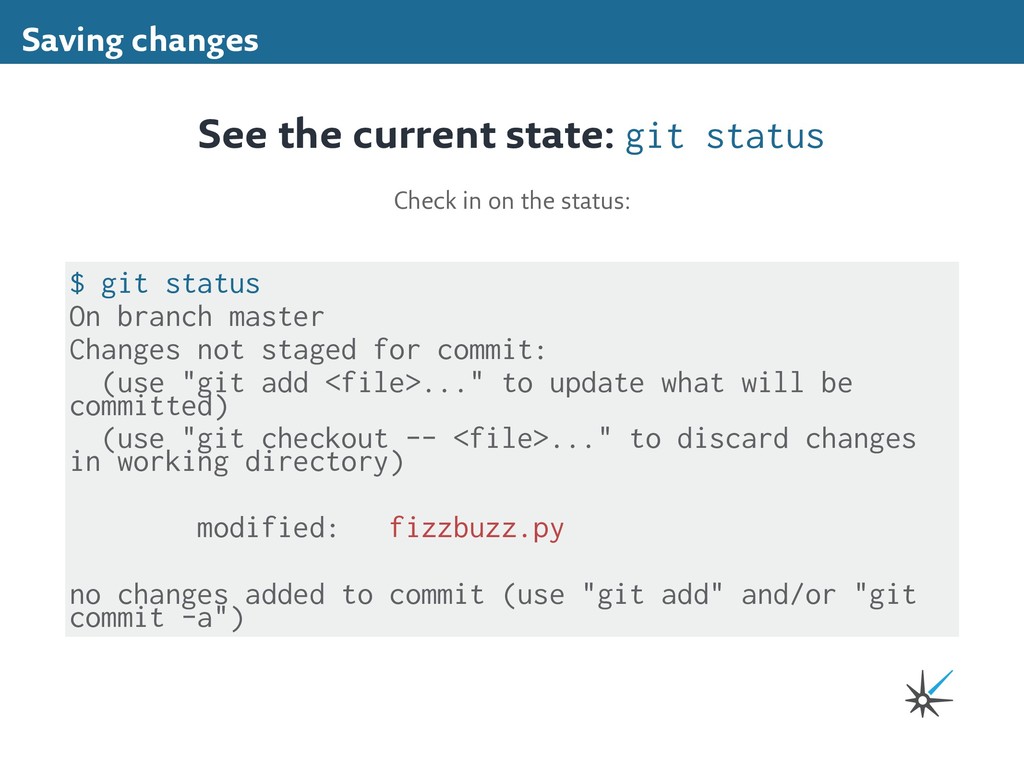
nothing to commit (create/copy files and use "git add" to track) See the current state: git status Running git status is always safe! You should use it constantly to see and understand what's going on!
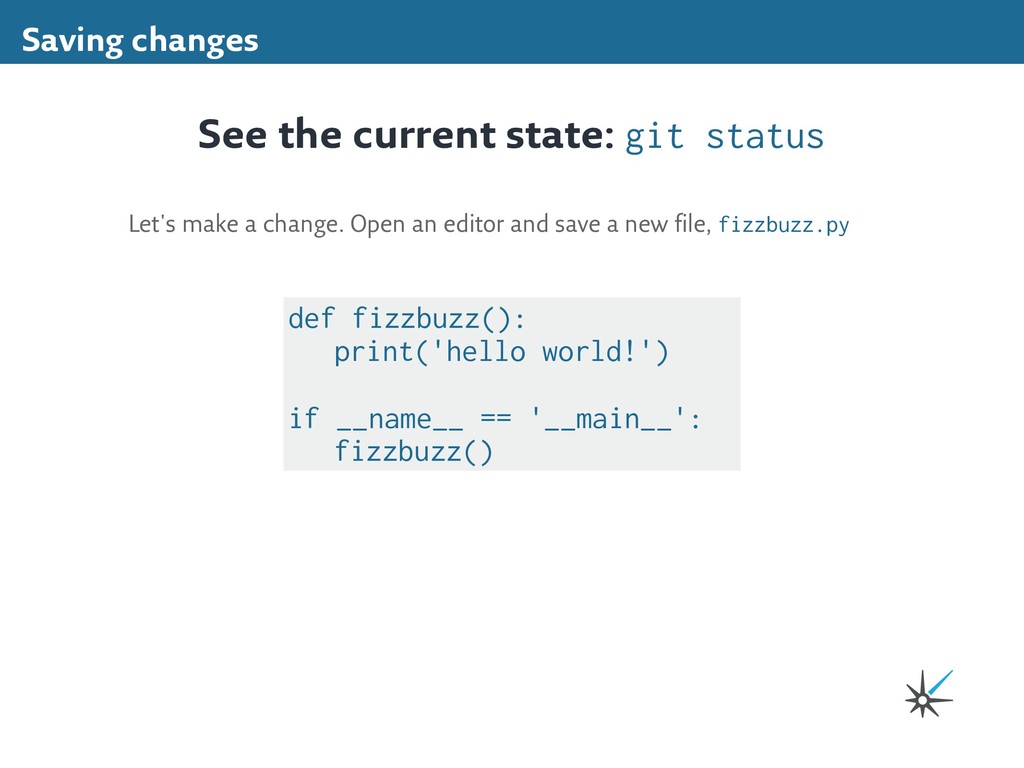
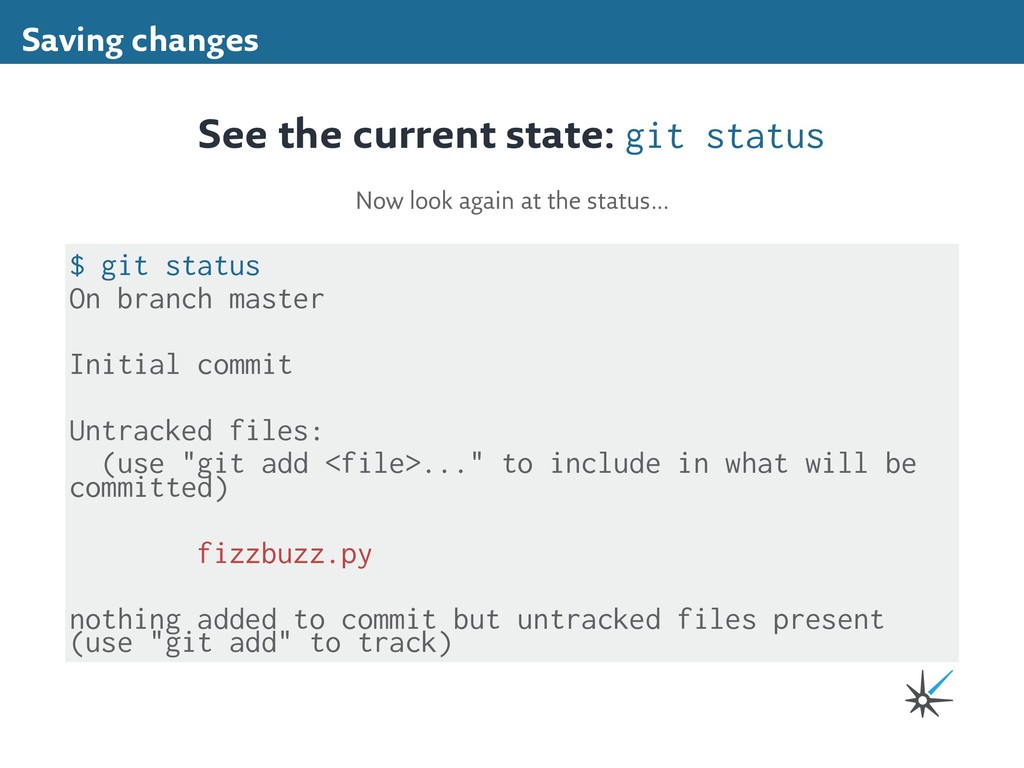
(use "git add <file>..." to include in what will be committed) fizzbuzz.py nothing added to commit but untracked files present (use "git add" to track) Saving changes See the current state: git status Now look again at the status...
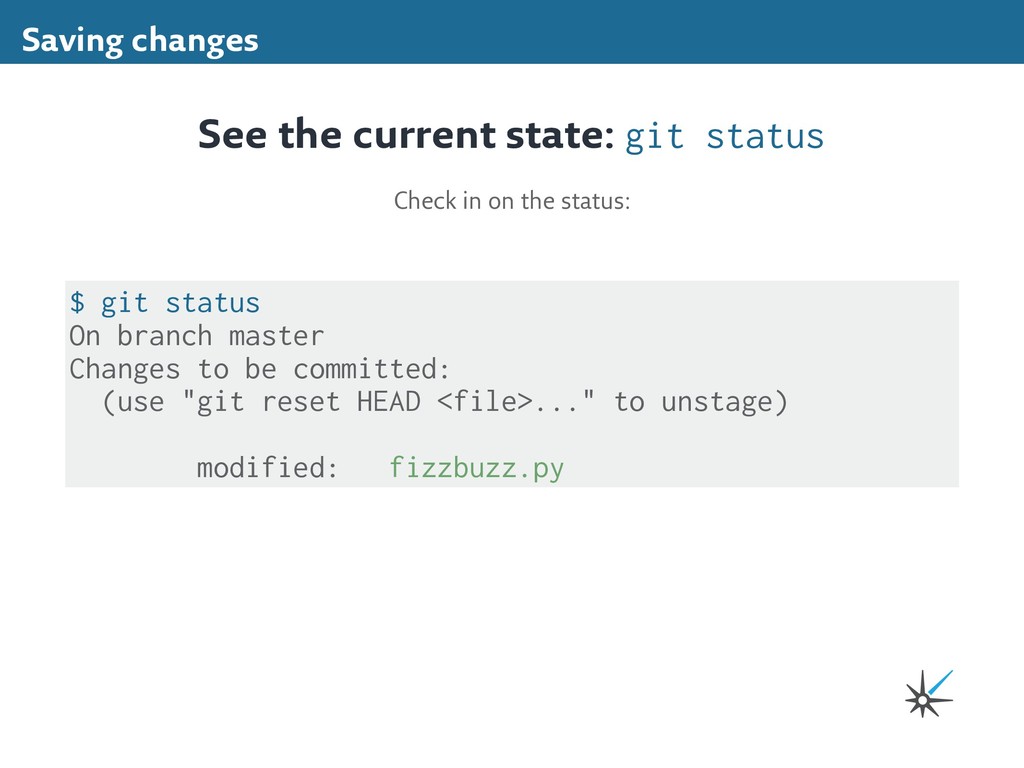
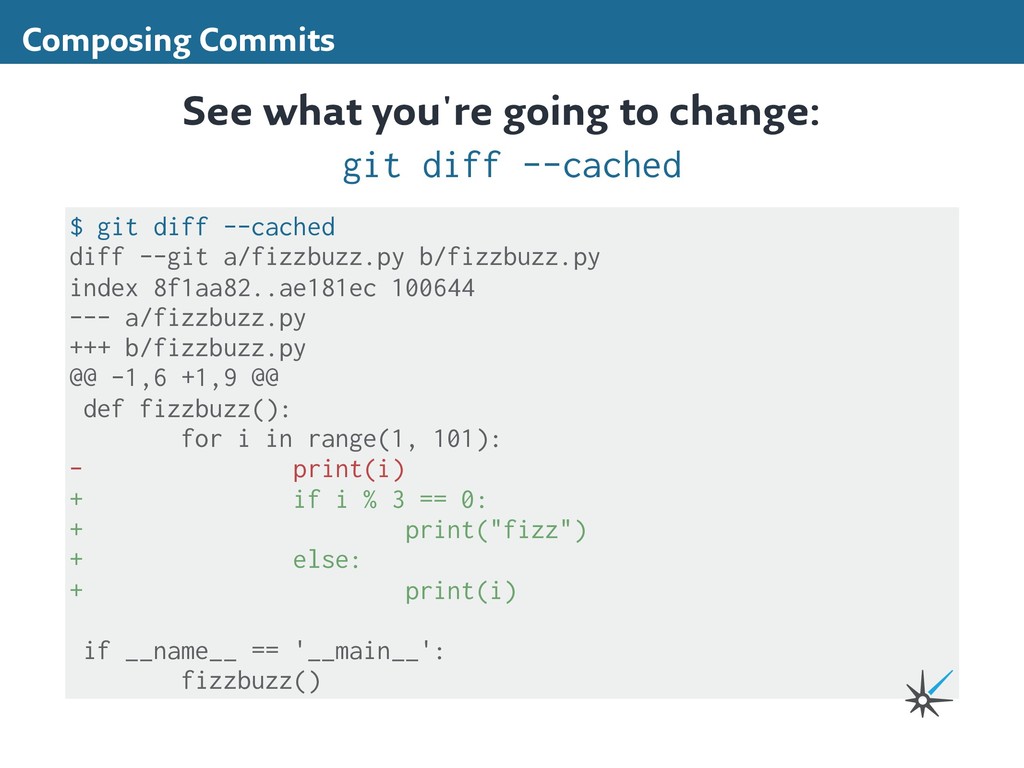
be committed: (use "git rm --cached <file>..." to unstage) new file: fizzbuzz.py Saving changes See the current state: git status Now look again at the status...
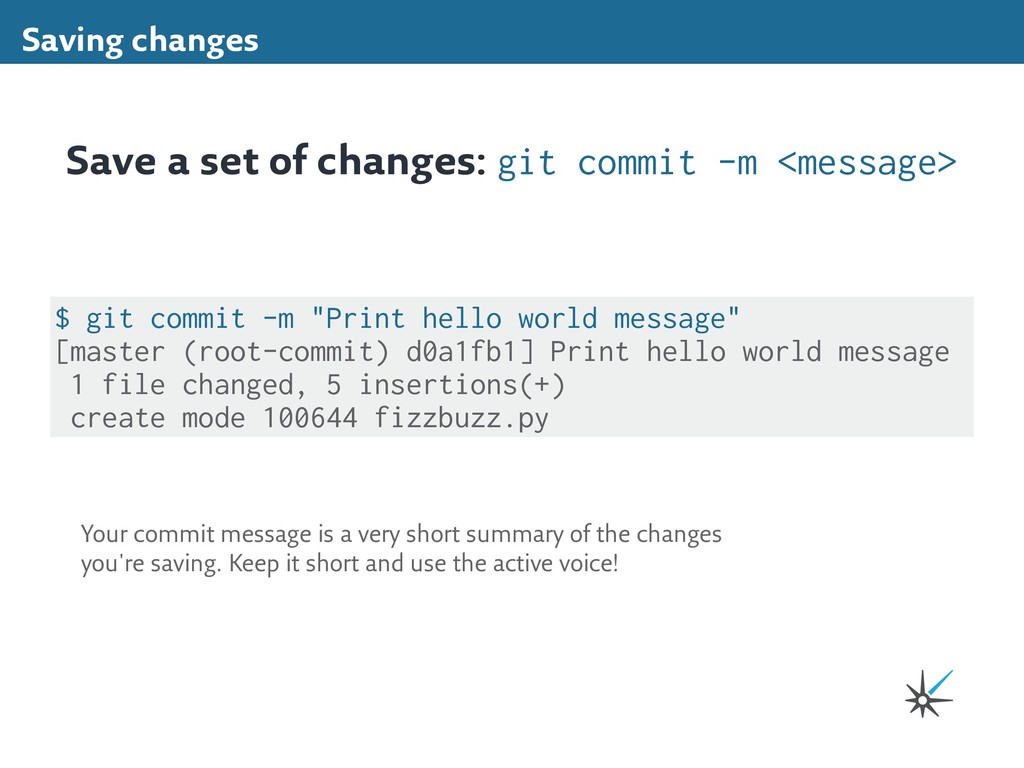
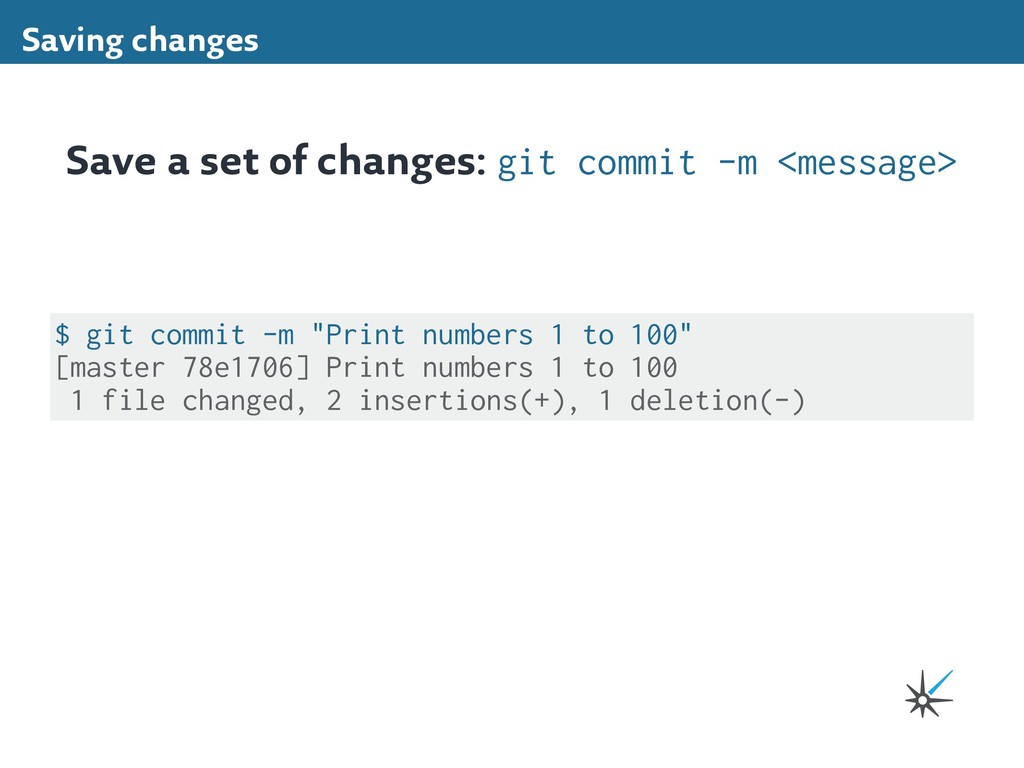
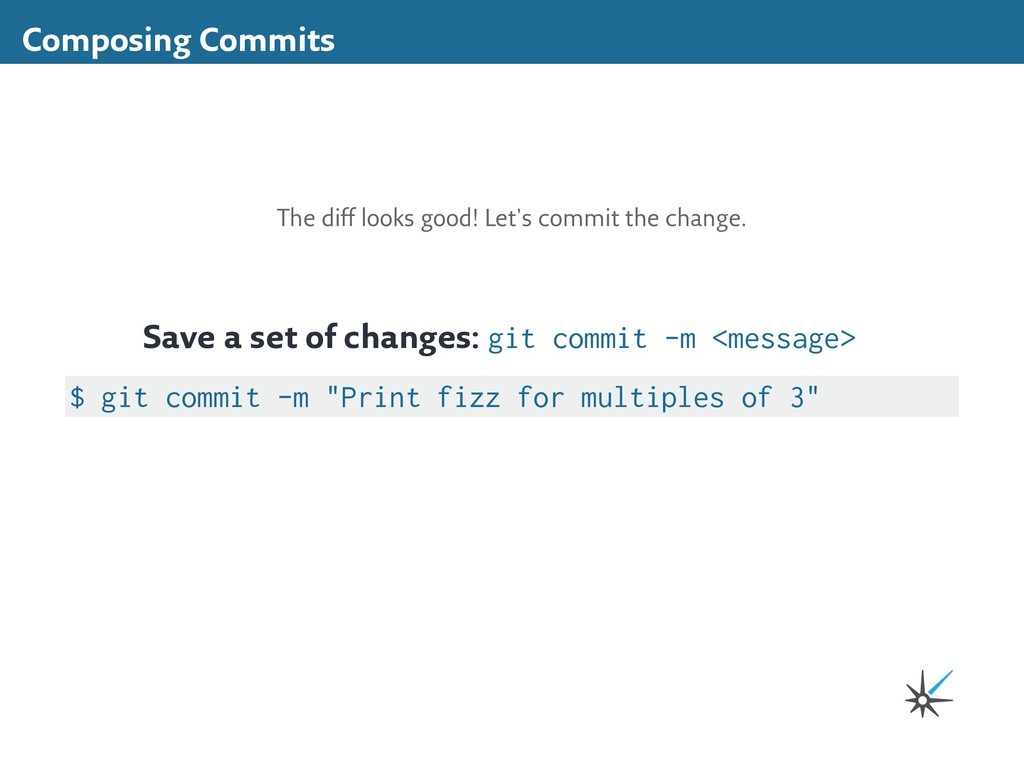
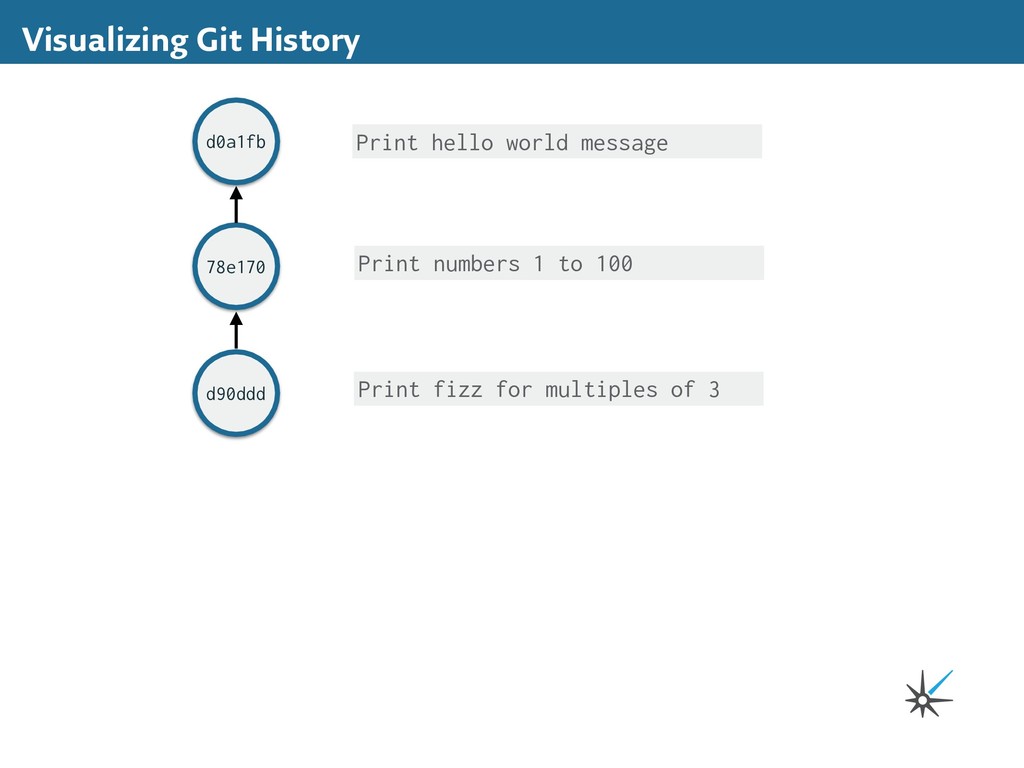
[master (root-commit) d0a1fb1] Print hello world message 1 file changed, 5 insertions(+) create mode 100644 fizzbuzz.py Save a set of changes: git commit -m <message> Your commit message is a very short summary of the changes you're saving. Keep it short and use the active voice!
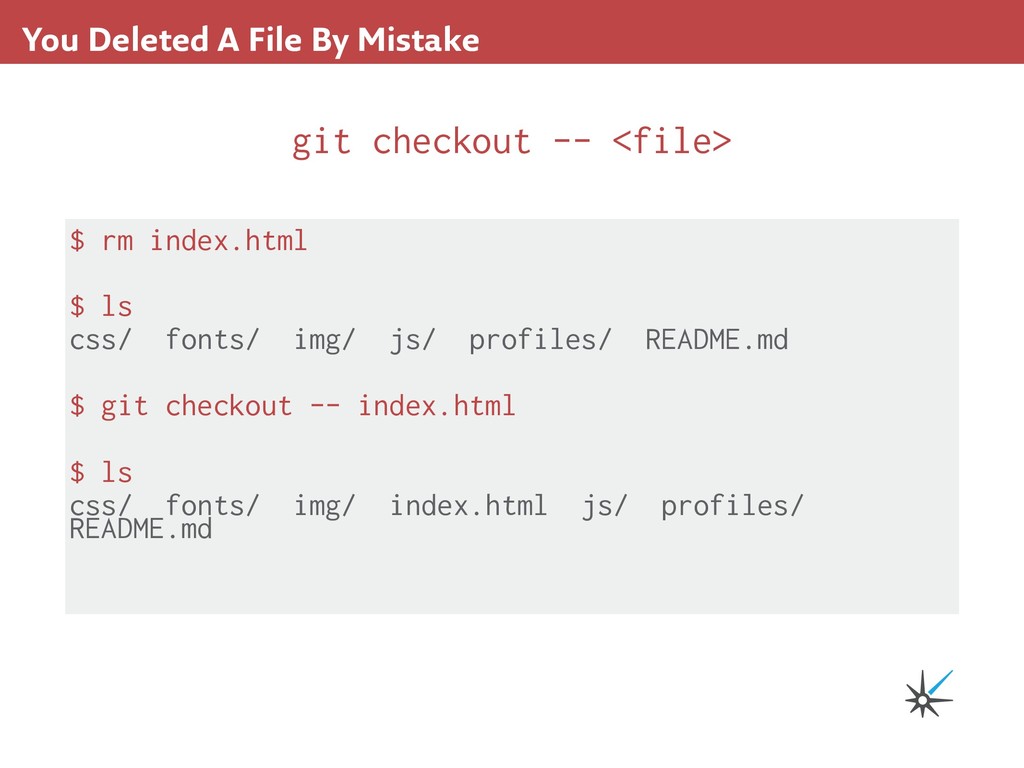
staged for commit: (use "git add <file>..." to update what will be committed) (use "git checkout -- <file>..." to discard changes in working directory) modified: fizzbuzz.py no changes added to commit (use "git add" and/or "git commit -a") See the current state: git status Check in on the status:
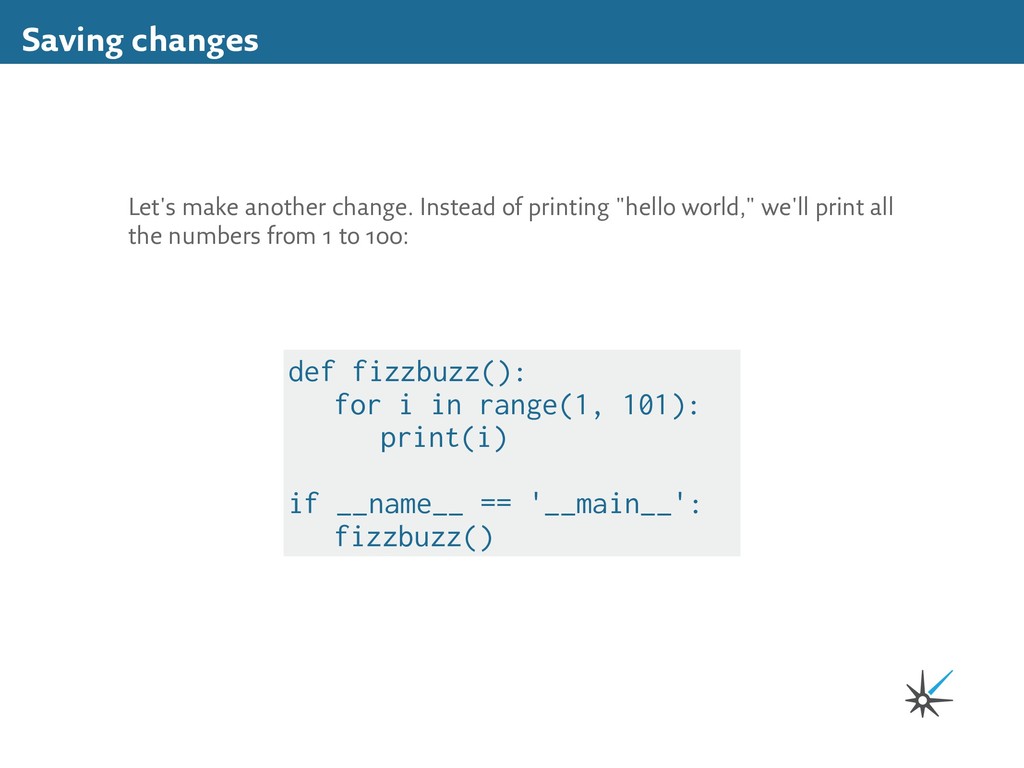
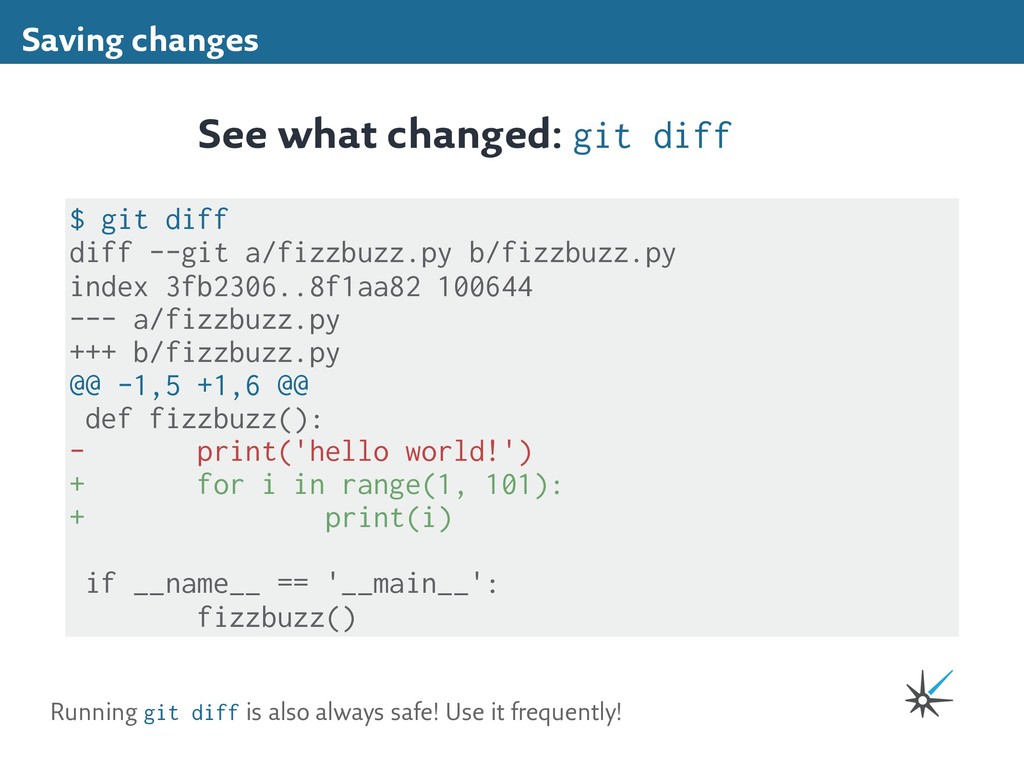
3fb2306..8f1aa82 100644 --- a/fizzbuzz.py +++ b/fizzbuzz.py @@ -1,5 +1,6 @@ def fizzbuzz(): - print('hello world!') + for i in range(1, 101): + print(i) if __name__ == '__main__': fizzbuzz() See what changed: git diff Running git diff is also always safe! Use it frequently!
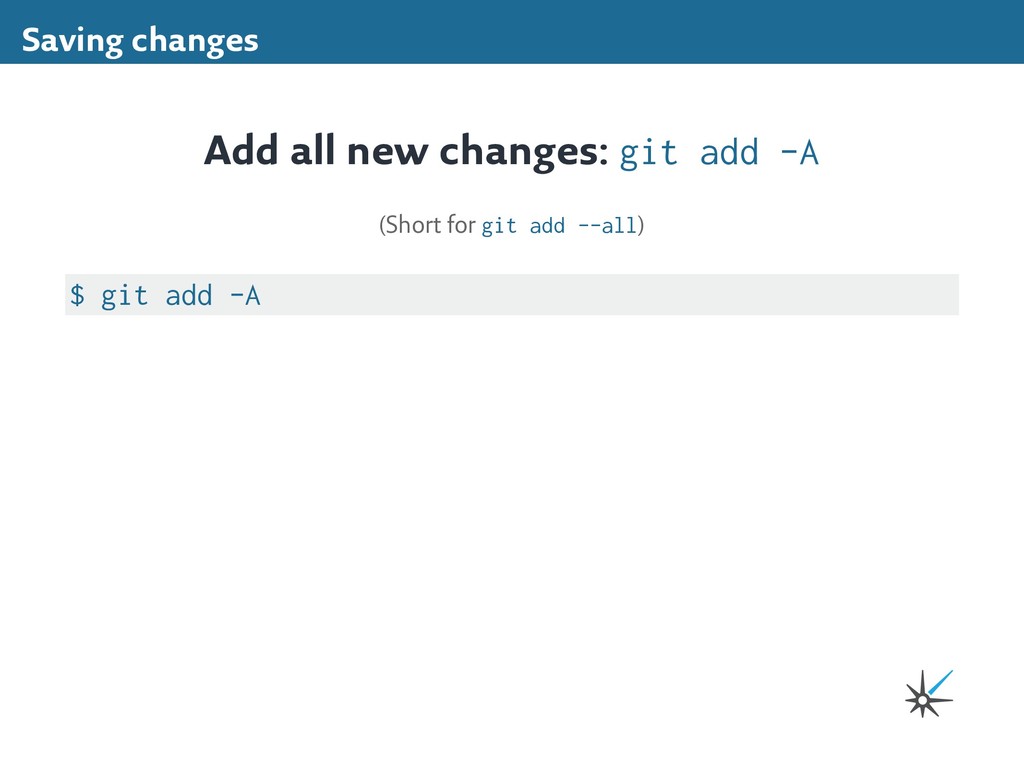
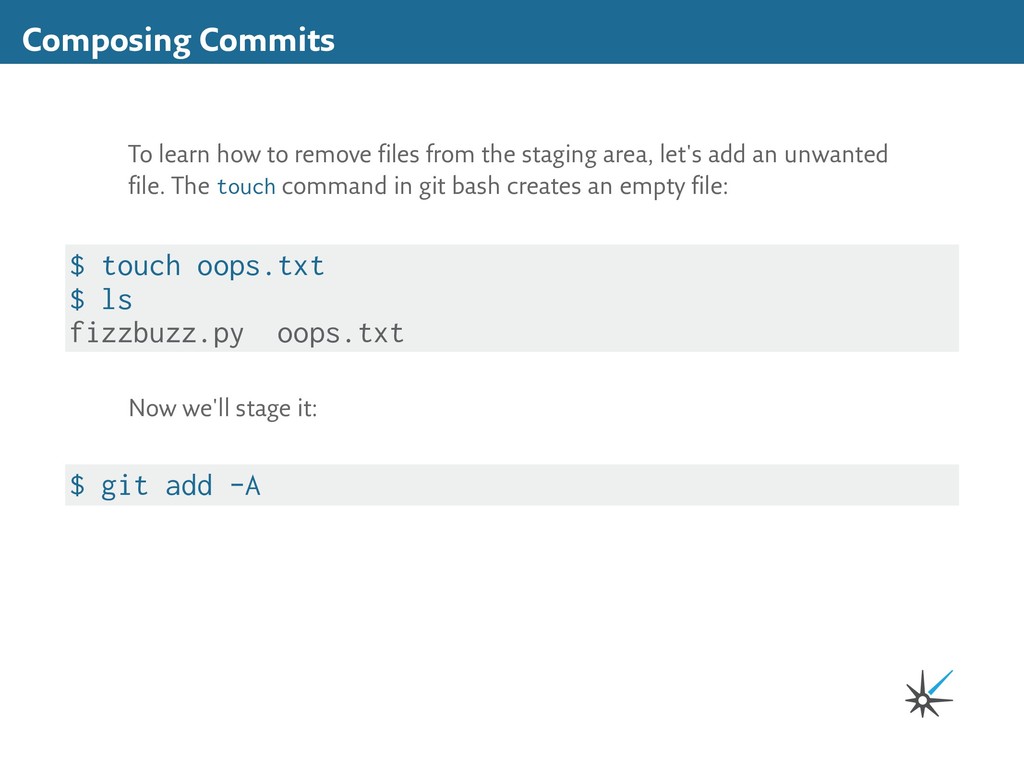
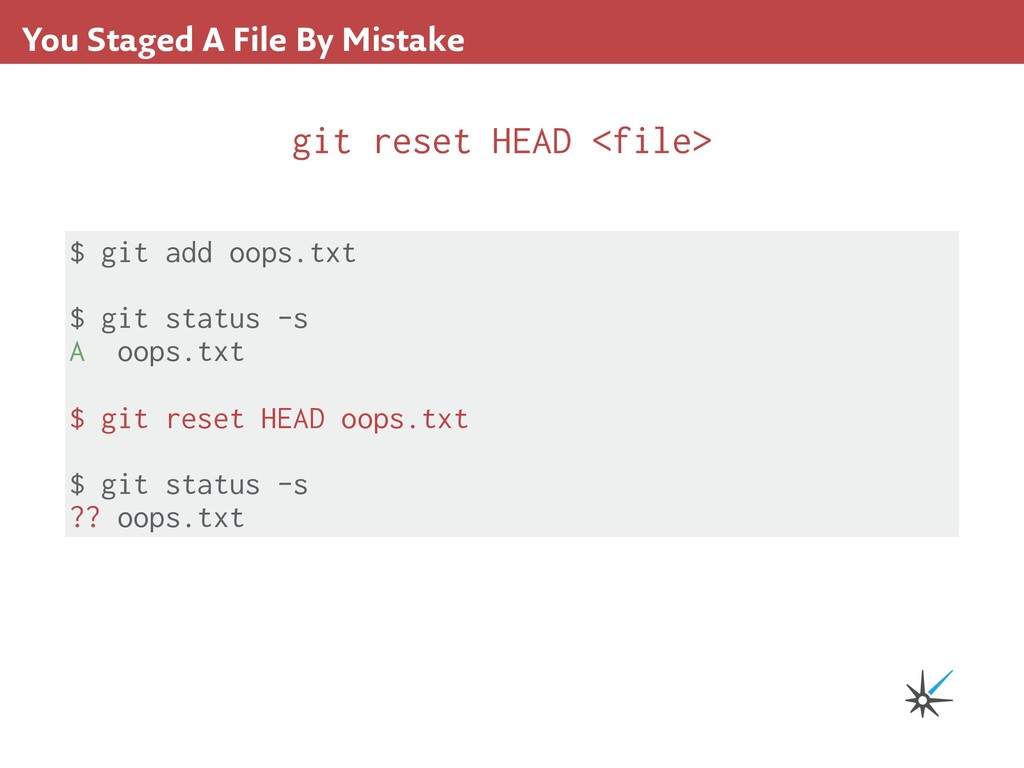
staging area, let's add an unwanted file. The touch command in git bash creates an empty file: $ touch oops.txt $ ls fizzbuzz.py oops.txt Now we'll stage it: $ git add -A
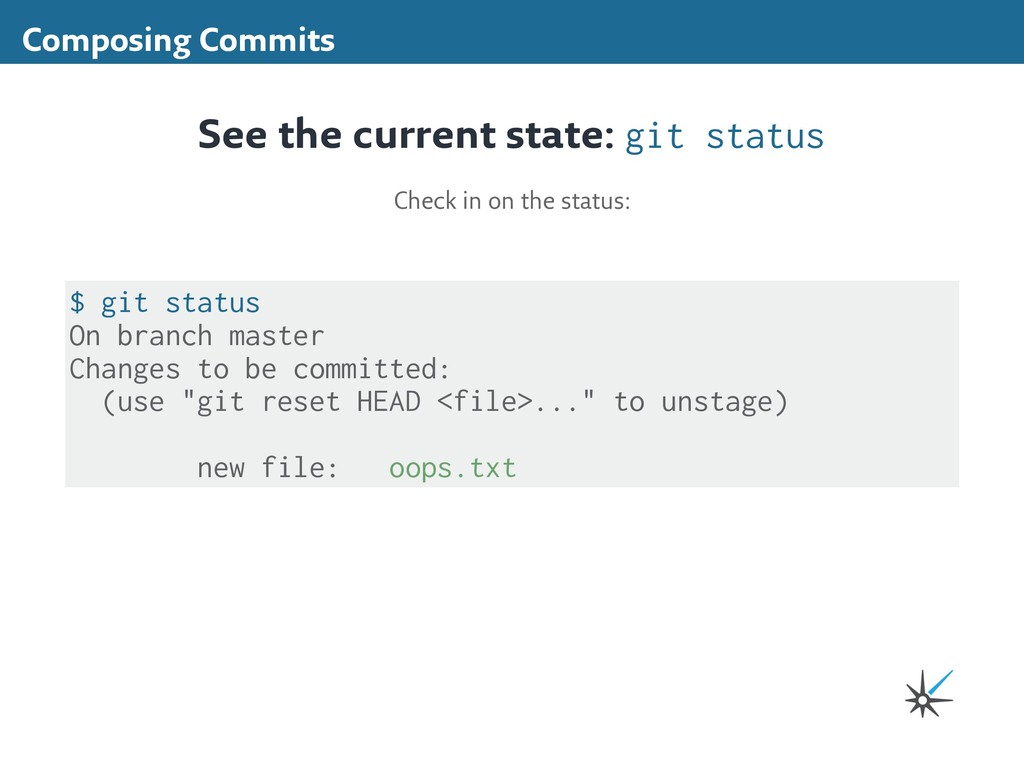
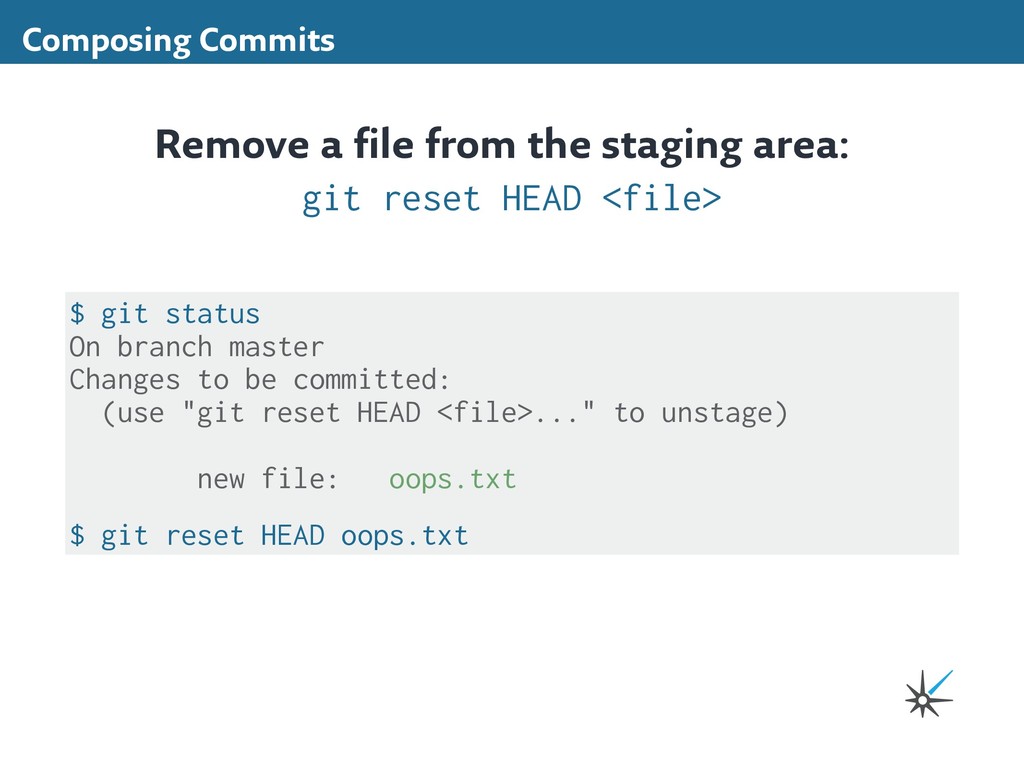
reset HEAD <file> $ git status On branch master Changes to be committed: (use "git reset HEAD <file>..." to unstage) new file: oops.txt $ git reset HEAD oops.txt
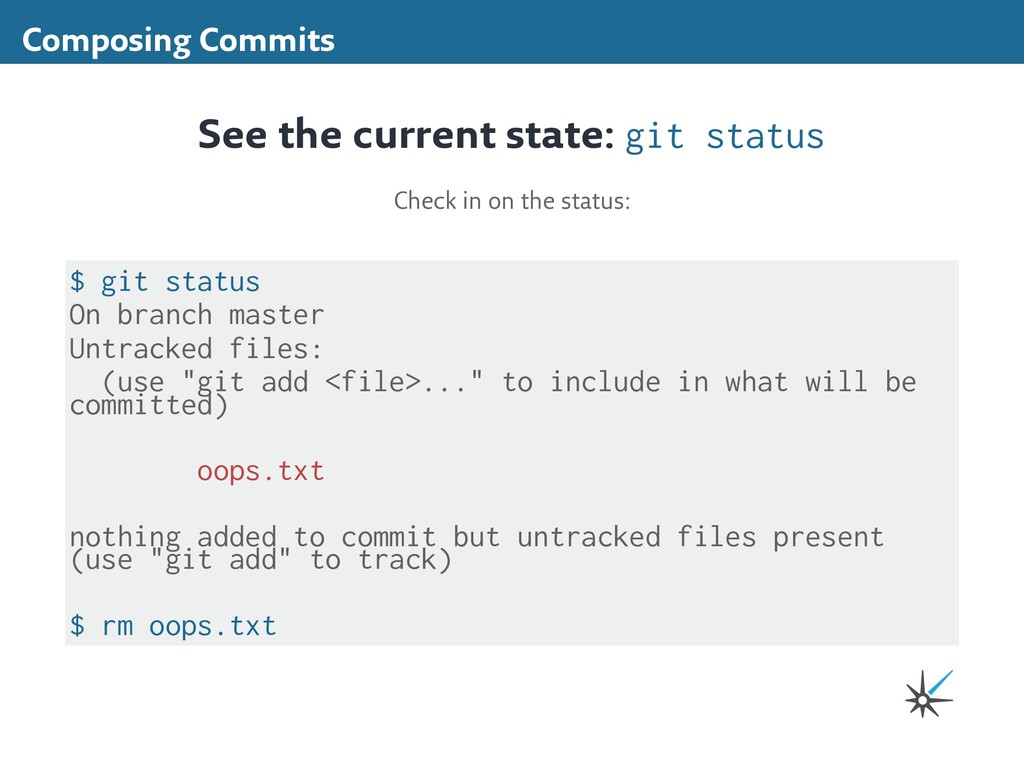
(use "git add <file>..." to include in what will be committed) oops.txt nothing added to commit but untracked files present (use "git add" to track) $ rm oops.txt See the current state: git status Check in on the status:
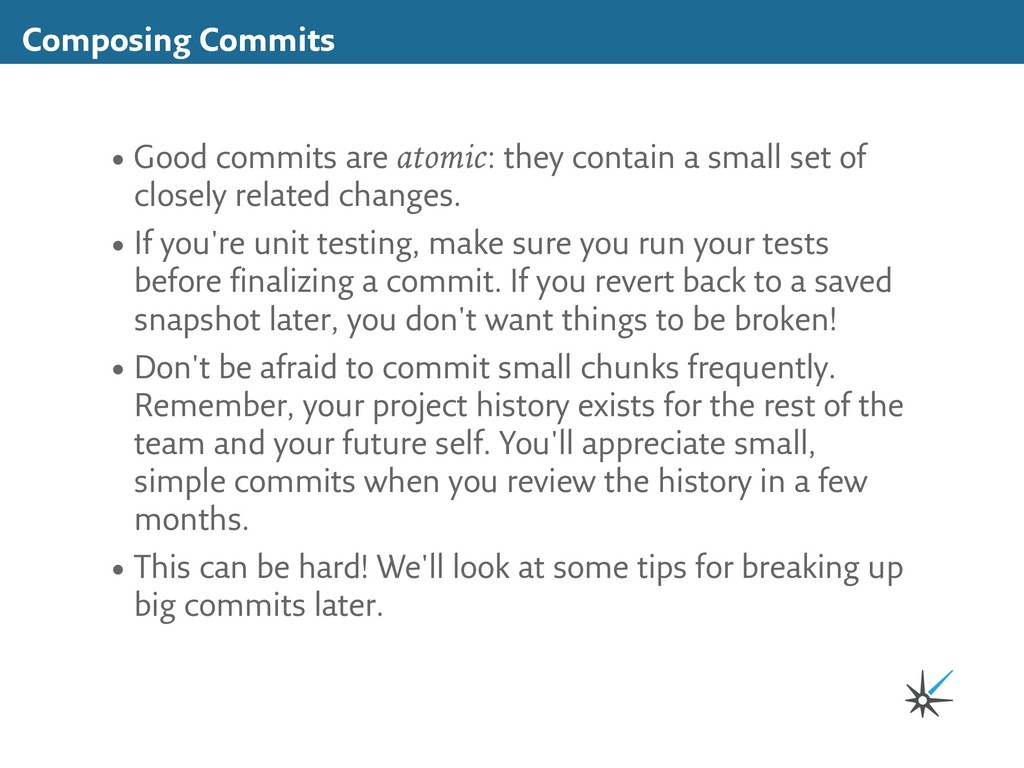
small set of closely related changes. • If you're unit testing, make sure you run your tests before finalizing a commit. If you revert back to a saved snapshot later, you don't want things to be broken! • Don't be afraid to commit small chunks frequently. Remember, your project history exists for the rest of the team and your future self. You'll appreciate small, simple commits when you review the history in a few months. • This can be hard! We'll look at some tips for breaking up big commits later.
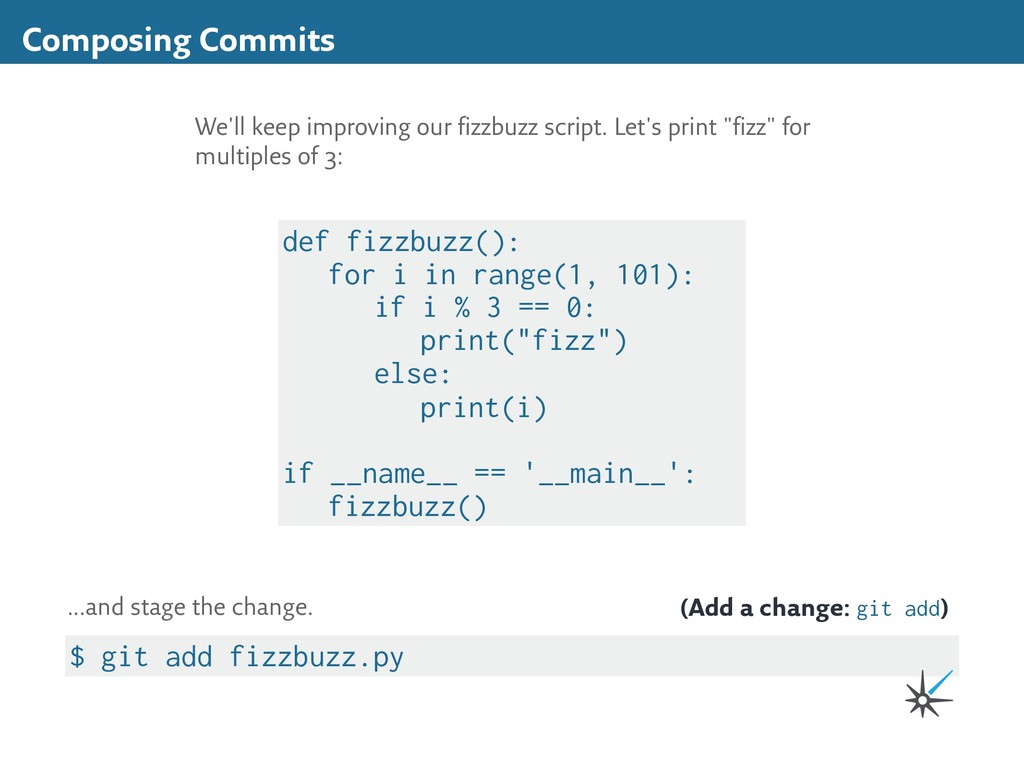
fizzbuzz script. Let's print "fizz" for multiples of 3: def fizzbuzz(): for i in range(1, 101): if i % 3 == 0: print("fizz") else: print(i) if __name__ == '__main__': fizzbuzz() (Add a change: git add) ...and stage the change.
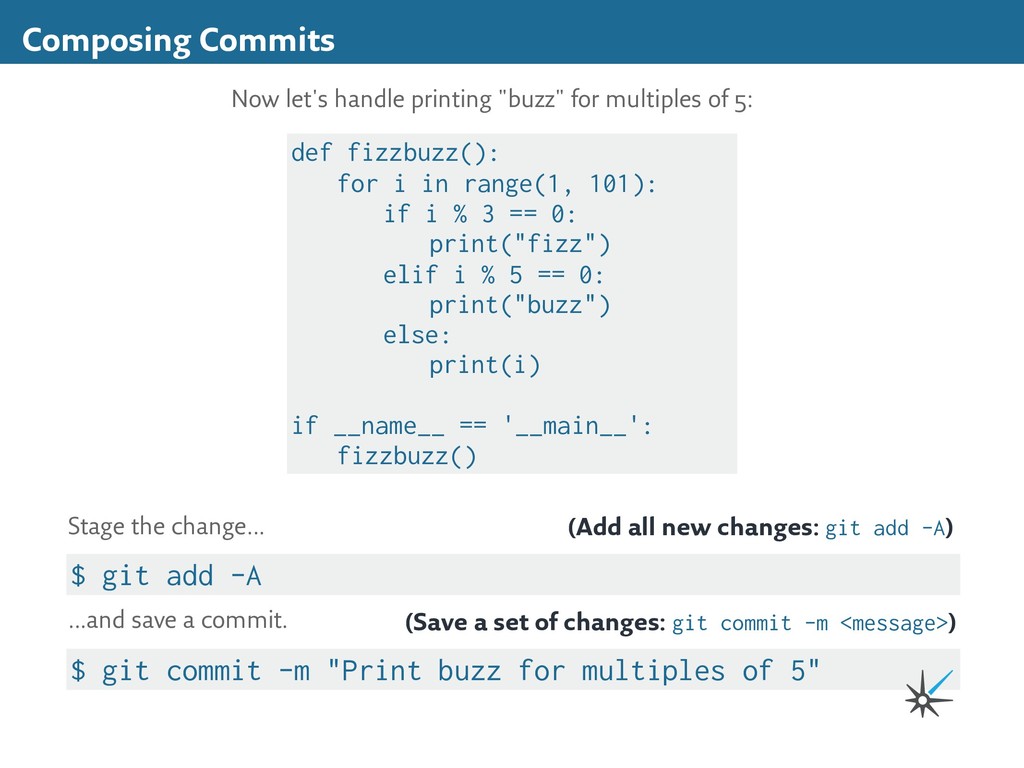
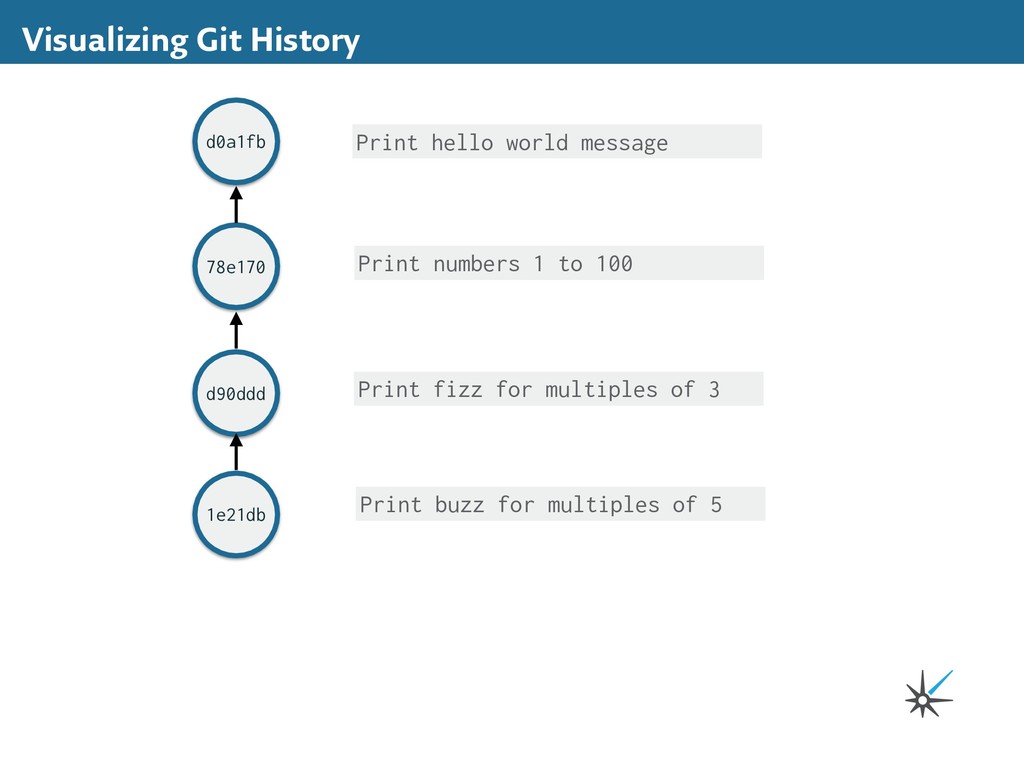
-A) Stage the change... $ git commit -m "Print buzz for multiples of 5" (Save a set of changes: git commit -m <message>) ...and save a commit. Composing Commits Now let's handle printing "buzz" for multiples of 5: def fizzbuzz(): for i in range(1, 101): if i % 3 == 0: print("fizz") elif i % 5 == 0: print("buzz") else: print(i) if __name__ == '__main__': fizzbuzz()
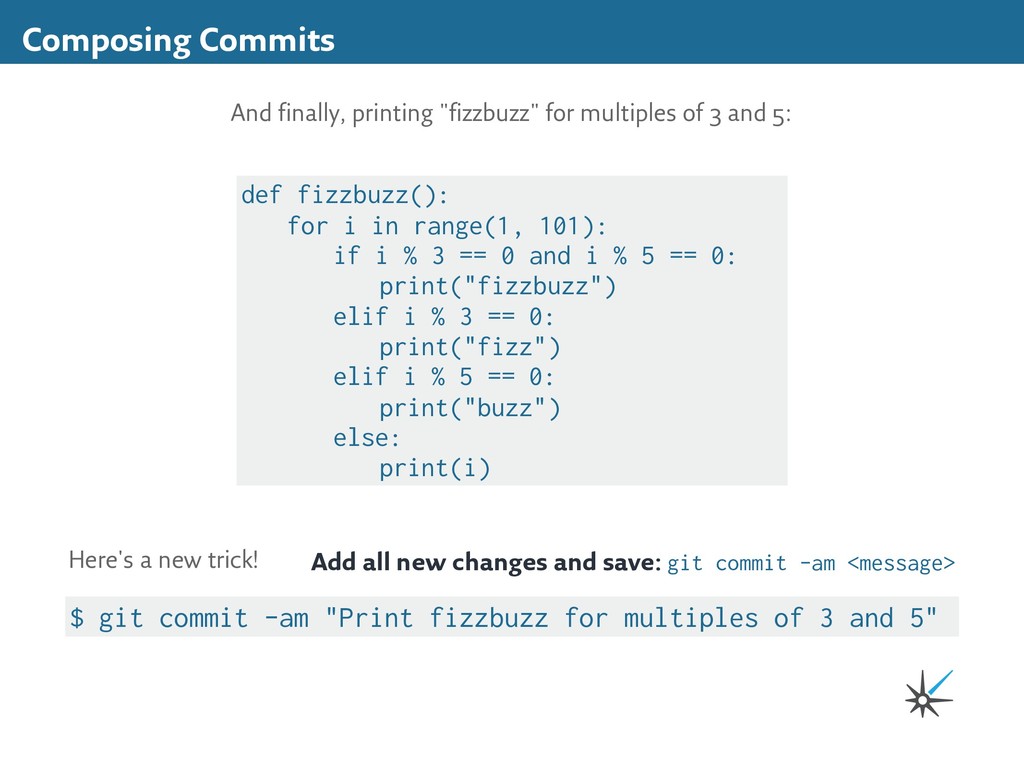
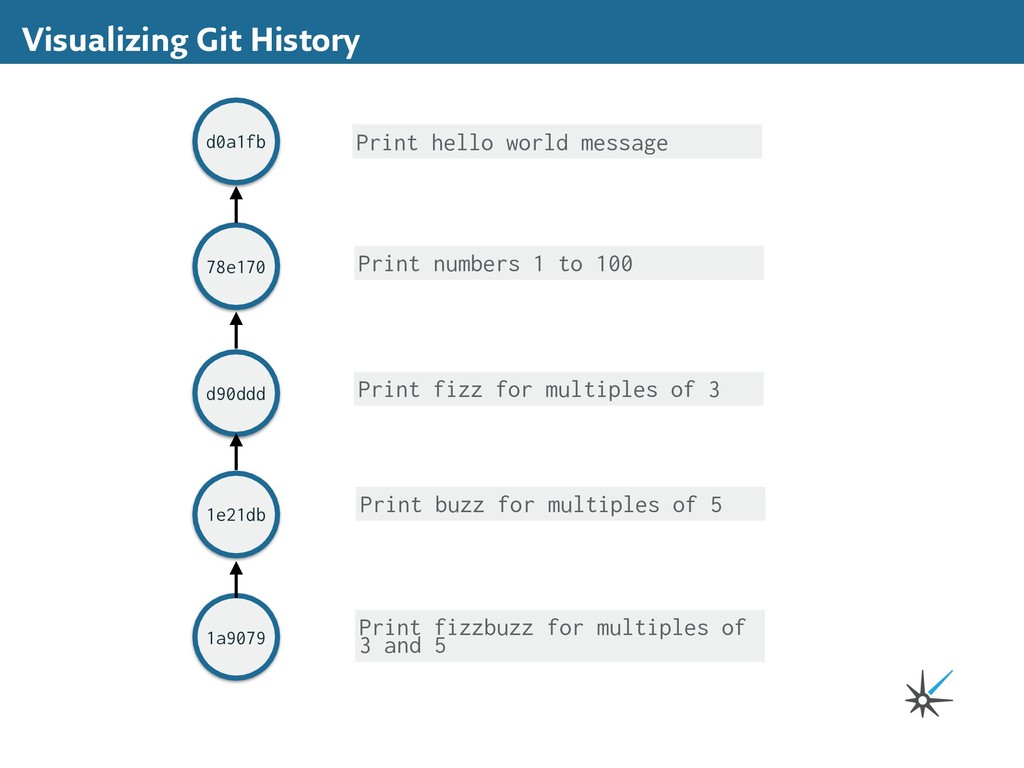
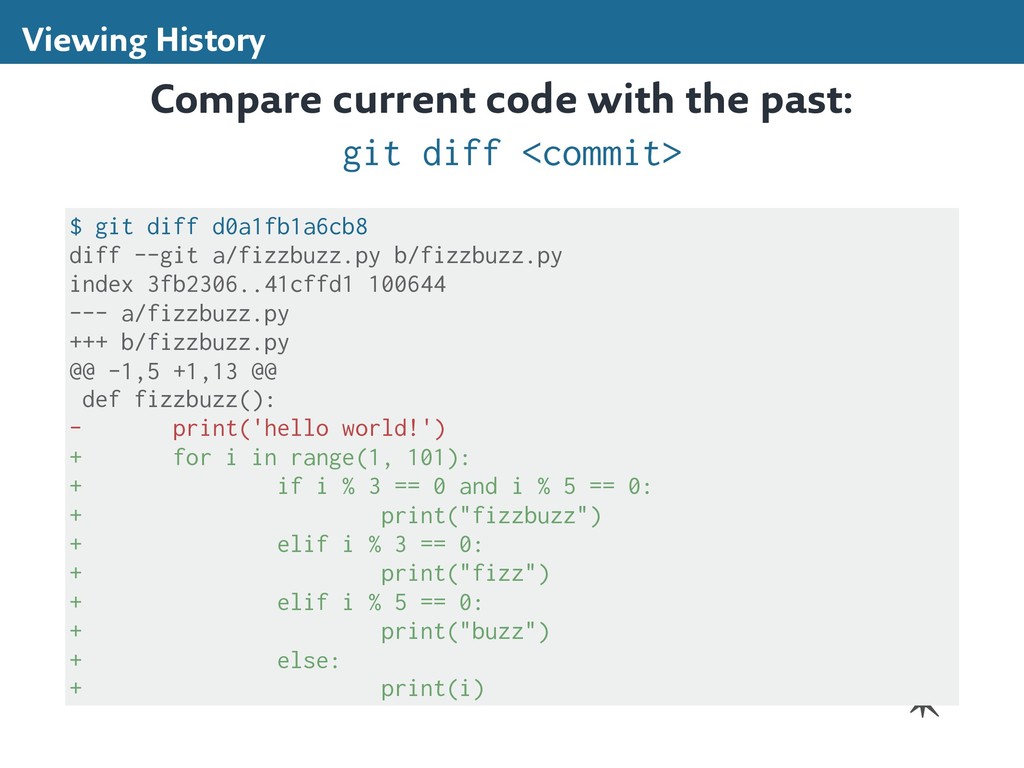
Here's a new trick! $ git commit -am "Print fizzbuzz for multiples of 3 and 5" Composing Commits And finally, printing "fizzbuzz" for multiples of 3 and 5: def fizzbuzz(): for i in range(1, 101): if i % 3 == 0 and i % 5 == 0: print("fizzbuzz") elif i % 3 == 0: print("fizz") elif i % 5 == 0: print("buzz") else: print(i)
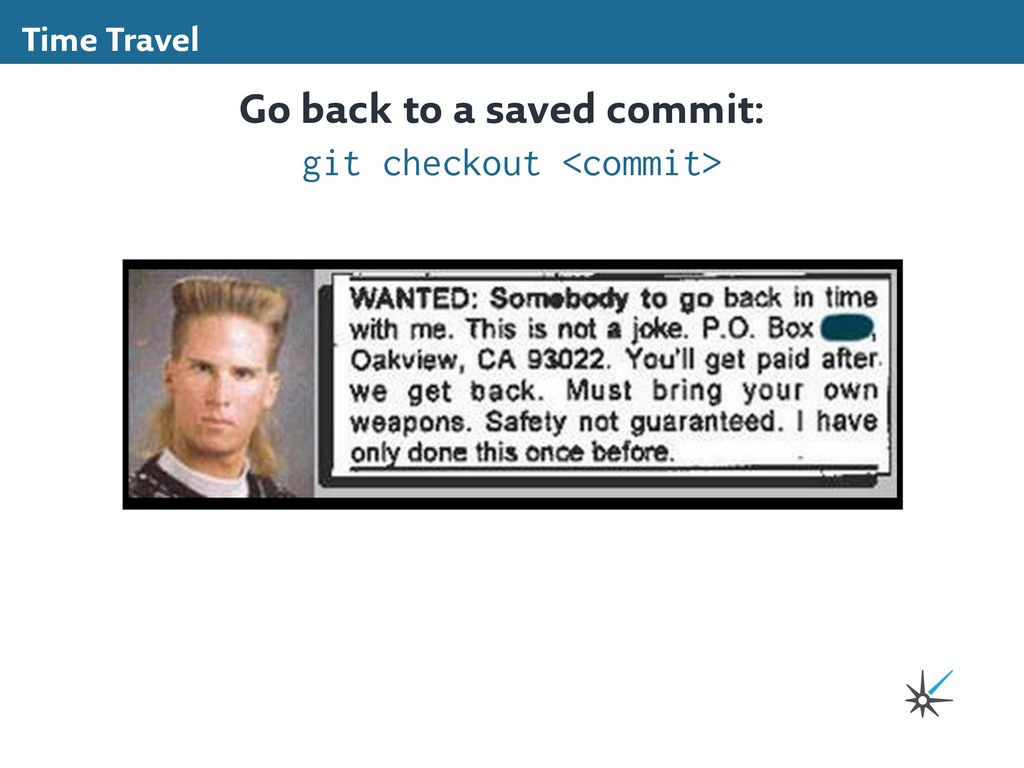
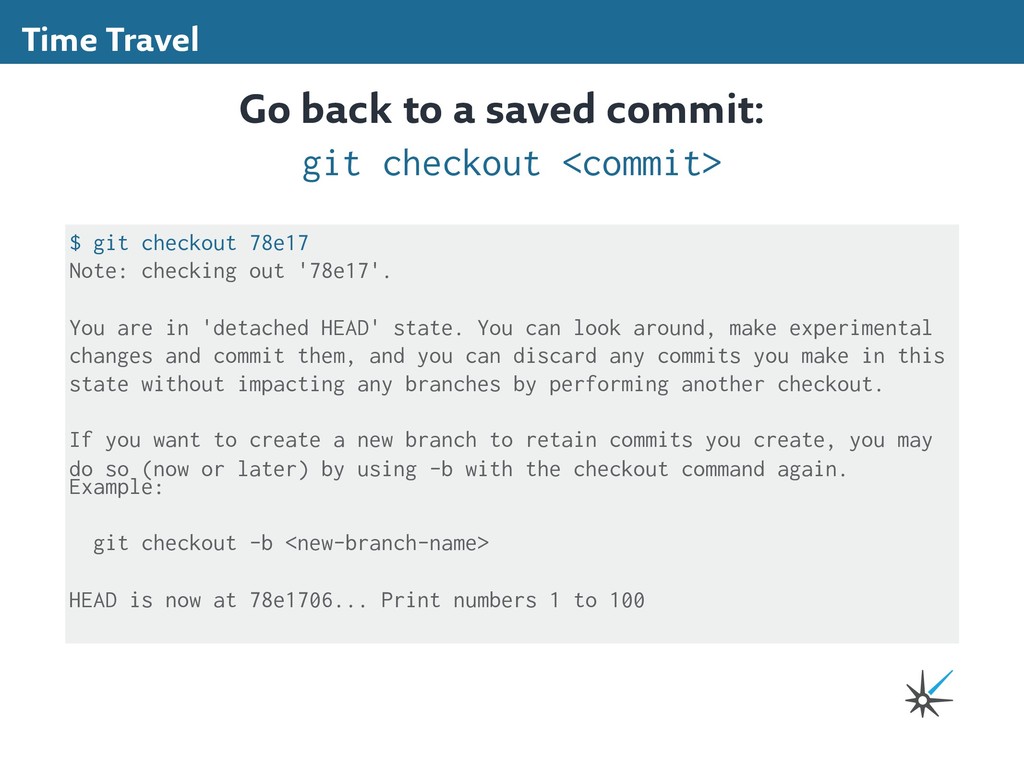
<commit> $ git checkout 78e17 Note: checking out '78e17'. You are in 'detached HEAD' state. You can look around, make experimental changes and commit them, and you can discard any commits you make in this state without impacting any branches by performing another checkout. If you want to create a new branch to retain commits you create, you may do so (now or later) by using -b with the checkout command again. Example: git checkout -b <new-branch-name> HEAD is now at 78e1706... Print numbers 1 to 100
Alter the past. 1 file changed, 1 insertion(+) Time Travel Let's make a change. Here's the result of git diff: $ git diff diff --git a/fizzbuzz.py b/fizzbuzz.py index 8f1aa82..8485759 100644 --- a/fizzbuzz.py +++ b/fizzbuzz.py @@ -1,6 +1,7 @@ def fizzbuzz(): for i in range(1, 101): print(i) + print("I have only done this once before.") ...and commit. (Add all new changes and save: git commit -am <message>)
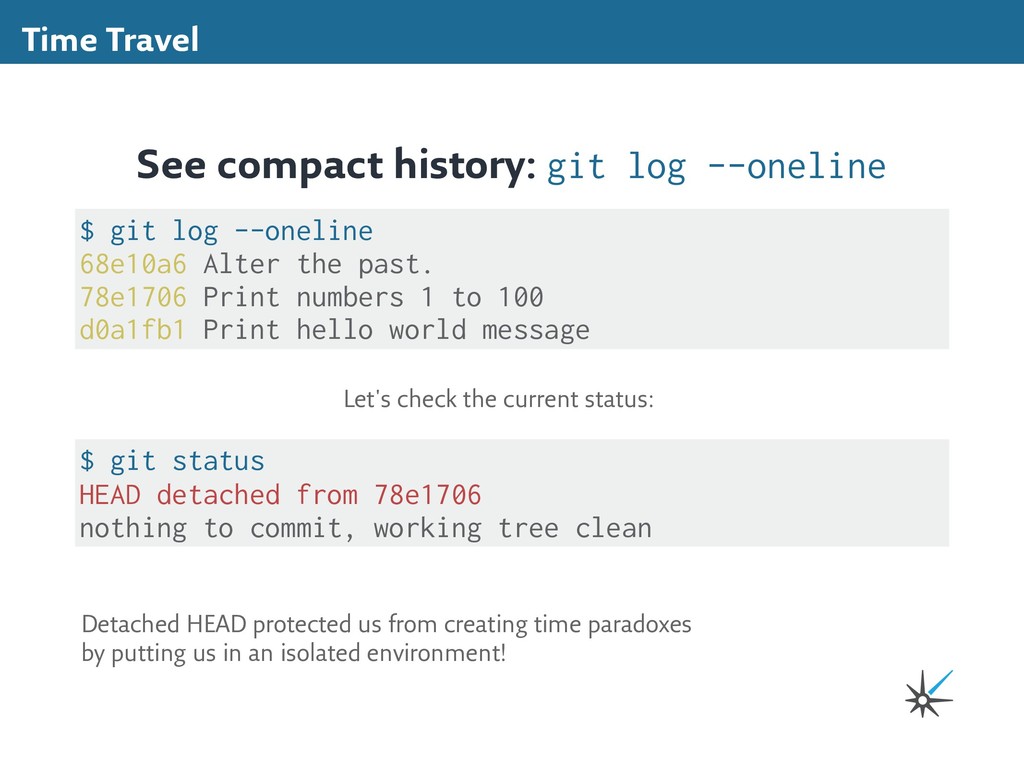
78e1706 Print numbers 1 to 100 d0a1fb1 Print hello world message See compact history: git log --oneline $ git status HEAD detached from 78e1706 nothing to commit, working tree clean Let's check the current status: Detached HEAD protected us from creating time paradoxes by putting us in an isolated environment!
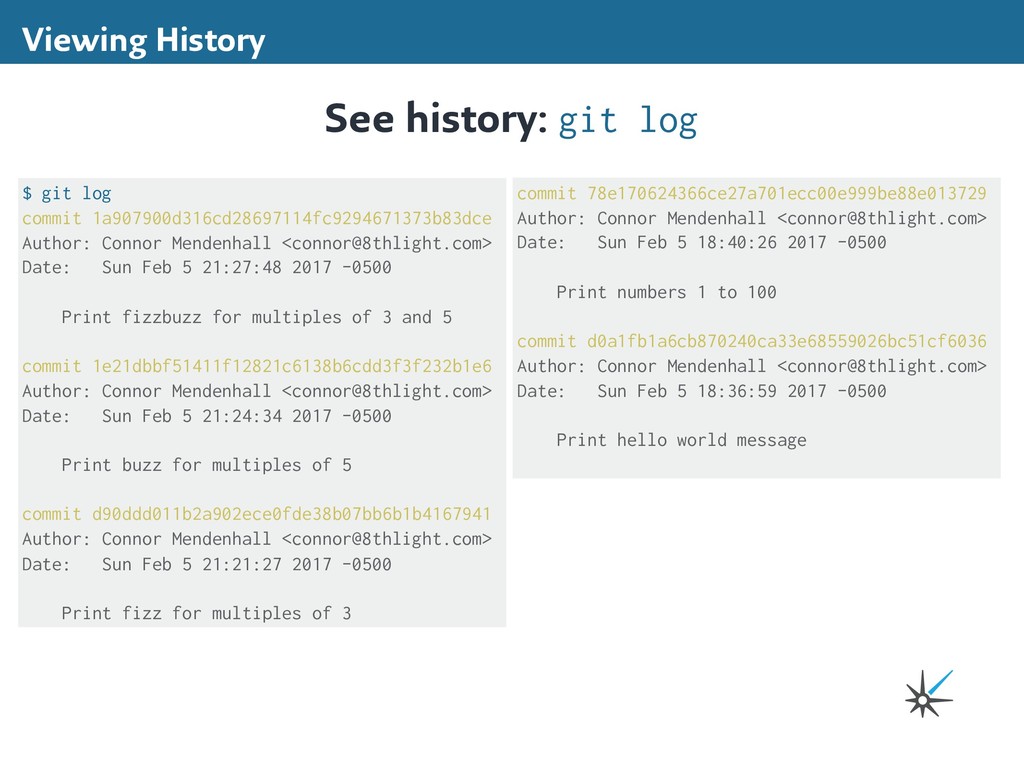
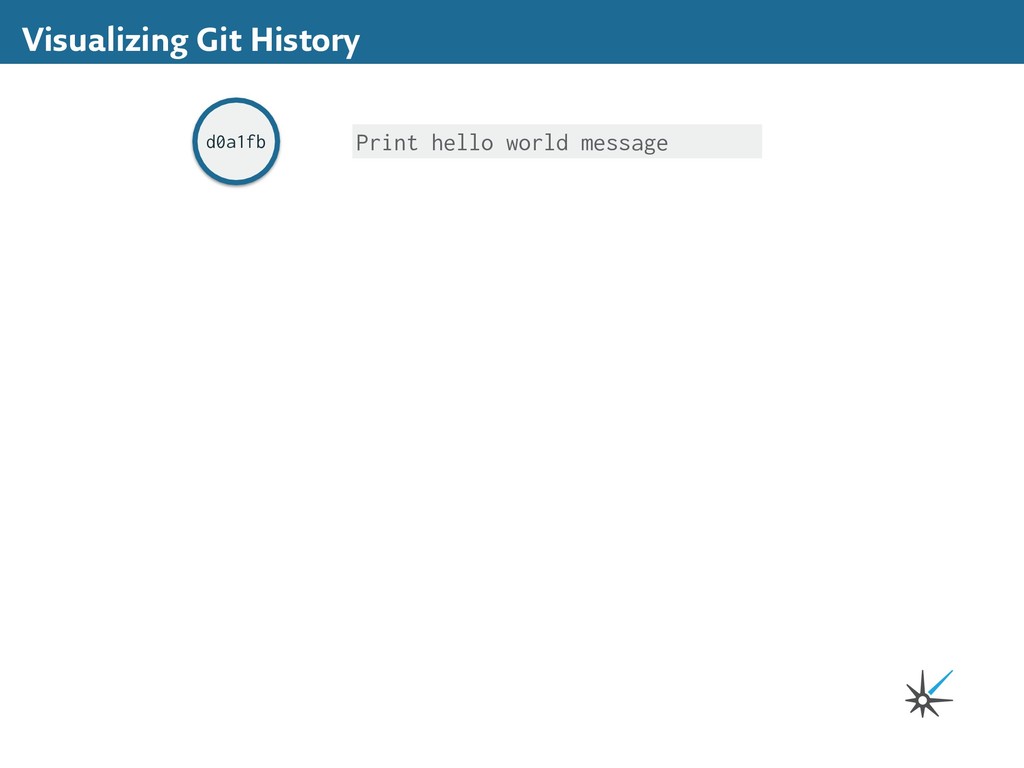
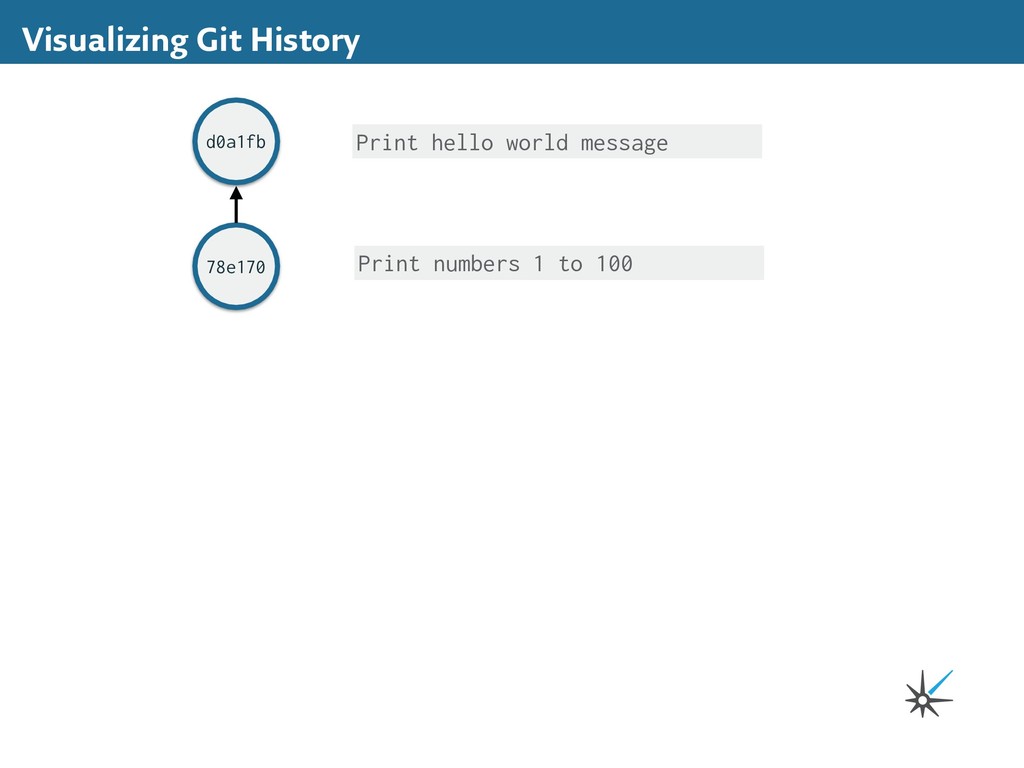
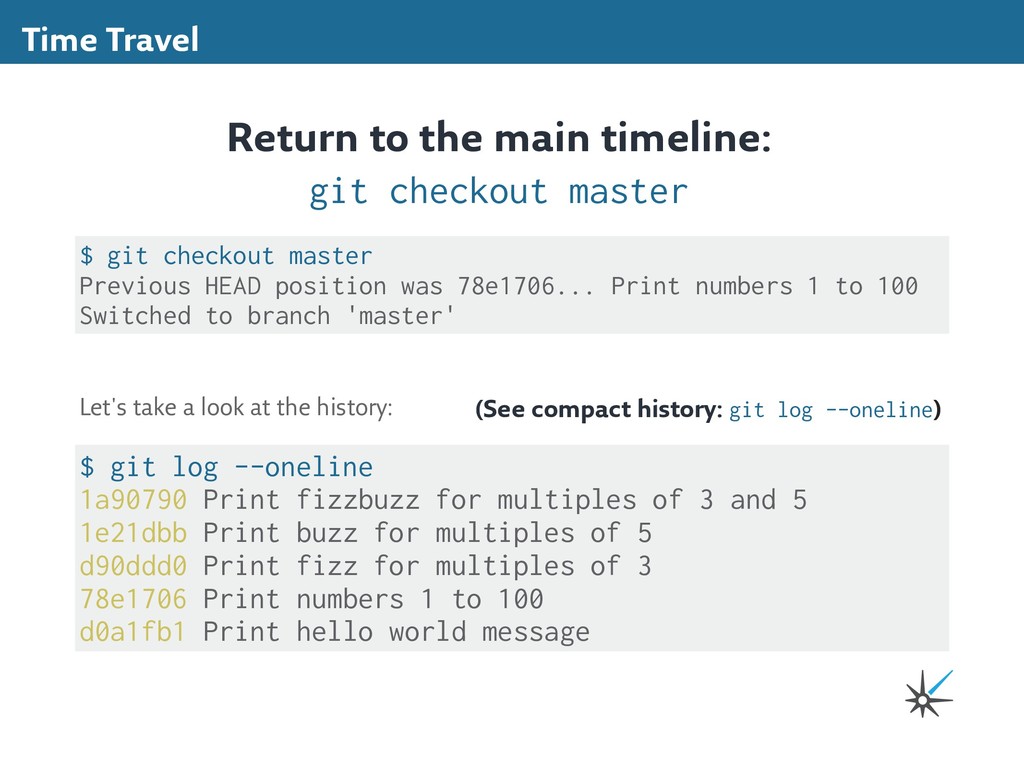
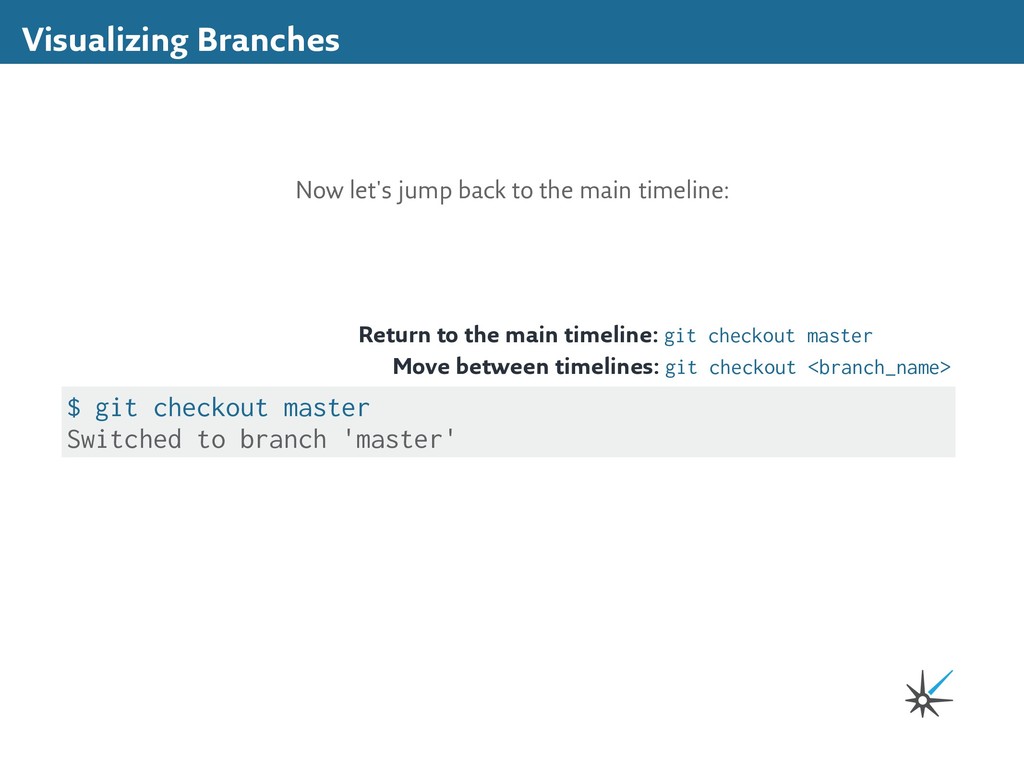
78e1706... Print numbers 1 to 100 Switched to branch 'master' Return to the main timeline: git checkout master $ git log --oneline 1a90790 Print fizzbuzz for multiples of 3 and 5 1e21dbb Print buzz for multiples of 5 d90ddd0 Print fizz for multiples of 3 78e1706 Print numbers 1 to 100 d0a1fb1 Print hello world message Let's take a look at the history: (See compact history: git log --oneline)
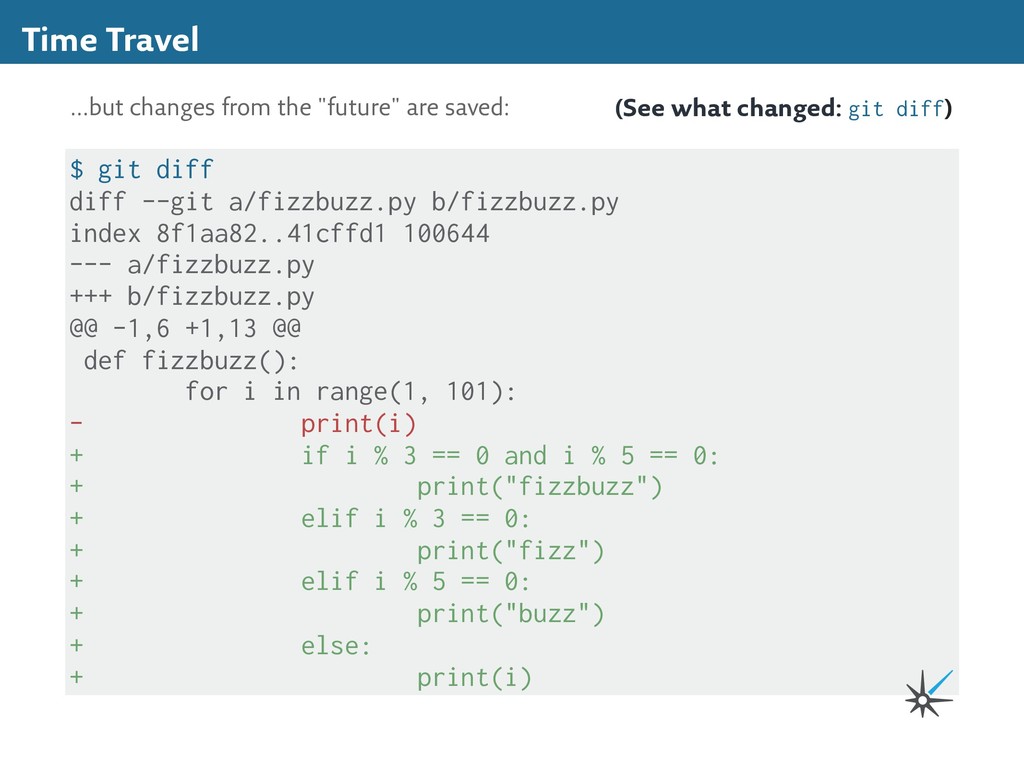
--- a/fizzbuzz.py +++ b/fizzbuzz.py @@ -1,6 +1,13 @@ def fizzbuzz(): for i in range(1, 101): - print(i) + if i % 3 == 0 and i % 5 == 0: + print("fizzbuzz") + elif i % 3 == 0: + print("fizz") + elif i % 5 == 0: + print("buzz") + else: + print(i) Time Travel ...but changes from the "future" are saved: (See what changed: git diff)
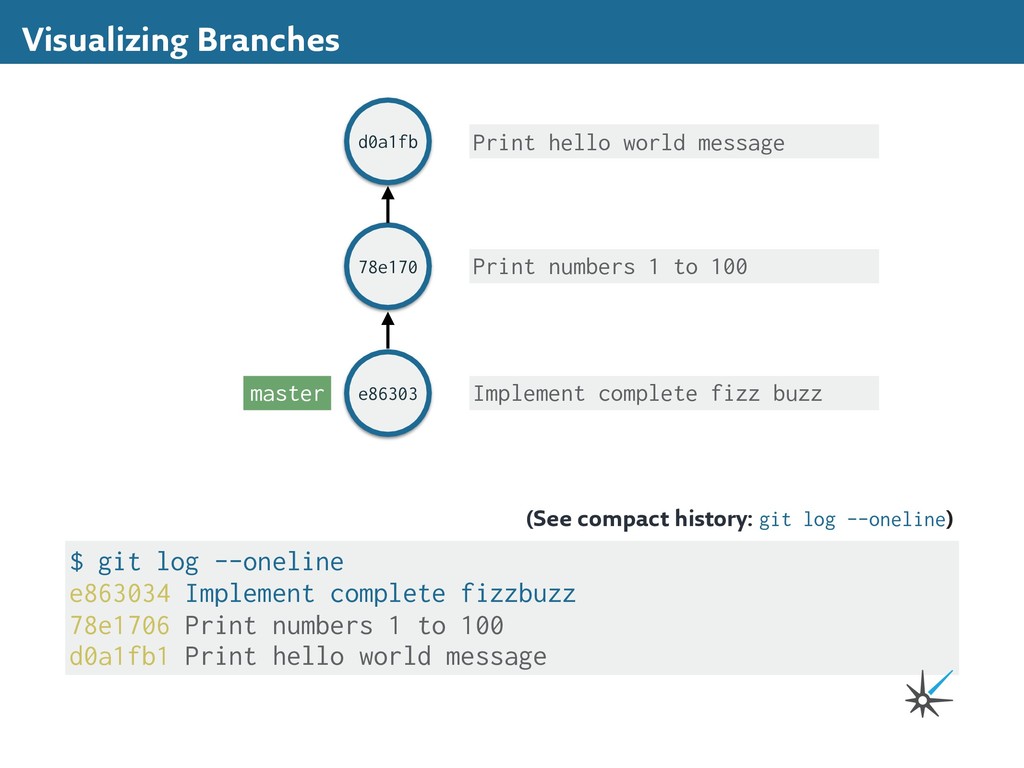
complete fizzbuzz 1 file changed, 8 insertions(+), 1 deletion(-) Time Travel We can commit them in one large chunk... (Add all new changes and save: git commit -am <message>) $ git log --oneline e863034 Implement complete fizzbuzz 78e1706 Print numbers 1 to 100 d0a1fb1 Print hello world message But it changes history on the main timeline! (See compact history: git log --oneline) It's OK to change history when you're the only one in the universe, but it's rude when you're working with other people! Safe time travelers know it's dangerous to change the past. We'll learn how to handle this safely and politely in the next section...
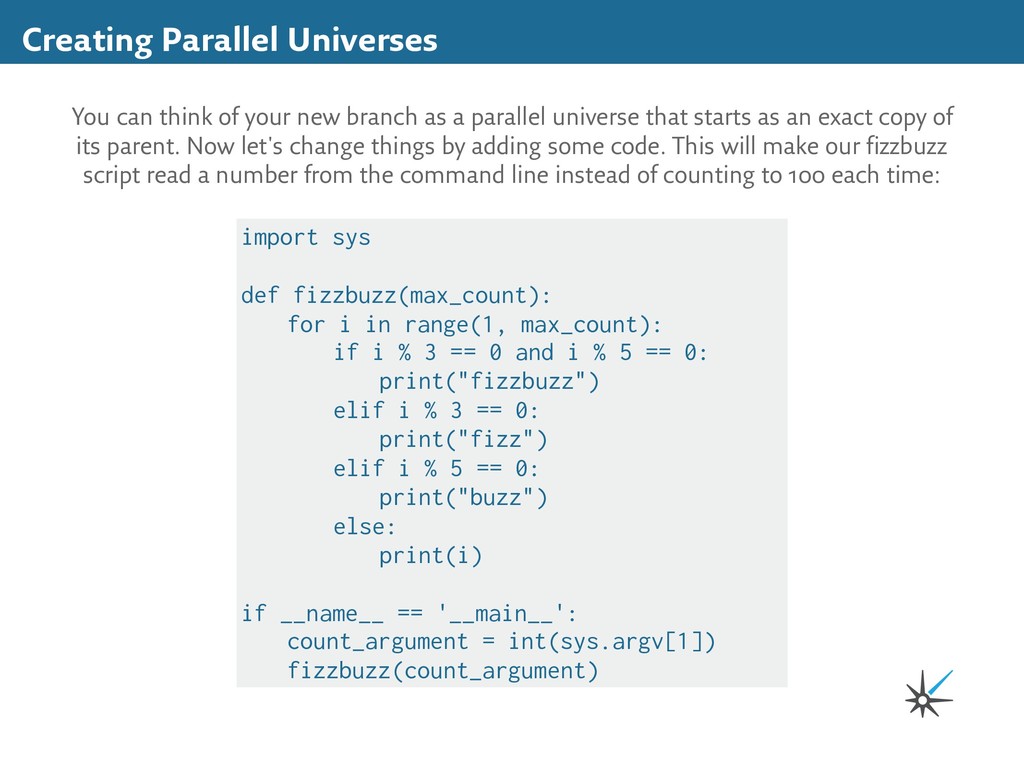
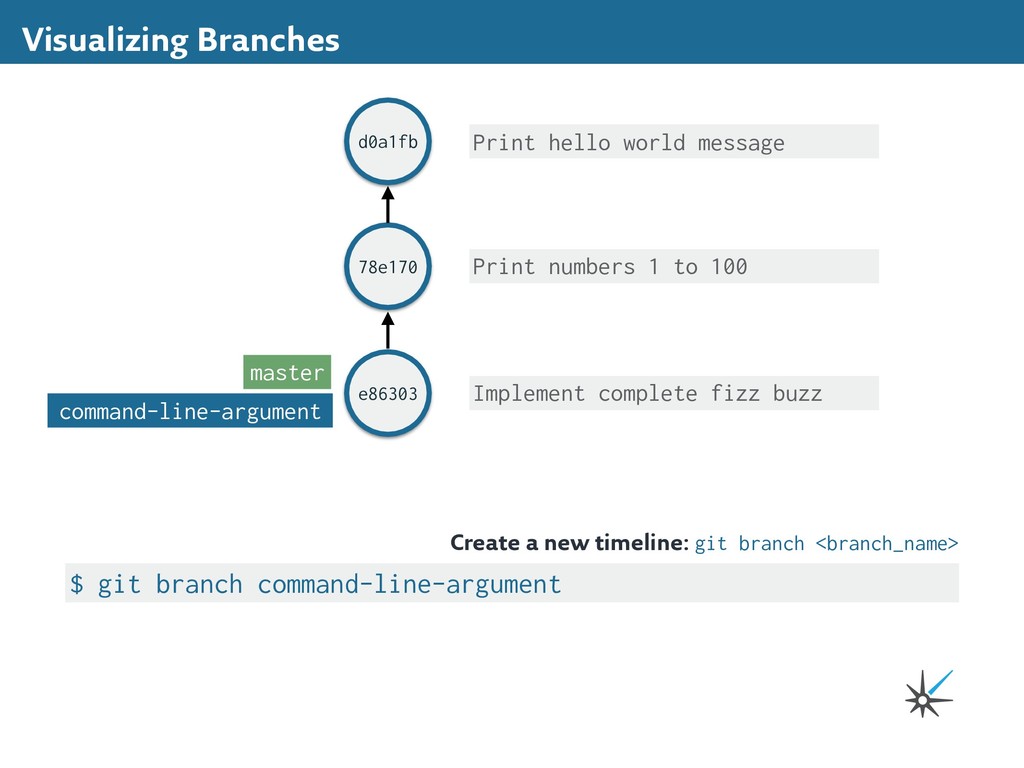
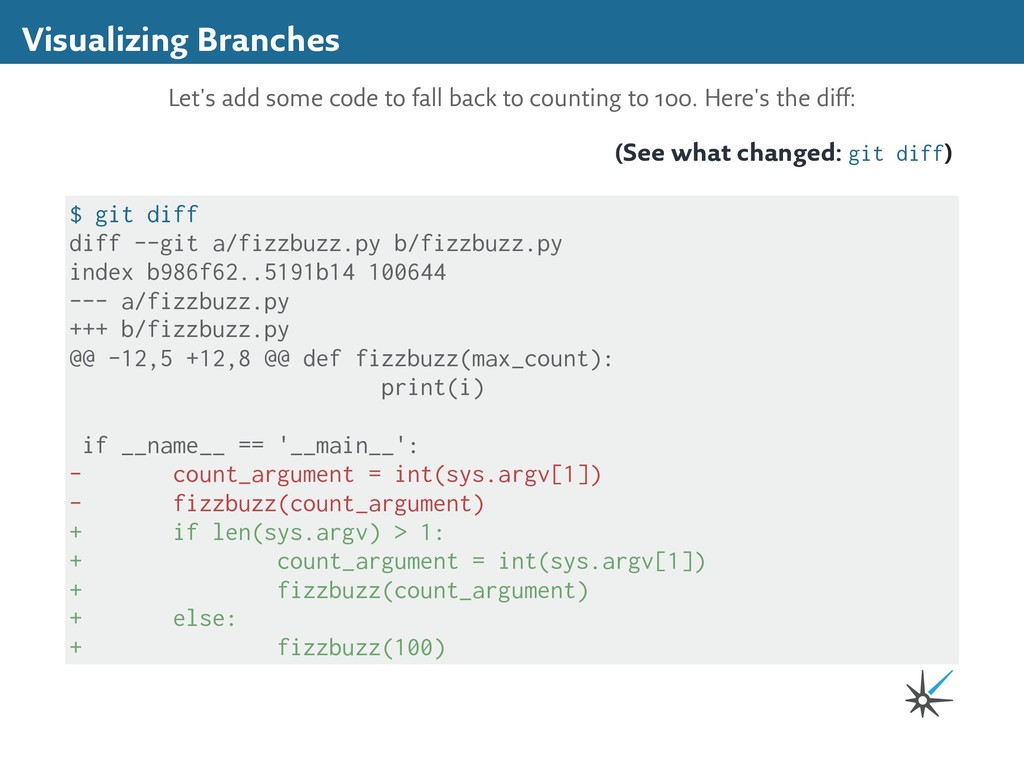
as a parallel universe that starts as an exact copy of its parent. Now let's change things by adding some code. This will make our fizzbuzz script read a number from the command line instead of counting to 100 each time: import sys def fizzbuzz(max_count): for i in range(1, max_count): if i % 3 == 0 and i % 5 == 0: print("fizzbuzz") elif i % 3 == 0: print("fizz") elif i % 5 == 0: print("buzz") else: print(i) if __name__ == '__main__': count_argument = int(sys.argv[1]) fizzbuzz(count_argument)
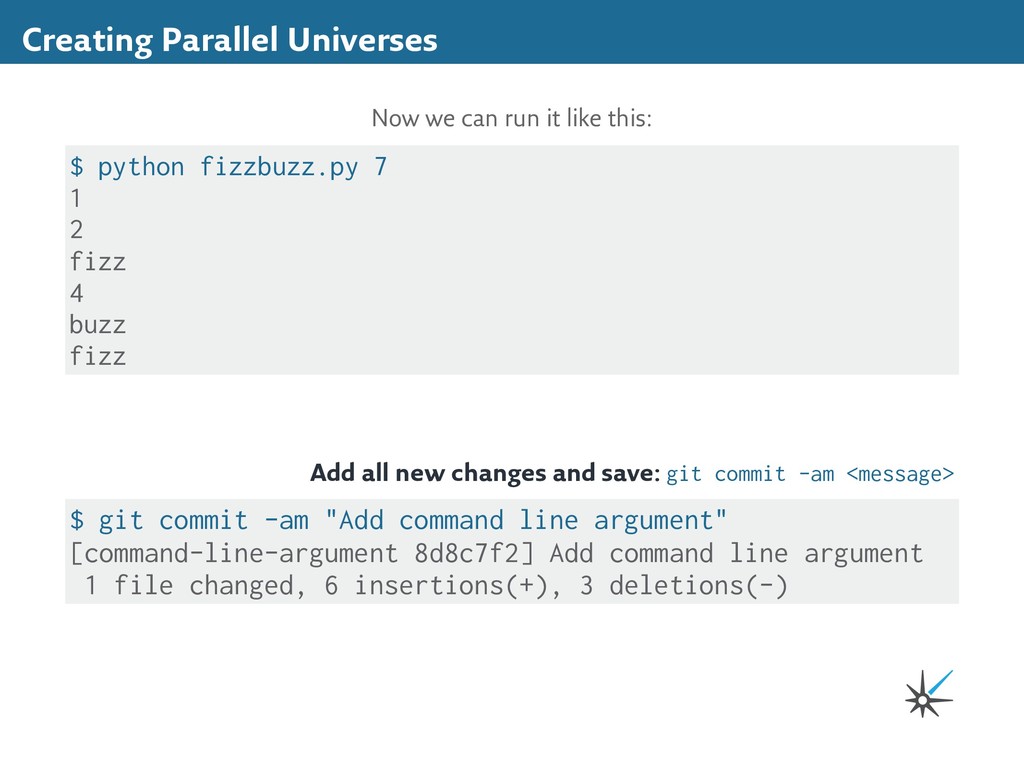
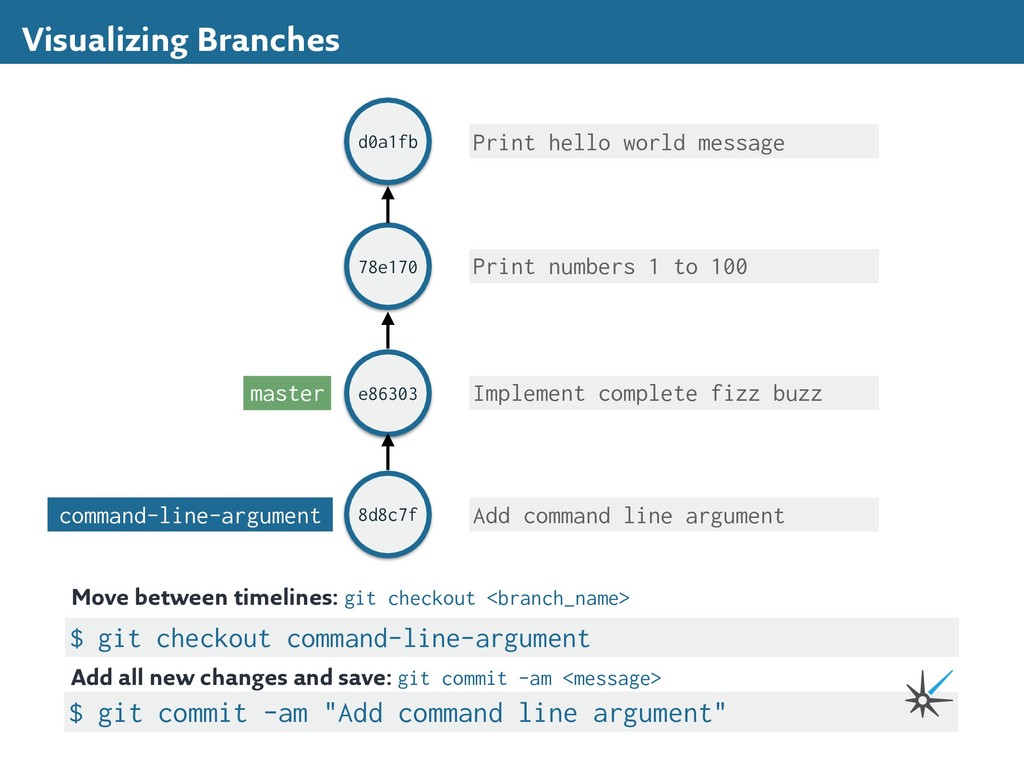
4 buzz fizz Now we can run it like this: Add all new changes and save: git commit -am <message> $ git commit -am "Add command line argument" [command-line-argument 8d8c7f2] Add command line argument 1 file changed, 6 insertions(+), 3 deletions(-)
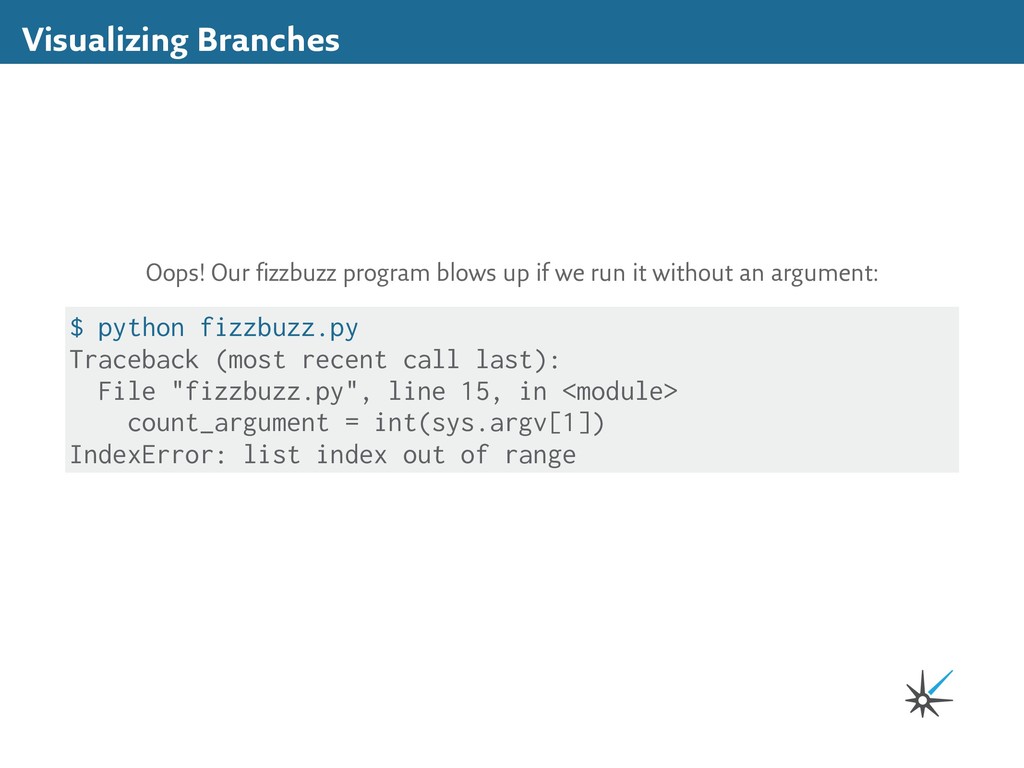
run it without an argument: $ python fizzbuzz.py Traceback (most recent call last): File "fizzbuzz.py", line 15, in <module> count_argument = int(sys.argv[1]) IndexError: list index out of range
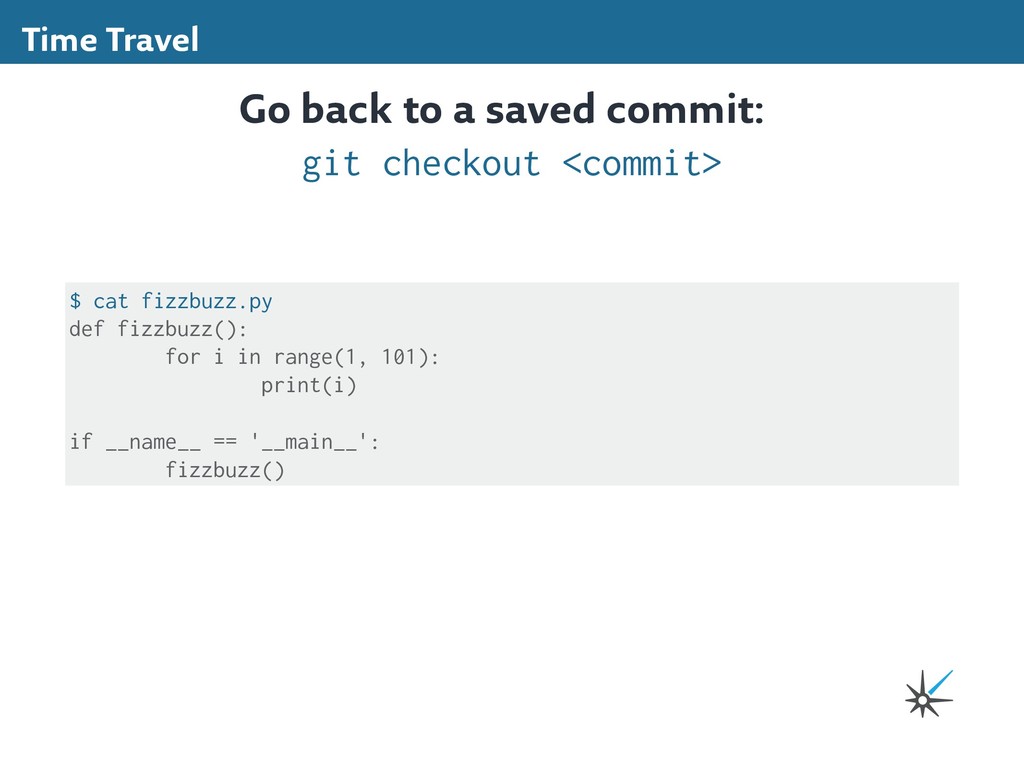
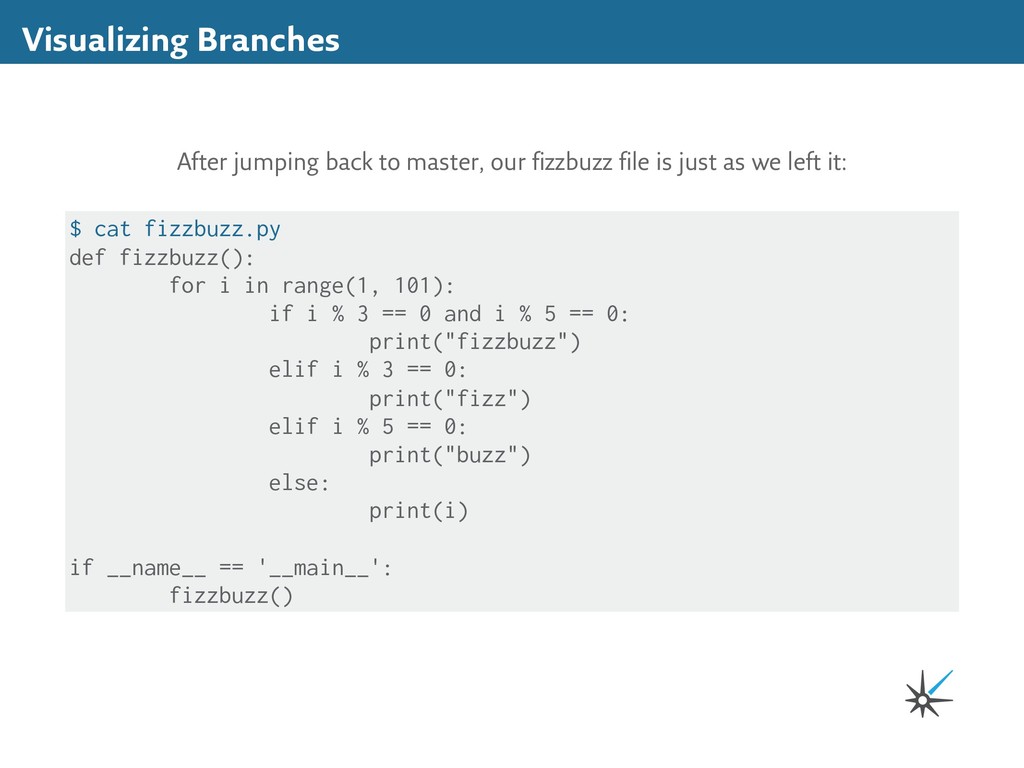
is just as we left it: $ cat fizzbuzz.py def fizzbuzz(): for i in range(1, 101): if i % 3 == 0 and i % 5 == 0: print("fizzbuzz") elif i % 3 == 0: print("fizz") elif i % 5 == 0: print("buzz") else: print(i) if __name__ == '__main__': fizzbuzz()
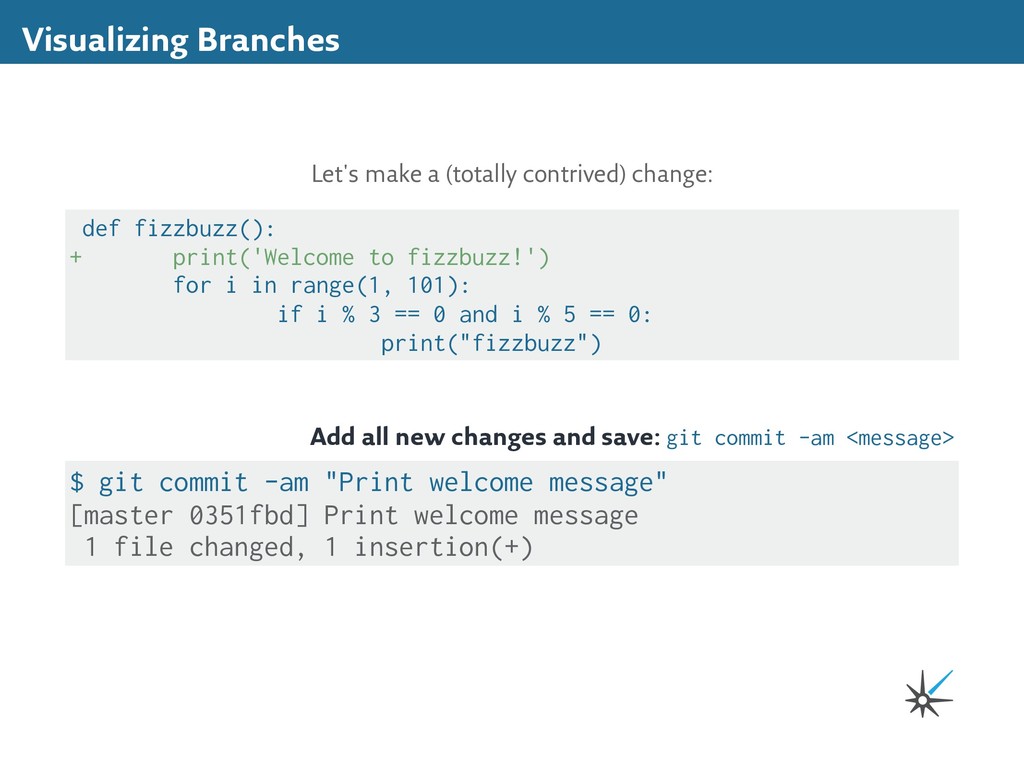
+ print('Welcome to fizzbuzz!') for i in range(1, 101): if i % 3 == 0 and i % 5 == 0: print("fizzbuzz") Add all new changes and save: git commit -am <message> $ git commit -am "Print welcome message" [master 0351fbd] Print welcome message 1 file changed, 1 insertion(+)
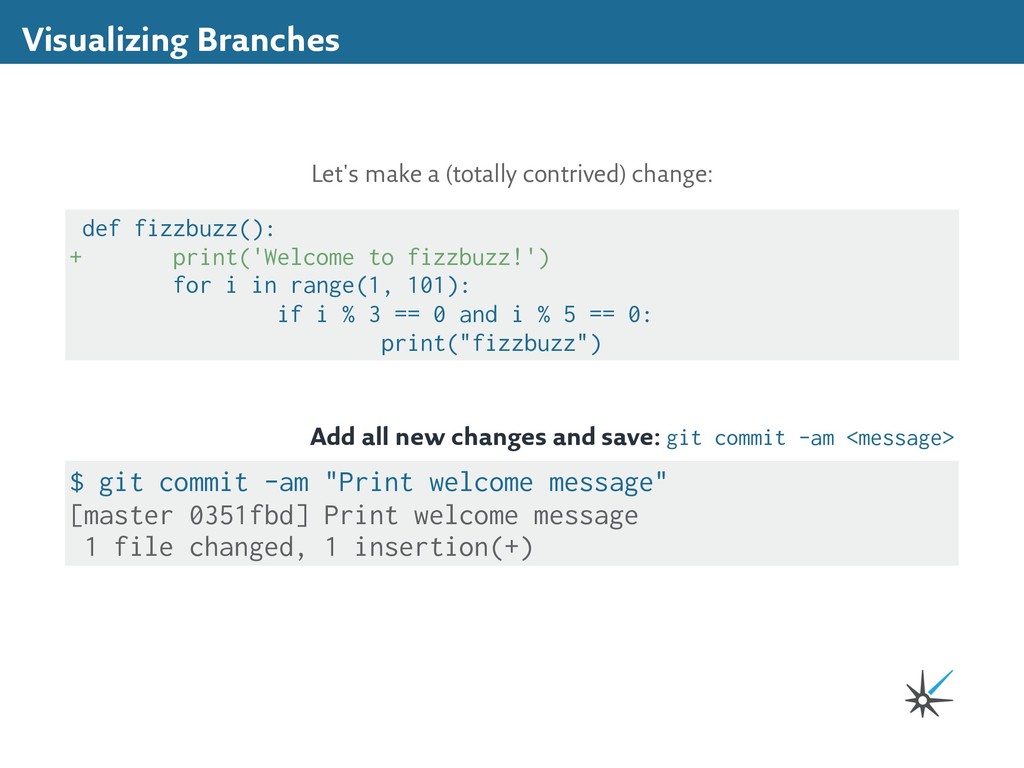
+ print('Welcome to fizzbuzz!') for i in range(1, 101): if i % 3 == 0 and i % 5 == 0: print("fizzbuzz") Add all new changes and save: git commit -am <message> $ git commit -am "Print welcome message" [master 0351fbd] Print welcome message 1 file changed, 1 insertion(+)
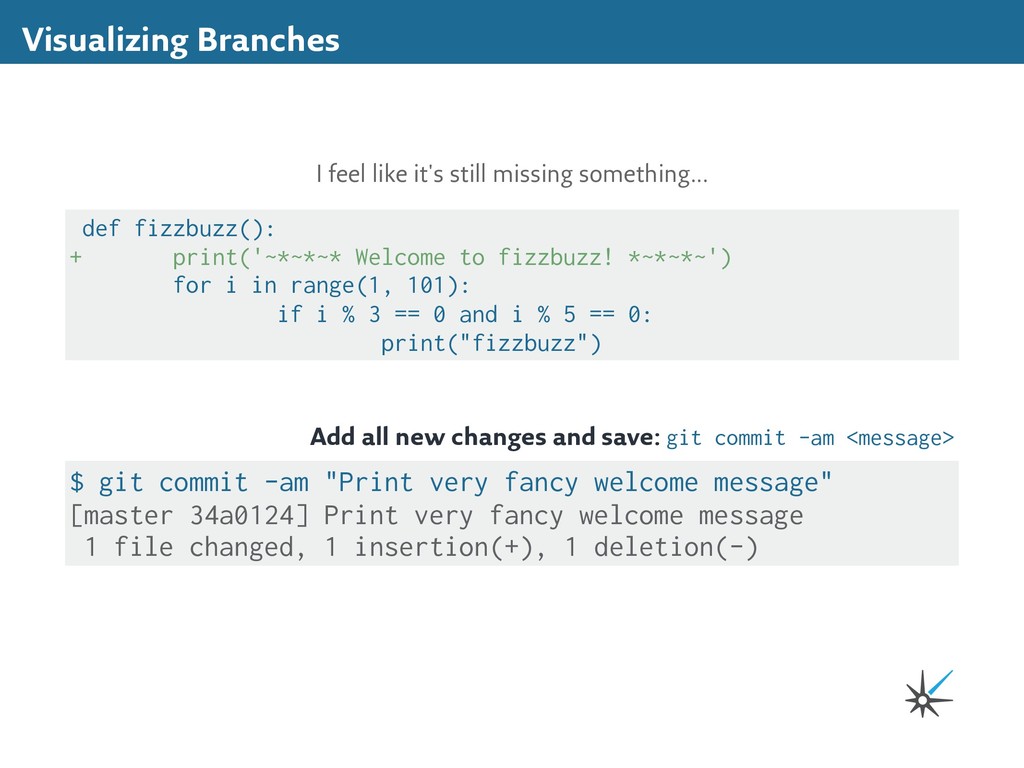
fizzbuzz(): + print('~*~*~* Welcome to fizzbuzz! *~*~*~') for i in range(1, 101): if i % 3 == 0 and i % 5 == 0: print("fizzbuzz") Add all new changes and save: git commit -am <message> $ git commit -am "Print very fancy welcome message" [master 34a0124] Print very fancy welcome message 1 file changed, 1 insertion(+), 1 deletion(-)
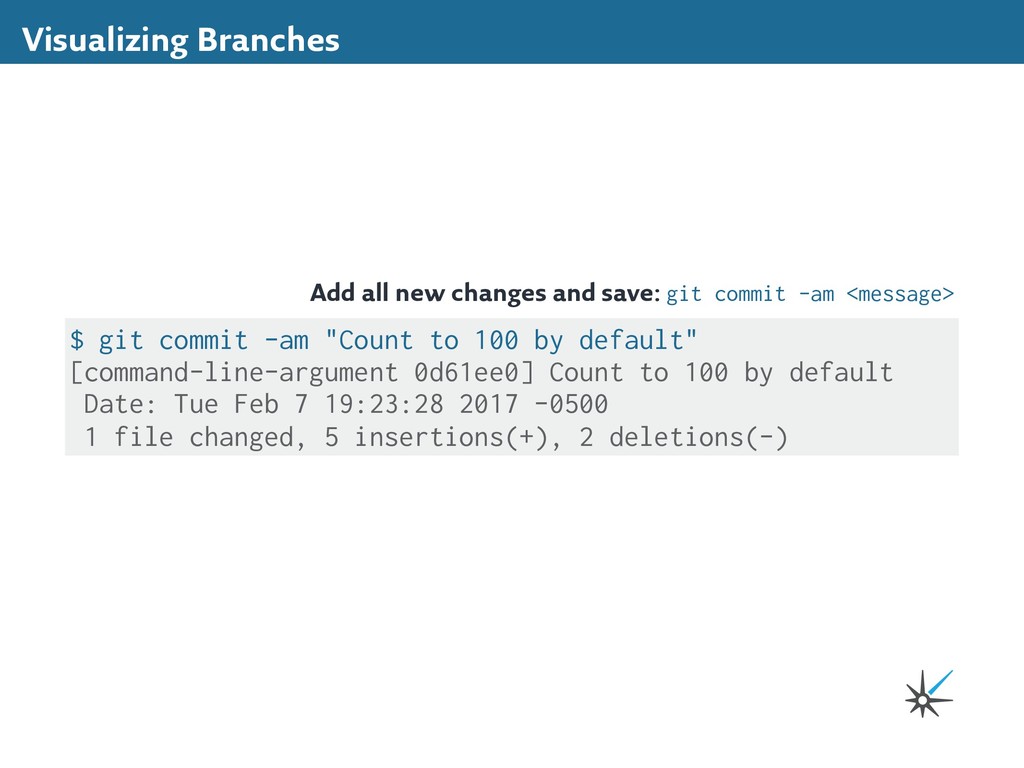
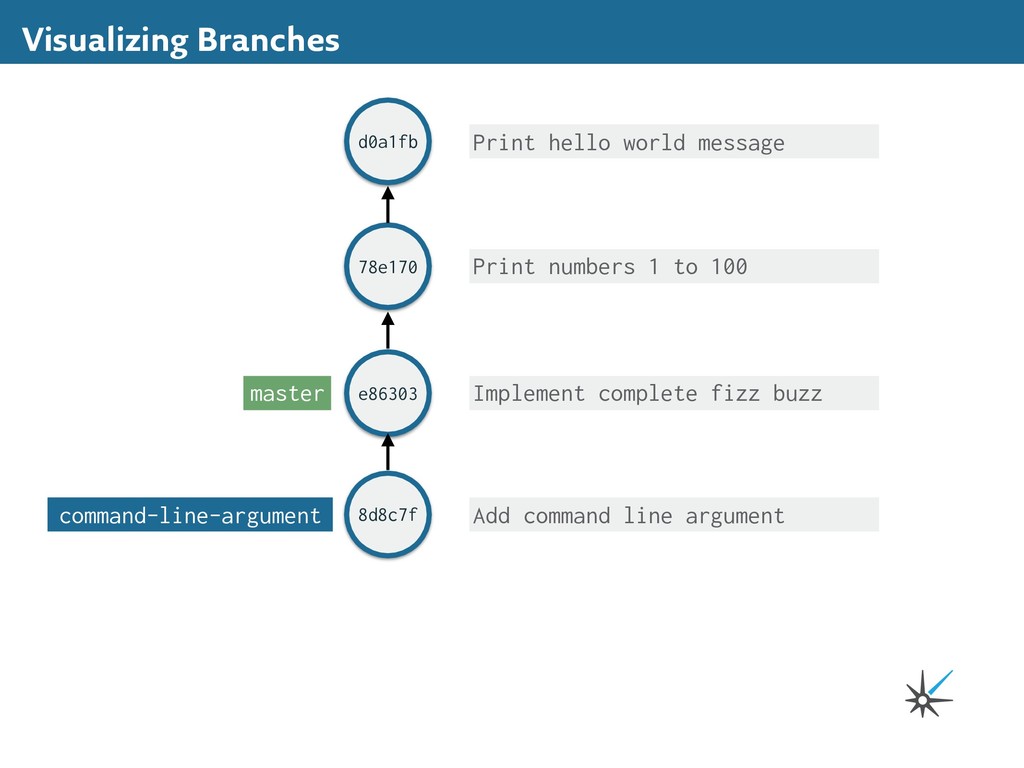
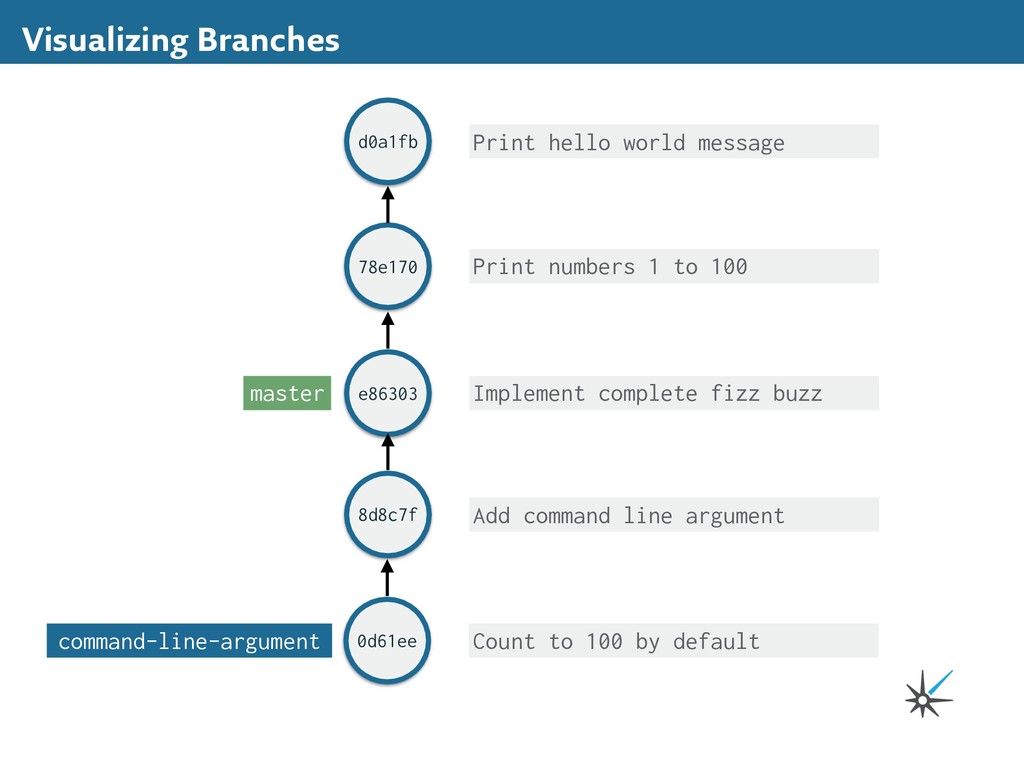
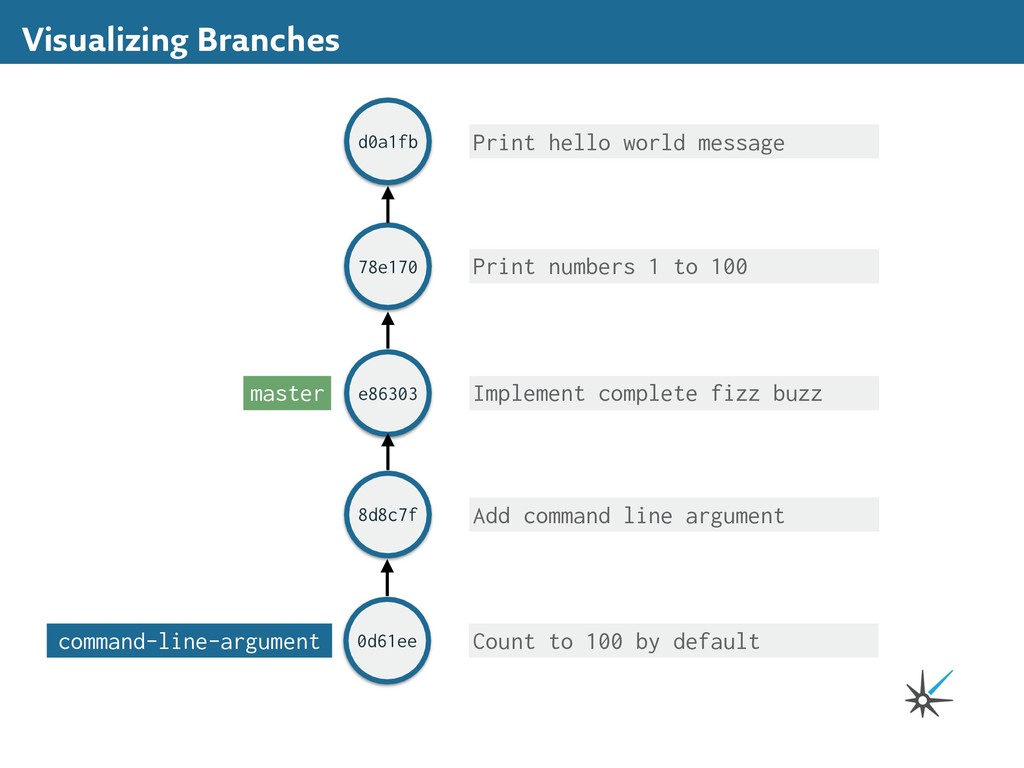
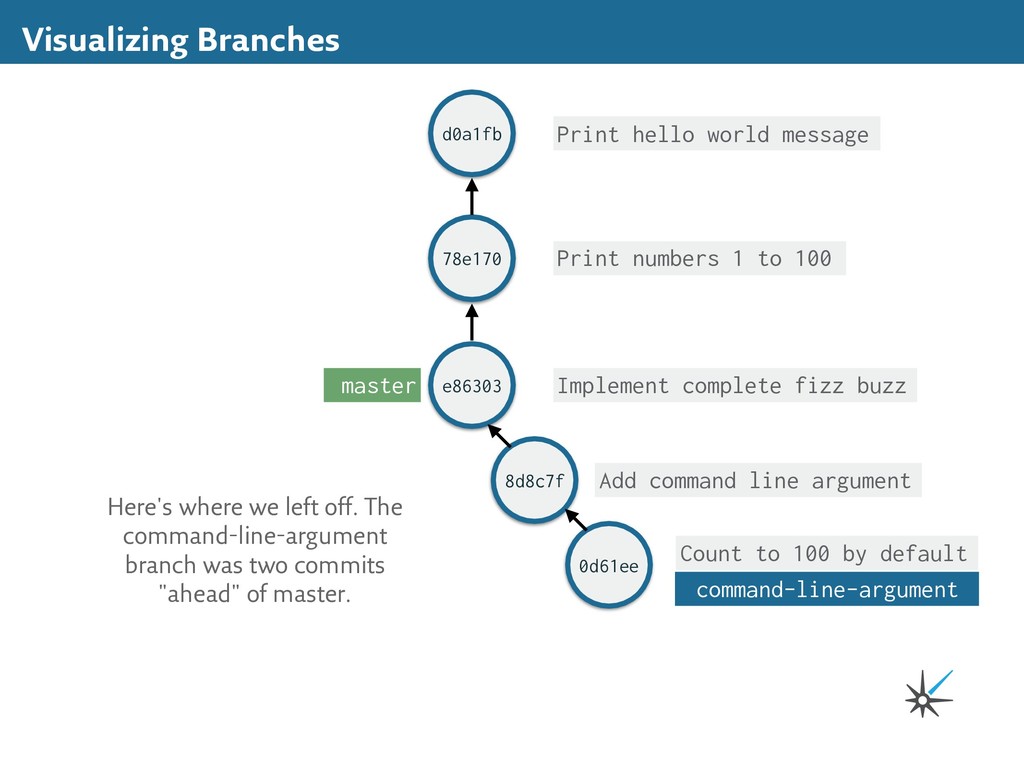
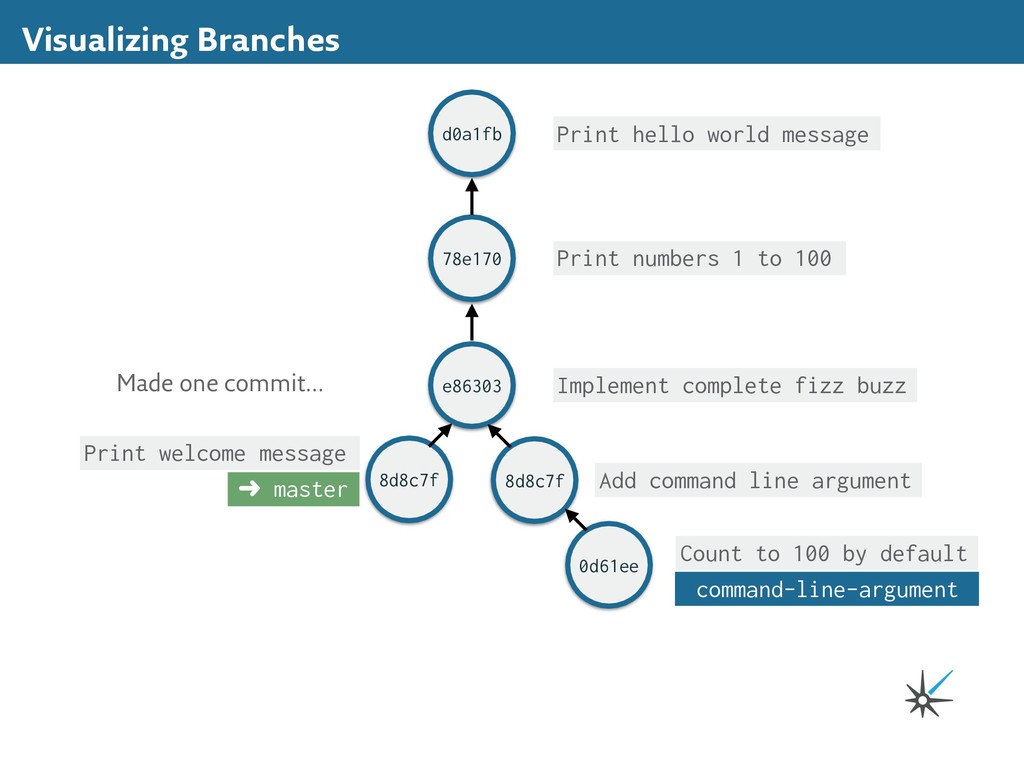
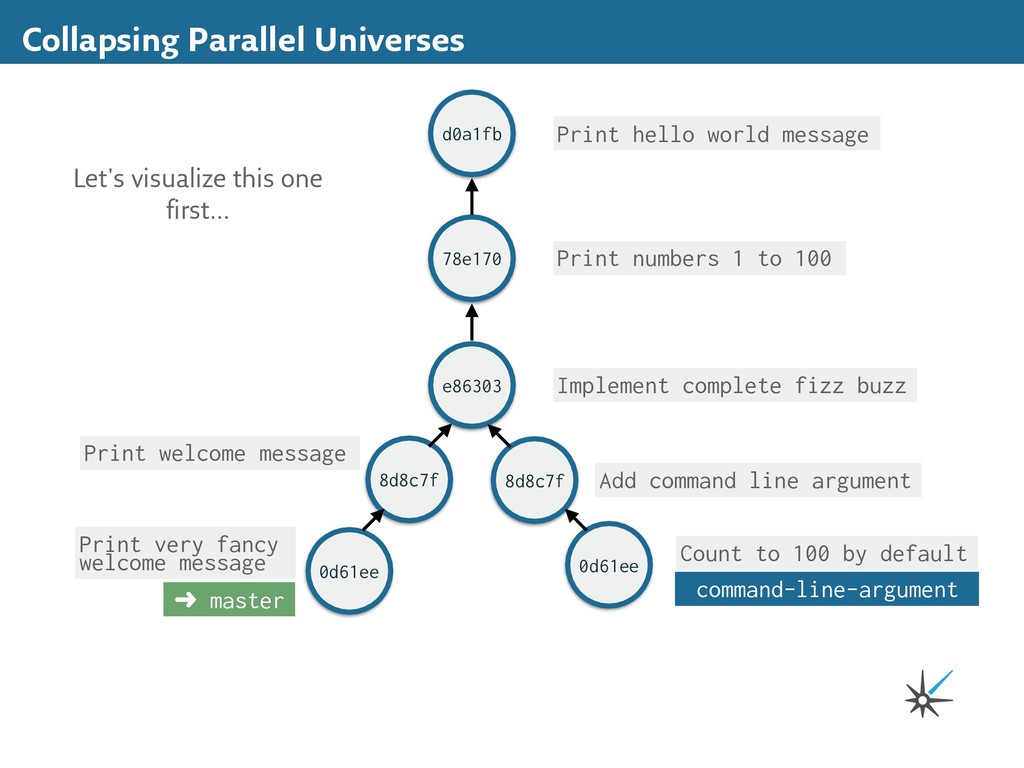
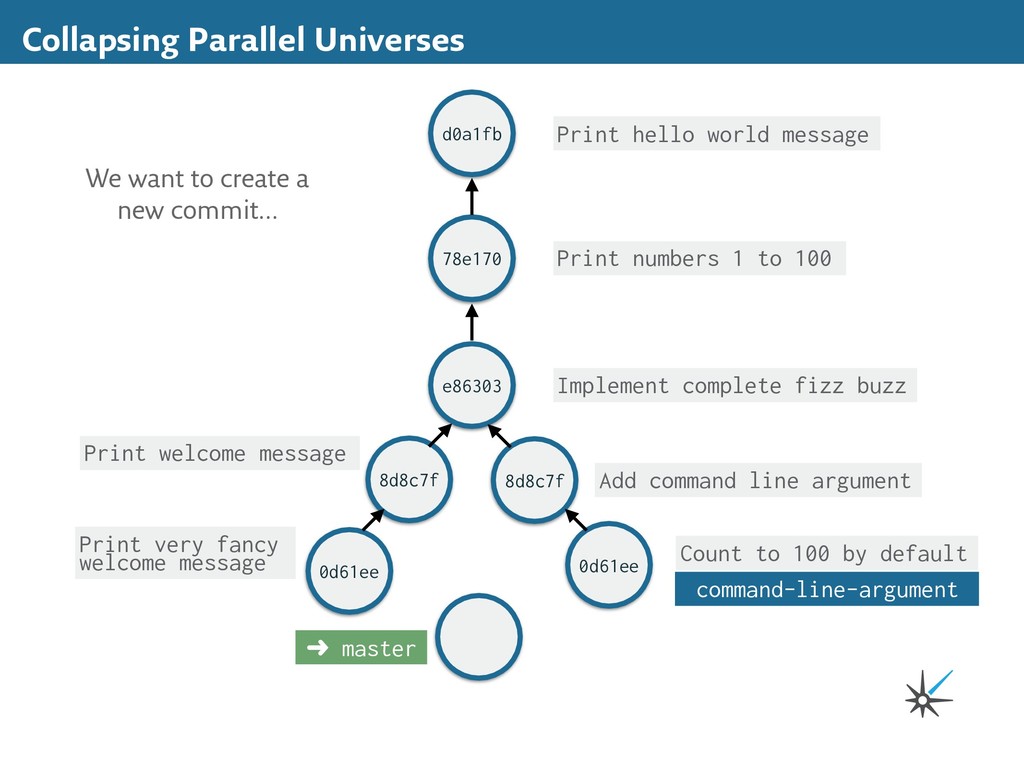
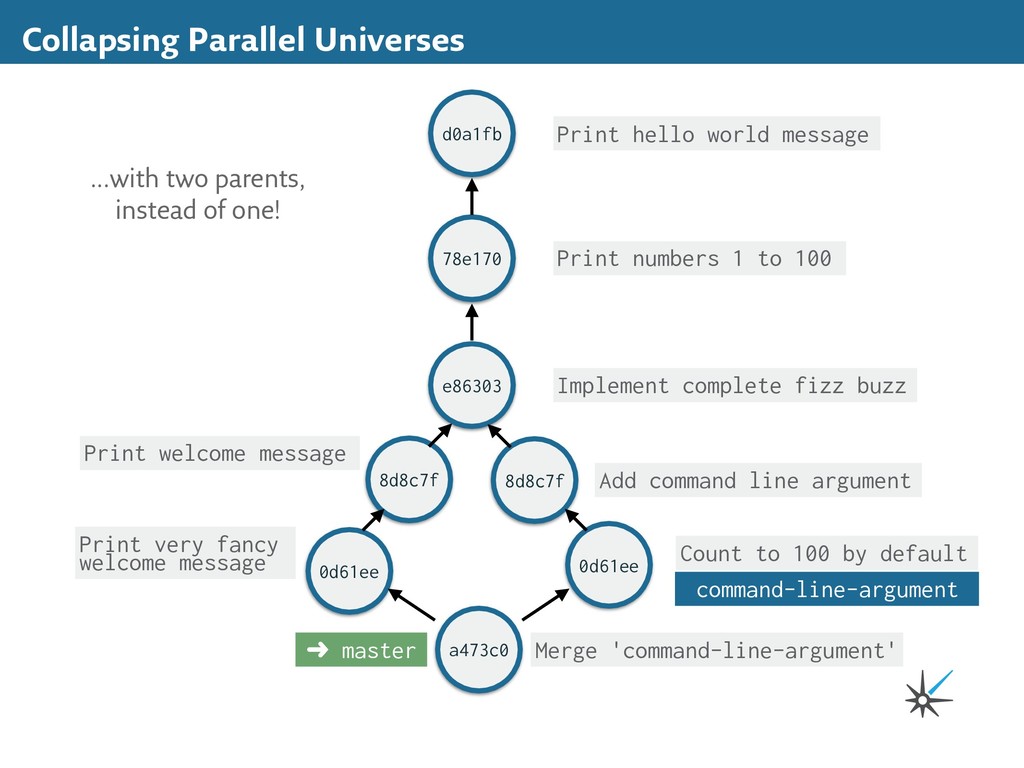
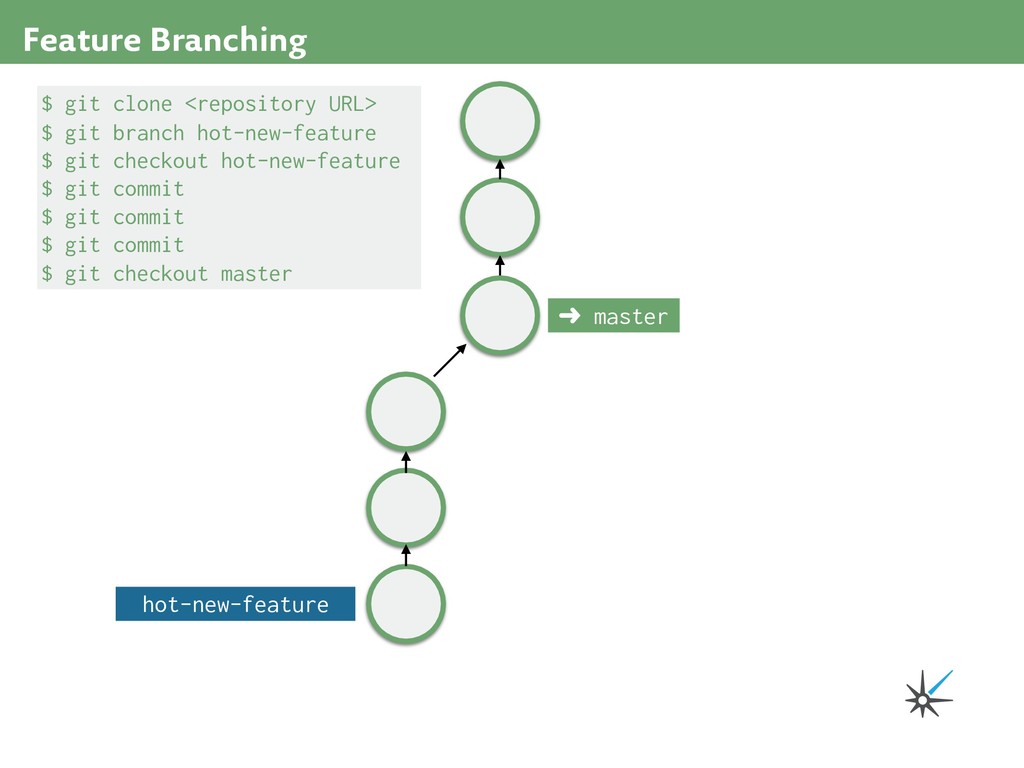
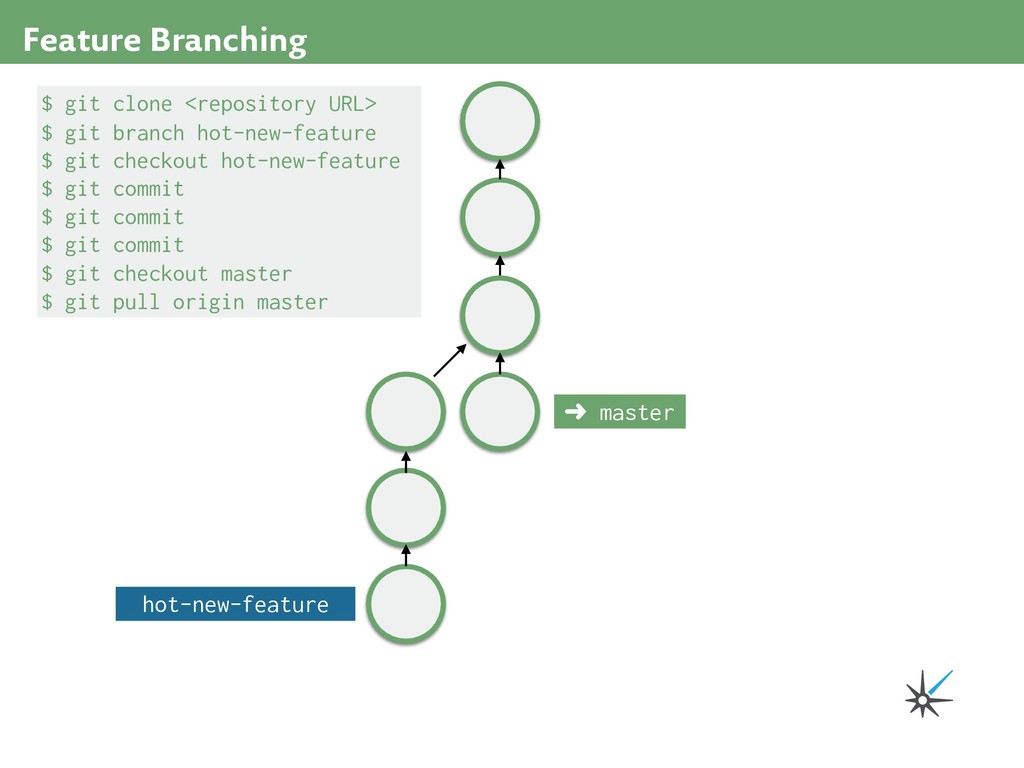
to 100 e86303 Implement complete fizz buzz 8d8c7f Add command line argument d0a1fb master 0d61ee Count to 100 by default command-line-argument Here's where we left off. The command-line-argument branch was two commits "ahead" of master.
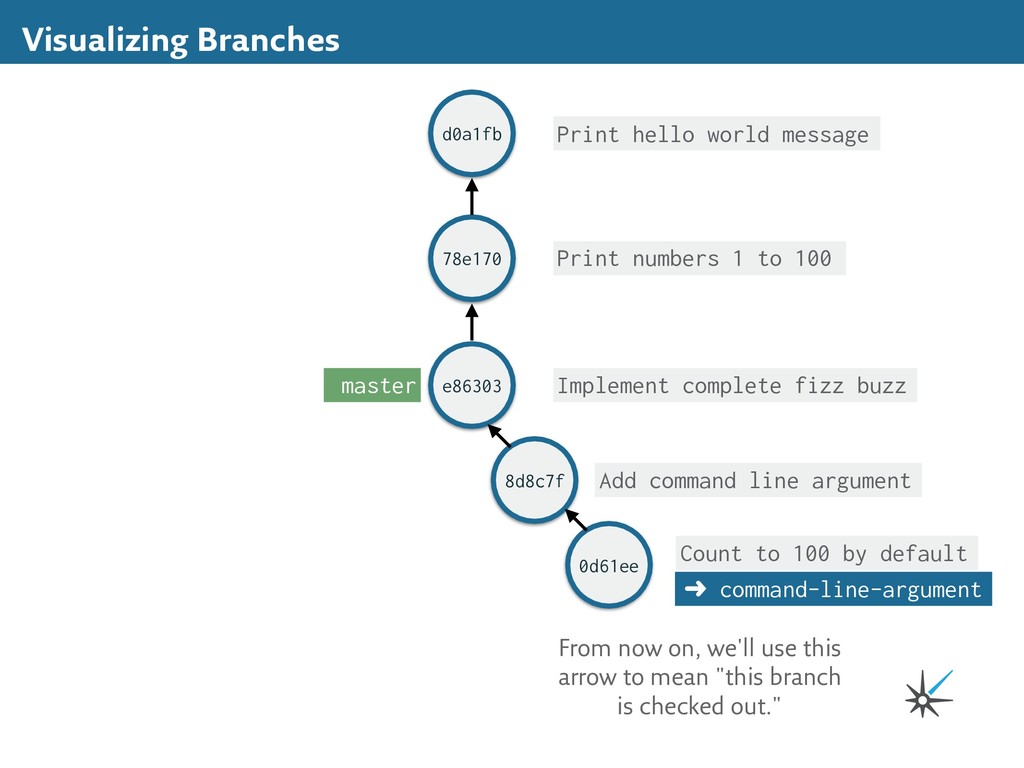
to 100 e86303 Implement complete fizz buzz 8d8c7f Add command line argument d0a1fb master 0d61ee Count to 100 by default ➜ command-line-argument From now on, we'll use this arrow to mean "this branch is checked out."
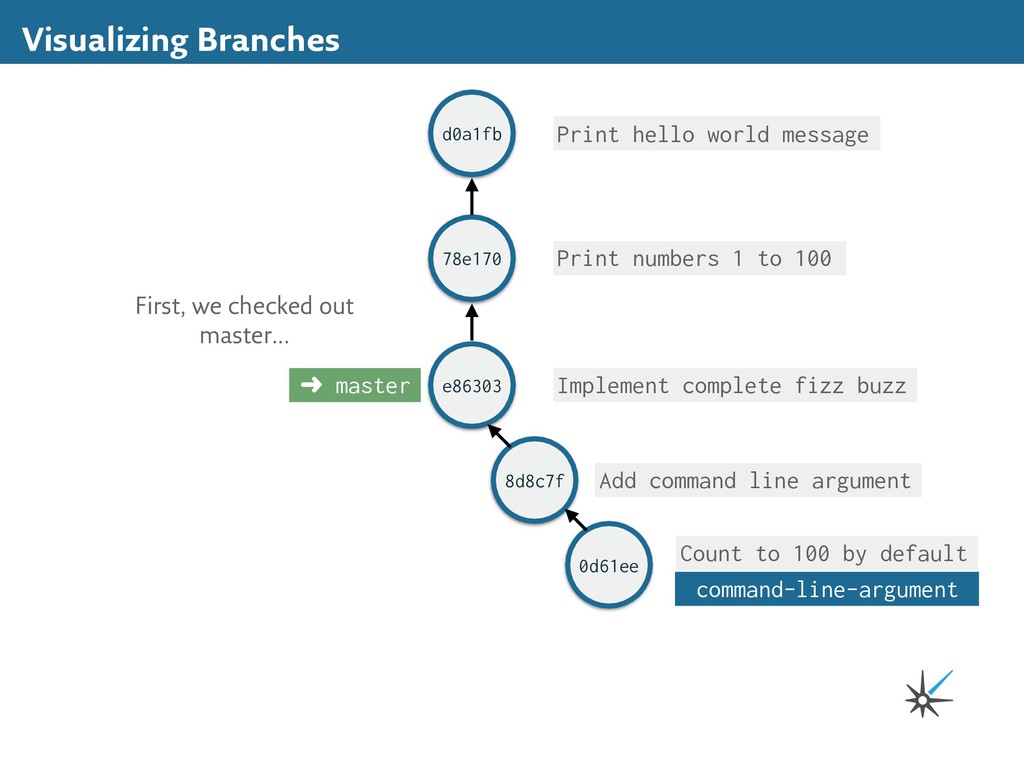
to 100 e86303 Implement complete fizz buzz 8d8c7f Add command line argument d0a1fb ➜ master 0d61ee Count to 100 by default command-line-argument First, we checked out master...
to 100 e86303 Implement complete fizz buzz 8d8c7f Add command line argument d0a1fb ➜ master 0d61ee Count to 100 by default command-line-argument 8d8c7f Print welcome message Made one commit...
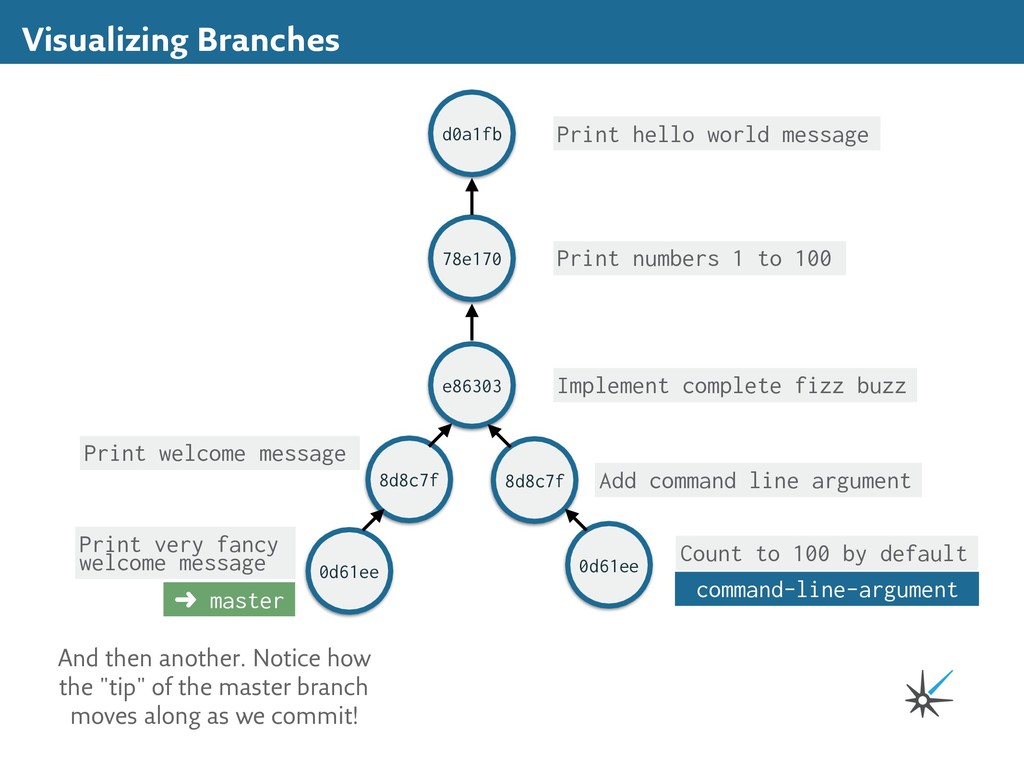
to 100 e86303 Implement complete fizz buzz 8d8c7f Add command line argument d0a1fb ➜ master 0d61ee Count to 100 by default command-line-argument 8d8c7f 0d61ee Print welcome message Print very fancy welcome message And then another. Notice how the "tip" of the master branch moves along as we commit!
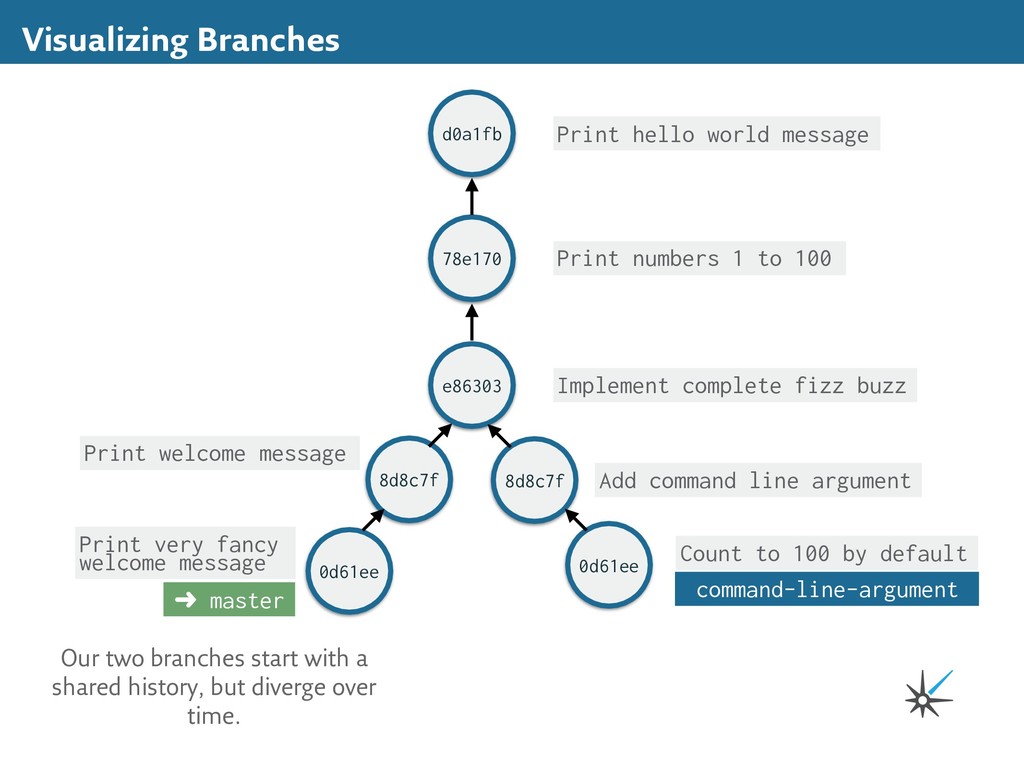
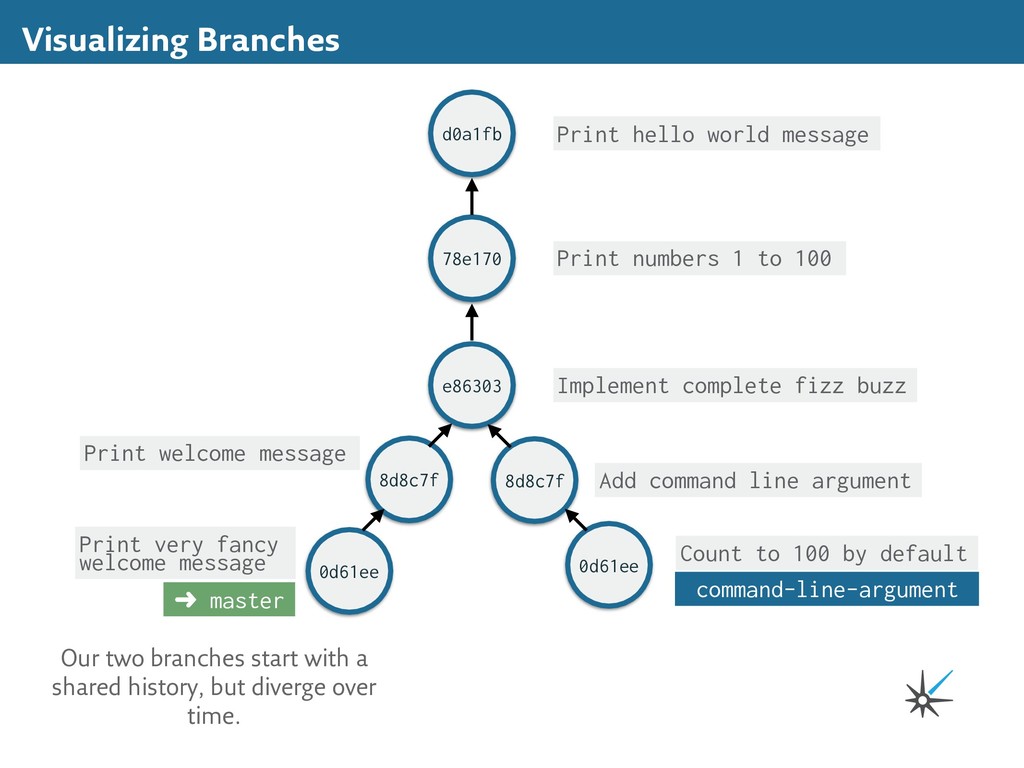
to 100 e86303 Implement complete fizz buzz 8d8c7f Add command line argument d0a1fb ➜ master 0d61ee Count to 100 by default command-line-argument 8d8c7f 0d61ee Print welcome message Print very fancy welcome message Our two branches start with a shared history, but diverge over time.
to 100 e86303 Implement complete fizz buzz 8d8c7f Add command line argument d0a1fb ➜ master 0d61ee Count to 100 by default command-line-argument 8d8c7f 0d61ee Print welcome message Print very fancy welcome message Our two branches start with a shared history, but diverge over time.
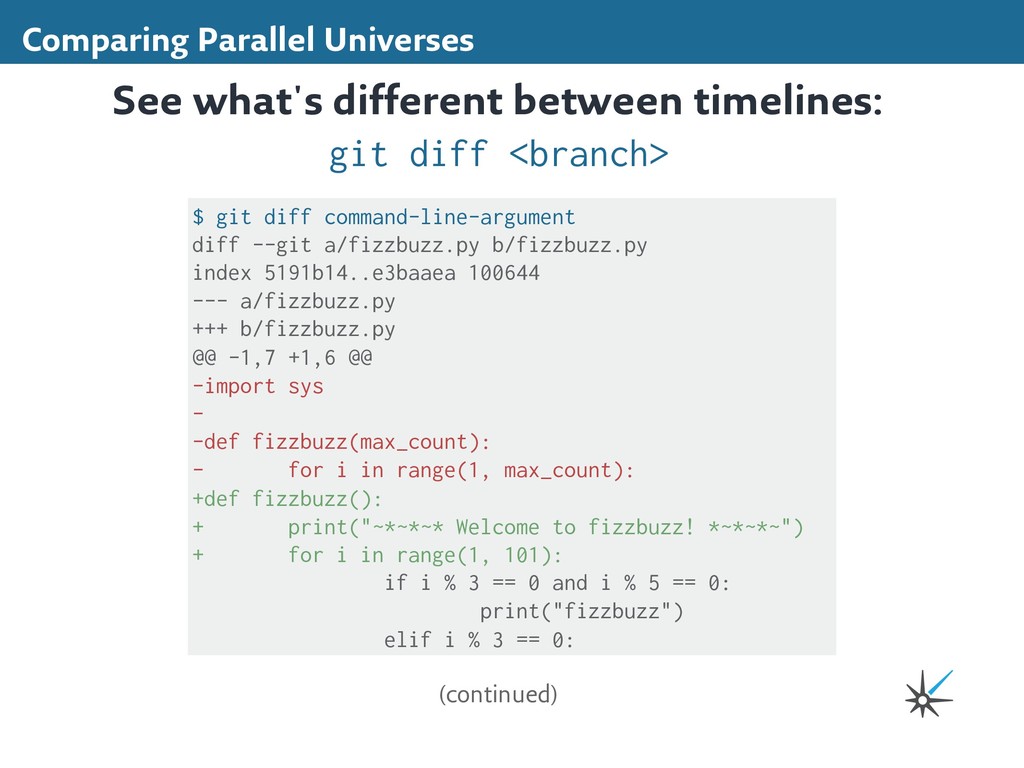
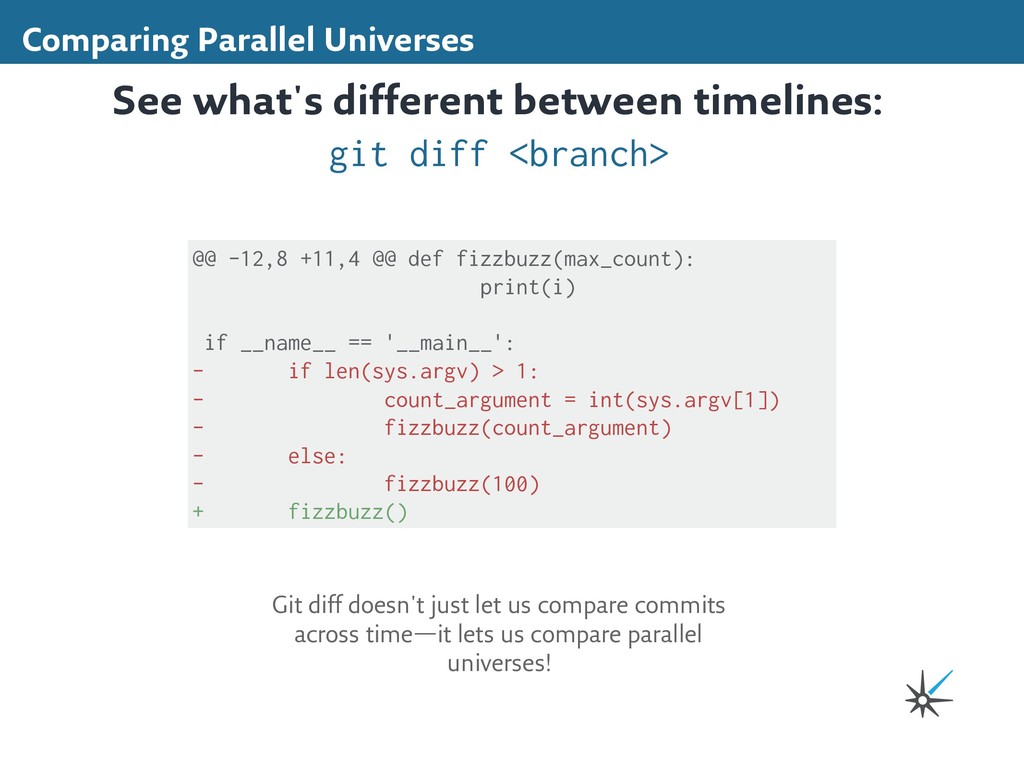
b/fizzbuzz.py index 5191b14..e3baaea 100644 --- a/fizzbuzz.py +++ b/fizzbuzz.py @@ -1,7 +1,6 @@ -import sys - -def fizzbuzz(max_count): - for i in range(1, max_count): +def fizzbuzz(): + print("~*~*~* Welcome to fizzbuzz! *~*~*~") + for i in range(1, 101): if i % 3 == 0 and i % 5 == 0: print("fizzbuzz") elif i % 3 == 0: See what's different between timelines: git diff <branch> (continued)
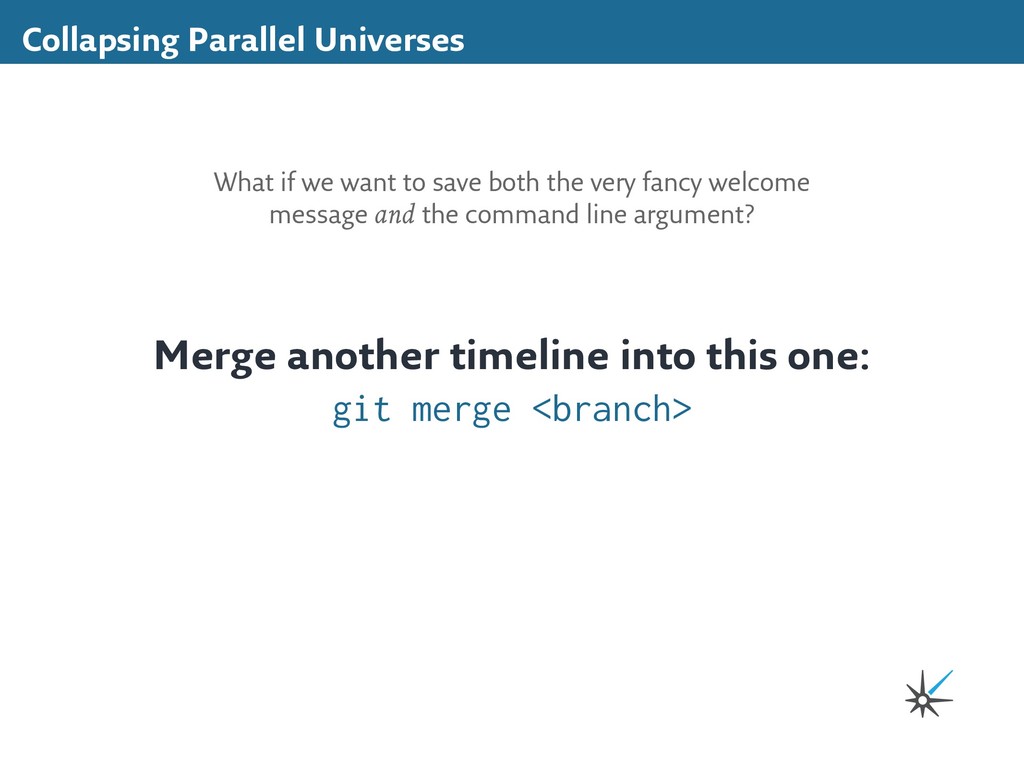
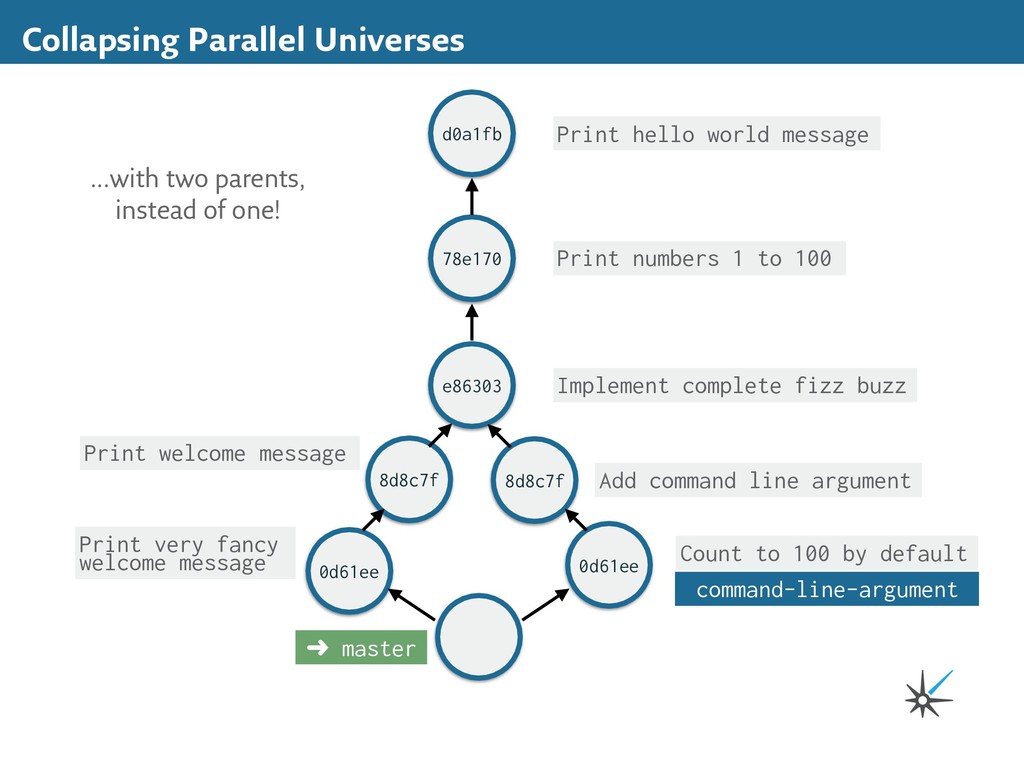
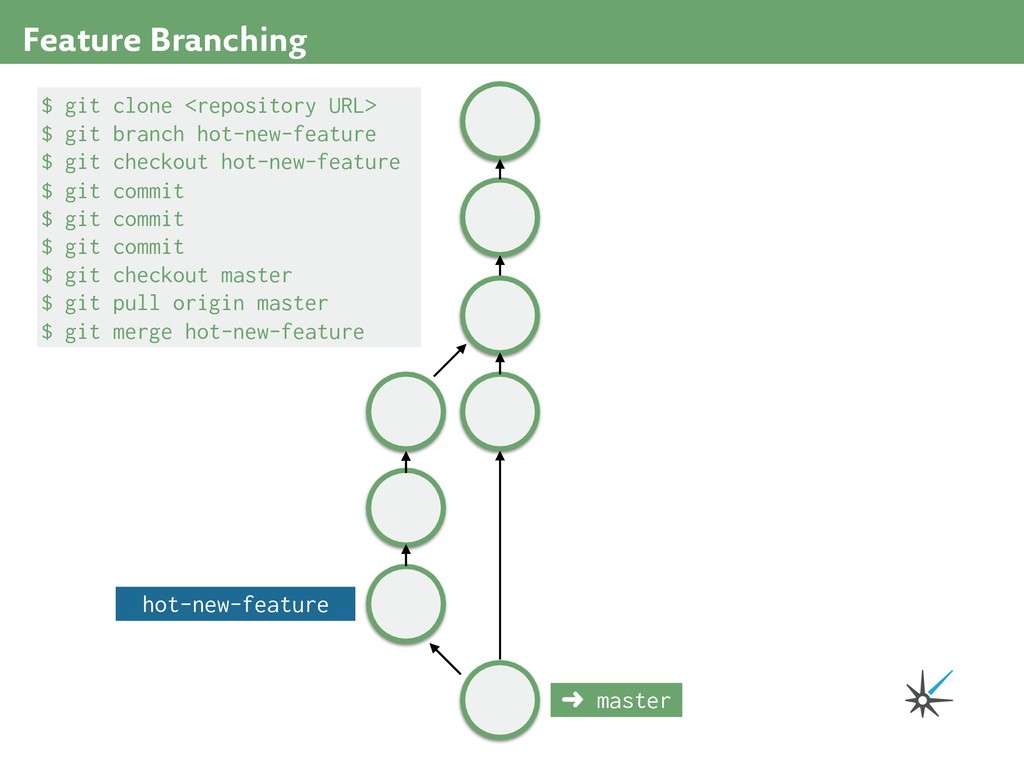
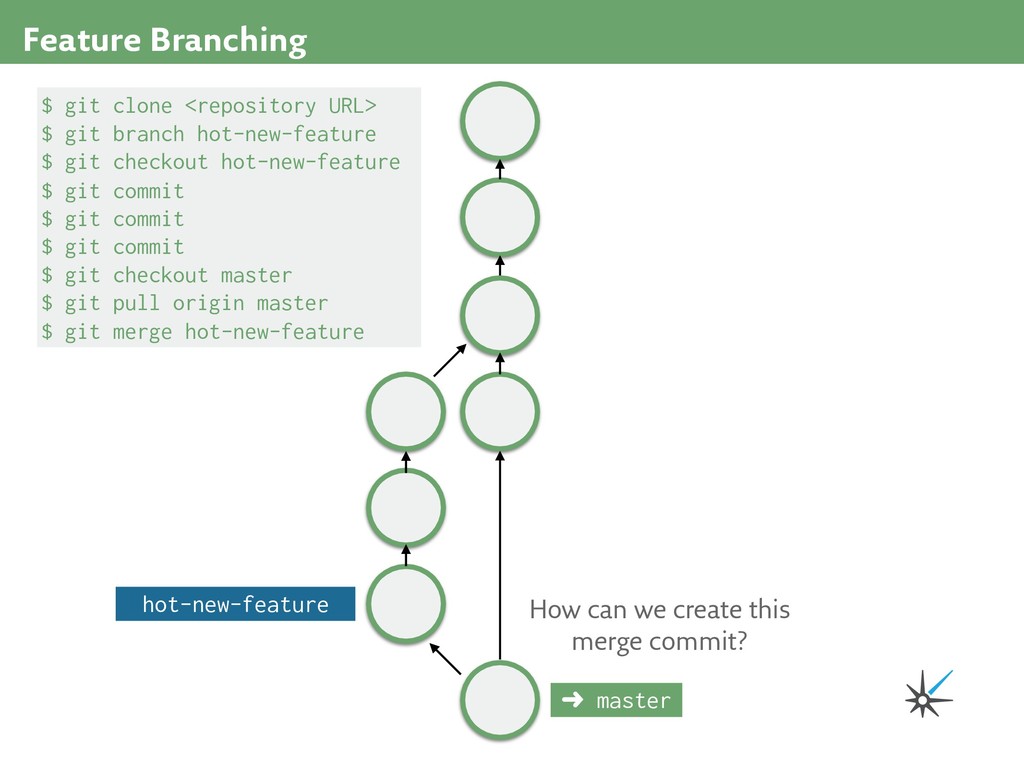
1 to 100 e86303 Implement complete fizz buzz 8d8c7f Add command line argument d0a1fb ➜ master 0d61ee Count to 100 by default command-line-argument 8d8c7f 0d61ee Print welcome message Print very fancy welcome message We want to create a new commit...
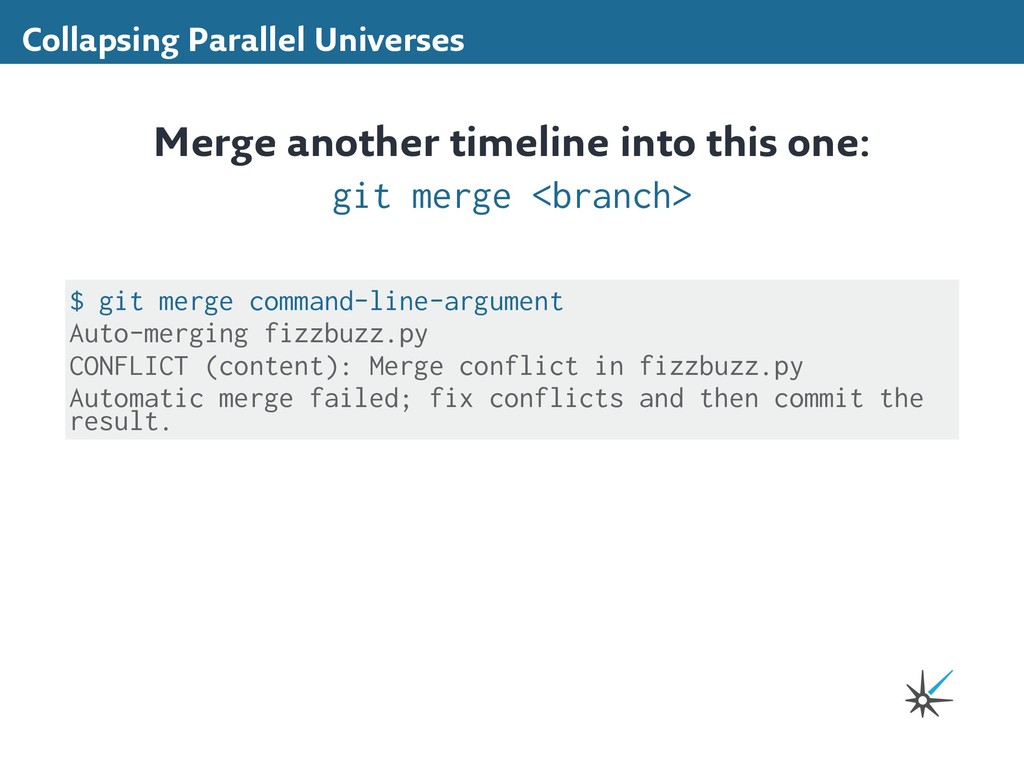
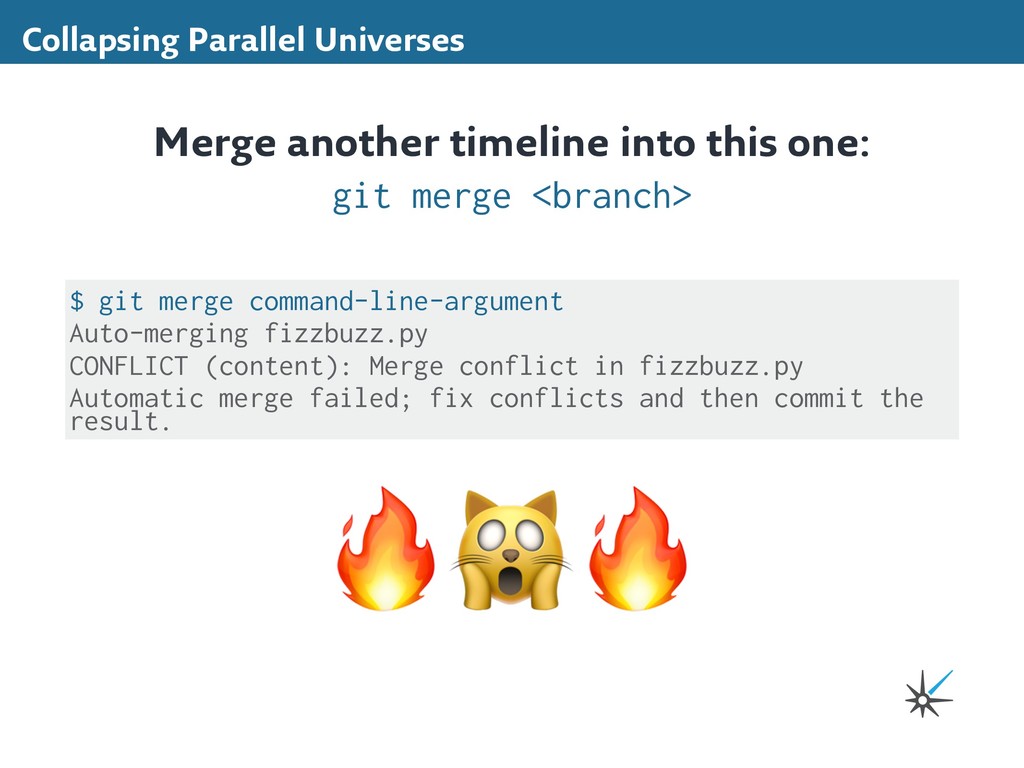
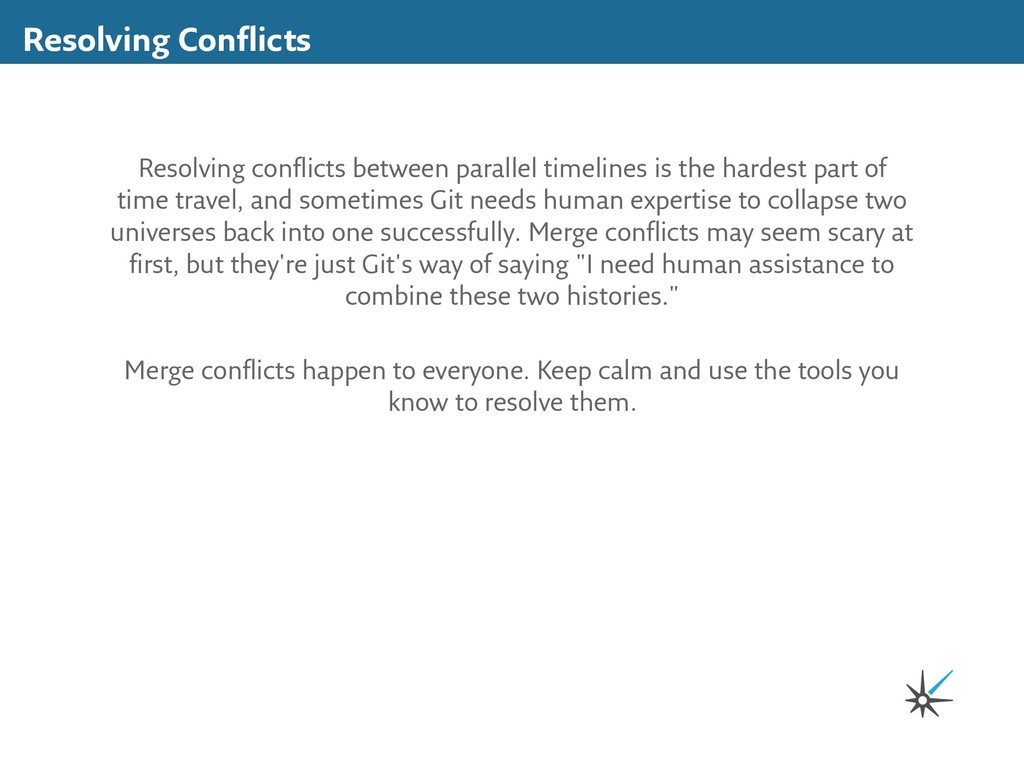
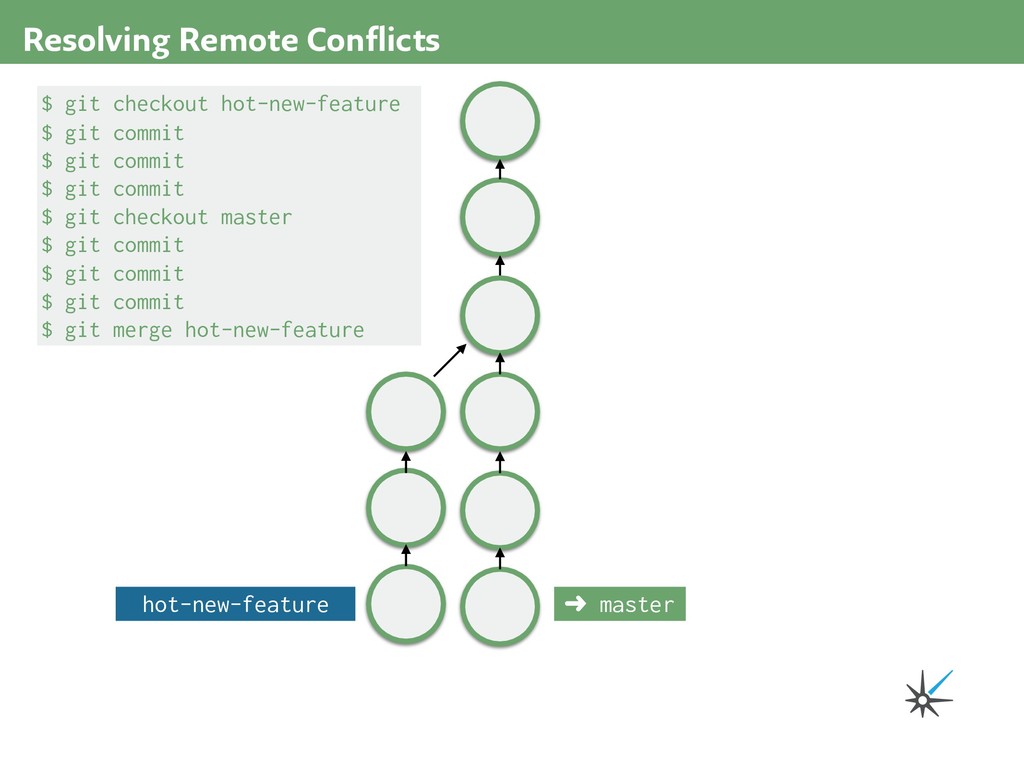
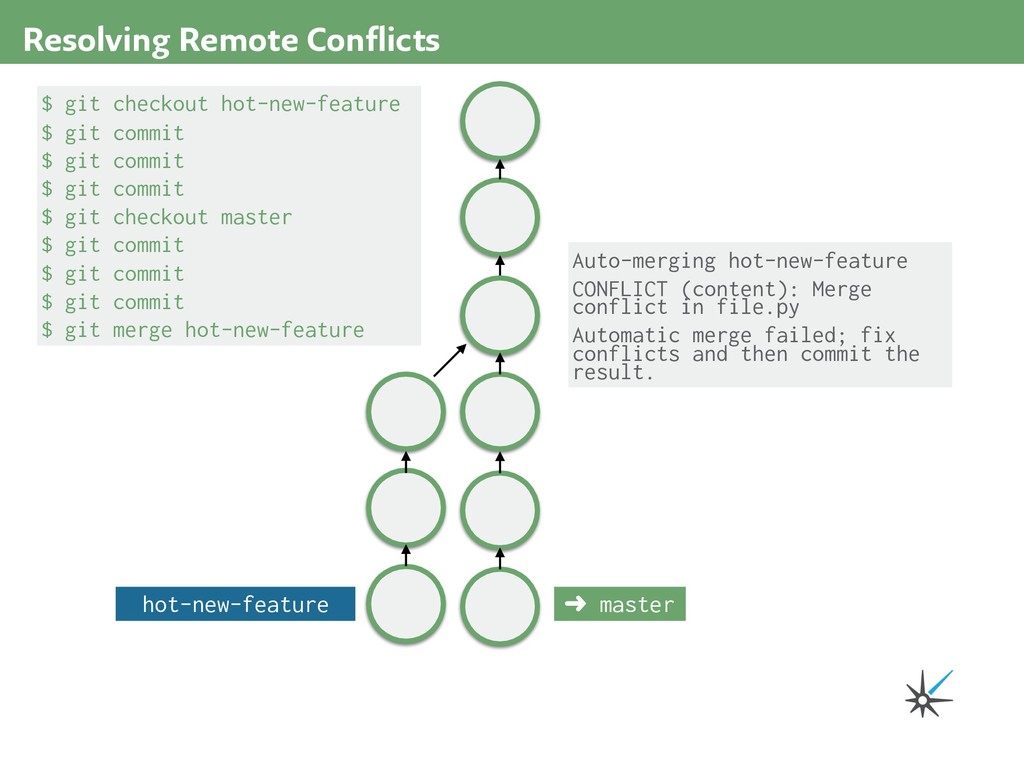
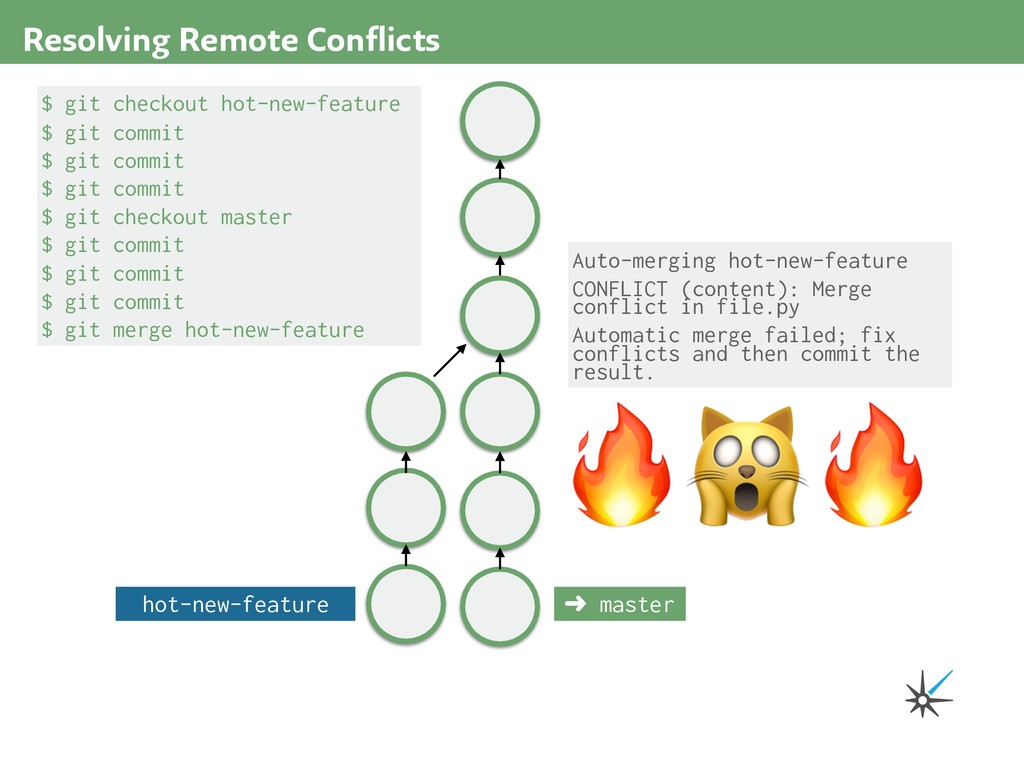
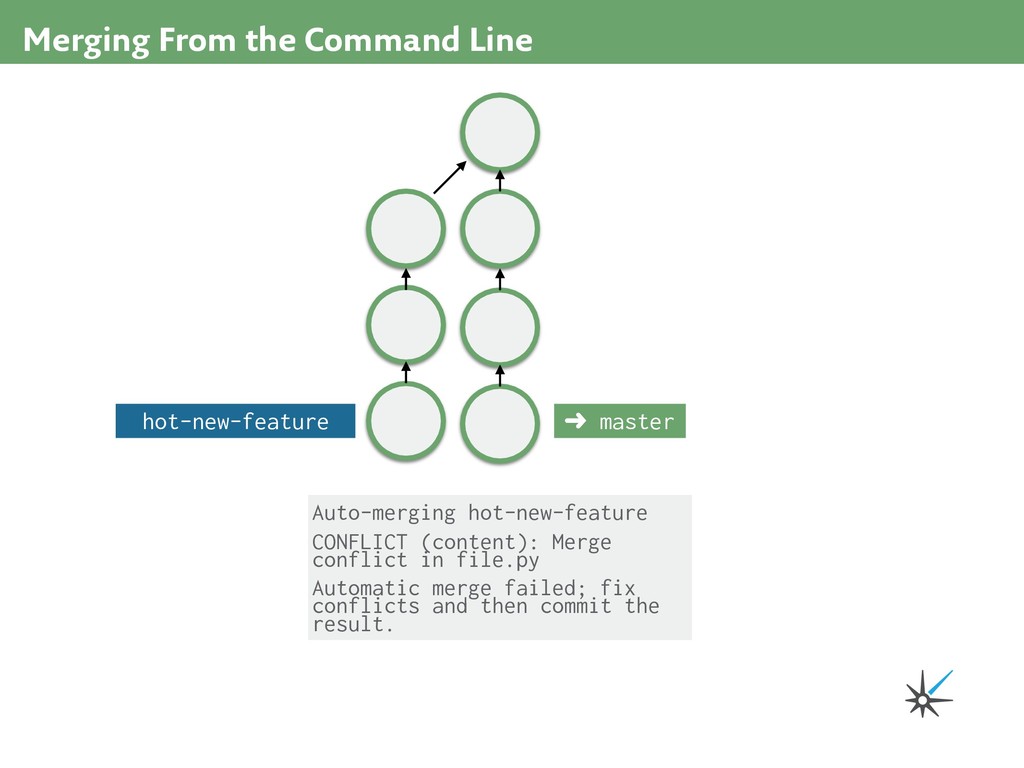
part of time travel, and sometimes Git needs human expertise to collapse two universes back into one successfully. Merge conflicts may seem scary at first, but they're just Git's way of saying "I need human assistance to combine these two histories." Merge conflicts happen to everyone. Keep calm and use the tools you know to resolve them.
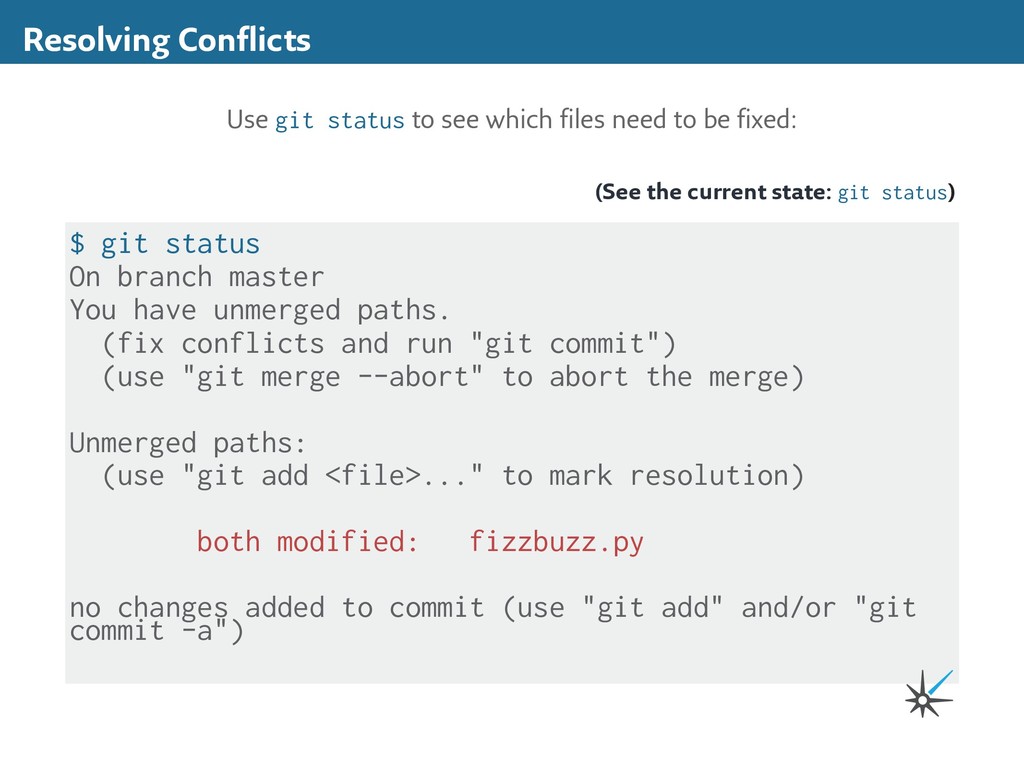
(fix conflicts and run "git commit") (use "git merge --abort" to abort the merge) Unmerged paths: (use "git add <file>..." to mark resolution) both modified: fizzbuzz.py no changes added to commit (use "git add" and/or "git commit -a") Resolving Conflicts Use git status to see which files need to be fixed: (See the current state: git status)
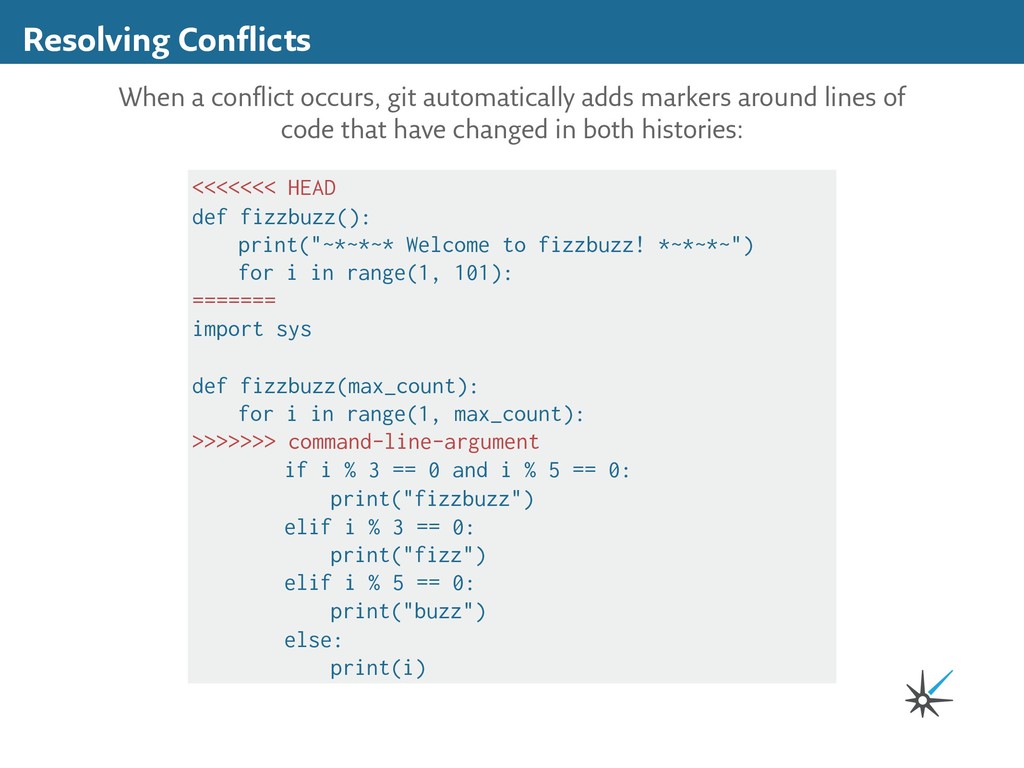
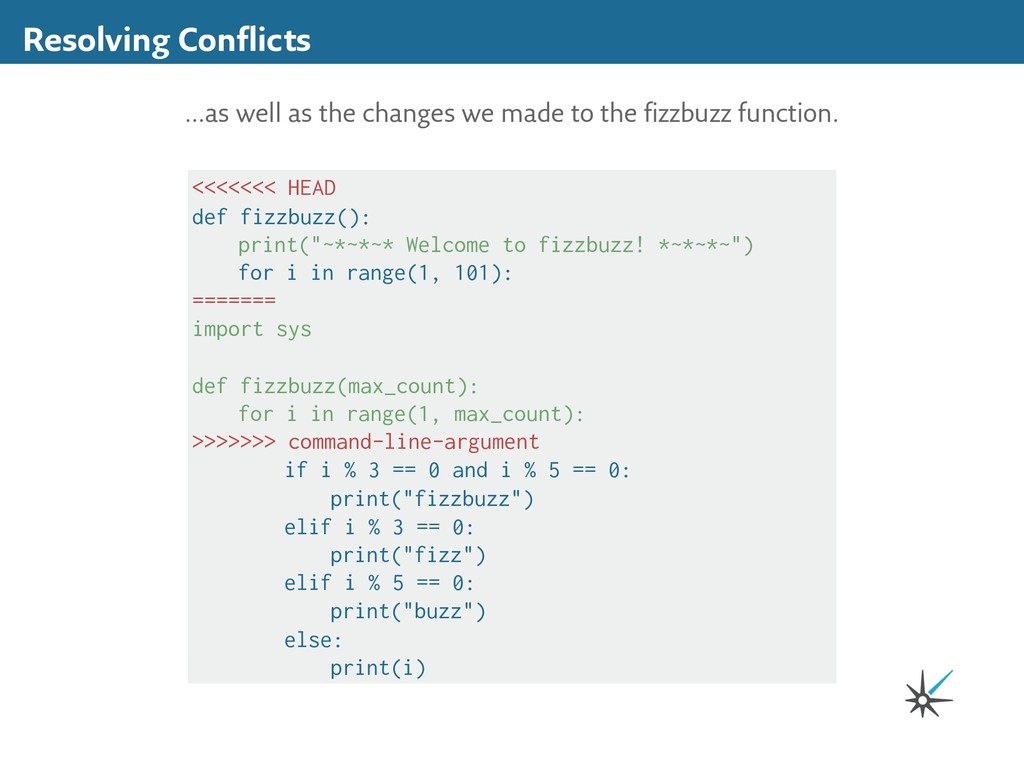
around lines of code that have changed in both histories: <<<<<<< HEAD def fizzbuzz(): print("~*~*~* Welcome to fizzbuzz! *~*~*~") for i in range(1, 101): ======= import sys def fizzbuzz(max_count): for i in range(1, max_count): >>>>>>> command-line-argument if i % 3 == 0 and i % 5 == 0: print("fizzbuzz") elif i % 3 == 0: print("fizz") elif i % 5 == 0: print("buzz") else: print(i)
HEAD def fizzbuzz(): print("~*~*~* Welcome to fizzbuzz! *~*~*~") for i in range(1, 101): ======= import sys def fizzbuzz(max_count): for i in range(1, max_count): >>>>>>> command-line-argument if i % 3 == 0 and i % 5 == 0: print("fizzbuzz") elif i % 3 == 0: print("fizz") elif i % 5 == 0: print("buzz") else: print(i)
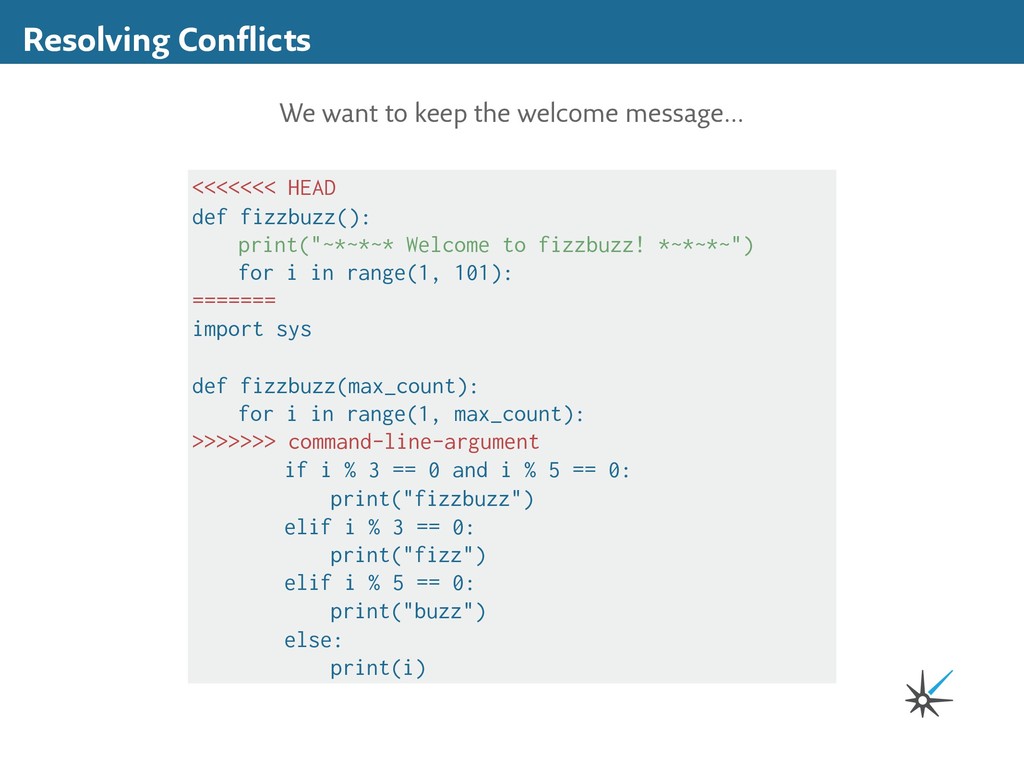
the fizzbuzz function. <<<<<<< HEAD def fizzbuzz(): print("~*~*~* Welcome to fizzbuzz! *~*~*~") for i in range(1, 101): ======= import sys def fizzbuzz(max_count): for i in range(1, max_count): >>>>>>> command-line-argument if i % 3 == 0 and i % 5 == 0: print("fizzbuzz") elif i % 3 == 0: print("fizz") elif i % 5 == 0: print("buzz") else: print(i)
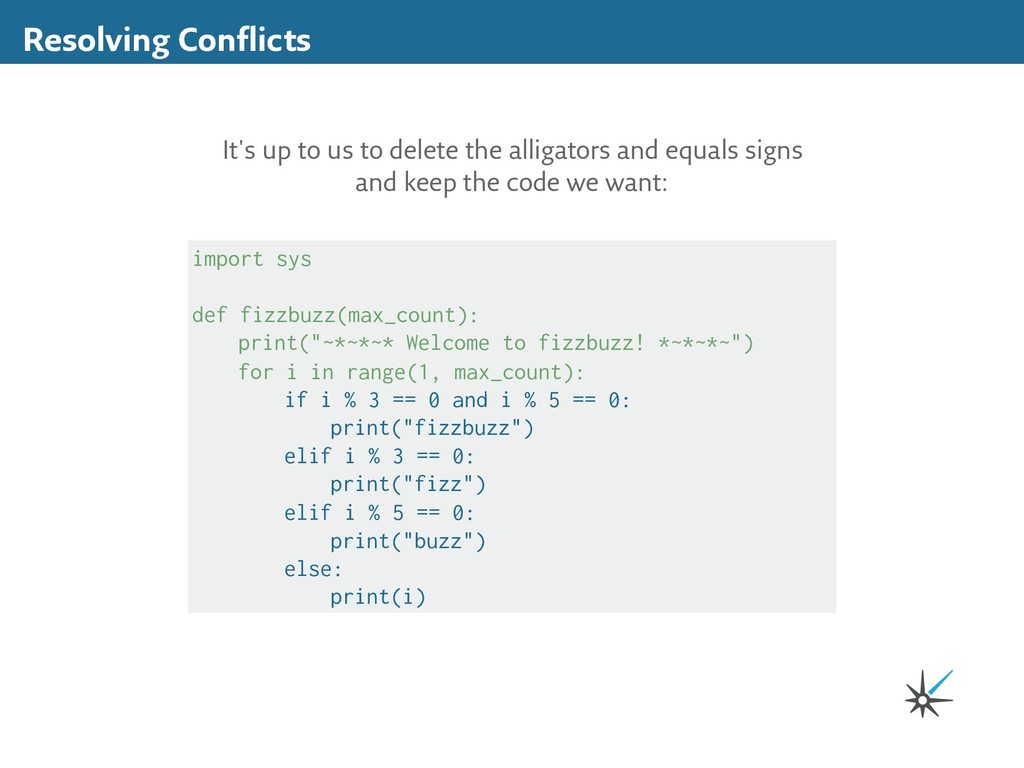
and equals signs and keep the code we want: import sys def fizzbuzz(max_count): print("~*~*~* Welcome to fizzbuzz! *~*~*~") for i in range(1, max_count): if i % 3 == 0 and i % 5 == 0: print("fizzbuzz") elif i % 3 == 0: print("fizz") elif i % 5 == 0: print("buzz") else: print(i)
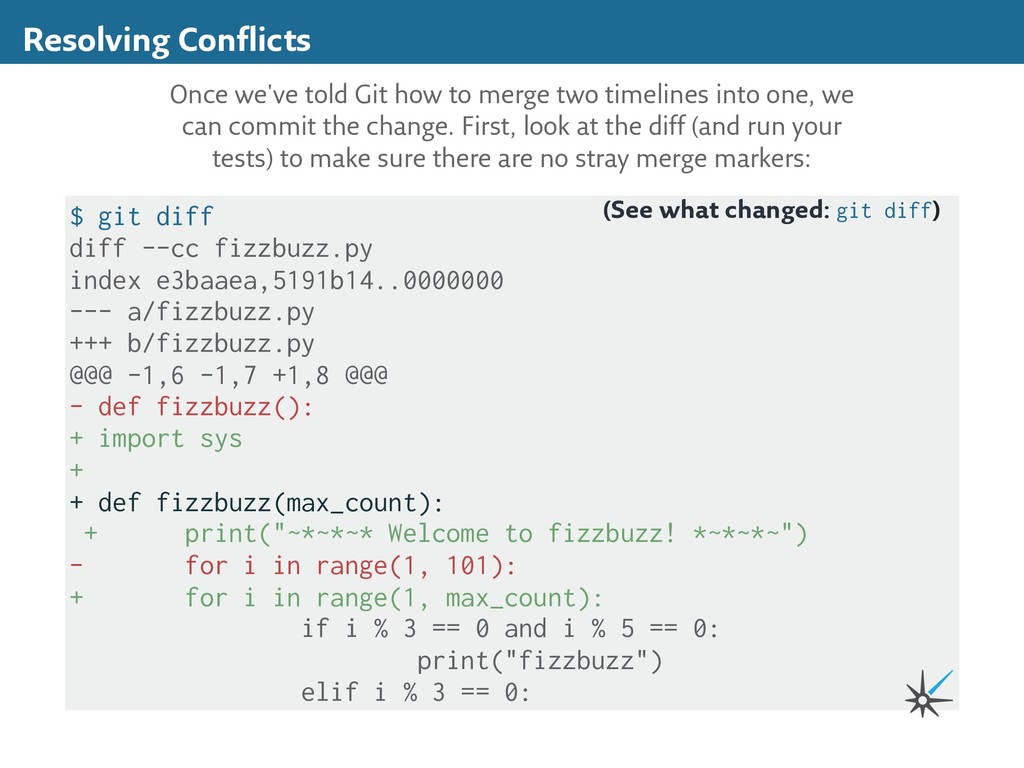
+++ b/fizzbuzz.py @@@ -1,6 -1,7 +1,8 @@@ - def fizzbuzz(): + import sys + + def fizzbuzz(max_count): + print("~*~*~* Welcome to fizzbuzz! *~*~*~") - for i in range(1, 101): + for i in range(1, max_count): if i % 3 == 0 and i % 5 == 0: print("fizzbuzz") elif i % 3 == 0: Resolving Conflicts Once we've told Git how to merge two timelines into one, we can commit the change. First, look at the diff (and run your tests) to make sure there are no stray merge markers: (See what changed: git diff)
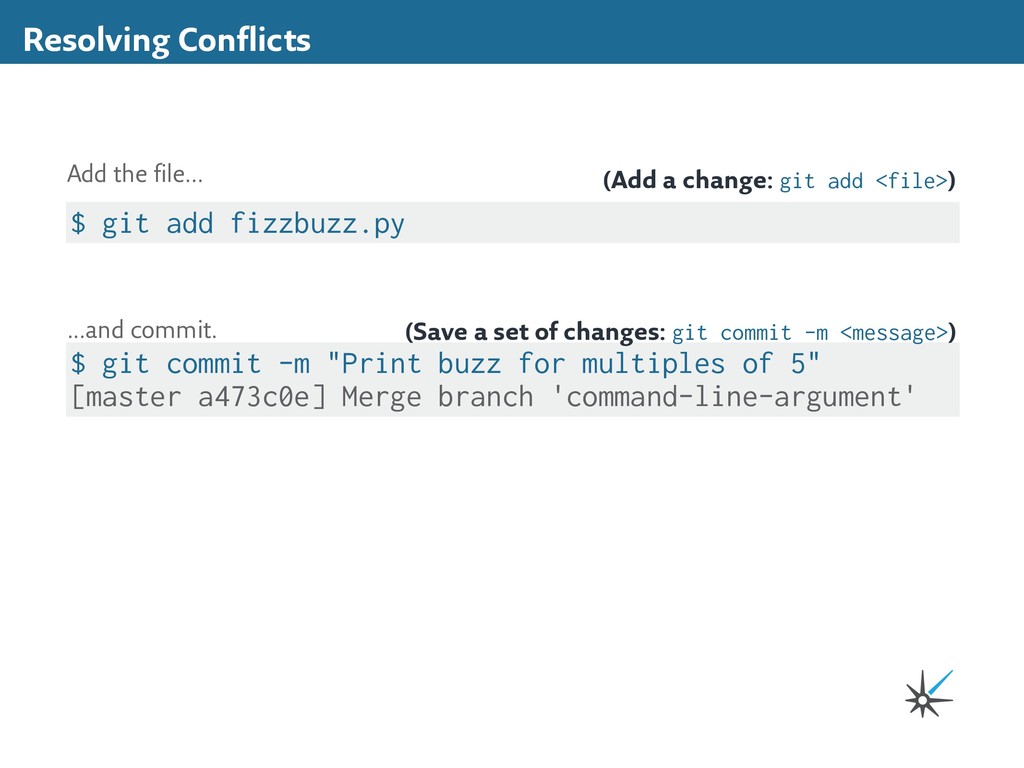
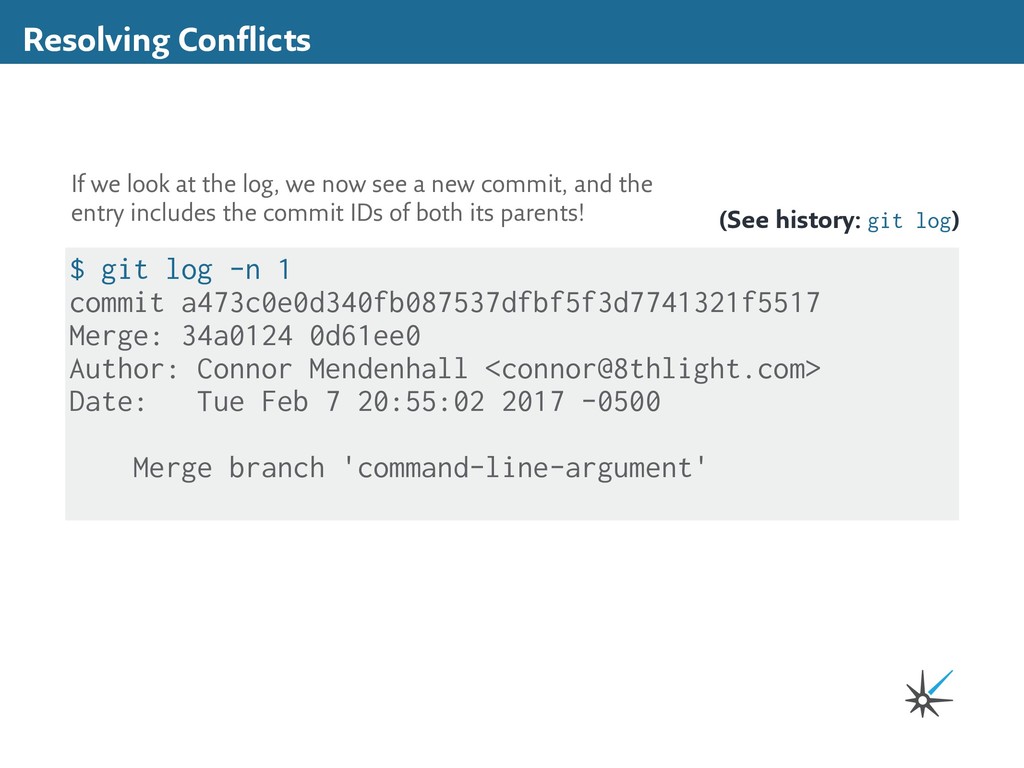
34a0124 0d61ee0 Author: Connor Mendenhall <[email protected]> Date: Tue Feb 7 20:55:02 2017 -0500 Merge branch 'command-line-argument' (See history: git log) If we look at the log, we now see a new commit, and the entry includes the commit IDs of both its parents!
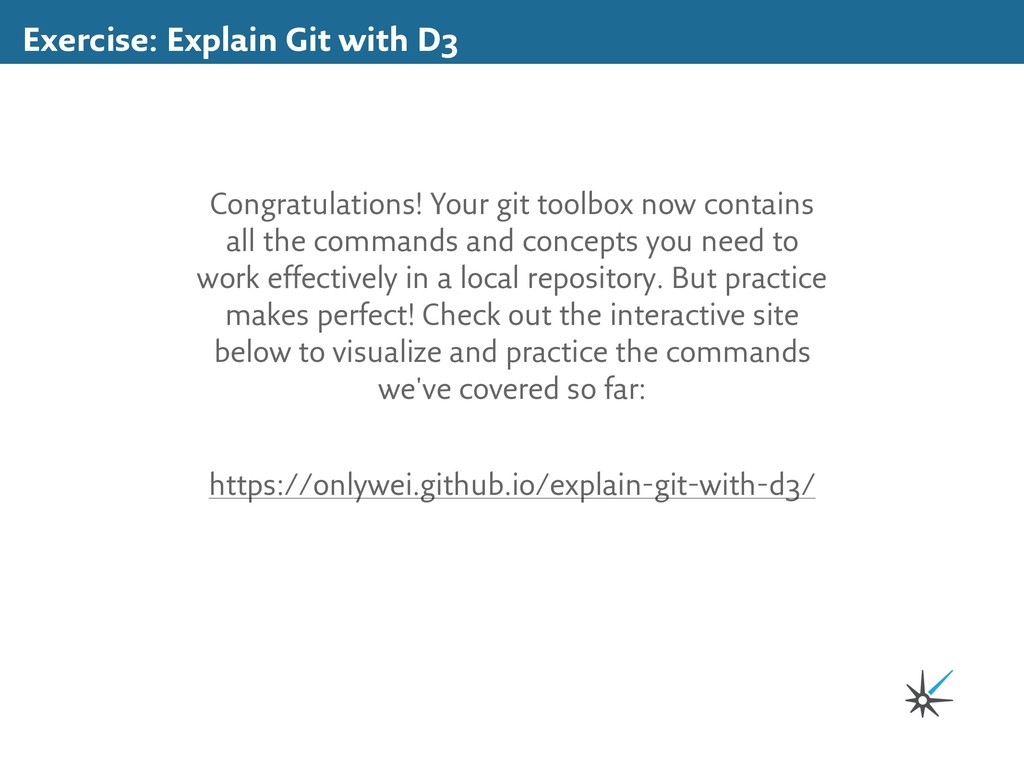
contains all the commands and concepts you need to work effectively in a local repository. But practice makes perfect! Check out the interactive site below to visualize and practice the commands we've covered so far: https://onlywei.github.io/explain-git-with-d3/
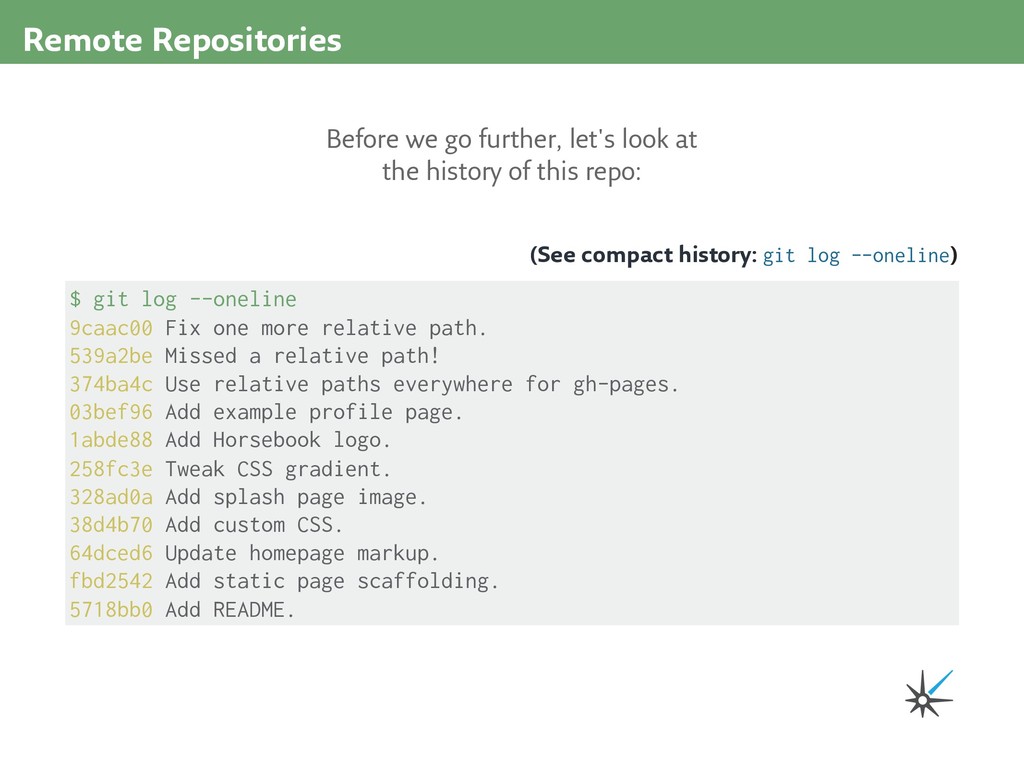
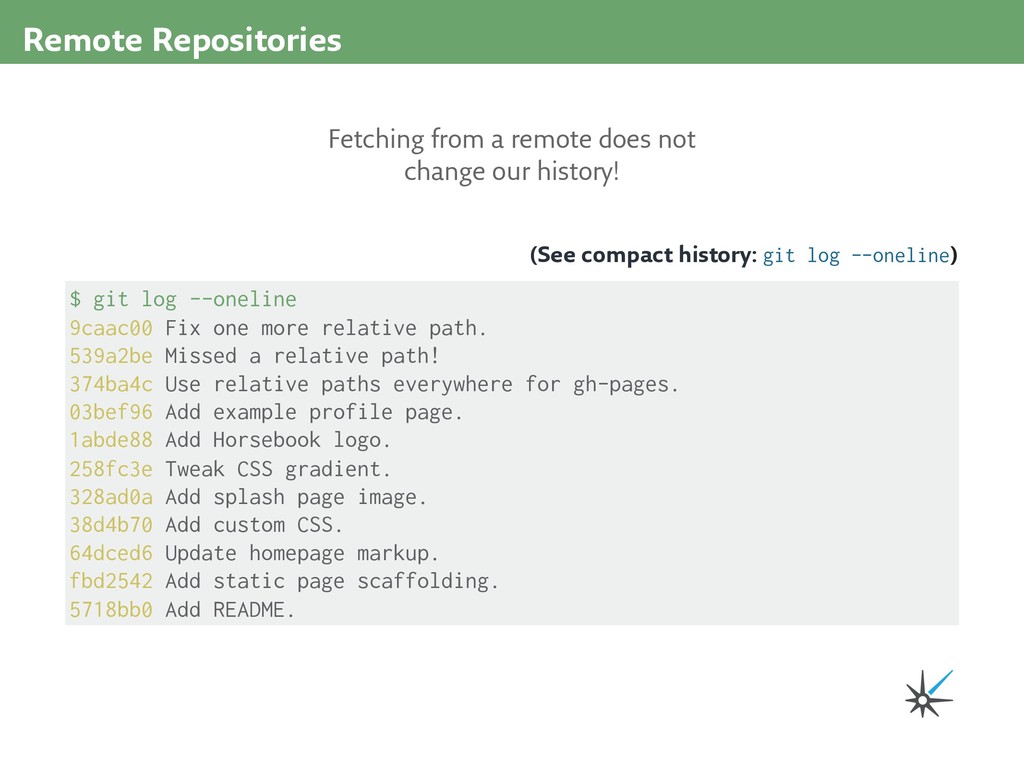
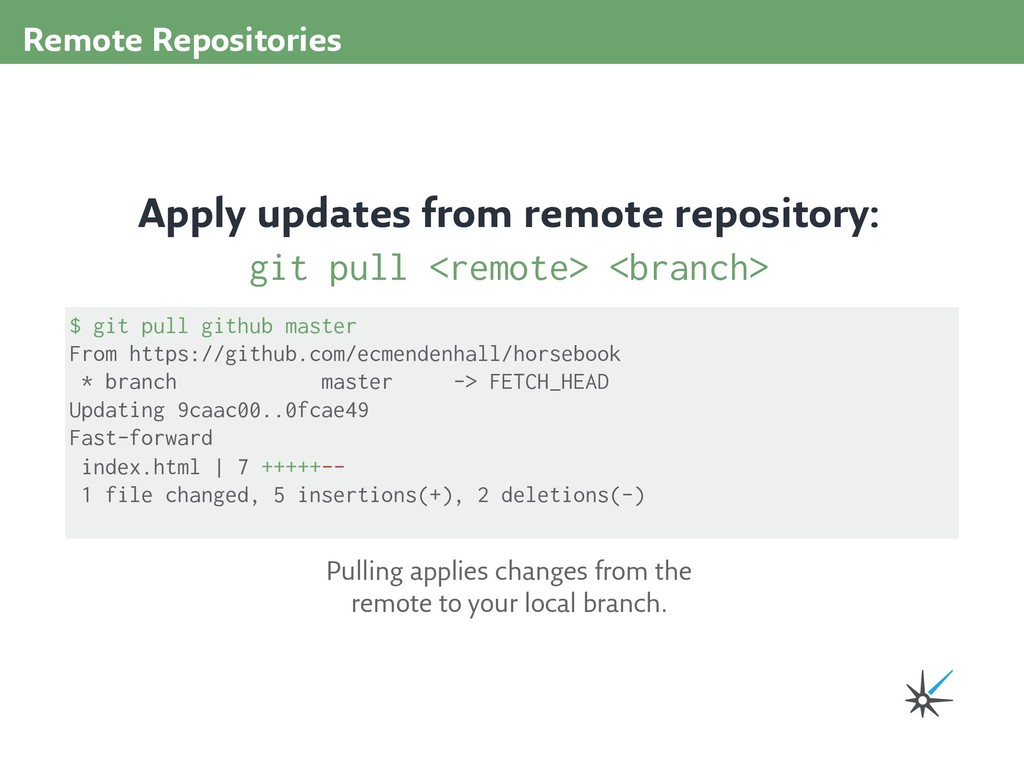
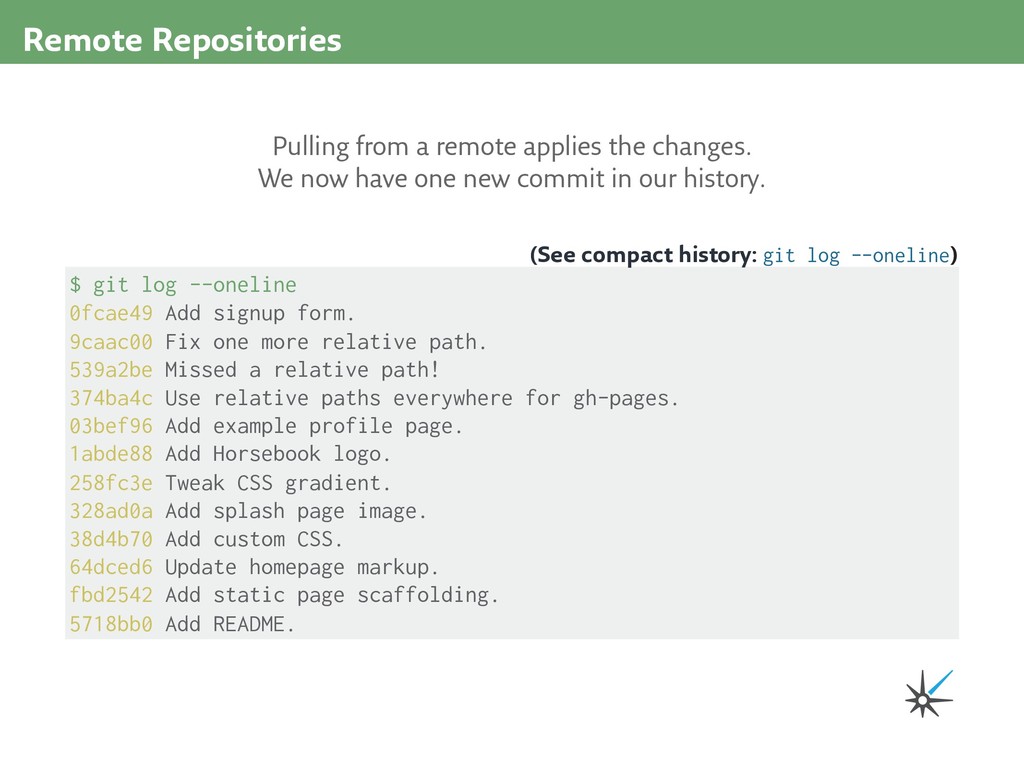
9caac00 Fix one more relative path. 539a2be Missed a relative path! 374ba4c Use relative paths everywhere for gh-pages. 03bef96 Add example profile page. 1abde88 Add Horsebook logo. 258fc3e Tweak CSS gradient. 328ad0a Add splash page image. 38d4b70 Add custom CSS. 64dced6 Update homepage markup. fbd2542 Add static page scaffolding. 5718bb0 Add README. (See compact history: git log --oneline) Pulling from a remote applies the changes. We now have one new commit in our history.
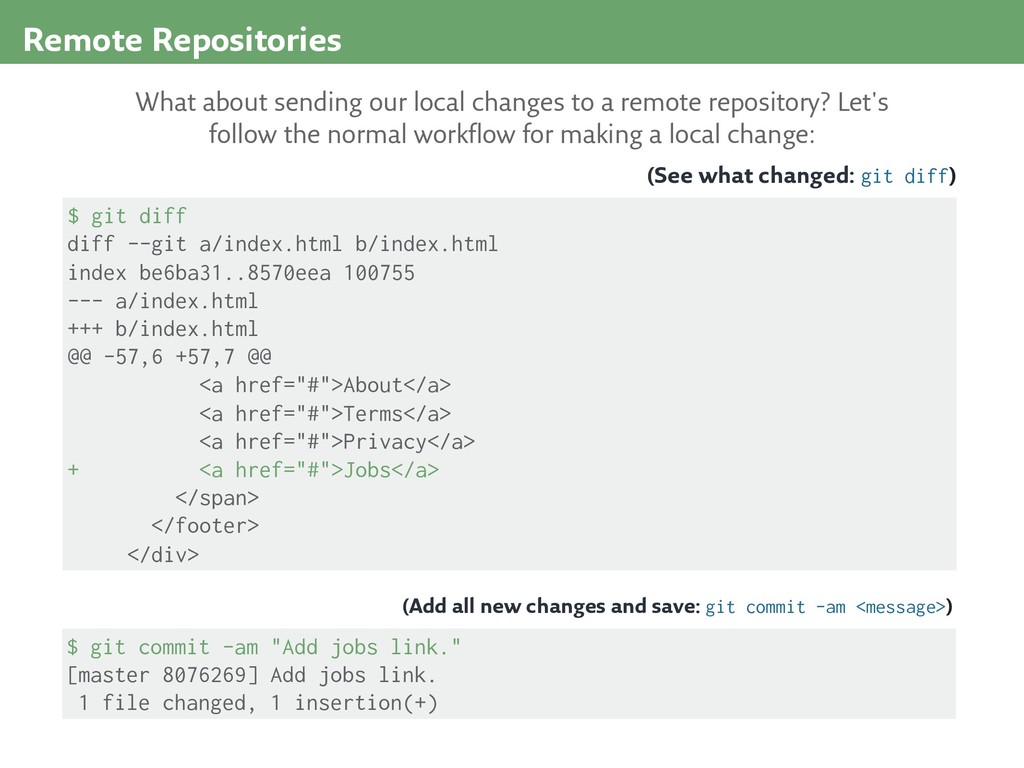
be6ba31..8570eea 100755 --- a/index.html +++ b/index.html @@ -57,6 +57,7 @@ <a href="#">About</a> <a href="#">Terms</a> <a href="#">Privacy</a> + <a href="#">Jobs</a> </span> </footer> </div> (See what changed: git diff) What about sending our local changes to a remote repository? Let's follow the normal workflow for making a local change: $ git commit -am "Add jobs link." [master 8076269] Add jobs link. 1 file changed, 1 insertion(+) (Add all new changes and save: git commit -am <message>)
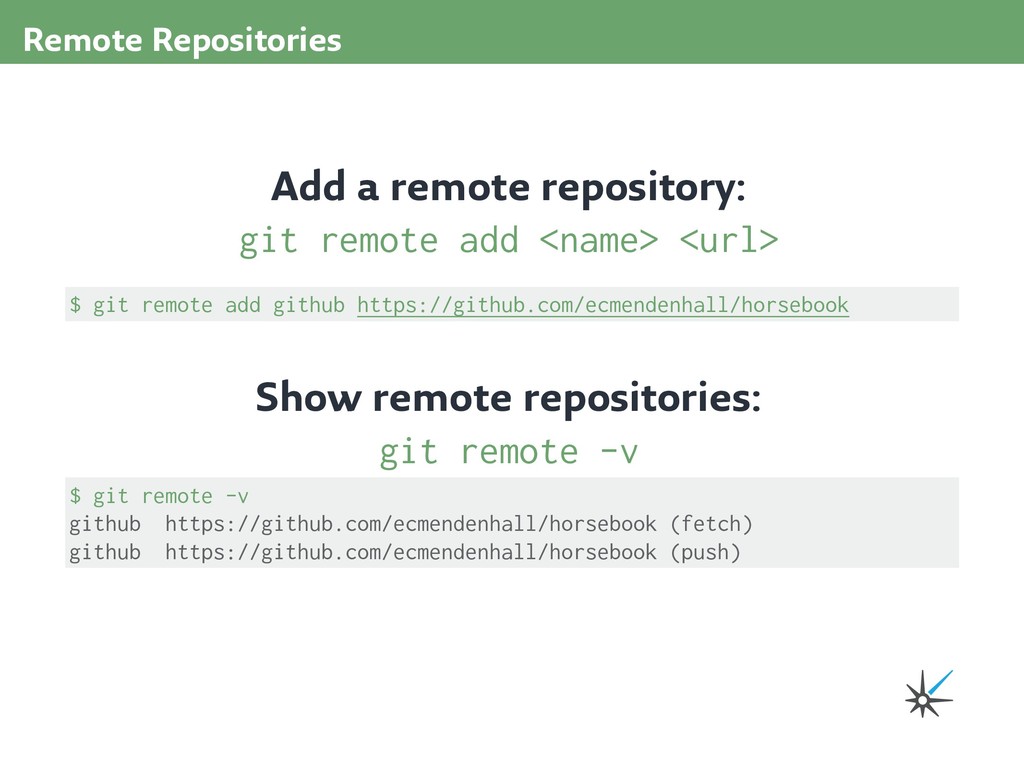
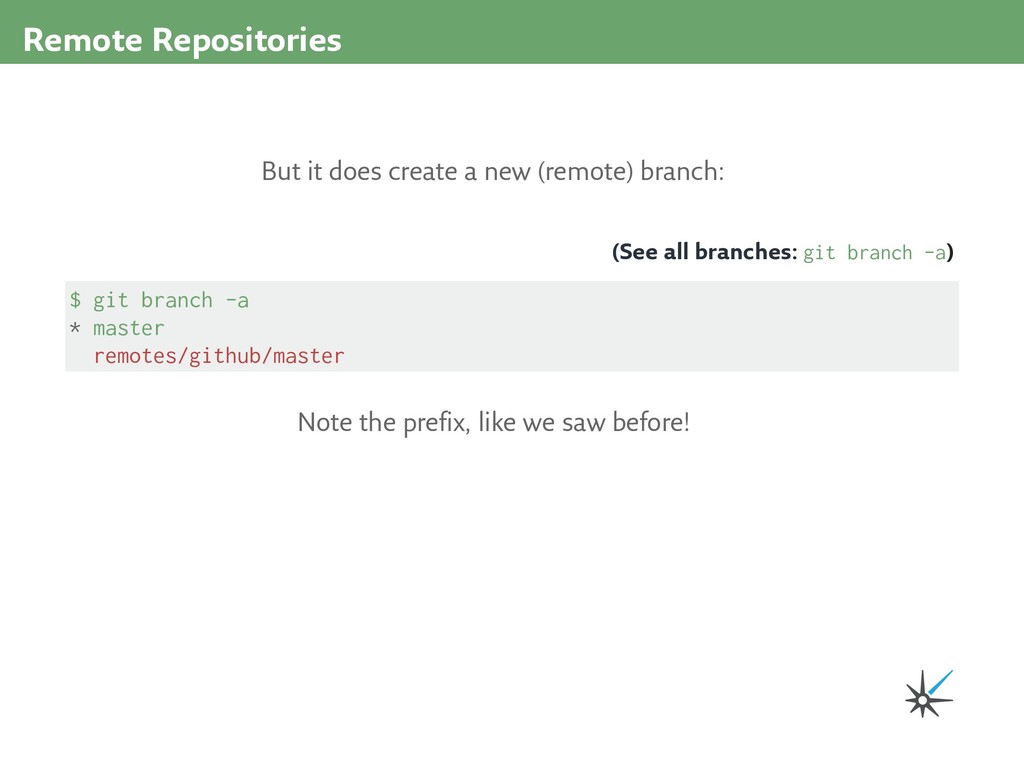
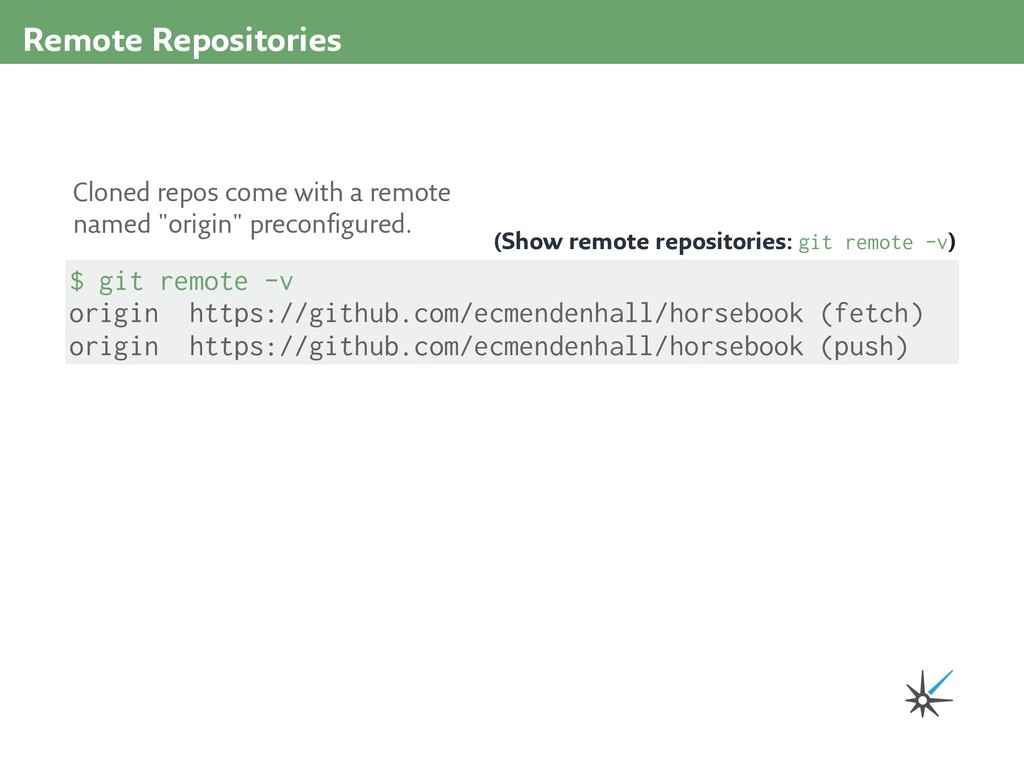
https://github.com/ecmendenhall/horsebook (push) Cloned repos come with a remote named "origin" preconfigured. (Show remote repositories: git remote -v)
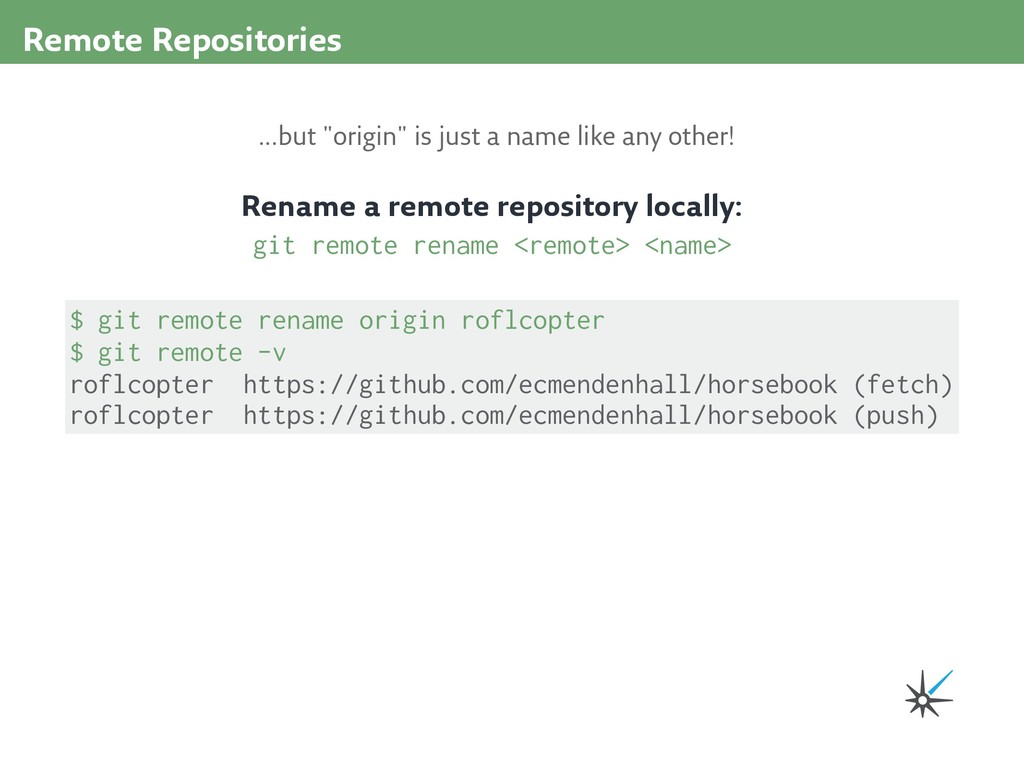
remote -v roflcopter https://github.com/ecmendenhall/horsebook (fetch) roflcopter https://github.com/ecmendenhall/horsebook (push) ...but "origin" is just a name like any other! Rename a remote repository locally: git remote rename <remote> <name>
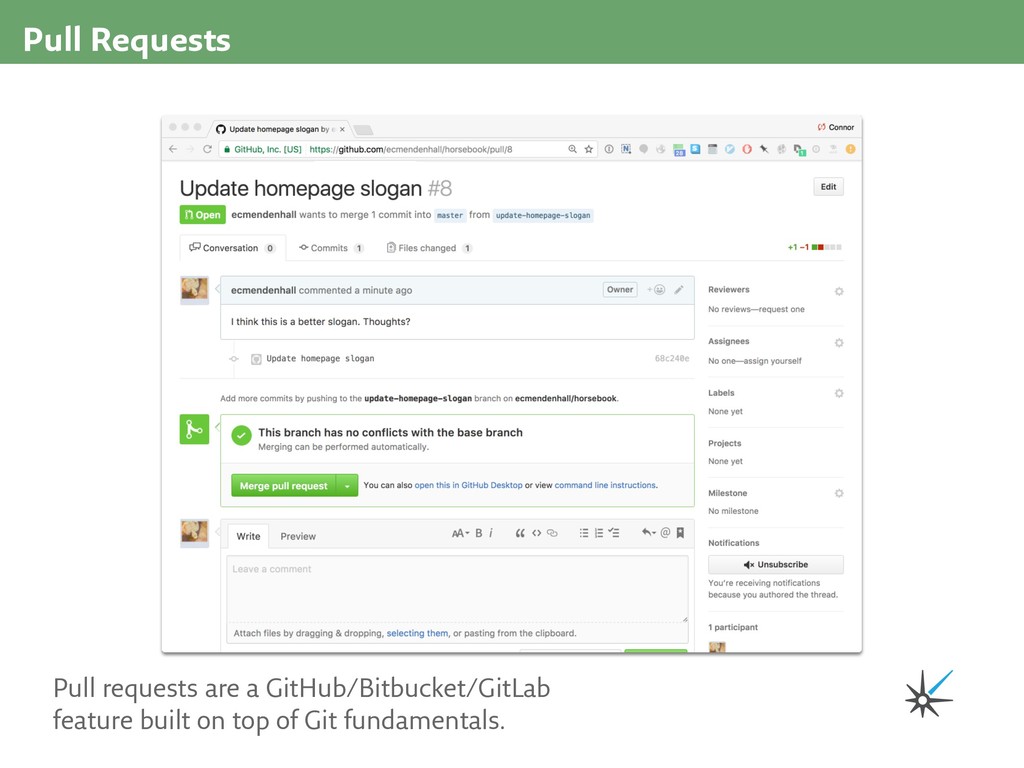
the world's greatest social network for horses, but it has a lot of features left to complete. Check the list of issues, clone the repo, check out a feature branch, and open a pull request to close one out! https://github.com/ecmendenhall/horsebook
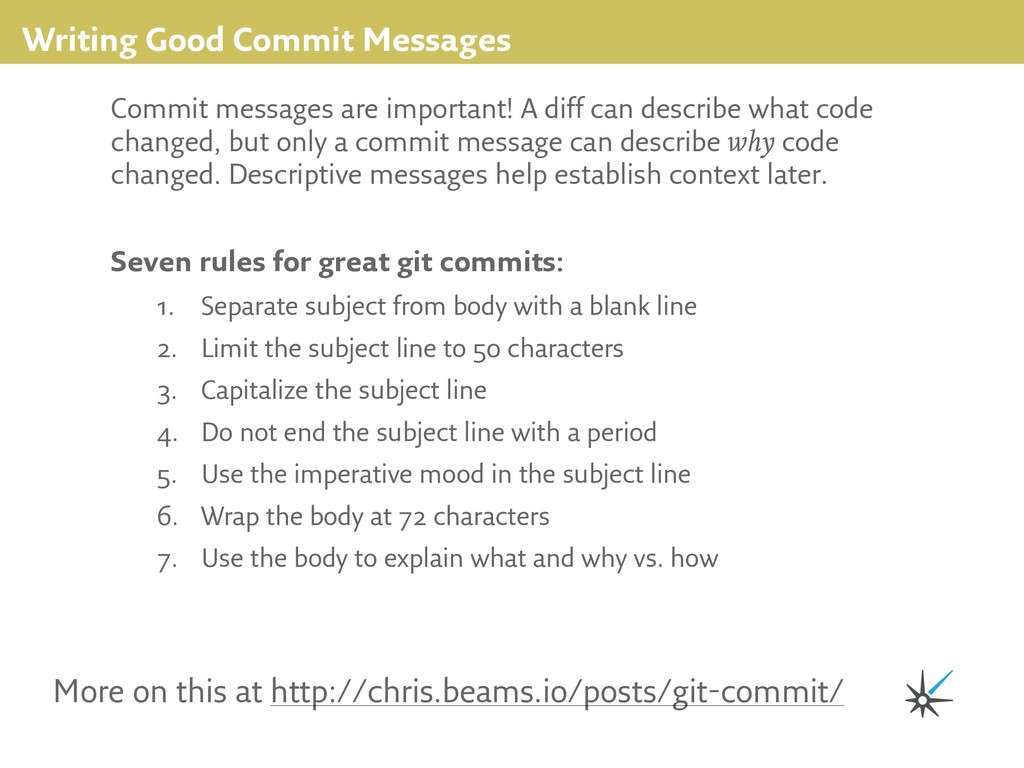
can describe what code changed, but only a commit message can describe why code changed. Descriptive messages help establish context later. More on this at http://chris.beams.io/posts/git-commit/ 1. Separate subject from body with a blank line 2. Limit the subject line to 50 characters 3. Capitalize the subject line 4. Do not end the subject line with a period 5. Use the imperative mood in the subject line 6. Wrap the body at 72 characters 7. Use the body to explain what and why vs. how Seven rules for great git commits:
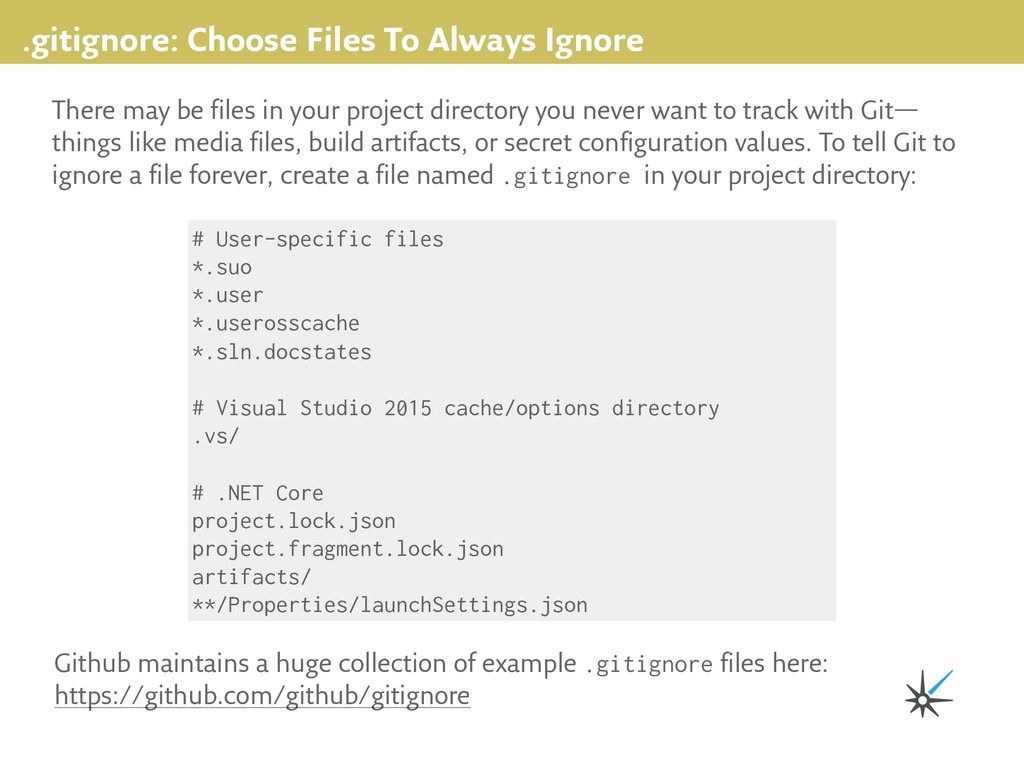
in your project directory you never want to track with Git— things like media files, build artifacts, or secret configuration values. To tell Git to ignore a file forever, create a file named .gitignore in your project directory: Github maintains a huge collection of example .gitignore files here: https://github.com/github/gitignore # User-specific files *.suo *.user *.userosscache *.sln.docstates # Visual Studio 2015 cache/options directory .vs/ # .NET Core project.lock.json project.fragment.lock.json artifacts/ **/Properties/launchSettings.json
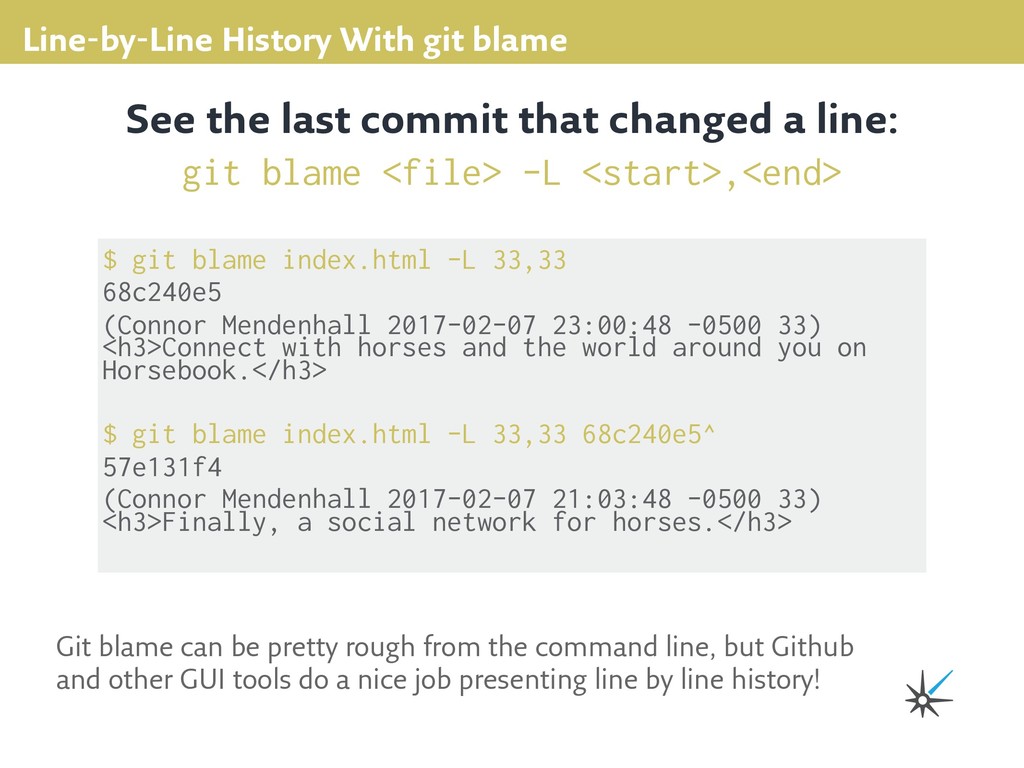
33,33 68c240e5 (Connor Mendenhall 2017-02-07 23:00:48 -0500 33) <h3>Connect with horses and the world around you on Horsebook.</h3> $ git blame index.html -L 33,33 68c240e5^ 57e131f4 (Connor Mendenhall 2017-02-07 21:03:48 -0500 33) <h3>Finally, a social network for horses.</h3> See the last commit that changed a line: git blame <file> -L <start>,<end> Git blame can be pretty rough from the command line, but Github and other GUI tools do a nice job presenting line by line history!
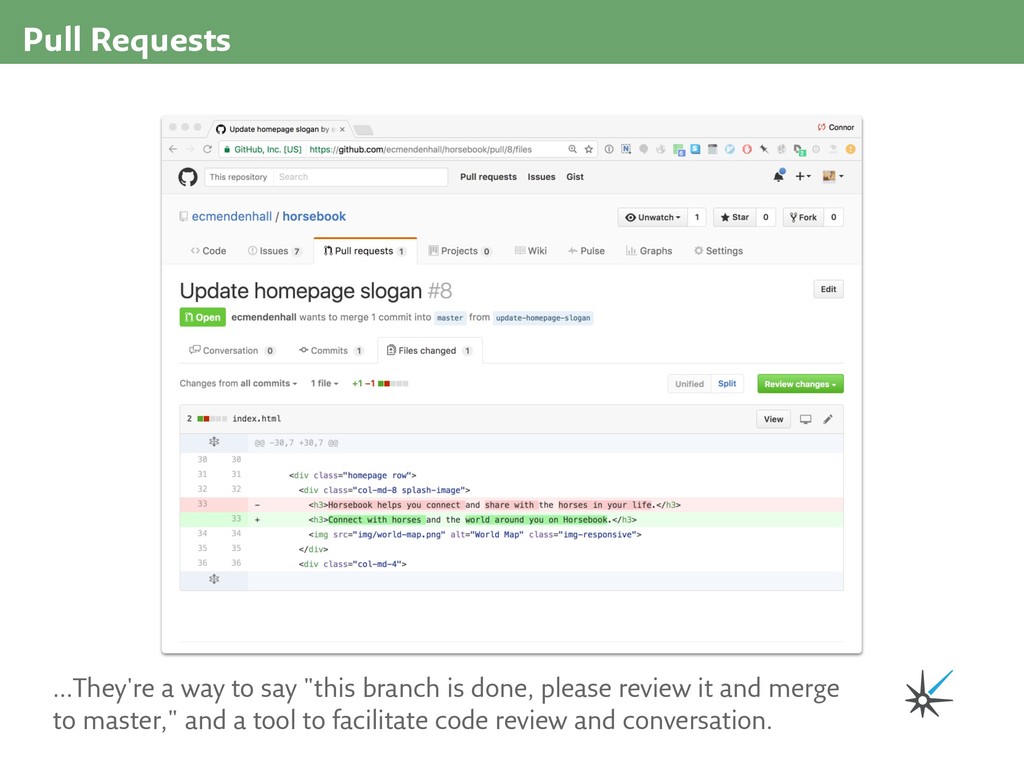
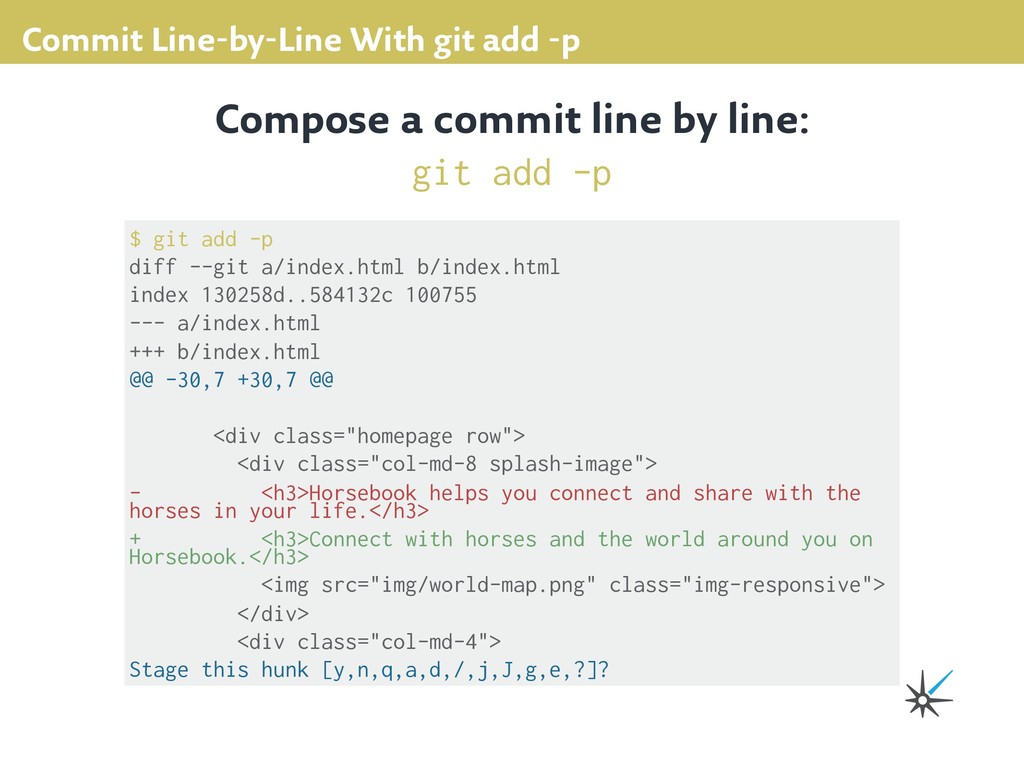
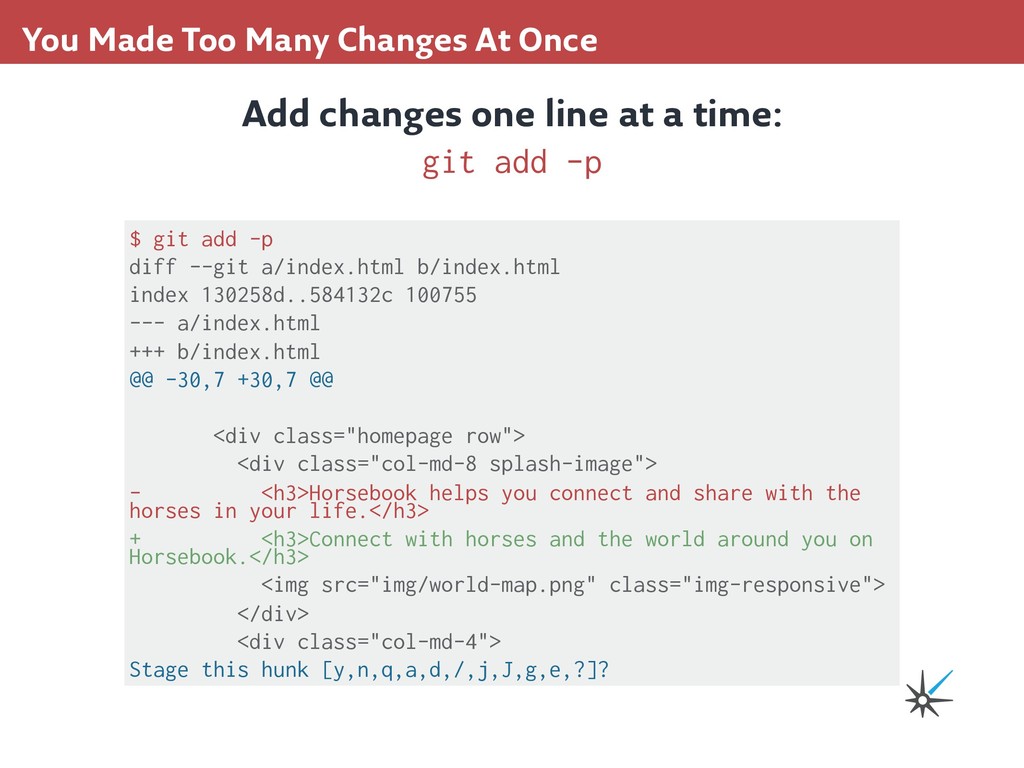
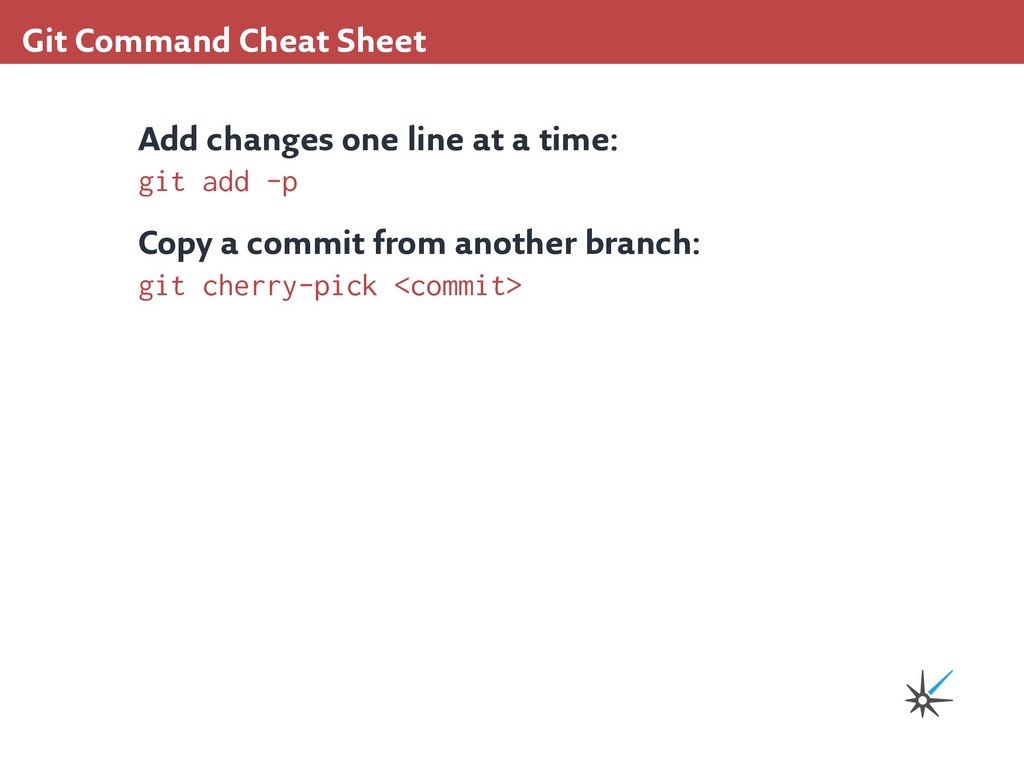
diff --git a/index.html b/index.html index 130258d..584132c 100755 --- a/index.html +++ b/index.html @@ -30,7 +30,7 @@ <div class="homepage row"> <div class="col-md-8 splash-image"> - <h3>Horsebook helps you connect and share with the horses in your life.</h3> + <h3>Connect with horses and the world around you on Horsebook.</h3> <img src="img/world-map.png" class="img-responsive"> </div> <div class="col-md-4"> Stage this hunk [y,n,q,a,d,/,j,J,g,e,?]? Compose a commit line by line: git add -p
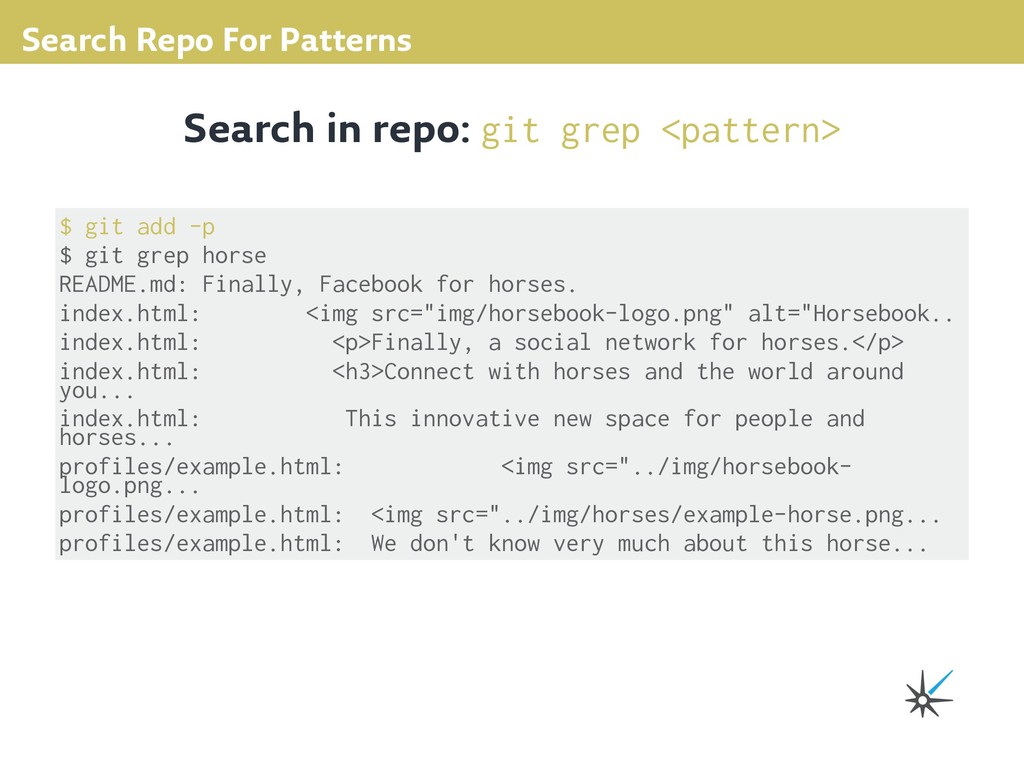
grep horse README.md: Finally, Facebook for horses. index.html: <img src="img/horsebook-logo.png" alt="Horsebook.. index.html: <p>Finally, a social network for horses.</p> index.html: <h3>Connect with horses and the world around you... index.html: This innovative new space for people and horses... profiles/example.html: <img src="../img/horsebook- logo.png... profiles/example.html: <img src="../img/horses/example-horse.png... profiles/example.html: We don't know very much about this horse... Search in repo: git grep <pattern>
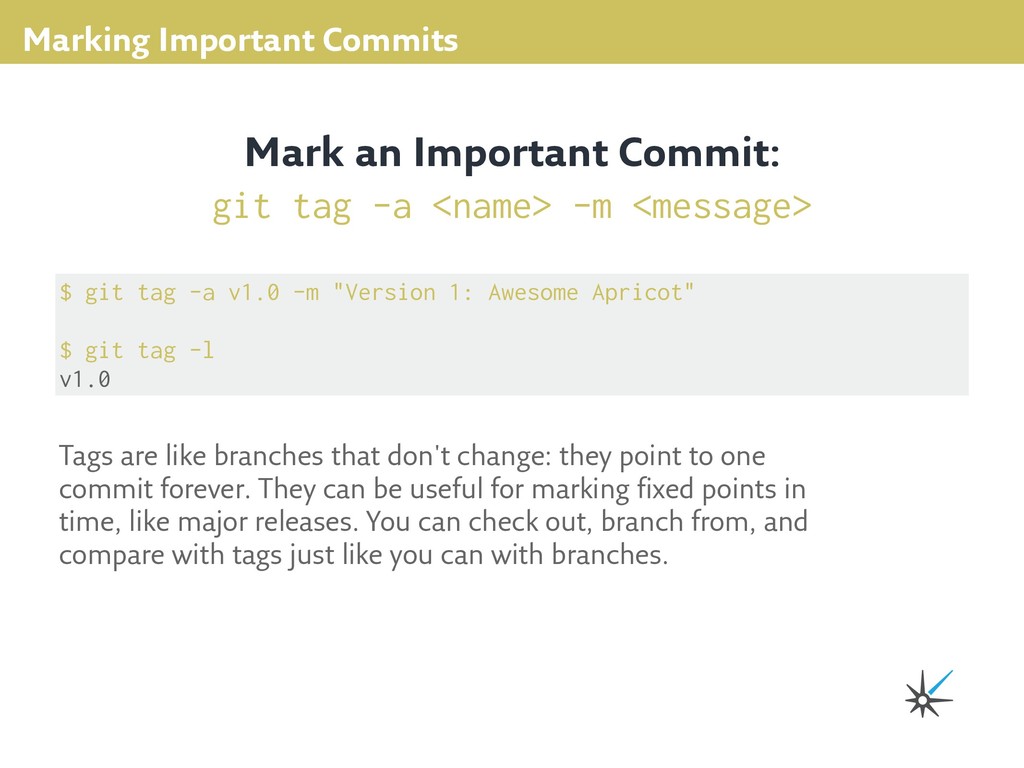
1: Awesome Apricot" $ git tag -l v1.0 Mark an Important Commit: git tag -a <name> -m <message> Tags are like branches that don't change: they point to one commit forever. They can be useful for marking fixed points in time, like major releases. You can check out, branch from, and compare with tags just like you can with branches.
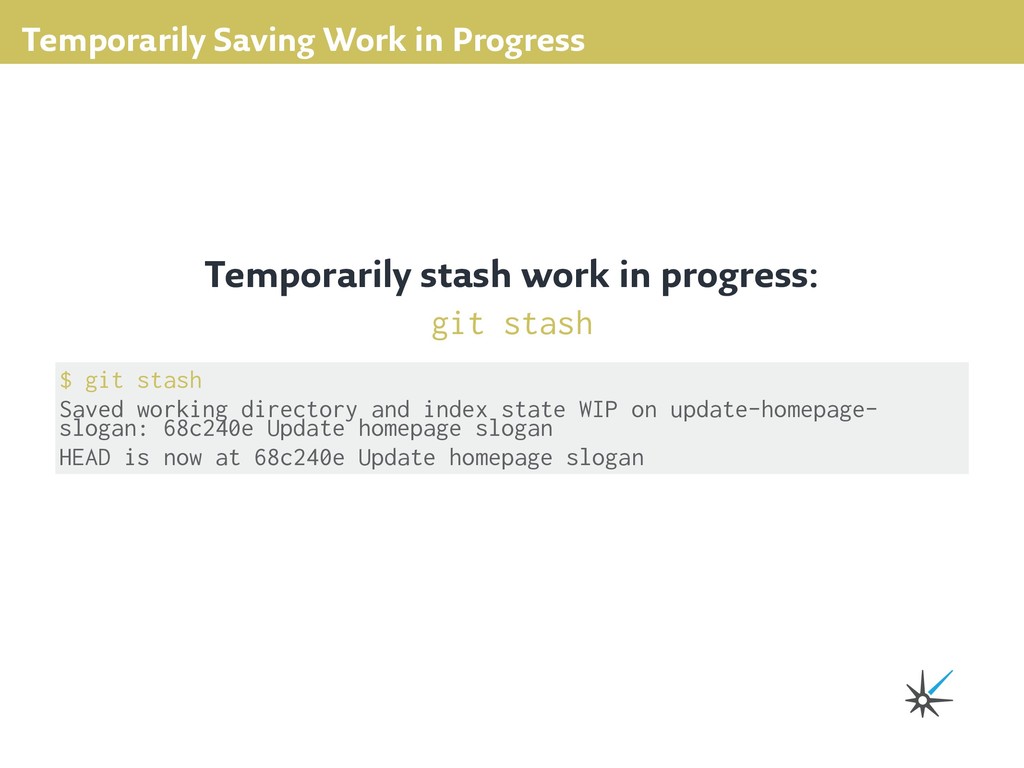
git stash $ git stash Saved working directory and index state WIP on update-homepage- slogan: 68c240e Update homepage slogan HEAD is now at 68c240e Update homepage slogan
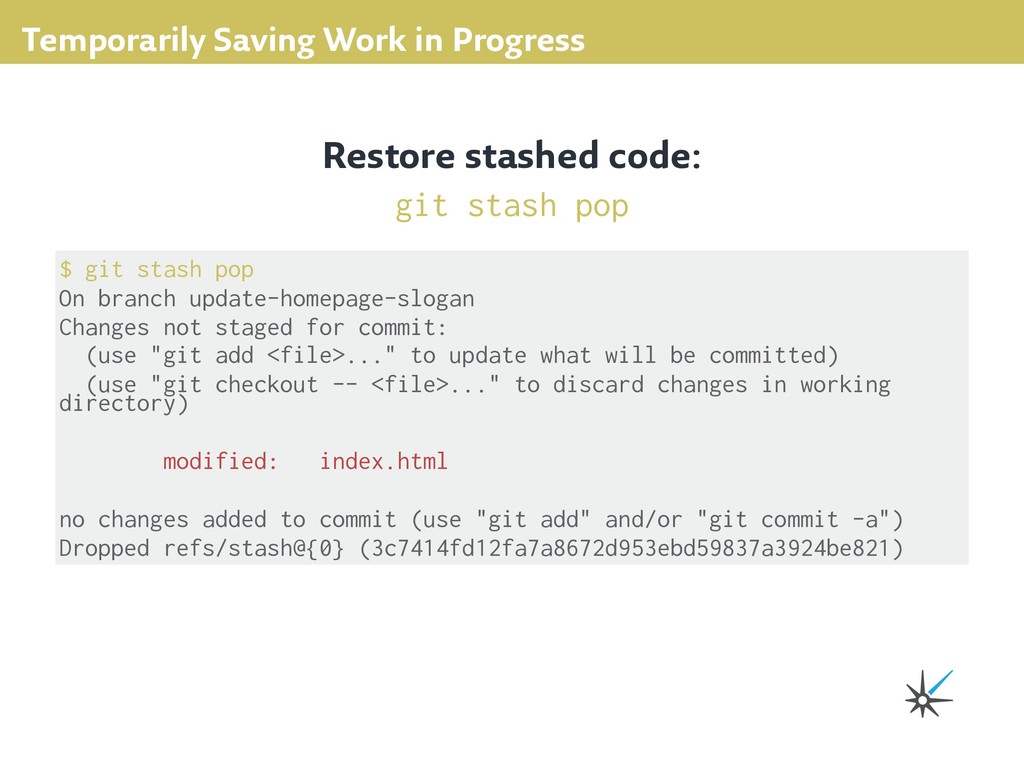
pop $ git stash pop On branch update-homepage-slogan Changes not staged for commit: (use "git add <file>..." to update what will be committed) (use "git checkout -- <file>..." to discard changes in working directory) modified: index.html no changes added to commit (use "git add" and/or "git commit -a") Dropped refs/stash@{0} (3c7414fd12fa7a8672d953ebd59837a3924be821)
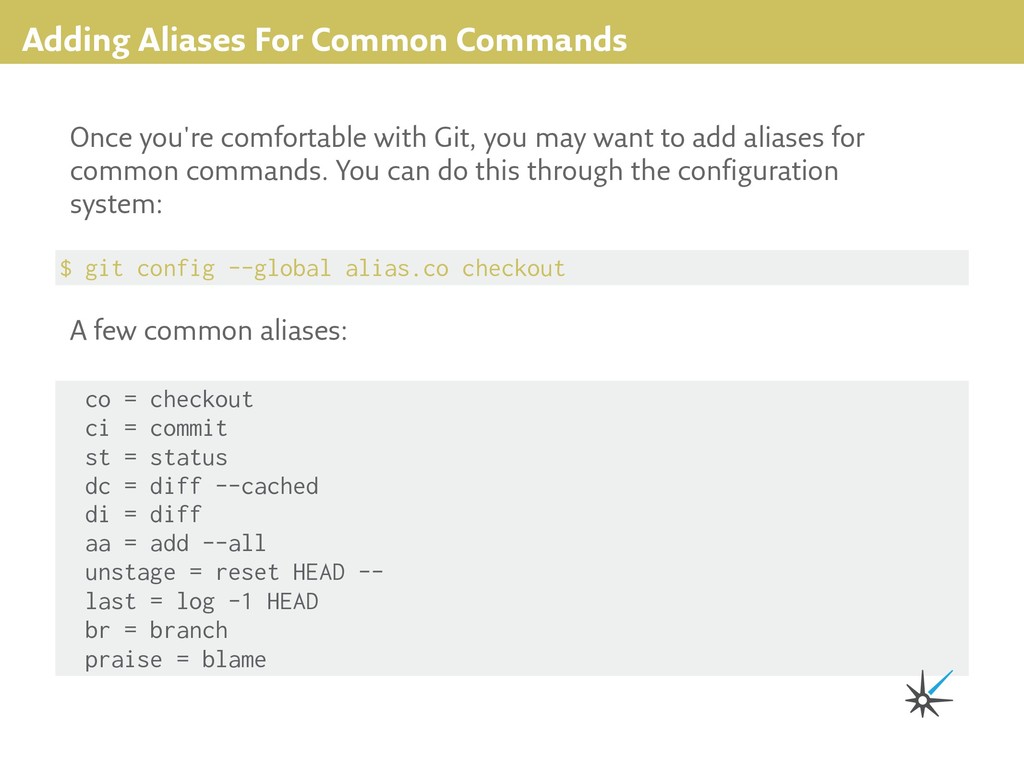
checkout Once you're comfortable with Git, you may want to add aliases for common commands. You can do this through the configuration system: co = checkout ci = commit st = status dc = diff --cached di = diff aa = add --all unstage = reset HEAD -- last = log -1 HEAD br = branch praise = blame A few common aliases:
line at a time: git add -p $ git add -p diff --git a/index.html b/index.html index 130258d..584132c 100755 --- a/index.html +++ b/index.html @@ -30,7 +30,7 @@ <div class="homepage row"> <div class="col-md-8 splash-image"> - <h3>Horsebook helps you connect and share with the horses in your life.</h3> + <h3>Connect with horses and the world around you on Horsebook.</h3> <img src="img/world-map.png" class="img-responsive"> </div> <div class="col-md-4"> Stage this hunk [y,n,q,a,d,/,j,J,g,e,?]?
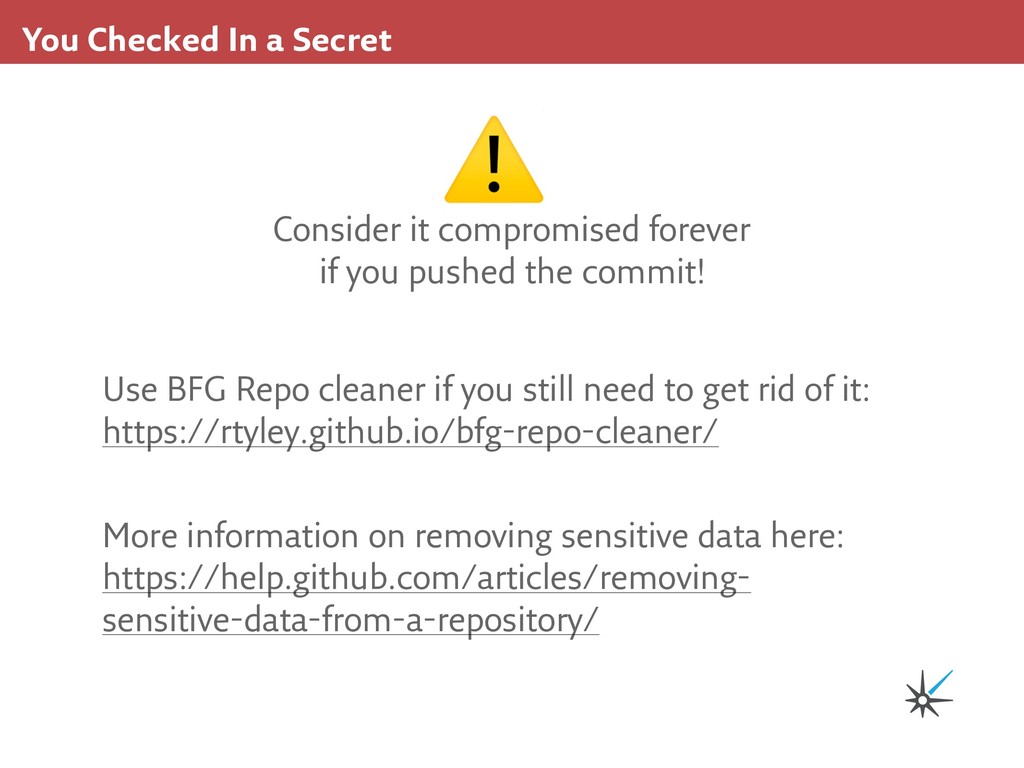
you still need to get rid of it: https://rtyley.github.io/bfg-repo-cleaner/ More information on removing sensitive data here: https://help.github.com/articles/removing- sensitive-data-from-a-repository/ Consider it compromised forever if you pushed the commit! ⚠
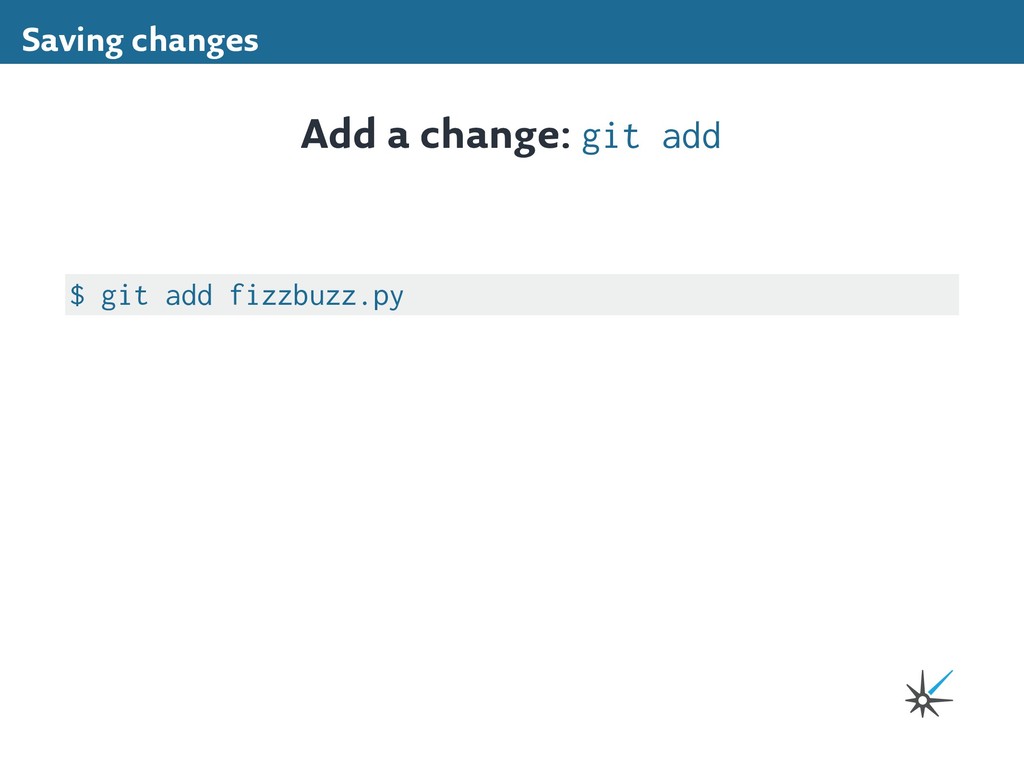
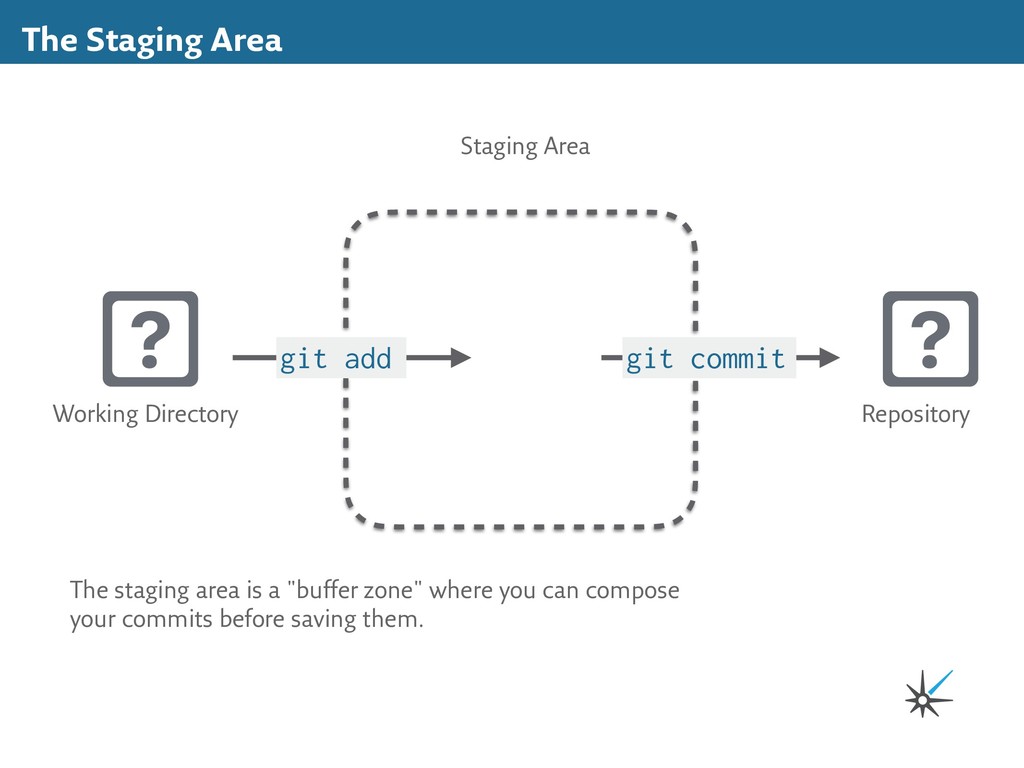
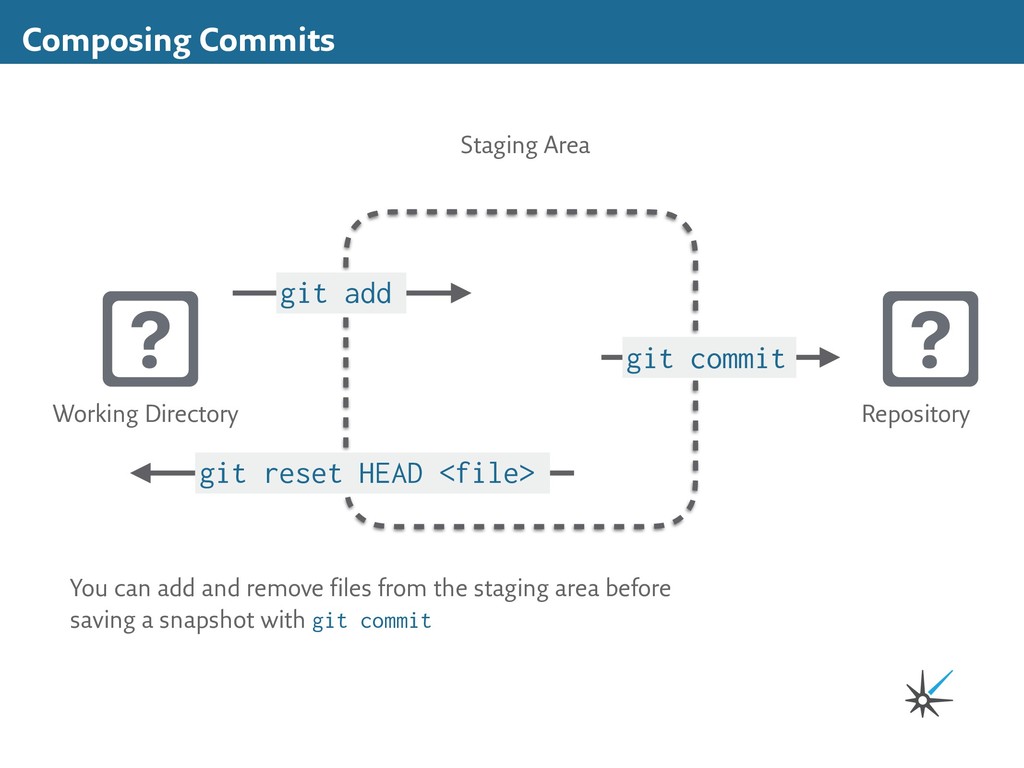
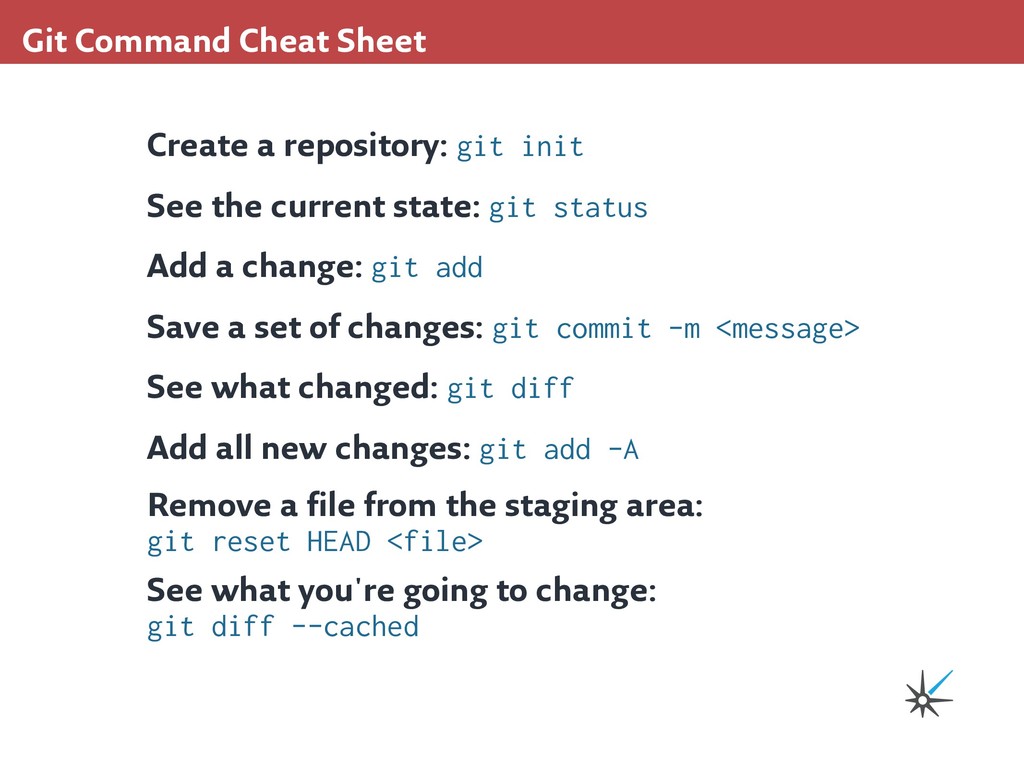
the current state: git status Add a change: git add Save a set of changes: git commit -m <message> See what changed: git diff Add all new changes: git add -A Remove a file from the staging area: git reset HEAD <file> See what you're going to change: git diff --cached
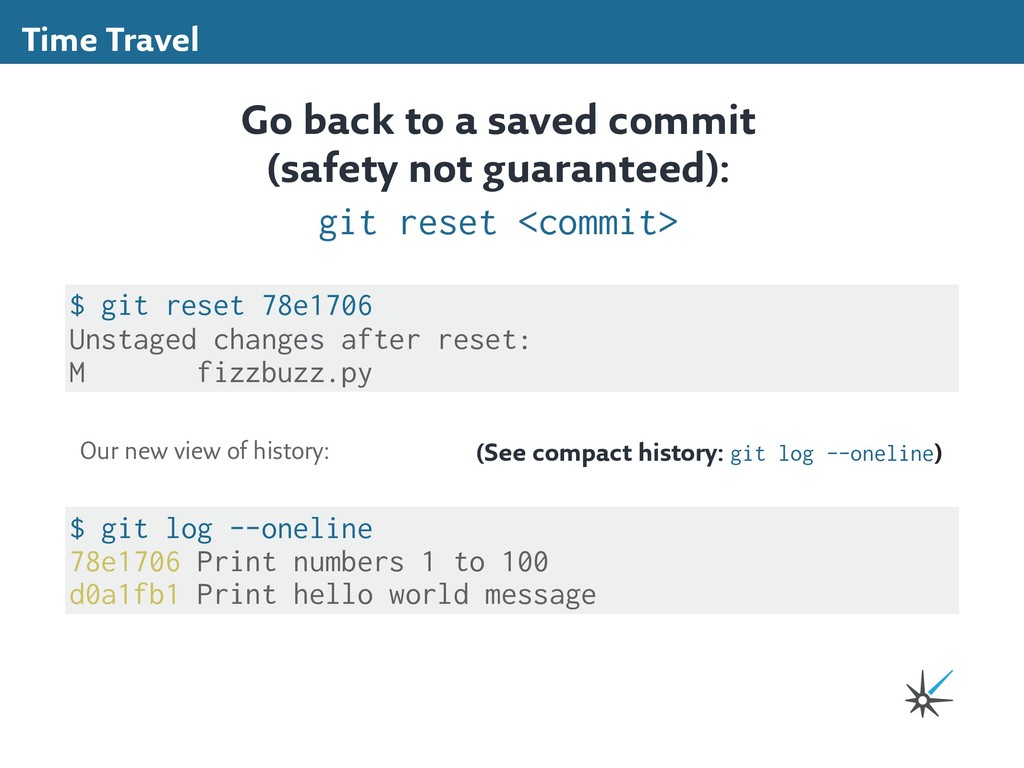
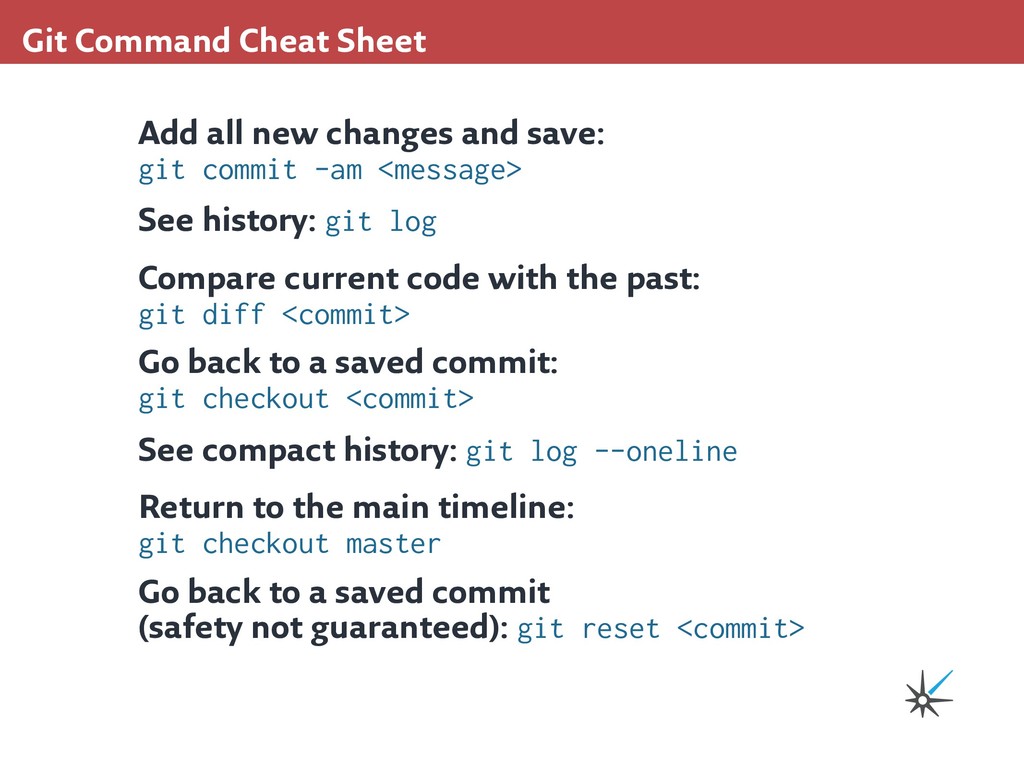
git commit -am <message> See history: git log Compare current code with the past: git diff <commit> Go back to a saved commit: git checkout <commit> See compact history: git log --oneline Return to the main timeline: git checkout master Go back to a saved commit (safety not guaranteed): git reset <commit>
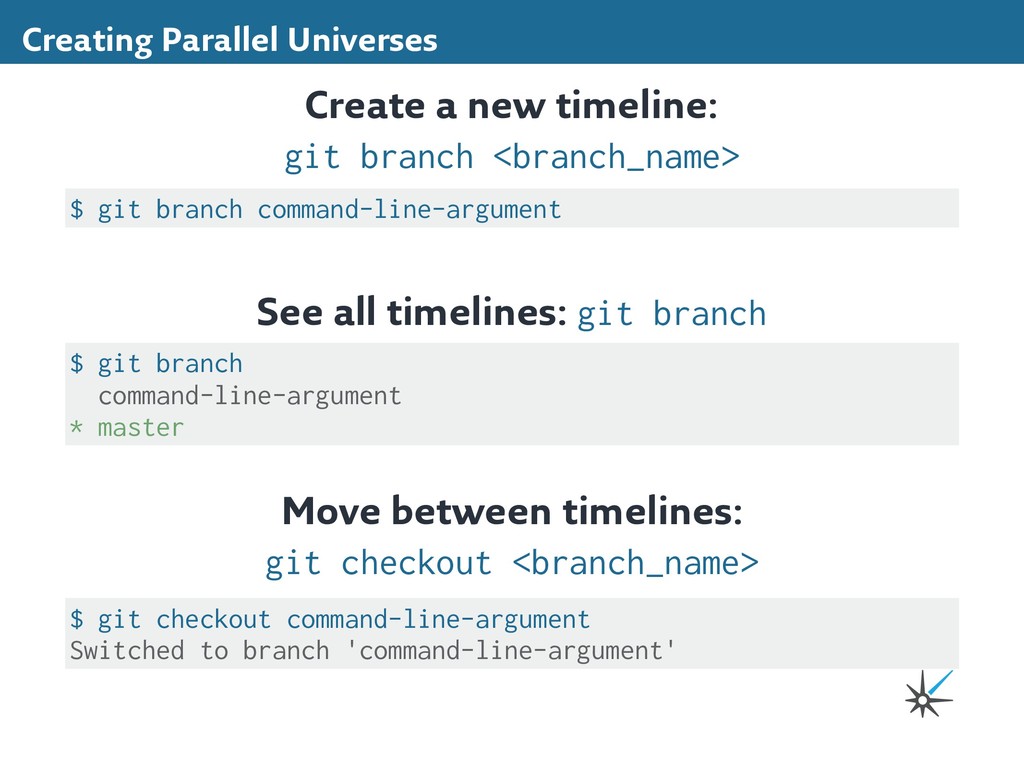
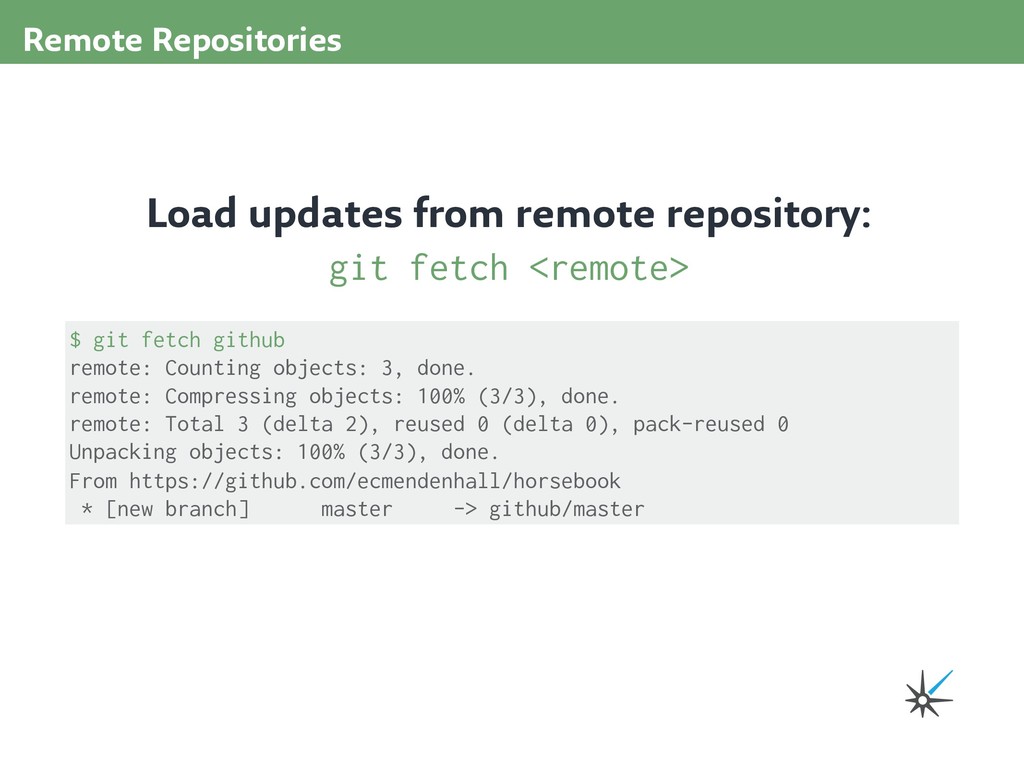
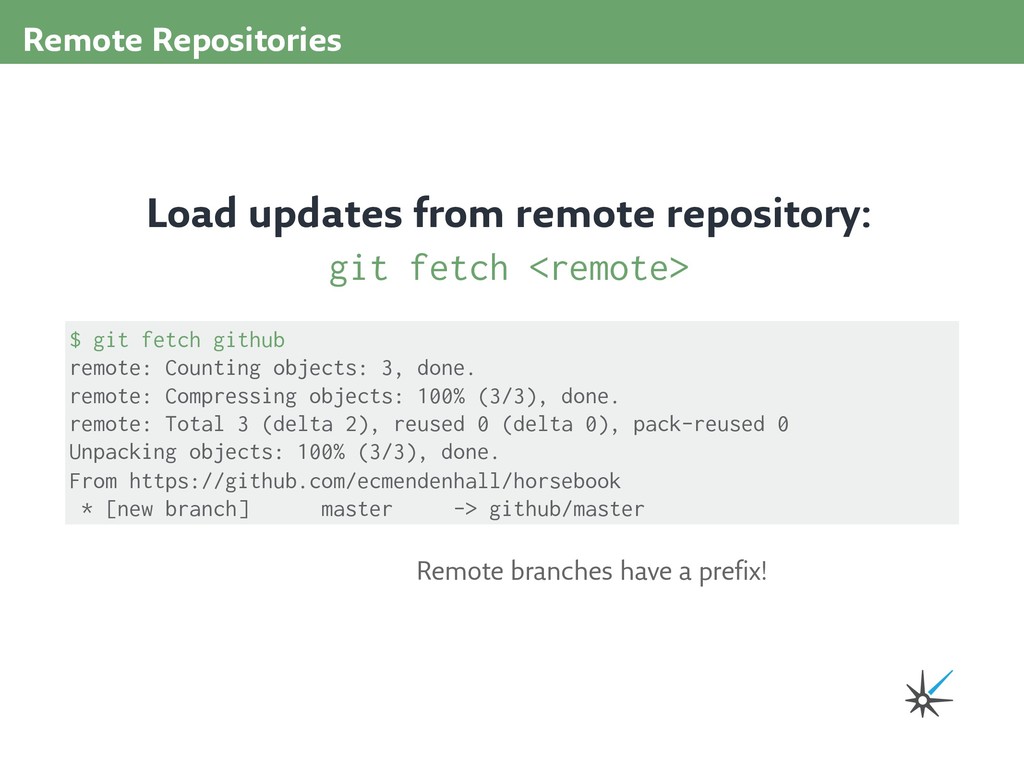
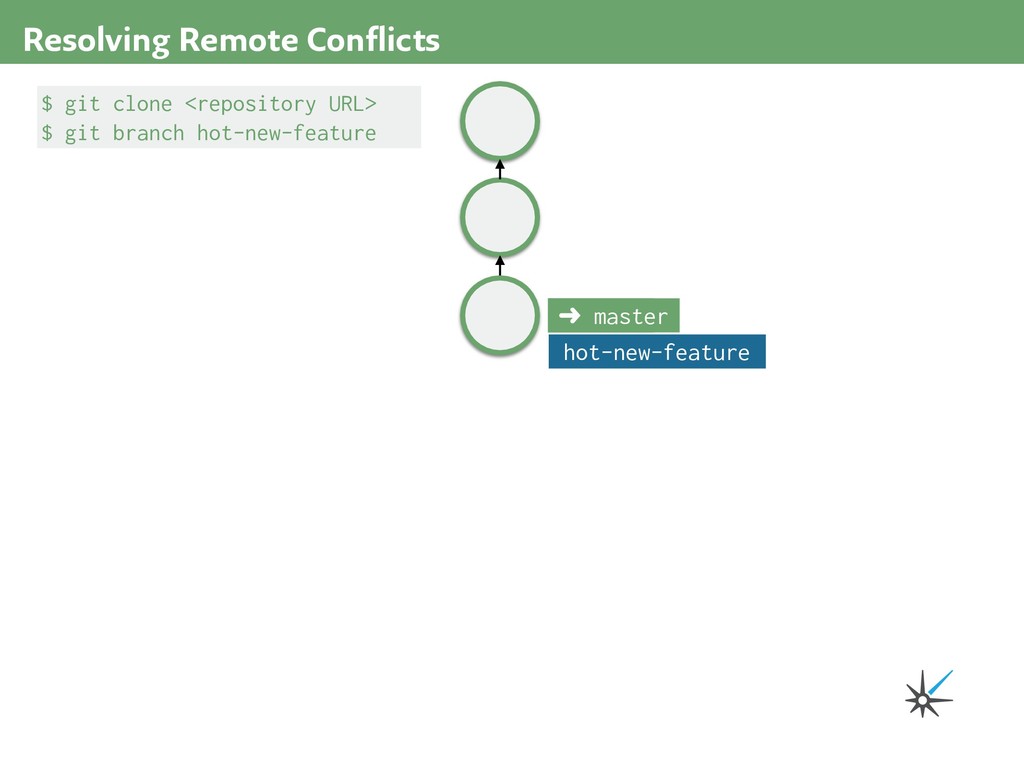
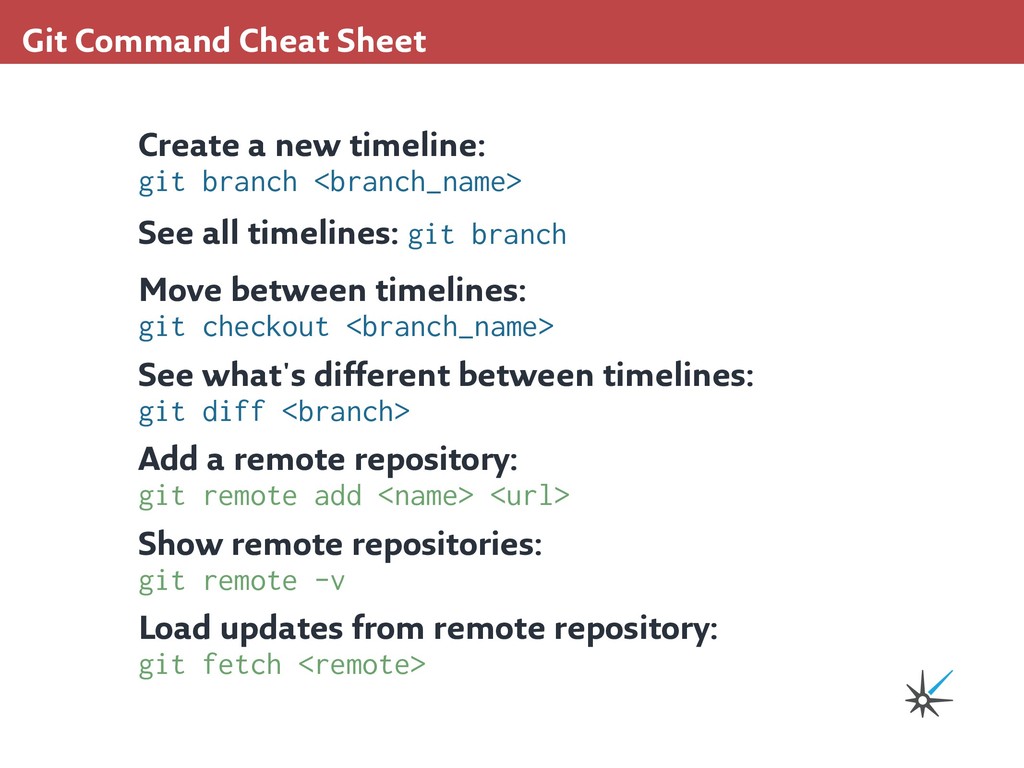
<branch_name> See all timelines: git branch Move between timelines: git checkout <branch_name> See what's different between timelines: git diff <branch> Add a remote repository: git remote add <name> <url> Show remote repositories: git remote -v Load updates from remote repository: git fetch <remote>
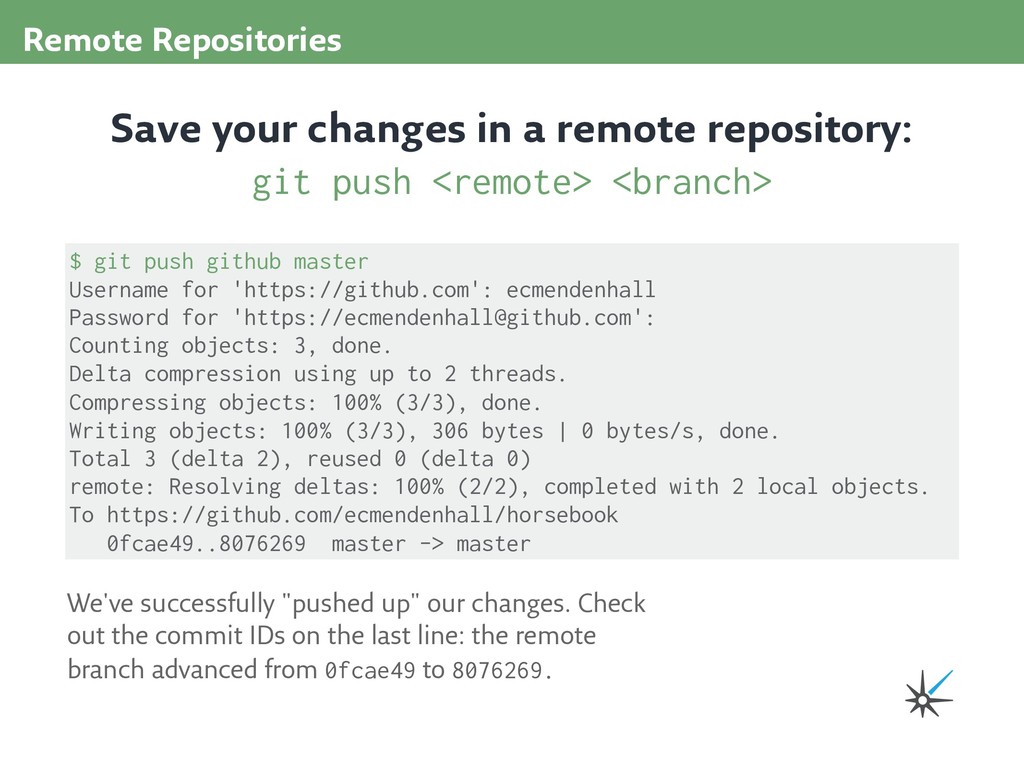
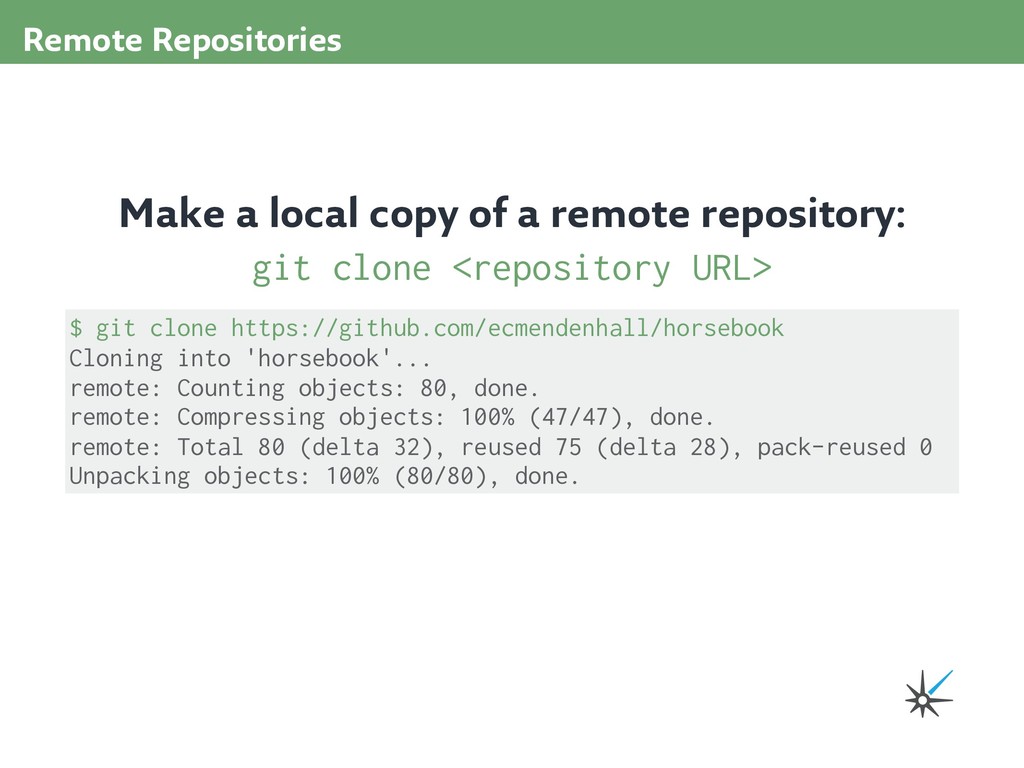
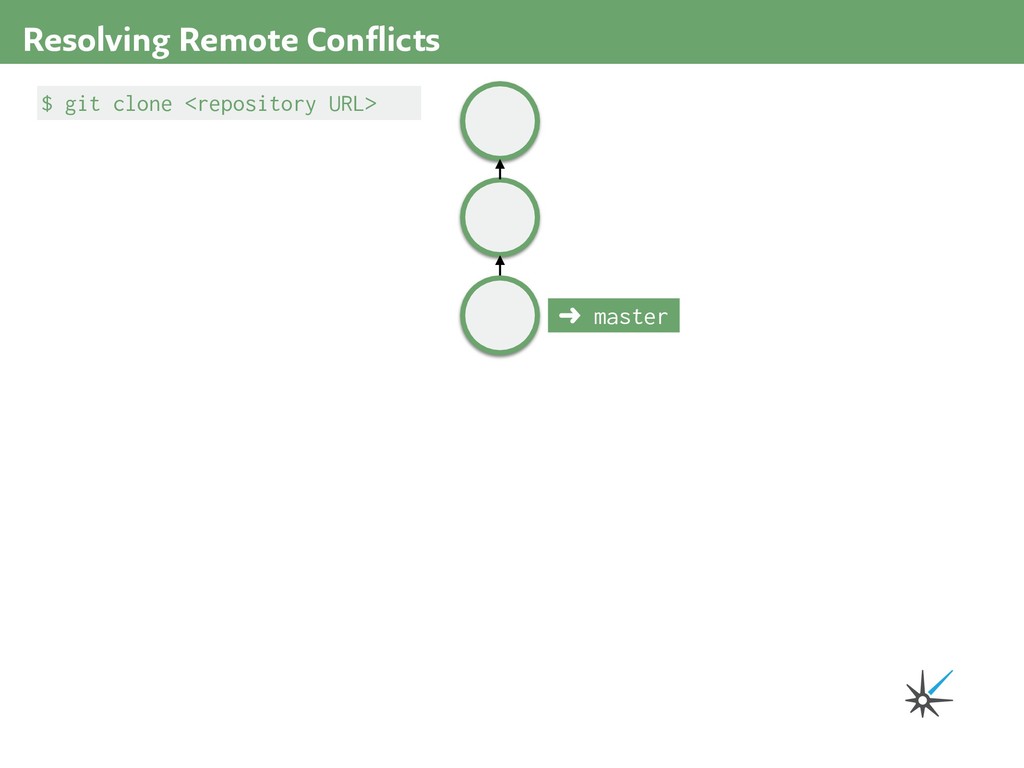
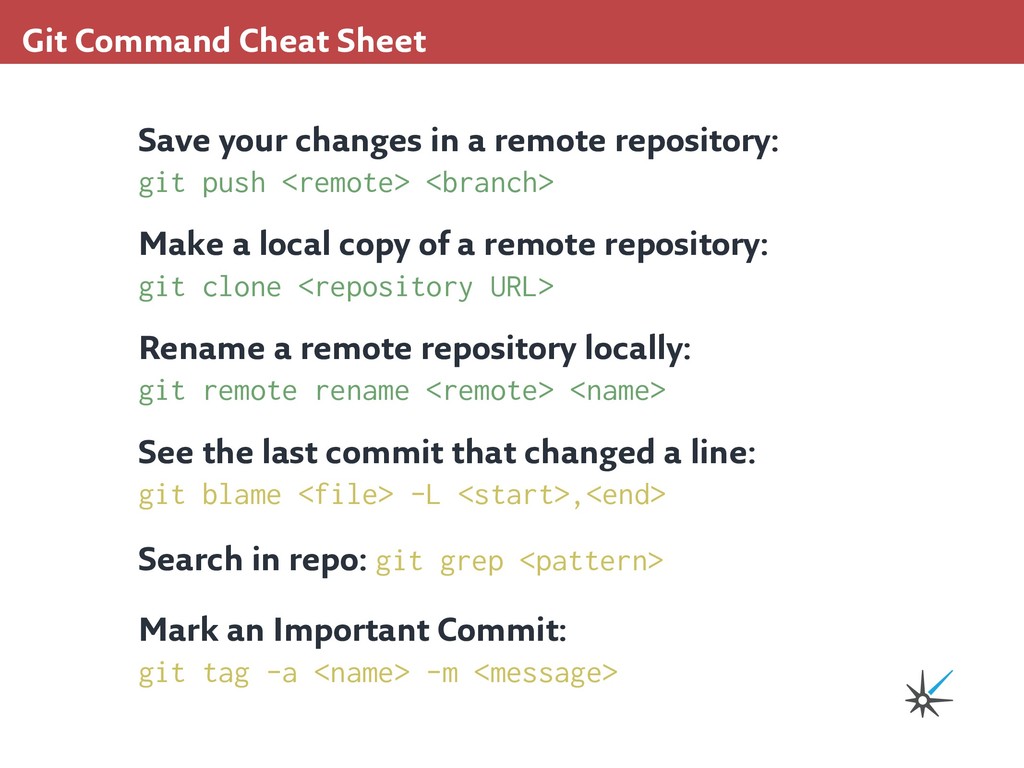
repository: git push <remote> <branch> Make a local copy of a remote repository: git clone <repository URL> Rename a remote repository locally: git remote rename <remote> <name> See the last commit that changed a line: git blame <file> -L <start>,<end> Search in repo: git grep <pattern> Mark an Important Commit: git tag -a <name> -m <message>


 ecmendenhall
 endonanana
 ymotongpoo
 nealle
 nttcom
 codmoninc
 pfn
pfn
 takahashim
 greenmidori
 tomokusaba
 kentapapa
 camiha
 gogutan
 baasie
 bermonpainter
 ammeep
 ryanjones
 tonyrice
 elsirapls
 aarron
 lara
lara
 tapps
tapps
 codingconduct
 gurzu
gurzu

![$ git commit -am "Alter the past." [detached HEAD fbc9008]](https://files.speakerdeck.com/presentations/e9e1568fabdc4ba092021947f318f1c8/slide_48.jpg)
![$ git commit -am "Implement complete fizzbuzz" [master e863034] Implement](https://files.speakerdeck.com/presentations/e9e1568fabdc4ba092021947f318f1c8/slide_53.jpg)
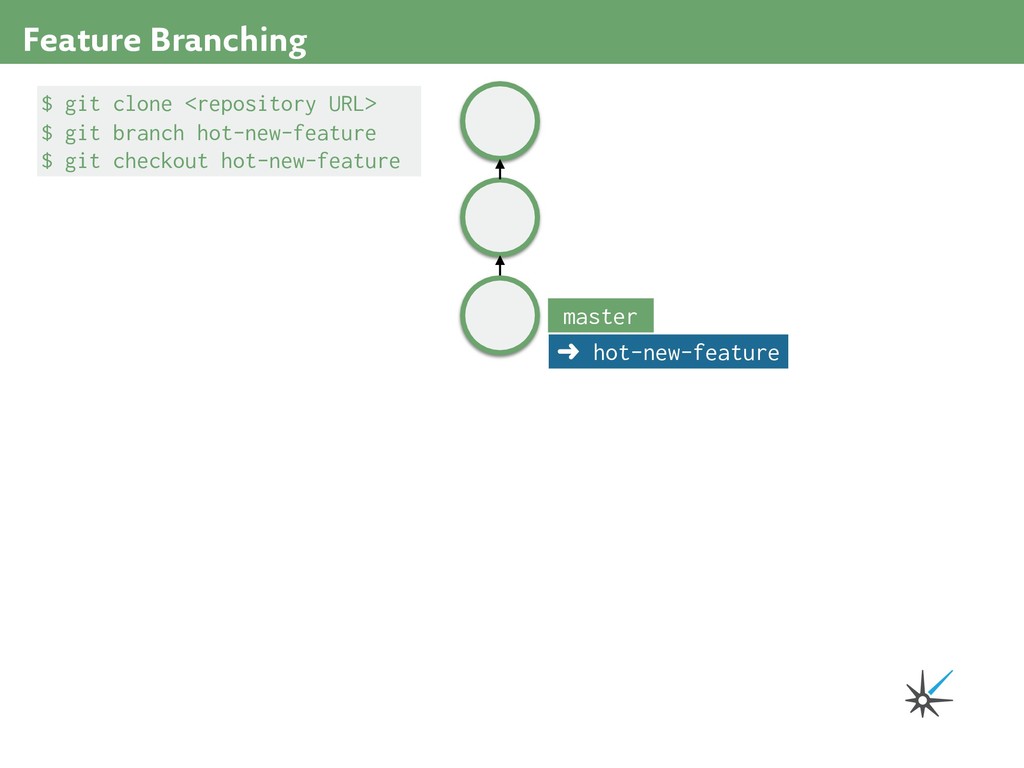
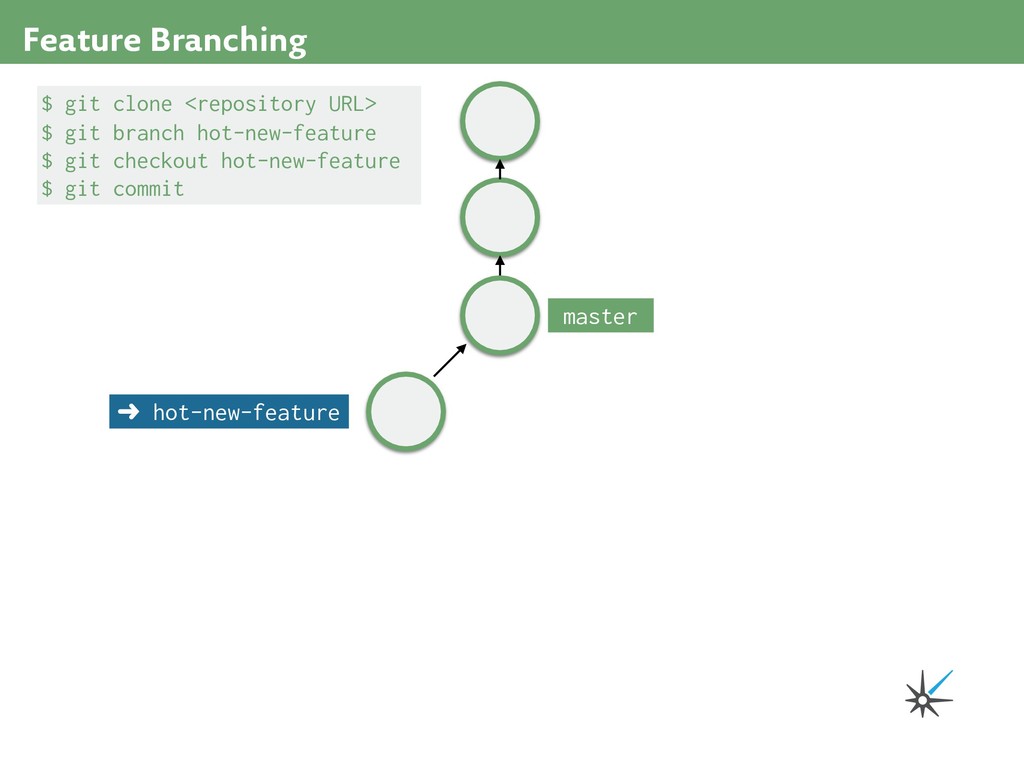
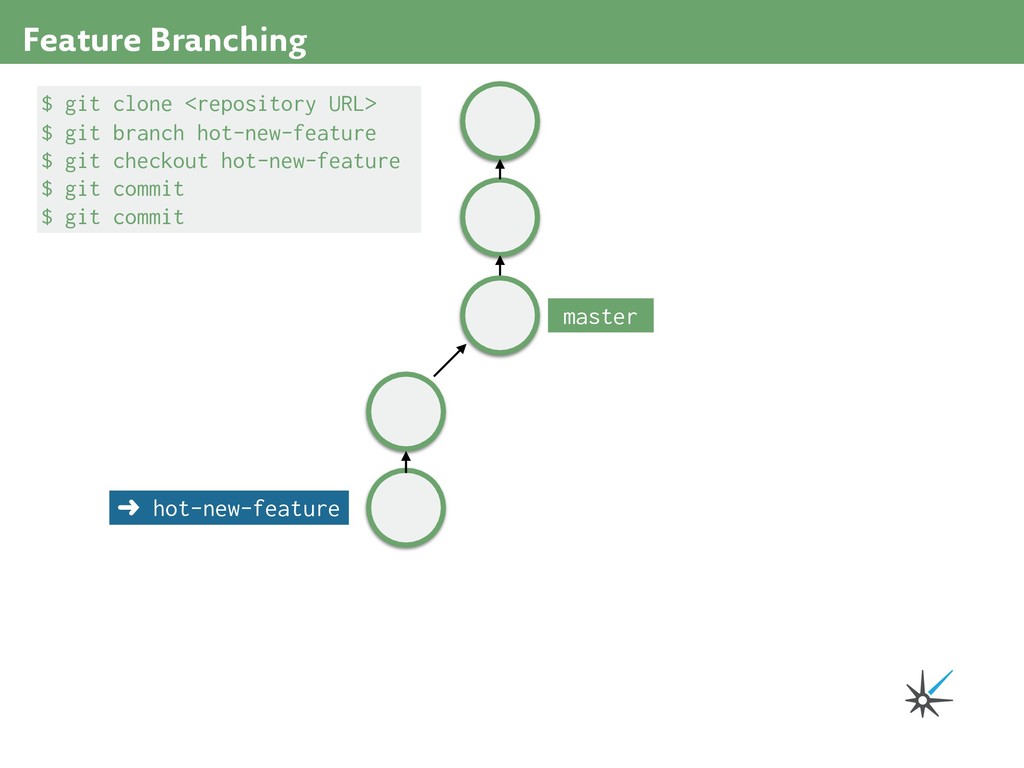
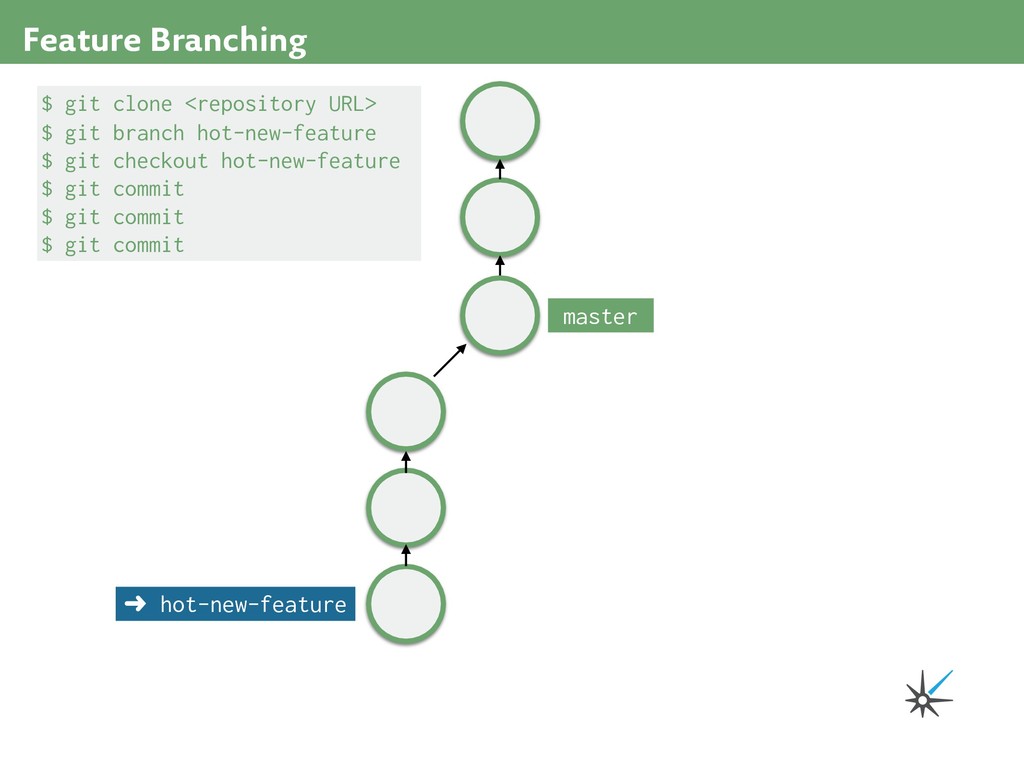
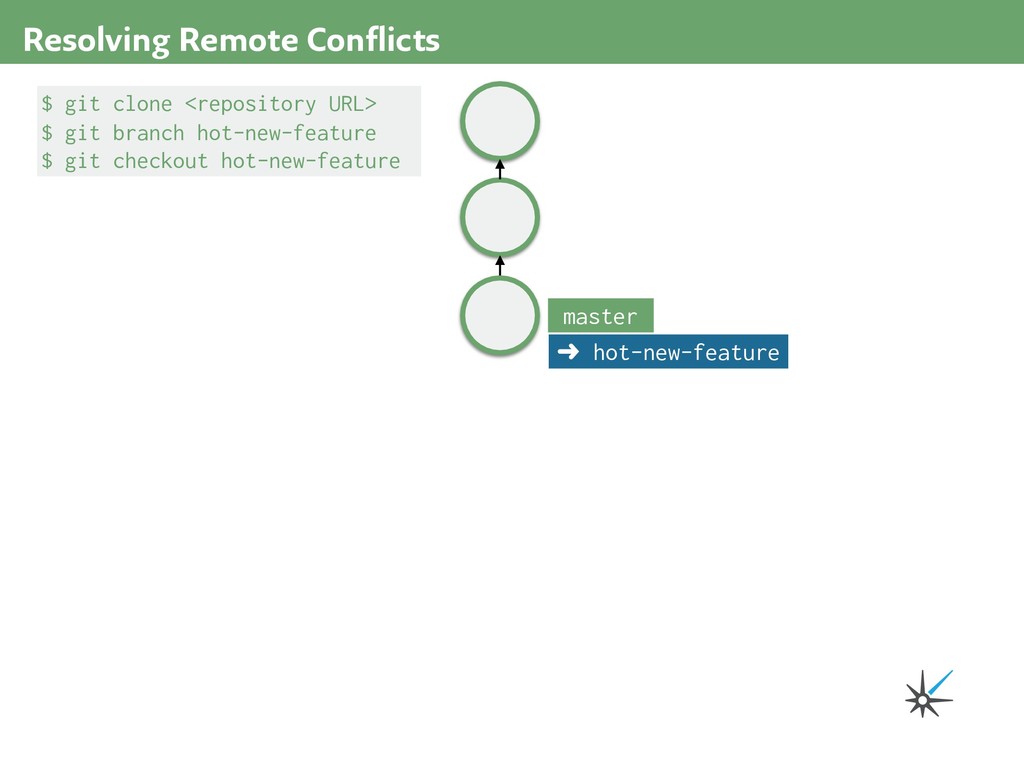
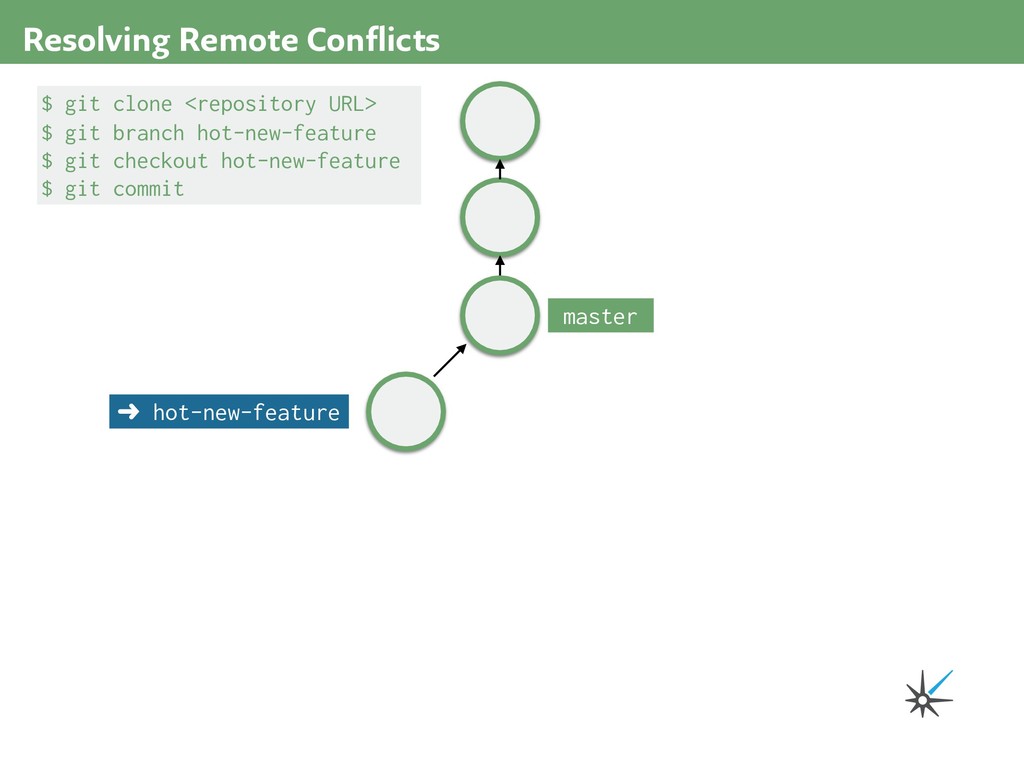
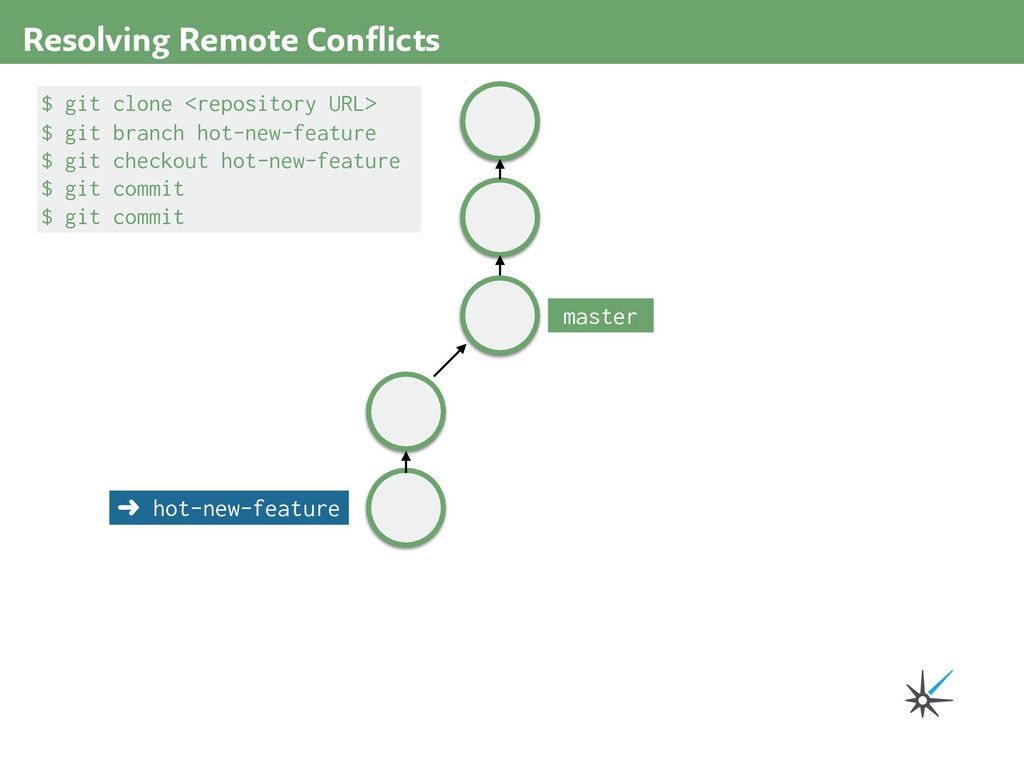
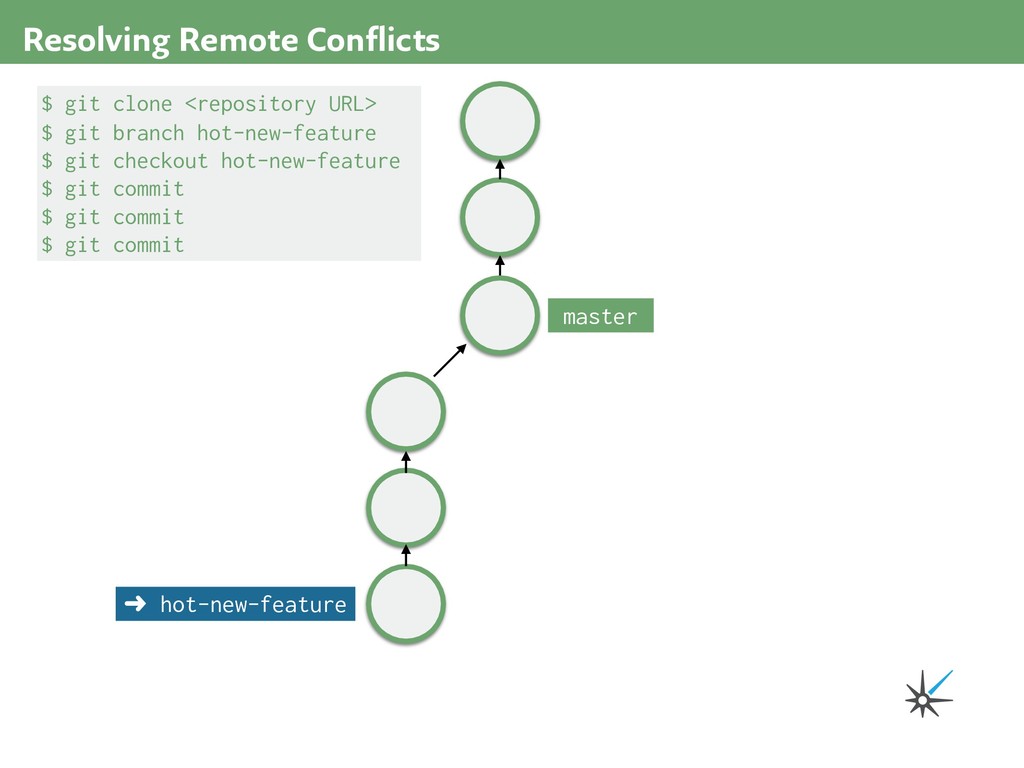
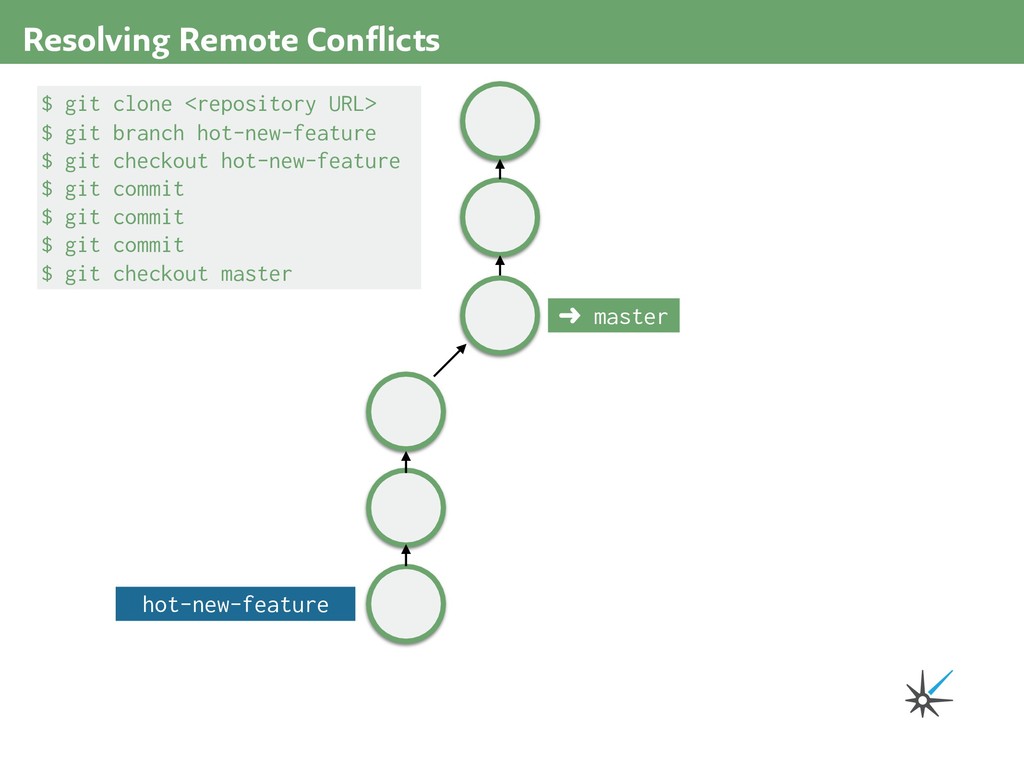
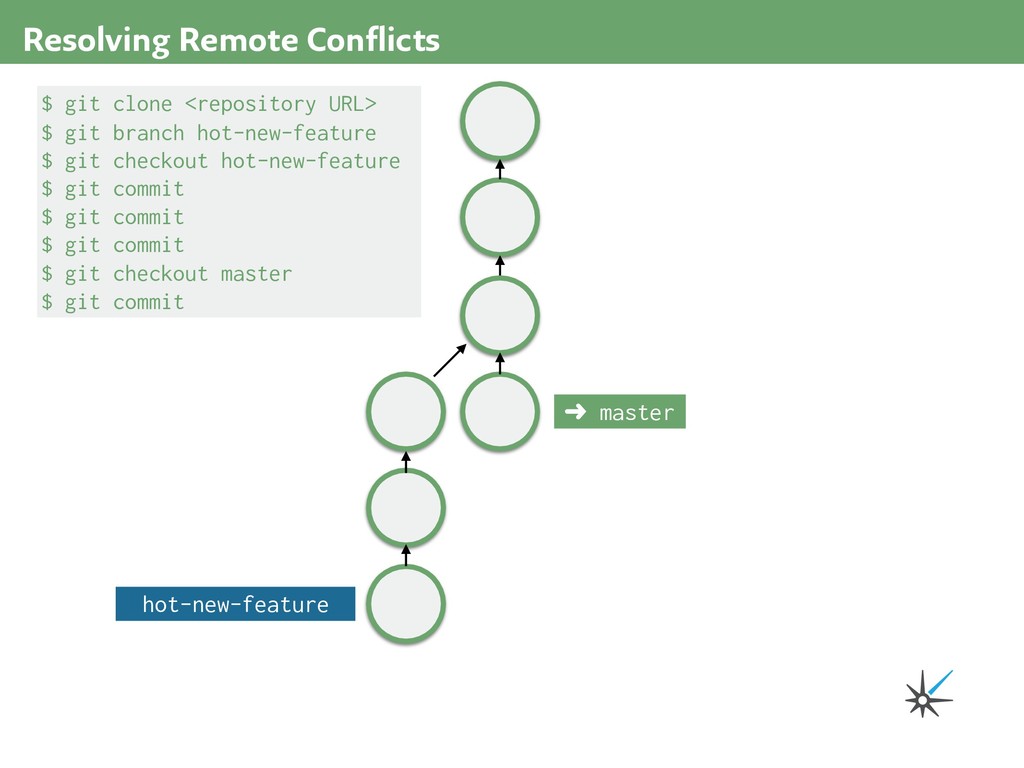
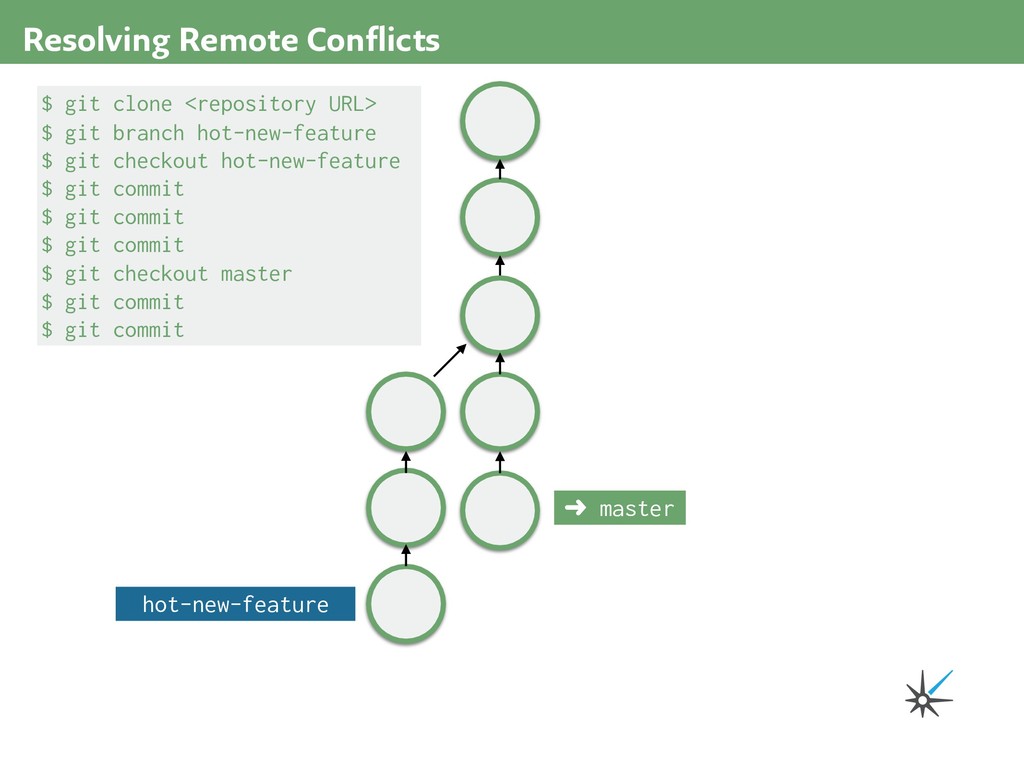
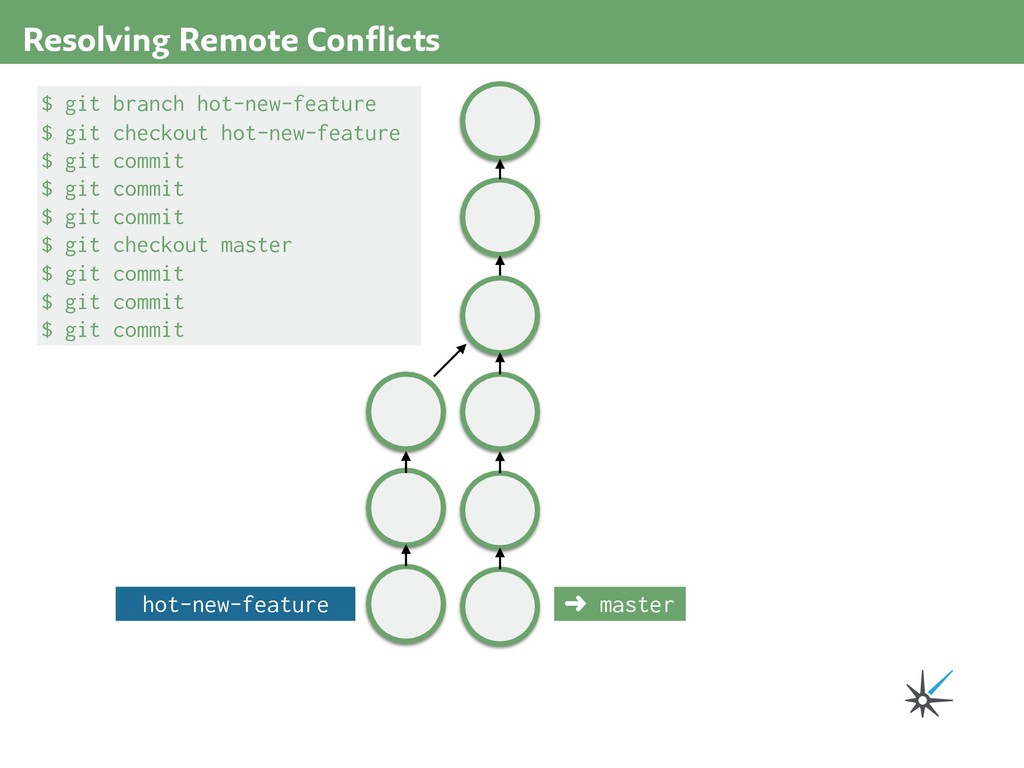



![Connor Mendenhall [email protected] Bjorn Johnson [email protected] Thank You](https://files.speakerdeck.com/presentations/e9e1568fabdc4ba092021947f318f1c8/slide_179.jpg)