Share
Embed
Go Microservices w/ Kubernetes
Ian Lewis
June 24, 2016
Transcript
51 slides
-
Ian Lewis Developer Advocate, Google Cloud Platform Go Microservices w/
Kubernetes Go Meetup Singapore -
Confidential & Proprietary Google Cloud Platform 2 Ian Lewis Developer
Advocate - Google Cloud Platform Tokyo, Japan +Ian Lewis @IanMLewis -
Confidential & Proprietary Google Cloud Platform 5 Database Batch processing
Cache Webservers Webservers Webservers Webservers -
7 No isolation No namespacing Common libs Highly coupled apps
and OS Shared Machines 7 kernel libs app app app app -
8 Some isolation Inefficient Still highly coupled to the guest
OS Hard to manage Virtual Machines 8 app libs kernel libs app app kernel app libs libs kernel kernel -
For the last 15 years Google has been building the
world’s fastest, most powerful infrastructure. -
Cloud Technology Innovations 2012 2013 MapReduce Spanner/F1 2003 2006 2007
2010 2011 GFS Omega Colossus Cloud Storage Dremel BigQuery Big Table Cloud Datastore Paxos impl. 2004 Cloud Bigtable -
Copyright 2015 Google Inc Google has been running all our
services in Containers for over 10 years. We start over 2 billion containers every week. Images by Connie Zhou -
job hello_world = { runtime = { cell = 'ic'
} // Cell (cluster) to run in binary = '.../hello_world_webserver' // Program to run args = { port = '%port%' } // Command line parameters requirements = { // Resource requirements ram = 100M disk = 100M cpu = 0.1 } replicas = 5 // Number of tasks } 10000 Developer View -
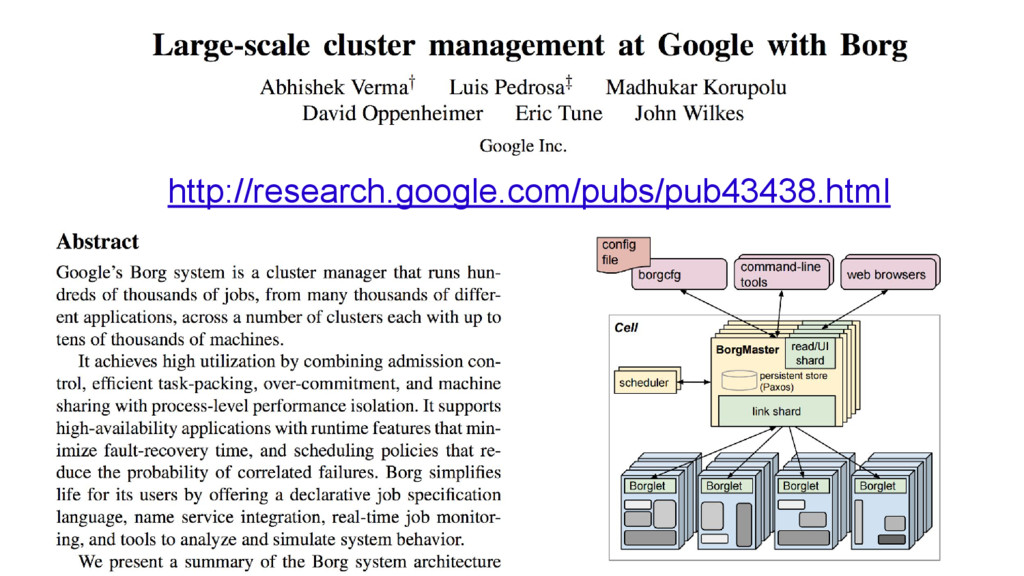
web browsers BorgMaster link shard UI shard BorgMaster link shard
UI shard BorgMaster link shard UI shard BorgMaster link shard UI shard Scheduler borgcfg web browsers scheduler Borglet Borglet Borglet Borglet Config file BorgMaster link shard UI shard persistent store (Paxos) Binary Developer View What just happened? -
Hello world! Hello world! Hello world! Hello world! Hello world!
Hello world! Hello world! Hello world! Hello world! Hello world! Hello world! Hello world! Hello world! Hello world! Hello world! Hello world! Hello world! Hello world! Hello world! Hello world! Hello world! Hello world! Hello world! Hello world! Hello world! Hello world! Hello world! Image by Connie Zhou Hello world! Hello world! Hello world! Hello world! Hello world! Hello world! Hello world! Hello world! Hello world! Hello world! Hello world! Hello world! Hello world! Hello world! Hello world! Hello world! Hello world! Hello world! Hello world! Hello world! Hello world! Hello world! Hello world! Hello world! -
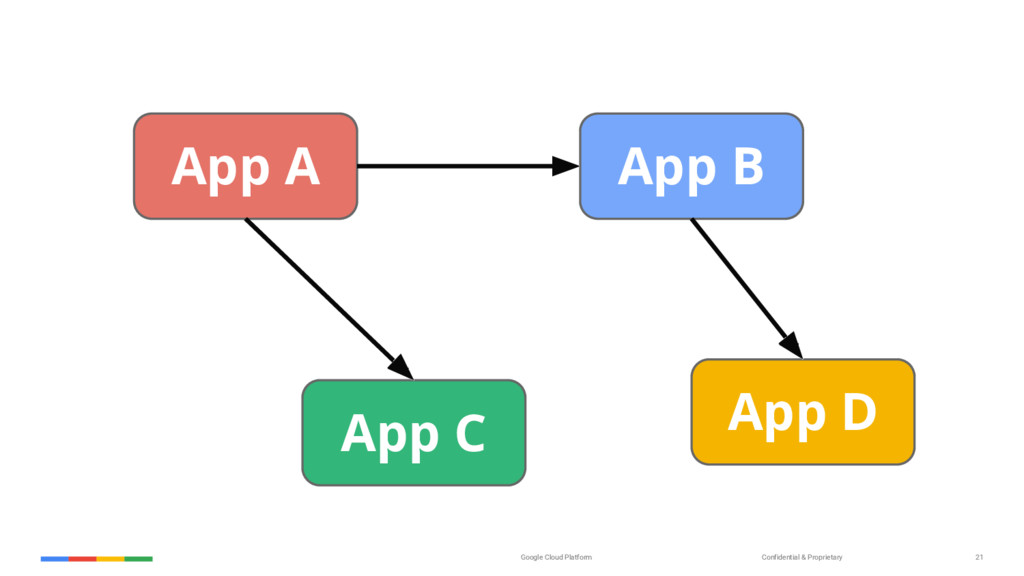
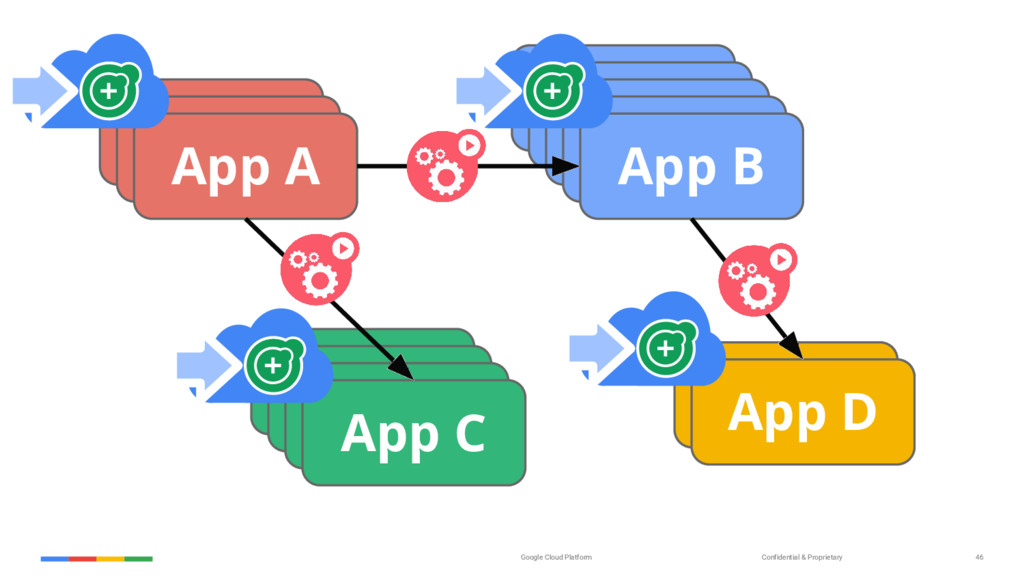
Confidential & Proprietary Google Cloud Platform 22 App B App
D App D App D App C App B App B App B App A App A App A App B App C App D -
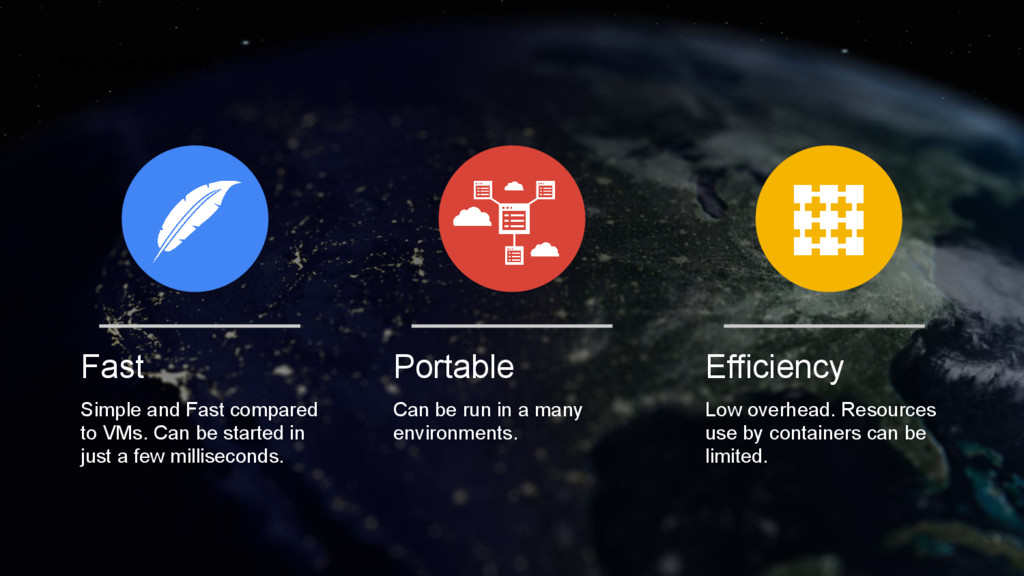
Fast Simple and Fast compared to VMs. Can be started
in just a few milliseconds. Portable Can be run in a many environments. Efficiency Low overhead. Resources use by containers can be limited. Why Containers? -
Copyright 2015 Google Inc Container Management Node Node Cluster Node
??? • How to deploy to multiple nodes? • How to deal with node failures? • How to deal with container failures? • How do you update your applications? • How can your containers discover and communicate with each other? -
Enter Kubernetes Greek for “Helmsman”; also the root of the
word “Governor” • Container orchestrator • Runs containers • Supports multiple cloud and bare- metal environments • Inspired and informed by Google’s experiences and internal systems • Open source, written in Go Manage applications, not machines -
Confidential & Proprietary Google Cloud Platform 29 Community • Current
stable version: 1.2 • 780+ contributors • over 14,000 github stars Project Partners -
Google Cloud Platform UI CLI API users master nodes etcd
scheduler controllers master The 10000 Foot View kubelet kubelet kubelet kubelet kubelet kubelet kubelet kubelet kubelet -
Google Cloud Platform The 10000 Foot View etcd scheduler controller-manager
apiserver kubelet docker kube-proxy iptables 1. User creates Deployment 2. API server saves info to etcd 3. CM finds Deployment and creates ReplicaSet, which creates Pods (unscheduled) 4. Scheduler schedules pods. 5. Kubelet sees pod scheduled to it and tells docker to run the container. 6. Docker pulls and runs the container. 1 2 6 3 5 4 Docker Hub / GCR -
Google Cloud Platform Deployments ReplicaSet - replicas: 3 - selector:
- app: MyApp - version: v1 Deployment - name: MyApp kubectl create ... -
Google Cloud Platform Deployments ReplicaSet - replicas: 4 - selector:
- app: MyApp - version: v1 Deployment - name: MyApp kubectl create ... -
Google Cloud Platform Deployments ReplicaSet - replicas: 3 - selector:
- app: MyApp - version: v1 Deployment - name: MyApp kubectl create ... -
Google Cloud Platform Deployments ReplicaSet - replicas: 3 - selector:
- app: MyApp - version: v1 Deployment - name: MyApp kubectl create ... -
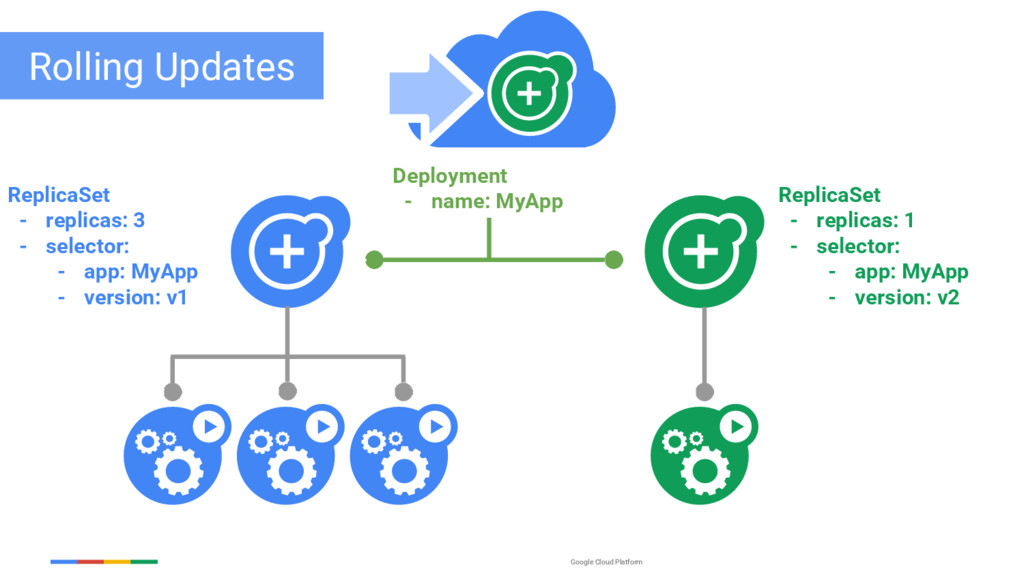
Google Cloud Platform Rolling Updates ReplicaSet - replicas: 3 -
selector: - app: MyApp - version: v1 Deployment - name: MyApp kubectl apply ... -
Google Cloud Platform ReplicaSet - replicas: 3 - selector: -
app: MyApp - version: v1 Rolling Updates ReplicaSet - replicas: 0 - selector: - app: MyApp - version: v2 Deployment - name: MyApp -
Google Cloud Platform ReplicaSet - replicas: 3 - selector: -
app: MyApp - version: v1 ReplicaSet - replicas: 1 - selector: - app: MyApp - version: v2 Rolling Updates Deployment - name: MyApp -
Google Cloud Platform ReplicaSet - replicas: 2 - selector: -
app: MyApp - version: v1 ReplicaSet - replicas: 1 - selector: - app: MyApp - version: v2 Rolling Updates Deployment - name: MyApp -
Google Cloud Platform ReplicaSet - replicas: 2 - selector: -
app: MyApp - version: v1 ReplicaSet - replicas: 2 - selector: - app: MyApp - version: v2 Rolling Updates Deployment - name: MyApp -
Google Cloud Platform ReplicaSet - replicas: 1 - selector: -
app: MyApp - version: v1 ReplicaSet - replicas: 2 - selector: - app: MyApp - version: v2 Rolling Updates Deployment - name: MyApp -
Google Cloud Platform ReplicaSet - replicas: 1 - selector: -
app: MyApp - version: v1 ReplicaSet - replicas: 3 - selector: - app: MyApp - version: v2 Rolling Updates Deployment - name: MyApp -
Google Cloud Platform ReplicaSet - replicas: 0 - selector: -
app: MyApp - version: v1 ReplicaSet - replicas: 3 - selector: - app: MyApp - version: v2 Rolling Updates Deployment - name: MyApp -
Google confidential │ Do not distribute Services A group of
pods that work together • grouped by a selector Defines access policy • “load balanced” or “headless” Gets a stable virtual IP and port • sometimes called the service portal • also a DNS name VIP is managed by kube-proxy • watches all services • updates iptables when backends change Hides complexity - ideal for non-native apps Virtual IP Client -
Confidential & Proprietary Google Cloud Platform 46 App B App
D App D App D App C App B App B App B App A App A App A App B App C App D -
Google Container Engine - Inspired by a decade within Google
- Reimagines Cluster computing - Designed for a multi-cloud world Photo by Connie Zhou -
Google Container Engine New service for cluster-based compute • Provisioned
cluster in seconds. Fully configured. • Fine-grained control over cluster. • Designed for multi-cloud. Runs Kubernetes. Releases • Now GA!! • No additional cost for up to 5 nodes Resources • Google Container Engine: http://cloud.google.com/container-engine • Kubernetes: http://kubernetes.io