Upgrade to Pro — share decks privately, control downloads, hide ads and more …

Shift Left with Reliability Testing: A Hands-on...

Avatar for immavalls immavalls
October 25, 2026

Shift Left with Reliability Testing: A Hands-on Introduction to k6

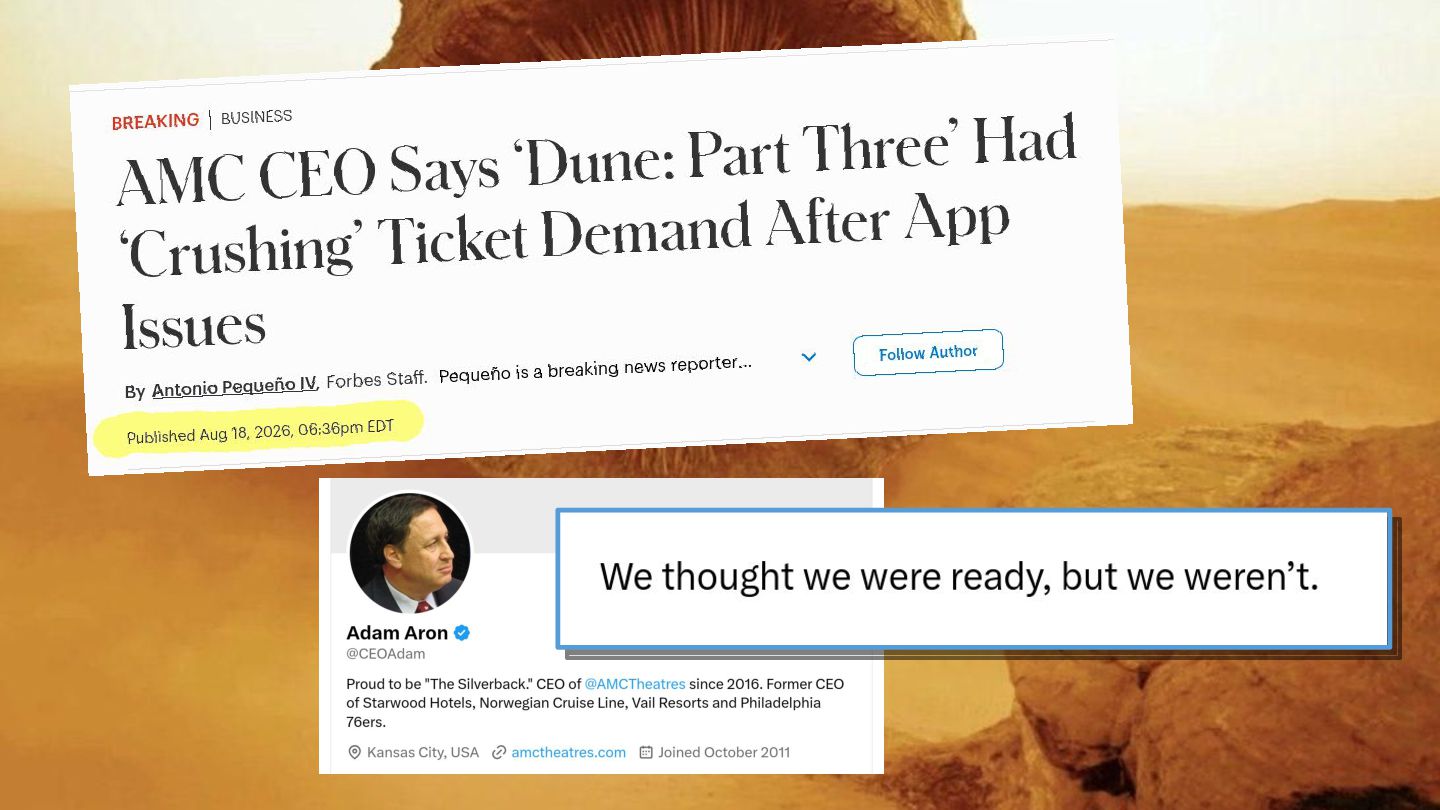
Incidents are expensive, stressful, and lead to poor user experiences. The good news is that they’re also preventable. With the right tools and practices, you can uncover and address performance issues before they affect your users.

Performance issues are easier to address when you find them before your users do. In this beginner-friendly, hands-on workshop, you’ll learn how to combine load testing and observability to understand how your applications behave under load.

You’ll write and run k6 scripts, simulate API traffic, define checks and performance thresholds, and analyze results in Grafana to identify potential bottlenecks.

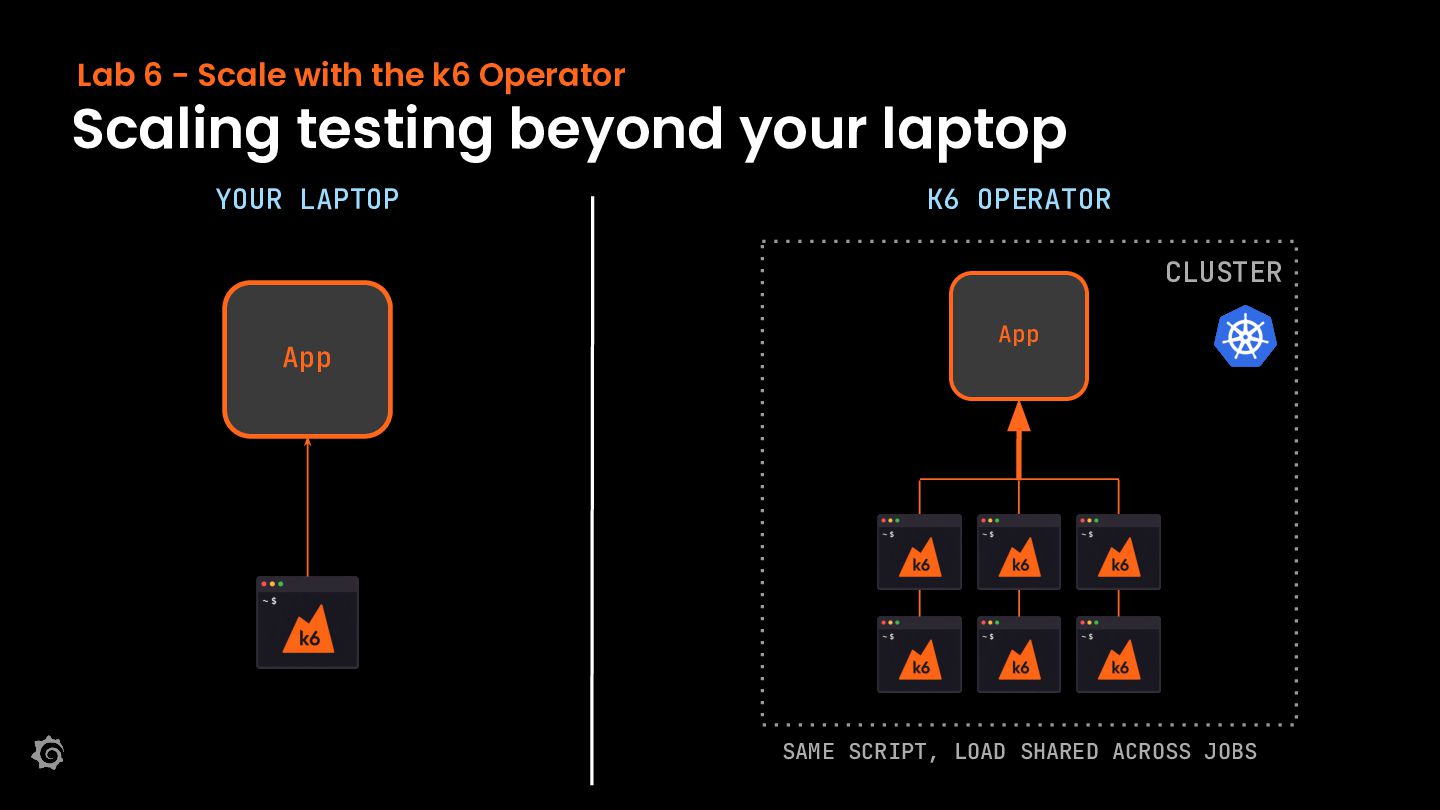
We’ll then explore how to scale beyond a single machine using the k6 Operator to orchestrate distributed load tests on Kubernetes.

By the end of this two-hour workshop, you’ll be able to:

Write and run k6 scripts to test APIs under load.

Use checks and thresholds to evaluate responses and performance.

Interpret test results in Grafana.

Understand how the k6 Operator distributes tests across Kubernetes runners.

Avatar for immavalls

immavalls

October 25, 2026

More Decks by immavalls

Other Decks in Technology

Transcript

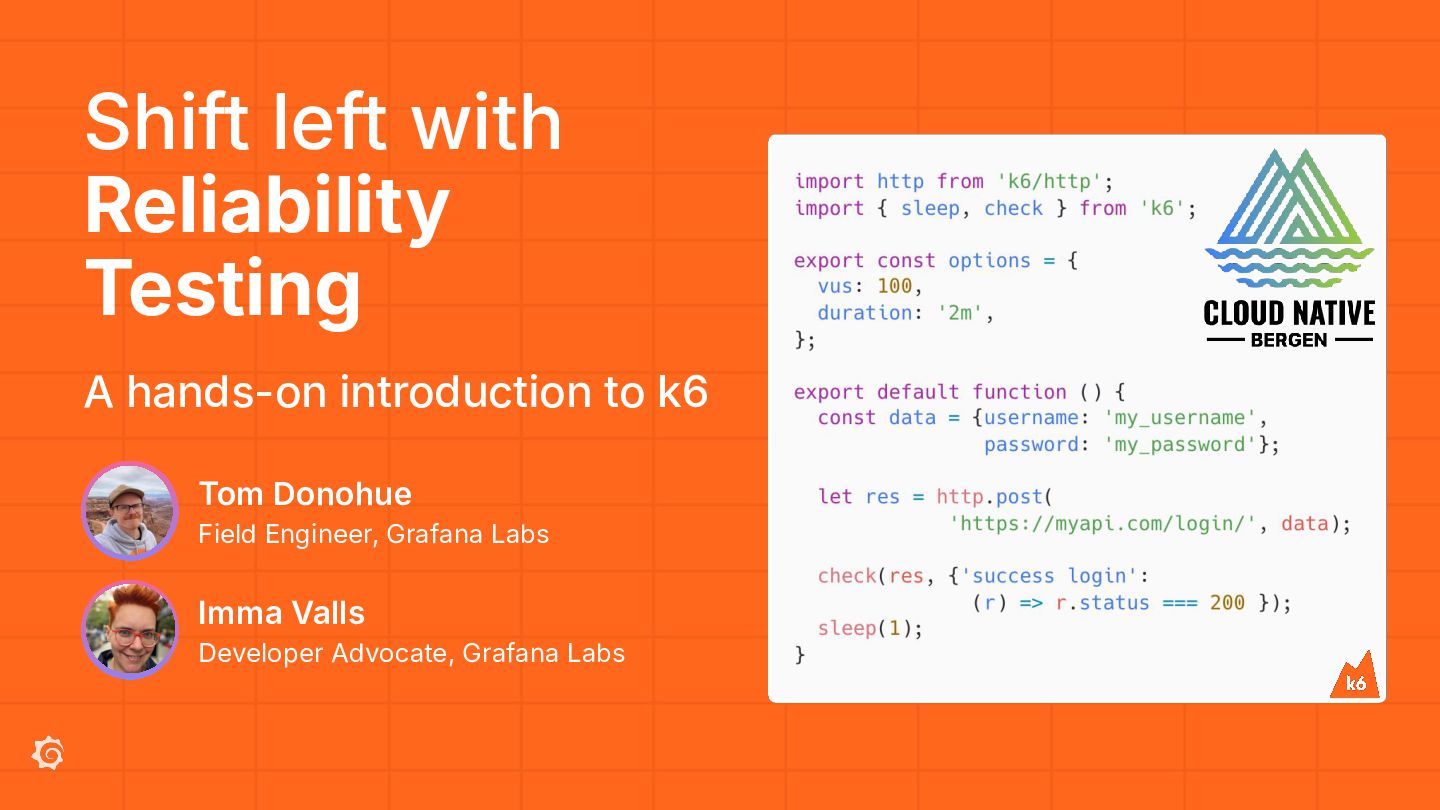
  1. Shift left with Reliability Testing A hands-on introduction to k6

    Tom Donohue Field Engineer, Grafana Labs Imma Valls Developer Advocate, Grafana Labs
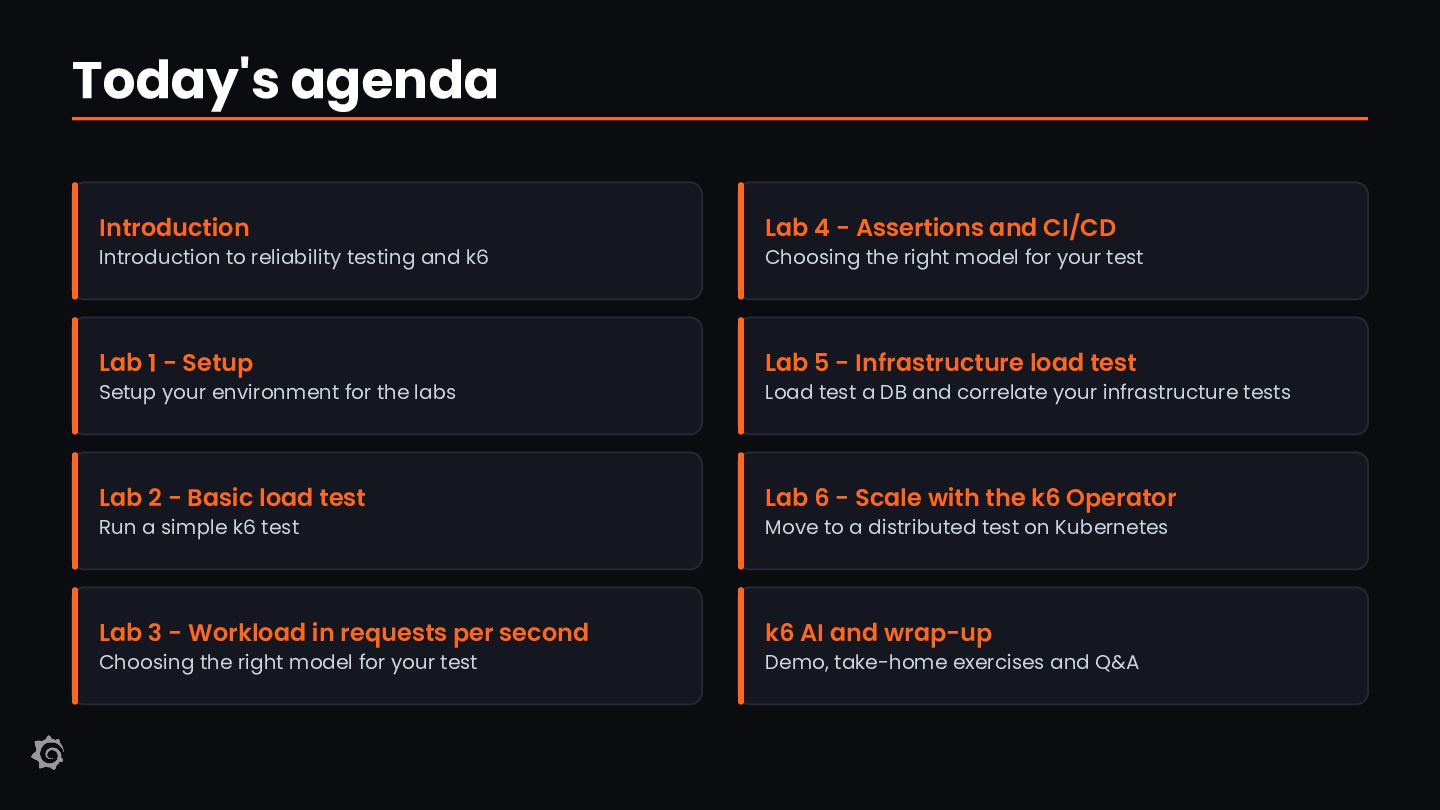
  2. Today's agenda Introduction Lab 4 - Assertions and CI/CD Lab

    1 - Setup Lab 5 - Infrastructure load test Lab 2 - Basic load test Lab 6 - Scale with the k6 Operator Lab 3 - Workload in requests per second k6 AI and wrap-up Introduction to reliability testing and k6 Setup your environment for the labs Run a simple k6 test Choosing the right model for your test Choosing the right model for your test Load test a DB and correlate your infrastructure tests Move to a distributed test on Kubernetes Demo, take-home exercises and Q&A
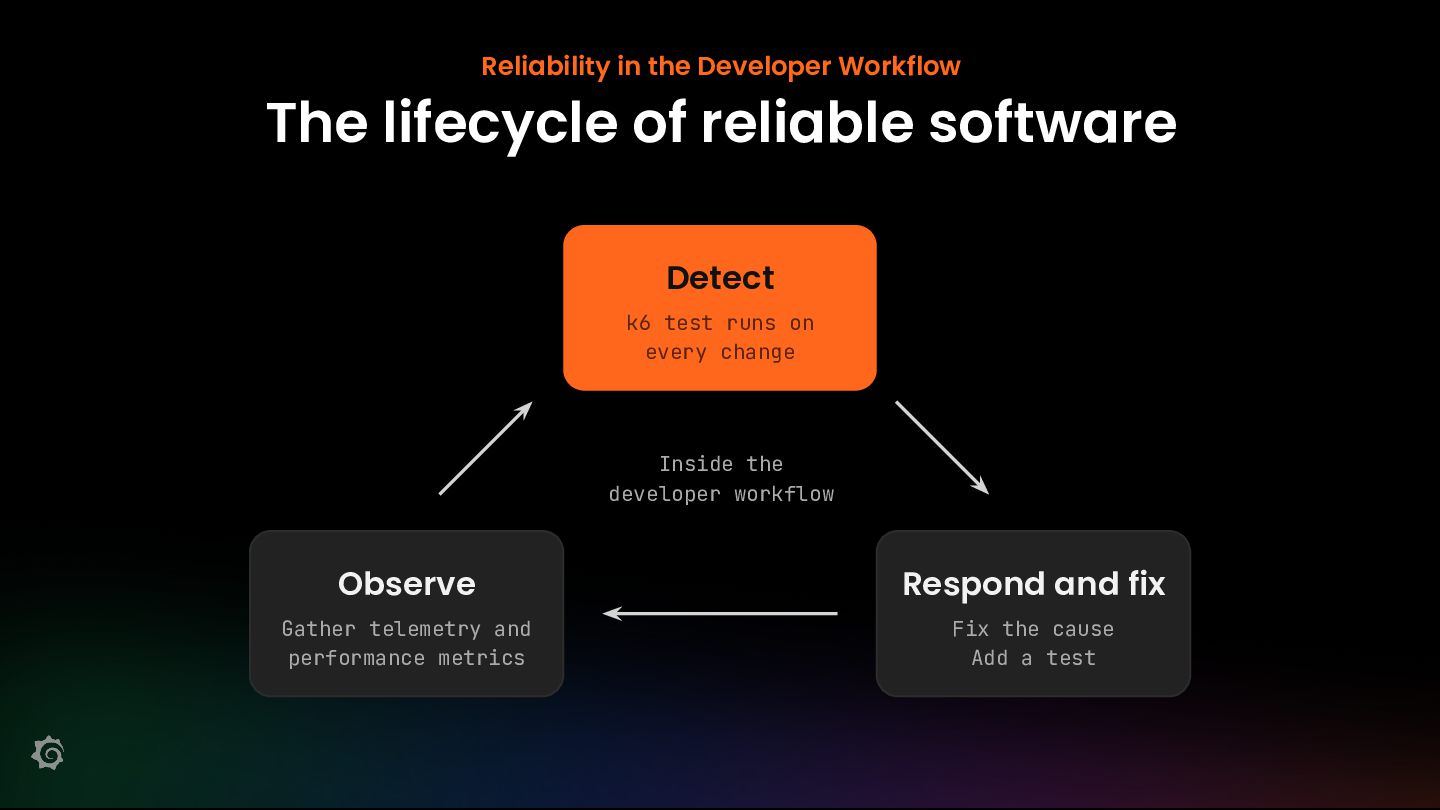
  3. Reliability in the Developer Workflow The lifecycle of reliable software

    Detect k6 test runs on every change Inside the developer workflow Observe Respond and fix Gather telemetry and performance metrics Fix the cause Add a test
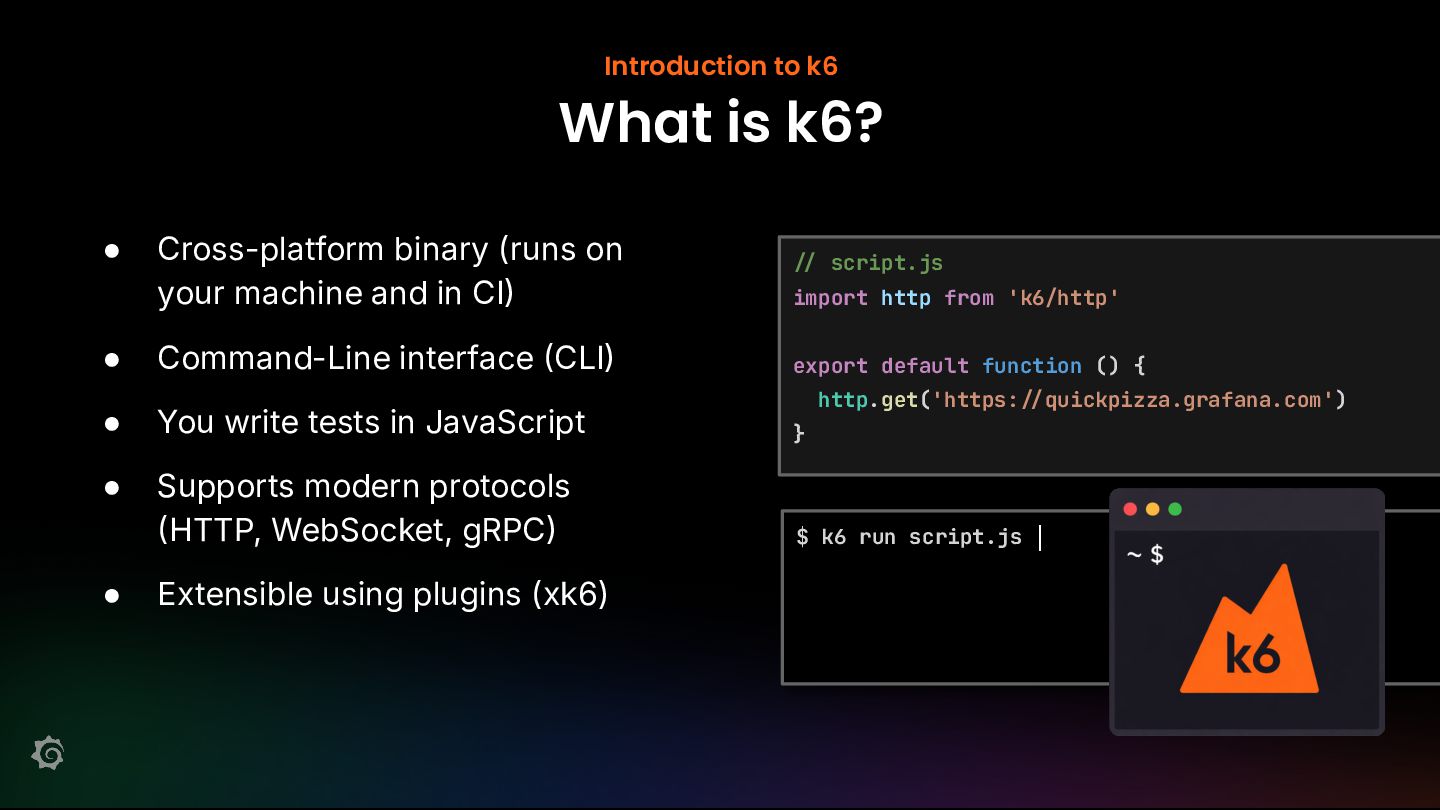
  4. Introduction to k6 What is k6? • • Cross-platform binary

    (runs on your machine and in CI import http from 'k6/http' Command-Line interface CLI export default function () { script.js http.get('https: • You write tests in JavaScript } • Supports modern protocols HTTP, WebSocket, gRPC $ k6 run script.js • Extensible using plugins (xk6) quickpizza.grafana.com')
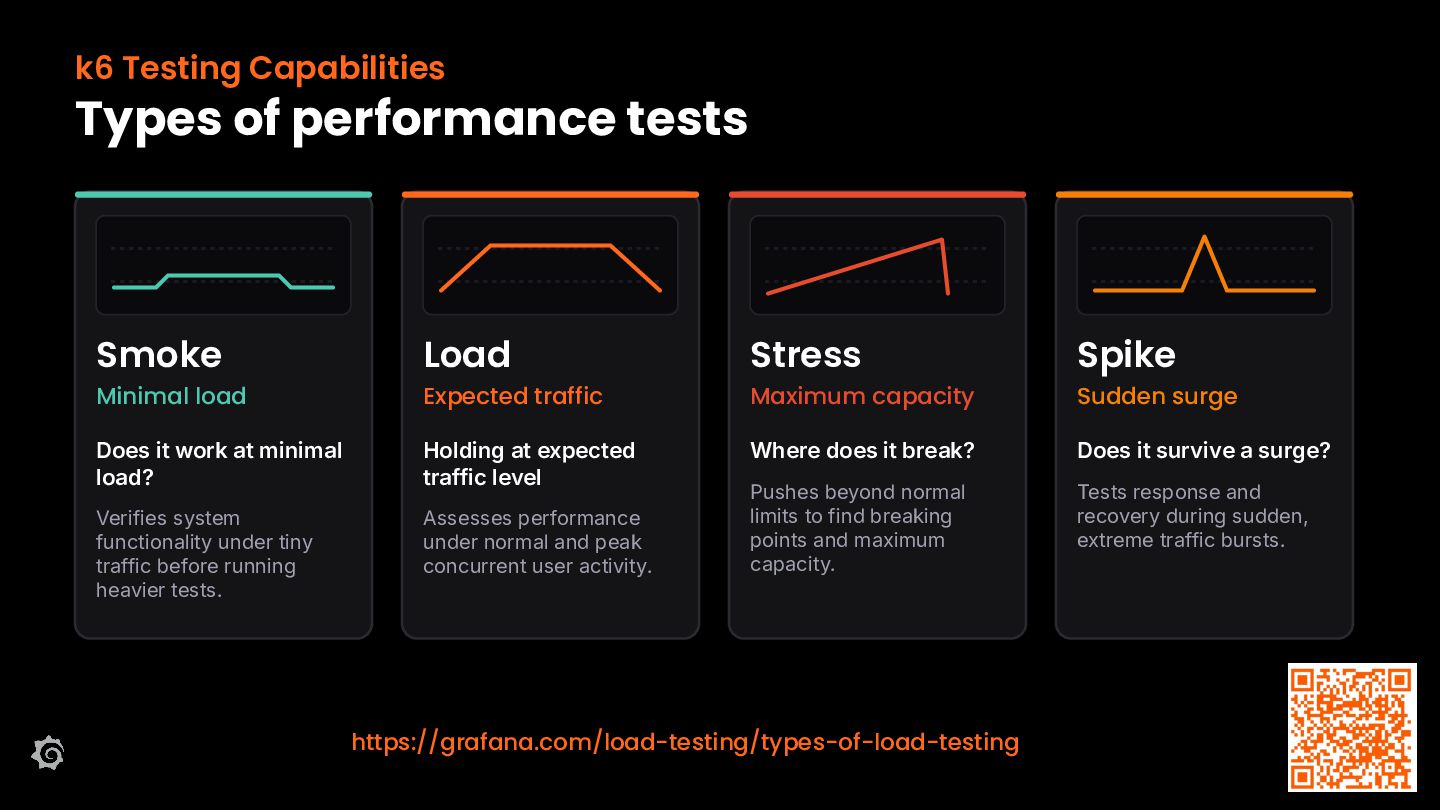
  5. k6 Testing Capabilities Types of performance tests Smoke Load Stress

    Spike Does it work at minimal load? Holding at expected traffic level Where does it break? Does it survive a surge? Verifies system functionality under tiny traffic before running heavier tests. Assesses performance under normal and peak concurrent user activity. Pushes beyond normal limits to find breaking points and maximum capacity. Tests response and recovery during sudden, extreme traffic bursts. Minimal load Expected traffic Maximum capacity https://grafana.com/load-testing/types-of-load-testing Sudden surge
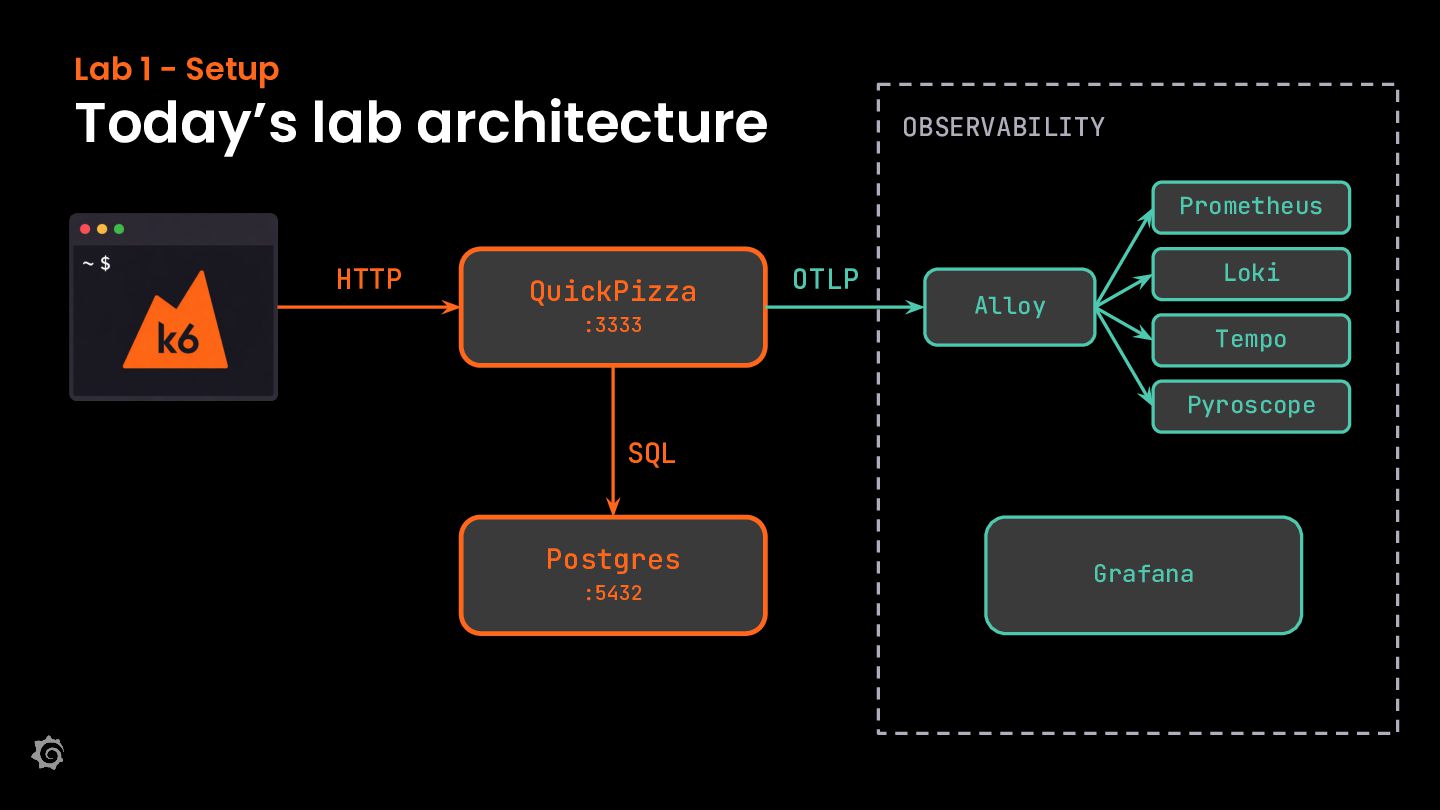
  6. Lab 1 - Setup Today’s lab architecture OBSERVABILITY Prometheus HTTP

    QuickPizza :3333 OTLP Loki Alloy Tempo Pyroscope SQL Postgres :5432 Grafana
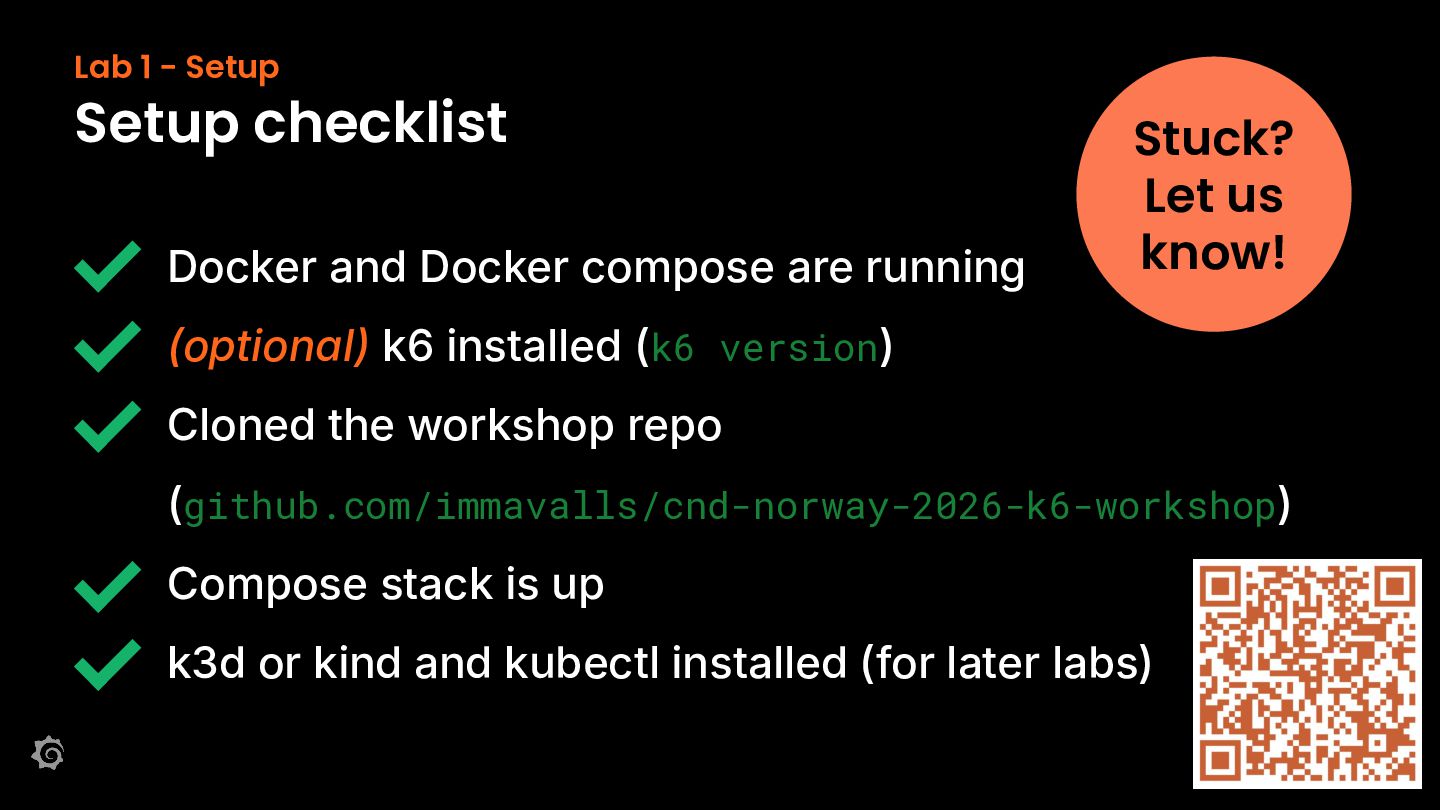
  7. Lab 1 - Setup Setup checklist Docker and Docker compose

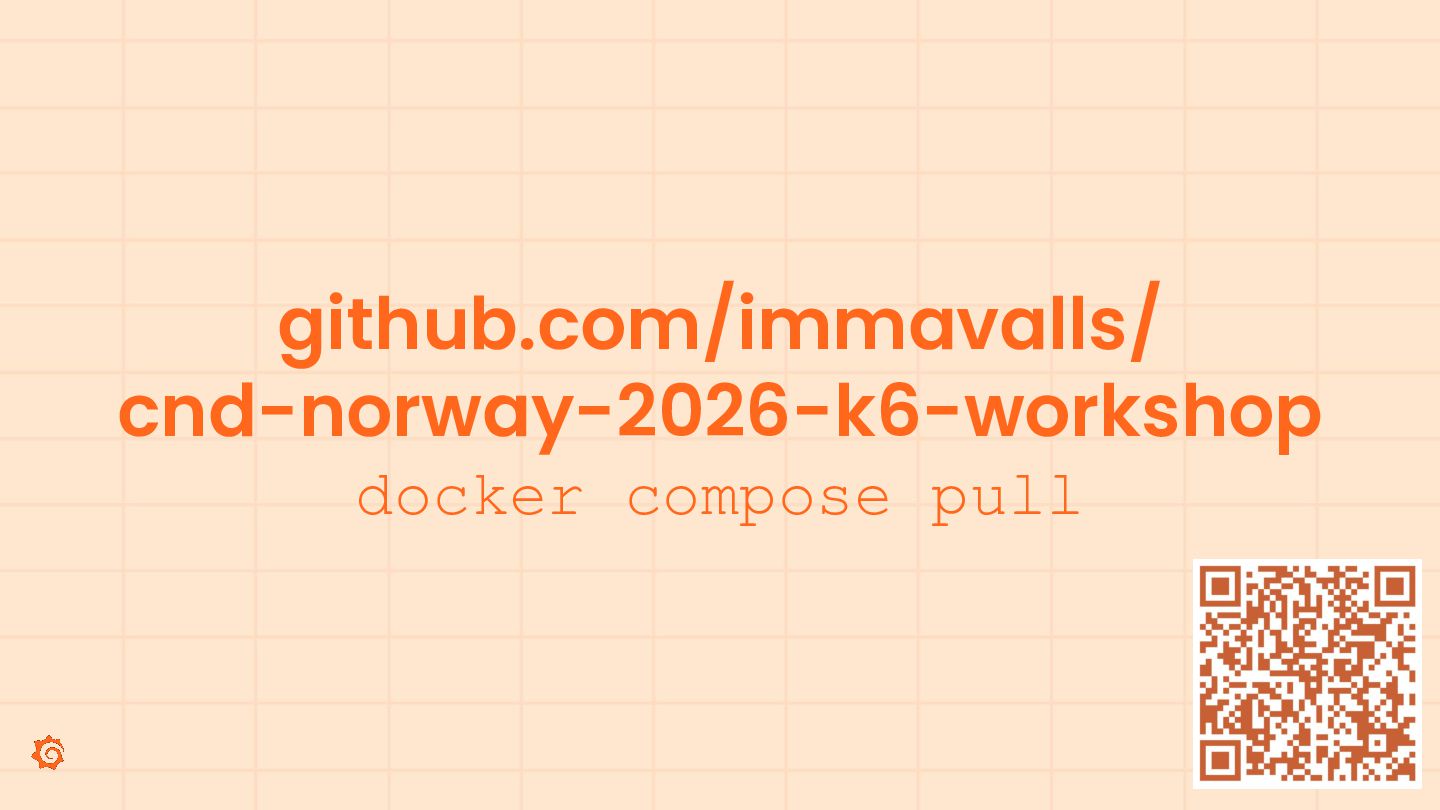
    are running Stuck? Let us know! (optional) k6 installed (k6 version) Cloned the workshop repo (github.com/immavalls/cnd-norway-2026-k6-workshop) Compose stack is up k3d or kind and kubectl installed (for later labs)
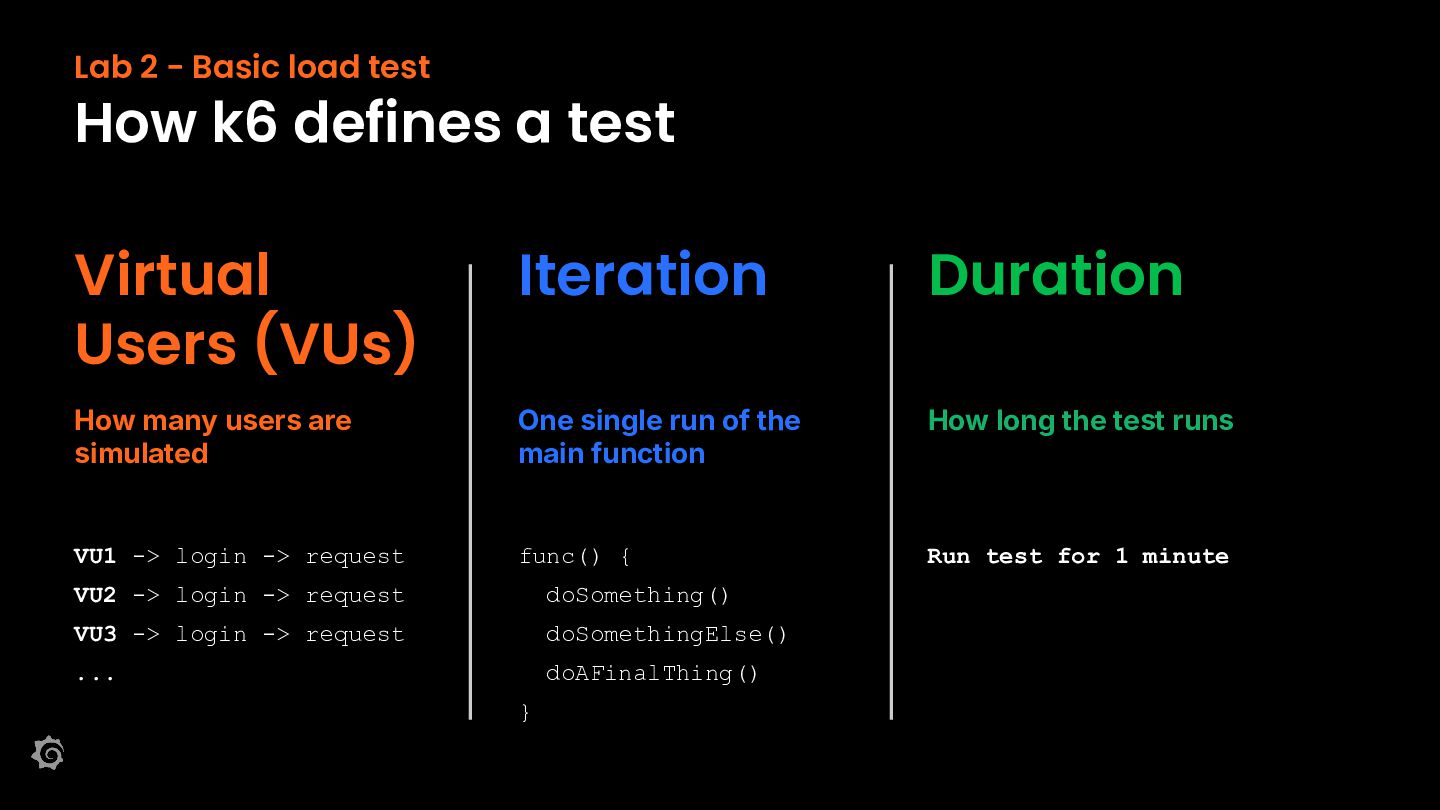
  8. Lab 2 - Basic load test How k6 defines a

    test Virtual Users (VUs) Iteration Duration How many users are simulated One single run of the main function How long the test runs VU1 -> login -> request func() { Run test for 1 minute VU2 -> login -> request doSomething() VU3 -> login -> request doSomethingElse() ... doAFinalThing() }
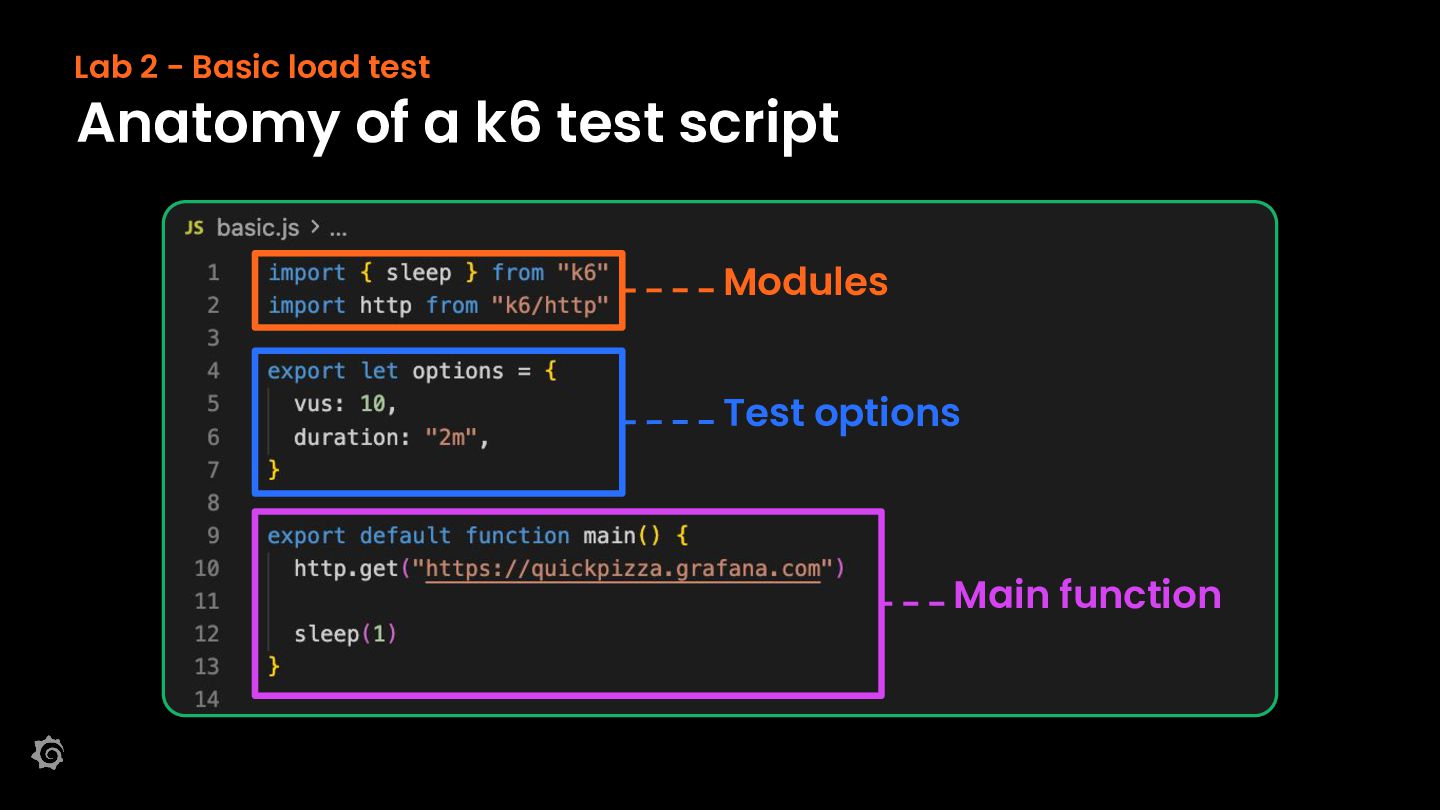
  9. Lab 2 - Basic load test Anatomy of a k6

    test script Modules Test options Main function
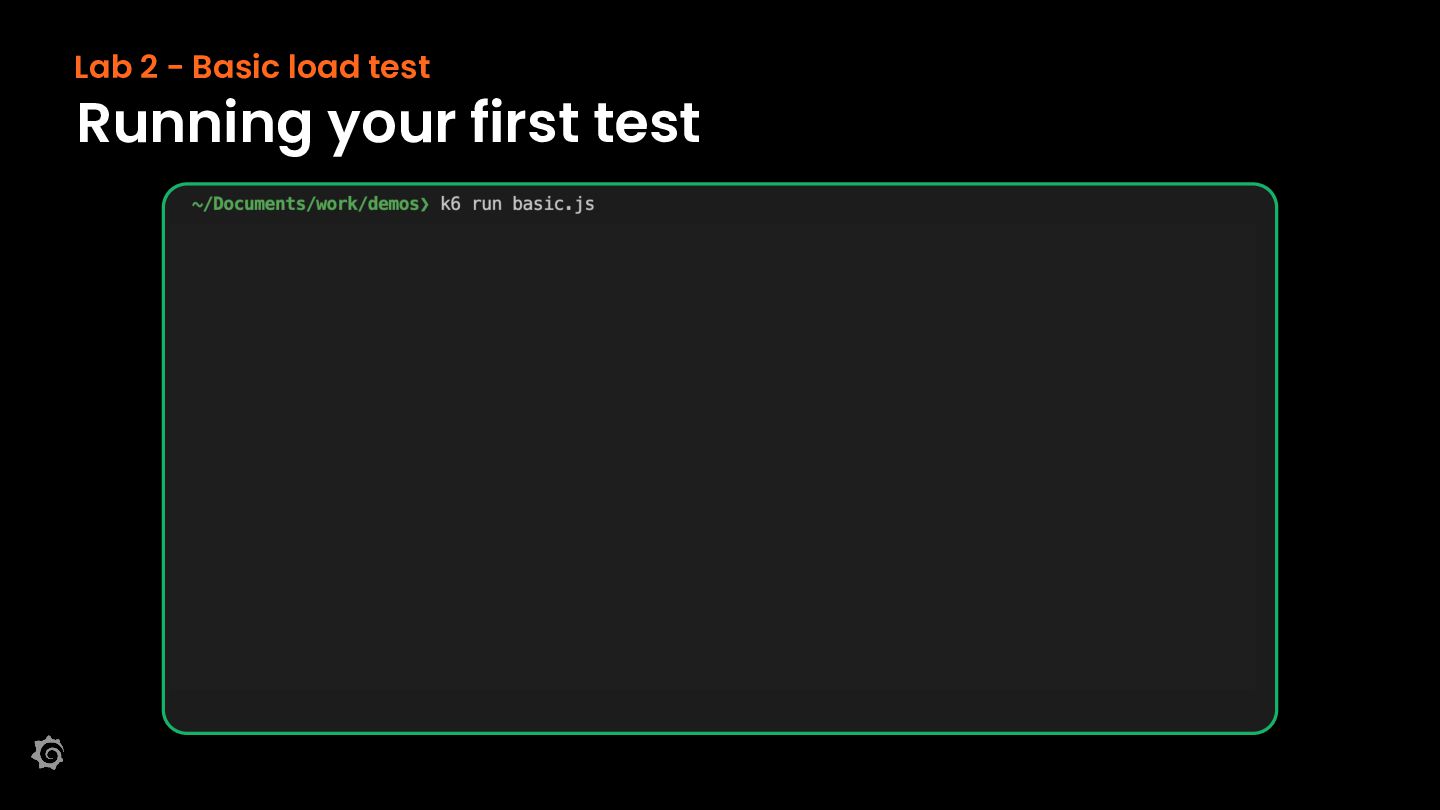
  10. Lab 2 - Basic load test Running your first test

    Execution mode Live progress Scenarios
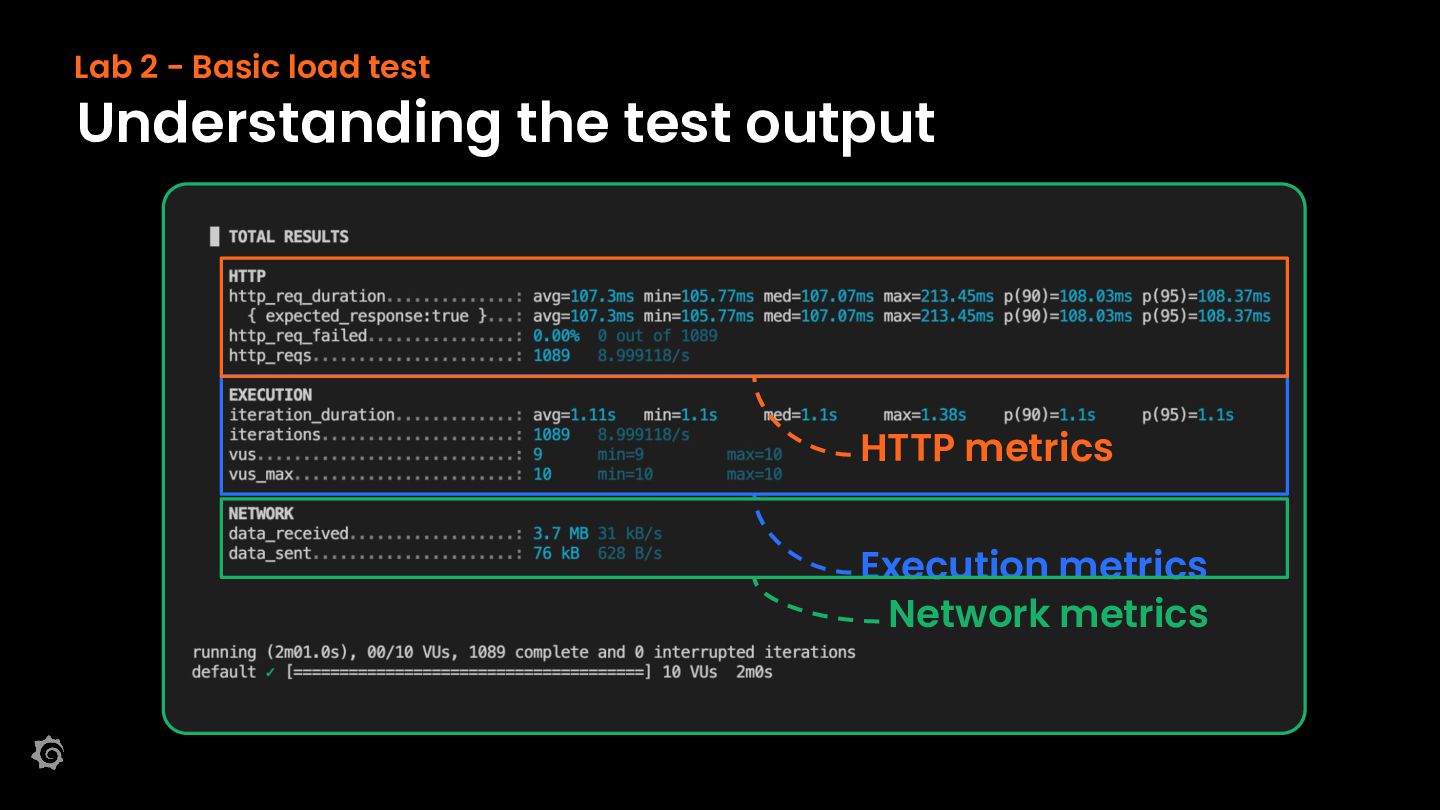
  11. Lab 2 - Basic load test Understanding the test output

    HTTP metrics Execution metrics Network metrics
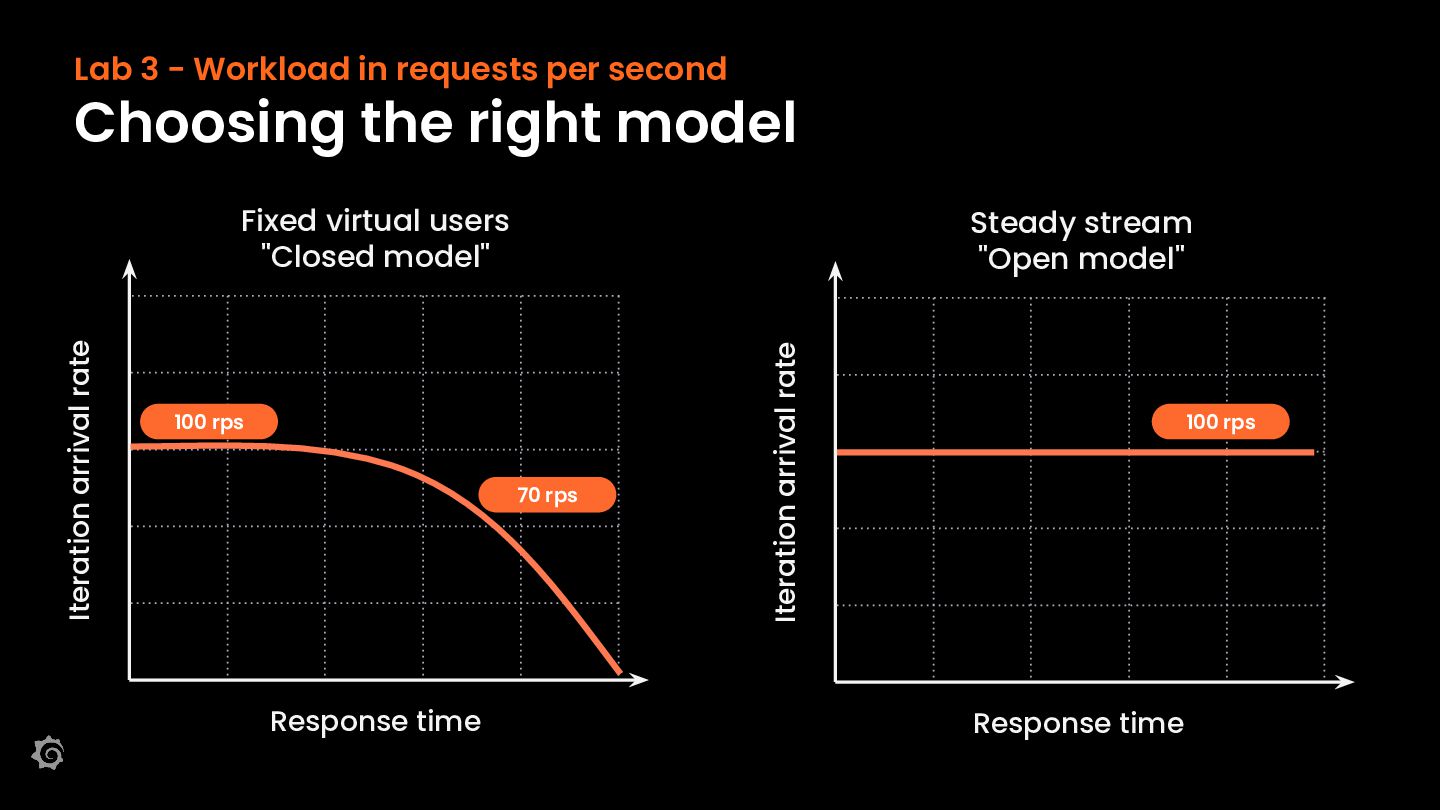
  12. Lab 3 - Workload in requests per second Choosing the

    right model Steady stream "Open model" 100 rps 70 rps Response time Iteration arrival rate Iteration arrival rate Fixed virtual users "Closed model" 100 rps Response time
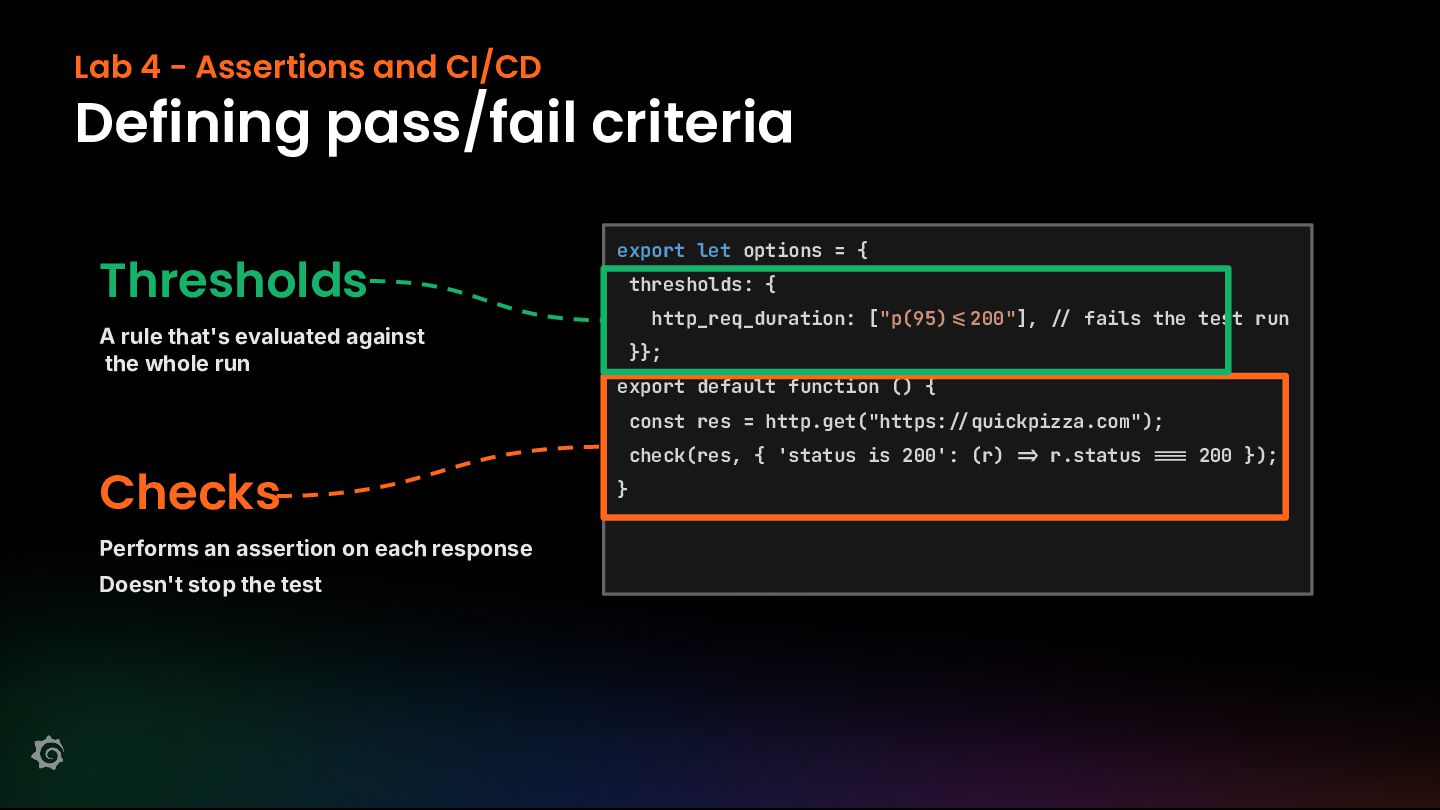
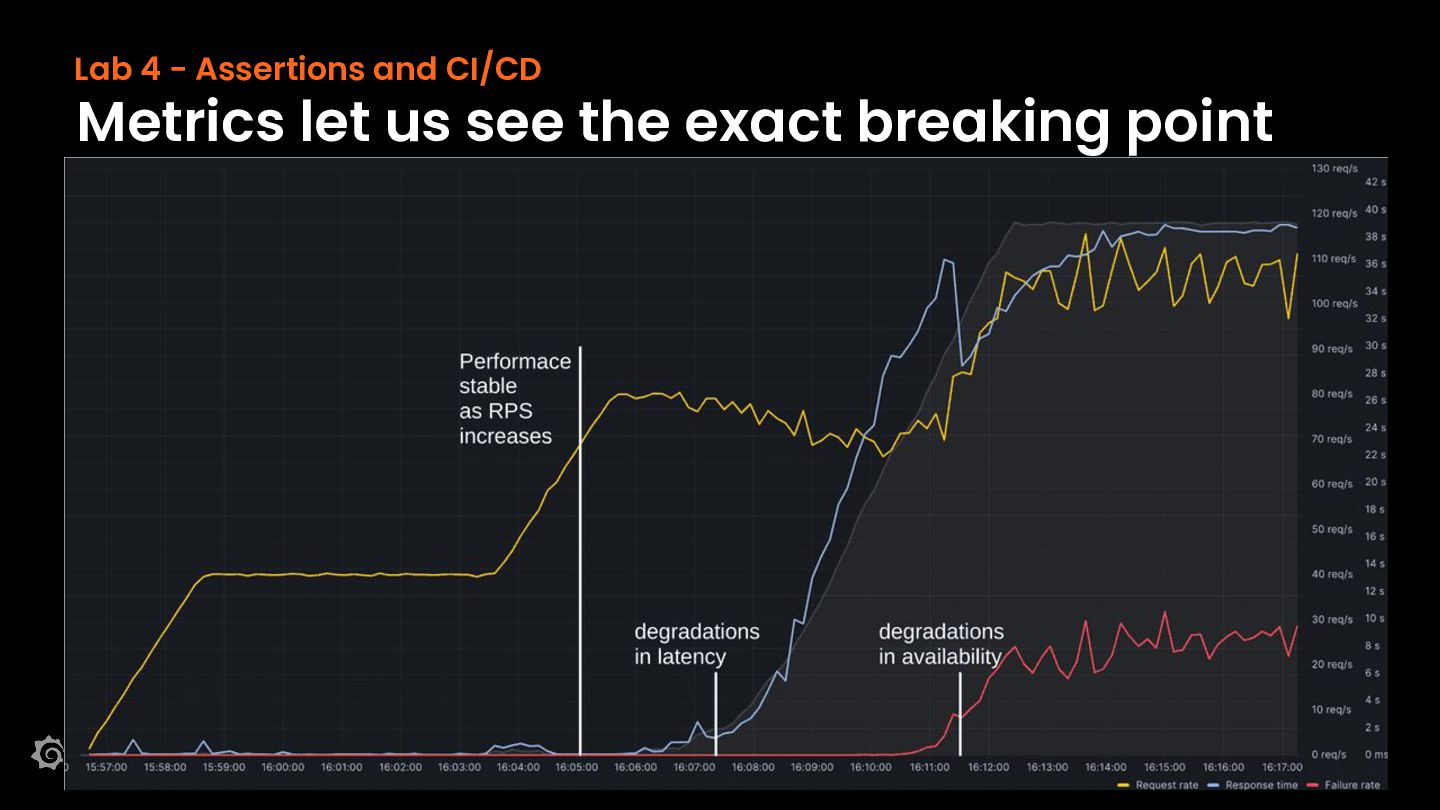
  13. Lab 4 - Assertions and CI/CD Defining pass/fail criteria Thresholds

    A rule that's evaluated against the whole run export let options = { thresholds: { http_req_duration: ["p(95) Performs an assertion on each response Doesn't stop the test fails the test run }}; export default function () { const res = http.get("https: Checks 200"], quickpizza.com"); check(res, { 'status is 200': (r) } r.status 200 });
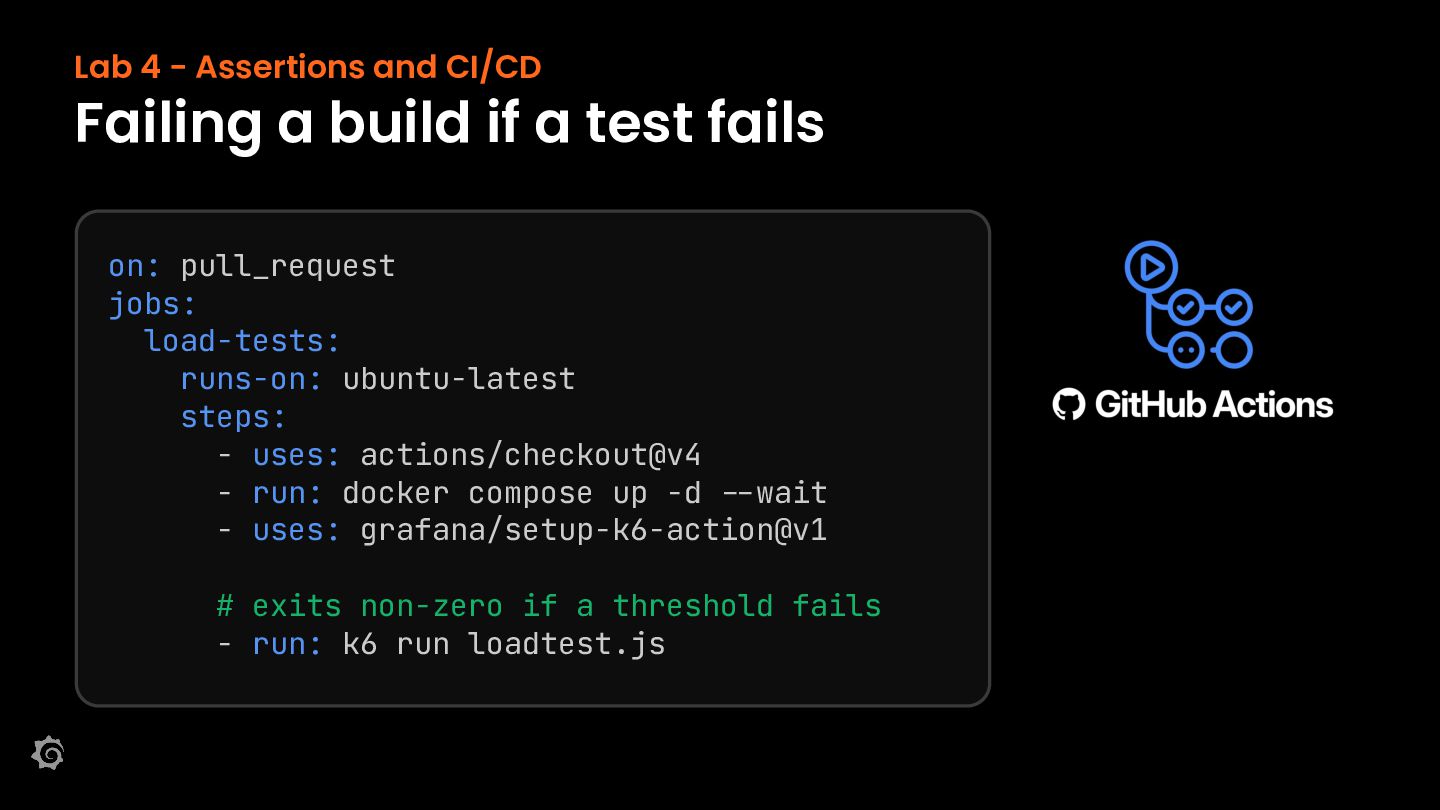
  14. Lab 4 - Assertions and CI/CD Failing a build if

    a test fails on: pull_request jobs: load-tests: runs-on: ubuntu-latest steps: - uses: actions/checkout@v4 - run: docker compose up -d /-wait - uses: grafana/setup-k6-action@v1 # exits non-zero if a threshold fails - run: k6 run loadtest.js
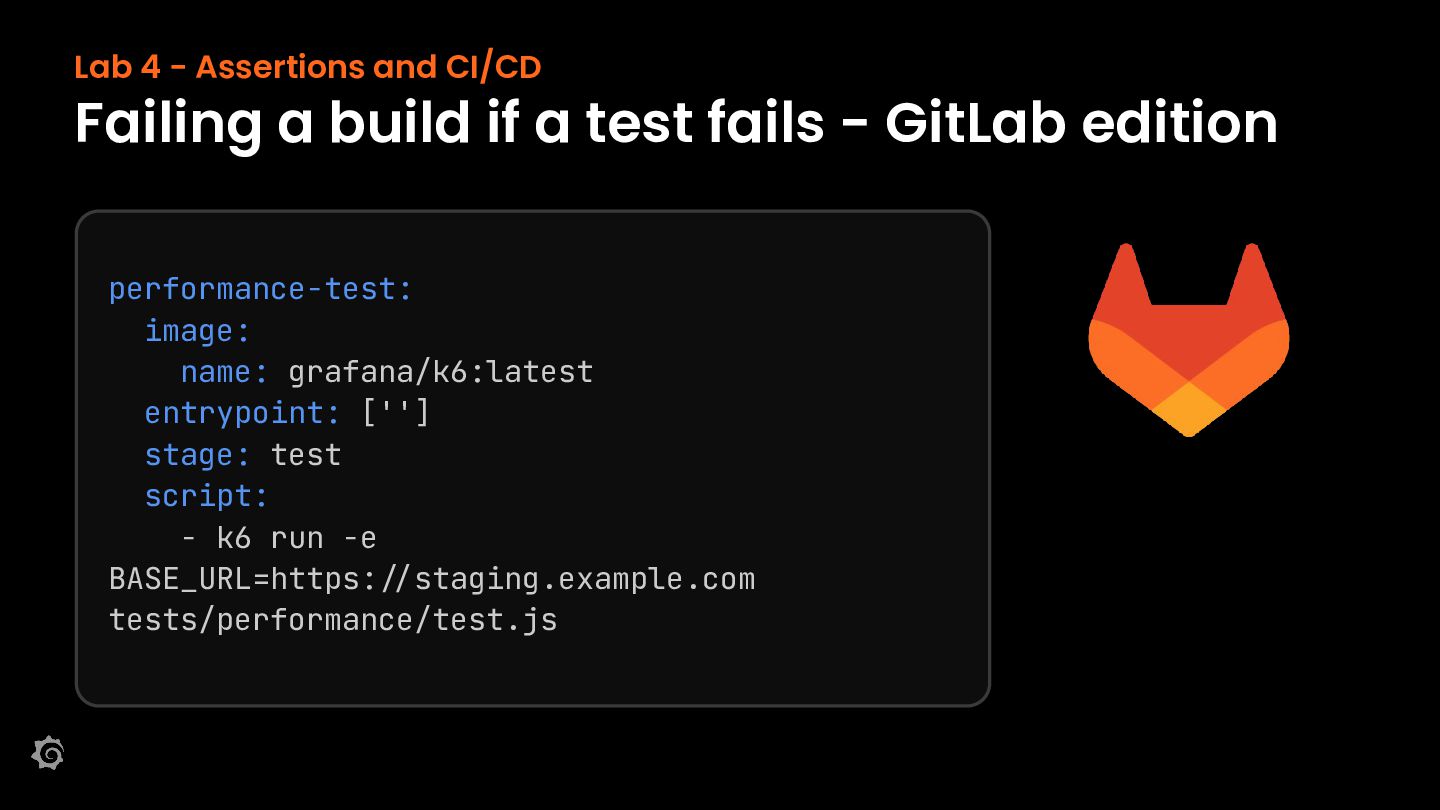
  15. Lab 4 - Assertions and CI/CD Failing a build if

    a test fails - GitLab edition performance-test: image: name: grafana/k6:latest entrypoint: [''] stage: test script: - k6 run -e BASE_URL=https://staging.example.com tests/performance/test.js
  16. Lab 5 - Infrastructure testing 📚 /docs/k6/latest/extensions/explore/ k6 is extensible

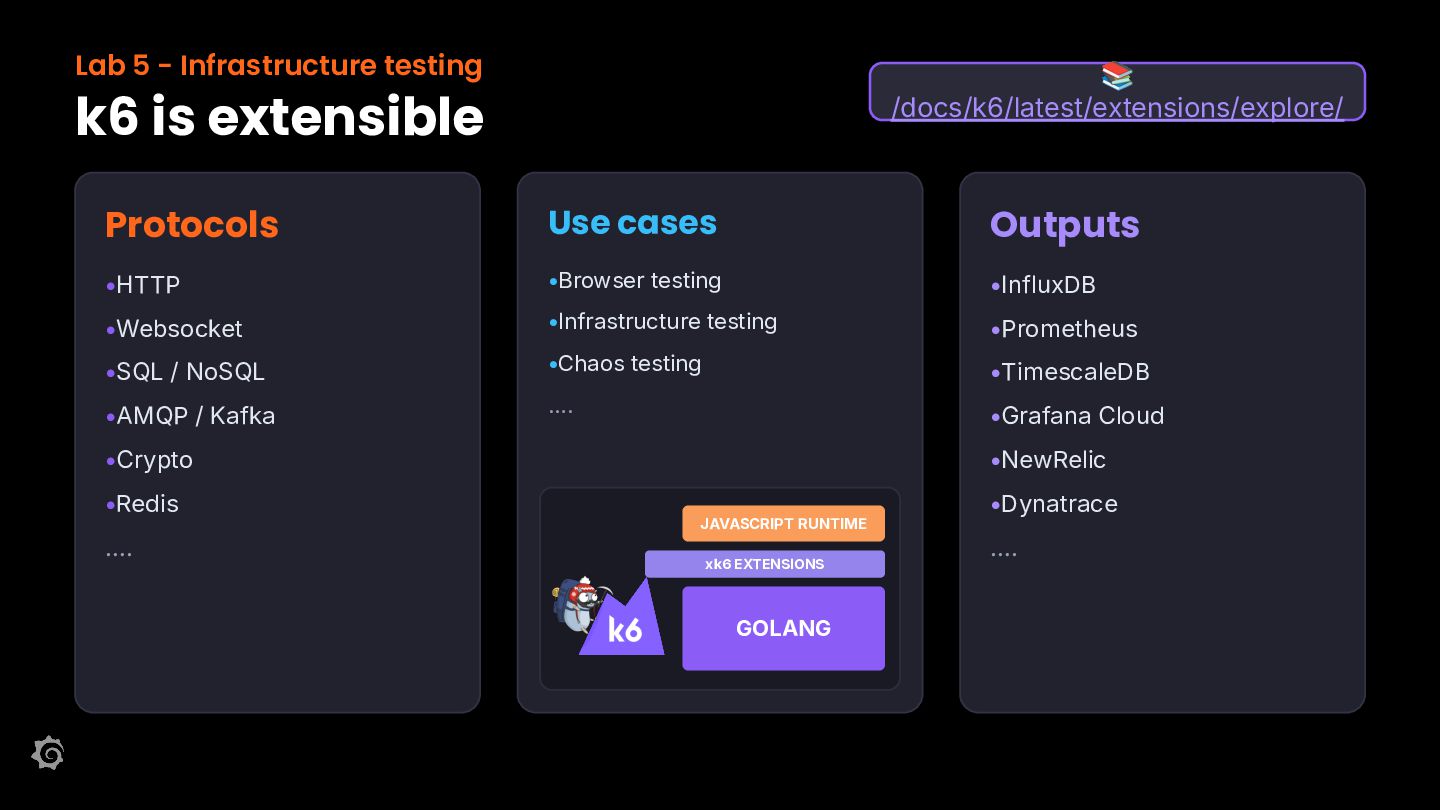
    Protocols Use cases Outputs •HTTP •Browser testing •InfluxDB •Websocket •Infrastructure testing •Prometheus •SQL / NoSQL •Chaos testing •TimescaleDB •AMQP / Kafka …. •Grafana Cloud •Crypto •Redis …. •NewRelic JAVASCRIPT RUNTIME xk6 EXTENSIONS GOLANG •Dynatrace ….
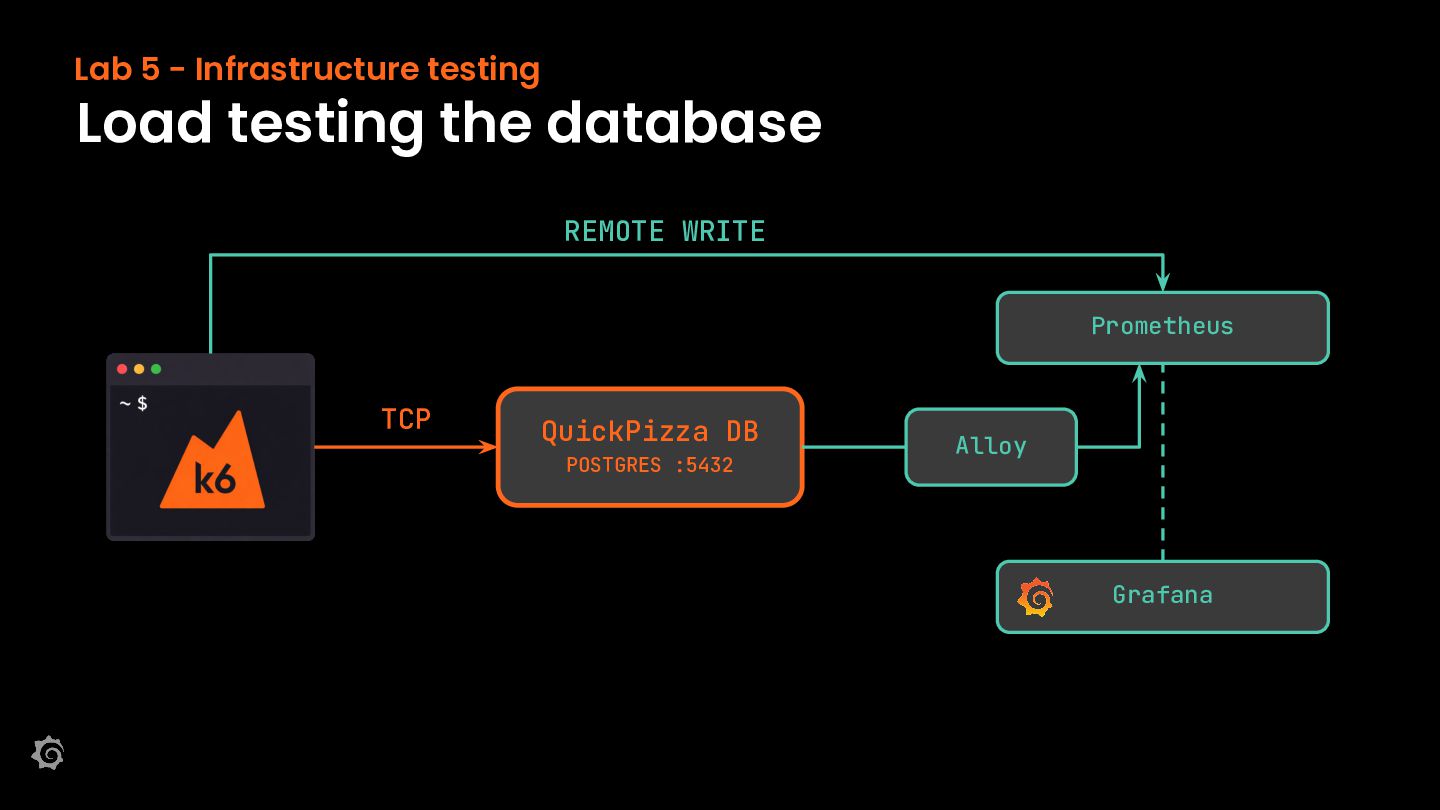
  17. Lab 5 - Infrastructure testing Load testing the database REMOTE

    WRITE Prometheus TCP QuickPizza DB POSTGRES :5432 Alloy Grafana
  18. Lab 6 - Scale with the k6 Operator Scaling testing

    beyond your laptop YOUR LAPTOP K6 OPERATOR CLUSTER App App SAME SCRIPT, LOAD SHARED ACROSS JOBS
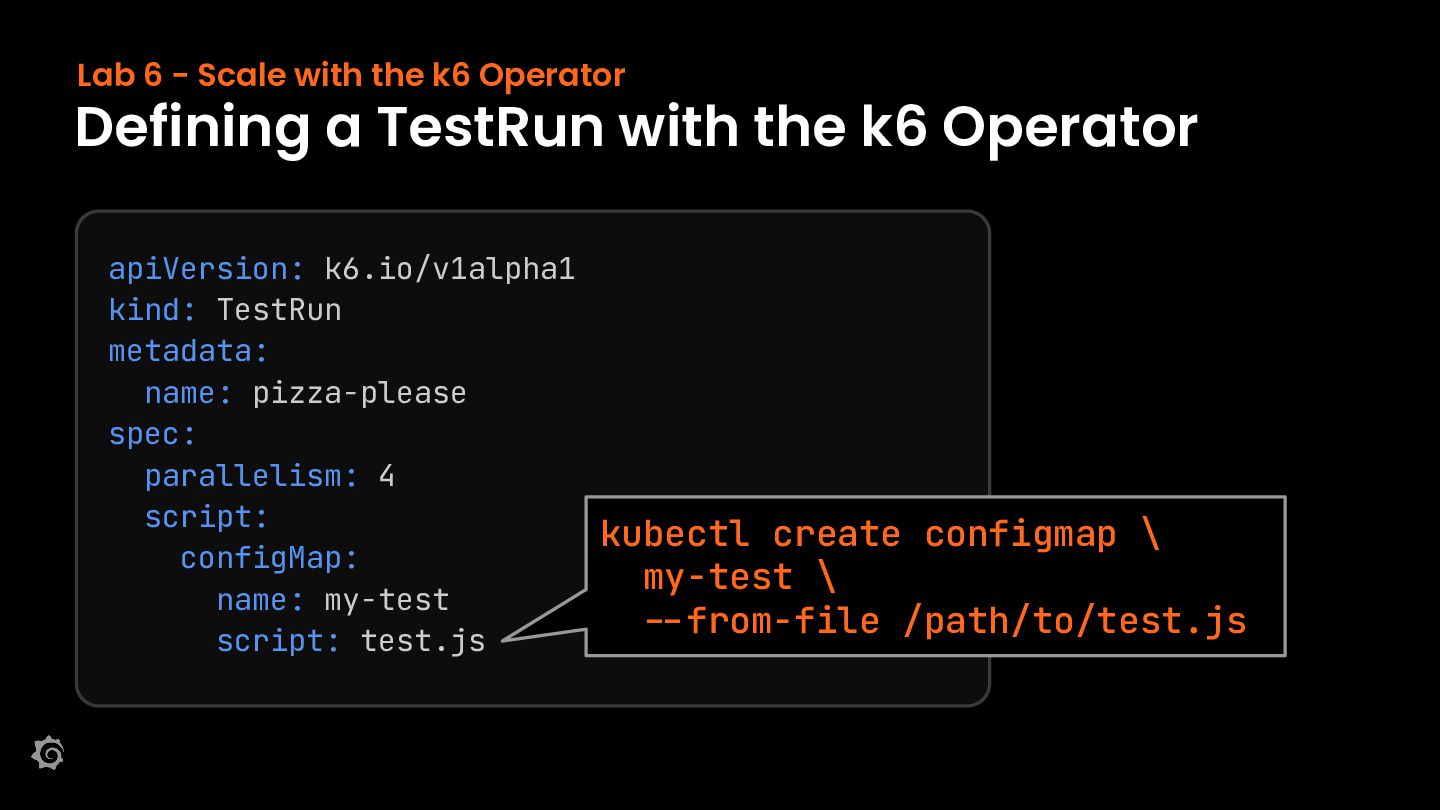
  19. Lab 6 - Scale with the k6 Operator Defining a

    TestRun with the k6 Operator apiVersion: k6.io/v1alpha1 kind: TestRun metadata: name: pizza-please spec: parallelism: 4 script: configMap: name: my-test script: test.js kubectl create configmap \ my-test \ --from-file /path/to/test.js
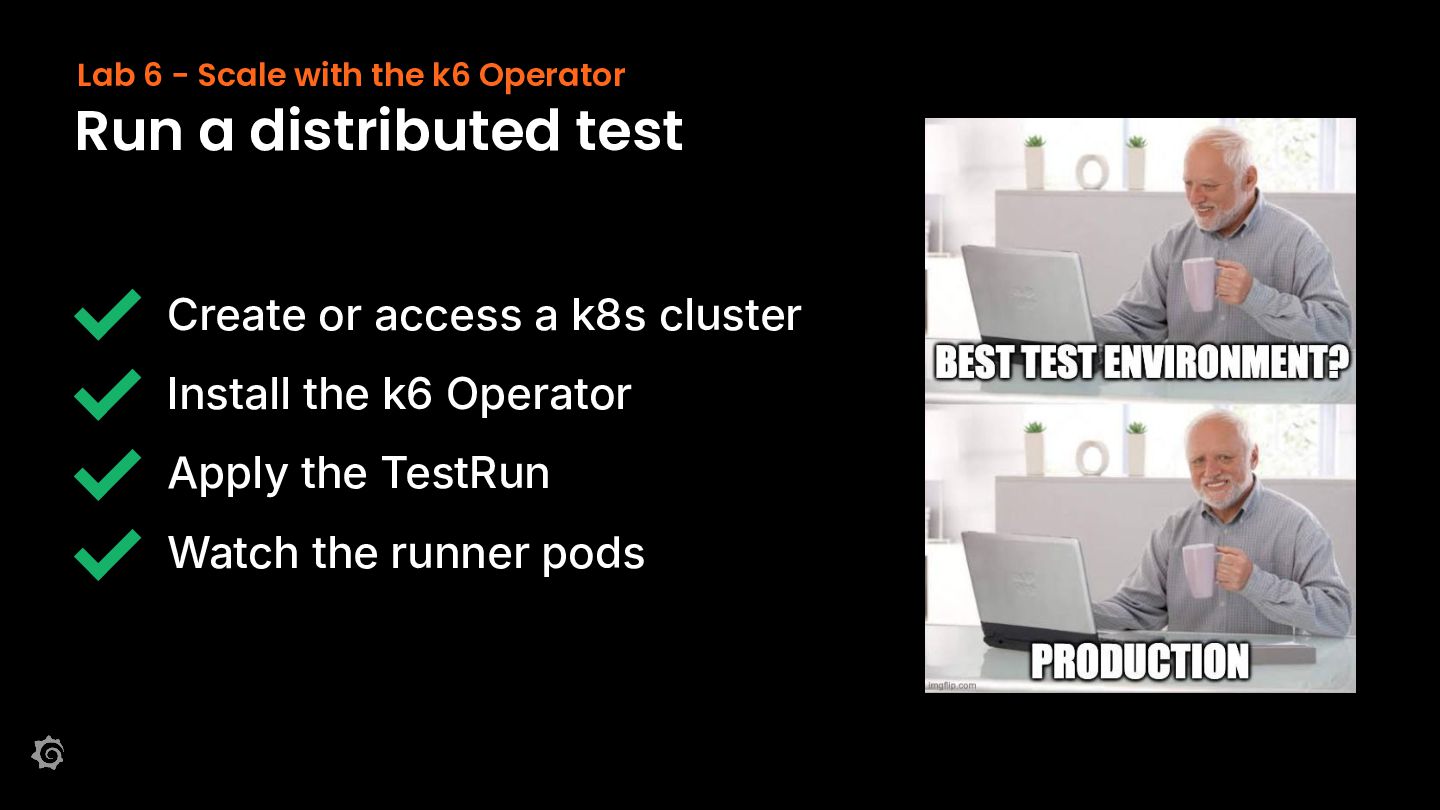
  20. Lab 6 - Scale with the k6 Operator Run a

    distributed test Create or access a k8s cluster Install the k6 Operator Apply the TestRun Watch the runner pods
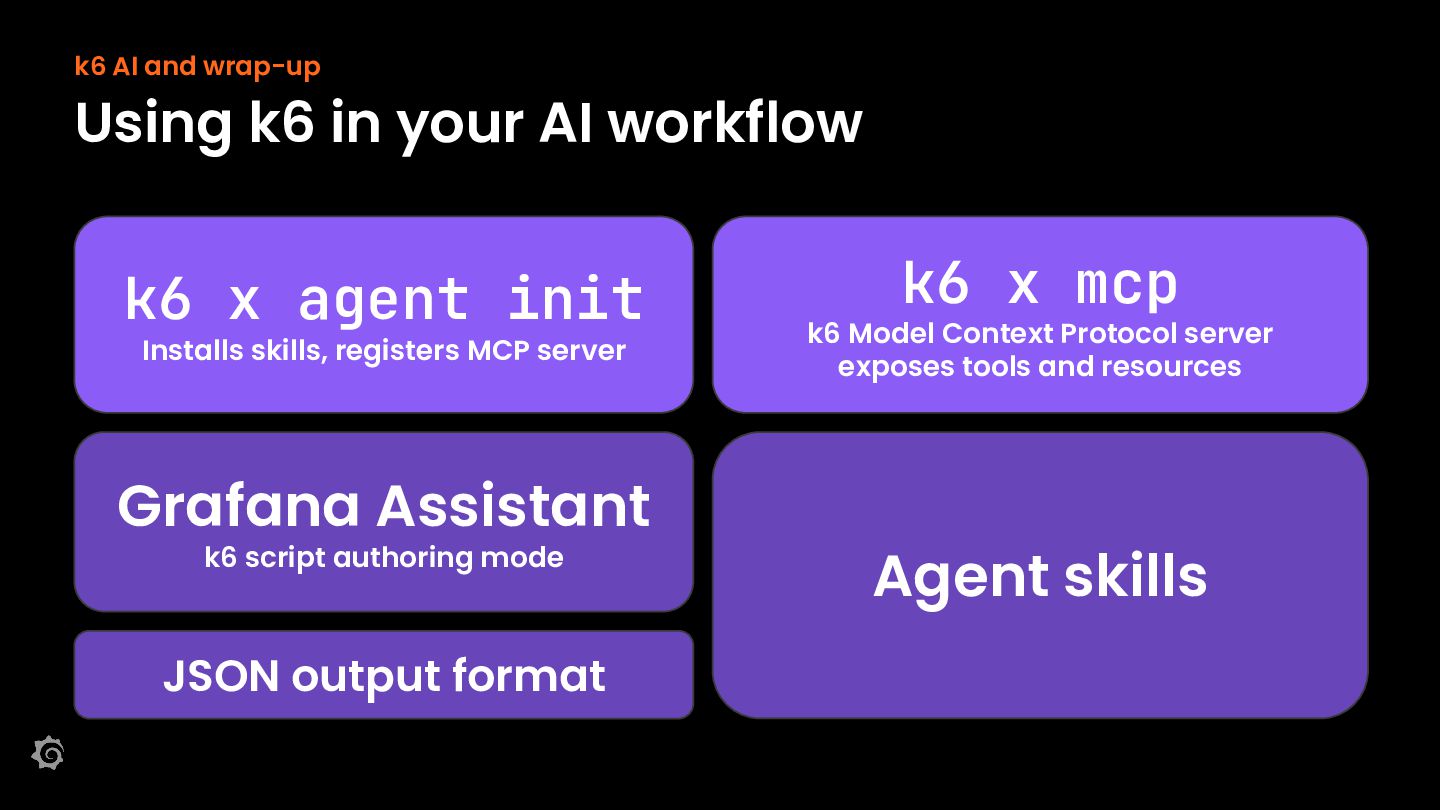
  21. k6 AI and wrap-up Using k6 in your AI workflow

    k6 x agent init Installs skills, registers MCP server Grafana Assistant k6 script authoring mode JSON output format k6 x mcp k6 Model Context Protocol server exposes tools and resources Agent skills
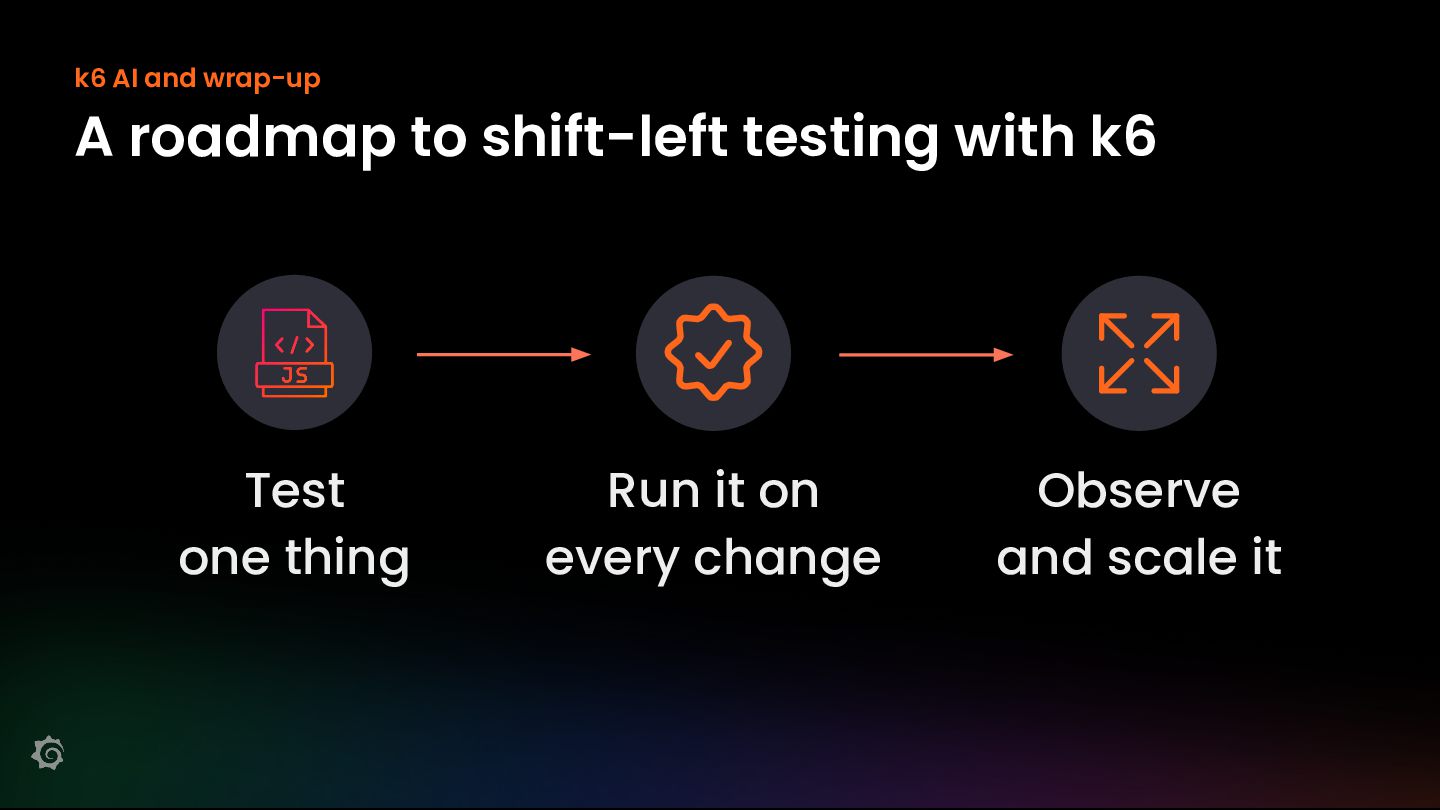
  22. k6 AI and wrap-up A roadmap to shift-left testing with

    k6 Test one thing Run it on every change Observe and scale it
  23. Workshop wrap-up Thank you & feedback Have more questions? Join

    us at community.grafana.com or Grafana public slack grafana.slack.com #grafana /grafana community.grafana.com