Share
Embed
Conductor mode in Kiro Crew: Hand one chat a goal, and the conductor splits it into tasks for worker agents
A reference deck, with figures, on conductor mode in Kiro Crew (announced November 20, 2026). You hand one chat a goal, and the conductor splits it into tasks for worker agents and adds the decisions you make along the way to every brief they affect. Workers' reports gather in a work ledger. The deck covers how it differs from separate chats and bots, the work and session ledgers, patrols, accepting a worker's "done" only on evidence (accept_eval), what people decide and what the conductor decides, how to start, and watching and stopping workers on the board. It also covers editions (Kiro Crew 0.13.0 or later, not LTS). Based on public sources as of November 22, 2026.
Riku INADA PRO
November 21, 2026
Transcript
15 slides
-
Reference Conductor mode in Kiro Crew Hand one chat a
goal, and the conductor splits it into tasks for worker agents This deck explains how conductor mode works, which work to hand it, and how to start. As of November 22, 2026 Amazon Web Services Japan © 2026, Amazon Web Services, Inc. or its affiliates. All rights reserved. 1 -
1 What changes To decide whether to use conductor mode,
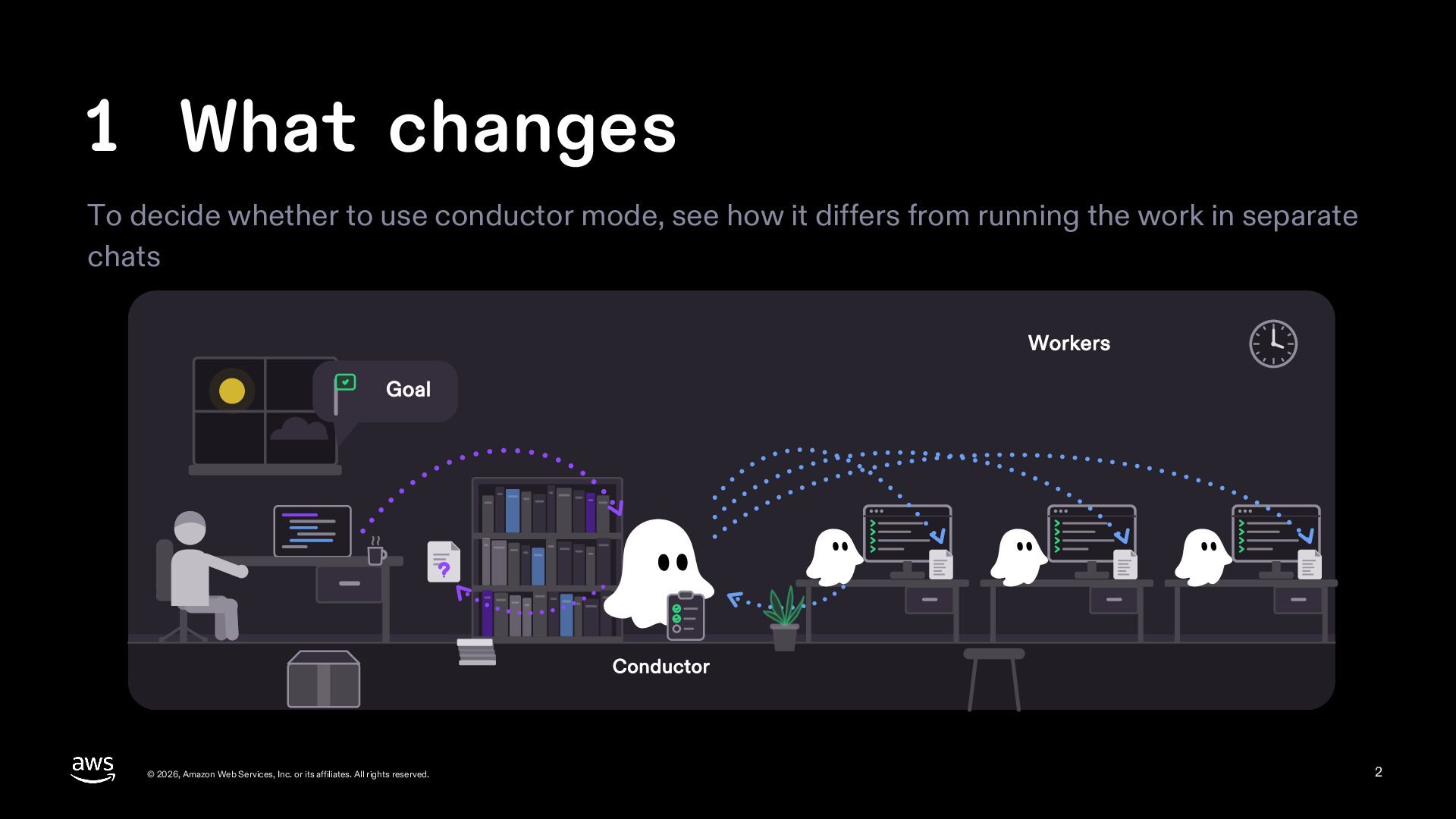
see how it differs from running the work in separate chats Workers Goal Conductor © 2026, Amazon Web Services, Inc. or its affiliates. All rights reserved. 2 -
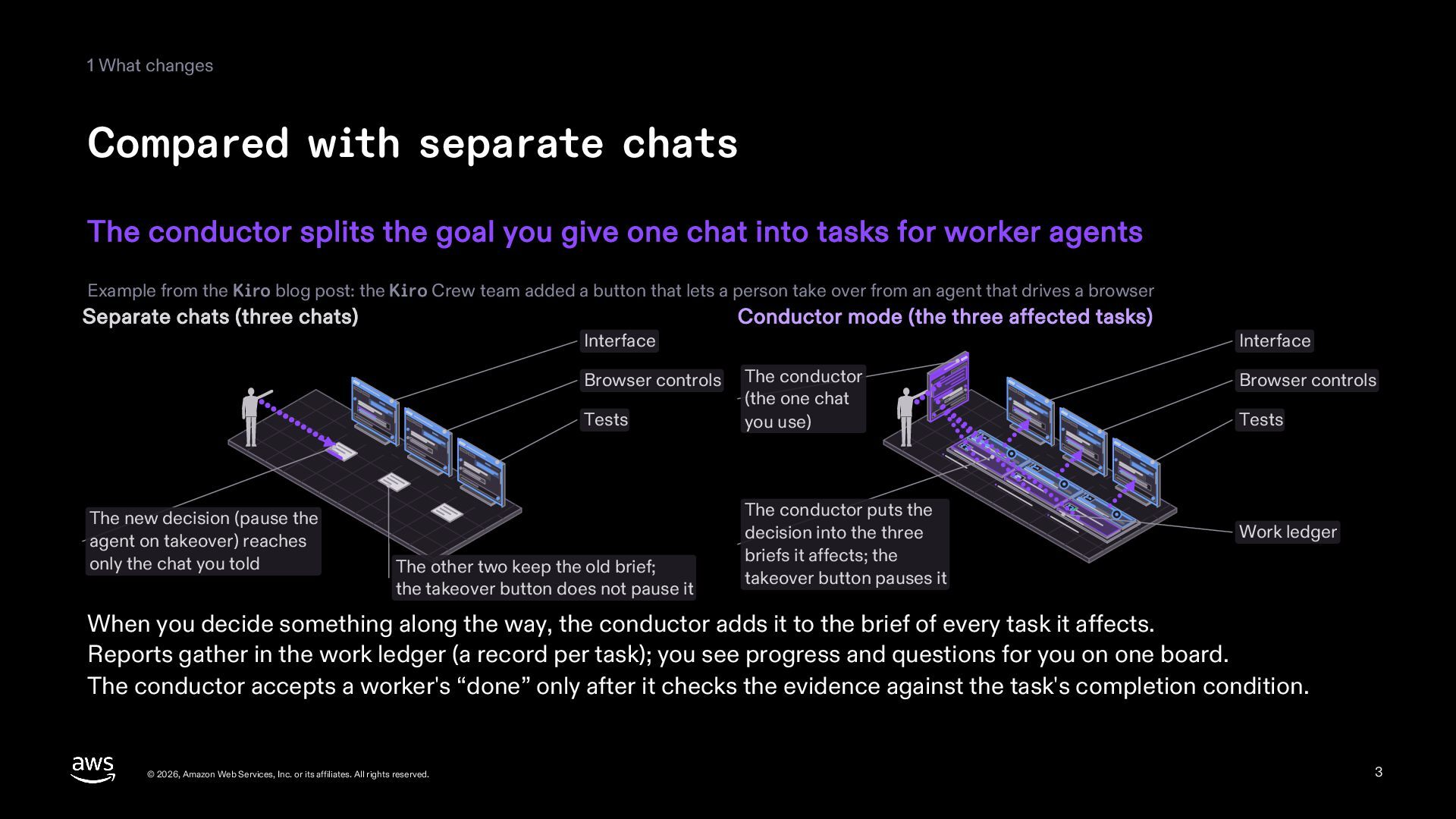
1 What changes Compared with separate chats The conductor splits
the goal you give one chat into tasks for worker agents Example from the Kiro blog post: the Kiro Crew team added a button that lets a person take over from an agent that drives a browser Separate chats (three chats) Conductor mode (the three affected tasks) Interface Browser controls Tests The new decision (pause the agent on takeover) reaches only the chat you told The other two keep the old brief; the takeover button does not pause it Interface The conductor (the one chat you use) The conductor puts the decision into the three briefs it affects; the takeover button pauses it Browser controls Tests Work ledger When you decide something along the way, the conductor adds it to the brief of every task it affects. Reports gather in the work ledger (a record per task); you see progress and questions for you on one board. The conductor accepts a worker's “done” only after it checks the evidence against the task's completion condition. © 2026, Amazon Web Services, Inc. or its affiliates. All rights reserved. 3 -
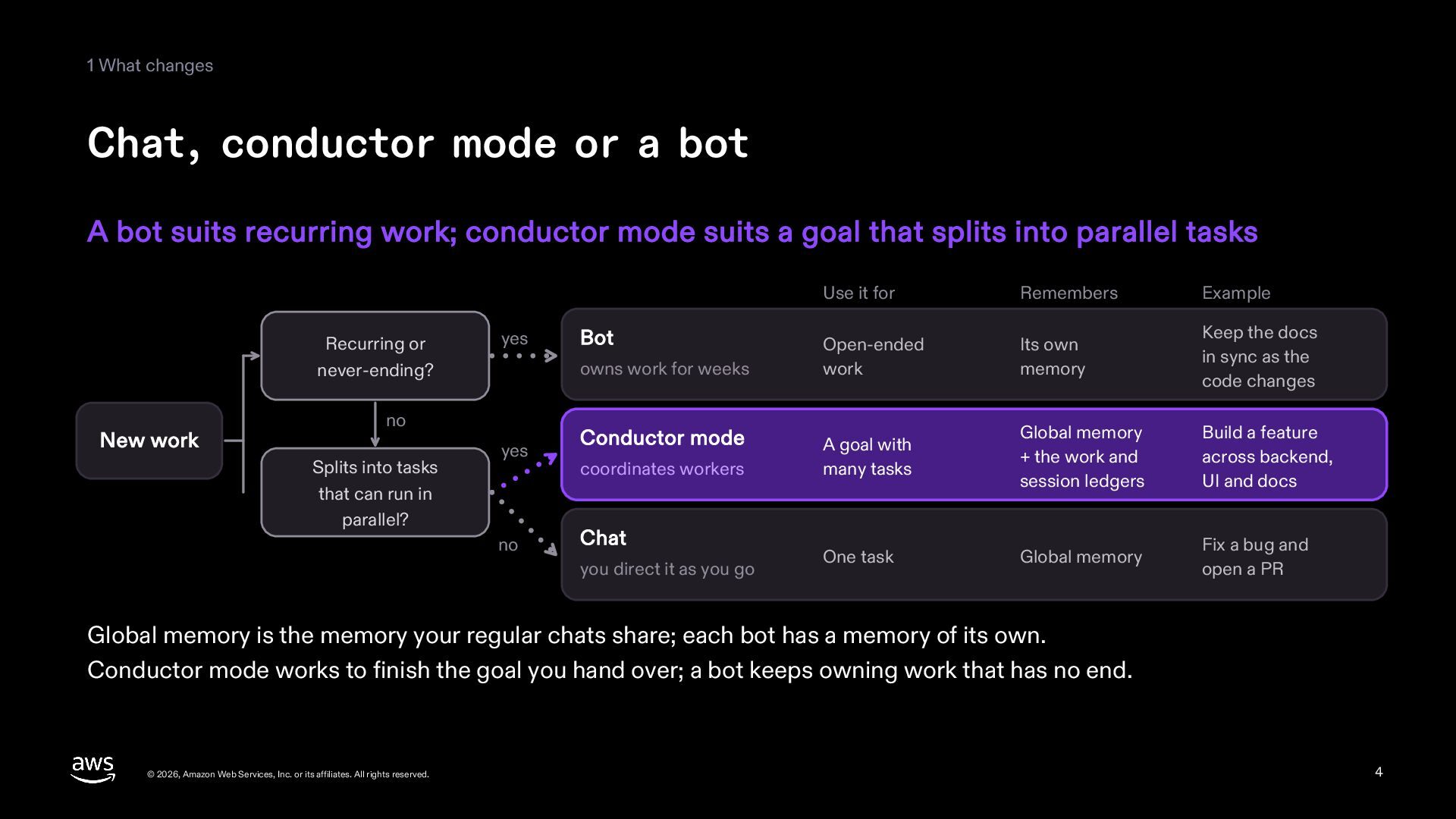
1 What changes Chat, conductor mode or a bot A
bot suits recurring work; conductor mode suits a goal that splits into parallel tasks Recurring or never-ending? New work yes owns work for weeks no Splits into tasks that can run in parallel? Bot yes no Conductor mode coordinates workers Chat you direct it as you go Use it for Remembers Example Open-ended work Its own memory Keep the docs in sync as the code changes A goal with many tasks Global memory + the work and session ledgers Build a feature across backend, UI and docs One task Global memory Fix a bug and open a PR Global memory is the memory your regular chats share; each bot has a memory of its own. Conductor mode works to finish the goal you hand over; a bot keeps owning work that has no end. © 2026, Amazon Web Services, Inc. or its affiliates. All rights reserved. 4 -
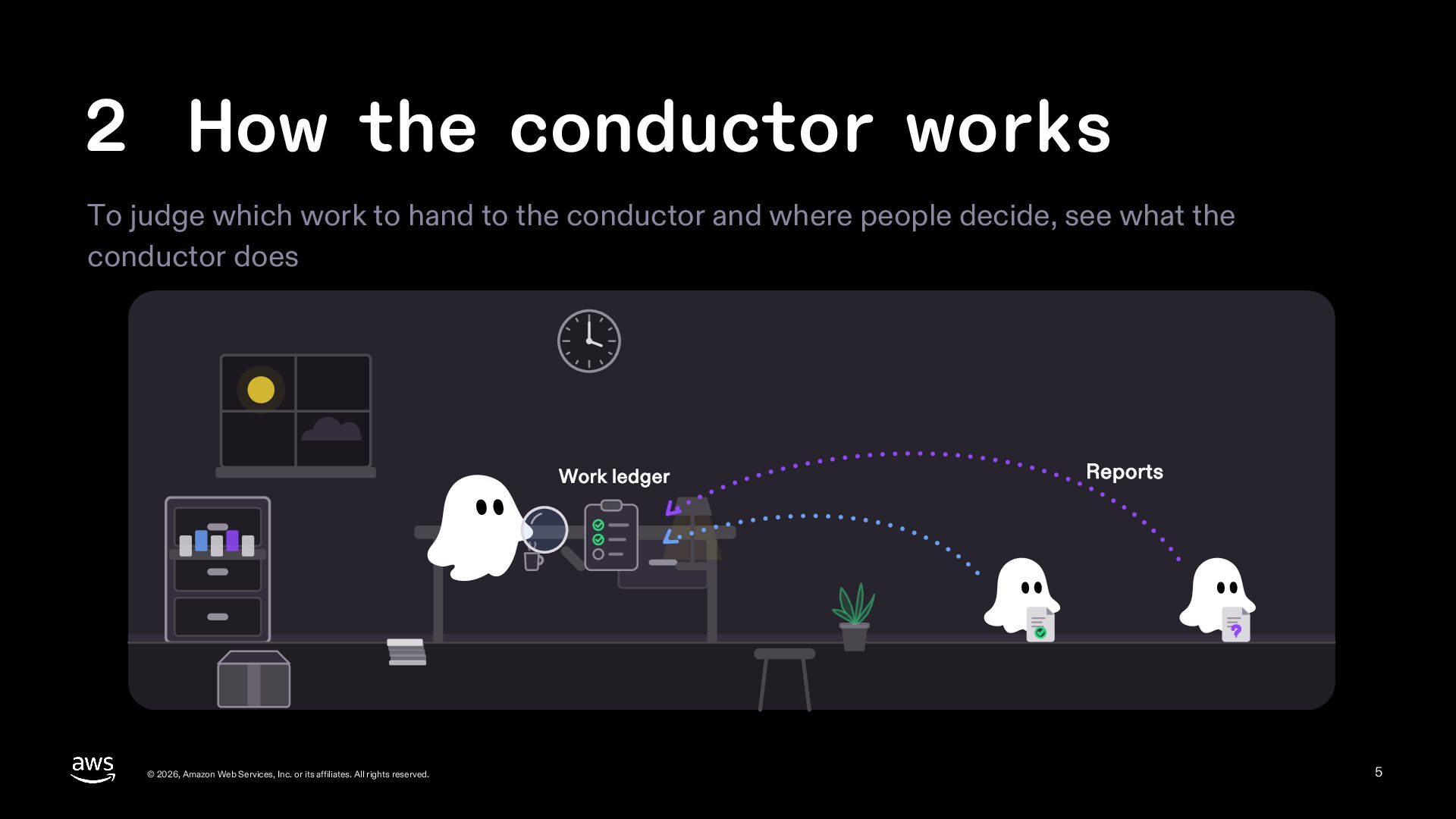
2 How the conductor works To judge which work to
hand to the conductor and where people decide, see what the conductor does Work ledger © 2026, Amazon Web Services, Inc. or its affiliates. All rights reserved. Reports 5 -
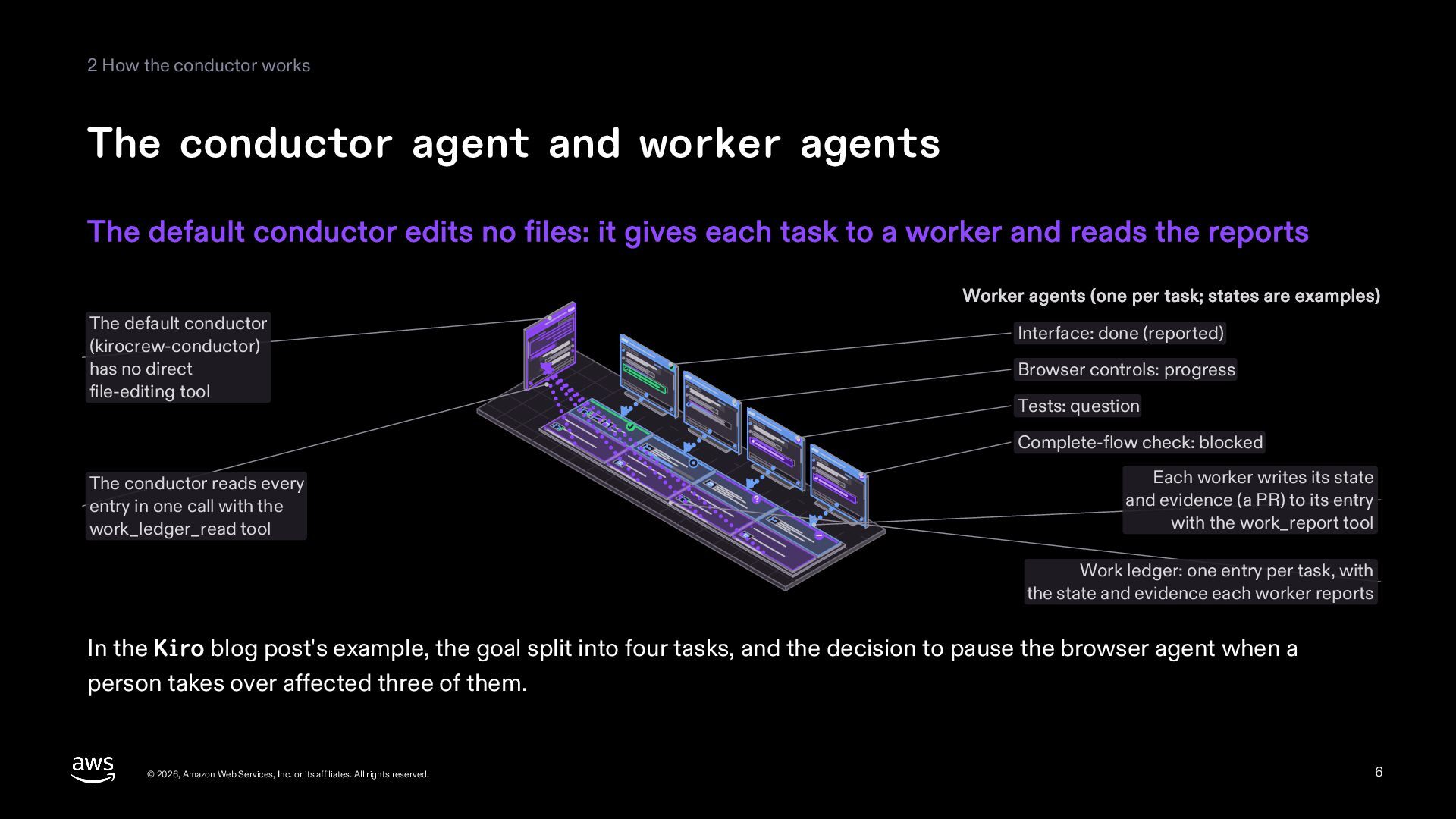
2 How the conductor works The conductor agent and worker
agents The default conductor edits no files: it gives each task to a worker and reads the reports Worker agents (one per task; states are examples) The default conductor (kirocrew-conductor) has no direct file-editing tool Interface: done (reported) Browser controls: progress Tests: question Complete-flow check: blocked The conductor reads every entry in one call with the work_ledger_read tool Each worker writes its state and evidence (a PR) to its entry with the work_report tool Work ledger: one entry per task, with the state and evidence each worker reports In the Kiro blog post's example, the goal split into four tasks, and the decision to pause the browser agent when a person takes over affected three of them. © 2026, Amazon Web Services, Inc. or its affiliates. All rights reserved. 6 -
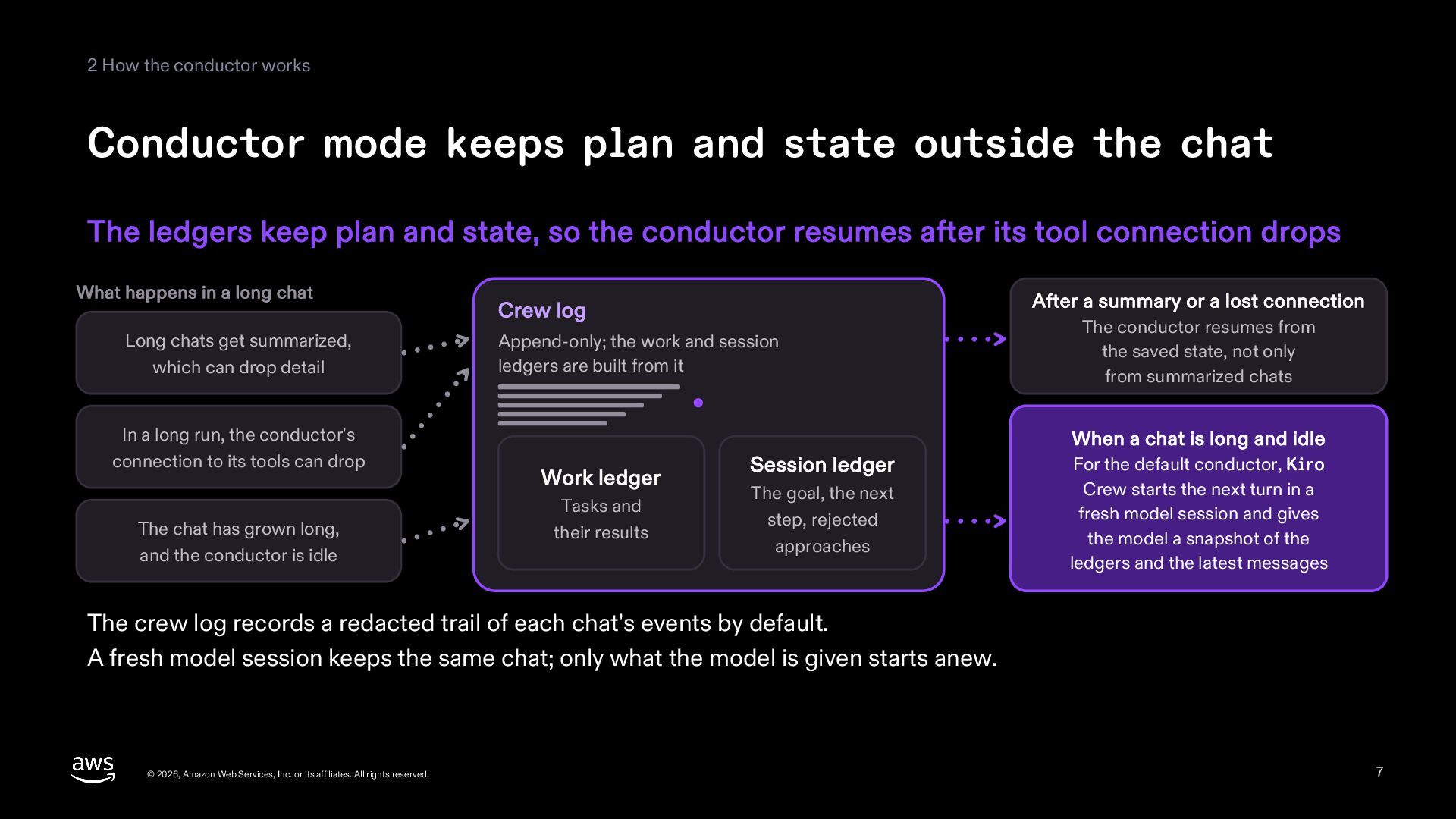
2 How the conductor works Conductor mode keeps plan and
state outside the chat The ledgers keep plan and state, so the conductor resumes after its tool connection drops What happens in a long chat Long chats get summarized, which can drop detail In a long run, the conductor's connection to its tools can drop The chat has grown long, and the conductor is idle After a summary or a lost connection Crew log Append-only; the work and session ledgers are built from it The conductor resumes from the saved state, not only from summarized chats When a chat is long and idle Work ledger Tasks and their results Session ledger The goal, the next step, rejected approaches For the default conductor, Kiro Crew starts the next turn in a fresh model session and gives the model a snapshot of the ledgers and the latest messages The crew log records a redacted trail of each chat's events by default. A fresh model session keeps the same chat; only what the model is given starts anew. © 2026, Amazon Web Services, Inc. or its affiliates. All rights reserved. 7 -
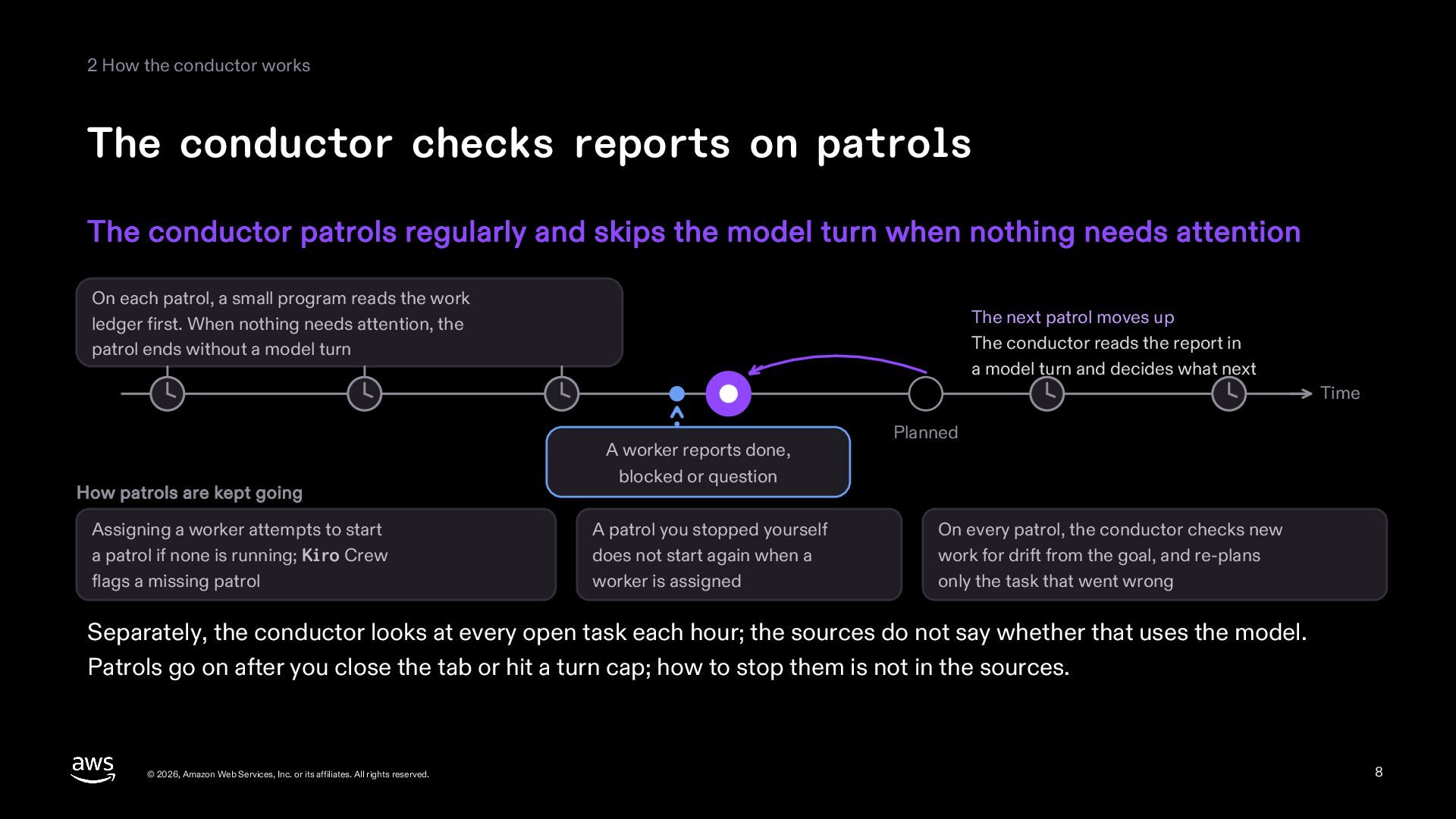
2 How the conductor works The conductor checks reports on
patrols The conductor patrols regularly and skips the model turn when nothing needs attention On each patrol, a small program reads the work ledger first. When nothing needs attention, the patrol ends without a model turn The next patrol moves up The conductor reads the report in a model turn and decides what next Time How patrols are kept going Assigning a worker attempts to start a patrol if none is running; Kiro Crew flags a missing patrol A worker reports done, blocked or question A patrol you stopped yourself does not start again when a worker is assigned Planned On every patrol, the conductor checks new work for drift from the goal, and re-plans only the task that went wrong Separately, the conductor looks at every open task each hour; the sources do not say whether that uses the model. Patrols go on after you close the tab or hit a turn cap; how to stop them is not in the sources. © 2026, Amazon Web Services, Inc. or its affiliates. All rights reserved. 8 -
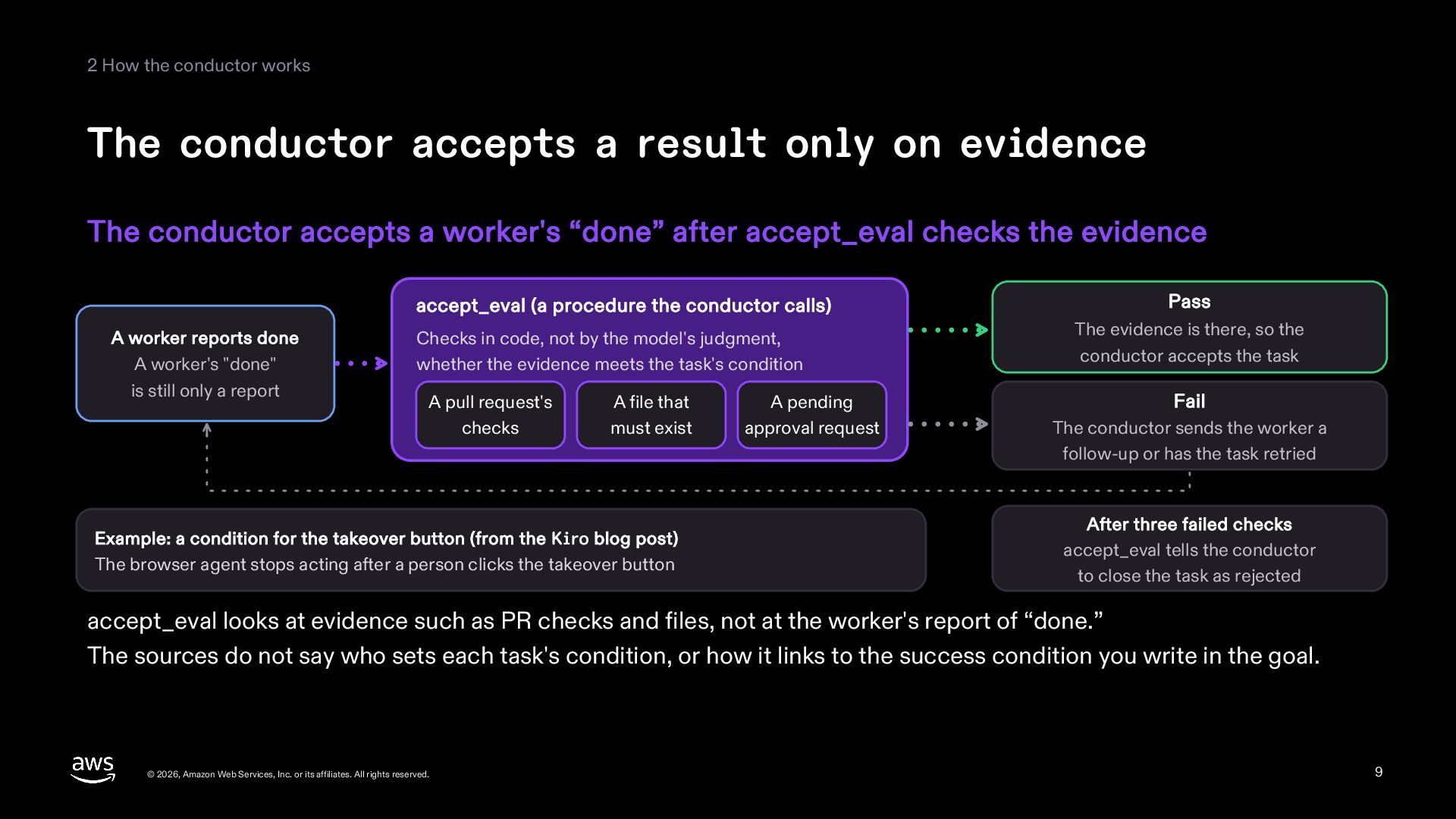
2 How the conductor works The conductor accepts a result
only on evidence The conductor accepts a worker's “done” after accept_eval checks the evidence accept_eval (a procedure the conductor calls) A worker reports done A worker's "done" is still only a report Checks in code, not by the model's judgment, whether the evidence meets the task's condition A pull request's checks A file that must exist Example: a condition for the takeover button (from the Kiro blog post) The browser agent stops acting after a person clicks the takeover button A pending approval request Pass The evidence is there, so the conductor accepts the task Fail The conductor sends the worker a follow-up or has the task retried After three failed checks accept_eval tells the conductor to close the task as rejected accept_eval looks at evidence such as PR checks and files, not at the worker's report of “done.” The sources do not say who sets each task's condition, or how it links to the success condition you write in the goal. © 2026, Amazon Web Services, Inc. or its affiliates. All rights reserved. 9 -
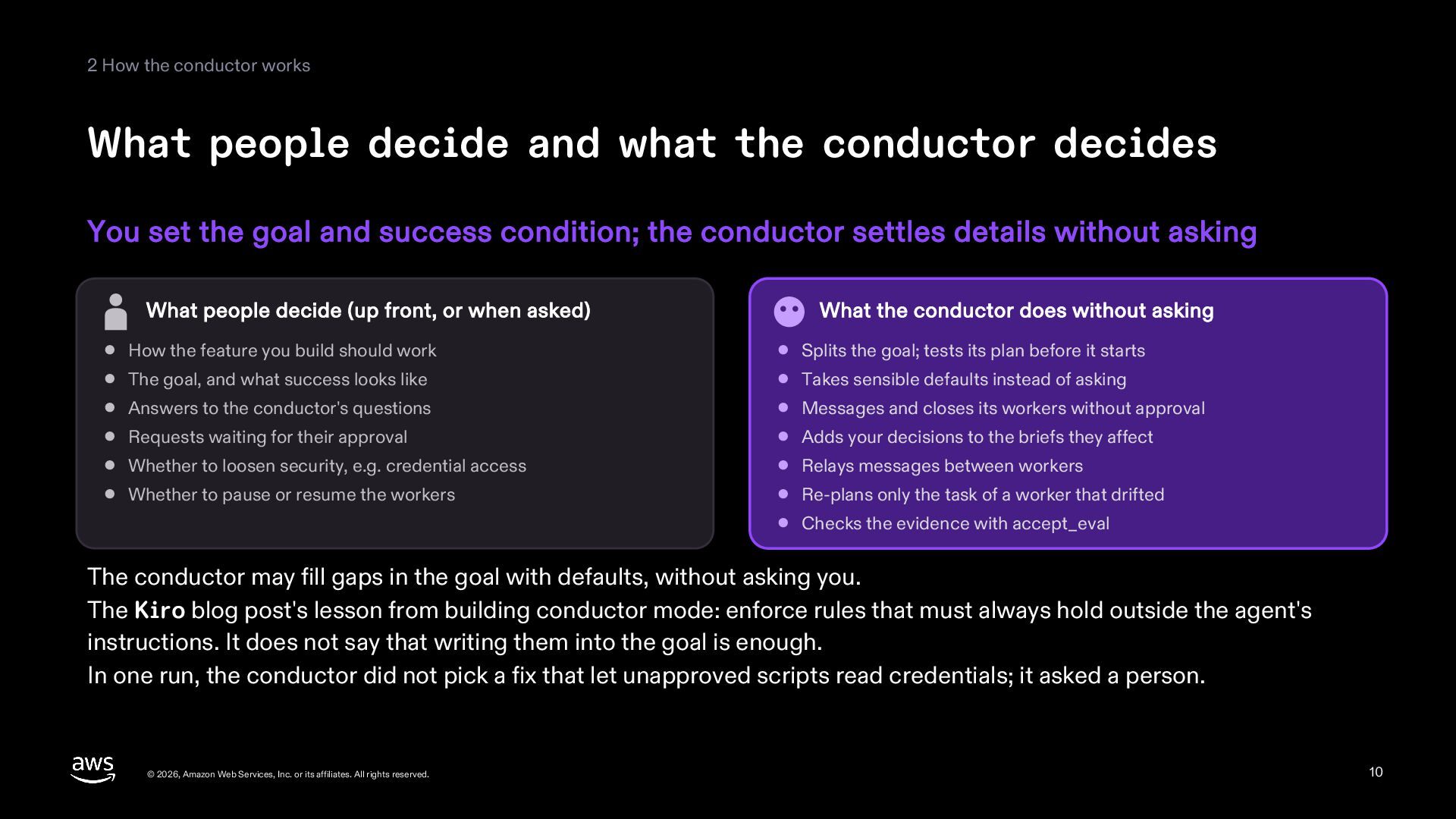
2 How the conductor works What people decide and what
the conductor decides You set the goal and success condition; the conductor settles details without asking What people decide (up front, or when asked) What the conductor does without asking How the feature you build should work Splits the goal; tests its plan before it starts The goal, and what success looks like Takes sensible defaults instead of asking Answers to the conductor's questions Messages and closes its workers without approval Requests waiting for their approval Adds your decisions to the briefs they affect Whether to loosen security, e.g. credential access Relays messages between workers Whether to pause or resume the workers Re-plans only the task of a worker that drifted Checks the evidence with accept_eval The conductor may fill gaps in the goal with defaults, without asking you. The Kiro blog post's lesson from building conductor mode: enforce rules that must always hold outside the agent's instructions. It does not say that writing them into the goal is enough. In one run, the conductor did not pick a fix that let unapproved scripts read credentials; it asked a person. © 2026, Amazon Web Services, Inc. or its affiliates. All rights reserved. 10 -
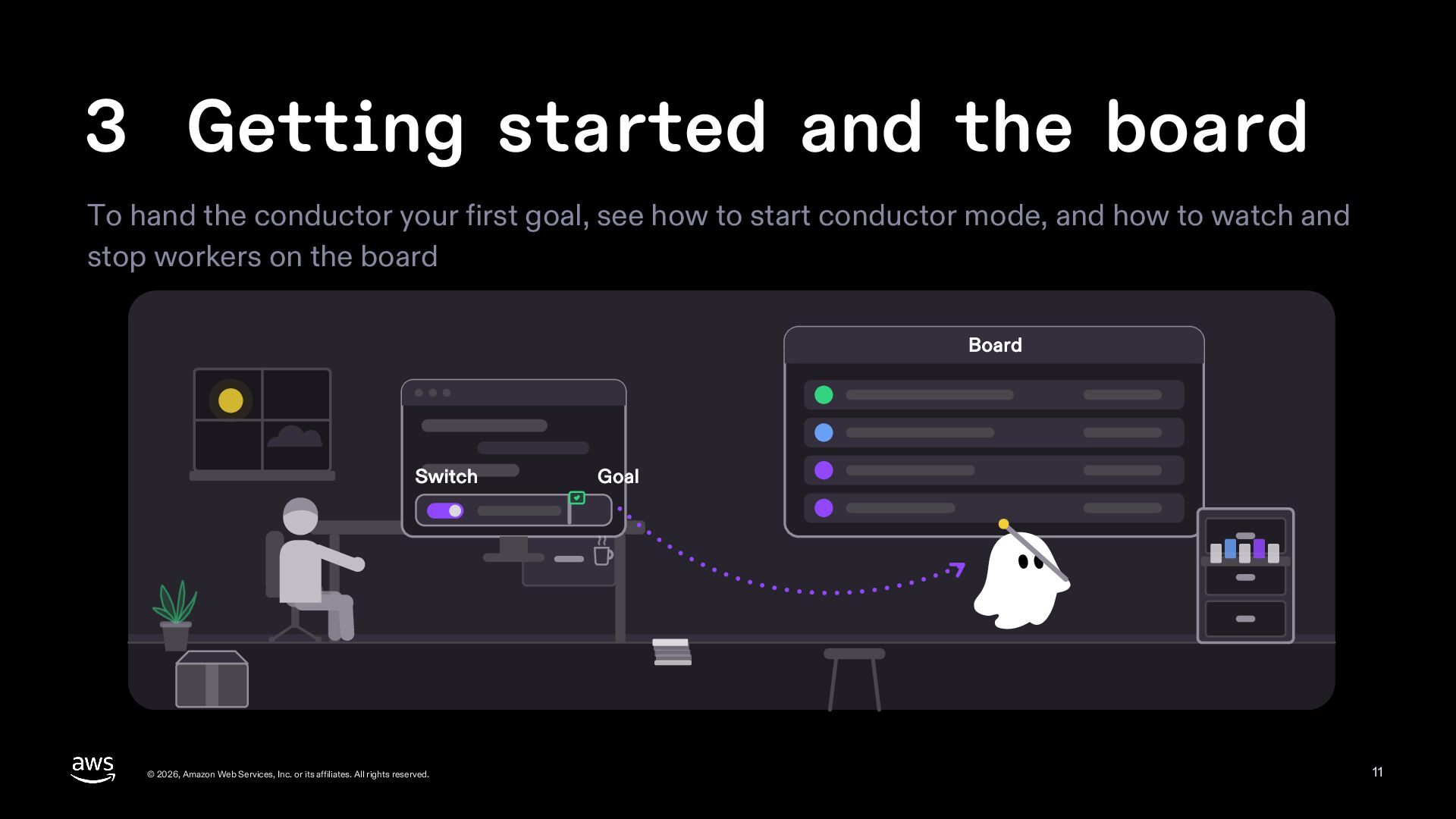
3 Getting started and the board To hand the conductor
your first goal, see how to start conductor mode, and how to watch and stop workers on the board Board Switch © 2026, Amazon Web Services, Inc. or its affiliates. All rights reserved. Goal 11 -
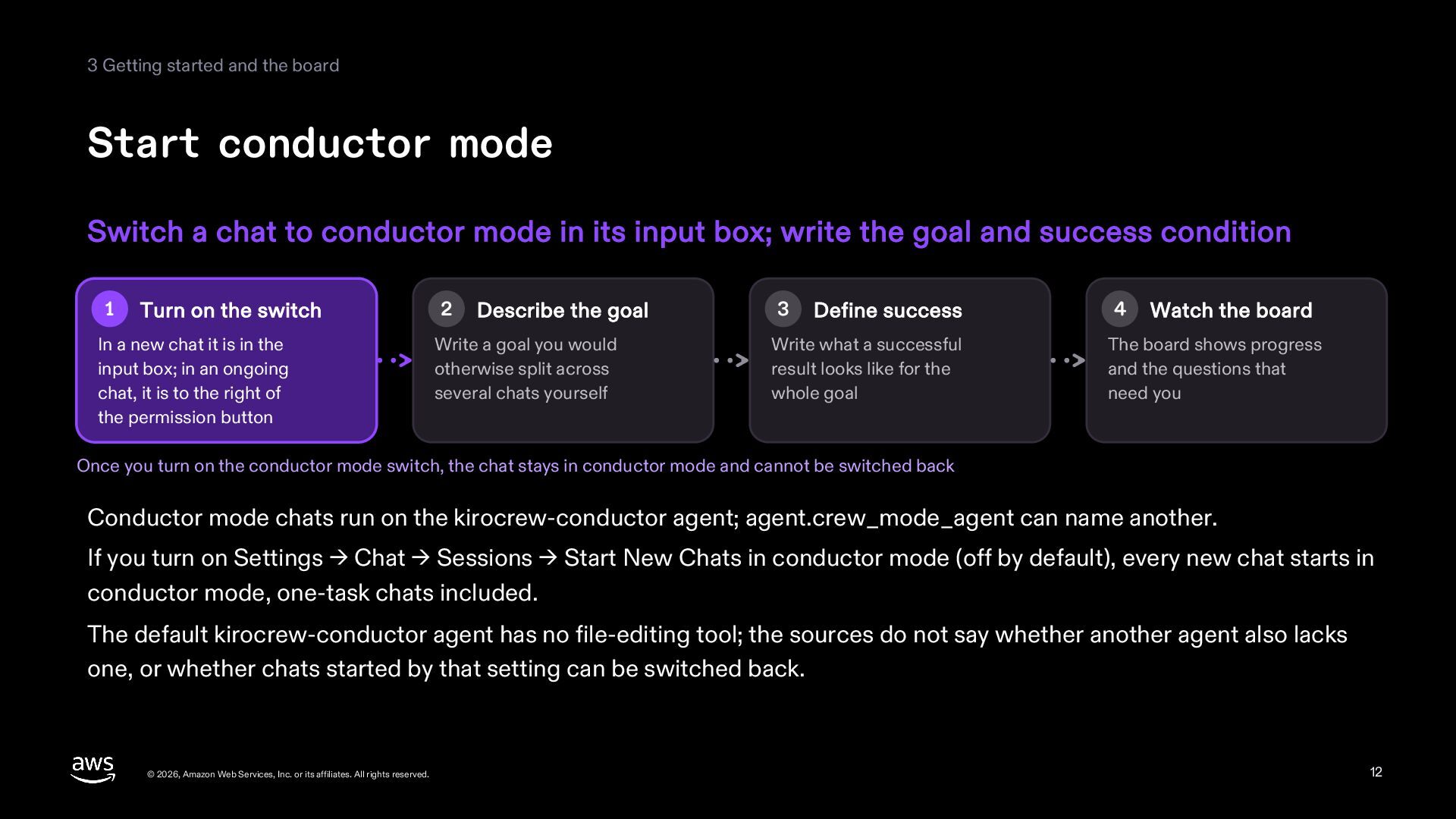
3 Getting started and the board Start conductor mode Switch
a chat to conductor mode in its input box; write the goal and success condition 1 Turn on the switch In a new chat it is in the input box; in an ongoing chat, it is to the right of the permission button 2 Describe the goal Write a goal you would otherwise split across several chats yourself 3 Define success Write what a successful result looks like for the whole goal 4 Watch the board The board shows progress and the questions that need you Once you turn on the conductor mode switch, the chat stays in conductor mode and cannot be switched back Conductor mode chats run on the kirocrew-conductor agent; agent.crew_mode_agent can name another. If you turn on Settings → Chat → Sessions → Start New Chats in conductor mode (off by default), every new chat starts in conductor mode, one-task chats included. The default kirocrew-conductor agent has no file-editing tool; the sources do not say whether another agent also lacks one, or whether chats started by that setting can be switched back. © 2026, Amazon Web Services, Inc. or its affiliates. All rights reserved. 12 -
3 Getting started and the board Editions, limits and cost
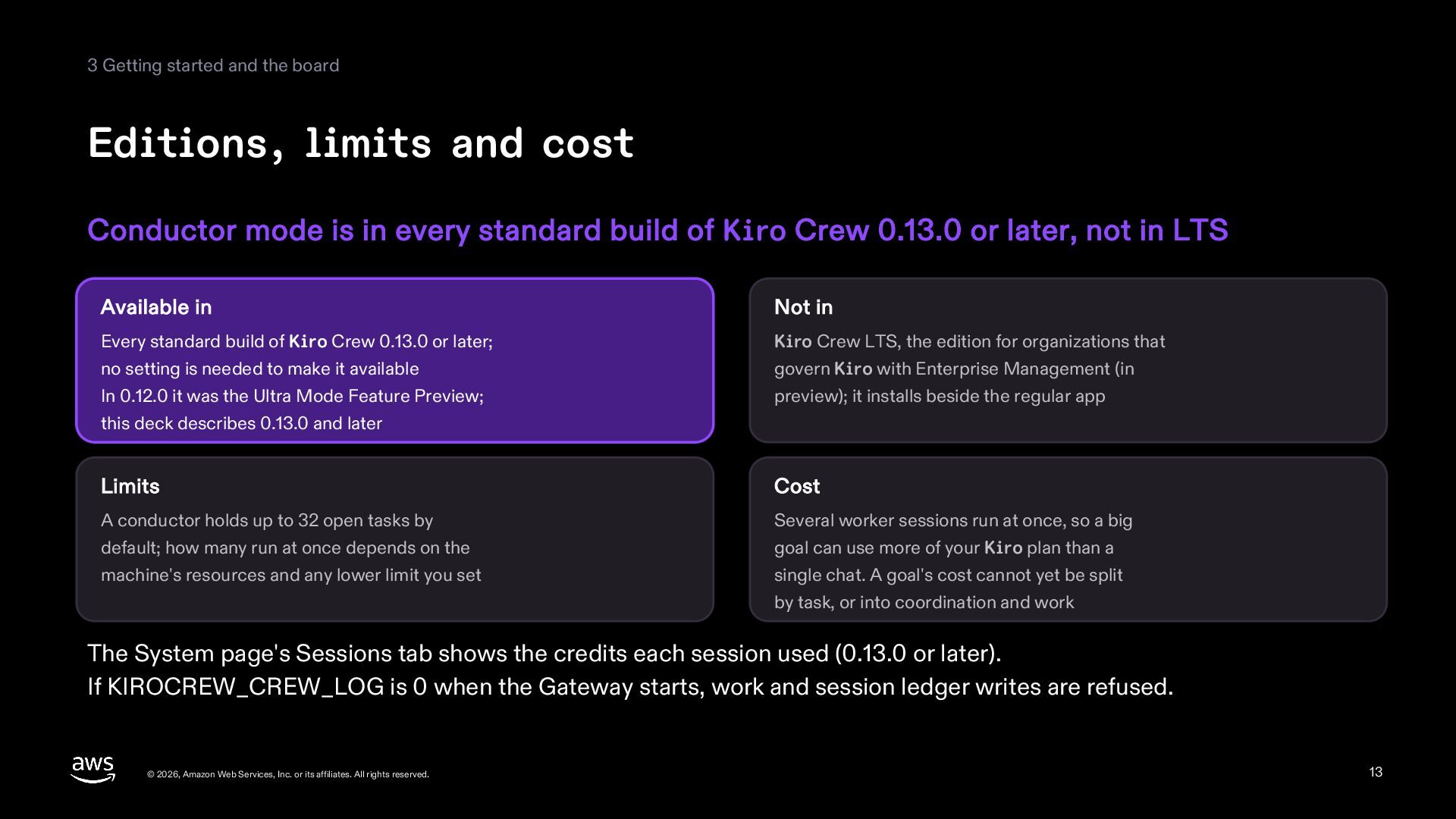
Conductor mode is in every standard build of Kiro Crew 0.13.0 or later, not in LTS Available in Not in Every standard build of Kiro Crew 0.13.0 or later; no setting is needed to make it available In 0.12.0 it was the Ultra Mode Feature Preview; this deck describes 0.13.0 and later Kiro Crew LTS, the edition for organizations that govern Kiro with Enterprise Management (in preview); it installs beside the regular app Limits Cost A conductor holds up to 32 open tasks by default; how many run at once depends on the machine's resources and any lower limit you set Several worker sessions run at once, so a big goal can use more of your Kiro plan than a single chat. A goal's cost cannot yet be split by task, or into coordination and work The System page's Sessions tab shows the credits each session used (0.13.0 or later). If KIROCREW_CREW_LOG is 0 when the Gateway starts, work and session ledger writes are refused. © 2026, Amazon Web Services, Inc. or its affiliates. All rights reserved. 13 -
3 Getting started and the board Watch the workers on
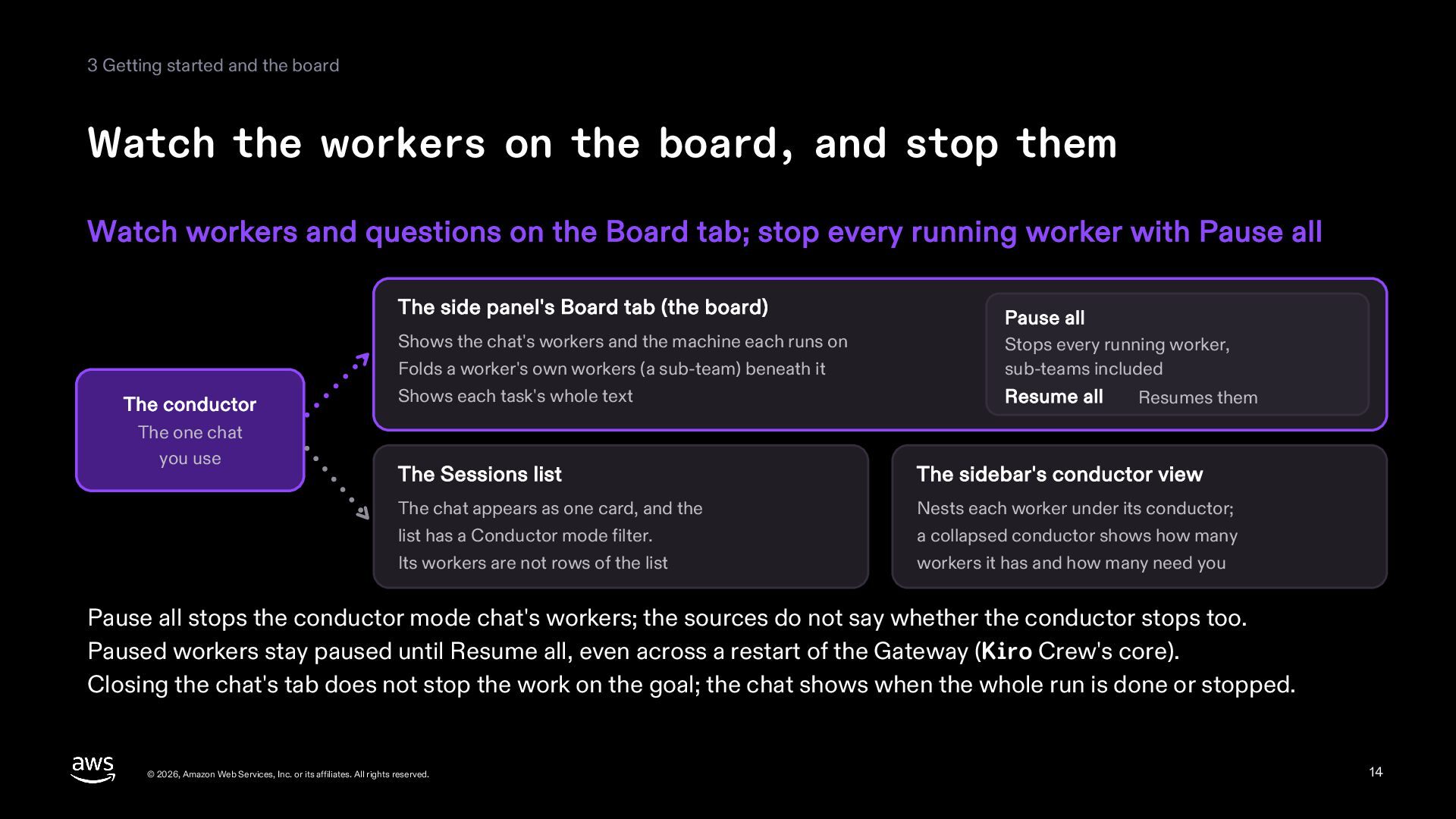
the board, and stop them Watch workers and questions on the Board tab; stop every running worker with Pause all The side panel's Board tab (the board) The conductor The one chat you use Shows the chat's workers and the machine each runs on Folds a worker's own workers (a sub-team) beneath it Shows each task's whole text Pause all Stops every running worker, sub-teams included Resume all Resumes them The Sessions list The sidebar's conductor view The chat appears as one card, and the list has a Conductor mode filter. Its workers are not rows of the list Nests each worker under its conductor; a collapsed conductor shows how many workers it has and how many need you Pause all stops the conductor mode chat's workers; the sources do not say whether the conductor stops too. Paused workers stay paused until Resume all, even across a restart of the Gateway (Kiro Crew's core). Closing the chat's tab does not stop the work on the goal; the chat shows when the whole run is done or stopped. © 2026, Amazon Web Services, Inc. or its affiliates. All rights reserved. 14 -
Sources This deck is for information only and is based
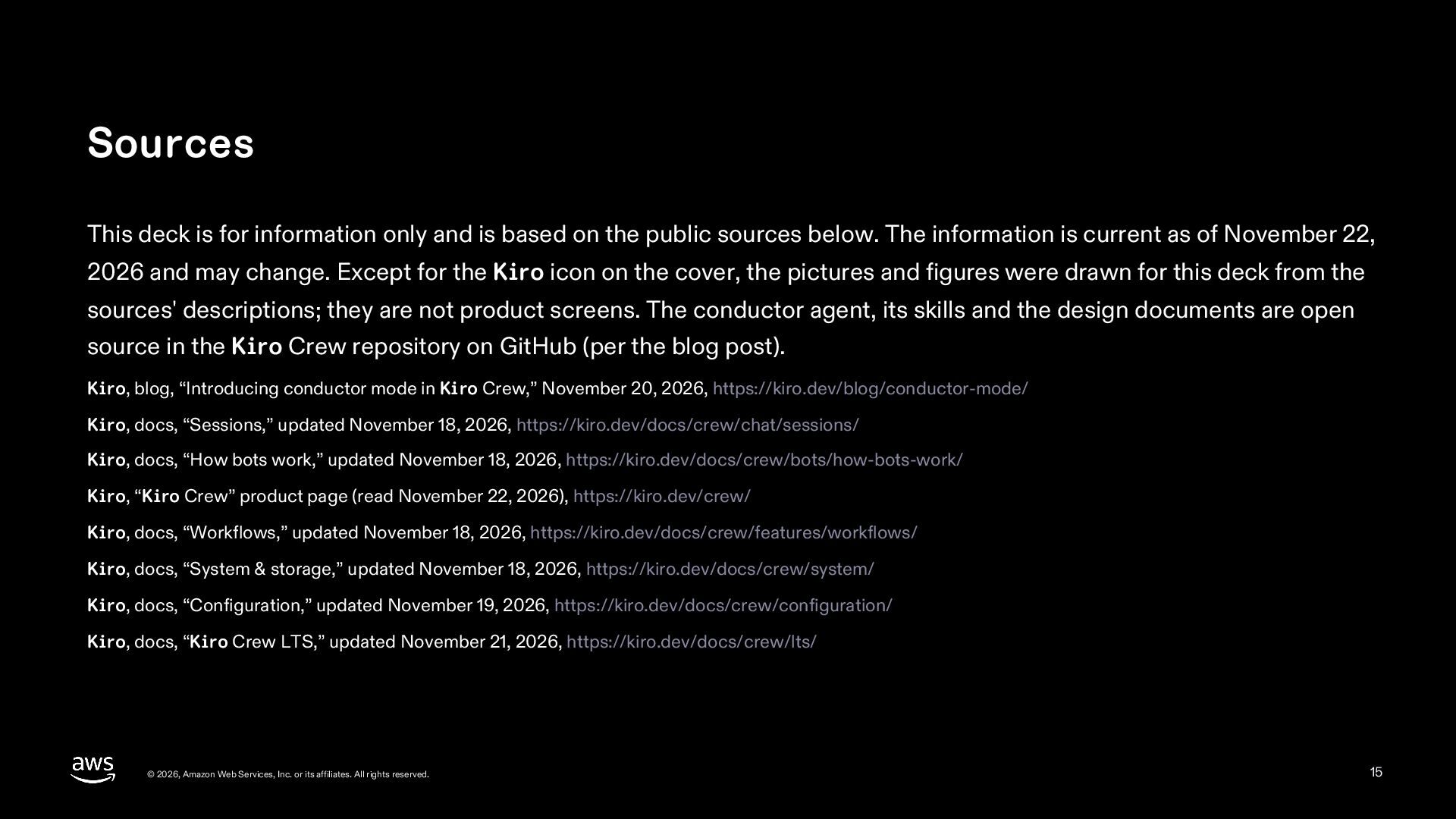
on the public sources below. The information is current as of November 22, 2026 and may change. Except for the Kiro icon on the cover, the pictures and figures were drawn for this deck from the sources' descriptions; they are not product screens. The conductor agent, its skills and the design documents are open source in the Kiro Crew repository on GitHub (per the blog post). Kiro, blog, “Introducing conductor mode in Kiro Crew,” November 20, 2026, https://kiro.dev/blog/conductor-mode/ Kiro, docs, “Sessions,” updated November 18, 2026, https://kiro.dev/docs/crew/chat/sessions/ Kiro, docs, “How bots work,” updated November 18, 2026, https://kiro.dev/docs/crew/bots/how-bots-work/ Kiro, “Kiro Crew” product page (read November 22, 2026), https://kiro.dev/crew/ Kiro, docs, “Workflows,” updated November 18, 2026, https://kiro.dev/docs/crew/features/workflows/ Kiro, docs, “System & storage,” updated November 18, 2026, https://kiro.dev/docs/crew/system/ Kiro, docs, “Configuration,” updated November 19, 2026, https://kiro.dev/docs/crew/configuration/ Kiro, docs, “Kiro Crew LTS,” updated November 21, 2026, https://kiro.dev/docs/crew/lts/ © 2026, Amazon Web Services, Inc. or its affiliates. All rights reserved. 15