Upgrade to Pro — share decks privately, control downloads, hide ads and more …

MakeNotesFaster=1 - Practical Tips for Better H...

Sponsored · Your Podcast. Everywhere. Effortlessly. Share. Educate. Inspire. Entertain. You do you. We'll handle the rest. →

MakeNotesFaster=1 - Practical Tips for Better HCL Notes Performance and User Experience

HCL Notes is a business-critical application in many organizations and a great user experience matters. We’ll start with a quick look at the Notes versions you should be running today before focusing on what really matters: Making the client as fast, smooth, and responsive as possible. In this fast-paced technical session, we’ll cover practical and proven performance tips for HCL Notes: From startup and configuration to everyday client behavior. Each recommendation will clearly indicate which Notes versions it applies to, making the slides a useful reference to take back home. 20 minutes. Practical tips. Better Notes. Takeaways - Know which HCL Notes versions you should be running today - Learn practical ways to improve Notes performance and responsiveness - Take home proven configuration tips for a better user experience

Avatar for LetsConnect

LetsConnect

October 22, 2026

More Decks by LetsConnect

Other Decks in Technology

Transcript

  1. MakeNotesFaster=1 HCL Notes client performance on 14.5.1 FP1 Christoph Adler

    | panagenda LET'SCONNECT 2026 · OSLO 20 OCT · STOCKHOLM 22 OCT
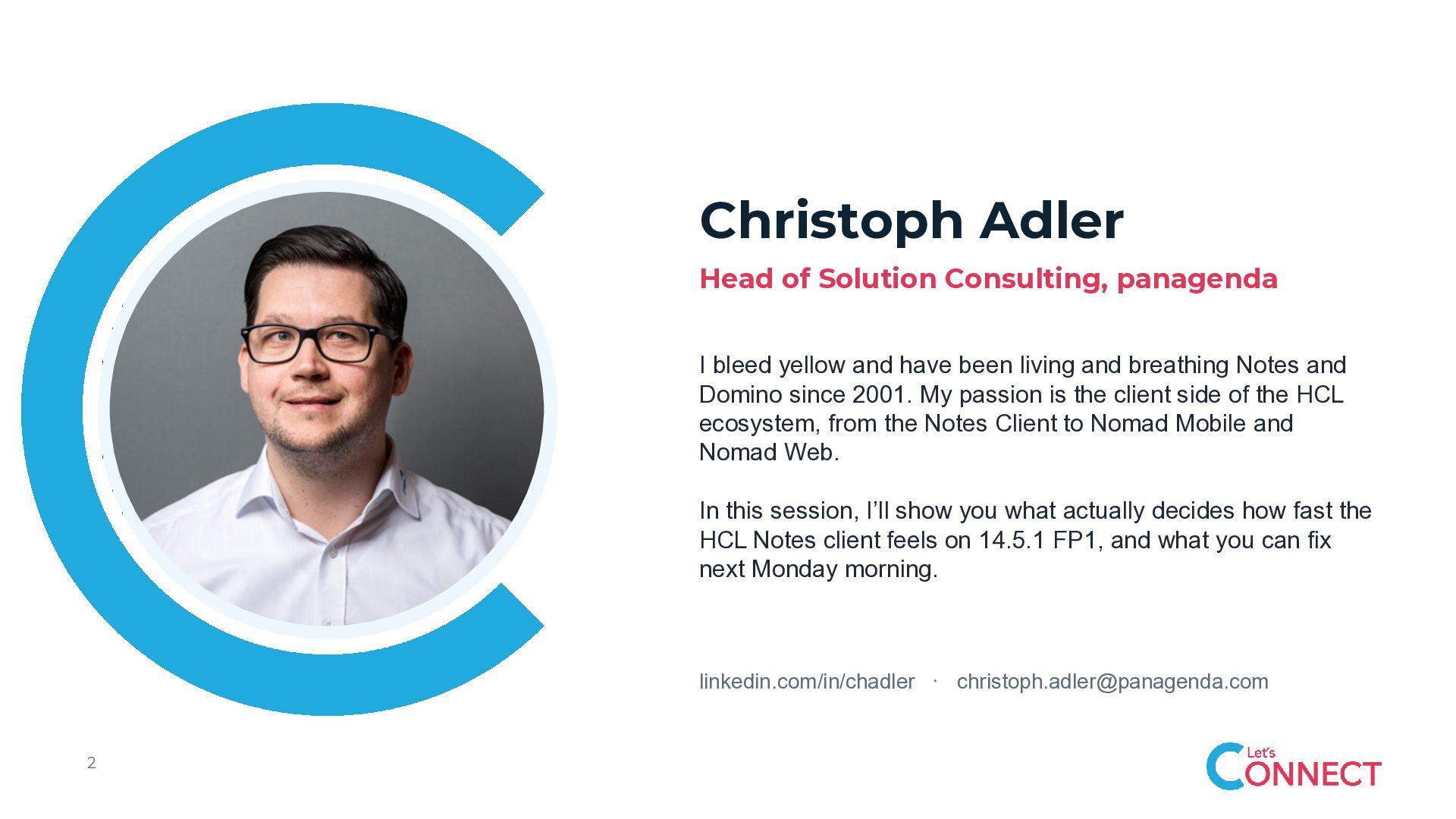
  2. Christoph Adler Head of Solution Consulting, panagenda I bleed yellow

    and have been living and breathing Notes and Domino since 2001. My passion is the client side of the HCL ecosystem, from the Notes Client to Nomad Mobile and Nomad Web. In this session, I’ll show you what actually decides how fast the HCL Notes client feels on 14.5.1 FP1, and what you can fix next Monday morning. linkedin.com/in/chadler · [email protected] 2
  3. What decides how fast Notes feels Why it matters, and

    nine things you can fix. 1 Why performance matters 6 Account documents 2 ODS 7 Location documents 3 notes.ini 8 cache.ndk 4 Desktop and bookmarks 9 File system 5 Connection documents 10 Antivirus exclusions Every topic in full depth, with all commands, in the appendix of the handout. 4
  4. What slow actually costs Users do not experience milliseconds. They

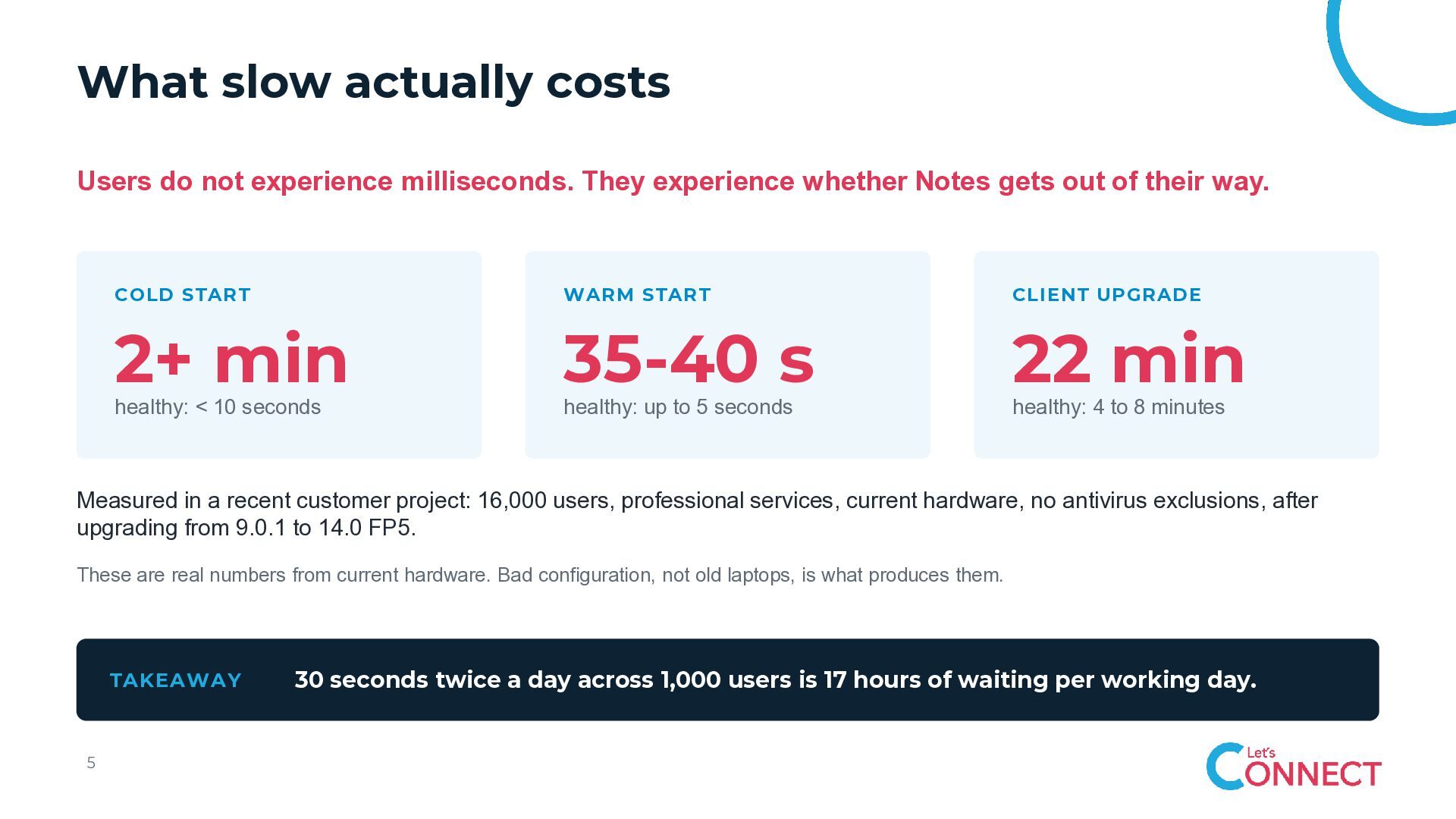
    experience whether Notes gets out of their way. COLD START WARM START CLIENT UPGRADE 2+ min 35-40 s 22 min healthy: < 10 seconds healthy: up to 5 seconds healthy: 4 to 8 minutes Measured in a recent customer project: 16,000 users, professional services, current hardware, no antivirus exclusions, after upgrading from 9.0.1 to 14.0 FP5. These are real numbers from current hardware. Bad configuration, not old laptops, is what produces them. TAKEAWAY 5 30 seconds twice a day across 1,000 users is 17 hours of waiting per working day.
  5. Old ODS: a cost paid on every open Most of

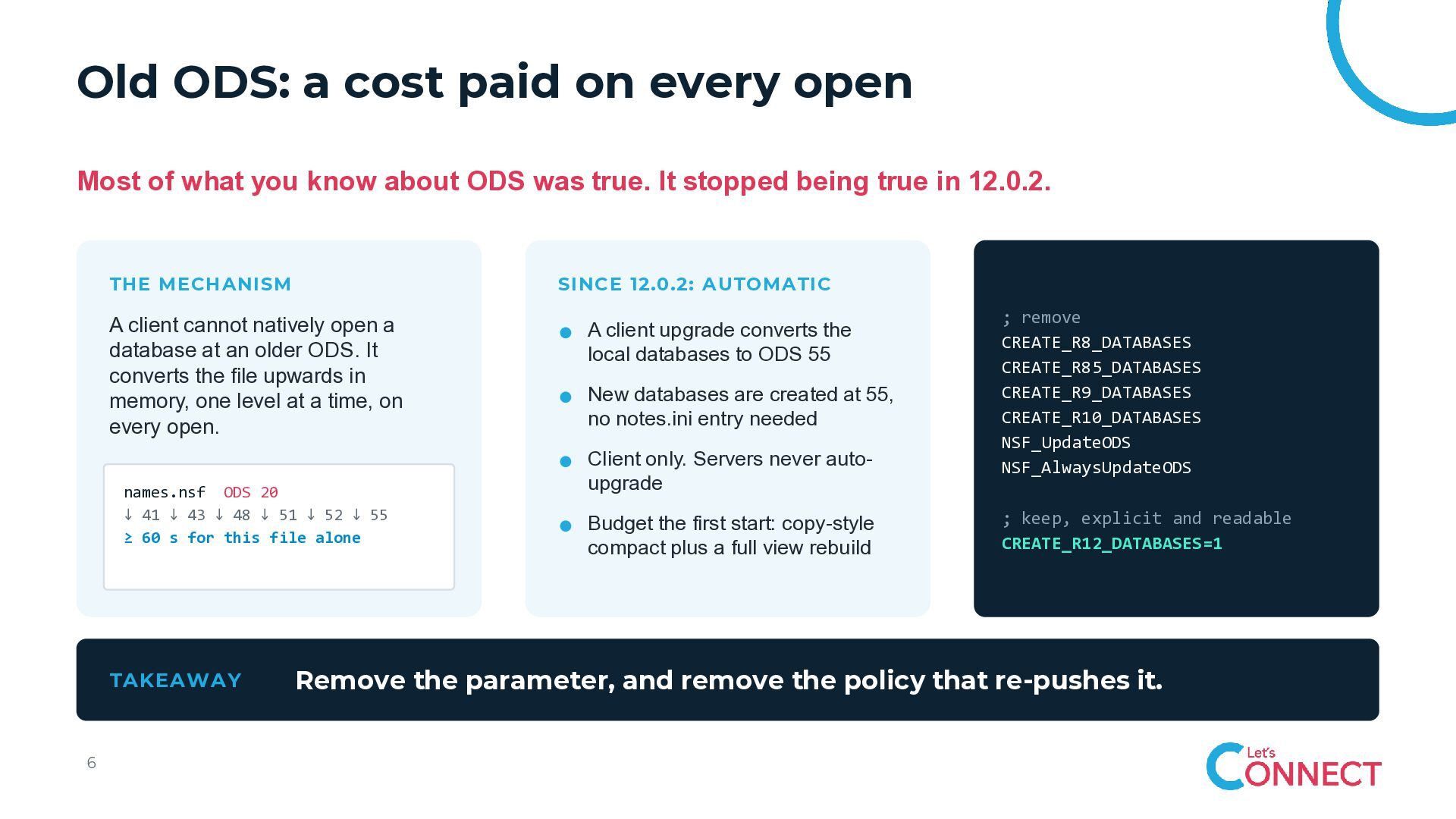
    what you know about ODS was true. It stopped being true in 12.0.2. THE MECHANISM SINCE 12.0.2: AUTOMATIC A client cannot natively open a database at an older ODS. It converts the file upwards in memory, one level at a time, on every open. names.nsf ODS 20 ↓ 41 ↓ 43 ↓ 48 ↓ 51 ↓ 52 ↓ 55 ≥ 60 s for this file alone TAKEAWAY 6 A client upgrade converts the local databases to ODS 55 New databases are created at 55, no notes.ini entry needed Client only. Servers never autoupgrade Budget the first start: copy-style compact plus a full view rebuild ; remove CREATE_R8_DATABASES CREATE_R85_DATABASES CREATE_R9_DATABASES CREATE_R10_DATABASES NSF_UpdateODS NSF_AlwaysUpdateODS ; keep, explicit and readable CREATE_R12_DATABASES=1 Remove the parameter, and remove the policy that re-pushes it.
  6. notes.ini: entries that should not have survived Nothing in this

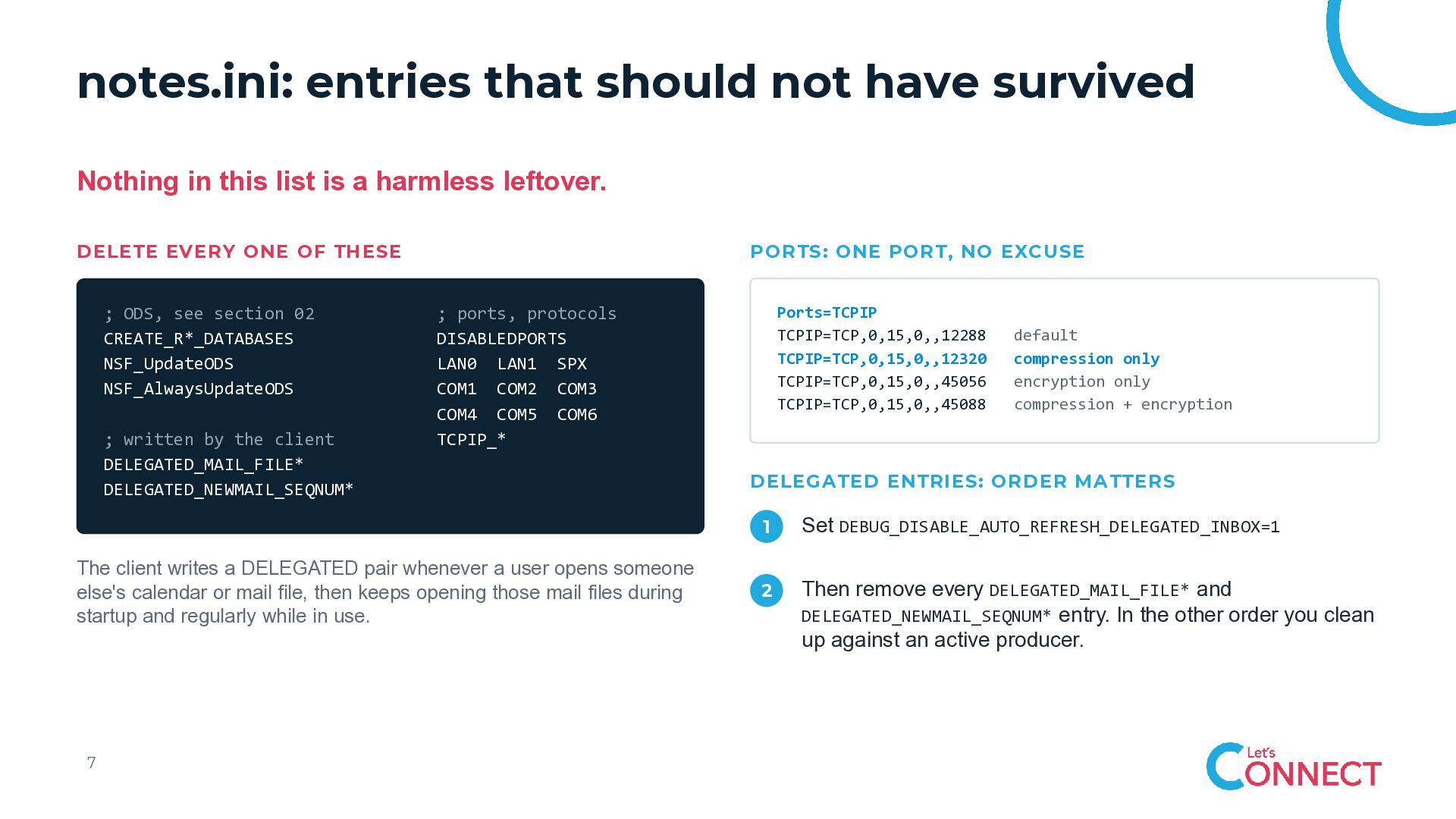
    list is a harmless leftover. DELETE EVERY ONE OF THESE ; ODS, see section 02 CREATE_R*_DATABASES NSF_UpdateODS NSF_AlwaysUpdateODS ; written by the client DELEGATED_MAIL_FILE* DELEGATED_NEWMAIL_SEQNUM* PORTS: ONE PORT, NO EXCUSE The client writes a DELEGATED pair whenever a user opens someone else's calendar or mail file, then keeps opening those mail files during startup and regularly while in use. 7 Ports=TCPIP TCPIP=TCP,0,15,0,,12288 TCPIP=TCP,0,15,0,,12320 TCPIP=TCP,0,15,0,,45056 TCPIP=TCP,0,15,0,,45088 ; ports, protocols DISABLEDPORTS LAN0 LAN1 SPX COM1 COM2 COM3 COM4 COM5 COM6 TCPIP_* default compression only encryption only compression + encryption DELEGATED ENTRIES: ORDER MATTERS 1 Set DEBUG_DISABLE_AUTO_REFRESH_DELEGATED_INBOX=1 2 Then remove every DELEGATED_MAIL_FILE* and DELEGATED_NEWMAIL_SEQNUM* entry. In the other order you clean up against an active producer.
  7. Let Notes manage notes.ini Scripts that append and editors that

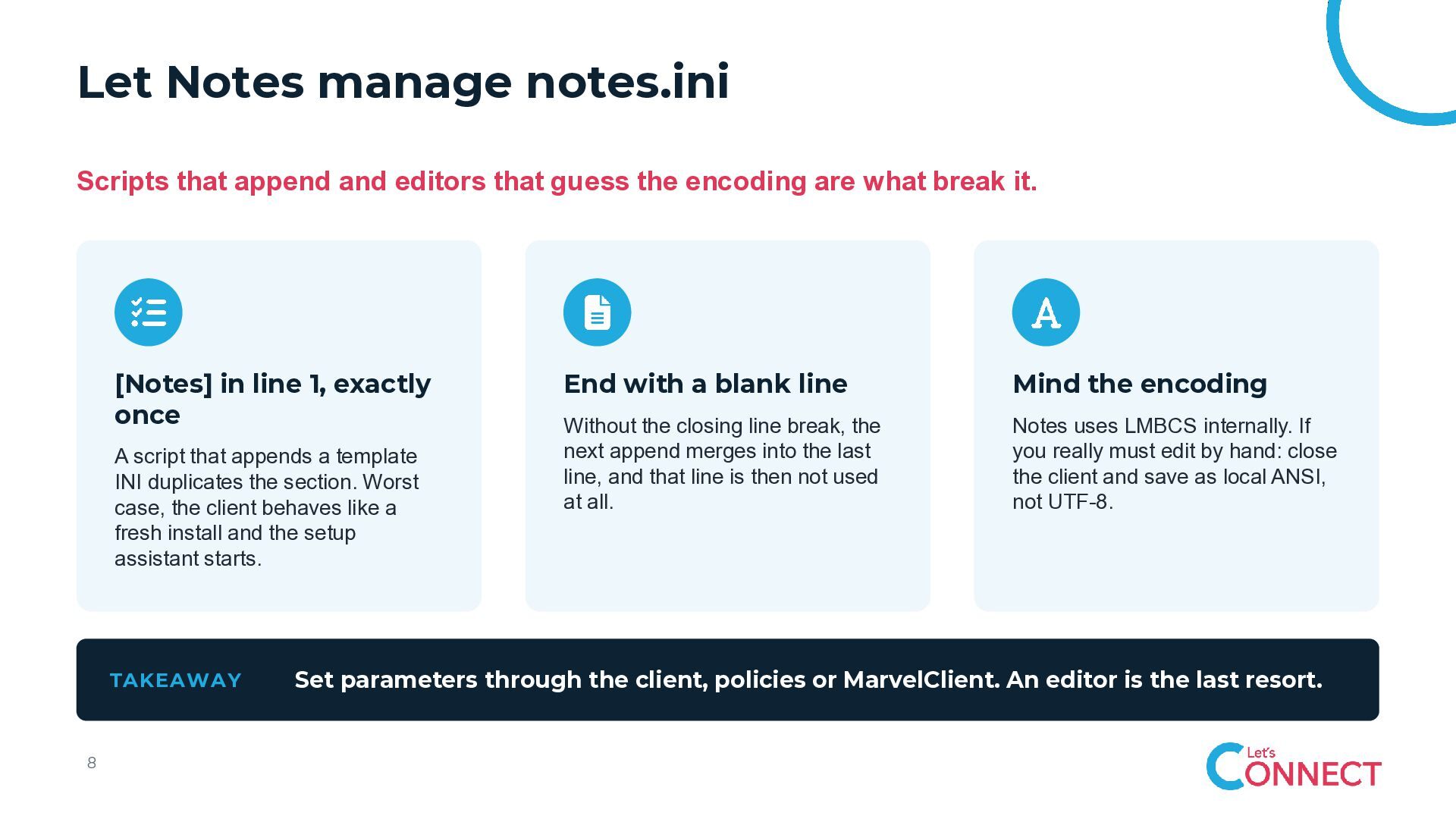
    guess the encoding are what break it. [Notes] in line 1, exactly once A script that appends a template INI duplicates the section. Worst case, the client behaves like a fresh install and the setup assistant starts. TAKEAWAY 8 End with a blank line Mind the encoding Without the closing line break, the next append merges into the last line, and that line is then not used at all. Notes uses LMBCS internally. If you really must edit by hand: close the client and save as local ANSI, not UTF-8. Set parameters through the client, policies or MarvelClient. An editor is the last resort.
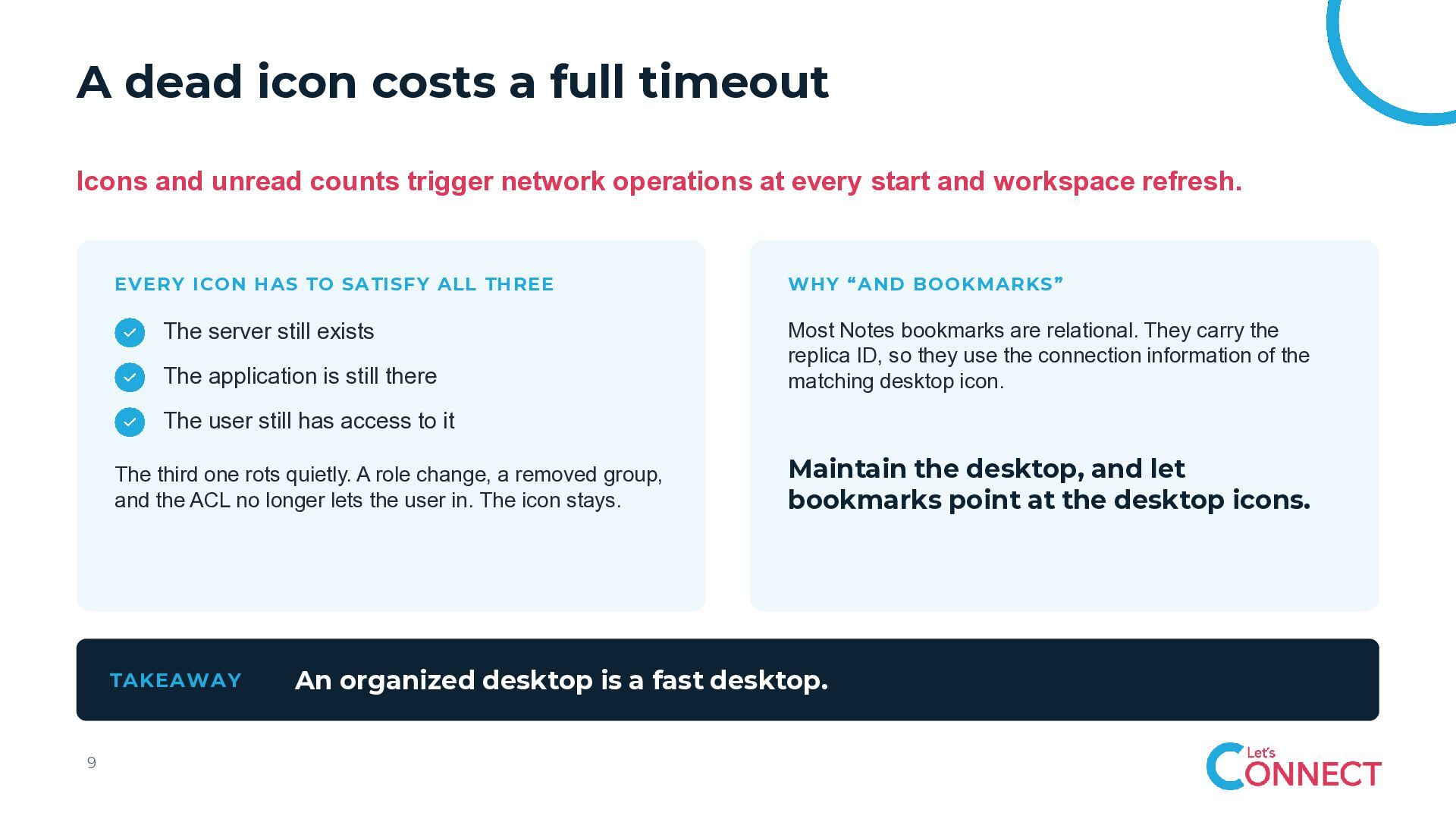
  8. A dead icon costs a full timeout Icons and unread

    counts trigger network operations at every start and workspace refresh. EVERY ICON HAS TO SATISFY ALL THREE The server still exists The application is still there WHY “AND BOOKMARKS” Most Notes bookmarks are relational. They carry the replica ID, so they use the connection information of the matching desktop icon. The user still has access to it The third one rots quietly. A role change, a removed group, and the ACL no longer lets the user in. The icon stays. TAKEAWAY 9 Maintain the desktop, and let bookmarks point at the desktop icons. An organized desktop is a fast desktop.
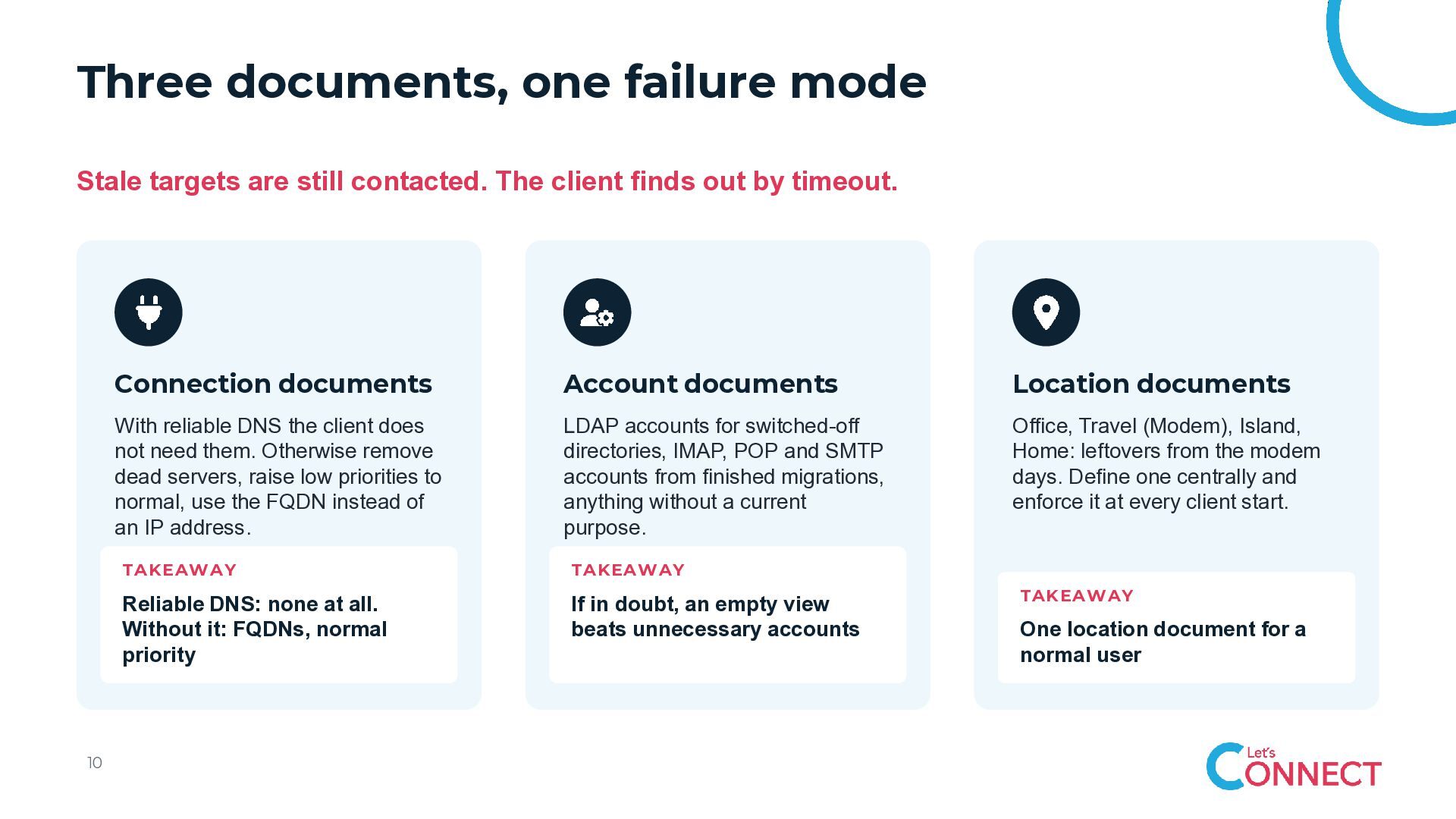
  9. Three documents, one failure mode Stale targets are still contacted.

    The client finds out by timeout. 10 Connection documents Account documents Location documents With reliable DNS the client does not need them. Otherwise remove dead servers, raise low priorities to normal, use the FQDN instead of an IP address. LDAP accounts for switched-off directories, IMAP, POP and SMTP accounts from finished migrations, anything without a current purpose. Office, Travel (Modem), Island, Home: leftovers from the modem days. Define one centrally and enforce it at every client start. TAKEAWAY TAKEAWAY Reliable DNS: none at all. Without it: FQDNs, normal priority If in doubt, an empty view beats unnecessary accounts TAKEAWAY One location document for a normal user
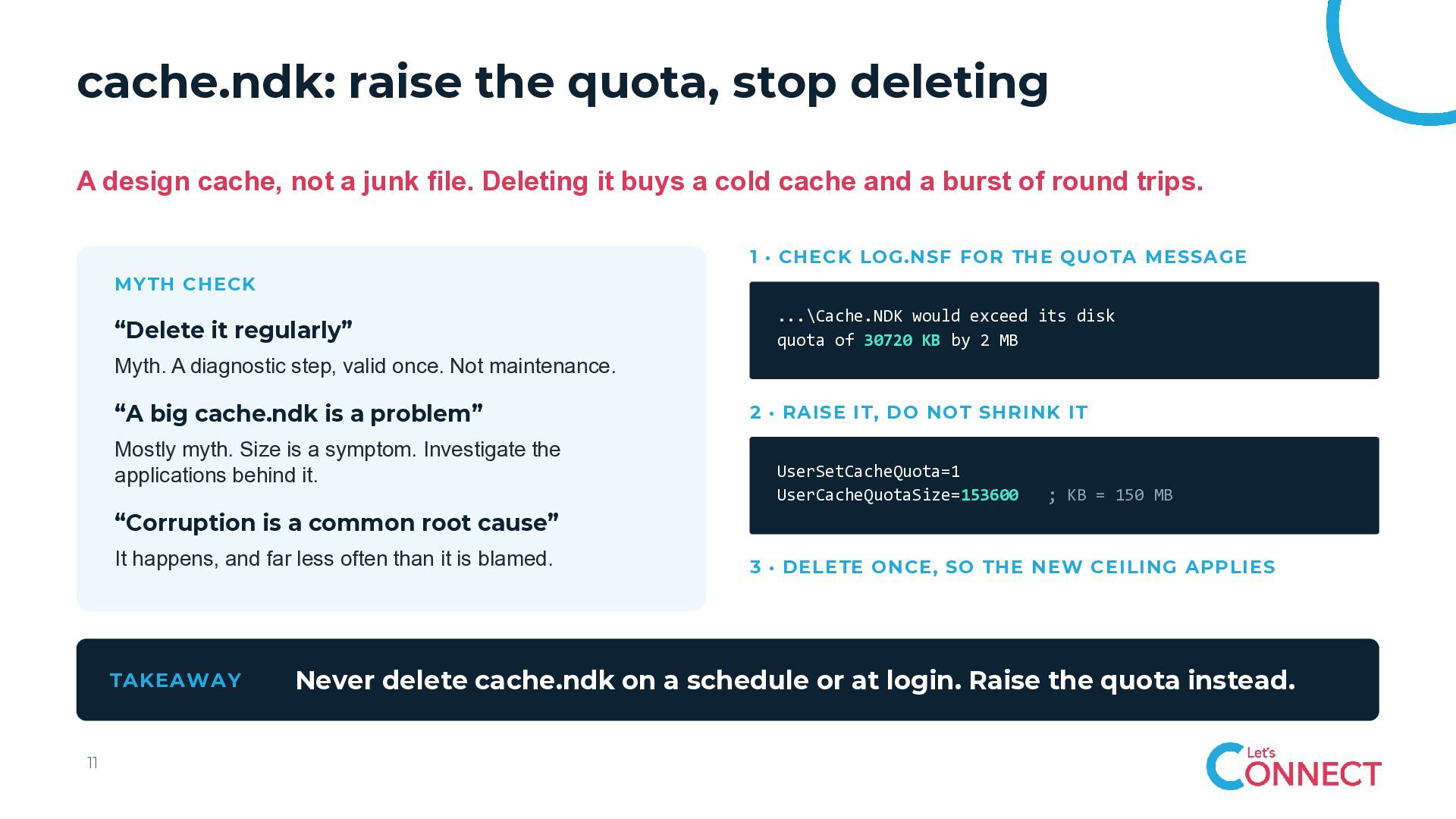
  10. cache.ndk: raise the quota, stop deleting A design cache, not

    a junk file. Deleting it buys a cold cache and a burst of round trips. 1 · CHECK LOG.NSF FOR THE QUOTA MESSAGE MYTH CHECK “Delete it regularly” ...\Cache.NDK would exceed its disk quota of 30720 KB by 2 MB Myth. A diagnostic step, valid once. Not maintenance. “A big cache.ndk is a problem” Mostly myth. Size is a symptom. Investigate the applications behind it. 2 · RAISE IT, DO NOT SHRINK IT UserSetCacheQuota=1 UserCacheQuotaSize=153600 ; KB = 150 MB “Corruption is a common root cause” It happens, and far less often than it is blamed. TAKEAWAY 11 3 · DELETE ONCE, SO THE NEW CEILING APPLIES Never delete cache.ndk on a schedule or at login. Raise the quota instead.
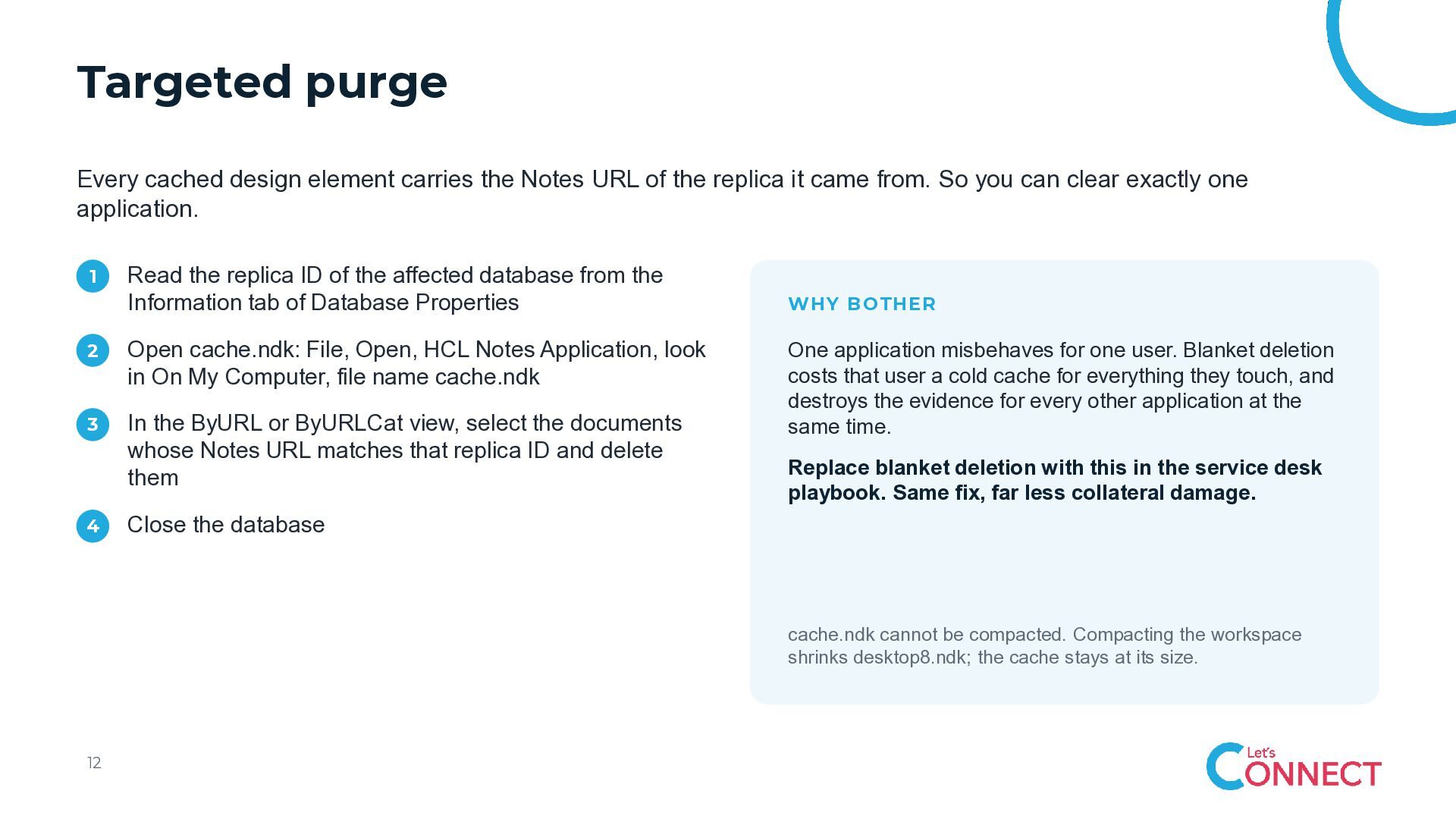
  11. Targeted purge Every cached design element carries the Notes URL

    of the replica it came from. So you can clear exactly one application. 1 Read the replica ID of the affected database from the Information tab of Database Properties 2 Open cache.ndk: File, Open, HCL Notes Application, look in On My Computer, file name cache.ndk 3 In the ByURL or ByURLCat view, select the documents whose Notes URL matches that replica ID and delete them 4 WHY BOTHER One application misbehaves for one user. Blanket deletion costs that user a cold cache for everything they touch, and destroys the evidence for every other application at the same time. Replace blanket deletion with this in the service desk playbook. Same fix, far less collateral damage. Close the database cache.ndk cannot be compacted. Compacting the workspace shrinks desktop8.ndk; the cache stays at its size. 12
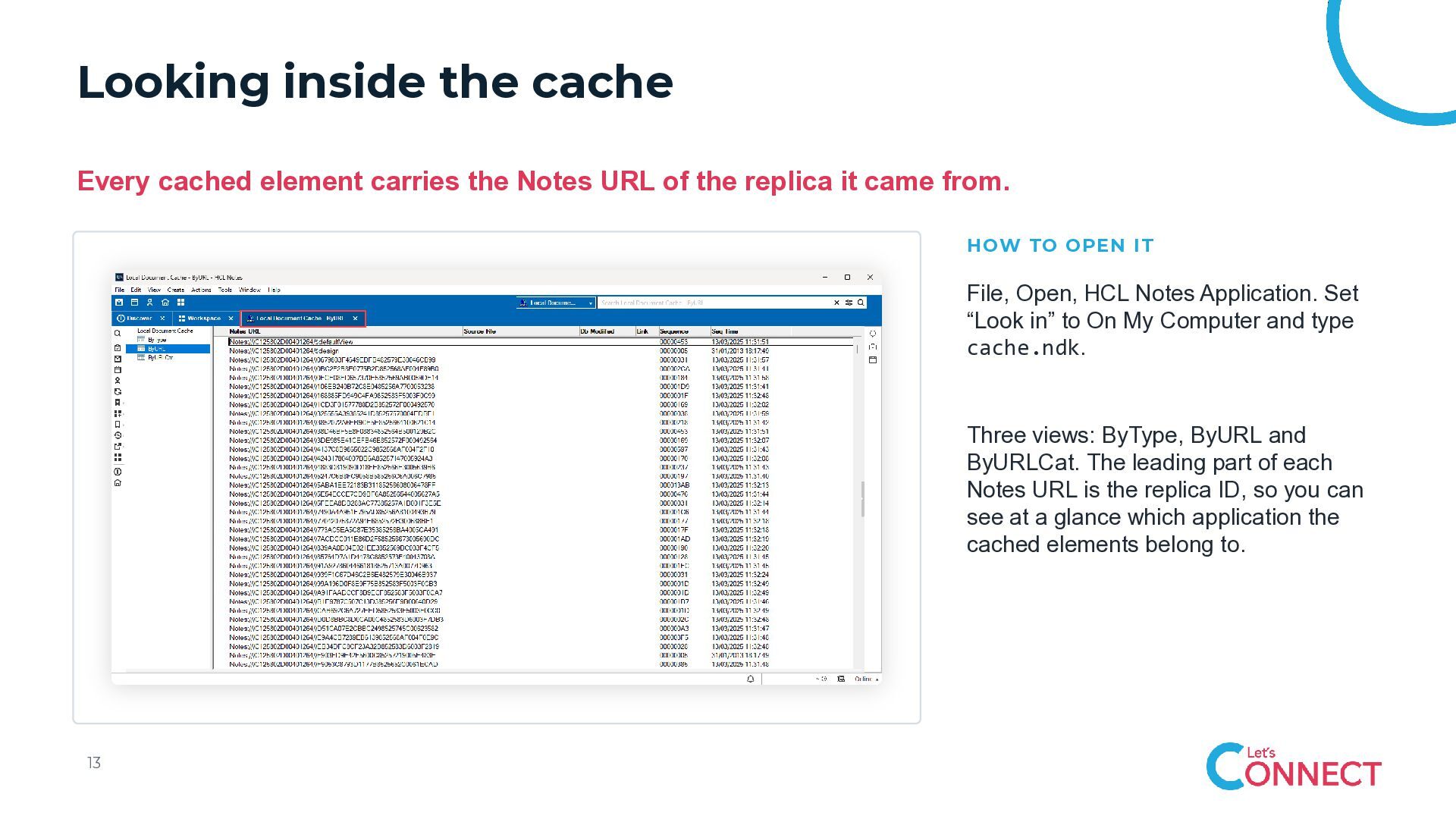
  12. Looking inside the cache Every cached element carries the Notes

    URL of the replica it came from. HOW TO OPEN IT File, Open, HCL Notes Application. Set “Look in” to On My Computer and type cache.ndk. Three views: ByType, ByURL and ByURLCat. The leading part of each Notes URL is the replica ID, so you can see at a glance which application the cached elements belong to. 13
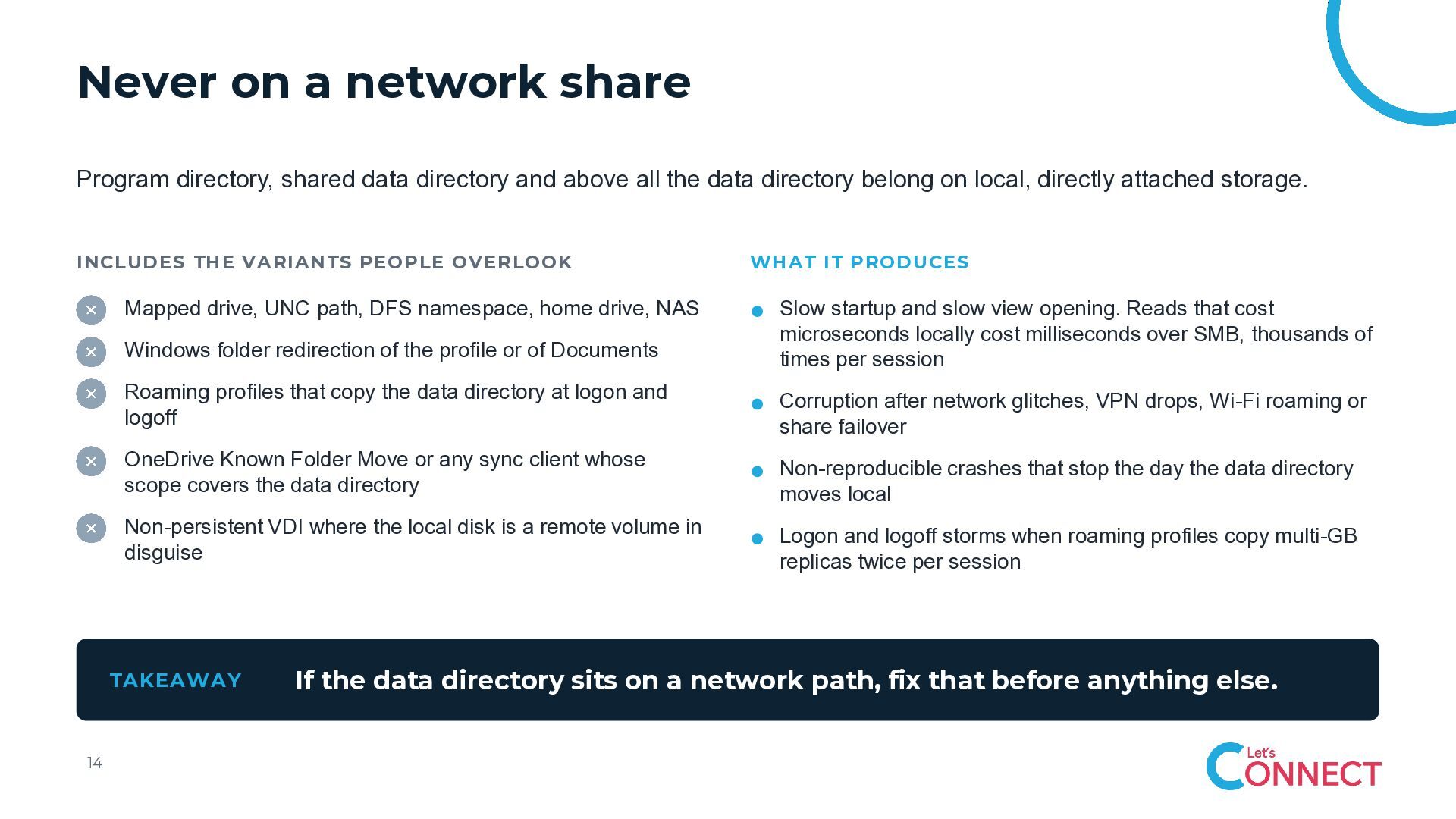
  13. Never on a network share Program directory, shared data directory

    and above all the data directory belong on local, directly attached storage. INCLUDES THE VARIANTS PEOPLE OVERLOOK Mapped drive, UNC path, DFS namespace, home drive, NAS Windows folder redirection of the profile or of Documents Slow startup and slow view opening. Reads that cost microseconds locally cost milliseconds over SMB, thousands of times per session Roaming profiles that copy the data directory at logon and logoff Corruption after network glitches, VPN drops, Wi-Fi roaming or share failover OneDrive Known Folder Move or any sync client whose scope covers the data directory Non-reproducible crashes that stop the day the data directory moves local Non-persistent VDI where the local disk is a remote volume in disguise Logon and logoff storms when roaming profiles copy multi-GB replicas twice per session TAKEAWAY 14 WHAT IT PRODUCES If the data directory sits on a network path, fix that before anything else.
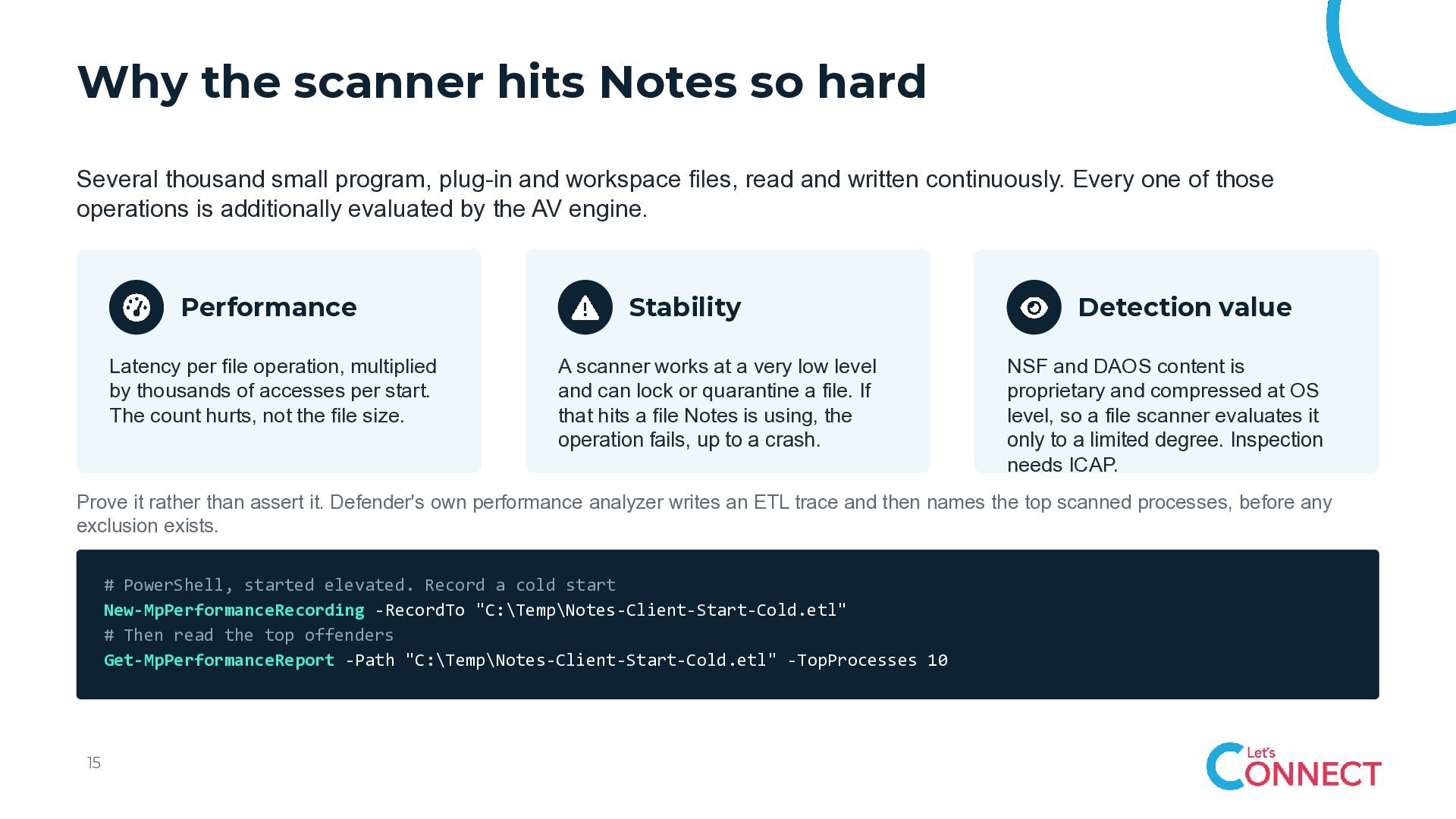
  14. Why the scanner hits Notes so hard Several thousand small

    program, plug-in and workspace files, read and written continuously. Every one of those operations is additionally evaluated by the AV engine. Performance Latency per file operation, multiplied by thousands of accesses per start. The count hurts, not the file size. Stability A scanner works at a very low level and can lock or quarantine a file. If that hits a file Notes is using, the operation fails, up to a crash. Detection value NSF and DAOS content is proprietary and compressed at OS level, so a file scanner evaluates it only to a limited degree. Inspection needs ICAP. Prove it rather than assert it. Defender's own performance analyzer writes an ETL trace and then names the top scanned processes, before any exclusion exists. # PowerShell, started elevated. Record a cold start New-MpPerformanceRecording -RecordTo "C:\Temp\Notes-Client-Start-Cold.etl" # Then read the top offenders Get-MpPerformanceReport -Path "C:\Temp\Notes-Client-Start-Cold.etl" -TopProcesses 10 15
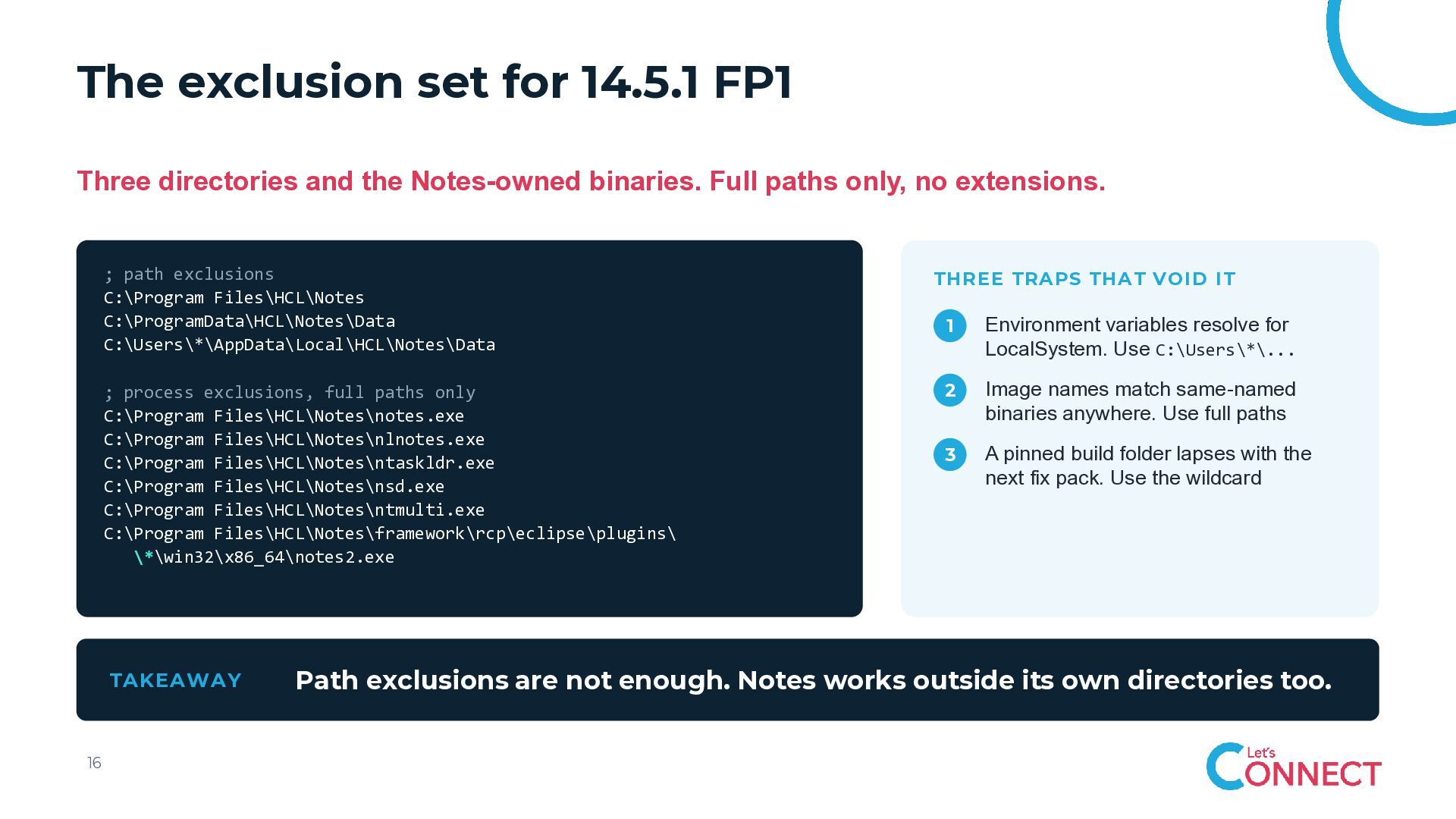
  15. The exclusion set for 14.5.1 FP1 Three directories and the

    Notes-owned binaries. Full paths only, no extensions. ; path exclusions C:\Program Files\HCL\Notes C:\ProgramData\HCL\Notes\Data C:\Users\*\AppData\Local\HCL\Notes\Data THREE TRAPS THAT VOID IT 1 Environment variables resolve for LocalSystem. Use C:\Users\*\... ; process exclusions, full paths only C:\Program Files\HCL\Notes\notes.exe C:\Program Files\HCL\Notes\nlnotes.exe C:\Program Files\HCL\Notes\ntaskldr.exe C:\Program Files\HCL\Notes\nsd.exe C:\Program Files\HCL\Notes\ntmulti.exe C:\Program Files\HCL\Notes\framework\rcp\eclipse\plugins\ \*\win32\x86_64\notes2.exe 2 Image names match same-named binaries anywhere. Use full paths 3 A pinned build folder lapses with the next fix pack. Use the wildcard TAKEAWAY 16 Path exclusions are not enough. Notes works outside its own directories too.
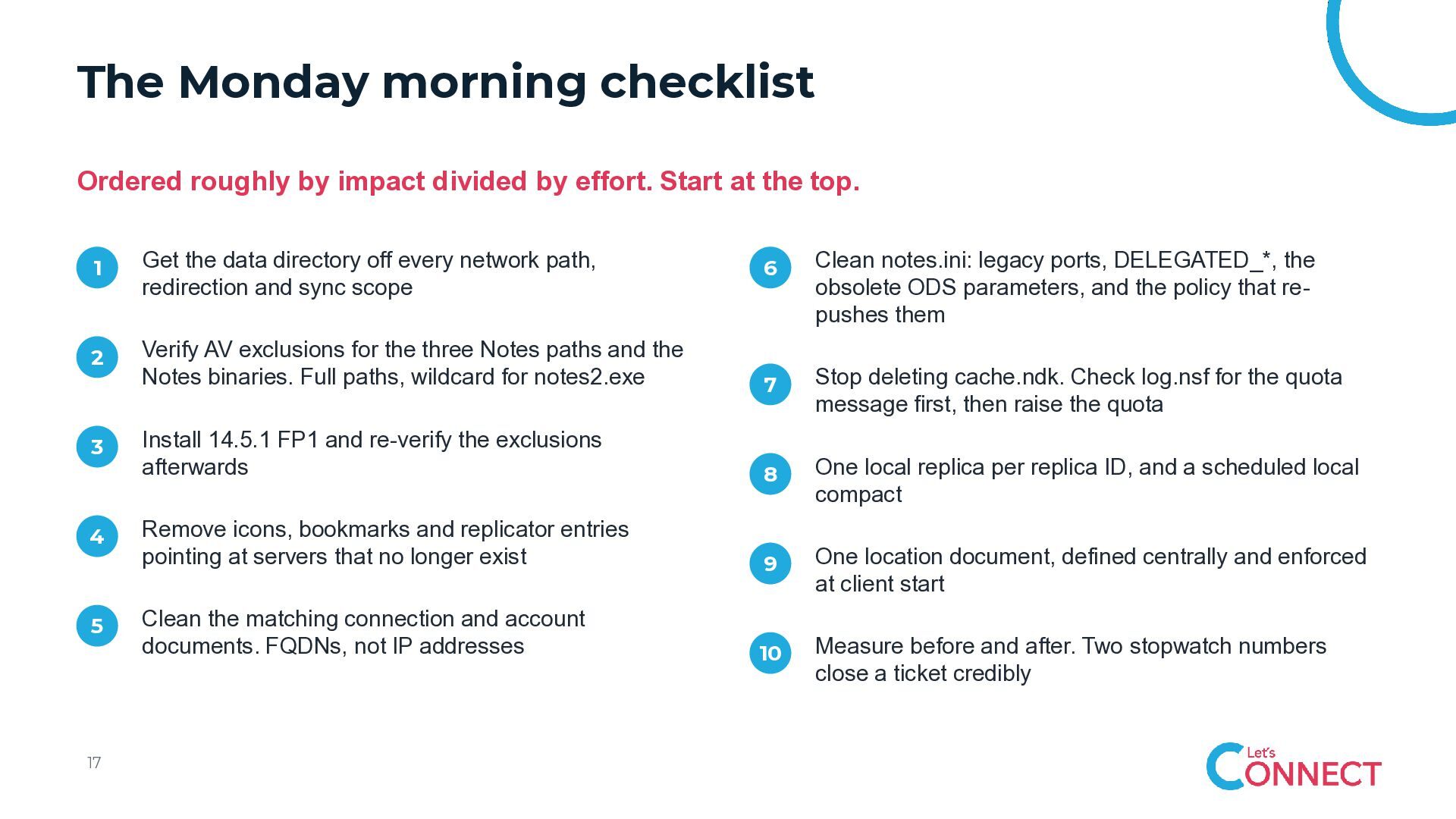
  16. The Monday morning checklist Ordered roughly by impact divided by

    effort. Start at the top. 1 Get the data directory off every network path, redirection and sync scope 2 3 4 5 17 6 Clean notes.ini: legacy ports, DELEGATED_*, the obsolete ODS parameters, and the policy that repushes them Verify AV exclusions for the three Notes paths and the Notes binaries. Full paths, wildcard for notes2.exe 7 Stop deleting cache.ndk. Check log.nsf for the quota message first, then raise the quota Install 14.5.1 FP1 and re-verify the exclusions afterwards 8 One local replica per replica ID, and a scheduled local compact Remove icons, bookmarks and replicator entries pointing at servers that no longer exist 9 One location document, defined centrally and enforced at client start Clean the matching connection and account documents. FQDNs, not IP addresses 10 Measure before and after. Two stopwatch numbers close a ticket credibly
  17. “ Good client performance is not one magic setting, like

    MakeNotesFaster=1 It comes from keeping the whole client environment clean, simple, current and correctly configured, and from verifying that it stayed that way.
  18. Appendix The full version Everything from the full-length session: every

    topic, every table, every command. Made for reading, not for presenting.
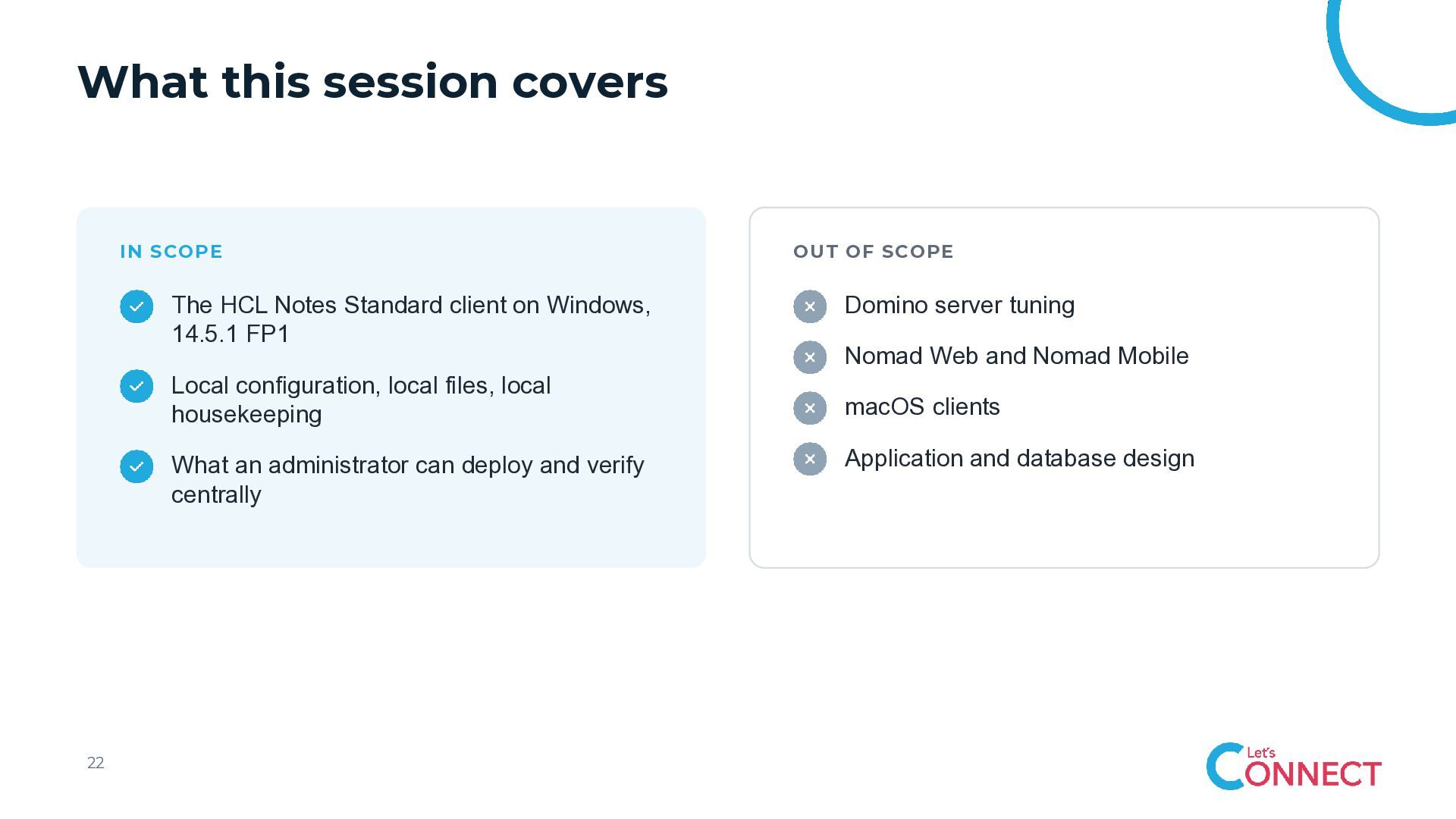
  19. What this session covers IN SCOPE The HCL Notes Standard

    client on Windows, 14.5.1 FP1 Local configuration, local files, local housekeeping What an administrator can deploy and verify centrally 22 OUT OF SCOPE Domino server tuning Nomad Web and Nomad Mobile macOS clients Application and database design
  20. 01 Why performance matters Before the parameters: why a slow

    client is a business problem, not a taste question.
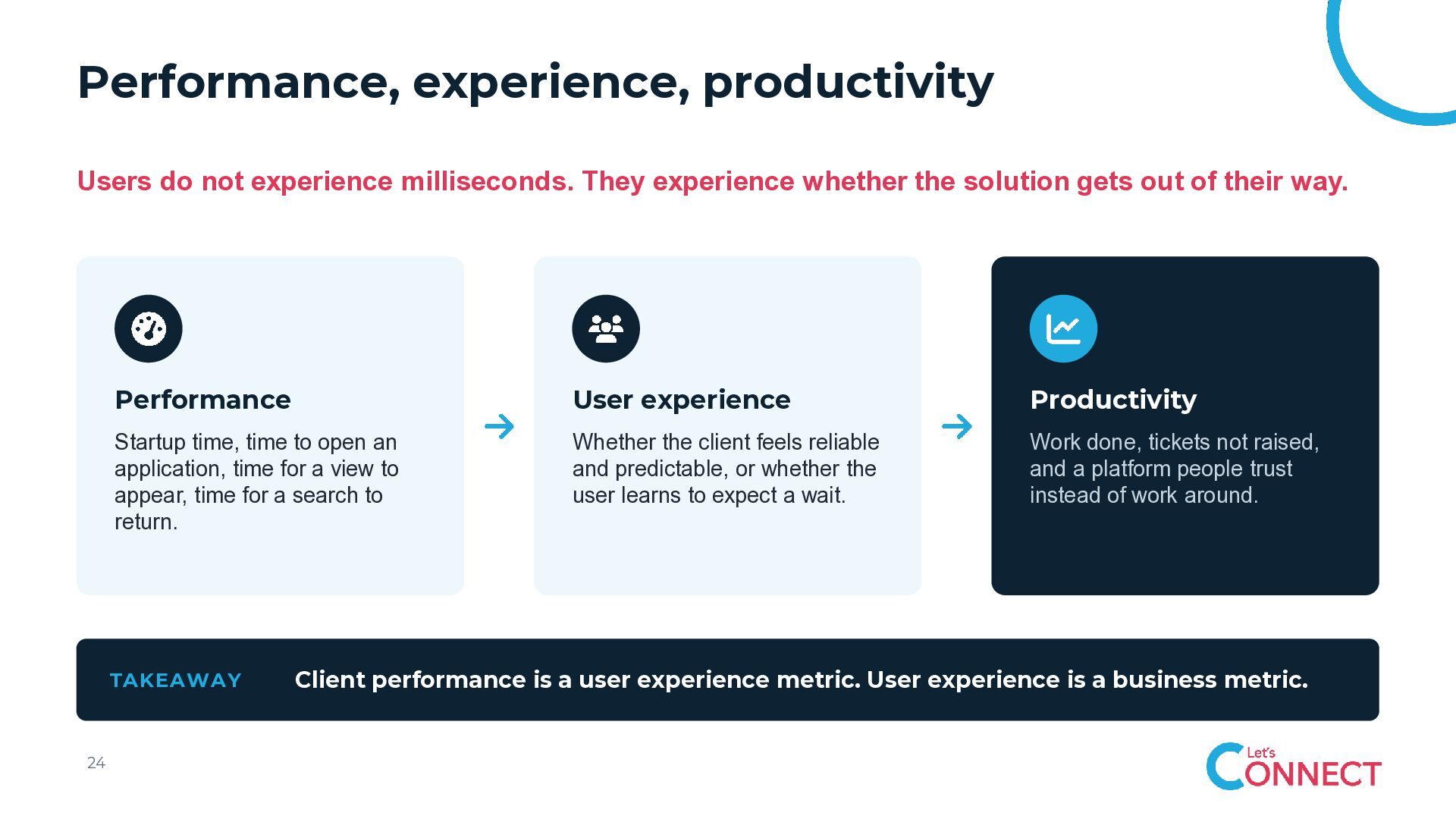
  21. Performance, experience, productivity Users do not experience milliseconds. They experience

    whether the solution gets out of their way. Performance User experience Productivity Startup time, time to open an application, time for a view to appear, time for a search to return. Whether the client feels reliable and predictable, or whether the user learns to expect a wait. Work done, tickets not raised, and a platform people trust instead of work around. TAKEAWAY 24 Client performance is a user experience metric. User experience is a business metric.
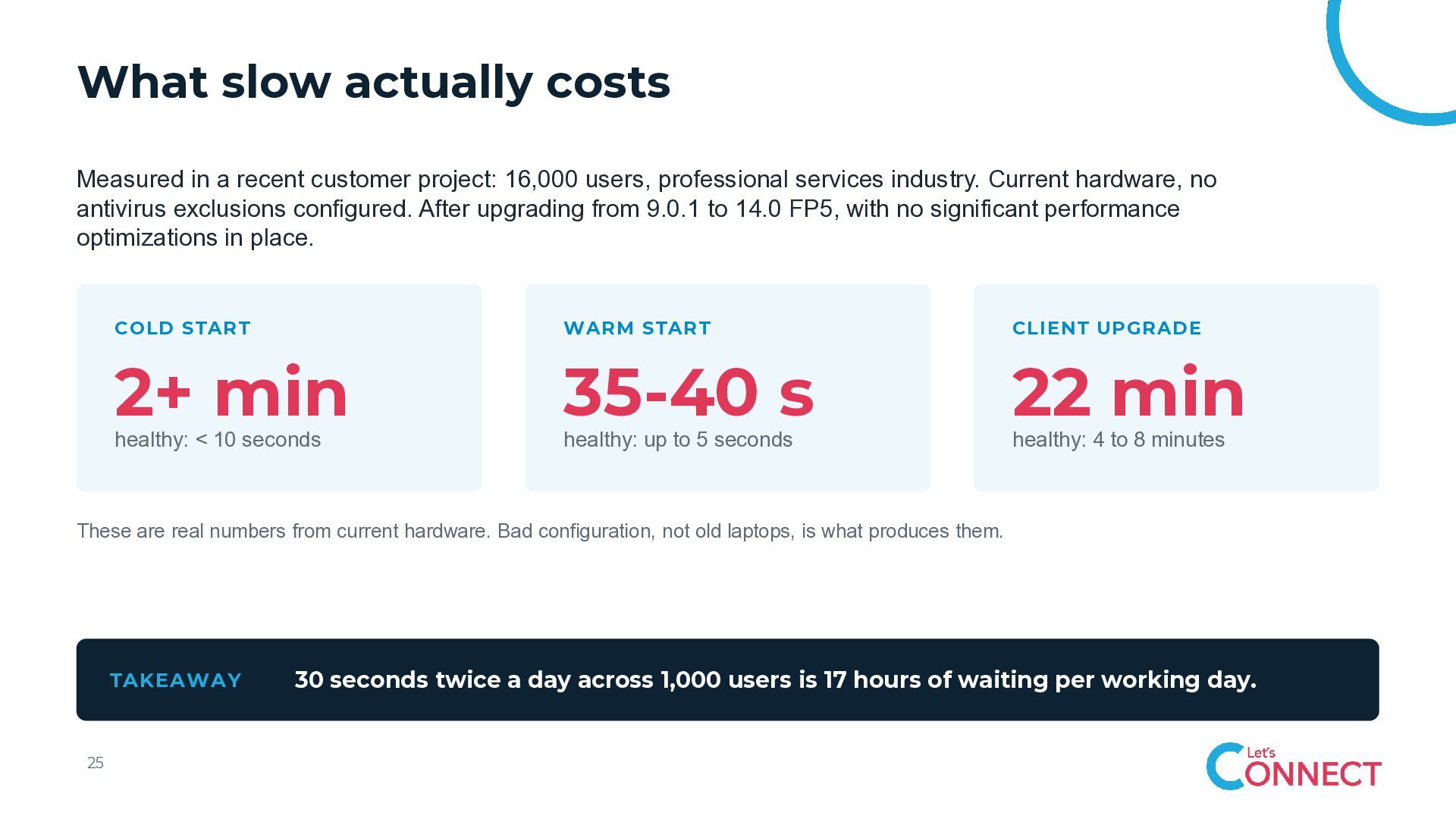
  22. What slow actually costs Measured in a recent customer project:

    16,000 users, professional services industry. Current hardware, no antivirus exclusions configured. After upgrading from 9.0.1 to 14.0 FP5, with no significant performance optimizations in place. COLD START WARM START CLIENT UPGRADE 2+ min 35-40 s 22 min healthy: < 10 seconds healthy: up to 5 seconds healthy: 4 to 8 minutes These are real numbers from current hardware. Bad configuration, not old laptops, is what produces them. TAKEAWAY 25 30 seconds twice a day across 1,000 users is 17 hours of waiting per working day.
  23. 02 ODS Most of what you know about ODS was

    true. It stopped being true in 12.0.2.
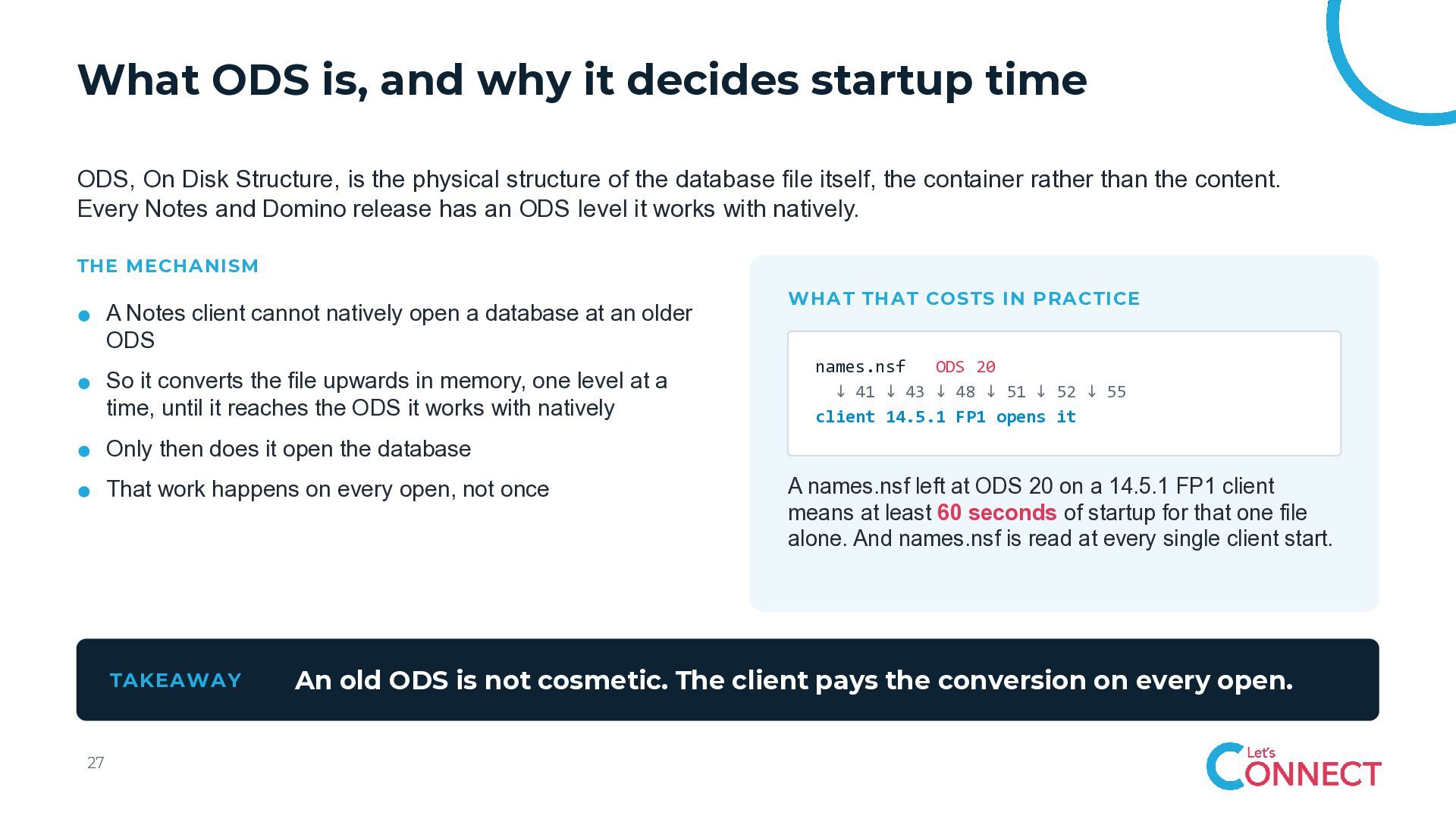
  24. What ODS is, and why it decides startup time ODS,

    On Disk Structure, is the physical structure of the database file itself, the container rather than the content. Every Notes and Domino release has an ODS level it works with natively. THE MECHANISM A Notes client cannot natively open a database at an older ODS So it converts the file upwards in memory, one level at a time, until it reaches the ODS it works with natively WHAT THAT COSTS IN PRACTICE names.nsf ODS 20 ↓ 41 ↓ 43 ↓ 48 ↓ 51 ↓ 52 ↓ 55 client 14.5.1 FP1 opens it Only then does it open the database That work happens on every open, not once TAKEAWAY 27 A names.nsf left at ODS 20 on a 14.5.1 FP1 client means at least 60 seconds of startup for that one file alone. And names.nsf is read at every single client start. An old ODS is not cosmetic. The client pays the conversion on every open.
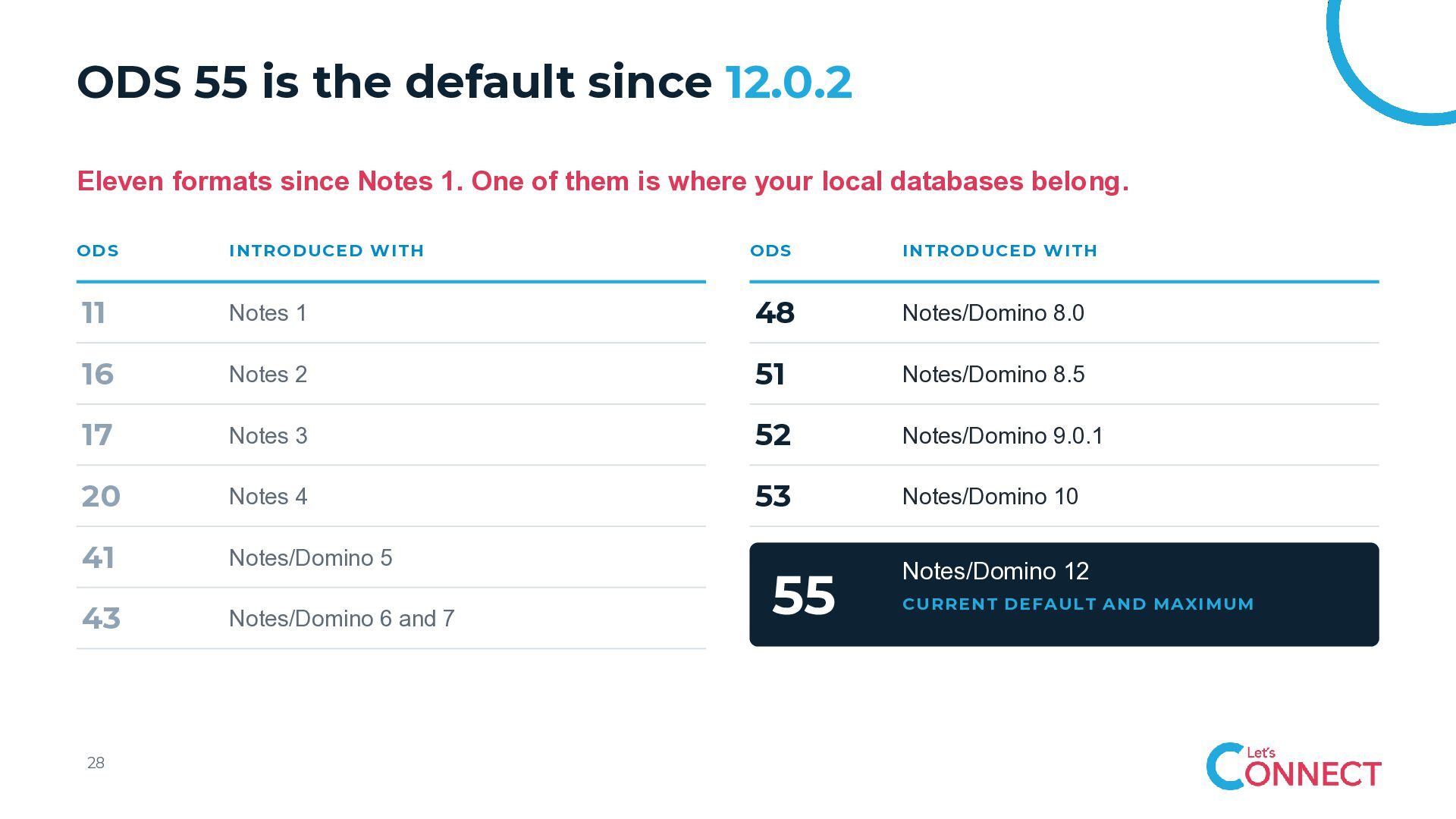
  25. ODS 55 is the default since 12.0.2 Eleven formats since

    Notes 1. One of them is where your local databases belong. ODS INTRODUCED WITH ODS INTRODUCED WITH 11 Notes 1 48 Notes/Domino 8.0 16 Notes 2 51 Notes/Domino 8.5 17 Notes 3 52 Notes/Domino 9.0.1 20 Notes 4 53 Notes/Domino 10 41 Notes/Domino 5 43 Notes/Domino 6 and 7 28 55 Notes/Domino 12 CURRENT DEFAULT AND MAXIMUM
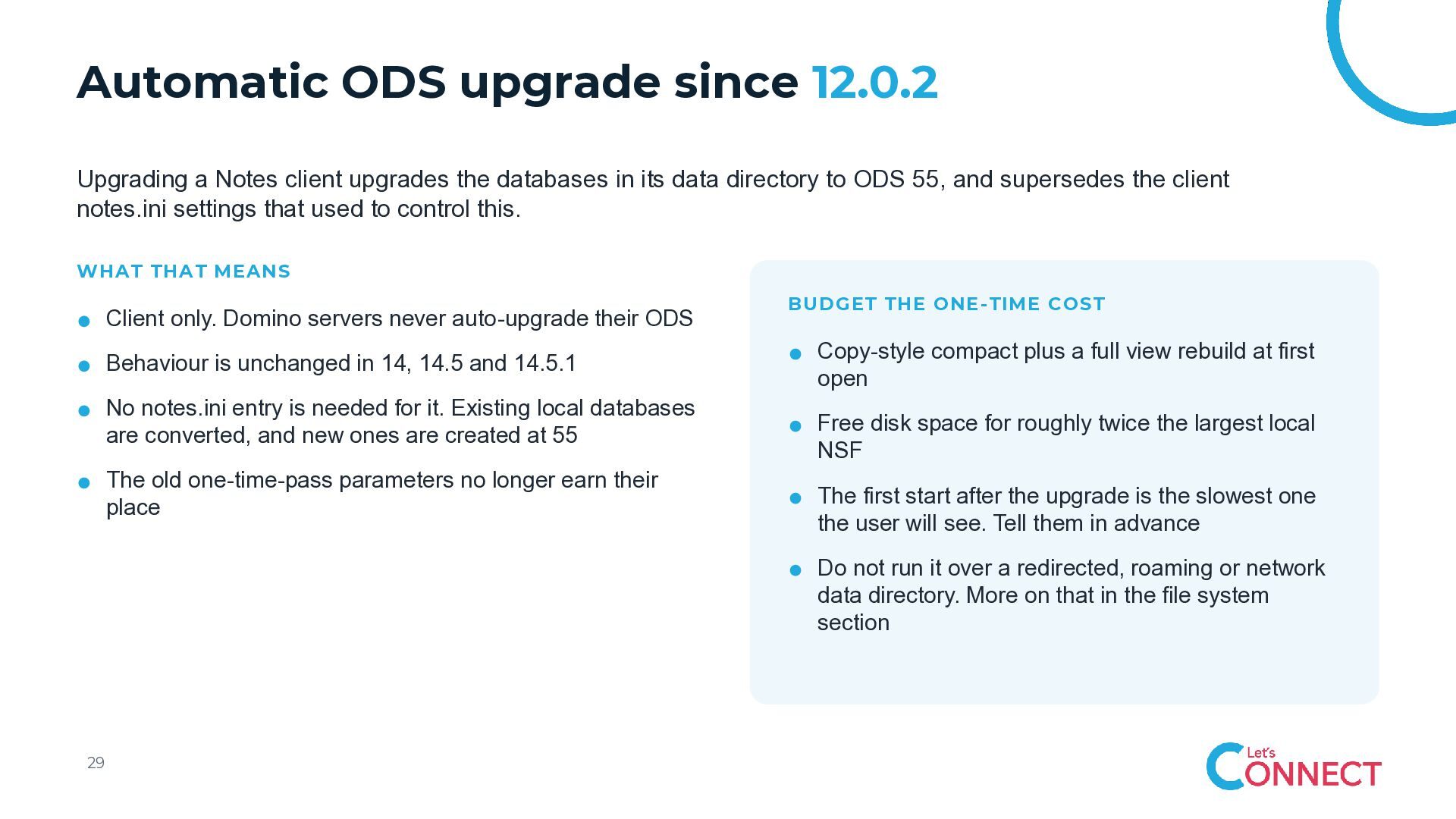
  26. Automatic ODS upgrade since 12.0.2 Upgrading a Notes client upgrades

    the databases in its data directory to ODS 55, and supersedes the client notes.ini settings that used to control this. WHAT THAT MEANS Client only. Domino servers never auto-upgrade their ODS Behaviour is unchanged in 14, 14.5 and 14.5.1 No notes.ini entry is needed for it. Existing local databases are converted, and new ones are created at 55 The old one-time-pass parameters no longer earn their place BUDGET THE ONE-TIME COST Copy-style compact plus a full view rebuild at first open Free disk space for roughly twice the largest local NSF The first start after the upgrade is the slowest one the user will see. Tell them in advance Do not run it over a redirected, roaming or network data directory. More on that in the file system section 29
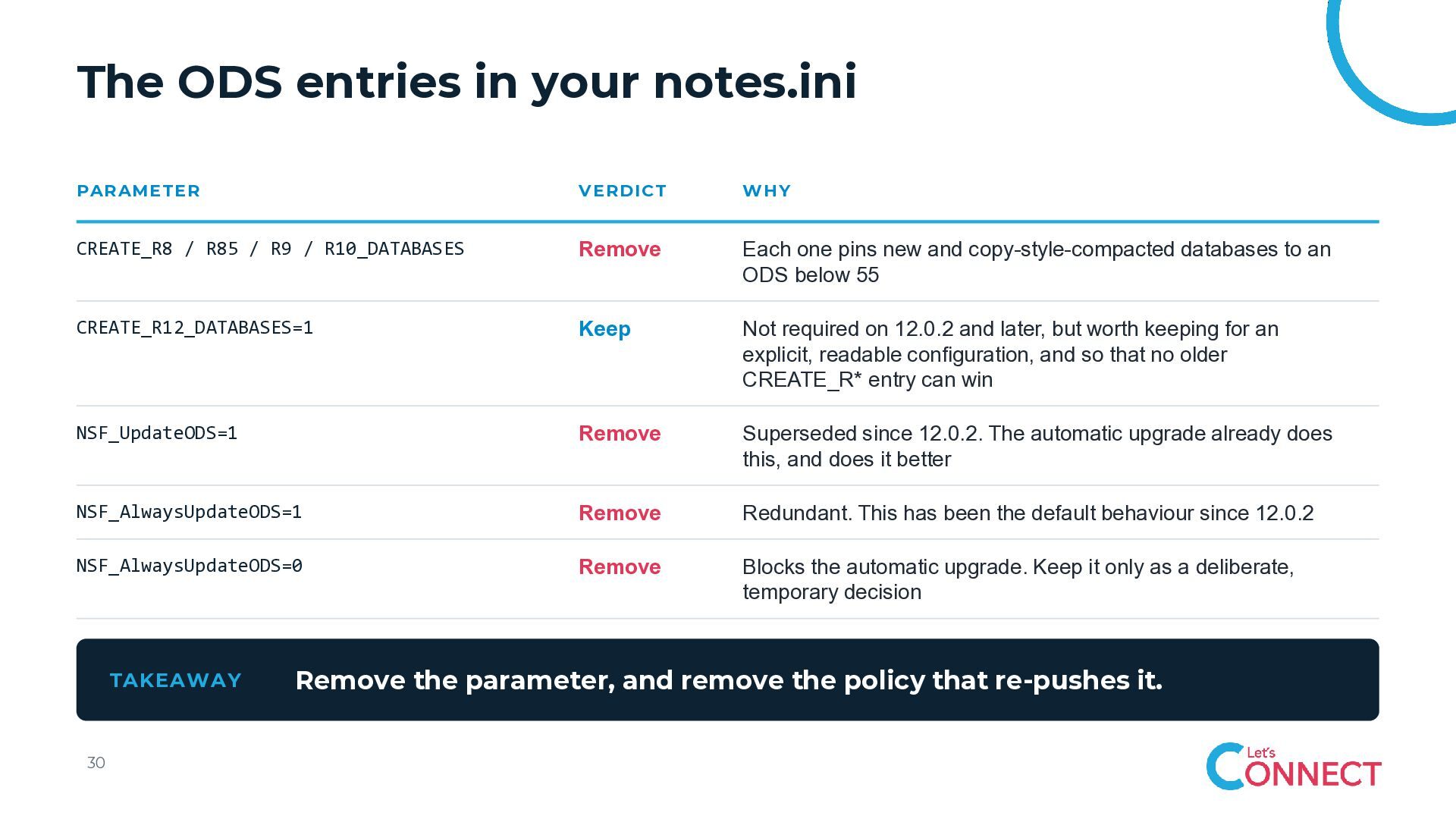
  27. The ODS entries in your notes.ini PARAMETER VERDICT WHY CREATE_R8

    / R85 / R9 / R10_DATABASES Remove Each one pins new and copy-style-compacted databases to an ODS below 55 CREATE_R12_DATABASES=1 Keep Not required on 12.0.2 and later, but worth keeping for an explicit, readable configuration, and so that no older CREATE_R* entry can win NSF_UpdateODS=1 Remove Superseded since 12.0.2. The automatic upgrade already does this, and does it better NSF_AlwaysUpdateODS=1 Remove Redundant. This has been the default behaviour since 12.0.2 NSF_AlwaysUpdateODS=0 Remove Blocks the automatic upgrade. Keep it only as a deliberate, temporary decision TAKEAWAY 30 Remove the parameter, and remove the policy that re-pushes it.
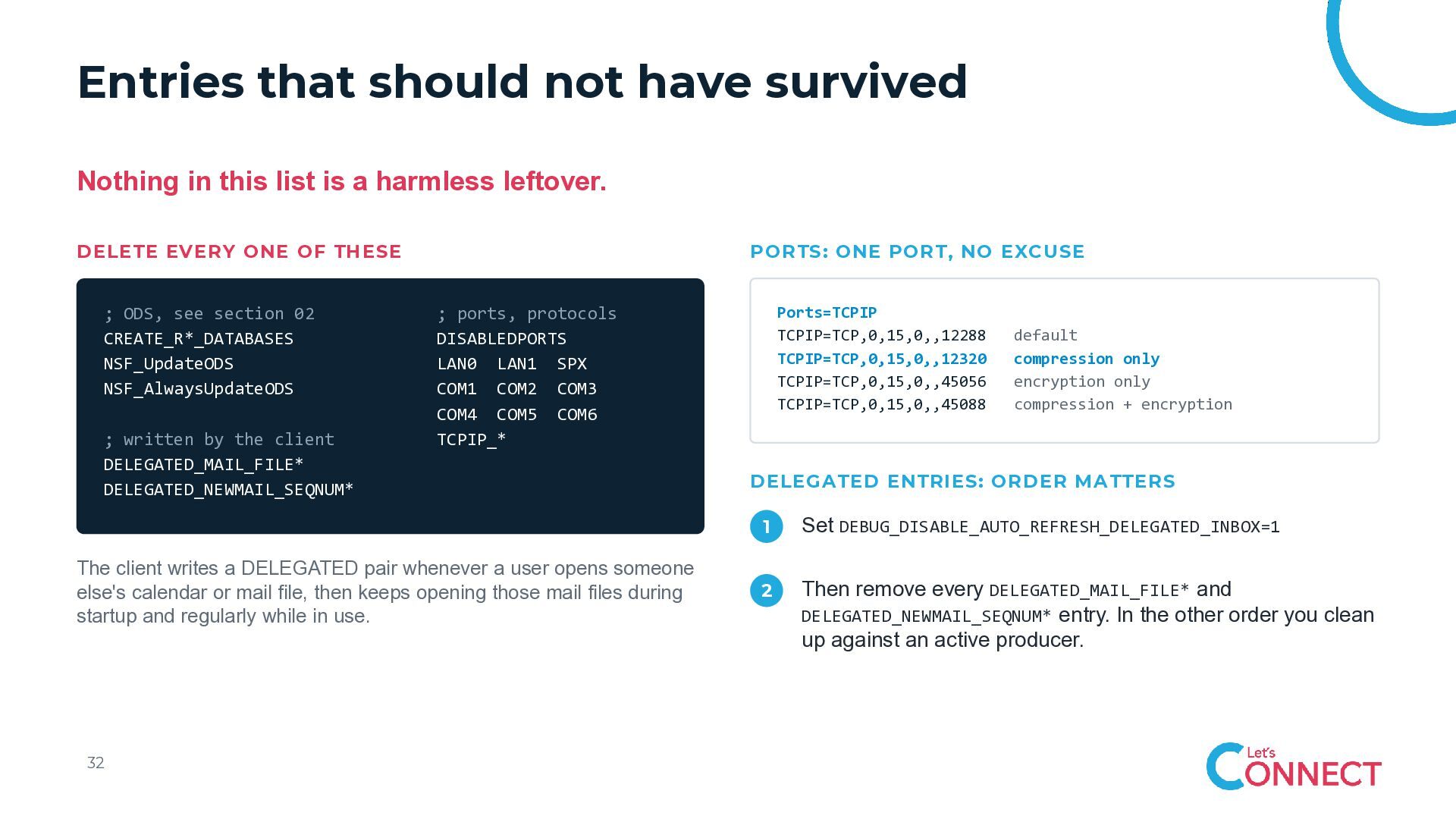
  28. Entries that should not have survived Nothing in this list

    is a harmless leftover. DELETE EVERY ONE OF THESE ; ODS, see section 02 CREATE_R*_DATABASES NSF_UpdateODS NSF_AlwaysUpdateODS ; written by the client DELEGATED_MAIL_FILE* DELEGATED_NEWMAIL_SEQNUM* PORTS: ONE PORT, NO EXCUSE The client writes a DELEGATED pair whenever a user opens someone else's calendar or mail file, then keeps opening those mail files during startup and regularly while in use. 32 Ports=TCPIP TCPIP=TCP,0,15,0,,12288 TCPIP=TCP,0,15,0,,12320 TCPIP=TCP,0,15,0,,45056 TCPIP=TCP,0,15,0,,45088 ; ports, protocols DISABLEDPORTS LAN0 LAN1 SPX COM1 COM2 COM3 COM4 COM5 COM6 TCPIP_* default compression only encryption only compression + encryption DELEGATED ENTRIES: ORDER MATTERS 1 Set DEBUG_DISABLE_AUTO_REFRESH_DELEGATED_INBOX=1 2 Then remove every DELEGATED_MAIL_FILE* and DELEGATED_NEWMAIL_SEQNUM* entry. In the other order you clean up against an active producer.
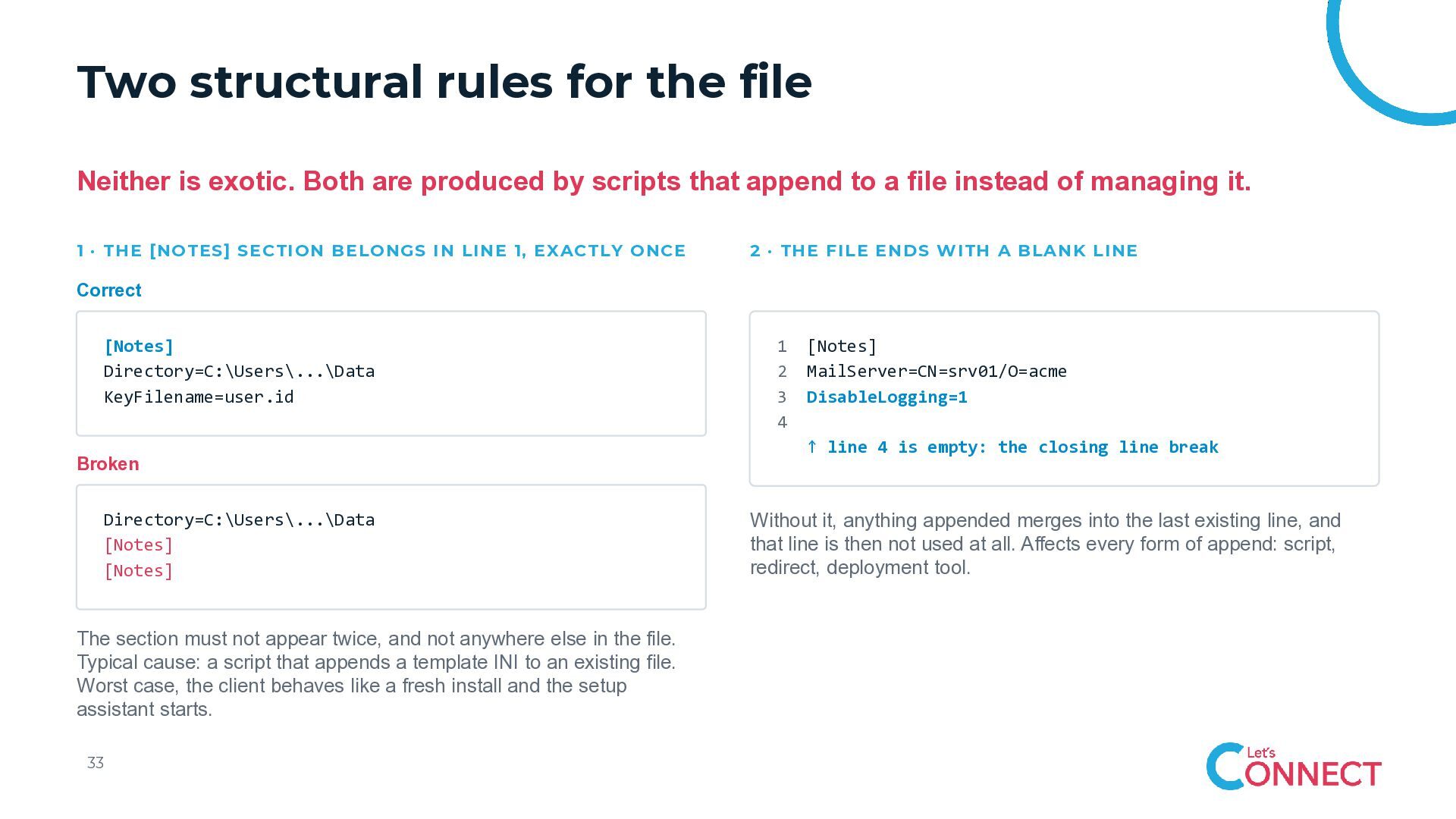
  29. Two structural rules for the file Neither is exotic. Both

    are produced by scripts that append to a file instead of managing it. 1 · THE [NOTES] SECTION BELONGS IN LINE 1, EXACTLY ONCE 2 · THE FILE ENDS WITH A BLANK LINE Correct [Notes] Directory=C:\Users\...\Data KeyFilename=user.id Broken Directory=C:\Users\...\Data [Notes] [Notes] The section must not appear twice, and not anywhere else in the file. Typical cause: a script that appends a template INI to an existing file. Worst case, the client behaves like a fresh install and the setup assistant starts. 33 1 2 3 4 [Notes] MailServer=CN=srv01/O=acme DisableLogging=1 ↑ line 4 is empty: the closing line break Without it, anything appended merges into the last existing line, and that line is then not used at all. Affects every form of append: script, redirect, deployment tool.
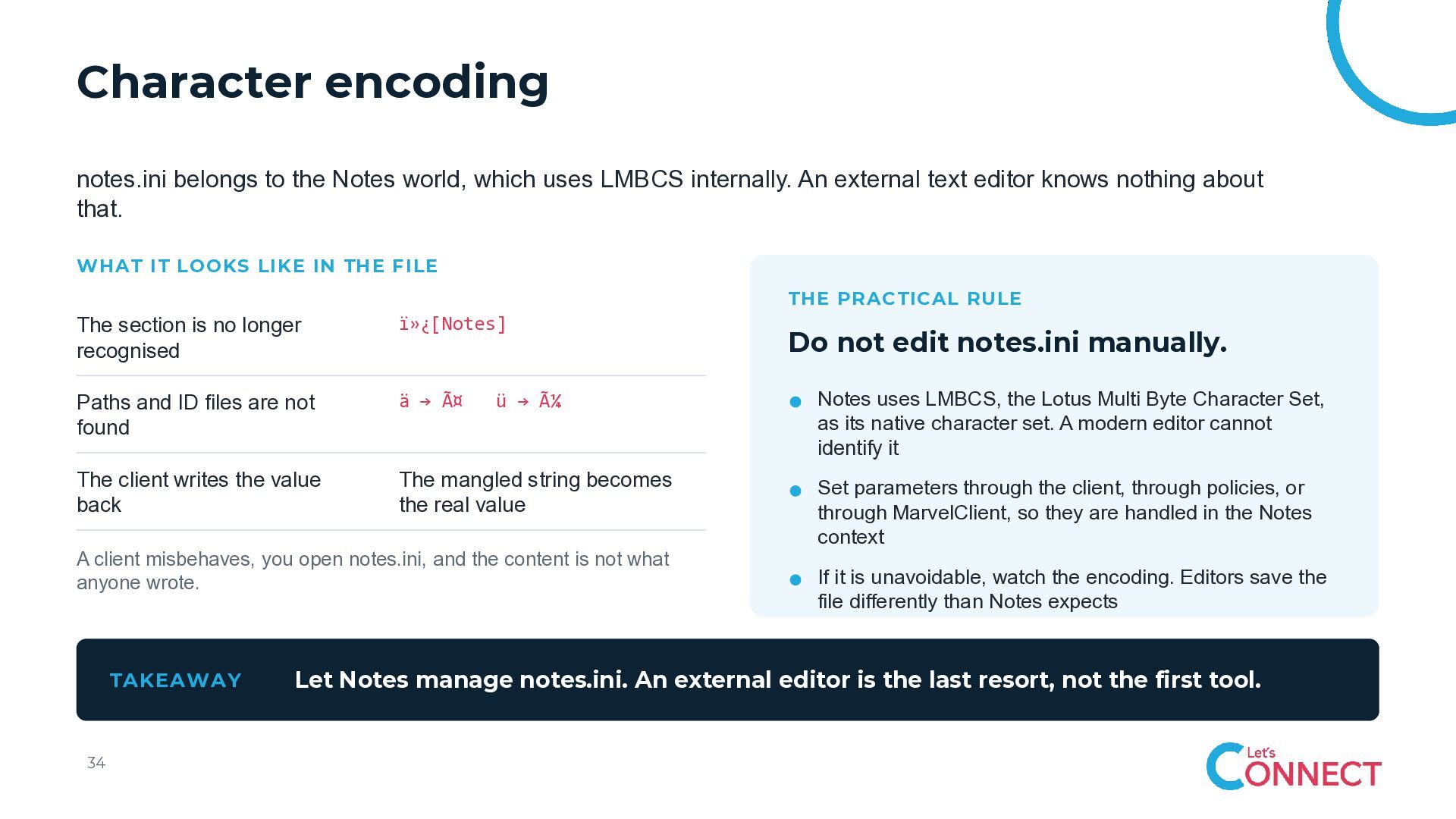
  30. Character encoding notes.ini belongs to the Notes world, which uses

    LMBCS internally. An external text editor knows nothing about that. WHAT IT LOOKS LIKE IN THE FILE THE PRACTICAL RULE The section is no longer recognised [Notes] Paths and ID files are not found ä → ä ü → ü Notes uses LMBCS, the Lotus Multi Byte Character Set, as its native character set. A modern editor cannot identify it The client writes the value back The mangled string becomes the real value Set parameters through the client, through policies, or through MarvelClient, so they are handled in the Notes context A client misbehaves, you open notes.ini, and the content is not what anyone wrote. TAKEAWAY 34 Do not edit notes.ini manually. If it is unavoidable, watch the encoding. Editors save the file differently than Notes expects Let Notes manage notes.ini. An external editor is the last resort, not the first tool.
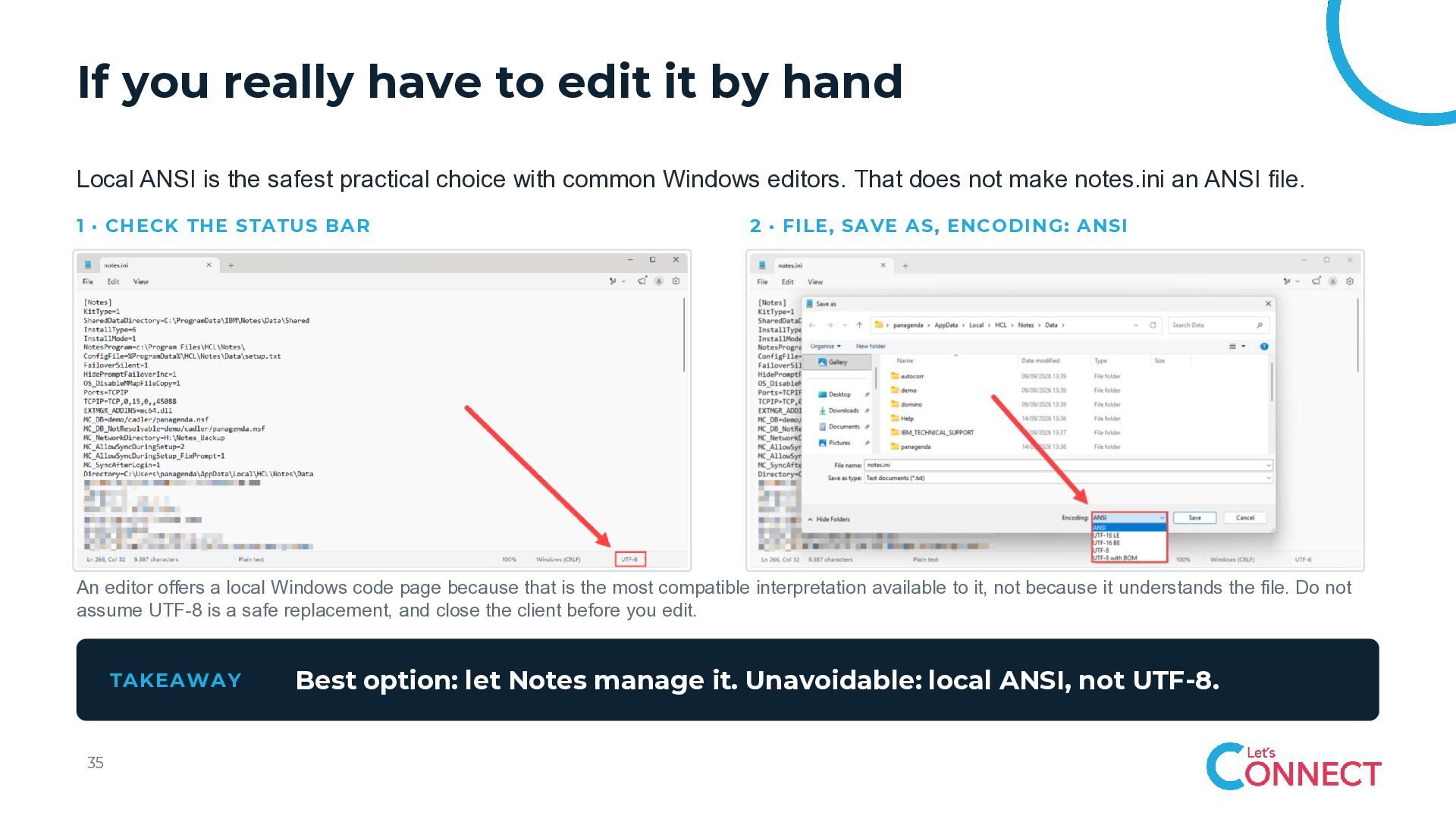
  31. If you really have to edit it by hand Local

    ANSI is the safest practical choice with common Windows editors. That does not make notes.ini an ANSI file. 1 · CHECK THE STATUS BAR 2 · FILE, SAVE AS, ENCODING: ANSI An editor offers a local Windows code page because that is the most compatible interpretation available to it, not because it understands the file. Do not assume UTF-8 is a safe replacement, and close the client before you edit. TAKEAWAY 35 Best option: let Notes manage it. Unavoidable: local ANSI, not UTF-8.
  32. 04 Desktop and bookmarks The workspace is not decoration. It

    is a work queue the client walks through.
  33. Desktop icons and unread counts With icons on the workspace

    and unread counts enabled, the client performs network operations for them. The more icons on the page it displays, the more potential transactions. WHAT IS ACTUALLY HAPPENING It applies either way: the configured start page, or the last used workspace page the client restores These transactions are deliberately small and fast, so no, not every icon automatically creates a performance problem But network operations are taking place, and that belongs in any honest look at startup performance Depending on the environment, it can make sense to control or standardise the workspace through a client management solution WHY “AND BOOKMARKS” Most Notes bookmarks are relational. They carry the Replica ID, so they use the connection information of the matching desktop icon. Maintaining the desktop matters even for users who work almost entirely through bookmarks. Maintain the desktop, and let bookmarks point at the desktop icons. Relational bookmarks are the ones you want. Hinted and absolute bookmarks are better avoided. 37
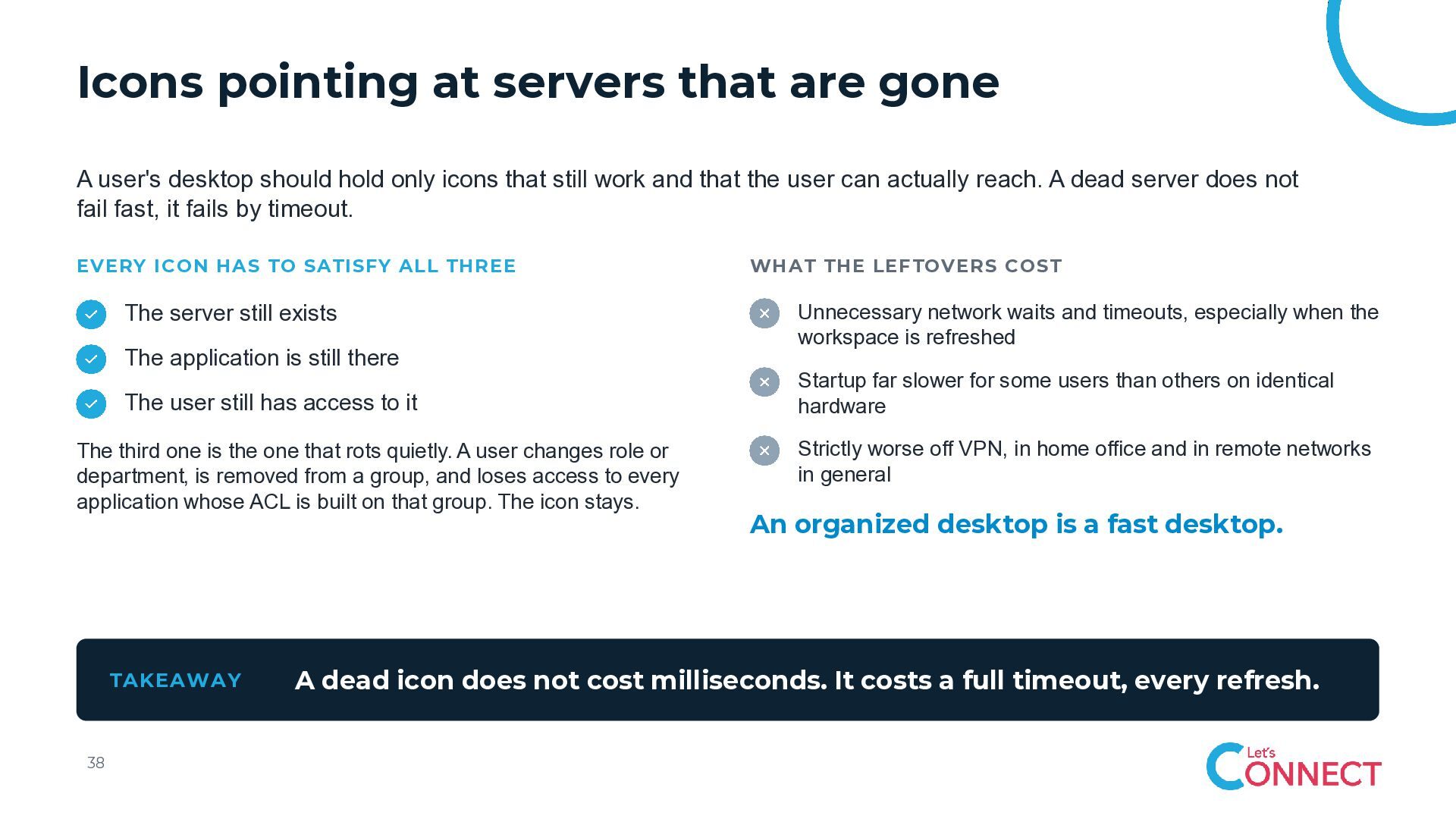
  34. Icons pointing at servers that are gone A user's desktop

    should hold only icons that still work and that the user can actually reach. A dead server does not fail fast, it fails by timeout. EVERY ICON HAS TO SATISFY ALL THREE The server still exists The application is still there The user still has access to it The third one is the one that rots quietly. A user changes role or department, is removed from a group, and loses access to every application whose ACL is built on that group. The icon stays. TAKEAWAY 38 WHAT THE LEFTOVERS COST Unnecessary network waits and timeouts, especially when the workspace is refreshed Startup far slower for some users than others on identical hardware Strictly worse off VPN, in home office and in remote networks in general An organized desktop is a fast desktop. A dead icon does not cost milliseconds. It costs a full timeout, every refresh.
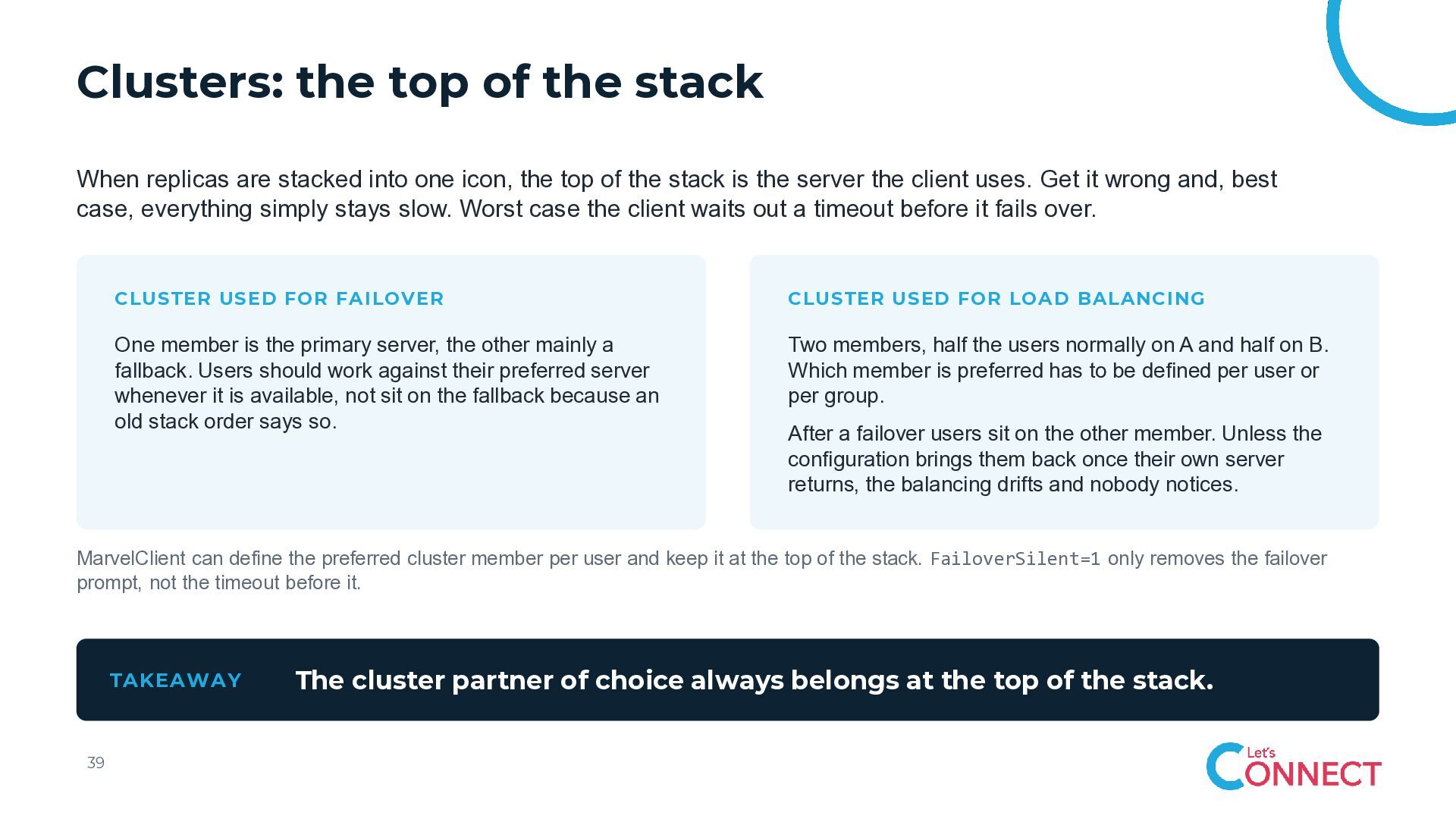
  35. Clusters: the top of the stack When replicas are stacked

    into one icon, the top of the stack is the server the client uses. Get it wrong and, best case, everything simply stays slow. Worst case the client waits out a timeout before it fails over. CLUSTER USED FOR FAILOVER CLUSTER USED FOR LOAD BALANCING One member is the primary server, the other mainly a fallback. Users should work against their preferred server whenever it is available, not sit on the fallback because an old stack order says so. Two members, half the users normally on A and half on B. Which member is preferred has to be defined per user or per group. After a failover users sit on the other member. Unless the configuration brings them back once their own server returns, the balancing drifts and nobody notices. MarvelClient can define the preferred cluster member per user and keep it at the top of the stack. FailoverSilent=1 only removes the failover prompt, not the timeout before it. TAKEAWAY 39 The cluster partner of choice always belongs at the top of the stack.
  36. 05-07 Connection, account and location documents Three document types in

    the local address book, one shared failure mode.
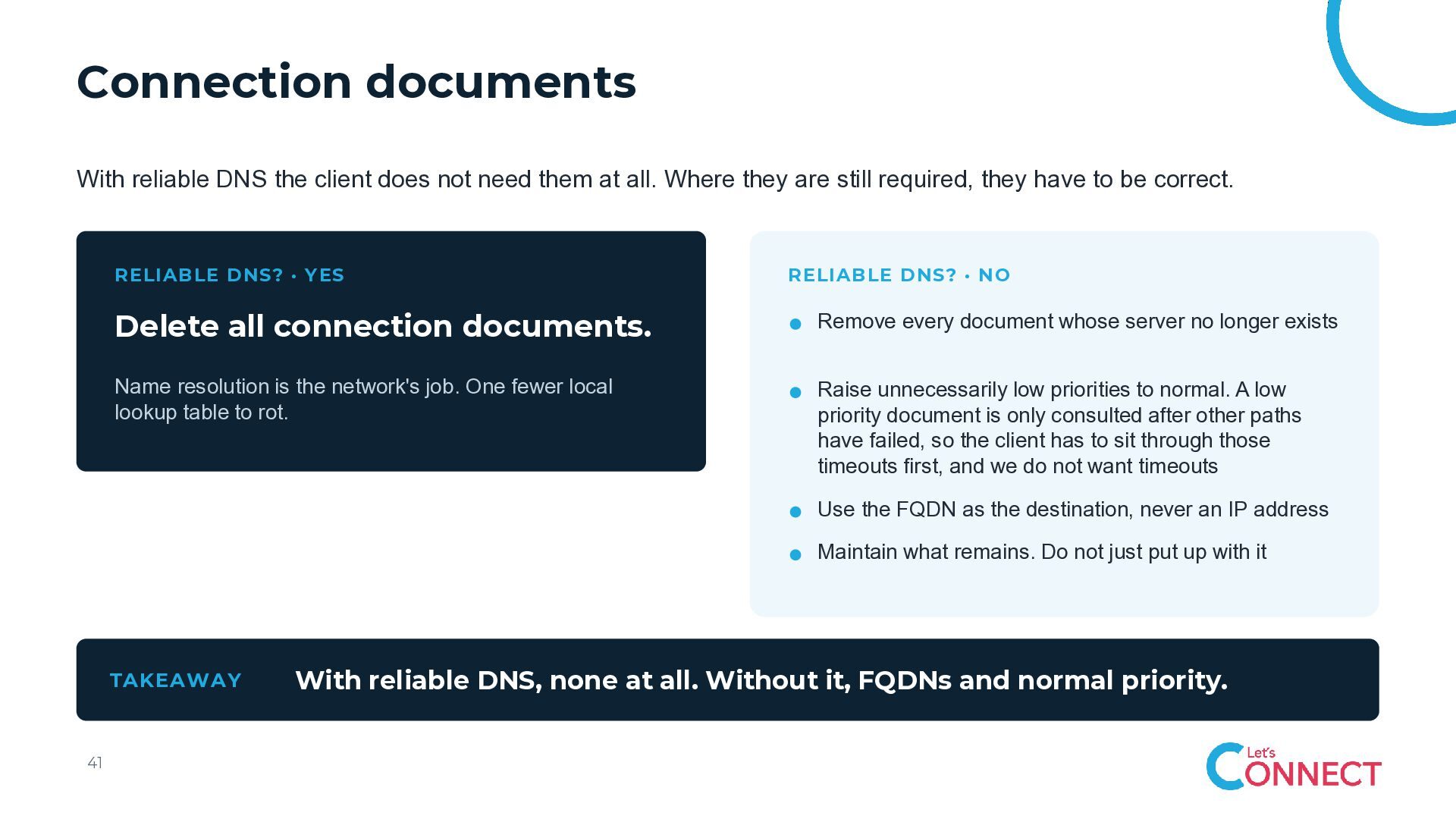
  37. Connection documents With reliable DNS the client does not need

    them at all. Where they are still required, they have to be correct. RELIABLE DNS? · YES RELIABLE DNS? · NO Delete all connection documents. Remove every document whose server no longer exists Name resolution is the network's job. One fewer local lookup table to rot. Raise unnecessarily low priorities to normal. A low priority document is only consulted after other paths have failed, so the client has to sit through those timeouts first, and we do not want timeouts Use the FQDN as the destination, never an IP address Maintain what remains. Do not just put up with it TAKEAWAY 41 With reliable DNS, none at all. Without it, FQDNs and normal priority.
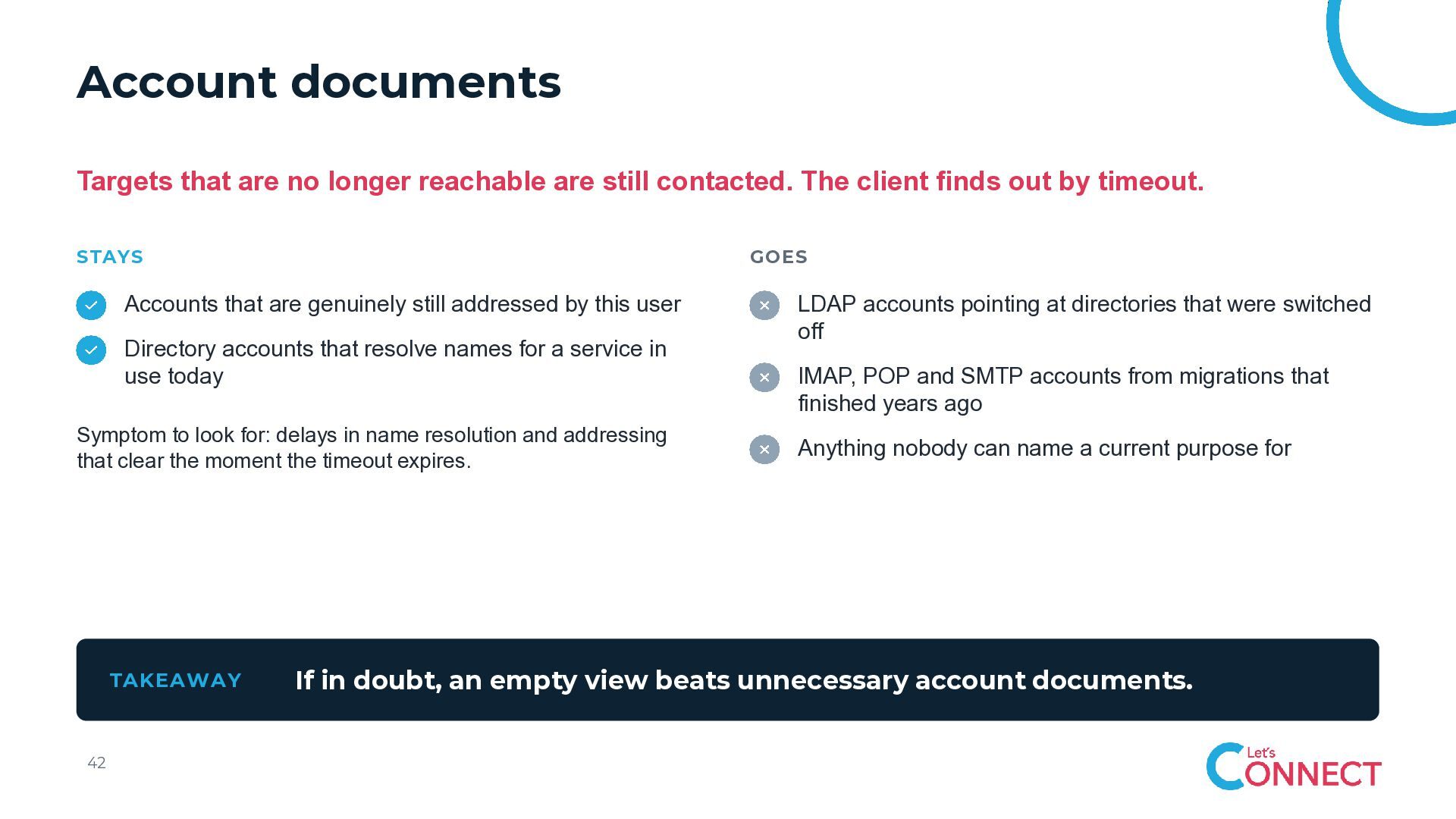
  38. Account documents Targets that are no longer reachable are still

    contacted. The client finds out by timeout. STAYS GOES Accounts that are genuinely still addressed by this user Directory accounts that resolve names for a service in use today Symptom to look for: delays in name resolution and addressing that clear the moment the timeout expires. TAKEAWAY 42 LDAP accounts pointing at directories that were switched off IMAP, POP and SMTP accounts from migrations that finished years ago Anything nobody can name a current purpose for If in doubt, an empty view beats unnecessary account documents.
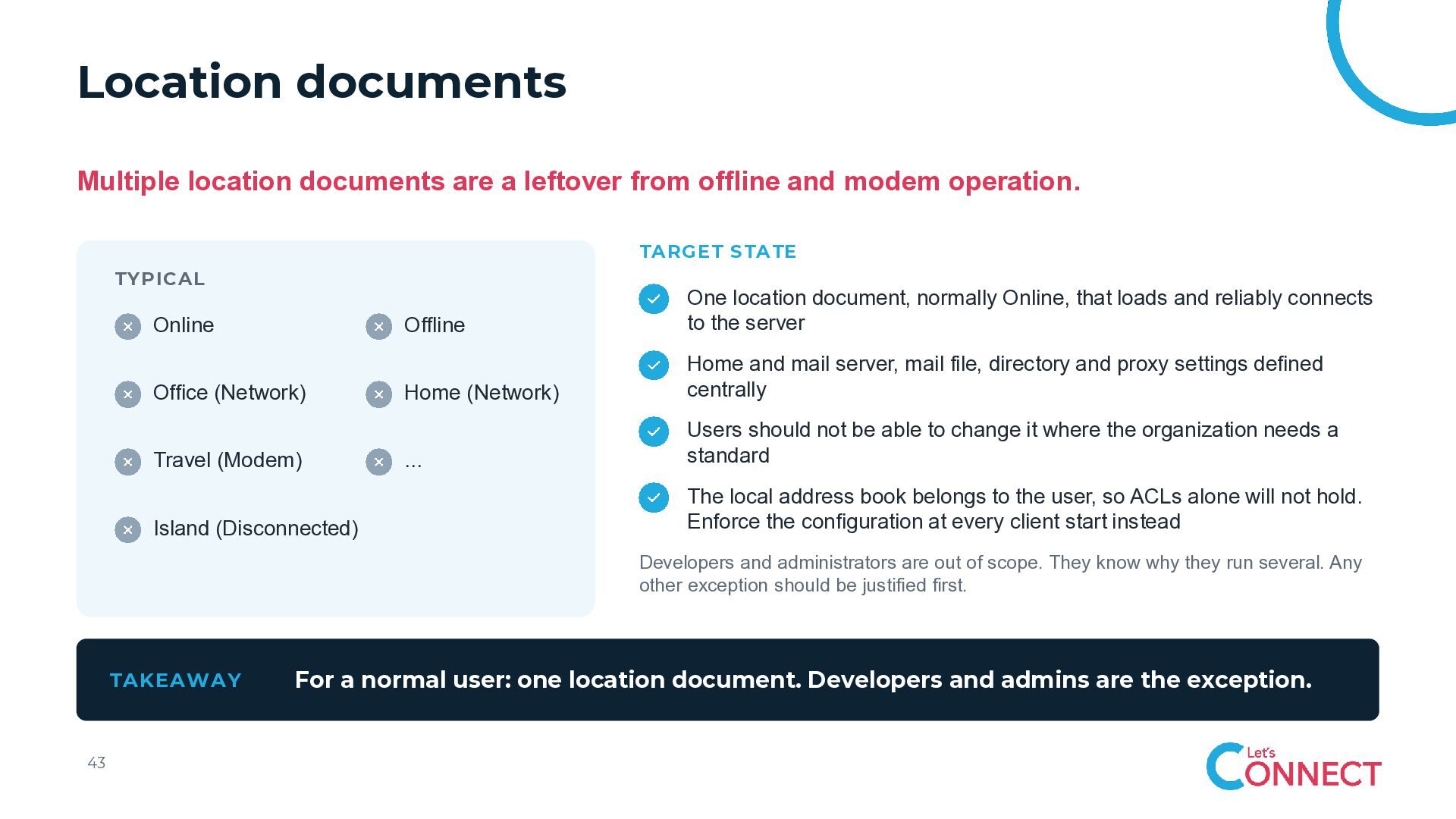
  39. Location documents Multiple location documents are a leftover from offline

    and modem operation. TARGET STATE TYPICAL Online Office (Network) Travel (Modem) Island (Disconnected) Offline One location document, normally Online, that loads and reliably connects to the server Home (Network) Home and mail server, mail file, directory and proxy settings defined centrally ... Users should not be able to change it where the organization needs a standard The local address book belongs to the user, so ACLs alone will not hold. Enforce the configuration at every client start instead Developers and administrators are out of scope. They know why they run several. Any other exception should be justified first. TAKEAWAY 43 For a normal user: one location document. Developers and admins are the exception.
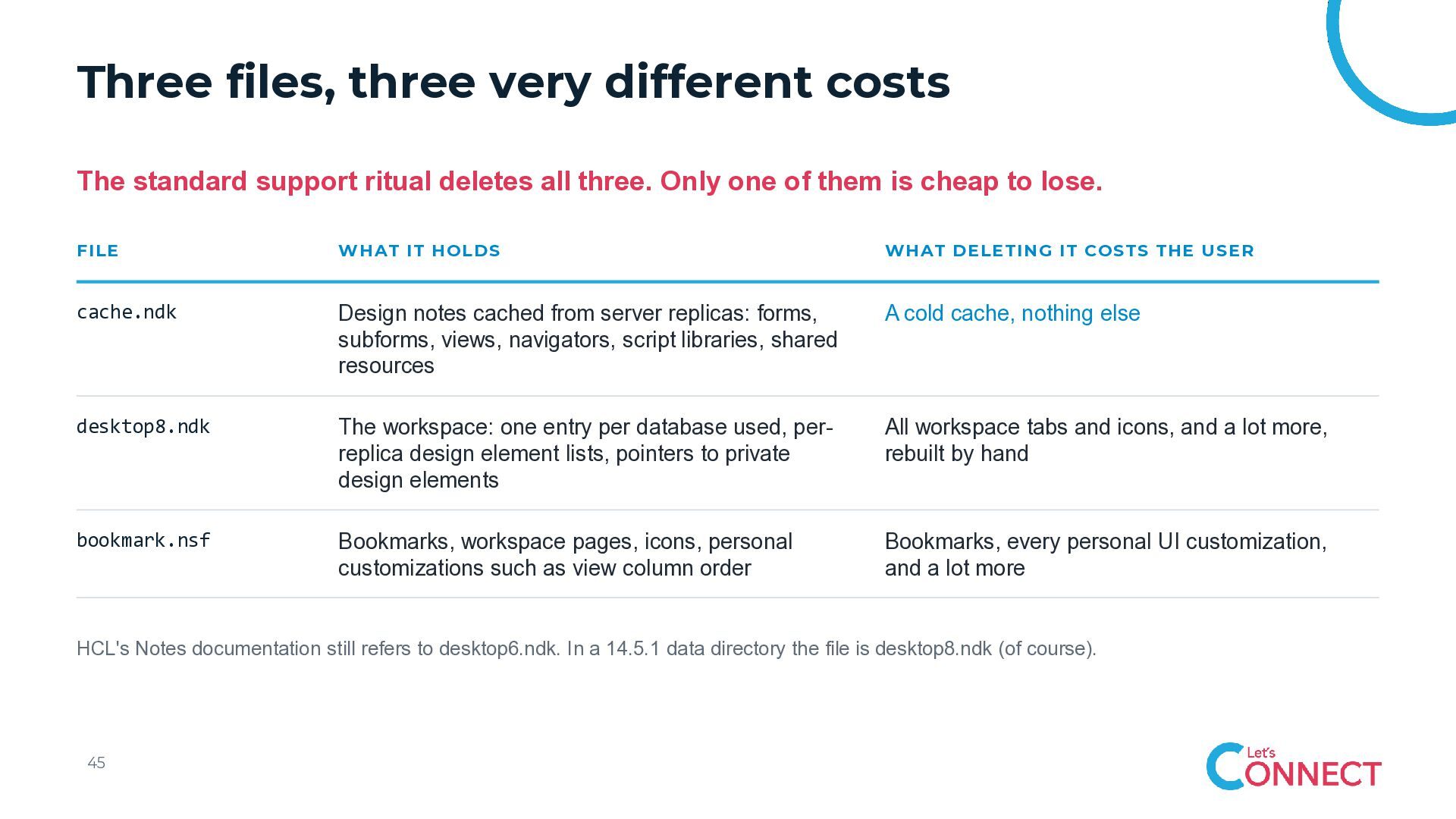
  40. Three files, three very different costs The standard support ritual

    deletes all three. Only one of them is cheap to lose. FILE WHAT IT HOLDS WHAT DELETING IT COSTS THE USER cache.ndk Design notes cached from server replicas: forms, subforms, views, navigators, script libraries, shared resources A cold cache, nothing else desktop8.ndk The workspace: one entry per database used, perreplica design element lists, pointers to private design elements All workspace tabs and icons, and a lot more, rebuilt by hand bookmark.nsf Bookmarks, workspace pages, icons, personal customizations such as view column order Bookmarks, every personal UI customization, and a lot more HCL's Notes documentation still refers to desktop6.ndk. In a 14.5.1 data directory the file is desktop8.ndk (of course). 45
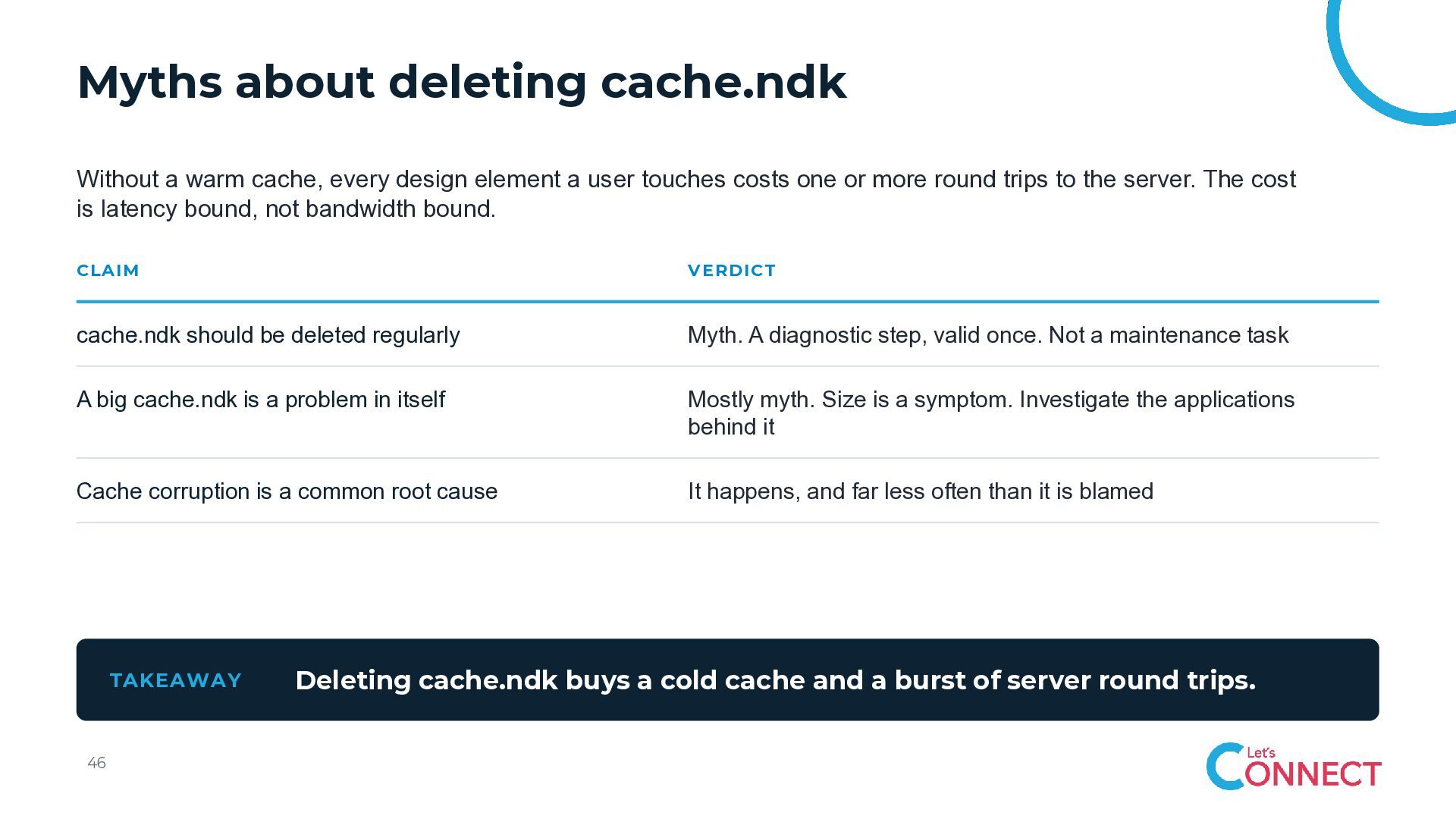
  41. Myths about deleting cache.ndk Without a warm cache, every design

    element a user touches costs one or more round trips to the server. The cost is latency bound, not bandwidth bound. CLAIM VERDICT cache.ndk should be deleted regularly Myth. A diagnostic step, valid once. Not a maintenance task A big cache.ndk is a problem in itself Mostly myth. Size is a symptom. Investigate the applications behind it Cache corruption is a common root cause It happens, and far less often than it is blamed TAKEAWAY 46 Deleting cache.ndk buys a cold cache and a burst of server round trips.
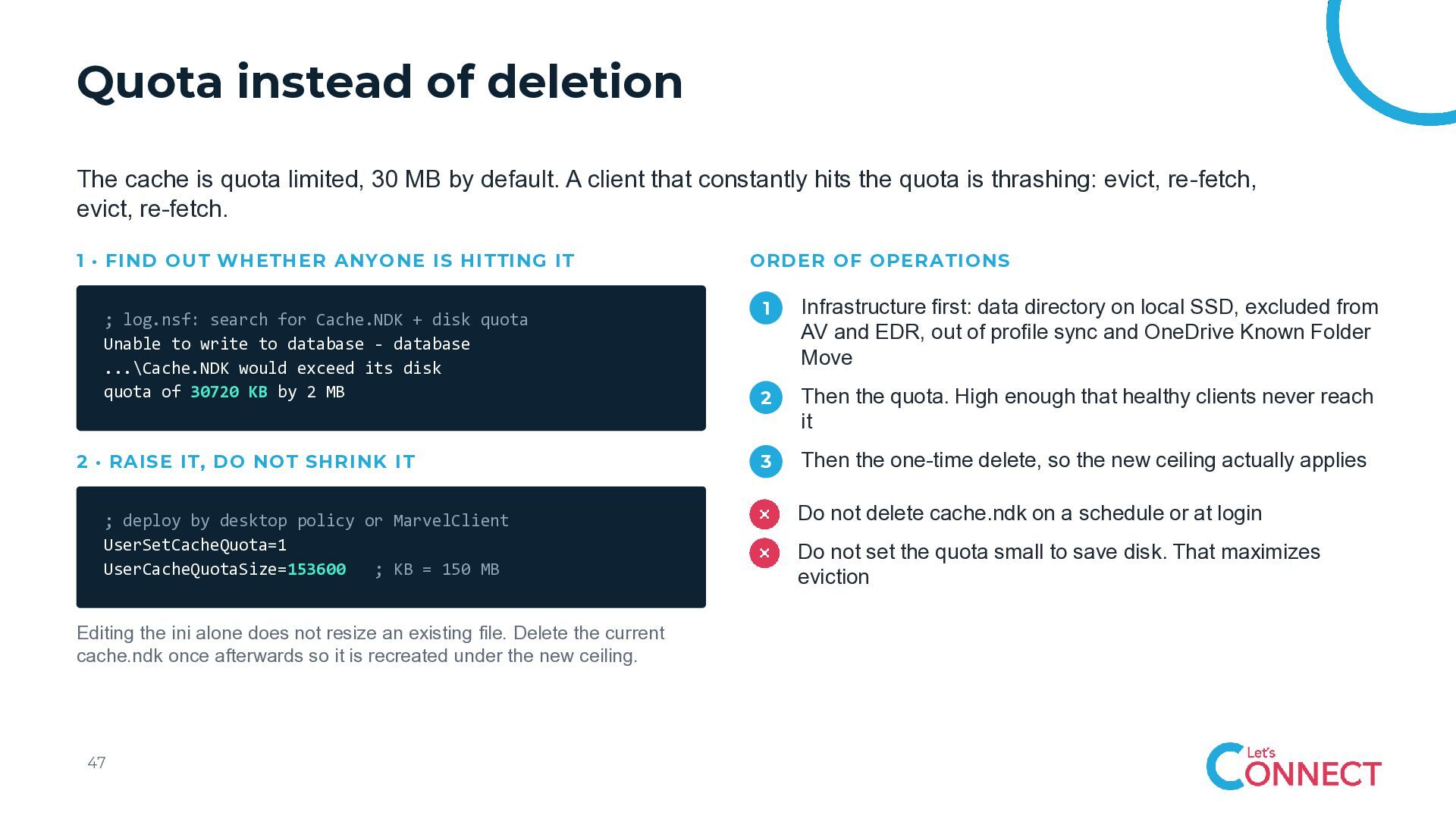
  42. Quota instead of deletion The cache is quota limited, 30

    MB by default. A client that constantly hits the quota is thrashing: evict, re-fetch, evict, re-fetch. 1 · FIND OUT WHETHER ANYONE IS HITTING IT ; log.nsf: search for Cache.NDK + disk quota Unable to write to database - database ...\Cache.NDK would exceed its disk quota of 30720 KB by 2 MB 2 · RAISE IT, DO NOT SHRINK IT ; deploy by desktop policy or MarvelClient UserSetCacheQuota=1 UserCacheQuotaSize=153600 ; KB = 150 MB Editing the ini alone does not resize an existing file. Delete the current cache.ndk once afterwards so it is recreated under the new ceiling. 47 ORDER OF OPERATIONS 1 Infrastructure first: data directory on local SSD, excluded from AV and EDR, out of profile sync and OneDrive Known Folder Move 2 Then the quota. High enough that healthy clients never reach it 3 Then the one-time delete, so the new ceiling actually applies Do not delete cache.ndk on a schedule or at login Do not set the quota small to save disk. That maximizes eviction
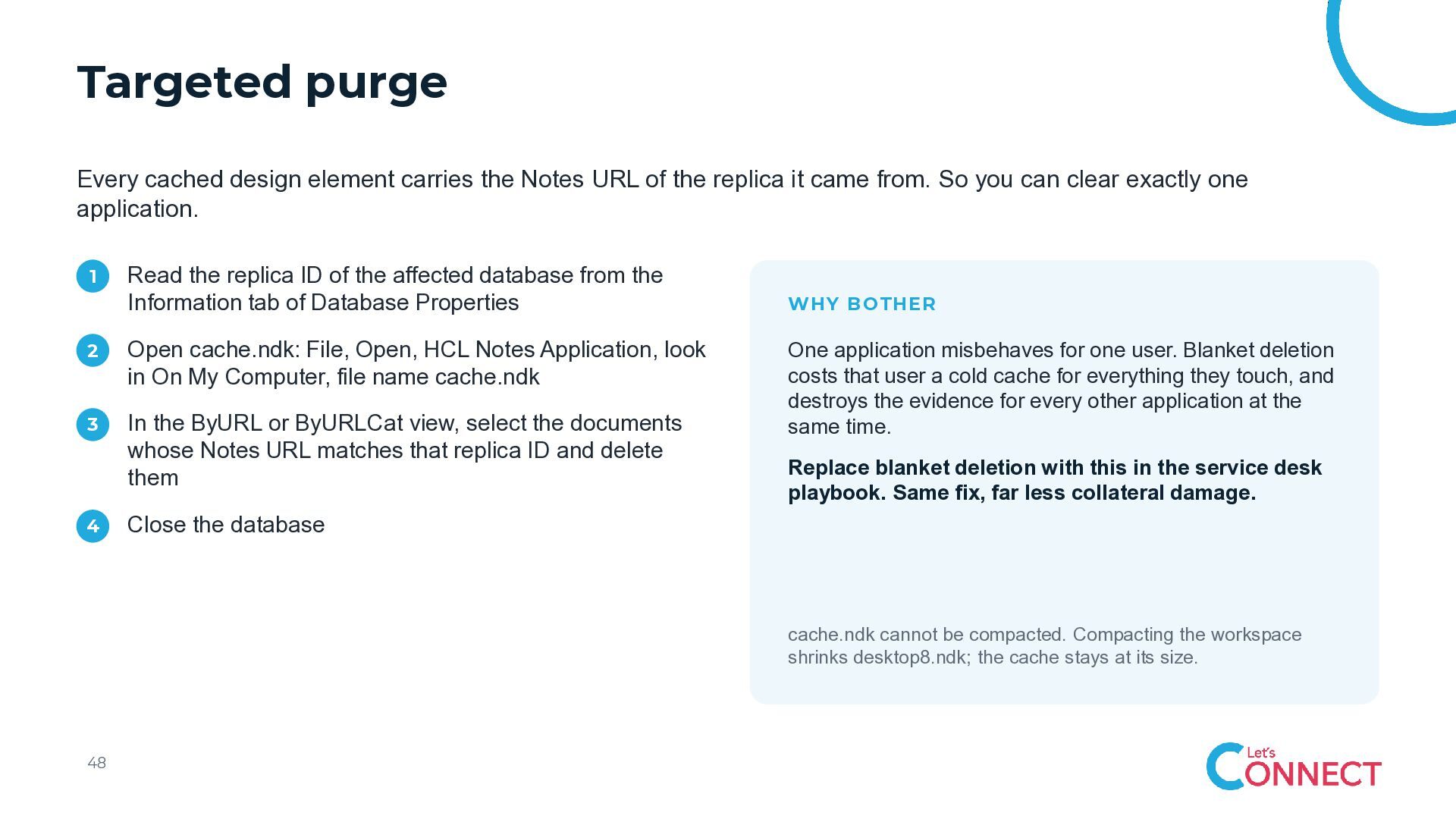
  43. Targeted purge Every cached design element carries the Notes URL

    of the replica it came from. So you can clear exactly one application. 1 Read the replica ID of the affected database from the Information tab of Database Properties 2 Open cache.ndk: File, Open, HCL Notes Application, look in On My Computer, file name cache.ndk 3 In the ByURL or ByURLCat view, select the documents whose Notes URL matches that replica ID and delete them 4 WHY BOTHER One application misbehaves for one user. Blanket deletion costs that user a cold cache for everything they touch, and destroys the evidence for every other application at the same time. Replace blanket deletion with this in the service desk playbook. Same fix, far less collateral damage. Close the database cache.ndk cannot be compacted. Compacting the workspace shrinks desktop8.ndk; the cache stays at its size. 48
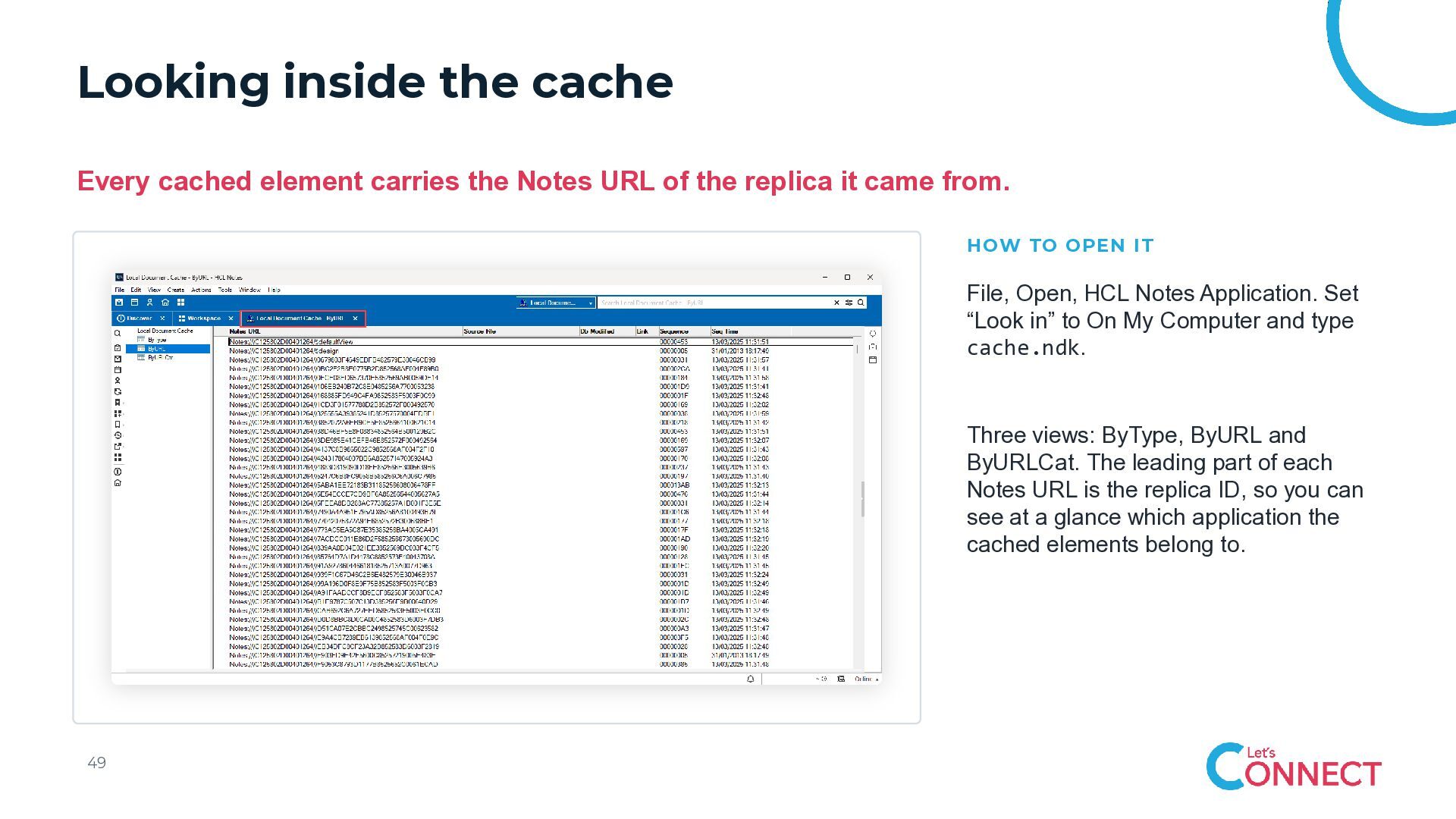
  44. Looking inside the cache Every cached element carries the Notes

    URL of the replica it came from. HOW TO OPEN IT File, Open, HCL Notes Application. Set “Look in” to On My Computer and type cache.ndk. Three views: ByType, ByURL and ByURLCat. The leading part of each Notes URL is the replica ID, so you can see at a glance which application the cached elements belong to. 49
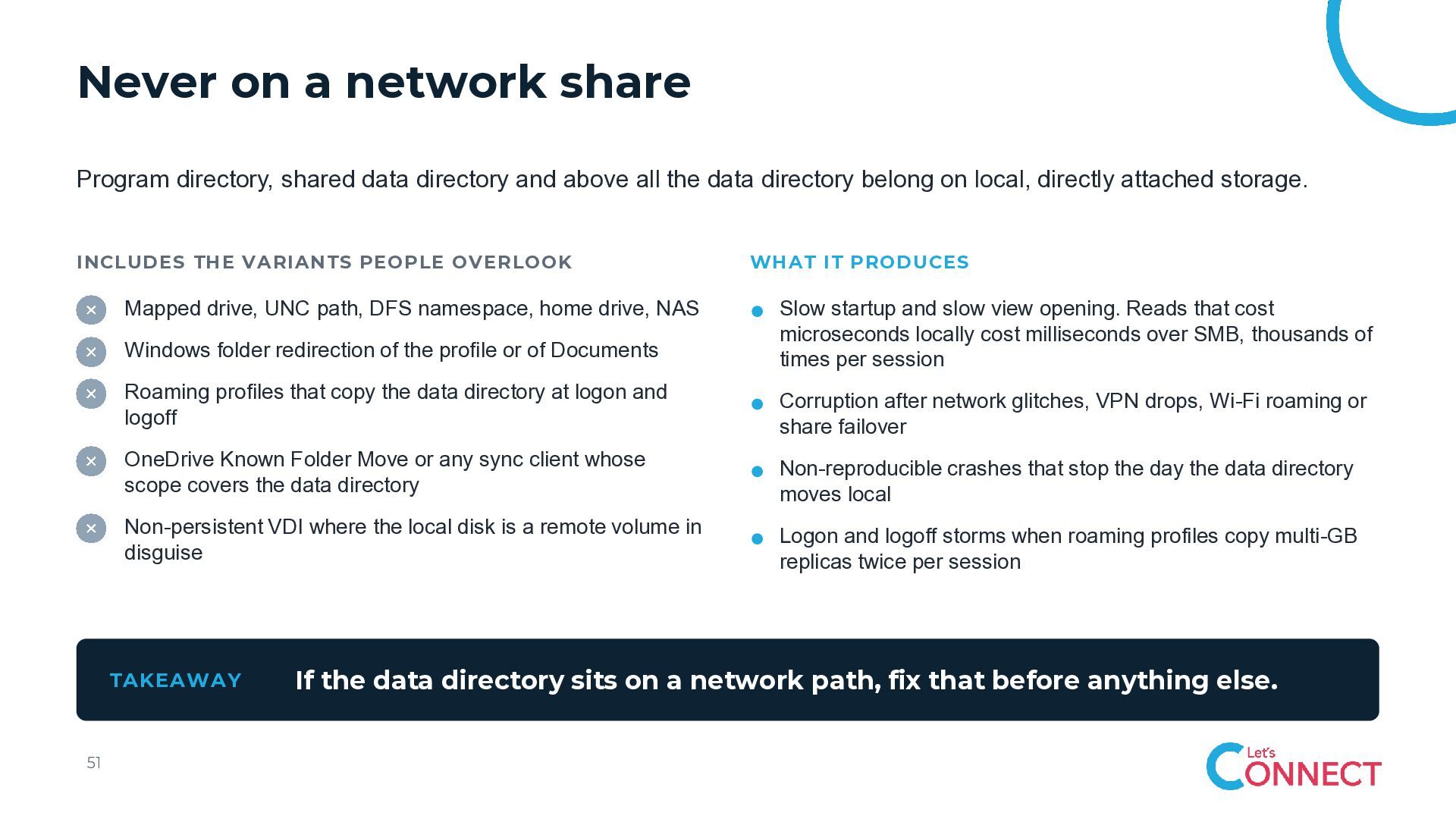
  45. Never on a network share Program directory, shared data directory

    and above all the data directory belong on local, directly attached storage. INCLUDES THE VARIANTS PEOPLE OVERLOOK Mapped drive, UNC path, DFS namespace, home drive, NAS Windows folder redirection of the profile or of Documents Slow startup and slow view opening. Reads that cost microseconds locally cost milliseconds over SMB, thousands of times per session Roaming profiles that copy the data directory at logon and logoff Corruption after network glitches, VPN drops, Wi-Fi roaming or share failover OneDrive Known Folder Move or any sync client whose scope covers the data directory Non-reproducible crashes that stop the day the data directory moves local Non-persistent VDI where the local disk is a remote volume in disguise Logon and logoff storms when roaming profiles copy multi-GB replicas twice per session TAKEAWAY 51 WHAT IT PRODUCES If the data directory sits on a network path, fix that before anything else.
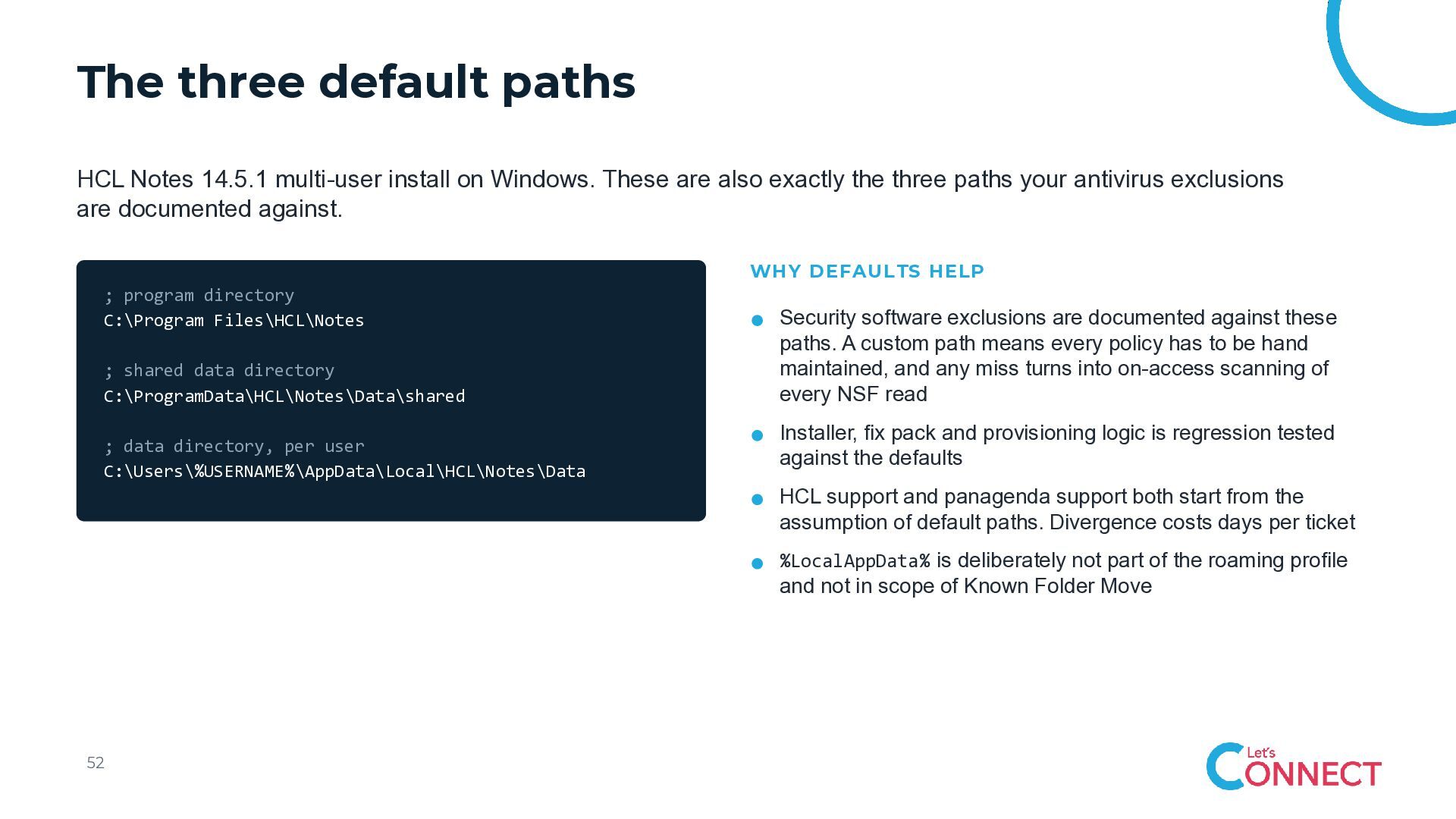
  46. The three default paths HCL Notes 14.5.1 multi-user install on

    Windows. These are also exactly the three paths your antivirus exclusions are documented against. WHY DEFAULTS HELP ; program directory C:\Program Files\HCL\Notes ; shared data directory C:\ProgramData\HCL\Notes\Data\shared ; data directory, per user C:\Users\%USERNAME%\AppData\Local\HCL\Notes\Data Security software exclusions are documented against these paths. A custom path means every policy has to be hand maintained, and any miss turns into on-access scanning of every NSF read Installer, fix pack and provisioning logic is regression tested against the defaults HCL support and panagenda support both start from the assumption of default paths. Divergence costs days per ticket %LocalAppData% is deliberately not part of the roaming profile and not in scope of Known Folder Move 52
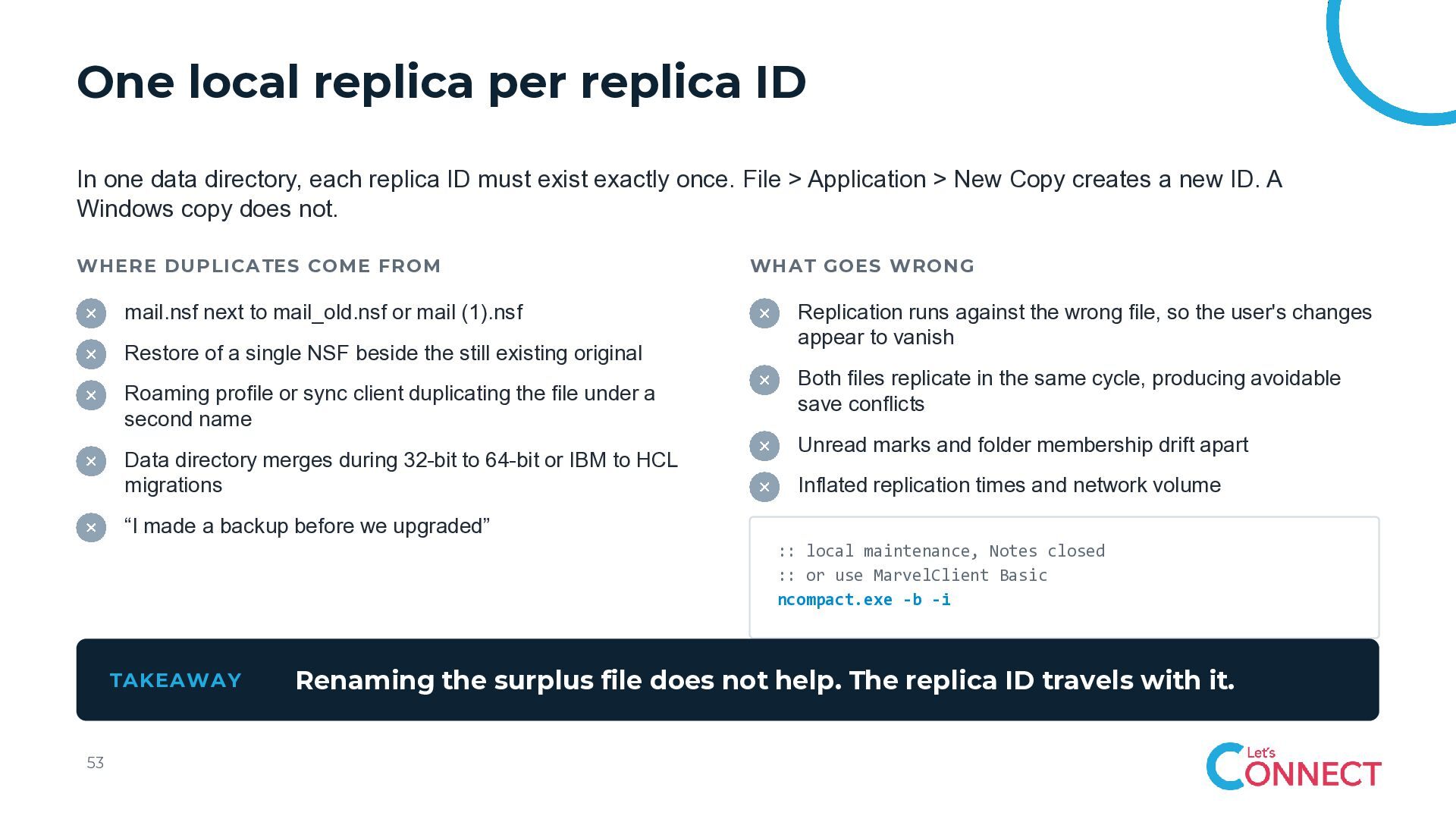
  47. One local replica per replica ID In one data directory,

    each replica ID must exist exactly once. File > Application > New Copy creates a new ID. A Windows copy does not. WHERE DUPLICATES COME FROM mail.nsf next to mail_old.nsf or mail (1).nsf Restore of a single NSF beside the still existing original Roaming profile or sync client duplicating the file under a second name Data directory merges during 32-bit to 64-bit or IBM to HCL migrations WHAT GOES WRONG Replication runs against the wrong file, so the user's changes appear to vanish Both files replicate in the same cycle, producing avoidable save conflicts Unread marks and folder membership drift apart Inflated replication times and network volume “I made a backup before we upgraded” :: local maintenance, Notes closed :: or use MarvelClient Basic ncompact.exe -b -i TAKEAWAY 53 Renaming the surplus file does not help. The replica ID travels with it.
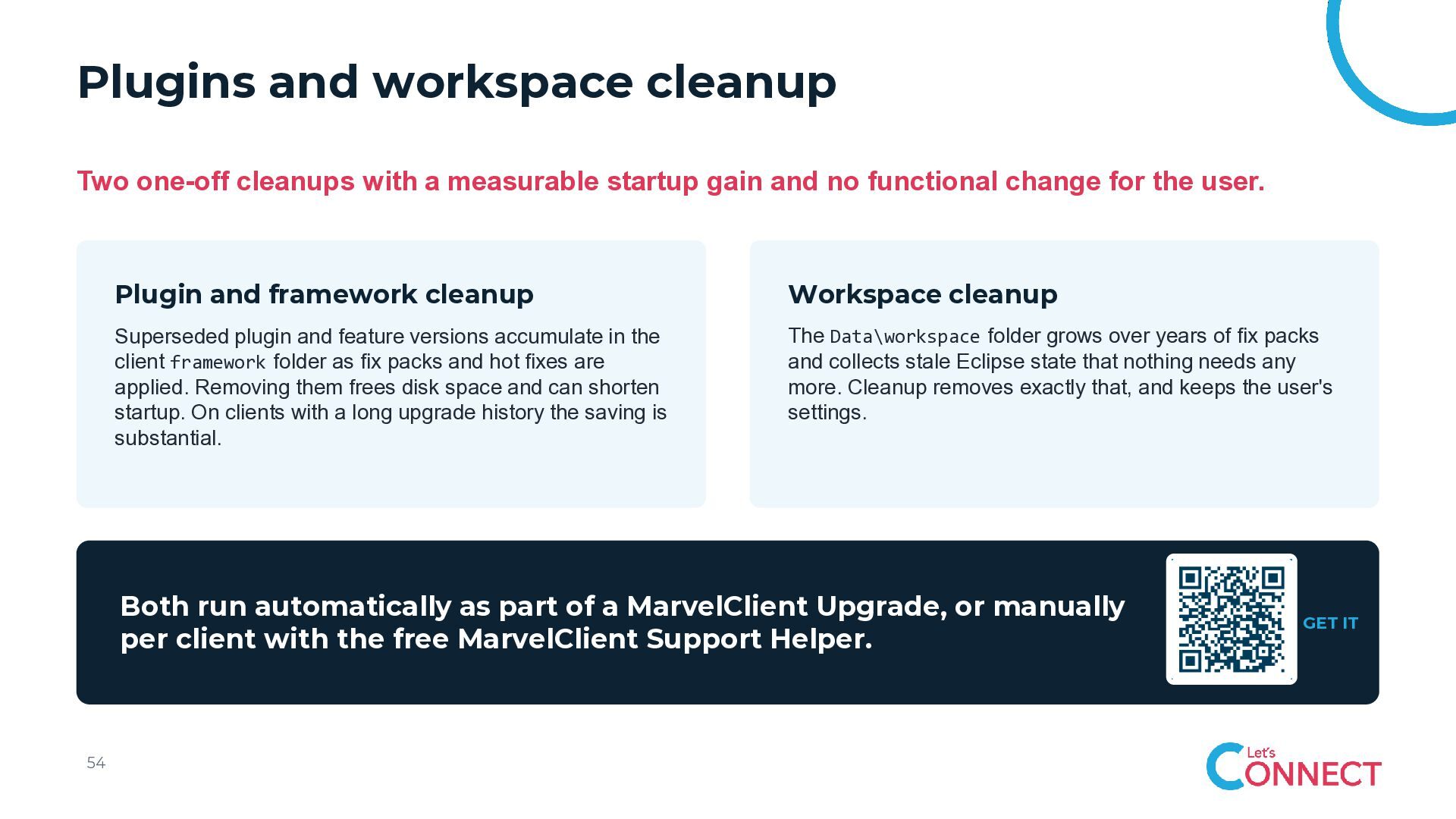
  48. Plugins and workspace cleanup Two one-off cleanups with a measurable

    startup gain and no functional change for the user. Plugin and framework cleanup Workspace cleanup Superseded plugin and feature versions accumulate in the client framework folder as fix packs and hot fixes are applied. Removing them frees disk space and can shorten startup. On clients with a long upgrade history the saving is substantial. The Data\workspace folder grows over years of fix packs and collects stale Eclipse state that nothing needs any more. Cleanup removes exactly that, and keeps the user's settings. Both run automatically as part of a MarvelClient Upgrade, or manually per client with the free MarvelClient Support Helper. 54 GET IT
  49. 10 Antivirus exclusions Not about switching protection off. About not

    scanning the same files thousands of times.
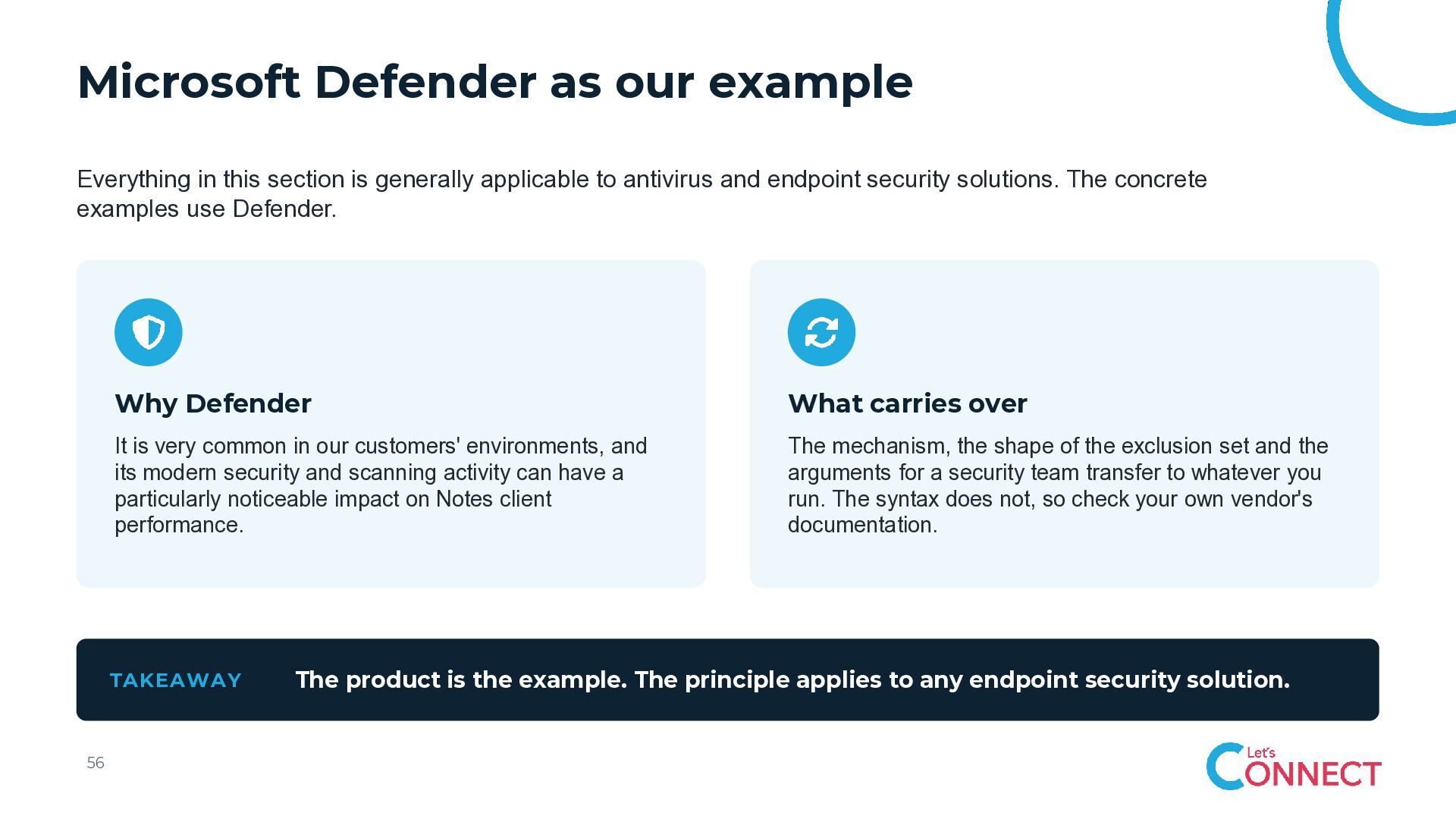
  50. Microsoft Defender as our example Everything in this section is

    generally applicable to antivirus and endpoint security solutions. The concrete examples use Defender. Why Defender What carries over It is very common in our customers' environments, and its modern security and scanning activity can have a particularly noticeable impact on Notes client performance. The mechanism, the shape of the exclusion set and the arguments for a security team transfer to whatever you run. The syntax does not, so check your own vendor's documentation. TAKEAWAY 56 The product is the example. The principle applies to any endpoint security solution.
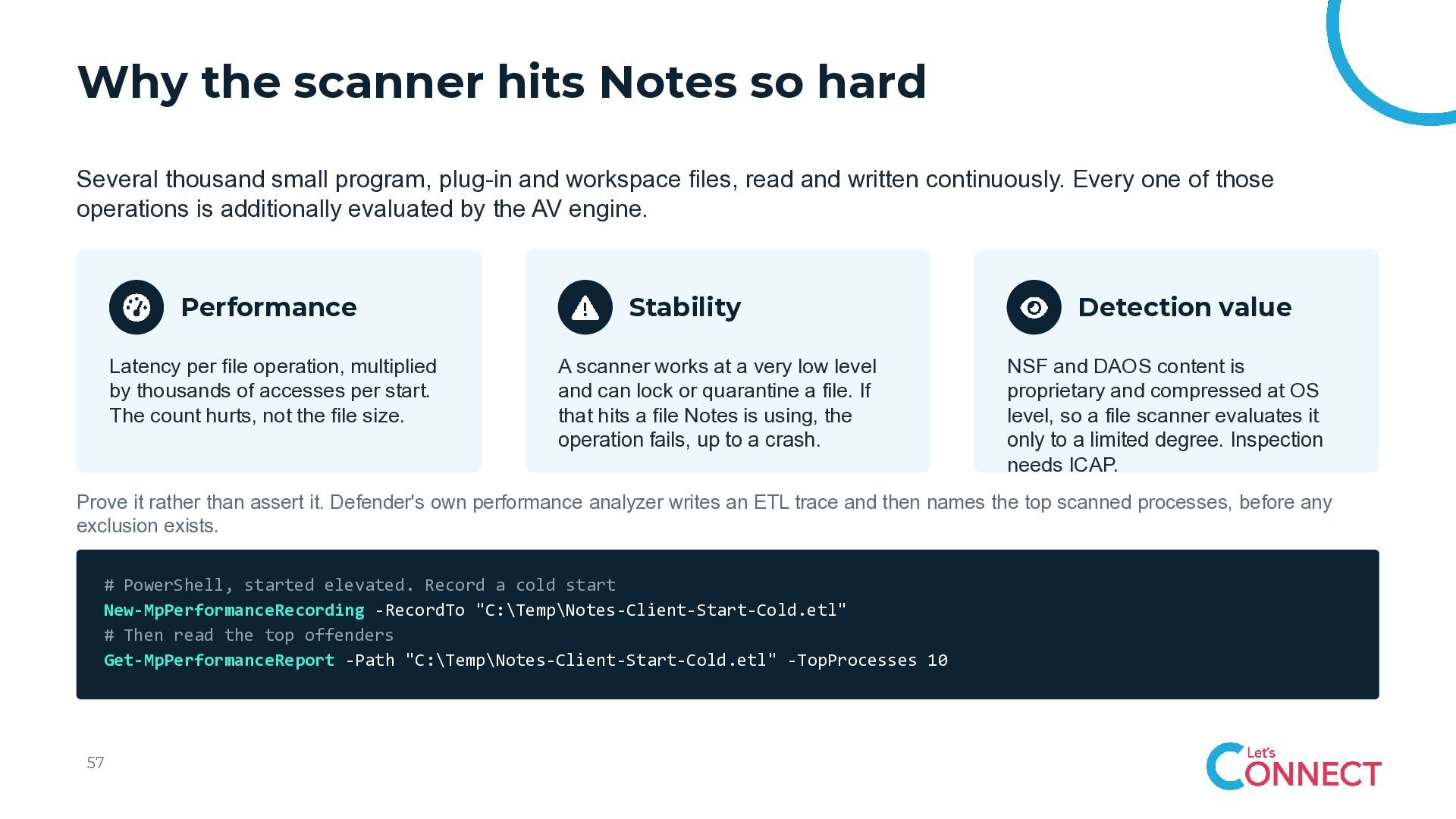
  51. Why the scanner hits Notes so hard Several thousand small

    program, plug-in and workspace files, read and written continuously. Every one of those operations is additionally evaluated by the AV engine. Performance Latency per file operation, multiplied by thousands of accesses per start. The count hurts, not the file size. Stability A scanner works at a very low level and can lock or quarantine a file. If that hits a file Notes is using, the operation fails, up to a crash. Detection value NSF and DAOS content is proprietary and compressed at OS level, so a file scanner evaluates it only to a limited degree. Inspection needs ICAP. Prove it rather than assert it. Defender's own performance analyzer writes an ETL trace and then names the top scanned processes, before any exclusion exists. # PowerShell, started elevated. Record a cold start New-MpPerformanceRecording -RecordTo "C:\Temp\Notes-Client-Start-Cold.etl" # Then read the top offenders Get-MpPerformanceReport -Path "C:\Temp\Notes-Client-Start-Cold.etl" -TopProcesses 10 57
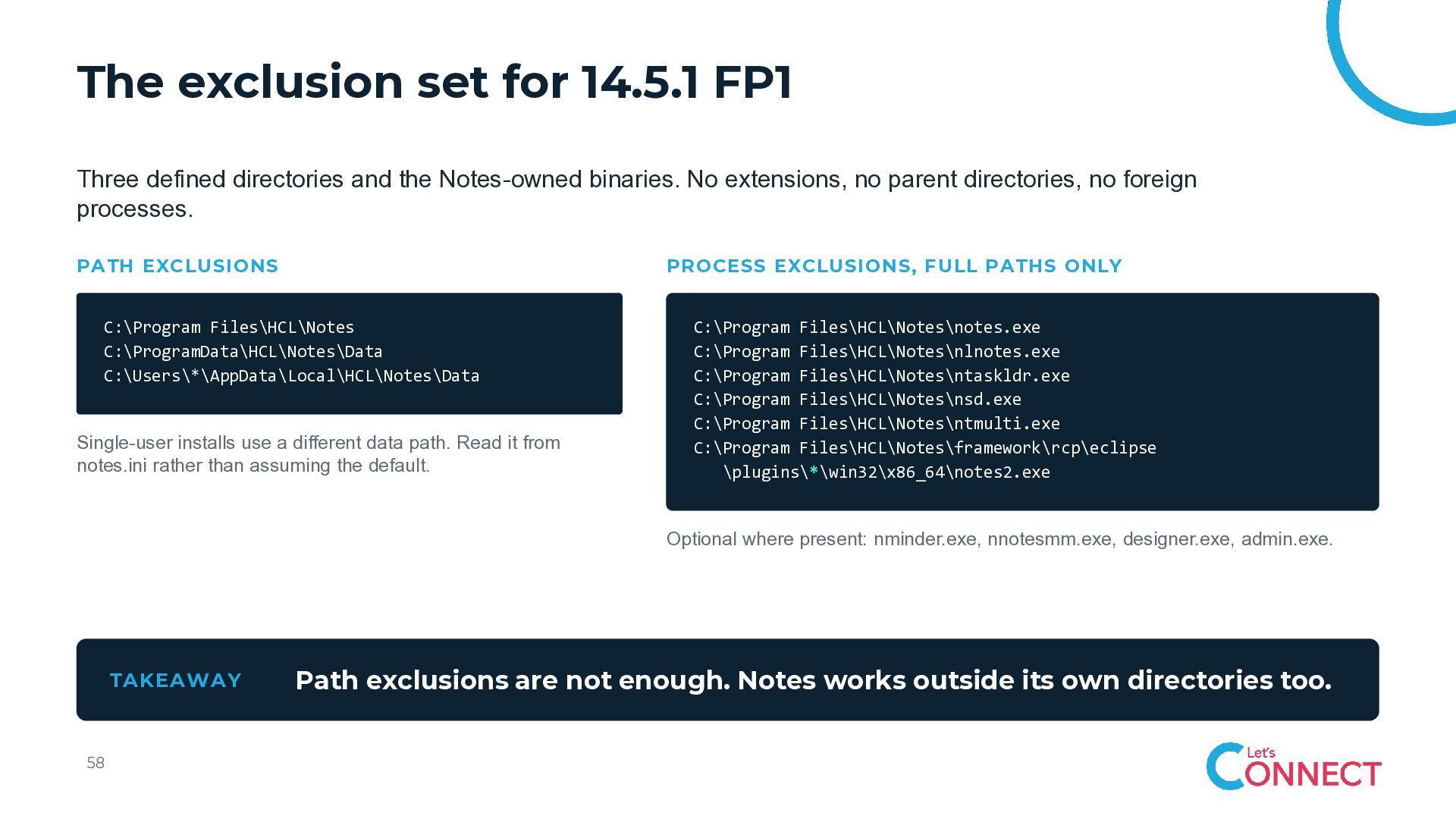
  52. The exclusion set for 14.5.1 FP1 Three defined directories and

    the Notes-owned binaries. No extensions, no parent directories, no foreign processes. PATH EXCLUSIONS PROCESS EXCLUSIONS, FULL PATHS ONLY C:\Program Files\HCL\Notes C:\ProgramData\HCL\Notes\Data C:\Users\*\AppData\Local\HCL\Notes\Data Single-user installs use a different data path. Read it from notes.ini rather than assuming the default. C:\Program Files\HCL\Notes\notes.exe C:\Program Files\HCL\Notes\nlnotes.exe C:\Program Files\HCL\Notes\ntaskldr.exe C:\Program Files\HCL\Notes\nsd.exe C:\Program Files\HCL\Notes\ntmulti.exe C:\Program Files\HCL\Notes\framework\rcp\eclipse \plugins\*\win32\x86_64\notes2.exe Optional where present: nminder.exe, nnotesmm.exe, designer.exe, admin.exe. TAKEAWAY 58 Path exclusions are not enough. Notes works outside its own directories too.
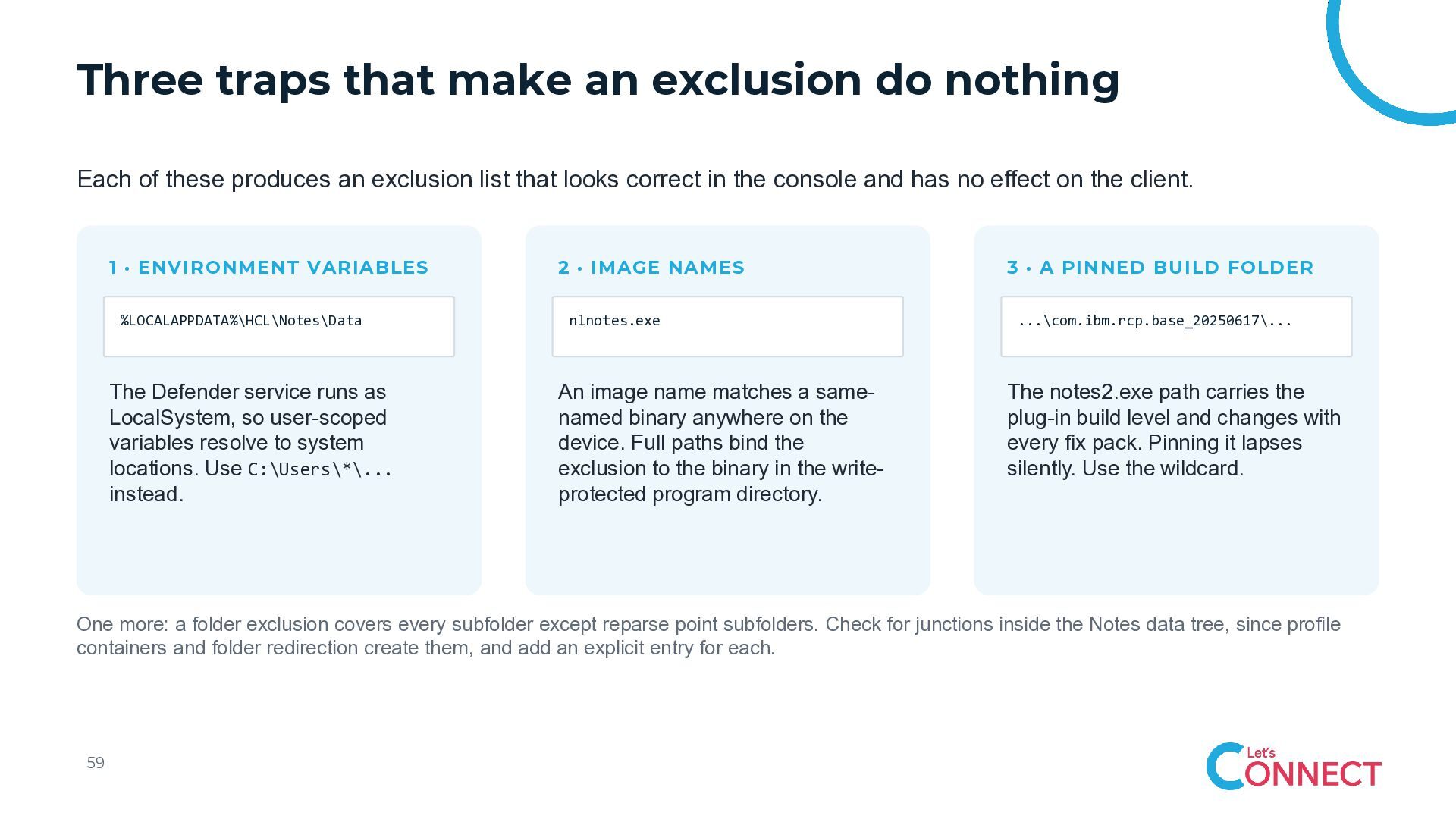
  53. Three traps that make an exclusion do nothing Each of

    these produces an exclusion list that looks correct in the console and has no effect on the client. 1 · ENVIRONMENT VARIABLES %LOCALAPPDATA%\HCL\Notes\Data The Defender service runs as LocalSystem, so user-scoped variables resolve to system locations. Use C:\Users\*\... instead. 2 · IMAGE NAMES nlnotes.exe An image name matches a samenamed binary anywhere on the device. Full paths bind the exclusion to the binary in the writeprotected program directory. 3 · A PINNED BUILD FOLDER ...\com.ibm.rcp.base_20250617\... The notes2.exe path carries the plug-in build level and changes with every fix pack. Pinning it lapses silently. Use the wildcard. One more: a folder exclusion covers every subfolder except reparse point subfolders. Check for junctions inside the Notes data tree, since profile containers and folder redirection create them, and add an explicit entry for each. 59
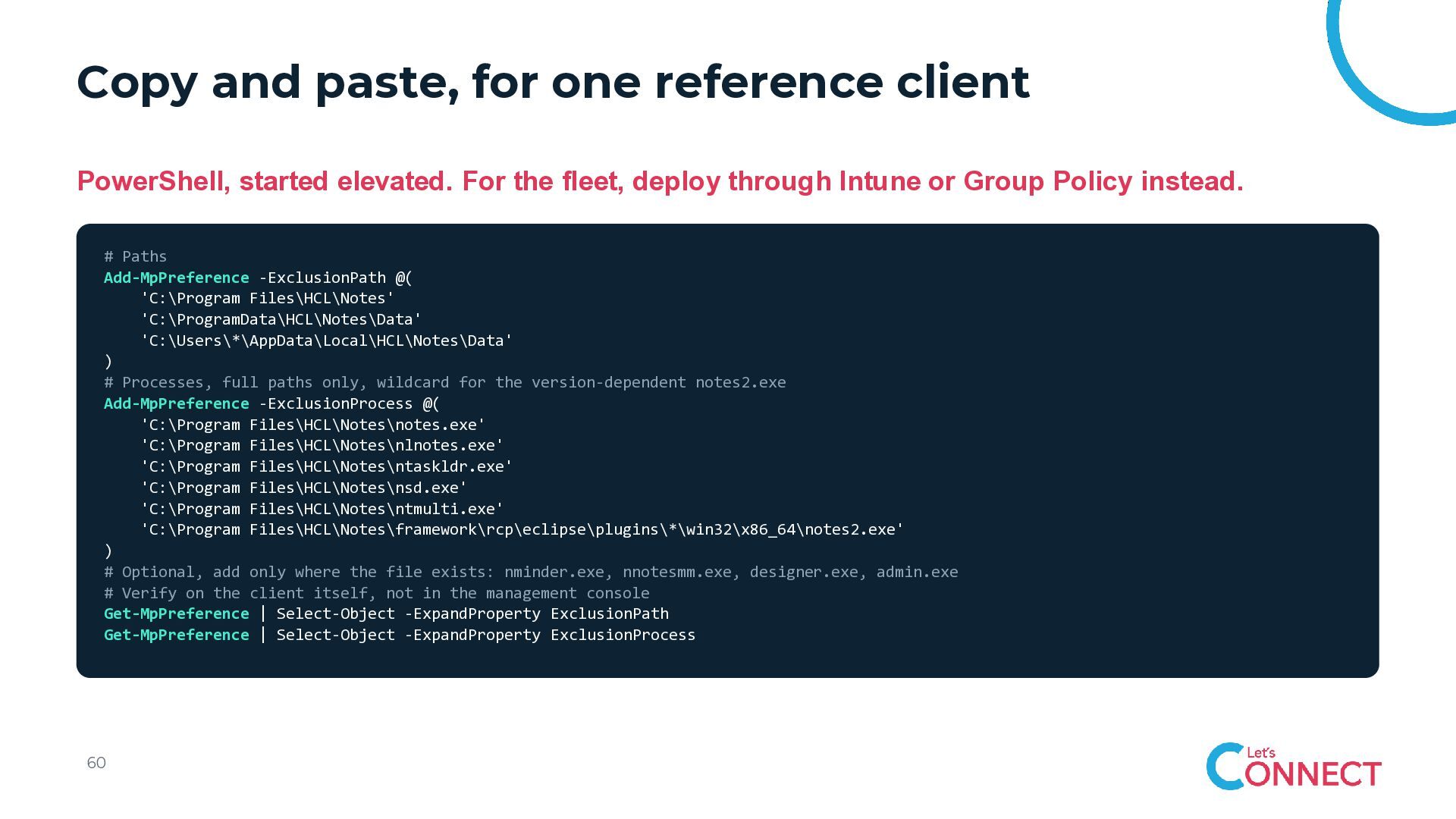
  54. Copy and paste, for one reference client PowerShell, started elevated.

    For the fleet, deploy through Intune or Group Policy instead. # Paths Add-MpPreference -ExclusionPath @( 'C:\Program Files\HCL\Notes' 'C:\ProgramData\HCL\Notes\Data' 'C:\Users\*\AppData\Local\HCL\Notes\Data' ) # Processes, full paths only, wildcard for the version-dependent notes2.exe Add-MpPreference -ExclusionProcess @( 'C:\Program Files\HCL\Notes\notes.exe' 'C:\Program Files\HCL\Notes\nlnotes.exe' 'C:\Program Files\HCL\Notes\ntaskldr.exe' 'C:\Program Files\HCL\Notes\nsd.exe' 'C:\Program Files\HCL\Notes\ntmulti.exe' 'C:\Program Files\HCL\Notes\framework\rcp\eclipse\plugins\*\win32\x86_64\notes2.exe' ) # Optional, add only where the file exists: nminder.exe, nnotesmm.exe, designer.exe, admin.exe # Verify on the client itself, not in the management console Get-MpPreference | Select-Object -ExpandProperty ExclusionPath Get-MpPreference | Select-Object -ExpandProperty ExclusionProcess 60
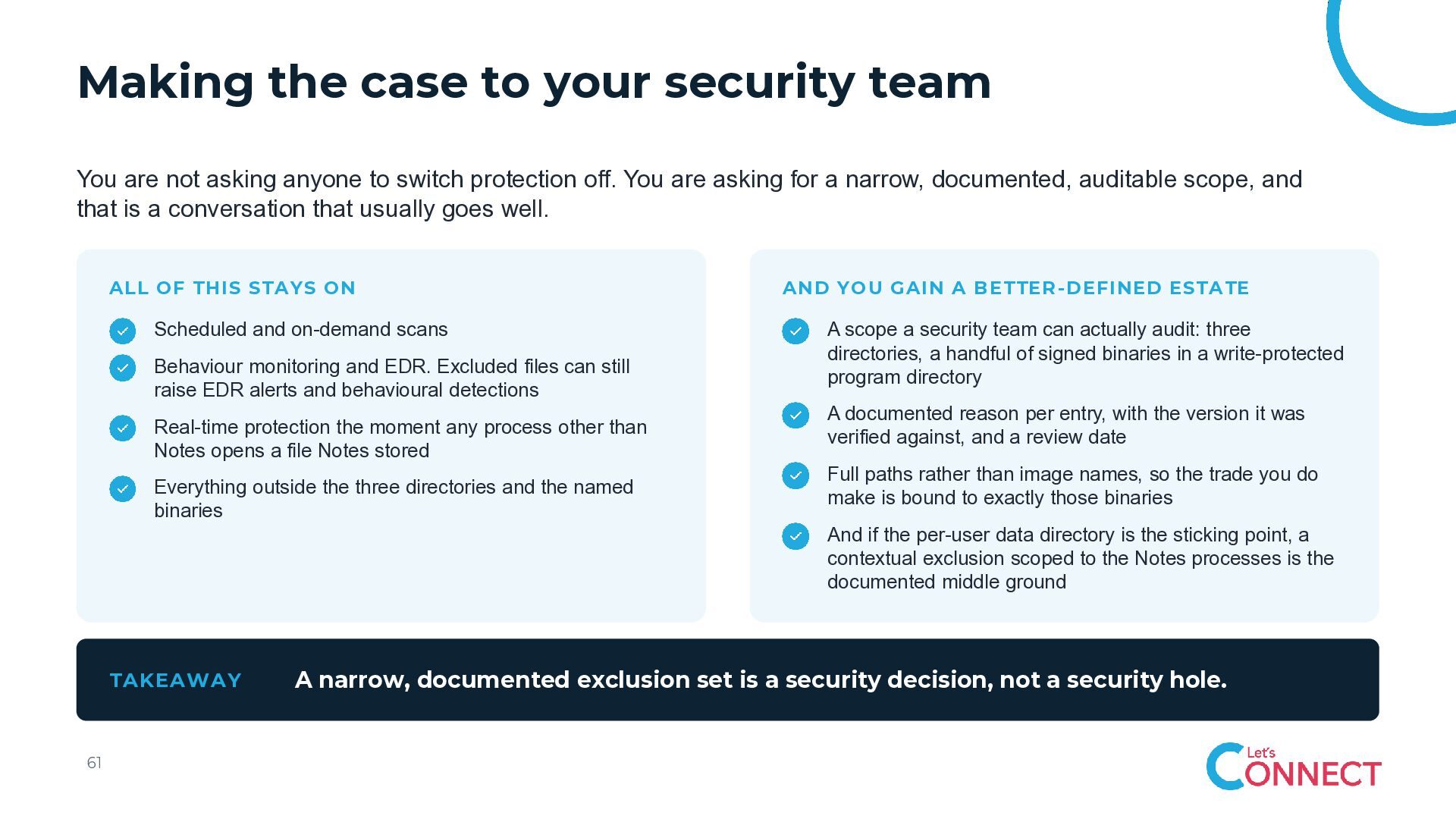
  55. Making the case to your security team You are not

    asking anyone to switch protection off. You are asking for a narrow, documented, auditable scope, and that is a conversation that usually goes well. ALL OF THIS STAYS ON Scheduled and on-demand scans Behaviour monitoring and EDR. Excluded files can still raise EDR alerts and behavioural detections Real-time protection the moment any process other than Notes opens a file Notes stored Everything outside the three directories and the named binaries AND YOU GAIN A BETTER -DEFINED ESTATE A scope a security team can actually audit: three directories, a handful of signed binaries in a write-protected program directory A documented reason per entry, with the version it was verified against, and a review date Full paths rather than image names, so the trade you do make is bound to exactly those binaries And if the per-user data directory is the sticking point, a contextual exclusion scoped to the Notes processes is the documented middle ground TAKEAWAY 61 A narrow, documented exclusion set is a security decision, not a security hole.
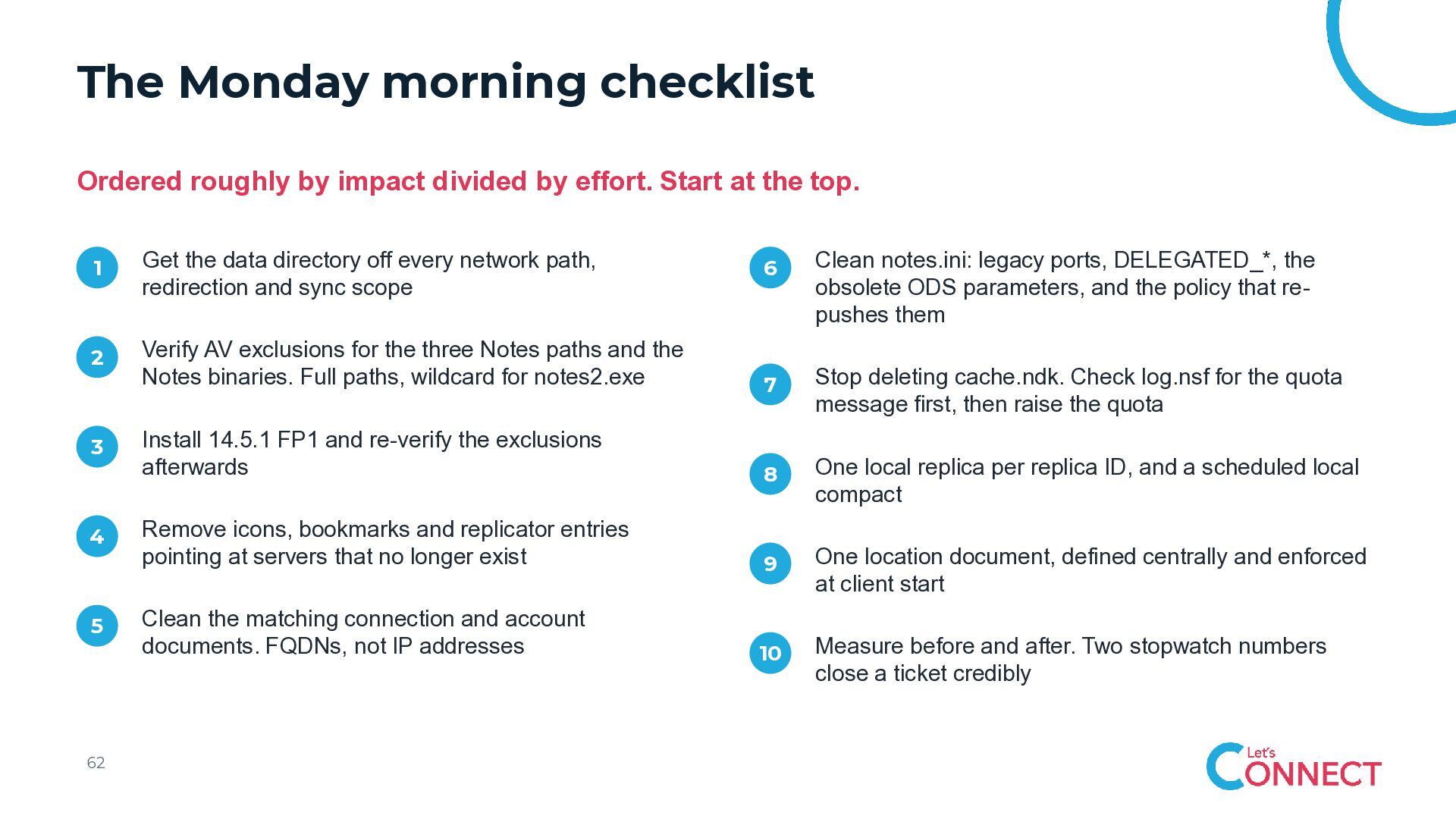
  56. The Monday morning checklist Ordered roughly by impact divided by

    effort. Start at the top. 1 Get the data directory off every network path, redirection and sync scope 2 3 4 5 62 6 Clean notes.ini: legacy ports, DELEGATED_*, the obsolete ODS parameters, and the policy that repushes them Verify AV exclusions for the three Notes paths and the Notes binaries. Full paths, wildcard for notes2.exe 7 Stop deleting cache.ndk. Check log.nsf for the quota message first, then raise the quota Install 14.5.1 FP1 and re-verify the exclusions afterwards 8 One local replica per replica ID, and a scheduled local compact Remove icons, bookmarks and replicator entries pointing at servers that no longer exist 9 One location document, defined centrally and enforced at client start Clean the matching connection and account documents. FQDNs, not IP addresses 10 Measure before and after. Two stopwatch numbers close a ticket credibly