Upgrade to Pro
— share decks privately, control downloads, hide ads and more …
Speaker Deck
Sign up for free
Menu
Search
Features
All features
Private URLs
Password Protection
Custom URLS
Scheduled publishing
Remove Branding
Restrict embedding
Deck Collections
Notes
Features
All features
Private URLs
Password Protection
Custom URLS
Scheduled publishing
Remove Branding
Restrict embedding
Deck Collections
Notes
Explore
Featured decks
Featured speakers
Programming
Technology
Storyboards
Explore
Featured decks
Featured speakers
Programming
Technology
Storyboards
Pricing
Search
Sign in
Sign up for free
Linux の Debug 機能
Search
Sponsored
·
Ship Features Fearlessly
Turn features on and off without deploys. Used by thousands of Ruby developers.
→
Masami Ichikawa
May 18, 2016
Programming
120
0
Share
Embed
Copy iframe code
Copy JS code
Copy link
Start on current slide
Linux の Debug 機能
Masami Ichikawa
May 18, 2016
Transcript
20 slides
Linux の Debug 機能 • @masami256
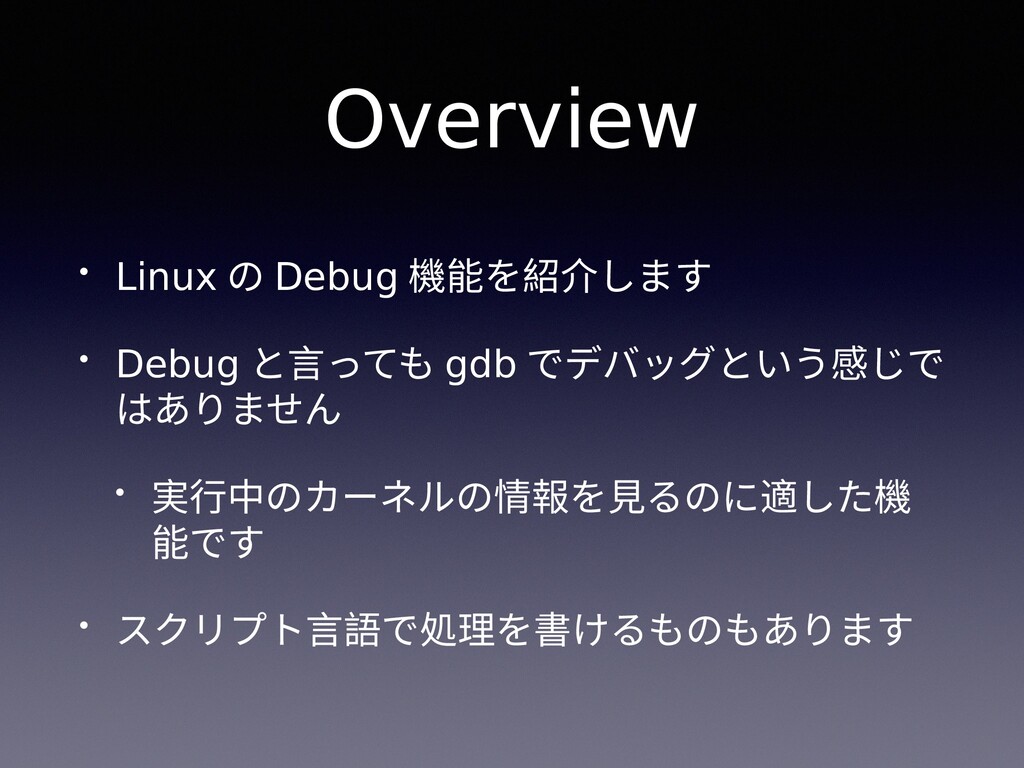
Overview • Linux の Debug 機能を紹介します • Debug と言っても gdb
でデバッグという感じで はありません • 実行中のカーネルの情報を見るのに適した機 能です • スクリプト言語で処理を書けるものもあります
Importance • debug 系のパッケージがあると捗ります • -debuginfo • RHEL 系 •
-dbgsym • Ubuntu • symbol 見れないのはやっぱり辛い>< • debug 系のパッケージを提供していないディストリビューション の場合は自前でビルドしましょう
Tools • SystemTap • Perf • Ftrace • eBPF
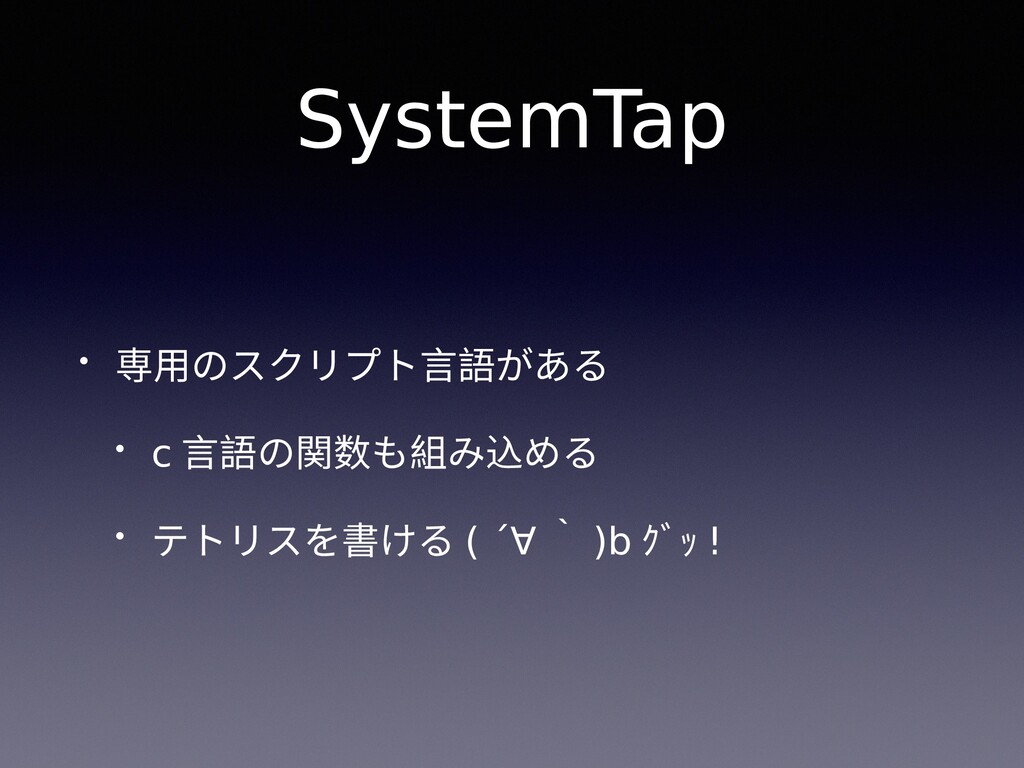
SystemTap • 専用のスクリプト言語がある • c 言語の関数も組み込める • テトリスを書ける ( ´∀
` )b グッ !
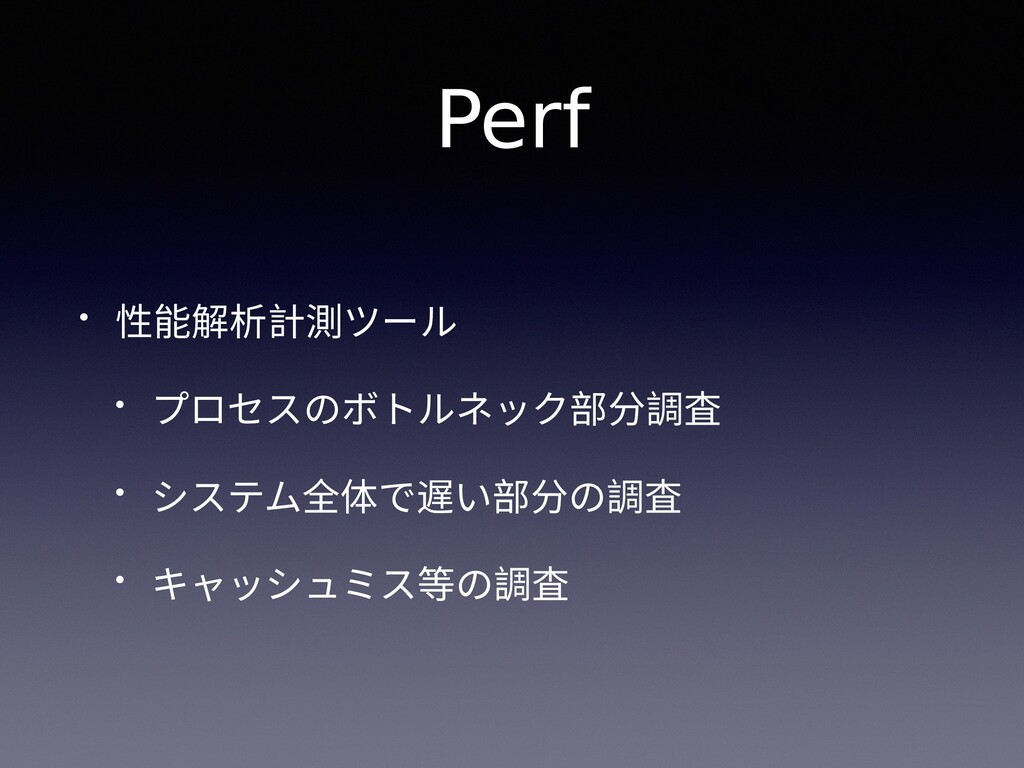
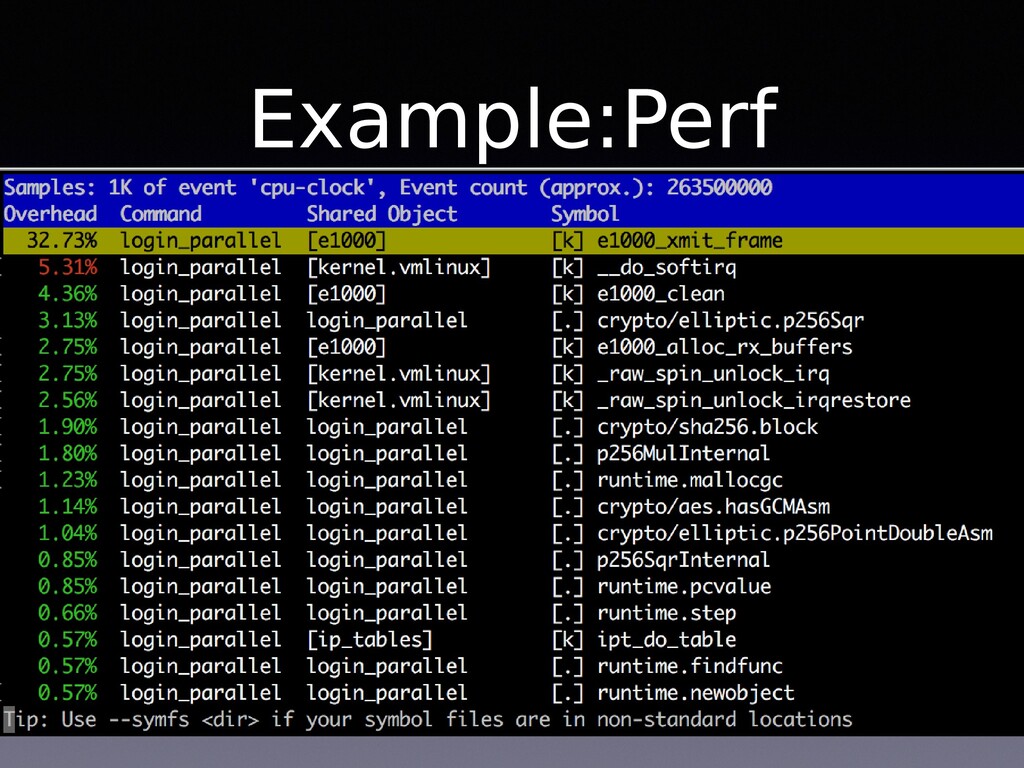
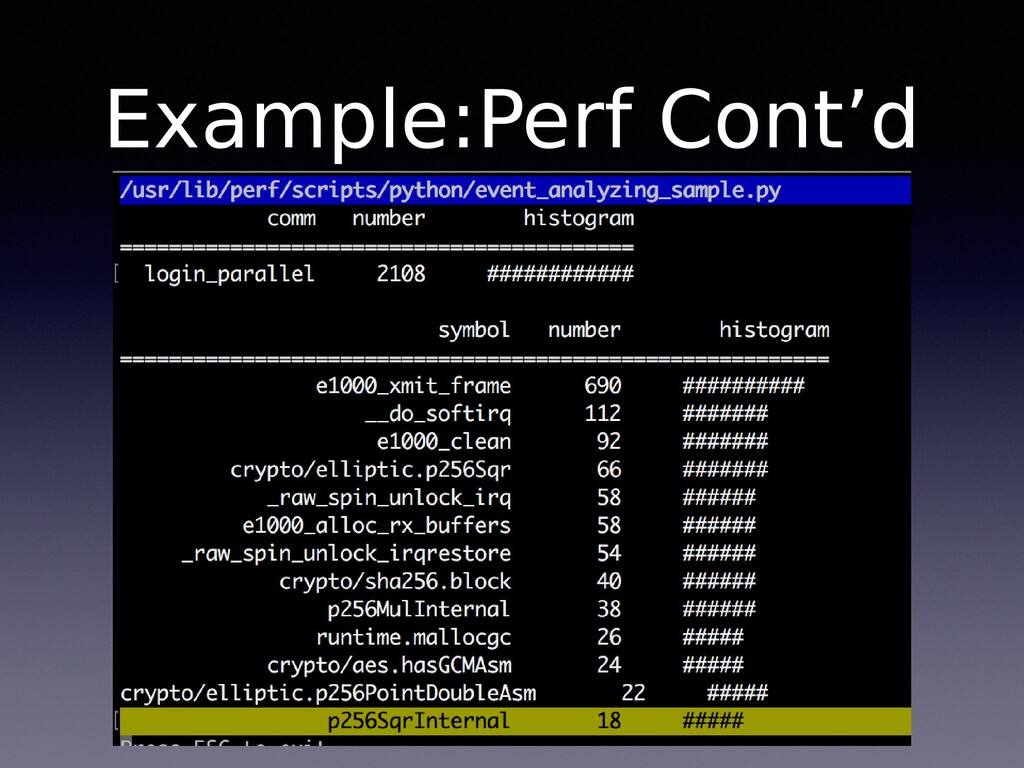
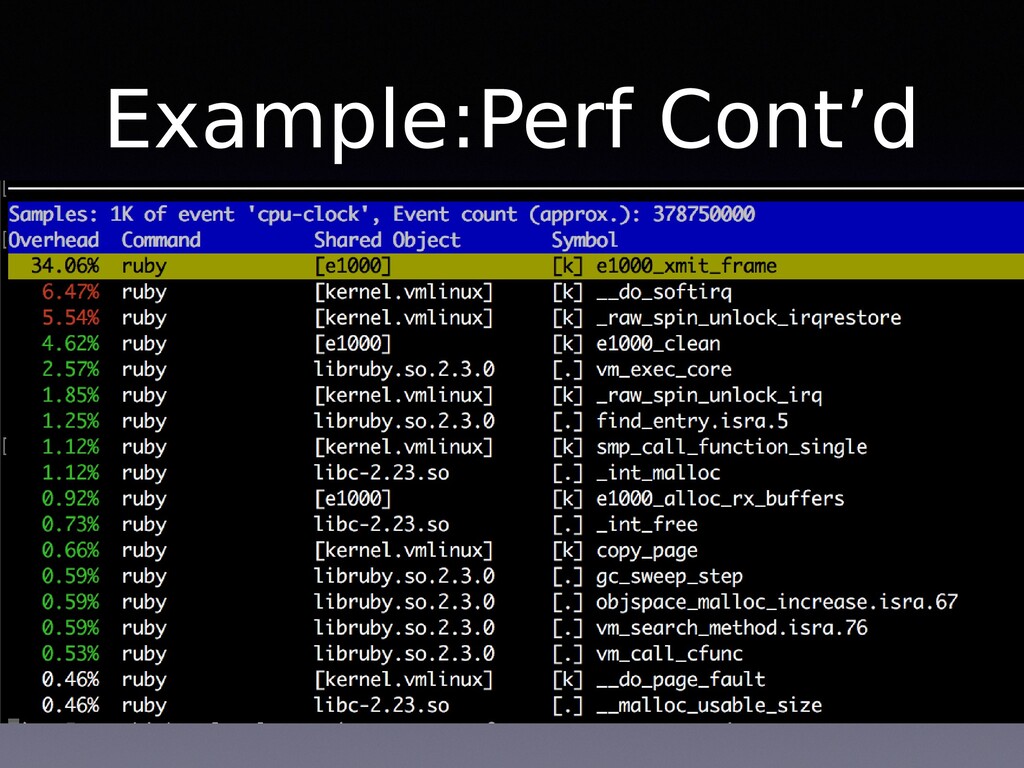
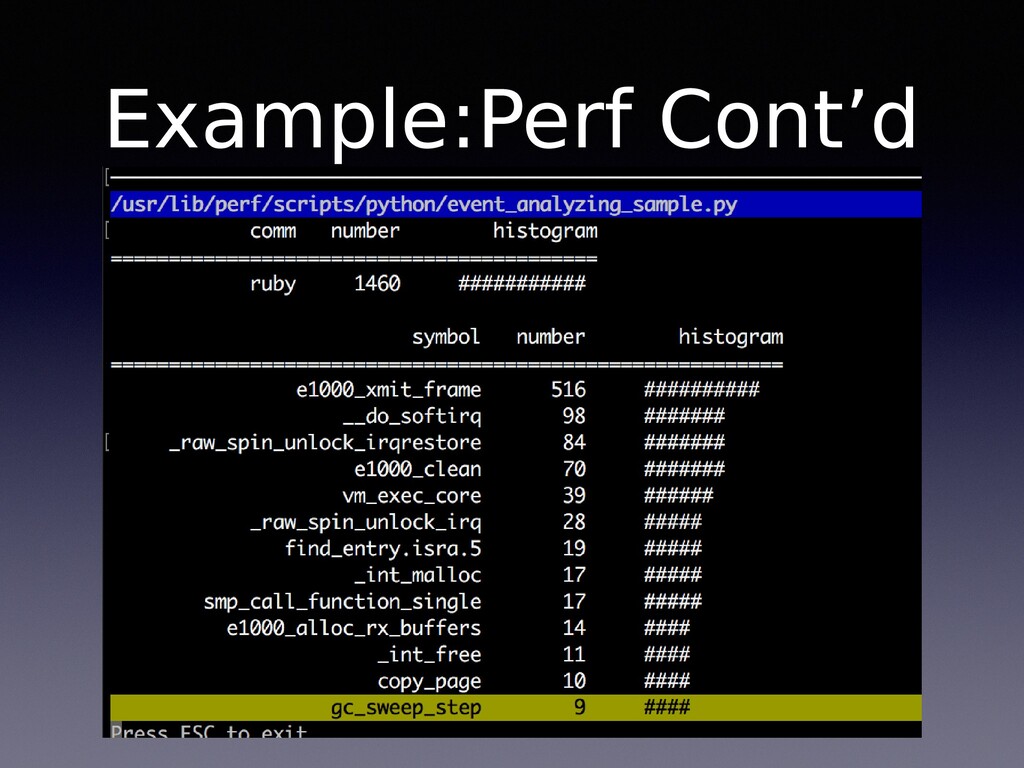
Perf • 性能解析計測ツール • プロセスのボトルネック部分調査 • システム全体で遅い部分の調査 • キャッシュミス等の調査
Ftrace • Linux カーネルの関数のトレース • 関数のコールフローだけでなく、処理時間も計 測できる • 素の ftrace
を使うよりは trace-cmd とかを 使うほうが楽
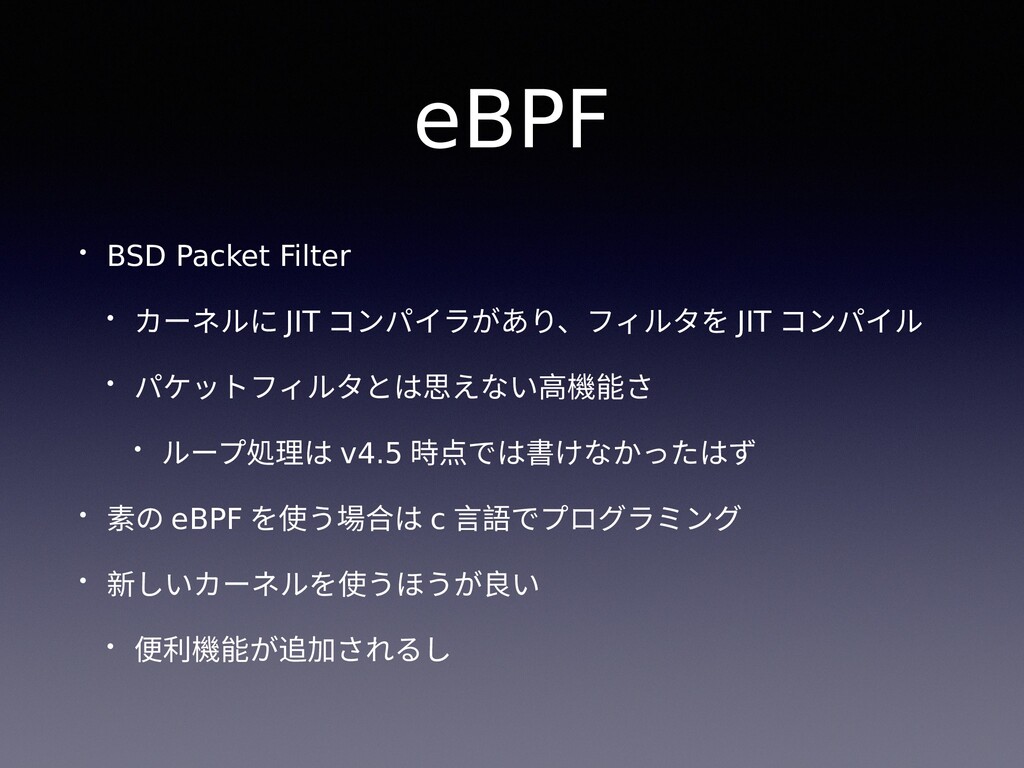
eBPF • BSD Packet Filter • カーネルに JIT コンパイラがあり、フィルタを JIT
コンパイル • パケットフィルタとは思えない高機能さ • ループ処理は v4.5 時点では書けなかったはず • 素の eBPF を使う場合は c 言語でプログラミング • 新しいカーネルを使うほうが良い • 便利機能が追加されるし
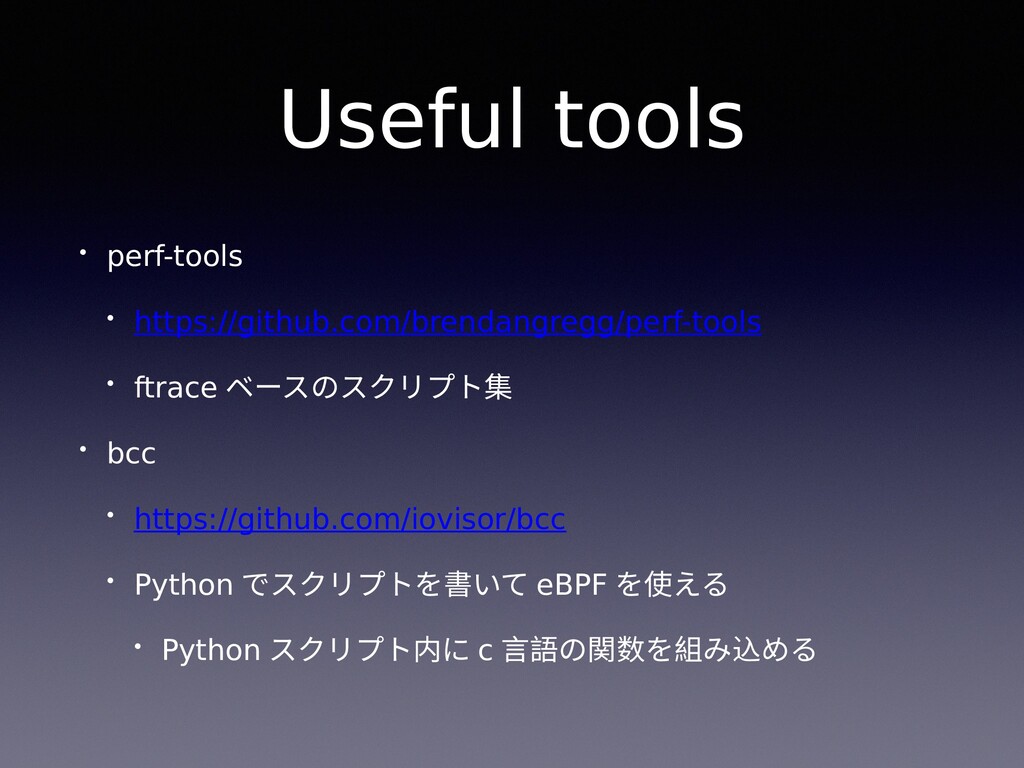
Useful tools • perf-tools • https://github.com/brendangregg/perf-tools • ftrace ベースのスクリプト集 •
bcc • https://github.com/iovisor/bcc • Python でスクリプトを書いて eBPF を使える • Python スクリプト内に c 言語の関数を組み込める
Example:Perf
Example:Perf Cont’d
Example:Perf Cont’d
Example:Perf Cont’d
Example:bcc bcc 付属の tcp connection のモニタリングスクリプトを実行 http status 302 が最初に返
り、 Location ヘッダにある先に接続 するので 2 回分のログが出てる http status 302 が最初に返 り、 Location ヘッダにある先に接続 するので 2 回分のログが出てる
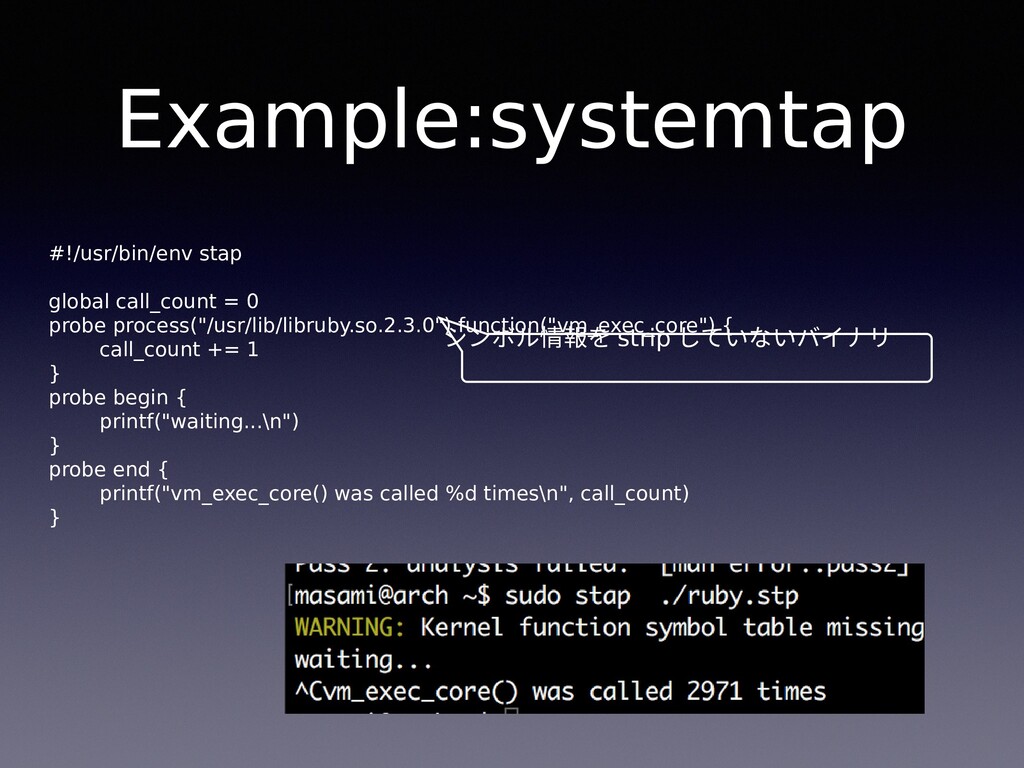
Example:systemtap #!/usr/bin/env stap global call_count = 0 probe process("/usr/lib/libruby.so.2.3.0").function("vm_exec_core") {
call_count += 1 } probe begin { printf("waiting...\n") } probe end { printf("vm_exec_core() was called %d times\n", call_count) } シンボル情報を strip していないバイナリ シンボル情報を strip していないバイナリ
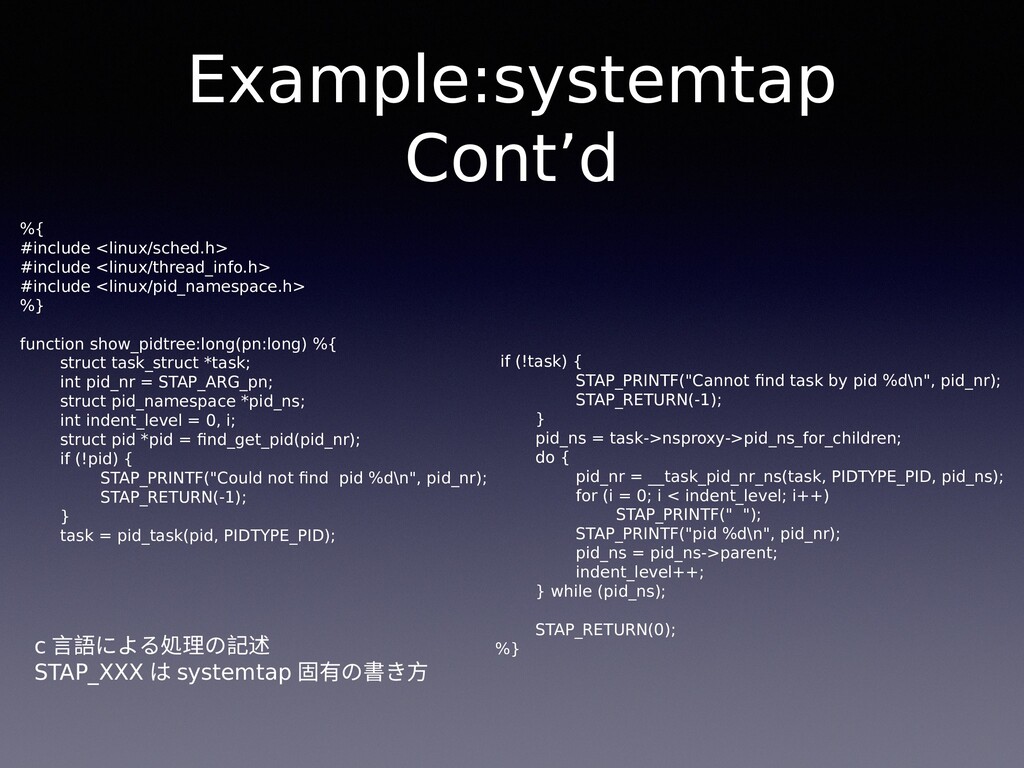
Example:systemtap Cont’d %{ #include <linux/sched.h> #include <linux/thread_info.h> #include <linux/pid_namespace.h> %}
function show_pidtree:long(pn:long) %{ struct task_struct *task; int pid_nr = STAP_ARG_pn; struct pid_namespace *pid_ns; int indent_level = 0, i; struct pid *pid = find_get_pid(pid_nr); if (!pid) { STAP_PRINTF("Could not find pid %d\n", pid_nr); STAP_RETURN(-1); } task = pid_task(pid, PIDTYPE_PID); if (!task) { STAP_PRINTF("Cannot find task by pid %d\n", pid_nr); STAP_RETURN(-1); } pid_ns = task->nsproxy->pid_ns_for_children; do { pid_nr = __task_pid_nr_ns(task, PIDTYPE_PID, pid_ns); for (i = 0; i < indent_level; i++) STAP_PRINTF(" "); STAP_PRINTF("pid %d\n", pid_nr); pid_ns = pid_ns->parent; indent_level++; } while (pid_ns); STAP_RETURN(0); %} c 言語による処理の記述 STAP_XXX は systemtap 固有の書き方
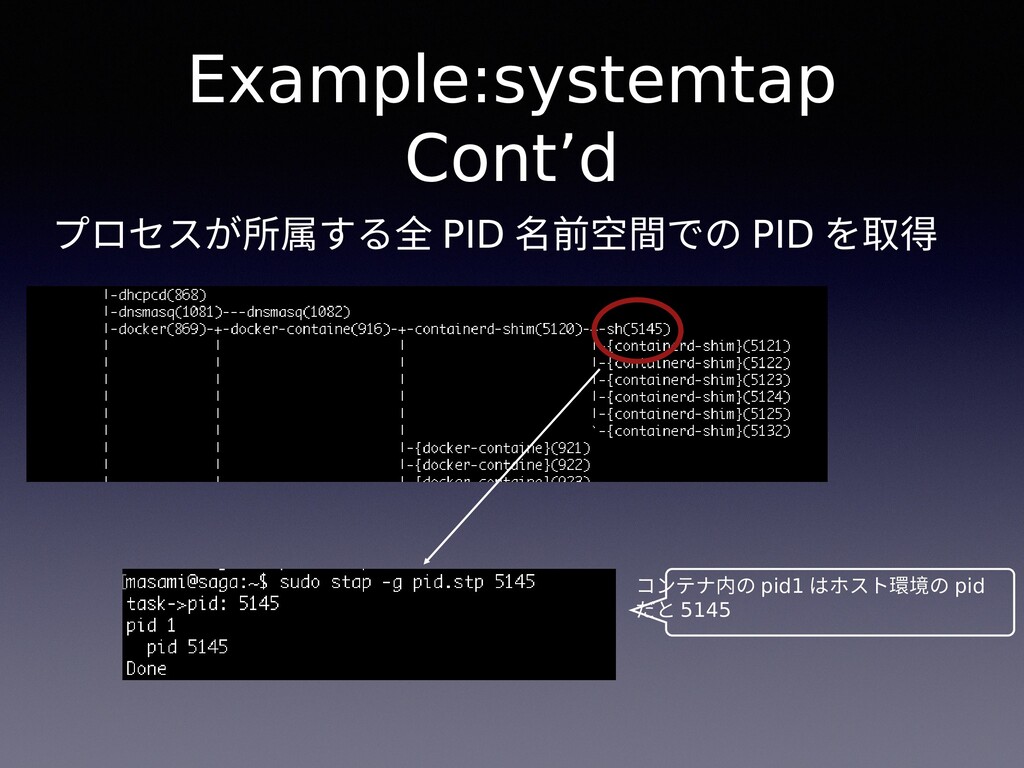
Example:systemtap Cont’d プロセスが所属する全 PID 名前空間での PID を取得 コンテナ内の pid1 はホスト環境の
pid だと 5145 コンテナ内の pid1 はホスト環境の pid だと 5145
Example:ftrace(perf- tools) masami@arch perf-tools[master]$ sudo ./syscount -c ~/login.rb Tracing while
running: "/home/masami/login.rb"... SYSCALL COUNT clock_gettime 1 exit_group 1 set_tid_address 1 sysinfo 1 access 2 connect 2 getrandom 2 getsockname 2 madvise 2 pipe2 2 poll 2 setsockopt 2 socket 2 exit 3 getrlimit 3 rt_sigprocmask 3 sched_getaffinity 3 sigaltstack 3 set_robust_list 4 prctl 5 ppoll 6 lseek 7 munmap 7 getdents 8 write 10 futex 14 rt_sigaction 21 newstat 42 mprotect 62 getgid 79 getegid 80 geteuid 80 getuid 80 mmap 83 fcntl 93 brk 102 ioctl 110 close 253 newfstat 310 read 379 newlstat 553 open 984
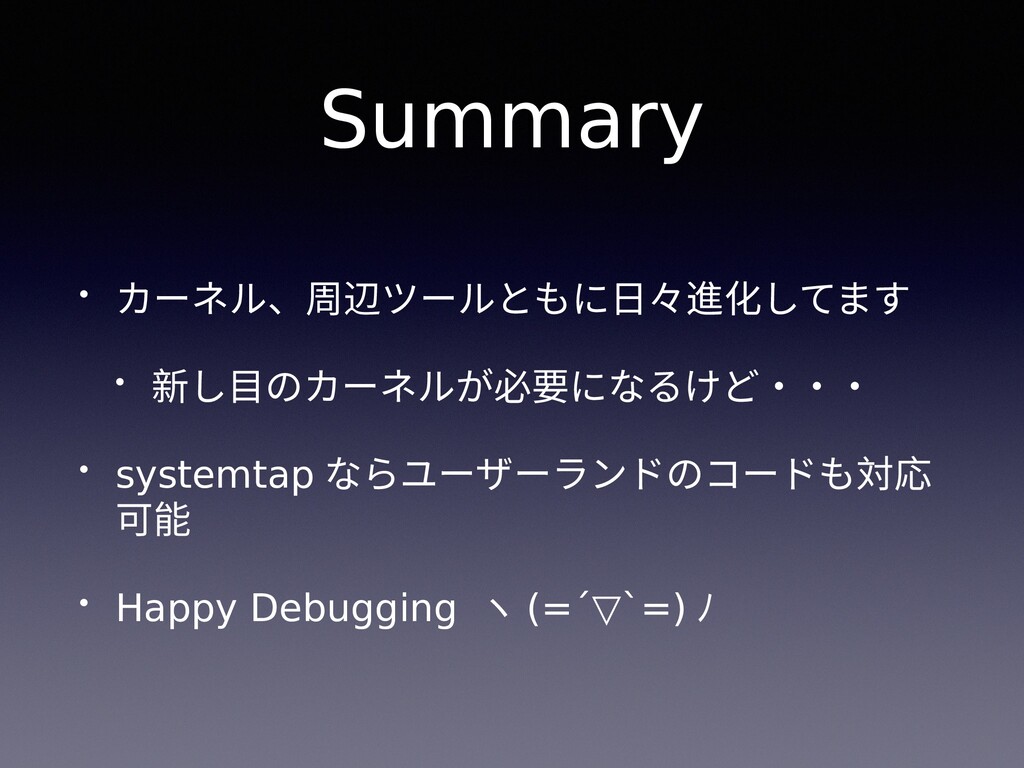
Summary • カーネル、周辺ツールともに日々進化してます • 新し目のカーネルが必要になるけど・・・ • systemtap ならユーザーランドのコードも対応 可能 •
Happy Debugging ヽ (=´▽`=) ノ
Reference • http://www.brendangregg.com/ • http://kernhack.hatenablog.com/
More Decks by Masami Ichikawa
See All by Masami Ichikawa
cgroupsとプロセス生成・終了処理
masami256
1
1.4k
Linux Namespaces
masami256
0
100
slub: alloc and free
masami256
0
110
SLUB data structures
masami256
0
140
SystemV IPC
masami256
0
140
Linux Namespace
masami256
0
100
とある帽子の大蛇料理Ⅱ
masami256
0
110
Gnomeとdogtail
masami256
0
110
x86 とコンテキストスイッチ
masami256
0
320
Other Decks in Programming
See All in Programming
動画プレイヤーはなぜカクつくのか 〜Flutterのレンダリングとネイティブの境界を解剖する〜
naruogram
0
340
はじめてのKubernetesコントリビューション
nasa9084
0
320
AI時代のIaC入門 〜なぜインフラをコードで管理したいのか?〜 / Introduction to IaC in the AI Era
akihisaikeda
6
1.6k
仕様駆動開発入門 (何を作るかを先に決めて渡す) | 目指せ Kiro マスター 05
inariku
PRO
3
220
疎結合とは何か?ソフトウェア設計における結合バランスについて考える #phpcon_niigata
kajitack
2
420
自宅サーバはどこまで再現できるのか - Proxmox VE上のVM環境をIaCとバックアップで戻してみた
youto
0
450
AIエージェントの「テストは通るのに本番で壊れる」を減らす
shibuiwilliam
3
110
Beyond Chatbots: Agentic UI with Open Standards @W-JAX 2026, München
manfredsteyer
PRO
0
130
止まらない比較を止める — 余帰納法で無限ストリームを比べる
tarao
0
210
DroidKnights 2026 Android A2UI Jetpack Compose 기반의 안전한 AI UI 렌더링 - 박제창
itsmedreamwalker
1
260
React Native経験者が Flutterを30⽇間触って驚いたこと
3saito
0
210
Kawaiicon: Kubernetes, it's no longer cool, but let's secure it anyway!
barnbarn
0
150
Featured
See All Featured
Reality Check: Gamification 10 Years Later
codingconduct
0
2.4k
Visualization
eitanlees
153
17k
Well, that’s weird…
csswizardry
1
200
Pawsitive SEO: Lessons from My Dog (and Many Mistakes) on Thriving as a Consultant in the Age of AI
davidcarrasco
1
320
The State of eCommerce SEO: How to Win in Today's Products SERPs - #SEOweek
aleyda
2
12k
Heart Work Chapter 1 - Part 1
lfama
PRO
11
37k
Designing for Timeless Needs
cassininazir
1
570
Keith and Marios Guide to Fast Websites
keithpitt
413
23k
世界の人気アプリ100個を分析して見えたペイウォール設計の心得
akihiro_kokubo
PRO
73
43k
Creating an realtime collaboration tool: Agile Flush - .NET Oxford
marcduiker
35
2.6k
[RailsConf 2023 Opening Keynote] The Magic of Rails
eileencodes
31
10k
Bridging the Design Gap: How Collaborative Modelling removes blockers to flow between stakeholders and teams @FastFlow conf
baasie
0
790


 masami256
 naruogram
 nasa9084
 akihisaikeda
 inariku
 kajitack
 youto
 shibuiwilliam
 manfredsteyer
 tarao
 itsmedreamwalker
 3saito
 barnbarn
 codingconduct
 eitanlees
 csswizardry
 davidcarrasco
 aleyda
 lfama
 cassininazir
 keithpitt
 akihiro_kokubo
 marcduiker
 eileencodes
 baasie