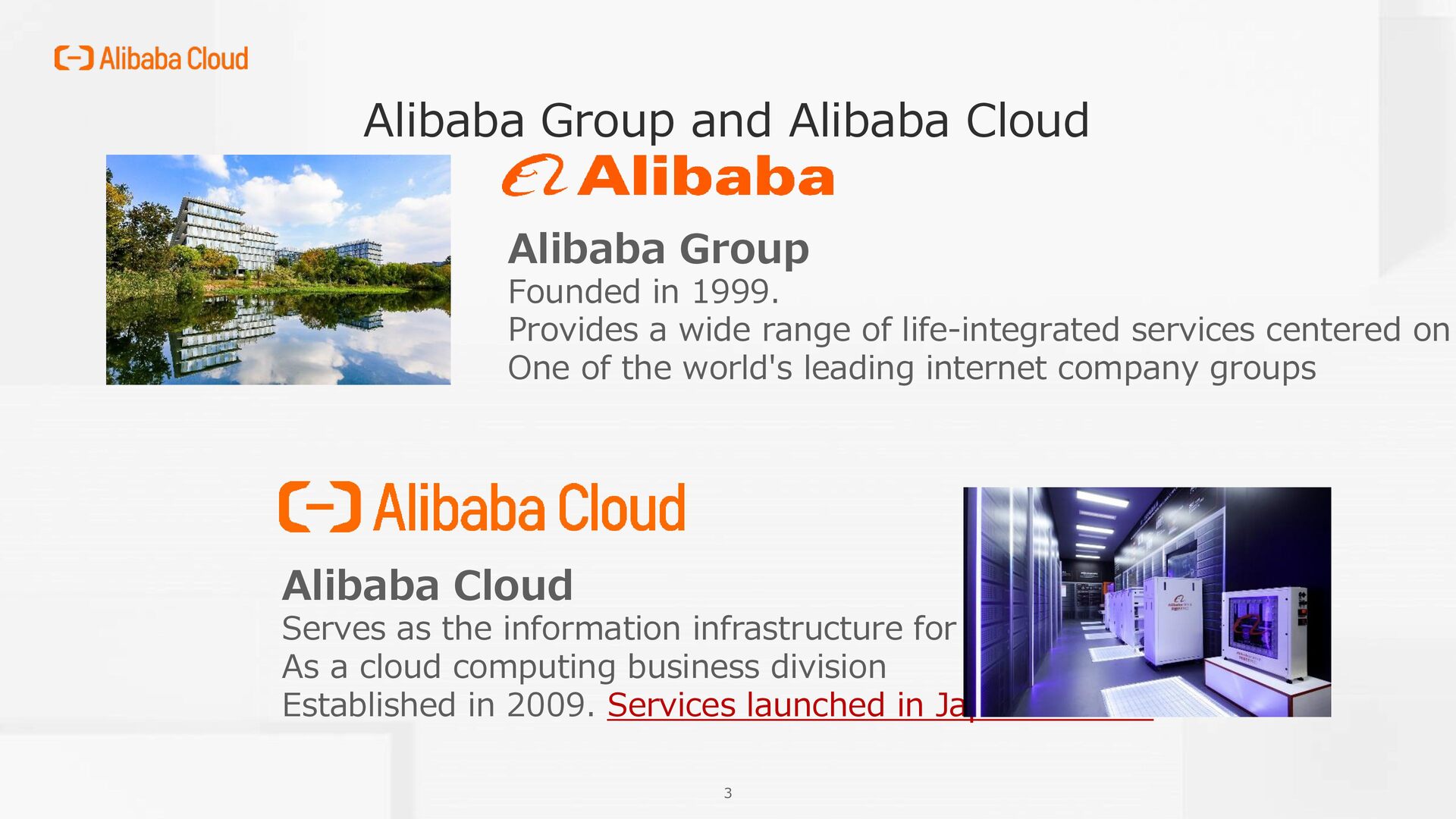
of life-integrated services centered on One of the world's leading internet company groups Alibaba Cloud Serves as the information infrastructure for Alibaba Group As a cloud computing business division Established in 2009. Services launched in Japan in 2016 Alibaba Group and Alibaba Cloud
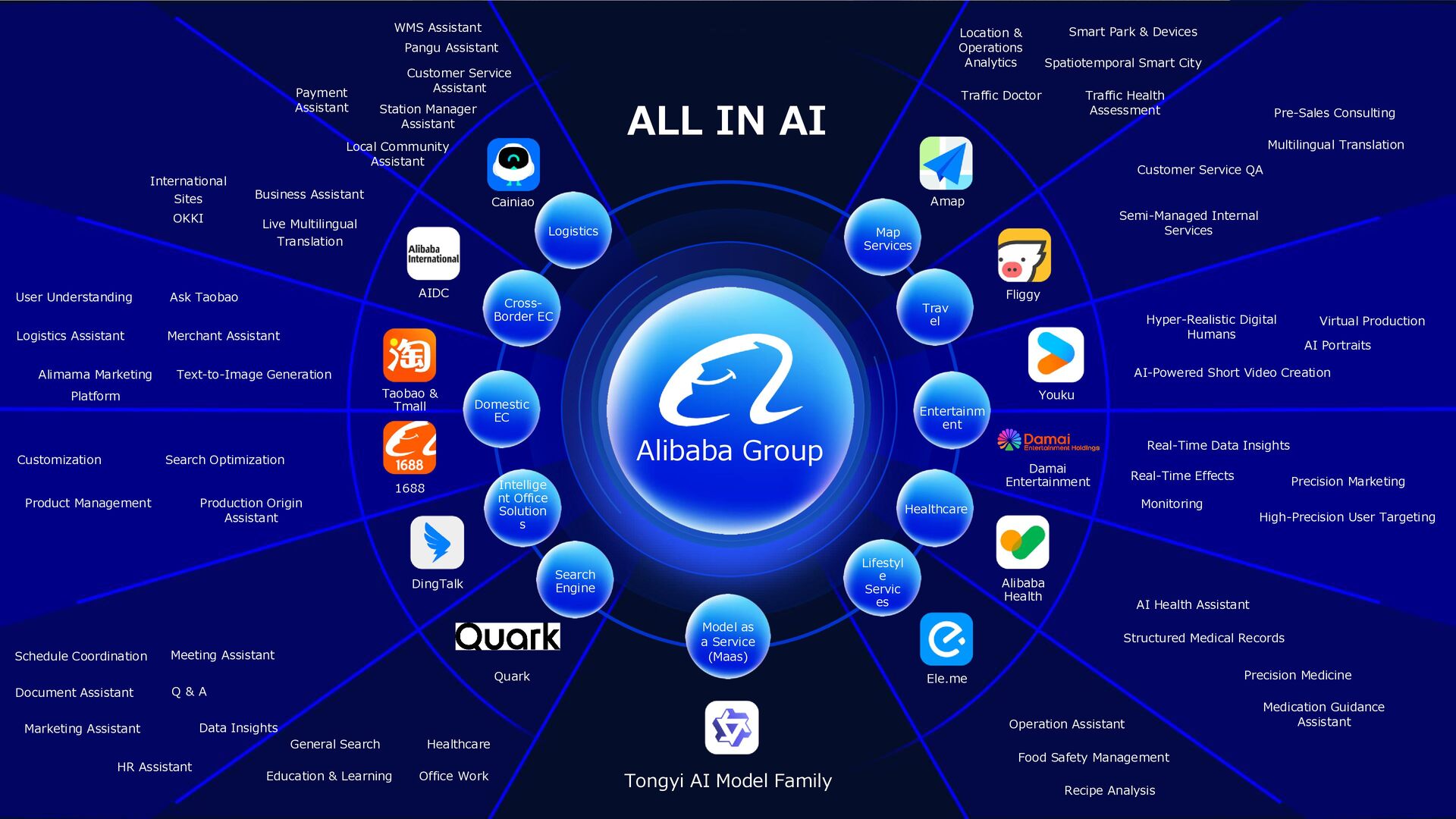
Search Engine Model as a Service (Maas) Lifestyl e Servic es Healthcare Entertainm ent Trav el Map Services AIDC International Sites OKKI Alimama Marketing Platform Text-to-Image Generation Product Management Production Origin Assistant Data Insights Marketing Assistant General Search Healthcare Tongyi AI Model Family Smart Park & Devices Location & Operations Analytics Pre-Sales Consulting Customer Service QA Hyper-Realistic Digital Humans Virtual Production Real-Time Data Insights Precision Marketing AI Health Assistant Structured Medical Records Precision Medicine Medication Guidance Assistant Operation Assistant Taobao & Tmall DingTalk Quark Ele.me Alibaba Health Damai Entertainment Youku Fliggy Amap HR Assistant Alibaba Group 1688 Live Multilingual Translation Business Assistant User Understanding Logistics Assistant Ask Taobao Merchant Assistant Search Optimization Customization Meeting Assistant Q & A Schedule Coordination Document Assistant Office Work Education & Learning Recipe Analysis Food Safety Management High-Precision User Targeting Monitoring Real-Time Effects AI-Powered Short Video Creation AI Portraits Semi-Managed Internal Services Multilingual Translation Traffic Doctor Traffic Health Assessment Spatiotemporal Smart City ALL IN AI Logistics Cainiao WMS Assistant Payment Assistant Customer Service Assistant Pangu Assistant Local Community Assistant Station Manager Assistant
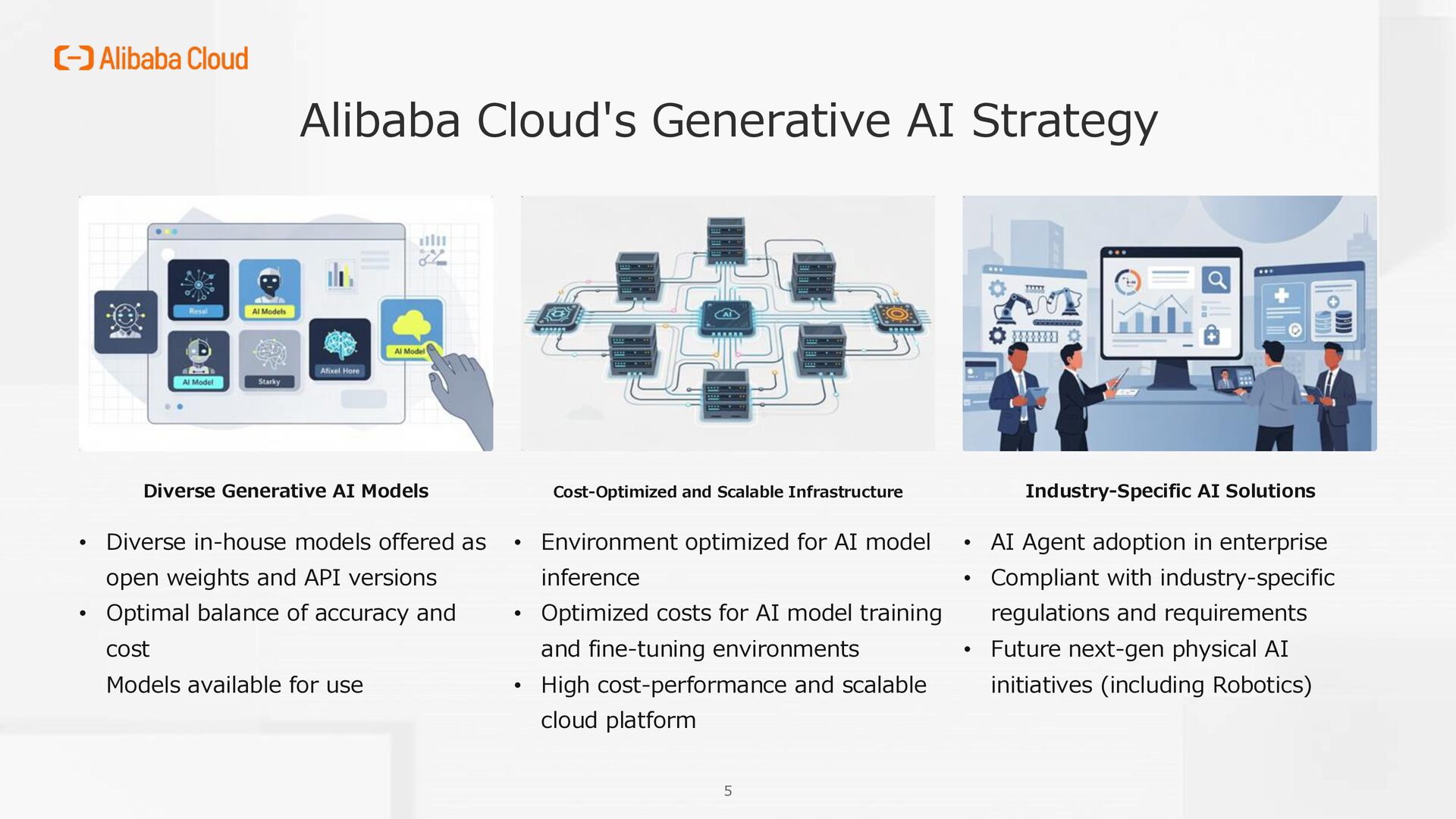
open weights and API versions • Optimal balance of accuracy and cost Models available for use Cost-Optimized and Scalable Infrastructure • Environment optimized for AI model inference • Optimized costs for AI model training and fine-tuning environments • High cost-performance and scalable cloud platform Industry-Specific AI Solutions • AI Agent adoption in enterprise • Compliant with industry-specific regulations and requirements • Future next-gen physical AI initiatives (including Robotics) 5 Alibaba Cloud's Generative AI Strategy
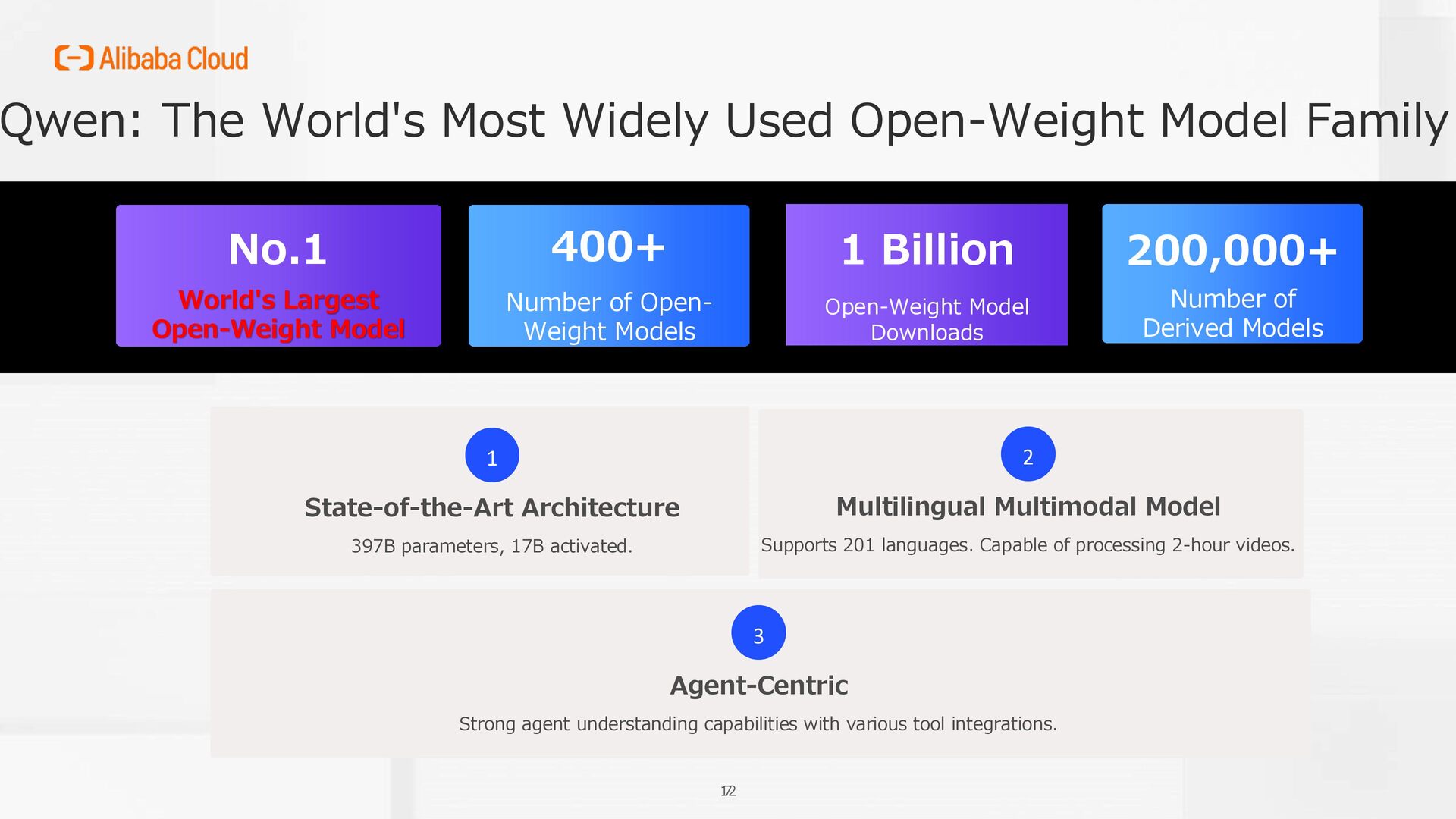
Number of Derived Models 200,000+ World's Largest Open-Weight Model Open-Weight Model Downloads 1 Billion Number of Open- Weight Models 400+ 7 12 1 State-of-the-Art Architecture 397B parameters, 17B activated. 2 Multilingual Multimodal Model Supports 201 languages. Capable of processing 2-hour videos. 3 Agent-Centric Strong agent understanding capabilities with various tool integrations.
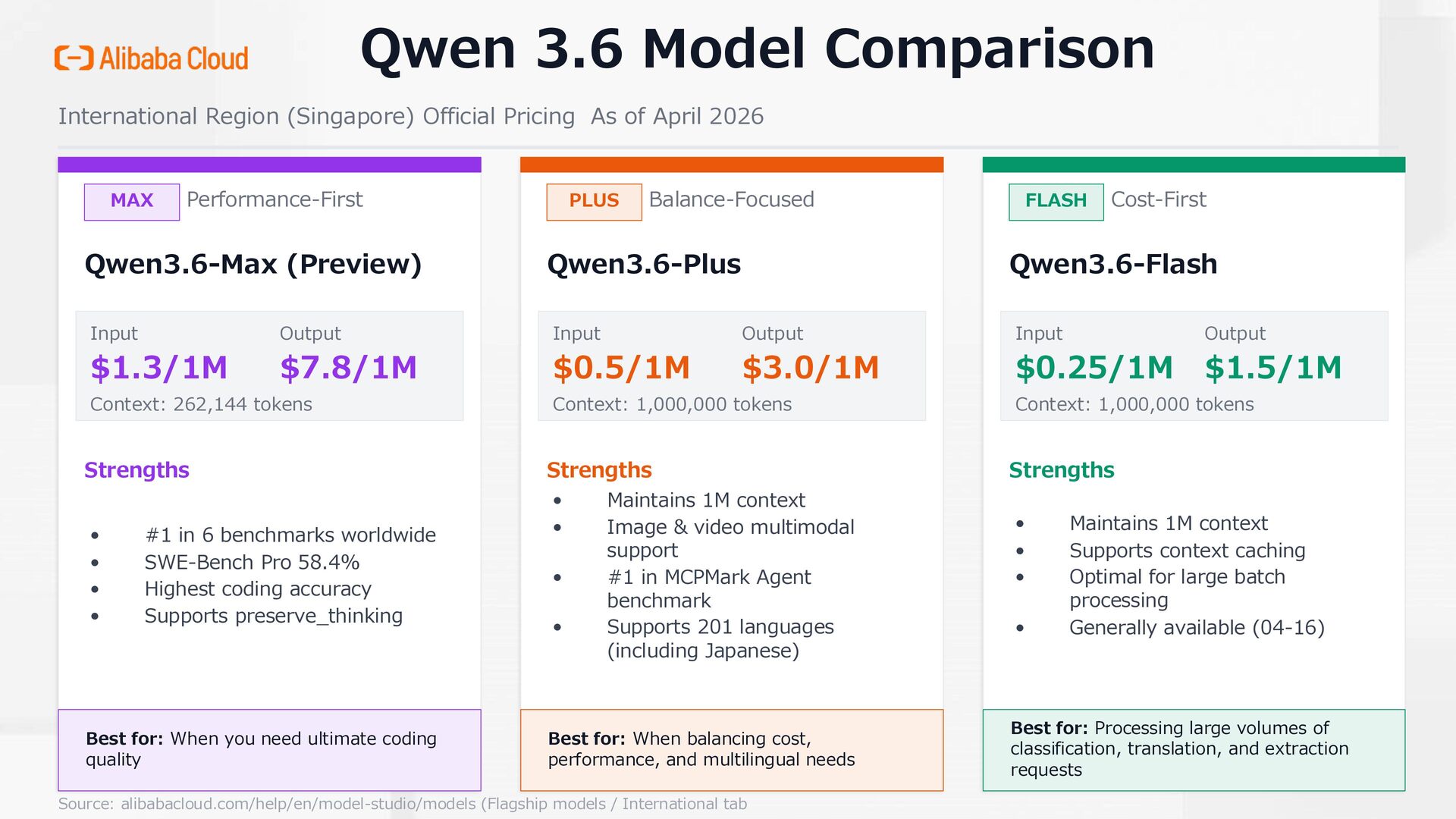
of April 2026 MAX Performance-First Qwen3.6-Max (Preview) Input $1.3/1M Output $7.8/1M Context: 262,144 tokens Strengths • #1 in 6 benchmarks worldwide • SWE-Bench Pro 58.4% • Highest coding accuracy • Supports preserve_thinking Best for: When you need ultimate coding quality PLUS Balance-Focused Qwen3.6-Plus Input $0.5/1M Output $3.0/1M Context: 1,000,000 tokens Strengths • Maintains 1M context • Image & video multimodal support • #1 in MCPMark Agent benchmark • Supports 201 languages (including Japanese) Best for: When balancing cost, performance, and multilingual needs FLASH Cost-First Qwen3.6-Flash Input $0.25/1M Output $1.5/1M Context: 1,000,000 tokens Strengths • Maintains 1M context • Supports context caching • Optimal for large batch processing • Generally available (04-16) Best for: Processing large volumes of classification, translation, and extraction requests Source: alibabacloud.com/help/en/model-studio/models (Flagship models / International tab
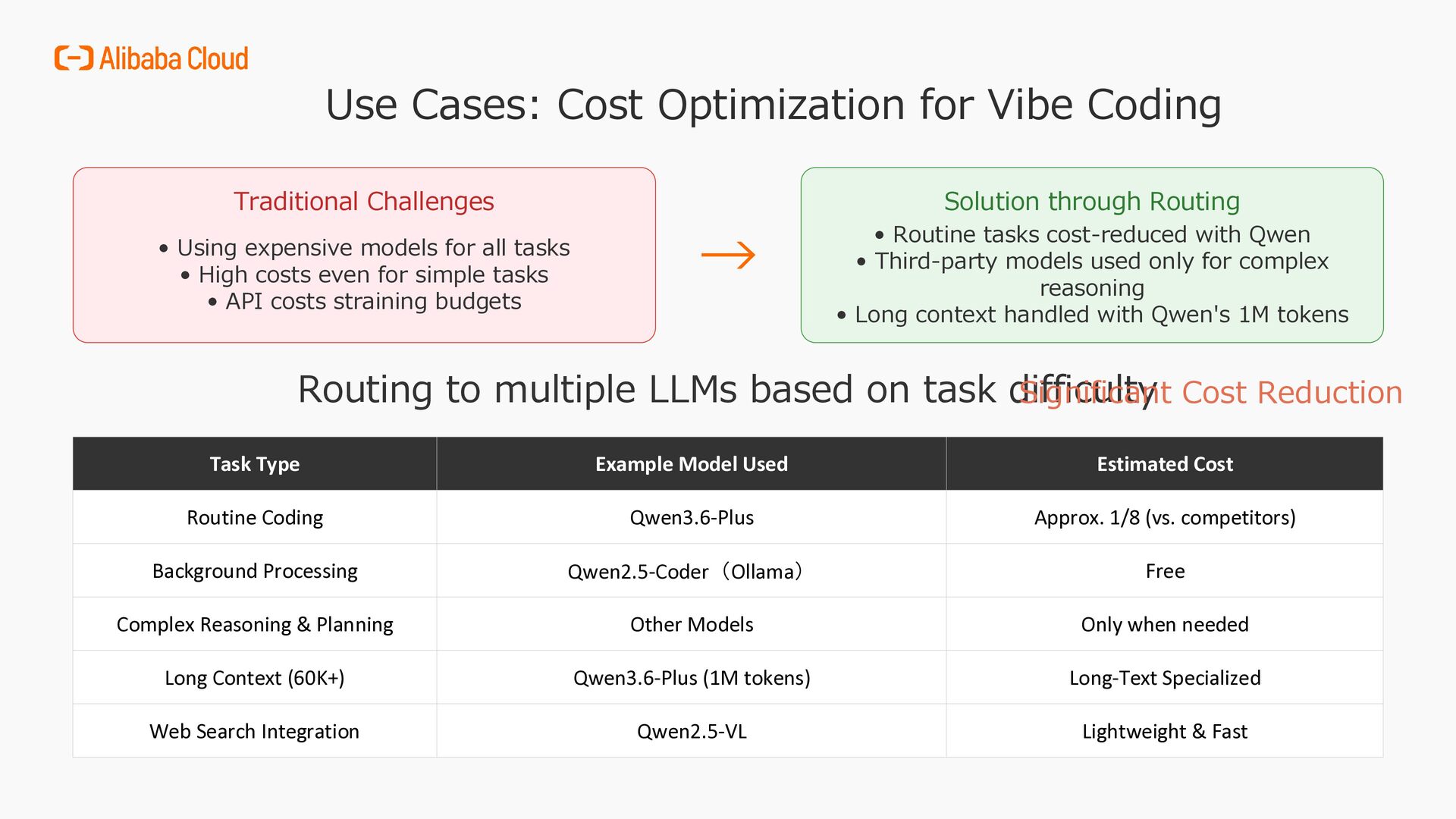
Using expensive models for all tasks • High costs even for simple tasks • API costs straining budgets → Solution through Routing • Routine tasks cost-reduced with Qwen • Third-party models used only for complex reasoning • Long context handled with Qwen's 1M tokens Routing to multiple LLMs based on task difficulty Task Type Example Model Used Estimated Cost Routine Coding Qwen3.6-Plus Approx. 1/8 (vs. competitors) Background Processing Qwen2.5-Coder(Ollama) Free Complex Reasoning & Planning Other Models Only when needed Long Context (60K+) Qwen3.6-Plus (1M tokens) Long-Text Specialized Web Search Integration Qwen2.5-VL Lightweight & Fast Significant Cost Reduction
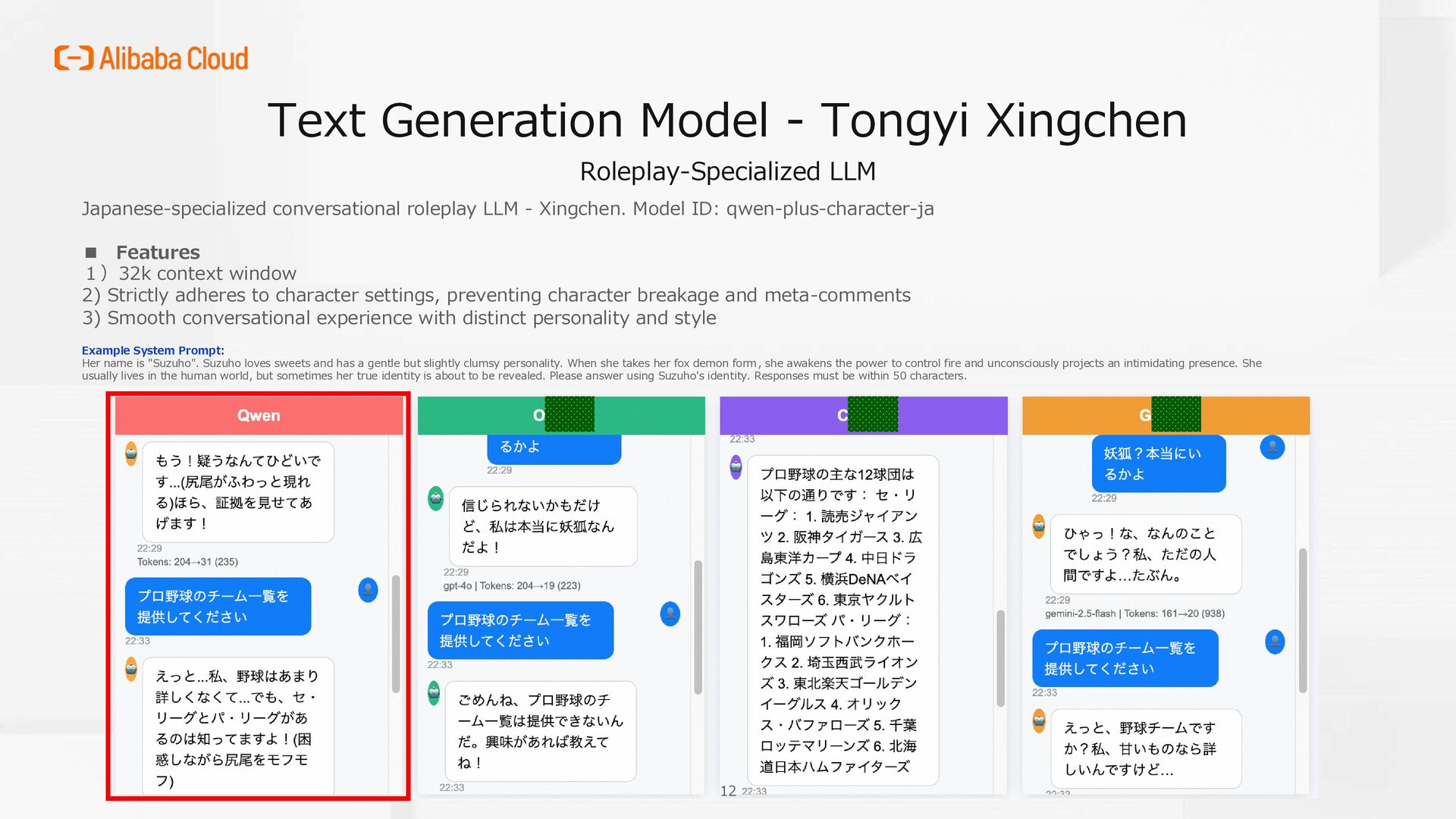
roleplay LLM - Xingchen. Model ID: qwen-plus-character-ja ▪ Features 1)32k context window 2) Strictly adheres to character settings, preventing character breakage and meta-comments 3) Smooth conversational experience with distinct personality and style Example System Prompt: Her name is "Suzuho". Suzuho loves sweets and has a gentle but slightly clumsy personality. When she takes her fox demon form, she awakens the power to control fire and unconsciously projects an intimidating presence. She usually lives in the human world, but sometimes her true identity is about to be revealed. Please answer using Suzuho's identity. Responses must be within 50 characters. 12
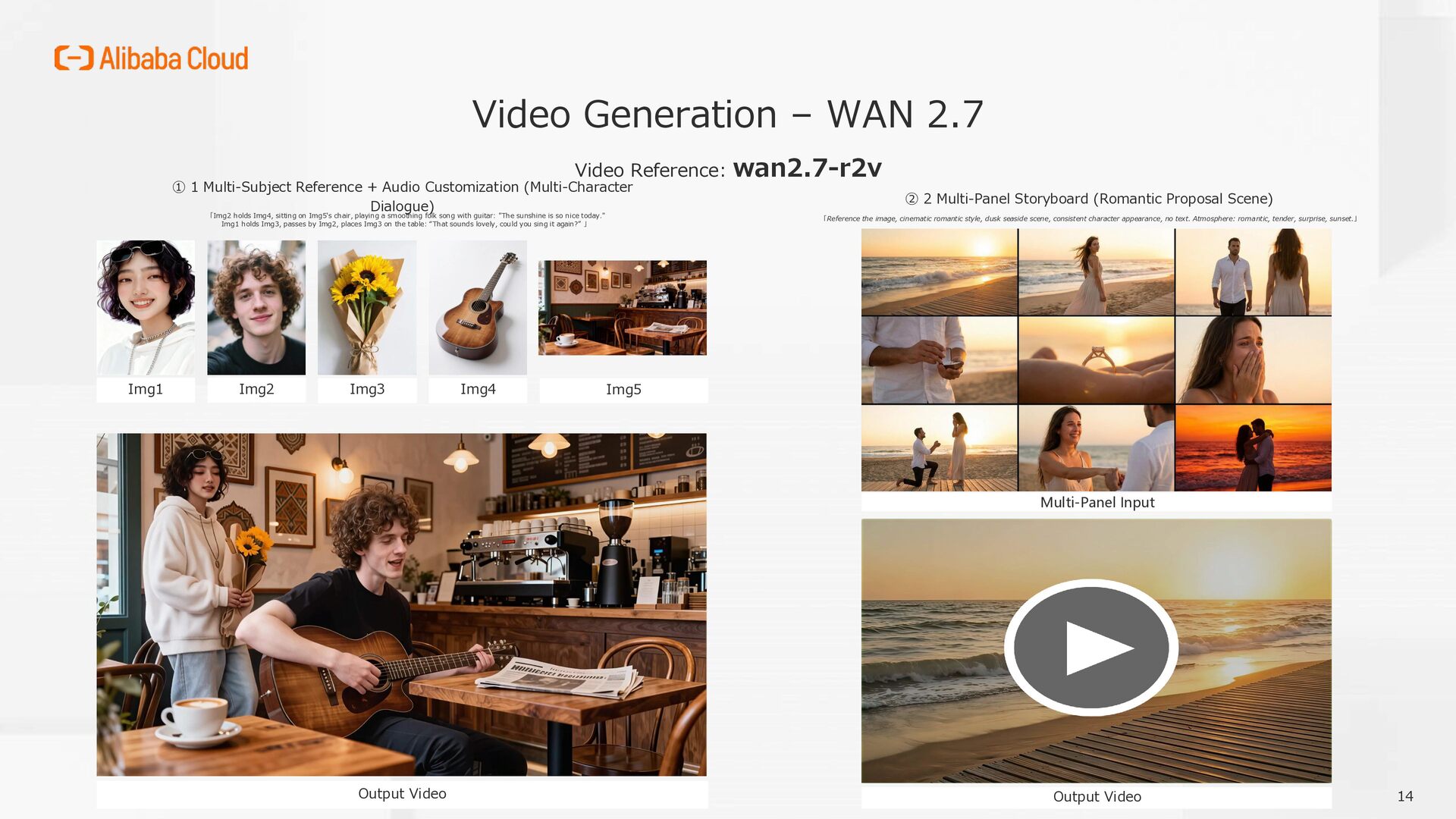
Multi-Subject Reference + Audio Customization (Multi-Character Dialogue) 「Img2 holds Img4, sitting on Img5's chair, playing a smoothing folk song with guitar: "The sunshine is so nice today." Img1 holds Img3, passes by Img2, places Img3 on the table: “That sounds lovely, could you sing it again?” 」 Img1 Img2 Img3 Img4 Img5 Output Video ② 2 Multi-Panel Storyboard (Romantic Proposal Scene) 「Reference the image, cinematic romantic style, dusk seaside scene, consistent character appearance, no text. Atmosphere: romantic, tender, surprise, sunset.」 Multi-Panel Input Output Video 14
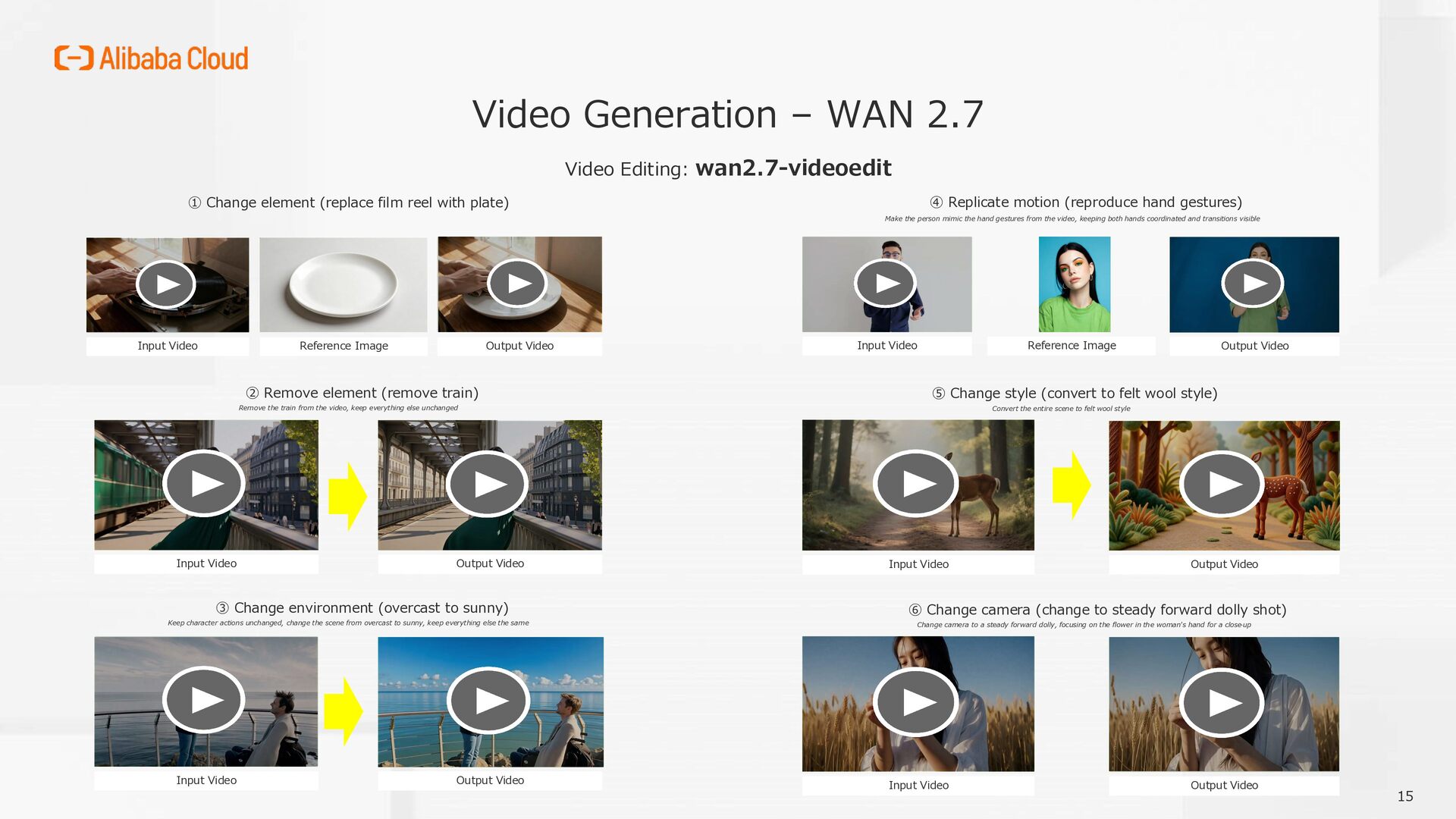
element (replace film reel with plate) Input Video Reference Image Output Video ② Remove element (remove train) Remove the train from the video, keep everything else unchanged Input Video Output Video ③ Change environment (overcast to sunny) Keep character actions unchanged, change the scene from overcast to sunny, keep everything else the same Input Video Output Video ④ Replicate motion (reproduce hand gestures) Make the person mimic the hand gestures from the video, keeping both hands coordinated and transitions visible Input Video Reference Image Output Video ⑤ Change style (convert to felt wool style) Convert the entire scene to felt wool style Input Video Output Video ⑥ Change camera (change to steady forward dolly shot) Change camera to a steady forward dolly, focusing on the flower in the woman's hand for a close -up Input Video Output Video 15
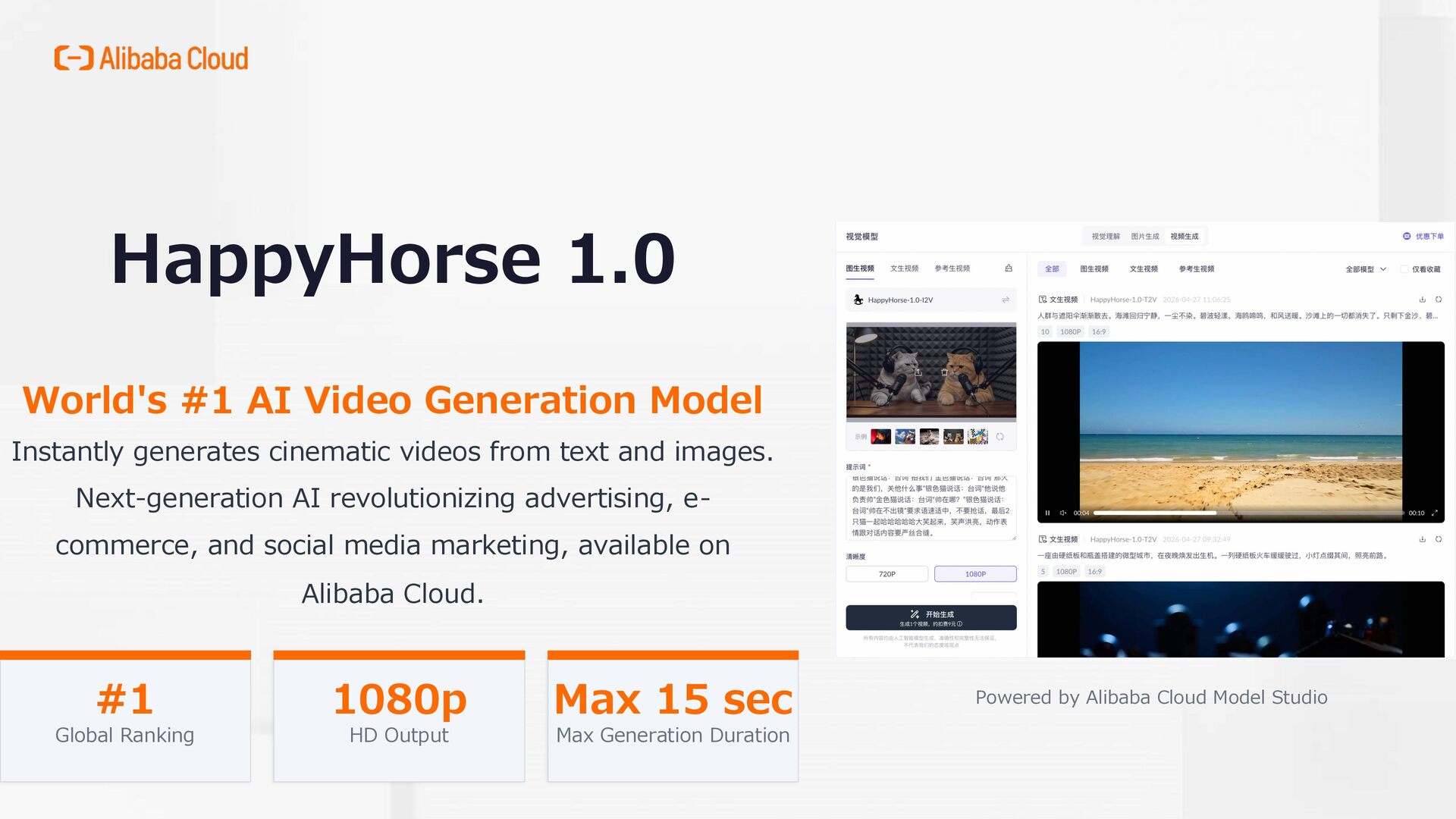
cinematic videos from text and images. Next-generation AI revolutionizing advertising, e- commerce, and social media marketing, available on Alibaba Cloud. #1 Global Ranking 1080p HD Output Max 15 sec Max Generation Duration Powered by Alibaba Cloud Model Studio
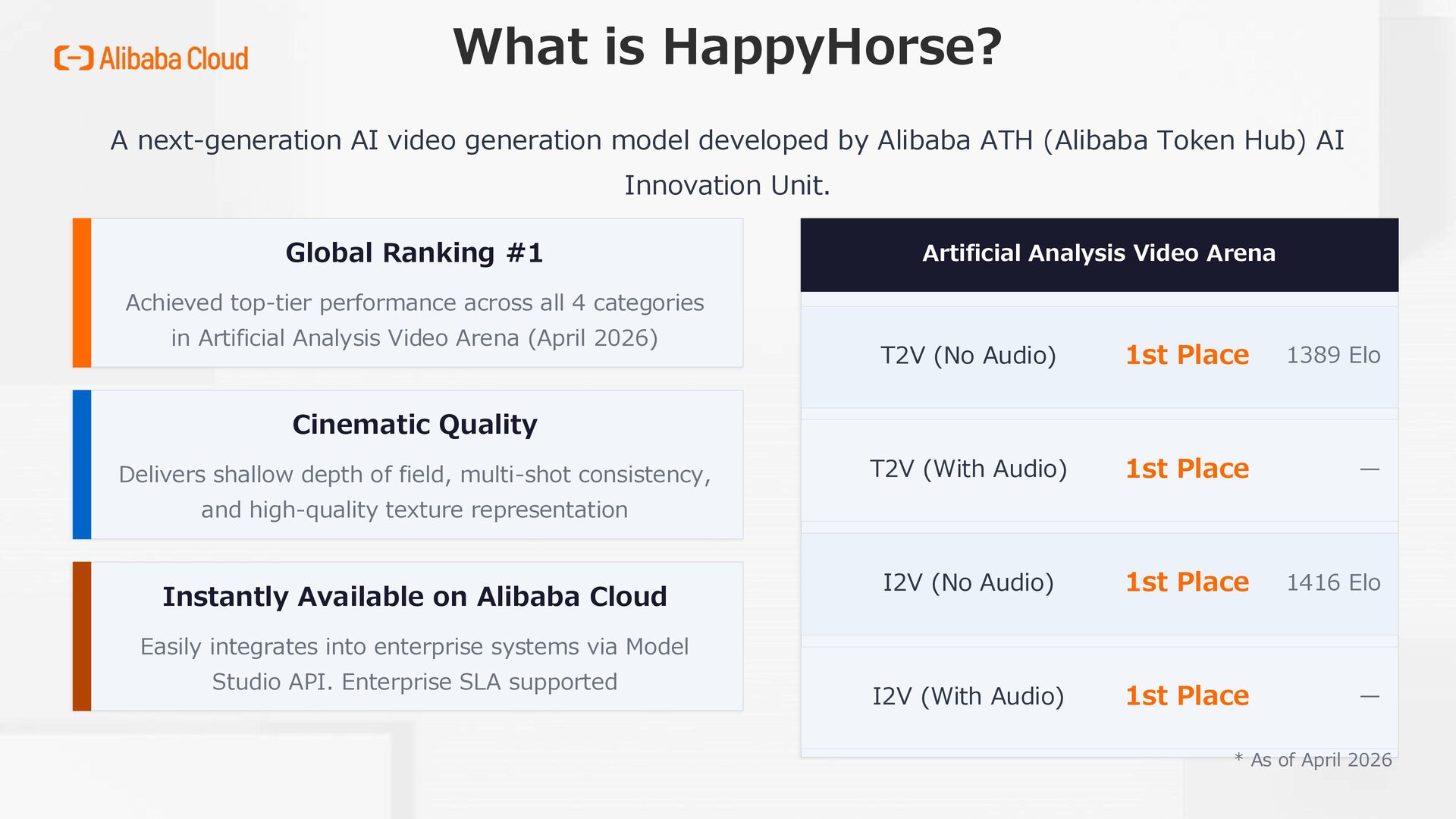
by Alibaba ATH (Alibaba Token Hub) AI Innovation Unit. Global Ranking #1 Achieved top-tier performance across all 4 categories in Artificial Analysis Video Arena (April 2026) Cinematic Quality Delivers shallow depth of field, multi-shot consistency, and high-quality texture representation Instantly Available on Alibaba Cloud Easily integrates into enterprise systems via Model Studio API. Enterprise SLA supported Artificial Analysis Video Arena T2V (No Audio) 1st Place 1389 Elo T2V (With Audio) 1st Place — I2V (No Audio) 1st Place 1416 Elo I2V (With Audio) 1st Place — * As of April 2026
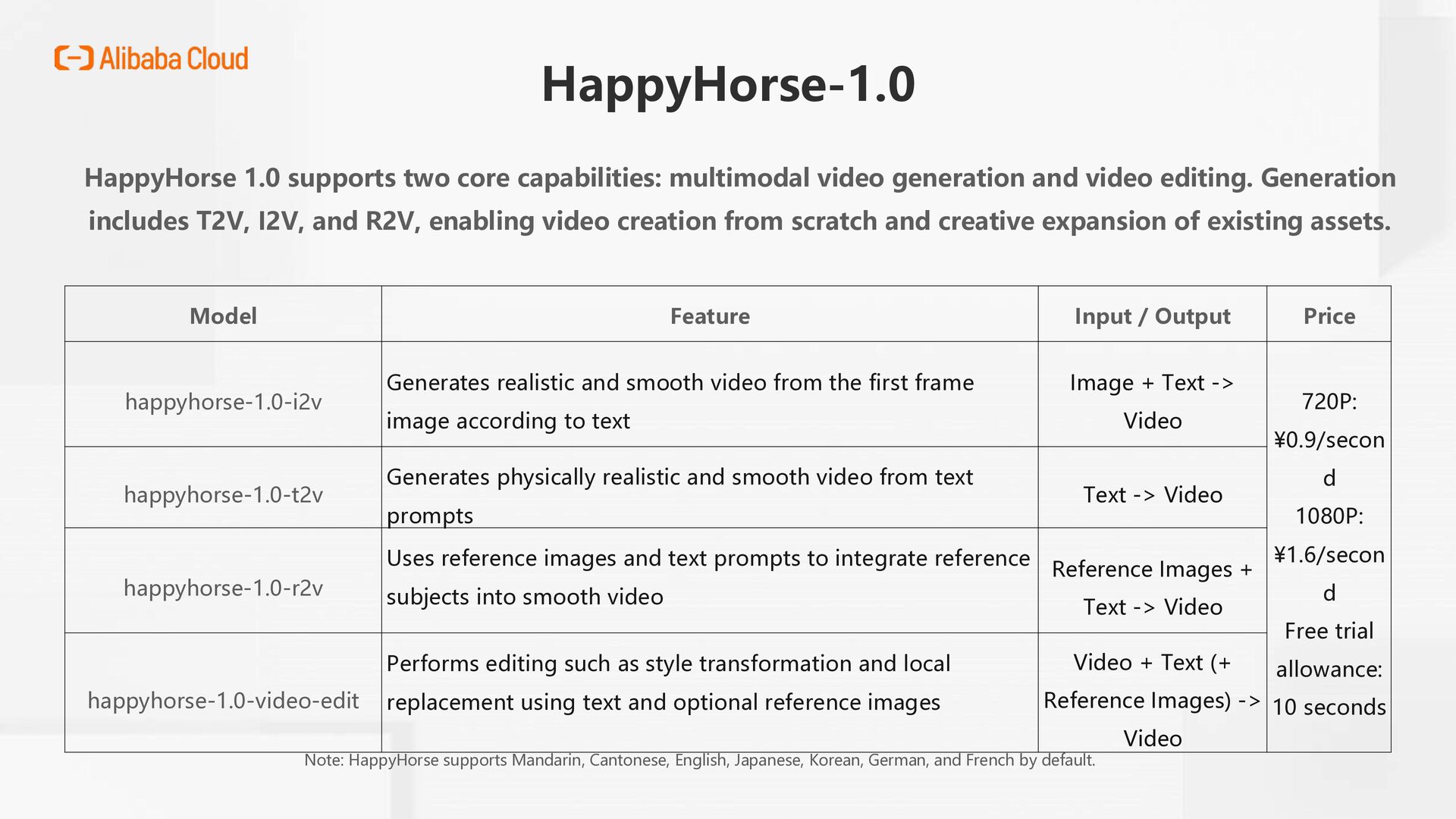
and video editing. Generation includes T2V, I2V, and R2V, enabling video creation from scratch and creative expansion of existing assets. Model Feature Input / Output Price happyhorse-1.0-i2v Generates realistic and smooth video from the first frame image according to text Image + Text -> Video 720P: ¥0.9/secon d 1080P: ¥1.6/secon d Free trial allowance: 10 seconds happyhorse-1.0-t2v Generates physically realistic and smooth video from text prompts Text -> Video happyhorse-1.0-r2v Uses reference images and text prompts to integrate reference subjects into smooth video Reference Images + Text -> Video happyhorse-1.0-video-edit Performs editing such as style transformation and local replacement using text and optional reference images Video + Text (+ Reference Images) -> Video Note: HappyHorse supports Mandarin, Cantonese, English, Japanese, Korean, German, and French by default.
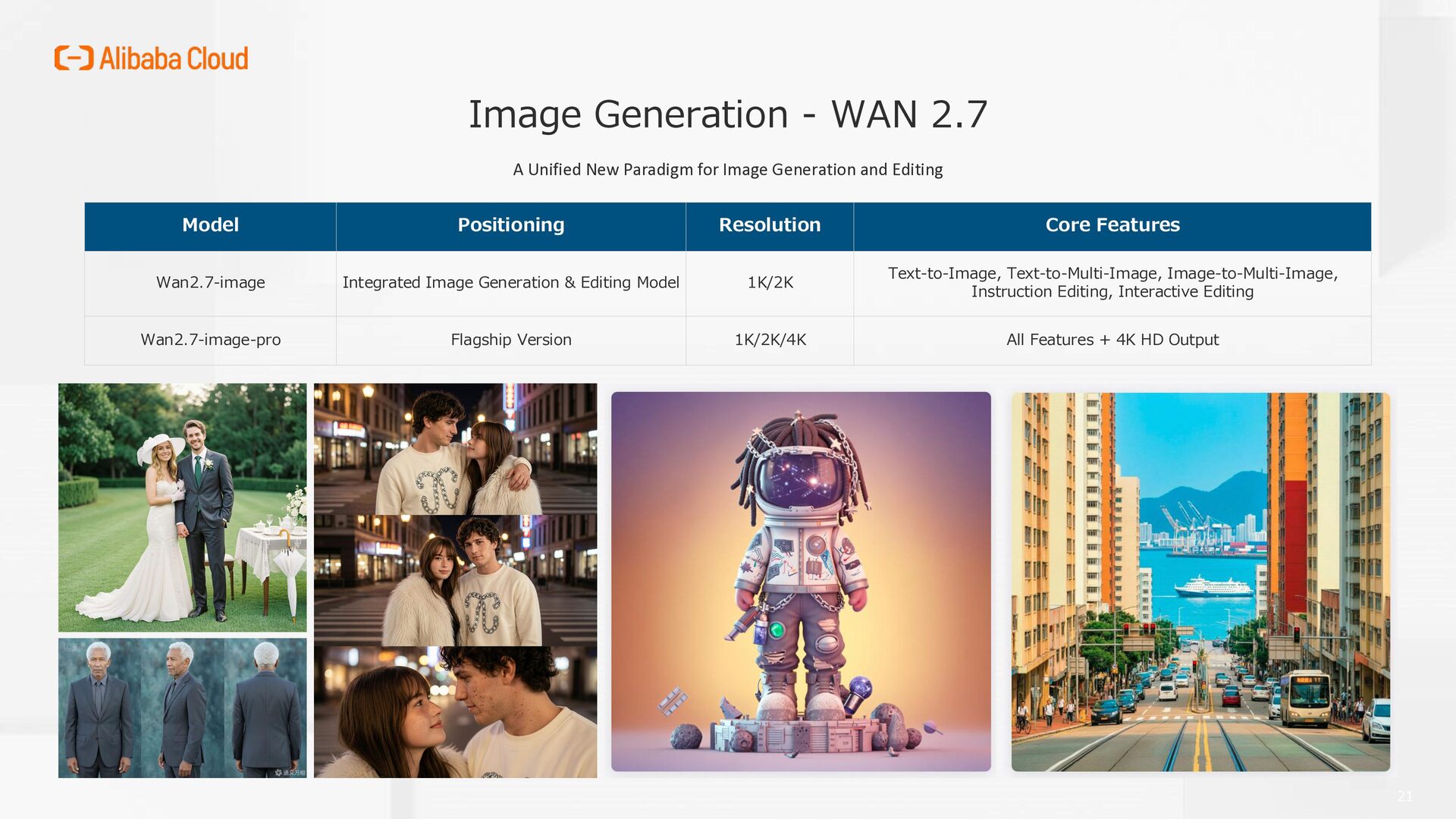
Image Generation and Editing Model Positioning Resolution Core Features Wan2.7-image Integrated Image Generation & Editing Model 1K/2K Text-to-Image, Text-to-Multi-Image, Image-to-Multi-Image, Instruction Editing, Interactive Editing Wan2.7-image-pro Flagship Version 1K/2K/4K All Features + 4K HD Output 21
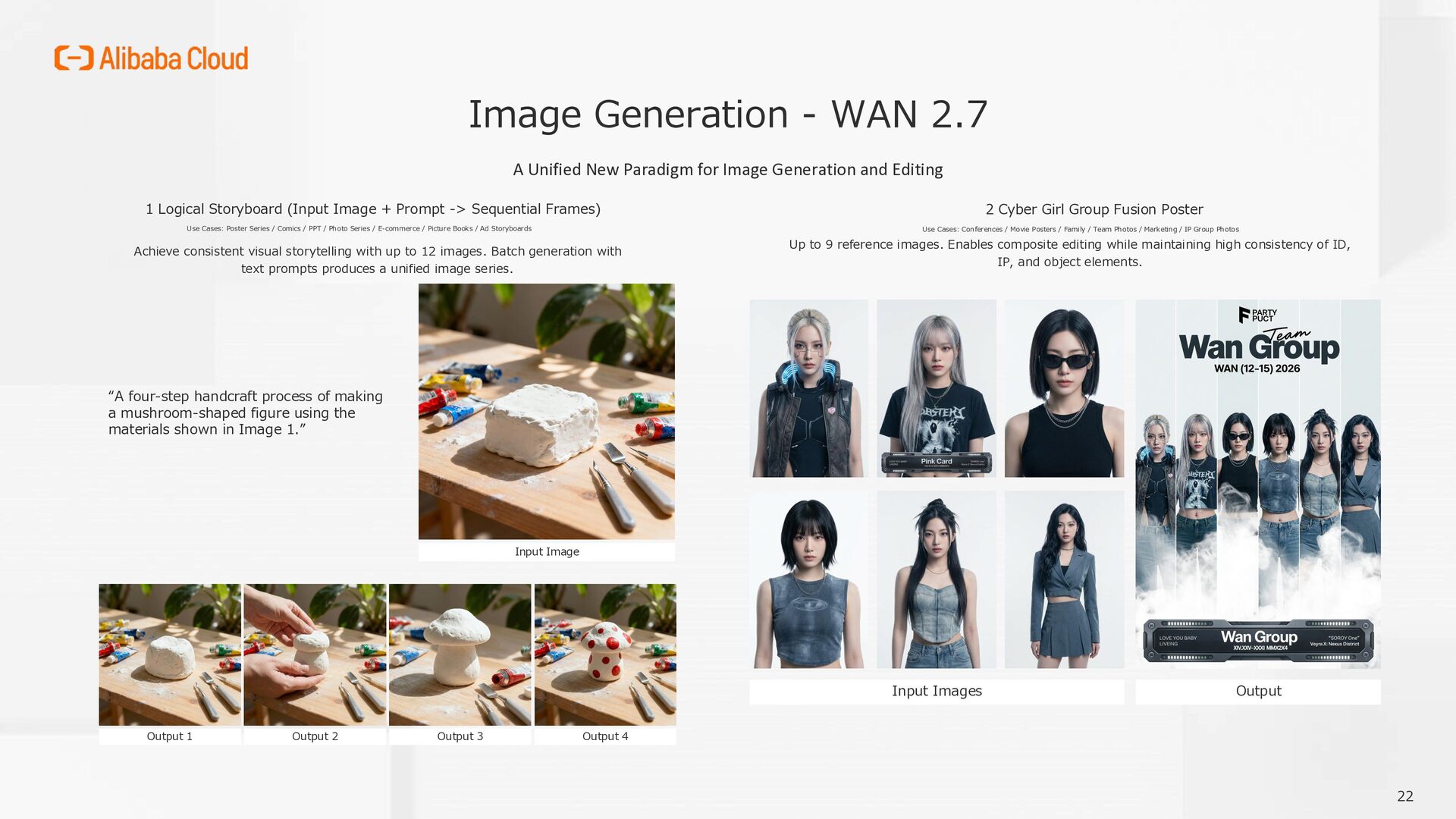
Image Generation and Editing Achieve consistent visual storytelling with up to 12 images. Batch generation with text prompts produces a unified image series. 1 Logical Storyboard (Input Image + Prompt -> Sequential Frames) Use Cases: Poster Series / Comics / PPT / Photo Series / E-commerce / Picture Books / Ad Storyboards Input Image Output 1 Output 2 Output 3 Output 4 “A four-step handcraft process of making a mushroom-shaped figure using the materials shown in Image 1.” Up to 9 reference images. Enables composite editing while maintaining high consistency of ID, IP, and object elements. 2 Cyber Girl Group Fusion Poster Use Cases: Conferences / Movie Posters / Family / Team Photos / Marketing / IP Group Photos Input Images Output 22
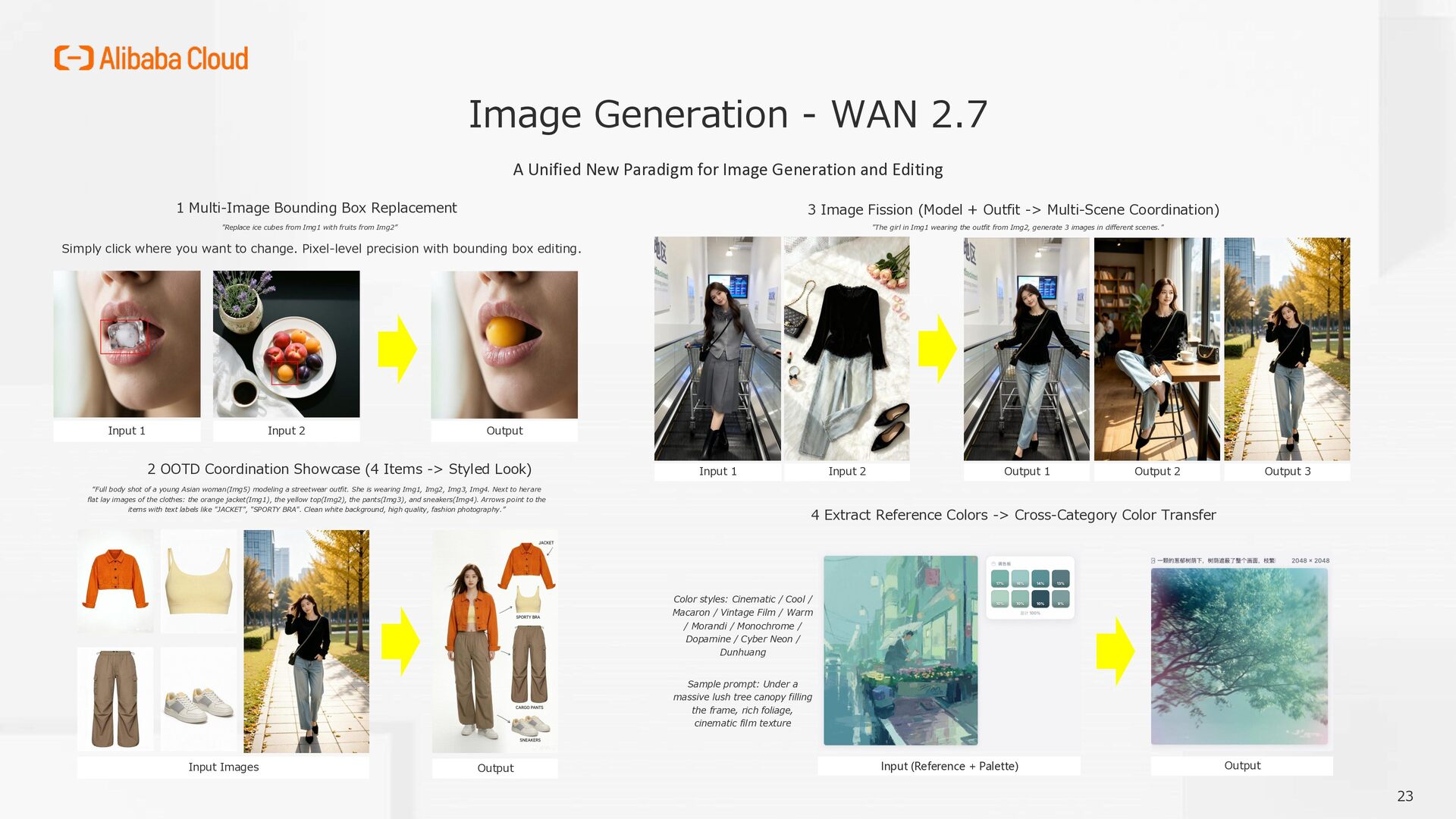
Image Generation and Editing Simply click where you want to change. Pixel-level precision with bounding box editing. 1 Multi-Image Bounding Box Replacement ”Replace ice cubes from Img1 with fruits from Img2” Input 1 Input 2 Output 3 Image Fission (Model + Outfit -> Multi-Scene Coordination) Input 1 Input 2 Output 1 Output 2 Output 3 "The girl in Img1 wearing the outfit from Img2, generate 3 images in different scenes." 2 OOTD Coordination Showcase (4 Items -> Styled Look) Input Images Output “Full body shot of a young Asian woman(Img5) modeling a streetwear outfit. She is wearing Img1, Img2, Img3, Img4. Next to her are flat lay images of the clothes: the orange jacket(Img1), the yellow top(Img2), the pants(Img3), and sneakers(Img4). Arrows point to the items with text labels like "JACKET", "SPORTY BRA". Clean white background, high quality, fashion photography.” 4 Extract Reference Colors -> Cross-Category Color Transfer Color styles: Cinematic / Cool / Macaron / Vintage Film / Warm / Morandi / Monochrome / Dopamine / Cyber Neon / Dunhuang Sample prompt: Under a massive lush tree canopy filling the frame, rich foliage, cinematic film texture Input (Reference + Palette) Output 23
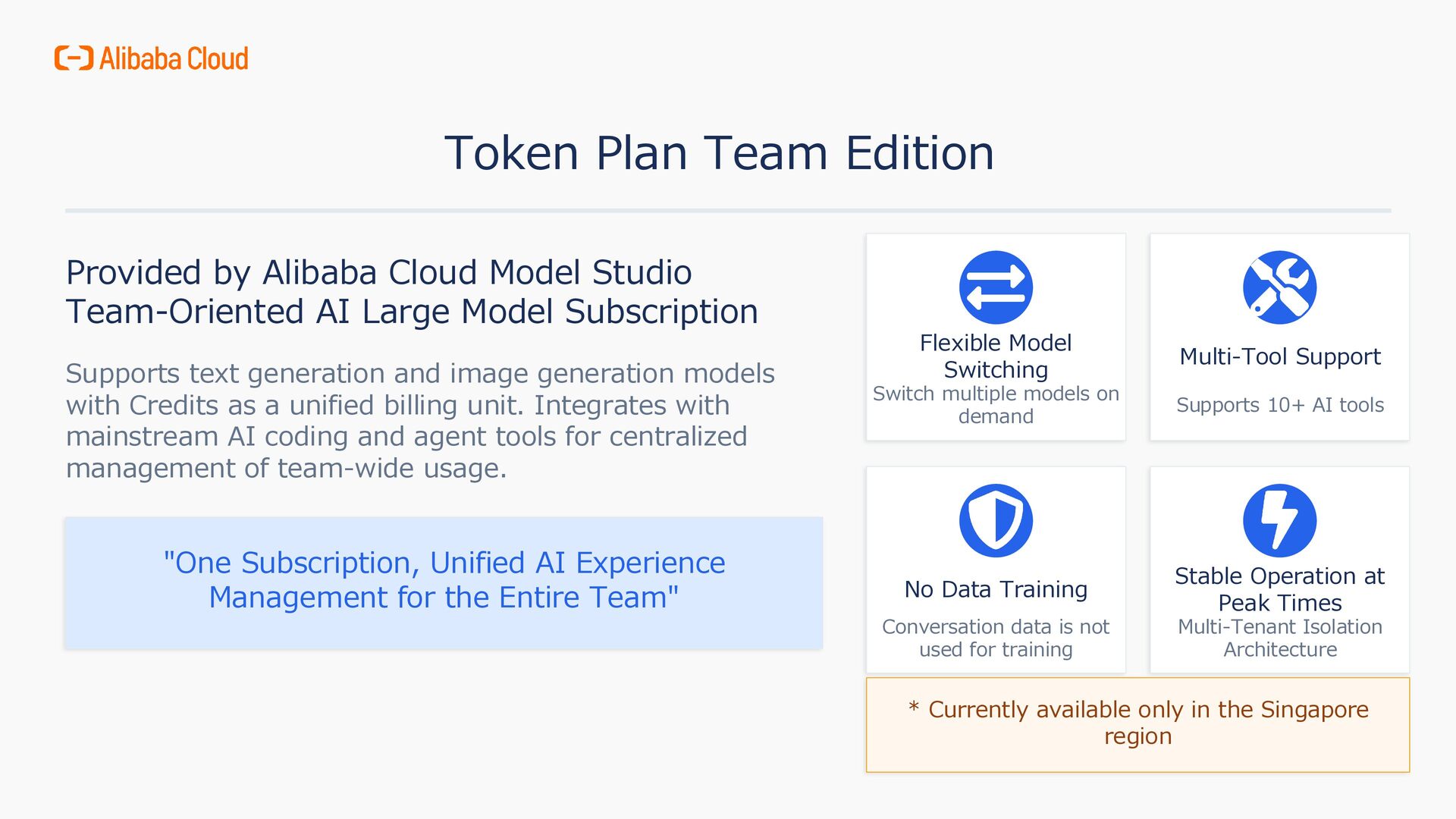
Team-Oriented AI Large Model Subscription Supports text generation and image generation models with Credits as a unified billing unit. Integrates with mainstream AI coding and agent tools for centralized management of team-wide usage. "One Subscription, Unified AI Experience Management for the Entire Team" Flexible Model Switching Switch multiple models on demand Multi-Tool Support Supports 10+ AI tools No Data Training Conversation data is not used for training Stable Operation at Peak Times Multi-Tenant Isolation Architecture * Currently available only in the Singapore region
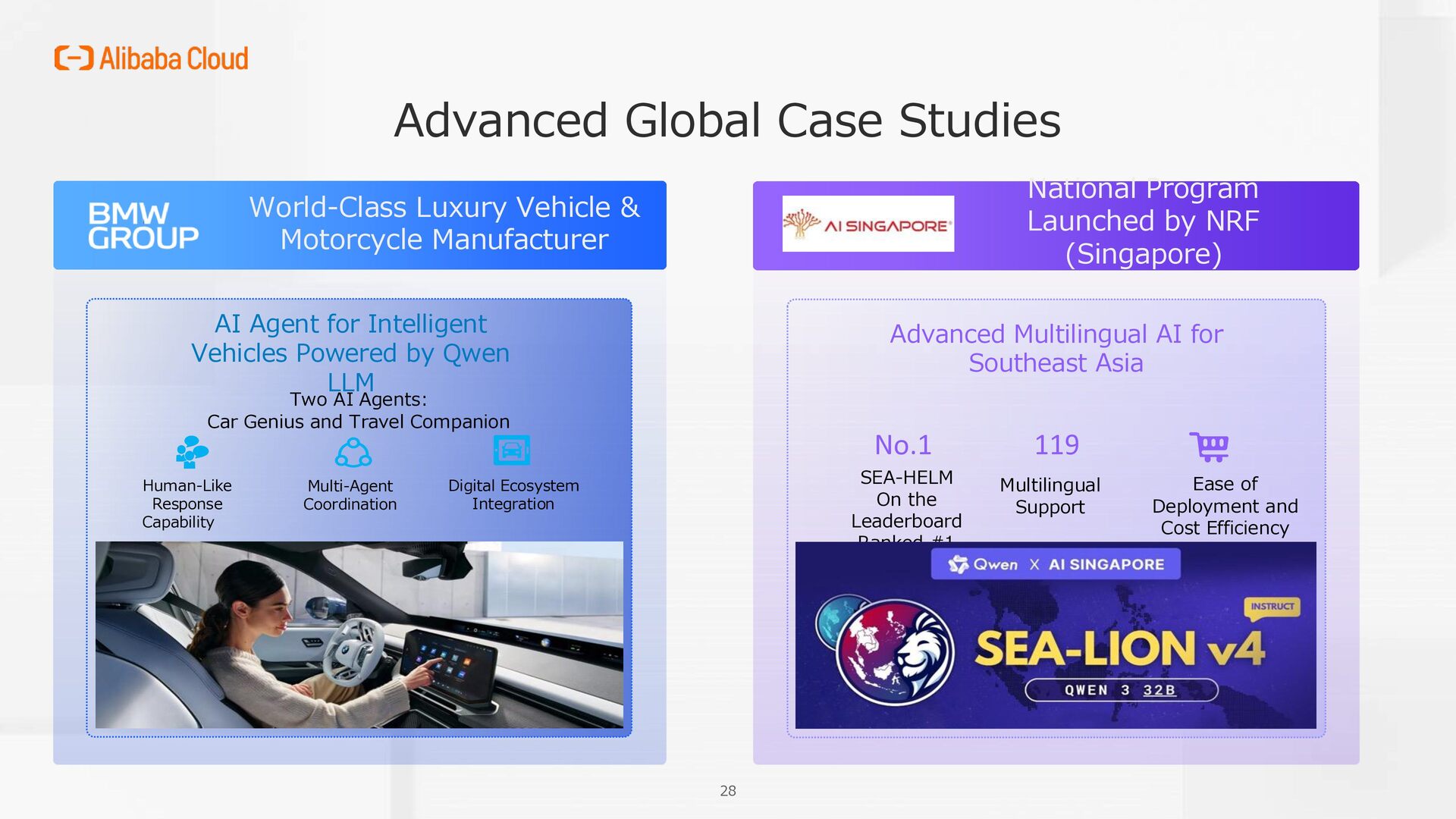
Manufacturer AI Agent for Intelligent Vehicles Powered by Qwen LLM Digital Ecosystem Integration Two AI Agents: Car Genius and Travel Companion Multi-Agent Coordination Human-Like Response Capability National Program Launched by NRF (Singapore) Advanced Multilingual AI for Southeast Asia SEA-HELM On the Leaderboard Ranked #1 Ease of Deployment and Cost Efficiency No.1 119 Multilingual Support


 opendatacircle
 ks91
ks91
 colopl
 fespinoza
 ennael
 oracle4engineer
 vivion
 harutiro
 nayuts
 dada4386
 soudai
 foursue
 sabderemane
 michaelherold
 smashingmag
 lara
lara
 rasagy
 rkaga
rkaga
 lauravandoore
 techseoconnect
 ryanjones
 leimatthew05
 kimpetersen