Upgrade to Pro — share decks privately, control downloads, hide ads and more …

To Build My Own Cloud with Blackjack…

To Build My Own Cloud with Blackjack…

Cloud providers like Amazon or Google have a great user experience to create and manage PaaS. But is it possible to reproduce the same experience and flexibility locally, in the on-premise data center? What if your own infrastructure grows to fast and your team can’t deal with it in the old way? What does Jenkins, .NET microservices and TVs for daily meetings have in common?
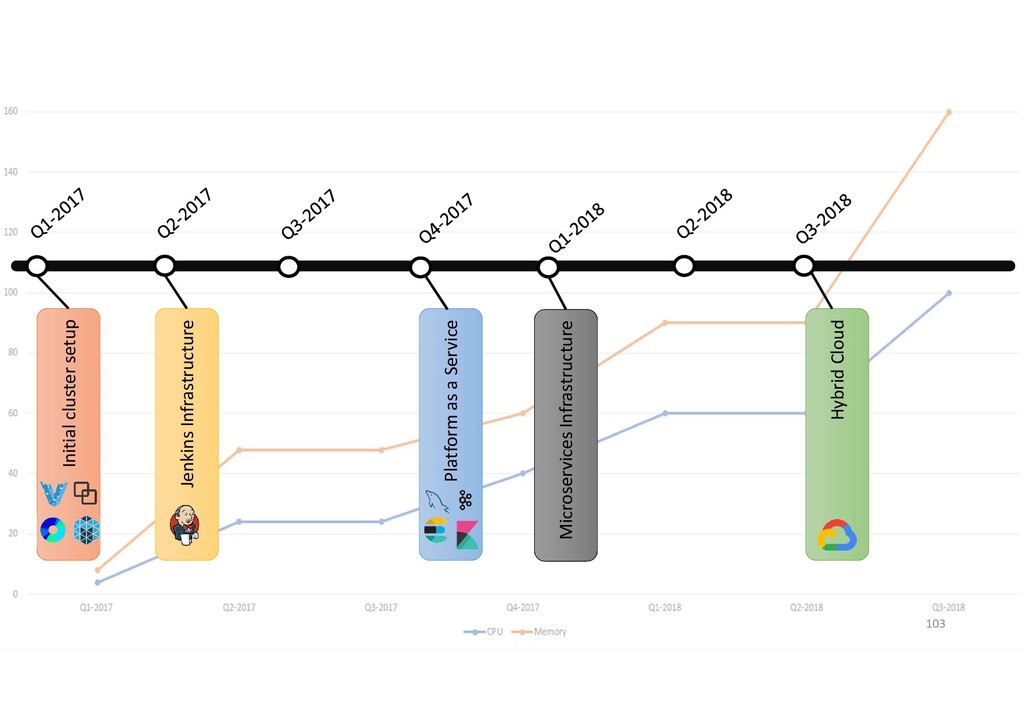
This talk shares our experience using DC/OS (data center operating system) for building flexible and stable infrastructure. I will show the evolution of private cloud from the first steps with Vagrant to the hybrid cloud with instance groups in Google Cloud, the benefits it gives us and the problems we get instead.

https://fwdays.com/en/event/highload-fwdays-2018/review/to-build-my-own-cloud-with-blackjack

Avatar for Sergey Dzyuban

Sergey Dzyuban

September 15, 2018
Tweet

More Decks by Sergey Dzyuban

Other Decks in Programming

Transcript

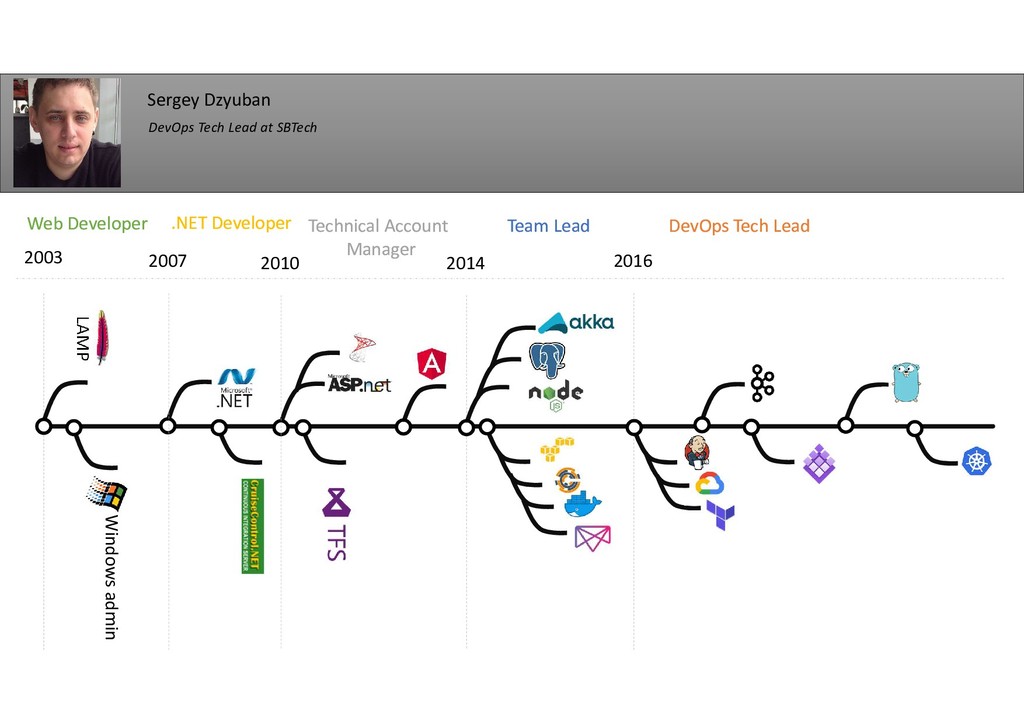
  1. LAMP Windows admin 2003 2007 2010 2014 2016 Web Developer

    Web Developer .NET Developer .NET Developer Technical Account Manager Technical Account Manager Team Lead Team Lead DevOps Tech Lead DevOps Tech Lead Sergey Dzyuban DevOps Tech Lead at SBTech
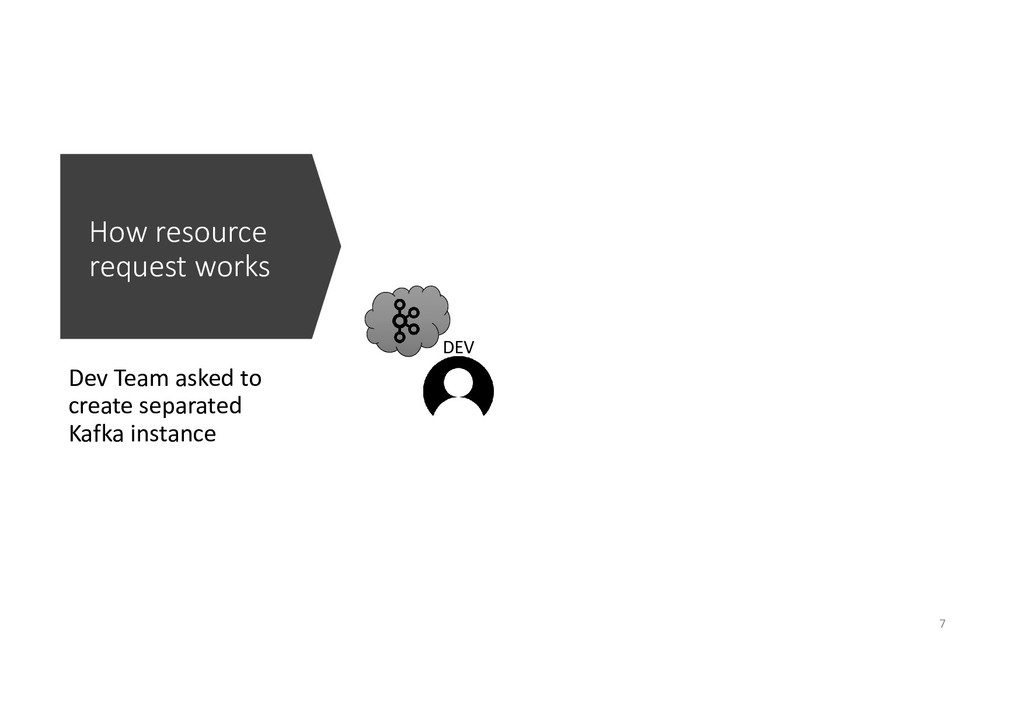
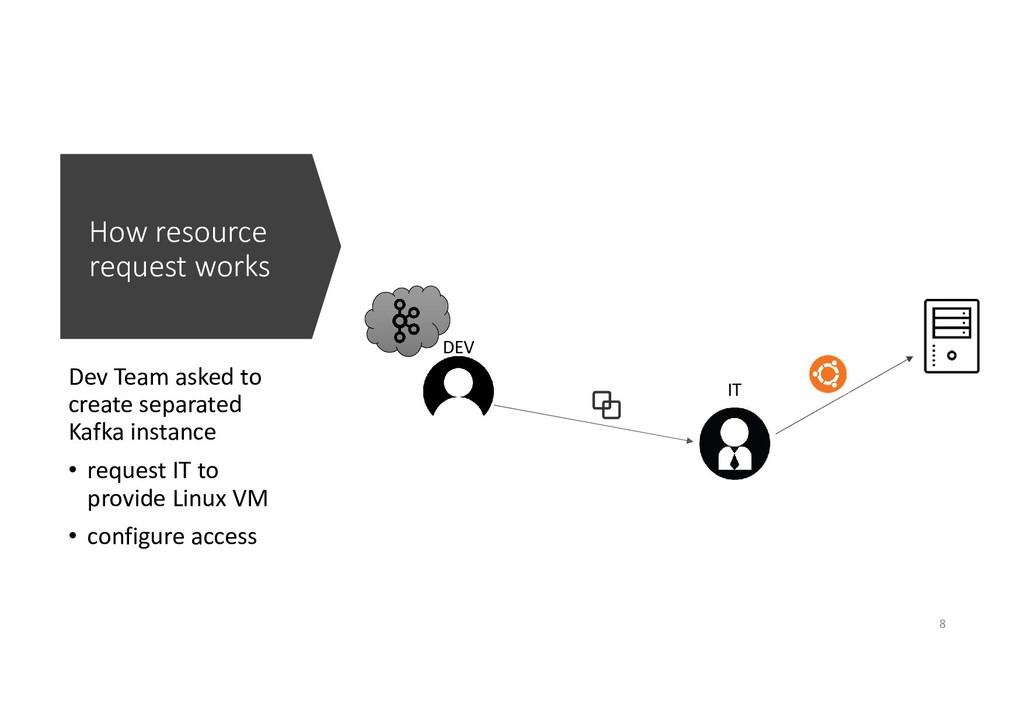
  2. How resource request works DEV IT Dev Team asked to

    create separated Kafka instance • request IT to provide Linux VM • configure access 8
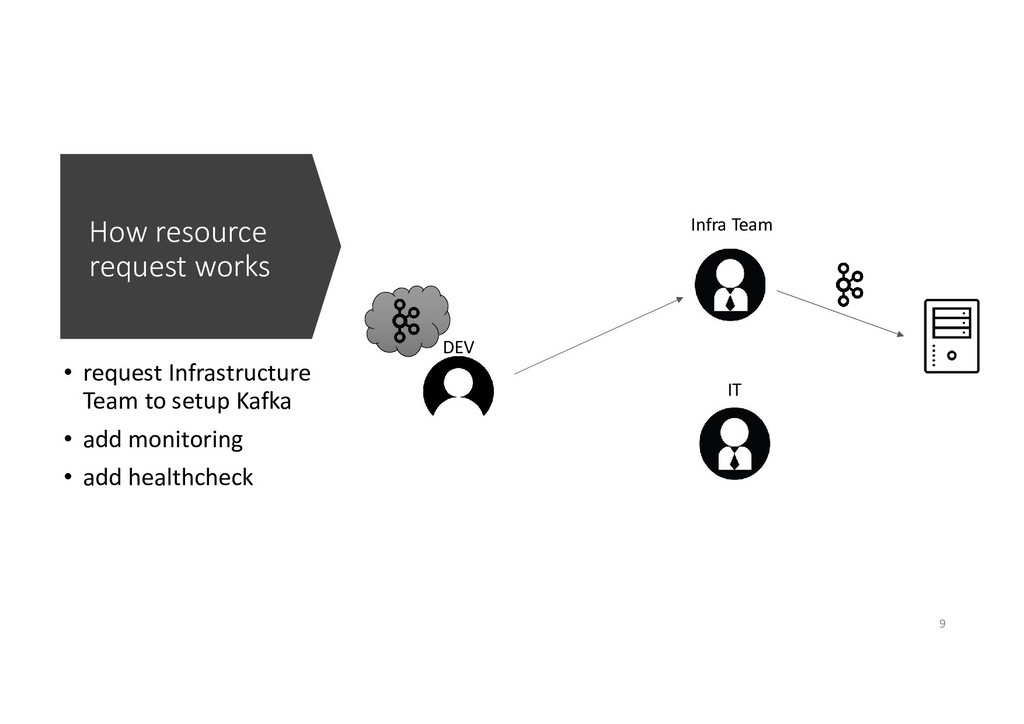
  3. How resource request works DEV IT Infra Team • request

    Infrastructure Team to setup Kafka • add monitoring • add healthcheck 9
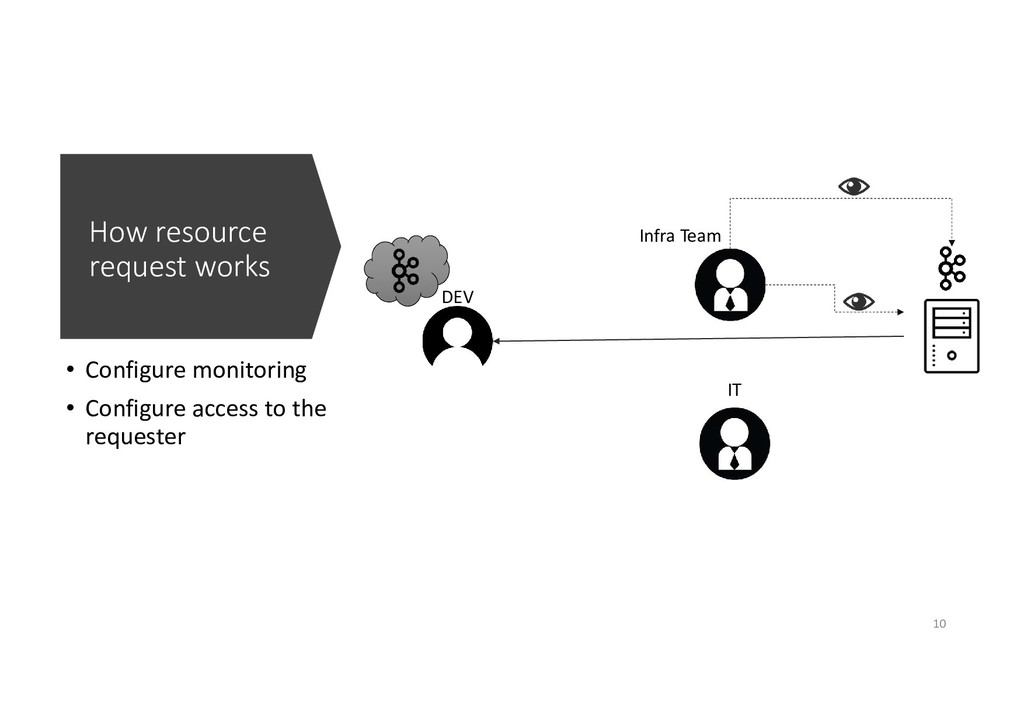
  4. How resource request works DEV IT Infra Team • Configure

    monitoring • Configure access to the requester 10
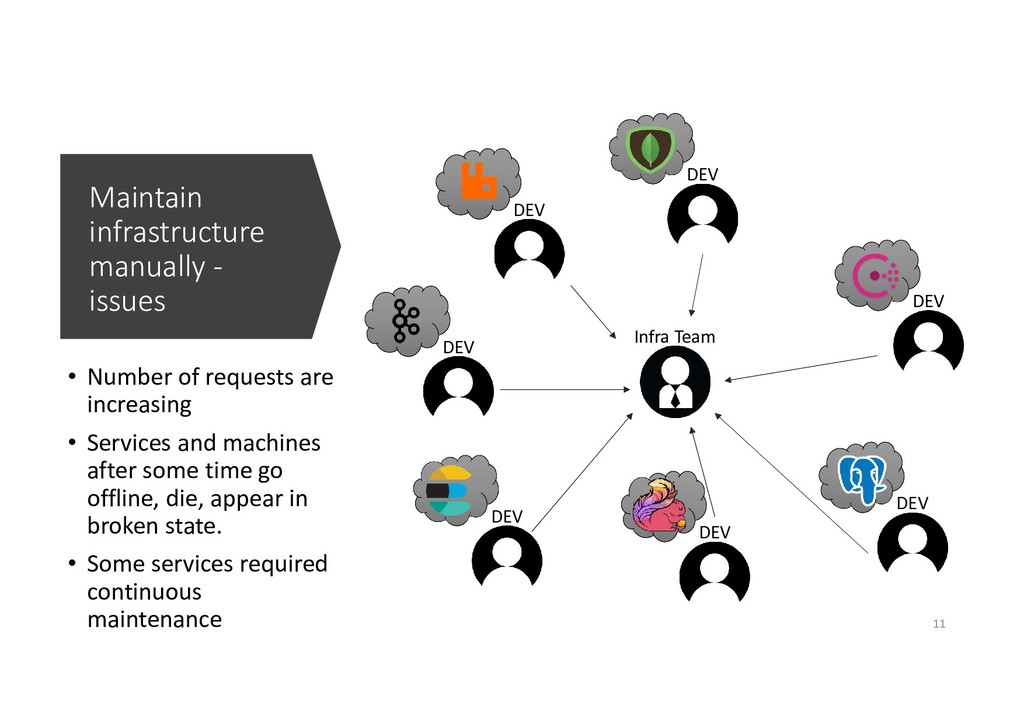
  5. Maintain infrastructure manually - issues • Number of requests are

    increasing • Services and machines after some time go offline, die, appear in broken state. • Some services required continuous maintenance DEV Infra Team DEV DEV DEV DEV DEV DEV 11
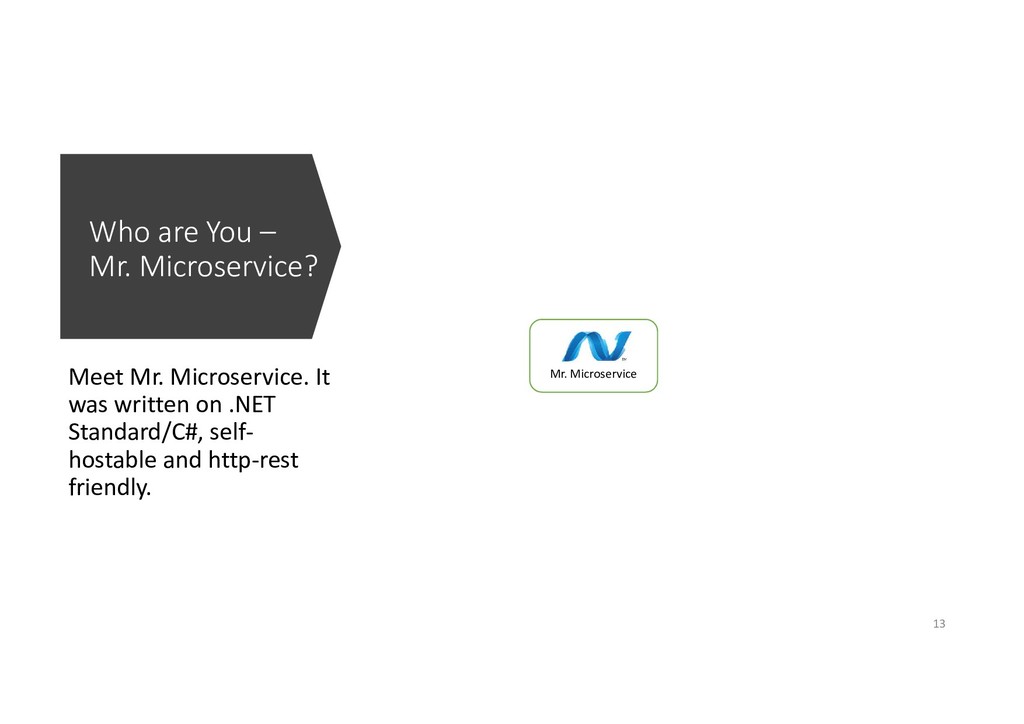
  6. Who are You – Mr. Microservice? Meet Mr. Microservice. It

    was written on .NET Standard/C#, self- hostable and http-rest friendly. Mr. Microservice 13
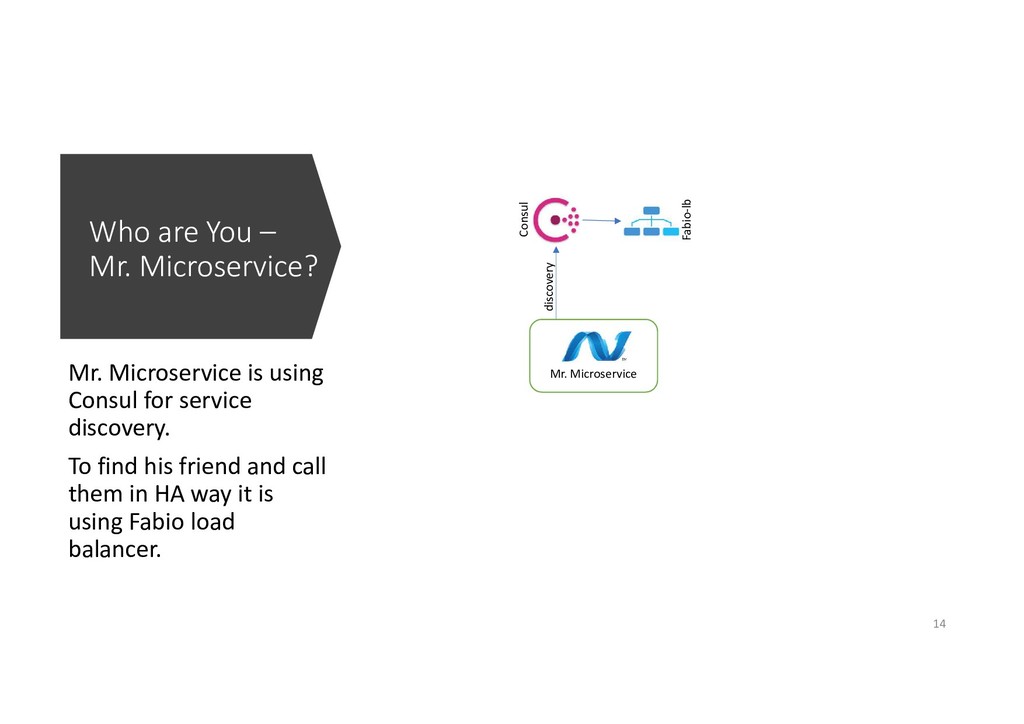
  7. Who are You – Mr. Microservice? Mr. Microservice is using

    Consul for service discovery. To find his friend and call them in HA way it is using Fabio load balancer. Mr. Microservice Consul Fabio-lb discovery 14
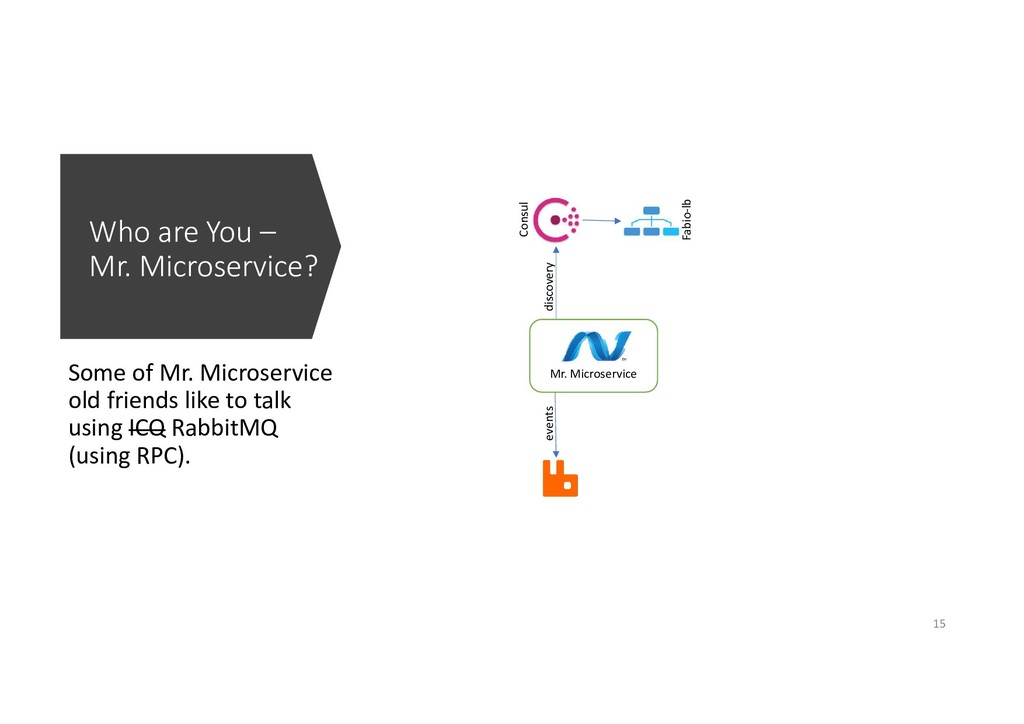
  8. Who are You – Mr. Microservice? Some of Mr. Microservice

    old friends like to talk using ICQ RabbitMQ (using RPC). Mr. Microservice Consul Fabio-lb events discovery 15
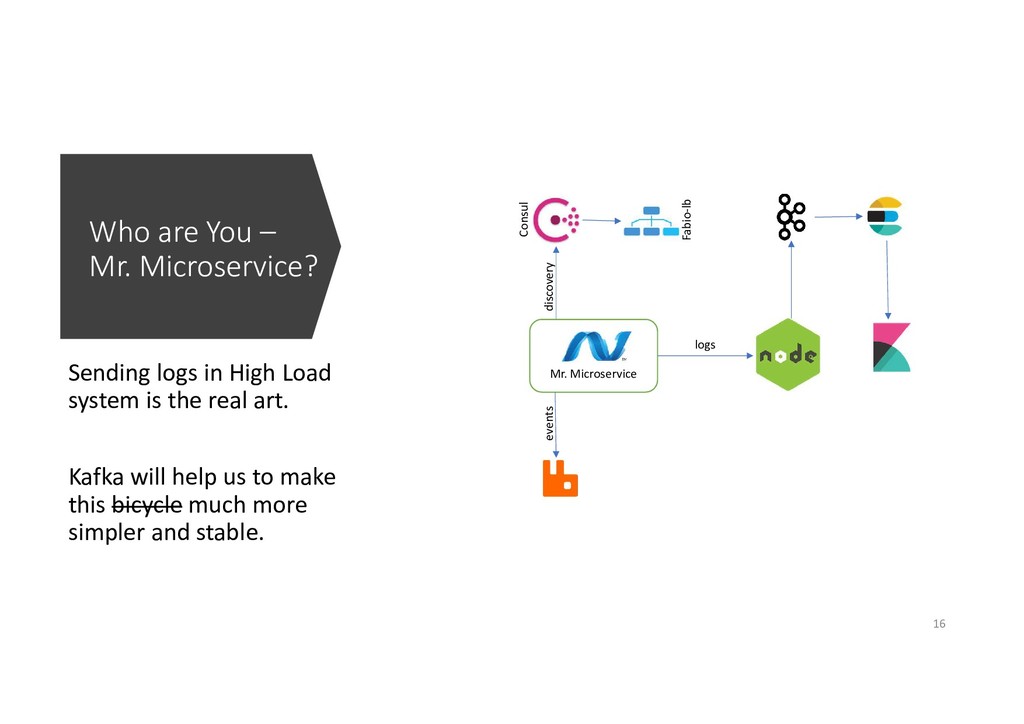
  9. Who are You – Mr. Microservice? Sending logs in High

    Load system is the real art. Kafka will help us to make this bicycle much more simpler and stable. Mr. Microservice Consul Fabio-lb logs events discovery 16
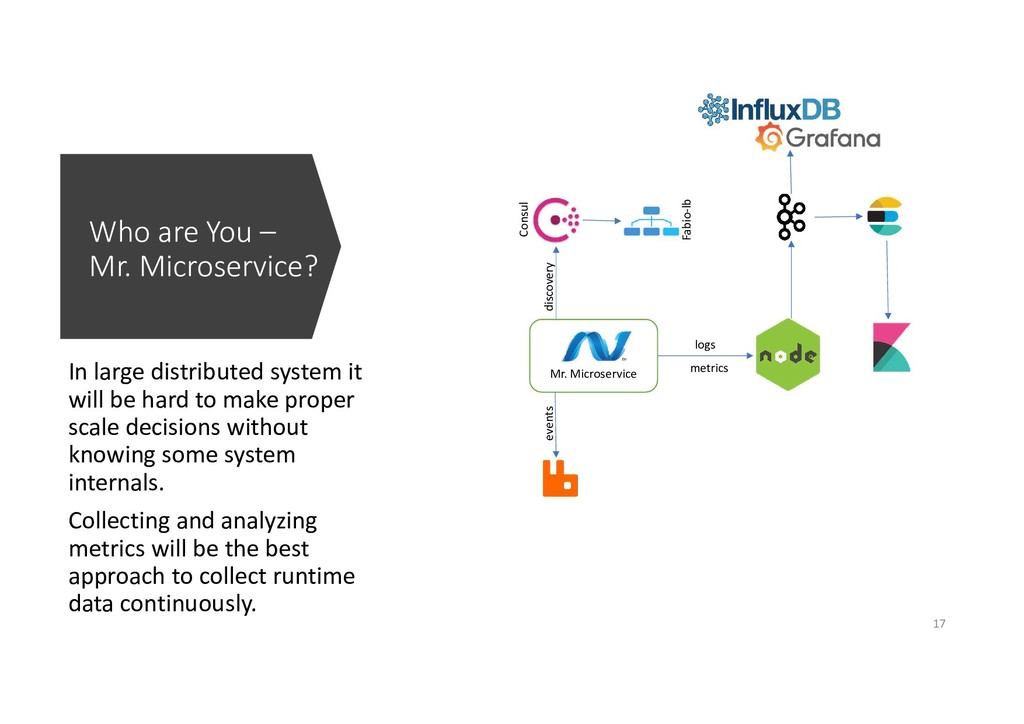
  10. Who are You – Mr. Microservice? In large distributed system

    it will be hard to make proper scale decisions without knowing some system internals. Collecting and analyzing metrics will be the best approach to collect runtime data continuously. Mr. Microservice Consul Fabio-lb logs metrics events discovery 17
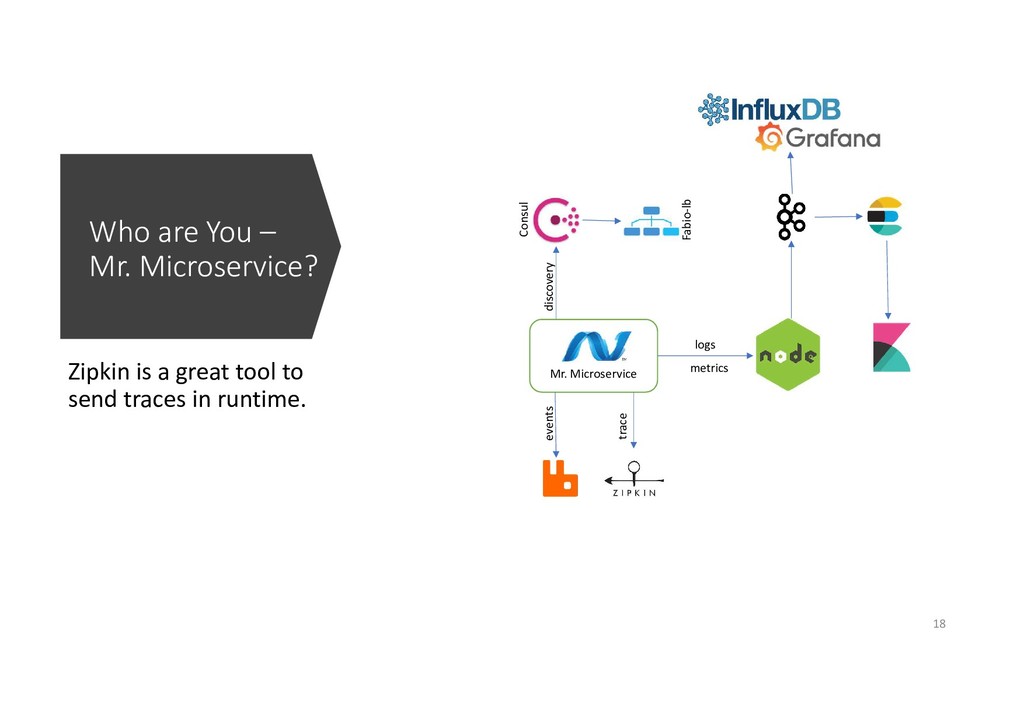
  11. Who are You – Mr. Microservice? Zipkin is a great

    tool to send traces in runtime. Mr. Microservice Consul Fabio-lb logs metrics trace events discovery 18
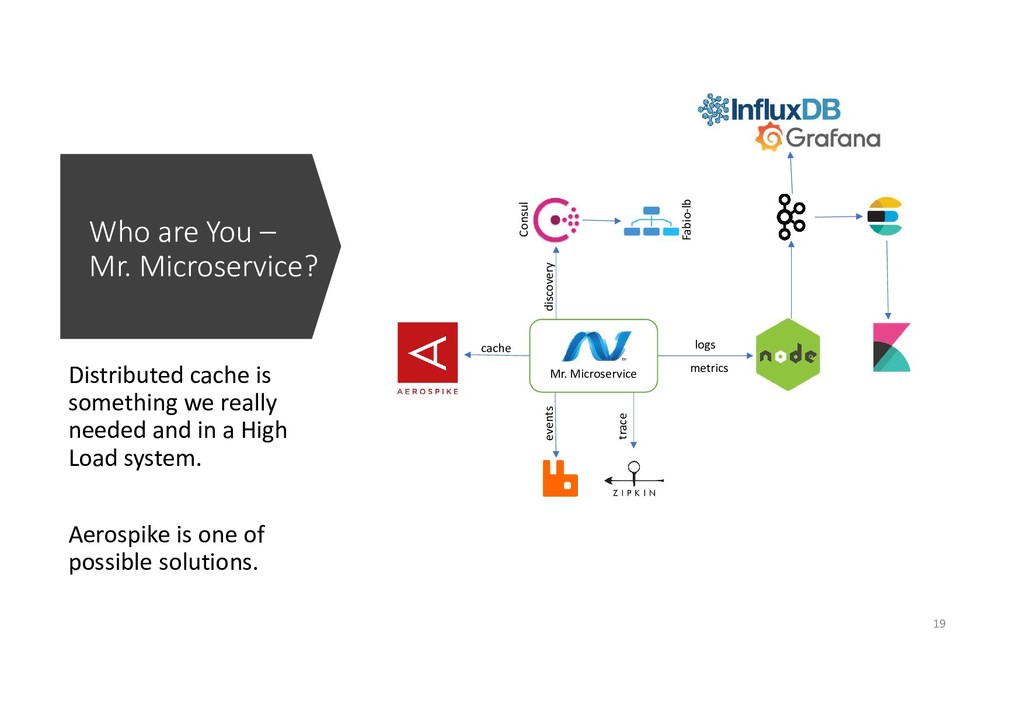
  12. Who are You – Mr. Microservice? Distributed cache is something

    we really needed and in a High Load system. Aerospike is one of possible solutions. Mr. Microservice Consul Fabio-lb logs metrics trace cache events discovery 19
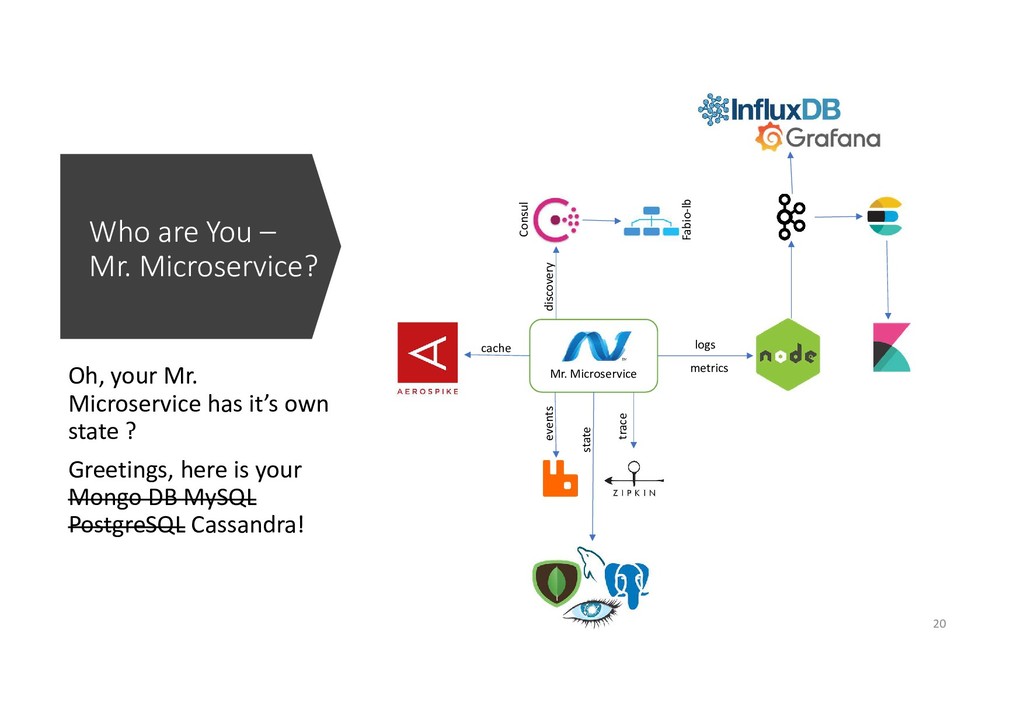
  13. Who are You – Mr. Microservice? Oh, your Mr. Microservice

    has it’s own state ? Greetings, here is your Mongo DB MySQL PostgreSQL Cassandra! Mr. Microservice Consul Fabio-lb logs metrics trace cache state events discovery 20
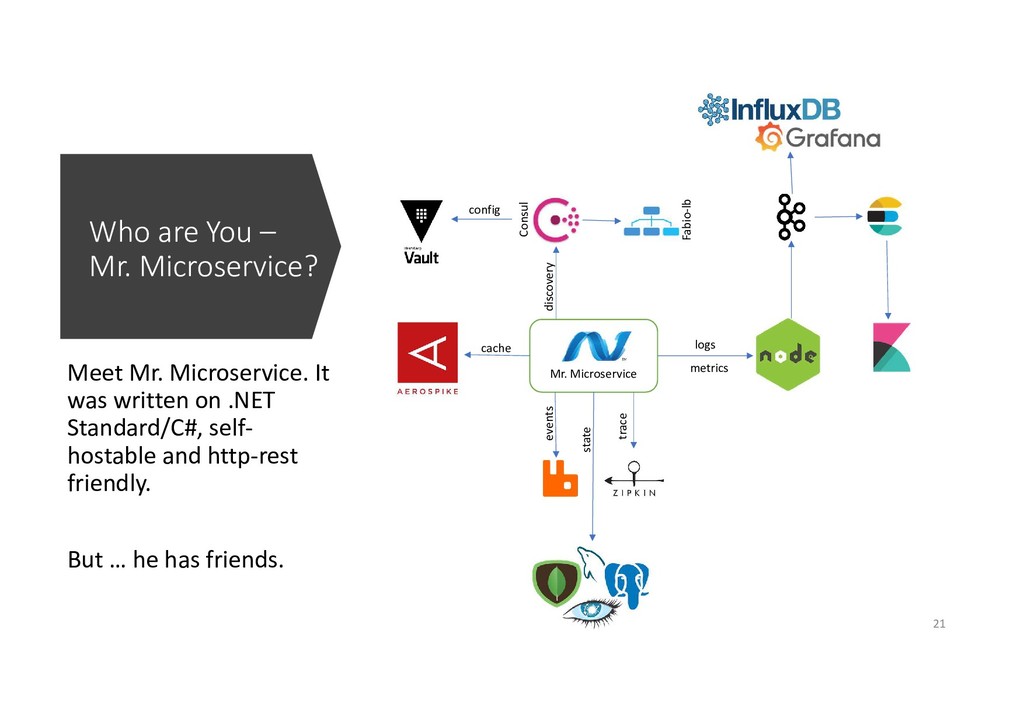
  14. Who are You – Mr. Microservice? Meet Mr. Microservice. It

    was written on .NET Standard/C#, self- hostable and http-rest friendly. But … he has friends. Mr. Microservice Consul Fabio-lb logs metrics trace cache state events discovery config 21
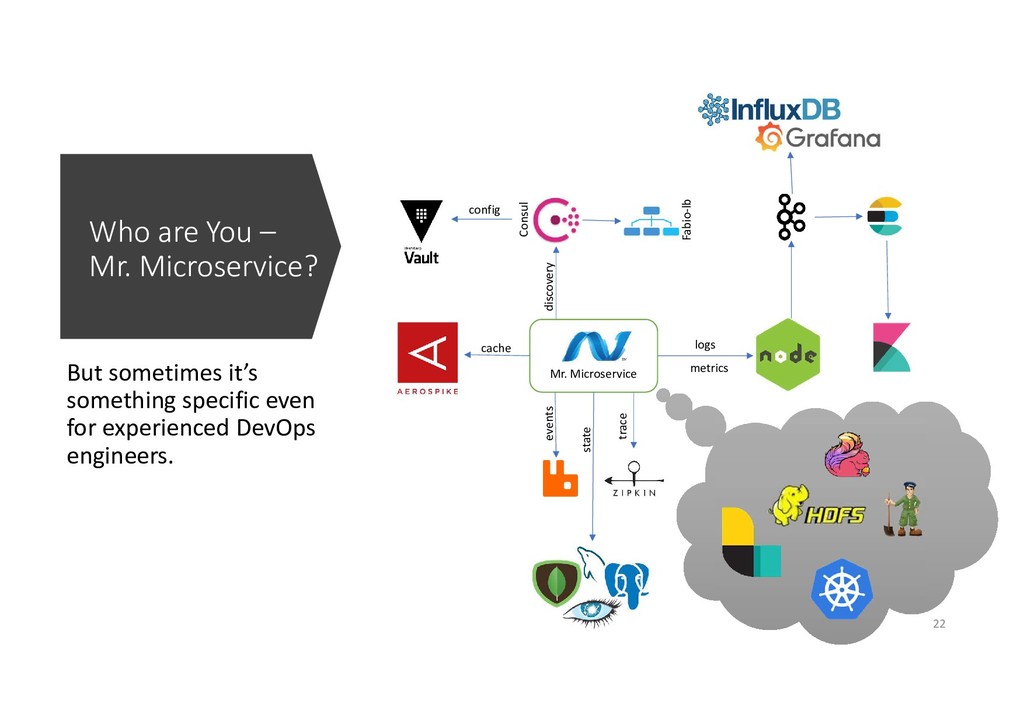
  15. Who are You – Mr. Microservice? But sometimes it’s something

    specific even for experienced DevOps engineers. Mr. Microservice Consul Fabio-lb logs metrics trace cache state events discovery config 22
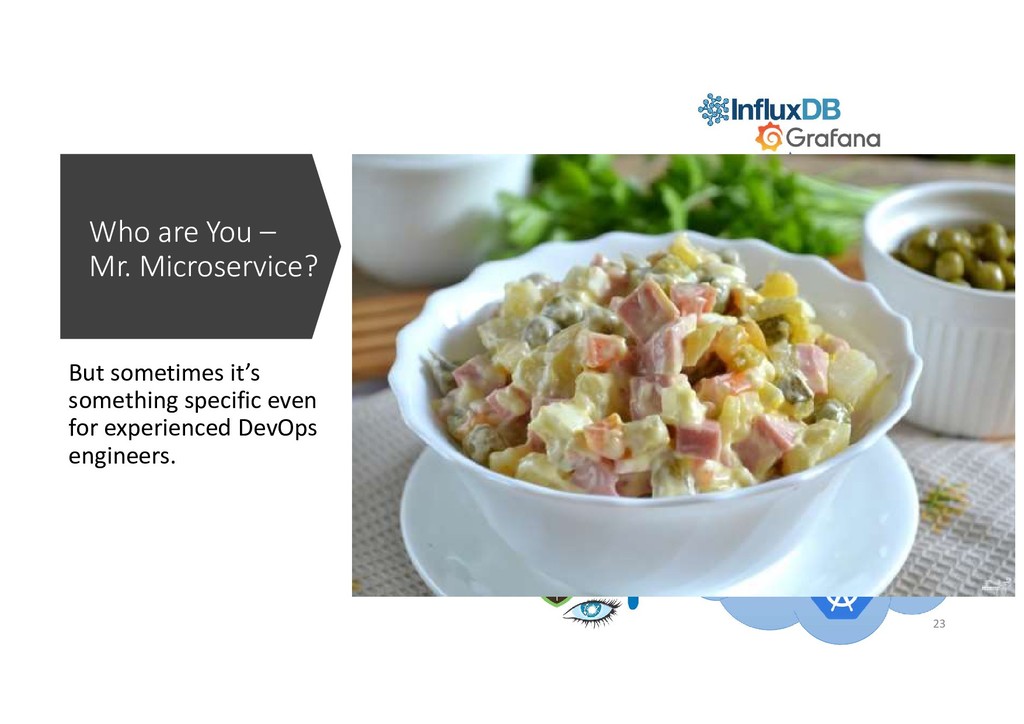
  16. Who are You – Mr. Microservice? But sometimes it’s something

    specific even for experienced DevOps engineers. Mr. Microservice Consul Fabio-lb logs metrics trace cache state events discovery config 23
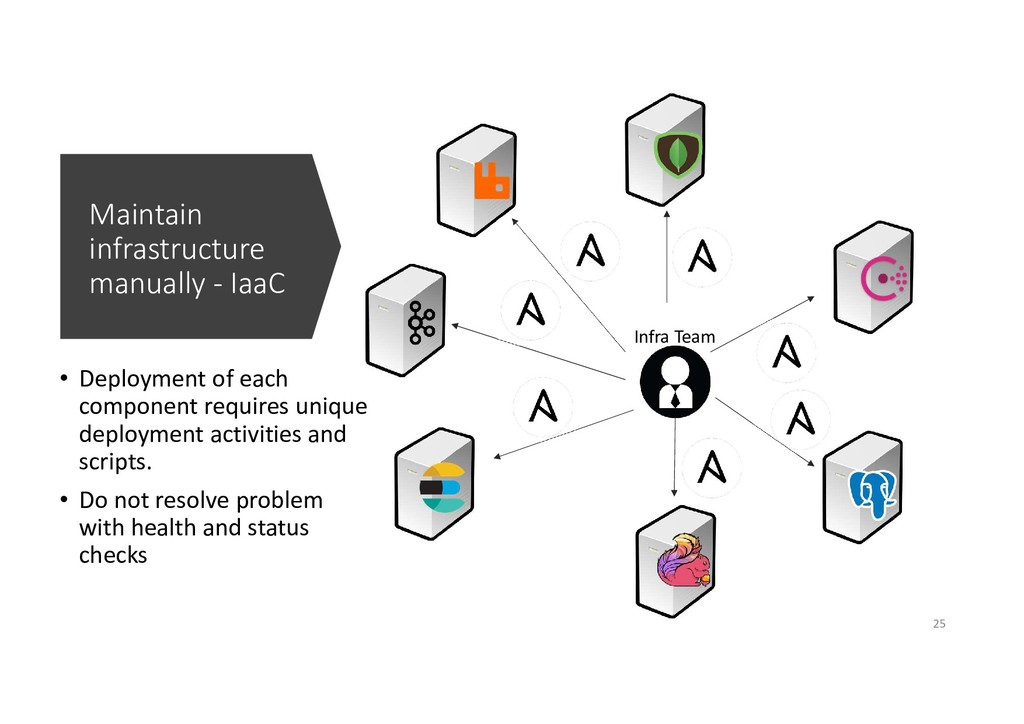
  17. Maintain infrastructure manually - IaaC • Deployment of each component

    requires unique deployment activities and scripts. • Do not resolve problem with health and status checks Infra Team 25
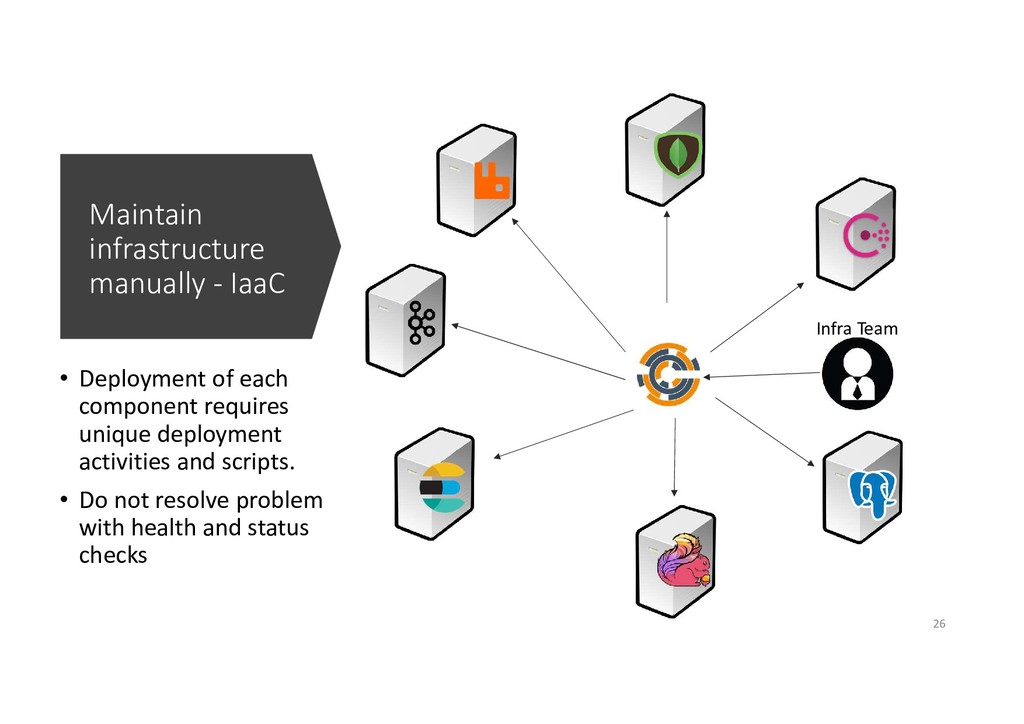
  18. Maintain infrastructure manually - IaaC • Deployment of each component

    requires unique deployment activities and scripts. • Do not resolve problem with health and status checks Infra Team 26
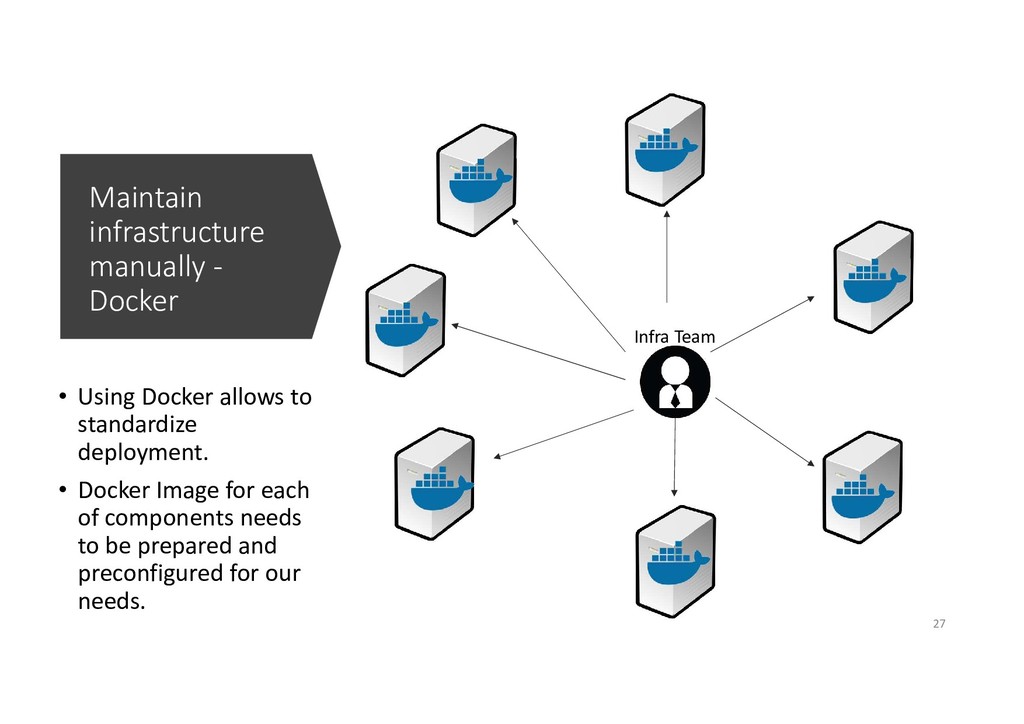
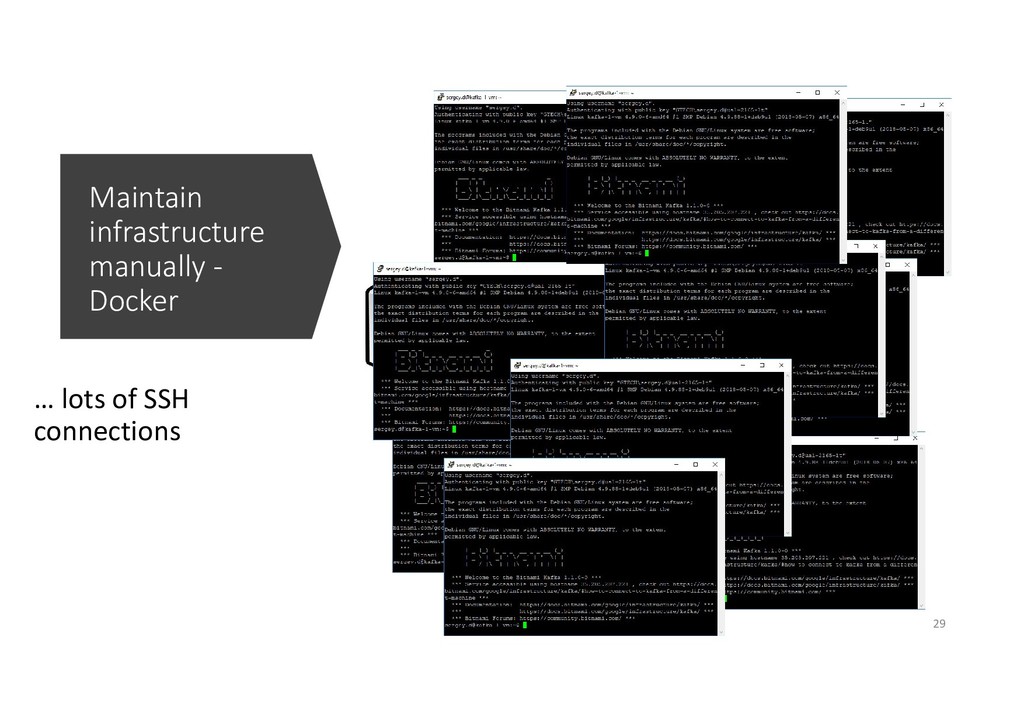
  19. Maintain infrastructure manually - Docker • Using Docker allows to

    standardize deployment. • Docker Image for each of components needs to be prepared and preconfigured for our needs. Infra Team 27
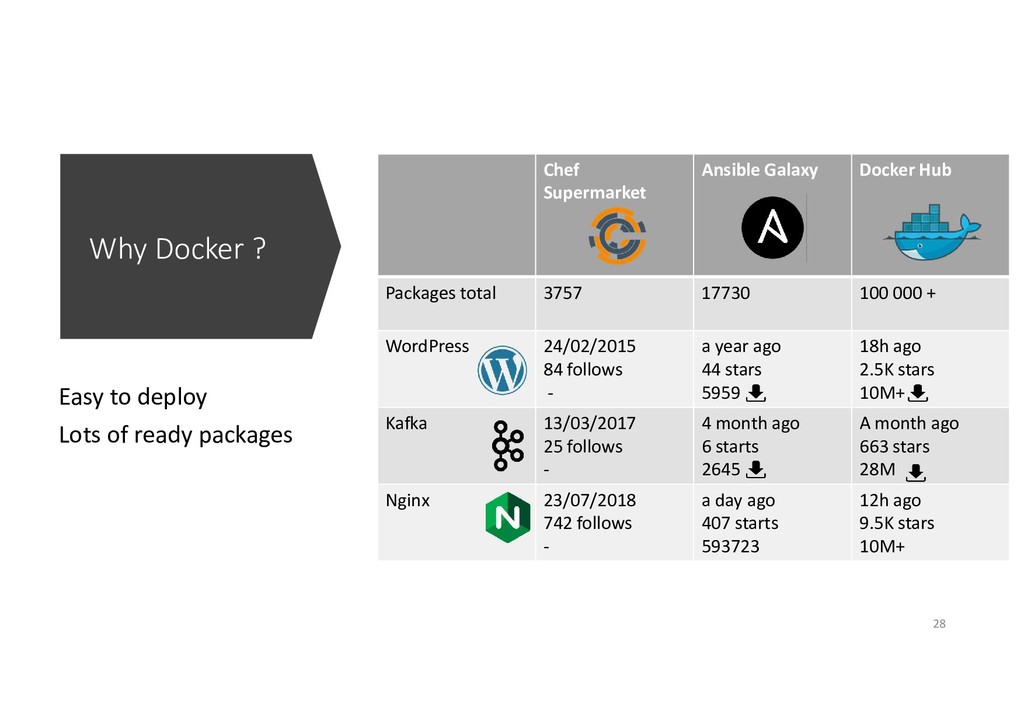
  20. Why Docker ? Easy to deploy Lots of ready packages

    Chef Supermarket Ansible Galaxy Docker Hub Packages total 3757 17730 100 000 + WordPress 24/02/2015 84 follows - a year ago 44 stars 5959 18h ago 2.5K stars 10M+ Kafka 13/03/2017 25 follows - 4 month ago 6 starts 2645 A month ago 663 stars 28M Nginx 23/07/2018 742 follows - a day ago 407 starts 593723 12h ago 9.5K stars 10M+ 28
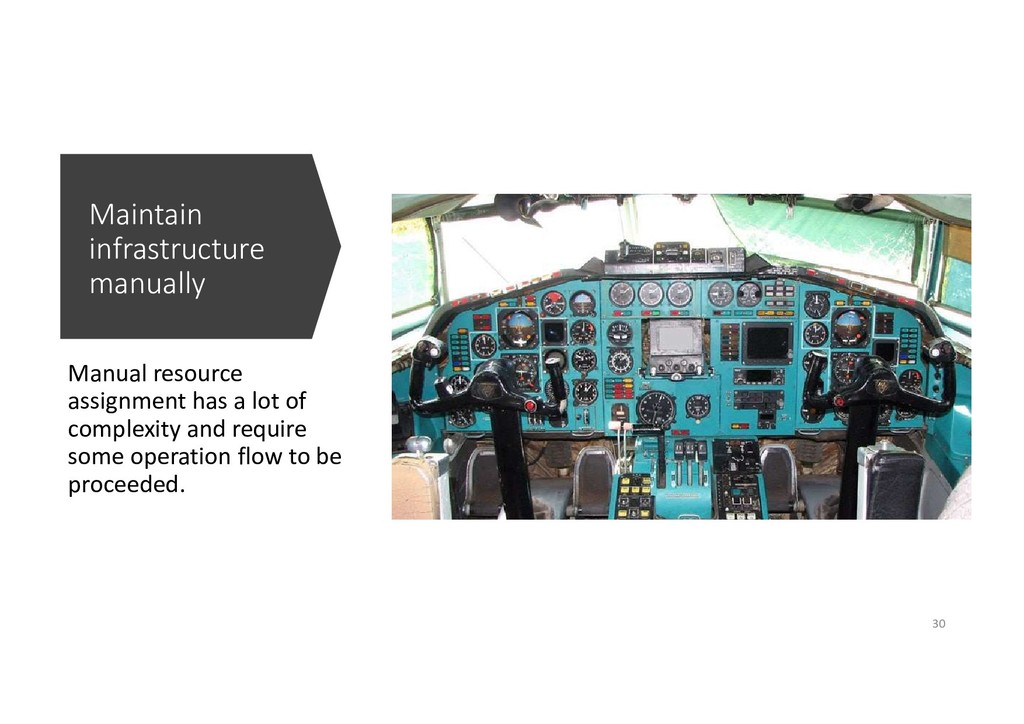
  21. Maintain infrastructure manually Manual resource assignment has a lot of

    complexity and require some operation flow to be proceeded. 30
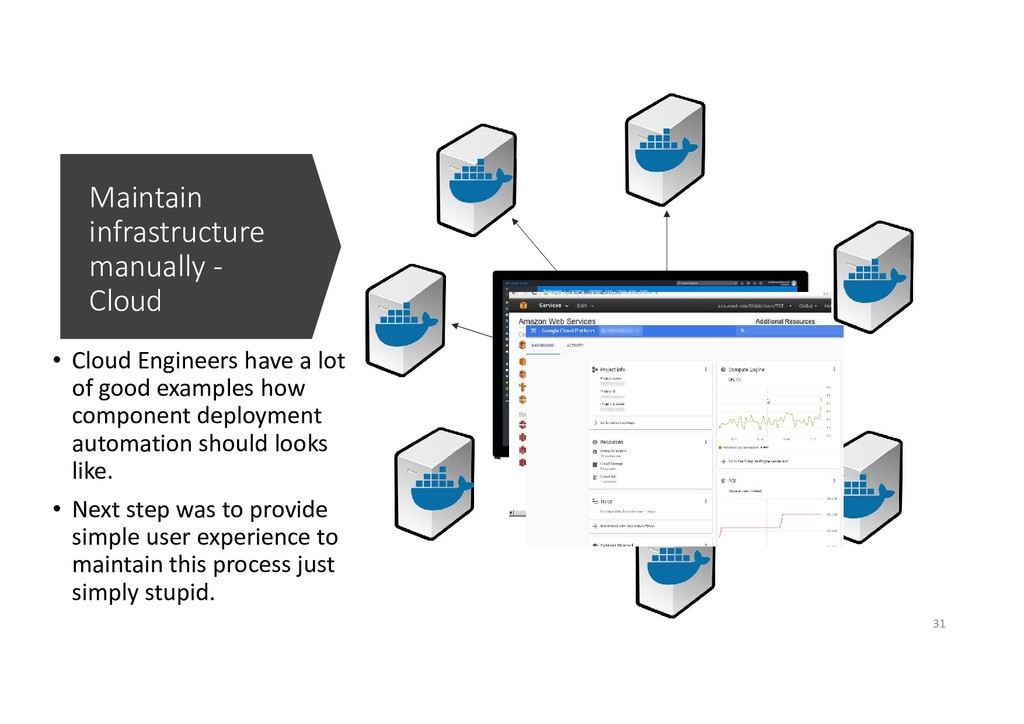
  22. Maintain infrastructure manually - Cloud • Cloud Engineers have a

    lot of good examples how component deployment automation should looks like. • Next step was to provide simple user experience to maintain this process just simply stupid. 31
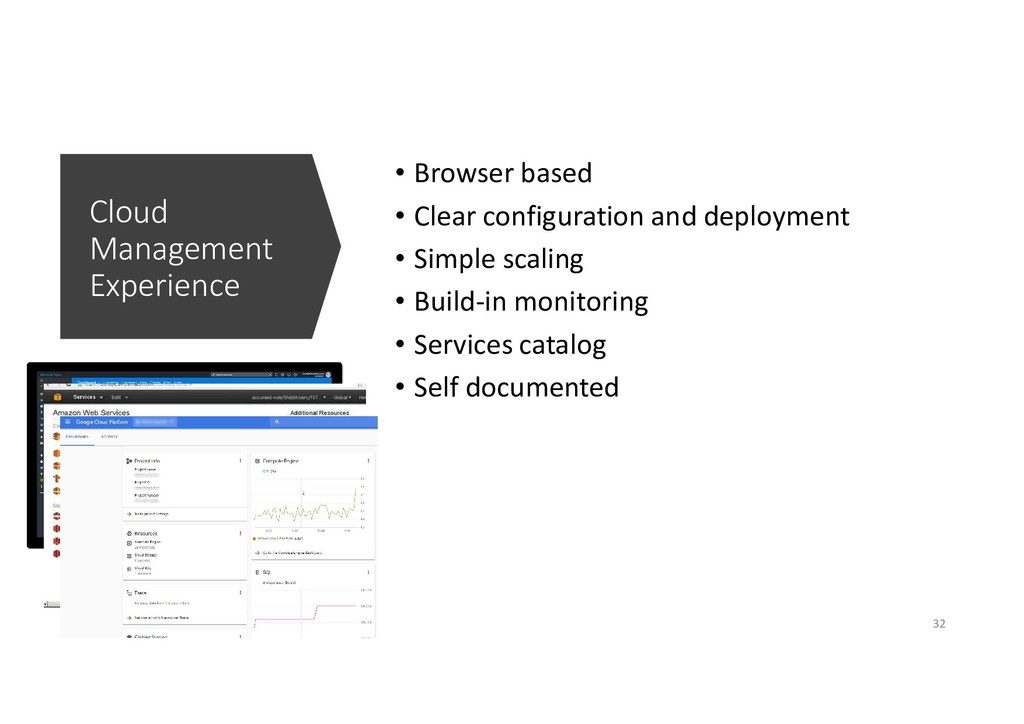
  23. Cloud Management Experience • Browser based • Clear configuration and

    deployment • Simple scaling • Build-in monitoring • Services catalog • Self documented 32
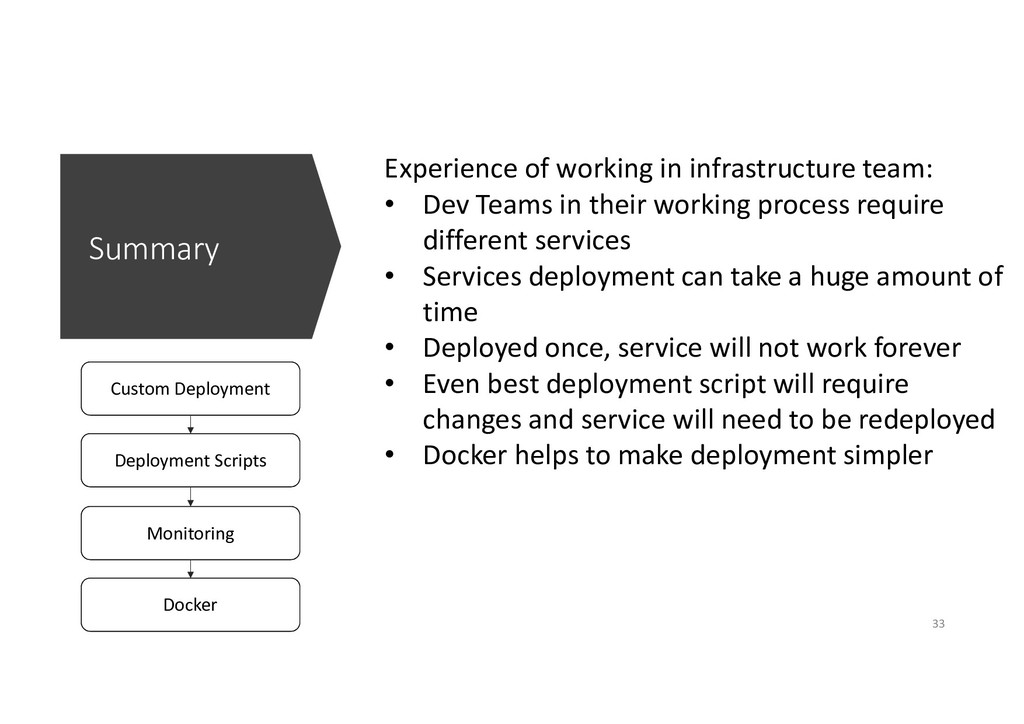
  24. Summary Custom Deployment Deployment Scripts Monitoring Docker Experience of working

    in infrastructure team: • Dev Teams in their working process require different services • Services deployment can take a huge amount of time • Deployed once, service will not work forever • Even best deployment script will require changes and service will need to be redeployed • Docker helps to make deployment simpler 33
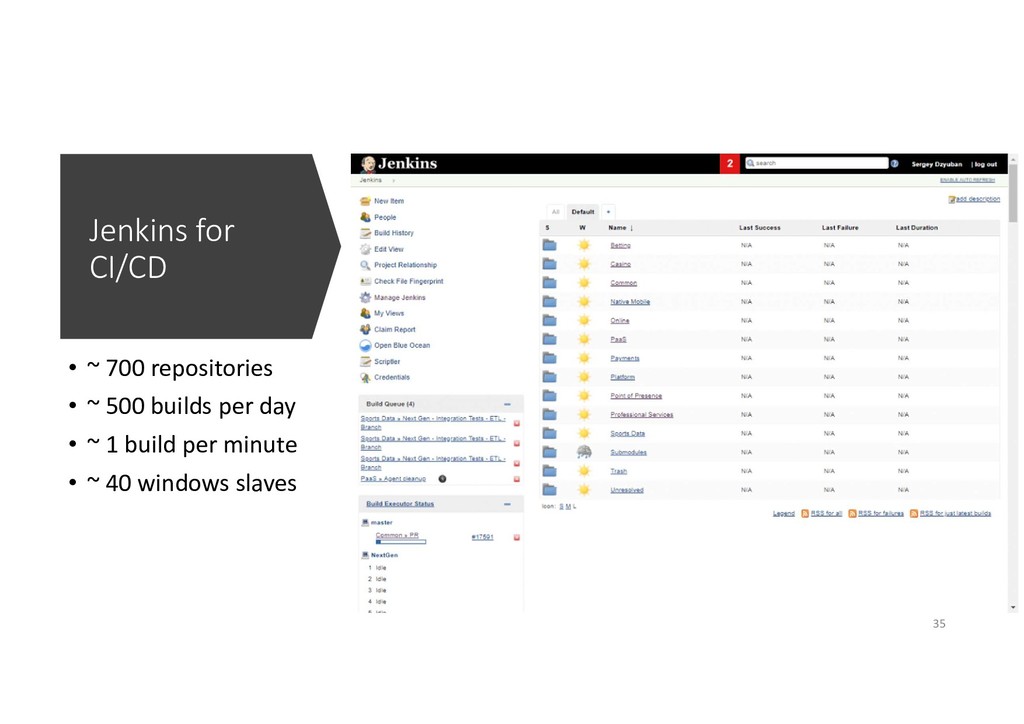
  25. Jenkins for CI/CD • ~ 700 repositories • ~ 500

    builds per day • ~ 1 build per minute • ~ 40 windows slaves 35
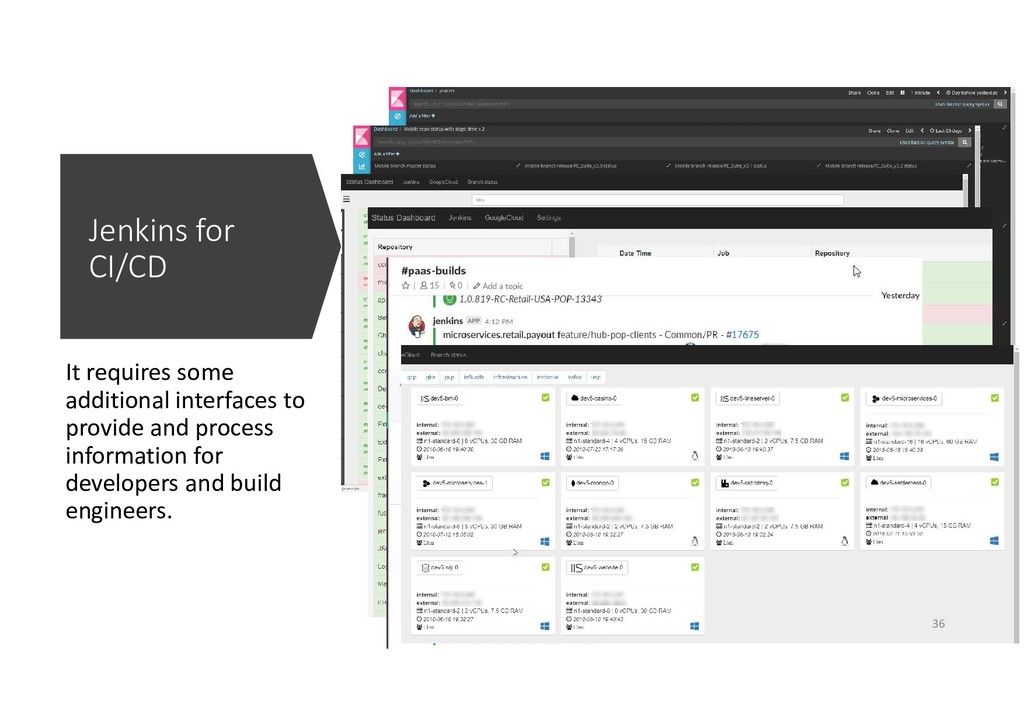
  26. Jenkins for CI/CD It requires some additional interfaces to provide

    and process information for developers and build engineers. 36
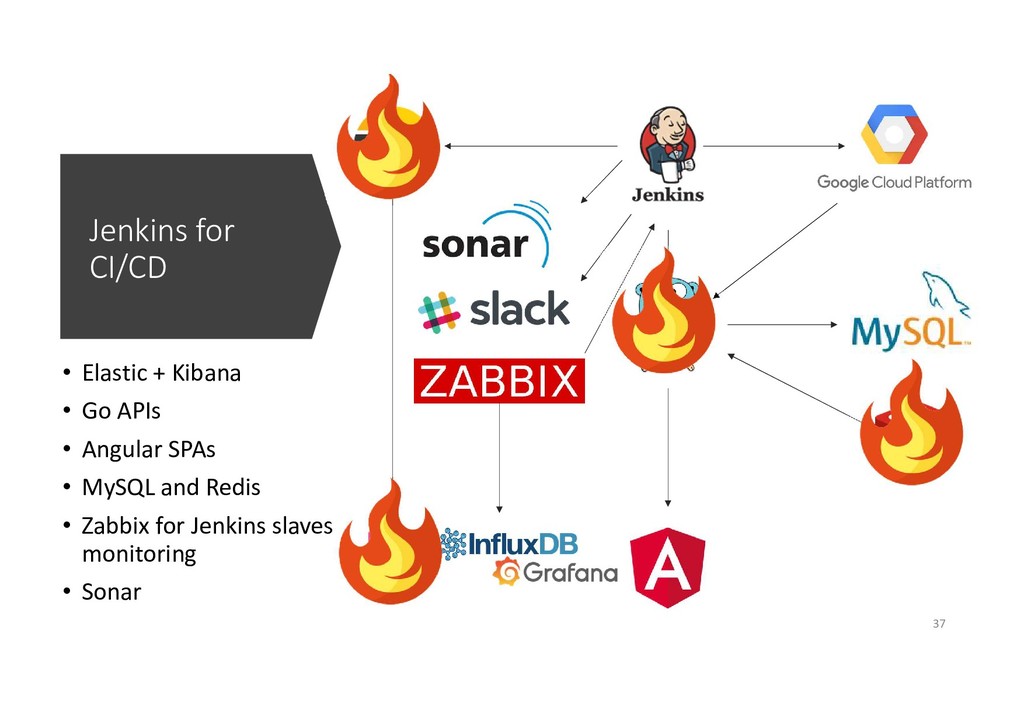
  27. Jenkins for CI/CD • Elastic + Kibana • Go APIs

    • Angular SPAs • MySQL and Redis • Zabbix for Jenkins slaves monitoring • Sonar 37
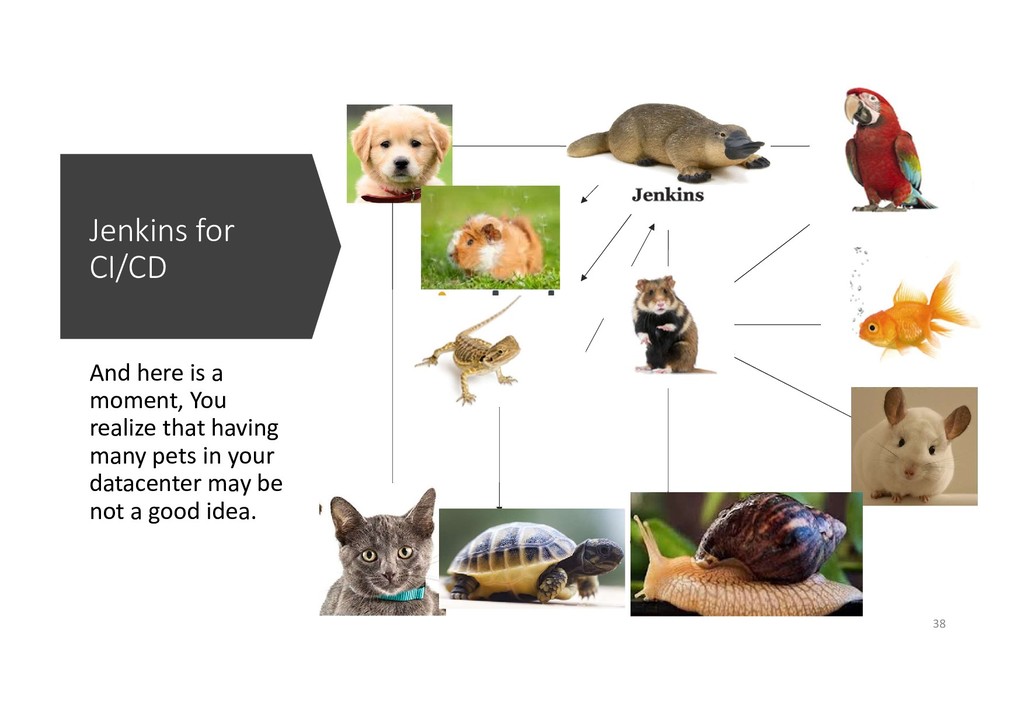
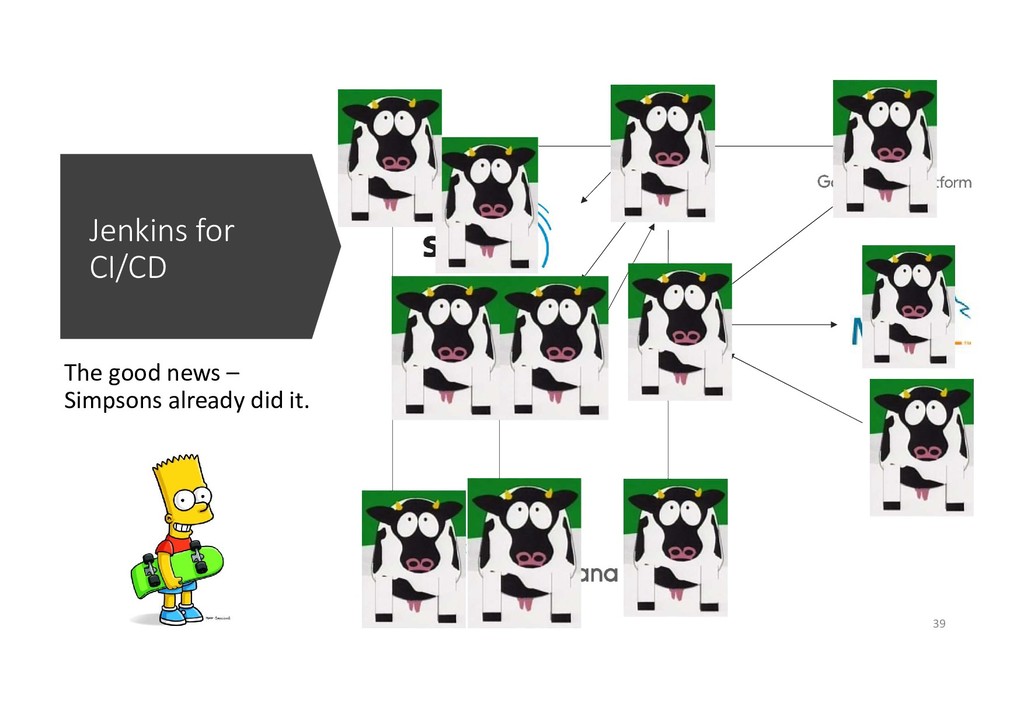
  28. Jenkins for CI/CD And here is a moment, You realize

    that having many pets in your datacenter may be not a good idea. 38
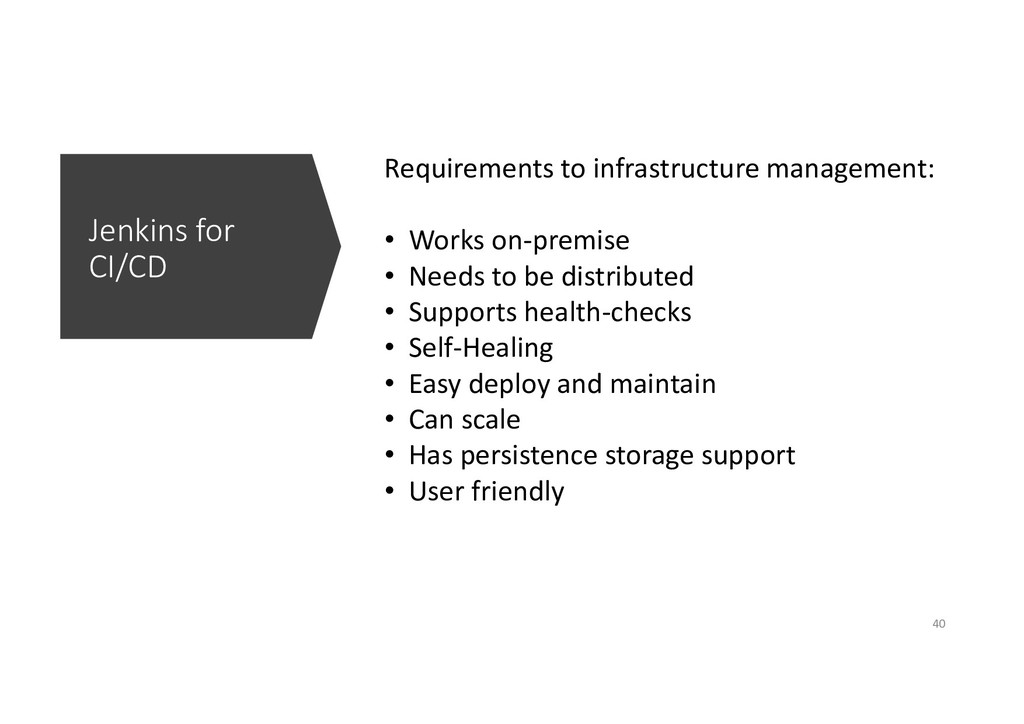
  29. Jenkins for CI/CD Requirements to infrastructure management: • Works on-premise

    • Needs to be distributed • Supports health-checks • Self-Healing • Easy deploy and maintain • Can scale • Has persistence storage support • User friendly 40
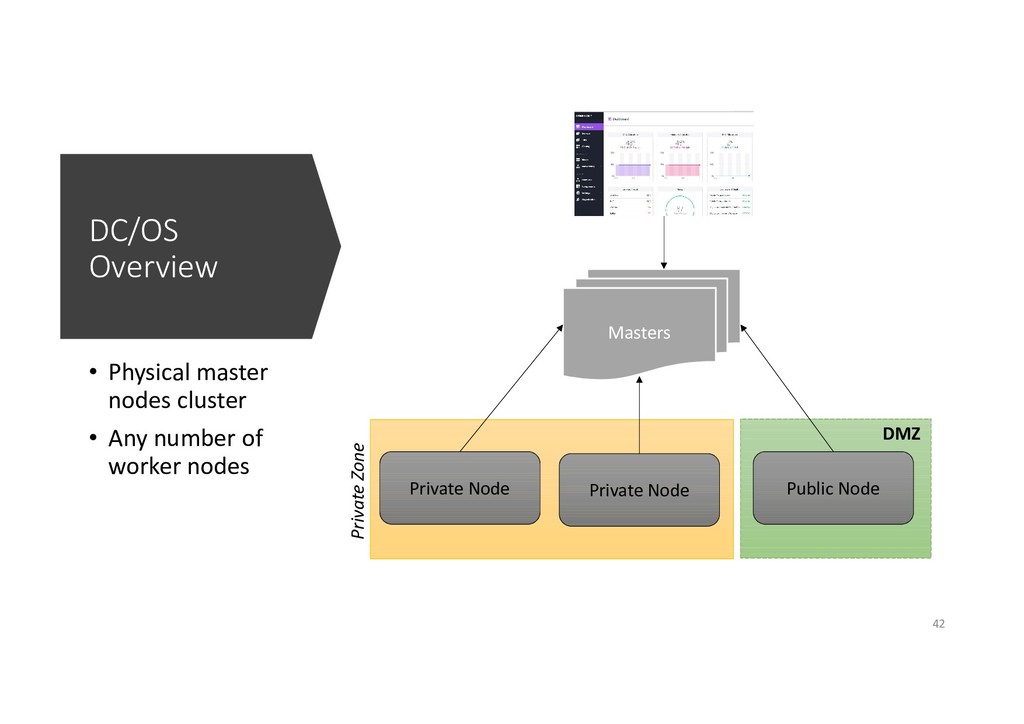
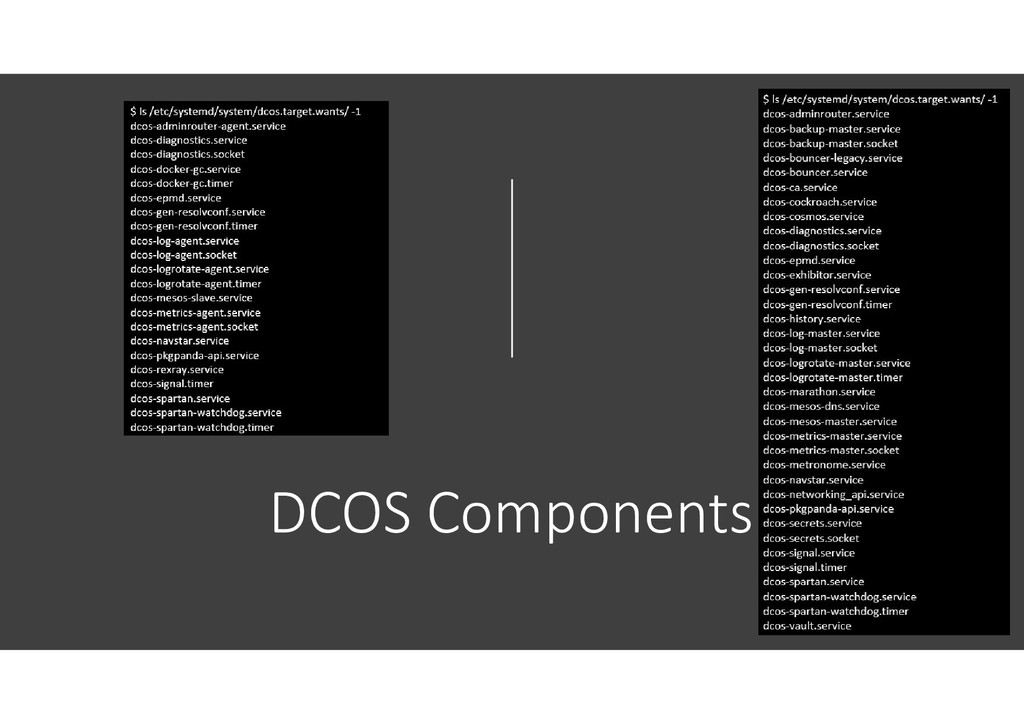
  30. DC/OS Overview • Physical master nodes cluster • Any number

    of worker nodes Masters Private Node Private Node Public Node Private Zone DMZ 42
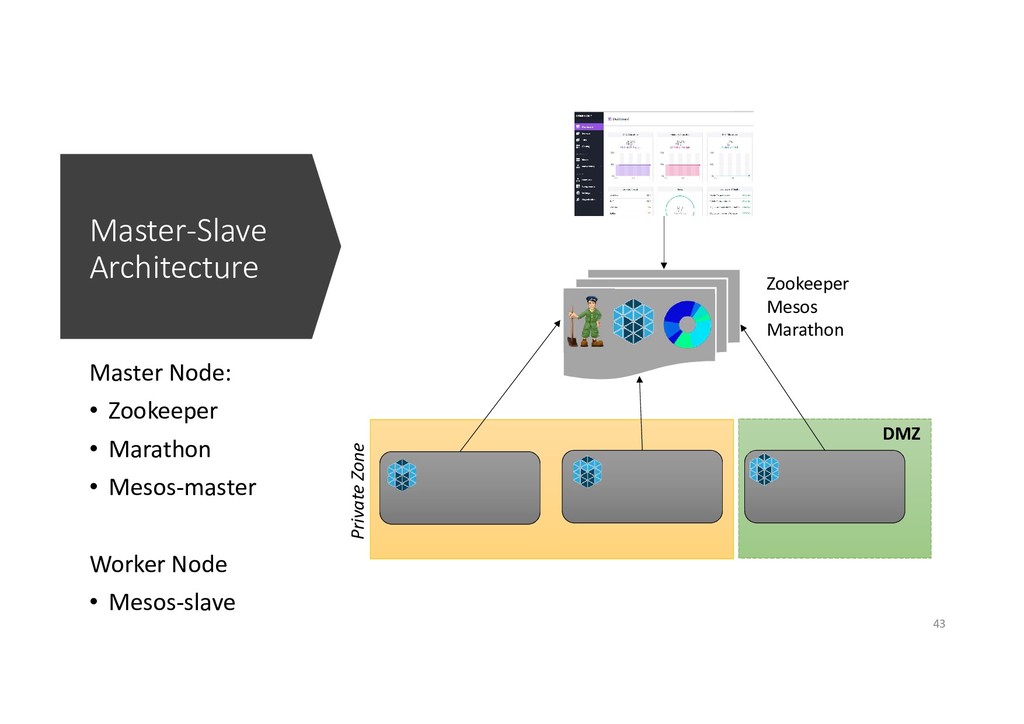
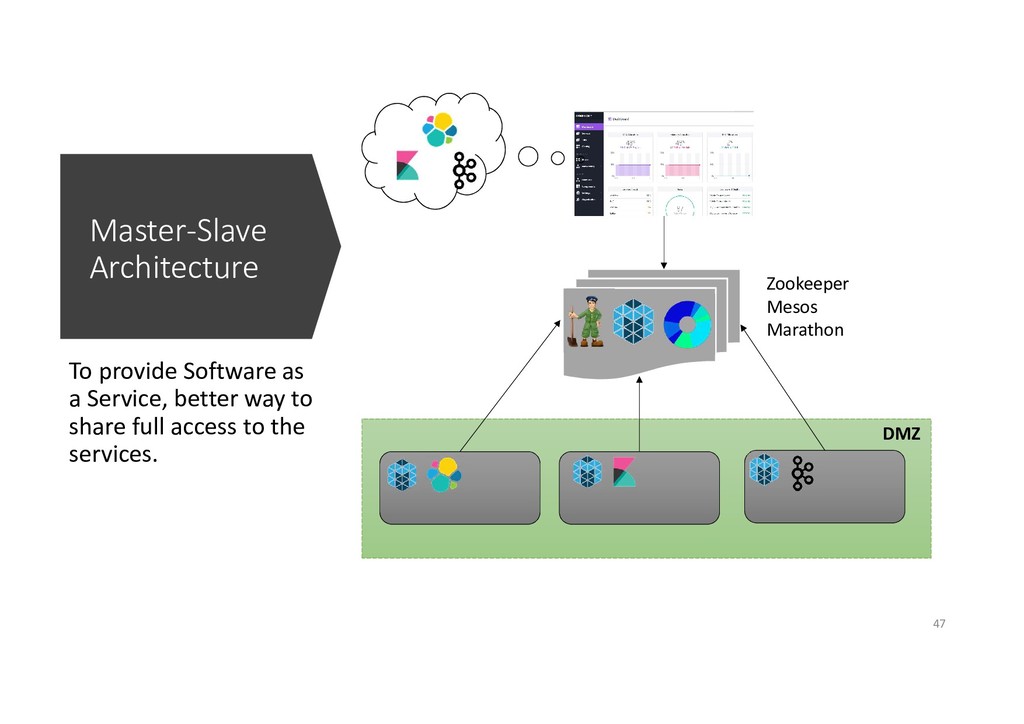
  31. Private Zone DMZ Master-Slave Architecture Master Node: • Zookeeper •

    Marathon • Mesos-master Worker Node • Mesos-slave Zookeeper Mesos Marathon 43
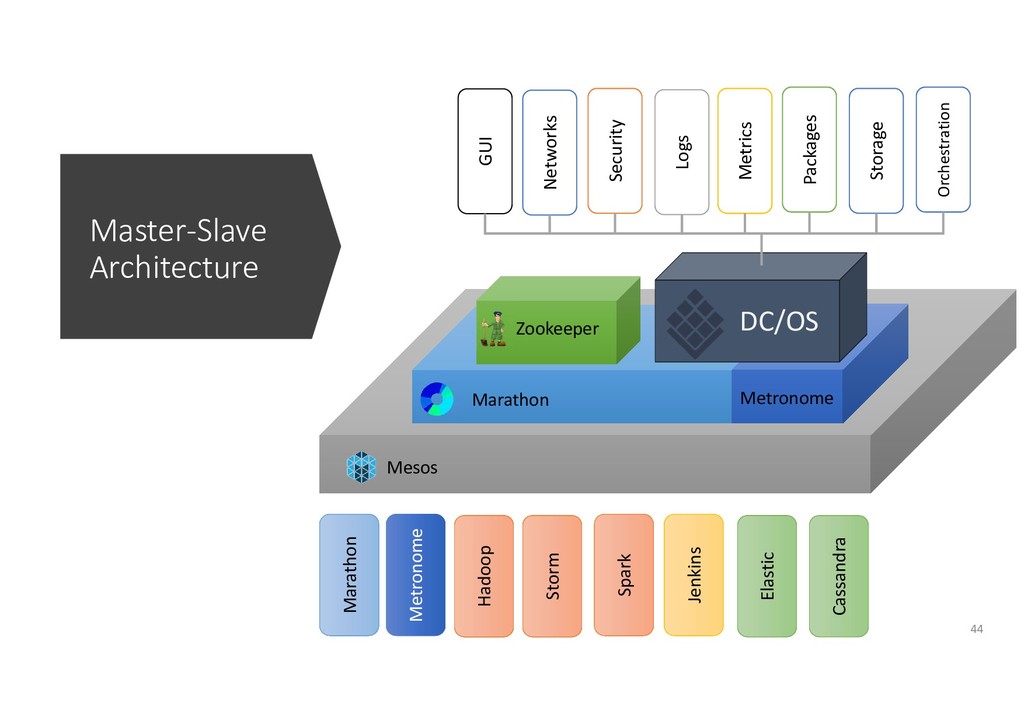
  32. Master-Slave Architecture Mesos Marathon Zookeeper Cassandra Elastic Jenkins Spark Storm

    Hadoop Marathon Aurora GUI Networks Security Logs Metrics Packages Storage Orchestration Jenkins Spark Storm Hadoop Elastic Jenkins Spark Storm Hadoop Cassandra Elastic Jenkins Spark Storm Hadoop Marathon Aurora Hadoop Marathon Aurora Storm Hadoop Marathon Metronome Metronome DC/OS Metronome 44
  33. DMZ Master-Slave Architecture To provide Software as a Service, better

    way to share full access to the services. Zookeeper Mesos Marathon 47
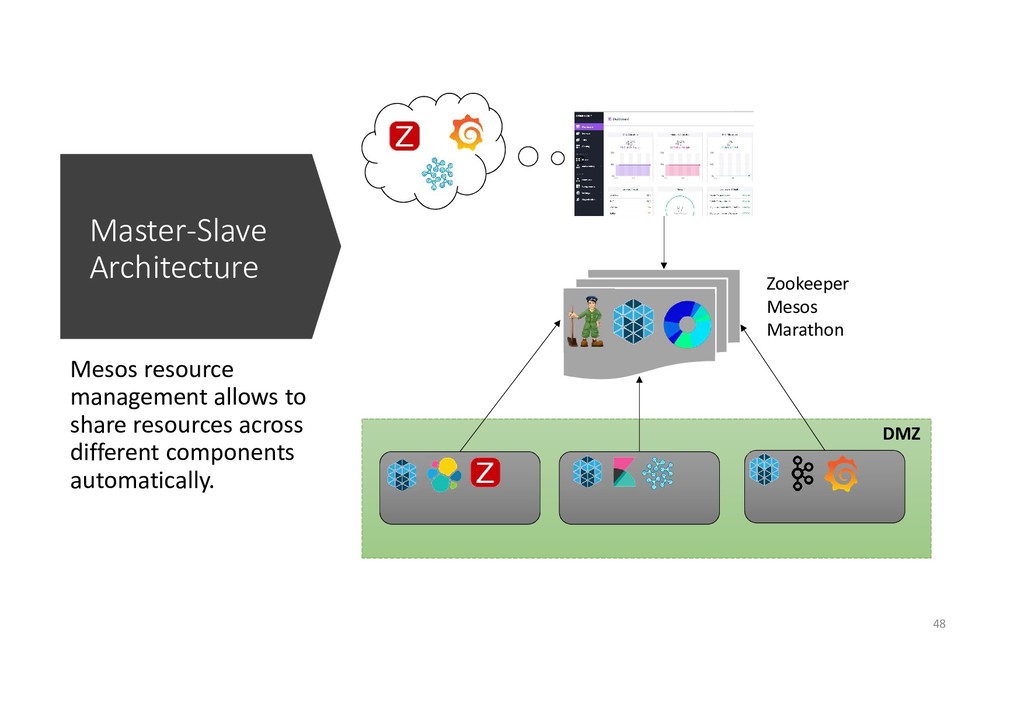
  34. Master-Slave Architecture Mesos resource management allows to share resources across

    different components automatically. Zookeeper Mesos Marathon DMZ 48
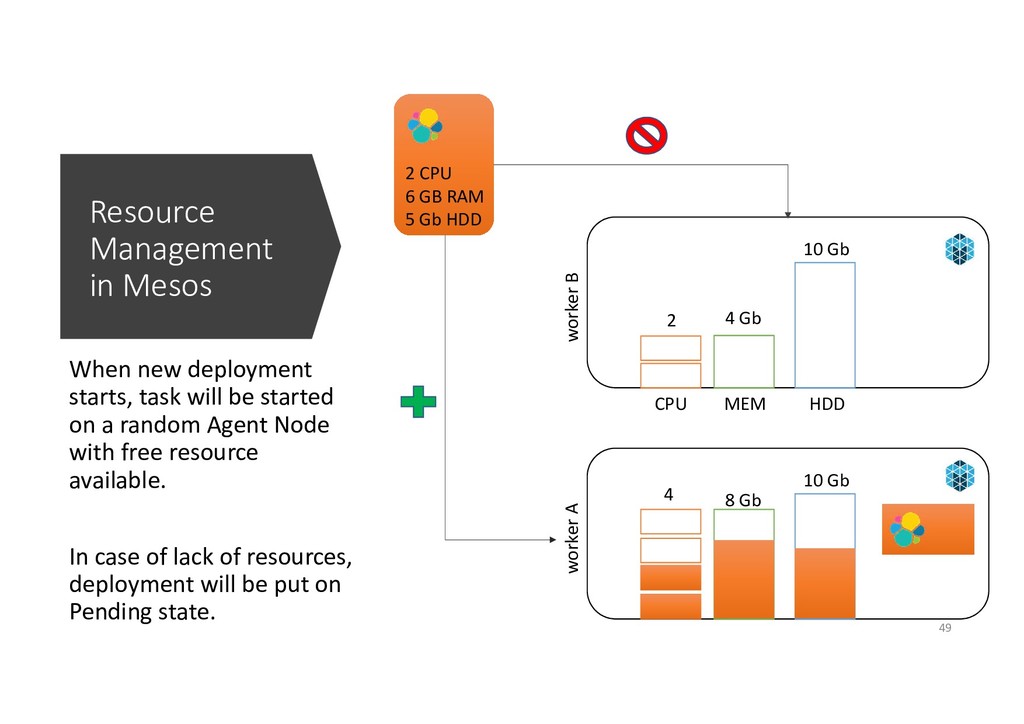
  35. Resource Management in Mesos When new deployment starts, task will

    be started on a random Agent Node with free resource available. In case of lack of resources, deployment will be put on Pending state. worker A 8 Gb 4 10 Gb worker B CPU MEM 4 Gb HDD 2 10 Gb 2 CPU 6 GB RAM 5 Gb HDD 49
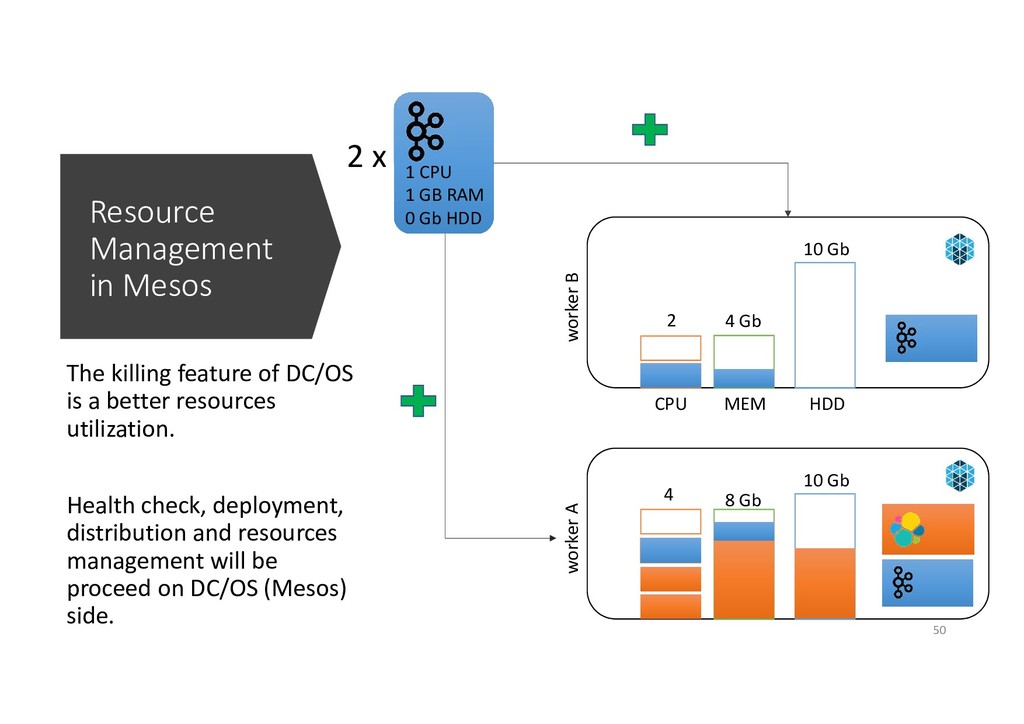
  36. Resource Management in Mesos The killing feature of DC/OS is

    a better resources utilization. Health check, deployment, distribution and resources management will be proceed on DC/OS (Mesos) side. worker A 8 Gb 4 10 Gb worker B CPU MEM 4 Gb HDD 2 10 Gb 1 CPU 1 GB RAM 0 Gb HDD 2 x 50
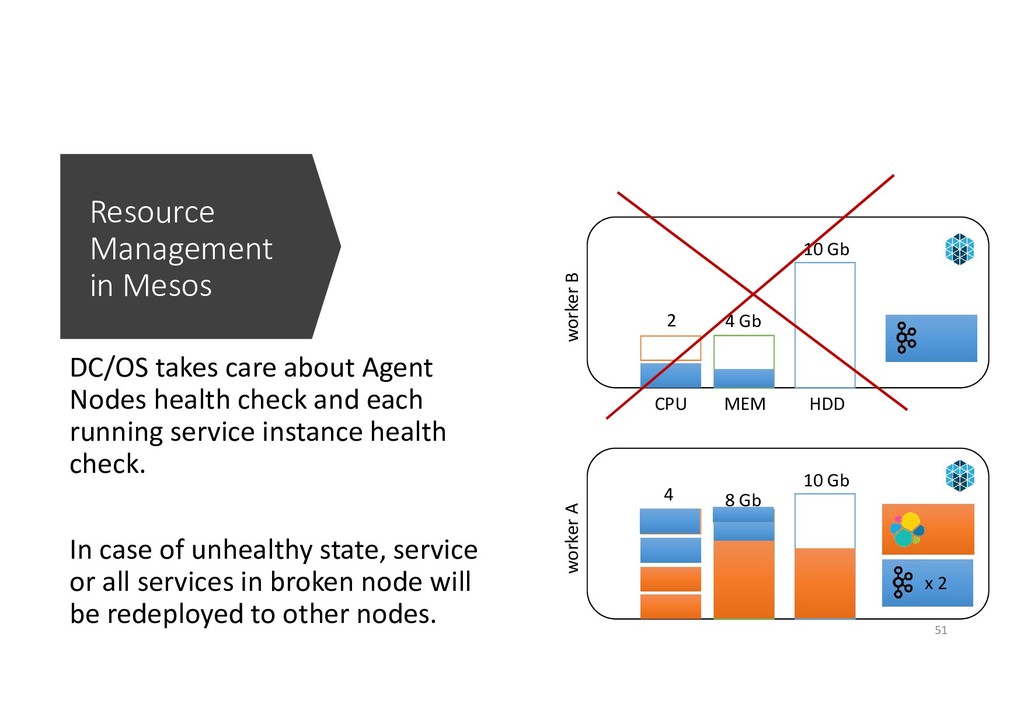
  37. Resource Management in Mesos DC/OS takes care about Agent Nodes

    health check and each running service instance health check. In case of unhealthy state, service or all services in broken node will be redeployed to other nodes. worker A 8 Gb 4 10 Gb worker B CPU MEM 4 Gb HDD 2 10 Gb x 2 51
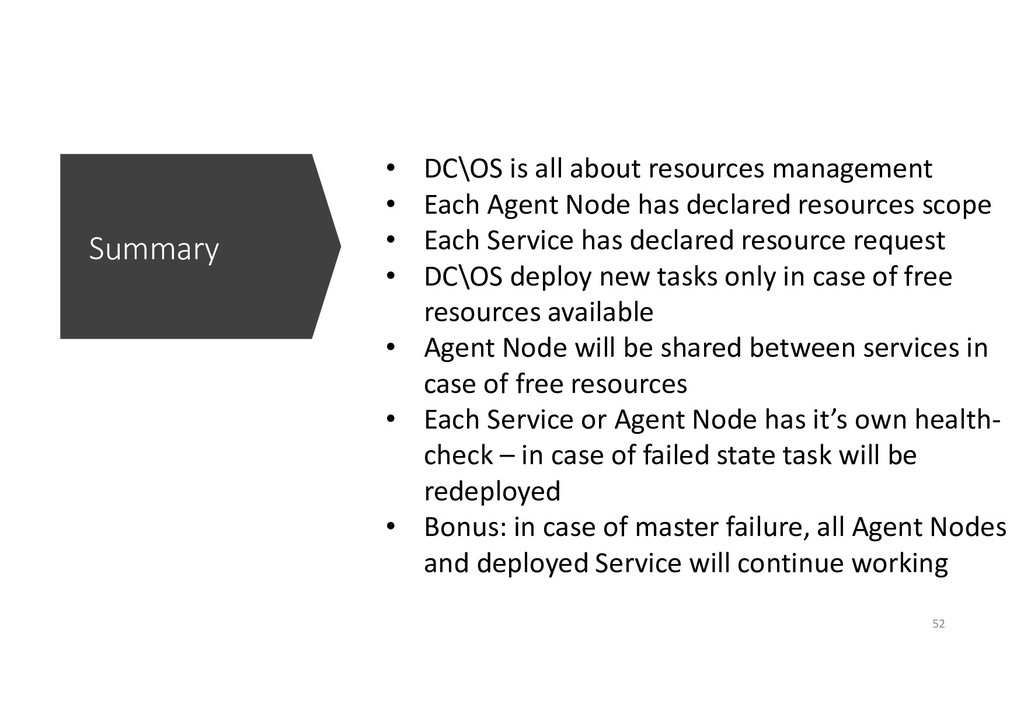
  38. Summary • DC\OS is all about resources management • Each

    Agent Node has declared resources scope • Each Service has declared resource request • DC\OS deploy new tasks only in case of free resources available • Agent Node will be shared between services in case of free resources • Each Service or Agent Node has it’s own health- check – in case of failed state task will be redeployed • Bonus: in case of master failure, all Agent Nodes and deployed Service will continue working 52
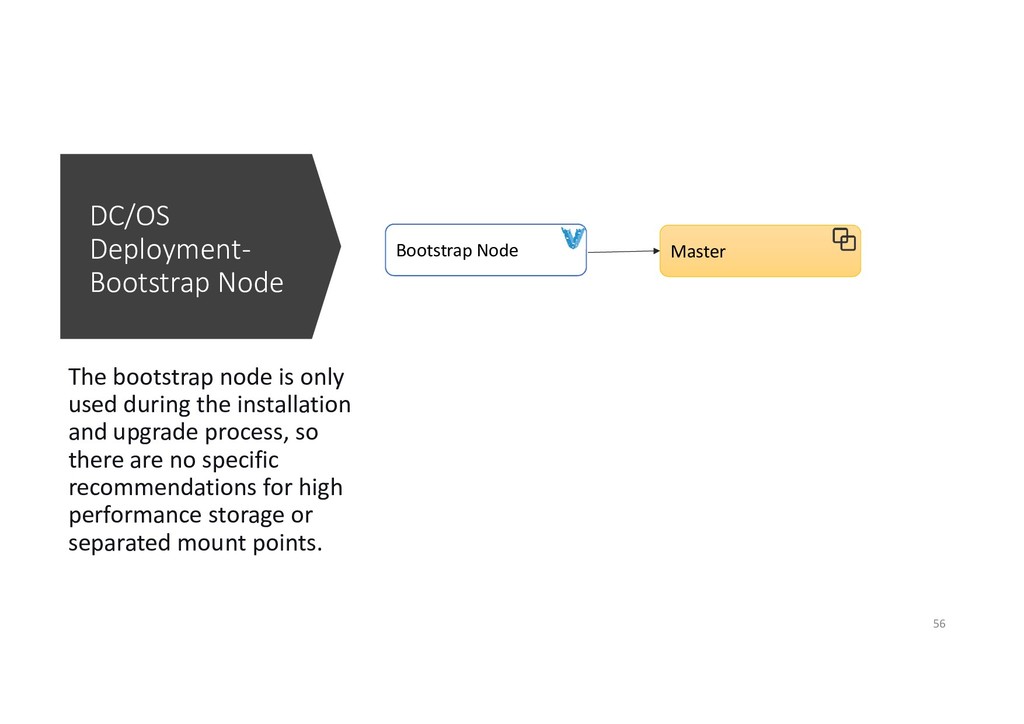
  39. DC/OS Deployment- Bootstrap Node The bootstrap node is only used

    during the installation and upgrade process, so there are no specific recommendations for high performance storage or separated mount points. Bootstrap Node Master 56
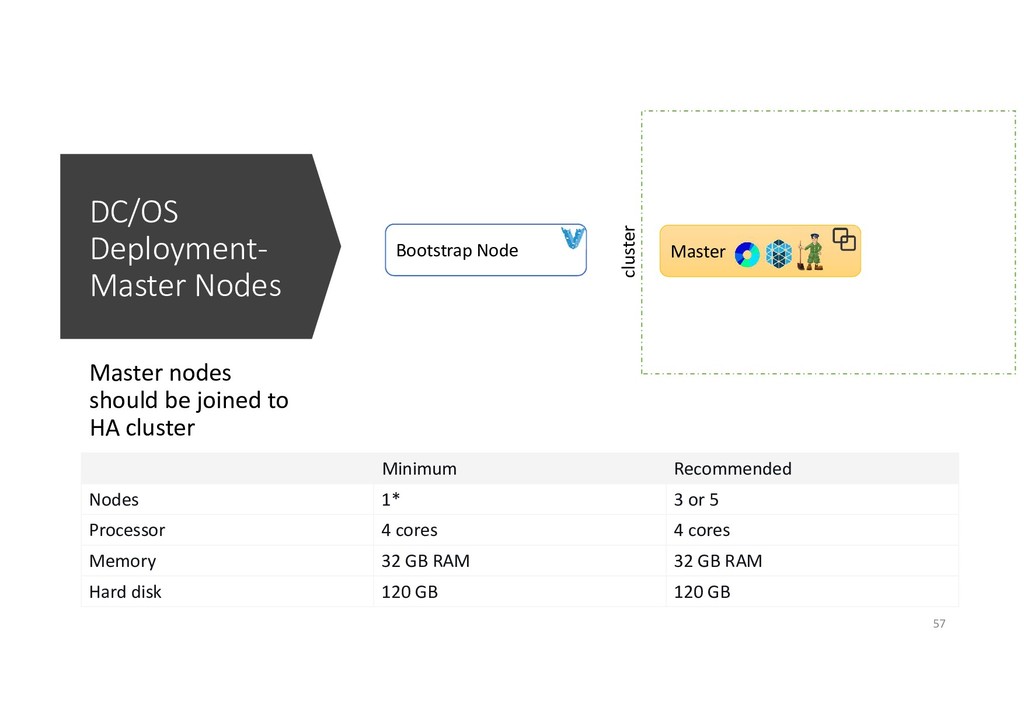
  40. DC/OS Deployment- Master Nodes Master nodes should be joined to

    HA cluster Bootstrap Node Master cluster Minimum Recommended Nodes 1* 3 or 5 Processor 4 cores 4 cores Memory 32 GB RAM 32 GB RAM Hard disk 120 GB 120 GB 57
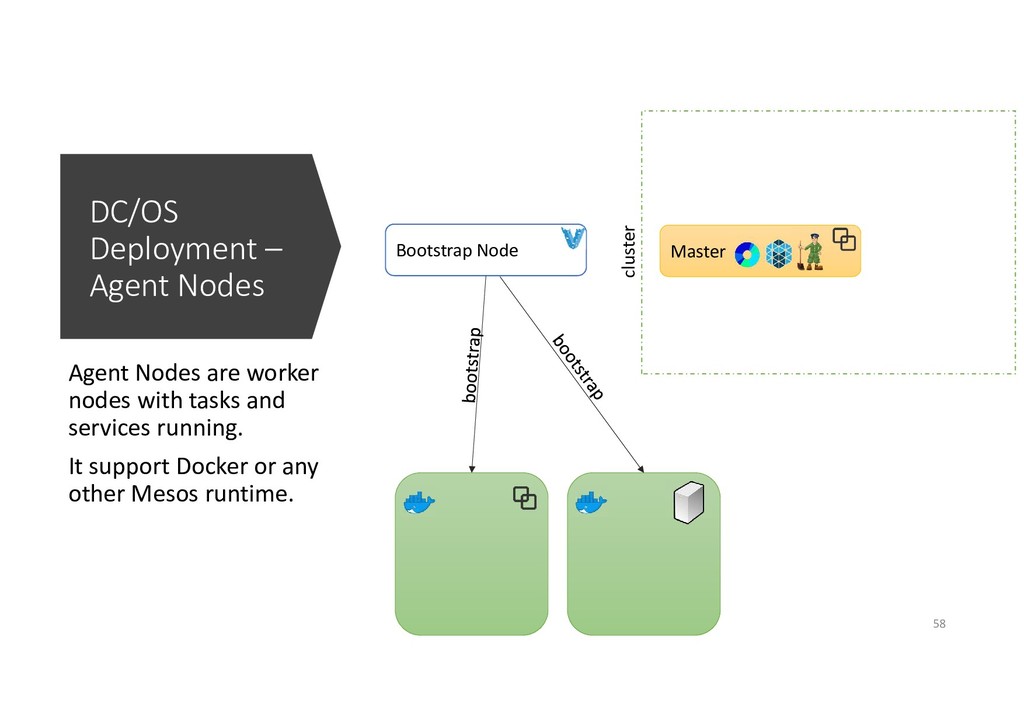
  41. DC/OS Deployment – Agent Nodes Agent Nodes are worker nodes

    with tasks and services running. It support Docker or any other Mesos runtime. Bootstrap Node Master cluster 58
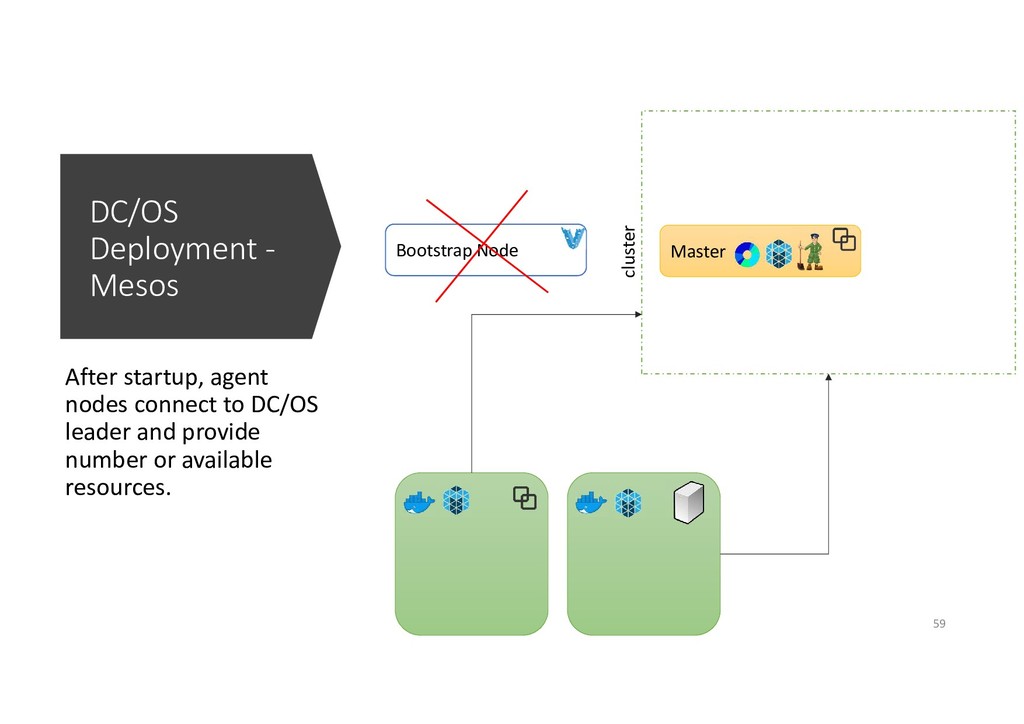
  42. DC/OS Deployment - Mesos After startup, agent nodes connect to

    DC/OS leader and provide number or available resources. Master cluster Bootstrap Node 59
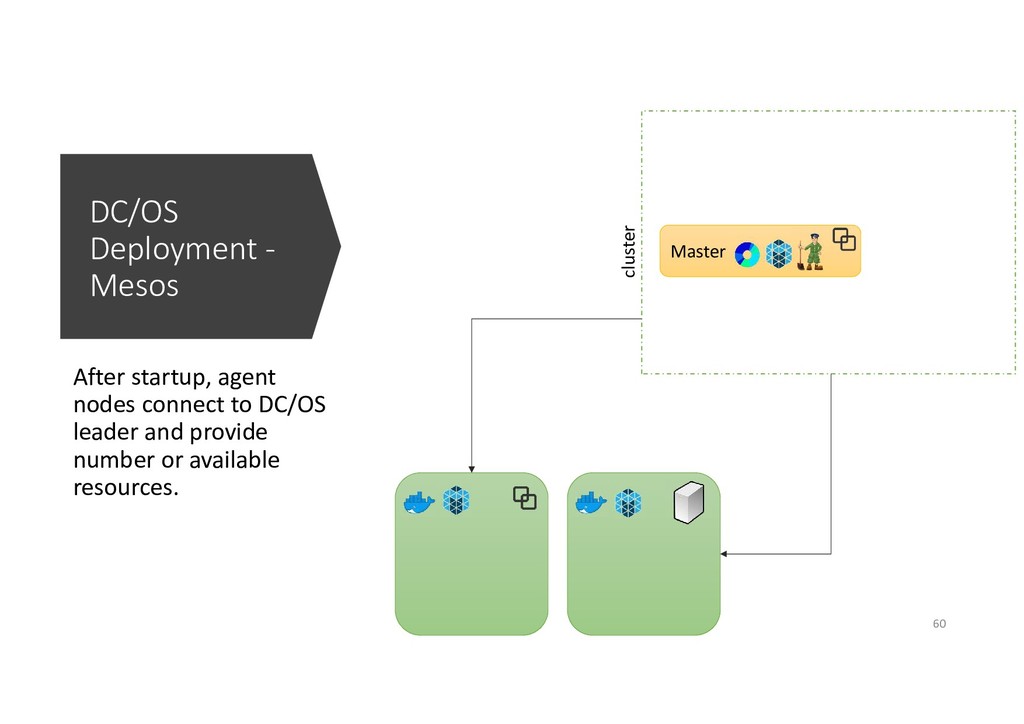
  43. DC/OS Deployment - Mesos After startup, agent nodes connect to

    DC/OS leader and provide number or available resources. Master cluster 60
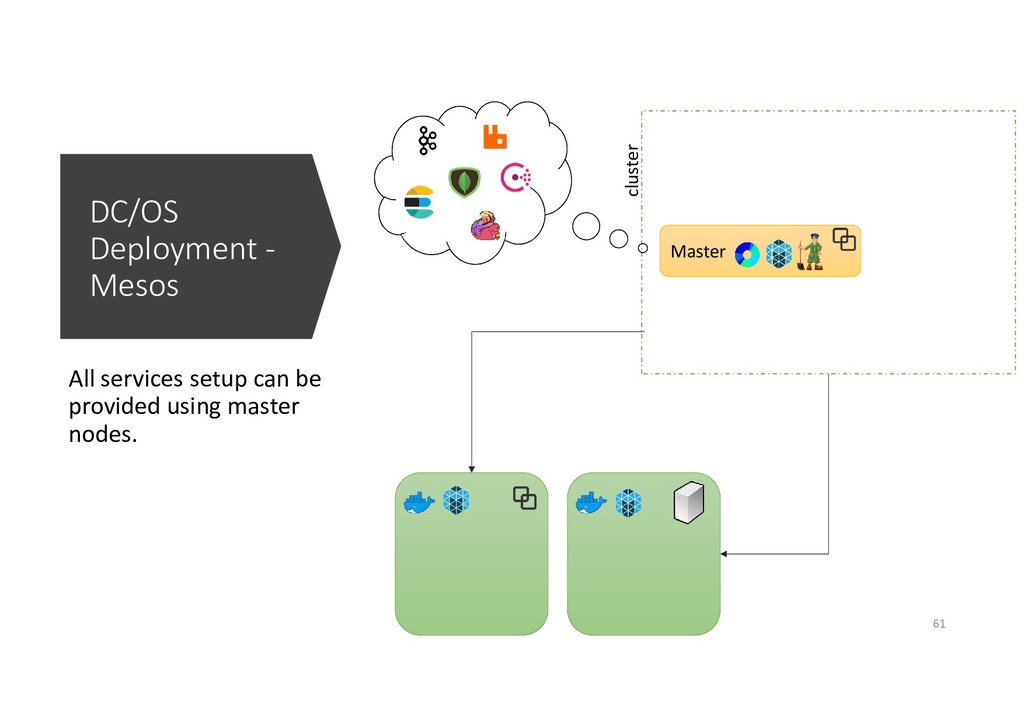
  44. DC/OS Deployment - Mesos All services setup can be provided

    using master nodes. Master cluster 61
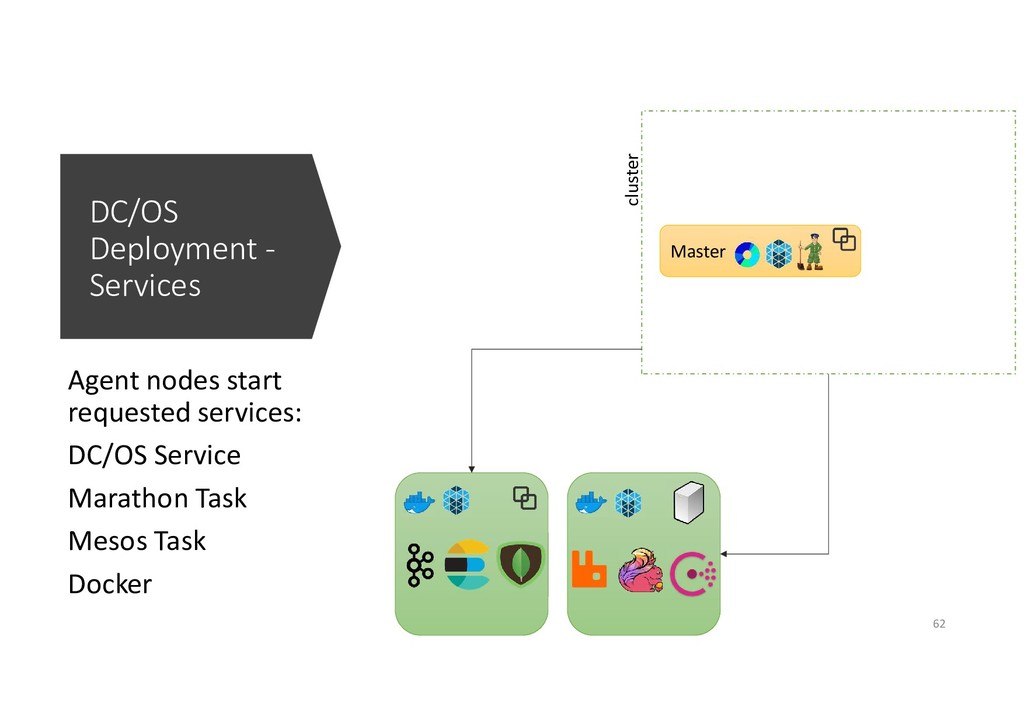
  45. DC/OS Deployment - Services Agent nodes start requested services: DC/OS

    Service Marathon Task Mesos Task Docker Master cluster 62
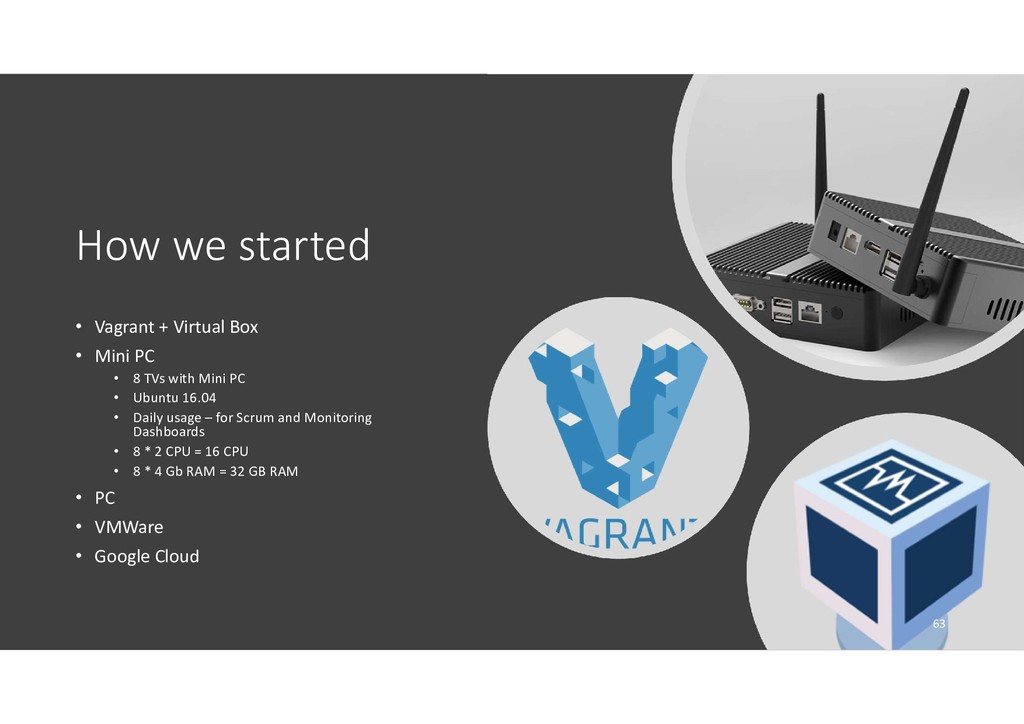
  46. How we started • Vagrant + Virtual Box • Mini

    PC • 8 TVs with Mini PC • Ubuntu 16.04 • Daily usage – for Scrum and Monitoring Dashboards • 8 * 2 CPU = 16 CPU • 8 * 4 Gb RAM = 32 GB RAM • PC • VMWare • Google Cloud 63
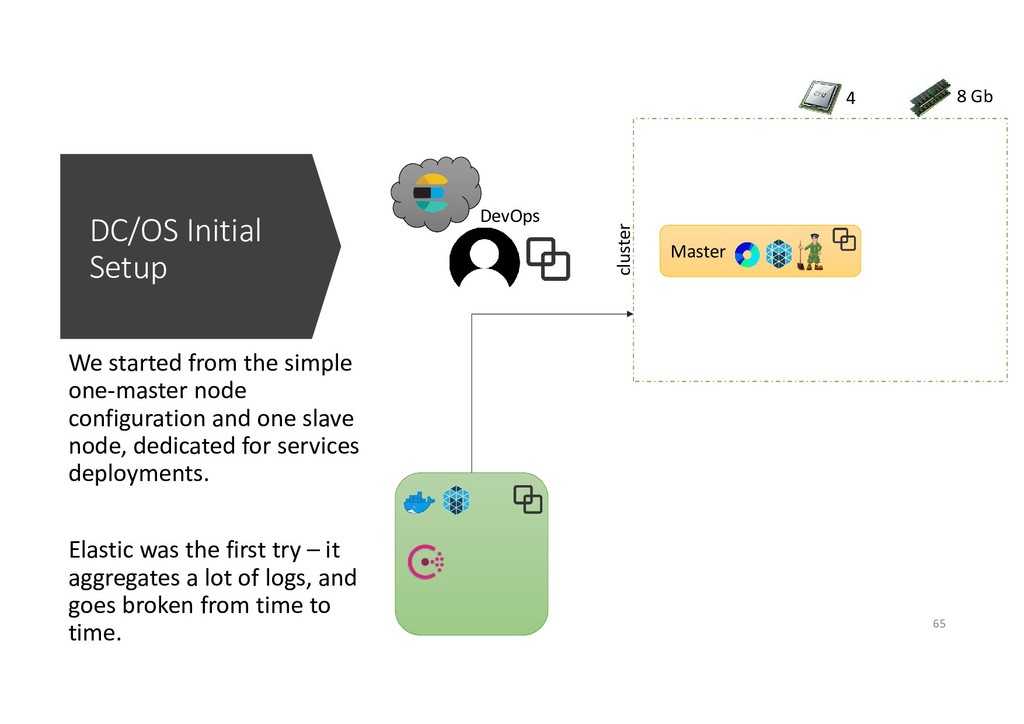
  47. DC/OS Initial Setup We started from the simple one-master node

    configuration and one slave node, dedicated for services deployments. Elastic was the first try – it aggregates a lot of logs, and goes broken from time to time. Master cluster DevOps 4 8 Gb 65
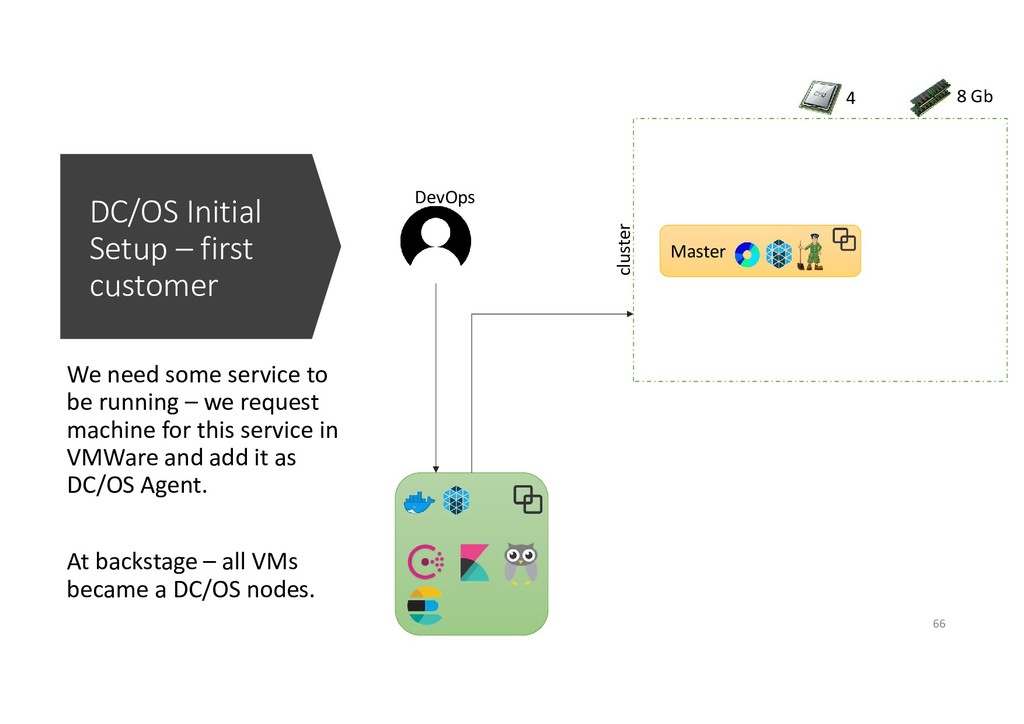
  48. DC/OS Initial Setup – first customer We need some service

    to be running – we request machine for this service in VMWare and add it as DC/OS Agent. At backstage – all VMs became a DC/OS nodes. Master cluster DevOps 4 8 Gb 66
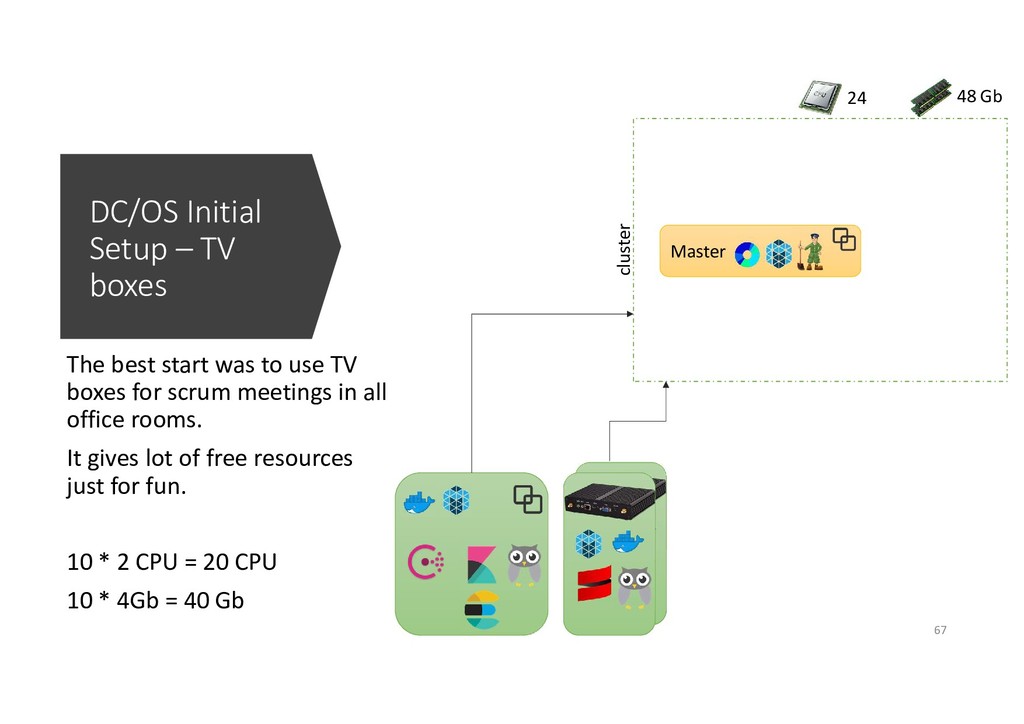
  49. DC/OS Initial Setup – TV boxes The best start was

    to use TV boxes for scrum meetings in all office rooms. It gives lot of free resources just for fun. 10 * 2 CPU = 20 CPU 10 * 4Gb = 40 Gb Master cluster 24 48 Gb 67
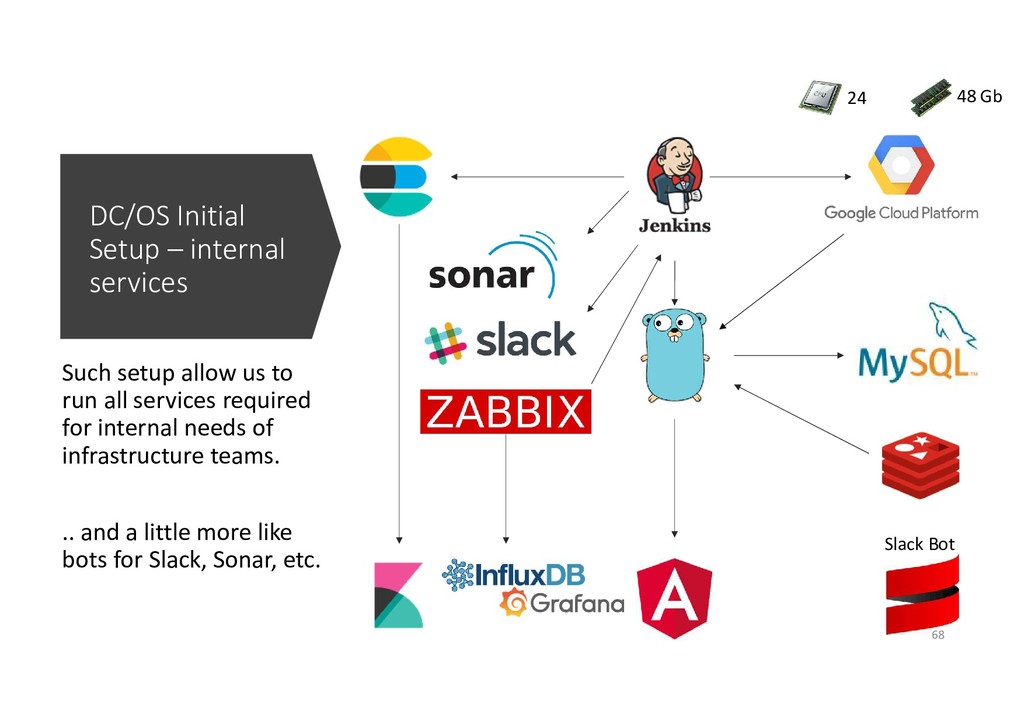
  50. DC/OS Initial Setup – internal services Such setup allow us

    to run all services required for internal needs of infrastructure teams. .. and a little more like bots for Slack, Sonar, etc. 24 48 Gb Slack Bot 68
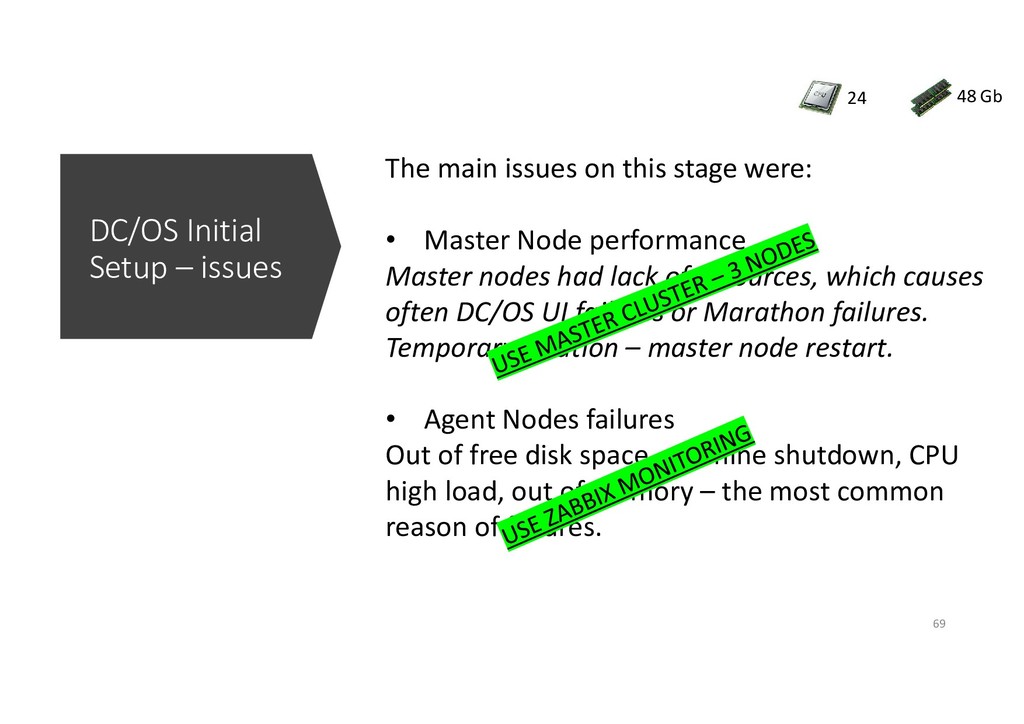
  51. DC/OS Initial Setup – issues 24 48 Gb The main

    issues on this stage were: • Master Node performance Master nodes had lack of resources, which causes often DC/OS UI failures or Marathon failures. Temporary solution – master node restart. • Agent Nodes failures Out of free disk space, machine shutdown, CPU high load, out of memory – the most common reason of failures. 69
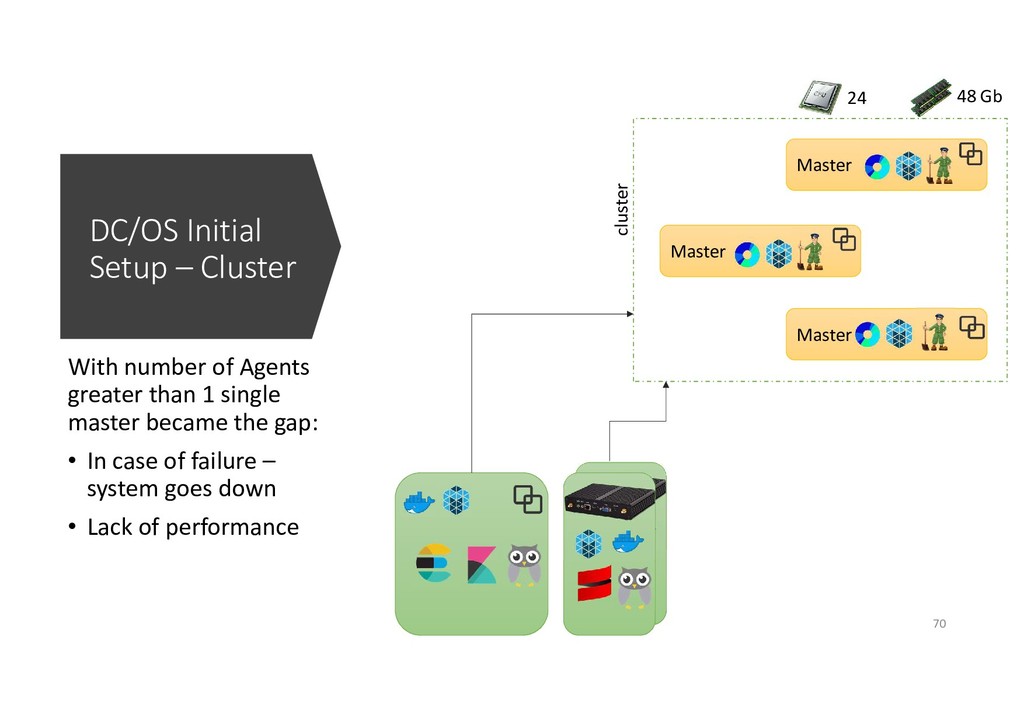
  52. DC/OS Initial Setup – Cluster With number of Agents greater

    than 1 single master became the gap: • In case of failure – system goes down • Lack of performance Master cluster Master Master 24 48 Gb 70
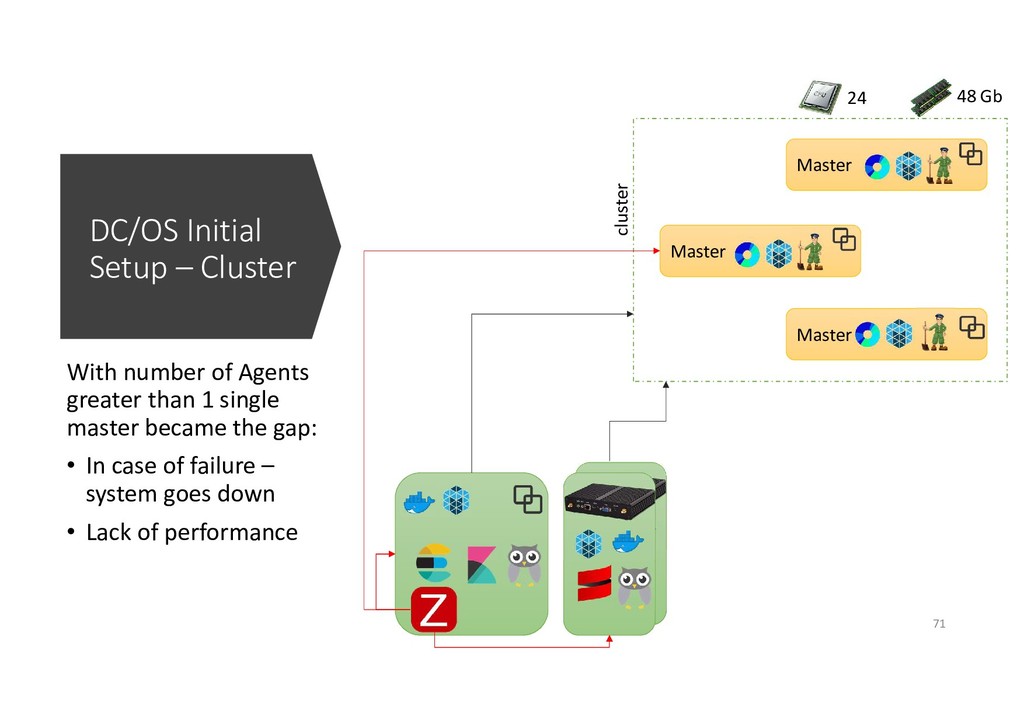
  53. DC/OS Initial Setup – Cluster With number of Agents greater

    than 1 single master became the gap: • In case of failure – system goes down • Lack of performance Master cluster Master Master 24 48 Gb 71
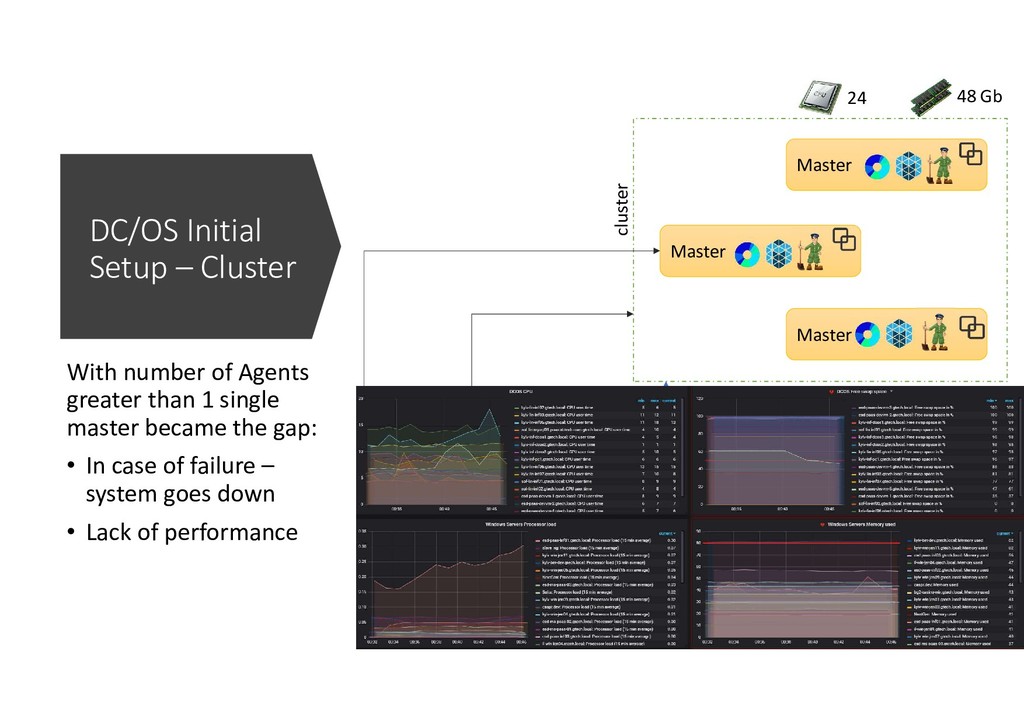
  54. DC/OS Initial Setup – Cluster Master cluster Master Master 24

    48 Gb With number of Agents greater than 1 single master became the gap: • In case of failure – system goes down • Lack of performance
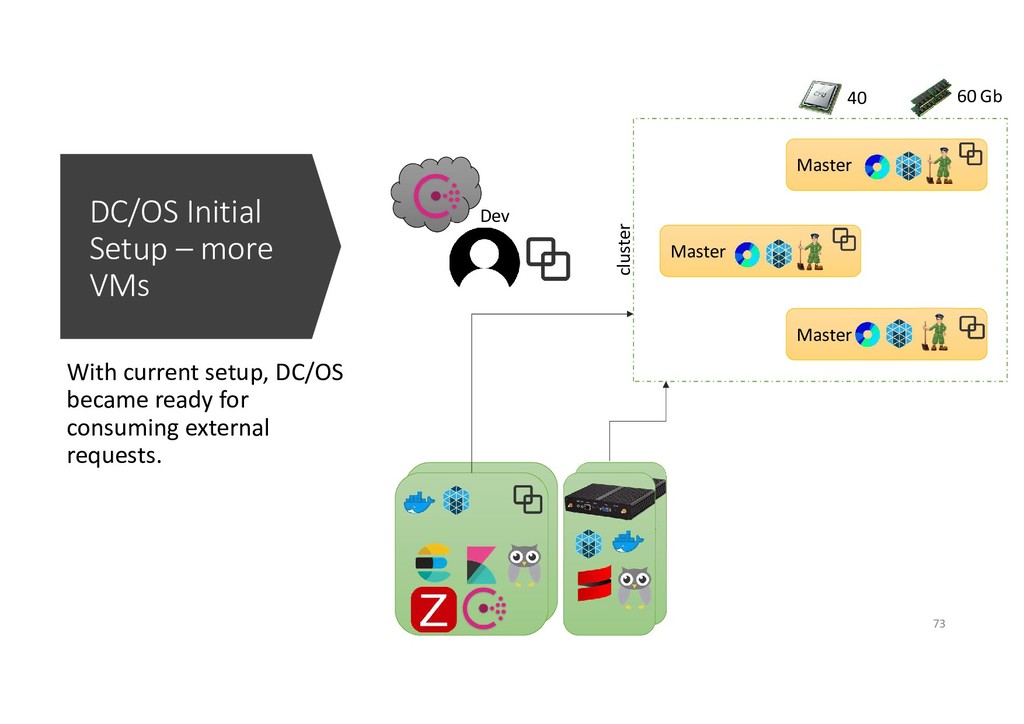
  55. DC/OS Initial Setup – more VMs With current setup, DC/OS

    became ready for consuming external requests. Master cluster Master Master Dev 40 60 Gb 73
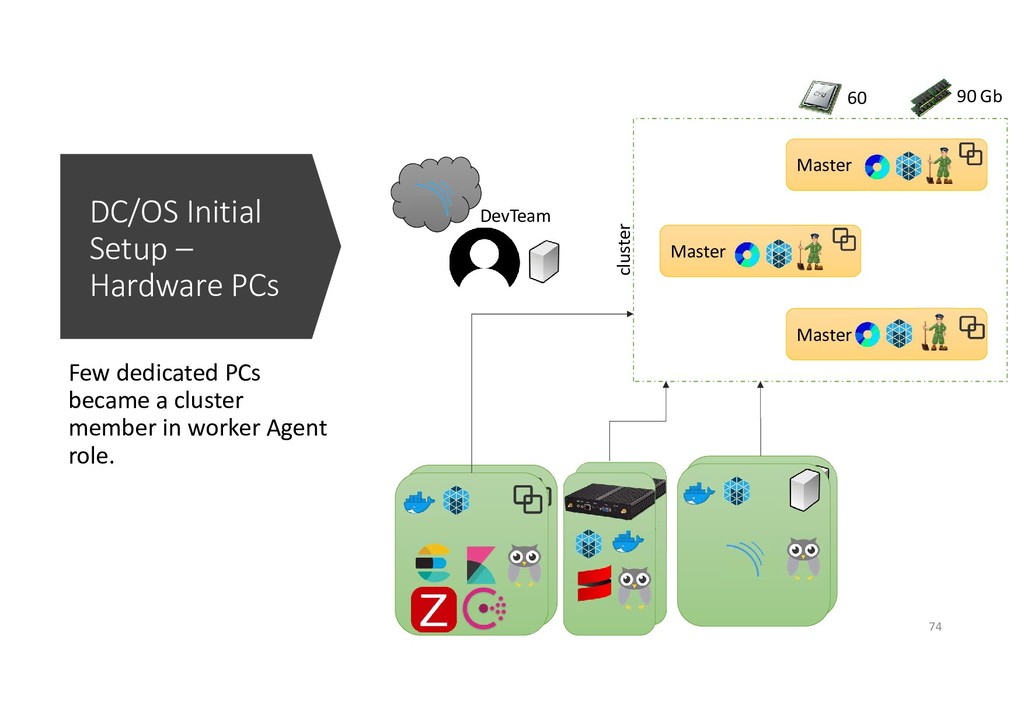
  56. DC/OS Initial Setup – Hardware PCs Few dedicated PCs became

    a cluster member in worker Agent role. Master cluster Master Master DevTeam 60 90 Gb 74
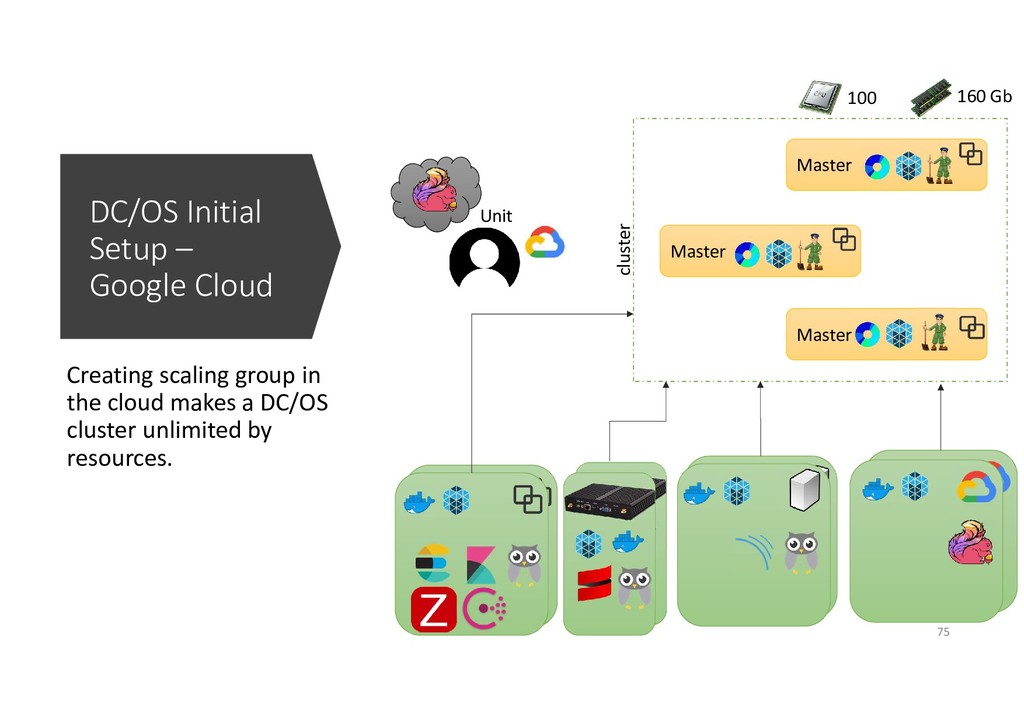
  57. DC/OS Initial Setup – Google Cloud Creating scaling group in

    the cloud makes a DC/OS cluster unlimited by resources. Master cluster Master Master Unit 100 160 Gb 75
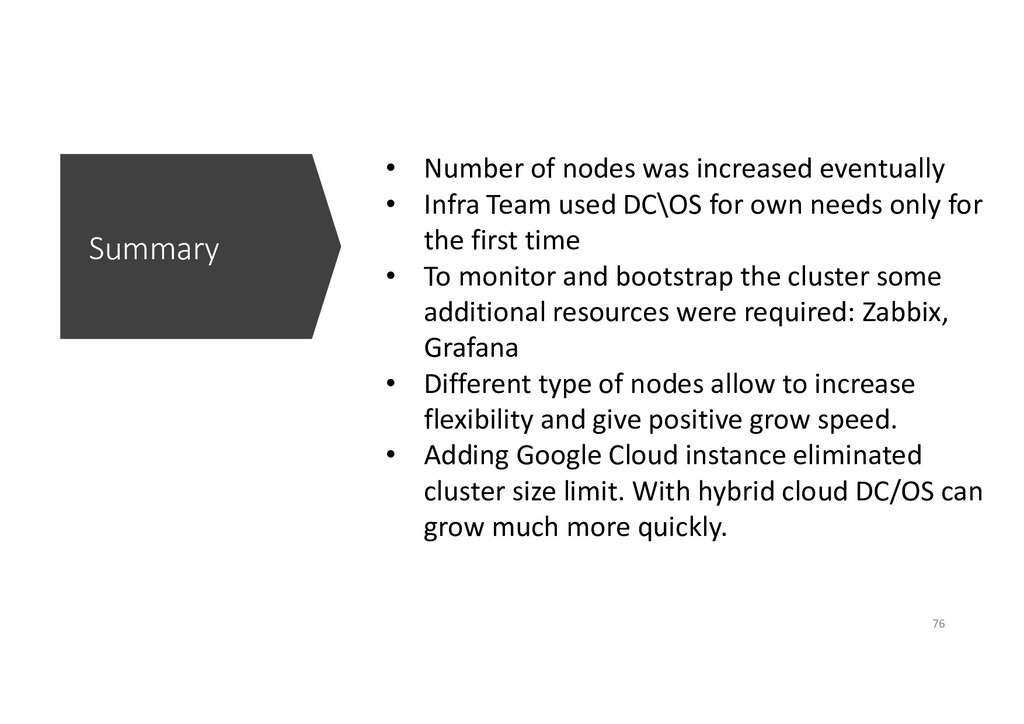
  58. Summary • Number of nodes was increased eventually • Infra

    Team used DC\OS for own needs only for the first time • To monitor and bootstrap the cluster some additional resources were required: Zabbix, Grafana • Different type of nodes allow to increase flexibility and give positive grow speed. • Adding Google Cloud instance eliminated cluster size limit. With hybrid cloud DC/OS can grow much more quickly. 76
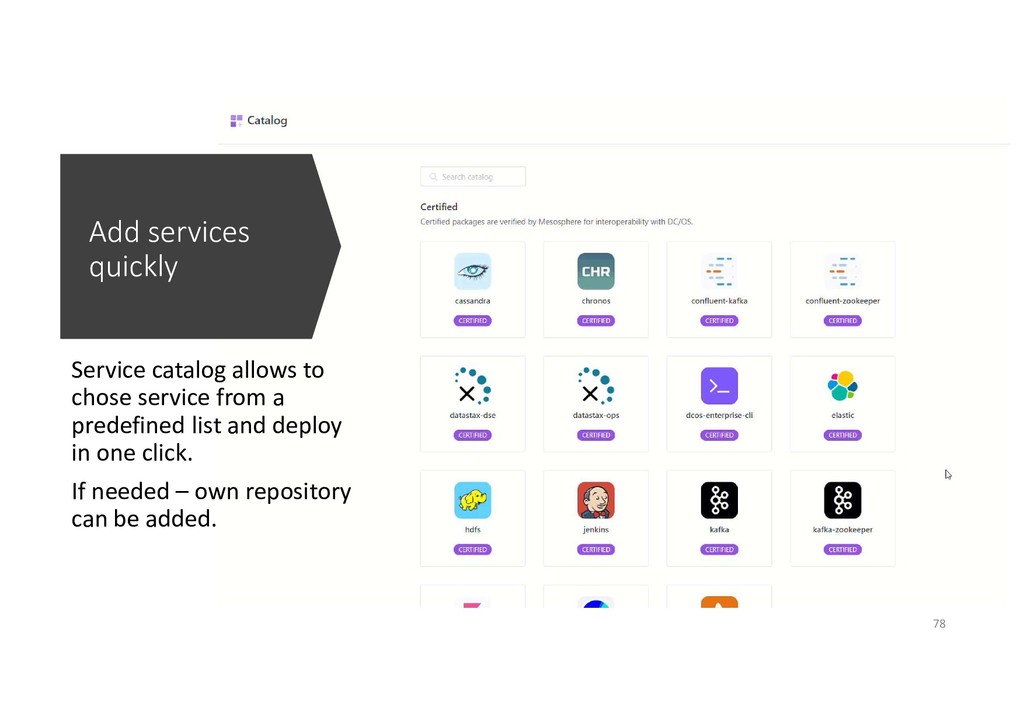
  59. Add services quickly Service catalog allows to chose service from

    a predefined list and deploy in one click. If needed – own repository can be added. 78
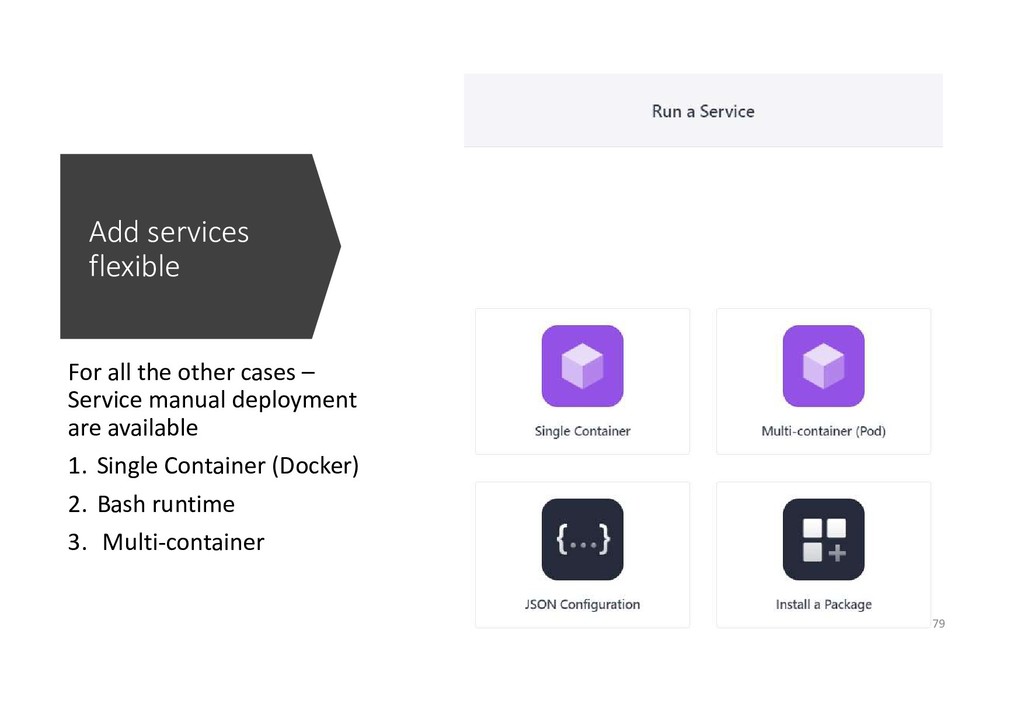
  60. Add services flexible For all the other cases – Service

    manual deployment are available 1. Single Container (Docker) 2. Bash runtime 3. Multi-container 79
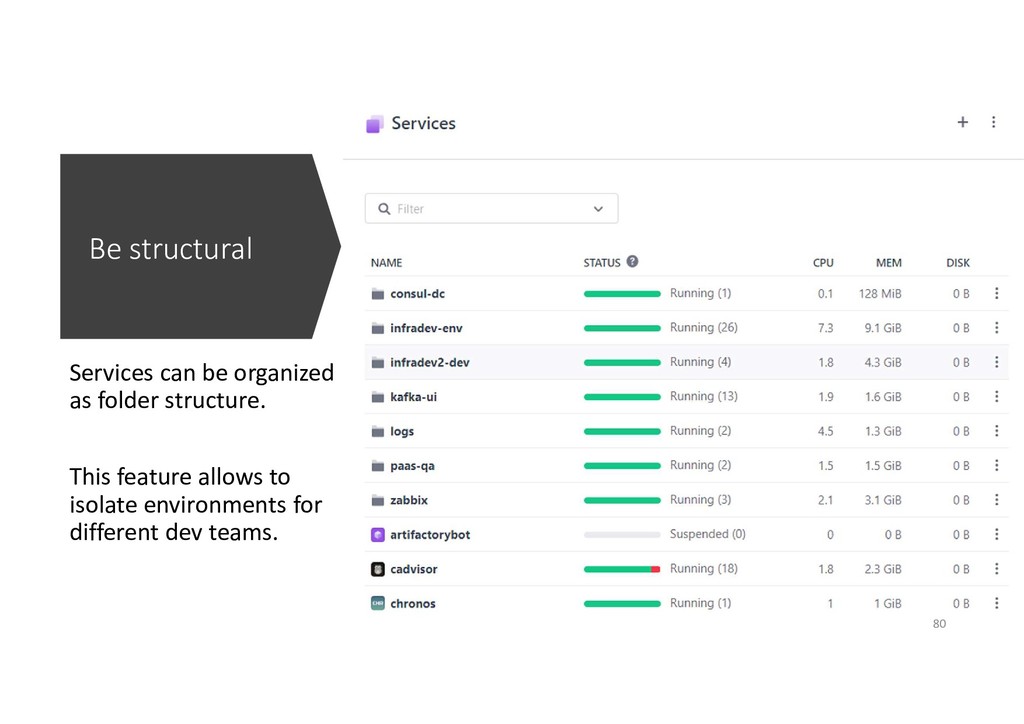
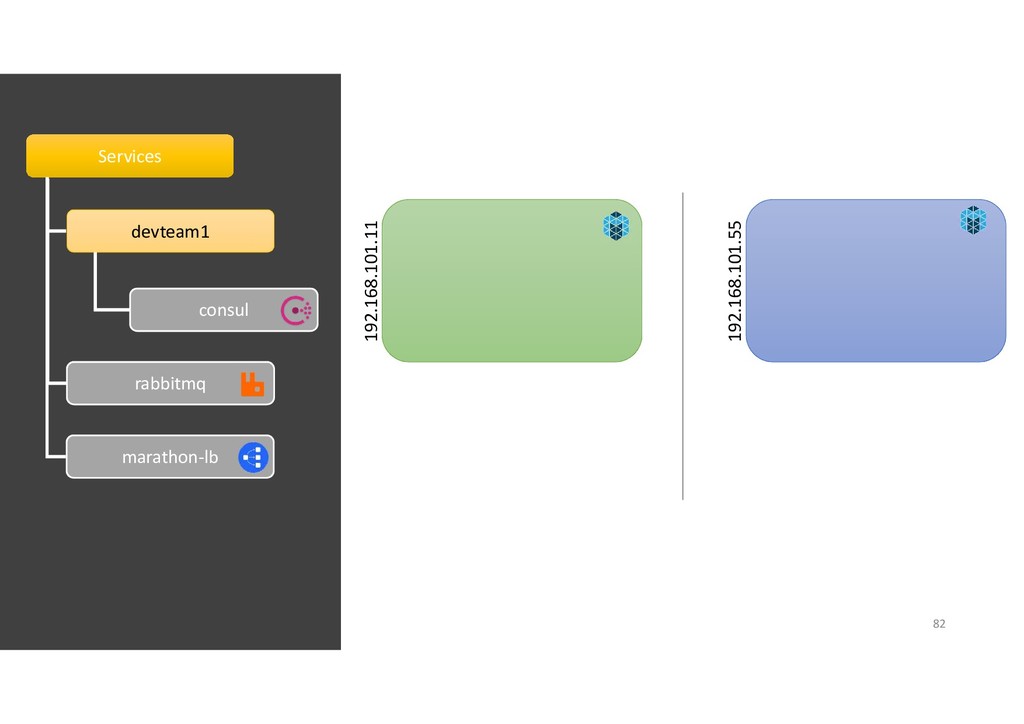
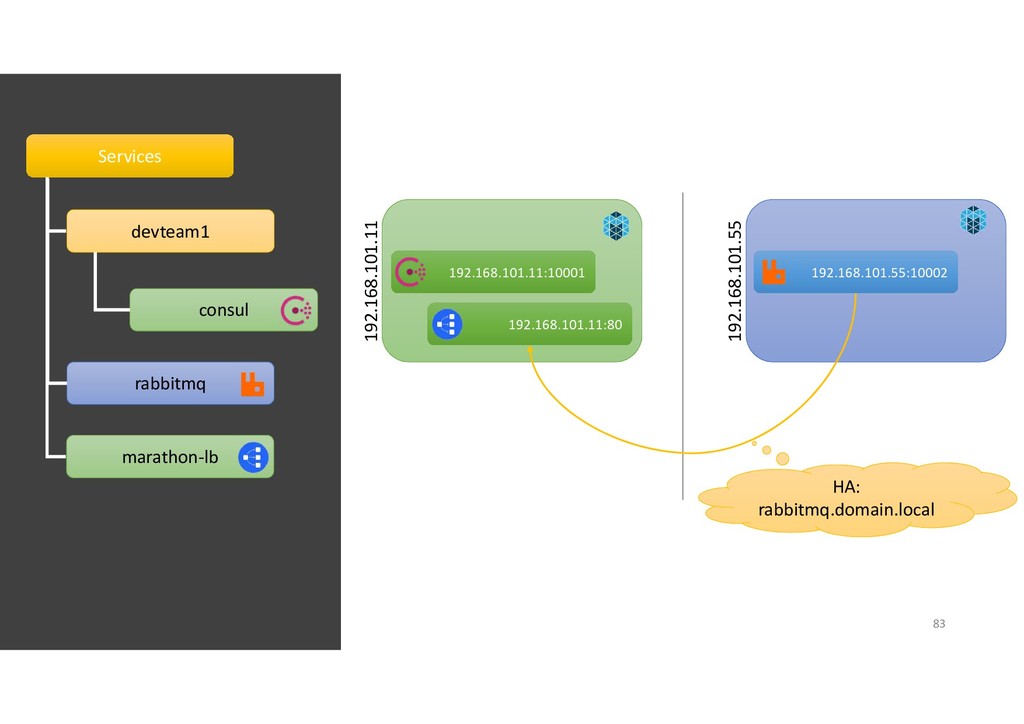
  61. Be structural Services can be organized as folder structure. This

    feature allows to isolate environments for different dev teams. 80
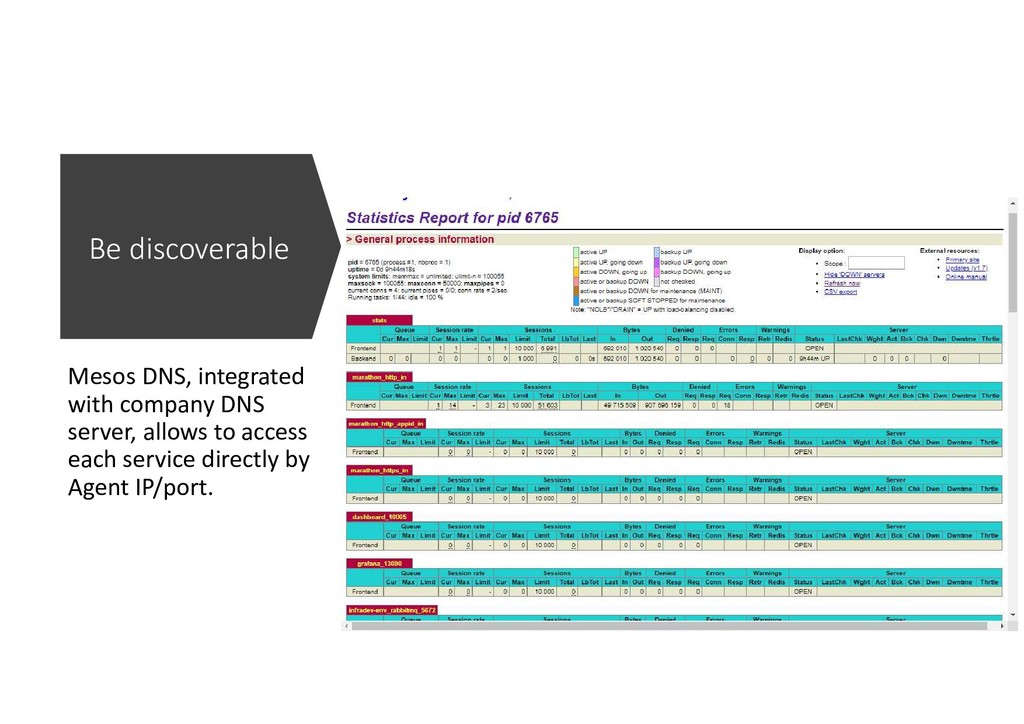
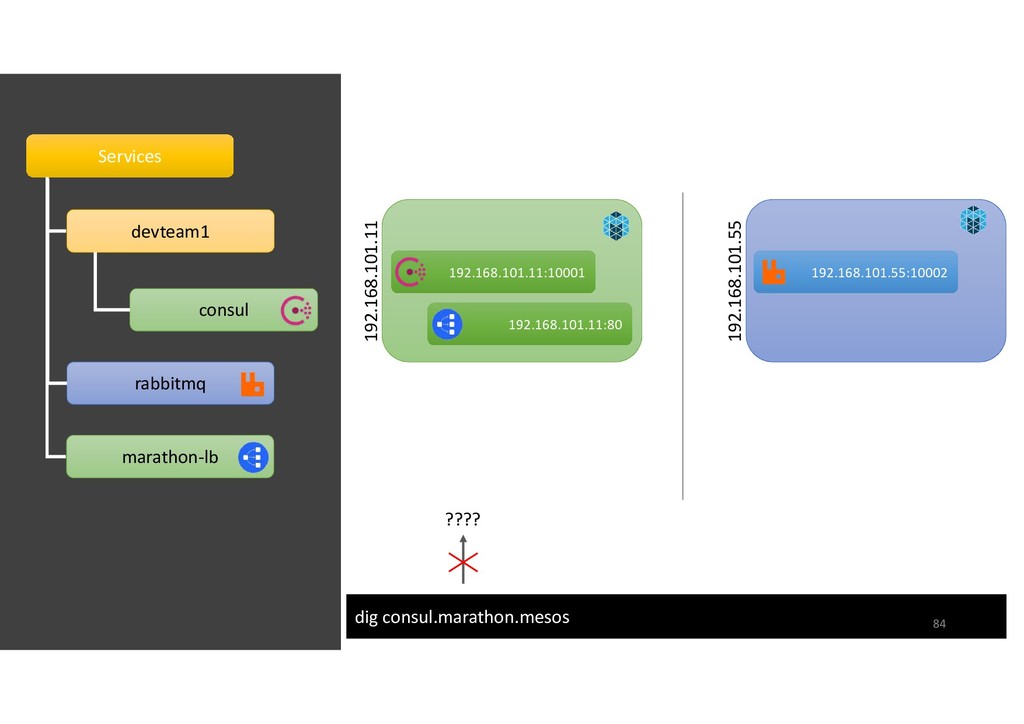
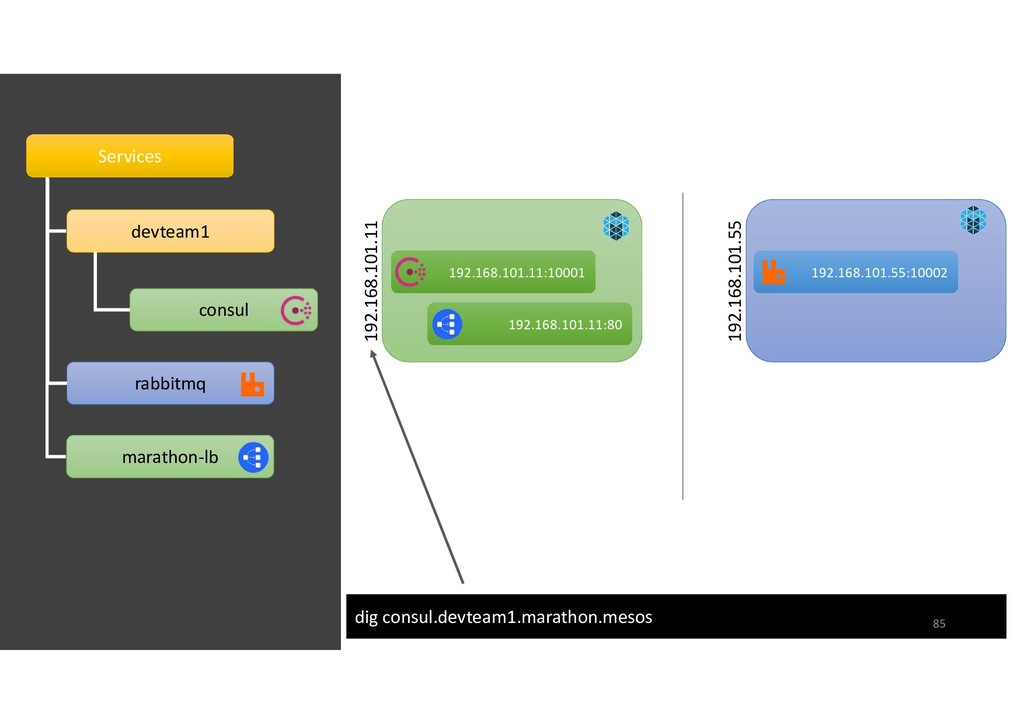
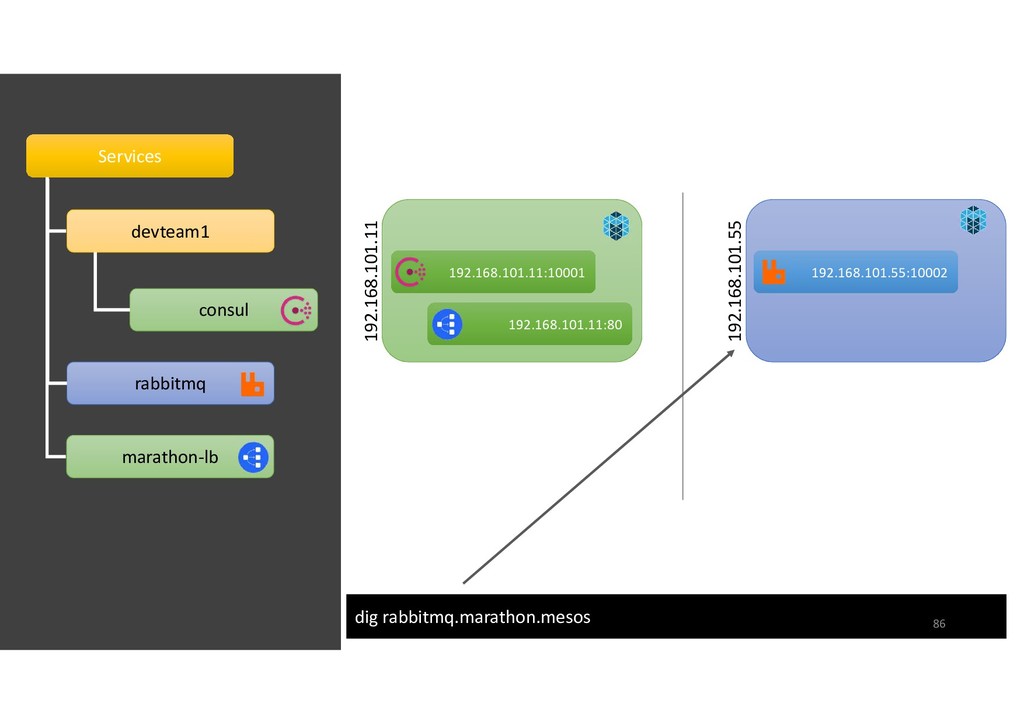
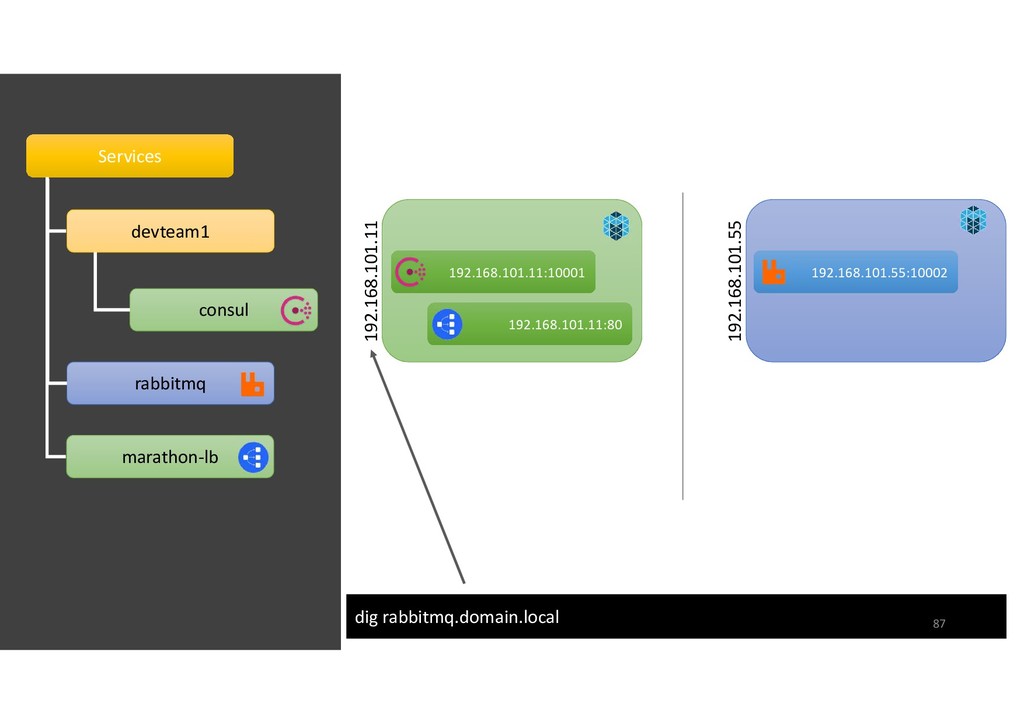
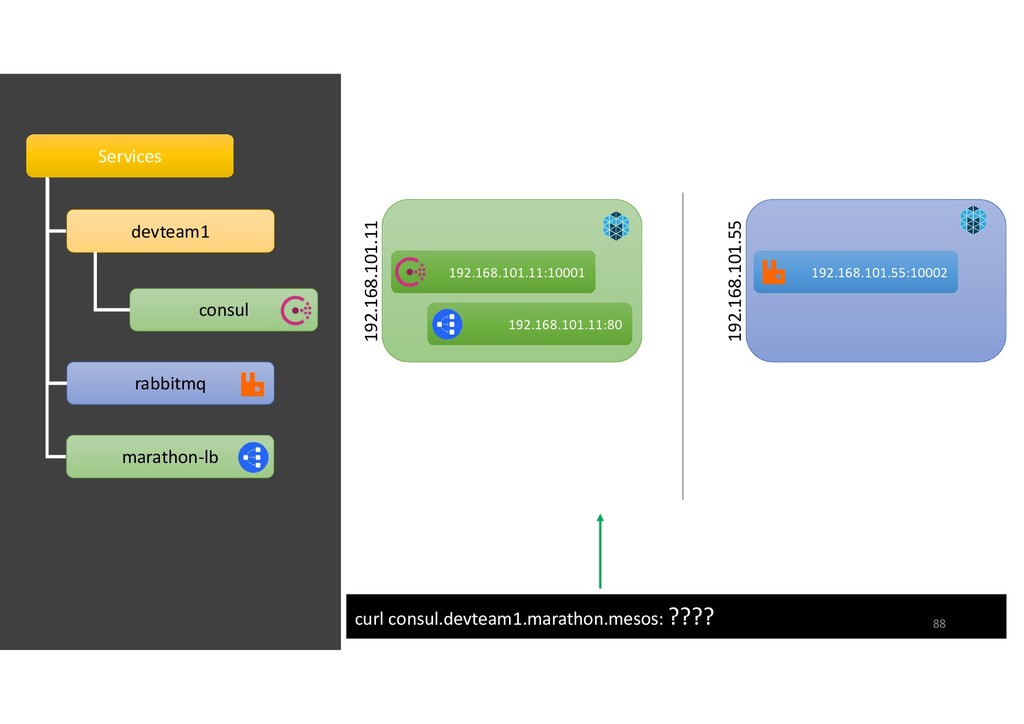
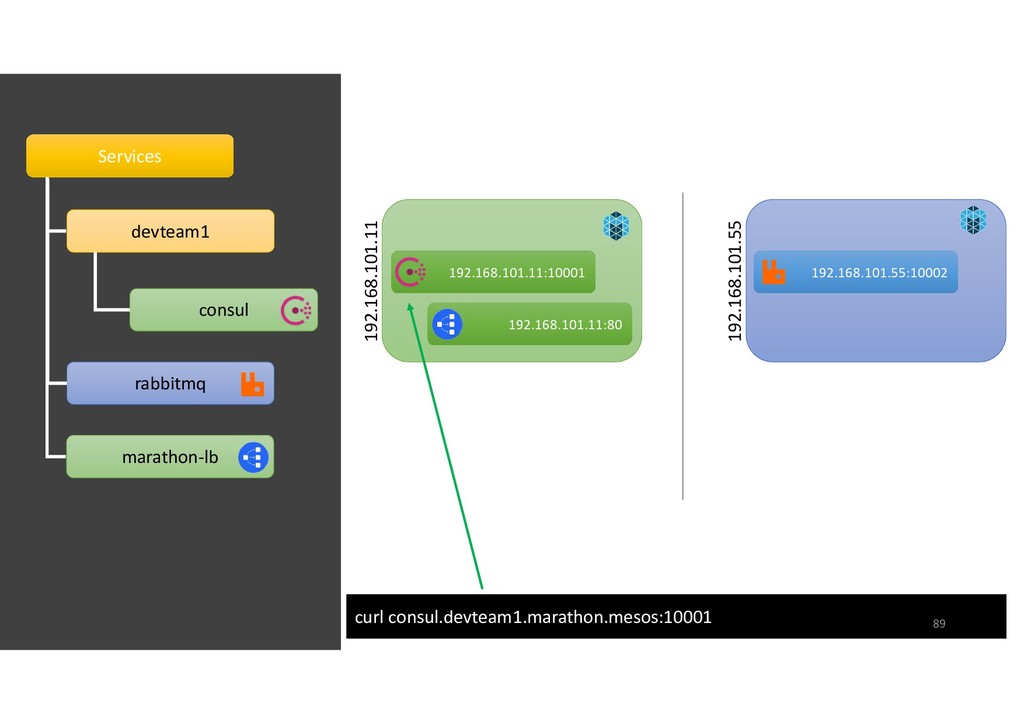
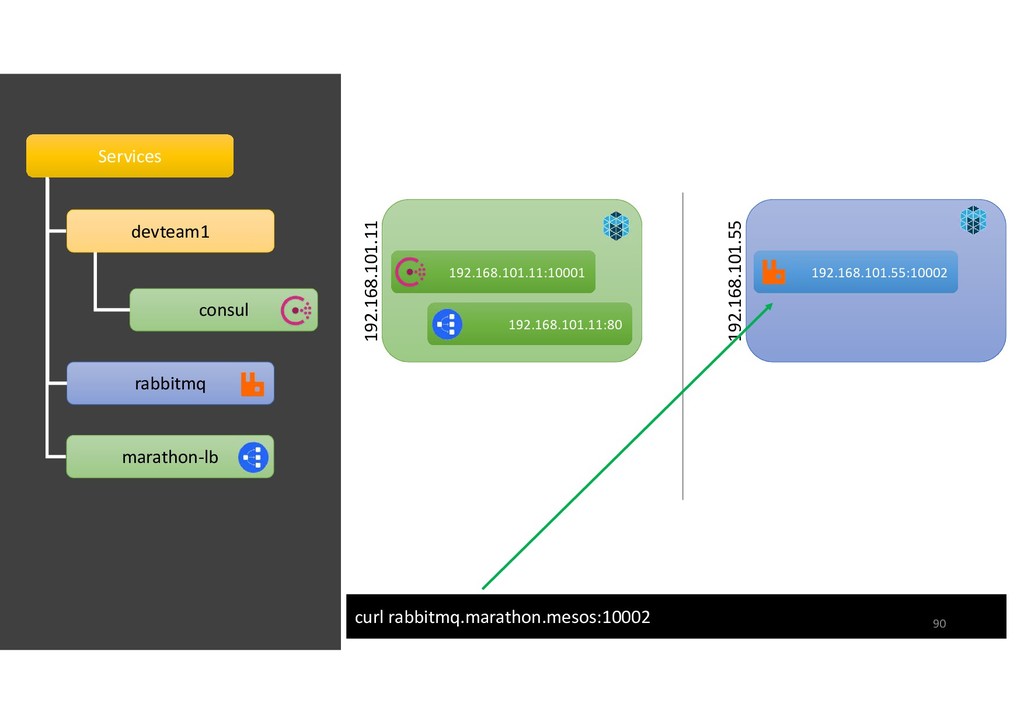
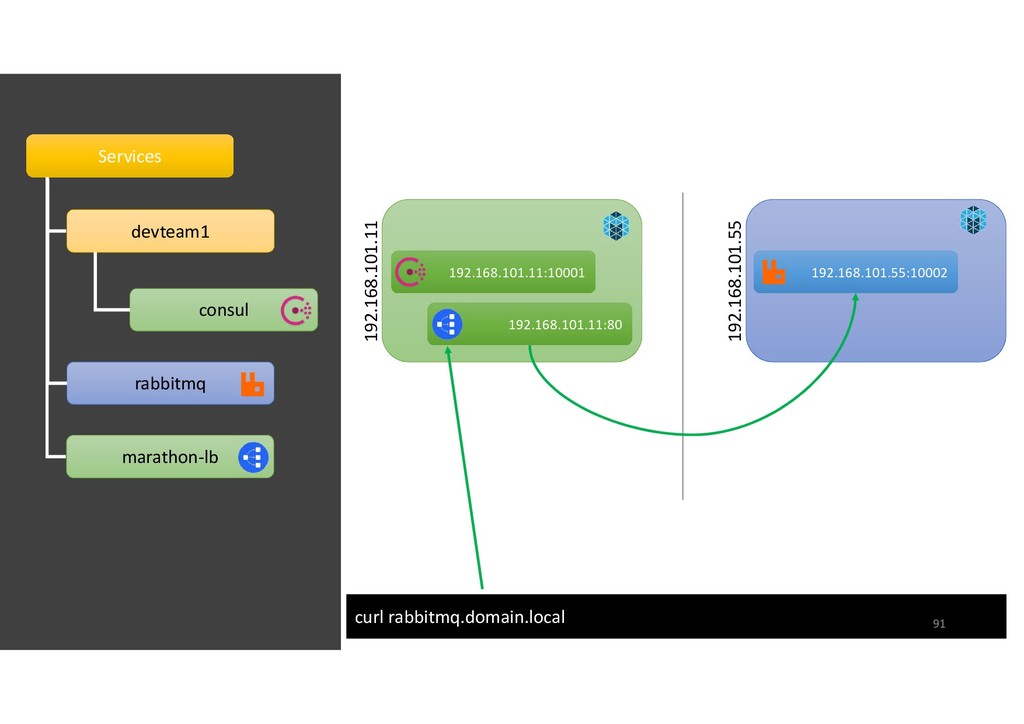
  62. Be discoverable Mesos DNS, integrated with company DNS server, allows

    to access each service directly by Agent IP/port.
  63. Services Services devteam1 consul rabbitmq marathon-lb 192.168.101.11 192.168.101.55 192.168.101.11:10001 192.168.101.11:10001

    192.168.101.11:80 192.168.101.11:80 192.168.101.55:10002 192.168.101.55:10002 HA: rabbitmq.domain.local 83
  64. Services Services devteam1 consul rabbitmq marathon-lb 192.168.101.11 192.168.101.55 192.168.101.11:10001 192.168.101.11:10001

    192.168.101.11:80 192.168.101.11:80 192.168.101.55:10002 192.168.101.55:10002 dig consul.marathon.mesos ???? 84
  65. Services Services devteam1 consul rabbitmq marathon-lb 192.168.101.11 192.168.101.55 192.168.101.11:10001 192.168.101.11:10001

    192.168.101.11:80 192.168.101.11:80 192.168.101.55:10002 192.168.101.55:10002 dig consul.devteam1.marathon.mesos 85
  66. Services Services devteam1 consul rabbitmq marathon-lb 192.168.101.11 192.168.101.55 192.168.101.11:10001 192.168.101.11:10001

    192.168.101.55:10002 192.168.101.55:10002 dig rabbitmq.marathon.mesos 192.168.101.11:80 192.168.101.11:80 86
  67. Services Services devteam1 consul rabbitmq marathon-lb 192.168.101.11 192.168.101.55 192.168.101.11:10001 192.168.101.11:10001

    192.168.101.55:10002 192.168.101.55:10002 dig rabbitmq.domain.local 192.168.101.11:80 192.168.101.11:80 87
  68. Services Services devteam1 consul rabbitmq marathon-lb 192.168.101.11 192.168.101.55 192.168.101.11:10001 192.168.101.11:10001

    192.168.101.55:10002 192.168.101.55:10002 curl consul.devteam1.marathon.mesos: ???? 192.168.101.11:80 192.168.101.11:80 88
  69. Services Services devteam1 consul rabbitmq marathon-lb 192.168.101.11 192.168.101.55 192.168.101.11:10001 192.168.101.11:10001

    192.168.101.55:10002 192.168.101.55:10002 curl consul.devteam1.marathon.mesos:10001 192.168.101.11:80 192.168.101.11:80 89
  70. Services Services devteam1 consul rabbitmq marathon-lb 192.168.101.11 192.168.101.55 192.168.101.11:10001 192.168.101.11:10001

    192.168.101.55:10002 192.168.101.55:10002 curl rabbitmq.marathon.mesos:10002 192.168.101.11:80 192.168.101.11:80 90
  71. Services Services devteam1 consul rabbitmq marathon-lb 192.168.101.11 192.168.101.55 192.168.101.11:10001 192.168.101.11:10001

    192.168.101.55:10002 192.168.101.55:10002 curl rabbitmq.domain.local 192.168.101.11:80 192.168.101.11:80 91
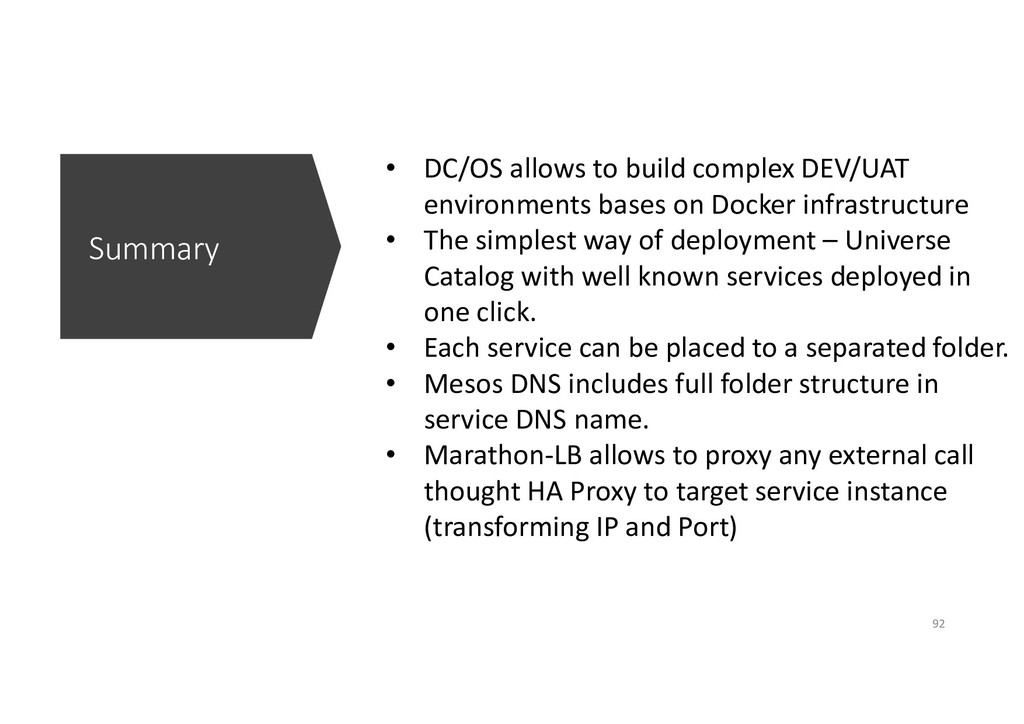
  72. Summary • DC/OS allows to build complex DEV/UAT environments bases

    on Docker infrastructure • The simplest way of deployment – Universe Catalog with well known services deployed in one click. • Each service can be placed to a separated folder. • Mesos DNS includes full folder structure in service DNS name. • Marathon-LB allows to proxy any external call thought HA Proxy to target service instance (transforming IP and Port) 92
  73. References • DC/OS official page: https://dcos.io/ • DC/OS Documentation: https://docs.mesosphere.com/1.11/overview/

    • Marathon GitHub: https://github.com/mesosphere/marathon • Mesos: http://mesos.apache.org/documentation/latest/ • Zookeeper: https://zookeeper.apache.org/ • Exhibitor: https://github.com/soabase/exhibitor/wiki