Upgrade to Pro — share decks privately, control downloads, hide ads and more …

Cooking the Cake for Nuget packages

Cooking the Cake for Nuget packages

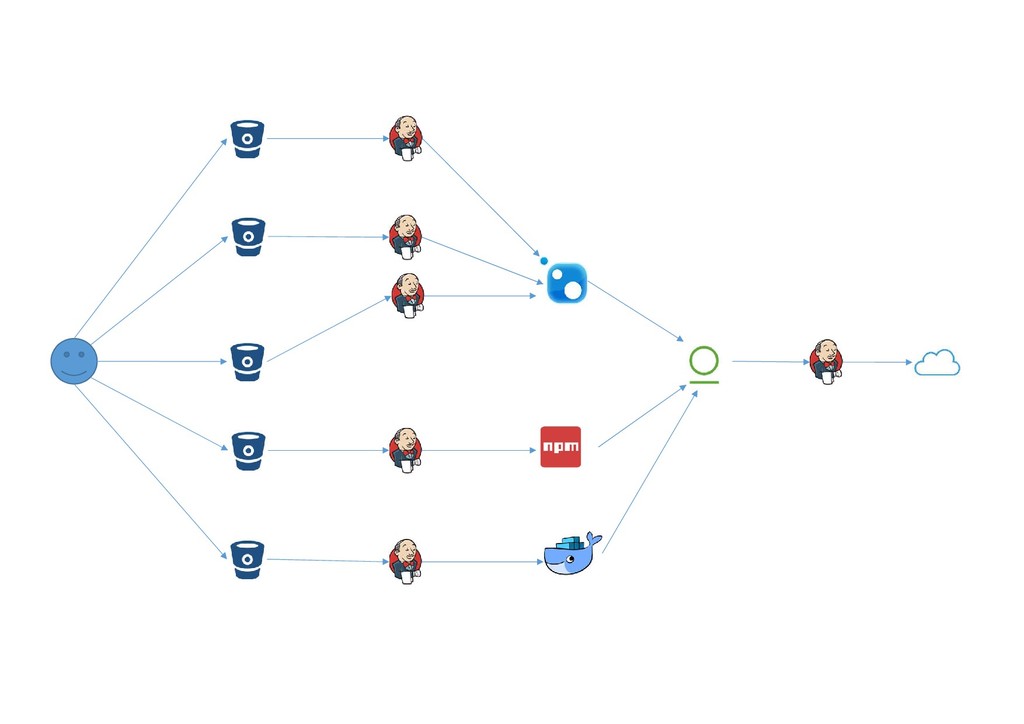
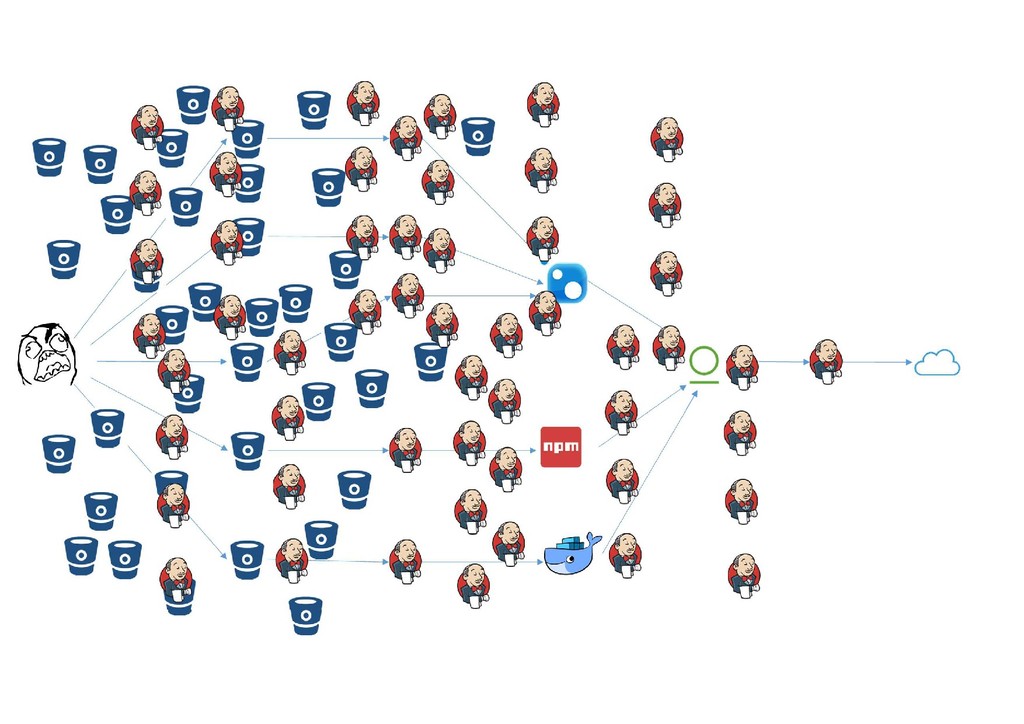
How to manage CI\CD process for many git repositories (400+), when each of repository needs to be published as NuGet package? Combining Cake and Jenkins features allow building the generic pipeline for packages creation, versioning and publish. Based on C# code, source controlled and compiled in runtime, Cake gives perfect flexibility to build advanced CI\CD process. Large scale also required some tricks inside CI infrastructure and related services.
https://fwdays.com/en/event/dotnet-fwdays-2018/review/cooking-the-cake-for-nuget-packages

Avatar for Sergey Dzyuban

Sergey Dzyuban

April 15, 2018
Tweet

More Decks by Sergey Dzyuban

Other Decks in Technology

Transcript

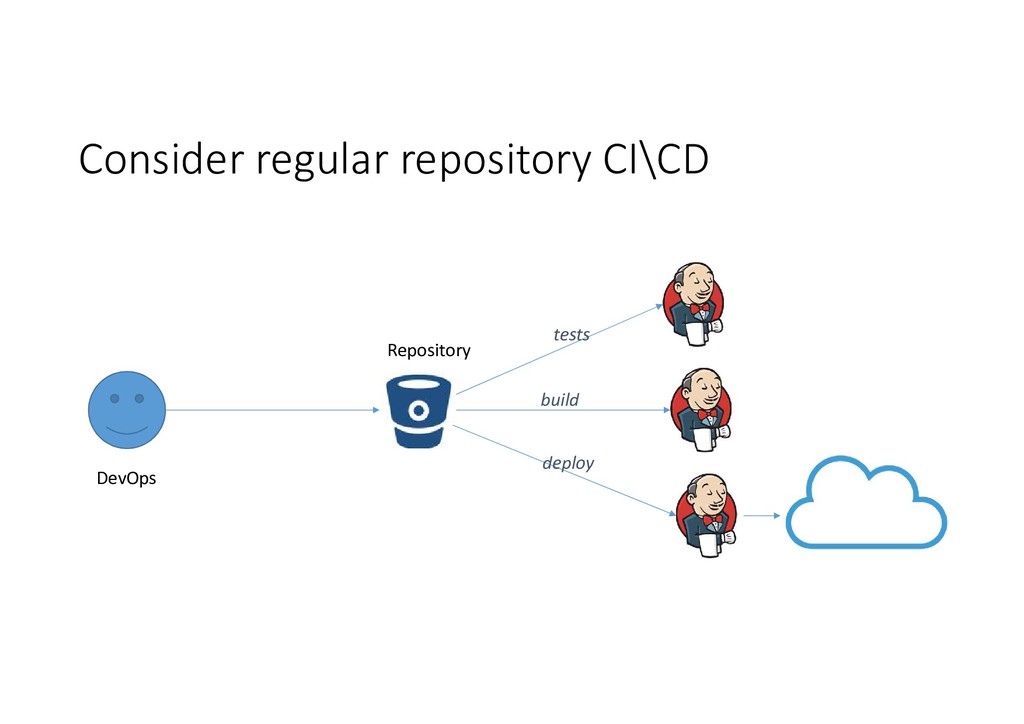
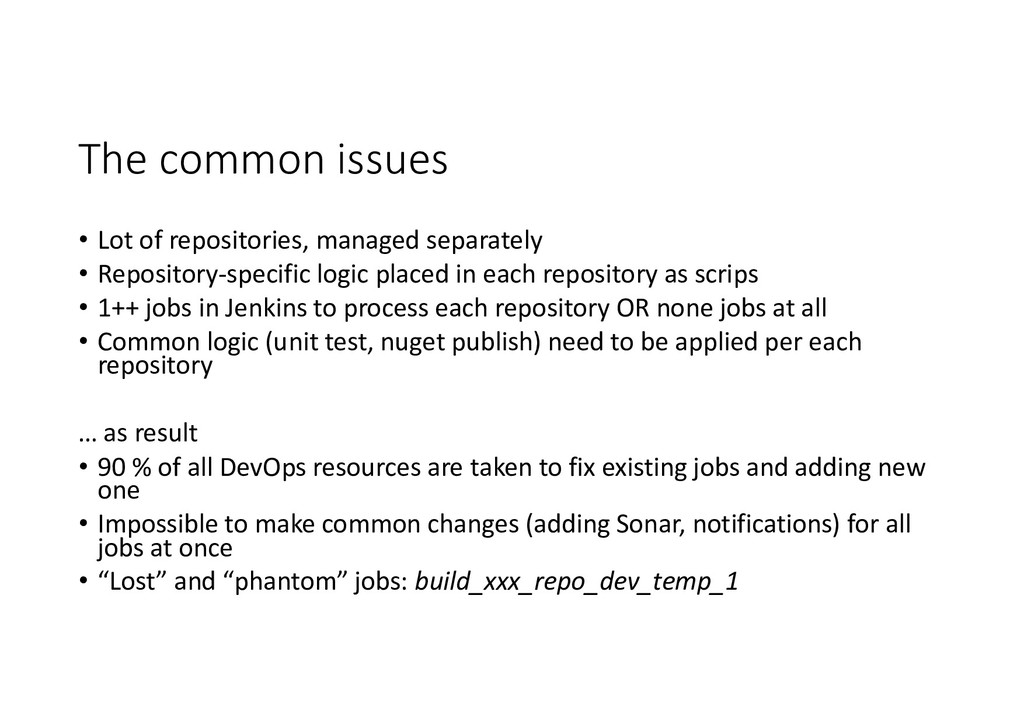
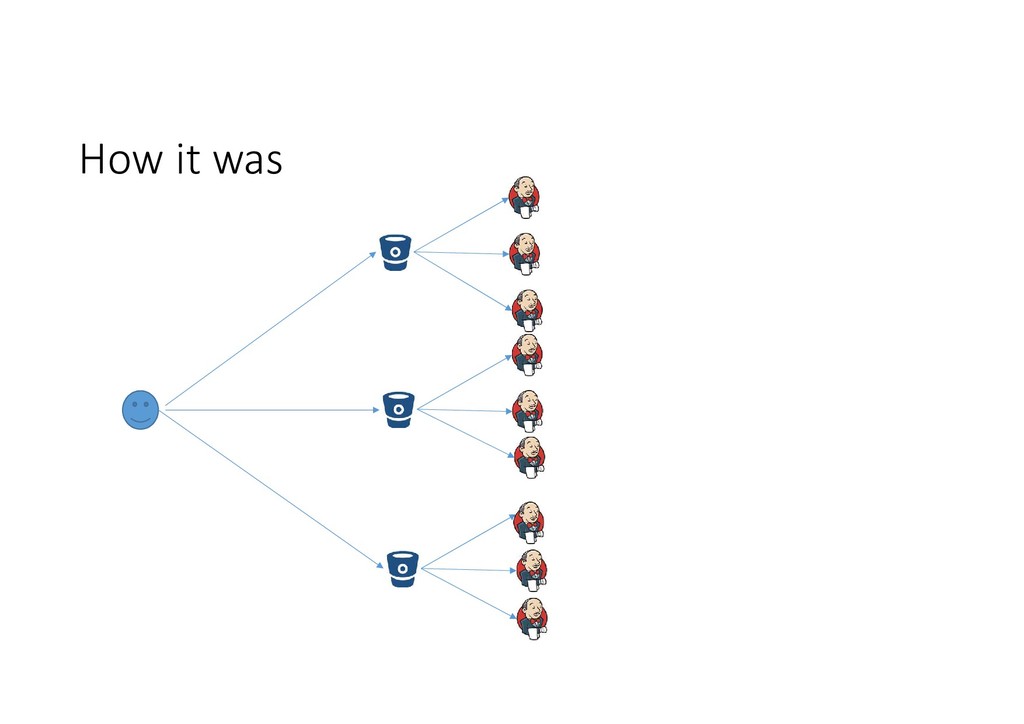
  1. The common issues • Lot of repositories, managed separately •

    Repository-specific logic placed in each repository as scrips • 1++ jobs in Jenkins to process each repository OR none jobs at all • Common logic (unit test, nuget publish) need to be applied per each repository … as result • 90 % of all DevOps resources are taken to fix existing jobs and adding new one • Impossible to make common changes (adding Sonar, notifications) for all jobs at once • “Lost” and “phantom” jobs: build_xxx_repo_dev_temp_1
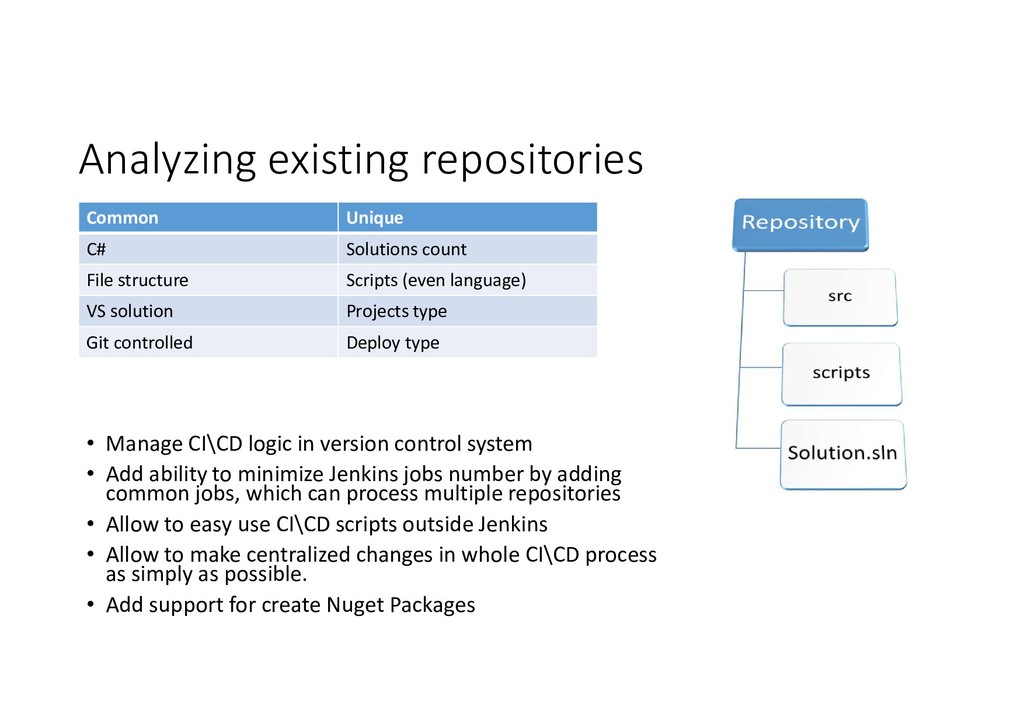
  2. Analyzing existing repositories Common Unique C# Solutions count File structure

    Scripts (even language) VS solution Projects type Git controlled Deploy type • Manage CI\CD logic in version control system • Add ability to minimize Jenkins jobs number by adding common jobs, which can process multiple repositories • Allow to easy use CI\CD scripts outside Jenkins • Allow to make centralized changes in whole CI\CD process as simply as possible. • Add support for create Nuget Packages
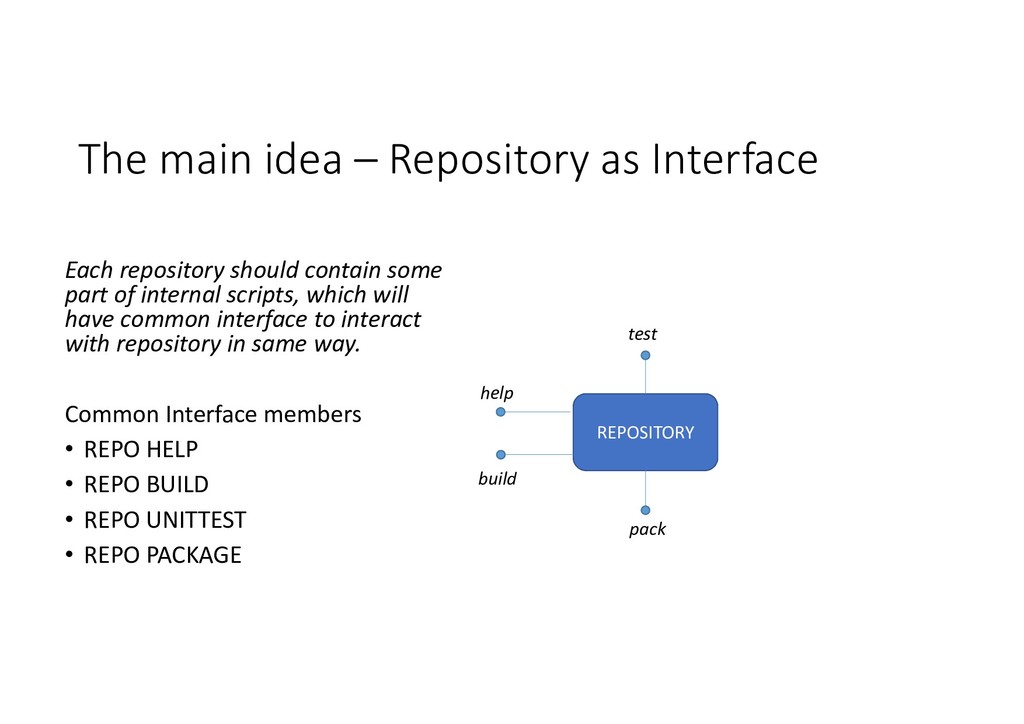
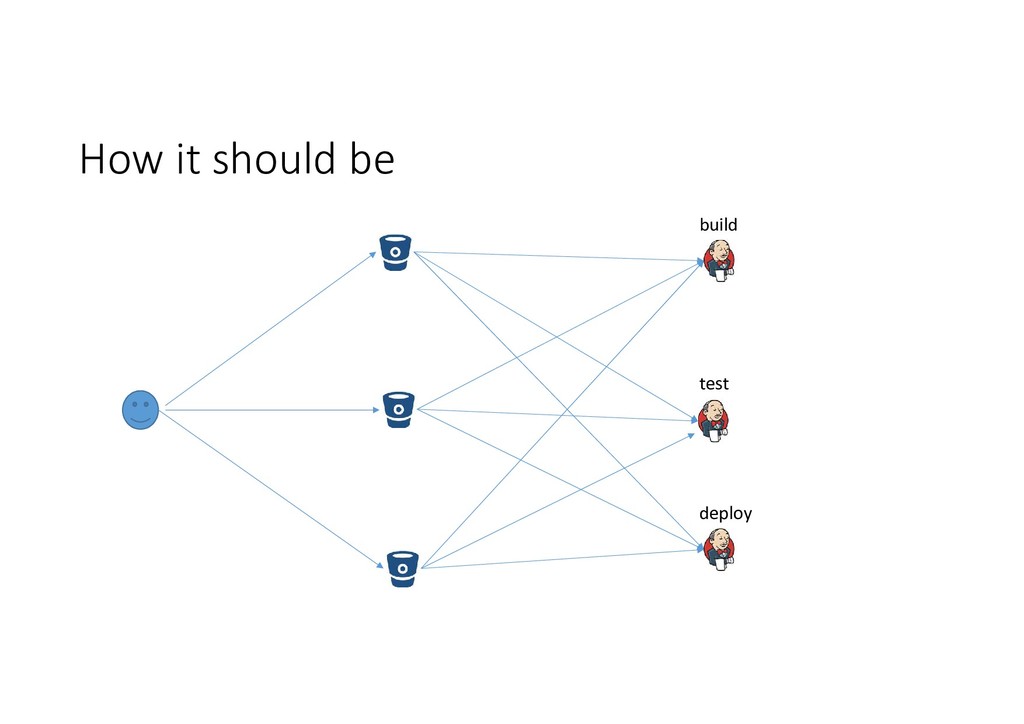
  3. The main idea – Repository as Interface Each repository should
    contain some part of internal scripts, which will have common interface to interact with repository in same way. Common Interface members • REPO HELP • REPO BUILD • REPO UNITTEST • REPO PACKAGE REPOSITORY help build test pack
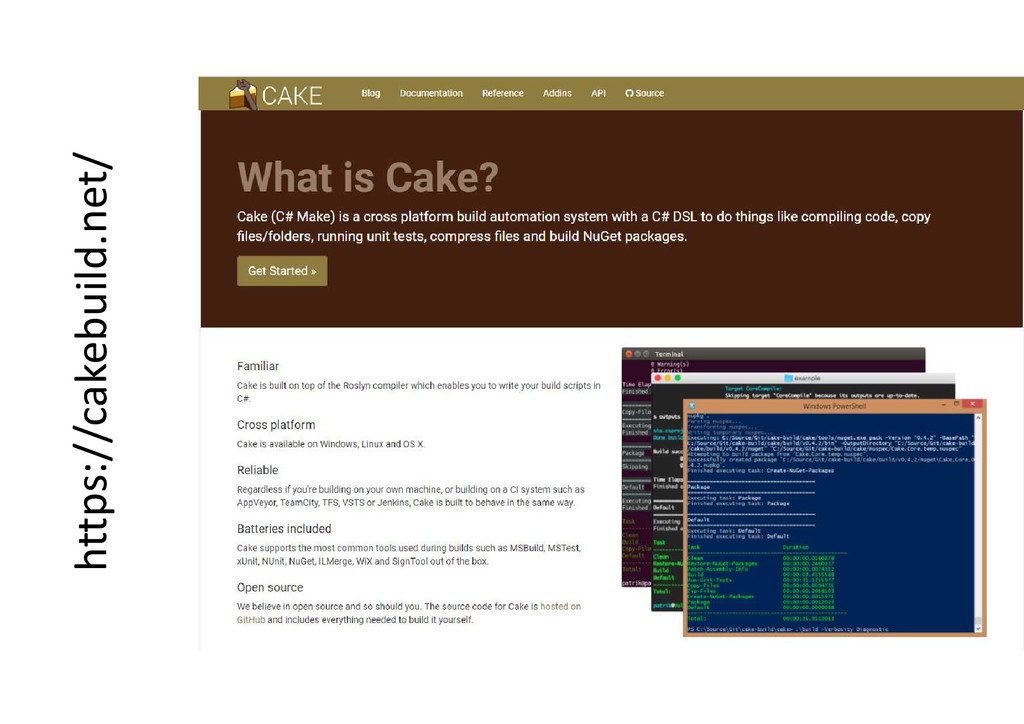
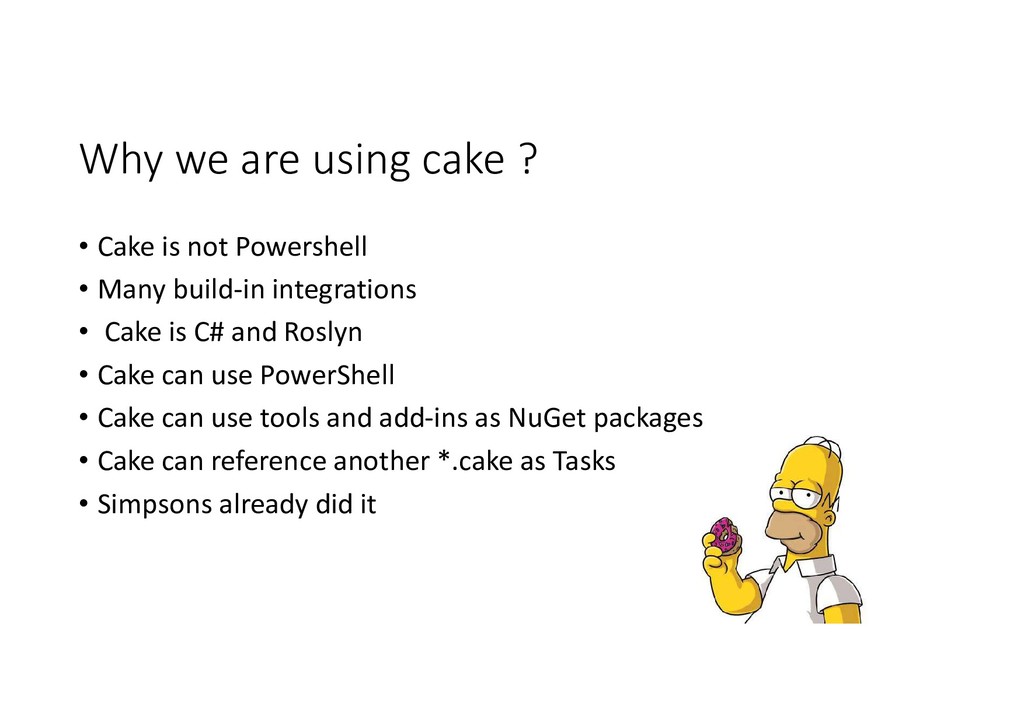
  4. Why we are using cake ? • Cake is not

    Powershell • Many build-in integrations • Cake is C# and Roslyn • Cake can use PowerShell • Cake can use tools and add-ins as NuGet packages • Cake can reference another *.cake as Tasks • Simpsons already did it
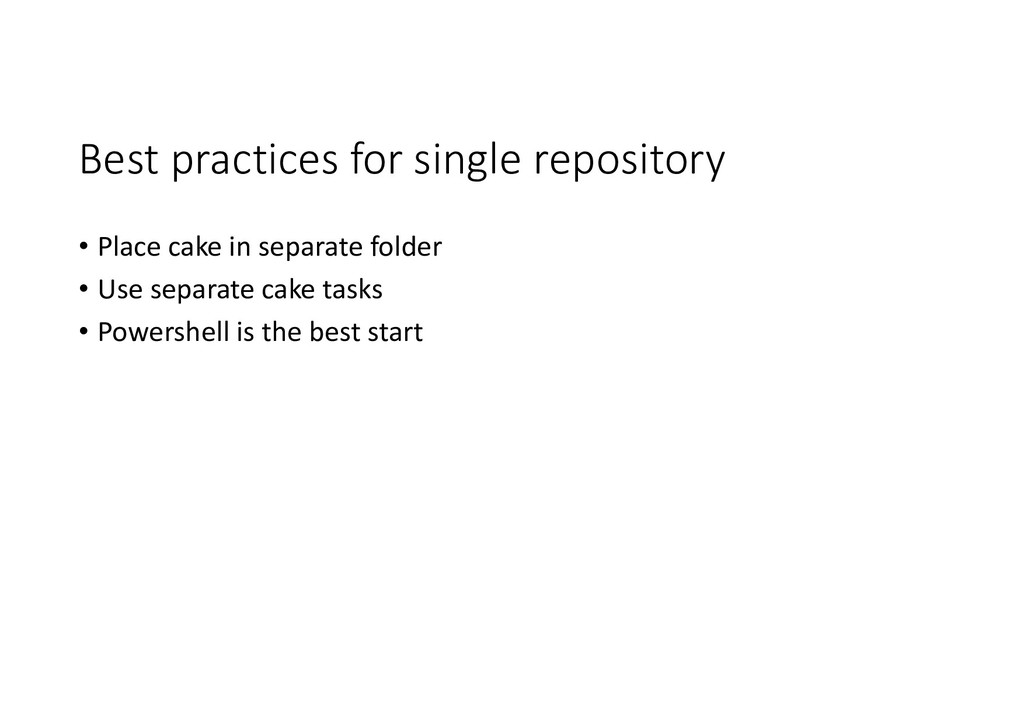
  5. Best practices for single repository • Place cake in separate

    folder • Use separate cake tasks • Powershell is the best start
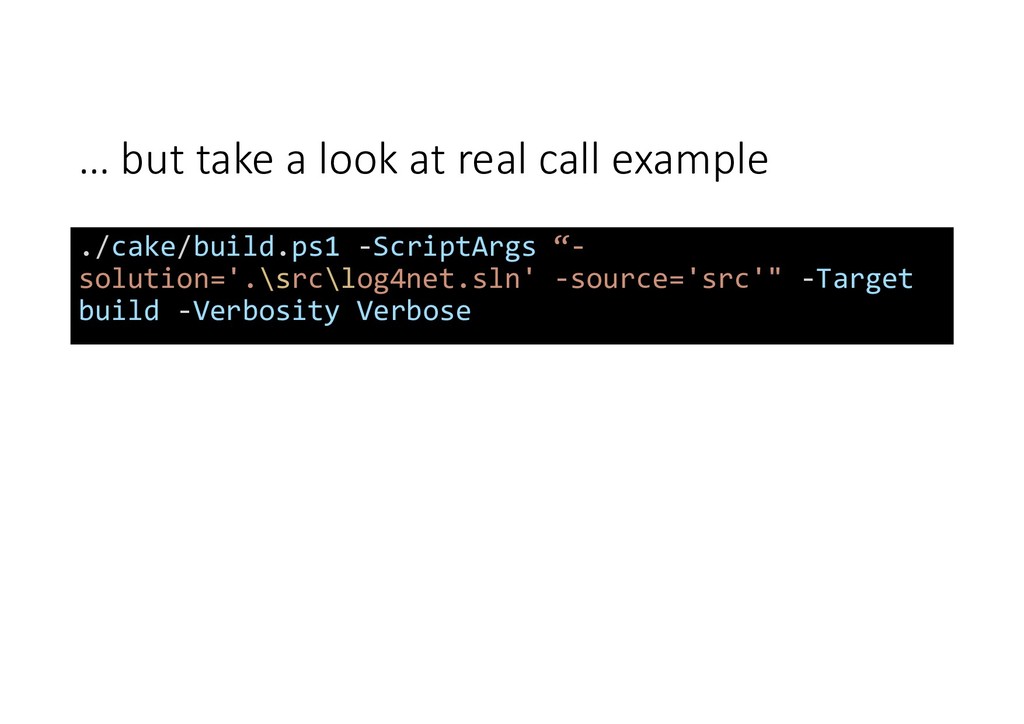
  6. … but take a look at real call example ./cake/build.ps1

    -ScriptArgs “- solution='.\src\log4net.sln' -source='src'" -Target build -Verbosity Verbose
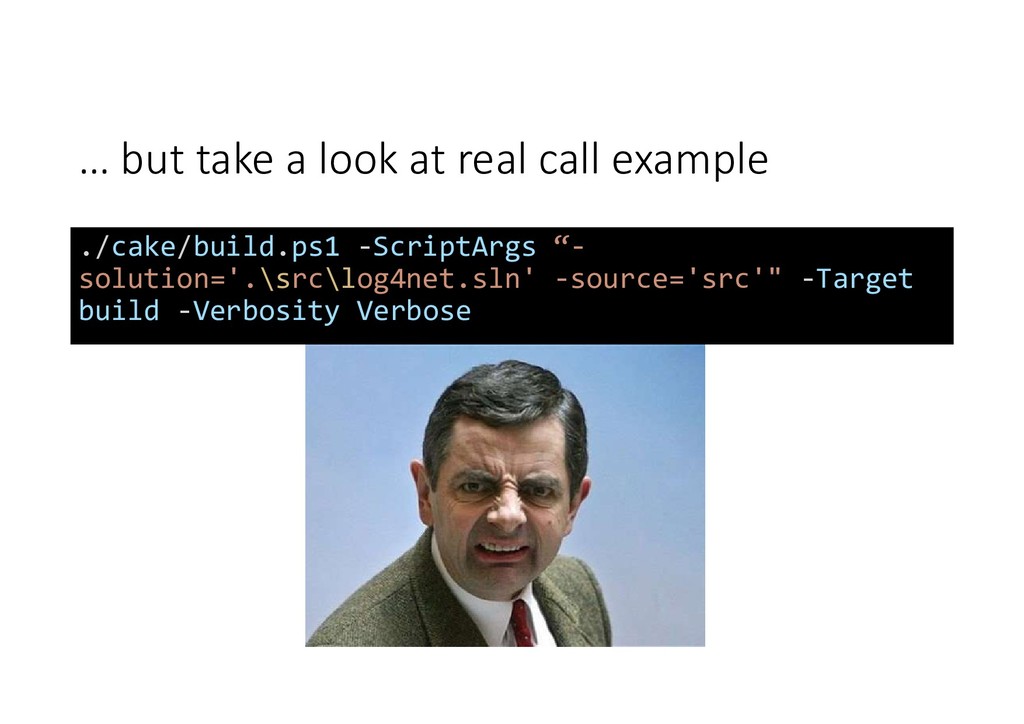
  7. … but take a look at real call example ./cake/build.ps1

    -ScriptArgs “- solution='.\src\log4net.sln' -source='src'" -Target build -Verbosity Verbose
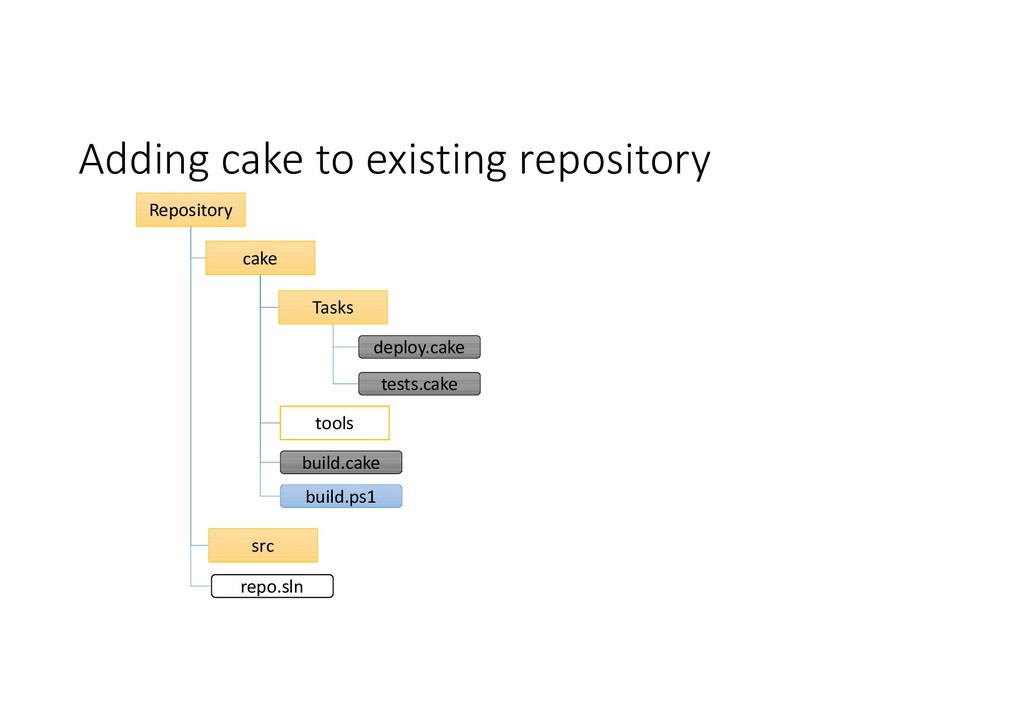
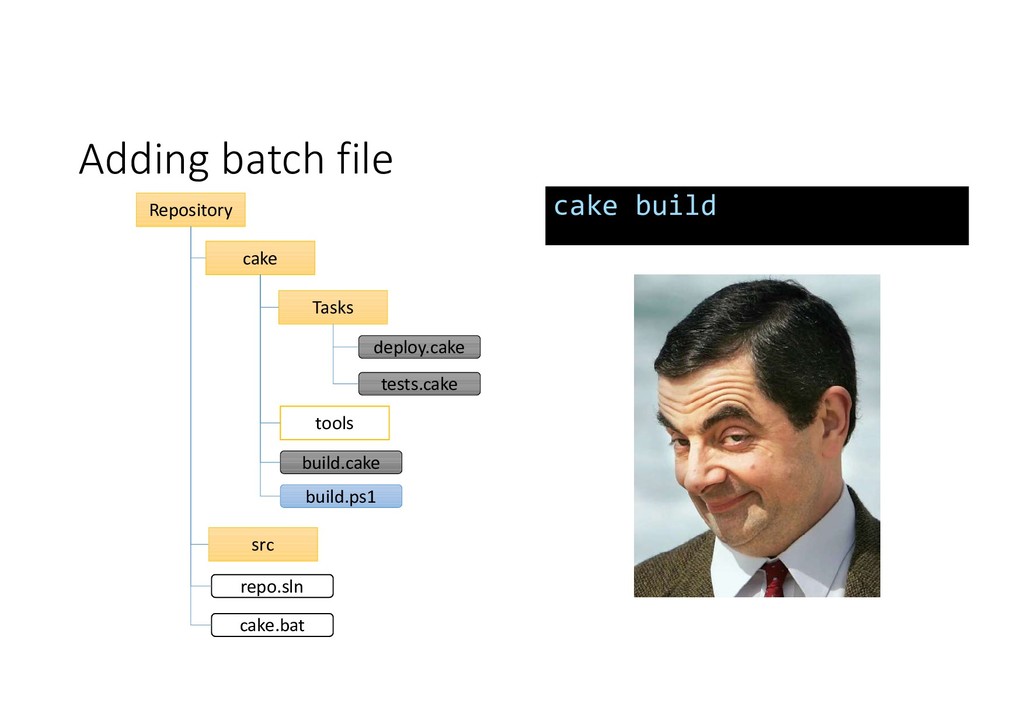
  8. Adding batch file Repository build.cake src cake build.ps1 repo.sln tools

    Tasks deploy.cake tests.cake cake.bat cake build
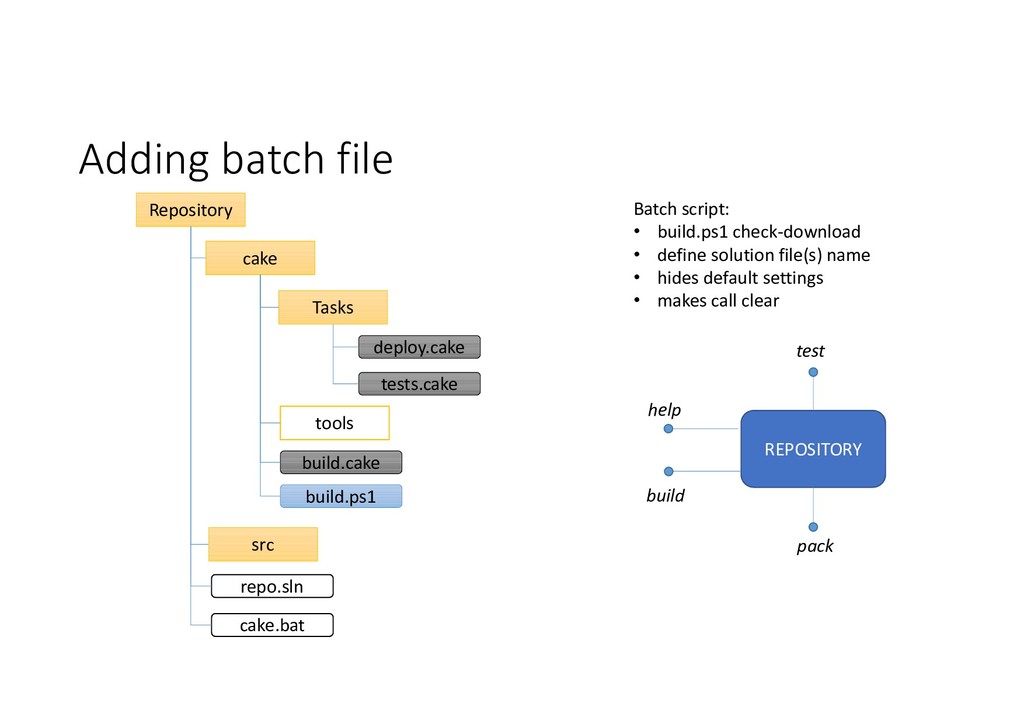
  9. Adding batch file Repository build.cake src cake build.ps1 repo.sln tools

    Tasks deploy.cake tests.cake cake.bat Batch script: • build.ps1 check-download • define solution file(s) name • hides default settings • makes call clear REPOSITORY help build test pack
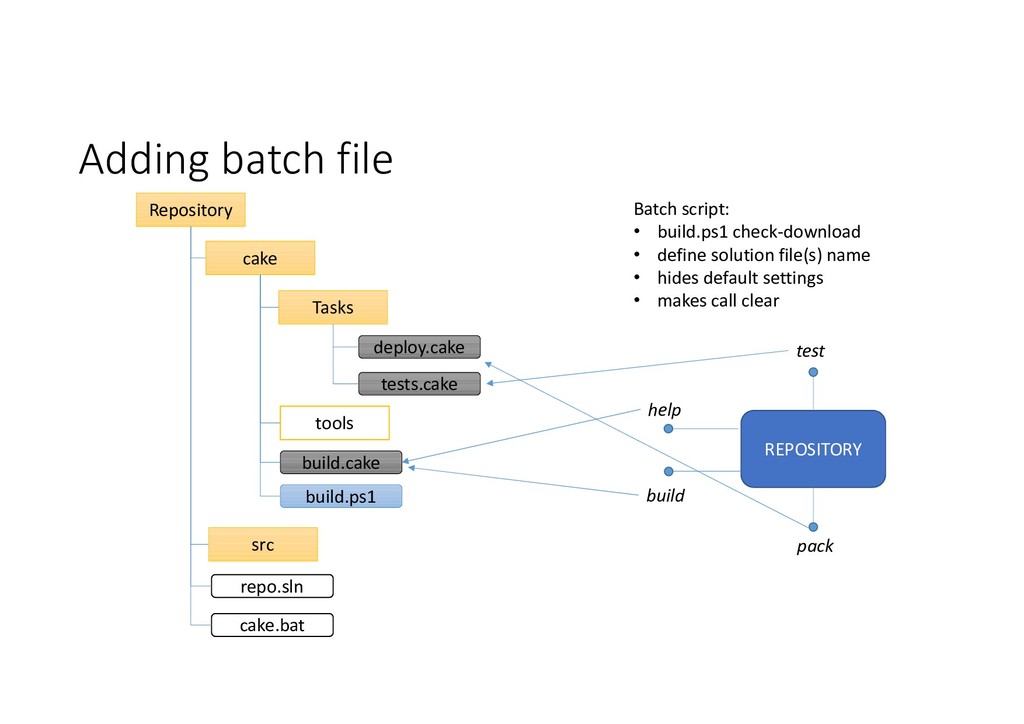
  10. Adding batch file Repository build.cake src cake build.ps1 repo.sln tools

    Tasks deploy.cake tests.cake cake.bat Batch script: • build.ps1 check-download • define solution file(s) name • hides default settings • makes call clear REPOSITORY help build test pack
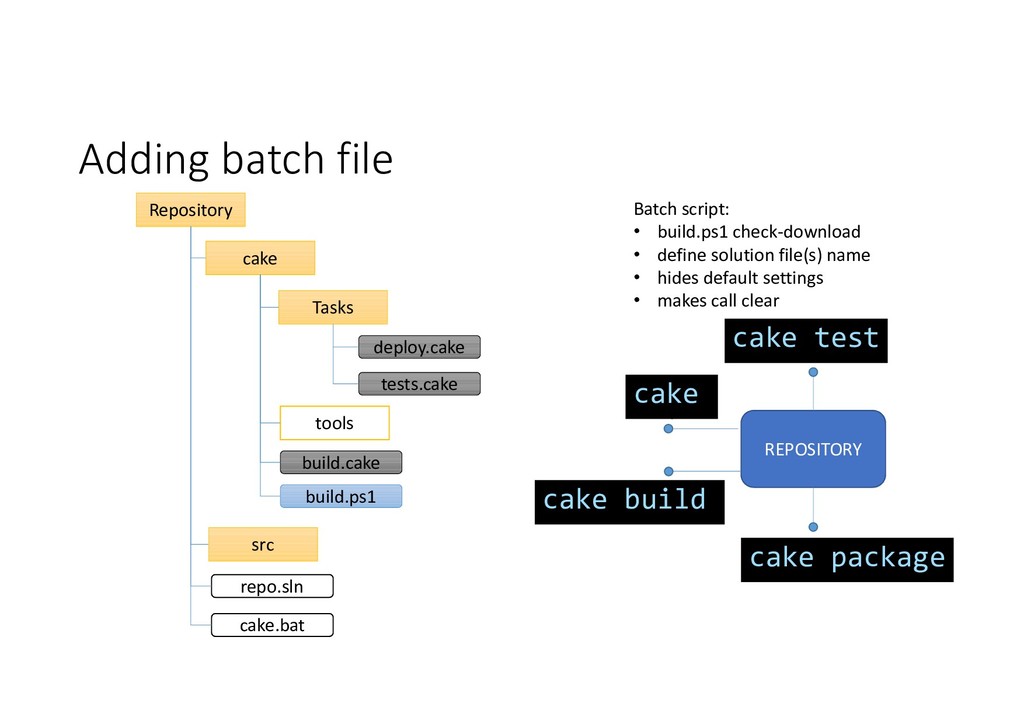
  11. Adding batch file Repository build.cake src cake build.ps1 repo.sln tools

    Tasks deploy.cake tests.cake cake.bat Batch script: • build.ps1 check-download • define solution file(s) name • hides default settings • makes call clear REPOSITORY help build test pack cake build cake cake test cake package
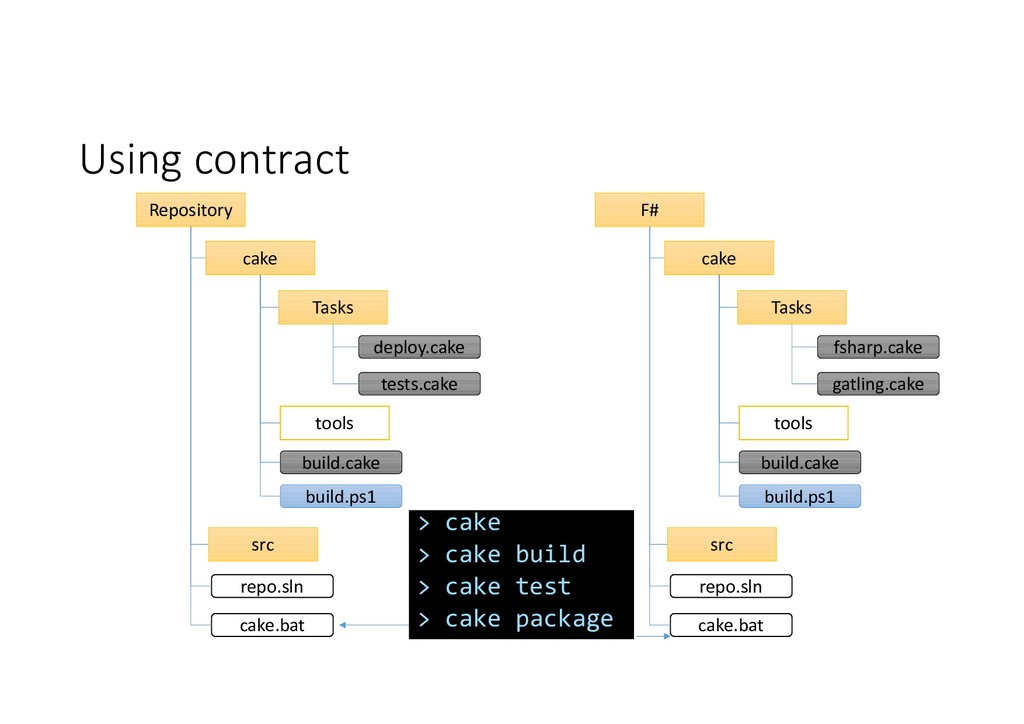
  12. Using contract Repository build.cake src cake build.ps1 repo.sln tools Tasks

    deploy.cake tests.cake cake.bat F# build.cake src cake build.ps1 repo.sln tools Tasks fsharp.cake gatling.cake cake.bat > cake > cake build > cake test > cake package
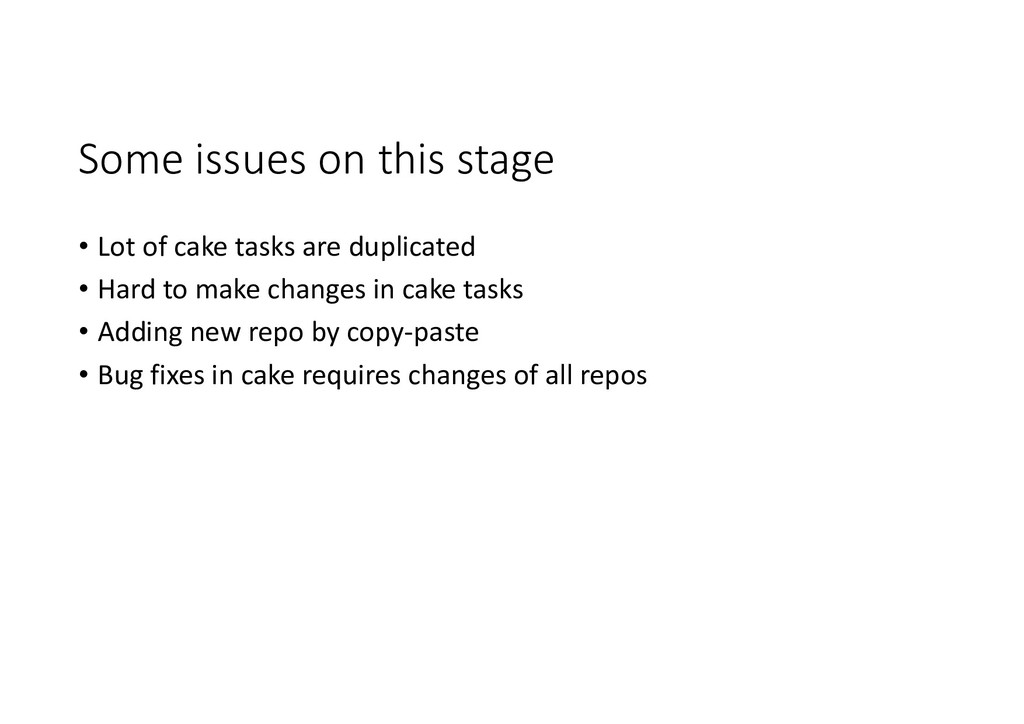
  13. Some issues on this stage • Lot of cake tasks

    are duplicated • Hard to make changes in cake tasks • Adding new repo by copy-paste • Bug fixes in cake requires changes of all repos
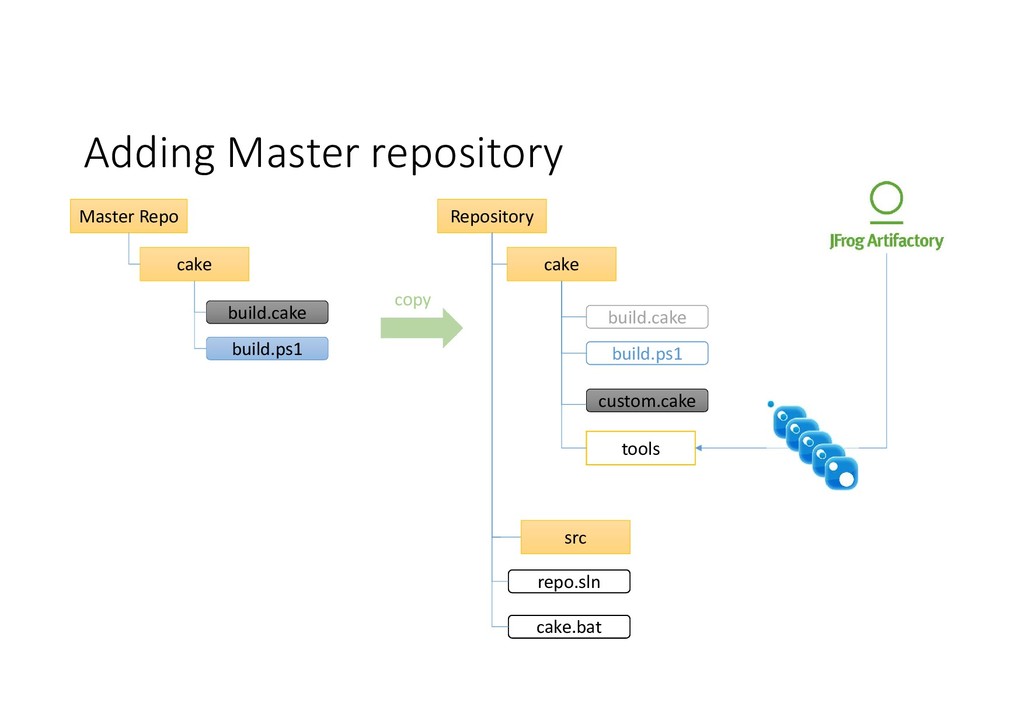
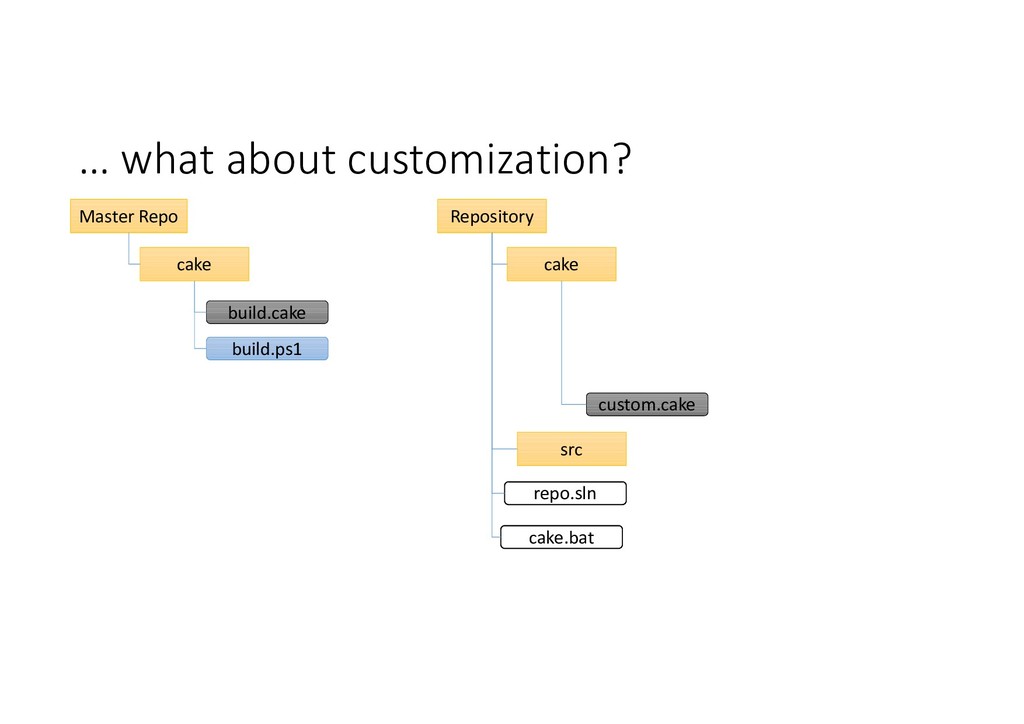
  14. Adding Master repository Master Repo build.cake cake build.ps1 Repository custom.cake

    src cake repo.sln cake.bat build.cake build.ps1 copy tools
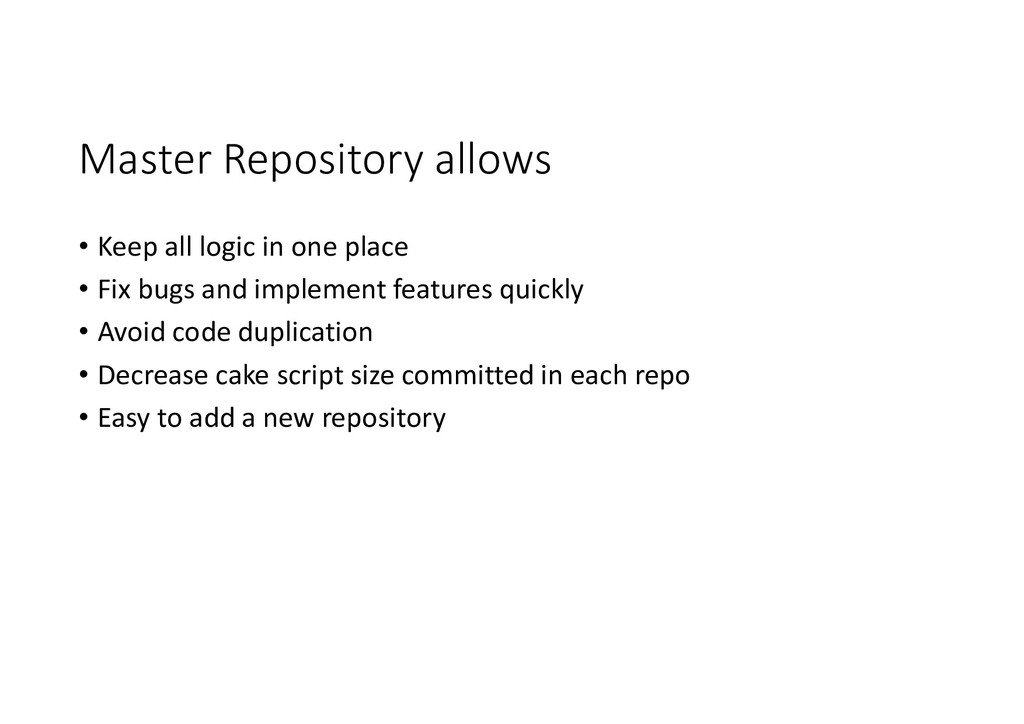
  15. Master Repository allows • Keep all logic in one place

    • Fix bugs and implement features quickly • Avoid code duplication • Decrease cake script size committed in each repo • Easy to add a new repository
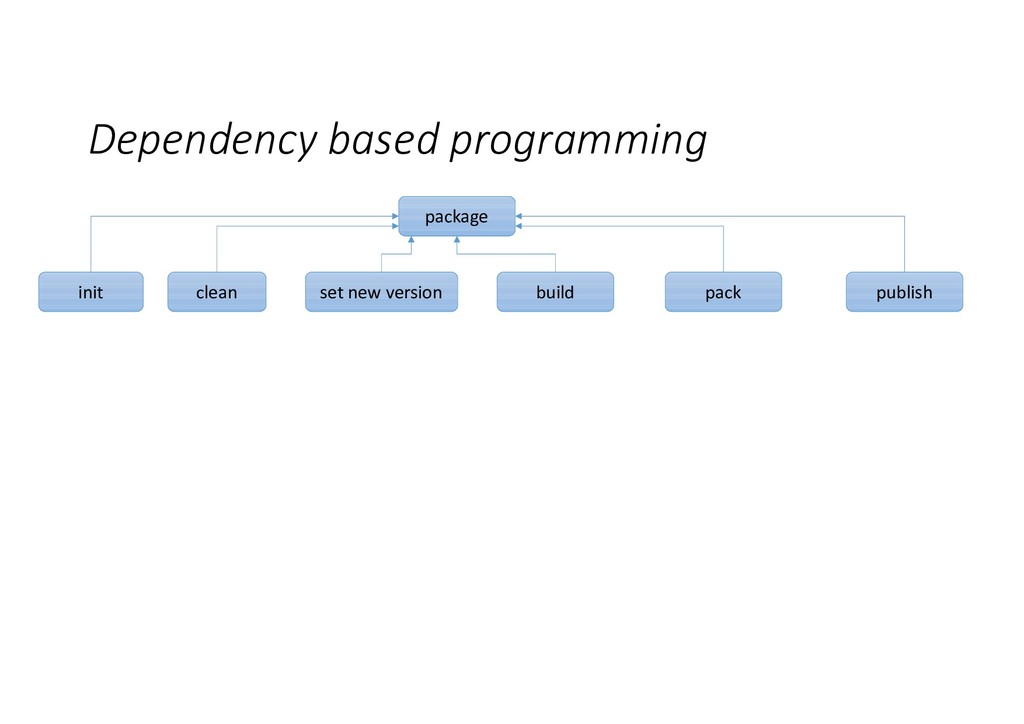
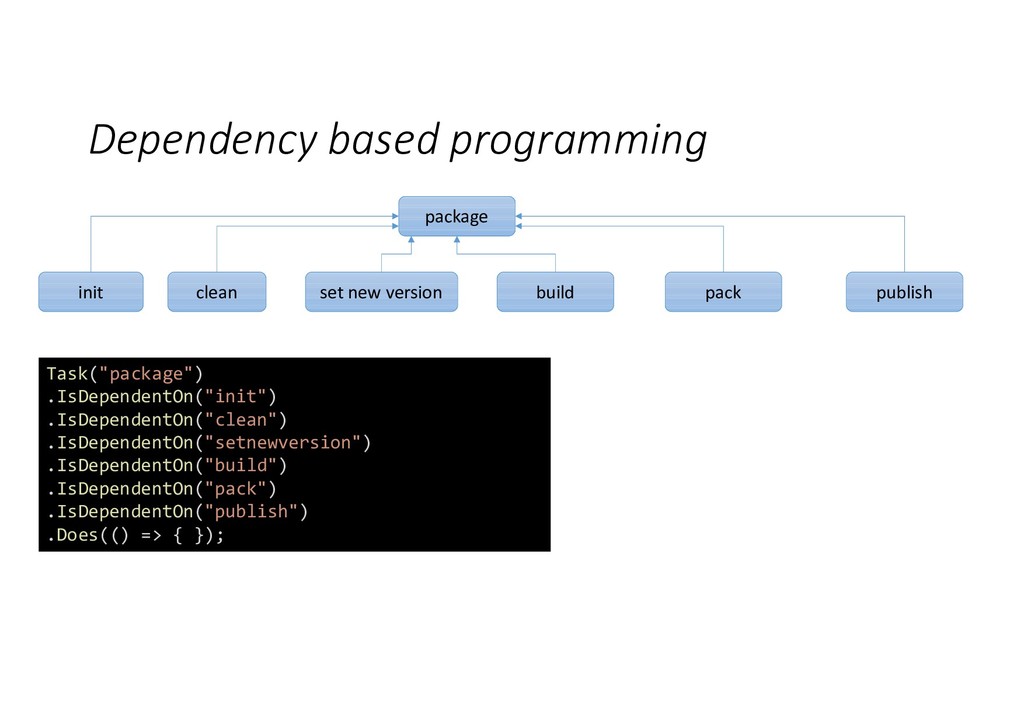
  16. Dependency based programming package init clean set new version build

    pack publish Task("package") .IsDependentOn("init") .IsDependentOn("clean") .IsDependentOn("setnewversion") .IsDependentOn("build") .IsDependentOn("pack") .IsDependentOn("publish") .Does(() => { });
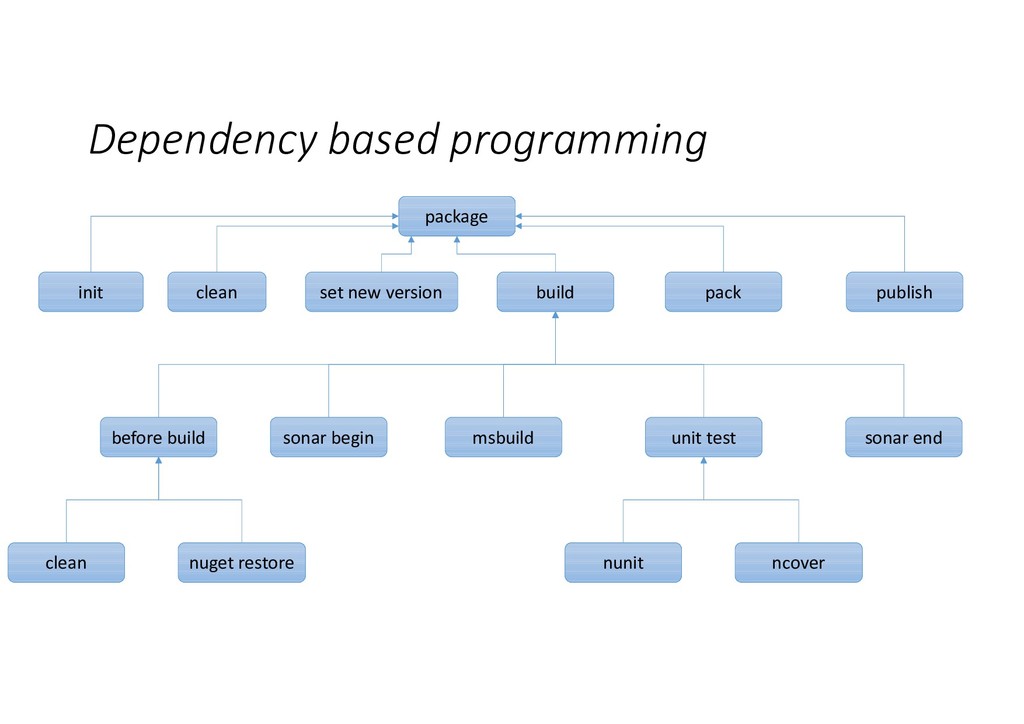
  17. Dependency based programming package init clean set new version build

    pack publish before build msbuild unit test sonar begin sonar end clean nuget restore nunit ncover
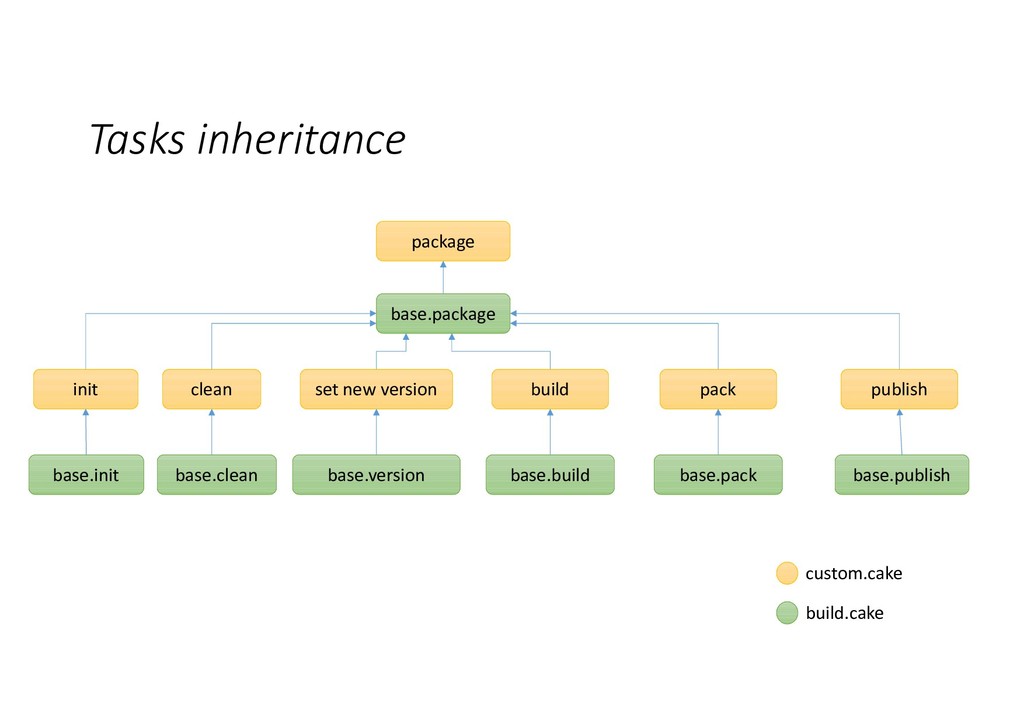
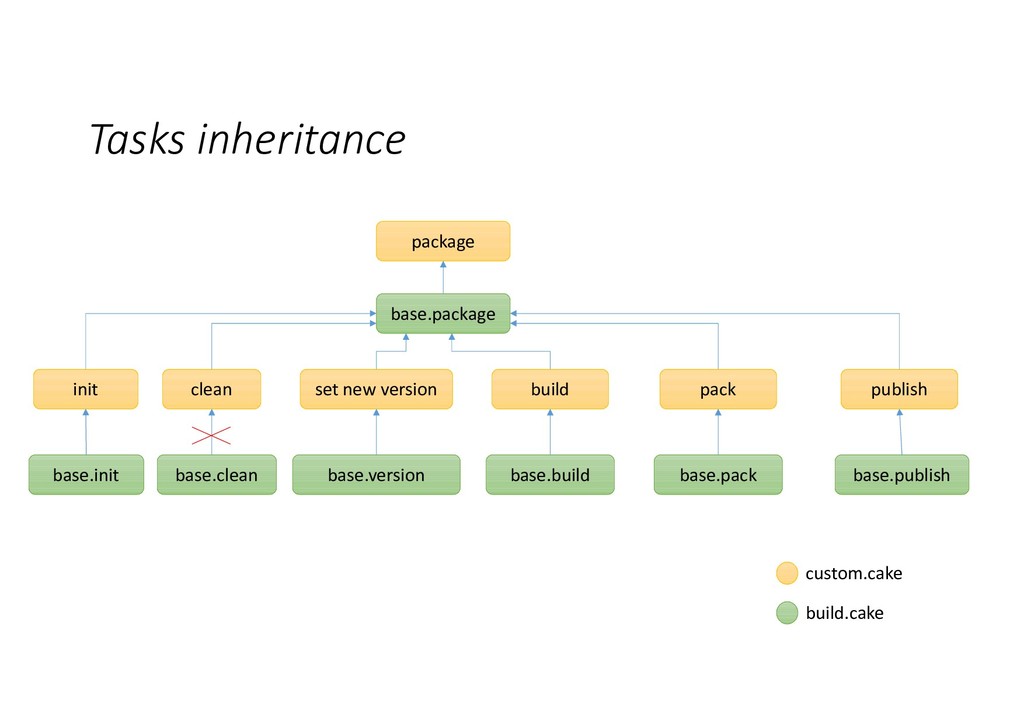
  18. Tasks inheritance base.package init clean set new version build pack

    publish custom.cake package build.cake base.init base.clean base.version base.build base.pack base.publish
  19. Tasks inheritance base.package init clean set new version build pack

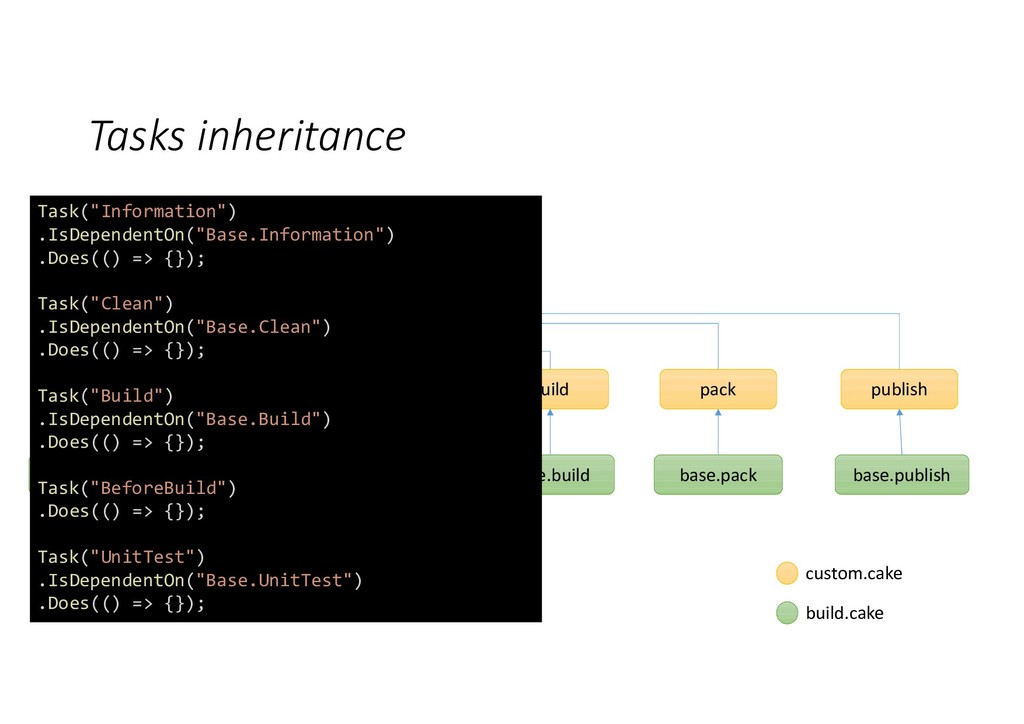
    publish custom.cake package build.cake base.init base.clean base.version base.build base.pack base.publish Task("Information") .IsDependentOn("Base.Information") .Does(() => {}); Task("Clean") .IsDependentOn("Base.Clean") .Does(() => {}); Task("Build") .IsDependentOn("Base.Build") .Does(() => {}); Task("BeforeBuild") .Does(() => {}); Task("UnitTest") .IsDependentOn("Base.UnitTest") .Does(() => {});
  20. Tasks inheritance base.package init clean set new version build pack

    publish custom.cake package build.cake base.init base.clean base.version base.build base.pack base.publish
  21. Tasks inheritance base.package init clean set new version build pack

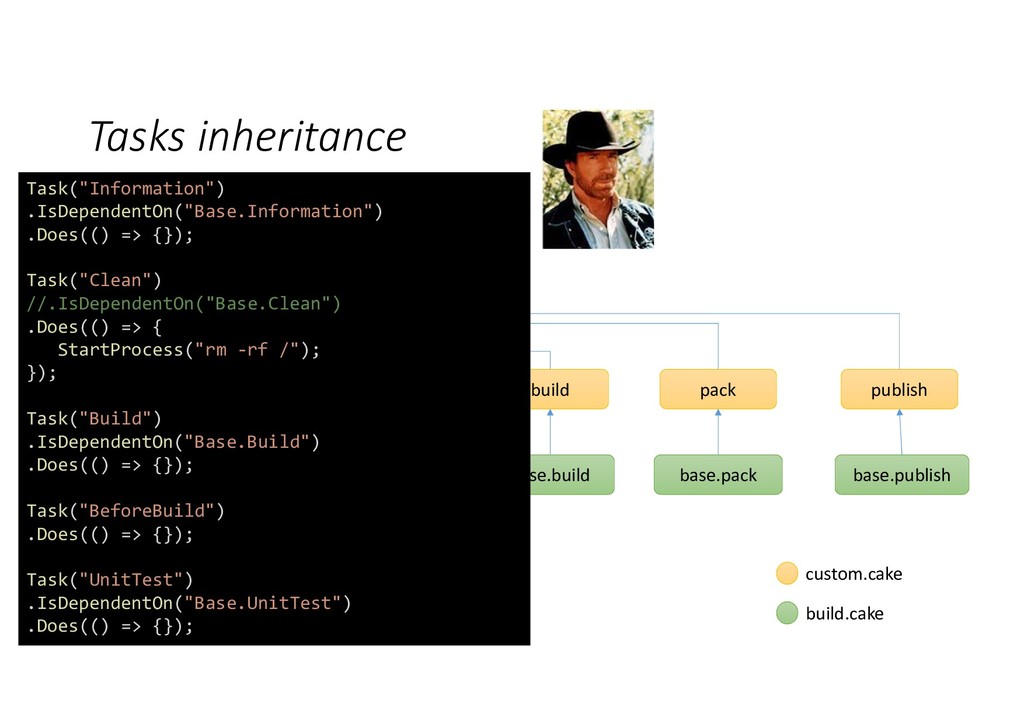
    publish custom.cake package build.cake base.init base.clean base.version base.build base.pack base.publish Task("Information") .IsDependentOn("Base.Information") .Does(() => {}); Task("Clean") //.IsDependentOn("Base.Clean") .Does(() => { StartProcess("rm -rf /"); }); Task("Build") .IsDependentOn("Base.Build") .Does(() => {}); Task("BeforeBuild") .Does(() => {}); Task("UnitTest") .IsDependentOn("Base.UnitTest") .Does(() => {});
  22. Out of the box features We provide some list of

    features, available for all repositories by default
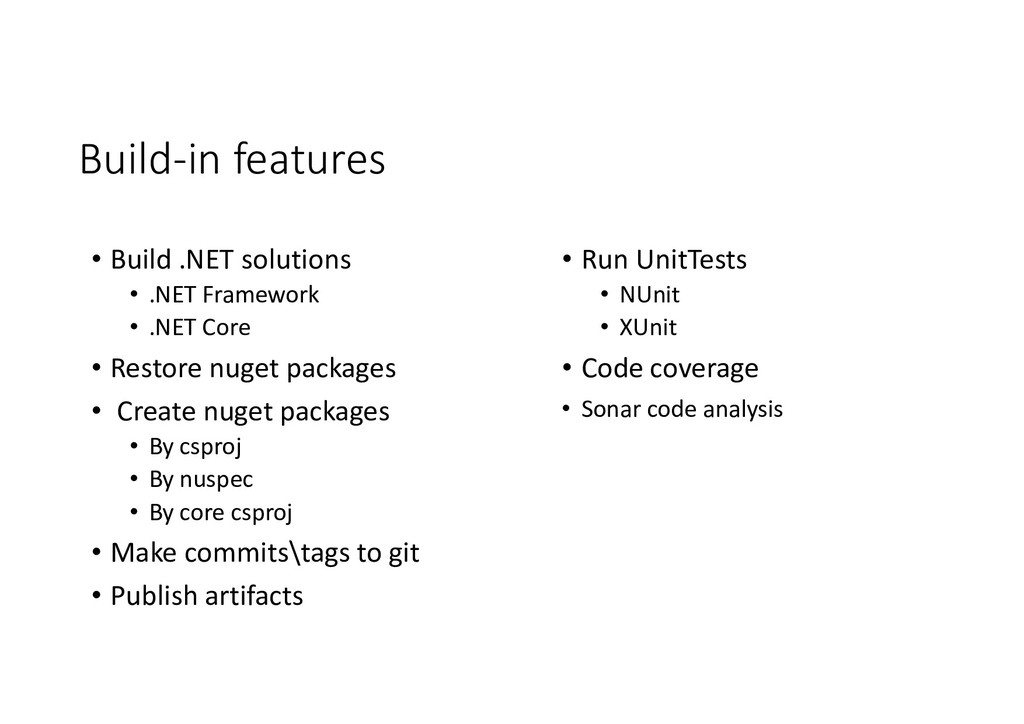
  23. Build-in features • Run UnitTests • NUnit • XUnit •

    Code coverage • Sonar code analysis • Build .NET solutions • .NET Framework • .NET Core • Restore nuget packages • Create nuget packages • By csproj • By nuspec • By core csproj • Make commits\tags to git • Publish artifacts
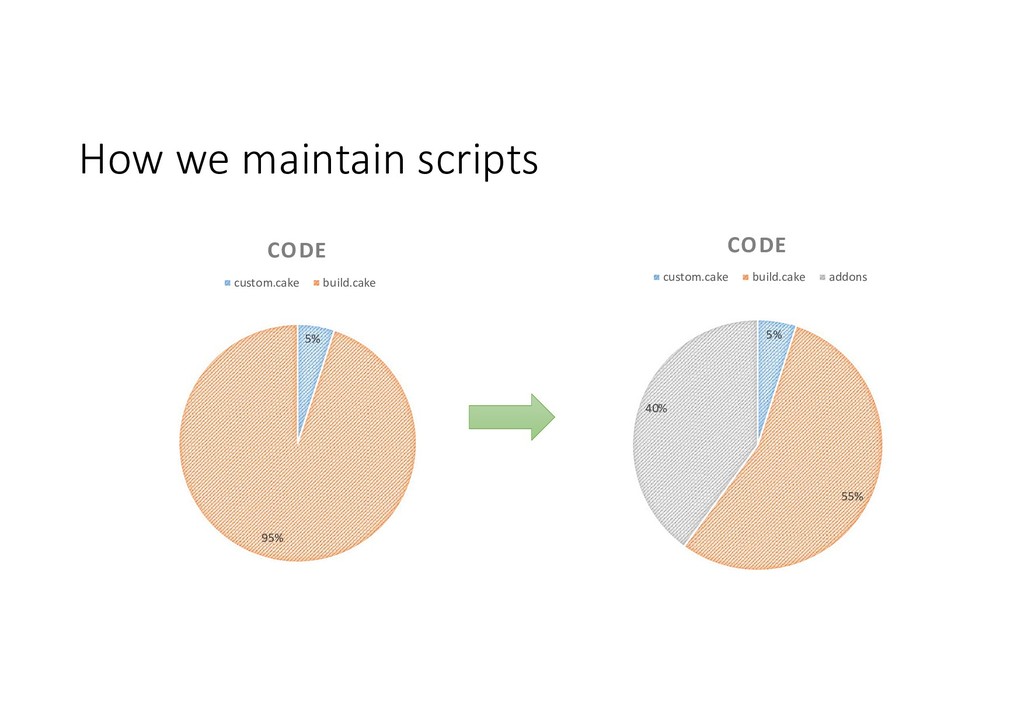
  24. How we maintain scripts 5% 95% CODE custom.cake build.cake 5%

    55% 40% CODE custom.cake build.cake addons
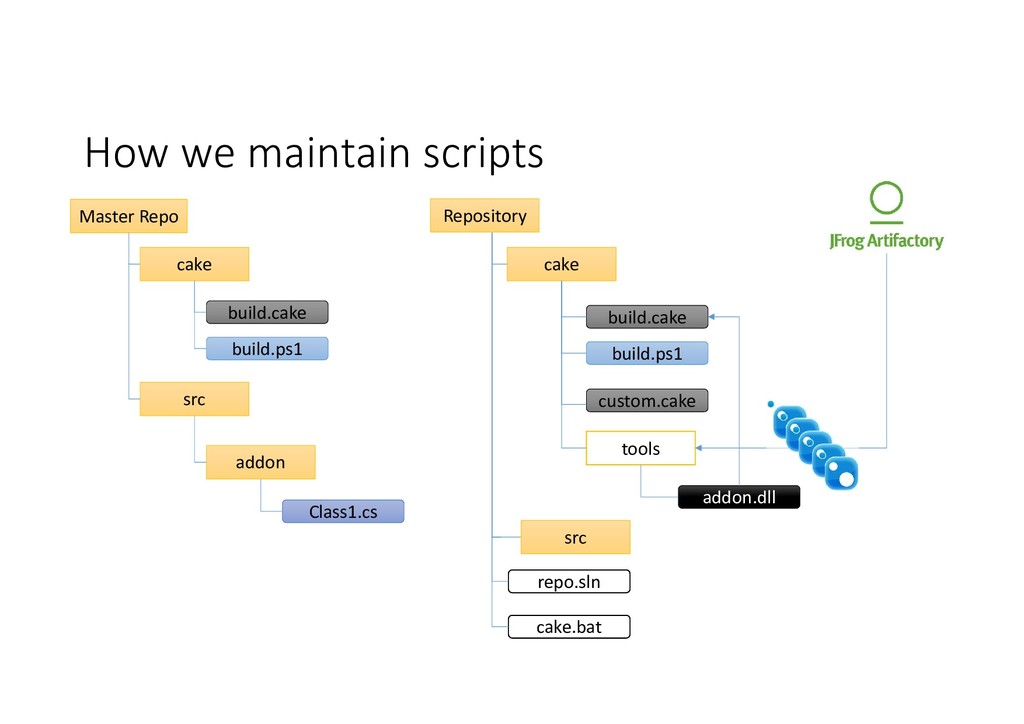
  25. How we maintain scripts Master Repo build.cake cake build.ps1 Repository

    custom.cake src cake repo.sln cake.bat build.cake build.ps1 tools src addon Class1.cs addon.dll
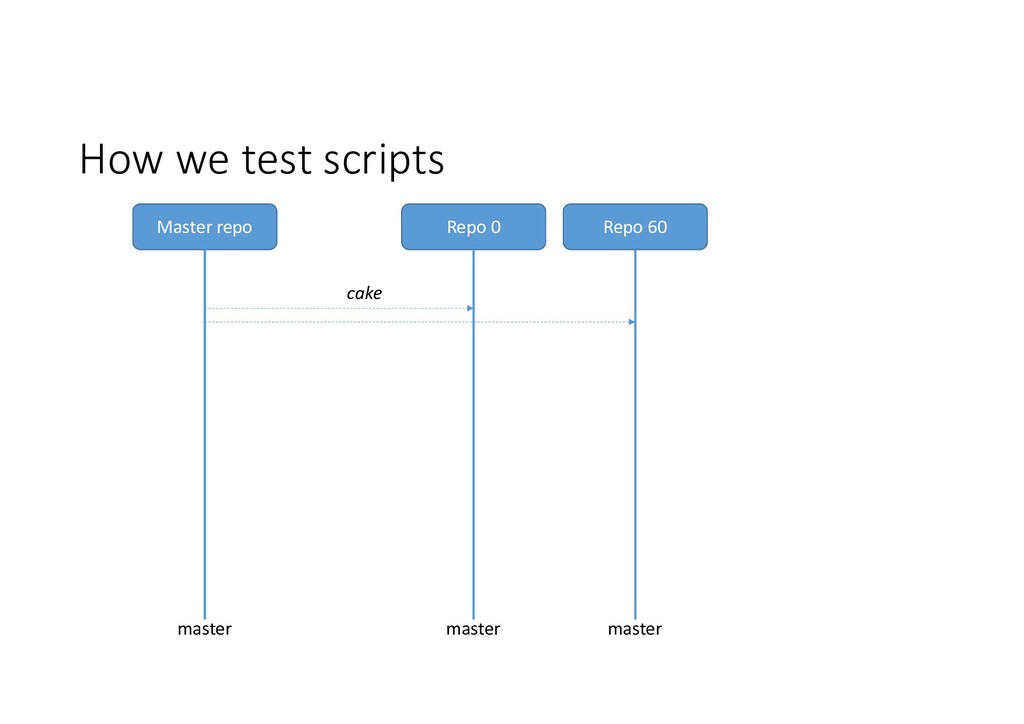
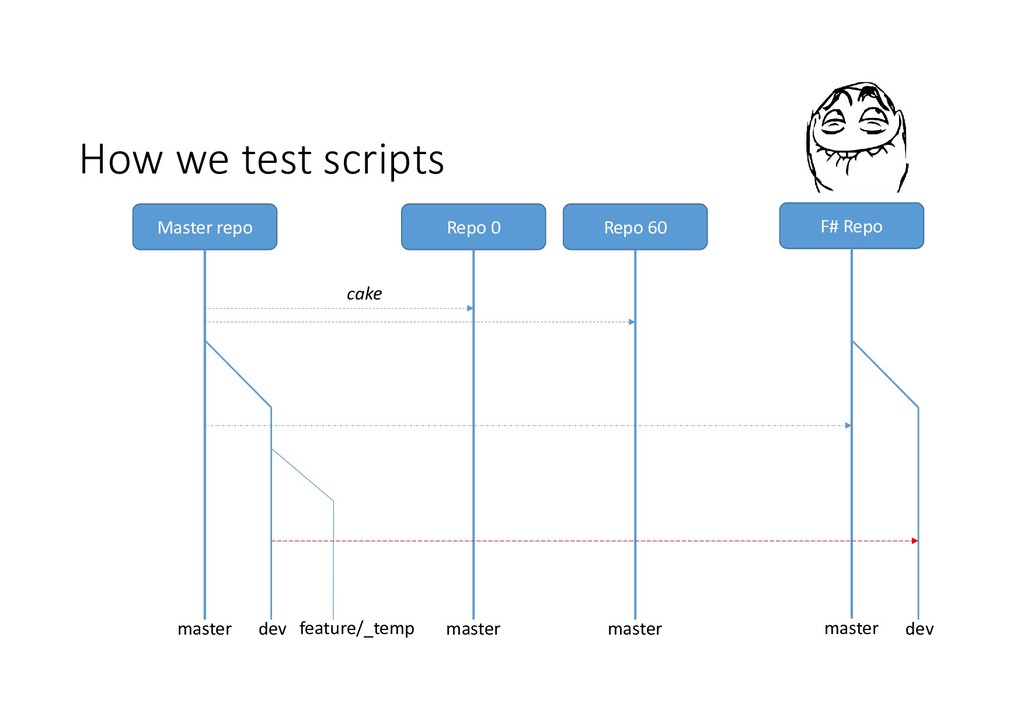
  26. How we test scripts Master repo master Repo 0 Repo

    60 master master cake dev feature/_temp F# Repo master dev
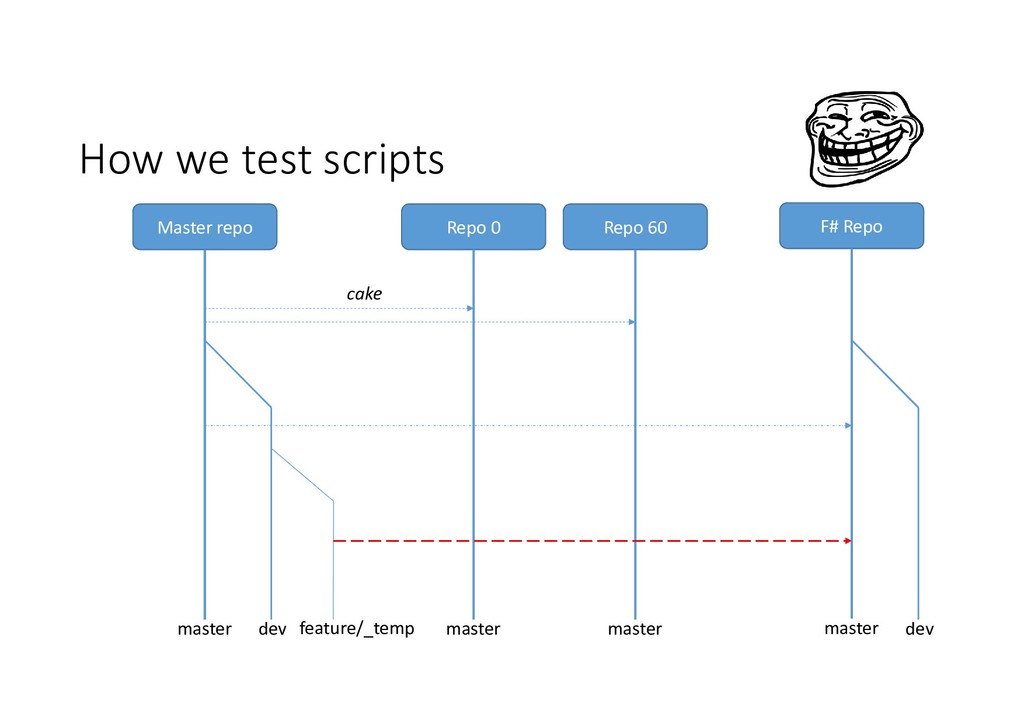
  27. How we test scripts Master repo master Repo 0 Repo

    60 master master cake dev feature/_temp F# Repo master dev
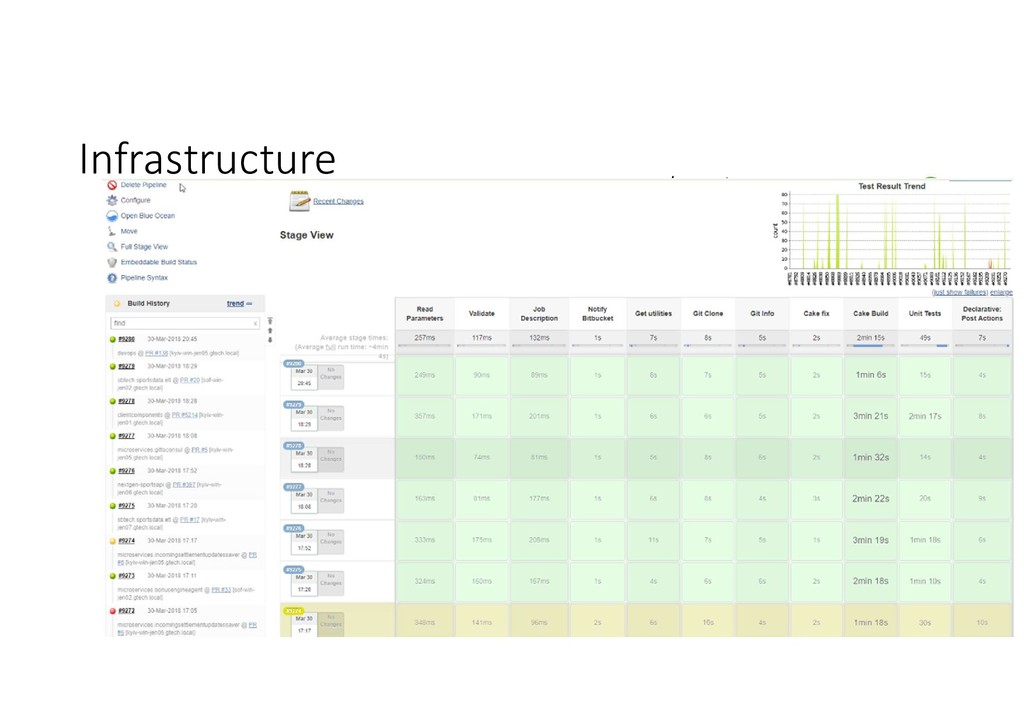
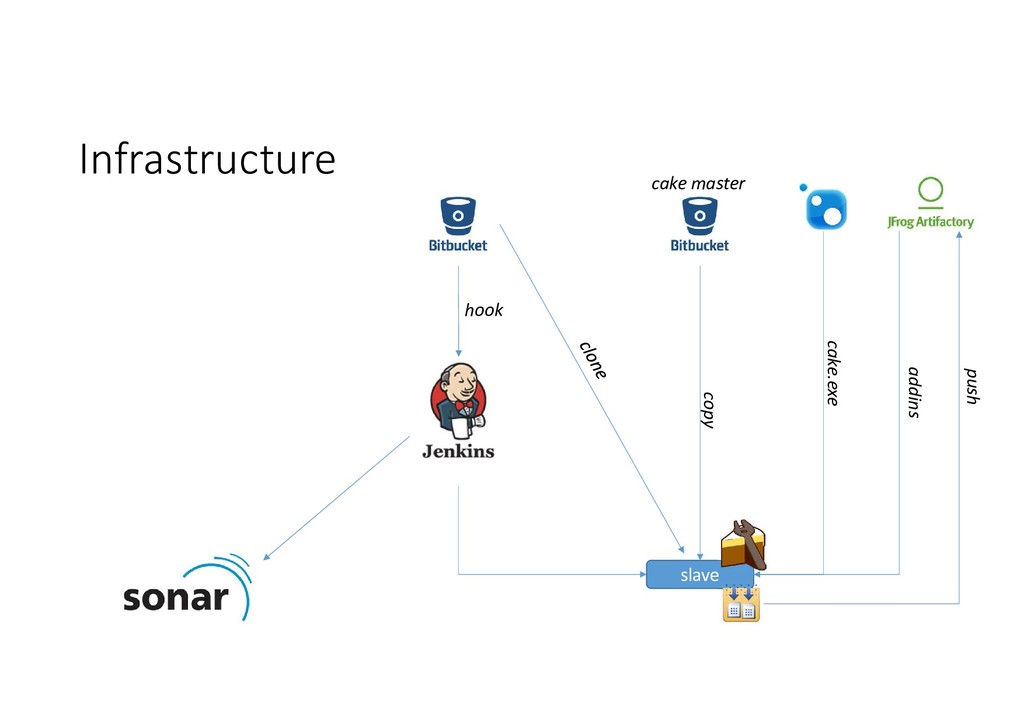
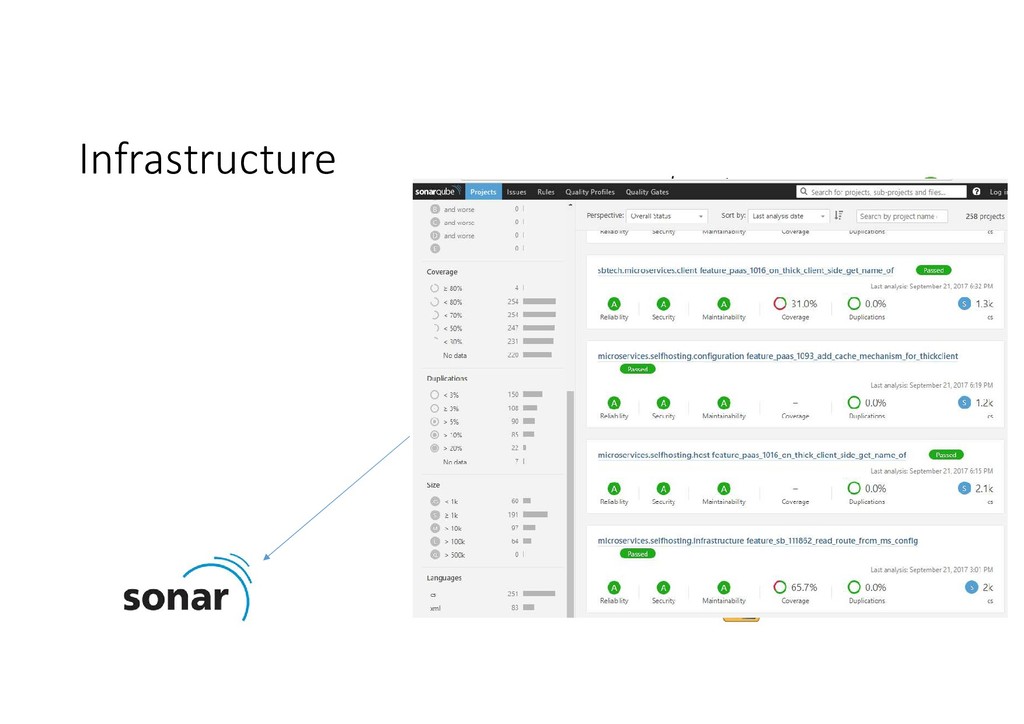
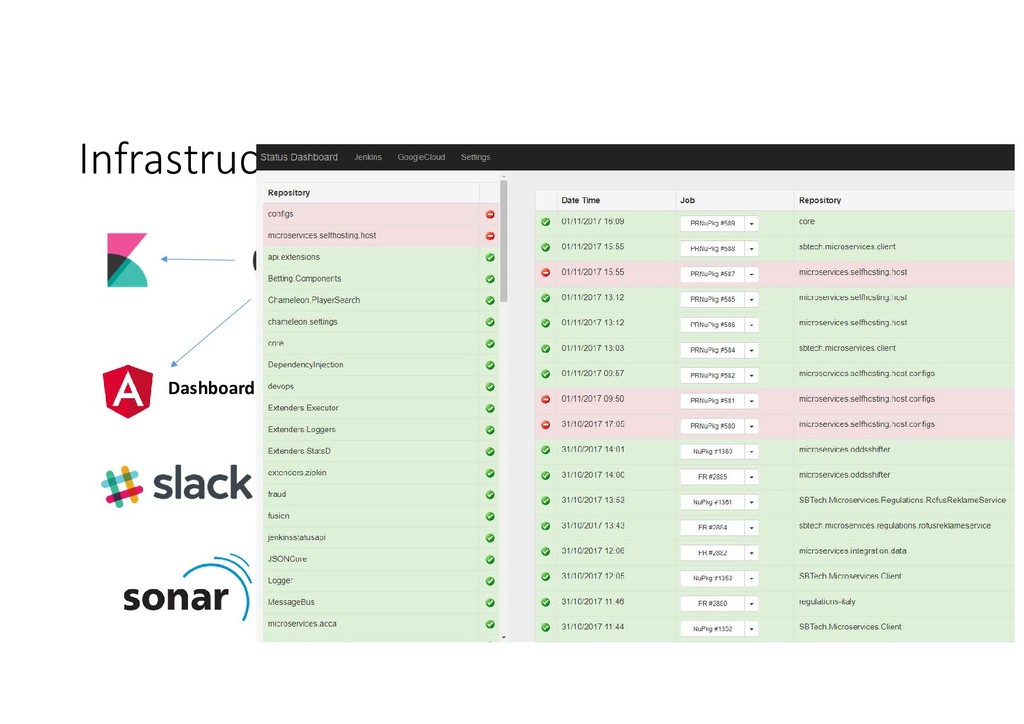
  28. Jenkins by itself is good enough … but let’s add

    some additional features for static code analysis
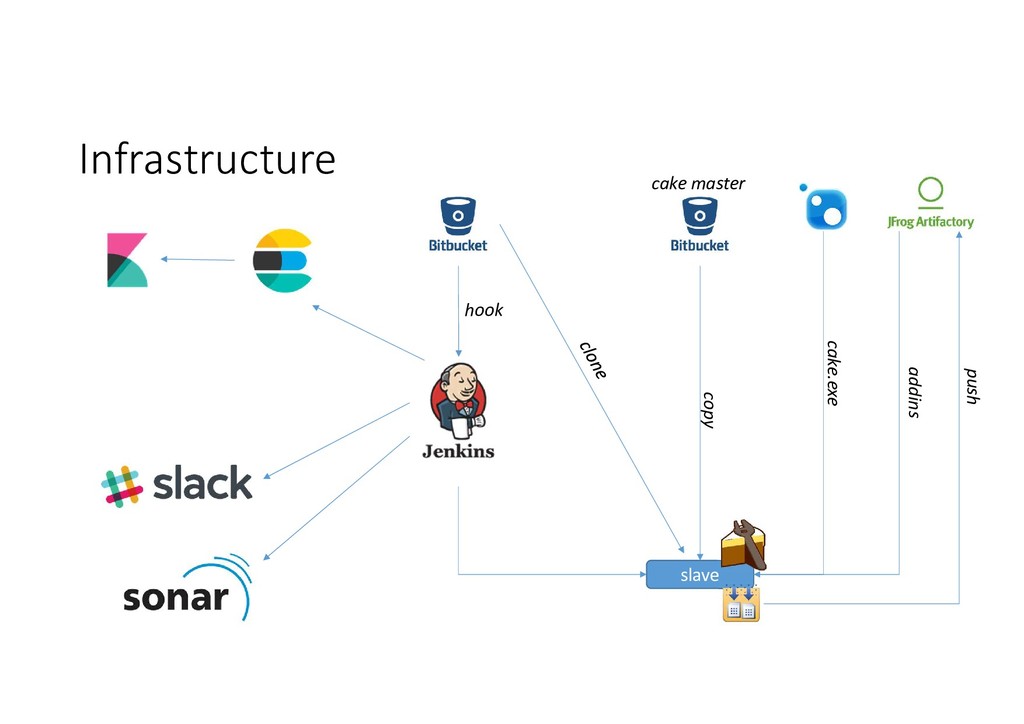
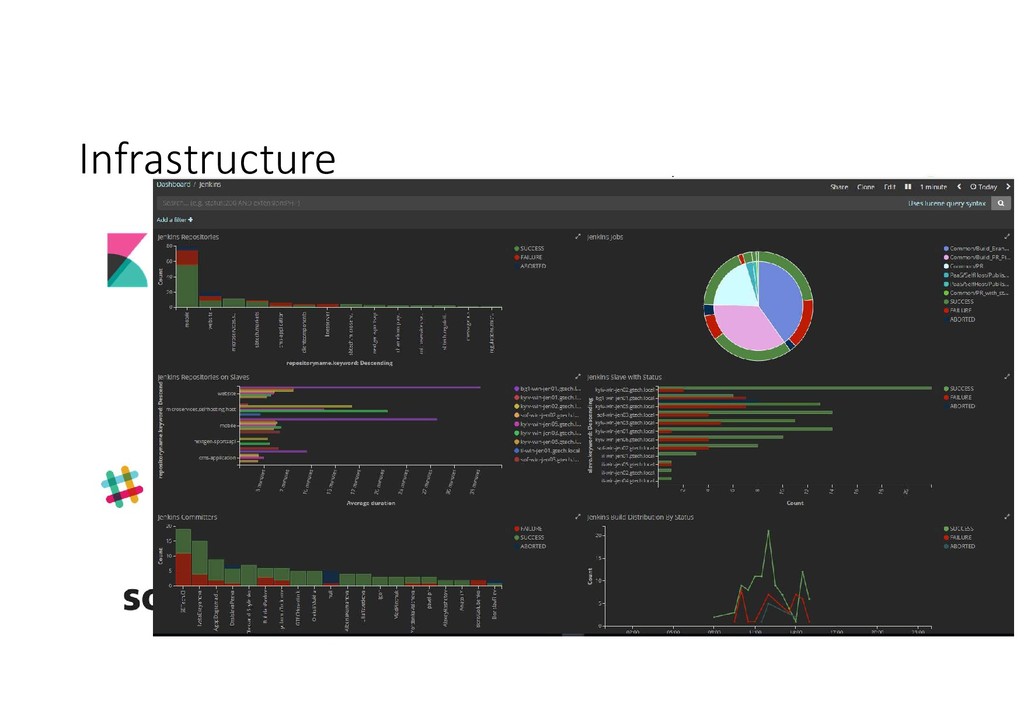
  29. Elastic for great CI telemetry In high scale CI process

    single build makes no lot of sense, but Jenkins telemetry allows to show the whole picture.
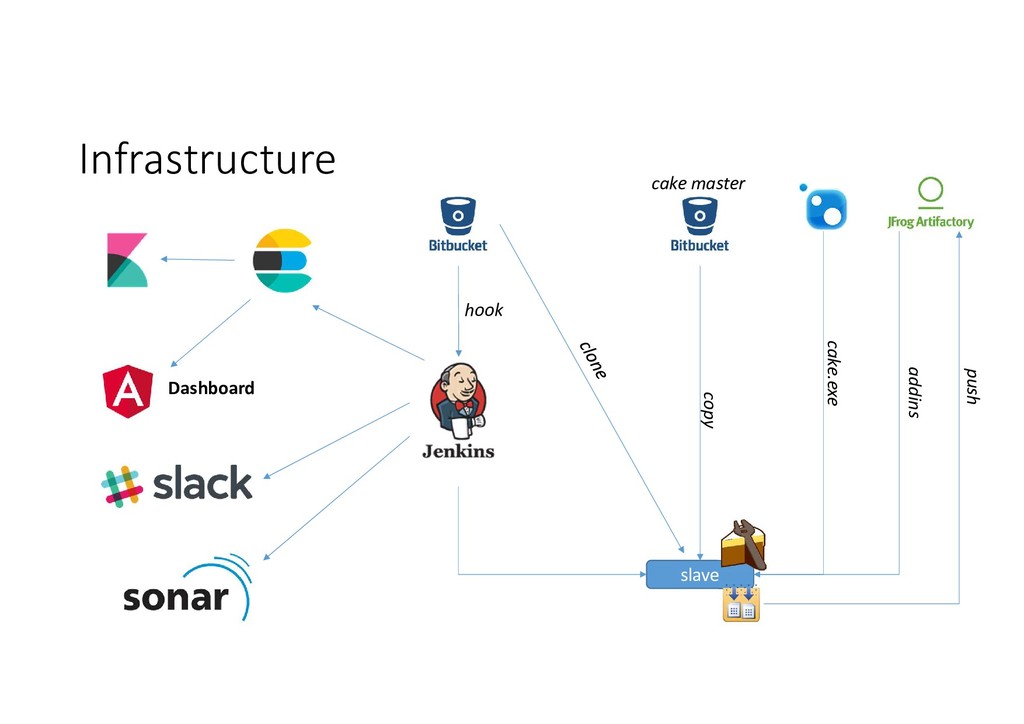
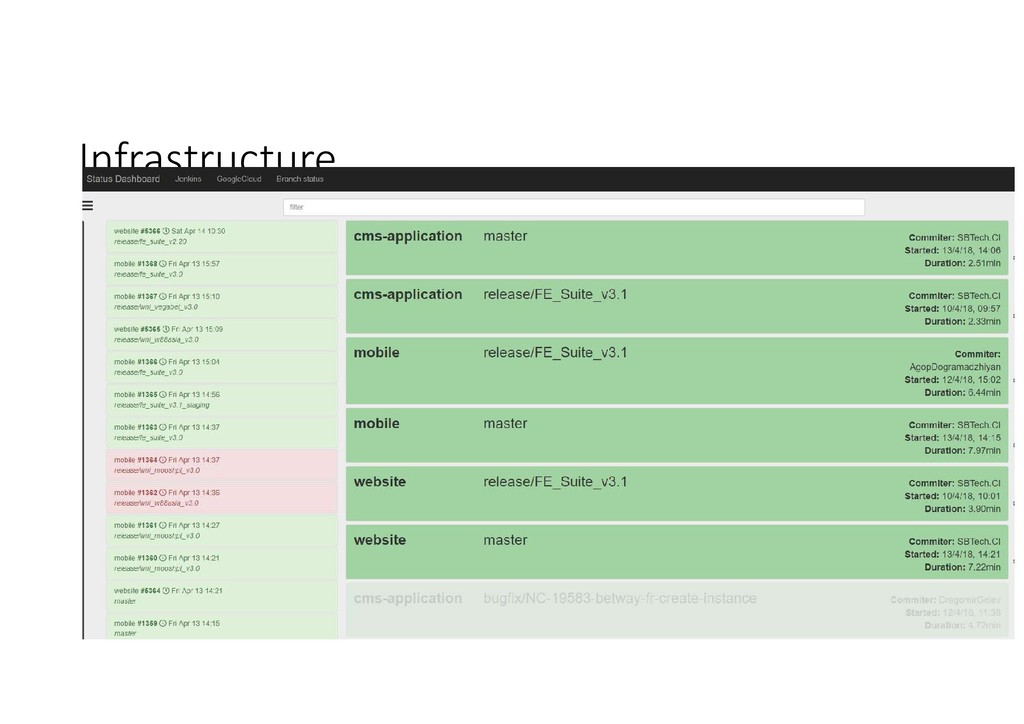
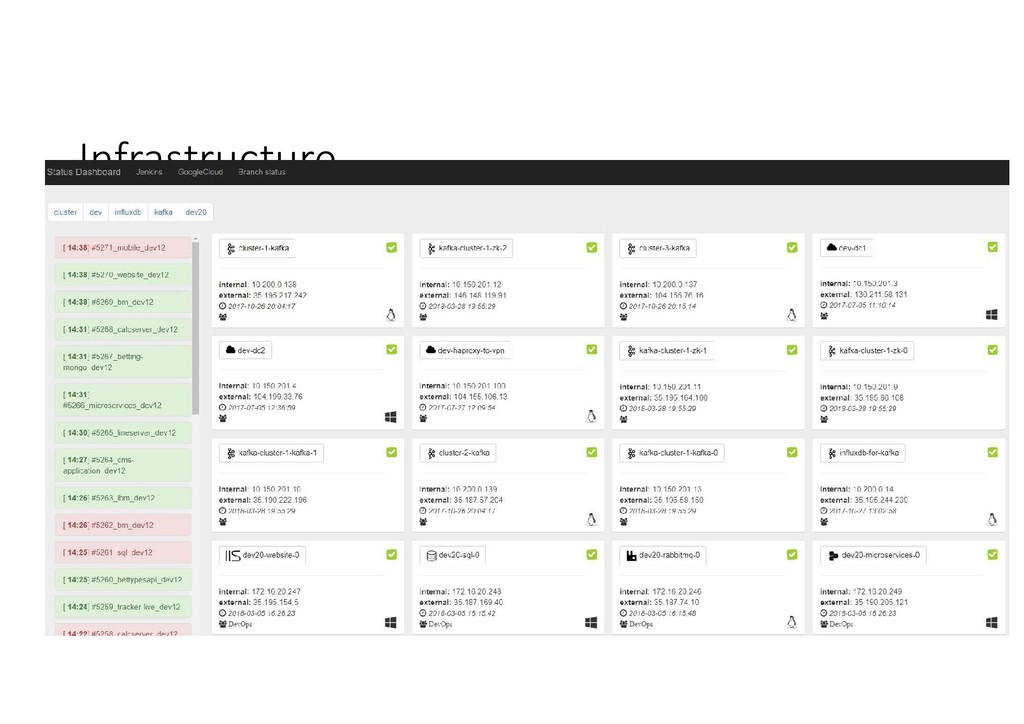
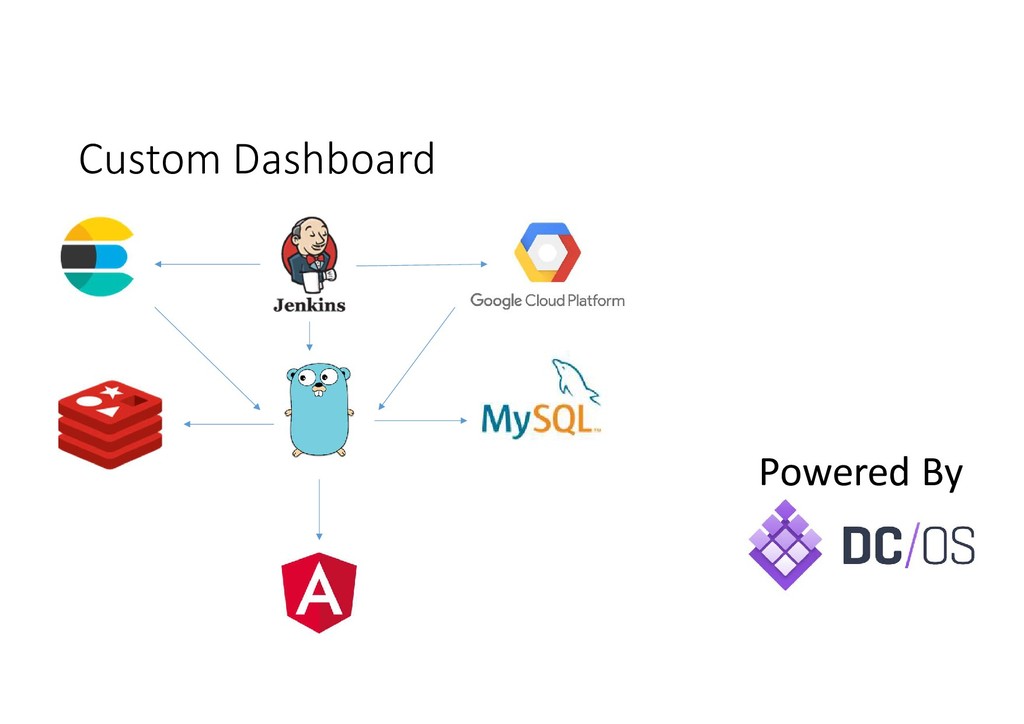
  30. Custom Dashboard … allows to aggregate events from all system

    parts and visualize status snapshot, actual on the current moment of time. It provide only the required information from large amount of data.
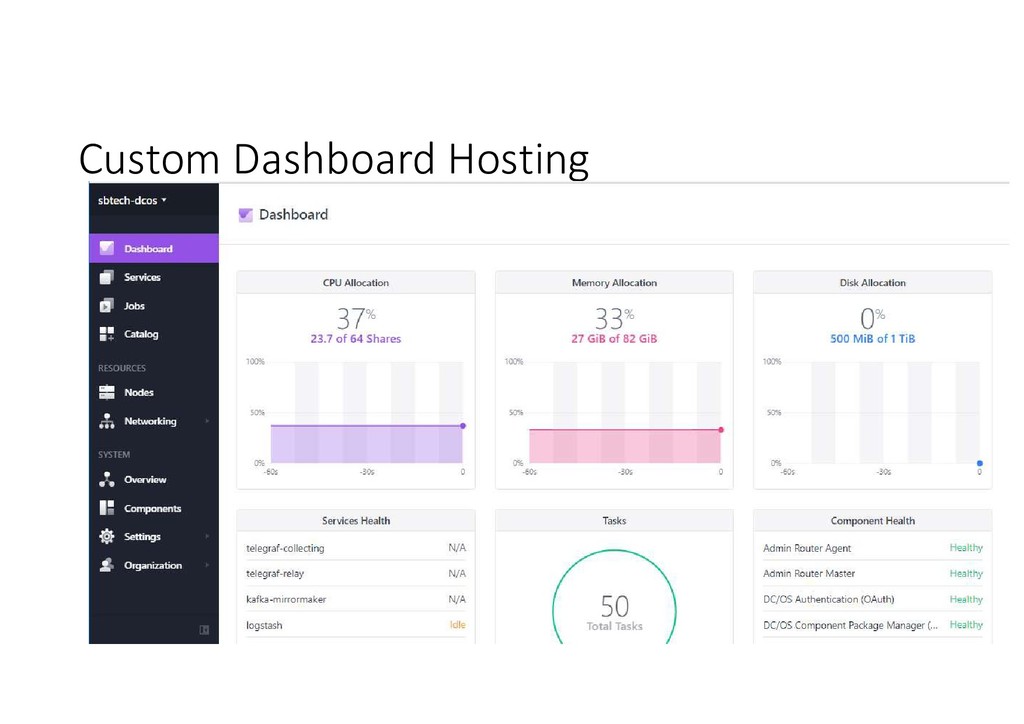
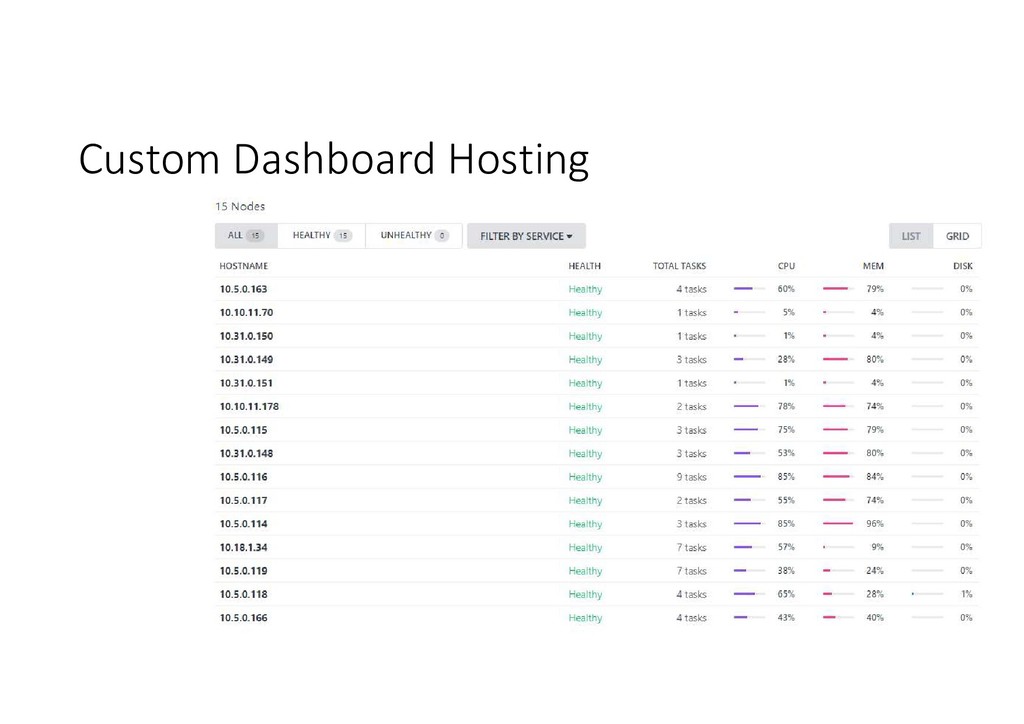
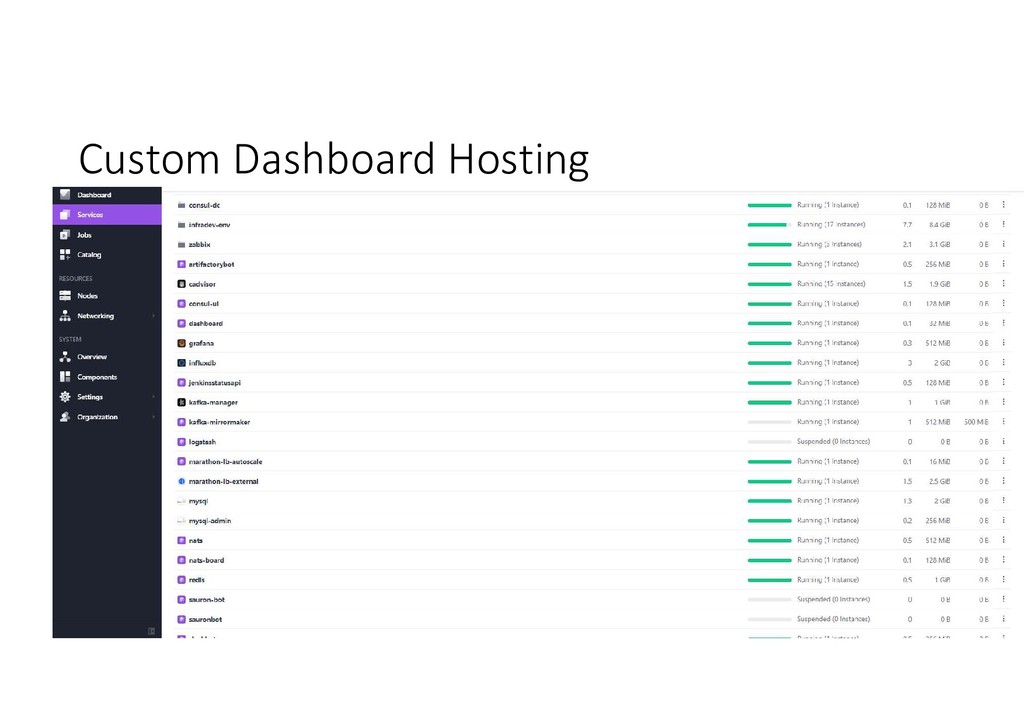
  31. Hosting for Dashboard Having DCOS cluster setup and running, it’s

    easy to add and maintain all required components.