Share
Embed

Transcript
52 slides
-
Azure Machine Learning: from zero to hero workshop Dmitry Soshnikov,
Cloud Developer Advocate, Microsoft http://soshnikov.com – @shwars -
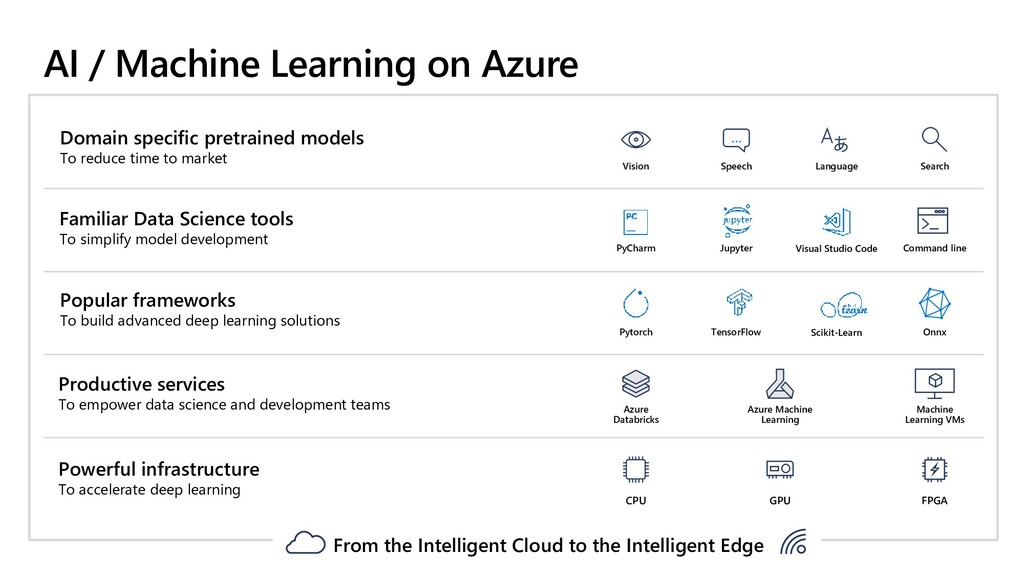
AI / Machine Learning on Azure Domain specific pretrained models
To reduce time to market Azure Databricks Machine Learning VMs Popular frameworks To build advanced deep learning solutions TensorFlow Pytorch Onnx Azure Machine Learning Language Speech … Search Vision Productive services To empower data science and development teams Powerful infrastructure To accelerate deep learning Scikit-Learn PyCharm Jupyter Familiar Data Science tools To simplify model development Visual Studio Code Command line CPU GPU FPGA From the Intelligent Cloud to the Intelligent Edge -
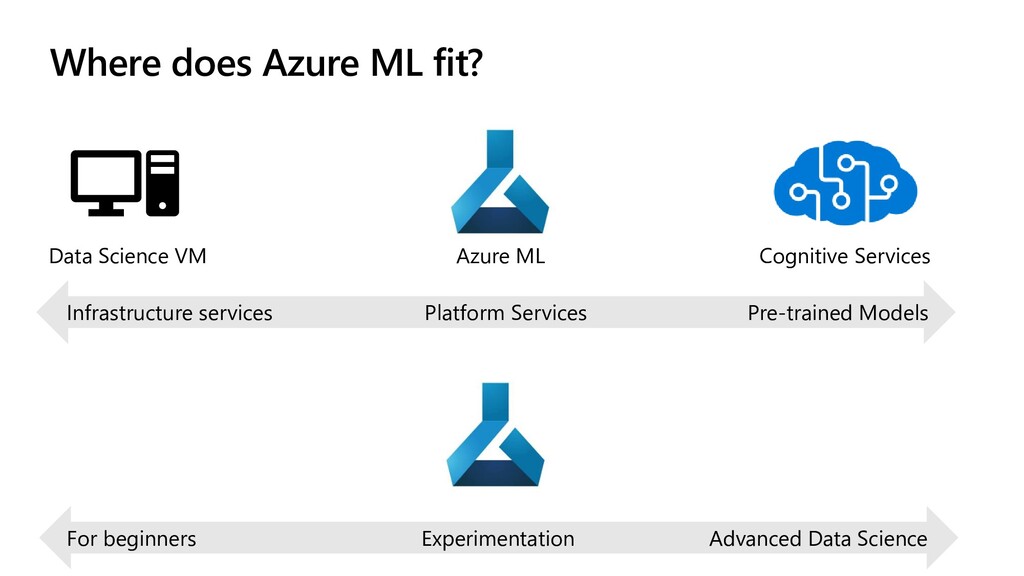
Where does Azure ML fit? Data Science VM Azure ML
Cognitive Services Infrastructure services Platform Services Pre-trained Models For beginners Advanced Data Science Experimentation -
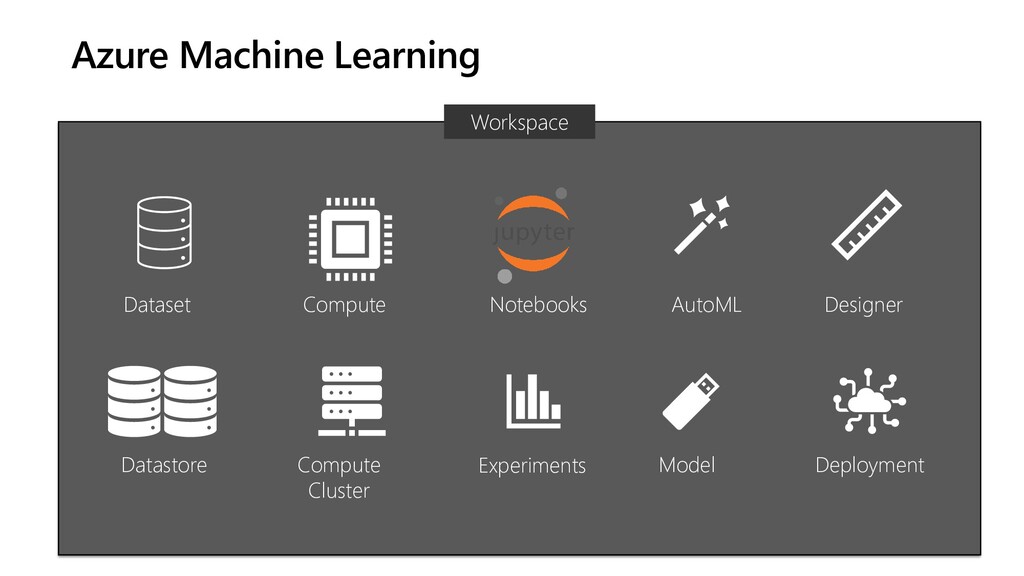
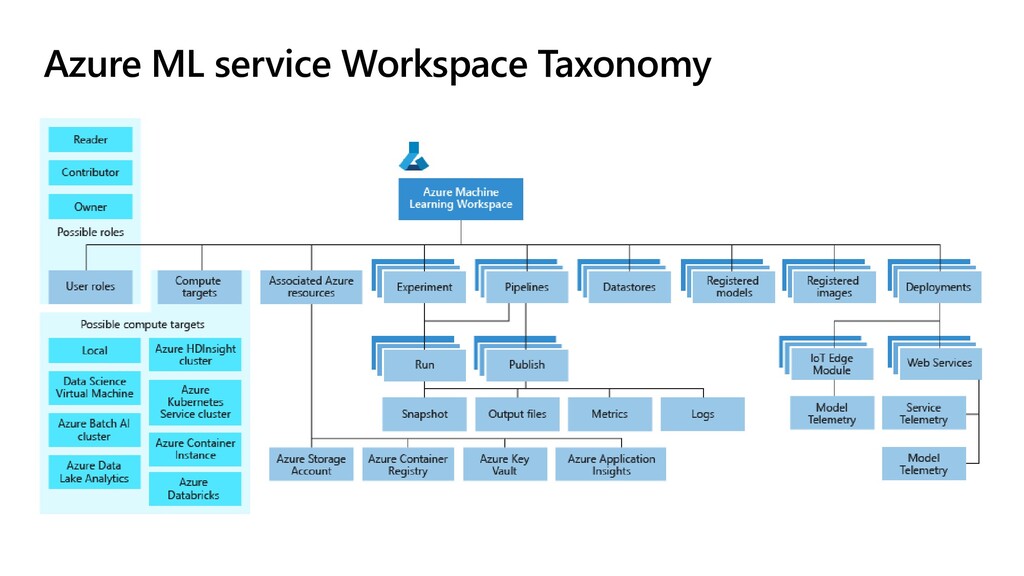
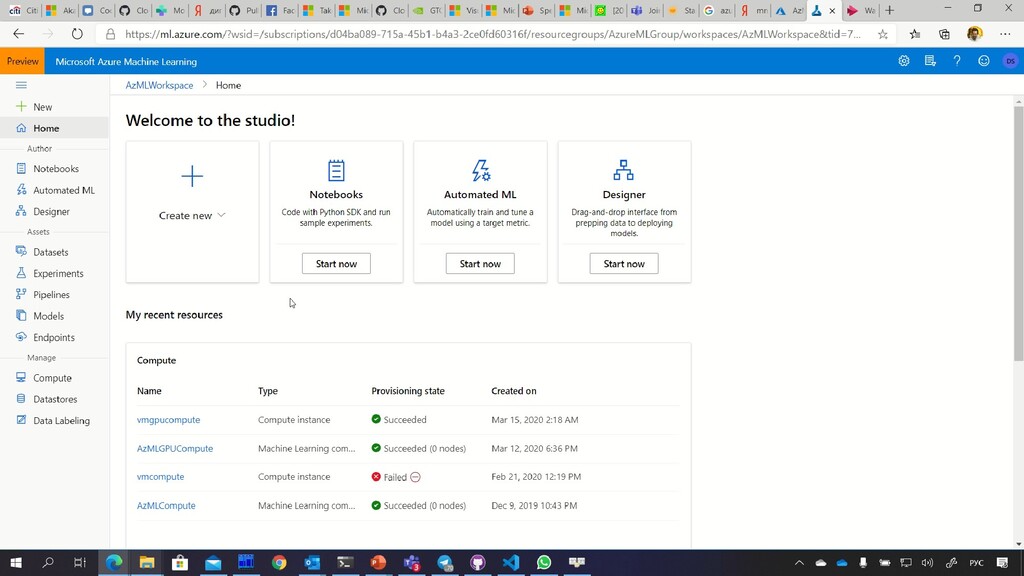
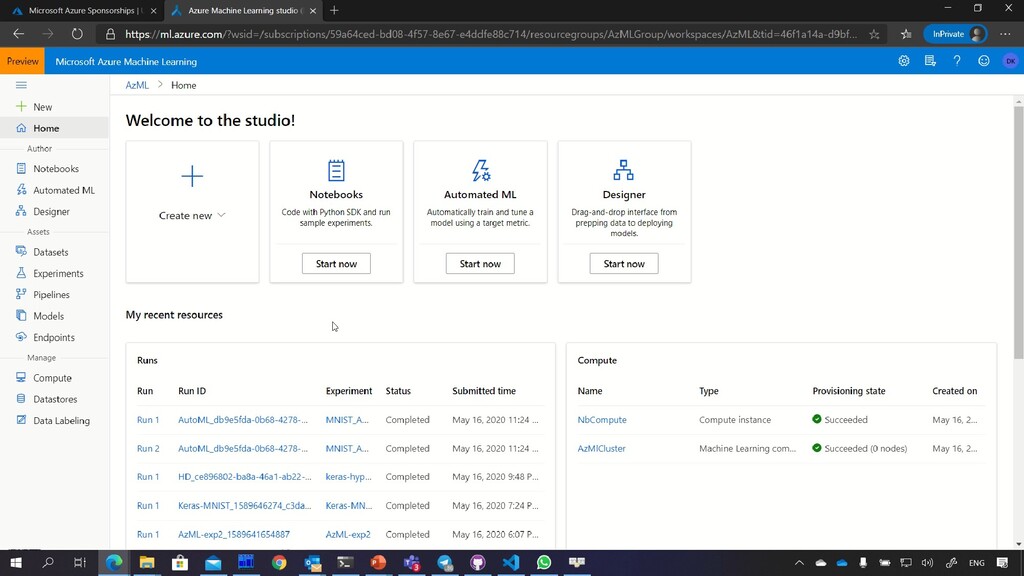
Azure Machine Learning Workspace Dataset Datastore Compute Compute Cluster Experiments
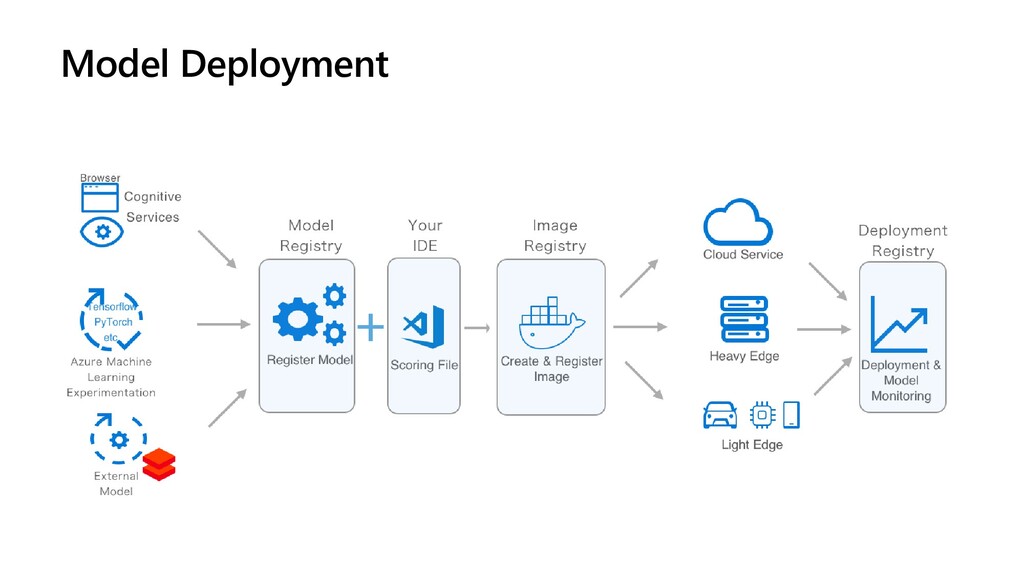
Notebooks Model Deployment Designer AutoML -
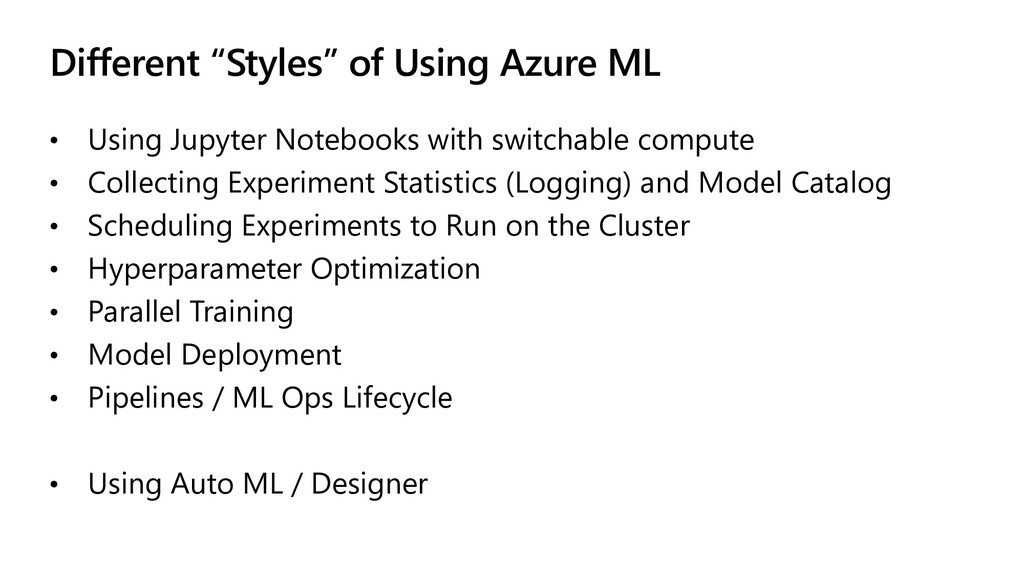
Different “Styles” of Using Azure ML • Using Jupyter Notebooks
with switchable compute • Collecting Experiment Statistics (Logging) and Model Catalog • Scheduling Experiments to Run on the Cluster • Hyperparameter Optimization • Parallel Training • Model Deployment • Pipelines / ML Ops Lifecycle • Using Auto ML / Designer -
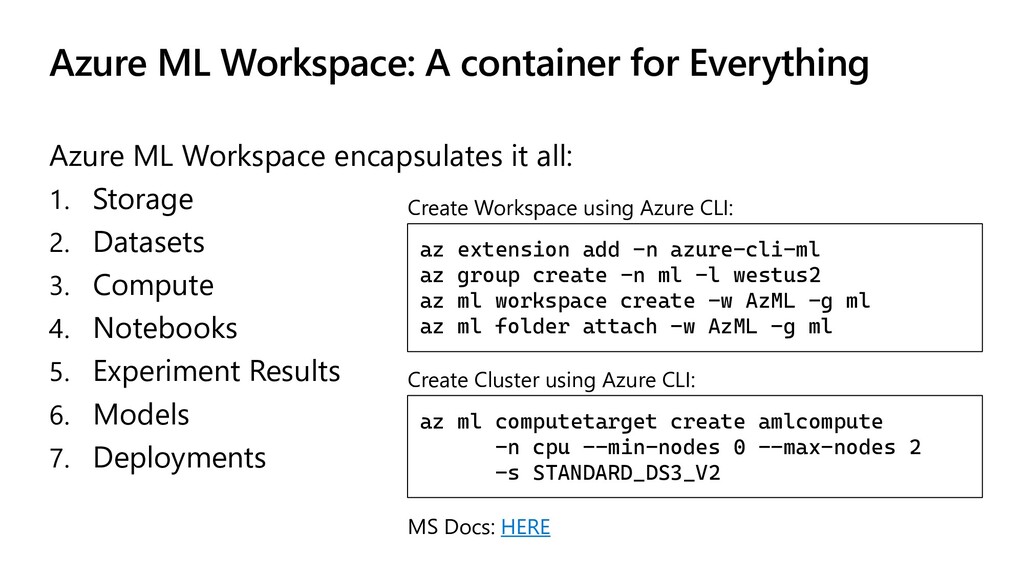
Azure ML Workspace: A container for Everything Azure ML Workspace
encapsulates it all: 1. Storage 2. Datasets 3. Compute 4. Notebooks 5. Experiment Results 6. Models 7. Deployments az extension add -n azure-cli-ml az group create -n ml -l westus2 az ml workspace create -w AzML -g ml az ml folder attach -w AzML -g ml Create Workspace using Azure CLI: az ml computetarget create amlcompute -n cpu --min-nodes 0 --max-nodes 2 -s STANDARD_DS3_V2 Create Cluster using Azure CLI: MS Docs: HERE -
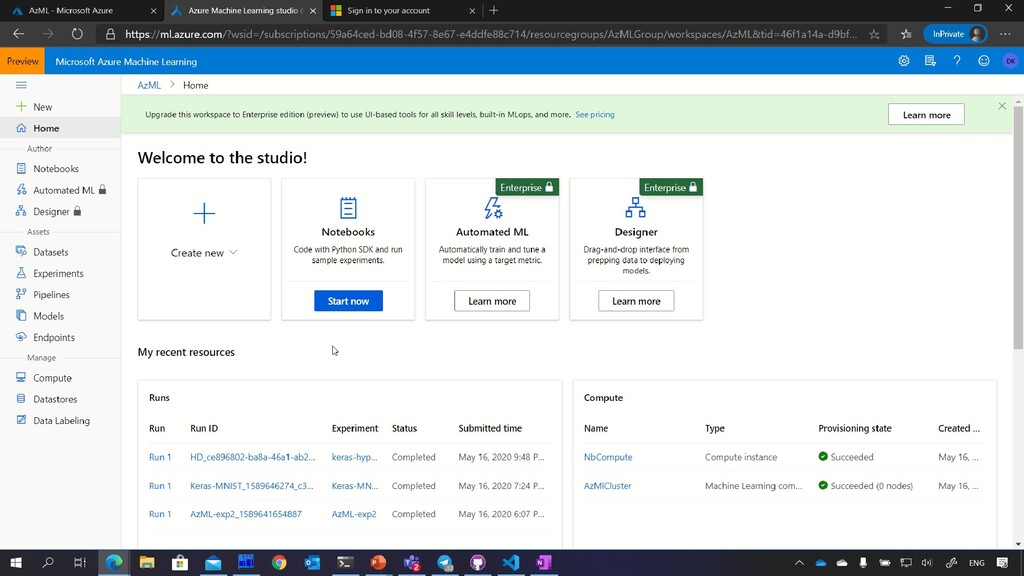
Tools for Simplified ML: AutoML, Designer Automatic ML Designer Run
the experiment to automatically try different models and select the one that performs best Can do some feature optimization (data balancing, irrelevant feature elimination) Similar to Azure ML Studio Classic Perform ML experiments without coding, by composing pre-build blocks Defines pipelines in a graphical way -
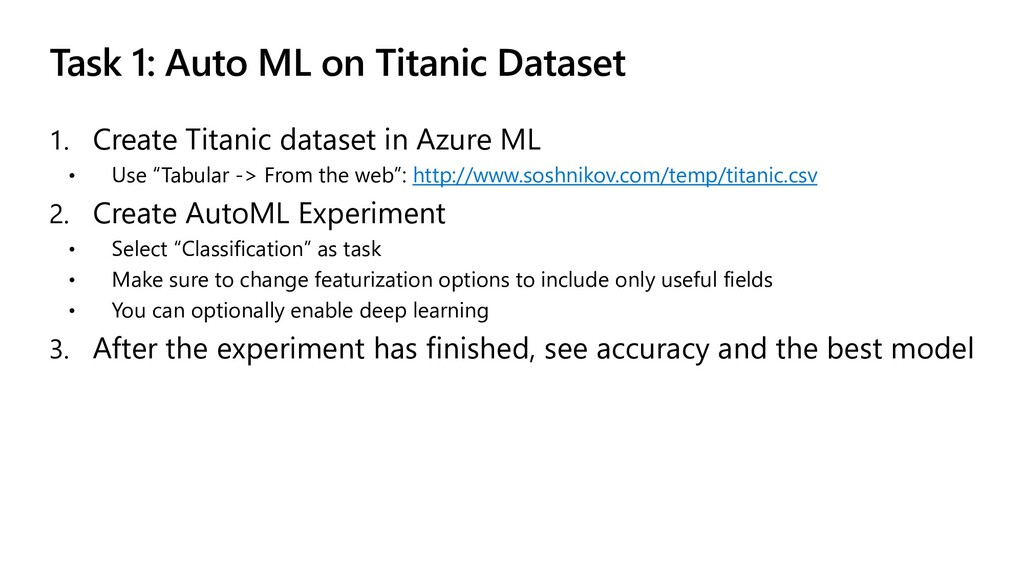
Task 1: Auto ML on Titanic Dataset 1. Create Titanic
dataset in Azure ML • Use “Tabular -> From the web”: http://www.soshnikov.com/temp/titanic.csv 2. Create AutoML Experiment • Select “Classification” as task • Make sure to change featurization options to include only useful fields • You can optionally enable deep learning 3. After the experiment has finished, see accuracy and the best model -
Toy Problem: MNIST Digit Recognition http://yann.lecun.com/exdb/mnist/ mnist=fetch_openml('mnist_784’) X = mnist[‘data’]
y = mnist[‘target’] fig,ax=plt.subplots(1,15) for i in range(15): z=X_train[i].reshape(28,28) ax[i].imshow(z) plt.show() -
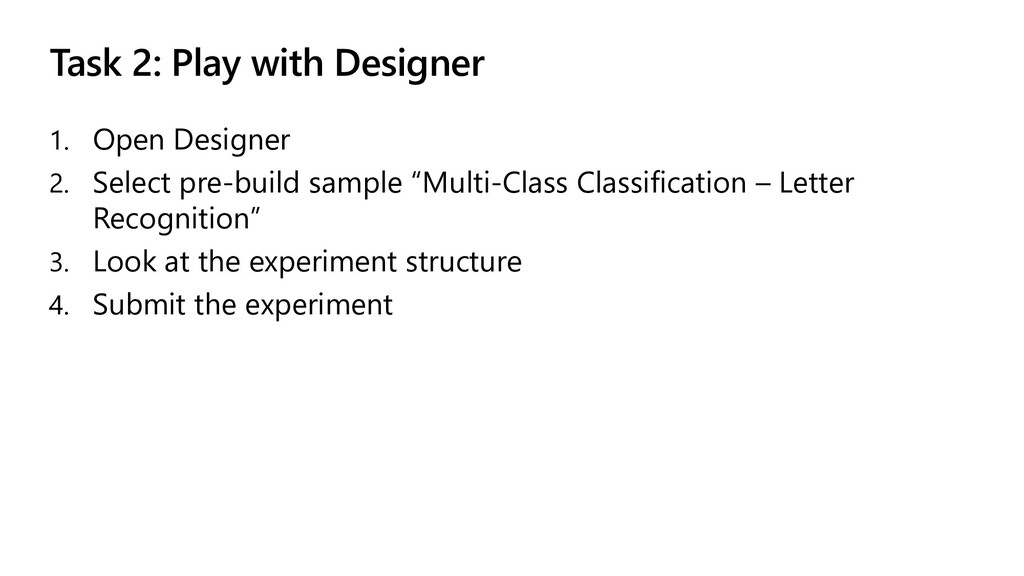
Task 2: Play with Designer 1. Open Designer 2. Select
pre-build sample “Multi-Class Classification – Letter Recognition” 3. Look at the experiment structure 4. Submit the experiment -
Task 3: Using Cluster to Train Model in Python Azure
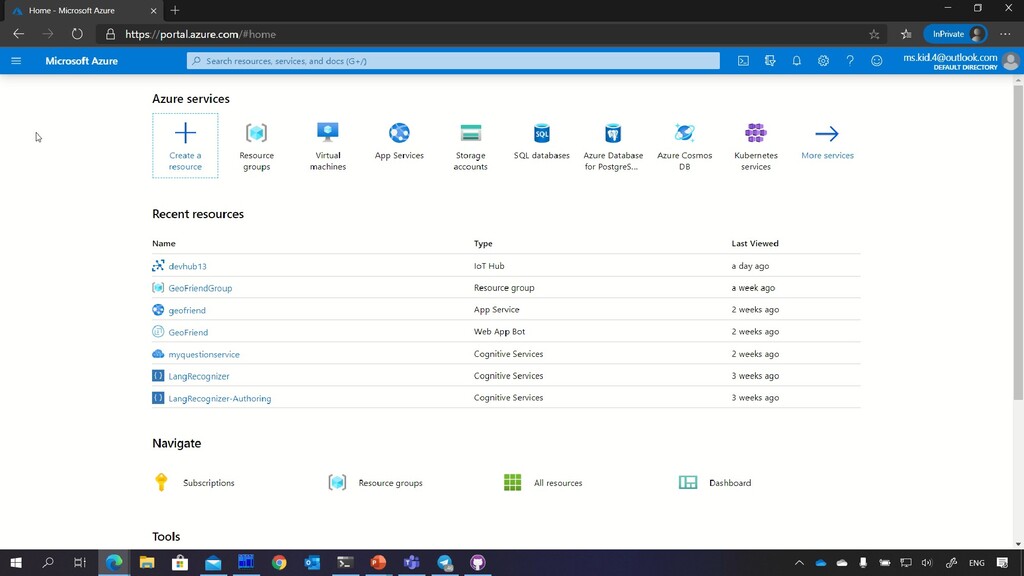
ML for VS Code Portal http://portal.azure.com -
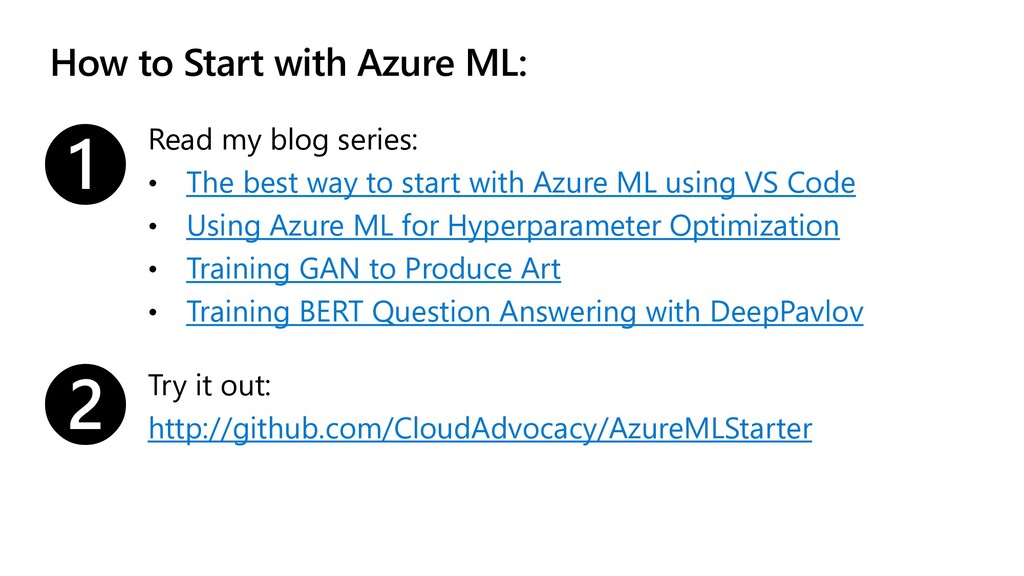
How to Start with Azure ML: Read my blog series:
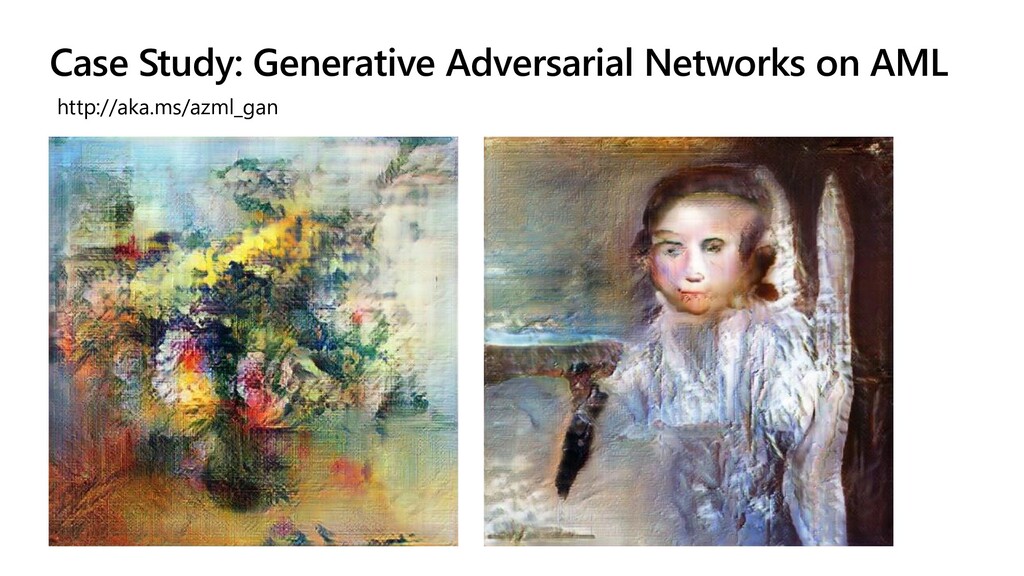
• The best way to start with Azure ML using VS Code • Using Azure ML for Hyperparameter Optimization • Training GAN to Produce Art • Training BERT Question Answering with DeepPavlov ❶ ❷ Try it out: http://github.com/CloudAdvocacy/AzureMLStarter -
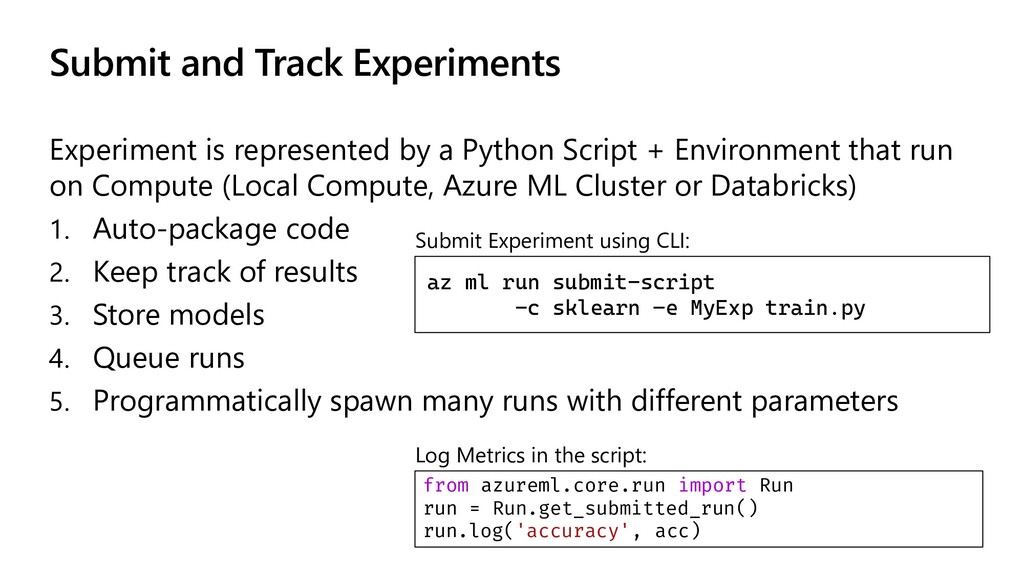
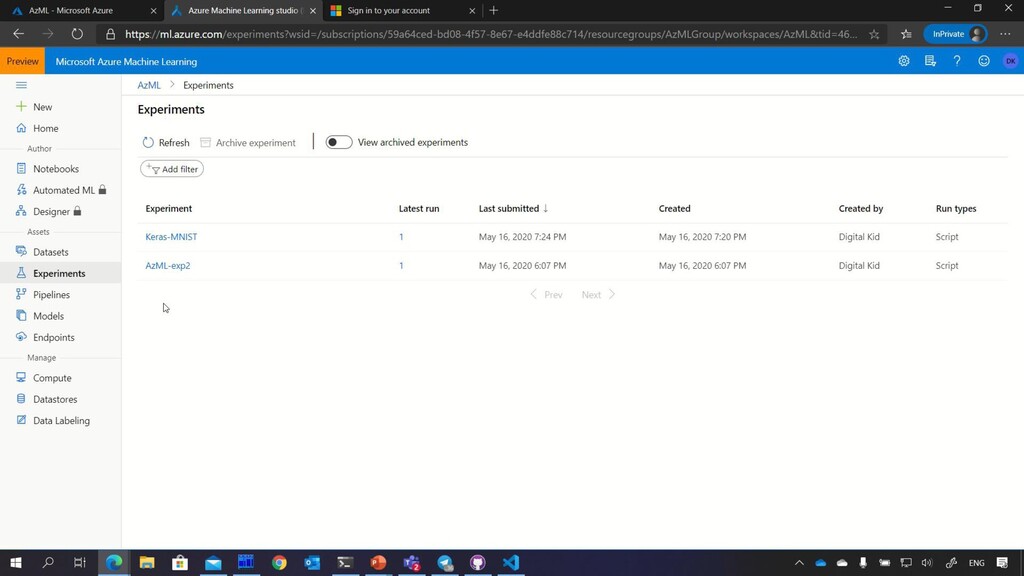
Submit and Track Experiments Experiment is represented by a Python
Script + Environment that run on Compute (Local Compute, Azure ML Cluster or Databricks) 1. Auto-package code 2. Keep track of results 3. Store models 4. Queue runs 5. Programmatically spawn many runs with different parameters az ml run submit-script -c sklearn –e MyExp train.py Submit Experiment using CLI: Log Metrics in the script: from azureml.core.run import Run run = Run.get_submitted_run() run.log('accuracy', acc) -
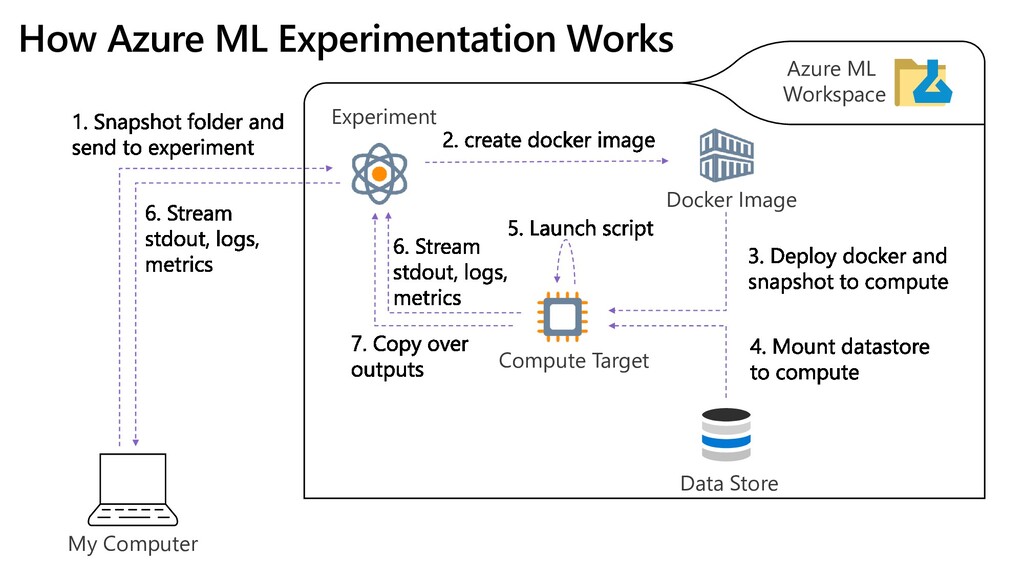
My Computer Data Store Azure ML Workspace Compute Target Docker
Image How Azure ML Experimentation Works Experiment -
Azure ML Currently Supported Compute Targets Compute target GPU acceleration
Hyperdrive Automated model selection Can be used in pipelines Local computer Maybe ✓ Data Science Virtual Machine (DSVM) ✓ ✓ ✓ ✓ Azure ML compute ✓ ✓ ✓ ✓ Azure Databricks ✓ ✓ ✓ Azure Data Lake Analytics ✓ Azure HDInsight ✓ https://docs.microsoft.com/en-us/azure/machine-learning/service/how-to-set-up-training-targets#supported-compute-targets -
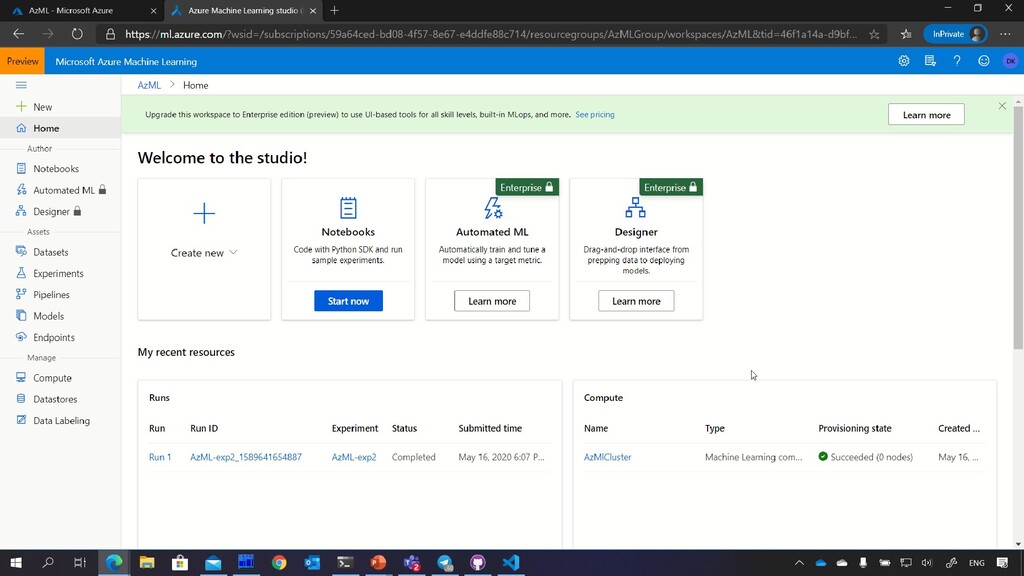
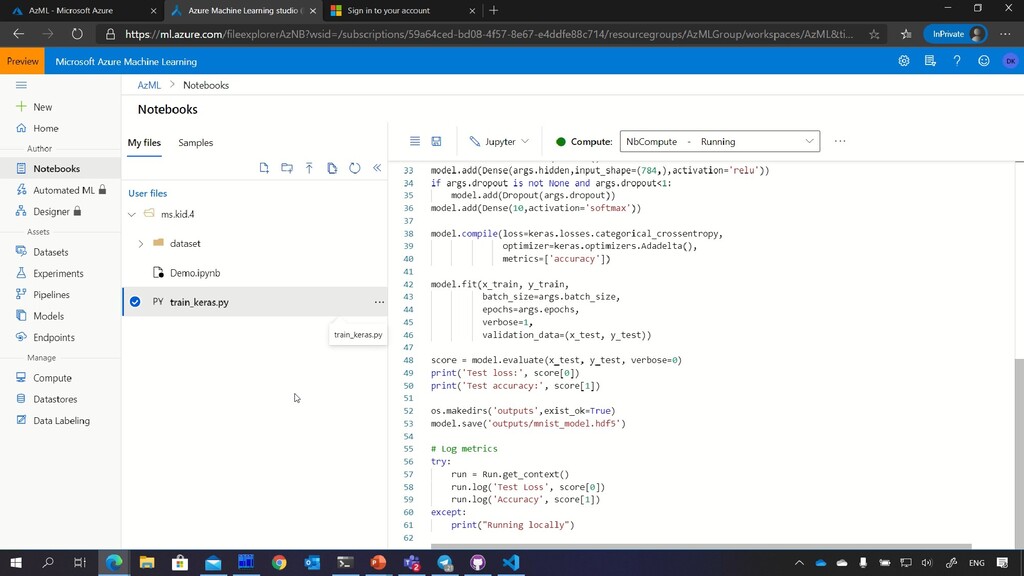
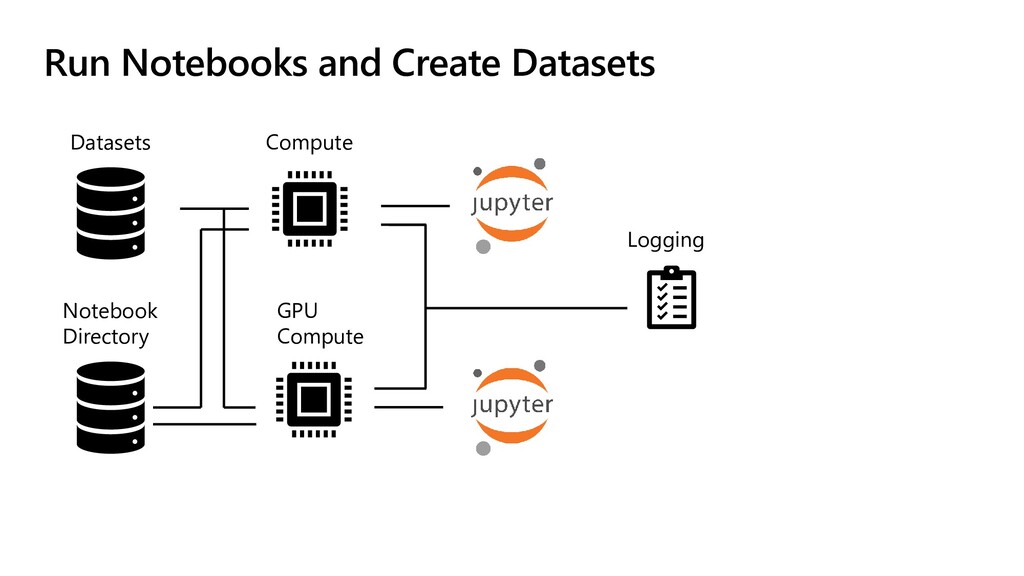
Run Notebooks and Create Datasets When you do a lot
of training, it makes sense to store data inside the workspace. To run Python code inside the workspace – use Notebooks! You need to create separate compute (not cluster) to do that! -
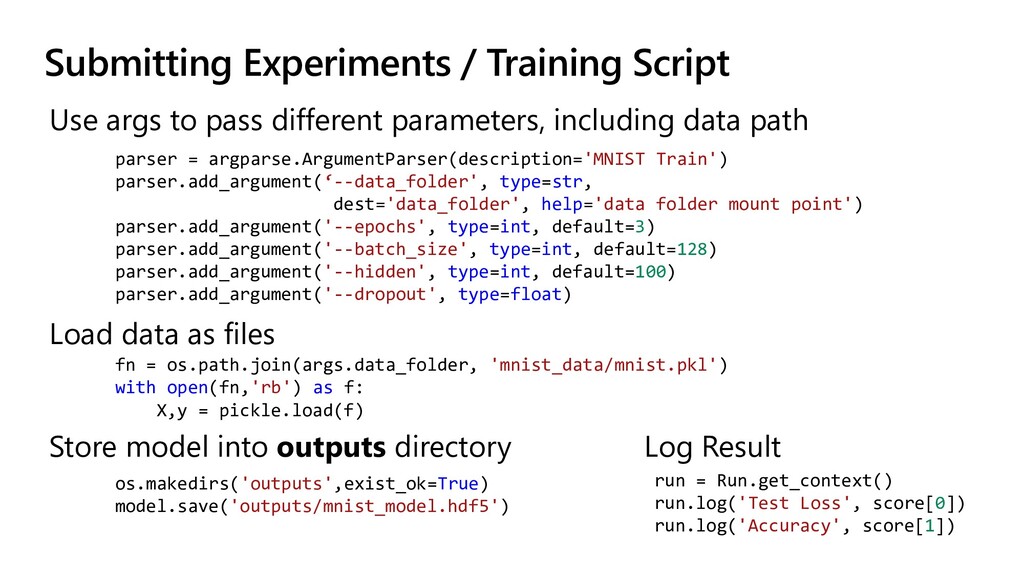
Submitting Experiments / Training Script Use args to pass different
parameters, including data path parser = argparse.ArgumentParser(description='MNIST Train') parser.add_argument(‘--data_folder', type=str, dest='data_folder', help='data folder mount point') parser.add_argument('--epochs', type=int, default=3) parser.add_argument('--batch_size', type=int, default=128) parser.add_argument('--hidden', type=int, default=100) parser.add_argument('--dropout', type=float) Store model into outputs directory os.makedirs('outputs',exist_ok=True) model.save('outputs/mnist_model.hdf5') Load data as files fn = os.path.join(args.data_folder, 'mnist_data/mnist.pkl') with open(fn,'rb') as f: X,y = pickle.load(f) run = Run.get_context() run.log('Test Loss', score[0]) run.log('Accuracy', score[1]) Log Result -
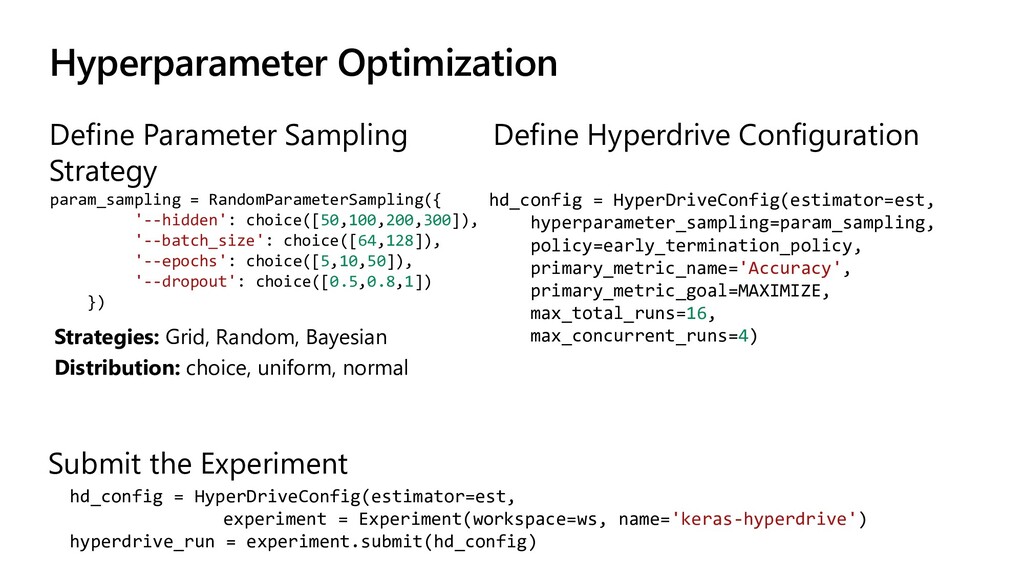
Hyperparameter Optimization Define Parameter Sampling Strategy Submit the Experiment param_sampling
= RandomParameterSampling({ '--hidden': choice([50,100,200,300]), '--batch_size': choice([64,128]), '--epochs': choice([5,10,50]), '--dropout': choice([0.5,0.8,1]) }) Define Hyperdrive Configuration hd_config = HyperDriveConfig(estimator=est, experiment = Experiment(workspace=ws, name='keras-hyperdrive') hyperdrive_run = experiment.submit(hd_config) Strategies: Grid, Random, Bayesian Distribution: choice, uniform, normal hd_config = HyperDriveConfig(estimator=est, hyperparameter_sampling=param_sampling, policy=early_termination_policy, primary_metric_name='Accuracy', primary_metric_goal=MAXIMIZE, max_total_runs=16, max_concurrent_runs=4) -
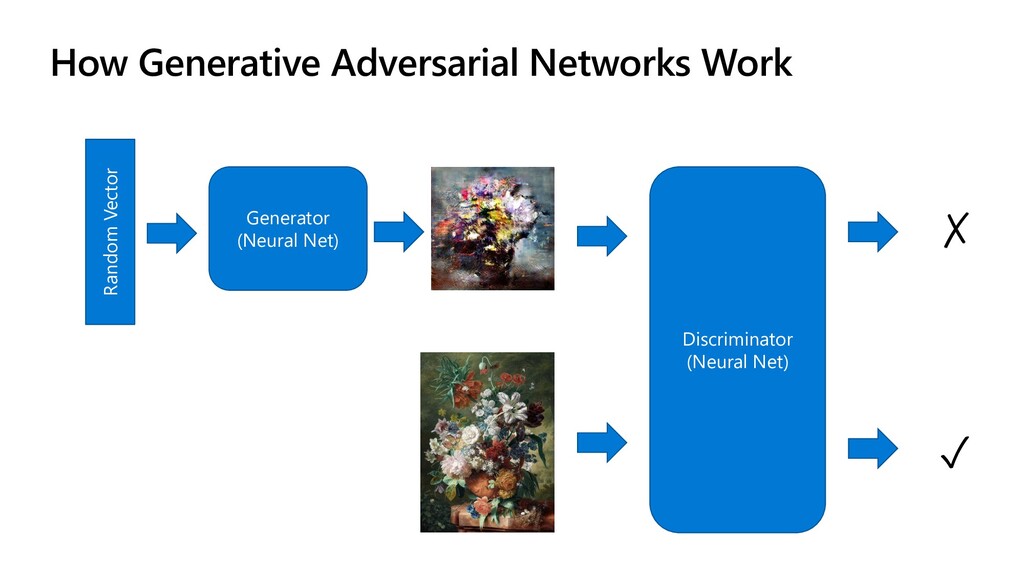
How Generative Adversarial Networks Work Random Vector Generator (Neural Net)
Discriminator (Neural Net) ✓ ✗ -
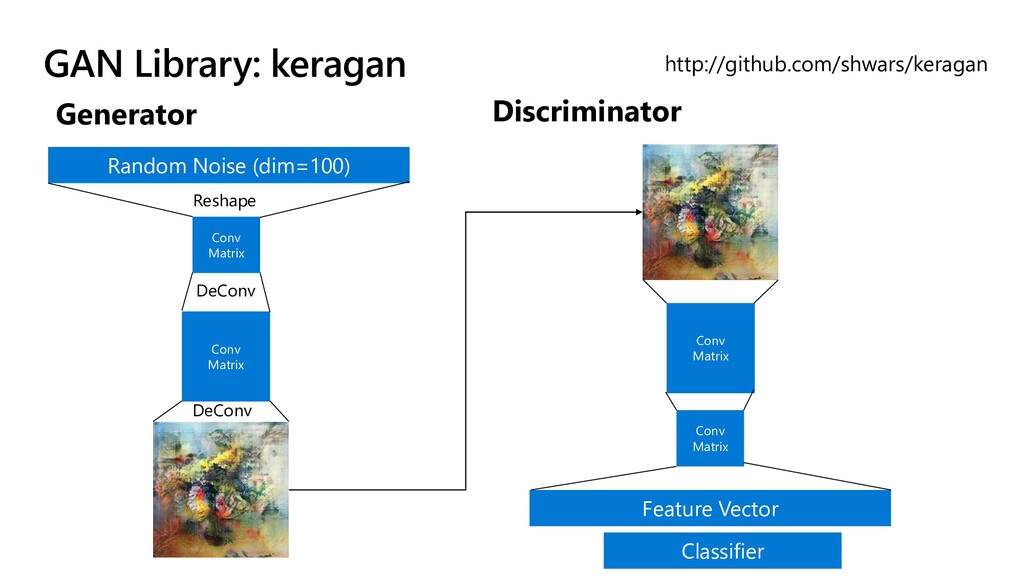
GAN Library: keragan http://github.com/shwars/keragan Generator Discriminator Random Noise (dim=100) Conv
Matrix Conv Matrix Reshape DeConv DeConv Conv Matrix Conv Matrix Feature Vector Classifier -
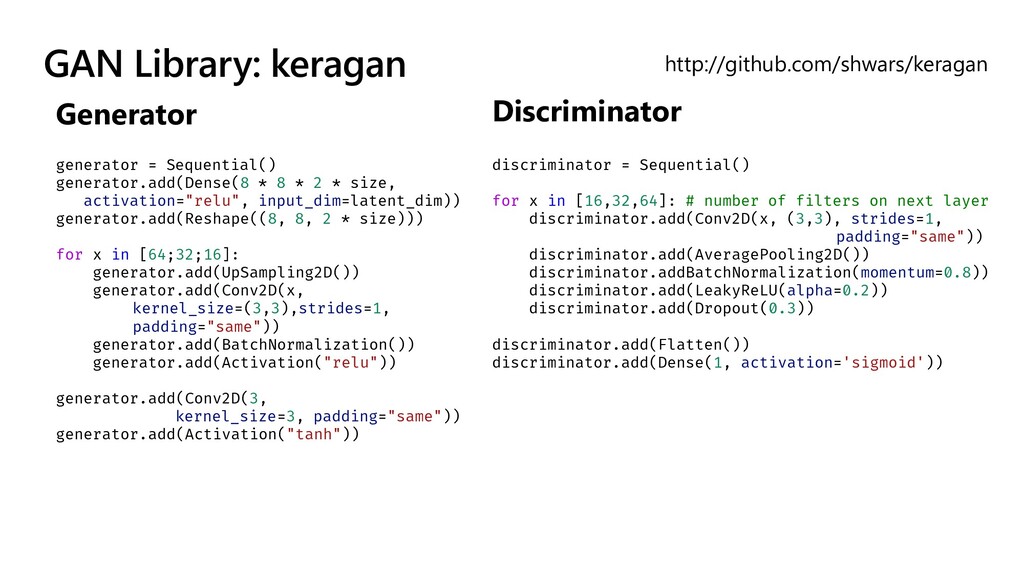
GAN Library: keragan http://github.com/shwars/keragan Generator Discriminator discriminator = Sequential() for
x in [16,32,64]: # number of filters on next layer discriminator.add(Conv2D(x, (3,3), strides=1, padding="same")) discriminator.add(AveragePooling2D()) discriminator.addBatchNormalization(momentum=0.8)) discriminator.add(LeakyReLU(alpha=0.2)) discriminator.add(Dropout(0.3)) discriminator.add(Flatten()) discriminator.add(Dense(1, activation='sigmoid')) generator = Sequential() generator.add(Dense(8 * 8 * 2 * size, activation="relu", input_dim=latent_dim)) generator.add(Reshape((8, 8, 2 * size))) for x in [64;32;16]: generator.add(UpSampling2D()) generator.add(Conv2D(x, kernel_size=(3,3),strides=1, padding="same")) generator.add(BatchNormalization()) generator.add(Activation("relu")) generator.add(Conv2D(3, kernel_size=3, padding="same")) generator.add(Activation("tanh")) -
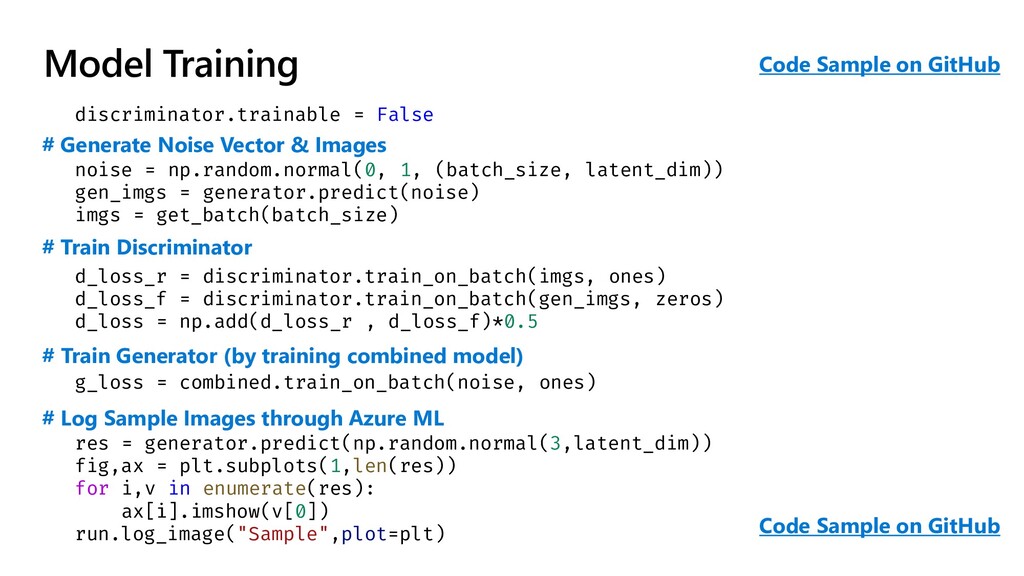
Model Training discriminator.trainable = False noise = np.random.normal(0, 1, (batch_size,
latent_dim)) gen_imgs = generator.predict(noise) imgs = get_batch(batch_size) d_loss_r = discriminator.train_on_batch(imgs, ones) d_loss_f = discriminator.train_on_batch(gen_imgs, zeros) d_loss = np.add(d_loss_r , d_loss_f)*0.5 g_loss = combined.train_on_batch(noise, ones) res = generator.predict(np.random.normal(3,latent_dim)) fig,ax = plt.subplots(1,len(res)) for i,v in enumerate(res): ax[i].imshow(v[0]) run.log_image("Sample",plot=plt) # Generate Noise Vector & Images # Train Discriminator # Train Generator (by training combined model) # Log Sample Images through Azure ML Code Sample on GitHub Code Sample on GitHub -
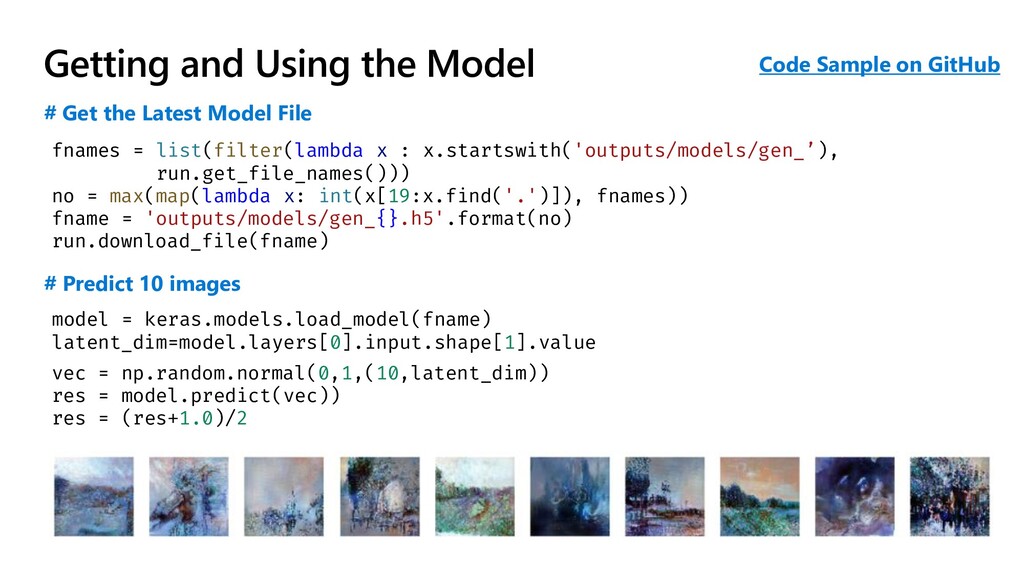
Getting and Using the Model fnames = list(filter(lambda x :
x.startswith('outputs/models/gen_’), run.get_file_names())) no = max(map(lambda x: int(x[19:x.find('.')]), fnames)) fname = 'outputs/models/gen_{}.h5'.format(no) run.download_file(fname) # Get the Latest Model File model = keras.models.load_model(fname) latent_dim=model.layers[0].input.shape[1].value vec = np.random.normal(0,1,(10,latent_dim)) res = model.predict(vec)) res = (res+1.0)/2 # Predict 10 images Code Sample on GitHub -
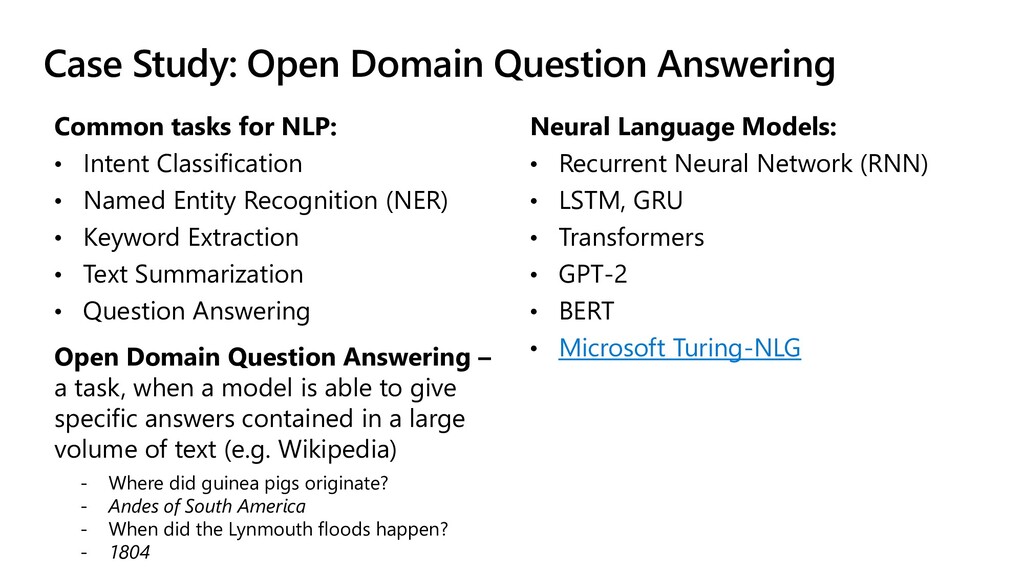
Case Study: Open Domain Question Answering Common tasks for NLP:
• Intent Classification • Named Entity Recognition (NER) • Keyword Extraction • Text Summarization • Question Answering Open Domain Question Answering – a task, when a model is able to give specific answers contained in a large volume of text (e.g. Wikipedia) - Where did guinea pigs originate? - Andes of South America - When did the Lynmouth floods happen? - 1804 Neural Language Models: • Recurrent Neural Network (RNN) • LSTM, GRU • Transformers • GPT-2 • BERT • Microsoft Turing-NLG -
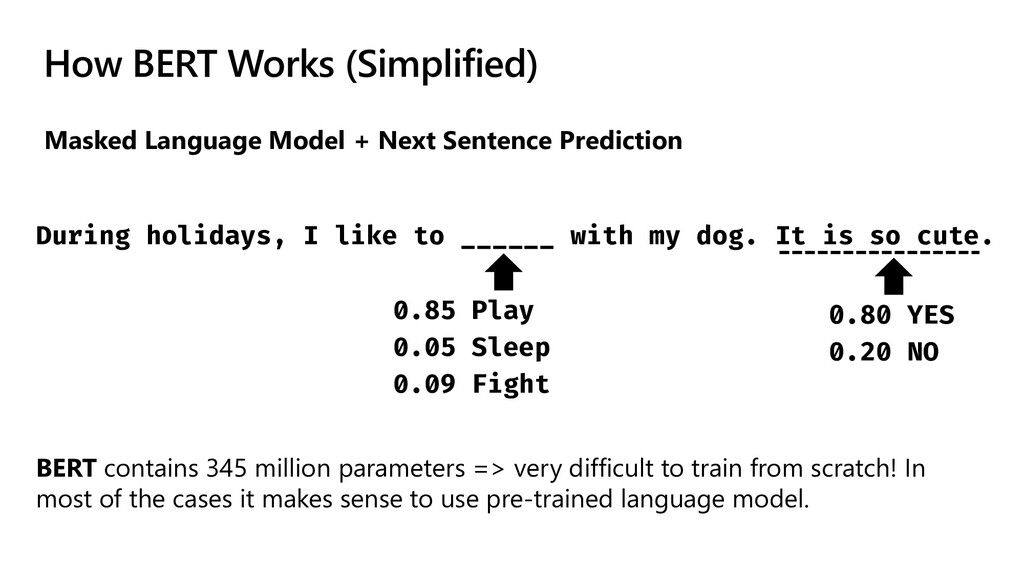
How BERT Works (Simplified) Masked Language Model + Next Sentence
Prediction During holidays, I like to ______ with my dog. It is so cute. 0.85 Play 0.05 Sleep 0.09 Fight 0.80 YES 0.20 NO BERT contains 345 million parameters => very difficult to train from scratch! In most of the cases it makes sense to use pre-trained language model. -
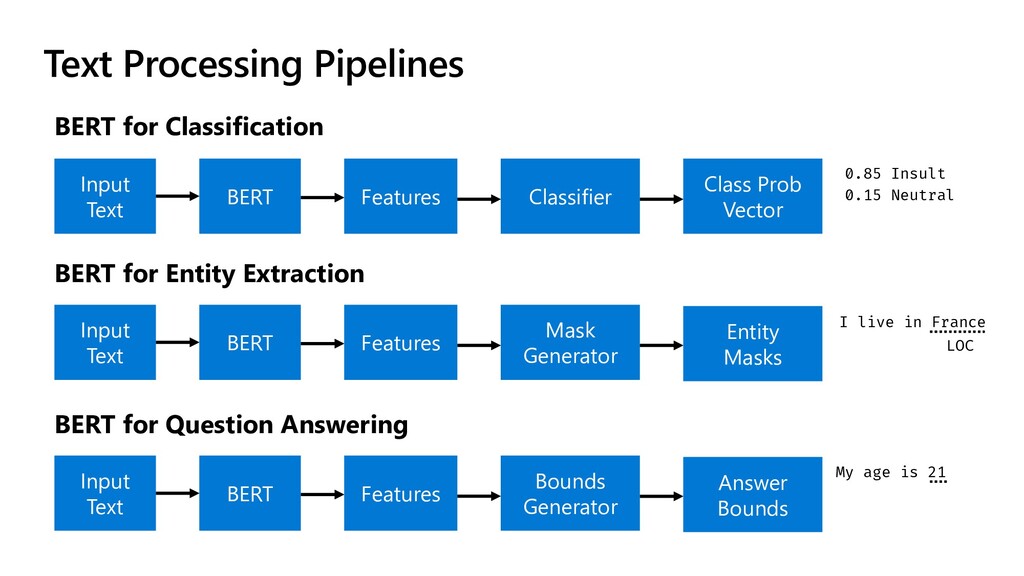
Text Processing Pipelines BERT for Classification Input Text BERT Features
Classifier BERT for Entity Extraction Input Text BERT Features Mask Generator Class Prob Vector Entity Masks BERT for Question Answering Input Text BERT Features Bounds Generator Answer Bounds 0.85 Insult 0.15 Neutral I live in France My age is 21 LOC -
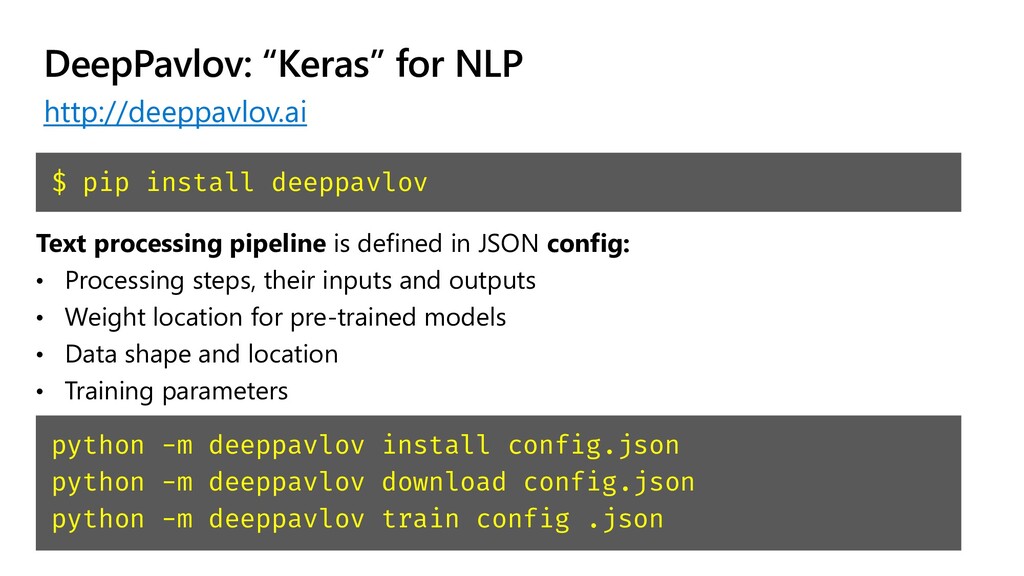
DeepPavlov: “Keras” for NLP http://deeppavlov.ai $ pip install deeppavlov python
-m deeppavlov install config.json python -m deeppavlov download config.json python -m deeppavlov train config .json Text processing pipeline is defined in JSON config: • Processing steps, their inputs and outputs • Weight location for pre-trained models • Data shape and location • Training parameters -
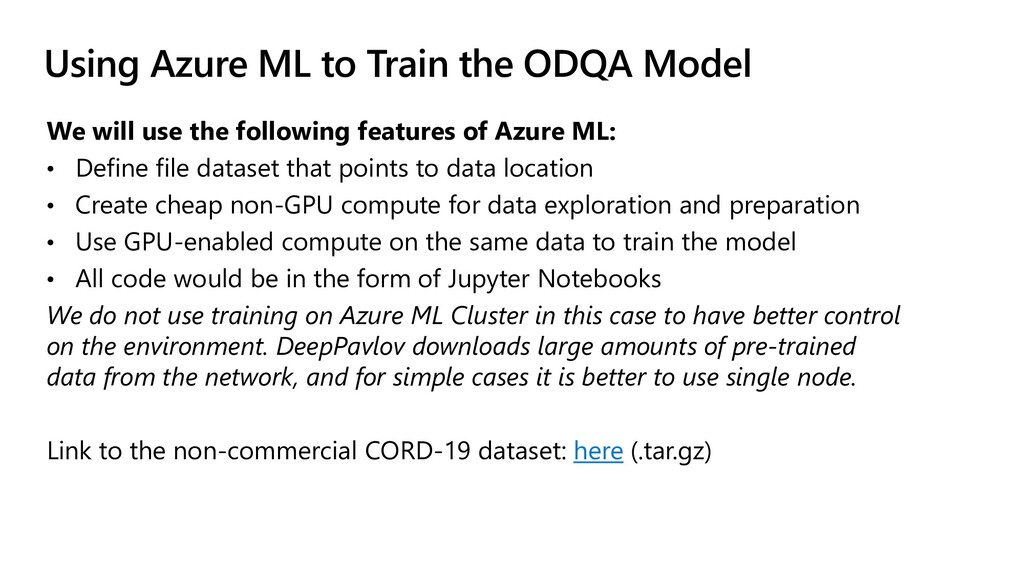
Using Azure ML to Train the ODQA Model We will
use the following features of Azure ML: • Define file dataset that points to data location • Create cheap non-GPU compute for data exploration and preparation • Use GPU-enabled compute on the same data to train the model • All code would be in the form of Jupyter Notebooks We do not use training on Azure ML Cluster in this case to have better control on the environment. DeepPavlov downloads large amounts of pre-trained data from the network, and for simple cases it is better to use single node. Link to the non-commercial CORD-19 dataset: here (.tar.gz) -
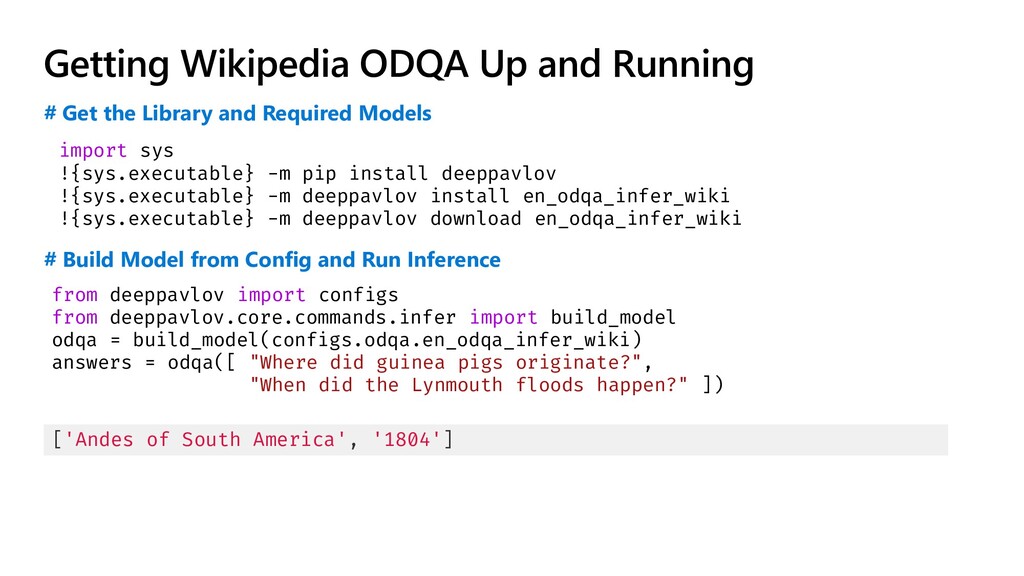
Getting Wikipedia ODQA Up and Running import sys !{sys.executable} -m
pip install deeppavlov !{sys.executable} -m deeppavlov install en_odqa_infer_wiki !{sys.executable} -m deeppavlov download en_odqa_infer_wiki from deeppavlov import configs from deeppavlov.core.commands.infer import build_model odqa = build_model(configs.odqa.en_odqa_infer_wiki) answers = odqa([ "Where did guinea pigs originate?", "When did the Lynmouth floods happen?" ]) # Get the Library and Required Models # Build Model from Config and Run Inference ['Andes of South America', '1804'] -
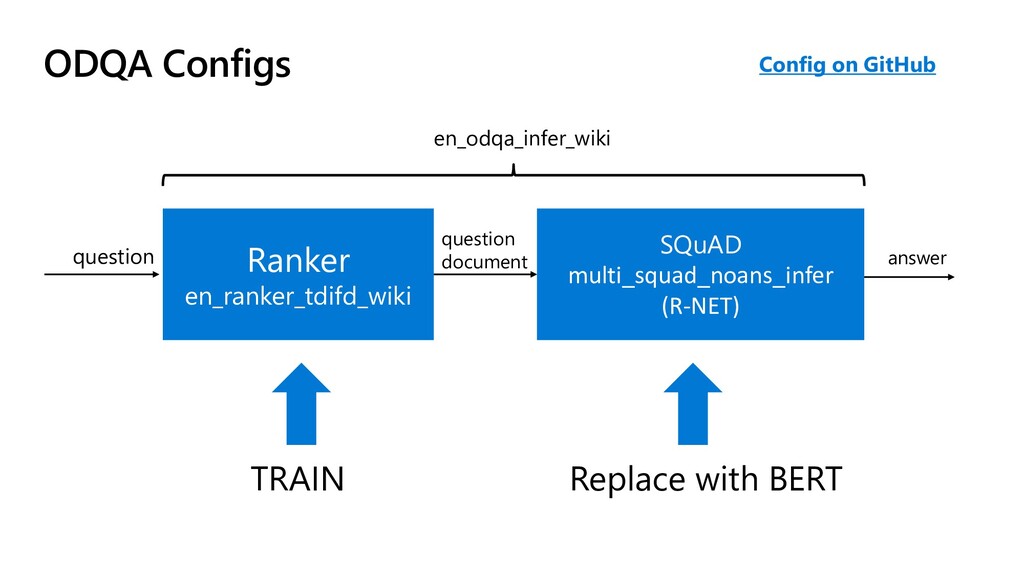
ODQA Configs Ranker en_ranker_tdifd_wiki SQuAD multi_squad_noans_infer (R-NET) Config on GitHub
en_odqa_infer_wiki question question document answer TRAIN Replace with BERT -
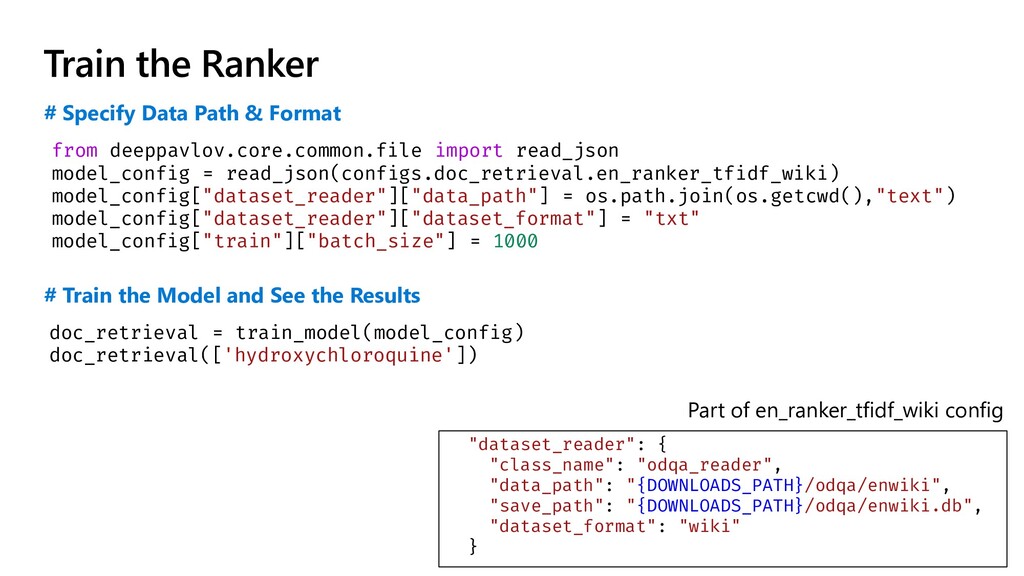
Train the Ranker from deeppavlov.core.common.file import read_json model_config = read_json(configs.doc_retrieval.en_ranker_tfidf_wiki)
model_config["dataset_reader"]["data_path"] = os.path.join(os.getcwd(),"text") model_config["dataset_reader"]["dataset_format"] = "txt" model_config["train"]["batch_size"] = 1000 # Specify Data Path & Format doc_retrieval = train_model(model_config) doc_retrieval(['hydroxychloroquine']) # Train the Model and See the Results "dataset_reader": { "class_name": "odqa_reader", "data_path": "{DOWNLOADS_PATH}/odqa/enwiki", "save_path": "{DOWNLOADS_PATH}/odqa/enwiki.db", "dataset_format": "wiki" } Part of en_ranker_tfidf_wiki config -
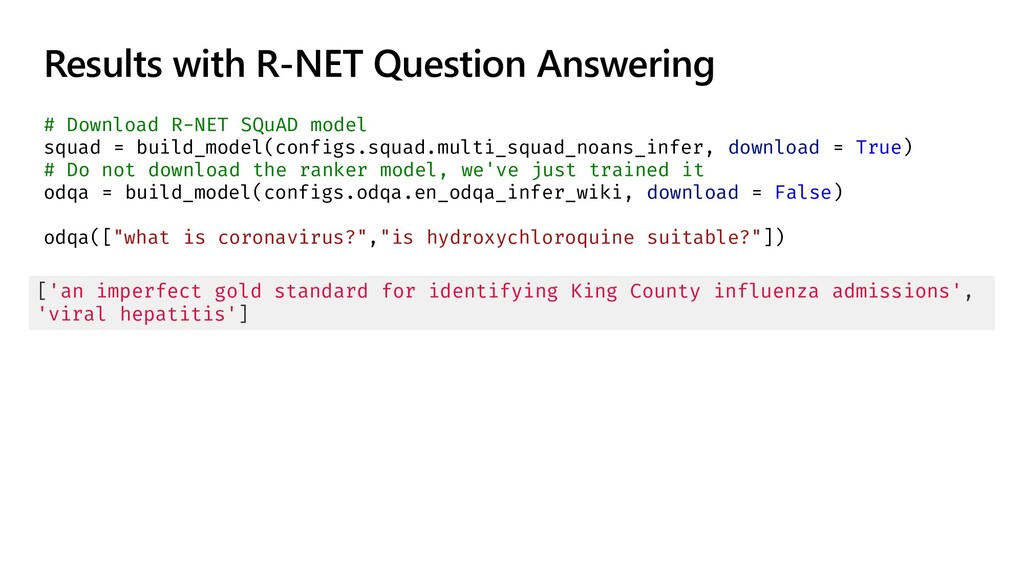
Results with R-NET Question Answering # Download R-NET SQuAD model
squad = build_model(configs.squad.multi_squad_noans_infer, download = True) # Do not download the ranker model, we've just trained it odqa = build_model(configs.odqa.en_odqa_infer_wiki, download = False) odqa(["what is coronavirus?","is hydroxychloroquine suitable?"]) ['an imperfect gold standard for identifying King County influenza admissions', 'viral hepatitis'] -
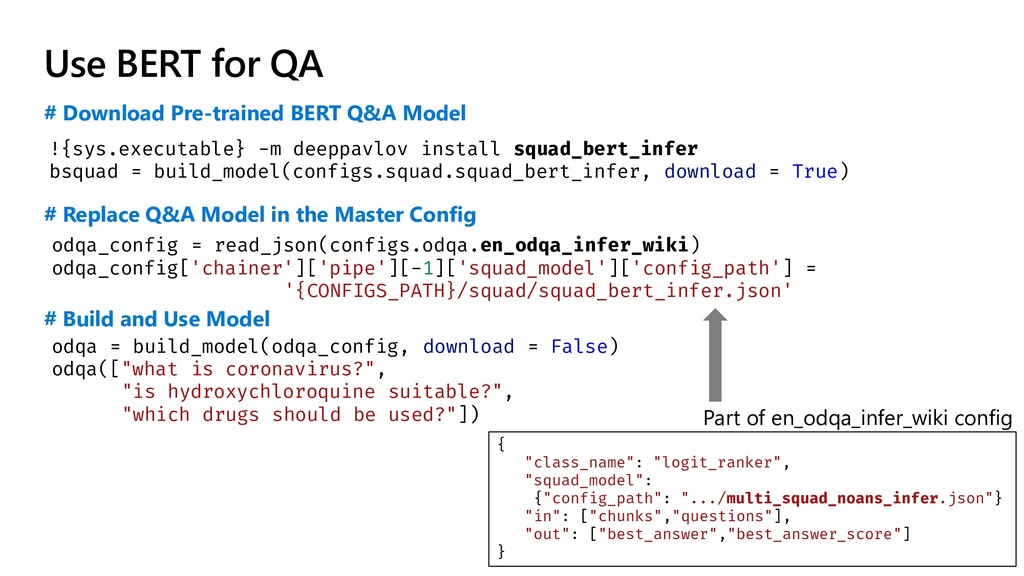
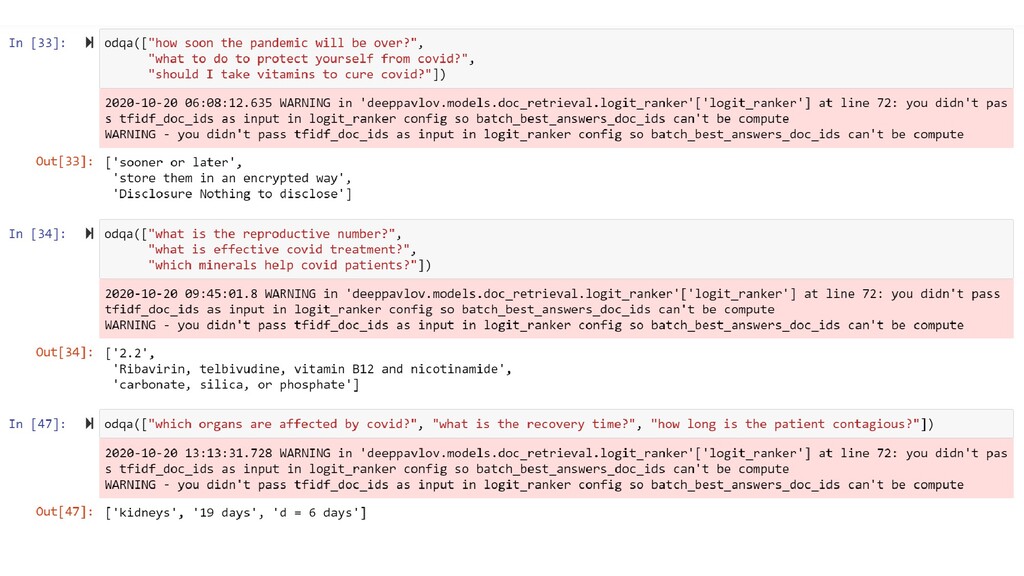
Use BERT for QA # Download Pre-trained BERT Q&A Model
# Replace Q&A Model in the Master Config Part of en_odqa_infer_wiki config !{sys.executable} -m deeppavlov install squad_bert_infer bsquad = build_model(configs.squad.squad_bert_infer, download = True) odqa_config = read_json(configs.odqa.en_odqa_infer_wiki) odqa_config['chainer']['pipe'][-1]['squad_model']['config_path'] = '{CONFIGS_PATH}/squad/squad_bert_infer.json' odqa = build_model(odqa_config, download = False) odqa(["what is coronavirus?", "is hydroxychloroquine suitable?", "which drugs should be used?"]) # Build and Use Model { "class_name": "logit_ranker", "squad_model": {"config_path": ".../multi_squad_noans_infer.json"} "in": ["chunks","questions"], "out": ["best_answer","best_answer_score"] } -
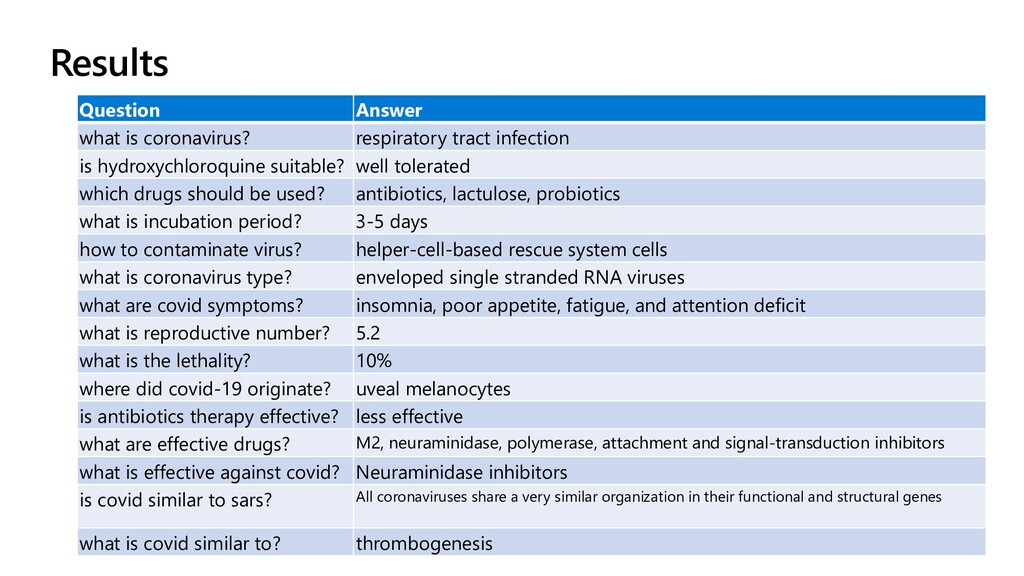
Question Answer what is coronavirus? respiratory tract infection is hydroxychloroquine
suitable? well tolerated which drugs should be used? antibiotics, lactulose, probiotics what is incubation period? 3-5 days how to contaminate virus? helper-cell-based rescue system cells what is coronavirus type? enveloped single stranded RNA viruses what are covid symptoms? insomnia, poor appetite, fatigue, and attention deficit what is reproductive number? 5.2 what is the lethality? 10% where did covid-19 originate? uveal melanocytes is antibiotics therapy effective? less effective what are effective drugs? M2, neuraminidase, polymerase, attachment and signal-transduction inhibitors what is effective against covid? Neuraminidase inhibitors is covid similar to sars? All coronaviruses share a very similar organization in their functional and structural genes what is covid similar to? thrombogenesis Results -
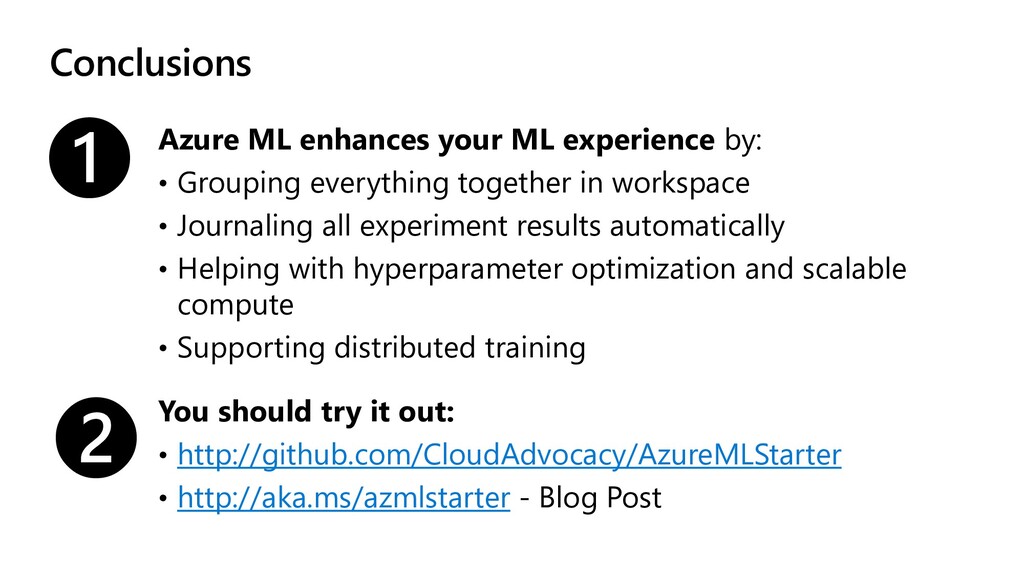
Conclusions Azure ML enhances your ML experience by: • Grouping
everything together in workspace • Journaling all experiment results automatically • Helping with hyperparameter optimization and scalable compute • Supporting distributed training ❶ ❷ You should try it out: • http://github.com/CloudAdvocacy/AzureMLStarter • http://aka.ms/azmlstarter - Blog Post -
Further Reading How to train your own neural network
to generate paintings http://aka.ms/azml_gan Can AI be creative http://aka.ms/creative_ai Creating interactive exhibit based on cognitive portraits http://aka.ms/cognitive_portrait_exhibit Training COVID ODQA on Azure ML: http://aka.ms/deeppavlov
 shwars
 yosukeyoshida
 kmiya84377
 yusuke427
 jacopen
 rfdnxbro
 ivry_presentationmaterials
 ykimi
 kubell_hr
 vivion
 yoshimura_datam
 ymotongpoo
 sansantech
 morganepeng
 codingconduct
 samanthasiow
 palkan
 marcelosomers
 samtorres
 aleyda
 leimatthew05
 portentint
 mojombo
 cassininazir
 soudai