Share
Embed
Unit 3: Computing Paradigms
Introduction to Client server computing; Basics of parallel
processing, Introduction to Multi processing, Basics of distributed
computing, Introduction to Grid computing, Hybrid computing,
cloud computing, Mobile computing - Future computing
techniques.

Sona Shaiju
November 07, 2026
Transcript
46 slides
-
BCA SEMESTER 1 · UNIT 3 Computing Paradigms How modern
systems organize, distribute, and execute computing tasks — from client-server networks to cloud-scale distributed systems. -
Unit Overview A computing paradigm is a model describing how
computing tasks are organized and executed. This unit covers four foundational paradigms that underpin networks, operating systems, cloud computing, and modern software architecture. 01 Client-Server Computing Request-response model over a network 02 Parallel Processing Simultaneous execution across multiple processors 03 Multiprocessing Multiple CPUs within a single system 04 Distributed Computing Independent systems collaborating as one -
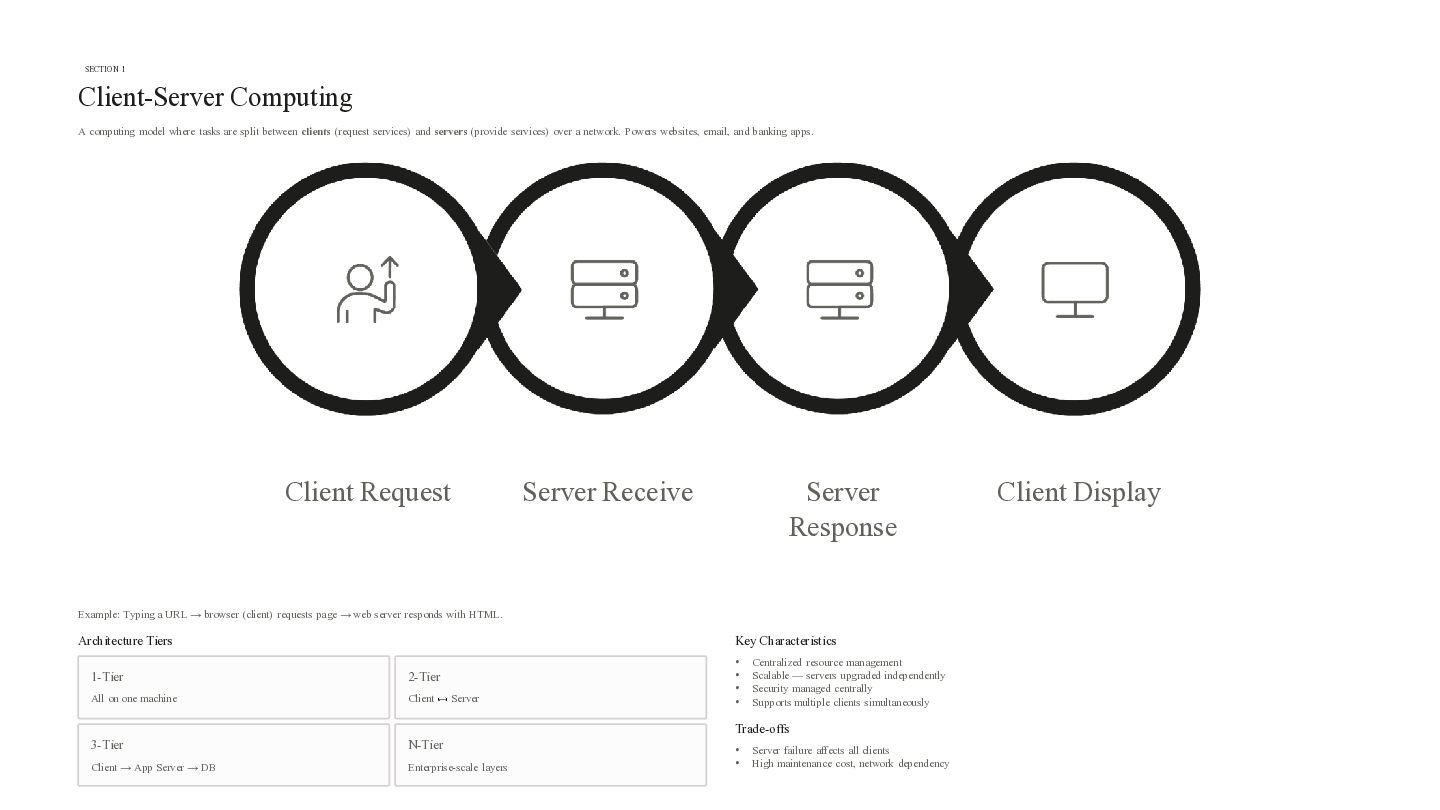
SECTION 1 Client-Server Computing A computing model where tasks are
split between clients (request services) and servers (provide services) over a network. Powers websites, email, and banking apps. Client Request Server Receive Server Response Example: Typing a URL → browser (client) requests page → web server responds with HTML. Architecture Tiers Key Characteristics 1-Tier 2-Tier All on one machine Client 3-Tier N-Tier Client → App Server → DB Enterprise-scale layers Server • • • • Centralized resource management Scalable — servers upgraded independently Security managed centrally Supports multiple clients simultaneously Trade-offs • • Server failure affects all clients High maintenance cost, network dependency Client Display -
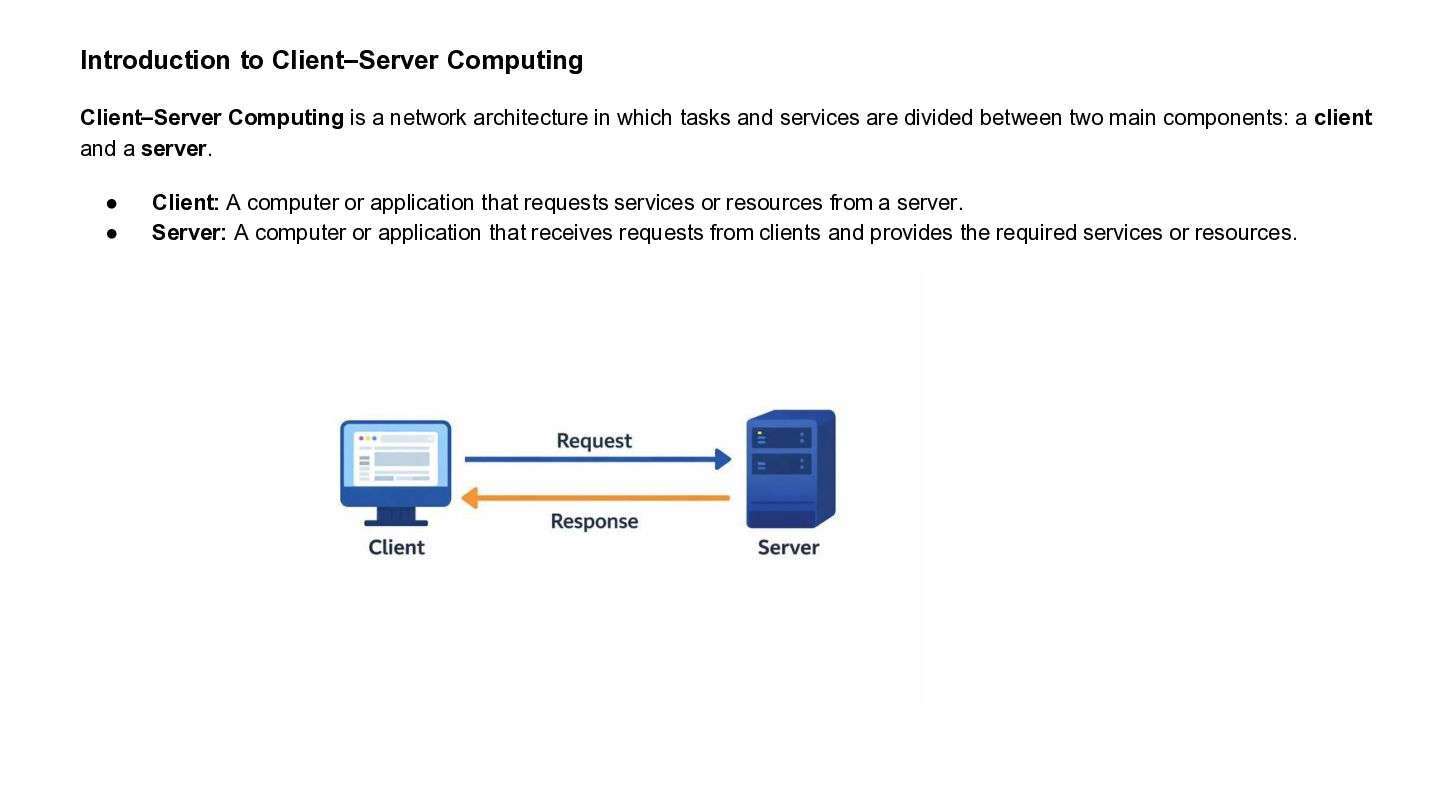
Introduction to Client–Server Computing Client–Server Computing is a network architecture
in which tasks and services are divided between two main components: a client and a server. • • Client: A computer or application that requests services or resources from a server. Server: A computer or application that receives requests from clients and provides the required services or resources. -
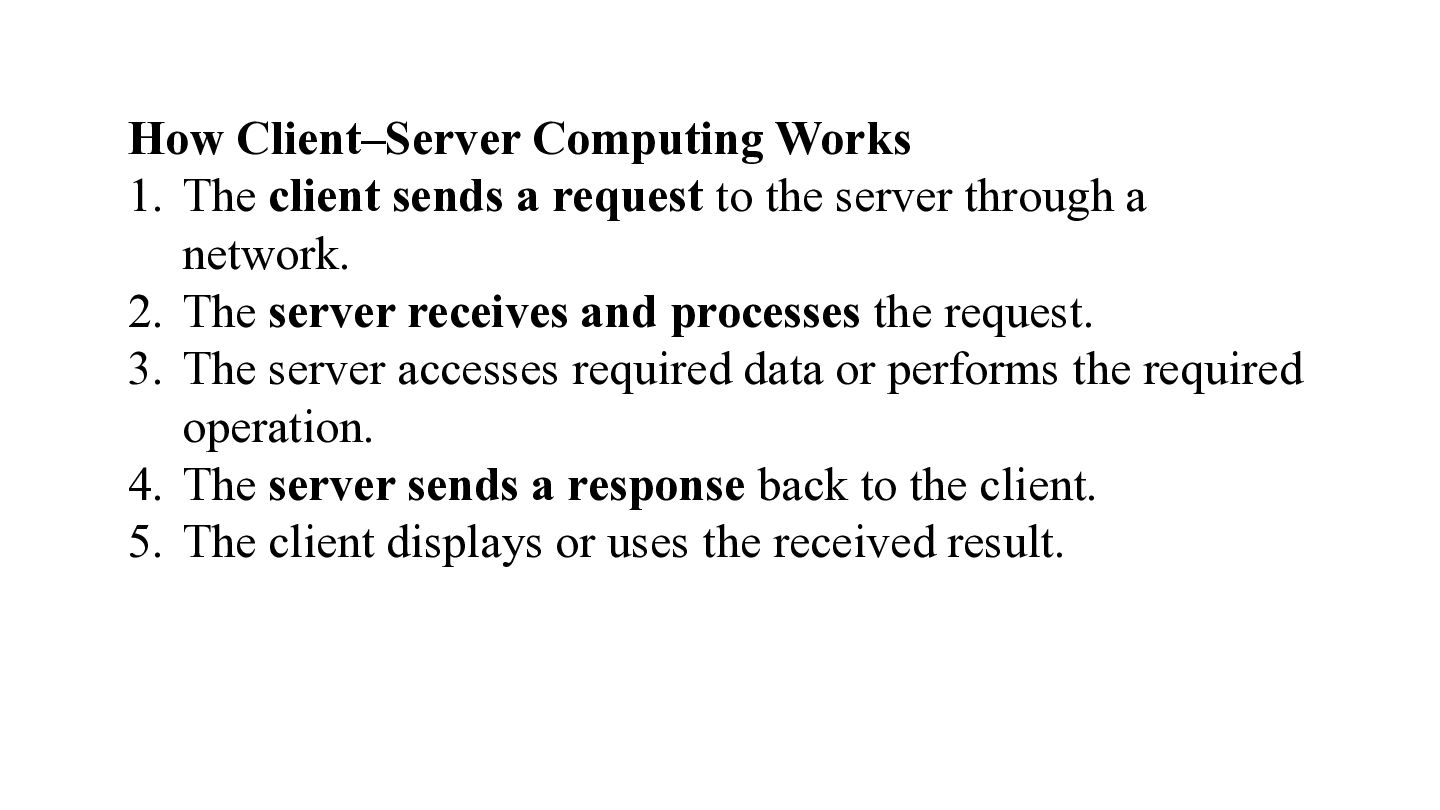
How Client–Server Computing Works 1. The client sends a request
to the server through a network. 2. The server receives and processes the request. 3. The server accesses required data or performs the required operation. 4. The server sends a response back to the client. 5. The client displays or uses the received result. -
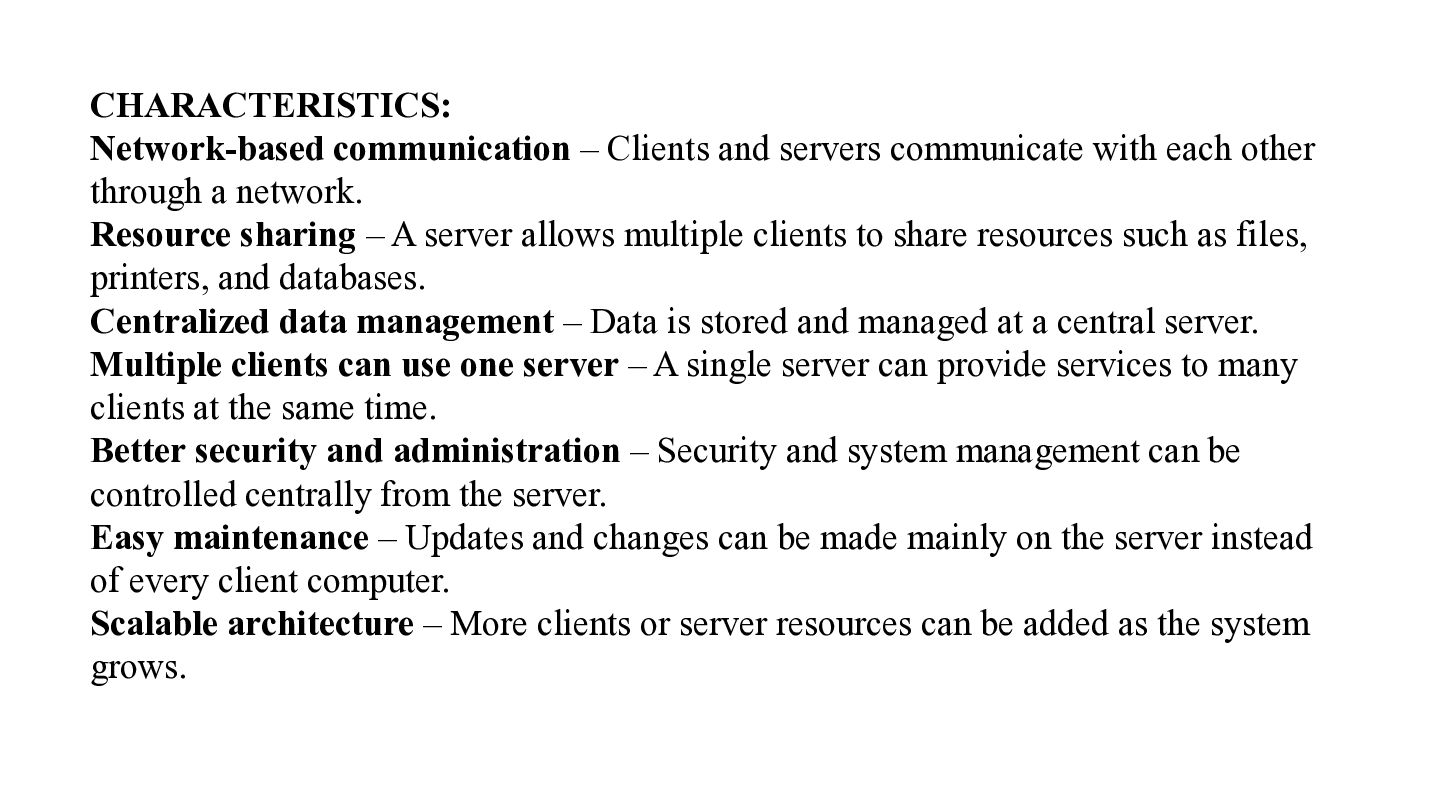
CHARACTERISTICS: Network-based communication – Clients and servers communicate with each
other through a network. Resource sharing – A server allows multiple clients to share resources such as files, printers, and databases. Centralized data management – Data is stored and managed at a central server. Multiple clients can use one server – A single server can provide services to many clients at the same time. Better security and administration – Security and system management can be controlled centrally from the server. Easy maintenance – Updates and changes can be made mainly on the server instead of every client computer. Scalable architecture – More clients or server resources can be added as the system grows. -
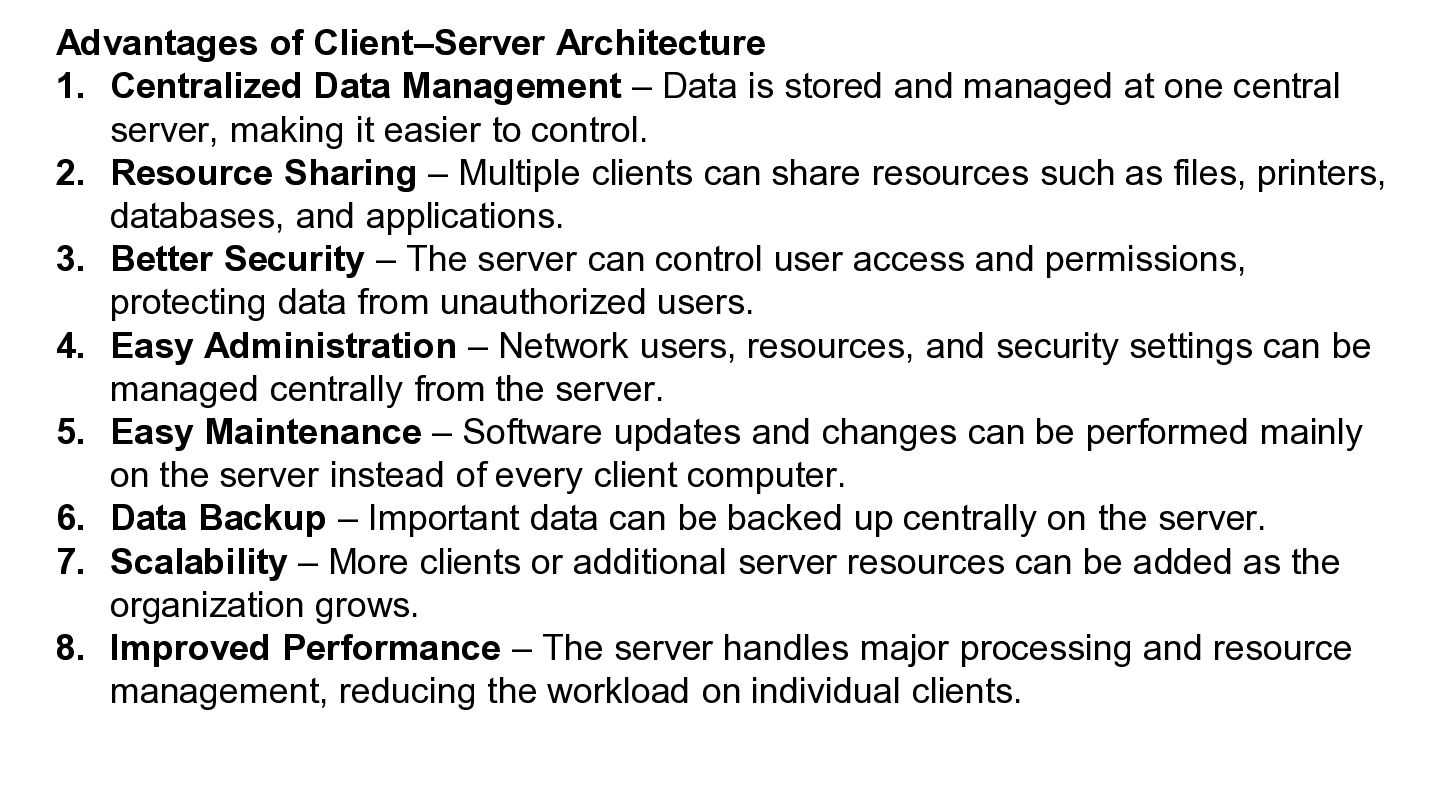
Advantages of Client–Server Architecture 1. Centralized Data Management – Data
is stored and managed at one central server, making it easier to control. 2. Resource Sharing – Multiple clients can share resources such as files, printers, databases, and applications. 3. Better Security – The server can control user access and permissions, protecting data from unauthorized users. 4. Easy Administration – Network users, resources, and security settings can be managed centrally from the server. 5. Easy Maintenance – Software updates and changes can be performed mainly on the server instead of every client computer. 6. Data Backup – Important data can be backed up centrally on the server. 7. Scalability – More clients or additional server resources can be added as the organization grows. 8. Improved Performance – The server handles major processing and resource management, reducing the workload on individual clients. -
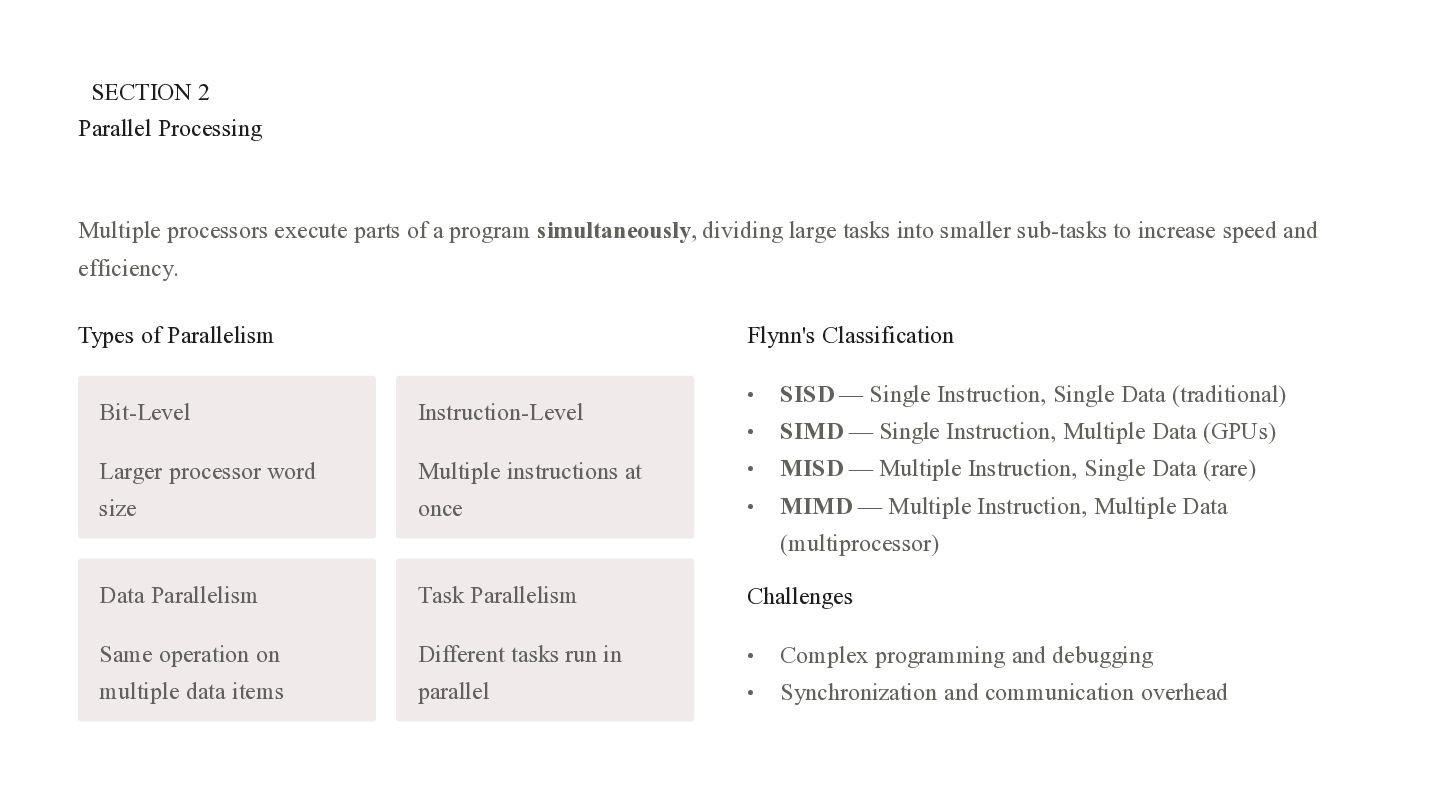
SECTION 2 Parallel Processing Multiple processors execute parts of a
program simultaneously, dividing large tasks into smaller sub-tasks to increase speed and efficiency. Types of Parallelism Flynn's Classification • SISD — Single Instruction, Single Data (traditional) • SIMD — Single Instruction, Multiple Data (GPUs) Multiple instructions at • MISD — Multiple Instruction, Single Data (rare) once • MIMD — Multiple Instruction, Multiple Data Bit-Level Instruction-Level Larger processor word size (multiprocessor) Data Parallelism Task Parallelism Challenges Same operation on Different tasks run in • Complex programming and debugging multiple data items parallel • Synchronization and communication overhead -
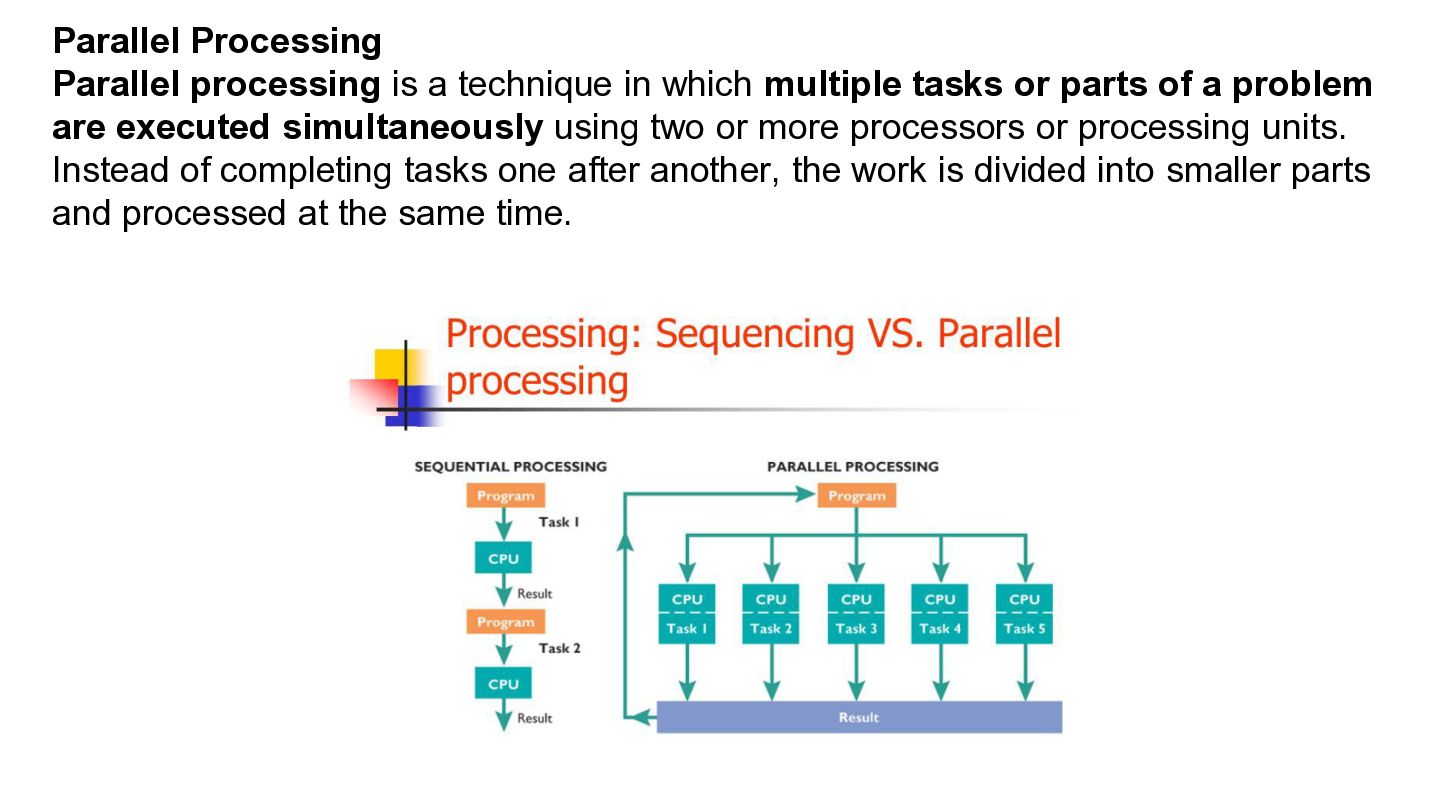
Parallel Processing Parallel processing is a technique in which multiple
tasks or parts of a problem are executed simultaneously using two or more processors or processing units. Instead of completing tasks one after another, the work is divided into smaller parts and processed at the same time. -
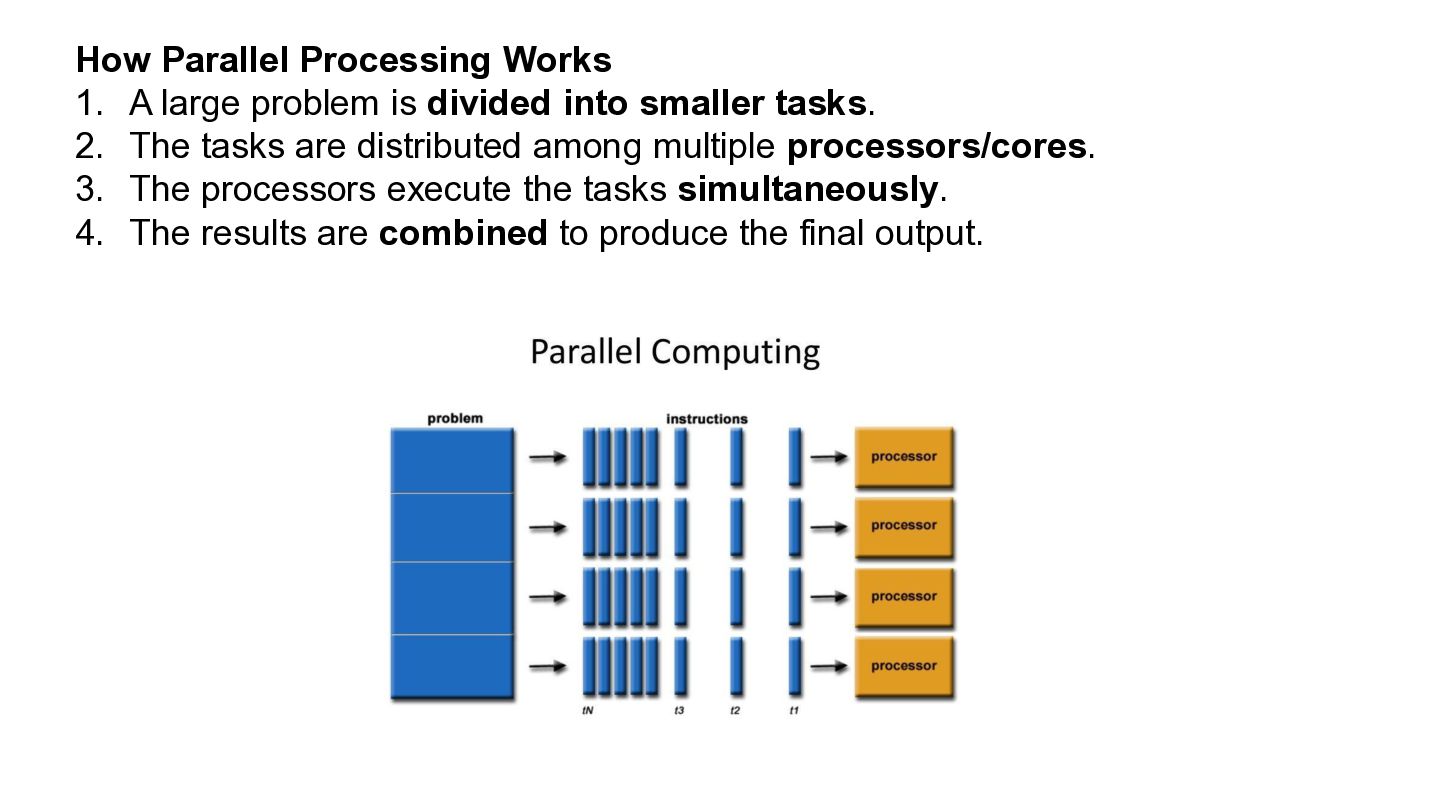
How Parallel Processing Works 1. A large problem is divided
into smaller tasks. 2. The tasks are distributed among multiple processors/cores. 3. The processors execute the tasks simultaneously. 4. The results are combined to produce the final output. -
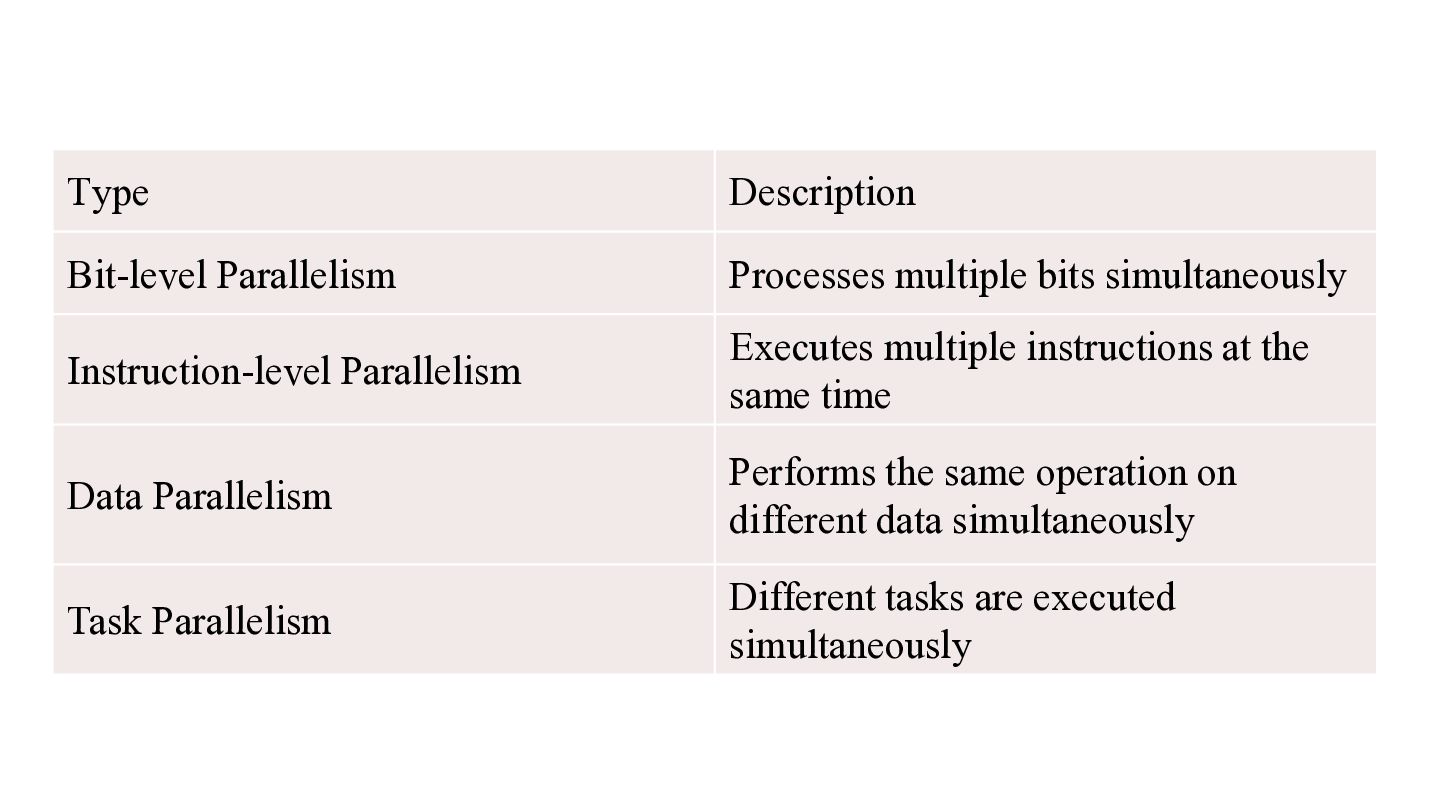
Type Description Bit-level Parallelism Processes multiple bits simultaneously Instruction-level Parallelism
Executes multiple instructions at the same time Data Parallelism Performs the same operation on different data simultaneously Task Parallelism Different tasks are executed simultaneously -
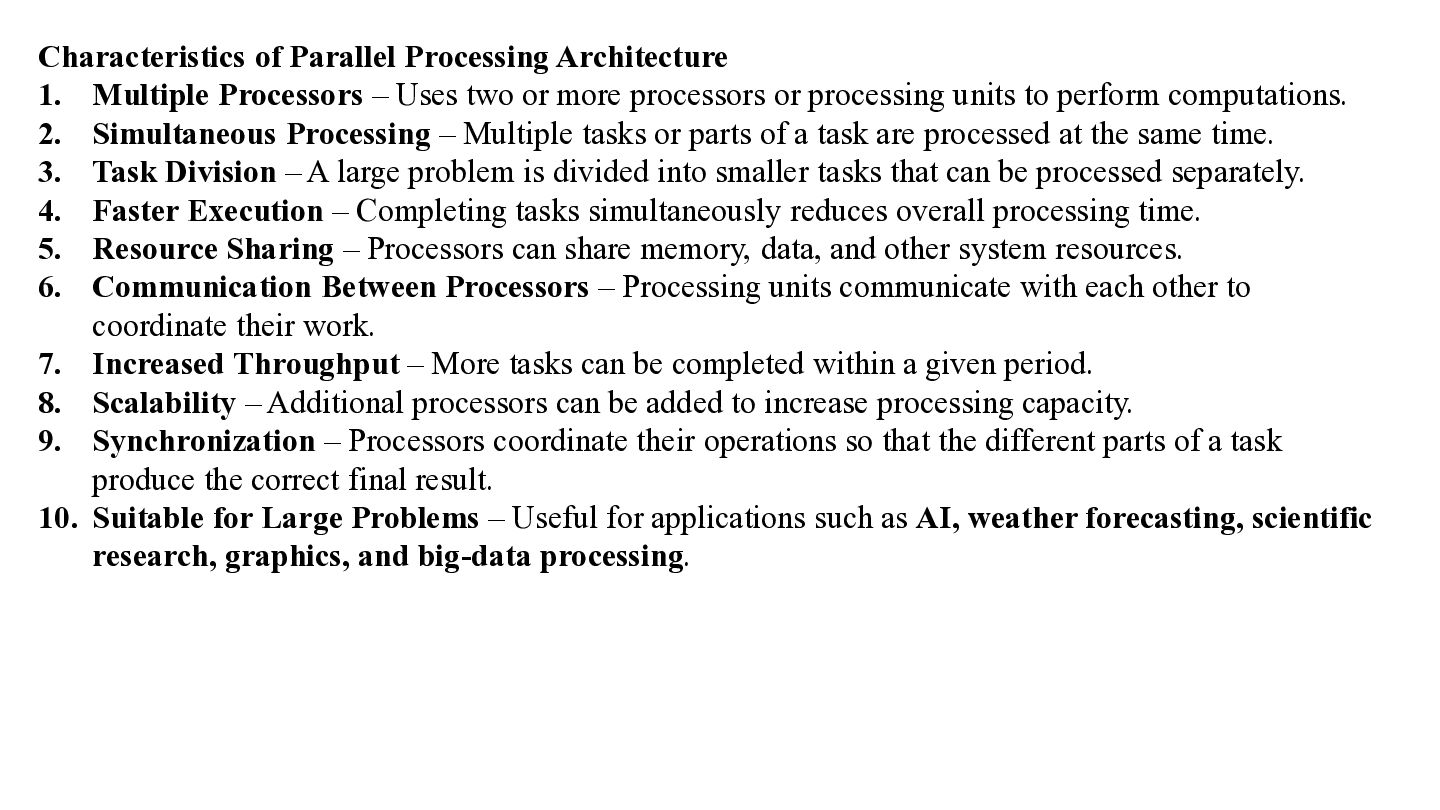
Characteristics of Parallel Processing Architecture 1. Multiple Processors – Uses
two or more processors or processing units to perform computations. 2. Simultaneous Processing – Multiple tasks or parts of a task are processed at the same time. 3. Task Division – A large problem is divided into smaller tasks that can be processed separately. 4. Faster Execution – Completing tasks simultaneously reduces overall processing time. 5. Resource Sharing – Processors can share memory, data, and other system resources. 6. Communication Between Processors – Processing units communicate with each other to coordinate their work. 7. Increased Throughput – More tasks can be completed within a given period. 8. Scalability – Additional processors can be added to increase processing capacity. 9. Synchronization – Processors coordinate their operations so that the different parts of a task produce the correct final result. 10. Suitable for Large Problems – Useful for applications such as AI, weather forecasting, scientific research, graphics, and big-data processing. -
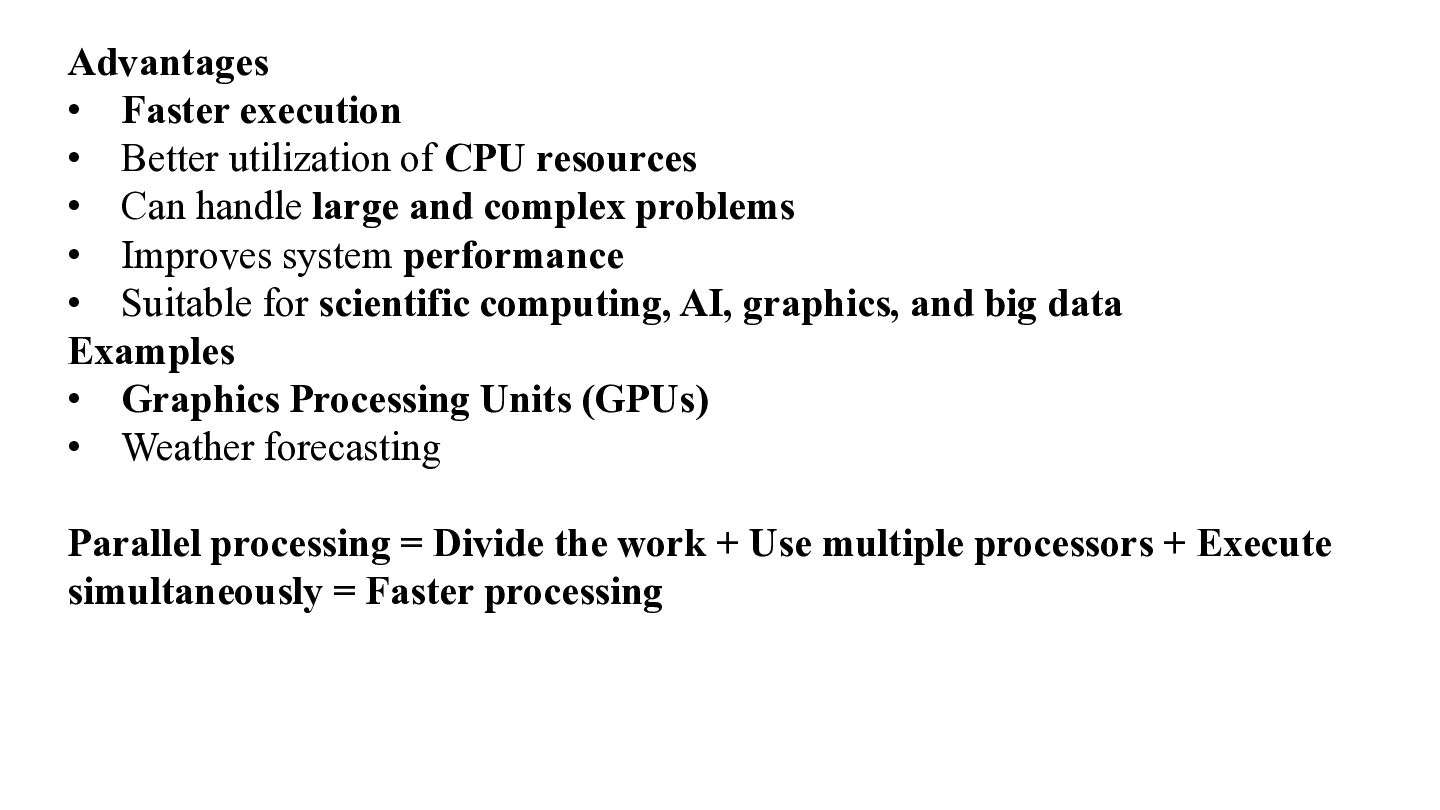
Advantages • Faster execution • Better utilization of CPU resources
• Can handle large and complex problems • Improves system performance • Suitable for scientific computing, AI, graphics, and big data Examples • Graphics Processing Units (GPUs) • Weather forecasting Parallel processing = Divide the work + Use multiple processors + Execute simultaneously = Faster processing -
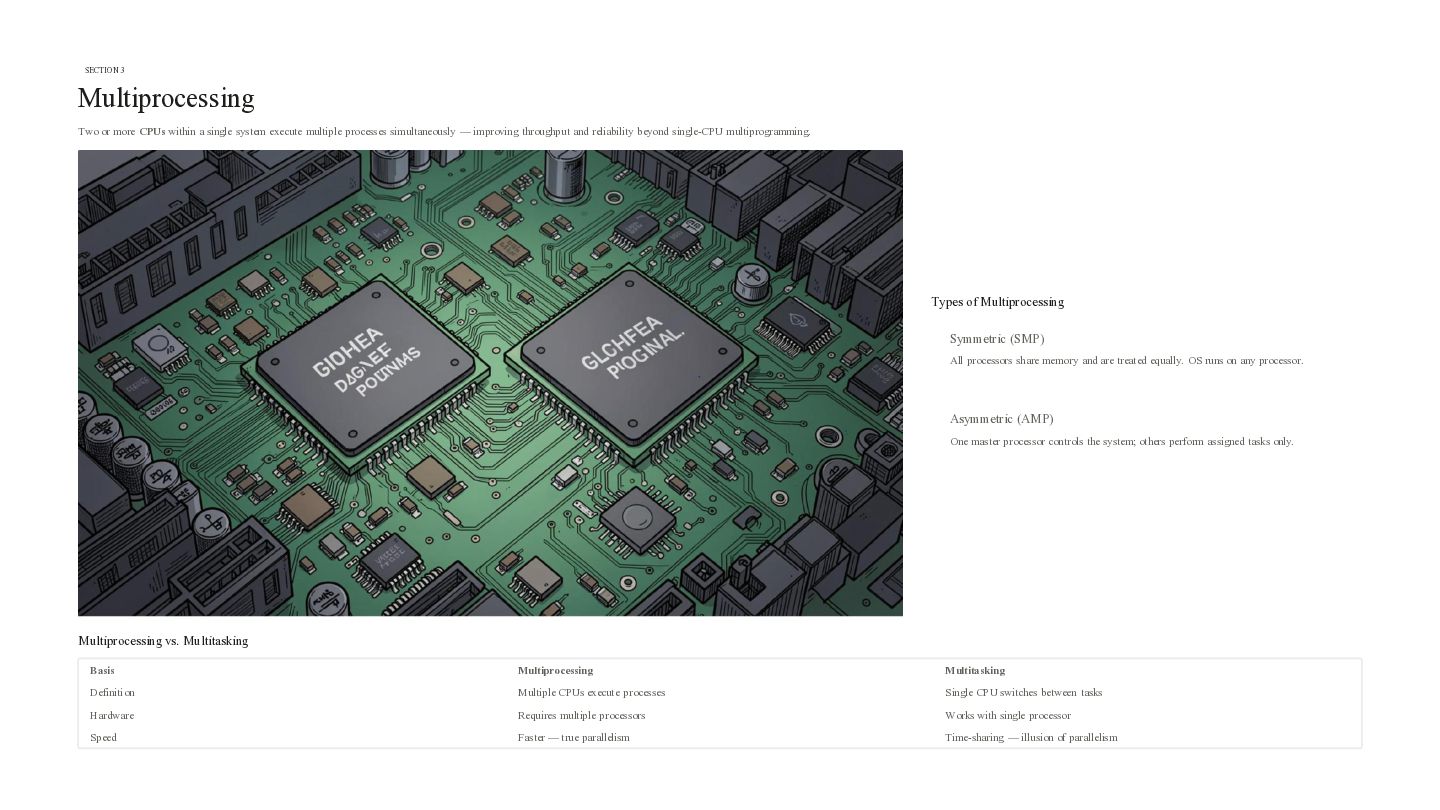
SECTION 3 Multiprocessing Two or more CPUs within a single
system execute multiple processes simultaneously — improving throughput and reliability beyond single-CPU multiprogramming. Types of Multiprocessing Symmetric (SMP) All processors share memory and are treated equally. OS runs on any processor. Asymmetric (AMP) One master processor controls the system; others perform assigned tasks only. Multiprocessing vs. Multitasking Basis Multiprocessing Multitasking Definition Multiple CPUs execute processes Single CPU switches between tasks Hardware Requires multiple processors Works with single processor Speed Faster — true parallelism Time-sharing — illusion of parallelism -
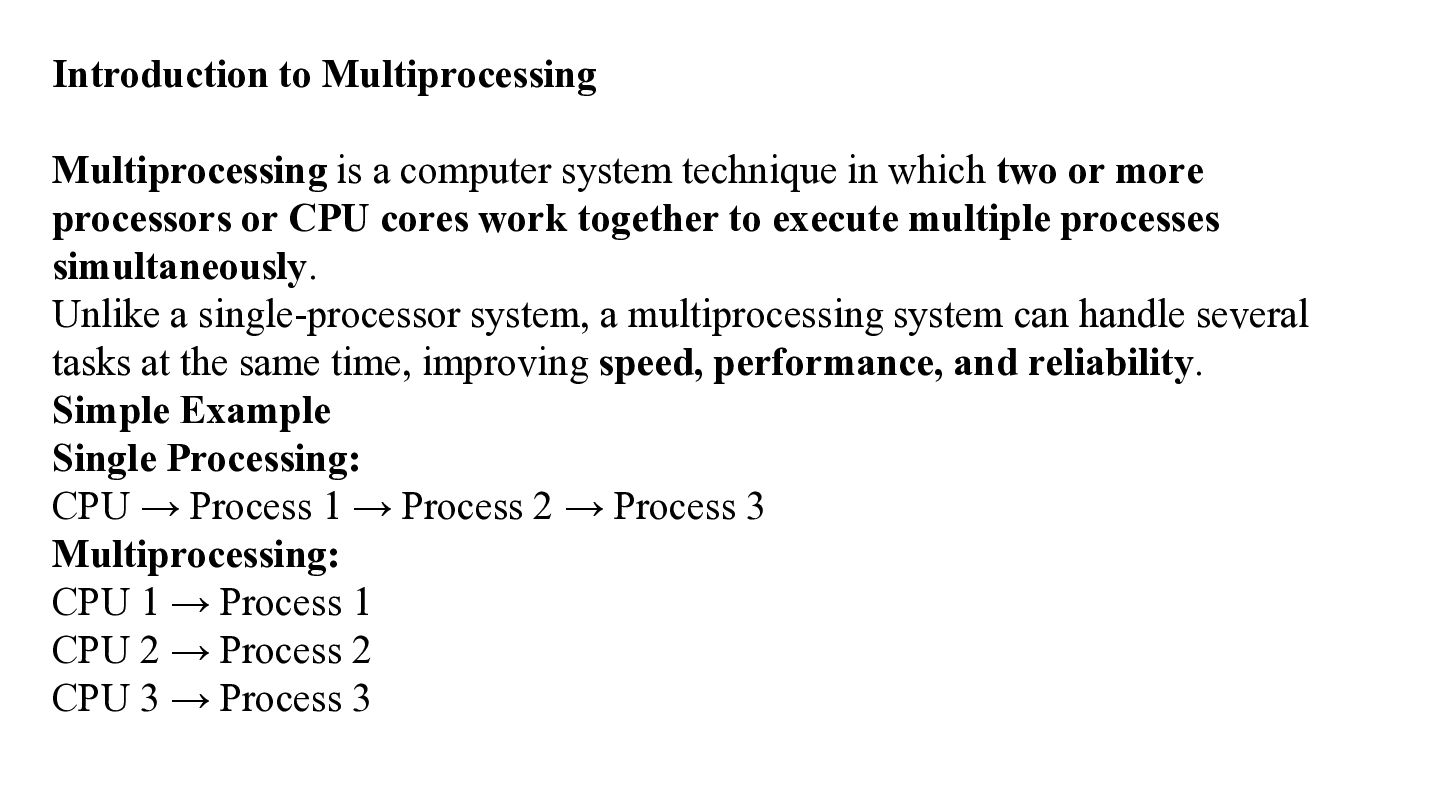
Introduction to Multiprocessing Multiprocessing is a computer system technique in
which two or more processors or CPU cores work together to execute multiple processes simultaneously. Unlike a single-processor system, a multiprocessing system can handle several tasks at the same time, improving speed, performance, and reliability. Simple Example Single Processing: CPU → Process 1 → Process 2 → Process 3 Multiprocessing: CPU 1 → Process 1 CPU 2 → Process 2 CPU 3 → Process 3 -
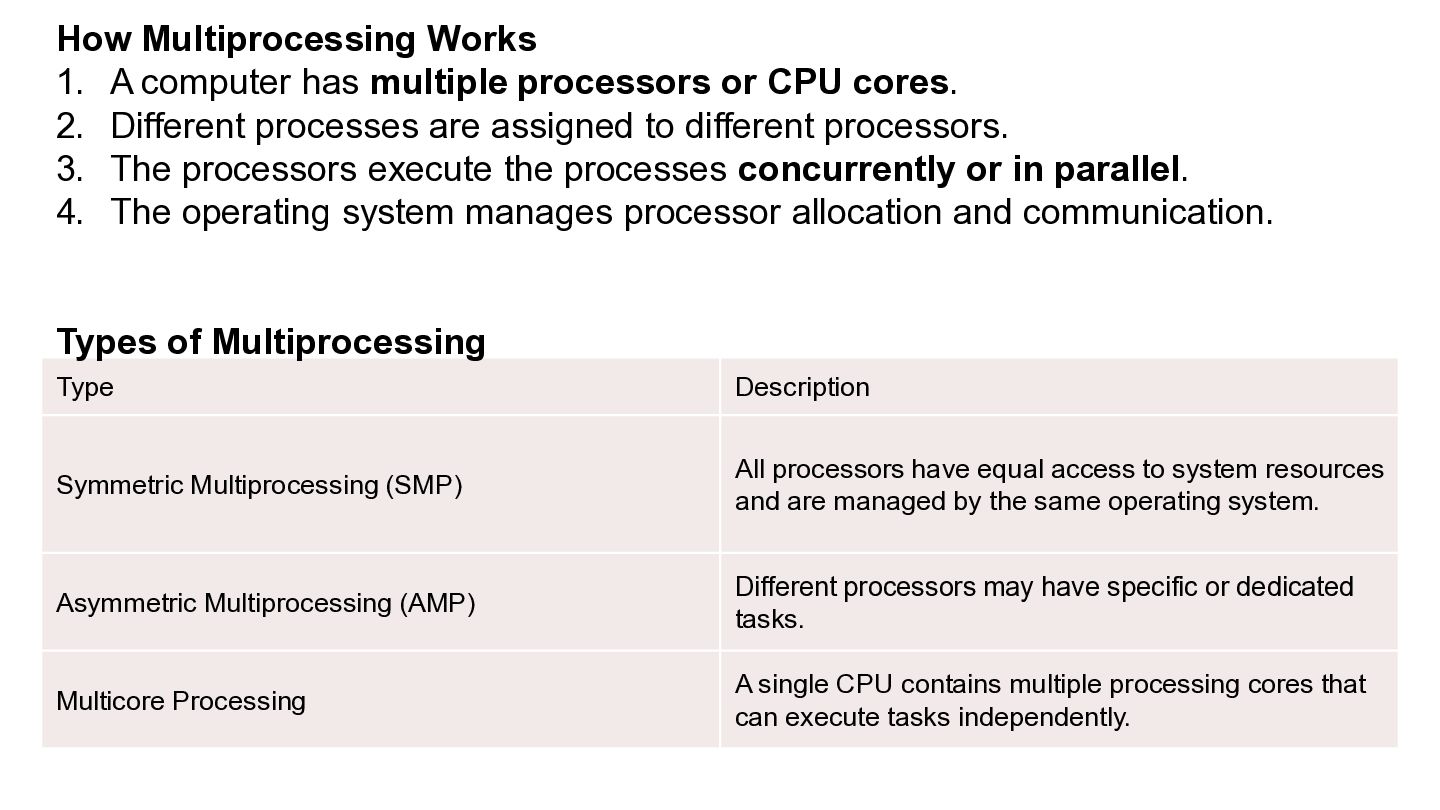
How Multiprocessing Works 1. A computer has multiple processors or
CPU cores. 2. Different processes are assigned to different processors. 3. The processors execute the processes concurrently or in parallel. 4. The operating system manages processor allocation and communication. Types of Multiprocessing Type Description Symmetric Multiprocessing (SMP) All processors have equal access to system resources and are managed by the same operating system. Asymmetric Multiprocessing (AMP) Different processors may have specific or dedicated tasks. Multicore Processing A single CPU contains multiple processing cores that can execute tasks independently. -
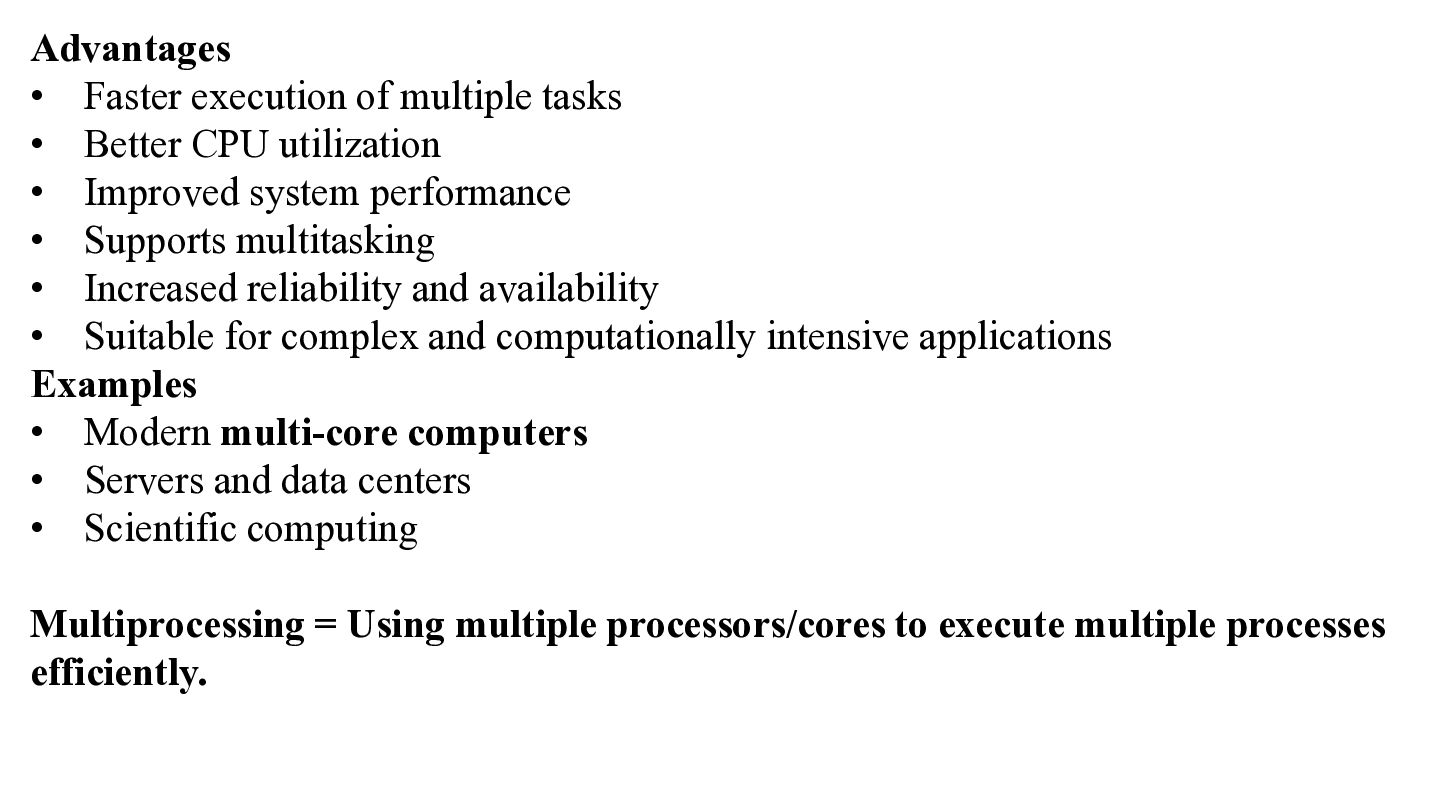
Advantages • Faster execution of multiple tasks • Better CPU
utilization • Improved system performance • Supports multitasking • Increased reliability and availability • Suitable for complex and computationally intensive applications Examples • Modern multi-core computers • Servers and data centers • Scientific computing Multiprocessing = Using multiple processors/cores to execute multiple processes efficiently. -
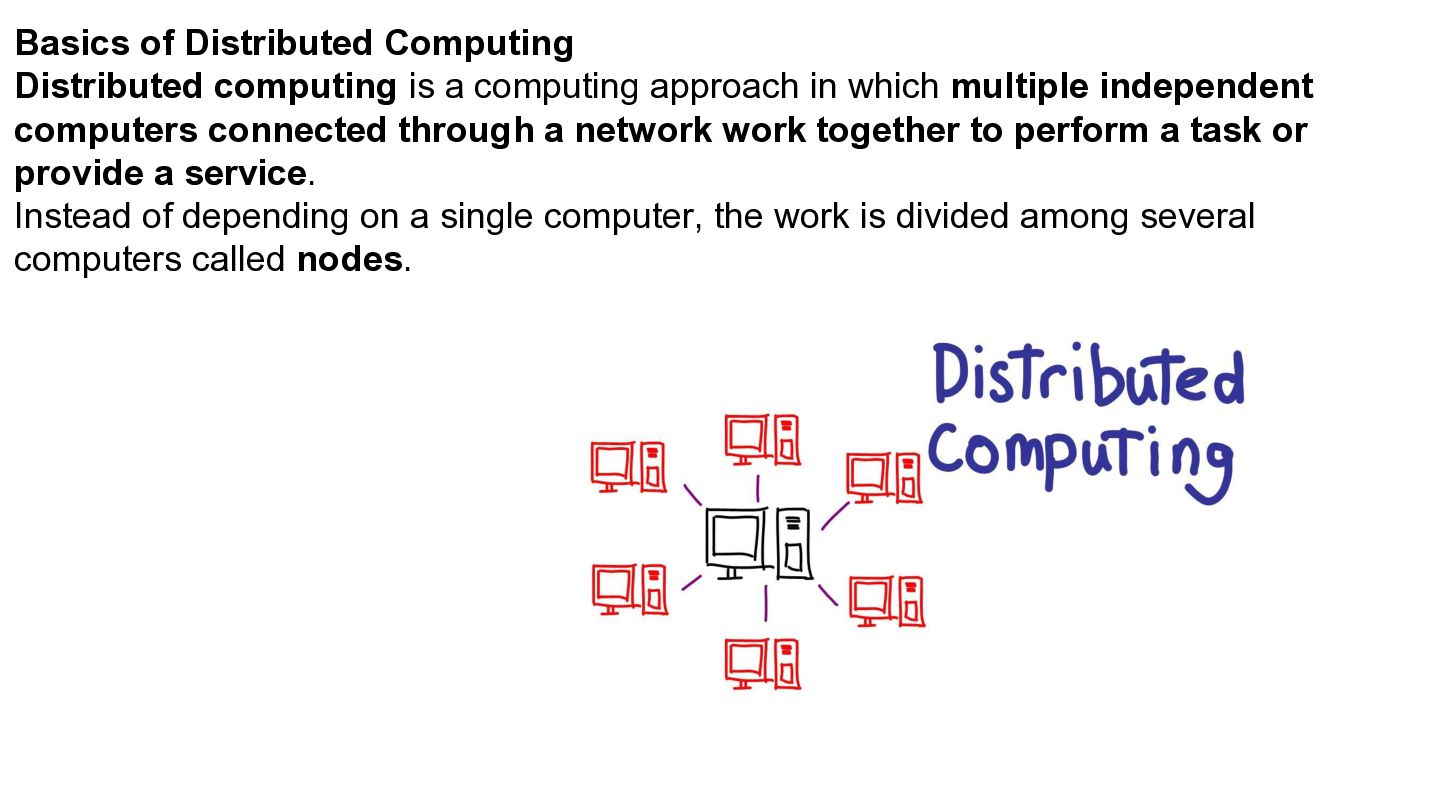
Basics of Distributed Computing Distributed computing is a computing approach
in which multiple independent computers connected through a network work together to perform a task or provide a service. Instead of depending on a single computer, the work is divided among several computers called nodes. -
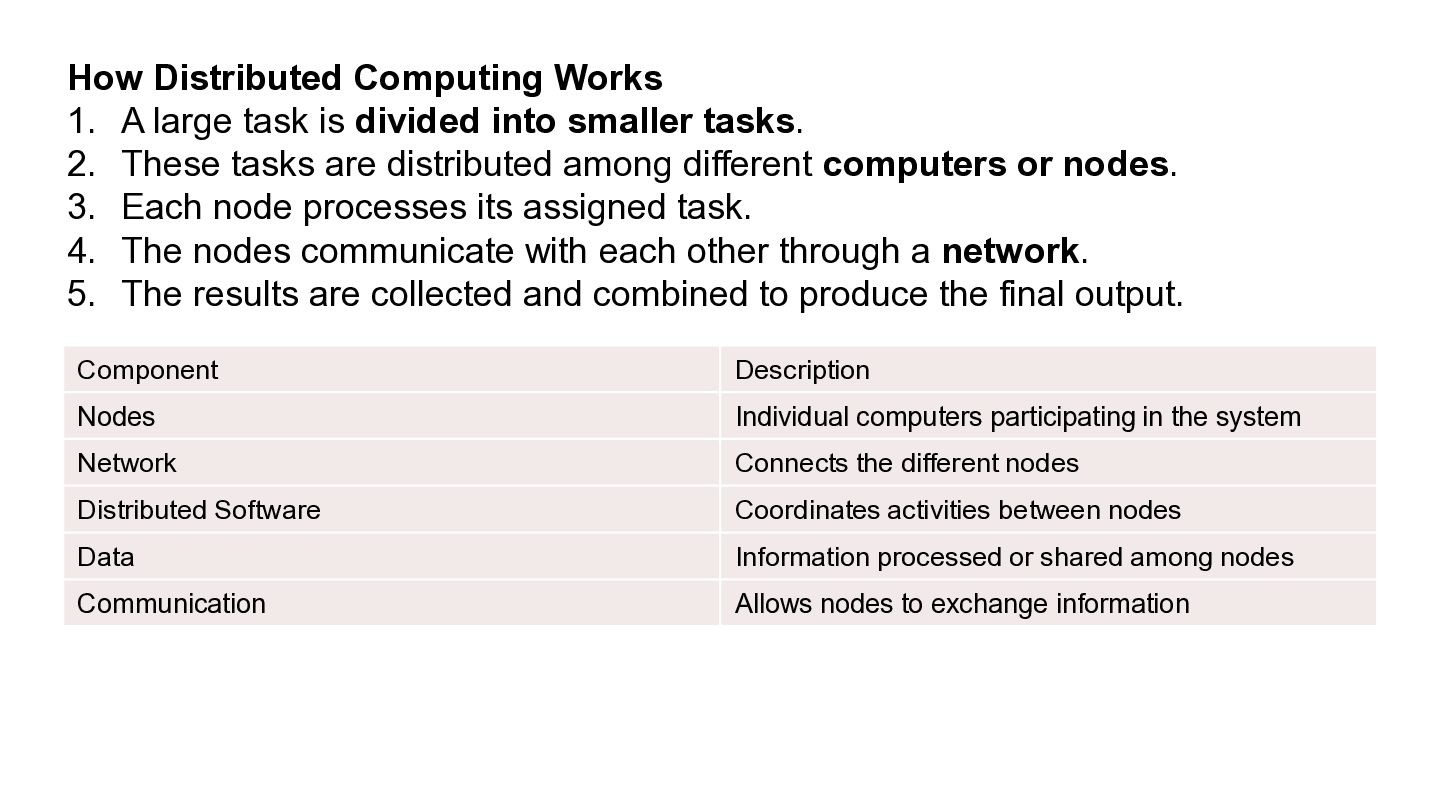
How Distributed Computing Works 1. A large task is divided
into smaller tasks. 2. These tasks are distributed among different computers or nodes. 3. Each node processes its assigned task. 4. The nodes communicate with each other through a network. 5. The results are collected and combined to produce the final output. Component Description Nodes Individual computers participating in the system Network Connects the different nodes Distributed Software Coordinates activities between nodes Data Information processed or shared among nodes Communication Allows nodes to exchange information -
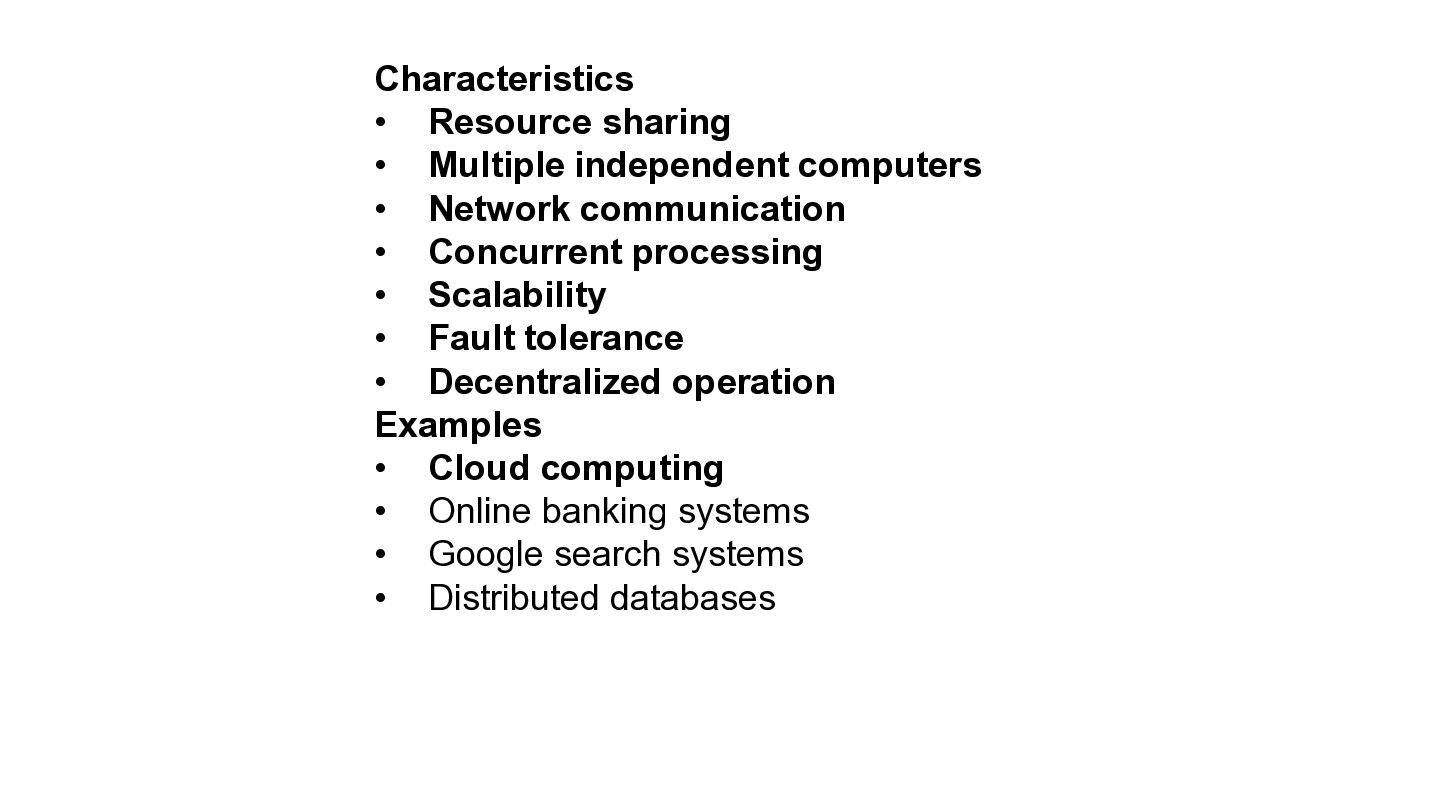
Characteristics • Resource sharing • Multiple independent computers • Network
communication • Concurrent processing • Scalability • Fault tolerance • Decentralized operation Examples • Cloud computing • Online banking systems • Google search systems • Distributed databases -
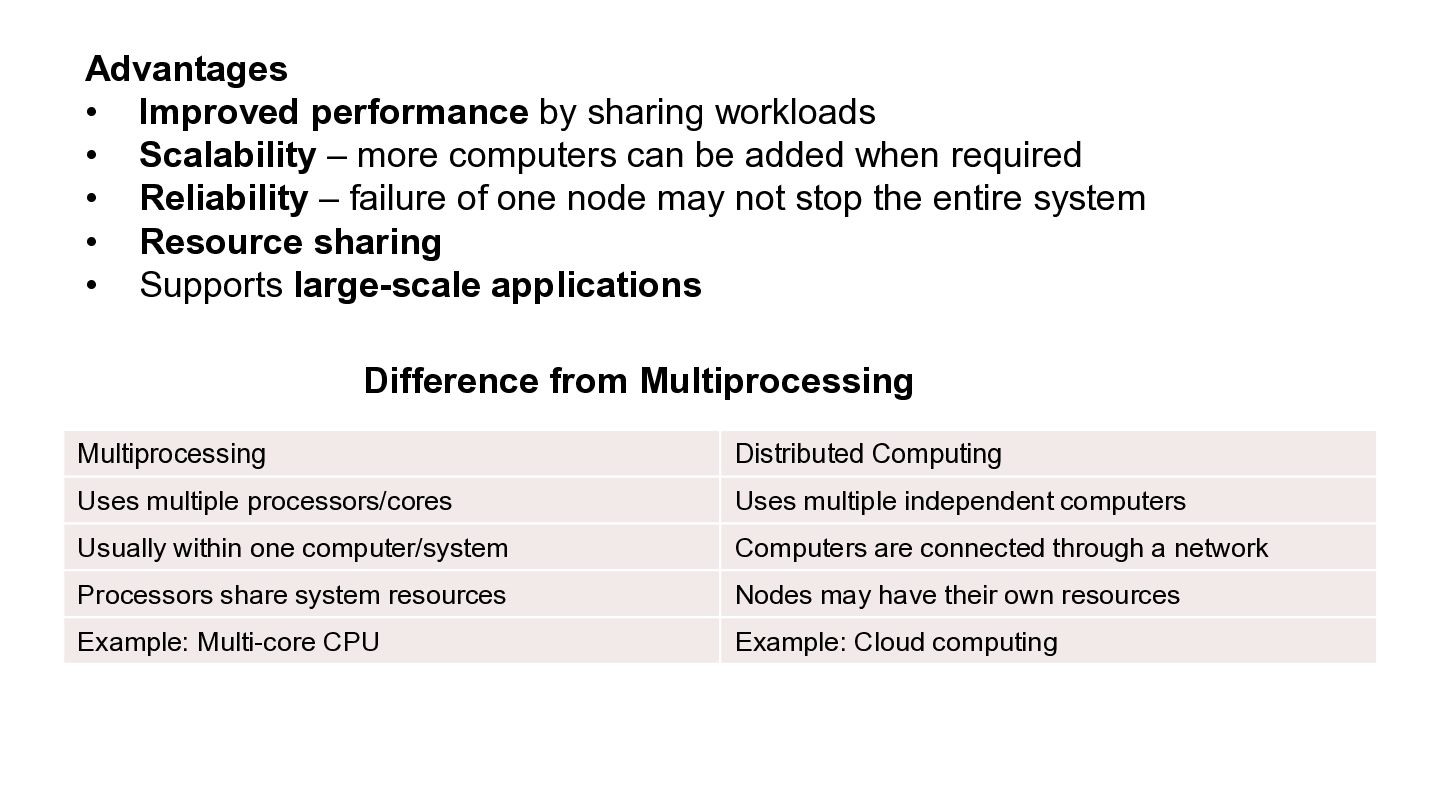
Advantages • Improved performance by sharing workloads • Scalability –
more computers can be added when required • Reliability – failure of one node may not stop the entire system • Resource sharing • Supports large-scale applications Difference from Multiprocessing Multiprocessing Distributed Computing Uses multiple processors/cores Uses multiple independent computers Usually within one computer/system Computers are connected through a network Processors share system resources Nodes may have their own resources Example: Multi-core CPU Example: Cloud computing -
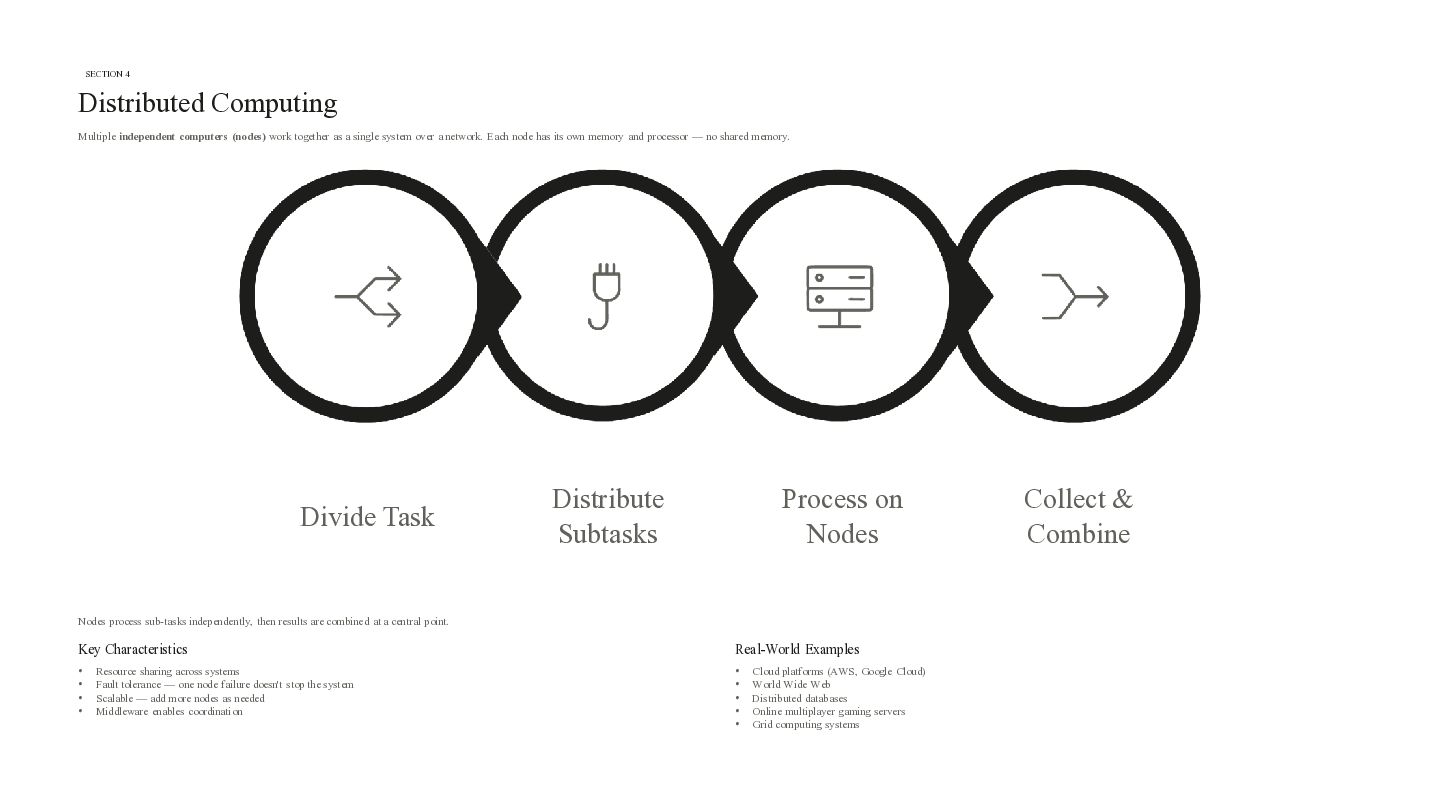
SECTION 4 Distributed Computing Multiple independent computers (nodes) work together
as a single system over a network. Each node has its own memory and processor — no shared memory. Divide Task Distribute Subtasks Process on Nodes Nodes process sub-tasks independently, then results are combined at a central point. Key Characteristics Real-World Examples • • • • • • • • • Resource sharing across systems Fault tolerance — one node failure doesn't stop the system Scalable — add more nodes as needed Middleware enables coordination Cloud platforms (AWS, Google Cloud) World Wide Web Distributed databases Online multiplayer gaming servers Grid computing systems Collect & Combine -
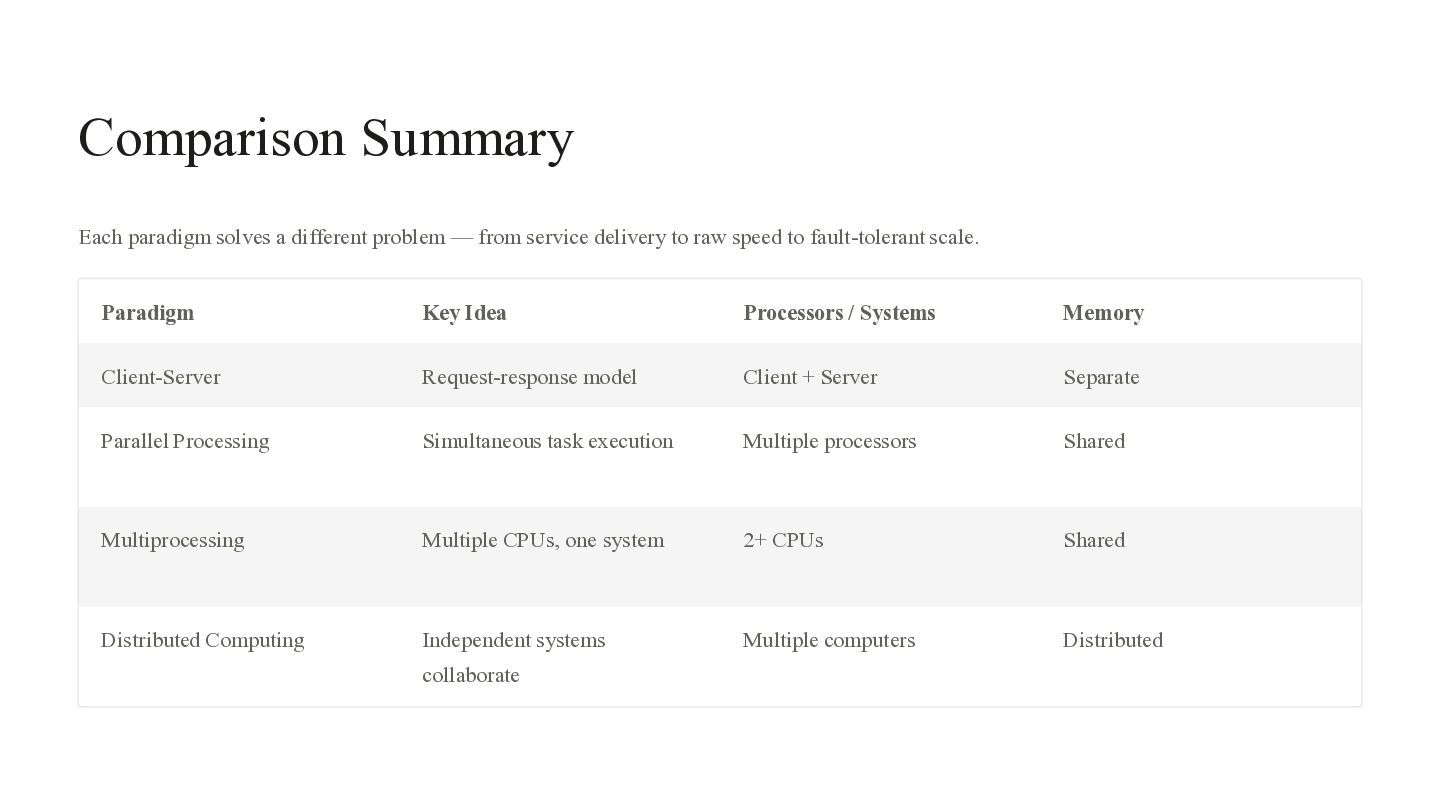
Comparison Summary Each paradigm solves a different problem — from
service delivery to raw speed to fault-tolerant scale. Paradigm Key Idea Processors / Systems Memory Client-Server Request-response model Client + Server Separate Parallel Processing Simultaneous task execution Multiple processors Shared Multiprocessing Multiple CPUs, one system 2+ CPUs Shared Distributed Computing Independent systems Multiple computers Distributed collaborate -
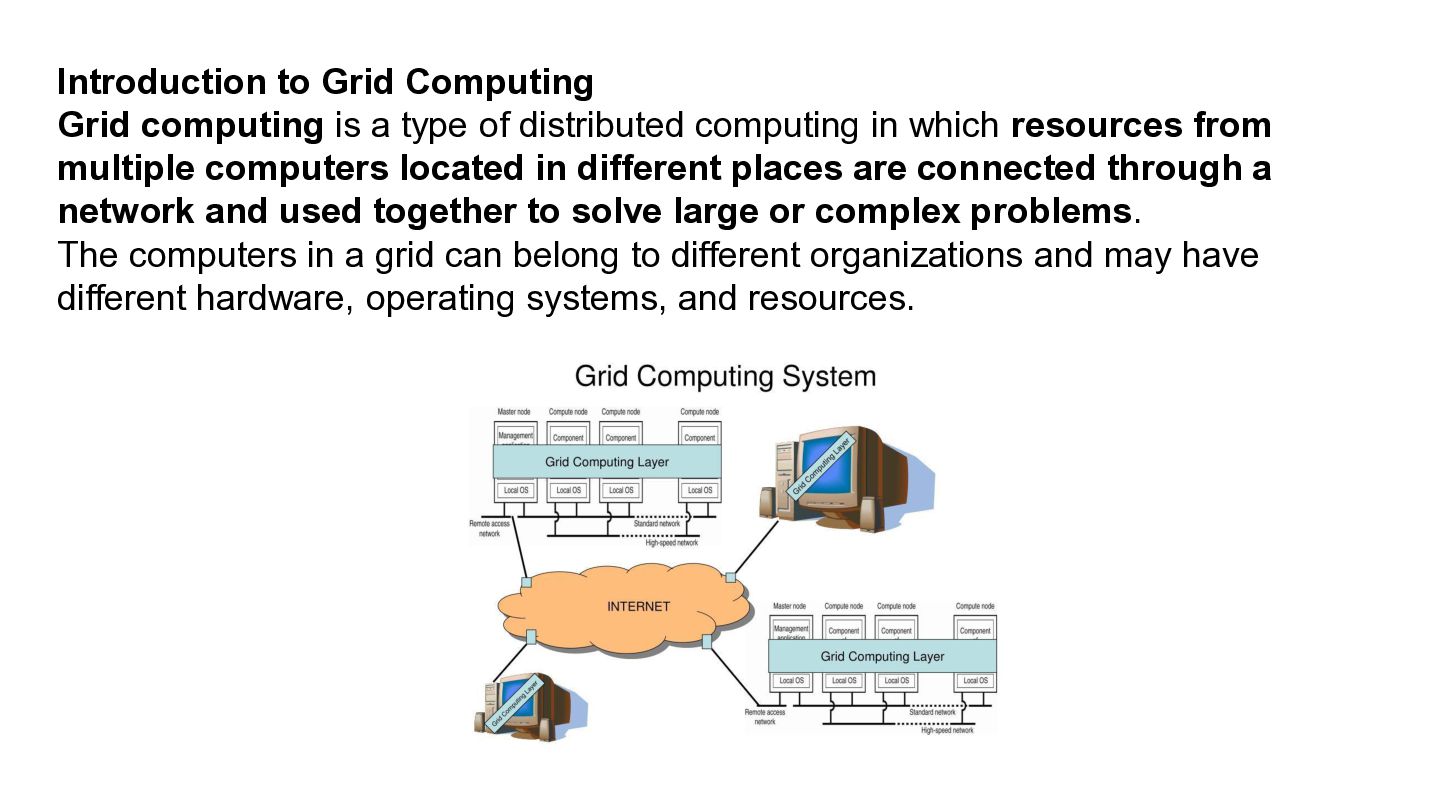
Introduction to Grid Computing Grid computing is a type of
distributed computing in which resources from multiple computers located in different places are connected through a network and used together to solve large or complex problems. The computers in a grid can belong to different organizations and may have different hardware, operating systems, and resources. -
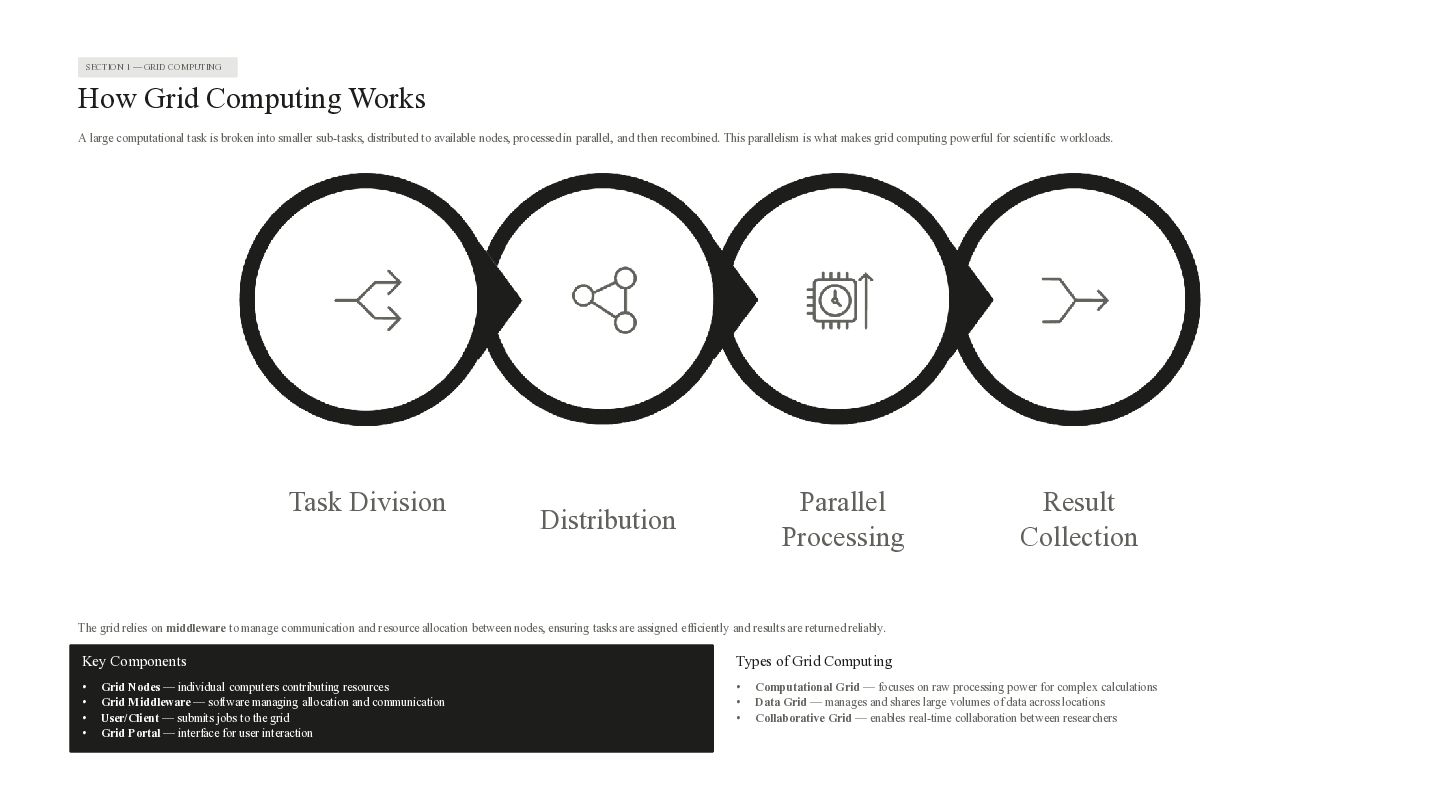
SECTION 1 — GRID COMPUTING How Grid Computing Works A
large computational task is broken into smaller sub-tasks, distributed to available nodes, processed in parallel, and then recombined. This parallelism is what makes grid computing powerful for scientific workloads. Task Division Parallel Processing Distribution Result Collection The grid relies on middleware to manage communication and resource allocation between nodes, ensuring tasks are assigned efficiently and results are returned reliably. Key Components Types of Grid Computing • • • • • • • Grid Nodes — individual computers contributing resources Grid Middleware — software managing allocation and communication User/Client — submits jobs to the grid Grid Portal — interface for user interaction Computational Grid — focuses on raw processing power for complex calculations Data Grid — manages and shares large volumes of data across locations Collaborative Grid — enables real-time collaboration between researchers -
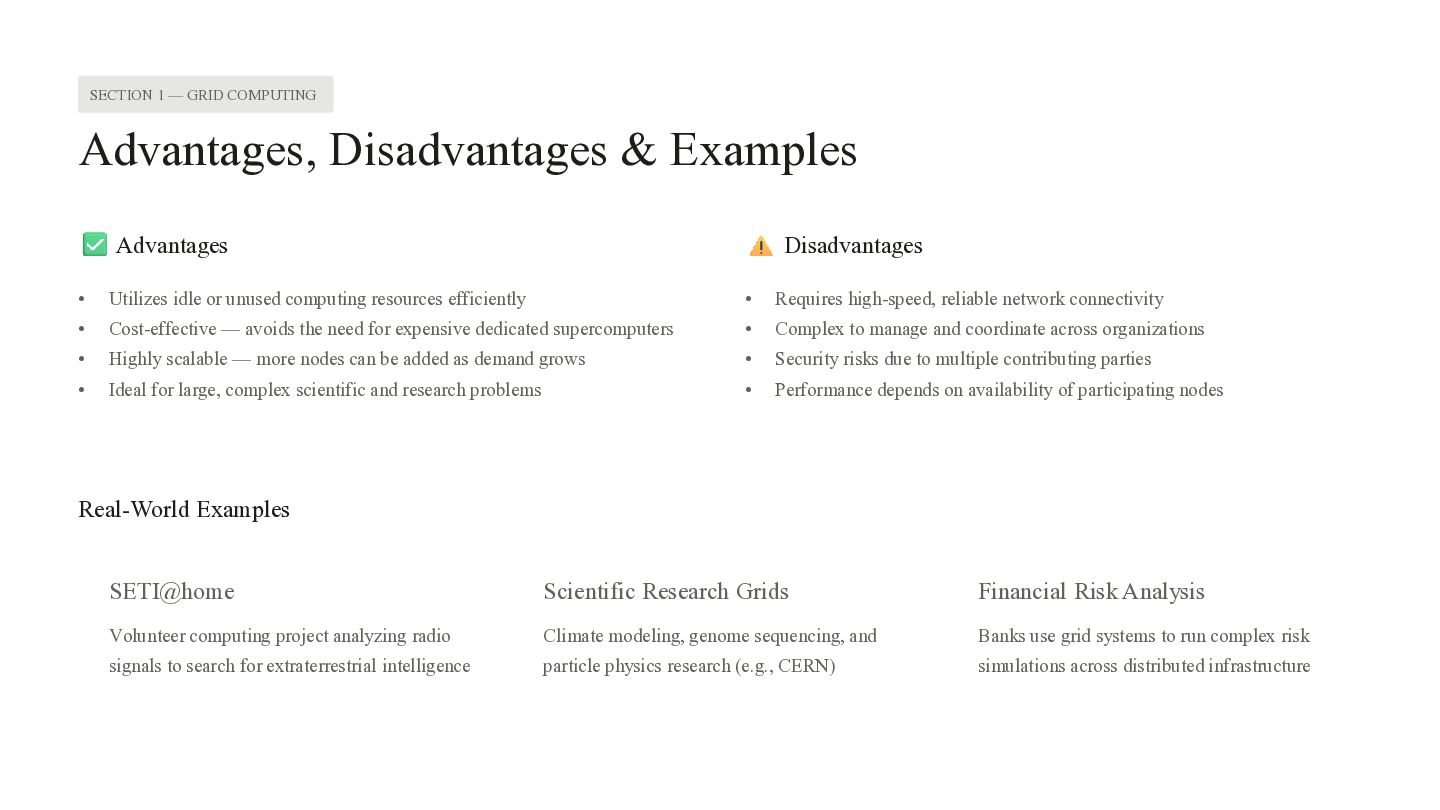
SECTION 1 — GRID COMPUTING Advantages, Disadvantages & Examples Advantages
Disadvantages • Utilizes idle or unused computing resources efficiently • Requires high-speed, reliable network connectivity • Cost-effective — avoids the need for expensive dedicated supercomputers • Complex to manage and coordinate across organizations • Highly scalable — more nodes can be added as demand grows • Security risks due to multiple contributing parties • Ideal for large, complex scientific and research problems • Performance depends on availability of participating nodes Real-World Examples SETI@home Scientific Research Grids Financial Risk Analysis Volunteer computing project analyzing radio Climate modeling, genome sequencing, and Banks use grid systems to run complex risk signals to search for extraterrestrial intelligence particle physics research (e.g., CERN) simulations across distributed infrastructure -
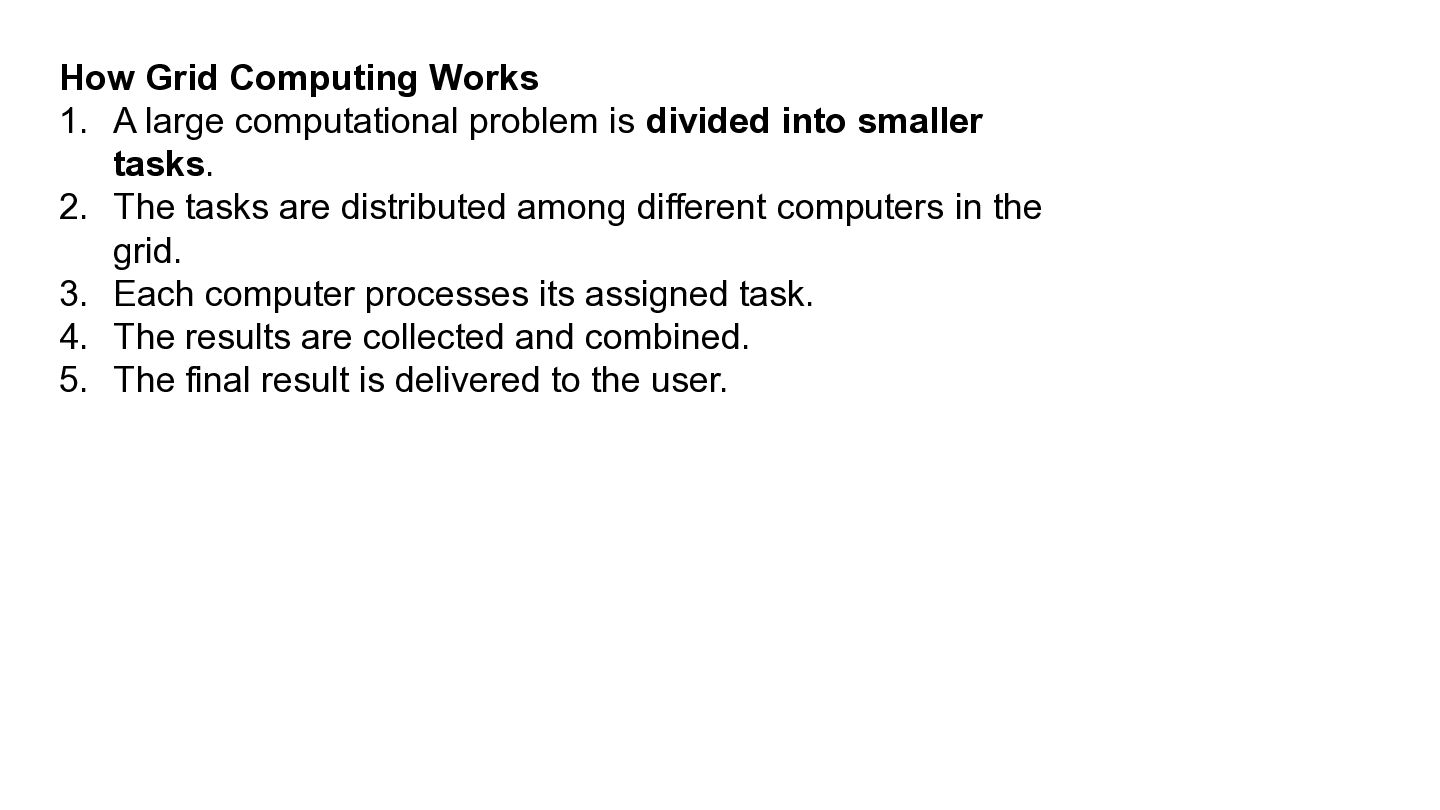
How Grid Computing Works 1. A large computational problem is
divided into smaller tasks. 2. The tasks are distributed among different computers in the grid. 3. Each computer processes its assigned task. 4. The results are collected and combined. 5. The final result is delivered to the user. -
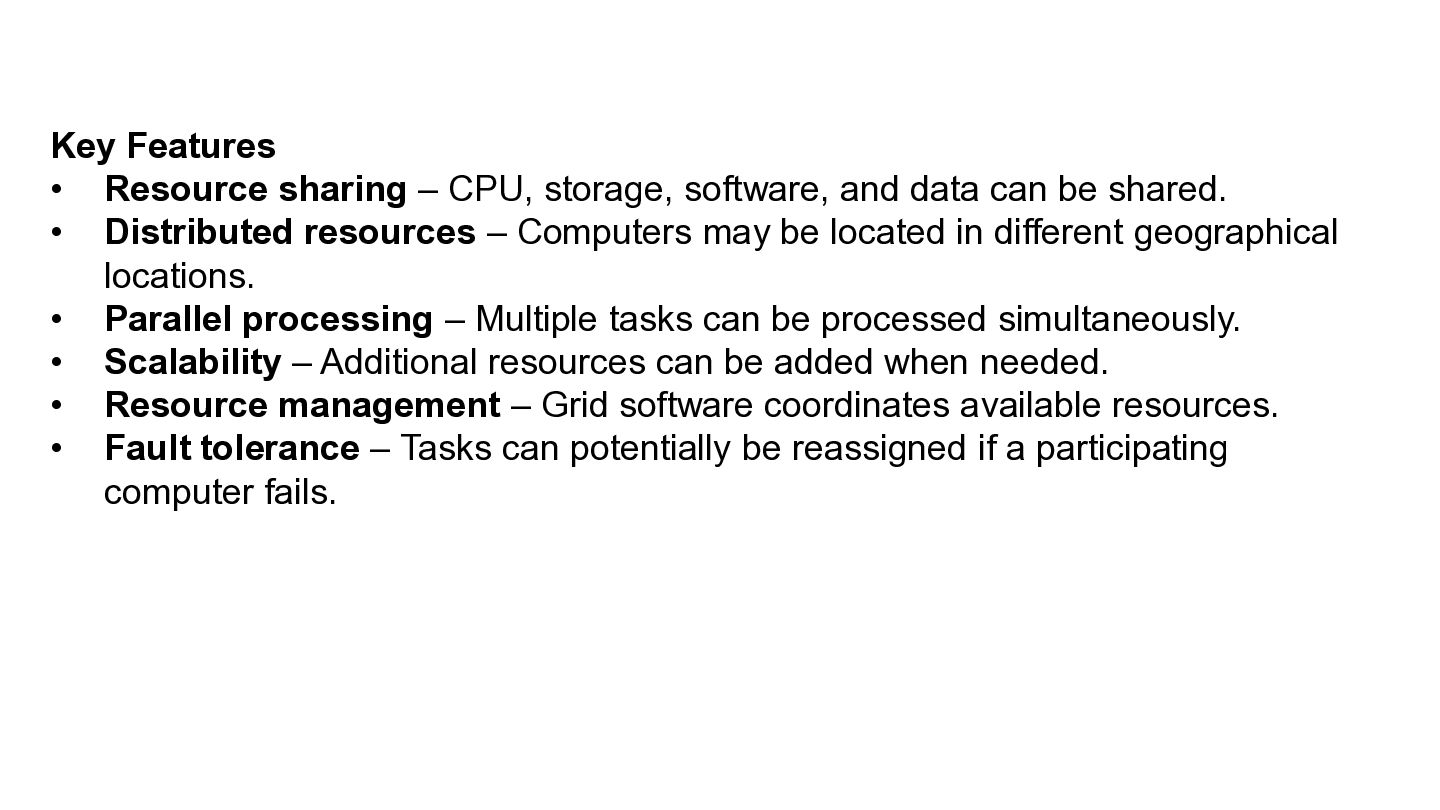
Key Features • Resource sharing – CPU, storage, software, and
data can be shared. • Distributed resources – Computers may be located in different geographical locations. • Parallel processing – Multiple tasks can be processed simultaneously. • Scalability – Additional resources can be added when needed. • Resource management – Grid software coordinates available resources. • Fault tolerance – Tasks can potentially be reassigned if a participating computer fails. -
Advantages • Makes better use of available computing resources •
Reduces the time required for complex computations • Can handle large-scale problems • Allows resources from different locations to work together • Can be more cost-effective than purchasing a single very powerful system -
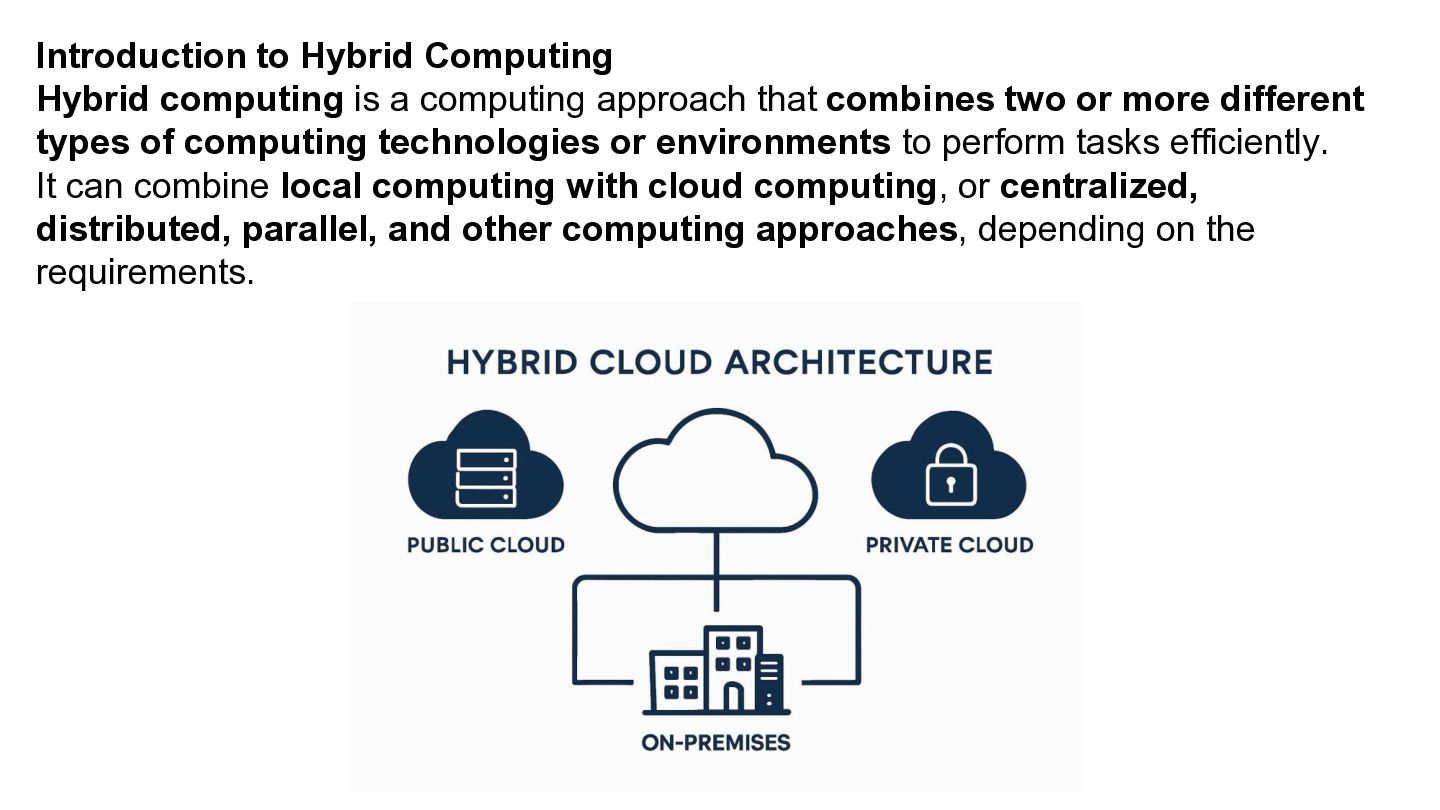
Introduction to Hybrid Computing Hybrid computing is a computing approach
that combines two or more different types of computing technologies or environments to perform tasks efficiently. It can combine local computing with cloud computing, or centralized, distributed, parallel, and other computing approaches, depending on the requirements. -
Public Cloud A public cloud is a cloud service provided
by a third-party company and shared among many customers over the internet. Examples: • Amazon Web Services (AWS) • Microsoft Azure • Google Cloud Private Cloud A private cloud is a cloud infrastructure dedicated to one organization. Example: A university sets up its own cloud servers inside its data center to store: Student records Examination data -
Hybrid Cloud A hybrid cloud combines public cloud + private
cloud, allowing an organization to use both. Example: A university keeps student examination records on its private cloud for greater control, while using a public cloud such as AWS or Azure to host its college website and online learning platform. -
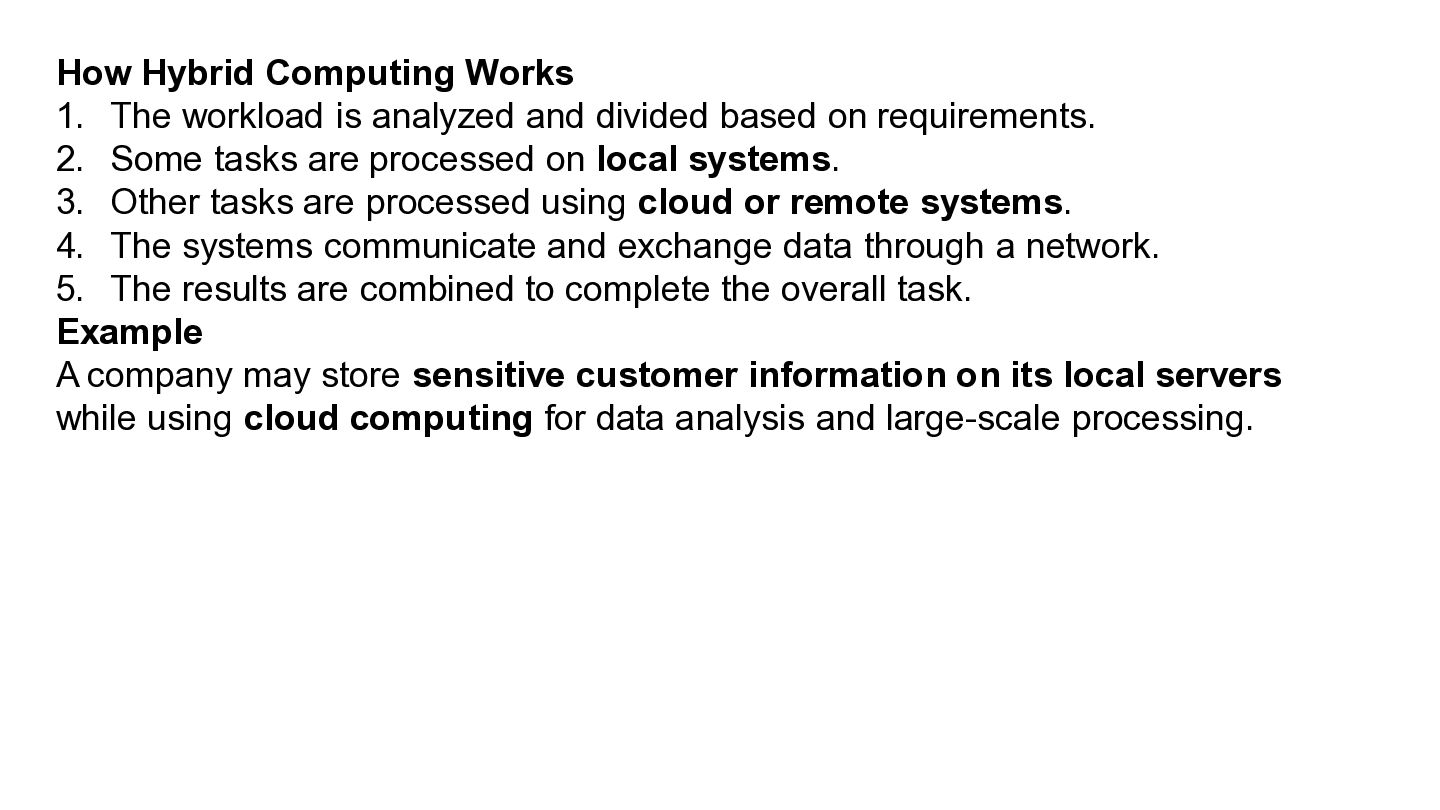
How Hybrid Computing Works 1. The workload is analyzed and
divided based on requirements. 2. Some tasks are processed on local systems. 3. Other tasks are processed using cloud or remote systems. 4. The systems communicate and exchange data through a network. 5. The results are combined to complete the overall task. Example A company may store sensitive customer information on its local servers while using cloud computing for data analysis and large-scale processing. -
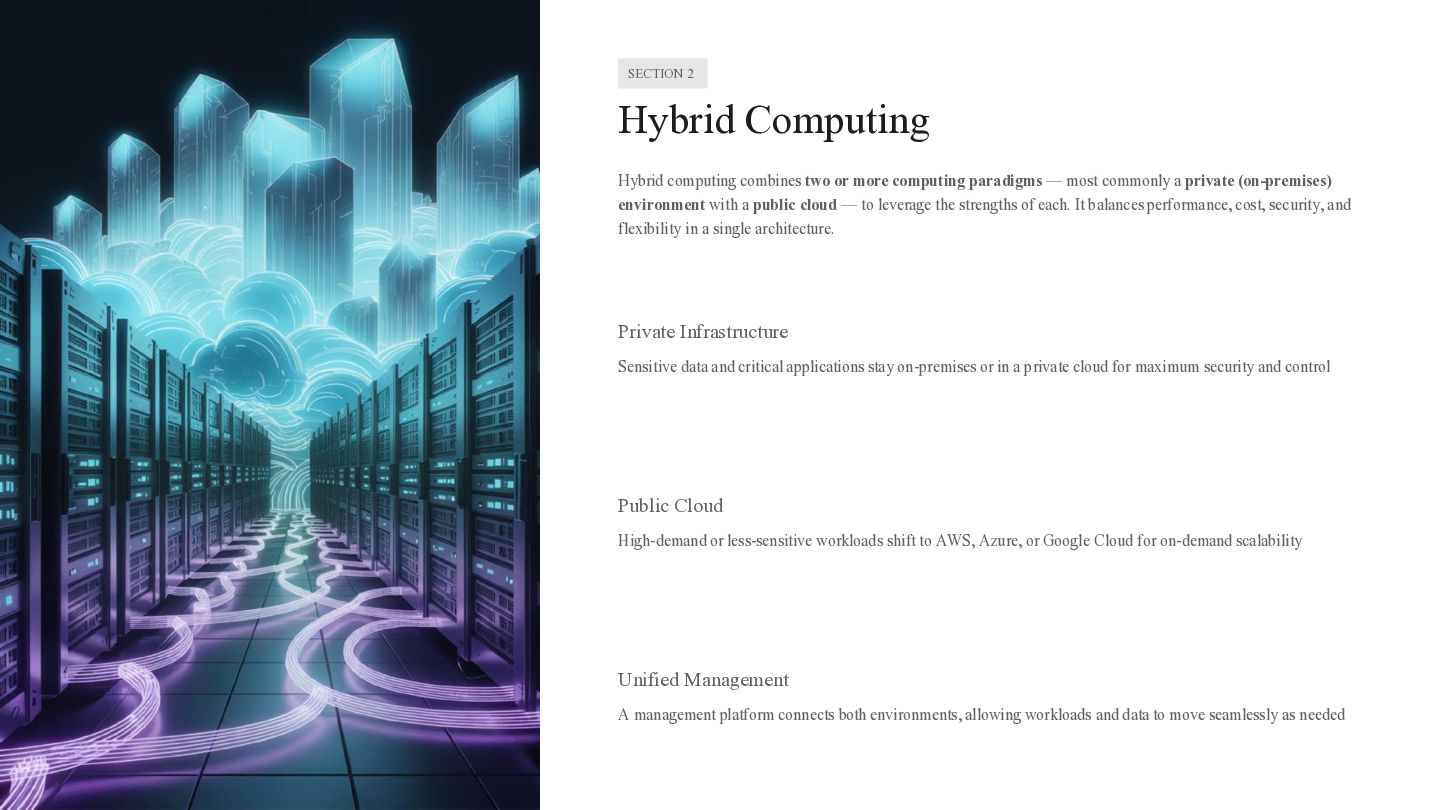
SECTION 2 Hybrid Computing Hybrid computing combines two or more
computing paradigms — most commonly a private (on-premises) environment with a public cloud — to leverage the strengths of each. It balances performance, cost, security, and flexibility in a single architecture. Private Infrastructure Sensitive data and critical applications stay on-premises or in a private cloud for maximum security and control Public Cloud High-demand or less-sensitive workloads shift to AWS, Azure, or Google Cloud for on-demand scalability Unified Management A management platform connects both environments, allowing workloads and data to move seamlessly as needed -
Advantages • Flexibility – different resources can be used for
different tasks. • Scalability – cloud resources can be added when required. • Cost efficiency – organizations can use existing infrastructure while utilizing external resources when needed. • Performance improvement – computationally intensive tasks can be assigned to more powerful resources. • Data control – sensitive workloads can remain on private infrastructure. -
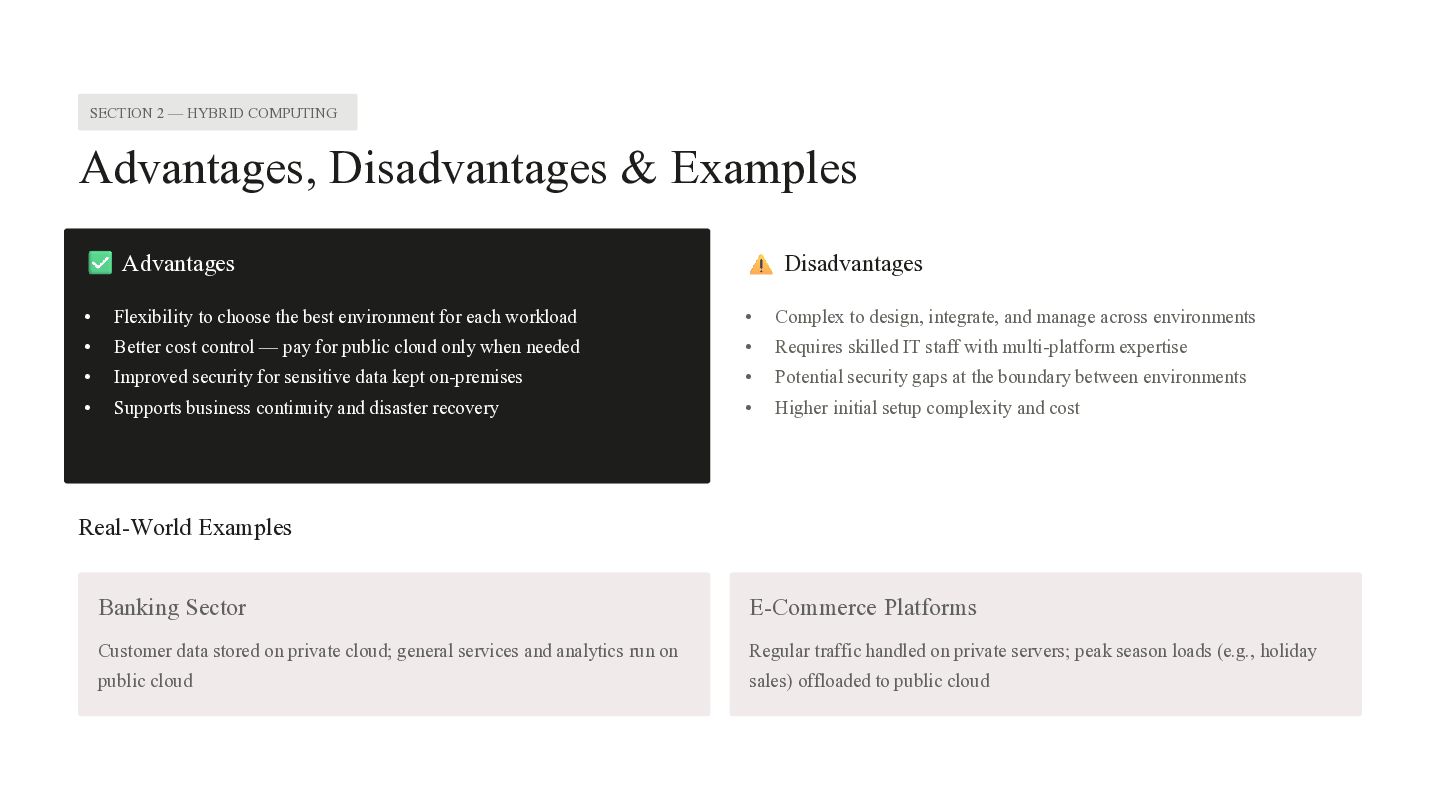
SECTION 2 — HYBRID COMPUTING Advantages, Disadvantages & Examples Advantages
Disadvantages • Flexibility to choose the best environment for each workload • Complex to design, integrate, and manage across environments • Better cost control — pay for public cloud only when needed • Requires skilled IT staff with multi-platform expertise • Improved security for sensitive data kept on-premises • Potential security gaps at the boundary between environments • Supports business continuity and disaster recovery • Higher initial setup complexity and cost Real-World Examples Banking Sector E-Commerce Platforms Customer data stored on private cloud; general services and analytics run on Regular traffic handled on private servers; peak season loads (e.g., holiday public cloud sales) offloaded to public cloud -
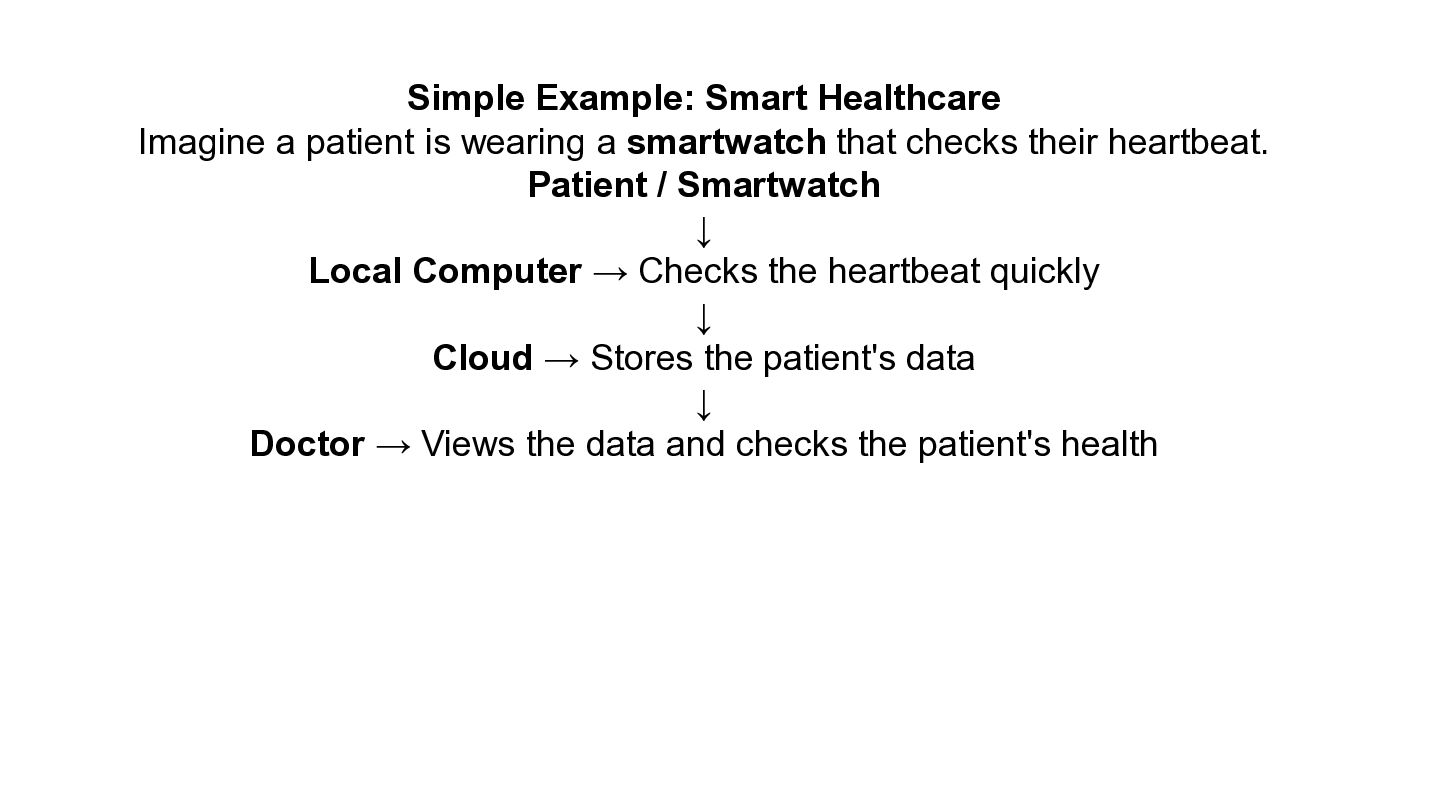
Simple Example: Smart Healthcare Imagine a patient is wearing a
smartwatch that checks their heartbeat. Patient / Smartwatch ↓ Local Computer → Checks the heartbeat quickly ↓ Cloud → Stores the patient's data ↓ Doctor → Views the data and checks the patient's health -
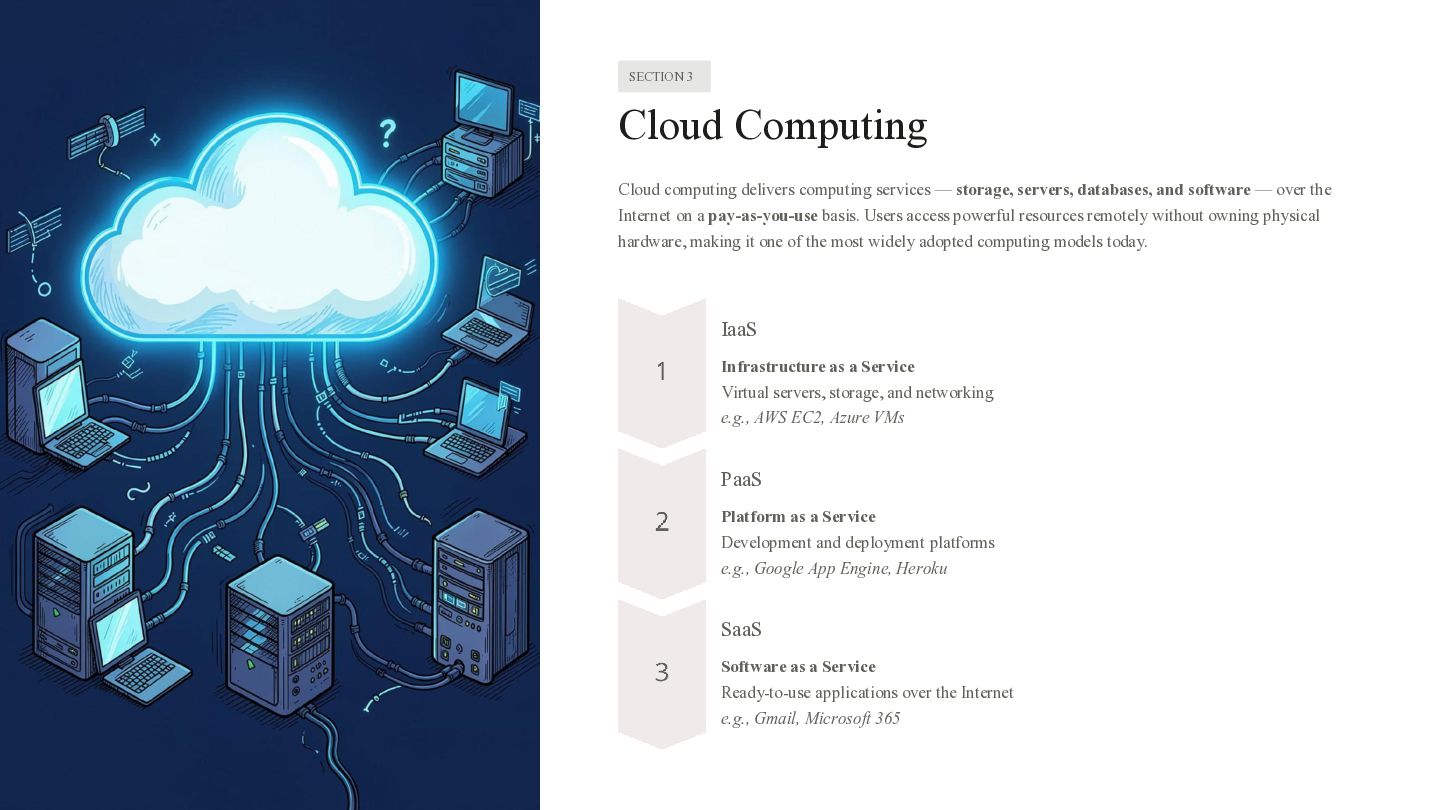
SECTION 3 Cloud Computing Cloud computing delivers computing services —
storage, servers, databases, and software — over the Internet on a pay-as-you-use basis. Users access powerful resources remotely without owning physical hardware, making it one of the most widely adopted computing models today. IaaS Infrastructure as a Service Virtual servers, storage, and networking e.g., AWS EC2, Azure VMs PaaS Platform as a Service Development and deployment platforms e.g., Google App Engine, Heroku SaaS Software as a Service Ready-to-use applications over the Internet e.g., Gmail, Microsoft 365 -
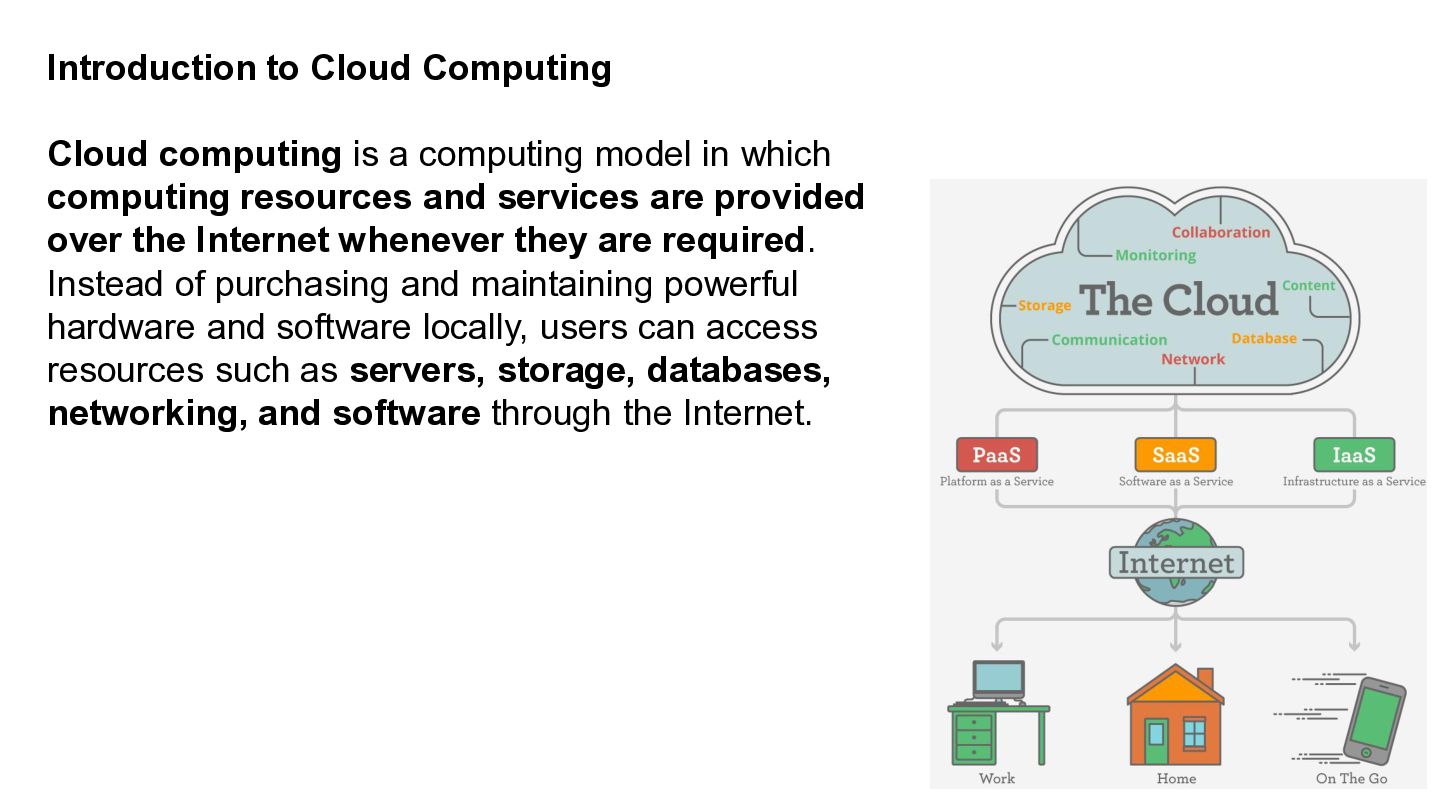
Introduction to Cloud Computing Cloud computing is a computing model
in which computing resources and services are provided over the Internet whenever they are required. Instead of purchasing and maintaining powerful hardware and software locally, users can access resources such as servers, storage, databases, networking, and software through the Internet. -
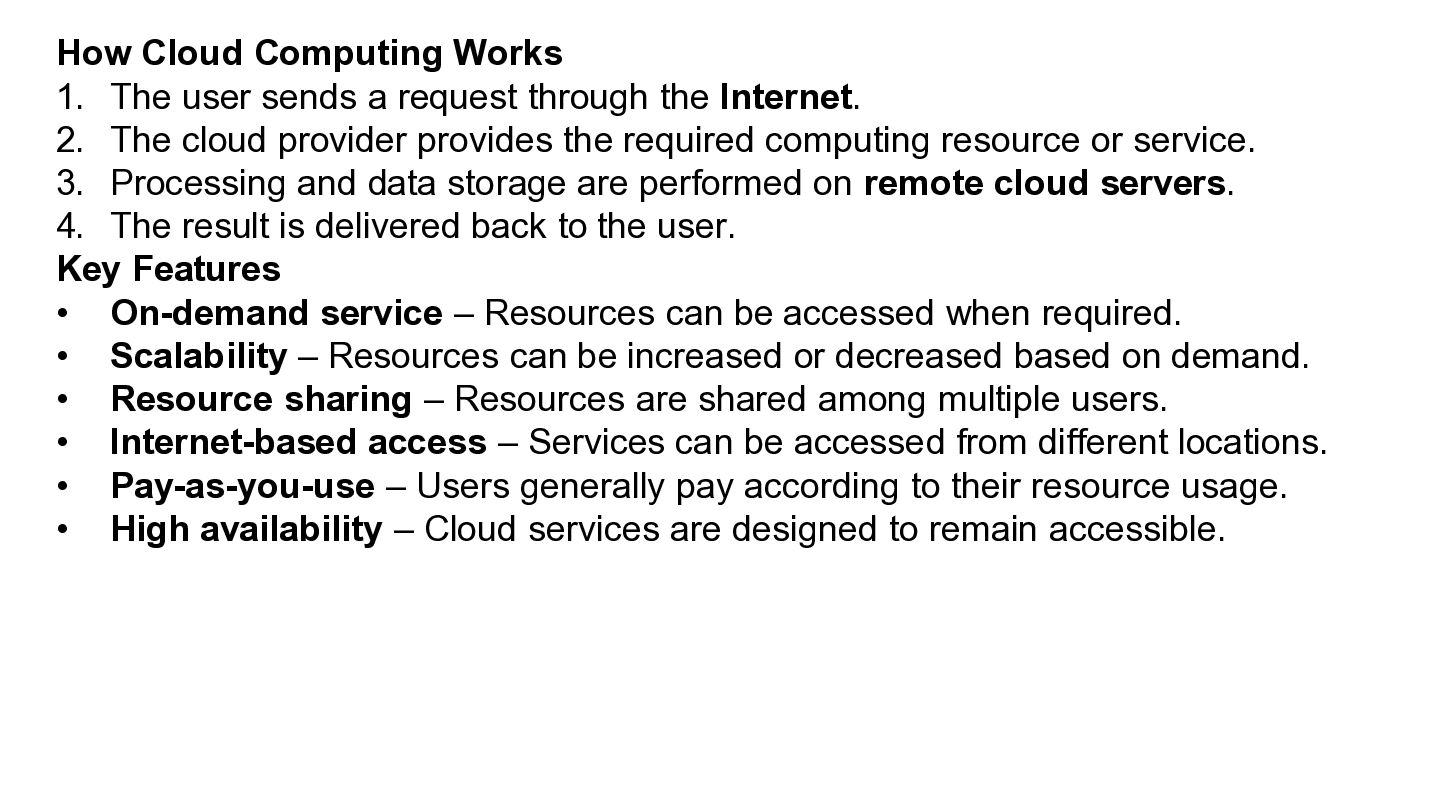
How Cloud Computing Works 1. The user sends a request
through the Internet. 2. The cloud provider provides the required computing resource or service. 3. Processing and data storage are performed on remote cloud servers. 4. The result is delivered back to the user. Key Features • On-demand service – Resources can be accessed when required. • Scalability – Resources can be increased or decreased based on demand. • Resource sharing – Resources are shared among multiple users. • Internet-based access – Services can be accessed from different locations. • Pay-as-you-use – Users generally pay according to their resource usage. • High availability – Cloud services are designed to remain accessible. -
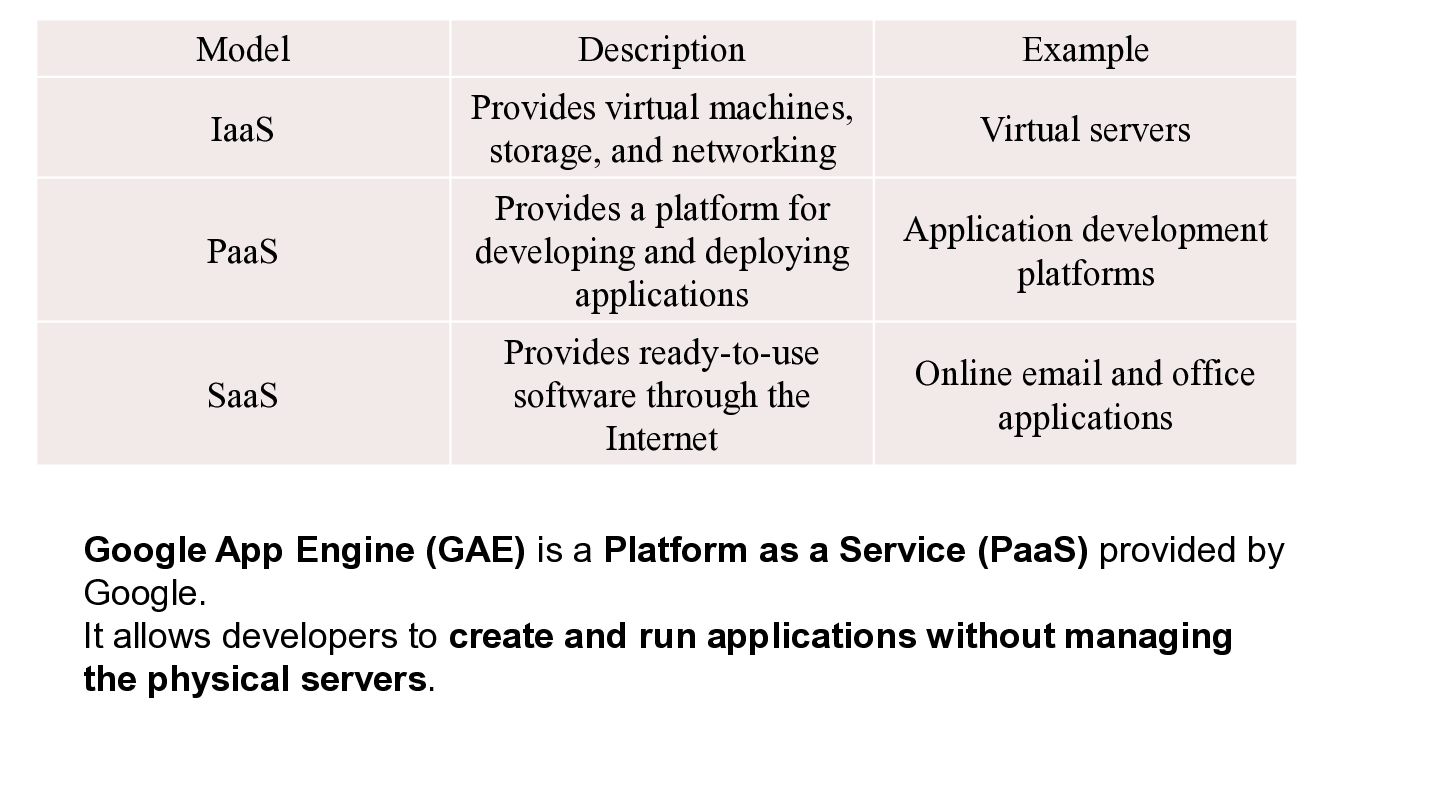
Model Description Example IaaS Provides virtual machines, storage, and networking
Virtual servers PaaS Provides a platform for developing and deploying applications Application development platforms SaaS Provides ready-to-use software through the Internet Online email and office applications Google App Engine (GAE) is a Platform as a Service (PaaS) provided by Google. It allows developers to create and run applications without managing the physical servers. -
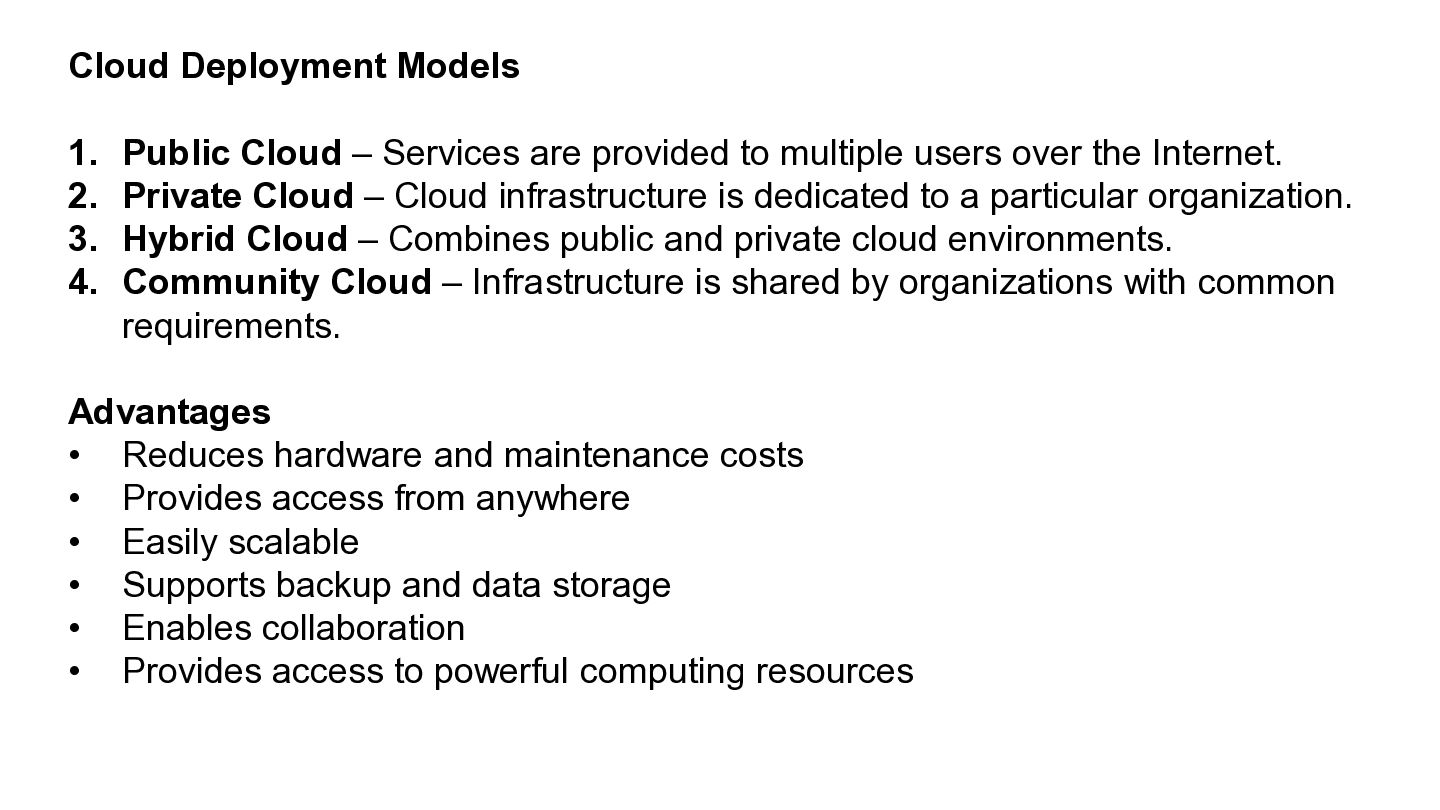
Cloud Deployment Models 1. Public Cloud – Services are provided
to multiple users over the Internet. 2. Private Cloud – Cloud infrastructure is dedicated to a particular organization. 3. Hybrid Cloud – Combines public and private cloud environments. 4. Community Cloud – Infrastructure is shared by organizations with common requirements. Advantages • Reduces hardware and maintenance costs • Provides access from anywhere • Easily scalable • Supports backup and data storage • Enables collaboration • Provides access to powerful computing resources -
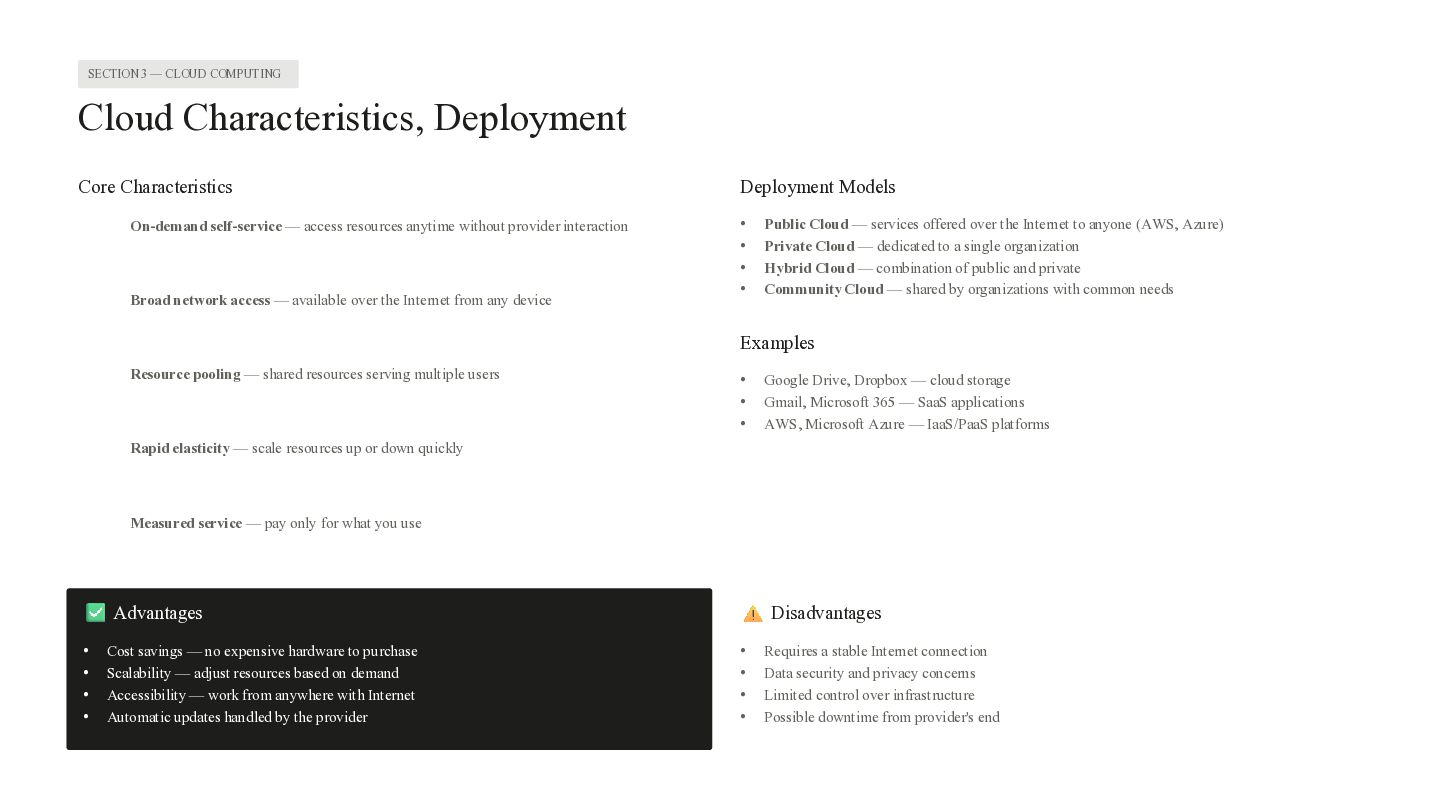
SECTION 3 — CLOUD COMPUTING Cloud Characteristics, Deployment Core Characteristics
On-demand self-service — access resources anytime without provider interaction Broad network access — available over the Internet from any device Deployment Models • • • • Public Cloud — services offered over the Internet to anyone (AWS, Azure) Private Cloud — dedicated to a single organization Hybrid Cloud — combination of public and private Community Cloud — shared by organizations with common needs Examples Resource pooling — shared resources serving multiple users • • • Google Drive, Dropbox — cloud storage Gmail, Microsoft 365 — SaaS applications AWS, Microsoft Azure — IaaS/PaaS platforms Rapid elasticity — scale resources up or down quickly Measured service — pay only for what you use Advantages • • • • Cost savings — no expensive hardware to purchase Scalability — adjust resources based on demand Accessibility — work from anywhere with Internet Automatic updates handled by the provider Disadvantages • • • • Requires a stable Internet connection Data security and privacy concerns Limited control over infrastructure Possible downtime from provider's end -
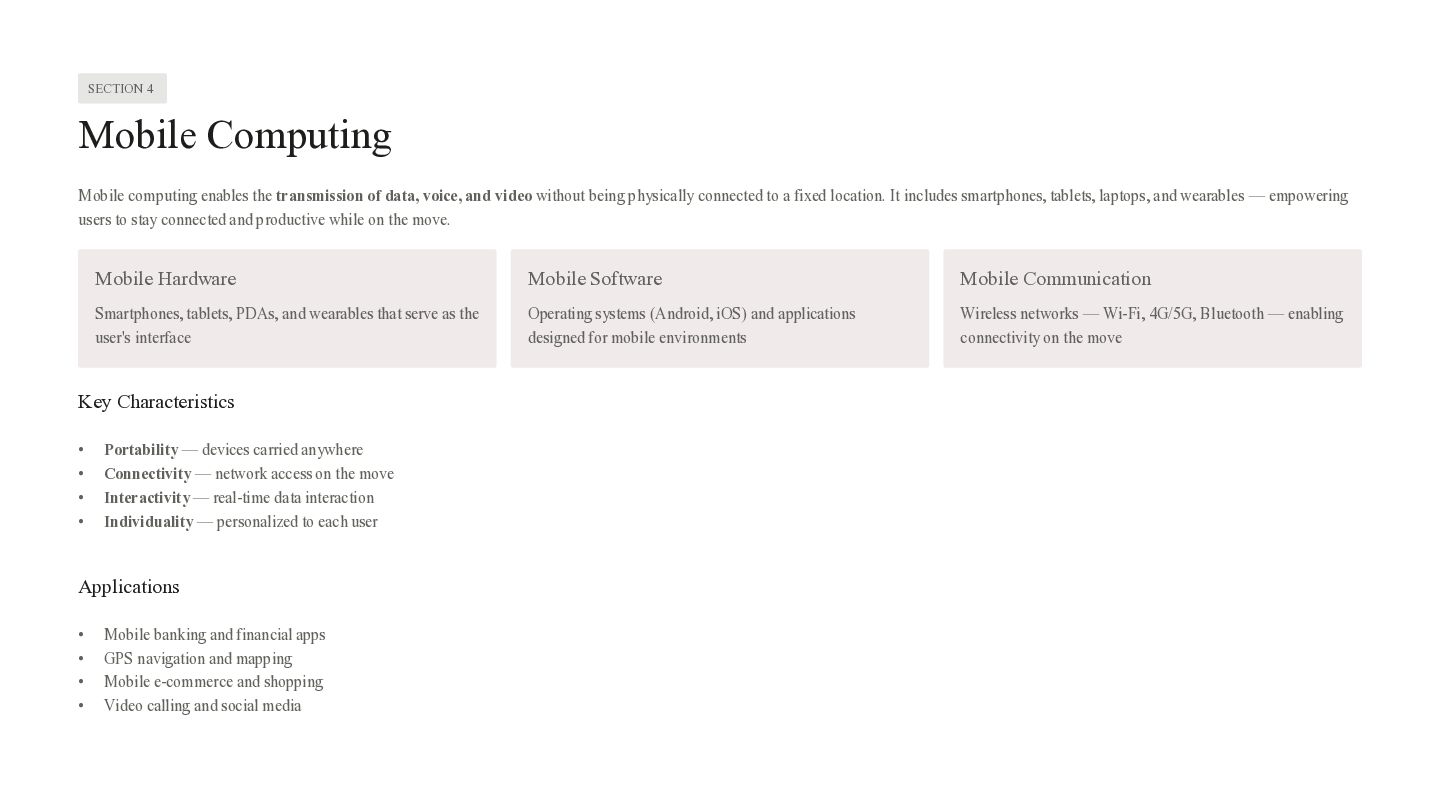
SECTION 4 Mobile Computing Mobile computing enables the transmission of
data, voice, and video without being physically connected to a fixed location. It includes smartphones, tablets, laptops, and wearables — empowering users to stay connected and productive while on the move. Mobile Hardware Mobile Software Mobile Communication Smartphones, tablets, PDAs, and wearables that serve as the user's interface Operating systems (Android, iOS) and applications designed for mobile environments Wireless networks — Wi-Fi, 4G/5G, Bluetooth — enabling connectivity on the move Key Characteristics • • • • Portability — devices carried anywhere Connectivity — network access on the move Interactivity — real-time data interaction Individuality — personalized to each user Applications • • • • Mobile banking and financial apps GPS navigation and mapping Mobile e-commerce and shopping Video calling and social media -
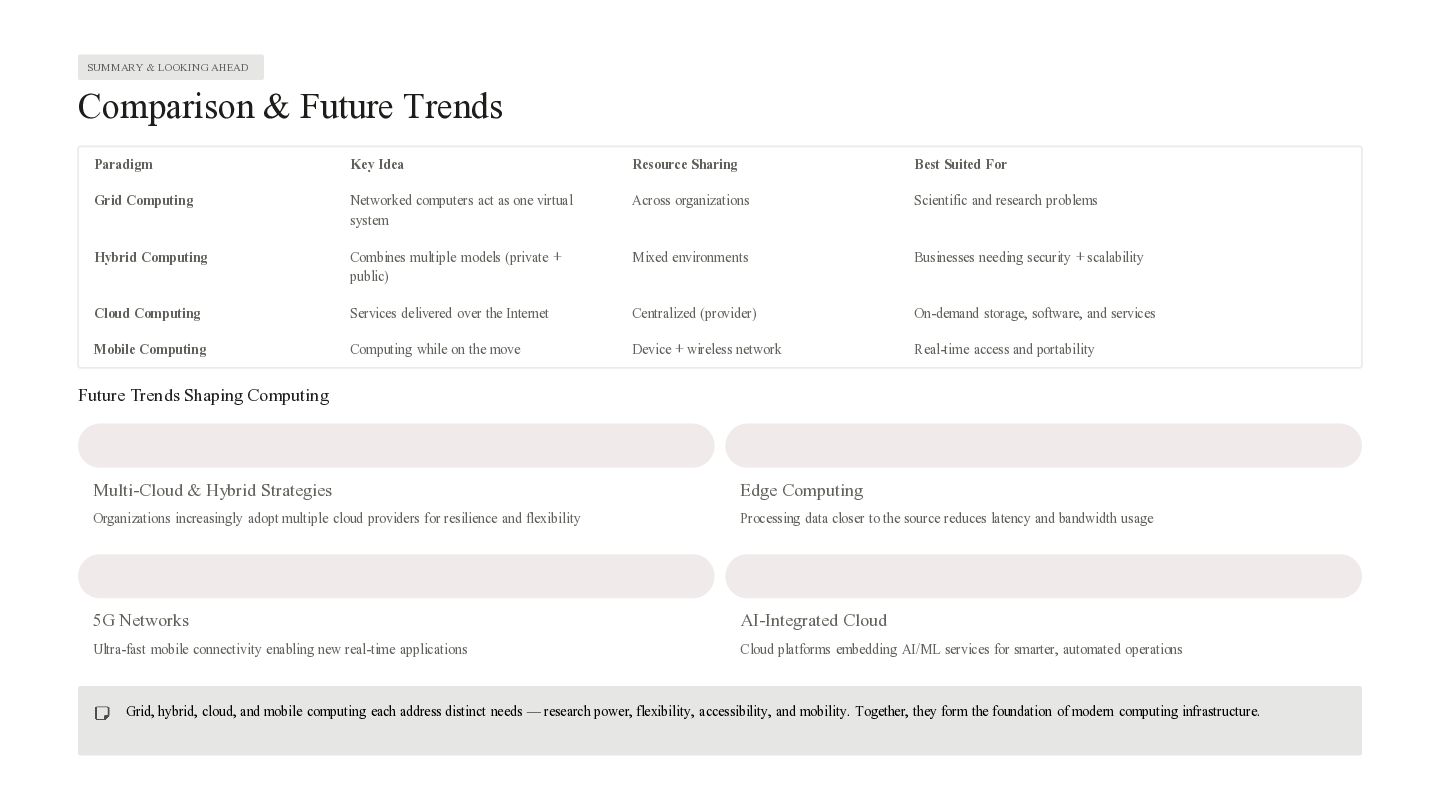
SUMMARY & LOOKING AHEAD Comparison & Future Trends Paradigm Key
Idea Resource Sharing Best Suited For Grid Computing Networked computers act as one virtual system Across organizations Scientific and research problems Hybrid Computing Combines multiple models (private + public) Mixed environments Businesses needing security + scalability Cloud Computing Services delivered over the Internet Centralized (provider) On-demand storage, software, and services Mobile Computing Computing while on the move Device + wireless network Real-time access and portability Future Trends Shaping Computing Multi-Cloud & Hybrid Strategies Edge Computing Organizations increasingly adopt multiple cloud providers for resilience and flexibility Processing data closer to the source reduces latency and bandwidth usage 5G Networks AI-Integrated Cloud Ultra-fast mobile connectivity enabling new real-time applications Cloud platforms embedding AI/ML services for smarter, automated operations Grid, hybrid, cloud, and mobile computing each address distinct needs — research power, flexibility, accessibility, and mobility. Together, they form the foundation of modern computing infrastructure. -
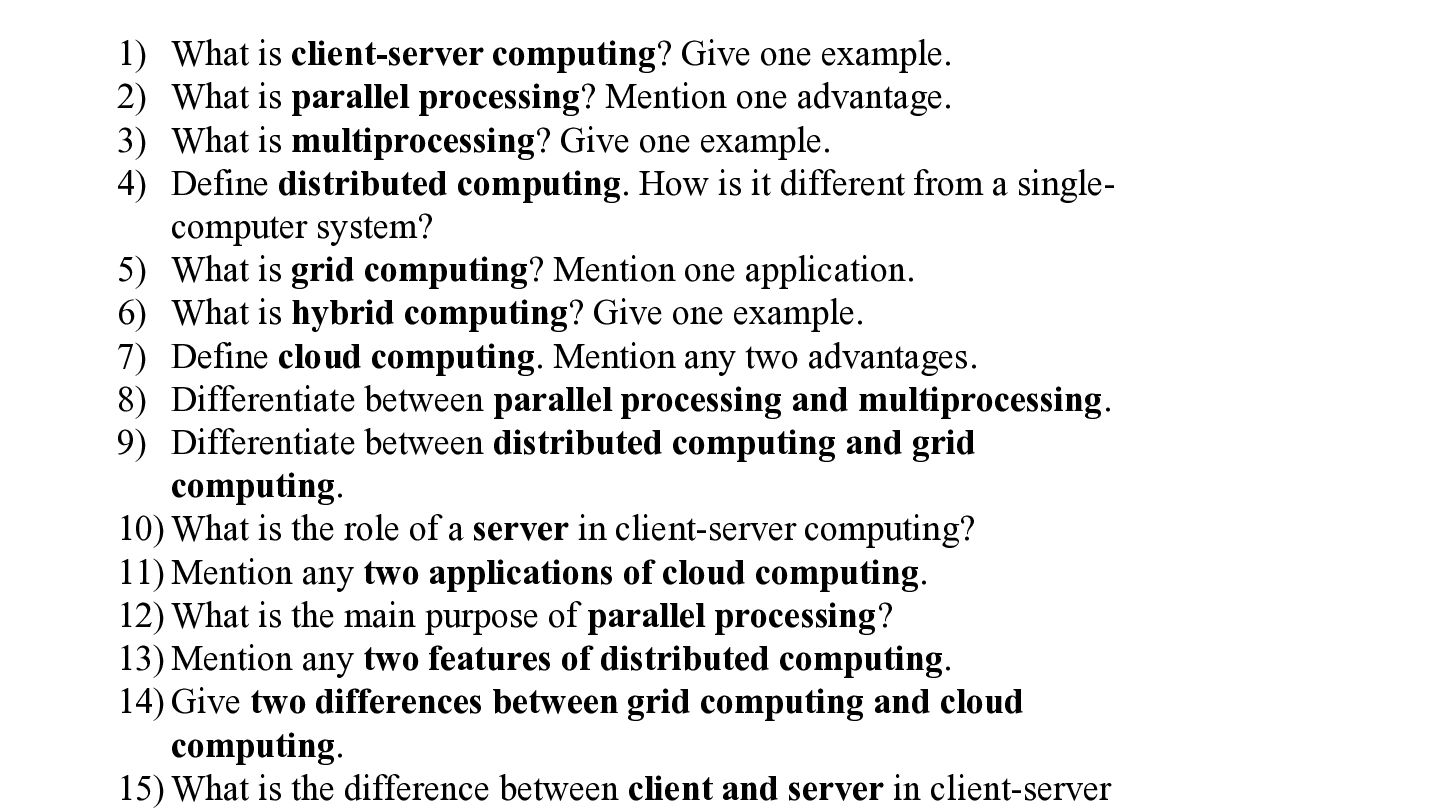
1) What is client-server computing? Give one example. 2) What
is parallel processing? Mention one advantage. 3) What is multiprocessing? Give one example. 4) Define distributed computing. How is it different from a singlecomputer system? 5) What is grid computing? Mention one application. 6) What is hybrid computing? Give one example. 7) Define cloud computing. Mention any two advantages. 8) Differentiate between parallel processing and multiprocessing. 9) Differentiate between distributed computing and grid computing. 10) What is the role of a server in client-server computing? 11) Mention any two applications of cloud computing. 12) What is the main purpose of parallel processing? 13) Mention any two features of distributed computing. 14) Give two differences between grid computing and cloud computing. 15) What is the difference between client and server in client-server
 sonakv
 adeputra13
 cbtlibrary
 auctria
 signer
 mu7889yoon
 pawan_pharm
 matleenalaakso
 rashwhitman
 lcolladotor
 akashhashmi
 ipullrank
 smashingmag
 cassininazir
 tammyeverts
 honnibal
 palkan
 wjessup
 asonas
 tammielis
 tamaranovitovic