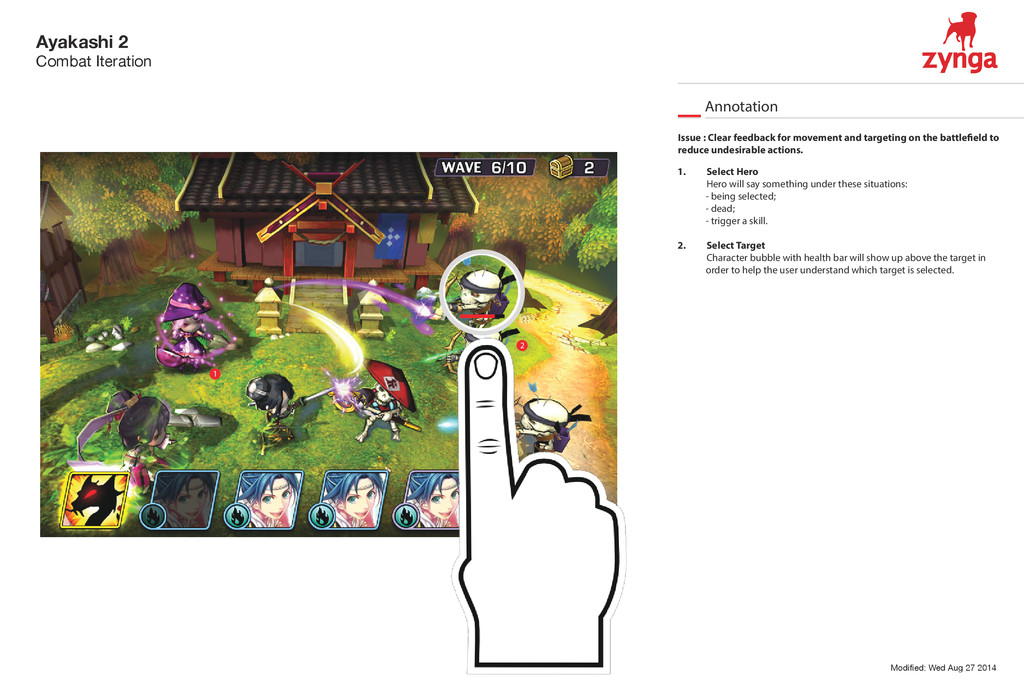
1. Select Hero Hero will say something under these situations: - being selected; - dead; - trigger a skill. 2. Select Target Character bubble with health bar will show up above the target in order to help the user understand which target is selected. 1 2 Issue : Clear feedback for movement and targeting on the battle eld to reduce undesirable actions.
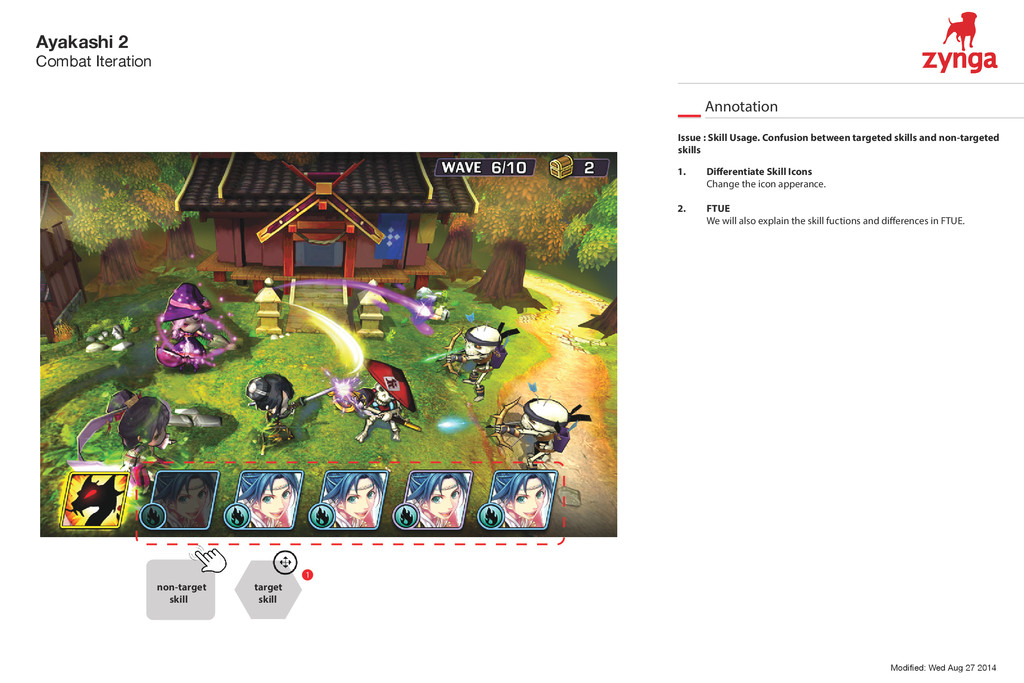
1. Di erentiate Skill Icons Change the icon apperance. 2. FTUE We will also explain the skill fuctions and di erences in FTUE. 1 Issue : Skill Usage. Confusion between targeted skills and non-targeted skills non-target skill target skill
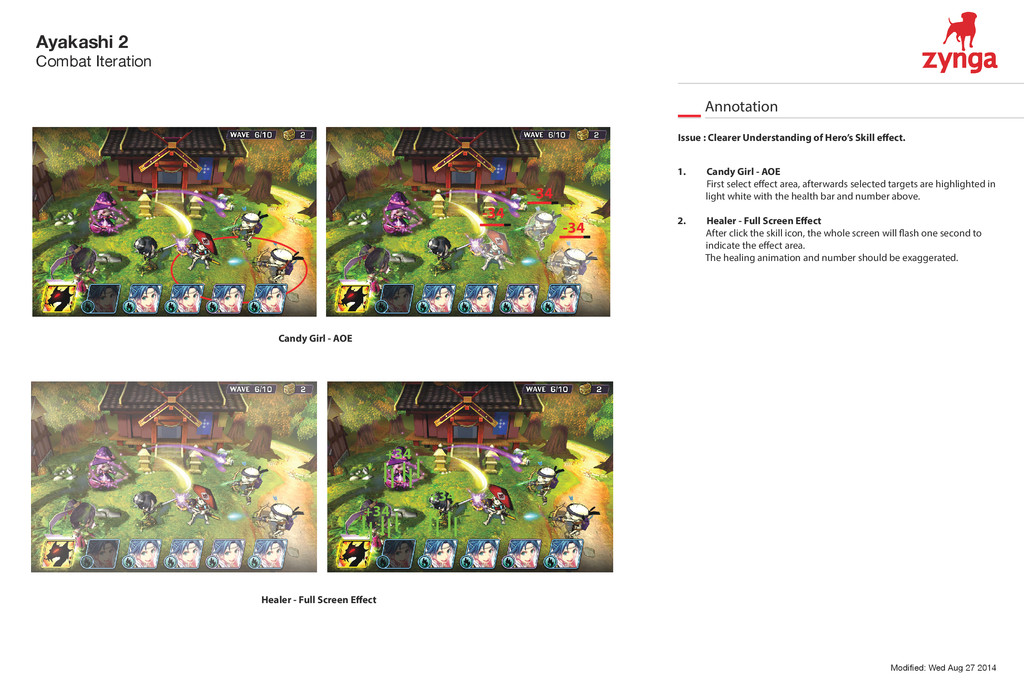
1. Candy Girl - AOE First select e ect area, afterwards selected targets are highlighted in light white with the health bar and number above. 2. Healer - Full Screen E ect After click the skill icon, the whole screen will ash one second to indicate the e ect area. The healing animation and number should be exaggerated. Issue : Clearer Understanding of Hero’s Skill e ect. Candy Girl - AOE Healer - Full Screen E ect -34 -34 -34 +34 +34 +34


 stella710
 sekiguchiy
 accessinnovations
 tsubo52
 uto
uto
 ukaoli
 r5ni4
r5ni4
 culumu
 a2k
a2k
 kakukoki
 fumink7
 wjw100788
 harakeishi
 zakiyama
 tessaabrams
 katarinadahlin
 palkan
 sachag
 kimpetersen
 jdejongh
 rmw
rmw
 schroneko
 aarron
 eileencodes
 codingconduct