Upgrade to Pro
— share decks privately, control downloads, hide ads and more …
Speaker Deck
Sign up for free
Menu
Search
Features
All features
Private URLs
Password Protection
Custom URLS
Scheduled publishing
Remove Branding
Restrict embedding
Deck Collections
Notes
Features
All features
Private URLs
Password Protection
Custom URLS
Scheduled publishing
Remove Branding
Restrict embedding
Deck Collections
Notes
Explore
Featured decks
Featured speakers
Programming
Technology
Storyboards
Explore
Featured decks
Featured speakers
Programming
Technology
Storyboards
Pricing
Search
Sign in
Sign up for free
速習iPhone Duo対応
Search
Sponsored
·
Ship Features Fearlessly
Turn features on and off without deploys. Used by thousands of Ruby developers.
→
野瀬田 裕樹
September 18, 2026
Programming
990
2
Share
Embed
Copy iframe code
Copy JS code
Copy link
Start on current slide
速習iPhone Duo対応
extension DC Day1用です
野瀬田 裕樹
September 18, 2026
More Decks by 野瀬田 裕樹
See All by 野瀬田 裕樹
App Storeの外へ──日本のiOSサイドローディング入門 for iOSDC Japan 2026
yuukiw00w
0
350
ネイティブiOSアプリだからできること
yuukiw00w
0
49
野瀬田とSwift愛好会
yuukiw00w
0
39
uhooiさん発ランダムタスクにチャレンジしよう!
yuukiw00w
1
85
ViewModelって200種類あんねん
yuukiw00w
0
64
Validate your App Intents adoption with AppIntentsTesting
yuukiw00w
0
61
App Intentsを実装しよう
yuukiw00w
0
61
iOS26時代の新規アプリ開発
yuukiw00w
0
280
Swift ConcurrencyでよりSwiftyに
yuukiw00w
0
410
Other Decks in Programming
See All in Programming
Event is what happens
moro
2
770
気持ちぃ〜角丸 Squircle
ryu1013
0
310
パズルゲームの作り方 / how to make puzzle games
kaityo256
PRO
2
290
AIで開発が速くなった先で、開発チームは何を目指すか
shihochan
0
780
Optunaを作ったときにやりたかったこと、その後 (2026/10/16, Optuna Meetup #3)
iwiwi
1
430
機械に任せるテスト、人が見るテスト ⽣成AIで引き直した、運⽤保守フェーズの線引き
dske104
0
190
PumaからFalconに移行したRailsアプリケーションでの実践
falcon8823
0
170
Augmenting AI with the Power of Jakarta EE
ivargrimstad
0
170
Kotlinの15年とServer-Side Kotlin
n_takehata
1
150
外から家のPCの電源入れたい!をPHPで解決する
kawashimo0
1
130
Starting & Sustaining Code-Based E2E Testing for Non-Coding QA Teams( #jasstniigata )
teyamagu
PRO
1
1k
半永久的に提供し続けられるプライベートクラウドを目指して ― 利用者の認知負荷を抑えるAPI抽象化とハードウェア世代交代の基盤設計
tomokon
0
500
Featured
See All Featured
What Being in a Rock Band Can Teach Us About Real World SEO
427marketing
0
1.1k
The Anti-SEO Checklist Checklist. Pubcon Cyber Week
ryanjones
0
270
Imperfection Machines: The Place of Print at Facebook
scottboms
270
14k
[SF Ruby Conf 2025] Rails X
palkan
3
1.5k
[RailsConf 2023 Opening Keynote] The Magic of Rails
eileencodes
31
10k
We Have a Design System, Now What?
morganepeng
55
8.4k
Tips & Tricks on How to Get Your First Job In Tech
honzajavorek
1
800
Facilitating Awesome Meetings
lara
57
7.2k
Agile that works and the tools we love
rasmusluckow
331
22k
Marketing to machines
jonoalderson
1
5.9k
Reflections from 52 weeks, 52 projects
jeffersonlam
356
22k
Leo the Paperboy
mayatellez
10
2.4k
Transcript
速習iPhone Duo対応 合同会社DMM.com 野瀬田 裕樹(@ynoseda)
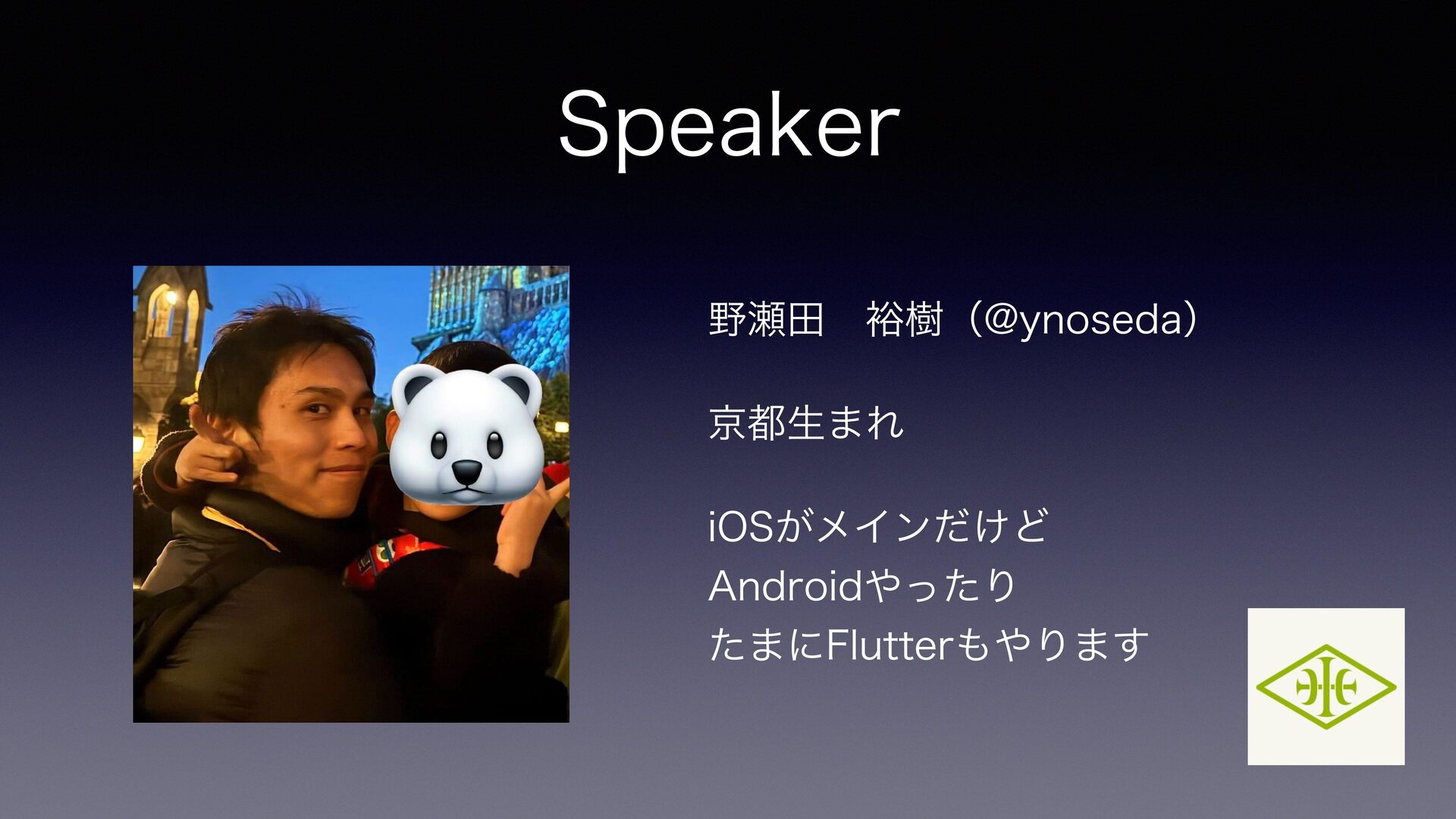
Speaker 野瀬田 裕樹(@ynoseda) 京都生まれ iOSがメインだけど Androidやったり たまにFlutterもやります
iPhone Duo、出ましたね
この登壇枠を申し込んだ時 サイドローディングの話とか 新規アプリでAI前提の設計で 色々やってることとか Swift 6.4の話とか 何話そうかなって色々 考えてたけどDuoで全部飛びました
ということで、 みんなでiPhone Duo対応 再チェックしましょう!
None
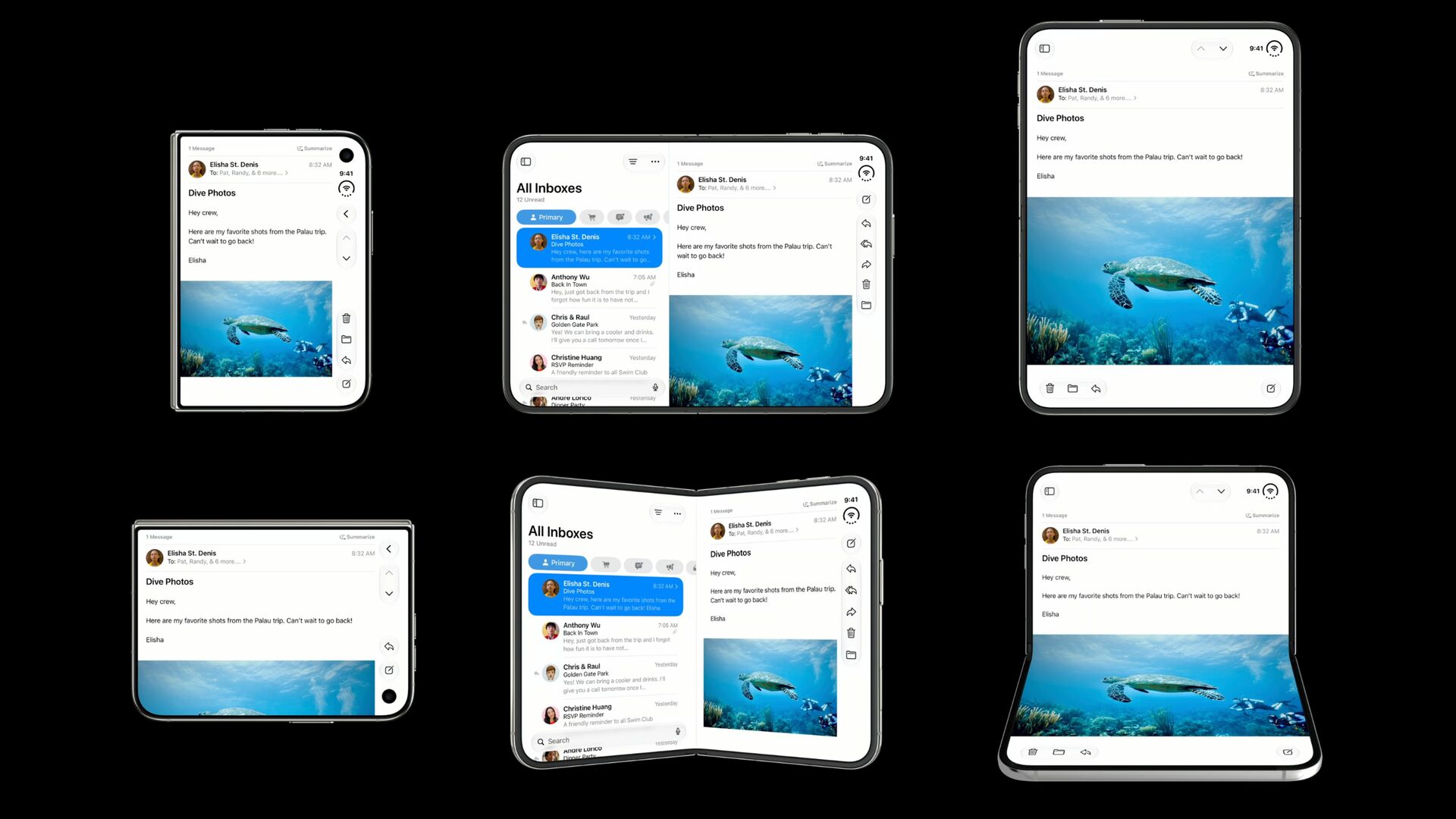
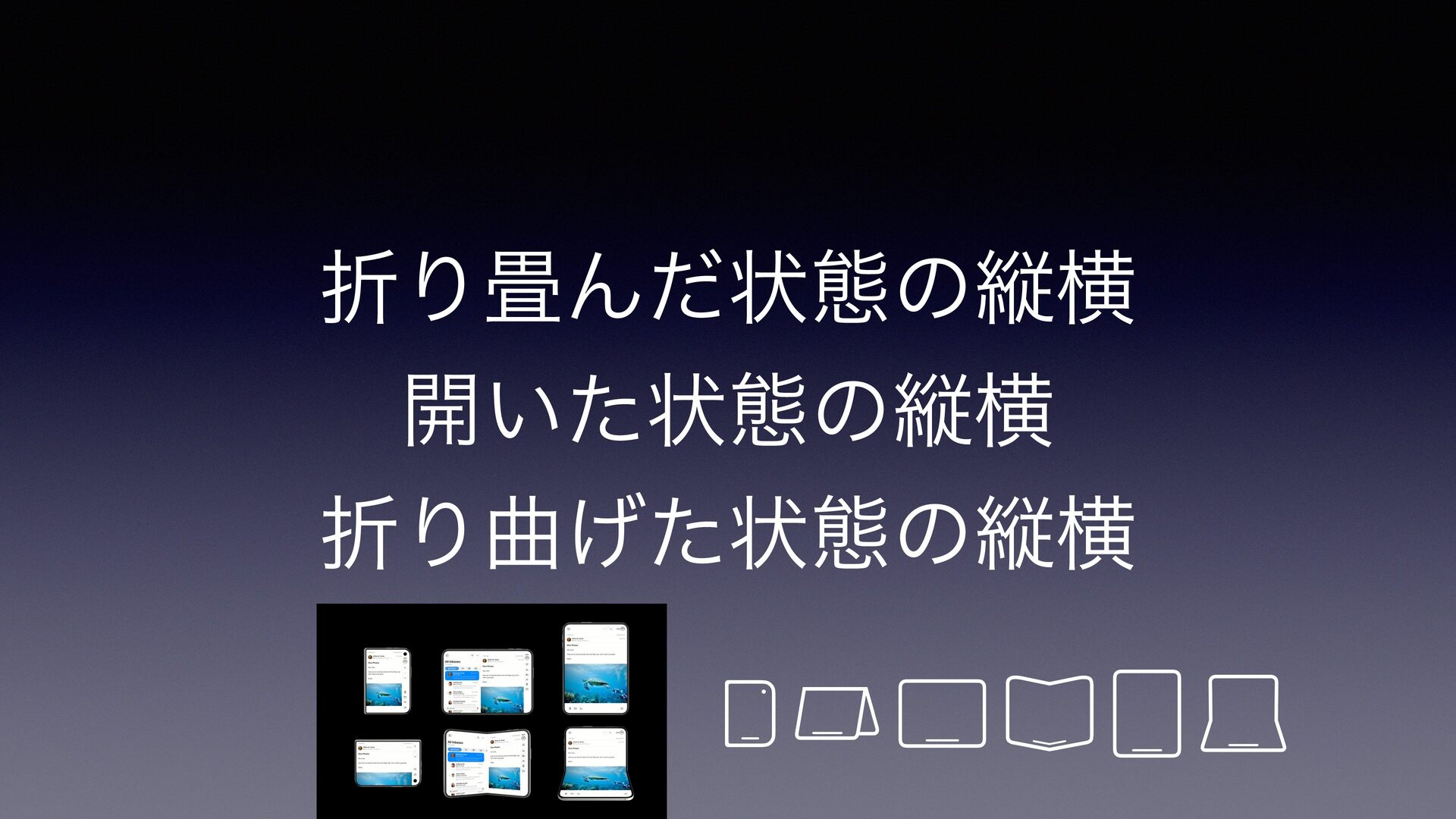
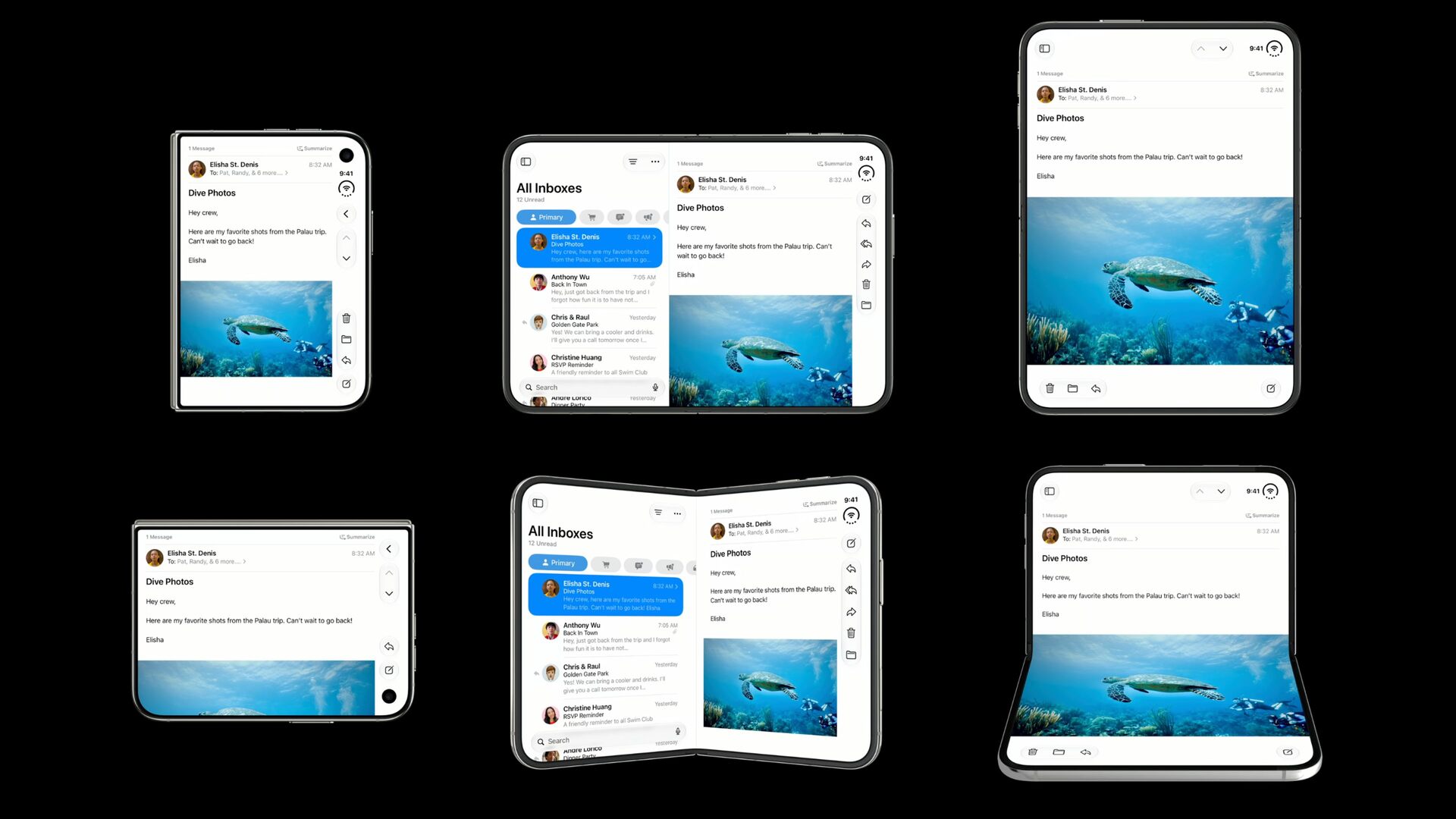
折り畳んだ状態の縦横 開いた状態の縦横 折り曲げた状態の縦横
10/23までに
iPhone Duoのこの6状態を 正常動作まで持っていかないと
😇
一つずつチェックしよう
1. デザインを理解する
None
HIG曰く
標準システムコンポーネントを使用し、 サイズ変更に対応するようにしてれば、 ほとんど調整することなく、 デバイスの向きに自動的に適応します
ほんまか?
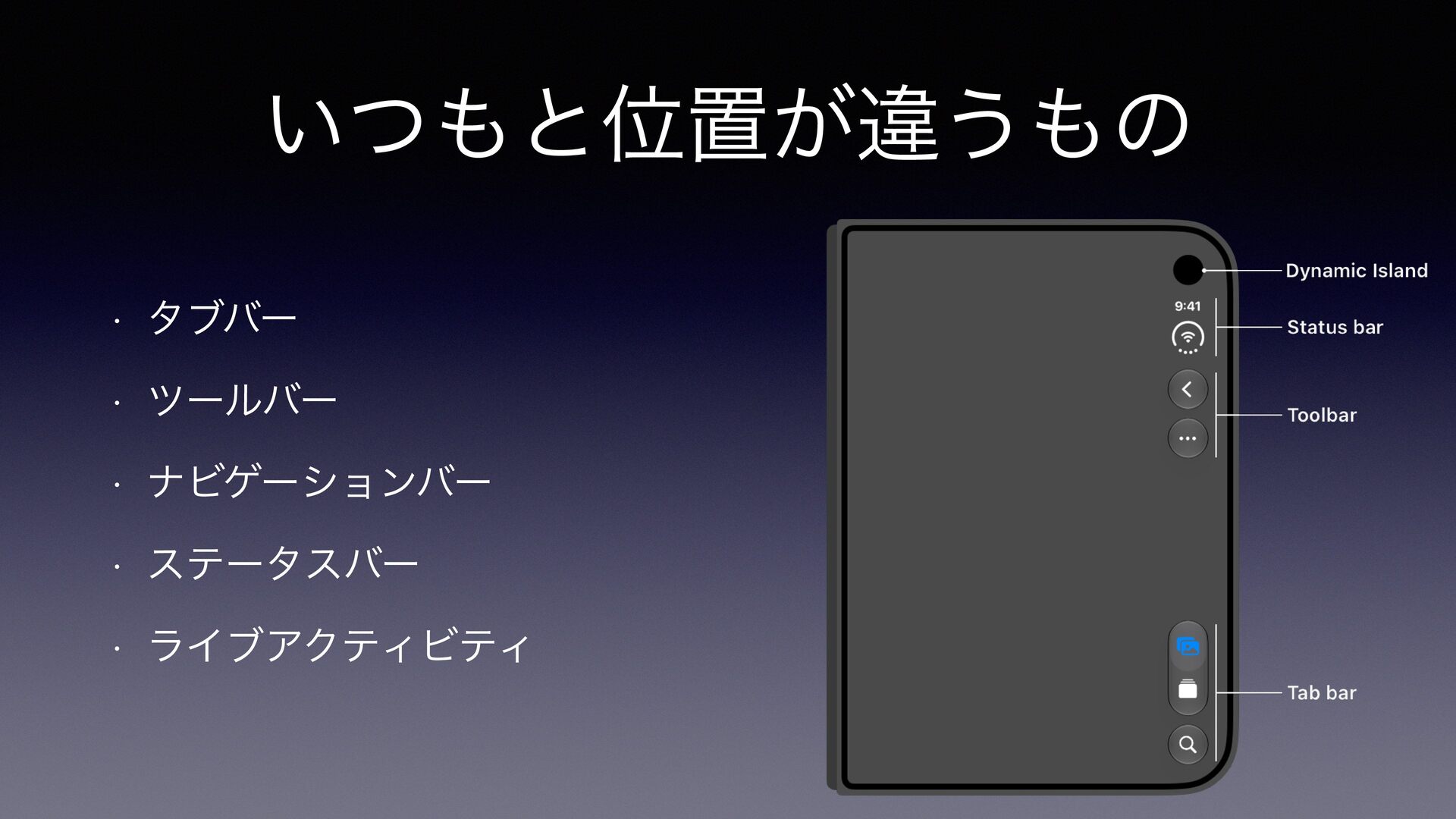
いつもと位置が違うもの • タブバー • ツールバー • ナビゲーションバー • ステータスバー •
ライブアクティビティ
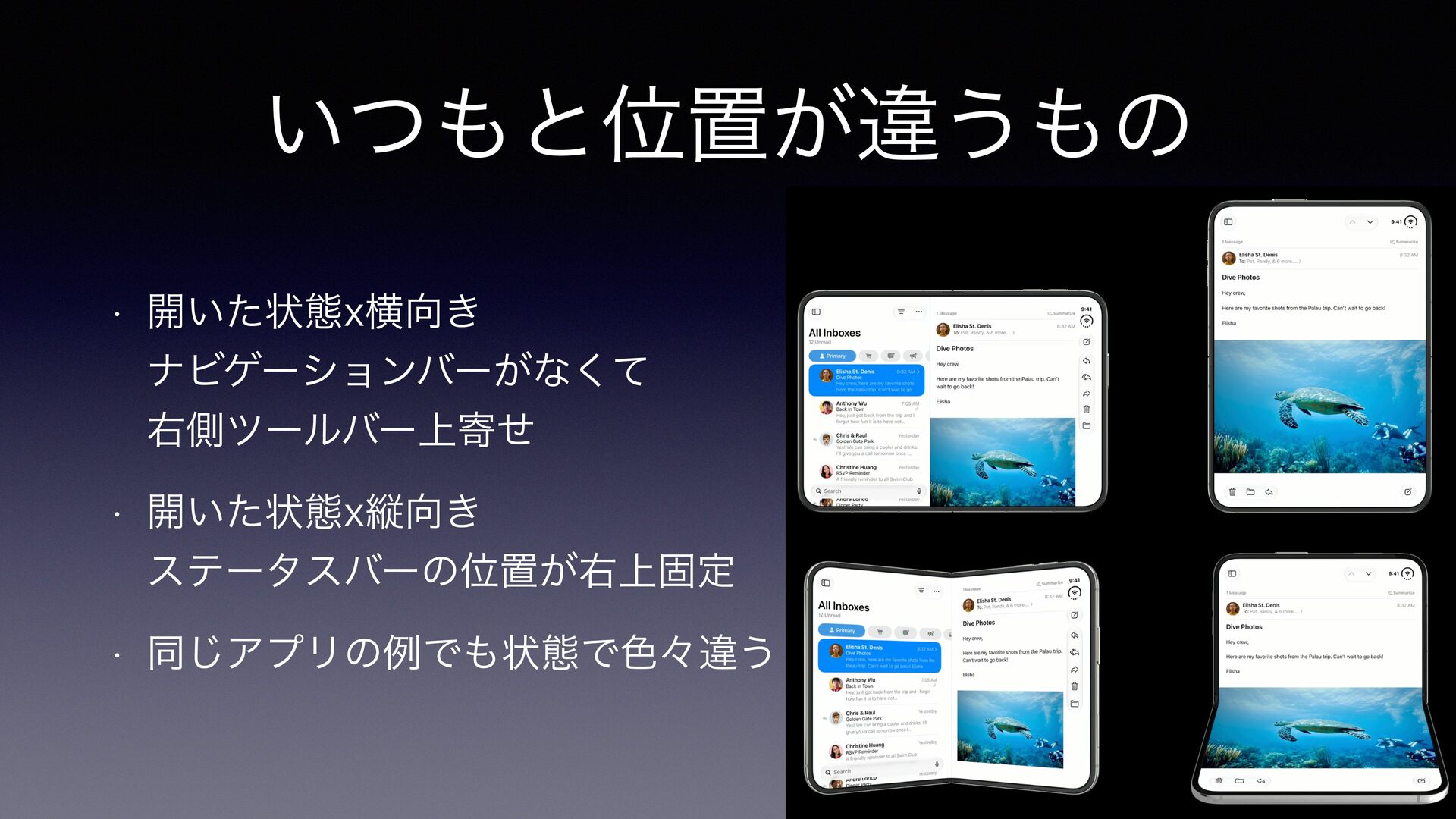
いつもと位置が違うもの • 開いた状態x横向き ナビゲーションバーがなくて 右側ツールバー上寄せ • 開いた状態x縦向き ステータスバーの位置が右上固定 • 同じアプリの例でも状態で色々違う
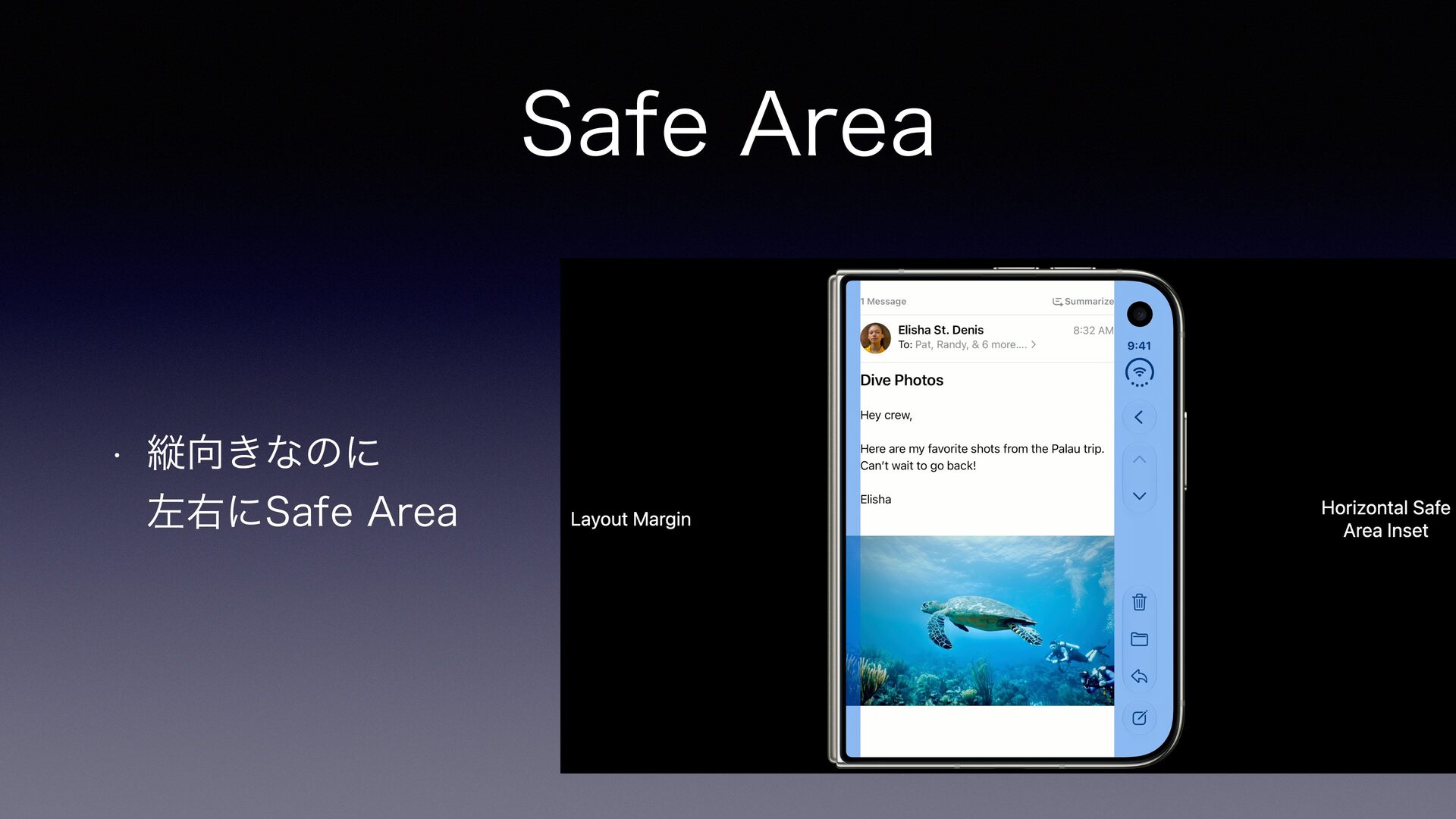
Safe Area • 縦向きなのに 左右にSafe Area
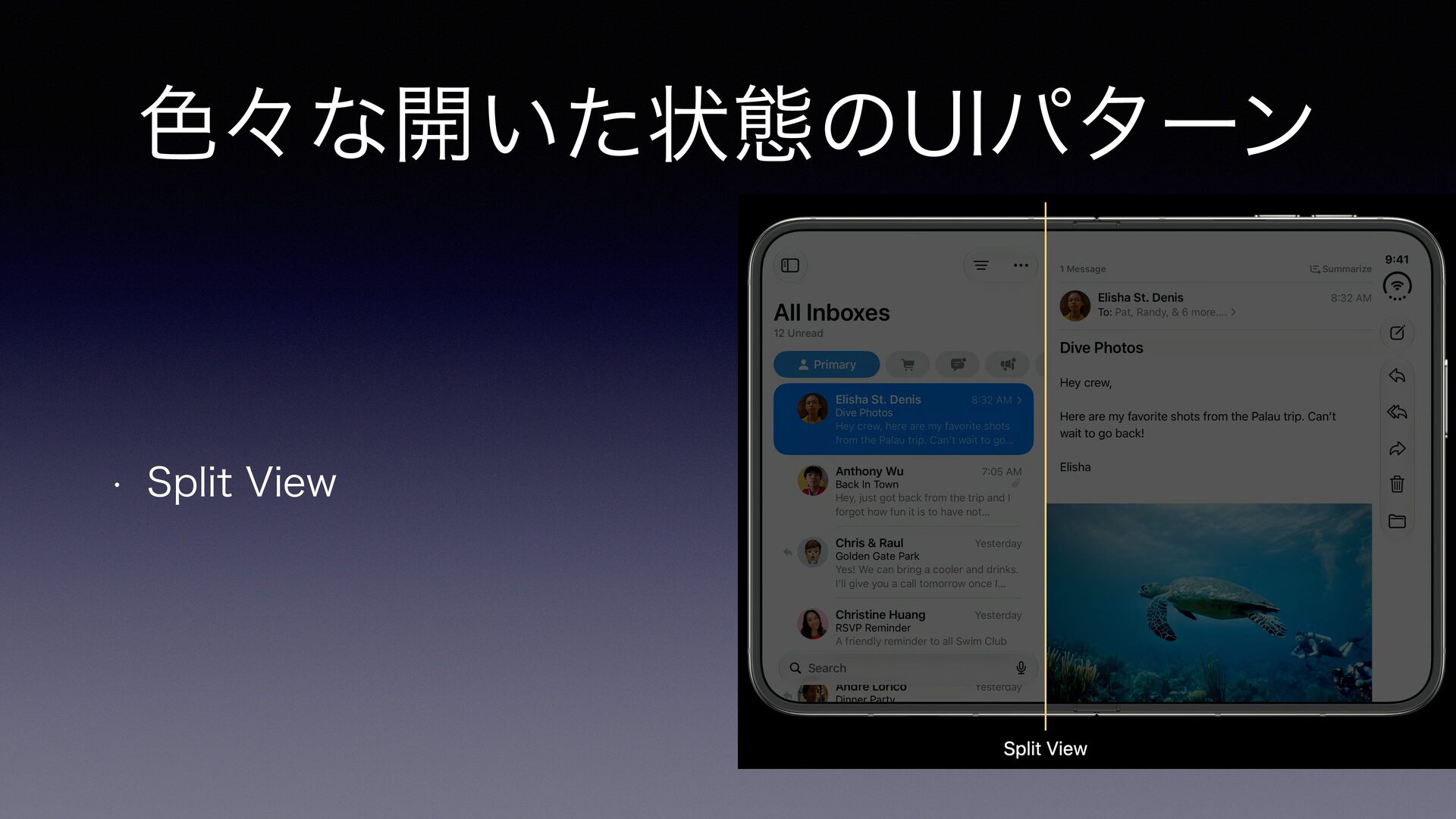
色々な開いた状態のUIパターン • Split View
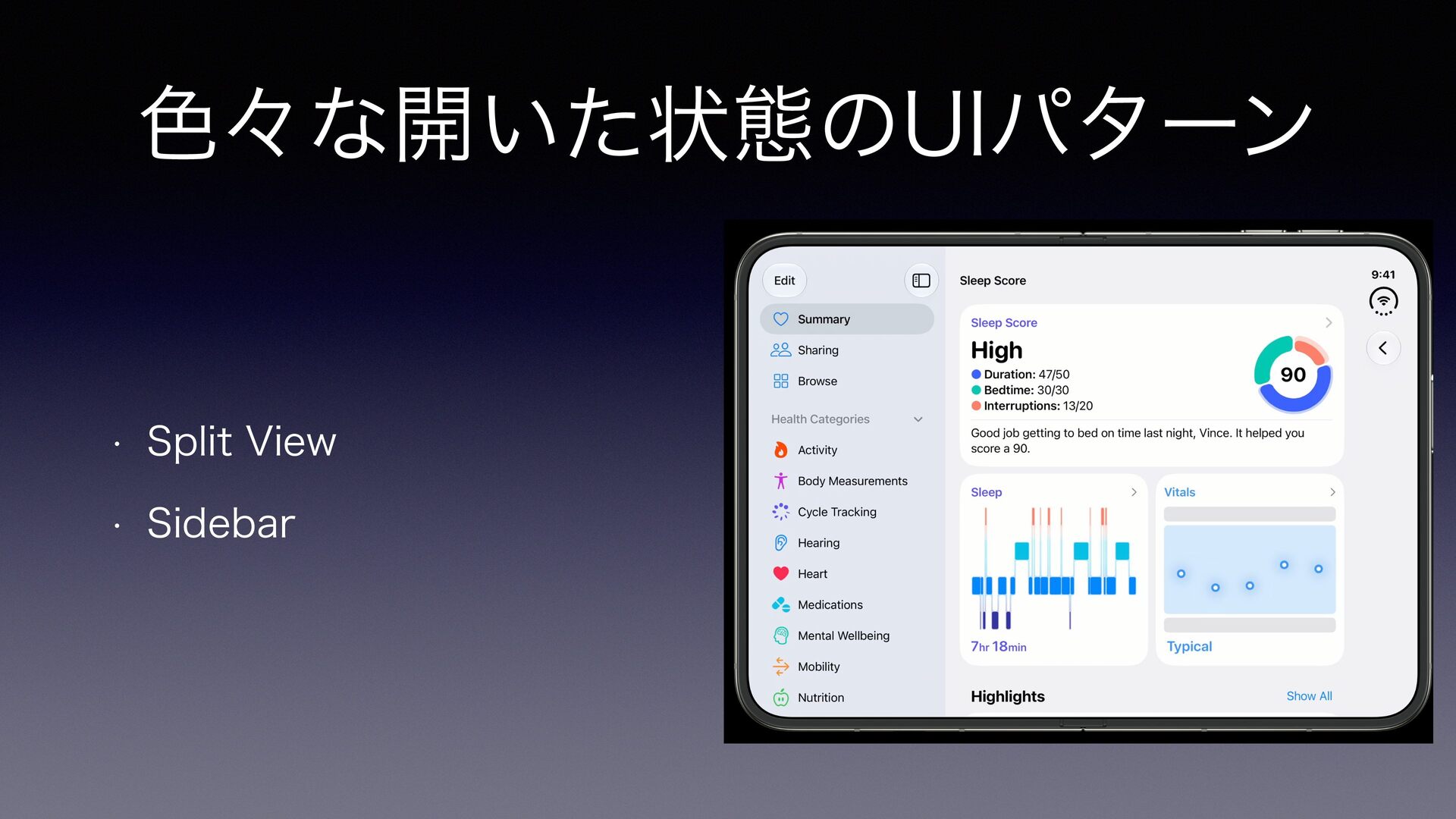
色々な開いた状態のUIパターン • Split View • Sidebar
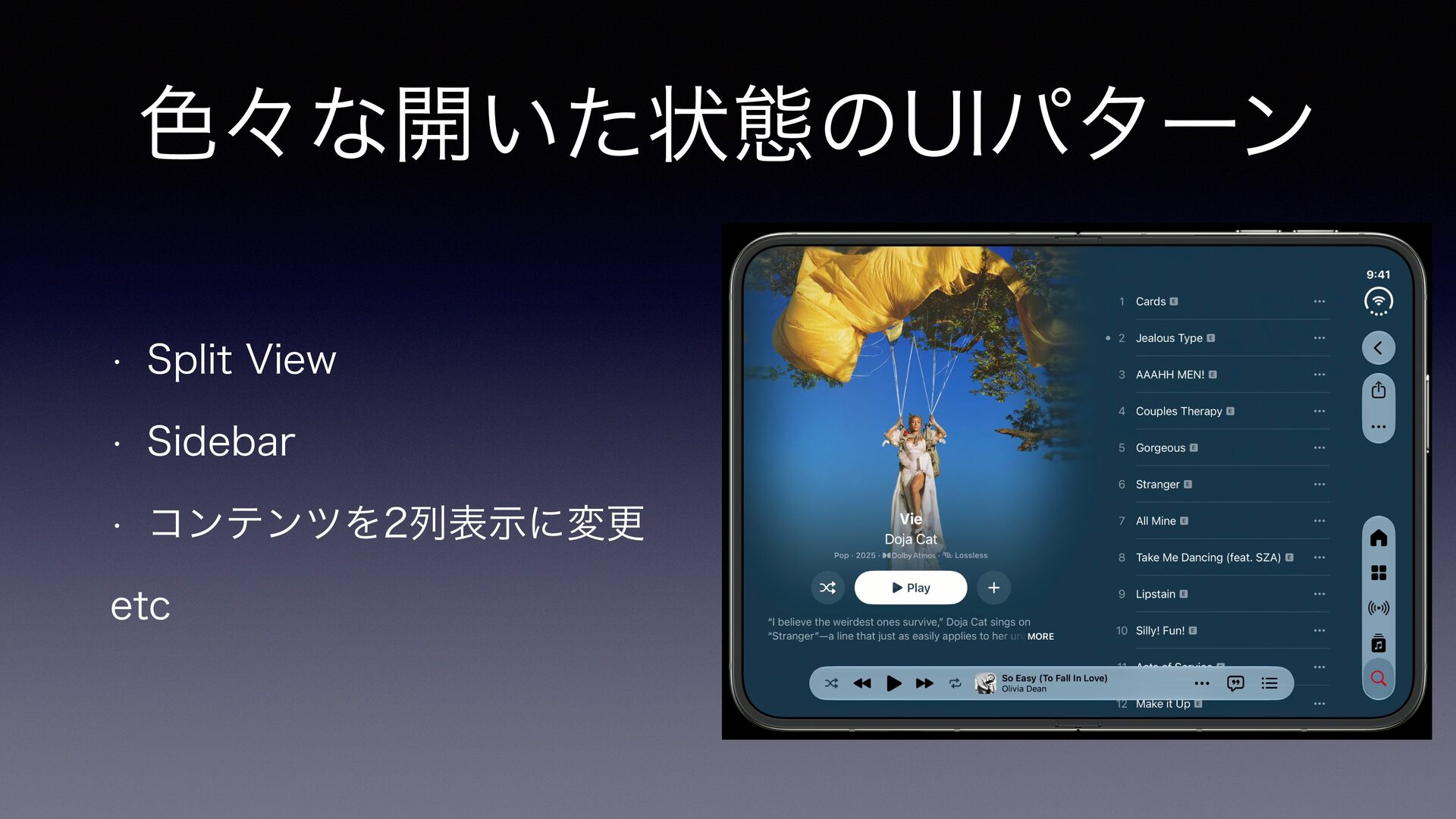
色々な開いた状態のUIパターン • Split View • Sidebar • コンテンツを2列表示に変更 etc
2. Duoに向けたデザイン対応
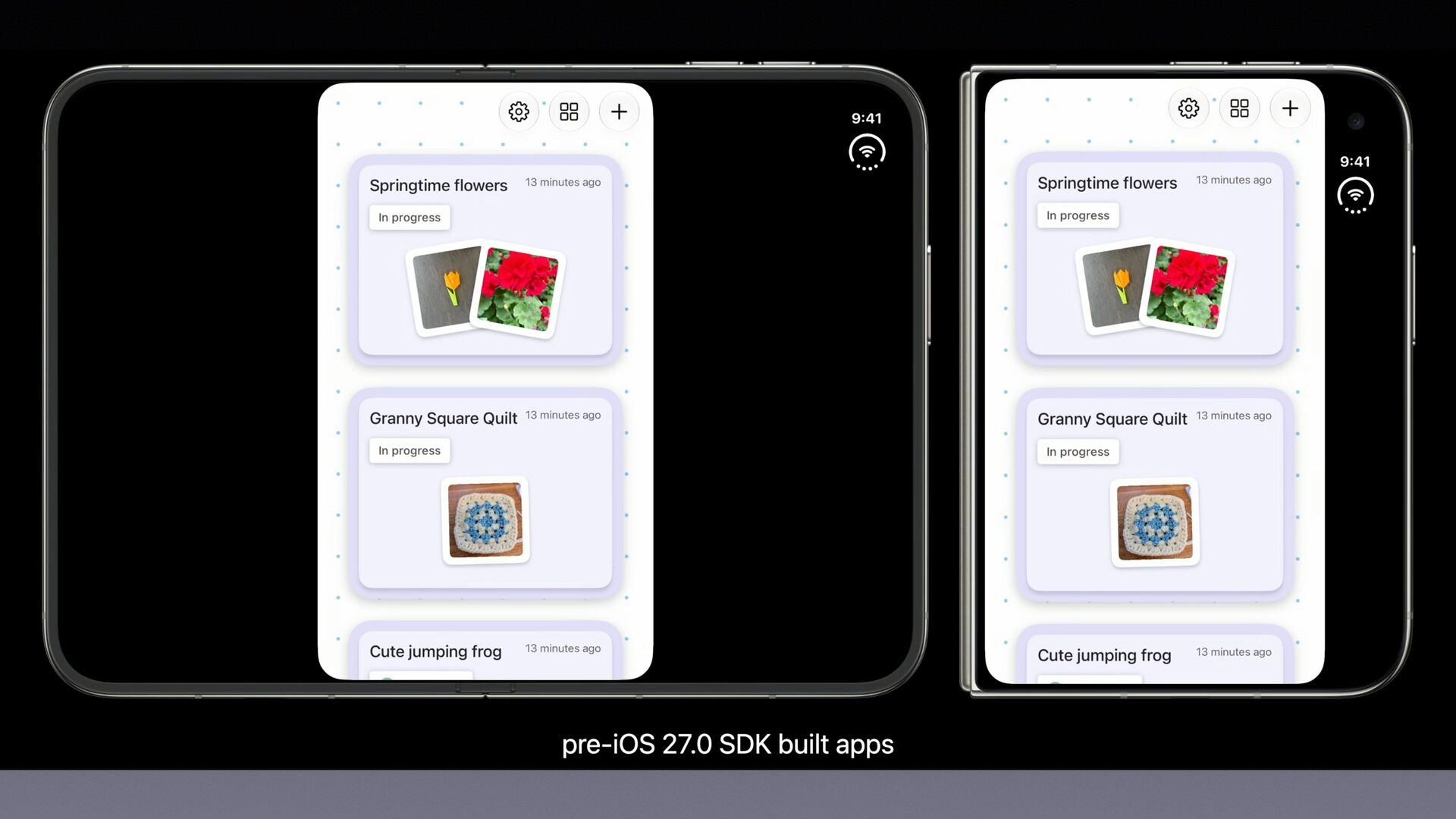
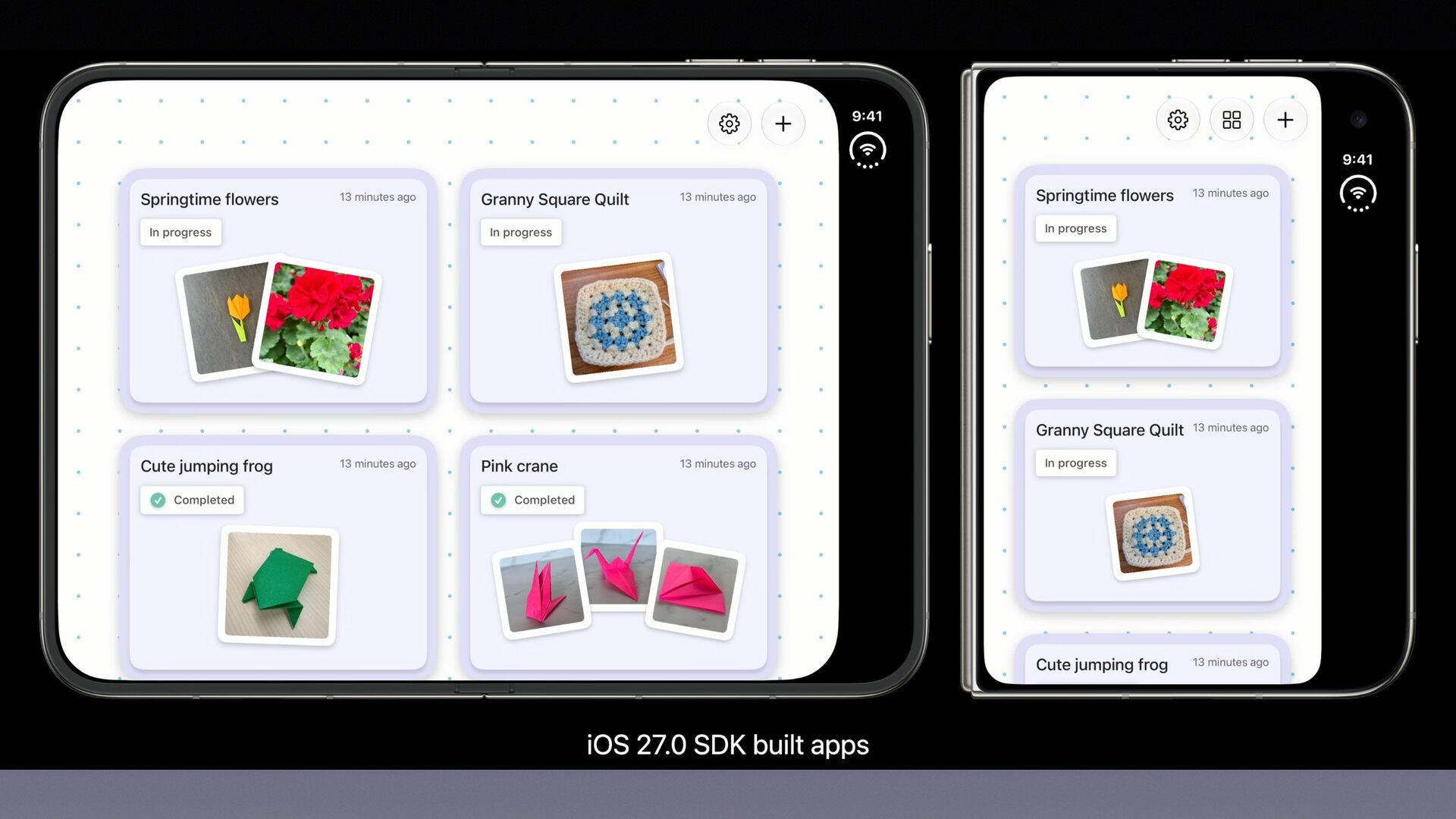
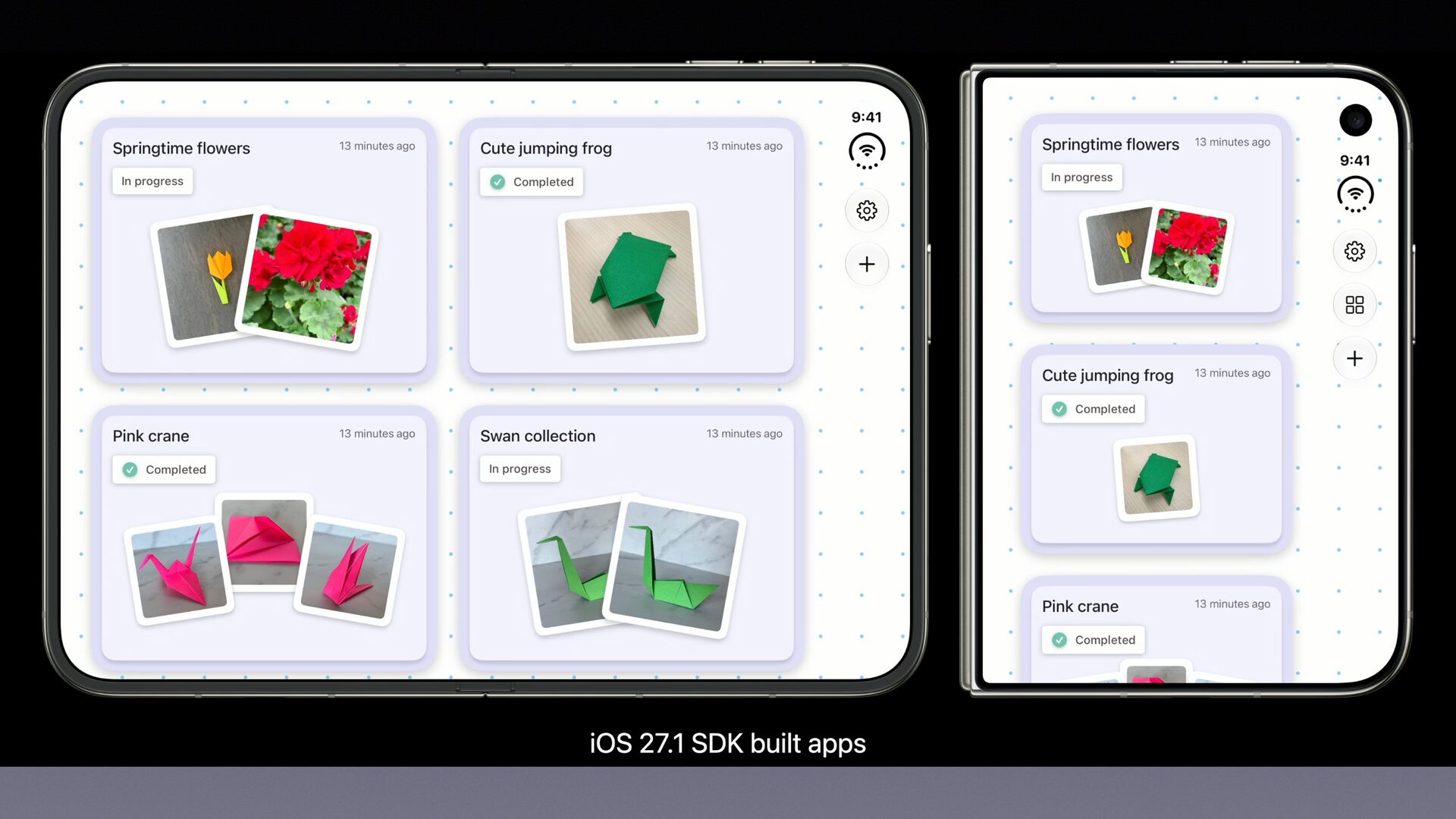
Xcodeのバージョンによる違い • Xcode 27未満:中央に小さく表示される • Xcode 27:Safe Areaを避けて表示される • Xcode
27.1:全画面に表示される
None
None
None
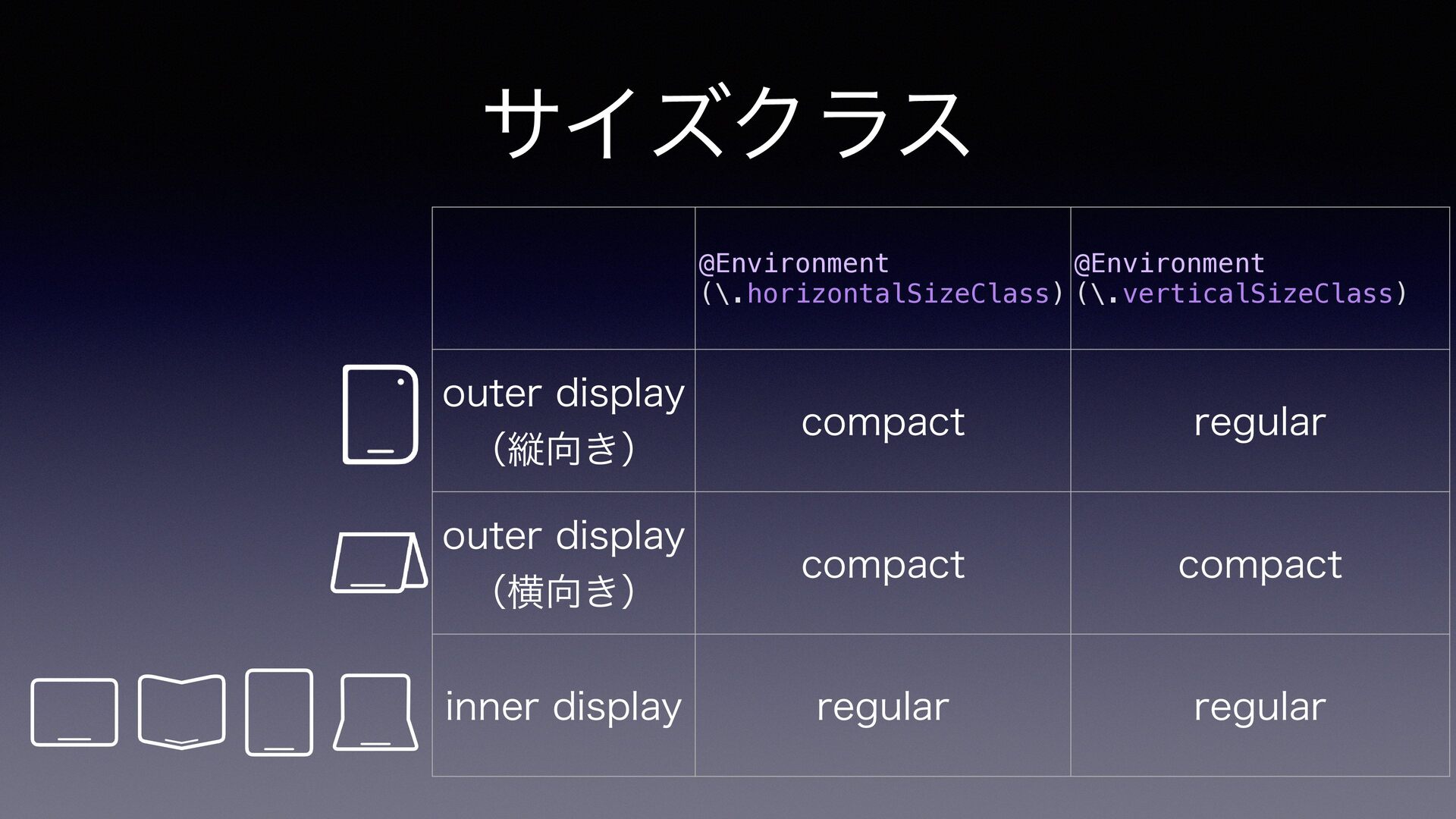
サイズクラス @Environment @Environment (\.horizontalSizeClass) (\.verticalSizeClass) outer display compact regular outer
display (横向き) compact compact inner display regular regular (縦向き)
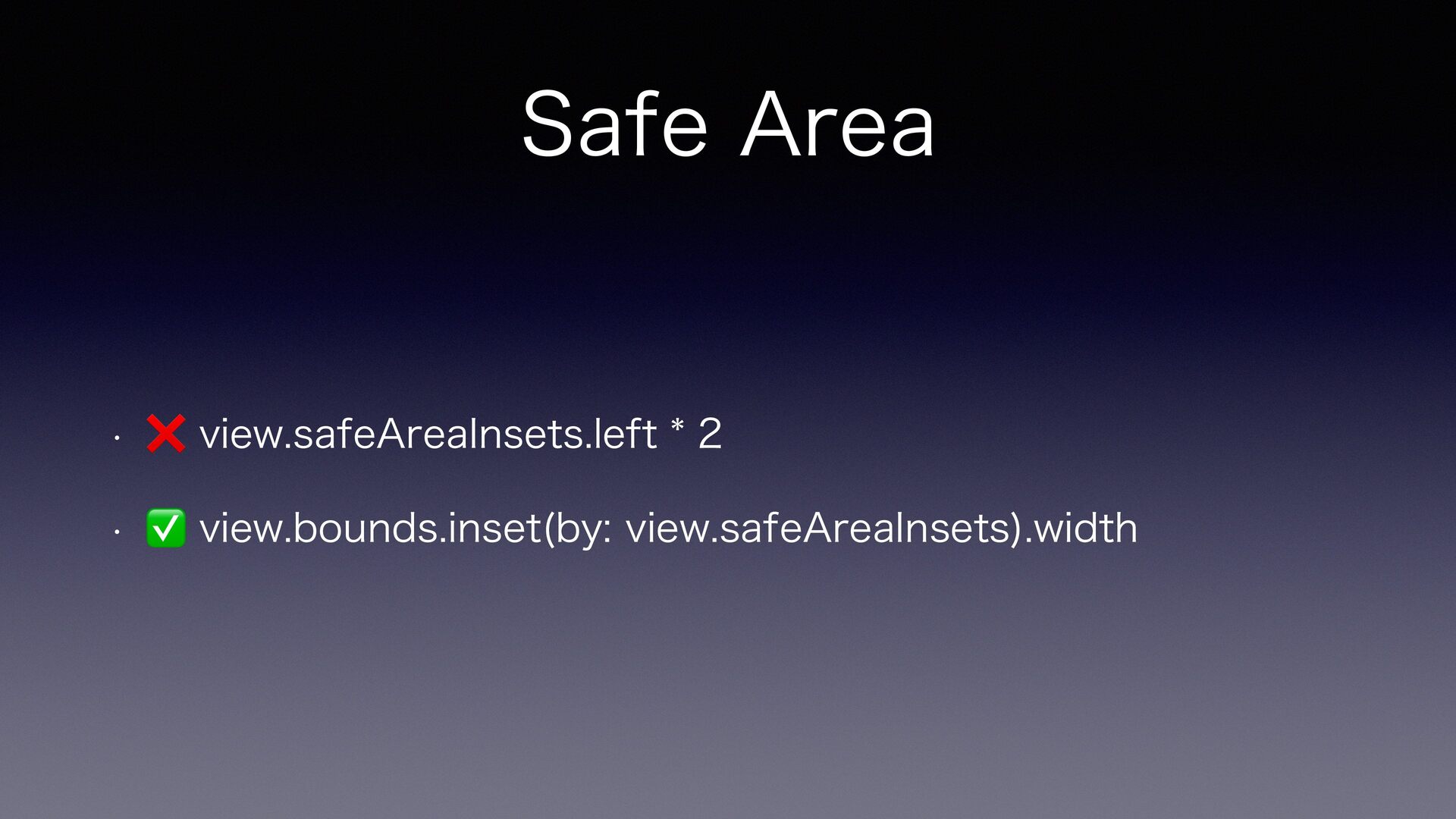
Safe Area • ❌ view.safeAreaInsets.left * 2 • ✅ view.bounds.inset(by:
view.safeAreaInsets).width
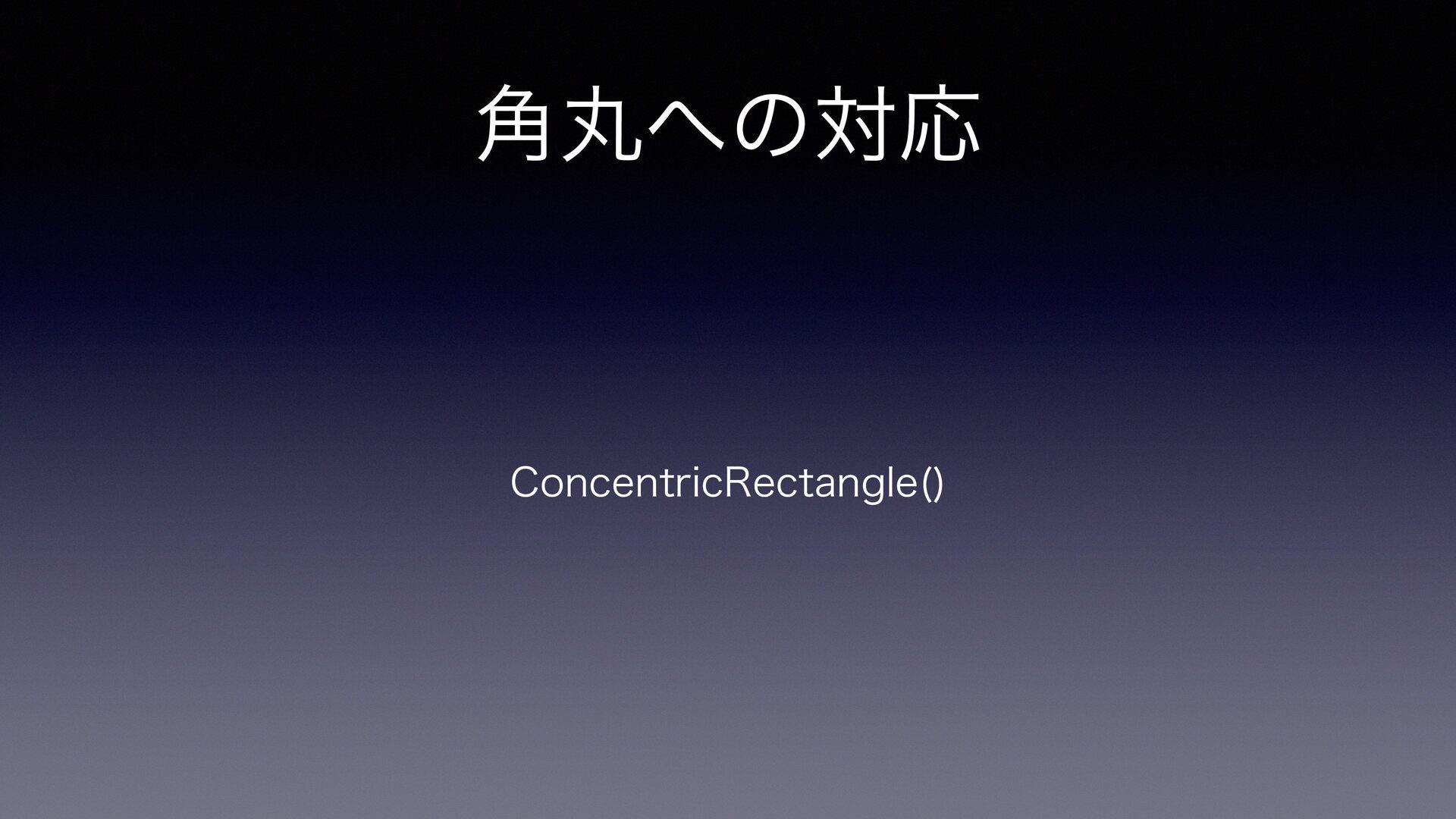
角丸への対応 ConcentricRectangle()
独自UIで 折り目やカメラを避けたい
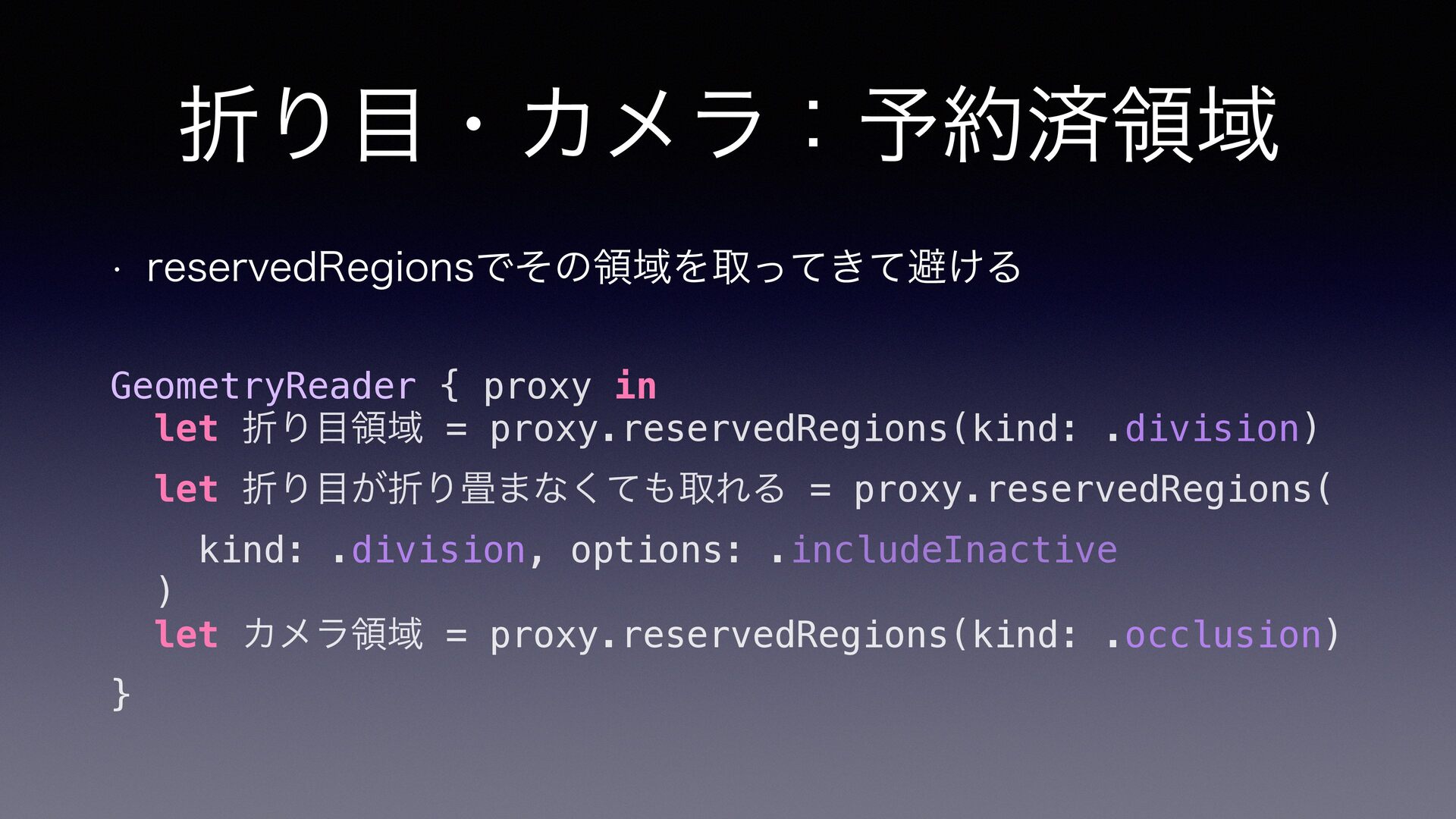
折り目・カメラ:予約済領域 • reservedRegionsでその領域を取ってきて避ける GeometryReader { proxy in let 折り目領域 =
proxy.reservedRegions(kind: .division) let 折り目が折り畳まなくても取れる = proxy.reservedRegions( kind: .division, options: .includeInactive ) let カメラ領域 = proxy.reservedRegions(kind: .occlusion) }
独自UIで横2列表現をしたい
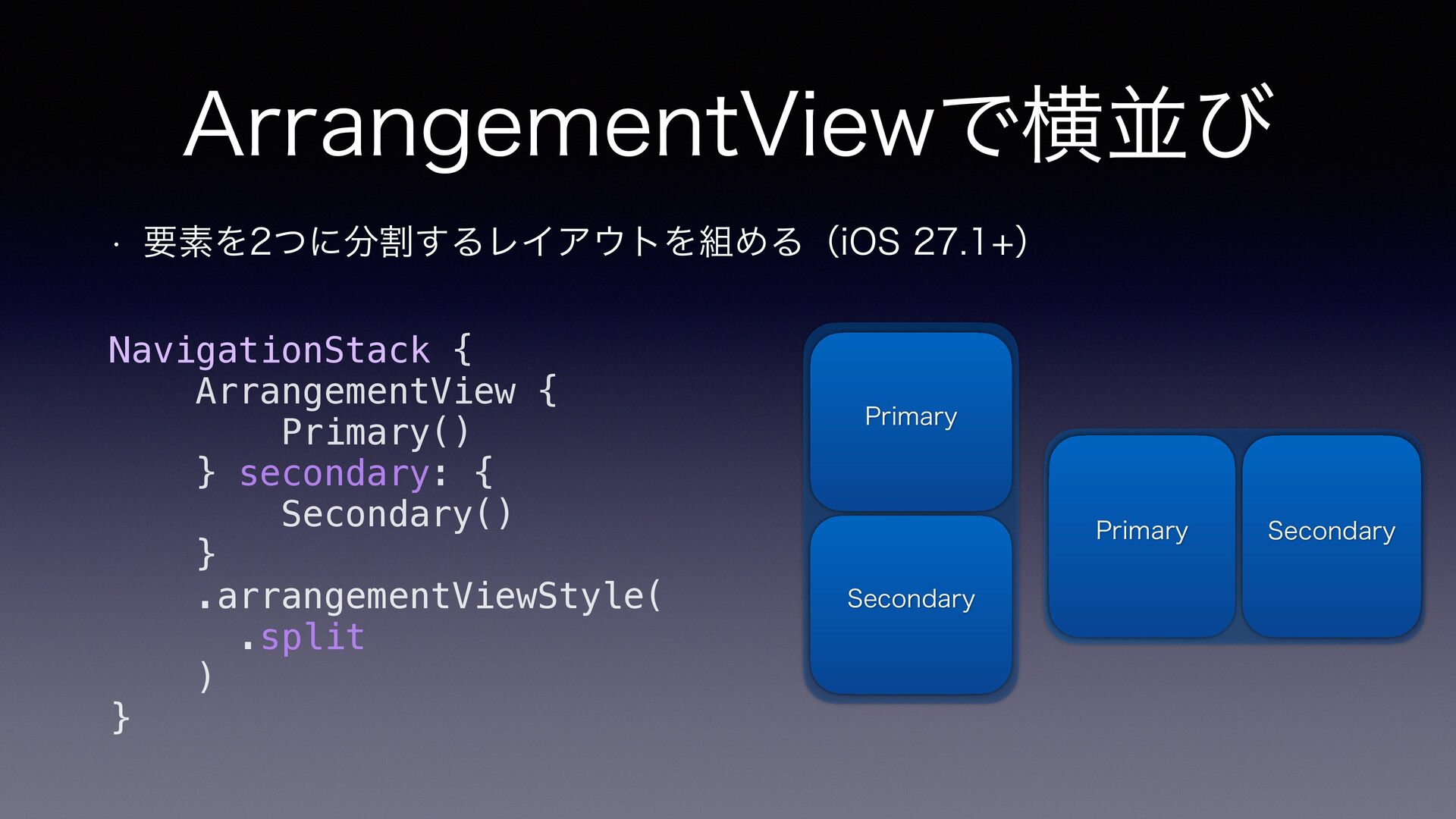
ArrangementViewで横並び • 要素を2つに分割するレイアウトを組める(iOS 27.1+) NavigationStack { ArrangementView { Primary() }
secondary: { Secondary() } .arrangementViewStyle( .split ) } Primary Primary Secondary Secondary
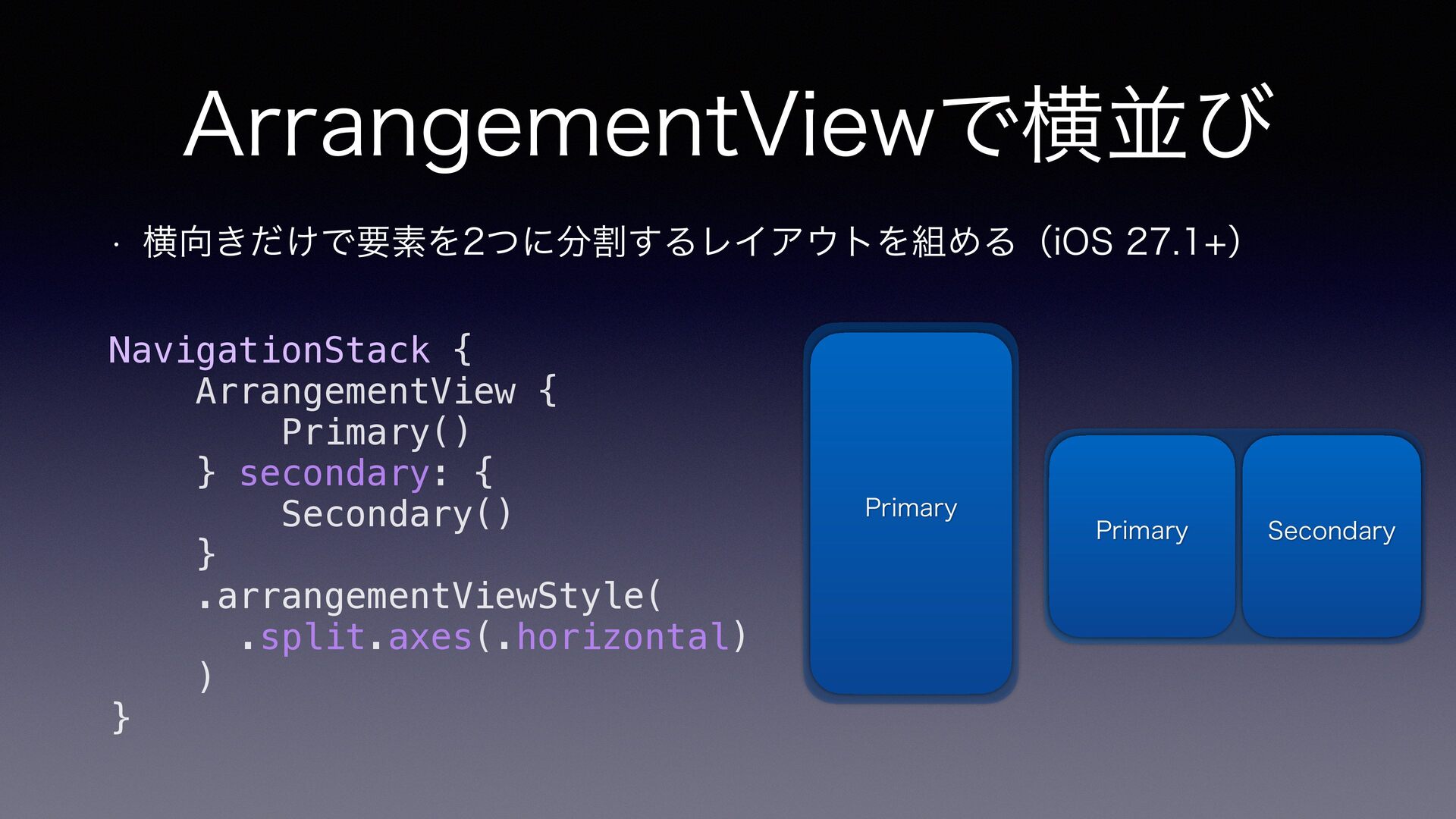
ArrangementViewで横並び • 横向きだけで要素を2つに分割するレイアウトを組める(iOS 27.1+) NavigationStack { ArrangementView { Primary() }
secondary: { Secondary() } .arrangementViewStyle( .split.axes(.horizontal) ) } Primary Primary Secondary
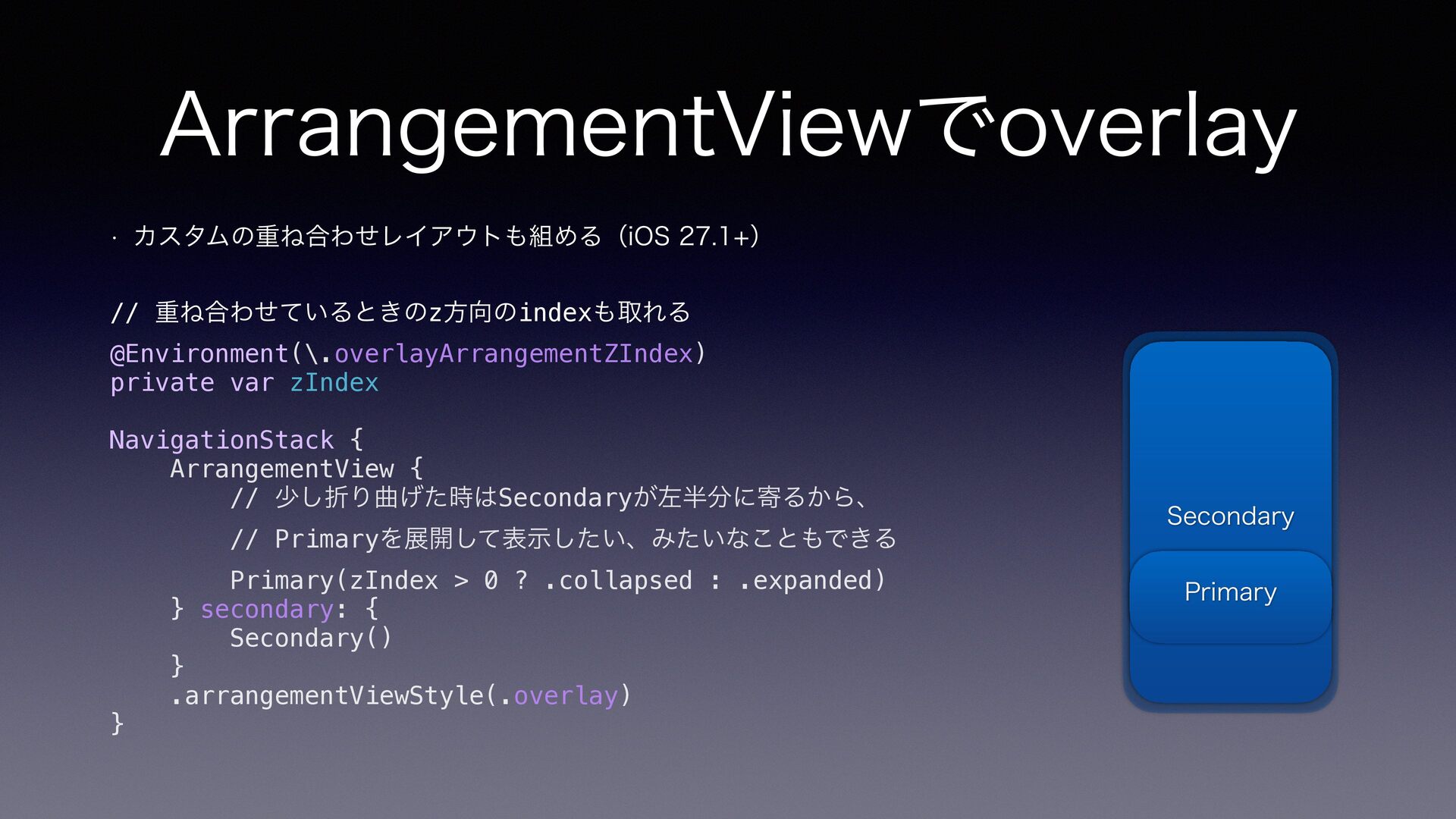
ArrangementViewでoverlay • カスタムの重ね合わせレイアウトも組める(iOS 27.1+) // 重ね合わせているときのz方向のindexも取れる @Environment(\.overlayArrangementZIndex) private var zIndex
NavigationStack { ArrangementView { // 少し折り曲げた時はSecondaryが左半分に寄るから、 // Primaryを展開して表示したい、みたいなこともできる } Primary(zIndex > 0 ? .collapsed : .expanded) } secondary: { Secondary() } .arrangementViewStyle(.overlay) Secondary Primary
3. Duo特有の折り曲げに対応
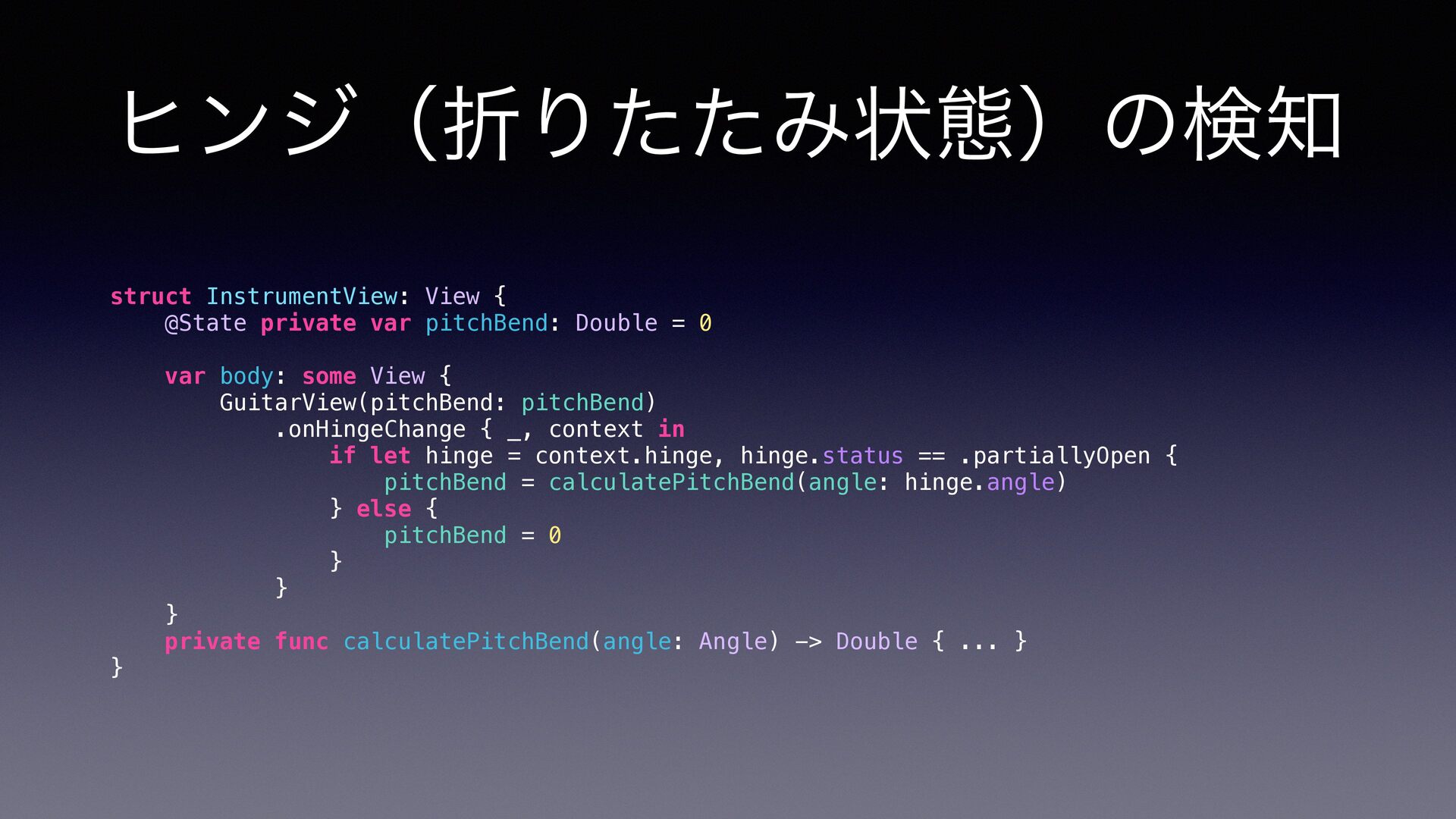
ヒンジ(折りたたみ状態)の検知 struct InstrumentView: View { @State private var pitchBend: Double
= 0 var body: some View { GuitarView(pitchBend: pitchBend) .onHingeChange { _, context in if let hinge = context.hinge, hinge.status == .partiallyOpen { pitchBend = calculatePitchBend(angle: hinge.angle) } else { pitchBend = 0 } } } private func calculatePitchBend(angle: Angle) -> Double { ... } }
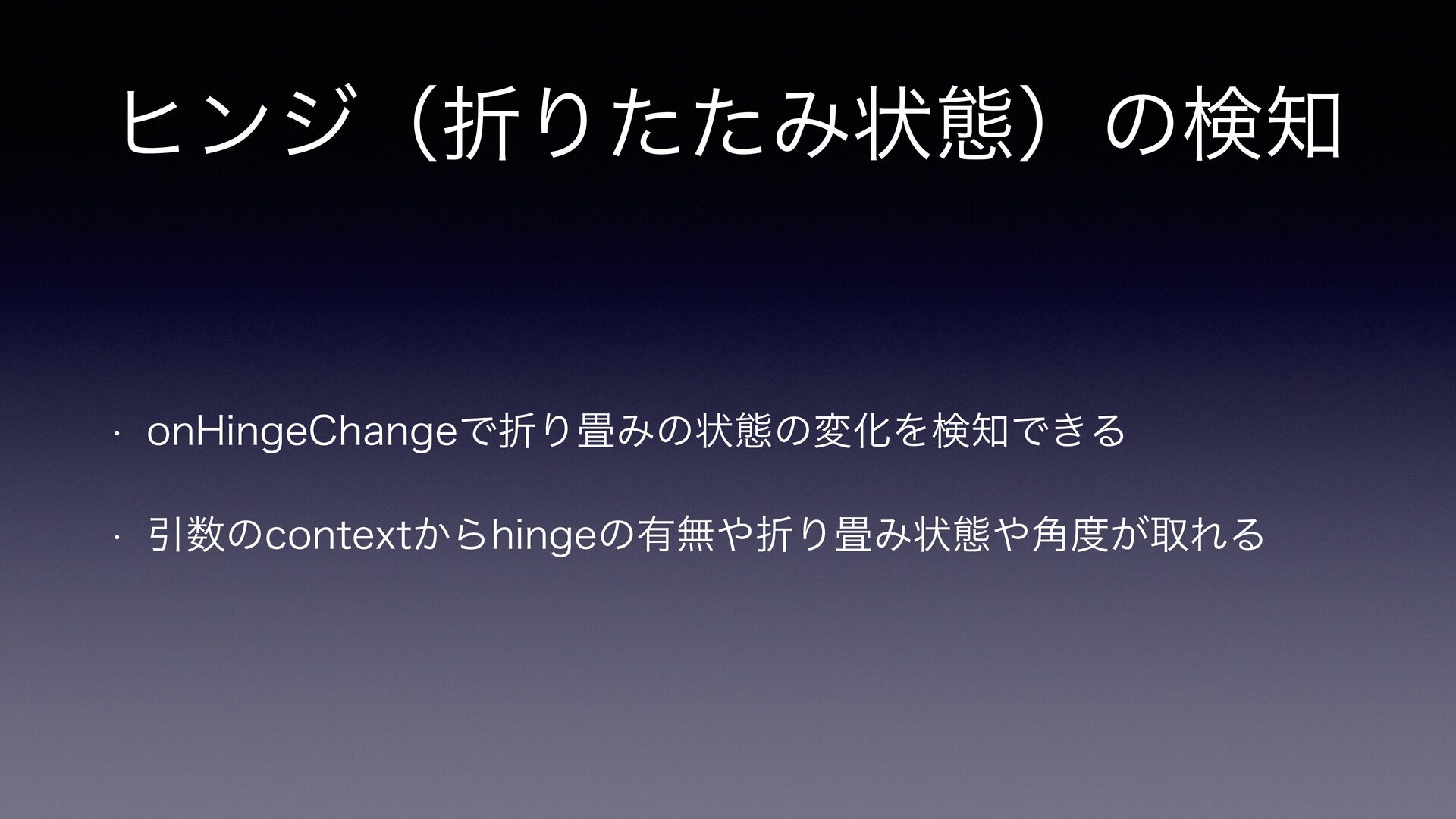
ヒンジ(折りたたみ状態)の検知 • onHingeChangeで折り畳みの状態の変化を検知できる • 引数のcontextからhingeの有無や折り畳み状態や角度が取れる
4. Duoのマルチシーンに対応
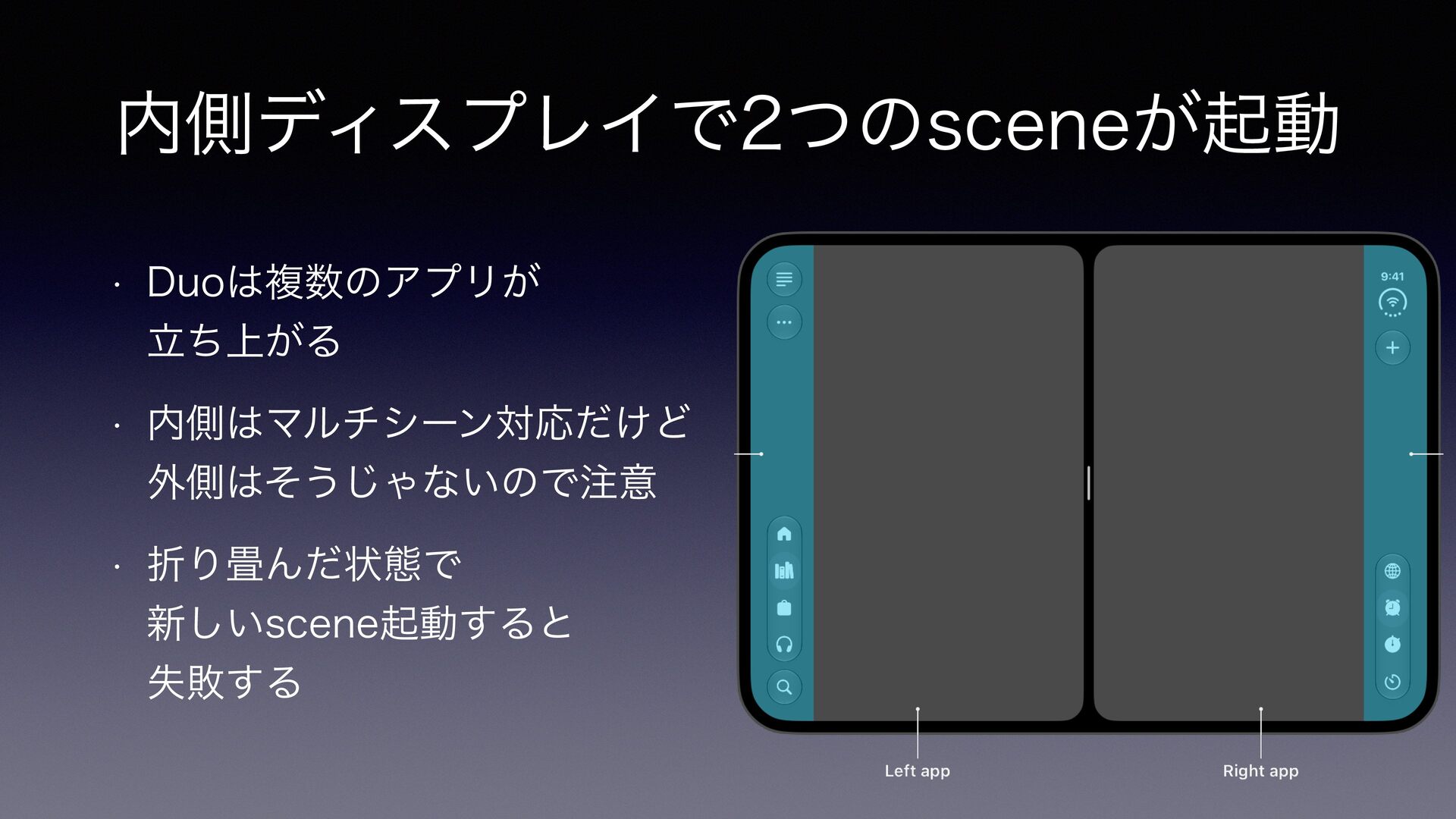
内側ディスプレイで2つのsceneが起動 • Duoは複数のアプリが 立ち上がる • 内側はマルチシーン対応だけど 外側はそうじゃないので注意 • 折り畳んだ状態で 新しいscene起動すると
失敗する
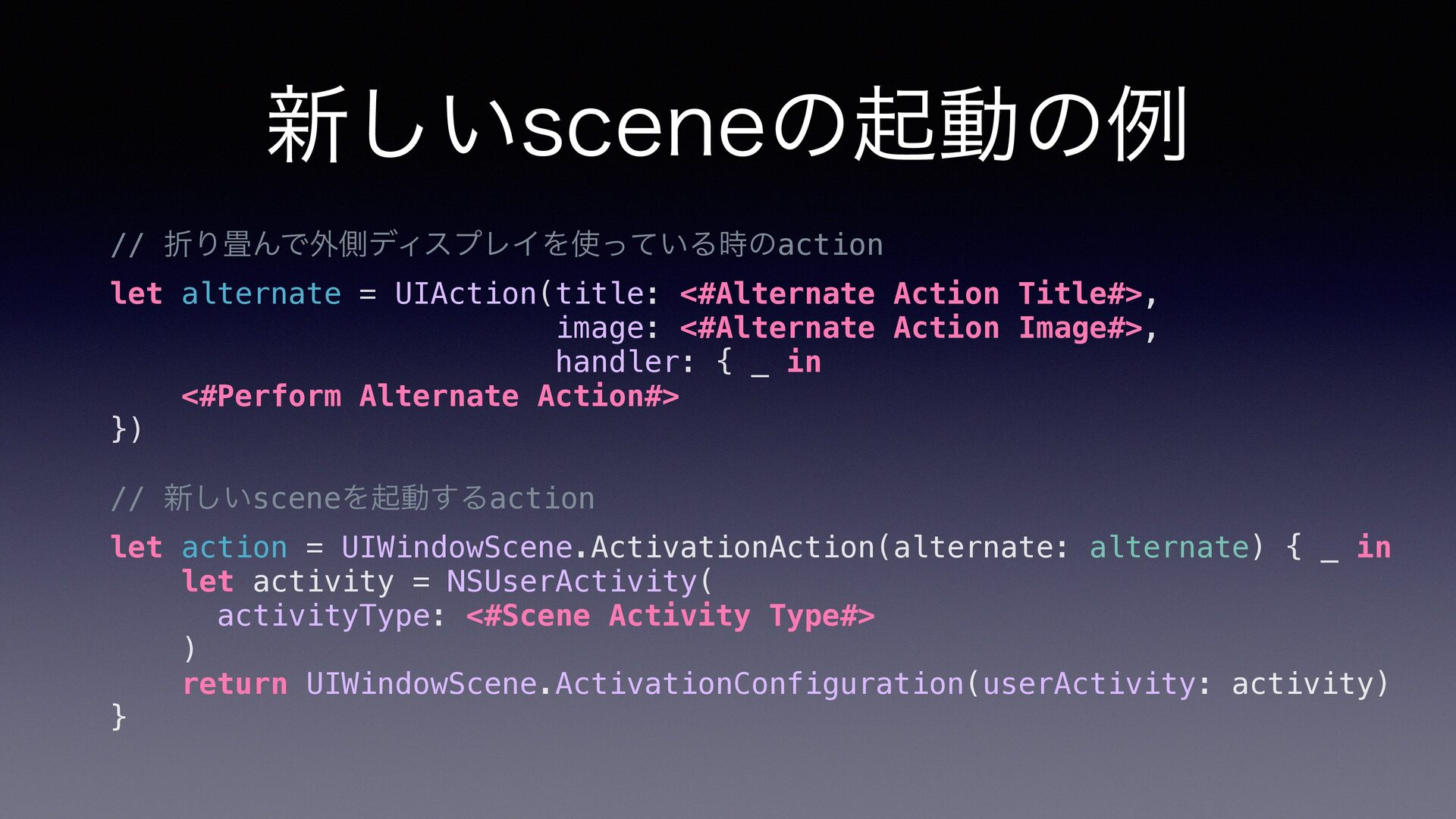
新しいsceneの起動の例 // 折り畳んで外側ディスプレイを使っている時のaction let alternate = UIAction(title: <#Alternate Action Title#>,
image: <#Alternate Action Image#>, handler: { _ in <#Perform Alternate Action#> }) // 新しいsceneを起動するaction let action = UIWindowScene.ActivationAction(alternate: alternate) { _ in let activity = NSUserActivity( activityType: <#Scene Activity Type#> ) return UIWindowScene.ActivationConfiguration(userActivity: activity) }
開いた状態で 外側のディスプレイも使いたい
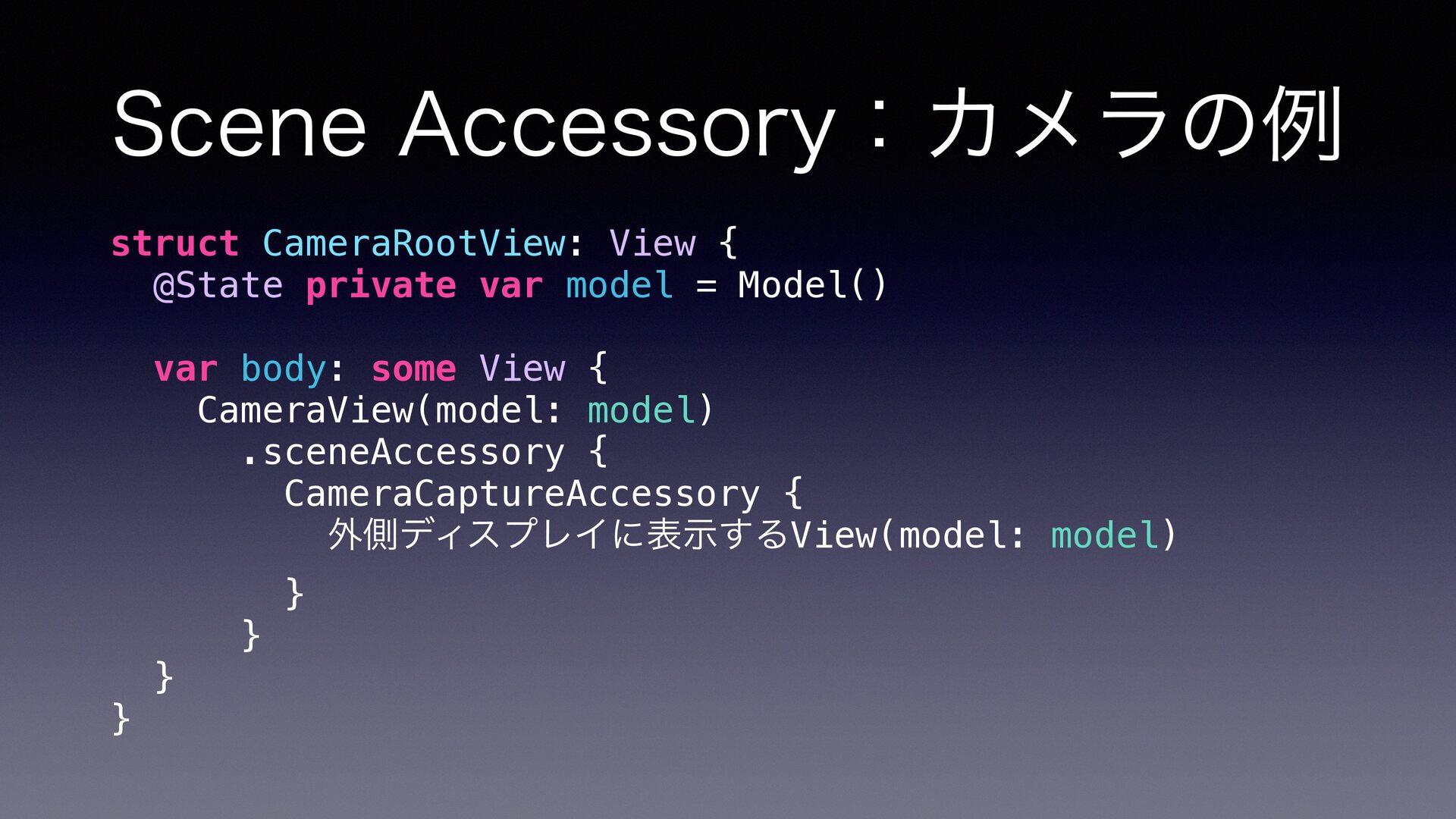
Scene Accessory:カメラの例 struct CameraRootView: View { @State private var model
= Model() var body: some View { CameraView(model: model) .sceneAccessory { CameraCaptureAccessory { 外側ディスプレイに表示するView(model: model) } } } }
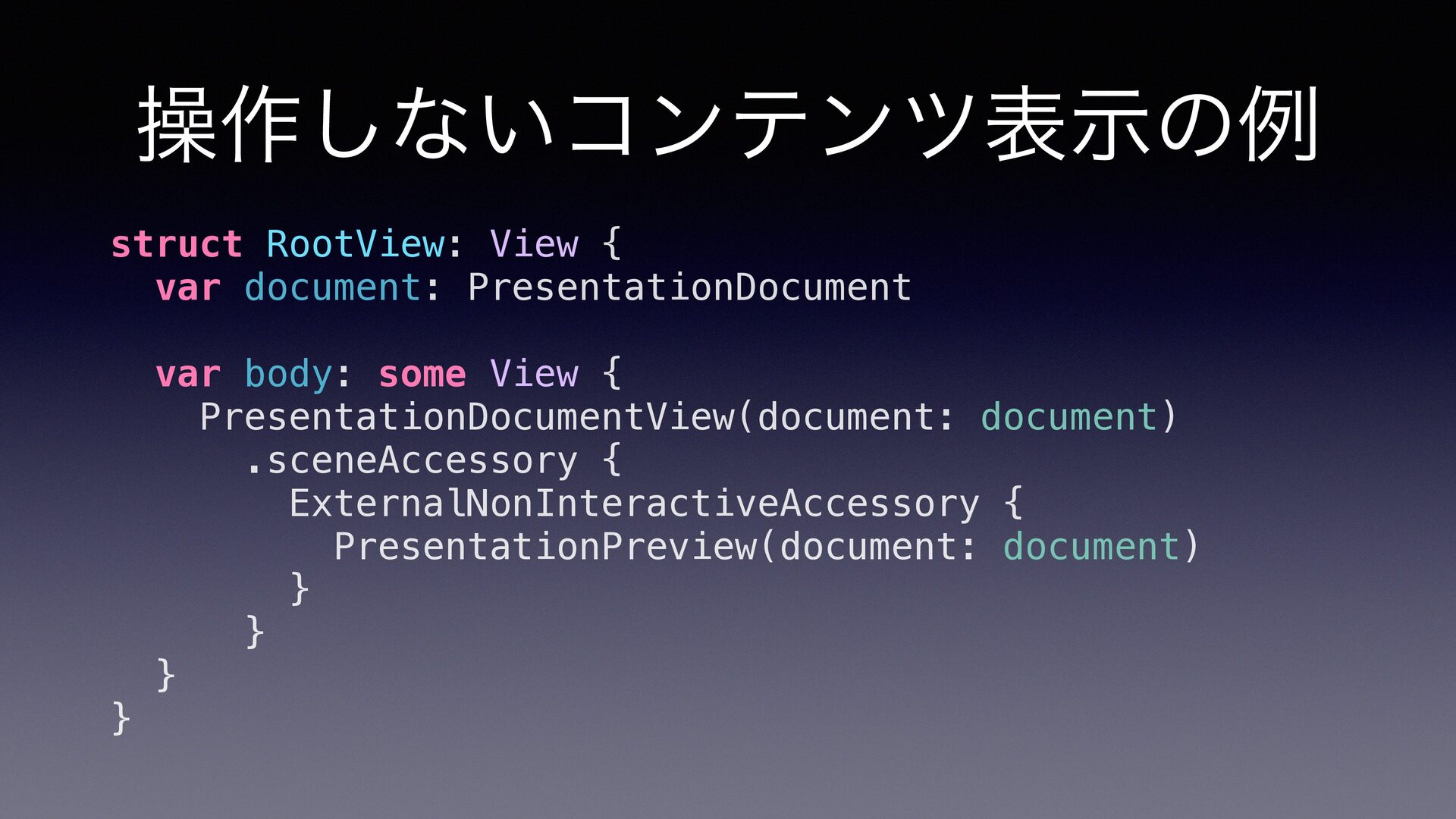
操作しないコンテンツ表示の例 struct RootView: View { var document: PresentationDocument var body:
some View { PresentationDocumentView(document: document) .sceneAccessory { ExternalNonInteractiveAccessory { PresentationPreview(document: document) } } } }
5. Vertical Controls
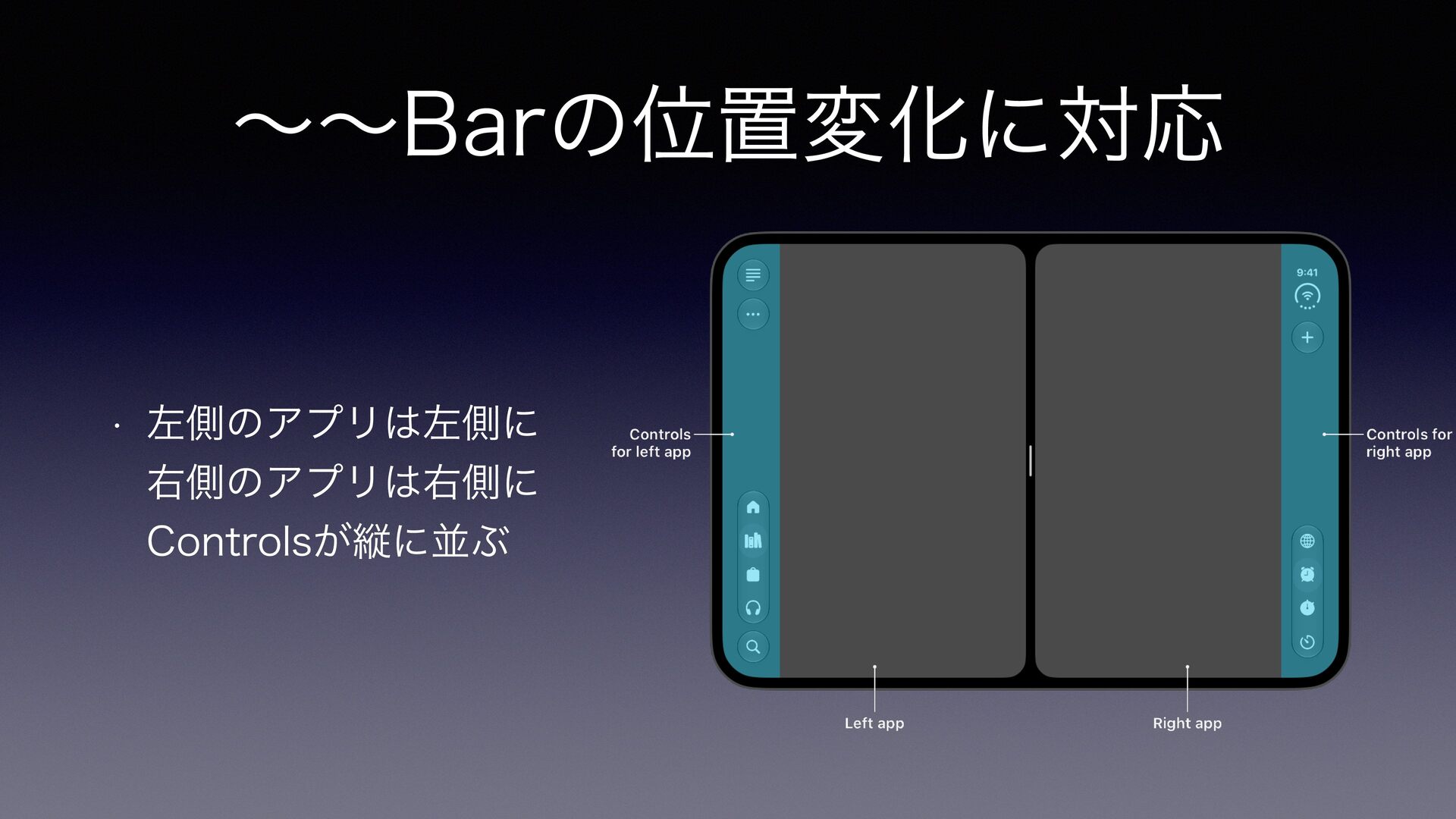
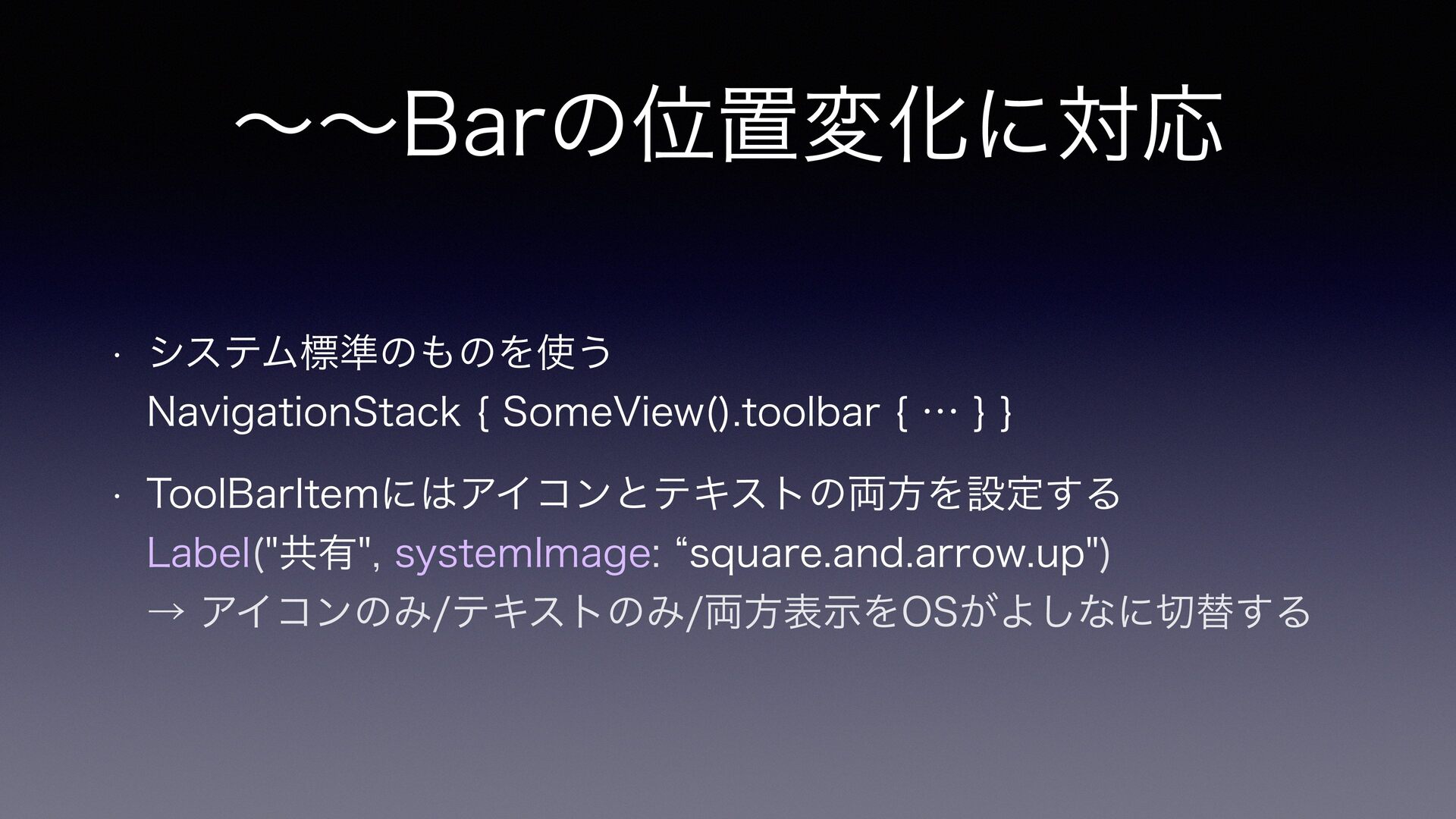
〜〜Barの位置変化に対応 • 左側のアプリは左側に 右側のアプリは右側に Controlsが縦に並ぶ
〜〜Barの位置変化に対応 • システム標準のものを使う NavigationStack { SomeView().toolbar { … } }
• ToolBarItemにはアイコンとテキストの両方を設定する Label("共有", systemImage: “square.and.arrow.up") → アイコンのみ/テキストのみ/両方表示をOSがよしなに切替する
toolbarだけど テキストボタンにしたい
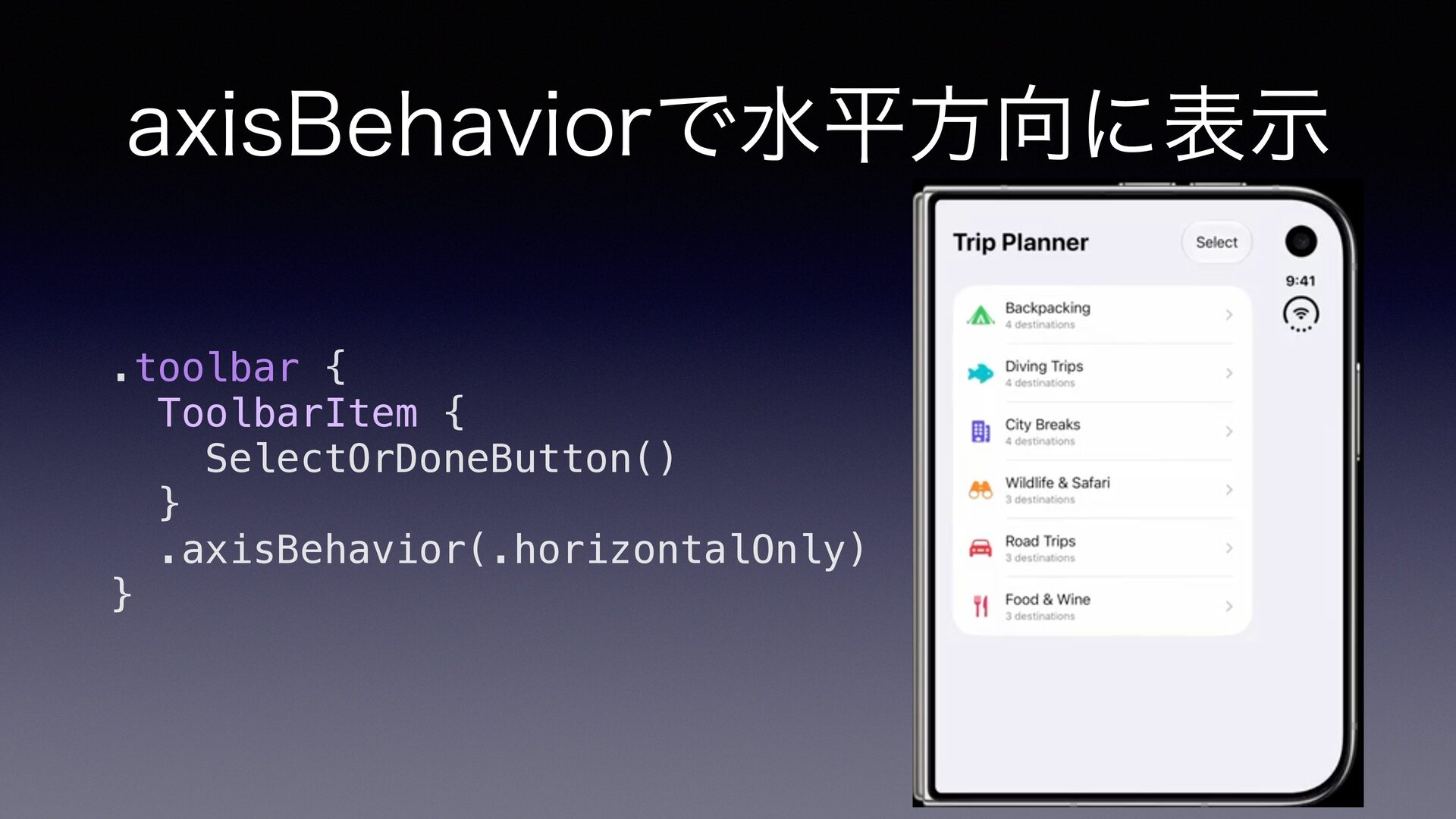
axisBehaviorで水平方向に表示 .toolbar { ToolbarItem { SelectOrDoneButton() } .axisBehavior(.horizontalOnly) }
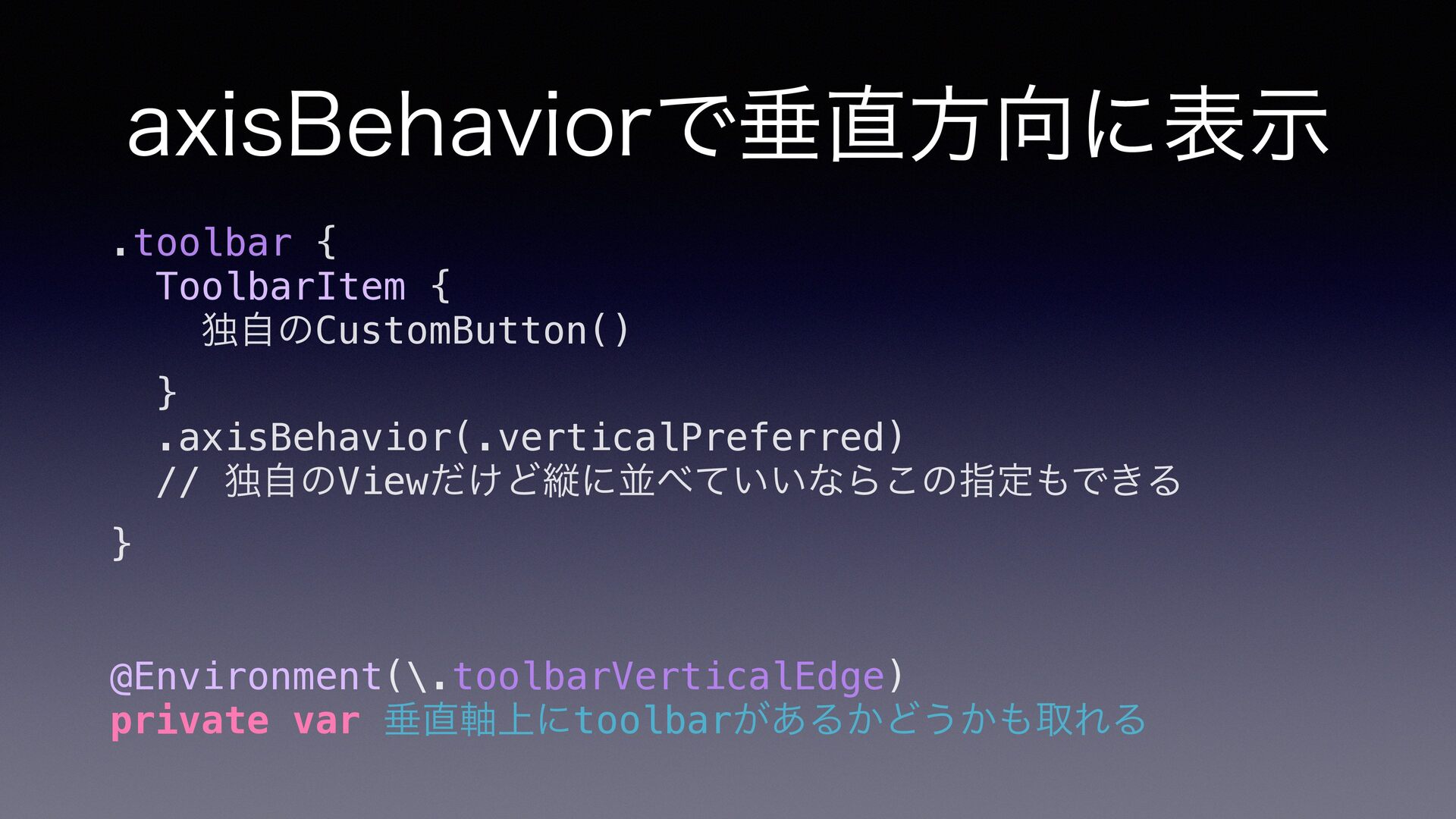
axisBehaviorで垂直方向に表示 .toolbar { ToolbarItem { 独自のCustomButton() } .axisBehavior(.verticalPreferred) // 独自のViewだけど縦に並べていいならこの指定もできる
} @Environment(\.toolbarVerticalEdge) private var 垂直軸上にtoolbarがあるかどうかも取れる
fl toolbarで …になる順番を決めたい (Over ow)
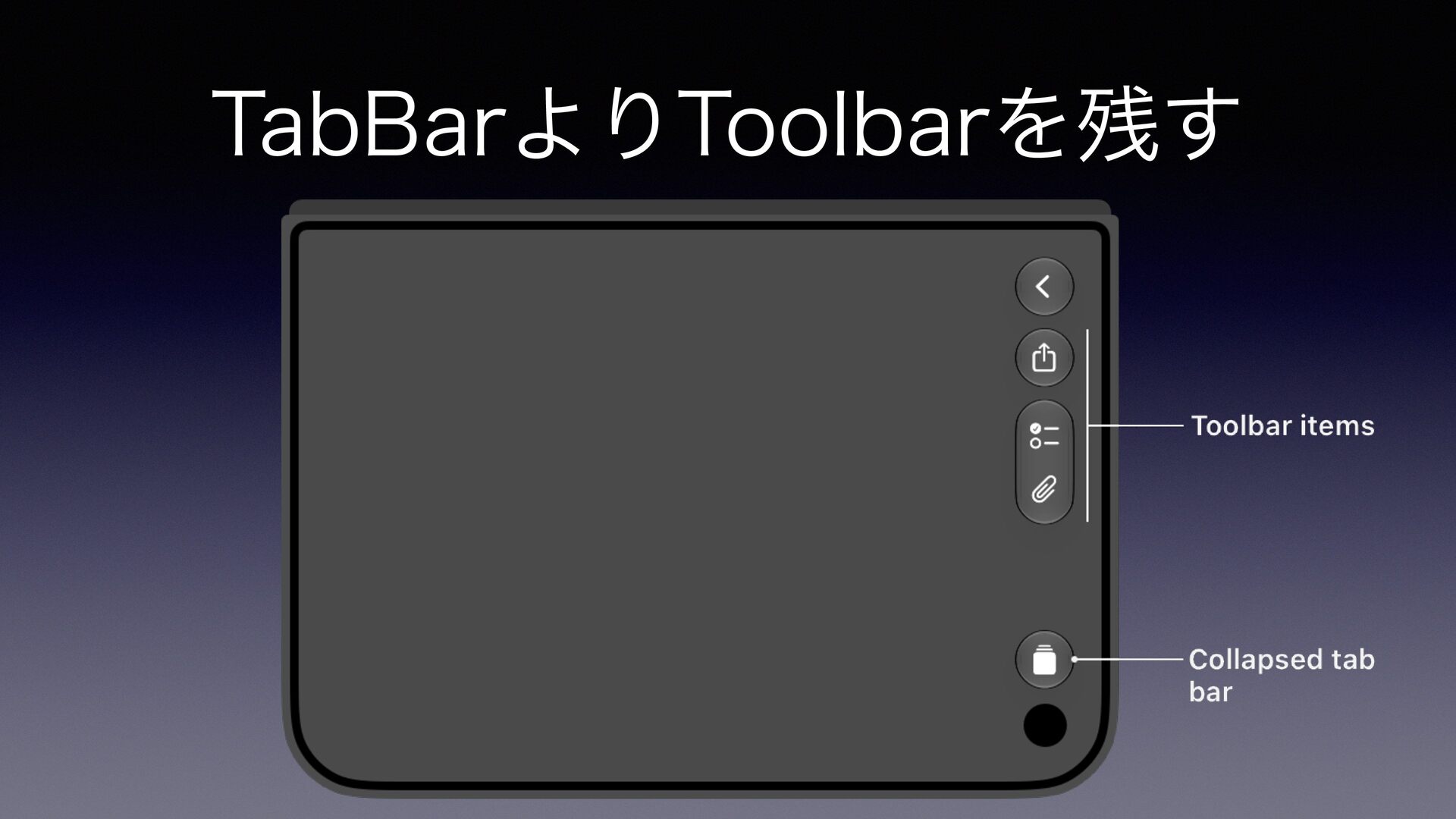
TabBarよりToolbarを残す
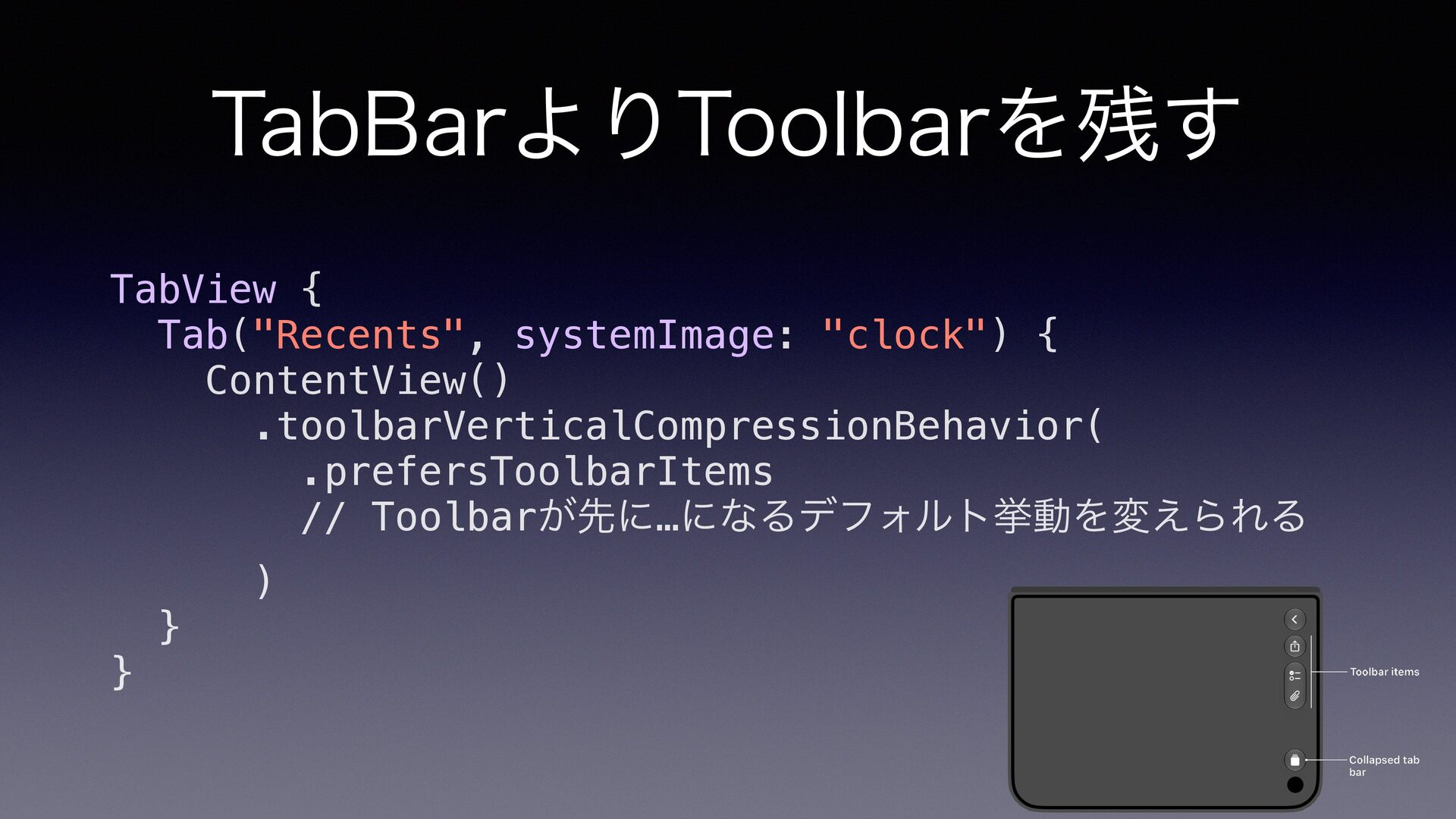
TabBarよりToolbarを残す TabView { Tab("Recents", systemImage: "clock") { ContentView() .toolbarVerticalCompressionBehavior( .prefersToolbarItems
// Toolbarが先に…になるデフォルト挙動を変えられる } } )
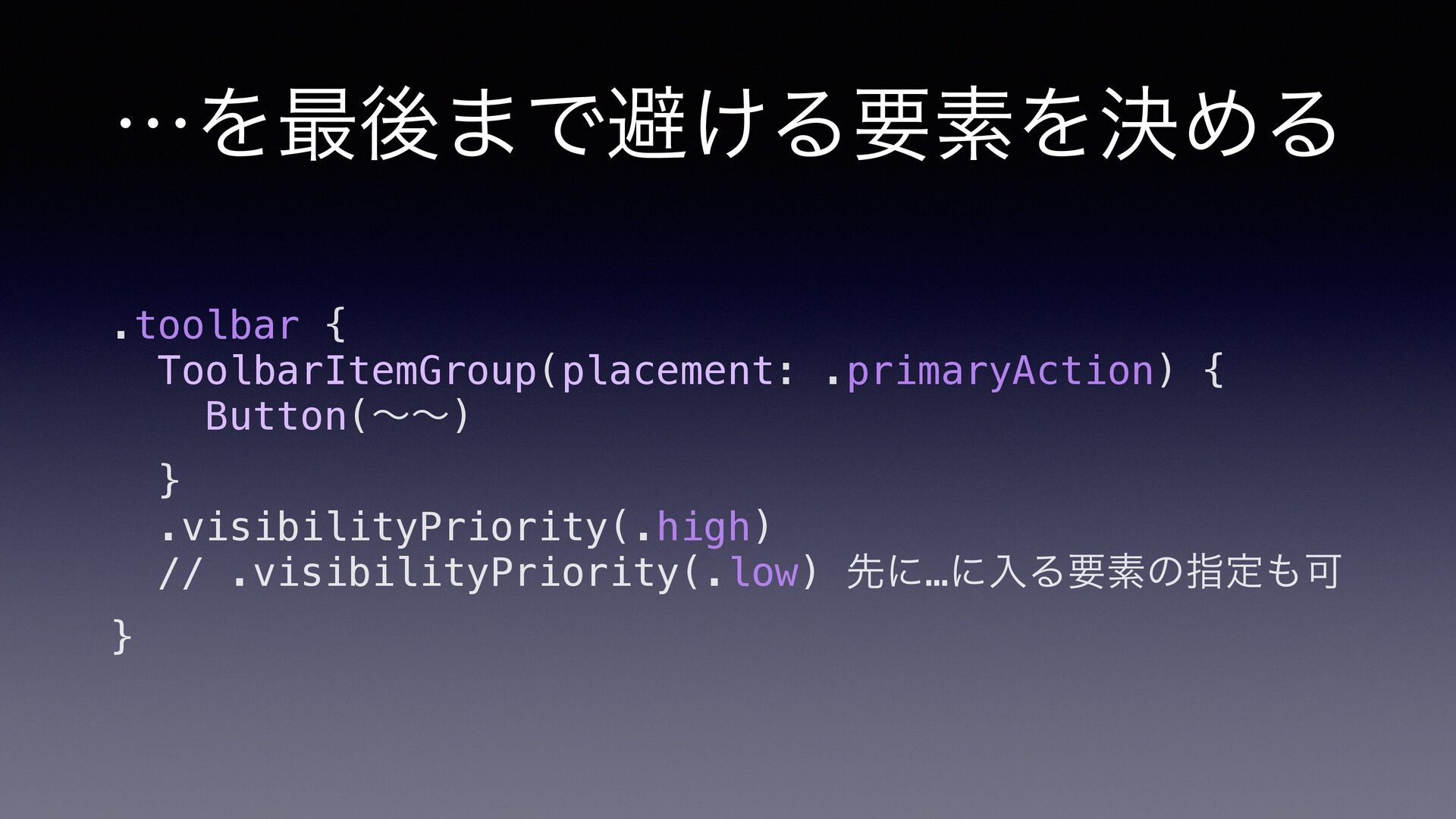
…を最後まで避ける要素を決める .toolbar { ToolbarItemGroup(placement: .primaryAction) { Button(〜〜) } .visibilityPriority(.high) //
.visibilityPriority(.low) 先に…に入る要素の指定も可 }
6. まとめ
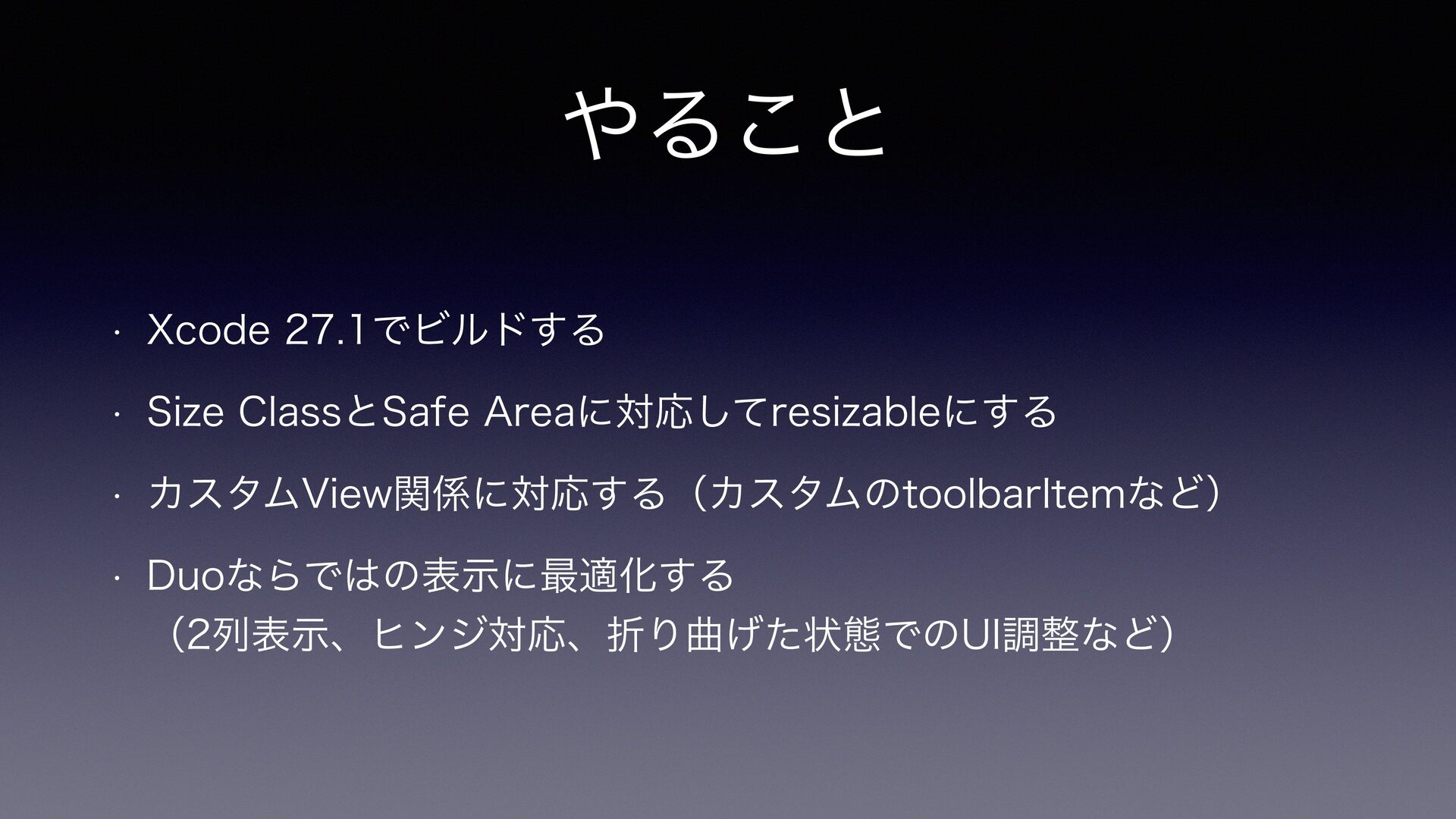
やること • Xcode 27.1でビルドする • Size ClassとSafe Areaに対応してresizableにする • カスタムView関係に対応する(カスタムのtoolbarItemなど)
• Duoならではの表示に最適化する (2列表示、ヒンジ対応、折り曲げた状態でのUI調整など)
やっていきましょう


 yuukiw00w
 moro
moro
 ryu1013
 kaityo256
 shihochan
 iwiwi
iwiwi
 dske104
 falcon8823
 ivargrimstad
 n_takehata
 kawashimo0
 teyamagu
 tomokon
 427marketing
 ryanjones
 scottboms
 palkan
 eileencodes
 morganepeng
 honzajavorek
 lara
lara
 rasmusluckow
 jonoalderson
 jeffersonlam
 mayatellez