Upgrade to Pro
— share decks privately, control downloads, hide ads and more …
Speaker Deck
Sign up for free
Menu
Search
Features
All features
Private URLs
Password Protection
Custom URLS
Scheduled publishing
Remove Branding
Restrict embedding
Deck Collections
Notes
Features
All features
Private URLs
Password Protection
Custom URLS
Scheduled publishing
Remove Branding
Restrict embedding
Deck Collections
Notes
Explore
Featured decks
Featured speakers
Programming
Technology
Storyboards
Explore
Featured decks
Featured speakers
Programming
Technology
Storyboards
Pricing
Search
Sign in
Sign up for free
Pythonで爆速でHello, World!する
Search
AnaTofuZ
May 24, 2025
Technology
140
0
Share
Embed
Copy iframe code
Copy JS code
Copy link
Start on current slide
Pythonで爆速でHello, World!する
https://shingenpy.connpass.com/event/353887/
でのLTです
AnaTofuZ
May 24, 2025
More Decks by AnaTofuZ
See All by AnaTofuZ
Perl GraphQL 高速化バトル 2026年5月版
anatofuz
0
77
k1LoW/deckのすすめ
anatofuz
2
820
Perl1.0 Deep Drive 0.01
anatofuz
0
250
Rubyの国のPerlMonger
anatofuz
3
2.7k
思いつきで推しの誕生日記念コンテンツを2日で作る技術
anatofuz
0
210
AWSで雰囲気でつくる! VRChatの写真変換ピタゴラスイッチ
anatofuz
0
580
令和最新版 Perlコーディングガイド
anatofuz
5
11k
rakulangで実装する! RubyVM
anatofuz
6
6.3k
沖縄の大学で育った学生がエンジニアになるまで
anatofuz
2
8.2k
Other Decks in Technology
See All in Technology
Gemini Intelligence 入門 ― AppFunctions と Gemini Nano
takuroabe
0
330
Codex を使った障害対応机上演習の実際
orgachem
PRO
0
200
SAENM ~Jupyterで残すPoCの試行錯誤、未来の自分と仲間を助ける記録!~
terapyon
0
170
AIカンパニーへの転換を支えた、エンジニアの仕事の再定義
kworkdev
PRO
2
1.4k
アウトプット初心者、半年間のふりかえり
4o1sobblue
0
460
スプシの手作業からの解脱 ~更新はClaude Codeに、見せ方と使い方はGASアプリに任せる~
kentarofujii
0
170
JAWSUG TOHOKU 青森支部 「LoGoチャット」のAWS移行で 乗り越えたこと
taketakekaho
0
360
QA4AI 2026-Oct 生成AI時代の品質保証
tokuty
1
930
Refining Active Record
shugo
0
180
Optunaの最新リリースv5.0について
pfn
PRO
0
130
S3 Filesで挑む! 八戸せんべい汁の食べ頃問題
usanchuu
0
140
触りたくないデータに、どう触るか AI時代のRBACアクセスガバナンス
ivry_presentationmaterials
0
310
Featured
See All Featured
30 Presentation Tips
portentint
PRO
1
430
Agile Actions for Facilitating Distributed Teams - ADO2019
mkilby
0
310
Conquering PDFs: document understanding beyond plain text
inesmontani
PRO
4
3.2k
Fashionably flexible responsive web design (full day workshop)
malarkey
409
67k
Tell your own story through comics
letsgokoyo
1
1.1k
Visualizing Your Data: Incorporating Mongo into Loggly Infrastructure
mongodb
50
10k
Statistics for Hackers
jakevdp
799
230k
Everyday Curiosity
cassininazir
0
360
Unlocking the hidden potential of vector embeddings in international SEO
frankvandijk
0
1k
Tips & Tricks on How to Get Your First Job In Tech
honzajavorek
1
810
Introduction to Domain-Driven Design and Collaborative software design
baasie
1
1k
We Have a Design System, Now What?
morganepeng
55
8.4k
Transcript
Python で爆速でHello, World! する 八雲アナグラ(@AnaTofuZ) 2025/05/24 [Shingen.py] Python で学ぶKeycloak を用いた
ユーザー管理ハンズオン 1
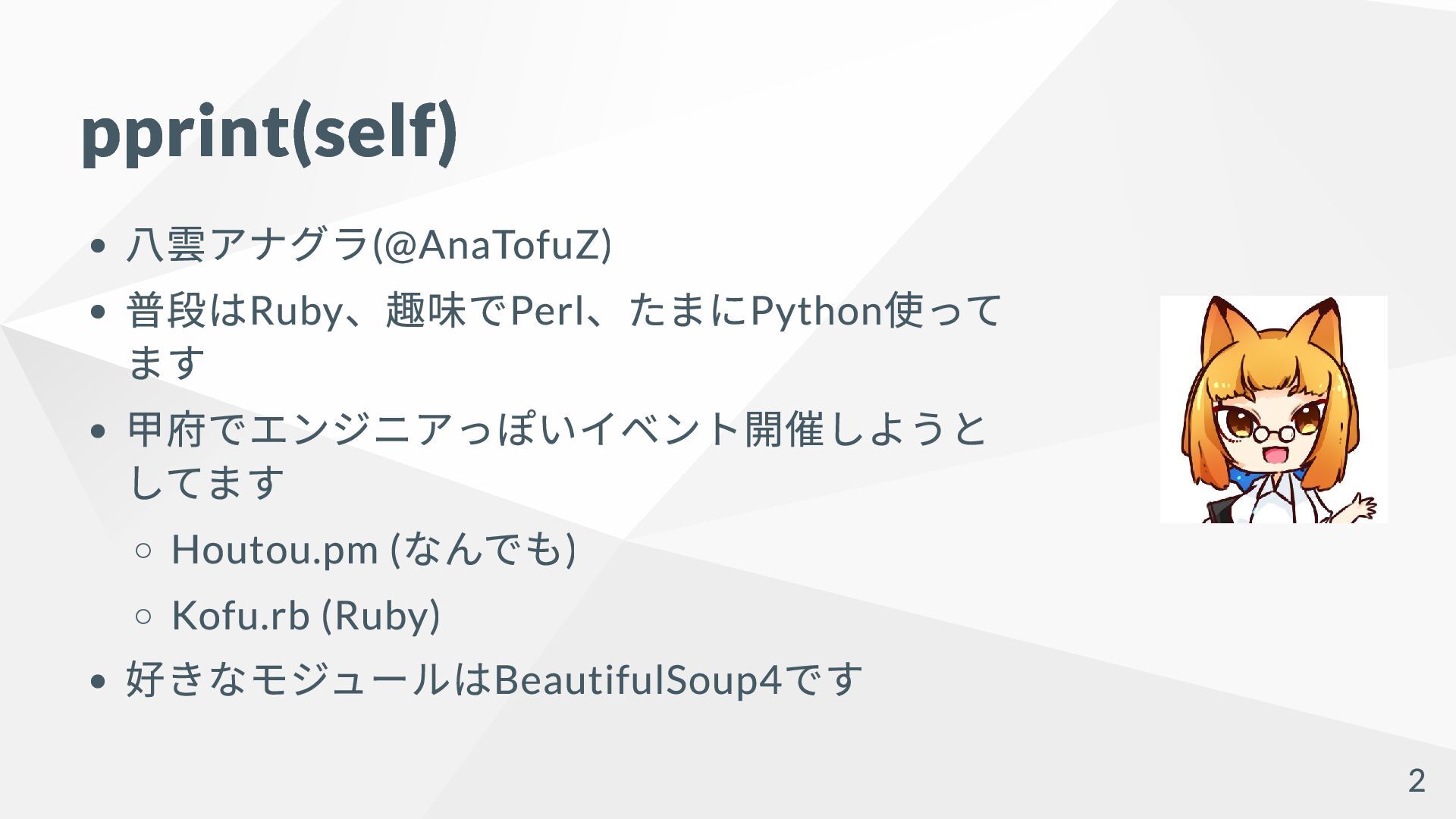
pprint(self) 八雲アナグラ(@AnaTofuZ) 普段はRuby 、趣味でPerl 、たまにPython 使って ます 甲府でエンジニアっぽいイベント開催しようと してます Houtou.pm
( なんでも) Kofu.rb (Ruby) 好きなモジュールはBeautifulSoup4 です 2
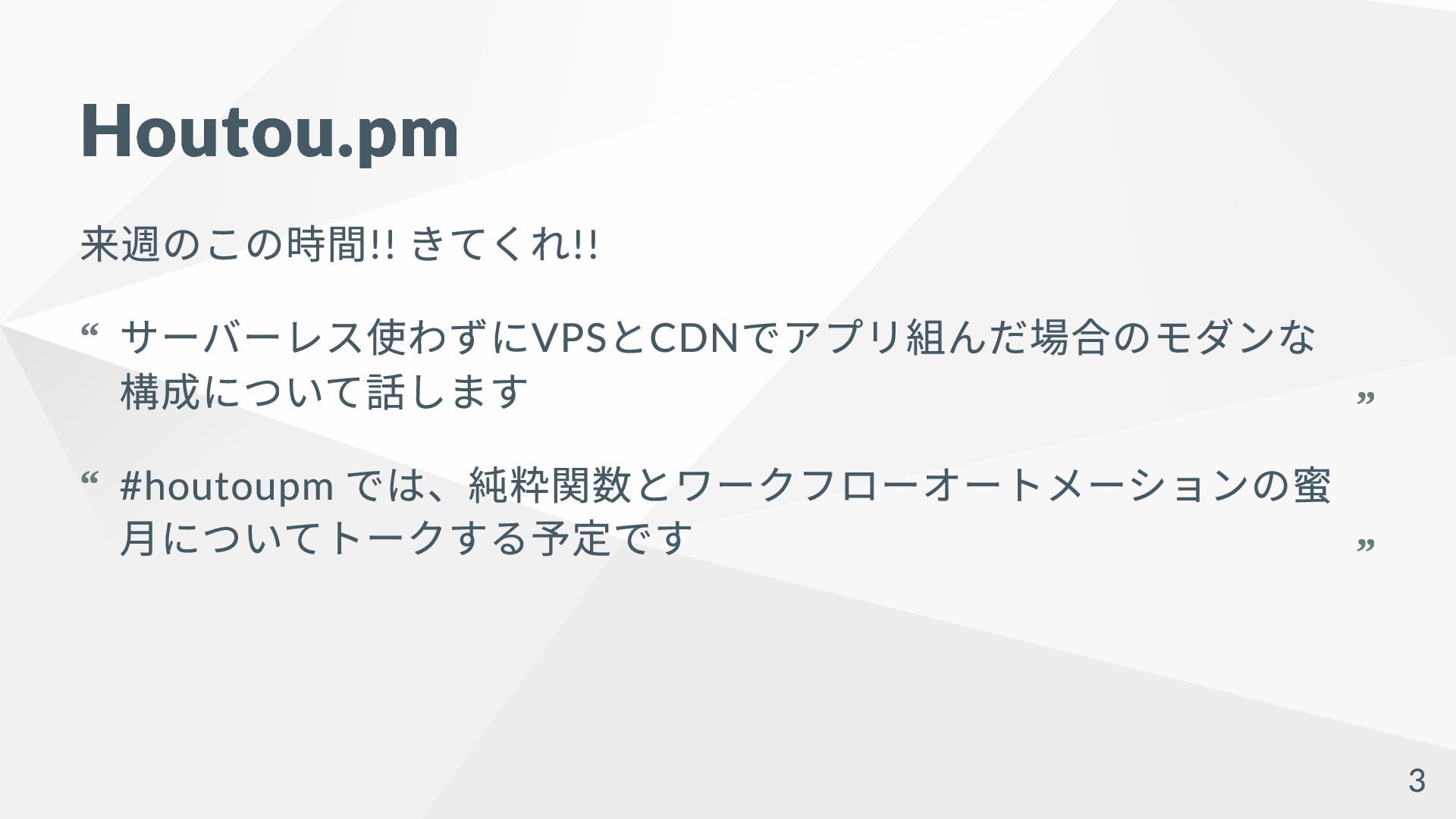
Houtou.pm 来週のこの時間!! きてくれ!! サーバーレス使わずにVPS とCDN でアプリ組んだ場合のモダンな 構成について話します “ “ #houtoupm
では、純粋関数とワークフローオートメーションの蜜 月についてトークする予定です “ “ 3
️: Python でHello, World! したことあ るひと 4
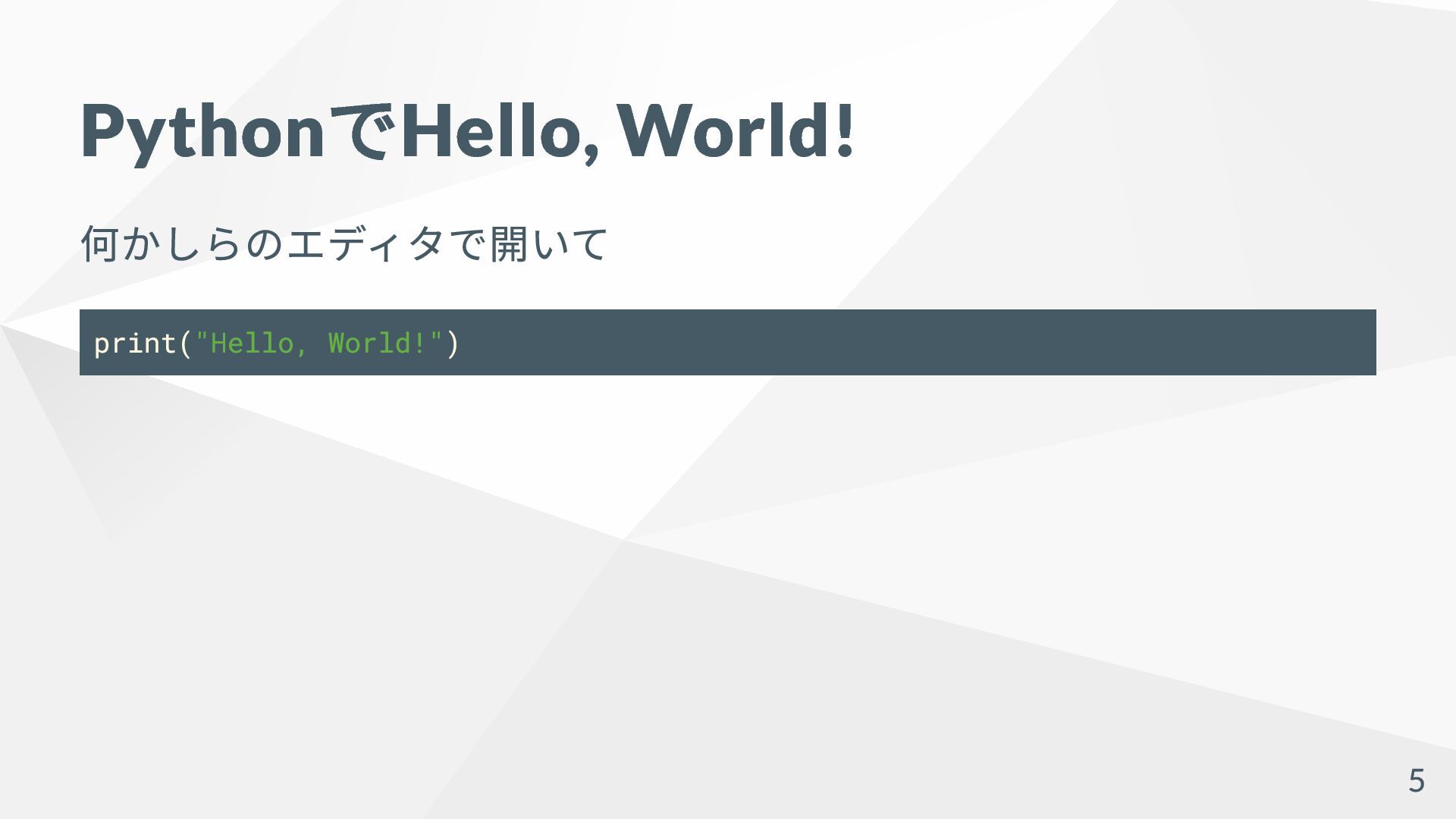
Python でHello, World! 何かしらのエディタで開いて print("Hello, World!") 5
Python でHello, World! 完 6
Python で爆速でHello, World! する 7
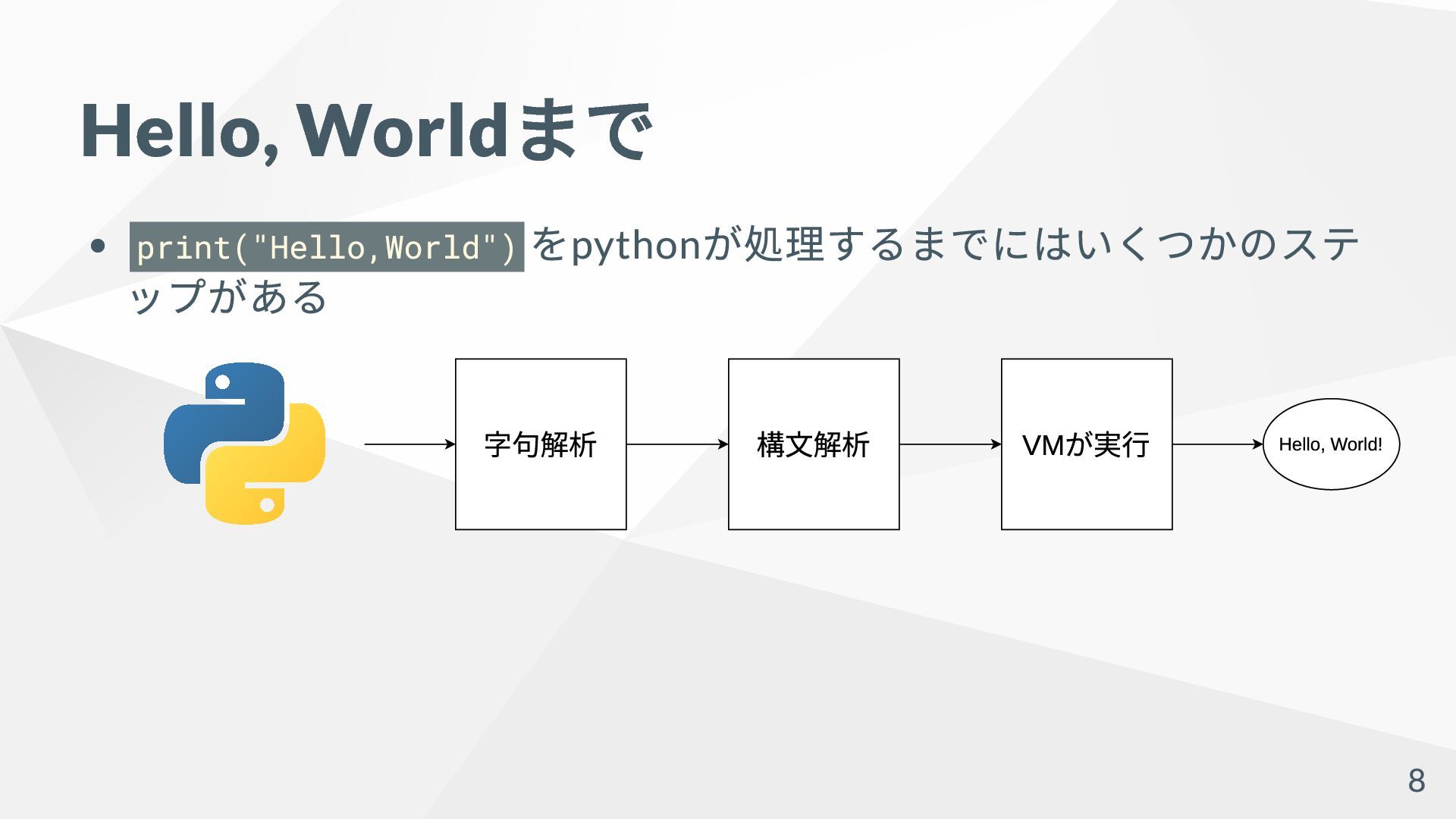
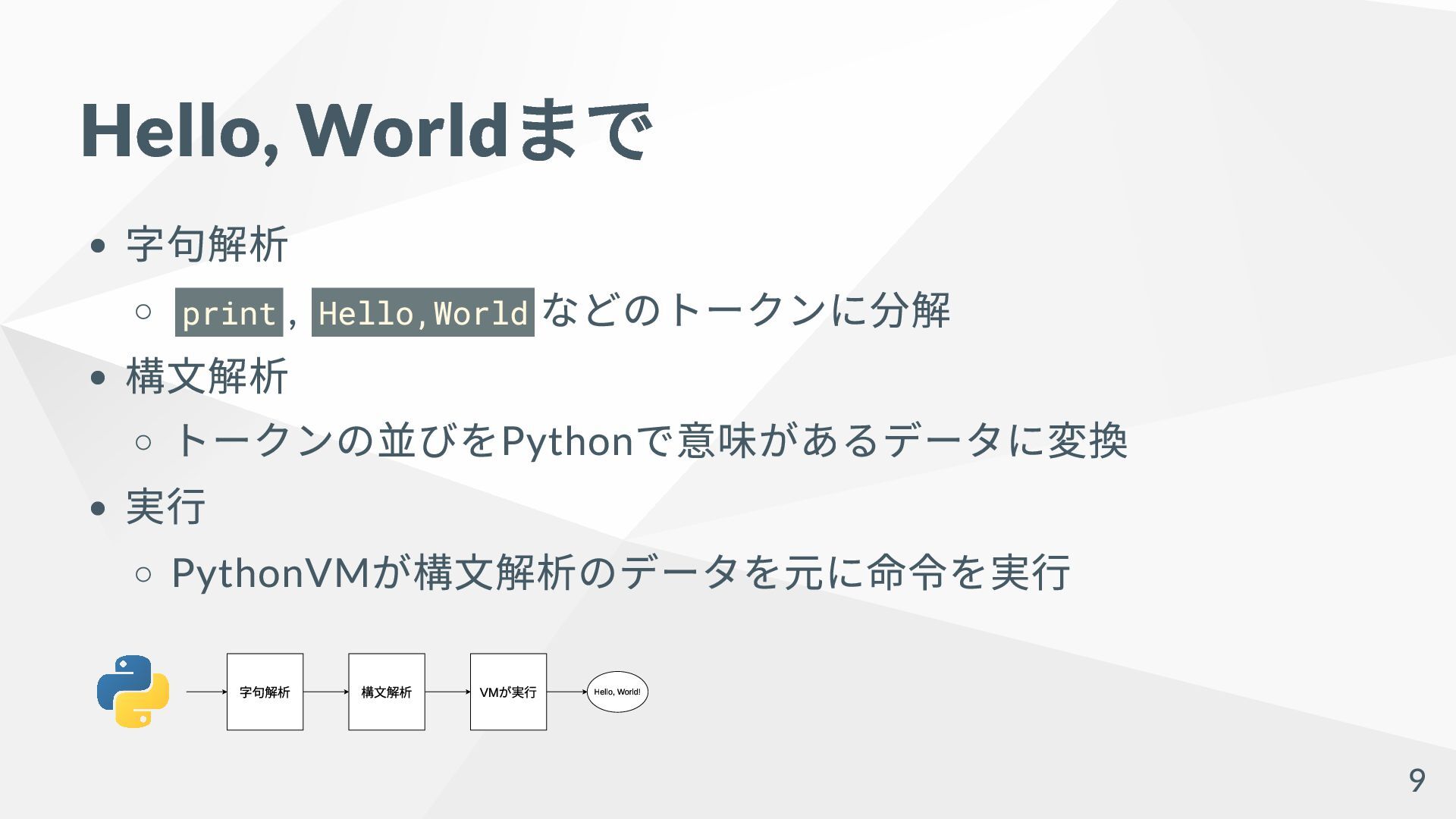
Hello, World まで print("Hello,World") をpython が処理するまでにはいくつかのステ ップがある 字句解析 構⽂解析 VMが実⾏
Hello, World! 8
Hello, World まで 字句解析 print , Hello,World などのトークンに分解 構文解析 トークンの並びをPython
で意味があるデータに変換 実行 PythonVM が構文解析のデータを元に命令を実行 字句解析 構⽂解析 VMが実⾏ Hello, World! 9
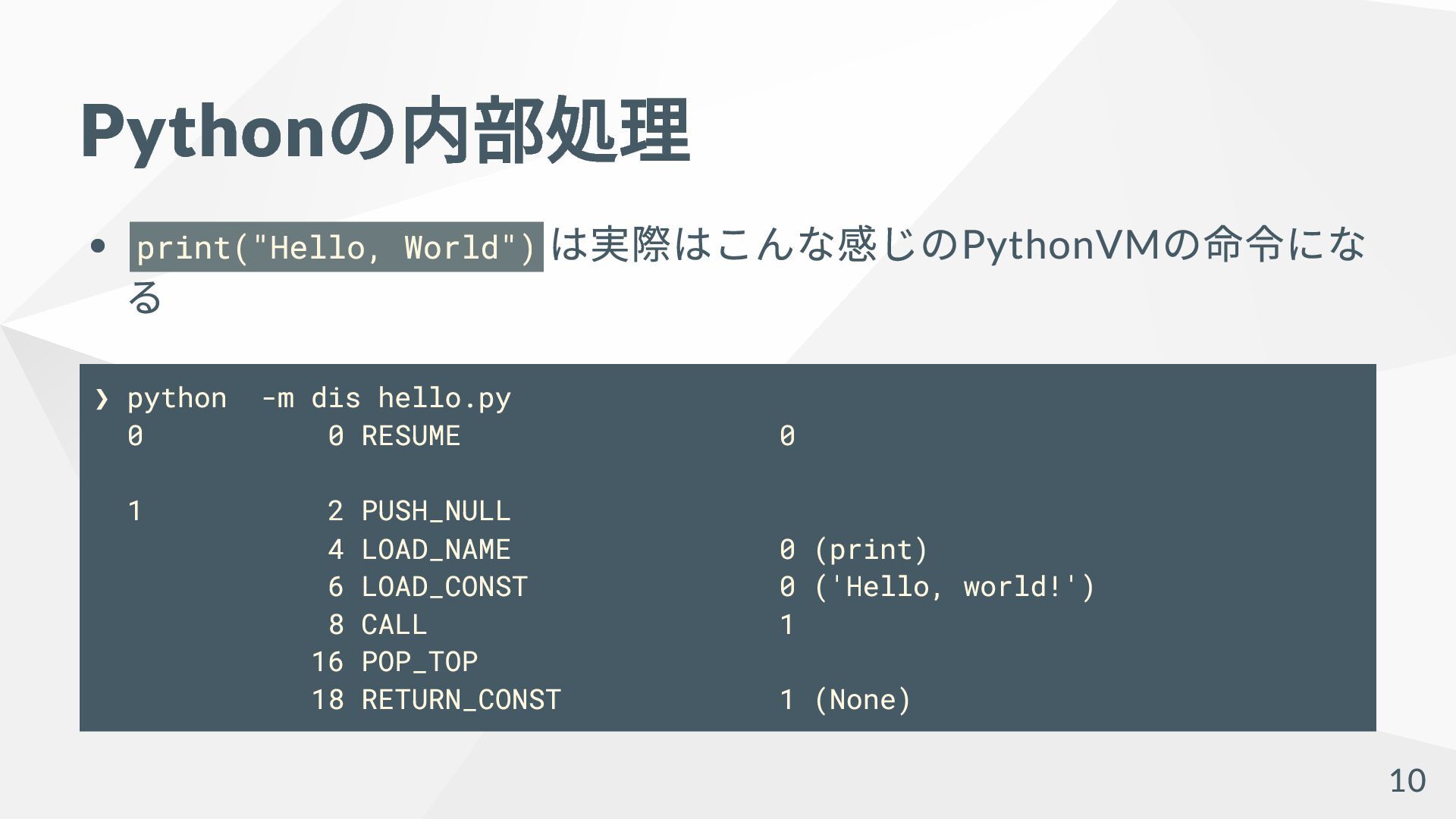
Python の内部処理 print("Hello, World") は実際はこんな感じのPythonVM の命令にな る ❯ python -m
dis hello.py 0 0 RESUME 0 1 2 PUSH_NULL 4 LOAD_NAME 0 (print) 6 LOAD_CONST 0 ('Hello, world!') 8 CALL 1 16 POP_TOP 18 RETURN_CONST 1 (None) 10
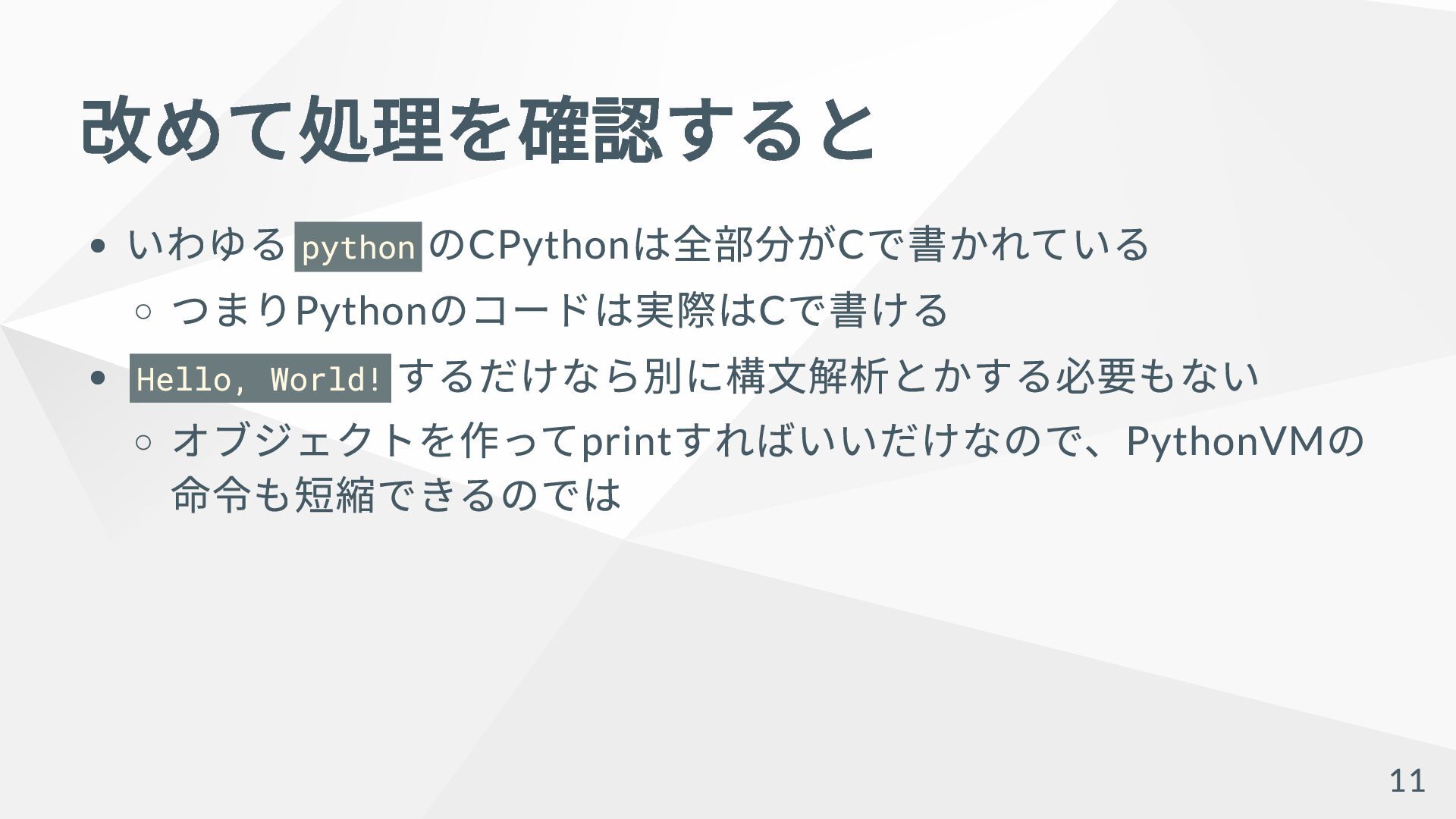
改めて処理を確認すると いわゆる python のCPython は全部分がC で書かれている つまりPython のコードは実際はC で書ける Hello,
World! するだけなら別に構文解析とかする必要もない オブジェクトを作ってprint すればいいだけなので、PythonVM の 命令も短縮できるのでは 11
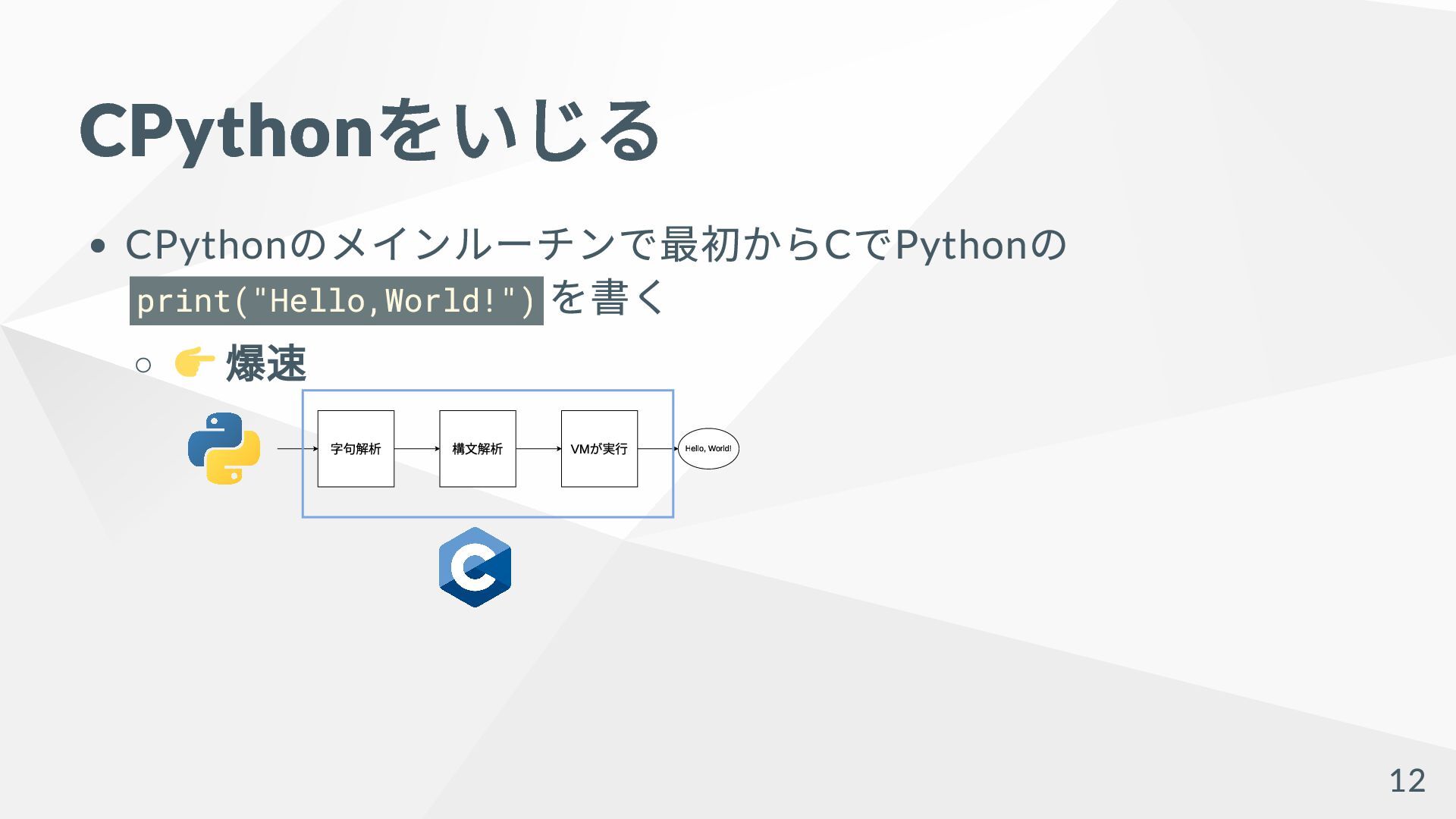
CPython をいじる CPython のメインルーチンで最初からC でPython の print("Hello,World!") を書く ️ 爆速
字句解析 構⽂解析 VMが実⾏ Hello, World! 12
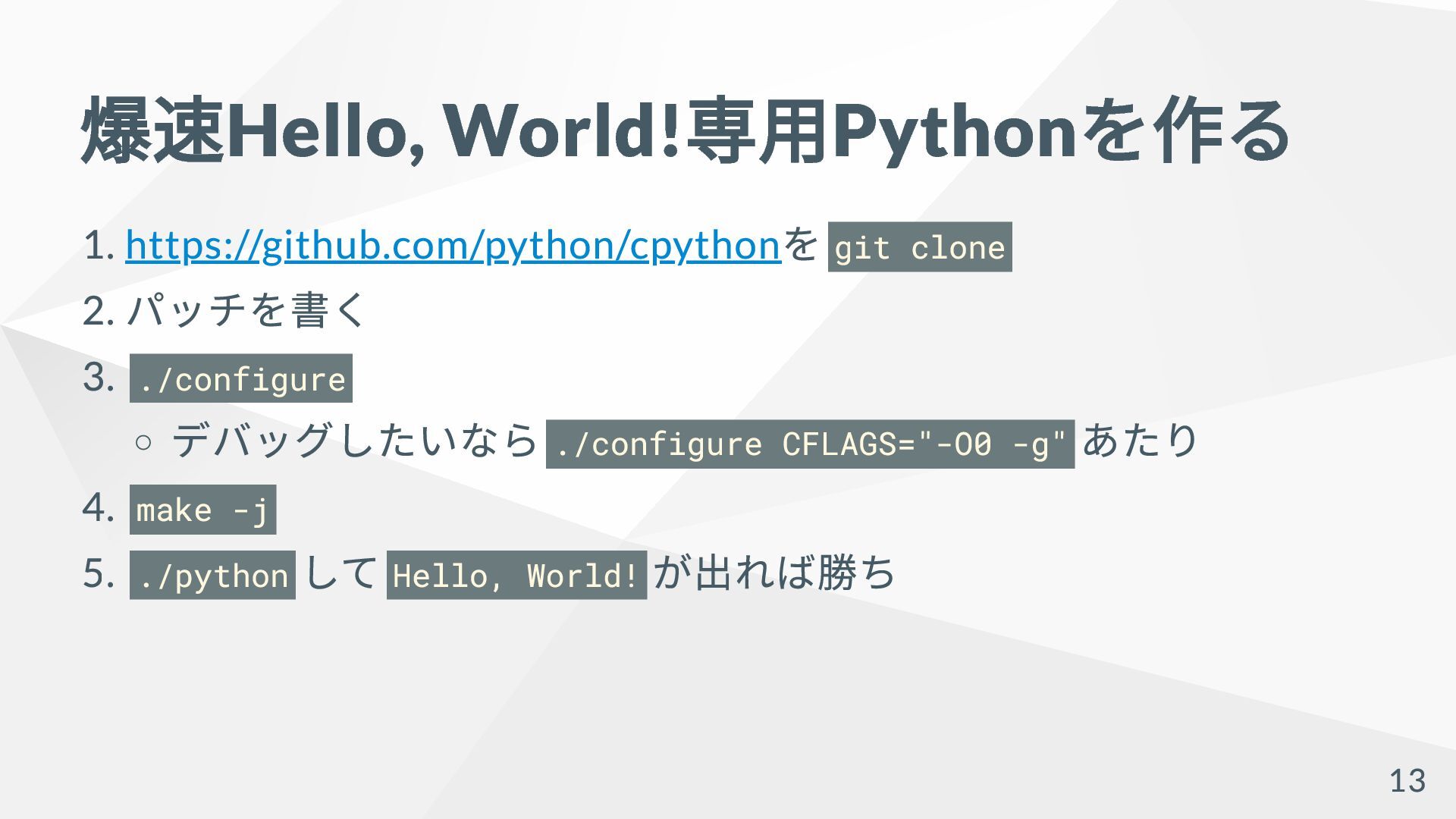
爆速Hello, World! 専用Python を作る 1. https://github.com/python/cpython を git clone 2.
パッチを書く 3. ./configure デバッグしたいなら ./configure CFLAGS="-O0 -g" あたり 4. make -j 5. ./python して Hello, World! が出れば勝ち 13
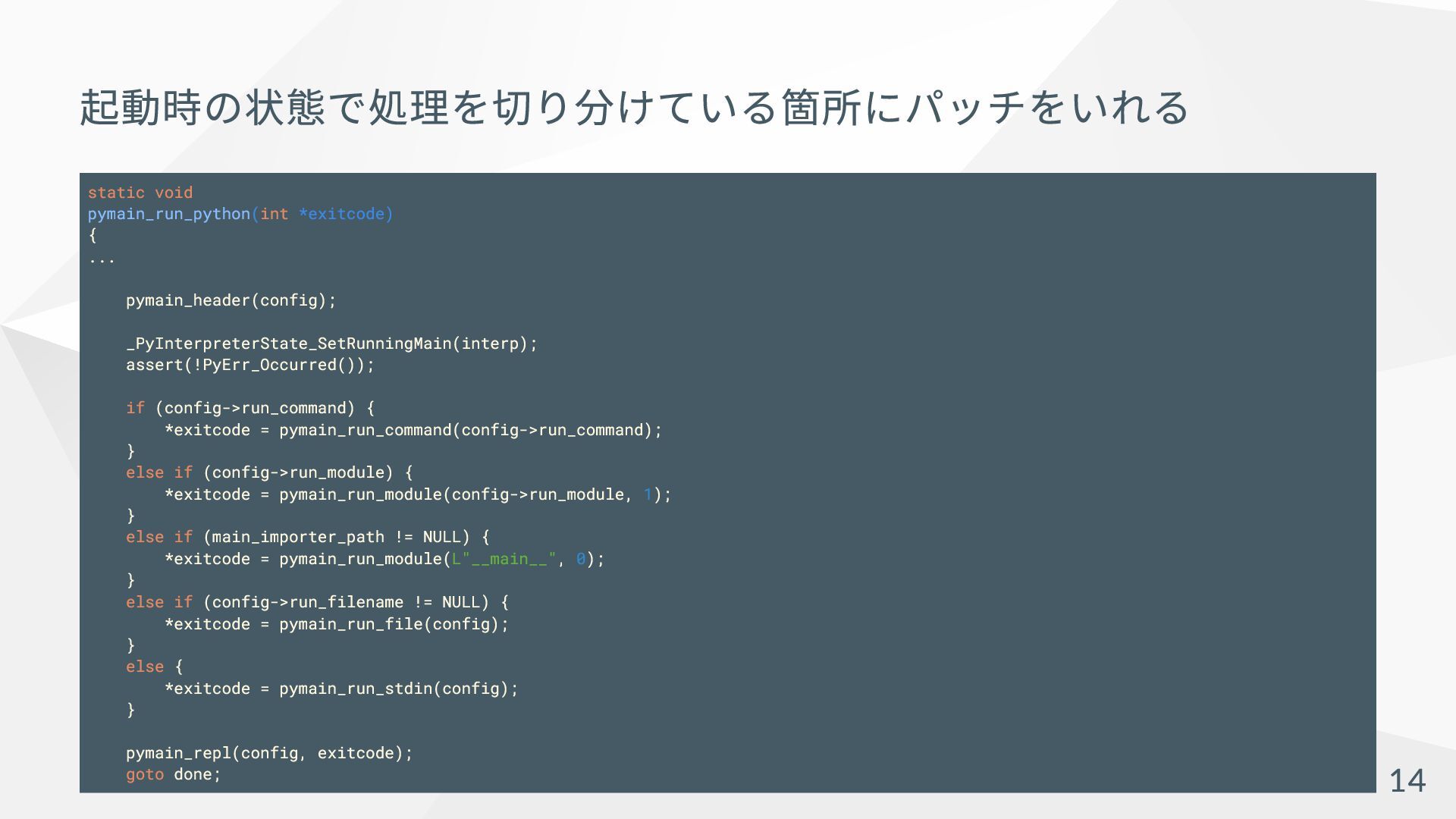
起動時の状態で処理を切り分けている箇所にパッチをいれる static void pymain_run_python(int *exitcode) { ... pymain_header(config); _PyInterpreterState_SetRunningMain(interp); assert(!PyErr_Occurred());
if (config->run_command) { *exitcode = pymain_run_command(config->run_command); } else if (config->run_module) { *exitcode = pymain_run_module(config->run_module, 1); } else if (main_importer_path != NULL) { *exitcode = pymain_run_module(L"__main__", 0); } else if (config->run_filename != NULL) { *exitcode = pymain_run_file(config); } else { *exitcode = pymain_run_stdin(config); } pymain_repl(config, exitcode); goto done; 14
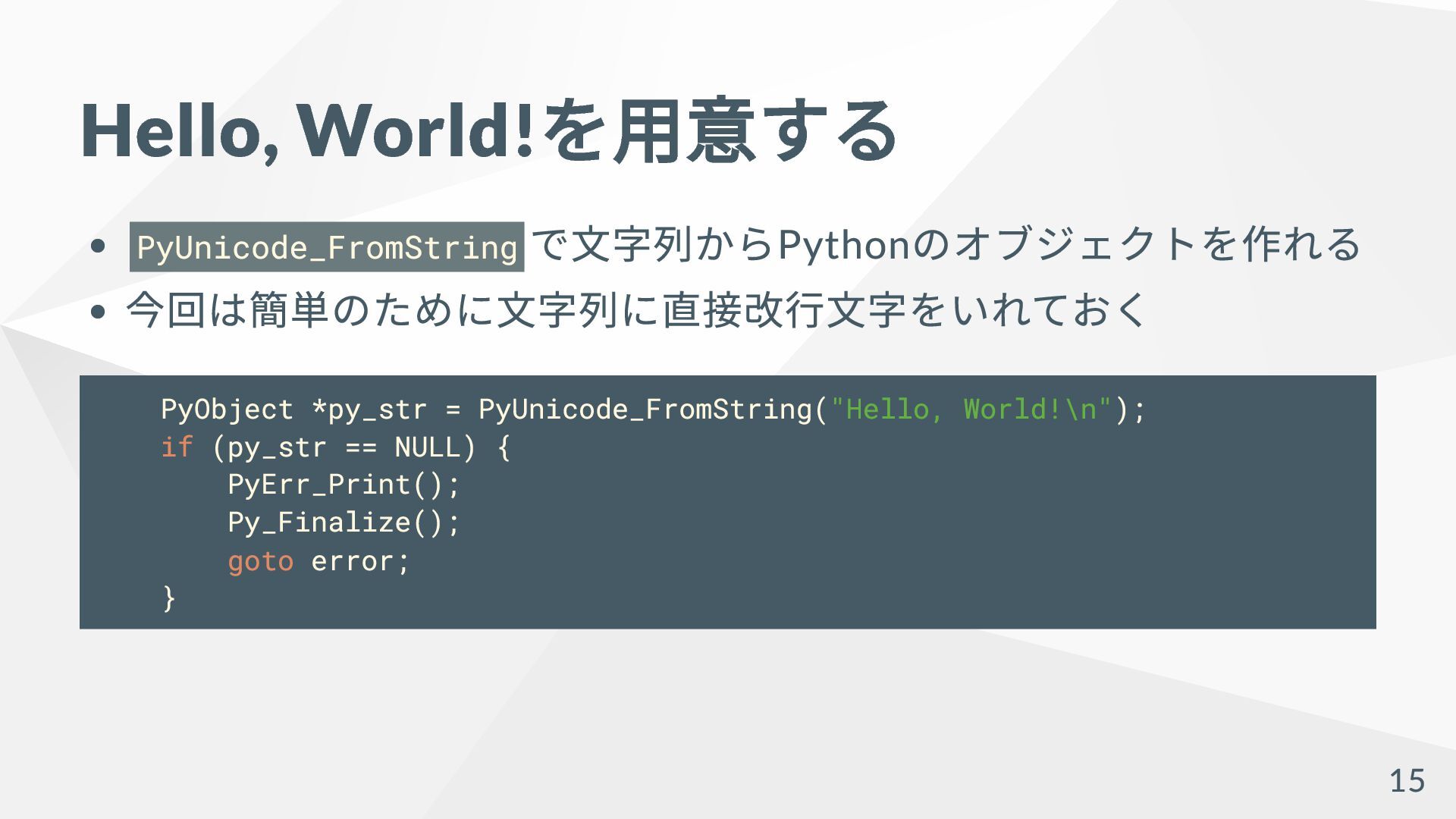
Hello, World! を用意する PyUnicode_FromString で文字列からPython のオブジェクトを作れる 今回は簡単のために文字列に直接改行文字をいれておく PyObject *py_str =
PyUnicode_FromString("Hello, World!\n"); if (py_str == NULL) { PyErr_Print(); Py_Finalize(); goto error; } 15
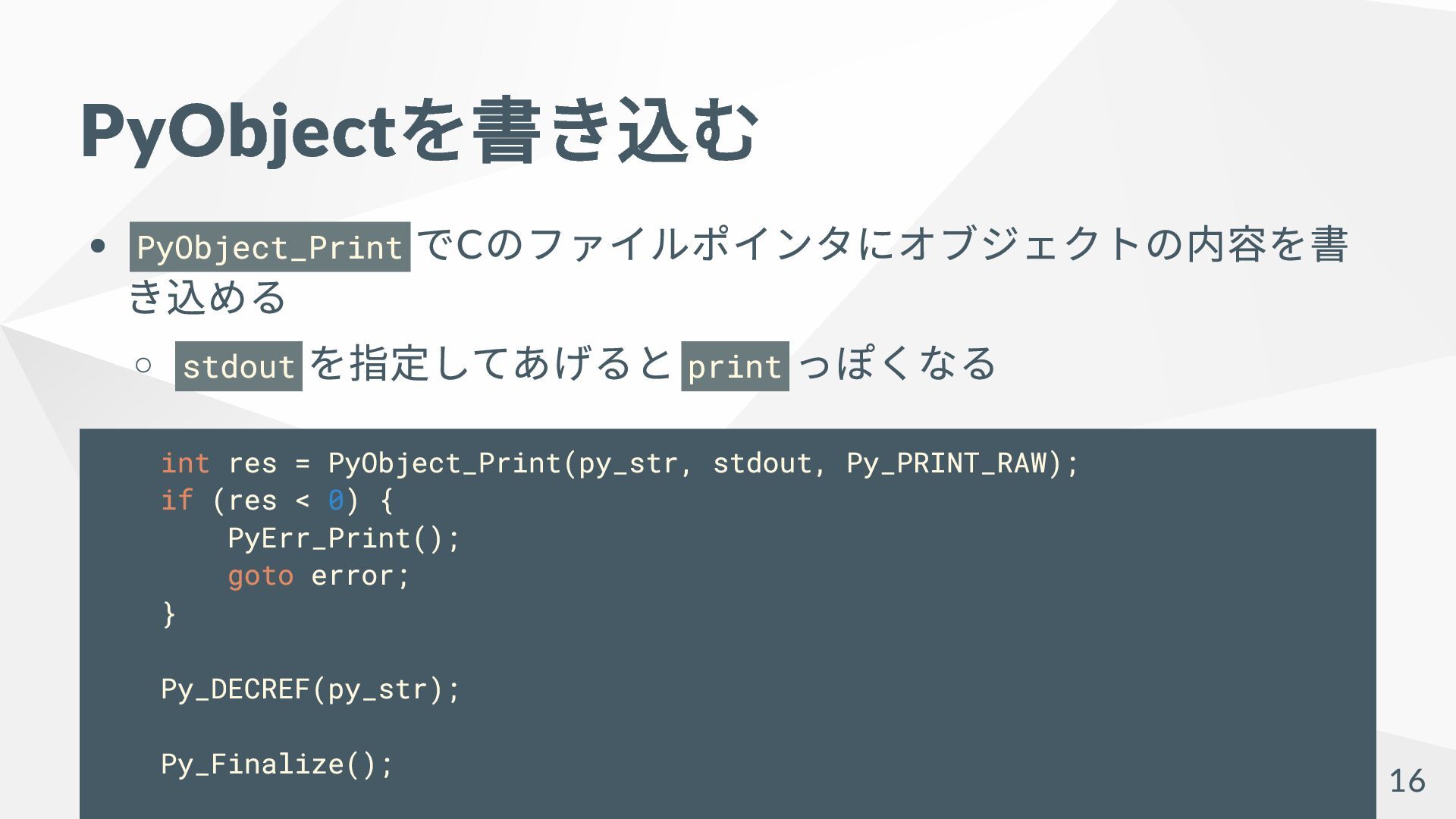
PyObject を書き込む PyObject_Print でC のファイルポインタにオブジェクトの内容を書 き込める stdout を指定してあげると print っぽくなる
int res = PyObject_Print(py_str, stdout, Py_PRINT_RAW); if (res < 0) { PyErr_Print(); goto error; } Py_DECREF(py_str); Py_Finalize(); 16
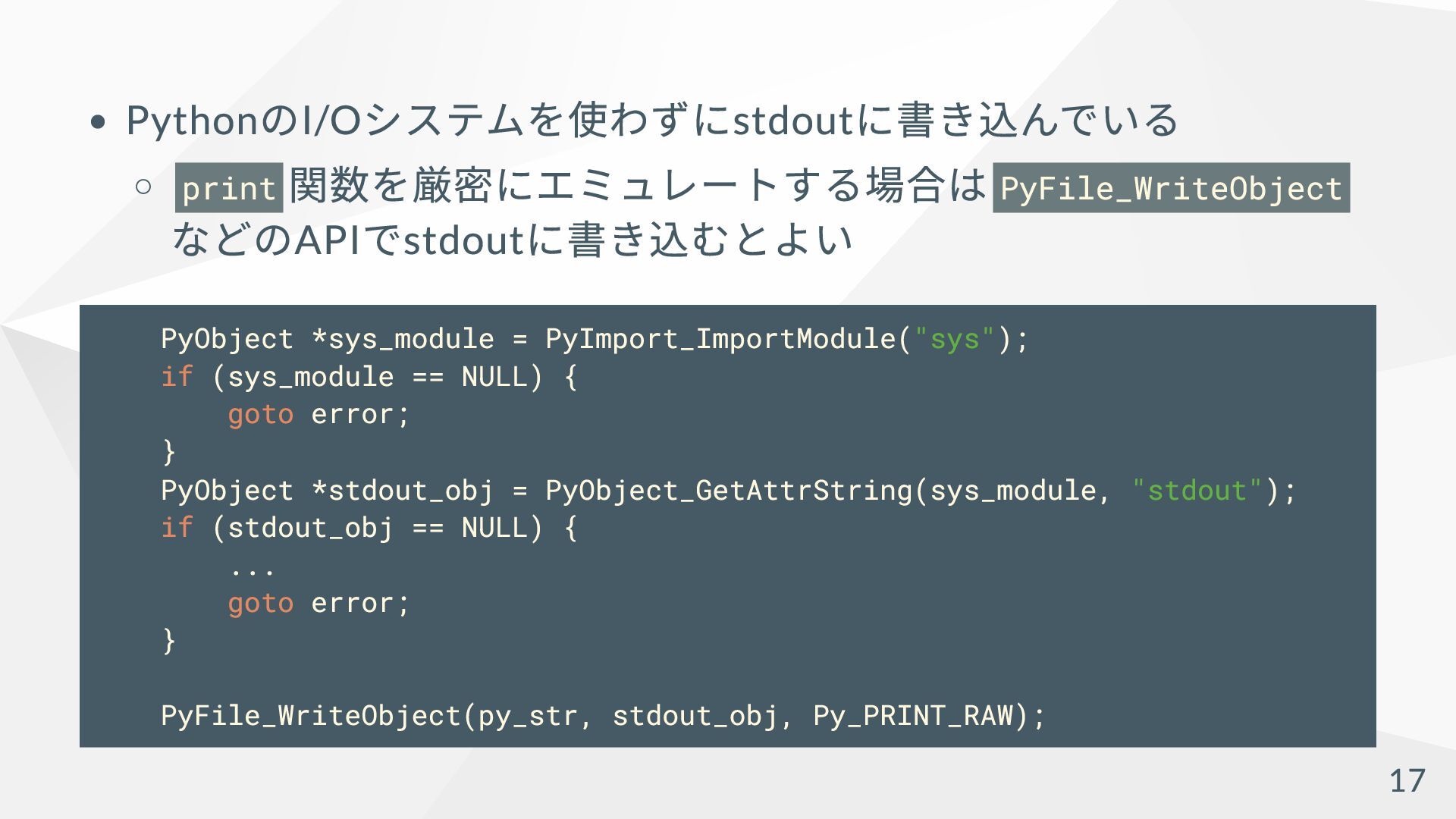
Python のI/O システムを使わずにstdout に書き込んでいる print 関数を厳密にエミュレートする場合は PyFile_WriteObject などのAPI でstdout に書き込むとよい
PyObject *sys_module = PyImport_ImportModule("sys"); if (sys_module == NULL) { goto error; } PyObject *stdout_obj = PyObject_GetAttrString(sys_module, "stdout"); if (stdout_obj == NULL) { ... goto error; } PyFile_WriteObject(py_str, stdout_obj, Py_PRINT_RAW); 17
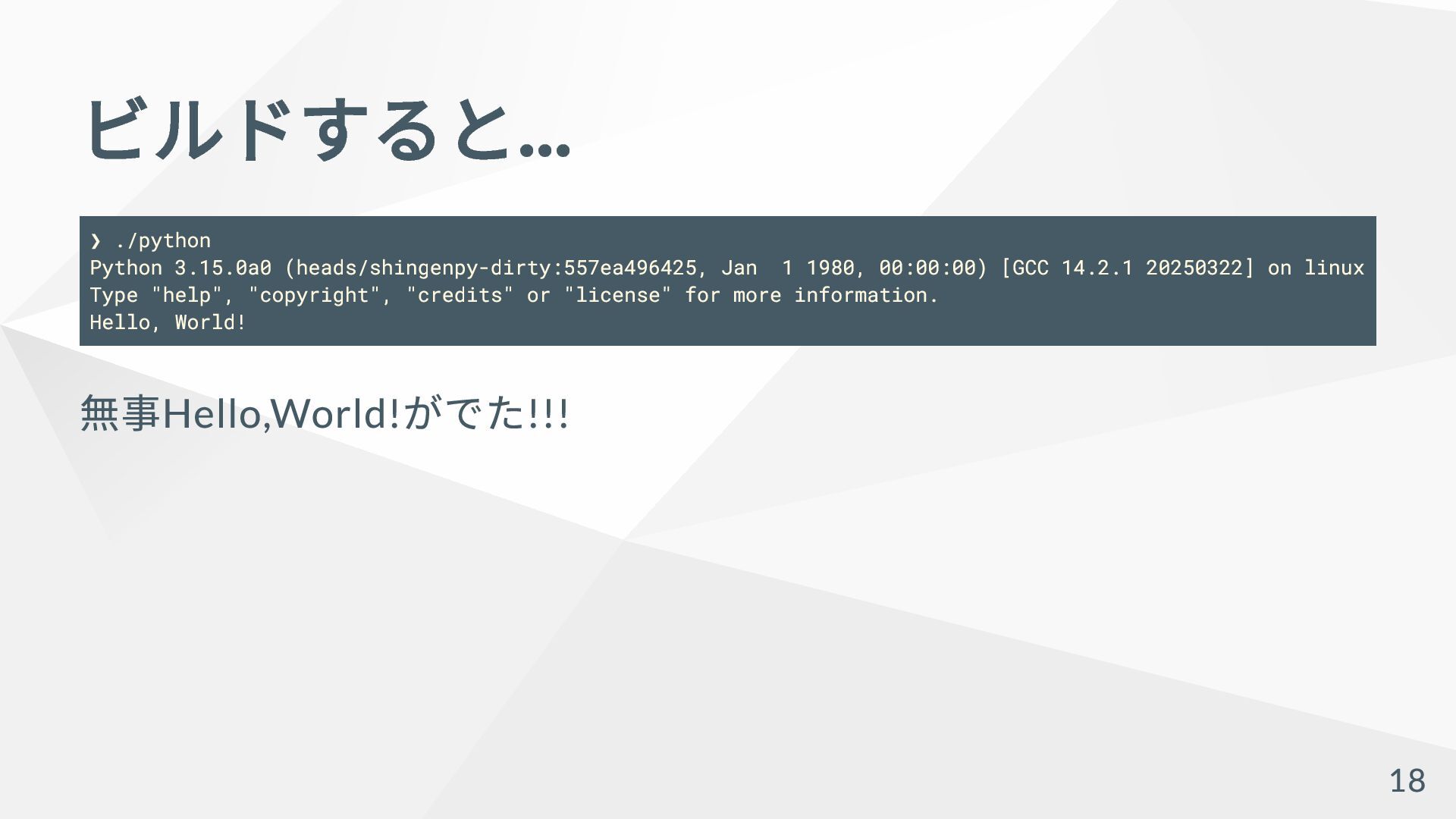
ビルドすると... ❯ ./python Python 3.15.0a0 (heads/shingenpy-dirty:557ea496425, Jan 1 1980, 00:00:00)
[GCC 14.2.1 20250322] on linux Type "help", "copyright", "credits" or "license" for more information. Hello, World! 無事Hello,World! がでた!!! 18
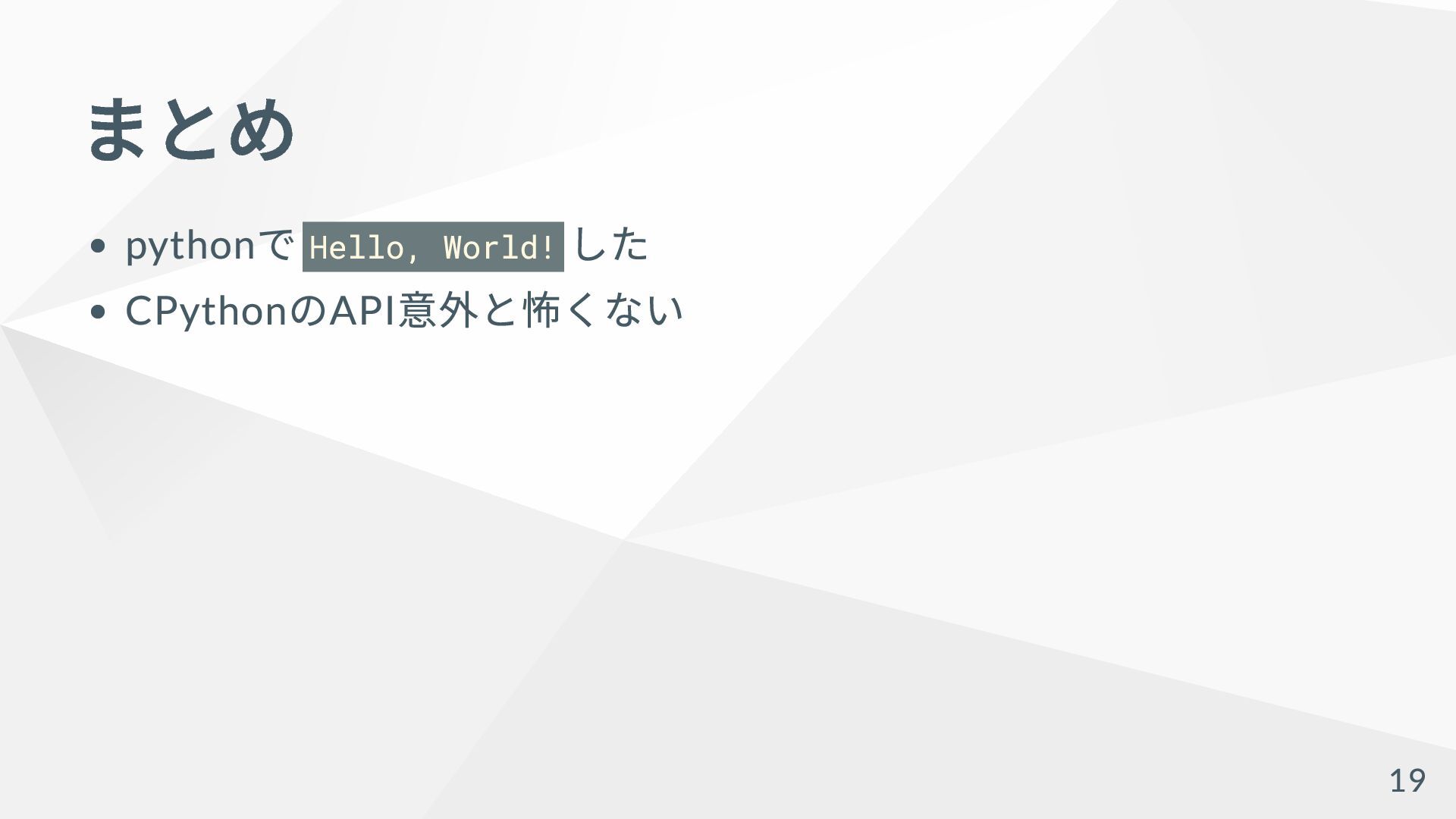
まとめ python で Hello, World! した CPython のAPI 意外と怖くない 19


 anatofuz
 takuroabe
 orgachem
 terapyon
 kworkdev
 4o1sobblue
 kentarofujii
 taketakekaho
 tokuty
 shugo
shugo
 pfn
pfn
 usanchuu
 ivry_presentationmaterials
 portentint
 mkilby
 inesmontani
 malarkey
 letsgokoyo
 mongodb
 jakevdp
 cassininazir
 frankvandijk
 honzajavorek
 baasie
 morganepeng
![Python で爆速でHello, World! する 八雲アナグラ(@AnaTofuZ) 2025/05/24 [Shingen.py] Python で学ぶKeycloak を用いた](https://files.speakerdeck.com/presentations/15ff932a3f124266baf5394f519dd138/slide_0.jpg)