uses oauth, and a lot of them already oauth2, of course all of them offer their client libraries and sdks which already handle oauth for you, but it's still very important to know how they work and what the security implications are
throughout this talk, if you don't understand something, just raise your hand and ask. probably my fault anyways since i spoke to quickly or my accent was too bad
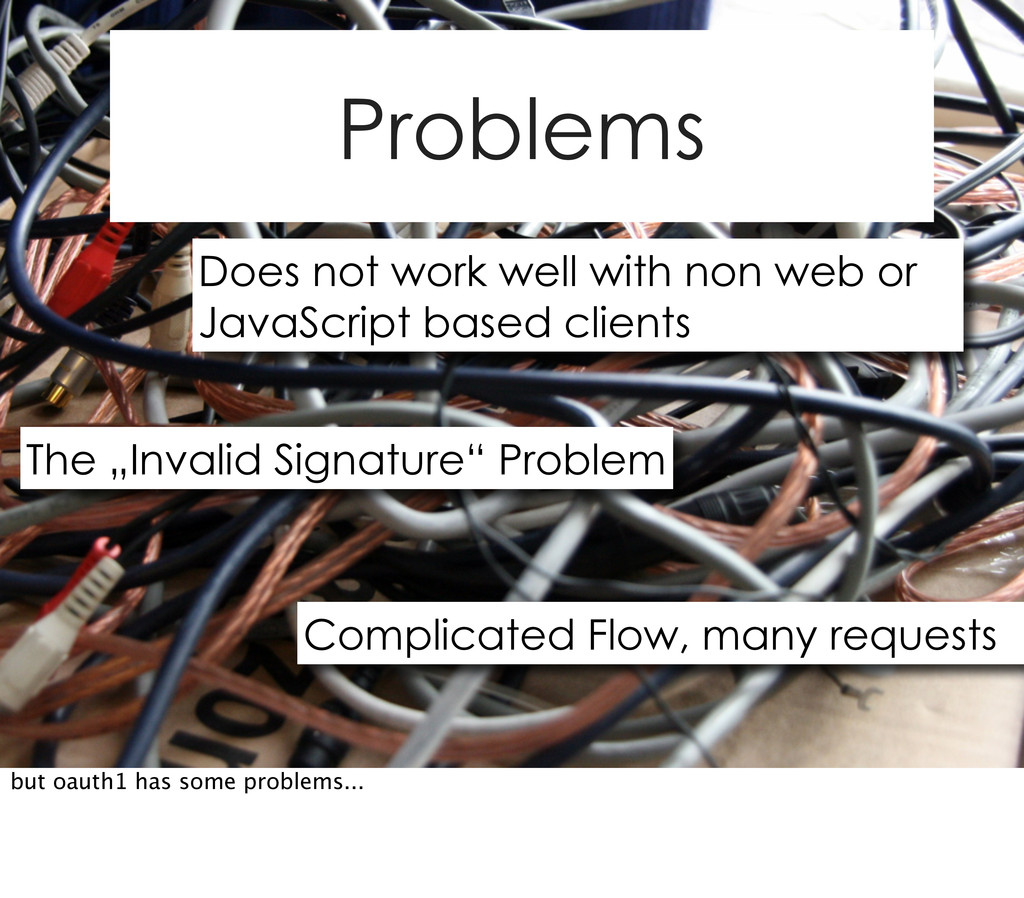
take a few minutes and quickly explain how the first version of OAuth works, so we understand why OAuth2 is even necessary and why some decisions in OAuth2 were made
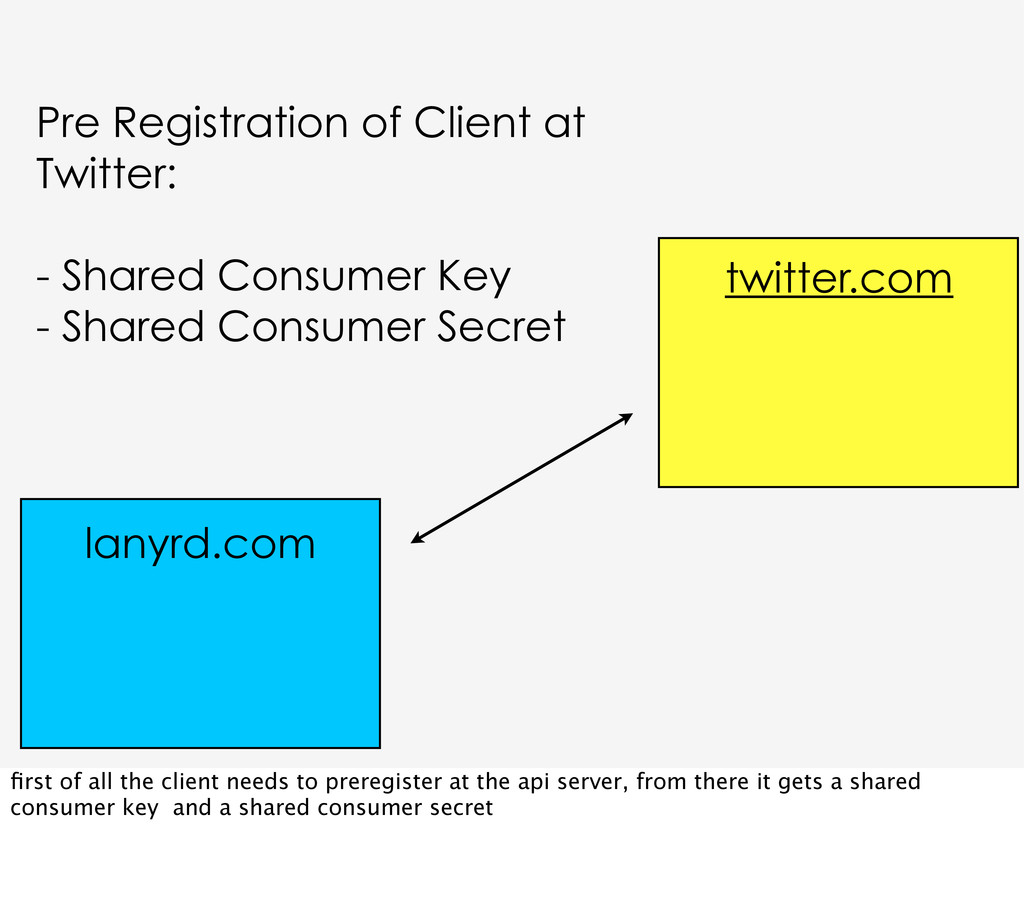
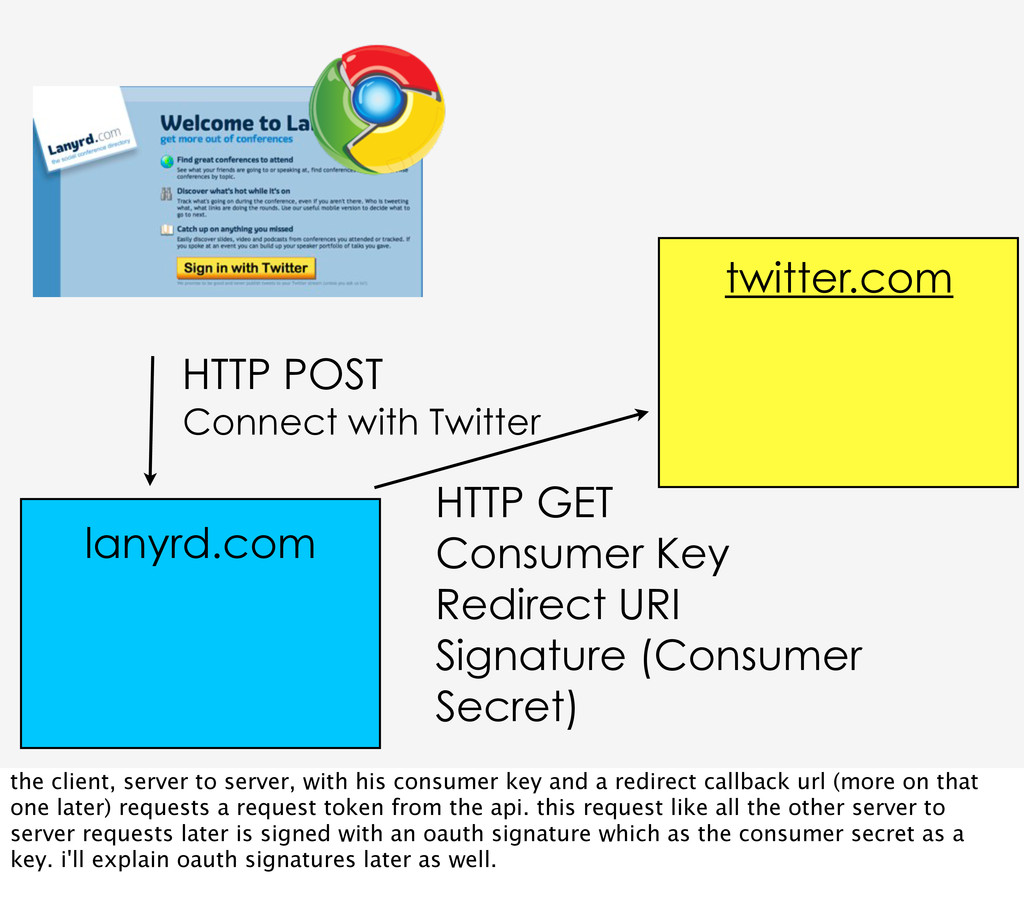
Consumer Key - Shared Consumer Secret first of all the client needs to preregister at the api server, from there it gets a shared consumer key and a shared consumer secret
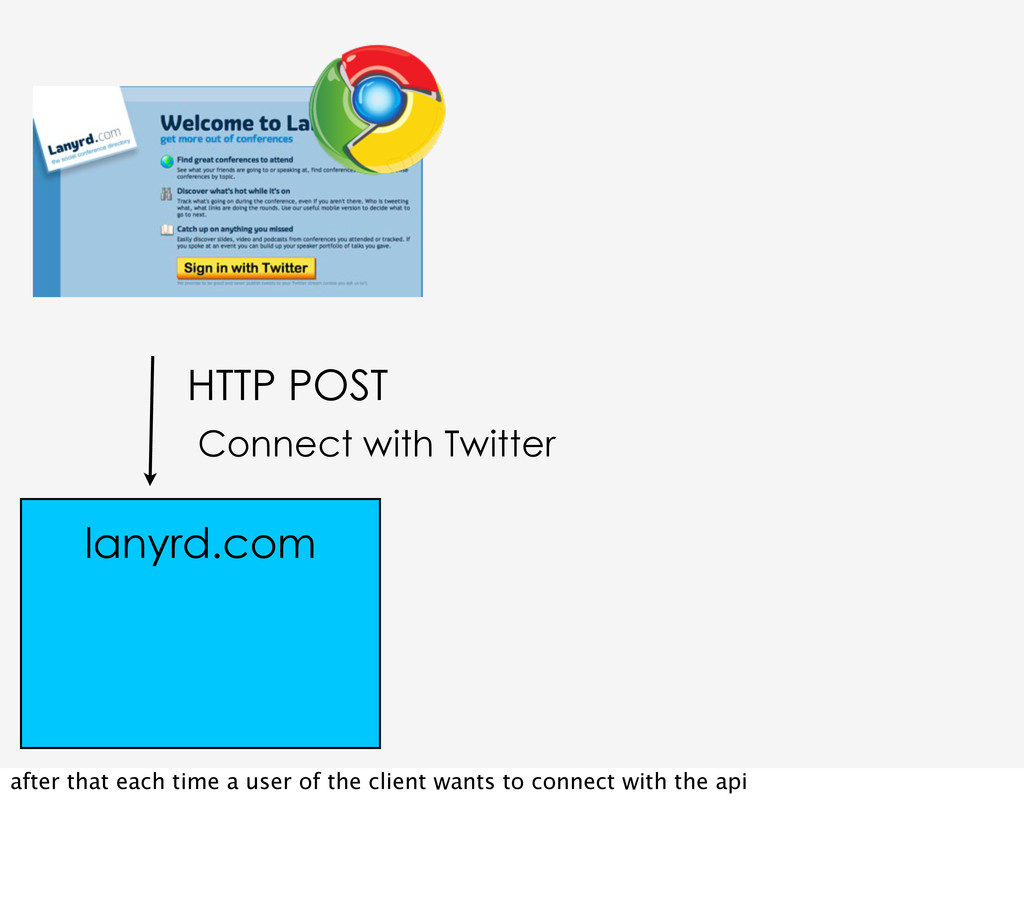
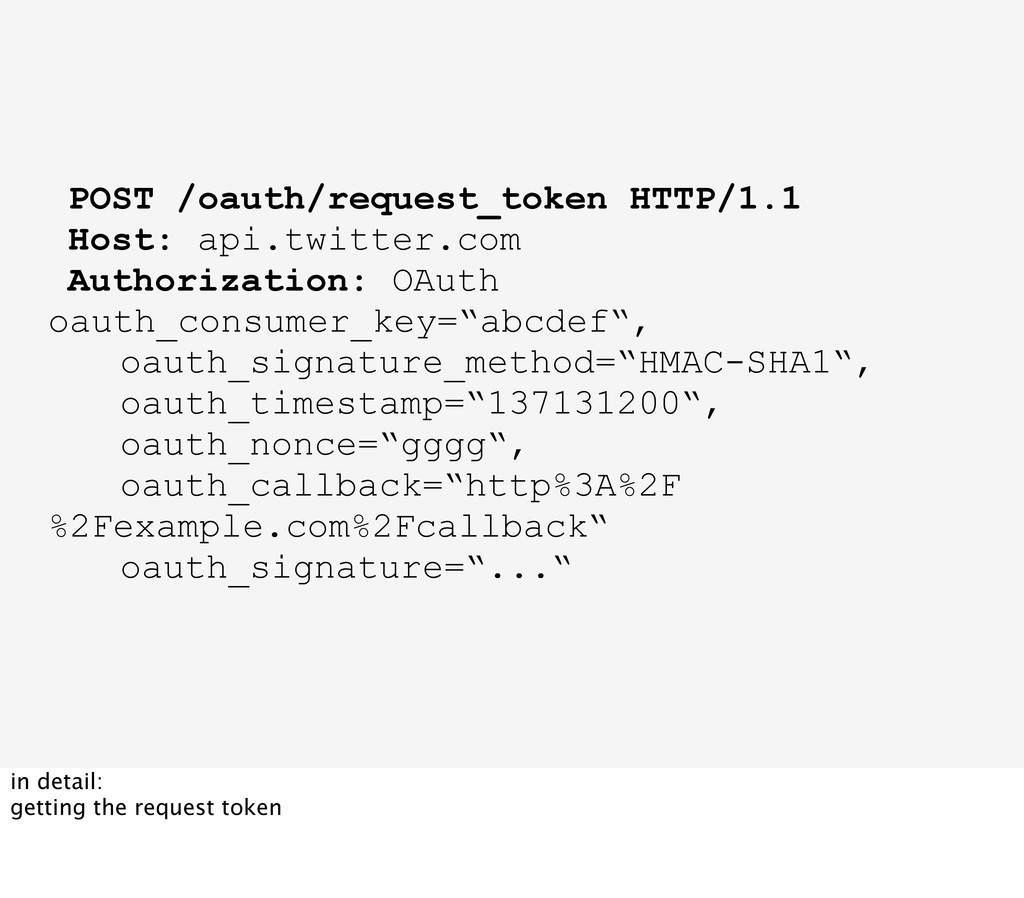
Redirect URI Signature (Consumer Secret) lanyrd.com the client, server to server, with his consumer key and a redirect callback url (more on that one later) requests a request token from the api. this request like all the other server to server requests later is signed with an oauth signature which as the consumer secret as a key. i'll explain oauth signatures later as well.
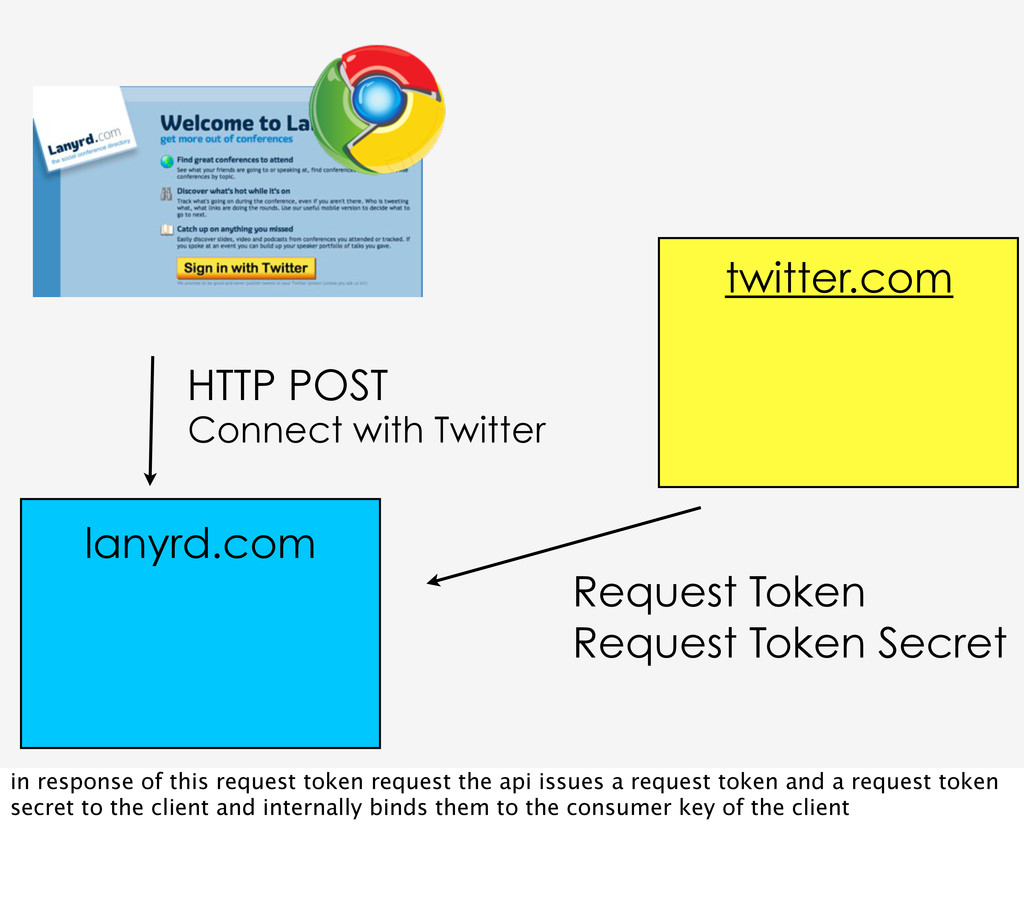
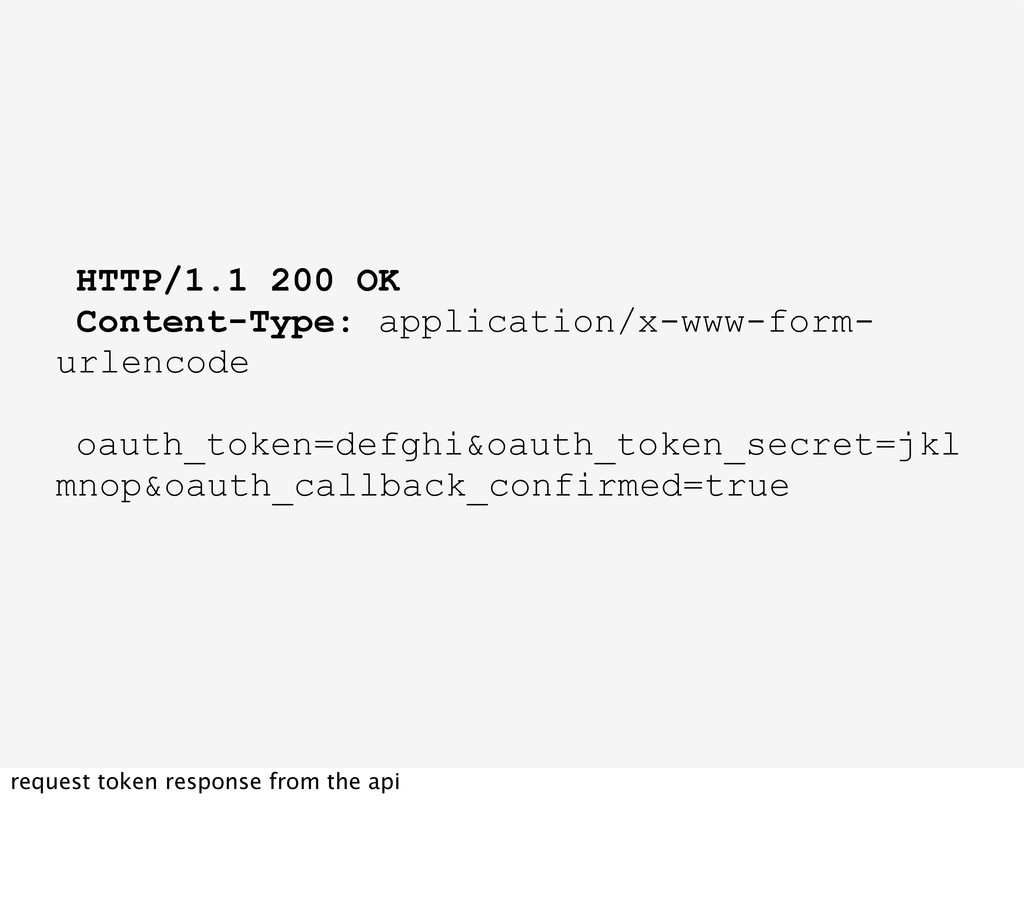
Secret lanyrd.com in response of this request token request the api issues a request token and a request token secret to the client and internally binds them to the consumer key of the client
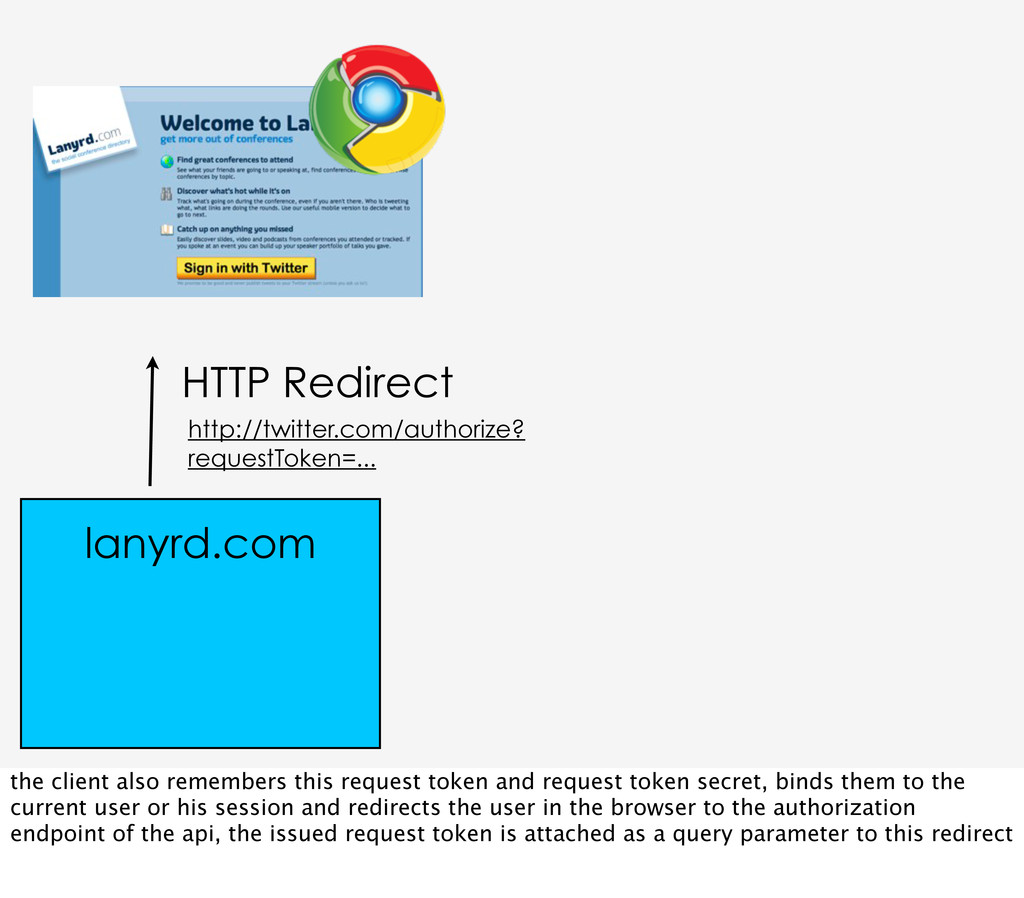
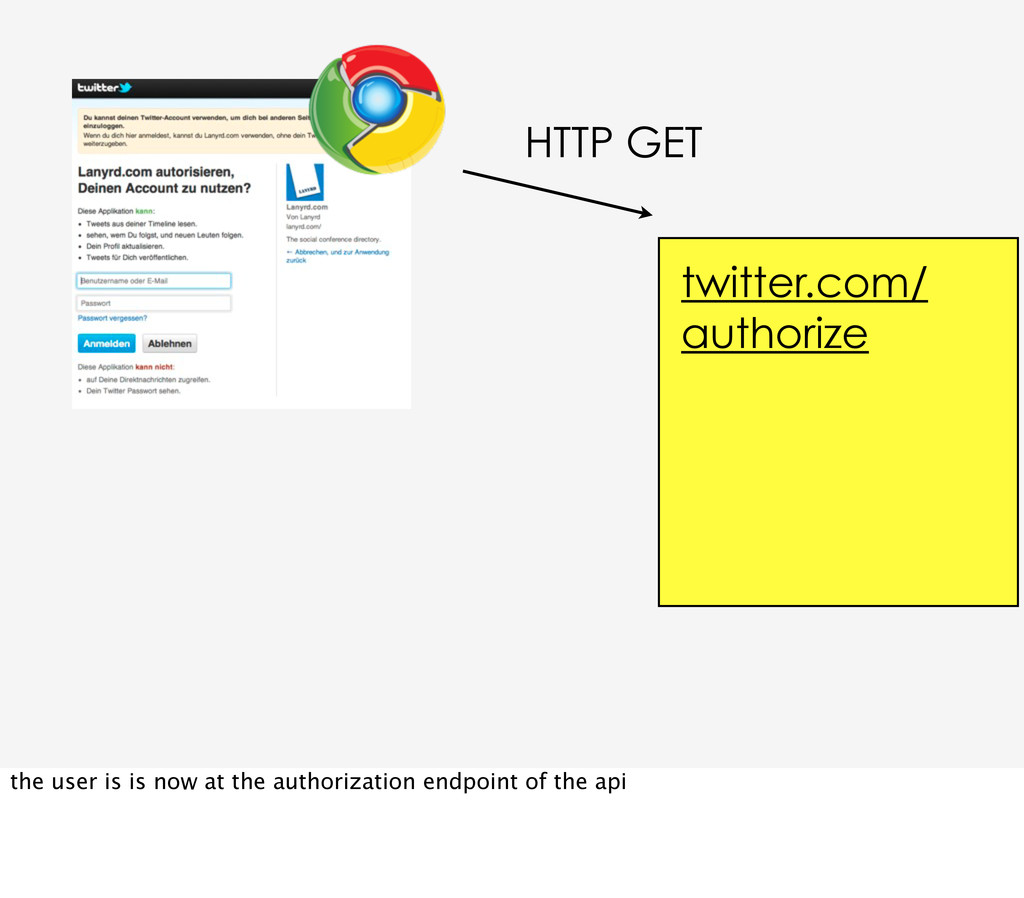
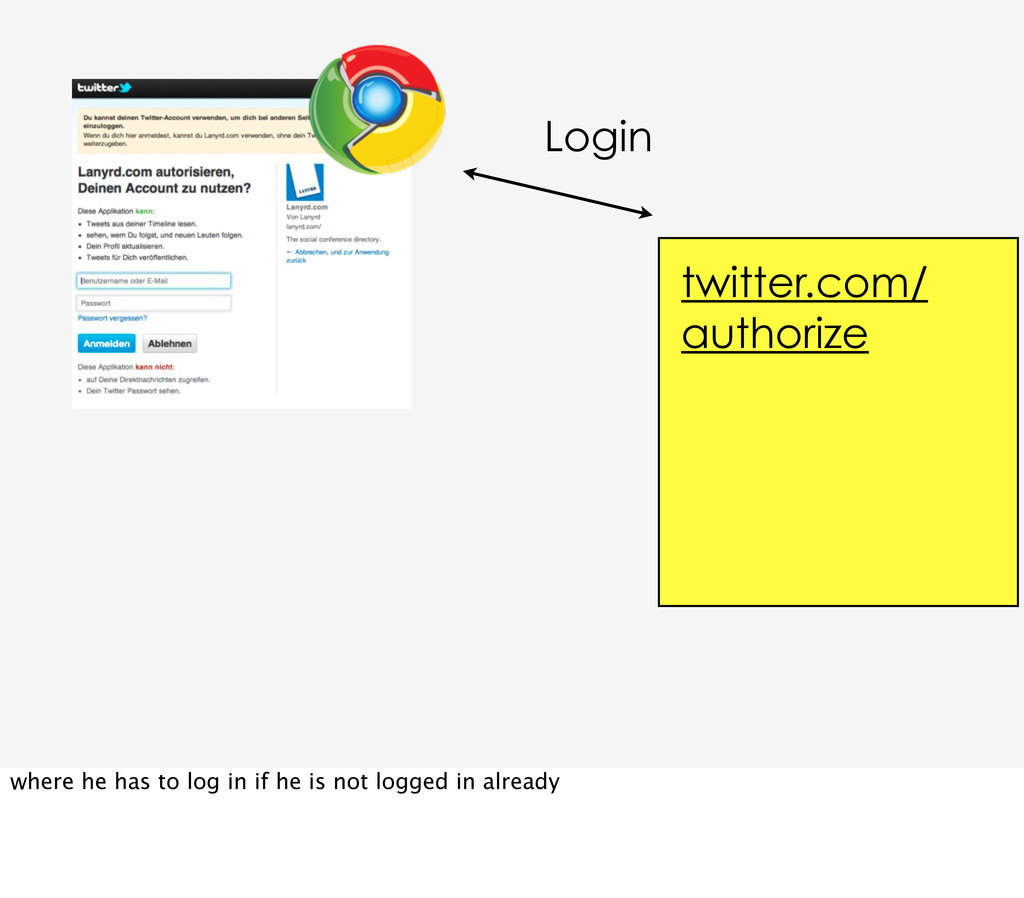
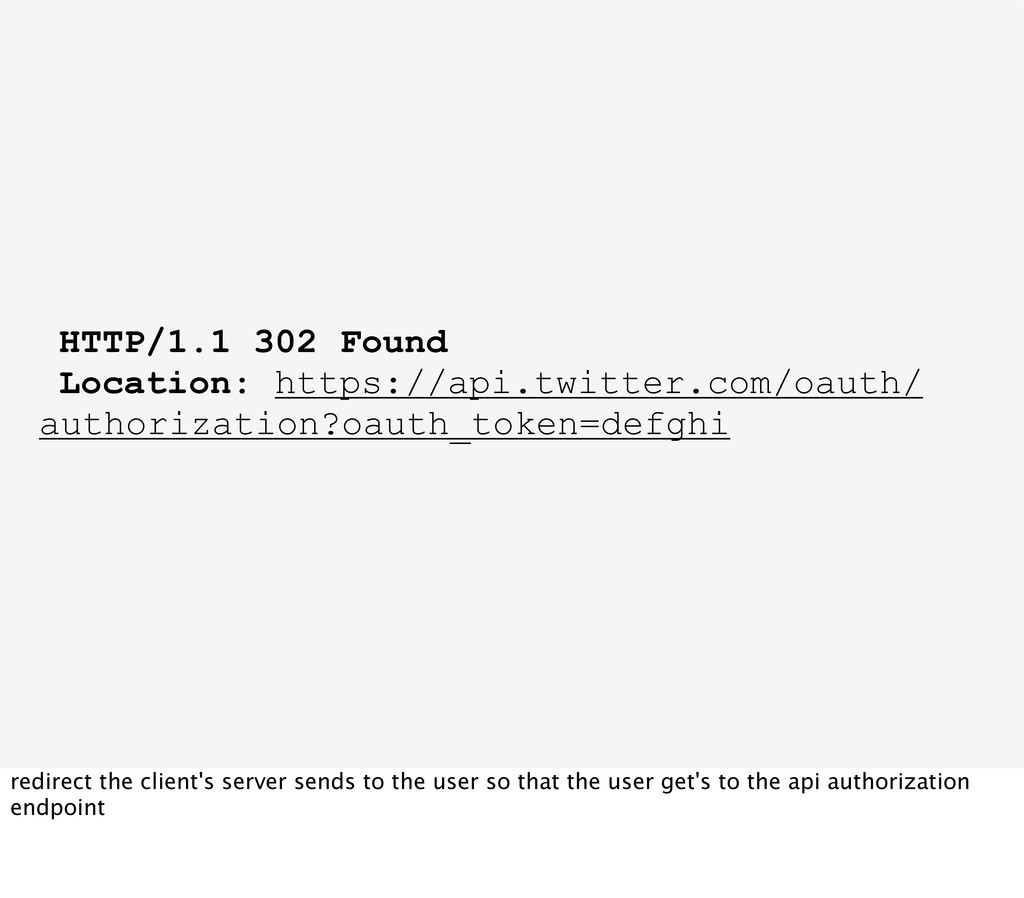
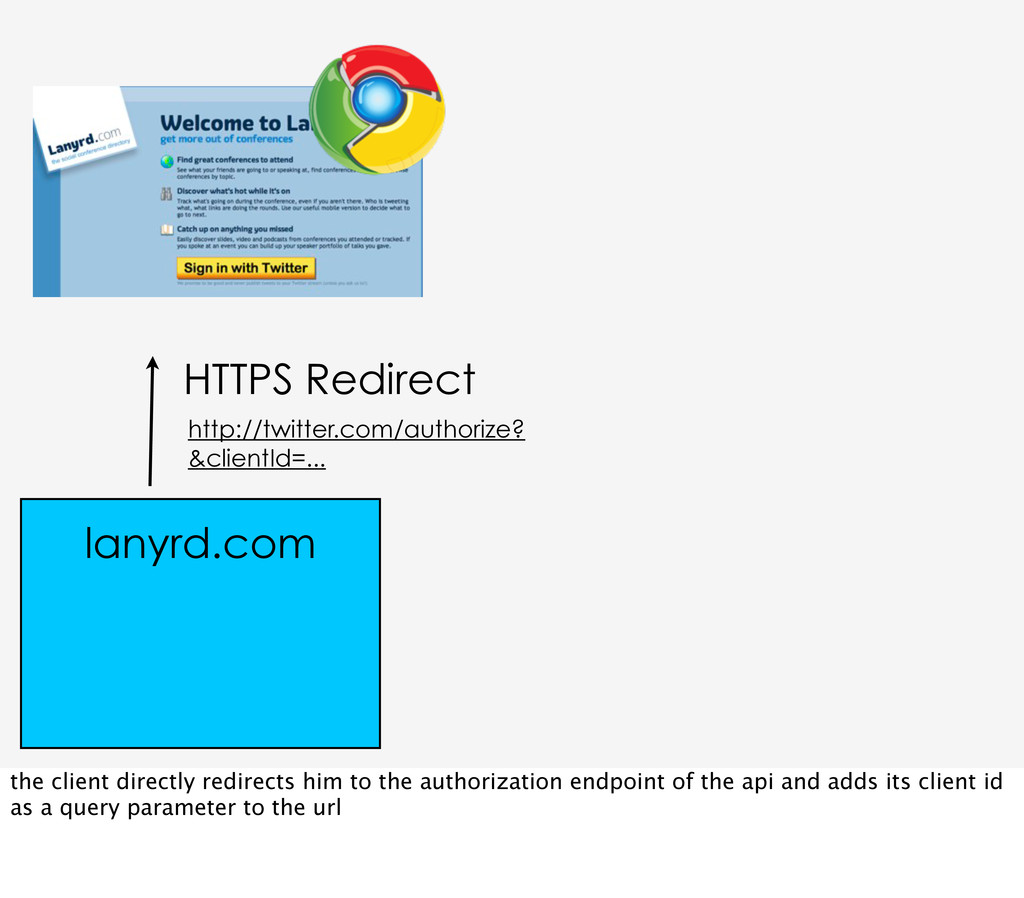
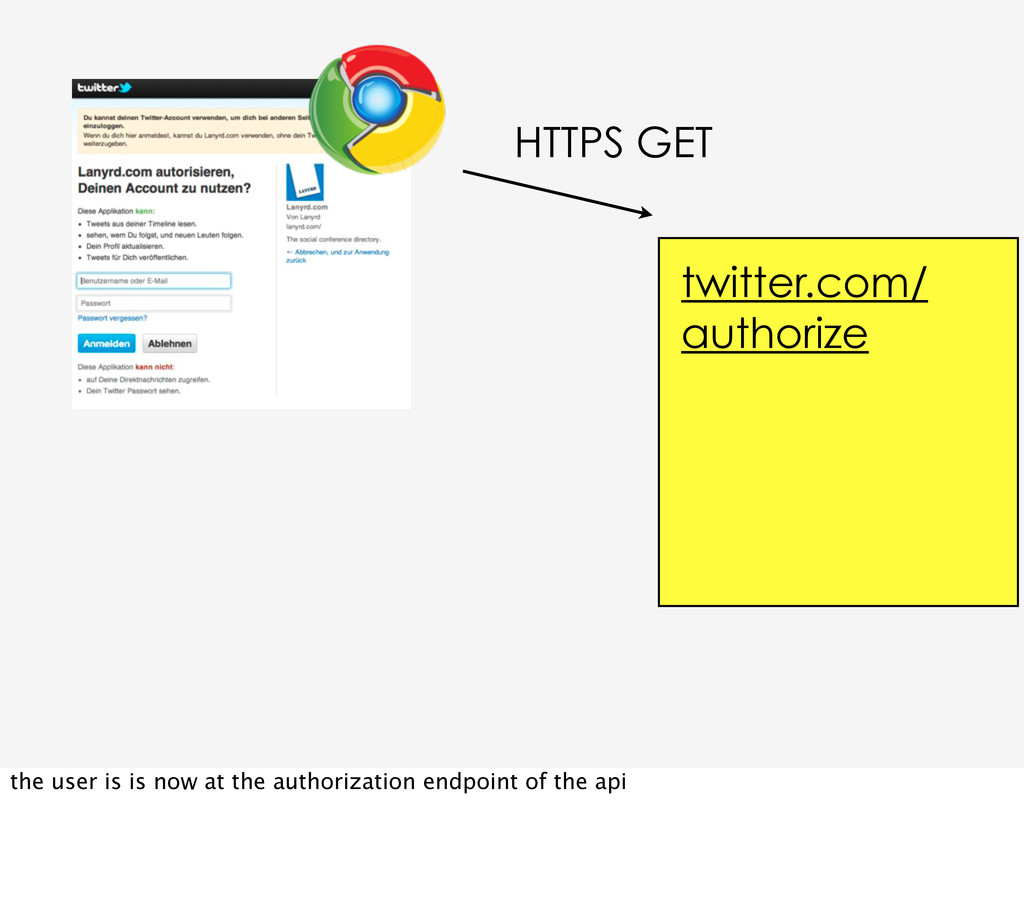
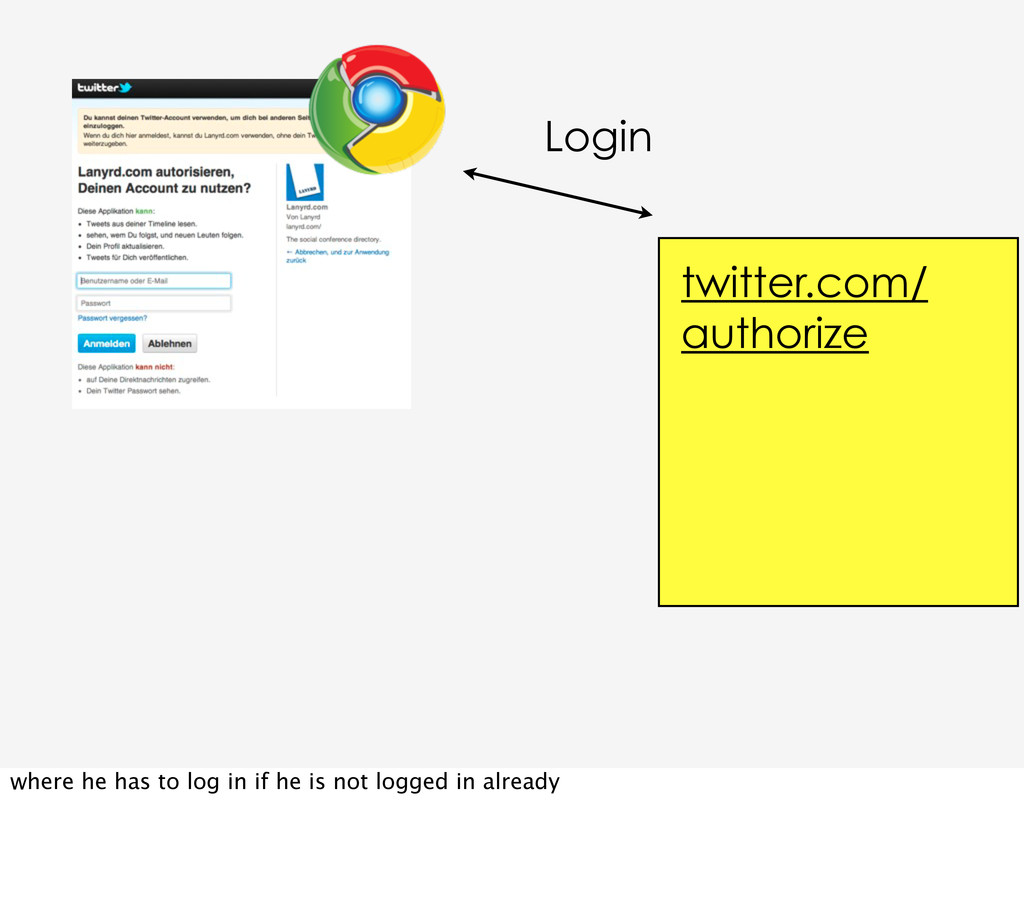
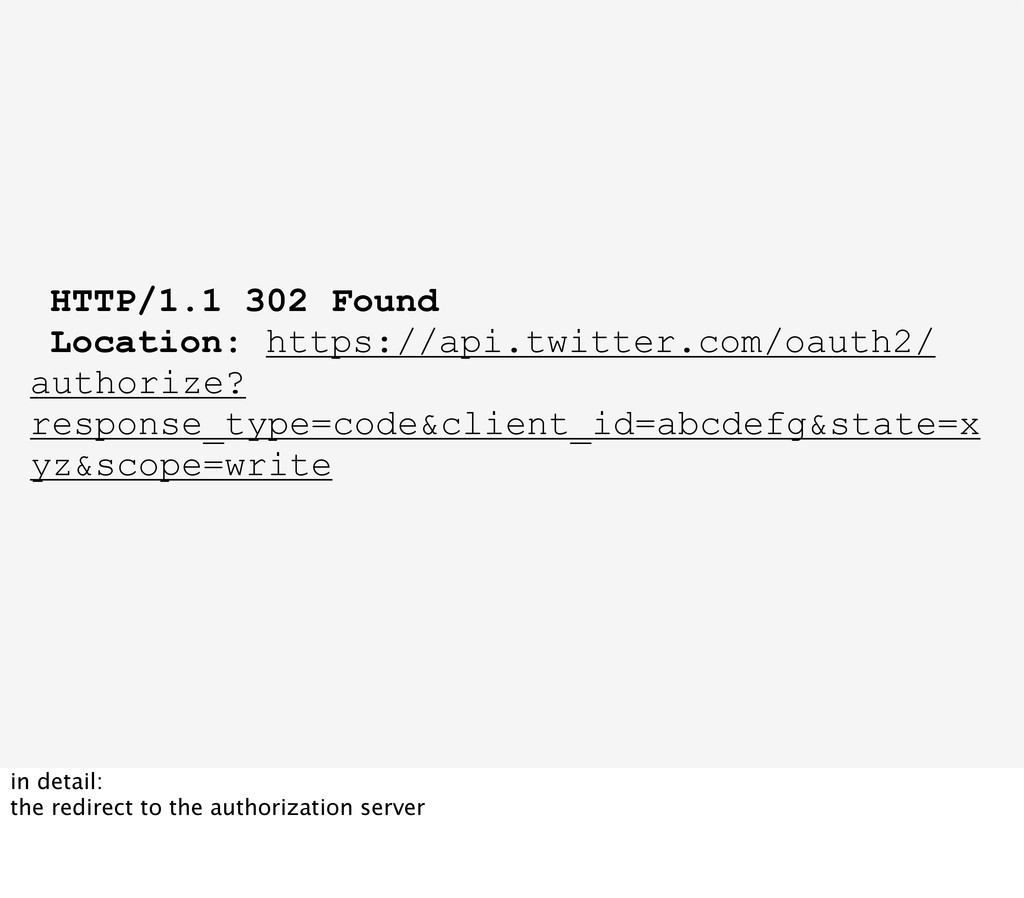
request token and request token secret, binds them to the current user or his session and redirects the user in the browser to the authorization endpoint of the api, the issued request token is attached as a query parameter to this redirect
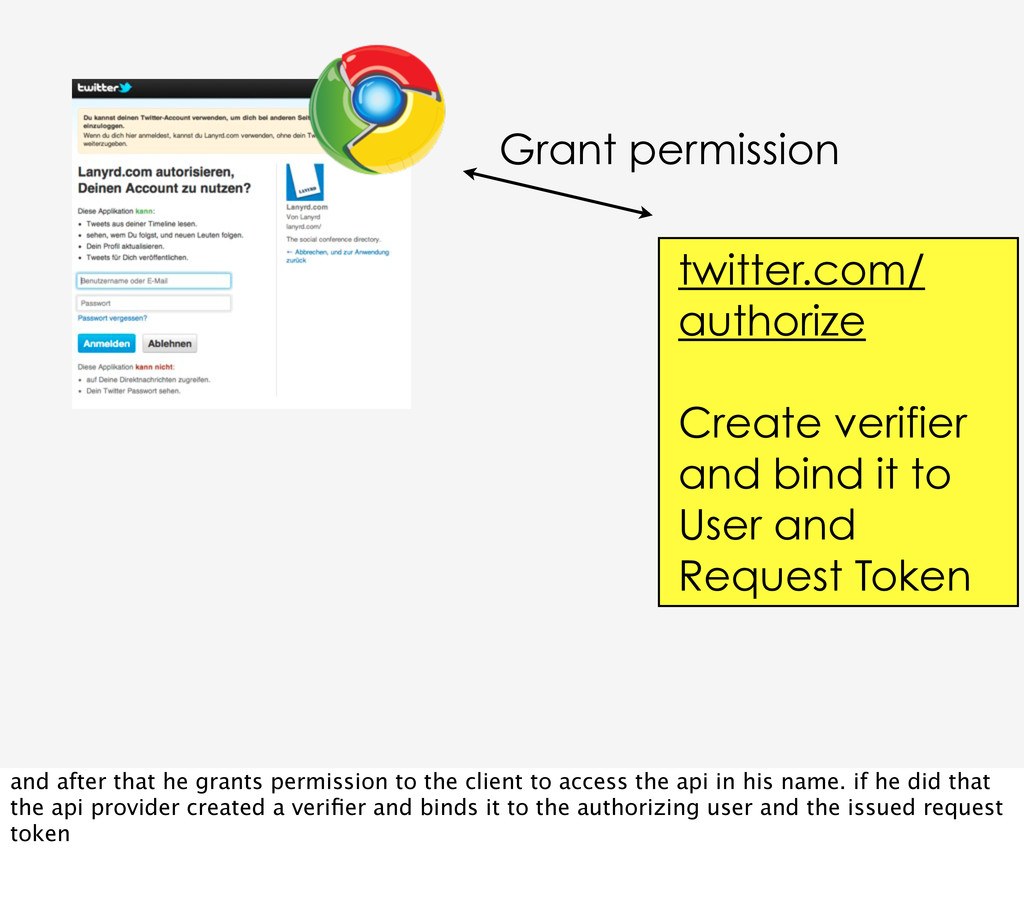
User and Request Token and after that he grants permission to the client to access the api in his name. if he did that the api provider created a verifier and binds it to the authorizing user and the issued request token
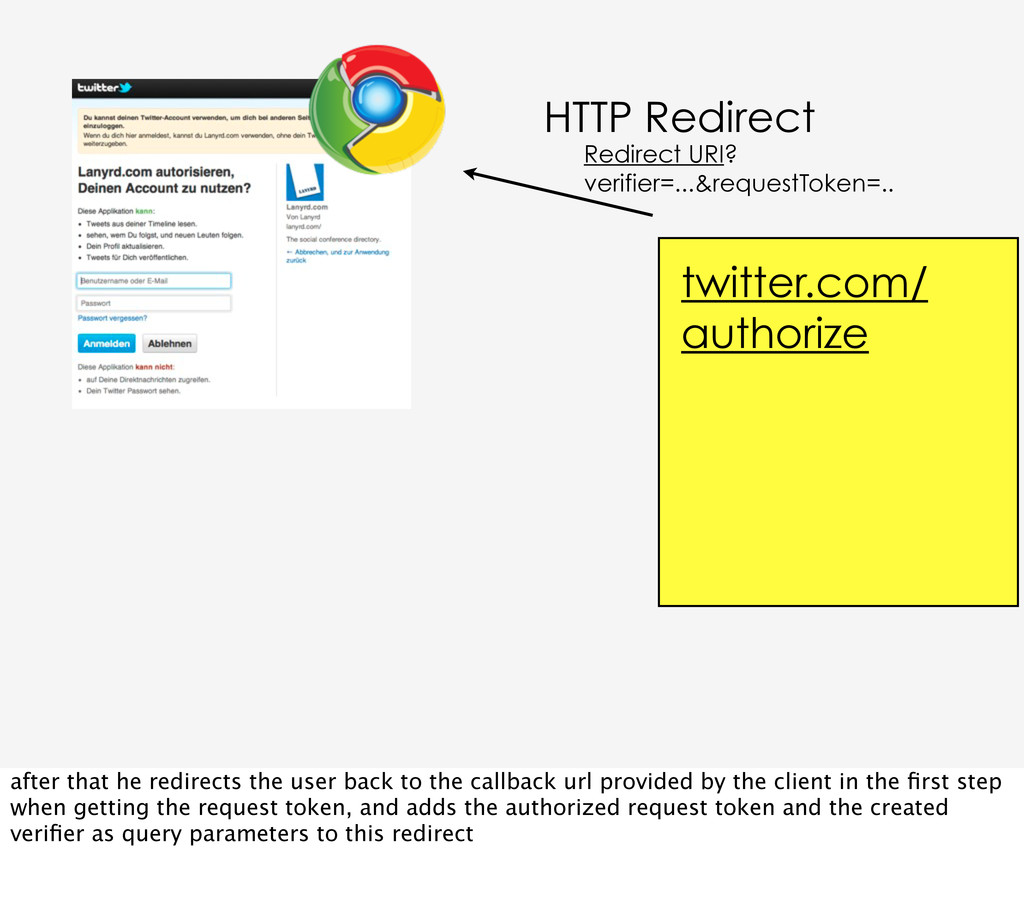
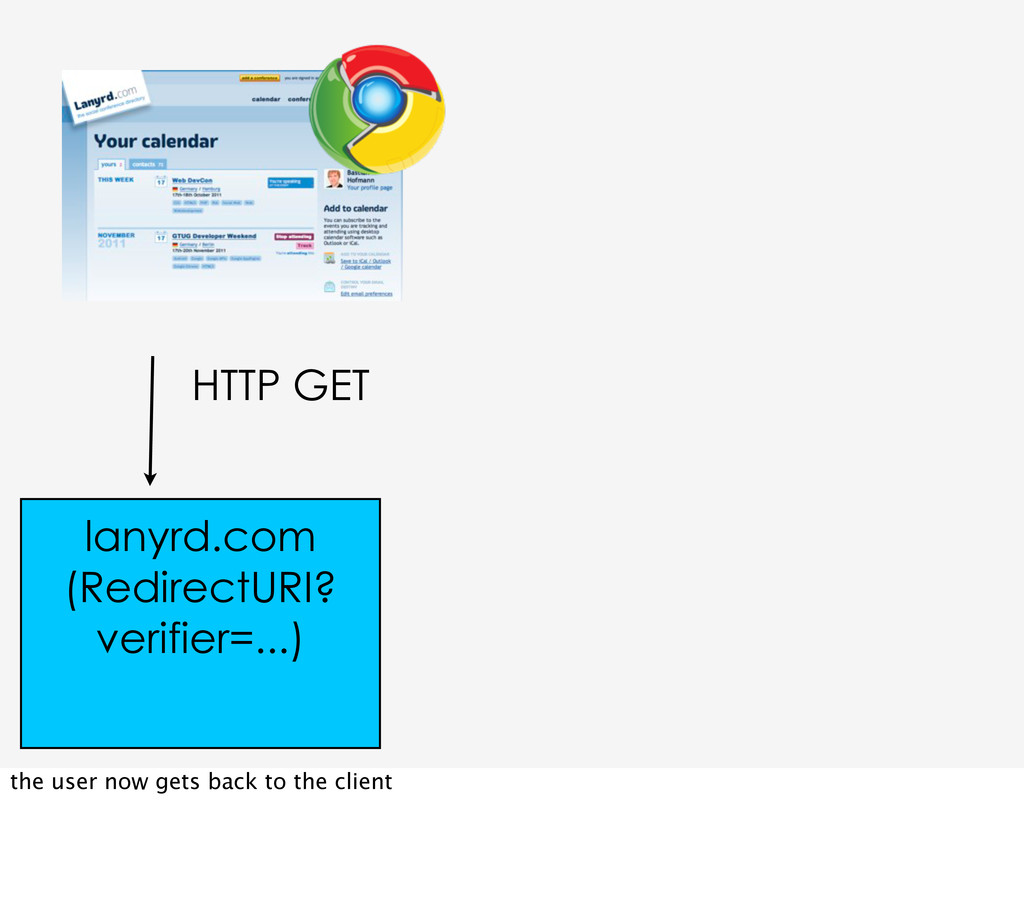
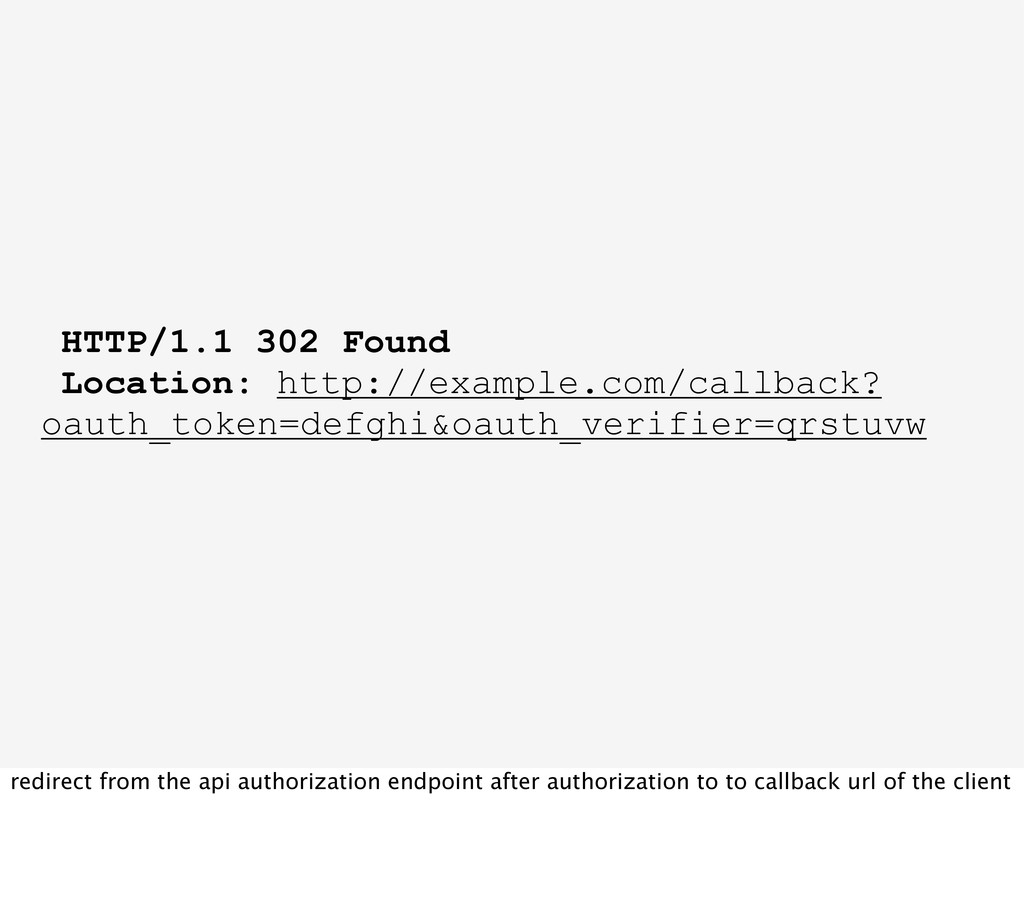
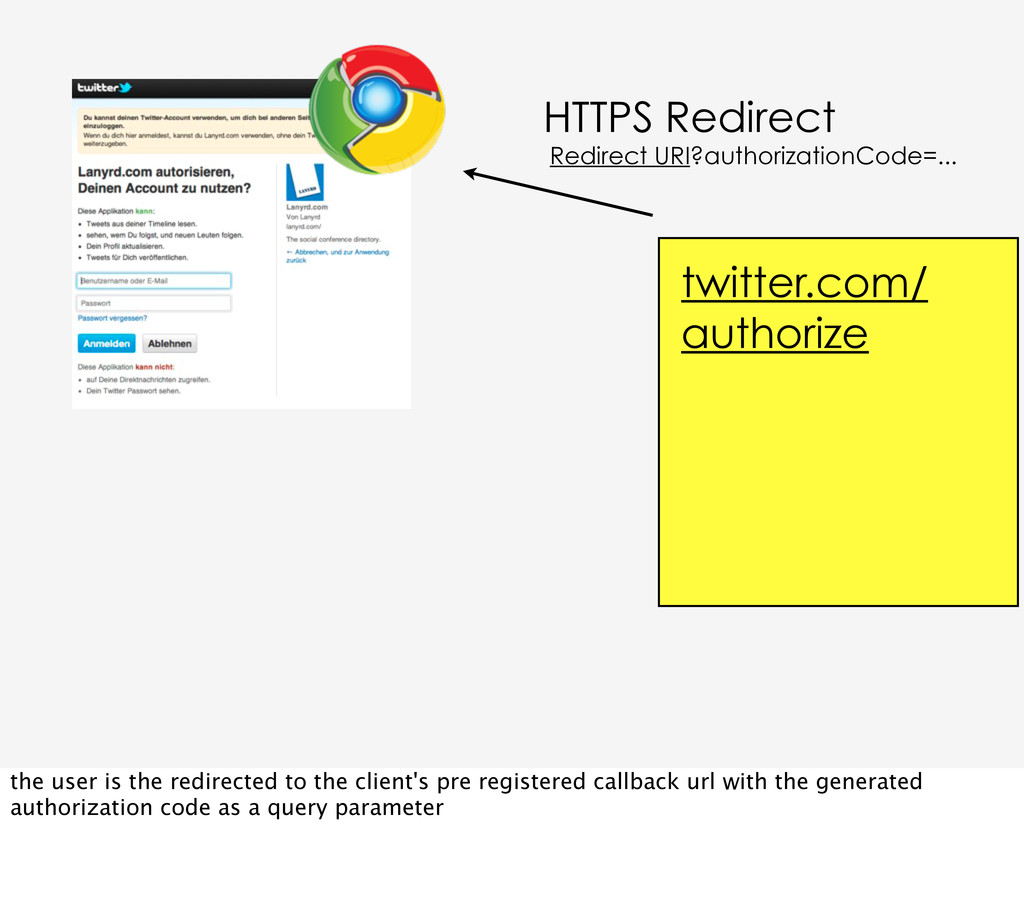
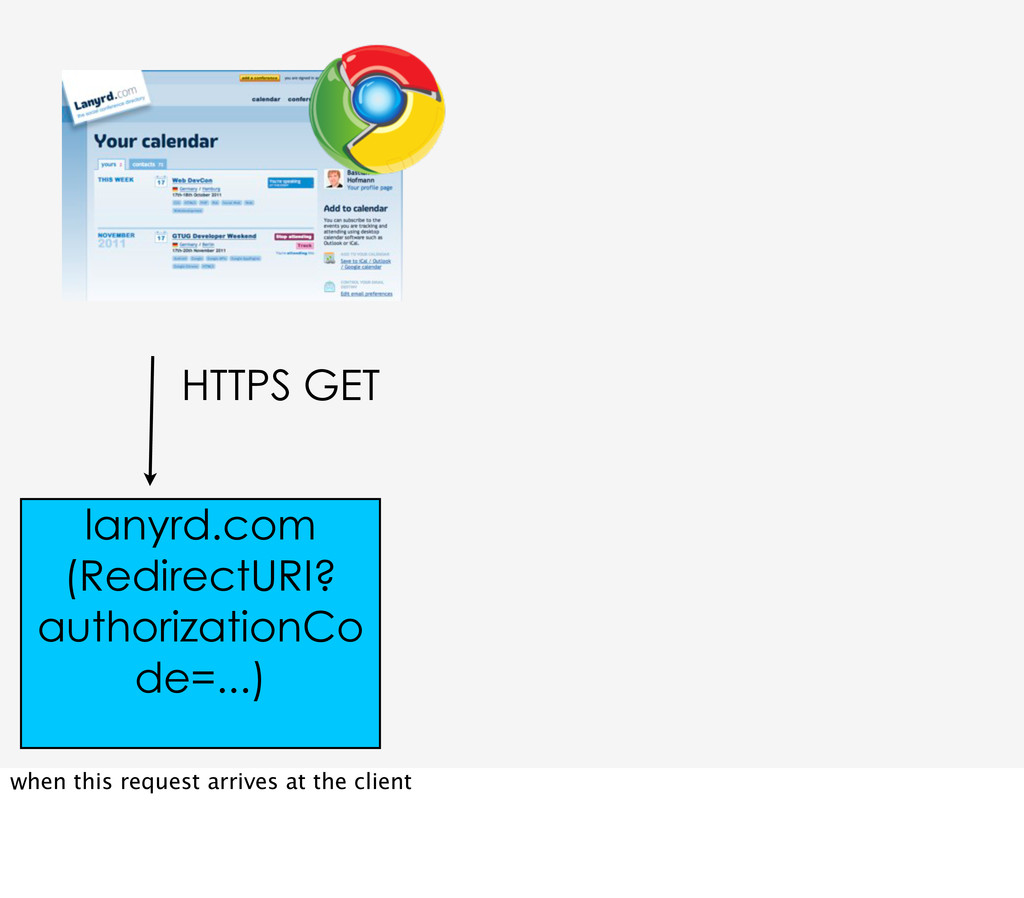
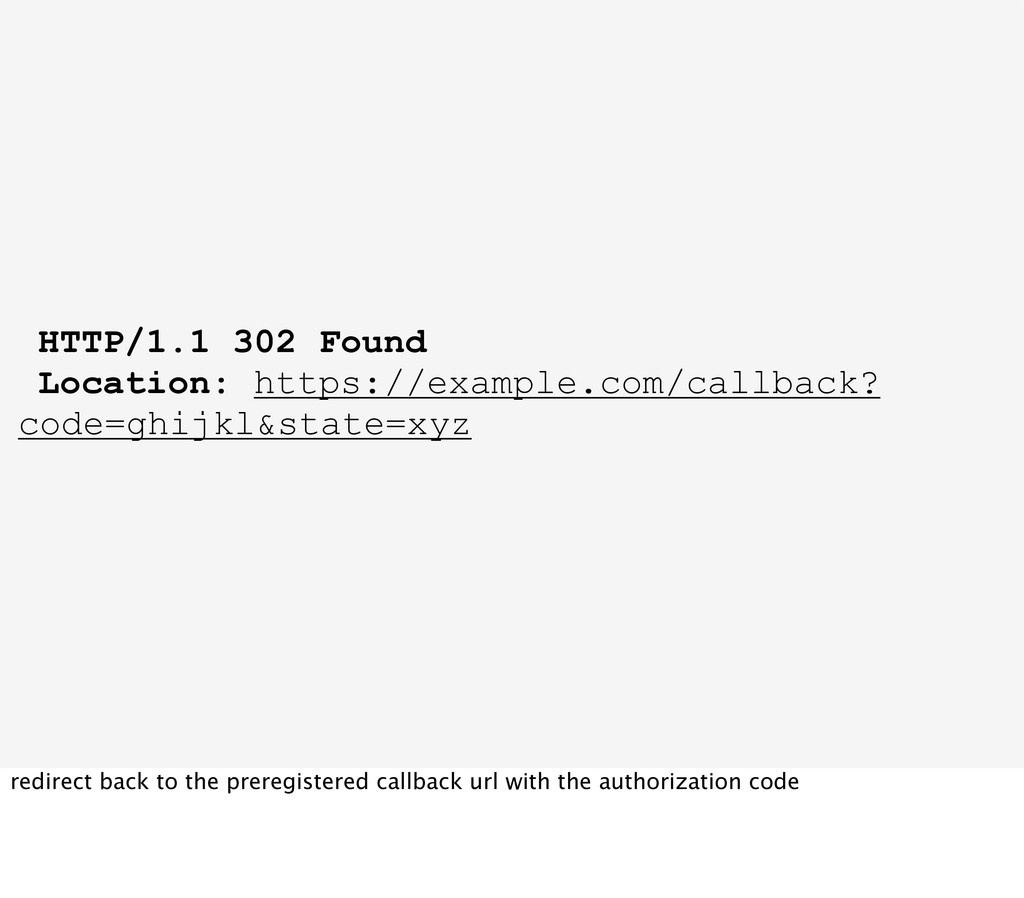
redirects the user back to the callback url provided by the client in the first step when getting the request token, and adds the authorized request token and the created verifier as query parameters to this redirect
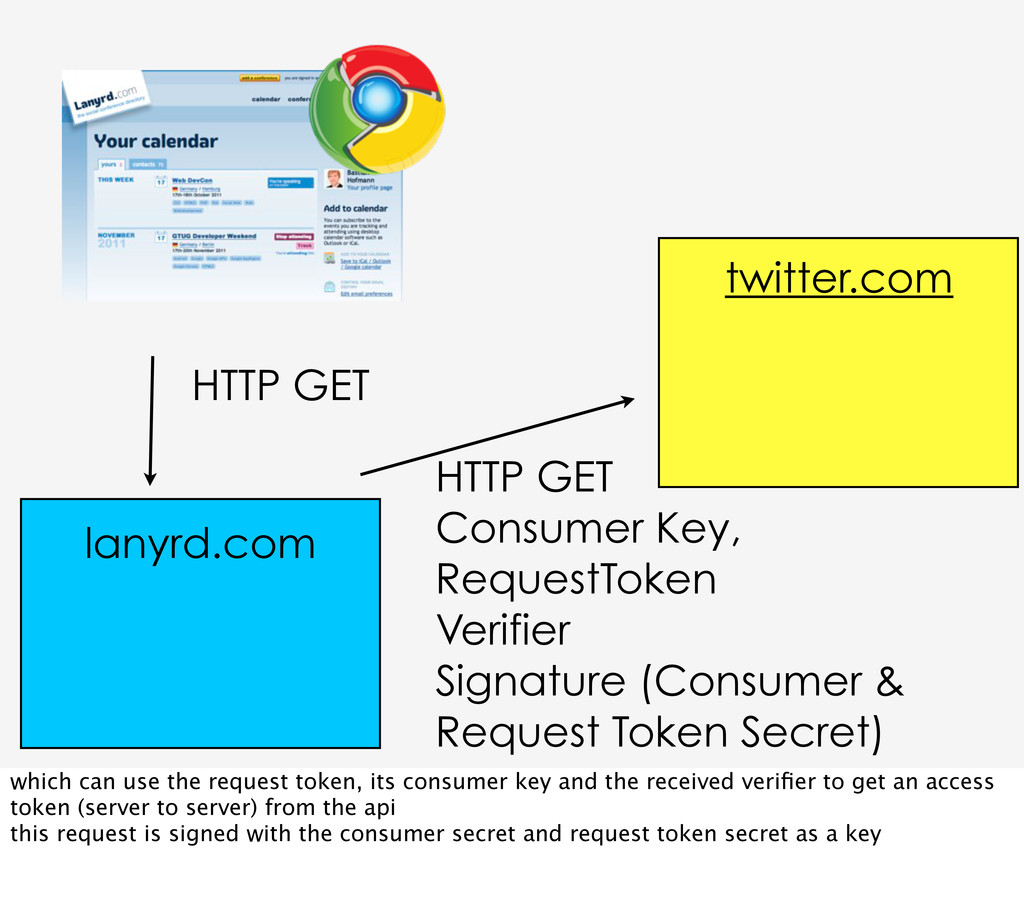
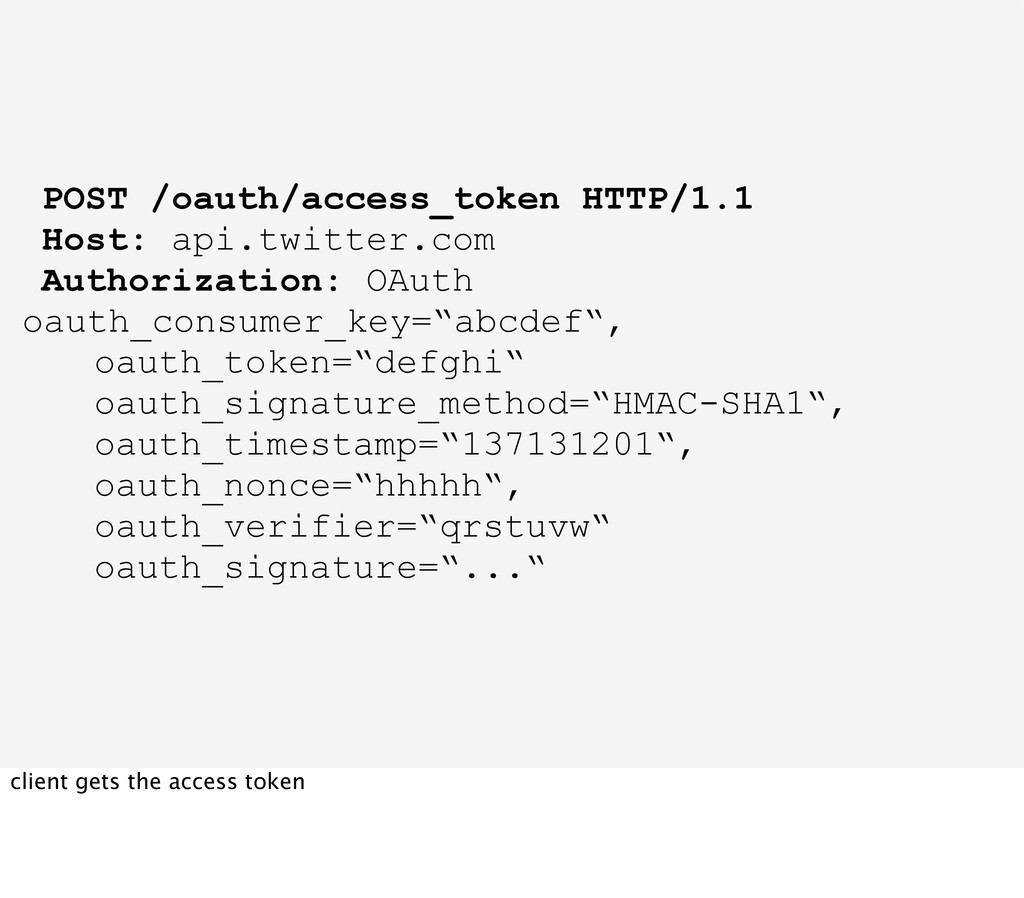
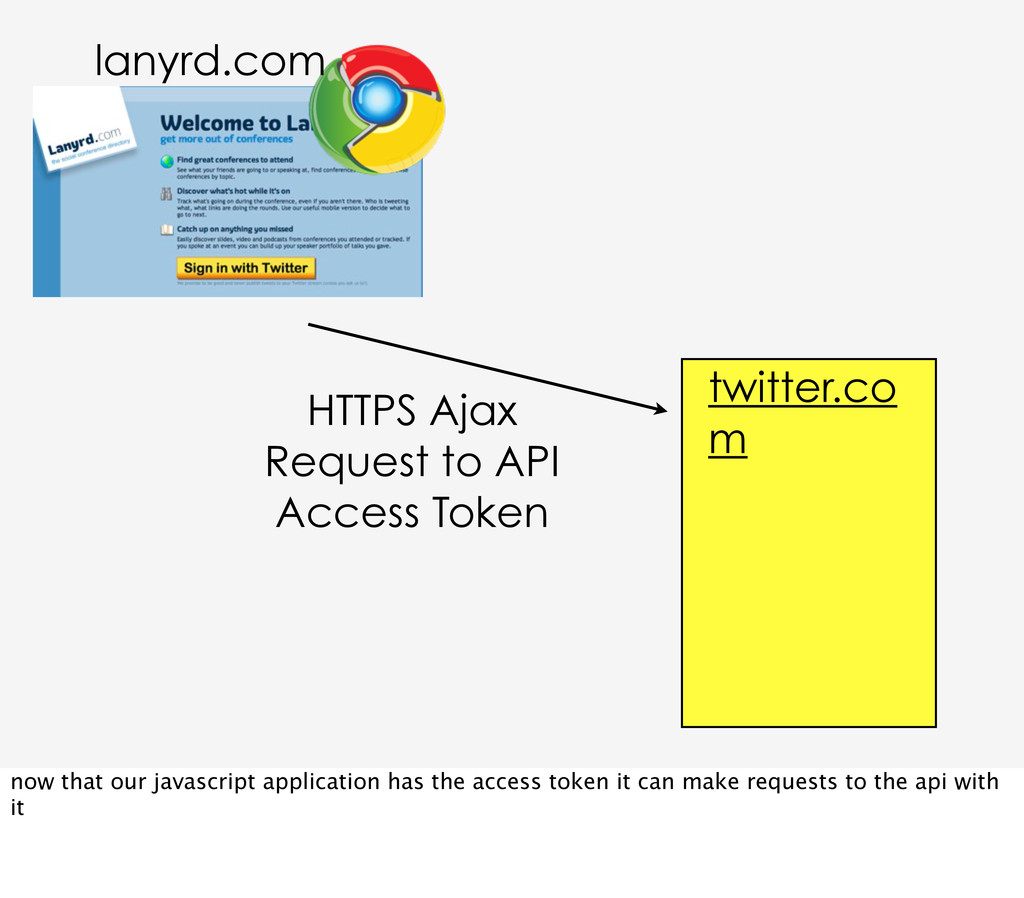
& Request Token Secret) twitter.com lanyrd.com which can use the request token, its consumer key and the received verifier to get an access token (server to server) from the api this request is signed with the consumer secret and request token secret as a key
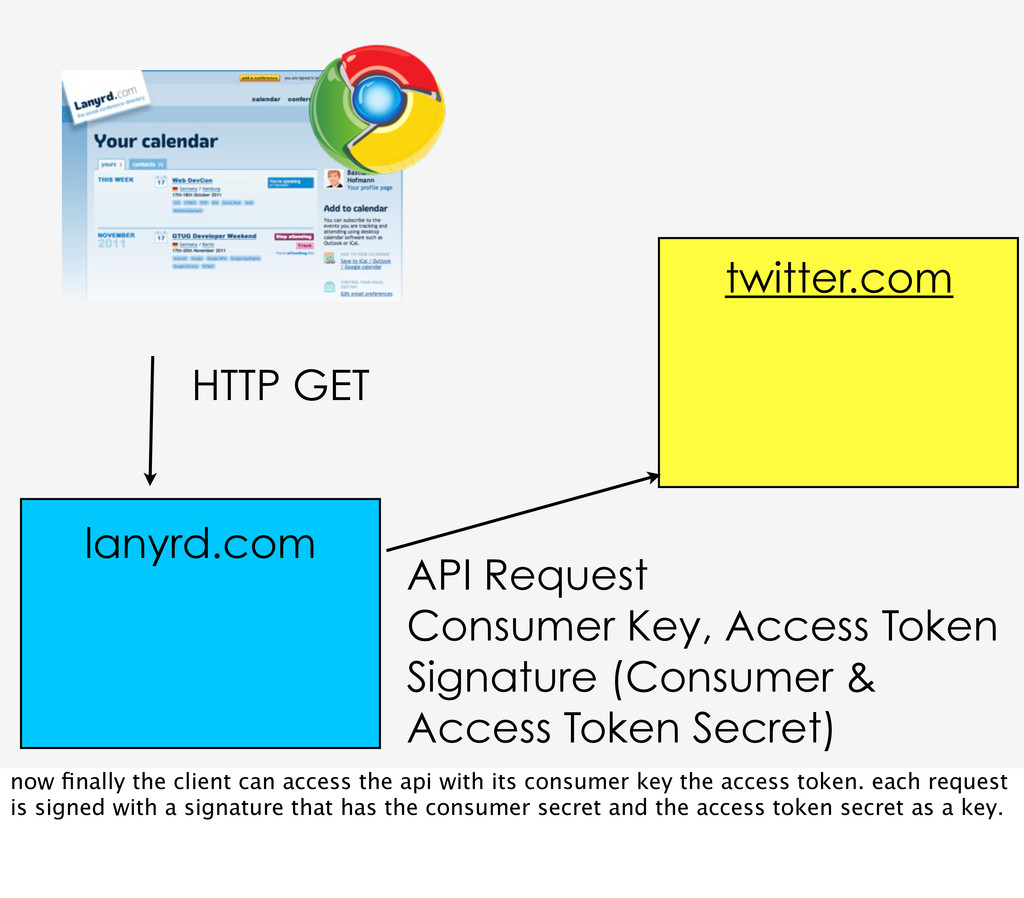
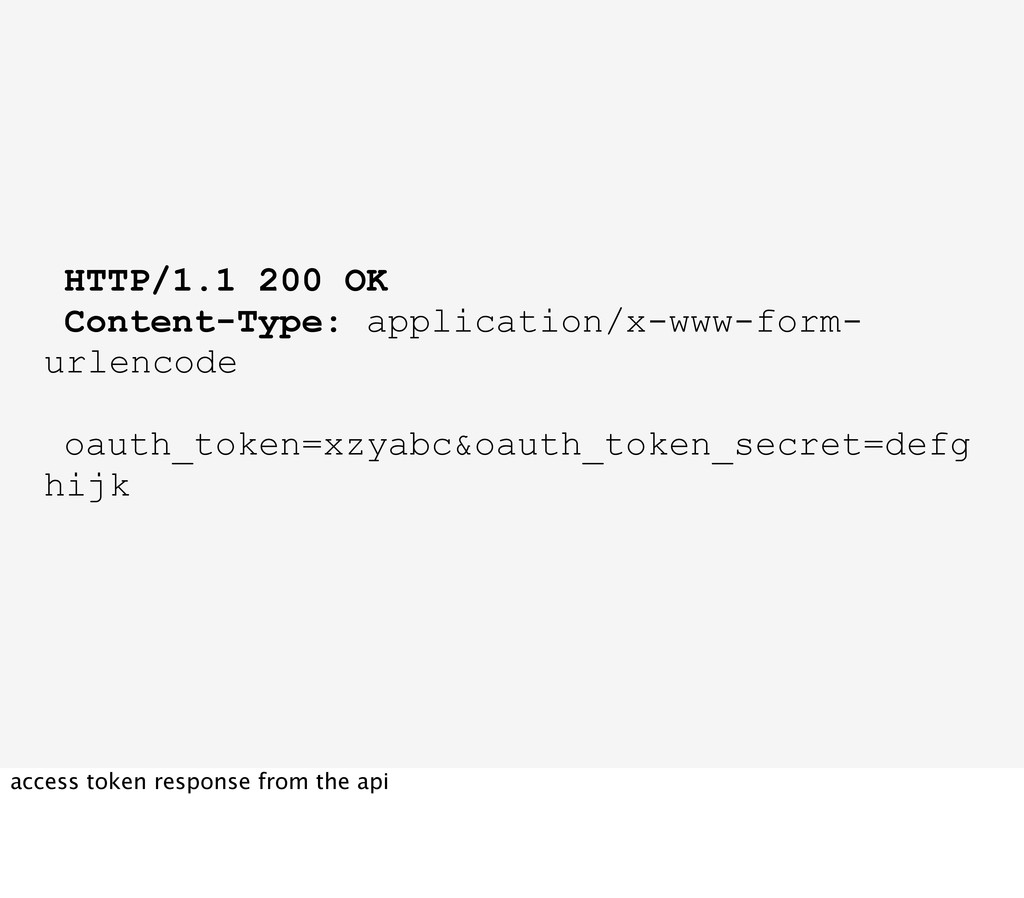
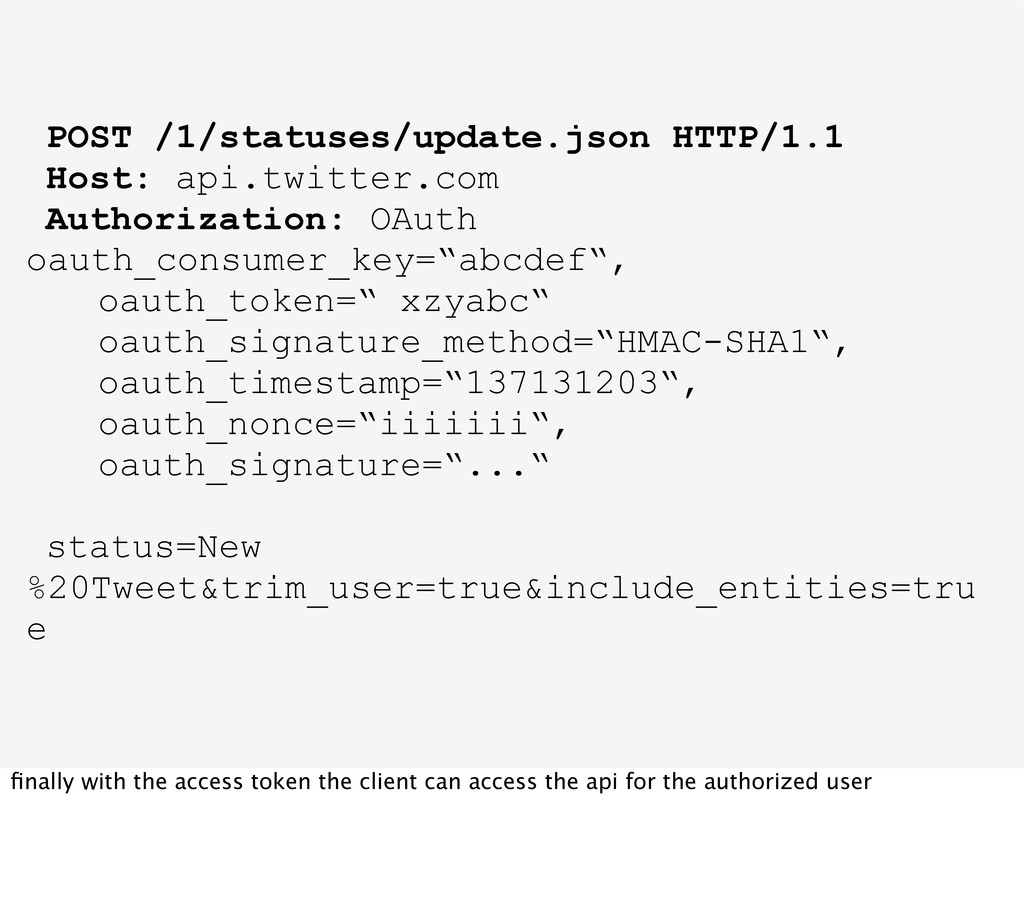
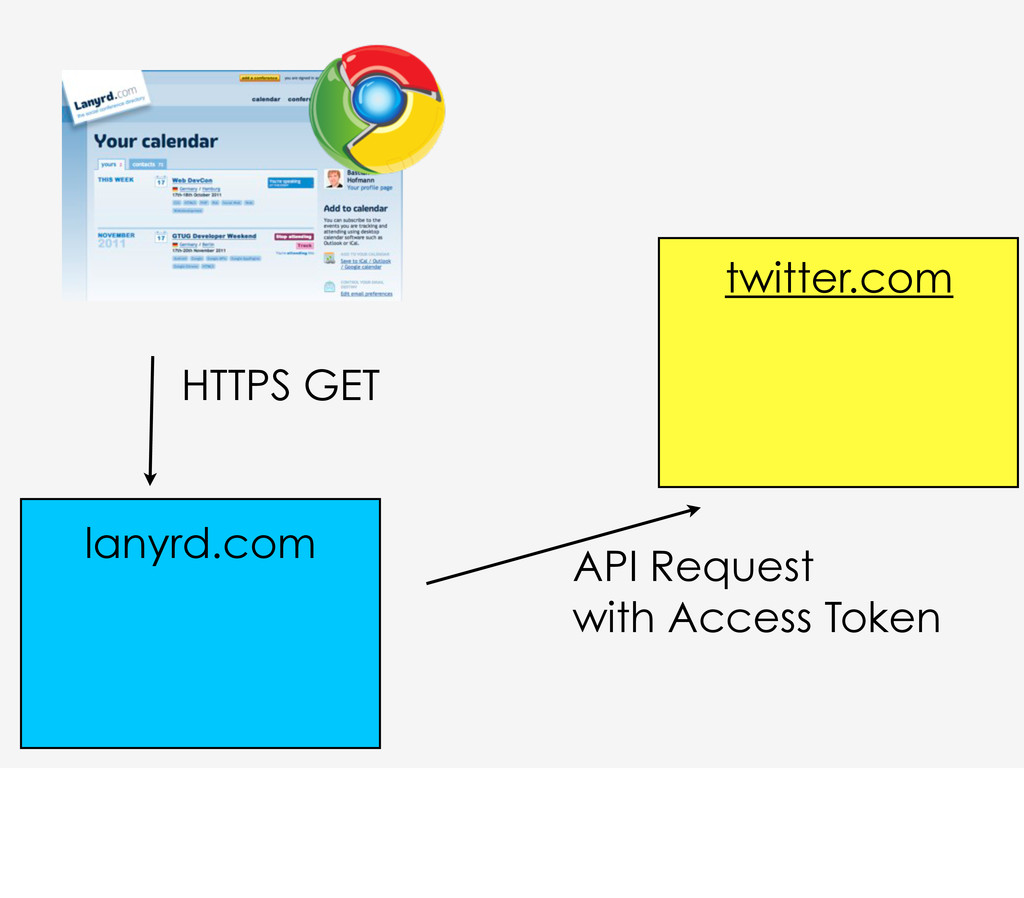
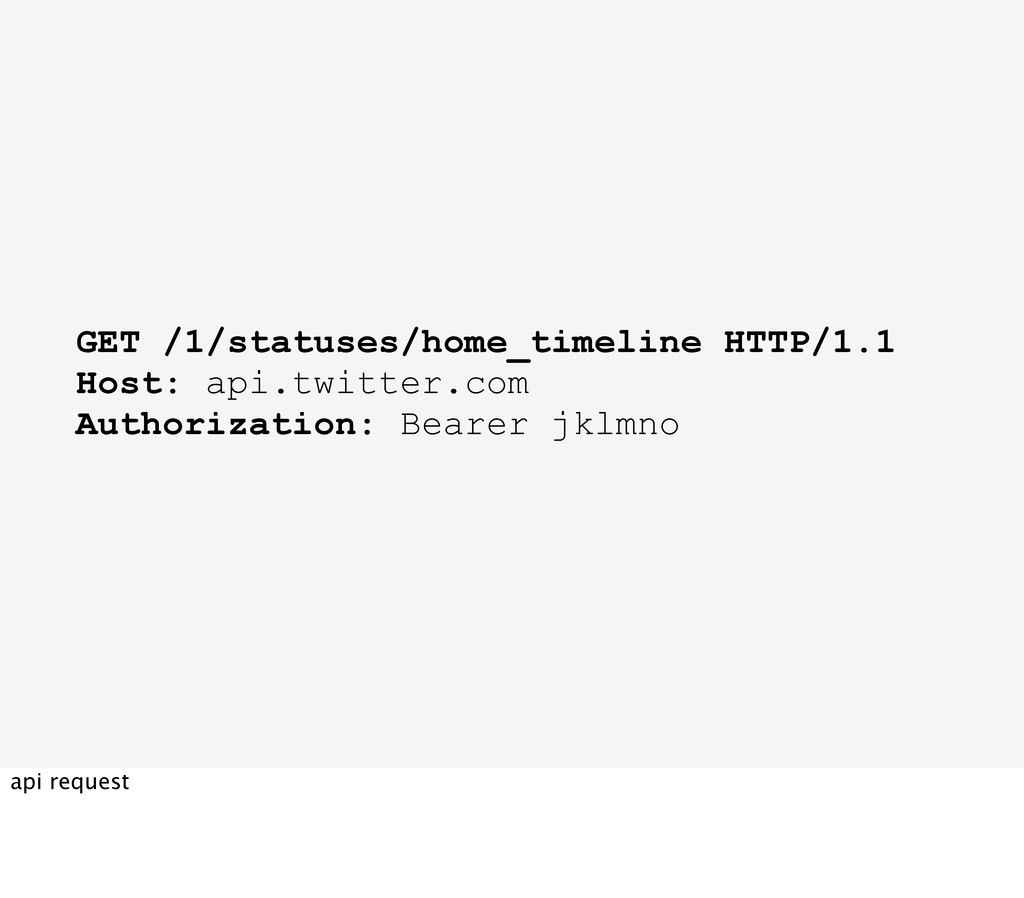
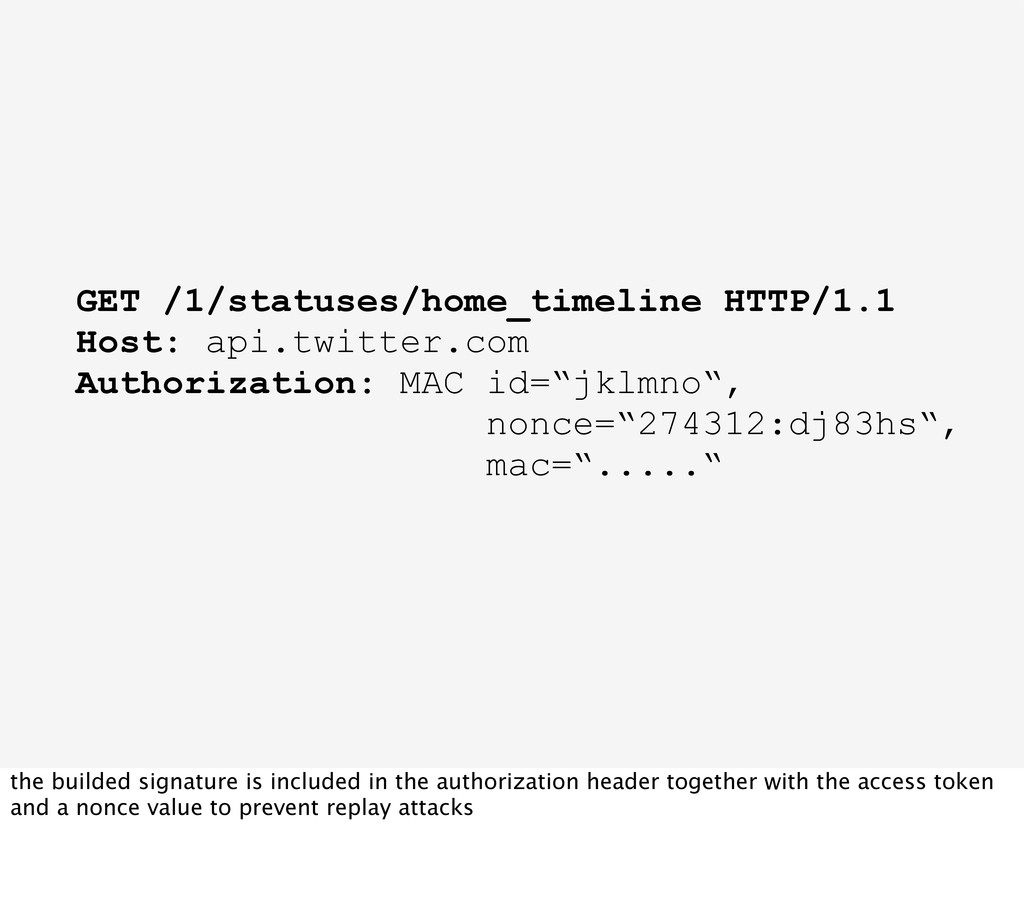
& Access Token Secret) twitter.com lanyrd.com now finally the client can access the api with its consumer key the access token. each request is signed with a signature that has the consumer secret and the access token secret as a key.
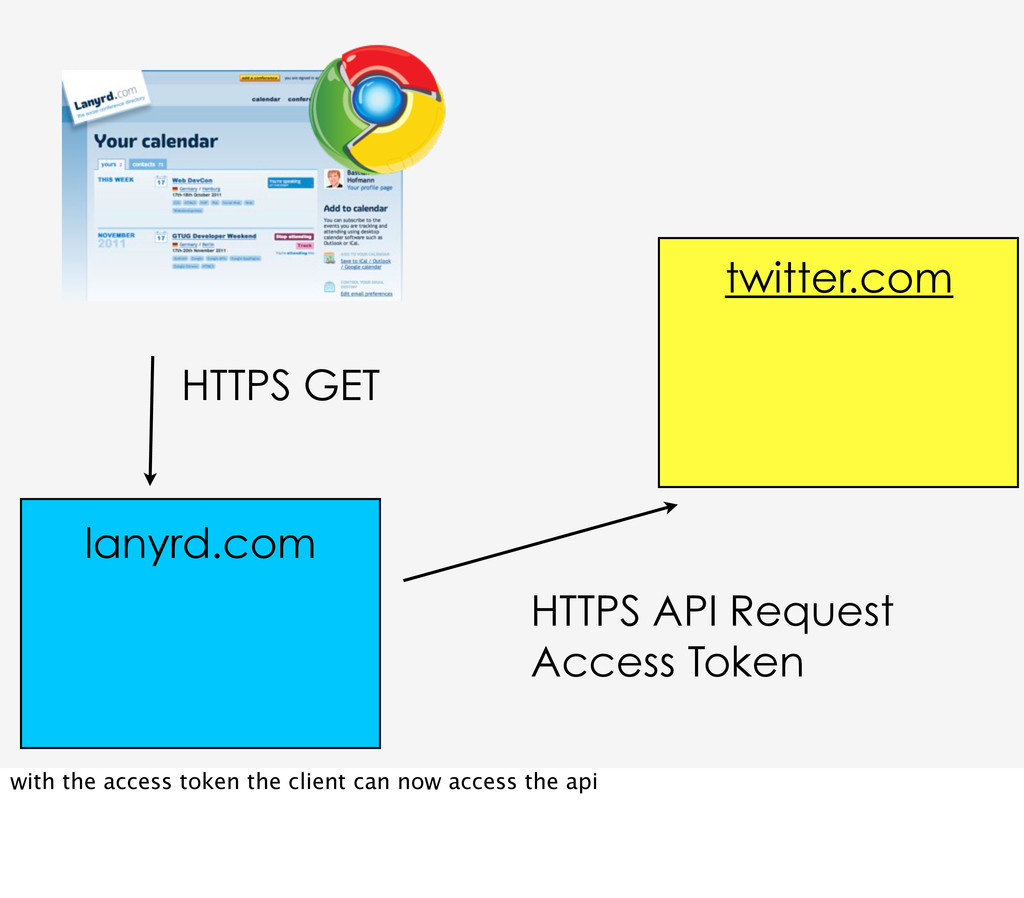
oauth_signature_method=“HMAC-SHA1“, oauth_timestamp=“137131203“, oauth_nonce=“iiiiiii“, oauth_signature=“...“ status=New %20Tweet&trim_user=true&include_entities=tru e finally with the access token the client can access the api for the authorized user
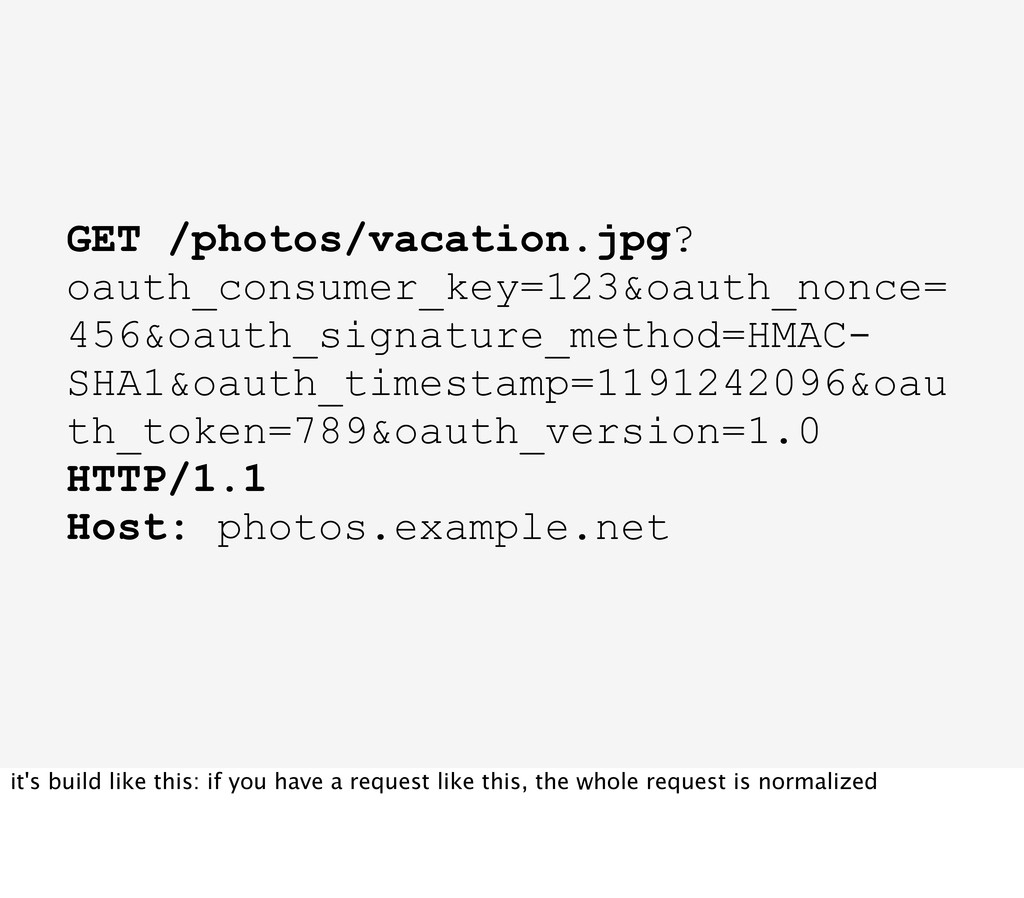
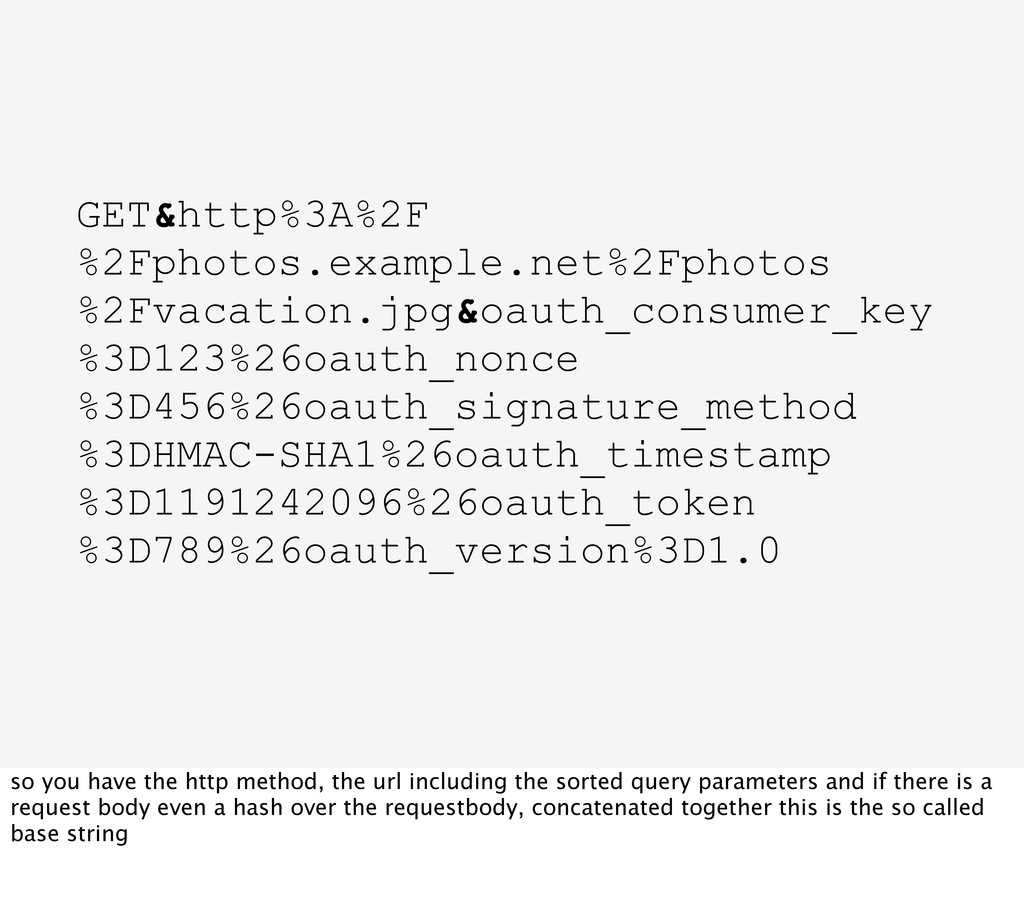
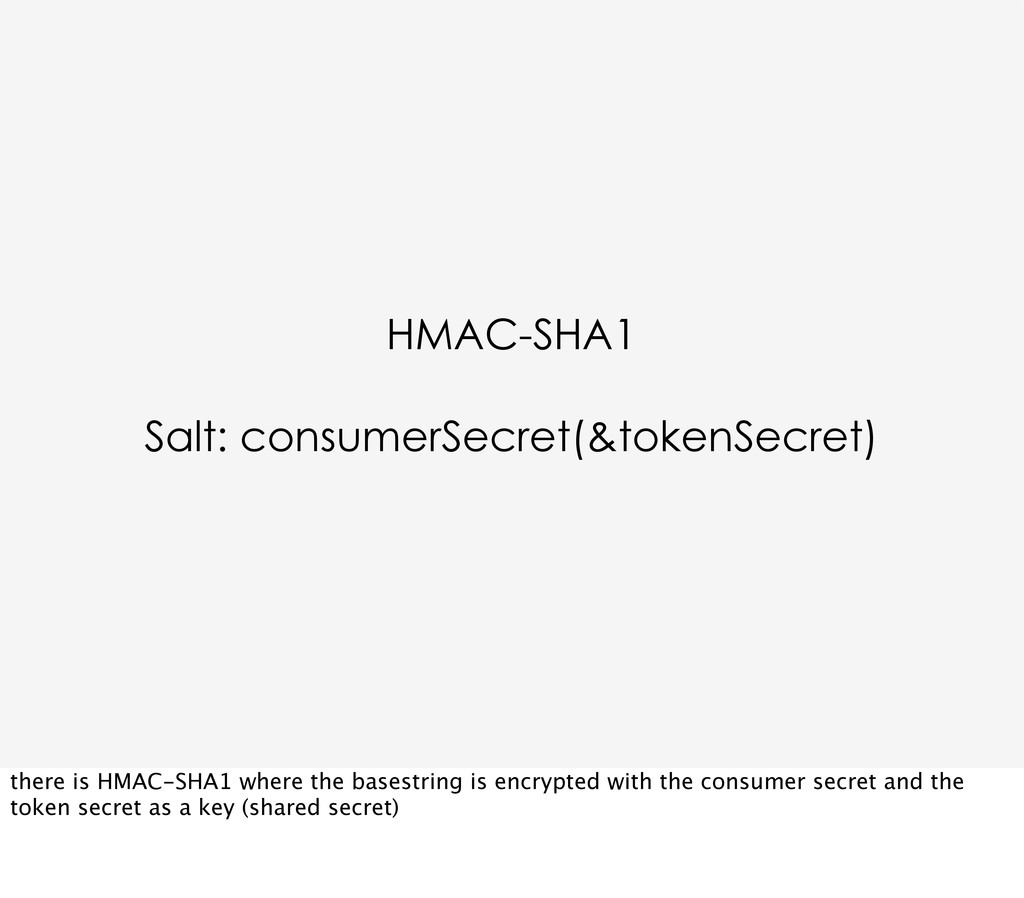
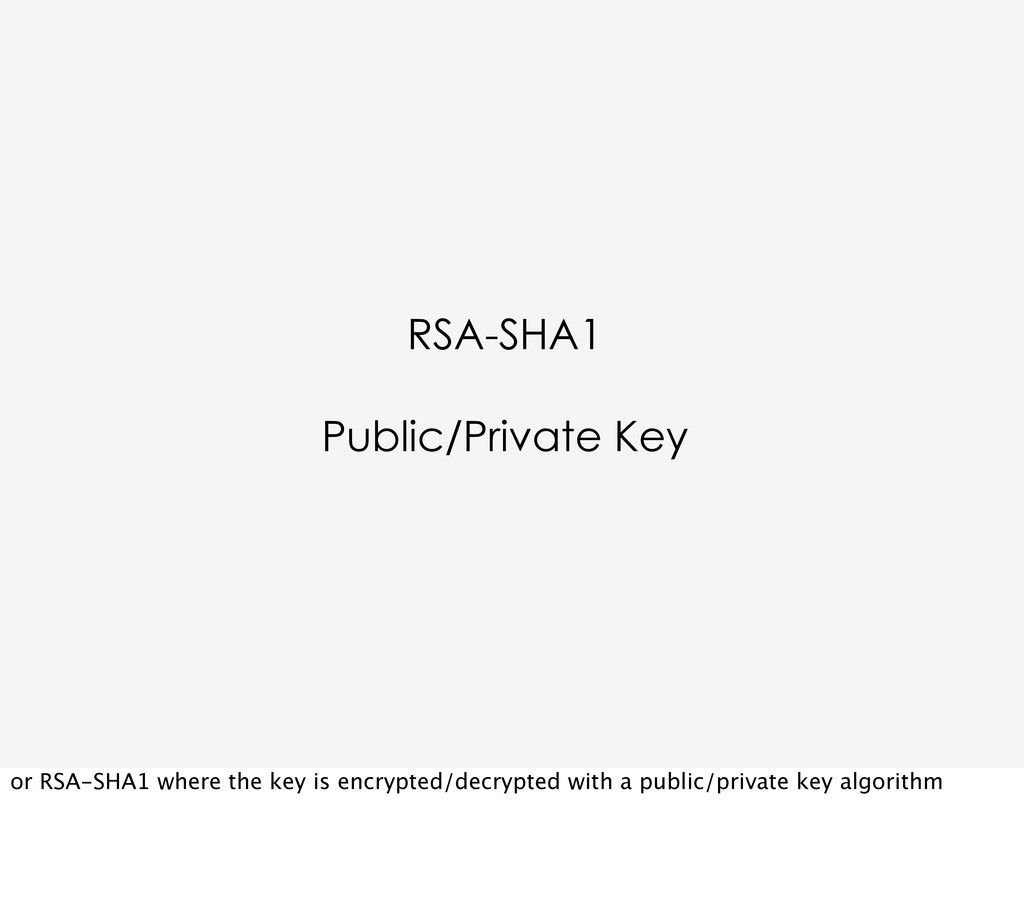
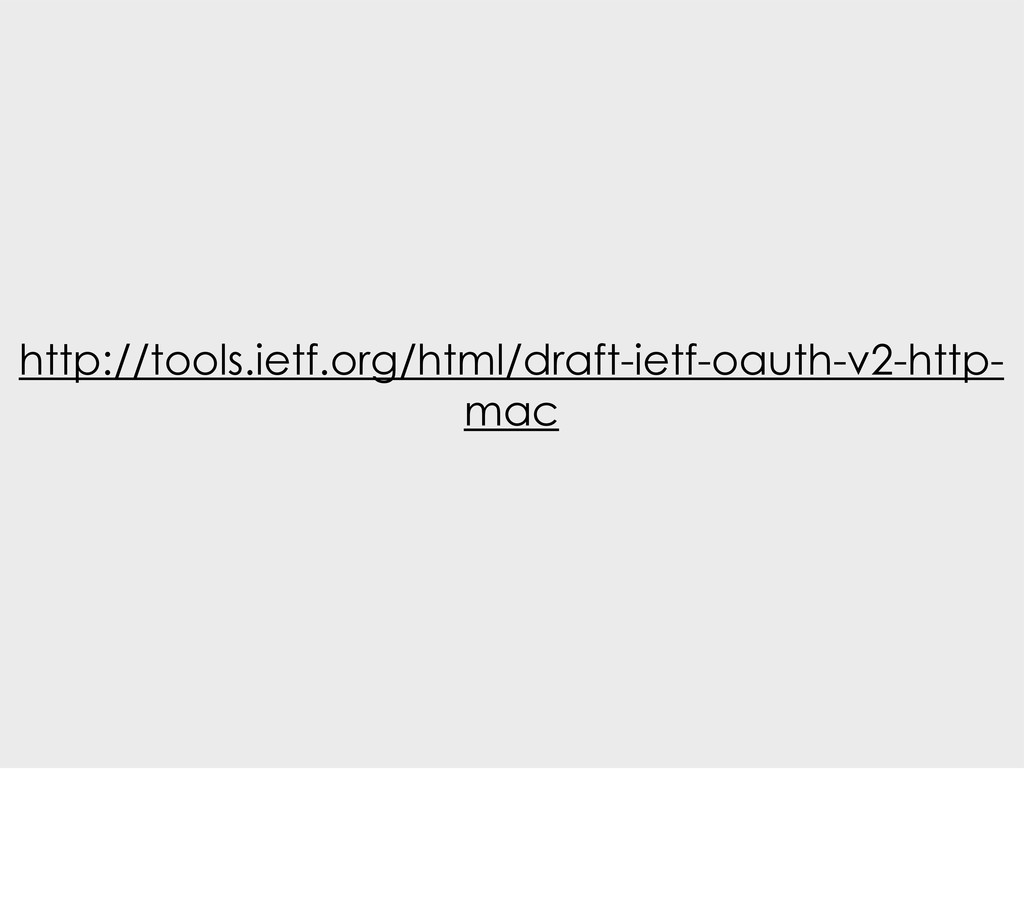
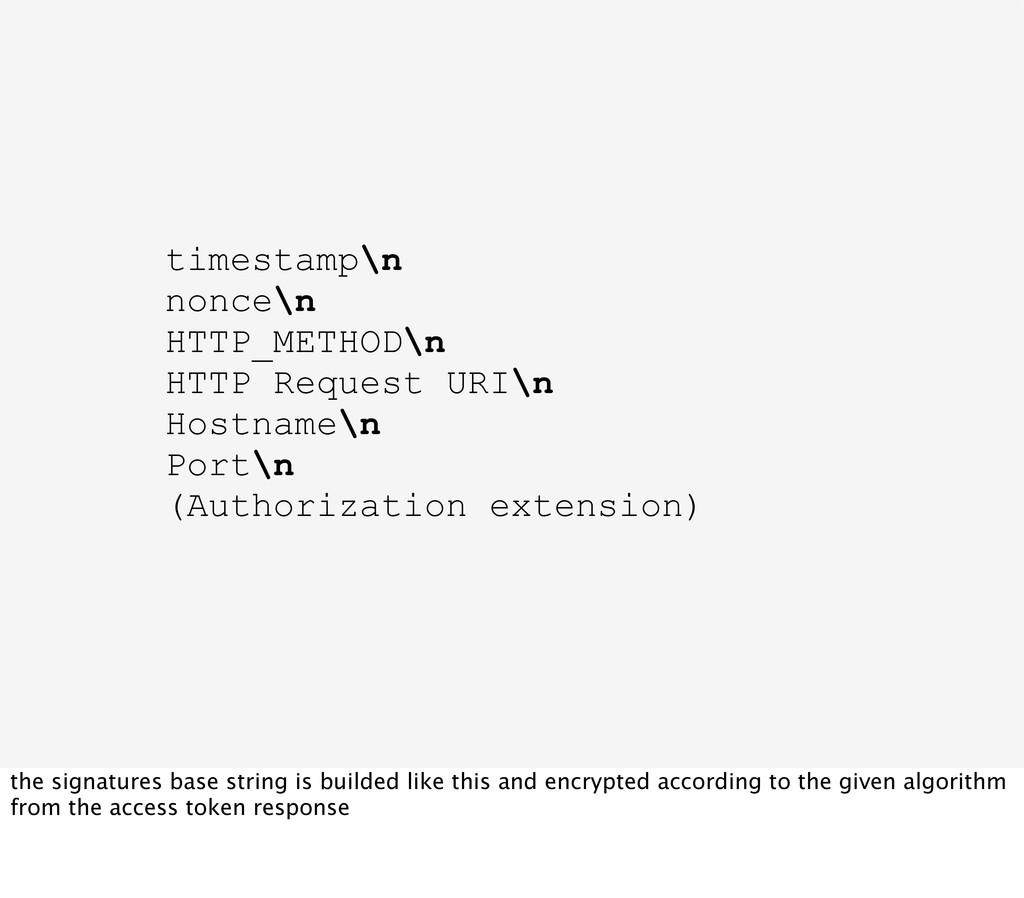
have the http method, the url including the sorted query parameters and if there is a request body even a hash over the requestbody, concatenated together this is the so called base string
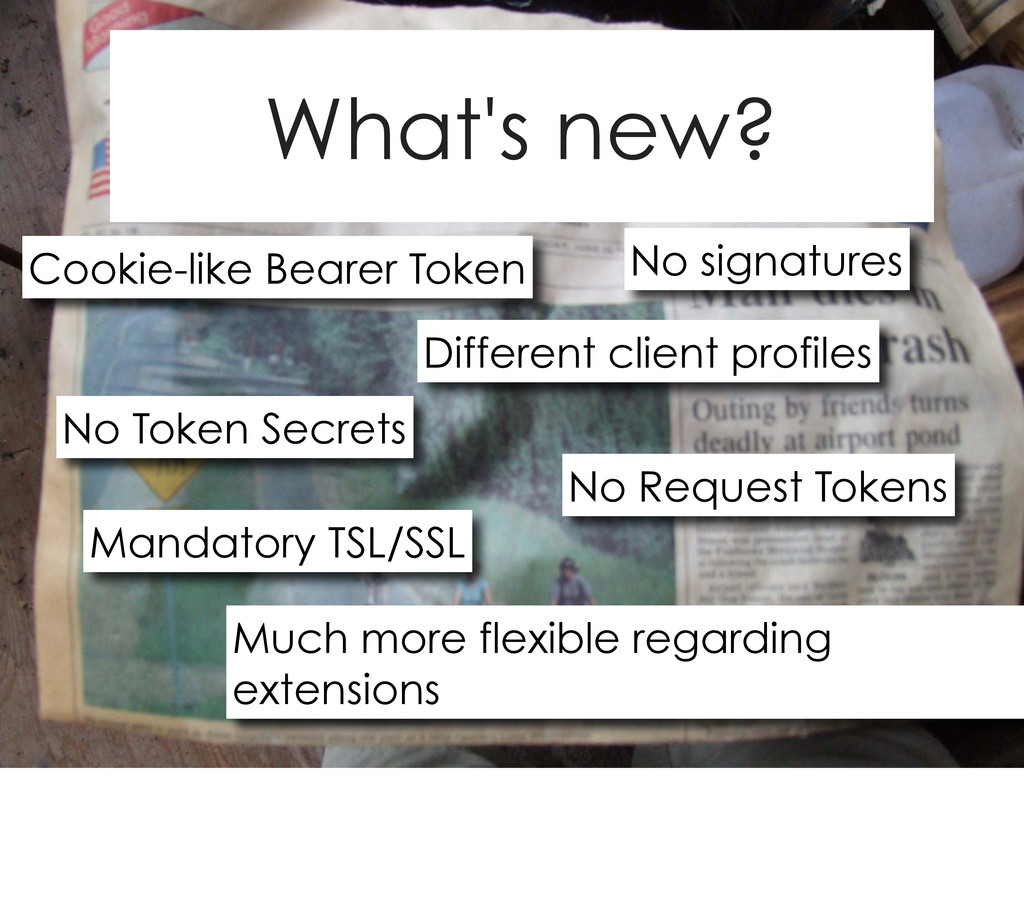
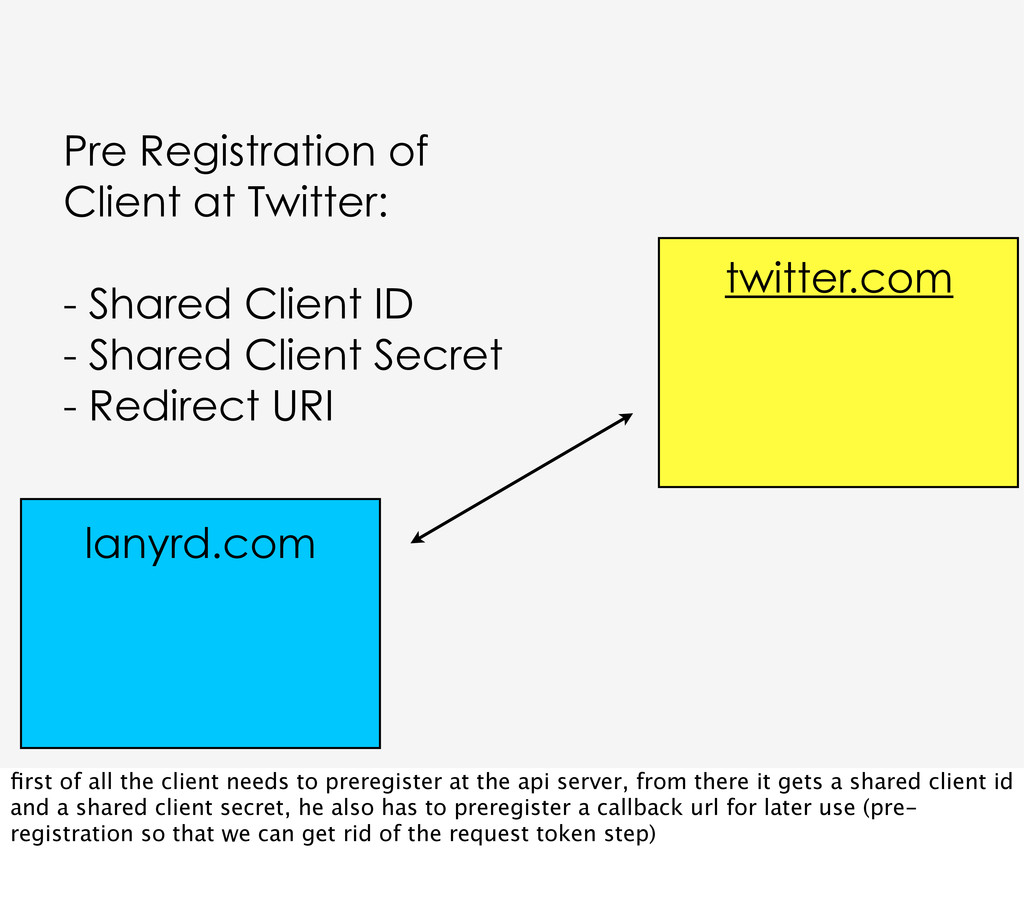
Client ID - Shared Client Secret - Redirect URI first of all the client needs to preregister at the api server, from there it gets a shared client id and a shared client secret, he also has to preregister a callback url for later use (pre- registration so that we can get rid of the request token step)
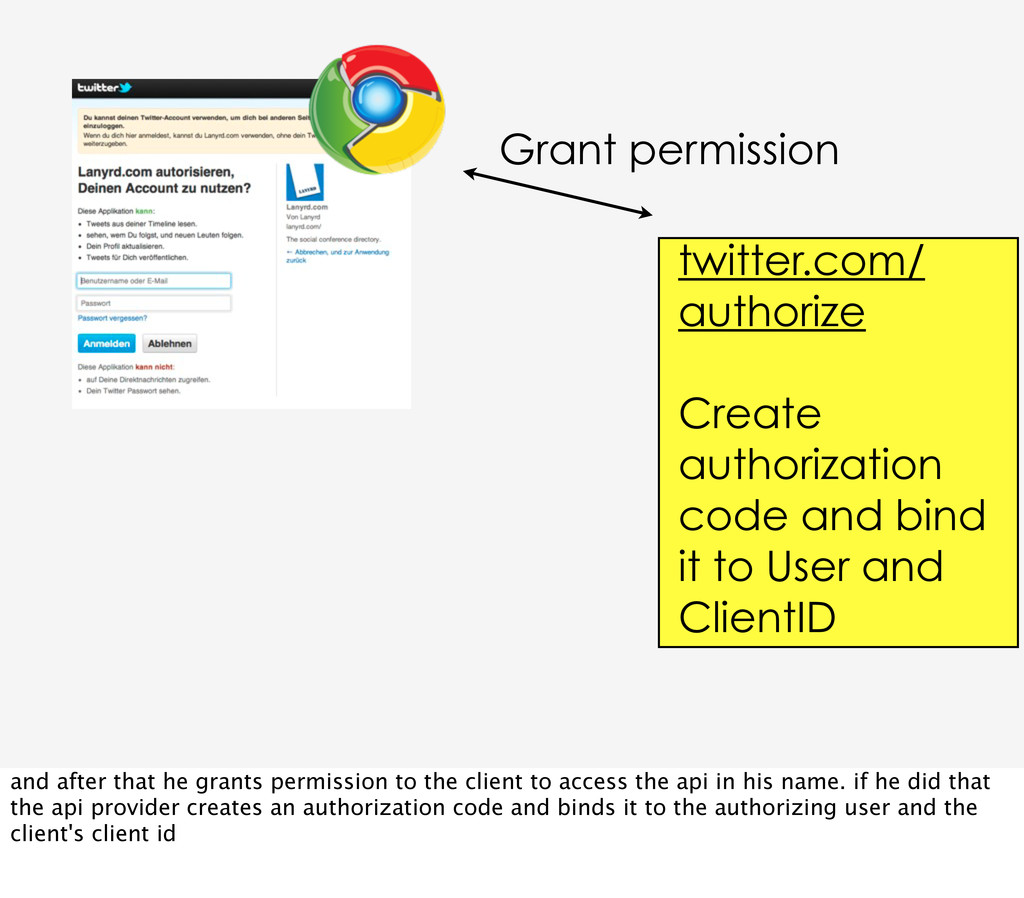
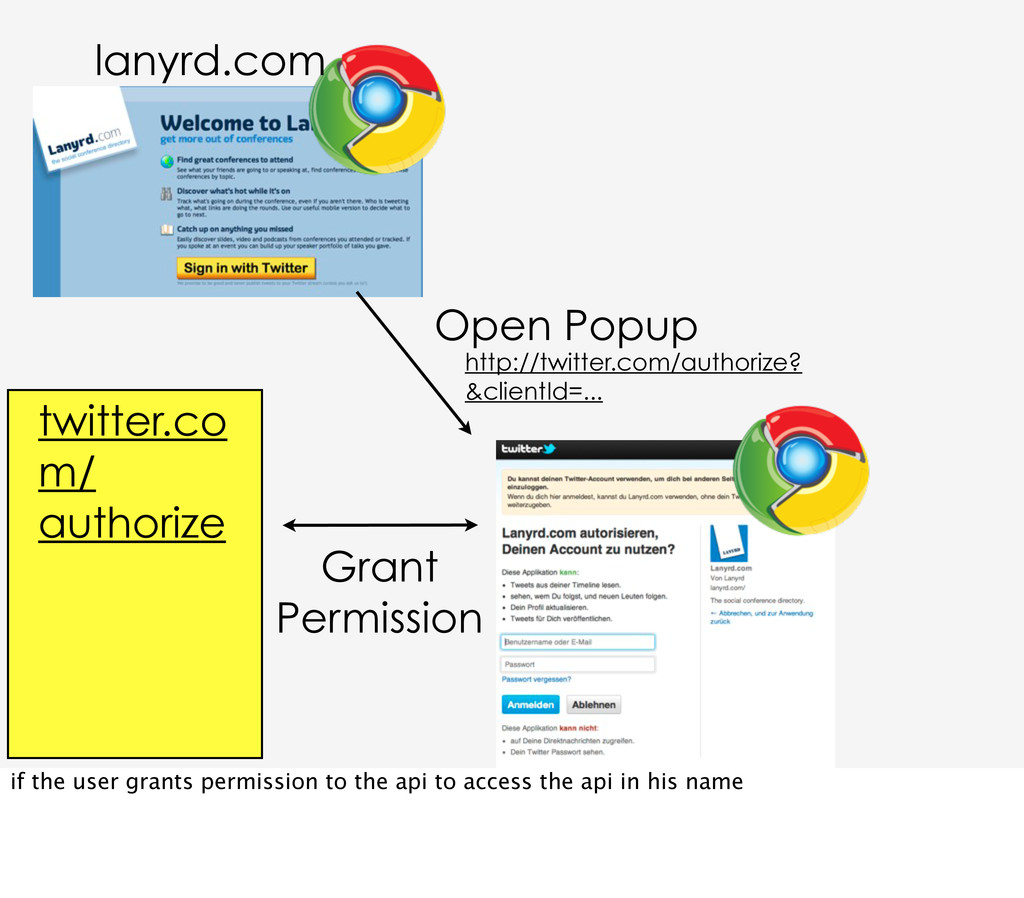
to User and ClientID and after that he grants permission to the client to access the api in his name. if he did that the api provider creates an authorization code and binds it to the authorizing user and the client's client id
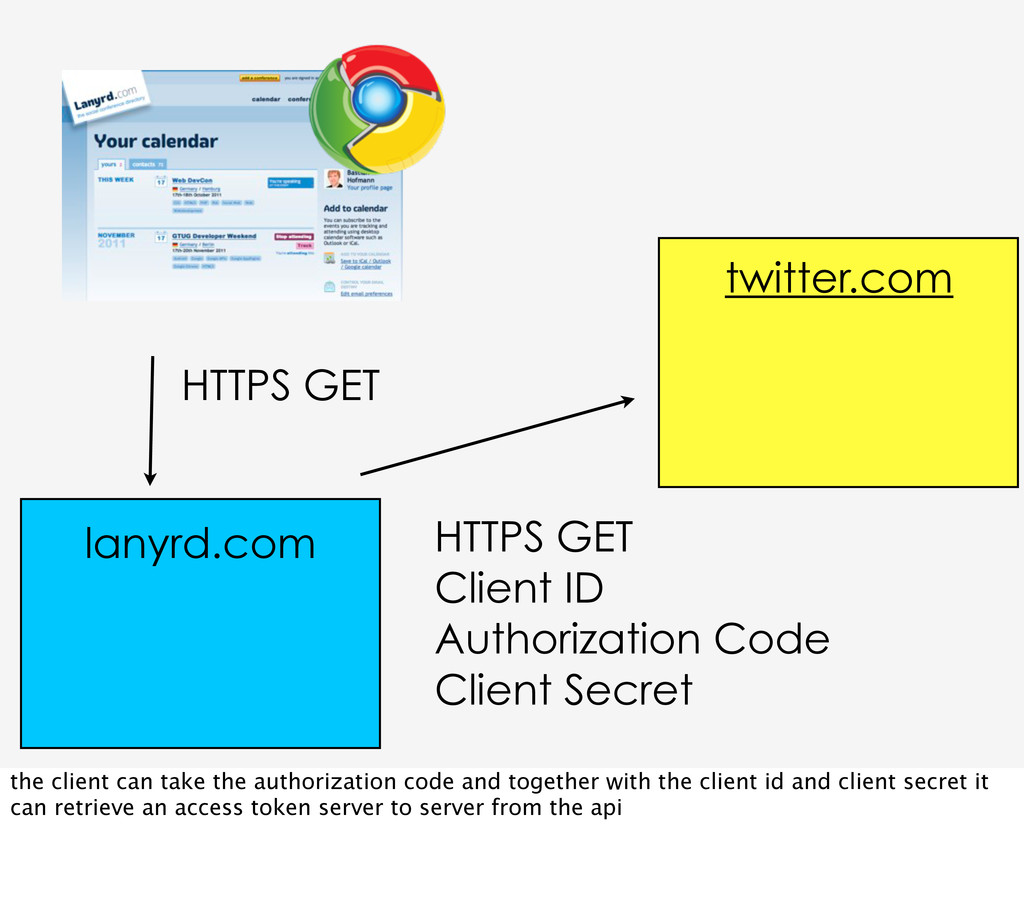
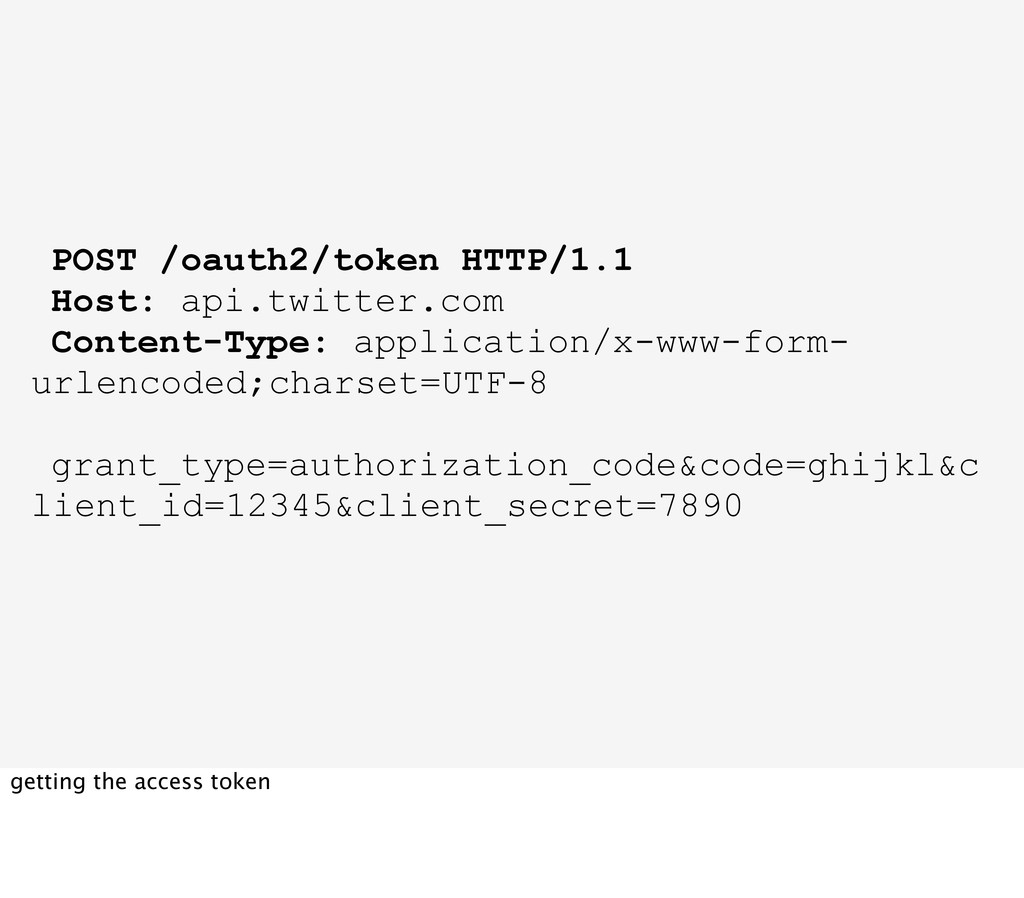
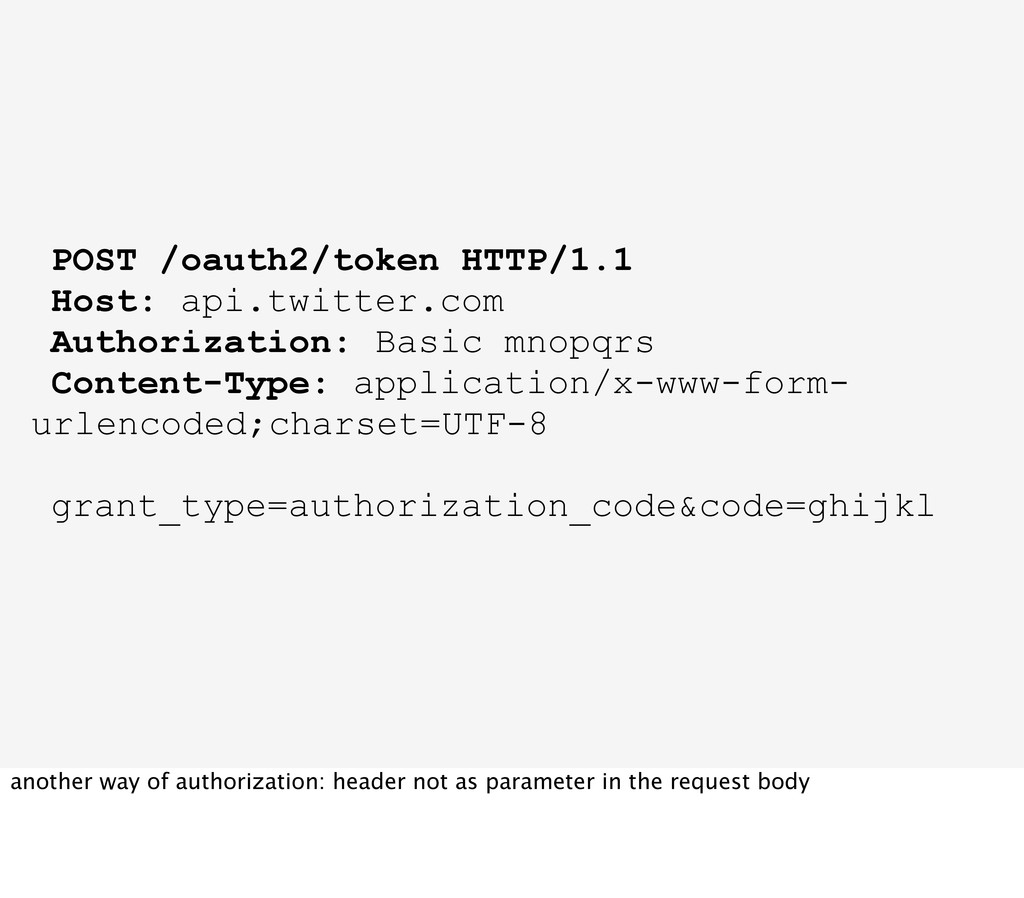
twitter.com lanyrd.com the client can take the authorization code and together with the client id and client secret it can retrieve an access token server to server from the api
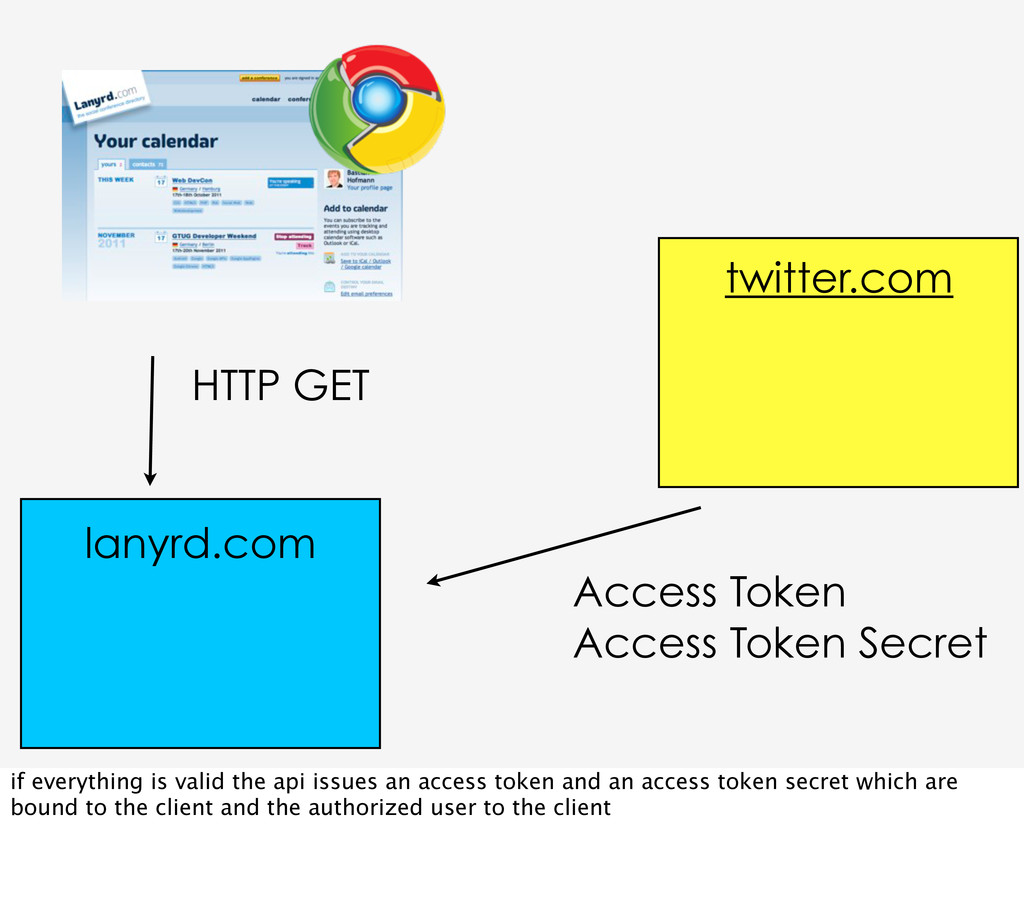
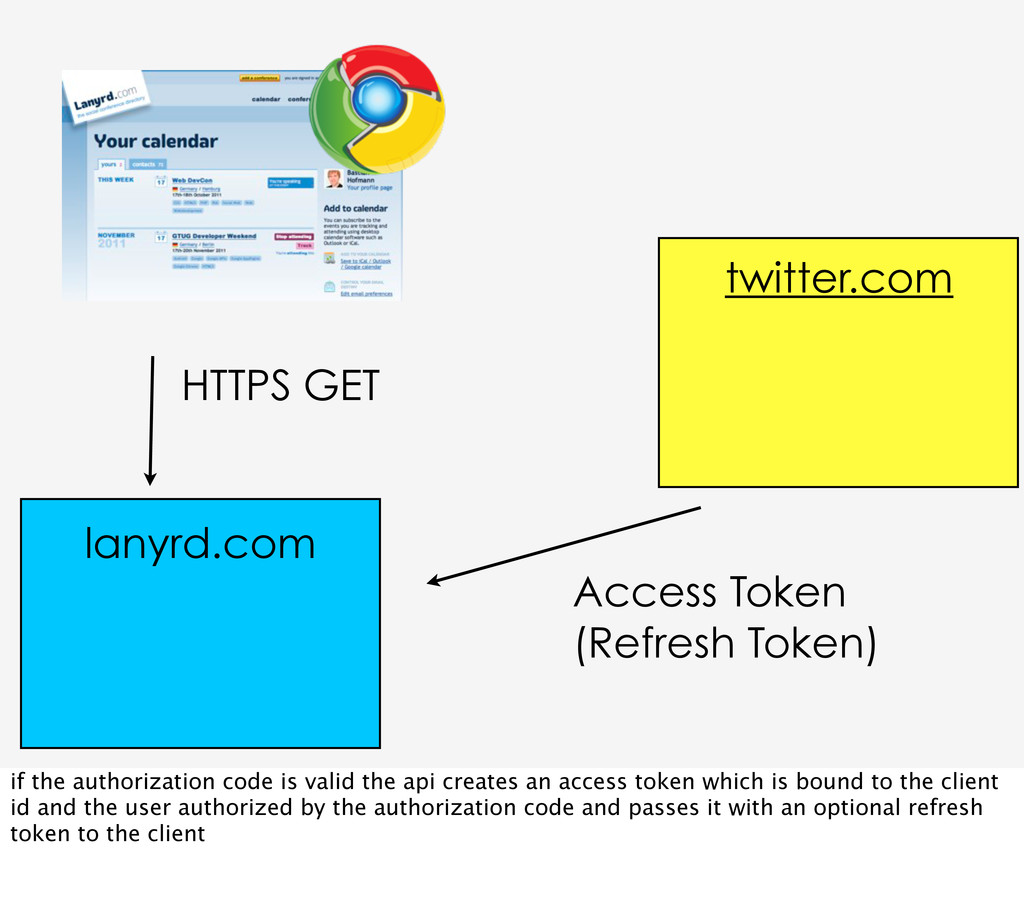
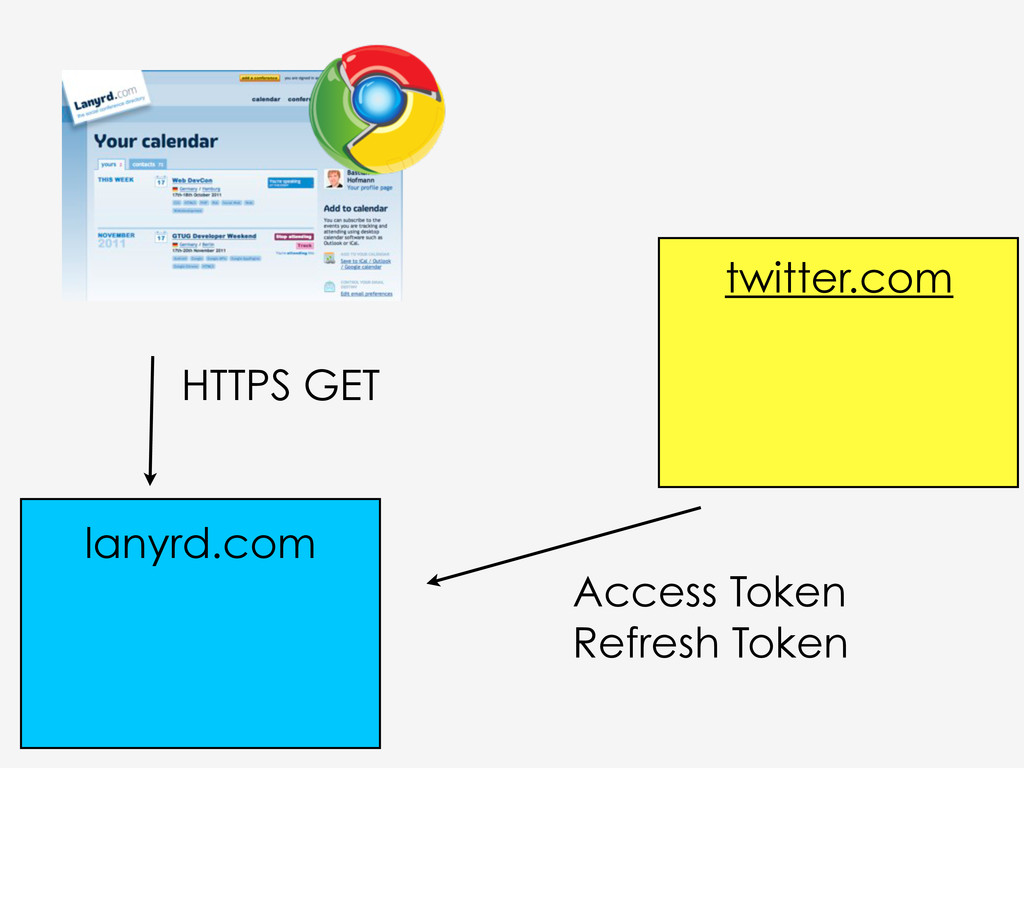
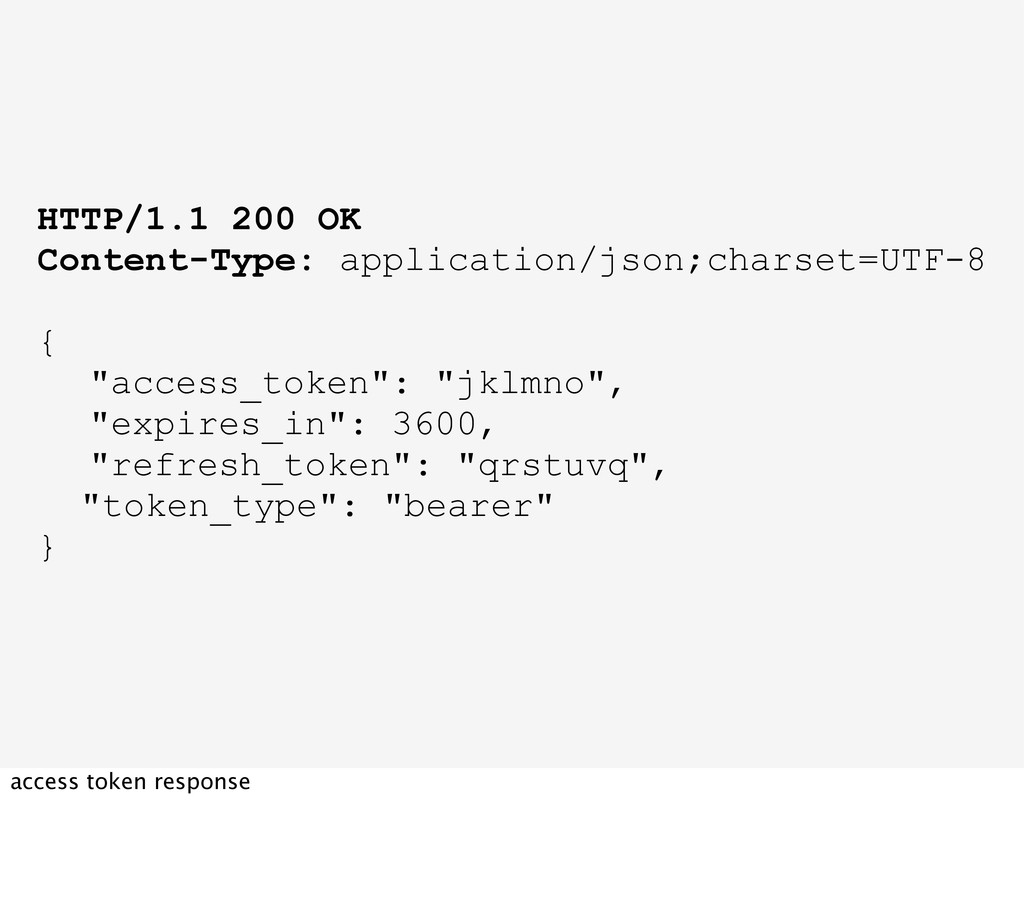
authorization code is valid the api creates an access token which is bound to the client id and the user authorized by the authorization code and passes it with an optional refresh token to the client
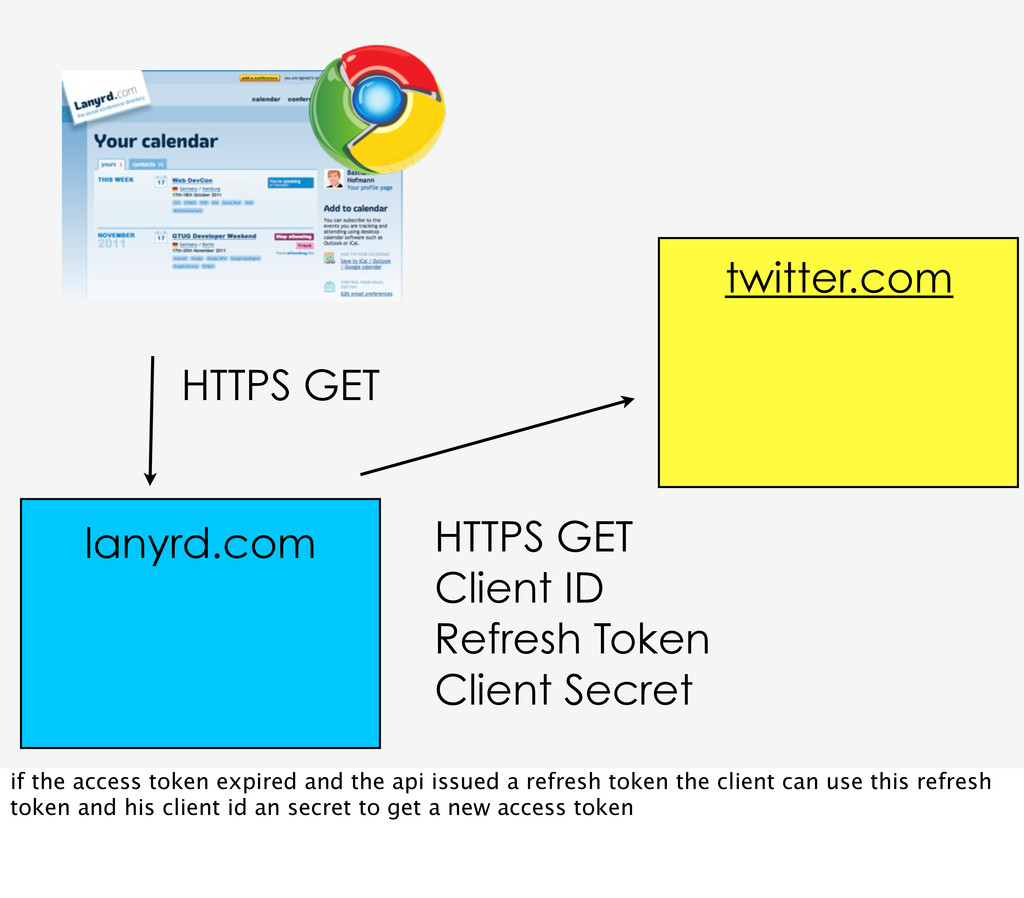
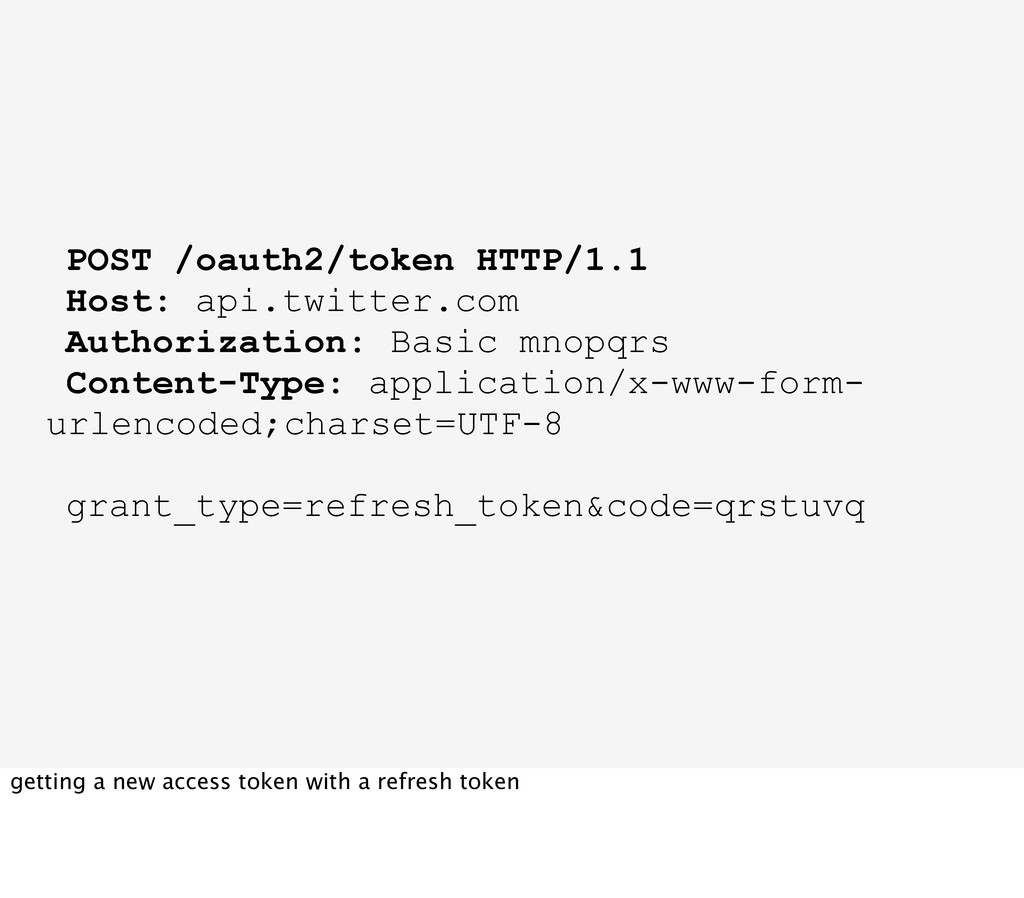
twitter.com lanyrd.com if the access token expired and the api issued a refresh token the client can use this refresh token and his client id an secret to get a new access token
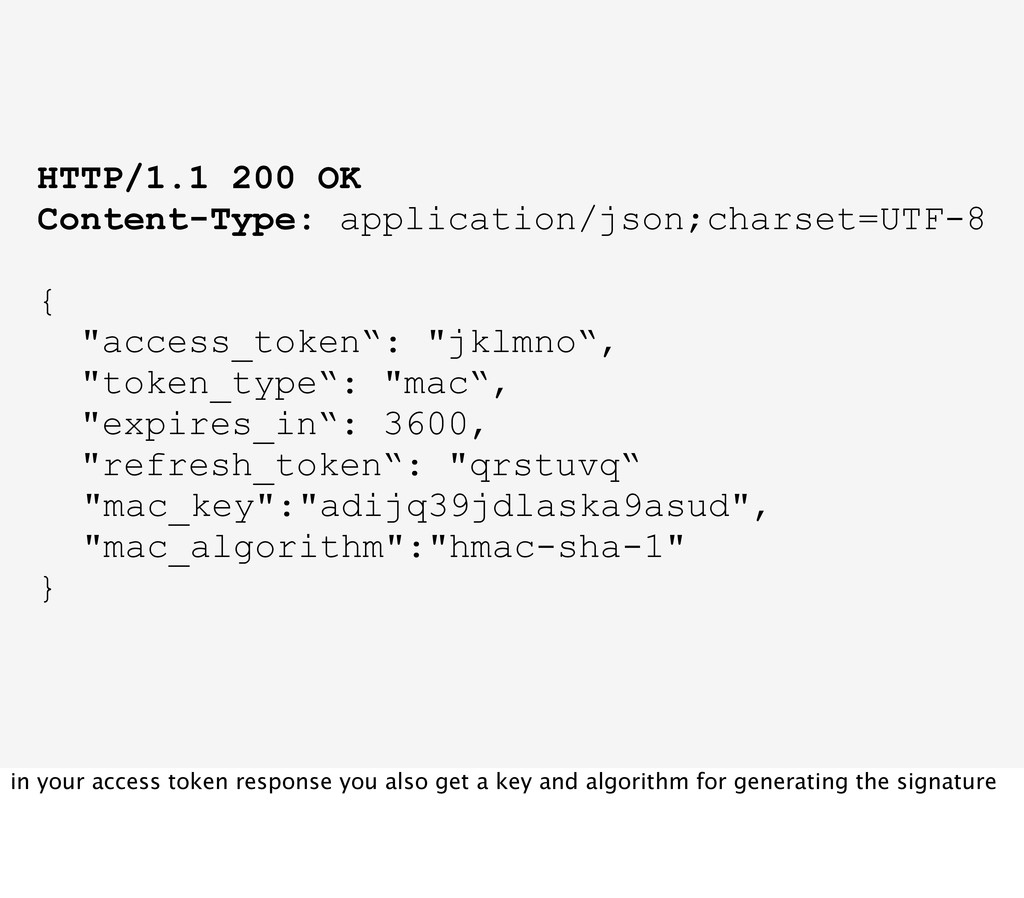
"expires_in“: 3600, "refresh_token“: "qrstuvq“ "mac_key":"adijq39jdlaska9asud", "mac_algorithm":"hmac-sha-1" } in your access token response you also get a key and algorithm for generating the signature
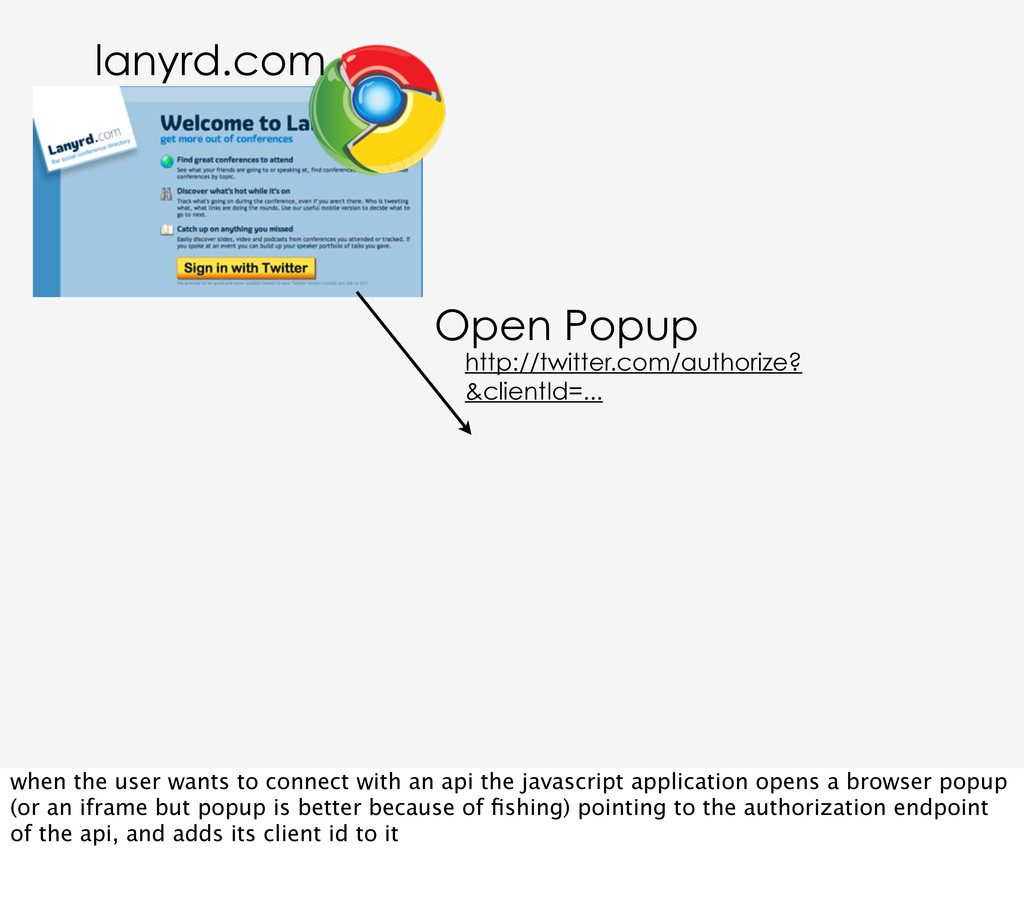
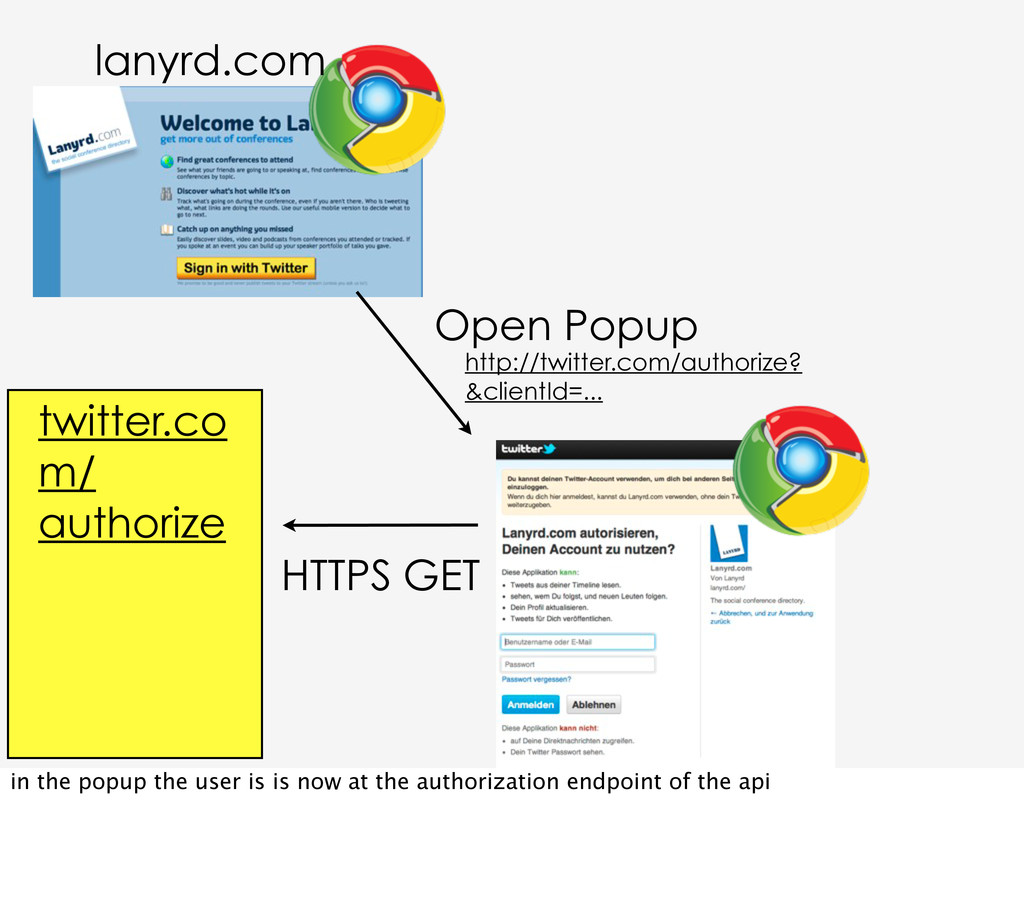
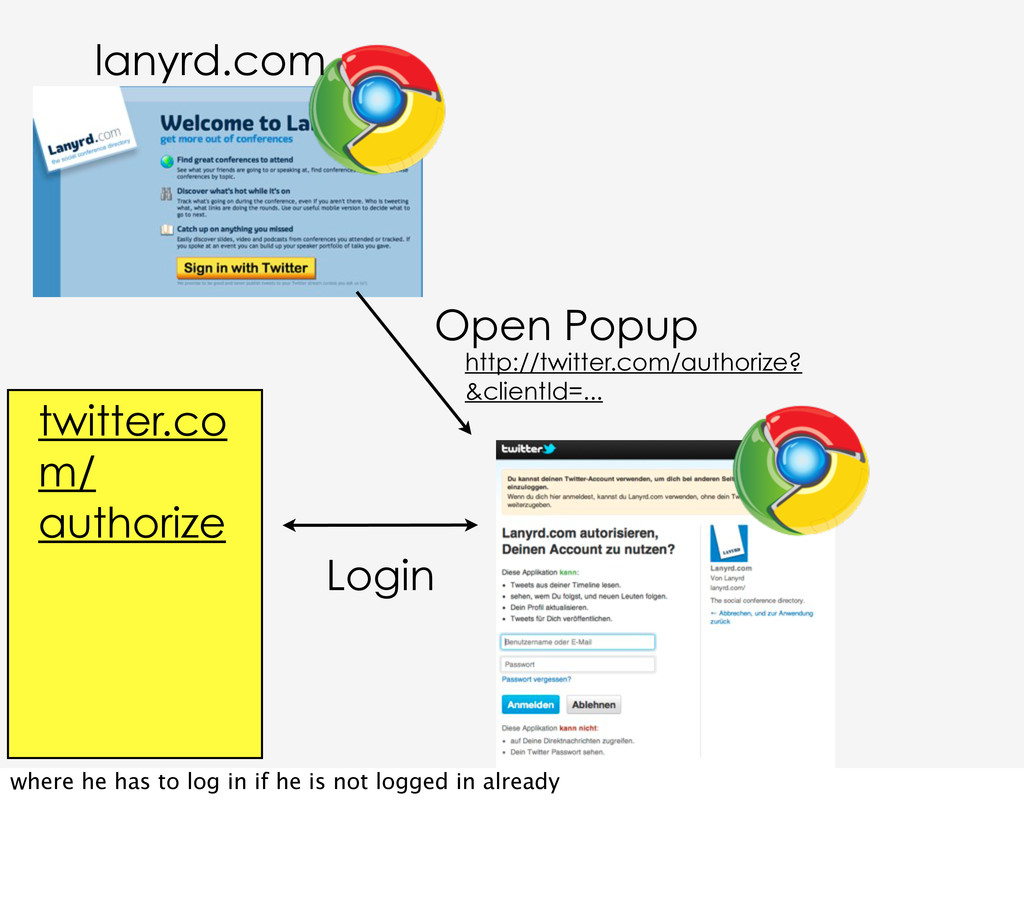
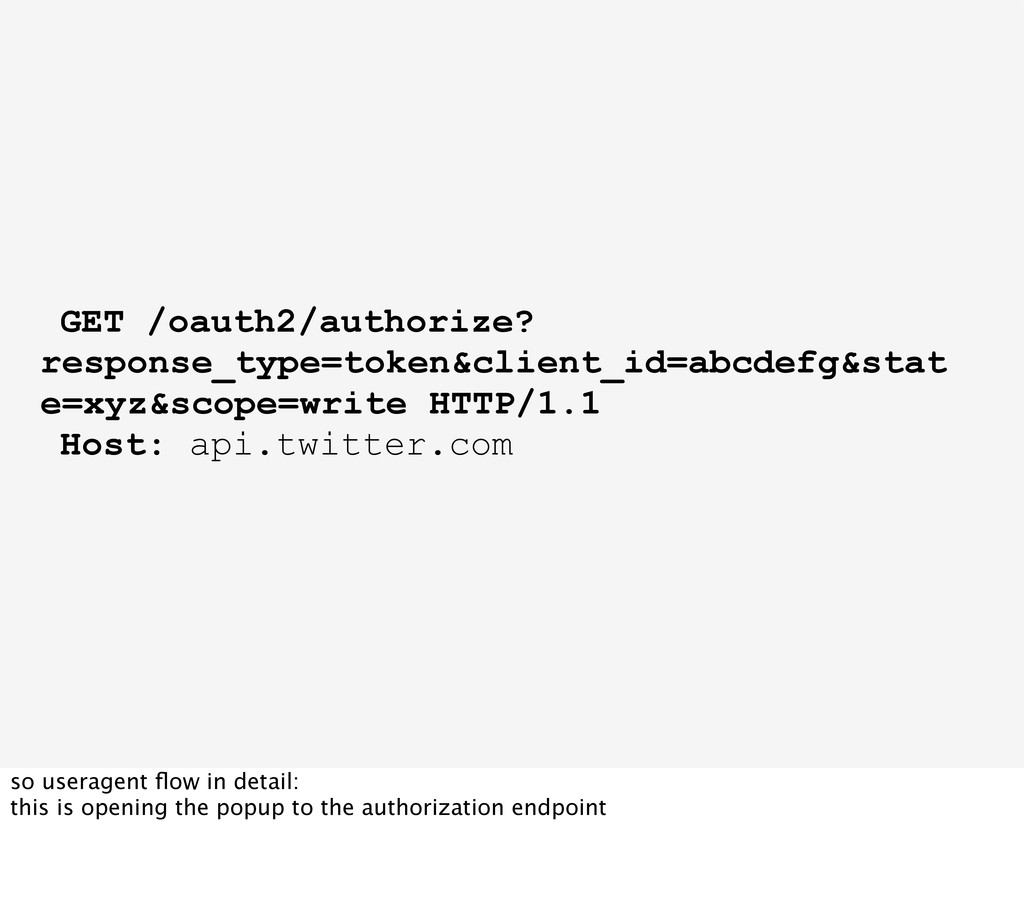
connect with an api the javascript application opens a browser popup (or an iframe but popup is better because of fishing) pointing to the authorization endpoint of the api, and adds its client id to it
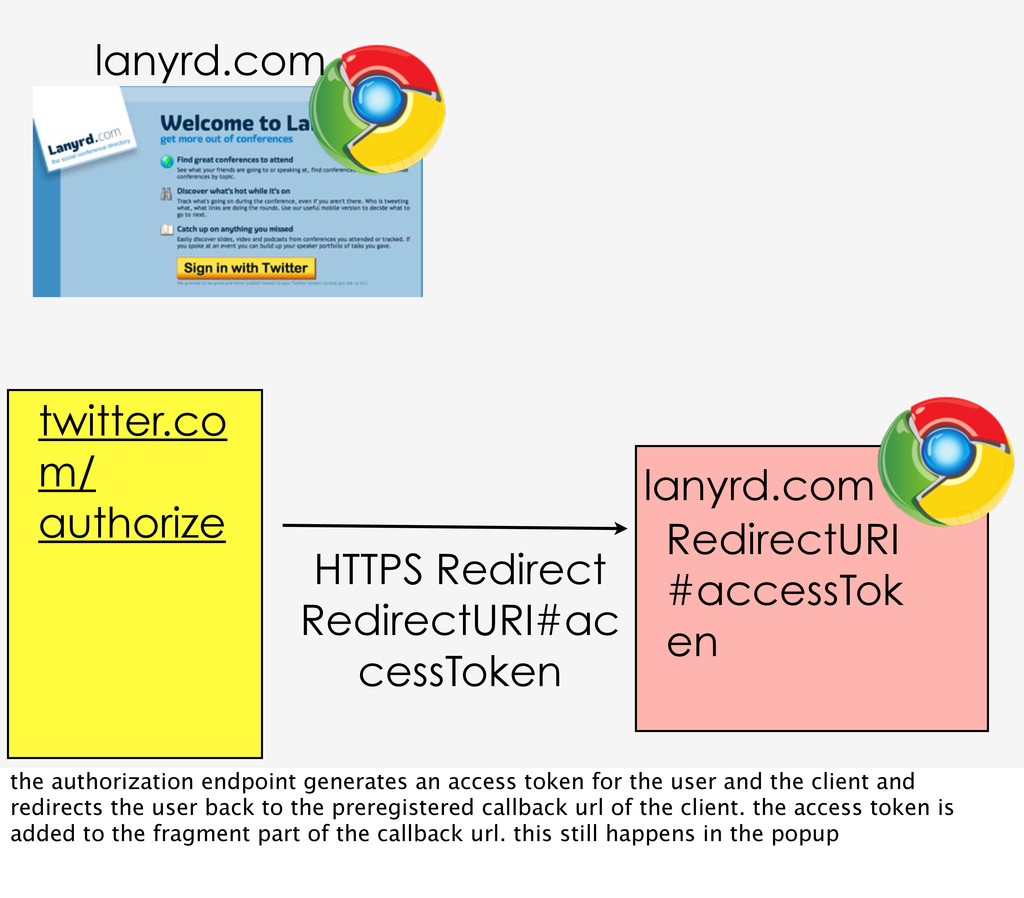
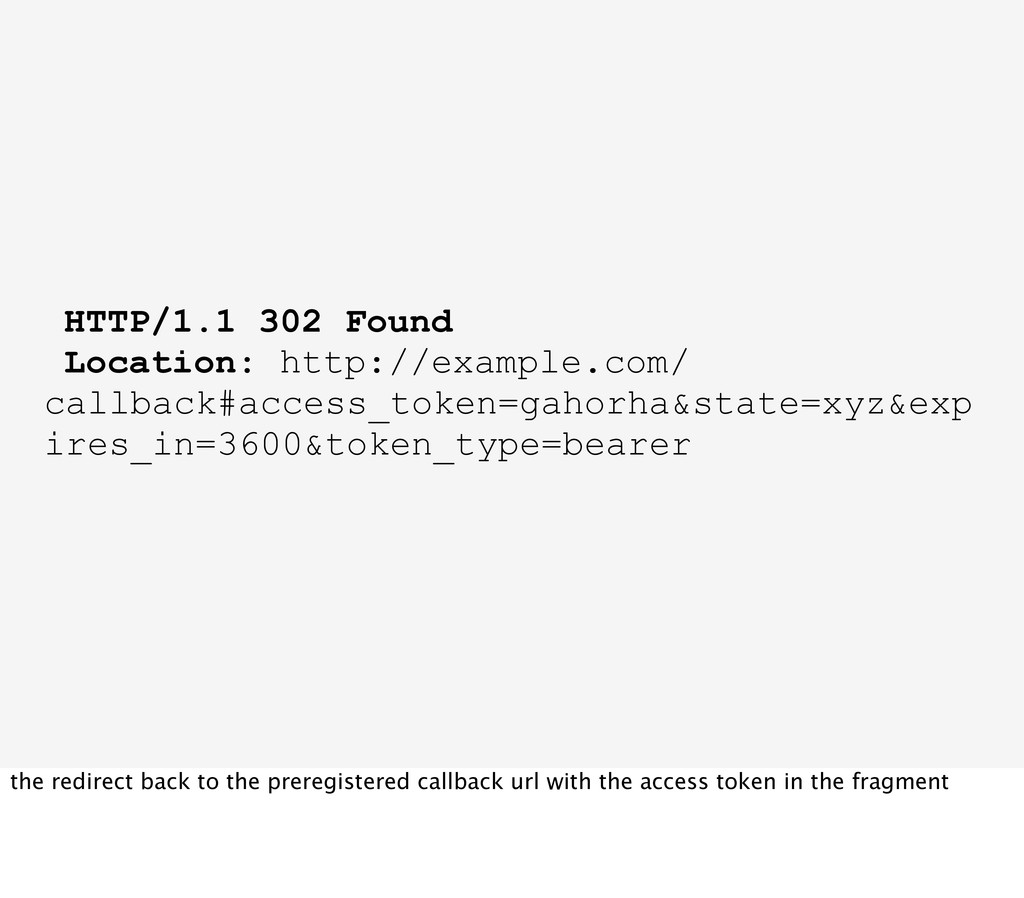
en lanyrd.com the authorization endpoint generates an access token for the user and the client and redirects the user back to the preregistered callback url of the client. the access token is added to the fragment part of the callback url. this still happens in the popup
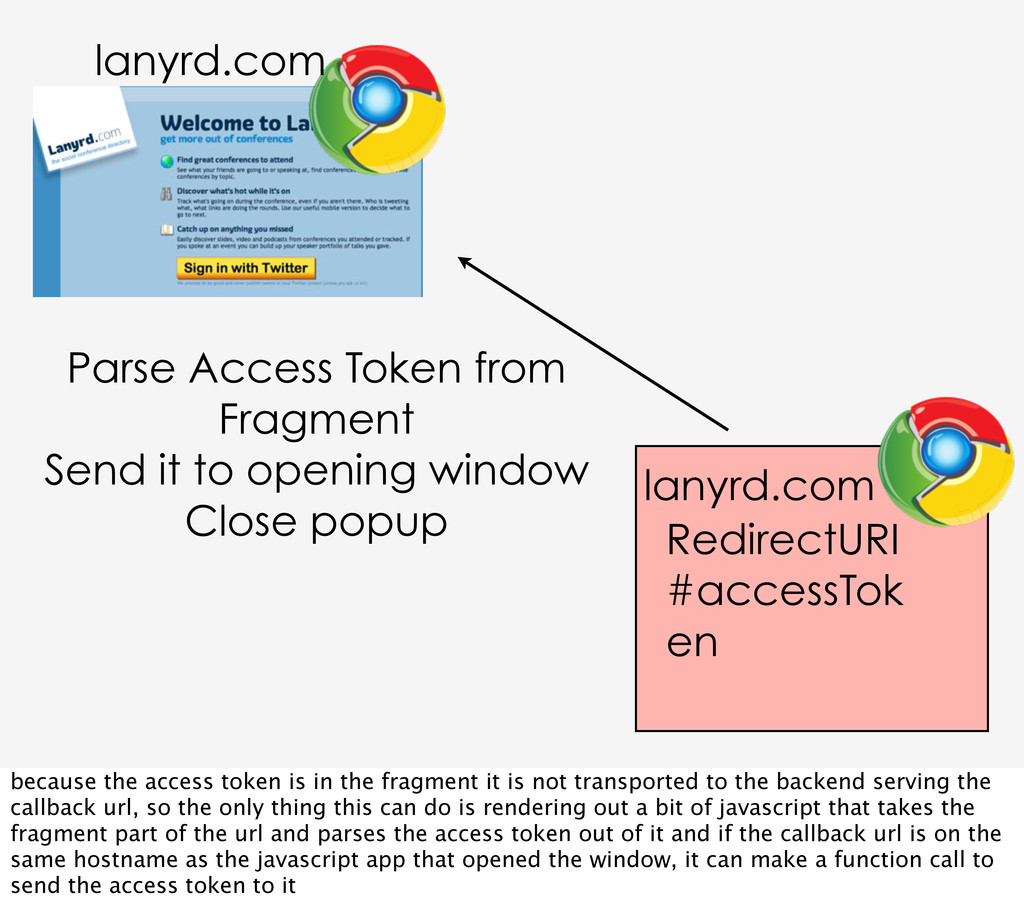
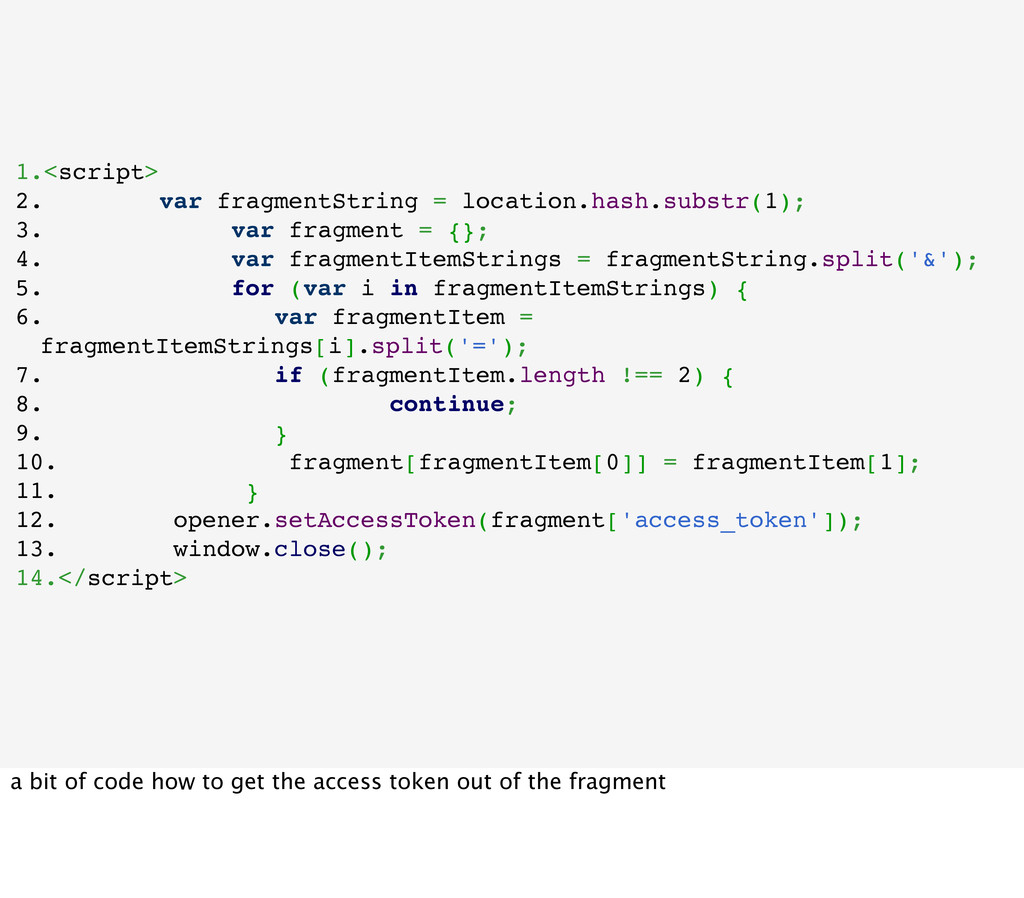
it to opening window Close popup lanyrd.com because the access token is in the fragment it is not transported to the backend serving the callback url, so the only thing this can do is rendering out a bit of javascript that takes the fragment part of the url and parses the access token out of it and if the callback url is on the same hostname as the javascript app that opened the window, it can make a function call to send the access token to it
origin policy that is built into the browsers. it says that you can only access pages and windows and resources that are on the some host that your application is. this is a very basic security feature in browsers, otherwise malicious sites would have access to everything that is currently open in your browser or where you have session or login cookies stored at
just make ajax request to foreign hosts because of this. though for api requests that is a fine and valid use case, since authorization there is not done by cookies.
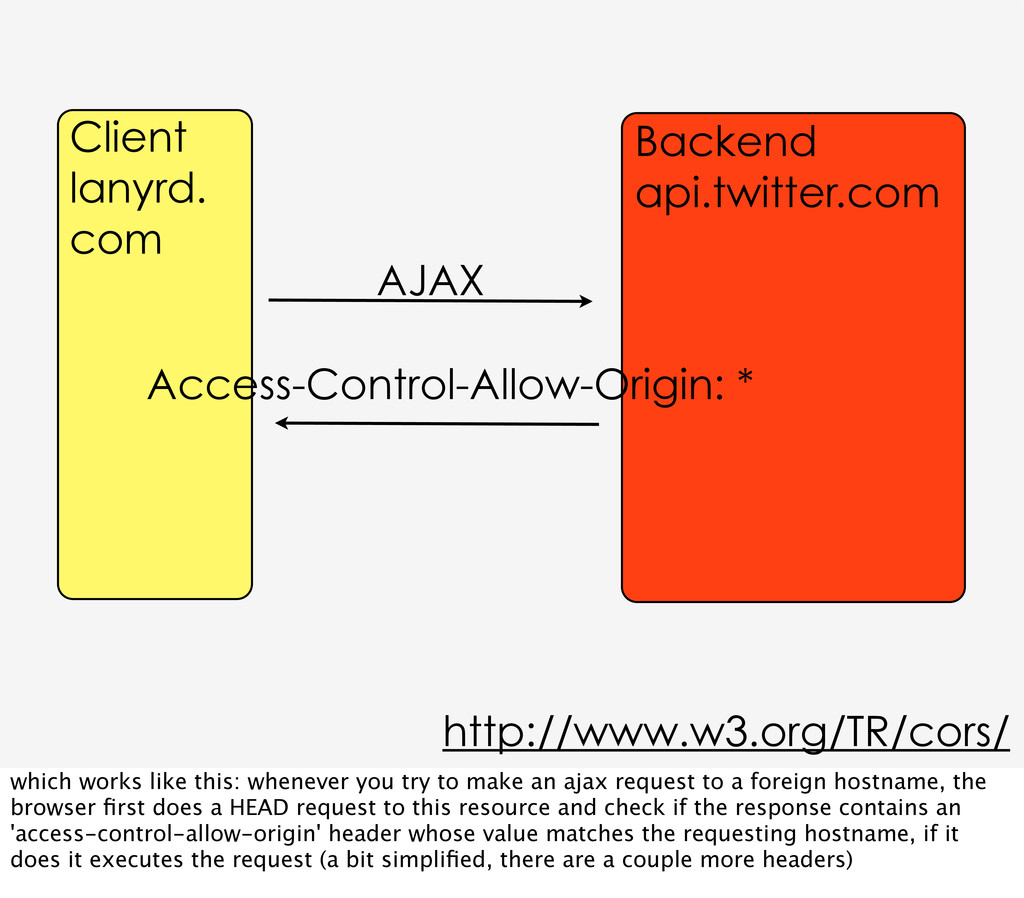
works like this: whenever you try to make an ajax request to a foreign hostname, the browser first does a HEAD request to this resource and check if the response contains an 'access-control-allow-origin' header whose value matches the requesting hostname, if it does it executes the request (a bit simplified, there are a couple more headers)
{}; 4. var fragmentItemStrings = fragmentString.split('&'); 5. for (var i in fragmentItemStrings) { 6. var fragmentItem = fragmentItemStrings[i].split('='); 7. if (fragmentItem.length !== 2) { 8. continue; 9. } 10. fragment[fragmentItem[0]] = fragmentItem[1]; 11. } 12. opener.setAccessToken(fragment['access_token']); 13. window.close(); 14.</script> a bit of code how to get the access token out of the fragment
important. most importantly and often overlooked the state query parameter that can and should be added the whole authorization redirects. its very simple if you redirect the user to the authorization endpoint and add a state parameter, you get the same value in the state parameter back when the api redirects the user back to you
request forgery protection, use it to check that the session where redirect to the authorization endpoint of the api started is the same session as where the redirect back to the client arrived and no attacker got between that and redirected the response with the authorization code or access token to his one session, so that he gets access to the the api data of another user


 bastianhofmann
 eed3si9n
 kaityo256
 dske104
 shihochan
 kasacchiful
 taiseiue
 skydoves
 kishida
 lef237
 yasaichi
 prota
prota
 artoy
artoy
 honzajavorek
 jonoalderson
 afnizarnur
 kevinliebholz
 chriscoyier
 cassininazir
 mfonobong
 bermonpainter
 akosma
 rakko
rakko












![http://twitter.com/BastianHofmann http://profiles.google.com/bashofmann http://lanyrd.com/people/BastianHofmann http://speakerdeck.com/u/bastianhofmann https://github.com/bashofmann https://www.researchgate.net/profile/Bastian_Hofmann/ [email protected] thanks, you can](https://files.speakerdeck.com/presentations/e60e6240bfd9013094bb4e5911ec3094/slide_108.jpg)