Share
Embed
手を動かして実感する、Kiro が変える開発体験
2026/09/24 に開催した「手を動かして実感する、Kiro が変える開発体験」での登壇資料になります。
https://catalog.workshops.aws/q-zero2hero/ja-JP ワークショップはこちら。

Riku INADA PRO
September 24, 2026
Annual Pro sale · Save $30
Have presentations of your own?
Share with private links, password protection, and more control over your work.
Transcript
62 slides
-
2026.09.24 KIRO ⼿を動かして実感する、 Kiro が変える開発体験 Riku Inada Amazon Web Services
Japan G.K. © 2026, Amazon Web © 2026, Services, Amazon Inc. or Web its Services, affiliates.Inc. All or rights its affiliates. reserved.All Amazon rights Confidential reserved. Amazon and Trademark. Confidential and Trademark. 1 -
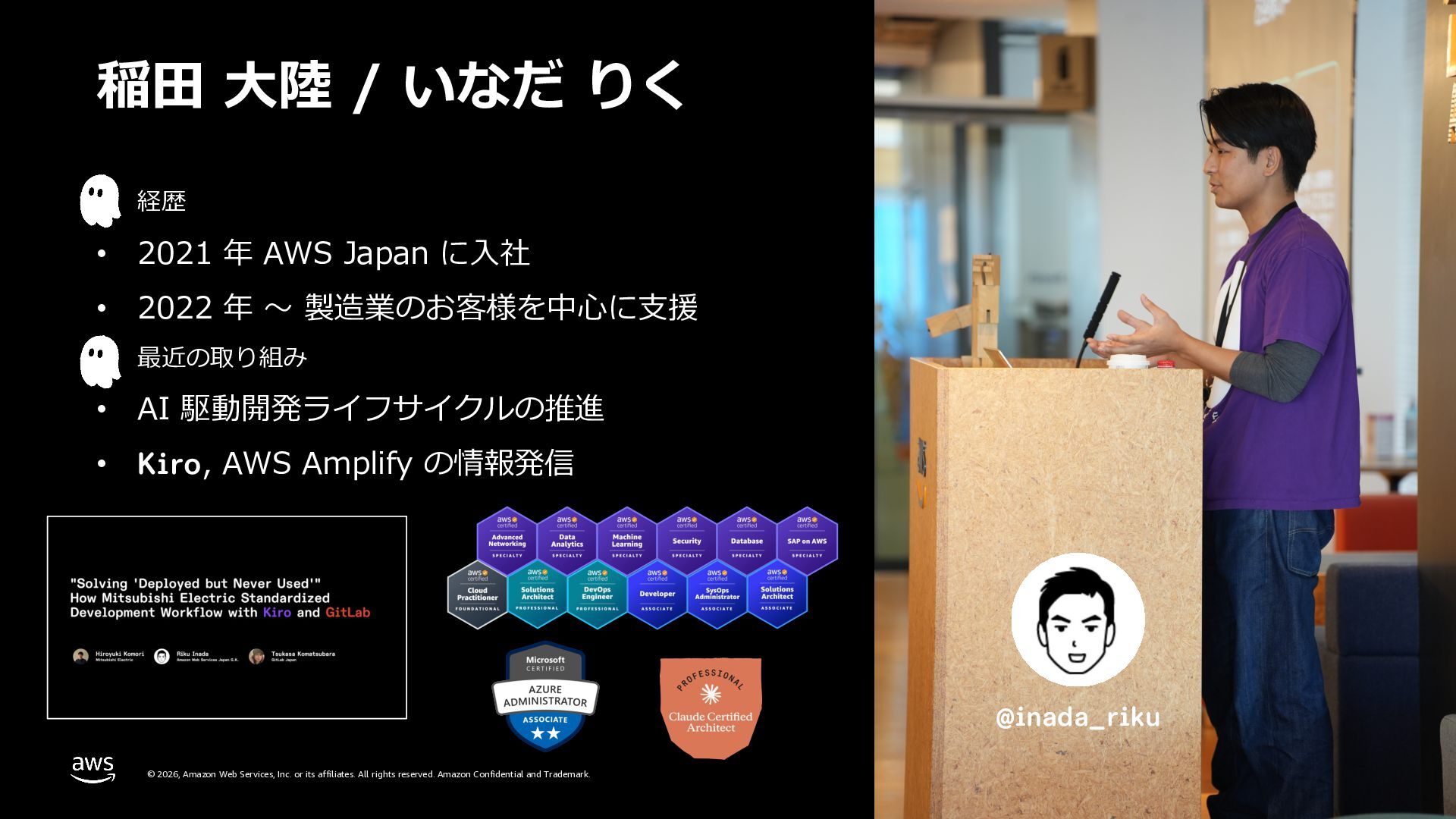
稲⽥ ⼤陸 / いなだ りく • 経歴 • 2021 年
AWS Japan に⼊社 • 2022 年 〜 製造業のお客様を中⼼に⽀援 • 最近の取り組み • AI 駆動開発ライフサイクルの推進 • Kiro, AWS Amplify の情報発信 @inada_riku © 2026, Amazon Web Services, Inc. or its affiliates. All rights reserved. Amazon Confidential and Trademark. 2 -
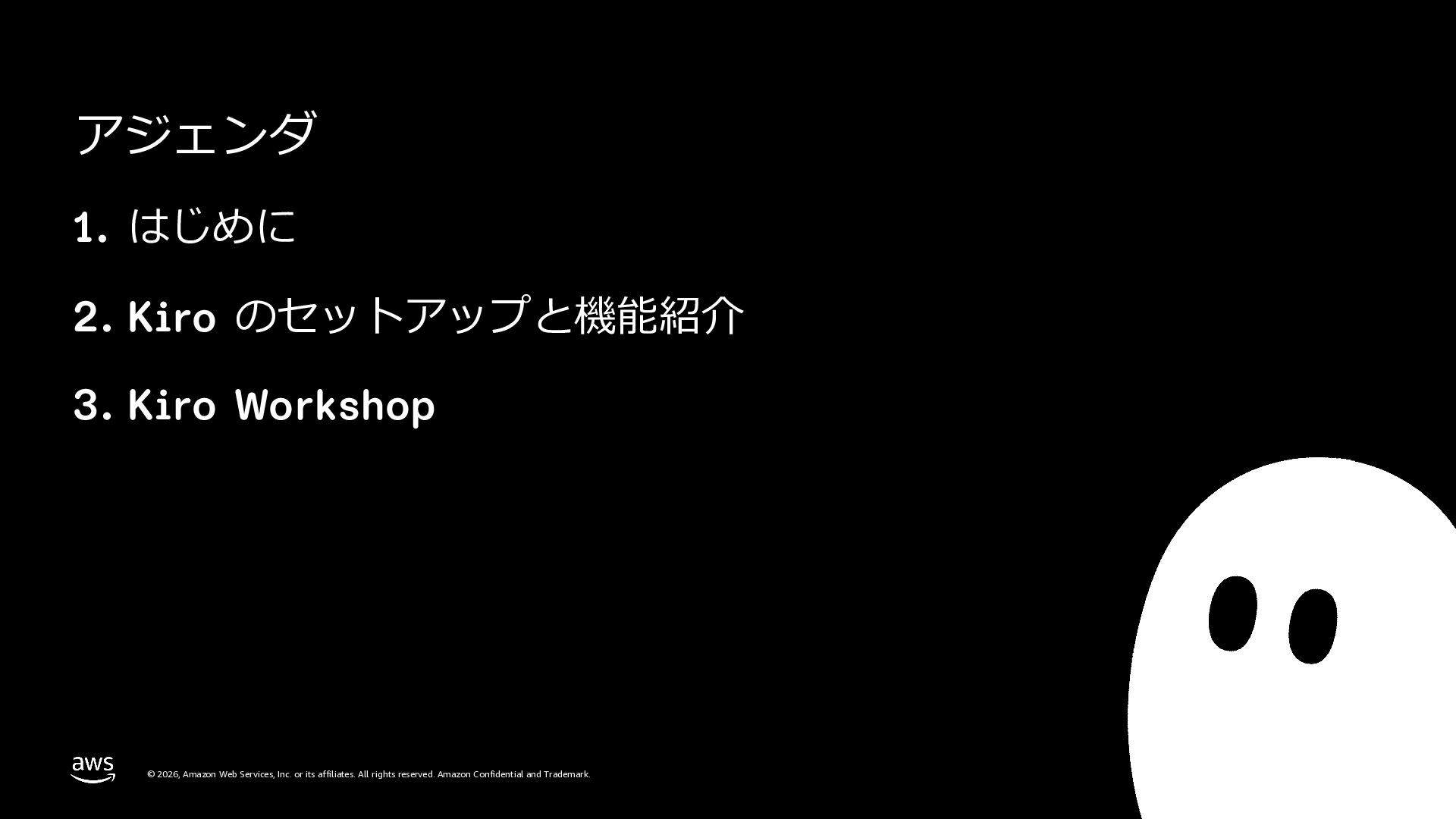
アジェンダ 1. はじめに 2. Kiro のセットアップと機能紹介 3. Kiro Workshop ©
2026, Amazon Web Services, Inc. or its affiliates. All rights reserved. Amazon Confidential and Trademark. 3 -
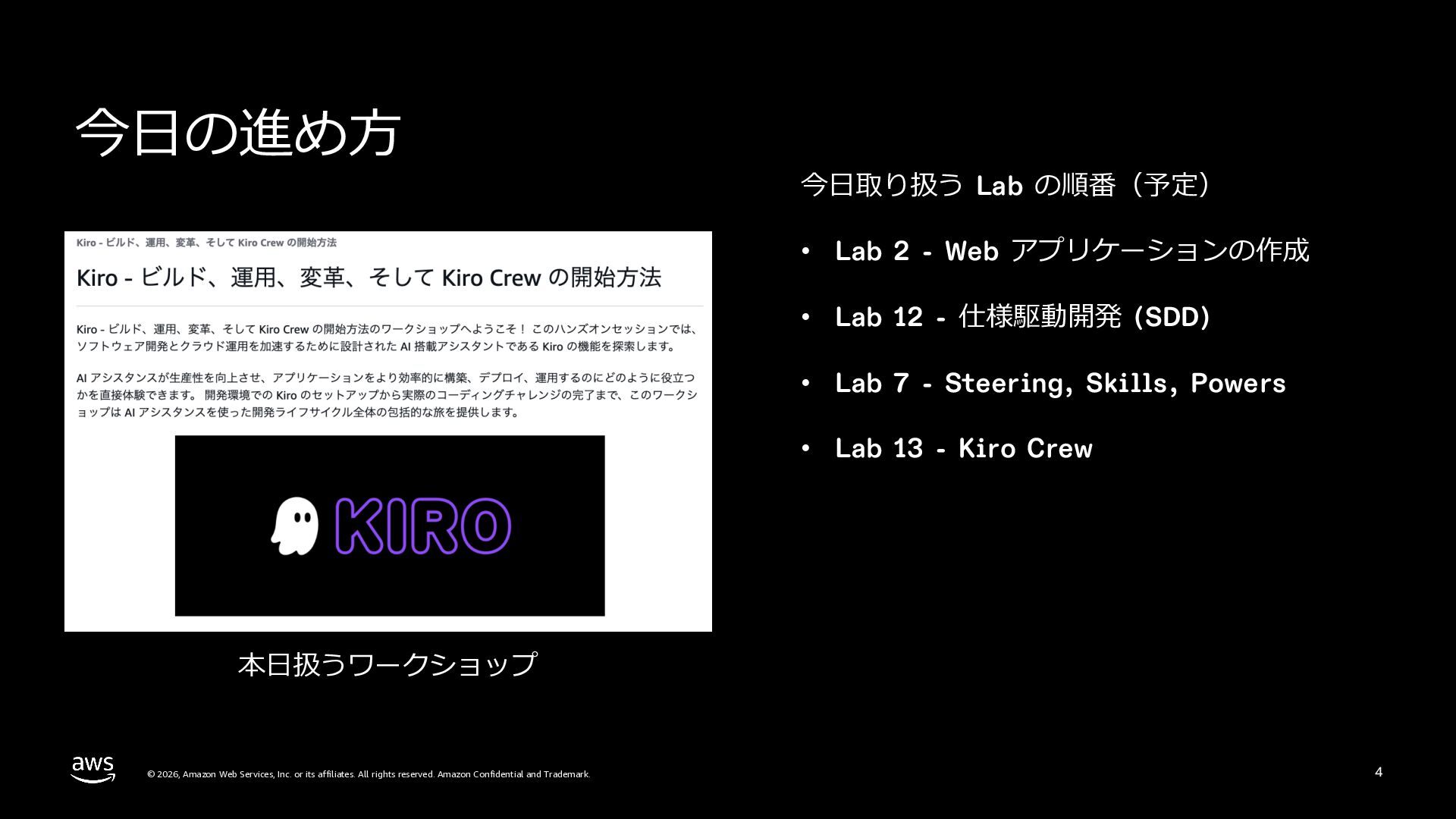
今⽇の進め⽅ 今⽇取り扱う Lab の順番(予定) • Lab 2 - Web アプリケーションの作成
• Lab 12 - 仕様駆動開発 (SDD) • Lab 7 - Steering, Skills, Powers • Lab 13 - Kiro Crew 本⽇扱うワークショップ © 2026, Amazon Web Services, Inc. or its affiliates. All rights reserved. Amazon Confidential and Trademark. 4 -
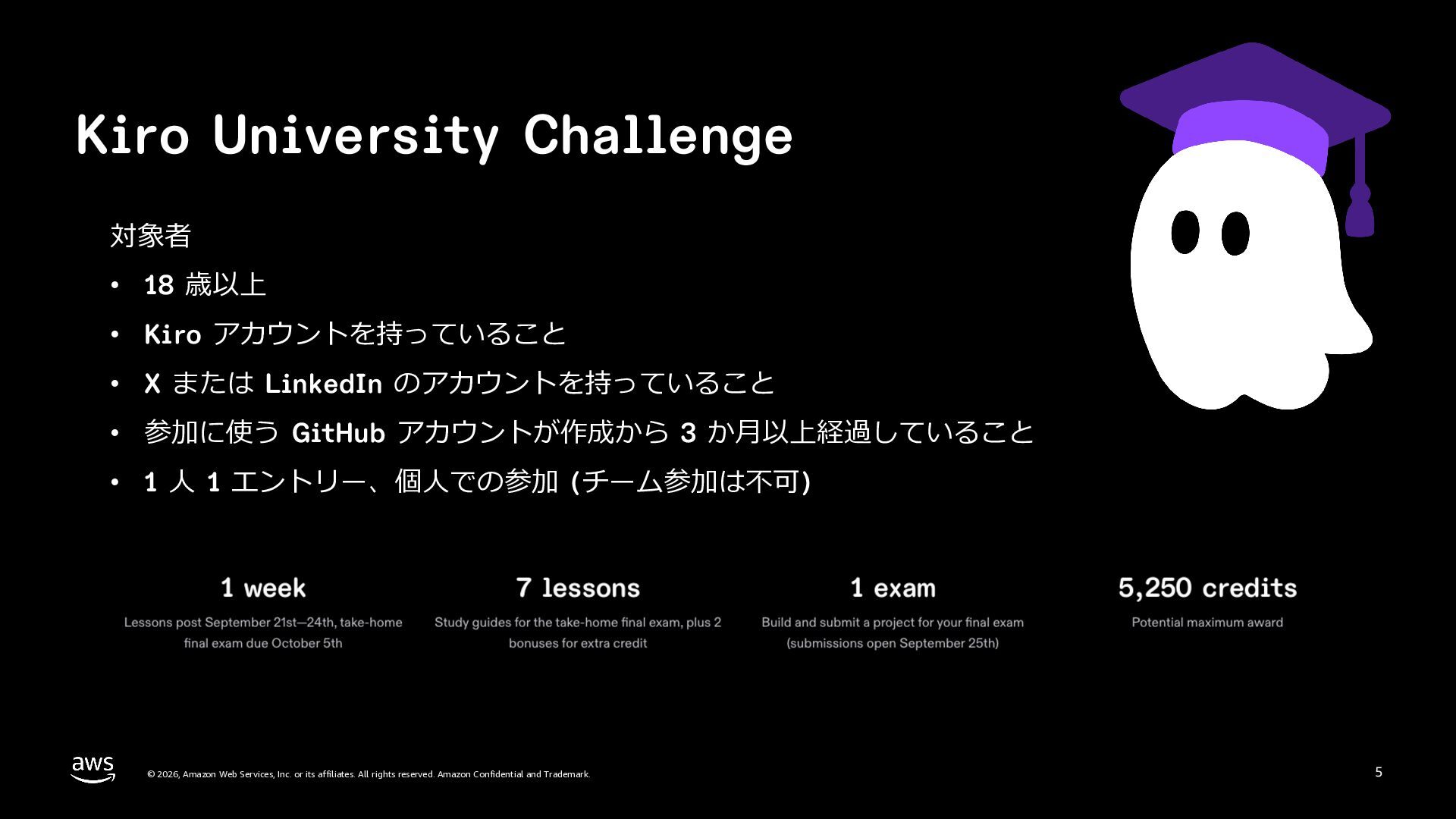
Kiro University Challenge 対象者 • 18 歳以上 • Kiro アカウントを持っていること
• X または LinkedIn のアカウントを持っていること • 参加に使う GitHub アカウントが作成から 3 か⽉以上経過していること • 1 ⼈ 1 エントリー、個⼈での参加 (チーム参加は不可) © 2026, Amazon Web Services, Inc. or its affiliates. All rights reserved. Amazon Confidential and Trademark. 5 -
ソフトウェア開発と コーディングエージェント © 2026, Amazon Web Services, Inc. or its
affiliates. All rights reserved. Amazon Confidential and Trademark. 6 -
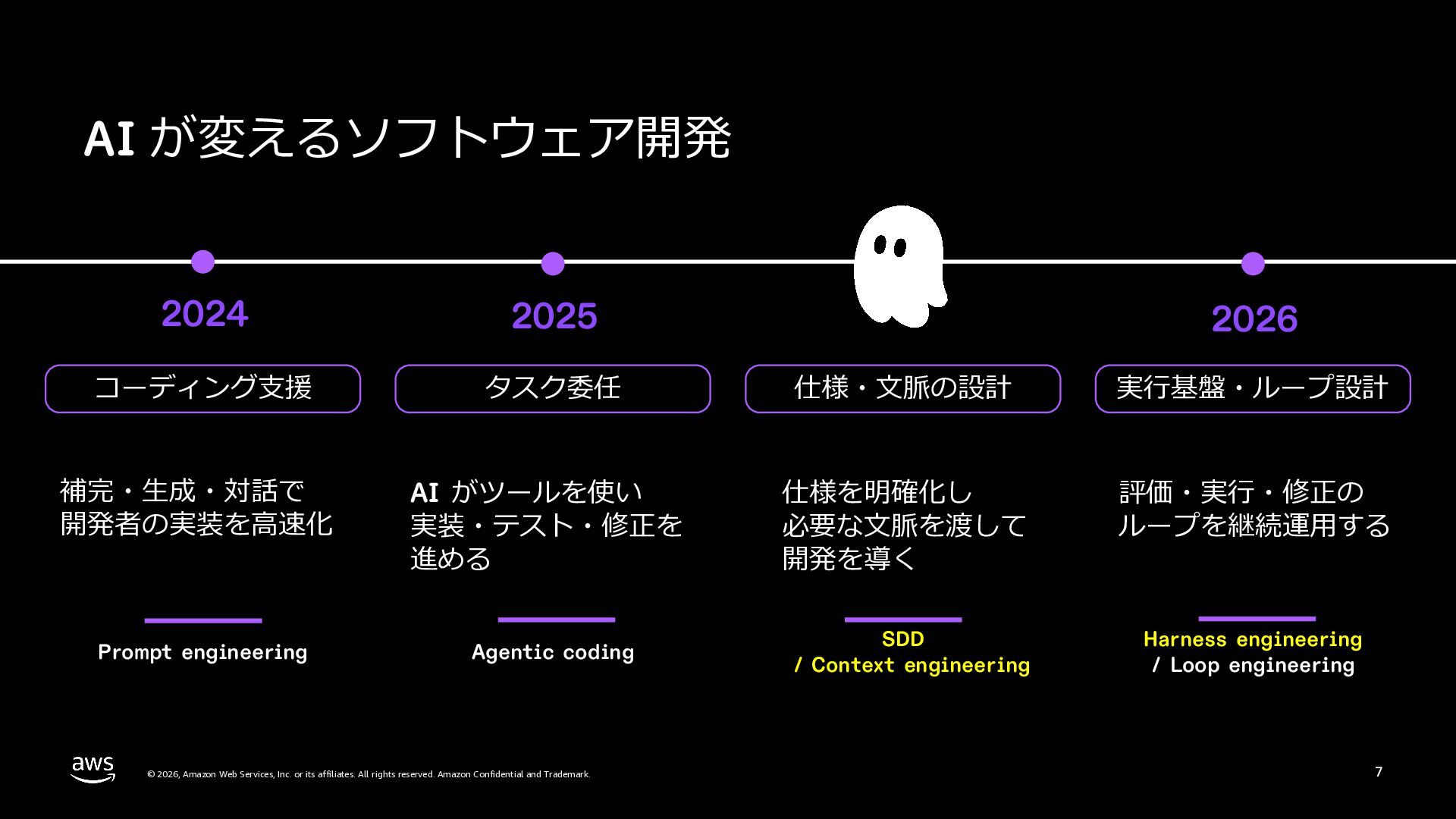
AI が変えるソフトウェア開発 2024 2025 コーディング⽀援 タスク委任 仕様・⽂脈の設計 実⾏基盤・ループ設計 補完・⽣成・対話で 開発者の実装を⾼速化
AI がツールを使い 実装・テスト・修正を 進める 仕様を明確化し 必要な⽂脈を渡して 開発を導く 評価・実⾏・修正の ループを継続運⽤する Prompt engineering Agentic coding SDD / Context engineering Harness engineering / Loop engineering © 2026, Amazon Web Services, Inc. or its affiliates. All rights reserved. Amazon Confidential and Trademark. 2026 7 -
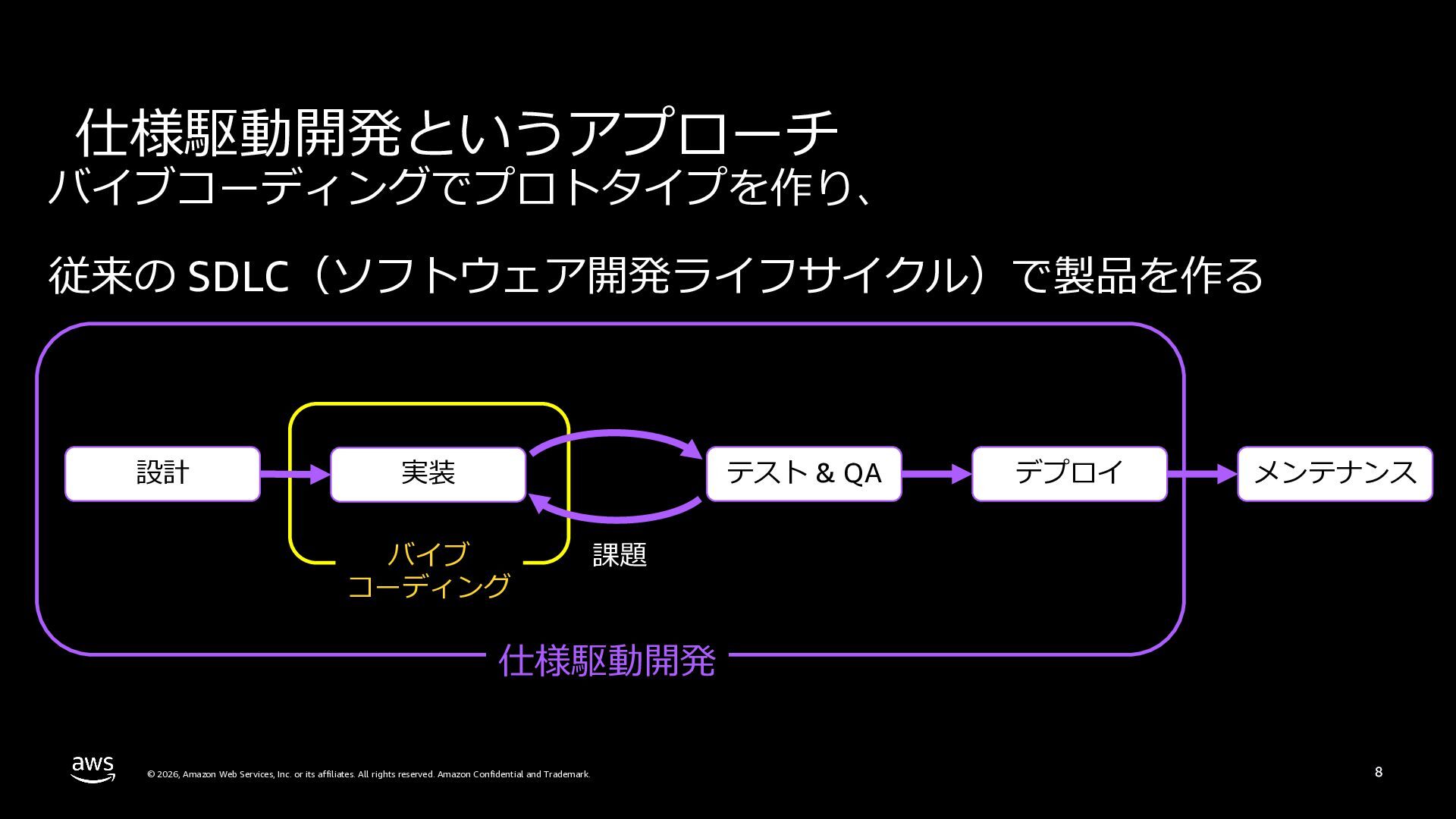
仕様駆動開発というアプローチ バイブコーディングでプロトタイプを作り、 従来の SDLC(ソフトウェア開発ライフサイクル)で製品を作る 設計 テスト & QA 実装 バイブ
コーディング デプロイ メンテナンス 課題 仕様駆動開発 © 2026, Amazon Web Services, Inc. or its affiliates. All rights reserved. Amazon Confidential and Trademark. 8 -
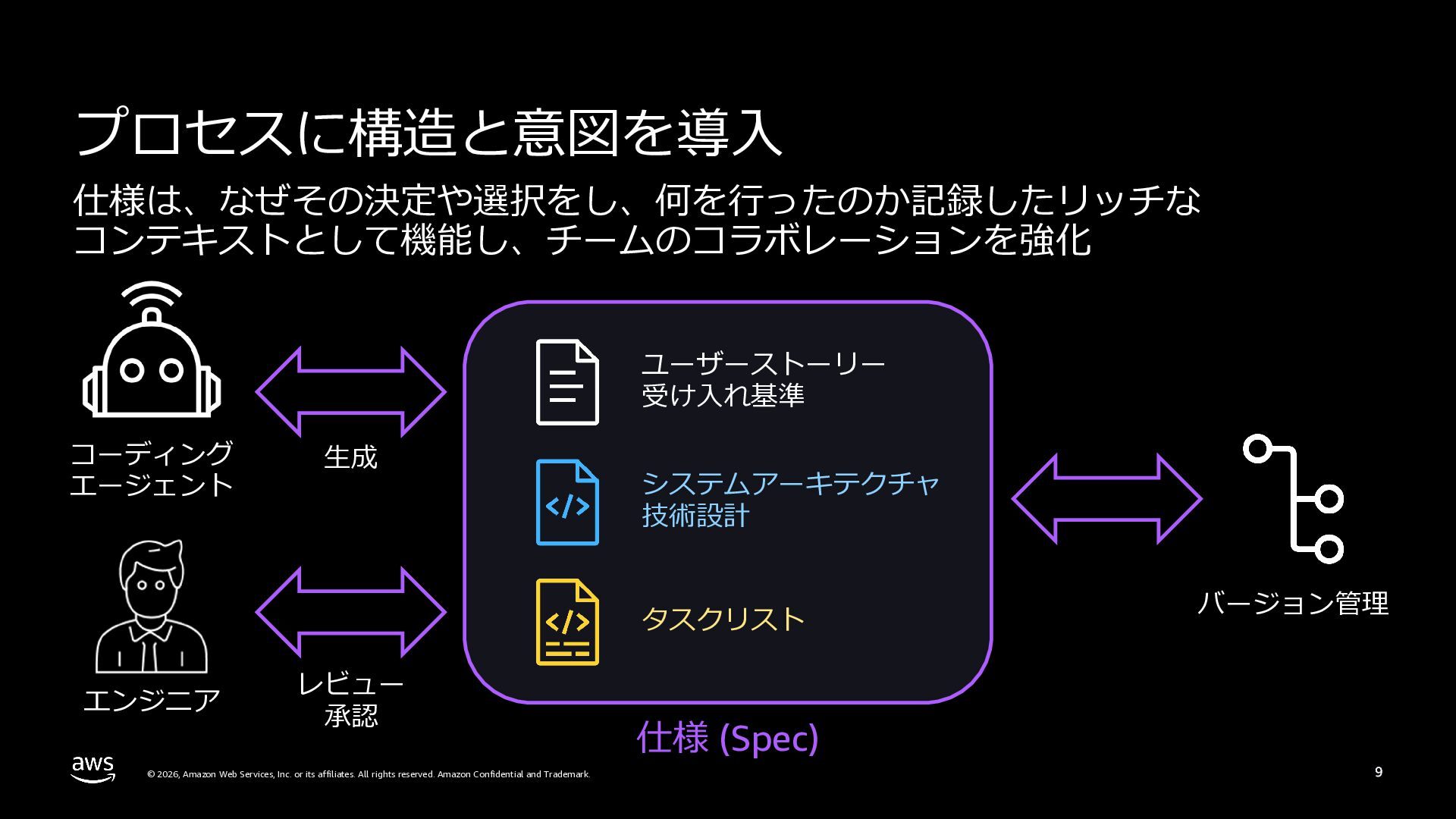
プロセスに構造と意図を導⼊ 仕様は、なぜその決定や選択をし、何を⾏ったのか記録したリッチな コンテキストとして機能し、チームのコラボレーションを強化 ユーザーストーリー 受け⼊れ基準 コーディング エージェント ⽣成 システムアーキテクチャ 技術設計
タスクリスト エンジニア レビュー 承認 © 2026, Amazon Web Services, Inc. or its affiliates. All rights reserved. Amazon Confidential and Trademark. 仕様 (Spec) バージョン管理 9 -
Kiro のご紹介 © 2026, Amazon Web Services, Inc. or its
affiliates. All rights reserved. Amazon Confidential and Trademark. 10 -
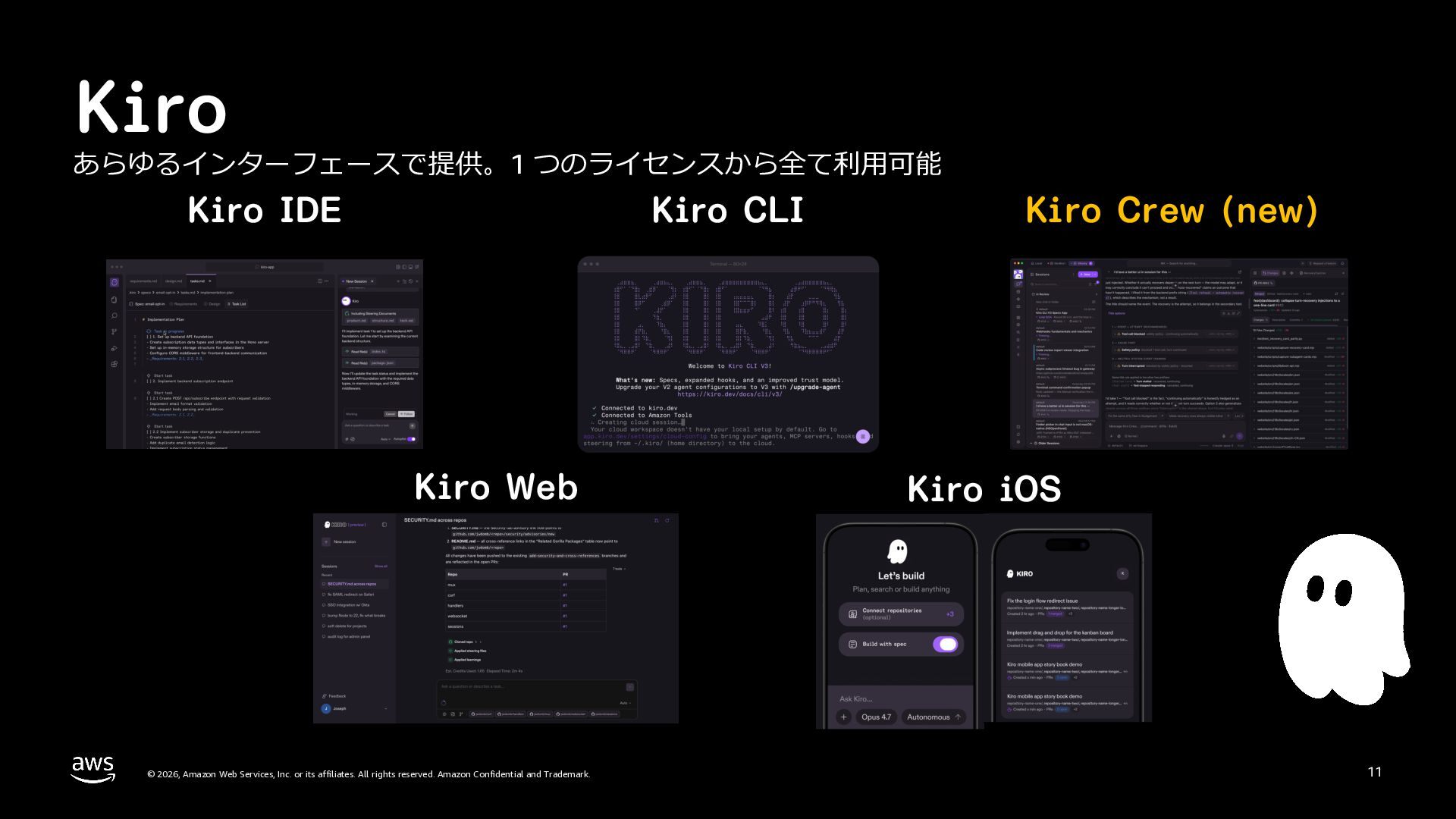
Kiro あらゆるインターフェースで提供。1 つのライセンスから全て利⽤可能 Kiro IDE Kiro CLI Kiro Web ©
2026, Amazon Web Services, Inc. or its affiliates. All rights reserved. Amazon Confidential and Trademark. Kiro Crew (new) Kiro iOS 11 -
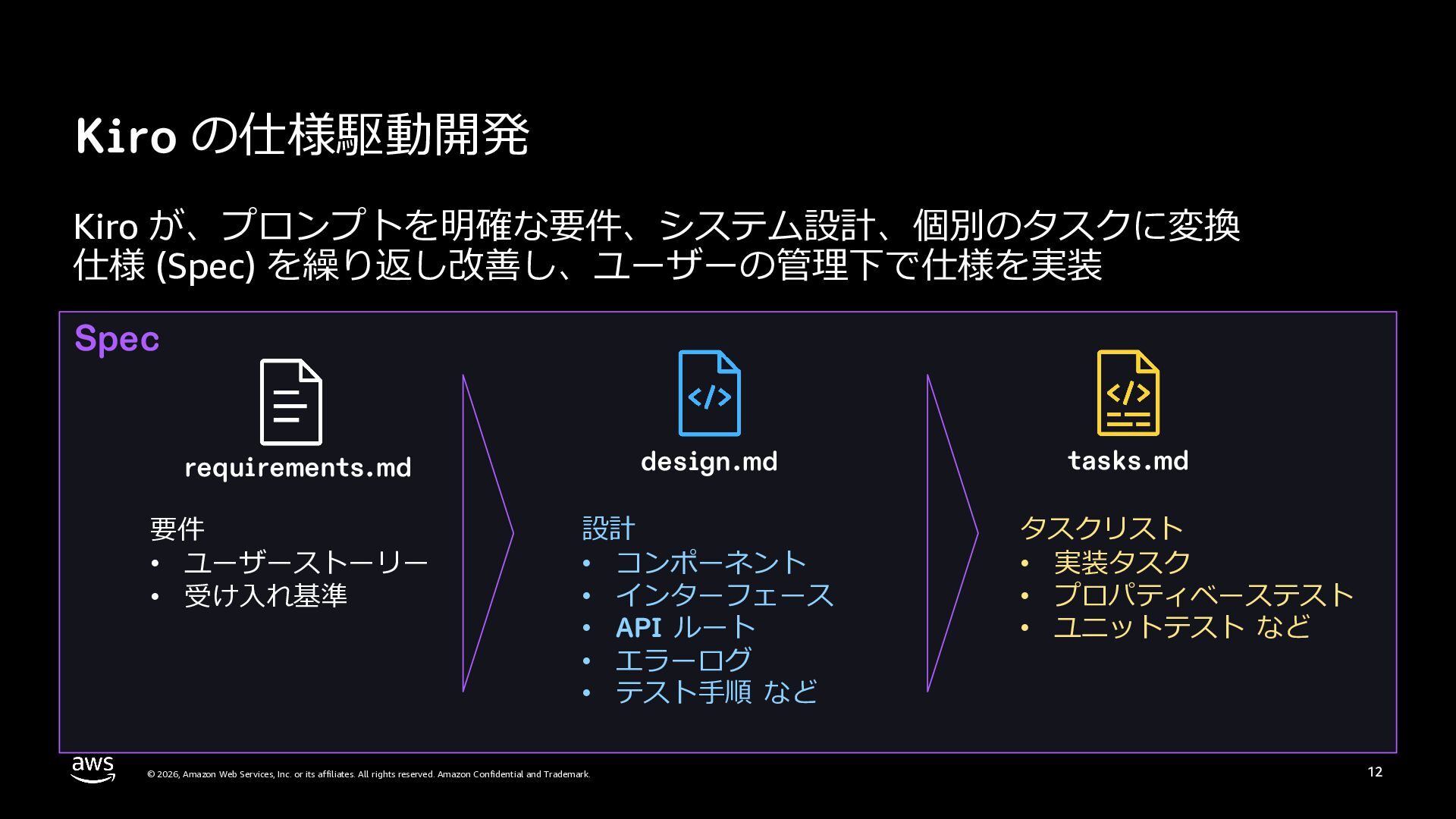
Kiro の仕様駆動開発 Kiro が、プロンプトを明確な要件、システム設計、個別のタスクに変換 仕様 (Spec) を繰り返し改善し、ユーザーの管理下で仕様を実装 Spec requirements.md design.md
要件 • ユーザーストーリー • 受け⼊れ基準 設計 • コンポーネント • インターフェース • API ルート • エラーログ • テスト⼿順 など © 2026, Amazon Web Services, Inc. or its affiliates. All rights reserved. Amazon Confidential and Trademark. tasks.md タスクリスト • 実装タスク • プロパティベーステスト • ユニットテスト など 12 -
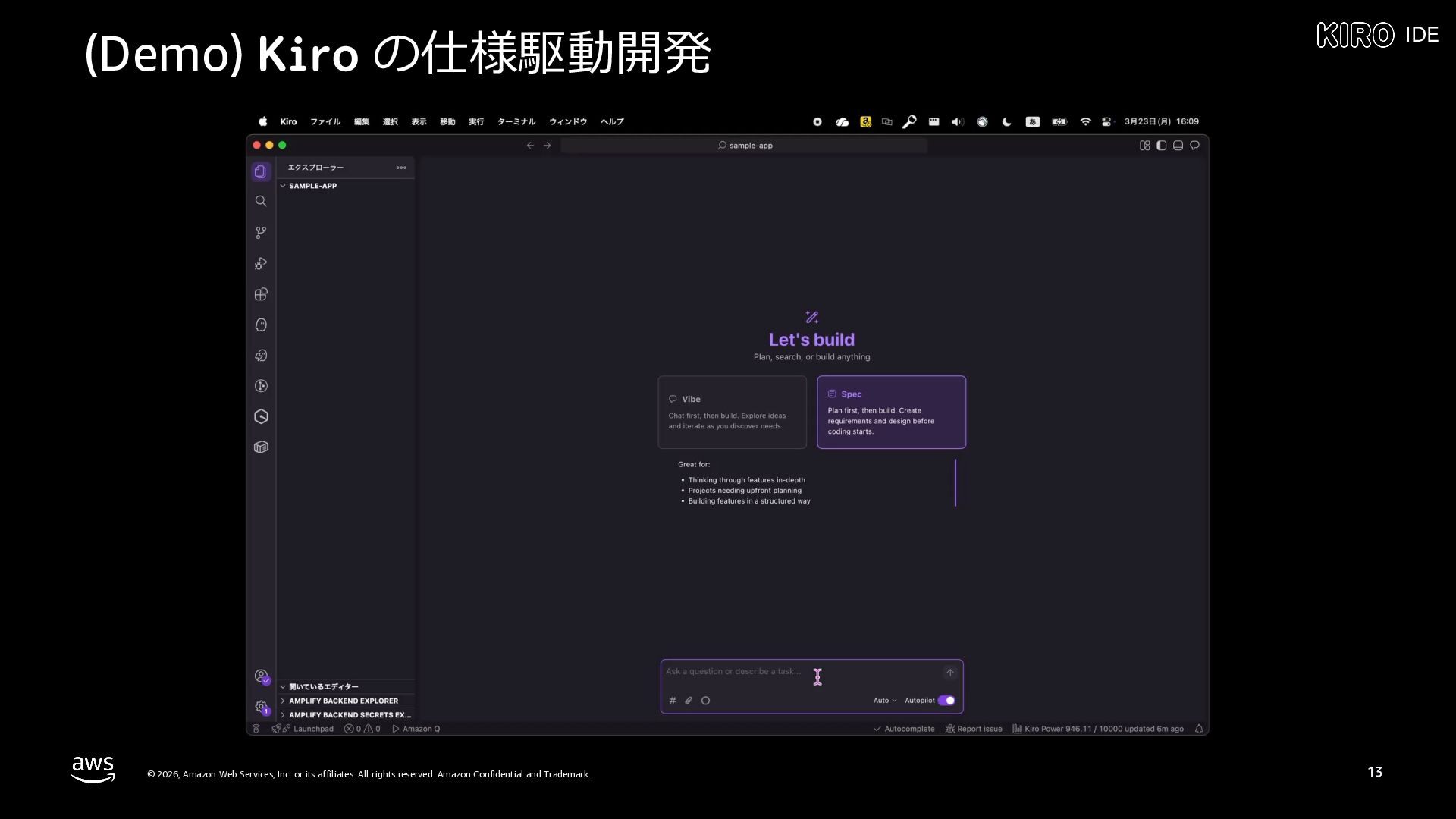
(Demo) Kiro の仕様駆動開発 © 2026, Amazon Web Services, Inc. or
its affiliates. All rights reserved. Amazon Confidential and Trademark. IDE 13 -
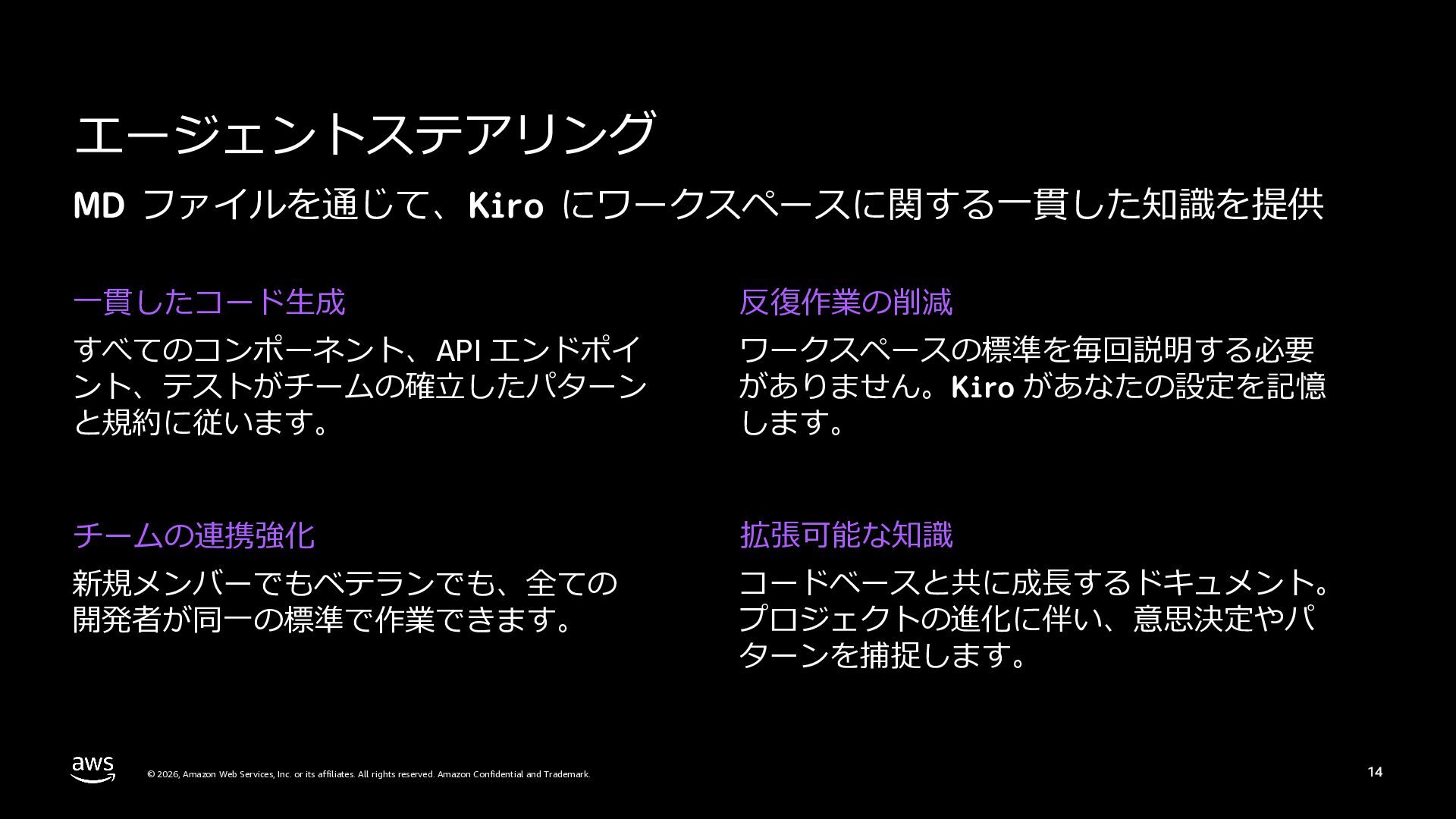
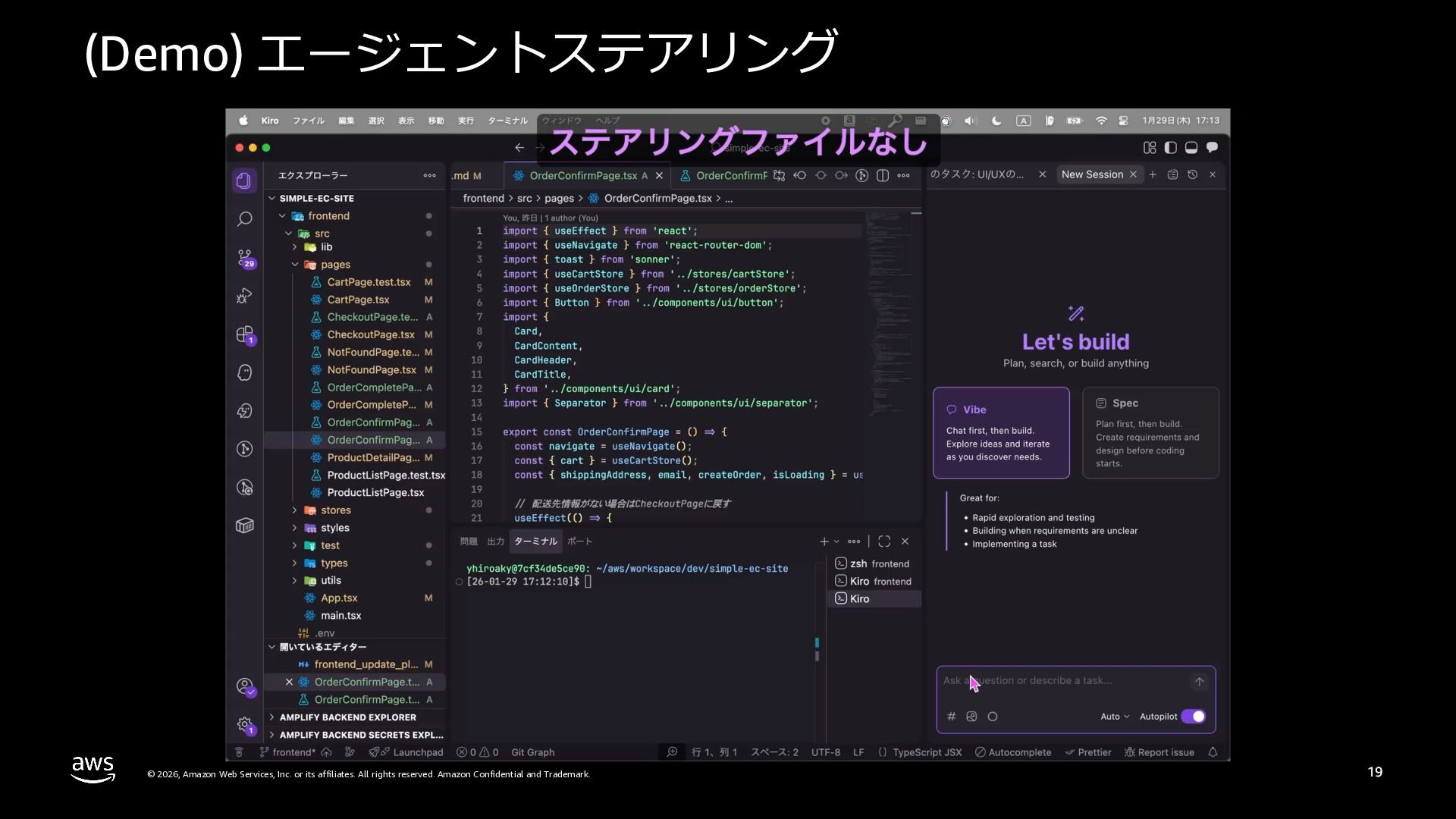
エージェントステアリング MD ファイルを通じて、Kiro にワークスペースに関する⼀貫した知識を提供 ⼀貫したコード⽣成 反復作業の削減 すべてのコンポーネント、API エンドポイ ント、テストがチームの確⽴したパターン と規約に従います。
ワークスペースの標準を毎回説明する必要 がありません。Kiro があなたの設定を記憶 します。 チームの連携強化 拡張可能な知識 新規メンバーでもベテランでも、全ての 開発者が同⼀の標準で作業できます。 コードベースと共に成⻑するドキュメント。 プロジェクトの進化に伴い、意思決定やパ ターンを捕捉します。 © 2026, Amazon Web Services, Inc. or its affiliates. All rights reserved. Amazon Confidential and Trademark. 14 -
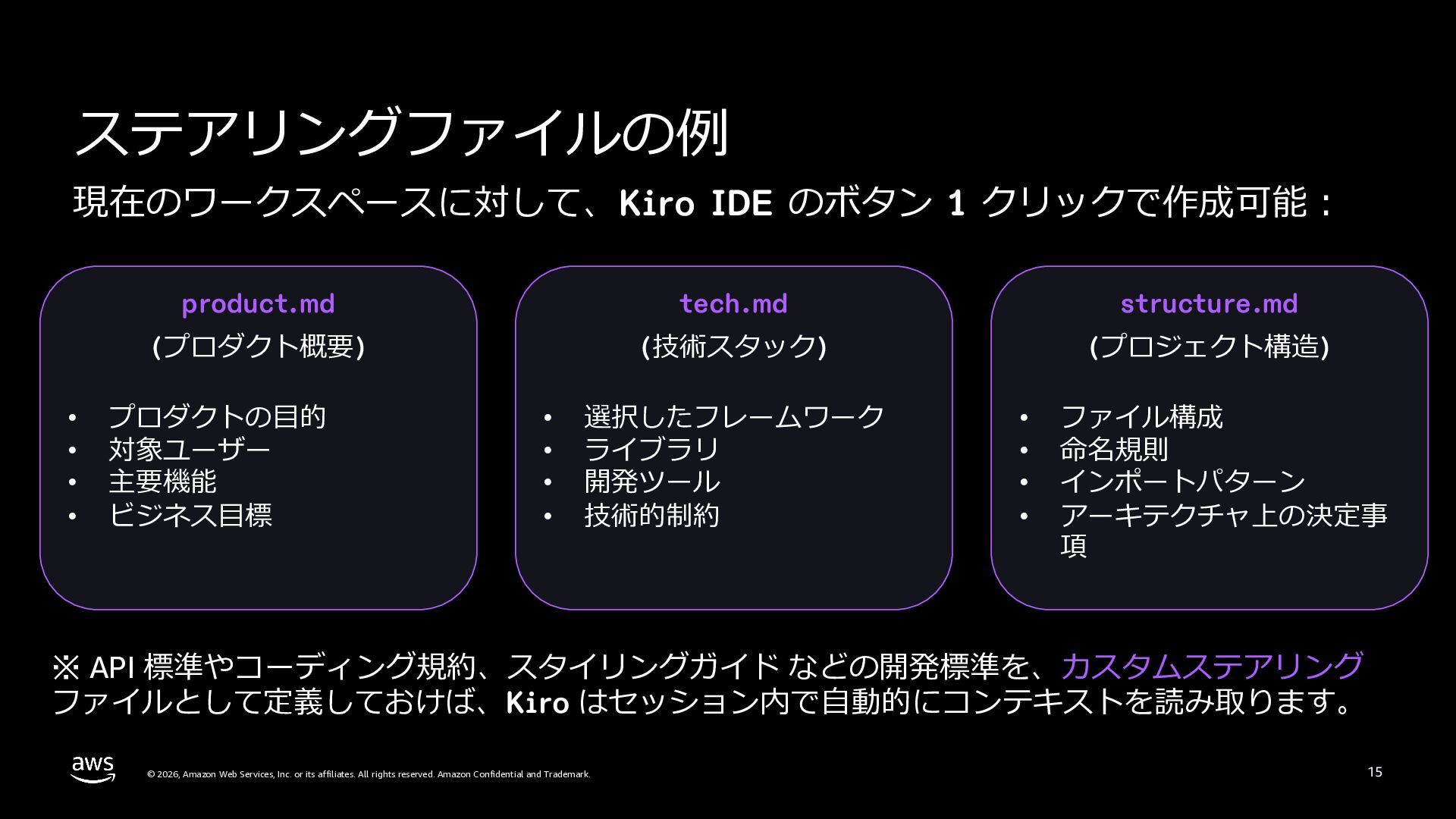
ステアリングファイルの例 現在のワークスペースに対して、Kiro IDE のボタン 1 クリックで作成可能︓ • • • •
product.md tech.md structure.md (プロダクト概要) (技術スタック) (プロジェクト構造) プロダクトの⽬的 対象ユーザー 主要機能 ビジネス⽬標 • • • • 選択したフレームワーク ライブラリ 開発ツール 技術的制約 • • • • ファイル構成 命名規則 インポートパターン アーキテクチャ上の決定事 項 ※ API 標準やコーディング規約、スタイリングガイド などの開発標準を、カスタムステアリング ファイルとして定義しておけば、Kiro はセッション内で⾃動的にコンテキストを読み取ります。 © 2026, Amazon Web Services, Inc. or its affiliates. All rights reserved. Amazon Confidential and Trademark. 15 -
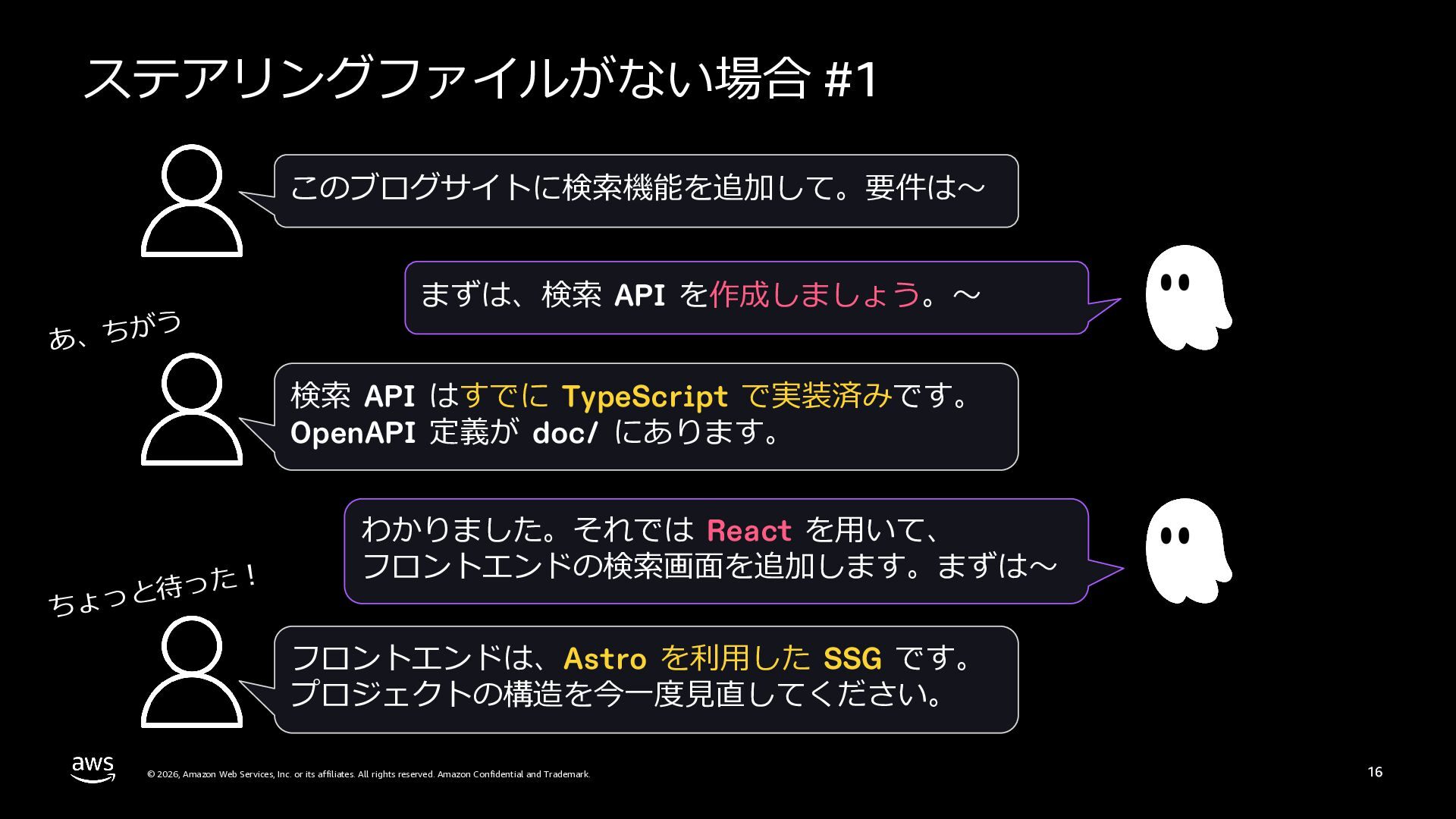
ステアリングファイルがない場合 #1 このブログサイトに検索機能を追加して。要件は〜 う あ、ちが まずは、検索 API を作成しましょう。〜 検索 API
はすでに TypeScript で実装済みです。 OpenAPI 定義が doc/ にあります。 た︕ っ 待 と ちょっ わかりました。それでは React を⽤いて、 フロントエンドの検索画⾯を追加します。まずは〜 フロントエンドは、Astro を利⽤した SSG です。 プロジェクトの構造を今⼀度⾒直してください。 © 2026, Amazon Web Services, Inc. or its affiliates. All rights reserved. Amazon Confidential and Trademark. 16 -
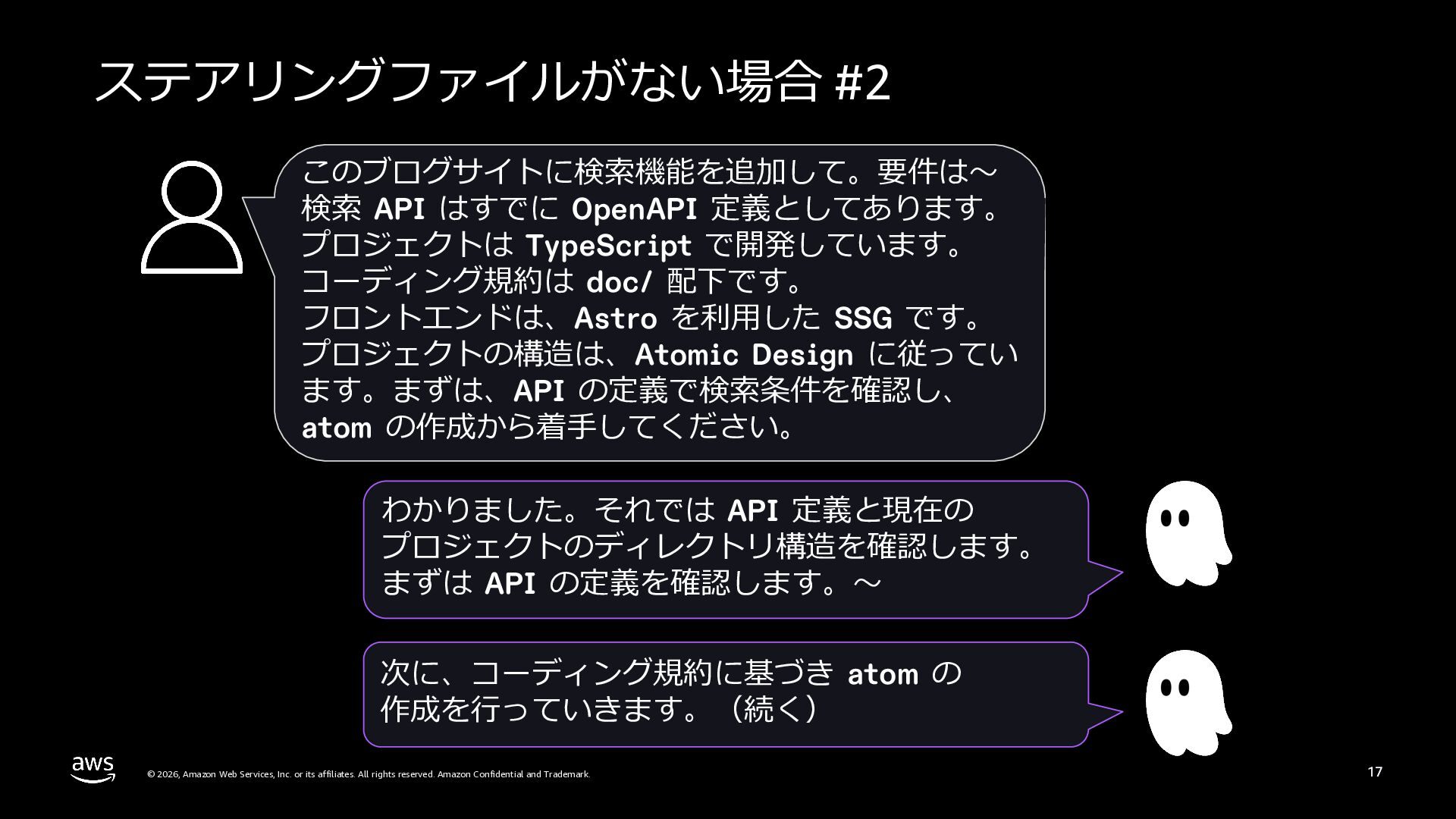
ステアリングファイルがない場合 #2 このブログサイトに検索機能を追加して。要件は〜 検索 API はすでに OpenAPI 定義としてあります。 プロジェクトは TypeScript
で開発しています。 コーディング規約は doc/ 配下です。 フロントエンドは、Astro を利⽤した SSG です。 プロジェクトの構造は、Atomic Design に従ってい ます。まずは、API の定義で検索条件を確認し、 atom の作成から着⼿してください。 わかりました。それでは API 定義と現在の プロジェクトのディレクトリ構造を確認します。 まずは API の定義を確認します。〜 次に、コーディング規約に基づき atom の 作成を⾏っていきます。(続く) © 2026, Amazon Web Services, Inc. or its affiliates. All rights reserved. Amazon Confidential and Trademark. 17 -
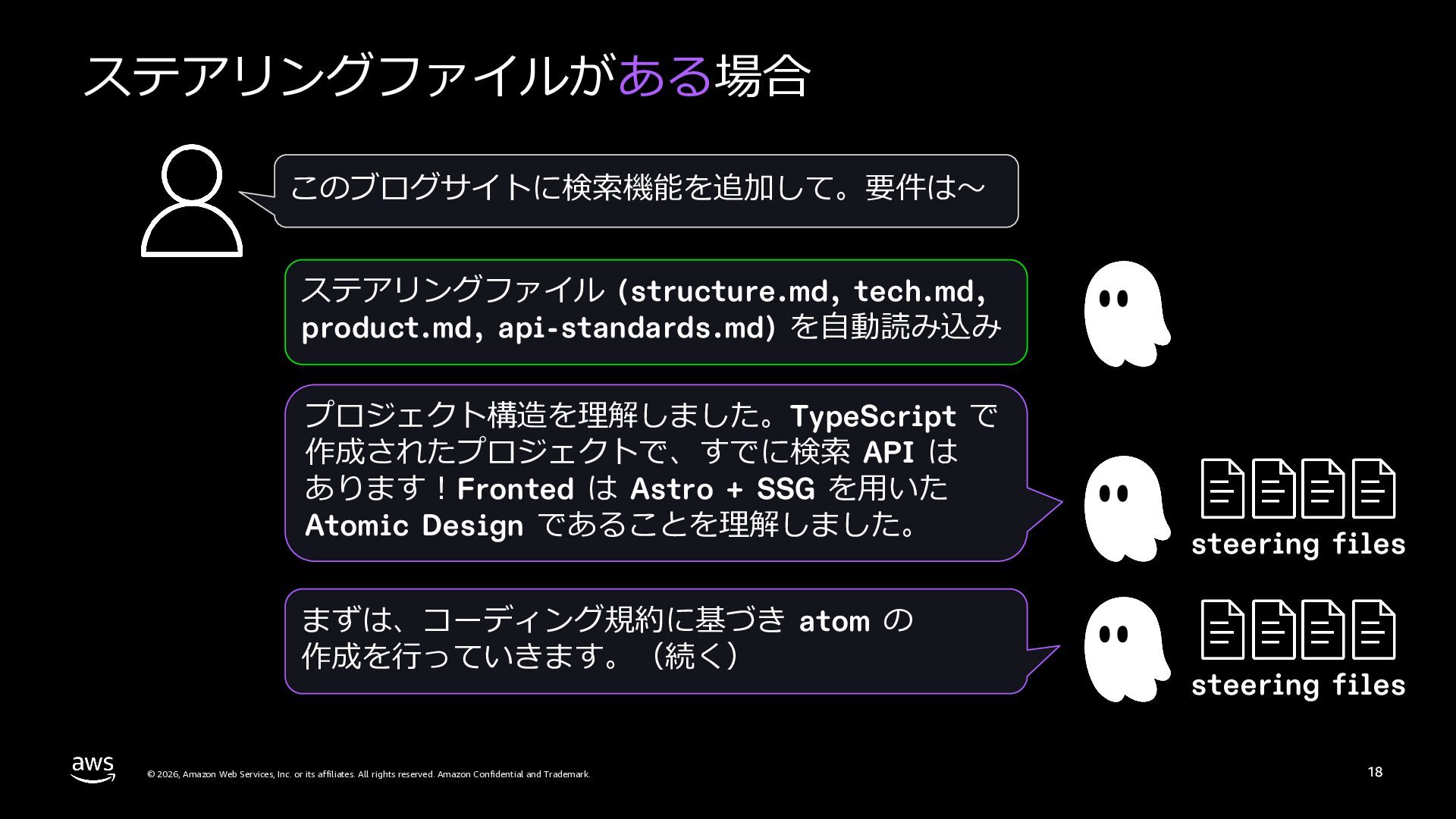
ステアリングファイルがある場合 このブログサイトに検索機能を追加して。要件は〜 ステアリングファイル (structure.md, tech.md, product.md, api-standards.md) を⾃動読み込み プロジェクト構造を理解しました。TypeScript で
作成されたプロジェクトで、すでに検索 API は あります︕Fronted は Astro + SSG を⽤いた Atomic Design であることを理解しました。 まずは、コーディング規約に基づき atom の 作成を⾏っていきます。(続く) © 2026, Amazon Web Services, Inc. or its affiliates. All rights reserved. Amazon Confidential and Trademark. steering files steering files 18 -
(Demo) エージェントステアリング © 2026, Amazon Web Services, Inc. or its
affiliates. All rights reserved. Amazon Confidential and Trademark. 19 -
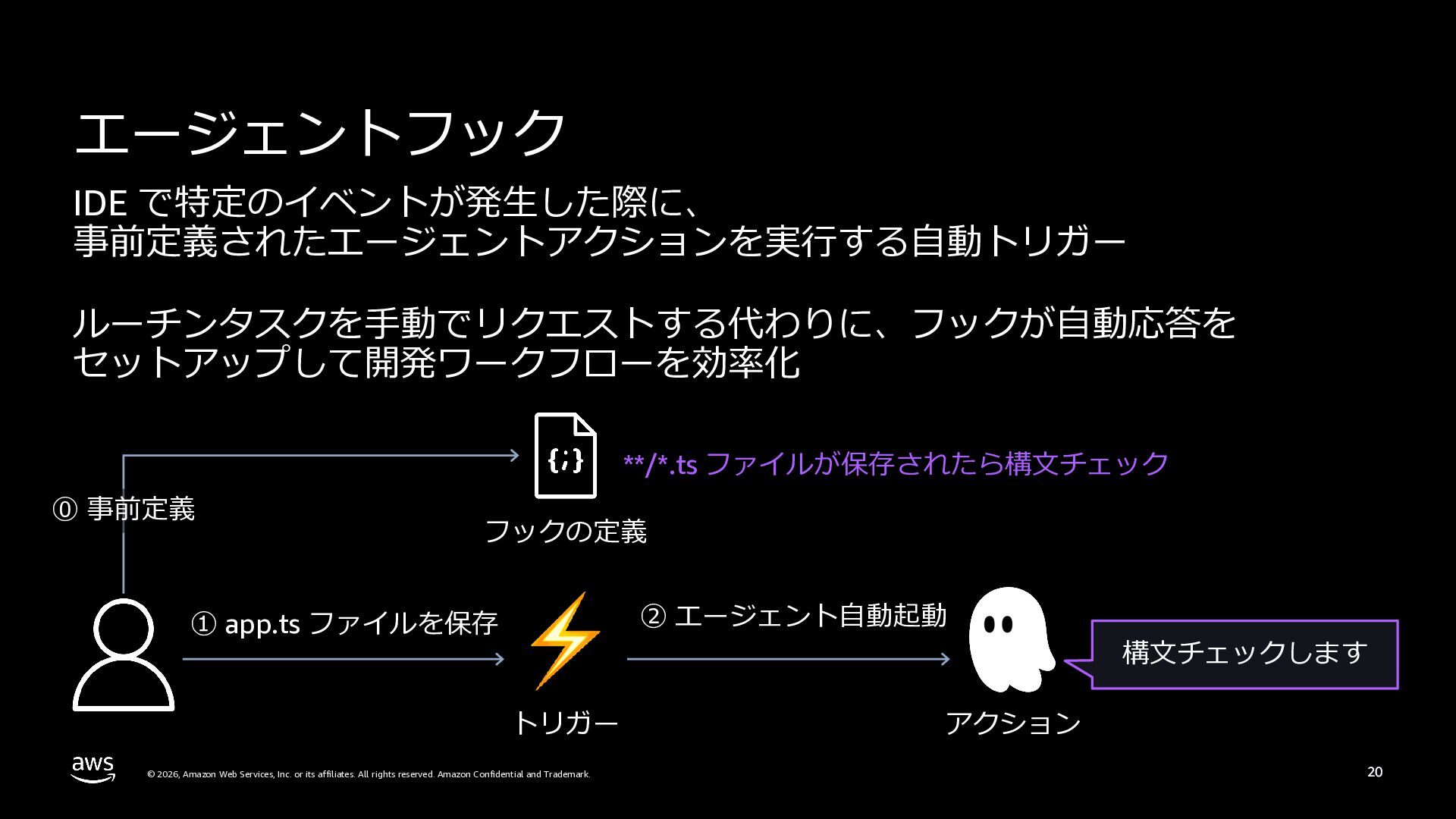
エージェントフック IDE で特定のイベントが発⽣した際に、 事前定義されたエージェントアクションを実⾏する⾃動トリガー ルーチンタスクを⼿動でリクエストする代わりに、フックが⾃動応答を セットアップして開発ワークフローを効率化 **/*.ts ファイルが保存されたら構⽂チェック ⓪ 事前定義
フックの定義 ① app.ts ファイルを保存 ⚡ トリガー © 2026, Amazon Web Services, Inc. or its affiliates. All rights reserved. Amazon Confidential and Trademark. ② エージェント⾃動起動 構⽂チェックします アクション 20 -
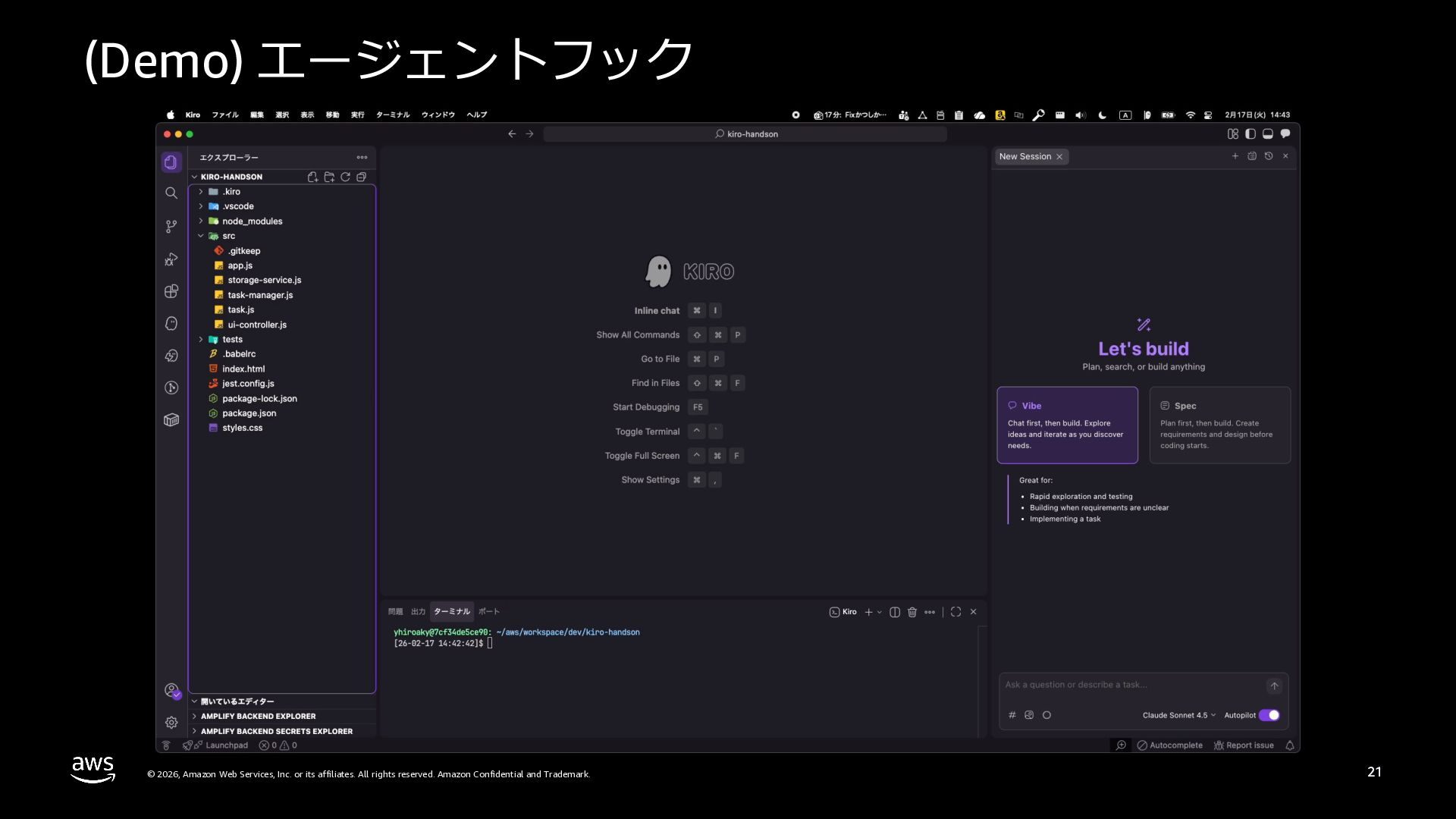
(Demo) エージェントフック © 2026, Amazon Web Services, Inc. or its
affiliates. All rights reserved. Amazon Confidential and Trademark. 21 -
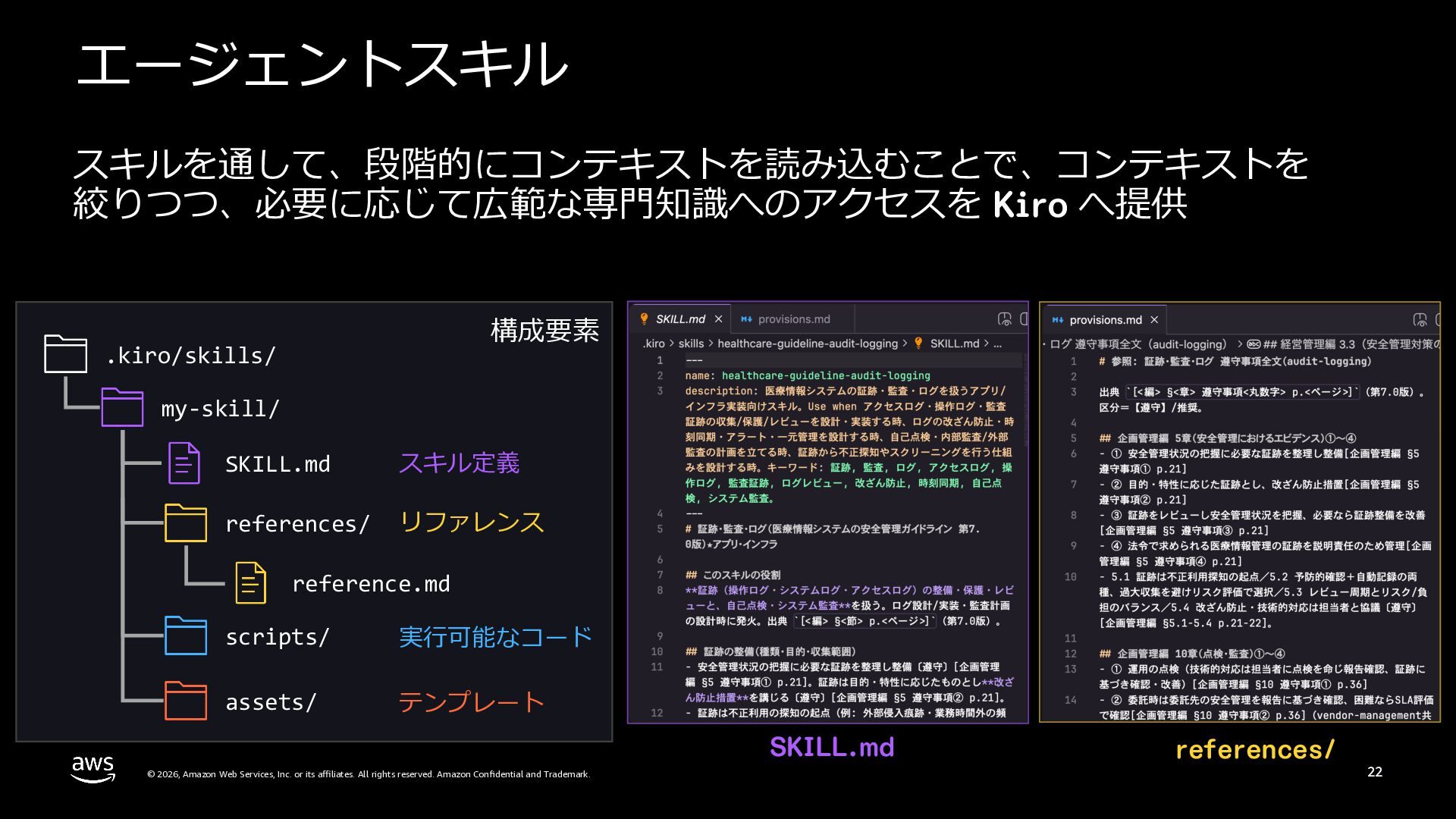
エージェントスキル スキルを通して、段階的にコンテキストを読み込むことで、コンテキストを 絞りつつ、必要に応じて広範な専⾨知識へのアクセスを Kiro へ提供 構成要素 .kiro/skills/ my-skill/ SKILL.md スキル定義
references/ リファレンス reference.md scripts/ 実⾏可能なコード assets/ テンプレート SKILL.md © 2026, Amazon Web Services, Inc. or its affiliates. All rights reserved. Amazon Confidential and Trademark. references/ 22 -
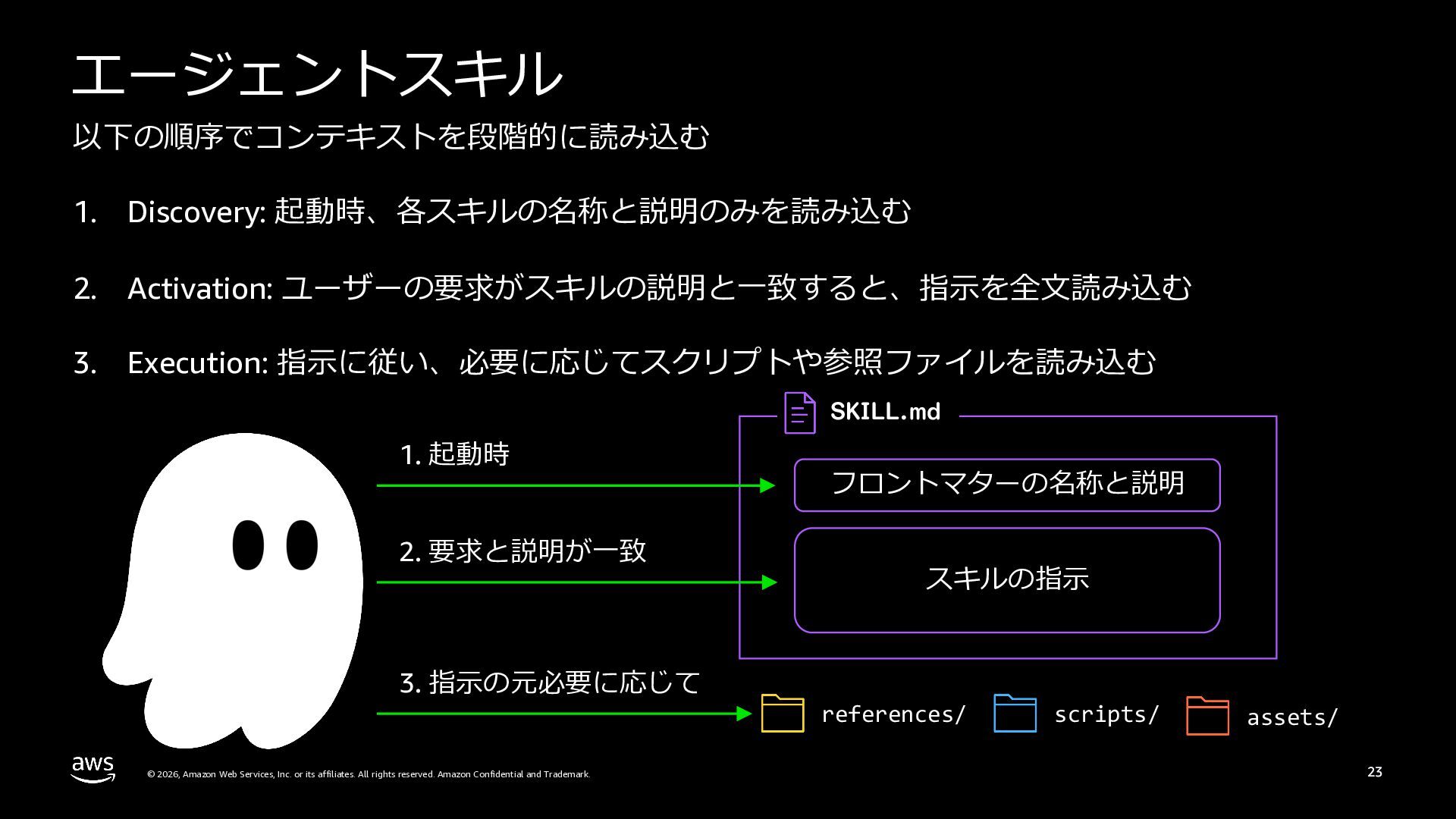
エージェントスキル 以下の順序でコンテキストを段階的に読み込む 1. Discovery: 起動時、各スキルの名称と説明のみを読み込む 2. Activation: ユーザーの要求がスキルの説明と⼀致すると、指⽰を全⽂読み込む 3. Execution:
指⽰に従い、必要に応じてスクリプトや参照ファイルを読み込む SKILL.md 1. 起動時 2. 要求と説明が⼀致 3. 指⽰の元必要に応じて © 2026, Amazon Web Services, Inc. or its affiliates. All rights reserved. Amazon Confidential and Trademark. フロントマターの名称と説明 スキルの指⽰ references/ scripts/ assets/ 23 -
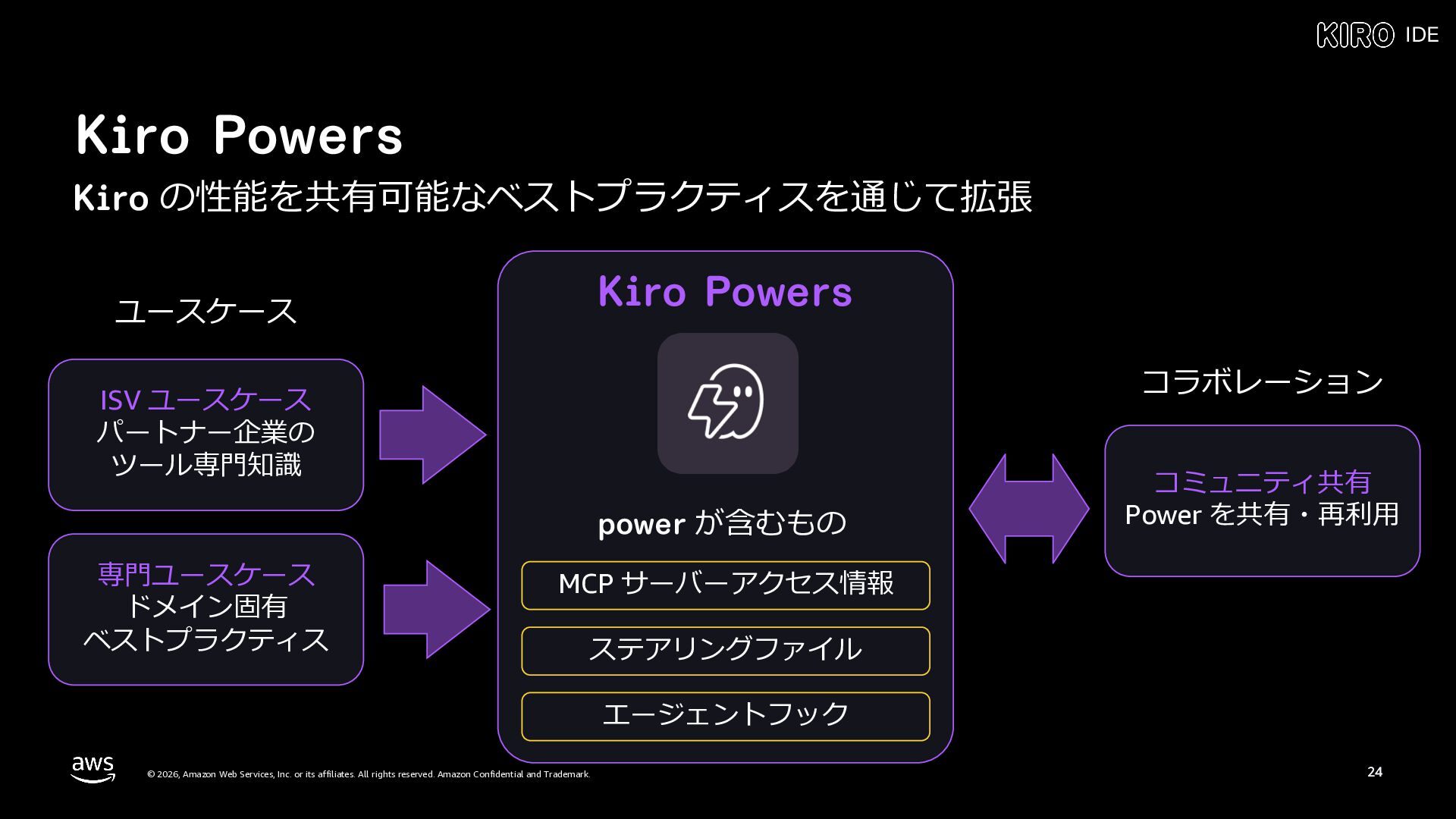
IDE Kiro Powers Kiro の性能を共有可能なベストプラクティスを通じて拡張 Kiro Powers ユースケース コラボレーション ISV
ユースケース パートナー企業の ツール専⾨知識 power が含むもの 専⾨ユースケース ドメイン固有 ベストプラクティス コミュニティ共有 Power を共有・再利⽤ MCP サーバーアクセス情報 ステアリングファイル エージェントフック © 2026, Amazon Web Services, Inc. or its affiliates. All rights reserved. Amazon Confidential and Trademark. 24 -
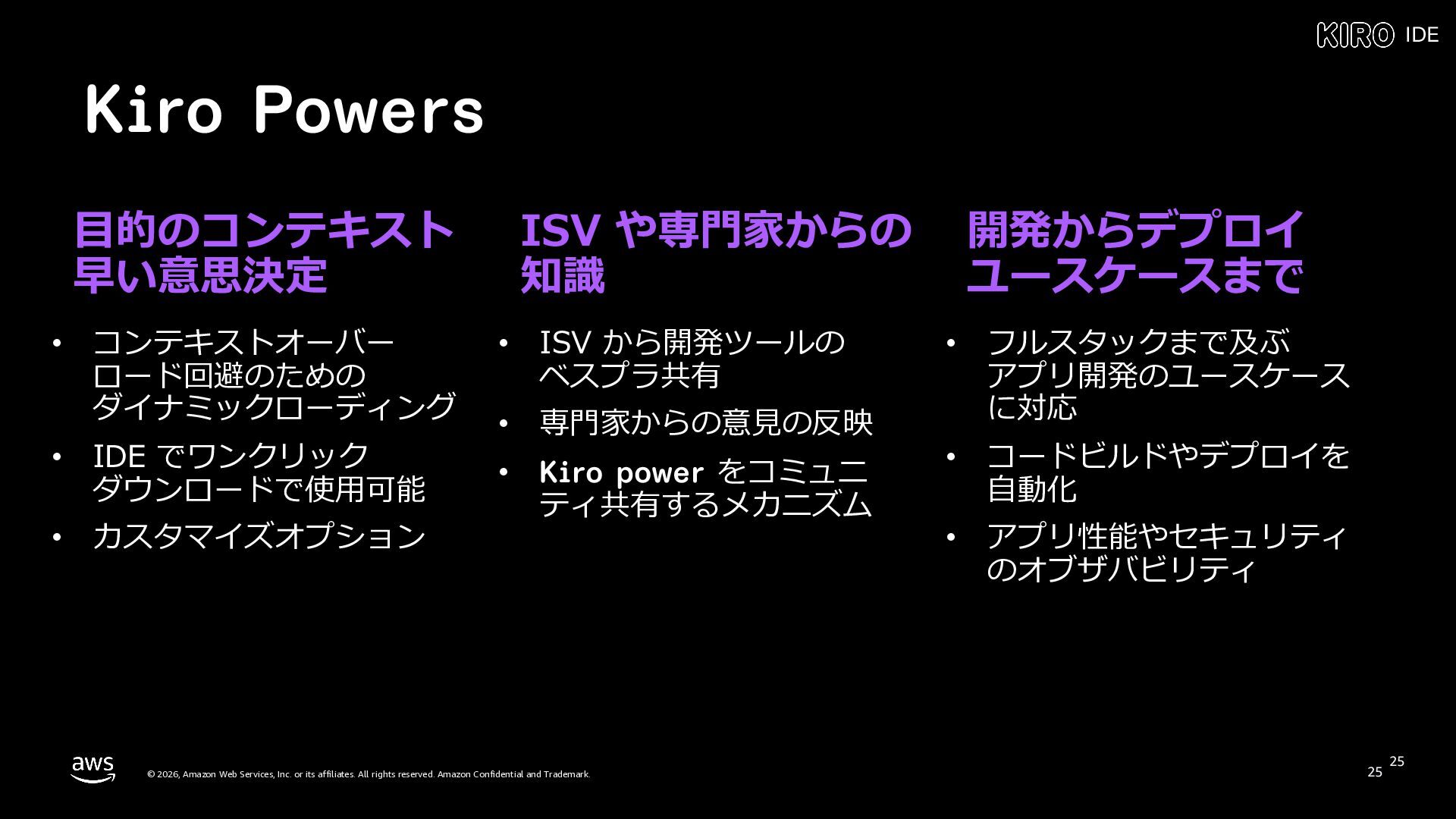
IDE Kiro Powers ⽬的のコンテキスト 早い意思決定 • コンテキストオーバー ロード回避のための ダイナミックローディング •
IDE でワンクリック ダウンロードで使⽤可能 • カスタマイズオプション ISV や専⾨家からの 知識 • ISV から開発ツールの ベスプラ共有 • 専⾨家からの意⾒の反映 • Kiro power をコミュニ ティ共有するメカニズム © 2026, Amazon Web Services, Inc. or its affiliates. All rights reserved. Amazon Confidential and Trademark. 開発からデプロイ ユースケースまで • フルスタックまで及ぶ アプリ開発のユースケース に対応 • コードビルドやデプロイを ⾃動化 • アプリ性能やセキュリティ のオブザバビリティ 25 25 -
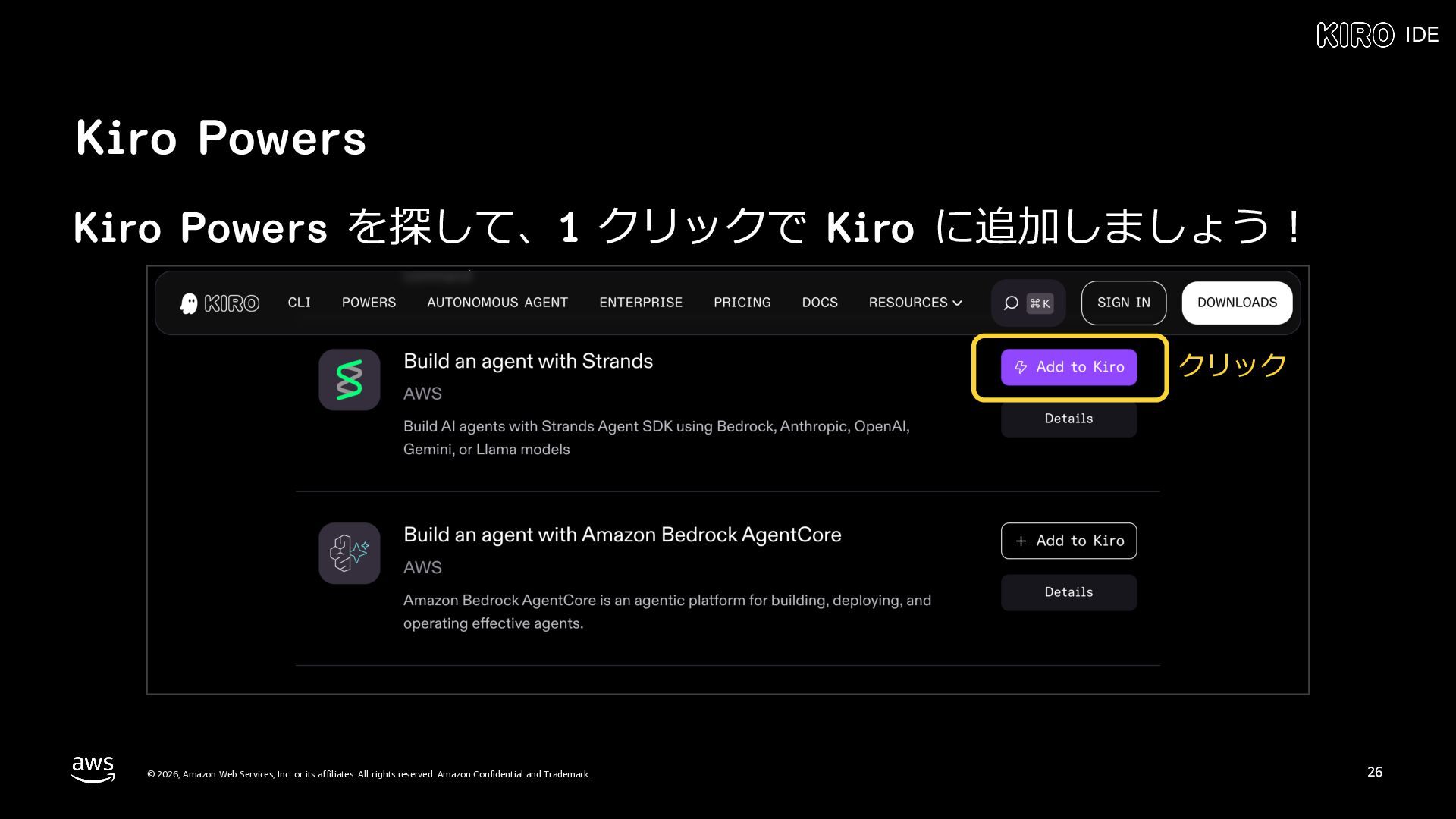
IDE Kiro Powers Kiro Powers を探して、1 クリックで Kiro に追加しましょう︕ クリック
© 2026, Amazon Web Services, Inc. or its affiliates. All rights reserved. Amazon Confidential and Trademark. 26 -
その他の便利な機能 © 2026, Amazon Web Services, Inc. or its affiliates.
All rights reserved. Amazon Confidential and Trademark. 27 -
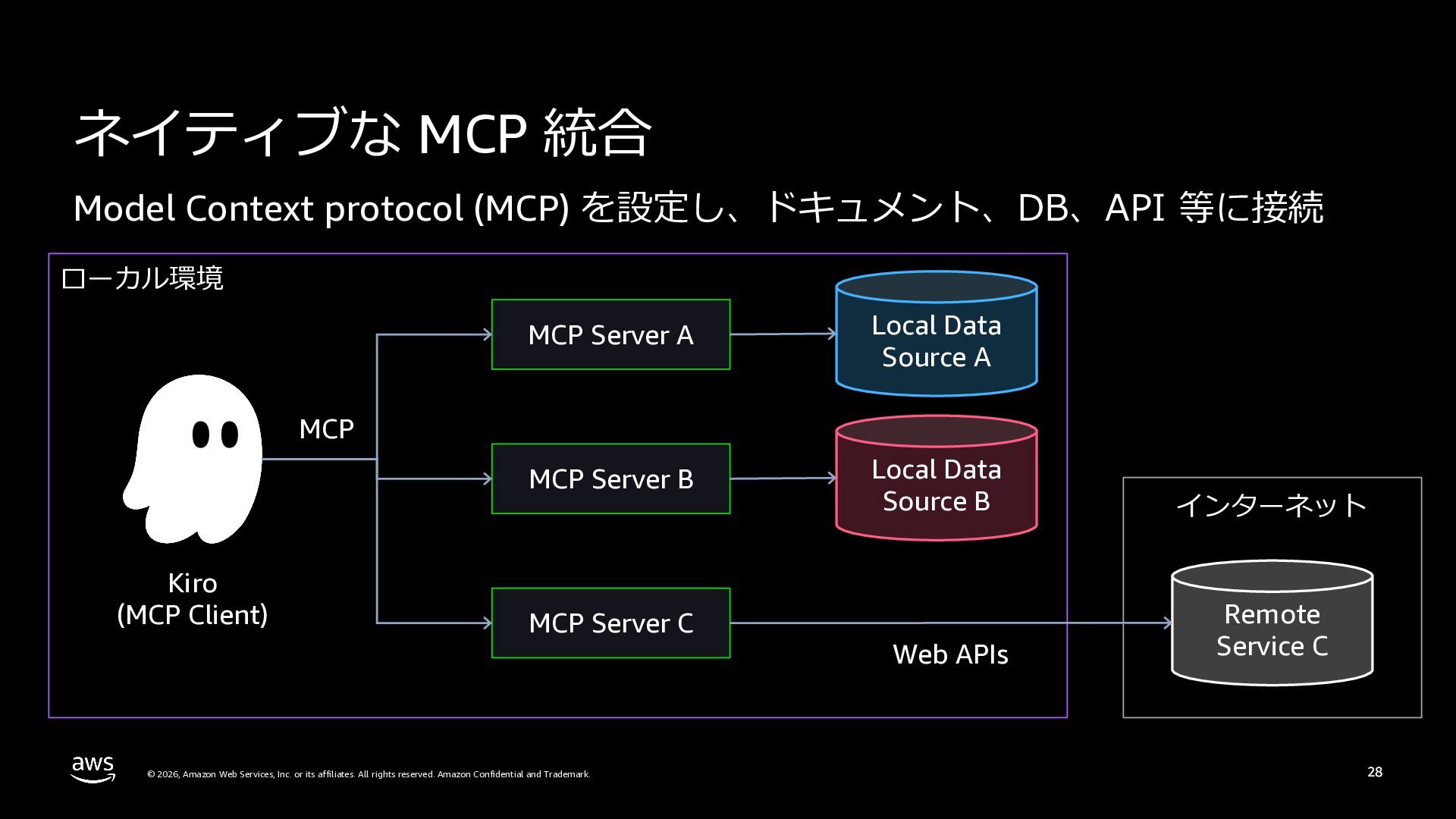
ネイティブな MCP 統合 Model Context protocol (MCP) を設定し、ドキュメント、DB、API 等に接続 ローカル環境
MCP Server A Local Data Source A MCP Server B Local Data Source B インターネット Web APIs Remote Service C MCP Kiro (MCP Client) MCP Server C © 2026, Amazon Web Services, Inc. or its affiliates. All rights reserved. Amazon Confidential and Trademark. 28 -
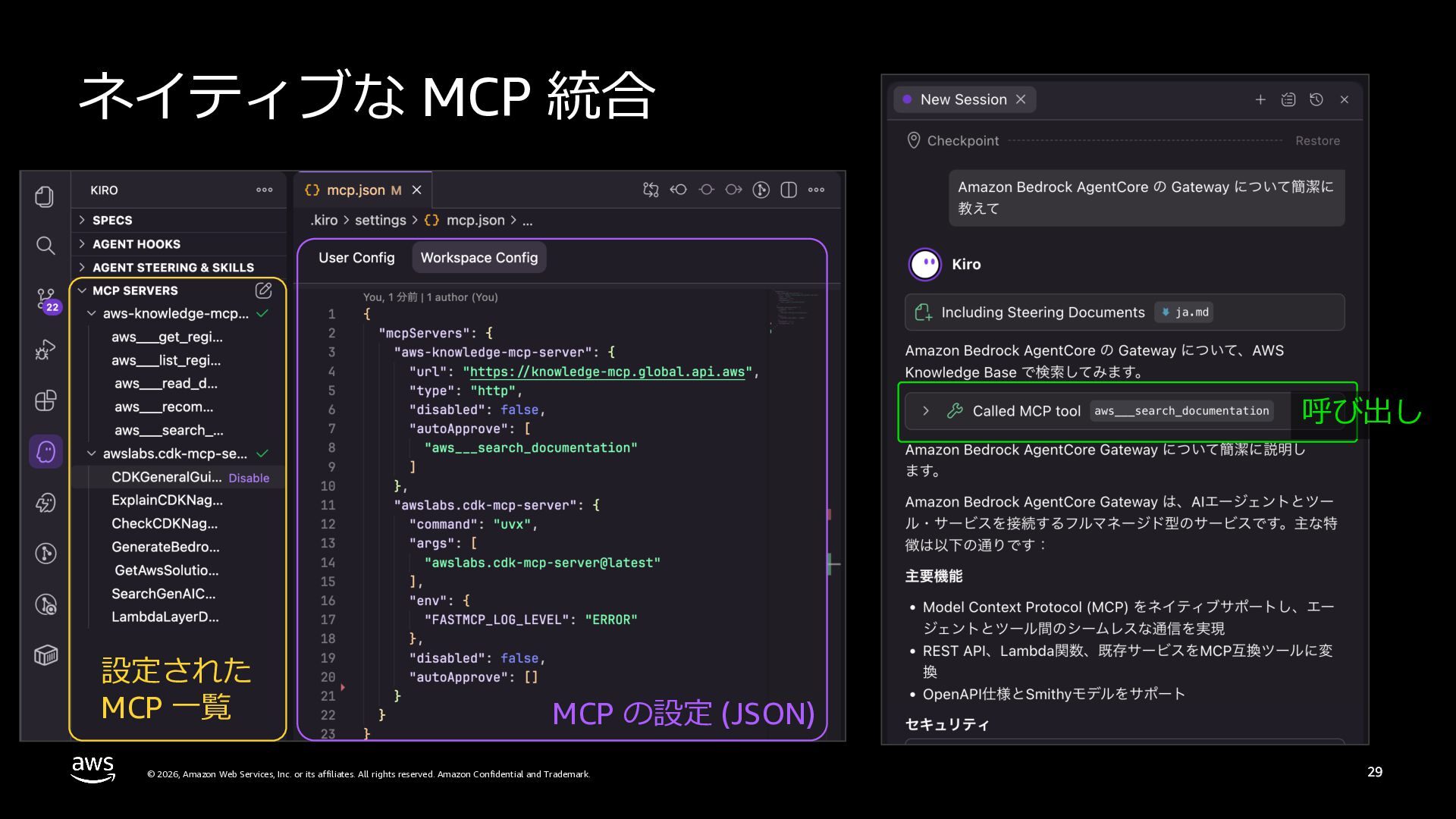
ネイティブな MCP 統合 https://kiro.dev/docs/mcp/ 呼び出し 設定された MCP ⼀覧 MCP の設定
(JSON) © 2026, Amazon Web Services, Inc. or its affiliates. All rights reserved. Amazon Confidential and Trademark. 29 -
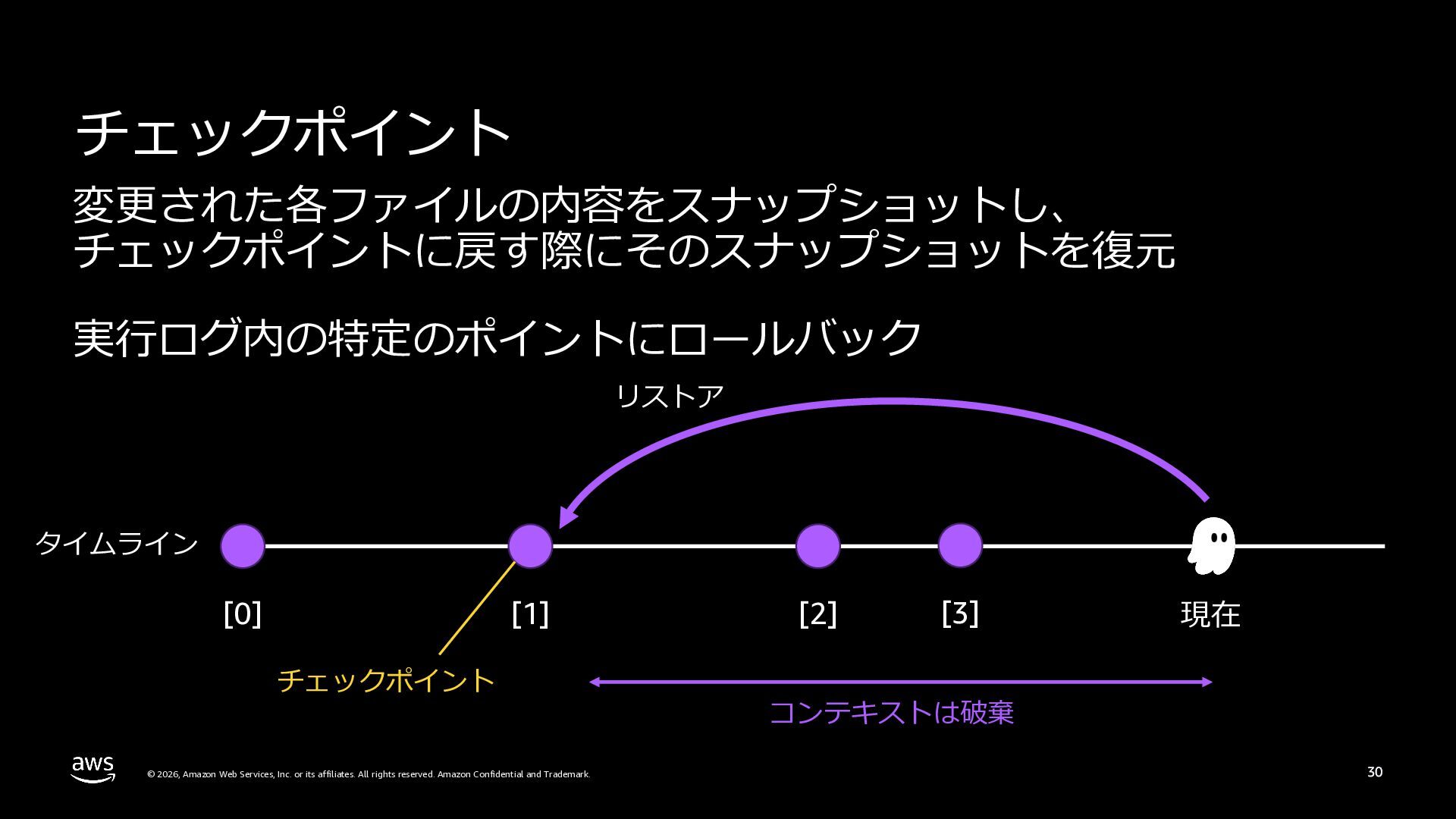
チェックポイント 変更された各ファイルの内容をスナップショットし、 チェックポイントに戻す際にそのスナップショットを復元 実⾏ログ内の特定のポイントにロールバック リストア タイムライン [0] [1] チェックポイント ©
2026, Amazon Web Services, Inc. or its affiliates. All rights reserved. Amazon Confidential and Trademark. [2] [3] 現在 コンテキストは破棄 30 -
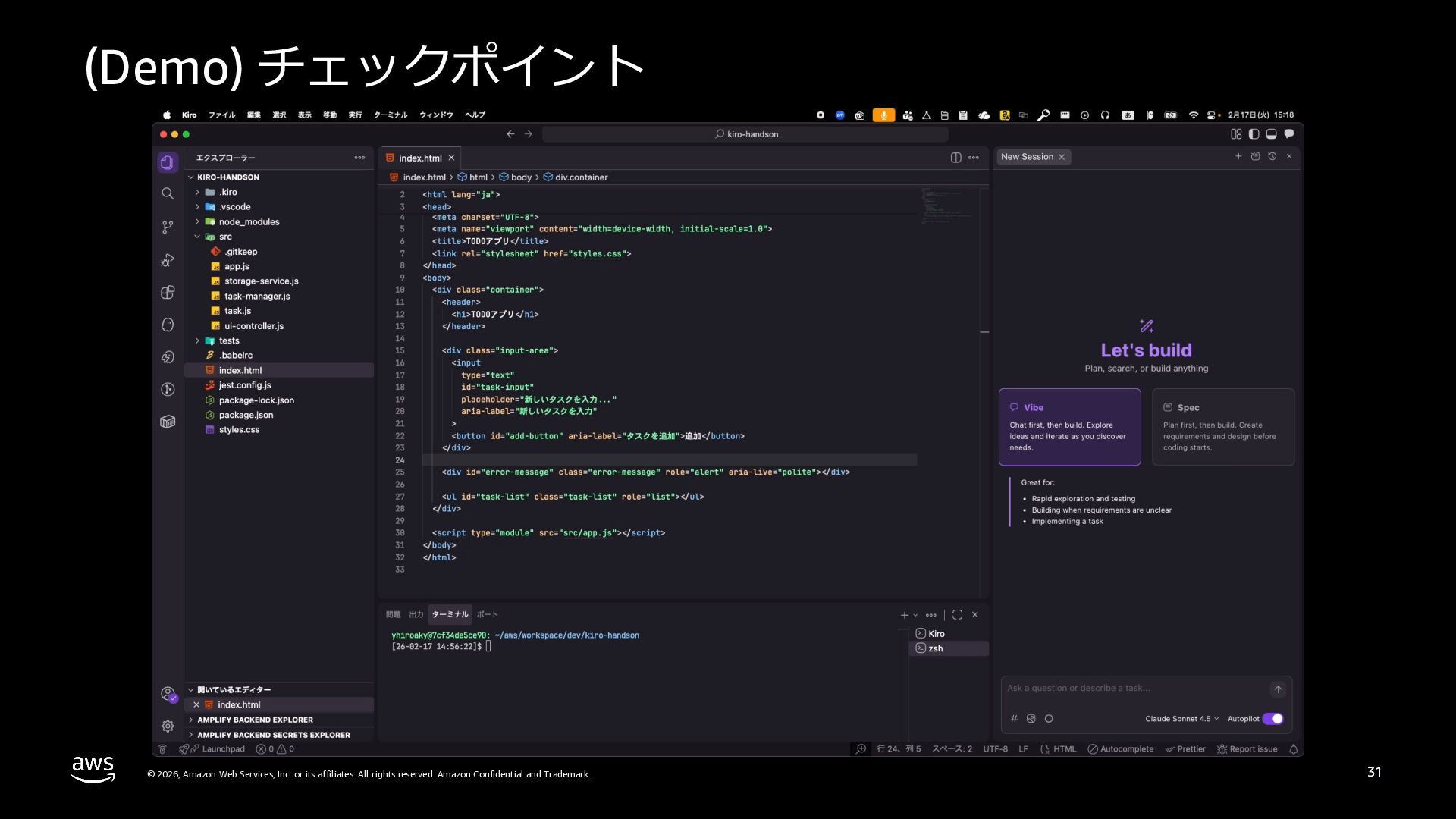
(Demo) チェックポイント © 2026, Amazon Web Services, Inc. or its
affiliates. All rights reserved. Amazon Confidential and Trademark. 31 -
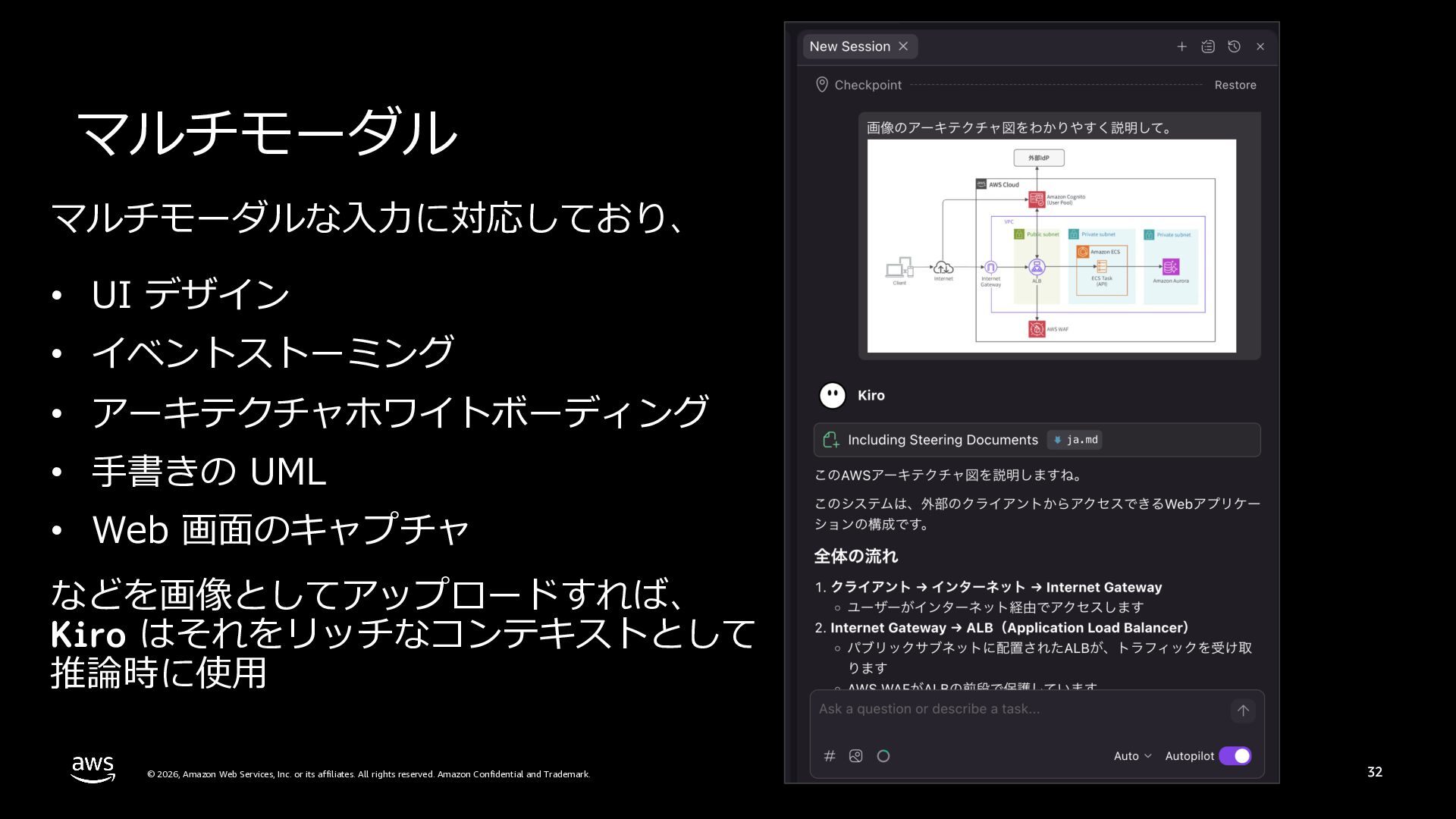
マルチモーダル マルチモーダルな⼊⼒に対応しており、 • UI デザイン • イベントストーミング • アーキテクチャホワイトボーディング •
⼿書きの UML • Web 画⾯のキャプチャ などを画像としてアップロードすれば、 Kiro はそれをリッチなコンテキストとして 推論時に使⽤ © 2026, Amazon Web Services, Inc. or its affiliates. All rights reserved. Amazon Confidential and Trademark. 32 -
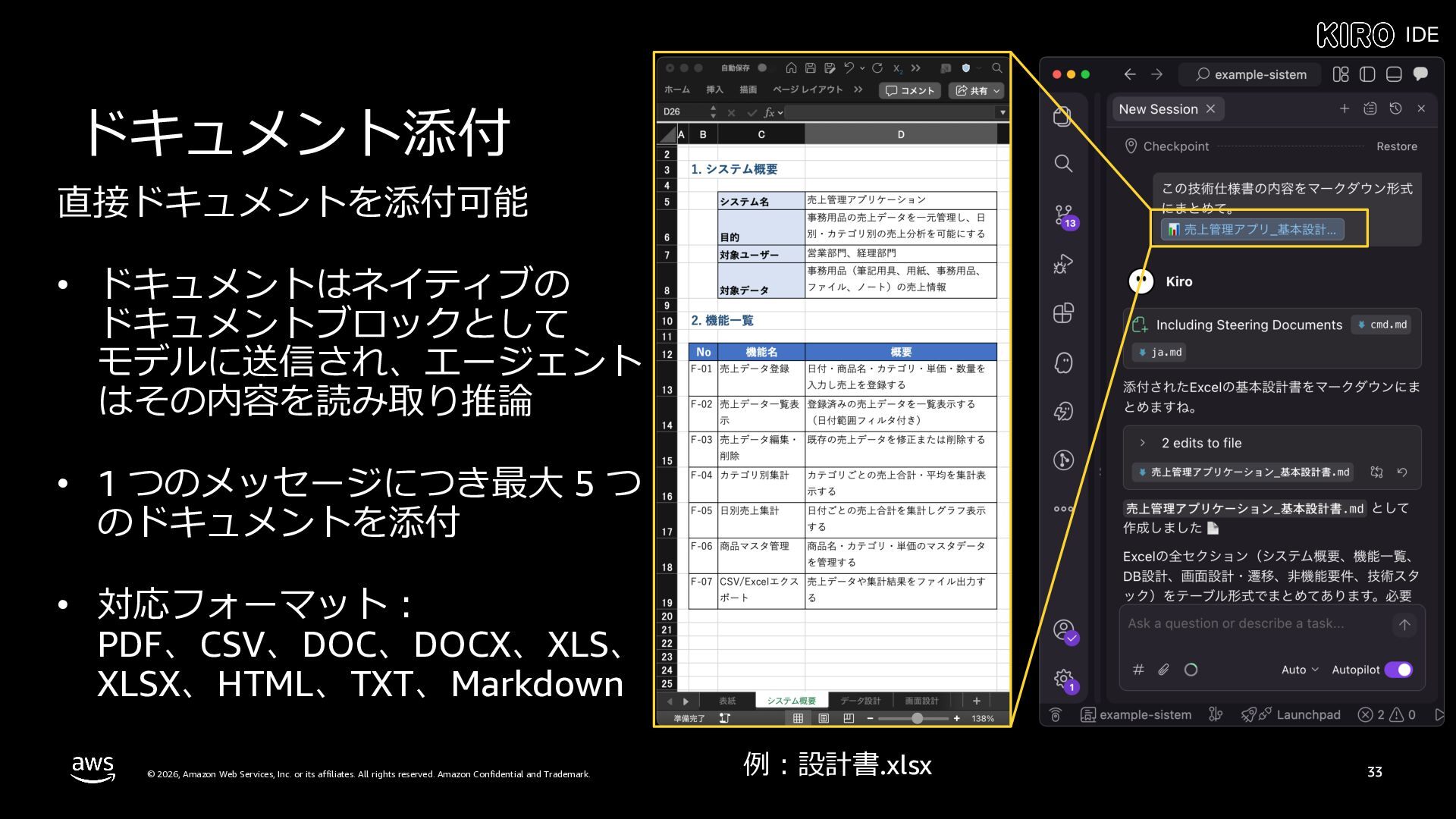
IDE ドキュメント添付 直接ドキュメントを添付可能 • ドキュメントはネイティブの ドキュメントブロックとして モデルに送信され、エージェント はその内容を読み取り推論 • 1
つのメッセージにつき最⼤ 5 つ のドキュメントを添付 • 対応フォーマット︓ PDF、CSV、DOC、DOCX、XLS、 XLSX、HTML、TXT、Markdown © 2026, Amazon Web Services, Inc. or its affiliates. All rights reserved. Amazon Confidential and Trademark. 例︓設計書.xlsx 33 -
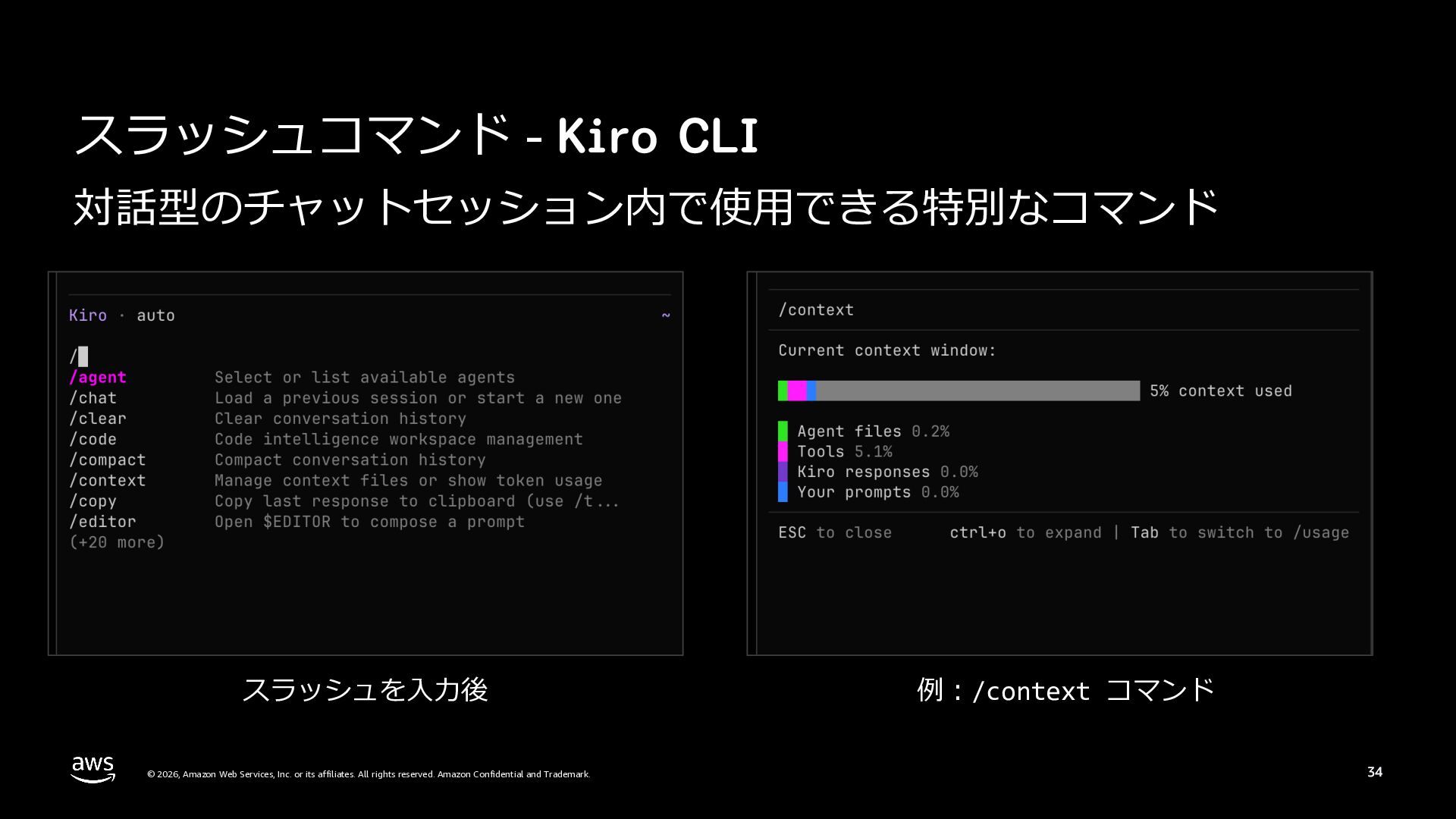
スラッシュコマンド - Kiro CLI 対話型のチャットセッション内で使⽤できる特別なコマンド スラッシュを⼊⼒後 © 2026, Amazon Web
Services, Inc. or its affiliates. All rights reserved. Amazon Confidential and Trademark. 例︓/context コマンド 34 -
なぜハーネスエンジニアリングは 必要なのか © 2026, Amazon Web Services, Inc. or its
affiliates. All rights reserved. Amazon Confidential and Trademark. 35 -
コーディングエージェントが書いたコードは 皆さんの期待通りですか︖ © 2026, Amazon Web Services, Inc. or its
affiliates. All rights reserved. Amazon Confidential and Trademark. 36 -
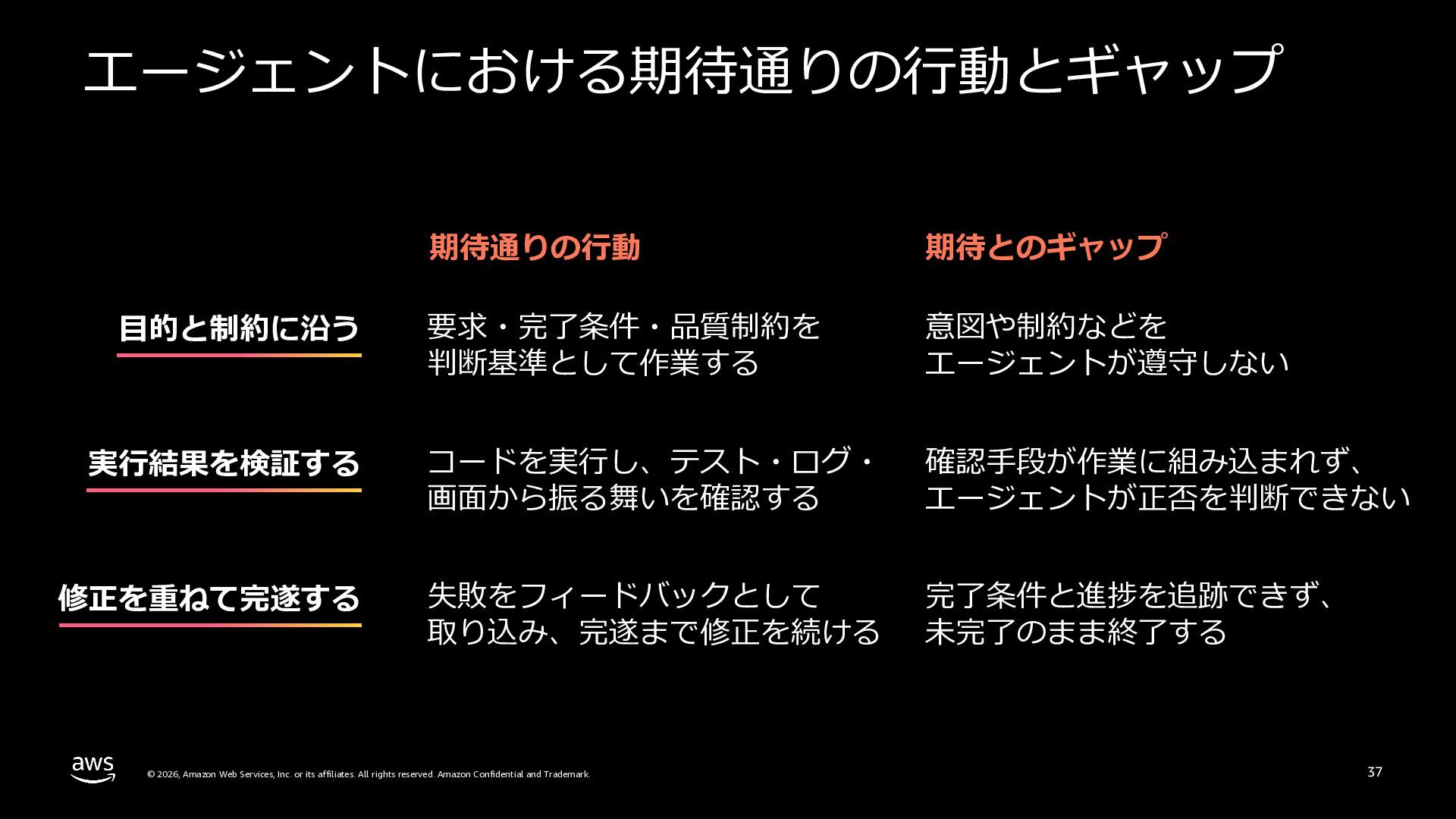
エージェントにおける期待通りの⾏動とギャップ 期待通りの⾏動 期待とのギャップ 要求・完了条件・品質制約を 判断基準として作業する 意図や制約などを エージェントが遵守しない 実⾏結果を検証する コードを実⾏し、テスト・ログ・ 画⾯から振る舞いを確認する
確認⼿段が作業に組み込まれず、 エージェントが正否を判断できない 修正を重ねて完遂する 失敗をフィードバックとして 取り込み、完遂まで修正を続ける 完了条件と進捗を追跡できず、 未完了のまま終了する ⽬的と制約に沿う © 2026, Amazon Web Services, Inc. or its affiliates. All rights reserved. Amazon Confidential and Trademark. 37 -
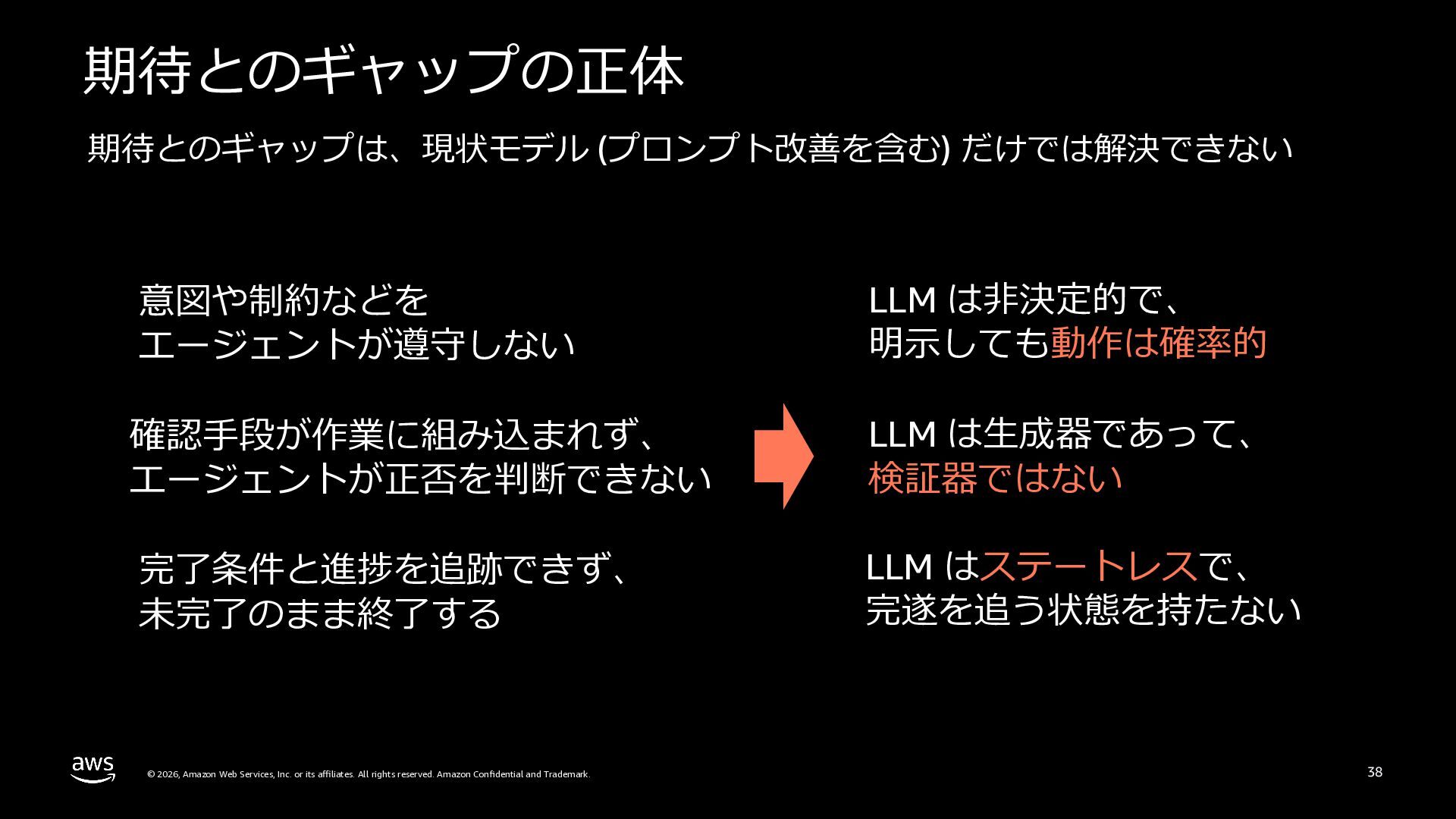
期待とのギャップの正体 期待とのギャップは、現状モデル (プロンプト改善を含む) だけでは解決できない 意図や制約などを エージェントが遵守しない LLM は⾮決定的で、 明⽰しても動作は確率的 確認⼿段が作業に組み込まれず、
エージェントが正否を判断できない LLM は⽣成器であって、 検証器ではない 完了条件と進捗を追跡できず、 未完了のまま終了する LLM はステートレスで、 完遂を追う状態を持たない © 2026, Amazon Web Services, Inc. or its affiliates. All rights reserved. Amazon Confidential and Trademark. 38 -
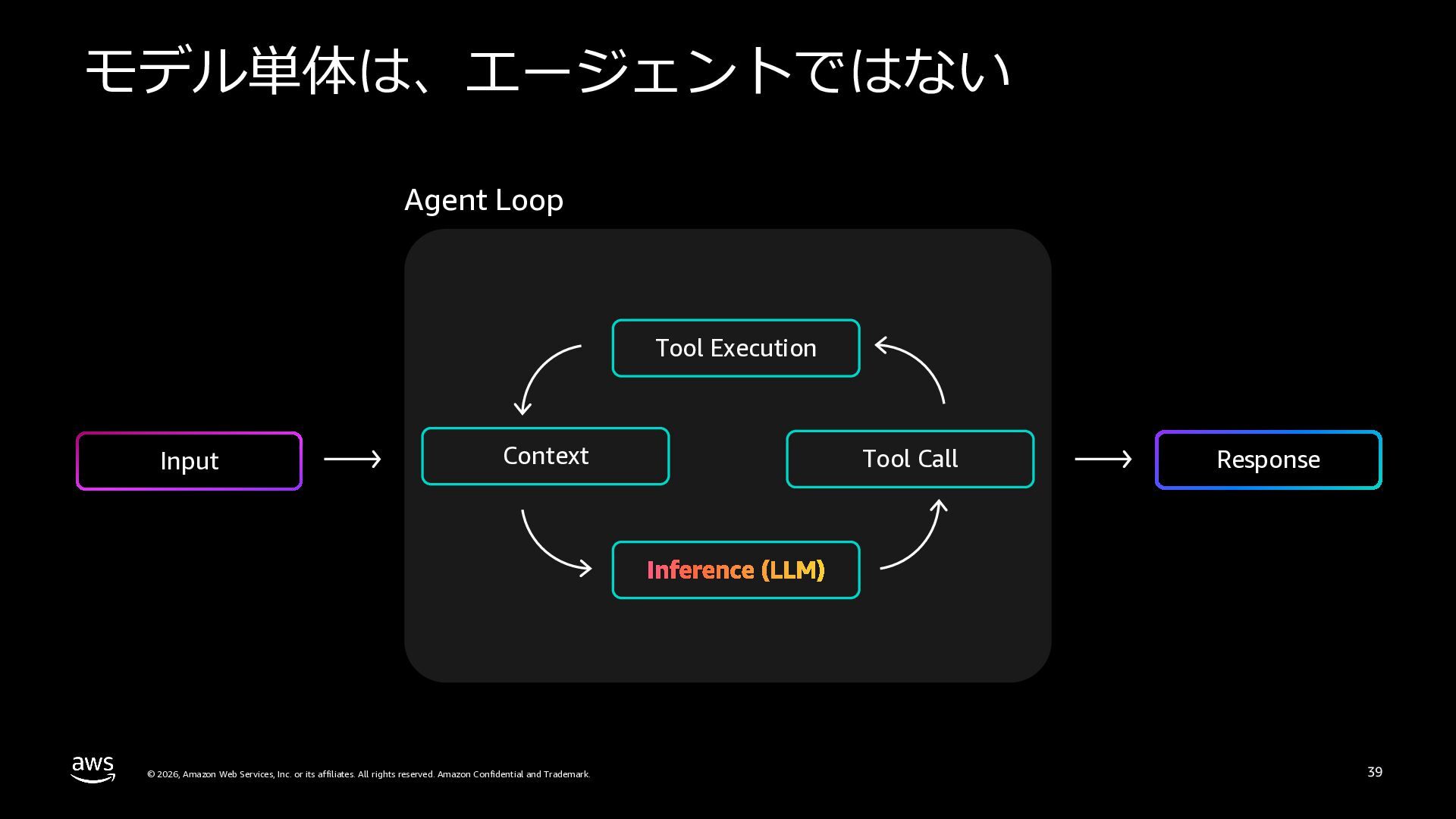
モデル単体は、エージェントではない Agent Loop Tool Execution Input Context © 2026, Amazon
Web Services, Inc. or its affiliates. All rights reserved. Amazon Confidential and Trademark. Tool Call Response 39 -
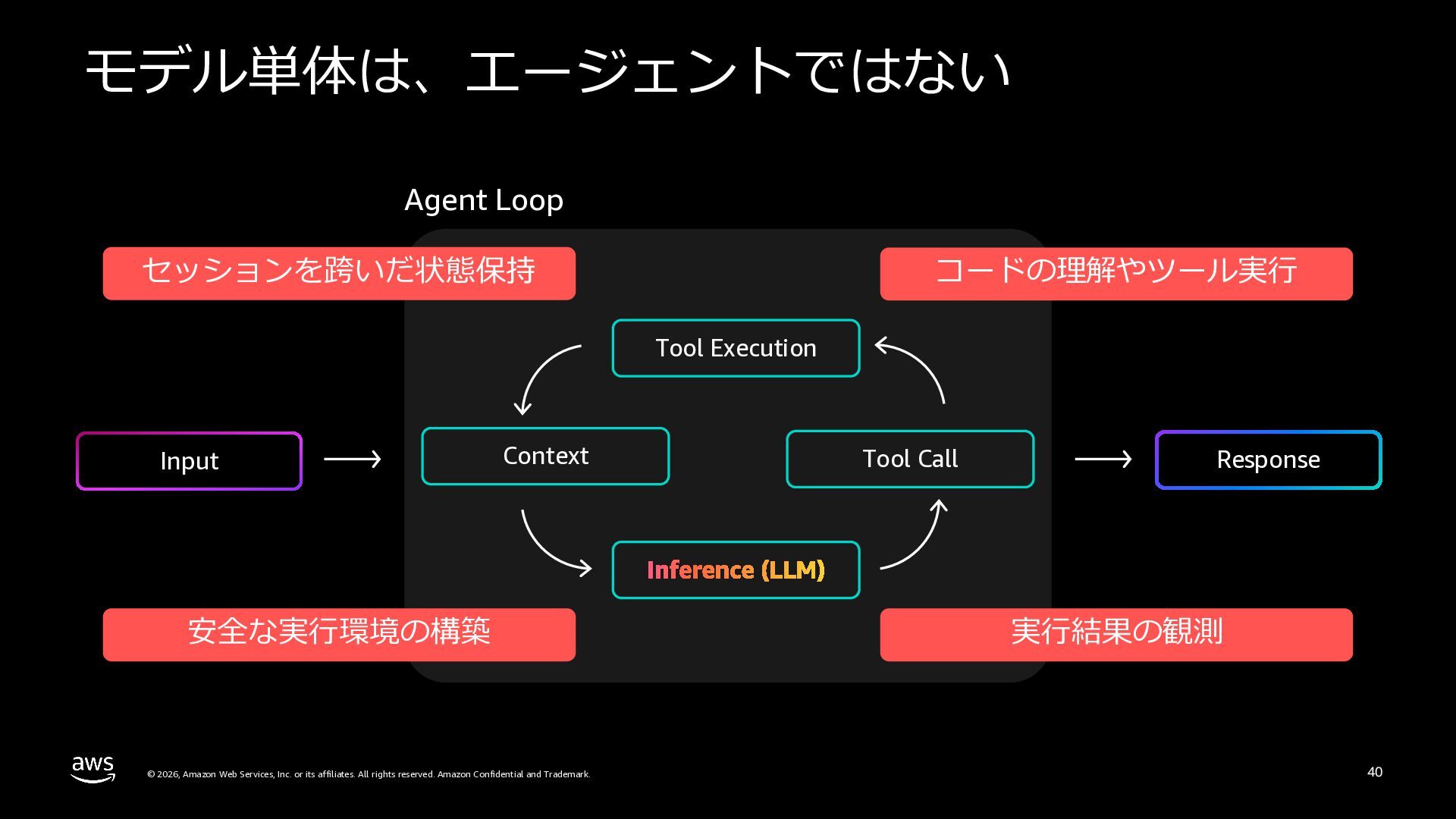
モデル単体は、エージェントではない Agent Loop セッションを跨いだ状態保持 コードの理解やツール実⾏ Tool Execution Input Context 安全な実⾏環境の構築
© 2026, Amazon Web Services, Inc. or its affiliates. All rights reserved. Amazon Confidential and Trademark. Tool Call Response 実⾏結果の観測 40 -
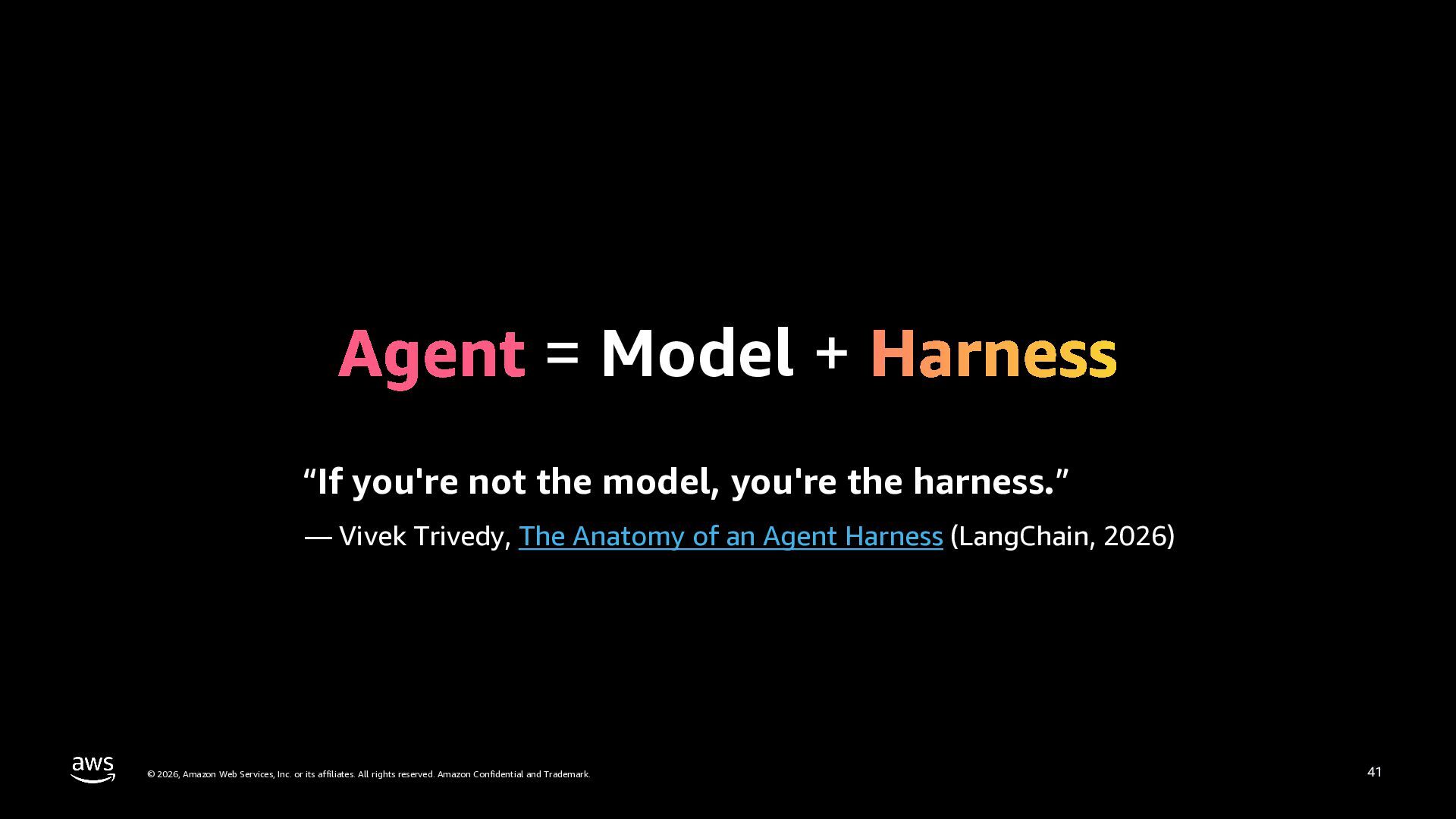
= Model + “If you're not the model, you're the
harness.” — Vivek Trivedy, The Anatomy of an Agent Harness (LangChain, 2026) © 2026, Amazon Web Services, Inc. or its affiliates. All rights reserved. Amazon Confidential and Trademark. 41 -
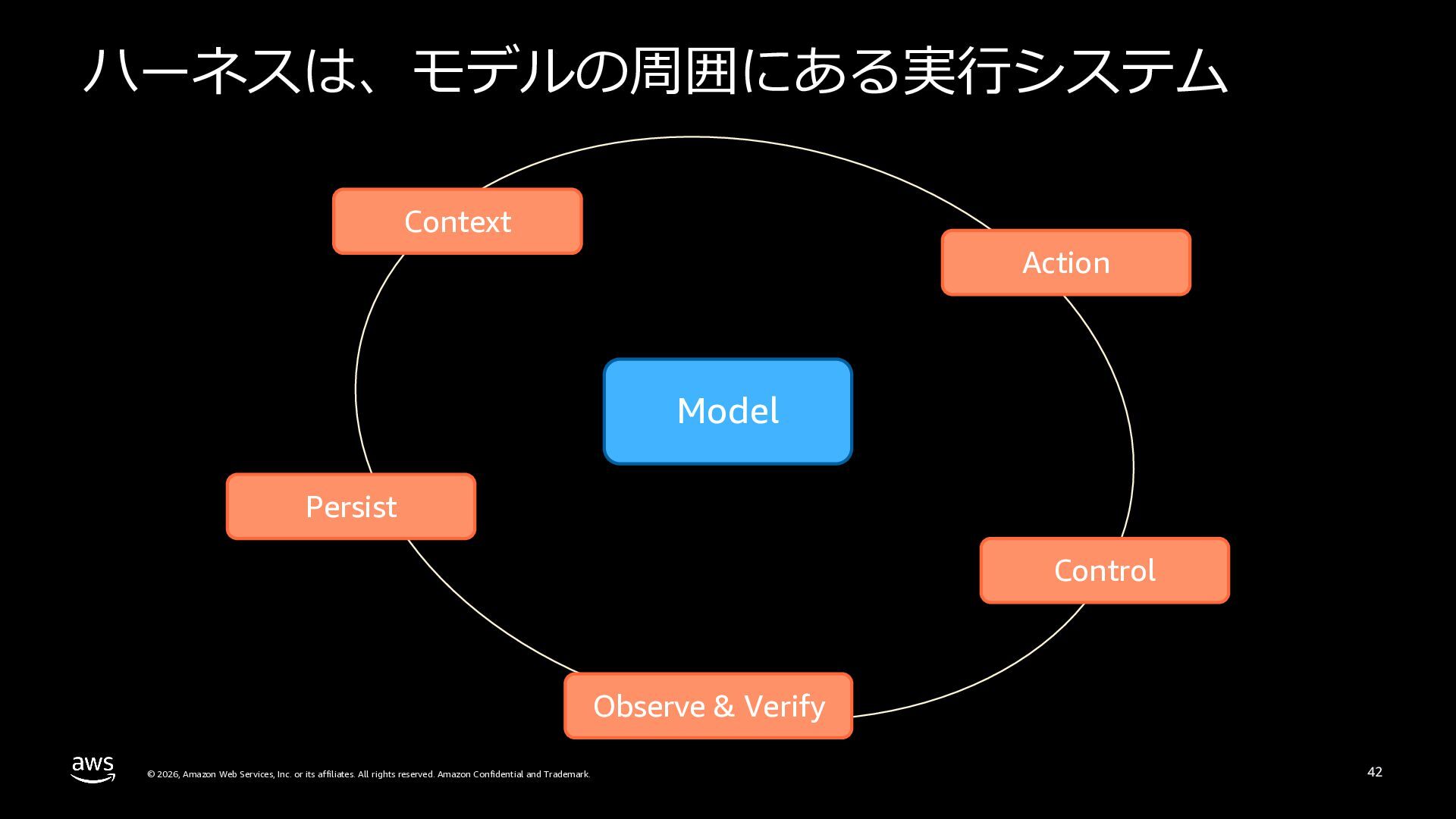
ハーネスは、モデルの周囲にある実⾏システム Context Action Model Persist Control Observe & Verify ©
2026, Amazon Web Services, Inc. or its affiliates. All rights reserved. Amazon Confidential and Trademark. 42 -
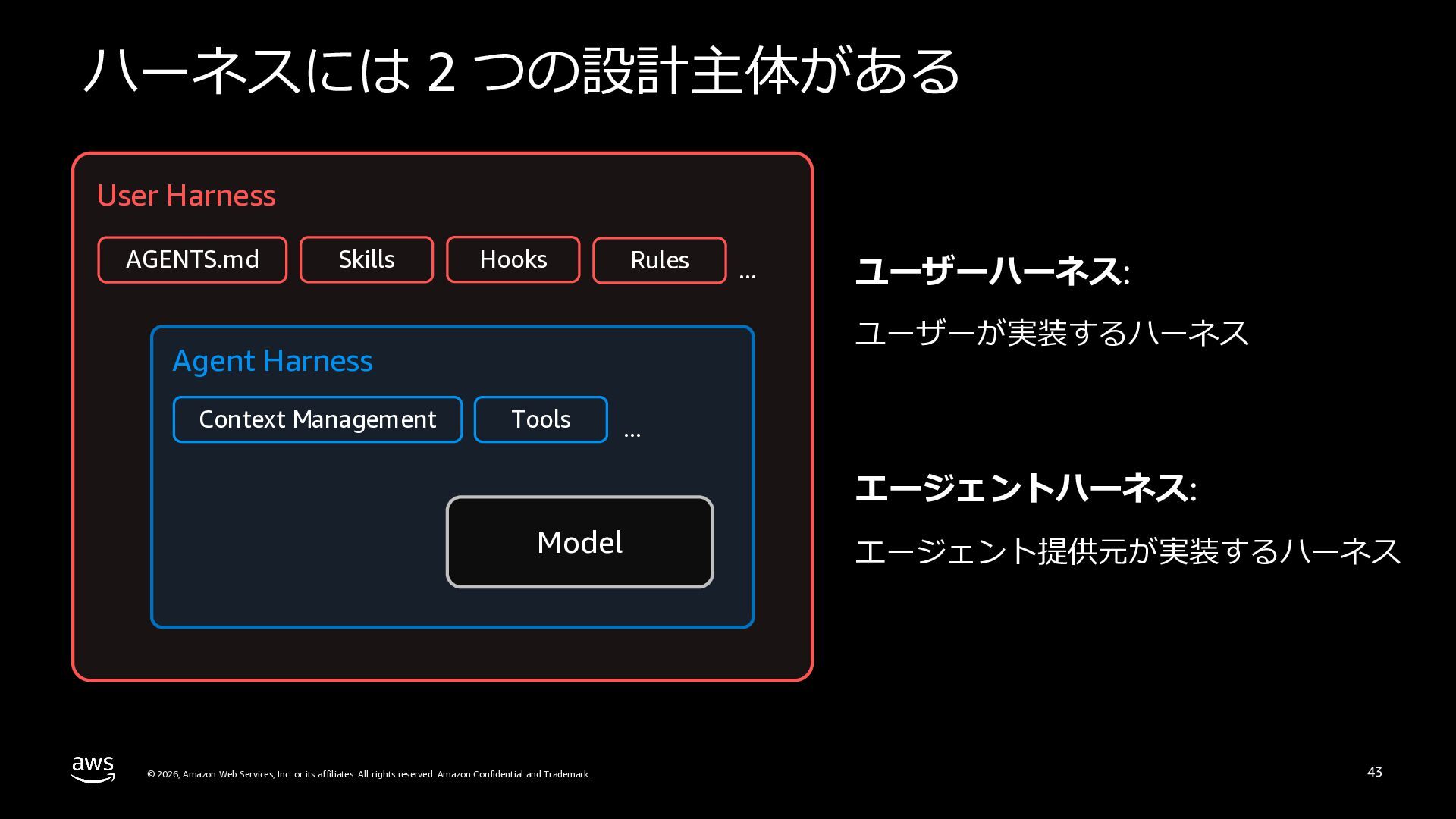
ハーネスには 2 つの設計主体がある User Harness AGENTS.md Skills Hooks Rules ユーザーハーネス:
ユーザーが実装するハーネス Agent Harness Context Management ... Tools ... エージェントハーネス: Model © 2026, Amazon Web Services, Inc. or its affiliates. All rights reserved. Amazon Confidential and Trademark. エージェント提供元が実装するハーネス 43 -
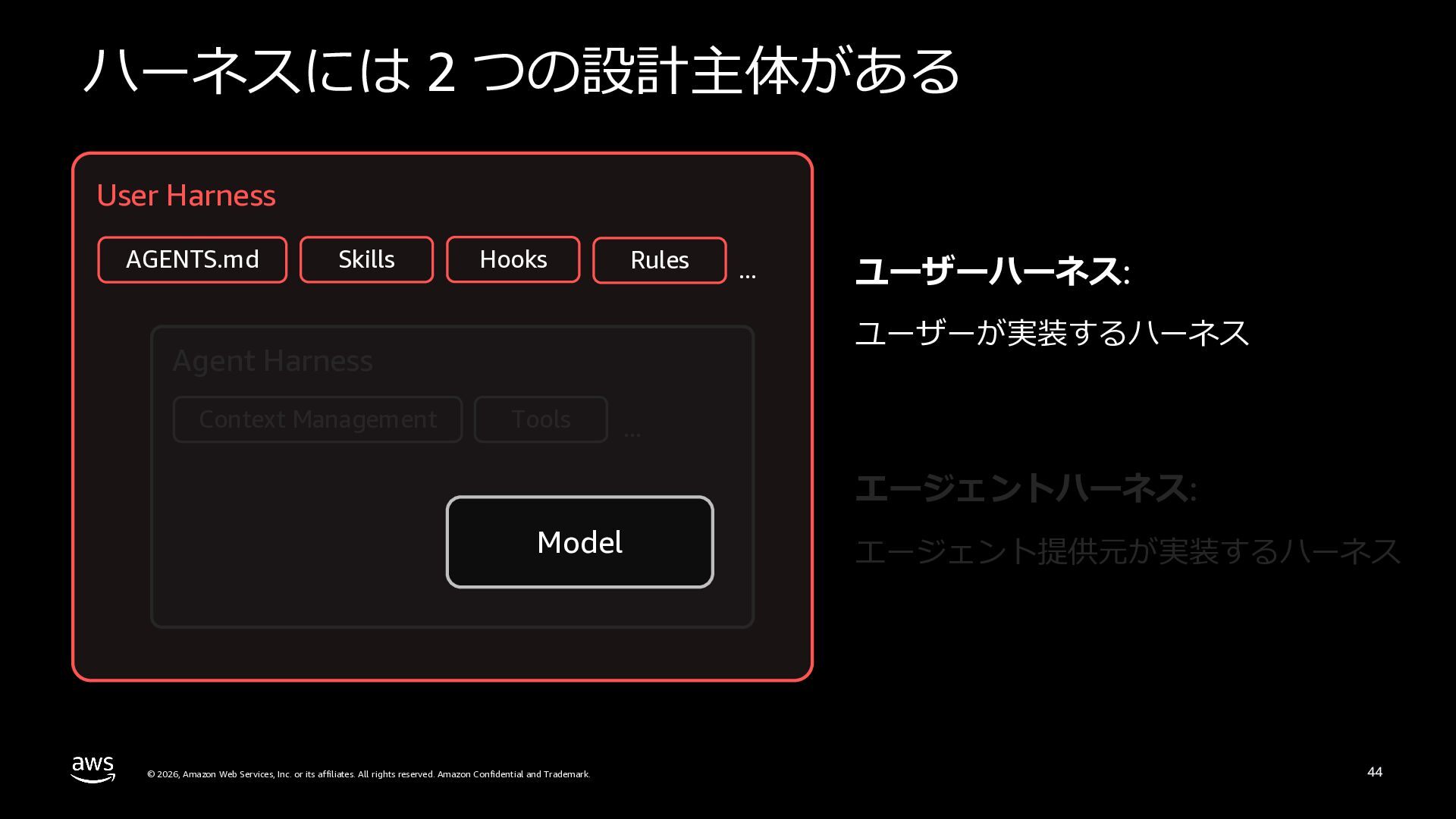
ハーネスには 2 つの設計主体がある User Harness AGENTS.md Skills Hooks Rules ユーザーハーネス:
ユーザーが実装するハーネス Agent Harness Context Management ... Tools ... エージェントハーネス: Model © 2026, Amazon Web Services, Inc. or its affiliates. All rights reserved. Amazon Confidential and Trademark. エージェント提供元が実装するハーネス 44 -
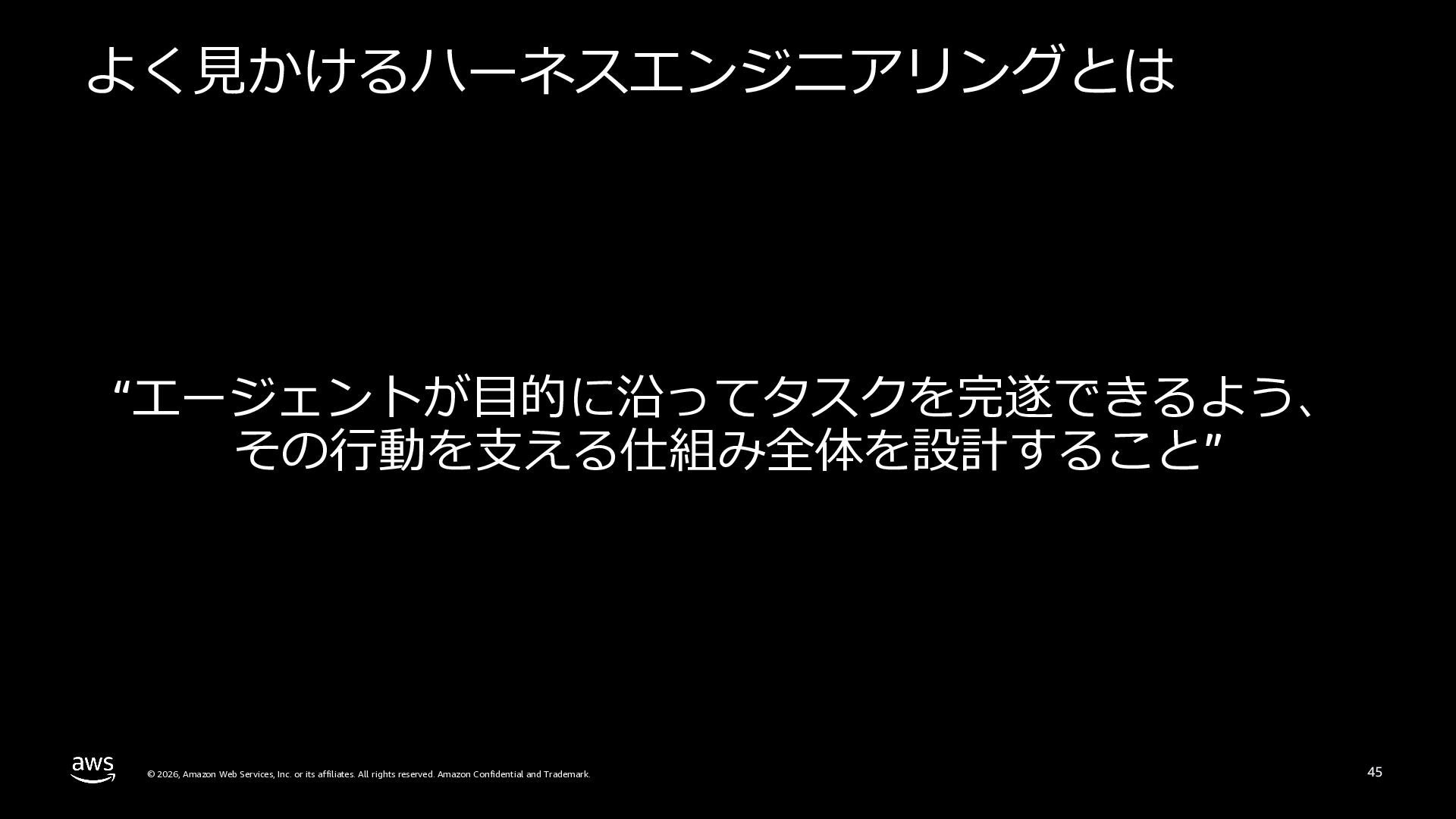
よく⾒かけるハーネスエンジニアリングとは “エージェントが⽬的に沿ってタスクを完遂できるよう、 その⾏動を⽀える仕組み全体を設計すること” © 2026, Amazon Web Services, Inc. or
its affiliates. All rights reserved. Amazon Confidential and Trademark. 45 -
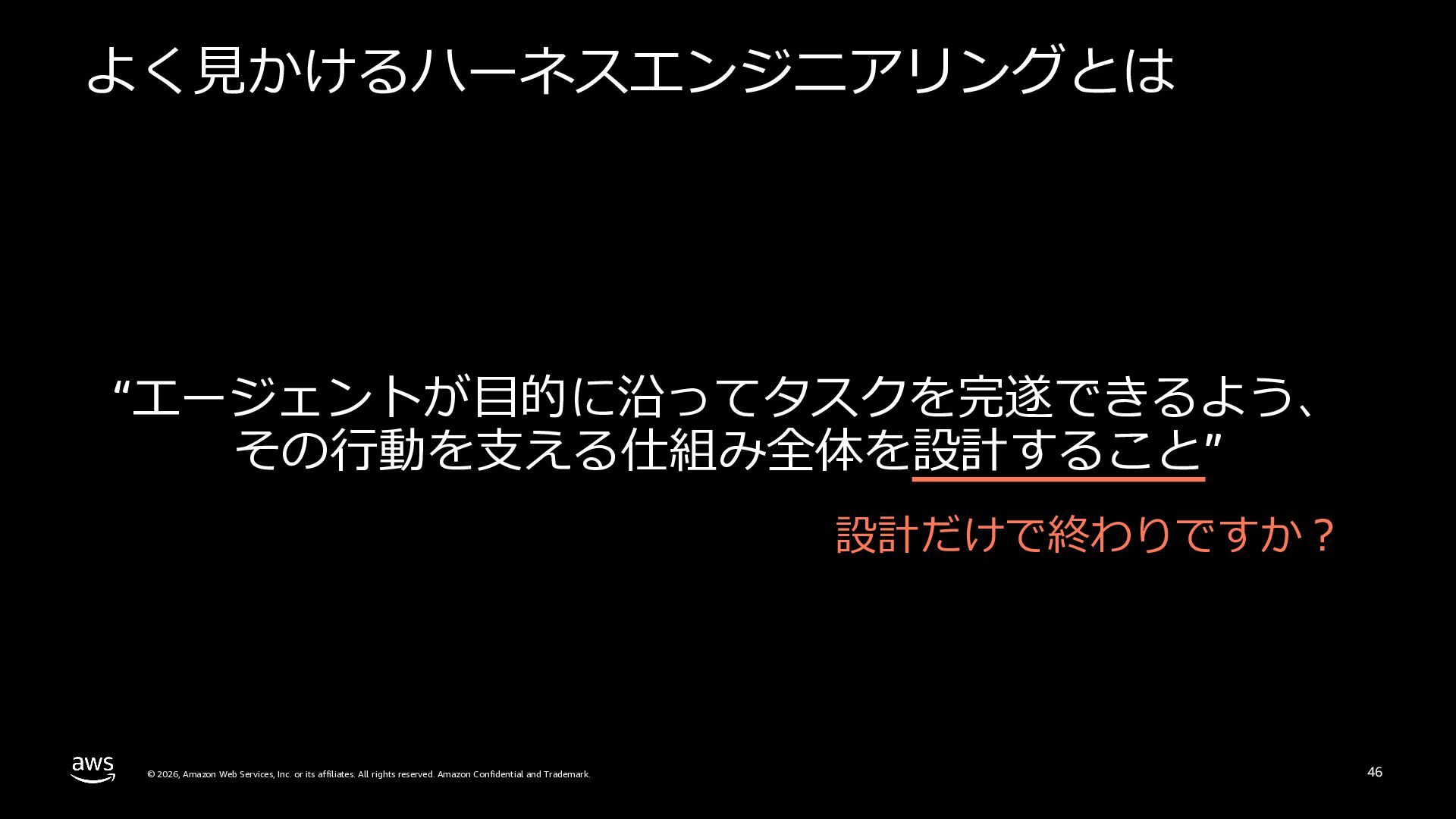
よく⾒かけるハーネスエンジニアリングとは “エージェントが⽬的に沿ってタスクを完遂できるよう、 その⾏動を⽀える仕組み全体を設計すること” 設計だけで終わりですか︖ © 2026, Amazon Web Services, Inc.
or its affiliates. All rights reserved. Amazon Confidential and Trademark. 46 -
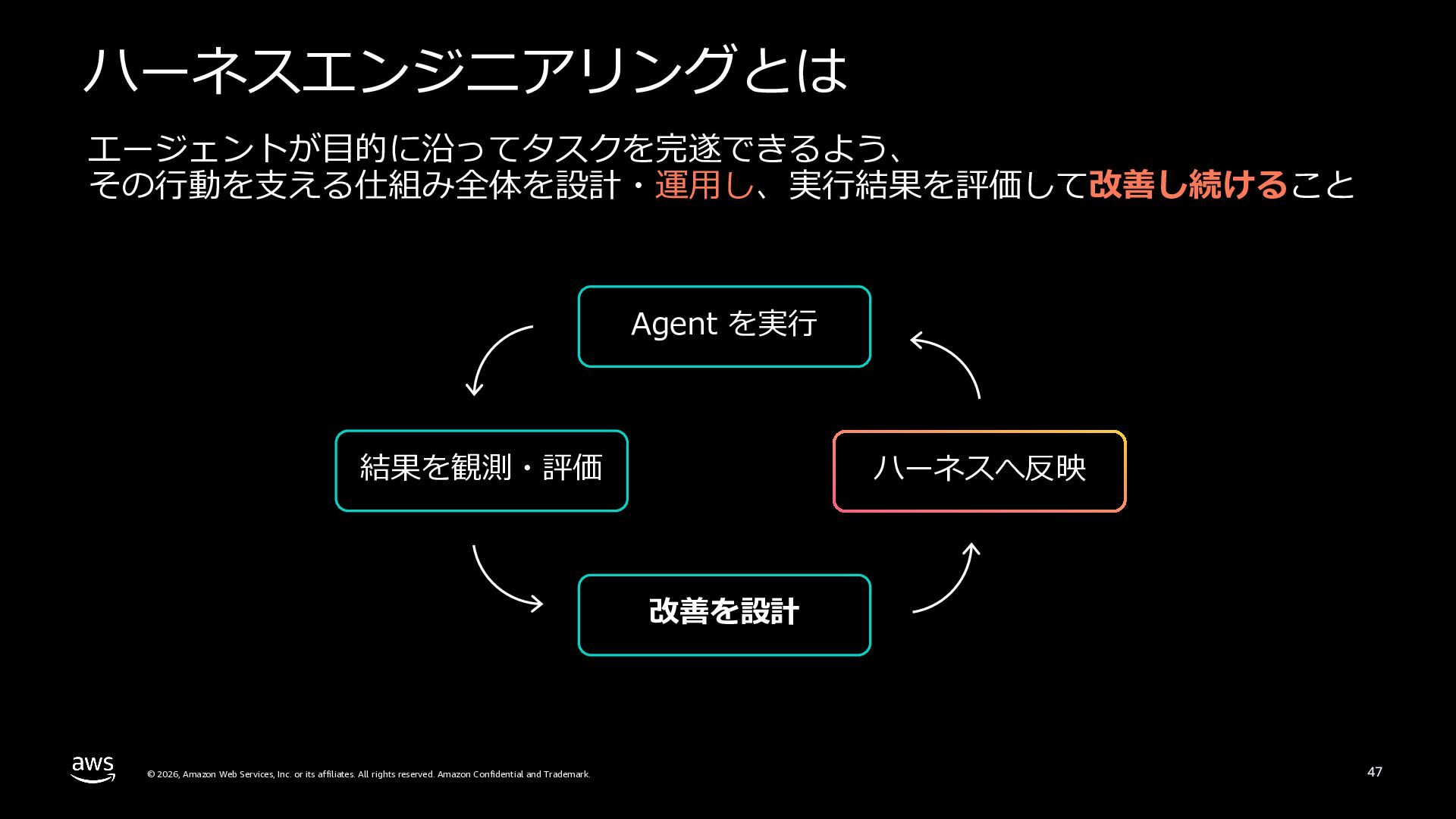
ハーネスエンジニアリングとは エージェントが⽬的に沿ってタスクを完遂できるよう、 その⾏動を⽀える仕組み全体を設計・運⽤し、実⾏結果を評価して改善し続けること Agent を実⾏ 結果を観測・評価 ハーネスへ反映 改善を設計 © 2026,
Amazon Web Services, Inc. or its affiliates. All rights reserved. Amazon Confidential and Trademark. 47 -
ハーネスをどう設計するのか © 2026, Amazon Web Services, Inc. or its affiliates.
All rights reserved. Amazon Confidential and Trademark. 48 -
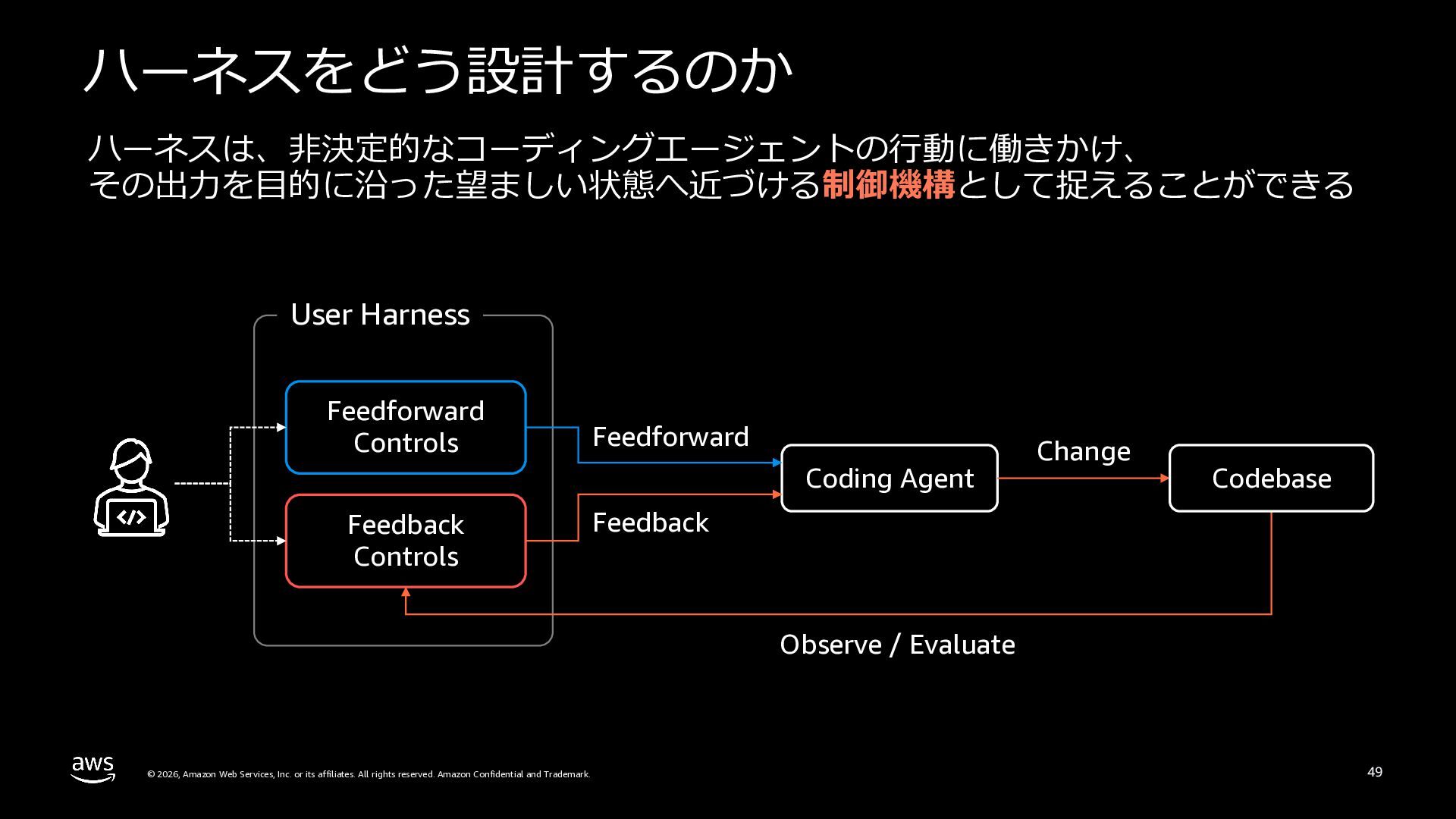
ハーネスをどう設計するのか ハーネスは、⾮決定的なコーディングエージェントの⾏動に働きかけ、 その出⼒を⽬的に沿った望ましい状態へ近づける制御機構として捉えることができる User Harness Feedforward Controls Feedforward Coding Agent
Feedback Controls Change Codebase Feedback Observe / Evaluate © 2026, Amazon Web Services, Inc. or its affiliates. All rights reserved. Amazon Confidential and Trademark. 49 -
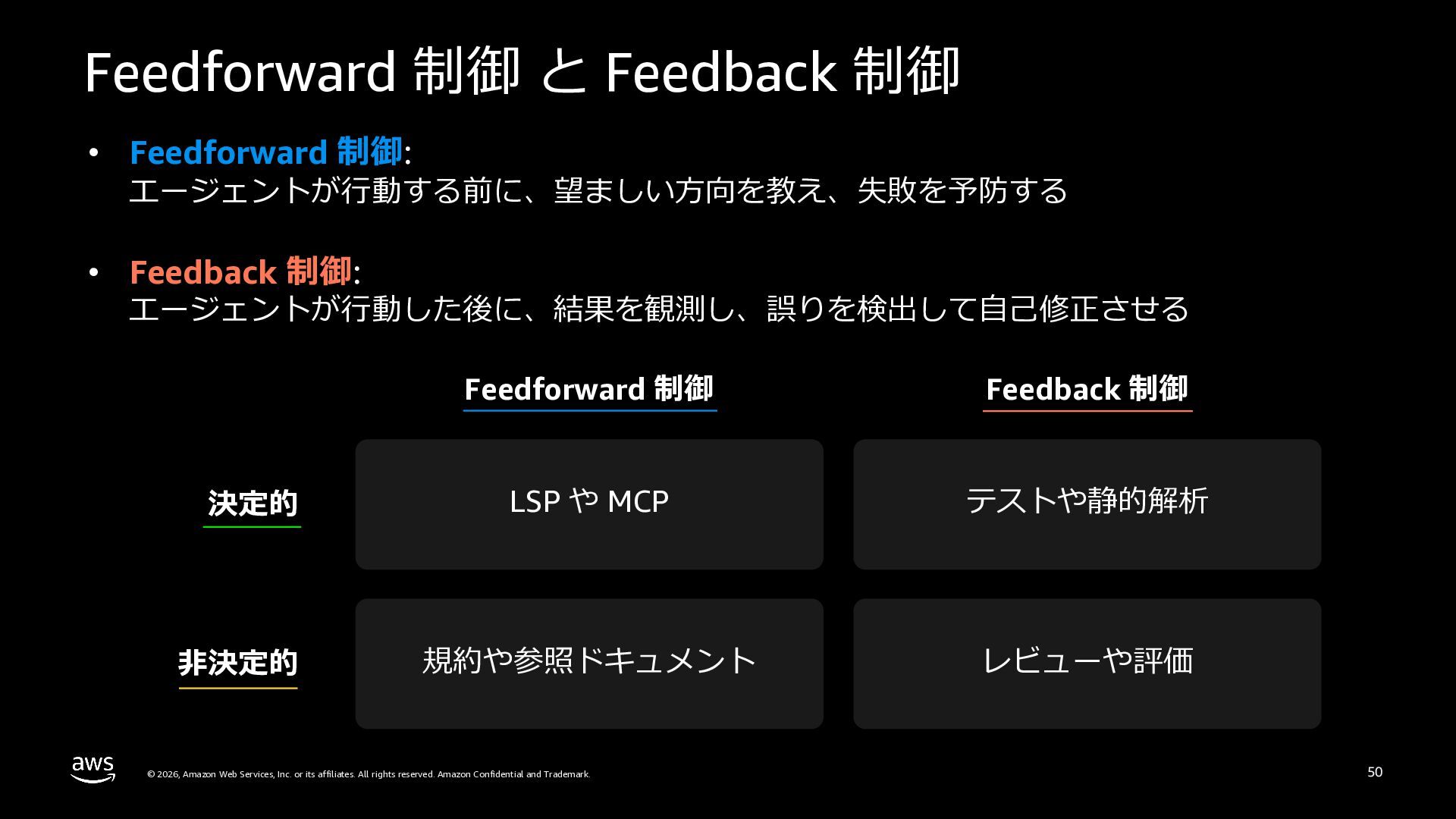
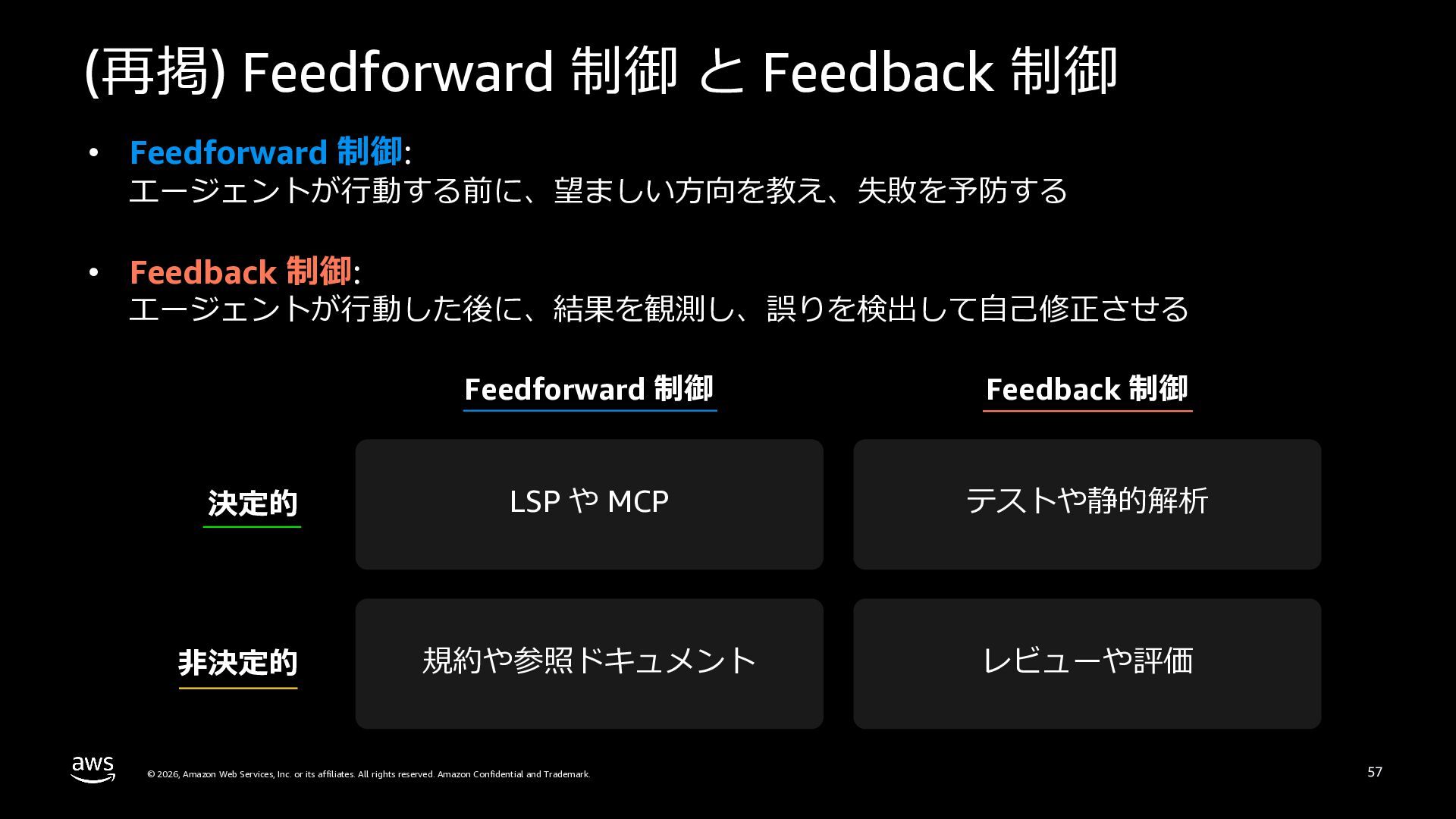
Feedforward 制御 と Feedback 制御 • Feedforward 制御: エージェントが⾏動する前に、望ましい⽅向を教え、失敗を予防する •
Feedback 制御: エージェントが⾏動した後に、結果を観測し、誤りを検出して⾃⼰修正させる Feedforward 制御 Feedback 制御 決定的 LSP や MCP テストや静的解析 ⾮決定的 規約や参照ドキュメント レビューや評価 © 2026, Amazon Web Services, Inc. or its affiliates. All rights reserved. Amazon Confidential and Trademark. 50 -
Kiro CLI における ハーネスエンジニアリング実践 © 2026, Amazon Web Services, Inc.
or its affiliates. All rights reserved. Amazon Confidential and Trademark. 51 -
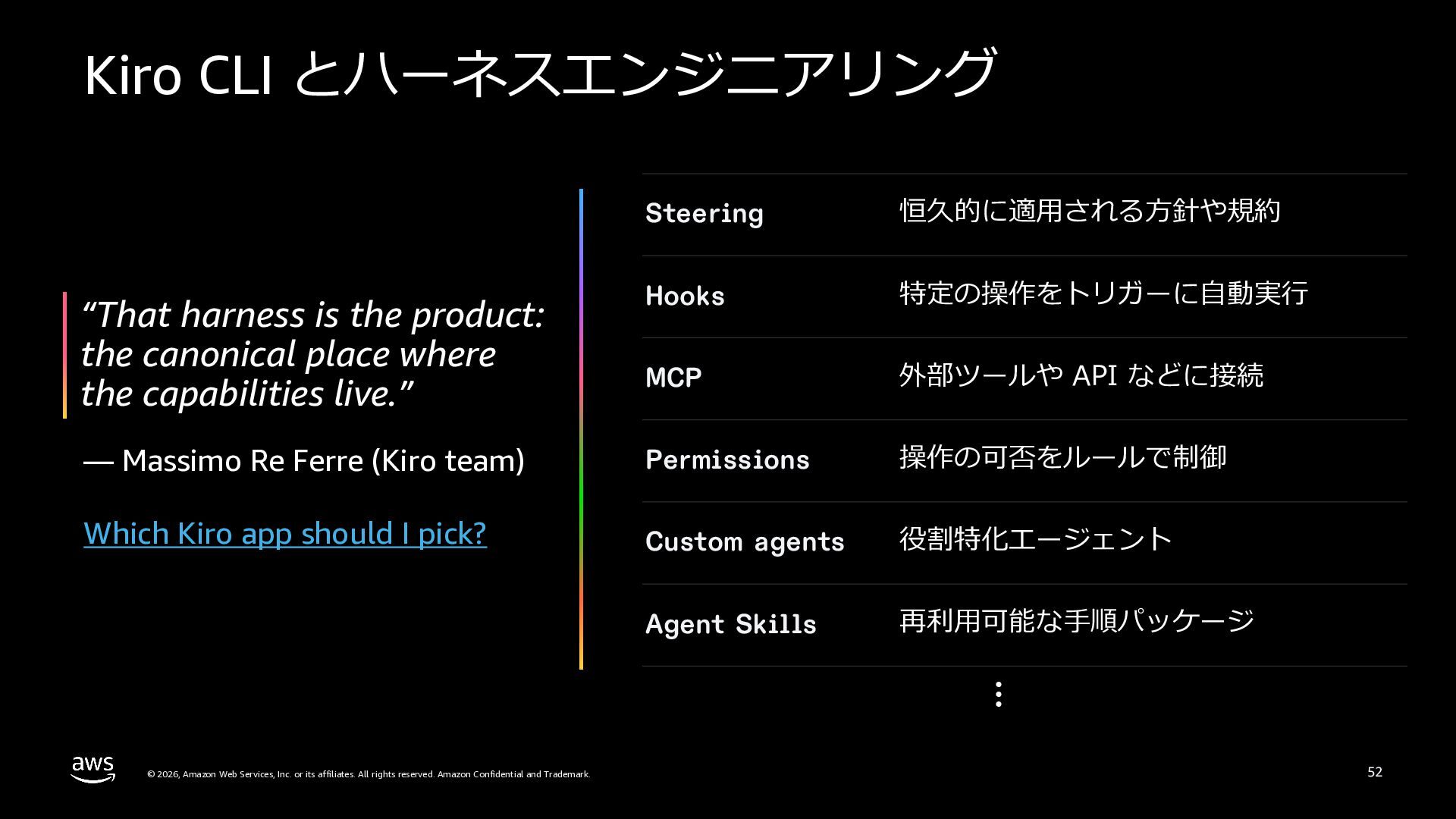
Kiro CLI とハーネスエンジニアリング Steering 恒久的に適⽤される⽅針や規約 “That harness is the product:
the canonical place where the capabilities live.” Hooks 特定の操作をトリガーに⾃動実⾏ MCP 外部ツールや API などに接続 — Massimo Re Ferre (Kiro team) Permissions 操作の可否をルールで制御 Which Kiro app should I pick? Custom agents 役割特化エージェント Agent Skills 再利⽤可能な⼿順パッケージ … © 2026, Amazon Web Services, Inc. or its affiliates. All rights reserved. Amazon Confidential and Trademark. 52 -
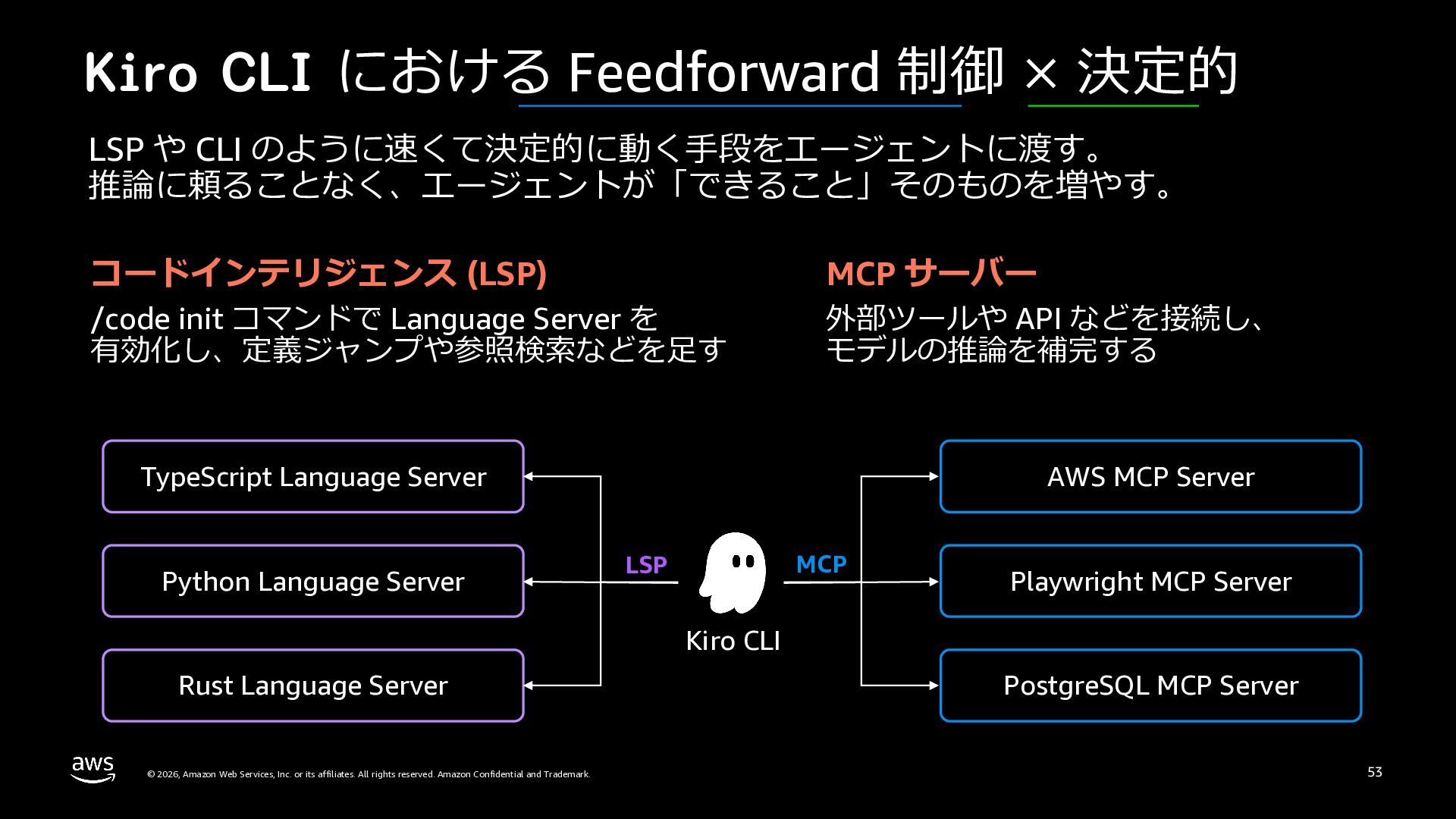
Kiro CLI における Feedforward 制御 × 決定的 LSP や CLI
のように速くて決定的に動く⼿段をエージェントに渡す。 推論に頼ることなく、エージェントが「できること」そのものを増やす。 コードインテリジェンス (LSP) /code init コマンドで Language Server を 有効化し、定義ジャンプや参照検索などを⾜す MCP サーバー 外部ツールや API などを接続し、 モデルの推論を補完する TypeScript Language Server Python Language Server AWS MCP Server MCP LSP Playwright MCP Server Kiro CLI Rust Language Server © 2026, Amazon Web Services, Inc. or its affiliates. All rights reserved. Amazon Confidential and Trademark. PostgreSQL MCP Server 53 -
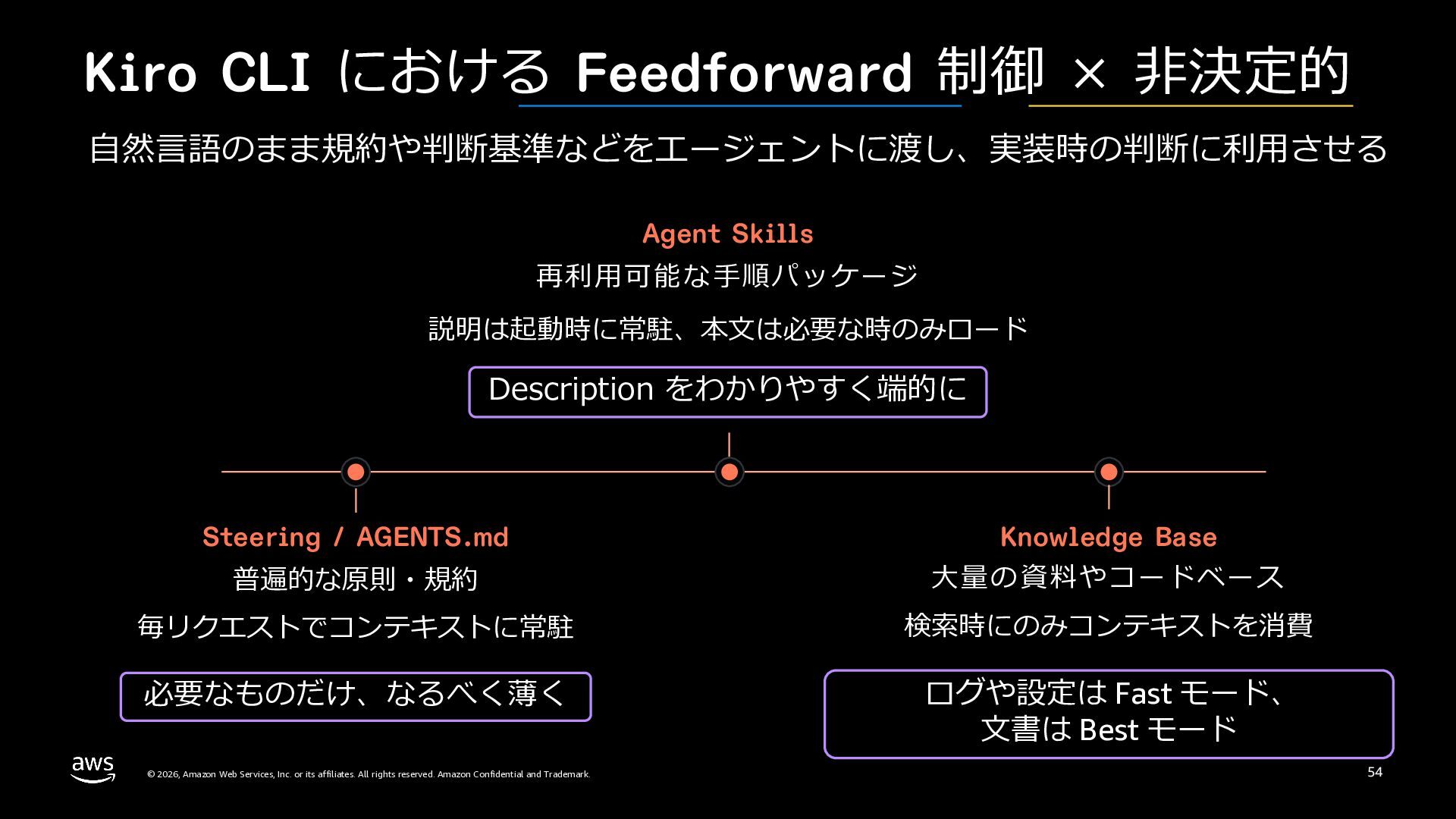
Kiro CLI における Feedforward 制御 × ⾮決定的 ⾃然⾔語のまま規約や判断基準などをエージェントに渡し、実装時の判断に利⽤させる Agent Skills
再利⽤可能な⼿順パッケージ 説明は起動時に常駐、本⽂は必要な時のみロード Description をわかりやすく端的に Steering / AGENTS.md Knowledge Base 普遍的な原則・規約 ⼤量の資料やコードベース 毎リクエストでコンテキストに常駐 検索時にのみコンテキストを消費 必要なものだけ、なるべく薄く ログや設定は Fast モード、 ⽂書は Best モード © 2026, Amazon Web Services, Inc. or its affiliates. All rights reserved. Amazon Confidential and Trademark. 54 -
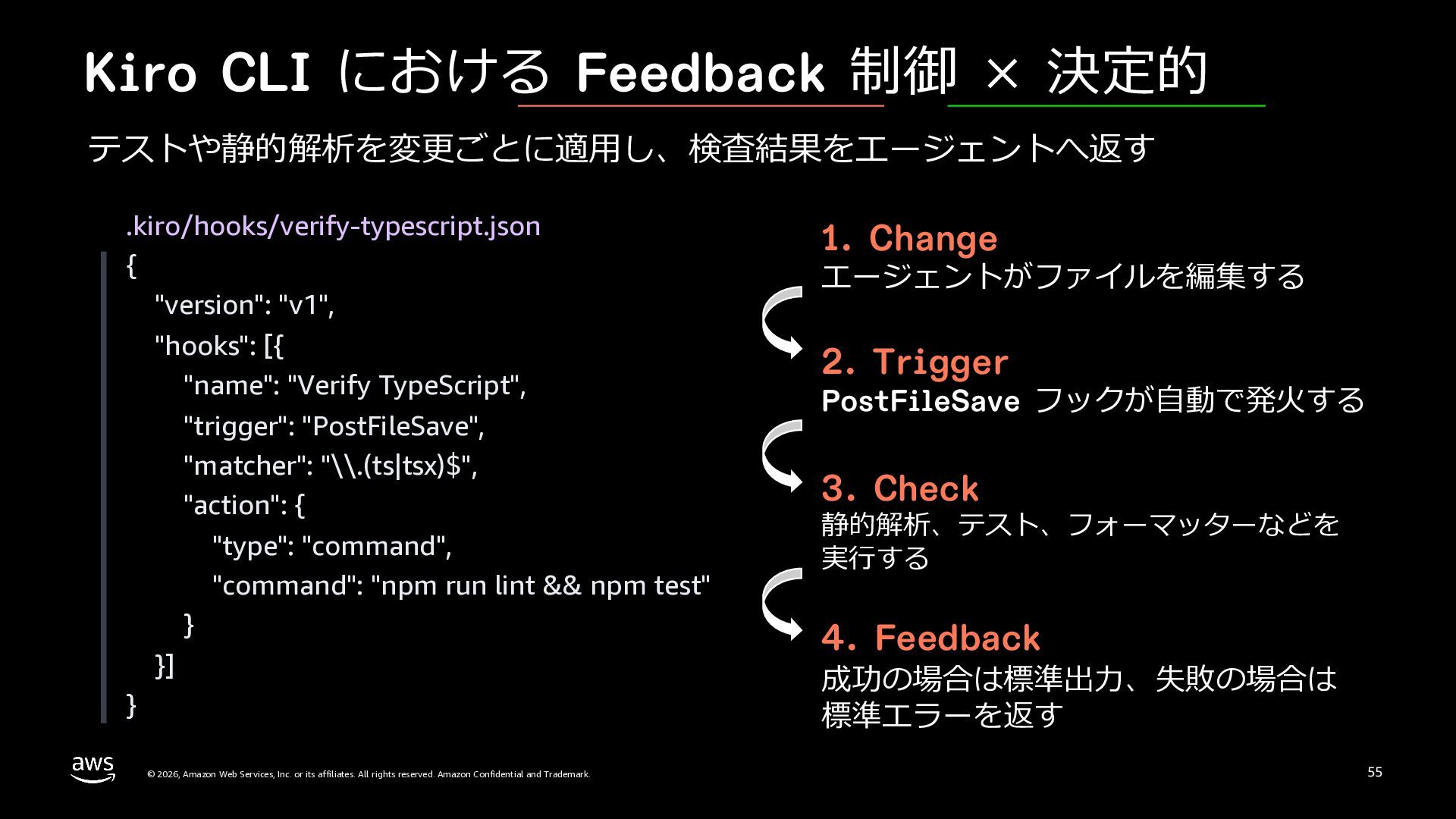
Kiro CLI における Feedback 制御 × 決定的 テストや静的解析を変更ごとに適⽤し、検査結果をエージェントへ返す .kiro/hooks/verify-typescript.json {
"version": "v1", "hooks": [{ "name": "Verify TypeScript", "trigger": "PostFileSave", "matcher": "\\.(ts|tsx)$", "action": { "type": "command", "command": "npm run lint && npm test" } }] } © 2026, Amazon Web Services, Inc. or its affiliates. All rights reserved. Amazon Confidential and Trademark. 1. Change エージェントがファイルを編集する 2. Trigger PostFileSave フックが⾃動で発⽕する 3. Check 静的解析、テスト、フォーマッターなどを 実⾏する 4. Feedback 成功の場合は標準出⼒、失敗の場合は 標準エラーを返す 55 -
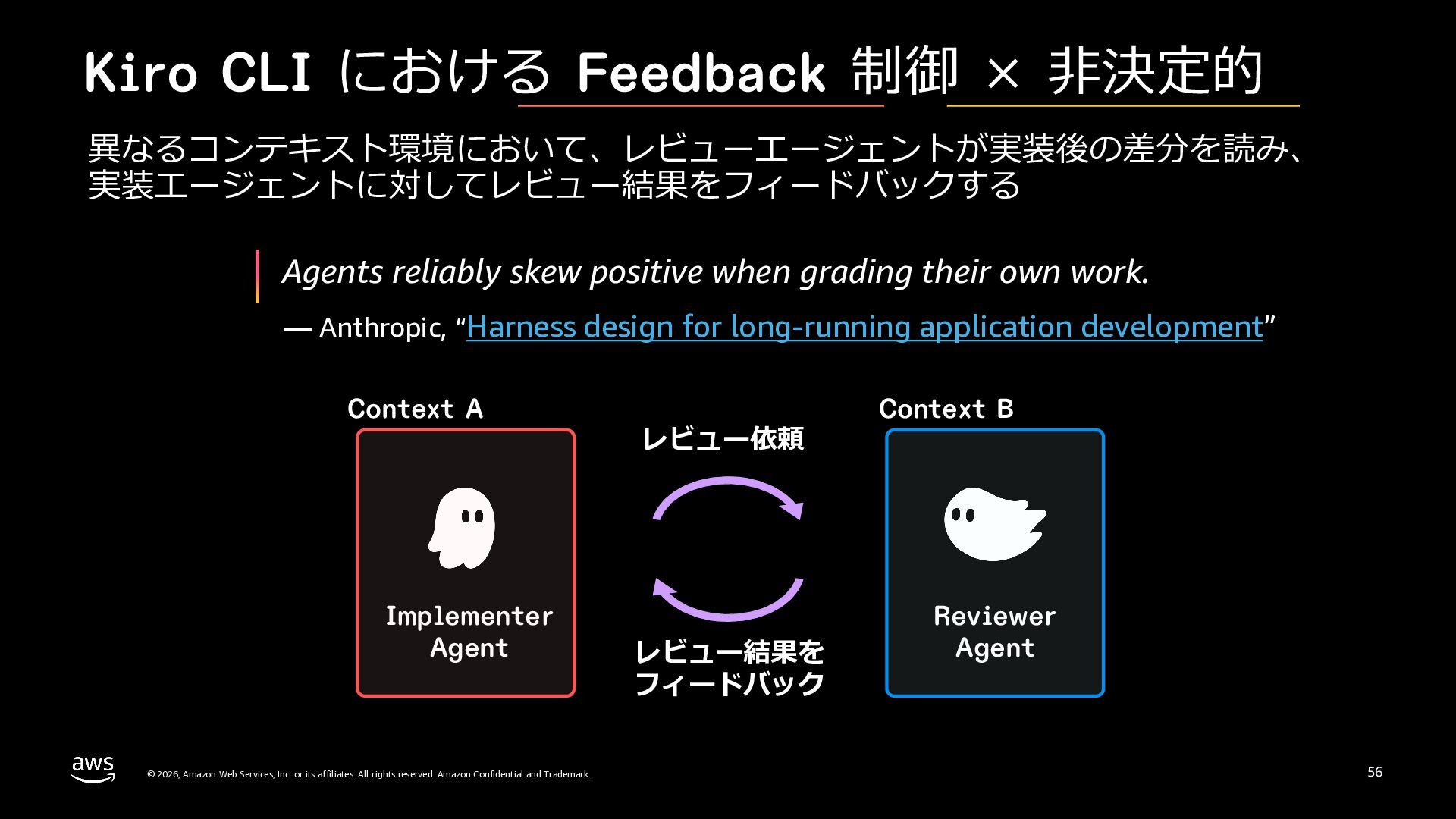
Kiro CLI における Feedback 制御 × ⾮決定的 異なるコンテキスト環境において、レビューエージェントが実装後の差分を読み、 実装エージェントに対してレビュー結果をフィードバックする Agents
reliably skew positive when grading their own work. — Anthropic, “Harness design for long-running application development” Context A Implementer Agent © 2026, Amazon Web Services, Inc. or its affiliates. All rights reserved. Amazon Confidential and Trademark. レビュー依頼 レビュー結果を フィードバック Context B Reviewer Agent 56 -
(再掲) Feedforward 制御 と Feedback 制御 • Feedforward 制御: エージェントが⾏動する前に、望ましい⽅向を教え、失敗を予防する
• Feedback 制御: エージェントが⾏動した後に、結果を観測し、誤りを検出して⾃⼰修正させる Feedforward 制御 Feedback 制御 決定的 LSP や MCP テストや静的解析 ⾮決定的 規約や参照ドキュメント レビューや評価 © 2026, Amazon Web Services, Inc. or its affiliates. All rights reserved. Amazon Confidential and Trademark. 57 -
ハーネスをどう運⽤・改善するのか © 2026, Amazon Web Services, Inc. or its affiliates.
All rights reserved. Amazon Confidential and Trademark. 58 -
コーディングエージェントが期待する動作を しなかった場合どうしていますか︖ © 2026, Amazon Web Services, Inc. or its
affiliates. All rights reserved. Amazon Confidential and Trademark. 59 -
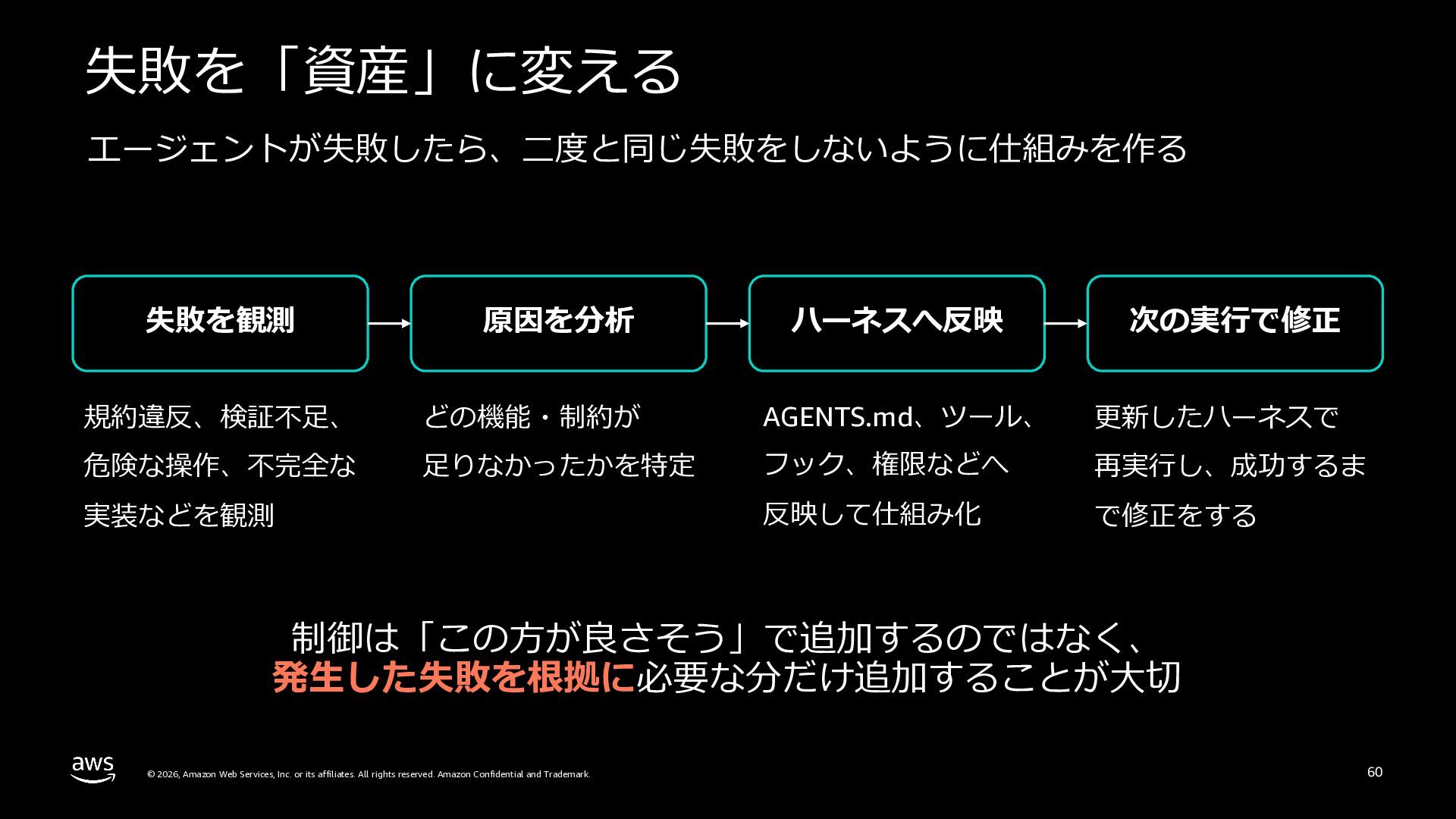
失敗を「資産」に変える エージェントが失敗したら、⼆度と同じ失敗をしないように仕組みを作る 失敗を観測 原因を分析 ハーネスへ反映 次の実⾏で修正 規約違反、検証不⾜、 どの機能・制約が AGENTS.md、ツール、 更新したハーネスで
危険な操作、不完全な ⾜りなかったかを特定 フック、権限などへ 再実⾏し、成功するま 反映して仕組み化 で修正をする 実装などを観測 制御は「この⽅が良さそう」で追加するのではなく、 発⽣した失敗を根拠に必要な分だけ追加することが⼤切 © 2026, Amazon Web Services, Inc. or its affiliates. All rights reserved. Amazon Confidential and Trademark. 60 -
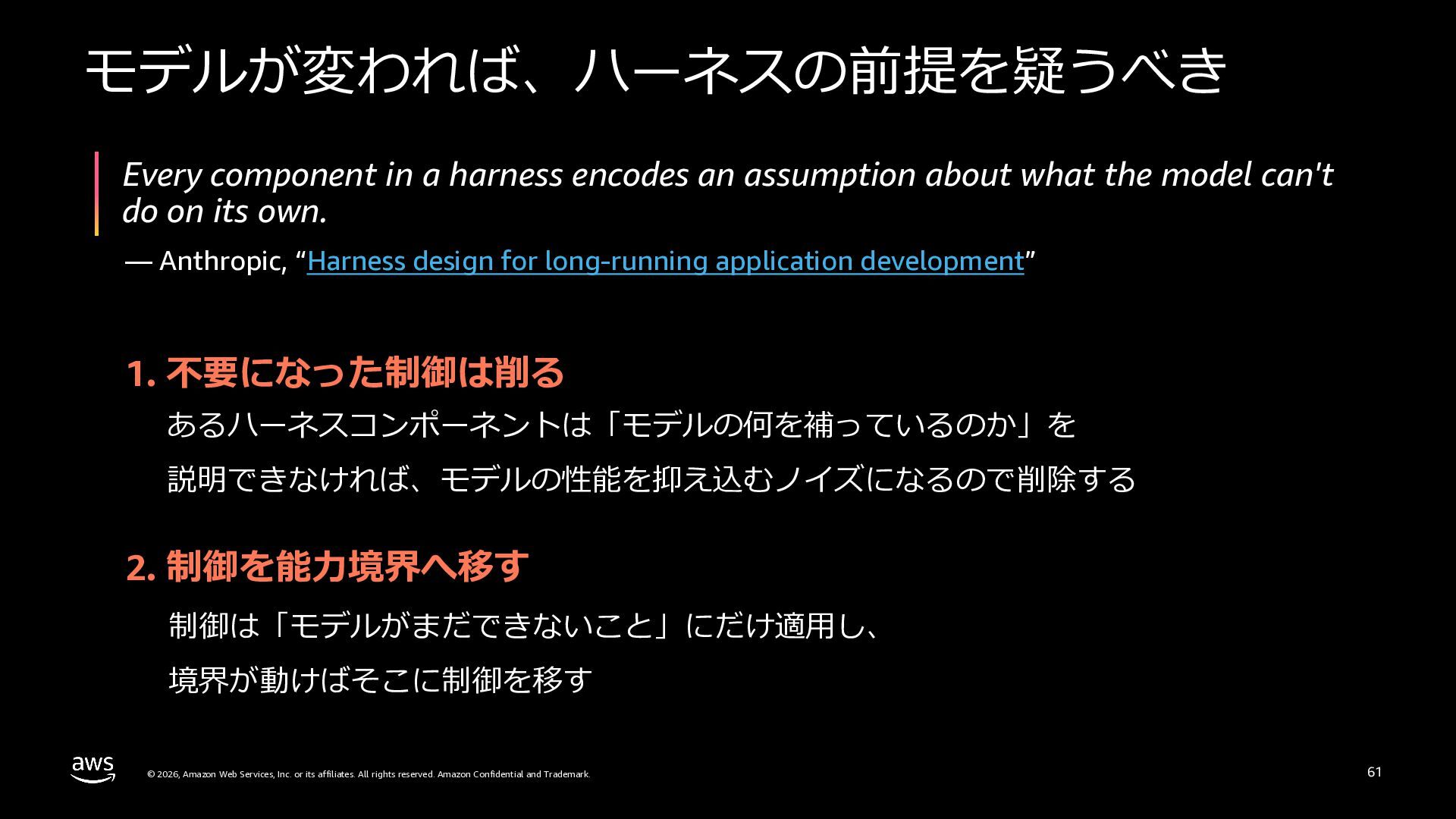
モデルが変われば、ハーネスの前提を疑うべき Every component in a harness encodes an assumption about
what the model can't do on its own. — Anthropic, “Harness design for long-running application development” 1. 不要になった制御は削る あるハーネスコンポーネントは「モデルの何を補っているのか」を 説明できなければ、モデルの性能を抑え込むノイズになるので削除する 2. 制御を能⼒境界へ移す 制御は「モデルがまだできないこと」にだけ適⽤し、 境界が動けばそこに制御を移す © 2026, Amazon Web Services, Inc. or its affiliates. All rights reserved. Amazon Confidential and Trademark. 61 -
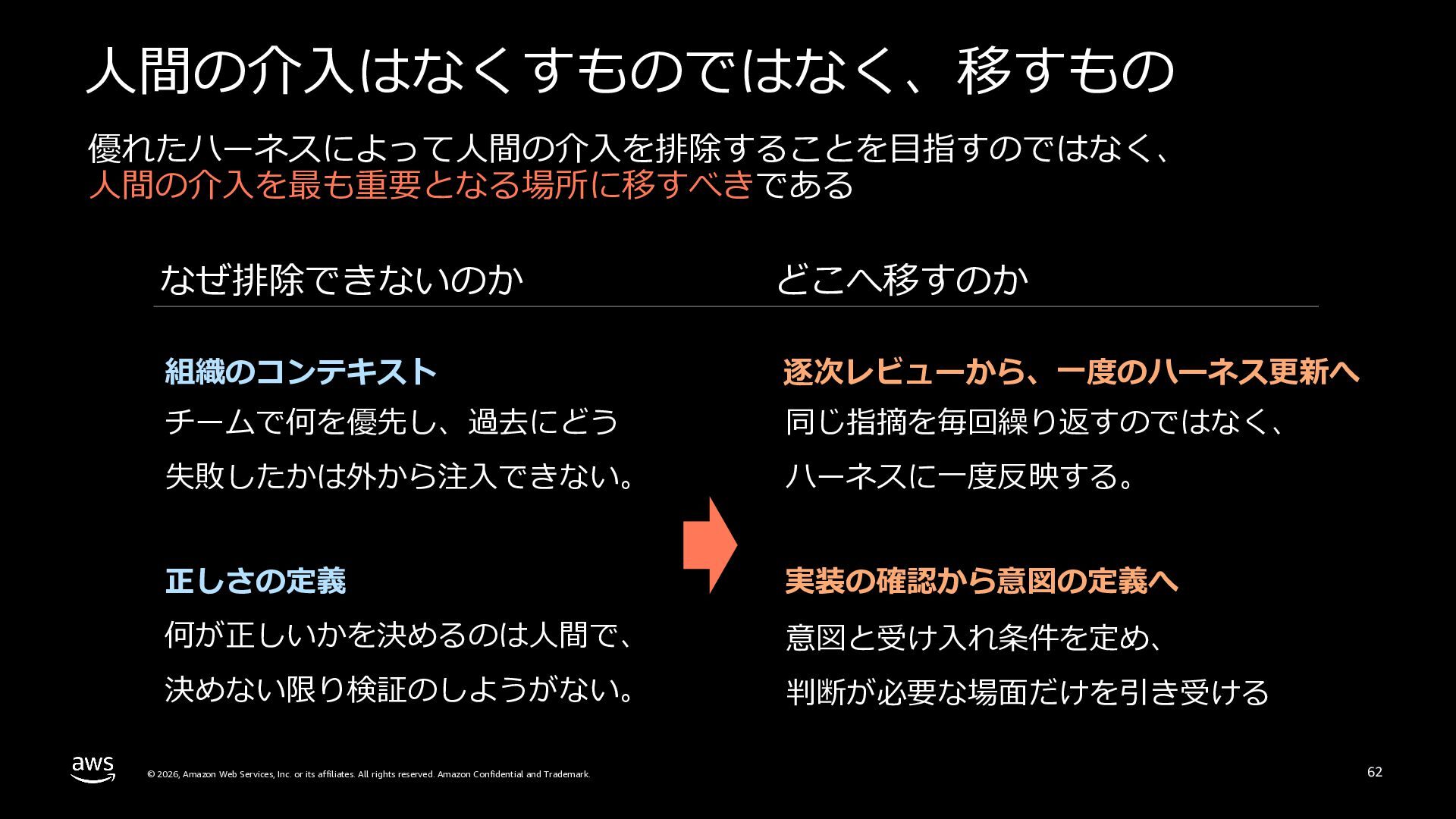
⼈間の介⼊はなくすものではなく、移すもの 優れたハーネスによって⼈間の介⼊を排除することを⽬指すのではなく、 ⼈間の介⼊を最も重要となる場所に移すべきである なぜ排除できないのか どこへ移すのか 組織のコンテキスト 逐次レビューから、⼀度のハーネス更新へ チームで何を優先し、過去にどう 同じ指摘を毎回繰り返すのではなく、 失敗したかは外から注⼊できない。
ハーネスに⼀度反映する。 正しさの定義 実装の確認から意図の定義へ 何が正しいかを決めるのは⼈間で、 意図と受け⼊れ条件を定め、 決めない限り検証のしようがない。 判断が必要な場⾯だけを引き受ける © 2026, Amazon Web Services, Inc. or its affiliates. All rights reserved. Amazon Confidential and Trademark. 62
 inariku
 tammyeverts
 azukiazusa1
 bitkey
 keitah
 ryuz88
 csswizardry
 inesmontani
 endonanana
 jumpe1
 kaminashi
 tomoki10
 soracom
 marktimemedia
 takai
 morganepeng
 cromwellryan
 trishagee
 katarinadahlin
 schlessera
 aleyda
 zakiyama
 danielanewman
 jonoalderson
 soudai