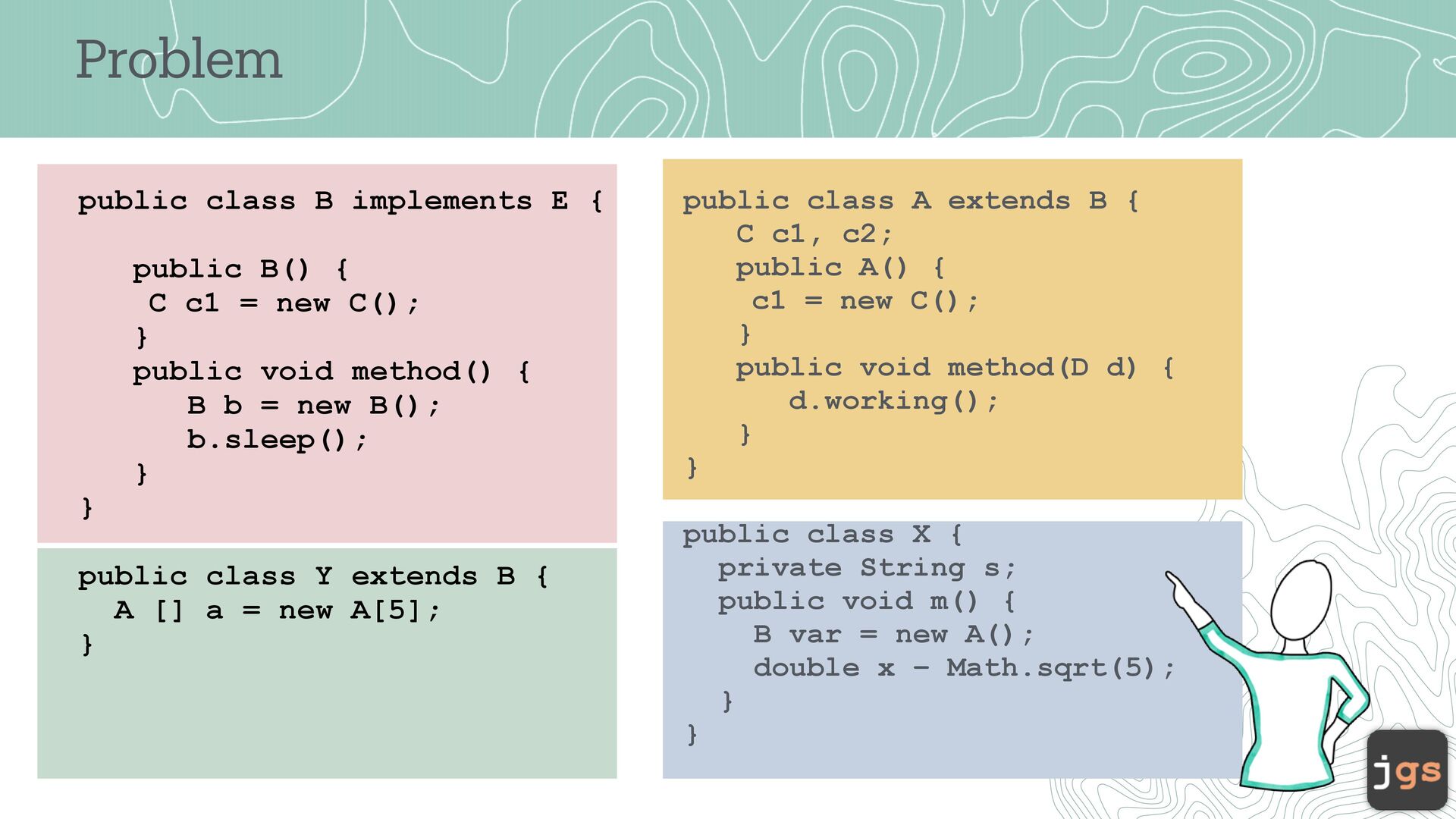
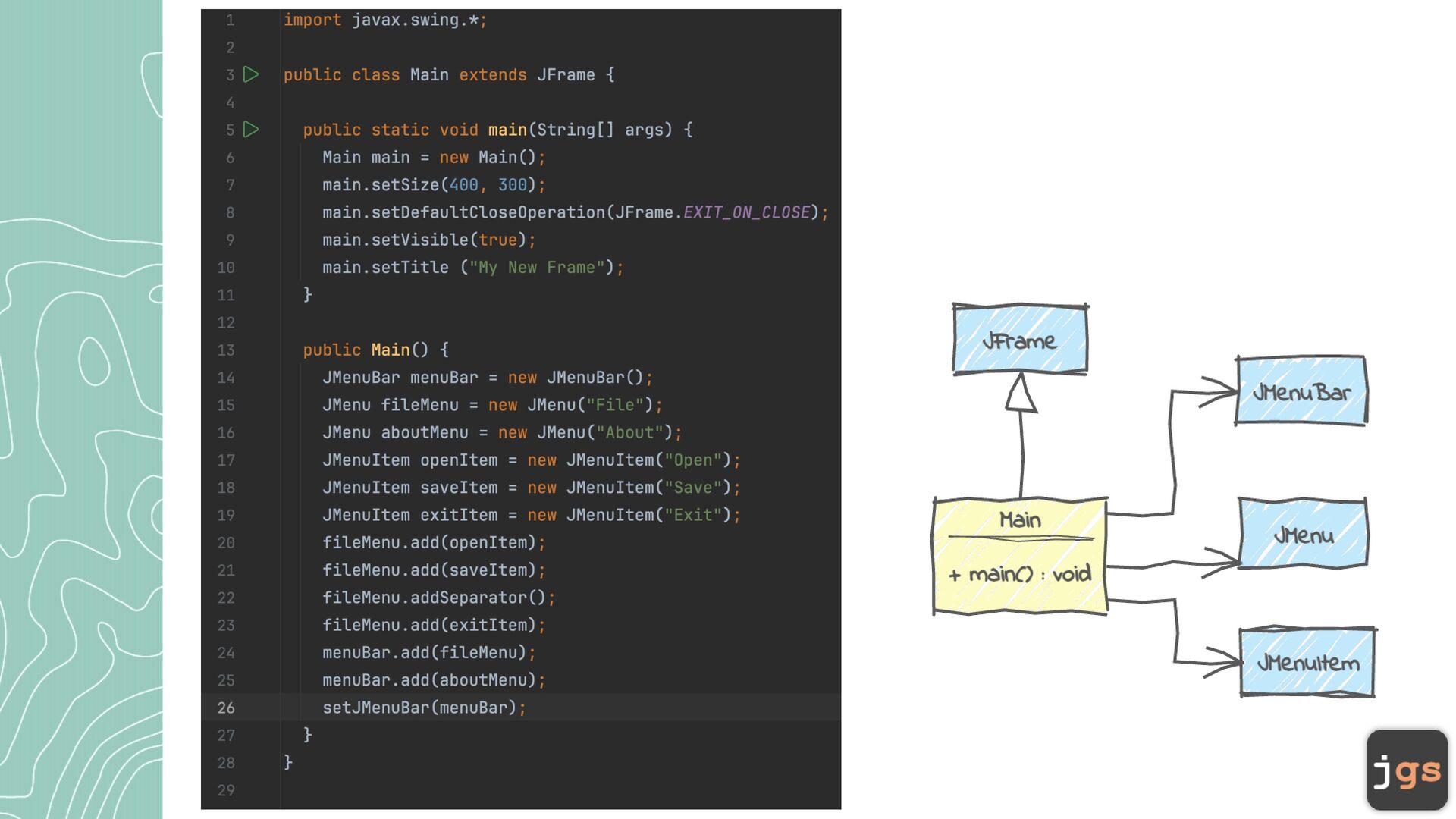
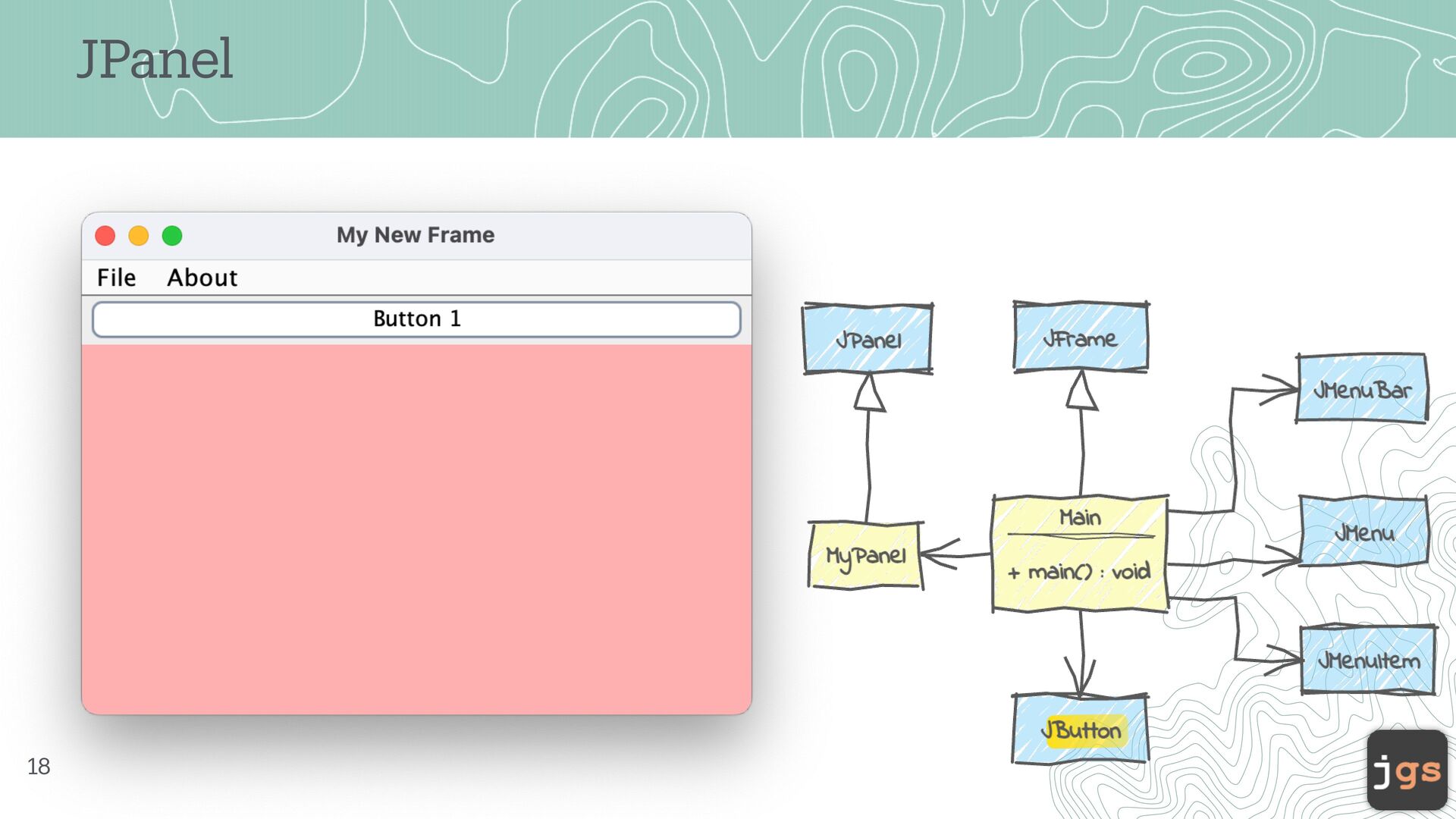
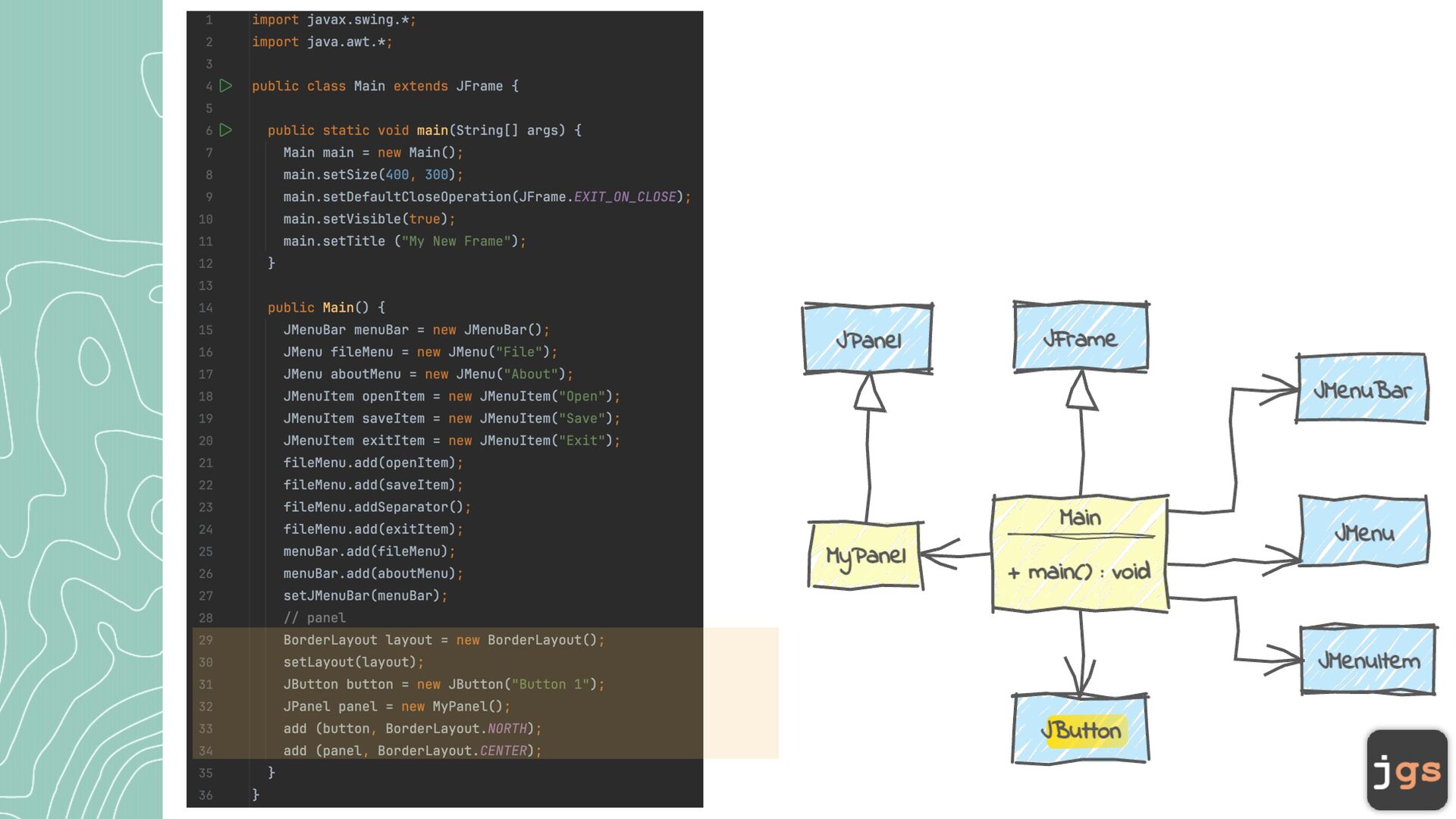
C c1 = new C(); } public void method() { B b = new B(); b.sleep(); } } public class Y extends B { A [] a = new A[5]; } public class A extends B { C c1, c2; public A() { c1 = new C(); } public void method(D d) { d.working(); } } public class X { private String s; public void m() { B var = new A(); double x – Math.sqrt(5); } }
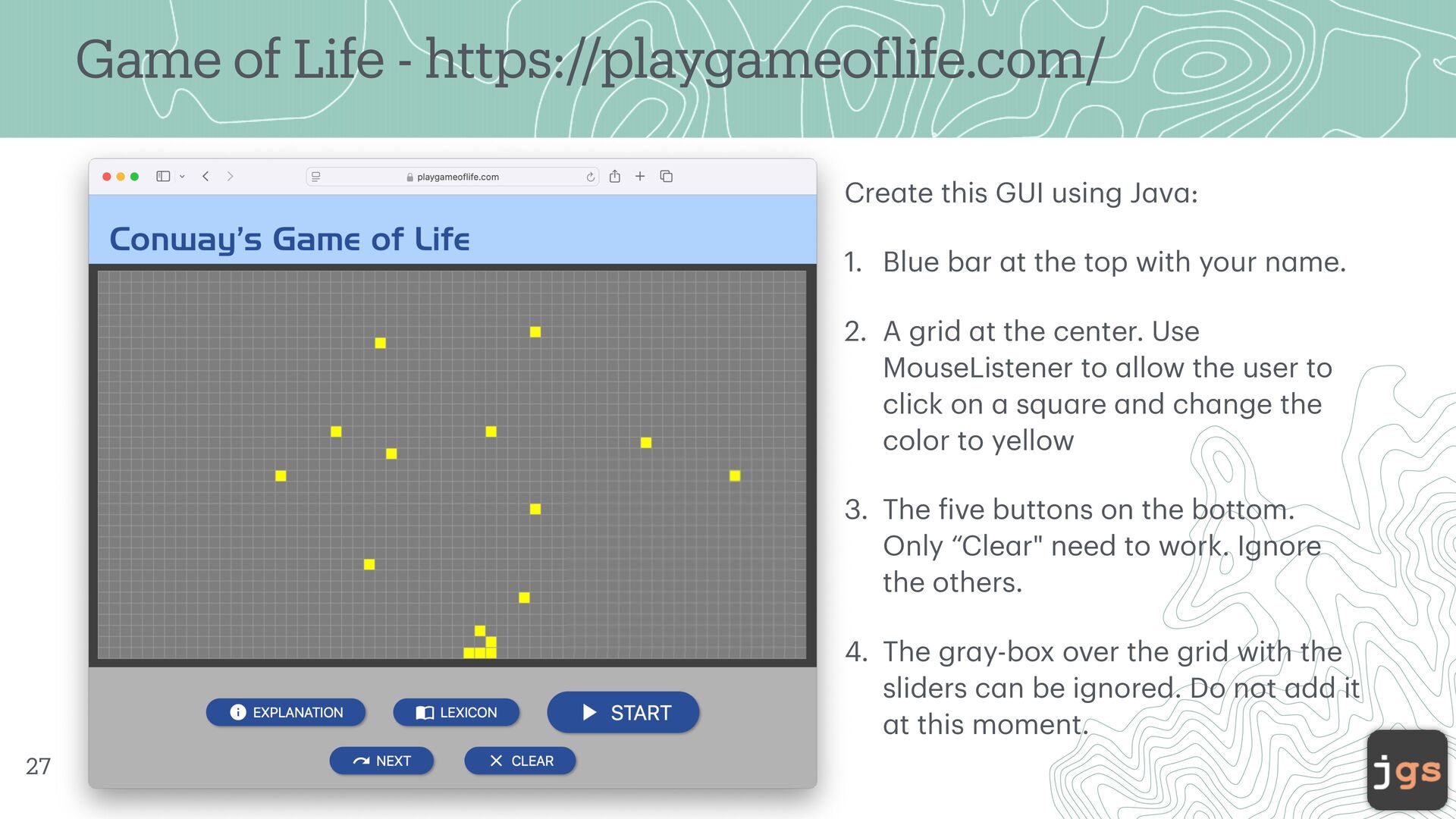
this GUI using J a v a : 1. Blue b a r a t the top with your n a me. 2. A grid a t the center. Use MouseListener to a llow the user to click on a squ a re a nd ch a nge the color to yellow 3. The f ive buttons on the bottom. Only “Cle a r" need to work. Ignore the others. 4. The gr a y-box over the grid with the sliders c a n be ignored. Do not a dd it a t this moment. 27
[email protected] Summer 2025 Copyright. These slides can only be used as study material for the class CSC305 at Cal Poly. They cannot be distributed or used for another purpose.


 javiergs
 oku053
 y0hgi
y0hgi
 yuukiw00w
 naokihaba
 mofurune
 nao_randd
.jpg) yumnumm
yumnumm
 hatsu38
 texmeijin
 taiseiue
 ken_tunc
 irinanazarova
 mfonobong
 sstephenson
 inesmontani
 akademiya2063
 uxyall
 oripsolob
 minecr
 sarafernandez
 addyosmani
 aemeredith
 techseoconnect
 eileencodes
![Dr. Javier Gonzalez-Sanchez [email protected] www.javiergs.info o ffi ce: 14 -227](https://files.speakerdeck.com/presentations/9240d069e9d847848dd0450598563b7b/slide_0.jpg)