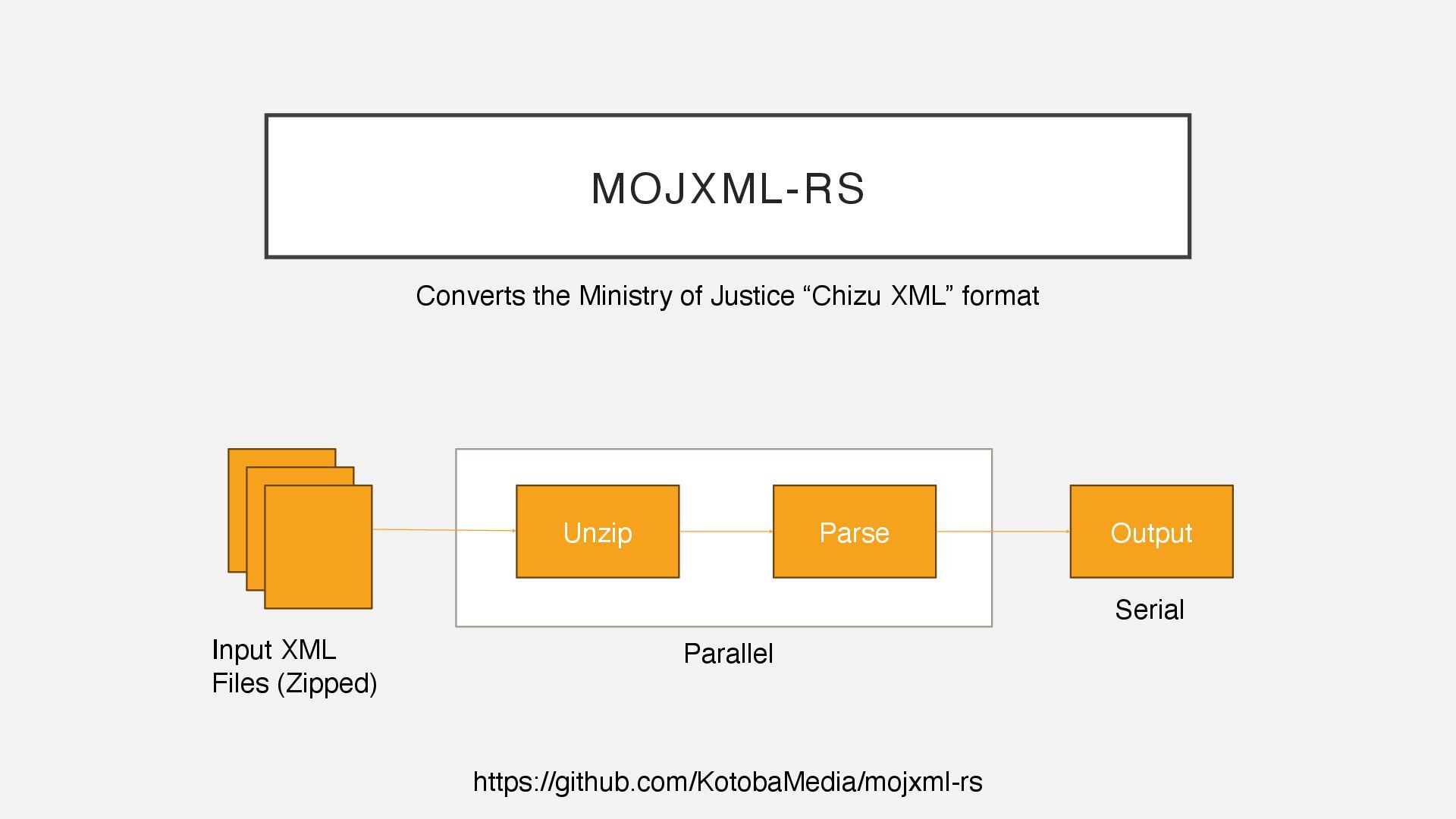
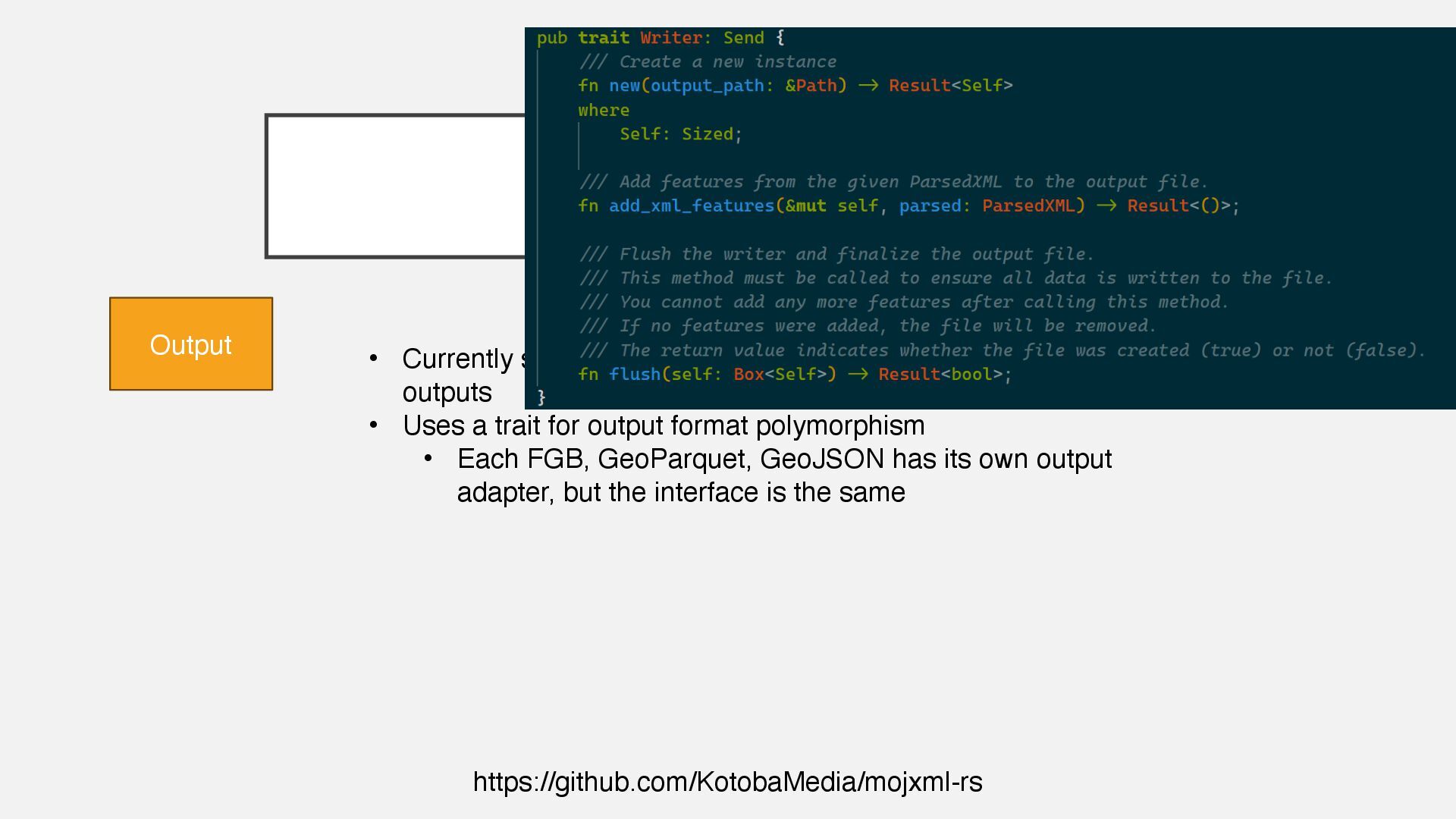
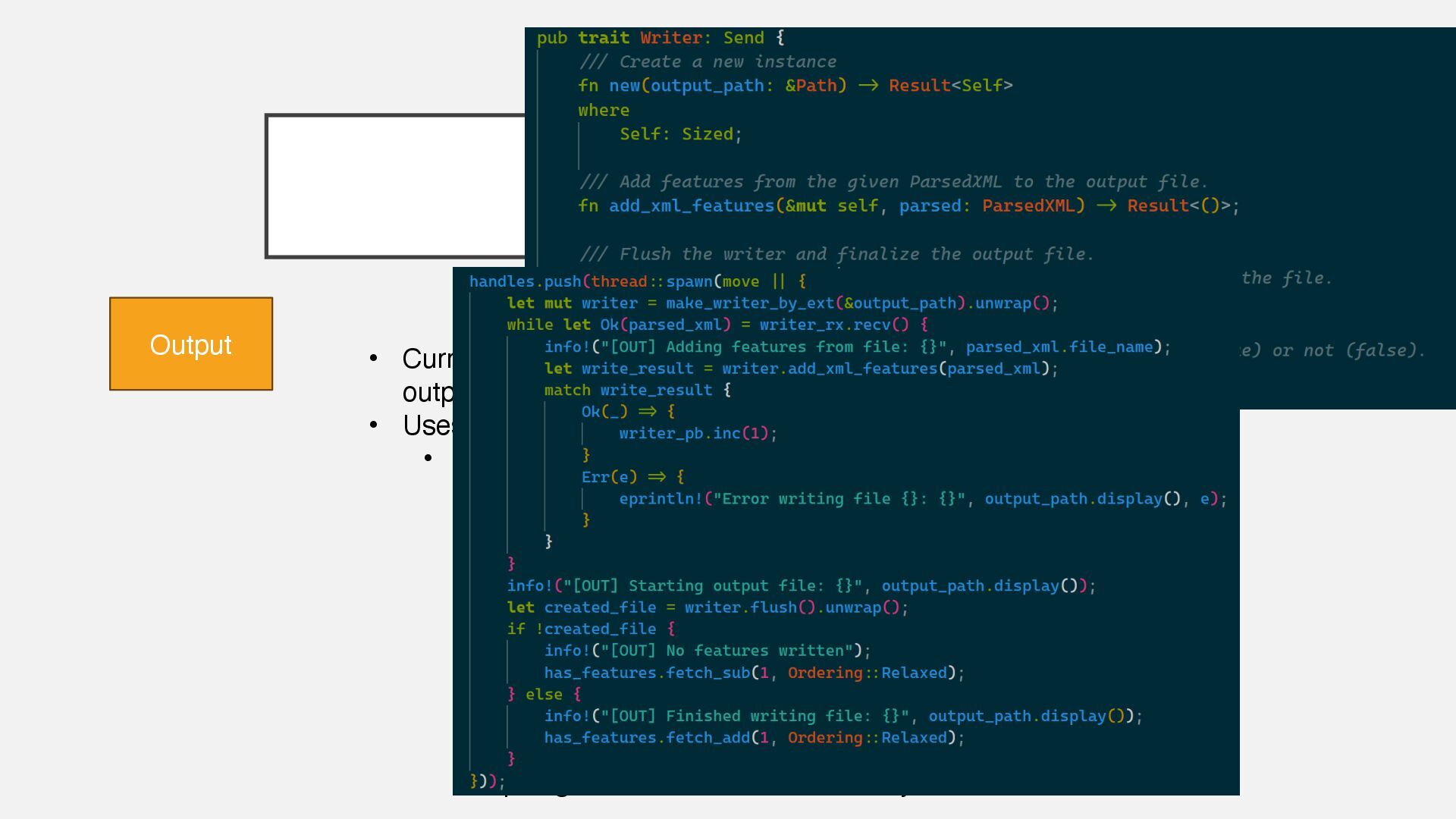
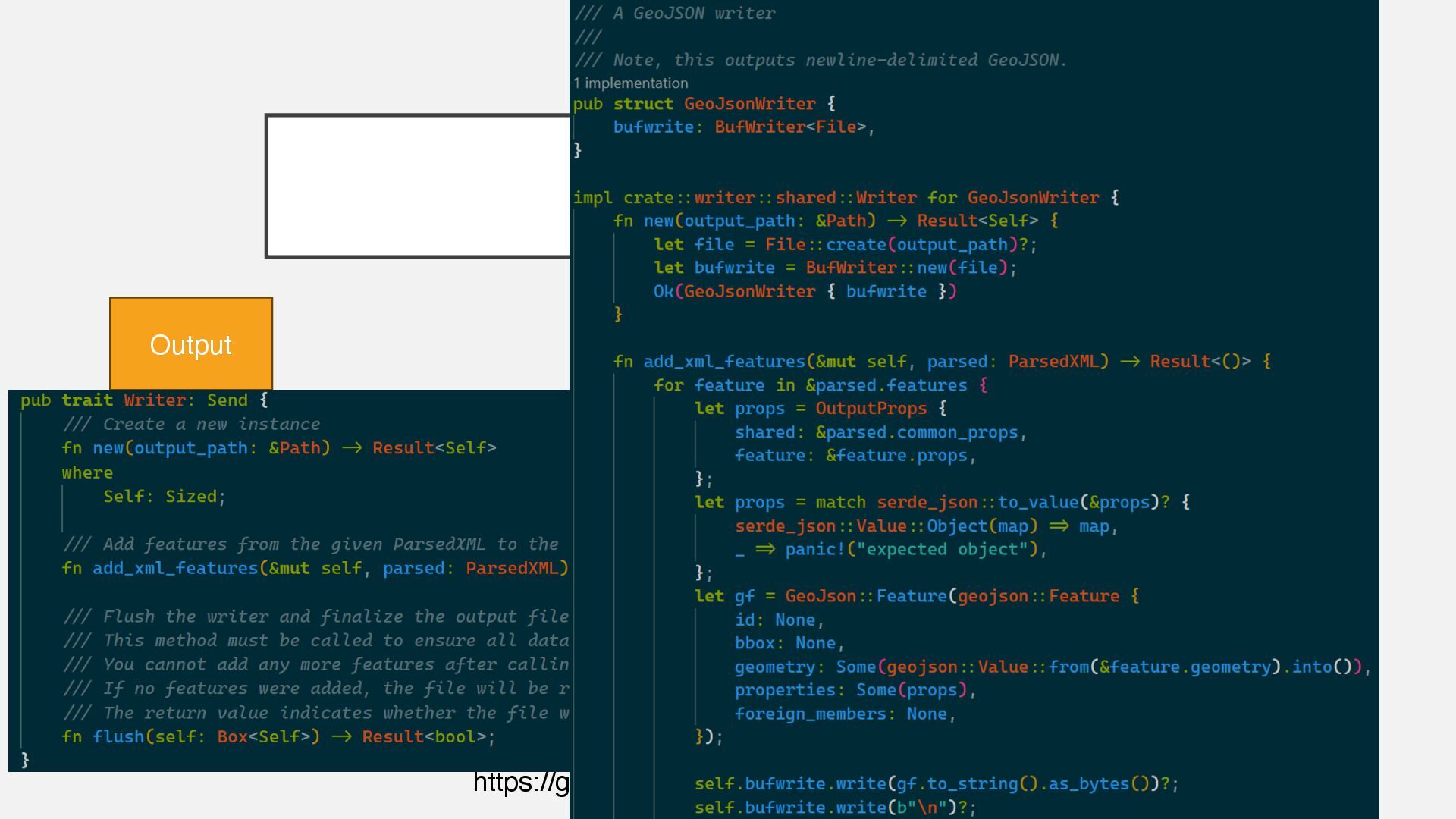
Multithreaded Processing • Geospatial Processing • Examples Keita Kobayashi, Founder KotobaMedia Born Tokyo, raised US, living in Yakushima First GIS app: a tool to tell me if I need to run or walk to the bus stop for university. Development & cloud operations experience with PHP, Ruby on Rails, Python, JavaScript / TypeScript. Now doing GIS data processing, product development. 90%+ Rust. https://keita.blog/foss4g2025jp Example code available!
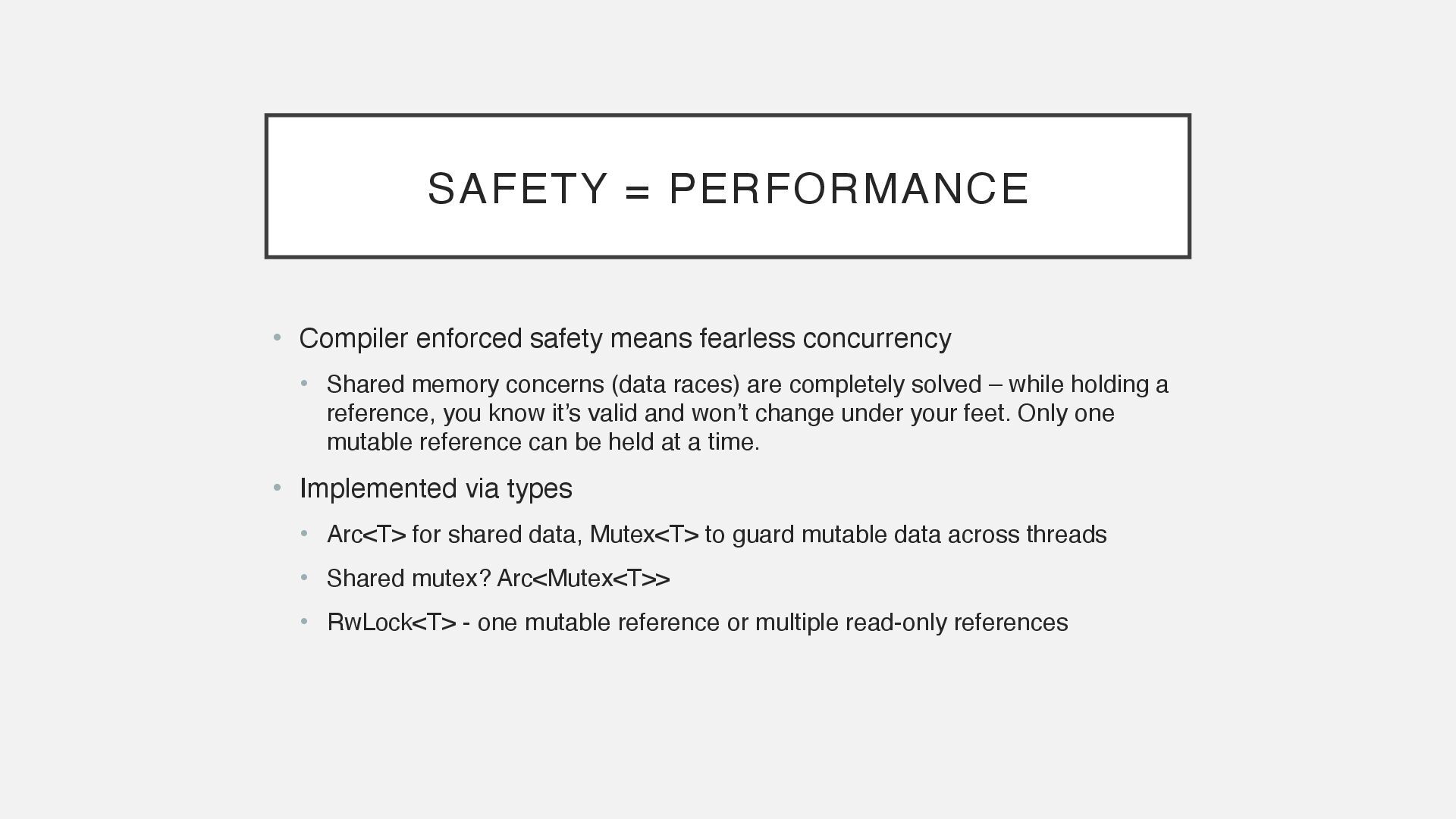
• Shared memory concerns (data races) are completely solved – while holding a reference, you know it’s valid and won’t change under your feet. Only one mutable reference can be held at a time. • Implemented via types • Arc<T> for shared data, Mutex<T> to guard mutable data across threads • Shared mutex? Arc<Mutex<T>> • RwLock<T> - one mutable reference or multiple read-only references
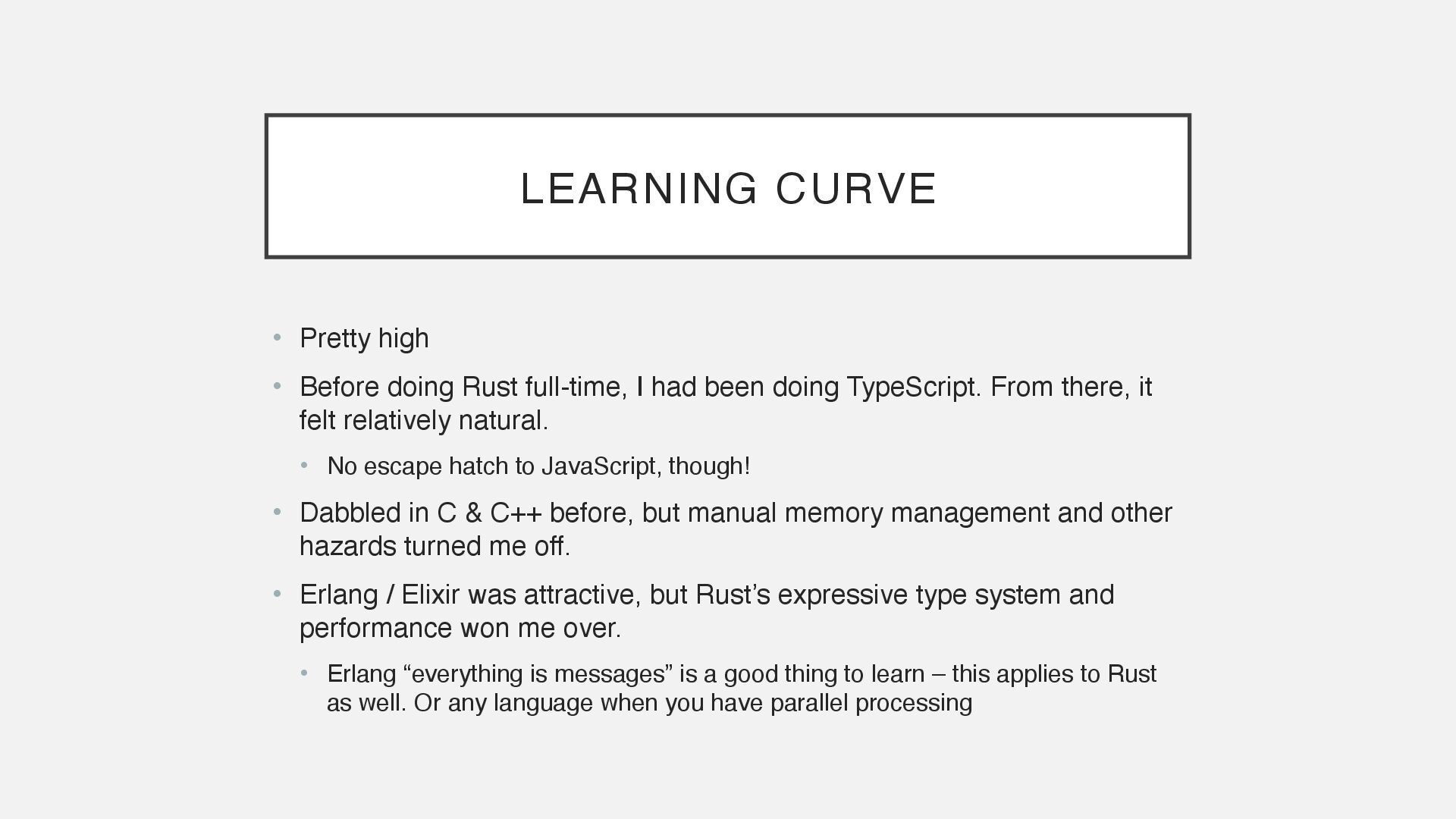
I had been doing TypeScript. From there, it felt relatively natural. • No escape hatch to JavaScript, though! • Dabbled in C & C++ before, but manual memory management and other hazards turned me off. • Erlang / Elixir was attractive, but Rust’s expressive type system and performance won me over. • Erlang “everything is messages” is a good thing to learn – this applies to Rust as well. Or any language when you have parallel processing
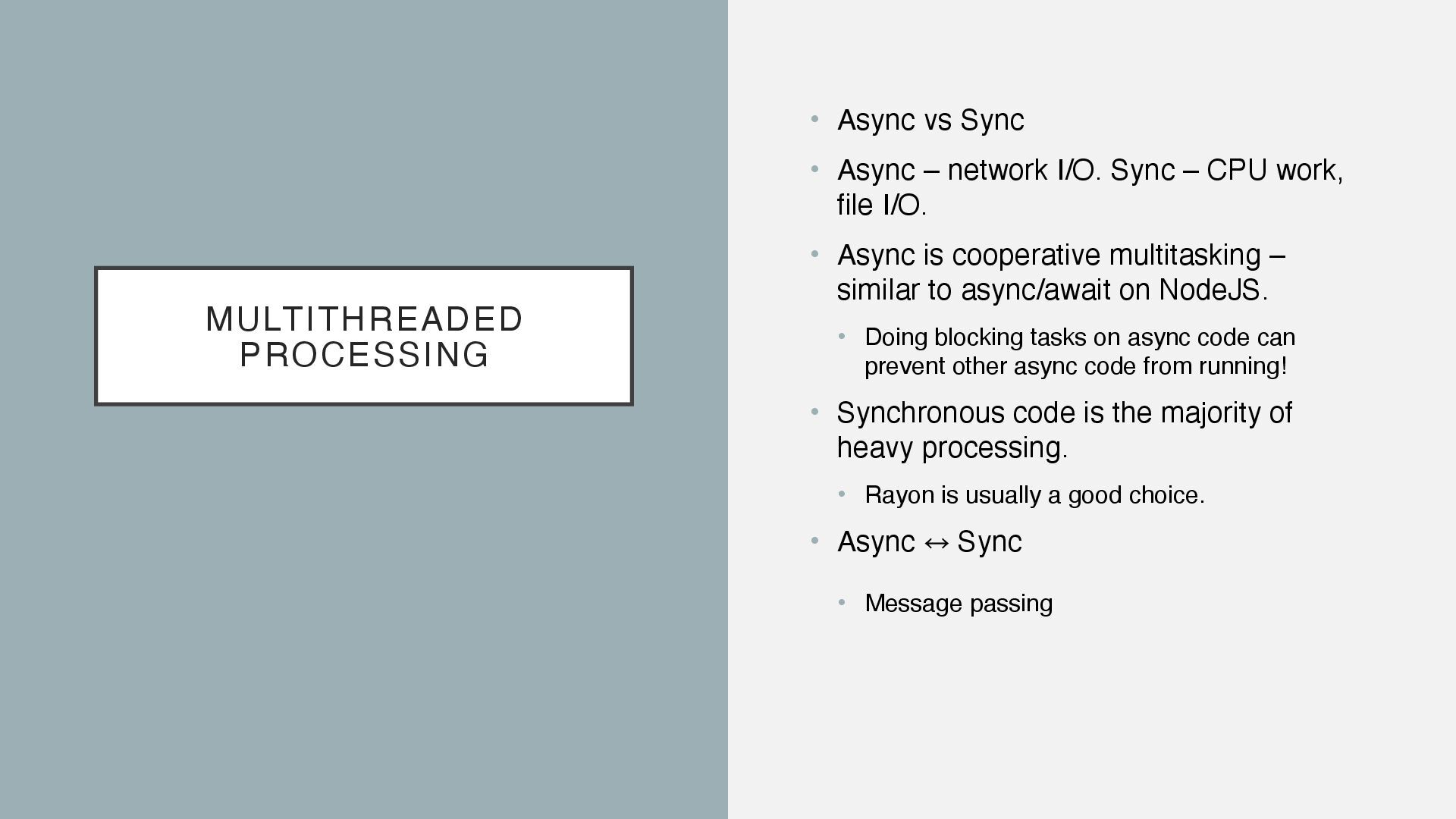
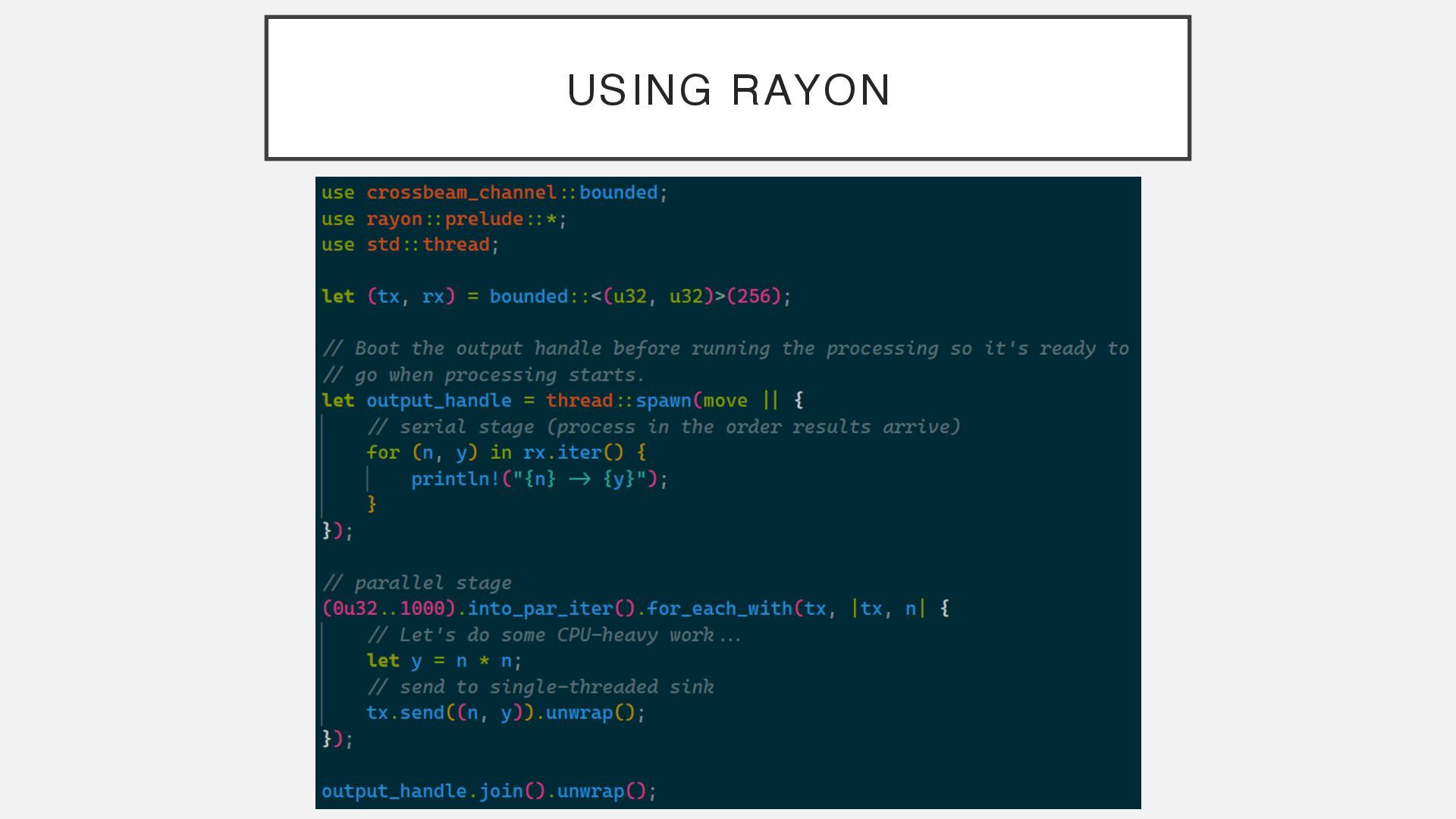
I/O. Sync – CPU work, file I/O. • Async is cooperative multitasking – similar to async/await on NodeJS. • Doing blocking tasks on async code can prevent other async code from running! • Synchronous code is the majority of heavy processing. • Rayon is usually a good choice. • Async 㲗 ︎ Sync • Message passing
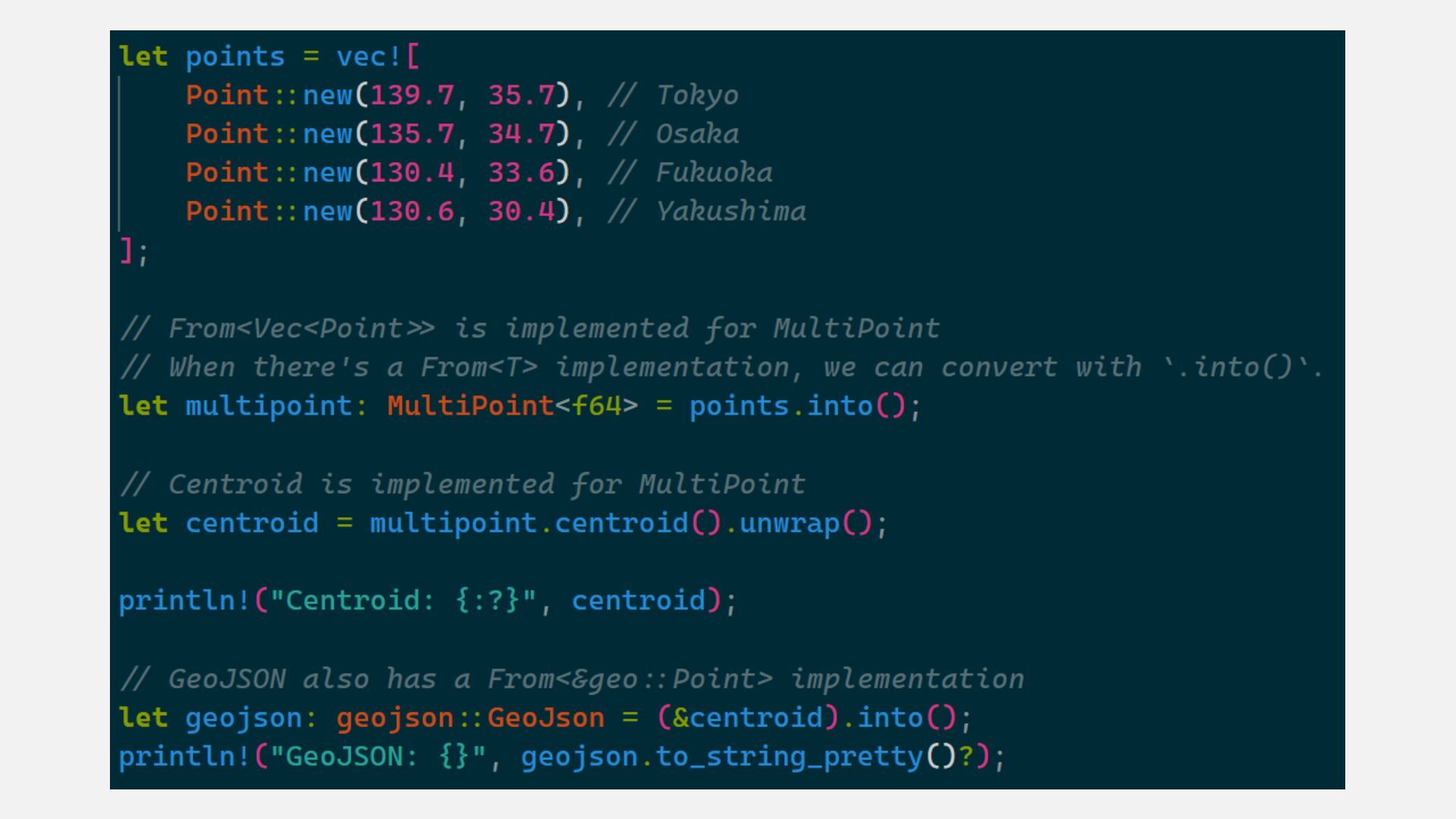
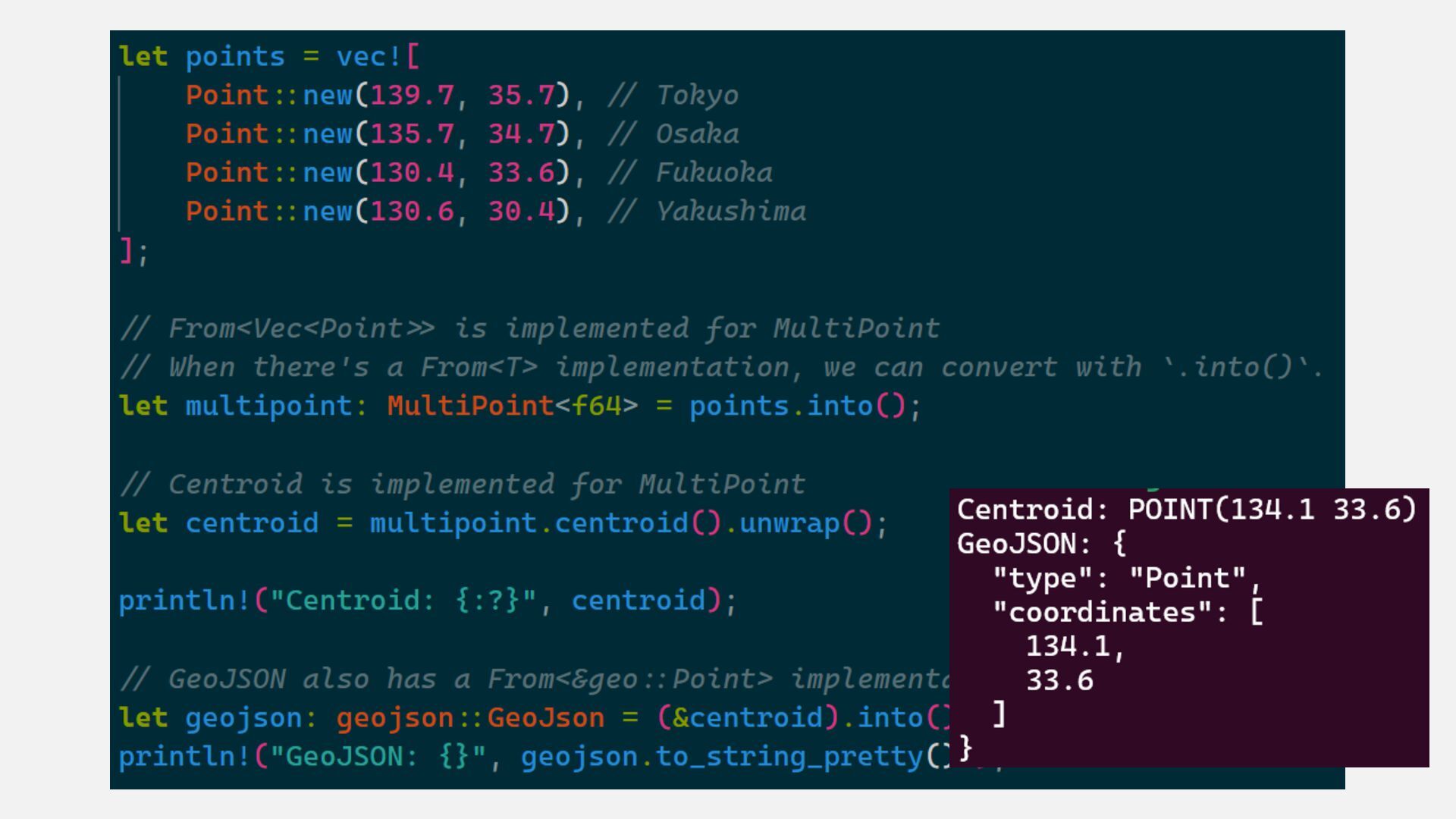
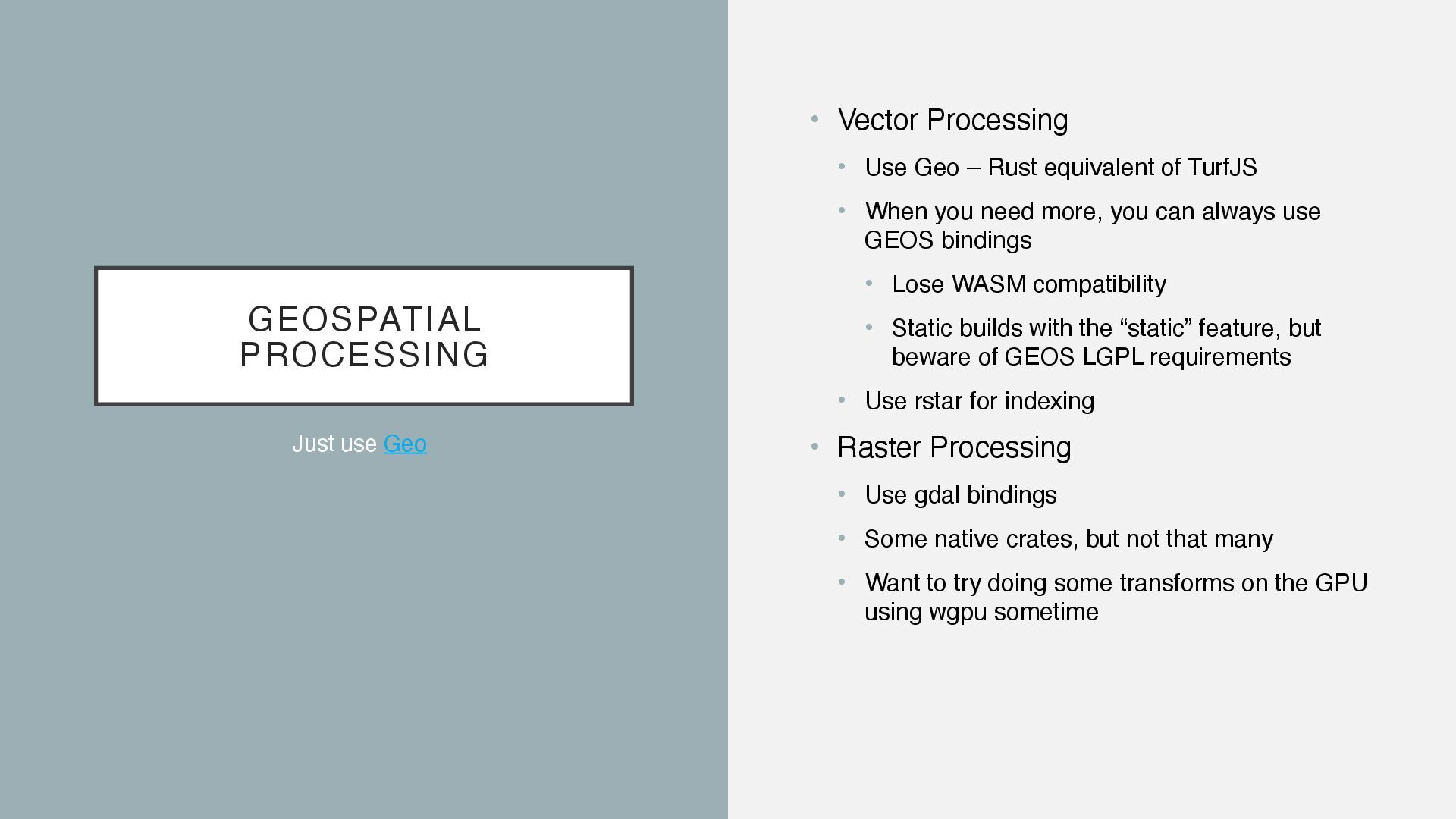
equivalent of TurfJS • When you need more, you can always use GEOS bindings • Lose WASM compatibility • Static builds with the “static” feature, but beware of GEOS LGPL requirements • Use rstar for indexing • Raster Processing • Use gdal bindings • Some native crates, but not that many • Want to try doing some transforms on the GPU using wgpu sometime Just use Geo
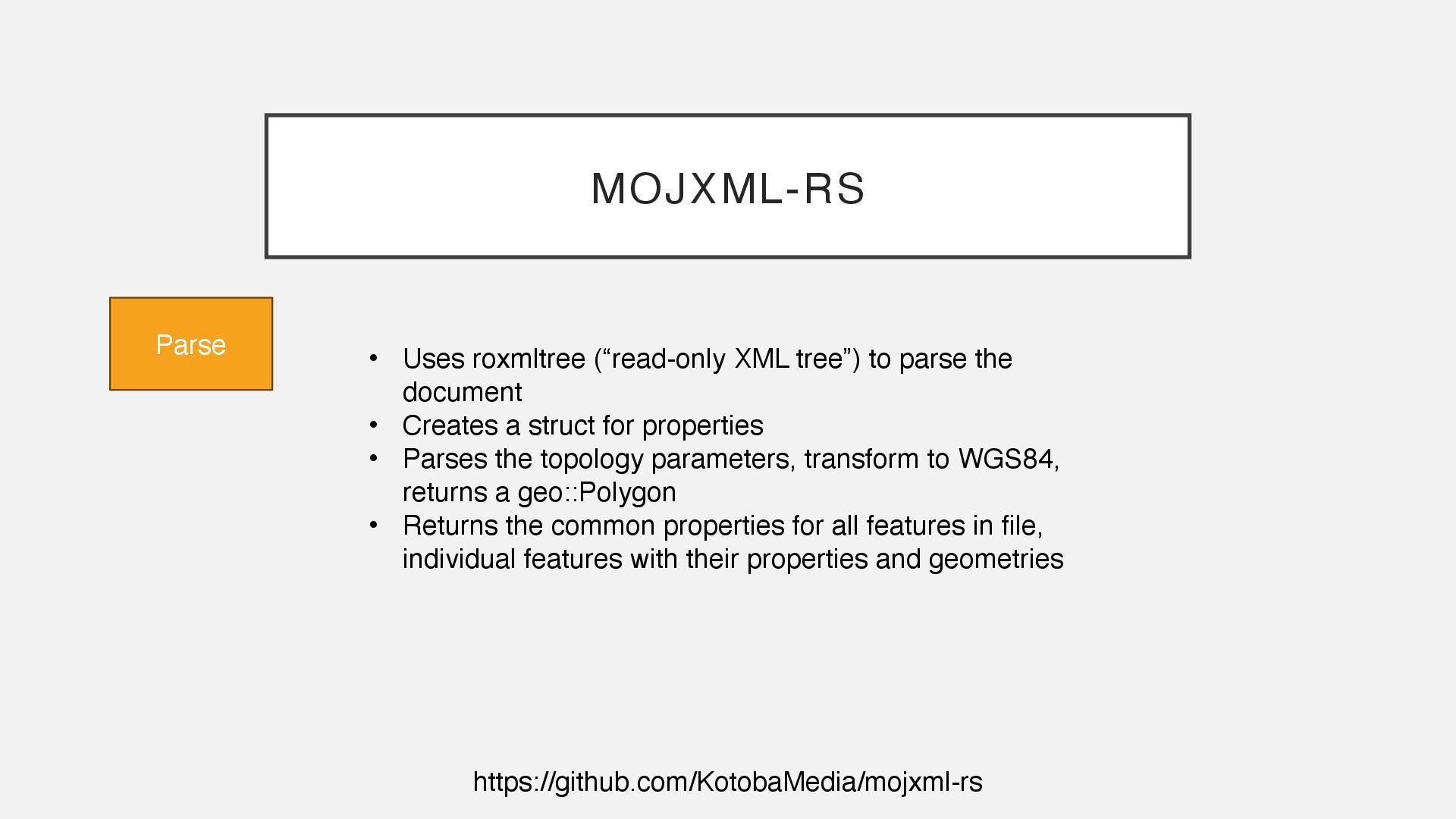
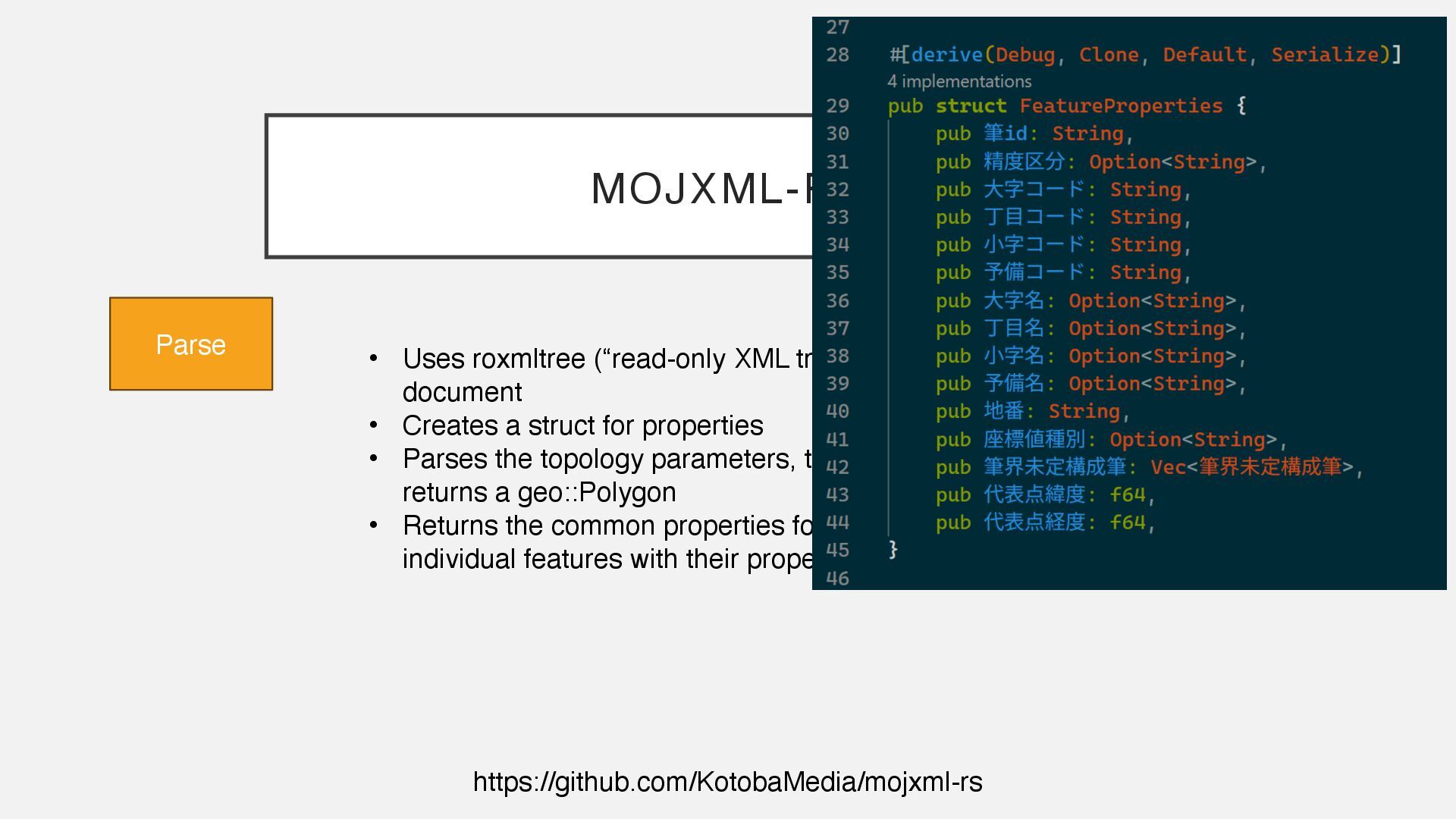
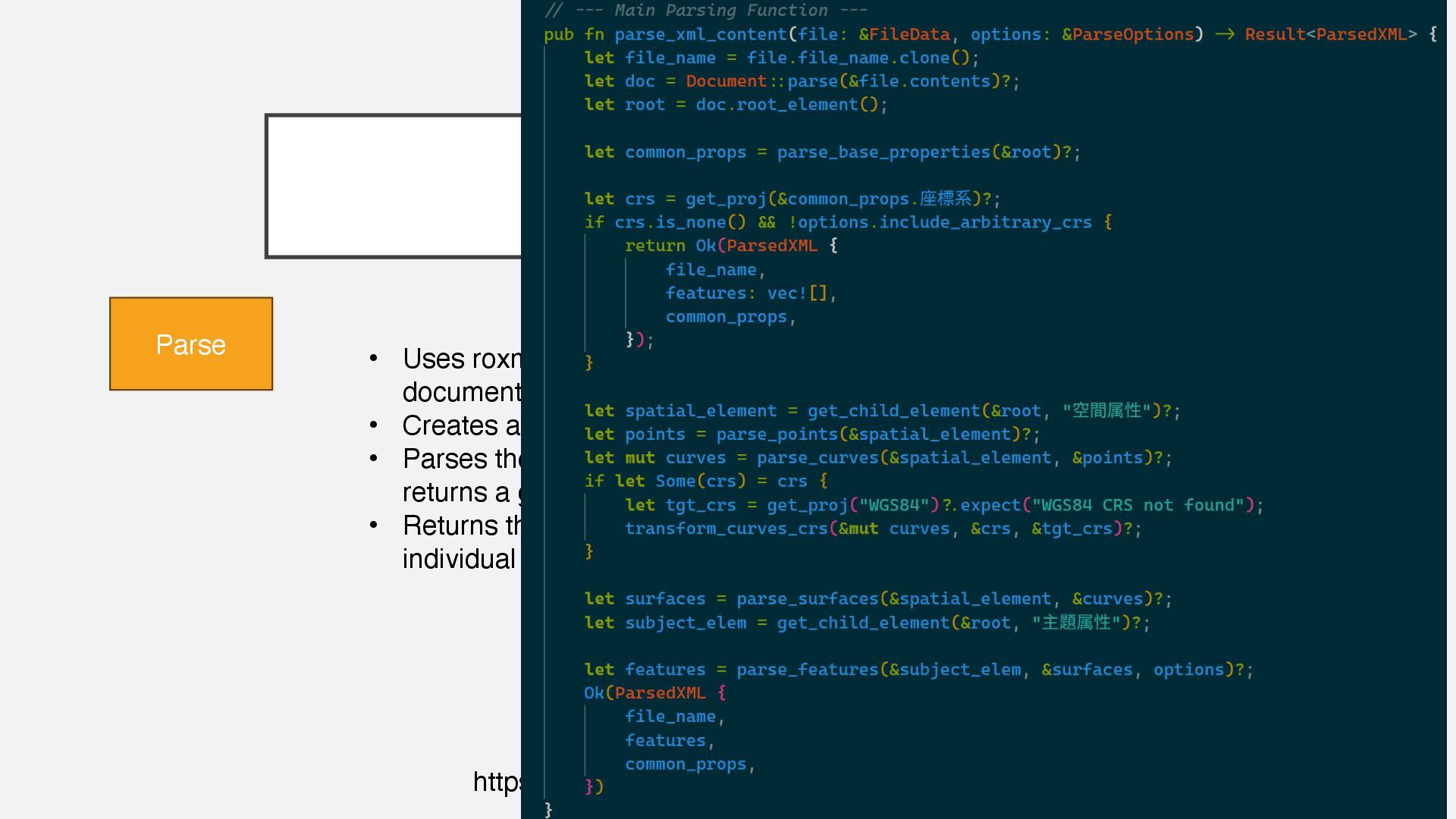
parse the document • Creates a struct for properties • Parses the topology parameters, transform to WGS84, returns a geo::Polygon • Returns the common properties for all features in file, individual features with their properties and geometries
parse the document • Creates a struct for properties • Parses the topology parameters, transform to WGS84, returns a geo::Polygon • Returns the common properties for all features in file, individual features with their properties and geometries
parse the document • Creates a struct for properties • Parses the topology parameters, transform to WGS84, returns a geo::Polygon • Returns the common properties for all features in file, individual features with their properties and geometries
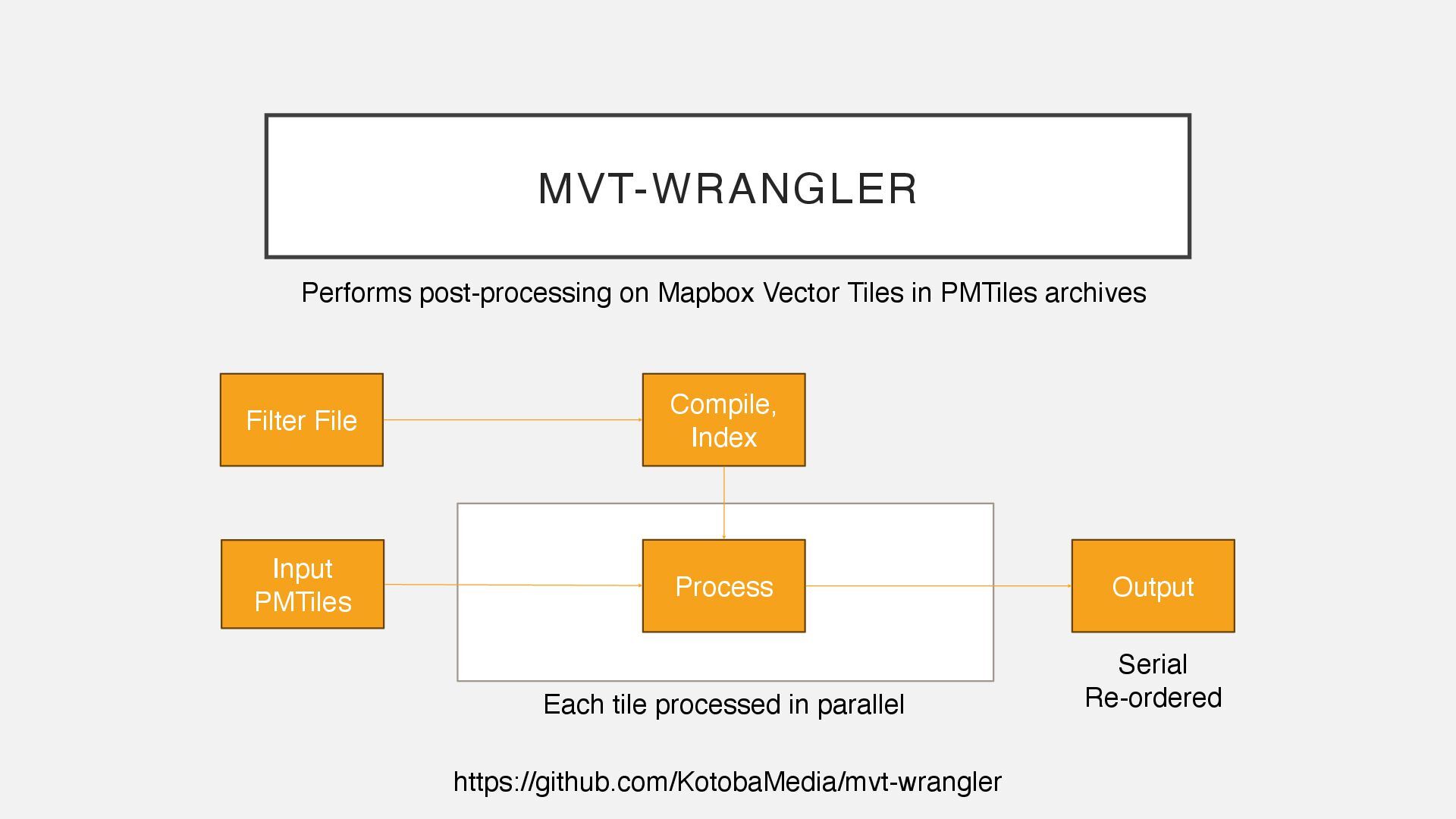
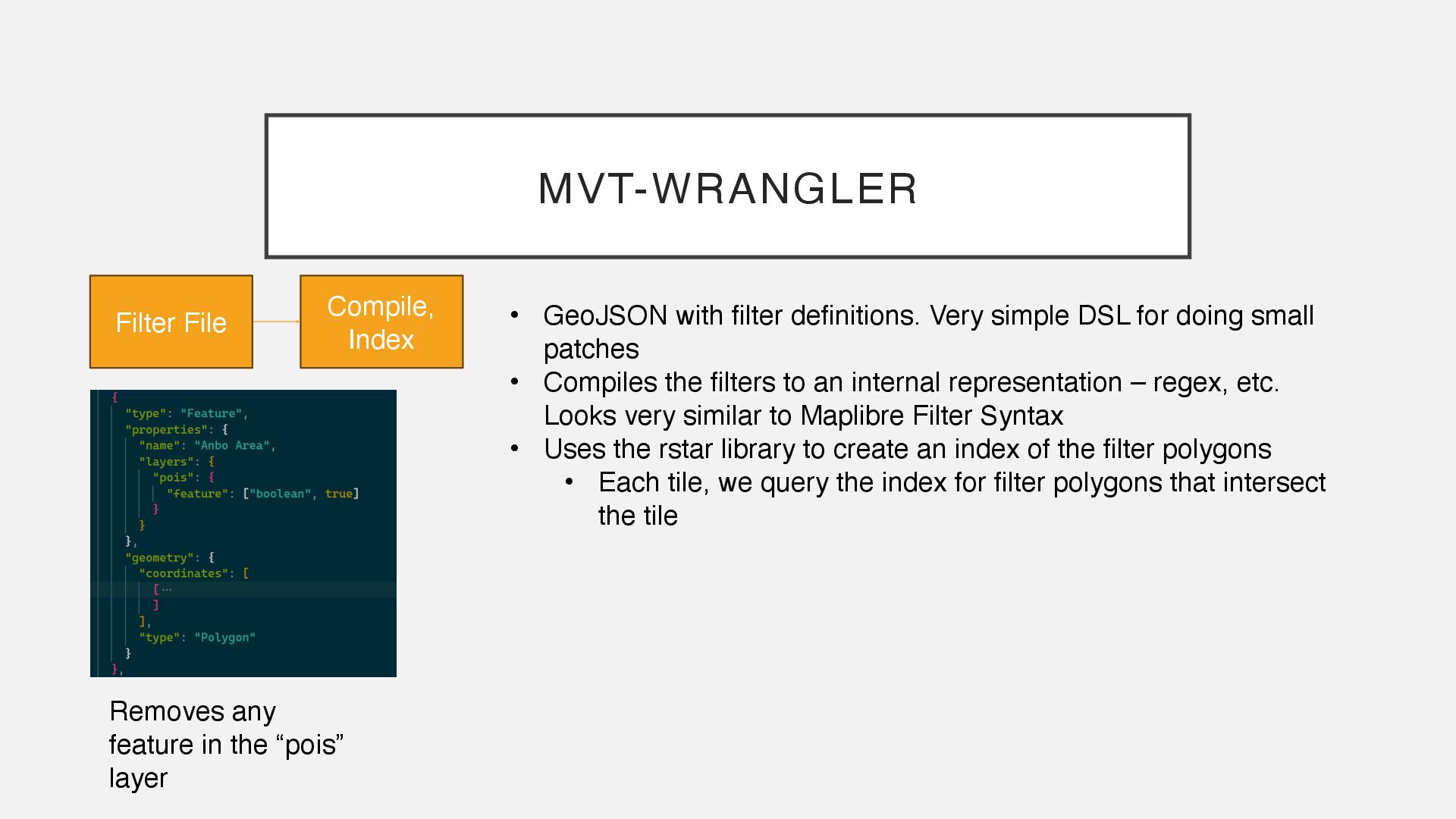
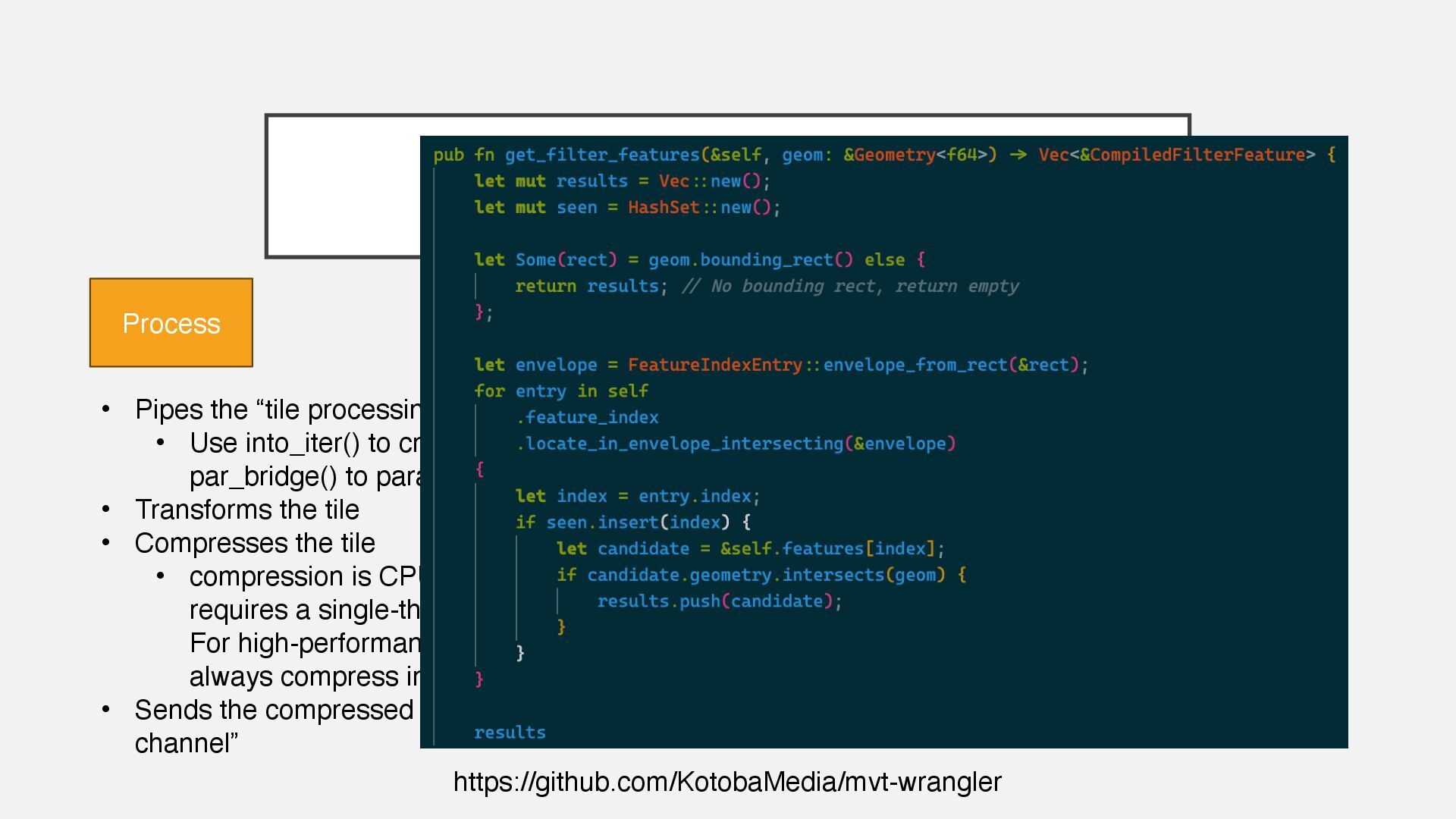
small patches • Compiles the filters to an internal representation – regex, etc. Looks very similar to Maplibre Filter Syntax • Uses the rstar library to create an index of the filter polygons • Each tile, we query the index for filter polygons that intersect the tile MVT-WRANGLER Filter File Compile, Index Removes any feature in the “pois” layer
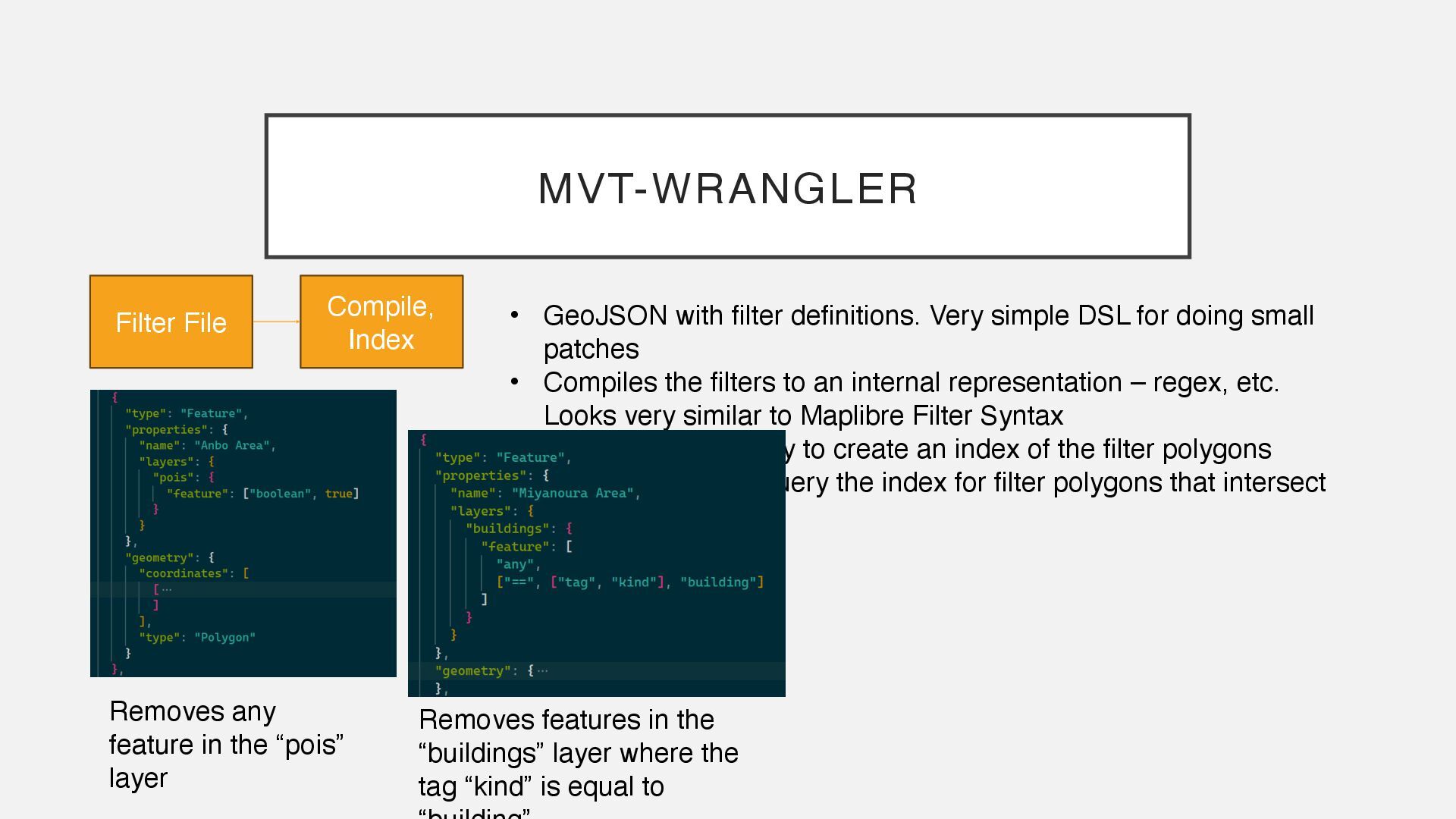
small patches • Compiles the filters to an internal representation – regex, etc. Looks very similar to Maplibre Filter Syntax • Uses the rstar library to create an index of the filter polygons • Each tile, we query the index for filter polygons that intersect the tile MVT-WRANGLER Filter File Compile, Index Removes any feature in the “pois” layer Removes features in the “buildings” layer where the tag “kind” is equal to
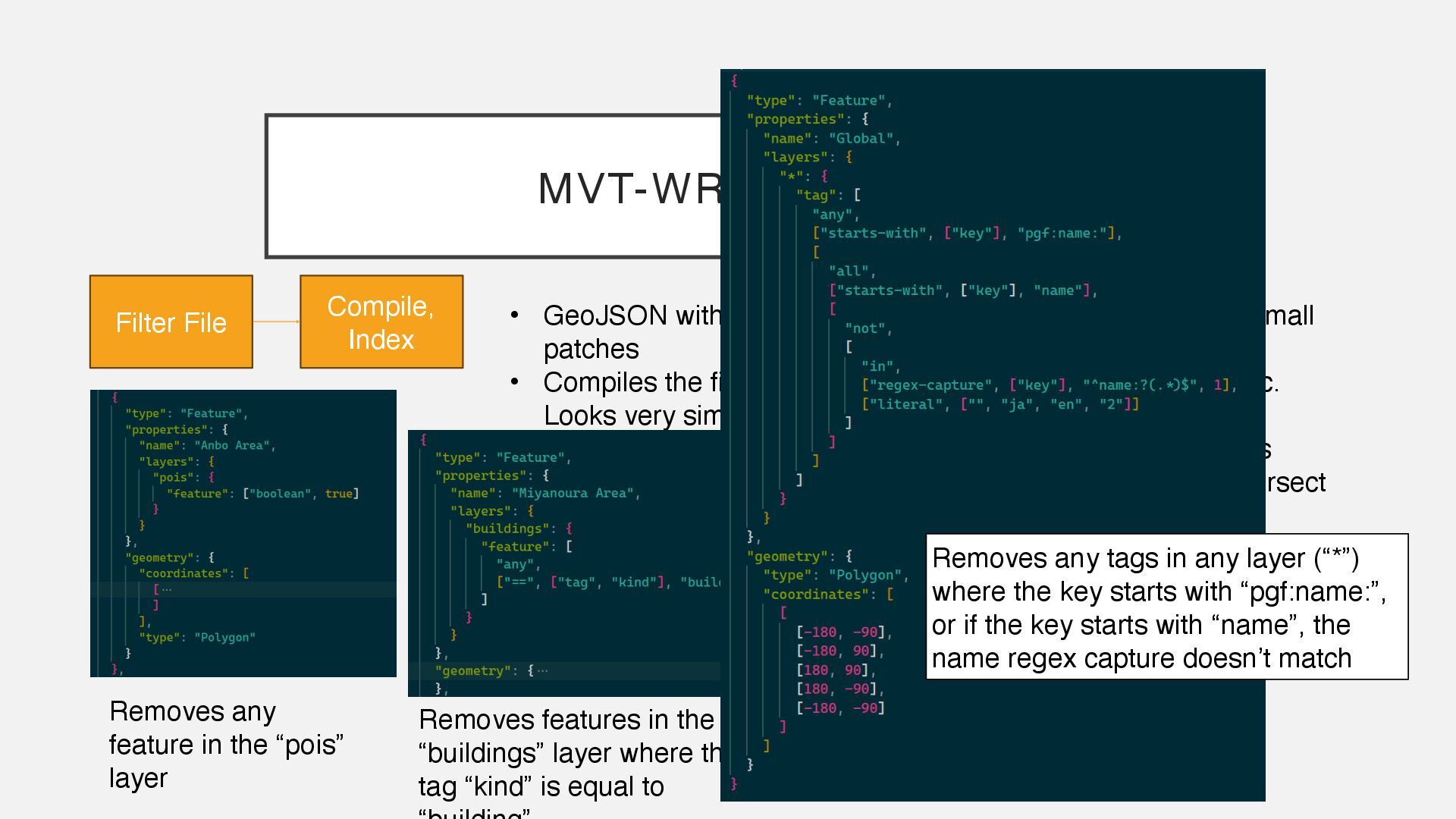
small patches • Compiles the filters to an internal representation – regex, etc. Looks very similar to Maplibre Filter Syntax • Uses the rstar library to create an index of the filter polygons • Each tile, we query the index for filter polygons that intersect the tile MVT-WRANGLER Filter File Compile, Index Removes any feature in the “pois” layer Removes features in the “buildings” layer where the tag “kind” is equal to Removes any tags in any layer (“*”) where the key starts with “pgf:name:”, or if the key starts with “name”, the name regex capture doesn’t match
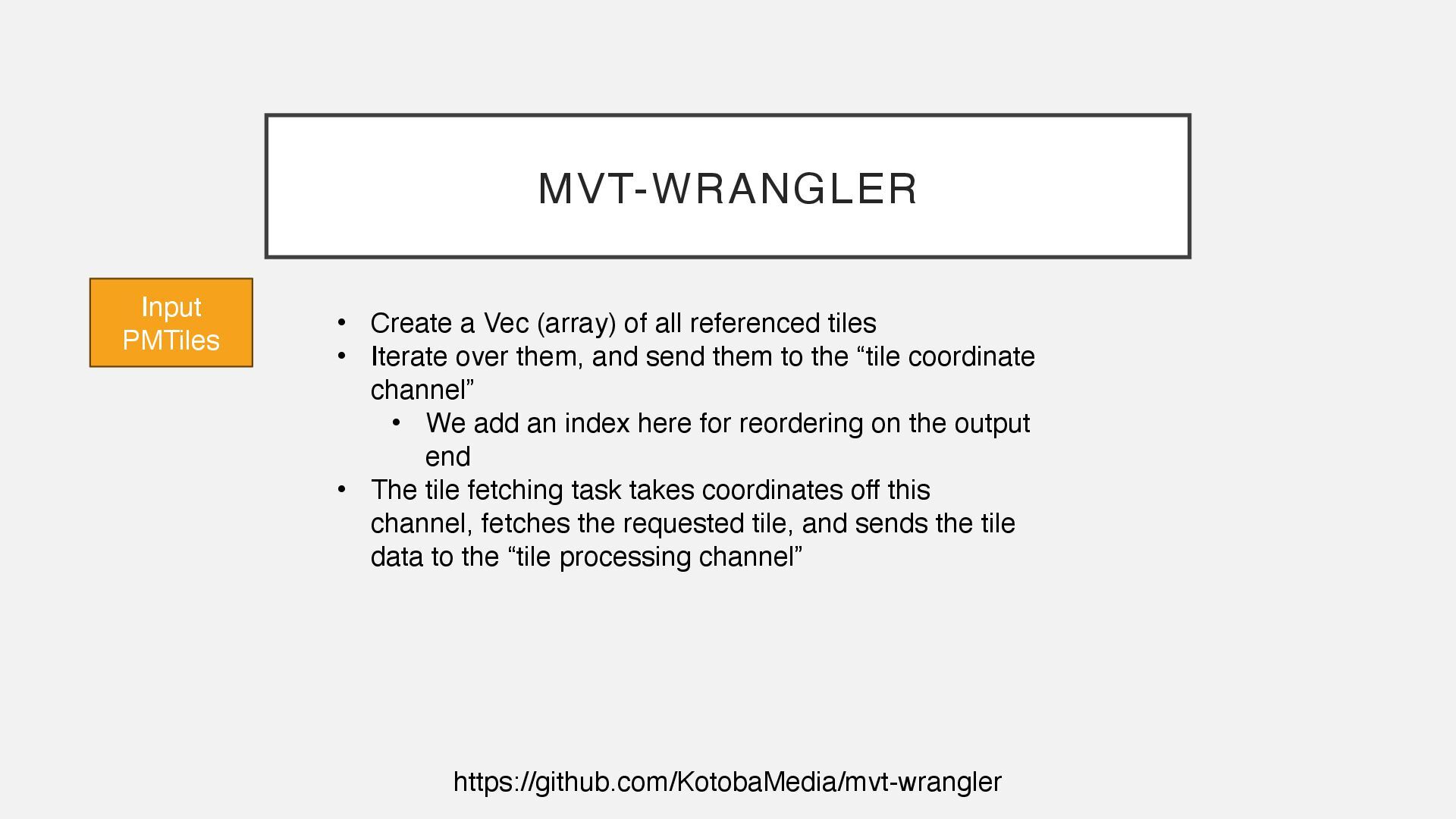
all referenced tiles • Iterate over them, and send them to the “tile coordinate channel” • We add an index here for reordering on the output end • The tile fetching task takes coordinates off this channel, fetches the requested tile, and sends the tile data to the “tile processing channel”
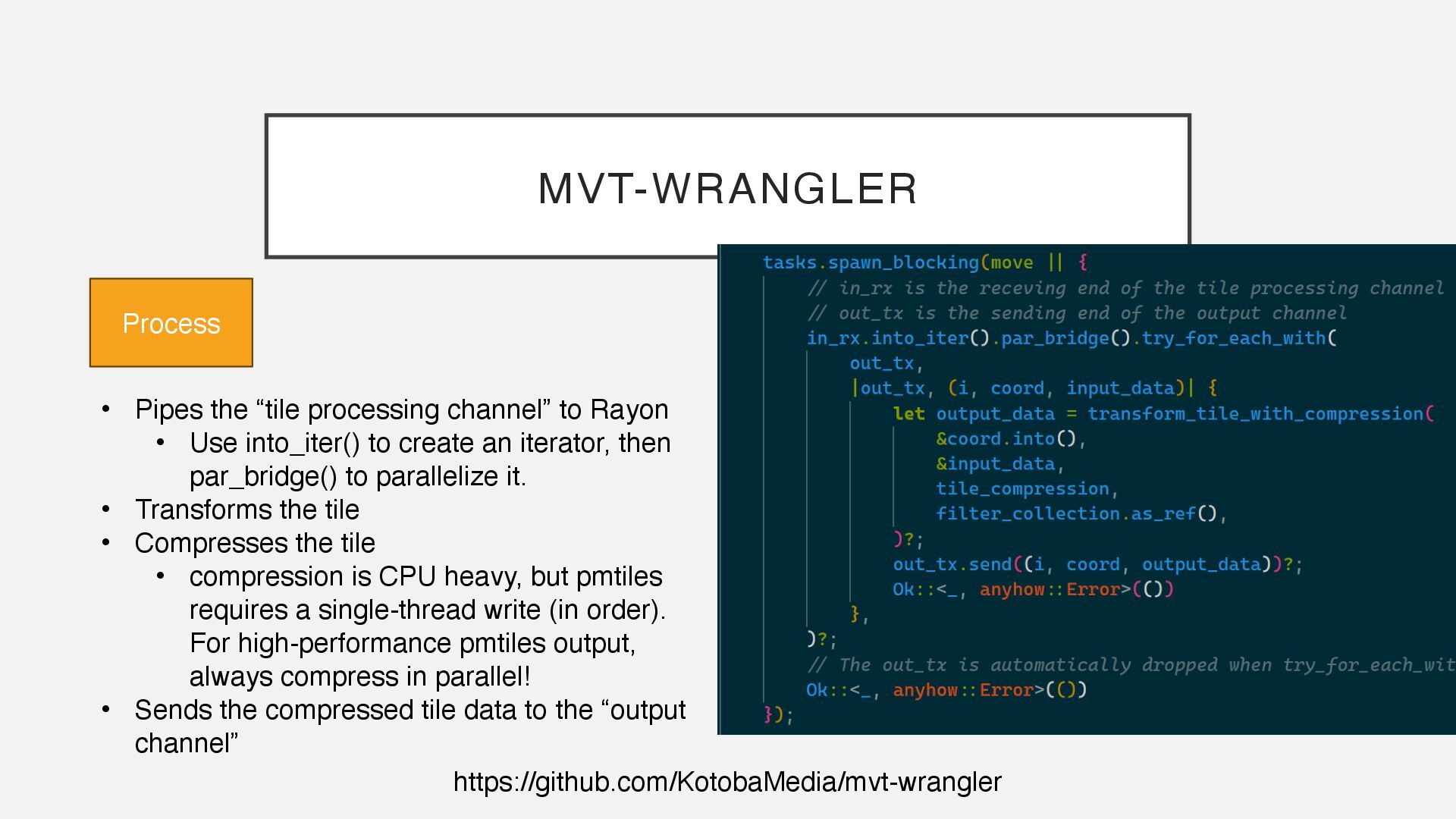
• Use into_iter() to create an iterator, then par_bridge() to parallelize it. • Transforms the tile • Compresses the tile • compression is CPU heavy, but pmtiles requires a single-thread write (in order). For high-performance pmtiles output, always compress in parallel! • Sends the compressed tile data to the “output channel” Process
• Use into_iter() to create an iterator, then par_bridge() to parallelize it. • Transforms the tile • Compresses the tile • compression is CPU heavy, but pmtiles requires a single-thread write (in order). For high-performance pmtiles output, always compress in parallel! • Sends the compressed tile data to the “output channel” Process
type system leads to good ergonomics without compromising performance • GIS ecosystem is growing fast • “Escape hatches” exist – bindings to C libraries or even running subprocesses Try the example code ↓ https://keita.blog/foss4g2025jp


 shugo
shugo
 carta_engineering
 takanorip
 jozono
 greenmidori
 codmoninc
 mhrtech
 teamlab
 occhi
occhi
 kenichiodo
 nealle
 grimoh
 skipperchong
 aleyda
 addyosmani
 portentint
 katiecoart
 honzajavorek
 aki_iinuma
 techseoconnect
 pedronauck
 stephaniewalter
 iamctodd
 livdayseo