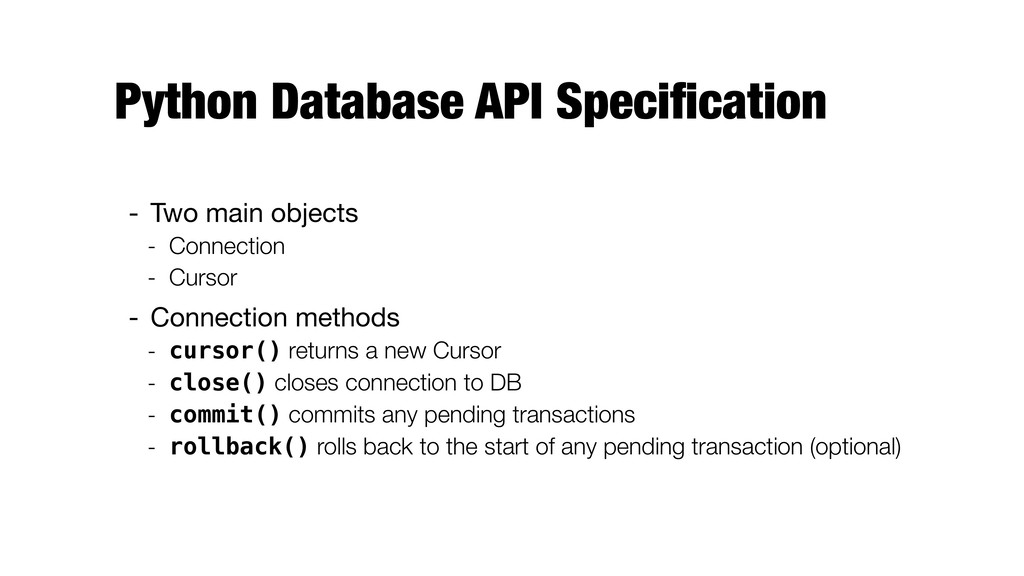
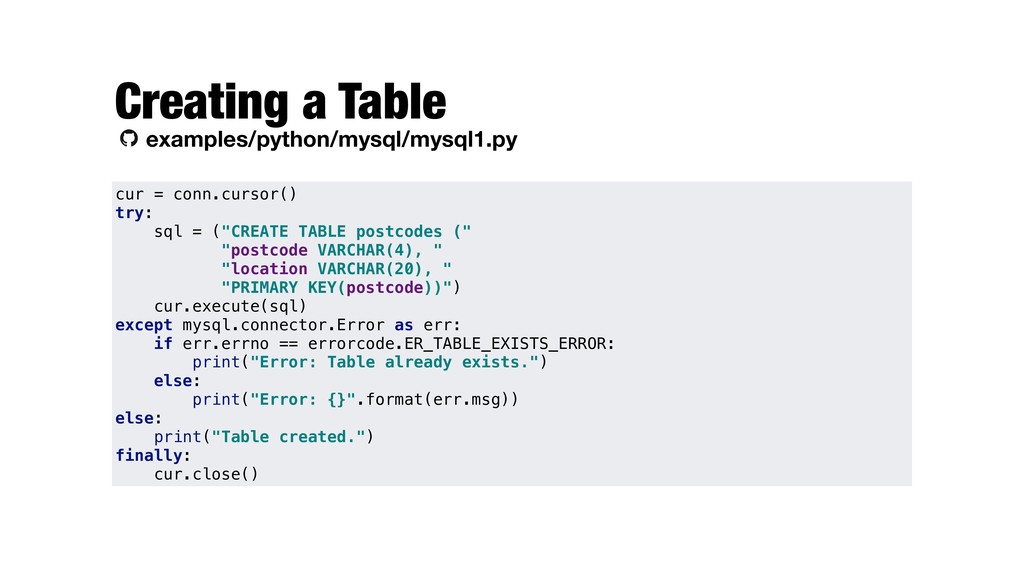
Many packages for low level connection - Most of them are compliant with the Python Database API Specification (PEP 249) https://www.python.org/dev/peps/pep-0249/ - We will be using MySQL Connector/Python - "Official" connector - https://dev.mysql.com/doc/connector-python/en/ - Install using pip - Part of Anaconda, but needs to be installed conda install mysql-connector-python python -m pip install mysql-connector-python
- Cursor - Connection methods - cursor() returns a new Cursor - close() closes connection to DB - commit() commits any pending transactions - rollback() rolls back to the start of any pending transaction (optional)
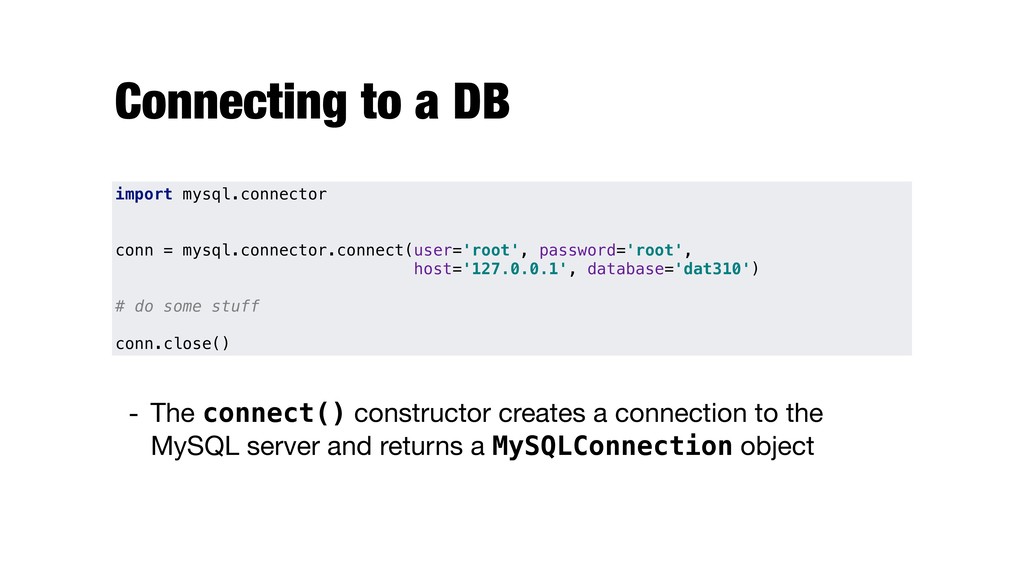
connection to the MySQL server and returns a MySQLConnection object import mysql.connector conn = mysql.connector.connect(user='root', password='root', host='127.0.0.1', database='dat310') # do some stuff conn.close()
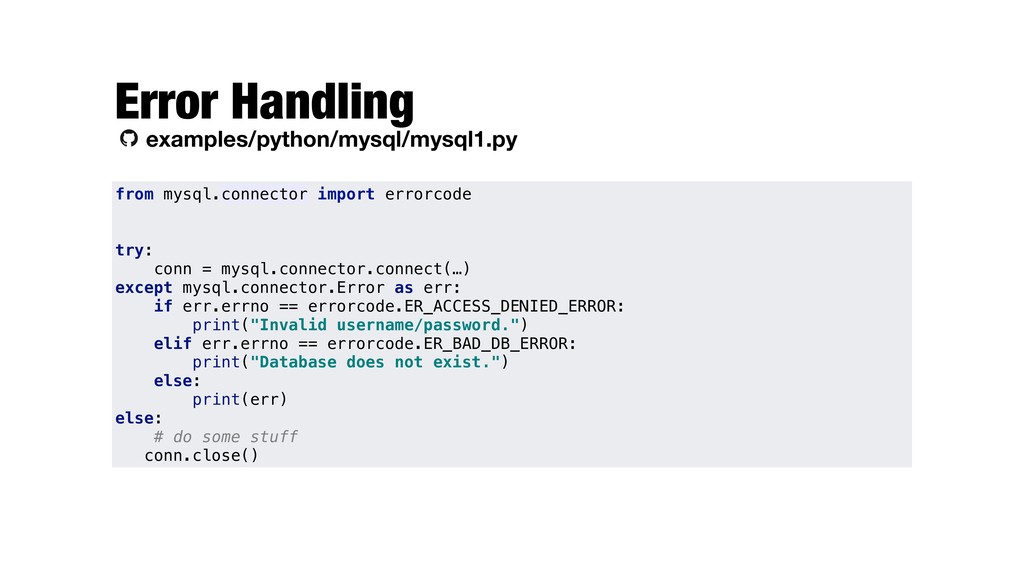
mysql.connector.connect(…) except mysql.connector.Error as err: if err.errno == errorcode.ER_ACCESS_DENIED_ERROR: print("Invalid username/password.") elif err.errno == errorcode.ER_BAD_DB_ERROR: print("Database does not exist.") else: print(err) else: # do some stuff conn.close()
a database operation or query - rowcount read-only attribute, number of rows that the last execute command produced (SELECT) or affected (UPDATE, INSERT, DELETE) - close() closes the cursor - fetchone() fetches the next row of a query result set - fetchmany() fetches the next set of rows of a query result - fetchall() fetches all (remaining) rows of a query result - arraysize read/write attribute, specifying the number of rows to fetch at a time with fetchmany() (default is 1)
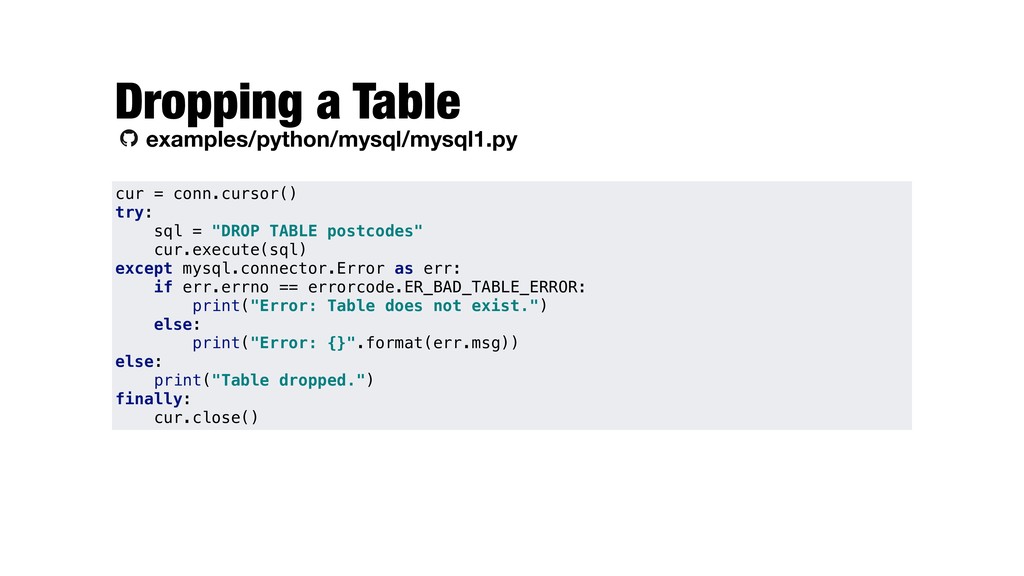
except mysql.connector.Error as err: if err.errno == errorcode.ER_BAD_TABLE_ERROR: print("Error: Table does not exist.") else: print("Error: {}".format(err.msg)) else: print("Table dropped.") finally: cur.close() Dropping a Table examples/python/mysql/mysql1.py
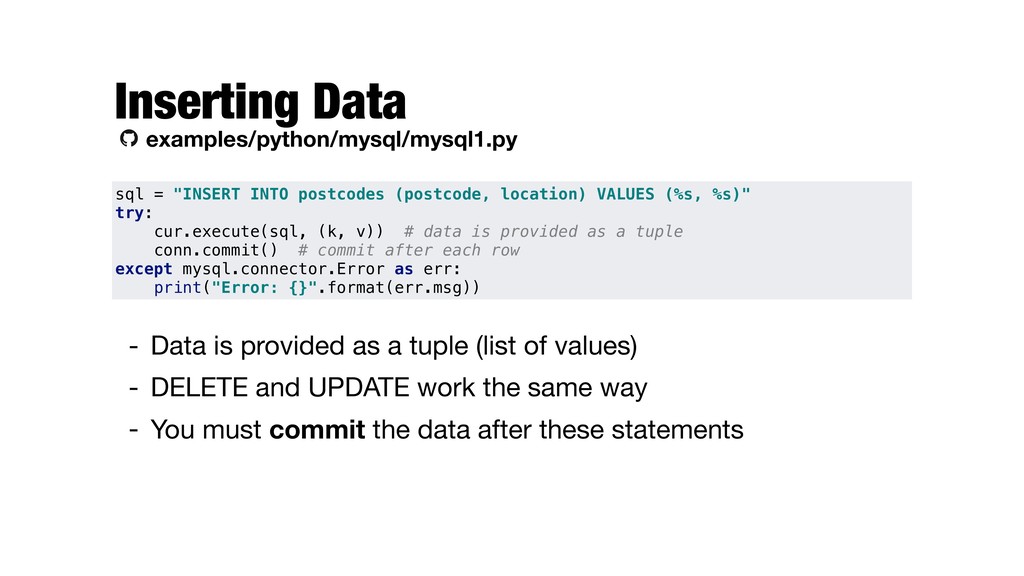
- DELETE and UPDATE work the same way - You must commit the data after these statements Inserting Data examples/python/mysql/mysql1.py sql = "INSERT INTO postcodes (postcode, location) VALUES (%s, %s)" try: cur.execute(sql, (k, v)) # data is provided as a tuple conn.commit() # commit after each row except mysql.connector.Error as err: print("Error: {}".format(err.msg))
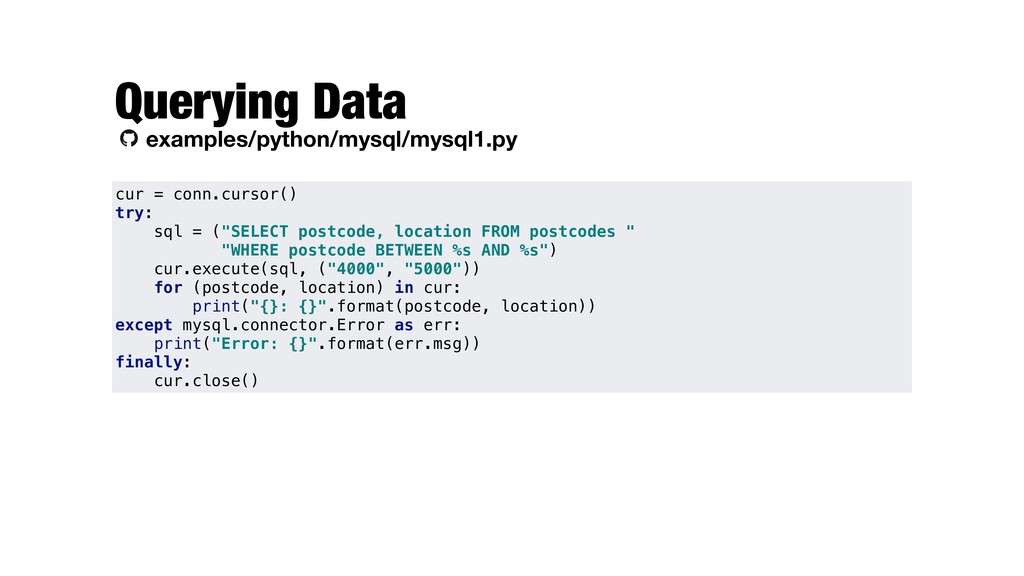
postcode, location FROM postcodes " "WHERE postcode BETWEEN %s AND %s") cur.execute(sql, ("4000", "5000")) for (postcode, location) in cur: print("{}: {}".format(postcode, location)) except mysql.connector.Error as err: print("Error: {}".format(err.msg)) finally: cur.close()
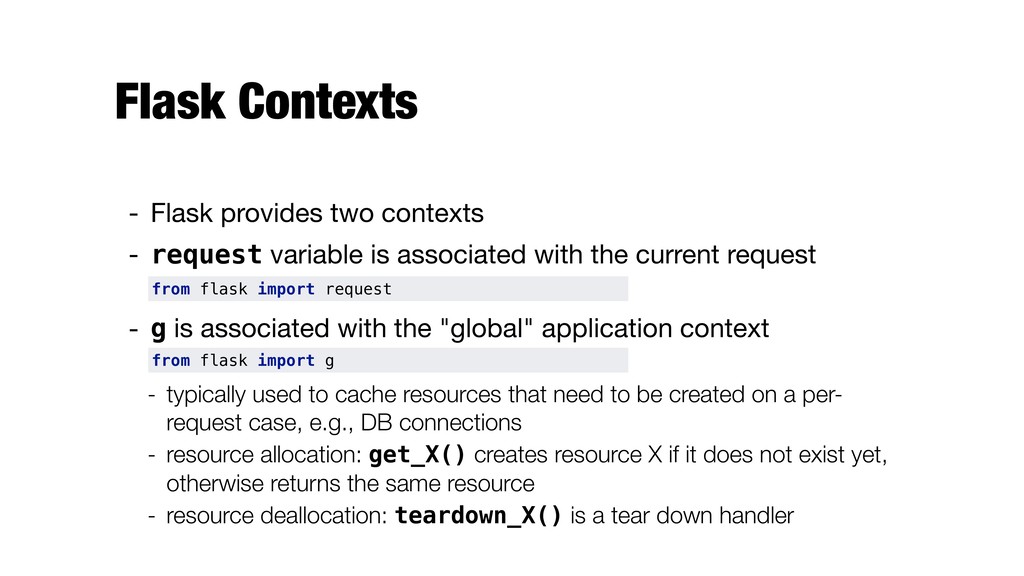
is associated with the current request - g is associated with the "global" application context - typically used to cache resources that need to be created on a per- request case, e.g., DB connections - resource allocation: get_X() creates resource X if it does not exist yet, otherwise returns the same resource - resource deallocation: teardown_X() is a tear down handler from flask import request from flask import g
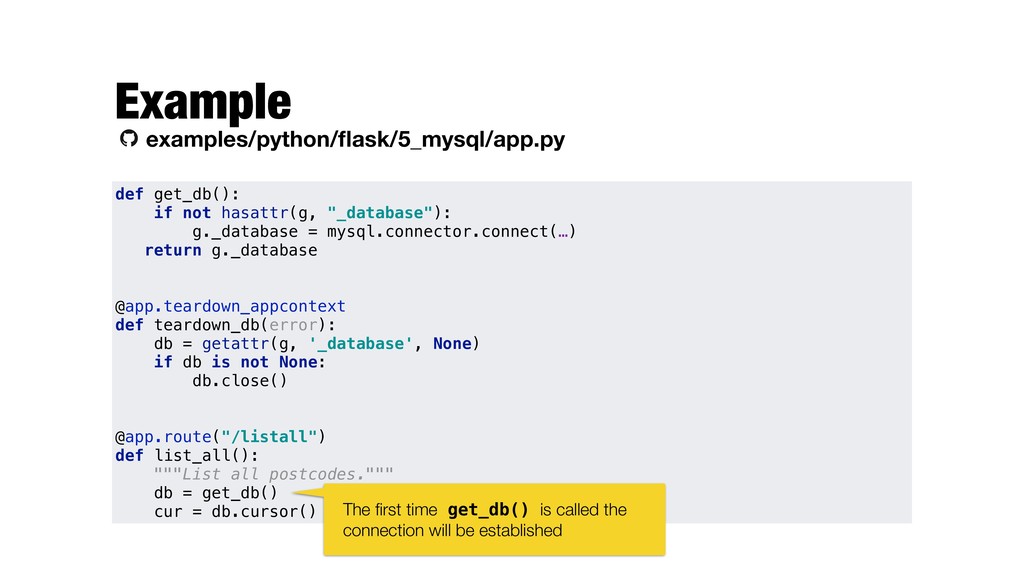
mysql.connector.connect(…) return g._database @app.teardown_appcontext def teardown_db(error): db = getattr(g, '_database', None) if db is not None: db.close() @app.route("/listall") def list_all(): """List all postcodes.""" db = get_db() cur = db.cursor() The first time get_db() is called the connection will be established


 ljehl
 adeputra13
 baltimoreniso
 minorun365
 ainischool
 signer
 kentaroy47
 pawan_pharm
 hachama
 yatabe
 hiola
 uxyall
 techseoconnect
 keathley
 hannesfritz
 codingconduct
 mclloyd
 kneath
 eileencodes
 varn
 marktimemedia
 rasmusluckow
 mfonobong