Upgrade to Pro — share decks privately, control downloads, hide ads and more …

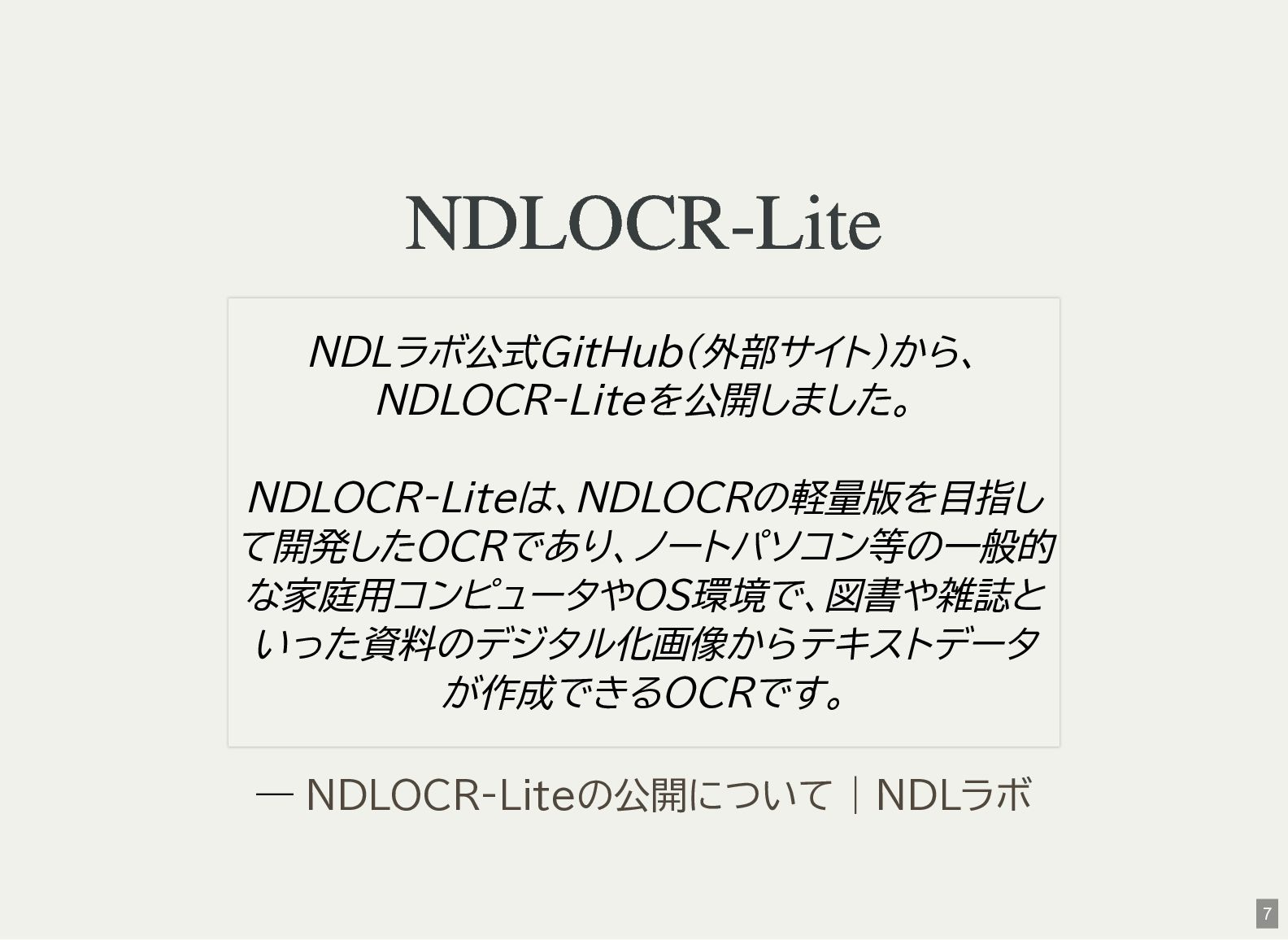
念願のNDLOCR-Lite を試す // try NDLOCR-Lite

念願のNDLOCR-Lite を試す // try NDLOCR-Lite

Avatar for Kenichiro MATOHARA

Kenichiro MATOHARA

March 15, 2026
Tweet

More Decks by Kenichiro MATOHARA

Other Decks in Technology

Transcript

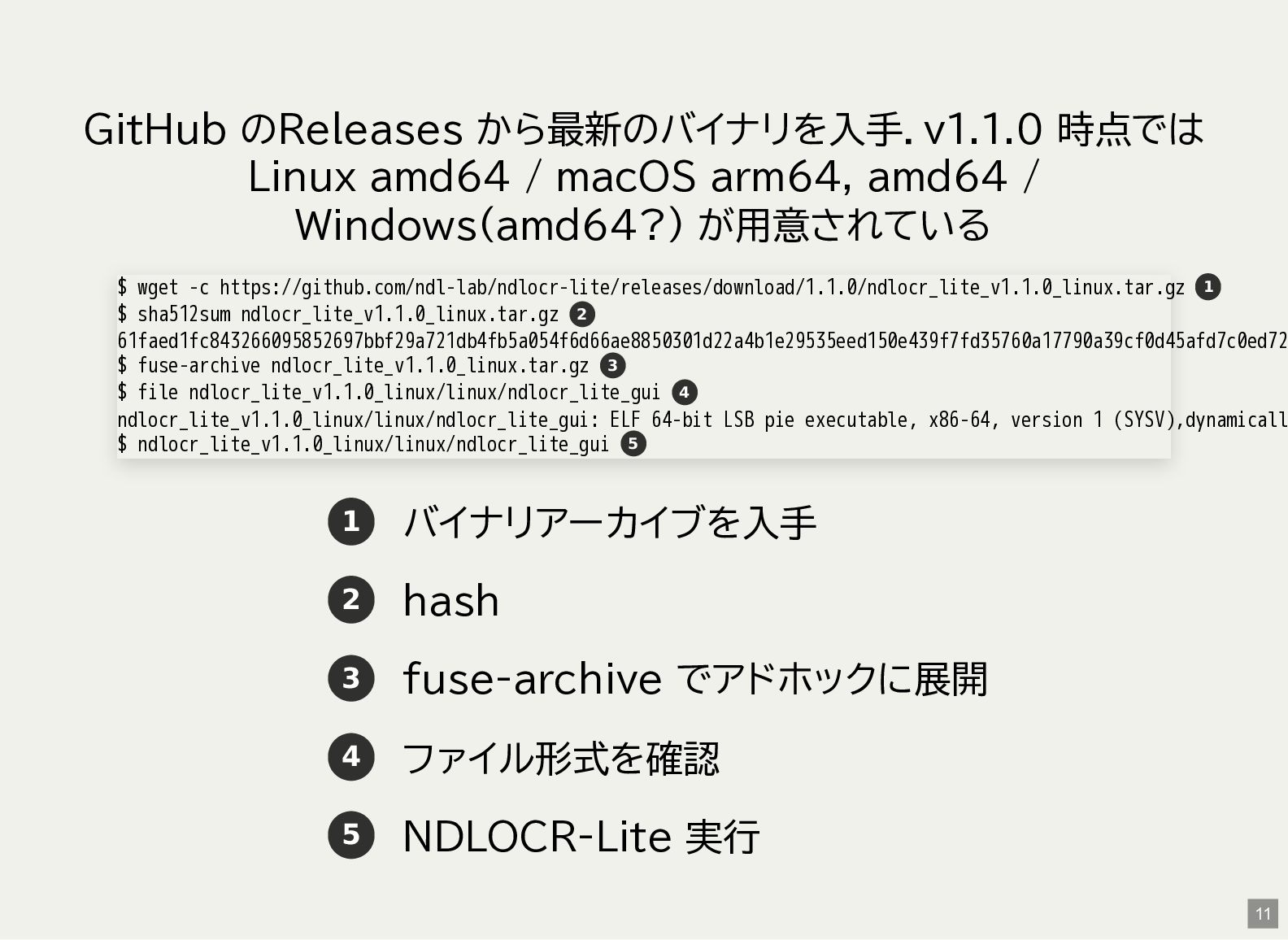
  1. GitHub のReleases から最新のバイナリを入手.v1.1.0 時点では Linux amd64 / macOS arm64, amd64

    / Windows(amd64?) が用意されている 1 バイナリアーカイブを入手 2 hash 3 fuse-archive でアドホックに展開 4 ファイル形式を確認 5 NDLOCR-Lite 実行 $ wget -c https://github.com/ndl-lab/ndlocr-lite/releases/download/1.1.0/ndlocr_lite_v1.1.0_linux.tar.gz $ sha512sum ndlocr_lite_v1.1.0_linux.tar.gz 61faed1fc843266095852697bbf29a721db4fb5a054f6d66ae8850301d22a4b1e29535eed150e439f7fd35760a17790a39cf0d45afd7c0ed72 $ fuse-archive ndlocr_lite_v1.1.0_linux.tar.gz $ file ndlocr_lite_v1.1.0_linux/linux/ndlocr_lite_gui ndlocr_lite_v1.1.0_linux/linux/ndlocr_lite_gui: ELF 64-bit LSB pie executable, x86-64, version 1 (SYSV),dynamicall $ ndlocr_lite_v1.1.0_linux/linux/ndlocr_lite_gui 1 2 3 4 5 11
  2. CLI 版を使う CLI版はPython 3.10+ が必要.今回はDebian sid amd64 の パッケージで導入したPython 3.13.12

    を利用 README.md にはpip での導入と,uv での導入が紹介されてい る.頻繁に使う場合はuv の方がいいかも? 15
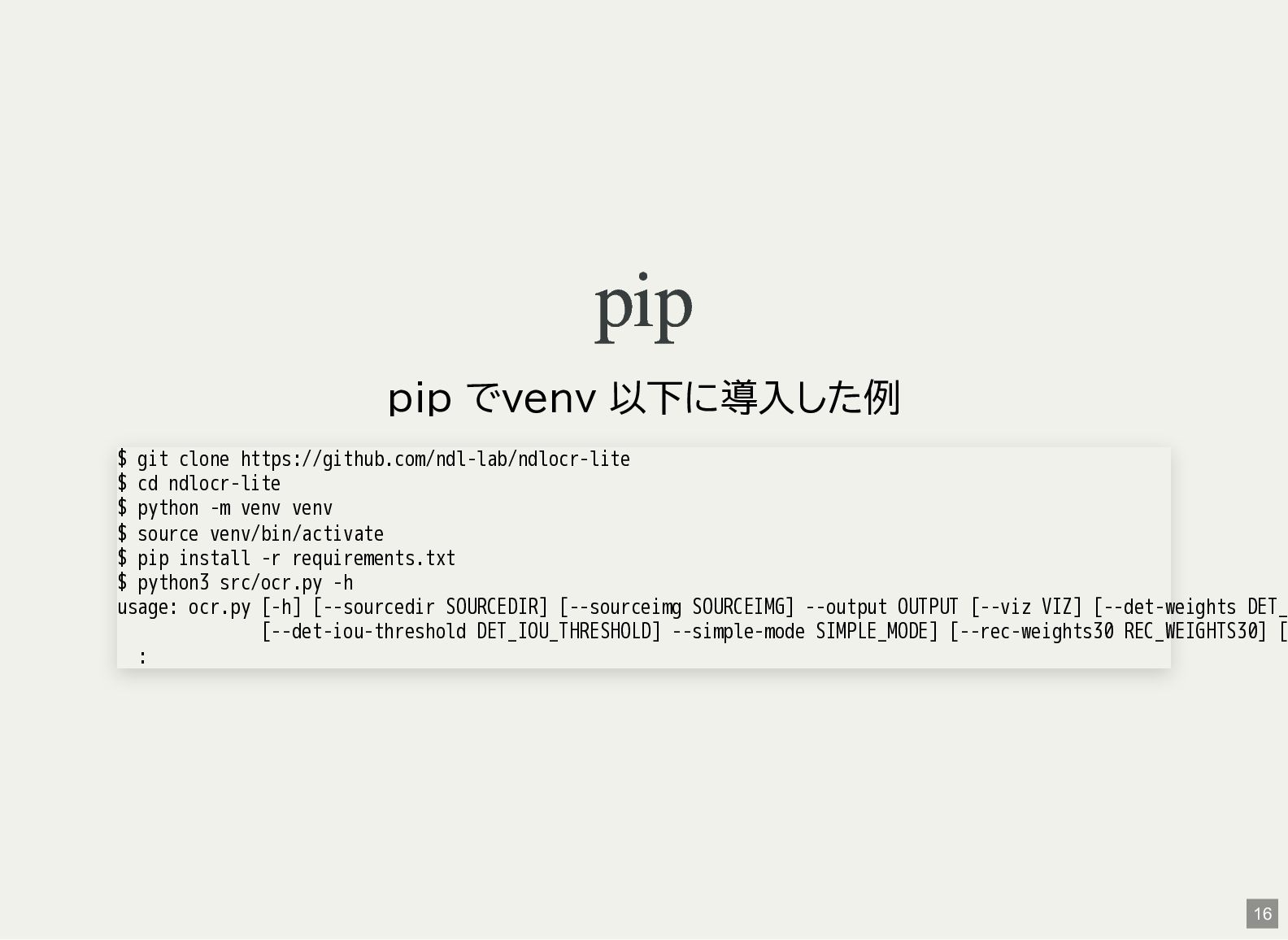
  3. pip pip でvenv 以下に導入した例 $ git clone https://github.com/ndl-lab/ndlocr-lite $ cd

    ndlocr-lite $ python -m venv venv $ source venv/bin/activate $ pip install -r requirements.txt $ python3 src/ocr.py -h usage: ocr.py [-h] [--sourcedir SOURCEDIR] [--sourceimg SOURCEIMG] --output OUTPUT [--viz VIZ] [--det-weights DET_ [--det-iou-threshold DET_IOU_THRESHOLD] --simple-mode SIMPLE_MODE] [--rec-weights30 REC_WEIGHTS30] [ : 16
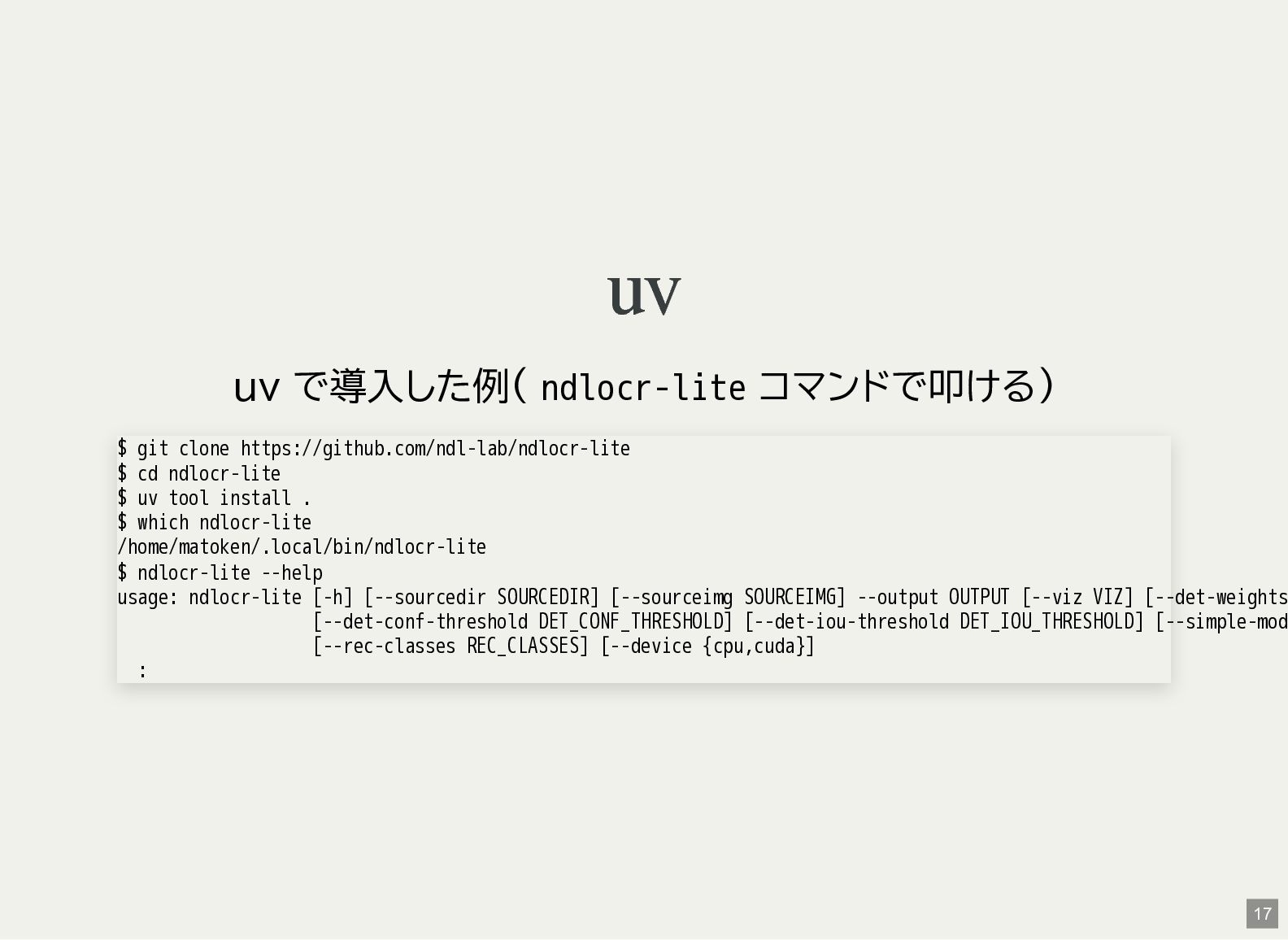
  4. uv uv で導入した例( ndlocr-lite コマンドで叩ける) $ git clone https://github.com/ndl-lab/ndlocr-lite $

    cd ndlocr-lite $ uv tool install . $ which ndlocr-lite /home/matoken/.local/bin/ndlocr-lite $ ndlocr-lite --help usage: ndlocr-lite [-h] [--sourcedir SOURCEDIR] [--sourceimg SOURCEIMG] --output OUTPUT [--viz VIZ] [--det-weights [--det-conf-threshold DET_CONF_THRESHOLD] [--det-iou-threshold DET_IOU_THRESHOLD] [--simple-mod [--rec-classes REC_CLASSES] [--device {cpu,cuda}] : 17
  5. コマンドラインオプション $ ndlocr-lite --help usage: ndlocr-lite [-h] [--sourcedir SOURCEDIR] [--sourceimg

    SOURCEIMG] --output OUTPUT [--viz VIZ] [--det-weights [--det-conf-threshold DET_CONF_THRESHOLD] [--det-iou-threshold DET_IOU_THRESHOLD] [--simple-mod [--rec-classes REC_CLASSES] [--device {cpu,cuda}] Arguments for NDLkotenOCR-Lite options: -h, --help show this help message and exit --sourcedir SOURCEDIR Path to image directory --sourceimg SOURCEIMG Path to image directory --output OUTPUT Path to output directory --viz VIZ Save visualized image --det-weights DET_WEIGHTS Path to deim onnx file --det-classes DET_CLASSES Path to list of class in yaml file --det-score-threshold DET_SCORE_THRESHOLD --det-conf-threshold DET_CONF_THRESHOLD --det-iou-threshold DET_IOU_THRESHOLD 18
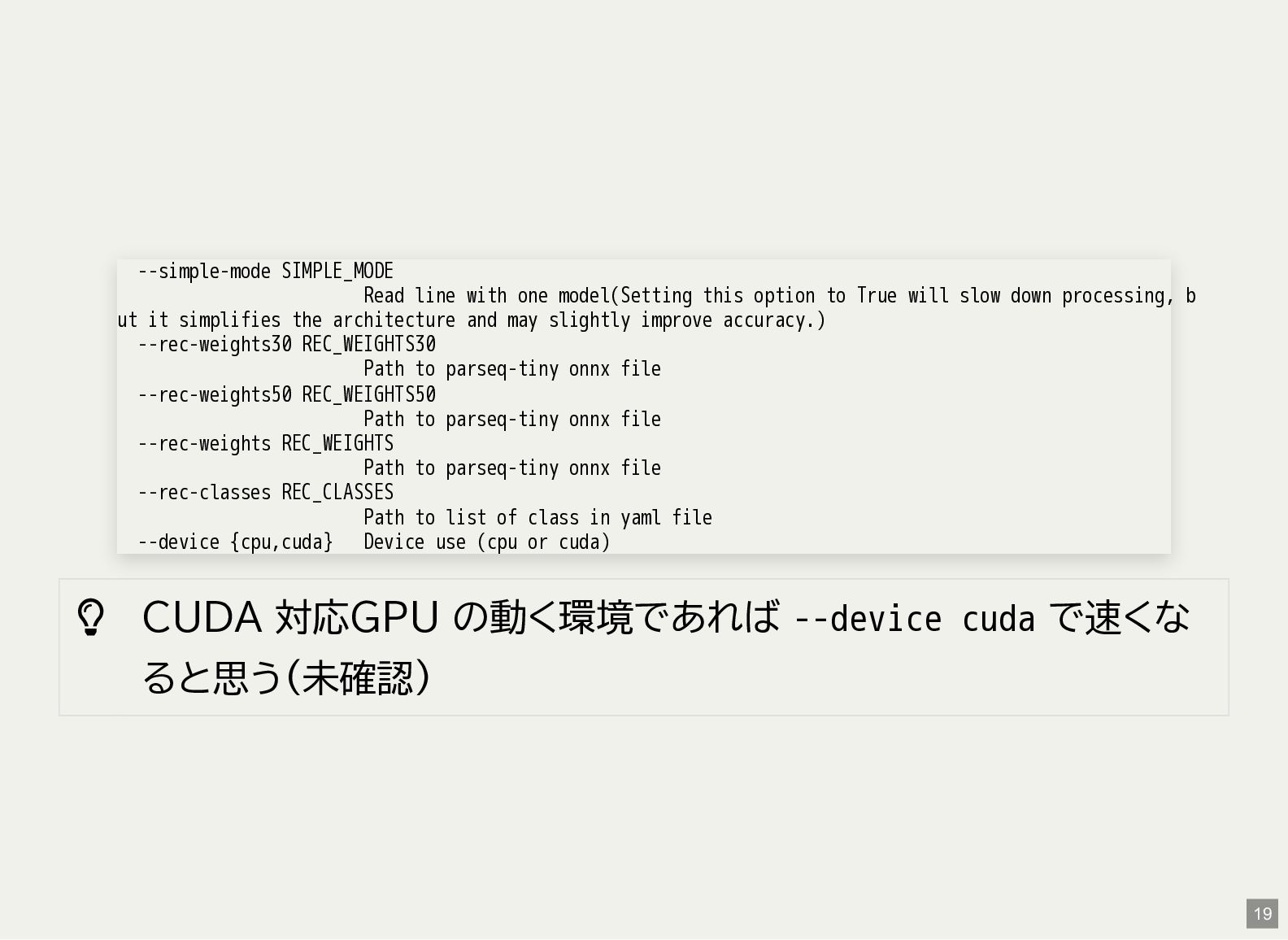
  6.  CUDA 対応GPU の動く環境であれば --device cuda で速くな ると思う(未確認) --simple-mode SIMPLE_MODE

    Read line with one model(Setting this option to True will slow down processing, b ut it simplifies the architecture and may slightly improve accuracy.) --rec-weights30 REC_WEIGHTS30 Path to parseq-tiny onnx file --rec-weights50 REC_WEIGHTS50 Path to parseq-tiny onnx file --rec-weights REC_WEIGHTS Path to parseq-tiny onnx file --rec-classes REC_CLASSES Path to list of class in yaml file --device {cpu,cuda} Device use (cpu or cuda) 19
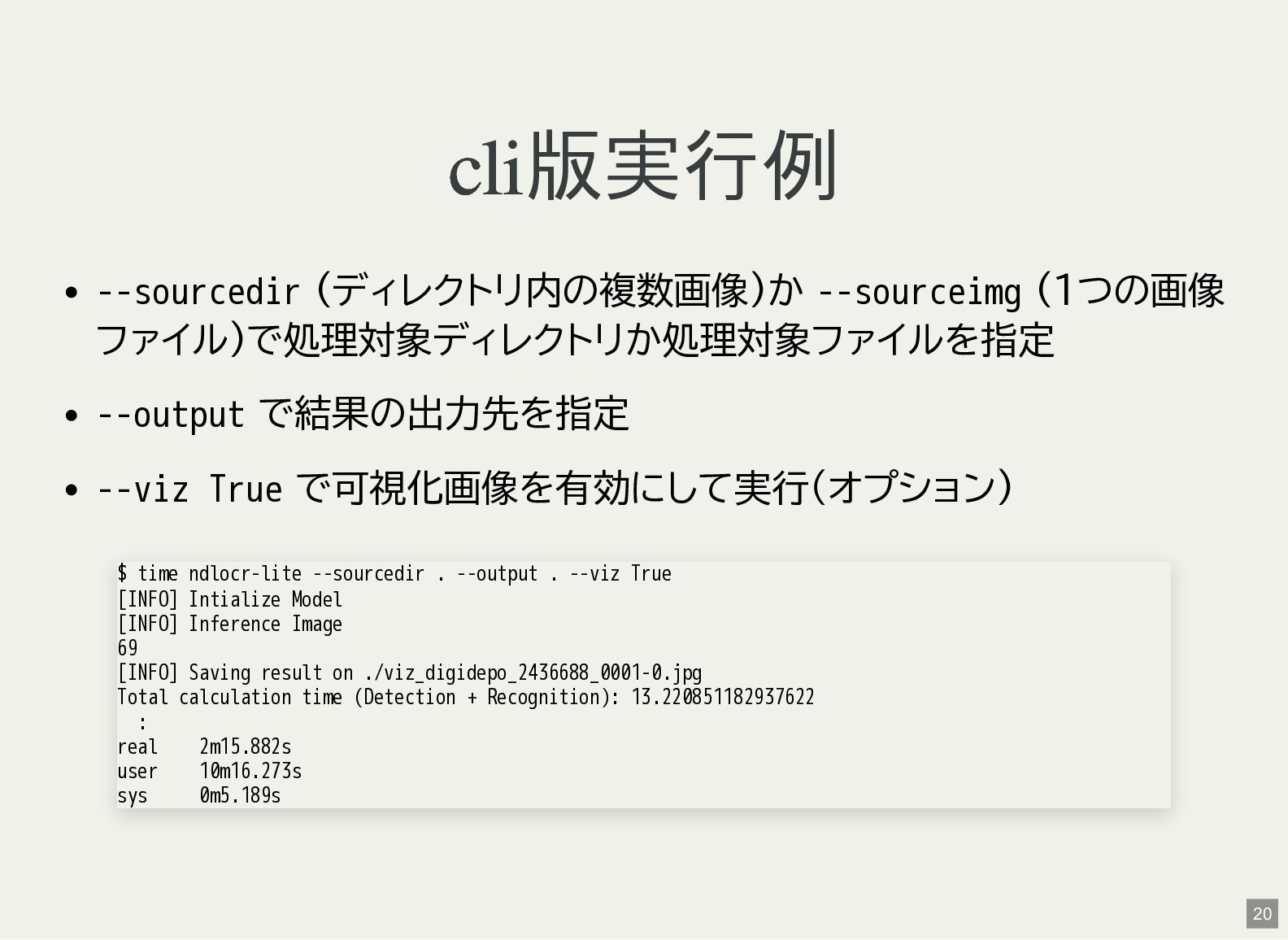
  7. cli 版実行例 --sourcedir (ディレクトリ内の複数画像)か --sourceimg (1つの画像 ファイル)で処理対象ディレクトリか処理対象ファイルを指定 --output で結果の出力先を指定 --viz

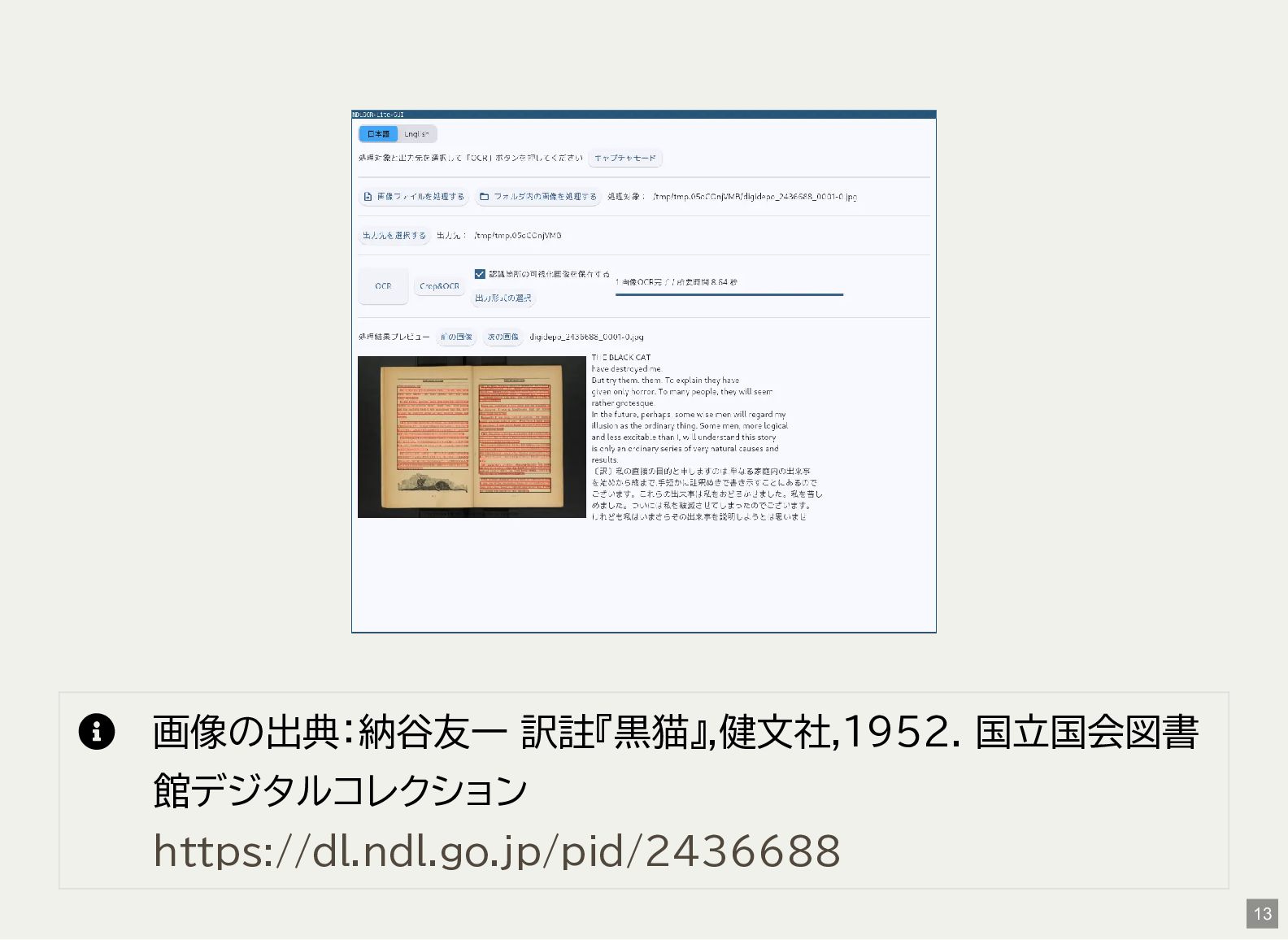
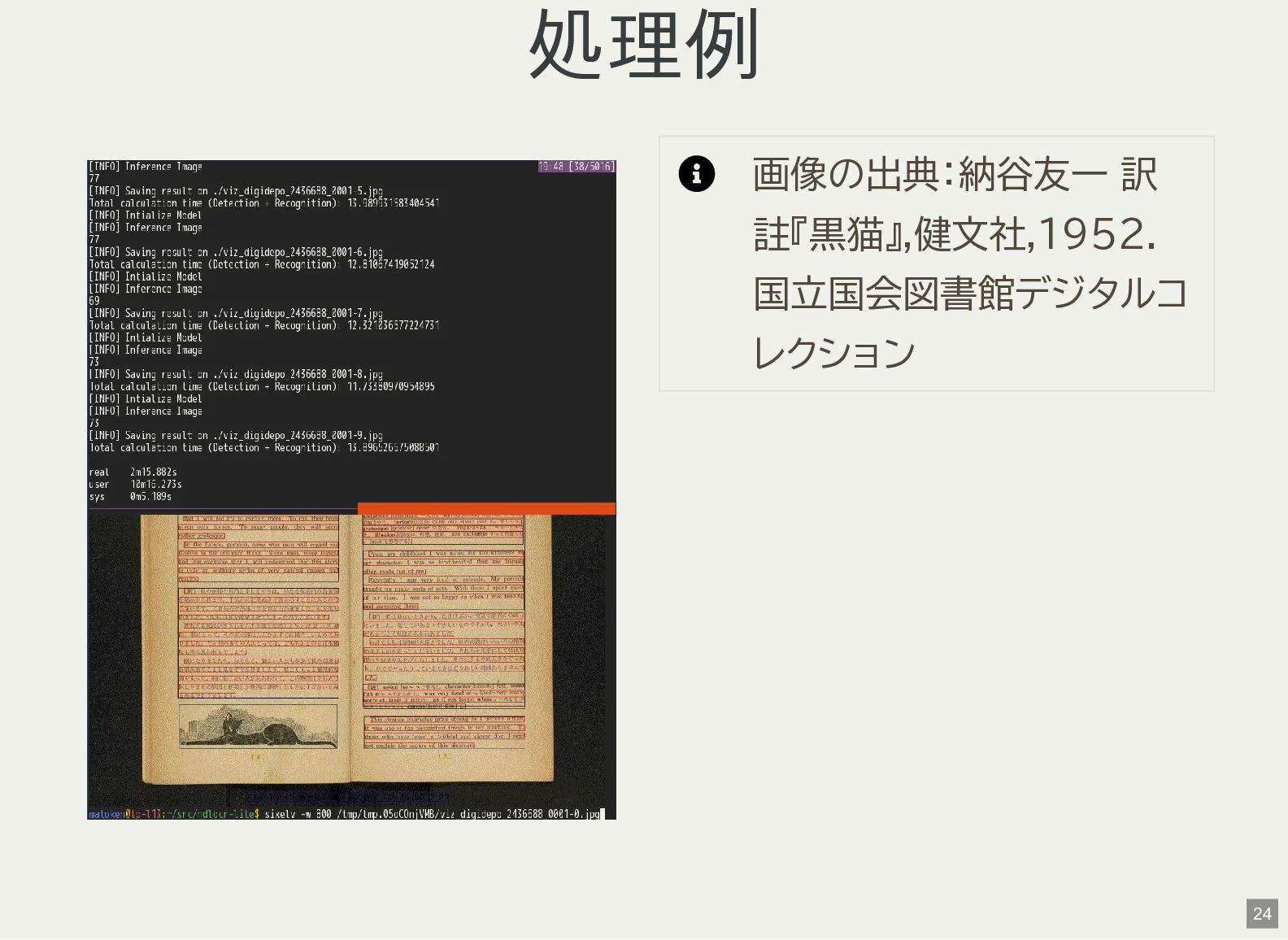
    True で可視化画像を有効にして実行(オプション) $ time ndlocr-lite --sourcedir . --output . --viz True [INFO] Intialize Model [INFO] Inference Image 69 [INFO] Saving result on ./viz_digidepo_2436688_0001-0.jpg Total calculation time (Detection + Recognition): 13.220851182937622 : real 2m15.882s user 10m16.273s sys 0m5.189s 20
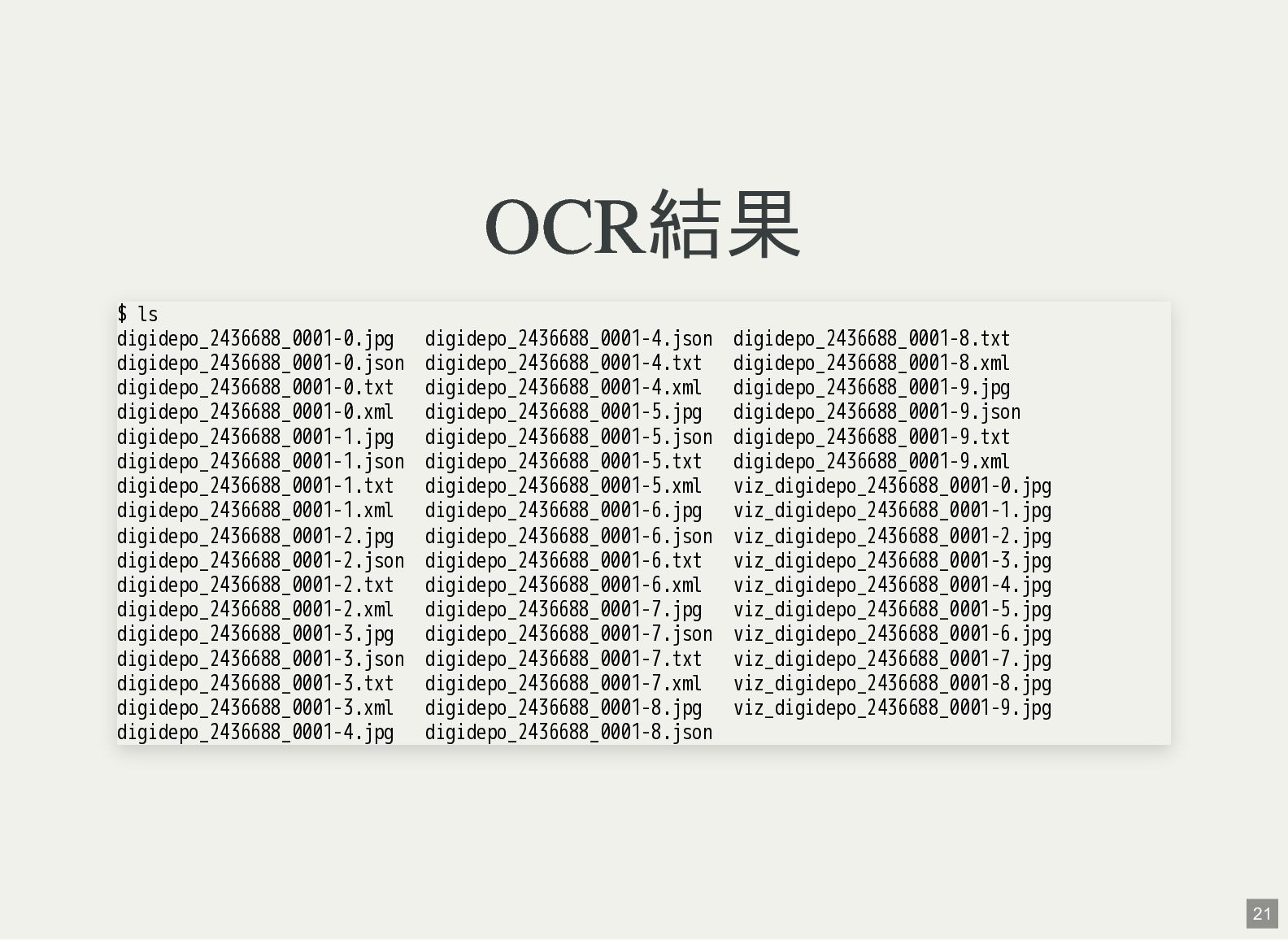
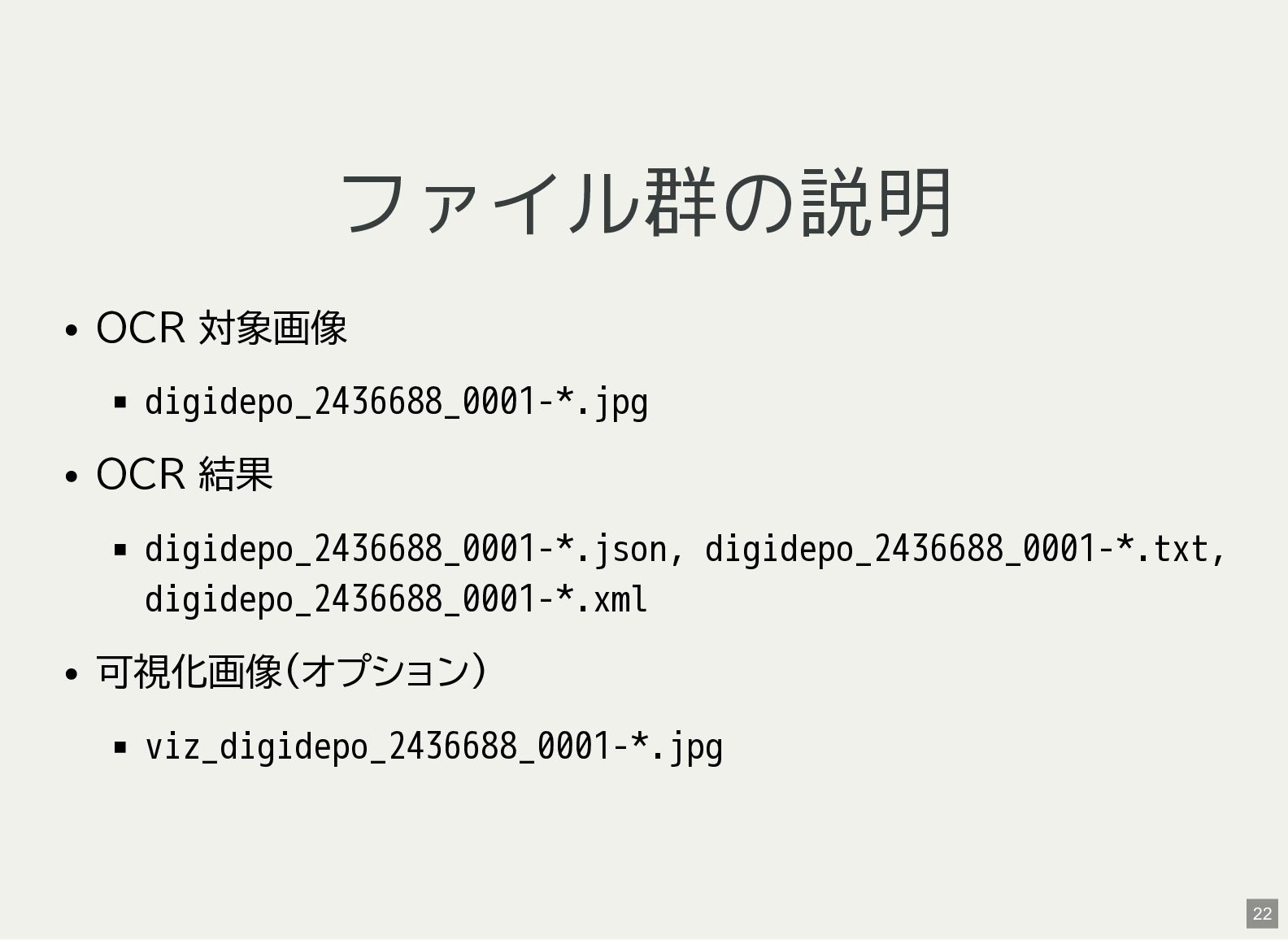
  8. OCR 結果 $ ls digidepo_2436688_0001-0.jpg digidepo_2436688_0001-4.json digidepo_2436688_0001-8.txt digidepo_2436688_0001-0.json digidepo_2436688_0001-4.txt digidepo_2436688_0001-8.xml

    digidepo_2436688_0001-0.txt digidepo_2436688_0001-4.xml digidepo_2436688_0001-9.jpg digidepo_2436688_0001-0.xml digidepo_2436688_0001-5.jpg digidepo_2436688_0001-9.json digidepo_2436688_0001-1.jpg digidepo_2436688_0001-5.json digidepo_2436688_0001-9.txt digidepo_2436688_0001-1.json digidepo_2436688_0001-5.txt digidepo_2436688_0001-9.xml digidepo_2436688_0001-1.txt digidepo_2436688_0001-5.xml viz_digidepo_2436688_0001-0.jpg digidepo_2436688_0001-1.xml digidepo_2436688_0001-6.jpg viz_digidepo_2436688_0001-1.jpg digidepo_2436688_0001-2.jpg digidepo_2436688_0001-6.json viz_digidepo_2436688_0001-2.jpg digidepo_2436688_0001-2.json digidepo_2436688_0001-6.txt viz_digidepo_2436688_0001-3.jpg digidepo_2436688_0001-2.txt digidepo_2436688_0001-6.xml viz_digidepo_2436688_0001-4.jpg digidepo_2436688_0001-2.xml digidepo_2436688_0001-7.jpg viz_digidepo_2436688_0001-5.jpg digidepo_2436688_0001-3.jpg digidepo_2436688_0001-7.json viz_digidepo_2436688_0001-6.jpg digidepo_2436688_0001-3.json digidepo_2436688_0001-7.txt viz_digidepo_2436688_0001-7.jpg digidepo_2436688_0001-3.txt digidepo_2436688_0001-7.xml viz_digidepo_2436688_0001-8.jpg digidepo_2436688_0001-3.xml digidepo_2436688_0001-8.jpg viz_digidepo_2436688_0001-9.jpg digidepo_2436688_0001-4.jpg digidepo_2436688_0001-8.json 21
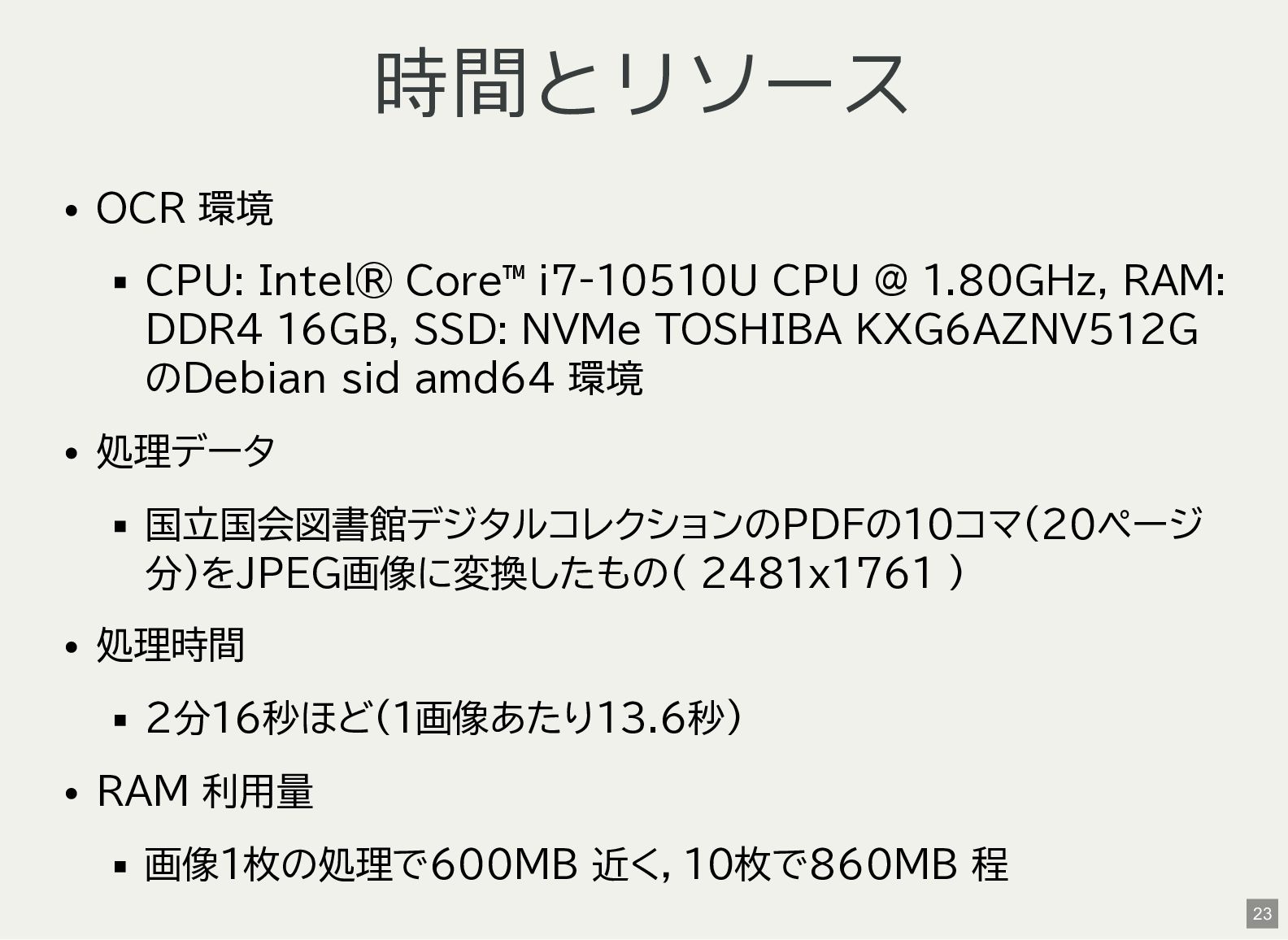
  9. 時間とリソース OCR 環境 CPU: Intel® Core™ i7-10510U CPU @ 1.80GHz,

    RAM: DDR4 16GB, SSD: NVMe TOSHIBA KXG6AZNV512G のDebian sid amd64 環境 処理データ 国立国会図書館デジタルコレクションのPDFの10コマ(20ページ 分)をJPEG画像に変換したもの( 2481x1761 ) 処理時間 2分16秒ほど(1画像あたり13.6秒) RAM 利用量 画像1枚の処理で600MB 近く,10枚で860MB 程 23
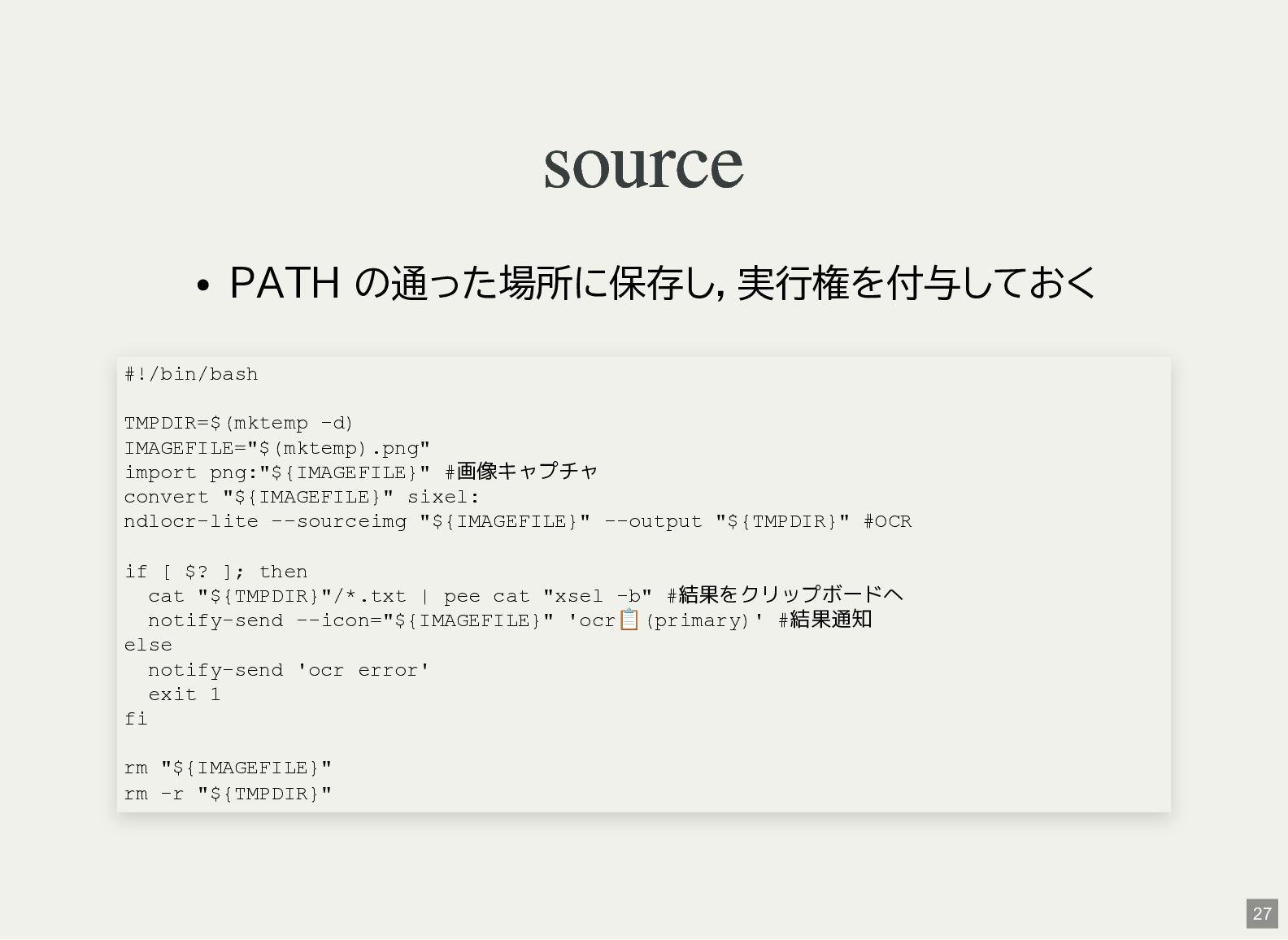
  10. source PATH の通った場所に保存し,実行権を付与しておく #!/bin/bash TMPDIR=$(mktemp -d) IMAGEFILE="$(mktemp).png" import png:"${IMAGEFILE}" #画像キャプチャ

    convert "${IMAGEFILE}" sixel: ndlocr-lite --sourceimg "${IMAGEFILE}" --output "${TMPDIR}" #OCR if [ $? ]; then cat "${TMPDIR}"/*.txt | pee cat "xsel -b" #結果をクリップボードへ notify-send --icon="${IMAGEFILE}" 'ocr 📋️ (primary)' #結果通知 else notify-send 'ocr error' exit 1 fi rm "${IMAGEFILE}" rm -r "${TMPDIR}" 27
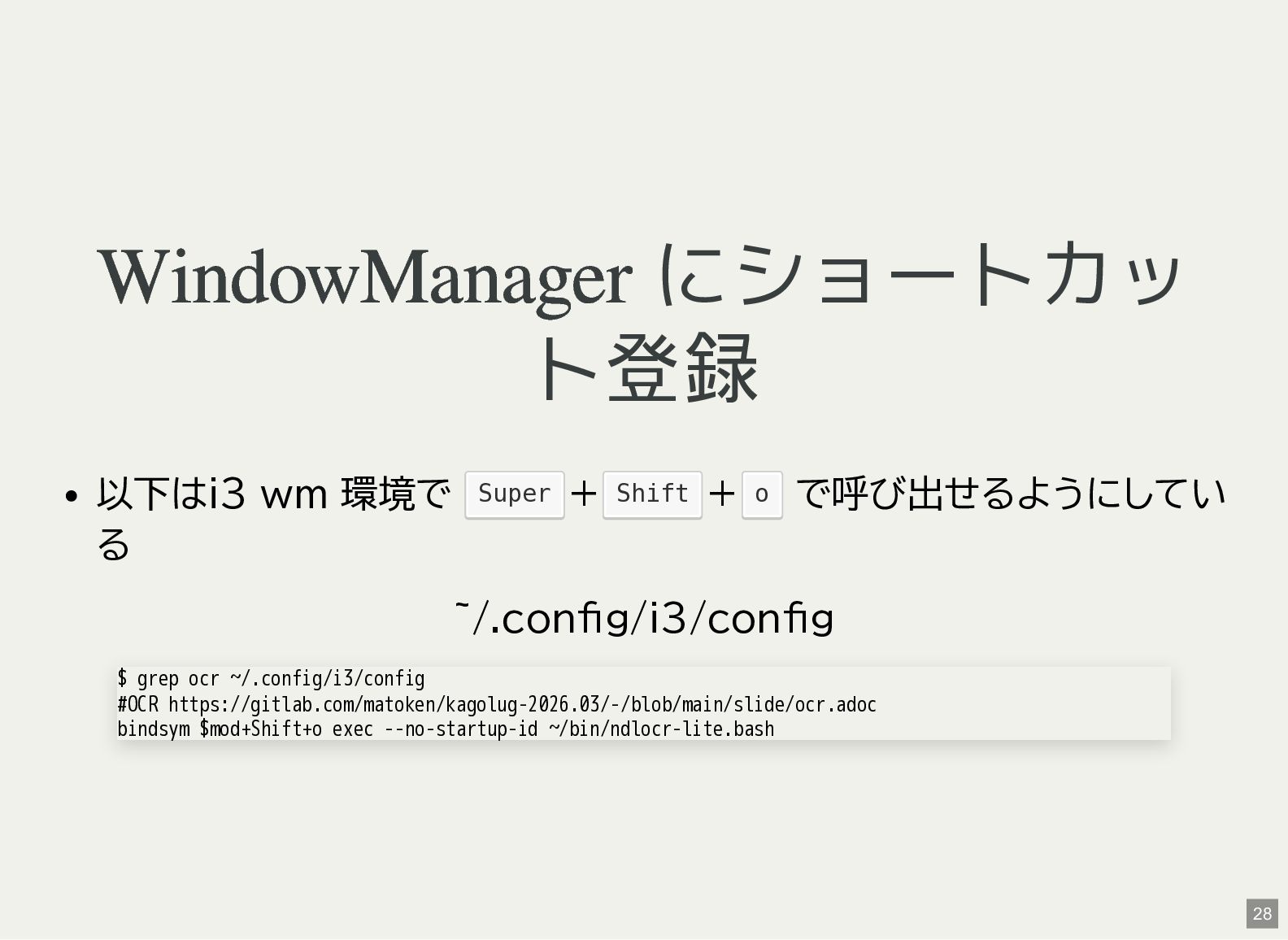
  11. WindowManager にショートカッ ト登録 以下はi3 wm 環境で + + で呼び出せるようにしてい る

    ~/.config/i3/config Super Shift o $ grep ocr ~/.config/i3/config #OCR https://gitlab.com/matoken/kagolug-2026.03/-/blob/main/slide/ocr.adoc bindsym $mod+Shift+o exec --no-startup-id ~/bin/ndlocr-lite.bash 28
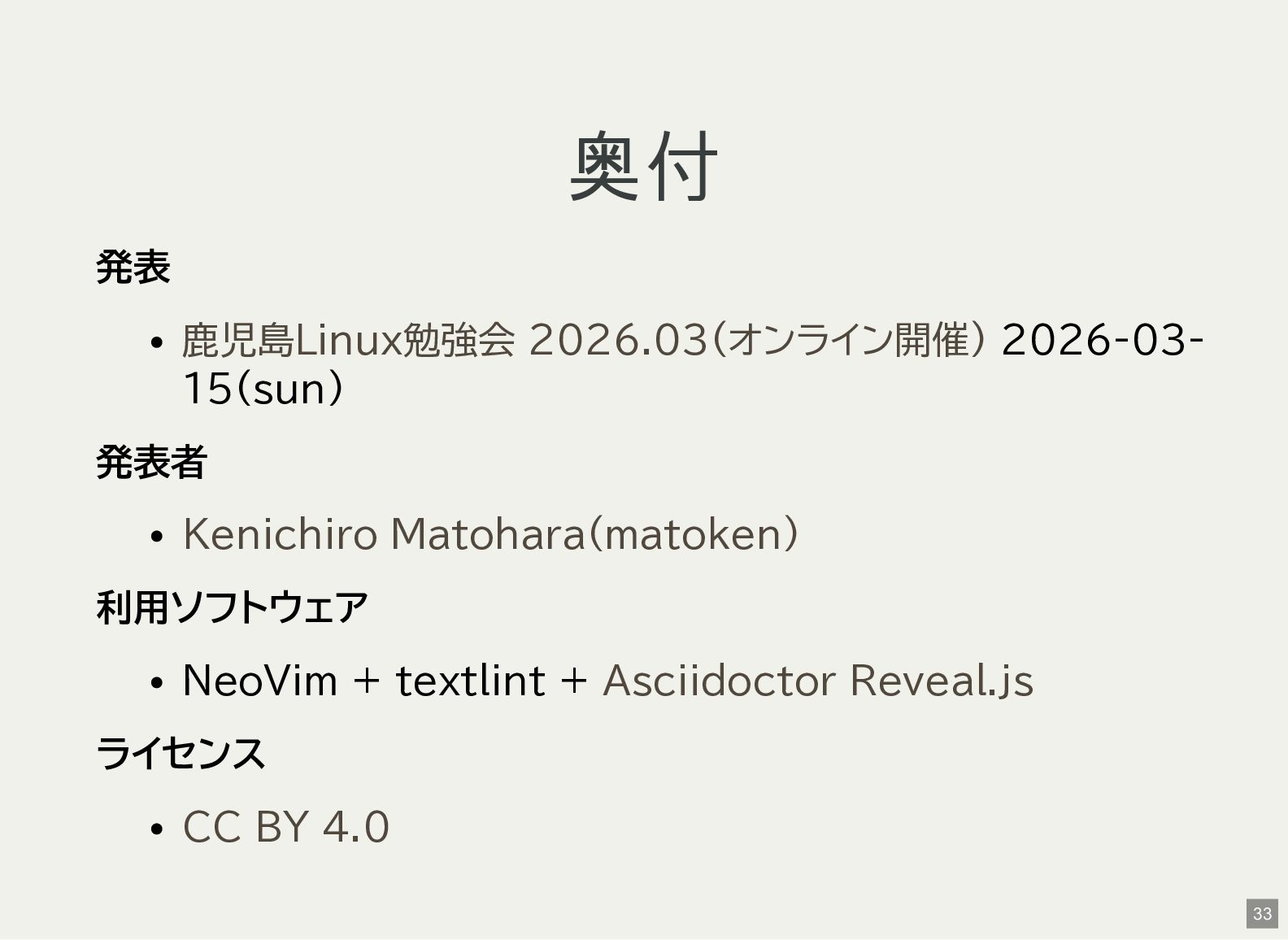
  12. 奥付 発表 2026-03- 15(sun) 発表者 利用ソフトウェア NeoVim + textlint +

    ライセンス 鹿児島Linux勉強会 2026.03(オンライン開催) Kenichiro Matohara(matoken) Asciidoctor Reveal.js CC BY 4.0 33