Upgrade to Pro
— share decks privately, control downloads, hide ads and more …
Speaker Deck
Sign up for free
Menu
Search
Features
All features
Private URLs
Password Protection
Custom URLS
Scheduled publishing
Remove Branding
Restrict embedding
Deck Collections
Notes
Features
All features
Private URLs
Password Protection
Custom URLS
Scheduled publishing
Remove Branding
Restrict embedding
Deck Collections
Notes
Explore
Featured decks
Featured speakers
Programming
Technology
Storyboards
Explore
Featured decks
Featured speakers
Programming
Technology
Storyboards
Pricing
Search
Sign in
Sign up for free
Flet: Flutter in Python
Search
Abdur-Rahmaan Janhangeer
April 15, 2023
Education
570
0
Share
Embed
Copy iframe code
Copy JS code
Copy link
Start on current slide
Flet: Flutter in Python
Abdur-Rahmaan Janhangeer
April 15, 2023
More Decks by Abdur-Rahmaan Janhangeer
See All by Abdur-Rahmaan Janhangeer
Building AI Agents with Python: A Deep Dive
osdotsystem
0
110
Extending Flask using the Flask Plugins API
osdotsystem
0
190
PEPs that hit the front page
osdotsystem
0
180
The state of NLP in production 🥽
osdotsystem
0
220
libSQL: Taking Sqlite To The Moon
osdotsystem
0
280
Boosting Python With Rust 🚀
osdotsystem
0
260
SQLite Internals: How The World's Most Used Database Works
osdotsystem
2
3.9k
Fast Flask Dev For Big Codebases
osdotsystem
0
290
Python Bytecode or How Python Operates
osdotsystem
0
400
Other Decks in Education
See All in Education
【2026年サマースクール用ZEPメタバース校舎操作ガイド】
ainischool
0
140
[2026前期火5] 論理学(京都大学文学部 前期 第14回)「計算は、証明ではない——ハルシネーションを三層ハーモニーで診る」
yatabe
0
320
生成AIとの付き合い方/ How to work with AI
kaityo256
PRO
3
820
Tema 1. El relieve de España: Formación y características
juanmartin2026
0
38k
Introduction - Lecture 1 - Human-Computer Interaction (1023841ANR)
signer
PRO
0
3.5k
Science Tokyo University for International Research Excellence scheme_April 2026
sciencetokyo
PRO
0
450
データマネジメント試験対策教材1〜データマネジメント基礎〜
yoshimura_datam
1
810
Geografía y Fútbol: Chattanooga Geografía del Búnker de La Roja.
juanmartin2026
1
12k
AWS Academy プログラムのご紹介
hiragahh
0
110
【新規入学者様】ZEPメタバース校舎ガイド
ainischool
0
200
形骸化しない社内勉強会の取り組み - オーナーシップの作り方 / In-house study session
soudai
PRO
1
400
DRONEGEOGRAFÍA: INNOVACIÓN DIDÁCTICA Y FOTOGRAMETRÍA 3D PARA LA COHESIÓN TERRITORIAL Y LA CIUDADANÍA ACTIVA
juanmartin2026
0
20k
Featured
See All Featured
Templates, Plugins, & Blocks: Oh My! Creating the theme that thinks of everything
marktimemedia
31
2.9k
Refactoring Trust on Your Teams (GOTO; Chicago 2020)
rmw
35
3.8k
The innovator’s Mindset - Leading Through an Era of Exponential Change - McGill University 2025
jdejongh
PRO
1
370
From Legacy to Launchpad: Building Startup-Ready Communities
dugsong
0
350
AI: The stuff that nobody shows you
jnunemaker
PRO
10
1.1k
Scaling GitHub
holman
464
140k
A brief & incomplete history of UX Design for the World Wide Web: 1989–2019
jct
2
530
Reflections from 52 weeks, 52 projects
jeffersonlam
356
21k
Are puppies a ranking factor?
jonoalderson
2
4k
Performance Is Good for Brains [We Love Speed 2024]
tammyeverts
12
1.9k
Conquering PDFs: document understanding beyond plain text
inesmontani
PRO
4
3.2k
Learning to Love Humans: Emotional Interface Design
aarron
275
41k
Transcript
Flet: Techniques & Tips
2
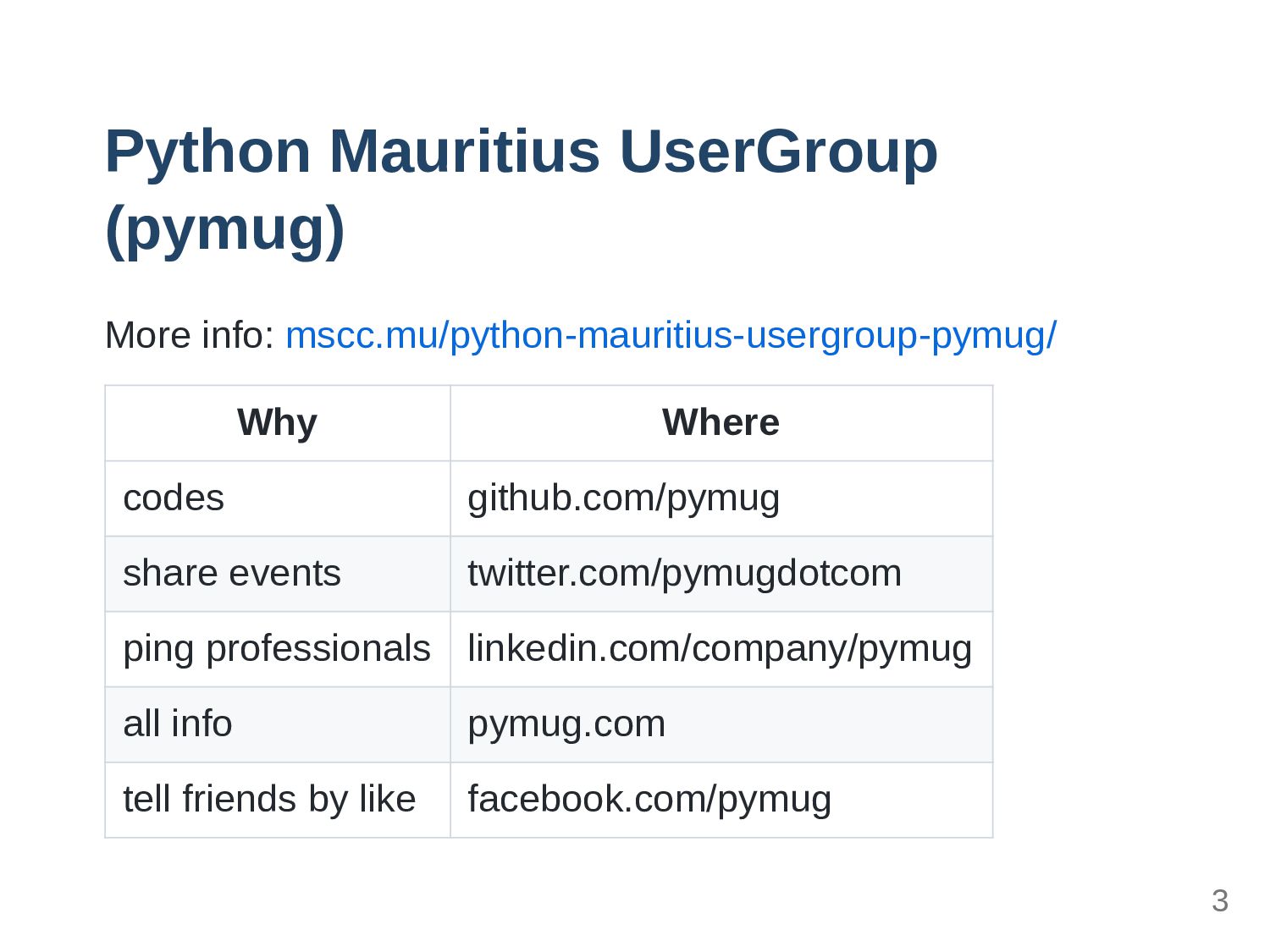
Python Mauritius UserGroup (pymug) More info: mscc.mu/python-mauritius-usergroup-pymug/ Why Where codes
github.com/pymug share events twitter.com/pymugdotcom ping professionals linkedin.com/company/pymug all info pymug.com tell friends by like facebook.com/pymug 3
Abdur-Rahmaan Janhangeer Help people get into OpenSource People hire me
to work on Python projects https://www.compileralchemy.com 4
ssslides 5
Flet: Techniques & Tips 6
Overview 7
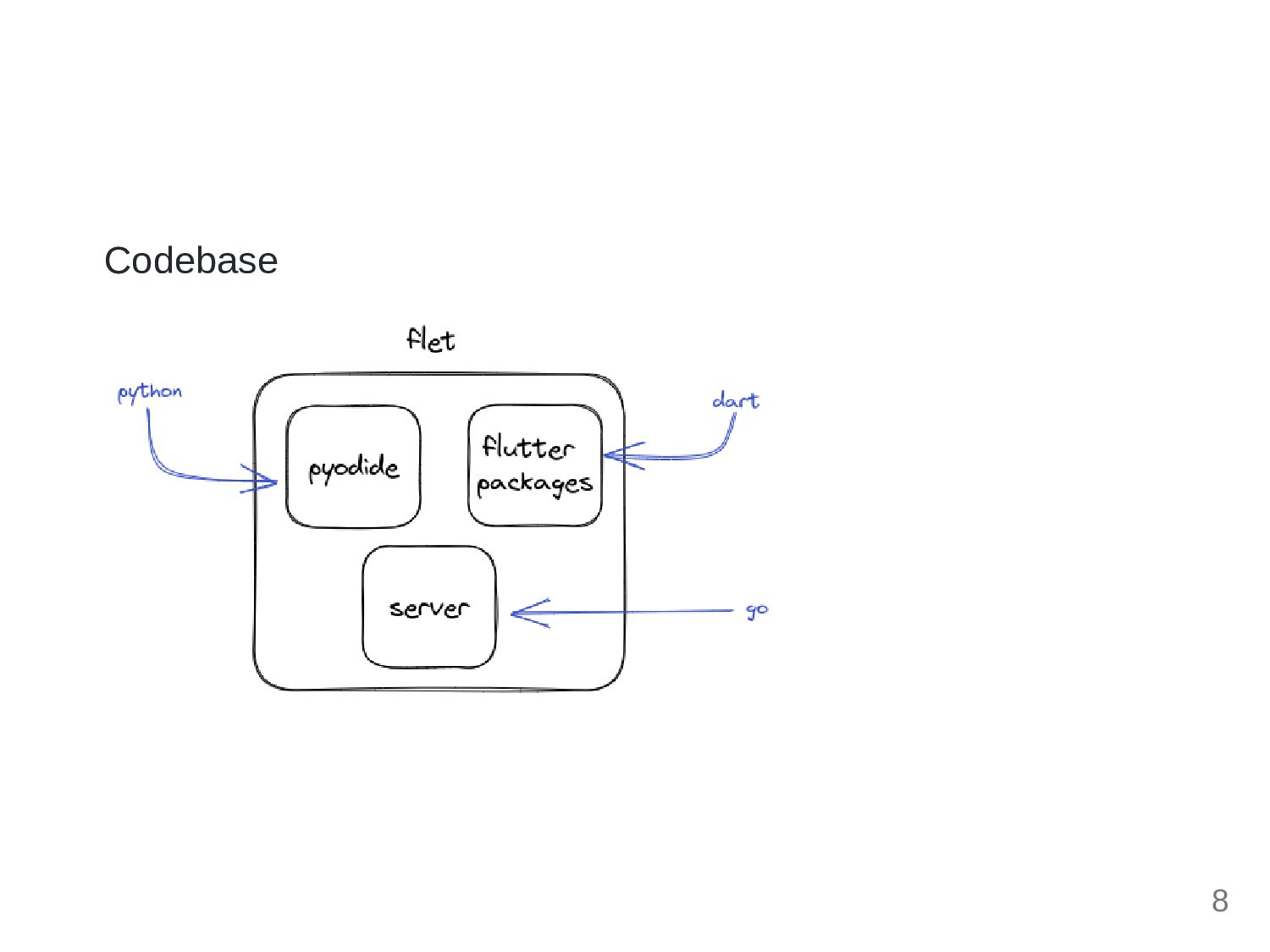
Codebase 8
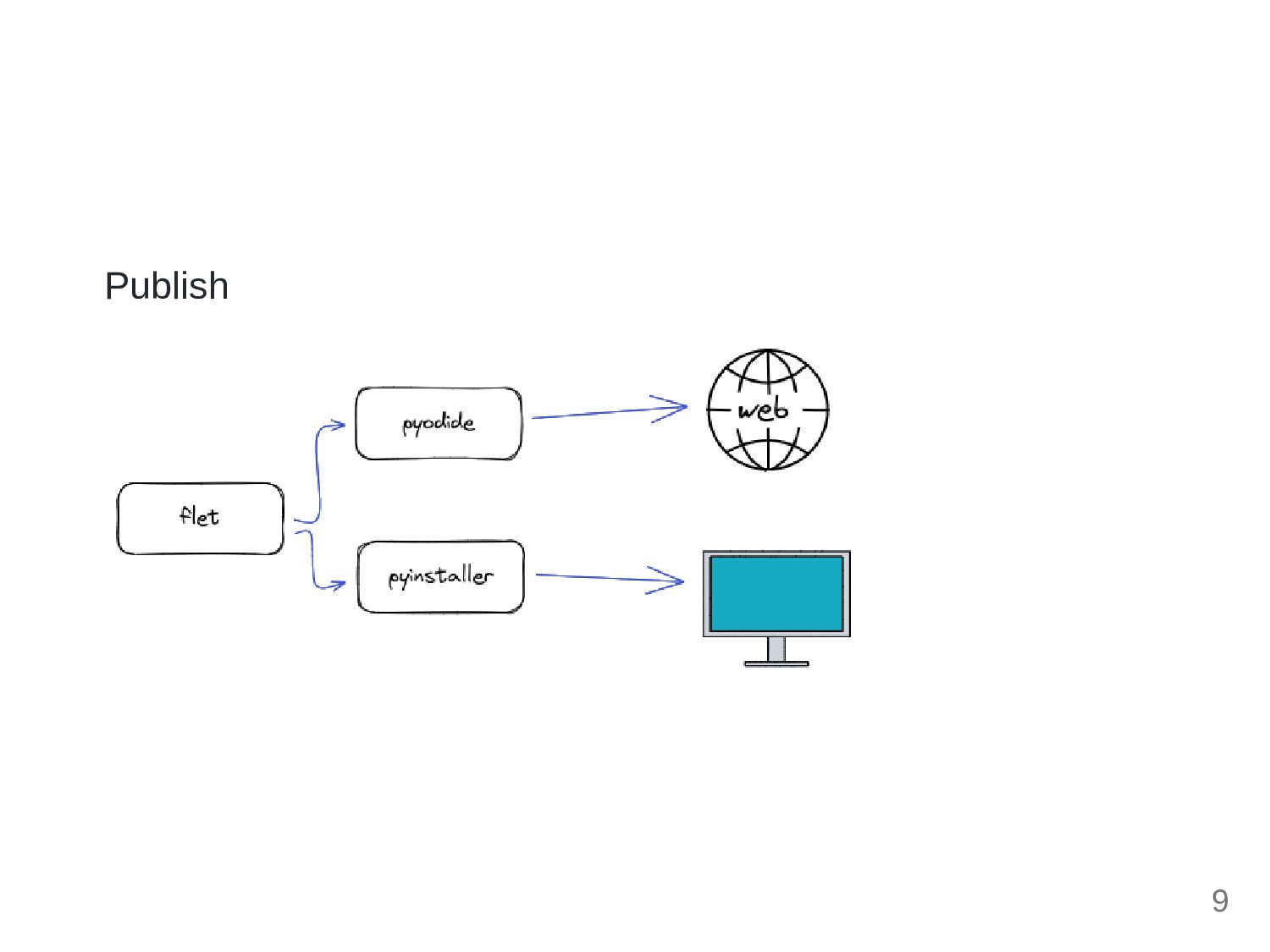
Publish 9
Notes 10
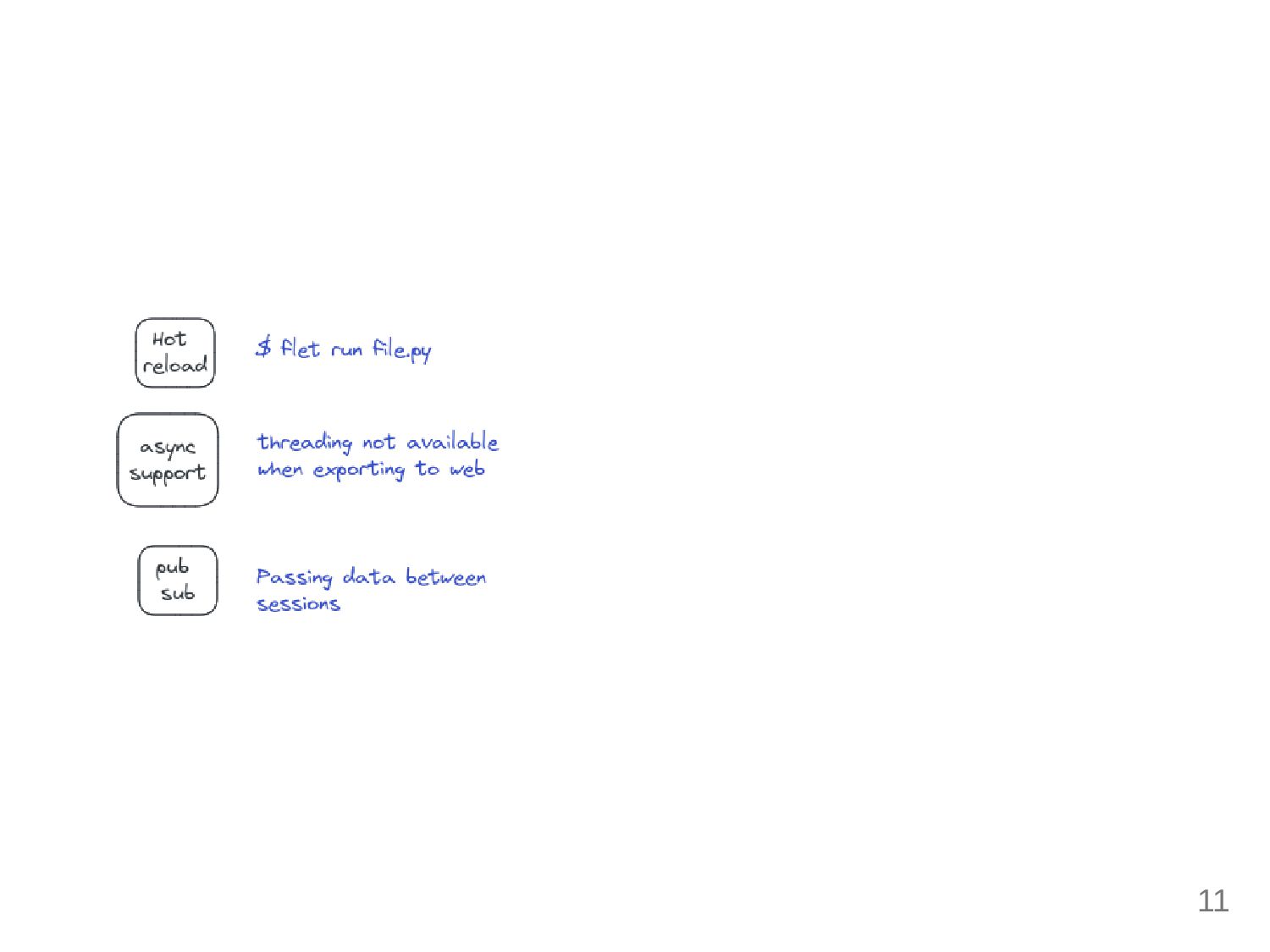
11
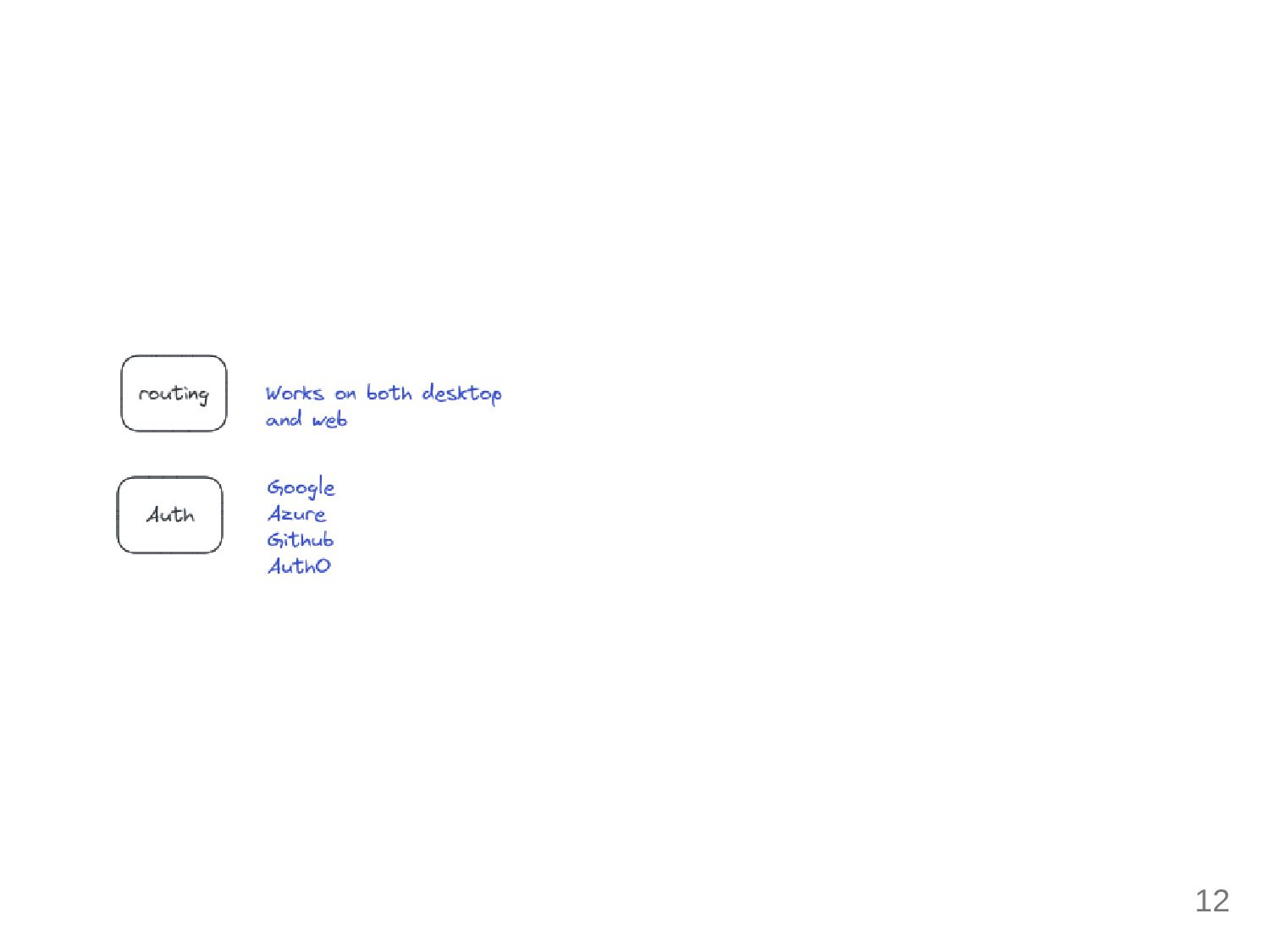
12
Techniques 13
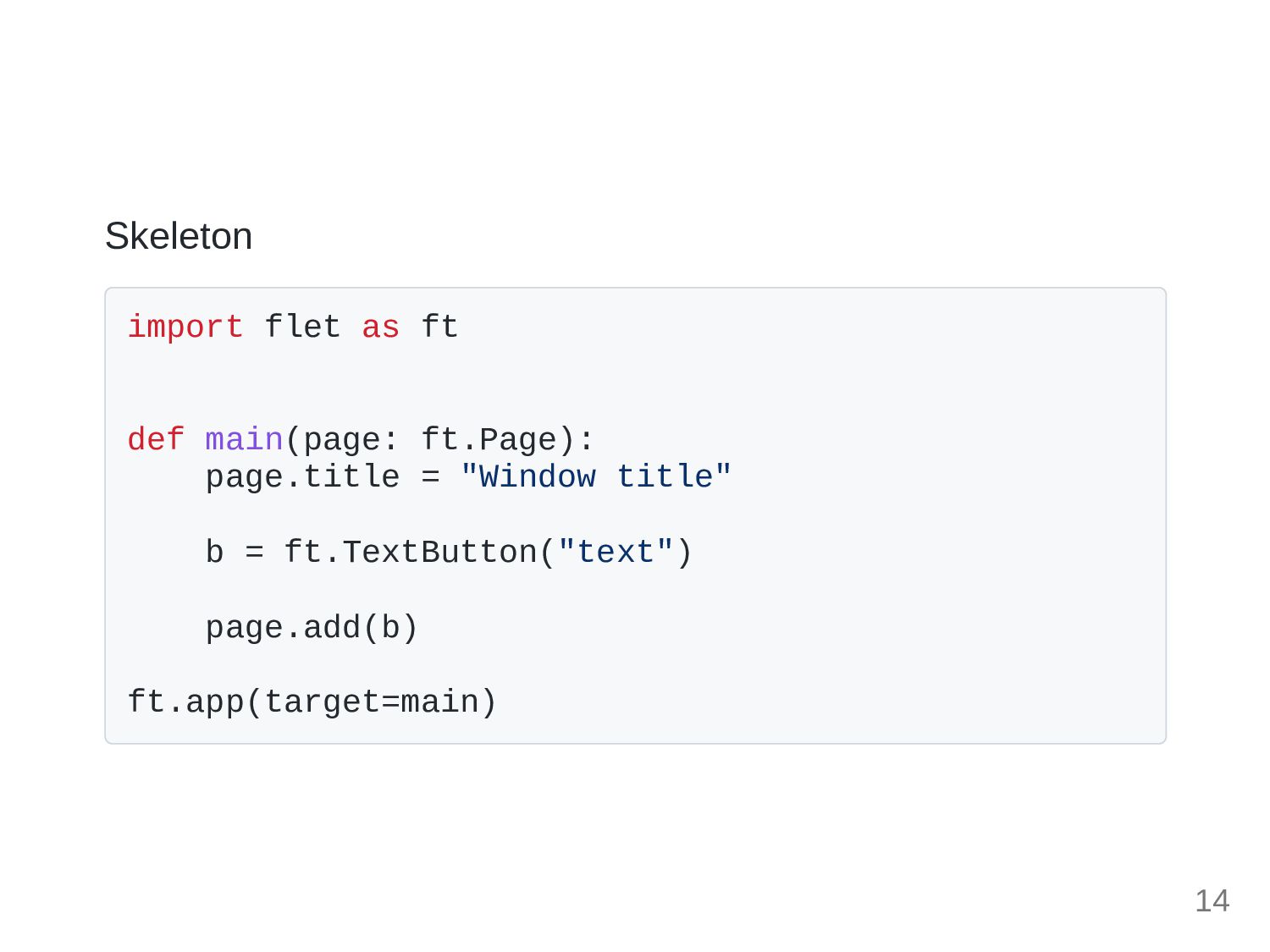
Skeleton import flet as ft def main(page: ft.Page): page.title =
"Window title" b = ft.TextButton("text") page.add(b) ft.app(target=main) 14
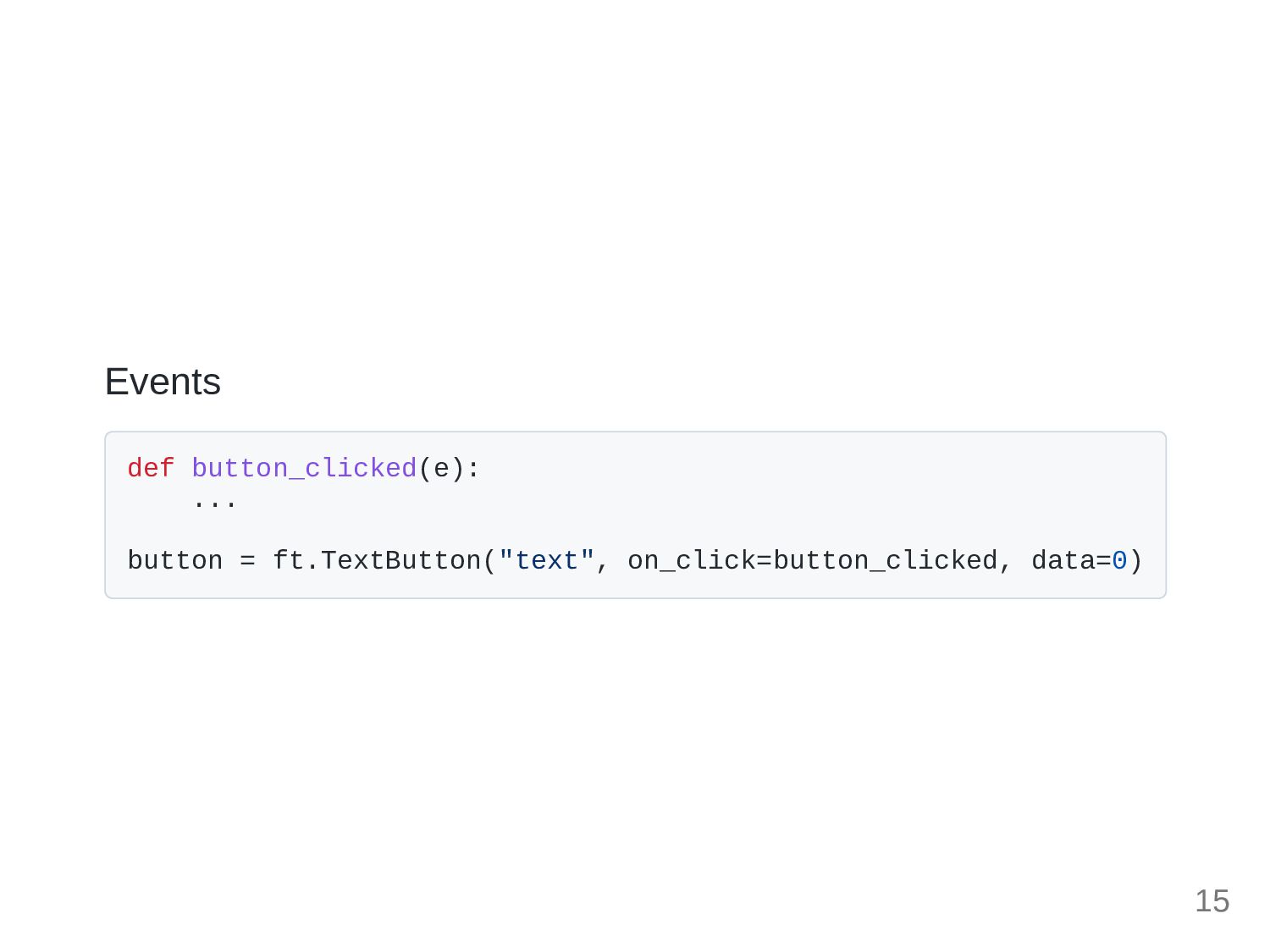
Events def button_clicked(e): ... button = ft.TextButton("text", on_click=button_clicked, data=0) 15
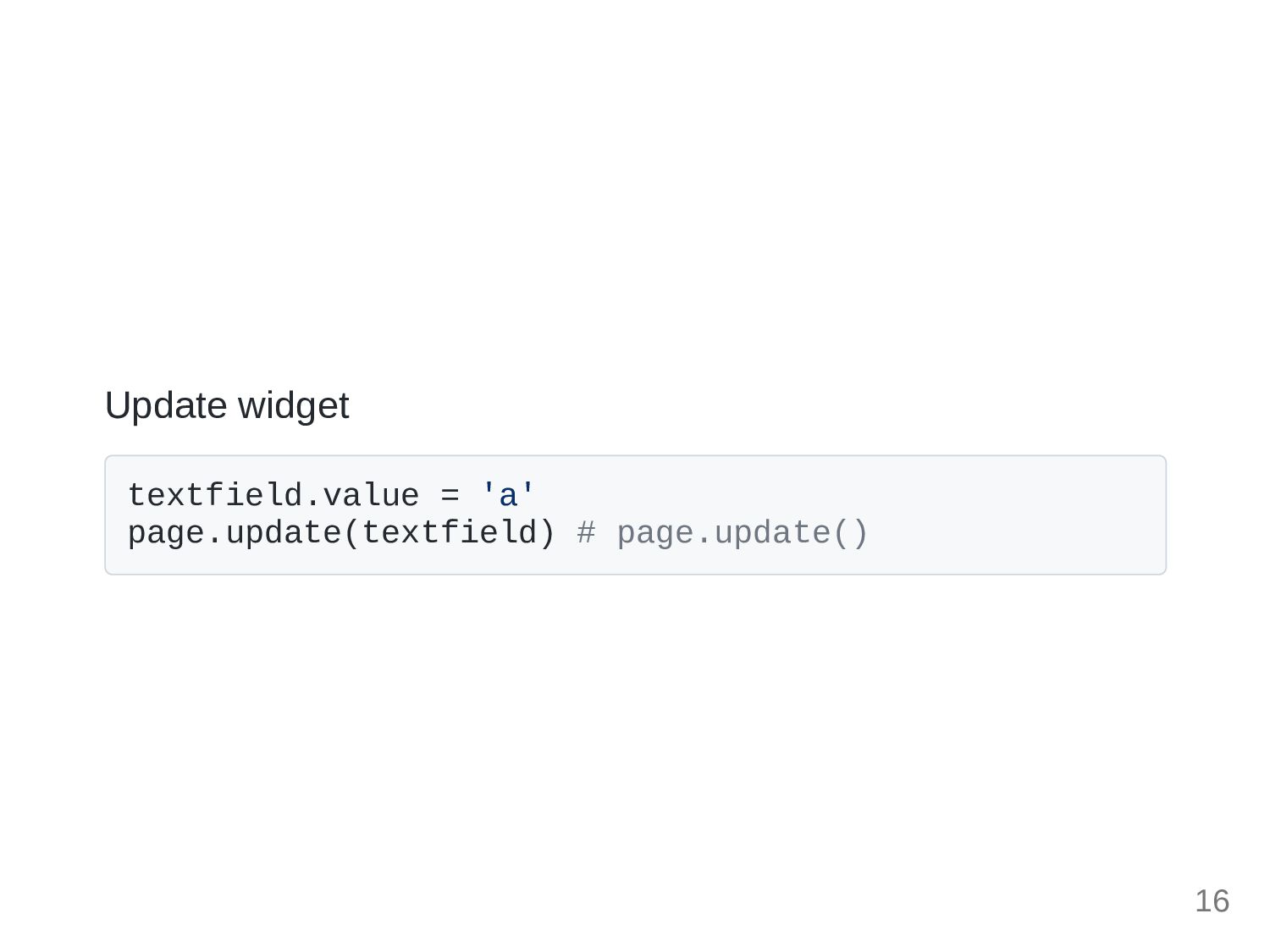
Update widget textfield.value = 'a' page.update(textfield) # page.update() 16
Routing 17
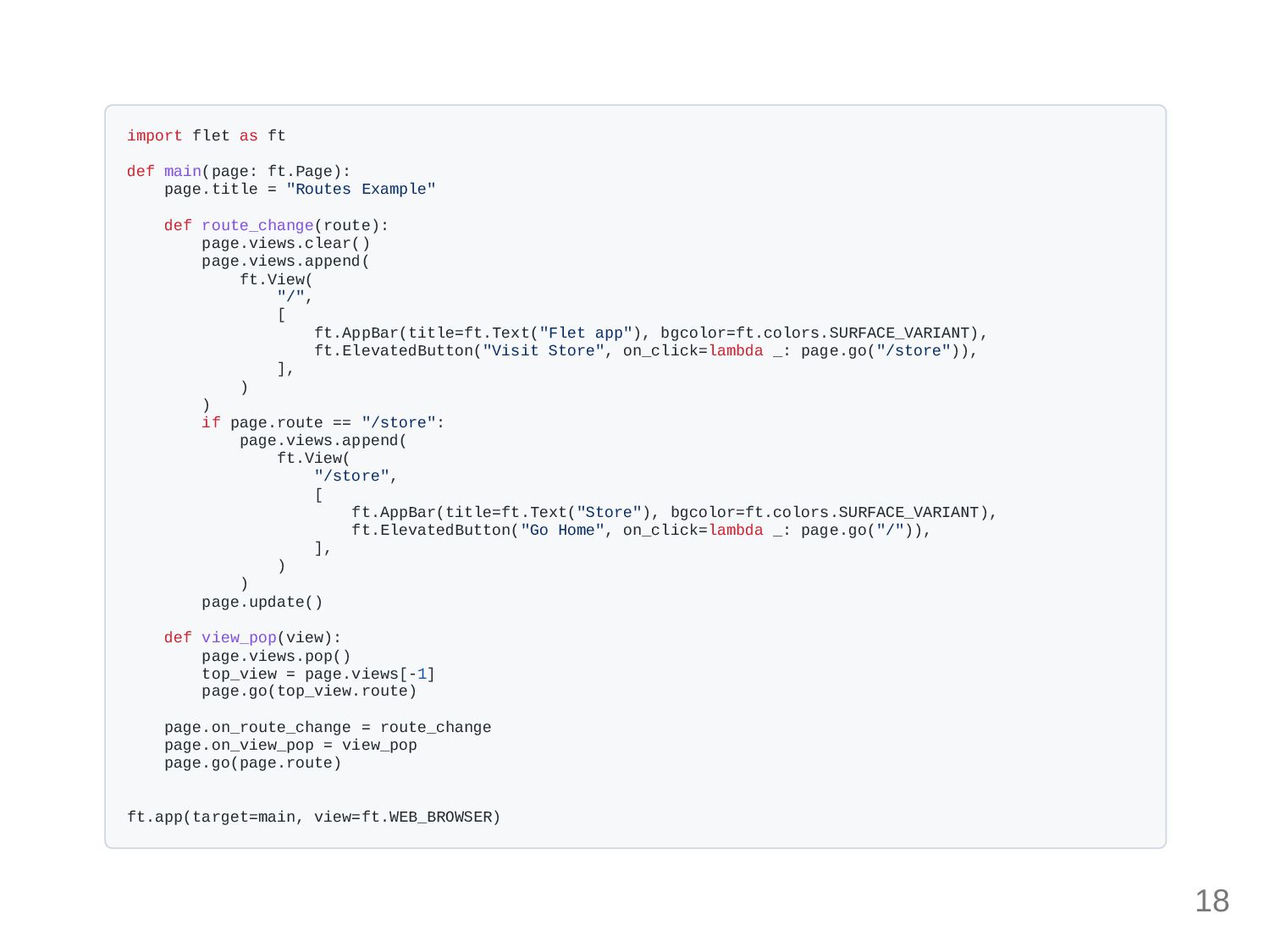
import flet as ft def main(page: ft.Page): page.title = "Routes
Example" def route_change(route): page.views.clear() page.views.append( ft.View( "/", [ ft.AppBar(title=ft.Text("Flet app"), bgcolor=ft.colors.SURFACE_VARIANT), ft.ElevatedButton("Visit Store", on_click=lambda _: page.go("/store")), ], ) ) if page.route == "/store": page.views.append( ft.View( "/store", [ ft.AppBar(title=ft.Text("Store"), bgcolor=ft.colors.SURFACE_VARIANT), ft.ElevatedButton("Go Home", on_click=lambda _: page.go("/")), ], ) ) page.update() def view_pop(view): page.views.pop() top_view = page.views[-1] page.go(top_view.route) page.on_route_change = route_change page.on_view_pop = view_pop page.go(page.route) ft.app(target=main, view=ft.WEB_BROWSER) 18
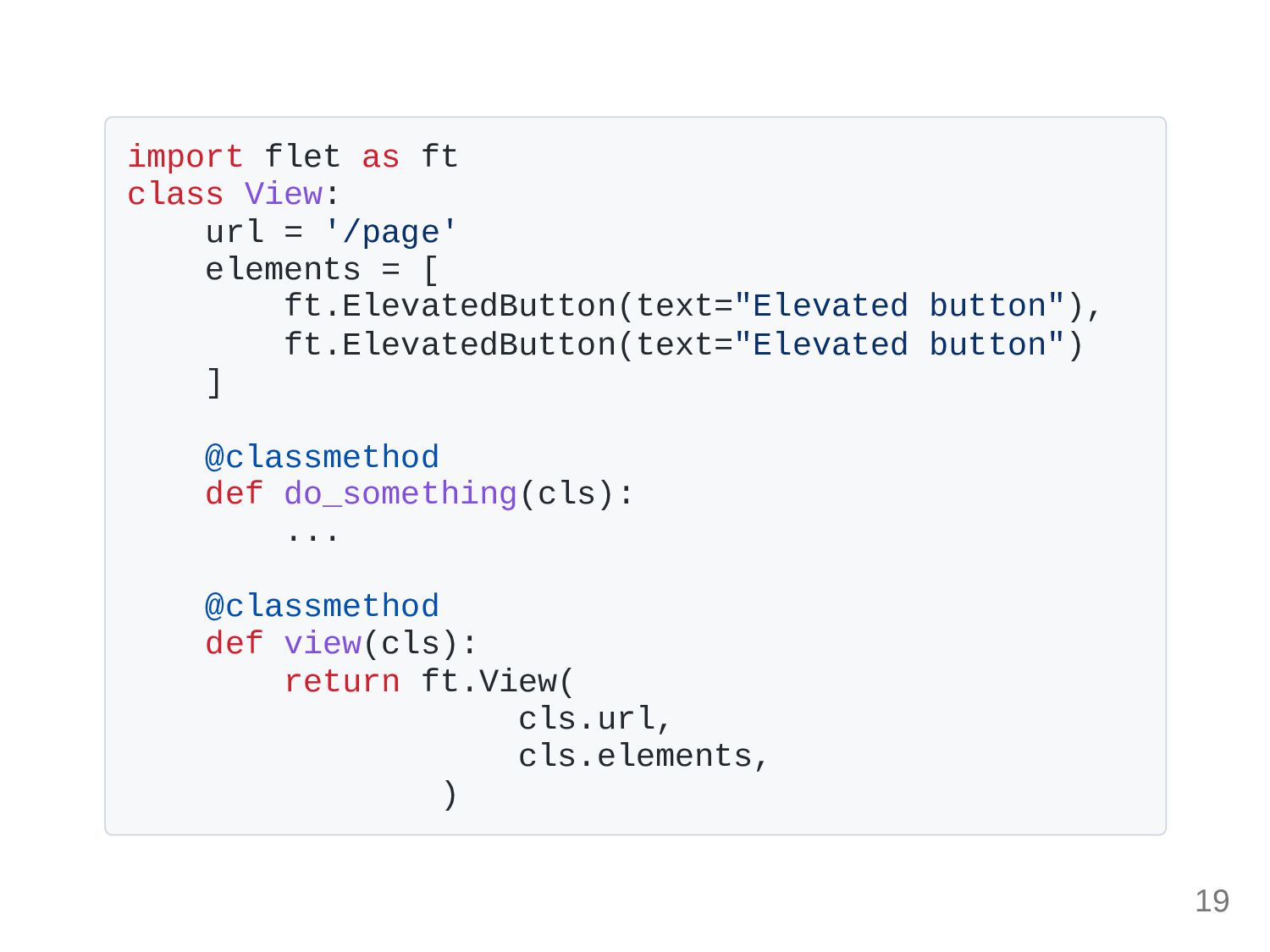
import flet as ft class View: url = '/page' elements
= [ ft.ElevatedButton(text="Elevated button"), ft.ElevatedButton(text="Elevated button") ] @classmethod def do_something(cls): ... @classmethod def view(cls): return ft.View( cls.url, cls.elements, ) 19
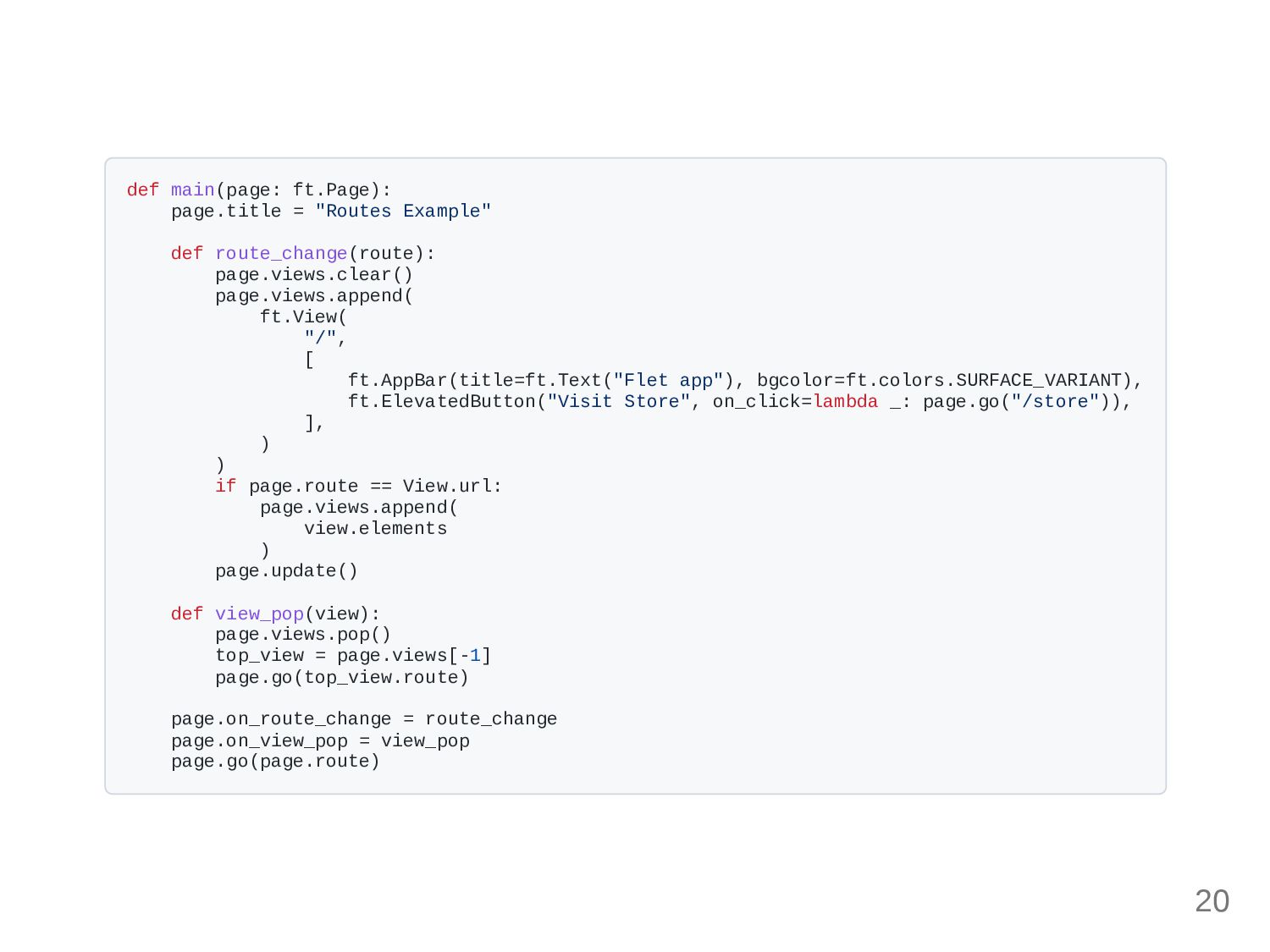
def main(page: ft.Page): page.title = "Routes Example" def route_change(route): page.views.clear()
page.views.append( ft.View( "/", [ ft.AppBar(title=ft.Text("Flet app"), bgcolor=ft.colors.SURFACE_VARIANT), ft.ElevatedButton("Visit Store", on_click=lambda _: page.go("/store")), ], ) ) if page.route == View.url: page.views.append( view.elements ) page.update() def view_pop(view): page.views.pop() top_view = page.views[-1] page.go(top_view.route) page.on_route_change = route_change page.on_view_pop = view_pop page.go(page.route) 20
Dev experience 21
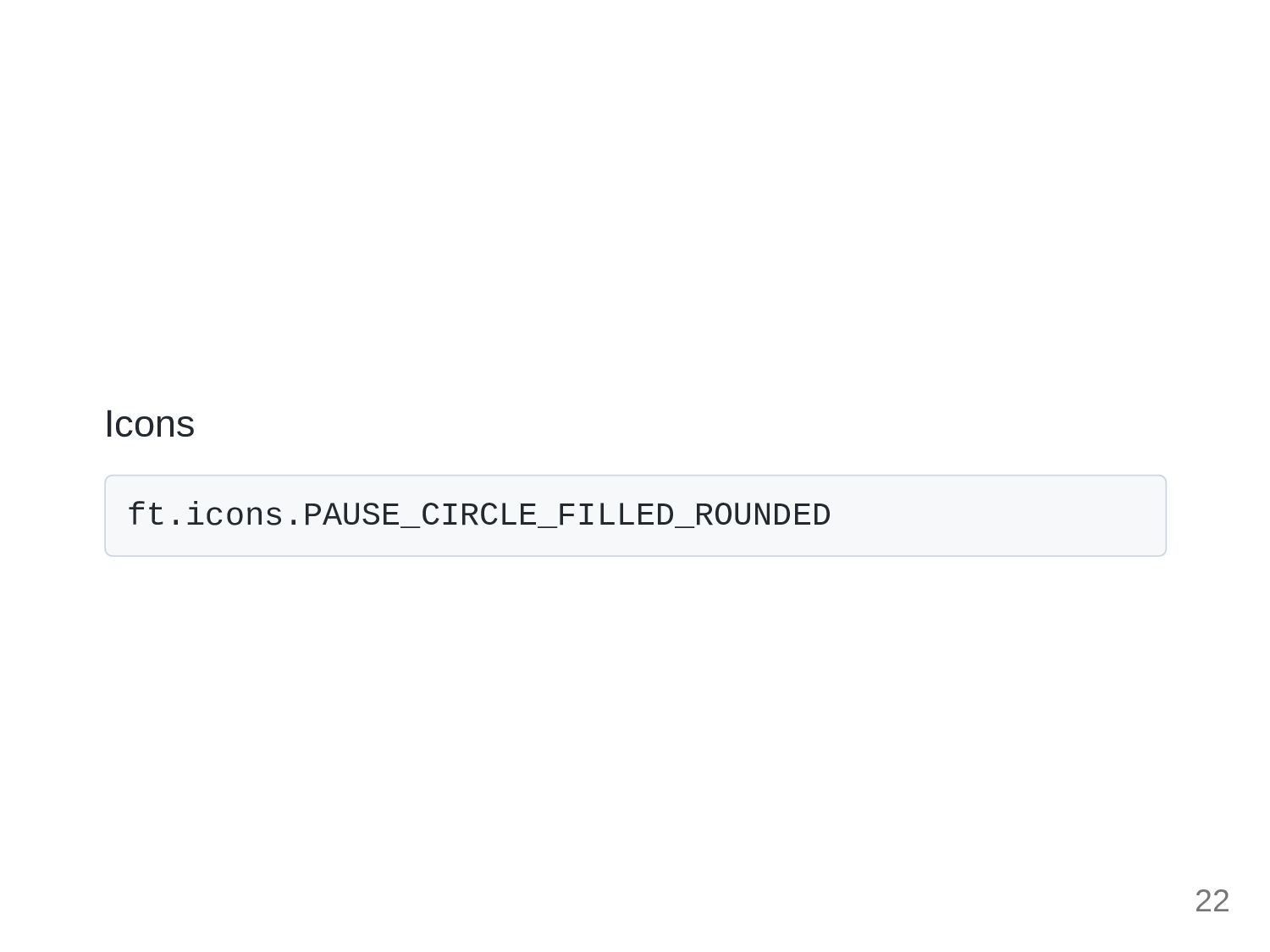
Icons ft.icons.PAUSE_CIRCLE_FILLED_ROUNDED 22
Color ft.color.RED_400 23
Next in this session 24
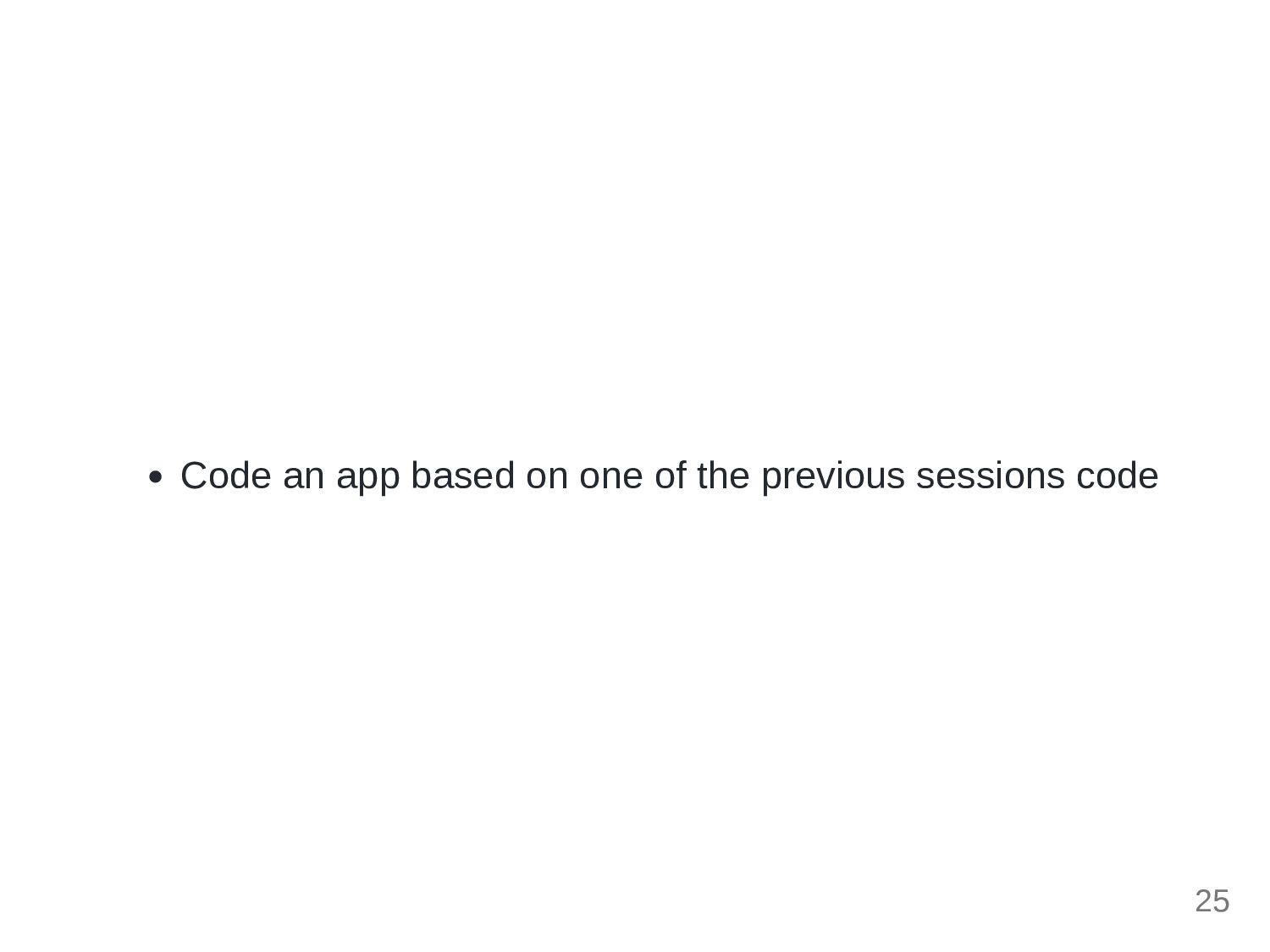
Code an app based on one of the previous sessions
code 25
26


 osdotsystem
 ainischool
 yatabe
 kaityo256
 juanmartin2026
 signer
 sciencetokyo
 yoshimura_datam
 hiragahh
 soudai
 marktimemedia
 rmw
rmw
 jdejongh
 dugsong
 jnunemaker
 holman
 jct
jct
 jeffersonlam
 jonoalderson
 tammyeverts
 inesmontani
 aarron