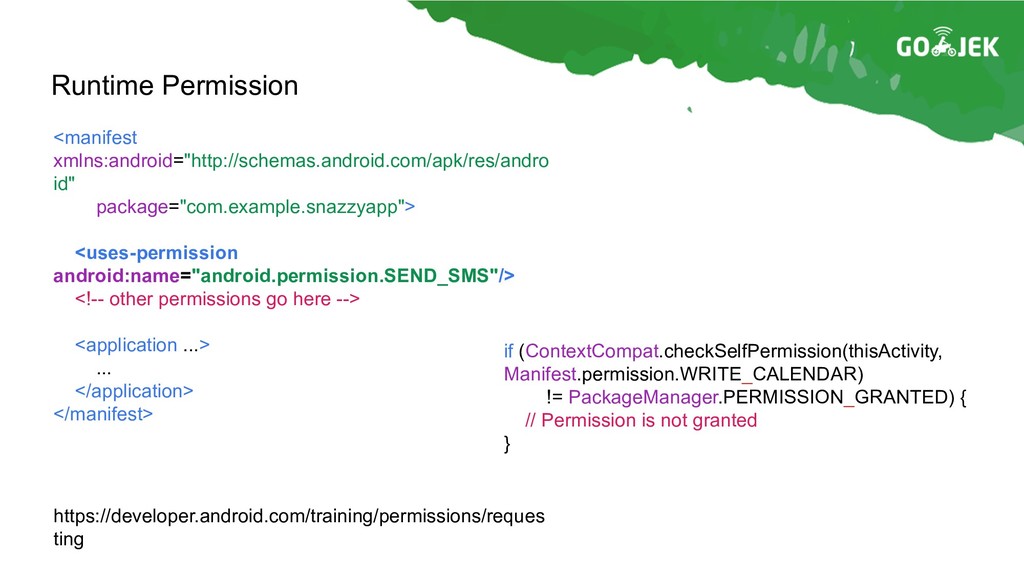
// Permission is not granted } <manifest xmlns:android="http://schemas.android.com/apk/res/andro id" package="com.example.snazzyapp"> <uses-permission android:name="android.permission.SEND_SMS"/> <!-- other permissions go here --> <application ...> ... </application> </manifest>
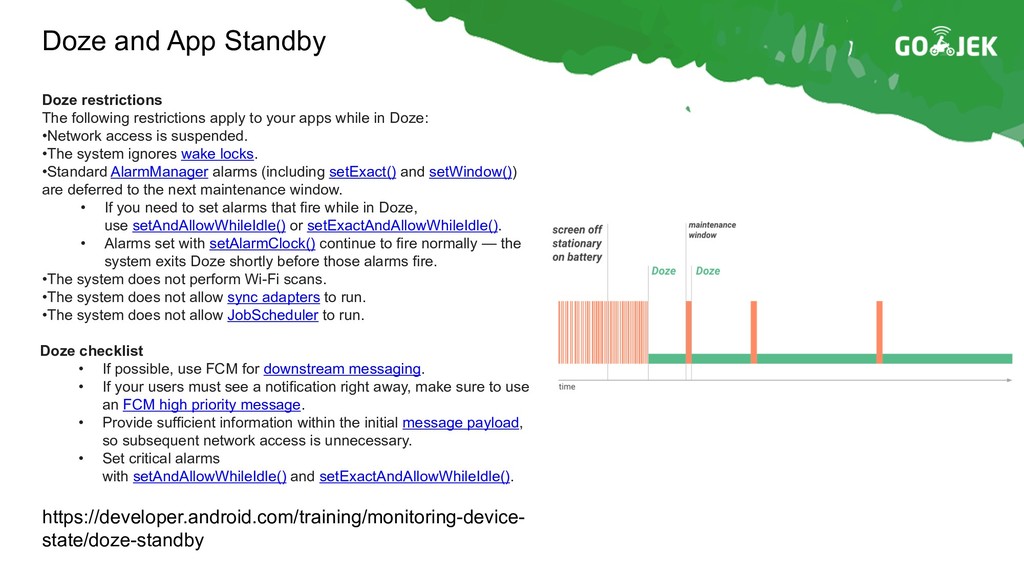
restrictions apply to your apps while in Doze: •Network access is suspended. •The system ignores wake locks. •Standard AlarmManager alarms (including setExact() and setWindow()) are deferred to the next maintenance window. • If you need to set alarms that fire while in Doze, use setAndAllowWhileIdle() or setExactAndAllowWhileIdle(). • Alarms set with setAlarmClock() continue to fire normally — the system exits Doze shortly before those alarms fire. •The system does not perform Wi-Fi scans. •The system does not allow sync adapters to run. •The system does not allow JobScheduler to run. Doze checklist • If possible, use FCM for downstream messaging. • If your users must see a notification right away, make sure to use an FCM high priority message. • Provide sufficient information within the initial message payload, so subsequent network access is unnecessary. • Set critical alarms with setAndAllowWhileIdle() and setExactAndAllowWhileIdle().
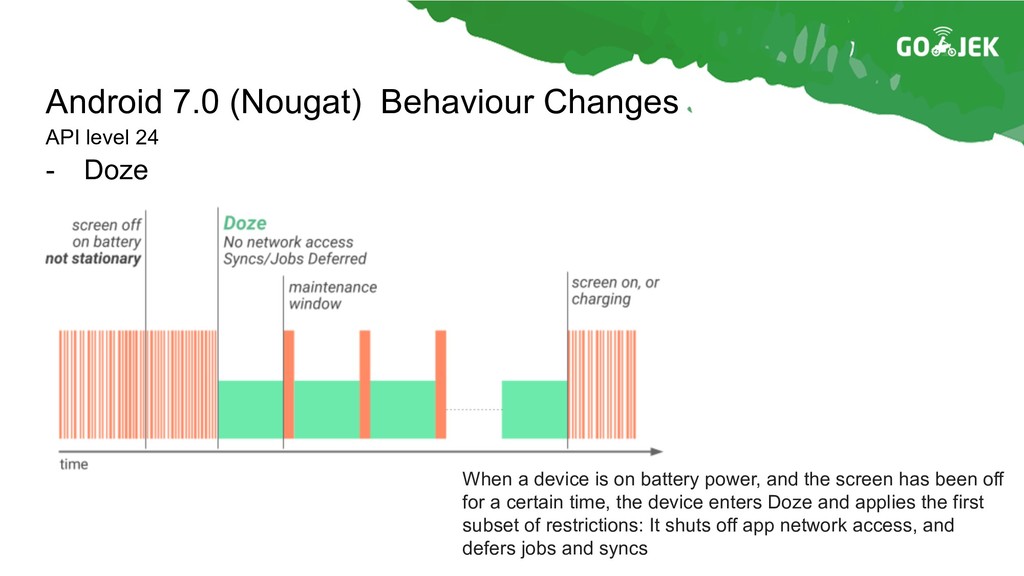
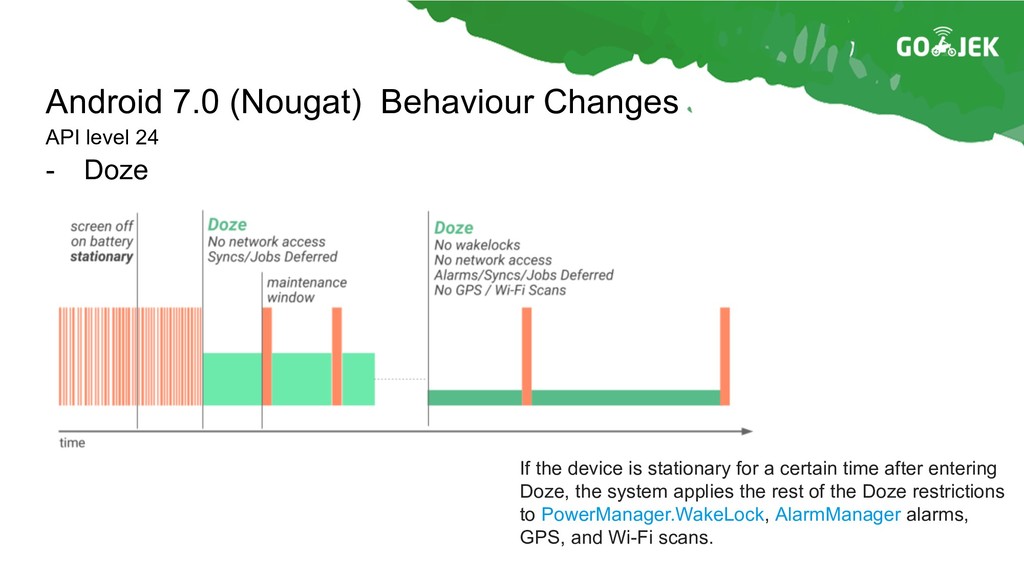
When a device is on battery power, and the screen has been off for a certain time, the device enters Doze and applies the first subset of restrictions: It shuts off app network access, and defers jobs and syncs
If the device is stationary for a certain time after entering Doze, the system applies the rest of the Doze restrictions to PowerManager.WakeLock, AlarmManager alarms, GPS, and Wi-Fi scans.
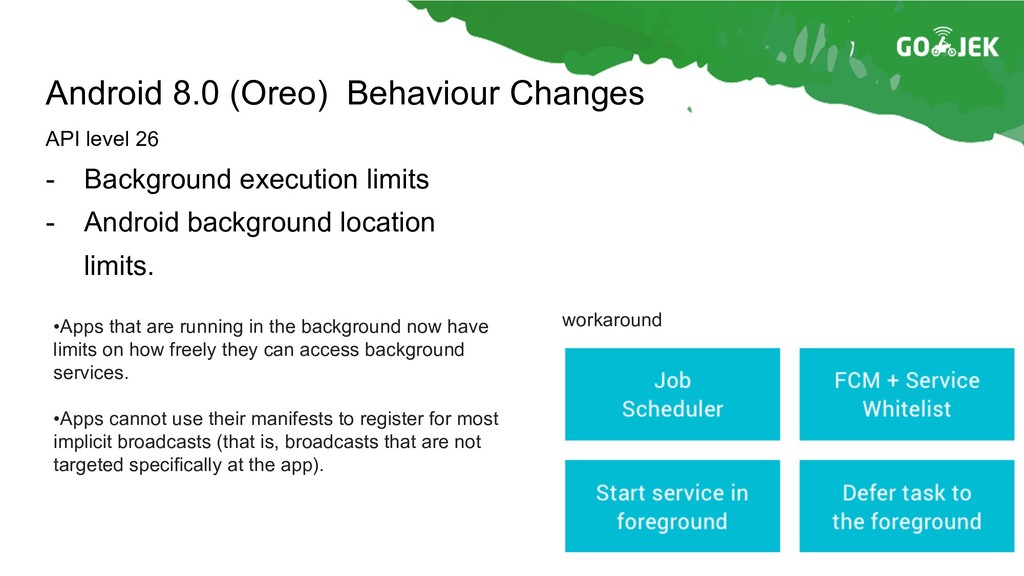
Android background location limits. API level 26 •Apps that are running in the background now have limits on how freely they can access background services. •Apps cannot use their manifests to register for most implicit broadcasts (that is, broadcasts that are not targeted specifically at the app). workaround
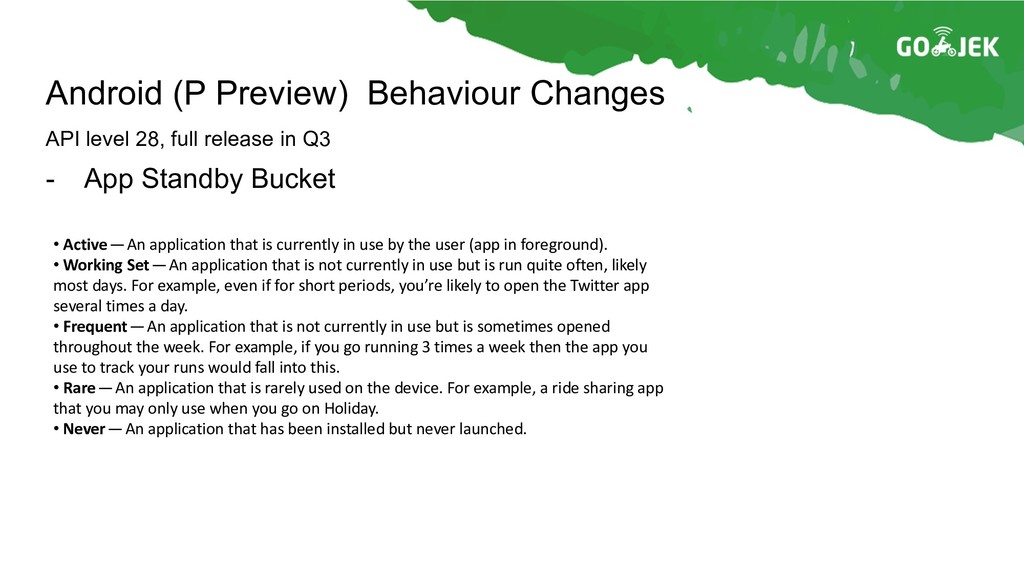
level 28, full release in Q3 • Active— An application that is currently in use by the user (app in foreground). • Working Set — An application that is not currently in use but is run quite often, likely most days. For example, even if for short periods, you’re likely to open the Twitter app several times a day. • Frequent— An application that is not currently in use but is sometimes opened throughout the week. For example, if you go running 3 times a week then the app you use to track your runs would fall into this. • Rare— An application that is rarely used on the device. For example, a ride sharing app that you may only use when you go on Holiday. • Never— An application that has been installed but never launched.
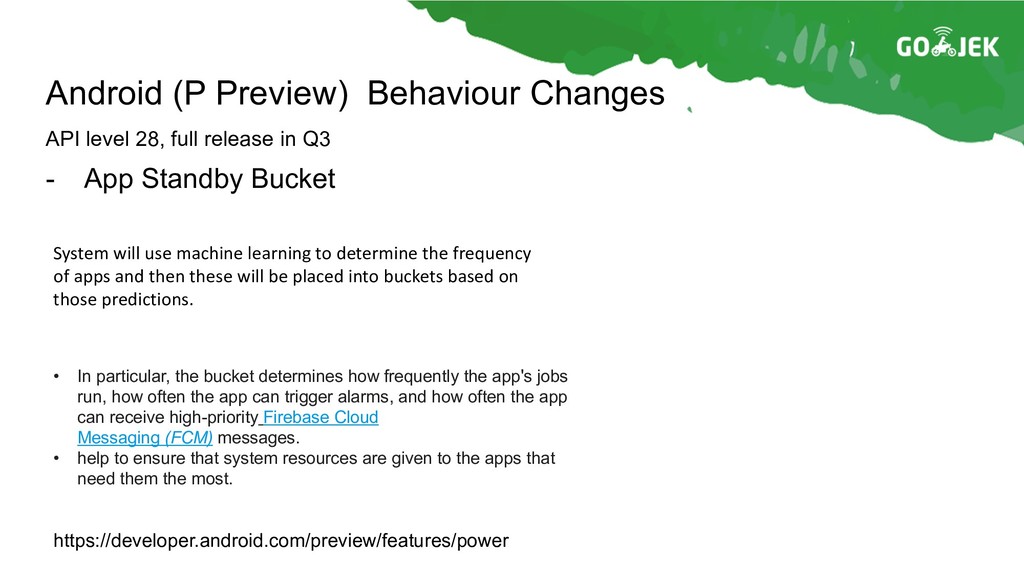
level 28, full release in Q3 System will use machine learning to determine the frequency of apps and then these will be placed into buckets based on those predictions. • In particular, the bucket determines how frequently the app's jobs run, how often the app can trigger alarms, and how often the app can receive high-priority Firebase Cloud Messaging (FCM) messages. • help to ensure that system resources are given to the apps that need them the most. https://developer.android.com/preview/features/power
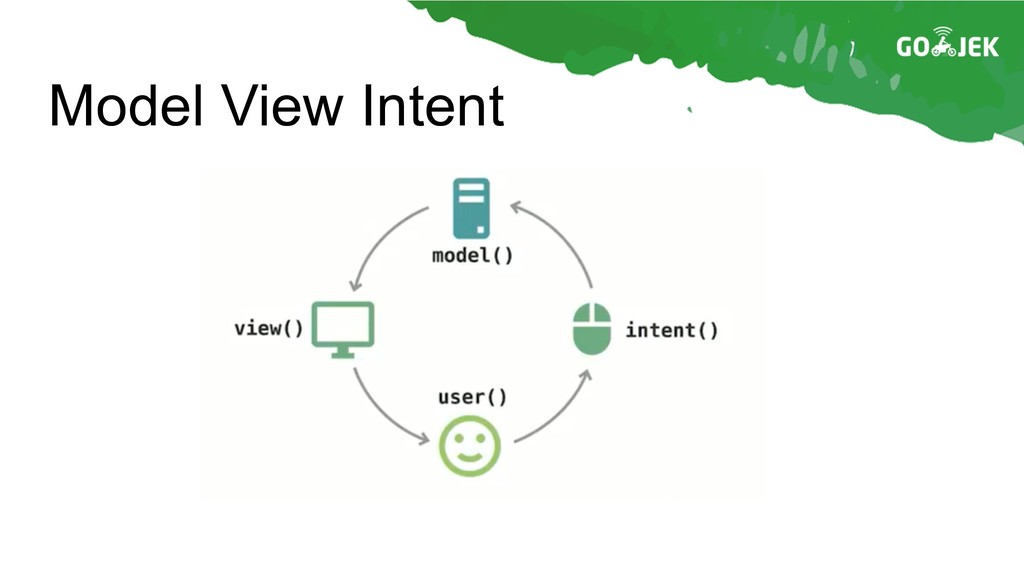
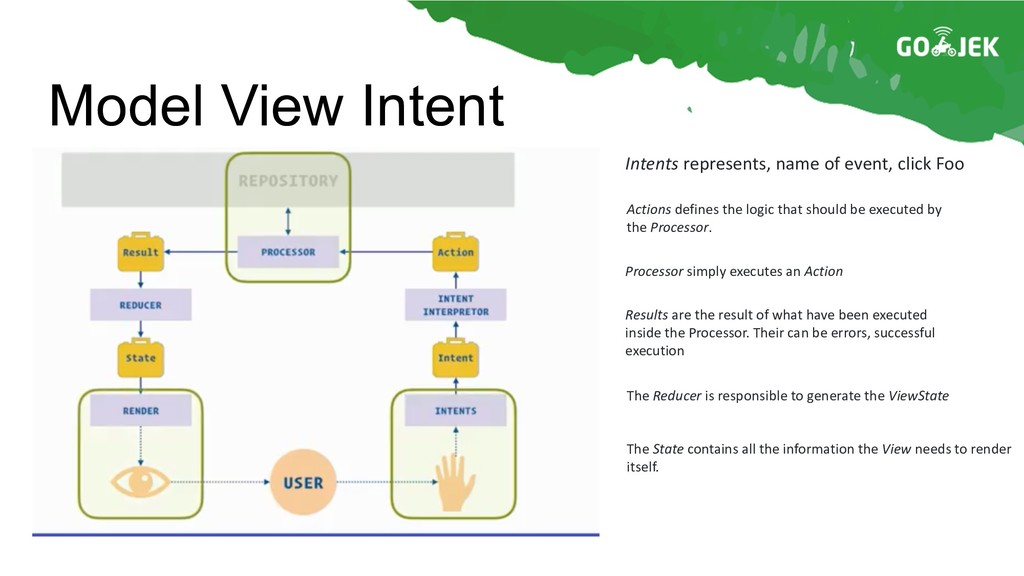
Actions defines the logic that should be executed by the Processor. Processor simply executes an Action Results are the result of what have been executed inside the Processor. Their can be errors, successful execution The Reducer is responsible to generate the ViewState The State contains all the information the View needs to render itself.
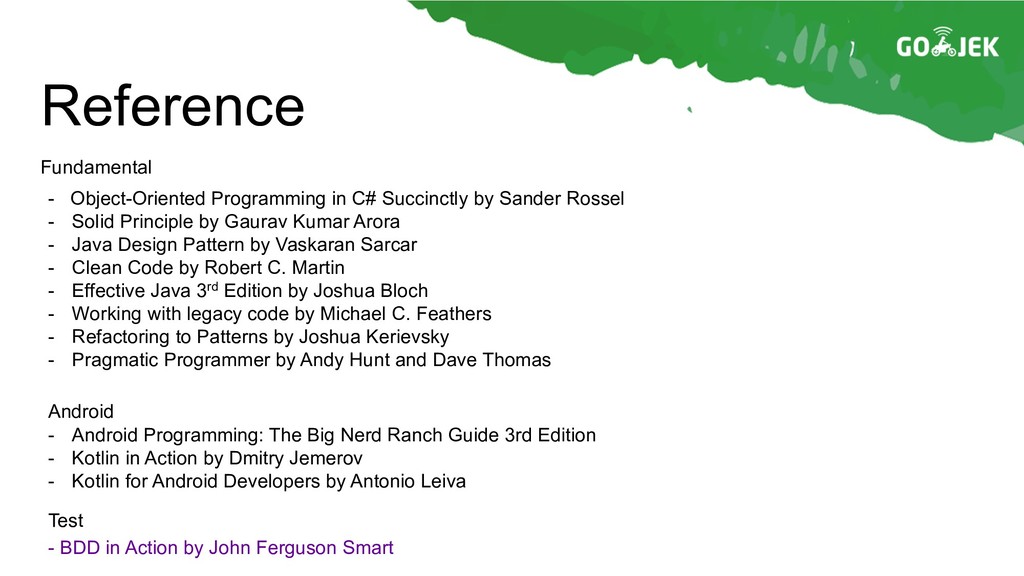
- Solid Principle by Gaurav Kumar Arora - Java Design Pattern by Vaskaran Sarcar - Clean Code by Robert C. Martin - Effective Java 3rd Edition by Joshua Bloch - Working with legacy code by Michael C. Feathers - Refactoring to Patterns by Joshua Kerievsky - Pragmatic Programmer by Andy Hunt and Dave Thomas Fundamental Android - Android Programming: The Big Nerd Ranch Guide 3rd Edition - Kotlin in Action by Dmitry Jemerov - Kotlin for Android Developers by Antonio Leiva - BDD in Action by John Ferguson Smart Test


 radityagumay
 mohab1
 ykanoh
 kash1064
 kairim0
 4o1sobblue
 kenichiodo
 recruitengineers
 yazm
yazm
 persolserverworks
 ivry_presentationmaterials
 yahonda
 y0hgi
y0hgi
 mongodb
 ryanjones
 skipperchong
 axbom
axbom
 caitiem20
 portentint
 baasie
 pauljervisheath
 danielanewman
 marketingsoph
 bluesmoon
 katiecoart