Upgrade to PRO for Only $50/Year—Limited-Time Offer! 🔥

Alternative to AWR and ASH, license-free for Or...

Avatar for Peter Ramm Peter Ramm
December 08, 2025

Alternative to AWR and ASH, license-free for Oracle DB Standard Edition

Active Workload Repository (AWR) and Active Session History (ASH) are features of Oracle Enterprise Edition
that have become indispensable in problem analysis on Oracle DB today.

Unfortunately, using this analysis data requires both the Enterprise Edition of the DB and a license for the Diagnostics Pack.

The sampling of historical data integrated in the “Panorama” analysis tool (https://github.com/rammpeter/panorama) enables functions comparable to AWR and ASH without a license for any Oracle version, including the Standard Edition.

The recording can be configured for any number of databases, locally in the database under consideration in table structures analogous to AWR and ASH.

This presentation shows how to use Panorama to:
- Configure AWR- and ASH-compatible recording
- Use the various analysis functions of Panorama transparently and identically, either with the original AWR and ASH data from the EE DB or with the data sampled by Panorama itself

Avatar for Peter Ramm

Peter Ramm

December 08, 2025
Tweet

More Decks by Peter Ramm

Other Decks in Technology

Transcript

  1. Panorama-Sampler Alternative to AWR and ASH, license-free for Oracle DB

    Standard Edition • Peter Ramm November 2025
  2. Otto Group one.O 2 About Otto Group one.O Fusion to

    one.O 2025 Parent company Otto Group Locations Dresden, Hamburg, Altenkunstadt, Madrid, Málaga, Valencia, Taipei, Hyderabad Number of employees around 1,000 Management Board Katrin Behrens, Dr. Stefan Borsutzky
  3. Peter Ramm Software architekt / Team lead at One.O in

    Dresden More than 30 years of history in IT-projects Main focus: • Development of OLTP systems based on Oracle databases • From architecture consulting up to trouble shooting • Performance analysis and optimization of working systems About me Mail: [email protected]
  4. Factors influencing performance in DB use Compute-Node: • CPU/Core number,

    CPU performance • capacity, latency and bandwith of memory DB instance: • Configuration • Redo, Undo, Temp I/O-System: • Throughput (MB/sec.) • Latency (ms/request) • Storage capacity Network: • Bandwith • Latency DB segments: • Tables • Indexes • Clusters • Partitions DB sessions: • Link between appl. and DB • Transactional behavior • Optimizer settings SQL statements: • Executed operations • Execution plans Application: • Process design • Data model • DB access • Transactions
  5. • StatsPack: own rudimentary snapshots, available since release 8i •

    Active Workload Repository (AWR), since release 10g • Active Session History (ASH), since release 10g • AWR and ASH are tailor-made for troubleshooting and forensics • But require licensing of Enterprise Edition + Diagnostics Pack Oracles solution for historization of metrics and statistics
  6. Why not simply use the builtin function of Diagnostics Pack

    License US$ / processor Support US$ / year (22%) Standard Edition 2 17,500 3,850 Enterprise Edition 47,500 10,450 Diagnostics Pack 7,500 1,650 Enterprise Edition + Diagnostics Pack 55,000 12,100 Oracle Database pricing 2025
  7. • Extend the existing performance analysis tool “Panorama” with own

    snapshots of metrics and statistics • Records in tables that have the same structure as their AWR counterparts (DBA_HIST_xxx views) in rel. 19 or 23. • Same name suffixes for tables (PANORAMA_xxx instead of DBA_HIST_xxx) • The identical structures make it possible to: • Easy switching in Panorama between AWR/ASH as database or own recordings • All Panorama functions based on AWR/ASH are thus also available for SE and EE without Diagnostics Pack • Other analysis software can also be used without license violation by redirecting the access on AWR/ASH views to the Panorama replacement by synonyms. Solution approach for a workload repository similar to AWR
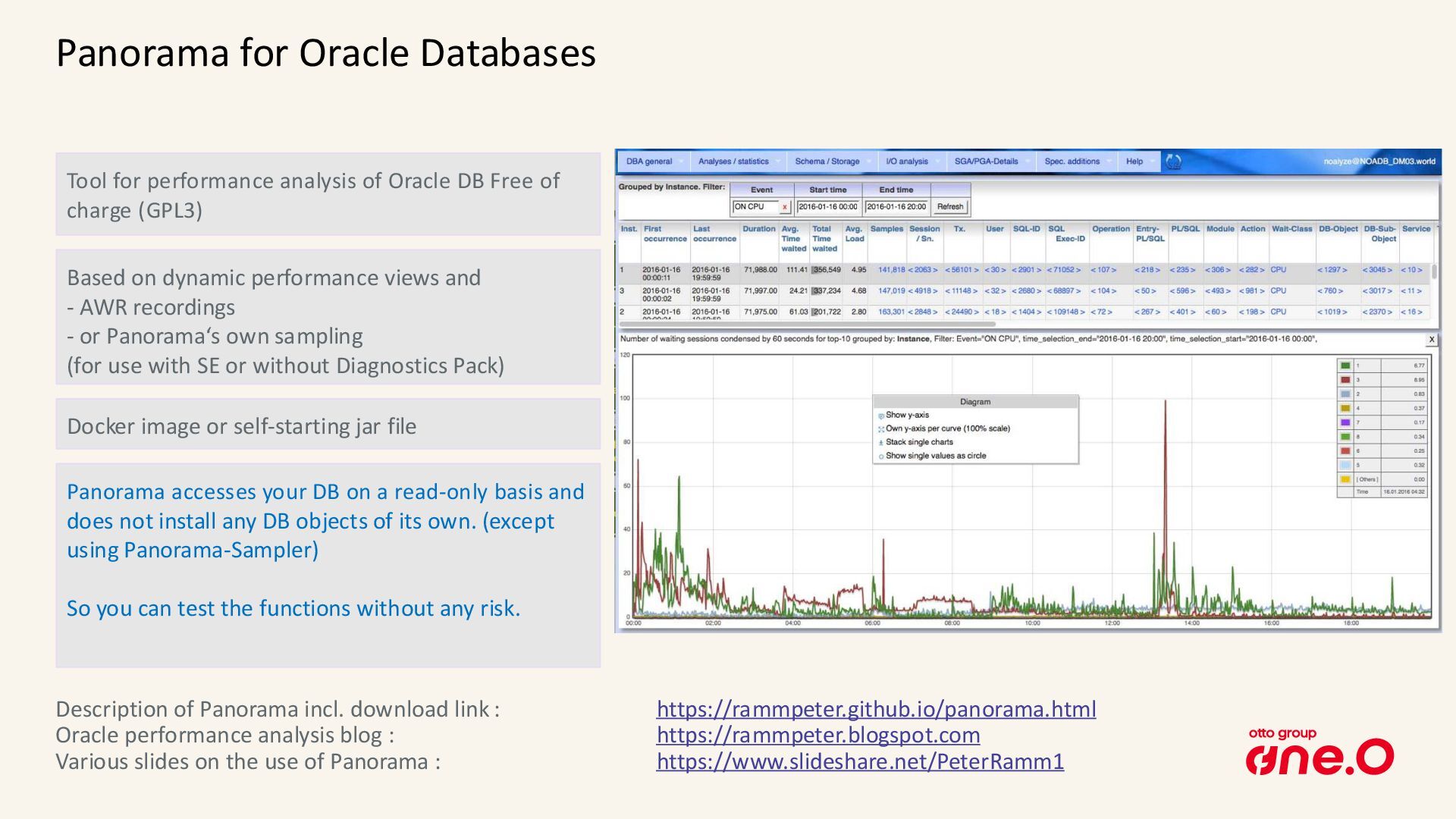
  8. Panorama for Oracle Databases Tool for performance analysis of Oracle

    DB Free of charge (GPL3) Based on dynamic performance views and - AWR recordings - or Panorama‘s own sampling (for use with SE or without Diagnostics Pack) Description of Panorama incl. download link : https://rammpeter.github.io/panorama.html Oracle performance analysis blog : https://rammpeter.blogspot.com Various slides on the use of Panorama : https://www.slideshare.net/PeterRamm1 Docker image or self-starting jar file Panorama accesses your DB on a read-only basis and does not install any DB objects of its own. (except using Panorama-Sampler) So you can test the functions without any risk.
  9. Panorama for Oracle: presentation formats Visualization in graphs via context

    menu (right mouse button) Time-related values can generally also be displayed as graphs by showing/hiding columns of the tables Results usually as tables Workflow in browser page continuously downwards Config setting PANORAMA_LOG_LEVEL=debug shows executed SQLs on console
  10. Technical implementation of the Panorama-Sampler • Recording is done by

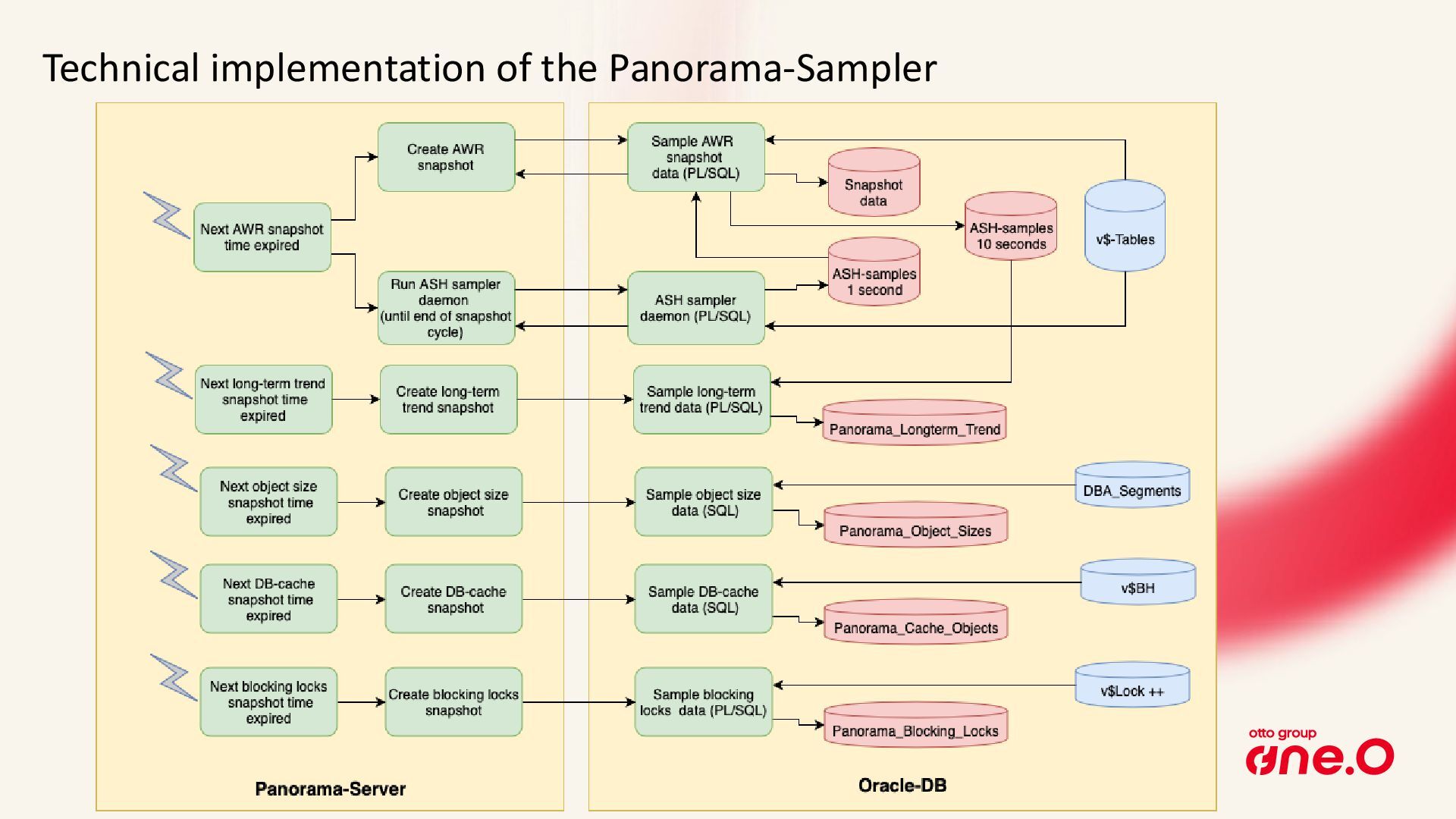
    PL/SQL code at the target DB, data is stored locally in that DB • No network transfer of sampled data to the Panorama server • ASH recording is done by a permanent background session • A Panorama server instance can handle an unlimited number of target DBs • Sampling is done independently in own thread per target DB • The needed DB objects in target DB are created automatically at first use • Supports all DB releases and editions starting with 11.2 up to 26ai
  11. AWR views with replacement in Panorama-Sampler • All AWR views

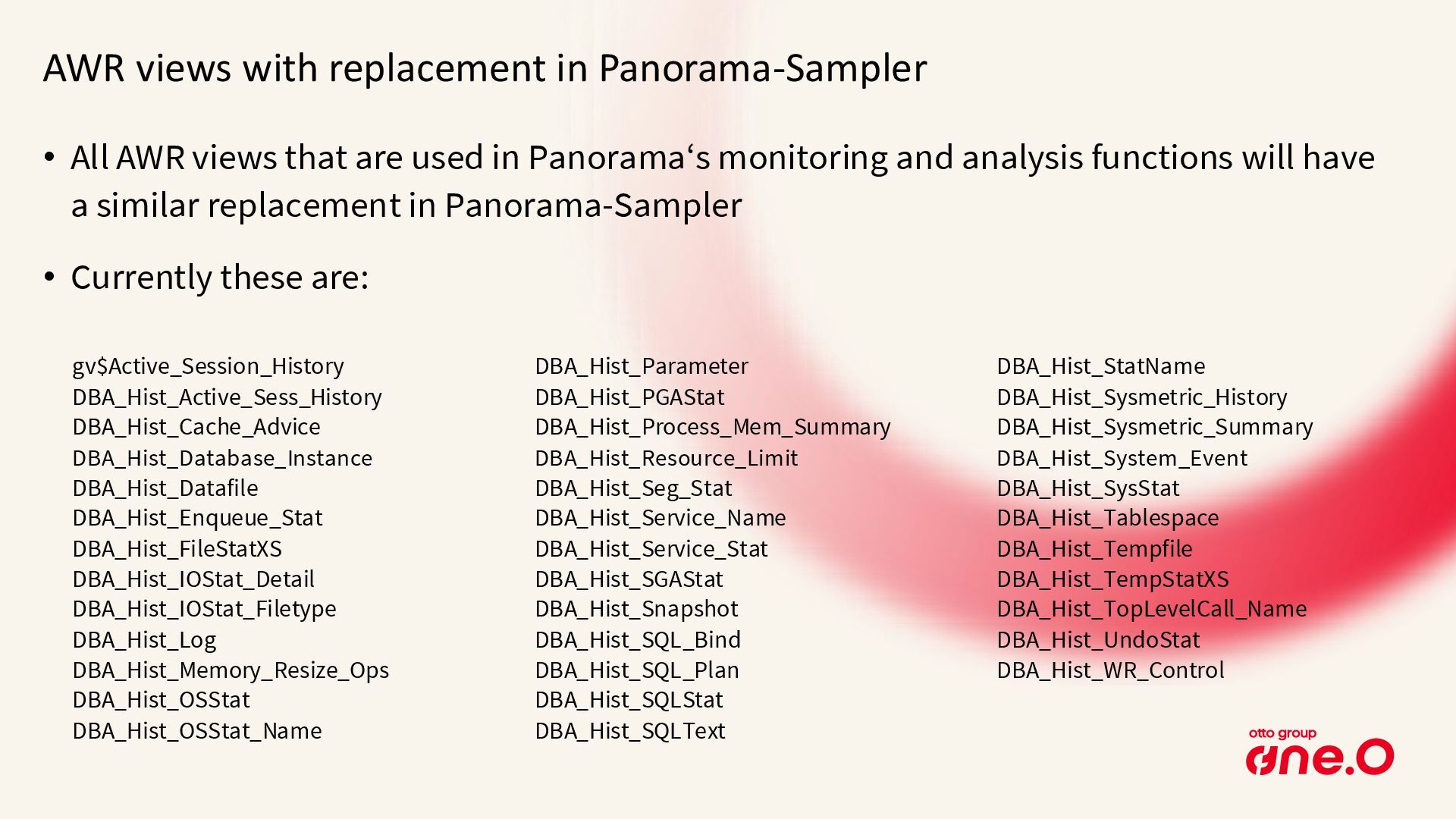
    that are used in Panorama‘s monitoring and analysis functions will have a similar replacement in Panorama-Sampler • Currently these are: gv$Active_Session_History DBA_Hist_Active_Sess_History DBA_Hist_Cache_Advice DBA_Hist_Database_Instance DBA_Hist_Datafile DBA_Hist_Enqueue_Stat DBA_Hist_FileStatXS DBA_Hist_IOStat_Detail DBA_Hist_IOStat_Filetype DBA_Hist_Log DBA_Hist_Memory_Resize_Ops DBA_Hist_OSStat DBA_Hist_OSStat_Name DBA_Hist_Parameter DBA_Hist_PGAStat DBA_Hist_Process_Mem_Summary DBA_Hist_Resource_Limit DBA_Hist_Seg_Stat DBA_Hist_Service_Name DBA_Hist_Service_Stat DBA_Hist_SGAStat DBA_Hist_Snapshot DBA_Hist_SQL_Bind DBA_Hist_SQL_Plan DBA_Hist_SQLStat DBA_Hist_SQLText DBA_Hist_StatName DBA_Hist_Sysmetric_History DBA_Hist_Sysmetric_Summary DBA_Hist_System_Event DBA_Hist_SysStat DBA_Hist_Tablespace DBA_Hist_Tempfile DBA_Hist_TempStatXS DBA_Hist_TopLevelCall_Name DBA_Hist_UndoStat DBA_Hist_WR_Control
  12. Limits of technical implementation Active Session History (ASH) has some

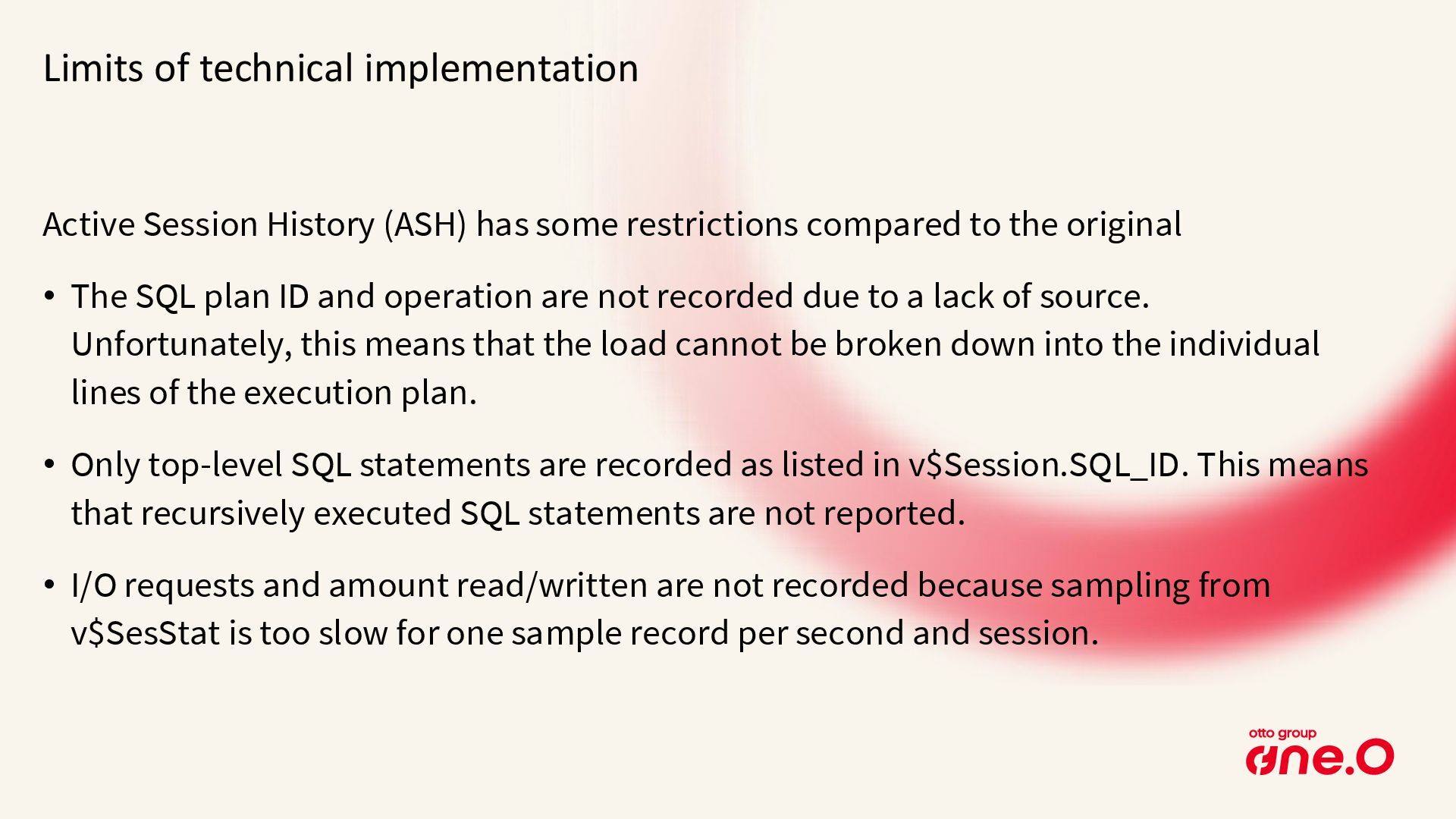
    restrictions compared to the original • The SQL plan ID and operation are not recorded due to a lack of source. Unfortunately, this means that the load cannot be broken down into the individual lines of the execution plan. • Only top-level SQL statements are recorded as listed in v$Session.SQL_ID. This means that recursively executed SQL statements are not reported. • I/O requests and amount read/written are not recorded because sampling from v$SesStat is too slow for one sample record per second and session.
  13. Configuration of Panorama-Sampler • Config attribute PANORAMA_MASTER_PASSWORD at Panorama start

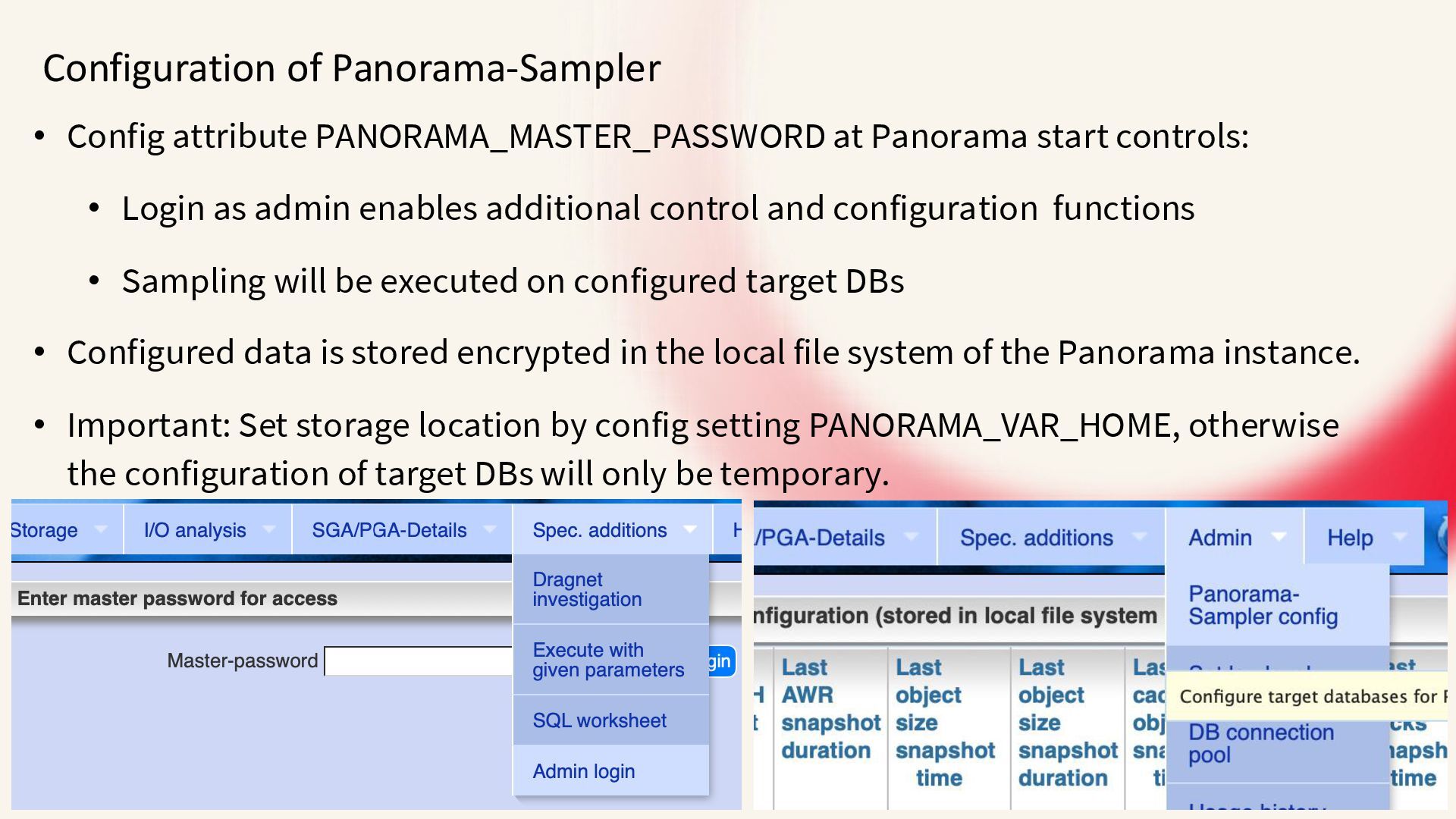
    controls: • Login as admin enables additional control and configuration functions • Sampling will be executed on configured target DBs • Configured data is stored encrypted in the local file system of the Panorama instance. • Important: Set storage location by config setting PANORAMA_VAR_HOME, otherwise the configuration of target DBs will only be temporary.
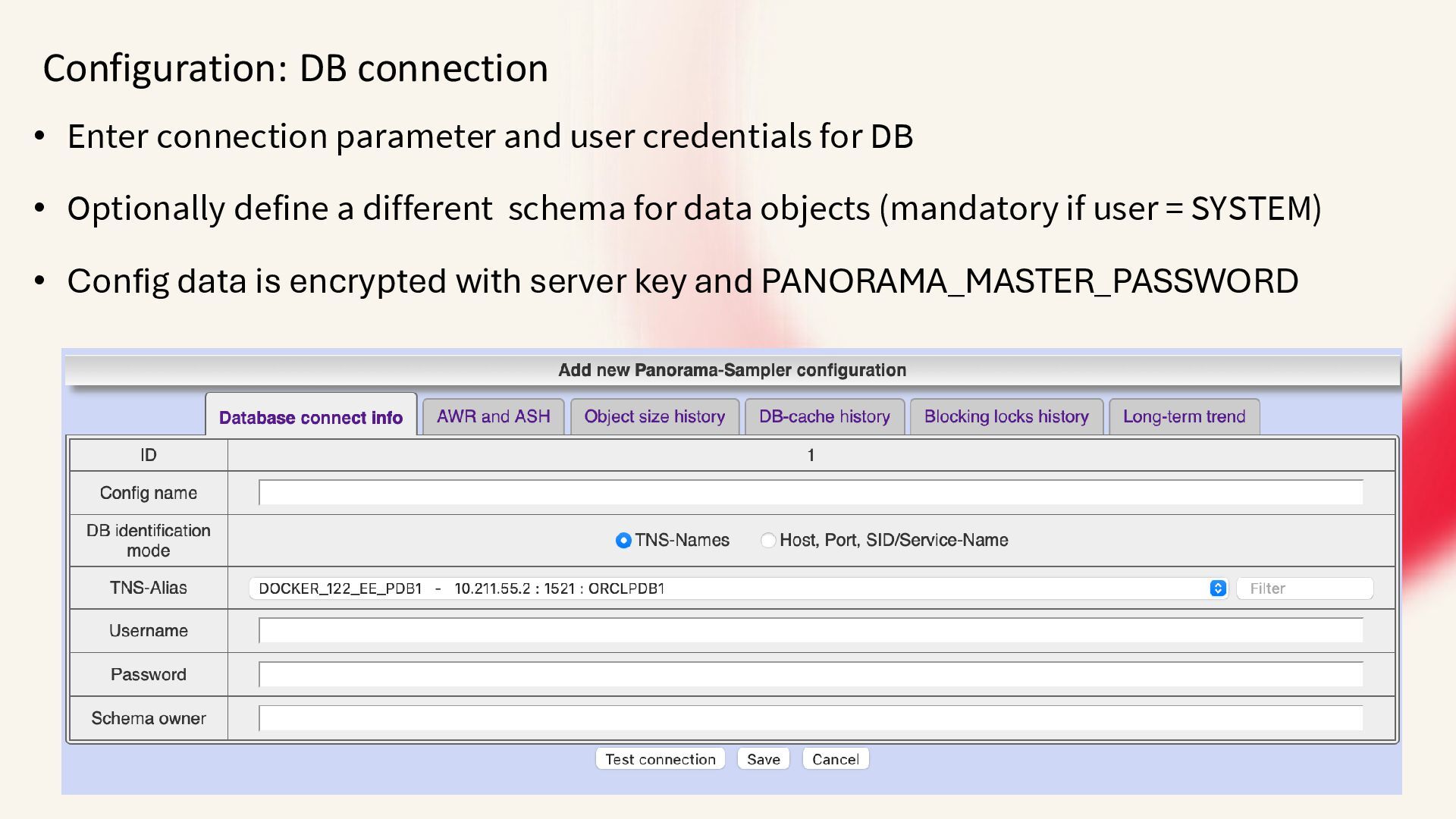
  14. Configuration: DB connection • Enter connection parameter and user credentials

    for DB • Optionally define a different schema for data objects (mandatory if user = SYSTEM) • Config data is encrypted with server key and PANORAMA_MASTER_PASSWORD
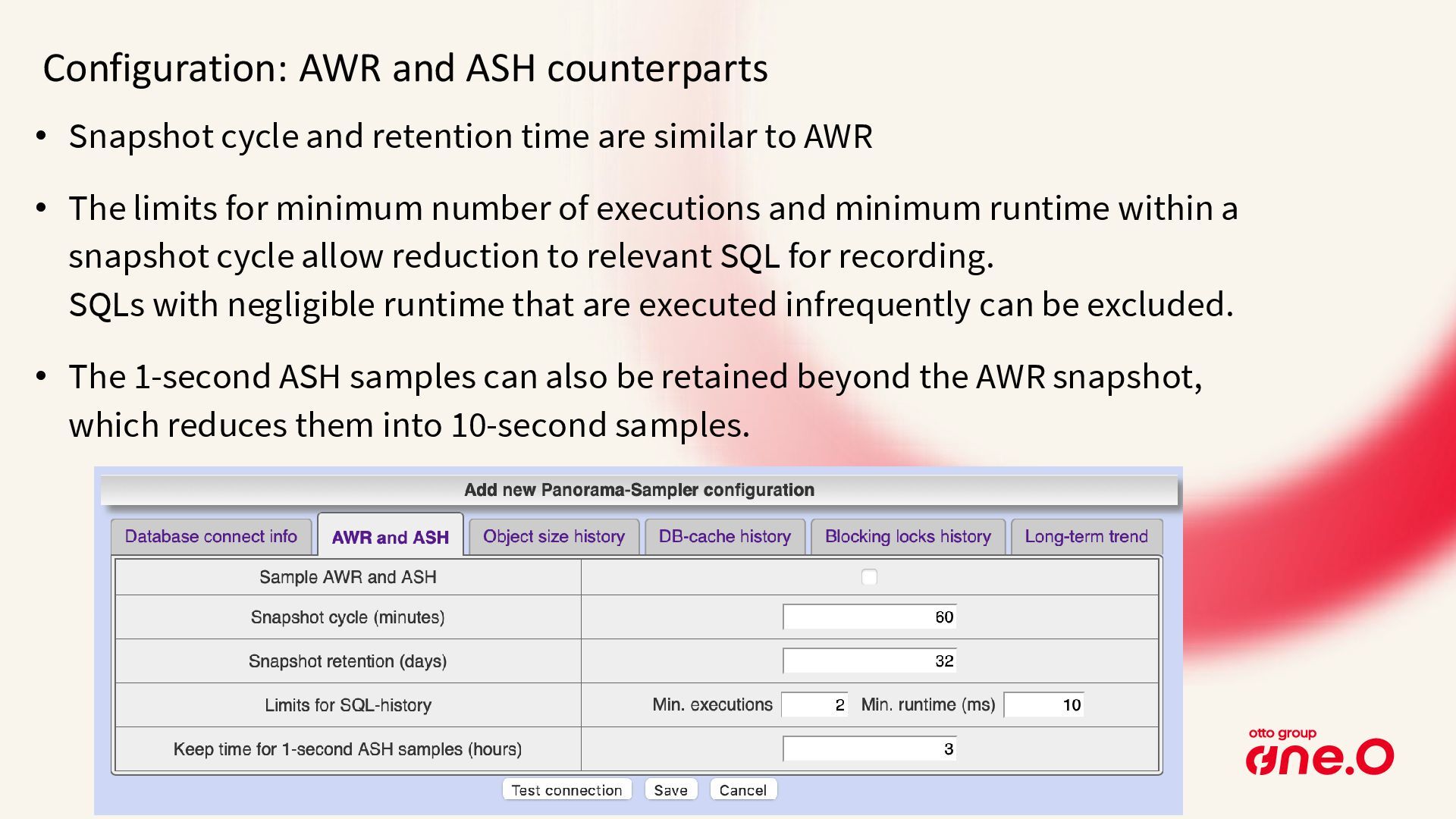
  15. Configuration: AWR and ASH counterparts • Snapshot cycle and retention

    time are similar to AWR • The limits for minimum number of executions and minimum runtime within a snapshot cycle allow reduction to relevant SQL for recording. SQLs with negligible runtime that are executed infrequently can be excluded. • The 1-second ASH samples can also be retained beyond the AWR snapshot, which reduces them into 10-second samples.
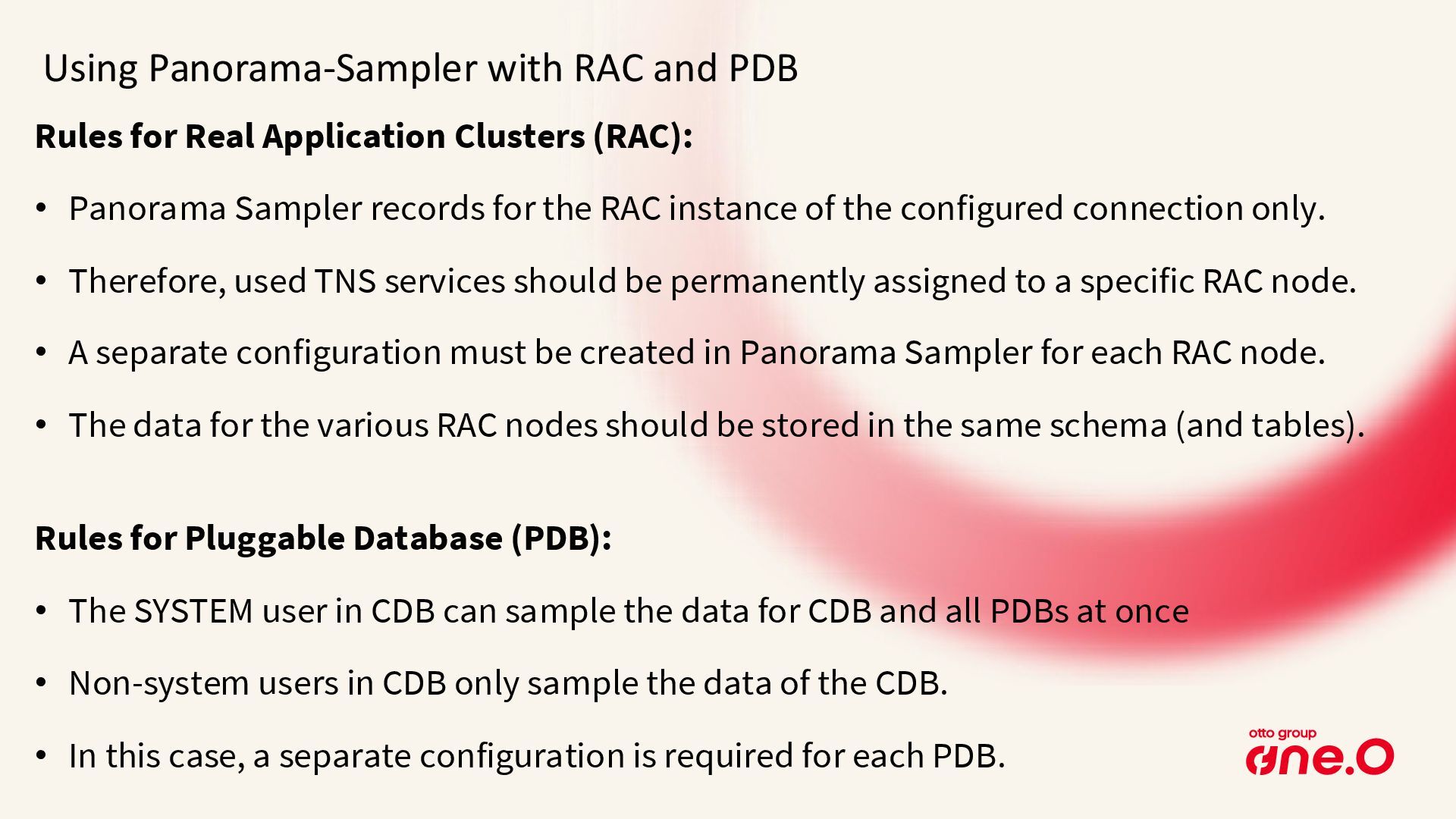
  16. Using Panorama-Sampler with RAC and PDB Rules for Real Application

    Clusters (RAC): • Panorama Sampler records for the RAC instance of the configured connection only. • Therefore, used TNS services should be permanently assigned to a specific RAC node. • A separate configuration must be created in Panorama Sampler for each RAC node. • The data for the various RAC nodes should be stored in the same schema (and tables). Rules for Pluggable Database (PDB): • The SYSTEM user in CDB can sample the data for CDB and all PDBs at once • Non-system users in CDB only sample the data of the CDB. • In this case, a separate configuration is required for each PDB.
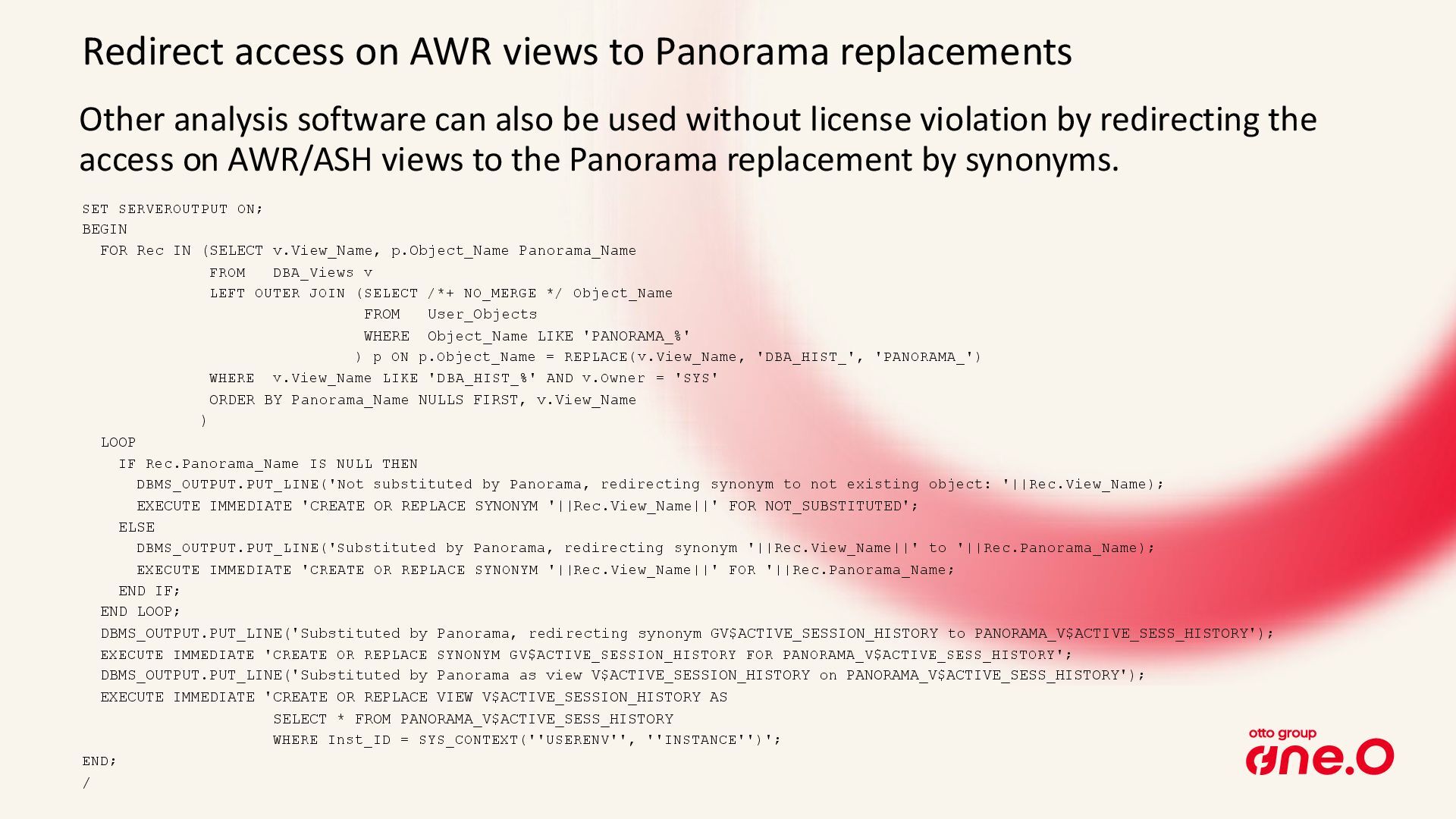
  17. Other analysis software can also be used without license violation

    by redirecting the access on AWR/ASH views to the Panorama replacement by synonyms. Redirect access on AWR views to Panorama replacements SET SERVEROUTPUT ON; BEGIN FOR Rec IN (SELECT v.View_Name, p.Object_Name Panorama_Name FROM DBA_Views v LEFT OUTER JOIN (SELECT /*+ NO_MERGE */ Object_Name FROM User_Objects WHERE Object_Name LIKE 'PANORAMA_%' ) p ON p.Object_Name = REPLACE(v.View_Name, 'DBA_HIST_', 'PANORAMA_') WHERE v.View_Name LIKE 'DBA_HIST_%' AND v.Owner = 'SYS' ORDER BY Panorama_Name NULLS FIRST, v.View_Name ) LOOP IF Rec.Panorama_Name IS NULL THEN DBMS_OUTPUT.PUT_LINE('Not substituted by Panorama, redirecting synonym to not existing object: '||Rec.View_Name); EXECUTE IMMEDIATE 'CREATE OR REPLACE SYNONYM '||Rec.View_Name||' FOR NOT_SUBSTITUTED'; ELSE DBMS_OUTPUT.PUT_LINE('Substituted by Panorama, redirecting synonym '||Rec.View_Name||' to '||Rec.Panorama_Name); EXECUTE IMMEDIATE 'CREATE OR REPLACE SYNONYM '||Rec.View_Name||' FOR '||Rec.Panorama_Name; END IF; END LOOP; DBMS_OUTPUT.PUT_LINE('Substituted by Panorama, redirecting synonym GV$ACTIVE_SESSION_HISTORY to PANORAMA_V$ACTIVE_SESS_HISTORY'); EXECUTE IMMEDIATE 'CREATE OR REPLACE SYNONYM GV$ACTIVE_SESSION_HISTORY FOR PANORAMA_V$ACTIVE_SESS_HISTORY'; DBMS_OUTPUT.PUT_LINE('Substituted by Panorama as view V$ACTIVE_SESSION_HISTORY on PANORAMA_V$ACTIVE_SESS_HISTORY'); EXECUTE IMMEDIATE 'CREATE OR REPLACE VIEW V$ACTIVE_SESSION_HISTORY AS SELECT * FROM PANORAMA_V$ACTIVE_SESS_HISTORY WHERE Inst_ID = SYS_CONTEXT(''USERENV'', ''INSTANCE'')'; END; /
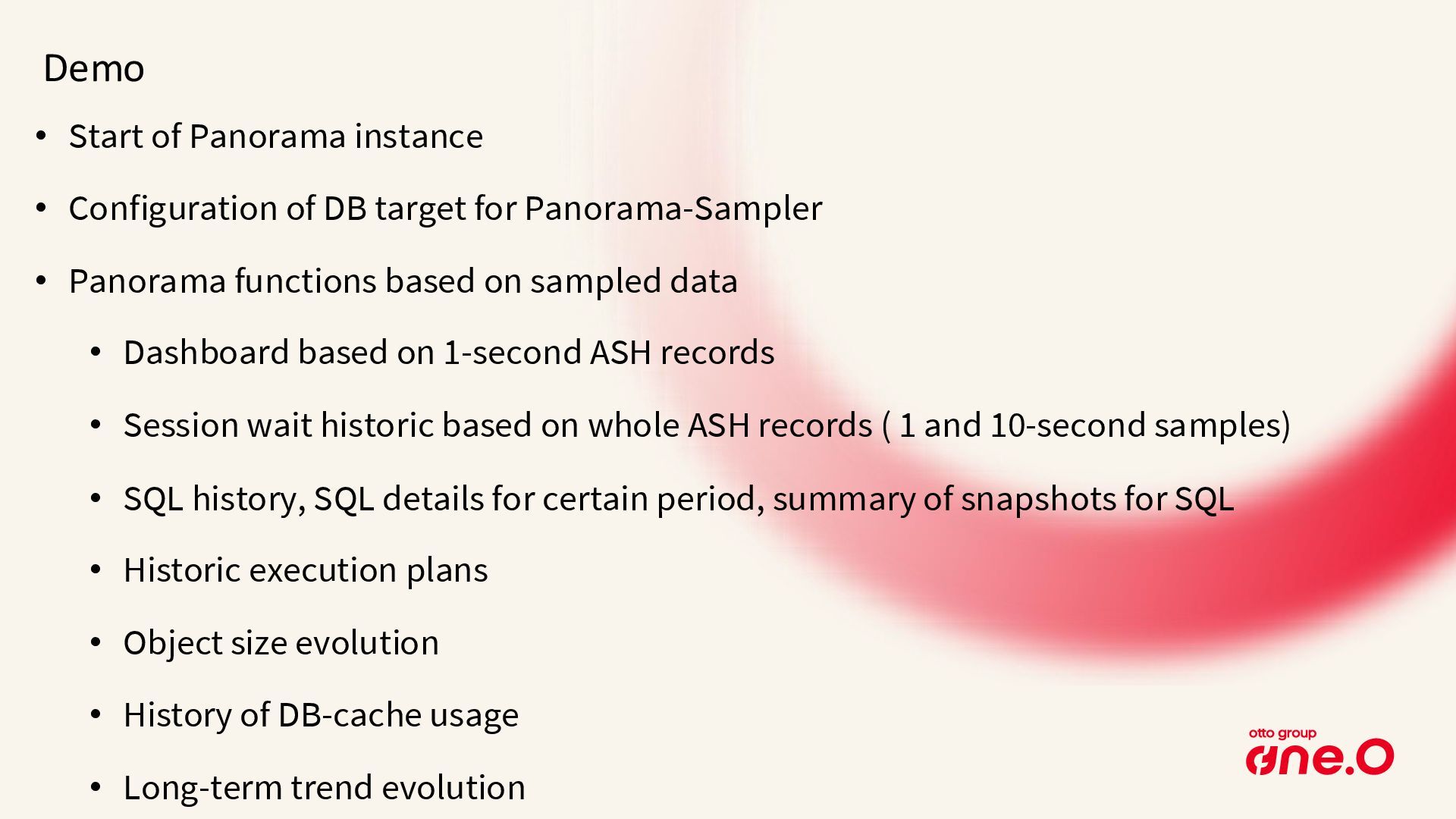
  18. Demo • Start of Panorama instance • Configuration of DB

    target for Panorama-Sampler • Panorama functions based on sampled data • Dashboard based on 1-second ASH records • Session wait historic based on whole ASH records ( 1 and 10-second samples) • SQL history, SQL details for certain period, summary of snapshots for SQL • Historic execution plans • Object size evolution • History of DB-cache usage • Long-term trend evolution
  19. Thank you for your interest Peter Ramm Team Lead Architecture

    Consulting Contact me via Teams Mail: [email protected] BlueSky: https://bsky.app/profile/rammpeter.bsky.social