Share
Embed
No App Is An Island
Almost all apps rely on APIs, no app is an island, entire of itself. We want to keep our apps slick and simple, pushing complex logic to the server, allowing iOS devs to focus on shiny new user experiences. All the hipster develers are using microservices and deploying to the cloud, but what does that mean for your front end apps and APIs? At realestate.com.au, we're building simpler apps backed by smarter microservices using REST, hypermedia and HATEOAS, not just object.to_json. This session will demonstrate how to quickly build iOS apps to discover, consume and navigate these services using HAL JSON, and some nifty Objective C libraries for networking and functional-reactive goodness in a way 'future you' will be thankful for.
Stewart Gleadow
December 05, 2013
Transcript
91 slides
-
Mobile APIs: More than just object.to_json Stewart Gleadow @stewgleadow [email protected]
http://www.flickr.com/photos/markselliott/48699538/ -
Mobile APIs and REST ›❯ Discoverable iOS APIs ›❯ Evolving
APIs and mobile apps ›❯ Simple apps, smart backends ›❯ -
Mobile APIs and REST ›❯ Discoverable iOS APIs ›❯ Evolving
APIs and mobile apps ›❯ Simple apps, smart backends ›❯ -
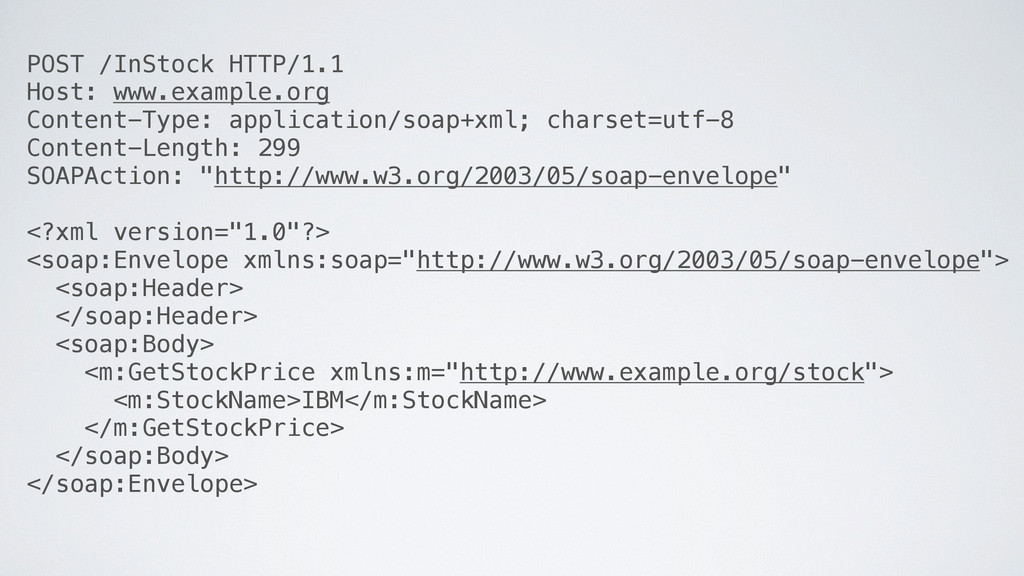
POST /InStock HTTP/1.1 Host: www.example.org Content-Type: application/soap+xml; charset=utf-8 Content-Length: 299
SOAPAction: "http://www.w3.org/2003/05/soap-envelope" <?xml version="1.0"?> <soap:Envelope xmlns:soap="http://www.w3.org/2003/05/soap-envelope"> <soap:Header> </soap:Header> <soap:Body> <m:GetStockPrice xmlns:m="http://www.example.org/stock"> <m:StockName>IBM</m:StockName> </m:GetStockPrice> </soap:Body> </soap:Envelope> -
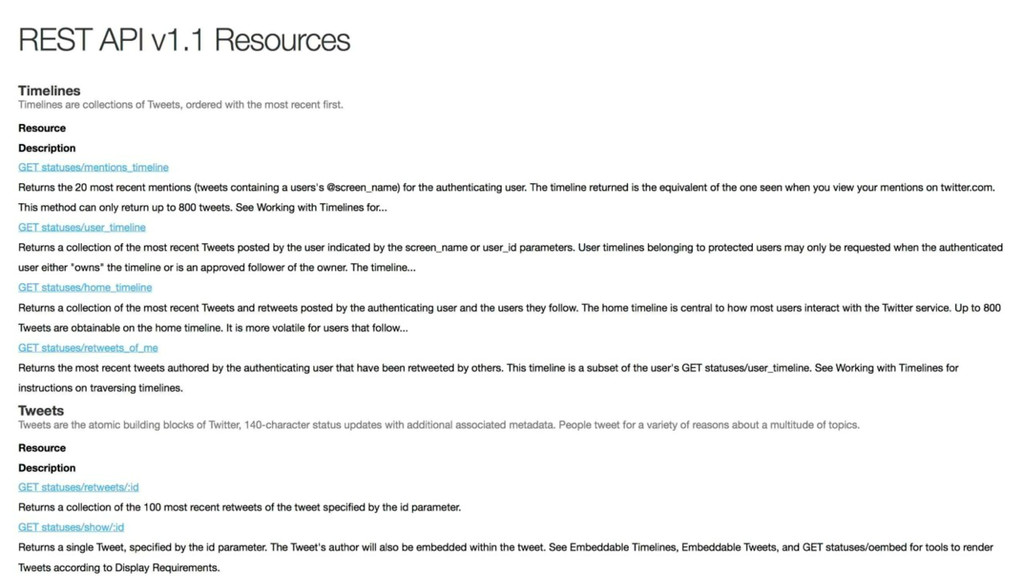
We have a REST API, just construct one of these
“RESTful calls” -
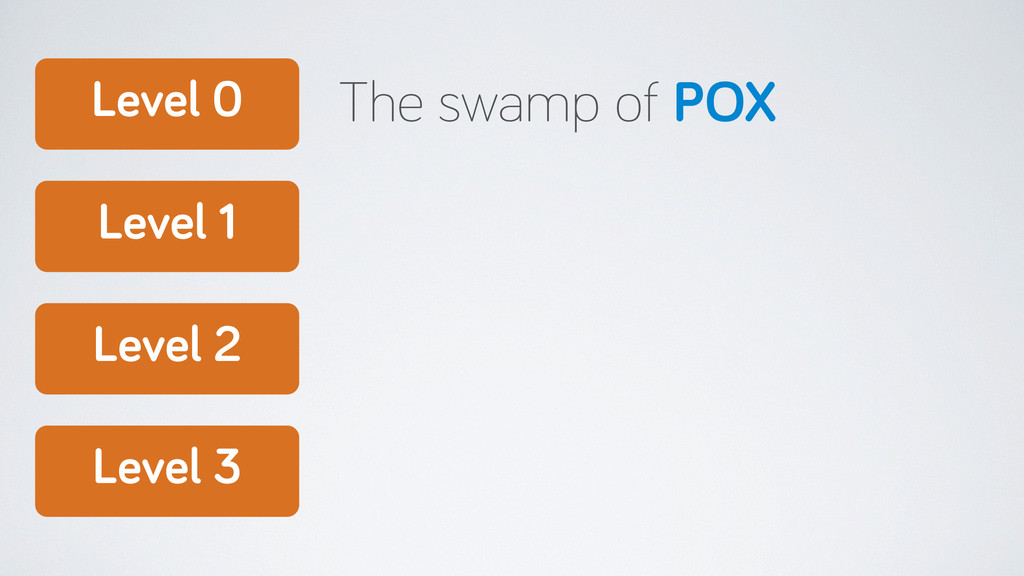
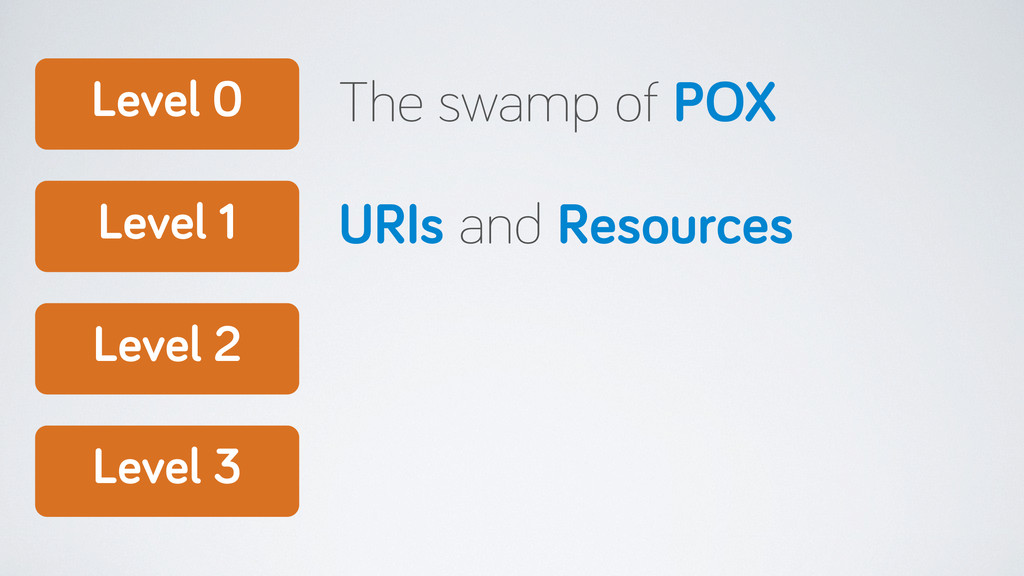
Level 0 Level 1 Level 2 Level 3 The swamp
of POX URIs and Resources -
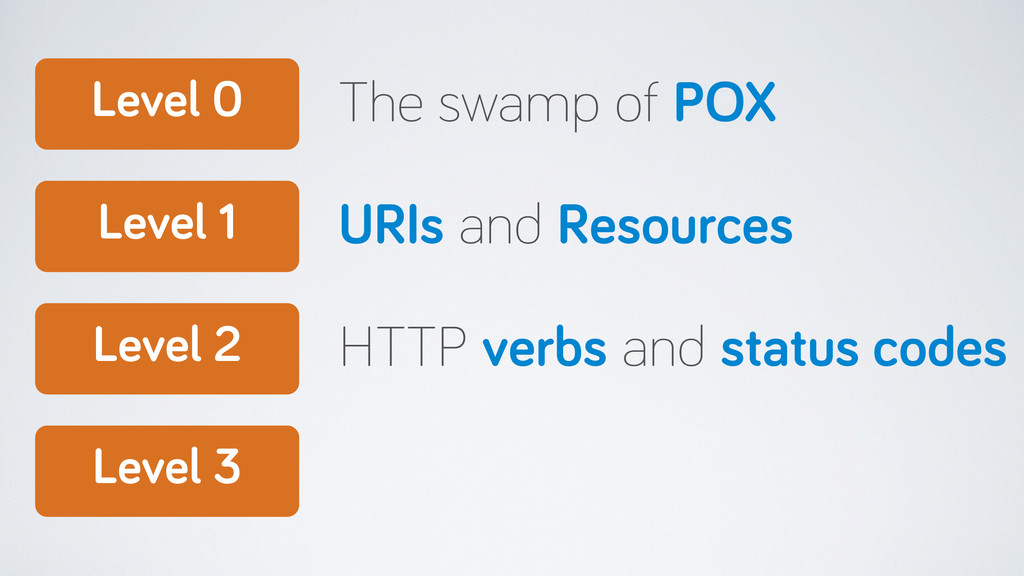
Level 0 Level 1 Level 2 Level 3 The swamp
of POX URIs and Resources HTTP verbs and status codes -
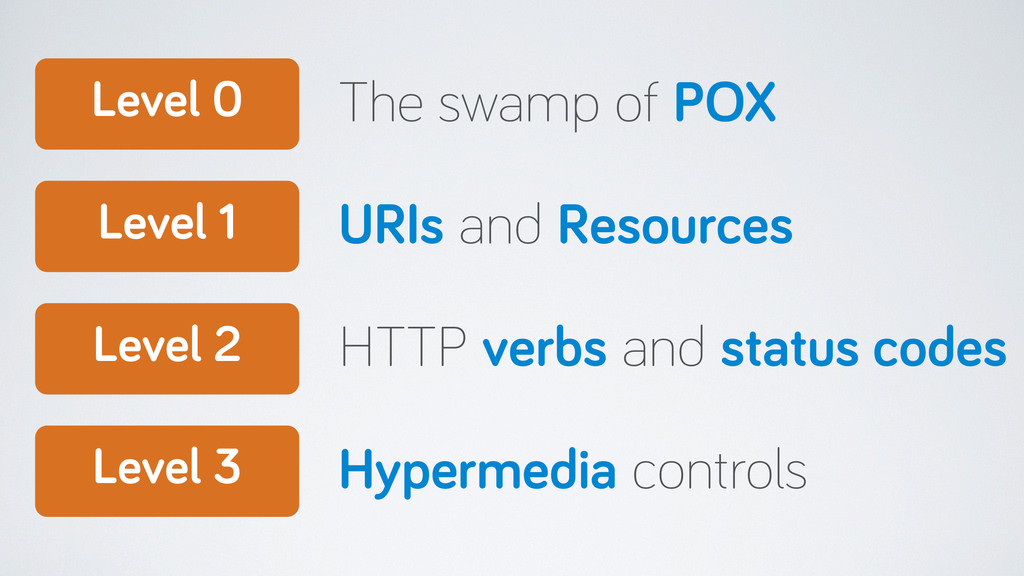
Level 0 Level 1 Level 2 Level 3 The swamp
of POX URIs and Resources HTTP verbs and status codes Hypermedia controls -
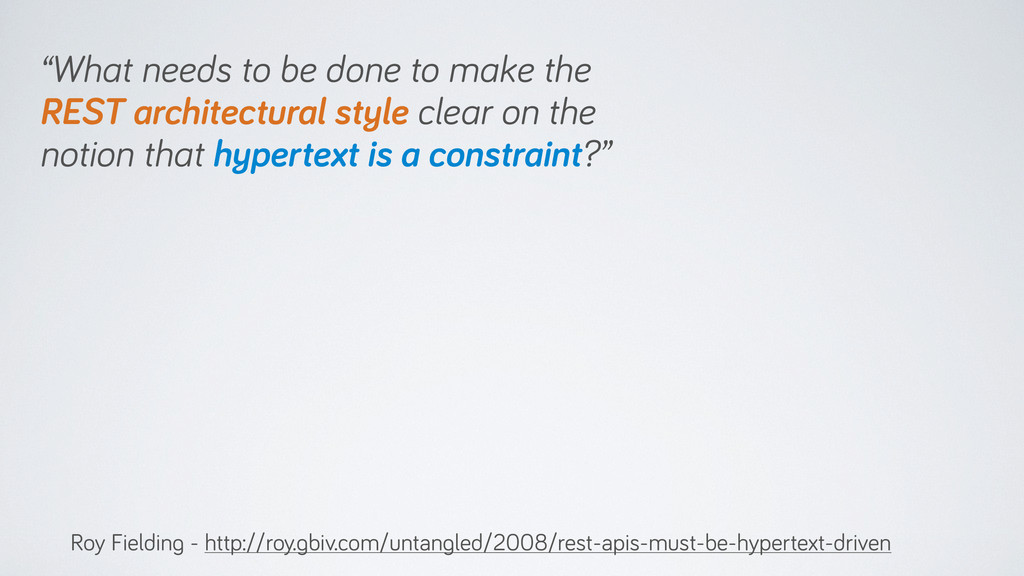
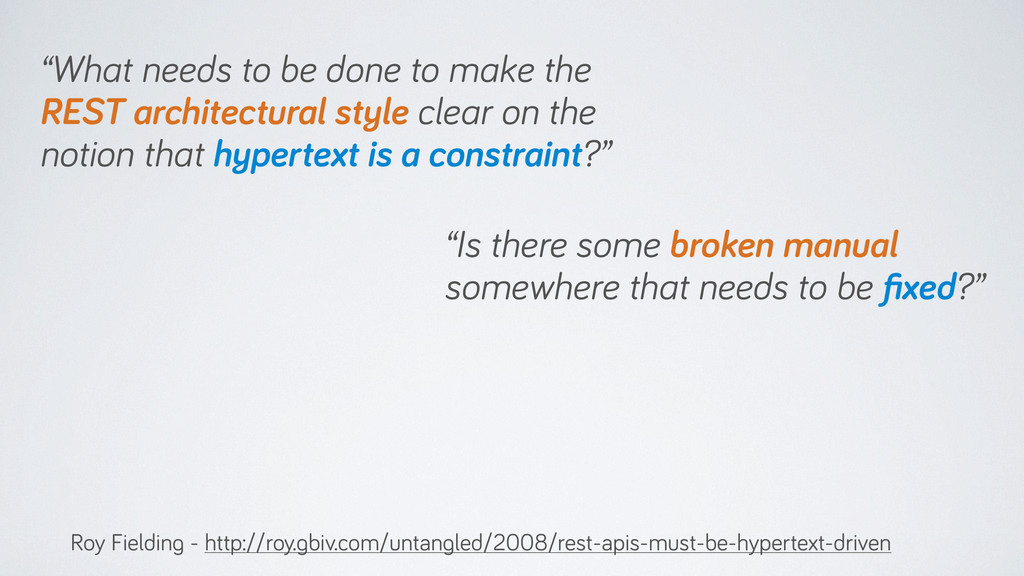
“What needs to be done to make the REST architectural
style clear on the notion that hypertext is a constraint?” Roy Fielding - http://roy.gbiv.com/untangled/2008/rest-apis-must-be-hypertext-driven -
“What needs to be done to make the REST architectural
style clear on the notion that hypertext is a constraint?” Roy Fielding - http://roy.gbiv.com/untangled/2008/rest-apis-must-be-hypertext-driven “Is there some broken manual somewhere that needs to be fixed?” -
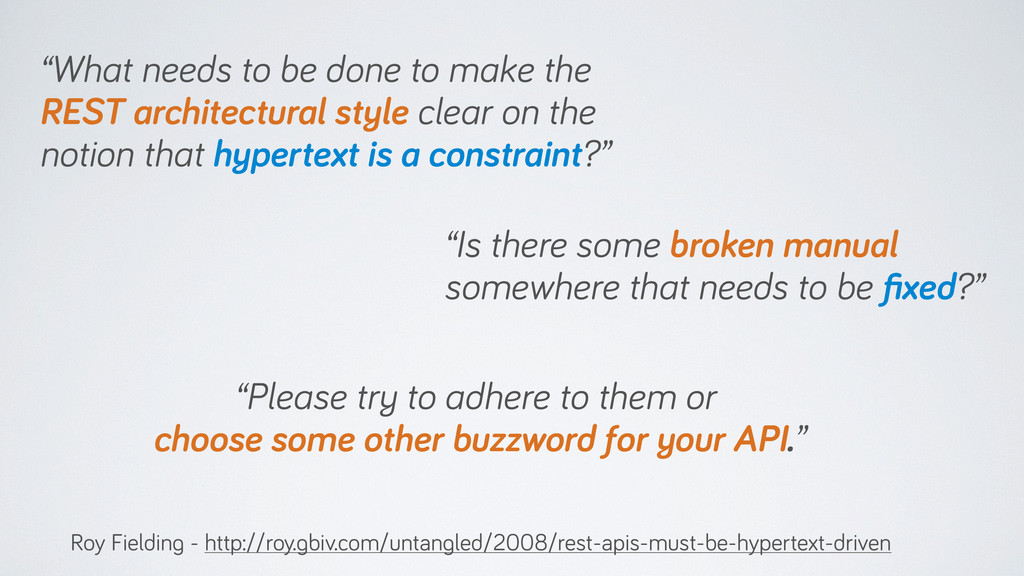
“What needs to be done to make the REST architectural
style clear on the notion that hypertext is a constraint?” Roy Fielding - http://roy.gbiv.com/untangled/2008/rest-apis-must-be-hypertext-driven “Is there some broken manual somewhere that needs to be fixed?” “Please try to adhere to them or choose some other buzzword for your API.” -
Mobile APIs and REST ›❯ Discoverable iOS APIs ›❯ Evolving
APIs and mobile apps ›❯ Simple apps, smart backends ›❯ -
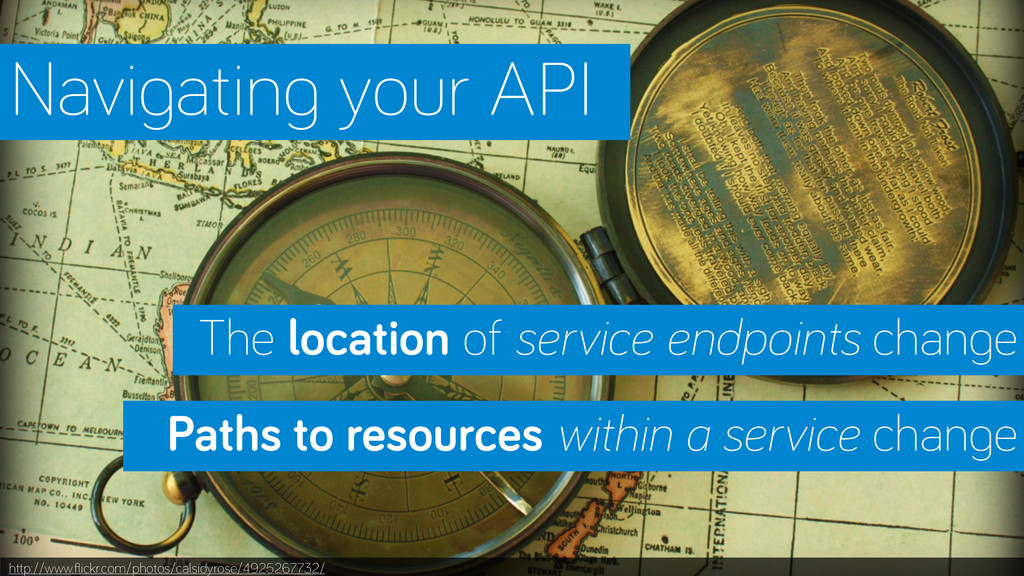
http://www.flickr.com/photos/calsidyrose/4925267732/ Navigating your API Paths to resources within a service
change The location of service endpoints change -
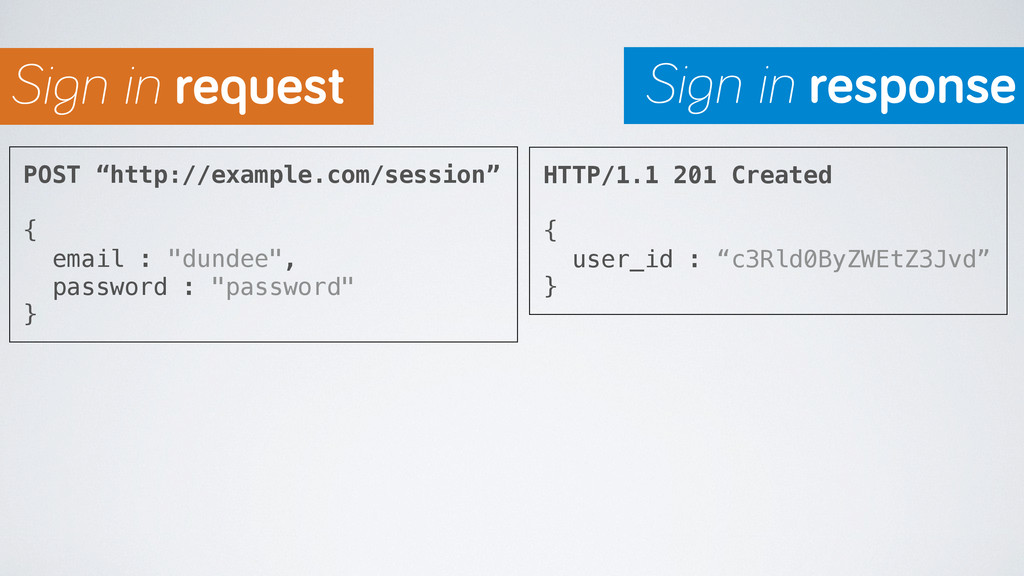
POST “http://example.com/session” { email : "dundee", password : "password" }
HTTP/1.1 201 Created { user_id : “c3Rld0ByZWEtZ3Jvd” } Sign in request Sign in response -
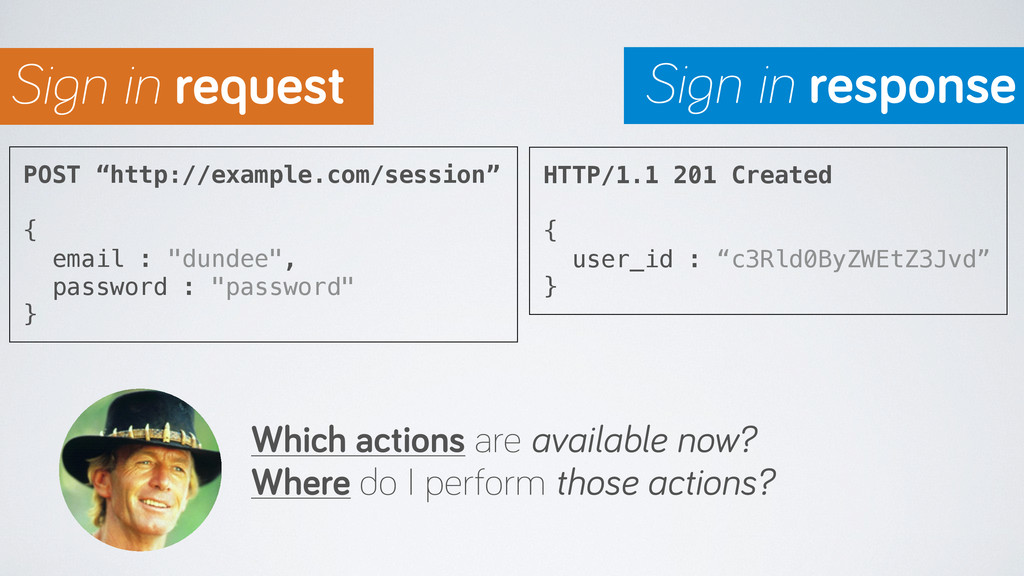
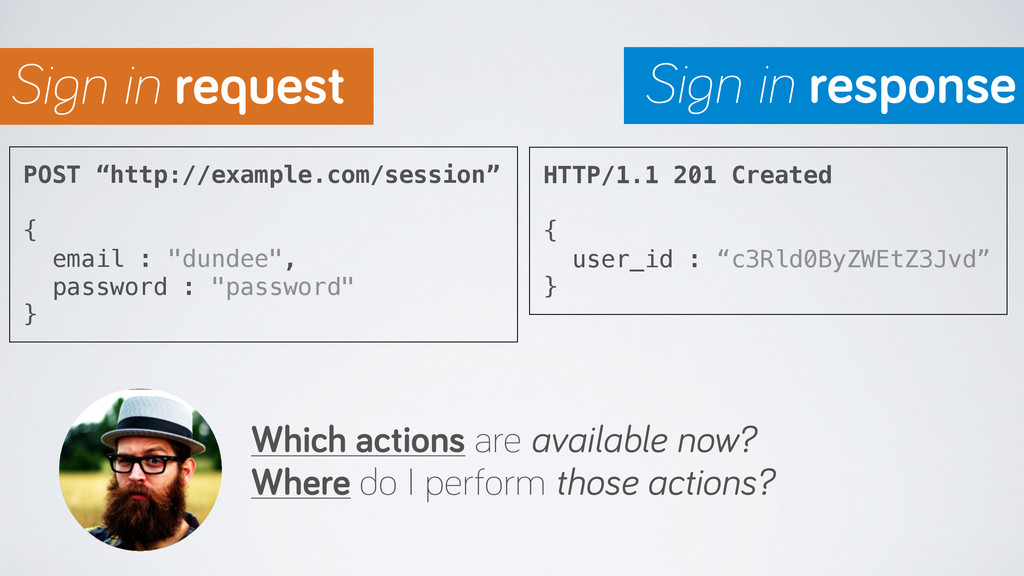
POST “http://example.com/session” { email : "dundee", password : "password" }
HTTP/1.1 201 Created { user_id : “c3Rld0ByZWEtZ3Jvd” } Which actions are available now? Where do I perform those actions? Sign in request Sign in response -
POST “http://example.com/session” { email : "dundee", password : "password" }
HTTP/1.1 201 Created { user_id : “c3Rld0ByZWEtZ3Jvd” } Which actions are available now? Where do I perform those actions? Sign in request Sign in response -
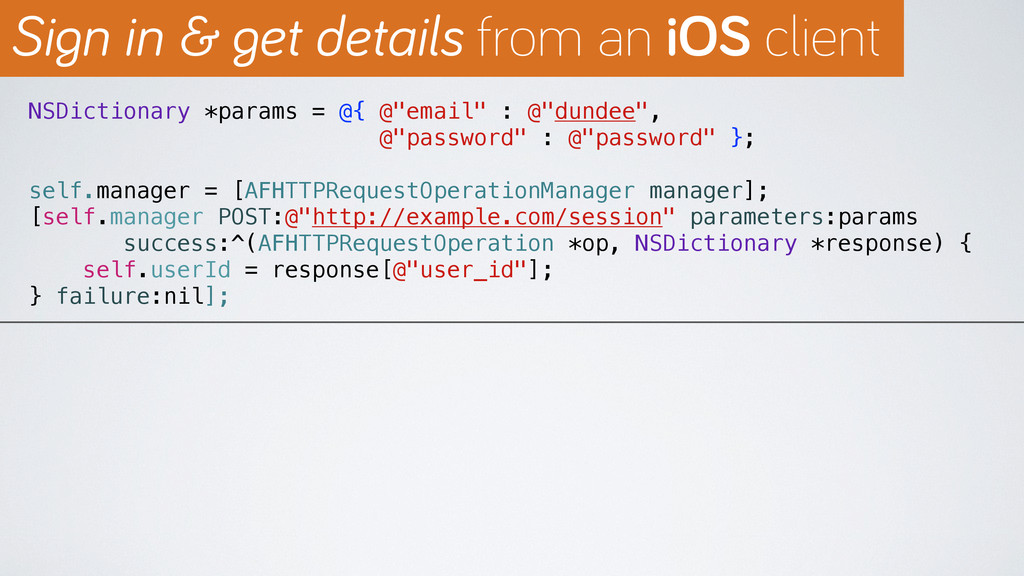
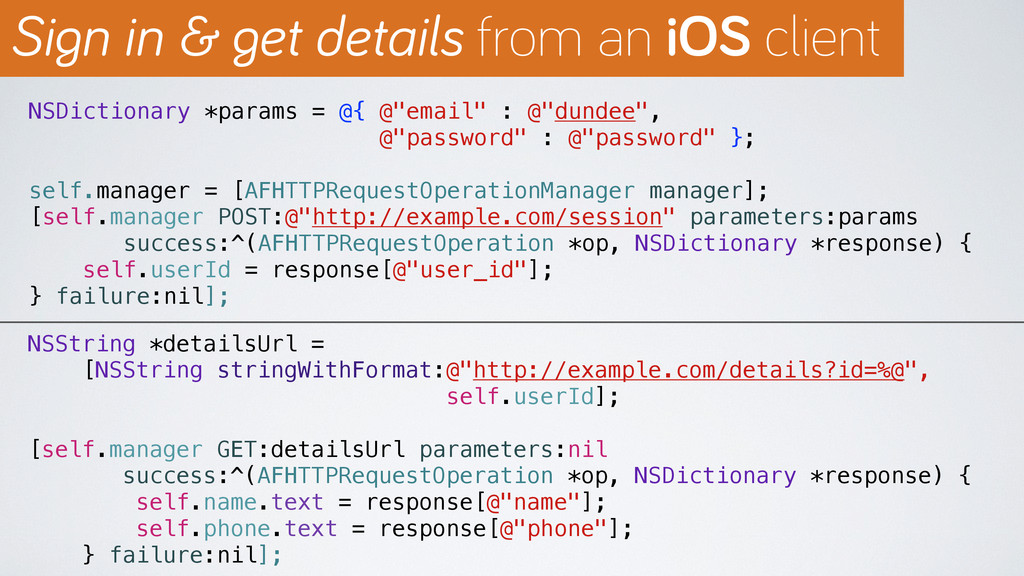
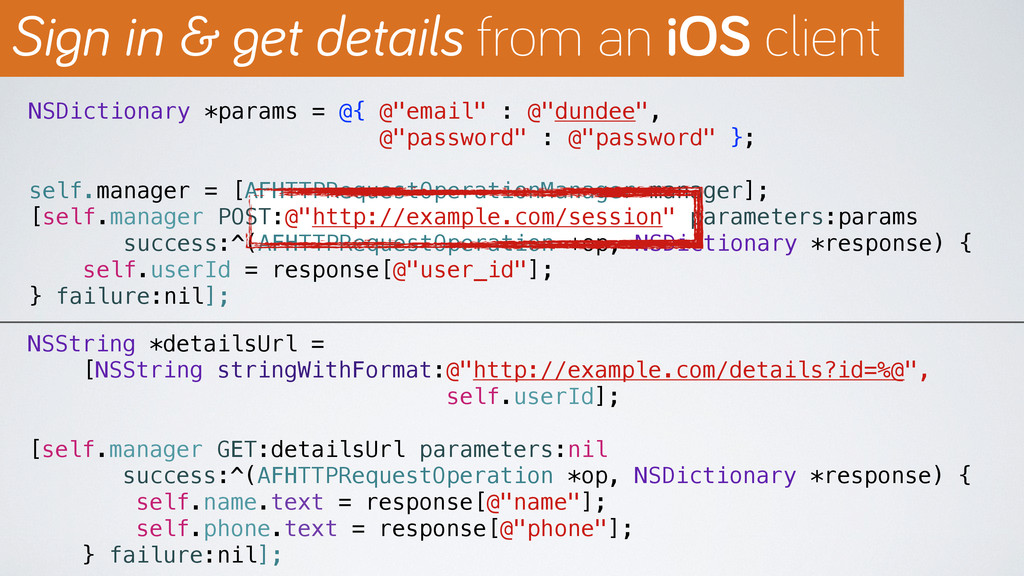
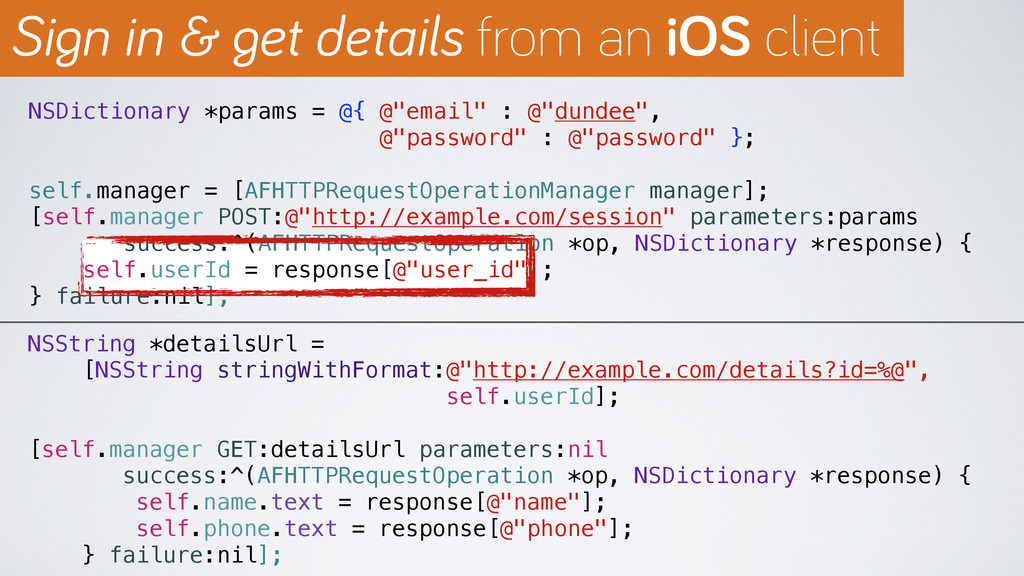
NSDictionary *params = @{ @"email" : @"dundee", @"password" : @"password"
}; self.manager = [AFHTTPRequestOperationManager manager]; [self.manager POST:@"http://example.com/session" parameters:params success:^(AFHTTPRequestOperation *op, NSDictionary *response) { self.userId = response[@"user_id"]; } failure:nil]; Sign in & get details from an iOS client -
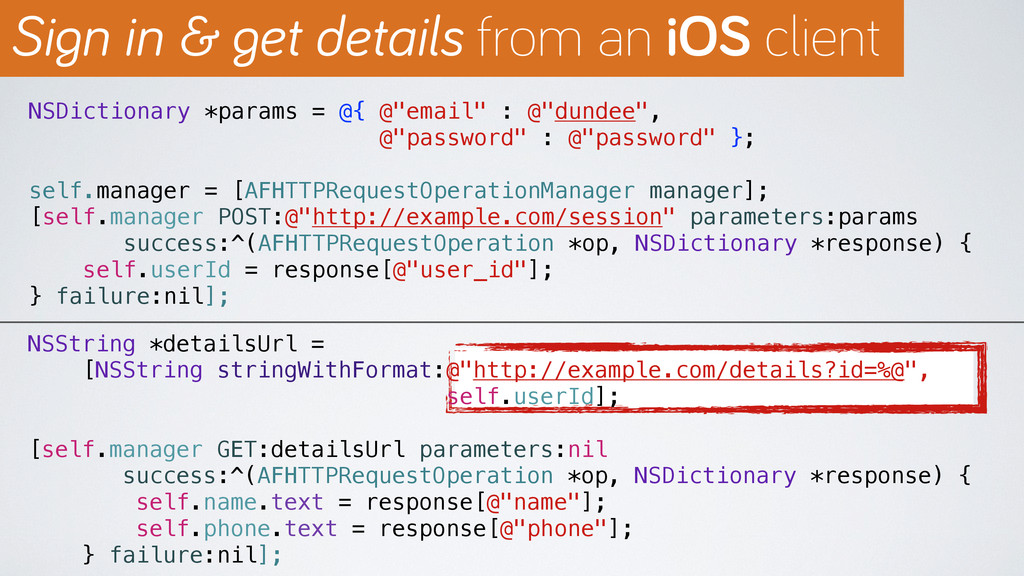
NSDictionary *params = @{ @"email" : @"dundee", @"password" : @"password"
}; self.manager = [AFHTTPRequestOperationManager manager]; [self.manager POST:@"http://example.com/session" parameters:params success:^(AFHTTPRequestOperation *op, NSDictionary *response) { self.userId = response[@"user_id"]; } failure:nil]; NSString *detailsUrl = [NSString stringWithFormat:@"http://example.com/details?id=%@", self.userId]; [self.manager GET:detailsUrl parameters:nil success:^(AFHTTPRequestOperation *op, NSDictionary *response) { self.name.text = response[@"name"]; self.phone.text = response[@"phone"]; } failure:nil]; Sign in & get details from an iOS client -
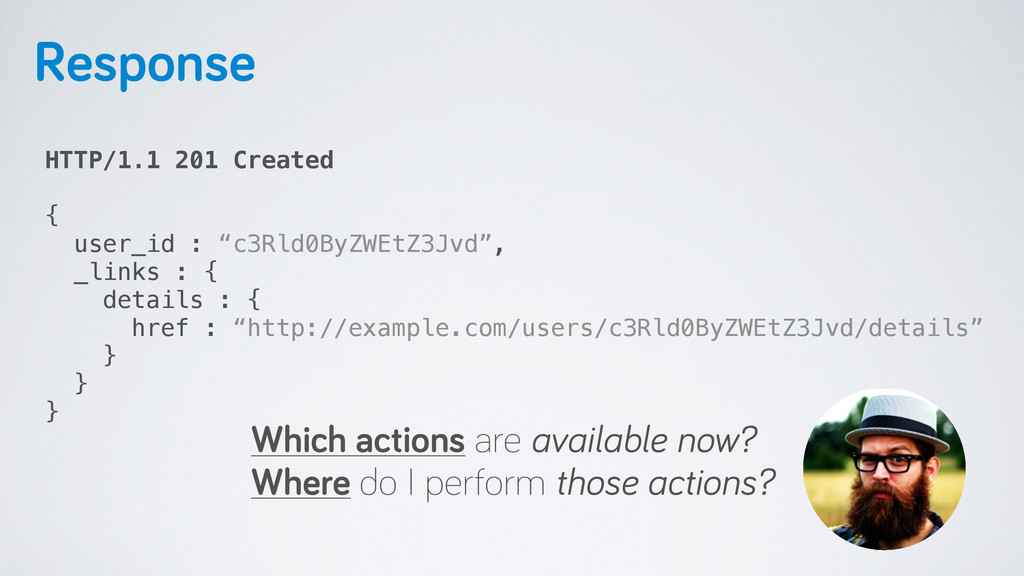
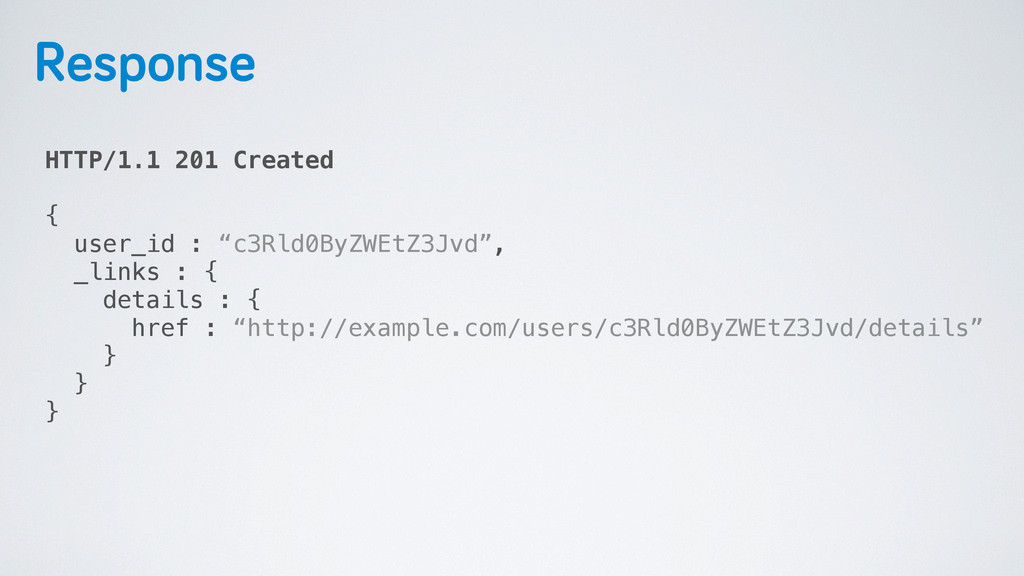
Response HTTP/1.1 201 Created { user_id : “c3Rld0ByZWEtZ3Jvd”, _links :
{ details : { href : “http://example.com/users/c3Rld0ByZWEtZ3Jvd/details” } } } -
Response HTTP/1.1 201 Created { user_id : “c3Rld0ByZWEtZ3Jvd”, _links :
{ details : { href : “http://example.com/users/c3Rld0ByZWEtZ3Jvd/details” } } } Which actions are available now? Where do I perform those actions? -
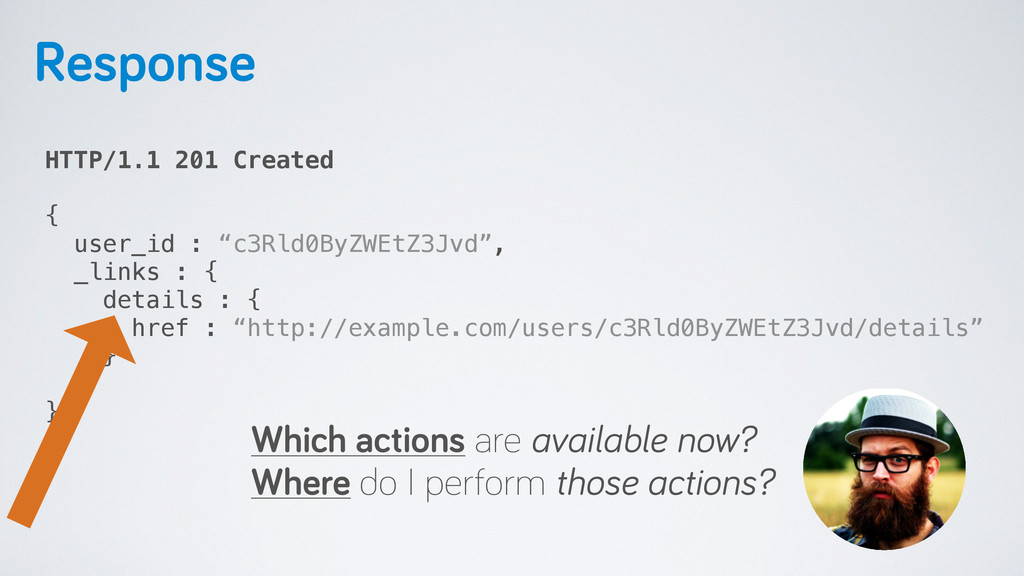
Response HTTP/1.1 201 Created { user_id : “c3Rld0ByZWEtZ3Jvd”, _links :
{ details : { href : “http://example.com/users/c3Rld0ByZWEtZ3Jvd/details” } } } Which actions are available now? Where do I perform those actions? -
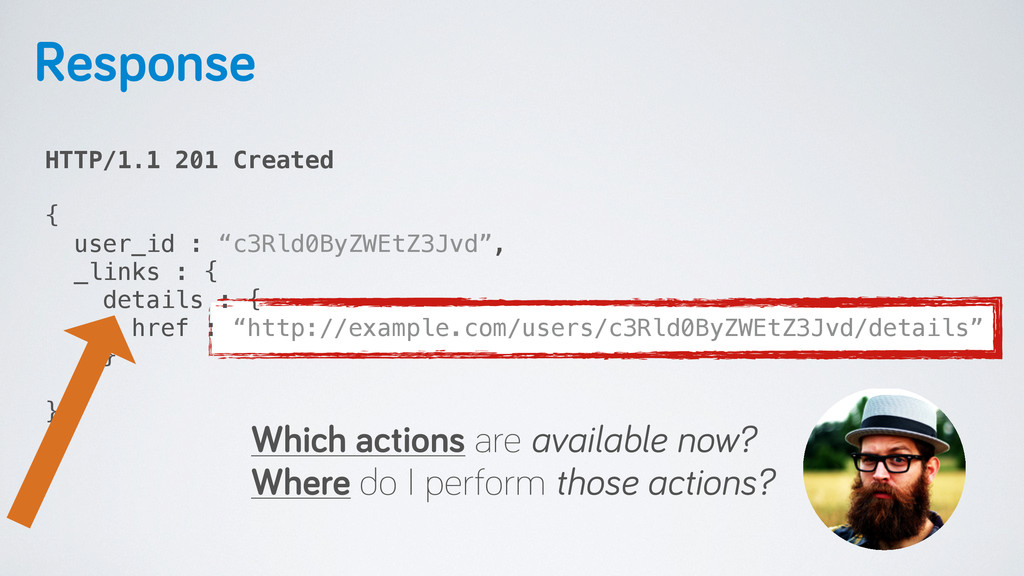
Response HTTP/1.1 201 Created { user_id : “c3Rld0ByZWEtZ3Jvd”, _links :
{ details : { href : “http://example.com/users/c3Rld0ByZWEtZ3Jvd/details” } } } Which actions are available now? Where do I perform those actions? -
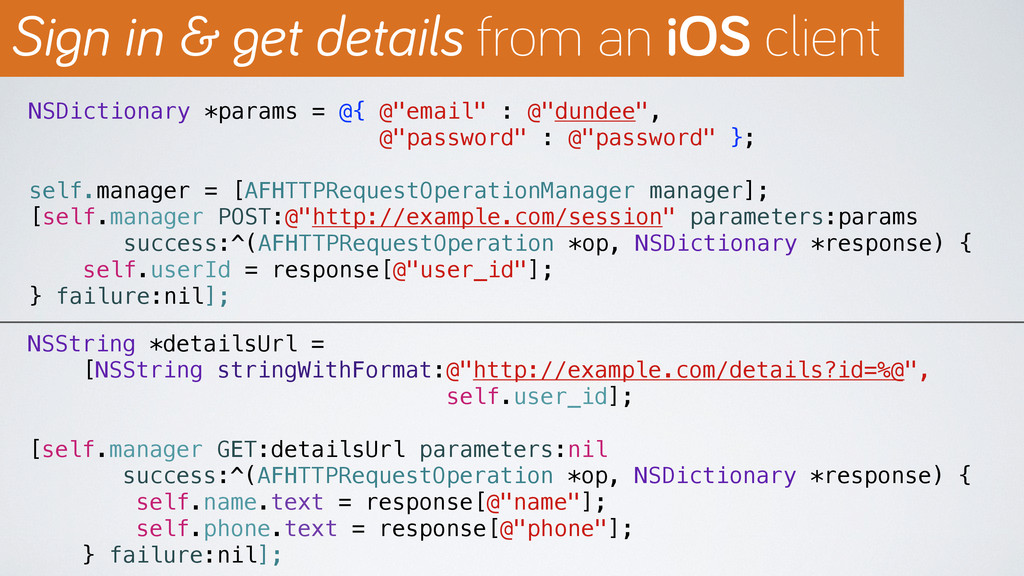
NSDictionary *params = @{ @"email" : @"dundee", @"password" : @"password"
}; self.manager = [AFHTTPRequestOperationManager manager]; [self.manager POST:@"http://example.com/session" parameters:params success:^(AFHTTPRequestOperation *op, NSDictionary *response) { self.userId = response[@"user_id"]; } failure:nil]; NSString *detailsUrl = [NSString stringWithFormat:@"http://example.com/details?id=%@", self.user_id]; [self.manager GET:detailsUrl parameters:nil success:^(AFHTTPRequestOperation *op, NSDictionary *response) { self.name.text = response[@"name"]; self.phone.text = response[@"phone"]; } failure:nil]; Sign in & get details from an iOS client -
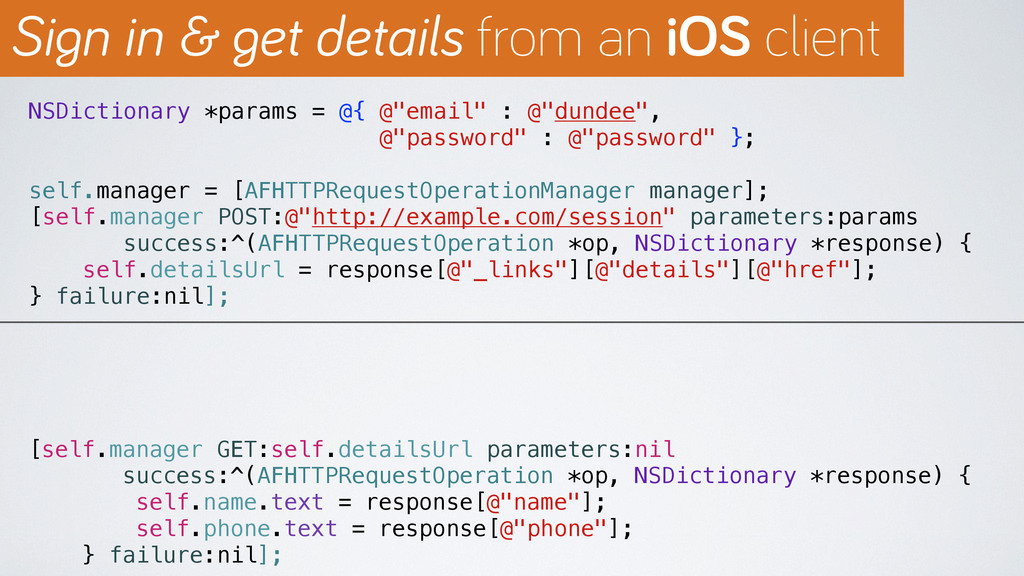
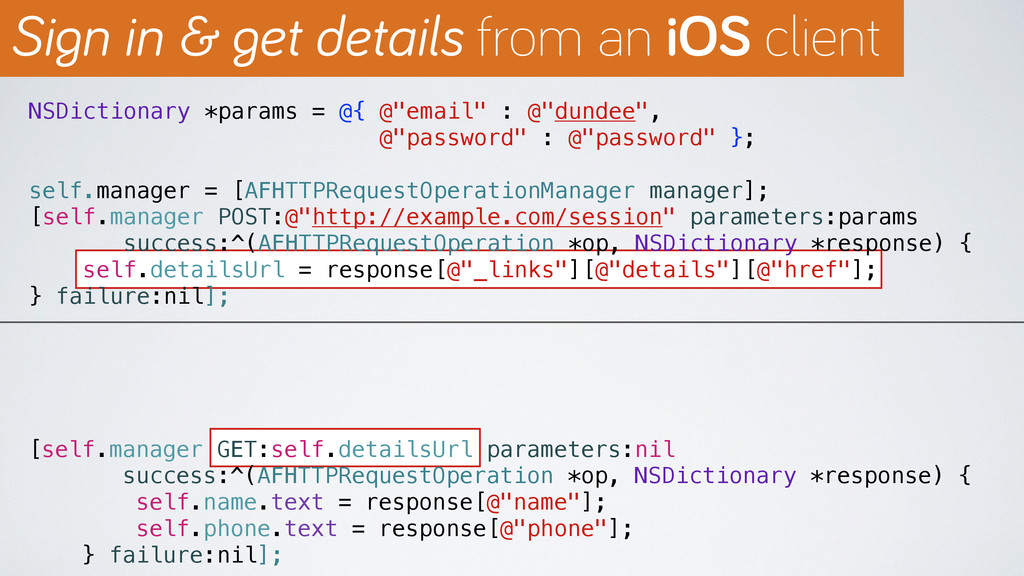
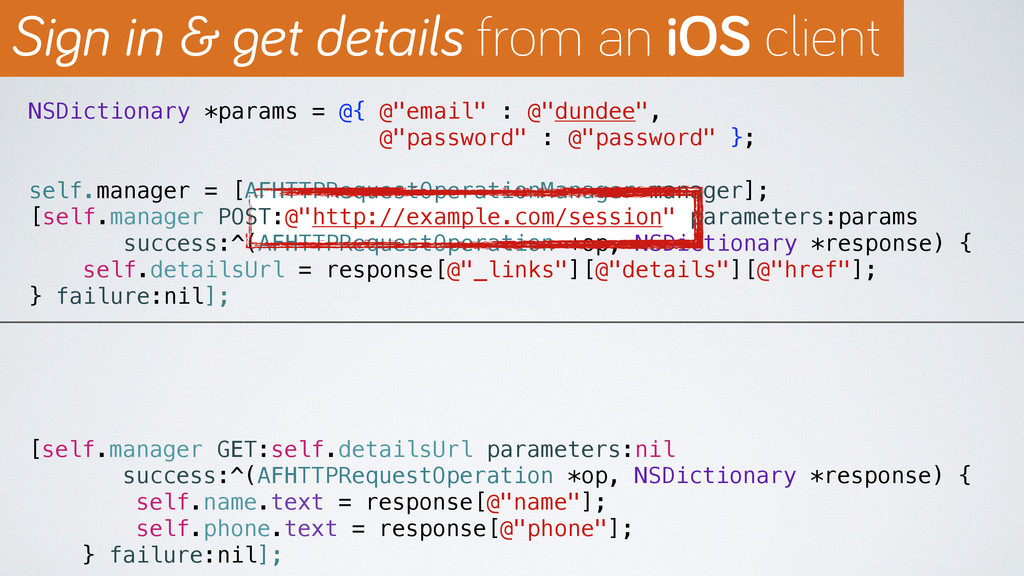
NSDictionary *params = @{ @"email" : @"dundee", @"password" : @"password"
}; self.manager = [AFHTTPRequestOperationManager manager]; [self.manager POST:@"http://example.com/session" parameters:params success:^(AFHTTPRequestOperation *op, NSDictionary *response) { self.detailsUrl = response[@"_links"][@"details"][@"href"]; } failure:nil]; [self.manager GET:self.detailsUrl parameters:nil success:^(AFHTTPRequestOperation *op, NSDictionary *response) { self.name.text = response[@"name"]; self.phone.text = response[@"phone"]; } failure:nil]; Sign in & get details from an iOS client -
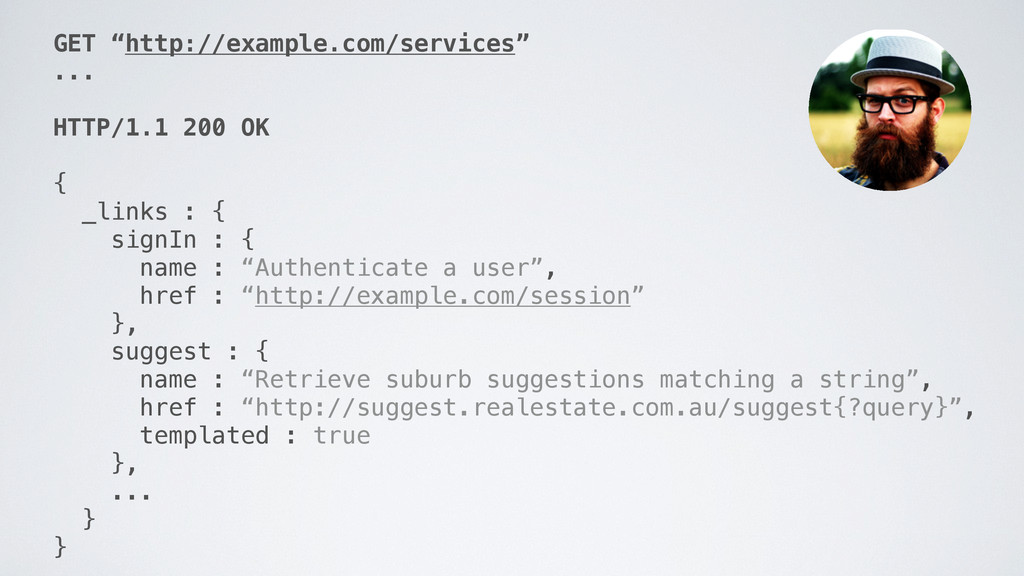
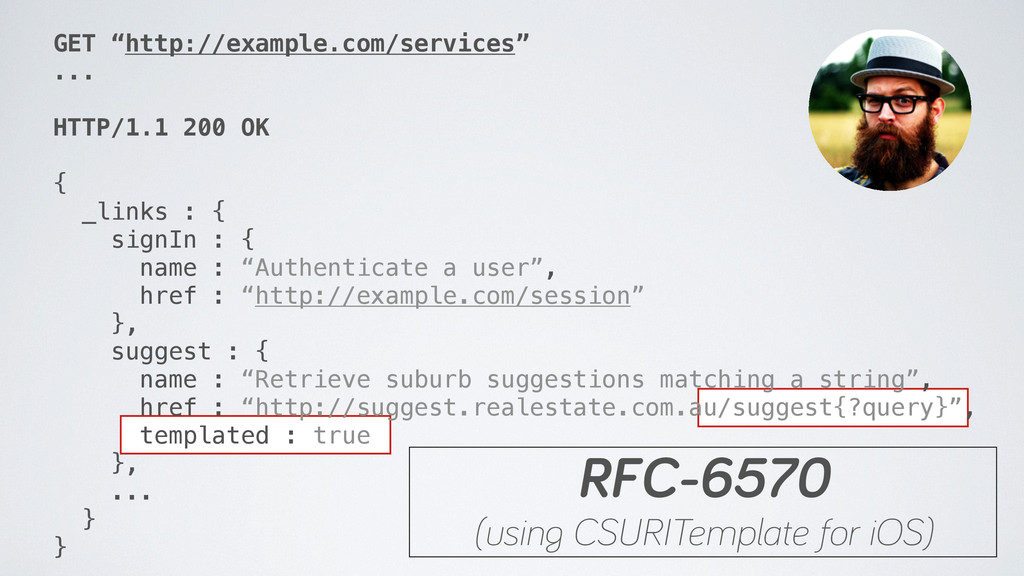
GET “http://example.com/services” ... HTTP/1.1 200 OK { _links : {
signIn : { name : “Authenticate a user”, href : “http://example.com/session” }, suggest : { name : “Retrieve suburb suggestions matching a string”, href : “http://suggest.realestate.com.au/suggest{?query}”, templated : true }, ... } } -
GET “http://example.com/services” ... HTTP/1.1 200 OK { _links : {
signIn : { name : “Authenticate a user”, href : “http://example.com/session” }, suggest : { name : “Retrieve suburb suggestions matching a string”, href : “http://suggest.realestate.com.au/suggest{?query}”, templated : true }, ... } } RFC-6570 (using CSURITemplate for iOS) -
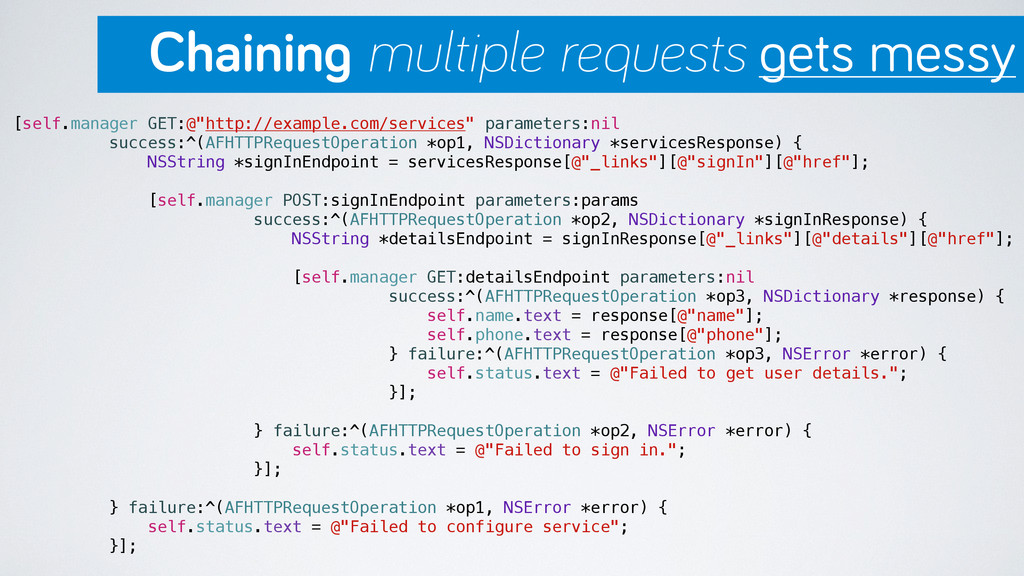
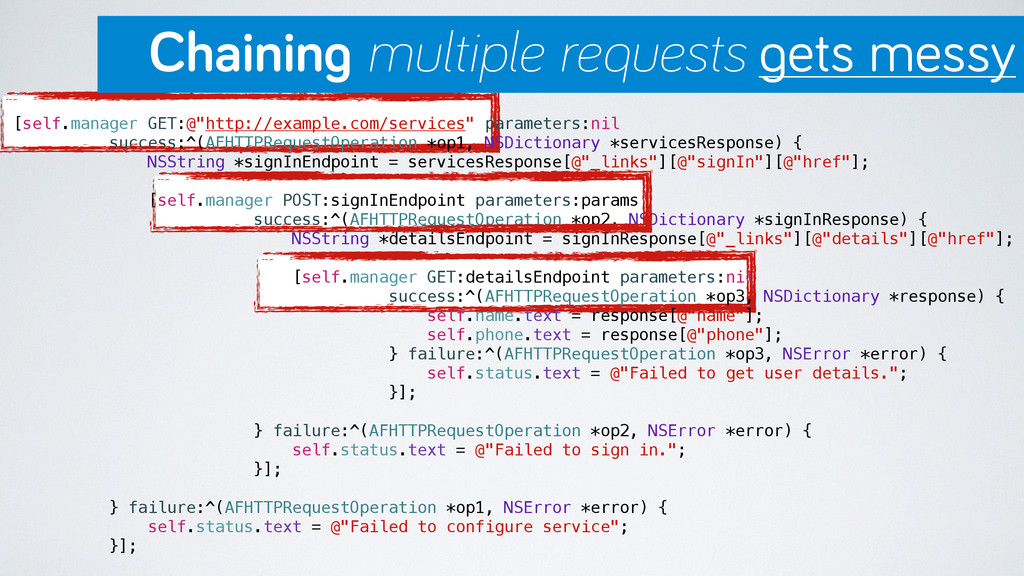
[self.manager GET:@"http://example.com/services" parameters:nil success:^(AFHTTPRequestOperation *op1, NSDictionary *servicesResponse) { NSString *signInEndpoint
= servicesResponse[@"_links"][@"signIn"][@"href"]; [self.manager POST:signInEndpoint parameters:params success:^(AFHTTPRequestOperation *op2, NSDictionary *signInResponse) { NSString *detailsEndpoint = signInResponse[@"_links"][@"details"][@"href"]; [self.manager GET:detailsEndpoint parameters:nil success:^(AFHTTPRequestOperation *op3, NSDictionary *response) { self.name.text = response[@"name"]; self.phone.text = response[@"phone"]; } failure:^(AFHTTPRequestOperation *op3, NSError *error) { self.status.text = @"Failed to get user details."; }]; } failure:^(AFHTTPRequestOperation *op2, NSError *error) { self.status.text = @"Failed to sign in."; }]; } failure:^(AFHTTPRequestOperation *op1, NSError *error) { self.status.text = @"Failed to configure service"; }]; Chaining multiple requests gets messy -
NSString *services = @"http://example.com/services"; RACSignal *userDetailsSignal = [[[[[[self.manager rac_getPath:services] map:^NSString
*(NSDictionary *response) { return response[@"_links"][@"signIn"][@"href"]; }] flattenMap:^RACSignal *(NSString *signInEndpoint) { return [self.manager rac_postPath:signInEndpoint parameters:params]; }] map:^NSString *(NSDictionary *response) { return response[@"_links"][@"details"][@"href"]; }] flattenMap:^RACSignal *(NSString *detailsEndpoint) { return [self.manager rac_getPath:detailsEndpoint]; }] replayLast]; ReactiveCocoa to the rescue -
Mobile APIs and REST ›❯ Discoverable iOS APIs ›❯ Evolving
APIs and mobile apps ›❯ Simple apps, smart backends ›❯ -
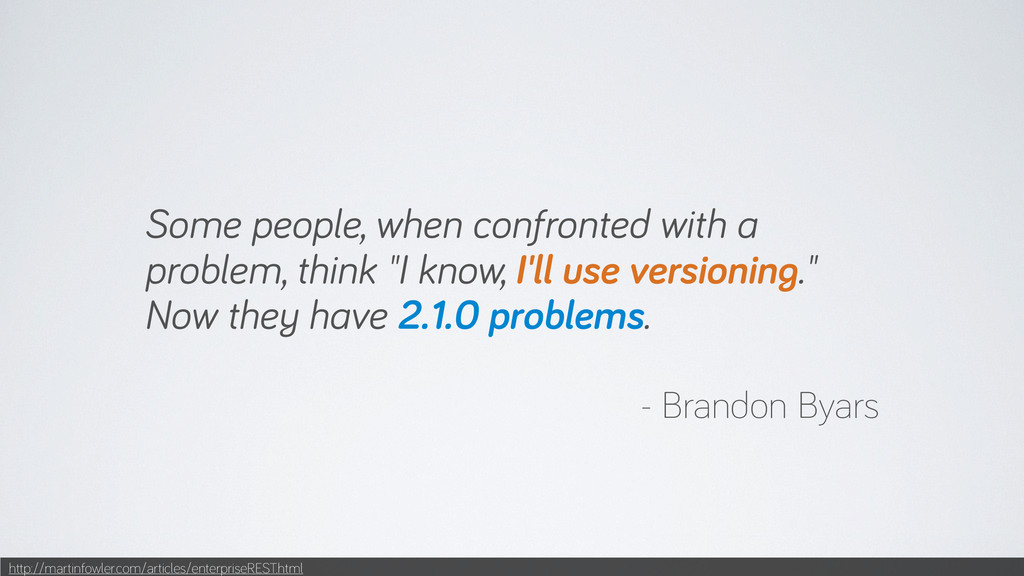
Some people, when confronted with a problem, think "I know,
I'll use versioning." Now they have 2.1.0 problems. - Brandon Byars http://martinfowler.com/articles/enterpriseREST.html -
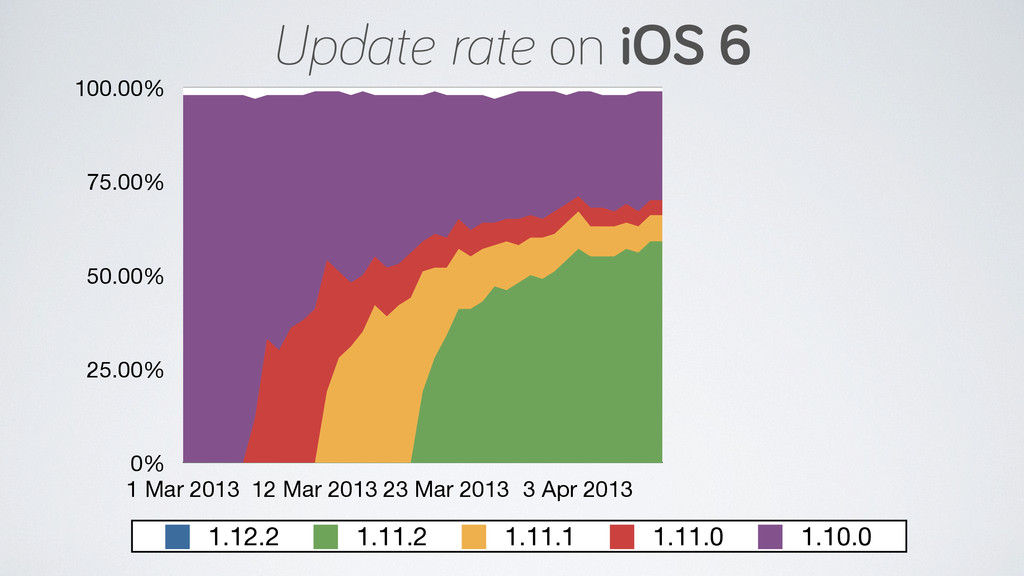
0% 25.00% 50.00% 75.00% 100.00% 1 Mar 2013 12 Mar
2013 23 Mar 2013 3 Apr 2013 1.12.2 1.11.2 1.11.1 1.11.0 1.10.0 Update rate on iOS 6 -
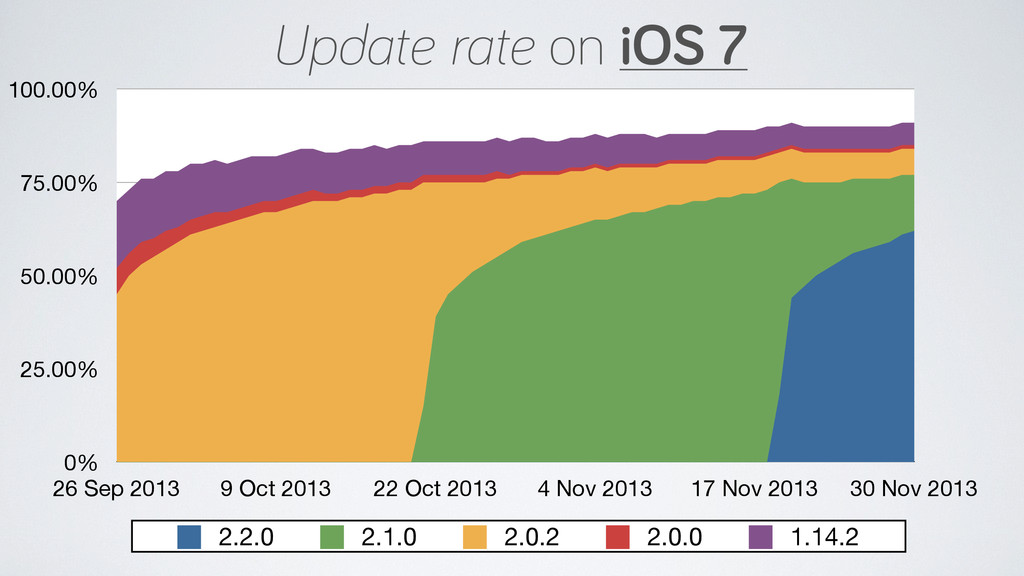
0% 25.00% 50.00% 75.00% 100.00% 26 Sep 2013 9 Oct
2013 22 Oct 2013 4 Nov 2013 17 Nov 2013 30 Nov 2013 2.2.0 2.1.0 2.0.2 2.0.0 1.14.2 Update rate on iOS 7 -
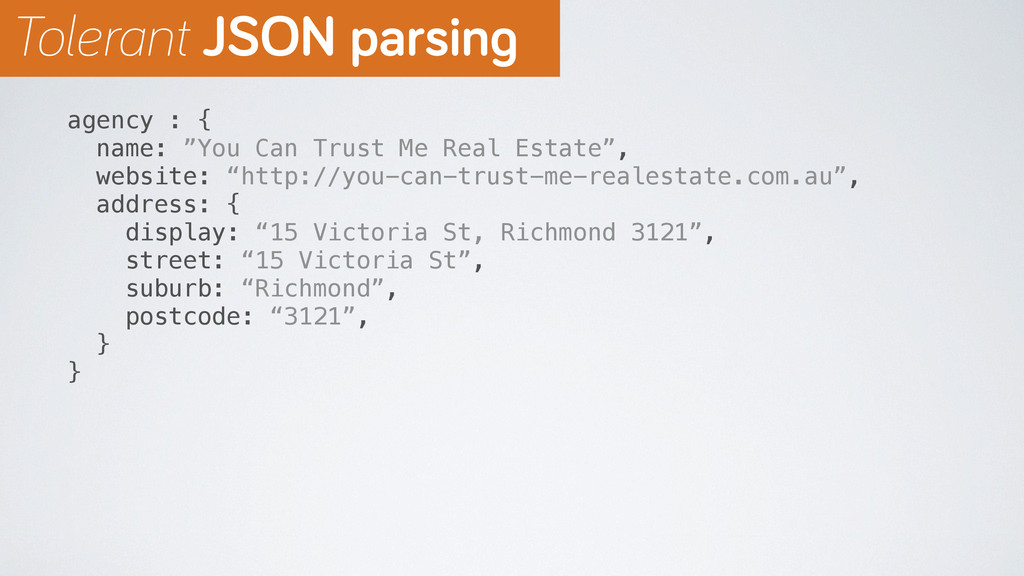
agency : { name: ”You Can Trust Me Real Estate”,
website: “http://you-can-trust-me-realestate.com.au”, address: { display: “15 Victoria St, Richmond 3121”, street: “15 Victoria St”, suburb: “Richmond”, postcode: “3121”, } } Tolerant JSON parsing -
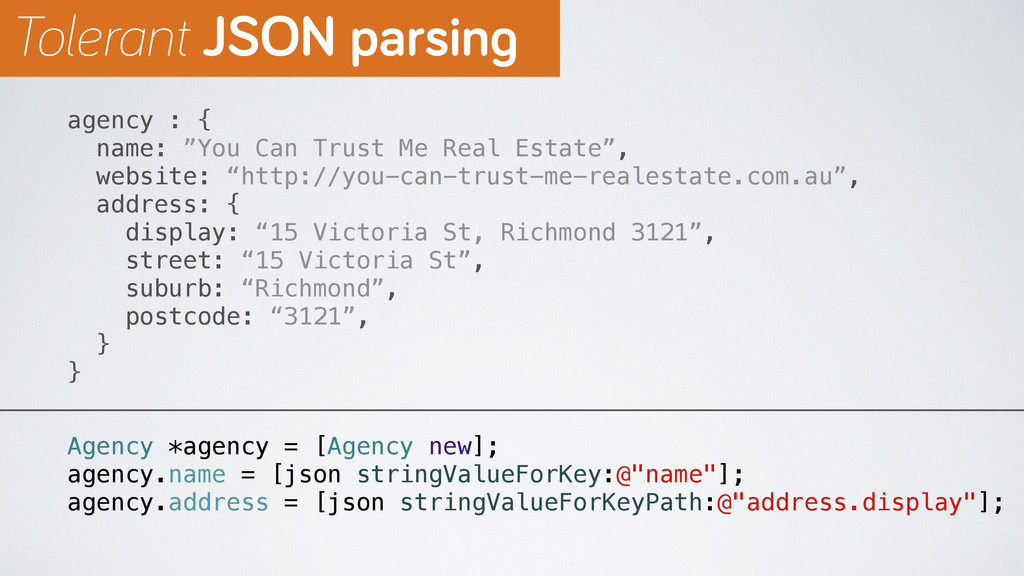
agency : { name: ”You Can Trust Me Real Estate”,
website: “http://you-can-trust-me-realestate.com.au”, address: { display: “15 Victoria St, Richmond 3121”, street: “15 Victoria St”, suburb: “Richmond”, postcode: “3121”, } } Agency *agency = [Agency new]; agency.name = [json stringValueForKey:@"name"]; agency.address = [json stringValueForKeyPath:@"address.display"]; Tolerant JSON parsing -
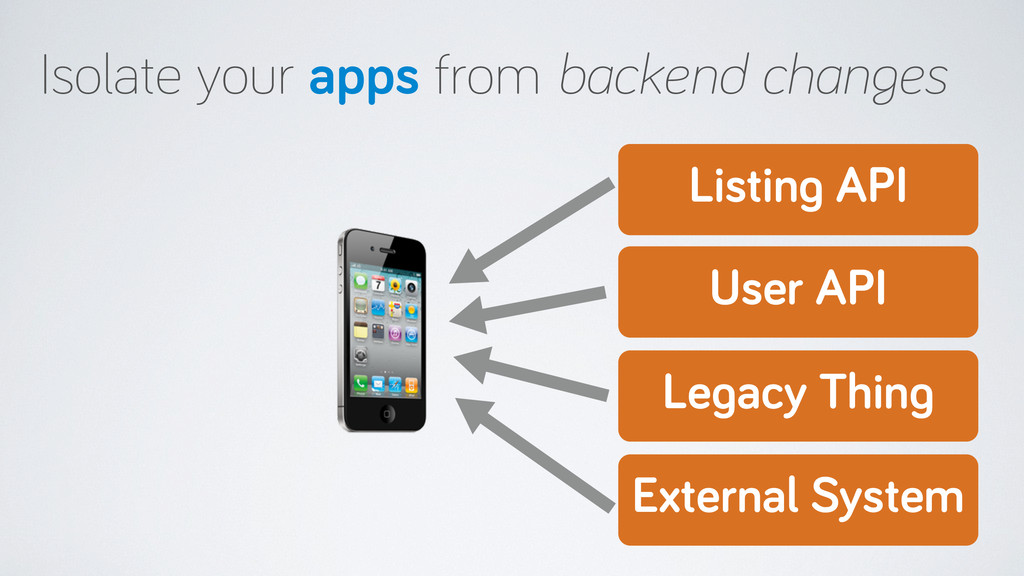
Listing API User API Isolate your apps from backend changes
Legacy Thing External System -
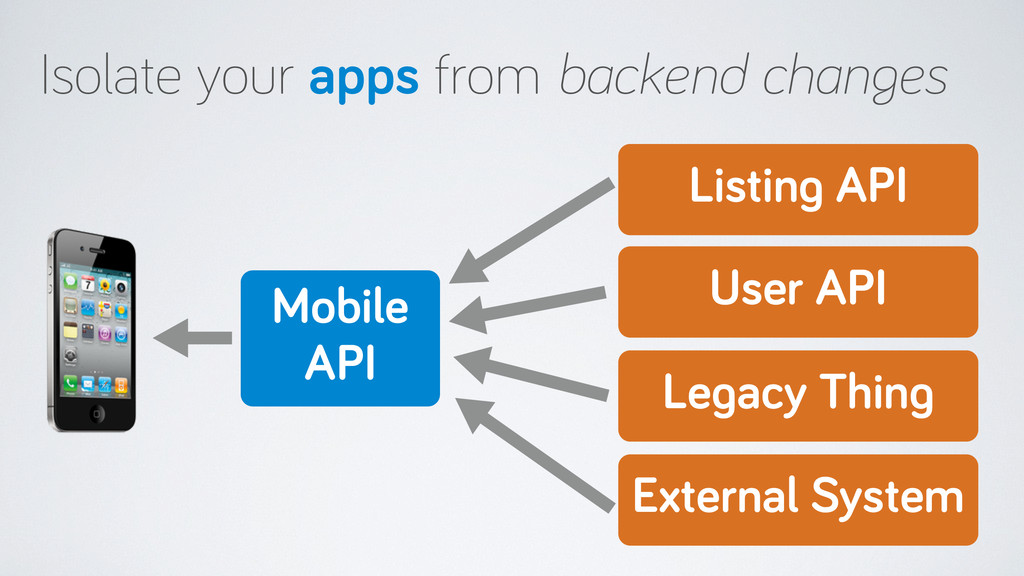
Listing API User API Mobile API Isolate your apps from
backend changes Legacy Thing External System -
Mobile APIs and REST ›❯ Discoverable iOS APIs ›❯ Evolving
APIs and mobile apps ›❯ Simple apps, smart backends ›❯ -
http://www.flickr.com/photos/jakecaptive/3205277810 Forcing logic to the server What if you could
only use NSDictionary objects for your domain model? -
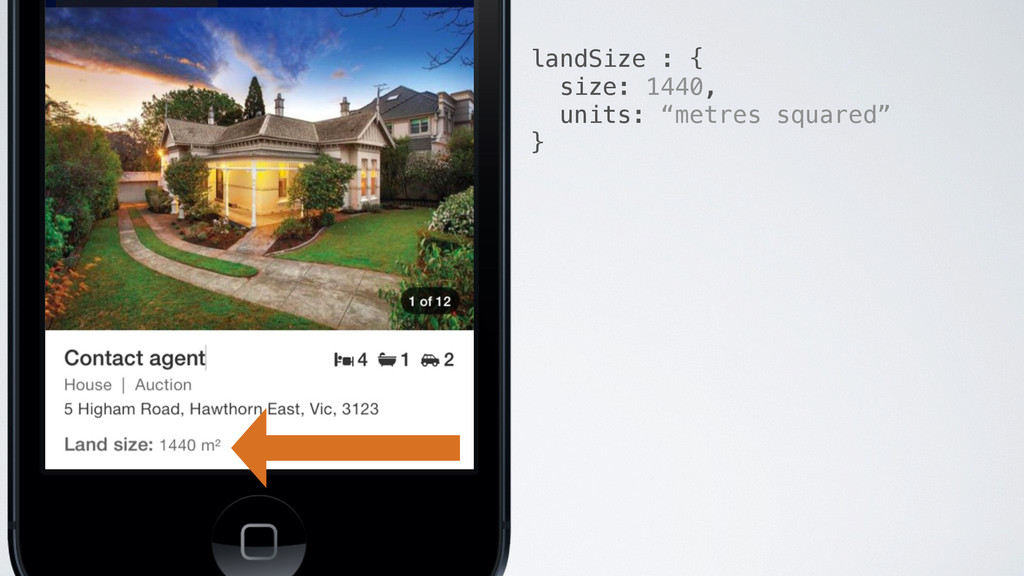
landSize : { size: 1440, units: “metres squared”, display: “Land
size: 1440 m²” } -
landSize : { size: 1440, units: “metres squared”, display: “Land
size: 1440 m²” } Less logic in the iOS client! -
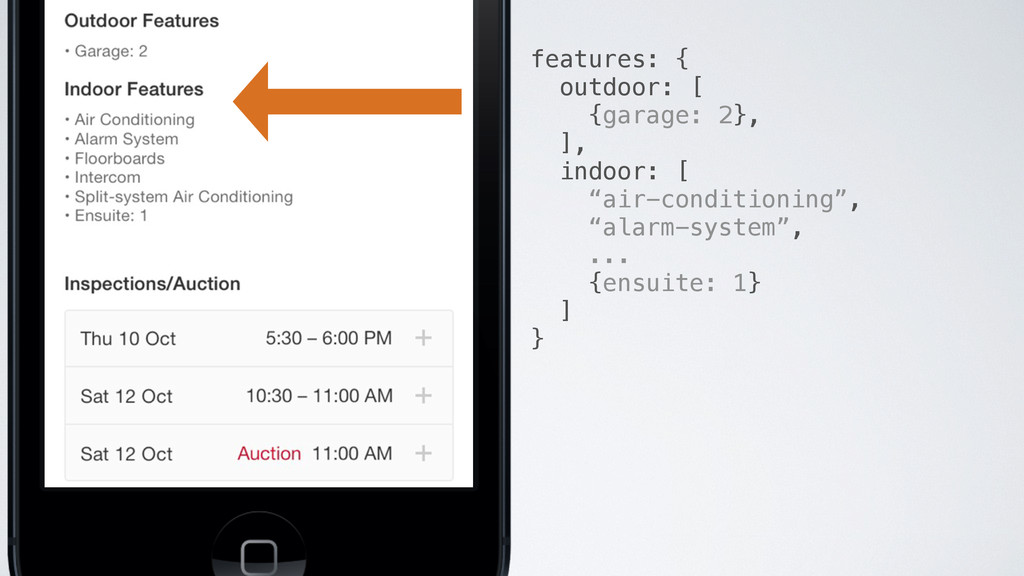
features: { outdoor: [ {garage: 2}, ], indoor: [ “air-conditioning”,
“alarm-system”, ... {ensuite: 1} ] } -
features: [ { label: “Outdoor Features”, features: [ “Garage: 2”,
] }, { label: “Indoor Features”, features: [ “Air Conditioning”, “Alarm System”, ... “Ensuite: 1” ] } ] -
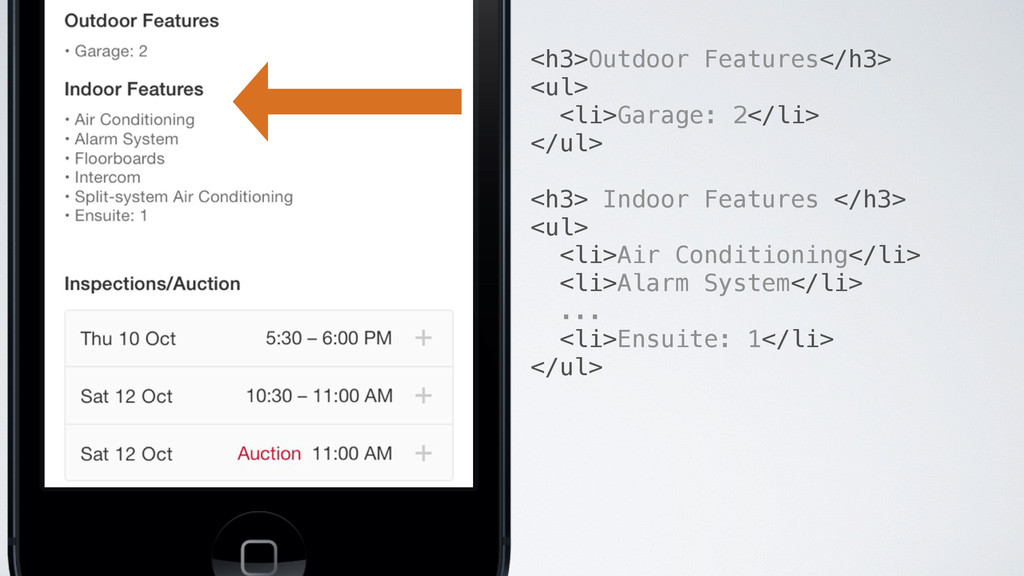
<h3>Outdoor Features</h3> <ul> <li>Garage: 2</li> </ul> <h3> Indoor Features </h3>
<ul> <li>Air Conditioning</li> <li>Alarm System</li> ... <li>Ensuite: 1</li> </ul> -
propertyFeatures: { display: “\e021 4 \e022 1 \e023 2” }
Using an icon font for beds, baths, carparks -
Mobile APIs and REST ›❯ Discoverable iOS APIs ›❯ Evolving
APIs and mobile apps ›❯ Simple apps, smart backends ›❯ -
References John Donne, No Man Is An Island http://en.wikipedia.org/wiki/Meditation_XVII Martin
Fowler, Richardson Maturity Model http://martinfowler.com/articles/richardsonMaturityModel.html Leonard Richardson, Justice Will Take Us Millions Of Intricate Moves http://www.crummy.com/writing/speaking/2008-QCon/act3.html Roy Fielding - REST APIs Must Be Hypertext Driven http://roy.gbiv.com/untangled/2008/rest-apis-must-be-hypertext-driven Leonard Richardson, API Design is Stuck in 2008 http://blog.programmableweb.com/2013/10/07/api-design-is-stuck-in-2008/ Cam Barrie, Design your API, Mother %$^ http://vimeo.com/61342270 Mike Kelly, HAL JSON http://stateless.co/hal_specification.html -
References Perryn Fowler, Richardson Maturity Model By Example http://prezi.com/1-0gtuokjcqo/rmm-by-example/ The
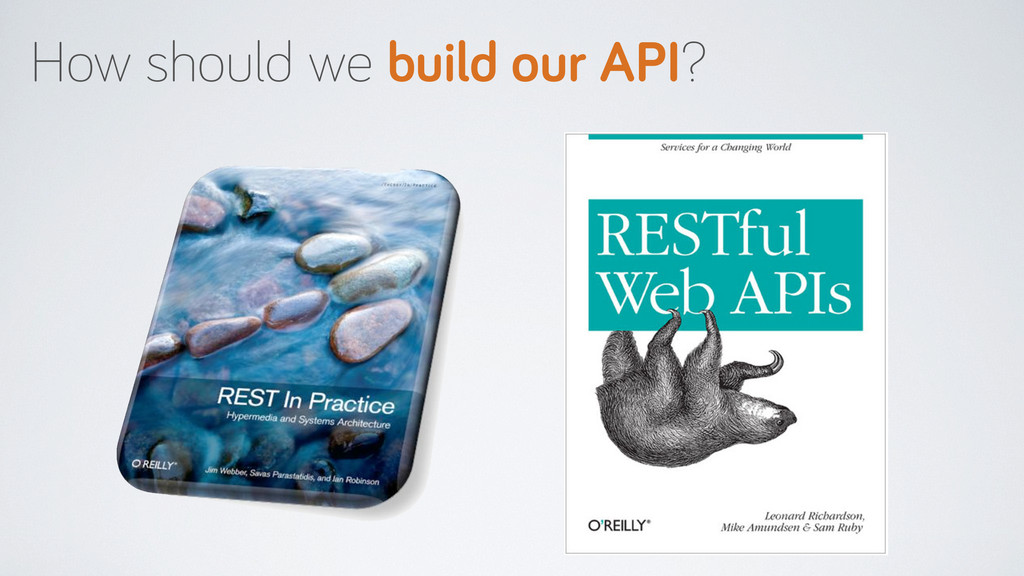
Internet Engineering Task Force (IETF), RFC 6570 - URI Template http://tools.ietf.org/html/rfc6570 Wikipedia, RSDL: RESTful Service Description Language http://en.wikipedia.org/wiki/RSDL Jim Webber, Savas Parastatidis, Ian Robinson; REST in Practice http://restinpractice.com/book/ Leonard Richardson, Sam Ruby; RESTful Web Services http://shop.oreilly.com/product/9780596529260.do Martin Fowler, Tolerant Reader http://martinfowler.com/bliki/TolerantReader.html Ronald Holshausen, Testing Interactions With Web Services Without Integration Tests In Ruby http://techblog.realestate.com.au/testing-interactions-with-web-services-without-integration-tests-in-ruby/ -
References Ian Robinson, Consumer Driven Contracts http://martinfowler.com/articles/consumerDrivenContracts.html Brandon Byars, Enterprise
REST http://martinfowler.com/articles/enterpriseREST.html Steve Klabnik, Designing Hypermedia APIs http://www.designinghypermediaapis.com/index.html Jon Moore, Hypermedia APIs http://s3.amazonaws.com/cimlabs/Oredev-Hypermedia-APIs.pdf Sam Ramji, Darwin's Finches, 20th Century Business, and APIs: Evolve your Business Model http://vimeo.com/11511078 Cogenta Systems, CSURITemplate https://github.com/cogenta/CSURITemplate Mattt Thompson, AFNetworking https://github.com/AFNetworking/AFNetworking