Upgrade to Pro — share decks privately, control downloads, hide ads and more …

Building AI RAG Applications with No Code

Avatar for apidays apidays PRO
February 07, 2026

Building AI RAG Applications with No Code

This session by Dan Toomey, Integration Specialist at Deloitte, explores how API-driven, low-code and no-code platforms are transforming the development of retrieval-augmented generation (RAG) models, enabling rapid integration of data retrieval and AI-powered search functionalities.

This presentation demonstrates how these flexible solutions empower organisations to connect diverse data sources, automate search processes, and customise RAG systems without extensive coding or engineering effort. Attendees sees how leveraging API-centric architectures and intuitive build environments supports scalable, efficient, and easily deployable RAG models, allowing teams to innovate quickly and respond to evolving business needs in the API economy.

The session highlights practical approaches for simplifying the implementation and integration of AI-driven capabilities, streamlining deployment, and accelerating value realisation for both technical and non-technical audiences.

------------------------------------

Conference Details:
Conference: apidays Australia 2025
Theme: Platforms, Products, and People: The Power of APIs in the Age of AI
Date: 29 - 30 October 2025 • MCEC, Melbourne Australia

--------------------------

Resources from apidays:
Join our upcoming conferences: https://www.apidays.global/
Read the latest API news: https://www.apiscene.io
Explore the API Landscape: https://apilandscape.apiscene.io/

Avatar for apidays

apidays PRO

February 07, 2026
Tweet

More Decks by apidays

Other Decks in Technology

Transcript

  1. Who am I? • Senior Integration Specialist, Deloitte • Microsoft

    Azure MVP • MCSE, MCT, MCPD, MCTS BizTalk & Azure • Pluralsight Author • www.mindovermessaging.com • @daniel2me
  2. The 1990s: The rise of web search engines The 2000s:

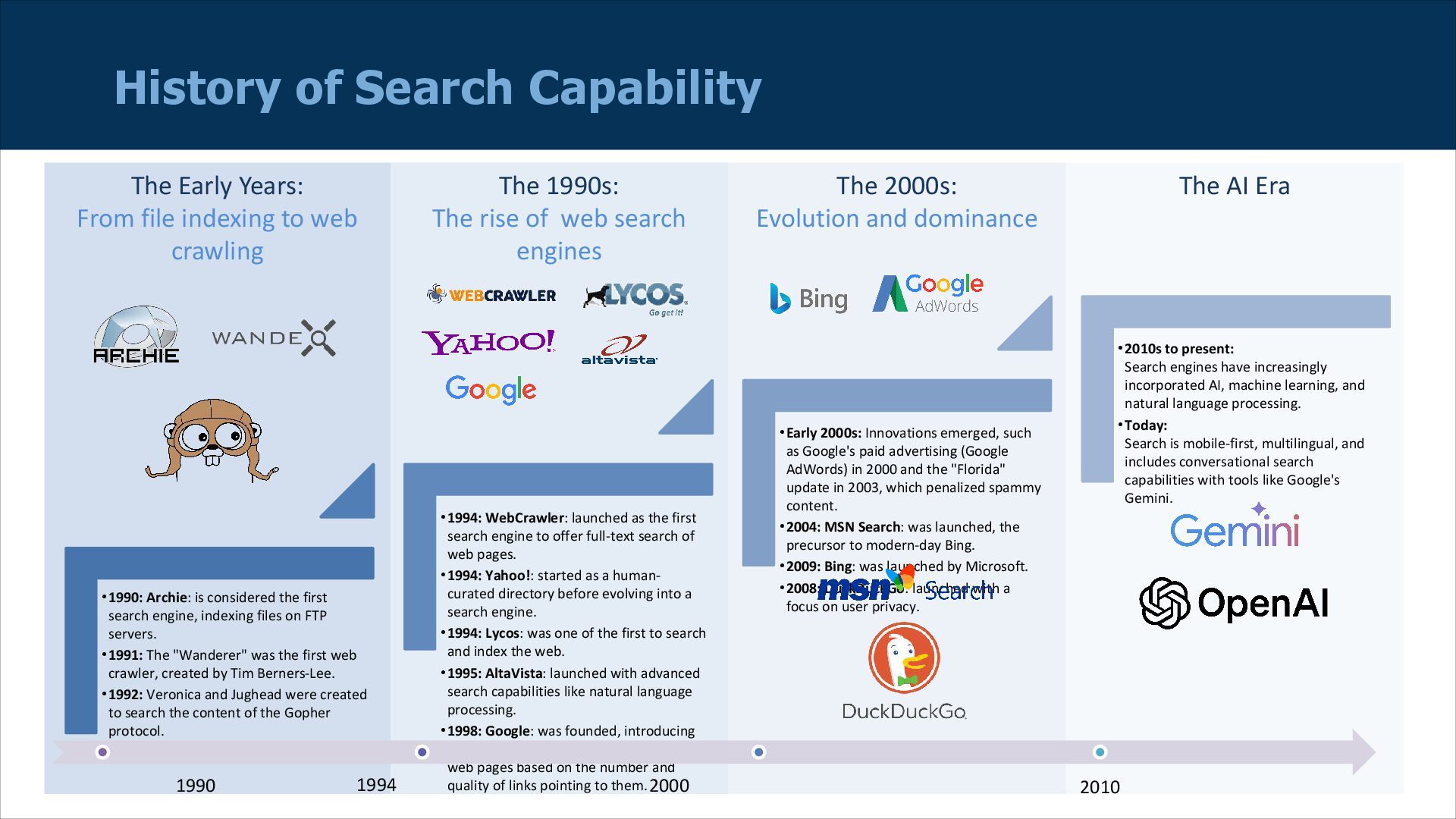
    Evolution and dominance The AI Era The Early Years: From file indexing to web crawling History of Search Capability •1990: Archie: is considered the first search engine, indexing files on FTP servers. •1991: The "Wanderer" was the first web crawler, created by Tim Berners-Lee. •1992: Veronica and Jughead were created to search the content of the Gopher protocol. •1994: WebCrawler: launched as the first search engine to offer full-text search of web pages. •1994: Yahoo!: started as a human- curated directory before evolving into a search engine. •1994: Lycos: was one of the first to search and index the web. •1995: AltaVista: launched with advanced search capabilities like natural language processing. •1998: Google: was founded, introducing its PageRank algorithm, which ranked web pages based on the number and quality of links pointing to them. •Early 2000s: Innovations emerged, such as Google's paid advertising (Google AdWords) in 2000 and the "Florida" update in 2003, which penalized spammy content. •2004: MSN Search: was launched, the precursor to modern-day Bing. •2009: Bing: was launched by Microsoft. •2008: DuckDuckGo: launched with a focus on user privacy. •2010s to present: Search engines have increasingly incorporated AI, machine learning, and natural language processing. •Today: Search is mobile-first, multilingual, and includes conversational search capabilities with tools like Google's Gemini. 1990 1994 2000 2010
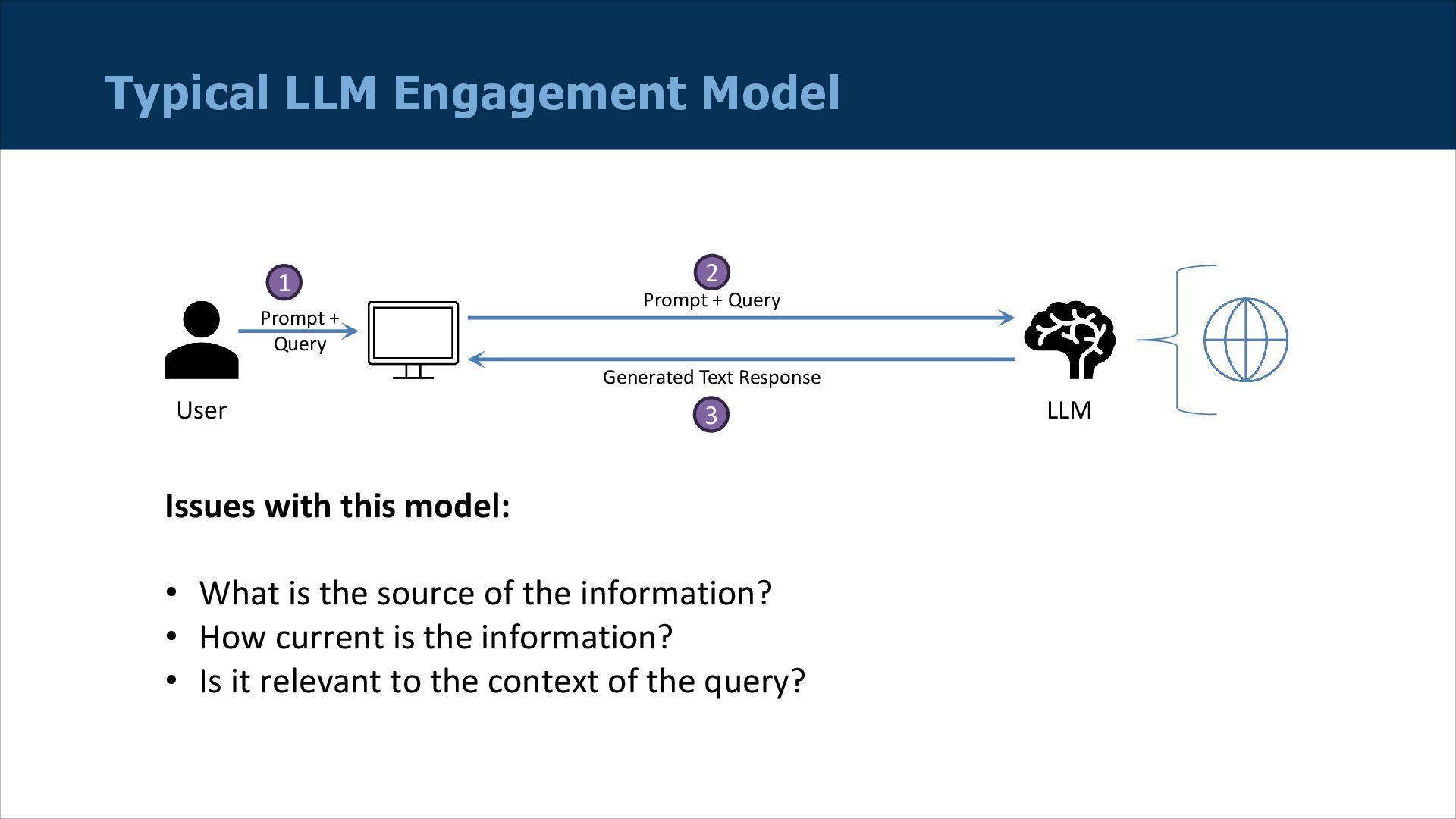
  3. Typical LLM Engagement Model LLM User Prompt + Query Generated

    Text Response Issues with this model: • What is the source of the information? • How current is the information? • Is it relevant to the context of the query? Prompt + Query 1 2 3
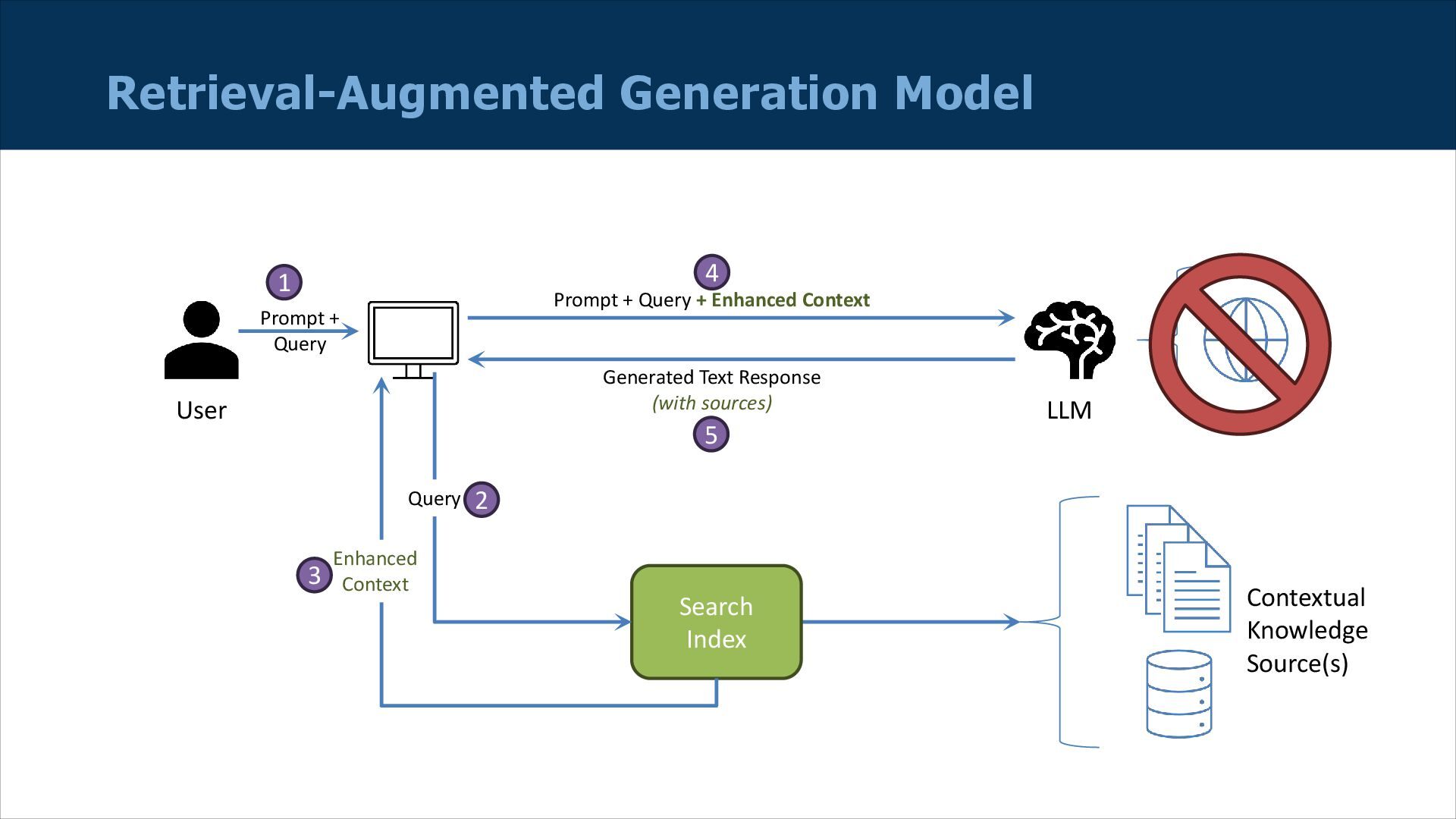
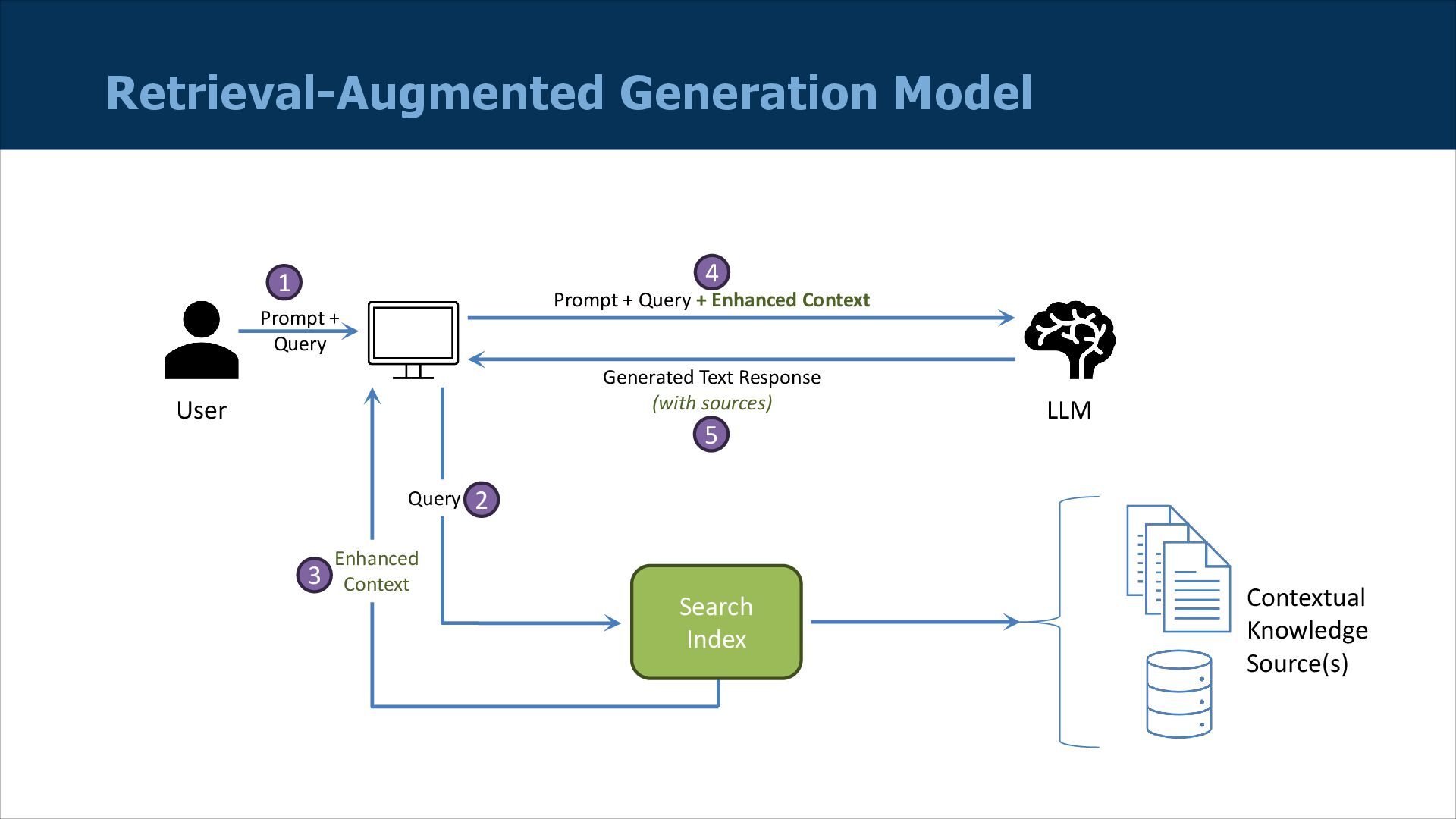
  4. Retrieval-Augmented Generation Model LLM User Prompt + Query + Enhanced

    Context Generated Text Response (with sources) Prompt + Query 1 4 5 Search Index Query 2 Enhanced Context 3 Contextual Knowledge Source(s)
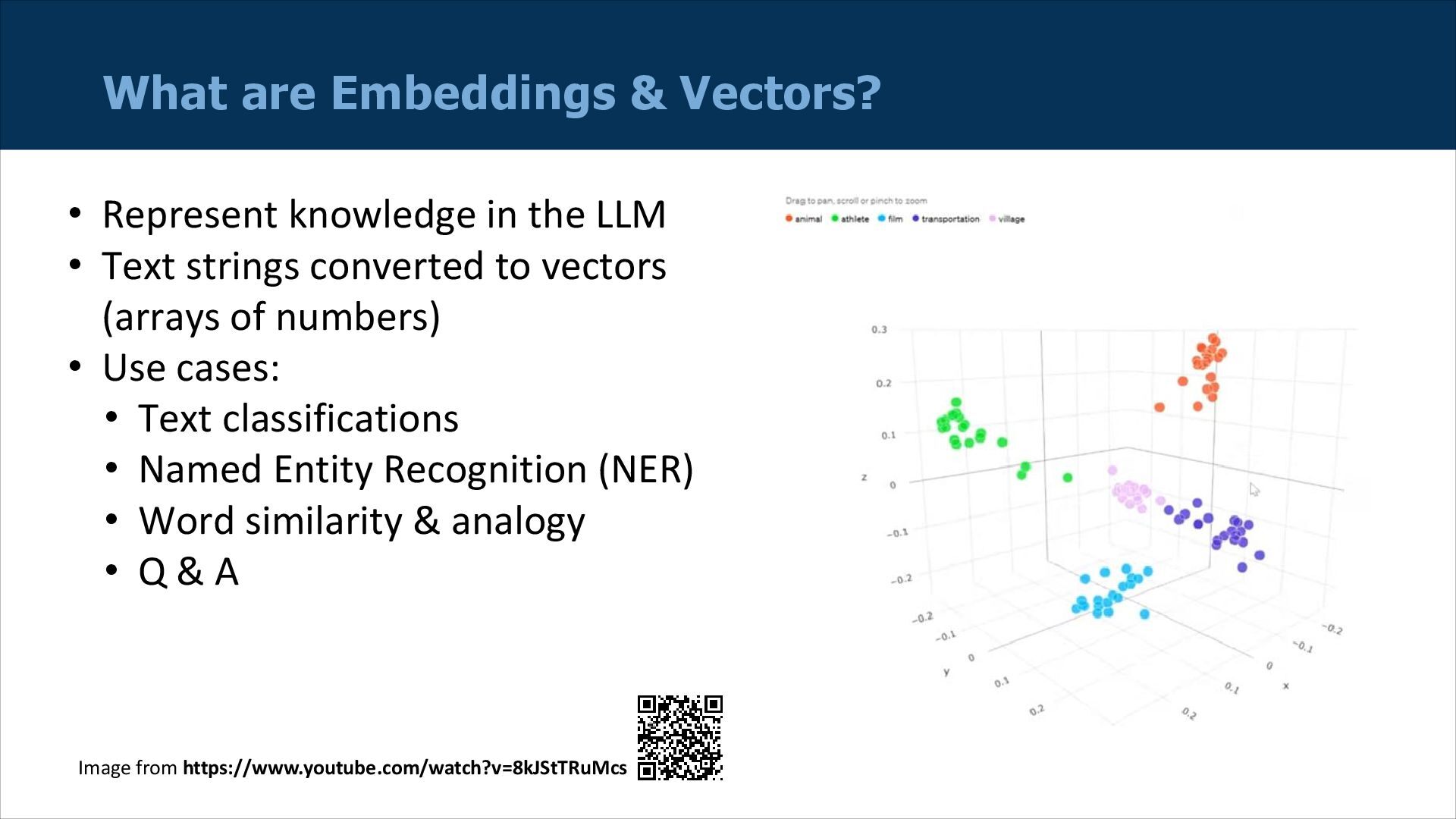
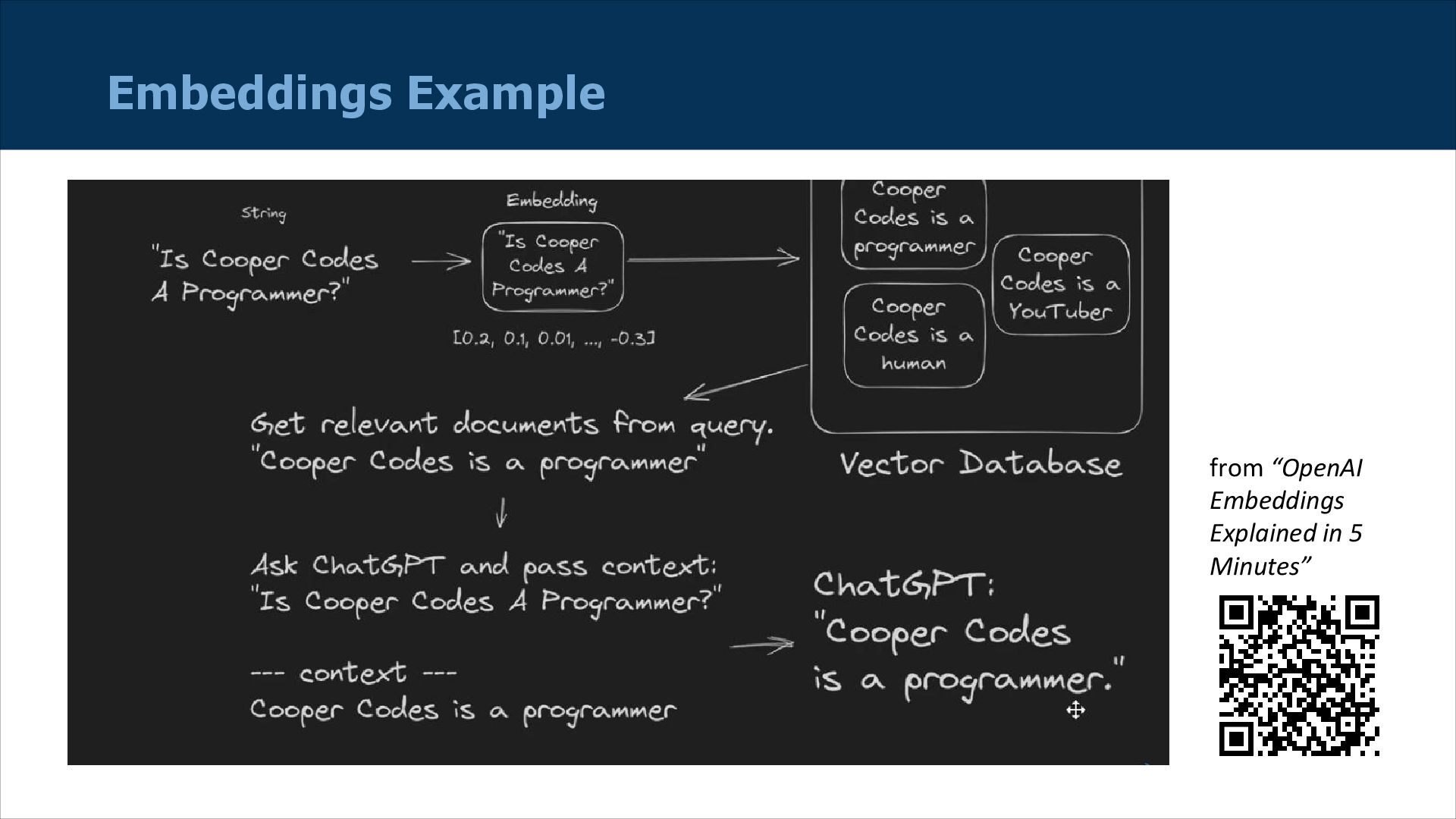
  5. What are Embeddings & Vectors? • Represent knowledge in the

    LLM • Text strings converted to vectors (arrays of numbers) • Use cases: • Text classifications • Named Entity Recognition (NER) • Word similarity & analogy • Q & A Image from https://www.youtube.com/watch?v=8kJStTRuMcs
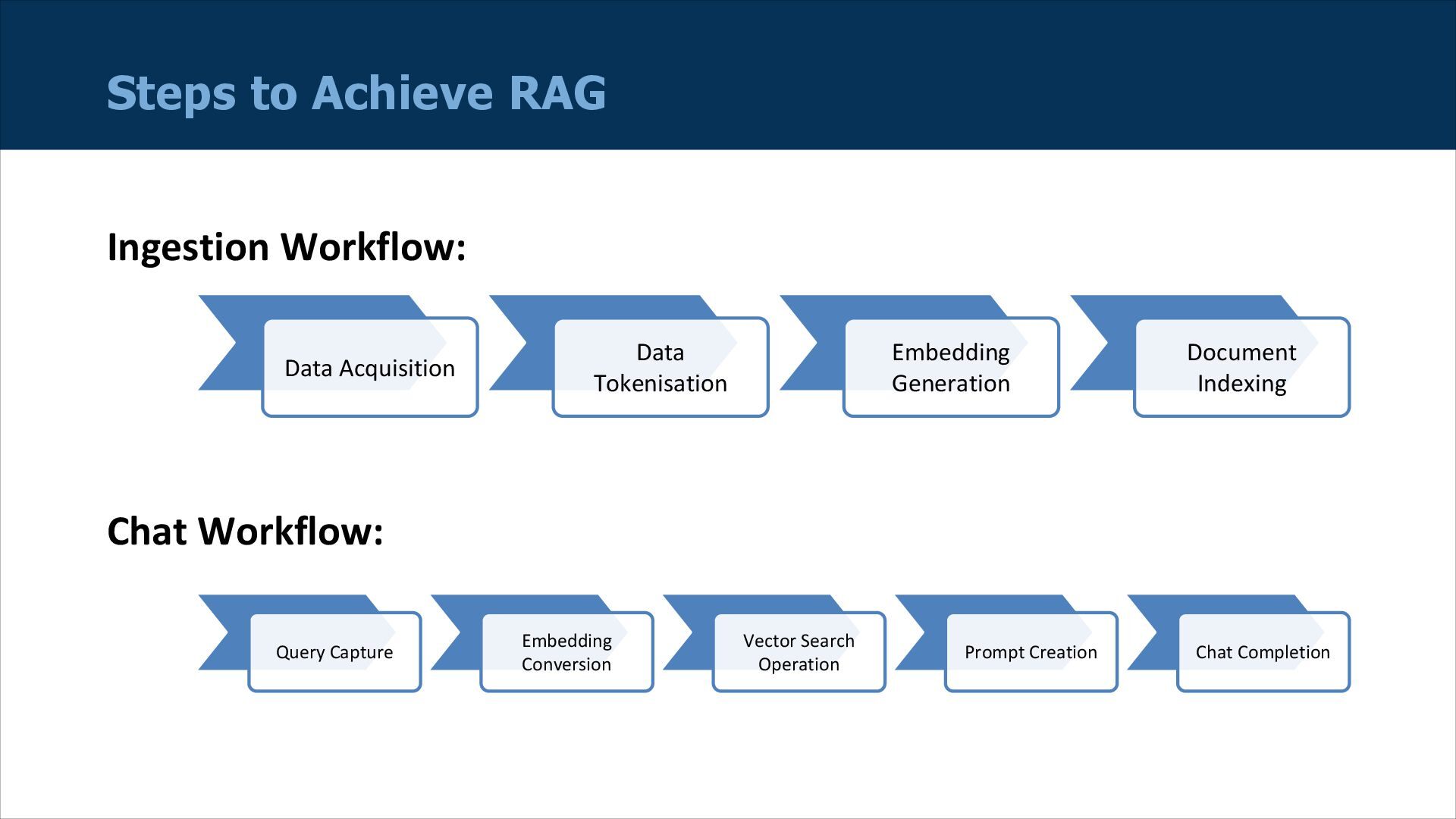
  6. Data Acquisition Data Tokenisation Embedding Generation Document Indexing Steps to

    Achieve RAG Ingestion Workflow: Query Capture Embedding Conversion Vector Search Operation Prompt Creation Chat Completion Chat Workflow:
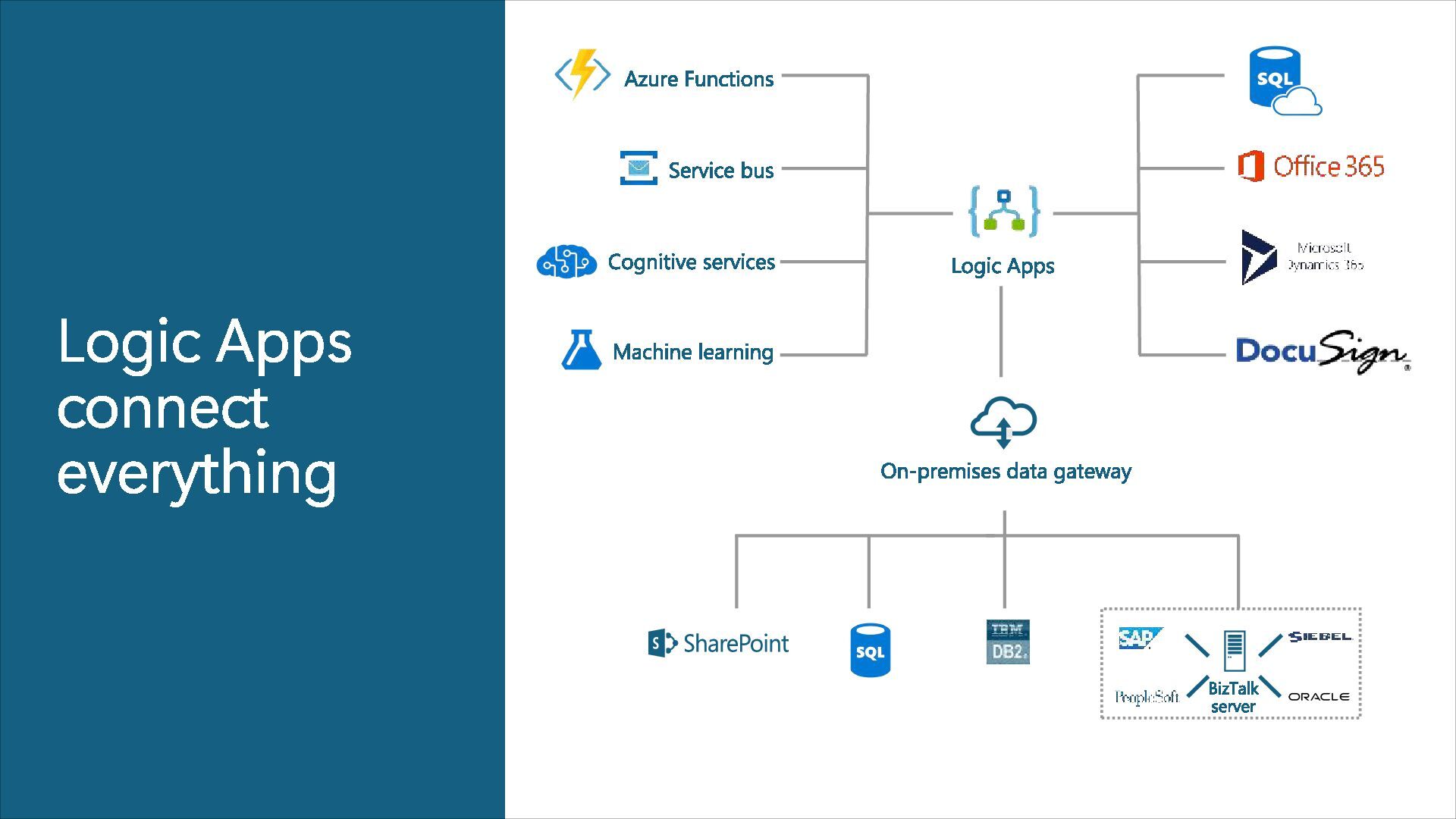
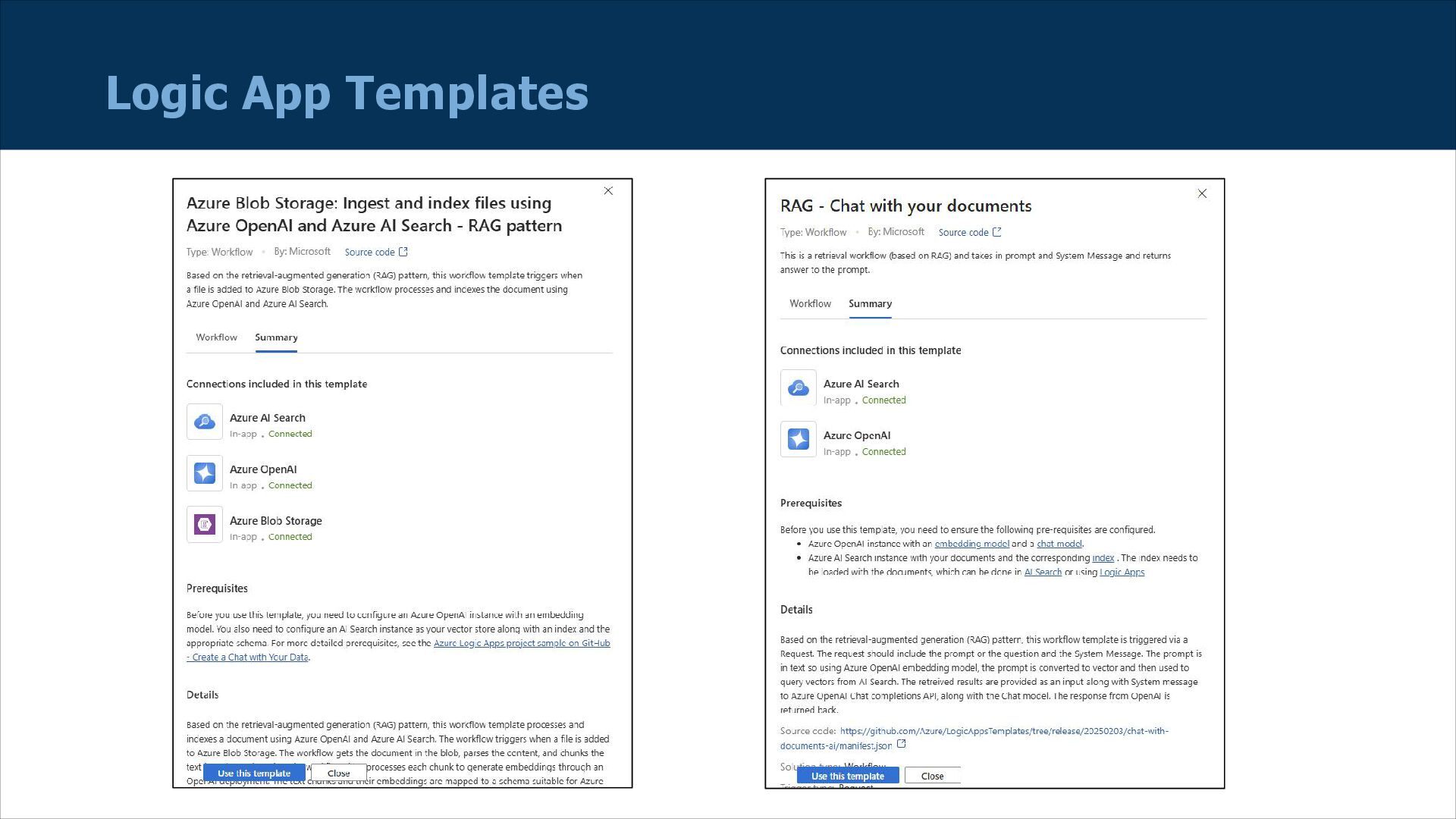
  7. What are Logic Apps? Azure Logic App is an Azure

    service that simplifies how you build automated scalable workflows that integrate apps and data across cloud services and on- premises systems.
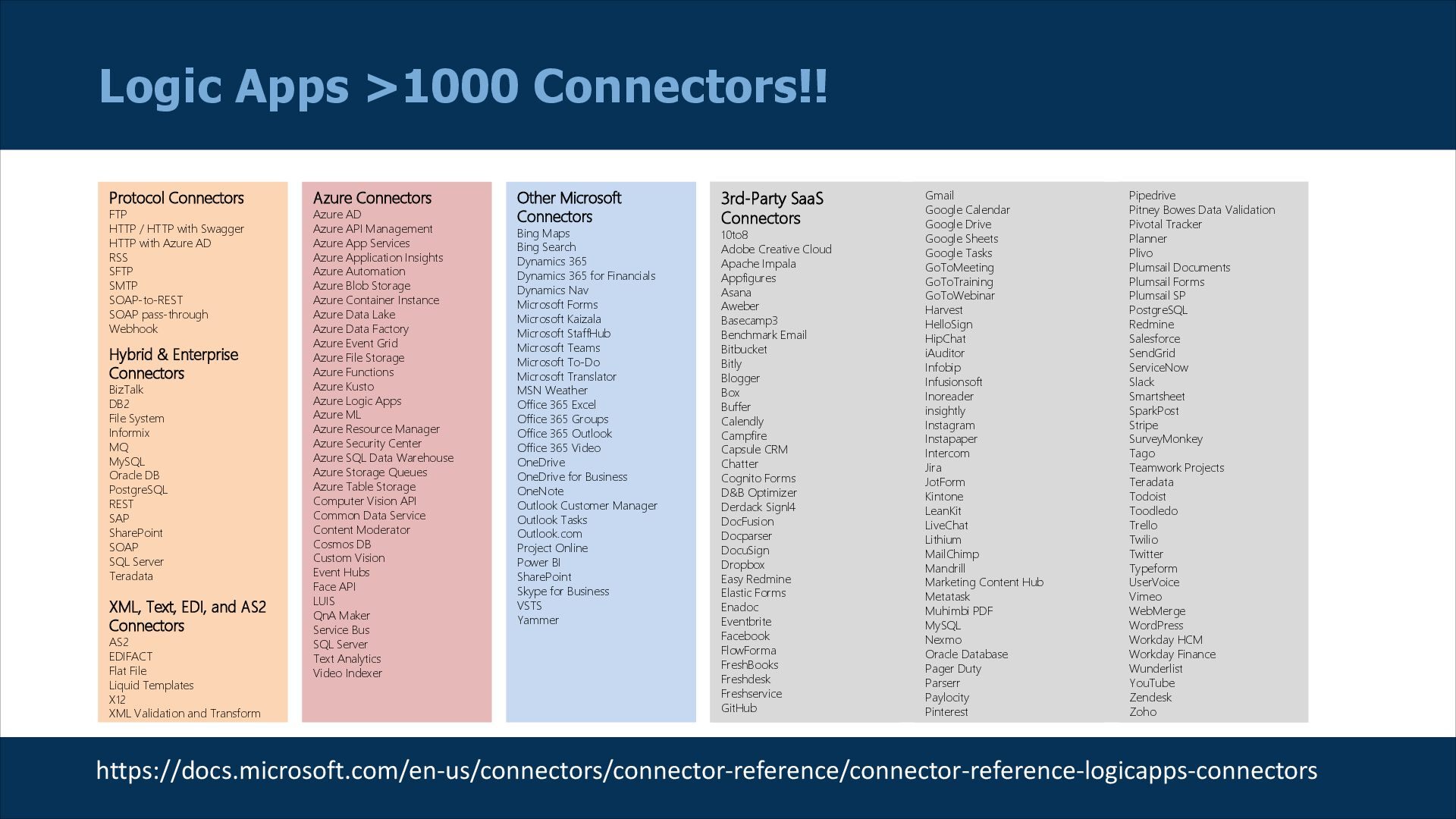
  8. Logic Apps >1000 Connectors!! Azure Connectors Azure AD Azure API

    Management Azure App Services Azure Application Insights Azure Automation Azure Blob Storage Azure Container Instance Azure Data Lake Azure Data Factory Azure Event Grid Azure File Storage Azure Functions Azure Kusto Azure Logic Apps Azure ML Azure Resource Manager Azure Security Center Azure SQL Data Warehouse Azure Storage Queues Azure Table Storage Computer Vision API Common Data Service Content Moderator Cosmos DB Custom Vision Event Hubs Face API LUIS QnA Maker Service Bus SQL Server Text Analytics Video Indexer Other Microsoft Connectors Bing Maps Bing Search Dynamics 365 Dynamics 365 for Financials Dynamics Nav Microsoft Forms Microsoft Kaizala Microsoft StaffHub Microsoft Teams Microsoft To-Do Microsoft Translator MSN Weather Office 365 Excel Office 365 Groups Office 365 Outlook Office 365 Video OneDrive OneDrive for Business OneNote Outlook Customer Manager Outlook Tasks Outlook.com Project Online Power BI SharePoint Skype for Business VSTS Yammer 3rd-Party SaaS Connectors 10to8 Adobe Creative Cloud Apache Impala Appfigures Asana Aweber Basecamp3 Benchmark Email Bitbucket Bitly Blogger Box Buffer Calendly Campfire Capsule CRM Chatter Cognito Forms D&B Optimizer Derdack Signl4 DocFusion Docparser DocuSign Dropbox Easy Redmine Elastic Forms Enadoc Eventbrite Facebook FlowForma FreshBooks Freshdesk Freshservice GitHub Gmail Google Calendar Google Drive Google Sheets Google Tasks GoToMeeting GoToTraining GoToWebinar Harvest HelloSign HipChat iAuditor Infobip Infusionsoft Inoreader insightly Instagram Instapaper Intercom Jira JotForm Kintone LeanKit LiveChat Lithium MailChimp Mandrill Marketing Content Hub Metatask Muhimbi PDF MySQL Nexmo Oracle Database Pager Duty Parserr Paylocity Pinterest Pipedrive Pitney Bowes Data Validation Pivotal Tracker Planner Plivo Plumsail Documents Plumsail Forms Plumsail SP PostgreSQL Redmine Salesforce SendGrid ServiceNow Slack Smartsheet SparkPost Stripe SurveyMonkey Tago Teamwork Projects Teradata Todoist Toodledo Trello Twilio Twitter Typeform UserVoice Vimeo WebMerge WordPress Workday HCM Workday Finance Wunderlist YouTube Zendesk Zoho Protocol Connectors FTP HTTP / HTTP with Swagger HTTP with Azure AD RSS SFTP SMTP SOAP-to-REST SOAP pass-through Webhook Hybrid & Enterprise Connectors BizTalk DB2 File System Informix MQ MySQL Oracle DB PostgreSQL REST SAP SharePoint SOAP SQL Server Teradata XML, Text, EDI, and AS2 Connectors AS2 EDIFACT Flat File Liquid Templates X12 XML Validation and Transform https://docs.microsoft.com/en-us/connectors/connector-reference/connector-reference-logicapps-connectors
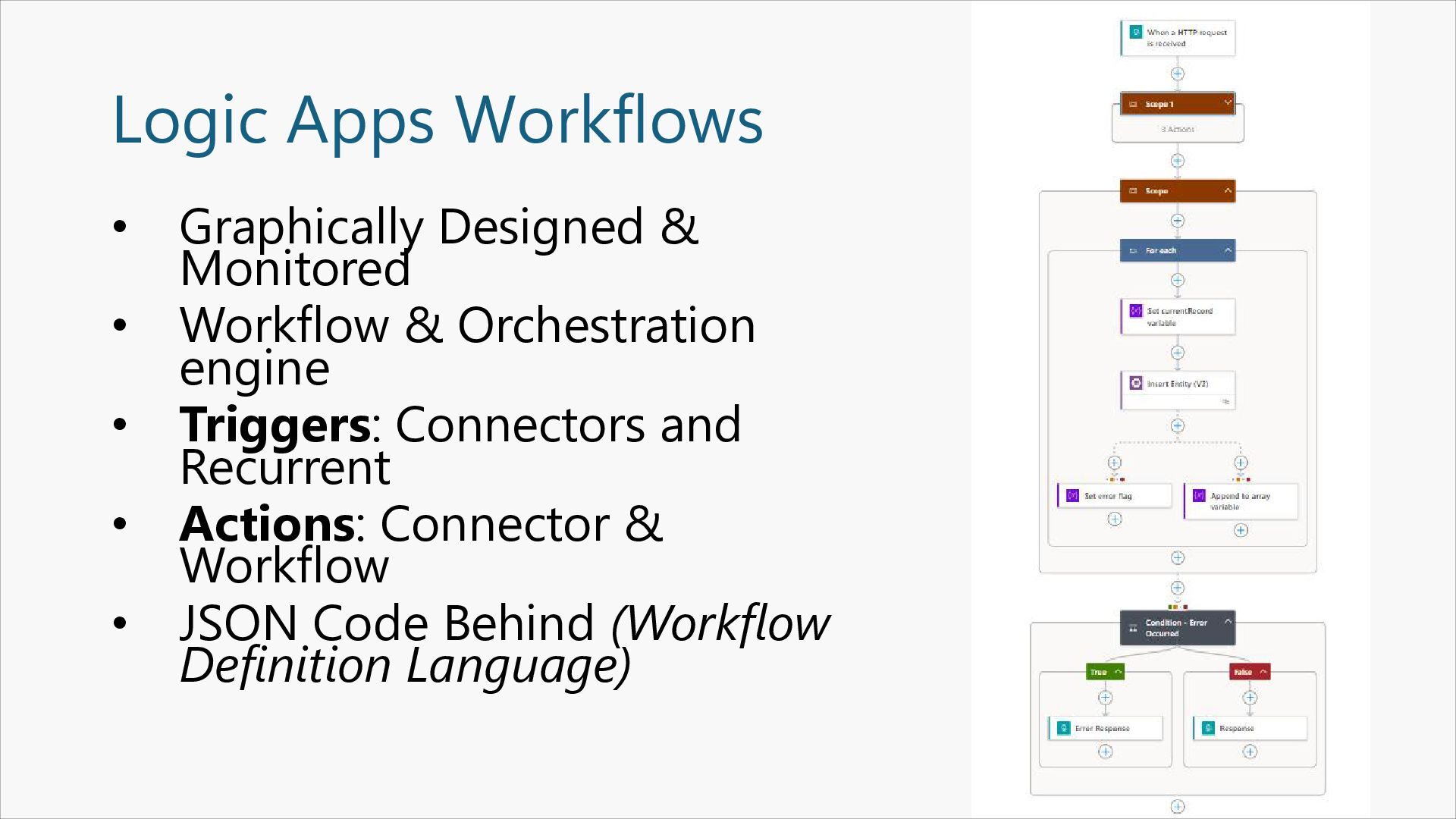
  9. Logic Apps Workflows • Graphically Designed & Monitored • Workflow

    & Orchestration engine • Triggers: Connectors and Recurrent • Actions: Connector & Workflow • JSON Code Behind (Workflow Definition Language)
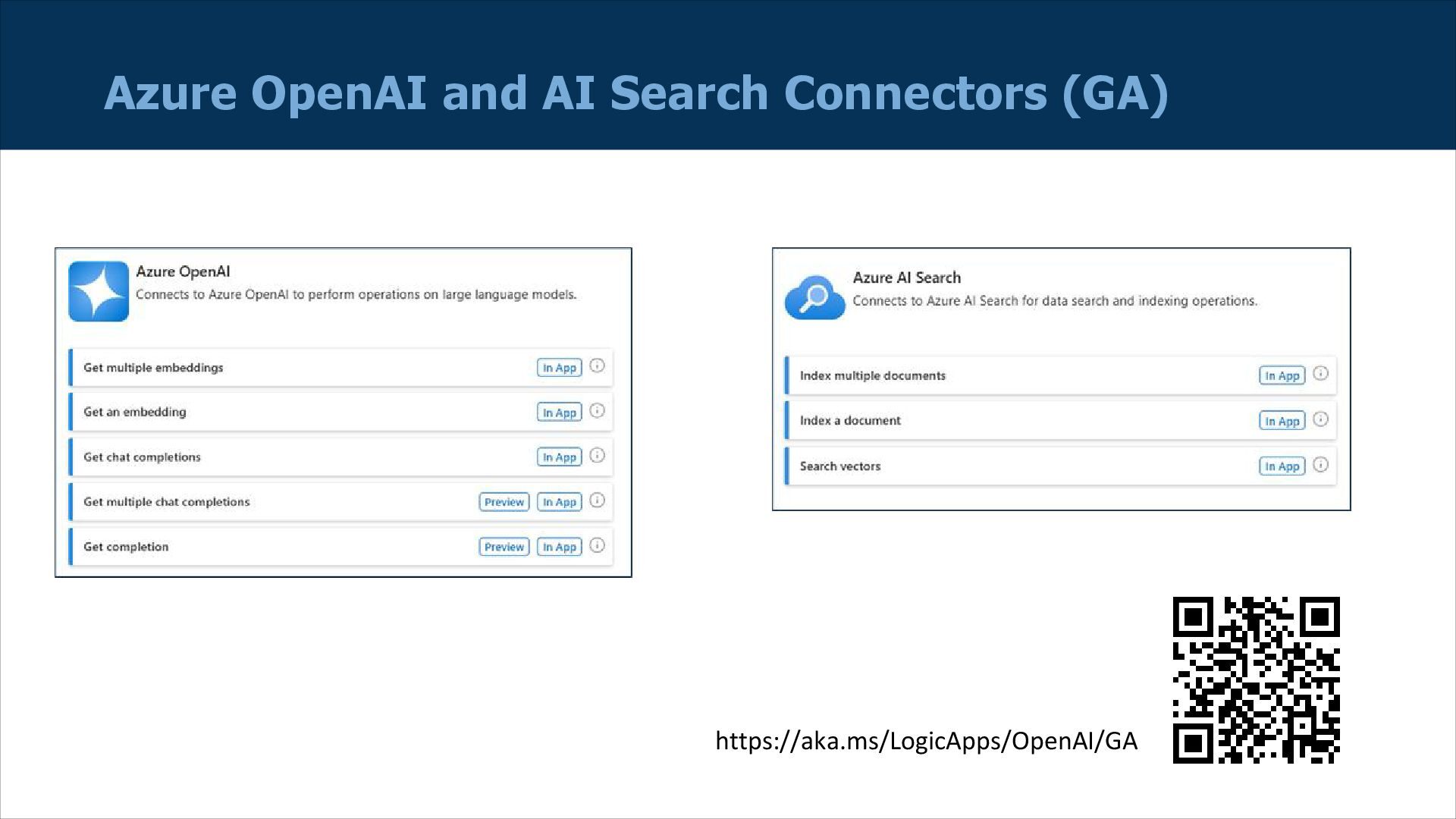
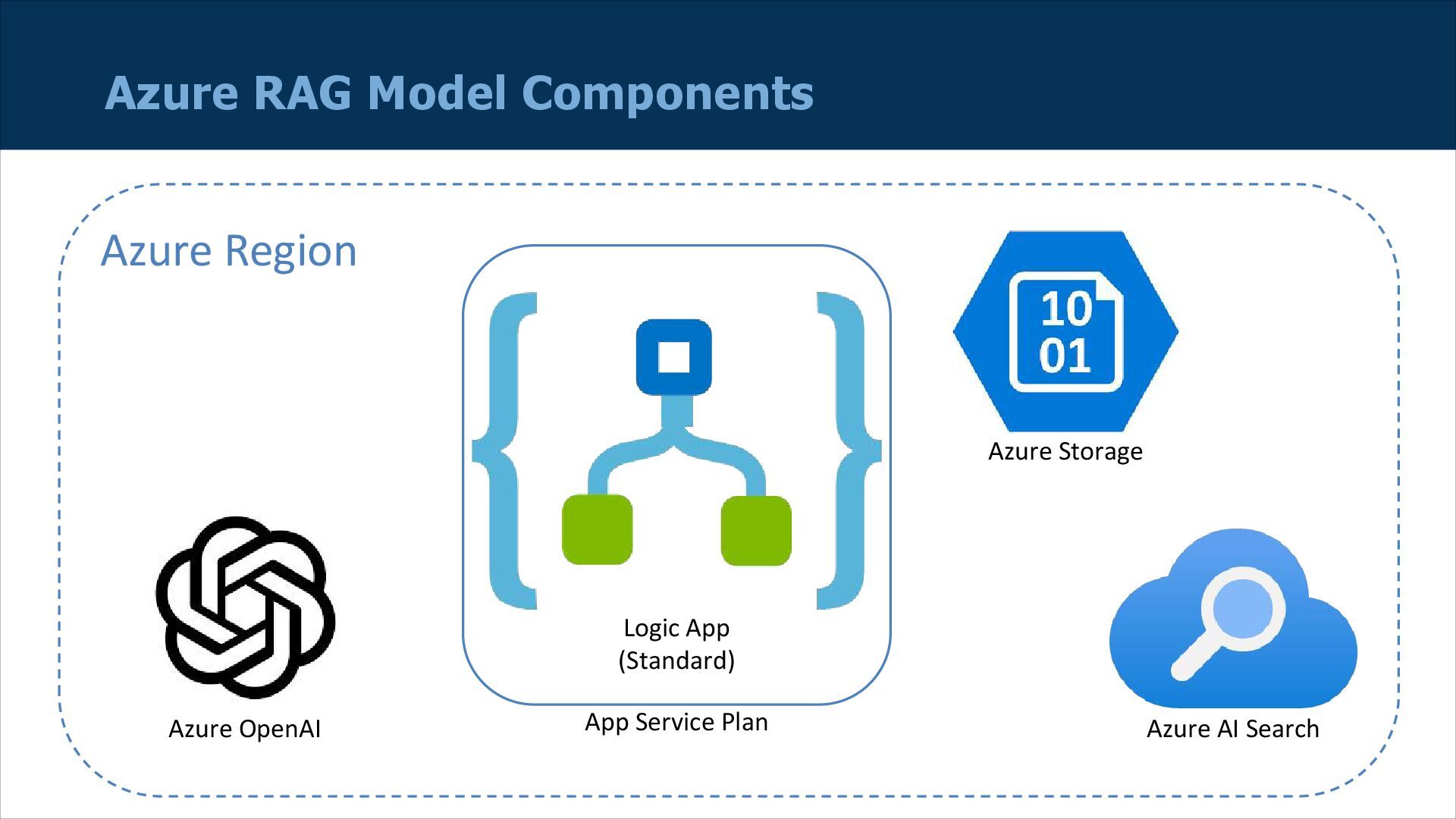
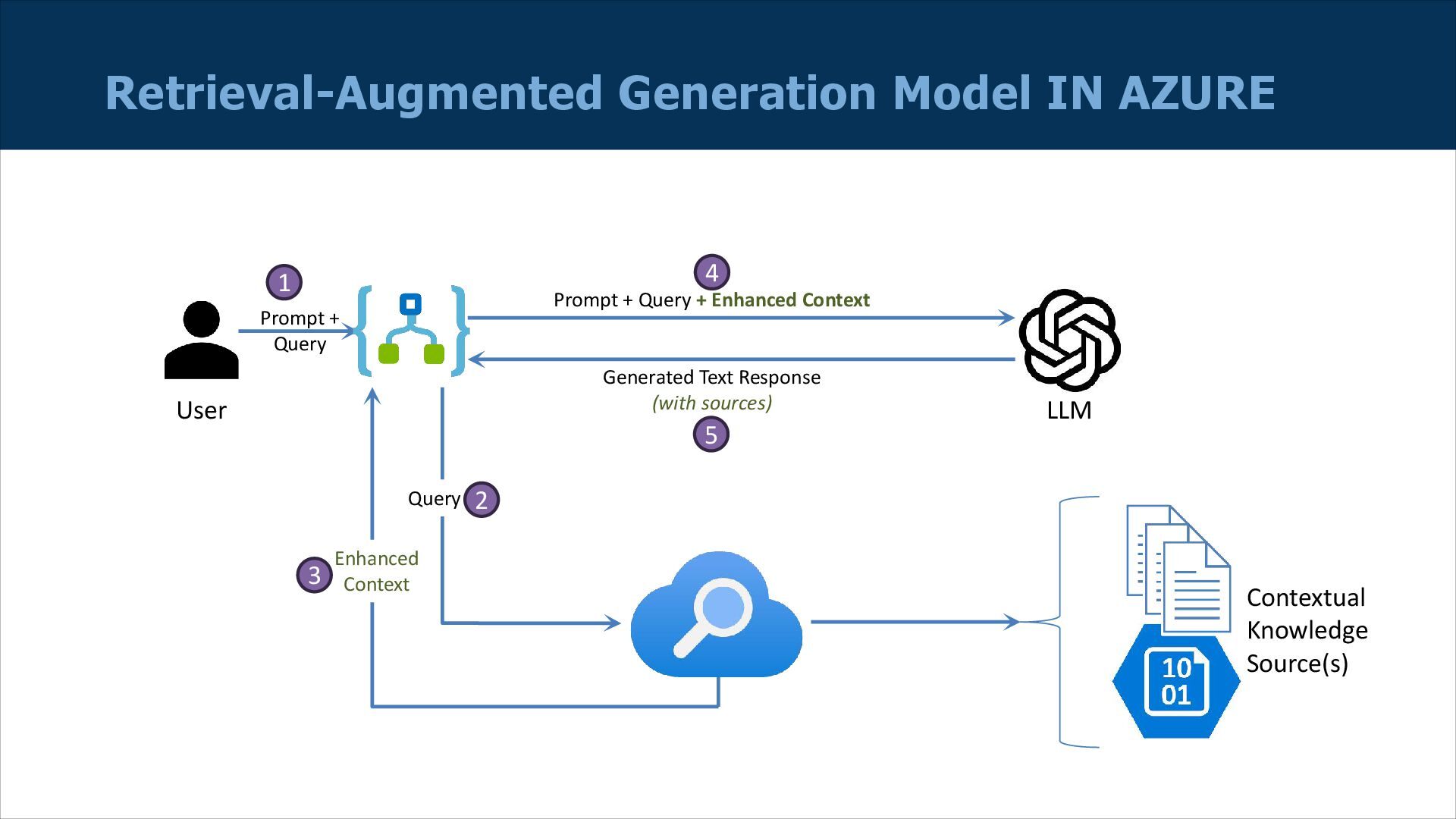
  10. Azure RAG Model Components Azure OpenAI Azure Storage Azure AI

    Search Logic App (Standard) App Service Plan Azure Region
  11. Retrieval-Augmented Generation Model Prompt + Query + Enhanced Context LLM

    User Generated Text Response (with sources) Prompt + Query 1 4 5 Search Index Query 2 Enhanced Context 3 Contextual Knowledge Source(s)
  12. Retrieval-Augmented Generation Model IN AZURE Prompt + Query + Enhanced

    Context LLM User Generated Text Response (with sources) Prompt + Query 1 4 5 Query 2 Enhanced Context 3 Contextual Knowledge Source(s)
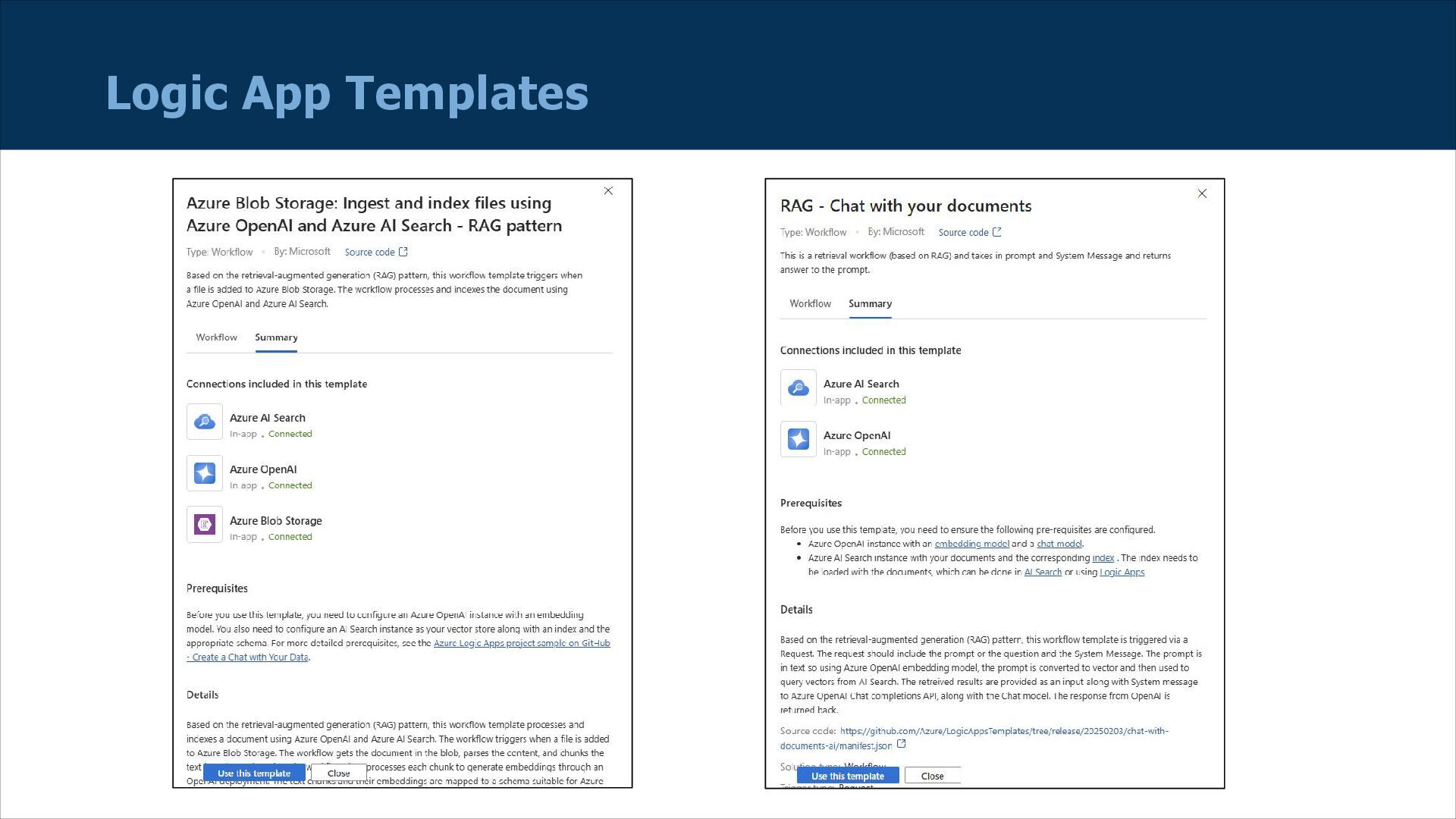
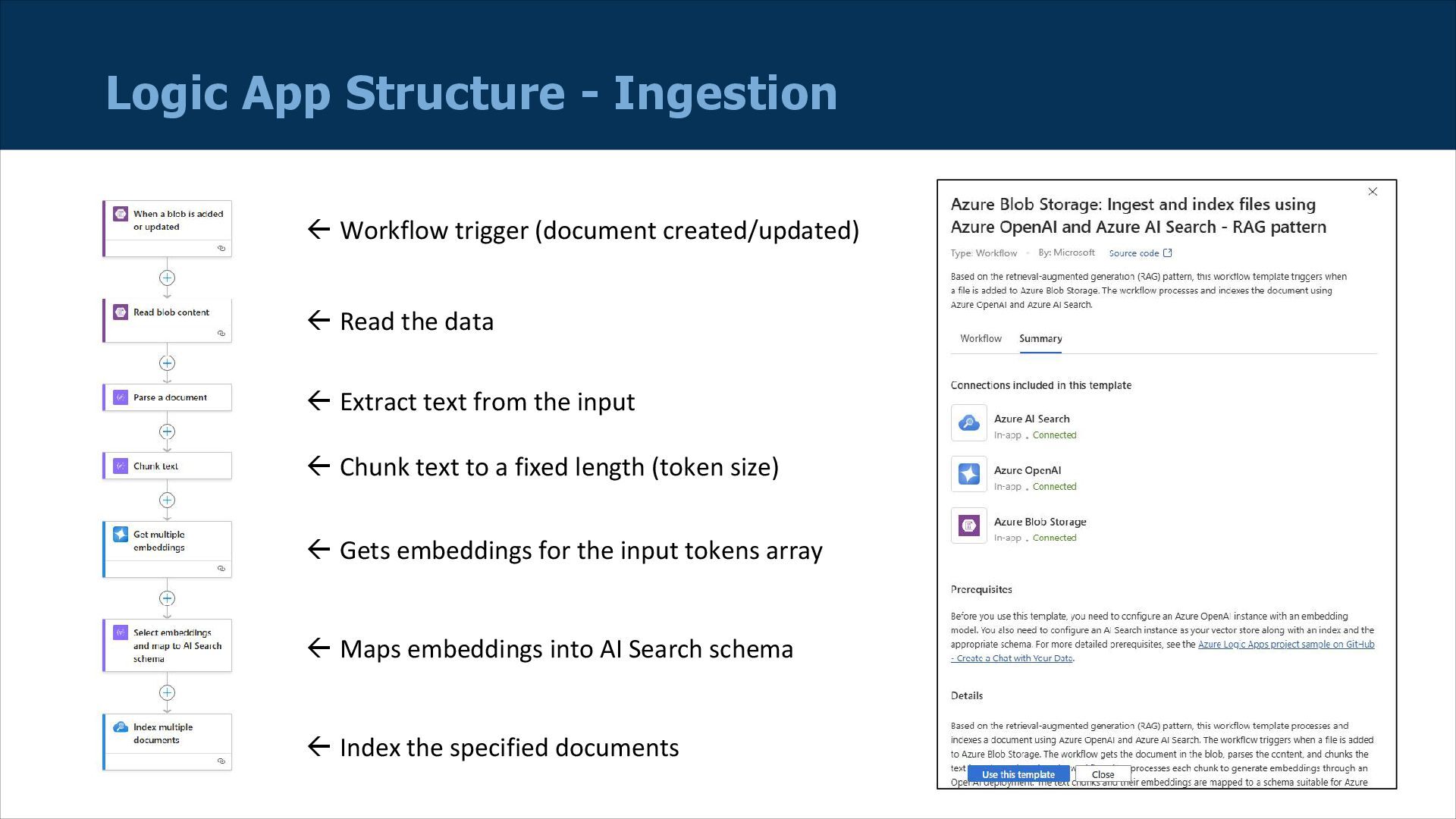
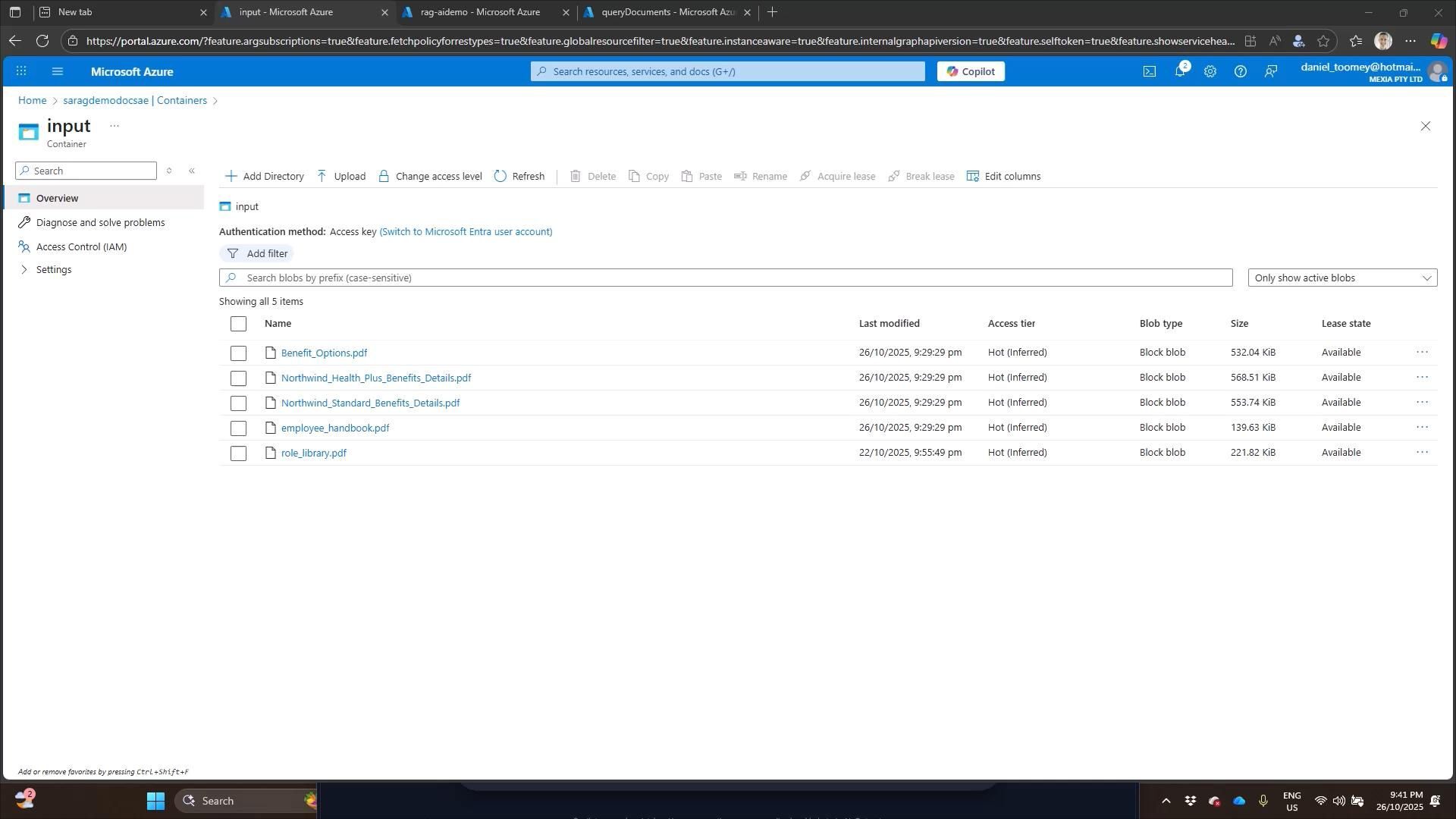
  13. Logic App Structure - Ingestion ß Workflow trigger (document created/updated)

    ß Read the data ß Extract text from the input ß Chunk text to a fixed length (token size) ß Gets embeddings for the input tokens array ß Maps embeddings into AI Search schema ß Index the specified documents
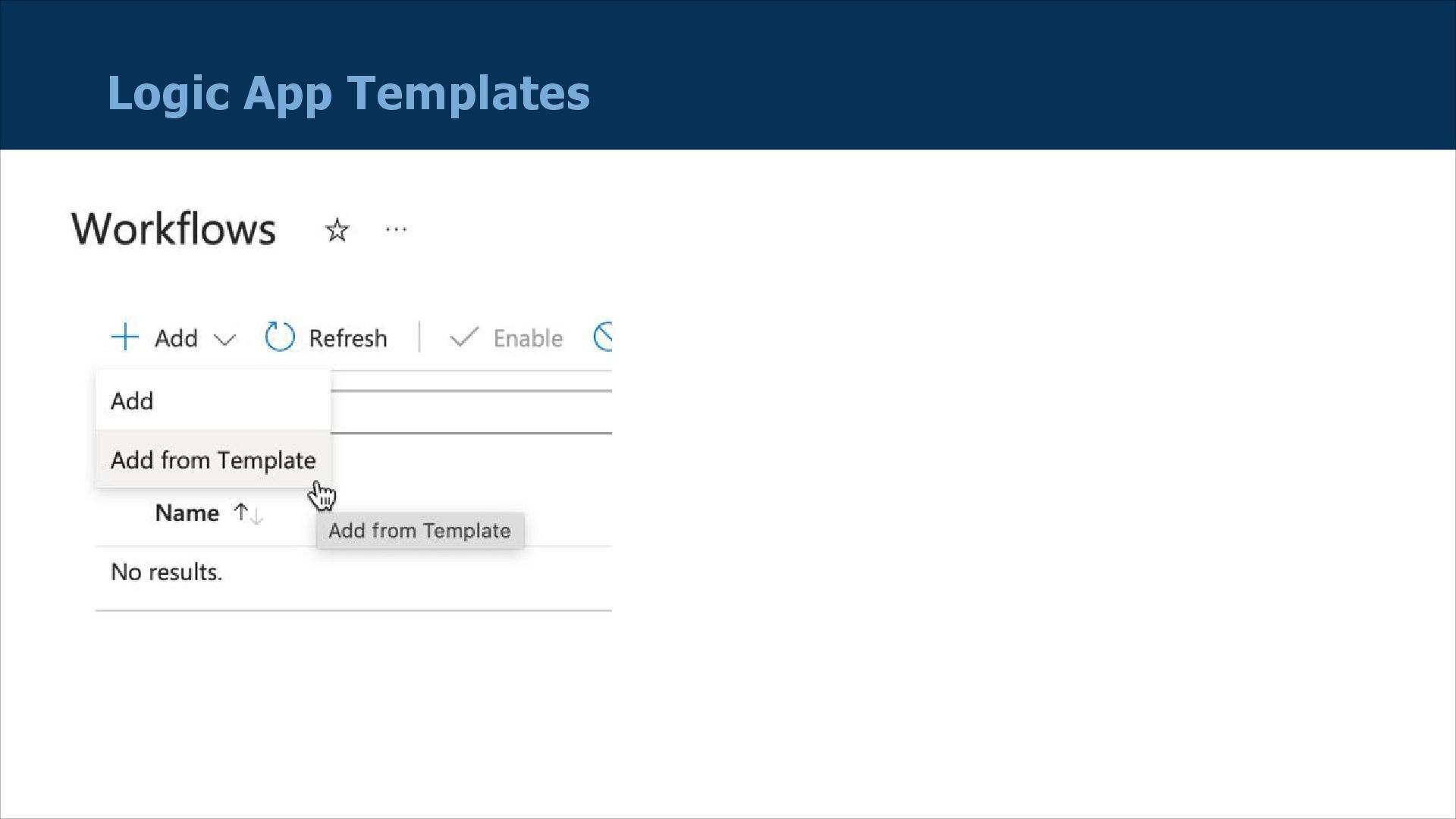
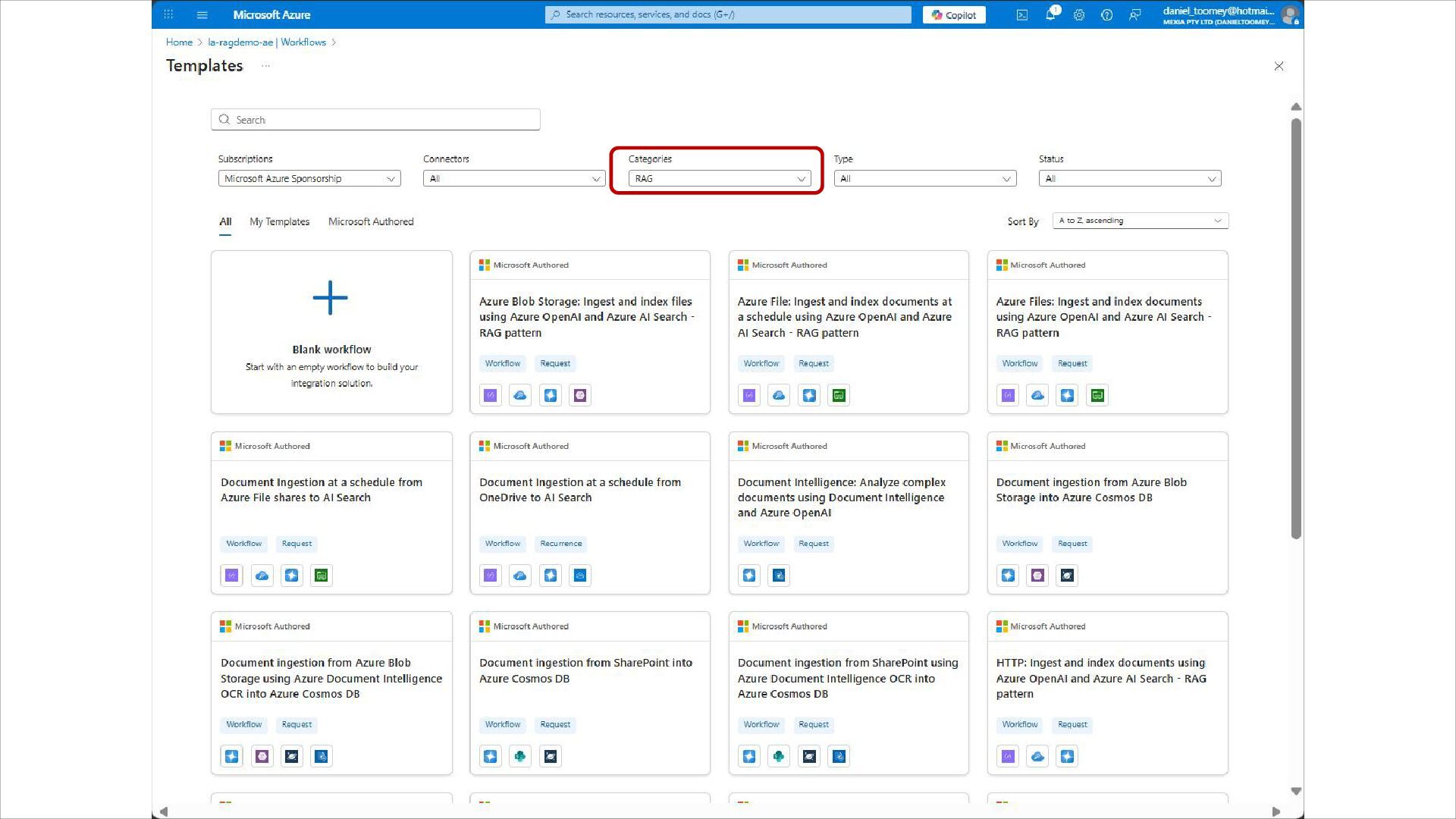
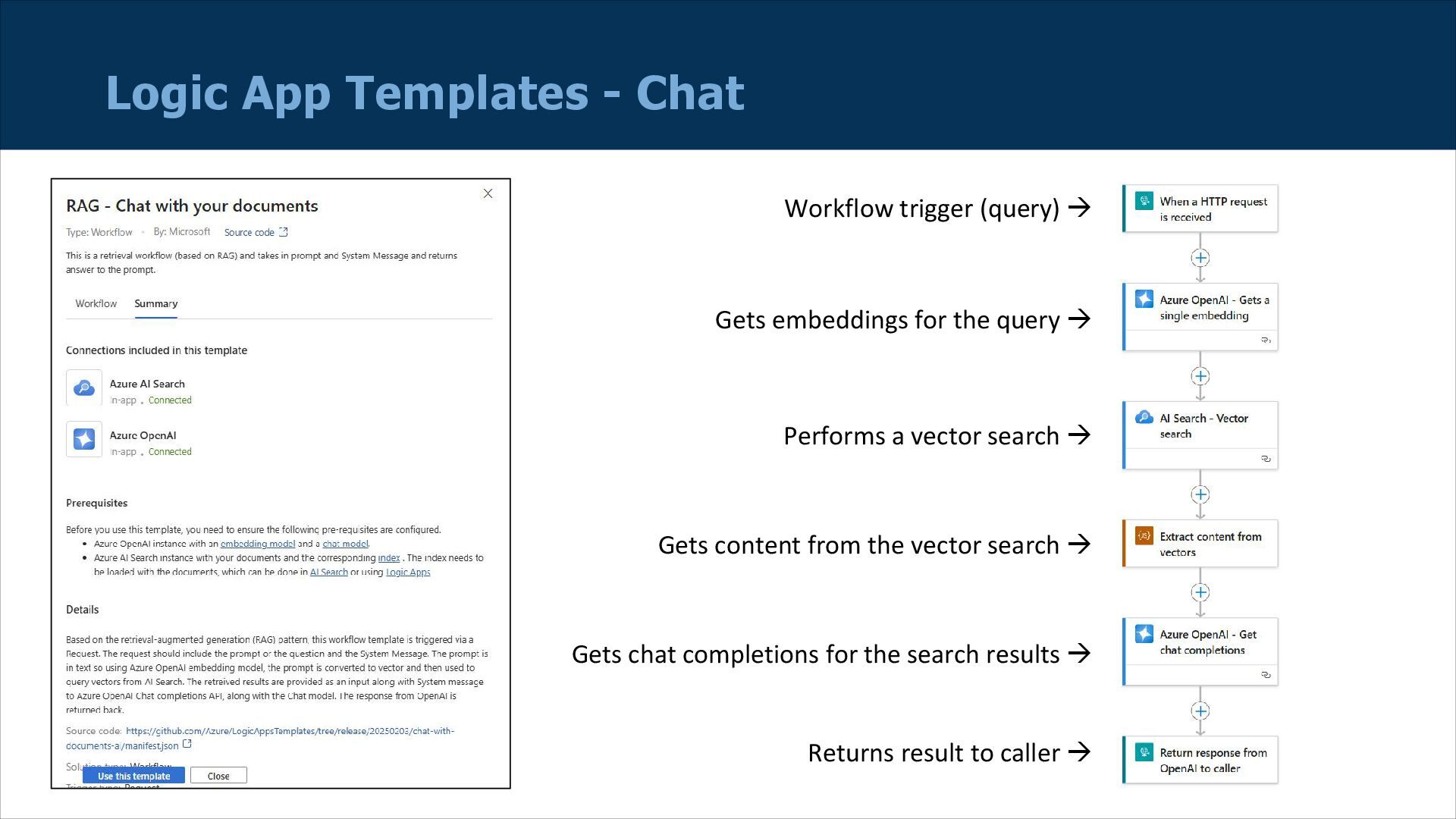
  14. Logic App Templates - Chat Workflow trigger (query)  Gets

    embeddings for the query  Performs a vector search  Gets content from the vector search  Gets chat completions for the search results  Returns result to caller 
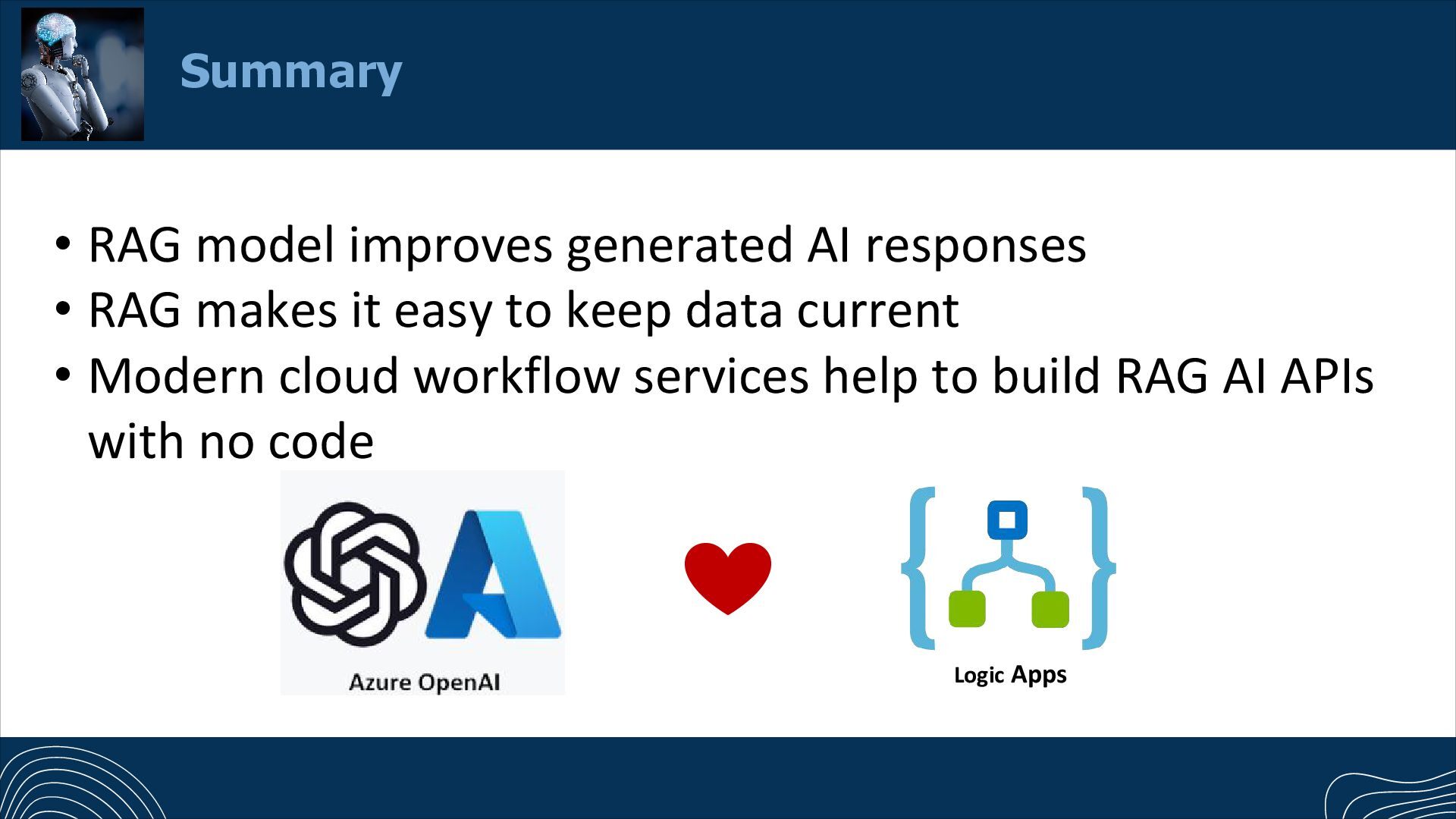
  15. Summary • RAG model improves generated AI responses • RAG

    makes it easy to keep data current • Modern cloud workflow services help to build RAG AI APIs with no code Logic Apps
  16. A Step-by-Step Guide to Using Retrieval-Augmented Generation (RAG) in Azure

    Logic Apps (resources): https://mindovermessaging.com/2025/03/28/building -a-complete-rag-application-in-azure-with-no- code/https://mindovermessaging.com/2025/03/28/bu ilding-a-complete-rag-application-in-azure-with-no- code/ Resources